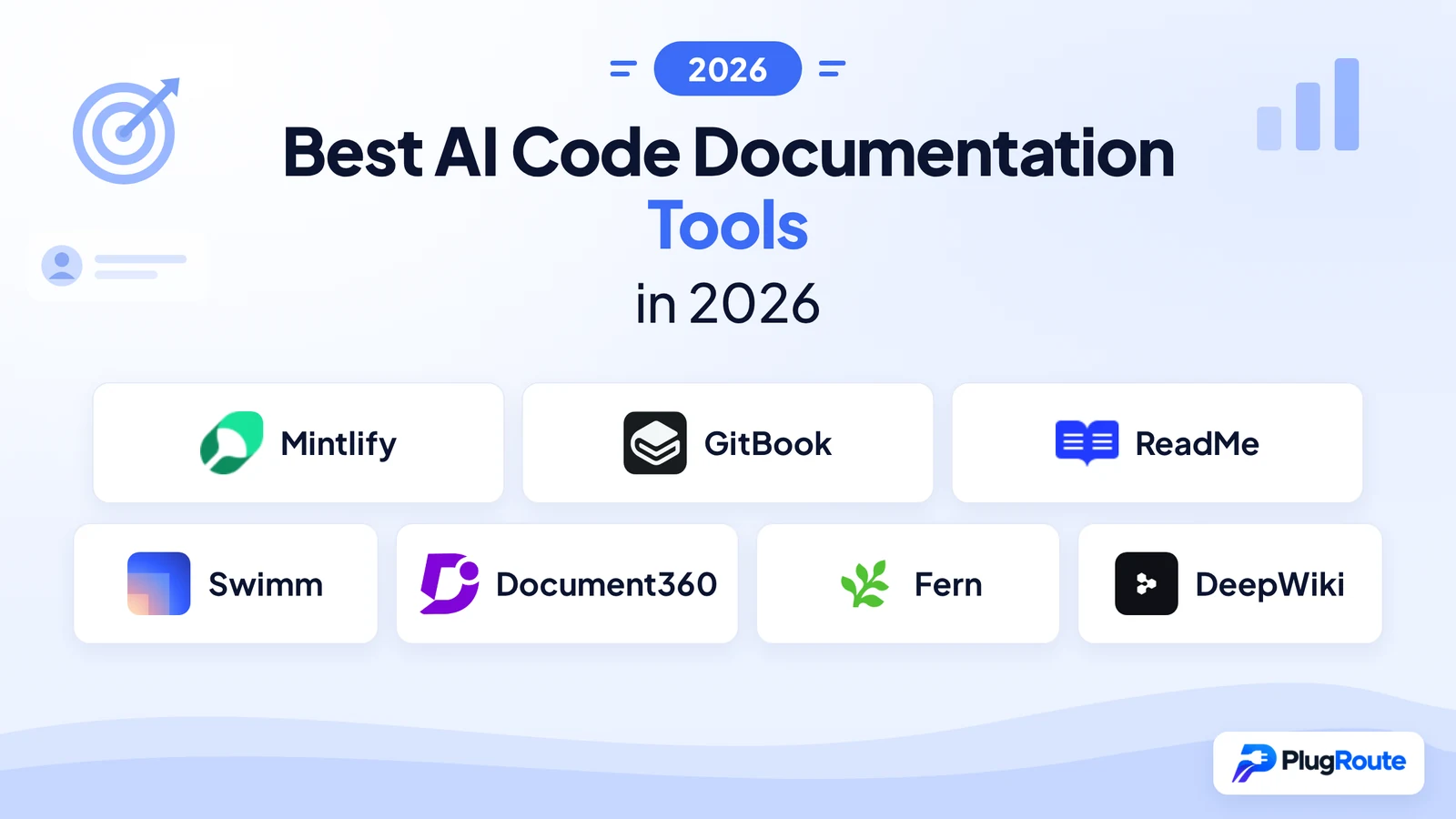
Mintlify is the best overall AI code documentation tool for docs-as-code teams, GitBook is best for engineers and writers sharing one docs site, and ReadMe is best for public API portals. No single tool covers every documentation job, and Swimm leads on catching drift in large or legacy codebases.
This guide ranks AI tools for documenting code: docs-as-code workflows, shared engineering docs, public API portals and catching drift in large or legacy codebases. If you need to generate documentation more broadly, including step-by-step process guides, see our Best AI Documentation Generators guide.
Documentation drift happens when docs go stale quietly as code changes, and it usually goes unnoticed until it misleads a developer. Vendors make the choice harder by putting the same “AI documentation” label on tools that do very different jobs. This guide separates those jobs and matches each one to a workflow.
As one user on r/AskProgramming described:
“But, to play Devil’s Advocate, it’s like comments. If it’s not kept up to date then it can be worse than no docs.” Posted by u/madwilliamflint
Takeaway: Stale documentation actively misleads developers, which makes drift protection the first thing to judge when choosing an AI code documentation tool.
PlugRoute has no affiliate relationships with any company listed, and rankings are determined entirely by research data and objective evaluation criteria.
PlugRoute scored seven tools on six weighted criteria. Every claim is dated and labeled by confidence. Ranks 2 through 4 sit within 1.5 points of each other, so use this guide’s Quick Decision Framework to match a tool to your job instead of relying on rank alone.
What Are the 5 Categories of AI Code Documentation Tools?
AI code documentation tools fall into five categories: Docs Publishers, API Reference Platforms, Code-Linked Explainers, Knowledge Bases and Repo Wiki Generators. Publishers and API platforms produce public docs. Explainers and wiki generators help teams understand code, and knowledge bases serve support content. Inline docstrings are a sixth job, and this guide does not rank tools for it.
The seven ranked tools fit these categories:
- Docs Publisher: Mintlify and GitBook host and publish developer documentation sites, with AI help for writing and maintenance.
- API Reference Platform: ReadMe and Fern generate interactive API and SDK references from API specifications.
- Code-Linked Explainer: Swimm ties documentation and AI explanations to specific source code, so internal knowledge stays current as the code changes.
- Knowledge Base: Document360 runs a governed portal for API docs, manuals, SOPs and help content.
- Repo Wiki Generator: DeepWiki automatically generates browsable AI explanations of public GitHub repositories.
Inline comments and docstrings (JSDoc, Javadoc, Python docstrings) are mostly written by AI coding assistants such as GitHub Copilot and Cursor. PlugRoute did not score those assistants. They are covered in this guide’s unranked “What About Free or Adjacent Alternatives?” section.
How Do the Top AI Code Documentation Tools Compare at a Glance?
The seven tools differ most in what they document and how they connect to code. Mintlify and GitBook publish docs from Git, while ReadMe and Fern focus on API references. Swimm links docs to source lines. Document360 runs a knowledge base with one-way GitHub import, and DeepWiki generates free wikis for public repos.
| Rank | Company | Category | Best For | One-Line Summary | Key Capabilities | Primary Strength | Key Limitation |
|---|---|---|---|---|---|---|---|
| 1 | Mintlify | Docs Publisher | Docs-as-code teams publishing developer and API docs | Mintlify is a docs-as-code platform whose AI agent proposes doc updates as pull requests. | MDX in Git, PR-based agent, OpenAPI playground, llms.txt, MCP | Most extensively documented agent readiness | Steepest free-to-paid jump ($450/month Pro) |
| 2 | GitBook | Docs Publisher | Mixed teams of engineers and writers | GitBook combines a visual editor with two-way GitHub and GitLab sync. | Two-way Git Sync, change requests, OpenAPI blocks, llms.txt, MCP | Two-way Git Sync with a visual editor | Users report editor and sync breaking formatting |
| 3 | ReadMe | API Reference Platform | Public API developer portals | ReadMe ties interactive API references to real API usage data. | OpenAPI Try It explorer, two-way Git sync, API Metrics, MCP | MCP and llms.txt on the free tier | Editor bug reports; Business price unpublished |
| 4 | Swimm | Code-Linked Explainer | Large, legacy or regulated internal codebases | Swimm flags docs made stale by code changes through Auto-sync. | Code-linked docs, IDE plugins, COBOL support, on-prem | Strongest drift protection | Pricing unconfirmed; reviews predate enterprise pivot |
| 5 | Document360 | Knowledge Base | Support-heavy, multilingual organizations | Document360 serves API docs alongside manuals and SOPs in one governed portal. | Markdown and WYSIWYG, approvals, 50+ languages, llms.txt, Eddy AI | Largest verified G2 base (4.7/5, 551 reviews) | One-way Git import only; no public pricing |
| 6 | Fern | API Reference Platform | API providers shipping multi-language SDKs | Fern generates SDKs and API docs from one API definition. | 9-language SDKs, CLI in CI, llms.txt, MCP generation | Docs samples match the real SDKs | Only one G2 review; API docs only |
| 7 | DeepWiki | Repo Wiki Generator | Free orientation to public GitHub repos | DeepWiki turns any public GitHub repo into a queryable AI wiki for free. | URL swap, architecture diagrams, Deep Research, free MCP | Free, no setup, instant | Not editable; refresh timing not guaranteed |
Last verified: November 2026
Which AI Code Documentation Tool Should I Choose for My Use Case?
Pick the tool that matches your top priority, not the tool with the highest rank. Mintlify fits docs-as-code teams, GitBook fits mixed editing teams and ReadMe fits API portals. Swimm fits legacy-code drift, and Document360 fits support-heavy knowledge bases. Fern fits SDK-heavy API providers, and DeepWiki fits free exploration of public repos.
| Your #1 Priority | Recommended Tool | Why | Acceptable Alternative |
|---|---|---|---|
| Docs-as-code team publishing developer docs | Mintlify | PR-based AI agent plus llms.txt and MCP output | GitBook |
| Engineers and writers sharing one docs site | GitBook | Two-way Git Sync with a visual block editor | Mintlify (web editor) |
| Public API portal with usage analytics | ReadMe | API Metrics plus free-tier MCP and llms.txt | Mintlify |
| Drift on legacy, regulated or internal code | Swimm | Auto-sync, COBOL support, on-prem deployment | DeepWiki (public repos, orientation only) |
| Support-heavy, multilingual knowledge base | Document360 | Approval workflows, versioning, 50+ languages | GitBook |
| SDKs plus API docs from one spec | Fern | SDKs in 9 languages generated alongside docs | ReadMe |
| Free orientation to a public repo | DeepWiki | Free, zero setup, no-login MCP server | Agentic CLI such as Claude Code (not ranked) |
| Docs readable by AI coding agents on a free plan | ReadMe | Free-tier MCP and llms.txt | DeepWiki (public repos) |
| Inline comments and docstrings | AI coding assistant (not ranked) | None of the seven ranked tools focuses on docstrings | Agentic CLI (not ranked) |
Last verified: November 2026
What Are the Best AI Code Documentation Tools in 2026, Ranked?
Mintlify ranks #1 with 34.5 of 45 weighted points. GitBook follows with 33, then ReadMe (32), Swimm (31.5), Document360 (29.5), Fern (28) and DeepWiki (20.5). Ranks 2 through 4 sit within 1.5 points of each other, so matching the tool to your documentation job matters more than its rank.
1. Mintlify: Best Overall for Docs-as-Code Teams Publishing Developer and API Docs
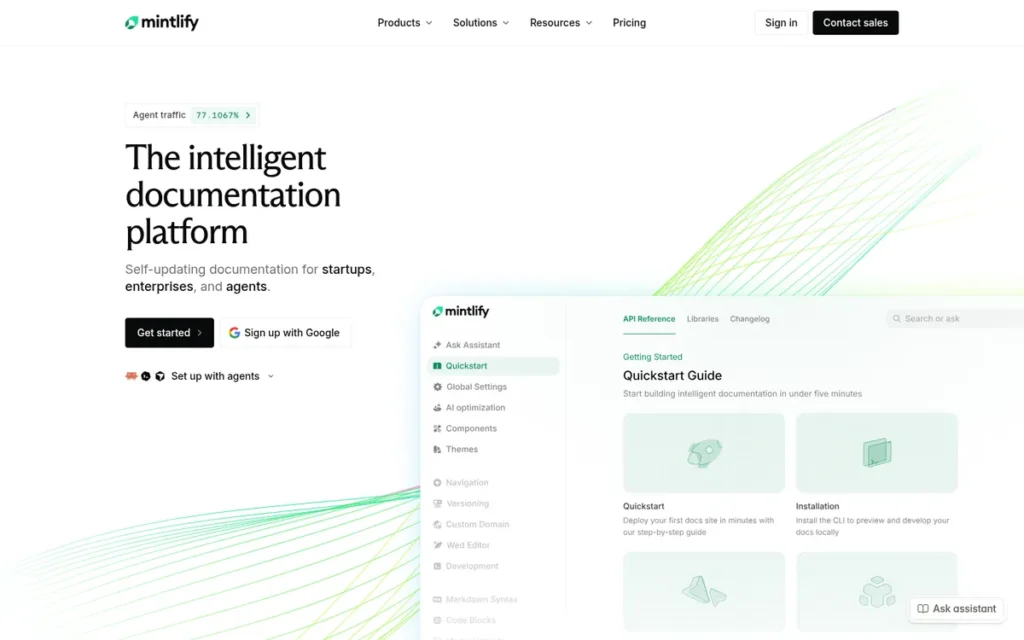
Category: Docs Publisher. Hosts and publishes developer documentation sites, with AI help for writing and maintenance.
At a Glance
- Category: Docs Publisher
- Best For: Engineering-led teams that keep docs in Git and publish public developer and API documentation
- Price Range: Free Hobby tier; Pro $450/month (annual) or $540/month (monthly), plus metered AI credits; Enterprise custom
- Primary Strength: Mintlify has the most extensively documented agent-readiness support in this review (llms.txt, llms-full.txt, Markdown pages and a hosted MCP server), with GitBook a close second.
- Biggest Limitation: Mintlify has the steepest free-to-paid price jump among the publishing tools reviewed, and heavier AI use adds metered credit costs.
- One-Line Summary: Mintlify is a docs-as-code documentation platform whose AI agent proposes doc updates as pull requests and whose sites AI coding agents can read automatically through llms.txt and MCP.
- Last Verified: November 2026
Overview
Mintlify is a docs-as-code documentation platform for engineering teams that write Markdown/MDX in GitHub or GitLab and publish developer guides and interactive API references. Mintlify’s AI agent drafts doc updates as pull requests that the team can review.
Mintlify adds a web editor with comments and suggestions so non-engineers can contribute. Mintlify reports that 20,000+ companies use it (Mintlify, 2026; Vendor-reported). Mintlify’s customer pages name Coinbase and HubSpot (Mintlify, 2026), and a secondary compilation also lists Anthropic (Krest Signals, 2026).
Key Features
- Mintlify stores documentation as Markdown/MDX in GitHub or GitLab repositories, so docs go through the same branch, pull request and review process as code.
- Mintlify’s AI agent opens pull requests with proposed doc changes instead of quietly editing the live site (Mintlify docs, 2026; Confirmed).
- Mintlify generates an interactive API playground from OpenAPI specifications, next to the narrative guides.
- Mintlify automatically publishes llms.txt, llms-full.txt, Markdown versions of each page and a hosted MCP search server that respects auth and noindex rules (Mintlify docs, 2026; Confirmed).
- Mintlify provides an AI Assistant for readers, plus analytics showing which AI agents visit the docs and what MCP queries they make (Mintlify, 2026; Vendor-reported).
Best For
Mintlify is best for engineering-led SaaS and API companies that already work in Git and want public docs that both developers and AI coding agents can read. Mintlify fits less well when the main need is explaining a legacy codebase internally.
Pricing
As of November 2026, Mintlify offers a free Hobby tier and a Pro plan at $450/month billed annually or $540/month billed monthly. Mintlify’s Enterprise pricing is custom (Mintlify pricing page, 2026).
Mintlify’s AI features use credits, and overages are billed separately. Mintlify’s total cost therefore has two lines: the platform fee and AI usage. A comment in an r/webdev GitBook-alternatives thread called Mintlify “free,” which most likely refers to the limited Hobby tier (Reddit r/webdev, 2025).
Strengths
- Mintlify reported 20,000+ companies and docs reaching 100M+ people a year in its April 2026 Series B announcement. That is the largest customer count claimed by any vendor in this review (Mintlify, 2026; Vendor-reported).
- Mintlify raised a $45M Series B co-led by a16z and Salesforce Ventures in April 2026, bringing total funding to $67M (Built In SF, 2026; Confirmed).
- Mintlify’s customer pages report that Coinbase deploys docs 50× faster across 12+ products, with updates cut from 20+ minutes to under 60 seconds. They also report that HubSpot spends 50% less engineering resources on docs infrastructure, with 3× faster build times (Mintlify, 2026; Self-reported case study).
- Mintlify’s pull-request agent keeps AI-drafted changes inside human Git review. Mintlify’s review step matters because 46% of developers distrust AI accuracy (Stack Overflow Developer Survey, 2025).
Limitations
Mintlify trades a low entry price for polish and agent readiness. The jump from the free Hobby tier to Pro at $450/month (annual) is the largest among the publishing tools here. G2 reviewers also criticize caps on AI credits and the extra cost of heavier AI use (G2, 2026).
- Mintlify’s independent review evidence is thin: 4.6/5 on G2 from 19 reviews (G2, November 2026), and no usable Capterra rating (Capterra, 2026).
- Mintlify’s AI agent drafts pull requests but does not detect stale docs the way code-linked tools do. Drift protection still depends on someone reviewing and merging the right changes.
- Mintlify’s plan gating for MCP and llms.txt was not confirmed in this research, so buyers should check which tier includes them.
- Mintlify’s customer results come from Mintlify’s own case-study pages, not from independent audits.
This aligns with community sentiment on r/AskProgramming:
“Also it depends how fast the project is moving. If you’re writing code which will likely be changed a lot or maybe even totally phased out and replaced in a few months, your documentation is just going to be one more thing to maintain, which might be confusing when it’s out of date later on, because it’s not going to fail a unit test when it becomes stale.” Posted by u/pragmojo
Takeaway: Stale pages fail silently, so Mintlify’s pull-request agent still depends on reviewers catching docs that have gone out of date, because nothing in a docs-as-code workflow breaks on its own.
Verdict
Mintlify is the highest-scoring AI code documentation tool for docs-as-code teams in 2026 (34.5/45). It combines PR-based AI updates with the most extensively documented MCP and llms.txt support PlugRoute reviewed.
Mintlify leads GitBook by 1.5 points. Its lead comes from drift handling (C1: 4 vs. 3), agent readiness (C4: 5 vs. 4.5) and outcome evidence (C6: 4.5 vs. 2.5). GitBook leads on review volume (C3) and pricing (C5).
Teams on a small budget should model the Pro cost plus AI credits before committing. Teams that need non-engineers to do heavy visual editing should also compare GitBook.
2. GitBook: Best for Mixed Teams of Engineers and Writers Who Need Two-Way Git Sync and a Visual Editor
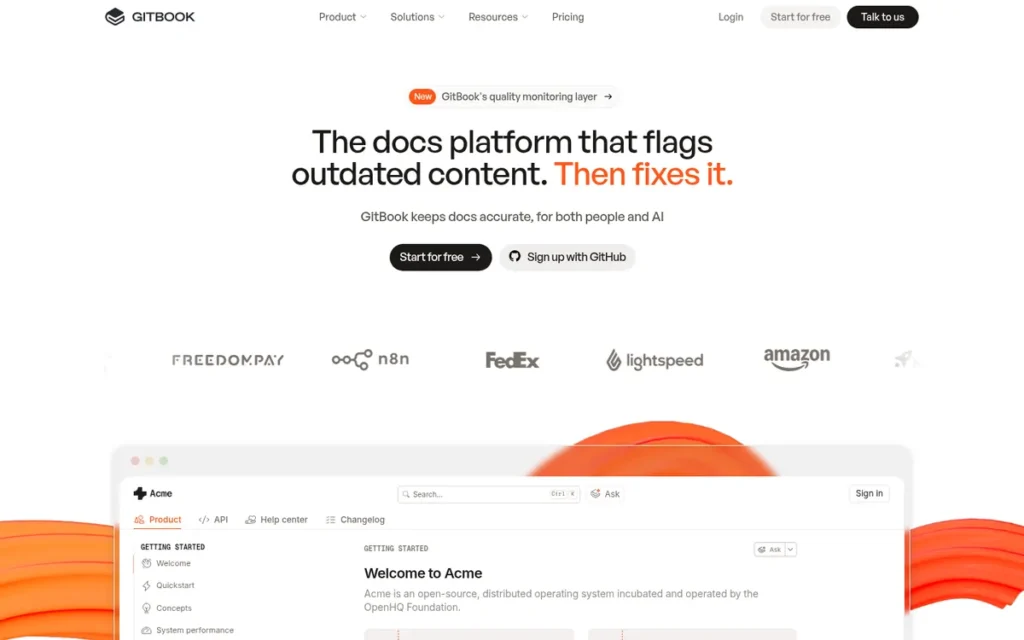
Category: Docs Publisher.
At a Glance
- Category: Docs Publisher
- Best For: Mixed teams where engineers work in Git and writers or product managers need a visual editor
- Price Range: Free (1 user); Essential $65/site/month + $12/user (annual); Ultimate $249/site/month + $12/user (annual); Enterprise custom
- Primary Strength: GitBook’s two-way Git Sync is the most direct answer in this review to engineers and non-engineers editing the same docs in different tools.
- Biggest Limitation: GitBook users report that its editor and sync can break formatting. One example is tables converted to HTML that can no longer be edited cleanly in Markdown.
- One-Line Summary: GitBook is a documentation platform that combines a visual block editor with two-way GitHub and GitLab sync, and it holds a 4.7/5 G2 rating from 208 reviews.
- Last Verified: November 2026
Overview
GitBook is a documentation platform for mixed teams of engineers and writers. GitBook combines a visual block editor with two-way GitHub and GitLab sync, so developers can stay in Markdown and pull requests while non-engineers edit visually.
GitBook adds change requests for review before publishing, OpenAPI reference blocks, AI search and a GitBook Agent for drafting. GitBook also serves docs to AI agents through an MCP server and automatically generated llms.txt files (GitBook docs, 2026; Confirmed).
Key Features
- GitBook’s two-way Git Sync connects a docs space to a GitHub or GitLab repository, so edits made in the repo or in the visual editor show up in both places.
- GitBook’s change requests let teams review and approve documentation edits before they go live.
- GitBook’s Agent drafts, rewrites and summarizes docs using monthly AI credits. The free tier reportedly caps it at about 10 messages a week (Documentation.ai, 2026; Unconfirmed).
- GitBook automatically generates llms.txt, llms-full.txt and Markdown versions of each published page (GitBook docs, 2026; Confirmed).
- GitBook supports OpenAPI-based API reference blocks and says its MCP view shows which AI tools access the docs and what they ask (GitBook, 2026; Vendor-reported).
Best For
GitBook is best for teams where engineers, technical writers and product managers all contribute to the same docs and need both Git and a visual editor. GitBook fits less well when the main problem is detecting stale docs after code changes.
Users on r/programming noted:
“One downside of #1 and #2 (assuming code review is required for all changes) is that it slows down simple corrections. Fixing a typo needs a lot of process. I found wikis have a lower barrier to entry and are better for link-heavy documentation not directly tied to product changes.” Posted by u/strager
Takeaway: Pure docs-as-code review slows down quick fixes, and that friction is why mixed teams value GitBook’s visual editor sitting on top of Git Sync.
Pricing
As of November 2026, GitBook offers a free plan for one user. GitBook Essential costs $65/site/month billed annually, plus $12/user/month, and includes 2,000 AI credits. GitBook Ultimate costs $249/site/month plus $12/user and includes 10,000 credits (GitBook pricing page, 2026).
GitBook sells extra credit packs from $47.50 (5k credits) to $300 (40k credits) per month, and AI features pause when credits run out. GitBook’s total cost grows along three lines at once: sites, users and AI credits.
Strengths
- GitBook holds a 4.7/5 G2 rating from 208 reviews (G2, November 2026), the largest review base among the Git-syncing publishers in this review. Reviewers praise its ease of use, clean design and GitHub integration.
- GitBook rates 4.5/5 on Capterra from 23 reviews (Capterra, 2026), with praise for simple setup, Markdown support, templates and custom domains.
- GitBook’s G2 reviewers report that “GitHub commits automatically update documentation.” These comments support the sync claim at the workflow level, although no measured results were published (G2, 2026).
- GitBook publishes full tier pricing, including AI-credit packs, so GitBook’s total cost is easier to model than the cost of quote-only competitors.
Limitations
GitBook trades its strong mixed-team workflow for reported reliability problems in exactly that workflow. An r/webdev user said GitBook converted tables to broken HTML that could no longer be edited in code (Reddit r/webdev, 2025). A July 2026 reply said the editor had not improved.
- GitBook’s G2 reviewers report lag and duplicated text blocks when several people edit at once, and say permissions take effort to configure (G2, 2026).
- GitBook’s Git Sync moves content between the editor and the repo, but it does not detect when docs no longer match the code.
- GitBook’s Trustpilot score of 1.9/5 from 21 reviews (Trustpilot, 2026) is far below its G2 score. Capterra reviewers also criticize publishing features moving to plans that cost about $70+ per site per month.
- GitBook published no measured case studies, and its monthly-billing prices were not confirmed.
Verdict
GitBook is the best AI documentation tool for mixed teams of engineers and writers in 2026, pairing two-way Git sync with a visual editor and a 4.7/5 G2 rating from 208 reviews.
GitBook ranks #2 because Git sync mirrors content without flagging drift, and because users report editor and sync breakage. GitBook’s review base earns the highest review-reputation score (C3: 4) among the two-way Git-syncing tools.
Before committing, teams should test the full round trip between GitBook’s editor and the repo, including tables.
3. ReadMe: Best for Public API Developer Portals with Usage Analytics
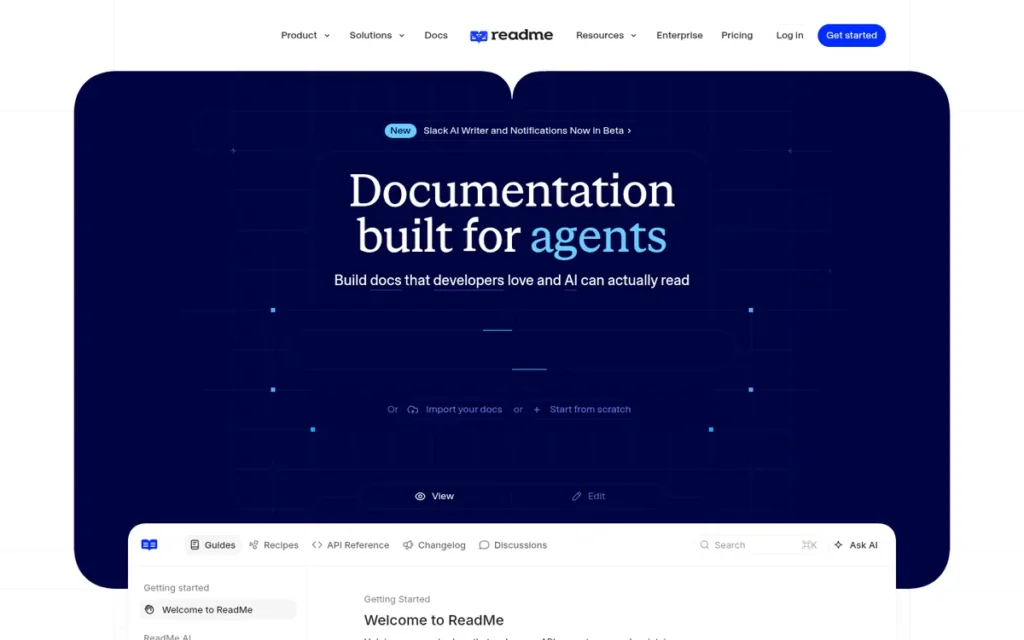
Category: API Reference Platform. Generates and hosts interactive API and SDK references from API specifications, with AI-assisted writing.
At a Glance
- Category: API Reference Platform
- Best For: API-first companies running external developer portals that want to see whether readers actually succeed at calling the API
- Price Range: Free tier; Pro $250/month (annual); Business price not published; Enterprise custom; Ask AI add-on $150/month
- Primary Strength: ReadMe links documentation to real API usage through API Metrics and includes MCP and llms.txt even on its free tier.
- Biggest Limitation: ReadMe users report editor bugs and search-ranking problems, and key features such as Personalized Docs require the Enterprise plan.
- One-Line Summary: ReadMe is an API developer portal that generates interactive references from OpenAPI, syncs both ways with Git, and ties documentation to real API usage data.
- Last Verified: November 2026
Overview
ReadMe is an API documentation platform for companies running external developer portals. ReadMe generates interactive references with a Try It explorer from OpenAPI and connects those docs to real API call and error data through API Metrics.
ReadMe adds two-way Git sync, branches, ReadMe Agent, an AI Linter, llms.txt and an MCP server. ReadMe reports 14,000+ customers and names OneTrust, Gusto and Socure among them (ReadMe, 2026; Vendor-reported).
Key Features
- ReadMe generates an interactive API reference from an OpenAPI specification, with a Try It API Explorer and automatically generated code samples.
- ReadMe supports two-way Git sync, including GitHub Enterprise on-premises (added June 2025), and branches for staging doc changes (added August 2025).
- ReadMe’s API Metrics show call volume, endpoint use and errors by API key, company or endpoint. This links developer portal content to what developers actually do.
- ReadMe’s AI toolkit includes Ask AI search, an AI Linter and ReadMe Agent.
- ReadMe’s Personalized Docs show logged-in developers their own API keys inside the docs, on the Enterprise plan only.
Best For
ReadMe is best for API-first companies whose public developer portal is a core part of the product and who want usage data showing where developers get stuck. ReadMe fits less well for documenting internal or legacy codebases.
Pricing
As of November 2026, ReadMe’s free tier includes a custom domain, two-way sync, API reference, llms.txt and MCP. ReadMe Pro costs $250/month billed annually, and Enterprise is custom (ReadMe pricing page, 2026).
ReadMe’s add-ons are Ask AI at $150/month and Developer Dashboard at $100/month (5M logs). ReadMe’s Business tier price is not published, and G2 lists one configuration at $3,000 (G2, 2026).
Strengths
- ReadMe’s Socure case study reports 60% fewer integration-related support questions, 2.5× more docs engagement, 30% faster developer onboarding and full ROI in under four months. Socure also surfaces its docs in Cursor through ReadMe’s MCP server (ReadMe, 2026; Self-reported case study).
- ReadMe includes llms.txt and an MCP server on its free tier (ReadMe pricing page, 2026), the most accessible agent-readiness plan gating in this review.
- ReadMe holds 4.5/5 on G2 from 46 reviews (G2, November 2026), with reviewers praising quick setup and how easily several people can contribute.
- ReadMe lists SOC 2 Type II in its Trust Center, with the report available on request (ReadMe, 2026; Confirmed).
Limitations
ReadMe trades depth in the API portal for editor stability and flexibility. An AWS Marketplace reviewer called ReadMe’s editor “outrageously buggy” and said search results were ranked wrongly much of the time. The same reviewer said outside knowledge sources could not be indexed for AI search (AWS Marketplace, 2026).
- ReadMe’s G2 reviewers cite limited customization for complex needs (G2, 2026).
- ReadMe’s Git sync mirrors content but does not detect when docs drift from how the API actually behaves.
- ReadMe’s pricing jumps sharply above Pro, and ReadMe’s Personalized Docs feature is Enterprise-only.
- ReadMe’s newer features, such as branches, work only on ReadMe Refactored projects, so older customers may face migration work.
Verdict
ReadMe is the best AI documentation tool for public API developer portals in 2026. It is the only reviewed tool that links docs to real API usage data, and it includes MCP and llms.txt on its free tier.
ReadMe ranks #3, one point behind GitBook, because its drift protection relies on Git sync. Its G2 base (46 reviews) is also less than a quarter of GitBook’s.
API-first teams should confirm ReadMe’s Business-tier pricing and test editor stability during a pilot. Teams that also need SDK generation should compare Fern.
4. Swimm: Best for Internal Docs on Large, Legacy and Regulated Codebases
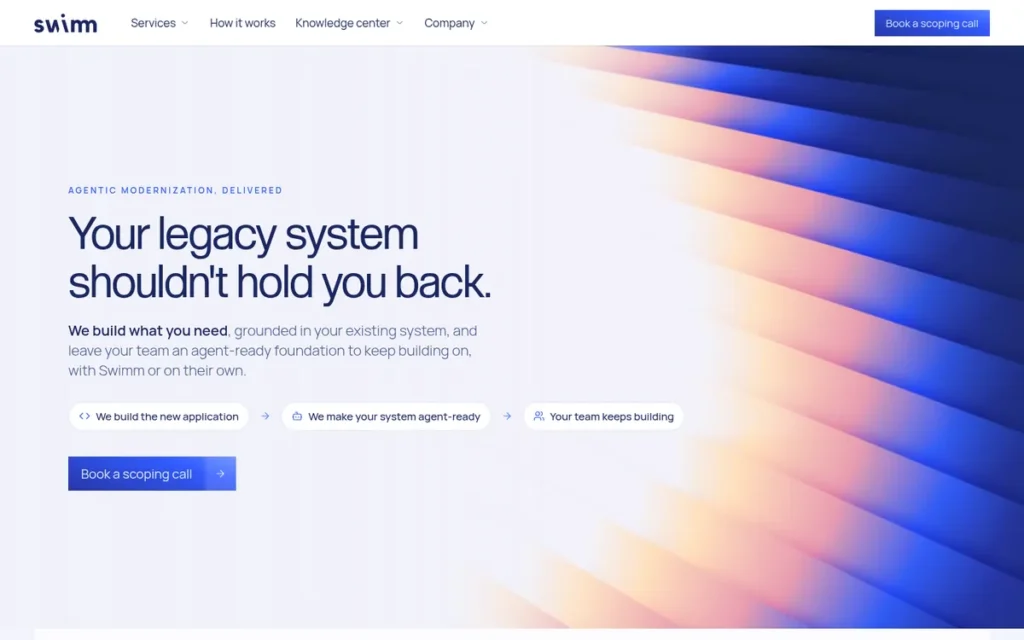
Category: Code-Linked Explainer. Ties documentation and AI explanations to source code so internal knowledge stays current as code changes.
At a Glance
- Category: Code-Linked Explainer
- Best For: Engineering organizations with large, legacy or regulated codebases that need internal docs to stay accurate as code changes
- Price Range: Free (up to 5 users); Teams most often listed at $16/user/month for up to 30 seats (unconfirmed); Enterprise on request
- Primary Strength: Swimm provides the strongest drift protection in this review, flagging docs affected by code changes through Auto-sync.
- Biggest Limitation: Swimm’s pricing is unconfirmed and increasingly contact-only, and most of its user reviews predate its pivot to enterprise legacy modernization.
- One-Line Summary: Swimm is a code-linked documentation and application-understanding platform that flags docs made stale by code changes and supports legacy mainframe code with on-premises deployment.
- Last Verified: November 2026
Overview
Swimm is a code-linked documentation and application-understanding platform for engineering teams with large, legacy or regulated codebases. Swimm attaches explanations to specific functions and lines and uses Auto-sync to flag affected docs whenever the code changes.
Swimm now emphasizes legacy modernization, including COBOL/JCL/PL/I analysis, business-rule extraction, and on-premises or air-gapped deployment (Toolradar, 2026). Swimm also offers VS Code and JetBrains plugins and an MCP layer for AI agents.
Key Features
- Swimm links documentation to specific functions and lines of code. Auto-sync flags affected docs when that code changes and fixes small changes automatically.
- Swimm provides an
/askAI chat that answers questions about the codebase, plus VS Code and JetBrains plugins that show docs next to code. - Swimm attaches documentation to pull requests, so reviewers see the relevant explanations during code review.
- Swimm’s application-understanding offering combines static analysis with LLMs to extract business rules from legacy code, including COBOL, JCL and PL/I.
- Swimm supports on-premises or air-gapped deployment with customer-managed LLMs, and its MCP layer gives AI agents controlled application context.
Best For
Swimm is best for enterprises modernizing legacy systems and for teams that need to pass tribal knowledge on to new hires as code changes. Swimm fits less well for publishing public API docs or developer portals.
Pricing
Swimm’s official pricing could not be confirmed as of November 2026, and no official pricing page was found. Swimm reportedly offers a free tier for up to 5 users. Its Teams plan is most often listed at $16/user/month for up to 30 seats (Unconfirmed).
Swimm’s third-party listings range from $11 to $39 per user (Toolradar, 2026). Swimm’s enterprise and legacy-modernization pricing appears to be contact-only, reportedly based on lines of code analyzed or project scope (DevTune, 2026; Unconfirmed).
Strengths
- Swimm holds a 4.4/5 G2 rating from 27 reviews (G2, November 2026). One reviewer called Auto-sync “a game changer” for flagging docs that need updating after code is pushed to GitHub.
- Swimm is the only tool in this review built around detecting docs made stale by code changes. Swimm’s drift detection matters because developers name finding information as their top time-waster (Atlassian State of DevEx, 2025).
- Swimm supports COBOL, JCL and PL/I mainframe code with on-premises or air-gapped deployment (AI Central Resources, 2026). No other reviewed tool offers these options.
- Swimm was named a 2024 Gartner Cool Vendor in AI-Augmented Development and Testing for Software Engineering (Swimm, 2024). It also reports SOC 2 Type II and ISO 27001 certification (AI Central Resources, 2026; Third-party reported).
Limitations
Swimm trades simple self-serve buying for enterprise depth. Swimm’s official pricing could not be confirmed, sources disagree on per-user rates, and newer positioning points to contact-only pricing. That makes budgeting harder than with self-serve tools.
- Swimm’s G2 reviewers say the IDE plugin needs work, PR comments can be wordy, cross-repository search is cumbersome and the web interface lacks chat (G2, 2026).
- Swimm does not store code on its servers, which G2 reviewers say helps privacy but slows repo search (G2, 2026).
- Swimm showed several bugs in an independent hands-on review: problems importing existing READMEs, JetBrains references not showing, and restarts needed after annotation changes (Plain English, 2026).
- Swimm’s reviews mostly predate its enterprise pivot, and no case studies with measured results were found.
Verdict
Swimm is the best AI documentation tool for keeping internal docs accurate on large, legacy and regulated codebases in 2026, offering the strongest drift detection of any tool PlugRoute reviewed.
Swimm has the highest drift-protection score of any tool (C1: 5) but the lowest pricing score among the top four (C5: 2). That trade-off is why it ranks #4.
For teams whose deciding factor is drift protection or on-premises deployment, Swimm should be the first tool to pilot.
5. Document360: Best for Combining Knowledge Base and API Docs in One Portal
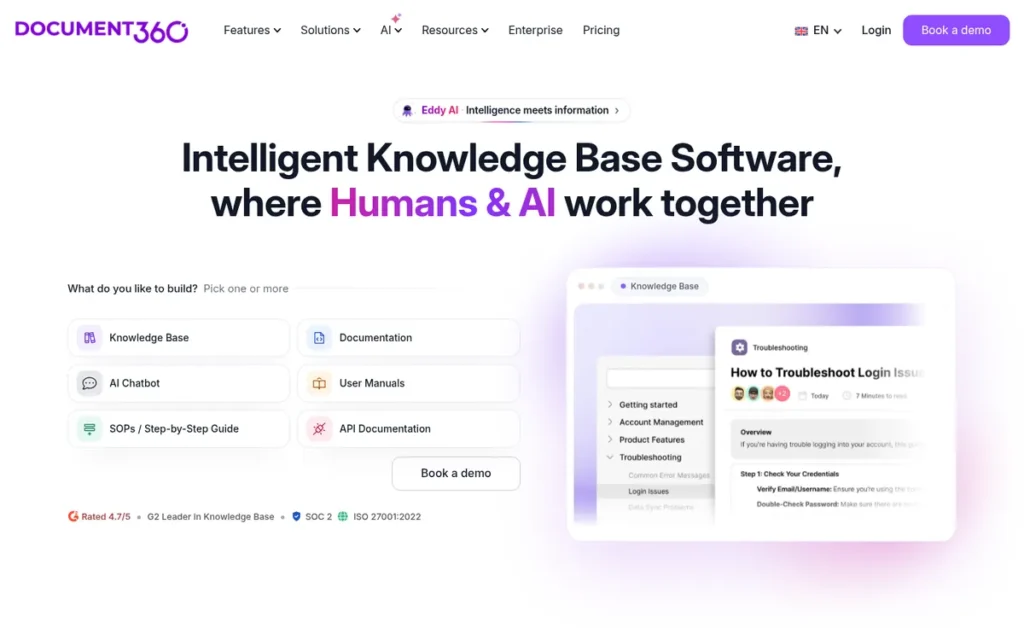
Category: Knowledge Base. A hosted, governed knowledge platform for internal and external documentation, with AI writing and search.
At a Glance
- Category: Knowledge Base
- Best For: Support-heavy organizations that need one governed portal for API docs, product manuals, SOPs and help content
- Price Range: Pricing on request (quote-based; no public price list); AI features in higher tiers or add-ons
- Primary Strength: Document360 combines knowledge-base governance (approval workflows, versioning, 50+ languages) with API documentation in one portal, and it has the largest verified G2 review base in this ranking.
- Biggest Limitation: Document360’s GitHub sync is one-way only, Document360 publishes no prices, and keeping docs aligned with code still depends largely on manual updates.
- One-Line Summary: Document360 is an AI-assisted knowledge base platform that serves API docs alongside manuals, SOPs and help-center content, with Markdown and WYSIWYG editors and approval workflows.
- Last Verified: November 2026
Overview
Document360 is an AI-assisted knowledge base platform for organizations that need one governed portal for API docs, product manuals, SOPs and help-center content. Document360 offers Markdown and WYSIWYG editors, approval workflows, versioning and 50+ languages.
Document360’s Eddy AI suite adds AI writing, search and a chatbot, plus an MCP Server in the AI Premium Suite. Document360 is made by Kovai.co and reported 100,000+ monthly active users in 2023 (Kovai.co, 2023).
Key Features
- Document360 offers both Markdown and WYSIWYG editors, so technical and non-technical authors can each work the way they prefer.
- Document360 supports public, private or mixed sites, with nested categories, reusable snippets and variables, versioning, and review and approval workflows.
- Document360’s Eddy AI suite includes an AI writer, AI search and answers, a chatbot, glossary generation and duplicate-content detection.
- Document360 generates llms.txt for knowledge bases and offers an MCP Server for AI agents as part of its AI Premium Suite (Document360 docs, 2026; Confirmed).
- Document360’s GitHub extension syncs Markdown one way from a repository’s main branch into Document360. Document360 also imports content from Word, PDF and Confluence (Document360 docs, 2026).
Best For
Document360 is best for organizations where support, product and developer docs must live in one governed, multilingual portal and where cutting support tickets is a key goal. Document360 fits less well for docs-as-code teams that want two-way Git workflows.
Pricing
As of November 2026, Document360 publishes no price list. Document360’s quotes depend on workspaces, languages, team accounts, AI usage, SSO, and public versus private access, and Enterprise is custom (Document360 pricing page, 2026).
G2 reviewers describe Document360 as expensive for startups. They say AI writing, AI search, custom domains and advanced analytics sit behind higher tiers or add-ons, and that per-author charges penalize occasional contributors (G2, 2026).
Strengths
- Document360 holds 4.7/5 on G2 from 551 reviews and is ranked a G2 Leader in Knowledge Base (G2, November 2026). That is the largest verified review base in this ranking.
- Document360’s published customer results report three outcomes: Fastmag cut support tickets by 15%, Prerender saw 20–30% fewer tickets on documented issues, and Ajman University cut support calls by 30% (Document360, 2026; Self-reported case study).
- Document360 claims SOC 2 and ISO 27001:2022 certification, plus SSO/SAML/JWT and IP restrictions, which helps with enterprise security reviews (Document360, 2026; Vendor-reported).
- Document360 is described by Capterra reviewers as easy to use and configure, responsive, and fast for users worldwide (Capterra, 2026; rating and count unconfirmed).
Users on r/KnowledgeBaseSoftware shared their experience:
“Document360 feels lighter, faster to set up. You can get a decent KB live in like a week without needing someone to babysit the whole thing. The interface is cleaner too, tbh.” Posted by u/drakieboi
Takeaway: Document360’s quick setup and clean interface make it a low-maintenance choice for teams launching a standalone knowledge base.
Limitations
Document360 trades docs-as-code fit for knowledge-base breadth. Document360’s GitHub sync is one-way: commits on the main branch publish into Document360, but synced articles are read-only and edits cannot flow back to the repo (Document360 docs, 2026).
- Document360 publishes no price list, and AI writing, AI search and the MCP server sit behind higher tiers or the AI Premium Suite.
- Document360’s G2 reviewers report clunky copying, image upload, tables and fonts. They also note that tabs exist in WYSIWYG but not in Markdown, and that large imports are slow (G2, 2026).
- Document360’s Capterra reviewers note inconsistent search accuracy, and G2 reviewers mention a learning curve and a crowded interface on big projects (Capterra, 2026; G2, 2026).
- Document360’s case studies measure support deflection, not developer productivity, so they say little about drift in engineering docs.
Verdict
Document360 is the best AI documentation tool in 2026 for support-heavy organizations that need API docs, manuals and SOPs in one governed, multilingual knowledge base.
Document360 ranks #5 because its large, verified review base and confirmed llms.txt support are offset by one-way Git sync, manual drift management and quote-only pricing.
Teams focused on support deflection should shortlist Document360, and should ask for a full quote that includes the AI Premium Suite.
6. Fern: Best for API Providers Publishing SDKs and API Docs from One Spec
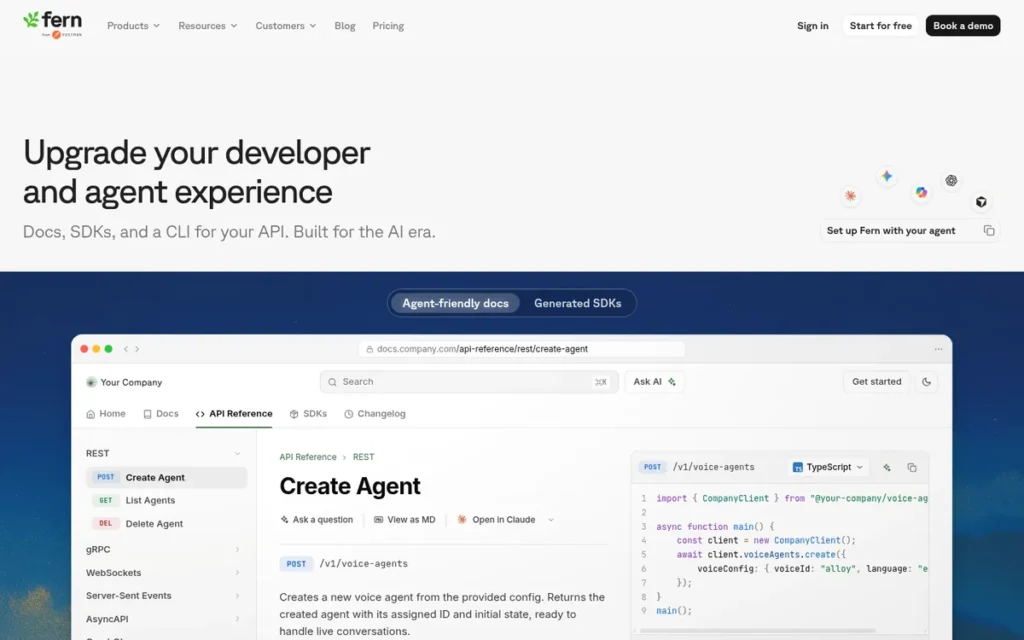
Category: API Reference Platform.
At a Glance
- Category: API Reference Platform
- Best For: API providers that ship SDKs in several languages and need docs and SDKs to stay in sync
- Price Range: Free ($0, up to 10 team members); Enterprise custom; SDK pricing not published
- Primary Strength: Fern generates SDKs and API docs from one definition, so the code samples in the docs match the real client libraries.
- Biggest Limitation: Fern has only one G2 review, and Fern covers API documentation only, not internal codebase docs.
- One-Line Summary: Fern is an API documentation and SDK generation platform that turns one API definition into SDKs in 9 languages and matching reference docs.
- Last Verified: November 2026
Overview
Fern is an API documentation and SDK generation platform for API providers. Fern turns one definition (OpenAPI, AsyncAPI, gRPC or Fern Definition) into SDKs in 9 languages, plus API reference docs whose code samples come from those generated SDKs.
Fern runs through a CLI that can sit in the customer’s own CI/CD pipeline, and Fern publishes each SDK to registries such as npm, PyPI and Maven. Fern reported 150+ customers as of April 2025, including Square, Webflow and ElevenLabs (Y Combinator, 2025).
Key Features
- Fern generates SDKs in 9 languages and API reference docs from a single API definition, so docs code samples stay consistent with the client libraries you ship (Fern docs, 2026).
- Fern accepts OpenAPI, AsyncAPI, gRPC or its own Fern Definition as the source of truth.
- Fern’s CLI (
fern check,fern generate) can run in the customer’s CI/CD pipeline, such as GitHub Actions, and each generated SDK lives in its own repository. - Fern’s docs include Ask Fern AI search, llms.txt output and MCP server generation for AI coding agents.
- Fern’s Agent edits Markdown, restructures navigation and fixes CSS from the dashboard, from Slack, or from coding agents via MCP (Fern, 2026; Vendor-reported).
Best For
Fern is best for API-first companies that ship client libraries in several languages and are tired of doc examples drifting away from their SDKs. Fern fits less well for internal codebase docs or general product docs edited by non-engineers.
Pricing
As of November 2026, Fern’s pricing page lists a Free plan ($0, up to 10 team members and 2,000 page generations a month) and custom Enterprise pricing (Fern pricing page, 2026).
Fern’s SDK pricing is not published. Older third-party listings cite SDK plans at $250 and $600 per SDK per month on annual billing, which may be outdated (sourced.sh, 2026; Unconfirmed). Fern’s cost likely grows with each SDK language.
Strengths
- Fern raised a $9M Series A led by Bessemer Venture Partners in April 2025, bringing its total to $13M. At the time it reported 150+ customers, including LaunchDarkly, Cohere and Intercom (SiliconANGLE, 2025; Confirmed).
- Fern’s single-definition pipeline draws docs code samples from the generated SDKs. An ElevenLabs engineer said Fern merged their SDKs and docs into one synchronized pipeline (LinkedIn, 2025; qualitative testimonial).
- Fern supports llms.txt, MCP server generation and an Agent reachable over MCP, which puts Fern among the most agent-ready tools in this review.
- Fern reports SOC 2 Type II and maintains open-source tooling in the
fern-apiGitHub organization (Fern, 2026; Vendor-reported).
Limitations
Fern trades breadth for precision in the API space. Fern documents APIs and SDKs only, so it does not cover internal codebases or general product knowledge. The Fern Definition also adds a learning curve on top of OpenAPI.
- Fern’s generated SDKs may not feel idiomatic for unusual authentication or polymorphic schemas.
- Fern keeps one repository per SDK, which adds maintenance work as the number of languages grows.
- Fern has one G2 review (5.0/5; G2, November 2026) and no measured case studies, so buyers have little independent user evidence.
- Fern’s official pricing page lists only Free and Enterprise plans, so SDK costs require a sales conversation with a smaller vendor.
Users on r/swift noted:
“Guess I don’t see a lot of differences between this and the openapi-generator. Without the spec in the repo, I can’t 1:1 compare.” Posted by u/alteredtechevolved
Takeaway: Developers who can’t see a clear difference from free tools like openapi-generator are skeptical of Fern’s paid SDK generators, so Fern has to prove that difference with side-by-side output.
Verdict
Fern is the best AI documentation tool in 2026 for API providers that need SDKs and API reference docs generated from one definition and kept in sync.
Fern ranks #6 because it has only one G2 review and no published SDK pricing, not because of any documented gap in what it can do. Fern’s drift-protection and agent-readiness scores (4.5 each) are among the highest in this review.
API-first teams shipping multi-language SDKs should compare Fern directly with ReadMe and Mintlify.
7. DeepWiki: Best Free Option for Instantly Understanding Public GitHub Repositories
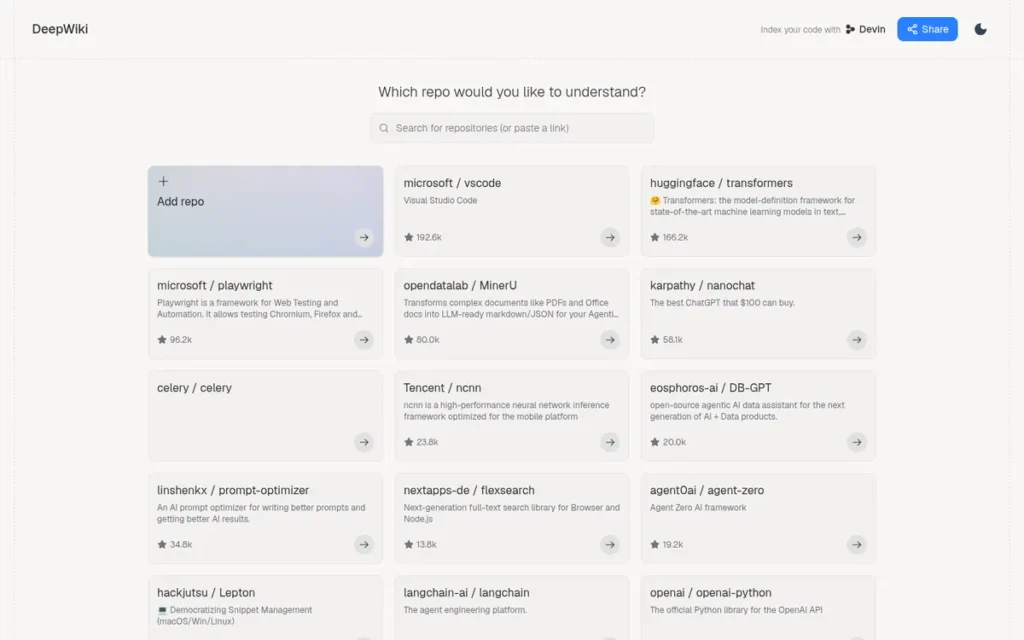
Category: Repo Wiki Generator. Automatically generates browsable, queryable AI explanations of a code repository, with no manual writing.
At a Glance
- Category: Repo Wiki Generator
- Best For: Developers who need a fast, free orientation to an unfamiliar public GitHub repository, or who want to give coding agents context about it
- Price Range: Free for public repos; private repos via Devin (Free plan includes DeepWiki; Pro $20/month; Teams $80/month + $40/seat)
- Primary Strength: DeepWiki produces an AI-generated wiki for any public GitHub repo instantly and for free, with a no-login MCP server for coding agents.
- Biggest Limitation: DeepWiki’s wikis cannot be edited as your own documentation, refresh timing is not guaranteed, and private repos require a Devin account with usage-based generation costs.
- One-Line Summary: DeepWiki is a free AI wiki generator from Cognition that turns any public GitHub repository into browsable, queryable documentation with architecture diagrams and a free MCP server.
- Last Verified: November 2026
Overview
DeepWiki is a free AI wiki generator from Cognition for developers who need to understand unfamiliar public GitHub repositories quickly. DeepWiki produces architecture diagrams, source-linked explanations and codebase Q&A when github.com is replaced with deepwiki.com in a repo URL.
DeepWiki also offers a free, no-login MCP server so coding agents can query public repos. DeepWiki for private repositories requires Cognition’s Devin agent, where it is called the “Devin Wiki.”
Key Features
- DeepWiki generates a wiki for any public GitHub repository when github.com is swapped for deepwiki.com, usually within 30 seconds to a few minutes (ReviewRamble, 2026).
- DeepWiki’s wikis include architecture diagrams, explanations linked to source, and Deep Research for questions that span many files.
- DeepWiki’s free hosted MCP server offers
ask_question,read_wiki_structureandread_wiki_contentstools and is listed in the GitHub MCP registry (GitHub, 2026; Confirmed). - DeepWiki generation can be steered with a
.devin/wiki.jsonconfiguration file (full schema unconfirmed). - DeepWiki covers private repositories only through Cognition’s Devin agent.
Best For
DeepWiki is best for developers getting oriented in open-source dependencies or inherited public repos, and for giving coding agents free context about third-party code. DeepWiki fits less well as a team’s maintained, reviewed source of documentation.
Pricing
As of November 2026, DeepWiki is free for public repositories. DeepWiki on private repos requires a Devin plan. The options are Free (includes DeepWiki access), Pro at $20/month, Max at $200/month, Teams at $80/month minimum plus $40 per developer seat, and custom Enterprise pricing (Devin pricing page, 2026).
DeepWiki’s low-effort wiki generation is generally free, while medium- and high-effort generation consumes usage credits (Devin pricing page, 2026). Heavy private-repo use can therefore make DeepWiki’s costs harder to predict.
Strengths
- DeepWiki reported indexing 50,000+ top public repositories soon after its April 25, 2025 launch (ReviewRamble, 2025; Self-reported).
- DeepWiki’s MCP server is free, needs no login for public repos and is listed in the GitHub MCP registry (GitHub, 2026; Confirmed). That makes DeepWiki the easiest way in this review to give an agent context about a repo.
- DeepWiki needs no setup, installation or writing, so DeepWiki costs nothing to try on any public repo.
- DeepWiki is backed by Cognition (founded 2023), maker of the Devin coding agent, which gives teams a route to private-repo coverage (ReviewRamble, 2025).
Limitations
DeepWiki trades ownership and accuracy control for instant, free output. DeepWiki’s wikis cannot be edited like a team’s own docs, and the maintainers of the projects it covers did not approve these unofficial explanations.
- DeepWiki does not guarantee when wikis refresh, so DeepWiki’s wikis can describe old code. Confident-sounding explanations still need checking against the source.
- DeepWiki was described by an r/vibecoding user as not giving “the entire code explanation,” and most replies in that thread pointed to agentic CLIs instead (Reddit r/vibecoding, 2025).
- DeepWiki’s higher-effort generation on private repos consumes Devin usage credits, so heavy use moves from free to metered billing.
- DeepWiki’s private-repo option sends code to Devin, an external service, and DeepWiki has no review-platform ratings.
Verdict
DeepWiki is the best free AI tool in 2026 for instantly understanding an unfamiliar public GitHub repository, but DeepWiki is an orientation aid rather than a maintained documentation system.
DeepWiki ranks #7 because its output cannot be owned, edited or refreshed on a guaranteed schedule, and because there is no independent review evidence. Confirmed Devin pricing raised DeepWiki’s pricing score (C5: 4), but DeepWiki still trails Fern by 7.5 points.
Teams should use DeepWiki to explore code, then use Swimm, Mintlify or GitBook for docs they own.
How Much Do AI Code Documentation Tools Cost?
AI code documentation tools are priced in four main ways. Some charge a flat platform fee, like Mintlify Pro at $450/month billed annually. GitBook charges per site and per user. Swimm reportedly charges per user. Document360 and Swimm’s enterprise tier are quote-only. Most vendors offer a free entry tier: Mintlify Hobby, GitBook for one user, ReadMe, Swimm for up to 5 users, Fern for up to 10 team members, and DeepWiki for public repos. The cost of the same team can vary several-fold between tools. A 5-person team with one public site pays about $125/month on GitBook Essential ($65 + 5 × $12, annual billing) but $450/month on Mintlify Pro before AI credits.
The biggest hidden cost is metered AI usage, which adds a second line to the bill on top of the platform fee. Mintlify bills AI credit overages separately. GitBook sells extra credit packs from $47.50 to $300 per month and pauses AI features when credits run out. DeepWiki’s medium- and high-effort generation on private repos uses Devin usage credits. Add-ons also raise the total. ReadMe’s Ask AI costs $150/month and its Developer Dashboard costs $100/month. Document360’s MCP server requires its separately priced AI Premium Suite.
Quote-only and unpublished pricing makes costs harder to model. Document360 publishes no price list. Fern’s SDK pricing is unpublished and likely grows with each SDK language. ReadMe’s Business tier price is not published. Plan gating matters as well: features such as MCP, llms.txt and ReadMe’s Personalized Docs may sit on higher tiers than the one you plan to buy.
| Product | Pricing Model | Starting Price | What Raises the Cost |
|---|---|---|---|
| Mintlify | Free tier, flat platform fee plus metered AI credits | Free (Hobby); Pro $450/month annual or $540/month monthly | AI credit overages; custom Enterprise pricing |
| GitBook | Per site plus per user, with included AI credits | Free (1 user); Essential $65/site/month + $12/user (annual) | More users and sites; Ultimate at $249/site/month; credit packs from $47.50 to $300/month |
| ReadMe | Tiered plans plus add-ons | Free; Pro $250/month (annual) | Ask AI ($150/month) and Developer Dashboard ($100/month) add-ons; unpublished Business tier (G2 lists one configuration at $3,000); Enterprise-only Personalized Docs |
| Swimm | Per user (unconfirmed); enterprise pricing contact-only | Free (up to 5 users); Teams reportedly $16/user/month (unconfirmed) | More seats (third-party listings range from $11 to $39/user); enterprise pricing reportedly based on lines of code analyzed or project scope |
| Document360 | Quote-based | Custom quote | Workspaces, languages, team accounts, AI usage, SSO, public versus private access; AI Premium Suite; per-author charges |
| Fern | Free plan plus custom Enterprise; SDK pricing unpublished | Free ($0, up to 10 team members and 2,000 page generations/month) | Each SDK language (older listings cite $250 and $600 per SDK/month, unconfirmed); custom Enterprise pricing |
| DeepWiki | Free for public repos; private repos need a Devin plan | Free (public repos); Devin Pro $20/month for private repos | Devin Max ($200/month) or Teams ($80/month minimum + $40/seat); medium- and high-effort generation uses usage credits |
Before you sign, add up every cost line (sites, users, AI credits and add-ons) and get written quotes that confirm which AI features and agent-readiness tools come with the exact plan you are buying.
Which AI Documentation Tools Protect Best Against Doc Drift?
Swimm offers the strongest drift protection in this review because Auto-sync flags docs affected by code changes. Fern follows by generating SDKs and docs from one definition, then Mintlify with its pull-request agent. GitBook and ReadMe sync content both ways with Git. Document360 imports Markdown one way from GitHub, and DeepWiki regenerates wikis.
Consider one code change: renaming getUser(id) to getUser(userId) and merging it. Each tool handles that change differently:
- Swimm’s Auto-sync flags the doc that still references
id. - Fern regenerates the SDK code sample once the change reaches the API definition.
- Mintlify’s agent can draft a pull request with the updated doc for human review.
- GitBook and ReadMe faithfully sync the outdated sentence to both copies.
- Document360 republishes whatever Markdown sits on the main branch, outdated or not.
- DeepWiki reflects the change only after its wiki regenerates.
| Rank | Tool | Drift Mechanism | What It Catches | What It Misses | C1 Score |
|---|---|---|---|---|---|
| 1 | Swimm | Auto-sync on code-linked docs | Docs tied to changed functions and lines | Large changes still need a person | 5 |
| 2 | Fern | One definition generates SDKs and docs | Mismatch between API reference and SDKs | Narrative docs outside the spec | 4.5 |
| 3 | Mintlify | AI agent drafts doc PRs | Proposed updates for human review | Does not detect stale pages on its own | 4 |
| 4 | GitBook | Two-way Git sync | Keeps editor and repo copies matched | Whether content matches the code | 3 |
| 4 | ReadMe | Two-way Git sync, branches | Keeps repo and portal matched | Whether docs match how the API behaves | 3 |
| 6 | Document360 | One-way GitHub import plus manual updates | Publishes main-branch Markdown; approvals catch editorial errors | Whether imported content matches the code | 2.5 |
| 7 | DeepWiki | Regenerated wikis | Fresh overview when regenerated | Refresh timing is not guaranteed | 2 |
Last verified: November 2026
Sync is not verification: Git sync keeps two copies of your docs matched, but it does not check whether either copy still describes the code.
Which AI Documentation Tools Support MCP and llms.txt?
All seven tools reportedly offer some form of MCP support (Swimm’s is third-party reported), but llms.txt support and plan gating vary. Mintlify, GitBook, ReadMe, Fern and Document360 publish llms.txt. ReadMe includes MCP and llms.txt on its free tier, while Document360’s MCP server requires its AI Premium Suite.
| Tool | MCP Server | llms.txt | Plan Gating | Verification Status |
|---|---|---|---|---|
| Mintlify | Yes, hosted MCP search server with agent analytics | Yes, plus llms-full.txt and Markdown pages | Not confirmed | Confirmed (Mintlify docs) |
| GitBook | Yes | Yes, plus llms-full.txt and .md pages | Not confirmed | Confirmed (GitBook docs) |
| ReadMe | Yes | Yes | Included on free tier | Confirmed (pricing page) |
| Swimm | MCP layer for agent context | Not reported | Not confirmed | Third-party reported |
| Document360 | Yes | Yes | MCP in AI Premium Suite | Confirmed (Document360 docs) |
| Fern | MCP server generation | Yes | Not confirmed | Vendor-reported |
| DeepWiki | Free hosted, no login for public repos | Not reported | Free for public repos | Confirmed (GitHub MCP registry) |
Last verified: November 2026
No reliable adoption counts exist for llms.txt or MCP, so treat vendor adoption claims with caution. Only 24% of API professionals design APIs with AI agents in mind (Postman State of the API, 2025), so this capability is still early for most teams.
Which AI Documentation Tools Sync With Git?
Mintlify, GitBook and ReadMe all sync with Git, but in different ways. Mintlify is Git-first with a web editor, GitBook offers two-way sync with a visual editor, and ReadMe adds branches and GitHub Enterprise on-prem support. Document360 syncs one way from GitHub. Swimm and Fern work through IDEs and CLIs, and DeepWiki only reads public repos.
| Tool | Git Model | Providers | Review Safeguard | User-Reported Issues |
|---|---|---|---|---|
| Mintlify | Git-first MDX plus web editor | GitHub, GitLab | Agent PRs, comments and suggestions | None found on sync; AI-credit caps |
| GitBook | Two-way sync plus visual editor | GitHub, GitLab | Change requests | Tables turned into HTML; duplicate blocks |
| ReadMe | Two-way sync | GitHub, including Enterprise on-prem | Branches | Editor bugs (AWS Marketplace) |
| Swimm | Code-linked docs in IDE and PRs | GitHub | Docs attached to PRs | IDE plugin bugs; cumbersome cross-repo search |
| Document360 | One-way GitHub → Document360 (main branch) | GitHub | Review and approval workflows | Synced articles read-only in Document360; tabs missing in Markdown |
| Fern | Spec-driven CLI in CI | One repo per SDK | Git review of the spec | Multi-repo overhead |
| DeepWiki | Reads public GitHub repos | GitHub (public) | None; output is generated | Refresh timing unclear |
Last verified: November 2026
Which Tools Meet Security and Legacy-Code Requirements?
Swimm is the only reviewed tool offering on-premises or air-gapped deployment and mainframe-language support, so Swimm is the default shortlist pick for regulated legacy codebases. Mintlify, GitBook, ReadMe, Fern and Document360 claim SOC 2 certification, and ReadMe’s SOC 2 Type II report is available on request. DeepWiki sends private code to Devin.
| Tool | Claimed Certifications | Deployment Options | Code Handling Notes |
|---|---|---|---|
| Mintlify | SOC 2 Type II, ISO 27001, GDPR (Vendor-reported) | Hosted | On-prem not reported |
| GitBook | SOC 2, ISO 27001 (Vendor-reported) | Hosted | Enterprise migration support offered |
| ReadMe | SOC 2 Type II (Confirmed, Trust Center) | Hosted | Syncs with GitHub Enterprise on-prem |
| Swimm | SOC 2 Type II, ISO 27001 (Third-party reported) | On-prem, air-gapped, customer-managed LLMs | Does not store code on its servers, per G2 reviewers |
| Document360 | SOC 2, ISO 27001:2022 (Vendor-reported) | Hosted | SSO/SAML/JWT and IP restrictions |
| Fern | SOC 2 Type II (Vendor-reported) | Generators can run in the customer’s CI | Open-source tooling on GitHub |
| DeepWiki | None reported | Hosted | Private repos go through Devin |
Last verified: November 2026
What About Free or Adjacent Alternatives?
Free static-site generators, agentic CLIs and AI coding assistants are reasonable alternatives for some teams, but PlugRoute did not score them in this ranking. Static-site generators have no built-in AI. Agentic CLIs help with understanding a whole repo, and coding assistants handle inline comments and docstrings, which none of the seven ranked tools focuses on.
Developers often question paying for hosted docs at all:
“$65 a month for something so can just build and host from the same repo my code is in.” (u/ClikeX (Reddit r/webdev, 2025))
Takeaway: A paid documentation platform has to justify its cost with drift handling, editing or analytics that a free static-site generator in your repo does not provide.
These unranked options are worth knowing about:
- Static-site generators: Docusaurus, VitePress and Starlight are free and live in your repo, but they have no built-in AI (not scored by PlugRoute).
- Agentic CLIs: Claude Code, Codex CLI and Gemini CLI were the tools practitioners recommended most for whole-repo understanding in an r/vibecoding thread (Reddit r/vibecoding, 2025; not scored by PlugRoute).
- AI coding assistants: GitHub Copilot and Cursor are the usual choice for writing inline comments and docstrings (not scored by PlugRoute).
- Spec-first API renderers: Redocly and Scalar are worth a look for teams that render docs from an OpenAPI specification (not scored by PlugRoute).
What Red Flags Should I Watch For When Evaluating AI Code Documentation Tools?
Watch for six red flags: treating Git sync as proof of accuracy, hidden AI-credit costs, quote-only pricing, vendor-written rankings, unverified agent-readiness claims and generated docs your team cannot own. Each one can lead to a purchase that fails to fix documentation drift, so check every shortlisted tool against all six.
Red Flag #1: Sync Without Verification Git sync keeps the editor and repo copies matched, but it does not confirm that the docs still describe the code. Ask each vendor to show how its tool detects stale content, the way Swimm’s Auto-sync flags affected docs, rather than simply mirroring content between two places.
Red Flag #2: Metered AI Surprise AI credits can add a second cost line on top of platform fees. Examples include Mintlify’s credit overages, GitBook’s credit packs and ReadMe’s Ask AI add-on. GitBook pauses AI features when credits run out, so model your team’s expected AI usage before signing a contract.
Red Flag #3: Quote-Only Pricing Quote-only pricing makes it hard to build a business case or compare options side by side. Document360 publishes no price list, Swimm’s enterprise pricing appears to be contact-only, and Fern’s SDK pricing is unpublished. Ask for written quotes that include all AI features.
Red Flag #4: Vendor-Written Rankings Many “best AI documentation tools” lists are written by vendors that rank themselves first. Before trusting any list, check whether it discloses its scoring method, dates its sources and labels vendor-reported claims. Also check that it gives every product real limitations, including the product ranked first.
Red Flag #5: Unverified Agent-Readiness Claims A vendor’s claim to support MCP or llms.txt does not mean the feature is on your plan. Swimm’s llms.txt support was not reported, Mintlify’s plan gating was not confirmed, and Document360’s MCP server requires the AI Premium Suite. Check each feature against the exact plan you would buy.
Red Flag #6: Unowned Generated Docs Generated docs that your team cannot edit, review or refresh on a schedule are not a documentation system. DeepWiki’s wikis help you get oriented in a public repo, but you cannot correct their errors or guarantee when they refresh. Treat them as a starting map, not the source of truth.
What Questions Should I Ask Before Choosing an AI Code Documentation Tool?
Before choosing a tool, settle seven decisions, from job fit to total cost. The two most important are which documentation job you are solving and how the tool catches drift, because those answers rule out most of the market. The numbered questions below cover each decision with evidence from this review.
Question #1: Which documentation job am I actually solving? Choose by job first. Public developer docs point to Mintlify or GitBook, and API portals point to ReadMe or Fern. Internal code knowledge points to Swimm, and support content points to Document360. A tool built for one job usually handles the others poorly.
Question #2: Do I need an overview of my codebase or exhaustive documentation? Decide whether your team needs orientation or complete, maintained docs. DeepWiki gives fast overviews of public repos, while Swimm maintains detailed internal docs tied to code. As one r/vibecoding user put it: “Are you looking for something that can give you an overview, or something that documents every little thing?” (Reddit r/vibecoding, 2025).
For example, DeepWiki can tell a new hire what a payments module does in 30 seconds. DeepWiki cannot become the reviewed page your on-call engineer trusts at 2 a.m.
Question #3: How does this tool detect or prevent drift? Ask each vendor to name the exact mechanism: active detection, generation from one spec, AI-drafted PRs or plain Git sync. Active detection and spec generation tie docs most directly to code changes. AI-drafted PRs depend on review, and plain sync needs disciplined human checks.
If a vendor cannot name its drift mechanism in one sentence, assume it is plain Git sync.
Question #4: Where is my code sent and stored, and is on-prem available? For legacy or regulated codebases, confirm where your code is processed, which certifications apply and whether air-gapped deployment exists. Swimm is the only reviewed tool offering on-prem deployment and COBOL, JCL and PL/I support. DeepWiki’s private-repo option sends code to Devin, an external service.
“I have some old code which I want to modernise and speed up. The team which developed it has left. Documentation is poor.” (u/Pangomaniac (Reddit r/vibecoding, 2025))
Takeaway: When the original team has left, the documentation job is explaining existing code, and that points to code-linked explainers such as Swimm rather than docs publishers.
Question #5: Which plan includes MCP and llms.txt? Ask for written confirmation that MCP and llms.txt are included on the exact tier you plan to buy. ReadMe includes both on its free tier, and Document360 puts MCP in its AI Premium Suite. Mintlify, GitBook and Fern document both features but did not clearly state which plans include them.
Question #6: What is the total cost across sites, users, AI credits and add-ons? Add up every cost line, not just the headline price. AI credits, per-user fees and add-ons can push totals well above list price, and the total for the same team can differ several-fold between tools. As of November 2026, the main cost lines are:
- GitBook charges per site, per user and for AI credits beyond the included allowance.
- Mintlify charges a platform fee plus AI credit overages.
- ReadMe charges a plan fee plus optional Ask AI ($150/month) and Developer Dashboard ($100/month) add-ons.
- Document360 quotes each deal individually, with the AI Premium Suite priced separately.
For example, a 5-person team with one public site pays about $125/month on GitBook Essential ($65 + 5 × $12, annual billing). The same team pays $450/month on Mintlify Pro, before AI credits (GitBook and Mintlify pricing pages, 2026).
Question #7: Would a free static-site generator plus an AI coding assistant be enough? Small teams with simple docs may not need a paid platform at all. Docusaurus, VitePress or Starlight combined with an AI coding assistant can handle basic docs and docstrings. Paid tools justify their cost through drift handling, collaborative editors, agent readiness and analytics.
How Did We Rank These AI Code Documentation Tools?
PlugRoute scored all seven products from 1 to 5 on six published criteria. The three primary criteria count double and the three secondary criteria count once, for a maximum weighted score of 45. Every score rests on dated, sourced evidence verified in November 2026. This is a feature-and-evidence assessment, not a hands-on benchmark.
The ranking criteria and their weights are:
- C1: Drift Protection (primary, ×2): Drift protection matters because outdated docs were readers’ top pain point, and vendors use “sync” for very different mechanisms.
- C2: Workflow and Collaboration Fit (primary, ×2): Workflow fit matters because engineers want Git and IDEs while writers need visual editors.
- C3: Verified User Reputation (primary, ×2): Reputation matters because independent ratings, weighed by sample size, are the closest substitute for hands-on testing.
- C4: AI-Agent Readiness by Plan (secondary, ×1): Agent readiness matters because teams increasingly want coding agents to read their docs.
- C5: Pricing Transparency and Value (secondary, ×1): Pricing matters because readers rule out tools on budget before comparing features.
- C6: Outcomes and Security Credentials (secondary, ×1): Outcomes and credentials matter because budget holders need business cases and regulated teams screen on security first.
Half of developers (50%) lose 10+ hours a week to inefficiencies, and finding information is the top time-waster (Atlassian State of DevEx, 2025).
Atlassian estimates that 10 lost hours a week cost about $1.58M a year per 100 engineers (Atlassian State of DevEx, 2025). That cost is why drift and workflow fit carry double weight.
| Rank | Tool | C1 | C2 | C3 | C4 | C5 | C6 | Weighted Total |
|---|---|---|---|---|---|---|---|---|
| 1 | Mintlify | 4 | 4 | 3 | 5 | 3 | 4.5 | 34.5/45 |
| 2 | GitBook | 3 | 4 | 4 | 4.5 | 4 | 2.5 | 33/45 |
| 3 | ReadMe | 3 | 3.5 | 3.5 | 4.5 | 3.5 | 4 | 32/45 |
| 4 | Swimm | 5 | 3.5 | 3 | 3 | 2 | 3.5 | 31.5/45 |
| 5 | Document360 | 2.5 | 3.5 | 4.5 | 3.5 | 1.5 | 3.5 | 29.5/45 |
| 6 | Fern | 4.5 | 3 | 1.5 | 4.5 | 2.5 | 3 | 28/45 |
| 7 | DeepWiki | 2 | 2.5 | 1 | 4 | 4 | 1.5 | 20.5/45 |
Last verified: November 2026
Scores were recomputed in November 2026 after re-verification confirmed several facts: GitBook’s and Document360’s llms.txt support, Document360’s 551 G2 reviews, ReadMe’s SOC 2 Type II status and Devin’s current pricing. As a result, Document360 moved to #5 and Fern to #6.
Mintlify’s C4 score of 5 reflects the breadth of agent-readiness features confirmed in Mintlify’s docs. Mintlify’s plan gating for those features was not confirmed.
PlugRoute labels every claim with one of these confidence levels:
- Confirmed: The claim was verified in vendor documentation or an independent source.
- Vendor-reported: The claim comes only from the vendor’s own materials.
- Aggregator-sourced: The claim comes from a third-party aggregator rather than the original platform.
- Unconfirmed: Sources conflict, or no primary source was found.
Missing review-platform data or case studies counts as an absence of evidence and is scored conservatively, not as a sign of poor quality. GitBook (33), ReadMe (32) and Swimm (31.5) sit within 1.5 points of each other, so fit for your job should decide among them.
PlugRoute has no affiliate relationships with any company listed, and rankings are determined entirely by research data and objective evaluation criteria.
Frequently Asked Questions
What’s the best AI code documentation tool for API docs in 2026?
ReadMe is the best AI documentation tool for public API portals in 2026 because it links docs to real API usage data and includes MCP and llms.txt on its free tier. Fern is the stronger choice when you ship SDKs in several languages, and Mintlify suits API teams that want docs-as-code with an OpenAPI playground.
What’s the best AI documentation tool for internal teams and legacy codebases?
Swimm is the best fit for internal teams and legacy codebases because it ties docs to specific code, flags docs made stale by code changes, and supports COBOL with on-premises deployment. DeepWiki offers free orientation to public repositories, but its wikis are not editable team documentation. Before buying, confirm where each tool processes your code.
How does PlugRoute determine rankings?
PlugRoute scores every product from 1 to 5 on six published criteria, doubles the weight of the three primary criteria, and ranks by weighted total out of 45. Each score rests on dated, sourced evidence verified in November 2026, and every claim carries a confidence label. Missing review data counts as an absence of evidence, not as poor quality.
What Do Key AI Code Documentation Tool Terms Mean?
Documentation Drift: Documentation drift happens when docs quietly go stale as the code changes, and nobody notices until the docs mislead a developer. Stale docs can be worse than no docs, so how a tool handles drift should be the first thing you judge.
Docs-as-Code: Docs-as-code means storing documentation as Markdown or MDX files in a Git repository, so docs go through the same branch, pull request and review process as code. It suits engineering-led teams, but on its own it does not catch stale pages, because outdated docs never fail a test.
Two-Way Git Sync: Two-way Git sync keeps a docs editor and a GitHub or GitLab repository matched, so an edit made in either place shows up in both. It helps engineers and writers share one docs site, but it only mirrors content and does not check whether either copy still describes the code.
One-Way Git Import: A one-way Git import publishes Markdown from a repository’s main branch into the documentation platform, and edits cannot flow back to the repo. Synced articles may be read-only in the platform, which makes it a weaker fit for teams that want full docs-as-code workflows.
Code-Linked Documentation: Code-linked documentation attaches explanations to specific functions and lines of source code, so the tool can flag affected docs when that code changes. This gives the strongest protection against drift, which matters most for large, legacy or regulated internal codebases.
OpenAPI Specification: An OpenAPI specification is a machine-readable description of an API that tools use to generate interactive API references, code samples and sometimes SDKs. If your API docs come from one spec, the reference stays tied to the definition instead of being written by hand.
SDK Generation: SDK generation produces client libraries in several programming languages from a single API definition, alongside matching reference docs. Because the code samples in the docs come from the real SDKs, they stay consistent with what you ship, though costs may rise with each SDK language.
llms.txt: llms.txt is a file a documentation site publishes so AI coding agents can read the docs easily, sometimes alongside llms-full.txt and Markdown versions of each page. Support for it, and which plan includes it, varies by vendor, so confirm it on the exact tier you plan to buy.
MCP (Model Context Protocol) Server: An MCP server lets AI coding agents query your documentation or codebase directly from tools they already use. Some vendors include it on a free tier and others put it behind premium AI suites, so check plan gating before you assume you have it.
AI Credits: AI credits are metered units that pay for AI features such as drafting, rewriting and AI search, on top of the platform fee. Overages or extra credit packs add a second cost line, and some tools pause AI features when credits run out, so model your expected usage before signing.
Quote-Only Pricing: Quote-only pricing means the vendor publishes no price list and prices each deal through sales, often based on users, languages, AI usage or lines of code analyzed. It makes side-by-side comparison and budgeting harder, so ask for written quotes that include all AI features.
On-Premises or Air-Gapped Deployment: On-premises or air-gapped deployment runs the tool inside your own infrastructure, sometimes with customer-managed LLMs, instead of sending code to a hosted service. Regulated and legacy-code teams often need it to meet security requirements, and few tools in this category offer it.
Which AI Code Documentation Tool Is Right for You?
Key Insights
- The right AI code documentation tool depends on your documentation job, because none of the seven tools reviewed covers publishing, API references, code explanation and knowledge bases equally well.
- Mintlify leads for docs-as-code teams, with the most extensively documented MCP and llms.txt support in this review and an AI agent that works through pull requests.
- GitBook leads for mixed engineer-and-writer editing, but teams should test GitBook’s editor-to-repo round trip because users report broken formatting.
- Swimm leads for drift detection and legacy code, and Swimm is the only reviewed tool with on-prem deployment and mainframe-language support.
- Review volume and capability do not always line up: Document360 has the most G2 reviews here (551) but only one-way Git sync, while Swimm has the strongest drift detection but just 27 reviews.
- MCP and llms.txt support varies by vendor and plan, so buyers should confirm agent readiness on the exact tier they plan to buy.
- None of the seven vendors reviewed publishes accuracy benchmarks for its AI-generated explanations, and 46% of developers distrust AI accuracy (Stack Overflow Developer Survey, 2025), so human review of AI-drafted docs should stay mandatory.
If you publish developer docs from Git, start with Mintlify and GitBook. If your portal is the product, compare ReadMe and Fern. If support deflection is the goal, shortlist Document360. If inherited legacy code is the problem, pilot Swimm first and use DeepWiki for quick orientation in public dependencies.
The most reliable next step is to pilot two or three shortlisted tools on your own code before signing an annual contract. A simple three-step pilot works for every tool in this guide:
- Connect one real repository to each shortlisted tool.
- Rename a function parameter and merge the change.
- Record whether each tool flags, drafts or ignores the now-stale doc, and how long the tool takes.
For more rankings built on the same transparent scoring, see PlugRoute’s other independent software reviews and full methodology. We update this guide quarterly. Last updated: November 2026.