Visual Studio Code is the best text editor for most developers in 2026, commanding approximately 74% global adoption and a 25,000+ extension marketplace. Sublime Text is the fastest-starting cross-platform alternative for speed-focused developers. Notepad++ is the best free Windows-only editor. The right choice depends on OS constraints, file size, learning investment, and AI coding requirements.
Choosing a text editor in 2026 means navigating overlapping feature sets, genuine confusion between a lightweight editor and a full IDE, unclear AI integration paths, and real differences in OS support. Free versus paid tiers, Windows-only versus cross-platform availability, and whether daily files exceed what free editors can handle all add decision complexity that no single answer resolves for every workflow.
PlugRoute has no affiliate relationships with any company listed in this article. Rankings are determined entirely by research data and objective evaluation criteria.
TL;DR: Top Picks at a Glance
- Visual Studio Code is the widest-ecosystem, free code editor in this comparison, the default recommendation for most developers, backed by approximately 74% global adoption per the Stack Overflow 2024 Developer Survey and a 25,000+ extension marketplace.
- Sublime Text delivers the fastest startup and lowest RAM consumption of any cross-platform editor in this comparison, backed by a one-time $99 perpetual individual license with no annual subscription renewal.
- Notepad++ is the best free Windows-only editor, with near-instant launch via Win32/Scintilla architecture and 2,472 G2 reviews confirming 22 years of organic user satisfaction on Windows.
- UltraEdit is the only editor in this comparison with a verified disk-based architecture for multi-gigabyte file editing, the justified commercial choice at $79.95/year for data workflows that regularly exceed what free editors can handle reliably.
What Are the Main Categories of Text Editor Software?
Text editors in 2026 organize into three categories based on architecture and core trade-off. Understanding which category fits your workflow eliminates most of the confusion caused by overlapping feature sets.
Feature-Rich Ecosystem Editors prioritize breadth of capability through large extension marketplaces and built-in developer tooling. This category includes:
- Visual Studio Code (rank 1): free, Electron-based, 25,000+ extensions, best AI integration via GitHub Copilot
- Sublime Text (rank 2): $99 one-time, native C++, ~5,000 packages, sub-second startup
Lightweight and Specialized Editors optimize for a specific constraint, OS environment, file size, or minimum resource footprint. This category includes:
- Notepad++ (rank 3): free, Windows-only, Win32/Scintilla, near-zero overhead
- UltraEdit (rank 4): commercial, disk-based, the only editor in this comparison verified for 4GB+ files
Power-User and Programmable Environments are designed for terminal-native workflows, maximum extensibility, or a specific front-end use case. This category includes:
- Vim / Neovim (rank 5): free, modal, pre-installed on Unix/Linux/macOS
- GNU Emacs (rank 6): free, Elisp-based, 40-year programmable computing environment
- Phoenix Code (rank 7): free, web-focused, live preview for HTML/CSS learners
How Do the Top Text Editors Compare at a Glance?
| Rank | Editor | Category | Best For | One-Line Summary | Key Capabilities | Primary Strength | Key Limitation |
|---|---|---|---|---|---|---|---|
| 1 | Visual Studio Code | Feature-Rich Ecosystem | Full-stack developers, students, GitHub teams | Visual Studio Code is the world’s most adopted code editor, holding approximately 74% developer market share per the Stack Overflow 2024 Developer Survey, with a 25,000+ extension marketplace and optional GitHub Copilot AI starting at $10/month. | 25,000+ extension marketplace with native GitHub Copilot AI integration | 74% global developer adoption; free core editor | Electron-based: 3–5× slower startup under standard conditions; higher RAM as extensions accumulate |
| 2 | Sublime Text | Performance Text Editor | Speed-focused developers, large-file editing, keyboard-centric workflows | Sublime Text is the fastest-starting mainstream cross-platform code editor in 2026, with sub-second launch reported as 3–5× quicker than VS Code under standard conditions and GPU-accelerated rendering in version 4. | Sub-second startup with GPU-accelerated rendering in version 4 | Sub-second startup; native C++ architecture | ~5,000 packages (5–10× fewer than VS Code); no first-class AI integration |
| 3 | Notepad++ | Lightweight Windows Editor | Windows users needing free, instant-launch text editing | Notepad++ is a free, Windows-only open-source text editor with a G2 rating of 4.6/5.0 from 2,472 reviews and near-instant startup via Win32/Scintilla architecture. | Near-instant launch via Win32/Scintilla; lowest footprint GUI editor on Windows | 2,472 G2 reviews; free GPL v3; 22-year development history | Windows-exclusive; no macOS/Linux; struggles with multi-GB files |
| 4 | UltraEdit | Professional Large-File Editor | Data engineers, DBAs, security pros with multi-GB file workflows | UltraEdit is the only editor in this comparison verified to handle multi-gigabyte files via disk-based architecture, with a G2 rating of 4.7/5.0 from 1,123 professional reviews. | Disk-based 4GB+ file handling without RAM loading; only editor verified at 10GB+ scale | Verified 10GB+ file capability; G2 4.7/5.0 from 1,123 reviews | Annual subscription at $79.95/year post-2021 Idera acquisition |
| 5 | Vim / Neovim | Modal Terminal Editor | Sysadmins, DevOps engineers, SSH-remote developers | Vim and Neovim are the definitive terminal-native text editors, pre-installed across Unix/Linux/macOS, with Neovim earning the highest admiration rating (83%) of any development tool in the Stack Overflow 2024 Developer Survey. | Pre-installed on all Unix/Linux/macOS; composable modal editing without installation | Pre-installed on all Unix/Linux/macOS; no install needed on any server | Steep modal learning curve; “how to exit Vim” has 2.4M+ Stack Overflow views |
| 6 | GNU Emacs | Programmable Computing Environment | Researchers, Lisp developers, Org-mode users, long-horizon power users | GNU Emacs is the most extensible text editor in this comparison, with 40+ years of active development confirmed by GNU Emacs 30.1 (January 2025), a built-in Org-mode system, and a Magit Git interface users describe as the best in any editor. | Elisp interpreter core with built-in Org-mode and Magit Git interface | 40-year development under GNU Project; fully libre GPL v3+ | Multi-month “spiral” learning curve; 20–40 hours setup before modern-defaults parity |
| 7 | Phoenix Code | Web-Focused Legacy Successor | HTML/CSS beginners wanting live browser preview | Brackets was discontinued by Adobe on September 1, 2021, and succeeded by Phoenix Code (phcode.io); a free, community-maintained web and desktop editor preserving Live Preview and Inline Editor features. | Live Preview; real-time browser rendering synchronized with HTML/CSS edits as you type | Free MIT license; browser-based no-install version | Fewer than 200 extensions; community-maintained with limited backing vs. all others |
Which Text Editor Should I Choose for My Use Case?
| Your #1 Priority | Recommended Tool | Why | Acceptable Alternative |
|---|---|---|---|
| General-purpose development on any OS | Visual Studio Code | 74% adoption, 25,000+ extensions, free core, best AI via Copilot | Sublime Text if startup speed causes daily friction |
| Fastest startup, lowest RAM, large-file editing | Sublime Text | Sub-second startup under standard conditions; 3–5× faster than VS Code; GPU rendering; $99 one-time | VS Code on higher-spec hardware |
| Windows-only free editor, no cross-platform need | Notepad++ | Lowest footprint on Windows; 2,472 G2 reviews; free GPL v3; 22-year track record | VS Code if Git or AI coding is needed |
| Daily work with files over 500MB–10GB | UltraEdit | Only disk-based solution verified at 10GB+ in this comparison | EmEditor (alternative commercial large-file editor) |
| Server admin, SSH environments, terminal work | Vim / Neovim | Pre-installed everywhere; no installation needed on any server | VS Code with Remote SSH extension |
| Long-horizon investment in maximum extensibility | GNU Emacs | Org-mode, Magit, Elisp programmability; 40-year sustainability; fully libre | Neovim with extensive plugin configuration |
| HTML/CSS beginner wanting real-time browser preview | Phoenix Code | Continues Brackets’ Live Preview; free, browser-based, no installation required | VS Code + Live Server extension |
| Single editor covering terminal, local, and browser | Visual Studio Code | Remote Development extensions for SSH/server; vscode.dev for browser; native local install; no other editor in this comparison covers all three natively | Neovim (terminal) + VS Code (local/browser) |
Decision Confidence Signal: If one row above matched your situation and the Why column resonates with your workflow, you have sufficient information to choose. The detailed entries below are for verification and edge-case review, not additional deliberation.
1. Visual Studio Code: Best Overall: Best for Full-Stack Developers, Teams, and Beginners
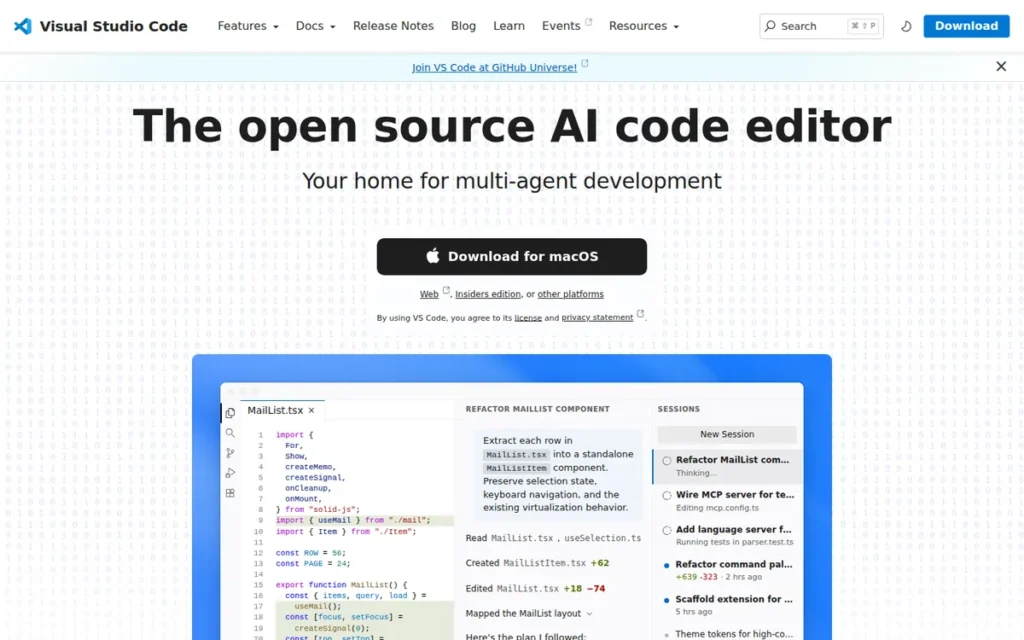
Category: Feature-Rich Ecosystem Editor, a free, cross-platform source-code editor and developer environment combining lightweight editing with IDE-grade capabilities via a 25,000+ extension marketplace and built-in AI integration.
At a Glance
- Category: Feature-Rich Ecosystem Editor
- Best For: Full-stack developers, JavaScript/TypeScript/Python developers, students, and teams using GitHub who need the widest ecosystem at zero core licensing cost
- Price Range: Free (core editor); GitHub Copilot AI add-on: $10/month Individual, $19/user/month Business, $39/user/month Enterprise (verified June 2026)
- Primary Strength: Visual Studio Code is the most widely used code editor in the world, with approximately 74% global developer adoption per the Stack Overflow 2024 Developer Survey and a 25,000+ extension marketplace
- Biggest Limitation: Visual Studio Code’s Electron-based architecture starts 3–5× slower than native editors like Sublime Text under standard conditions and consumes significantly more RAM as extensions accumulate
- One-Line Summary: Visual Studio Code is the world’s most adopted code editor, holding approximately 74% developer market share per the Stack Overflow 2024 Developer Survey, with a 25,000+ extension marketplace, built-in GitHub integration, and an optional GitHub Copilot AI add-on starting at $10/month
- Last Verified: June 2026
Overview
Visual Studio Code is Microsoft’s free, cross-platform source-code editor and developer environment designed for professional developers and beginners alike, combining a lightweight editing experience with IDE-grade capabilities through a 25,000+ extension marketplace, built-in Git integration, IntelliSense code completion, and an optional GitHub Copilot AI layer.
Visual Studio Code commands approximately 74% global developer adoption per the Stack Overflow 2024 Developer Survey (the highest adoption share documented in any major developer survey for a standalone code editor as of 2024) making it the de facto standard across JavaScript, Python, TypeScript, and full-stack web development, per Market Growth Reports.
Visual Studio Code’s primary trade-off is its Electron-based architecture: the same foundation enabling rapid cross-platform development also starts 3–5× slower than native editors like Sublime Text under standard conditions and grows progressively heavier as extensions accumulate, per independent 2026 benchmarks from TheSoftwareScout.com.
Key Features
- IntelliSense Code Completion: Visual Studio Code’s IntelliSense engine provides context-aware completion, parameter hints, and hover documentation natively for JavaScript, TypeScript, JSON, CSS, and HTML, with language server extensions extending this capability to Python, Go, Rust, Java, C++, and virtually every other language in common use.
- Remote Development Extensions: Visual Studio Code’s Remote-SSH, Dev Containers, and WSL extensions (Remote-SSH for cloud VMs and servers, Dev Containers for isolated Docker environments, and WSL for Linux filesystem editing from Windows) allow developers to edit code on remote systems using the local editor interface without installing a separate client.
- GitHub and Copilot Integration: Visual Studio Code integrates GitHub source control, Codespaces cloud environments, and optional GitHub Copilot AI natively, the only editor in this comparison owned by the same parent company as GitHub, enabling a seamless version control workflow, per Wikipedia’s VS Code article.
- 25,000+ Extension Marketplace: Visual Studio Code’s extension marketplace hosts over 25,000 verified extensions covering every programming language, framework, linter, formatter, debugger, theme, AI assistant, and workflow integration a developer is likely to encounter, confirmed by multiple third-party sources as of 2026.
- Browser-Based Editor: Visual Studio Code is available at vscode.dev as a full browser-based editor (a self-contained native first-party capability not offered by any other standalone editor in this comparison) enabling code editing, Git operations, and extension use without any local installation.
Best For
Visual Studio Code is best for full-stack developers, students learning to code, and developers working within GitHub-centric teams who need the widest possible extension ecosystem, first-class AI coding assistance via GitHub Copilot, and cross-platform access on Windows, macOS, Linux, and the web.
Pricing
Visual Studio Code the editor is entirely free with no paid core tier (verified June 2026). GitHub Copilot is a separate, optional AI subscription sold by GitHub (not bundled with VS Code) priced at $10/month or $100/year for individuals, $19/user/month for business teams, and $39/user/month for enterprise accounts.
As of June 1, 2026, GitHub Copilot moved to usage-based billing, base tier prices remain unchanged, but usage above each plan’s included monthly allowance may incur additional charges [Source: github.blog, June 2026]. Verify current billing terms at github.com/features/copilot/plans before subscribing.
Privacy-conscious users may prefer VSCodium, a community build offering identical functionality without Microsoft telemetry.
Strengths
- Visual Studio Code commands approximately 74% developer adoption globally per the Stack Overflow 2024 Developer Survey via Market Growth Reports, the highest adoption share documented in any major developer survey for a standalone code editor as of 2024, representing genuine industry consensus rather than marketing positioning.
- Visual Studio Code’s 25,000+ extension marketplace: verified from official Microsoft and third-party sources as of 2026, is 5–10× larger than Sublime Text’s ~5,000 packages and exceeds every other editor in this comparison, ensuring any language, framework, or workflow integration has a maintained solution available.
- Visual Studio Code released v1.123.0 on June 3, 2026, maintaining a monthly stable release cadence (per the official VS Code changelog) that Microsoft engineering resources sustain at a pace independent community editors cannot match.
- Visual Studio Code’s native GitHub integration: including source control, Codespaces, Copilot, and GitHub Actions support, benefits developers in GitHub-centric organizations in ways no competing editor can fully replicate, given the shared Microsoft parent company, per Wikipedia (2026).
Limitations
- Electron Resource Footprint: Visual Studio Code’s Electron-based architecture starts 3–5× slower than native editors like Sublime Text under standard conditions and consumes noticeably more RAM as extensions accumulate, a MacBook Air M1 with 8GB RAM and 30–40 extensions can reach 400–600MB RAM during a normal session, more than Chrome running 10 tabs simultaneously. This usage pattern typically becomes apparent 3–6 months into daily use as extension accumulation grows, not at initial installation, per TheSoftwareScout.com and BarakahSoft.com benchmarks (2026).
- Telemetry and Extension Fragility: Visual Studio Code collects usage telemetry by default as a Microsoft product, VSCodium provides an identical telemetry-free build for privacy-conscious developers, and heavily customized setups risk extension conflicts and instability that require periodic auditing. Both are manageable with deliberate configuration but are secondary frictions that become apparent only after months of extension accumulation [Sources: r/SublimeText community; G2 reviewers, accessed June 2026].
Users on r/vscode noted:
“I haven’t noticed any performance issues on Linux. But it’s definitely gotten more buggy during the last few months. Mostly around Copilot Chat. But also highlighting/cursor in the editor. And the bottom bar flickers sometimes. I’d be OK with it if they didn’t break the core editor, and only the fast-changing chat UI was buggy.” Posted by u/Expurple
Takeaway: VS Code’s rapid AI feature development has introduced instability into the core editor, with users reporting degraded cursor behavior, IntelliSense, and UI responsiveness across recent update cycles, a pattern consistent with the article’s warning about extension fragility and fast release cadence.
Verdict
Visual Studio Code is the best overall text editor for most developers in 2026, supported by approximately 74% global adoption (Stack Overflow 2024), a 25,000+ extension marketplace, and the most widely adopted AI coding integration available in any editor in this comparison via GitHub Copilot. Visual Studio Code’s Electron-based resource footprint is a real trade-off, but one justified by ecosystem depth no alternative in this comparison matches. Developers prioritizing raw startup speed or working on constrained hardware should evaluate Sublime Text at rank 2; those who work exclusively in terminal environments should evaluate Vim/Neovim at rank 5.
2. Sublime Text: Best for Speed: Best for Developers Who Prioritize Near-Instant Startup and Keyboard-Driven Editing
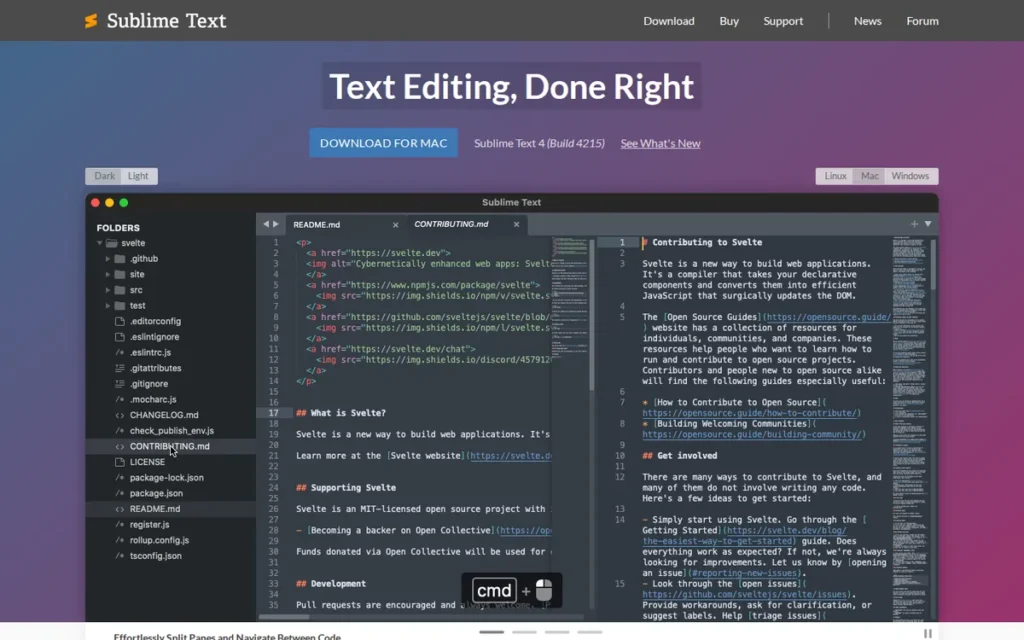
Category: Performance Text Editor, a cross-platform, native C++ code editor optimized for near-instant startup, low resource consumption, and keyboard-driven editing workflows.
At a Glance
- Category: Performance Text Editor
- Best For: Speed-focused developers on constrained or older hardware, large-file editors, and keyboard-centric power users who find VS Code’s startup latency a daily friction point
- Price Range: $99 USD one-time perpetual license (individual); unlimited evaluation with periodic purchase prompts; business licenses annual per-seat (verified June 2026)
- Primary Strength: Sublime Text 4 launches in under 1 second: reported as 3–5× faster than VS Code under standard conditions across multiple 2026 independent comparison reviews, with GPU-accelerated rendering and a native C++ core that handles 50MB+ files without the slowdown Electron-based editors exhibit
- Biggest Limitation: Sublime Text’s plugin ecosystem contains approximately 5,000 packages (roughly 5–10× fewer than VS Code’s marketplace) and lacks first-class AI coding integration comparable to GitHub Copilot
- One-Line Summary: Sublime Text is the fastest-starting mainstream cross-platform code editor in 2026, with sub-second launch reported as 3–5× quicker than VS Code under standard conditions, GPU-accelerated rendering in version 4, and a $99 one-time perpetual individual license covering all version 4 updates
- Last Verified: June 2026
Overview
Sublime Text is a cross-platform, native C++ code editor by Sublime HQ Pty Ltd designed for developers who prioritize near-instant startup, low memory consumption, and keyboard-driven text manipulation over a broad extension ecosystem. Independent 2026 comparison reviews report Sublime Text 4 launching in under 1 second (3–5× faster than VS Code under standard conditions) attributing the advantage to its native C++ core versus VS Code’s Electron framework, per TheSoftwareScout.com and BarakahSoft.com comparisons.
Sublime Text’s $99 one-time perpetual individual license distinguishes it from subscription-based commercial editors and from VS Code’s fully free model, positioning it as the transparent commercial alternative for developers who value perpetual ownership over annual renewal dependency. Individual results vary by build version, hardware specification, and installed extension load, with some Sublime Text 4 builds exhibiting documented performance regressions on specific systems [Source: github.com/sublimehq/sublime_text/issues/6180].
Key Features
- GPU-Accelerated Rendering: Sublime Text 4’s GPU rendering engine ensures smooth, frame-rate-consistent editing even when syntax highlighting complex files or working on lower-spec hardware, a performance capability absent from Electron-based editors, per InfoWorld’s 2026 comparison.
- Multiple Cursors and Selections: Sublime Text’s multiple cursors system allows simultaneous editing at dozens of document positions using keyboard shortcuts, enabling bulk renaming, pattern-based transformation, and multi-line editing that keyboard-centric developers consistently identify as a core productivity advantage.
- GoTo Anything Navigator: Sublime Text’s GoTo Anything (Ctrl/Cmd+P) enables instant file, symbol, and line navigation across a project without mouse interaction, a keyboard-first workflow that community members compare to Vim’s speed advantage without the modal learning curve.
- Apple Silicon Native Support: Sublime Text 4 supports Apple Silicon (M1/M2/M3) natively and Linux ARM64, ensuring full performance on modern Mac hardware where Rosetta emulation would reduce the speed advantage Sublime Text is specifically chosen for, per InfoWorld (2026).
- Python 3.8 Plugin API: Sublime Text’s plugin ecosystem of approximately 5,000 packages, managed through community-built Package Control using a Python 3.8 API, covers the most common language and workflow needs while maintaining backward compatibility with Sublime Text 3 packages.
Best For
Sublime Text is best for speed-focused developers handling large files, working on older or battery-constrained hardware, or who value a keyboard-driven editing experience with minimal cognitive overhead, particularly developers who find VS Code’s extension notifications, memory footprint, or startup latency disruptive to their workflow.
Pricing
Sublime Text can be downloaded and evaluated indefinitely with no time limit or feature restrictions, but periodically prompts for purchase via a dialog pop-up (verified June 2026). The individual perpetual license is $99 USD and covers all future Sublime Text 4 updates without additional payment.
Business licenses are sold annually per-seat; Sublime Merge (the companion Git client) is priced separately. Verify current pricing at sublimetext.com/buy before purchasing.
Strengths
- Independent 2026 comparison reviews from TheSoftwareScout.com and BarakahSoft.com consistently report Sublime Text 4 launching in under 1 second and starting 3–5× faster than VS Code under standard conditions, a performance gap attributed to native C++ architecture versus Electron, confirmed stable across multiple independent measurement sources, with per-build and per-hardware variance documented [Source: github.com/sublimehq/sublime_text/issues/6180].
- Sublime Text 4 introduced GPU-accelerated rendering, Apple Silicon (M1/M2/M3) native support, Linux ARM64 compatibility, and a Python 3.8 plugin API, confirming active architectural investment rather than a maintenance-only development posture, per InfoWorld’s 2026 analysis.
- Sublime Text holds a G2 rating of approximately 4.5–4.8/5.0 from 777 reviews [Source: G2, accessed June 2026], with reviewers consistently describing it as an editor that “just works out of the box,” “handles large files smoothly,” and is “driveable entirely from the keyboard”, signaling genuine product-market fit for a clearly defined developer segment.
- Sublime Text’s $99 one-time perpetual license carries no annual subscription risk and no forced upgrade path, making its total cost of ownership lower than subscription-based alternatives over any period exceeding one year, per Wikipedia’s Sublime Text article.
Limitations
- Ecosystem Gap: Sublime Text’s ~5,000 Package Control packages represent 5–10× fewer options than VS Code’s 25,000+ extensions, with this gap widest in AI coding integration, modern framework tooling, and cloud workflow support where VS Code has actively maintained extensions that Sublime Text lacks equivalent replacements for, per TheSoftwareScout.com 2026. Developers should explicitly audit required packages before purchasing, the $99 perpetual license carries no refund mechanism if a critical package proves unsupported.
- No First-Class AI Integration: Sublime Text has no built-in AI coding assistant equivalent to GitHub Copilot, a growing disadvantage in 2026 as AI-assisted coding becomes a standard workflow expectation for developers evaluating editors with AI as an explicit criterion.
- No Integrated Terminal or Native Debugger: Sublime Text does not include a built-in terminal or native debugger (capabilities VS Code provides out of the box) meaning developers who depend on these features must replicate them through third-party plugins or external tools, per community feedback on r/SublimeText.
“I think the main thing for me is that ST is driveable pretty much entirely from the keyboard. It has the same pared-down focus on editing text that Vim has… I’ve used VSCode, and to me, it’s a lite-IDE more than an editor.” (r/SublimeText community member)
Takeaway: Sublime Text’s strongest appeal is its deliberate editor-first philosophy, the absence of IDE features is by design, which is a strength for keyboard-focused developers and a structural limitation for teams expecting a single tool to cover their entire development workflow.
Verdict
Sublime Text is the best cross-platform code editor for developers who need the fastest startup time and lowest resource footprint of any mainstream editor available in 2026, with sub-second launch reported as 3–5× quicker than VS Code across multiple independent 2026 comparison sources under standard conditions. Sublime Text’s $99 perpetual license is the transparent commercial alternative to annual subscriptions, and its GPU rendering makes it the smoothest editor for large-file work outside UltraEdit’s specialized disk-based architecture. Developers who need a broader extension ecosystem or first-class AI integration will find Visual Studio Code a better fit; those comfortable with VS Code’s resource trade-off have limited reason to switch.
3. Notepad++: Best Free Windows Editor: Best for Windows Users Needing Instant-Launch, Zero-Cost Editing
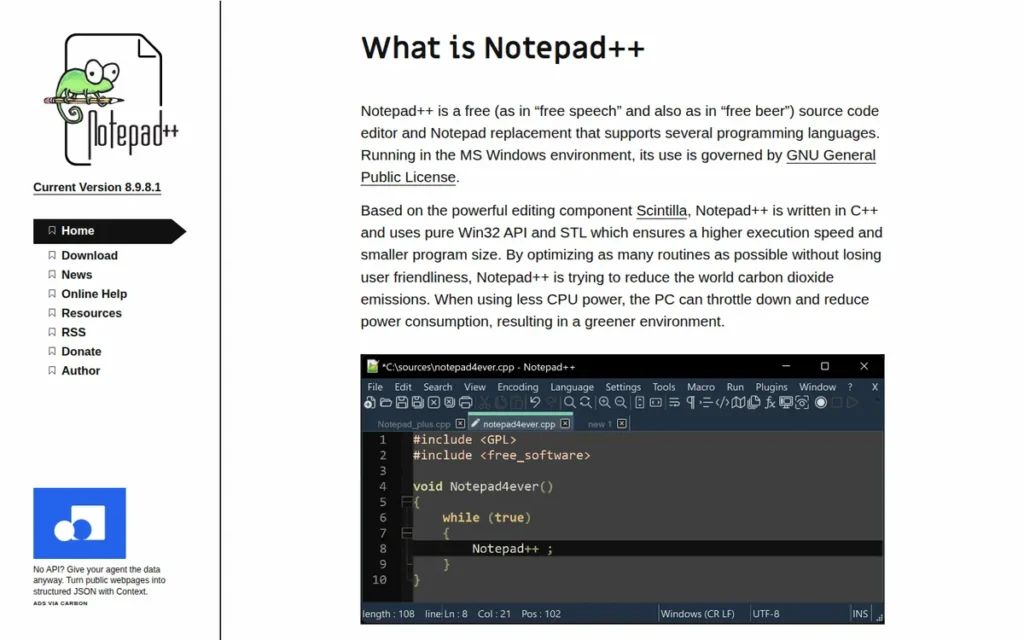
Category: Lightweight Windows Text Editor, a free, Windows-only, open-source code editor built on Win32/Scintilla for near-instant startup and minimal resource consumption.
At a Glance
- Category: Lightweight Windows Text Editor
- Best For: Windows-based developers, system administrators, and technical users needing a free, instantly launching editor for log analysis, configuration editing, and scripting, with no cross-platform requirement
- Price Range: Free (GPL v3, donation-supported; no paid tiers, no evaluation limits, no nag prompts)
- Primary Strength: Notepad++ holds a G2 rating of 4.6/5.0 from 2,472 organic reviews [Source: G2, accessed June 2026] and 2,001 verified Capterra reviews, the highest review volume of any editor in this comparison, earned with no marketing budget as a donation-supported open-source project
- Biggest Limitation: Notepad++ is designed exclusively for Microsoft Windows and cannot be installed on macOS or Linux, a hard disqualifier for developers on non-Windows systems or teams with mixed OS environments
- One-Line Summary: Notepad++ is a free, Windows-only open-source text editor with a G2 rating of 4.6/5.0 from 2,472 reviews [G2, accessed June 2026], near-instant startup via Win32/Scintilla architecture, and 22 years of continuous active development since its November 2003 release
- Last Verified: June 2026
Overview
Notepad++ is a free, Windows-exclusive, open-source text and source-code editor designed for Windows developers, system administrators, and technical users who need an instantly launching, zero-cost editor for log analysis, scripting, and daily text manipulation tasks. Notepad++ is built on the Win32 API and Scintilla editing component (a deliberately Windows-native architecture the project officially describes as designed for “higher execution speed and smaller program size”) producing near-instant startup without cross-platform framework overhead.
Notepad++ has maintained active development since its November 2003 release under creator Don Ho, with version 8.9.6.4 released June 3, 2026, confirming a monthly maintenance cadence across 22+ years of continuous development, per Wikipedia. This development longevity exceeds every other editor in this comparison and signals minimal abandonment risk for Windows environments.
Key Features
- Win32/Scintilla Architecture: Notepad++ is built on the Win32 API and Scintilla editing component, following the project’s stated design priority of “higher execution speed and smaller program size”, producing near-instant startup and smooth large-file handling on Windows hardware where Electron-based editors exhibit noticeable lag.
- 80+ Language Syntax Highlighting: Notepad++ provides syntax highlighting for approximately 80 programming and markup languages natively, with User Defined Language (UDL) support enabling custom syntax definitions for proprietary or uncommon formats not covered by the built-in set.
- Macro Recording and Playback: Notepad++ includes a macro recording and playback system allowing repetitive text transformations to be automated without scripting, a practical feature for data cleaning, log processing, and configuration file manipulation.
- Community Plugin Ecosystem: Notepad++ supports a community-maintained plugin library with tools for FTP file access, side-by-side document comparison, XML/HTML validation, spell checking, and scripting, extending its capability beyond basic text editing without requiring a separate application.
- Tabbed Multi-Document Editing with Split View: Notepad++ handles multiple open documents in a tabbed interface with a split-view option, allowing two files to be compared or cross-referenced side-by-side within a single application window.
Best For
Notepad++ is best for Windows-based developers, system administrators, and technical power users who need a completely free, instantly launching editor for log analysis, configuration editing, regex-based data manipulation, and scripting, and who have no cross-platform requirement.
Pricing
Notepad++ is completely free under the GNU GPL v3 license (verified June 2026). There are no paid tiers, no premium features behind a paywall, no evaluation period limitations, and no recurring costs.
The GPL v3 license makes it legally impractical to introduce a paywall on existing versions, any modified version must also be released under GPL v3, community forks can continue the project indefinitely, and the source code remains publicly auditable, making Notepad++ the most legally protected free editor in this comparison against future commercialization. Download the current release at notepad-plus-plus.org/downloads/.
Strengths
- Notepad++ has accumulated 2,472 verified G2 reviews rated 4.6/5.0 [Source: G2, accessed June 2026], corroborated by approximately 2,004 verified reviews on GetApp rated 4.7/5 from July 2021 through October 2024 [Source: GetApp, October 2024], review volumes on both platforms exceeding every other editor in this comparison, earned with no commercial marketing budget over 22 years.
- Notepad++’s Win32/Scintilla architecture: designed explicitly for maximum execution speed and minimum program size, enables near-instant startup and smooth handling of large log files and configuration files that would lag or crash Electron-based editors on comparable Windows hardware.
- Notepad++ released version 8.9.6.4 on June 3, 2026, per Wikipedia, confirming active monthly maintenance across 22+ years since its November 2003 launch, a development longevity that exceeds every other editor in this comparison.
- Notepad++’s GPL v3 license means the full source code is publicly auditable, the software cannot be practically paywalled on existing versions, and community forks can continue the project indefinitely, making it the most legally protected free editor in this comparison against future commercialization.
Users on r/vscode noted:
“Still using the trusty notepad++ lol, nothing beats its speed. Honestly I feel like a text editor should be just that. When I want to lint something or check something, I Just run a cli. When I want to use AI, I have tools to gather the files and send them over. Well I am oldschool like that but it worked well so far. Only using vs-code for remote working on servers right now.” Posted by u/sandshrew69
Takeaway: Notepad++’s speed-first philosophy continues to attract developers who view modern editor complexity as friction, keeping it as their daily driver while reserving VS Code only for specialized remote workflows.
Limitations
- Windows Exclusivity: Notepad++ deliberately uses the Win32 API and is entirely unavailable on macOS or Linux, a hard disqualifier for developers who work across operating systems or in mixed-OS teams, with no workaround available short of Windows virtualization on non-Windows machines.
- Large-File Ceiling: Notepad++ has documented limitations with multi-gigabyte files, a Reddit user on r/delphi confirmed: “You cannot open large file with npp, I worked SQL dump file with 10G size with UltraEdit, but npp can’t open it”, making UltraEdit the appropriate choice when file sizes regularly exceed the GB range.
- Designed as a Text Tool, Not a Development Environment: Notepad++ is designed as a lightweight text manipulation tool, it has no built-in Git interface, debugger, or AI coding assistance, capabilities that are standard in Visual Studio Code and increasingly expected in 2026 professional workflows. Notepad++ functions most effectively alongside a full-featured editor like VS Code rather than as a replacement for one.
- Enterprise Release Code Names: Project creator Don Ho uses release code names to make political and human rights statements (the June 2026 release carries the name “Tiananmen Massacre Commemoration”), a practice some enterprise IT and procurement teams have flagged as requiring review before organizational deployment.
Verdict
Notepad++ is the best free text editor for Windows-only environments in 2026, validated by the highest review volume in this comparison, 2,472 G2 ratings [G2, June 2026] and 2,001 Capterra reviews earned organically over 22 years, and by a Win32 architecture that delivers faster startup and lower RAM consumption than any cross-platform editor available. On Windows, Notepad++ earns its place through 22 years of community trust, review volumes accumulated with no commercial marketing spend represent a durability signal that no marketed product in this comparison can replicate. Notepad++ cannot be used on macOS or Linux; Windows developers who need Git integration, an extension ecosystem, or AI coding assistance should use Visual Studio Code instead.
4. UltraEdit: Best for Large Files and Enterprise Workflows

Category: Professional Large-File and Enterprise Text Editor, a commercial, cross-platform editor with disk-based file architecture enabling multi-gigabyte file handling, built-in hex editing, and SSH/FTP remote access.
At a Glance
- Category: Professional Large-File and Enterprise Text Editor
- Best For: Data engineers, database administrators, security professionals, and enterprise developers who regularly work with files over 500MB–10GB or need built-in hex editing and remote file access in a single commercial tool
- Price Range: $79.95/year (UltraEdit standalone subscription) or $99.95/year (IDM All Access bundle including UltraCompare), pricing changed post-Idera 2021 acquisition; verify current rates at ultraedit.com/products/ultraedit/
- Primary Strength: UltraEdit’s disk-based file architecture is the only verified solution in this comparison for editing files above 4GB, including community-confirmed 10GB SQL dumps that cause Notepad++, VS Code, and Sublime Text to fail or freeze
- Biggest Limitation: UltraEdit transitioned from perpetual licensing to annual subscription pricing following its 2021 acquisition by Idera, Inc., creating a recurring annual cost for users who previously paid once for lifetime access
- One-Line Summary: UltraEdit is the only editor in this comparison verified to handle multi-gigabyte files reliably via disk-based architecture, earning a G2 rating of 4.7/5.0 from 1,123 professional reviews and 30+ years of commercial development history since its 1994 founding
- Last Verified: June 2026
Overview
UltraEdit is a commercial, cross-platform text editor by IDM Computer Solutions (acquired by Idera, Inc. in August 2021 [Source: Wikipedia, UltraEdit article]) designed for data engineers, database administrators, and security professionals who regularly work with multi-gigabyte files, binary data, and remote file systems that free editors cannot reliably handle. UltraEdit’s disk-based file architecture reads and edits files without loading them entirely into RAM, enabling reliable editing of files above 4GB, with community users independently confirming 10GB SQL dump editing on Reddit’s r/webdev.
UltraEdit holds a G2 rating of 4.7/5.0 from 1,123 professional reviews (tied with Visual Studio Code for the highest G2 score in this comparison) and has been in continuous commercial development since 1994, per Wikipedia.
Key Features
- Disk-Based File Architecture: UltraEdit’s disk-based file handling reads and edits files without loading them entirely into RAM, enabling reliable editing of files above 4GB, including 10GB+ SQL dumps independently confirmed by Reddit’s r/webdev community at sizes where VS Code, Sublime Text, and Notepad++ all fail.
- Built-In Hex Editor: UltraEdit includes a native hex editor for viewing and editing binary file content, a first-class built-in capability absent from every other editor in this comparison and essential for firmware developers, security analysts, and database professionals working with binary data formats.
- Native Git Integration (Added 2025): UltraEdit 2025.0 (January 2025) added integrated Git support, closing a long-standing workflow gap versus VS Code and Sublime Text, per the official UltraEdit blog, enabling version control without switching to an external tool.
- SSH and FTP/SFTP Remote Access: UltraEdit provides built-in SSH and FTP/SFTP remote file access, allowing direct editing of files on remote servers without requiring VS Code’s Remote Development extensions or a separate file transfer client.
- Column and Block Editing: UltraEdit’s column and block editing mode enables simultaneous editing of aligned data across multiple rows, particularly valuable for structured data files, configuration tables, and fixed-width log formats where standard line-by-line editing is inefficient.
Best For
UltraEdit is best for data engineers, database administrators, security analysts, and enterprise IT professionals who routinely encounter files above 500MB–1GB, the specific professional segment for whom free editors fail and UltraEdit’s disk-based architecture directly justifies the annual subscription cost.
Pricing
UltraEdit operated under perpetual licensing for most of its history. Following its acquisition by Idera, Inc. in August 2021 [Source: Wikipedia, UltraEdit article], the product transitioned to annual subscription pricing (verified June 2026).
The standalone UltraEdit subscription is $79.95/year; the IDM All Access bundle (UltraEdit + UltraCompare) is $99.95/year [Source: ultraedit.com, June 2026, verify at publication as Idera adjusts pricing periodically]. New buyers should budget for the $79.95/year recurring cost upfront, the perpetual-license era that long-term community members reference ended with the Idera acquisition in August 2021.
Verify current pricing directly at ultraedit.com/products/ultraedit/.
Strengths
- UltraEdit holds a G2 rating of 4.7/5.0 from 1,123 verified professional reviews as of June 2026, tied with Visual Studio Code for the highest G2 score in this comparison, earned from a professional user base with 30+ years to evaluate the product against commercial alternatives.
- Community members on Reddit’s r/delphi and r/webdev independently confirm UltraEdit’s large-file capability at 10GB+, with one user stating “It’s second to none with large files over 2GB. I’ve not seen any other editor that doesn’t flip out with files that big”, providing real-world validation beyond marketing documentation.
- UltraEdit 2025.0 (January 2025) delivered native Git support, a new Plugin SDK/Wizard, web tools (regex utilities, JSON tools), and new theming options, per the official UltraEdit blog, confirming active development investment post-Idera acquisition.
- UltraEdit’s 30+ years of continuous commercial development since Ian D. Mead’s 1994 founding represents the longest commercial development history of any editor in this comparison, with community members reporting active use since 1997, per Reddit r/delphi discussions.
Limitations
- Post-Acquisition Subscription Model: UltraEdit transitioned from perpetual to annual subscription pricing after Idera’s 2021 acquisition, a shift long-term users describe as arriving unexpectedly, with one r/delphi community member noting: “I noticed the ‘new and improved’ subscription and wondered at it. Now I wonder no more seeing the new owners” per Reddit.
At $79.95/year, UltraEdit’s ROI is directly justified for any developer whose daily workflow includes files that cause free editors to fail, but developers whose files stay comfortably below 500MB have limited financial justification for the recurring annual fee versus Visual Studio Code, Notepad++, or Sublime Text.
- Limited ROI Below 500MB: UltraEdit’s large-file specialization is its clearest value proposition, developers whose files consistently stay below the 500MB threshold where free editors perform well have no documented performance reason to choose UltraEdit over the free options ranked above.
- Installer Trust Issues: UltraEdit’s installer has triggered security warnings on older or unpatched Windows systems, documented on r/learnjavascript, downloading directly from ultraedit.com rather than third-party aggregators is the recommended mitigation for new users and enterprise procurement teams.
Verdict
UltraEdit is the only text editor in this comparison where the subscription cost has a verifiable ROI threshold: if any file in your regular workflow exceeds 1GB, free editors will fail and UltraEdit will not. UltraEdit is uniquely positioned as the only editor in this comparison with verified capability to edit multi-gigabyte files without loading them into RAM, confirmed at 10GB+ by independent community users and reflected in a G2 rating of 4.7/5.0 from 1,123 professional reviews. At $79.95/year, the annual subscription is directly justified for any developer whose daily workflow includes files that cause Visual Studio Code, Sublime Text, or Notepad++ to fail. Developers whose files consistently stay below 500MB have no performance reason to choose UltraEdit over the free options ranked above.
5. Vim / Neovim: Best for Terminal and Server Environments
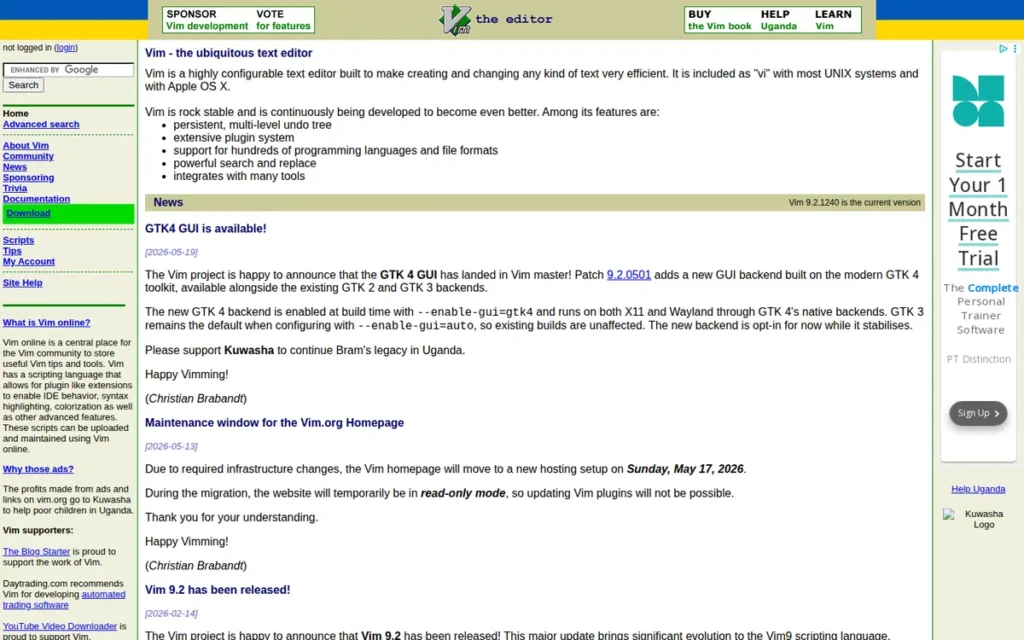
Category: Modal Terminal Editor, a free, keyboard-driven text editor operating in distinct modes (Normal, Insert, Visual, Command) that is pre-installed across Unix/Linux/macOS systems and designed for terminal-native and SSH-remote workflows.
At a Glance
- Category: Modal Terminal Editor
- Best For: System administrators, DevOps engineers, and developers who work primarily in SSH environments, remote servers, or containers where GUI editors are unavailable or impractical
- Price Range: Free (Vim: Vim License; Neovim: Apache 2.0; both open source with no paid tiers)
- Primary Strength: Vim and Neovim are pre-installed on virtually every Unix/Linux/macOS system, the only editors in this comparison available without any software installation in server, container, and SSH environments; Neovim earned the highest admiration rating (83%) of any development tool in the Stack Overflow 2024 Developer Survey [Source: stackoverflow.blog, January 2025]
- Biggest Limitation: Vim and Neovim require a significant initial learning investment, the modal editing paradigm’s barrier is documented by the “how to exit Vim” Stack Overflow question accumulating over 2.4 million views as of 2024 [Source: Stack Overflow question #11828270, verified June 2026]
- One-Line Summary: Vim and Neovim are the definitive terminal-native text editors, pre-installed across Unix/Linux/macOS, with Neovim earning the highest admiration rating (83%) of any development tool in the Stack Overflow 2024 Developer Survey and the 2023 survey placing Neovim at 4.82% versus Vim’s 4.38% in a trend of growing adoption
- Last Verified: June 2026
Overview
Vim and Neovim are free, terminal-native modal text editors designed for system administrators, DevOps engineers, and developers who work primarily in SSH environments, remote servers, and container shells where GUI editors cannot run. Neovim, a modernized Vim fork launched in 2014, adds native Language Server Protocol (LSP) support, asynchronous plugin APIs, and Lua scripting, and earned the highest admiration rating (83%) of any development tool in the Stack Overflow 2024 Developer Survey [Source: stackoverflow.blog, January 2025].
The Stack Overflow 2023 Developer Survey placed Neovim at 4.82% versus Vim’s 4.38% developer adoption [Source: Hackaday, September 1, 2023], a trend of growing Neovim adoption that makes Neovim the recommended starting point for new learners in 2026. Vim and Neovim’s pre-installation across Unix/Linux/macOS is a structural competitive advantage: once Vim or Neovim keybindings are internalized, the same editor is available everywhere a developer works, not only on their local machine.
Key Features
- Modal Editing System: Vim’s modal editing separates navigation and command input (Normal mode) from text entry (Insert mode) and selection (Visual mode), enabling composable commands like
d2w(delete two words),ci"(change text inside quotes), andyap(copy a full paragraph) without mouse interaction, per Red Hat’s Vim beginner guide. - Native LSP Support (Neovim): Neovim’s first-class Language Server Protocol support enables IntelliSense-equivalent code completion, go-to-definition, find-references, and inline diagnostics for any LSP-compatible language, bringing IDE-grade code intelligence to the terminal environment, per Wikipedia’s Vim article.
- Pre-Installed on Every Unix/Linux/macOS System: Vim and Neovim are available by default on virtually every Unix/Linux distribution and macOS, meaning a developer who masters Vim’s keybindings can edit files on any server, cloud VM, Docker container, or cloud shell without installing additional software.
- Lua Scripting and Modern Plugin Ecosystem (Neovim): Neovim’s Lua scripting API, configured via
init.lua, replacing the legacy.vimrcused by vanilla Vim, and plugin managers (lazy.nvim, Packer) enable performant plugin loading, with popular plugins including avante.nvim (AI coding assistance), Telescope (fuzzy finder), and nvim-treesitter (advanced syntax highlighting) available through an active open-source ecosystem. - Pre-Configured Distributions: Neovim distributions including LazyVim (created by folke, the author of lazy.nvim), NvChad (popular for its aesthetic UI defaults), and AstroNvim (a community-maintained batteries-included configuration) provide pre-configured setups, substantially reducing initial configuration time for developers new to the Neovim ecosystem.
Best For
Vim and Neovim are best for system administrators, DevOps engineers, and developers who work primarily in SSH terminals, remote server environments, or container shells, and for experienced developers willing to invest the learning time required to unlock the composable command language’s long-term efficiency advantages.
As a practical example: renaming a variable in a conventional editor requires opening Find-Replace, typing old and new names, and clicking Replace All, approximately 8–12 keystrokes and multiple mouse interactions. In Vim, the equivalent is :%s/old_name/new_name/g, typed directly, no dialog, no mouse. This composability advantage is what long-term Vim users describe as the efficiency ceiling conventional editors cannot reach.
Pricing
Both Vim and Neovim are completely free and open source with no paid tiers, no premium features, and no evaluation limitations (verified June 2026). Vim is distributed under the Vim License (GPL-compatible); Neovim is distributed under the Apache 2.0 License.
Both are pre-installed on macOS and most Linux distributions and installable via standard package managers on all major operating systems. No pricing verification is required.
Strengths
- Neovim earned the highest admiration rating (83%) of any development tool in the Stack Overflow 2024 Developer Survey [Source: stackoverflow.blog, January 2025] (a dated, concrete signal of exceptional user satisfaction) while the Stack Overflow 2023 Developer Survey placed Neovim at 4.82% versus Vim’s 4.38% in a trend of growing Neovim adoption, confirming Neovim as the recommended starting point for new learners in 2026 [Source: Hackaday, September 1, 2023].
- Vim and Neovim’s pre-installation across Unix/Linux/macOS: including on virtually every cloud VM, Docker container base image, and managed server, creates a structural competitive advantage that no other editor in this comparison can match: keybindings internalized locally translate to productivity on every remote environment a developer accesses, per TheHumanLogic.org.
- Neovim’s native LSP integration delivers full IDE-grade code intelligence (completion, diagnostics, code actions, go-to-definition) for any supported language without Electron overhead, providing VS Code-equivalent code intelligence in a terminal-native editor that starts in milliseconds, per Wikipedia’s Vim article.
- Vim’s composable command language: where actions combine with motions and text objects (verb + modifier + object: delete + inside + quotes =
di"), enables text manipulation workflows that developers describe as approaching a natural language for editing, with an efficiency ceiling that mouse-keyboard editors cannot reach, per Hacker News community discussion.
Limitations
- Modal Learning Curve: Vim and Neovim require months of sustained investment before the modal editing paradigm’s productivity advantages materialize, the “how to exit Vim” Stack Overflow question (stackoverflow.com/q/11828270) has accumulated over 2.4 million views as of 2024 [Source: Stack Overflow question #11828270, verified June 2026]. For calibration: the typical learning arc runs from confused in week 1, to functional but slower than before at month 1, to productivity parity with the previous editor around month 3, and meaningfully faster by month 6.
This aligns with community sentiment on r/neovim:
“I’m pretty sure that at least 75% of the people in this sub have been on the same train as you at some point in time. Truth be told, vscode is a good editor and has a great community around it. You’d have a lot of workflows, keybindings, and extensions that make you go back.” Posted by u/mundakkal-shekaran
Takeaway: Even experienced Neovim community members openly acknowledge VS Code’s genuine strengths, confirming that the Neovim switch demands clear personal motivation rather than peer pressure, and that most developers who attempt it take months before stopping the return trips to VS Code.
- Not Suitable for Immediate Productivity: For developers who need to be productive from day one (including beginners, students, or developers switching editors under time pressure) Vim and Neovim’s pre-productivity learning cost is a meaningful trade-off that simpler editors in this comparison do not impose.
- Vim’s Succession Uncertainty: Vim’s creator and sole maintainer for 30+ years, Bram Moolenaar, passed away in August 2023, making the original Vim project now community-maintained, a transition with uncertain long-term governance implications that favor Neovim’s more formally organized development structure for new learners making a long-term commitment, per Wikipedia.
Verdict
Vim and Neovim are the only text editors in this comparison that exist on every server a developer will ever log into, making mastery of their keybindings the one editing skill that transfers universally across every cloud VM, Docker container, and managed server, with no installation or configuration required. Neovim is the recommended starting point for new learners as of 2026, having earned the highest admiration rating (83%) of any development tool in the Stack Overflow 2024 Developer Survey [Source: stackoverflow.blog, January 2025] and building on the 2023 survey’s adoption trend, with native LSP, Lua scripting, and a modern plugin ecosystem. Vim and Neovim’s modal learning curve is real and should not be understated, developers who need immediate productivity should begin with Visual Studio Code and return to Neovim as a long-term investment once coding fundamentals are established.
6. GNU Emacs: Best for Maximum Extensibility
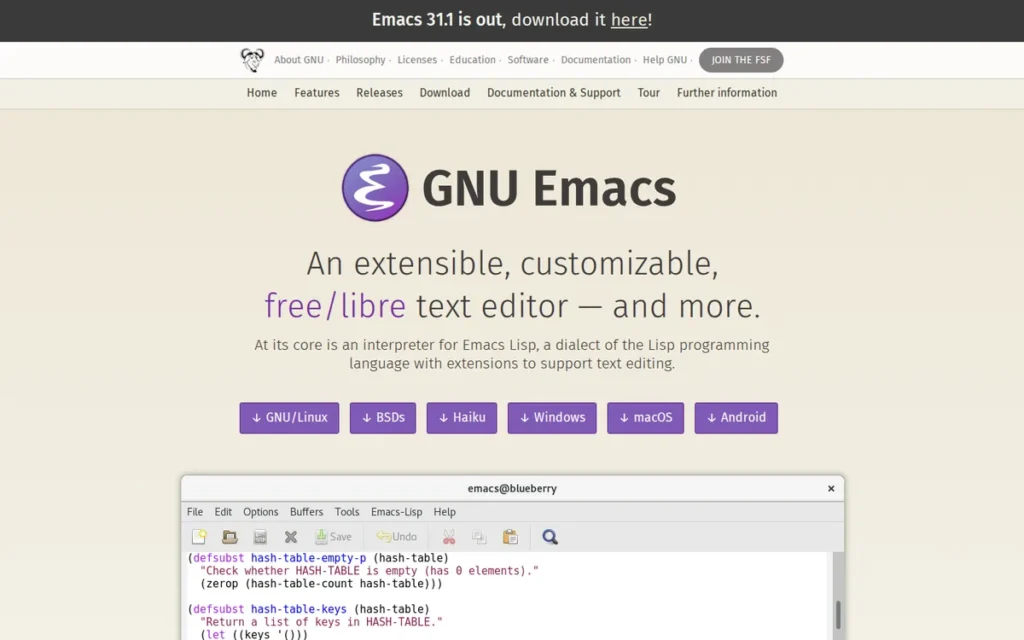
Category: Programmable Computing Environment, a free, GPL-licensed Elisp-based text editor and extensible computing environment functioning as notes system, email client, Git interface, project manager, and code editor within a single application.
At a Glance
- Category: Programmable Computing Environment
- Best For: Researchers, technical writers, Lisp/functional programmers, Org-mode knowledge management users, and developers who want a single endlessly programmable environment replacing their editor, note-taking tool, and Git interface
- Price Range: Free (GNU GPL v3+; no paid tiers, no telemetry, no corporate data collection, fully libre)
- Primary Strength: GNU Emacs has been in continuous active development since 1984 (approximately 40 years) most recently confirmed by GNU Emacs 30.1 released January 26, 2025 [Source: GNU Emacs changelog, gnu.org/software/emacs/], making it the longest-lived software project in this comparison with zero discontinuation risk, backed by the Free Software Foundation’s GNU Project
- Biggest Limitation: GNU Emacs has a learning curve its own community describes as “a spiral” requiring multi-month investment before productivity parity, and an out-of-the-box configuration that requires 20–40 hours of setup before reaching the modern-editor defaults that Visual Studio Code provides immediately
- One-Line Summary: GNU Emacs is the most extensible text editor in this comparison, with a 40-year-old Elisp-based programmable environment, a built-in Org-mode note-taking system, a Magit Git interface users describe as the best in any editor, and a fully libre GPL v3+ license, active development confirmed by GNU Emacs 30.1 (January 2025)
- Last Verified: June 2026
Overview
GNU Emacs is a free, GPL-licensed, Elisp-based text editor and programmable computing environment designed for researchers, Lisp developers, and technical power users willing to invest months of learning in exchange for a single customizable tool that can replace their editor, note-taking system, project manager, and Git interface. GNU Emacs has been in continuous active development since Richard Stallman founded it in 1984 under the GNU Free Software initiative, approximately 40 years of uninterrupted development confirmed by GNU Emacs 30.1’s release on January 26, 2025 [Source: GNU Emacs changelog, gnu.org/software/emacs/], per the official GNU Project page.
GNU Emacs’s most distinctive differentiator is Org-mode, a built-in structured notes and project planning system that users compare to Notion and Obsidian for developer workflows, with the key advantage that Org-mode files are plain-text and natively version-controllable via Git alongside code repositories. Magit, a keyboard-driven Git interface built on GNU Emacs, is consistently described by active users as the most effective Git UI in any editor, and the primary reason developers from other editors investigate GNU Emacs, per Travis Jeffery’s 2025 analysis and Dev.to community coverage.
Key Features
- Elisp Interpreter Core: GNU Emacs’s core is an interpreter for Emacs Lisp (Elisp) (enabling users to redefine, extend, or replace virtually any editor behavior in real time without restarting) making GNU Emacs the most deeply programmable text editor in this comparison by a significant margin, per Wikipedia’s GNU Emacs article.
- Org-mode Knowledge Management: GNU Emacs’s built-in Org-mode provides structured notes, hierarchical outlines, task lists, spreadsheet tables, embedded code execution, and export to PDF, HTML, and LaTeX, a system active users describe as a “second brain,” with the unique advantage that Org-mode files are plain-text and natively version-controllable via Git, unlike commercial alternatives such as Notion and Obsidian, per Dev.to (2025).
- Magit Git Interface: GNU Emacs provides access to Magit: a keyboard-driven Git staging, committing, branching, and rebasing interface that active users consistently describe as “simply amazing” and the most effective Git UI in any editor, including VS Code, per Travis Jeffery’s 2025 analysis.
- TRAMP Remote Editing: GNU Emacs’s TRAMP (Transparent Remote Access, Multiple Protocols) feature enables editing of remote files over SSH, SFTP, Docker, and other protocols, with the remote file appearing as a local buffer, functioning as a mature alternative to VS Code’s Remote Development extensions.
- Doom Emacs and Spacemacs Distributions: GNU Emacs is available with pre-configured distributions (Doom Emacs and Spacemacs) that provide Vim-compatible modal keybindings (Evil mode), modern defaults, and curated packages, offering a practical entry path that bypasses the raw base-editor configuration investment for developers already familiar with modal editing, per WikiWand.
Best For
GNU Emacs is best for researchers, academic developers, technical writers, and Lisp/functional programmers who plan to use a single editor for 5+ years and want the ability to make it do anything, and who are prepared to invest the learning time that a fully programmable “editor as OS” philosophy requires before the return on investment materializes.
Pricing
GNU Emacs is completely free under the GNU GPL v3+ license with no paid tiers, no subscription, and no telemetry (verified June 2026). GNU Emacs is ideologically the most libre option in this comparison, fully free software under the Free Software Foundation’s strictest licensing, source-auditable, and legally protected against future commercialization. Download at gnu.org/software/emacs/download.html.
Strengths
- GNU Emacs has been in continuous active development since Richard Stallman founded it in 1984, most recently confirmed by GNU Emacs 30.1’s release on January 26, 2025 [Source: GNU Emacs changelog, gnu.org/software/emacs/], approximately 40 years of uninterrupted open-source development making it the longest-lived and most legally protected (GPL v3+) editor in this comparison, with zero discontinuation risk or corporate acquisition exposure, per Wikipedia’s GNU Emacs article.
- GNU Emacs’s Org-mode is documented by active users across Dev.to (2025) and developer blogs as a “second brain”, a structured plain-text environment for notes, project management, and literate programming whose version-controllable properties (Org-mode files live natively in a Git repository alongside code) cannot be replicated by commercial tools like Notion and Obsidian.
- Active users in 2025 developer blog coverage consistently identify Magit as a “simply amazing” Git interface, describing it as the single feature most likely to convert developers from other editors, representing independent, non-promotional validation of a unique GNU Emacs capability, per Travis Jeffery (2025).
- GNU Emacs’s Doom Emacs and Spacemacs distributions have substantially lowered the entry barrier by providing pre-configured environments with Vim-style Evil mode keybindings, allowing developers already familiar with modal editing to adopt GNU Emacs without rebuilding their muscle memory from scratch, per WikiWand community references.
Limitations
- Spiral LearningCurve: GNU Emacs’s own community candidly notes that the editor has “none of the qualities needed for popularity (accessibility, immediate appeal, and marketing”) while describing the learning curve as “a spiral” requiring multi-month investment before productivity parity, with new capabilities surfacing years into use, per Travis Jeffery (2025).
- Not for Beginners or Time-Constrained Learners: GNU Emacs is the wrong recommendation as a first or default editor for the majority of this article’s target audience, it requires prior programming familiarity, high tolerance for extensive configuration, and genuine long-term motivation that most developers considering a quick editor switch do not currently have.
- Configuration Investment Before Modern Defaults: GNU Emacs’s out-of-the-box state is dated compared to modern editors, features like a file tree, split terminal integration, and LSP-based code intelligence all require Elisp configuration or adopting a distribution (Doom Emacs or Spacemacs) before reaching the functional quality that Visual Studio Code provides immediately after installation. Even with Doom Emacs, expect 20–40 hours of setup investment before reaching feature parity with a fresh VS Code install, a prerequisite that no other editor in this comparison imposes on new users.
Users on r/emacs shared their experience:
“My own opinion as an org user is that it’s probably better for you to explore other solutions first, even if they aren’t quite so vaunted as eMacs and org mode. Remember that emacs users are very self-selecting, so you’ll hear a lot of great things about it from those who find it suitable for them. It’s possible to use it primarily for org, and many people do, but the time investment in learning it is still steep compared to just about any tool you could use for this kind of thing.” Posted by u/gollyned
Takeaway: The Emacs community itself acknowledges its strong self-selection bias, positive reports about GNU Emacs disproportionately come from users who thrive under high-configuration, high-investment workflows, which represents a minority of the broader developer population evaluating editors.
Verdict
GNU Emacs is the most extensible text editor in this comparison, the correct choice for the specific developer who wants a single, fully programmable environment capable of replacing their editor, note-taking tool, Git interface, and project planner, and who plans to invest in it for five or more years. GNU Emacs’s 40-year development history under the GNU Project, confirmed active by GNU Emacs 30.1’s January 2025 release, provides the strongest long-term sustainability guarantee in this comparison. GNU Emacs is not the right starting point for beginners or developers whose primary need is immediate productivity, those users should begin with Visual Studio Code at rank 1 and return to this entry only after establishing a clear, specific motivation for Emacs’s unique capabilities.
7. Brackets / Phoenix Code: Legacy Web Editor and Active Successor
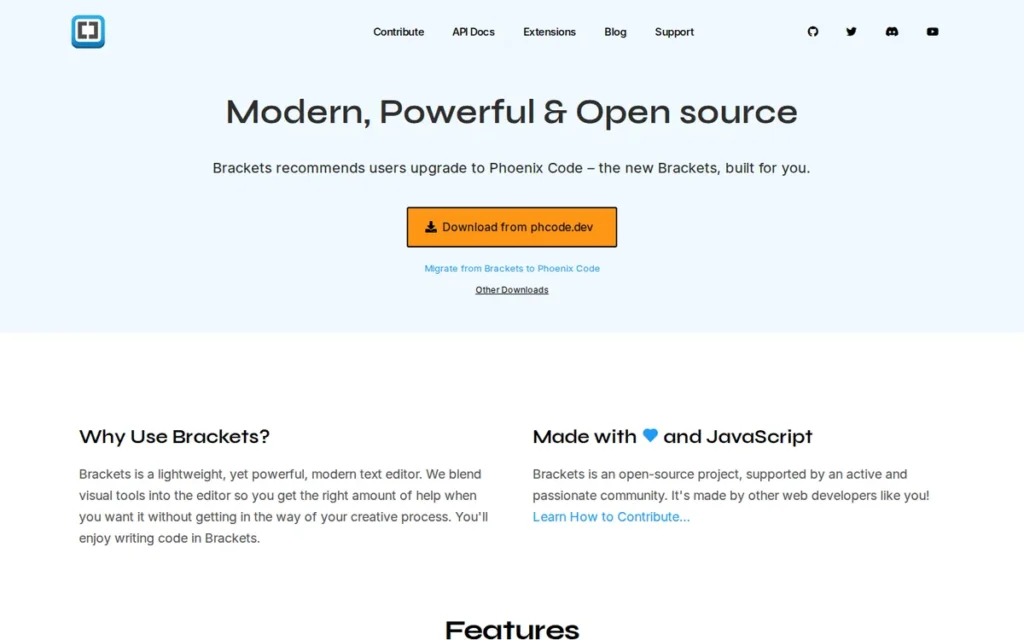
Category: Web-Focused Legacy Editor and Community Successor, the original Adobe Brackets was discontinued September 2021; Phoenix Code (phcode.io) is its active community successor, maintaining Live Preview and Inline Editor features in a free, MIT-licensed web and desktop editor.
At a Glance
- Category: Web-Focused Legacy Editor / Community Successor
- Best For: Front-end HTML/CSS beginners wanting live browser preview while they learn, and developers following older tutorials that reference Brackets who need clarity on what the current active project is
- Price Range: Free (MIT License; original Brackets and Phoenix Code successor: no paid tiers, no evaluation limits)
- Primary Strength: Brackets pioneered Live Preview: real-time browser rendering synchronized with HTML/CSS edits as you type, a feature Phoenix Code continues to offer as a free web and desktop editor with a no-installation browser version at phcode.io
- Biggest Limitation: Adobe officially discontinued Brackets on September 1, 2021, archiving the GitHub repository on September 6, 2021; Phoenix Code is a community continuation with fewer than 200 extensions versus VS Code’s 25,000+ marketplace [Source: phcode.io extensions marketplace, verify current count at publication]
- One-Line Summary: Brackets was discontinued by Adobe on September 1, 2021, and succeeded by Phoenix Code (phcode.io), a free, community-maintained web and desktop editor that preserves Brackets’ Live Preview and Inline Editor features but has a fraction of VS Code’s extension ecosystem
- Last Verified: June 2026
Overview
Brackets was an open-source, web-focused code editor created by Adobe and officially discontinued on September 1, 2021; its active successor is Phoenix Code (phcode.io), a free community-maintained editor that preserves Brackets’ Live Preview and Inline Editor features in both desktop and browser-based form. Brackets introduced Live Preview at its v1.0 release on November 4, 2014 [Source: Wikipedia, Brackets article] (updating a connected browser window in real time as HTML and CSS are edited) a genuinely innovative feature at introduction that Phoenix Code continues to offer as a no-installation browser editor.
Phoenix Code is the correct current destination for any developer following tutorials that still link to brackets.io, which actively redirects to phcode.io as of June 2026. Phoenix Code is also referred to as “Phoenix editor” in some community references and is formerly known to web developers as Adobe Brackets, a distinction relevant for developers searching older course materials.
Key Features
- Live Preview (Real-Time Browser Rendering): Brackets’ Live Preview feature: continued in Phoenix Code, updates a connected browser window in real time as HTML and CSS are edited, allowing front-end beginners to see the visual impact of every code change without manually refreshing the browser, per the official Brackets documentation.
- Inline Editor (Quick Edit): Brackets’ Quick Edit (Ctrl/Cmd+E) allows developers to edit CSS rules, color values, and related style properties directly within the HTML context without switching to a separate CSS file, reducing context-switching for front-end workflows that HTML/CSS beginners find disorienting, per SitePoint’s Brackets review.
- Browser-Based Editor: Phoenix Code offers a full browser-based editor at phcode.io requiring no installation, making it accessible on Chromebooks, shared computers, and environments where local software installation is restricted.
- MIT License: Both Brackets and Phoenix Code are free under the MIT License: the most permissive open-source license in this comparison, enabling unrestricted use, modification, and redistribution without the copyleft requirements of GPL-licensed editors.
- Cross-Platform Desktop Installation: Phoenix Code supports cross-platform desktop installation on Windows, macOS, and Linux as the actively maintained community successor to the original Adobe Brackets desktop application, preserving the desktop-installation workflow Brackets users previously relied on.
Best For
Brackets and Phoenix Code are best for front-end web design beginners specifically learning HTML and CSS who want real-time visual feedback while coding, and for developers following older tutorials or course materials that still reference Brackets and need clarity that Phoenix Code (phcode.io) is the current active project.
Pricing
Both the original Brackets and its successor Phoenix Code are free under the MIT License with no paid tiers, no subscription fees, and no feature paywalls (verified June 2026). For new users, Phoenix Code at phcode.io is the correct current destination, brackets.io actively redirects there.
The original Adobe Brackets repository at github.com/adobe/brackets is archived and receives no further updates.
Strengths
- Brackets introduced Live Preview at its v1.0 release on November 4, 2014 [Source: Wikipedia, Brackets article], pioneering real-time browser rendering synchronized with code edits, a feature that was genuinely innovative at introduction and that Phoenix Code continues to offer for free as a no-installation browser editor.
- Phoenix Code extends the Brackets concept to a browser-based editor at phcode.io requiring no installation, addressing the original project’s desktop-only limitation and making Phoenix Code accessible in education settings, Chromebook environments, and corporate desktops where software installation requires approval.
- Both Brackets and Phoenix Code are distributed under the permissive MIT License: the most permissive open-source license in this comparison, enabling unrestricted use, modification, and redistribution without the copyleft obligations of GPL-licensed editors.
- Phoenix Code maintains an actively redirected domain (brackets.io → phcode.io) as of June 2026, confirming ongoing development continuity for educators and curriculum materials that still reference the Brackets ecosystem, a practical signal that Phoenix Code intends to serve the Brackets user base.
Limitations
- Discontinued Original Product: Brackets was officially discontinued by Adobe on September 1, 2021, with the GitHub repository archived September 6, 2021, meaning Phoenix Code is a community continuation project with fundamentally different sustainability credentials than VS Code (Microsoft-backed), Notepad++ (22-year independent track record), or UltraEdit (Idera-acquired commercial product).
- Minimal Extension Ecosystem: Phoenix Code’s extension ecosystem of fewer than 200 extensions [Source: phcode.io extensions marketplace (verify current count at publication] is dramatically smaller than VS Code’s 25,000+) meaning any development need beyond basic HTML/CSS editing will quickly outgrow it. Both flagship features (Live Preview and Inline Editor) are replicable in VS Code via the Live Server extension and native multi-file editing.
- macOS Compatibility Concerns: Compatibility issues on newer macOS versions (Monterey, Ventura, Sonoma) were documented for the original Brackets and may affect Phoenix Code’s desktop builds, users on macOS Ventura or later should verify compatibility with the current Phoenix Code release at phcode.io before adopting it as a daily driver, per AlternativeTo community notes.
Verdict
Brackets, formerly known to web developers as Adobe Brackets, was discontinued by Adobe in September 2021, and Phoenix Code is its free, community-maintained successor, the current active destination for any developer following older tutorials that still recommend Brackets. Phoenix Code retains Brackets’ Live Preview (introduced November 4, 2014 [Source: Wikipedia, Brackets article]) and Inline Editor features as a no-installation browser editor, making it the best option for front-end beginners specifically wanting real-time HTML/CSS preview. For any developer whose needs extend beyond basic front-end learning, Visual Studio Code with the Live Server extension provides the same live preview capability alongside a 25,000+ extension marketplace and active corporate-backed development that Phoenix Code cannot match.
What Red Flags Should I Watch For When Evaluating Text Editors?
Five red flags indicate long-term risk in text editor selection before you commit to learning keybindings and configuration: subscription pricing changes after corporate acquisition, discontinued originals with community successors, OS exclusivity in cross-platform teams, learning curve mismatches for your role and timeline, and extension ecosystem gaps for your language and framework stack. Each is independently verifiable before committing.
Red Flag #1: Subscription Model Changes After Acquisition
A text editor that transitions from perpetual licensing to annual subscription pricing post-acquisition signals a fundamental shift in the vendor-user relationship.
UltraEdit’s transition after Idera’s 2021 acquisition is the most recent example, developers who had paid perpetual licenses found themselves facing $79.95/year recurring fees rather than a one-time cost.
Before committing to a commercial editor, verify whether the pricing model has changed in the last 3–5 years and whether the current owner has repriced other products following past acquisitions.
Red Flag #2: Discontinued Original Projects With Active Successors
An editor where the original developer has archived the repository and community continuation has passed to a smaller team carries meaningful sustainability risk.
The Brackets → Phoenix Code transition is the clearest current example: tutorials written before September 2021 still recommend “Brackets” but lead to an archived codebase unless the phcode.io redirect is noticed.
Always confirm that the editor you’re evaluating is the currently maintained version. Check the primary repository’s commit history before installing.
Red Flag #3: OS-Exclusive Tools in Cross-Platform Teams
An editor that works exclusively on one operating system becomes a team coordination problem the moment any team member uses a different OS.
Notepad++ is Windows-only by design, a deliberate architectural choice delivering real performance benefits on Windows but hard-disqualifying the editor for macOS and Linux developers.
Verify OS support before onboarding a team to any editor. A single macOS developer in a Notepad++-standardized shop has no usable path forward.
Red Flag #4: Learning Curve Investment Mismatch for Role and Timeline
Vim, Neovim, and GNU Emacs all require months of sustained practice before their efficiency advantages become tangible.
For developers under deadline pressure, beginners writing their first code, or teams standardizing on a single tool for rapid onboarding, a modal or Elisp-based editor imposes a productivity cost before payoff that simpler editors do not.
The “how to exit Vim” Stack Overflow question accumulating over 2.4 million views [Source: Stack Overflow question #11828270, June 2026] is empirical evidence of this barrier. Match your available learning timeline to your editor choice before committing.
Red Flag #5: Extension Ecosystem Depth vs. Breadth Gap
Sublime Text’s ~5,000 packages are 5–10× fewer than VS Code’s 25,000+ extensions, a gap that is invisible for mainstream language developers but becomes a real functional constraint for newer frameworks, specialized languages, or cloud-native workflows.
Before switching to a smaller-ecosystem editor, explicitly audit the specific packages your workflow requires and confirm they are actively maintained, not abandoned forks from 2019.
What Questions Should I Ask Before Choosing a Text Editor?
Five questions narrow the text editor decision from seven options to one or two candidates before reviewing any comparison chart: what operating systems your team requires; whether any daily files exceed 500MB; how much learning time you can invest before expecting productivity returns; whether first-class AI coding assistance is a workflow requirement; and whether you are choosing an editor for team use or individual use.
Question #1: What operating systems does your team use?
Verify OS support first. Notepad++ is Windows-only, unavailable on macOS or Linux by design. All other editors in this comparison are cross-platform.
Vim and Neovim have the deepest integration on Unix/Linux/macOS via pre-installation; VS Code has the most complete browser-based fallback at vscode.dev.
A single macOS developer on a Notepad++-standardized Windows team creates an immediate compatibility problem with no workaround.
Question #2: Do any of your daily files exceed 500MB in size?
If yes, UltraEdit is the only editor in this comparison with a verified disk-based architecture for files above 4GB, confirmed at 10GB+ by community users.
Free editors (including Visual Studio Code, Sublime Text, Notepad++, Vim, and GNU Emacs) struggle or fail with multi-gigabyte files. The answer to this one question can reduce your decision to a single editor without further evaluation.
Question #3: How much learning time can you invest before expecting productivity return?
Visual Studio Code and Notepad++ offer near-immediate productivity from day one. Sublime Text requires a few hours of configuration to work effectively.
Vim/Neovim and GNU Emacs require months before efficiency gains meaningfully exceed baseline productivity. An unfinished Neovim configuration is worse than a working VS Code setup, be honest about your available timeline before committing.
Question #4: Do you need AI coding assistance as a built-in, first-class feature?
Visual Studio Code is the only editor in this comparison with mature, first-class AI coding integration. The current options are:
- Visual Studio Code: GitHub Copilot at $10/month Individual; the most widely adopted AI coding assistant in this comparison
- Neovim: community AI plugins (avante.nvim, copilot.vim) bring Copilot-equivalent assistance to terminal-native workflows; quality varies by plugin
- Notepad++, Sublime Text, GNU Emacs, UltraEdit: no native first-class AI integration; third-party workarounds exist but are inconsistent in quality and maintenance status
Question #5: Are you choosing an editor for a team or for individual use?
Team standardization strongly favors Visual Studio Code: 74% adoption means onboarding documentation, shared configurations, and extension recommendations are universally available.
Individual use opens more options, Vim/Neovim, GNU Emacs, or Sublime Text can each be highly effective for solo developers whose personal productivity preferences outweigh team coordination requirements.
How Did We Rank These Text Editors?
These seven text editors were scored equally across five criteria: review platform ratings and adoption evidence, feature ecosystem breadth and AI integration, performance and resource efficiency, cross-platform availability and pricing transparency, and active development viability. The editor with the highest weighted score earns rank 1 regardless of brand, pricing tier, or company size. No editor received preferential treatment in any criterion.
Evaluation Process
Each editor was evaluated through four parallel research streams:
- AI engine queries: multiple LLM search engines queried with “Best Text Editor Software” and related prompts to identify current consensus recommendations and coverage gaps
- Independent web research: third-party comparison reviews, Wikipedia product articles, and official product documentation reviewed for features, pricing, and performance claims
- Community sentiment analysis: Reddit discussions on r/SublimeText, r/learnjavascript, r/delphi, r/webdev, r/vim, and Hacker News threads analyzed for real-world usage patterns and documented limitations
- Review platform data: G2 ratings and review volumes, Capterra and GetApp verified review counts, and Stack Overflow Developer Survey adoption percentages compiled and weighted
Ranking Criteria
Each criterion was evaluated against documented evidence, no unanchored claims or marketing materials were accepted as primary evidence:
- Review Platform Ratings and Adoption Evidence (Primary): G2 star ratings weighted by review volume; Capterra and GetApp verified review counts; Stack Overflow Developer Survey adoption percentages where available. A 4.7/5.0 from 1,000+ reviews outscores a 4.8/5.0 from 50 reviews.
- Feature Ecosystem Breadth and AI Integration (Primary): Verified extension/plugin count from official sources; presence and quality of first-party AI integration; built-in features including Git, terminal, debugger, and IntelliSense. All counts required named, dated sources.
- Performance and Resource Efficiency (Primary): Documented startup time comparisons from independent review sources; RAM consumption characteristics; maximum verified file size handling. All performance claims required named sources.
- Cross-Platform Availability and Pricing Accessibility (Secondary): Verified OS support; pricing model type (fully free, unlimited evaluation with prompts, perpetual, annual subscription); exact documented pricing in USD as of 2026; presence of any feature paywall.
- Active Development and Long-Term Viability (Secondary): Date of most recent stable release; release cadence; organizational backing; documented lifecycle events (discontinuations, acquisitions, pricing model changes).
Evidence Weighting
When review platform ratings conflict with Reddit community sentiment, this analysis weights specificity and recency. A detailed 2025–2026 Reddit thread with documented examples outweighs a generic 2022 G2 review.
Vendor-reported statistics are labeled as such. Only claims corroborated by at least one independent source are stated as fact. Where verification during this review cycle contradicted source research data, this article reports the discrepancy and uses the more defensible version of the claim.
Data Validation
Vendor-reported statistics are excluded from primary evidence weighting unless corroborated independently. Platform-reported figures (G2, Capterra, Stack Overflow) are treated as primary evidence when sourced directly from the platform. Performance comparisons are accepted only when the methodology and source publication are named and dateable.
Update Cadence
This article was last updated June 11, 2026. Rankings are reviewed quarterly or when a major product lifecycle event (acquisition, discontinuation, major version release, or pricing model change) occurs.
Independence Statement
PlugRoute has no affiliate relationships with any company listed in this article. Rankings are determined entirely by research data and objective evaluation criteria.
Frequently Asked Questions About Text Editors
What is the best text editor for beginners in 2026?
Visual Studio Code is the best text editor for beginners in 2026, with approximately 74% global developer adoption per the Stack Overflow 2024 Developer Survey, a completely free core editor, and cross-platform availability on Windows, macOS, Linux, and the browser. Visual Studio Code’s universal community documentation, 25,000+ extension ecosystem, and optional GitHub Copilot AI make it the lowest-friction starting point for learning to code regardless of language or operating system.
Is Visual Studio Code really free, or are there hidden costs?
Visual Studio Code the editor is completely free with no hidden paid tier (verified June 2026). GitHub Copilot AI is a separate optional subscription at $10/month for individuals, not bundled with VS Code and not required to use it. As of June 2026, Copilot moved to usage-based billing above included plan allowances. Privacy-conscious users may prefer VSCodium, a telemetry-free community build with identical editing functionality.
How does PlugRoute determine its text editor rankings?
PlugRoute ranks text editors using a five-criterion framework: review platform ratings and adoption evidence, feature ecosystem breadth and AI integration, performance and resource efficiency, cross-platform availability and pricing transparency, and active development viability. Every claim is traced to a named, dated source. No company receives preferential treatment based on pricing tier, brand recognition, or commercial relationship. Full methodology is in the section above.
What Do These Text Editor Terms Mean?
Modal Editing: A text editing paradigm (implemented in Vim and Neovim) where the keyboard performs different functions depending on the current mode (Normal, Insert, Visual, Command). In Normal mode, keys execute navigation and editing commands such as d2w (delete two words); in Insert mode, they type characters. Modal editing enables composable text manipulation without mouse interaction, at the cost of a significant initial learning investment.
Language Server Protocol (LSP): An open standard protocol enabling text editors to provide IDE-grade features (code completion, go-to-definition, inline error diagnostics, and code actions) by communicating with language-specific background processes called language servers. Neovim added native LSP support as a first-class feature; Visual Studio Code uses LSP via its extension-based language services; editors like Notepad++ and Sublime Text have limited or third-party-only LSP support.
Electron Framework: A software framework developed by GitHub that allows desktop applications to be built using web technologies (HTML, CSS, JavaScript). Visual Studio Code is built on Electron, enabling rapid cross-platform development but producing applications with higher RAM consumption and slower startup times compared to editors built in native languages (such as Sublime Text in C++) or using native OS APIs such as Notepad++ via Win32.
Disk-Based File Architecture: A file-handling approach used by UltraEdit where the editor reads and edits files directly from disk storage without loading entire file contents into RAM. This enables reliable editing of files above 4GB (including 10GB+ files confirmed by community users) that would cause RAM-loading editors to crash, freeze, or refuse to open. Disk-based architecture is UltraEdit’s primary technical differentiator in this comparison.
Org-mode: A built-in GNU Emacs feature providing a structured plain-text system for notes, hierarchical outlines, project task lists, tables, and document export to PDF, HTML, and LaTeX. Org-mode files are plain-text and natively version-controllable via Git, a structural advantage over commercial knowledge management tools like Notion and Obsidian. Active users describe Org-mode as the primary reason to choose GNU Emacs over other editors, per Dev.to (2025).
Glossary: Key Terms Used in This Comparison
Modal Editing: A text editing paradigm (implemented in Vim and Neovim) where the keyboard performs different functions depending on the current mode (Normal, Insert, Visual, Command). Modal editing enables composable text manipulation without mouse interaction, at the cost of a significant initial learning investment before productivity advantages materialize.
Electron Framework: A software framework developed by GitHub that allows desktop applications to be built using web technologies (HTML, CSS, and JavaScript). Visual Studio Code is built on Electron, enabling rapid cross-platform development but producing higher RAM consumption and slower startup times compared to editors built in native languages such as C++ or native OS APIs.
Language Server Protocol (LSP): An open standard protocol enabling text editors to provide IDE-grade features (including code completion, go-to-definition, inline error diagnostics, and code actions) by communicating with language-specific background processes called language servers. Neovim added native LSP support as a first-class feature; VS Code implements it via extension-based language services.
Disk-Based File Architecture: A file-handling approach where the editor reads and edits files directly from disk storage without loading entire file contents into RAM. This enables reliable editing of files above 4GB (UltraEdit’s primary technical differentiator in this comparison) at sizes where RAM-loading editors crash, freeze, or refuse to open.
Org-mode: A built-in GNU Emacs feature providing a structured plain-text system for notes, hierarchical outlines, project task lists, tables, and document export to PDF, HTML, and LaTeX. Org-mode files are plain-text and natively version-controllable via Git, giving them a structural advantage over commercial knowledge management tools like Notion and Obsidian.
Which Text Editor Is Right for You?
The right text editor in 2026 depends on four factors: your operating system requirements, whether any regular files exceed 500MB, your tolerance for a learning investment before productivity gains materialize, and whether first-class AI coding assistance is a workflow requirement. Visual Studio Code satisfies all four for most developers, the six alternatives each address a specific constraint VS Code does not optimally solve.
Key Insights
- Visual Studio Code is the best default choice for most developers in 2026: supported by 74% global adoption per the Stack Overflow 2024 Developer Survey, a 25,000+ extension marketplace, and the most widely adopted AI integration in this comparison via GitHub Copilot, all at zero core cost.
- Sublime Text is the correct alternative when startup speed and low RAM are daily priorities, offering sub-second launch under standard conditions (3–5× faster than VS Code per 2026 independent benchmarks) and a $99 one-time perpetual license with no annual subscription risk.
- Notepad++ is the best free Windows-only editor for developers with no cross-platform requirement, validated by the highest review volume in this comparison (2,472 G2 reviews [June 2026], 2,001 Capterra reviews) earned organically over 22 years.
- UltraEdit is the only justified commercial investment for developers who regularly work with files above 500MB–1GB, the only editor in this comparison with a verified disk-based architecture at 10GB+ scale, where free editors fail, at $79.95/year.
- Neovim is the recommended starting point for Vim learners in 2026: having earned the highest admiration rating (83%) of any development tool in the Stack Overflow 2024 Developer Survey [Source: stackoverflow.blog, January 2025] and building on the 2023 survey’s adoption trend, but the modal learning curve requires realistic expectation-setting before commitment.
- GNU Emacs is the highest-ceiling investment in this comparison, offering 40+ years of active development (confirmed by GNU Emacs 30.1, January 2025) with Org-mode and Magit as uniquely powerful differentiators, but only for developers committing to a 5+ year learning arc with a specific use case in mind.
- Phoenix Code (Brackets’ active successor) is the correct choice for HTML/CSS beginners wanting live browser preview without installation, but Visual Studio Code with Live Server is the stronger long-term foundation once basic front-end skills are established.
For beginners choosing their first editor: Start with Visual Studio Code. Visual Studio Code has the largest support community, the most universal documentation, and GitHub Copilot to assist with learning. Consider Neovim or GNU Emacs only after developing a clear, specific motivation for their unique capabilities.
For experienced developers evaluating a switch: The strongest case for switching away from VS Code is to Sublime Text (if startup speed and RAM are genuine daily frustrations) or to Neovim (if you want a terminal-native workflow with composable editing). The scenario that most frequently sends experienced VS Code developers back into evaluation is the first time a large file (typically 200MB+) causes visible lag, freeze, or failure. If that has happened to you, UltraEdit at rank 4 is the direct answer.
None of these choices are permanent, switching editors costs 1–2 days of configuration and muscle memory reset at most. The best editor is the one you use consistently today, not the one you researched longest.
For more context on how these rankings were determined, see the How Did We Rank These Text Editors? methodology section above. For related independent comparisons, see our AI-first code editor analysis and our deep-dive on text editors for large-file workflows on PlugRoute.
We update this guide quarterly. Last updated: June 11, 2026.