IntelliJ IDEA is the best overall Java IDE (used by 84% of Java developers in the 2025 JRebel Java Developer Productivity Report) Apache Maven is the enterprise build standard, and JUnit 5 is the required testing framework for Spring Boot teams. The right tool combination depends on project type, team size, and budget.
The confusion is justified: Java’s tooling ecosystem spans IDEs, build systems, and testing frameworks that are rarely evaluated together, the free-vs-paid boundary is almost never explained clearly, and most comparisons treat tool selection as an IDE-only decision rather than a three-category stack choice. If you have spent time reading comparisons that list the same tools without explaining which combination fits your use case, this ranking is designed for that decision.
PlugRoute has no affiliate relationships with any company listed. Rankings are determined entirely by research data and objective evaluation criteria.
“IDEA, hands down. People advocating for VS Code and the like are often coming to Java from other, more dynamic languages and don’t understand the huge tooling advantages Java allows for, and that only IDEA (and to a lesser extent, Eclipse) provide.” (u/melkorwasframed, r/java (score: 29))
Takeaway: Experienced Java developers consistently note that Java’s static type system creates IDE tooling opportunities (deep refactoring, type-aware completions, and framework-specific inspections) that general-purpose editors powered by extension-layer language servers cannot fully replicate. This distinction between a Java-native IDE and an extension-powered editor is the central axis on which every ranking in this article turns.
TL;DR: Top Picks at a Glance
- IntelliJ IDEA: the highest-adoption Java IDE with the deepest framework intelligence, autonomous AI coding via Junie, and a free Community edition removing cost barriers for general development
- Apache Maven: the enterprise build standard for regulated, reproducible Java projects at zero cost
- Gradle: the mandatory Android build tool delivering 30–50% faster incremental builds than Maven in typical development workflows
- JUnit 5: the non-optional testing standard for every Spring Boot and production Java development team
What Are the Key Categories of Java Development Tools?
Java development tools fall into three essential categories that every production stack requires: IDEs and code editors, build and dependency management tools, and testing frameworks. No single tool covers all three categories. A production-ready Java environment requires at least one tool from each, treating any category as optional creates a technical debt gap that compounds over time.
This ranking covers the seven tools that constitute a complete Java development environment. Static analysis tools (SonarQube, Checkstyle), mocking libraries (Mockito), CI/CD platforms (Jenkins, GitHub Actions), and containerization tools serve different toolchain layers and are evaluated in separate PlugRoute rankings. You do not need any of them before establishing your IDE, build tool, and testing framework baseline.
IDEs and Code Editors covered in this ranking:
- IntelliJ IDEA: #1 overall, best for professional and enterprise Java
- Visual Studio Code: #5, best for polyglot developers and budget-constrained teams
- Eclipse IDE: #6, best free option for Jakarta EE and web development
- Apache NetBeans: #7, best free IDE for Java desktop development
Build and Dependency Management Tools covered:
- Apache Maven: #2, enterprise standard for reproducible builds
- Gradle: #3, best for performance and Android development
Testing Frameworks covered:
- JUnit 5: #4, the de facto Java testing standard required for Spring Boot
How Do the Top 7 Java Development Tools Compare?
The top seven Java development tools span three categories: IDEs (IntelliJ IDEA, VS Code, Eclipse, NetBeans), build tools (Maven, Gradle), and testing frameworks (JUnit 5). No single tool covers all three categories, a production-ready Java environment requires at least one from each. The table below compares all seven on category, best-fit audience, primary strength, and key trade-off.
| Rank | Tool | Category | Best For | One-Line Summary | Key Capabilities | Primary Strength | Key Limitation |
|---|---|---|---|---|---|---|---|
| 1 | IntelliJ IDEA | IDE | Professional/enterprise Java, Spring, Kotlin | IntelliJ IDEA is the most widely adopted Java IDE in developer surveys, used by 84% of respondents in the JRebel 2025 report (multi-select survey), with the broadest autonomous agent support (Junie, Codex, ACP) and deep Spring/Jakarta EE framework intelligence. | ML-ranked code completion; Junie autonomous agent (2026.1); Spring Boot 4 support | 84% developer adoption (JRebel 2025 multi-select); Junie agent; free Community edition | High RAM consumption (20+ GB on large projects); Ultimate requires paid subscription; Community edition is fully free for commercial use with no time limit |
| 2 | Apache Maven | Build Tool | Enterprise/regulated Java, Maven Central publishing | Apache Maven is the de facto standard build tool for enterprise Java in 2026, with Maven 3.9.16 released in May 2026, providing convention-based reproducibility favored in banking, finance, and regulated sectors. | Convention-based POM lifecycle; Maven Central integration; CI/CD plugin ecosystem | De facto enterprise standard; 20+ years Apache governance; zero cost | Incremental builds 30–50% slower than Gradle (JavaCodeGeeks, April 2025); verbose XML for complex projects |
| 3 | Gradle | Build Tool | Android developers, greenfield projects, fast builds | Gradle is the highest-performance Java build tool in 2026, delivering 30–50% faster incremental builds than Maven in typical development workflows (JavaCodeGeeks, April 2025) and functioning as the mandatory build system for Android. | Incremental task-avoidance builds; Kotlin/Groovy DSL; Develocity analytics | Mandatory for Android; 30–50% faster incremental builds (conservative workflow estimate) | Steep DSL learning curve; non-deterministic build scripts when poorly written; Develocity enterprise pricing not publicly listed |
| 4 | JUnit 5 | Testing Framework | Every Java developer writing tests; required for Spring Boot | JUnit 5 is the de facto Java testing standard in 2026, used in the majority of top GitHub Java repositories (Harness analysis) and required as the test execution platform for all Spring Boot testing integrations. | @ExtendWith extension model; Platform/Jupiter/Vintage architecture; @ParameterizedTest | Required by Spring Boot; universal IDE support; 100% free | Verbose parameterized syntax vs. Spock; no built-in soft assertions; JUnit 4 migration effort |
| 5 | Visual Studio Code | Code Editor (Extension-Based) | Polyglot developers, budget-constrained teams, Codespaces | Visual Studio Code is a free, lightweight code editor delivering capable Java development through the Extension Pack for Java; powered by Eclipse’s JDT Language Server (the same engine as Eclipse IDE); at zero cost. | Extension Pack for Java; GitHub Copilot integration; Coding Pack for Java | Free editor; lowest-cost AI-assisted Java via Copilot Pro ($10/mo, verified June 2026) | Java intelligence bounded by Eclipse JDT ceiling (same engine as Eclipse IDE); inferior to IntelliJ’s ML-ranked model; SDK detection friction with sdkman |
| 6 | Eclipse IDE | IDE (Free, Open Source) | Budget teams needing Jakarta EE/JPA/JSF at zero cost | Eclipse IDE is the only major Java IDE providing full enterprise web development capabilities (Jakarta EE, JPA, JSF, web services) at zero cost in 2026, while its JDT engine powers VS Code’s Java intelligence. | JDT/ECJ incremental compiler; Jakarta EE + JPA + JSF + web services; JNI via CDT | Only free IDE with complete enterprise web features; JDT engine powers VS Code Java | 11 pp adoption decline in one year (39%→28%, JRebel 2025); no AI coding assistant |
| 7 | Apache NetBeans | IDE (Free, Open Source) | Java Swing/desktop GUI developers, Oracle ecosystem users | Apache NetBeans is the only major free Java IDE with a built-in Matisse GUI builder for Swing desktop development, operating on a quarterly Apache release cadence; NetBeans 29 shipped February 23, 2026. | Matisse GUI builder; zero-metadata Maven integration; NetBeans Platform | Only free IDE with built-in Swing visual GUI designer; zero-metadata Maven integration | No AI coding assistant; Oracle transition perception damage still affects adoption consideration |
Which Java Development Tool Should I Choose for My Use Case?
The right Java tool combination depends on three primary factors: whether you need enterprise framework support (Spring, Jakarta EE), whether you are building for Android (Gradle is mandatory regardless of preference), and whether your budget allows for paid tools. The decision framework below maps seven developer profiles to their optimal stack, approximate cost, and rationale.
Starting from zero? The lowest-friction Java stack is IntelliJ IDEA Community (free) + Apache Maven + JUnit 5, all free, all at industry-standard quality. Every other recommendation below is a specialization from this baseline.
| Your #1 Priority | Recommended Stack | Approximate Monthly Cost | Why |
|---|---|---|---|
| Best beginner setup | IntelliJ IDEA Community + Maven + JUnit 5 | $0 | Strongest free Java IDE; Maven convention is the industry default to learn first; JUnit 5 is the universal testing baseline |
| Budget-focused professional | VS Code + GitHub Copilot Pro + Gradle + JUnit 5 | ~$10/mo | Free editor; lowest-cost AI coding assistance; Gradle faster builds for iterative development. Note: IntelliJ Community is also free and provides stronger Java intelligence; compare both before committing. |
| Productivity-focused individual | IntelliJ IDEA Ultimate + Gradle + JUnit 5 | Paid subscription | Best-in-class tooling across IDE, build speed, and testing justifies subscription cost for full-time developers |
| Enterprise Spring/Jakarta EE team | IntelliJ IDEA Ultimate (team license) + Maven + JUnit 5 | Per-seat subscription | Spring Boot 4/Jakarta EE framework inspections + Maven audit-trail reproducibility + JUnit 5 Spring Platform integration (JUnit 5 is required, not optional; @SpringBootTest depends on the JUnit Platform) |
| Android developer | Android Studio (Gradle built-in) + JUnit 5 | $0 | Gradle is mandatory; Android Studio is IntelliJ-based and free |
| Java desktop application developer | Apache NetBeans + Maven + JUnit 5 | $0 | NetBeans Matisse GUI builder has no free equivalent; Maven zero-metadata integration; JUnit 5 standard testing |
| Open-source or budget enterprise team | Eclipse Enterprise Java + Maven + JUnit 5 | $0 | Full Jakarta EE/JPA/JSF capabilities at zero cost; proven CI/CD integration; Apache Software Foundation governance on Maven |
1. IntelliJ IDEA (JetBrains): Best Overall Java IDE: Best for Professional and Enterprise Java Development
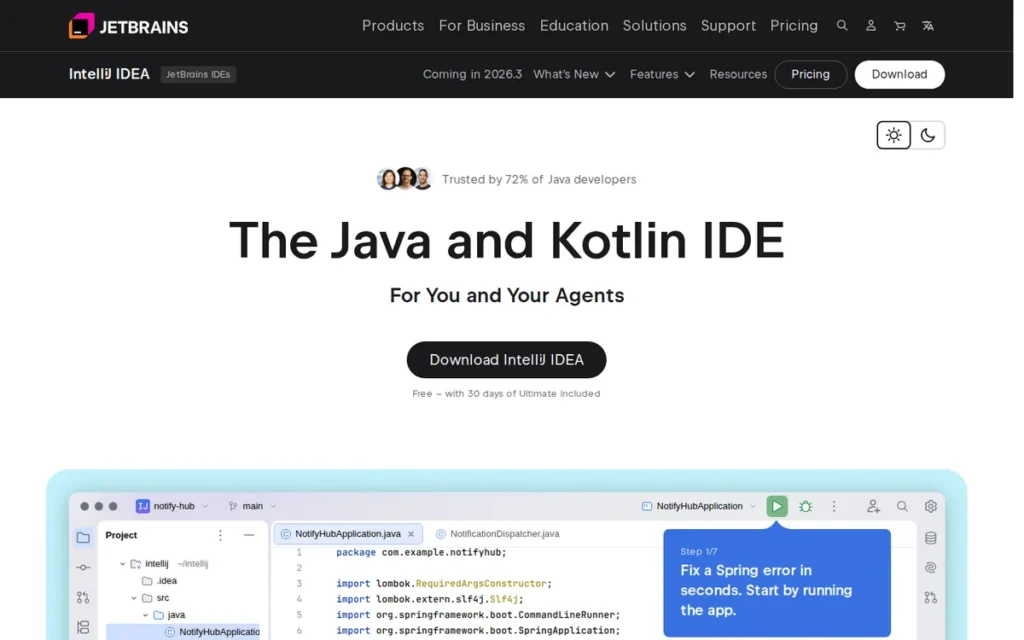
Category: IDE (Integrated Development Environment), a full-featured application that bundles a code editor, debugger, build tool integration, refactoring engine, and framework support into a single cohesive Java development environment.
At a Glance
- Category: IDE: Integrated Development Environment
- Best For: Professional Java developers, enterprise Spring/Jakarta EE teams, Kotlin developers, and any team where deep code intelligence and AI-assisted refactoring justify a subscription cost
- Price Range: Free (Community edition, unlimited commercial use) / Paid subscription (Ultimate edition, visit jetbrains.com/idea/buy for current pricing; verified June 2026)
- Primary Strength: IntelliJ IDEA leads all Java IDEs in adoption (84%, JRebel 2025 multi-select survey) and delivers the deepest Java-specific code intelligence, autonomous AI coding via Junie, and Spring/Jakarta EE framework support available in any IDE as of 2026
- Biggest Limitation: IntelliJ IDEA’s memory consumption is the most widely documented IDE pain point (reports of 20+ GB RAM usage on large projects) and Ultimate edition requires a paid subscription for Spring, Jakarta EE, database, and full-stack web framework support
- One-Line Summary: IntelliJ IDEA is the most widely adopted Java IDE in developer surveys, used by 84% of respondents in the 2025 JRebel Java Developer Productivity Report (multi-select survey), with the deepest Spring and Jakarta EE framework support, autonomous AI coding via Junie (2026.1), and a free Community edition for general Java and Kotlin development
- Last Verified: June 2026
Overview
IntelliJ IDEA is JetBrains’ flagship Java and Kotlin IDE (available in a free Community edition and a paid Ultimate edition) and is the most widely adopted Java IDE in developer surveys, used by 84% of respondents in the 2025 JRebel Java Developer Productivity Report (multi-select survey, totals exceed 100%).
IntelliJ IDEA’s 2025.3 release unified the previously separate Community and Ultimate installer streams into a single download and added Spring Framework 7 and Spring Boot 4 support. IntelliJ IDEA’s 2026.1 release added the Junie autonomous coding agent alongside Codex, Claude Agent, and ACP-compatible AI agent support, per the JetBrains 2026.1 release notes.
IntelliJ IDEA 2026.1 makes IntelliJ IDEA the Java IDE with the broadest documented autonomous agent platform support as of June 2026. IntelliJ IDEA Community is free for unlimited commercial use with no time limit, covering Java and Kotlin development, Git integration, Maven and Gradle support, and the full integrated debugger.
Key Features
- ML-Ranked Code Completion: IntelliJ IDEA provides machine-learning-ranked code completion that only surfaces valid completions at the current caret position, prioritizing the most contextually relevant suggestion first, a technical differentiator over Eclipse’s JDT-based and VS Code’s extension-driven completion engines, per JetBrains’ features documentation.
- Spring Framework 7 and Spring Boot 4 Support: IntelliJ IDEA Ultimate delivers first-class Spring Framework 7 and Spring Boot 4 support (added in the 2025.3 release), including deep code inspections for Spring beans, JPA, JAX-RS, WebSocket, CDI, and Jakarta EE components, unavailable in any free IDE alternative.
- Junie Autonomous Coding Agent: IntelliJ IDEA 2026.1 includes the Junie autonomous coding agent, capable of planning multi-step coding tasks, creating and editing files, running tests, and executing terminal commands directly within the IDE, per the JetBrains 2026.1 release notes.
- Free Community Edition for Commercial Use: IntelliJ IDEA Community edition is 100% free for commercial and non-commercial use with no time limit, covering Java and Kotlin development, Git integration, Maven and Gradle build tool support, and the full integrated debugger, the strongest free Java IDE available for general development.
- Unified Release Model: IntelliJ IDEA’s 2025.3 unified release merged the previously separate Community and Ultimate installer streams into a single download, removing a longstanding UX friction for developers evaluating the paid tier upgrade.
Best For
IntelliJ IDEA Ultimate is best for professional Java developers and enterprise teams building Spring Boot, Jakarta EE, or Kotlin applications, where framework-aware inspections, autonomous AI refactoring via Junie, and integrated database tooling deliver a measurable productivity return on the subscription cost. IntelliJ IDEA Community is best for developers needing the industry’s strongest free Java IDE for general Java or Kotlin development; it integrates natively with Apache Maven, Gradle, and JUnit 5.
Pricing
IntelliJ IDEA Community edition is free with no commercial use restrictions as of June 2026. IntelliJ IDEA Ultimate is a paid subscription; JetBrains applies loyalty discounts that reduce renewal costs over years of continuous subscription. Students and open-source project maintainers may qualify for free Ultimate licenses through JetBrains’ education and open-source programs. Visit jetbrains.com/idea/buy for current per-developer pricing and jetbrains.com/community/education for free program eligibility.
Strengths
- IntelliJ IDEA achieved 84% adoption among Java developers in the 2025 JRebel Java Developer Productivity Report (multi-select survey, totals exceed 100%), up from 71% in 2024, a 13-percentage-point year-over-year gain representing the steepest single-year adoption increase of any Java IDE tracked in the survey period.
- IntelliJ IDEA 2026.1 introduced the Junie autonomous coding agent: capable of planning multi-step tasks, creating and editing files, running tests, and executing terminal commands inside the IDE, making IntelliJ IDEA the Java IDE with the broadest documented autonomous agent platform support as of June 2026, per the 2026.1 release notes.
- IntelliJ IDEA Ultimate added Spring Framework 7 and Spring Boot 4 support in the 2025.3 release, including deep code inspections for Spring beans, JPA, and Jakarta EE components, features unavailable in any free IDE and cited by enterprise teams as the primary justification for the subscription cost over IntelliJ Community or Eclipse.
- IntelliJ IDEA Community is free for unlimited commercial use with no time limit following the 2025.3 unified release, providing the strongest free Java IDE available for general development alongside IntelliJ’s entire Maven, Gradle, Git, and debugger integration toolchain.
Limitations
- Memory Consumption: IntelliJ IDEA’s most consequential trade-off is RAM usage, a real hardware cost: developers on laptop-primary workflows with under 32 GB RAM consistently report degraded IntelliJ IDEA performance on large projects, with one r/java contributor (u/Seliba, score: 15) noting that colleagues with 64 GB machines sometimes see IntelliJ consume more than 20 GB. Developers should benchmark IntelliJ IDEA’s memory footprint on their specific project before committing on memory-constrained machines.
“I use IntelliJ IDEA because it is superior in virtually every way, excluding resource usage.” (u/Seliba, r/java (score: 15))
Takeaway: Even strong IntelliJ IDEA advocates acknowledge memory consumption as the primary real-world trade-off, a factor to benchmark directly on your target hardware before committing.
- Ultimate Subscription for Framework Features: IntelliJ IDEA Ultimate requires a paid subscription for Spring, Jakarta EE, database, and full-stack web framework support; the Community edition cannot serve enterprise Spring Boot teams without the paid upgrade, which represents a real cost decision for individual developers and small teams evaluating the ROI of framework-specific tooling.
- AI Feature External Dependencies: IntelliJ IDEA’s AI Assistant and Junie require an active internet connection and JetBrains account authentication, adding an external service dependency to core development workflows that offline or air-gapped environments cannot accommodate.
Verdict
IntelliJ IDEA is the most widely adopted Java IDE in developer surveys in 2026, used by 84% of respondents in the JRebel 2025 Java Developer Productivity Report (multi-select survey). IntelliJ IDEA ranks #1 overall, above build tools and testing frameworks, because IDE choice determines the baseline quality of every development interaction in the Java stack; no build tool or testing framework decision has equivalent daily productivity impact for individual developers. IntelliJ IDEA Community gives any developer the industry’s strongest free Java IDE for general development; Ultimate adds the Spring and Jakarta EE depth, Junie autonomous AI coding, and integrated database tooling that enterprise teams require. IntelliJ IDEA’s primary cost is RAM, developers on memory-constrained machines should benchmark IntelliJ’s footprint before committing.
2. Apache Maven: Best Java Build Tool for Enterprise Standardization and Reproducible Builds
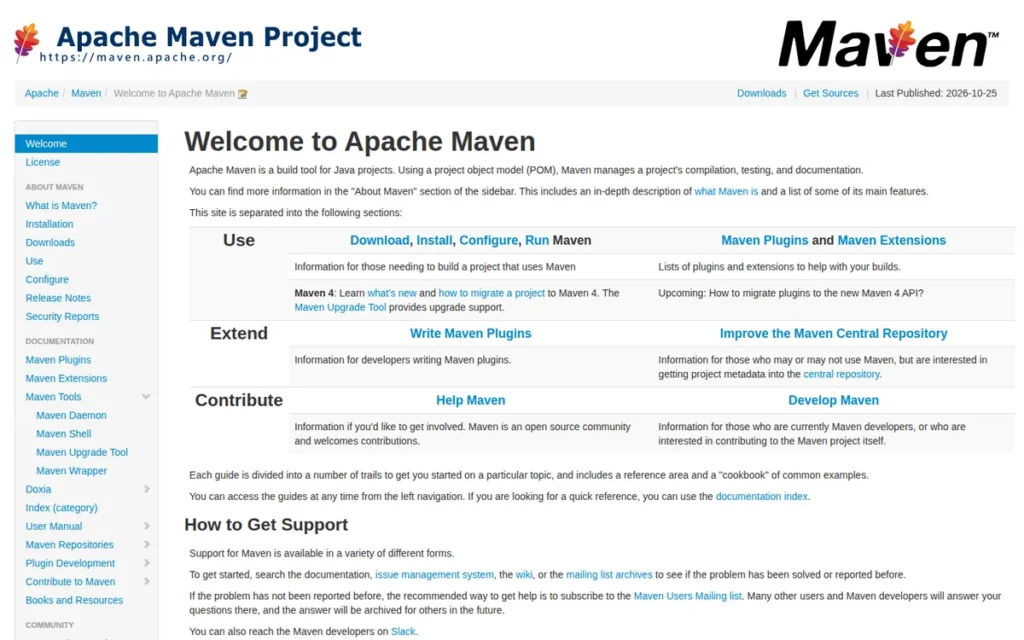
Category: Build Tool (Build Automation & Dependency Management) automates Java project compilation, testing, packaging, and dependency resolution via a structured convention-based lifecycle and centralized artifact repository (Maven Central).
At a Glance
- Category: Build Tool: Build Automation & Dependency Management
- Best For: Enterprise Java teams in regulated industries (banking, finance, healthcare, government), large multi-team projects requiring build reproducibility, and any project publishing to or consuming from Maven Central
- Price Range: Free (100% open source, Apache License 2.0: no paid tiers; verified June 2026)
- Primary Strength: Apache Maven is the de facto standard build tool for enterprise Java, providing convention-based build reproducibility and XML-readable project definitions that new team members can understand without project-specific DSL training
- Biggest Limitation: Apache Maven’s sequential build lifecycle produces incremental builds 30–50% slower than Gradle in typical development workflows (JavaCodeGeeks, April 2025), and its XML-based pom.xml grows verbose for projects requiring custom build logic
- One-Line Summary: Apache Maven is the de facto standard build and dependency management tool for enterprise Java development in 2026, with Maven 3.9.16 released in May 2026, providing convention-based build reproducibility favored by regulated industries where audit trails and predictable lifecycle phases outweigh raw build speed
- Last Verified: June 2026
Overview
Apache Maven is a free, open-source build automation tool for Java that enforces a convention-based project structure via a Project Object Model (pom.xml), and is the de facto standard build tool in enterprise Java environments, particularly in banking, finance, and regulated sectors where audit trails and lifecycle predictability are organizational requirements.
Apache Maven’s standard lifecycle phases (validate, compile, test, package, verify, install, deploy) define a build process that teams standardize on once and apply consistently across projects. Maven 3.9.16 is the current stable release (May 2026), and Maven 4.0.0-rc-5 (November 2025) is in active release candidate development, directly addressing multi-module project verbosity and lifecycle flexibility.
Key Features
- Convention-Over-Configuration POM Model: Apache Maven enforces a standard project directory structure and lifecycle through its Project Object Model (pom.xml), enabling any developer joining a Maven project to understand the build configuration, dependency tree, and lifecycle phases without learning a project-specific Kotlin or Groovy DSL.
- Maven Central Integration: Apache Maven provides direct integration with Maven Central (the world’s largest Java artifact repository) enabling dependency declaration and resolution with a single pom.xml entry and no additional repository configuration for the vast majority of Java libraries.
- Seven-Phase Standard Lifecycle: Apache Maven’s seven standard lifecycle phases create a predictable, auditable build sequence that regulated enterprise environments depend on for compliance and reproducibility:
- validate: confirms project configuration is correct before compilation begins
- compile: compiles source code
- test: executes unit tests using the configured testing framework
- package: bundles compiled code into a distributable artifact (JAR, WAR, or EAR)
- verify: runs integration checks on the package
- install: copies the artifact to the local Maven repository for local reuse
- deploy: publishes the artifact to a remote repository for team or public consumption
- Maven 4 Release Candidate (Active Development): Apache Maven 4.0.0-rc-5 (November 2025) introduces automatic subproject discovery, improved multi-module project handling, and new lifecycle phase controls (
before:eachandafter:each), directly addressing the verbosity and configuration complexity most commonly cited in migration-to-Gradle discussions. - Universal CI/CD Integration: Apache Maven integrates natively with every major Java CI/CD platform (Jenkins, GitHub Actions, GitLab CI) through a mature plugin ecosystem, enabling pipeline-level test execution, artifact publishing, and quality gate enforcement without custom scripting.
Best For
Apache Maven is best for enterprise Java teams in regulated industries (banking, finance, healthcare, government) where build predictability, readable XML audit trails, and standardized lifecycle phases outweigh iterative build speed advantages. Apache Maven integrates natively with IntelliJ IDEA (Maven lifecycle visualization and POM editing), Eclipse IDE (included in the Enterprise Java package), and JUnit 5 (via the junit-jupiter dependency in pom.xml).
Pricing
Apache Maven is 100% free and open source under the Apache License 2.0 with no paid tiers or enterprise licensing costs as of June 2026. Commercial ecosystem tools that complement Apache Maven (such as Sonatype Nexus Repository and JFrog Artifactory) carry their own pricing, but Apache Maven itself has no cost. Visit maven.apache.org for the current release.
Strengths
- Apache Maven 3.9.16 was released in May 2026 per the Apache Maven release history, confirming active Apache Software Foundation maintenance on a tool with over 20 years of continuous development (the longest active maintenance track record of any Java build tool) while Maven 4.0.0-rc-5 (November 2025) addresses the multi-module verbosity and lifecycle flexibility limitations most cited by developers evaluating Gradle migration.
- Apache Maven’s convention-over-configuration POM model enables any developer joining an existing Maven project to understand the build structure without learning a project-specific DSL, a concrete onboarding advantage for large teams that multiple 2025–2026 independent sources including JavaCodeGeeks (April 2025) and Stackify identify as Maven’s primary enterprise advantage over Gradle.
- Apache Maven is governed by the Apache Software Foundation: a non-profit that has maintained the world’s most critical Java open-source infrastructure since 2003, ensuring Maven’s roadmap and licensing are governed by a neutral non-profit rather than a commercial vendor, a governance structure that has remained stable for 20+ years.
- Apache Maven provides direct access to Maven Central, the world’s largest Java artifact repository, at zero licensing cost, enabling dependency declaration and resolution for the vast majority of Java libraries with a single pom.xml entry and no procurement approval required.
Limitations
- Build Speed vs. Gradle: Apache Maven’s most consequential trade-off is build speed: Gradle’s incremental builds produce results 30–50% faster in typical development workflows per benchmarks published in JavaCodeGeeks (April 2025). Apache Maven’s sequential lifecycle cannot skip unchanged work the way Gradle’s task-avoidance model does, compounding the performance gap for teams running builds dozens of times daily in iterative development cycles.
- XML Verbosity for Complex Builds: Apache Maven’s XML-based pom.xml grows verbose and difficult to maintain for projects requiring custom build behavior, complex plugins, conditional logic, and cross-module dependency graphs push pom.xml toward configurations that are genuinely hard to read, debug, and review in pull requests; Maven 4 addresses some verbosity concerns but remains in release candidate status with no confirmed GA date as of June 2026.
- Rigid Custom Build Logic: Apache Maven’s convention-based lifecycle model makes unusual or project-specific build logic tedious to implement, requiring verbose plugin configurations that a Kotlin or Groovy DSL build script would express in far fewer lines, a real constraint for teams with non-standard packaging, code generation, or multi-stage build requirements.
Verdict
Apache Maven is the de facto standard build tool for enterprise Java development in 2026, with Maven 3.9.16 released in May 2026 and continued dominance in regulated industries where build reproducibility, XML-readable audit trails, and lifecycle predictability outweigh Gradle’s 30–50% incremental build speed advantage (JavaCodeGeeks, April 2025). Apache Maven ranks above Gradle in this evaluation not because it is the technically superior build tool in all scenarios, but because its de facto enterprise entrenchment, zero-cost model, and 20+ year Apache governance record give it broader documented developer impact, including regulated industries where Gradle has limited adoption. Apache Maven is the right default for enterprise teams in regulated environments, large organizations standardizing build definitions across teams, and Maven Central publishers. Developers considering a switch should evaluate Maven 4’s release candidate before migrating, it directly addresses the verbosity and multi-module pain points that most commonly drive migration intent toward Gradle.
3. Gradle: Best Java Build Tool for Performance and Android Development
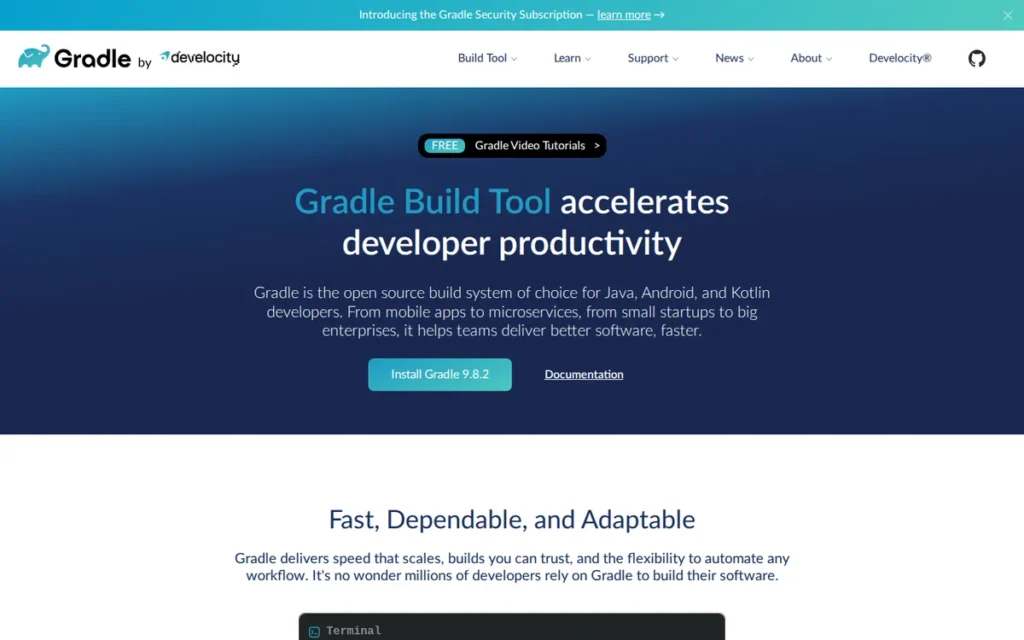
Category: Build Tool (Build Automation & Dependency Management) automates Java and Android project compilation, testing, packaging, and dependency resolution via a programmable task-based model using Kotlin or Groovy DSL with incremental build execution.
At a Glance
- Category: Build Tool: Build Automation & Dependency Management
- Best For: Android developers (mandatory), greenfield Java projects prioritizing iterative build speed, teams with complex multi-module build logic requiring programmatic DSL expression, and engineering organizations evaluating enterprise build analytics via Develocity
- Price Range: Free (open-source core at gradle.org) / Enterprise pricing on request (Develocity at gradle.com, contact for pricing; verified June 2026)
- Primary Strength: Gradle delivers 30–50% faster incremental Java builds than Maven in typical development workflows (JavaCodeGeeks, April 2025; a conservative workflow-specific estimate, Gradle’s own benchmarks cite higher gains in specific multi-project scenarios) and is the only officially designated build tool for Android development
- Biggest Limitation: Gradle’s programmable Kotlin/Groovy DSL build scripts are significantly harder to learn, debug, and maintain than Maven’s declarative XML, teams without Gradle expertise frequently encounter non-deterministic build behavior that requires Develocity build scan tooling to diagnose effectively
- One-Line Summary: Gradle is the highest-performance Java build tool in 2026, delivering 30–50% faster incremental builds than Maven in typical development workflows (JavaCodeGeeks, April 2025) and functioning as the mandatory build system for all Android development
- Last Verified: June 2026
Overview
Gradle is an open-source build automation tool for Java, Kotlin, Groovy, and Android that uses a programmable Kotlin or Groovy DSL, delivers incremental builds 30–50% faster than Maven in typical development workflows (JavaCodeGeeks, April 2025), and is the officially designated build system for all Android development.
Gradle’s task-based execution model tracks inputs and outputs for each build task, skipping unchanged tasks entirely rather than executing a full sequential lifecycle, the core architectural reason for its build speed advantage over Maven. Gradle’s commercial companion, Develocity (formerly Gradle Enterprise), provides enterprise-grade build scan analytics, remote caching, and test distribution for large engineering organizations requiring build observability at scale.
Key Features
- Incremental Build Task Avoidance: Gradle’s incremental build system tracks task inputs and outputs, skipping tasks whose inputs have not changed since the last build, delivering 30–50% faster builds than Maven’s sequential phase execution in typical development workflows per JavaCodeGeeks benchmarks published April 2025 (a conservative estimate; Gradle’s own benchmarks cite higher gains in specific multi-project scenarios).
- Official Android Build System: Gradle is the officially designated build tool for Android, providing built-in Android project templates, APK and AAB packaging, ProGuard and R8 integration, and variant configuration via build flavors, making Gradle mandatory knowledge for any Java developer targeting Android.
- Kotlin and Groovy DSL: Gradle’s build scripts are written in Kotlin DSL (the current recommended path) or Groovy DSL, enabling build logic to be expressed as type-safe code with IDE auto-completion rather than Maven’s declarative XML that cannot represent conditional or programmatic build behavior without verbose plugin boilerplate.
- Configuration Avoidance API: Gradle’s configuration avoidance API ensures that only tasks needed for the requested build action are configured at runtime, reducing configuration phase overhead in large multi-module builds where many tasks are never executed in a given build invocation.
- Remote Build Cache via Develocity: Gradle’s remote build cache: via Develocity or a self-hosted instance, enables build task outputs to be shared across developer machines and CI/CD systems, allowing developers to pull pre-built results from a CI run rather than executing unchanged tasks locally.
Best For
Gradle is best for Android developers (where it is mandatory), greenfield Java projects where iterative build speed directly impacts developer productivity, and teams with complex multi-project build logic that cannot be expressed cleanly in Maven’s XML lifecycle. Gradle integrates natively with IntelliJ IDEA, Android Studio (IntelliJ-based, free from Google), Visual Studio Code, and Eclipse IDE, and runs JUnit 5 tests via the testImplementation configuration in build.gradle.
Pricing
Gradle’s open-source build tool (gradle.org) is 100% free as of June 2026. Develocity (the commercial enterprise platform providing build scans, remote caching, predictive test selection, and failure analytics) is offered at enterprise-negotiated pricing through gradle.com with no public per-seat rate card. Organizations evaluating Develocity should contact Gradle Inc. directly at gradle.com/pricing.
Strengths
- Gradle’s incremental build system delivers 30–50% faster builds than Maven in typical development workflows per benchmarks published in JavaCodeGeeks (April 2025) (a conservative estimate for typical incremental workflows; Gradle’s own published benchmarks cite higher gains in specific multi-project scenarios) representing a performance gap that compounds for development teams running builds dozens of times daily.
- Gradle is the official Android build system, making it the mandatory build tool for all Java and Kotlin Android development targeting approximately 3 billion active Android devices globally, a captive installed base that makes Gradle required knowledge for any developer entering the Android ecosystem.
- Gradle’s Develocity platform provides build scan analytics that surface slow tasks, configuration issues, and test failure patterns in a searchable web interface, delivering actionable build observability capabilities that Maven’s text-only output cannot provide for large engineering organizations managing complex multi-module builds.
- Gradle’s open-source core is 100% free and resolves dependencies from Maven Central without configuration changes, meaning teams gain Gradle’s performance and DSL advantages without losing access to the Java ecosystem’s central artifact repository.
Limitations
- DSL Learning Curve: Gradle’s most consequential trade-off is the Kotlin or Groovy DSL learning curve, build scripts are real code, which enables powerful customization but introduces the full complexity of a programming language into the build layer; poorly written Gradle scripts can produce non-deterministic build behavior that is notoriously difficult to diagnose without Develocity build scan tooling.
- Groovy-to-Kotlin DSL Migration Friction: Gradle teams migrating existing Groovy DSL projects to Kotlin DSL (the current Gradle-recommended path) encounter non-trivial migration effort, and large Gradle projects can exhibit long configuration phases that partially offset the incremental build speed advantage in practice.
- Develocity Pricing Opacity: Gradle’s Develocity commercial tier: required for enterprise remote caching and build analytics at scale, uses enterprise-negotiated pricing with no public rate card, creating pricing uncertainty for teams evaluating total cost of ownership before committing to the Gradle ecosystem for large-scale builds.
- Regulated Enterprise Trade-offs: Gradle is not the default recommendation for regulated enterprise environments where build predictability, team readability of build definitions, and audit trail compliance outweigh raw build speed, in those contexts, Maven’s settled XML convention often remains the more defensible organizational choice, as noted in JavaCodeGeeks’ April 2025 analysis.
Verdict
Gradle is the highest-performance Java build tool available in 2026, delivering 30–50% faster incremental builds than Maven in typical development workflows (JavaCodeGeeks, April 2025) and functioning as the mandatory build system for Android development. For Android developers, Gradle is not a choice, it is a requirement. For non-Android Java teams, the practical decision is: choose Gradle when the team can invest in the Kotlin DSL and needs faster iterative builds; choose Maven when readable, auditable build definitions and a regulated audit trail are organizational requirements. Gradle’s full performance advantages are available at zero cost via gradle.org; Develocity adds enterprise analytics for organizations where build observability at scale justifies commercial investment.
4. JUnit 5: The Essential Java Testing Framework: Required for Spring Boot Teams
Category: Testing Framework (Unit & Integration Testing) provides the annotations, assertions, extension model, and test execution infrastructure for writing and running automated Java tests at the unit and integration level.
At a Glance
- Category: Testing Framework: Unit & Integration Testing
- Best For: Every Java developer writing automated tests: mandatory for Spring Boot teams using
@SpringBootTest,@DataJpaTest, or@WebMvcTest, and the universal baseline testing framework for production Java development across all project types - Price Range: Free (100% open source: no paid tiers; verified June 2026)
- Primary Strength: JUnit 5 is the de facto Java testing standard, used in the majority of top GitHub Java repositories (Harness comparative analysis) and required as the test execution platform for all Spring Boot testing integrations
- Biggest Limitation: JUnit 5’s parameterized test syntax is more verbose than Spock’s Groovy-based data table notation, the base API lacks built-in soft assertions (requiring AssertJ or Hamcrest as companion libraries), and migrating large JUnit 4 test suites requires non-trivial annotation and extension model changes
- One-Line Summary: JUnit 5 is the de facto Java testing standard in 2026, used in the majority of top GitHub Java repositories (Harness analysis) and required as the test execution platform for all Spring Boot testing integrations, including
@SpringBootTest,@DataJpaTest, and@WebMvcTest - Last Verified: June 2026
Overview
JUnit 5 is the de facto Java testing standard, structured as three components (JUnit Platform (test execution infrastructure), JUnit Jupiter (the modern test-writing API), and JUnit Vintage (backward compatibility for JUnit 3/4 suites)) and required as the test execution platform for all Spring Boot testing integrations.
JUnit 5’s JUnit Platform is the test execution infrastructure that Spring Boot’s entire testing support layer (@SpringBootTest, @DataJpaTest, @WebMvcTest) depends on, making JUnit 5 effectively mandatory for the majority of enterprise Java web development teams.
JUnit 5 is used in the majority of top GitHub Java repositories per Harness comparative analysis, confirming its position as the universally adopted testing baseline. JUnit 5 is 100% free and open source with native test runner support in every major Java IDE.
Key Features
- Three-Component Architecture (Platform/Jupiter/Vintage): JUnit 5’s three-component architecture separates the test execution runtime (Platform), the test writing API (Jupiter), and legacy compatibility (Vintage), enabling JUnit 5 to function simultaneously as the modern testing standard and a backward-compatible migration path for JUnit 3 and JUnit 4 test suites, per the JUnit 5 User Guide.
- @ExtendWith Composable Extension Model: JUnit 5’s
@ExtendWithannotation enables composable integration with Mockito (MockitoExtension for mock injection), Spring (SpringExtension for application context loading), and Testcontainers (TestcontainersExtension for Docker-based integration tests), replacing JUnit 4’s single@RunWithconstraint with a multi-extension composition model. - @ParameterizedTest Data-Driven Testing: JUnit 5’s
@ParameterizedTestannotation runs a single test method with multiple data sets from@ValueSource,@CsvSource,@MethodSource, or@EnumSource;@Nestedsupports hierarchical test organization that groups related tests into class hierarchies sharing setup methods and display names, improving readability for complex domain models. - @TestFactory Dynamic Test Generation: JUnit 5’s
@TestFactoryannotation enables dynamic test generation at runtime, allowing test cases to be created programmatically from data sources, file contents, or external APIs rather than requiring all test cases to be statically defined at compile time. - Universal Zero-Configuration IDE Support: JUnit 5 has native test runner support in IntelliJ IDEA, Visual Studio Code, Eclipse IDE, and Apache NetBeans, requiring zero additional configuration for test discovery, execution, and results display in every major Java development environment.
Best For
JUnit 5 is the right choice for every Java developer writing automated tests, it is the universal baseline with no practical alternative at equivalent tooling breadth. JUnit 5 is specifically required for Spring Boot teams using @SpringBootTest, @DataJpaTest, or @WebMvcTest, since those annotations depend on the JUnit Platform as their test execution infrastructure. JUnit 5 is added as a single dependency in Maven (junit-jupiter in pom.xml) or Gradle (testImplementation in build.gradle) and runs in IntelliJ IDEA, Visual Studio Code, Eclipse IDE, and Apache NetBeans with zero configuration.
Pricing
JUnit 5 is 100% free and open source with no paid tiers, commercial editions, or licensing costs as of June 2026. JUnit 5 is added to Maven projects via the junit-jupiter dependency in pom.xml and to Gradle projects via the testImplementation configuration in build.gradle, no procurement process, legal review, or budget allocation required. Visit junit.org/junit5 for the official user guide and dependency coordinates.
Strengths
- JUnit 5 is used in the majority of top GitHub Java repositories per Harness comparative analysis, and its JUnit Platform is the required test execution infrastructure for Spring Boot’s complete testing support layer, making JUnit 5 effectively mandatory for any team building Spring Boot applications, which represent the dominant enterprise Java web development framework.
- JUnit 5’s
@ExtendWithextension model provides deep, composable integration with Mockito, Spring, and Testcontainers through named extension classes (MockitoExtension, SpringExtension, TestcontainersExtension), replacing JUnit 4’s single@RunWithrunner constraint with a multi-extension composition model that scales cleanly to complex integration test scenarios. - JUnit 5 has native zero-configuration test runner support in every major Java IDE (IntelliJ IDEA, Visual Studio Code, Eclipse, and Apache NetBeans) enabling immediate test discovery and execution without XML runner configuration or IDE-specific plugin installation, per the JUnit 5 User Guide.
- JUnit 5 is 100% free and open source with a 25+ year project lineage: the original JUnit 3 was co-authored by Kent Beck (XP and TDD pioneer) and Erich Gamma (GoF patterns co-author), ensuring no commercial licensing requirements and no procurement barrier to adoption.
Limitations
- Verbose Parameterized Test Syntax: JUnit 5’s most consequential expressive trade-off is its parameterized test API, more verbose than Spock’s Groovy-based data table notation, a gap specifically identified by Java Champion Marcin Zajączkowski in a Spock vs. JUnit 5 comparison, and the base JUnit 5 API lacks built-in soft assertions, requiring AssertJ or Hamcrest as companion libraries for fluent assertion syntax.
- JUnit 4 Migration Effort: Migrating existing JUnit 4 test suites to JUnit 5 requires non-trivial effort:
@RunWithbecomes@ExtendWith,@Beforebecomes@BeforeEach,@ClassRulerequires restructuring, and teams with large custom JUnit 4 rule implementations may find the Vintage compatibility engine insufficient, necessitating manual rewrites of complex rule logic. - BDD Readability Gap vs. Spock: JUnit 5’s BDD readability gap is its most commonly cited expressive limitation: teams prioritizing Given/When/Then narrative structure and Groovy-style data tables may find Spock more expressive than JUnit 5’s annotation-heavy API, at the cost of losing JUnit 5’s universal IDE tooling support and Spring Platform integration.
Verdict
JUnit 5 is the de facto Java testing standard in 2026, used in the majority of top GitHub Java repositories (Harness analysis) and required as the test execution platform for all Spring Boot testing integrations, treating it as optional in a production Spring Boot stack is not technically feasible, since Spring Boot’s @SpringBootTest, @DataJpaTest, and @WebMvcTest annotations depend on the JUnit Platform as their test execution runtime. JUnit 5 ranks #4, above Visual Studio Code, Eclipse, and NetBeans, because its Spring Platform dependency makes it effectively required for the majority of enterprise Java web development teams, giving it a higher actual-impact score than any of the three lower-ranked IDEs whose adoption is situationally optional. JUnit 5’s zero cost and universal IDE support remove every adoption barrier. Teams that need more expressive BDD-style test syntax should evaluate Spock as a complement to, not a replacement for, JUnit 5’s unmatched tooling ubiquity and Spring Platform integration. For Spring Boot teams, JUnit 5 is not a tool choice, it is a dependency requirement.
5. Visual Studio Code (Microsoft): Best Lightweight Java Editor for Polyglot Developers and Budget-Constrained Teams
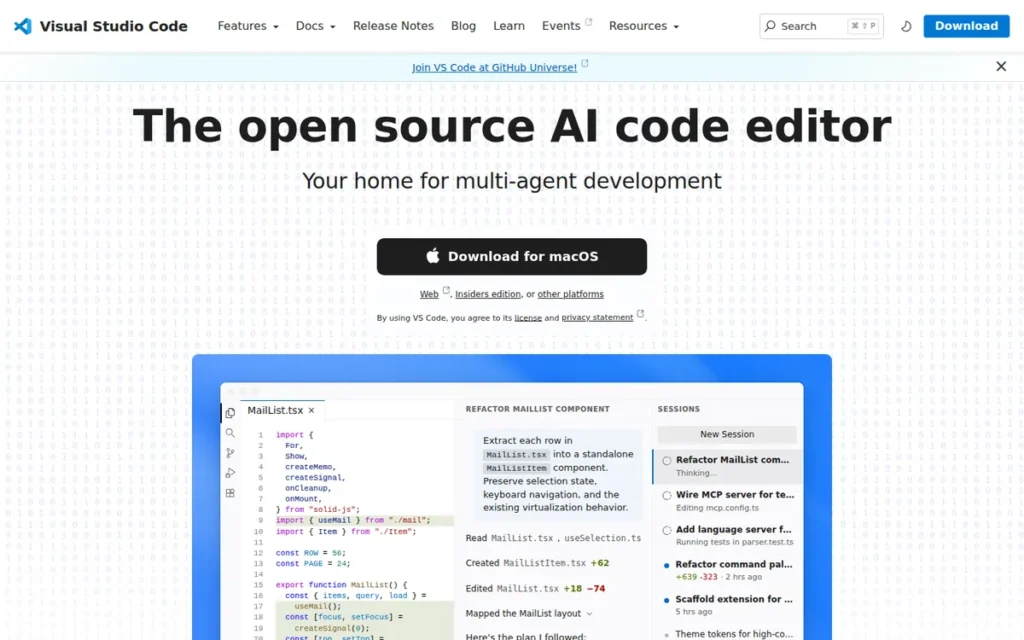
Category: Code Editor (Extension-Based), a lightweight, extensible, cross-platform editor that becomes Java-capable through the Extension Pack for Java (six bundled tools powered by Eclipse’s JDT Language Server) rather than shipping with native Java IDE features.
At a Glance
- Category: Code Editor: Extension-Based Java Development
- Best For: Polyglot developers working across multiple programming languages, budget-constrained developers pairing with GitHub Copilot, and teams standardizing on GitHub Codespaces or cloud-based remote development environments
- Price Range: Free (VS Code editor) / $10/month Copilot Pro, $19/user/month Copilot Business, $39/user/month Copilot Enterprise (GitHub Copilot, verified June 2026; GitHub Copilot transitioned to usage-based billing effective June 1, 2026, verify current terms at github.com/features/copilot before committing to team licensing)
- Primary Strength: Visual Studio Code is 100% free, starts faster than any full Java IDE, and delivers AI-assisted Java coding through GitHub Copilot at $10/month, the lowest total cost path to an AI-enhanced Java development environment
- Biggest Limitation: Visual Studio Code’s Java refactoring and static analysis capabilities are architecturally bounded by Eclipse’s JDT Language Server, meaning Visual Studio Code cannot match IntelliJ IDEA’s ML-ranked completion, Junie autonomous agent, or deep Spring framework inspections, and SDK toolchain detection (particularly sdkman integration) generates setup friction that full IDEs handle automatically
- One-Line Summary: Visual Studio Code is a free, lightweight code editor that delivers capable Java development through the Extension Pack for Java (running on Eclipse’s JDT Language Server) at zero cost, making it the most accessible Java development entry point and the preferred environment for polyglot developers and GitHub Codespaces workflows
- Last Verified: June 2026
Overview
Visual Studio Code is Microsoft’s free, lightweight, cross-platform code editor that becomes a capable Java development environment through the Extension Pack for Java (powered at its core by Eclipse’s JDT Language Server) making it the preferred environment for polyglot developers working across multiple programming languages in a single editor.
Visual Studio Code achieved 31% Java developer adoption in the 2025 JRebel Java Developer Productivity Report (multi-select survey) and is ranked as the most-used code editor across all programming languages in Stack Overflow Developer Surveys through 2024.
Visual Studio Code pairs with GitHub Copilot Pro at $10/month to deliver the lowest-cost AI-assisted Java development stack available in 2026.
Visual Studio Code’s Java capability ceiling is architecturally set by Eclipse’s JDT Language Server, which powers its core Java intelligence, the technical reason Visual Studio Code’s refactoring depth and Spring framework awareness are meaningfully below IntelliJ IDEA’s native ML-ranked analysis model.
Key Features
- Extension Pack for Java (Six-Tool Bundle): Visual Studio Code’s Extension Pack for Java bundles six tools providing a complete Java development workflow from a single extension installation:
- Language Support for Java by Red Hat: core Java intelligence powered by Eclipse’s JDT Language Server
- Debugger for Java: step-through debugger with breakpoints and variable inspection
- Test Runner for Java: test discovery and execution for JUnit 5 and TestNG
- Maven for Java: Maven lifecycle execution and POM file support within VS Code
- Project Manager for Java: workspace-level project management and quick switching
- Visual Studio IntelliCode: AI-assisted completion trained on open-source Java repositories
- GitHub Copilot AI Integration: Visual Studio Code integrates with GitHub Copilot as an AI pair programmer offering Copilot Pro at $10/month for individual developers, enabling AI-assisted Java code completion, multi-line suggestion, and chat-based code generation at the lowest price point of any AI-enhanced Java development environment as of June 2026.
- Coding Pack for Java: Visual Studio Code’s Coding Pack for Java bundles the editor, a JDK, and all recommended Java extensions in a single free installer, providing the fastest zero-configuration path to a running Java development environment for beginners and developers setting up new machines.
- Oracle’s NetBeans-Powered Java Extension: Oracle’s VS Code extension for Java (v25.0.0, released December 2025, built on Apache NetBeans 27) provides full Java 25 language support including preview features, plus an interactive Java notebook capability for literate Java programming directly in VS Code.
- GitHub Codespaces Integration: Visual Studio Code is designed for remote and cloud-based development, with native GitHub Codespaces integration enabling Java developers to work from a browser-based VS Code instance connected to a cloud-hosted development container, eliminating local JDK installation and machine configuration entirely.
Best For
Visual Studio Code is best for polyglot developers who work across JavaScript, Python, TypeScript, and Java in a single editor and prefer consistency over Java-specific IDE depth, and for budget-constrained developers who need AI-assisted Java coding at the lowest possible total cost ($10/month for Copilot Pro). Visual Studio Code integrates with Apache Maven and Gradle through the Extension Pack for Java and runs JUnit 5 tests natively through the Test Runner for Java extension.
Pricing
Visual Studio Code is 100% free as of June 2026. GitHub Copilot pricing (verified June 2026): Copilot Free (limited usage), Copilot Pro at $10/month, Copilot Pro+ at $39/month, Copilot Business at $19/user/month, Copilot Enterprise at $39/user/month. GitHub Copilot transitioned to usage-based billing effective June You’ve hit your limit · resets 9:50pm (Asia/Dhaka)