Visual Studio 2022 is the best .NET IDE for Windows-native enterprise development, JetBrains Rider leads for cross-platform full-IDE capability, and Visual Studio Code is the most accessible free option for developers on any OS. No single tool wins on platform, cost, and feature depth simultaneously, the correct choice depends on your operating system, workload, and budget.
Choosing is harder than it appears because these tools genuinely do not substitute for each other. If you have tried VS Code for XAML design, or searched for Visual Studio on macOS only to find it runs exclusively on Windows, that confusion is rational. The category mixes full IDEs, code editors, and specialized add-ins with fundamentally different capabilities, and selecting the wrong category is the most common .NET tooling mistake in 2026.
PlugRoute has no affiliate relationships with any company listed in this article; rankings are determined exclusively by evidence, review ratings, performance data, pricing transparency, and community sentiment.
“The VS Code vs. Rider debate for .NET on Mac comes up weekly, VS Code wins on cost, Rider wins if you need deep refactoring.” (r/csharp community)
Takeaway: The decision is not about which tool is objectively better, it is about matching tool capability to your specific OS, workload, and budget.
TL;DR: Top Picks at a Glance
- Visual Studio 2022: deepest Windows .NET toolchain with the only integrated XAML designer in this comparison, rated 4.5/5.0 by 3,976 G2 reviewers
- JetBrains Rider: only commercially maintained full .NET IDE with native macOS and Linux parity; free for non-commercial individual use since October 2024
- Visual Studio Code: free, cross-platform, adopted by 75.9% of developers globally per the 2025 Stack Overflow Developer Survey
- Cursor: AI-native editor with Composer agent mode; reached $1B ARR and a $29.3B valuation at its 2025 Series D, per [Cursor blog, 2025]
What Are the Three Categories of .NET Development Tools?
The seven tools in this comparison fall into three distinct categories. Understanding which category a tool belongs to resolves most of the confusion developers report when comparing them, and eliminates at least two or three options before any feature comparison begins. All tools are evaluated against current .NET 10 and C# 13 requirements unless specifically noted as legacy tooling.
- Full IDEs: Visual Studio 2022, JetBrains Rider, MonoDevelop: provide a built-in debugger, project management system, and UI designer without requiring extension configuration.
- Code Editors: Visual Studio Code, Cursor: become capable .NET environments through extensions (VS Code) or AI-first architecture (Cursor), but are not full IDEs by architecture.
- Specialized Tools: DevExpress CodeRush, LINQPad: complement a primary IDE rather than replace it; CodeRush enhances Visual Studio on Windows, LINQPad provides a .NET REPL for interactive scripting and querying.
A full IDE and a code editor are not interchangeable. They make fundamentally different trade-offs in capability versus weight.
Three questions that eliminate four of these seven tools before you read further:
- Are you on macOS or Linux? This eliminates Visual Studio 2022 (Windows-only) and DevExpress CodeRush (requires Visual Studio on Windows).
- Are you building WPF, WinForms, or .NET MAUI UI with a visual designer? Visual Studio 2022 is required; no other tool in this comparison provides a XAML designer on any platform.
- Is your budget $0? This eliminates JetBrains Rider for commercial use and Cursor Pro; the free options narrow to Visual Studio Community (Windows), VS Code (all platforms), and Rider for non-commercial individual use since October 2024.
Critical capability gap: In 2026, if you need to drag-and-drop a WPF or .NET MAUI interface visually, you must use Visual Studio 2022 on Windows. No other tool in this comparison replicates this capability regardless of budget or OS preference. Cross-platform XAML design remains Windows-exclusive.
How Do the Top .NET IDEs Compare at a Glance?
The table below compares all seven tools across the eight dimensions most relevant to .NET tool selection: rank, company, category type, primary use case, a standalone summary, key capabilities, strongest differentiator, and the most consequential limitation.
| Rank | Company | Category | Best For | One-Line Summary | Key Capabilities | Primary Strength | Key Limitation |
|---|---|---|---|---|---|---|---|
| 1 | Visual Studio 2022 | Full IDE | Windows enterprise .NET; WPF, MAUI, Unity, ASP.NET Core | Visual Studio 2022 is Microsoft’s flagship .NET IDE, rated 4.5/5.0 by 3,976 G2 reviewers [G2, May 2026], with the only integrated XAML designer in this comparison and a zero-cost Community edition. | XAML designer, integrated profiler, Hot Reload, GitHub Copilot, Azure tooling, Unity via VSTU, 64-bit architecture | Only IDE with integrated XAML designer, built-in profiler, and Unity toolchain in a single install | Windows-only; no macOS or Linux edition in any tier |
| 2 | JetBrains Rider | Full IDE | Cross-platform .NET on Windows, macOS, Linux | JetBrains Rider is the only commercially maintained full .NET IDE with native cross-platform parity, shipping ReSharper’s complete refactoring engine as a built-in component; free for non-commercial individual use since October 2024, per [InfoQ, October 2024]. | ReSharper built-in, dotTrace profiler, cross-platform parity, Unity support, code inspections, JetBrains AI Assistant | Only full .NET IDE with native macOS and Linux parity; 20–50% faster code analysis than Visual Studio per [NDepend, 2024] | ~9 GB RAM on large solutions per [NDepend, 2024]; paid subscription required for commercial use |
| 3 | Visual Studio Code | Code Editor | Polyglot and cross-platform .NET development | Visual Studio Code is used by 75.9% of developers globally per the 2025 Stack Overflow Developer Survey, with full .NET support via the free C# Dev Kit extension and Microsoft’s official endorsement as the cross-platform .NET path. | C# Dev Kit, extensions ecosystem, GitHub Codespaces, Git integration, GitHub Copilot, cross-platform | Free, cross-platform, 75.9% independently verified global adoption; largest extension ecosystem | No XAML designer; weaker refactoring depth vs. Rider or Visual Studio |
| 4 | Cursor | Code Editor (AI-Native) | AI-first .NET scaffolding, refactoring, multi-file workflows | Cursor is an AI-native code editor by Anysphere Inc., reaching $1 billion ARR and a $29.3 billion valuation at its 2025 Series D per [Cursor blog, 2025], with Composer agent mode and repository indexing built into the editor architecture. | Composer agent mode, codebase indexing, Tab predictions, inline AI editing (Ctrl+K), MCP support, VS Code extension compatibility | Deepest architectural AI integration in this category; Composer agent mode enables codebase-wide multi-file edits | Server-side code processing creates enterprise privacy risk; $20/month Pro subscription |
| 5 | DevExpress CodeRush | VS Extension | Visual Studio users wanting free AI-enhanced productivity | DevExpress CodeRush is a free Visual Studio productivity extension with G2 recognition in the .NET IDE category, adding AI-powered code generation (AiGen) and templates at no software cost since June 2022; AiGen requires a user-supplied OpenAI API key for inference, per [DevExpress, 2025]. | AiGen (OpenAI API key required), AiFind, code templates, CamelCase navigation, static analysis, debug visualizer, Voice to Code | Free for all use cases including commercial; AI code generation at no software cost (OpenAI API key required) | Visual Studio on Windows only; no VS Code, Rider, macOS, or Linux |
| 6 | LINQPad | Specialized Tool | .NET prototyping, data querying, interactive scripting | LINQPad is a .NET interactive scripting tool reporting use by 30 Fortune 100 companies and 4 of the world’s largest banks (self-reported, per LINQPad purchase page, May 2026), with a Dump() object visualizer unreplicated by any full IDE in this comparison. | Dump() visualizer, SQL-to-LINQ AI conversion, NuGet integration, BenchmarkDotNet, C#/F#/VB/SQL, multi-version .NET 6–10 | Unique .NET REPL capability; one-time pricing model | Not a full IDE; cannot build or deploy production applications |
| 7 | MonoDevelop | Full IDE (Legacy) | Legacy Mono and Xamarin maintenance only | MonoDevelop is an archived open-source .NET IDE whose GitHub repository was archived October 4, 2021, per [GitHub, 2021], with no support for .NET 8/9/10 or C# 12+ features, making it unsuitable for any new .NET project in 2026. | C#/F#/VB.NET, GTK# designer (legacy), Mono debugger (legacy), Git/Subversion integration, Xamarin project compatibility | Free and open-source; Xamarin-era project compatibility | GitHub repo archived October 4, 2021; no .NET 8/9/10 support; Unity support discontinued |
Which .NET IDE Should I Choose for My Use Case?
The right .NET IDE depends primarily on your operating system, the workload you are building, and your budget. The table below maps each combination to a recommended tool and explains the reasoning, including an acceptable alternative where one exists.
| Your #1 Priority | Recommended Tool | Why | Acceptable Alternative |
|---|---|---|---|
| Windows enterprise .NET; WPF, WinForms, MAUI, Unity | Visual Studio 2022 | Only IDE with full XAML designer, integrated profiler, and Azure toolchain on Windows | None; no cross-platform equivalent for XAML UI work |
| Cross-platform full IDE on macOS or Linux | JetBrains Rider | Only commercially maintained full .NET IDE on macOS and Linux; free for non-commercial individual use since October 2024 | VS Code + C# Dev Kit (free but lighter; limited refactoring depth) |
| Free development on any OS | Visual Studio Code | Zero cost, cross-platform, C# Dev Kit covers most .NET workloads, 75.9% global adoption | Visual Studio Community (Windows-only, full IDE at zero cost) |
| AI-native agentic coding workflow | Cursor | Deepest architectural AI integration; Composer agent mode for codebase-wide multi-file edits unavailable in extension-based tools | VS Code + GitHub Copilot Pro (~$10/month) |
| Boost existing Visual Studio workflow at zero software cost | DevExpress CodeRush | Free productivity add-in with AI features inside Visual Studio; note AiGen requires OpenAI API key for inference | ReSharper (paid JetBrains Visual Studio add-in) |
| .NET prototyping, data querying, and code exploration | LINQPad | Unique REPL + Dump() visualizer; one-time purchase model; no subscription required | No comparable alternative exists in this category |
| Legacy Mono or Xamarin codebase maintenance only | MonoDevelop | Free and functional for pre-.NET 5 codebases with Mono toolchain requirements | Migrate to VS Code or Rider for all new development |
Which .NET IDEs Are Worth Using in 2026? Full Ranked Reviews
The seven entries below are structured identically, each opens with an At a Glance block, followed by Overview, Key Features, Best For, Pricing, Strengths, Limitations, and Verdict. Every entry is evaluated with equal research depth and editorial structure.
1. Visual Studio 2022: Best Overall .NET IDE for Windows
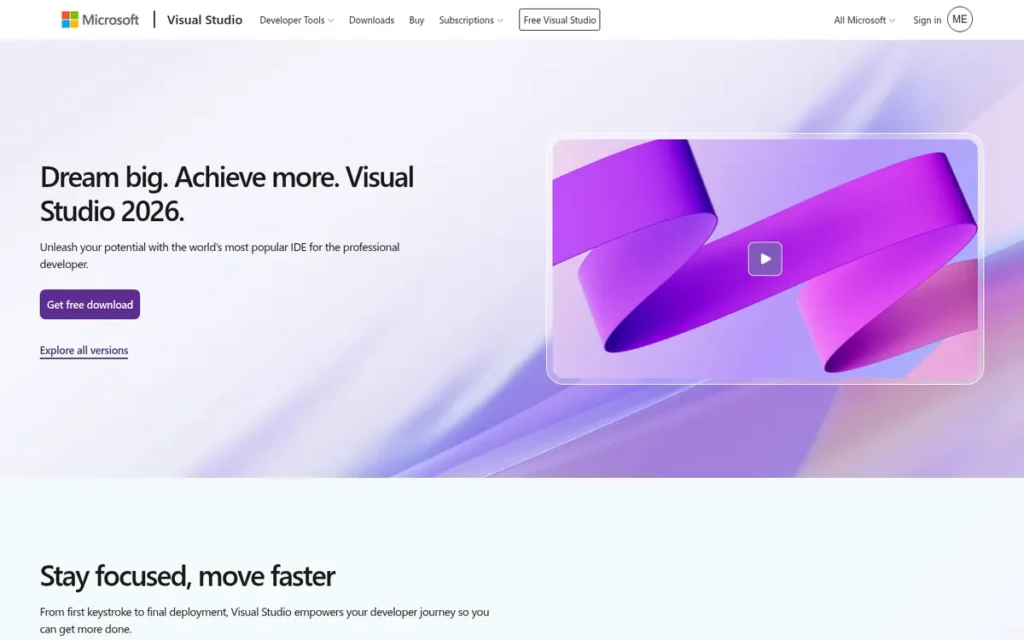
Category: Full IDE, a complete, Windows-native development environment for all .NET workloads from WPF to Unity to cloud-native ASP.NET Core.
At a Glance
- Category: Full IDE (Windows-Native)
- Best For: Windows enterprise .NET, WPF, WinForms, ASP.NET Core, Blazor, MAUI, Unity
- Price Range: Free (Community edition); Professional ~$45/month; Enterprise ~$250/month
- Primary Strength: Visual Studio 2022 provides the only integrated XAML designer, built-in performance profiler, Hot Reload, and Unity toolchain in a single Windows install, rated 4.5/5.0 by 3,976 G2 reviewers [G2, May 2026].
- Biggest Limitation: Visual Studio 2022 runs exclusively on Windows: no macOS or Linux edition exists in any pricing tier.
- One-Line Summary: Visual Studio 2022 is Microsoft’s flagship .NET IDE, rated 4.5/5.0 by 3,976 G2 reviewers [G2, May 2026], offering the deepest Windows-native toolchain for any .NET workload (including XAML design, Unity integration, and Azure deployment) at zero cost via the Community edition.
- Last Verified: May 2026
Overview
Visual Studio 2022 earns the top ranking in this comparison through capabilities no other tool provides: an integrated XAML designer for WPF and MAUI, a built-in performance profiler, Hot Reload for ASP.NET Core, and Unity toolchain support, all in a single Windows install available at zero cost via the Community edition. Visual Studio 2022 holds a 4.5/5.0 G2 rating from 3,976 reviewers [G2, May 2026], the largest review count in the .NET IDE category.
Visual Studio 2022 is the first 64-bit release in the Visual Studio product family, enabling it to load solutions with 1,601 projects and 298,326 files, with Find in Files running 3× faster than prior versions, per Microsoft-cited data [Syncfusion, 2022]. This 64-bit shift resolved the 32-bit memory ceiling that previously constrained enterprise .NET teams managing large solutions.
Visual Studio 2022 belongs to a product family first released in 1997, per [Microsoft product history]. A Visual Studio 2026 Insiders preview was in circulation as of May 2026, confirming continued active investment, per Microsoft Insiders.
Key Features
- 64-Bit Architecture: Visual Studio 2022 runs as a 64-bit process for the first time in the IDE’s history, eliminating the 32-bit memory ceiling that previously limited enterprise .NET teams managing large multi-project solutions.
- Integrated XAML Designer: Visual Studio 2022 provides a full drag-and-drop XAML designer for WPF, WinForms, and .NET MAUI, the only tool in this comparison offering this capability on any platform in 2026.
- GitHub Copilot Integration: Visual Studio 2022 includes GitHub Copilot AI from v17.4+ onward, supporting Copilot Chat for natural-language code questions and Copilot Edits for multi-file AI changes, with a free tier and Pro at approximately $10/month.
- Hot Reload for ASP.NET Core and Blazor: Visual Studio 2022 supports Hot Reload, allowing code changes to apply to a running application without a full restart during debugging, improving iteration speed for ASP.NET Core and Blazor web development.
- Unity Support via VSTU: Visual Studio 2022 integrates with Unity through Visual Studio Tools for Unity (VSTU), enabling in-editor debugging, shader support, and Unity-specific IntelliSense directly from the IDE.
- Azure Toolchain: Visual Studio 2022 includes first-party Azure development workloads (publish wizards, Azure Functions tooling, and Azure DevOps integration) within the IDE installer at no additional cost.
Best For
Visual Studio 2022 is best for Windows-based enterprise .NET developers, WPF and WinForms UI developers requiring a visual designer, ASP.NET Core and Blazor teams on Windows, and Unity game developers who need deep debugging and profiling within a single Microsoft-supported environment.
Pricing
Visual Studio 2022 offers three editions: Community (free for individuals, open-source developers, and organizations with ≤5 developers and under $1M annual revenue); Professional (~$45/month or ~$539/year billed annually); Enterprise (~$250/month or ~$2,999/year billed annually). Pricing sourced from the Visual Studio pricing page (May 2026).
Strengths
- Largest Review Volume in Category: Visual Studio 2022 holds a 4.5/5.0 G2 rating from 3,976 reviews [G2, May 2026], the largest review count in the .NET IDE category by a wide margin and the strongest available third-party satisfaction signal in this comparison.
- Reported Memory Efficiency on Large Solutions: A benchmark referenced in NDepend, 2024 recorded Visual Studio 2022 using approximately 4 GB RAM versus Rider’s ~9 GB on the same large .NET solution, though individual results vary significantly by solution size, installed extensions, and active workloads.
- Longest Active Support Track Record: Visual Studio 2022 belongs to a product family maintained since 1997, with active 17.x point releases and a 2026 Insiders program underway, providing enterprise tooling stability that no newer entrant in this comparison can match.
- Zero-Cost Full IDE via Community Edition: Visual Studio 2022 Community is a genuinely full-featured free IDE (not a stripped-down trial) making the most complete Windows .NET environment accessible at zero cost for the majority of individual developers and qualifying organizations.
Limitations
- Platform Lock-In: Visual Studio 2022 runs exclusively on Windows with no macOS or Linux edition, a hard constraint for developers in mixed-OS teams or organizations where development machines span operating systems.
- Resource Footprint: A full Visual Studio 2022 installation with common workloads requires approximately 20–50 GB of disk space depending on selected components, a meaningful constraint for laptops with limited SSD capacity, in addition to elevated RAM usage on large solutions.
Users on r/dotnet noted recurring stability concerns on large solutions:
“It seems to struggle with larger solutions.
I see some odd errors like even the find results show x matches, but nothing displays in the results window and I need to restart to fix.
The VS team reached out to me a few years ago when they had a big push to fix the issues with larger solutions and did a great job with stability at the time, but I’m seeing problems start to creep back in over the past year.” Posted by u/tigeratemybaby
Takeaway: Visual Studio 2022’s large-solution stability has re-emerged as a pain point after earlier improvements, a meaningful caveat for enterprise teams relying on it for the very workloads where its 64-bit architecture advantage matters most.
- Complexity for Beginners: Visual Studio 2022 offers hundreds of project templates, workloads, and configuration options that can overwhelm developers new to .NET who would benefit from a simpler onboarding experience.
- AI as Separately Subscribed Add-On: Visual Studio 2022’s GitHub Copilot integration is a separately subscribed extension rather than a built-in architectural feature, making the AI experience less deeply integrated than Cursor’s native codebase-wide implementation.
Verdict
Visual Studio 2022 is the definitive Windows .NET IDE, earning its #1 ranking through the only integrated XAML designer in this comparison, a 4.5/5.0 G2 rating from 3,976 reviewers, and a complete feature bundle (profiler, Hot Reload, and Unity toolchain) available at zero cost via the Community edition. Visual Studio 2022 is the correct choice for any developer building Windows-native applications with WPF, WinForms, MAUI, or Unity who works exclusively on Windows. For cross-platform teams or macOS and Linux developers, Visual Studio 2022’s Windows-only constraint is a hard limit that no feature advantage overrides.
2. JetBrains Rider: Best Cross-Platform Full .NET IDE
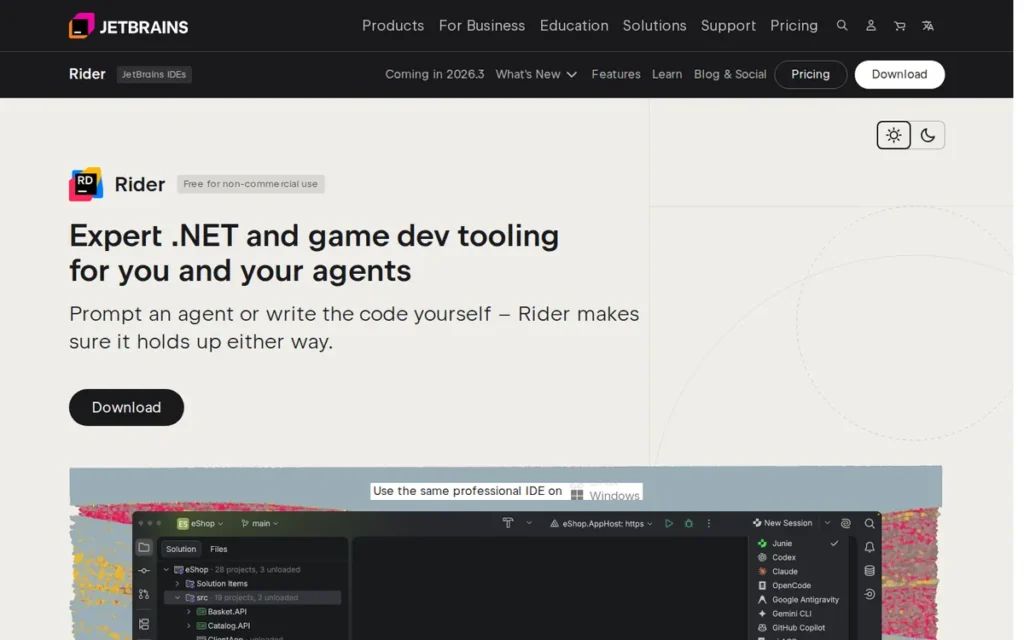
Category: Full IDE, a commercially maintained, cross-platform .NET IDE with ReSharper’s code intelligence engine built in as a core component.
At a Glance
- Category: Full IDE (Cross-Platform)
- Best For: Cross-platform .NET development on Windows, macOS, and Linux; professional C# teams
- Price Range: Free (non-commercial individual use, since October 2024); Individual commercial ~$169/year (year 1); Organization ~$519/year per user (year 1)
- Primary Strength: JetBrains Rider is the only full .NET IDE with native macOS and Linux parity, with ReSharper-powered code analysis that runs 20–50% faster than Visual Studio per a benchmark referenced in [NDepend, 2024].
- Biggest Limitation: JetBrains Rider consumes approximately 9 GB RAM on large .NET solutions per a benchmark referenced in [NDepend, 2024], individual results vary; paid subscription required for commercial development.
- One-Line Summary: JetBrains Rider is the only commercially maintained full .NET IDE with native Windows, macOS, and Linux parity, shipping ReSharper’s complete refactoring engine as a built-in component; free for non-commercial individual use since October 2024, per [InfoQ, October 2024].
- Last Verified: May 2026
Overview
JetBrains Rider is the correct choice for any .NET developer on macOS or Linux who needs full IDE depth, it is the only commercially maintained full .NET IDE with native cross-platform parity in 2026, and became the community’s default macOS recommendation after Microsoft discontinued Visual Studio for Mac in August 2024. JetBrains Rider’s ReSharper engine provides code analysis that runs 20–50% faster than Visual Studio per a benchmark referenced in NDepend, 2024.
JetBrains Rider reached its first stable release in 2017, per [JetBrains, 2017]. JetBrains is a software tooling company founded in 2000 with over 30 developer tools, per Stackify, 2024. In October 2024, JetBrains made Rider free for non-commercial individual development, per InfoQ, October 2024, expanding the free tier beyond students and open-source contributors.
ReSharper is independently one of the most popular Visual Studio add-ins for .NET refactoring. JetBrains Rider bundles its entire capability as an integrated IDE component, meaning Rider users receive JetBrains’ deepest .NET code intelligence without a separate purchase or installation.
Key Features
- ReSharper Built-In: JetBrains Rider ships ReSharper’s complete code intelligence, refactoring, and inspection engine as an integrated IDE component, providing deep C# analysis, hundreds of code inspections, and architecture-level refactoring without a separate license or installation.
- Native Cross-Platform Parity: JetBrains Rider delivers consistent UI and feature parity across Windows, macOS, and Linux, making it the only full .NET IDE that does so in 2026 and the essential tool for mixed-OS development teams.
- Integrated dotTrace Profiler: JetBrains Rider integrates with JetBrains’ dotTrace profiling tool and dotPeek decompiler, creating a coherent performance analysis and assembly inspection toolchain from a single vendor without third-party extension dependencies.
- 20–50% Faster Code Analysis: JetBrains Rider performs approximately 20–50% faster than Visual Studio in code analysis scenarios per a benchmark referenced in [NDepend, 2024], a daily productivity advantage during navigation, inspection, and refactoring on large solutions.
- Unity Integration: JetBrains Rider provides Unity-specific IntelliSense, shader support, and in-editor debugging, making it the preferred full IDE for Unity developers working on macOS or Linux.
- JetBrains AI Assistant (Optional Add-On): JetBrains Rider supports JetBrains AI Assistant as an optional subscription add-on, providing code completion, explanation, and test generation, with local AI inference options available for privacy-sensitive teams, per JetBrains documentation.
Best For
JetBrains Rider is best for professional .NET developers on macOS or Linux, C# developers requiring deep refactoring and code intelligence as a primary daily workflow, enterprise teams operating cross-platform CI/CD pipelines, and Unity developers working outside Windows.
Pricing
JetBrains Rider became free for non-commercial individual development in October 2024, per InfoQ, October 2024. For commercial use: individual license approximately $169/year in year 1, declining to ~$135/year in year 2 and ~$101/year in year 3+. Organization license: approximately $519/year per user in year 1. The All Products Pack covering all JetBrains IDEs is approximately $150/year per user, per Unity Developer Forum, 2024. Students and open-source contributors also qualify for a free license. Pricing sourced from JetBrains Rider buy page (May 2026).
Strengths
- Superior Code Analysis Speed: A benchmark referenced in NDepend, 2024 documents JetBrains Rider performing 20–50% faster than Visual Studio in code analysis operations and describes Rider as “snappier in daily use”, making it the highest-performing full .NET IDE on code intelligence benchmarks, with the caveat that results vary by solution size.
- ReSharper at No Extra Cost: JetBrains Rider includes the full ReSharper refactoring engine (itself a separately purchased Visual Studio add-in) meaning Rider users receive ReSharper’s capabilities within a single subscription at no additional charge.
- Consistent Independent Expert Endorsement: Stackify, 2024 concludes Rider “offers most features of Visual Studio plus more,” while NDepend, 2024 states it “shines with its performance and has all the ReSharper goodies out of the box”, consistent independent endorsement across the most detailed .NET IDE comparisons available.
- Free Non-Commercial Tier Since October 2024: JetBrains Rider’s October 2024 expansion of free non-commercial individual licenses reduces the subscription barrier for individual developers, broadening accessibility beyond the prior student-and-open-source-only free tier, per InfoQ, October 2024.
This aligns with community sentiment on r/dotnet:
“Vs Mac is a dead product. I’ve been incredibly underwhelmed with vscode and the Maui extension. My experience with it is that it has been unusable.
Get rider and thank me later.
I have windows systems and then one Mac for mobile development. I think that is much better.” Posted by u/Longjumping-Ad8775
Takeaway: Among developers who have actively attempted Mac .NET development through both VS for Mac and VS Code with MAUI, JetBrains Rider is the near-universal field recommendation, not merely a preference, but a solution to workflows that were genuinely broken without it.
Limitations
- High Memory Usage: A benchmark referenced in NDepend, 2024 recorded JetBrains Rider consuming approximately 9 GB RAM versus Visual Studio’s ~4 GB on the same large .NET solution, individual results vary significantly by solution size and active workloads; this is a meaningful concern on machines with 16 GB RAM running browsers, Docker, and database tools simultaneously.
- No Free Commercial Development Tier: JetBrains Rider requires a paid subscription for commercial use, though non-commercial individual development became free in October 2024, per InfoQ, October 2024. Developers working on revenue-generating products must budget for the ~$169/year individual or ~$519/year-per-user organization license.
- Limited XAML Designer: JetBrains Rider’s XAML tooling does not match Visual Studio 2022’s full visual WPF and WinForms designer, developers doing heavy Windows UI work will encounter functional gaps relative to the Windows-native Visual Studio experience.
- AI as Optional Add-On: JetBrains Rider’s AI Assistant is an optional subscription add-on rather than an architectural feature, meaning the AI experience is less deeply integrated than Cursor’s native codebase-wide implementation.
Verdict
JetBrains Rider is the best cross-platform full .NET IDE in 2026, earning its #2 ranking through 20–50% faster code analysis than Visual Studio per [NDepend, 2024], the only commercially maintained full IDE with native macOS and Linux parity, and consistent independent endorsement from NDepend and Stackify. JetBrains Rider is the correct choice for macOS and Linux .NET developers, enterprise cross-platform teams, and experienced C# developers who prioritize code intelligence depth, accepting the ~$169/year commercial subscription and ~9 GB RAM footprint as justified trade-offs for a full IDE experience outside Windows.
3. Visual Studio Code: Best Free Cross-Platform .NET Editor
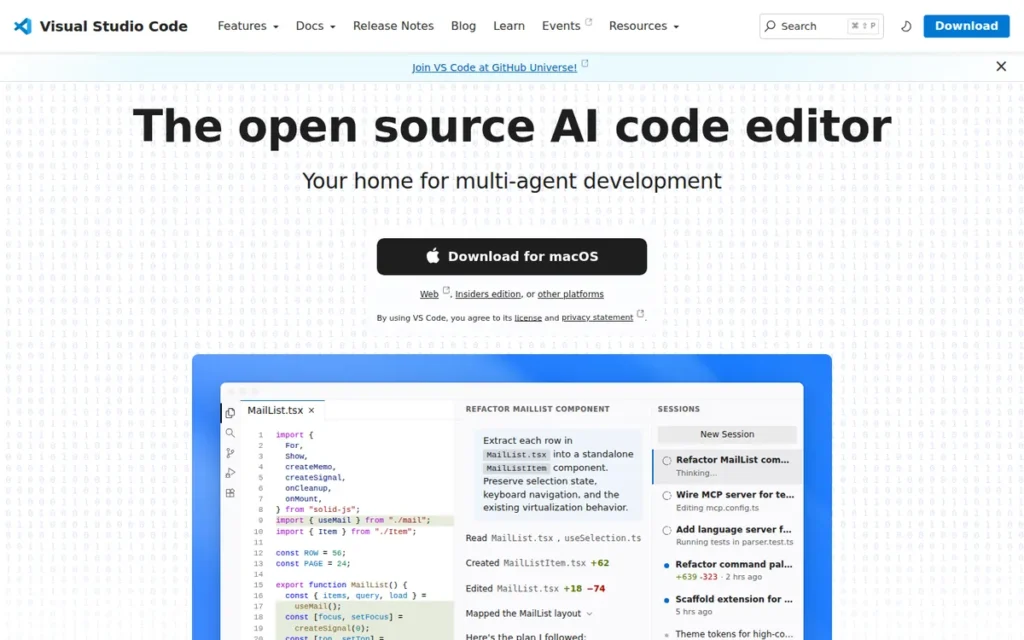
Category: Code Editor, a free, open-source editor that becomes a capable .NET development environment through the C# Dev Kit extension.
At a Glance
- Category: Code Editor (Extensible)
- Best For: Polyglot developers, macOS/Linux beginners, cross-platform teams on a budget
- Price Range: Free (editor and C# Dev Kit for individuals); GitHub Copilot Pro ~$10/month optional
- Primary Strength: Visual Studio Code’s 75.9% global developer adoption per the 2025 Stack Overflow Developer Survey (an independently conducted survey) provides the largest extension ecosystem, most community tutorials, and broadest toolchain compatibility of any editor in this comparison.
- Biggest Limitation: Visual Studio Code is not a full IDE: no XAML designer, no integrated profiler, weaker refactoring depth than Rider or Visual Studio for complex enterprise C# work.
- One-Line Summary: Visual Studio Code is Microsoft’s official recommended .NET development environment on macOS and Linux, adopted by 75.9% of developers globally per the 2025 Stack Overflow Developer Survey, available at zero cost with full C# support through the free C# Dev Kit extension.
- Last Verified: May 2026
Overview
Visual Studio Code is Microsoft’s official recommended .NET development environment on macOS and Linux, adopted by 75.9% of developers globally per the 2025 Stack Overflow Developer Survey, and available at zero cost for individual developers through the free C# Dev Kit extension. Visual Studio Code became Microsoft’s official cross-platform .NET path after the discontinuation of Visual Studio for Mac in August 2024, per Microsoft Docs.
Visual Studio Code was launched at Microsoft Build 2015 and has grown to 14 million monthly active users (vendor-reported, per [Microsoft Developer Blog, 2024]). Combined with Visual Studio, Microsoft’s tooling portfolio reaches 50 million monthly active users (vendor-reported, per Thurrott, 2024). The 75.9% adoption figure from the Stack Overflow survey is independently conducted and is the stronger of the two evidence sources.
Visual Studio Code is fully open-source under the MIT license, with no premium tier, enterprise edition, or feature-locked upgrade path for the editor itself.
Key Features
- C# Dev Kit Extension: Visual Studio Code provides full .NET project management, test discovery, and richer project-aware IntelliSense through Microsoft’s C# Dev Kit, free for individuals, academia, and open-source projects, per Microsoft Marketplace, 2024.
- Cross-Platform and In-Browser Consistency: Visual Studio Code runs on Windows, macOS, Linux, and in-browser environments (GitHub Codespaces, vscode.dev) with consistent feature parity, a cross-platform reach no other tool in this category fully matches.
- Extension Ecosystem Scale: Visual Studio Code hosts the industry’s largest extension marketplace, giving .NET developers access to Docker, Kubernetes, REST client, and thousands of additional integrations without switching editors.
- GitHub Copilot Integration: Visual Studio Code supports GitHub Copilot with a free tier for limited completions and Pro at approximately $10/month, making VS Code + Copilot Pro the lowest-cost AI-enhanced .NET development option in this category.
- GitHub Codespaces Compatibility: Visual Studio Code runs identically within GitHub Codespaces, enabling fully cloud-hosted .NET development environments for remote teams and contributors on any hardware.
- Open-Source and MIT-Licensed: Visual Studio Code is fully open-source with no premium tier, enterprise edition, or feature-locked upgrade path for the editor itself.
Best For
Visual Studio Code is best for polyglot developers who work across multiple languages, macOS and Linux developers who need a free officially supported .NET environment, beginners on any OS, and teams requiring consistent tooling across Windows and non-Windows machines.
Pricing
Visual Studio Code is 100% free and open-source (MIT license) with no premium tier. C# Dev Kit is free for individuals, open-source, and academic use; commercial organizations require a Visual Studio Professional/Enterprise or GitHub Codespaces subscription, per Microsoft Marketplace, 2024. GitHub Copilot Pro adds approximately $10/month. Pricing verified May 2026.
Strengths
- Highest Independently Verified Global Adoption: The 2025 Stack Overflow Developer Survey (an independently conducted survey) confirms Visual Studio Code is used by 75.9% of developers globally, providing community ecosystem breadth no competing tool in this category approaches in tutorials, answers, and extension availability.
- Zero Cost for a Complete .NET Setup: Visual Studio Code’s complete .NET development setup, VS Code plus C# Dev Kit plus .NET SDK, costs $0 for individual developers; adding GitHub Copilot Pro at ~$10/month still undercuts every paid IDE subscription in this comparison.
- Official Microsoft Cross-Platform .NET Path: Visual Studio Code became Microsoft’s official recommended cross-platform .NET development environment after the August 2024 discontinuation of Visual Studio for Mac, ensuring continued investment in C# Dev Kit and .NET tooling extensions.
- Broad Ecosystem Scale: Visual Studio Code contributes to a combined 50 million monthly active user ecosystem across Microsoft’s developer tools (vendor-reported, per Thurrott, 2024), the broadest .NET developer ecosystem by any available measure.
Users on r/dotnet shared their experience with VS Code for real-world .NET backend development:
“VS Code is perfectly suitable for .NET backend work.
I had a license for Rider and just let it sunset because I found myself using VSC for full stack work and just adapted to using C# in VSC.
We have a mono-repo with 100k lines of C# in 8 projects, 40k lines of Vue SFCs in 2 workspaces, 39k lines of TypeScript, 23k lines of Astro. No issues at all running it on a 2021 14″ MacBook Pro with only 16GB RAM and 512GB SSD while also running multiple Docker containers for Postgres, Neo4j, Memcached, and LocalStack.
My take is that folks should not underestimate VSC; there are certainly things that Rider or VS does better, but VSC is totally viable for modern .NET backend work.
Edit: ratings are low, but there’s only 160 some ratings for the 6 million downloads so take from that what you will!” Posted by u/c-digs
Takeaway: VS Code proves capable for professional-scale polyglot .NET backend development even on RAM-constrained macOS hardware, validating its positioning as a serious option, while the developer’s own acknowledgment that Rider and VS do some things better reinforces the balanced trade-off the article describes.
Limitations
- Not a Full IDE: Visual Studio Code lacks a native XAML designer for WPF or .NET MAUI development, an integrated performance profiler comparable to Visual Studio’s diagnostics tools, and the advanced refactoring depth of Rider’s ReSharper engine, making it insufficient for complex Windows UI development, per NDepend, 2024.
- Extension Assembly Required: Visual Studio Code requires multiple extension installations to reach IDE-level capability for .NET work, each extension adding potential version conflicts, update mismatches, and configuration overhead that all-in-one IDEs eliminate by design.
- Weaker .NET Refactoring: Visual Studio Code’s refactoring toolset is meaningfully less powerful than JetBrains Rider’s ReSharper engine, particularly for complex solution-wide renaming, architecture-level changes, and automated code smell correction in large enterprise codebases.
- C# Dev Kit Commercial Licensing: Visual Studio Code’s C# Dev Kit requires a Visual Studio Professional/Enterprise subscription for commercial team use, a licensing nuance that may surprise individual developers who later join commercial organizations, per Microsoft Marketplace, 2024.
Verdict
Visual Studio Code is the best free cross-platform .NET development environment in 2026, earning its #3 ranking through 75.9% independently verified global adoption, zero cost for individual developers, and Microsoft’s official endorsement as the recommended .NET path on macOS and Linux. Visual Studio Code ranks above Cursor (#4) because its adoption breadth, zero-cost model, and Microsoft official support establish broader utility across the full .NET developer population. Visual Studio Code is the correct choice for macOS and Linux developers on a budget, beginners on any platform, and polyglot developers, accepting fewer integrated features than a full IDE in exchange for unmatched ecosystem breadth and zero cost.
4. Cursor: Best AI-Native .NET Editor
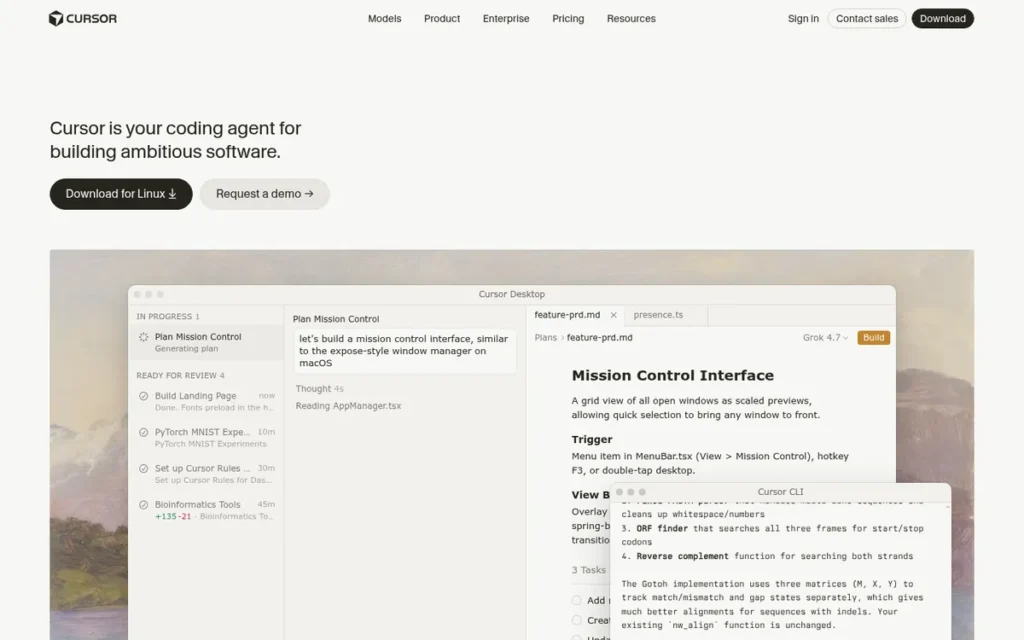
Category: Code Editor (AI-Native), a Visual Studio Code fork with AI-first architecture for codebase-aware, multi-file agentic development.
At a Glance
- Category: Code Editor (AI-Native)
- Best For: AI-first .NET development, project scaffolding, multi-file refactoring with natural language
- Price Range: Free tier (limited); Pro ~$20/month per developer; Business tier (contact for pricing)
- Primary Strength: Cursor’s Composer agent mode enables codebase-aware multi-file edits and agentic terminal commands, built into the editor architecture rather than added as extensions, enabling workflows that extension-based AI tools cannot replicate.
- Biggest Limitation: Server-side code processing creates enterprise privacy risk for proprietary codebases; AI hallucinations on complex .NET patterns including advanced generics and reflection-based code require developer review.
- One-Line Summary: Cursor is an AI-native code editor by Anysphere Inc. that reached $1 billion ARR and a $29.3 billion valuation at its 2025 Series D per [Cursor blog, 2025], with Composer agent mode and repository indexing built into the editor architecture rather than added as extensions.
- Last Verified: May 2026
Overview
Cursor is the most AI-deeply-integrated .NET development environment in this comparison, built on a Visual Studio Code fork with Composer agent mode that enables codebase-wide multi-file edits from natural language instructions. Anysphere Inc. reached $1 billion ARR and a $29.3 billion valuation at its 2025 Series D, per Cursor blog, 2025. By early 2026, ARR had reportedly grown to approximately $2 billion, per letsdatascience.com, 2026.
Cursor supports .NET and C# development by inheriting the full VS Code extension ecosystem, including C# Dev Kit, the .NET debugger, and EF Core tooling, as documented in a complete .NET application build using dependency injection and EF Core, per YouTube, 2024.
Cursor was founded in 2022 by Anysphere Inc., per Cursor.com, and is led by CEO Michael Truell with co-founders from top US computer science programs. Anysphere reached Series D institutional funding status by 2025.
Key Features
- Composer Agent Mode: Cursor’s Composer feature enables agentic, multi-file code edits with full repository context, allowing developers to instruct the AI to refactor across a .NET solution, generate new service classes, and execute terminal commands in a coordinated single workflow.
- Codebase Indexing: Cursor indexes the entire repository to provide context-aware AI responses, ensuring AI suggestions reference actual project structure, dependencies, and patterns rather than generic examples disconnected from the real codebase.
- Tab-Style Next-Action Predictions: Cursor predicts the developer’s next edit with single-keystroke acceptance, anticipating multi-step coding patterns based on surrounding context rather than providing standard single-token autocomplete.
- Inline AI Editing (Ctrl+K): Cursor supports inline AI editing: selecting any code block and issuing a natural-language instruction to rewrite, refactor, or explain it without leaving the current file view.
- Model Context Protocol (MCP) Support: Cursor supports MCP for connecting AI agents to external data sources, and configurable Cursor Rules files for defining project-specific AI behavior, extending the agentic workflow beyond code generation into repository-aware automation.
- VS Code Extension Compatibility: Cursor inherits the complete Visual Studio Code extension ecosystem, meaning C# Dev Kit, the .NET debugger, Docker, and REST client extensions function identically in Cursor as they do in VS Code.
Best For
Cursor is best for .NET developers who prioritize AI-assisted workflows for new project scaffolding, codebase-wide refactoring with natural language, and multi-file agentic editing, particularly individual developers and teams comfortable with cloud-based AI processing not constrained by strict enterprise code privacy policies.
Pricing
Cursor pricing (third-party sourced): Hobby/Free tier, 2,000 completions, 50 slow premium requests, 2-week Pro trial; Pro tier, approximately $20/month per developer, including unlimited completions and 500 fast premium requests/month; Business tier, adds organization-wide privacy mode, centralized billing, and SAML/OIDC SSO. Pricing from UIBakery, 2025. Contact Cursor directly for current Business tier pricing.
Strengths
- Fastest Revenue Growth in Developer Tools Category: Anysphere Inc. reached $1 billion ARR and a $29.3 billion valuation at its 2025 Series D, per Cursor blog, 2025, growing to approximately $2 billion ARR by early 2026, per letsdatascience.com, 2026, a commercial growth trajectory faster than any developer tool company in recent history.
- Deepest Architectural AI Integration in This Category: Cursor’s Composer agent mode, codebase indexing, and Tab predictions are architectural features of the editor itself (not extensions) enabling multi-file, agentic refactoring workflows that GitHub Copilot and CodeRush cannot replicate by design.
- Zero Learning Curve from VS Code: Cursor inherits the full VS Code UI and extension ecosystem, allowing .NET developers to migrate from VS Code to Cursor instantly without reconfiguring C# Dev Kit, debugger, or tooling preferences.
- Documented .NET Professional Use: Independent sources describe Cursor as effective “for large codebases, debugging, and multi-file changes” in real .NET contexts, per Builder.io, 2026, confirming adoption for professional projects beyond beginner tutorials.
Limitations
- Enterprise Privacy Risk: Cursor’s AI processing sends code to Anysphere’s servers by default, creating meaningful security and compliance concerns for enterprise teams with proprietary codebases, per AltexSoft, 2025. Cursor’s Business tier includes an organization-wide privacy mode, evaluate against your specific compliance obligations before ruling it out entirely.
This concern is confirmed by enterprise developers in the field. Users on r/ChatGPTCoding noted:
“Cursor and Windsurf are really the best for large projects due to their agentic natures that automatically navigate large codebases. Sadly, their privacy policies and obscure internal API means most enterprise companies where they would really shine are not really going to allow you to use them. At my workplace (FAANG level) we have copilot for enterprise and there’s a hard rule it’s the only AI tool allowed due to IP theft and training risks. And given how much laptops are monitored, I wouldn’t be surprised how quickly you’d get caught and fired for using something like Windsurf and Cursor.” Posted by u/that_90s_guy
Takeaway: Cursor’s agentic strength for large codebases is acknowledged even by enterprise developers who cannot use it, the IP policy barrier keeps it out of corporate environments at the largest companies regardless of its technical capability advantage, confirming the article’s enterprise privacy risk classification as a hard constraint, not a minor caveat.
- AI Hallucination on Complex .NET Patterns: Cursor’s AI produces hallucinations on complex .NET code, particularly involving advanced generics, Expression Trees, reflection-based attribute scanning, and ASP.NET Core middleware conventions, requiring developer review and validation of AI-generated output before production use.
- Subscription Cost Stacking: Cursor Pro at $20/month adds to existing developer tooling costs, creating subscription fatigue for developers already paying for IDE subscriptions, cloud services, and other tools, particularly when VS Code + GitHub Copilot Pro delivers AI assistance at $10/month.
- Not a Full IDE: Cursor inherits VS Code’s architectural limitations for .NET work (no XAML designer, no integrated performance profiler, and less-specialized C# debugging for complex enterprise scenarios) making it a supplement rather than a replacement for Visual Studio or Rider in full-scale enterprise development.
Verdict
Cursor is the best AI-native .NET development environment in 2026, earning its #4 ranking through the deepest architectural AI integration of any tool in this category, $1 billion ARR commercial validation per [Cursor blog, 2025], and genuine Composer agent mode capability for multi-file workflows that extension-based AI tools cannot match. Cursor is the correct choice for developers who prioritize AI-first workflows, rapid project scaffolding, and cross-file refactoring with natural language, accepting the $20/month Pro subscription and server-side code processing as the defining trade-offs. Cursor ranks below VS Code (#3) because VS Code’s 75.9% adoption, zero cost, and Microsoft official endorsement establish broader utility across the full .NET developer population.
5. DevExpress CodeRush: Best Free Visual Studio Productivity Add-In
Category: VS Extension, a free Visual Studio productivity add-in for .NET developers on Windows; not a standalone IDE.
At a Glance
- Category: VS Extension / Productivity Add-In
- Best For: Visual Studio users on Windows who want free AI-enhanced code templates, refactoring, and navigation
- Price Range: Free (standard, all use cases including commercial); CodeRush Ultimate ~$250/year for premium support
- Primary Strength: DevExpress CodeRush delivers AI code generation (AiGen) and navigation (AiFind) inside Visual Studio at zero software cost since June 2022, though AiGen requires a user-supplied OpenAI API key, with inference costs billed by OpenAI separately, per [DevExpress, 2025].
- Biggest Limitation: DevExpress CodeRush works only within Visual Studio on Windows, no VS Code, Rider, macOS, or Linux support under any pricing scenario.
- One-Line Summary: DevExpress CodeRush is a free Visual Studio productivity extension with G2 recognition in the .NET IDE category, adding AI code generation, code templates, and enhanced navigation at zero software cost since June 2022, with AiGen requiring a user-supplied OpenAI API key for AI inference, per [DevExpress, 2025].
- Last Verified: May 2026
Overview
DevExpress CodeRush is a free Visual Studio productivity add-in, not a standalone IDE, and applicable only to developers using Visual Studio on Windows. For that specific audience, DevExpress CodeRush adds AI code generation (AiGen), AI-powered navigation (AiFind), code templates, refactoring shortcuts, CamelCase navigation, static analysis, and debugging visualizers at zero software cost since June 2022, per DevExpress, 2022.
Important disclosure: AiGen and AiFind require a user-supplied OpenAI API key for AI inference, meaning OpenAI API usage costs apply separately from the CodeRush extension, per DevExpress community blog, 2025. The CodeRush extension itself is free; the AI inference layer is not.
DevExpress was founded in 1998 and serves tens of thousands of customers across its broader UI component and developer tooling portfolio, providing 28 years of organizational longevity as of 2026, per [DevExpress company profile].
Key Features
- AiGen and AiFind (2025): DevExpress CodeRush 25.1 introduces AiGen for natural-language code generation and AiFind for AI-powered code navigation, both built into Visual Studio and requiring a user-supplied OpenAI API key for AI inference, per DevExpress What’s New.
- Code Templates and Shortcuts: DevExpress CodeRush enables developers to generate complete C# constructs (including full string properties with backing fields) by typing short mnemonic shortcuts, with “ps” expanding to a named property and backing field simultaneously.
- CamelCase Navigation: DevExpress CodeRush provides CamelCase-aware code navigation (jumping to types, methods, and members by typing uppercase initials) enabling faster traversal in large .NET solutions than standard Visual Studio search.
- Debug Visualizer: DevExpress CodeRush adds dedicated debug and visualization toolbars to Visual Studio, displaying object state, method calls, and execution paths in ways not available through standard Visual Studio debugging alone.
- Static Code Analysis: DevExpress CodeRush performs static analysis with code inspections and quick-fix suggestions integrated into Visual Studio’s Light Bulb UI, adding a second layer of code intelligence at no cost alongside built-in Roslyn analyzer results.
- Voice to Code: DevExpress CodeRush 25.1 adds spoken code dictation as a productivity and accessibility feature, with no direct equivalent available in any other tool reviewed in this comparison.
Best For
DevExpress CodeRush is best for Visual Studio users on Windows who want free AI-assisted code generation, faster code entry through templates, enhanced navigation shortcuts, and richer debugging visualization, without switching IDEs or paying a productivity add-in subscription.
Pricing
DevExpress CodeRush is free for all editions including commercial use since June 2022, per DevExpress, 2022. A CodeRush Ultimate subscription for premium technical support is available at approximately $250/year, per DevExpress support documentation, 2024. Note: AiGen and AiFind require a user-supplied OpenAI API key; OpenAI inference costs are billed by OpenAI separately and are not controlled by DevExpress, per DevExpress community blog, 2025. Pricing verified May 2026.
Strengths
- G2 Recognition in .NET IDE Category: DevExpress CodeRush holds G2’s Highest Performer badge in the .NET IDE category, per G2, 2026, reflecting strong user satisfaction scores among reviewers relative to CodeRush’s market presence.
- AI Features at No Software Cost (OpenAI API Key Required): DevExpress CodeRush delivers AiGen and AiFind AI capabilities within Visual Studio at $0 for the extension itself, making it the only tool in this category adding AI features to an existing IDE without a software subscription. Users must supply their own OpenAI API key; inference costs are billed by OpenAI separately, per DevExpress community blog, 2025.
- 28-Year Company Longevity: DevExpress was founded in 1998 and continues active CodeRush development through version 25.1 (2025), per DevExpress, 2022, providing more organizational longevity than newer entrants such as Cursor (founded 2022).
- Community Endorsement for Daily Productivity: When DevExpress announced CodeRush going free in June 2022, developer community response in r/dotnet was positive and directly compared it to ReSharper, JetBrains’ paid Visual Studio productivity add-in that has historically been CodeRush’s closest competitor.
“Nice. I’ve always liked CodeRush more than Resharper.” (u/orthoxerox, r/dotnet, June 2022)
Takeaway: Developers who have used both tools prefer CodeRush for code-entry speed, a preference that emerges most clearly among those with direct ReSharper experience who can compare the two side by side.
“CodeRush is more focused on writing code faster with shortcuts and templates. For example you can just type ‘ps’ and declare a full string property and you can name the property and backing field at the same time.” (u/danzk, r/dotnet, June 2022)
Takeaway: DevExpress CodeRush’s template shortcut system reduces common C# boilerplate to 2–3 character mnemonics, a workflow change requiring initial discovery that compounds into daily speed gains for developers writing repetitive property and method patterns.
“Why free?” (u/nirataro; “They upload your photos to China, probably.”, u/LloydAtkinson, r/dotnet, June 2022)
Takeaway: Community skepticism about free commercial tools is rational; DevExpress’s most likely business model is cross-selling to its broader UI component portfolio, a transparent and sustainable approach that should reassure rather than concern prospective CodeRush adopters.
Limitations
- Visual Studio on Windows Exclusive: DevExpress CodeRush works only within Visual Studio on Windows, excluding all developers using VS Code, JetBrains Rider, or any macOS or Linux development environment, the majority of the broader developer community in 2026.
- Low Discoverability: Many .NET developers are unaware of CodeRush’s template and AI capabilities beyond basic VS snippets, a discovery gap confirmed by community reactions questioning whether CodeRush adds value beyond Visual Studio’s built-in snippets.
- No Standalone IDE Capability: DevExpress CodeRush requires Visual Studio as the host environment and functions only as an add-in layer, meaning it cannot replace any tool in this list and offers no value to developers outside the Visual Studio on Windows ecosystem.
- AI Feature Cost Dependency on External API: CodeRush’s AiGen and AiFind features require a user-supplied OpenAI API key, introducing ongoing OpenAI usage costs not controlled by DevExpress and not disclosed upfront in the free extension description, per DevExpress community blog, 2025. Heavy AI usage could exceed the cost of a GitHub Copilot Pro subscription (~$10/month).
- AI Feature Track Record Unverified: DevExpress CodeRush’s AiGen and AiFind features were introduced in 2025 without independent published benchmarks or third-party accuracy assessments, making quality comparison against GitHub Copilot or Cursor’s established AI tracks difficult for prospective adopters.
Verdict
DevExpress CodeRush is the best free Visual Studio productivity add-in in 2026, earning its #5 ranking through G2 recognition, zero software cost for AI code generation and templates for commercial use, and 28 years of sustained development from DevExpress. CodeRush is the correct choice for Visual Studio users on Windows who want productivity enhancements and AI features without switching IDEs or adding a paid subscription, accepting that its value is entirely contingent on the Visual Studio on Windows ecosystem, and that AiGen’s AI inference carries an OpenAI API cost separate from the free extension.
6. LINQPad: Best .NET Scratchpad and Prototyping Tool
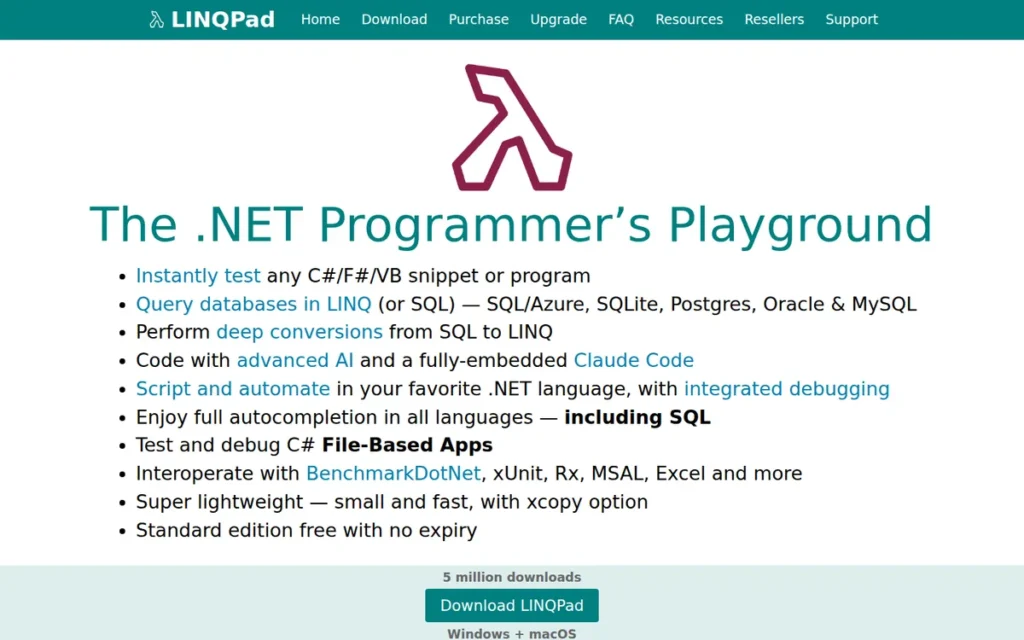
Category: Specialized Tool, a .NET interactive scripting and database query environment that complements a primary IDE.
At a Glance
- Category: Specialized Tool / .NET REPL
- Best For: .NET prototyping, database querying, interactive C# scripting, algorithm exploration
- Price Range: Free (basic, no autocompletion); Developer $145 one-time; Professional $195 one-time; Premium $195 one-time
- Primary Strength: LINQPad’s Dump() object visualizer and SQL-to-LINQ AI conversion are unique capabilities with no equivalent in any full IDE in this comparison.
- Biggest Limitation: LINQPad is not a full IDE: it cannot build, run test pipelines for, or deploy production .NET applications; no Git integration is included.
- One-Line Summary: LINQPad is a .NET interactive scripting tool reporting use by 30 Fortune 100 companies and 4 of the world’s largest banks (self-reported, per LINQPad purchase page, May 2026), with a Dump() object visualizer and one-time pricing that no other tool in this comparison replicates.
- Last Verified: May 2026
Overview
LINQPad is a .NET interactive scripting and database query tool (described by its creator as “not just for LINQ queries, but any C#/F#/VB expression, statement block or program”) providing a lightweight environment for testing code snippets, exploring relational data, and prototyping logic without creating a full Visual Studio solution. LINQPad reports more than 5 million free downloads, over 50,000 paid customers, and use by 30 Fortune 100 companies and 4 of the world’s largest banks (self-reported, per LINQPad Purchase Page, May 2026).
LINQPad was created by Joseph Albahari, author of C# in a Nutshell (O’Reilly, now in its 13th edition covering C# 12), per the .NET Core Show podcast, giving the tool credibility rooted in recognized C# language authority. LINQPad 9 (current) supports .NET 6.0 through .NET 10.0, per LINQPad Download Page, 2026.
LINQPad has been continuously maintained since approximately 2007, per [LINQPad download page version history, 2026], tracking the .NET SDK across six major LINQPad version releases.
Key Features
- Dump() Object Visualizer: LINQPad’s Dump() method renders any .NET object: collections, hierarchies, anonymous types, graphs, as interactive HTML output in the results pane, enabling object inspection at a depth unavailable in standard IDE watch windows or debug consoles.
- SQL-to-LINQ AI Conversion (Premium): LINQPad Premium includes AI-powered SQL-to-LINQ conversion (translating existing SQL queries into idiomatic LINQ expressions) a unique feature with no direct equivalent in Visual Studio, Rider, or VS Code without third-party extensions.
- NuGet Package Integration: LINQPad supports direct NuGet package references in scripts, enabling developers to test third-party libraries, APIs, and data access patterns without creating a solution or managing project files.
- Multi-Version .NET Support: LINQPad 9 supports .NET 6.0 through .NET 10.0, with legacy versions (LINQPad 7, 8) covering older framework targets, per LINQPad Download Page, 2026, ensuring compatibility across the full current .NET version matrix.
- BenchmarkDotNet Integration: LINQPad integrates with BenchmarkDotNet for micro-benchmarking C# code directly in the interactive scripting environment, enabling quick performance comparisons without configuring a dedicated benchmark project.
- AI Coding Agent and Code Completion (Premium): LINQPad Premium adds an AI coding agent, autocompletion, and the SQL-to-LINQ converter, positioning the Premium tier as a competitive AI-enhanced .NET scripting environment at a one-time purchase price.
Best For
LINQPad is best for .NET backend developers who regularly query databases, prototype C# algorithms, or explore API responses interactively, serving as an essential daily companion to aprimary IDE rather than a replacement for one.
Pricing
LINQPad pricing, from LINQPad Purchase Page, May 2026: Free edition (basic, no autocompletion); Developer edition: $145 one-time; Professional edition: $195 one-time; Premium edition: $195 one-time (includes AI features, advanced autocompletion, full debugger, cross-database querying, SQL data editing, and NuGet integration). Site licenses are available; contact LINQPad directly for current site license pricing.
Strengths
- Fortune 100 and Major Bank Adoption (Self-Reported): LINQPad reports use by 30 Fortune 100 companies and 4 of the world’s largest banks, per its own purchase page (self-reported, per LINQPad purchase page, May 2026), notable for a tool maintained primarily by a single developer across nearly 20 years of .NET SDK evolution, with 5 million free downloads providing an independent corroborating adoption signal.
- 5 Million Free Downloads: LINQPad’s more than 5 million free downloads validate broad organic adoption driven by word-of-mouth among .NET developers, a growth pattern reflecting genuine tool value rather than marketing spend.
Users on r/csharp explained the purchase case in their own words:
“It offers basically the same thing RoslynPad offers, so check out RoslynPad. However, LinqPad has a better UI and overall more polish. As mentioned elsewhere in the thread, the main advantages are Dump() and the ease of connecting to and pulling data from databases. You could implement a version Dump() in a Visual Studio project, and get more or less the same functionality. But it would still be significantly slower. In the long run, you’ll save more time using Linqpad. It is a purchase I never regretted. The amount of time it saves pays for itself in days, if not hours. The paid version unlocks syntax highlighting, but it also makes referencing Nuget packages a snap.” Posted by u/forlasanto
Takeaway: LINQPad users consistently report that the Dump() visualizer and database LINQ integration deliver time savings that recoup the one-time purchase cost within the first real use session, reinforcing the one-time pricing model as genuine value, not just a pricing gimmick.
- Author Credibility: Joseph Albahari’s authorship of C# in a Nutshell (O’Reilly) provides LINQPad with unusual credibility, the tool is built by a recognized C# language expert, explaining its pedagogically thoughtful design and depth for language and API exploration.
- One-Time Purchase Model: LINQPad uses a one-time purchase rather than annual subscriptions (providing lifetime value at $145–$195 compared with yearly-renewing IDE subscriptions) a rare pricing advantage in the 2026 developer tools market.
Limitations
- Not a Production Development Tool: LINQPad cannot build, manage test pipelines for, or deploy production .NET applications, it is a scripting and query environment that complements a primary IDE rather than replaces one.
- No Git or Version Control Integration: LINQPad lacks built-in source control or Git integration, scripts are managed as standalone files outside any tracked project context, limiting collaboration and history management compared with full IDEs.
- No Team Collaboration or Shared Script Repository: LINQPad scripts are managed as standalone files outside any organized project or collaboration system, teams sharing scripts must manage them through external file storage or manual distribution, adding friction for multi-developer data engineering workflows.
- Windows-Primary Experience: LINQPad’s design and primary distribution target Windows; macOS and Linux support exists but is less documented and tested than the Windows experience, a practical limitation for cross-platform teams relying on it as a daily companion tool.
- Low Discoverability: LINQPad’s word-of-mouth discovery model means many .NET developers (particularly beginners and those without experienced C# mentors) never encounter it despite its reported Fortune 100 adoption, limiting its potential impact on teams that would benefit most.
Verdict
LINQPad is the best .NET scratchpad and prototyping tool in 2026, earning its #6 ranking through 5 million free downloads, reported Fortune 100 adoption by 30 companies and 4 major banks (self-reported), a Dump() visualizer unreplicated by any full IDE, and a one-time purchase model offering exceptional lifetime value. LINQPad is the correct choice as a daily companion to any primary .NET IDE (particularly for backend developers who query databases, prototype algorithms, or test C# expressions interactively) but it does not substitute for Visual Studio, Rider, or VS Code in day-to-day application development.
7. MonoDevelop: Legacy Option (Not Recommended for New Projects)
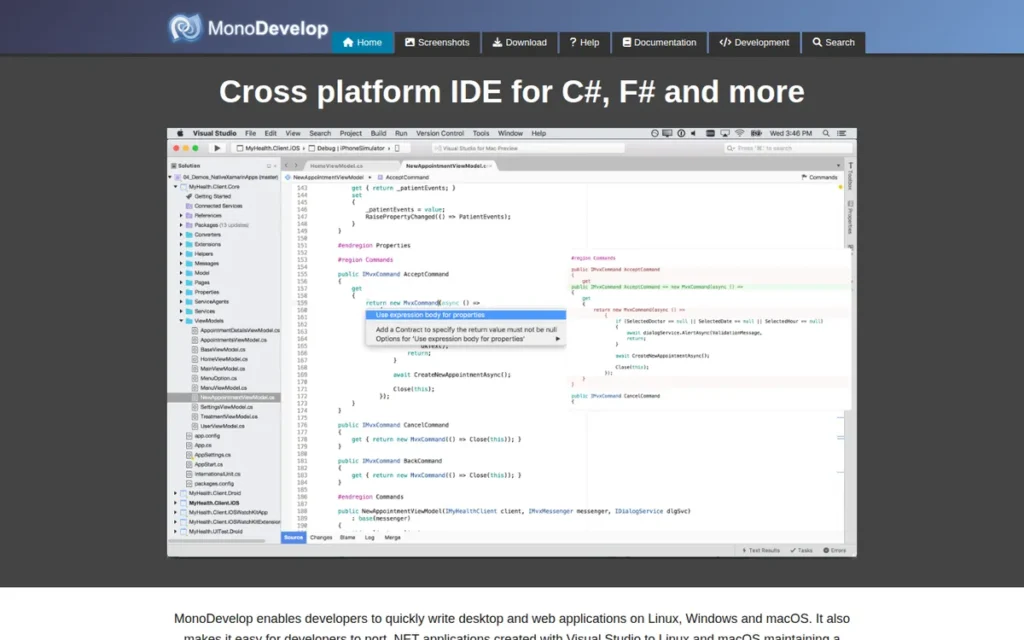
Category: Full IDE (Legacy / Archived), an open-source .NET IDE with an archived GitHub repository as of October 4, 2021; included for completeness and legacy maintenance contexts only.
At a Glance
- Category: Full IDE (Legacy / Archived)
- Best For: Legacy Mono or Xamarin maintenance only; not recommended for any new .NET project
- Price Range: Free (open-source, archived)
- Primary Strength: MonoDevelop is free, open-source, and compatible with Xamarin-era .NET project formats, the only remaining practical value proposition in 2026.
- Biggest Limitation: GitHub repository archived October 4, 2021 per [GitHub, 2021]; no support for .NET 8/9/10 or C# 12+ features; Unity support discontinued.
- One-Line Summary: MonoDevelop is an archived open-source .NET IDE whose GitHub repository was archived on October 4, 2021, per [GitHub, 2021], with no support for .NET 8/9/10 or modern C# 12+ features, making it unsuitable for any new .NET project in 2026.
- Last Verified: May 2026
Overview
MonoDevelop is an open-source .NET IDE that historically supported C#, F#, and VB.NET on Linux, Windows, and macOS, foundational in enabling cross-platform .NET development before Microsoft’s own modern tooling existed. MonoDevelop’s GitHub repository was archived on October 4, 2021, per [GitHub, 2021], nearly three years before Microsoft’s announcement of VisualStudio for Mac’s discontinuation, with support ending August 31, 2024. Both events confirm the same conclusion: active development of this IDE codebase ended in 2021, not 2024.
MonoDevelop is included in this review for completeness and for developers maintaining existing legacy Mono or Xamarin codebases. MonoDevelop is not recommended for any new .NET project in 2026, its archived state means no .NET 8/9/10 compatibility, no security patches, and no C# 12+ language support.
MonoDevelop’s lineage evolved from the Mono Project through Xamarin Studio to Visual Studio for Mac, per docs.lextudio.com, 2024. The developer community in r/csharp and r/dotnet universally directs developers asking about MonoDevelop toward VS Code or Rider instead.
Key Features
- Historical Cross-Platform .NET Support: MonoDevelop historically provided C#, F#, and VB.NET development on Linux, Windows, and macOS before Microsoft’s .NET 5+ established cross-platform support, a foundational contribution to the .NET ecosystem during the Mono era (approximately 2004–2021).
- GTK# Visual Designer (Legacy): MonoDevelop provided a GTK# visual designer for Linux and macOS application development that was functional for GTK#-targeted projects during MonoDevelop’s active development period (pre-2021) but has no relevance to .NET 8, 9, or 10 development workflows as of 2026.
- Integrated Mono Debugger (Legacy): MonoDevelop provided an integrated debugger using the Mono debug engine, functional for Mono-targeted projects and relevant to developers maintaining Mono-runtime applications, but incompatible with modern .NET SDK runtime debugging requirements.
- Source Control Integration: MonoDevelop supported Subversion and Git source control, a standard capability in all current IDEs, but a meaningful differentiator during MonoDevelop’s peak development period in the early 2010s when cross-platform .NET tooling was sparse.
- NuGet Package Manager (Legacy): MonoDevelop included integrated NuGet package management during its active development period, supporting dependency management for C# and F# projects targeting the Mono runtime, functional for its era but superseded by modern tooling.
- Xamarin Project File Compatibility: MonoDevelop retains compatibility with Xamarin-era .NET project formats, specifically Xamarin.iOS and Xamarin.Android project files, which remains relevant for teams with unmigrated Xamarin projects that cannot yet be moved to .NET MAUI.
Best For
MonoDevelop is relevant only for developers who must maintain existing legacy Mono or Xamarin projects that cannot yet be migrated to .NET 8/9/10, where the specific Mono toolchain compatibility is a hard requirement. The only defensible exception to “do not use for new projects” is an air-gapped legacy environment specifically locked to the Mono runtime with no migration path.
Pricing
MonoDevelop is free and open-source with no licensing cost, subscription, or paid tier. The archived project is available at no charge from the GitHub repository at github.com/mono/monodevelop.
Strengths
- Historical Cross-Platform Significance: MonoDevelop was foundational in establishing cross-platform .NET development before Microsoft’s official tooling existed, enabling an entire generation of Linux and macOS developers to build .NET applications during the Mono era (approximately 2004–2021).
- Zero Cost: MonoDevelop is completely free, representing the only practical option for tightly constrained environments where the legacy codebase specifically requires Mono toolchain compatibility and no budget exists for alternatives.
- Xamarin Project Compatibility: MonoDevelop retains compatibility with Xamarin-era .NET project formats, specifically Xamarin.iOS and Xamarin.Android, useful for teams with unmigrated projects that cannot yet be moved to .NET MAUI and require the Mono toolchain.
- Offline and Air-Gapped Environment Compatibility: MonoDevelop’s archived state paradoxically suits fully offline or air-gapped development environments where internet-connected IDEs requiring license validation (Rider) or server-side AI processing (Cursor) create compliance friction, at the cost of accepting no future security patches or .NET SDK updates.
Limitations
- Archived and Abandoned: MonoDevelop’s GitHub repository was archived on October 4, 2021, per [GitHub, 2021], meaning no security patches, bug fixes, or feature updates will be issued for any future .NET SDK version, indefinitely.
- No Modern .NET Support: MonoDevelop has no support for .NET 8, 9, or 10, and no support for C# 12+ language features, the official site’s feature documentation still references Subversion and GTK# as headline capabilities, reflecting a tool frozen at the early 2010s technology stack.
- Unity Support Discontinued: Modern Unity versions no longer support MonoDevelop as a bundled or recommended IDE, per Unity Developer Community, 2024, eliminating what was historically MonoDevelop’s primary use case alongside Mono-targeted development.
- Community Migration Complete: Reddit discussions about MonoDevelop in r/csharp and r/dotnet focus predominantly on what to use instead (VS Code and Rider are near-universal recommendations) confirming that the developer community has fully moved on from MonoDevelop for any active project.
Verdict
MonoDevelop is an archived tool that played an important historical role in cross-platform .NET development but is unsuitable for any new .NET project in 2026. Its #7 ranking reflects its archived GitHub status as of October 2021, absence of .NET 8/9/10 support, and discontinued Unity integration, not a flaw in the tool at its peak, but an honest assessment of its current state. For any developer currently using MonoDevelop for active projects, migration to Visual Studio Code + C# Dev Kit (free) or JetBrains Rider is the consistent recommendation from the r/csharp and r/dotnet communities.
What Red Flags Should I Watch For When Evaluating .NET IDEs?
The most critical red flags when evaluating .NET IDEs are tools with archived repositories receiving no future security patches, code editors marketed as full IDEs without built-in debuggers, and AI-powered tools without documented privacy policies for code processing. Platform exclusivity without disclosure and the absence of independent review evidence are consequential secondary warning signs.
Red Flag #1: Archived or Discontinued Development
An IDE with an archived GitHub repository or confirmed end-of-life status will receive no security patches, no .NET SDK compatibility updates, and no bug fixes, meaning usability degrades with each new .NET release. MonoDevelop’s GitHub repository was archived October 4, 2021, per [GitHub, 2021], nearly three years before the formal Visual Studio for Mac end-of-support date. Before adopting any IDE, confirm a public release within the past 12 months.
Red Flag #2: Code Editor Marketed as a Full IDE
Several tools in this comparison are code editors that approximate IDE functionality through extensions, not full IDEs by architecture. Ask directly: does the tool include a built-in debugger, project management system, and build system integration without extension installation? If the answer requires listing multiple extensions, that tool is a code editor requiring configuration, not a full IDE. This distinction matters most for workloads involving WPF, WinForms, or .NET MAUI UI design, where the absence of an integrated visual designer creates a hard functional gap that extensions cannot fill.
Red Flag #3: No Clarity on AI Data Privacy
Most AI-enhanced tools in this category process code server-side by default, including GitHub Copilot, JetBrains AI Assistant, and Cursor. The critical distinction is not whether AI is used, but whether the vendor provides a documented, auditable privacy policy for code processing. Cursor sends code to Anysphere’s servers by default, per AltexSoft, 2025; Cursor’s Business tier includes org-wide privacy mode. Always confirm server-side versus local inference and available enterprise data isolation options before adopting any AI-enhanced tool for proprietary codebases.
Red Flag #4: Undisclosed Platform Exclusivity
IDEs that work only on Windows (Visual Studio 2022) or only as add-ins within a specific host tool (DevExpress CodeRush within Visual Studio) are legitimate and valuable, but the platform constraint must be understood before team-wide adoption. Organizations standardizing on a Windows-only or host-dependent tool will encounter fragmentation as team OS diversity grows over time.
Red Flag #5: Hidden Costs in “Free” AI Features
An extension described as “free” may carry hidden costs at the AI inference layer. DevExpress CodeRush’s AiGen is free at the software level but requires a user-supplied OpenAI API key, with inference billed by OpenAI separately, per DevExpress community blog, 2025. Before adopting any free AI tool, confirm whether AI inference is local, bundled, or dependent on an external API account with its own billing.
Red Flag #6: No Independent Review Evidence
Tools with only vendor-published testimonials and no third-party G2 ratings, independent benchmark data, or community discussion threads are difficult to evaluate objectively. Prioritize tools with verifiable third-party ratings or documented community discussions, and treat the absence of independent evidence as a signal requiring deeper investigation before team-wide adoption.
What Questions Should I Ask Before Choosing a .NET IDE?
Before choosing a .NET IDE, five questions determine the correct tool for most developers: operating system, workload type, budget, AI workflow needs, and team-wide OS consistency. Answering these five questions eliminates at least three of the seven tools reviewed here before any feature comparison is needed.
Question #1: What operating system do you primarily develop on?
The OS question is the single most decisive filter in .NET IDE selection. Visual Studio 2022 is available only on Windows, macOS and Linux developers needing a full IDE choose between JetBrains Rider and VS Code. Developers on macOS or Linux who select a Windows-only IDE will encounter workflow fragmentation that no feature advantage can fully offset.
Question #2: What .NET workload are you building?
Different workloads require different tools. WPF, WinForms, and .NET MAUI UI development requires Visual Studio 2022’s XAML designer, no other tool provides this on any platform. Unity game development works best with Visual Studio 2022 (Windows) or JetBrains Rider (cross-platform). ASP.NET Core, Blazor, and API development works well in VS Code, Rider, Cursor, and Visual Studio. Data-heavy backend work benefits from LINQPad as a companion tool regardless of primary IDE.
Question #3: What is your budget?
- Free full IDEs: Visual Studio Community (Windows only); VS Code + C# Dev Kit (all platforms)
- Free for non-commercial individual use (since October 2024): JetBrains Rider, per InfoQ, October 2024
- Free Visual Studio add-in (OpenAI API key required for AI): DevExpress CodeRush (Windows + Visual Studio only)
- Paid full IDEs: JetBrains Rider (~$169/year individual commercial); Visual Studio Professional (~$45/month)
- AI editors: Cursor Pro ($20/month); VS Code + GitHub Copilot Pro (~$10/month)
Question #4: How central is AI assistance to your daily workflow?
If AI-assisted coding is a priority, evaluate four options:
- GitHub Copilot (~$10/month, extension-based, works in VS Code and Visual Studio)
- Cursor Pro ($20/month, architectural AI with Composer agent mode and MCP support)
- CodeRush AiGen (free extension, Visual Studio Windows only; OpenAI API key required for inference)
- JetBrains AI Assistant (optional add-on for Rider; local inference options available)
Cursor delivers the deepest architectural AI integration. GitHub Copilot delivers the lowest-cost broadly compatible AI option. CodeRush AiGen is free at the software layer but incurs OpenAI API inference costs.
Question #5: Does your team need consistent tooling across operating systems?
Teams with developers on Windows, macOS, and Linux simultaneously should adopt tools with verified cross-platform parity. VS Code and Cursor (free to $20/month) and JetBrains Rider (~$169/year individual commercial) are the only tools in this comparison delivering consistent experiences across all three platforms. Teams standardizing on Visual Studio 2022 or CodeRush will encounter fragmentation as team OS composition changes.
Question #6: Is your codebase subject to data governance or compliance requirements?
AI-enhanced tools that send code to external servers require evaluation against your organization’s data governance policies. Confirm whether each tool’s AI inference is server-side or local, what data retention policies apply, and whether enterprise privacy modes are available. This question is especially relevant for teams evaluating Cursor, GitHub Copilot Business, or JetBrains AI Assistant for use with proprietary codebases.
How Did We Rank These .NET IDEs?
These seven .NET IDEs were ranked by a weighted combination of third-party review ratings, cross-platform capability, pricing transparency, feature depth for specific .NET workloads, real-world community sentiment, AI integration quality, and maintenance status. PlugRoute has no affiliate relationships with any listed company; no vendor influenced any ranking or inclusion decision.
What Was the Evaluation Process?
Each product was evaluated through the same four-step process:
- AI Search Engine Queries: Multiple AI-powered search engines were queried for positioning, pricing, feature capabilities, and developer sentiment for each of the seven tools.
- Independent Web Research: Third-party sources were consulted for independent assessments:
- G2: .NET IDE category reviews and Highest Performer badge
- NDepend blog: Visual Studio vs. Rider performance analysis and VS Code comparison
- Stackify: Visual Studio vs. Rider independent review
- AltexSoft: Cursor pros and cons analysis
- Builder.io, DataCamp, UIBakery: Cursor AI editor assessments
- docs.lextudio.com: MonoDevelop discontinuation analysis
- Community Sentiment Analysis: Reddit threads in r/csharp and r/dotnet were gathered and analyzed for recurring real-world developer complaints, genuine praise patterns, and community consensus positions.
- Cross-Reference Validation: Vendor-reported claims were validated against independent sources before inclusion. Vendor self-reported statistics (such as LINQPad’s Fortune 100 adoption and Microsoft’s MAU figures) are labeled explicitly as vendor-reported throughout the article.
What Criteria Determined Each Ranking?
Review Platform Ratings and Volume: G2 ratings and review counts provide the most reliable third-party satisfaction signal available. Visual Studio 2022’s 3,976 G2 reviews at 4.5/5.0 placed it highest on this dimension; CodeRush’s Highest Performer badge confirmed strong satisfaction at lower volume.
Cross-Platform Capability: The .NET developer population works across Windows, macOS, and Linux. Tools with full, verified cross-platform support score higher than Windows-only tools, reflecting the reality of modern team OS composition.
Pricing Transparency and Value: Pricing that is clearly documented, predictable, and proportionate to feature depth scores higher. One-time purchases (LINQPad) and free tiers with disclosed commercial restrictions (VS Code, CodeRush, with CodeRush’s AI inference cost dependency noted as a modifier) score higher than opaque subscription models.
Feature Depth for Documented .NET Workloads: Tools were assessed against the workloads the target audience builds: ASP.NET Core, Blazor, WPF/WinForms, MAUI, Unity, and data-centric backend development with .NET 10 and C# 13. Full IDEs with integrated debuggers, designers, and build system integration score higher than editors requiring extension configuration.
Real-World User Sentiment: Reddit community discussions, independent blog reviews, and documented user testimonials were weighted alongside formal review platform scores. Community consensus in ongoing developer forum threads carries more weight than a single high-volume review period, daily-use patterns are more reliably captured in community discussion than in point-in-time survey responses.
AI Feature Quality and Integration Depth: AI assistance is a baseline developer expectation in 2026. Architectural AI integration (Cursor) scores higher than extension-based AI; free AI features at the software layer (CodeRush AiGen) score higher on value relative to equivalent paid add-ons, with the OpenAI API key cost dependency noted as a modifier that partially offsets the “free” framing.
Maintenance Status and Longevity: Actively maintained tools with documented release cadences score higher than archived or discontinued products. MonoDevelop’s GitHub archive date of October 4, 2021 was a significant negative criterion. DevExpress’s 28-year company history was a positive indicator for CodeRush’s long-term reliability.
How Were Conflicting Sources Handled?
When review platform ratings conflicted with Reddit community sentiment, specificity and recency were weighted more heavily. A detailed 2025 community post with documented user experience outweighs a generic 2023 G2 review. Vendor-reported performance statistics (such as Microsoft’s 3× Find in Files improvement and the RAM comparison figures referenced via NDepend) are labeled as vendor-reported or benchmark-referenced and supplemented with independent data wherever available.
How Were Vendor Claims Validated?
Vendor-reported statistics are explicitly labeled as such throughout this article. Only claims corroborated by at least one independent source are stated as objective fact. Pricing data was sourced from official pricing pages or verified third-party sources and is dated to the month of verification. No extrapolated or inferred claims are presented as established facts.
When Is This Content Updated?
This article was last updated in May 2026. PlugRoute reviews this content on a rolling six-month cycle or upon major product announcements (including new IDE releases, pricing changes, or significant community sentiment shifts) that materially affect rankings.
Independence Statement
PlugRoute has no affiliate relationships, sponsored placements, or commercial arrangements with any company listed in this article. No company paid to be included, excluded, or ranked at any position. All rankings are determined exclusively by the methodology described in this section.
Common Questions About Choosing a .NET IDE
The questions below address the three most common decision points developers encounter when evaluating .NET IDEs, covering tool category definitions, platform compatibility, and PlugRoute’s ranking methodology.
Is Visual Studio Code a full IDE or just a code editor?
Visual Studio Code is a code editor, not a full IDE, it becomes a capable .NET environment through the C# Dev Kit extension but lacks a built-in XAML designer, integrated profiler, and Rider’s refactoring depth. For ASP.NET Core and Blazor work, this gap is largely manageable. For WPF, WinForms, or .NET MAUI UI development requiring a visual designer, Visual Studio 2022 or JetBrains Rider is required.
Which .NET IDE is best for macOS or Linux developers?
JetBrains Rider is the best choice for macOS and Linux .NET developers needing full IDE depth; Visual Studio Code plus C# Dev Kit is the best free choice. Microsoft discontinued Visual Studio for Mac in August 2024, leaving no Microsoft-built full IDE outside Windows. Rider is free for non-commercial individual use since October 2024, per InfoQ, October 2024. Reddit’s r/csharp and r/dotnet consistently recommend Rider for deep refactoring and VS Code for zero-cost cross-platform work.
How does PlugRoute determine its rankings?
PlugRoute rankings are entirely independent, no affiliate relationships, sponsored placements, or payments from any listed company influence any ranking or inclusion decision. Rankings are determined by a weighted combination of third-party review ratings, independent web research, real-world developer community sentiment, and pricing transparency analysis. Every product in each comparison is evaluated with identical research depth and editorial structure.
What Key Terms Should I Know When Comparing .NET IDEs?
The five terms below appear throughout this comparison and carry specific technical meanings that affect .NET IDE selection decisions. Understanding each term helps developers evaluate tool claims accurately, particularly the distinction between a full IDE and a code editor, which determines whether a given tool meets specific workload requirements.
Full IDE (Integrated Development Environment): A full IDE is a software application providing a complete development environment in a single install, including a source code editor, build system integration, an integrated debugger, and project management tools. Visual Studio 2022 and JetBrains Rider are full IDEs; Visual Studio Code and Cursor are code editors that approximate IDE functionality through extensions or AI but are not full IDEs by architecture.
XAML Designer: A XAML designer is a visual, drag-and-drop UI editor for building Windows Presentation Foundation (WPF), WinForms.NET MAUI, and WinUI applications, placing controls on a design surface and generating corresponding XAML markup automatically. Visual Studio 2022 is the only tool in this comparison with a full XAML designer; no cross-platform XAML designer equivalent exists in 2026.
ReSharper: ReSharper is JetBrains’ code analysis and refactoring extension for Visual Studio, providing deep C# inspections, code quality suggestions, and hundreds of automated refactoring operations. JetBrains Rider bundles ReSharper’s complete engine as a built-in component, meaning Rider users receive ReSharper capabilities at no additional cost beyond the Rider subscription.
Composer Agent Mode: Composer agent mode is Cursor’s agentic AI feature that enables coordinated edits across multiple files simultaneously from a single natural-language instruction, while executing terminal commands and drawing on full repository context, going beyond single-file autocomplete to orchestrate multi-step, codebase-wide code changes as a single workflow.
REPL (Read-Eval-Print Loop): A REPL is an interactive programming environment that reads developer input, evaluates it against a language runtime, and prints the result, enabling rapid code experimentation without compiling a full application project. LINQPad functions as a .NET REPL, allowing developers to test C# expressions, query databases with LINQ, and inspect object graphs interactively using the Dump() method.
Glossary: Key Terms Used in This Comparison
Full IDE (Integrated Development Environment): A full IDE is a software application providing a complete development environment in a single install, including a source code editor, build system integration, an integrated debugger, and project management tools. Visual Studio 2022 and JetBrains Rider are full IDEs; Visual Studio Code and Cursor are code editors that approximate IDE functionality through extensions but are not full IDEs by architecture.
XAML Designer: A XAML designer is a visual, drag-and-drop UI editor for building Windows Presentation Foundation (WPF), WinForms.NET MAUI, and WinUI applications, placing controls on a design surface and generating corresponding XAML markup automatically. Visual Studio 2022 is the only tool in this comparison that includes a full XAML designer; no cross-platform equivalent exists in 2026.
ReSharper: ReSharper is JetBrains’ code analysis and refactoring extension for Visual Studio, providing deep C# inspections, code quality suggestions, and hundreds of automated refactoring operations. JetBrains Rider bundles ReSharper’s complete engine as a built-in component, meaning Rider users receive ReSharper capabilities at no additional cost beyond the Rider subscription.
Composer Agent Mode: Composer agent mode is Cursor’s agentic AI feature that enables coordinated edits across multiple files simultaneously from a single natural-language instruction, drawing on full repository context and executing terminal commands as part of a single workflow. It goes beyond single-file autocomplete to orchestrate codebase-wide changes in a way that extension-based AI tools cannot replicate by design.
REPL (Read-Eval-Print Loop): A REPL is an interactive programming environment that reads developer input, evaluates it against a language runtime, and prints the result, enabling rapid code experimentation without compiling a full application project. LINQPad functions as a .NET REPL, allowing developers to test C# expressions, query databases with LINQ, and inspect object graphs interactively using its Dump() method.
Which .NET IDE Is Right for You?
The .NET IDE selection question in 2026 has no universal answer, it has five correct answers depending on your operating system, budget, workload, and AI workflow preferences. Every tool ranked here excels within a specific context; the mistake is applying a Windows-native tool to a macOS workflow or a specialized scratchpad to production application development.
Key Insights
- Visual Studio 2022 is the best Windows .NET IDE, rated 4.5/5.0 by 3,976 G2 reviewers and holding the only integrated XAML designer in this comparison, but its Windows-only constraint is a hard limit that eliminates it for cross-platform teams regardless of feature depth.
- JetBrains Rider is the best cross-platform full .NET IDE, with 20–50% faster code analysis than Visual Studio per [NDepend, 2024] and native macOS and Linux parity, free for non-commercial individual use since October 2024; commercial use costs ~$169/year with a ~9 GB RAM footprint on large solutions.
- Visual Studio Code is the most accessible entry point for .NET development: free, cross-platform, and used by 75.9% of developers globally per the 2025 Stack Overflow Survey, but requires extensions to reach full IDE-level capability and offers less refactoring depth than Rider.
- Cursor is the best AI-native editor in this category, reaching $1B ARR at its 2025 Series D per [Cursor blog, 2025], but its $20/month Pro subscription and server-side code processing make it a secondary tool for enterprise teams with strict code privacy requirements.
The practical decision for most developers:
- Windows + enterprise .NET + XAML, WPF, or MAUI? → Visual Studio 2022 Community (free)
- macOS or Linux + full IDE depth? → JetBrains Rider (free non-commercial; ~$169/year commercial)
- Any OS + zero cost + lightweight setup? → Visual Studio Code + C# Dev Kit (free)
- AI-first workflow + willing to pay $20/month? → Cursor Pro
- Already on Visual Studio + want a free productivity boost? → DevExpress CodeRush (free; OpenAI API key required for AI features)
- Daily .NET prototyping and data querying as a companion tool? → LINQPad ($145–$195 one-time)
- Legacy Mono/Xamarin maintenance with no migration budget? → MonoDevelop (free, archived; not for new development)
MonoDevelop is not recommended for any new .NET project in 2026. For developers currently using MonoDevelop for legacy projects, migration to VS Code or Rider is the near-universal community recommendation.
The .NET tooling landscape in 2026 is well-served for Windows developers, actively improving for macOS and Linux developers, and increasingly AI-enhanced across all tiers. No single tool wins on platform, cost, and feature depth simultaneously, but any developer who identifies their OS, primary workload, and budget can arrive at a defensible, well-supported choice without decision fatigue.
We update this guide quarterly. Last updated: May 2026.
For independent, evidence-based comparisons of additional developer tools with no affiliate bias, visit PlugRoute.