Visual Studio Code is the best editor software for most developers, free, cross-platform, and used by 73% of professionals surveyed in Stack Overflow 2024 (survey.stackoverflow.co/2024/technology). IntelliJ IDEA leads for enterprise Java and Kotlin development. Cursor provides the deepest AI-native multi-file workflows. No single editor leads on every criterion; the right choice depends on which constraint matters most to your workflow.
“Best editor software” is genuinely ambiguous, the right answer depends on your programming language, operating system, tolerance for configuration investment, and whether AI assistance is a primary requirement or a secondary nice-to-have. This article resolves that ambiguity for developers by applying Stack Overflow 2024 adoption data, G2 verified review counts, honest free-tier distinctions, and documented trade-off disclosure, replacing decision paralysis with a use-case-specific framework.
PlugRoute has no affiliate relationships with any company listed. Rankings are determined entirely by research data and objective evaluation criteria.
TL;DR: Top Picks at a Glance
- Visual Studio Code: free, all-platform, 73% developer adoption (Stack Overflow 2024); highest adoption of any editor in this comparison
- IntelliJ IDEA: framework-aware Java and Kotlin IDE; free Community Edition; 24 years of continuous development
- Notepad++: free, Windows-native, 19% developer adoption, 2,472 verified G2 reviews, the largest review count in this comparison
- Cursor: AI-native multi-file Agent mode for VS Code-familiar developers; review AI output before merging
- Zed: sub-second GUI launch, built-in multiplayer collaboration, $10/month Pro; macOS and Linux only as of June 2026
What Are the Different Types of Code Editors in 2026?
Code editors in 2026 fall into three distinct categories (Universal and Full-Featured Editors, AI-Native Performance Editors, and Lightweight and Specialized Editors) and the right category depends on whether language-specific intelligence depth, AI-first workflows, or raw editing speed is your primary requirement.
Universal and full-featured editors differ from specialized IDEs in that they rely on Language Server Protocol extensions rather than built-in language engines, a distinction that explains both their breadth and their per-language intelligence ceiling relative to JetBrains tools.
Category 1: Universal & Full-Featured Editors
These editors serve the broadest range of developers, combining extensive language support, extension ecosystems, and built-in tooling at varying price points.
- Visual Studio Code: free, cross-platform, 73% developer adoption (Stack Overflow 2024)
- IntelliJ IDEA: full IDE for Java/Kotlin, free Community Edition, $199/year Ultimate
Category 2: AI-Native Performance Editors
These editors treat AI as an architectural core feature (not a plugin) optimized for developers whose primary workflow gain is multi-file generation, refactoring, or intelligent completion.
- Cursor: VS Code fork with multi-file Agent mode, ~$20/month Pro
- Zed: Rust-native with multi-model AI, $10/month Pro, macOS/Linux only
Category 3: Lightweight & Specialized Editors
These editors prioritize speed, minimalism, or specific-environment optimization over AI integration or IDE-level feature breadth.
- Notepad++: free, Windows-native, near-instant startup
- Sublime Text: cross-platform performance editor, $99 one-time
- Neovim: terminal-native, SSH-portable, free forever
How Do the Top Code Editors Compare at a Glance?
The seven editors in this comparison span three architectural categories, four pricing models, and over two decades of market maturity, from oldest (Notepad++, 2003) to most recent (Cursor, 2023; Zed, 2024). No single editor leads on every criterion; the correct choice is determined by which criteria matter most to your specific workflow.
| Rank | Editor | Category | Best For | One-Line Summary | Key Capabilities | Primary Strength | Key Limitation |
|---|---|---|---|---|---|---|---|
| 1 | Visual Studio Code | Universal Editor | All skill levels, all platforms, free or AI-optional | Most widely adopted free code editor; 73% Stack Overflow 2024; 30,000+ extensions; G2 4.7/5.0; GitHub Copilot from free to enterprise | IntelliSense, Git integration, 30,000+ extensions, GitHub Copilot (Free/Pro/Business/Enterprise), Remote Development, Dev Containers | 73% Stack Overflow 2024 adoption; highest of any code editor; at zero base cost | Electron-based architecture produces higher memory usage and startup latency than native-compiled alternatives |
| 2 | IntelliJ IDEA | Full IDE | Enterprise Java, Kotlin, Spring, Jakarta EE backend development | Framework-aware Java/Kotlin IDE; ~25% Stack Overflow 2024; G2 4.6/5.0; free Community Edition; $199/year Ultimate since 2001 | Semantics-aware refactoring, built-in profiler, database tools, application server support, JetBrains AI Assistant | Unmatched Java/Kotlin framework-aware code intelligence and refactoring depth for Spring and Jakarta EE | Resource-intensive; $199/year Ultimate cost unjustifiable outside Java/Kotlin ecosystems; January 2025 organizational discount policy change |
| 3 | Notepad++ | Lightweight Text Editor | Windows IT professionals, sysadmins, quick file editing | Free Windows-native editor; 19% Stack Overflow 2024; 2,472 G2 reviews at 4.6/5.0; GPL; active maintenance June 2026 | Syntax highlighting for 90+ languages, 140+ plugins, regex search/replace, Compare plugin, macro recording | 2,472 verified G2 reviews at 4.6/5.0; the largest review count of any editor in this comparison | Windows-exclusive; no AI integration; political release naming may affect enterprise procurement |
| 4 | Cursor | AI-Native Editor | Multi-file AI refactoring, codebase-wide agent workflows | Fastest-growing AI-native editor of 2026; VS Code fork by Anysphere; multi-file Agent mode; ~$1B ARR Nov 2025 | Multi-file Agent mode, @codebase indexing, Tab autocomplete.cursorrules, multi-model AI (GPT-4o, Claude Sonnet) | Deepest AI integration architecture in any standalone editor; multi-file Agent mode + full @codebase indexing | Agent mode can silently propagate hallucinated code across multiple files simultaneously; ~$20/month Pro vs. free alternatives |
| 5 | Sublime Text | Performance Text Editor | Cross-platform speed, large-file handling, distraction-free workflows | Cross-platform speed editor; ~15% Stack Overflow 2024; 2GB+ file handling; GPU rendering; $99 one-time (~$33/year effective) | Multi-caret editing, Goto Anything, GPU rendering, native Apple Silicon/ARM64, Build Systems, Package Control | Near-instant startup and 2GB+ file handling; performance unavailable to Electron-based editors | No native AI integration; $99 purchase required competing against free editors; Zed emerging as free macOS/Linux alternative |
| 6 | Neovim | Terminal-Based Editor | SSH-native remote development, extreme-scale codebases, keyboard-driven mastery | Free terminal-based editor; 14% Stack Overflow 2024; ~95,000–100,000 GitHub stars; native LSP; documented 12M-LOC handling | Native LSP client, Tree-sitter, Lua plugin ecosystem, dotfile-portable config, LazyVim/NvChad/AstroNvim | SSH-portable IDE-equivalent capability; documented 12M-LOC handling where GUI IDEs crash | Days-to-weeks initial configuration investment; ongoing plugin maintenance; steep modal editing learning curve |
| 7 | Zed | Performance AI Editor | macOS/Linux developers needing fastest GUI launch, collaboration, and AI | Rust-native GPU-accelerated editor from former GitHub Atom/Tree-sitter team; sub-second launch; built-in multiplayer; multi-model AI; $10/month Pro | Sub-second cold-launch (Rust/GPUI), built-in multiplayer collaboration (edit, chat, audio), multi-model AI (Claude, GPT, Gemini), Edit Predictions | Fastest GUI launch in this comparison; only editor with built-in real-time multiplayer collaboration | No official Windows release as of June 2026; hard blocker for Windows developers and mixed-OS teams |
Which Code Editor Should I Choose for My Use Case?
| Developer Use Case | Recommended Editor (June 2026) | Why | Alternative if Primary Unavailable |
|---|---|---|---|
| Free, all-platform, AI-optional | Visual Studio Code | 73% adoption, 30,000+ extensions, zero cost, GitHub Copilot free tier available | Sublime Text (if editing speed exceeds AI feature priority) |
| Enterprise Java or Kotlin development | IntelliJ IDEA | Framework-aware refactoring for Spring/Jakarta EE unavailable in extension-based editors; Community Edition free | VS Code with Java Extension Pack |
| Windows quick editing, sysadmin workflows | Notepad++ | Free, native Win32, near-instant startup, 2,472 G2 reviews; zero configuration required | Sublime Text (if cross-platform support required) |
| Deepest AI integration, multi-file agent | Cursor | Multi-file Agent mode + @codebase indexing; VS Code fork means existing settings carry over | VS Code + GitHub Copilot Pro (lower AI depth, lower cost, no editor switch) |
| Cross-platform speed, no AI required | Sublime Text | 2GB+ file handling, GPU rendering, $99 one-time for 3-year update coverage | Zed Personal (free, macOS/Linux only) |
| SSH-native, terminal workflows, extreme scale | Neovim | Dotfile-portable, LSP-capable in any terminal, 12M-LOC documented performance | VS Code with Remote SSH extension |
| Fastest GUI + collaboration, macOS/Linux | Zed | Sub-second cold-launch, built-in multiplayer, multi-model AI at $10/month Pro | Sublime Text (cross-platform, but no built-in collaboration or native AI) |
1. Visual Studio Code (Microsoft): Best Overall: Most Widely Adopted Free Code Editor
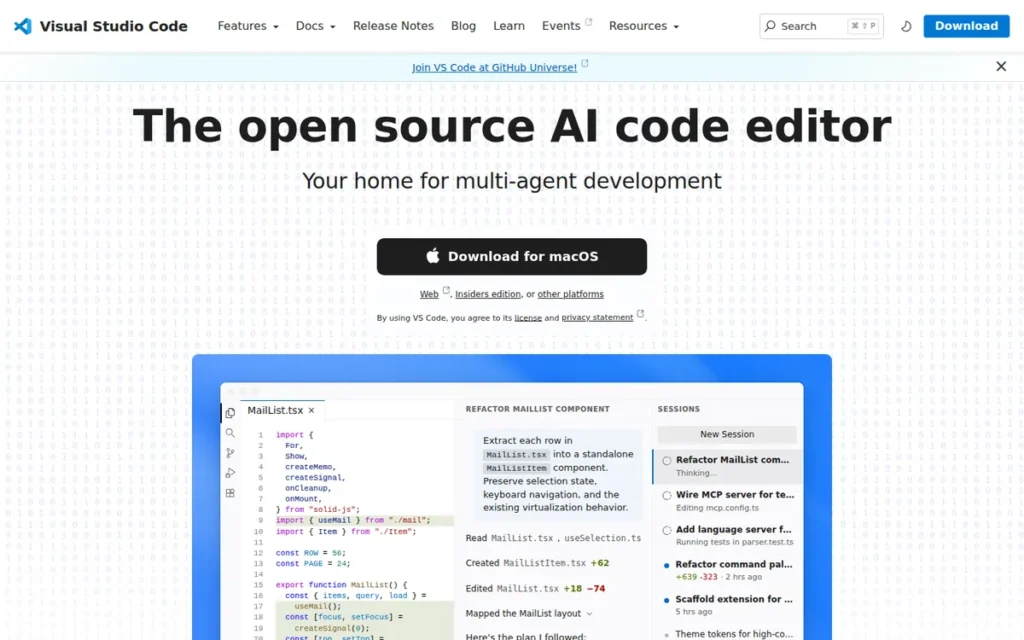
Category: Universal Editor, a free, extensible code editor that scales from beginner scripts to enterprise monorepos via a 30,000+ extension marketplace and optional GitHub Copilot AI integration across free through enterprise tiers.
At a Glance
- Category: Universal Editor
- Best For: Developers at any skill level needing a free, all-platform editor with broad language support, a mature extension ecosystem, and flexible AI integration via GitHub Copilot
- Price Range: Free (base editor, no functionality caps) + optional Copilot: Free tier / Pro ~$10/month / Business ~$19/user/month / Enterprise ~$39/user/month
- Primary Strength: Visual Studio Code commands 73% developer adoption in Stack Overflow 2024 (the largest share of any code editor) supported by a 30,000+ extension marketplace and a completely free base tier with no functionality limits
- Biggest Limitation: Visual Studio Code is built on Electron, a Chromium-based web framework, which produces measurable memory consumption and startup latency on lower-spec hardware, SSH workflows, and very large monorepos compared to native-compiled editors
- One-Line Summary: Visual Studio Code is the most widely adopted free code editor in the world, used by 73% of developers surveyed in Stack Overflow 2024, offering a 30,000+ extension marketplace, a G2 rating of 4.7/5.0, and GitHub Copilot AI integration spanning free through enterprise tiers at no base cost
- Last Verified: June 2026
Overview
Visual Studio Code is a free, open-source, cross-platform code editor developed by Microsoft that serves developers at every skill level, from first-time coders writing Python scripts to enterprise teams managing large monorepos, combining a lightweight editing interface with near-IDE capabilities through its 30,000+ extension marketplace and optional GitHub Copilot AI integration. Visual Studio Code launched in 2015, is maintained as open-source under an MIT license with VSCodium available as a telemetry-free community build, and reached 73% usage share in the Stack Overflow Developer Survey 2024 (survey.stackoverflow.co/2024/technology), the highest adoption of any code editor, driven by its zero-cost base, all-platform support, and the January 2026 addition of Copilot Memory and background-agent features.
Key Features
- Visual Studio Code provides IntelliSense code completion, go-to-definition, hover documentation, and inline error diagnostics for virtually every major programming language through built-in support and Language Server Protocol extensions from its 30,000+ extension marketplace (code.visualstudio.com/docs/configure/extensions/extension-marketplace).
- Visual Studio Code’s extension ecosystem exceeds 30,000 packages covering every language, debugger, linter, formatter, database client, and theme category, with workspace-recommended extension lists that allow teams to enforce consistent tooling across all contributors without manual individual setup.
- Visual Studio Code integrates GitHub Copilot across Free, Pro (~$10/month), Business (~$19/user/month), and Enterprise (~$39/user/month) tiers, with the January 2026 v1.109 release adding Copilot Memory for persistent cross-session AI context and background-agent improvements for autonomous multi-file task handling (Microsoft VS Code Release Notes v1.109, January 2026).
- Visual Studio Code supports Remote Development via SSH, Dev Containers, and GitHub Codespaces (Microsoft’s cloud-hosted VS Code environment enabling full development without local installation) providing consistent, reproducible environments across local and cloud infrastructure.
- Visual Studio Code includes a native Git interface, integrated terminal, and built-in debugger that collectively replicate the core workflow of a full IDE without requiring separate application installations or configuration investment.
Best For
Visual Studio Code is best for developers who need a single, free, cross-platform editor serving beginner learning, professional production work, and team collaboration without requiring separate tools for different languages or workflows.
Visual Studio Code is also the recommended evaluation starting point for any developer considering GitHub Copilot AI integration at the free or Pro tier before committing to a paid AI-native editor like Cursor, its zero-cost base makes it the lowest-friction platform for AI-assisted coding evaluation.
Pricing
Visual Studio Code itself is completely free with no paid tiers (verified June 2026). The primary paid add-on is GitHub Copilot (github.com/features/copilot): a Free tier with limited monthly completions; Pro at approximately $10/month; Business at approximately $19/user/month; and Enterprise at approximately $39/user/month. VSCodium is a telemetry-free, MIT-licensed community build for organizations with data privacy or compliance requirements. Verify current Copilot tier names and costs at github.com/features/copilot, as Microsoft updates pricing regularly.
Strengths
- Visual Studio Code achieved 73% adoption in the Stack Overflow Developer Survey 2024, ahead of second-ranked Visual Studio at ~27% and IntelliJ IDEA at ~25% by a margin no other tool in this comparison approaches, representing actual developer choice rather than marketing spend (Stack Overflow Developer Survey 2024, survey.stackoverflow.co/2024/technology and stackoverflow.blog/2025/01/01).
- GitHub Copilot surpassed approximately 1.8 million paid subscribers and was deployed by more than 50,000 organizations by FY2024, making it the most widely validated AI coding tool in production use (GitHub Copilot product disclosures, synthesized via aibusinessweekly.net and getpanto.ai/blog/github-copilot-statistics, FY2024).
- The January 2026 VS Code release (v1.109) added Copilot Memory for persistent cross-session AI context and background-agent improvements for autonomous multi-file task handling, narrowing the practical AI gap with dedicated AI-native editors without requiring an editor switch (Microsoft VS Code Release Notes v1.109, January 2026).
- Visual Studio Code’s open-source MIT core, all-platform support, zero base cost, and the availability of VSCodium as a telemetry-free build make it the only tool in this comparison that simultaneously satisfies enterprise procurement requirements, beginner accessibility needs, open-source license preferences, and privacy-conscious organizational policies.
Limitations
Electron Architecture Overhead: Visual Studio Code’s most consequential trade-off is its Electron-based architecture, because Visual Studio Code renders through a Chromium web engine rather than native code, it consumes significantly more memory and exhibits higher startup latency than native-compiled alternatives like Zed (Rust/GPUI) or Notepad++ (C++/Win32).
Community documentation is consistent on this trade-off:
“VSCode is pretty slow and eats so much memory.” Posted by u/gracicot, r/cpp, 2024
Takeaway: Visual Studio Code’s Electron overhead is a genuine architectural trade-off (not a configuration issue) and applies most meaningfully on lower-spec hardware, SSH workflows, and files exceeding 1 GB.
“VSCode feels almost as bogged down as Visual Studio at this point.” Posted by u/countsachot, r/linuxquestions, 2024
Takeaway: Developers experiencing persistent VS Code performance friction on large monorepos or older machines should evaluate Zed (macOS/Linux) or Sublime Text (all platforms) before dismissing the category as inherently slow.
Visual Studio Code extension conflicts and indexing overhead can further degrade responsiveness on large monorepos as extension counts grow, a pattern that is manageable through workspace-specific extension profiles but not eliminable by architecture.
Verdict
Visual Studio Code leads across more ranking criteria simultaneously than any other tool in this comparison, specifically the combination of highest adoption (73%), largest review count, zero cost, and all-platform availability, with individual criteria led by other tools (IntelliJ’s Java intelligence depth, Cursor’s AI integration depth, Zed’s raw startup speed). Visual Studio Code’s combination of zero cost, 30,000+ extension ecosystem, all-platform support, and tiered GitHub Copilot AI integration from free through enterprise makes it the broadest-coverage choice for developers who have not yet identified a specific constraint that another tool solves better. Developers optimizing for maximum terminal performance, deep Java-framework intelligence, or AI-agent autonomy should evaluate Neovim, IntelliJ IDEA, or Cursor respectively against their exact requirements before defaulting to VS Code.
2. IntelliJ IDEA (JetBrains): Best for Enterprise Java, Kotlin, and Framework-Heavy Backend Development

Category: Full IDE, a feature-complete integrated development environment with deep, semantics-aware code intelligence for Java and Kotlin, including built-in profiling, database tools, application server support, and framework-aware refactoring that understands Spring, Jakarta EE, and similar enterprise patterns.
At a Glance
- Category: Full IDE
- Best For: Java, Kotlin, and enterprise backend developers requiring framework-aware code intelligence, built-in profiling, and integrated database tooling that VS Code extensions cannot fully replicate
- Price Range: Free (Community Edition) / $199/year individual or $719/year per org seat (Ultimate), continuity discounts apply for uninterrupted individual subscriptions; new organizational subscriptions after January 2025 are not eligible for progressive discount rates
- Primary Strength: IntelliJ IDEA provides semantics-aware Java and Kotlin code intelligence that understands Spring, Jakarta EE, and framework context at a structural level, producing refactoring accuracy and static analysis depth that no extension-based editor in this comparison has yet replicated at equivalent precision
- Biggest Limitation: IntelliJ IDEA Ultimate is the most resource-intensive editor in this comparison and requires a $199/year individual subscription, a cost and memory-overhead combination that is difficult to justify outside Java, Kotlin, or framework-heavy enterprise backend workflows
- One-Line Summary: IntelliJ IDEA is a full-featured IDE for Java and Kotlin development with 24 years of continuous development, used by approximately 25% of developers surveyed in Stack Overflow 2024 and rated 4.6/5.0 on G2, offering a free Community Edition and a $199/year Ultimate tier with framework-aware refactoring, built-in profiling, and integrated database tooling
- Last Verified: June 2026
Overview
IntelliJ IDEA is a full-featured integrated development environment developed by JetBrains, designed primarily for Java and Kotlin developers who require semantics-aware code intelligence, refactoring, static analysis, and completion that understands Spring annotations, Jakarta EE patterns, and framework context rather than treating code as generic text. IntelliJ IDEA was first released in January 2001, making it one of the longest-running professional IDEs in continuous active commercial development, and achieved approximately 25% usage share in the Stack Overflow Developer Survey 2024 (survey.stackoverflow.co/2024/technology), placing it third globally behind VS Code and Visual Studio.
Key Features
- IntelliJ IDEA provides framework-aware code completion and refactoring that understands Spring Boot, Jakarta EE, Hibernate, and other Java ecosystem frameworks at a semantic level, enabling context-correct refactoring that extension-based editors and pluggable language servers have not yet replicated at equivalent accuracy for Spring and Jakarta EE patterns (JetBrains IntelliJ IDEA documentation, jetbrains.com/help/idea/discover-intellij-idea.html, June 2026).
- IntelliJ IDEA Ultimate includes a built-in profiler, integrated database client, and application server connectors, capabilities that require multiple separate VS Code extensions of varying quality and maintenance status to approximate.
- IntelliJ IDEA integrates JetBrains AI Assistant for AI-powered code completion and chat, maintained by the same team that develops the IDE, reducing the compatibility instability that arises when third-party AI plugins interact with complex IDE internals across version updates.
- IntelliJ IDEA Community Edition provides core Java and Kotlin development features (including IntelliJ’s refactoring engine, VCS integration, and run/debug configurations) at no cost, covering a meaningful subset of Ultimate’s capabilities for developers not working with enterprise frameworks or Spring (JetBrains IntelliJ IDEA Community vs. Ultimate feature comparison, jetbrains.com/idea, June 2026).
- IntelliJ IDEA’s indexing engine produces fast, accurate symbol navigation and cross-file refactoring in large Java projects, with performance specifically tuned for annotation processing and reflection-heavy frameworks that characterize enterprise Java at scale.
Best For
IntelliJ IDEA is best for Java and Kotlin developers building enterprise applications with Spring, Jakarta EE, or similar frameworks, where the productivity return on framework-aware code intelligence and built-in toolchain integration exceeds the $199/year Ultimate subscription cost multiple times over in time saved on refactoring and debugging.
Pricing
IntelliJ IDEA Community Edition is free and open-source (verified June 2026). Ultimate costs $199/year for individuals and $719/year per organizational seat.
⚠️ PRICING NOTE (verified June 2026): JetBrains changed its continuity discount policy for new organizational subscriptions effective January 2, 2025. New organizational seats purchased after this date no longer qualify for the progressive loyalty discount ladder (Year 2 = 20% off individual rate; Year 3+ = 40% off). Perpetual fallback licenses (the right to retain the version available at the start of a subscription year if the subscription lapses) continue to be awarded under the existing policy and were not changed in January 2025. Individual subscribers and subscriptions predating January 2025 retain their existing discount rates unaffected. Confirm current discount eligibility and perpetual fallback license terms at jetbrains.com/idea before enterprise procurement decisions. (Sources: gamefromscratch.com JetBrains pricing analysis, 2025; JetBrains IntelliJ IDEA official communications, 2025.)
Strengths
- IntelliJ IDEA achieved approximately 25% usage share in the Stack Overflow Developer Survey 2024 (the third most-adopted development environment globally) representing adoption concentrated in professional and enterprise Java and Kotlin teams, with no free-tier entry-level onboarding subsidizing the figure (Stack Overflow Developer Survey 2024, survey.stackoverflow.co/2024/technology, 2024).
- IntelliJ IDEA has been in continuous active commercial development since January 2001, over 24 years, producing a refactoring engine and static analysis capability for Java and Kotlin that newer editors relying on pluggable Language Server Protocol implementations have not yet replicated at equivalent framework-aware accuracy (Wikipedia, IntelliJ IDEA, verified June 2026).
- IntelliJ IDEA Ultimate’s built-in profiler, integrated database tools, and application server support (included at no additional per-tool cost) reduce context switching and separate tool licenses for enterprise Java backend development compared to assembling equivalent capability from VS Code extensions of varying quality (JetBrains documentation, accessed June 2026).
- IntelliJ IDEA Community Edition is genuinely capable for core Java and Kotlin development (not a restricted trial) covering IntelliJ’s refactoring engine, VCS integration, and run/debug configurations at zero cost for developers not requiring Spring, enterprise framework support, or database tooling.
Users on r/IntelliJIDEA noted:
“As for VS Code, even with every plugin possible it does not come close to Jetbrains. It might someday, but not yet. The only major advantage is cost, but that’s a weak reason to prefer it. Having said that, VS Code is still excellent. Many at my workplace–who can use anything they want–use it exclusively and love it.” Posted by u/bellingman
Takeaway: Long-term JetBrains users consistently describe VS Code’s plugin ecosystem as fundamentally incapable of matching IntelliJ’s depth, even those who respect VS Code acknowledge IntelliJ’s superiority for comprehensive Java development workflows.
Limitations
Resource Overhead and Licensing Cost Combination: IntelliJ IDEA’s most consequential trade-off is the combination of high resource consumption and significant licensing cost, Ultimate requires $199/year per individual and consumes substantially more RAM than VS Code or any lightweight editor in this comparison.
IntelliJ IDEA’s extreme-scale performance also has documented limits: a user reported the IDE crashing on a 12-million-line C++ codebase after 40 minutes while Neovim handled the same project without issue (u/Future_Deer_7518, r/cpp, 2024). This edge case occurred on a C++ codebase outside IntelliJ’s primary-supported Java and Kotlin domain; typical enterprise Java project performance at scale is not documented to exhibit equivalent degradation.
IntelliJ IDEA’s January 2025 organizational discount policy change means enterprise teams purchasing new commercial seats after January 2, 2025 no longer benefit from the progressive loyalty discount ladder, a procurement consideration that reduces the long-term cost advantage for new organizational deployments compared to subscriptions predating that date.
No Multi-File AI Agent Mode: IntelliJ IDEA’s JetBrains AI Assistant provides inline completion and chat but does not offer a multi-file autonomous agent capability comparable to Cursor’s Agent mode, a gap that matters specifically to teams evaluating AI-native development workflows as a primary selection criterion.
Verdict
IntelliJ IDEA is the strongest choice for enterprise Java and Kotlin development in this comparison, with framework-aware refactoring, a 24-year-deep language intelligence engine, and an integrated toolchain (profiling, database, application server) that VS Code extensions approximate but have not yet replicated at equivalent accuracy for Spring and Jakarta EE projects. IntelliJ IDEA’s resource intensity, $199/year Ultimate cost, and the January 2025 organizational continuity discount policy change are genuine trade-offs that make it the right tool for teams where language-specific intelligence is the primary selection criterion, and a poor fit for developers working primarily outside its core Java, Kotlin, and enterprise-framework ecosystem.
3. Notepad++ (Don Ho): Best Free Windows Editor for Quick Editing, IT Professionals, and Sysadmins
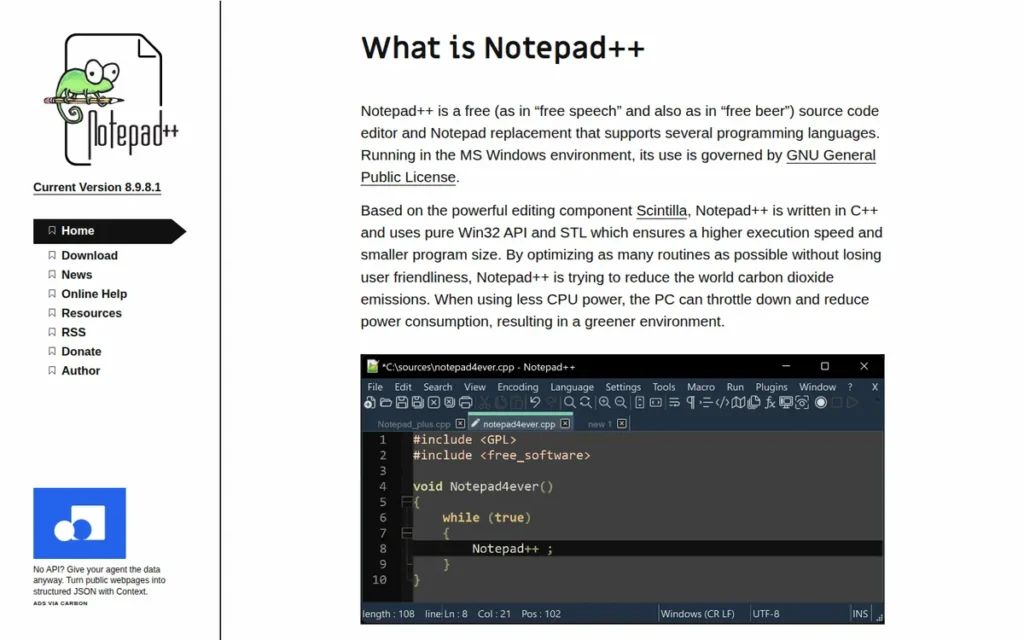
Category: Lightweight Text Editor, a free, native Windows source-code editor built for near-instant startup, reliable syntax highlighting across 90+ languages, and fast file manipulation without IDE overhead, Electron memory usage, or any subscription cost.
At a Glance
- Category: Lightweight Text Editor
- Best For: Windows-based developers, IT professionals, sysadmins, and power users who need fast, reliable syntax highlighting, regex search-and-replace, and quick file editing without IDE complexity, subscription cost, or telemetry
- Price Range: Free (GPL open-source: no tiers, no time limits, no purchase prompts, no subscription)
- Primary Strength: Notepad++ holds 2,472 verified G2 reviews at 4.6/5.0 as of June 2026 (the largest verified review count of any editor in this comparison) and delivers near-instant launch times by running natively in C++ without a web-engine framework
- Biggest Limitation: Notepad++ is Windows-exclusive with no macOS or Linux version, making it structurally incompatible with cross-platform development teams or any developer working in non-Windows environments
- One-Line Summary: Notepad++ is the free, Windows-native code editor used by 19% of developers surveyed in Stack Overflow 2024 (the fourth most widely-used editor in the world) with 2,472 G2 reviews at 4.6/5.0, active maintenance through June 2026, and complete GPL freedom requiring no purchase or subscription
- Last Verified: June 2026
Overview
Notepad++ is a free, open-source Windows source-code and text editor developed by Don Ho, built on the Scintilla editing component in native C++ using the Win32 API, an architecture that eliminates web-engine and Electron overhead, enabling near-instant startup for developers who need to open, search, and edit files without waiting for a heavier editor to load. Notepad++ was first released in 2003 and has been continuously maintained for over 22 years, achieving 19% usage share in the Stack Overflow Developer Survey 2024 (survey.stackoverflow.co/2024/technology) and accumulating 2,472 verified G2 reviews at 4.6/5.0, the fourth most widely-used editor globally and the most extensively reviewed tool in this comparison.
Key Features
- Notepad++ provides syntax highlighting for more than 90 built-in programming languages (including Python, JavaScript, C++, SQL, PowerShell, and XML) with a user-defined language system for extending coverage to proprietary or specialized formats, documented in the Notepad++ user manual (npp-user-manual.org/docs/programing-languages).
- Notepad++ includes a Plugin Manager with over 140 compatible plugins, with 10 bundled by default, covering file comparison, FTP, code snippets, and macro automation, extending base capability for power users without requiring a full IDE footprint.
- Notepad++ supports multi-line and column-mode editing, regular expression search and replace with syntax validation, and a Compare plugin for side-by-side file diffing, covering the text manipulation workflows that Windows developers and sysadmins perform most frequently.
- Notepad++’s native C++/Win32 architecture opens large files significantly faster than Electron-based editors, with a community member reporting that Notepad++ loaded a file before Windows’ own Notepad had finished its startup sequence on a modern i7 1370p / 32GB RAM machine (u/RandomLukerX, r/msp, 2024).
- Notepad++ is actively maintained as of June 2026: version 8.9.6.4 released June 3, 2026, providing a 22-year stability and continuity signal that no venture-backed startup editor in this comparison can currently match.
Best For
Notepad++ is best for Windows-based IT professionals, system administrators, and developers who need to quickly open, inspect, and edit configuration files, log outputs, scripts, and source code on Windows without launching a full IDE. Notepad++ is also the go-to recommendation for any Windows-first developer who values zero cost, zero telemetry, and near-instant startup above cross-platform support or AI assistance.
Pricing
Notepad++ is completely free under the GNU General Public License (GPL), described by the project as free “as in free speech and also as in free beer” (verified June 2026). There are no paid tiers, no freemium limits, no purchase prompts, and no subscription. The GPL license allows organizations to audit source code and self-host builds, and there is no telemetry by default, relevant for organizations with data sensitivity requirements. No pricing verification is required; Notepad++ has been unconditionally free since 2003.
Strengths
- Notepad++ holds 2,472 verified G2 reviews at 4.6/5.0 as of June 2026: the largest verified review count of any editor in this comparison, providing a level of sustained independent user validation that more heavily-marketed and venture-backed tools in this category cannot currently match (G2 Notepad++ reviews, accessed June 2026).
- Notepad++ achieved 19% developer usage share in the Stack Overflow Developer Survey 2024 (the fourth most-used editor globally among approximately 65,000 surveyed professionals) with no marketing budget, no corporate sponsor, and no AI features subsidizing that adoption figure (Stack Overflow Developer Survey 2024, survey.stackoverflow.co/2024/technology, 2024).
- Notepad++’s native C++/Win32 architecture produces near-instant startup and minimal memory footprint that Electron-based editors cannot architecturally replicate, with community documentation of launch speeds faster than Windows’ own built-in Notepad on equivalent modern hardware (u/RandomLukerX, r/msp, 2024).
- Notepad++ has sustained active development for over 22 years, with version 8.9.6.4 released June 3, 2026, demonstrating long-term project continuity that reduces the risk of tool abandonment or end-of-life affecting developer workflows.
Users on r/learnprogramming shared their experience:
“I use Visual Studio for all my work in C#. PyCharm for Python. But these IDEs are usually pretty bad at handling big files. VS Code is worse in my experience. I use Notepad++ to open huge files of text (logs), JSON, XML, etc. It can easily open text files with 100k lines almost instantly. Search and replace (including Regex) is fast. The JSON and XML plugins are also really good at formatting (indenting) big files. PyCharm, for ex, will automatically wrap super long lines for performance reasons.” Posted by u/GeneralTomahawk
Takeaway: Notepad++ is the go-to tool for developers who regularly work with large log files, XML, and JSON exports where IDE-level editors (including VS Code and PyCharm) impose performance penalties that Notepad++’s native C++ architecture eliminates.
Limitations
Windows Exclusivity: Notepad++’s most consequential trade-off is its Windows exclusivity, as a native Win32 application, Notepad++ has no macOS or Linux version and no cross-platform roadmap, making it a hard blocker for any team standardizing across operating systems, any developer working on macOS or Linux, and any CI/CD or server-side workflow outside Windows.
Enterprise Procurement Risk from Political Release Naming: A second factual consideration for enterprise procurement: the project’s release naming practice includes politically-themed codenames. Version 8.9.6.4, released June 3, 2026, is named “Tiananmen Massacre Commemoration”, a documented pattern that has created HR and procurement complications in regulated industries and globally-deployed organizations where politically-named software may face internal policy review (Wikipedia, Notepad++, verified June 2026). This is a factual disclosure, not an editorial judgment; procurement teams in relevant organizational contexts should evaluate it independently.
Limited Project Management Capability: Notepad++ also lacks a native multi-pane workspace model and project-level file tree management comparable to VS Code’s Explorer panel, making it less suited to managing multi-directory project structures, a trade-off developers commonly encounter when transitioning from Notepad++ to VS Code as projects grow beyond individual script editing.
No AI Integration: Notepad++ has no native AI integration, a structural limitation relative to every other GUI editor in this comparison for developers whose workflows incorporate AI-assisted coding.
Verdict
Notepad++ is the most battle-tested free editor in this comparison, 2,472 G2 reviews, 19% Stack Overflow 2024 adoption, and active maintenance through June 2026, making it the strongest evidence-supported choice for Windows developers who prioritize zero cost, native performance, and 22 years of stability over AI features or cross-platform support. Notepad++ is not the right tool for developers on macOS or Linux, teams requiring cross-platform editor standardization, enterprise procurement teams in industries where the project’s political release naming creates policy exposure, or workflows requiring AI-assisted coding, but for the specific Windows-native context it serves, its independent evidence base is stronger than any newer editor in this comparison.
4. Cursor (Anysphere): Best AI-Native Editor for Multi-File Refactoring and Codebase-Wide AI Workflows
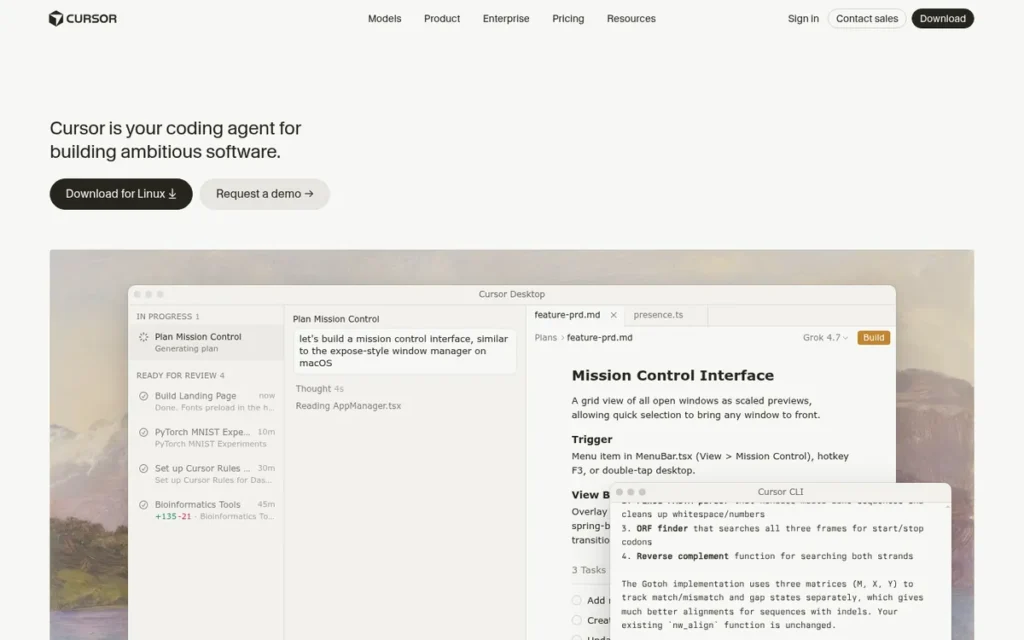
Category: AI-Native Editor, a standalone code editor built as a VS Code fork by Anysphere, designed from the ground up around AI-assisted coding with multi-file agent mode, full codebase indexing, and inline AI editing as architectural core features rather than plugin additions.
At a Glance
- Category: AI-Native Editor
- Best For: Developers already comfortable with VS Code who want the deepest available AI integration for multi-file refactoring, codebase-wide Q&A, and agent-driven code generation, and who understand that every Agent mode output requires the same review rigor as external code
- Price Range: Free (limited: approximately 2,000 completions/month) / Pro ~$20/month / Business: contact cursor.com/pricing
- Primary Strength: Cursor provides the most deeply integrated AI-native coding environment documented in a standalone editor in this comparison, with a multi-file Agent mode that can autonomously scaffold, refactor, and test across an entire codebase from a natural-language instruction
- Biggest Limitation: Cursor’s Agent mode carries a documented risk of silently propagating AI-hallucinated code errors across multiple files simultaneously, requiring developers to treat every Agent mode output with the same review discipline applied to any external code contribution
- One-Line Summary: Cursor is the fastest-growing AI-native code editor of 2026, built on VS Code by Anysphere, trusted by engineers at OpenAI and Perplexity, with approximately $1 billion ARR by November 2025 and a multi-file Agent mode that autonomously modifies an entire codebase from a natural-language instruction
- Last Verified: June 2026
Overview
Cursor is an AI-native code editor built by Anysphere as a fork of Visual Studio Code, designed for developers who want artificial intelligence integrated at the architectural level, not as a plugin, enabling multi-file autonomous editing, full codebase indexing for semantic Q&A, and inline AI refactoring that operate within the editor’s core rather than running alongside it. Cursor was launched in 2023 by four former MIT students and reached approximately $1 billion in annual recurring revenue by November 2025, with Sacra estimating approximately $3 billion annualized revenue by April 2026, making it one of the fastest-growing developer tools in recent history, with adoption by engineering teams at OpenAI and Perplexity as a production-grade credibility signal (Sacra.com, April 2026; agentmarketcap.ai, 2026).
Cursor does not yet have a significant verified G2 or Capterra review presence as of June 2026, reflecting its 2023 launch date; commercial ARR growth and community forum sentiment are the primary available independent validation signals.
Key Features
- Cursor’s Agent mode accepts a natural-language instruction: such as “add JWT authentication to this API” or “refactor this service to use the repository pattern”, and autonomously edits multiple files, runs tests, and handles follow-up actions without requiring the developer to specify each individual file change.
- Cursor provides @codebase context indexing that ingests an entire repository for semantic search and targeted Q&A across the full codebase, enabling queries like “where is the user authentication logic?” to return accurate, cross-file results rather than being limited to open files or a fixed context window.
- Cursor supports Tab autocomplete with multi-line, context-aware predictions that anticipate multi-step code sequences based on surrounding code context, reducing repetitive keystroke burden for boilerplate and structural code patterns.
- Cursor inherits VS Code’s extension ecosystem, keybindings, and settings through its fork architecture, allowing most VS Code users to transition with their existing tooling configuration intact, a switching-cost advantage over editors requiring fresh environment setup.
- Cursor’s .cursorrules file system is a plain-text project-configuration file placed in the repository root that defines project-specific AI behavior (including required coding conventions, prohibited patterns, and library preferences) producing more consistent AI suggestions across all team members working in the same codebase.
Best For
Cursor is best for experienced developers working on greenfield projects, large-scale multi-file refactoring, or API integration work where instructing an AI agent across multiple files simultaneously produces compounding productivity gains.
Cursor is best-suited to developers who are disciplined enough to review AI-generated code changes before merging them, treating Agent mode output with the same scrutiny applied to any external code contribution.
Pricing
Cursor offers a Free tier with approximately 2,000 AI completions per month and limited Agent requests (verified June 2026). Pro is approximately $20/month per user with unlimited completions and access to frontier models including GPT-4o and Claude Sonnet. Business pricing is available at cursor.com/pricing. Verify current tier names, limits, and costs at cursor.com/pricing, Cursor has restructured pricing multiple times since 2024. Heavy Agent mode usage can escalate effective per-session costs beyond the flat Pro rate; evaluate usage patterns before committing to Pro.
Strengths
- Cursor reached approximately $1 billion in annual recurring revenue by November 2025 (with Sacra estimating approximately $3 billion annualized revenue by April 2026) representing a rate of developer adoption velocity that no other editor in this comparison has achieved in a comparable launch-to-revenue timeframe (Sacra.com analysis, April 2026; agentmarketcap.ai, 2026).
- Cursor is described as trusted by engineers at OpenAI and Perplexity: two of the most technically demanding software engineering organizations in the AI industry, providing a production-grade credibility signal for high-complexity coding workflows (DataCamp Cursor tutorial, 2025).
- Cursor’s VS Code fork architecture means existing VS Code users: representing 73% of surveyed developers, can transfer their extensions, keybindings, and settings to Cursor without rebuilding their development environment, creating a trial adoption advantage substantially lower-friction than switching to a differently-architected editor.
- Cursor’s support for multiple interchangeable LLM backends (GPT-4o, Claude Sonnet, and future frontier models) means that as underlying models advance, those improvements become available in Cursor without requiring editor replacement or configuration changes, a structural advantage of model-agnostic architecture over single-model AI editors (Anysphere Cursor product documentation, cursor.com, June 2026).
Limitations
Agent Mode Hallucination Risk: Cursor’s most consequential trade-off is the AI hallucination risk in its multi-file Agent mode, when Cursor autonomously modifies multiple files based on a natural-language instruction, it can silently propagate incorrect code assumptions, including security vulnerabilities, logic errors, and incorrect API usage, across the codebase simultaneously.
Cursor’s developer communities describe this pattern as “accepted bad code from AI hallucinations,” requiring the same review discipline developers apply to any external code contribution (r/programming, r/webdev community synthesis, 2025–2026).
This experience is documented in the Cursor community on r/cursor:
“The composer and agent seem to be creating more problems than they should. When I ask it to perform tasks, it removes code that should stay and creates unnecessary files, even when I provide detailed instructions. I’ve tried similar tasks outside of Cursor using Claude and ChatGPT o1 and they worked well. Am I missing something in the settings or setup? Otherwise, I don’t see the point in paying for the cursor.” Posted by u/jamesftf
Takeaway: Cursor’s Agent mode hallucination problem is a documented community pain point (not a theoretical caveat) and manifests as destructive file changes that require the same code review discipline applied to any external contribution before merging.
Cost vs. Free Alternatives: At approximately $20/month for Pro, Cursor costs twice as much as Zed Pro ($10/month) and twice as much as GitHub Copilot Pro (~$10/month). Developers primarily using AI for completion assistance (rather than multi-file agentic tasks) may find VS Code + GitHub Copilot Pro at comparable or lower cost a lower-risk entry point without requiring an editor switch.
Verdict
Cursor provides the deepest documented AI-native integration of any standalone editor in this comparison, with multi-file Agent mode and full @codebase indexing that VS Code + Copilot and Zed do not currently replicate at equivalent depth, supported by approximately $3 billion annualized ARR (Sacra, April 2026) and adoption at OpenAI and Perplexity as credibility signals in the absence of a large formal review base. Cursor’s hallucination risk in Agent mode and $20/month Pro cost are genuine trade-offs: developers doing high-volume greenfield scaffolding or large-scale multi-file refactoring will find the productivity return clearest, while those primarily using AI for completion assistance may find VS Code + GitHub Copilot Pro at comparable or lower cost a lower-risk entry point without requiring an editor switch.
5. Sublime Text (Sublime HQ Pty Ltd): Best Cross-Platform Performance Editor for Speed-First Developers
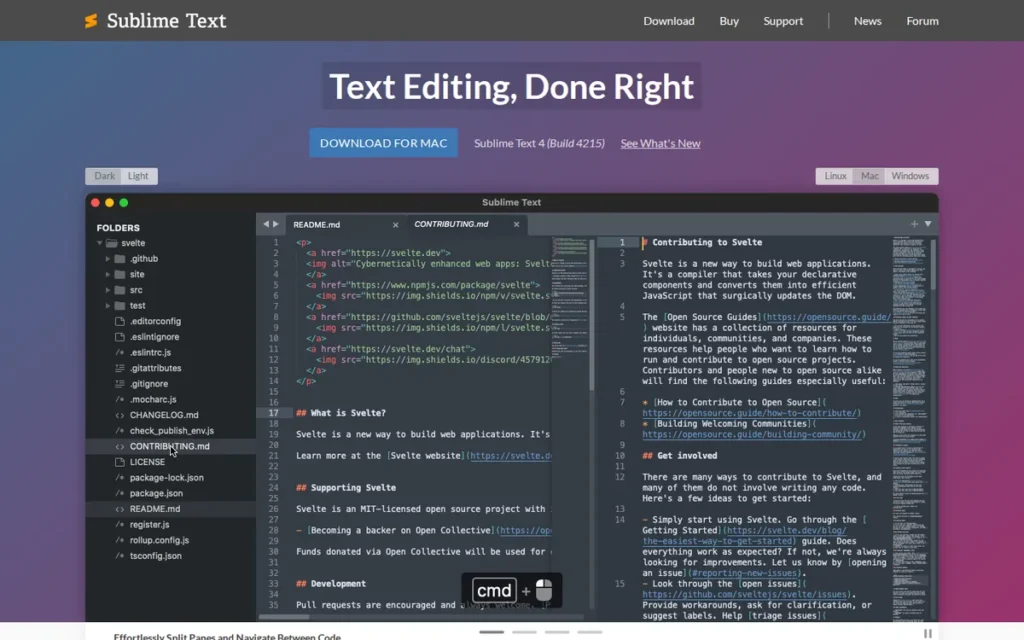
Category: Performance Text Editor, a paid, cross-platform code editor engineered for speed, minimalism, and large-file handling, offering multi-caret editing and fuzzy navigation without the memory overhead of Electron-based editors or the configuration burden of terminal-based editors.
At a Glance
- Category: Performance Text Editor
- Best For: Developers across Windows, macOS, and Linux who prioritize editor speed, distraction-free workflow, and large-file handling over AI assistance or built-in IDE features, willing to pay a one-time license for a polished, fast editing experience
- Price Range: Free to evaluate (no time limit, occasional purchase prompt) / $99 one-time individual (3-year update coverage, ~$33/year effective) / $65/seat Business
- Primary Strength: Sublime Text opens files larger than 2 GB smoothly and launches near-instantly on all platforms (performance capabilities that Electron-based editors cannot match architecturally) while maintaining 15% Stack Overflow 2024 usage share and a G2 rating of 4.5–4.7/5.0
- Biggest Limitation: Sublime Text has no native AI integration and requires a $99 purchase for capabilities competing directly against free editors including VS Code, Neovim, and Zed’s free Personal tier, making its value dependent on strong preference for speed over AI assistance
- One-Line Summary: Sublime Text is the cross-platform performance editor used by approximately 15% of developers surveyed in Stack Overflow 2024, offering near-instant launch times, 2GB+ file handling, GPU-accelerated rendering on Apple Silicon, and multi-caret editing at a $99 one-time license that provides three years of update coverage
- Last Verified: June 2026
Overview
Sublime Text is a cross-platform code editor developed by Sublime HQ Pty Ltd, designed for developers who prioritize editing speed, minimalist interface, and large-file handling over AI integration or IDE-level debugging, providing multi-caret editing, Goto Anything fuzzy navigation, GPU-accelerated rendering with native Apple Silicon support (Sublime Text 4), and a Python-based plugin ecosystem in a native application free of Electron overhead. Sublime Text achieved approximately 15% usage share in the Stack Overflow Developer Survey 2024 (survey.stackoverflow.co/2024/technology), the fifth most-used editor globally, and is available for indefinite free evaluation with an occasional purchase prompt, with a full license costing $99 for three years of update coverage.
Key Features
- Sublime Text’s multi-caret editing enables simultaneous editing at multiple cursor positions across a file, dramatically accelerating repetitive code patterns, bulk rename operations, and structural transformations without macro recording or regex replacement workflows.
- Sublime Text’s Goto Anything command (Ctrl/Cmd+P) provides fuzzy file, symbol, and line navigation across an entire project, enabling developers to jump to any codebase location with a few keystrokes without maintaining an open file browser or project tree.
- Sublime Text 4 introduced GPU-accelerated rendering, native Apple Silicon and Linux ARM64 support, context-aware autocomplete with kind information and definition links, and tab multi-select, delivering meaningful performance improvements on current hardware architectures (Sublime Text 4 release notes, sublimetext.zendesk.com, 2024).
- Sublime Text opens and scrolls through files larger than 2 GB without performance degradation, a practical differentiator for developers who work with large log files, data exports, or generated code artifacts that cause Electron-based editors to lag or crash (G2 Sublime Text user reviews, accessed June 2026).
- Sublime Text’s Build Systems feature allows custom compile, run, and test commands to be triggered directly from the editor, and the Package Control plugin manager provides access to a community ecosystem written in Python, reducing the barrier to writing and sharing extensions.
Best For
Sublime Text is best for developers on any platform who use their editor primarily for writing and navigating code (not for running tests, built-in debugging, or AI-assisted generation) and who have experienced VS Code’s memory consumption or startup latency as a genuine, recurring workflow friction point worth resolving with a $99 one-time investment.
Developers evaluating Sublime Text primarily for its speed characteristics on macOS or Linux should assess Zed’s free Personal tier before purchasing a Sublime Text license, if Windows support is not required, Zed may serve the speed use case at zero base cost.
Pricing
Sublime Text can be downloaded and evaluated indefinitely for free (verified June 2026), the only limitation is an occasional modal purchase prompt. A personal license costs $99 USD and covers all updates within three years of purchase; after three years, the software continues to function but new builds require a separate upgrade purchase. Business licenses are $65 per user seat.
The standard individual license price is $99 USD (verified against sublimehq.com/store/text in June 2026). Reseller and bundle pricing varies, always verify the current base price at sublimehq.com/store/text before purchasing. At $99 for three years of updates, the effective annual cost is approximately $33/year, calculated at the $99 standard license price; recalculate if pricing has changed since publication.
Strengths
- Sublime Text achieved approximately 15% usage share in the Stack Overflow Developer Survey 2024 (the fifth most-used globally) despite being the only paid, closed-source tool competing directly against free alternatives including VS Code, Neovim, and Notepad++, indicating adoption driven by genuine performance preference rather than cost, ecosystem lock-in, or free-tier accessibility (Stack Overflow Developer Survey 2024, survey.stackoverflow.co/2024/technology, 2024).
- Sublime Text opens files larger than 2 GB smoothly and launches near-instantly on all platforms, with G2 users specifically citing “speed” and “responsiveness” as primary strengths, performance capabilities that are architecturally unavailable to Electron-based editors including VS Code and Cursor on equivalent hardware (G2 Sublime Text reviews, accessed June 2026).
- Sublime Text 4 runs natively on Apple Silicon and Linux ARM64 with GPU-accelerated rendering, ensuring its performance advantage extends to current hardware architectures rather than being a legacy characteristic of an aging codebase.
- At $99 for three years of updates (effective ~$33/year), Sublime Text delivers a cross-platform, GPU-accelerated editing experience at less than one-sixth of IntelliJ IDEA Ultimate’s annual cost and less than two months of Cursor Pro, the lowest effective annual cost of any paid cross-platform editor in this comparison.
Limitations
No Native AI Integration in a 2026 AI-Competitive Market: Sublime Text’s most consequential trade-off is the absence of native AI integration, VS Code + GitHub Copilot Free provides AI-assisted coding at zero base cost, Cursor Pro provides the deepest AI integration at $20/month, and Zed Pro provides multi-model AI at $10/month on macOS and Linux.
“Take Sublime Text 4, it’s lighter than VSCode, but it’s easier to set up and learn than vim.” Posted by u/SilentModeMan, r/linuxquestions, 2024
Takeaway: Sublime Text occupies the middle ground between VS Code’s feature breadth and Vim’s learning curve, but that positioning is increasingly challenged by Zed (free, macOS/Linux) and VS Code’s performance improvements.
Sublime Text also lacks built-in debugging and an integrated terminal comparable to VS Code’s, features requiring Package Control extensions of varying quality and maintenance status. Community discussion explicitly identifies Zed as a performance alternative for macOS and Linux users who want native speed without the Sublime Text purchase cost (r/learnprogramming, 2024).
Verdict
Sublime Text is the strongest cross-platform performance editor for developers who have made a deliberate choice to prioritize editing speed and minimalism over AI integration, its 15% Stack Overflow 2024 adoption and documented 2GB+ file handling capability validate this positioning with independent evidence rather than marketing claims. Sublime Text’s value proposition is weakest for developers who need AI assistance (evaluate VS Code + Copilot or Cursor), SSH-portable terminal performance (evaluate Neovim), or macOS and Linux native speed with AI integration (evaluate Zed’s free Personal tier before purchasing a Sublime Text license).
6. Neovim: Best for Terminal-Native, SSH-First, and Extreme-Scale Development Workflows
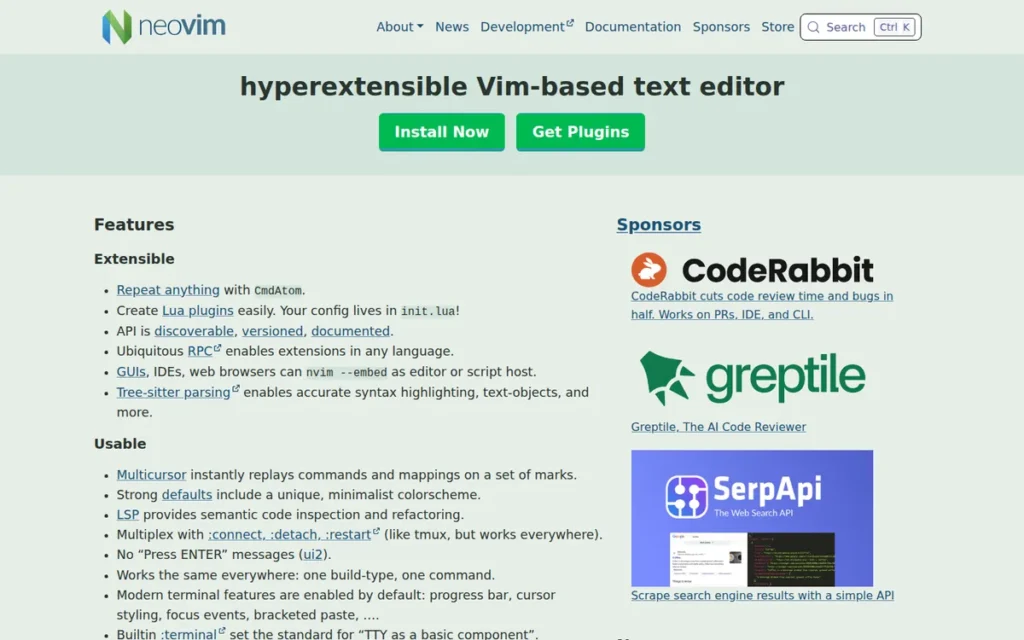
Category: Terminal-Based Editor, a free, open-source, keyboard-driven modal editor that runs in any terminal including remote SSH environments, providing IDE-comparable capabilities via native LSP client, Tree-sitter integration, and Lua plugin system without requiring a graphical user interface or application installation.
At a Glance
- Category: Terminal-Based Editor
- Best For: Experienced developers who work primarily in terminal environments, access remote servers via SSH regularly, require maximum performance and infinite extensibility for large-scale workflows, or have made a deliberate investment in keyboard-driven editing mastery
- Price Range: Free forever (MIT-compatible open-source license: no tiers, no subscriptions, no AI add-ons required, no upgrade path)
- Primary Strength: Neovim’s terminal-native architecture enables full IDE-equivalent capabilities (LSP completion, diagnostics, go-to-definition) on any SSH-accessible machine without a GUI application, and has been documented handling a 12-million-line C++ codebase where GUI IDEs crashed
- Biggest Limitation: Neovim requires significant upfront configuration investment (measured in days to weeks by community members) plus ongoing plugin maintenance as updates introduce breaking changes, costs that community distributions reduce but do not eliminate
- One-Line Summary: Neovim is the free, terminal-based, keyboard-driven code editor used by 14% of developers surveyed in Stack Overflow 2024, with approximately 95,000–100,000 GitHub stars, native LSP and Tree-sitter support, and documented capability to handle 12-million-line codebases in SSH environments where GUI IDEs fail
- Last Verified: June 2026
Overview
Neovim is a free, open-source fork of Vim created in 2014 that modernizes its predecessor with three architectural advances, an embedded Lua runtime for plugin development, a native Language Server Protocol client providing IDE-comparable completion and diagnostics, and Tree-sitter integration for syntax-aware highlighting, while retaining Vim’s foundational advantage: running as a full-featured keyboard-driven editor in any terminal, using a configuration that travels as plain-text dotfiles rather than requiring a GUI application. Neovim achieved 14% usage share in the Stack Overflow Developer Survey 2024 (survey.stackoverflow.co/2024/technology) and has accumulated approximately 95,000–100,000 GitHub stars (OSS Insight snapshot, 2024; live count at github.com/neovim/neovim, which fluctuates as inactive or bot accounts are periodically removed), adoption driven entirely by community advocacy with no corporate marketing budget.
Key Features
- Neovim’s native Language Server Protocol client provides IDE-comparable code completion, hover documentation, go-to-definition, rename symbols, and inline diagnostics for any language with an LSP server (including Python, TypeScript, Rust, Go, and C++) without language-specific IDE builds or per-language paid extensions (Neovim GitHub repository, github.com/neovim/neovim).
- Neovim’s Lua runtime enables plugin development in a well-understood, high-performance scripting language, producing a modern ecosystem including Telescope for fuzzy finding, nvim-cmp for completion, and lazy.nvim for plugin management that collectively provide IDE-comparable terminal workflows.
- Neovim’s dotfile-portable configuration travels as plain text files committable to version control, making a developer’s full IDE-equivalent environment available on any SSH-accessible machine within minutes of cloning their configuration repository, with no license transfer or cloud sync required.
- Neovim’s Tree-sitter integration provides accurate, incremental syntax highlighting and structural text-object support that understands code structure rather than pattern-matching, producing more reliable behavior on complex or mixed-language source files than regex-based highlighting in traditional editors.
- Community distributions including LazyVim, NvChad, and AstroNvim provide pre-configured Neovim setups with LSP, themes, fuzzy finding, and plugin management working out of the box, reducing the initial configuration investment from days to hours for developers new to the ecosystem.
Best For
Neovim is best for experienced developers who manage remote servers via SSH and need a consistent, full-capability editing environment without GUI application dependency.
Neovim is also best for developers working at extreme codebase scales where GUI IDEs show measurable performance degradation, or for those who have made a deliberate, long-term investment in keyboard-driven editing mastery as a compounding productivity strategy.
Pricing
Neovim is completely free and open-source under a MIT-compatible license (verified June 2026). There are no paid tiers, no subscription, no AI service required, and no upgrade path. Community distributions LazyVim, NvChad, and AstroNvim are also free. AI assistance can be added via community plugins interfacing with API keys for GitHub Copilot, Claude, or other providers at the cost of the AI service, not Neovim itself.
Strengths
- Neovim achieved 14% usage share in the Stack Overflow Developer Survey 2024: with an additional 18% using classic Vim, representing a combined 32% modal editor adoption entirely through organic community advocacy with no corporate marketing budget, no free-tier subsidization, and no enterprise sales channel (Stack Overflow Developer Survey 2024, survey.stackoverflow.co/2024/technology, 2024).
- A developer reported using Neovim with the clangd language server to index a 12-million-line C++ codebase “flawlessly” while Qt Creator crashed on the same project after 40 minutes, a specific, reproducible performance advantage at extreme codebase scale that no GUI editor in this comparison has documented matching (u/Future_Deer_7518, r/cpp, 2024).
- Neovim’s dotfile-portable configuration means a developer’s complete IDE-equivalent environment is available on any SSH-accessible machine within minutes of cloning their configurationrepository, a remote development portability advantage that no GUI editor including VS Code, Cursor, Zed, IntelliJ IDEA, or Notepad++ can structurally replicate (u/Demortus, r/linuxquestions, 2024).
- Neovim’s GitHub repository has accumulated approximately 95,000–100,000 stars (OSS Insight snapshot, 2024) (placing it among the most-starred developer tool repositories globally) a community credibility and maintenance activity signal correlating with long-term project continuity and responsive issue resolution.
Limitations
Configuration Investment and Ongoing Maintenance Burden: Neovim’s most consequential trade-off is the configuration and ongoing maintenance investment required to achieve IDE-comparable functionality, community members describe initial setup as taking days to weeks.
“Neovim is lighter and faster than VS Code, but it involves much more configuration work and technical knowhow to use. Personally, I prefer to use neovim because I love how fluid and fast it is, but even I can’t say that it’s been a net gain for my productivity given the amount of time I had to invest to get it working properly on all of my devices.” Posted by u/Demortus, r/linuxquestions, 2024
Takeaway: The Neovim ROI question is not about editor quality, it is about whether your daily workflow is primarily in environments where a GUI editor is unavailable or slow; for general local development, the configuration investment does not reliably pay back in productivity gains.
Neovim plugin updates regularly introduce breaking changes requiring manual resolution, as u/Seik64 summarized: “Only if you are willing to spend hours into tweaking it to be usable, adding plugins, and then fixing the problems that plugin updates create” (r/linuxquestions, 2024). Community distributions reduce but cannot eliminate this ongoing cost.
The modal editing paradigm involves a learning investment that most developers cannot justify unless they are primarily working in terminal environments where GUI alternatives are unavailable or impractical.
Verdict
Neovim is the highest-ceiling editor in this comparison for the specific contexts where it excels, SSH-native remote development, extreme codebase scale, and keyboard-driven workflow mastery, but also the highest time-investment editor, with a genuine ROI that is uncertain for developers who do not primarily work in terminal environments or at extreme codebase scales. Neovim’s 14% Stack Overflow 2024 adoption, approximately 95,000–100,000 GitHub stars, and zero permanent cost make it a well-evidenced choice for those specific use cases; the community’s own candid assessments of the configuration burden, including from experienced Neovim users, are the most reliable signal of whether those use cases apply to a given developer’s situation.
7. Zed (Zed Industries): Best Emerging Performance Editor for macOS and Linux Developers
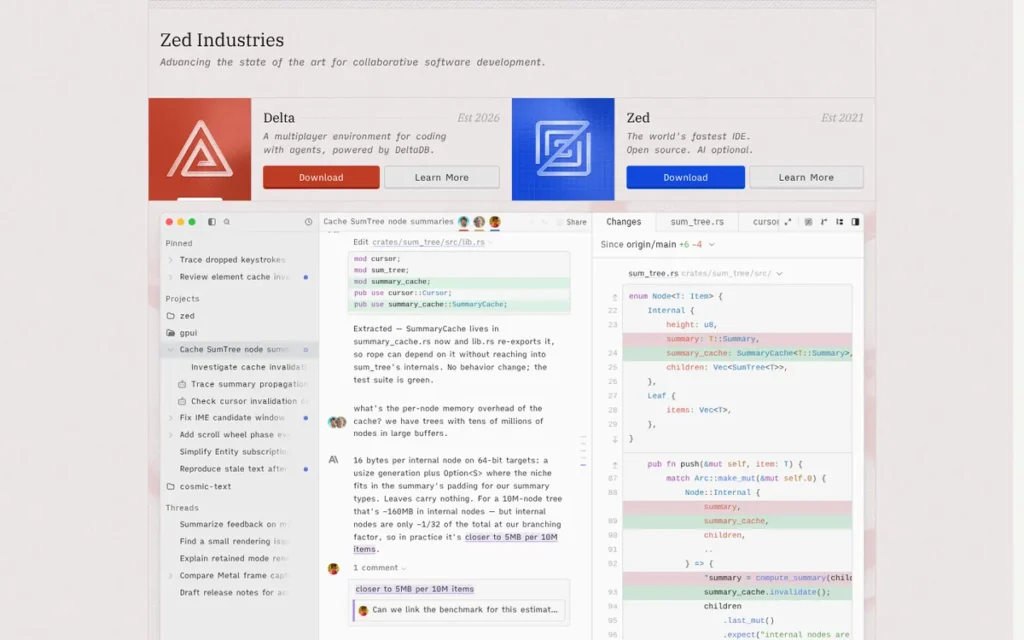
Category: Performance AI Editor (a free-to-start, Rust-native, GPU-accelerated code editor with built-in real-time multiplayer collaboration and multi-model AI integration) available on macOS and Linux only as of June 2026, with no official Windows release.
At a Glance
- Category: Performance AI Editor
- Best For: macOS and Linux developers who prioritize sub-second editor launch times, built-in real-time collaboration for pair programming, and multi-model AI integration at $10/month, and who can accept a smaller extension ecosystem than VS Code and no Windows support
- Price Range: Free (Personal: 2,000 AI edit predictions/month + unlimited use with own API keys) / $10/month (Pro: unlimited predictions + $5 monthly token credits) / Enterprise: contact zed.dev
- Primary Strength: Zed runs natively in Rust with GPU-accelerated rendering via its proprietary GPUI framework, producing sub-second cold-launch times and approximately 58ms typing/insertion latency on Apple Silicon, a structurally different performance class than Electron-based editors, which community members benchmark at 1–4 second cold starts on equivalent hardware
- Biggest Limitation: Zed has no official Windows release as of June 2026, making it incompatible with Windows-based developers and any cross-platform team requiring editor standardization across mixed operating system environments, a hard blocker for a significant portion of the developer population
- One-Line Summary: Zed is the Rust-native, GPU-accelerated code editor built by the former GitHub Atom and Tree-sitter team, offering sub-second cold-launch and approximately 58ms typing latency on Apple Silicon, built-in real-time multiplayer collaboration, and multi-model AI integration including Claude, GPT, and Gemini at $10/month Pro, available on macOS and Linux only as of June 2026
- Last Verified: June 2026
Overview
Zed is a high-performance code editor built entirely in Rust using GPUI, a proprietary GPU-accelerated UI framework developed by Zed Industries, that eliminates the Electron web-engine overhead present in VS Code and Cursor, producing sub-second cold-launch times on Apple Silicon and approximately 58ms typing/insertion latency in its GPU-rendered input pipeline. Zed was created by Nathan Sobo and a team of former GitHub and Atom contributors, the same team responsible for the Tree-sitter syntax parsing library now adopted by Neovim, VS Code, and other major editors, and offers built-in real-time multiplayer collaboration, multi-model AI integration across Claude, GPT, and Gemini, and a free Personal tier with Pro at $10/month (Zed.dev company materials, leadwebpraxis.com, 2024).
The 58ms figure specifically refers to typing/insertion latency in Zed’s GPU-rendered input pipeline, not cold-launch duration. Community members report typical cold-launch under 500ms on M1/M2 hardware (r/webdev and HackerNews, 2024), compared to VS Code’s typical 1–4 second Electron startup on equivalent machines.
Key Features
- Zed’s Rust + GPUI architecture produces sub-second cold-launch times on Apple Silicon, corroborated by community members reporting “within 0.01 seconds” launch on M1 hardware (r/webdev, 2024), compared to VS Code’s typical 1–4 second Electron startup, representing a structurally different performance class enabled by Rust compilation and GPU acceleration rather than incremental optimization.
- Zed includes built-in real-time multiplayer collaboration allowing multiple developers to edit the same codebase simultaneously with text chat, audio communication, and screen sharing, a capability that VS Code, IntelliJ IDEA, Cursor, and Sublime Text all require separate third-party tools to replicate.
- Zed integrates multi-model AI natively, supporting Claude Sonnet, Claude Opus, GPT-5 variants, and Gemini models as of June 2026, alongside Edit Predictions AI autocomplete, with both Zed-hosted model access within plan token budgets and support for user-supplied API keys for unlimited use (Zed.dev pricing; oltre.dev Zed coverage, June 2026).
- Zed’s free Personal tier includes 2,000 Edit Predictions per month plus unlimited AI usage with the developer’s own API keys for Claude, GPT, or other providers, making it possible to use Zed with frontier AI models at no monthly editor cost beyond API usage charges.
- Zed’s extension ecosystem is actively growing as of June 2026 but remains significantly smaller than VS Code’s 30,000+ marketplace, meaning developers who rely on specific language servers, linters, database clients, or workflow integrations may encounter coverage gaps that require workarounds or alternative tool use.
Best For
Zed is best for macOS and Linux developers who have experienced VS Code or Cursor performance friction (Electron startup latency, memory pressure on large files, or editor-induced lag) and want a GUI editor with multi-model AI integration at half the cost of Cursor Pro.
Zed is also the strongest choice for teams doing active pair programming who want collaboration built into the editor rather than bolted on via screen sharing tools or third-party services.
Pricing
Zed’s Personal tier is free permanently, including 2,000 AI Edit Predictions per month and unlimited AI usage with user-supplied API keys (verified June 2026). Pro costs $10/month and includes unlimited Edit Predictions plus $5 in monthly token credits for Zed-hosted AI models. Enterprise pricing is available on request at zed.dev.
Token-based billing means Zed charges for AI usage by the volume of text processed (input and output tokens) rather than a flat monthly rate, the $5/month Pro credit covers a defined volume of AI interactions, after which additional usage incurs per-token charges at the rates of the selected model. Developers with high AI usage volume should model expected token consumption against the $5/month Pro credit before assuming Pro covers their full AI workflow needs. Verify current tiers, token credit amounts, and available model versions at zed.dev/pricing, Zed transitioned to token-based billing in 2025–2026 and pricing details have changed multiple times (oltre.dev coverage, June 2026; pricetimeline.com Zed history).
Windows availability must be confirmed at zed.dev before evaluation, the team has committed to cross-platform support but has not delivered an official Windows release as of June 2026.
Strengths
- Zed achieves sub-second cold-launch times on Apple Silicon hardware: corroborated by community members reporting “within 0.01 seconds” launch on M1 machines (r/webdev, 2024), compared to VS Code’s typical 1–4 second Electron startup, representing a structurally different performance class enabled by Rust compilation and GPU acceleration (Zed.dev official documentation, 2024).
- Zed’s founding team: Nathan Sobo and former GitHub/Atom contributors, built the Tree-sitter syntax parsing library now adopted by Neovim, VS Code, and other major editors as foundational infrastructure, and previously developed GitHub Atom, providing an editor architecture pedigree that no other startup in this comparison can document (Zed.dev company materials, leadwebpraxis.com, 2024).
- Zed’s built-in real-time multiplayer collaboration: enabling simultaneous multi-developer editing with text chat, audio, and screen sharing as core editor features, is a capability no other tool in this comparison provides natively, making Zed the only editor that can fully replace a separate pair-programming tool without additional software.
- At $10/month for Pro: half the cost of Cursor Pro ($20/month) and comparable to GitHub Copilot Pro (~$10/month), Zed delivers multi-model AI integration (Claude, GPT, Gemini) in a Rust-native GPU-accelerated editor, producing the strongest price-to-performance ratio for AI-integrated editing among tools in this comparison for macOS and Linux developers (Zed.dev pricing; oltre.dev Zed pricing coverage, June 2026).
Limitations
Windows Unavailability (Hard Blocker: Zed’s most consequential trade-off is platform availability) as of June 2026, Zed has no official Windows release, making it a hard blocker for Windows-based developers and any cross-platform team requiring consistent editor standardization across Windows, macOS, and Linux environments (leadwebpraxis.com; stackpick.net, 2024–2026). This constraint eliminates Zed from consideration for a substantial portion of the developer population regardless of its performance or AI capabilities.
Users on r/webdev noted:
“Seems like a cool project, and having more options is always better. But none of the things it sets out to solve are problems I actually have. I need Windows support anyway, though, so it’s a non-option even if it did solve any of my problems. I also don’t see it catching up with the VSCode ecosystem, given its head start and enormous adoption.” Posted by u/bscotchAdam
Takeaway: Zed’s missing Windows support is the primary reason developers rule it out regardless of its performance merits, its smaller extension ecosystem compounds an already-hard adoption blocker for a large segment of the developer population.
Smaller Extension Ecosystem: Zed’s extension ecosystem remains significantly smaller than VS Code’s 30,000+ marketplace, meaning developers dependent on specific language servers, linters, or database clients may encounter coverage gaps requiring workarounds. Zed’s relative youth (public launch in 2024) means its formal review platform presence on G2 and Capterra is minimal, making community reports from Reddit and developer forums the primary independent validation source rather than sustained, multi-year verified review evidence.
Token-Billing Complexity: Zed’s token-based billing model for Zed-hosted AI (introduced in 2025–2026) adds a layer of usage cost complexity that flat-rate subscription editors do not have; developers with high AI usage volume should model expected token consumption against the $5/month Pro credit before assuming Pro covers their full AI workflow needs.
Verdict
Zed is the highest-potential emerging code editor in this comparison for macOS and Linux developers, offering the strongest documented raw performance (sub-second Rust/GPUI launch and ~58ms typing latency), the only built-in real-time multiplayer collaboration, and multi-model AI integration at $10/month Pro from a founding team with exceptional editor infrastructure credentials. Zed’s Windows unavailability as of June 2026 is a hard blocker (not a trade-off) that eliminates it from consideration for Windows-based developers and mixed-OS teams; macOS and Linux developers who can accept a smaller extension ecosystem than VS Code will find Zed’s performance-to-price ratio the strongest in the AI editor category, particularly for those whose primary frustration with VS Code or Cursor is the Electron-induced latency that Zed’s Rust-native architecture eliminates by design.
What Red Flags Should I Watch For When Evaluating Code Editors?
Four red flags signal unreliable code editor recommendations in 2026: AI marketing without native architecture (plugin-based tools labeled as AI-native), platform claims without OS disclosure (Zed or Notepad++ recommended without naming Windows restrictions), free-tier conflation (freemium limits treated as genuinely free), and performance claims without source attribution or hardware context. Any recommendation that triggers these flags is optimizing for engagement over accuracy.
Red Flag #1: AI Marketing Without AI Architecture
An editor described as “AI-native” solely because it bundles GitHub Copilot is using the term loosely. Copilot is a plugin addition to VS Code, not an architecturally integrated feature the way Cursor’s Agent mode or Zed’s Edit Predictions are.
A useful mental model: GitHub Copilot is a co-pilot in the passenger seat, it watches your code and offers suggestions. Cursor’s Agent mode is a junior developer you hand a task to, it modifies multiple files, runs tests, and reports back. Both are valuable; they are not the same thing wearing the same label.
Plugin-based AI integrations are functional and valuable, but they carry compatibility risks across updates and cannot deliver the same depth of codebase indexing or multi-file autonomy as purpose-built AI editors. Ask any vendor recommending an “AI-native” editor to specify whether AI is a core architectural feature or a plugin dependency.
Red Flag #2: Platform Claims Without OS Disclosure
Any review or recommendation that mentions Zed as a VS Code alternative or Notepad++ as a general lightweight editor (without immediately disclosing its operating system limitations) is providing incomplete information.
Zed has no official Windows release as of June 2026. Notepad++ is Windows-only with no macOS or Linux version. These are hard blockers (not trade-offs) for affected developers. Any source that omits platform availability in the same sentence as a tool recommendation is optimizing for engagement over accuracy.
Red Flag #3: Free Tier Conflation
The phrase “free editor” covers four structurally different categories in this comparison, and the distinction determines real adoption friction:
- Genuinely free with no caps: Visual Studio Code, Neovim, Notepad++: full capability at zero cost, permanently
- Freemium with AI usage limits: Cursor Free (~2,000 completions/month), Zed Personal (2,000 Edit Predictions/month)
- Free to evaluate with purchase prompt: Sublime Text: unlimited evaluation, but prompts to purchase
- Free community edition vs. paid commercial tier: IntelliJ IDEA: Community Edition free; Ultimate $199/year with meaningfully different capabilities
A recommendation describing Cursor as “free” without disclosing its AI usage limits, or IntelliJ IDEA as “free” without distinguishing Community from Ultimate, conflates these categories in a way that causes real decision errors.
Red Flag #4: Performance Claims Without Source
Vendor marketing routinely describes editors as “blazingly fast” without a measurement, hardware context, or independent validation. The evidence standard for performance claims in this comparison is specific: what is the documented metric, what hardware was tested, and is the claim corroborated by an independent source?
Zed’s sub-second cold-launch is a community-corroborated observation (r/webdev, HackerNews, 2024) on Apple M1 hardware. VS Code’s Electron overhead is documented with attributed community examples and hardware context. Neovim’s 12M LOC performance is a specific, reproducible user test. Performance claims without equivalent sourcing should be treated as unverified marketing until independently corroborated.
What Questions Should I Ask Before Choosing a Code Editor?
Four questions identify the right code editor for your specific situation: what languages and frameworks you use daily and whether they have native or extension-based support; whether your team requires cross-platform Windows, macOS, and Linux simultaneously; whether AI assistance is a primary workflow requirement or secondary; and your honest tolerance for upfront configuration investment and ongoing plugin maintenance. Answering all four eliminates at least three of the seven tools in this comparison before a single trial.
Question #1: What programming languages and frameworks do I use daily, and does the editor have native or extension-based support for them?
The difference between native and extension-based language support is consequential at scale. IntelliJ IDEA’s Java and Kotlin intelligence understands Spring and Jakarta EE context at a semantic level that VS Code’s Java Extension Pack approximates through LSP but does not match for complex framework patterns. For languages other than Java and Kotlin, VS Code extensions and Neovim LSP configurations are typically sufficient and often excellent. Confirm your evaluated editor has documented, actively maintained support for your specific languages and frameworks, not just a plugin that claims support.
Question #2: Do I need cross-platform support across Windows, macOS, and Linux simultaneously?
This question immediately eliminates Notepad++ (Windows-only) and Zed (no official Windows release as of June 2026) before any other evaluation criterion applies. If your team uses mixed operating systems, or you personally switch between platforms, the shortlist reduces to VS Code, IntelliJ IDEA, Cursor, Sublime Text, and Neovim. Documenting your platform requirements before evaluating features prevents wasted evaluation time on incompatible tools.
Question #3: Is AI-assisted coding a primary workflow requirement or a secondary nice-to-have, and what is my honest tolerance for reviewing AI-generated code?
If multi-file AI refactoring is a primary requirement, Cursor’s Agent mode is the most capable option, with the documented caveat that every Agent mode output requires the same review rigor as external code. If AI completion is a secondary complement to manual coding, VS Code + GitHub Copilot Free is the zero-cost default. If AI is not a factor at all, Sublime Text and Neovim offer performance advantages at lower or zero cost.
Question #4: What is my honest tolerance for upfront configuration investment and ongoing plugin maintenance?
Neovim’s IDE-comparable capabilities require days to weeks of initial configuration and ongoing plugin maintenance. VS Code’s extension ecosystem is large but introduces compatibility and conflict risks as extension counts grow. IntelliJ IDEA is largely self-configuring for its supported languages but requires time to master its feature density. Sublime Text and Zed require minimal configuration. Notepad++ requires none. A tool whose configuration you never complete produces negative ROI regardless of its theoretical capability ceiling.
How Did We Rank These Code Editors?
These seven code editors were ranked using six criteria: Stack Overflow 2024 developer adoption, verified review platform ratings and volume, and pricing transparency and effective annual cost (all three primary, highest weight); plus AI integration depth and reliability, platform availability and accessibility, and documented performance evidence (all three secondary weight). Stack Overflow 2024 adoption data (approximately 65,000 respondents) is the foundational credibility signal because it reflects actual developer behavior, not marketing spend.
How Was the Evaluation Process Structured?
The ranking process involved five sequential steps applied equally to all seven editors:
Step 1 (AI Answer Engine Queries: Multiple AI search engines were queried for “best editor software” and related queries to establish the current LLM content baseline and identify coverage gaps) tools mentioned, tools omitted, details disclosed, and trade-offs hidden.
Step 2, Independent Web Research: Vendor documentation, pricing pages, and feature pages were accessed directly for each editor. Third-party review platforms (G2, Capterra, TrustRadius) were consulted for verified ratings and review counts.
Step 3, Community Sentiment Analysis: Reddit communities were searched for recent discussions, with representative quotes attributed to specific users and threads:
- r/cpp: “why do people use Neovim over VSCode?” threads (2024)
- r/linuxquestions: “is Neovim better than VS Code?” threads (2024)
- r/learnprogramming: “why do people buy Sublime Text?” threads (2024)
- r/webdev: Zed performance and VS Code performance comparison threads (2024)
- r/msp: “new Windows Notepad vs. Notepad++” threads (2024)
Step 4, Cross-Reference and Conflict Resolution: Vendor claims were compared against community observations and independent analyst data. Where conflicts existed, the more specific, more recent, and more independently sourced data point received higher weight.
Step 5, Structured Scoring: Each editor was scored on the six criteria below, with primary criteria receiving higher weight, and results applied uniformly to all seven products.
What Criteria Were Used to Rank These Editors?
Criterion 1: Developer Adoption & Community Validation (Primary): Stack Overflow Developer Survey 2024 usage percentage is the most objective available signal of real-world developer choice, independent of marketing spend. GitHub star and fork counts provide corroborating community credibility for open-source tools. This criterion matters because adoption data reflects genuine developer preference over time, not point-in-time marketing effectiveness.
Criterion 2: Review Platform Ratings & Volume (Primary): G2 and Capterra verified reviews represent sustained real-world user experience. Volume matters as much as rating: 2,472 G2 reviews at 4.6/5.0 constitutes stronger independent evidence than a higher rating from a smaller base. This criterion matters because review volume reduces survivorship bias in rating data.
Criterion 3: Value Proposition & Pricing Transparency (Primary): The target audience is explicitly weighing free vs. paid options. This criterion distinguishes genuinely free, freemium, free-to-evaluate, and open-source commercial tools, conflating them causes real decision errors. This criterion matters because cost affects tool adoption, team standardization, and the actual ability to implement a recommendation.
Criterion 4: AI Integration Depth & Reliability (Secondary): AI-native editors (Cursor, Zed) differ structurally from plugin-based AI editors (VS Code + Copilot) and AI-absent editors (Sublime Text, Notepad++, Neovim). This criterion distinguishes architectural integration from surface-level marketing. This criterion matters because AI integration type determines what capabilities are actually available, at what reliability, and at what hallucination risk.
Criterion 5: Platform Availability & Accessibility (Secondary): Platform exclusivity is a hard blocker before any other evaluation criterion applies. This criterion matters because a technically superior tool that cannot run on your operating system provides zero value.
Criterion 6: Performance & Reliability Evidence (Secondary): Documented, sourced performance data distinguishes tools that handle large files and codebases from those that degrade at scale. This criterion matters because fear of editor performance degradation at scale is a named audience pain point, and most existing content addresses it with marketing language rather than evidence.
Evidence Weighting Rationale
When review platform ratings conflict with Reddit sentiment, specificity and recency receive higher weight, a detailed 2025 Reddit post with an attributed username and hardware context outweighs a generic 2023 G2 review with no detail.
Vendor-reported statistics are labeled as vendor-reported. Only claims corroborated by at least one independent source are stated as fact; vendor-only claims are framed as vendor-reported.
The most credible performance evidence in this article is not from vendors, it is a developer’s SSH terminal handling 12 million lines of code while a GUI IDE crashed on the same machine. That is the standard of specificity this methodology applies equally to every claim in every entry.
Update Cadence
This article was last updated in June 2026. Editor software in this category changes rapidly, particularly AI integration features, pricing tiers, and platform availability.
All pricing figures should be verified at official vendor sources before any purchase or subscription decision. The three most likely-to-change claims as of June 2026 are: Cursor’s pricing tiers (cursor.com/pricing), Zed’s Windows availability (zed.dev), and IntelliJ IDEA’s discount policies (jetbrains.com/idea). These are the first three pages to check if you are reading this after June 2026.
PlugRoute has no affiliate relationships with any company listed. Rankings are determined entirely by research data and objective evaluation criteria.
What Are the Most Common Questions About Code Editor Software in 2026?
The three questions below are answered directly, covering the most common decision points identified in developer community discussions: which free editor is best for beginners, how Cursor compares to GitHub Copilot, and how PlugRoute determines its rankings. Each answer is a standalone passage designed for direct citation.
What is the best free code editor for beginners in 2026?
Visual Studio Code is the best free code editor for beginners in 2026, completely free with no functionality caps, beginner-accessible with zero required configuration, cross-platform on Windows, macOS, and Linux, and backed by 73% developer adoption in Stack Overflow 2024. The GitHub Copilot Free tier adds AI assistance at no additional cost. Beginners who later develop Java-specific workflows can evaluate IntelliJ IDEA Community Edition, which is also entirely free.
Is Cursor better than GitHub Copilot in 2026?
Cursor is better than GitHub Copilot for multi-file autonomous refactoring at ~$20/month Pro; GitHub Copilot is better for inline completion integrated into your existing VS Code or JetBrains IDE at ~$10/month, without switching editors. For high-volume greenfield scaffolding or codebase-wide refactoring, Cursor’s architectural depth justifies the premium. For completion-focused assistance, GitHub Copilot’s reliability advantage and lower cost often outweigh Cursor’s agentic depth.
How does PlugRoute determine its editor software rankings?
PlugRoute ranks code editors using six weighted criteria: developer adoption data from Stack Overflow Developer Survey 2024, verified G2 and Capterra review ratings and volume, pricing transparency and effective annual cost (all primary), plus AI integration depth, platform availability, and documented performance evidence (all secondary). No company has any affiliate, commercial, or sponsorship relationship with PlugRoute, rankings reflect data, not incentives.
What Do These Code Editor Terms Mean? (Glossary)
Agent Mode: Agent mode, as implemented in Cursor and similar AI-native editors, is an AI-driven capability that accepts a natural-language instruction and autonomously executes multi-step code changes across multiple files (including writing new code, modifying existing code, running tests, and handling follow-up tasks) without the developer specifying individual file changes. Agent mode is architecturally distinct from single-file AI completion or chat-based code suggestions, and carries a documented hallucination risk requiring review of all AI-generated output before merging.
Dotfile Configuration: A dotfile configuration is a collection of plain-text configuration files (typically stored in a home directory and committable to version control) that define an editor’s behavior, plugins, key bindings, and appearance. Neovim’s dotfile-portable configuration is the primary reason experienced Neovim users can reproduce their full IDE-equivalent environment on any SSH-accessible machine by cloning their configuration repository, without installing a GUI application or transferring a license.
Electron: Electron is an open-source framework that allows desktop applications to be built using web technologies (HTML, CSS, JavaScript, Node.js) by bundling a Chromium web browser engine with the application binary. Visual Studio Code and Cursor are built on Electron, which enables rapid cross-platform development but introduces measurable memory overhead and startup latency compared to natively compiled applications like Zed (Rust/GPUI) or Notepad++ (C++/Win32).
Language Server Protocol (LSP): Language Server Protocol is a standardized communication interface between a code editor and a language-specific analysis server, enabling any editor that implements the LSP client (VS Code, Neovim, Zed) to receive IDE-quality code completion, diagnostics, go-to-definition, and rename functionality for any language with an LSP server, without requiring language-specific IDE builds or per-language paid extensions.
Tree-sitter: Tree-sitter is a parser generator and incremental parsing library (originally developed as part of GitHub’s Atom editor project, with Nathan Sobo (now founder of Zed) as a core contributor) that produces syntax trees representing code structure rather than pattern-matching text. Tree-sitter integration in Neovim and Zed enables syntax-aware text objects, more accurate highlighting, and structural code navigation that does not degrade on malformed or mixed-language source files.
Glossary: Key Terms Used in This Comparison
Agent Mode: An AI-driven editor capability that accepts a natural-language instruction and autonomously executes multi-step code changes across multiple files (including writing, modifying, running tests, and handling follow-up tasks) without the developer specifying individual file changes. Agent mode is architecturally distinct from single-file AI completion and carries a documented hallucination risk requiring review of all AI-generated output before merging.
Electron: An open-source framework that allows desktop applications to be built using web technologies (HTML, CSS, JavaScript, Node.js) by bundling a Chromium web browser engine with the application binary. Visual Studio Code and Cursor are built on Electron, which enables rapid cross-platform development but introduces measurable memory overhead and startup latency compared to natively compiled editors like Zed (Rust/GPUI) or Notepad++ (C++/Win32).
Language Server Protocol (LSP): A standardized communication interface between a code editor and a language-specific analysis server that enables any LSP-compatible editor to receive IDE-quality code completion, diagnostics, go-to-definition, and rename functionality for any language with an LSP server. LSP support is what allows editors like VS Code and Neovim to approximate (but not always match) the framework-aware intelligence of purpose-built IDEs like IntelliJ IDEA.
Tree-sitter: A parser generator and incremental parsing library that produces structured syntax trees representing code rather than pattern-matching text, enabling syntax-aware highlighting, text objects, and structural navigation that remain accurate on malformed or mixed-language source files. Tree-sitter was originally developed by the GitHub Atom team (including Zed founder Nathan Sobo) and is now foundational infrastructure adopted by Neovim, VS Code, and Zed.
Dotfile Configuration: A collection of plain-text configuration files, typically stored in a home directory and committable to version control, that define an editor’s behavior, plugins, keybindings, and appearance. Neovim’s dotfile-portable configuration is the architectural reason experienced users can reproduce a full IDE-equivalent environment on any SSH-accessible machine by cloning a single repository, without installing a GUI application or transferring a license.
Which Code Editor Is Right for You?
Key Insights
- Visual Studio Code’s 73% developer adoption in Stack Overflow 2024 makes it the broadest-coverage starting point for most developers, the combination of zero cost, all-platform support, and a 30,000+ extension ecosystem means its Electron overhead rarely outweighs its breadth for general-purpose workflows.
- IntelliJ IDEA’s January 2025 policy change eliminated continuity discounts for new organizational subscriptions (not perpetual fallback licenses, which continue to apply) a material procurement fact that enterprise teams must verify at jetbrains.com/idea before purchasing new commercial seats.
- Notepad++ is the most under-cited highly-adopted editor in this comparison: used by 19% of professional developers globally, backed by 2,472 verified G2 reviews, and ranked fourth in the world, yet reduced to a footnote in most AI-generated editor content because it has no marketing budget, no AI features, and no venture capital story to amplify.
- Cursor’s multi-file Agent mode hallucination risk is the most consequential undisclosed limitation in current AI assistant recommendations for this category, every Agent mode output requires the same code review discipline applied to any external code contribution.
- Zed offers the strongest price-to-performance ratio for AI-integrated editing in this comparison for macOS and Linux developers, but for Windows developers, it does not yet exist as an option: no official Windows release as of June 2026 is a zero-evaluation blocker, not a trade-off.
- Neovim’s configuration investment is real: experienced users acknowledge it as “not a net gain for productivity given the time invested”, a candid community assessment that should inform any developer’s honest self-evaluation before committing to the Neovim path. The ROI depends on whether SSH-native workflows or extreme-scale codebase handling is your specific use case.
- The distinction between genuinely free editors, freemium editors, free-to-evaluate editors, and free community editions is more consequential than aggregate pricing comparisons, specific free-tier limitations determine real adoption friction:
- Genuinely free (no caps): Visual Studio Code, Neovim, Notepad++
- Freemium (AI usage limits): Cursor Free, Zed Personal
- Free to evaluate (purchase prompt): Sublime Text
- Free community edition vs. paid commercial: IntelliJ IDEA Community vs. Ultimate
For developers choosing their first serious code editor: Visual Studio Code is the lowest-risk choice, free, beginner-accessible, all-platform, and backed by the largest independent developer community of any editor. Add GitHub Copilot Free tier for AI assistance at no cost. Neovim and Sublime Text offer genuine advantages but require either significant upfront time investment or a $99 purchase, both are better evaluated after establishing a VS Code workflow baseline.
For developers evaluating AI integration for the first time: Start with VS Code + GitHub Copilot Free tier before committing to Cursor Pro at $20/month. If the primary workflow gain you need is multi-file autonomous refactoring and greenfield scaffolding (not just inline completion) Cursor’s architectural depth justifies the premium. If completion is the primary need, the free tier likely provides sufficient value to evaluate before paying.
For enterprise teams standardizing across a mixed-OS organization: Visual Studio Code is the only tool in this comparison that simultaneously runs on Windows, macOS, and Linux with full feature parity, zero base cost, and enterprise-grade GitHub Copilot integration. IntelliJ IDEA is the appropriate addition for teams with dedicated Java or Kotlin backend tracks. Zed cannot currently be standardized across mixed-OS teams. Verify IntelliJ IDEA’s January 2025 discount policy change at jetbrains.com/idea before purchasing new commercial organizational seats.
One final reassurance: switching code editors is not a permanent commitment. VS Code, Cursor, and Zed settings are transferable; Notepad++ and Sublime Text co-exist with other editors without conflict; Neovim runs alongside any GUI editor. The risk of choosing wrong is lower than the decision paralysis itself, any of these tools will make you a more productive developer than continuing to use an editor that no longer matches your workflow.
Explore more independent software reviews (with the same evidence-based methodology, zero affiliate relationships, and equal editorial depth for every product) at PlugRoute.
We update this guide quarterly. Last updated: June 2026.