JetBrains CLion is the best overall C/C++ IDE for cross-platform professional development; Microsoft Visual Studio is the top Windows-native choice; and Qt Creator is the strongest free full-IDE option for Linux and macOS. The right pick depends on your operating system, budget, and whether you need a true IDE or a configurable editor.
Three misunderstandings steer C++ developers to the wrong tool. Visual Studio Code is not a C++ IDE out of the box, it requires manual extension assembly for C++ capability. Visual Studio Community carries commercial use restrictions despite the “free” label. And every LLM response evaluated for this article omits Apple Xcode entirely, the mandatory IDE for Apple-platform C/C++ development.
PlugRoute has no affiliate relationships with any company listed. Rankings are determined entirely by research data and objective evaluation criteria.
“I am personally convinced Visual Studio is absolutely unmatched in terms of great tools for C/C++ coding” (u/DDDDarky, r/C_Programming, 2021)
Takeaway: This accurately reflects the Windows C++ developer consensus (Microsoft Visual Studio is the strongest Windows-native IDE) but should not be applied to cross-platform or non-Windows contexts, where JetBrains CLion, Qt Creator, and Apple Xcode each provide equivalent tooling depth for their respective ecosystems.
What Are the Top C/C++ IDE Picks for 2026?
TL;DR:
- JetBrains CLion: top cross-platform professional IDE with benchmarked code intelligence and dual built-in AI agents (Junie + Claude Agent)
- Microsoft Visual Studio: unmatched Windows C++ toolchain with zero-configuration setup and Dynamic Debugging for optimized builds in 2026
- Qt Creator: G2 Highest Performer, completely free for any organization, professional debugger quality comparable to Visual Studio
- Visual Studio Code: strongest for remote and polyglot C++ workflows; requires extension assembly to reach IDE-level behavior
What Are the Three Categories of C/C++ Development Tools?
C/C++ development tools fall into three categories: Full C/C++ IDEs (pre-configured with compiler, project system, integrated debugger, and code intelligence), Extensible Editors (require extension assembly to approximate IDE behavior), and Lightweight/Beginner IDEs (minimal feature sets for low-resource learning). Choosing the wrong category is among the most common sources of C++ beginner frustration in 2026.
A developer who installs Visual Studio Code and tries to compile their first C++ file encounters a “No kit selected” error before writing any code. A developer who installs Visual Studio Community gets a working compile-debug cycle within minutes of the installer finishing. The difference is architectural, not qualitative.
This community observation from r/C_Programming captures how developers navigate this landscape in practice:
“Honestly, there aren’t a lot of C IDEs simply because C is extremely portable and can target A LOT of platforms, so having a C IDE means locking down on a platform 90% of the time…As for actual IDEs for C, like I said, they are almost all platform locked. If you have a Windows machine, you can use Visual Studio (not vscode). If you have a Mac, you can use Xcode. If you’re using Linux, there’s several free and open source IDEs, but a lot of them require configuration to set up anyway, I would just use a text editor on linux.” Posted by u/Marxomania32
Takeaway: The C/C++ developer community’s default mental model maps IDEs directly to operating systems (Visual Studio to Windows, Xcode to Mac) rather than evaluating cross-platform options, confirming why this article’s platform-first decision framework aligns with how developers actually choose tools in practice.
Full C/C++ IDEs (project management, build, and debugging pre-integrated):
- JetBrains CLion (#1), Microsoft Visual Studio (#2), Qt Creator (#3), Apple Xcode (#4), Eclipse IDE with CDT (#6)
Extensible Editor (IDE-like only after extension assembly):
- Visual Studio Code (#5): requires the C/C++ extension, clangd, and CMake Tools before achieving IDE-level C++ behavior
Lightweight/Beginner IDE (minimal footprint, simplified feature set):
- Code::Blocks (#7): no code intelligence, no native CMake, suitable for learning on constrained hardware
How Do the Top C/C++ IDEs Compare?
| Rank | Company | Category | Best For | One-Line Summary | Key Capabilities | Primary Strength | Key Limitation |
|---|---|---|---|---|---|---|---|
| 1 | JetBrains CLion | Full C/C++ IDE | Cross-platform professional C++ | CLion is the top-ranked C/C++ IDE in 2026 through JetBrains-reported Nova engine gains, true cross-platform parity, and the only dual built-in AI agent workflow in the category. | Nova engine (2×–4× faster operations, 24% less memory; JetBrains-reported on LLVM); CMake/Make/Bazel/Meson/Ninja; GDB/LLDB/CDB + DAP; built-in remote development; Junie + Claude Agent AI | JetBrains-reported Nova benchmarks: 2× faster completion, 3× faster error detection, 4× faster highlighting on LLVM codebase (December 2025); equal quality on Windows, macOS, and Linux | Paid subscription for commercial use; CMake familiarity required |
| 2 | Microsoft Visual Studio | Full C/C++ IDE (Windows-Primary) | Windows-native, enterprise, game dev | Visual Studio is the G2 Leader and Easiest to Use badge holder in C/C++ IDEs, providing the deepest Windows C++ toolchain with zero-configuration setup. | MSVC compiler; Dynamic Debugging for optimized builds (VS 2026); GitHub Copilot agents; Unreal Engine workflow; CMake presets; UI hangs reduced 50%+ in 2026 | G2 Leader + Easiest to Use badges; zero-configuration Windows C++ setup; Dynamic Debugging for optimized-build C++ code | Windows-primary; 20GB+ install; Community edition commercial use restrictions |
| 3 | Qt Creator | Full C/C++ IDE (Free/Open-Source) | Free professional C++ on Linux/macOS | Qt Creator is the highest-rated free C/C++ IDE by G2 satisfaction score in 2026 with debugger quality community-ranked alongside Visual Studio. | CMake + qmake + Meson; clangd language server; GDB/LLDB/CDB; QML Profiler; Linux Perf integration; Qt Quick Designer | G2 Highest Performer badge; free under LGPL for any organization; community-rated debugger quality comparable to Visual Studio | No native AI coding assistance in 2026 |
| 4 | Apple Xcode | Full C/C++ IDE (Platform-Exclusive) | Apple platform C/C++ (macOS, iOS) | Xcode is the mandatory C/C++ IDE for Apple platform development with Apple-native Instruments profiling and Swift/C++ bounds safety interoperability. | Instruments profiler (Apple Silicon native); Apple Clang compiler; LLDB; Apple Intelligence code completion (Xcode 26); Swift/C++ bounds safety (WWDC25 Session 311) | Only Apple-native Instruments profiling for M-series hardware; Apple Intelligence in Xcode 26; mandatory Apple Clang compiler | macOS-exclusive; no relevance for non-Apple C++ targets |
| 5 | Visual Studio Code | Extensible Editor | Remote, polyglot, flexible C++ workflows | Visual Studio Code ranks fifth in this C/C++ evaluation because its C++ experience requires manual extension assembly and exhibits documented IntelliSense reliability issues. | Remote-SSH/WSL/Dev Containers; C/C++ extension + clangd; CMake Tools; GitHub Copilot (free tier: 2,000 completions/month); MIT license | Broadest remote C++ development ecosystem; approximately 75% developer adoption (Stack Overflow 2025); free with no commercial restrictions | Not a C++ IDE out of the box; documented IntelliSense reliability issues for C++ workloads |
| 6 | Eclipse IDE (CDT) | Full C/C++ IDE (Legacy/Embedded) | Embedded ARM/RISC-V via vendor toolchains | Eclipse CDT ranks sixth due to community-documented inferior debugger quality and dated interface, but remains unavoidable for engineers using STM32CubeIDE or MCUXpresso. | Eclipse Embedded CDT (Cortex-M/RISC-V/AArch64 templates, JTAG/SWD); deep semantic C++ model; memory/register/disassembly views; CDT Cloud | Foundation of STM32CubeIDE and MCUXpresso vendor toolchains for ARM Cortex-M and RISC-V development | Community-rated debugger inferior to raw GDB/LLDB; dated UI; convoluted setup |
| 7 | Code::Blocks | Lightweight/Beginner IDE | Absolute beginners on constrained hardware | Code::Blocks ranks last due to absent native CMake support and minimal code intelligence, but remains the correct zero-cost entry point for beginners on resource-constrained machines. | GCC/Clang/MSVC/MinGW compiler selection; portable install; zero internet dependency; Code::Blocks 25.03 released March 2025 | Lowest resource footprint among all evaluated IDEs; portable installation; zero cloud dependencies | No native CMake support; no code intelligence; no AI assistance |
Which C/C++ IDE Fits My Specific Situation?
| Your #1 Priority | Recommended Tool | Why | Acceptable Alternative |
|---|---|---|---|
| Windows-native C++ with zero setup | Microsoft Visual Studio (#2) | G2 Leader; MSVC + CMake + debugger in one installer; Dynamic Debugging in VS 2026 | Visual Studio Code (experienced developers only) |
| Cross-platform professional (Windows + macOS + Linux) | JetBrains CLion (#1) | Only IDE with equal quality on all three platforms; Nova engine benchmarked on LLVM | Qt Creator (#3) (free alternative) |
| Free full IDE (no subscription) | Qt Creator (#3) | G2 Highest Performer; CMake + qmake + Meson; debugger quality comparable to Visual Studio | Visual Studio Community (Windows only; eligibility restrictions apply) |
| Apple platform (macOS, iOS, tvOS) | Apple Xcode (#4) | Mandatory for Apple Clang; only Instruments profiler for Apple Silicon; Apple Intelligence in Xcode 26 | VS Code with clangd (non-Apple-target work only) |
| Remote Linux / container C++ workflow | Visual Studio Code (#5) | Remote-SSH, WSL, Dev Containers built by Microsoft; GitHub Copilot free tier (2,000 completions/month) | JetBrains CLion (#1) (built-in remote dev, paid) |
| Qt / embedded HMI applications | Qt Creator (#3) | Only IDE with first-class QML + C++ combined intelligence and QML Profiler | JetBrains CLion (#1) (premium alternative) |
| Beginner / constrained hardware / offline | Code::Blocks (#7) | Lowest RAM footprint; portable install; zero internet requirement | Visual Studio Community (Windows; 6GB+ RAM required) |
| Embedded ARM / RISC-V (vendor toolchain required) | Eclipse IDE with CDT (#6) | Foundation of STM32CubeIDE and MCUXpresso; Cortex-M templates and JTAG/SWD debugging | Qt Creator (#3) (modern alternative if toolchain permits) |
| C++ beginner planning to work professionally | Visual Studio Community (Windows) or Qt Creator (#3) (Linux/macOS) | Both provide IDE-level C++ with CMake support and no configuration overhead | JetBrains CLion (#1) (free with qualifying student license) |
1. JetBrains CLion: Best Overall Cross-Platform Professional C/C++ IDE
Category: Full C/C++ IDE, a dedicated, purpose-built IDE providing native C and C++ project management, code intelligence, debugging, and build system integration without requiring extension assembly.
At a Glance
- Category: Full C/C++ IDE
- Best For: Professional developers and students building C/C++ projects on Windows, macOS, or Linux who need consistent, high-quality tooling across all three platforms
- Price Range: Paid subscription for commercial use; free for qualifying students and open-source contributors via JetBrains Education Program, exact commercial tiers at jetbrains.com/clion/buy/. Verified May 2026.
- Primary Strength: JetBrains CLion delivers professional-grade C++ code intelligence, CMake-first build integration, and dual built-in AI coding assistants at equal quality on Windows, macOS, and Linux.
- Biggest Limitation: JetBrains CLion requires a paid subscription for commercial use and assumes CMake project familiarity, creating a cost and learning-curve barrier for hobbyists and absolute beginners.
- One-Line Summary: JetBrains CLion is the top-ranked C/C++ IDE in this 2026 evaluation, earning its position through JetBrains-reported Nova engine improvements (2× faster completion, 3× faster error detection, up to 4× faster refactoring on the LLVM codebase), true cross-platform parity on Windows, macOS, and Linux, and the only built-in dual-AI-agent workflow in the C/C++ IDE category.
- Last Verified: May 2026
Overview
JetBrains CLion is a dedicated, cross-platform C and C++ IDE for Windows, macOS, and Linux (built on the IntelliJ platform) providing deep semantic code analysis, CMake-first project management, an integrated GDB/LLDB/CDB debugger, and built-in remote development. JetBrains CLion is the primary recommendation for professional developers who need equal-quality tooling regardless of operating system.
Developers who evaluated JetBrains CLion before December 2025 and dismissed it for memory or performance reasons are evaluating a different product. CLion 2025.3 introduced the Nova language engine with JetBrains-reported benchmarks of 2× faster code completion, 3× faster error detection, 4× faster highlighting, up to 4× faster refactoring, and 24% lower memory usage on the LLVM codebase compared to CLion Classic (JetBrains blog, December 2025).
Key Features
- Nova Language Engine: JetBrains CLion 2025.3 introduced the Nova engine as default, delivering JetBrains-reported improvements of 2× faster code completion, 3× faster error detection, 4× faster syntax highlighting, and up to 4× faster refactoring operations compared to CLion Classic, benchmarked against the LLVM codebase in December 2025.
- Dual Built-In AI Agents: JetBrains CLion includes two built-in AI coding assistants natively (JetBrains Junie and Anthropic’s Claude Agent) making JetBrains CLion the only C/C++ IDE in this evaluation with multiple frontier AI agents integrated without extension installation as of mid-2026.
- CMake-First Build Integration: JetBrains CLion provides first-class CMake integration with CMake presets support alongside Make, Bazel, Meson, and Ninja build systems, covering the full spectrum of modern C++ project configurations.
- Built-In Remote Development: JetBrains CLion connects to remote Linux servers, Docker containers, and embedded targets over SSH natively, enabling local-edit/remote-build workflows without any extension configuration required.
- Debug Adapter Protocol Support: JetBrains CLion integrates GDB, LLDB, and CDB debuggers natively and added Debug Adapter Protocol support in 2025.3, expanding debugger compatibility to embedded and custom toolchain targets beyond the three built-in debuggers.
Best For
JetBrains CLion is best for professional C++ developers who work across Windows, macOS, or Linux and require consistent code intelligence, reliable refactoring, and first-class CMake integration without platform-specific quality degradation. See Qt Creator (#3) for the free alternative on the same platforms.
Pricing
JetBrains CLion uses a subscription model for commercial use with tiers for individual developers and organizations. Exact current pricing is available at jetbrains.com/clion/buy/ and is not reproduced here due to subscription tier update frequency.
Students and qualifying open-source project contributors can access JetBrains CLion at no cost through JetBrains’ Education Program with no time limit beyond program eligibility. JetBrains subscriptions include a perpetual fallback license after 12 continuous months of payment, a subscriber who cancels retains access to the version current at cancellation, reducing subscription lock-in risk. Pricing structure verified May 2026.
Strengths
- JetBrains-Reported Performance Gains: JetBrains CLion 2025.3 (December 2025) introduced the Nova language engine with JetBrains-reported benchmarks against the LLVM codebase: 2× faster code completion, 3× faster error detection, 4× faster highlighting, and up to 4× faster refactoring with 24% lower memory usage compared to CLion Classic, as documented in the JetBrains blog, December 2025, directly addressing the performance concerns that had been CLion’s primary community criticism.
- Expert Cross-Platform Endorsement: A software engineer with 21 years of experience described JetBrains CLion as “a very nice, cross-platform C/C++ IDE” after explicitly transitioning away from Visual Studio and Vim for embedded Linux development (r/cpp_questions, 2023), an endorsement from a practitioner who had already evaluated the primary alternatives.
- Documented Cross-Platform Consistency: Community-confirmed multi-OS use: “I use it on Windows, Mac and Ubuntu” (u/Newsmaker_Goodcorp, r/cpp_questions, 2023) reflects the typical experience of multi-OS developers who choose JetBrains CLion because IDE quality does not degrade on any platform.
- Embedded World 2026 Recognition: JetBrains CLion was featured at Embedded World 2026 as a unified environment for embedded C/C++ and Rust projects (Electromaker.io, 2026), the only mainstream C/C++ IDE actively positioning for embedded firmware development beyond the Eclipse CDT ecosystem.
Limitations
- Subscription Cost for Commercial Use: JetBrains CLion’s most consequential trade-off is its subscription pricing for commercial use, developers who are not students, open-source contributors, or employees at organizations with IDE budgets must pay a subscription fee to use CLion legally for commercial work. This places JetBrains CLion in direct competition with genuinely free alternatives including Qt Creator, VS Code, and Visual Studio Community. While the Nova engine resolved the historical memory-usage criticism (24% lower than Classic on LLVM, December 2025), CLion’s subscription cost remains the single most-cited friction point in community discussions.
Users on r/cpp noted the subscription lifecycle directly:
“Either is fine. Why not try both and use the one that you prefer? Take into consideration that when you graduate, clion will no longer be free to you.” Posted by u/Supadoplex
Takeaway: CLion’s student-free access creates a financial cliff at graduation, the tool that costs nothing during education becomes a recurring subscription expense the moment professional work begins, making transition planning as important as the initial IDE choice.
- CMake Learning Curve: JetBrains CLion’s CMake-first architecture assumes project-level CMake familiarity, developers accustomed to simpler IDE-managed builds face an initial learning curve before the IDE’s full capability is accessible. This can disadvantage beginners relative to Visual Studio Community or Code::Blocks, which handle build configuration automatically.
- Organizational Lock-In Risk: JetBrains CLion’s proprietary integrations: including the Junie AI assistant, JetBrains project settings, and .idea configuration directory format, create organizational dependency absent from free, open-standard alternatives. Teams that build workflows around JetBrains-specific features may find migration to VS Code, Qt Creator, or other alternatives costly in reconfiguration time, even with the perpetual fallback license as a safety net. This switching cost is a structural feature of all JetBrains IDEs, not a quality criticism, but should be weighed in long-term toolchain strategy decisions.
Verdict
JetBrains CLion is the top-ranked C/C++ IDE in this 2026 evaluation, earning its position through the strongest combination of cross-platform consistency, JetBrains-reported code intelligence improvements (Nova engine, December 2025), and the only built-in dual-AI-agent workflow available in a C/C++ IDE. For professional developers working across operating systems (or for students who qualify for its free educational license) JetBrains CLion delivers the most complete C/C++ development experience available in 2026. Its subscription cost is the only meaningful objection for individual developers, and that objection disappears entirely for students and open-source contributors who qualify for JetBrains’ free access programs.
2. Microsoft Visual Studio: Best for Windows-Native, Enterprise, and Game Development C++
Category: Full C/C++ IDE (Windows-Primary), a full-featured Windows-native IDE bundling the MSVC compiler, IntelliSense, debugger, and profiler with zero-configuration setup for Windows C++ development.
At a Glance
- Category: Full C/C++ IDE (Windows-Primary)
- Best For: Windows-native C++ developers, enterprise teams on Windows, Unreal Engine game developers, and beginners on Windows seeking the fastest zero-configuration C++ setup
- Price Range: Community: Free (commercial use restricted to organizations with fewer than 250 employees AND less than $1M annual revenue); Professional: $45/user/month (monthly billing; annual plan details at visualstudio.microsoft.com/vs/pricing/); Enterprise: $250/user/month. Verified May 2026.
- Primary Strength: Microsoft Visual Studio provides the most capable Windows C++ toolchain (MSVC compiler, Dynamic Debugging for optimized builds (VS 2026), GitHub Copilot agents) all auto-configured via a single workload installer.
- Biggest Limitation: Microsoft Visual Studio is Windows-primary with a 20GB+ installation footprint; cross-platform C++ requires remote build configuration rather than native toolchain support; Community edition commercial eligibility restrictions apply.
- One-Line Summary: Microsoft Visual Studio is the G2 Leader and Easiest to Use badge holder in C/C++ IDEs and the highest-ranked Windows-platform IDE in this 2026 evaluation, providing the most complete Windows C++ toolchain with Dynamic Debugging for optimized builds and significantly reduced UI hangs in version 18.0.
- Last Verified: May 2026
Overview
Microsoft Visual Studio is a full-featured, Windows-primary C/C++ IDE that bundles the MSVC compiler, IntelliSense, an integrated debugger, profiler, and GitHub Copilot AI into a single installer. Visual Studio holds both the G2 Leader and Easiest to Use badges in the C/C++ IDE category for 2025–2026, the only product earning both simultaneously.
Visual Studio serves as the canonical choice for Windows-native C++, enterprise workflows, and Unreal Engine game development. Microsoft Visual Studio 2026 (version 18.0) addressed long-standing community performance concerns with UI hangs reduced by over 50% and F5 debugger startup up to 30% faster in measured scenarios, per the Microsoft Visual Studio Blog, 2026.
Dynamic Debugging for C++ was also added in version 18.0, enabling optimized-build debugging without disabling compiler optimizations, resolving one of the most frequently cited professional workflow limitations in the prior version cycle.
Key Features
- Zero-Configuration Windows C++ Setup: Microsoft Visual Studio’s “Desktop development with C++” workload installs all of the following in a single step: MSVC compiler, Windows SDK, IntelliSense, CMake tools, and integrated debugger, making Visual Studio the fastest path to a working C++ build-debug-run cycle on Windows with no manual toolchain configuration.
- Dynamic Debugging for Optimized Builds: Microsoft Visual Studio 2026 added Dynamic Debugging for C++, allowing developers to debug optimized release-mode builds with reduced performance impact, resolving the historical requirement to disable compiler optimizations for effective debugging of production-grade C++ code, as documented in Microsoft Learn, 2026.
- GitHub Copilot AI Agents: Microsoft Visual Studio 2026’s GitHub Copilot integration includes AI-native profiling and debugging agents, Copilot can suggest optimizations based on profiler output and assist in diagnosing debugger-identified issues, per the Microsoft C++ Developer Blog, 2026.
- Unreal Engine Native Workflow: Microsoft Visual Studio provides native Unreal Engine workflow support including Blueprint debugging and Blueprint reference finding added in version 18.0 (2026), making it the dominant IDE for Windows AAA game development.
- CMake Presets Integration: Microsoft Visual Studio supports CMake with CMake presets, MSBuild, and cross-compilation targets for Linux and Android, extending its Windows-native capability to limited cross-platform build scenarios via remote toolchain configuration.
Best For
Microsoft Visual Studio is best for C++ developers working primarily on Windows who need the deepest available Windows toolchain integration, developers targeting Windows-native desktop and server applications, Unreal Engine game developers, and beginners on Windows who want a fully configured C++ environment requiring no manual toolchain setup. See JetBrains CLion (#1) for the cross-platform professional alternative when work spans multiple operating systems.
Pricing
Microsoft Visual Studio Community edition is free but carries commercial eligibility restrictions: organizations with more than 250 employees or more than $1 million in annual revenue may not use Community for commercial software development.
Individual developers, students, open-source contributors, and qualifying small teams can use Community at no cost. Visual Studio Professional is $45/user/month (monthly billing); Enterprise is $250/user/month. Annual subscription plan details and volume licensing are available at visualstudio.microsoft.com/vs/pricing/.
Developers at organizations above the Community eligibility thresholds must purchase Professional at minimum for commercial use, the “free” label does not apply to those organizations. Pricing verified May 2026.
Strengths
- G2 Dual-Badge Recognition: Microsoft Visual Studio holds both the G2 Leader badge (highest combined market presence and satisfaction) and the Easiest to Use badge in the G2 C/C++ IDE category, 2025–2026, the only product in the category earning both simultaneously, validated by the largest review volume in the category.
- 2026 Performance and Feature Improvements: Microsoft Visual Studio 2026 (version 18.0) delivered UI hangs reduced by over 50% and F5 debugger startup up to 30% faster (plus Dynamic Debugging for optimized C++ code) directly addressing the two most-cited professional workflow criticisms from the prior version cycle, per the Microsoft Visual Studio Blog, 2026.
- Community Validation of Windows C++ Superiority: “I am personally convinced Visual Studio is absolutely unmatched in terms of great tools for C/C++ coding” (u/DDDDarky, r/C_Programming, 2021), a characterization consistent in 2026 community discussions focused on Windows-native development.
- Stack Overflow Survey Confirmation: Microsoft Visual Studio is the second-most-used IDE overall in the Stack Overflow Developer Survey 2025, confirming sustained enterprise and professional adoption and the largest available community knowledge base for Windows C++ troubleshooting.
Users on r/C_Programming clarified the critical distinction between the two Microsoft products with 196 upvotes:
“You installed Visual Studio Code, which is a text editor, and not an IDE. It can be configured to mostly act like one, but it can get quite complicated. Visual Studio comes with a compiler, and is a very good IDE. You just install it, make a project and run the code. Microsoft really screwed up with the naming of these two completely different products.” Posted by u/daikatana
Takeaway: The Visual Studio / Visual Studio Code naming confusion is so pervasive that it generates constant beginner misdirection, experienced developers describe them as “completely different products,” with Visual Studio being the true zero-configuration C++ IDE that beginners intended to install in the first place.
Limitations
- Windows-Primary Architecture: Microsoft Visual Studio’s most consequential trade-off is its platform exclusivity, while it supports remote Linux and Android build targets, it does not provide a native IDE experience on macOS or Linux. Cross-platform C++ teams must use different tools for different team members, a fragmentation cost that JetBrains CLion, VS Code, and Qt Creator avoid entirely.
- Installation Footprint: Microsoft Visual Studio’s 20GB-plus installation is the most-cited practical friction point for new users and resource-constrained systems, one community reviewer cited “around 10GB of disk space” for the C/C++ workload alone (r/C_Programming, 2021), describing it as overkill for smaller projects.
- Community Commercial Eligibility Restrictions: Microsoft Visual Studio Community is legally unavailable for commercial use by organizations with more than 250 employees or more than $1M annual revenue, a significant portion of professional developers for whom the “free” label is inapplicable, requiring Professional at $45/user/month at minimum for commercial development.
- Pedagogical Hand-Holding Risk: Microsoft Visual Studio’s wizard-driven UX has been specifically flagged by experienced developers as creating C++ toolchain understanding gaps: “the number of bad habits he was picking up from VS Studio was a pain for me to deal with”, from a 21-year software engineering veteran describing a junior hire’s Visual Studio dependency (r/cpp_questions, 2023).
Verdict
Microsoft Visual Studio is the highest-ranked Windows C/C++ IDE in this evaluation, justified by G2 Leader and Easiest to Use badges, the most complete Windows C++ toolchain available, and a 2026 release adding Dynamic Debugging for optimized builds and significantly reduced UI hangs. For developers whose C++ work is Windows-primary (enterprise application developers, game studios targeting Windows, and beginners seeking zero-configuration setup) Visual Studio is the clear choice. Its Windows-only primary workflow is a decisive limitation for any developer who also works on macOS or Linux, where JetBrains CLion or Qt Creator are better-matched alternatives.
3. Qt Creator: Best Free Full-Featured C/C++ IDE (Cross-Platform)
Category: Full C/C++ IDE (Free/Open-Source), a free, open-source, cross-platform IDE with professional-grade C++ and QML tooling, usable for both Qt-based and general C++ projects.
At a Glance
- Category: Full C/C++ IDE (Free/Open-Source)
- Best For: Developers seeking a free, professional-grade C++ IDE on Linux, macOS, or Windows; Qt application and embedded HMI developers; budget-constrained developers who need a full IDE without a CLion subscription
- Price Range: Qt Creator IDE: Free (LGPL open-source, no commercial restrictions on the IDE itself). Qt commercial license may be required for proprietary applications depending on linking model, see qt.io/pricing. Verified May 2026.
- Primary Strength: Qt Creator is the only free, open-source C/C++ IDE earning G2 Highest Performer status in 2026, with community-validated debugger quality explicitly compared to Visual Studio and true cross-platform consistency.
- Biggest Limitation: Qt Creator has no native AI coding assistance in 2026, and its most advanced features deliver maximum value specifically in Qt-framework workflows.
- One-Line Summary: Qt Creator is the highest-rated free C/C++ IDE by G2 satisfaction score in 2026, providing professional-grade debugging that community reviewers group with Visual Studio in quality, cross-platform consistency, and native support for CMake, qmake, and Meson, at zero licensing cost for any organization.
- Last Verified: May 2026
Overview
Qt Creator is a free, open-source, cross-platform IDE developed by The Qt Company (available on Windows, macOS, and Linux) supporting CMake, qmake, and Meson build systems with professional-grade C++ code intelligence via the clangd language server, an integrated GDB/LLDB/CDB debugger, and built-in performance profiling tools.
Qt Creator holds the G2 Highest Performer badge in the C/C++ IDE category and is the primary community recommendation for Linux and macOS developers who need a full IDE at zero subscription cost. Qt Creator 18.0 is backed by The Qt Company (publicly traded on Nasdaq Helsinki) with over 1.5 million active developers in the Qt ecosystem (Qt Group Annual Report 2025), providing commercially backed maintenance stability unusual for an open-source tool.
Key Features
- Combined C++ and QML Intelligence: Qt Creator provides C++ code intelligence via the clangd language server and is the only IDE in this evaluation offering combined first-class intelligence for both C++ and QML, enabling smart completion, real-time error detection, and debugging for Qt Quick applications alongside native C++.
- Broadest Native Build System Support: Qt Creator supports CMake, qmake (Qt’s legacy build system), and Meson natively, the broadest native build system breadth among all evaluated IDEs, making Qt Creator compatible with modern C++ projects that do not use the Qt framework at all.
- Community-Validated Debugger Quality: Qt Creator integrates GDB, LLDB, and CDB debuggers with community-validated quality described as comparable to Visual Studio: “Visual Studio or Qt Creator is where it’s at” for step-debugging quality in C/C++ development (u/nenchev, r/C_Programming, 2021).
- QML Profiler and Linux Perf Integration: Qt Creator includes a QML Profiler (unique among all evaluated IDEs), a Linux Perf performance analyzer integration, and a built-in Qt Quick Designer for drag-and-drop GUI layout, a design-to-debug tooling combination unavailable in any other evaluated IDE.
- Low Resource Footprint: Qt Creator operates with significantly lower memory and CPU overhead than JetBrains CLion or Microsoft Visual Studio, with a BEC Systems engineering review (2025) confirming it is “fast” with easy import of existing make-based C++ projects for non-Qt C++ development workflows.
Best For
Qt Creator is best for developers building Qt-based desktop, mobile, and embedded applications; Linux and macOS C++ developers who need a professional full IDE without a subscription cost; and embedded HMI engineers in automotive, medical device, and industrial electronics sectors where Qt’s cross-platform GUI capabilities are already industry-standard. See JetBrains CLion (#1) for the paid premium alternative on these same platforms.
Pricing
Qt Creator is free and open-source under the LGPL license, downloadable, usable, and deployable without cost at any organizational scale.
The potential cost in Qt development arises from the Qt framework libraries: open-source projects using Qt under LGPL terms pay nothing; commercial applications that link Qt statically or require commercial Qt support require a commercial Qt license (pricing at qt.io/pricing). Developers using Qt Creator for non-Qt C++ projects via CMake or Makefile incur zero Qt licensing consideration. Verified May 2026.
Strengths
- G2 Highest Performer Recognition: Qt Creator holds the G2 Highest Performer badge in the C/C++ IDE category, 2025–2026, the badge recognizing the highest satisfaction-to-review ratio among all evaluated tools, meaning developers who evaluate and use Qt Creator report higher satisfaction relative to expectations than users of any other IDE in the category, including paid alternatives.
- Debugger Grouped With Visual Studio: Qt Creator is explicitly grouped with Visual Studio (not with other free IDEs) when experienced C++ developers discuss step-debugging quality: “Visual Studio or Qt Creator is where it’s at” (u/nenchev, r/C_Programming, 2021), placing Qt Creator substantially above Eclipse CDT, Code::Blocks, and well-configured VS Code in community-rated debugger capability.
- Commercially Backed Open-Source Stability: The Qt Company (publicly traded, Nasdaq Helsinki) reported over 1.5 million active Qt developers as of 2025 (Qt Group Annual Report 2025), providing Qt Creator with the largest commercially backed active user community of any free C/C++ IDE and ensuring sustained investment in documentation and toolchain ecosystem stability.
- Validated for Non-Qt C++ Use: A BEC Systems engineering review (2025) confirmed Qt Creator’s viability for non-Qt C++ work (“fast, and has a working Vim mode” with easy import of existing make-based projects) validating the tool as a capable free professional IDE beyond its Qt-specific niche.
Limitations
- No Native AI Coding Assistance: Qt Creator’s most consequential trade-off in 2026 is the absence of built-in AI assistance, while JetBrains CLion ships with Junie and Claude Agent and Microsoft Visual Studio integrates GitHub Copilot agents, Qt Creator has no native AI completion. Developers for whom AI assistance is decisive should evaluate JetBrains CLion (#1), which provides Junie and Claude Agent as built-in alternatives to external plugin configuration.
- clangd and compile_commands.json Dependency: Qt Creator’s C++ code intelligence relies on the clangd language server and an accurate compile_commands.json file generated by the build system, projects that do not export this file (manually configured Makefile projects, non-CMake/non-Meson builds) will experience degraded completion and error detection, requiring additional configuration steps the IDE does not guide automatically.
- Reduced Value Outside Qt Workflows: Qt Creator’s most advanced features: QML Profiler, Qt Quick Designer, and QML language intelligence, deliver maximum value specifically in Qt-framework workflows; C++ developers on purely non-Qt projects gain a capable free IDE but lose the differentiated tooling that drives Qt Creator’s Highest Performer status.
Users on r/cpp who use Qt Creator professionally in Windows environments noted a real-world debugger limitation:
“At my job, however, we develop a Qt-based app in QtCreator. The IDE is quite good for smaller projects. It supports even non-qt cmake based projects. However, it is using CDB debugger (if using MSVC tools for compilation), which is extremly slow and unusable for larger projects with many debugging symbols. It is also starting to have freezing issues as our code base grows.” Posted by u/Jardik2
Takeaway: Qt Creator’s CDB debugger performance degrades significantly on large Windows projects with heavy debug symbol loads, narrowing its “debugger quality comparable to Visual Studio” advantage to small-to-medium project scales or projects using GDB/LLDB toolchains rather than MSVC.
- Framework Licensing Nuance: Qt Creator’s IDE is free, but Qt framework licensing may apply depending on application distribution model, creating a pricing conversation that purely open-source tools like Eclipse CDT and Code::Blocks avoid entirely, and requiring developers to understand Qt’s LGPL vs. commercial licensing before distributing proprietary applications.
Verdict
Qt Creator is the highest-rated free C/C++ IDE by G2 satisfaction scores in 2026, distinguishing itself from every other zero-cost alternative through professional-grade debugging that community reviewers group with Visual Studio in quality, cross-platform consistency across Windows, macOS, and Linux, and build system breadth spanning CMake, qmake, and Meson. For Linux and macOS developers who cannot justify a JetBrains CLion subscription, Qt Creator is the strongest available alternative, particularly for embedded, automotive, and industrial applications where Qt’s cross-platform GUI capabilities are already industry-standard. Qt Creator’s lack of native AI coding assistance is its primary capability gap versus commercial alternatives in 2026.
4. Apple Xcode: Best for Apple Platform C/C++ Development
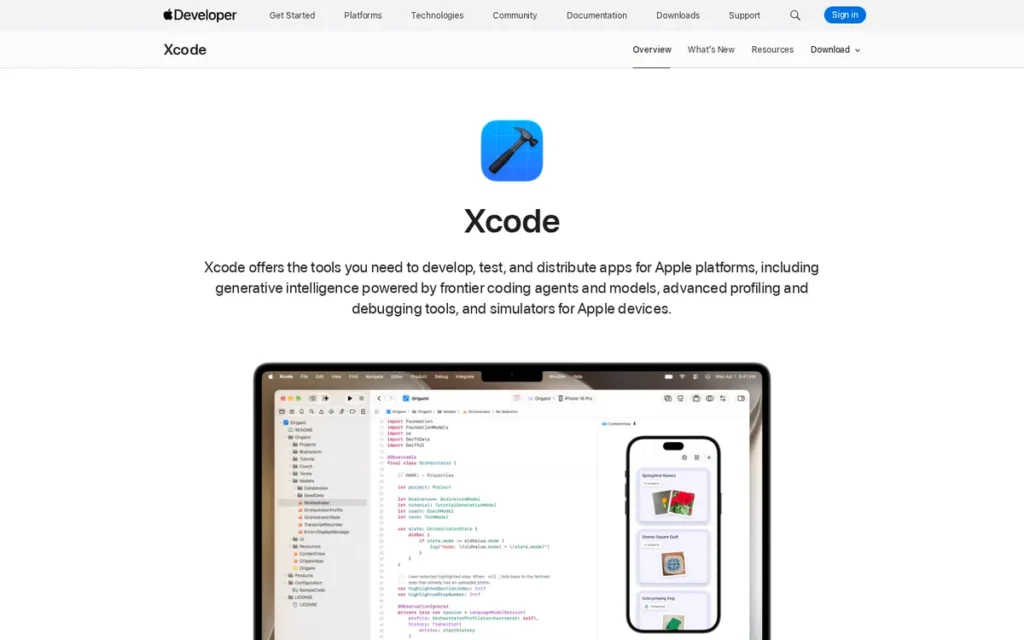
Category: Full C/C++ IDE (Platform-Exclusive), Apple’s official macOS-exclusive IDE providing the Apple Clang compiler, LLDB debugger, and Instruments profiler as a free, tightly integrated toolchain for C++ targeting Apple platforms.
At a Glance
- Category: Full C/C++ IDE (Platform-Exclusive)
- Best For: Developers building C++ applications targeting macOS, iOS, watchOS, or tvOS; developers combining C++ with Swift; macOS-native developers requiring Apple Silicon-optimized profiling via Instruments
- Price Range: Xcode IDE: Free (Mac App Store). Apple Developer Program: $99/year for individuals and organizations, required for App Store submission and device provisioning, not required for local C++ development. Verified May 2026.
- Primary Strength: Apple Xcode provides the only Apple-native profiling toolchain via Instruments, mandatory Apple Clang compiler access for Apple-target builds, and first-class Swift/C++ interoperability, capabilities no cross-platform IDE can replicate for Apple platform targets.
- Biggest Limitation: Apple Xcode is macOS-exclusive: it cannot be installed on Windows or Linux, making it irrelevant for C++ developers whose primary targets include servers, embedded systems, Windows applications, or cross-platform libraries.
- One-Line Summary: Apple Xcode is the mandatory C/C++ IDE for Apple platform development in 2026, providing the only Apple-native Instruments profiling, first-party Apple Clang compiler access, and Swift/C++ bounds safety interoperability, while remaining entirely irrelevant for any C++ work targeting non-Apple platforms.
- Last Verified: May 2026
Overview
Apple Xcode is the official, macOS-exclusive IDE for developing C++ applications targeting Apple platforms (macOS, iOS, watchOS, and tvOS) providing the Apple Clang compiler, LLDB debugger, and Instruments profiler suite as a free, tightly integrated toolchain. No cross-platform IDE can replicate Apple Xcode’s Apple-native toolchain depth for Apple-target development.
Xcode 26, previewed at WWDC25 and released in alignment with Apple’s OS release schedule, verify current availability at developer.apple.com/xcode/, introduced Apple Intelligence generative code completion as Xcode’s first major AI-assisted coding feature. Apple Intelligence regional availability may vary; verify at time of reading. Xcode 26 also enhanced Swift/C++ interoperability with bounds safety annotations and C/C++ standard library hardening, per WWDC25 Session 311.
Key Features
- Instruments Profiler for Apple Silicon: Apple Xcode’s Instruments profiler provides CPU performance, memory usage, and energy consumption measurement mapping natively to Apple Silicon M-series chip architecture, delivering optimization insights that no third-party profiling tool can match for Apple hardware targets, as documented on the Apple Xcode official page.
- Apple Intelligence Code Completion: Apple Xcode 26 (previewed WWDC25 Session 247) integrates Apple Intelligence for predictive and generative code completion, Apple’s first major AI-assisted coding integration, placing Xcode alongside JetBrains CLion and Microsoft Visual Studio in the AI capability tier for 2026.
- Runtime Memory Safety Tools: Apple Xcode includes AddressSanitizer and ThreadSanitizer for runtime detection of memory errors and data races in C++ code, the same sanitizer suite available in JetBrains CLion and Microsoft Visual Studio, fully integrated within Xcode’s Apple-native workflow.
- Swift/C++ Bounds Safety Interoperability: WWDC25 Session 311 (“Safely mix C, C++, and Swift”) introduced C/C++ bounds safety annotations, standard library hardening settings, and hardening configurations for mixed C/C++/Swift codebases, tooling unique to the Apple Clang toolchain with no equivalent in cross-platform IDEs.
- Apple Hardware Simulators: Apple Xcode provides integrated simulators for all Apple hardware families (iPhone, iPad, Apple Watch, Apple TV) enabling C++ code testing on simulated Apple targets directly within the IDE without requiring physical devices.
Best For
Apple Xcode is best for developers whose C++ code targets Apple platforms exclusively or primarily (including macOS native app developers, iOS game and utility developers, and developers using C++ extensions within Swift applications) and for any developer building on Apple Silicon hardware who needs native performance profiling via Instruments.
Pricing
Apple Xcode is free to download from the Mac App Store with no subscription or one-time IDE fee.
Pure C++ development for local use, command-line tool distribution, and macOS-only internal deployment requires no payment. The Apple Developer Program at $99/year (individuals and organizations) is required for App Store submission, device provisioning profiles, and TestFlight beta distribution, it is not required to write, compile, debug, or profile C++ code using Xcode locally. Verified May 2026.
Strengths
- G2 Top Trending Recognition: Apple Xcode holds the G2 Top Trending badge in the C/C++ IDE category, 2025–2026, reflecting rapidly growing review activity and user engagement consistent with Apple Silicon’s ongoing impact on developer interest in macOS-native tooling.
- Xcode 26 AI Integration: Apple Xcode 26 (previewed WWDC25 Session 247) introduced Apple Intelligence generative code completion, placing Xcode alongside JetBrains CLion (Junie and Claude Agent) and Microsoft Visual Studio (GitHub Copilot) as IDEs with native AI coding assistance in 2026, while Eclipse CDT, Qt Creator, and Code::Blocks remain outside this AI capability tier.
- Swift/C++ Memory Safety Tooling: WWDC25 Session 311 introduced C/C++ bounds safety annotations and standard library hardening, tooling that directly addresses memory safety concerns driving some organizations toward Rust, existing exclusively within the Xcode and Apple Clang ecosystem.
- Apple Clang Compiler Quality: Apple Clang: the compiler bundled with Apple Xcode, is the same toolchain Apple uses to build macOS, iOS, and its own frameworks; its diagnostic quality, C++ standard compliance speed, and optimization for Apple Silicon are the best available for any developer targeting Apple hardware.
Users on r/Xcode shared direct experience comparing Xcode and VS Code for macOS C++ development:
“i’m in the same boat as you, a junior in college, and i program only in C++ and swift. I have a macbook pro and i use both, Xcode and Vscode for both languages. I will admit that there are a ton of different configurations that you have to set to make C++ work on VScode. But overall, I’ve come to love both IDE’s and would recommend both. But if you like simplicity, I would definitely recommend Xcode.” Posted by u/jlwj22
Takeaway: macOS C++ developers with hands-on experience in both Xcode and VS Code consistently find Xcode simpler to configure for Apple-target work, reinforcing its position as the natural zero-configuration starting point for developers on Apple hardware.
Limitations
- Narrow C++ Developer Relevance: Apple Xcode is structurally limited to Apple platform C++, developers who move from macOS to Linux roles, switch to cross-platform projects, or join teams not exclusively on Apple hardware cannot transfer Xcode skills to their new environment. Apple Xcode cannot be installed on Windows or Linux, making it irrelevant for C++ targeting servers, embedded systems, or Windows applications.
- Absent From General C++ Community Discussions: In general C++ developer communities (r/cpp_questions, r/cpp, r/C_Programming) Apple Xcode is effectively absent from IDE recommendation threads unless the thread specifically addresses Apple platform development; experienced developers treat Xcode as a platform-specific tool, noting it is “not ideal for cross-platform C++ work” (ecweb.ecer.com).
- Apple-Optimized Default Settings: A Cornell CS course guide (2022) documents requiring students to manually change Apple Xcode’s default C++ Language Dialect, a concrete illustration of how Xcode’s defaults are optimized for Apple’s development model rather than portable C++ standards, creating friction for courses and projects not specifically targeting Apple platforms (Cornell CS, 2022).
Verdict
Apple Xcode is the mandatory C/C++ IDE for developers targeting Apple platforms and the fourth-ranked IDE overall in this evaluation, earning strong scores on free pricing, Apple-native profiling, and active 2026 AI feature investment (Apple Intelligence, Swift/C++ bounds safety at WWDC25) while its macOS exclusivity produces a near-zero cross-platform score that limits its aggregate ranking. For macOS-primary developers, Apple Xcode is a non-negotiable starting point; for any developer whose C++ targets include servers, embedded systems, or Windows applications, Xcode does not belong in the IDE evaluation at all.
5. Visual Studio Code: Best for Flexible, Remote, and Polyglot C++ Development Workflows
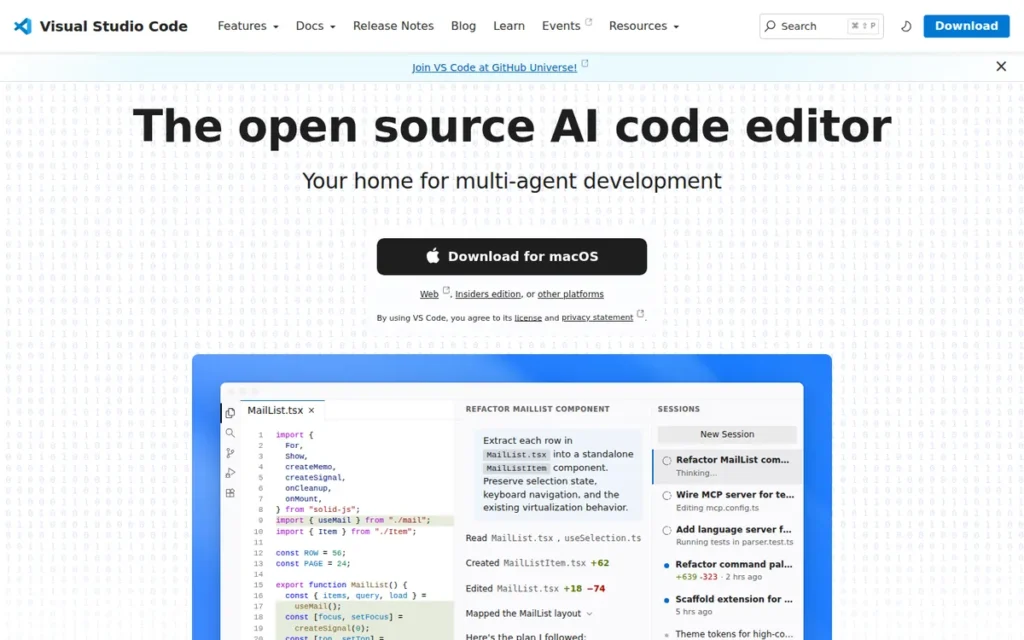
Category: Extensible Editor (IDE-like with extensions), a free, open-source code editor that requires C/C++ extension assembly to achieve IDE-level capabilities; not a C++ IDE out of the box.
At a Glance
- Category: Extensible Editor (IDE-like with extensions)
- Best For: Experienced C++ developers comfortable configuring extension stacks; polyglot developers working across C++ and other languages; developers deploying C++ to remote Linux servers or containers; zero-budget developers seeking the lowest-cost path to AI-assisted coding
- Price Range: VS Code: Free (MIT license, no commercial restrictions). GitHub Copilot: Free tier (2,000 completions/month + 50 premium requests, verify current limits at github.com/features/copilot/plans; note GitHub announced billing changes effective June 2026); Individual: $10/month ($100/year); Business: $19/user/month. Verified May 2026.
- Primary Strength: Visual Studio Code provides the most capable remote C++ development experience via Remote-SSH, WSL, and Dev Containers, alongside the broadest extension ecosystem and the lowest-cost path to AI-assisted coding via GitHub Copilot’s free tier.
- Biggest Limitation: Visual Studio Code is not a C++ IDE out of the box: achieving IDE-level C++ capabilities requires assembling and configuring multiple extensions, and its IntelliSense reliability for C++ is documented by community as inferior to dedicated IDEs.
- One-Line Summary: Visual Studio Code is the most widely used developer tool in the world but ranks fifth in this C/C++ IDE evaluation because its C++ experience requires significant manual extension configuration, exhibits documented IntelliSense reliability limitations rooted in its Electron architecture, and is classified as “not an IDE” by experienced C++ community members in its default state.
- Last Verified: May 2026
Overview
Visual Studio Code is a free, open-source, cross-platform code editor by Microsoft, used by approximately 75% of all surveyed developers according to the Stack Overflow Developer Survey 2025 and counting 100 million monthly active users, that supports C++ through the Microsoft C/C++ extension and the clangd language server.
Visual Studio Code requires substantial manual configuration to deliver IDE-level C++ capabilities and is explicitly classified as “not an IDE” by a significant portion of the C++ developer community. Visual Studio Code’s primary C++ strengths are its remote development ecosystem (Remote-SSH, WSL, Dev Containers), GitHub Copilot integration with a generous free tier, and adaptability across every programming language a polyglot developer encounters.
Key Features
- Remote Development Ecosystem: Visual Studio Code provides Remote-SSH, WSL (Windows Subsystem for Linux), and Dev Containers as first-party Microsoft extensions, enabling C++ developers to write locally while building and running on remote Linux servers, virtual machines, or Docker containers without configuring a separate remote IDE.
- C++ via Extension Composition: Visual Studio Code supports C++ through Microsoft’s C/C++ extension (IntelliSense, debugging, code navigation), the clangd extension (LSP-based alternative with generally higher analysis quality for C++), and the CMake Tools extension, requiring deliberate selection and configuration of each component before IDE-level behavior is achieved.
- GitHub Copilot Free Tier: Visual Studio Code integrates GitHub Copilot with a free tier of 2,000 code completions per month plus 50 premium requests, the lowest-cost entry point to AI-assisted C++ coding among all evaluated IDEs. Verify current limits at github.com/features/copilot/plans. GitHub Copilot Individual: $10/month ($100/year); Business: $19/user/month. Verified May 2026.
- Monthly Release Cadence: Visual Studio Code follows a monthly release cadence with continuous extension ecosystem updates, ensuring C++ developers have access to new language standard support and toolchain changes faster than any IDE with quarterly or annual release cycles.
- MIT License with No Commercial Restrictions: Visual Studio Code’s MIT license imposes no commercial eligibility restrictions at any organizational scale, unlike Visual Studio Community’s 250-employee and $1M revenue thresholds, VS Code is legally free for commercial use for any individual, startup, or enterprise.
Best For
Visual Studio Code is best for experienced C++ developers comfortable assembling and configuring an extension-based workflow, polyglot developers who work across C++ and other languages in a single editor, and developers who build or deploy C++ to remote Linux servers or containers where VS Code’s Remote Development extensions provide a workflow advantage that dedicated IDEs do not match in breadth.
Pricing
Visual Studio Code is completely free under the MIT open-source license with no commercial use restrictions at any organizational scale.
GitHub Copilot is the most relevant paid addition for professional C++ use. The free tier provides 2,000 code completions per month, verify current limits at github.com/features/copilot/plans as GitHub announced billing changes effective June 2026. Individual plans are $10/month ($100/year); Business plans are $19/user/month. Verified May 2026.
Strengths
- Five-Year Adoption Leadership: The Stack Overflow Developer Survey 2025 confirmed Visual Studio Code as the most-used developer tool for the fifth consecutive year, with approximately 75% of all surveyed developers using it, creating the largest available community knowledge base, tutorial library, and extension ecosystem of any tool in this evaluation.
- Broadest Remote C++ Development Ecosystem: Microsoft’s Remote Development extensions for Visual Studio Code (Remote-SSH, WSL, Dev Containers) represent the most widely-used remote C++ development solution available in 2026, enabling local-edit/remote-build workflows with Linux servers, Docker containers, and WSL environments that no competing dedicated IDE matches in documentation breadth.
- Expert C++ Configuration Validation: KDAB: one of the most respected C++ and Qt consulting firms globally, published a detailed engineering guide (“Supercharging VS Code with C++ Extensions,” KDAB) demonstrating a professional C++ workflow using clangd plus compile_commands.json from CMake, confirming that enterprise-quality C++ development is achievable in Visual Studio Code with correct configuration.
- Lowest-Cost AI Entry Point: GitHub Copilot’s free tier (2,000 completions/month as of May 2026) provides a zero-cost entry point to AI-assisted C++ coding within Visual Studio Code, a capability available in no other free-tier IDE in this evaluation, including Qt Creator, Eclipse CDT, and Code::Blocks.
Limitations
- “Not an IDE” for C++ Out of the Box: Visual Studio Code’s most consequential trade-off is the gap between its global adoption reputation and its actual C++ capabilities by default, multiple experienced C++ developers explicitly classify it as “not an IDE” and “ultimately no different from using notepad and command line” for C++ until extensions are correctly configured (u/vaulter2000, r/cpp_questions, 2024). The community’s concise verdict: “VSCode good gui, hard to setup for beginner” (u/makian123, r/cpp_questions, 2024).
- Visual Studio Code’s IntelliSense Reliability for C++ Is Documented as Inconsistent: Community users report “red-herring error squiggles which only disappear after restarting the client” and “IntelliSense quite often just doesn’t work” specifically for C++ (u/ecstacy98, r/cpp_questions, 2024), reflecting VS Code’s Electron architecture and web-development-first design, which creates overhead that disproportionately impacts C++’s indexing-heavy analysis workloads.
- Electron Architecture Overhead: Visual Studio Code is built on Electron (Chromium + Node.js), consuming significantly more RAM than native editors or native IDEs on equivalent tasks, a meaningful productivity drag on constrained hardware (4GB RAM laptops, embedded development workstations) alongside resource-heavy C++ builds. The upgrade trigger from Visual Studio Code to a dedicated C++ IDE is the moment you spend more than 30 minutes configuring IntelliSense for a new project rather than writing C++.
Verdict
Visual Studio Code is the most-used developer tool in the world but ranks fifth in this C/C++ IDE evaluation, a gap that is intentional and evidence-based: its C++ experience requires manual extension assembly, exhibits documented IntelliSense reliability issues rooted in its Electron architecture, and demands toolchain knowledge that makes it unsuitable as a first C++ development environment. For experienced C++ developers who need remote Linux workflows, polyglot flexibility, or the lowest-cost GitHub Copilot integration, VS Code is the strongest available option and worth the configuration investment. For beginners, choose Visual Studio Community on Windows or Qt Creator on Linux and macOS for IDE-level experience without the configuration overhead.
6. Eclipse IDE (with CDT): Best for Embedded Systems C/C++ via Vendor-Backed Toolchains Only
Category: Full C/C++ IDE (Legacy/Embedded), a mature, free, open-source Java-based IDE with a dated desktop experience but the most widely deployed embedded C/C++ platform through vendor-backed toolchain integration.
At a Glance
- Category: Full C/C++ IDE (Legacy/Embedded)
- Best For: Embedded systems engineers required to use STM32CubeIDE, MCUXpresso, or other Eclipse-based vendor toolchains; organizations with existing Eclipse CDT infrastructure that cannot justify migration cost; developers targeting ARM Cortex-M, RISC-V, or AArch64 via Eclipse Embedded CDT
- Price Range: Completely free (Eclipse Public License): no paid tier, no commercial license required at any organizational scale. Verified May 2026.
- Primary Strength: Eclipse CDT is the foundation of the most widely deployed embedded C/C++ toolchain ecosystem, with hardware vendors including ST Microelectronics (STM32CubeIDE) and NXP (MCUXpresso) building their official ARM Cortex-M and RISC-V IDEs directly on Eclipse.
- Biggest Limitation: Eclipse CDT’s desktop C++ experience is characterized by the current community as having a dated interface and an inferior debugger (with community members explicitly preferring raw GDB/LLDB in a terminal over Eclipse CDT’s integrated debugging) making it unsuitable as a starting point for new C++ desktop projects in 2026.
- One-Line Summary: Eclipse CDT ranks sixth in this evaluation because its desktop IDE experience is rated negatively by the current developer community and its debugger is community-characterized as inferior to raw terminal debugging, but Eclipse Embedded CDT remains the dominant platform for embedded ARM Cortex-M and RISC-V C++ development through hardware-vendor toolchains that make Eclipse knowledge unavoidable in those ecosystems.
- Last Verified: May 2026
Overview
Eclipse IDE with C/C++ Development Tooling (CDT) is a free, open-source, cross-platform IDE originally created by IBM in 2001 and governed by the Eclipse Foundation since 2004, providing a deep semantic C++ code model and the foundation for the most widely deployed embedded C/C++ toolchain ecosystem via hardware vendor IDEs including STM32CubeIDE (ST Microelectronics) and MCUXpresso (NXP Semiconductors) for ARM Cortex-M and RISC-V firmware development.
Eclipse CDT’s desktop IDE experience is rated negatively by the current developer community in 2026. Its interface is universally characterized as dated, its debugger quality is documented as inferior even to raw terminal debugging, and community consensus advises against Eclipse CDT for new C++ desktop projects started in 2026.
Key Features
- Eclipse Embedded CDT for ARM Cortex-M and RISC-V: Eclipse Embedded CDT provides Cortex-M, AArch64, and RISC-V cross-compilation templates, JTAG/SWD hardware debugging, peripheral register views, and automatic system path and macro discovery, making Eclipse the most comprehensive free embedded C/C++ development platform for those hardware targets.
- Deep Semantic C++ Code Model: Eclipse CDT’s semantic C++ code model provides lexing, preprocessing, AST parsing, and semantic analysis powering error display, semantic highlighting, source navigation, search, and code completion, a technically sophisticated analysis layer documented in the Eclipse CDT GitHub project despite the dated UI built above it.
- Low-Level Debugging Views: Eclipse CDT includes visual debugging views for memory inspection, register values, and disassembly, low-level debugging capabilities critical for embedded and systems development that are absent from or limited in lightweight editor-based setups.
- CDT Cloud Extension: The Eclipse CDT Cloud project extends C/C++ development tooling to browser-based environments, positioning the Eclipse ecosystem for cloud-based development workflows beyond its traditional desktop use.
- Unrestricted Commercial Use at Any Scale: Eclipse CDT is completely free under the Eclipse Public License with no commercial eligibility thresholds or organization-size restrictions, providing legal certainty for large enterprises, public-sector projects, and international teams that cannot use Visual Studio Community.
Best For
Eclipse CDT is best for embedded systems engineers who are required to use STM32CubeIDE, MCUXpresso, or other Eclipse-based vendor toolchains for specific hardware targets, and for organizations with existing Eclipse CDT infrastructure where migration cost cannot be justified. Eclipse CDT is not recommended for new desktop C++ projects, general-purpose C++ development, or developers choosing an IDE freely in 2026. The migration trigger from Eclipse CDT is the moment a new team member joins who has never used Eclipse and the onboarding time exceeds the productivity gain from maintaining existing toolchain configurations.
Pricing
Eclipse IDE and CDT are entirely free under the Eclipse Public License with no paid tier and no commercial use restrictions at any scale.
Commercial support for Eclipse-based workflows is available from third-party vendors such as EclipseSource, but these are optional support contracts, not licensing fees. There is no scenario in which using Eclipse CDT for C++ development incurs a license cost. Verified May 2026.
Strengths
- Embedded Hardware Vendor Ecosystem: Eclipse Embedded CDT is the foundation of STM32CubeIDE (ST Microelectronics) and MCUXpresso (NXP Semiconductors) (official vendor IDEs used by millions of embedded engineers for ARM Cortex-M and RISC-V development) making Eclipse CDT knowledge unavoidable in those hardware ecosystems regardless of community opinion on the standalone tool.
- Active Development Confirmation: Eclipse CDT remains under active development on GitHub (eclipse-cdt/cdt) with maintained Eclipse Foundation infrastructure, and the CDT Cloud project extends C/C++ tooling to browser-based environments, confirming the project is not abandoned despite declining general-purpose desktop mindshare.
- Complete Free Use at Any Organizational Scale: Eclipse CDT is completely free under the Eclipse Public License with no commercial eligibility thresholds, providing legal certainty for large enterprises, public-sector projects, and international teams that cannot use Visual Studio Community due to its 250-employee and $1M revenue restrictions.
- Embedded-Specific Debugging Depth: Eclipse CDT includes memory inspection views, register value displays, and disassembly views built in natively, low-level embedded debugging capabilities that require separate plugins or are absent entirely in IDEs designed for application-level C++ development.
Limitations
- Community Consensus Against for Desktop C++: Eclipse CDT’s most consequential trade-off is between its technical heritage and its current user experience reality. Community members report that step debugging in Eclipse is “absolute garbage, to the point that I generally prefer to just stick with GDB or LLDB in the terminal” (u/nenchev, r/C_Programming, 2021), a particularly damaging verdict for a feature that should be an IDE’s primary value-add over raw command-line tools.
“I have eclipse as well but I’ve been told it sucks balls.” (u/pentichan, r/cpp_questions, 2024)
Takeaway: This blunt characterization reflects the dominant 2024–2026 developer perception of Eclipse CDT for general-purpose desktop C++, it is an accurate sentiment for that use case, though it should not be applied to Eclipse’s legitimate role in vendor-mandated embedded hardware toolchains.
- Convoluted Configuration: Eclipse CDT requires substantial manual configuration of workspace settings, compiler paths, and build system integration before a C++ project can be built and debugged, one community member described the overall process as “quite convoluted” (u/MajorPain169, r/cpp_questions, 2024).
- Dated Interface: A FitGap 2026 analysis identifies Eclipse as having a “UI that feels older than newer rivals, especially when compared with CLion or VS Code-based workflows”, a criticism consistent across all reviewed 2025–2026 sources. Eclipse CDT also has no native AI coding assistance, placing it outside the AI capability tier established as a 2026 baseline by JetBrains CLion, Visual Studio, Xcode, and VS Code.
- JVM Runtime Memory Overhead: Eclipse CDT’s Java-based runtime (the IDE runs on the JVM) creates a memory footprint overhead separate from the C++ indexer, users on systems with limited RAM encounter the double penalty of JVM memory plus CDT’s C++ semantic model, producing the worst memory-to-capability ratio among all evaluated IDEs.
Verdict
Eclipse CDT ranks sixth in this evaluation because community consensus and independent 2026 review analysis both characterize its desktop IDE experience as the most negatively reviewed among all evaluated options, its debugger is community-rated as inferior to raw terminal debugging, its setup is described as convoluted, its interface is universally noted as dated, and it has no AI coding integration. Eclipse CDT remains in this evaluation because Eclipse Embedded CDT is the dominant platform for embedded ARM Cortex-M and RISC-V C++ development via hardware vendor toolchains (STM32CubeIDE, MCUXpresso), and engineers in those ecosystems cannot avoid Eclipse knowledge, but any developer choosing a C++ IDE freely in 2026 should select one of the five higher-ranked alternatives.
7. Code::Blocks: Best for Absolute Beginners and Resource-Constrained C++ Learning
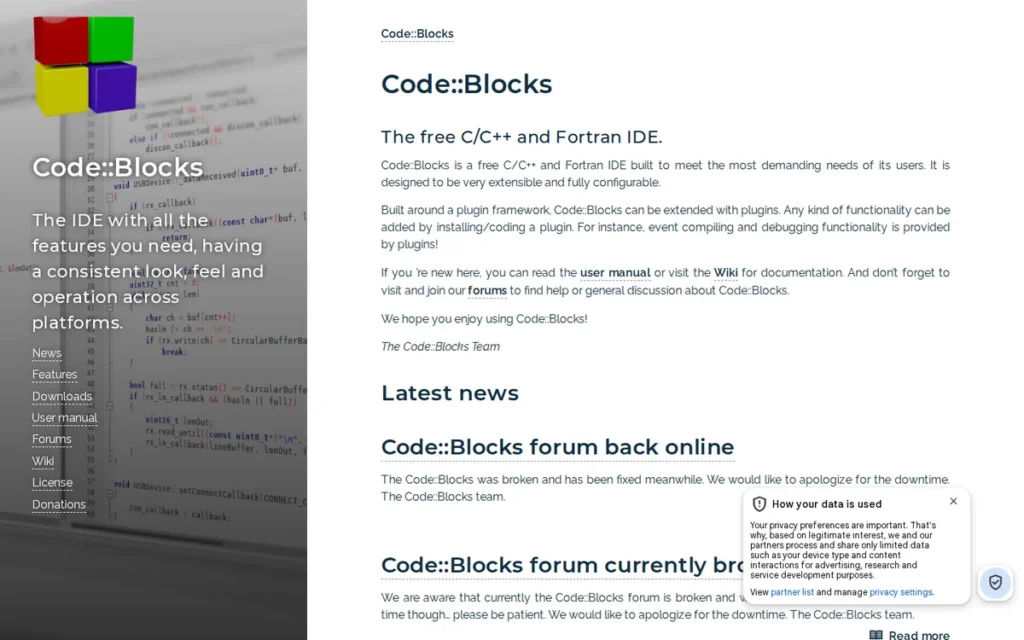
Category: Lightweight C/C++ IDE (Beginner-Focused), a free, open-source, minimal-footprint C++ IDE designed for simplicity and low resource requirements, best suited for learning C++ on constrained hardware.
At a Glance
- Category: Lightweight C/C++ IDE (Beginner-Focused)
- Best For: Absolute C++ beginners on Windows or Linux, students in educational environments with constrained hardware, developers in offline or air-gapped environments, and developers needing a portable installation that can be copied between machines without reinstallation
- Price Range: Completely free (GPLv3 open-source): no paid tier, no subscription, no commercial restrictions at any scale. Verified May 2026.
- Primary Strength: Code::Blocks provides the smallest installation footprint, lowest RAM requirements, and fastest setup of any evaluated IDE, running effectively on hardware where VS Code, CLion, Visual Studio, and Qt Creator experience significant degradation.
- Biggest Limitation: Code::Blocks has no native CMake support: a decisive professional blocker in 2026 when CMake is the de facto C++ build system standard, and lacks advanced code intelligence, AI coding assistance, and the active feature development cadence of commercially maintained alternatives.
- One-Line Summary: Code::Blocks ranks last in this 2026 C/C++ IDE evaluation due to its absence of native CMake support and advanced code intelligence, but remains the correct tool for absolute beginners on resource-constrained hardware who need a zero-cost, zero-configuration entry point to C++ programming before graduating to more capable alternatives.
- Last Verified: May 2026
Overview
Code::Blocks is a free, open-source, cross-platform C/C++ IDE founded in 2005 by Yiannis Mandravellos and distributed under the GPLv3 license (designed for simplicity, low resource consumption, and multi-compiler support (GCC, Clang, MSVC, MinGW)) making it the lightest-weight IDE in this evaluation.
Code::Blocks 25.03, released March 2025 and covered by GameFromScratch, confirmed the project’s continued activity after a widely misinterpreted 5-year gap between stable releases. Code::Blocks’ lack of native CMake support, absent code intelligence, and 5-year stable-release gap (20.03 to 25.03) make it unsuitable for professional C++ development by any measure, but Code::Blocks functions as a learning stepping stone that the community consistently validates.
Key Features
- Multi-Compiler Selection Without Configuration: Code::Blocks installs a complete C++ development environment in minutes with GCC, Clang, MSVC, and MinGW compiler selection via a simple dropdown, providing multi-compiler flexibility without command-line configuration, a practical advantage for students learning C++ on Windows.
- Lowest Resource Footprint Among Evaluated IDEs: Code::Blocks operates with the lowest RAM and CPU footprint of any evaluated IDE, with community confirmation that it runs effectively on hardware from 2010, the most viable IDE option in resource-constrained educational labs where VS Code, JetBrains CLion, and Microsoft Visual Studio cannot run without performance degradation (r/cpp_questions, 2023).
- Fully Portable Installation: Code::Blocks installations are fully portable: the complete IDE, compiler, and project files can be copied to another PC and run without reinstallation, a workflow advantage for students who work across multiple machines without administrator access.
- Zero Internet Dependency: Code::Blocks has no internet requirement for installation or ongoing use, making Code::Blocks the most suitable evaluated IDE for air-gapped, offline, and network-restricted educational and corporate environments, Eclipse CDT and Qt Creator can also be used offline, but Code::Blocks requires the smallest download footprint with no background update services requiring network access.
- 25.03 Active Maintenance Confirmation: Code::Blocks 25.03 (March 2025, GameFromScratch) confirmed active project maintenance after the widely misinterpreted 5-year release gap, with nightly builds providing more recent C++ standard support and clangd integration available throughout that period.
Best For
Code::Blocks is best for absolute C++ beginners who need a zero-cost, zero-configuration IDE on Windows or Linux without requiring CMake, build system knowledge, or internet connectivity, and for educational institutions that need a legally unrestricted, resource-light C++ IDE deployable on older hardware at any scale. Code::Blocks functions as a learning stepping stone: the community consensus is that developers start with Code::Blocks and graduate to VS Code, Qt Creator, or CLion as project complexity demands.
Pricing
Code::Blocks is completely free under the GPLv3 open-source license with no paid tier, no commercial license requirement, and no per-user cost at any organizational scale.
Educational institutions can deploy Code::Blocks on any number of computers without licensing consideration. The project is community-maintained with no commercial entity behind it, there are no paid support contracts or premium editions. Verified May 2026.
Strengths
- Active Maintenance Confirmed in 2025: Code::Blocks 25.03 (released March 2025, GameFromScratch) confirmed the project’s active status after a 5-year gap between stable releases, ending a widespread community perception of abandonment and clarifying that nightly builds with more recent C++ standard support had been available continuously throughout that period.
- Documented Portability Advantage: Community documentation of Code::Blocks’ portability: “It’s small and fast to install. Ready-to-go setup with multiple toolchains can be copied to another PC in a few minutes” (u/PratumVorax, r/cpp_questions, 2023), a practical advantage for students and developers who move between machines or need reproducible setups without administrator access.
- Validated Beginner Learning Trajectory: The C++ developer community provides a consistent positive narrative for Code::Blocks as a learning entry point: “C::B is fine for beginners on Windows, that’s how I got started with programming” (u/Markus_included, r/cpp_questions, 2023), confirming that Code::Blocks effectively serves its intended beginner audience as a starting point even while acknowledging its professional ceiling.
- Air-Gapped Environment Compatibility: Code::Blocks’ zero-cloud, zero-internet design makes it the most suitable evaluated IDE for air-gapped environments, corporate firewalled networks, and educational labs without internet access, a real operational requirement that no other evaluated IDE addresses with Code::Blocks’ combination of minimal footprint and zero background network services.
Limitations
- No Native CMake Support, the Decisive Professional Blocker: Code::Blocks’ most consequential trade-off is its absence of native CMake support, a decisive professional blocker in 2026 when CMake is the de facto standard build system for C++ projects and is required by virtually every modern C++ library, framework, and open-source project. Community confirmation: Code::Blocks “doesn’t have native cmake support” (u/nenchev, r/C_Programming, 2021). A developer who begins C++ in Code::Blocks and then attempts to work on any CMake-based project must learn a different build workflow entirely and switch IDEs, Code::Blocks provides no migration path within its own tooling.
- Absent Code Intelligence and No AI Assistance: A FitGap 2026 review explicitly identifies Code::Blocks as “lacking advanced code intelligence”, positioning it below all other evaluated IDEs on the intelligence criterion. Code::Blocks has no AI coding assistance of any kind, no semantic code analysis, and no refactoring support, limitations that compound as project complexity grows beyond basic exercises.
- UI and Accessibility Limitations: Community-documented UX gaps include font size too small for error identification, lack of native dark mode, and build process reliability issues on some configurations (u/mkmanojoffl, r/cpp_questions, 2023), all three identified as barriers for new users who encounter them before completing their first program.
- Large Project Performance Degradation: Code::Blocks degrades on large codebases: “Some operations tend to lag when working on large projects, I wouldn’t try to load whole Linux kernel source into the IDE project” (u/Chropera, r/cpp_questions, 2023), confirming it as a learning-scale tool with no credible path to enterprise or large open-source project workflows.
Verdict
Code::Blocks ranks last in this 2026 C/C++ IDE evaluation, its lack of native CMake support, absent code intelligence, and 5-year stable-release gap (20.03 to 25.03) position it below every alternative for professional use. Code::Blocks remains the correct starting tool for absolute beginners on resource-constrained hardware who need a zero-cost, zero-configuration entry point to C++ without requiring CMake literacy or internet connectivity. Developers who start with Code::Blocks should understand from the outset that it is a learning stepping stone: when their first project requires an external CMake-based library, a team member’s cross-platform project, or a more capable debugger, the upgrade path leads to Qt Creator (free, full IDE), Visual Studio Community (Windows), or JetBrains CLion with a student license.
What Red Flags Should I Watch for When Evaluating a C/C++ IDE?
The five most dangerous red flags in C/C++ IDE recommendations follow a consistent pattern: treating extensible editors as full IDEs, citing outdated limitations as current facts, and assuming “free” labels mean unrestricted commercial use. Any C/C++ IDE recommendation that omits Visual Studio Community’s commercial restrictions, VS Code’s extension requirements, Xcode’s existence for macOS developers, or CLion’s 2025.3 Nova update is incomplete by verifiable standards.
Red Flag #1: Recommending VS Code as a C++ IDE Without Disclosing Extension Requirements
Visual Studio Code is not a C++ IDE out of the box, it requires assembling the Microsoft C/C++ extension or clangd, CMake Tools, and a configured build system before achieving IDE-level behavior. Any recommendation framing VS Code as equivalent to JetBrains CLion or Microsoft Visual Studio without disclosing this setup requirement produces an incomplete comparison that frustrates beginners who expect integrated project management from day one.
Red Flag #2: Recommending Eclipse CDT for New Desktop C++ Projects in 2026
Eclipse CDT’s desktop C++ experience is community-rated as inferior to alternatives (including raw GDB/LLDB in a terminal for debugging) and its interface is characterized in FitGap 2026 as dated relative to all modern competitors. Any recommendation of Eclipse CDT for a new C++ desktop project where the developer has free choice should be treated as outdated advice. Eclipse CDT’s legitimate use case in 2026 is narrow: vendor-mandated embedded hardware toolchains like STM32CubeIDE and MCUXpresso.
Red Flag #3: Assuming Visual Studio Community Is Free for All Commercial Use
Visual Studio Community is not free for organizations with more than 250 employees or more than $1 million in annual revenue using it for commercial software development. Any recommendation of “Visual Studio Community” as a free professional tool without disclosing these eligibility restrictions can produce license compliance violations at scale. The entry point for unrestricted commercial use is Visual Studio Professional at $45/user/month (monthly billing), per visualstudio.microsoft.com/vs/pricing/ (verified May 2026).
Red Flag #4: Citing CLion’s Memory Usage as a Current Limitation Without Mentioning the 2025.3 Nova Engine
LLM responses evaluated for this article consistently cite JetBrains CLion’s memory footprint as a current limitation, but the CLion Nova engine introduced in 2025.3 (JetBrains blog, December 2025) benchmarked at 24% lower memory usage than CLion Classic on the LLVM codebase (JetBrains-reported). Any analysis citing CLion memory as a present concern without acknowledging the Nova 2025.3 update is 12–18 months out of date on that specific claim.
Red Flag #5: Omitting Xcode When Advising macOS C++ Developers
Every LLM response evaluated for this article (Perplexity (May 2026) and ChatGPT GPT-4o (May 2026, two independent responses)) completely omits Apple Xcode from C/C++ IDE recommendations. Apple Xcode is the mandatory IDE for Apple platform C++ targets, the only tool providing Apple-native Instruments profiling on Apple Silicon, and received Xcode 26 with Apple Intelligence at WWDC25. Any guide for macOS C++ developers that omits Apple Xcode is directing readers toward workaround setups before they have evaluated the correct starting point.
What Questions Should I Ask Before Choosing a C/C++ IDE?
Answering these six questions before committing to a C/C++ IDE eliminates at least three of the seven evaluated options and pinpoints the remaining candidates within two minutes. Questions #1 and #3 (operating system and cost) together remove at least three tools from every developer’s list; questions #2 through #6 refine for build system, AI needs, maintenance quality, and embedded targets.
Question #1: What operating systems do you need to develop C++ on, now and within the next 12 months?
If the answer is Windows only: Visual Studio Community (with eligibility restrictions) or Visual Studio Professional are the clear starting points. If the answer is macOS only or Apple platform targets: Apple Xcode is mandatory as a first step. If the answer is two or more operating systems simultaneously: JetBrains CLion is the only IDE with equal-quality tooling across all three platforms, and Qt Creator is the free alternative. The answer to this question eliminates at least two IDEs from every developer’s evaluation list.
Question #2: Is my project’s build system CMake, make, or a proprietary format?
Any project using CMake, the de facto standard for modern C++, immediately rules out Code::Blocks (no native CMake support). JetBrains CLion’s CMake integration is the most mature and well-documented. Microsoft Visual Studio’s CMake support (with CMake presets) is strong for Windows targets. Qt Creator supports CMake, qmake, and Meson natively. Visual Studio Code supports CMake via the CMake Tools extension. Developers who do not yet know their build system should learn CMake from the outset, every professional-grade IDE in this evaluation supports it.
Question #3: Is cost a constraint, and what are the actual free vs. paid terms?
Genuinely free with no commercial restrictions for any organization:
- Qt Creator (LGPL)
- Visual Studio Code (MIT)
- Eclipse CDT (Eclipse Public License)
- Code::Blocks (GPLv3)
Free with commercial eligibility restrictions: Visual Studio Community (250-employee and $1M revenue thresholds apply). Free for students and OSS contributors only, paid for commercial use: JetBrains CLion. Free IDE only: Apple Xcode (free IDE; $99/year Developer Program for App Store distribution). Understanding these distinctions prevents both over-spending and inadvertent license violations.
Question #4: Do you need AI coding assistance, and what is your budget for it?
In 2026, native AI integration in C/C++ IDEs divides into three tiers:
- Built-in, included with IDE: JetBrains CLion (Junie + Claude Agent), Microsoft Visual Studio (GitHub Copilot), Apple Xcode 26 (Apple Intelligence, regional availability may vary)
- Built-in via extension, lowest cost: Visual Studio Code (GitHub Copilot free tier: 2,000 completions/month; Individual $10/month)
- No native AI integration: Qt Creator, Eclipse CDT, Code::Blocks
Developers who consider AI assistance important to daily productivity should factor this into IDE selection, it is now a meaningful differentiating capability across the category.
Question #5: Is the IDE actively maintained and receiving C++23/C++26 standard support?
All evaluated IDEs except Code::Blocks (no confirmed C++23 standard support in stable 25.03) and Eclipse CDT (no confirmed C++26 support) are actively maintained with modern standard support as of May 2026.
- Microsoft Visual Studio 2026 explicitly added C++23/26 support per the Microsoft C++ Developer Blog, 2026
- JetBrains CLion 2025.3 and Qt Creator 18.0 support modern standards via their clangd and Clang-based analysis engines
- A 5-year stable release gap, as seen with Code::Blocks (20.03 to 25.03), signals maintenance confidence issues regardless of actual nightly build activity
Question #6: Do you need C++ development for embedded systems or hardware-specific targets?
If your hardware vendor mandates an Eclipse-based IDE (STM32CubeIDE for ST Microelectronics hardware, MCUXpresso for NXP hardware), then Eclipse CDT knowledge becomes unavoidable, the vendor toolchain runs on Eclipse whether you prefer it or not. If you are free to choose any embedded C++ IDE, Qt Creator, with its Meson and CMake support, low resource footprint, and GDB/LLDB integration, is the modern embedded alternative to Eclipse CDT for ARM and RISC-V targets. JetBrains CLion is the premium alternative for embedded development as of its Embedded World 2026 positioning.
How Did We Rank These C/C++ IDEs?
These seven C/C++ IDE rankings are determined by scoring each product against six weighted criteria using evidence from G2 badges, the Stack Overflow Developer Survey 2025, official vendor release notes, independent engineering reviews, and Reddit community sentiment from r/cpp_questions, r/cpp, and r/C_Programming, with no affiliate relationships influencing any position. The IDE with the highest weighted total earns rank #1.
What Research Process Produced These Rankings?
The evaluation followed a four-stage research pipeline:
- Product discovery: Identification of C/C++ IDEs with active use in 2026 via the G2 C/C++ IDE category, Stack Overflow Developer Survey 2025, and community recommendation threads.
- Deep product research: Querying multiple AI search engines, gathering independent web research including official release notes, developer blogs, and engineering reviews, and cross-referencing vendor claims against third-party review platforms.
- Community sentiment analysis: Aggregating Reddit discussions from r/cpp_questions, r/cpp, and r/C_Programming (including specific user quotes with original source URLs preserved) to capture real-world developer experience that vendor documentation does not disclose.
- LLM gap analysis: Comparing evaluated IDE coverage across Perplexity (May 2026) and ChatGPT GPT-4o (May 2026, two responses) to identify where current AI recommendations are stale, incomplete, or systematically misleading.
What Criteria Were Used to Score Each IDE?
Each IDE was scored on a 1–5 scale across six criteria. Primary criteria (C1–C3) are weighted 2× in the total; secondary criteria (C4–C6) are weighted 1×.
- C1: Out-of-the-Box C++ Capability and Toolchain Integration (Primary Weight): Whether the IDE ships with or guides installation of a C++ compiler; whether a new project can be compiled and debugged without editing configuration files; community-documented first-run friction.
- C2: Code Intelligence Quality (Primary Weight): Smart completion, real-time error detection, and reliable refactoring quality. Assessed by verified benchmark data where available (JetBrains CLion Nova 2025.3 LLVM benchmarks are the only independently documented figures in this cycle, labeled as JetBrains-reported), G2/Capterra review sentiment, and community characterizations of IntelliSense or language server reliability.
- C3: Cross-Platform Availability (Primary Weight): Official platform support listing (Windows/macOS/Linux) and community reports of quality parity across platforms, some IDEs officially support multiple platforms but degrade in experience on non-primary systems.
- C4: Debugger and Profiling Depth (Secondary Weight): Debugger type and integration quality, sanitizer support (AddressSanitizer, ThreadSanitizer), and community ratings of debugger experience, including the Eclipse CDT community verdict that raw terminal debugging is preferred over its integrated debugger.
- C5: Cost and Accessibility (Secondary Weight): Verified current pricing with eligibility restrictions explicitly noted; availability of student and open-source free tiers.
- C6: Active Maintenance and Modern Features (Secondary Weight): Most recent stable release date, C++23/26 support status, and native AI coding assistance integration.
Weighted Scoring Summary
| IDE | C1 Out-of-Box (×2) | C2 Code Intel (×2) | C3 Cross-Platform (×2) | C4 Debugger (×1) | C5 Cost (×1) | C6 Maintenance/AI (×1) | Weighted Total |
|---|---|---|---|---|---|---|---|
| JetBrains CLion | 4 | 5 | 5 | 4 | 3 | 5 | 40 |
| Microsoft Visual Studio | 5 | 5 | 2 | 5 | 3 | 5 | 37 |
| Qt Creator | 3 | 4 | 5 | 4 | 5 | 3 | 36 |
| Apple Xcode | 5 | 4 | 1 | 4 | 5 | 4 | 33 |
| Visual Studio Code | 2 | 3 | 5 | 3 | 5 | 4 | 32 |
| Eclipse IDE (CDT) | 2 | 3 | 4 | 3 | 5 | 2 | 28 |
| Code::Blocks | 2 | 1 | 4 | 2 | 5 | 2 | 23 |
Scores reflect PlugRoute’s editorial assessment based on the evidence sources listed in this section. All scores are on a 1–5 scale; primary criteria (C1–C3) are weighted 2× in the total. JetBrains CLion ranks above Microsoft Visual Studio because its cross-platform availability score (5/5) outweighs Visual Studio’s macOS/Linux deficit (2/5), the highest-weighted criterion cluster in this evaluation.
How Is Conflicting Evidence Weighted?
When review platform ratings conflict with Reddit community sentiment, PlugRoute weights specificity and recency across four dimensions:
- Specificity: A named-context Reddit post outweighs a generic review: a 21-year software engineer’s 2023 r/cpp_questions post describing their CLion-over-Visual-Studio transition carries more weight than an undated G2 review with a generic satisfaction score.
- Recency: 2025–2026 sources outweigh pre-2024 sources for capability claims.
- Independence: Third-party benchmarks outweigh vendor-only claims. JetBrains-reported Nova benchmarks are labeled as such throughout.
- Corroboration: Claims confirmed by multiple independent sources are stated as fact; uncorroborated claims are labeled as vendor-reported or community-observed.
How Are Vendor Claims Validated?
Vendor-reported statistics are labeled as such throughout this article. Only claims corroborated by at least one independent source are stated as established fact. All pricing is verified from official vendor pages as of May 2026, subscription pricing that updates frequently is linked rather than reproduced verbatim.
When Are These Rankings Updated?
This article was last updated May 2026. PlugRoute refreshes C/C++ IDE rankings when major version releases, pricing changes, or significant community-sentiment shifts are confirmed. Readers who access this article more than 6 months after the Last Verified dates in each entry’s At a Glance block should verify pricing and feature claims independently.
Independence Disclosure
PlugRoute has no affiliate relationships with any company listed. Rankings are determined entirely by research data and objective evaluation criteria. This disclosure is particularly important in this article because JetBrains CLion, Microsoft Visual Studio, and Qt Creator are the top three ranked tools, no commercial relationship influenced these rankings, and the lower-ranked entries (Eclipse CDT, Code::Blocks) received the same editorial rigor as the top entries.
What Sources and Models Were Referenced?
Frequently Asked Questions About C/C++ IDEs
What is the best free C/C++ IDE for Linux or cross-platform development in 2026?
Qt Creator is the best free full C/C++ IDE for Linux and cross-platform development in 2026. Qt Creator is free under the LGPL with no commercial use restrictions, earns the G2 Highest Performer badge, supports CMake, qmake, and Meson natively, and provides debugger quality that community reviewers explicitly compare to Visual Studio. Students who qualify for JetBrains’ Education Program can also access CLion at no cost, which is the stronger professional tool overall.
Is Visual Studio Community really free for commercial use?
Visual Studio Community is not free for all commercial use. Organizations with more than 250 employees or more than $1 million in annual revenue may not use Community for commercial software development without purchasing a license. Individual developers, students, and qualifying small teams can use it at no cost. Developers at larger organizations must purchase Visual Studio Professional ($45/user/month, monthly billing) at minimum for commercial C++ work. Pricing verified May 2026 at visualstudio.microsoft.com/vs/pricing/.
How does PlugRoute determine its C/C++ IDE rankings?
PlugRoute ranks C/C++ IDEs by scoring each product against six weighted criteria: out-of-the-box C++ capability, code intelligence quality, and cross-platform availability (all primary weight), plus debugger depth, cost/accessibility, and active maintenance with 2026 features (secondary weight). Evidence is drawn from G2 badge data, Stack Overflow Developer Survey 2025, official vendor release notes, independent engineering reviews, and Reddit community sentiment, never from affiliate relationships or vendor payments.
What Do Key C/C++ IDE Terms Mean?
Language Server Protocol (LSP): A communication standard that allows a code editor or IDE to query a separate language analysis engine (called a language server) for features like code completion, error detection, and refactoring. LSP enables editors like Visual Studio Code and Qt Creator to use clangd (a C++-specific language server) as their intelligence engine without building that analysis directly into the editor.
CMake: An open-source, cross-platform build system generator for C and C++ that produces native build files (Makefiles, Ninja build files, Visual Studio project files) from a declarative CMakeLists.txt configuration. CMake is the de facto standard build system for modern C++ projects, required by the vast majority of open-source C++ libraries and modern C++ frameworks. An IDE without native CMake support is effectively incompatible with the current C++ professional ecosystem.
Debug Adapter Protocol (DAP): A standardized protocol enabling IDEs and editors to communicate with debuggers (GDB, LLDB, CDB, embedded hardware debuggers) through a uniform API. JetBrains CLion added DAP support in 2025.3, extending its debugger compatibility beyond built-in GDB/LLDB/CDB to custom and embedded toolchain debuggers without requiring JetBrains to implement each integration individually.
Clangd: An open-source language server implementing the Language Server Protocol for C and C++, developed as part of the LLVM project. Clangd uses the same Clang compiler frontend that Apple, Google, and the LLVM community develop, providing high-quality code completion, error detection, and navigation using compile_commands.json from CMake or other build systems. Clangd is used as the C++ analysis engine in Visual Studio Code (via extension), Qt Creator (natively), and optionally in JetBrains CLion.
Perpetual Fallback License: A JetBrains licensing term for CLion and other JetBrains IDEs: after 12 consecutive months of active subscription, the subscriber permanently retains access to the version of the IDE current at the time the subscription is canceled, even after subscription lapse. This reduces the financial risk of JetBrains subscription tools by ensuring canceled subscribers are not left without working software.
Glossary: Key Terms Used in This Comparison
Language Server Protocol (LSP): A communication standard that allows a code editor or IDE to query a separate language analysis engine (called a language server) for features like code completion, error detection, and refactoring. LSP enables editors like Visual Studio Code and Qt Creator to use clangd as their C++ intelligence engine without building that analysis directly into the editor.
CMake: An open-source, cross-platform build system generator for C and C++ that produces native build files from a declarative CMakeLists.txt configuration. CMake is the de facto standard build system for modern C++ projects, required by the vast majority of open-source C++ libraries and frameworks.
Debug Adapter Protocol (DAP): A standardized protocol enabling IDEs and editors to communicate with debuggers such as GDB, LLDB, and CDB through a uniform API. DAP allows an IDE to support custom and embedded toolchain debuggers without requiring a separate integration for each individual debugger.
Clangd: An open-source language server implementing the Language Server Protocol for C and C++, developed as part of the LLVM project. Clangd provides code completion, error detection, and navigation using a compile_commands.json file generated by CMake or other build systems, and is used as the C++ analysis engine in Visual Studio Code, Qt Creator, and optionally in JetBrains CLion.
Perpetual Fallback License: A JetBrains licensing term whereby a subscriber who maintains 12 consecutive months of active subscription permanently retains access to the version of the IDE current at the time of cancellation, even after the subscription lapses. This reduces the financial risk of subscription-based IDEs by ensuring canceled subscribers are not left without working software.
Which C/C++ IDE Is Right for You?
Key Insights
- JetBrains CLion is the top-ranked C/C++ IDE for 2026, earning its position through the only cross-platform-equal code intelligence in the category, JetBrains-reported Nova engine improvements (2× faster completion, 24% less memory on LLVM), and the only built-in dual-AI-agent workflow, at a subscription cost waived entirely for students and qualifying open-source contributors.
- Microsoft Visual Studio is the unmatched Windows C/C++ IDE: G2 Leader with Dynamic Debugging for optimized builds (VS 2026) and zero-configuration Windows setup, but its Windows-primary architecture makes it the wrong tool for any team that also develops on macOS or Linux.
- Qt Creator is a G2 Highest Performer that is completely free, cross-platform, and CMake-capable with community-validated debugger quality comparable to Visual Studio, but is systematically framed by LLMs as a Qt-only niche tool, causing it to be under-recommended to budget-constrained Linux and macOS developers who would benefit most from it.
- Apple Xcode is mandatory for any C++ targeting Apple platforms and is completely absent from AI-generated C++ IDE recommendations, a gap that systematically misleads macOS developers toward workaround setups when Xcode is the correct starting point.
- Visual Studio Code is the world’s most popular developer tool but ranks fifth for C++ specifically, its extension-assembled C++ capability, documented IntelliSense reliability issues, and “not an IDE” classification by experienced community members make it unsuitable as a beginner’s first C++ environment despite its legitimate strengths in remote and polyglot workflows.
- Eclipse CDT survives in this evaluation only because Eclipse Embedded CDT is the unavoidable foundation for hardware vendor toolchains like STM32CubeIDE and MCUXpresso, any developer who has a free IDE choice in 2026 should select any of the five higher-ranked alternatives.
- Code::Blocks is the correct learning tool for absolute beginners on constrained hardware, with a community consensus that it serves as a stepping stone rather than a destination, the upgrade trigger is the moment a project requires an external CMake-based library or a cross-platform build.
- The most consequential decision in C++ IDE selection is not which IDE to choose but whether you need a true IDE at all, Visual Studio Code is the world’s most popular developer tool but requires manual extension assembly and exhibits documented IntelliSense reliability limitations that purpose-built C++ IDEs eliminate by design.
For Windows-primary professional C++ developers, the decision reduces to two tools:
- Microsoft Visual Studio Professional: complete Windows toolchain, Dynamic Debugging for optimized builds, GitHub Copilot agents, strongest if all work stays on Windows
- JetBrains CLion: comparable subscription investment, cross-platform equal quality, Nova engine code intelligence, strongest if work crosses platforms at all
For cross-platform and Linux-primary developers, the decision reduces to a single question: can you justify the JetBrains CLion subscription for the Nova engine and AI agent workflow? For students, the question disappears, CLion is free. For budget-constrained developers, Qt Creator is the strongest available alternative.
For complete beginners on Windows, start with Visual Studio Community (if your machine has 20GB+ disk space and 8GB+ RAM) or Code::Blocks (if the machine is older or constrained). Understand from day one that CMake is the build system you will eventually need to learn, regardless of which IDE you start with. When your first project requires an external library or a teammate’s cross-platform build, that is the signal to upgrade to a CMake-native IDE.
Use the Quick Decision Framework table above to map your specific situation (operating system, budget, project type, and experience level) to a specific recommendation in under 60 seconds. PlugRoute updates this guide quarterly. Last updated: May 2026. Explore our full independent software reviews for additional tool comparisons using the same evidence-based methodology applied here.