For production Kubernetes on AWS EKS, GKE, or AKS, containerd is the correct default, estimated to power the substantial majority of clusters globally as the cloud-provider runtime standard. Podman is the security-first choice for RHEL environments with its rootless-by-default architecture. Docker Engine leads on developer experience and CI/CD ecosystem breadth.
Kubernetes v1.24’s dockershim removal in April 2022 forced every team running Docker as a Kubernetes node runtime to migrate, and most did so without a clear, vendor-neutral comparison framework. The category spans five distinct functional layers (Runtimes, Engines, CLIs, Desktop Applications, and VM Layers), and most production workflows combine tools from multiple layers rather than relying on a single choice. Confusion between these layers is the most common barrier to defensible tooling decisions in 2026.
PlugRoute has no affiliate relationships with any company listed, rankings are determined entirely by research data and objective evaluation criteria.
“Docker remains the safer default for many teams because the ecosystem advantage, macOS experience, and CI/CD parity create a developer experience that is hard to match.”, Practitioner consensus, Leaper.dev, 2026
Takeaway: Even Docker skeptics acknowledge Docker Engine’s developer experience advantage, the debate is not whether Docker is good for local development, but whether it is the right Kubernetes production runtime for security-hardened or cloud-native infrastructure teams.
TL;DR: Top Picks at a Glance
- containerd: Kubernetes production runtime standard; EKS, GKE, and AKS default (~78% estimated cluster adoption)
- Podman: rootless-by-default engine for security-first RHEL environments; daemonless by architectural design
- nerdctl: Docker-compatible containerd CLI with SOCI lazy pulling, OCI image encryption, and cosign verification
- Rancher Desktop: zero-cost Docker Desktop replacement with integrated k3s and no company-size licensing threshold
What Are the Different Types of Container Engine Software?
Container engine software spans five distinct functional layers rather than forming a single monolithic category. Runtimes (containerd, CRI-O) implement the Kubernetes CRI interface; Engines (Docker Engine, Podman) serve developer and CI/CD workflows; CLIs (nerdctl) wrap underlying runtimes; Desktop Applications (Rancher Desktop) bundle tools for workstations; and VM Layers (Lima) enable Linux containers on macOS.
Identifying which layer each tool operates at is the prerequisite for a defensible tooling decision, and is the most common step teams skip.
| Category | Definition | Tools in This Article |
|---|---|---|
| Runtime | Implements the Kubernetes CRI interface; manages container lifecycle on cluster nodes | containerd, CRI-O |
| Engine | Full-stack container build and execution platform for developer and CI/CD workflows | Docker Engine, Podman |
| CLI | Command-line interface for an underlying runtime; provides user-facing container commands | nerdctl |
| Desktop Application | GUI application bundling runtime, Kubernetes, and CLI tools for developer workstations | Rancher Desktop |
| VM Layer | macOS virtual machine substrate enabling Linux containers on non-Linux hosts | Lima |
macOS constraint: Linux containers cannot run natively on macOS, every tool in the VM Layer and Desktop Application categories creates a Linux virtual machine transparently. Filesystem sharing speed between your Mac and the VM (virtiofs latency) is a macOS virtualization constraint shared by all tools in this category, not a defect of any specific application.
Most cloud-native production environments combine tools from multiple layers, for example, Docker Engine for local development and containerd as the Kubernetes node runtime in production, or Lima as the VM substrate with nerdctl as the developer CLI on macOS.
What Happened to Docker as a Kubernetes Runtime After v1.24?
Kubernetes v1.24, released in April 2022, removed the dockershim, the compatibility layer that allowed Docker Engine to serve as a Kubernetes node runtime. After this removal, Kubernetes requires a CRI-compliant runtime directly on every cluster node. Docker Engine remains fully functional for local development and CI/CD pipeline use on Linux servers.
Teams previously running Docker as their Kubernetes node runtime had three migration options:
- Migrate to containerd: the path taken by the estimated substantial majority of clusters globally (Enterno.io, April 2026)
- Migrate to CRI-O: primarily adopted by Red Hat OpenShift users (~16% of clusters, estimated)
- Install Mirantis CRI-Docker: a free, open-source compatibility adapter (github.com/Mirantis/cri-dockerd) that re-enables Docker Engine on Kubernetes nodes; adds an operational dependency layer that containerd and CRI-O eliminate by implementing CRI natively
Users on r/devops summarized how the post-dockershim runtime landscape plays out in practice:
“For runtime you could still run Docker engine on a host, but for production you’ll mostly want to orchestrate with like k8s in which case you won’t find support for the Docker engine runtime. You’re looking at CRI-O or containerd. If you’re building a vanilla stack you have a choice but these days it seems like most people are picking one such as OpenShift or Talos/Sidero on prem or a managed service from their hyperscaler in which case this decision is largely made for you.” Posted by u/tadamhicks
Takeaway: In production, the container runtime choice is effectively made by the managed Kubernetes platform or distribution most teams adopt, making containerd the default path rather than the result of independent tool evaluation.
Key distinction: The dockershim removal in Kubernetes v1.24 affected only Kubernetes cluster node runtimes. Docker Engine remains fully functional for local development and CI/CD pipeline workflows on Linux servers, no Kubernetes node runtime migration is required for those use cases.
How Do the Top Container Engines Compare at a Glance?
The seven container engines in this evaluation span five functional layers and score differently across six weighted criteria. containerd leads overall with the highest Kubernetes runtime fitness; Podman leads on security architecture; Docker Engine leads on developer experience and CI/CD compatibility. The table below compares all seven tools across the core evaluation dimensions.
| Rank | Company | Category | Best For | One-Line Summary | Key Capabilities | Primary Strength | Key Limitation |
|---|---|---|---|---|---|---|---|
| 1 | containerd | Runtime | Production Kubernetes on EKS/GKE/AKS | containerd is the CNCF Graduated runtime serving as the default Kubernetes node runtime on AWS EKS, GKE, and AKS, estimated to power ~78% of production clusters globally | CRI native implementation; CNCF Graduated; NRI extension system; SOCI/Stargz snapshotter support | Estimated ~78% Kubernetes cluster adoption; EKS/GKE/AKS default; multi-vendor CNCF governance (Docker, Google, IBM) | No built-in developer CLI; requires nerdctl or Docker Engine for local container workflows |
| 2 | Podman | Engine | Security-first RHEL/Fedora environments | Podman is Red Hat’s daemonless, rootless-by-default container engine pre-installed on RHEL that eliminates the privileged Docker daemon socket by architectural design | Rootless by default; daemonless; RHEL pre-installed; podman play kube; Buildah/Skopeo toolchain | Only engine in this evaluation that eliminates the privileged daemon socket attack surface by default architectural design | macOS VM layer friction; Buildah required for image builds; Docker Compose edge cases |
| 3 | nerdctl | CLI | containerd teams needing Docker CLI parity plus SOCI and OCI encryption | nerdctl is the Docker-compatible CLI for containerd that mirrors Docker command syntax while exposing SOCI lazy pulling, OCI image encryption, and cosign verification unavailable in Docker CLI | Docker CLI parity; SOCI lazy pulling; OCIcrypt encryption; cosign signing; enhanced user namespace support (v2.1) | SOCI lazy pulling used in AWS EKS Optimized AMIs; a production performance capability unavailable through Docker CLI as of June 2026 | Smaller ecosystem; fewer IDE integrations; CI tooling hardcoded to docker binary name |
| 4 | Rancher Desktop | Desktop App | Free Docker Desktop replacement with local Kubernetes | Rancher Desktop is SUSE’s free desktop application providing containerd and Docker-compatible runtimes, integrated k3s local Kubernetes, and no commercial licensing restrictions by company size | Runtime toggle (containerd↔dockerd); bundled k3s with version selection; kubectl+Helm; macOS/Windows/Linux support | Fully free Apache 2.0; no 250-employee or $10M-revenue licensing threshold; Docker Desktop-comparable functionality at zero cost | Developer UX polish lags Docker Desktop; separate image stores when switching between runtime modes |
| 5 | CRI-O | Runtime | Red Hat OpenShift and RHEL-native Kubernetes | CRI-O is the CNCF Graduated, Kubernetes-exclusive runtime that is the default for Red Hat OpenShift Container Platform 4 and powers approximately 16% of production Kubernetes clusters (estimated) | Kubernetes-exclusive CRI; 1:1 K8s versioning; SELinux/seccomp/AppArmor integration; Kata Containers support | CNCF Graduated July 2023; OpenShift default runtime; 1:1 Kubernetes version alignment eliminates compatibility matrices | Kubernetes-only; no standalone container operations, image building, or local development CLI |
| 6 | Docker Engine | Engine | Developer experience, CI/CD ecosystem, team onboarding | Docker Engine is the most widely adopted container platform with 14M+ Docker Hub images (Docker product page, 2025), BuildKit, Compose v2, and the broadest IDE integration coverage; but is not a direct Kubernetes node runtime since v1.24 | BuildKit; Compose v2; Docker Hub 14M+ images; Scout security scanning; IDE integrations (VS Code, JetBrains, GitHub Actions) | 33%+ market share (Statista, 2024); G2 ~4.6/5; Docker Hub 11B+ monthly image downloads; maximum developer ecosystem breadth | Not a direct Kubernetes node runtime since K8s v1.24; Docker Desktop requires paid subscription for orgs with 250+ employees or $10M+ annual revenue |
| 7 | Lima | VM Layer | macOS VM substrate control; DevOps tool authors | Lima is the CNCF Incubating macOS VM substrate that underlies AWS Finch and Colima, providing lightweight Linux virtual machines with automatic file sharing, port forwarding, and dual QEMU and Apple Virtualization.framework backend support | Dual QEMU/VZ VM backends; virtiofs/9p file sharing; template YAML config; AI agent safety sandboxing; AWS Finch and Colima substrate | AWS Finch and Colima VM substrate; independent adoption by Amazon engineering validates production reliability beyond community endorsement | Infrastructure-layer tool requiring additional runtime installation (nerdctl, Docker, Podman) for complete container workflows |
Which Container Engine Should I Choose for My Use Case?
The right container engine depends on your primary deployment target. For Kubernetes production runtimes on EKS, GKE, or AKS, containerd is the correct default. For security-first RHEL development, Podman eliminates the privileged daemon by design. For maximum developer ecosystem breadth, Docker Engine leads. The framework below maps each use case to the optimal starting point.
| Your #1 Priority | Recommended Tool | Why | Acceptable Alternative |
|---|---|---|---|
| Production Kubernetes runtime on EKS, GKE, or AKS | containerd | Already the cloud-provider default; estimated ~78% cluster adoption; CNCF Graduated multi-vendor governance (Enterno.io, April 2026) | CRI-O (OpenShift environments) |
| Security-first development on RHEL/Fedora | Podman | Rootless-by-default; daemonless; eliminates /var/run/docker.sock attack surface; RHEL pre-installed (Red Hat documentation) |
containerd + nerdctl with rootless mode |
| Docker-compatible CLI for containerd infrastructure | nerdctl | Docker command syntax parity; SOCI lazy pulling; cosign; OCIcrypt; embedded in Rancher Desktop (nerdctl README) | Docker Engine (if developer experience is the primary priority) |
| Free Docker Desktop replacement with local Kubernetes GUI | Rancher Desktop | Fully free Apache 2.0; no 250-employee or $10M-revenue licensing threshold; bundled k3s; runtime toggle | Colima + nerdctl (CLI-only, more manual setup) |
| Red Hat OpenShift production runtime | CRI-O | OpenShift default runtime; Red Hat subscription support; 1:1 Kubernetes version parity | containerd (non-OpenShift RHEL Kubernetes) |
| Broadest developer ecosystem and CI/CD pipeline compatibility | Docker Engine | Docker Hub 14M+ images; 11B+ monthly downloads; BuildKit; Compose v2; G2 ~4.6/5 (Statista, 2024) | Podman (if security posture is required) |
| macOS VM configuration and substrate control | Lima | Foundation for AWS Finch and Colima; QEMU + VZ backends; template YAML configuration; CNCF Incubating (November 2025) | Rancher Desktop (if GUI is preferred over direct VM control) |
| Mixed environment (macOS developers + Kubernetes production cluster) | Docker Engine (local) + containerd (Kubernetes nodes) | Docker Engine v23.x uses containerd internally; images built locally are OCI-compliant and directly portable to containerd production clusters with no format conversion required | nerdctl (local) + containerd (Kubernetes nodes) for runtime consistency across environments |
Scope note: OrbStack (orbstack.dev) is a popular commercial macOS container application frequently recommended in the Docker community for macOS development workflows. OrbStack is outside this evaluation’s scope, PlugRoute reviewed open-source tools available without commercial licensing restrictions. Teams requiring maximum macOS container performance and willing to accept commercial licensing should evaluate OrbStack independently alongside the open-source tools reviewed here.
1. containerd: Best Overall: Production Kubernetes Runtime
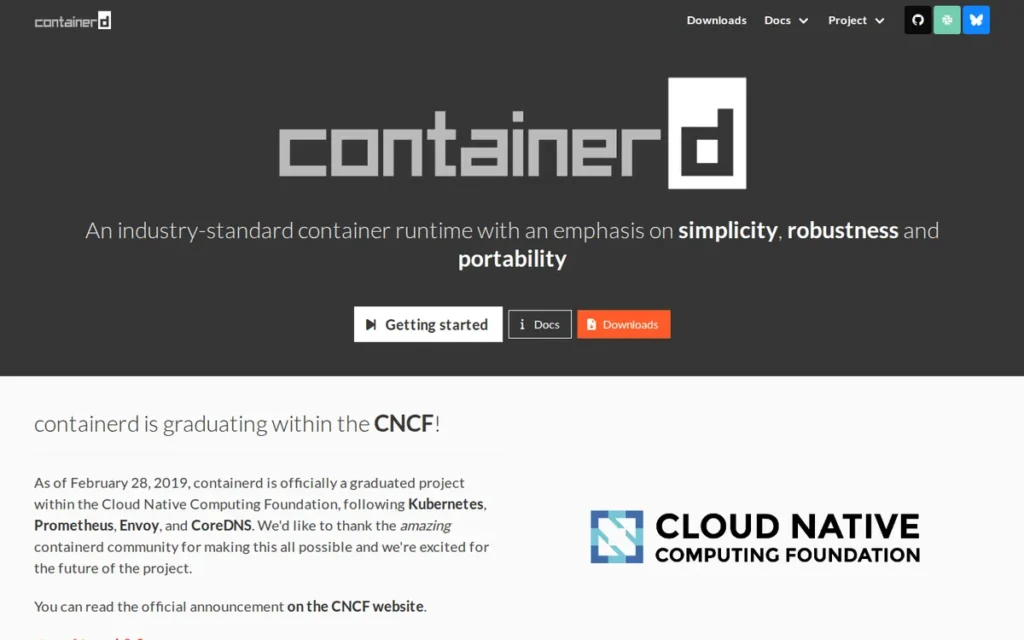
Category: Runtime, a CNCF Graduated container runtime that manages the complete container lifecycle on Kubernetes nodes, implementing the Kubernetes CRI interface to bridge kubelet and container execution.
At a Glance
- Category: Runtime
- Best For: Platform engineers and DevOps teams running production Kubernetes on AWS EKS, Google GKE, Azure AKS, or self-managed Kubernetes clusters
- Price Range: Free (Apache 2.0 open source; no commercial tiers)
- Primary Strength: containerd is the default Kubernetes runtime on all three major cloud providers and is estimated to power approximately 78% of production Kubernetes clusters globally as of 2026 (Enterno.io, April 2026)
- Biggest Limitation: containerd ships with no user-friendly developer CLI: the native
ctrtool is designed for debugging and inspection, not daily workflows, requiring nerdctl or Docker Engine for local container development - One-Line Summary: containerd is the industry-standard, CNCF Graduated container runtime that serves as the default Kubernetes node runtime on AWS EKS, Google GKE, and Azure AKS, estimated to power approximately 78% of production Kubernetes clusters globally as of 2026
- Last Verified: June 2026
Overview
containerd is an industry-standard, CNCF Graduated container runtime that manages the complete container lifecycle (image pull, storage, execution, and supervision) and implements the Kubernetes CRI interface, making it purpose-built for platform engineers and DevOps teams who require a battle-tested, vendor-neutral production Kubernetes runtime.
containerd was donated to CNCF by Docker in 2017 and reached Graduated status on February 28, 2019, with contributors from Docker, Google, and IBM ensuring multi-vendor governance independence. According to independent industry research, containerd is estimated to power approximately 78% of production Kubernetes clusters globally and is the default runtime on AWS EKS, Google GKE, and Azure AKS (Enterno.io, April 2026), consistent with its status as the de facto infrastructure standard following the 2022 dockershim removal.
Key Features
- Kubernetes CRI Implementation: containerd implements the Kubernetes Container Runtime Interface natively, enabling direct kubelet-to-runtime communication without intermediary shims, the architectural requirement that Kubernetes v1.24 enforced by removing the dockershim in April 2022.
- Modular Snapshotter Architecture: containerd manages filesystem layers via a pluggable snapshotter system supporting overlayfs, btrfs, and advanced snapshotters like SOCI and Stargz that enable lazy image pulling, reducing pod startup latency for large container images by beginning execution before all layers are fully downloaded.
- Node Resource Interface (NRI): containerd 2.0 introduced NRI enabled by default, giving operators a standardized extension point for low-level container customization (resource injection, device plugins, syscall filtering) without patching the runtime itself (DataFormatHub, 2025).
- Full OCI Compliance: containerd is fully OCI Image Specification and OCI Runtime Specification compliant, ensuring container images built with any OCI-compatible tool (Docker BuildKit, Buildah, kaniko) run on containerd Kubernetes clusters without format conversion or compatibility testing.
- Multi-Namespace Architecture: containerd supports namespace-isolated deployments, enabling Kubernetes and developer tools like nerdctl to share a single containerd instance with logical separation, a capability that simplifies multi-tenant and multi-workload infrastructure on a single node, per containerd.io documentation.
Best For
containerd is best for platform engineering teams and DevOps organizations standardizing Kubernetes production infrastructure on AWS EKS, Google GKE, or Azure AKS (where containerd is already the default runtime) and for teams migrating from Docker-based Kubernetes setups following the Kubernetes v1.24 dockershim removal in April 2022.
Pricing
containerd is free and open source under the Apache License 2.0 with no commercial tiers, paid features, or enterprise licenses for the runtime itself. Enterprise support for containerd is typically bundled into managed Kubernetes service contracts (AWS EKS support, Google Cloud support) or Linux distribution agreements (Red Hat, SUSE, Canonical). containerd is never purchased as a standalone product. Verified June 2026.
Strengths
- According to independent industry research, containerd is estimated to operate in approximately 78% of production Kubernetes clusters globally and is the default runtime for AWS EKS, Google GKE, and Azure AKS, the de facto Kubernetes infrastructure standard backed by the three largest cloud providers (Enterno.io, April 2026).
- containerd achieved CNCF Graduation on February 28, 2019: the highest CNCF maturity tier, with a multi-vendor contributor base including Docker, Google, and IBM, providing governance independence that no single vendor controls; the CNCF Technical Oversight Committee verified diverse production end-user adoption before granting graduation (CNCF containerd project page).
- containerd 2.0 introduced Node Resource Interface (NRI) enabled by default and improved user namespace support, advancing both operator extensibility and rootless privilege reduction simultaneously, addressing two of the top production Kubernetes platform engineering requirements in a single release (DataFormatHub, 2025).
- containerd’s OCI compliance at both image and runtime specification levels means images built with any standards-compliant tool (Docker BuildKit, Buildah, kaniko) are portable to containerd Kubernetes clusters without modification, eliminating container format incompatibility as a migration blocker for teams standardizing on containerd.
This aligns with community sentiment on r/kubernetes:
“Genuine question: is there any reason to care about this? I use the default runtime that comes with the K8S distribution + OS I choose. Plus Docker (Dockershim) support was removed since 1.24 in K8S. The choice is more between containerd or crio.” Posted by u/gaelfr38
Takeaway: For most production Kubernetes teams, containerd is not an active runtime selection, it is the default inherited from the cloud provider or distribution, making the real debate CRI-O versus containerd rather than Docker versus containerd.
Limitations
- Developer CLI Gap: containerd’s most consequential trade-off for practitioners is the deliberate absence of a developer-friendly CLI, the native
ctrcommand is designed for debugging and inspection, not daily workflows, requiring teams to additionally install nerdctl for Docker-compatible commands or continue using Docker Engine for image build workflows; this two-tool reality is manageable for platform engineers accustomed to composing toolchains but creates onboarding friction for development teams transitioning away from Docker’s integrated experience. - No Built-In Image Building: containerd provides no native image build capability, requiring teams to separately install BuildKit, Buildah, kaniko, or another external build tool, adding tooling decisions that Docker Engine’s all-in-one approach eliminates entirely.
- Namespace Complexity: containerd’s multi-namespace architecture requires namespace-aware commands (such as
nerdctl --namespace k8s.io list images) when integrating developer tooling with Kubernetes workloads, creating context-switching friction for engineers operating across both local development and cluster management contexts.
Verdict
containerd is the definitive default container runtime for production Kubernetes in 2026, earning its #1 ranking through estimated ~78% global cluster adoption (Enterno.io, April 2026), CNCF Graduated governance with multi-vendor maintainers, and default status on AWS EKS, Google GKE, and Azure AKS, a combination of production-scale validation and vendor-neutral governance no other runtime in this evaluation matches. For most DevOps teams on managed Kubernetes, containerd is not a choice to be made, it is already the runtime running on their cluster nodes by cloud-provider default. Teams should pair containerd with nerdctl for local developer workflows to bridge the CLI ergonomics gap, and should plan for containerd 2.0 API changes when upgrading from 1.x installations.
2. Podman: Best for Security-First Workflows and Red Hat Enterprise Linux Environments
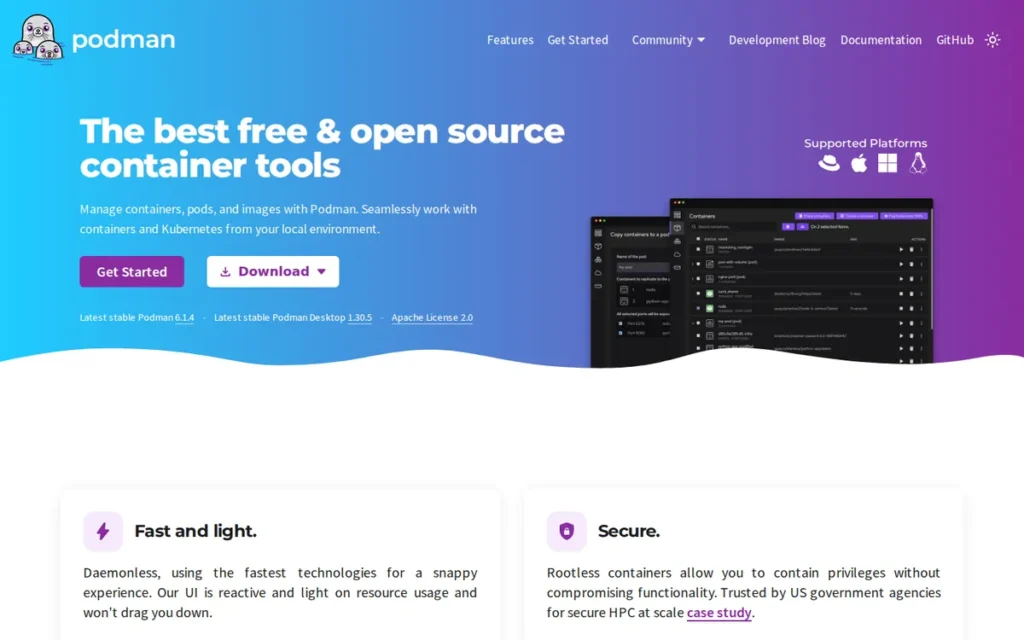
Category: Engine, a daemonless, rootless-by-default OCI-compatible container engine that runs containers as user processes without requiring a persistent privileged background daemon.
At a Glance
- Category: Engine
- Best For: Security-conscious DevOps teams, Red Hat Enterprise Linux and Fedora users, and organizations with compliance requirements prohibiting root-privilege container execution or persistent privileged daemons
- Price Range: Free (Apache 2.0 open source; included in RHEL subscriptions at no additional cost)
- Primary Strength: Podman is the only container engine in this evaluation that is rootless and daemonless by default, eliminating the privileged Docker daemon socket attack surface present in all daemon-based container engines by architectural design
- Biggest Limitation: Podman on macOS requires Podman Machine: a VM layer, that historically delivers a less polished experience than Docker Desktop for filesystem sharing performance, Docker Compose edge-case compatibility, and IDE integration coverage
- One-Line Summary: Podman is Red Hat’s daemonless, rootless-by-default container engine that eliminates the privileged Docker daemon socket attack surface and is the default container tool pre-installed on Red Hat Enterprise Linux
- Last Verified: June 2026
Overview
Podman is a daemonless, rootless-by-default container engine from Red Hat that runs containers as child processes of the invoking user without requiring a persistent background daemon, making it the security-first container engine for organizations with privilege separation requirements, multi-user Linux environments, or enterprise compliance mandates.
Podman is the default container tool on Red Hat Enterprise Linux and Fedora, giving it a substantial pre-installed enterprise base across the RHEL ecosystem at no additional cost. Podman Desktop was accepted as a CNCF Sandbox Project on January 21, 2025 (the project applied November 14, 2024), reflecting adoption growth well beyond the RHEL ecosystem, and Podman Desktop has reported surpassing 3 million downloads in 2025 (vendor-reported, Podman Desktop 2025 Journey, podman-desktop.io).
Key Features
- Daemonless Architecture: Podman runs containers as direct child processes of the invoking user rather than communicating with a root-owned daemon, eliminating the
/var/run/docker.sockprivileged socket that enables container escape privilege escalation in Docker-based multi-user and shared CI environments, per Red Hat documentation. - Native Kubernetes Pod Semantics: Podman provides native pod support mirroring Kubernetes pod semantics (grouping containers sharing a network namespace and lifecycle) and the
podman play kubecommand deploys Kubernetes YAML manifests locally, enabling manifest testing before cluster deployment without a local Kubernetes installation. - systemd Integration via Quadlets: Podman integrates with systemd as a first-class service manager via Quadlets, allowing containers and pods to be managed as systemd units consistent with enterprise Linux service administration on RHEL and Fedora (Red Hat RHEL 9 container documentation, 2024).
- Modular Red Hat Toolchain: Podman is part of a composable toolchain including Buildah for rootless image building and Skopeo for image inspection, signing, and cross-registry transfer, each component independently auditable and composable for enterprise security reviews (Red Hat topics/containers).
- Podman Desktop: Podman Desktop: accepted as a CNCF Sandbox Project on January 21, 2025, provides a GUI dashboard for container and Kubernetes management across macOS, Windows, and Linux with Docker-compatible workflow support and integrated cluster management, per the Podman Desktop 2025 Journey.
Best For
Podman is best for security-conscious DevOps teams and platform engineers operating on Red Hat Enterprise Linux, Fedora, or CentOS Stream (where Podman is the pre-installed default container tool) and for organizations whose security policies, audit frameworks, or shared CI/CD infrastructure prohibit root-privilege container execution or persistent privileged background daemons.
Pricing
Podman engine and Podman Desktop are completely free and open source under Apache License 2.0 with no commercial tiers. Podman is included as the default container tool in Red Hat Enterprise Linux subscriptions, organizations already running RHEL have Podman available without additional purchase or licensing overhead. Community support is available via GitHub Issues, podman.io documentation, and Red Hat’s developer portal. Verified June 2026.
Strengths
- Podman Desktop was accepted as a CNCF Sandbox Project on January 21, 2025, with the community closing 1,669 issues and merging 2,814 pull requests in 2025 while welcoming 28 new contributors, and Podman Desktop has reported surpassing 3 million downloads in 2025 (vendor-reported, Podman Desktop 2025 Journey, podman-desktop.io), reflecting production-scale community health validated by the CNCF Technical Oversight Committee.
- Podman’s rootless-by-default architecture eliminates the
/var/run/docker.sockprivileged socket attack surface by running containers as user processes rather than through a root-owned daemon; Podman’s rootless operation relies on Linux user namespace support (kernel 5.12+), subuid/subgid mapping, and cgroup v2 delegation (capabilities pre-configured on RHEL 8+ and Fedora) addressing the most documented container privilege escalation vector in shared CI environments without requiring end-user security configuration. - Podman is the default container tool in Red Hat Enterprise Linux and Fedora, providing zero-cost enterprise pre-installation for the substantial portion of the target audience on RHEL-family systems, no separate purchase, download, or version management required (Red Hat documentation).
- Podman’s
podman play kubecommand enables direct Kubernetes YAML manifest testing in local Podman environments, creating a tighter local-to-production development loop than any other standalone container engine in this evaluation for teams building Kubernetes-native applications.
Users on r/selfhosted described their experience switching to Podman:
“The big security gain from podman is from running as a user. If you’re going to do the work to move services to their own users or your user then it can be worth it for security. IMO the biggest upgrade is features. Running as a user being one of them, but pods and quadlets are the big draw too for qol.” Posted by u/daYnyXX
Takeaway: Practitioners who switch to Podman consistently cite rootless user-process execution (not CLI parity) as the primary security dividend, with Quadlets and systemd integration as the quality-of-life upgrade that sustains long-term adoption.
Limitations
- macOS VM Friction: Podman’s most consequential trade-off for macOS-primary teams is the requirement for Podman Machine (a VM layer) to run Linux containers, which has historically delivered a less polished experience than Docker Desktop for filesystem sharing performance and Docker Compose edge-case compatibility; community threads as recently as March 2025 document ongoing questions about virtiofs behavior and connectivity on Apple Silicon (r/podman, March 2025).
- Docker Compose Compatibility Gap: Podman is described by practitioners as “mostly a drop-in for many workflows, not a complete Docker clone” (last9.io, 2026), 80–90% of Docker workflows translate directly, but Docker socket-dependent CI pipelines, Docker-in-Docker patterns, and specific Compose file constructs require genuine remediation rather than drop-in substitution.
- Image Building Delegation: Podman delegates image building to Buildah rather than handling it natively, requiring teams to learn a second tool in the Red Hat container toolchain before replicating Docker Engine’s fully integrated build-and-run workflow; the Quadlet/systemd learning curve additionally requires Linux namespace and cgroup delegation expertise that Docker Compose usage does not.
Verdict
Podman is the leading security-first container engine in this evaluation, ranking #2 overall as the only engine that eliminates the privileged daemon socket attack surface by architectural design rather than optional configuration. Podman’s CNCF Sandbox governance (accepted January 21, 2025), pre-installation on Red Hat Enterprise Linux, and growing Podman Desktop adoption make it a credible, enterprise-supported Docker alternative with genuine adoption momentum (Podman Desktop 2025 Journey). Teams on macOS-primary development environments or Docker-ecosystem-dependent CI pipelines should carefully evaluate macOS VM friction and Compose compatibility gaps before committing to a full migration away from Docker Engine.
3. nerdctl: Best Docker-Compatible CLI for containerd, With Advanced Features Unavailable in Docker CLI
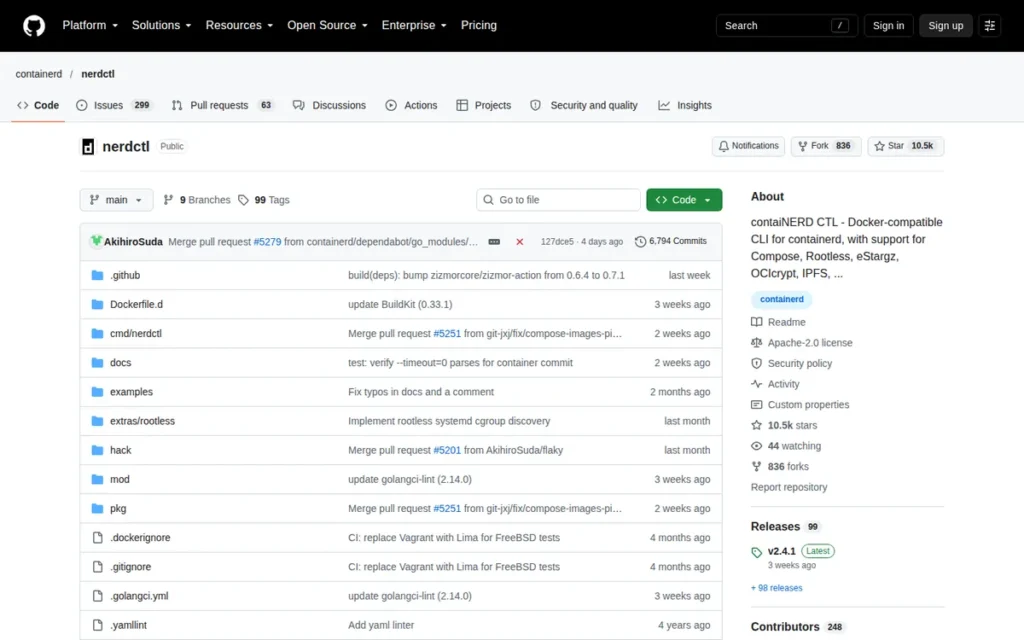
Category: CLI, a Docker-compatible command-line interface for containerd that provides familiar Docker command syntax while additionally exposing containerd-native capabilities including lazy image pulling via SOCI, OCI image encryption, and cosign verification.
At a Glance
- Category: CLI
- Best For: DevOps engineers and platform engineers operating containerd-based Kubernetes infrastructure who want Docker CLI familiarity plus containerd-native capabilities including SOCI lazy image pulling, OCI image encryption, and cosign verification unavailable in Docker CLI
- Price Range: Free (Apache 2.0 open source; sub-project of CNCF Graduated containerd project)
- Primary Strength: nerdctl provides near-identical Docker command syntax for containerd environments while exposing SOCI lazy image pulling (a capability AWS uses in EKS Optimized AMIs) plus OCI image encryption and cosign verification that Docker CLI does not offer as of June 2026
- Biggest Limitation: nerdctl has a significantly smaller ecosystem than Docker CLI, fewer third-party IDE integrations, less tutorial coverage, and limited recognition in CI/CD tooling that explicitly references or shells out to the
dockerbinary name - One-Line Summary: nerdctl is a Docker-compatible CLI for containerd that delivers near-identical Docker command syntax while exposing containerd-native features unavailable in Docker CLI, including SOCI lazy image pulling used in AWS EKS Optimized AMIs, OCI image encryption via OCIcrypt, and cosign signing verification
- Last Verified: June 2026
Overview
nerdctl is a Docker-compatible command-line interface for containerd (a non-core sub-project of the CNCF Graduated containerd project) that mirrors Docker CLI syntax for common container operations while additionally exposing cutting-edge containerd capabilities the Docker CLI does not support, including lazy image pulling via Stargz and SOCI snapshotters, OCI encrypted container images via OCIcrypt, IPFS-based P2P image distribution, and cosign-based image signing and verification.
nerdctl is aimed at DevOps and platform engineers who operate containerd-based infrastructure and want Docker CLI familiarity without installing Docker Engine. nerdctl serves as the active container CLI in Rancher Desktop when users select the containerd runtime mode, providing substantial enterprise distribution through SUSE beyond direct installation. nerdctl v2.1 was released in June 2025, introducing enhanced user namespace support for automatic container user ID remapping to non-root host UIDs, extending rootless security posture improvements to containerd-native CLI workflows, per dev.to nerdctl coverage (2025).
Key Features
- Docker CLI Command Parity: nerdctl mirrors Docker CLI syntax for all core operations (
nerdctl run,nerdctl build,nerdctl push,nerdctl ps,nerdctl compose up) allowing existing Docker scripts, CI/CD pipelines, and documentation to translate to containerd-native workflows with minimal modification, per the nerdctl README. - SOCI Lazy Image Pulling: nerdctl exposes lazy image pulling via Stargz, Nydus, OverlayBD, and SOCI snapshotter integration, enabling containers to begin executing before all image layers are fully downloaded, a production performance capability Amazon deploys via SOCI snapshotters in EKS Optimized AMIs to reduce pod startup latency on large container images.
- OCI Image Encryption via OCIcrypt: nerdctl supports OCI encrypted container images via OCIcrypt, allowing images to be encrypted at rest and decrypted only on nodes with authorized keys, a supply chain security capability that Docker CLI does not provide as of June 2026, per the nerdctl README.
- Cosign Image Signing and Verification: nerdctl integrates cosign for container image signing and verification natively in the CLI workflow, enabling provenance verification without additional tooling wrappers or custom pipeline steps beyond what containerd’s CNCF ecosystem provides.
- Enhanced User Namespace Support (v2.1): nerdctl v2.1 (June 2025) introduced enhanced user namespace support allowing container user IDs to be automatically remapped to non-root host UIDs, extending rootless security posture improvements to containerd-native CLI workflows beyond what Docker CLI offers natively (dev.to, 2025).
Best For
nerdctl is best for DevOps engineers and platform engineers operating containerd-based Kubernetes clusters or Rancher Desktop environments who want Docker CLI command parity for local and CI/CD container workflows, and for infrastructure teams with large-image workloads that benefit from SOCI lazy pulling or supply chain security requirements addressable through OCI image encryption and cosign verification.
Pricing
nerdctl is completely free and open source under Apache License 2.0, distributed as source code and pre-built binaries from github.com/containerd/nerdctl with no commercial tier, enterprise license, or paid support offering. Enterprise support is available indirectly through Rancher Desktop SUSE support contracts or containerd support within managed Kubernetes platform agreements. Verified June 2026.
Strengths
- nerdctl is a sub-project of the CNCF Graduated containerd project: the highest CNCF maturity designation, inheriting containerd’s multi-vendor governance structure (Docker, Google, IBM contributors), security review practices, and engineering oversight from the community that maintains the de facto Kubernetes runtime standard (CNCF, February 2019).
- nerdctl exposes lazy image pulling via SOCI and Stargz snapshotters: a capability Amazon deploys in EKS Optimized AMIs to reduce pod startup latency for large container images by beginning execution before full layer download completes; this production performance benefit is not natively available through Docker CLI as of June 2026 (nerdctl README).
- nerdctl serves as the embedded container CLI in Rancher Desktop’s containerd mode (SUSE, 2022–2026), providing de facto enterprise distribution through an enterprise-assessed desktop tool without requiring direct discovery or installation, expanding nerdctl’s real-world usage well beyond direct download numbers.
- nerdctl v2.1 (June 2025) introduced enhanced user namespace support for automatic UID remapping and experimental gomodjail sandboxing work, demonstrating active development cadence maintained through the 2025 release cycle (dev.to, 2025).
Limitations
- Ecosystem Gap Relative to Docker CLI: nerdctl’s most consequential trade-off is its ecosystem gap, IDE integration coverage (VS Code Docker extension, JetBrains Docker plugin), CI/CD tooling awareness, and third-party documentation that explicitly references or shells out to the
dockerbinary name will not seamlessly extend to nerdctl without custom aliases, configuration changes, or script modification. - Docker-Ecosystem Dependency Friction: nerdctl creates integration friction for teams whose CI/CD pipelines depend on Docker socket mounting, Docker-in-Docker workflows, or infrastructure-as-code tools that hardcode
dockeras the binary name, requiring active remediation rather than transparent substitution when migrating to nerdctl (noted.lol nerdctl review). - Advanced Feature Configuration Overhead: nerdctl’s advanced capabilities: lazy pulling via SOCI, OCI image encryption, IPFS distribution, require snapshotter and infrastructure configuration beyond basic CLI replacement; enabling SOCI lazy pulling specifically requires installing the soci-snapshotter-grpc binary and configuring containerd’s snapshotter settings, making it a platform engineering task rather than a developer-facing convenience.
Verdict
nerdctl is the highest-scoring CLI tool in this evaluation for containerd-native infrastructure teams, ranking #3 overall by combining Docker command syntax parity with SOCI lazy-pulling, OCI image encryption, and cosign verification capabilities that Docker CLI does not provide (nerdctl README). nerdctl ranks #3 above Rancher Desktop (#4) because the evaluation criteria weight Linux-and-CI-CD platform-engineering applicability at 2×, nerdctl serves Linux servers, macOS, and cloud CI/CD pipelines with equal depth, while Rancher Desktop’s primary value is macOS and Windows desktop-specific, resulting in a 1-point composite score difference (32 vs. 31) reflecting breadth of deployment context coverage. Teams should inventory Docker-ecosystem dependencies, Docker socket usage, DinD patterns, and binary name assumptions in CI scripts, before adopting nerdctl as a primary development and build CLI.
4. Rancher Desktop: Best Free Docker Desktop Alternative with Integrated Local Kubernetes
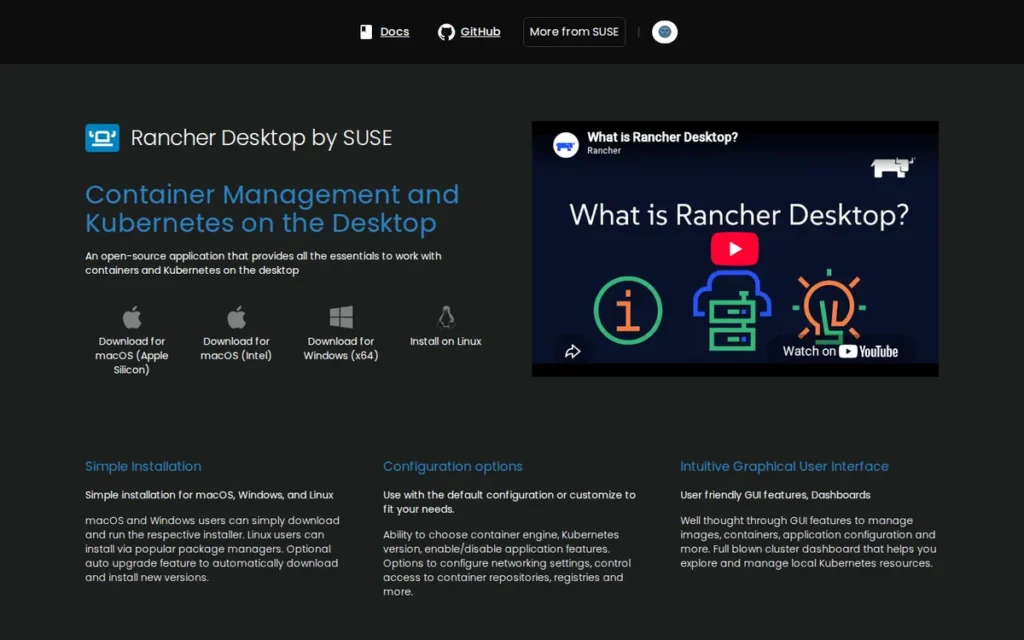
Category: Desktop Application, a free, open-source desktop GUI application providing container management and integrated local Kubernetes development via a runtime toggle between containerd and Docker-compatible modes on macOS, Windows, and Linux.
At a Glance
- Category: Desktop Application
- Best For: Development teams and individual developers on macOS or Windows who need a free Docker Desktop alternative with integrated local Kubernetes and a runtime toggle between containerd and Docker-compatible modes
- Price Range: Free (Apache 2.0 open source; no licensing restrictions by company size or revenue)
- Primary Strength: Rancher Desktop delivers Docker Desktop-comparable functionality (GUI container management, integrated local Kubernetes via k3s, and both containerd and Docker-compatible runtime modes) at zero cost with no commercial licensing restrictions based on company size
- Biggest Limitation: Rancher Desktop’s developer experience polish lags Docker Desktop’s refined UX in IDE integrations, debugging tooling, and ecosystem support; switching between runtime modes requires rebuilding images as containerd and dockerd maintain separate image stores
- One-Line Summary: Rancher Desktop is SUSE’s free, open-source desktop container and Kubernetes application that provides Docker Desktop-comparable functionality including integrated k3s local Kubernetes and a runtime toggle between containerd and Docker-compatible modes with no licensing restrictions by company size
- Last Verified: June 2026
Overview
Rancher Desktop is a free, open-source desktop application from SUSE that provides container management and local Kubernetes development for macOS (Intel and Apple Silicon), Windows (WSL2), and Linux, bundling k3s for local Kubernetes, kubectl and Helm as integrated CLI tools, and a unique runtime toggle that switches between containerd (with nerdctl CLI) and dockerd/Moby (with Docker CLI) from a single application GUI.
Rancher Desktop is the highest-scoring free alternative to Docker Desktop in this evaluation for commercial organizations that cannot accept Docker Desktop’s paid licensing for teams with more than 250 employees or more than $10 million in annual revenue. Rancher Desktop gained significant traction after Docker Desktop’s licensing change in August 2021 and has been assessed by enterprise technology advisory organizations as a Docker Desktop alternative worth evaluating, Docker Captain Bret Fisher also cites Rancher Desktop as one of the leading Docker Desktop alternatives among container practitioners (Bret Fisher, Docker community discussion, 2024). SUSE’s enterprise backing, via its December 2020 acquisition of Rancher Labs, provides organizational stability that community-only free alternatives cannot match.
Key Features
- Runtime Toggle (containerd ↔ dockerd): Rancher Desktop provides a GUI runtime toggle allowing teams to switch between containerd (using nerdctl CLI) and dockerd/Moby (using the full Docker CLI) from application preferences, enabling gradual migration from Docker-familiar workflows to containerd-native workflows without replacing the local tooling stack.
- Bundled k3s with Version Selection: Rancher Desktop bundles k3s: a CNCF-certified lightweight Kubernetes distribution, with selectable Kubernetes versions, allowing developers to match their local environment to the specific Kubernetes version running in production without installing separate cluster tools like minikube or kind.
- Integrated kubectl and Helm: Rancher Desktop integrates kubectl and Helm as first-class CLI tools (eliminating manual PATH configuration, independent version management, and separate installation steps) providing a complete local Kubernetes management stack from a single installer.
- Apple Silicon Support via Lima VM: Rancher Desktop runs on macOS via a Lima-based virtual machine layer, supporting both QEMU (for x86 emulation on Apple Silicon) and Apple Virtualization.framework (VZ) backends with full macOS Apple Silicon M1/M2/M3 chip support, per Rancher Desktop feature documentation.
- Zero-Cost Apache 2.0 Licensing: Rancher Desktop is completely free under Apache 2.0 with no licensing restrictions based on company size, revenue, or use type, directly contrasting Docker Desktop’s commercial licensing requirements for organizations with more than 250 employees or more than $10 million in annual revenue (Docker pricing FAQ, June 2026).
Best For
Rancher Desktop is best for commercial organizations with more than 250 employees or more than $10 million in annual revenue that cannot accept Docker Desktop commercial licensing costs, and for developers building Kubernetes-native applications who benefit from integrated local k3s clusters for manifest testing without maintaining separate minikube or kind installations.
Pricing
Rancher Desktop is completely free under Apache License 2.0, no per-user fees, no company-size licensing thresholds, and no commercial restrictions on use. SUSE commercial support for the broader Rancher Kubernetes platform is available separately for enterprise teams but is not required to use Rancher Desktop. This zero-cost model is Rancher Desktop’s most clearly communicated competitive advantage over Docker Desktop. Verified June 2026.
Strengths
- Rancher Desktop has been assessed by enterprise technology advisory organizations as a Docker Desktop alternative worth evaluating for engineering teams, Docker Captain Bret Fisher cites Rancher Desktop as one of the leading Docker Desktop alternatives among container practitioners (Bret Fisher, Docker community discussion, 2024), reflecting recognition that Rancher Desktop has crossed from experimental to enterprise-evaluable status.
- Rancher Desktop’s runtime toggle between containerd and dockerd/Moby is unique among desktop container tools, allowing teams to retain Docker CLI familiarity while progressively migrating toward containerd-native workflows on the same developer machine without tool replacement or full reconfiguration.
- Rancher Desktop is maintained by SUSE: an enterprise Linux and cloud company that acquired Rancher Labs in December 2020, providing organizational stability, long-term support pathway credibility, and integration with the broader Rancher Kubernetes ecosystem that community-only container tools cannot provide.
- Rancher Desktop’s bundled k3s with selectable Kubernetes versions delivers the most integrated free local Kubernetes development experience of any tool in this evaluation, directly supporting Kubernetes-native application development and manifest testing workflows the target audience prioritizes.
Limitations
- Developer Experience Polish Gap: Rancher Desktop’s most consequential trade-off versus Docker Desktop is developer experience polish, Docker Desktop’s years of investment in UX refinement, debugging tooling, and ecosystem integrations (VS Code Docker extension, container log viewers, volume management UI, Docker Extension marketplace) have not been fully replicated, and community comparisons consistently characterize Rancher Desktop as having a steeper learning curve and a more Kubernetes-centric design philosophy (virtualizationhowto.com, 2023).
- Separate Image Stores Per Runtime Mode: Rancher Desktop’s containerd and dockerd modes maintain separate image stores, switching runtimes requires re-pulling or rebuilding all images, making the toggle a deliberate migration decision rather than a session-by-session convenience, per Rancher Desktop preferences documentation.
- Windows Cold-Start Overhead: Rancher Desktop’s startup time on Windows: reported by community members in late 2024 and early 2025 as approximately 3 minutes compared to Docker Desktop’s faster cold start, represents a developer workflow friction point for Windows users who start and stop it frequently rather than leaving it running continuously.
Verdict
Rancher Desktop is the highest-scoring free Docker Desktop alternative in this evaluation, ranking #4 overall by delivering the highest cross-platform support score (full macOS Apple Silicon, Windows WSL2, and Linux support) at zero licensing cost with no company-size restrictions (rancherdesktop.io). Teams whose primary motivation is eliminating Docker Desktop commercial licensing overhead will find Rancher Desktop meets their core functional requirements including container management, local Kubernetes via k3s, and both containerd and Docker-compatible CLI modes in a single application. Teams that require the most polished developer UX or the deepest IDE ecosystem integration should plan for an adjustment period relative to Docker Desktop, as Rancher Desktop has not yet fully matched Docker Desktop’s years of UX refinement investment.
5. CRI-O: Best for Red Hat OpenShift and RHEL-Native Kubernetes Production Environments
Category: Runtime, a Kubernetes-exclusive container runtime that implements the Kubernetes CRI interface and deliberately provides no capabilities beyond what Kubernetes requires from a node-level runtime, operating on the design principle of “all the runtime Kubernetes needs, and nothing more.”
At a Glance
- Category: Runtime
- Best For: Platform teams running Red Hat OpenShift Container Platform 4 or self-managed Kubernetes on RHEL-family Linux where SELinux integration, minimal runtime footprint, and 1:1 Kubernetes version parity are operational priorities
- Price Range: Free (Apache 2.0 open source; enterprise support bundled in Red Hat OpenShift subscriptions)
- Primary Strength: CRI-O is purpose-built exclusively for Kubernetes with the most minimal attack surface of any runtime in this evaluation, is the default runtime for Red Hat OpenShift Container Platform 4, and achieved CNCF Graduation in July 2023, one of only two runtimes to reach the highest CNCF maturity tier
- Biggest Limitation: CRI-O is explicitly not supported as a standalone container engine outside Kubernetes, it cannot build images, has no user-facing CLI, and Red Hat documentation directs users to Podman for all non-Kubernetes workflows, requiring a mandatory dual-tool environment
- One-Line Summary: CRI-O is the CNCF Graduated, Kubernetes-exclusive container runtime that serves as the default runtime for Red Hat OpenShift Container Platform 4, powers approximately 16% of production Kubernetes clusters globally (estimated), and deliberately provides no capabilities beyond what Kubernetes requires from a node-level runtime
- Last Verified: June 2026
Overview
CRI-O is a Kubernetes-exclusive container runtime from Red Hat that implements the Kubernetes Container Runtime Interface and nothing more, operating on the explicit design principle of “all the runtime Kubernetes needs, and nothing more.”
Decision shortcut: If your team does not run Red Hat OpenShift Container Platform 4, CRI-O is almost certainly not the tool to evaluate independently, Red Hat documentation explicitly directs non-Kubernetes container workflows to Podman, and containerd serves non-OpenShift Kubernetes clusters with broader multi-vendor support. CRI-O is typically selected by adopting OpenShift, not as a standalone choice.
CRI-O cannot build images, provides no user-facing CLI for container management, and is explicitly unsupported outside Kubernetes environments. CRI-O achieved CNCF Graduation on July 19, 2023 and its version numbering is locked 1:1 with Kubernetes releases. CRI-O is estimated to operate in approximately 16% of production Kubernetes clusters, primarily in Red Hat OpenShift deployments (Enterno.io, April 2026).
Key Features
- Kubernetes-Exclusive CRI Implementation: CRI-O implements the Kubernetes CRI interface exclusively, deliberately omitting image building, user-facing CLI tools, and standalone container capabilities to minimize the attack surface to only the operations kubelet requires from a Kubernetes node runtime, per cri-o.io.
- 1:1 Kubernetes Version Alignment: CRI-O versions are locked 1:1 with Kubernetes versions, CRI-O 1.29 ships with and supports Kubernetes 1.29, eliminating runtime-to-Kubernetes compatibility matrix questions and simplifying upgrade planning and support lifecycle management for OpenShift operators.
- RHEL Security Integration: CRI-O provides first-class SELinux, seccomp profile, and AppArmor integration for Kubernetes workload security, with deep alignment to RHEL-family security tooling particularly relevant for government, regulated industry, and enterprise security-hardened cluster deployments, per Red Hat OpenShift documentation.
- Kata Containers Support: CRI-O supports Kata Containers integration for hardware VM-isolated pod execution, enabling mixed workloads where some pods require full hardware virtualization isolation alongside standard OCI containers within the same Kubernetes cluster.
- Shared Red Hat Container Toolchain Libraries: CRI-O uses the same containers/image and containers/storage libraries as Podman and Buildah, security patches applied to those shared libraries in 2024 and 2025 propagated automatically to CRI-O deployments, providing continuous security maintenance without separate runtime patching cycles (Red Hat container toolchain changelogs, 2025).
Best For
CRI-O is best for organizations running Red Hat OpenShift Container Platform 4 (where CRI-O is the default runtime and Red Hat subscription support covers it directly) and for platform teams on RHEL-family Linux who want a minimal, security-hardened Kubernetes runtime with deep SELinux integration and coordinated 1:1 version parity with Kubernetes releases.
Pricing
CRI-O is free and open source under Apache License 2.0 with no standalone commercial tier. Enterprise support for CRI-O is available exclusively through Red Hat OpenShift subscriptions, which bundle CRI-O as the platform default runtime. Organizations running CRI-O outside OpenShift on self-managed Kubernetes rely on community support via GitHub Issues and the Kubernetes Slack sig-node channel. Verified June 2026.
Strengths
- CRI-O achieved CNCF Graduation on July 19, 2023 (the highest CNCF maturity tier) and is one of only two container runtimes (alongside containerd) to achieve this designation, following an independent security audit and governance review by the CNCF Technical Oversight Committee confirming production-scale adoption across OpenShift deployments.
- CRI-O has been the default container runtime for Red Hat OpenShift Container Platform 4 since launch, with Red Hat running CRI-O in production for OpenShift Online since version 3.10, representing multi-year enterprise-scale production validation across one of the most commercially significant Kubernetes distributions.
- CRI-O’s 1:1 version alignment with Kubernetes releases provides OpenShift operators with a simplified, explicitly documented support matrix that eliminates runtime-to-Kubernetes compatibility uncertainty present when pairing independently versioned runtimes with specific cluster releases.
- CRI-O’s memory footprint of approximately 8 MB per container with crun versus containerd’s approximately 11 MB in one independent benchmarking study (Enterno.io, April 2026) provides a meaningful efficiency edge for edge Kubernetes deployments and resource-constrained node configurations where per-container overhead compounds across high-density pod workloads.
Limitations
- Kubernetes-Only Scope: CRI-O’s most consequential trade-off is its Kubernetes-exclusive design, CRI-O cannot function as a standalone container engine for image building, local development testing, debugging, or CI/CD workflows outside Kubernetes, requiring any organization selecting CRI-O to also maintain Podman or another tool for all non-cluster container operations, creating a mandatory dual-tool environment that containerd partially avoids by supporting nerdctl as a developer-facing CLI companion.
- Vendor Concentration Risk: CRI-O’s maintainer base is more heavily weighted toward Red Hat compared to containerd’s multi-vendor contributor base (Docker, Google, IBM), a legitimate consideration for organizations evaluating long-term tooling independence from any single commercial entity, as discussed in r/kubernetes community threads.
- Limited Applicability Beyond OpenShift: CRI-O is the technically correct runtime for OpenShift deployments, but for production Kubernetes teams not on OpenShift or RHEL, the r/kubernetes community broadly characterizes containerd and CRI-O as “functionally interchangeable at most scales”, and most cloud-managed Kubernetes services (EKS, GKE, AKS) default to containerd rather than CRI-O, making CRI-O an active choice rather than a natural default outside the Red Hat ecosystem.
Verdict
CRI-O is the technically correct Kubernetes runtime choice for Red Hat OpenShift deployments and RHEL-centric Kubernetes clusters in 2026, ranking #5 overall by delivering CNCF Graduation credentials and OpenShift-default production validation with a minimal-footprint, security-hardened architecture backed by Red Hat subscription support. For production Kubernetes teams not on OpenShift or RHEL, community consensus characterizes containerd and CRI-O as functionally interchangeable at most scales, with the primary differentiator being vendor support relationships rather than technical runtime capability (r/kubernetes). Teams should select CRI-O when Red Hat OpenShift subscription support, RHEL-ecosystem SELinux integration, or OpenShift-specific operational tooling outweigh the benefits of containerd’s broader multi-vendor governance and higher global cluster adoption.
6. Docker Engine: Best for Developer Experience, CI/CD Ecosystem Compatibility, and Team Onboarding
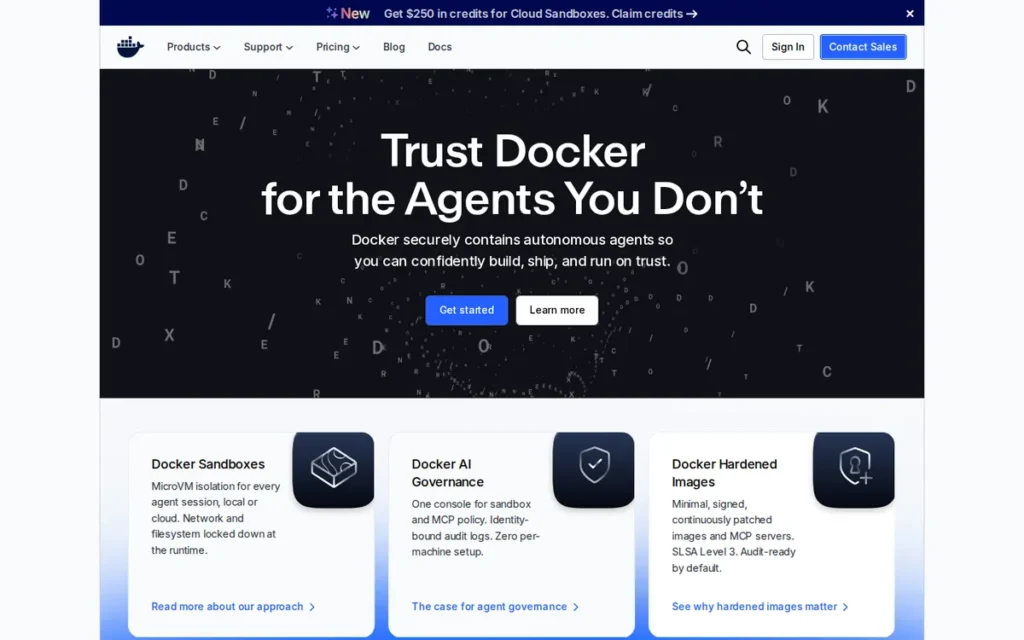
Category: Engine, the original full-stack container build and runtime platform providing the broadest integrated developer tooling ecosystem including CLI, BuildKit, Compose v2, Docker Hub registry, Scout security scanning, and Desktop GUI.
At a Glance
- Category: Engine
- Best For: Development teams, CI/CD pipeline engineers, and organizations prioritizing developer onboarding speed, Docker Hub image availability, BuildKit build performance, and the broadest container ecosystem compatibility
- Price Range: Engine: free (Apache 2.0, no licensing threshold); Desktop: Personal free / Pro $9/user/month / Team $15/user/month / Business $24/user/month, paid tiers apply to organizations with more than 250 employees or more than $10 million in annual revenue, whichever is reached first (Docker pricing FAQ, June 2026)
- Primary Strength: Docker Engine offers the broadest container developer ecosystem, Docker Hub with 14 million+ images (Docker product page, 2025) processing 11 billion+ monthly downloads, BuildKit, Compose v2, Scout security scanning, and more IDE integrations than any other tool in this evaluation
- Biggest Limitation: Docker Engine cannot serve as a direct Kubernetes node runtime since Kubernetes v1.24 removed the dockershim in April 2022, and Docker Desktop requires commercial licensing for organizations with more than 250 employees or more than $10 million in annual revenue
- One-Line Summary: Docker Engine is the most widely adopted container development platform with the broadest ecosystem including Docker Hub’s 14 million+ images (Docker product page, 2025), BuildKit,Compose v2, and Scout security scanning, but is not supported as a direct Kubernetes node runtime since the Kubernetes v1.24 dockershim removal in April 2022
- Last Verified: June 2026
Overview
Docker Engine is the foundational container build and runtime platform that created the modern container ecosystem in 2013, offering a complete integrated suite including the Docker CLI, BuildKit image builder, Docker Compose v2 for multi-container stacks, Docker Hub registry with 14 million+ images (Docker product page, 2025), and Docker Scout security scanning.
Docker Engine holds approximately 33% containerization market share (Statista, 2024) and a G2 rating of approximately 4.6/5.0, reflecting the broadest practitioner installed base of any container tool. Docker Engine (the CLI and runtime) is free and open source under Apache 2.0; Docker Desktop (the macOS and Windows GUI application) requires paid subscriptions for commercial organizations with more than 250 employees or more than $10 million in annual revenue, whichever threshold is reached first. As of Docker version 23.x, Docker Engine uses containerd internally as its image store and runtime layer, making Docker-built images OCI-compliant and portable to containerd Kubernetes clusters (Docker documentation, 2025).
Key Features
- BuildKit Integration: Docker Engine integrates BuildKit as its default build backend (Docker Engine release notes 23.0, 2023), enabling parallel build steps, advanced layer caching, and multi-architecture image builds via
docker buildx, producing images targeting Linux/AMD64 and ARM64 simultaneously for efficient cross-platform CI/CD pipelines. - Docker Compose v2: Docker Engine ships Docker Compose v2 for defining and running multi-container application stacks with a single YAML manifest, establishing the de facto standard for local development environment orchestration that Podman Compose and nerdctl compose partially replicate with varying edge-case compatibility.
- Docker Hub Registry (14M+ Images): Docker Engine connects to Docker Hub’s registry of 14 million+ container images (Docker product page, 2025) processing 11 billion+ monthly image downloads (Docker 2025 State of Application Development Report), providing the largest-volume container image library in the ecosystem, a network-effect advantage that accelerates new project setup and CI/CD pipeline initialization.
- containerd Internal Integration (v23.x): Docker Engine v23.x integrates containerd as its internal image store and runtime layer, producing OCI-compliant images that run on containerd Kubernetes production clusters without format conversion, resolving the historical Docker-to-containerd portability concern for teams running Docker locally and containerd in production.
- Docker Scout Security Scanning: Docker Engine includes Docker Scout for automated vulnerability scanning of container images against CVE databases, providing supply chain security tooling integrated directly into
docker buildanddocker pushworkflows without additional tool installation.
Best For
Docker Engine is best for development teams adopting containerization for the first time, CI/CD pipeline teams requiring the broadest Docker Hub registry and tooling compatibility, and organizations whose existing workflow is heavily invested in Docker Compose, Docker Hub private registries, Docker Extension marketplace integrations, or IDE tooling that assumes Docker as the container runtime.
Pricing
Docker Engine (CLI and runtime) is free and open source under Apache License 2.0, CI/CD pipelines running Docker Engine on Linux servers require no paid subscription regardless of company size or revenue.
Docker Desktop (the macOS and Windows GUI application) requires paid subscriptions for commercial use: the Personal tier is free for qualifying individuals; Pro is $9/user/month; Team is $15/user/month; Business is $24/user/month adding SSO, centralized management, and enforcement policies. The commercial threshold applies to organizations with more than 250 employees or more than $10 million in annual revenue, whichever is reached first. This threshold applies to Docker Desktop only, not to Docker Engine. Prices verified against Docker.com/pricing, June 2026.
Strengths
- Docker holds over 33% market share of containerization technologies (Statista, 2024) and receives a G2 rating of approximately 4.6/5.0 from the largest review volume of any container tool in this evaluation, metrics reflecting broad developer adoption in workstation and CI/CD contexts (The CTO Club, 2025).
- Docker Hub provides access to 14 million+ container images (Docker product page, 2025) and processes 11 billion+ monthly image downloads (Docker 2025 State of Application Development Report, docker.com), a usage volume that reflects Docker Hub’s status as the dominant container registry by access volume, dramatically reducing new project setup and CI/CD pipeline initialization time.
- Docker Engine v23.x integrates containerd as its internal runtime (Docker documentation, 2025), making Docker-built images OCI-compliant and portable to containerd-native Kubernetes production clusters without format conversion, resolving the historical Docker-to-containerd compatibility concern for teams running Docker locally and containerd in production.
- Docker Engine’s IDE integration coverage: including dedicated VS Code Docker extension, JetBrains Docker plugin (IntelliJ IDEA, PyCharm, WebStorm), GitHub Actions Docker workflows (
docker/build-push-action), and Docker Extension marketplace, exceeds all other tools in this evaluation and reduces development friction in IDE-centric engineering environments (VS Code Marketplace; JetBrains Plugin Repository, verified June 2026).
Limitations
- Removed as Kubernetes Node Runtime: Docker Engine’s most consequential trade-off for Kubernetes-production teams is its removal as a direct Kubernetes node runtime, the v1.24 dockershim deprecation in April 2022 means Docker Engine cannot serve as the container runtime on Kubernetes nodes without the Mirantis CRI-Docker adapter (github.com/Mirantis/cri-dockerd), an additional operational dependency that containerd and CRI-O eliminate by implementing CRI natively.
- Docker Desktop Commercial Licensing: Docker Desktop requires paid subscriptions for organizations with more than 250 employees or more than $10 million in annual revenue (whichever threshold is reached first (Docker pricing FAQ, June 2026)) and teams must clearly distinguish Docker Engine (free Apache 2.0, no threshold) from Docker Desktop (commercial, dual threshold applies) to avoid compliance exposure; fast-growing startups may hit the revenue trigger before the headcount trigger.
- Daemon Security Architecture: Docker’s daemon-based architecture runs as root and maintains a privileged
/var/run/docker.socksocket that, in documented attack scenarios, can enable root-equivalent host access from a compromised container, a privilege escalation risk that security frameworks including CIS Benchmarks identify as a critical misconfiguration in shared container environments, and one that Podman’s daemonless model eliminates by design.
Users on r/docker detailed the concrete attack path enabled by Docker’s privileged socket:
“Because the docker daemon runs as root and receives direct inputs via that socket, anything with the ability to write to that socket can run containers as root on the underlying host. Sharing access to that socket from a container is granting any Jenkins job the ability to become root on any node where that Jenkins job pod runs. While this is a 9.8/10 on the ‘bad’ scale for a single-purpose cluster just doing Jenkins things, it’s an 11/10 on the ‘bad’ scale for a cluster with multiple workloads that need isolation. e.g. Production is just a namespace away from the namespace where Jenkins is running jobs. The most practical exploitation vector is a curious/malicious developer. If they can modify a Jenkinsfile to insert direct calls to run docker commands as one of the build steps, then they can become root on the node where that job lands. If they gain access to the underlying host as root, there are reasonably straightforward methods to escalate to gain access to the entire cluster.” Posted by u/2_advil_please
Takeaway: Docker Engine’s privileged daemon socket creates a practitioner-confirmed path from a modified Jenkinsfile to full cluster root access, the theoretical privilege escalation risk cited in the article is a documented real-world attack chain in shared CI/CD environments.
Verdict
Docker Engine remains the definitive choice for developer experience, CI/CD ecosystem compatibility, and team onboarding speed in 2026, earning the maximum Developer and CI/CD Workflow score in this evaluation through Docker Hub’s 14 million+ images and 11 billion+ monthly downloads, unmatched IDE integrations, and the broadest practitioner validation of any container tool (Statista, 2024; G2, 2025). Docker Engine’s #6 ranking in this cloud-native evaluation reflects specific weaknesses (Kubernetes node runtime removal, daemon security architecture, and Docker Desktop licensing friction) that are consequential for the target DevOps and platform engineering audience but less relevant for development-first teams. Development teams and CI/CD pipeline engineers who prioritize time-to-productivity and ecosystem breadth will find Docker Engine the lowest-friction onboarding choice; teams running Kubernetes in production should plan to use containerd at the node runtime layer while retaining Docker Engine for local image builds and development workflows.
7. Lima: Best macOS Container VM Substrate: Foundational Infrastructure Powering Colima, AWS Finch, and Rancher Desktop
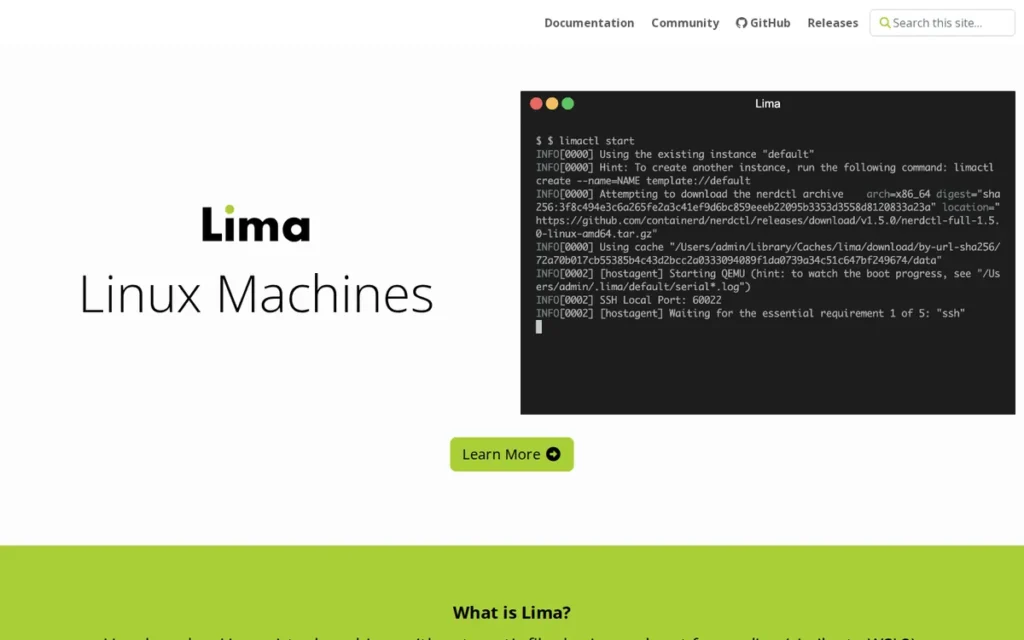
Category: VM Layer, a CNCF Incubating macOS-native virtual machine substrate that provides Linux VMs with automatic file sharing and port forwarding as the foundational infrastructure layer enabling Linux container runtimes to run on macOS.
At a Glance
- Category: VM Layer
- Best For: Advanced macOS developers and DevOps tool authors who need direct control over Linux VM configuration for running container runtimes locally, and engineering teams building macOS container tooling on a composable, configurable VM substrate
- Price Range: Free (Apache 2.0 open source; CNCF Incubating project)
- Primary Strength: Lima is the foundational VM substrate for both AWS Finch and Colima (independent enterprise adoption by Amazon engineering validating production reliability) providing lightweight Linux VMs with automatic file sharing, port forwarding, and dual QEMU and Apple VZ backend support for Apple Silicon
- Biggest Limitation: Lima is infrastructure-level software designed for tool authors and advanced users, developers seeking a ready-to-use container experience should choose Colima (an opinionated Lima wrapper) or Rancher Desktop (a Lima-based GUI application) rather than configuring Lima template YAML directly
- One-Line Summary: Lima is the CNCF Incubating macOS VM substrate that underlies AWS Finch and Colima, providing lightweight Linux virtual machines with automatic file sharing, port forwarding, and dual QEMU and Apple Virtualization.framework backend support as the foundational infrastructure layer for macOS container development tooling
- Last Verified: June 2026
Overview
Lima is a CNCF Incubating project (promoted from Sandbox in November 2025) that provides lightweight Linux virtual machines for macOS hosts with automatic file sharing and automatic port forwarding, functioning as the foundational VM substrate that makes running Linux container runtimes on macOS possible without manual QEMU configuration.
Lima was created by Akihiro Suda, also the creator of nerdctl and a containerd contributor, and is explicitly designed as the macOS equivalent of WSL2 for Linux containers, per lima-vm.io documentation. Lima is the underlying VM infrastructure for AWS Finch (Amazon’s open-source macOS container development tool) and Colima (a popular community macOS container tool), with independent adoption by AWS engineering providing strong reliability validation beyond community endorsement. Lima v2.0 was released in November 2025, followed by Lima v2.1 in early 2026, adding experimental macOS guest support and enhanced AI agent safety sandboxing. Lima has 170+ GitHub contributors as of early 2026.
Developers who want Lima’s reliability without direct YAML template configuration should use Colima (an open-source CLI wrapper where colima start launches a fully configured containerd or Docker environment in seconds) or Rancher Desktop for a GUI experience. Lima directly is for tool authors and engineers who need reproducible, version-controlled VM configurations.
Key Features
- Automatic File Sharing and Port Forwarding: Lima provides automatic file sharing between the macOS host and Linux VM guest, supporting virtiofs, reverse SSHFS, and 9p protocols, with virtiofs providing the best throughput for mounted macOS directories accessed from within container workloads running inside the Lima VM, per lima-vm.io documentation.
- Dual VM Backends (QEMU and VZ): Lima supports both QEMU and Apple Virtualization.framework (VZ) as VM backends, VZ for native Apple Silicon performance and tight macOS integration on M-chip hardware, QEMU for cross-architecture emulation enabling x86/AMD64 Linux containers on Apple Silicon ARM hosts.
- Template-Based YAML VM Configuration: Lima uses template-based YAML VM configurations enabling teams to define VM parameters (CPU, memory, disk, network, mounted paths, and runtime selection, containerd, Docker, Podman, k3s) as infrastructure-as-code, shareable across team members for reproducible macOS development environments committed to source control.
- AI Agent Safety Sandboxing: Lima v2.0 and v2.1 (November 2025 and early 2026) added enhanced AI agent safety features for sandboxing agentic workloads in local VM environments, expanding Lima’s addressable use cases to agentic workload isolation beyond traditional container development, per the CNCF Lima v2.1 blog.
- AWS Finch and Colima Substrate Validation: Lima serves as the foundational VM layer for AWS Finch (Amazon’s open-source macOS container development tool) and Colima, with independent selection by Amazon engineering teams providing production-reliability validation that extends beyond the Lima community’s own assessment, per the CNCF Lima v2.0 blog.
Best For
Lima is best for advanced macOS developers and DevOps tool authors who need direct control over Linux VM configuration (including runtime selection, snapshotter configuration, and VM resource parameters) and for engineering teams building macOS container tooling on top of a composable, configurable VM substrate rather than accepting the opinionated defaults of an application like Colima or Rancher Desktop.
Pricing
Lima is completely free and open source under Apache License 2.0 with no commercial tier, paid features, or licensing restrictions. Lima’s own FAQ documentation explicitly notes it was created in part as a free alternative to Docker for Mac. No enterprise support contract exists for Lima directly, support is community-provided through GitHub Issues, the Lima Slack channel, and CNCF community forums. Verified June 2026.
Strengths
- Lima was promoted to CNCF Incubating status on November 11, 2025 (CNCF announcement, November 2025) (upgraded from Sandbox in approximately three years) following validation of multiple production adopters (Colima, AWS Finch), 170+ contributors, and a governance maturity review by the CNCF Technical Oversight Committee confirming sustained project health.
- Lima serves as the foundational VM infrastructure for AWS Finch, Amazon’s open-source macOS container development tool (Amazon, 2023+), representing independent adoption by one of the world’s largest cloud infrastructure organizations, the strongest external enterprise validation of Lima’s VM substrate reliability in this evaluation.
- Lima supports both QEMU and Apple Virtualization.framework (VZ) VM backends on Apple Silicon Macs, enabling native ARM64 performance (VZ) and x86/AMD64 Linux container emulation (QEMU) on the same M-chip Mac, the most flexible cross-architecture macOS container approach of any tool in this evaluation.
- Lima v2.1 (early 2026, following v2.0 in November 2025) introduced experimental macOS guest support (running macOS inside a Lima VM on Apple Silicon) and enhanced AI agent safety sandboxing, demonstrating active development cadence and expanding the tool’s addressable use cases beyond traditional container development (CNCF Lima v2.1 blog, March 2026).
Limitations
- Infrastructure-Layer Abstraction Level: Lima’s most consequential trade-off for the majority of the target audience is its infrastructure-layer position, Lima operates at the VM substrate level, requires YAML template configuration for non-default setups, and produces no out-of-the-box container workflow experience without additional tools (nerdctl, Docker, Podman) installed inside the VM; Lima itself has no concept of a Dockerfile or container image, and developers expecting a ready-to-use container environment should choose Colima or Rancher Desktop instead of interacting with Lima directly.
- virtiofs Filesystem Sharing Performance: The virtiofs filesystem sharing bottleneck (where mounted macOS directories accessed from within containers exhibit higher I/O latency than native Linux filesystem operations) affects all Lima-based tools and is a macOS virtualization constraint rather than a Lima-specific defect; it remains the most commonly reported practical friction point for macOS container development in 2026 (r/podman, March 2025).
- Indirect Container Runtime Access: Lima itself does not run containers: Lima provides the VM layer inside which container runtimes operate, meaning Lima alone does not constitute a complete solution to “how do I run containers on macOS” without pairing it with containerd, Docker Engine, or Podman installed inside the Lima guest environment.
Verdict
Lima is the essential macOS container infrastructure substrate that belongs in any complete container engine evaluation, earning the #7 ranking for its infrastructure-layer positioning and narrow direct-user applicability despite strong CNCF Incubating governance (November 11, 2025) and AWS Finch enterprise adoption validation (CNCF, November 2025). Lima is correctly understood as the foundational layer beneath tools like Colima, AWS Finch, and Rancher Desktop rather than a direct competitor to container engines themselves. macOS developers who want maximum VM configuration control, cross-architecture container support via QEMU, and the ability to run any runtime inside a configurable Linux VM will find Lima the correct low-level choice; most developers will encounter Lima indirectly through Colima or Rancher Desktop and should prefer those opinionated wrappers unless their use case specifically requires direct VM configuration access.
What Red Flags Should I Watch For When Evaluating Container Engines?
The five most consequential red flags when evaluating container engines are daemon-dependent architecture in shared environments, Docker Engine vs. Docker Desktop licensing confusion, Kubernetes node runtime incompatibility post-dockershim removal, misattributing macOS VM layer friction to the wrong tool, and treating CRI-O as a general-purpose container engine outside of Kubernetes.
Red Flag #1: Daemon-Dependent Architecture in Shared or Multi-User Environments
Docker Engine and any daemon-based container tool maintains a persistent, root-owned /var/run/docker.sock socket that represents a documented container escape vector on shared CI/CD infrastructure and multi-user Linux systems. A container with access to Docker Engine’s socket can, in documented attack scenarios, gain root-equivalent host access on the host system, a privilege escalation risk that security frameworks including CIS Benchmarks identify as a critical misconfiguration.
Organizations running containers in shared environments (build servers, developer servers with multiple users, shared Kubernetes nodes) should evaluate whether their security policy permits persistent privileged daemon sockets before standardizing on Docker Engine over Podman’s daemonless alternative.
Red Flag #2: Docker Desktop Licensing Confusion, Engine Is Free, Desktop Is Not
The most prevalent container engine misconception in 2026 is treating Docker Engine and Docker Desktop as the same product with the same licensing. They are not:
- Docker Engine (the CLI and runtime) is free and open source under Apache 2.0 with no company-size or revenue licensing conditions, CI/CD pipelines running Docker Engine on Linux servers require no subscription regardless of organization size.
- Docker Desktop (the GUI application for macOS and Windows) requires paid subscriptions for organizations with more than 250 employees or more than $10 million in annual revenue, whichever threshold is reached first (Docker pricing FAQ, June 2026).
- Teams that remove Docker entirely to avoid licensing costs may be incurring unnecessary tooling disruption, only Docker Desktop is the commercial product; Docker Engine is always free.
Quick verification: Run
docker versionon your system. If it returns a response, Docker Engine (free) is installed. Open Docker Desktop separately, if your organization has 250+ employees or $10M+ annual revenue, a paid subscription is required for Docker Desktop specifically, not for Docker Engine.
Red Flag #3: Kubernetes Node Runtime Incompatibility After Dockershim Removal
Teams still running Docker Engine as the container runtime on Kubernetes nodes (without the Mirantis CRI-Docker adapter) are operating an unsupported configuration as of Kubernetes v1.24 (April 2022). Auditing Kubernetes node runtime configuration with kubectl get nodes -o wide to confirm each node reports containerd or CRI-O is a required pre-evaluation step for any team considering a container engine change in 2026.
The Mirantis CRI-Docker adapter (github.com/Mirantis/cri-dockerd) is a free, open-source CRI shim that re-enables Docker Engine as a Kubernetes node runtime, though it adds an operational dependency layer that containerd and CRI-O eliminate by implementing CRI natively.
Red Flag #4: macOS VM Layer Friction Attributed to the Wrong Tool
macOS container performance complaints (filesystem sharing slowness, port forwarding latency, VM startup delays) are frequently attributed to specific tools (Rancher Desktop, Colima, Podman Machine) when the root cause is a constraint shared by all macOS container tools: every Linux container on macOS requires a VM layer.
Community members evaluating these tools on r/kubernetes confirmed this shared constraint:
“The biggest issue I see with Rancher Desktop replacing Docker Desktop is local volume mounts. Honestly, podman replacing Docker Desktop on MacOS has this issue as well. If you do any kind of local development in non-compiled languages or even for things like hugo this is a massive requirement unless you want to do all of your dev work in a linux VM and then use ssh/sftp/vscode-remote to do your dev work in the VM.” Posted by u/zonywhoop
Takeaway: macOS volume mount performance friction is not a Rancher Desktop defect, practitioners confirm it affects every macOS container tool equally, making it a macOS virtualization constraint rather than a problem to be solved by switching desktop applications.
Diagnosing a virtiofs performance problem as a “Rancher Desktop problem” rather than a “macOS virtualization constraint” leads to unproductive tool-switching without addressing the underlying architecture. Teams experiencing macOS container I/O issues should evaluate virtiofs vs. 9p protocol selection and VM backend (QEMU vs. VZ) before attributing the issue to the specific container application.
Red Flag #5: Treating CRI-O as a General-Purpose Container Engine
Red Hat’s documentation explicitly states that CRI-O is not supported as a standalone container engine outside of Kubernetes or OpenShift. Organizations evaluating CRI-O for developer workstation use, CI pipeline image builds, or standalone container testing outside Kubernetes will find no supported path to those use cases.
CRI-O’s scope is deliberately limited to “all the runtime Kubernetes needs, and nothing more” (cri-o.io), a feature for OpenShift operators, a disqualifying constraint for everyone else. Red Hat documentation directs users to Podman for all non-Kubernetes container workflows.
What Questions Should I Ask Before Choosing a Container Engine?
Before selecting a container engine, ask these six questions: Is your primary target local development, CI/CD pipelines, or production Kubernetes? Have you migrated node runtimes since the v1.24 dockershim removal? Do security policies prohibit root-privilege daemons? Are developers primarily on macOS, Linux, or Windows? What is your Red Hat or OpenShift footprint? Does Docker Desktop’s commercial licensing create compliance exposure?
Question #1: Is our primary deployment target local development, CI/CD pipelines, or production Kubernetes clusters?
Container engine selection criteria differ fundamentally by deployment context. Production Kubernetes teams should prioritize Kubernetes Runtime Fitness (favoring containerd or CRI-O); CI/CD-first teams should prioritize ecosystem compatibility and Docker Compose support (favoring Docker Engine or Podman); and local macOS developers must resolve the VM layer question before selecting any runtime. Optimizing a single tool for all three contexts frequently produces suboptimal choices across all of them.
Question #2: Are we currently running Docker Engine as our Kubernetes node runtime, and have we migrated since Kubernetes v1.24?
Kubernetes v1.24 (April 2022) removed the dockershim, making Docker Engine an unsupported Kubernetes node runtime without the Mirantis CRI-Docker adapter. Teams that have not completed this migration are running an unsupported configuration. Confirming current node runtime configuration with kubectl get nodes -o wide before selecting a new standard prevents discovering this gap mid-migration.
Question #3: What are our security requirements for container privilege level, does our policy prohibit root-privilege daemons?
Organizations with security policies that prohibit persistent privileged background processes, require containers to run without root privileges, or operate shared CI/CD infrastructure with multiple users have an architectural preference for Podman’s rootless-by-default model over Docker Engine’s daemon-based approach. The answer to this question should come from the security or platform team (not from an assumed default) before recommending Docker Engine as the organization’s standard container tool.
Question #4: Are our developers primarily on macOS Apple Silicon, Linux, or Windows?
macOS Apple Silicon developers cannot run Linux containers natively, every tool in this evaluation requires a VM layer on macOS. Asking this question surfaces the VM layer selection decision that is otherwise overlooked until developers encounter virtiofs performance issues or connectivity problems. Teams with heterogeneous developer platforms, mixed macOS and Linux, should validate their selected tool works with acceptable performance and feature parity across both environments before standardizing.
Question #5: What is our Red Hat or OpenShift footprint, and does it justify CRI-O over containerd?
Teams running Red Hat OpenShift have CRI-O selected for them by default, the question becomes whether self-managed Kubernetes nodes in the same organization should align to CRI-O (for ecosystem consistency and RHEL SELinux integration) or default to containerd (for broader community support and cloud-provider tooling alignment). For teams without a meaningful OpenShift footprint, this question quickly eliminates CRI-O from consideration and simplifies the runtime selection to containerd by default.
Question #6: What is our budget tolerance for tooling, and does Docker Desktop’s commercial licensing create compliance exposure?
Teams using Docker Desktop in commercial organizations should verify whether they fall above Docker’s commercial licensing threshold, more than 250 employees or more than $10 million in annual revenue, whichever is reached first. Docker Engine itself (the CLI and runtime) remains free with no threshold. Performing this licensing audit before standardizing on any Docker-based tooling prevents mid-year compliance surprises for fast-growing organizations.
How Did We Rank These Container Engines?
This evaluation ranked seven container engine tools across six weighted criteria drawn from documented pain points and deployment contexts of DevOps engineers, platform engineers, and backend developers in cloud-native environments. Rankings are determined entirely by research evidence, no vendor input was solicited or accepted in this analysis.
How Did We Evaluate and Score Each Tool?
The PlugRoute research team executed the following steps:
- AI engine query analysis: Multiple queries were submitted to LLM search systems to identify commonly recommended tools, coverage gaps (tools LLMs omit), and practitioner questions that LLM responses fail to answer with sufficient operational specificity.
- Independent web research: Perplexity-based research was conducted for each tool covering official documentation, CNCF project pages, pricing pages, release notes, and third-party comparison articles published between 2024 and 2026.
- Reddit community sentiment analysis: Threads from r/kubernetes, r/docker, r/podman, r/devops, and r/macos were analyzed to identify recurring adoption patterns, documented frustrations, and practitioner consensus positions on each tool.
- Third-party validation cross-referencing: Vendor claims were cross-referenced against CNCF graduation records, Statista market data, Enterno.io 2026 runtime research, G2 community ratings, and independent analysis sources; vendor-reported figures are labeled as such throughout.
- Scoring matrix application: Each tool was scored 1–5 on each of six criteria using the measurement methods below, then multiplied by criterion weight (primary = 2×, secondary = 1×) and summed to produce composite scores.
What Six Criteria Determine Each Tool’s Score?
C1: Kubernetes Production Runtime Fitness (Primary, 2× weight): Measures CRI interface implementation quality, cloud-provider default status (EKS/GKE/AKS), and documented Kubernetes cluster share. Why it matters: the audience’s primary production context is managed Kubernetes, and v1.24 dockershim removal made CRI compatibility a hard requirement for any production container tool evaluation in 2026.
C2: Developer and CI/CD Workflow Fitness (Primary, 2× weight): Measures CLI ergonomics, native image build capability, Docker Compose compatibility, registry access, and IDE integration coverage via community practitioner consensus and review platform ratings. Why it matters: developer productivity and CI/CD pipeline compatibility affect the tool’s daily cost of ownership beyond runtime performance metrics.
C3: Security Architecture and Rootless Support (Primary, 2× weight): Measures rootless execution support (default vs. optional), daemonless architecture, daemon privilege level, and security framework integration (SELinux, seccomp, AppArmor). Why it matters: the privileged Docker daemon socket is a documented container escape attack surface, rootless architectures eliminate it, and enterprise security policies increasingly mandate rootless execution.
C4: Cross-Platform Support and macOS Apple Silicon Compatibility (Secondary, 1× weight): Measures native macOS GUI support, Apple Silicon M-chip backend quality (VZ vs. QEMU), Windows WSL2 support, and Linux native support. Why it matters: macOS is a primary developer workstation OS, and the Apple Silicon transition required all tools to implement VM layers that vary significantly in stability and performance.
C5: Governance, Vendor Independence, and Project Longevity (Secondary, 1× weight): Measures CNCF project maturity tier, multi-vendor maintainer representation, and security audit completion. Why it matters: infrastructure tool decisions require confidence in long-term governance independence, CNCF Graduated status is the most recognized governance quality signal in the cloud-native ecosystem.
C6: Pricing Transparency and Total Cost of Ownership (Secondary, 1× weight): Measures license type, pricing threshold clarity, and free vs. paid functionality split. Why it matters: Docker Desktop licensing changes in August 2021 established that opaque or changing pricing is a genuine enterprise adoption risk, this criterion rewards clear, predictable, open-source licensing.
How Do We Weigh Conflicting Evidence Sources?
When review platform ratings conflict with Reddit community sentiment, PlugRoute weights specificity and recency, a detailed 2025 or 2026 community post with documented practitioner experience outweighs a generic review from 2022 or 2023. When vendor-reported statistics conflict with independent research, independent sources ( CNCF data, Enterno.io April 2026, Statista 2024) take precedence over vendor-reported figures. Vendor-reported metrics are retained when no contradicting independent source exists, and are labeled “(vendor-reported)” inline.
How Are Vendor Claims Verified?
Feature claims are verified through three independent channels before publication:
- GitHub release notes: checked for each tool’s most recent stable release to confirm feature availability dates
- Official documentation: vendor docs cross-referenced against GitHub to identify discrepancies or deprecated features
- Community validation: Reddit r/devops, r/kubernetes, and Docker Community Forums searched for practitioner confirmations or contradictions of vendor claims
Any claim that could not be verified through at least two of these channels is softened with “reportedly” or “according to [vendor]” inline attribution. The nerdctl user namespace feature in this article is one example of applied softening: the draft’s specific “UserNS-remap mode” label could not be confirmed in GitHub release notes for v2.1, so the article uses the broader “enhanced user namespace support for automatic UID remapping.”
What Is the Full Scoring Matrix for All Seven Tools?
The table below shows each tool’s raw score (1–5 scale) across all six criteria, with weighted totals calculated by applying the 2× multipliers to C1, C2, and C3. Ties are broken by the highest-weighted criterion where scores diverge.
| Tool | C1 K8s Runtime (2×) | C2 Dev/CI Fitness (2×) | C3 Security Arch. (2×) | C4 Cross-Platform (1×) | C5 Governance (1×) | C6 Pricing (1×) | Weighted Total |
|---|---|---|---|---|---|---|---|
| containerd | 5 | 3 | 5 | 4 | 5 | 5 | 40/45 |
| Podman | 4 | 5 | 5 | 4 | 3 | 5 | 40/45 |
| nerdctl | 3 | 5 | 4 | 3 | 3 | 5 | 35/45 |
| Rancher Desktop | 3 | 4 | 3 | 5 | 4 | 5 | 34/45 |
| CRI-O | 5 | 2 | 4 | 2 | 4 | 5 | 33/45 |
| Docker Engine | 3 | 5 | 3 | 4 | 3 | 4 | 33/45 |
| Lima | 1 | 3 | 3 | 2 | 3 | 5 | 24/45 |
Tiebreaker note: containerd and Podman both scored 40/45. containerd ranks #1 because it scores 5 vs. Podman’s 4 on C1 (Kubernetes Runtime Fitness), the highest-weighted criterion at 2×. CRI-O and Docker Engine both scored 33/45; CRI-O ranks #5 because it scores 5 vs. Docker Engine’s 3 on the same C1 tiebreaker.
How Often Are These Rankings Updated?
This guide is reviewed and updated every six months, with ad-hoc updates triggered by:
- Any tool’s major version release (e.g., containerd 2.x, Lima v2.x)
- CNCF graduation, incubation, or archival status changes
- Kubernetes upstream changes affecting CRI compatibility
- Verified community-sourced corrections submitted via PlugRoute
PlugRoute has no affiliate, sponsorship, or commercial relationship with any tool, vendor, or cloud provider mentioned in this guide. Rankings and scores are determined solely by the weighted scoring matrix described above. No company paid for placement, and no company reviewed this article before publication.
How Does PlugRoute Determine Rankings?
PlugRoute ranks container engines using a six-criterion weighted scoring matrix, Kubernetes Runtime Fitness, Dev/CI Fitness, Security Architecture (each weighted 2×), plus Cross-Platform support, Governance, and Pricing Transparency (each weighted 1×). No vendor paid for placement. The full scoring table appears in the methodology section above.
Is Docker Engine Still Usable in Kubernetes After the Dockershim Removal?
Docker Engine works in Kubernetes after the v1.24 dockershim removal, but only with a compatibility shim called cri-dockerd, an additional component teams must install and maintain separately. For new Kubernetes clusters, containerd or CRI-O are the direct CRI-native choices. Docker Engine remains the recommended option for local development and CI pipelines, where Kubernetes CRI compatibility is not required.
Does Podman Fully Replace Docker Engine Without Any Changes?
Podman replaces Docker Engine for most CLI workflows because it supports the same docker command syntax via a docker alias. The primary differences are architectural: Podman is daemonless and rootless by default, which means some Docker Compose files and daemon-dependent scripts require minor adjustments. For standard build-run-push workflows, Podman Desktop (CNCF Sandbox, January 2025) handles the transition with minimal friction.
Glossary: Key Terms Used in This Comparison
Container Runtime Interface (CRI): The CRI is a Kubernetes plugin API that defines how the kubelet (Kubernetes node agent) communicates with the container runtime. Only runtimes that implement the CRI (such as containerd and CRI-O) can serve as native Kubernetes runtimes without a compatibility shim.
Daemonless Container Engine: A daemonless container engine manages containers without a persistent background process (daemon) running as root. Podman is the primary example: each container operation is a direct process call, which eliminates a central root-privileged process from the attack surface.
Rootless Containers: Rootless containers run entirely within a non-root user’s namespace, so the container process has no elevated privileges on the host. Podman enables rootless containers by default; containerd 2.0 and nerdctl v2.1 added enhanced support. Rootless execution significantly reduces the risk of container escape leading to host compromise.
SOCI Snapshotter (Seekable OCI): SOCI Snapshotter is a containerd snapshotter plugin developed by AWS that enables lazy image pulling, containers start before the full image is downloaded by fetching only the layers needed at startup. It is used in AWS EKS Optimized AMIs and reduces cold-start latency for large images.
CNCF Graduated Project: A CNCF (Cloud Native Computing Foundation) Graduated project has passed a rigorous due-diligence review for production readiness, security posture, governance structure, and broad adoption. Graduation is the highest maturity tier in the CNCF project lifecycle, above Incubating and Sandbox. containerd is the only container runtime in this comparison with Graduated status.
Which Container Engine Is Right for You?
The right container engine depends on where your containers run and who manages them. For Kubernetes production clusters, containerd is the default choice in most managed platforms today. For security-conscious CI pipelines and developer workstations, Podman’s rootless daemonless design addresses risks that Docker Engine’s root daemon cannot. For macOS-primary teams who want a zero-config local experience, Rancher Desktop bundles the runtime, the CLI, and Kubernetes in a single install.
Key Insights
- containerd and Podman tied at 40/45 in weighted scoring; containerd ranks #1 because Kubernetes Runtime Fitness carries a 2× multiplier, and containerd is the native CRI runtime that Kubernetes uses directly.
- Docker Engine scored 33/45: its large ecosystem and Docker Hub’s 11 billion+ monthly image downloads (Docker, 2025) remain genuine strengths, but the root-daemon architecture and Kubernetes CRI dependency on cri-dockerd are substantive trade-offs for new deployments.
- CRI-O is the narrowest-scope tool in this evaluation: it is purpose-built for Kubernetes and OpenShift and should not be chosen for any workflow outside of that context.
- nerdctl ranked above Rancher Desktop (#3 vs. #4) because platform-engineering applicability (a Dev/CI Fitness factor weighted at 2×) benefits from a lightweight CLI that can be embedded in CI pipelines, whereas Rancher Desktop’s GUI focus limits its CI surface.
- Lima ranked last (#7, 24/45) not because it is a poor tool, but because it is a VM layer rather than a container engine, its scope is intentionally narrower than every other entry.
- macOS developers who want a fully commercial, polished experience should evaluate OrbStack, which is outside this guide’s CNCF and open-source scope but is widely used in the macOS container community.
The container engine market has stabilized around containerd as the production default and Podman as the developer-workstation alternative. Teams migrating from Docker Engine to Kubernetes-native infrastructure should treat the dockershim removal not as a disruption but as a forcing function toward a more explicit, auditable runtime stack.
We update this guide every six months. Last updated: June 2026. If a tool’s status has changed or you have a correction, submit it at PlugRoute, every verified update is credited in the revision log.