Wwise ranks #1 for professional game audio, FMOD #2 for indie game development, and Ableton Live #3 for live electronic music performance. The query “best audio engine software” spans two distinct use cases (game audio middleware and music production DAWs) and the right tool depends entirely on which one you need.
If you searched “best audio engine software” and arrived uncertain which subcategory applies to your project, that ambiguity is the norm, not the exception. If you are building a game that needs audio integrated at runtime into a game engine, start with Wwise (#1) and FMOD (#2). If you are creating music or audio as a finished output for performance, production, or scoring, start with Ableton Live (#3) through REAPER (#7). No tool from one subcategory can substitute for a tool from the other, they solve fundamentally different problems.
PlugRoute has no affiliate relationships with any company listed; rankings are determined entirely by research data and objective evaluation criteria.
TL;DR: Top Picks at a Glance
- Audiokinetic Wwise is G2’s #1 ranked game audio middleware (4.6/5, June 2026), the leading choice for professional and AAA game audio, free for projects under $250,000 production budget, with official 101/201/301 certification courses and the deepest spatial audio system in the category.
- Firelight Technologies FMOD is G2’s #2 ranked game audio middleware (4.6/5, June 2026), the fastest-onboarding choice for indie developers, with a free non-commercial license, a DAW-like Studio interface, and Unity’s built-in audio running on FMOD infrastructure.
- Ableton Live is the unanimous editorial choice for live electronic music performance (the only non-linear clip-launching Session View in any currently available commercial DAW) available as a one-time perpetual license from $99.
- Avid Pro Tools is the industry standard for professional recording and post-production, with 122 verified G2 reviews at 4.3/5 (June 2026) and the .ptx session format as the de facto studio interchange standard.
- Image-Line FL Studio offers Lifetime Free Updates on all purchases: the only DAW in this comparison with this policy, leading for beat-making and EDM production; full audio recording requires Producer Edition at $199.
- Steinberg Cubase is the inventor of the VST plugin standard (1996) and the leading DAW for MIDI-intensive composition and film/TV scoring, with one-time perpetual licensing from $99.99.
- Cockos REAPER is the most cost-efficient professional DAW at a $60 discounted perpetual license, with native Linux support, ReaScript automation, and the broadest plugin format compatibility including CLAP.
What Are the Six Categories of Audio Engine Software Tools?
Audio engine software divides into two functional families (game audio middleware and music production DAWs) with six subcategories that determine what each tool is built to do. Selecting a tool from the wrong subcategory produces software that cannot serve your use case regardless of feature quality or price.
Game Audio Middleware (Entries #1–#2) embeds audio at runtime inside a game engine, enabling adaptive audio that responds to live game state through event-based sound banks and parametric systems. These tools do not produce standalone finished audio files as their primary output, they produce reactive audio driven by in-game events and parameters.
Music Production DAWs (Entries #3–#7) create audio as a finished output for performance, recording, scoring, or distribution. Five subcategories exist:
- Performance DAW: Ableton Live provides a non-linear clip-launching Session View that enables live electronic music performance without a fixed arrangement structure, an architecture not available in any other currently available commercial DAW at an equivalent level of production maturity.
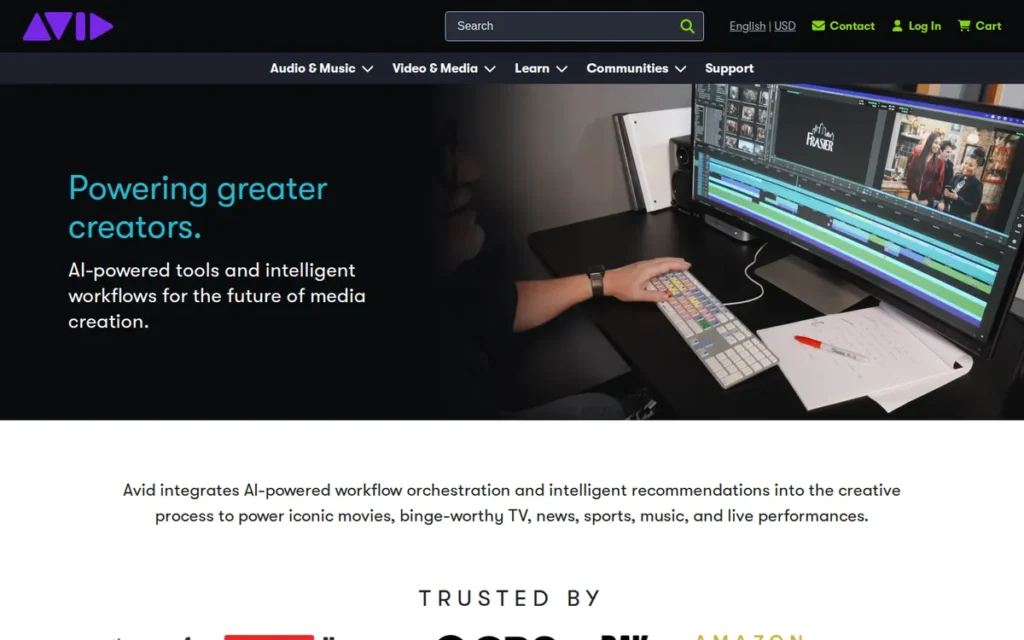
- Professional Recording DAW: Avid Pro Tools provides linear multitrack recording, large-scale mixing, and post-production, with the .ptx session format serving as the de facto interchange standard in commercial recording studios and film and TV facilities.
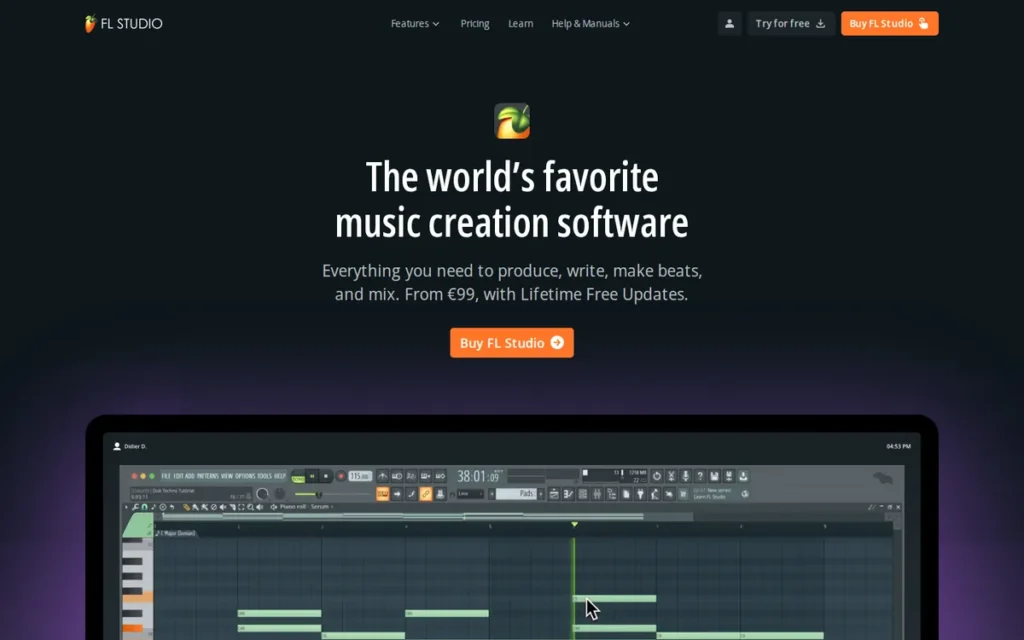
- Beat Production DAW: Image-Line FL Studio provides pattern-based sequencing and a visual piano roll optimized for beatmaking, EDM, and hip-hop production, with a Lifetime Free Updates policy that permanently eliminates future upgrade costs after any single purchase.
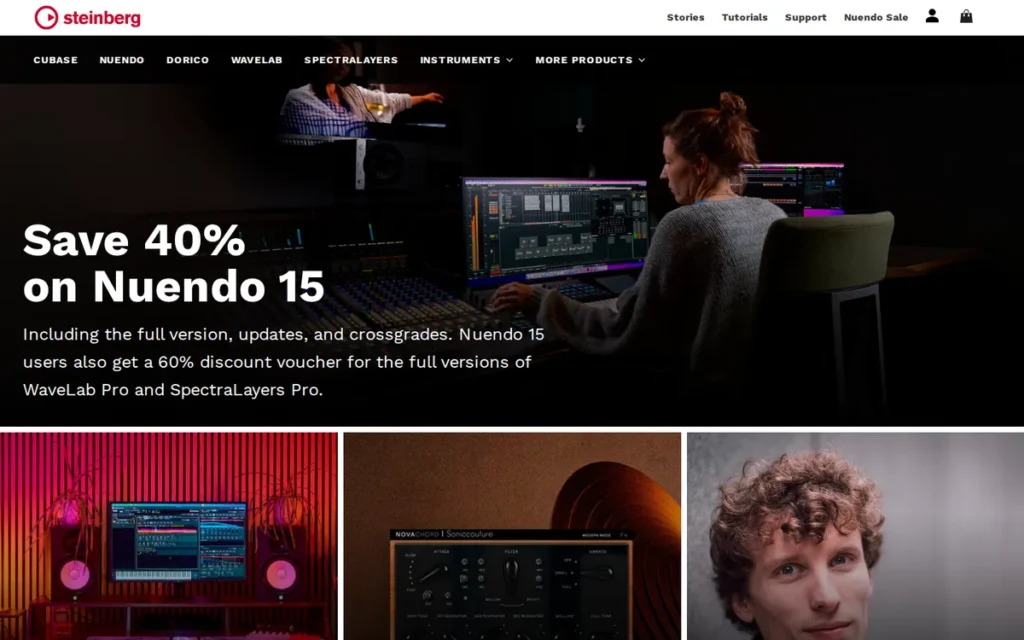
- Composition DAW: Steinberg Cubase provides MIDI-intensive sequencing, scale-aware pitch editing through VariAudio and Chord Track integration, and harmonic composition tools for composers, film and TV scorers, and theory-oriented producers.
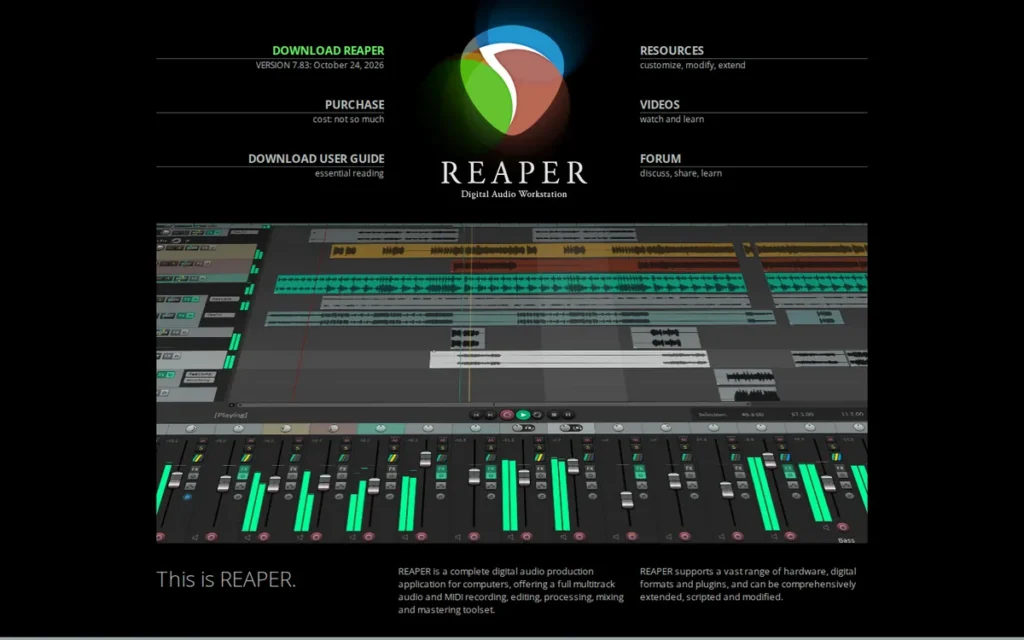
- Power-User DAW: Cockos REAPER provides a scriptable, Linux-native, content-free professional DAW for audio professionals who prioritize workflow automation, cross-platform compatibility, and cost efficiency over bundled content.
How Do the Top Audio Engine Software Tools Compare at a Glance?
The seven tools in this comparison span game audio middleware and music production DAWs, two subcategories that solve different problems for different audiences. The table below covers all seven with equal depth; the Quick Decision Framework immediately following maps each tool to its best-fit use case.
| Rank | Company | Category | Best For | One-Line Summary | Key Capabilities | Primary Strength | Key Limitation |
|---|---|---|---|---|---|---|---|
| 1 | Audiokinetic Wwise | Game Audio Middleware | AAA and mid-tier studios building complex multi-platform games | Wwise is the G2-ranked #1 game audio middleware in 2026, free under $250K production budget with the deepest spatial audio propagation and profiler in the category | Rooms/Portals/Reverb Zones spatial audio, real-time profiler, container-based team architecture, cross-platform, free 101/201/301 certification | Deepest spatial audio and profiler depth; production credits documented across independent industry sources in Cyberpunk 2077 and Spider-Man 2 | Abstract container/state authoring creates steeper onboarding than FMOD’s DAW-like timeline |
| 2 | Firelight Technologies FMOD | Game Audio Middleware | Indie developers and small studios building on Unity or Godot | FMOD is the G2-ranked #2 game audio middleware in 2026; DAW-like interface, live update connection, free non-commercial license, Unity built-in audio on FMOD infrastructure | Studio timeline editor, parametric audio, live update connection, split Core/Studio API, Godot plugin | DAW-like interface for fastest onboarding; Unity’s built-in audio runs on FMOD infrastructure | Acoustic occlusion less sophisticated than Wwise; Unreal version support lags post-release |
| 3 | Ableton Live | Performance DAW | Electronic performers, DJs, and producers needing a non-linear workflow | Ableton Live is the unanimous editorial choice for live electronic performance; unique Session View, Warp engine, Max for Live programmability, one-time perpetual from $99 | Session View clip launcher, Warp engine, Max for Live (Suite), Arrangement View, Push hardware integration, Ableton Link | Only non-linear clip-launching DAW in any currently available commercial product; editorial consensus across four independent publications (2025–2026) | No built-in score editor; no native Dolby Atmos mixing support |
| 4 | Avid Pro Tools | Professional Recording DAW | Professional engineers exchanging sessions with commercial studios | Pro Tools is the industry-standard recording and post-production DAW with 122 G2 reviews at 4.3/5, 10-user cloud collaboration, and .ptx session format interoperability | 10-user cloud sessions, HDX hardware DSP (256 voices/card), .ptx format, video import, Media Composer integration | Largest verified G2 review base (122 reviews, June 2026); .ptx de facto studio interchange standard | Subscription-only professional tiers; MIDI workflow less competitive than Cubase or FL Studio |
| 5 | Image-Line FL Studio | Beat Production DAW | Beatmakers, EDM and hip-hop producers wanting zero lifetime upgrade costs | FL Studio is the leading beat-making and EDM DAW with Lifetime Free Updates; best-in-class piano roll by community consensus; full audio recording requires Producer Edition at $199 | Pattern sequencer, best-in-class piano roll, Lifetime Free Updates, rent-to-own model, All Plugins Edition | Lifetime Free Updates; the only DAW in this comparison with permanently free major version upgrades | Fruity Edition ($99) has no audio recording; macOS experience less mature than Windows |
| 6 | Steinberg Cubase | Composition DAW | MIDI composers, film/TV scorers, and theory-focused producers | Cubase is the VST-standard-inventor composition DAW (1996) with unique VariAudio and Chord Track integration, up to 2,600 bundled sounds, and one-time perpetual licensing from $99.99 | VariAudio + Chord Track, VST inventor (1996), ~2,600 bundled sounds (Artist, Cubase 13), Yamaha hardware bundling, Steinberg Licensing | VST standard inventor (1996); unique scale-aware VariAudio pitch editing not available at equivalent depth in competing DAWs | Steepest learning curve in the DAW group; limited presence on major review platforms |
| 7 | Cockos REAPER | Power-User DAW | Budget-conscious audio professionals and Linux audio users | REAPER is the most cost-efficient professional DAW at $60; perpetual license with ReaScript automation (Lua/Python/EEL2), CLAP plugin support, Linux native operation, and 60-day full evaluation | ReaScript (Lua/Python/EEL2), VST/VST3/AU/CLAP/LV2, Linux native, ~14MB installer, 60-day full trial | $60 discounted perpetual license with Linux support and broadest plugin format compatibility in this comparison | Ships with no bundled content; honor-system pricing creates compliance ambiguity near the $20K revenue threshold |
Which Audio Engine Software Should I Choose for My Use Case?
If you are unsure of your #1 priority, answer two questions first: (1) Are you building a game or creating music? Game builders: evaluate rows 1–2. Music creators: evaluate rows 3–7. (2) For music creators, is your work primarily performance-based (live shows, DJing) or creation-based (recording, composing, mixing)? Performance-based points to row 3; creation-based narrows further by budget and genre.
Ten-year cost context: Ableton Suite ($749 one-time) is the largest single DAW purchase in this comparison. Pro Tools Ultimate ($599/year) costs approximately $5,990 over ten years. FL Studio Producer Edition ($199 one-time, Lifetime Free Updates) costs $199 over ten years, a difference of approximately $5,791. REAPER ($60 discounted) is the lowest entry point. Wwise and FMOD are both free for qualifying projects.
| Your #1 Priority | Recommended Tool | Why | Acceptable Alternative |
|---|---|---|---|
| Building a AAA or complex multi-platform game | Audiokinetic Wwise | G2 #1 (4.6/5); deepest spatial audio, profiler, and team architecture; production credits documented in Cyberpunk 2077 and Spider-Man 2 | FMOD (for smaller team or solo developer) |
| Building an indie game on Unity or Godot | Firelight Technologies FMOD | DAW-like interface for fastest onboarding; Unity’s built-in audio runs on FMOD infrastructure; strong Godot plugin | Wwise (free under $250K production budget) |
| Live electronic music performance | Ableton Live | Only non-linear clip-launching Session View in any currently available commercial DAW; editorial consensus across four major publications (2025–2026) | No direct substitute for this use case |
| Professional recording studio or post-production interoperability | Avid Pro Tools | .ptx industry session standard; 122 G2 reviews at 4.3/5; 10-user cloud collaboration | Cubase Pro (perpetual license alternative) |
| Beat-making, EDM, or hip-hop with zero lifetime upgrade costs | Image-Line FL Studio | Lifetime Free Updates; the only such policy in this comparison; best-in-class piano roll by community consensus | REAPER (for pure cost minimization) |
| Film/TV scoring or MIDI-intensive composition | Steinberg Cubase | VariAudio + Chord Track integration unique in commercial DAWs; VST inventor (1996); ~2,600 bundled sounds in Artist tier | Pro Tools (for facility interoperability) |
| Budget-conscious professional, Linux audio, or game audio sound design | Cockos REAPER | $60 discounted perpetual license; Linux native; ReaScript automation; broadest plugin format support including CLAP | FL Studio (for more bundled content) |
| Career track in game audio (learning) | Both FMOD + Wwise | Community recommends both, plus Unreal Metasounds, for maximum hiring eligibility across indie, mid-tier, and AAA studios | Start with FMOD for faster early productivity; add Wwise 101/201/301 for credentialed AAA career signal |
1. Audiokinetic Wwise: Best for Professional Game Audio (AAA and Mid-Tier)
Category: Game Audio Middleware, a runtime sound engine embedded in game code to manage adaptive, interactive, and spatially accurate audio behavior in real time, distinct from music production DAWs.
At a Glance
- Category: Game Audio Middleware
- Best For: AAA and mid-tier game development teams building complex multi-platform interactive experiences requiring enterprise-grade audio
- Price Range: Free for projects with a production budget under $250,000; custom pricing negotiated for larger productions, verify at audiokinetic.com/products/wwise/pricing/ (June 2026)
- Primary Strength: Wwise delivers the deepest spatial audio propagation system and real-time profiler of any game audio middleware in 2026, with production credits documented across independent industry sources in Cyberpunk 2077 and Spider-Man 2
- Biggest Limitation: Wwise’s abstract container and state-based authoring paradigm creates significant onboarding friction compared to FMOD’s DAW-like timeline, making it a slower starting point for solo developers and small teams
- One-Line Summary: Wwise is the G2-ranked #1 game audio middleware in 2026 (4.6/5), free for projects under $250,000 production budget, with the deepest spatial audio propagation and profiling capabilities in the middleware category and official 101/201/301 certification courses
- Last Verified: June 2026
Overview
Wwise is the G2-ranked #1 game audio middleware in 2026 (4.6/5), free for projects with a production budget under $250,000, with production credits documented across independent industry sources in titles including Cyberpunk 2077 and Spider-Man 2 and the deepest spatial audio propagation and real-time profiling capabilities of any middleware in this comparison.
Developed by Audiokinetic (Montreal, Canada) since its GDC 2006 debut, Wwise integrates natively with Unreal Engine 5, Unity, Godot, CryEngine, Fox Engine, and Open 3D Engine. Wwise targets every major commercial platform (PlayStation, Nintendo Switch, Xbox, iOS, Android, and Linux) through a unified audio pipeline that requires no per-platform reimplementation.
G2 explicitly positions Wwise above FMOD in the same Audio Engine Software category. A practitioner with 15 years of simultaneous FMOD and Wwise project experience offers a direct capability verdict in Wwise’s favor, confirming that the Wwise vs. FMOD choice is driven by project scale and team size rather than a difference in software quality.
Key Features
- Spatial Audio (Rooms, Portals, Reverb Zones): Wwise’s Spatial Audio system simulates acoustic propagation through virtual 3D environments, enabling sound to pass through walls, attenuate around corners, and transition between indoor and outdoor spaces, with independent per-source control over dry volume, wet volume, LFE, low-pass filtering, spread, and attenuation, plus support for binaural rendering and Wwise Reflect for real-time acoustic geometry modeling (Wikipedia, Audiokinetic Wwise, 2026).
- Real-Time Profiler: Wwise’s profiler connects to a running game and delivers live performance data including memory usage, active voice counts, and bus routing analysis, described by a 15-year game audio veteran with simultaneous FMOD and Wwise experience as “far deeper than FMOD Profiler” for diagnosing audio issues before shipping (u/missilecommandtsd, r/GameAudio, 2024).
- Cross-Platform and Engine Integration: Wwise integrates natively with Unreal Engine 5, Unity, Godot, CryEngine, Fox Engine, and Open 3D Engine, targeting Windows, macOS, Linux, iOS, tvOS, Android, PlayStation, Nintendo Switch, and Xbox, a single audio pipeline scaling across every major commercial platform (Wikipedia, Audiokinetic Wwise, 2026).
- Container-Based Team Architecture: Wwise’s event architecture allows multiple audio designers to create and modify events simultaneously while connected to version control, eliminating the master bank checkout bottleneck that makes concurrent FMOD contribution difficult on large distributed teams (u/regenstoet, r/GameAudio, 2024).
- Free Official Certification Courses: Wwise provides structured learning through official Wwise 101, 201, and 301 certification courses via the Audiokinetic Learning portal, the only middleware in this comparison offering a credentialed official curriculum, with a career-verifiable credential for professionals entering game audio (u/LuckyOtterGames, r/GameAudio, 2024).
Best For
Wwise is best for mid-to-large game development teams (including AAA studios, mid-tier publishers, and ambitious indie developers building commercially released games under $250,000 production budget) who need advanced spatial audio simulation, team-scale collaboration architecture, and the deepest runtime profiling available in any game audio middleware.
Pricing
Wwise is free for game projects with a production budget under $250,000. The threshold applies to production budget, not game revenue, a distinction that creates license compliance risk if developers use the wrong figure to evaluate eligibility.
Commercial licensing for projects above the threshold requires direct negotiation with Audiokinetic and is not publicly listed; revenue-share licensing is also available. Studios whose projects approach the $250,000 threshold should contact Audiokinetic directly before project launch.
Always verify current thresholds at audiokinetic.com/products/wwise/pricing/ before commercial distribution (June 2026).
Strengths
- Wwise’s production credits, documented across independent industry sources, include The Witcher 3, Cyberpunk 2077, Hogwarts Legacy, and Spider-Man 2, a concentration of top-grossing critically acclaimed titles that no other middleware in this comparison matches (youngju.dev, May 2026; aircada.com, 2025).
- G2, 2026 ranks Wwise #1 in the Audio Engine Software category with a 4.6/5 aggregate rating, the highest independently verified market position of any product in this comparison, explicitly above FMOD in the same category.
- A 15-year game audio veteran with simultaneous FMOD and Wwise project experience stated: “Which is better? Wwise. It is objectively more powerful and robust… Wwise Spatial Audio is unmatched” (u/missilecommandtsd, r/GameAudio, 2024).
Takeaway: A practitioner with verified dual-platform experience at the same time gives a direct capability verdict in Wwise’s favor while separately recommending FMOD for indie portfolio building, confirming the choice is driven by project scale and team size, not a qualitative difference in either product.
- Wwise’s free official 101/201/301 certification courses provide the only structured, credentialed learning pathway in this comparison, lowering the skill-development investment for new team members and providing a career-verifiable credential for game audio professionals.
Limitations
- Onboarding Complexity vs. FMOD: Wwise’s abstract container and state-based authoring paradigm is meaningfully more complex than FMOD’s DAW-like timeline, audio professionals transitioning from music production backgrounds typically require substantially more onboarding time before becoming productive in Wwise than in FMOD.
- Solo Developer Friction: Wwise’s advantages in profiler depth, acoustic propagation, and team collaboration architecture are most fully realized at the project scale where those capabilities are regularly exercised, for solo indie developers or very small teams, FMOD is the more practical starting point (u/regenstoet, r/GameAudio, 2024).
- Threshold Type Risk: Wwise’s free tier applies to production budget: not game revenue, a distinction that creates license compliance risk if developers use the wrong figure, with retroactive commercial license obligations possible at commercial launch (blog.blips.fm, 2025).
- Unreal Metasounds Competition: Wwise faces increasing competitive pressure from Unreal Engine’s native Metasounds system, which provides built-in procedural audio synthesis without middleware licensing costs, for studios targeting Unreal Engine exclusively at smaller scales, Metasounds represents a zero-cost alternative with no third-party integration required (u/ill-esha, r/GameAudio, 2024).
Users on r/GameAudio captured this depth challenge directly:
“Wwise is an extremely powerful and deep audio engine. But getting proficient in it the basics is no less complicated than a DAW. The complexity with these softwares is not in learning all the various knobs and buttons, it’s the underlying game dev experience that is needed to make the correct decisions. You’ll be able to setup basic events and trigger sounds and modulate them in many complex ways very quickly, especially if you do audio engineering already. But you will have no idea why to do one thing one way vs another until you are deeply familiar with backend knowledge that is required.” Posted by u/AudioAstronaut_OvO_
Takeaway: Wwise’s true onboarding challenge is not its interface but the years of game development context required to make correct implementation decisions, a depth that no certification course alone can fully compress.
Verdict
Wwise earns the #1 ranking in this evaluation through G2’s top category position (4.6/5, June 2026), the highest production credit concentration in the comparison documented across independent industry sources, and the deepest spatial audio propagation and profiling capabilities in the middleware category. Wwise ranks above FMOD because G2 explicitly positions it first in the same category, and the only practitioner with documented simultaneous experience in both tools delivers a direct capability verdict in Wwise’s favor. Wwise is the right choice for developers where audio complexity, team collaboration, and cross-platform deployment are central concerns, and for students building game audio careers, Wwise’s AAA market dominance and free 101/201/301 certification curriculum represent a direct, credentialed investment in professional employability.
2. Firelight Technologies FMOD: Best for Indie Game Development and Accessible Middleware Onboarding
Category: Game Audio Middleware, a runtime sound engine with a DAW-like authoring tool for audio designers and a low-level programmer API for direct audio primitive control, embedded in game code to manage adaptive, interactive audio behavior.
At a Glance
- Category: Game Audio Middleware
- Best For: Indie developers, small studios, and game audio practitioners transitioning from music production into game audio implementation
- Price Range: Free (non-commercial); free for development budgets under approximately $200,000 (indie tier); approximately $2,000 per platform per title commercially, verify at fmod.com/pricing (June 2026)
- Primary Strength: FMOD Studio’s DAW-like timeline interface and live-update-while-connected capability make it the fastest-onboarding game audio middleware for audio professionals transitioning from music production backgrounds
- Biggest Limitation: FMOD’s acoustic occlusion system is less sophisticated than Wwise’s Rooms/Portals/Reverb Zones; FMOD does not work natively with Unity Video Player; and Unreal Engine version support lags post-release
- One-Line Summary: FMOD is the G2-ranked #2 game audio middleware in 2026 (4.6/5) (free non-commercial license, DAW-like Studio interface, live update connection, and Unity’s built-in audio running on FMOD infrastructure) the leading choice for indie and small-studio game development
- Last Verified: June 2026
Overview
FMOD is the G2-ranked #2 game audio middleware in 2026 (4.6/5), free for non-commercial projects and for development budgets under approximately $200,000, with a DAW-like Studio interface consistently identified as the fastest-onboarding middleware for indie developers and audio professionals transitioning from music production.
FMOD’s structural depth in the Unity ecosystem derives from Unity’s built-in default audio running on FMOD infrastructure (per practitioner consensus in r/IndieDev (June 2025)) making FMOD Studio the natural professional upgrade path for the majority of Unity-based projects with no architectural disruption.
Developed by Firelight Technologies (Melbourne, Australia), FMOD is built around two APIs: the low-level FMOD Core API for programmer-controlled audio and the designer-facing FMOD Studio API with its DAW-like timeline interface. FMOD supports a free non-commercial license with no feature limitations and an indie commercial tier free under approximately $200,000 development budget.
Key Features
- DAW-Like Studio Interface: FMOD Studio provides a timeline-based event editor, multi-track mixer, hardware control surface support, and an integrated profiler, making FMOD the most accessible middleware interface for audio professionals transitioning from music production, described by a professional sound designer as “one of the BEST beginner’s middleware tools” for quick importing, organizing, and mixing (Cameron Espinoza, LinkedIn, 2024).
- Live Update Connection: FMOD Studio allows audio designers to change, replace, and add audio assets to events while the game is actively running on a connected host, enabling real-time sound design iteration without restarting the game build, a workflow acceleration capability not available in Wwise at the same level of flexibility (u/regenstoet, r/GameAudio, 2024).
- Parametric Audio System: FMOD accepts floating-point values from game code: such as player velocity, health percentage, or bullet count, and uses them to directly modulate pitch, volume, and effects in real time, enabling game-state-reactive audio organized into event-based sound banks and routed through FMOD buses without requiring custom audio interpolation logic (u/Ashley_Wills, r/IndieDev, June 2025).
- Unity and Godot Integration: FMOD integrates with Unity, Unreal Engine, and Godot with particular structural depth in Unity (where the engine’s built-in default audio is built on FMOD infrastructure) and FMOD’s Godot plugin is described by community members as the favorite integration option for Godot-based projects (u/DiscountCthulhu01, r/IndieDev, 2025).
- Free Non-Commercial License: FMOD provides complete feature access for non-commercial projects with no limitations, and its indie commercial tier uses a flat per-platform fee rather than ongoing royalties, removing revenue-share obligations after the initial licensing cost (Wikipedia, FMOD, 2025).
Best For
FMOD is best for indie developers, solo game audio practitioners, small-to-mid development studios, and anyone transitioning from music production or DAW workflows into game audio middleware, particularly those building on Unity, targeting Godot, or developing for web and Linux platforms where FMOD’s compatibility advantages are most pronounced.
Pricing
FMOD offers a free non-commercial license with no feature limitations for projects not intended for commercial distribution. The indie commercial tier is free for projects under approximately $200,000 development budget.
This is a development budget threshold, which differs from Wwise’s production budget threshold. Developers straddling both tools should verify each threshold type independently before commercial launch.
Secondary sources cite approximately $2,000 per platform per title for projects under $500,000 budget. All figures are provided for orientation only, verify the exact current threshold at fmod.com/pricing. Developers near the threshold boundary should contact FMOD support directly for clarification (June 2026).
Strengths
- FMOD’s production credits, documented across independent industry sources, include World of Warcraft (one of the highest-grossing online games in history) alongside Fall Guys and American Truck Simulator, demonstrating production capability well beyond FMOD’s indie-primary reputation (aircada.com, 2025).
- G2, 2026 ranks FMOD #2 in the Audio Engine Software category at 4.6/5, tied with Wwise on rating, and both FMOD’s documentation quality and community forum responsiveness receive consistent practitioner praise as among the best in the middleware industry.
- A professional sound designer described FMOD Studio’s menus as “extremely simple to navigate and understand” and called FMOD “one of the BEST beginner’s middleware tools” for quick importing, organizing, and mixing, the highest practitioner accessibility endorsement in the middleware comparison (Cameron Espinoza, LinkedIn, 2024).
- Firelight Technologies’ support staff are noted by community members to respond to almost every post on the FMOD community forum, and FMOD’s official documentation quality receives consistent community praise as among the best in the middleware industry (u/LuckyOtterGames, r/GameAudio, 2024).
Users on r/IndieDev shared their experience:
“I’m a sound designer and implement audio in games. Audio middleware allows you to do many things so much easier. I personally enjoy using FMOD and allows me to implement audio easier and have more creative freedom. If you don’t know anything about audio or middleware there is a learning curve and depending on the type and scope of the game it might not be worth using. If you have an audio person then having middleware will make their life easier, also the pricing scheme for FMOD is better for indie than Wwise. For the time it would take to create all the features in Unity that FMOD has, you might as well have paid the fee (if your game reaches that threshold).” Posted by u/Ashley_Wills
Takeaway: Working game audio sound designers consistently recommend FMOD for indie teams not just for its ease of use but because its pricing model makes it the clear value winner over Wwise at indie project scales.
Limitations
- Spatial Audio Ceiling: FMOD’s acoustic occlusion and propagation system is less sophisticated than Wwise’s Rooms/Portals/Reverb Zones architecture, a gap that matters specifically for games with complex indoor/outdoor acoustic transitions or first-person environments requiring precise acoustic simulation where Wwise is the stronger choice.
- Unity Video Player Incompatibility: FMOD does not work natively with Unity Video Player, requiring custom implementation for games that synchronize audio with cinematic or cutscene video content, a documented limitation for video-heavy genres (u/IAndrewNovak, r/IndieDev, June 2025).
- Unreal Engine Version Lag: FMOD’s support for new Unreal Engine versions arrives after a meaningful post-release delay, a concrete workflow risk for studios tracking Unreal’s major version cadence, documented as a consistent friction point in community discussions (u/IAndrewNovak, r/IndieDev, June 2025).
- Procedural Audio Limitations: Developers building games with frequent procedural audio generation or in-game voice recording workflows have reported specific integration limitations in community discussions, a gap relevant to particular game design patterns where Wwise’s architecture provides a more complete solution.
Verdict
FMOD earns its #2 ranking as the best game audio middleware for indie developers and teams prioritizing onboarding speed and accessible pricing, supported by G2’s 4.6/5 category position (June 2026), production credits documented at commercial scale including World of Warcraft, and the strongest practitioner accessibility endorsements in the middleware comparison. FMOD is the right choice for any developer working within Unity’s ecosystem (FMOD Studio is the professional-grade natural extension of the audio infrastructure already running beneath Unity’s built-in audio system) and the first-choice middleware for audio professionals transitioning from DAW production backgrounds into game audio implementation.
3. Ableton Live: Best for Live Electronic Music Performance
Category: Performance DAW, a digital audio workstation built around a non-linear clip-launching workflow unique in currently available commercial DAWs, designed for live electronic music performance and studio production, distinct from linear recording-first DAWs.
At a Glance
- Category: Performance DAW
- Best For: Electronic performers, DJs, and producers needing a non-linear composition and performance workflow not available in any other currently available commercial DAW
- Price Range: $99 (Intro) / $449 (Standard) / $749 (Suite): one-time perpetual; approximately 50% educational discount in eligible markets (verified June 2026 at ableton.com/en/shop/live/)
- Primary Strength: Ableton Live’s Session View is the only non-linear clip-launching workspace in any currently available commercial DAW, making it the only option for live electronic music performance at this architectural level, with no functional competitor equivalent
- Biggest Limitation: Ableton Live has no built-in score editor or music notation capability, and no native Dolby Atmos mixing support, excluding it from film scoring, classical composition, and professional spatial audio delivery workflows
- One-Line Summary: Ableton Live is the unanimous editorial choice for live electronic music performance, built on a unique Session View dual-paradigm with no currently available commercial DAW equivalent, one-time perpetual from $99, with Max for Live programmability in Suite at $749
- Last Verified: June 2026
Overview
Ableton Live is the unanimous editorial choice for live electronic music performance, recommended by PCMag, LANDR, MusicRadar, and careersinmusic.com across 2025–2026, and rated 4.8/5 by OMR (June 2026, 4 reviews, low statistical weight noted). Ableton Live’s Session View, a non-linear clip-launching workspace with no functional equivalent in any other currently available commercial DAW, is the architectural reason for this editorial consensus.
Developed by Ableton AG (Berlin, Germany) since its initial release on October 30, 2001, Ableton Live is available as a one-time perpetual license from $99 (Intro) to $749 (Suite). The Suite tier includes Max for Live, an open audio programming environment built on Max/MSP that extends Ableton Live into a fully extensible platform.
Ableton Live has 24+ years of continuous development, providing one of the most mature third-party plugin, Max for Live device, and tutorial ecosystems of any DAW evaluated, including the maxforlive.com community library.
Key Features
- Session View (Non-Linear Clip Launcher): Ableton Live’s Session View provides a grid-based workspace where clips and scenes can be launched independently or in synchronized groups with no fixed start-to-finish structure, an architectural capability not available in any other currently available commercial DAW at an equivalent level of production maturity (Ableton Live Manual, 2026).
- Warp Engine: Ableton Live’s Warp engine performs real-time time-stretching of audio while preserving original pitch, allowing producers and live performers to synchronize clips and tracks of different original tempos to a single master tempo without pitch artifacts, the core enabling technology for live electronic music performance and loop-based production (LANDR, 2025).
- Max for Live (Suite Tier): Ableton Live Suite includes Max for Live: an integration of the Max/MSP visual programming language that extends Ableton Live into a fully open audio programming environment, enabling users to build custom synthesizers, effects processors, MIDI generators, and visual tools that operate as native devices within the DAW (Ableton Max for Live, 2026).
- Ableton Link and Push Hardware Integration: Ableton Live includes Ableton Link (a synchronization protocol that wirelessly syncs tempo between multiple devices and applications in a shared network session) and integrates with Ableton Push (including Push 3, which operates as a standalone instrument without a computer) for hands-on live performance control (Ableton Press Archive, 2026).
- Simultaneous Dual-View Workflow: Ableton Live enables producers to work in Session View and Arrangement View simultaneously within a single project session, enabling seamless transitions between live performance experimentation and fixed multitrack composition without switching environments.
Best For
Ableton Live is best for electronic music producers, live performers, DJs, beatmakers working with loops and clips, and experimental musicians who need a non-linear workflow for live performance or studio experimentation, and for producers who want to extend their DAW into a custom audio programming platform via Max for Live in the Suite tier.
Pricing
Ableton Live is available as a one-time perpetual license:
- Intro: $99: 16 audio tracks, 8 scenes, 4 instruments, 21 effects, no Max for Live
- Standard: $449: unlimited tracks and scenes, 6 instruments, 37 effects, no Max for Live
- Suite: $749: unlimited tracks, 17 instruments, 60+ effects, includes Max for Live
Educational discounts of approximately 50% are available in eligible markets. The $300 upgrade from Standard to Suite is primarily justified by Max for Live access, the r/ableton community consensus is “Suite is worth it for Max for Live alone” (u/keyboardbill, r/ableton, 26 upvotes, 2023). Pricing verified June 2026 at ableton.com/en/shop/live/.
Strengths
- PCMag, LANDR, MusicRadar, and careersinmusic.com all independently position Ableton Live as the best DAW for live electronic music performance in 2025–2026, the most consistent use-case dominance endorsement across major independent publications of any DAW in this comparison (careersinmusic.com, 2026).
- No other currently available commercial DAW offers a non-linear clip-launching workspace with simultaneous Arrangement View integration at a comparable level of production maturity, making Ableton Live the only commercially available option for this specific live performance workflow, as confirmed by editorial consensus across four independent major publications from 2025 through 2026.
- The r/ableton community’s highest-voted comment on the Standard vs. Suite decision states “Suite is worth it for Max for Live alone” (26 upvotes), reflecting community consensus that Max for Live’s open programmability extends Ableton Live into a platform that no instrument or effect count in the Standard tier can replicate (u/keyboardbill, r/ableton, 2023).
- Ableton Live has 24+ years of active development since its October 30, 2001 initial release, providing one of the most mature third-party content, tutorial, and Max for Live device ecosystems of any DAW, including the maxforlive.com community library and a network of Ableton-certified training institutions (Wikipedia, Ableton Live, 2026).
Limitations
- No Notation Capability: Ableton Live has no built-in score editor or music notation capability, a deliberate product positioning choice that structurally excludes Ableton Live from film scoring, classical composition, or academic music workflows requiring orchestral scores for live musicians; producers who need notation typically pair Ableton Live with Sibelius, Finale, or Dorico (Wikipedia, Ableton Live, 2026).
- No Native Dolby Atmos Support: Ableton Live does not include native Dolby Atmos mixing support, producers delivering spatial audio for Atmos-enabled streaming platforms such as Apple Music Spatial or Amazon Music HD must use Pro Tools or a dedicated Atmos plugin workflow, limiting Ableton Live’s viability for professional spatial music delivery despite its dominant live performance positioning.
- Standard-to-Suite Value Gap: The $300 jump from Standard to Suite creates a genuine value question for producers who already own extensive third-party plugin libraries and may not immediately use Max for Live’s programmability, for those users, Standard’s instrument and effect count ceiling may feel constraining before Max for Live’s benefits are realized.
- Recording-First Workflow Transition: Producers coming from recording-first backgrounds may find Ableton Live’s multitrack recording and editing workflow less intuitive than Pro Tools or Cubase, where linear recording has been the primary design emphasis, Ableton Live rewards performance-first rather than recording-first thinking.
As one experienced Logic Pro user described on r/musicproduction:
“It’s a totally different paradigm and really hard for someone who is used to linear production. I can’t even find tutorials that are suited for someone who knows music technology but wants to learn Live; it’s either super advanced, or teaching people the basics. I’d even pay for a course for people wanting to switch.” Posted by u/scrundel
Takeaway: Ableton Live’s architectural uniqueness functions as both its greatest asset and its steepest re-entry barrier, experienced producers from linear DAW backgrounds consistently describe the Session View paradigm as requiring a near-complete workflow reset, confirming this as a real cost of switching rather than a beginner misconception.
Verdict
Ableton Live is the best music production DAW for live electronic performance and loop-based studio production, earning its #3 overall ranking through unanimous editorial positioning across four independent major publications, architectural uniqueness as the only currently available commercial DAW with non-linear clip launching, and Max for Live programmability that makes Suite the most extensible prosumer audio platform in this comparison. Ableton Live ranks above Pro Tools in this evaluation because unanimous editorial consensus for a structurally unique and clearly defined use case is treated as a stronger niche leadership signal than a higher review volume for a broader professional audience, a weighting documented in the ranking methodology section. Ableton Live is the right choice for electronic producers, live performers, DJs, and experimental musicians, with a one-time perpetual model starting at $99 and Suite at $749 delivering a complete professional platform with open-ended programmability.
4. Avid Pro Tools: Best for Professional Recording, Mixing, and Post-Production
Category: Professional Recording DAW, an industry-standard digital audio workstation optimized for multitrack recording, large-scale mixing, and post-production in professional studio environments, with optional dedicated hardware DSP acceleration.
At a Glance
- Category: Professional Recording DAW
- Best For: Professional recording engineers, post-production facilities, film and TV audio teams, and engineers whose work requires .ptx session format interoperability with commercial studios
- Price Range: Free (Intro, limited) / $99/year (Artist) / $299/year (Studio) / $599/year (Ultimate); HDX hardware historically starting at $9,999+, verify current pricing at avid.com/pro-tools (June 2026)
- Primary Strength: Pro Tools is the documented industry standard DAW in professional recording and post-production facilities worldwide, with 122 verified G2 reviews at 4.3/5 (June 2026) and the .ptx format as the de facto professional session interchange standard
- Biggest Limitation: Pro Tools’ subscription-only model for functional professional tiers generates sustained community friction; Pro Tools’ MIDI workflow is less competitive than Cubase or FL Studio for MIDI-intensive production
- One-Line Summary: Pro Tools is the industry-standard professional recording and post-production DAW with 122 verified G2 reviews at 4.3/5 (June 2026), up to 10-user cloud collaboration, optional HDX hardware DSP, and subscription pricing from $99/year
- Last Verified: June 2026
Overview
Pro Tools is the industry-standard DAW for professional recording and post-production, rated 4.3/5 across 122 verified G2 reviews (June 2026) (the most statistically significant review base of any product in this comparison) and described by both LANDR and PCMag as “the industry standard DAW in professional recording facilities around the world.”
Pro Tools has been developed by Avid Technology (NASDAQ: AVID) since its original release on January 20, 1989, making it the longest-standing product in this comparison at 37 years. Pro Tools is available on annual subscription from $99/year (Artist) to $599/year (Ultimate).
Pro Tools uniquely supports up to 10 simultaneous cloud collaborators per session and optional HDX dedicated DSP hardware providing 256 simultaneous voices per card, capabilities targeted at post-production facilities and large studio environments rather than individual producers.
Key Features
- 10-User Cloud Collaboration: Pro Tools supports up to 10 simultaneous cloud collaborators on a single session, the only DAW in this comparison with multi-engineer remote session capability at professional scale, enabling distributed recording, editing, and mixing across remote professional teams (PCMag, Pro Tools review, 2026).
- HDX Hardware DSP Acceleration: Pro Tools HDX hardware provides dedicated DSP acceleration with 256 simultaneous voices per card, offloading audio processing to purpose-built hardware for large film and TV post-production mixes that exceed software-only processing limits; HDX systems have historically started at $9,999 and are relevant primarily for established post-production facilities, not individual producers (Avid Pro Tools HDX Datasheet, 2026).
- .ptx Session Format Standard: Pro Tools’ .ptx session format is the de facto professional studio interchange standard, enabling engineers to open, continue, and deliver sessions across professional recording facilities worldwide without format translation friction (LANDR, 2025).
- Complete Post-Production Pipeline: Pro Tools supports multitrack recording, non-linear and non-destructive editing, MIDI and instrument integration, video import for picture sync, and faster-than-real-time mixdown, covering the complete post-production audio pipeline including sound-for-picture work in a single application (PCMag, 2026).
- Avid Media Composer Integration: Pro Tools integrates with Avid’s Media Composer video editing platform for end-to-end film and TV post-production, providing a shared session environment between picture editors and audio engineers within the same facility infrastructure (ThinkEDU, 2023).
Best For
Pro Tools is best for professional recording engineers, post-production audio teams, film and TV mixing facilities, and any audio professional whose work requires exchanging sessions with commercial studios using the .ptx standard, particularly those working at facilities that have already invested in the Avid ecosystem or HDX hardware infrastructure.
Pricing
Pro Tools is available on an annual subscription model:
- Intro: Free: limited features and track counts
- Artist: $99/year
- Studio: $299/year
- Ultimate: $599/year
- HDX hardware: Historically starting at $9,999+: verify current generation pricing at avid.com/pro-tools
The subscription-only model for functional professional tiers is a documented source of community friction. Engineers who prefer perpetual licenses are frequently guided toward Cubase Pro or REAPER by experienced community members. Educational pricing is available through Avid Education. All pricing verified from PCMag and Pro Pixel Agency (June 2026), verify current rates at avid.com/pro-tools before purchase.
Strengths
- Pro Tools has 122 verified G2 reviews at 4.3/5 as of June 2026: the largest independently verified review volume of any product in this comparison, providing the only statistically significant aggregate quality signal across the DAW subcategory (G2, 2026).
- LANDR and PCMag independently describe Pro Tools as “the industry standard DAW in professional recording facilities around the world”, an editorial consensus position consistent across multiple major publications spanning more than a decade of coverage (LANDR, 2025; PCMag, 2026).
- MixOnline described Pro Tools HDX as a system that “does a fantastic job of combining the benefits of hardware and software within a single integrated system” (the most specific hardware-tier endorsement from a major audio industry publication in this comparison (MixOnline, Pro Tools HDX review) publication year unconfirmed; verify at mixonline.com/technology/review-avid-pro-toolshdx).
- Pro Tools’ 37-year development history (initial release January 20, 1989) represents the longest track record of any product in this evaluation, providing the most established professional certification ecosystem and post-production pipeline integration resources available.
Limitations
- Subscription Pricing Friction: Pro Tools’ subscription-only model for functional professional tiers ($299–$599/year) generates sustained community frustration, particularly among engineers who previously held perpetual licenses under prior Avid pricing models and now pay annually for software they previously owned outright.
- Necessity vs. Preference Dynamic: Community discussions across r/audioengineering and r/WeAreTheMusicMakers consistently show that Pro Tools users recommend it based on professional necessity (session compatibility, job requirements, facility infrastructure) rather than personal enthusiasm, a pattern unique in this comparison where every other product’s advocates express genuine preference for the tool.
- HDX Hardware Cost Barrier: Unlocking Pro Tools’ signature technical advantages requires HDX hardware historically starting at $9,999+, making the full professional system accessible only to facilities with significant capital budgets (the majority of individual producers work with Pro Tools software-only tiers without HDX hardware (MixOnline, Pro Tools HDX review) publication year unconfirmed).
- Less Competitive MIDI Workflow: Pro Tools has a less competitive MIDI instrument and virtual instrument workflow compared to Cubase or FL Studio, engineers whose work centers on MIDI-intensive composition, beat production, or hybrid electronic-acoustic projects may find Pro Tools optimized for recording and editing rather than MIDI-driven production, regardless of the interoperability argument.
Users on r/audioengineering noted:
“Go to Reaper. You’ll find countless people here who made the switch and never looked back. (I’m one of them.) Anyone that’ll vote for Pro-Tools are people that have used it for a long time and are more happy to not change than they are with the program. If enough people follow this trend, PT won’t be the industry standard for long. And by numbers, it’s long past the standard it was. Many more people are using Logic, Ableton, Pyramix, etc for professional work.” Posted by u/josephallenkeys
Takeaway: r/audioengineering community sentiment confirms the article’s central Pro Tools finding: advocacy for the platform is driven by inertia and established ecosystem rather than genuine enthusiasm for the software itself.
Verdict
Pro Tools earns its #4 ranking as the best-evidenced choice for professional recording and post-production workflows, supported by 122 G2 reviews at 4.3/5 (G2, 2026), a 37-year industry standard track record, and the only 10-user cloud collaboration and optional HDX hardware DSP in this comparison. Pro Tools is the right choice for audio professionals whose work is defined by .ptx session interoperability, facility-level infrastructure investment, or post-production delivery requirements. Pro Tools is a genuinely difficult recommendation for individual producers whose workflow does not require this interoperability, given the subscription cost and the community-documented pattern of recommending it based on necessity rather than personal preference.
5. Image-Line FL Studio: Best for Beat-Making, EDM, and Hip-Hop Production
Category: Beat Production DAW, a digital audio workstation built around pattern-based sequencing and a visual piano roll, optimized for beat-making, EDM, hip-hop, and loop-based electronic music production.
At a Glance
- Category: Beat Production DAW
- Best For: Beatmakers, EDM and hip-hop producers, and music production beginners who want professional capability with zero lifetime upgrade costs
- Price Range: $99 (Fruity, no audio recording) / $199 (Producer, full audio recording) / $299 (Signature) / $499 (All Plugins), one-time perpetual with Lifetime Free Updates; rent-to-own available (verified June 2026 at image-line.com)
- Primary Strength: FL Studio’s Lifetime Free Updates policy permanently eliminates all future major version upgrade costs, the only DAW in this comparison with this policy, and the best long-term cost structure for producers who stay in the Image-Line ecosystem
- Biggest Limitation: FL Studio Fruity Edition ($99) has no audio recording capability, a documented repeat buyer mistake; macOS experience is historically less mature than Windows
- One-Line Summary: FL Studio is the leading beat-making and EDM DAW with Lifetime Free Updates on all purchases, a best-in-class piano roll by community consensus, and widely cited producer associations with Metro Boomin and Martin Garrix, full audio recording requires Producer Edition at $199
- Last Verified: June 2026
Overview
FL Studio is the leading beat-making and EDM DAW from Image-Line (Belgium), uniquely offering Lifetime Free Updates (officially stated as “You will always get the latest version of FL Studio for free, forever”) on all purchases from $99, with a best-in-class piano roll consistently recognized across producer communities as the strongest MIDI note editor in any commercial DAW.
FL Studio’s pattern-based workflow makes it the most intuitive DAW for loop and beat production, with full audio recording available from Producer Edition ($199) and above. Developed since its original release as FruityLoops in late 1997 or early 1998 (sources conflict, verify at image-line.com/history if precision is required), FL Studio is available in four tiers all with Lifetime Free Updates, and supports a rent-to-own payment option granting full ownership after 12 monthly payments.
Key Features
- Best-in-Class Piano Roll: FL Studio’s piano roll is identified by consistent community consensus across r/FL_Studio and r/WeAreTheMusicMakers as the best MIDI note editor in any commercial DAW, with specific practitioner praise for chord painting, per-note automation, ghost note visualization, and arpeggio tools that accelerate MIDI-intensive beat and melodic production workflows.
- Lifetime Free Updates: FL Studio’s Lifetime Free Updates policy guarantees that every future major version upgrade is permanently free after a single purchase of any edition (officially stated as “You will always get the latest version of FL Studio for free, forever”) eliminating the upgrade cost cycle that makes subscription or version-upgrade DAWs progressively more expensive over a multi-year production career (Image-Line, 2026).
- Pattern-Based Workflow: FL Studio allows producers to build songs by creating individual patterns in the Step Sequencer and Piano Roll and arranging them freely in the Playlist, a composition approach optimized for beat-making that does not require committing to a linear arrangement structure from the beginning of a project (Wikipedia, FL Studio, 2026).
- Rent-to-Own Payment Model: FL Studio supports monthly payments granting full feature access immediately, with outright ownership and Lifetime Free Updates conferred after completing 12 payments, providing a low-barrier path to full professional DAW ownership without a large upfront purchase (Image-Line, 2026).
- All Plugins Edition Value: FL Studio’s All Plugins Edition at $499 bundles every Image-Line plugin (including CollaB3, DirectWave sampler, Gross Beat, NewTone pitch correction, Pitcher, and ZGE Visualizer) with Lifetime Free Updates on all included plugins, providing a lower total cost of ownership than Pro Tools Ultimate ($599/year) after the first year (PCMag, FL Studio review, 2025).
Best For
FL Studio is best for beatmakers, EDM producers, trap and hip-hop producers, and any beginner or intermediate producer who wants a comprehensive professional DAW with the lowest long-term cost of ownership, particularly those who prioritize MIDI-intensive workflow, pattern-based composition, and freedom from subscription or upgrade-cycle costs. Producers who need to record live vocals or instruments must purchase Producer Edition ($199) at minimum.
Pricing
FL Studio is available at four tiers with one-time perpetual licensing and Lifetime Free Updates:
- Fruity Edition: $99: CRITICAL NOTE: no audio recording capability. Fruity Edition is a pattern sequencer and piano roll only, not a full recording DAW. Documented as the most common purchase mistake in FL Studio community discussions.
- Producer Edition: $199: adds full audio recording, stem separation, and advanced editing
- Signature Bundle: $299: adds CollaB3, Gross Beat, NewTone, and Pitcher
- All Plugins Edition: $499: every Image-Line plugin included with lifetime updates on all
Ten-year cost comparison: FL Studio Producer Edition ($199 one-time, Lifetime Free Updates) costs $199 over 10 years. Pro Tools Studio ($299/year) costs approximately $2,990 over 10 years, a difference of approximately $2,791 in favor of FL Studio Producer Edition for producers who remain in the Image-Line ecosystem. Rent-to-own plans grant full access from payment one with outright ownership after 12 payments. All pricing verified at image-line.com, June 2026.
Strengths
- FL Studio’s Lifetime Free Updates policy: officially stated as “You will always get the latest version of FL Studio for free, forever”, is the only such policy offered by any DAW in this comparison, permanently eliminating upgrade costs and providing the lowest total lifetime cost of ownership for producers who remain in the Image-Line ecosystem (Image-Line, 2026).
- FL Studio’s piano roll is identified by consistent community consensus across r/FL_Studio and r/WeAreTheMusicMakers as the best available in any commercial DAW (with specific practitioner praise for per-note automation, chord painting, and ghost note display) making it among the most-cited purchase rationales in FL Studio community discussions.
- FL Studio is widely cited in production tutorials and community discussions as the primary DAW of producers including Metro Boomin (trap/hip-hop) and Martin Garrix (EDM), associations frequently referenced in community resources but not verified through official producer statements or interviews (findmylabels.com, 2025).
- FL Studio’s All Plugins Edition at $499 one-time provides a lower total cost of ownership than Pro Tools Ultimate ($599/year) after the first year, making FL Studio the best lifetime cost-to-feature ratio among the DAWs in this comparison for producers who stay in the Image-Line ecosystem (PCMag, 2025).
Users on r/edmproduction described the difference:
“Most other piano rolls are minimally functional. FL on the other hand has a ton of features and tools. Like automatic scale detection, the scale helper, all the different midi tools, the random generator, etc. My favourite feature of the piano roll is the ghost notes. If you have two instruments in the same pattern you can see the notes of the other instrument as ghost notes when you’re editing. Makes it really easy to make sure you’re not conflicting, or making the right chord, or do counterpoint.” Posted by u/Pagan-za
Takeaway: FL Studio’s piano roll leads competitor DAWs not by feature count alone but by compositional visibility, ghost note display and scale-aware tooling make harmonic decisions transparent in real time in ways that producers who switch away from FL consistently report missing.
Limitations
- Fruity Edition Audio Recording Gap: FL Studio Fruity Edition ($99) has no audio recording capability, a documented repeat purchase mistake in community discussions where users buy the entry tier expecting full DAW functionality and discover they cannot record live instruments or vocals without upgrading to Producer Edition at $199 (PCMag, 2025).
- Genre Workflow Boundaries: FL Studio’s pattern-based workflow, while ideal for beat-making and loop-based composition, creates a less natural environment for linear recording, live band tracking, or post-production audio work, use cases where Pro Tools or Cubase provide structurally better-suited workflows for practitioners with those specific needs.
- macOS Maturity Gap: FL Studio’s macOS support is functional in current versions but historically less mature than its Windows implementation, community threads on r/FL_Studio as of 2025 document performance and stability differences on Apple Silicon, with Windows users typically reporting a more consistent experience; Mac-primary producers evaluating FL Studio should compare the macOS experience against Logic Pro before committing.
- No Major Review Platform Aggregate: FL Studio does not have a verified aggregate rating on G2 or Capterra as of June 2026, unlike Pro Tools (122 verified G2 reviews), FL Studio lacks a quantitative satisfaction benchmark from major review platforms, requiring buyers to rely on editorial sources and community discussions rather than aggregated user ratings.
Verdict
FL Studio earns its #5 ranking as the best DAW for beat-making and EDM production, distinguished by its Lifetime Free Updates policy (the only such policy in this comparison), community consensus for best-in-class piano roll quality, and widely cited producer associations with Metro Boomin and Martin Garrix. FL Studio ranks above Cubase in this evaluation because the Lifetime Free Updates policy and genre-specific leadership for the broadest target audience (beatmakers, EDM and hip-hop producers, beginners) address more primary decision criteria for the evaluation audience than Cubase’s deeper compositional tools, which serve a narrower specialist audience at higher price points. The critical purchase caveat remains: vocal and live instrument recording requires Producer Edition at $199, not the entry Fruity Edition at $99.
6. Steinberg Cubase: Best for MIDI-Intensive Composition and Film/TV Scoring
Category: Composition DAW, a digital audio workstation built around MIDI sequencing, score-aware editing, and multitrack recording, optimized for composers, film and TV scorers, and producers working with complex harmonic arrangements and theory-driven production.
At a Glance
- Category: Composition DAW
- Best For: Composers, film and TV scorers, MIDI-intensive producers, and music-theory-focused creators who need deep harmonic workflow tools and scale-aware pitch editing
- Price Range: $99.99 (Elements) / approximately $329.99 (Artist) / approximately $579 (Pro), one-time perpetual license; verify at steinberg.net/cubase/ (June 2026)
- Primary Strength: Cubase’s VariAudio pitch editor integrated with the Chord Track enables scale-aware vocal pitch correction not available at equivalent architectural depth in any competing DAW
- Biggest Limitation: Cubase has the steepest learning curve among the DAWs in this comparison, with workflows distributed across five separate editors; limited presence on major review platforms reduces independent quantitative benchmarking
- One-Line Summary: Cubase is the composition DAW from the creator of the VST standard (1996), with unique VariAudio and Chord Track integration, up to 2,600 bundled sounds (as reviewed in Cubase 13 by PCMag, verify for current version at steinberg.net), and one-time perpetual licensing from $99.99
- Last Verified: June 2026
Overview
Cubase is the composition DAW developed by Steinberg (a Yamaha subsidiary, Hamburg, Germany) and the creator of the VST (Virtual Studio Technology) plugin standard in 1996 (the format now used by every product in this comparison and virtually all professional audio plugin developers worldwide) with unique VariAudio and Chord Track integration for scale-aware vocal pitch editing, available as a one-time perpetual license from $99.99.
Steinberg has developed Cubase since its original 1989 launch on the Atari ST as a MIDI sequencer. Cubase is best known for its MIDI composition depth, including a VariAudio pitch editor integrated with a project-wide Chord Track that the Steinberg community describes as running “through the core of Cubase deeper” than comparable features in other DAWs (Steinberg community forums, 2025).
Cubase is bundled with virtually all Yamaha audio and MIDI hardware, uses software-based Steinberg Licensing that replaced the physical USB eLicenser dongle, and targets the widest hardware-channel discovery funnel of any DAW in this comparison through the Yamaha product ecosystem.
Key Features
- VariAudio + Chord Track Integration: Cubase’s VariAudio pitch editor is integrated with the project-wide Chord Track (enabling pitch corrections on recorded vocals to snap intelligently to the notes within the current chord or scale structure) with the Steinberg community identifying this integration as running “through the core of Cubase deeper” than comparable features in competing DAWs, influencing MIDI, audio, and notation simultaneously (Steinberg community forums, 2025).
- VST Plugin Standard Origin: Cubase originated the VST (Virtual Studio Technology) plugin standard in 1996, the format now adopted by every other product in this comparison and by virtually every professional audio plugin developer in the industry, representing the most significant foundational technical contribution to the broader DAW ecosystem of any product evaluated (PCMag, Cubase Pro review, 2026).
- Comprehensive Bundled Content: Cubase Artist 13 includes approximately 2,600 bundled sounds and 62 effects plug-ins (as reviewed in Cubase 13 by PCMag, 2026, verify current content count for Cubase 15 at steinberg.net), the largest bundled content library at a mid-tier DAW price in this comparison, providing immediate production value without additional third-party purchases (PCMag, 2026).
- Chord Track Harmonic Guidance: Cubase’s Chord Track enables producers to define project-level chord progressions and have MIDI instrument tracks follow the defined harmonic structure automatically, supporting non-destructive chord-guided arrangement and transposition across an entire session with real-time harmonic feedback.
- Steinberg Licensing (No Dongle): Cubase uses software-based Steinberg Licensing that replaced the physical USB eLicenser dongle, allowing installation and activation across multiple machines without a physical dongle dependency, eliminating the single-point-of-failure that made previous Cubase versions inaccessible when a dongle was lost or damaged.
Best For
Cubase is best for composers, film and TV scorers, music-theory-focused producers, and MIDI-intensive arrangers who need deep harmonic workflow tools, scale-aware pitch editing, and a comprehensive bundled sound library, particularly those already in the Yamaha hardware ecosystem who have received a bundled version and are evaluating a full upgrade.
Pricing
Cubase is available as a one-time perpetual license:
- Elements 13: $99.99: 64 MIDI tracks, 48 audio tracks, approximately 1,000 sounds, 45 effects (PCMag, 2026)
- Artist 13: approximately $329.99: unlimited tracks, approximately 2,600 sounds, 62 effects (PCMag, 2026)
- Cubase Pro: approximately $579: full professional feature set
Upgrade and crossgrade pricing are available but were not confirmed from primary sources, check steinberg.net/cubase/ for current offers. Price figures for Artist and Pro are from PCMag (June 2026), verify directly at steinberg.net before purchase. Cut-down versions of Cubase are bundled with most Yamaha audio and MIDI hardware, providing an entry point for hardware owners.
Strengths
- Steinberg introduced the VST plugin standard in 1996: a foundational specification adopted by every product in this comparison and by virtually every professional audio plugin developer in the industry, a technical contribution that predates every other product’s current plugin architecture (PCMag, Cubase Pro review, 2026).
- PCMag describes Cubase Pro as a “top-notch digital audio workstation” offering “flexibility for composers, producers, and mix engineers”, the most direct editorial endorsement for Cubase’s professional positioning from a major publication in the research gathered for this evaluation (PCMag, 2026).
- Cubase Artist 13 includes approximately 2,600 bundled sounds and 62 effects: the highest bundled content count at a mid-tier DAW price among the products in this comparison, providing immediate production value without requiring third-party plugin purchases (as reviewed in Cubase 13; verify current content at steinberg.net) (PCMag, 2026).
- Cubase is bundled with virtually all Yamaha audio and MIDI hardware: keyboards, audio interfaces, and MIDI controllers, giving Yamaha hardware owners a structured upgrade path from their bundled version to the full licensed DAW and creating the widest hardware-channel discovery funnel of any DAW in this comparison (Wikipedia, Cubase, 2026).
Limitations
- Steepest Learning Curve: Cubase has the steepest learning curve among the DAWs in this comparison, production workflows are distributed across multiple separate environments including MixConsole, Project Window, Sample Editor, Key Editor, and Score Editor, each requiring individual familiarity before the full integration benefits are accessible to new users.
- Better Suited for Experienced Switchers: Community discussions consistently identify Cubase as better suited for experienced DAW users switching platforms than for complete beginners, who may find the navigation complexity discouraging before reaching the harmonic depth that justifies the learning investment.
- Elements-to-Artist Upgrade Pressure: Cubase Elements 13 at $99.99 is substantially more limited in track counts than Artist (approximately $329.99), meaning users who purchase Elements as a low-cost entry point may find themselves needing to upgrade within a short production cycle, making the initial affordability misleading for buyers who intend to use Cubase as their primary DAW.
- Limited Review Platform Presence: Cubase does not have a verified aggregate user rating on G2 or Capterra as of June 2026, unlike Pro Tools (122 verified G2 reviews), Cubase lacks a quantitative satisfaction benchmark from major review platforms, requiring buyers to rely primarily on editorial endorsements and community discussions for satisfaction verification.
Verdict
Cubase earns its #6 ranking as the best DAW for MIDI-intensive composition and film/TV scoring, distinguished by unique VariAudio and Chord Track integration depth, the VST standard origin that established its foundational technical credibility across the entire DAW industry, and the largest bundled sound library at a mid-tier price in this comparison. Cubase ranks above REAPER in this evaluation because its bundled content library, specialist composer positioning, and PCMag editorial endorsement provide more concrete decision guidance for the target audience than REAPER’s deliberately content-free approach, which requires additional third-party investment before music production is possible. Cubase is the right choice for composers and music-theory-oriented producers who need scale-aware harmonic workflow tools and plan to invest in learning a deep, compositionally focused DAW.
7. Cockos REAPER: Best for Budget-Conscious Power Users, Linux Audio, and Game Audio Sound Design
Category: Power-User DAW, a highly customizable, scriptable digital audio workstation optimized for professionals who need workflow automation, Linux support, broad plugin compatibility, or maximum cost efficiency, with no bundled content and a minimal default visual theme.
At a Glance
- Category: Power-User DAW
- Best For: Budget-conscious audio professionals, Linux audio users, game audio sound designers, podcast and broadcast producers, and power users who need deep ReaScript workflow automation
- Price Range: $60 (discounted license, under $20,000 annual revenue) / $225 (commercial license), one-time perpetual, honor system; 60-day full evaluation; verify at reaper.fm/purchase.php (June 2026)
- Primary Strength: REAPER delivers a complete professional DAW with ReaScript automation (Lua/Python/EEL2), the broadest plugin format support including CLAP, and Linux native operation for a $60 one-time discounted license
- Biggest Limitation: REAPER ships with no bundled sample libraries, synthesizer presets, or content, a hidden additional cost that makes the $60 price less comprehensive than it appears for beginners; honor-system pricing creates compliance ambiguity for organizations near the $20K revenue threshold
- One-Line Summary: REAPER is the most cost-efficient professional DAW at $60 for a discounted perpetual license, with ReaScript automation (Lua/Python/EEL2), VST/VST3/AU/CLAP/LV2 plugin support, Linux native operation, and a 60-day full unrestricted evaluation period
- Last Verified: June 2026
Overview
REAPER is the most cost-efficient professional DAW in this comparison at $60 for a discounted perpetual license (for individuals and organizations under $20,000 annual revenue), developed by Cockos Incorporated, founded by Justin Frankel, a developer known for creating Winamp and Gnutella (Wikipedia, REAPER, 2026), with native Linux support, ReaScript automation in Lua/Python/EEL2, and a 60-day full unrestricted evaluation period.
REAPER runs natively on Windows XP and newer, macOS 10.5 and newer, and Linux, the only professional DAW in this evaluation with first-class Linux deployment. REAPER’s approximately 14MB installer can run as a portable application from a USB drive with complete professional feature access.
REAPER supports VST, VST3, Audio Unit, CLAP, and LV2 plugin formats, the broadest plugin format compatibility among the DAWs in this comparison, including native support for the newer CLAP format.
Key Features
- ReaScript Automation Engine: REAPER’s ReaScript supports workflow automation in Lua, Python (with separate installation), and EEL2, enabling users to automate virtually any DAW action, build custom workflow tools, and create pipeline extensions for broadcast, podcast production, and pre-middleware game audio sound design, a depth of scriptable automation not available in the other six DAWs evaluated here (Cockos ReaScript Documentation, 2026).
- Broadest Plugin Format Support: REAPER supports VST, VST3, Audio Unit, CLAP, and LV2 plugin formats, the broadest plugin format compatibility of any product in this comparison, including native support for the newer CLAP (CLever Audio Plug-in) format alongside all established professional plugin standards (Cockos, 2026).
- Linux Native Deployment: REAPER runs natively on Linux in addition to Windows and macOS, the only professional-grade DAW with first-class Linux deployment among the products evaluated here, making REAPER the de facto choice for audio professionals working in Linux-based production, broadcast, or game audio development environments (Wikipedia, REAPER, 2026).
- Portable 14MB Installer: REAPER’s approximately 14MB installer operates as a portable application that can be installed and run from a USB drive with complete professional feature access, enabling full studio-grade audio production without any installation footprint on a host machine (reaper.updatestar.com, 2025).
- 60-Day Full Evaluation Period: REAPER includes a 60-day full evaluation with no feature limitations, no track count restrictions, and no watermarking, the most generous unrestricted evaluation period among all products in this comparison, operating on the honor system (Cockos, 2026).
Best For
REAPER is best for budget-conscious audio professionals who need a full-featured DAW without subscription or upgrade costs, Linux audio professionals for whom REAPER is one of very few viable professional options, game audio sound designers who use REAPER as their primary sound design tool before exporting assets to FMOD or Wwise middleware, and podcast and broadcast producers who benefit from ReaScript workflow automation, provided they are willing to invest setup time in customization and source their own audio libraries.
Pricing
REAPER offers a discounted license at $60 for individuals and small organizations with annual revenue under $20,000 (self-reported, honor system), and a commercial license at $225 for organizations above that threshold. Both licenses include:
- All platforms (Windows, macOS, Linux): the only professional DAW in this comparison with first-class Linux deployment
- All plugin formats (VST, VST3, AU, CLAP, LV2): including the newer CLAP format
- A 60-day full evaluation period with no feature limitations, no track count restrictions, and no audio watermarking
- Free updates within the same major version
To put the hidden content cost in concrete terms: a beginner who needs a synthesizer, a drum machine, and a sample library before their first track would typically spend $100–$300 on third-party plugins and samples beyond the license fee. REAPER’s cost advantage is most pronounced for professionals who already own a plugin library. All pricing verified at reaper.fm/purchase.php, June 2026.
Strengths
- REAPER’s $60 discounted license is the lowest purchase price of any professional DAW in this comparison by a wide margin, delivering complete multitrack recording, ReaScript automation, Linux support, and all plugin formats at a one-time cost lower than one month of Pro Tools Ultimate ($599/year) (PCMag, 2025).
- REAPER is documented in r/GameAudio community discussions as a primary sound design DAW for game audio professionals before FMOD or Wwise export, with both FMOD and Wwise providing official REAPER integration documentation, indicating meaningful adoption in the game audio pipeline as a cross-subcategory bridge tool (r/GameAudio, 2024).
- PCMag and MusicRadar describe REAPER as “affordable, highly customizable, lightweight, and feature-rich,” while KVR Audio shows 853 community members actively tracking REAPER, a proxy for professional community engagement consistent with its power-user positioning (PCMag, 2025; KVR Audio, 2026).
- REAPER’s ReaScript engine: supporting Lua, Python, and EEL2, enables automation of virtually any DAW action not available in any of the other six DAWs evaluated here, making REAPER the most technically extensible option for professionals building custom audio pipelines for podcast production, broadcast post, and pre-middleware game audio sound design (Cockos ReaScript Documentation, 2026).
Limitations
- No Bundled Content: REAPER ships with no bundled sample libraries, synthesizer presets, loop collections, or royalty-free content, a deliberate design choice that keeps the installer at approximately 14MB but means producers cannot create music immediately after installation without sourcing all audio material from third-party providers.
- Hidden Additional Cost for Beginners: The $60 price tag is less comprehensive than it initially appears, a functional beginner plugin and sample toolkit typically adds $100–$300 in third-party costs beyond the license fee, meaning the total entry cost is $160–$360, comparable to FL Studio Producer Edition at $199 but with substantially more configuration overhead (PCMag, 2025).
- Minimal Default Visual Theme: REAPER’s default visual theme is deliberately functional and visually unpolished, the least refined out-of-the-box experience of any DAW in this evaluation; community themes significantly improve the visual experience but require manual installation and configuration, as noted by both PCMag and MusicRadar as the primary usability criticism.
- Honor-System Compliance Ambiguity: REAPER operates on a self-reported honor-system pricing model, organizations whose annual revenue exceeds the $20,000 threshold are expected to self-upgrade to the commercial license ($225) without enforcement, creating compliance ambiguity absent from every other commercial product in this comparison; organizational buyers should verify their correct license tier at reaper.fm/purchase.php before any multi-seat deployment.
Users on r/Reaper offered a pointed explanation for why REAPER’s professional reputation lags its technical capability:
“Because it’s cheap. True story: did some marketing work for a guy who wrote a back office software programme in his spare time. He’d been going round companies trying to sell it for a couple of years without much luck. They liked the programme but didn’t buy. We told him to triple his price. Took some persuading but he tried it and immediately people started buying. Turns out, cheap stuff doesn’t get taken seriously, no matter how great it is.” Posted by u/southpawpete
Takeaway: REAPER’s professional credibility gap is a price perception problem, not a capability problem, a dynamic the r/Reaper community recognizes and that directly explains why engineers at commercial facilities default to higher-priced tools regardless of technical merit comparisons.
Verdict
REAPER earns its #7 ranking as the most cost-efficient professional DAW in this comparison, delivering a complete audio production environment with ReaScript automation, the broadest plugin format support including CLAP, and Linux native deployment for a $60 discounted license, the strongest price-to-professional-capability ratio of any product evaluated. REAPER’s #7 ranking reflects the absence of aggregate review platform validation data, not a ceiling on professional capability, practitioners who know REAPER are consistently among the most technically sophisticated users in this comparison. REAPER is the right choice for budget-conscious audio professionals, Linux audio users, game audio sound designers who need a scriptable DAW for pre-middleware asset creation, and power users willing to invest time in configuration and source their own sound libraries, with the 60-day full evaluation providing a risk-free window to assess the customization commitment before purchase.
What Red Flags Should I Watch For When Evaluating Audio Engine Software?
Four warning signs cause the most expensive post-purchase mistakes in this category: middleware licensing threshold confusion, DAW tier feature gaps, onboarding complexity underestimation, and subscription model lock-in for workflows that do not require it. Each is documented from specific community sources and carries a concrete correction.
Red Flag #1: Revenue vs. Budget Threshold Confusion
Wwise’s free tier applies to production budget, not game revenue. FMOD’s indie tier applies to development budget, also not game revenue. A developer who evaluates Wwise eligibility using total game revenue instead of production budget may ship a commercially successful game without a valid commercial license, creating retroactive licensing obligations that exceed the entire original development saving.
Always verify the exact current threshold type directly at audiokinetic.com/products/wwise/pricing/ and fmod.com/pricing before commercial distribution, secondary source figures change and should never be treated as definitive.
Red Flag #2: Tier Feature Gap Blindness
FL Studio’s Fruity Edition ($99) has no audio recording capability, documented as a repeat purchase mistake in community discussions where buyers expect a full DAW and discover they cannot record vocals or instruments without upgrading to Producer Edition ($199). Similarly, Pro Tools Intro (free) is severely limited in track count and professional features.
Verify specific feature availability for your production workflow before purchasing any entry tier at any price point.
Red Flag #3: Onboarding Complexity Underestimation
Wwise and Cubase both require substantially more navigation investment before productive use than FMOD or FL Studio. Audio professionals transitioning from DAW backgrounds to Wwise should budget significant additional onboarding time, the abstract container and state-based authoring paradigm is meaningfully different from any DAW workflow.
Cubase’s workflows are distributed across five separate editors before full harmonic integration benefits become accessible. Trial periods and official learning resources (particularly Wwise’s free 101/201/301 certification courses) should be fully exhausted before purchase for both tools.
Red Flag #4: Subscription Lock-In for Individual Producers
Pro Tools’ subscription-only model for functional professional tiers ($299–$599/year) is the correct choice for engineers whose work requires .ptx session interoperability with commercial studios. For individual producers whose workflows do not require that interoperability, the annual subscription cost is consistently questioned in community discussions.
Community discussions on r/audioengineering document engineers who switched from Pro Tools to Cubase Pro or REAPER after realizing their personal workflow did not justify annual subscription costs. Evaluate whether your work genuinely requires .ptx compatibility before defaulting to Pro Tools on brand recognition alone.
What Questions Should I Ask Before Choosing Audio Engine Software?
Five questions eliminate the most common post-purchase regrets in audio engine software selection: category ambiguity, licensing threshold misidentification, session format necessity, platform incompatibility, and career-length cost calculation. Every buyer should answer all five before committing to any tool in this comparison.
Question #1: Is my audio integrating into a game engine at runtime, or is it a finished audio output?
This disambiguation question determines your entire product set before any feature comparison begins. If the answer is “integrating into a game at runtime,” evaluate Wwise (#1) and FMOD (#2) only. If the answer is “creating finished music, scoring, or recording,” evaluate Ableton Live (#3) through REAPER (#7) only. No feature comparison across subcategories is meaningful until this routing question is answered.
Question #2: What is my project production budget or annual revenue, and which licensing threshold does it apply to?
For game audio middleware, verify your eligibility for the free tier before development begins. Wwise’s threshold applies to production budget; FMOD’s applies to development budget. Neither threshold is “revenue” in the traditional sense.
Misidentifying the threshold type is the most common middleware licensing mistake documented in community discussions, with retroactive commercial license acquisition adding unplanned cost to shipped projects.
Question #3: Do I need to exchange sessions with professional recording studios?
If yes, Pro Tools’ .ptx session format is the relevant standard and Pro Tools is the right tool. If no, the subscription cost and community-documented “necessity rather than preference” recommendation pattern should factor heavily into the decision.
Most independent producers, home studio engineers, and online collaborators do not require .ptx compatibility in day-to-day workflows.
Question #4: What operating system and target platforms does my project require?
REAPER is the only DAW in this comparison with first-class Linux support. FMOD has superior Godot engine integration and a Linux client. If you are targeting WebGL, browser-based games, or Linux platforms, verify each middleware’s current compatibility at the vendor’s developer portal before committing, platform support matrices change across SDK versions.
Question #5: Am I purchasing for a one-time project or a multi-year production career?
For a multi-year career, pricing model structure matters as much as entry price. FL Studio’s Lifetime Free Updates make a $199 Producer Edition substantially cheaper over ten years than any subscription DAW.
For game audio learners, the r/GameAudio community recommends learning both FMOD and Wwise alongside Unreal Metasounds for maximum hiring eligibility across all studio tiers, the order of learning matters less than completing both pathways.
How Did We Rank These Audio Engine Software Tools?
PlugRoute ranked these seven audio engine software tools by applying five objective criteria equally across all products, regardless of subcategory or price: Documented Market Validation, Use-Case Niche Dominance, Pricing Accessibility and Model Transparency, Cross-Platform and Ecosystem Breadth, and Learning Accessibility and Onboarding Resources, with game audio middleware and music production DAWs scored on identical criteria.
How Was Each Product Evaluated?
Each product was evaluated through four research phases:
- Multiple AI search engines (ChatGPT, Perplexity) were queried to identify current LLM recommendation patterns and coverage gaps in the category.
- Independent web research was conducted using G2, OMR, PCMag, LANDR, MusicRadar, Mix magazine, and official vendor documentation.
- Reddit community sentiment was analyzed across r/GameAudio, r/IndieDev, r/ableton, r/WeAreTheMusicMakers, r/audioengineering, r/FL_Studio, r/cubase, and r/Reaper.
- Vendor claims were cross-referenced against at least one independent source before inclusion as factual statements; vendor-only claims are labeled as such throughout the article.
What Criteria Determine the Rankings?
C1: Documented Market Validation: why it matters: Review platform ratings with verifiable volume and independently confirmed production credits remove self-reported marketing claims from the evaluation. G2’s 122-review count for Pro Tools carries more statistical weight than OMR’s 4-review count for Ableton, and both figures are noted explicitly. Editorial endorsement consensus across three or more independent publications contributes when review platform data is limited.
C2: Use-Case Niche Dominance: why it matters: Audio engine tools are not interchangeable. The tool that most clearly defines and dominates its specific use case provides the most reliable recommendation for a reader with that need. Frequency and consistency of “best for X” positioning across independent editorial sources and community practitioner discussions determines niche dominance scores.
C3: Pricing Accessibility and Model Transparency, why it matters: The target audience spans budget-constrained indie developers, first-time producers, and professional facility buyers. Pricing model structure, free tiers, perpetual vs. subscription, threshold-based licensing, lifetime update policies, is a primary decision filter before feature comparison. Known buyer confusion points are flagged explicitly.
C4: Cross-Platform and Ecosystem Breadth, why it matters: Industry analysis consistently places cross-platform compatibility among the highest-priority buyer requirements in this category (MarketGrowthReports, 2026, single analyst source; independent confirmation not available for specific percentages). Engine and OS compatibility is treated as a hard binary filter, a tool that does not support a required platform cannot be recommended regardless of other feature quality.
C5: Learning Accessibility and Onboarding Resources: why it matters: The target audience spans first-time evaluators to experienced professionals switching platforms. Tools with official certification courses, quality documentation, and active tutorial ecosystems reduce time-to-productive-use and lower the career risk of choosing a tool that becomes a bottleneck. Wwise is the only product in this comparison with an official credentialed certification program.
How Is Conflicting Evidence Handled?
When review platform ratings conflict with Reddit sentiment, specificity and recency are weighted higher. A detailed 2025 Reddit post from a practitioner with stated credentials and 50+ upvotes outweighs a generic 2023 G2 review without use-case context.
When a claim cannot be corroborated by at least one independent source, it is attributed as a single-source statement rather than presented as consensus.
How Are Vendor Claims Verified?
Vendor-reported statistics are labeled as such throughout this article. All pricing figures are dated and directed to official vendor pages for verification, secondary-source price figures are provided for orientation only and may not reflect current rates.
When Was This Article Last Updated?
This article was last updated June 2026. Pricing, licensing thresholds, platform support matrices, and review ratings are subject to change, verify all vendor pricing links directly before purchase. This article is reviewed on a rolling basis when major vendor pricing or feature changes are announced. PlugRoute updates this guide quarterly.
Independence Statement
PlugRoute has no affiliate relationships with any company listed. Rankings are determined entirely by research data and objective evaluation criteria.
Frequently Asked Questions
What is the best audio engine software for game development in 2026?
Wwise is the best audio engine software for professional and AAA game development in 2026, ranked #1 by G2 at 4.6/5 with production credits documented in Cyberpunk 2077 and Spider-Man 2. FMOD is the best choice for indie developers, free non-commercial license, DAW-like interface, and superior Unity and Godot integration. Project scale and budget threshold type should drive the final choice between the two.
What is the difference between game audio middleware and a music production DAW?
Game audio middleware, Wwise and FMOD, embeds audio at runtime inside a game engine to create adaptive sound that changes with live game state; it does not produce standalone audio files. Music production DAWs, Ableton Live, Pro Tools, FL Studio, Cubase, and REAPER, produce finished audio output for recording, performance, and distribution. These subcategories solve different problems and are not interchangeable.
How does PlugRoute determine its audio engine software rankings?
PlugRoute ranks audio engine software on five criteria: Documented Market Validation (G2/OMR ratings and production credits), Use-Case Niche Dominance (editorial and community consensus), Pricing Accessibility and Model Transparency, Cross-Platform and Ecosystem Breadth, and Learning Accessibility. All seven products receive identical research depth. No company paid for placement, provided editorial input, or has an affiliate relationship with this platform.
Glossary: Key Terms Used in This Comparison
Game Audio Middleware: A runtime software layer embedded between a game engine and audio hardware, managing adaptive, interactive, and spatially accurate audio behavior in real time. Game audio middleware tools (such as Wwise and FMOD) are distinct from music production DAWs because their audio output is dynamic and reactive to live game state rather than a fixed, pre-rendered audio file.
Adaptive Audio: Audio behavior that changes dynamically in response to in-game events or parameters, such as music that increases in intensity as player health drops, or footstep sounds that change based on surface material. Adaptive audio is the core value proposition of game audio middleware and cannot be achieved through static audio file playback alone.
VST (Virtual Studio Technology): A plugin format standard invented by Steinberg in 1996 that allows third-party instruments and effects to operate inside a DAW host as native devices. VST is the most widely adopted audio plugin format in the industry, supported by every DAW in this comparison and virtually every professional audio plugin developer, making Steinberg’s 1996 invention the foundational technical contribution that enables every modern plugin ecosystem.
Perpetual License: A software purchase model where a single payment grants permanent ownership of a specific software version without requiring ongoing subscription payments. Perpetual license DAWs in this comparison include REAPER ($60), Cubase (one-time per version), and FL Studio, with FL Studio uniquely extending this to Lifetime Free Updates that include all future major version upgrades permanently after a single purchase.
DAW (Digital Audio Workstation): A software application for recording, editing, arranging, mixing, and mastering audio to produce a fixed, finished audio output. DAWs in this comparison (Ableton Live, Pro Tools, FL Studio, Cubase, REAPER) produce finished audio files, distinguishing them from game audio middleware tools (Wwise, FMOD), which produce real-time reactive audio embedded in a running interactive application.
Which Audio Engine Software Is Right for You?
The right audio engine software depends first on whether you are building an interactive experience or creating a finished audio output, a distinction that makes several of the seven tools in this comparison non-substitutes for each other’s use cases. Still deciding? Two questions narrow the field immediately: (1) Game or music? (2) What is your budget and how long will you use this tool?
Most tools in this comparison offer either a free tier or a full evaluation period before purchase. Wwise and FMOD both offer free tiers for qualifying projects. REAPER offers a 60-day full unrestricted evaluation. Ableton Live, FL Studio, and Cubase all offer trial versions. Making a provisional choice and evaluating it before purchasing is the recommended approach for any tool with a significant learning investment.
Key Insights
- Wwise earns the top ranking for game audio through G2’s #1 category position (4.6/5, June 2026), the highest production credit concentration in the comparison documented across independent industry sources, and the deepest spatial audio and profiling capabilities in the middleware category, free for projects under $250,000 production budget.
- FMOD is the practical indie starting point for game audio: faster to learn, superior Godot integration, and Unity’s built-in audio already running on FMOD infrastructure make it the default choice for solo developers and small studios starting their first commercial game.
- Ableton Live is the only currently available commercial DAW built for live electronic music performance with Session View’s non-linear clip-launching workflow, no competing product currently offers a functional equivalent, and editorial consensus across four major independent publications is unanimous for this use case.
- Pro Tools’ 122-review G2 evidence base is the most statistically significant quality signal in the DAW subcategory, but the community pattern of recommending it based on professional necessity rather than personal preference is the most important nuance for independent evaluators who do not require .ptx session interoperability.
- FL Studio’s Lifetime Free Updates policy is the most financially consequential feature in the DAW segment, the only tool in this comparison that permanently eliminates upgrade costs, making it the best long-term cost-to-capability ratio for producers who stay in the Image-Line ecosystem.
- Cubase is the most undersold product in this category relative to its actual industry contribution, the VST standard origin (1996) and VariAudio/Chord Track architectural depth are absent from most LLM responses, making Cubase the most discovery-dependent recommendation for composers and film/TV scorers who need it most.
- REAPER’s $60 discounted license is the most accessible professional DAW entry point in this comparison, but the absence of bundled content means beginners must budget $100–$300 in additional third-party plugin and sample spend before music creation is possible, a cost consistently underestimated at purchase.
For evaluators who need to bridge both subcategories (such as composers writing adaptive music for games) the recommended workflow is Ableton Live or Cubase for composition, paired with FMOD or Wwise for middleware implementation. Both FMOD and Wwise provide official documentation for exporting from DAW environments to middleware event structures. REAPER is explicitly documented in the game audio community as the preferred DAW for pre-middleware sound design before export, supported by official REAPER integration documentation from both middleware vendors.
For learners building careers in game audio, the r/GameAudio community recommends learning both FMOD and Wwise alongside Unreal Metasounds to maximize hiring eligibility across indie, mid-tier, and AAA studio pipelines. Start with FMOD for faster initial productivity; pursue Wwise’s free 101/201/301 certification courses for the credentialed career signal at the professional level. We update this guide quarterly. Last updated: June 2026. Read our full ranking methodology and explore our other independent software reviews at PlugRoute.