IntelliJ IDEA is the best Java IDE for professional development, with Visual Studio Code as the strongest free lightweight alternative for polyglot developers. For Spring Boot at zero cost, Spring Tool Suite is the best specialized option. No free IDE consistently matches IntelliJ IDEA Ultimate’s enterprise completeness across Spring Boot framework tooling, database integration, and code intelligence, though Spring Tool Suite and VS Code with extensions close specific gaps.
Choosing a Java IDE without a framework-specific recommendation risks painful mid-project migrations. The distinction between IntelliJ IDEA Community (free, no Spring Boot integration) and IntelliJ IDEA Ultimate (paid, full Spring Boot tooling) generates more developer confusion than any other single tooling question in Java. Eclipse’s declining reliability, VS Code’s configuration overhead, and Android Studio’s resource demands compound the decision for developers who need a production-ready environment without weeks of setup.
PlugRoute has no affiliate relationships with any company in this comparison, rankings are determined by adoption data, community sentiment, and documented feature depth, not commercial agreements.
“For Java, IntelliJ and nothing else comes close. It really streamlines everything and has built-in support for a lot of stuff like Maven.” (u/MonkeysLoveBeer, r/SpringBoot (2024))
Takeaway: IntelliJ IDEA’s out-of-box Maven and Spring framework support (features requiring plugin assembly in Visual Studio Code and Eclipse) is the core quality-of-life advantage that drives its 84% developer adoption in the JRebel 2025 report.
TL;DR: Top Java IDEs at a Glance
- IntelliJ IDEA: highest developer adoption (84%), deepest code intelligence, best for professional and enterprise Java at any scale
- Visual Studio Code: free, lightweight, ideal for polyglot developers writing Java alongside other languages
- Spring Tool Suite: the only free IDE built by the Spring team itself, best for Spring Boot at zero cost
- BlueJ: purpose-built for OOP education; the right tool for CS students before transitioning to a professional IDE
What Are the Three Main Categories of Java IDEs?
Java IDEs divide into three functional categories, each suited to a different developer profile. Professional IDEs deliver production-grade general-purpose tooling. Specialized IDEs optimize for a specific framework or platform. Beginner and Educational Tools lower the barrier to entry with zero-configuration setups and simplified interfaces.
Professional IDEs: IntelliJ IDEA (#1), Visual Studio Code (#2), Eclipse (#4), serve general-purpose Java development from student projects to Fortune 500 enterprise systems. Cost and performance trade-offs differ significantly between them.
(Note: The JRebel 2025 survey is multi-select, adoption percentages reflect tools used in any capacity, not exclusive market share. Approximately 42% of respondents reported using multiple IDEs simultaneously. This means IntelliJ IDEA at 84% is present across virtually every professional Java workflow involving more than one tool.)
Specialized IDEs: Spring Tool Suite (#3), Android Studio (#5), are purpose-built for Spring Boot microservices and Android mobile development respectively. Using either outside its primary domain is technically possible but practically suboptimal compared to general-purpose alternatives.
Beginner and Educational Tools: Apache NetBeans (#6), BlueJ (#7), offer lower-friction environments well-matched to first-year CS students and self-taught developers establishing foundational Java skills. Neither is the right long-term tool for professional development.
How Do the Top Java IDEs Compare at a Glance?
| Rank | Company | Category | Best For | One-Line Summary | Key Capabilities | Primary Strength | Key Limitation |
|---|---|---|---|---|---|---|---|
| 1 | IntelliJ IDEA | Professional IDE | Enterprise Java, Kotlin, Spring Boot (Ultimate) | IntelliJ IDEA is the market-leading Java IDE at 84% developer adoption in 2025, offering the most complete out-of-box professional Java development experience in the category. | Smart code completion; Spring Boot integration (Ultimate only); built-in database tools; JVM debugger; JetBrains AI; Git and VCS; Maven and Gradle; automated refactoring; 900+ static code inspections | Code intelligence and Spring Boot tooling rated highest in the category by community consensus | Full Spring Boot and enterprise features require the paid Ultimate edition |
| 2 | Visual Studio Code | Editor + Extensions | Polyglot developers, cloud-native Java, lightweight workflows | Visual Studio Code is a free, open-source editor that delivers competitive Java development through the Extension Pack for Java, with 31% adoption among Java developers in 2025. | Extension Pack for Java; 40,000+ marketplace extensions; GitHub Copilot integration; devcontainer and remote development support; Docker and Kubernetes tooling | Lightweight performance and unmatched cross-language flexibility | Java capabilities require deliberate extension installation and JDK configuration; not a turnkey Java IDE |
| 3 | Spring Tool Suite | Specialized IDE | Spring Boot and Spring Framework development at zero cost | Spring Tool Suite is the only free Java IDE built by the Spring team itself, providing live bean visualization and Spring Boot Dashboard unavailable in any other free tool. | Live Spring bean viewer; @Conditional inspection; Spring Boot Dashboard; Spring Initializr integration; application.yml completion; VS Code extension mode | Native Spring Framework knowledge built by the same team that creates Spring Boot | Eclipse-based architecture causes noticeable performance and startup slowdowns versus IntelliJ IDEA |
| 4 | Eclipse IDE | Professional IDE | Legacy enterprise Java, Java EE/Jakarta EE, heavily customized workflows | Eclipse IDE is a free, open-source Java IDE with 28% developer adoption in 2025, backed by approximately 1,667 marketplace plugins (as of 2021) and multi-vendor foundation governance. | ~1,667 marketplace plugins (as of 2021); Java EE/Jakarta EE support; OSGi component model; multi-project workspace; JDT-based incremental compiler | Unmatched plugin ecosystem and multi-vendor enterprise governance at zero cost | High RAM consumption, slow startup under heavy plugin loads, and frequent plugin version conflicts |
| 5 | Android Studio | Specialized IDE | Android app development with Java or Kotlin | Android Studio is Google’s free official Android IDE, built on IntelliJ IDEA’s core, and the only tool in this comparison providing first-party Android SDK integration, Layout Editor, and hardware-level performance profiling. | Android SDK integration; Visual Layout Editor; AVD emulator; CPU/Memory/Network/Energy Profiler; Gemini AI integration (2025); Firebase connectivity; Live Edit for Jetpack Compose | The only officially supported IDE for Android development | Heavy resource requirements; 16GB RAM is the widely recommended target for comfortable use |
| 6 | Apache NetBeans | Open-Source Full IDE | Beginners, desktop Java (Swing/JavaFX), multi-language projects | Apache NetBeans is a free, open-source Java IDE providing a complete out-of-box Java experience, including a built-in Matisse GUI Builder for Swing development that requires no plugin installation. | Out-of-box Java SE/EE support; Matisse GUI Builder; built-in profiler and debugger; Maven and Gradle; PHP/HTML/JavaScript support; active quarterly release cadence | Zero-plugin-required Java environment with bundled GUI builder and profiler | Smaller community and plugin ecosystem; declining professional mindshare |
| 7 | BlueJ | Educational Tool | CS students learning OOP; secondary and university Java courses | BlueJ is a free educational Java IDE maintained by King’s College London, used by an estimated 2 million new students per year, designed specifically for OOP visualization; not professional development. | UML-like class diagram view; direct object instantiation without main(); simplified debugger; Stride frame-based coding; JavaFX support; Git support | The only Java tool designed specifically to visualize OOP concepts interactively for learners | Explicitly unsuitable for professional development; lacks Maven/Gradle, test frameworks, and build pipeline support |
Which Java IDE Should I Choose for My Use Case?
Selecting the right Java IDE requires matching three variables: budget, framework requirements, and development context. IntelliJ IDEA Ultimate is the default for professional Java and Spring Boot work. Visual Studio Code leads for free polyglot workflows. Spring Tool Suite fills the free Spring Boot gap. For Android development, no other tool provides equivalent first-party Android SDK support.
Three instant answers for the clearest segments before the full table:
- Android app developer → Android Studio, stop here.
- CS student → Check the GitHub Student Developer Pack for free IntelliJ IDEA Ultimate before reading further.
- Spring Boot developer who cannot pay for IntelliJ → Read the Spring Tool Suite entry (#3).
| Your #1 Priority | Recommended Tool | Why | Acceptable Alternative |
|---|---|---|---|
| Best overall professional IDE | IntelliJ IDEA Ultimate | Highest adoption (84%), deepest code intelligence, full Spring Boot support | IntelliJ IDEA Community Edition; free, but lacks native Spring Boot integration |
| Free Spring Boot development | Spring Tool Suite | Built by Spring team; live bean visualization at no cost | VS Code with Spring Boot Extension Pack; free, lighter-weight Spring development |
| Lightweight free cross-language editor | Visual Studio Code | Free, fast startup, 40,000+ extensions | IntelliJ IDEA Community Edition |
| Android app development | Android Studio | No other tool provides equivalent first-party Android SDK support | IntelliJ IDEA with Android plugin; not Google’s officially supported path |
| Legacy enterprise / Java EE | Eclipse | Free, ~1,667 plugins (as of 2021), multi-vendor governance | IntelliJ IDEA Ultimate |
| CS student needing full IDE | IntelliJ IDEA Ultimate (free via student license) | GitHub Student Pack unlocks the category’s best tool at zero cost | Apache NetBeans |
| OOP education (secondary/university) | BlueJ | Purpose-built for OOP visualization; endorsed by Oracle | Apache NetBeans |
The recoverable mistake in Java IDE selection is starting with a free tool and upgrading later, most JVM-based projects are portable across IDEs. The painful mistake is adopting a team-wide Eclipse or IntelliJ Community workflow and discovering Spring Boot tooling gaps six months into a microservices project, requiring a mid-sprint IDE migration for the entire team.
How Do the 7 Best Java IDEs Compare? Full Breakdown
The seven Java IDEs below divide into three evidence-based tiers: IntelliJ IDEA leads by adoption and feature depth; Visual Studio Code, Spring Tool Suite, and Eclipse form a differentiated middle tier by cost, framework specialization, and legacy enterprise fit; Android Studio, NetBeans, and BlueJ serve narrower, well-defined use cases. Each entry covers category, pricing, four evidence-based strengths, four genuine limitations, and a verdict based on the six-criterion methodology documented in the ranking section.
1. IntelliJ IDEA: Best Overall Java IDE
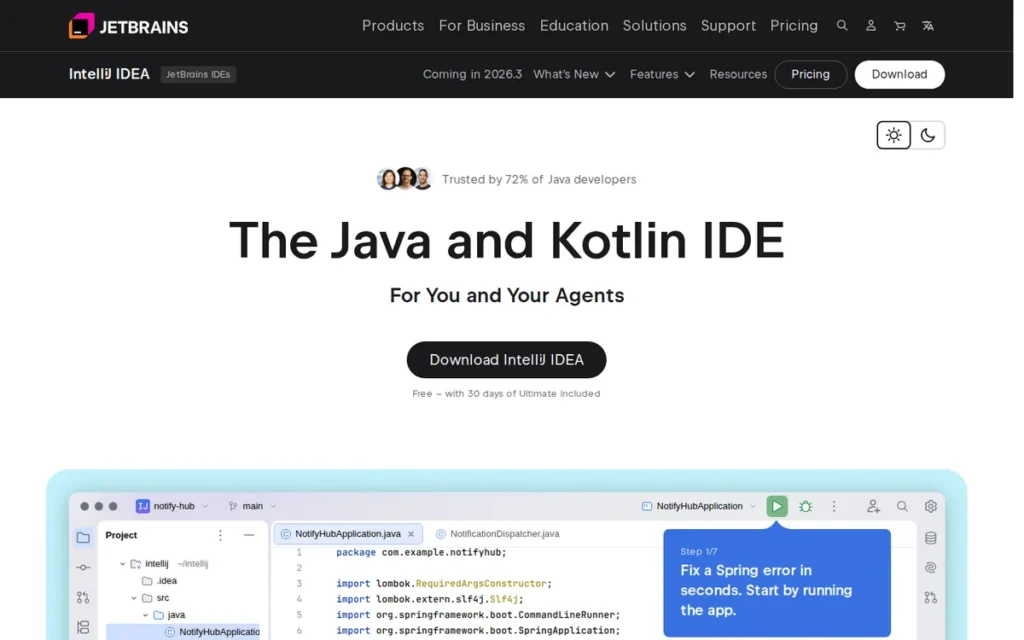
Category: Professional IDE, full-featured, commercially developed, available in free Community and paid Ultimate editions.
At a Glance
- Category: Professional Full IDE
- Best For: Enterprise Java, Kotlin, Spring Boot (Ultimate), professional development at any scale
- Price Range: Free (Community Edition); Ultimate $199/year for individual use [Source: JetBrains Store, 2026], verify current rates at jetbrains.com/idea/buy following December 2025 restructuring
- Primary Strength: IntelliJ IDEA’s code intelligence and Spring Boot tooling are rated highest in the category by community consensus across independent developer forums and the JRebel 2025 adoption data
- Biggest Limitation: Full Spring Boot and enterprise features require the paid Ultimate edition
- One-Line Summary: IntelliJ IDEA is the dominant Java IDE used by 84% of Java developers in 2025, offering the most complete professional Java development experience available in any single tool.
- Last Verified: May 2026
Overview
IntelliJ IDEA is JetBrains’ flagship Java and Kotlin IDE, developed since 2000 and used by 84% of Java developers worldwide at its highest recorded adoption level in the JRebel report series [Source: JRebel 2025 Java Developer Productivity Report]. IntelliJ IDEA is designed to maximize developer productivity through intelligent code completion, automated refactoring, and deep framework integration, from Maven and Gradle builds to Spring Boot debugging and database inspection.
IntelliJ IDEA is available in two primary editions: the Community Edition (free, open-source) covering core Java and Kotlin development, and the Ultimate Edition (paid) adding Spring Boot integration, built-in database tools, HTTP client, and enhanced web framework support. In December 2025, JetBrains announced IntelliJ IDEA Unified, a restructured release model keeping core Java and Kotlin features free.
JetBrains was founded in 2000 in Prague, Czech Republic, employs 2,000+ people, and invented the Kotlin programming language, giving IntelliJ IDEA structurally superior Kotlin tooling through shared authorship of both the language and its primary IDE.
Key Features
- Smart Code Completion: IntelliJ IDEA analyzes code context to suggest completions for types, methods, and symbols, recognized across multiple developer communities as the most accurate Java code completion in the IDE category.
- Spring Boot Integration (Ultimate): IntelliJ IDEA Ultimate provides live Spring bean visualization, endpoint mapping inspection, and application.yml/properties auto-completion for Spring Boot projects, features absent from the free Community edition.
- Powerful Refactoring Suite: IntelliJ IDEA supports rename, extract method, move, inline, and dozens of additional refactoring operations with cross-project awareness, reducing the risk of breaking changes during large-scale restructuring.
- Integrated JVM Debugger: IntelliJ IDEA includes a built-in debugger with breakpoints, watches, evaluate-expression capability, and remote debugging support, all without requiring third-party plugins.
- JetBrains AI Assistant: IntelliJ IDEA integrates JetBrains AI for inline code generation, explanation, and code review within the IDE’s subscription tier, competing directly with GitHub Copilot in Visual Studio Code.
- Code Inspections Suite: IntelliJ IDEA runs over 900 static code inspections covering null-safety violations, performance anti-patterns, and Java correctness issues, surfacing problems that would otherwise require a separate static analysis tool like SpotBugs or Checkstyle.
- Local History and VCS Integration: IntelliJ IDEA maintains a local file history independent of Git, allowing recovery of changes that were never committed, a safety net not available in Eclipse or Visual Studio Code without additional plugins.
Best For
IntelliJ IDEA is best for professional Java developers, senior engineers, and enterprise teams who require a production-ready IDE out of the box, particularly those working with Spring Boot, Hibernate, Maven, Gradle, or Kotlin on multi-module enterprise projects.
Pricing
IntelliJ IDEA Community Edition is free. As of May 2026, IntelliJ IDEA Ultimate for individual use is priced at $199/year [Source: JetBrains Store, 2026]. Organization licensing is priced significantly higher. Following the December 2025 Unified Release, verify current rates and which features remain in the free tier at jetbrains.com/idea/buy. Students and educators can access IntelliJ IDEA Ultimate free through the GitHub Student Developer Pack.
Strengths
- IntelliJ IDEA holds its highest recorded adoption level at 84% in the JRebel 2025 report: IntelliJ IDEA leads all Java IDEs at 84% developer adoption (its highest recorded level) with Visual Studio Code overtaking Eclipse for second place in the same survey for the first time [Source: JRebel 2025 Java Developer Productivity Report; adtmag.com summary, March 2025].
- IntelliJ IDEA Ultimate’s Spring tooling is recognized by community consensus as surpassing even purpose-built alternatives: IntelliJ IDEA Ultimate is described by r/javahelp users in a 2023 enterprise Spring Boot thread as “a better Spring IDE than the official Spring Tool Suite”, a verdict reflecting the practical experience of developers who have used both tools professionally [Source: r/javahelp, 2023].
Users on r/java who had migrated from other tools offered a concrete breakdown of what the Spring upgrade delivers:
“the spring tooling in intellij is far better than that of eclipse. you get the spring initializr in your IDE (basically), different views (lists of beans, configuration classes), autocompletion support for your application.yml, analysis tooling for e.g. dependencies (foreign and your own), a really solid autocompletion when writing code” Posted by u/zero_as_a_number
Takeaway: IntelliJ IDEA Ultimate’s Spring tooling advantage is not abstract, developers cite Spring Initializr integration, live bean views, yml autocompletion, and dependency analysis as four concrete capabilities that make the paid tier materially faster for Spring Boot development than any free alternative.
- IntelliJ IDEA’s Kotlin tooling advantage is structural: JetBrains invented Kotlin, meaning the IntelliJ IDEA team and the Kotlin language specification team are the same organization, an alignment that no independently developed IDE can replicate as long as JetBrains controls the Kotlin specification [Source: JetBrains product positioning, jetbrains.com/idea].
- IntelliJ IDEA Ultimate is available free to verified students through GitHub Education: IntelliJ IDEA Ultimate is accessible through the GitHub Student Developer Pack at zero cost, making the paid tier available to developers entering the profession during their studies.
Limitations
- Enterprise Features Behind Paywall: IntelliJ IDEA Community Edition does not include Spring Boot framework support, database tools, or HTTP client, the features most critical for enterprise Java development require the Ultimate paid subscription, a recurring source of friction for budget-constrained developers.
This friction surfaces in concrete daily workflows, as documented on r/learnjava:
“The big difference, I see, in both IDEs is that SpringBoot DevTools works differently. Community Edition you don’t get the auto-restarting the server after making changes to the project. You have restart the server every time a change is made. Eclipse will reboot the server every time a change is made. I think the paid verson of Intellij will probably do the same thing as Eclipse.” Posted by u/gadthrulife
Takeaway: IntelliJ IDEA Community’s absence of Spring Boot DevTools auto-restart on code changes is a persistent daily friction point that developers routinely cite as the tipping point toward either upgrading to Ultimate or migrating to Spring Tool Suite.
- RAM and Resource Consumption: IntelliJ IDEA carries a medium-to-heavy resource footprint on large multi-module projects; community complaints about memory consumption on machines below 16GB are documented consistently across r/java and r/javahelp threads.
- Unified Release Pricing Uncertainty: The December 2025 Unified Release restructured IntelliJ IDEA’s edition model, creating short-term uncertainty about exactly which features remain in the free tier, buyers must verify current tier boundaries at JetBrains’ pricing page before assuming feature availability.
- Learning Curve for Full Feature Set: IntelliJ IDEA’s extensive feature depth creates a genuine onboarding investment for developers new to the IDE; the interface breadth requires time before productivity gains materialize, as documented in r/javahelp community threads.
Verdict
IntelliJ IDEA is the most capable and most widely adopted Java IDE available in 2026, and the default recommendation for any developer investing seriously in Java or Kotlin. The practical question for most professional Java developers is not whether IntelliJ IDEA is worth using (84% developer adoption answers that) but whether the Spring Boot and enterprise features behind the Ultimate subscription justify the $199/year individual cost for their specific use case. IntelliJ IDEA Community covers core development at no cost, but Spring Boot professionals will find Ultimate’s framework tooling worth the subscription. Students should exhaust the GitHub Student Developer Pack for free Ultimate access before evaluating paid options.
2. Visual Studio Code: Best Lightweight Free Java Editor
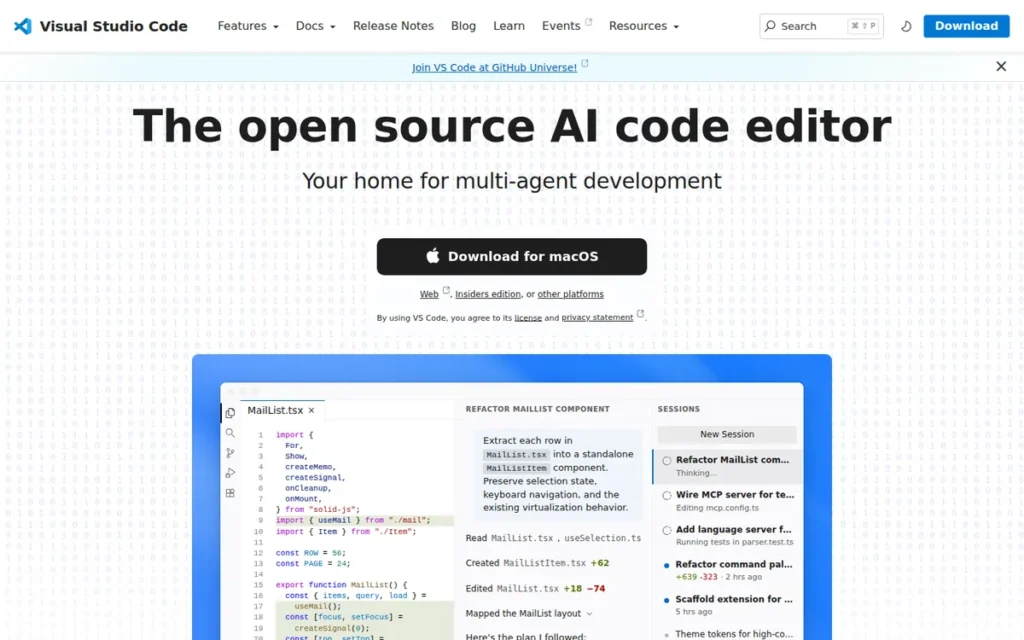
Category: Editor + Extensions, extension-assembled Java capability in a free, open-source lightweight code editor.
At a Glance
- Category: Editor + Extensions
- Best For: Polyglot developers, cloud-native Java, lightweight workflows prioritizing speed and cost
- Price Range: Free; GitHub Copilot Free ($0, limited); Copilot Pro $10/month; Copilot Pro+ $39/month; Copilot Business $19/user/month; Copilot Enterprise $39/user/month [Source: github.com/features/copilot/plans, May 2026]
- Primary Strength: Visual Studio Code’s cross-language flexibility and lightweight performance are unmatched anywhere in the Java IDE category
- Biggest Limitation: Java capabilities require deliberate extension installation and JDK configuration, Visual Studio Code is not a turnkey Java IDE out of the box
- One-Line Summary: Visual Studio Code is a free, open-source code editor that delivers competitive Java development capability through the Extension Pack for Java, making it the leading free choice for polyglot developers with 31% adoption among Java developers in 2025.
- Last Verified: May 2026
Overview
Visual Studio Code is Microsoft’s free, open-source code editor, first released in 2015 and maintained as an open-source project. Visual Studio Code becomes a competitive Java development environment through the Extension Pack for Java, a bundle of six extensions providing IntelliSense, debugging, testing, Maven/Gradle support, and project management. Visual Studio Code holds 31% adoption among Java developers (JRebel 2025), stable year-over-year, making it the second most used tool for Java work.
Visual Studio Code’s Java capability is architecturally different from IntelliJ IDEA or Eclipse: Java features are assembled from extension components rather than built natively, with the Eclipse JDT Language Server running behind the scenes. This architectural difference has a practical consequence: Visual Studio Code requires deliberate JDK installation, Java home path configuration, and extension installation before Java IntelliSense or debugging function correctly. It is not a turnkey Java IDE, setup typically runs 30–60 minutes before a first Java project runs.
Key Features
- Extension Pack for Java: Visual Studio Code bundles six Microsoft-curated extensions (Language Support by Red Hat, Debugger for Java, Test Runner for Java, Maven for Java, Project Manager for Java, and Visual Studio IntelliCode) delivering IntelliSense, debugging, and project management for Java development.
- 40,000+ Marketplace Extensions: Visual Studio Code’s extension marketplace enables Java developers to add Spring Boot support, Docker integration, Kubernetes tooling, and additional language plugins, exceeding any bundled IDE for cross-ecosystem extensibility [Source: JRebel, 2025].
- GitHub Copilot Integration: Visual Studio Code provides the tightest GitHub Copilot integration in this category, with inline code suggestions, chat, and commit message generation. Copilot Free is available at no cost; Copilot Pro is $10/month [Source: github.com/features/copilot/plans, May 2026].
- Remote Development and Devcontainer Support: Visual Studio Code’s devcontainer specification enables Java development inside Docker containers, allowing teams to ship reproducible Java development environments alongside source code, a cloud-native workflow available in GitHub Codespaces and unavailable by default in any standalone Java IDE.
- Lightweight Performance: Visual Studio Code is characterized by InfoWorld as “a free, lightweight but powerful source code editor”, starting faster and consuming less memory at idle than IntelliJ IDEA or Eclipse under equivalent workloads.
- Cross-Language Unified Workflow: Visual Studio Code supports Java, JavaScript, TypeScript, Python, Go, Rust, and dozens of additional languages in a single editor, making it the dominant choice for full-stack developers who write Java alongside other languages.
Best For
Visual Studio Code is best for polyglot developers who use Java alongside JavaScript, Python, or TypeScript; cloud-native engineers who need remote development and container-first workflows; and developers who prioritize editor speed and zero licensing cost over out-of-box Java IDE completeness.
Pricing
Visual Studio Code is completely free. All core Java extensions (Extension Pack for Java, Spring Boot Extension Pack) are free. GitHub Copilot is the primary paid layer: Copilot Free ($0, limited usage); Copilot Pro $10/month; Copilot Pro+ $39/month; Copilot Business $19/user/month; Copilot Enterprise $39/user/month [Source: github.com/features/copilot/plans, May 2026]. Note: GitHub announced a transition to usage-based billing starting June 2026, verify current plan structure at the link above.
Strengths
- InfoWorld independently rates Visual Studio Code a formidable Java IDE competitor: InfoWorld’s review describes Visual Studio Code as “a formidable competitor to Eclipse, NetBeans, and IntelliJ IDEA” when configured with the Extension Pack for Java, the most authoritative independent technical review of Visual Studio Code as a Java development environment.
- Red Hat maintains the core Java extension with enterprise-grade investment: Visual Studio Code’s Language Support for Java extension is maintained by Red Hat, meaning the Eclipse JDT Language Server receives ongoing enterprise investment [Source: Red Hat engineering blog, redhat.com], an unusual quality signal for an open-source extension.
- Visual Studio Code’s free Spring Boot extension partially closes the IntelliJ IDEA gap: Visual Studio Code’s Spring Boot Extension Pack provides framework-specific project scaffolding, live Bean explorer, and application.yml support at no cost, reducing the gap with IntelliJ IDEA Ultimate for Spring Boot developers who cannot pay for a subscription.
- 31% Java developer adoption confirms broad real-world viability: Visual Studio Code’s 31% adoption rate among Java developers (JRebel 2025) demonstrates that tens of millions of Java developers have validated it as a productive Java environment, stable year-over-year per the same report.
Limitations
- Not a Turnkey Java Environment: Visual Studio Code requires manual JDK configuration, extension installation, and environment setup before Java IntelliSense or debugging functions, a friction point that Eclipse, NetBeans, and IntelliJ IDEA do not impose to the same degree, as noted in InfoWorld’s review.
- Library Source Viewing Gap vs. IntelliJ IDEA: Visual Studio Code cannot directly view decompiled source from external libraries the way IntelliJ IDEA can, a documented limitation noted by developers comparing the two, per r/learnjava community discussions.
- Advanced Feature Depth Trails IntelliJ IDEA: Visual Studio Code “still lacks some of the more advanced features of IntelliJ” according to a 10-year Java developer on r/learnjava, particularly in class hierarchy navigation, complex cross-project refactoring, and deep code analysis.
- AI Assistant Requires Separate Subscription: Visual Studio Code’s AI story depends on GitHub Copilot at $10–$39/user/month, adding a recurring cost that IntelliJ IDEA integrates within its own subscription model via JetBrains AI, a total cost comparison that favors IntelliJ IDEA for developers who want both the IDE and an AI assistant.
Verdict
Visual Studio Code is the strongest free, cross-language Java development option available in 2026, and the right choice for developers who value editor speed, cost, and polyglot flexibility over out-of-box IDE completeness. Visual Studio Code ranks second above Spring Tool Suite because it serves any Java workflow at zero cost, while Spring Tool Suite serves Spring Boot specifically, a narrower scope that earns STS third place for category leadership, not general applicability. Choosing Visual Studio Code over IntelliJ IDEA is a legitimate professional decision, 31% of Java developers make it, and InfoWorld’s independent review rates the configured environment as a formidable competitor for day-to-day development. Visual Studio Code consistently trails IntelliJ IDEA in deep refactoring, library exploration, and enterprise framework integration for Java-primary enterprise engineers.
“I am shocked on how good VS Code is compared to IDEA Community Edition. The only thing that IDEA does better is that I can see directly the source of the code coming from External Libs where in VS Code I cannot do that.” (u/vlahunter, r/learnjava (2024))
Takeaway: Visual Studio Code closes most of the gap with IntelliJ IDEA Community for everyday Java development, the decompiler and library source-viewing gap is the single most consistently cited remaining difference between the two.
3. Spring Tool Suite / Spring Tools: Best Free IDE for Spring Boot Development
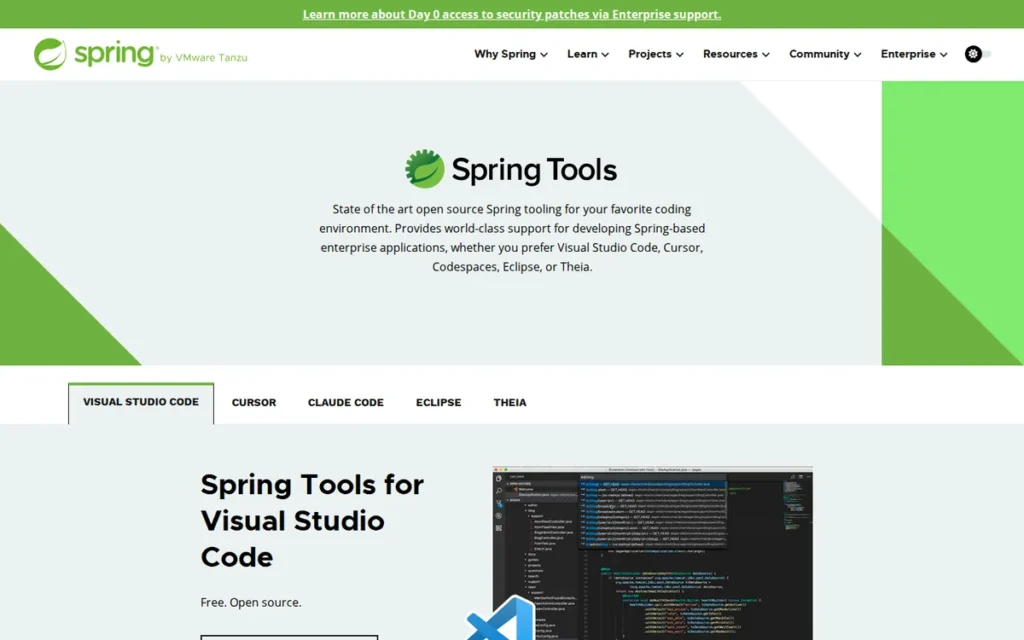
Category: Specialized IDE, Eclipse-based distribution with first-party Spring Framework and Spring Boot tooling, also available as Visual Studio Code extensions.
At a Glance
- Category: Specialized Spring IDE
- Best For: Spring Boot and Spring Framework development at zero licensing cost
- Price Range: Free; Broadcom VMware Tanzu Spring enterprise support available, pricing not publicly listed
- Primary Strength: Spring Tool Suite provides live Spring bean and @Conditional visualization built by the Spring team itself, capabilities unavailable in any other free Java tool
- Biggest Limitation: Spring Tool Suite inherits Eclipse’s performance and startup speed limitations, making it noticeably slower than IntelliJ IDEA under comparable workloads
- One-Line Summary: Spring Tool Suite is the only free Java IDE built by the Spring Framework team itself, providing runtime Spring bean visualization, @Conditional inspection, and Spring Boot Dashboard that no other free tool can replicate.
- Last Verified: May 2026
Overview
Spring Tools is a free, specialized Java toolkit built by the Spring team at Broadcom, formerly VMware and Pivotal, for Spring Framework and Spring Boot development. Spring Tools is available as both a standalone Eclipse-based IDE distribution and as extensions for Visual Studio Code, Cursor, Codespaces, and Theia, serving developers on either platform without requiring a full IDE migration.
Spring Tools’ most important distinction is authorship: Spring Tools is built by the same team that creates Spring Boot. Spring Tools 5.0.0 was released on December 10, 2025, adding first-class support for Spring Boot 4 and Spring Framework 7, including API versioning tooling, AOT-generated data repository support, and AI-era integrations with Cursor and GitHub Copilot for Eclipse.
This shared authorship gives Spring Tools live runtime insight into Spring applications (visible bean wiring, active conditions, and request mappings surfaced directly in source code) that no independently developed IDE can replicate from the outside.
Key Features
- Live Spring Bean Visualization: Spring Tools shows which beans are active in a running Spring Boot application and how they wire to each other, displayed directly within the source editor without running a separate debugger session, per the Spring Tools official page.
- @Conditional Inspection: Spring Tools surfaces which
@Conditionalannotations passed or failed and explains the reason, directly resolving one of the most time-consuming Spring Boot debugging scenarios. - Spring Boot Dashboard: Spring Tools provides a unified IDE panel showing running application status, active request mappings, bean lists, application logs, and deployment integration, per the Eclipse Newsletter on Spring Boot.
- Spring Initializr Integration: Spring Tools integrates Spring Initializr directly into the IDE, enabling new Spring Boot project creation with full dependency selection without leaving the editor or visiting start.spring.io in a browser.
- application.yml / .properties Code Completion: Spring Tools provides context-aware completion for Spring Boot configuration files (including property keys, values, and documentation tooltips) reducing configuration errors in complex application setups.
- VS Code Extension Mode: Spring Tools delivers first-party Spring intelligence as a Visual Studio Code extension, allowing VS Code users to access Spring Bean visualization and Boot Dashboard without adopting the full Eclipse-based IDE distribution.
Best For
Spring Tool Suite is best for Spring Boot and Spring Framework developers who cannot or prefer not to pay for IntelliJ IDEA Ultimate, and who need richer Spring-specific tooling than Visual Studio Code’s free Spring Boot extension provides without a full paid IDE subscription.
Pricing
Spring Tools (both the Eclipse IDE distribution and VS Code extension) is completely free. Broadcom’s commercial Spring support offering, VMware Tanzu Spring, provides enterprise SLA and training, but pricing is not publicly listed and requires enterprise sales contact (spring.io/tools).
Strengths
- Spring Tool Suite provides first-party Spring Framework authority unmatched in free tooling: Spring Tools is built by the Spring team at Broadcom, “Our tools have deep knowledge of Spring built in,” per spring.io/tools, a level of framework intimacy that no third-party IDE plugin can replicate.
- Spring Tool Suite delivers live runtime Spring insight at zero cost: Spring Tools’ live bean visualization and @Conditional inspection tools are free capabilities that otherwise appear only in IntelliJ IDEA Ultimate, making Spring Tools the strongest free option for developers who need Spring Boot runtime intelligence.
- Spring Tools 5.0.0 (December 10, 2025) confirms active development aligned with Spring’s own release cycle: Spring Tools 5.0.0 added first-class support for Spring Boot 4 and Spring Framework 7, including API versioning tooling, AOT-generated data repository support, and AI-era integrations with Cursor and GitHub Copilot for Eclipse [Source: spring.io/blog, December 10, 2025], confirming that Spring Tools tracks Spring’s own release cycle rather than lagging behind it.
- Spring Tool Suite’s dual-delivery model serves both Eclipse and VS Code users: Spring Tools serves both Eclipse IDE users and Visual Studio Code users through separate distribution channels, providing the same first-party Spring intelligence without requiring developers to abandon their preferred editor.
Limitations
- Eclipse-Based Performance Slowdown: Spring Tool Suite is described as “dead slow compared to IntelliJ” in r/developersIndia community discussions, the Eclipse architecture foundation creates startup and runtime performance gaps versus IntelliJ IDEA that are structural, not configurable.
- Clunky User Experience Cited Consistently: Spring Tool Suite’s UX is characterized as “clunky and tedious” even by developers who acknowledge its power, per r/javahelp threads, a direct consequence of its Eclipse foundation rather than Spring-specific design decisions.
- Broadcom Ownership Introduces Long-Term Uncertainty: Community discussion in r/spring and r/SpringBoot following Broadcom’s acquisition of VMware has flagged concern about the long-term open-source Spring tooling roadmap, Broadcom’s silence on specific commitments is cited as a planning risk for teams evaluating long-term IDE investment [Source: r/SpringBoot community discussions, 2024–2025].
- Niche Scope Limits General Applicability: Spring Tools is purpose-built for Spring, developers who work across multiple frameworks or need general-purpose Java tooling (non-Spring Java EE, desktop Java, pure data processing) will find Spring Tools less suitable than IntelliJ IDEA Community or Visual Studio Code.
Verdict
Spring Tool Suite is the strongest free IDE option for dedicated Spring Boot developers in 2026, and the only free tool delivering first-party Spring runtime intelligence. Spring Tool Suite ranks above Eclipse because its Spring-specific tooling directly addresses the most documented pain point in the target audience (Spring Boot framework support gaps) while Eclipse’s greater general extensibility is less relevant to the majority of developers who selected this article. Spring Tools delivers unique Spring-specific depth unavailable elsewhere at zero cost, but the performance and UX gap versus IntelliJ IDEA is real and documented. For teams unable to justify IntelliJ Ultimate, Spring Tools combined with Visual Studio Code extensions represents the most capable free Spring Boot workflow available.
“If paid version it’s IntelliJ; free ware it’s STS (basically a wrapper around Eclipse).” (u/lpk86, r/developersIndia (2025))
Takeaway: Community consensus has converged on a simple decision framework: IntelliJ IDEA Ultimate wins the paid-tier Spring Boot comparison; Spring Tool Suite wins the free-tier comparison, accepting Eclipse-based performance overhead as the cost.
4. Eclipse IDE: Best for Legacy Enterprise Java Environments
Category: Professional IDE, free, open-source, plugin-extensible Java IDE governed by the Eclipse Foundation multi-vendor consortium.
At a Glance
- Category: Professional Full IDE
- Best For: Legacy enterprise Java, Java EE/Jakarta EE, organizations with existing Eclipse configurations
- Price Range: Free and open-source under Eclipse Foundation governance
- Primary Strength: Eclipse’s plugin marketplace and multi-vendor not-for-profit governance remain unmatched for customizing and governing enterprise Java workflows at zero licensing cost
- Biggest Limitation: Eclipse consistently exhibits high RAM consumption, slow startup with heavy plugin loads, and plugin version conflicts that reduce daily developer productivity
- One-Line Summary: Eclipse IDE is a free, open-source Java IDE with 28% developer adoption in 2025, backed by approximately 1,667 marketplace plugins (as of 2021) and multi-vendor foundation governance, making it the most customizable free Java IDE for established enterprise environments.
- Last Verified: May 2026
Overview
Eclipse IDE is a free, open-source Java IDE with 28% developer adoption in 2025, governed by the Eclipse Foundation, a not-for-profit consortium of IBM, Red Hat, SAP, Oracle, and other major enterprise vendors [Source: JRebel 2025]. Eclipse ceded second place to Visual Studio Code in the JRebel 2025 report for the first time, a landmark shift in a report where Eclipse had held second place for multiple consecutive years.
Eclipse is built around the Java Development Tools (JDT) and an OSGi (Equinox) component model where every feature, including the Java editor, is a plugin. This architecture enables Eclipse’s extraordinary extensibility, approximately 1,667 marketplace plugins (as of 2021, per Tabnine, verify current count at marketplace.eclipse.org) are available. This same architecture creates Eclipse’s three most-cited structural weaknesses:
- Plugin version conflicts when updating or mixing components from different vendors
- High RAM consumption under heavy plugin loads
- Slow startup when many plugins are installed
Key Features
- Java Development Tools (JDT): Eclipse’s JDT powers not only Eclipse IDE’s own Java editor but also Visual Studio Code’s Language Support for Java extension via the Language Server Protocol, making Eclipse’s Java compiler infrastructure the de facto open-source standard for Java tooling across multiple IDE platforms.
- ~1,667-Plugin Ecosystem (as of 2021): Eclipse Marketplace contains approximately 1,667 plugins and solutions (as of 2021, per Tabnine, verify current count at marketplace.eclipse.org), enabling support for Java EE/Jakarta EE, JBoss Tools, and dozens of additional frameworks beyond core Java.
- Multi-Project Workspace Model: Eclipse’s workspace concept allows managing multiple interdependent Java projects in a single environment with shared configurations, a genuine strength for enterprise teams managing complex multi-module codebases.
- Java EE/Jakarta EE Support: Eclipse provides comprehensive support for enterprise Java standards (Servlets, EJB, JPA, CDI, JAX-RS) through the Web Tools Platform (WTP) and vendor-specific plugins, making it the most complete free IDE for traditional Java EE application development.
- Multi-Vendor Foundation Governance: Eclipse’s not-for-profit foundation model means no single vendor controls the IDE roadmap, IBM, Red Hat, SAP, and Oracle collectively govern Eclipse’s direction, per Eclipse Foundation documentation.
- OSGi-Based Custom Distribution Support: Eclipse’s OSGi component architecture enables organizations to build custom Eclipse distributions tailored to specific enterprise workflows, a capability used by IBM and Red Hat for decades in products like IBM Developer for z/OS.
Best For
Eclipse IDE is best for enterprise development teams with existing Eclipse-based configurations, organizations maintaining Java EE or Jakarta EE applications, and development environments where multi-vendor, not-for-profit IDE governance is a procurement requirement.
Pricing
Eclipse IDE is completely free under Eclipse Foundation governance, there is no “Eclipse Pro” paid license at any tier. Commercial support is provided by member organizations such as IBM and Red Hat through their own product offerings, not through Eclipse licensing fees (eclipseide.org).
Strengths
- Eclipse IDE’s 28% adoption confirms a substantial enterprise installed base: Eclipse IDE’s 28% adoption rate among Java developers (JRebel 2025) represents tens of millions of active users globally, a significant enterprise reality that means Eclipse tooling, plugins, and integrations will remain supported and relevant for years despite the ceded second-place position.
This assessment is reinforced by the broader Eclipse Foundation’s active project posture, as one developer noted directly in r/java:
“The Eclipse Foundation is pretty much alive. Lots of projects governed under them. If you are looking for an Eclipse IDE, it’s getting released every 3 months and keeps adding features to support the latest Java version.” Posted by u/Anbu_S
Takeaway: Eclipse’s institutional backing and quarterly release cadence make it an actively maintained tool, teams evaluating long-term risk should distinguish between Eclipse IDE’s declining developer mindshare and the Foundation’s sustained governance investment.
- Eclipse IDE’s plugin marketplace scale enables deeper customization than any other free IDE: Eclipse IDE’s approximately 1,667 marketplace plugins (as of 2021, per Tabnine, verify current count at marketplace.eclipse.org) give enterprise IT teams more configuration flexibility than any other free Java IDE, including specialized tooling for IBM, SAP, and Oracle enterprise platforms unavailable elsewhere.
- Eclipse IDE’s multi-vendor foundation provides procurement-acceptable governance: Eclipse Foundation’s governance by IBM, Red Hat, SAP, and Oracle gives enterprise IT departments vendor-independent governance assurance that single-company IDEs (IntelliJ IDEA (JetBrains), Android Studio (Google)) cannot match.
- Eclipse IDE deploys at zero licensing cost at any scale: Eclipse IDE deploys to any number of developer workstations at zero licensing cost, a significant TCO advantage for large organizations comparing IntelliJ IDEA Ultimate team license costs against a free alternative with comparable Java EE capability.
Limitations
- Eclipse IDE ceded second place to Visual Studio Code in the JRebel 2025 report for the first time: Eclipse IDE recorded 28% usage versus Visual Studio Code’s 31% in the JRebel 2025 report (the first time in the report’s history that Eclipse lost the second-place position) a directional signal of accelerating migration that the adoption curve has been trending for multiple consecutive report cycles [Source: JRebel 2025; adtmag.com, March 2025].
This mirrors the real-world experience reported by developers in r/java:
“Last three companies I worked at highly favored IntelliJ over Eclipse IDE… So they can release all they want but the traction seems gone. Eclipse used to be the IDE… Not anymore it seems” Posted by u/Cute_Combination_713
Takeaway: Eclipse IDE’s enterprise displacement by IntelliJ IDEA is not merely a survey artifact, developers report it as an observable organizational shift in real team tooling decisions across multiple companies.
- Eclipse IDE’s structural performance problems worsen under plugin load: Eclipse IDE’s OSGi architecture creates documented RAM consumption and startup degradation when plugins accumulate, developers report “issues and bugs…on the daily” per r/javahelp community testimony, a structural trade-off, not a configuration error.
- Eclipse IDE’s plugin version conflicts are recurring and disruptive: Eclipse IDE’s plugin system frequently generates version incompatibility errors when updating plugins or mixing components from different vendors, documented across GetApp reviews, r/SpringBoot, and r/javahelp threads.
- Eclipse IDE’s community perception has shifted to “legacy” status: The r/SpringBoot community increasingly characterizes Eclipse IDE as “good for students” rather than a professional default, a perception shift consistent with the adoption data and reflecting real productivity gaps versus IntelliJ IDEA.
Verdict
Eclipse remains a legitimate, fully capable tool in 2026, but it is a tool in managed decline. No new Java project should start on Eclipse IDE in 2026 unless Eclipse-based configurations are already established and the switching cost is prohibitive. Eclipse IDE’s ceded second-place position in the JRebel 2025 report signals a market that has largely migrated elsewhere, and the performance and stability issues documented across developer forums make Eclipse difficult to recommend over IntelliJ IDEA Community for new projects where Eclipse lock-in is not already a constraint. For enterprise teams evaluating legacy Eclipse environments, the question is not whether to migrate but when, and at what pace switching costs are manageable.
“I encounter issues and bugs with Eclipse on the daily, IntelliJ is well maintained, has a decent amount of plugins, really good code inspection and will scream at you when you do dumb stuff.” (u/97hilfel, r/javahelp (2023))
Takeaway: Reliability and daily bug friction are the primary migration triggers from Eclipse IDE to IntelliJ IDEA, not feature gaps but operational stability in production development workflows.
5. Android Studio: Best IDE for Android/Java Mobile Development
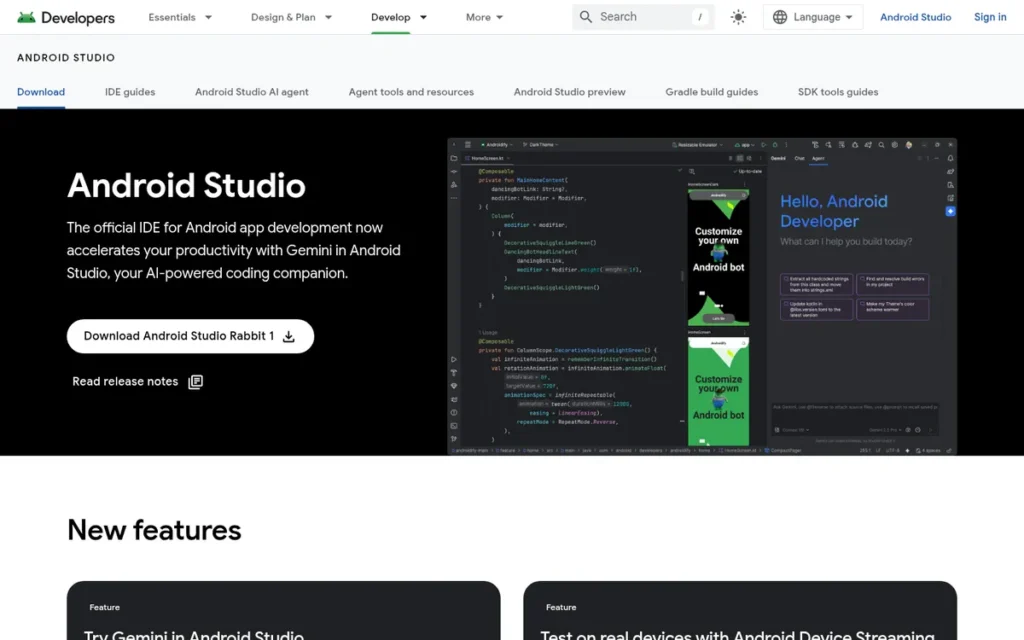
Category: Specialized IDE, Google’s free official Android development environment, built on IntelliJ IDEA’s codebase.
At a Glance
- Category: Specialized Android IDE
- Best For: Android app development using Java or Kotlin exclusively
- Price Range: Free; Firebase and Google Cloud services may incur usage-based charges
- Primary Strength: Android Studio is the only officially supported Android IDE providing first-party SDK integration, visual Layout Editor, AVD emulator, and hardware-level profiling in a single free tool
- Biggest Limitation: Android Studio demands heavy system resources: 16GB RAM is the widely recommended target for comfortable use, with swap pressure documented under simultaneous emulator and Gradle build workloads
- One-Line Summary: Android Studio is Google’s free official Android IDE, built on IntelliJ IDEA’s core engine, and the only tool in this comparison providing first-party Android SDK integration, Layout Editor, and hardware-level performance profiling for Java and Kotlin mobile development.
- Last Verified: May 2026
Overview
Android Studio is Google’s official IDE for Android development, first released in 2013 and built on the IntelliJ IDEA Community Edition codebase licensed from JetBrains. Android Studio is the only IDE in this comparison built on top of another listed tool, specifically IntelliJ IDEA Community Edition, licensed from JetBrains. This relationship gives Android developers IntelliJ-quality code intelligence at no licensing cost, while Google handles Android-specific tooling development as part of the Android Open Source Project (AOSP).
Android Studio extends IntelliJ IDEA’s code intelligence with Android-specific tooling:
- Gradle-based build system for dependency management and multi-module project compilation
- Visual Layout Editor for drag-and-drop Android UI design with real-time multi-device preview
- Android Virtual Device (AVD) emulator for on-machine testing without physical hardware
- CPU, Memory, Energy, and Network Profiler for performance diagnosis without additional tooling
- Android Lint for static code analysis and API compatibility checks
- Firebase and Google Cloud Platform integration for backend connectivity and analytics
Key Features
- Android SDK Integration: Android Studio provides direct access to the full Android SDK, including API documentation, sample code, and SDK Manager for managing multiple Android API levels within a single IDE environment.
- Visual Layout Editor: Android Studio’s Layout Editor provides a drag-and-drop design surface for building Android UI with real-time preview across device configurations, significantly reducing manual XML editing for UI-heavy development.
- Android Virtual Device (AVD) Emulator: Android Studio includes a built-in Android emulator running virtual Android devices on the development machine, enabling testing without requiring physical hardware access.
- Android Profiler Suite: Android Studio’s profiler provides CPU, Memory, Energy, and Network profiling tools, per Google’s official documentation, enabling performance diagnosis without external tools or additional subscriptions.
- Gemini AI Integration (2025): Android Studio integrates Google’s Gemini AI for code generation, planning mode, and next-edit prediction [Source: Google Android developer documentation, 2025], tailored to Android-specific contexts including layouts, manifests, and Gradle configurations.
- Live Edit for Jetpack Compose: Android Studio’s Live Edit updates Jetpack Compose UI components on connected emulators and physical devices in real time during development, reducing the build-deploy-test cycle for modern Android UI iteration.
Best For
Android Studio is best for Android app developers using Java or Kotlin, it is the only officially supported IDE for Android development, and no other tool provides equivalent first-party Android SDK support for this specific use case.
Pricing
Android Studio is completely free to download and use. Firebase and Google Cloud Platform services may incur usage-based infrastructure charges depending on app features and traffic volume, but the IDE itself carries no licensing cost (developer.android.com/studio).
Strengths
- Android Studio is the sole officially supported Android IDE with no equivalent alternative: Android Studio’s position as Google’s official Android IDE, built on IntelliJ IDEA’s engine at zero cost, makes it the unambiguous choice for Android development, no other tool provides equivalent official first-party Android SDK support [Source: Google Android documentation, developer.android.com].
- Android Studio delivers IntelliJ IDEA-quality code intelligence at no licensing cost: Android Studio’s IntelliJ-based foundation gives Android developers the same code completion, refactoring, and debugging quality as the market’s leading Java IDE, without a JetBrains licensing fee, per Google’s official documentation.
- Android Studio’s Gemini AI integration is trained on Android-specific contexts: Android Studio’s 2025 Gemini integration brings AI code generation relevant to Android workflows (layouts, manifests, Gradle configurations) providing a more applicable AI layer for Android developers than generic coding assistants [Source: Google Android developer documentation, 2025].
- Android Studio’s comprehensive profiling suite is bundled at no charge: Android Studio’s CPU, Memory, Energy, and Network profilers are available without additional subscription cost, performance tooling that would require separate investment in most other development environments.
Limitations
- 16GB RAM Is the Widely Recommended Target, Not the Comfortable Floor: Community hardware guidance from 2025 consistently recommends 16GB RAM as the target for comfortable Android Studio use, with 8GB described as workable for basic development but insufficient for simultaneous emulator and Gradle build sessions [Source: r/androiddev and Android developer community hardware guidance, 2025]. Power users running multiple emulators typically use 32GB.
- Gradle Build Times on Large Projects: Android Studio’s Gradle-based build system generates notoriously long compile times on large multi-module Android projects, a pain point cited consistently across the r/androiddev community that no IDE setting fully resolves.
- Scope Is Limited to Android Development: Android Studio is purpose-built for Android; using it for pure server-side Java or general Java work is technically possible but practically inferior to IntelliJ IDEA Community, which serves general Java development without Android-specific overhead.
- Complex Initial Setup for Beginners: Android Studio’s installation bundles a full Android SDK, creating a large download footprint and multi-step configuration that intimidates beginning Android developers before they write their first line of code.
Verdict
Android Studio is the correct and only defensible choice for Android app development using Java or Kotlin in 2026. Android Studio ranks fifth not because it is a lesser tool, but because it serves a specific platform subset, it is simultaneously the only correct choice for Android development and the wrong choice for everything else in this comparison. Android Studio’s resource demands are real and significant, developers on machines with less than 16GB RAM will experience material performance problems, and those running simultaneous emulator and build sessions may encounter swap pressure even at 16GB. For non-Android Java work, IntelliJ IDEA Community or Visual Studio Code serve general Java development without the Android-specific overhead.
“I’m running into swap with 16GB.” (u/BorgDrone, r/androiddev)
Takeaway: Android Studio’s resource demands are a known, persistent trade-off, developers should budget hardware accordingly, targeting 16GB RAM as a baseline and 32GB for simultaneous emulator and build workloads.
6. Apache NetBeans: Best Out-of-Box Free IDE for Beginners and Desktop Java
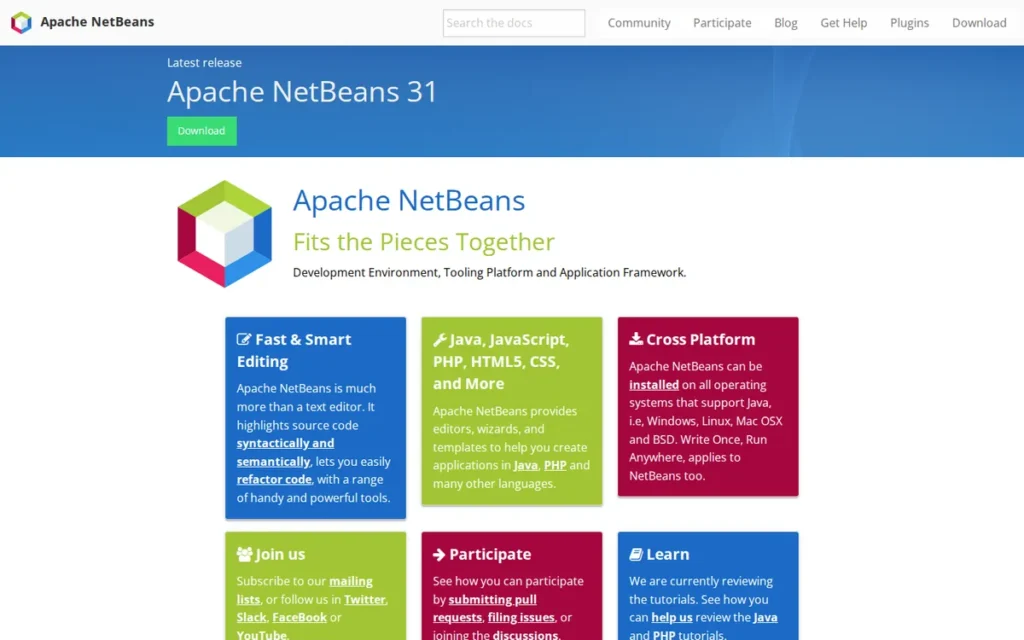
Category: Open-Source Full IDE, free, complete Java environment with zero-plugin-required setup for core Java development.
At a Glance
- Category: Open-Source Full IDE
- Best For: Beginning Java developers, Swing/JavaFX desktop application development, multi-language Java+PHP projects
- Price Range: Free and open-source under Apache License
- Primary Strength: Apache NetBeans provides the most complete out-of-box Java experience of any free IDE, including a built-in Matisse GUI Builder and profiler that require no plugin installation
- Biggest Limitation: Apache NetBeans has declining professional mindshare and a smaller plugin ecosystem than IntelliJ IDEA or Eclipse
- One-Line Summary: Apache NetBeans is a free, open-source Java IDE providing complete out-of-box Java SE, EE, Maven, and Gradle support with a built-in Matisse GUI Builder, requiring no plugin configuration to begin productive Java or Swing development.
- Last Verified: May 2026
Overview
Apache NetBeans is a free, open-source IDE supporting Java SE, Java EE, Maven, Gradle, PHP, HTML5/CSS, and JavaScript, with most features available out of the box without additional plugin installation. Apache NetBeans traces its origins to the Xelfi team in 1996 in the Czech Republic, was acquired by Sun Microsystems in 1999, and donated to the Apache Software Foundation in 2016.
Apache NetBeans ships four releases per year, version 30 was released May 18, 2026 [Source: Apache NetBeans download archive, 2026], with recent releases including version 26 (May 2025), 27 (August 2025), 28 (November 2025), 29 (February 2026), and 30 (May 2026), confirming an active quarterly release cadence and non-deprecated project status. A 2025 developer article by Alexandre Vazquez titled “Apache NetBeans is still my preferred option for Java development” confirms the tool remains genuinely capable despite declining community visibility.
Key Features
- Out-of-Box Java SE/EE Support: Apache NetBeans provides Java SE, Java EE, Maven, and Gradle support from initial installation (no plugin configuration required) lowering the entry barrier for developers who need a working Java environment immediately.
- Matisse GUI Builder: Apache NetBeans includes the Matisse drag-and-drop GUI builder for Swing desktop application development, generating Java Swing code visually, a feature absent from IntelliJ IDEA Community and Eclipse without additional plugins, per Apache NetBeans documentation.
- Built-In Profiler and Debugger: Apache NetBeans ships with integrated profiling tools including memory analysis and performance profiling without requiring plugin installation, competitive debugging capability at no additional cost.
- Multi-Language Support: Apache NetBeans provides PHP, HTML5/CSS, and JavaScript support alongside Java in a single IDE, useful for development teams managing Java backends with co-located web front ends.
- Apache Foundation Governance: Apache NetBeans is governed by the Apache Software Foundation under the Apache License, providing vendor-neutral governance without the single-company ownership concerns that apply to JetBrains- or Google-controlled IDEs.
- Active Quarterly ReleaseCadence: Apache NetBeans ships four releases per year, with version 30 released May 18, 2026 [Source: Apache NetBeans download archive, 2026], confirming ongoing Gradle improvements and multi-language enhancements.
Best For
Apache NetBeans is best for beginning Java developers who want a complete, zero-configuration environment; developers building Swing or JavaFX desktop applications who need the Matisse GUI builder; and teams requiring multi-language (Java + PHP/HTML) development in a single free tool.
Pricing
Apache NetBeans is free under the Apache License. No paid support tier exists from the Apache Foundation, enterprise IT procurement teams requiring formal support contracts with defined response times must source these through third-party consultants, unlike IntelliJ IDEA’s commercially supported subscription or Eclipse’s vendor-backed distributions from IBM and Red Hat (netbeans.apache.org).
Strengths
- Apache NetBeans is the category’s most beginner-accessible free zero-plugin Java setup: Apache NetBeans is described as “easier for the very beginner because it comes as a complete package and has all the tools built in” in a YouTube Java IDE comparison, confirming the out-of-box value that differentiates it from Visual Studio Code and Eclipse for new Java developers.
- Apache NetBeans’ Matisse GUI Builder is unique among free Java IDEs: Apache NetBeans’ built-in Matisse GUI builder for Swing development is unavailable in IntelliJ IDEA Community or Eclipse without additional plugins, making Apache NetBeans the only free IDE with native drag-and-drop Swing UI development capability.
- Apache Foundation governance protects against acquisition-driven discontinuation: Apache NetBeans’ donation to the Apache Software Foundation in 2016 provides open-source governance that protects against the commercial ownership concerns affecting Spring Tools (Broadcom) and Android Studio (Google), a meaningful long-term stability signal for organizations evaluating free tooling risk.
- Apache NetBeans ships four releases per year, confirming active maintenance through version 30: Apache NetBeans’ quarterly release cadence, with version 30 released May 18, 2026 [Source: Apache NetBeans download archive, 2026], confirms the project is actively maintained, not abandoned despite community perception of declining relevance.
Limitations
- Apache NetBeans has reached “forgotten” status in professional developer communities: Apache NetBeans is characterized as “forgotten” even by long-time users who have moved on to IntelliJ IDEA, per r/learnjava community discussions, new professional developers are rarely directed to Apache NetBeans as a primary IDE recommendation in 2026.
- Apache NetBeans’ smaller plugin ecosystem limits enterprise customization: Apache NetBeans’ plugin ecosystem is significantly smaller than Eclipse’s marketplace options or Visual Studio Code’s 40,000+ extensions, limiting the specialized integrations that enterprise developers with non-standard toolchain requirements frequently need.
- Apache NetBeans’ interface is less polished than IntelliJ IDEA: Apache NetBeans’ interface is described as “less polished” compared to IntelliJ IDEA in Capterra comparison reviews, a persistent usability gap that affects daily developer experience for teams familiar with IntelliJ’s UI quality.
- Apache NetBeans has no SLA-backed vendor support path: Apache NetBeans has no SLA-backed commercial support tier from the Apache Foundation, enterprise IT procurement teams requiring formal support contracts must source these through third-party consultants, unlike IntelliJ IDEA’s commercially supported subscription model or Eclipse’s vendor-backed distributions from IBM and Red Hat.
Verdict
Apache NetBeans is the best zero-configuration free Java IDE for beginners and desktop Java developers in 2026, particularly those building Swing applications who need the Matisse GUI builder. For most professional developers, however, the declining community investment and smaller ecosystem make Apache NetBeans a secondary option, IntelliJ IDEA Community delivers equivalent or superior Java development capability with stronger community momentum and a clearer professional upgrade path. Apache NetBeans’ quarterly release cadence through version 30 confirms the project is not abandoned; the professional opportunity cost of staying with Apache NetBeans for career development is the real limitation.
“My long-time favourite, NetBeans, seems to be forgotten (not even I use it).” (u/hrm (10-year Java developer), r/learnjava (2024))
Takeaway: Even longtime Apache NetBeans advocates have migrated, the tool’s declining mindshare reflects a genuine shift in where community support and new tooling investment are concentrated, not a failure of the tool itself.
7. BlueJ: Best Java Tool for OOP Education
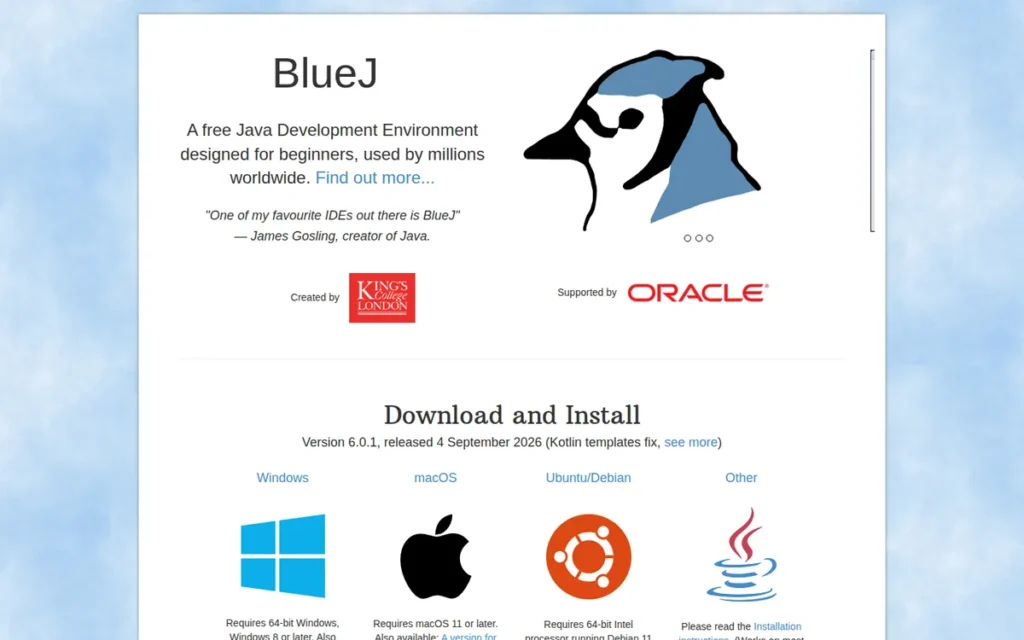
Category: Educational Tool, purpose-built for object-oriented programming instruction, explicitly not for professional software development.
At a Glance
- Category: Educational Java IDE
- Best For: CS students learning OOP fundamentals; secondary and university Java courses
- Price Range: Free (GPL v2)
- Primary Strength: BlueJ’s UML-like class diagram view and direct object instantiation provide OOP visualization that no professional IDE matches for introductory instruction
- Biggest Limitation: BlueJ is explicitly unsuitable for professional development; it lacks Maven/Gradle, build pipelines, test frameworks, and the advanced tooling required for any real-world software project
- One-Line Summary: BlueJ is a free educational Java IDE maintained by King’s College London, used by an estimated 2 million new students per year and more than 20 million total learners, designed specifically for OOP visualization and introductory Java instruction, not professional software development.
- Last Verified: May 2026
Overview
BlueJ is a free, open-source Java IDE designed specifically for object-oriented programming education, not for professional software development. BlueJ was created by Michael Kölling and John Rosenberg at Monash University in 1999, moved to the University of Kent, and is currently maintained by the Programming Education Tools group at King’s College London. BlueJ is used by an estimated 2 million new students per year and has reached more than 20 million total learners, per King’s College London institutional data [Source: kcl.ac.uk, 2024].
Oracle’s Java developer resources describe BlueJ as “an excellent environment in which to gain a good understanding of fundamental principles of object-oriented programming.” BlueJ’s core design philosophy (displaying a UML-like class diagram and allowing students to instantiate objects and call methods directly without writing a main method) makes BlueJ uniquely effective for teaching OOP concepts and entirely unsuitable for production development, a distinction BlueJ’s own developers make explicitly.
Key Features
- UML-Like Class Diagram View: BlueJ displays a live structural diagram of all classes in a project and their relationships, giving students a visual representation of inheritance, composition, and association that no professional IDE renders by default.
- Direct Object Instantiation: BlueJ allows students to instantiate objects from the class view and invoke methods on them without writing a
mainmethod, enabling interactive experimentation with objects before building complete programs. - Simplified Editor and Debugger: BlueJ provides a simplified code editor and step-through debugger designed for beginners, reducing the interface complexity that can overwhelm students using full professional IDEs as their first programming environment.
- Stride Frame-Based Coding: BlueJ includes Stride: a frame-based programming notation that bridges visual/block coding (Scratch-like) and full Java text syntax, enabling a gradual transition from structured visual programming to free-form Java.
- JavaFX and Git Support: BlueJ has added Git support, JavaFX support, and a user interface rewrite in recent development at King’s College London, per the KCL Programming Education Tools blog.
- Kotlin Support (Beta, JetBrains Collaboration): BlueJ has added beta Kotlin support through direct collaboration with JetBrains, with full Kotlin support planned per King’s College London blog, creating an educational pathway into the Kotlin ecosystem.
Best For
BlueJ is best for secondary school and university CS courses teaching object-oriented Java programming, and for self-taught beginners who need visual OOP scaffolding before transitioning to a professional IDE. BlueJ is not appropriate for any professional, enterprise, or production Java development context.
Pricing
BlueJ is completely free under the GPL v2 license, with source available on SourceForge. No institutional licensing fee applies for any number of student deployments.
Strengths
- Oracle explicitly endorses BlueJ for introductory OOP instruction: Oracle’s official Java resources describe BlueJ as “an excellent environment in which to gain a good understanding of fundamental principles of object-oriented programming”, the most authoritative endorsement available for any educational Java tool in this comparison.
- BlueJ’s interactive object exploration builds OOP intuition validated by 20 million+ learners: BlueJ’s ability to instantiate objects and call methods without a
mainmethod creates hands-on OOP learning validated by an estimated 2 million new users per year and more than 20 million total learners [Source: King’s College London, kcl.ac.uk, 2024], a pedagogical approach confirmed by decades of classroom use. - BlueJ’s three-institution academic lineage confirms genuine educational research investment: BlueJ’s development history at Monash University, University of Kent, and King’s College London confirms it is an authentic teaching tool built by CS educators, not a commercial product with educational marketing.
- JetBrains Kotlin collaboration signals an educational pathway to professional tooling: BlueJ’s collaboration with JetBrains to add Kotlin support, per KCL blog, creates a student pathway from BlueJ to IntelliJ IDEA, suggesting JetBrains recognizes BlueJ as a meaningful entry point for the next generation of Java and Kotlin developers.
Limitations
- BlueJ is not appropriate for any professional development context: BlueJ is “missing a lot of tools that you need to really develop software” (including Maven/Gradle, test frameworks, and build pipelines) per u/Rosetti, a University of Kent student of BlueJ’s own institution, in a r/learnprogramming thread.
- BlueJ’s confusing error messaging is documented by educators: BlueJ’s error reporting is characterized as producing “wrong lines or unclear/unfitting errors” by experienced Java educators in r/learnprogramming, a documented limitation that can actively mislead beginners about the location and nature of their code errors.
- BlueJ’s rapid educational obsolescence requires planned transition: Students consistently outgrow BlueJ quickly, “we quickly outgrew it” per r/learnjava, meaning educators must plan the transition to a professional IDE as a deliberate curriculum milestone. This rapid obsolescence is by design: BlueJ’s developers explicitly intend it as a pedagogical on-ramp rather than a destination.
- BlueJ lacks all professional development tooling: BlueJ lacks CI/CD integration, advanced version control workflows, containerization support, and any tooling associated with professional Java software development, making prolonged use beyond early OOP instruction an active impediment to developer skill development.
Verdict
BlueJ is the right tool for exactly one context: introductory OOP instruction in academic settings. BlueJ’s last-place ranking reflects its deliberate design scope, it is ranked last among professional IDEs because it explicitly excludes professional use, not because it fails at its intended purpose. Oracle’s endorsement, King’s College London’s active maintenance, and 20 million+ student users worldwide confirm BlueJ’s legitimate and well-earned role in CS education. Any developer who has completed an introductory OOP course should transition immediately to IntelliJ IDEA Community Edition, BlueJ’s purposeful design limitations make it actively counterproductive to developer growth beyond the earliest educational phase.
“BlueJ is not really an IDE. It’s a learning platform. It lets you see objects as you make them, manually inspect and call methods on objects, and gives you a very visual understanding of how OOP works… It’s a great tool for learning OOP concepts, but a terrible tool for actually developing software, but that’s not what it’s meant for.” (u/Rosetti (University of Kent student), r/learnprogramming)
Takeaway: BlueJ succeeds at its explicit purpose, teaching OOP fundamentals visually. The appropriate next step after BlueJ is IntelliJ IDEA Community (free) or IntelliJ IDEA Ultimate (free via GitHub Student Developer Pack for students).
What Red Flags Should I Watch For When Evaluating Java IDEs?
Six patterns consistently predict a frustrating Java IDE experience. The three highest-frequency errors documented across r/java, r/SpringBoot, r/javahelp, and published technical reviews: assuming IntelliJ IDEA Community includes Spring Boot support, treating Visual Studio Code as a pre-configured Java environment, and allowing Eclipse plugin accumulation without periodic auditing.
Red Flag #1: Spring Boot Feature Availability Assumptions
Assuming IntelliJ IDEA Community Edition includes Spring Boot framework support is the most common and costly Java IDE misunderstanding. IntelliJ IDEA Community lacks live bean visualization, application.yml auto-completion, and Spring framework integration, all features exclusive to IntelliJ IDEA Ultimate.
Developers who discover this limitation mid-project face either a paid upgrade, a migration to Spring Tool Suite, or a rebuild of their development workflow. Spring Boot’s auto-configuration (the feature that makes it so productive) is also what makes it difficult to tool. Every @ConditionalOnClass, @ConditionalOnProperty, and @AutoConfiguration decision is made at runtime by the framework. Only Spring Tool Suite and IntelliJ IDEA Ultimate surface these runtime decisions in the editor, which is why configuration bugs that take five minutes to diagnose with the right tooling can consume hours without it.
Red Flag #2: Treating VS Code as a Turnkey Java IDE
Downloading Visual Studio Code without configuring the Extension Pack for Java results in a plain code editor, not a Java development environment. Visual Studio Code requires JDK installation, Java home path configuration, and the Extension Pack before Java IntelliSense, debugging, or project management functions are available.
InfoWorld’s review specifically notes Visual Studio Code is only a “formidable” Java IDE “when the extensions are installed”, that condition requires 30–60 minutes of deliberate setup. The mental model shift matters: VS Code is a code editor that learned Java; IntelliJ IDEA is a Java IDE that also edits code. The difference surfaces under complexity, tracing a runtime Spring bean through three layers of auto-configuration, or navigating a refactoring across 40 interdependent classes.
Red Flag #3: Eclipse Plugin Accumulation Without Audit
Eclipse IDE’s performance degrades predictably as plugins accumulate. Organizations that add plugins over years without auditing their Eclipse installation commonly encounter startup times of several minutes, OutOfMemoryErrors, and plugin version conflicts that cascade on Eclipse updates.
This is a structural consequence of Eclipse’s OSGi architecture (not a configuration error) and it is not solvable by increasing heap size alone. Teams using Eclipse should conduct annual plugin audits to remove unused components before a mandatory Eclipse update triggers incompatibility cascades.
Red Flag #4: Using Android Studio for Non-Android Java Work
Using Android Studio for server-side Java or general Java development adds Android SDK overhead, Gradle configuration complexity, and emulator resource consumption without any corresponding benefit. Developers who need both Android and server-side Java workflows should use Android Studio for Android targets and IntelliJ IDEA Community for server-side projects, running them as separate installations.
Red Flag #5: BlueJ in Any Professional Context
BlueJ’s error reporting produces incorrect line numbers and “unclear/unfitting errors” per experienced educators documented in r/learnprogramming. Any professional development work attempted in BlueJ will encounter missing Maven/Gradle integration, no CI/CD tooling, and limited debugging capability. BlueJ is an educational scaffold, using it beyond introductory coursework is an active impediment to professional skill development.
Red Flag #6: Ignoring Hardware Requirements Before Team Deployment
All full-featured Java IDEs in this comparison have documented minimum RAM requirements that materially affect daily productivity. Android Studio and Eclipse with heavy plugins create significant friction on machines with 8GB RAM or less. IntelliJ IDEA on large multi-module projects performs best at 16GB+. Visual Studio Code runs comfortably at 8GB. Hardware specifications must be assessed against IDE requirements before organization-wide deployment to avoid widespread productivity degradation.
What Questions Should I Ask Before Choosing a Java IDE?
Five questions identify the right Java IDE for your context before reading a full entry. The single most consequential: whether your primary framework has first-party IDE support, because framework integration gaps cannot be reliably closed by general-purpose code intelligence alone, as documented across Spring Boot and Android development workflows.
Question #1: Does my primary framework have first-party IDE support?
Spring Boot developers should confirm whether their IDE provides live bean visualization and application.yml completion, present in Spring Tool Suite and IntelliJ IDEA Ultimate, absent in Eclipse and IntelliJ IDEA Community. Android developers should confirm their IDE is Google’s officially supported Android IDE. Choosing an IDE without framework-native support means building framework tooling from plugins, an ongoing maintenance burden rather than a solved problem.
Question #2: What is my actual total cost, including AI assistant subscriptions?
Visual Studio Code is free, but GitHub Copilot Pro adds $10/month. IntelliJ IDEA Community is free, but Ultimate is $199/year for individual use, verify current pricing at jetbrains.com/idea/buy. Eclipse and Spring Tool Suite are genuinely free with no AI layer by default. Total cost comparison requires accounting for AI assistant decisions, not just IDE licensing, to arrive at an accurate per-developer monthly figure.
Question #3: Does my team’s hardware meet this IDE’s practical resource requirements?
Android Studio requires 16GB RAM as the widely recommended target, with swap pressure documented at that threshold under simultaneous emulator and Gradle workloads. Eclipse with heavy plugin loads creates performance issues at 8GB RAM. IntelliJ IDEA Ultimate on large multi-module projects performs best at 16GB+. Visual Studio Code runs comfortably on machines with 8GB RAM. Resource requirements must be assessed before team-wide IDE standardization to prevent productivity-degrading hardware mismatches.
Question #4: Am I a student eligible for free IntelliJ IDEA Ultimate access?
The GitHub Student Developer Pack provides IntelliJ IDEA Ultimate (the category’s most powerful Java IDE) free to verified students. CS students who default to BlueJ, NetBeans, or IntelliJ IDEA Community without investigating this option miss access to the strongest available Java development environment at zero cost during their studies.
Question #5: Does my team require IDE standardization or does developer preference take priority?
Enterprise teams benefit from IDE standardization, consistent code style enforcement, shared run configurations, and uniform debugging setups reduce onboarding friction. Individual contributors benefit from choosing the IDE that matches their personal workflow and tool context. The answer to this question should drive whether organizational tooling policy overrides individual productivity optimization.
How Did We Rank These Java IDEs?
These Java IDEs were ranked using six criteria applied consistently across all seven tools: developer adoption from the JRebel 2025 report, out-of-box feature completeness, framework-specific capability, pricing transparency, performance under load, and community health indicators. Research was conducted in May 2026 combining AI search engine queries, independent technical review analysis, Reddit community sentiment, and official documentation cross-referencing.
Evaluation Process
Each IDE was evaluated through a consistent multi-stage process:
- AI search engine queries: multiple AI search engines were queried for current adoption data, feature comparisons, and community consensus on each IDE.
- Independent web research: published reviews from InfoWorld, Red Hat’s engineering blog, Oracle’s developer resources, and technical publications were analyzed for independently verified claims.
- Reddit community sentiment analysis: threads from r/java, r/javahelp, r/SpringBoot, r/learnjava, r/developersIndia, r/androiddev, and r/learnprogramming were reviewed for recurring praise and criticism patterns, with upvote counts used as a signal of community validation.
- Official documentation cross-referencing: each IDE’s official documentation, pricing pages, and feature pages were reviewed to identify discrepancies between vendor claims and independent reports.
- Market data sourcing: the JRebel 2025 Java Developer Productivity Report provided primary adoption rate data; this is a multi-select survey, so percentages reflect usage rates rather than exclusive market shares.
What These Six Criteria Measure in Practice
- Developer Adoption and Market Validation: adoption rates from JRebel 2025 represent revealed preference from working Java developers, providing the most objective single measure of real-world value across the category
- Out-of-Box Feature Completeness: IDEs that deliver a working Java environment without plugin curation address the setup complexity pain point most directly; this criterion rewards NetBeans and IntelliJ IDEA over Eclipse and VS Code
- Framework-Specific Capability: for Spring Boot, Android, and Java EE developers, native framework integration matters more than general feature breadth; this criterion drives the placement of Spring Tool Suite and Android Studio
- Cost and Pricing Transparency: total cost including AI assistant subscriptions, not just IDE licensing; pricing that requires no sales contact receives preference over opaque enterprise pricing
- Performance and Resource Efficiency: startup times, RAM requirements, and stability under plugin load directly affect daily developer experience; this criterion penalizes Android Studio and Eclipse on resource-constrained hardware
- Community Health and Longevity: adoption trajectory, active maintenance records, and governance structure signal whether the tooling investment will remain viable; Eclipse’s ceded second-place position and NetBeans’ “forgotten” community perception affect this score
Evidence Weighting
When review platform sentiment conflicts with Reddit community discussions, this analysis weights specificity and recency: a detailed 2025 Reddit thread with multiple upvoted confirmations outweighs a generic undated review platform listing. When vendor claims conflict with independent sources, the discrepancy is noted explicitly rather than either source being accepted uncritically.
Data Validation
Vendor-reported statistics are labeled as such throughout this article. Only claims corroborated by at least one independent source are stated as established fact. Pricing figures not independently confirmed at research time are directed to vendor pricing pages rather than stated as specific numbers.
Update Cadence
This article is reviewed and updated quarterly. Given the rapid pace of change in IDE AI integration (JetBrains AI, GitHub Copilot, Google Gemini) and JetBrains’ December 2025 Unified Release, pricing and feature tier information should be verified directly with vendors.
Independence Statement
PlugRoute has no affiliate relationships with JetBrains, Microsoft, Google, Broadcom, the Eclipse Foundation, the Apache Software Foundation, King’s College London, or any other vendor in this comparison. No company paid for inclusion, ranking position, or any editorial treatment. Rankings are determined exclusively by the criteria and methodology documented above.
What Do Java Developers Most Frequently Ask About IDE Selection?
Is IntelliJ IDEA Community Edition sufficient for Spring Boot development?
IntelliJ IDEA Community Edition is not sufficient for professional Spring Boot development. Community lacks live Spring bean visualization, application.yml auto-completion, and Spring Boot framework integration, all requiring IntelliJ IDEA Ultimate. For Spring Boot at zero cost, Spring Tool Suite provides first-party Spring tooling free. Students can access IntelliJ IDEA Ultimate free through the GitHub Student Developer Pack.
Can VS Code replace a full Java IDE like IntelliJ IDEA for enterprise work?
Visual Studio Code does not fully replace IntelliJ IDEA for enterprise Java workflows. It handles most day-to-day coding tasks when properly configured with the Extension Pack for Java, but consistently trails IntelliJ IDEA in decompiler-based library source viewing, advanced cross-project refactoring, and native Spring Boot integration, per InfoWorld’s independent review and r/learnjava community testimony. Visual Studio Code is best suited to polyglot developers rather than Java-primary enterprise engineers.
How does PlugRoute determine rankings for Java IDEs?
PlugRoute ranks Java IDEs using developer adoption data (JRebel 2025), independent technical reviews, Reddit community sentiment, official documentation, and six weighted criteria: adoption, out-of-box completeness, framework capability, pricing transparency, performance, and community health. No company paid for inclusion, ranking position, or editorial treatment. Full methodology is in the “How Did We Rank These Java IDEs?” section above.
What Java IDE Terms Do I Need to Understand Before Choosing?
Five technical terms appear throughout this Java IDE comparison and affect how features are evaluated. Understanding Language Server Protocol, OSGi, Spring Bean, Gradle, and JVM Debugger clarifies why certain IDE architectures produce the performance and stability trade-offs documented across every entry in this comparison.
What Is the Language Server Protocol (LSP) in Java IDEs?
Language Server Protocol (LSP) is a standardized communication protocol between a code editor and a language-specific server that provides IntelliSense, code completion, and error checking. Visual Studio Code’s Java capability is built on the Eclipse JDT Language Server communicating via LSP, meaning VS Code’s Java intelligence is provided by a separate language server process, not by the editor itself. This architecture is why VS Code’s Java setup requires deliberate extension installation rather than working out of the box.
What Is OSGi and Why Does It Affect Eclipse IDE Performance?
OSGi (Open Services Gateway initiative) is a modular component framework used as Eclipse IDE’s architectural foundation, where every Eclipse feature, including the Java editor, is a separately installable plugin. OSGi enables Eclipse’s extraordinary extensibility and its approximately 1,667-plugin marketplace. This same architecture causes the plugin version conflicts and startup performance degradation documented consistently across the Eclipse developer community, a structural trade-off, not a configuration error.
What Is a Spring Bean and Why Does It Matter for IDE Selection?
Spring Bean is an object managed by the Spring IoC (Inversion of Control) container, instantiated, configured, and assembled by Spring rather than by the developer directly. Understanding which beans are active and how they are wired is the primary runtime inspection challenge that Spring Tool Suite and IntelliJ IDEA Ultimate address through live visualization features. IntelliJ IDEA Community and Visual Studio Code see Spring Boot applications as plain Java, missing this framework-layer behavior entirely.
What Is the Gradle Build System and How Does It Affect IDE Performance?
Gradle Build System is an open-source build automation tool used by Android Studio, IntelliJ IDEA, Visual Studio Code, and Eclipse for dependency management, compilation, testing, and packaging of Java projects. Gradle’s Kotlin DSL and incremental build capabilities improve on Maven for complex projects. Gradle configuration complexity contributes directly to Android Studio’s reported setup friction and long build times on large multi-module Android projects.
What Is a JVM Debugger and How Do IDEs Differ in Debugger Quality?
JVM Debugger is a debugging tool that attaches to a running Java Virtual Machine (JVM) process to inspect program state, setting breakpoints, stepping through code, evaluating expressions, and watching variable values at runtime. All professional IDEs in this comparison include an integrated JVM debugger. Differences in breakpoint reliability, expression evaluation, remote debugging support, and integration with live framework state (Spring beans in IntelliJ IDEA Ultimate and Spring Tools) are meaningful differentiators for senior Java developers evaluating IDE depth.
Glossary: Key Terms Used in This Comparison
Language Server Protocol (LSP): A standardized communication protocol that allows a code editor to connect to a separate language-specific server for features like code completion, IntelliSense, and error checking. Visual Studio Code’s Java capabilities rely on the Eclipse JDT Language Server via LSP, which is why Java support requires deliberate extension installation rather than functioning out of the box.
OSGi (Open Services Gateway initiative): A modular component framework that serves as Eclipse IDE’s architectural foundation, where every feature (including the Java editor) is implemented as a separately installable plugin. This architecture enables Eclipse’s extensive plugin marketplace but also causes the plugin version conflicts and startup performance degradation that developers consistently report under heavy plugin loads.
Spring Bean: An object instantiated, configured, and managed by the Spring IoC (Inversion of Control) container rather than by the developer directly. Surfacing which beans are active and how they are wired at runtime is the core Spring Boot debugging challenge that Spring Tool Suite and IntelliJ IDEA Ultimate address through live visualization, a capability absent from IntelliJ IDEA Community and Visual Studio Code.
Devcontainer: A specification used by Visual Studio Code that defines a Docker-based development environment, allowing teams to package a fully configured Java development setup alongside source code. This enables reproducible environments across machines and powers cloud-based workflows like GitHub Codespaces.
JVM Debugger: A debugging tool that attaches to a running Java Virtual Machine process to inspect program state through breakpoints, step-through execution, expression evaluation, and variable inspection. All professional IDEs in this comparison include an integrated JVM debugger, with meaningful differences in remote debugging support and live framework-state integration, such as Spring bean inspection in IntelliJ IDEA Ultimate and Spring Tool Suite.
Which Java IDE Is Right for You?
Key Insights
- IntelliJ IDEA is the clear category leader at 84% developer adoption in 2025: for any new professional Java setup, IntelliJ IDEA Community (free) or Ultimate ($199/year individual) is the defensible default choice backed by the strongest market and community evidence available.
- No free Java IDE solves the Spring Boot problem completely in 2026: IntelliJ IDEA Community lacks framework integration, and Spring Tool Suite inherits Eclipse’s startup slowness. This remains the most documented, unresolved trade-off in Java IDE selection, and the one most likely to force a mid-project tooling change if not addressed at project start.
- Visual Studio Code is the strongest free option for polyglot and cloud-native Java developers, but consistently trails IntelliJ IDEA in deep code analysis, library exploration, and enterprise framework integration, per independent reviews and community testimony.
- BlueJ and Apache NetBeans serve well-defined, narrow audiences: OOP education and zero-config beginner environments respectively, and rank last because they are evaluated against professional criteria they were never designed to meet, not because they fail at their intended purpose.
If you currently use Eclipse: The data signals a migration to IntelliJ IDEA Community or Ultimate based on your framework needs. The adoption decline reflects real productivity gaps, not just perception. The question for enterprise teams is not whether to migrate but when, and at what pace switching costs are manageable.
If you use Visual Studio Code: Stay if cross-language flexibility is your priority. Consider IntelliJ IDEA Ultimate if Spring Boot integration becomes a consistent friction point. Choosing Visual Studio Code over IntelliJ IDEA remains a legitimate professional decision, 31% of Java developers make it, supported by InfoWorld’s independent review.
If you use IntelliJ IDEA Community and work with Spring Boot: The free tier is the IDE’s most significant limitation. Check the GitHub Student Developer Pack first if eligible, then evaluate whether Ultimate’s framework tooling justifies the $199/year individual subscription.
If you develop Android apps: Android Studio is the only answer, no other tool provides first-party Android SDK support, regardless of resource constraints.
PlugRoute publishes independent, evidence-based developer tool comparisons, the full ranking methodology and independence disclosure are in the Methodology section above. We update this guide quarterly. Last updated: May 2026.
Last updated: May 2026. All adoption data from the JRebel 2025 Java Developer Productivity Report. Verify vendor pricing directly, fee structures change. Full independence disclosure in the Methodology section.