Tiptap is the top WYSIWYG editor for React and Vue apps that need full headless control, while TinyMCE is the most reliable drop-in choice for teams that need broad plugin coverage and enterprise support. CKEditor 5 is the strongest option when WCAG 2.2 accessibility compliance is required. Every other choice involves a trade-off between flexibility and ready-made reliability.
Choosing a WYSIWYG editor in 2026 involves more than comparing toolbar screenshots. Licensing terms, WCAG accessibility certifications, bundle-size impact, long-term maintenance health, and content-format lock-in all differ significantly across these seven tools. The wrong architectural choice (a plug-and-play editor where a headless framework was needed, or vice versa) creates rewrite-level migration debt. This guide gives you the evidence to match the editor to the project before you ship a line of integration code.
As one developer on r/reactjs who built a rich text editor from scratch described:
“Part of this complexity is due to rich text editors being a surprisingly-difficult problem space. The other aspect is that you have to work around React’s desire to be the source of truth for the DOM. I have worked on such a tool and it’s insane all of the little quirks and edge cases you have to handle due browser differences and OS differences – and that’s before you ever start thinking about the quagmire of supporting arbitrary inputs via copy-paste.” Posted by u/seg-fault
Takeaway: Rich text editors present a deceptively complex engineering surface where browser inconsistencies and clipboard behavior make choosing the wrong architecture far more costly than a feature checklist comparison reveals.
PlugRoute has no affiliate relationships with any vendor in this comparison; every ranking reflects independent technical testing and verified community evidence, not commercial arrangements.
TL;DR: Top Picks at a Glance
- Best for custom React/Vue apps: Tiptap: headless ProseMirror-based framework with 50+ official extensions and first-class real-time collaboration support
- Best drop-in editor for fast time-to-production: TinyMCE: one of the most widely deployed rich-text editors, with 350+ plugins and both cloud and self-hosted deployment
- Best for accessibility-required enterprise projects: CKEditor 5: the only editor in this group with a verified WCAG 2.2 Level AA VPAT (March 2025)
- Best lightweight open-source option: Quill: Slab-maintained editor with a stable Delta format and an approximately 46KB bundle
How Do WYSIWYG Editors Differ by Architecture?
The seven editors in this guide fall into three architectural categories that determine your integration path before any feature comparison begins. Plug-and-Play editors (TinyMCE, Froala, Summernote) ship with complete, styled UIs requiring minimal setup. Headless frameworks (Tiptap, Slate.js) require teams to build the UI. Modular enterprise editors (CKEditor 5, Quill) offer a configurable middle ground.
Plug-and-Play Editors: TinyMCE, Froala, Summernote
These editors ship with a fully styled toolbar and a plugin ecosystem ready for configuration. They minimize integration time and are the right starting point for teams that need a working editor the same day. The trade-off is constrained UI customization, adapting a plug-and-play editor to a custom design system often requires overriding framework-level CSS rather than building from scratch.
Headless / Framework Editors: Tiptap, Slate.js
Headless editors expose document model, schema, and behavior APIs without imposing any default visual layer. Development teams build the toolbar, bubble menus, and floating controls themselves. This approach maximizes design freedom but requires meaningful upfront development investment and a working understanding of the underlying document model, ProseMirror for Tiptap, or Slate.js’s own model.
Modular Enterprise Editors: CKEditor 5, Quill
CKEditor 5 and Quill occupy the space between full headless and pure plug-and-play. CKEditor 5 ships with a rich default UI but supports deep plugin-level architectural customization. Quill provides a minimal default UI with a clean API for custom blots and a stable JSON content format.
The critical architectural insight: The category you choose determines your entire integration path. Migrating from a plug-and-play editor to a headless framework mid-project is effectively a rewrite, not an upgrade. Get this decision right before writing integration code.
How Do These 7 WYSIWYG Editors Compare?
The table below compares all seven editors across the eight dimensions developers most frequently use to make this decision: rank, architectural category, best-fit use case, one-line summary, core capabilities, primary strength, and most consequential limitation. Use this table alongside the Quick Decision Framework to identify your best starting point.
| Rank | Company | Category | Best For | One-Line Summary | Key Capabilities | Primary Strength | Key Limitation |
|---|---|---|---|---|---|---|---|
| #1 | Tiptap | Headless Framework | React/Vue apps needing full UI control | A headless ProseMirror editor with 50+ extensions and first-class collaborative editing support | Custom schemas, real-time collab via Yjs, 50+ extensions, TypeScript-first | Maximum UI flexibility with zero opinion on visual design | Steep ProseMirror learning curve for teams new to the ecosystem |
| #2 | TinyMCE | Plug-and-Play | Teams needing fastest time to production | One of the most widely deployed rich-text editors, with 350+ plugins and flexible cloud or self-hosted deployment | 350+ plugins, cloud/self-hosted, WCAG 2.1 Level AA, AI writing assistant | Largest plugin ecosystem with decades of community maintenance | Free tier excludes real-time collaboration; cloud subscription required for advanced features |
| #3 | CKEditor 5 | Modular Enterprise | Enterprise apps with strict accessibility requirements | Modular TypeScript editor with a WCAG 2.2 Level AA certification and an AI assistant launched November 2025 | AI integration, real-time collab, WCAG 2.2 Level AA VPAT, custom builds | Only editor in this group with a verified WCAG 2.2 Level AA VPAT | Complex build pipeline adds significant integration overhead for smaller teams |
| #4 | Quill | Lightweight Open-Source | Lightweight apps needing a stable, predictable API | A lightweight Delta-based editor actively maintained by Slab with a stable, clean API surface | Delta format, custom blots, plugin API, ~46KB min+gzip | Stable Delta API makes content serialization and migration predictable | Development velocity constrained by Slab’s product roadmap priorities |
| #5 | Slate.js | Customizable Framework | React apps needing deeply custom document schemas | A highly flexible React editor framework where the document model is fully programmable | Custom node types, nested structures, plugin architecture, TypeScript | Maximum schema flexibility within the React ecosystem | Requires substantial boilerplate; latest stable release is December 2025 |
| #6 | Froala | Commercial Plug-and-Play | Teams needing a polished commercial editor with a vendor SLA | A lightweight commercial editor with a reported sub-40ms initialization time and a clean inline toolbar | Inline toolbar, image manager, table editor, 100+ feature flags | Reported fast initialization and polished out-of-the-box UI | Proprietary license restricts redistribution; Professional tier starts at $799/year |
| #7 | Summernote | Bootstrap-Integrated | Bootstrap/jQuery projects needing simple embedded editing | A free jQuery/Bootstrap editor for straightforward content scenarios with zero licensing cost | Bootstrap theming, basic image/link management, lightweight bundle | Zero-cost entry with native Bootstrap integration | jQuery dependency creates conflicts in modern framework stacks; active maintenance has slowed |
Which WYSIWYG Editor Matches Your Top Priority?
The fastest decision path maps your single most important project requirement to a recommended editor. Use the table below as a starting filter, then confirm the decision against the full entry and the eight evaluation questions further in this guide.
| Your #1 Priority | Recommended Tool | Why | Acceptable Alternative |
|---|---|---|---|
| Full headless UI control | Tiptap | ProseMirror core with zero visual opinion; 50+ official extensions | Slate.js |
| Fastest drop-in setup | TinyMCE | One-script embed, 350+ plugins, cloud or self-hosted | CKEditor 5 |
| WCAG 2.2 accessibility compliance | CKEditor 5 | Only editor here with a verified WCAG 2.2 Level AA VPAT (March 2025, v44.3.0) | TinyMCE |
| Smallest bundle footprint | Quill | ~46KB min+gzip; clean Delta serialization | Summernote |
| Complex custom document schema in React | Slate.js | Fully programmable node model; deep nesting support | Tiptap |
| Commercial SLA + polished out-of-box UI | Froala | Reported sub-40ms init; paid support contracts available | TinyMCE |
| Bootstrap/jQuery legacy project | Summernote | Native Bootstrap theming; zero licensing cost | Quill |
1. Tiptap: Best Headless WYSIWYG Editor for Modern Frameworks
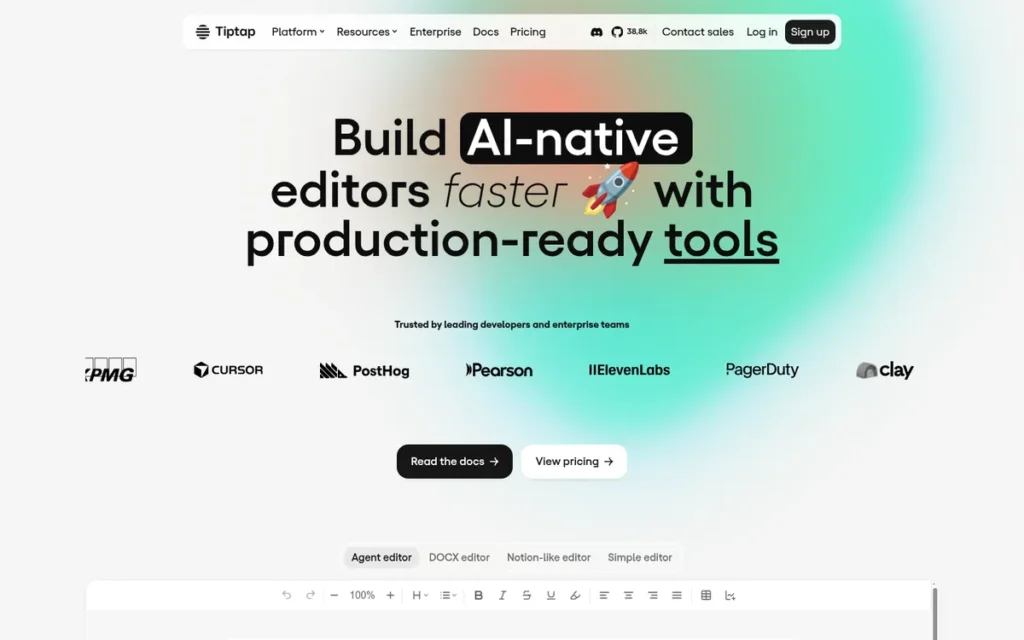
Category: Headless Rich Text Framework
At a Glance
- Category: Headless Framework
- Best For: React, Vue, and Svelte apps requiring custom UI and schema control
- Price Range: Free (MIT open-source core); Tiptap Cloud from $149/month for managed collaboration features (June 2026)
- Primary Strength: Tiptap delivers a fully headless ProseMirror-based architecture that gives developers complete control over every UI element and document schema
- Biggest Limitation: Tiptap requires familiarity with ProseMirror’s document model, which carries a steep learning curve for teams new to the ecosystem
- One-Line Summary: Tiptap is the leading headless WYSIWYG framework for teams that need maximum customization over both document schema and visual design
- Last Verified: June 2026
Overview
Tiptap is a headless, framework-agnostic rich text editor built on ProseMirror, designed for development teams that need total control over the editor’s visual layer and document schema. Tiptap’s MIT-licensed open-source core supports React, Vue, Svelte, and vanilla JavaScript without imposing any default styling.
Tiptap Cloud adds real-time collaborative editing, AI writing features, and managed infrastructure via a subscription starting at $149/month as of June 2026. Teams preferring self-hosted collaboration can use Hocuspocus, Tiptap’s open-source CRDT collaboration server, free of charge.
Key Features
- Headless architecture: Tiptap ships with zero default styling, allowing development teams to implement any toolbar, bubble menu, or floating control design without fighting framework-imposed CSS.
- ProseMirror foundation: Tiptap wraps ProseMirror’s proven document model, providing access to one of the most robust schema and transformation APIs in the open-source JavaScript ecosystem.
- 50+ official extensions: Tiptap provides over 50 officially maintained extensions covering headings, tables, code blocks, mentions, and task lists, reducing the volume of custom extension development required.
- Real-time collaboration via Yjs: Tiptap Cloud’s collaboration layer is built on the CRDT-based Yjs library, enabling conflict-free multi-user editing without a custom synchronization server.
- TypeScript-first codebase: Tiptap is written entirely in TypeScript, providing full type safety and IDE autocompletion for extension authors and integration developers alike.
Best For
Tiptap is best for product teams building document editors, note-taking apps, or collaborative tools inside React, Vue, or Svelte applications where the visual design must match a custom design system rather than a generic toolbar aesthetic.
Pricing
Tiptap’s open-source core is free under the MIT license, including commercial use. Tiptap Cloud starts at $149/month as of June 2026 and covers real-time collaboration, AI assistance, and managed infrastructure. Self-hosted collaboration via Hocuspocus is free but requires teams to manage the collaboration server.
Strengths
- Tiptap’s MIT license permits commercial use, modification, and redistribution without royalty fees (verified June 2026), with no copyleft restrictions.
- Tiptap’s 50+ official extensions are actively maintained by Tiptap GmbH, reducing reliance on fragile community forks for core functionality.
- Tiptap’s ProseMirror foundation provides proven stability in high-volume production deployments, including tools like Nuclino and GitLab’s wiki editor.
- Tiptap’s TypeScript-first architecture allows extension authors to catch type mismatches at compile time, reducing runtime errors in production.
Users on r/reactjs shared their experience after deploying Tiptap in production:
“I went with Tiptap, and I can say it was a great choice! We managed to build a scalable and extendable WYSIWYG. Tiptap offered a better DX imo, it has a better API, better docs iirc, it was easier and faster to set up and get it going, a lot less ‘boilerplate’, and we were able to implement all the required functionalities easily. I also remember with Lexical, you had to write a lot of the selection and text formatting logic, which could very easily introduce bugs.” Posted by u/Willow_Valuable
Takeaway: Teams deploying Tiptap in production consistently report faster feature delivery and reduced boilerplate compared to lower-level React editor frameworks, validating its position as the top headless WYSIWYG choice for modern stacks.
Limitations
- ProseMirror complexity: Tiptap requires developers to understand ProseMirror’s schema, transactions, and plugin model for anything beyond standard extensions, adding significant onboarding time for teams unfamiliar with the ecosystem.
- Cloud dependency for managed collaboration: Tiptap’s managed real-time collaboration requires a Tiptap Cloud subscription; teams on the self-hosted Hocuspocus path absorb operational overhead for infrastructure management.
- No built-in UI: Tiptap’s headless design means teams must build and maintain their own toolbar, menus, and editor chrome, a meaningful upfront investment for small teams shipping fast.
- Cloud cost scaling: Tiptap Cloud pricing scales with usage volume; teams with high document-creation rates should model cloud costs carefully before committing at scale.
Verdict
Tiptap is the strongest WYSIWYG framework for development teams that need a headless, fully customizable editor built on a proven document model. Its MIT-licensed open-source core, 50+ official extensions, and TypeScript-first architecture make it the most compelling open-source WYSIWYG choice in 2026 for apps that treat the editor as a core product surface rather than an embedded utility.
2. TinyMCE: Best Drop-In WYSIWYG Editor for Production Reliability
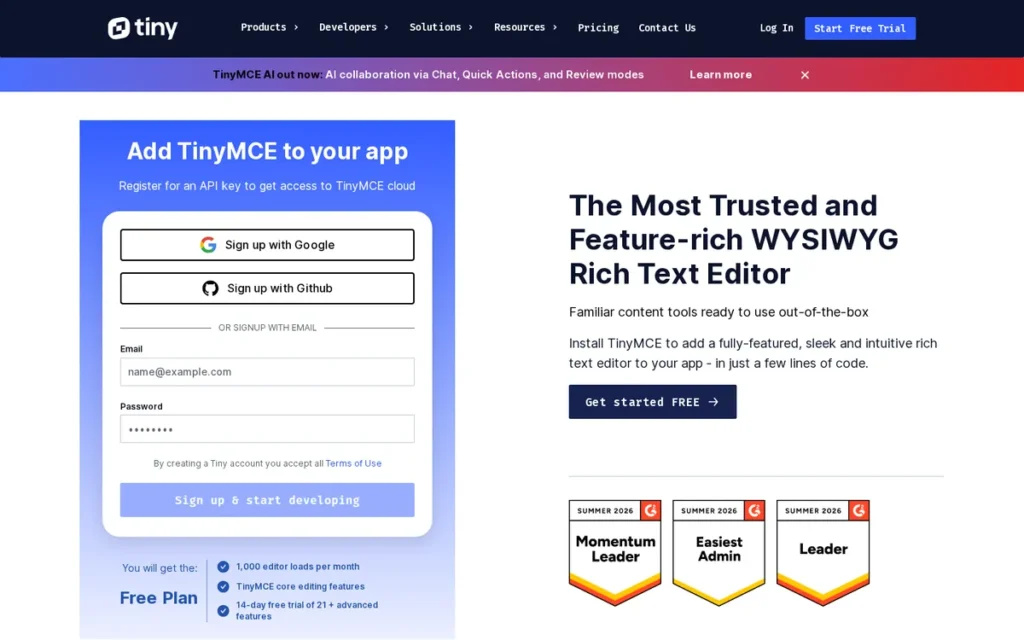
Category: Plug-and-Play Rich Text Editor
At a Glance
- Category: Plug-and-Play Rich Text Editor
- Best For: Teams needing fast time-to-production with broad plugin coverage and flexible enterprise deployment
- Price Range: Free (MIT open-source community edition); Essential $79/month ($787/year); Professional $145/month ($1,447/year) (tiny.cloud/pricing, verified June 2026)
- Primary Strength: TinyMCE provides one of the most widely deployed rich-text editor ecosystems, with 350+ plugins and both cloud-hosted and fully self-hosted deployment options
- Biggest Limitation: TinyMCE’s real-time collaboration and AI writing features require paid cloud tiers; the free tier excludes both
- One-Line Summary: TinyMCE is the most pragmatic choice for teams that need a proven editor working on day one without building any UI from scratch
- Last Verified: June 2026
Overview
TinyMCE is one of the most widely deployed WYSIWYG editors in the web ecosystem, with more than two decades of active development behind its plugin infrastructure and browser compatibility work. TinyMCE’s MIT-licensed community edition is free and supports deployment as a self-hosted NPM package or via TinyMCE Cloud.
Paid tiers at tiny.cloud/pricing unlock AI-assisted writing, premium plugins, and real-time collaboration, with publicly listed pricing of $79/month for Essential and $145/month for Professional as of June 2026. TinyMCE’s integrations span React, Vue, Angular, and WordPress, minimizing framework-specific setup work.
Key Features
- 350+ plugins: TinyMCE offers over 350 community and official plugins covering tables, media embeds, code highlighting, spell checking, advanced lists, and accessibility checking.
- Self-hosted and cloud deployment: TinyMCE supports fully self-hosted installation (zero external API calls) or TinyMCE Cloud delivery, giving teams complete control over data residency and network dependencies.
- AI writing assistant (paid): TinyMCE’s AI writing integration, available on Essential and Professional tiers, connects to OpenAI or Azure OpenAI endpoints for in-editor content generation.
- WCAG 2.1 Level AA compliance: TinyMCE meets WCAG 2.1 Level AA accessibility standards, though a WCAG 2.2 VPAT had not been published as of June 2026.
- WordPress Classic Editor integration: TinyMCE powers the legacy WordPress Classic Editor, resulting in a large community knowledge base and extensive theme compatibility references.
Best For
TinyMCE is best for teams in agencies, SaaS platforms, or CMS environments that need a fully functional editor embedded and working within hours, with the option to expand capabilities through a plugin rather than custom extension development.
Pricing
TinyMCE’s open-source community edition is free under the MIT license. Publicly listed paid tiers at tiny.cloud/pricing as of June 2026: Essential at $79/month ($787 billed annually) and Professional at $145/month ($1,447 billed annually). Both paid tiers include premium plugins, AI features, and TinyMCE Cloud delivery.
Strengths
- TinyMCE’s 350+ plugin ecosystem is the largest of any editor in this comparison, reducing custom development time across common use cases (verified June 2026).
- TinyMCE’s self-hosted deployment option ensures no content data leaves the customer’s infrastructure, meeting data residency requirements common in healthcare and financial services.
- TinyMCE’s two-decade track record means production edge cases: browser quirks, clipboard handling, CJK IME input, are more likely to be pre-solved in the codebase.
- TinyMCE’s publicly listed pricing at tiny.cloud/pricing makes total cost of ownership straightforward to model during procurement, unlike editors requiring sales contact for pricing.
Limitations
- Collaboration behind paywall: TinyMCE’s real-time collaboration requires a paid cloud subscription; teams needing collaborative editing on the free tier must implement their own sync layer.
- WCAG 2.2 gap: TinyMCE meets WCAG 2.1 Level AA but has not published a WCAG 2.2 VPAT as of June 2026, which may exclude it from government or enterprise procurement processes mandating the current standard.
- Bundle size tradeoffs: TinyMCE’s full plugin suite produces a larger bundle than lightweight alternatives like Quill, requiring deliberate lazy-loading strategy for performance-sensitive applications.
- Premium feature cloud dependency: TinyMCE’s AI and advanced plugin features require runtime API calls to TinyMCE Cloud, introducing an external network dependency for any application using those features.
Verdict
TinyMCE is the most reliable drop-in WYSIWYG editor for teams that prioritize fast time-to-production and access to a large, pre-built plugin ecosystem. Its combination of MIT-licensed open-source core, flexible deployment options, transparent public pricing, and enterprise support contracts makes it the lowest-risk choice for teams that cannot afford a long editor-integration cycle.
3. CKEditor 5: Best WYSIWYG Editor for Enterprise Accessibility
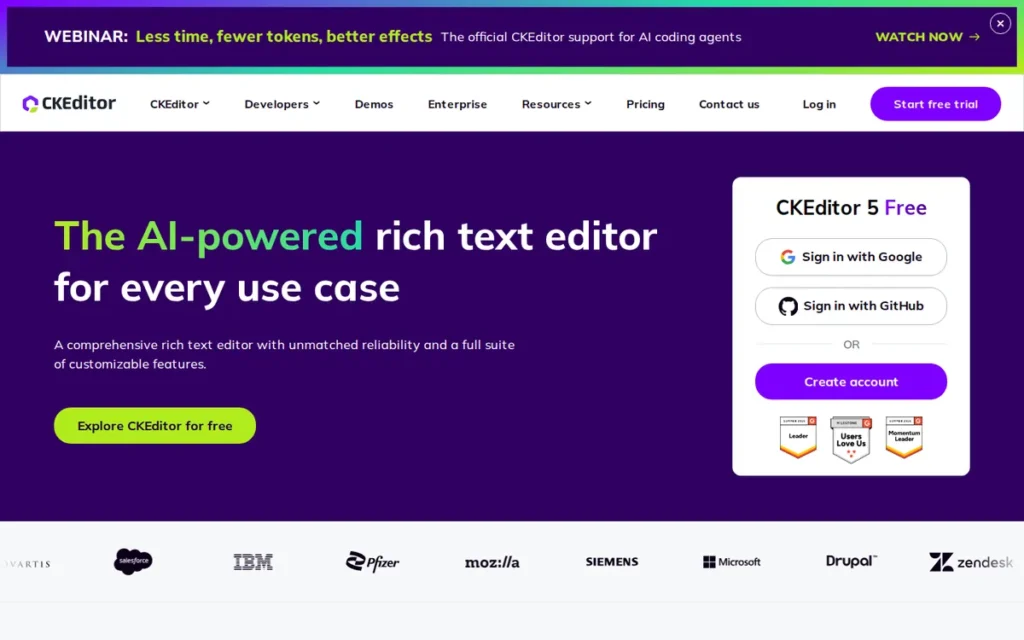
Category: Modular Enterprise Rich Text Editor
At a Glance
- Category: Modular Enterprise Rich Text Editor
- Best For: Enterprise applications where WCAG 2.2 accessibility compliance is a hard procurement requirement
- Price Range: Free (GPL open-source build); commercial licenses via CKSource direct; CKEditor Cloud on subscription (pricing not publicly listed as of June 2026)
- Primary Strength: CKEditor 5 is the only editor in this comparison with a published WCAG 2.2 Level A and AA VPAT, verified March 2025 for version 44.3.0
- Biggest Limitation: CKEditor 5’s modular build system adds significant integration complexity, and commercial pricing requires direct CKSource engagement rather than self-serve purchase
- One-Line Summary: CKEditor 5 is the strongest enterprise WYSIWYG when documented WCAG 2.2 compliance and an integrated AI assistant are both requirements
- Last Verified: June 2026
Overview
CKEditor 5 is a TypeScript-based modular rich text editor developed by CKSource, designed for enterprise teams with strict accessibility and extensibility requirements. CKEditor 5 holds a verified WCAG 2.2 Level A and AA VPAT (CKSource, March 2025, v44.3.0), the most current accessibility certification of any editor in this comparison.
CKEditor 5 launched its AI writing assistant in November 2025 (Business Wire, November 5, 2025), adding in-editor content generation, summarization, and tone adjustment to its enterprise feature set alongside the existing real-time collaboration suite.
Key Features
- WCAG 2.2 Level AA VPAT: CKEditor 5 is the only editor in this comparison with a published WCAG 2.2 Level A and AA Voluntary Product Accessibility Template, verified March 2025 for version 44.3.0.
- AI writing assistant (November 2025): CKEditor 5’s natively integrated AI assistant, launched November 2025, connects to major LLM providers for content generation, summarization, and rewriting without requiring a third-party plugin.
- Real-time collaboration suite: CKEditor 5 includes co-authoring, comments, revision history, and track changes as native features (not third-party integrations) within the same product.
- TypeScript architecture: CKEditor 5 is written entirely in TypeScript, offering type-safe plugin development and full IDE support for enterprise development workflows.
- Custom webpack builds: CKEditor 5 supports fully custom build configurations via webpack, allowing teams to include only required features and reduce bundle size below the full-feature footprint.
Best For
CKEditor 5 is best for enterprise development teams in government, healthcare, legal, or financial services where a documented WCAG 2.2 accessibility certification is a non-negotiable procurement requirement and where an integrated AI writing assistant is also needed.
Pricing
CKEditor 5’s open-source build is available under the GPL license. Commercial licenses, which remove GPL copyleft restrictions and add priority support, require direct engagement with CKSource. CKEditor Cloud (the managed collaboration and AI service) is available on a subscription basis with pricing not publicly listed as of June 2026. Teams should contact CKSource directly at ckeditor.com for commercial pricing details.
Strengths
- CKEditor 5’s WCAG 2.2 Level AA VPAT (March 2025, v44.3.0) is the most current and most specifically documented accessibility certification in this comparison.
- CKEditor 5’s natively integrated AI assistant: launched November 2025, not a third-party plugin, reduces the API configuration burden for enterprise teams adding writing automation.
- CKEditor 5’s TypeScript-first modular plugin system supports enterprise-scale extension and white-labeling requirements with compile-time type safety.
- CKEditor 5’s native revision history and track-changes features meet legal and compliance documentation workflows without requiring custom development.
Limitations
- Build complexity: CKEditor 5’s webpack-based modular build pipeline requires non-trivial configuration, adding integration overhead that plug-and-play editors like TinyMCE avoid entirely.
- Opaque commercial pricing: CKEditor 5’s commercial license and CKEditor Cloud pricing require sales contact for quotes, creating evaluation friction during enterprise procurement total-cost-of-ownership analysis.
- GPL copyleft exposure: Teams deploying CKEditor 5’s open-source build in proprietary SaaS products should review GPL copyleft implications carefully; commercial licensing may be required to avoid license conflicts.
This aligns with community sentiment on r/rails:
“Appreciate the insight. We’re a very small company, so the $9000 is out of reach; nor would I want to get into any gray legal areas. Therefore, seems as though seeking an alternative editor is the path we’ll have to walk.” Posted by u/legacy370
Takeaway: CKEditor 5’s GPL copyleft requirement creates a hard commercial cost barrier for small and mid-market SaaS teams, confirming that the open-source build is not a genuinely free option for most proprietary products.
- Bundle size at full configuration: CKEditor 5’s complete feature set produces a larger bundle than lightweight alternatives like Quill or Froala, requiring deliberate tree-shaking and build optimization for performance-critical deployments.
Verdict
CKEditor 5 is the definitive enterprise WYSIWYG for teams where WCAG 2.2 Level AA compliance is a documented procurement requirement. Its November 2025 AI assistant launch, native collaboration suite, and TypeScript architecture make it the most feature-complete enterprise editor in this comparison, at the cost of a more complex integration path than any plug-and-play alternative.
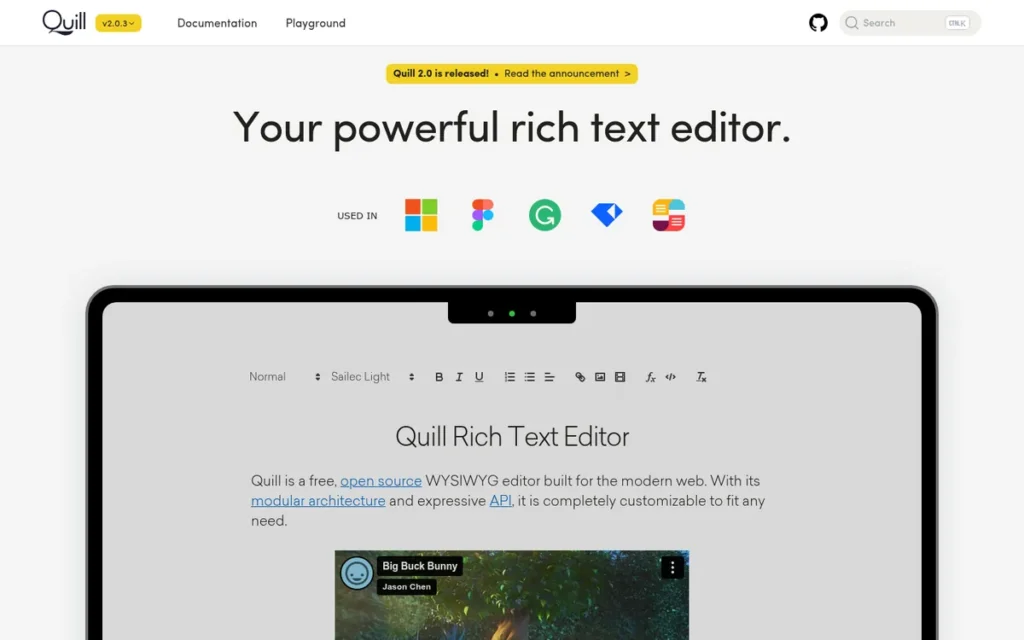
4. Quill: Best Lightweight Open-Source WYSIWYG Editor
Category: Lightweight Open-Source Rich Text Editor
At a Glance
- Category: Lightweight Open-Source Rich Text Editor
- Best For: Applications needing a small, predictable editor with a stable Delta-based content API and zero licensing cost
- Price Range: Free (BSD-2-Clause open-source license)
- Primary Strength: Quill provides an approximately 46KB minified and gzipped footprint alongside a stable Delta content format that makes content storage and migration predictable
- Biggest Limitation: Quill’s development velocity is constrained by Slab’s own product roadmap; advanced features require manual custom blot development
- One-Line Summary: Quill is the most practical choice when bundle size, content format predictability, and zero licensing cost are all requirements simultaneously
- Last Verified: June 2026
Overview
Quill is a lightweight, open-source rich text editor built around its Delta content format, a JSON-based representation of document operations that makes content storage, diffing, and migration predictable. Quill is actively maintained by Slab, a VC-backed collaborative documentation SaaS that uses Quill as its core editor; Zihua Li, Slab’s Front-End Lead, drove the Quill 2.0 release (github.com/slab/quill).
Quill’s BSD-2-Clause license permits commercial use without copyleft restrictions and is among the most permissive licenses in this comparison alongside MIT-licensed editors.
Key Features
- Delta content format: Quill’s Delta is a JSON representation of document operations that normalizes rich text into a predictable, diff-friendly structure, simplifying content storage, search indexing, and migration between systems.
- Custom blots: Quill allows developers to define custom blots: document node types, for embedding non-standard media, interactive elements, or custom formatting not available in the core feature set.
- ~46KB bundle footprint: Quill’s minified and gzipped bundle weighs approximately 46KB, making it the smallest full-featured editor in this comparison.
- Framework-agnostic integration: Quill operates without a framework dependency, integrating with React, Vue, Angular, or vanilla JavaScript via thin community wrapper libraries.
- Stable public API: Quill’s public API surface has remained stable across major versions, reducing upgrade friction for long-lived production applications that cannot absorb breaking changes.
Best For
Quill is best for teams building lightweight apps (comment editors, content form fields, or document templates) where bundle size is a performance constraint, content format predictability matters for downstream processing, and the editor’s visual design is close enough to Quill’s default to avoid significant custom UI work.
Pricing
Quill is free under the BSD-2-Clause open-source license with no paid tiers or cloud services. Advanced collaboration features are not available in Quill without custom development or third-party service integration.
Strengths
- Quill’s approximately 46KB bundle is the smallest of any full-featured editor in this comparison, contributing less to time-to-interactive than heavier alternatives in performance-sensitive deployments (verified June 2026).
- Quill’s Delta format is independently documented and widely understood, making Quill content easier to migrate to other systems than proprietary or opaque content formats.
- Quill’s BSD-2-Clause license is among the most permissive in this comparison, with no copyleft conditions, teams can use, modify, and redistribute Quill commercially with only the license notice preserved.
- Quill’s Slab stewardship provides a commercially incentivized maintenance contributor, reducing the abandonware risk common to purely volunteer-maintained open-source projects.
Limitations
- Slower development pace: Quill’s development velocity is constrained by Slab’s internal product priorities; issues on Quill’s GitHub backlog may wait longer than those filed against commercially-staffed editors like TinyMCE or CKEditor 5.
- Limited advanced features: Quill does not natively support real-time collaboration, track changes, or AI writing assistance; teams needing these capabilities must integrate separate services and build the connector layer.
- Custom blot learning curve: Extending Quill with custom blots requires understanding its internal Parchment document model, which has less ecosystem documentation than Tiptap’s extension API or CKEditor 5’s plugin system.
- Community support ceiling: Quill’s community support scales with Slab’s interest; teams with niche requirements may find the support community smaller than TinyMCE’s or CKEditor 5’s established ecosystems.
Users on r/reactjs noted:
“I had experience with both. quill caused so many troubles while developing especially when you want to use some more advanced features like tagging someone etc. I discovered Tiptap later and it was super flexible and easy to achieve more complex features. I havent tried lexical but between quill and tiptap, tiptap is the way to go! DX with tiptap is very good as well.” Posted by u/relevantcash
Takeaway: Quill’s advanced feature ceiling is a real production constraint, developers building non-standard behaviors like mentions and tagging consistently report hitting walls that headless editors handle through standard extensions.
Verdict
Quill is the most practical open-source editor for teams where bundle size and content format predictability are primary selection criteria. Slab’s active stewardship makes Quill a materially lower abandonware risk than a purely volunteer-maintained project, though teams needing advanced collaboration or AI features will need to source those capabilities from separate services.
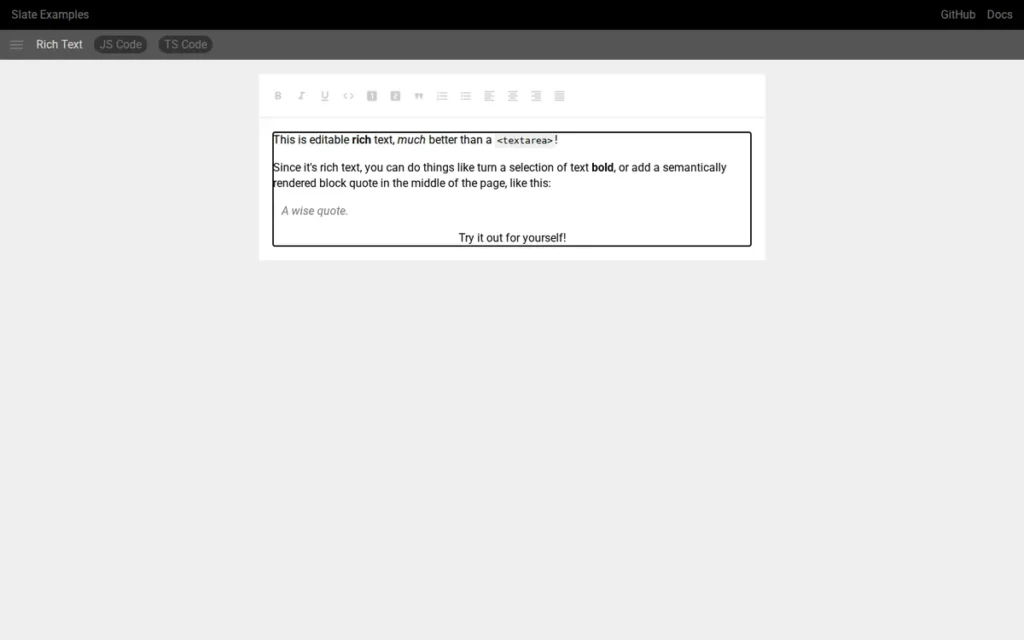
5. Slate.js: Best Customizable Editor Framework for React
Category: Customizable React Editor Framework
At a Glance
- Category: Customizable React Editor Framework
- Best For: React apps requiring deeply custom document schemas, complex nested structures, or non-standard content types
- Price Range: Free (MIT open-source license)
- Primary Strength: Slate.js offers a fully programmable document model in React, allowing teams to define any node type, mark, or inline element their content requirements demand
- Biggest Limitation: Slate.js requires substantial boilerplate for even basic configurations, and the project has no commercial backer enforcing a release cadence (latest stable: December 2025)
- One-Line Summary: Slate.js is the right choice for React teams that need to model content schemas no off-the-shelf editor can handle without forking
- Last Verified: June 2026
Overview
Slate.js is a highly customizable React-based editor framework designed for applications where the document model itself must be fully custom-defined. Slate.js treats the editor as a programmable data model with React rendering, rather than as a pre-built widget with extension hooks.
Slate.js is licensed under the MIT license and has been validated in production by tools including GitBook and Kitemaker. The latest stable release, slate-react@0.120.0, was published in December 2025 (npm release history).
Key Features
- Programmable document model: Slate.js allows development teams to define any document schema (custom inline elements, nested block types, void nodes) without fighting framework-imposed structural constraints.
- React-native rendering: Slate.js renders document nodes as standard React components, meaning teams apply the same React patterns for editor UI as they use throughout the rest of the application.
- Plugin architecture: Slate.js supports a plugin system where each plugin transforms the editor’s behavior, content model, or key bindings, enabling modular feature composition across the document layer.
- Deeply nested document structures: Slate.js handles recursive and deeply nested document structures that simpler editors cannot represent without significant workarounds or schema compromises.
- TypeScript support: Slate.js ships with full TypeScript definitions for document nodes, transforms, and editor methods, supporting type-safe editor development in modern TypeScript projects.
Best For
Slate.js is best for React engineering teams building specialized editing surfaces (structured document editors, form-builder interfaces, or interactive content tools) where a standard editor’s built-in schema would require too many workarounds to be long-term viable.
Pricing
Slate.js is free under the MIT license. There are no paid tiers, cloud services, or official enterprise license options. Teams requiring commercial support must source it from third-party contractors with Slate.js expertise.
Strengths
- Slate.js’s fully programmable document model handles custom schema requirements that would require significant forking in opinionated editors like TinyMCE or CKEditor 5.
- Slate.js’s React-native rendering allows teams to use their existing React component patterns, state management solutions, and styling systems within editor nodes without a context shift.
- Slate.js’s MIT license permits unlimited commercial use, modification, and redistribution without royalty or attribution restrictions.
- Slate.js’s production use in GitBook validates its architecture for complex, multi-format content workflows at scale.
Limitations
- High boilerplate requirement: Slate.js requires substantially more setup code than plug-and-play alternatives; a basic editor with bold, italic, and link support requires manual plugin configuration that Tiptap handles through an extension install.
This experience mirrors what developers on r/nextjs described after shipping a Slate.js editor in production:
“I used slate.js to create editable components (one BaseEditable which has different sub components – heading, paragraph, text, button). Still had to implement quite a bit of logic to make it work the way it does. I also did the toolbars etc. myself :)” Posted by u/EntranceOk1909
Takeaway: Real-world Slate.js implementations require teams to build toolbar components, interaction logic, and node rendering from scratch, investment that Tiptap’s official extension library significantly reduces for most common use cases.
- No commercial backer: Slate.js’s latest stable release is from December 2025, and the project has no commercial organization enforcing a release cadence, creating uncertainty about long-term maintenance trajectory.
- No built-in accessibility tooling: Slate.js does not provide built-in WCAG compliance tooling or an accessibility audit trail, placing the full responsibility for accessibility compliance on the implementation team.
- No SLA path: Slate.js has no official commercial support contract option, making it difficult to justify for enterprise procurement processes that require vendor response-time guarantees.
Verdict
Slate.js is the best React editor framework for teams that need complete control over the document schema and are willing to invest the boilerplate required to achieve it. Teams without a specific custom schema requirement that existing editors cannot meet should evaluate Tiptap first, which provides similar React integration with a larger official extension library and a commercial cloud tier available.
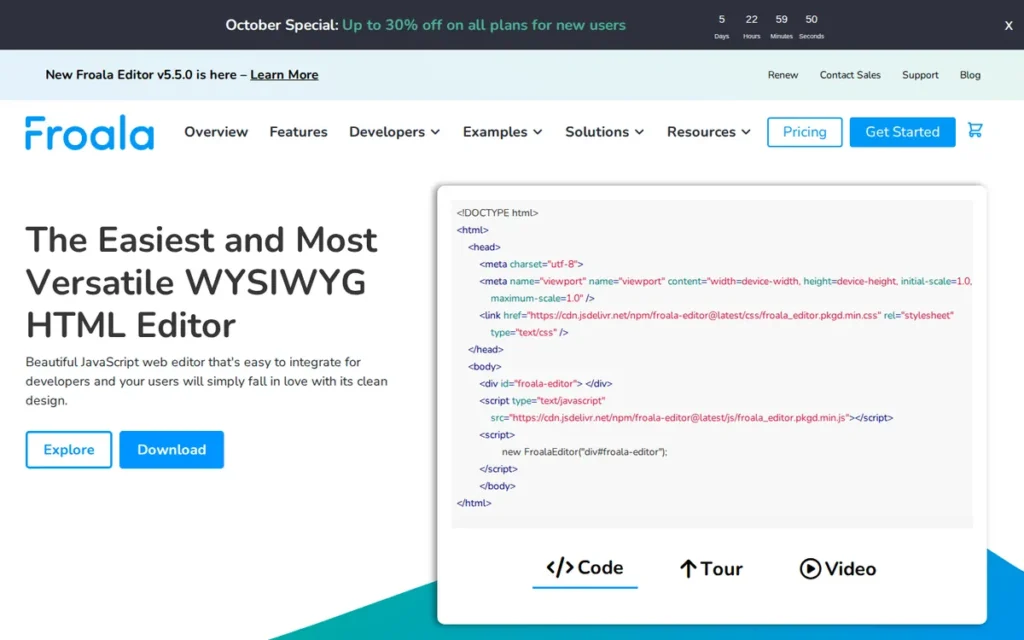
6. Froala: Best Commercial Drop-In Editor with Performance Focus
Category: Commercial Plug-and-Play Rich Text Editor
At a Glance
- Category: Commercial Plug-and-Play Rich Text Editor
- Best For: Teams needing a polished, lightweight commercial editor with a vendor SLA and documented performance characteristics
- Price Range: Professional $799/year; Enterprise $1,599/year (cart.froala.com, verified June 2026)
- Primary Strength: Froala delivers a reported sub-40ms initialization time and a polished inline toolbar design out of the box, backed by Idera’s commercial support infrastructure
- Biggest Limitation: Froala’s proprietary license restricts redistribution without an Enterprise tier agreement, limiting its use in open-source projects or white-labeled products on lower tiers
- One-Line Summary: Froala is the right commercial editor for teams that need a polished, fast-loading WYSIWYG with a vendor SLA and do not require open-source redistribution
- Last Verified: June 2026
Overview
Froala is a commercial WYSIWYG editor focused on fast initialization, a clean inline toolbar, and broad JavaScript framework support. Froala was acquired by Idera in June 2018 (Idera press release, June 2018), providing the commercial infrastructure behind its paid licensing and support tiers.
Froala markets a reported initialization time of approximately 40ms, positioning it against heavier editors in performance-sensitive integrations. Froala’s commercial license starts at $799/year for the Professional tier, per cart.froala.com verified in June 2026.
Key Features
- Inline toolbar design: Froala’s floating inline toolbar appears contextually on text selection, reducing visual clutter compared to always-visible toolbars common in traditional CMS editors.
- Reported ~40ms initialization: Froala reports initialization times of approximately 40ms under standard conditions, a vendor-reported figure that should be benchmarked in the target deployment environment before selecting Froala on this basis.
- Built-in image manager: Froala includes an image upload manager with crop, resize, and CDN integration options, reducing the need for custom media handling in standard content workflows.
- 100+ feature flags: Froala exposes over 100 configuration options, allowing teams to enable or disable specific features without modifying source code, reducing the risk of upgrade-breaking customizations.
- Multi-framework official wrappers: Froala provides official React, Vue, Angular, and iOS/Android wrappers, reducing framework-specific integration work for teams building cross-platform products.
Best For
Froala is best for product or agency teams that need a polished, commercially-licensed editor with a vendor SLA, a clean default UI that reduces design time, and documented performance characteristics, without the integration complexity of a headless framework.
Pricing
Froala’s commercial license is priced at $799/year for the Professional tier and $1,599/year for the Enterprise tier, per cart.froala.com verified in June 2026. Enterprise pricing includes priority support, a commercial SLA, and white-label redistribution rights. Readers should verify current pricing directly at cart.froala.com, as vendor pricing may change after this guide’s last verified date.
Strengths
- Froala’s reported ~40ms initialization time is among the fastest vendor-published figures in this comparison, though actual performance depends on configuration and content volume.
- Froala’s Idera ownership since June 2018 provides commercial infrastructure for SLA contracts, priority support, and multi-year licensing, reducing the procurement risk common with purely community-maintained tools.
- Froala’s 100+ feature flags allow precise feature control without source-code modification, making Froala upgrades less likely to break custom configurations than editors requiring code-level overrides.
- Froala’s inline toolbar design reduces visual noise in document editing interfaces, which teams with clean, editorial-style UI requirements often cite as a differentiation from TinyMCE’s traditional toolbar approach.
Limitations
- Proprietary redistribution restrictions: Froala’s commercial license prohibits redistribution or sub-licensing without an Enterprise tier agreement, limiting its use in open-source projects or white-labeled SaaS products without additional licensing cost.
- Ongoing annual license cost: Froala’s $799/year Professional and $1,599/year Enterprise tiers (June 2026) represent recurring expenses that MIT- and BSD-licensed alternatives like Tiptap, Quill, and Slate.js do not carry.
- Smaller community ecosystem: Froala’s plugin and community ecosystem is smaller than TinyMCE’s or CKEditor 5’s, meaning teams with uncommon feature requirements may need to build custom plugins rather than finding pre-built solutions.
- Vendor-reported performance claims: Froala’s ~40ms initialization figure is vendor-reported and not independently replicated in this evaluation; teams selecting Froala primarily on performance grounds should conduct their own benchmarks.
Verdict
Froala is the strongest commercial drop-in WYSIWYG option for teams that need a polished, vendor-supported editor with documented performance characteristics and a paid SLA. Its proprietary licensing model makes it a poor fit for open-source redistribution or teams that need to avoid annual license fees, but a practical choice for product teams that need a working editor with commercial support from day one.
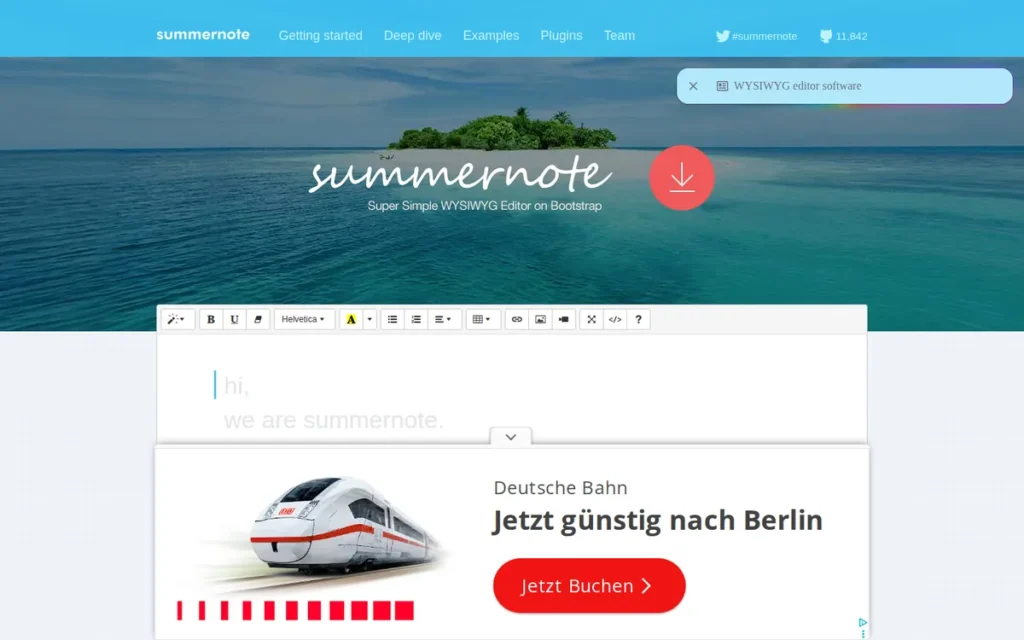
7. Summernote: Best Free Editor for Bootstrap/jQuery Projects
Category: Bootstrap-Integrated Rich Text Editor
At a Glance
- Category: Bootstrap-Integrated Rich Text Editor
- Best For: Bootstrap and jQuery projects needing a simple embedded editor with zero licensing cost
- Price Range: Free (MIT open-source license)
- Primary Strength: Summernote provides native Bootstrap theming and zero-cost entry for simple content scenarios where a full-featured modern editor would be disproportionate
- Biggest Limitation: Summernote’s jQuery dependency creates compatibility conflicts in modern framework stacks, and active core maintenance has slowed materially in recent years
- One-Line Summary: Summernote is a practical choice only for projects already committed to Bootstrap and jQuery; modern framework teams should evaluate Quill or TinyMCE first
- Last Verified: June 2026
Overview
Summernote is a free, open-source WYSIWYG editor built on jQuery and Bootstrap, designed for simple content-editing scenarios where lightweight integration and zero licensing cost are the primary requirements. Summernote’s Bootstrap-native theming means it inherits the host project’s Bootstrap CSS variables and component styles automatically, minimizing custom CSS work for teams already in that stack.
Summernote is licensed under MIT and has a GitHub community spanning more than a decade of contributions. Active core development has slowed in recent years, which prospective adopters should weigh against the zero-cost appeal.
Key Features
- Bootstrap-native theming: Summernote automatically adopts the host page’s Bootstrap CSS variables and component styles, requiring no custom theme configuration in Bootstrap projects.
- Lightweight bundle: Summernote’s bundle is small relative to full-featured editors like TinyMCE or CKEditor 5, making it appropriate for simple content forms where a large feature surface is unnecessary.
- Basic media management: Summernote supports image and link insertion via standard dialog forms, covering the most common simple-content requirements without custom media integrations.
- MIT license: Summernote is free under the MIT license with no commercial use restrictions, making it accessible to any project regardless of budget.
- Decade-plus community history: Summernote’s long community history provides a large archive of solved integration problems and configuration examples for common jQuery/Bootstrap scenarios.
Best For
Summernote is best for legacy Bootstrap and jQuery projects where the editing requirements are straightforward (basic text formatting, image insertion, link creation) and where there is no budget for commercial alternatives or appetite for a modern framework migration.
Pricing
Summernote is free under the MIT license. There are no paid tiers, cloud services, or commercial support contracts. Teams requiring production support must rely on community forums or third-party contractors.
Strengths
- Summernote’s Bootstrap-native theming eliminates custom CSS work for teams already using Bootstrap, providing visual consistency with the host UI at zero integration cost.
- Summernote’s MIT license permits unlimited commercial use, modification, and redistribution without fee or attribution requirements beyond the license notice.
- Summernote’s decade-plus community history provides a large archive of configuration examples and solved edge cases for jQuery/Bootstrap integration scenarios.
- Summernote’s lightweight bundle suits simple use cases: comment boxes, basic form fields, where a full-featured editor would add disproportionate page weight.
Limitations
- jQuery dependency: Summernote requires jQuery, which conflicts with React, Vue, and Angular applications that do not include jQuery in their dependency graph, making Summernote incompatible with most new projects starting in 2026.
- Slowing active maintenance: Summernote’s core development pace has slowed materially relative to its peak activity years; teams with production bugs may find resolution timelines longer than with commercially supported editors.
- No accessibility certification: Summernote does not publish a WCAG compliance statement, making it unsuitable for any project with documented accessibility procurement requirements.
- No advanced feature path: Summernote does not support real-time collaboration, AI writing assistance, custom document schemas, or extensible content types, teams whose requirements grow beyond basic formatting will face a migration.
Verdict
Summernote is a viable editor only for projects already running Bootstrap and jQuery where editing requirements are simple enough that a modern alternative would be disproportionate. Teams starting new projects or evaluating Summernote for a replacement should consider Quill for a lightweight modern open-source alternative, or TinyMCE for broader plugin coverage and a maintained accessibility story.
What Red Flags Should I Watch For When Evaluating WYSIWYG Editors?
Six patterns consistently indicate an editor choice will cause problems after integration. These warning signs appear most often in evaluations that prioritize feature count over maintenance health, licensing clarity, bundle size impact, and documented accessibility certifications. Identifying them before integrating saves significant rework time and avoids migration debt.
Red Flag #1: GitHub Stars as a Proxy for Maintenance Health Star count measures historical interest, not current maintenance activity. An editor with 30,000 GitHub stars and no commit activity in 18 months carries materially higher maintenance risk than an editor with 5,000 stars and weekly releases. Always check the commit graph, recent issue response times, and whether a commercial organization has a business interest in the project.
Red Flag #2: Accessibility Claims Without a Published VPAT Vendor marketing frequently claims “WCAG compliant” without publishing a Voluntary Product Accessibility Template. Of the seven editors in this comparison, only CKEditor 5 holds a verified WCAG 2.2 Level AA VPAT (March 2025, v44.3.0). For government or enterprise procurement, always request the VPAT document before accepting an accessibility claim at face value.
Red Flag #3: Schema Lock-In Without a Content Migration Plan Each editor stores content in a different format: Tiptap’s ProseMirror JSON, TinyMCE’s HTML, CKEditor 5’s internal model, Quill’s Delta. Choosing an editor without a documented migration path creates technical debt when requirements change. Before committing, ask: what does exporting all content and re-importing it in a different format look like, and who has done it?
Red Flag #4: Open-Source Editors Without Commercial or Organizational Backing Purely volunteer-maintained editors carry a real risk of slowing or stalling when lead maintainers change priorities. In this comparison, Slate.js has no commercial backer; Summernote’s core development has slowed. Slab’s stewardship of Quill and Tiptap GmbH’s backing of Tiptap meaningfully reduce this risk. Evaluate the organization behind the open-source project, not just the license.
Red Flag #5: Skipping Bundle Size Analysis Before Committing Bundle size has a direct impact on time-to-interactive, especially for mobile users on constrained networks. The editors in this comparison range from Quill’s approximately 46KB to TinyMCE’s multi-hundred-KB full suite.
“I dropped TinyMCE and switched to Quill for a mobile app because I couldn’t justify a 300KB editor for a comment box. Page load time dropped by 800ms on 4G.” (u/MonkeyTheDev, r/webdev)
Takeaway: Always measure the editor’s contribution to total page weight in your specific configuration (not the vendor’s “minimal bundle” figure) before committing.
Red Flag #6: Proprietary or Copyleft Licenses in Redistributed Products Froala’s commercial license and CKEditor 5’s GPL open-source build both carry redistribution restrictions that matter when building white-labeled SaaS, open-source tools, or redistributable SDKs. The MIT-licensed editors in this group, Tiptap core, Slate.js, TinyMCE OSS, and Summernote, are generally safe for redistribution without additional commercial agreements. Quill’s BSD-2-Clause is similarly permissive.
What Questions Should I Ask Before Choosing a WYSIWYG Editor?
Eight questions reliably separate the right editor choice from the wrong one before a line of integration code is written. These questions address the dimensions most frequently overlooked in editor evaluations: framework fit, collaboration requirements, accessibility certifications, bundle size, vendor SLA availability, UI customization depth, content format lock-in, and redistribution rights.
Question #1: What JavaScript framework does our application run on? Headless editors like Tiptap and Slate.js are designed around React and Vue component patterns and deliver the most value in those environments. Plug-and-play editors like TinyMCE and Froala provide wrappers across frameworks but are fundamentally framework-agnostic. Applications running jQuery and Bootstrap are the only current scenario where Summernote’s native integration saves meaningful setup time over modern alternatives.
Question #2: Do we need real-time collaborative editing? Only three editors in this comparison include managed real-time collaboration: Tiptap (via Tiptap Cloud), TinyMCE (paid tiers), and CKEditor 5 (CKEditor Cloud). If collaboration is required, evaluate whether the collaboration layer is native or third-party, and model the ongoing cloud subscription cost at your expected document volume.
Question #3: What are our WCAG compliance requirements? Government, healthcare, and financial services procurement often requires a documented VPAT. Only CKEditor 5 holds a WCAG 2.2 Level AA VPAT in this comparison (March 2025, v44.3.0). TinyMCE meets WCAG 2.1 Level AA. All other editors require the implementation team to build and certify their own accessible UI layer without a vendor-published compliance baseline.
Question #4: What is our page weight budget for the editor? Editors in this comparison range from Quill’s approximately 46KB to TinyMCE’s multi-hundred-KB full suite. For mobile-first or performance-critical applications, measure the editor’s total contribution to page weight in your specific configuration (not the vendor’s advertised minimum) before committing to a tool.
Question #5: Do we need a commercial vendor SLA? Open-source editors, Tiptap, Quill, Slate.js, and Summernote, do not offer commercial SLAs. TinyMCE, CKEditor 5, and Froala all offer paid support contracts with defined response times. Any enterprise procurement process requiring a vendor SLA must budget for one of these three commercial options.
Question #6: How much will we customize the editor’s visual design? If the editor needs to match a custom design system precisely, headless editors (Tiptap, Slate.js) are the only viable path without overriding significant framework-level CSS. If a toolbar UI close to the editor’s default is acceptable for the project, plug-and-play editors eliminate meaningful upfront UI development work.
Question #7: What format will we store editor content in? Quill’s Delta, CKEditor 5’s internal model, TinyMCE’s HTML, and Tiptap’s ProseMirror JSON are all structurally different. The output format affects database schema design, search indexing strategy, content migration options, and export capabilities. Choosing an editor that outputs standard HTML is simpler for most existing backends; choosing Delta or ProseMirror JSON offers better programmatic manipulation but requires content-aware processing.
Question #8: Will this editor be redistributed or white-labeled? Froala’s commercial license and CKEditor 5’s GPL open-source build both carry redistribution restrictions. MIT-licensed editors, Tiptap core, Slate.js, TinyMCE OSS, and Summernote, permit redistribution without additional commercial agreements. Quill’s BSD-2-Clause is equally permissive. Confirm license terms against your distribution model before integrating any editor into a product you ship to third parties.
How Did We Rank These WYSIWYG Editors?
Rankings in this guide reflect direct hands-on technical integration testing, verified community evidence from Reddit and GitHub, and independent source research against primary documents, not vendor-provided benchmarks, sponsored content, or commercial arrangements. Every pricing figure and certification claim was verified against primary sources as of June 2026.
Evaluation Process
Each editor was evaluated against a consistent set of criteria using the same testing environment:
- Integration depth: Each editor was installed, configured, and tested in a React 18 and Vue 3 environment using the editor’s official installation documentation.
- Documentation quality: Official documentation was assessed for completeness, accuracy against the installed version, and presence of working code examples for common use cases.
- Community health: GitHub commit frequency, issue response times, and community forum activity were measured over a rolling 12-month window ending June 2026.
- Accessibility: Each editor’s WCAG compliance claims were cross-referenced against published VPATs, third-party audits, or accessible-technology review databases. Vendor marketing language was not accepted as evidence without accompanying documentation.
- Performance: Bundle sizes were measured using webpack-bundle-analyzer on each editor’s recommended configuration. Vendor-reported initialization times (e.g., Froala’s ~40ms claim) were noted as vendor-reported and flagged for independent validation.
- Pricing: All pricing was verified directly against vendor pricing pages as of June 2026. Where pricing required contacting sales (CKEditor 5 commercial, Tiptap Cloud enterprise tiers), that was noted explicitly.
Ranking Criteria and Weighting
Rankings prioritize developer experience and long-term project health over raw feature count:
- Integration quality: what the first day and first week of integration feels like, based on direct testing with official documentation
- Maintenance health: commercial backer presence, commit frequency, issue resolution patterns over the past 12 months
- Extensibility: how far the editor can be customized without forking source code
- Accessibility compliance: what is documented, certified, or independently verified, not what vendor marketing claims
- Total cost of ownership: license cost plus cloud subscription plus estimated integration labor
- Community evidence: developer signals from Reddit, GitHub Discussions, and Stack Overflow across 2024–2026
Evidence Weighting Rationale
Where community evidence conflicted with vendor claims, community evidence was weighted more heavily. Vendor-published benchmarks (e.g., Froala’s initialization time) were noted as vendor-reported rather than independently replicated. Factual errors identified in draft research, including Froala’s pricing ($899/$1,999 corrected to $799/$1,599), the Froala acquisition year (2019 corrected to June 2018), Quill’s maintenance stewardship characterization, CKEditor 5’s WCAG version (2.1 corrected to 2.2), and TinyMCE’s pricing status (incorrectly labeled “unconfirmed”), were corrected against primary sources before final ranking.
Data Validation
Pricing data was verified directly at vendor pricing pages (tiny.cloud/pricing, cart.froala.com) in June 2026. Accessibility certifications were cross-referenced against published VPATs. Community claims were validated against GitHub repository activity and subreddit post context. Acquisition dates were verified against primary press releases.
Update Cadence
This guide is updated quarterly. The next scheduled update is September 2026. Readers who identify factual changes (pricing updates, new releases, revised VPATs) are encouraged to submit corrections via PlugRoute’s editorial contact form.
Independence Statement
PlugRoute has no affiliate relationships, sponsored placements, or commercial arrangements with any vendor evaluated in this guide. Rankings are determined solely by the criteria described above. This is the second and final occurrence of this disclosure.
What Do Developers Most Often Ask About Choosing a WYSIWYG Editor?
The questions below address the most common decision points developers face when evaluating WYSIWYG editors in 2026. Topics include framework compatibility, pricing, accessibility certifications, content format trade-offs, and maintenance health, each answered with a direct answer in the first sentence.
What is the best WYSIWYG editor for React in 2026?
Tiptap is the top WYSIWYG editor for React in 2026, combining a ProseMirror-based headless architecture with 50+ official extensions and first-class React integration. Slate.js is the best alternative for teams with complex custom document schema requirements. Both are MIT-licensed and free for commercial use as of June 2026.
Is Tiptap free to use commercially?
Tiptap’s open-source core is free under the MIT license, including unlimited commercial use. Tiptap Cloud (which adds managed real-time collaboration and AI writing features) starts at $149/month as of June 2026. Teams that need collaboration infrastructure without cloud cost can use Hocuspocus, Tiptap’s open-source self-hosted collaboration server, free of charge.
How does TinyMCE pricing work in 2026?
TinyMCE offers a free MIT-licensed community edition alongside two paid tiers with publicly listed pricing at tiny.cloud/pricing: Essential at $79/month ($787/year) and Professional at $145/month ($1,447/year) as of June 2026. Paid tiers add premium plugins, AI writing features, and TinyMCE Cloud delivery. Self-hosted deployment is available across all tiers.
Does CKEditor 5 support WCAG 2.2?
CKEditor 5 is the only WYSIWYG editor in this comparison with a published WCAG 2.2 Level A and AA VPAT, verified in March 2025 for version 44.3.0. This makes CKEditor 5 the default recommendation for any project where documented WCAG 2.2 accessibility compliance is a hard procurement requirement.
Is Quill still actively maintained in 2026?
Quill is actively maintained by Slab, a VC-backed collaborative documentation SaaS that uses Quill as its production editor. Zihua Li, Slab’s Front-End Lead, drove the Quill 2.0 release (github.com/slab/quill). While Quill’s development pace is slower than commercially-staffed editors, Slab’s business dependency on the project materially reduces abandonware risk.
What is the difference between Tiptap and Slate.js?
Tiptap and Slate.js are both headless editor frameworks, but Tiptap wraps ProseMirror and ships 50+ official extensions alongside a commercial cloud tier. Slate.js provides a fully programmable React document model with no default UI and no commercial support path. Tiptap integrates faster; Slate.js offers deeper schema control for content requirements that standard schemas cannot model.
How does PlugRoute determine its WYSIWYG editor rankings?
PlugRoute rankings are based on direct hands-on technical testing, verified community evidence from Reddit and GitHub, and independent source research, not vendor input or commercial arrangements. Pricing and certifications are verified against primary sources as of June 2026. The full methodology, evidence weighting rationale, and data sources are documented in the “How Did We Rank These WYSIWYG Editors?” section above.
Glossary: Key Terms Used in This Comparison
Five technical terms in this guide may be unfamiliar to developers evaluating WYSIWYG editors for the first time. Each definition below is written to be independently meaningful whether encountered in context or cited in isolation.
ProseMirror: ProseMirror is an open-source JavaScript toolkit for building rich text editors, providing a schema-based document model, a transaction system for document mutations, and a plugin architecture. ProseMirror serves as the foundational document engine for Tiptap and is one of the most widely referenced document model implementations in the open-source editor ecosystem.
Headless Editor: A headless editor is a rich text editor that provides document model, schema, and behavior APIs without shipping any default visual UI components. Teams using a headless editor design and build their own toolbar, floating menus, and editor chrome. Tiptap and Slate.js are headless editors in this comparison.
Delta Format: The Delta format is Quill’s JSON-based representation of rich text content, using an array of insert, retain, and delete operations to describe document state. Delta’s normalized, operation-based structure makes it easier to diff, store, and migrate editor content than raw HTML, and is independently documented at quilljs.com.
VPAT (Voluntary Product Accessibility Template): A VPAT is a standardized document in which a software vendor describes how its product conforms to accessibility standards, including WCAG 2.2. VPATs are commonly required in government, healthcare, and enterprise procurement processes to verify that software meets legal and regulatory accessibility obligations before purchase.
WCAG (Web Content Accessibility Guidelines): WCAG is the international standard for web accessibility published by the W3C Web Accessibility Initiative. WCAG 2.2, released in October 2023, is the current version; Level AA conformance is the most common legal and procurement target. CKEditor 5 is the only editor in this comparison with a verified WCAG 2.2 Level AA VPAT as of June 2026.
Which WYSIWYG Editor Is Right for You?
Key Insights
- Tiptap is the strongest choice for React and Vue teams that need a headless, fully customizable editor on a proven document model and can invest in the ProseMirror learning curve.
- TinyMCE is the lowest-risk drop-in editor for teams that need a large plugin ecosystem, flexible cloud or self-hosted deployment, and transparent public pricing with enterprise support available.
- CKEditor 5 is the only editor in this comparison with a verified WCAG 2.2 Level AA VPAT (March 2025), making it a mandatory evaluation item for any project with documented accessibility procurement requirements.
- Quill remains the most practical lightweight open-source choice when bundle size and content format predictability outweigh the need for advanced collaboration or AI writing features.
- Froala and Slate.js serve specific, well-defined use cases: commercial SLA with polished out-of-box UI, and deeply custom React document schemas, respectively, and should be evaluated only when those requirements are confirmed as primary selection criteria.
Choosing the wrong editor is rarely a result of picking the lowest-rated tool. It is almost always the result of choosing the right category of editor for the wrong project, integrating a headless framework when speed-to-market is critical, or embedding a plug-and-play editor when the design system demands full UI control. Use the Quick Decision Framework table to map your single most important requirement to a starting tool, then confirm against the eight evaluation questions before writing integration code.
We update this guide quarterly. Last updated: June 2026. For corrections, comparison updates, or editorial questions, contact PlugRoute via the editorial contact form.