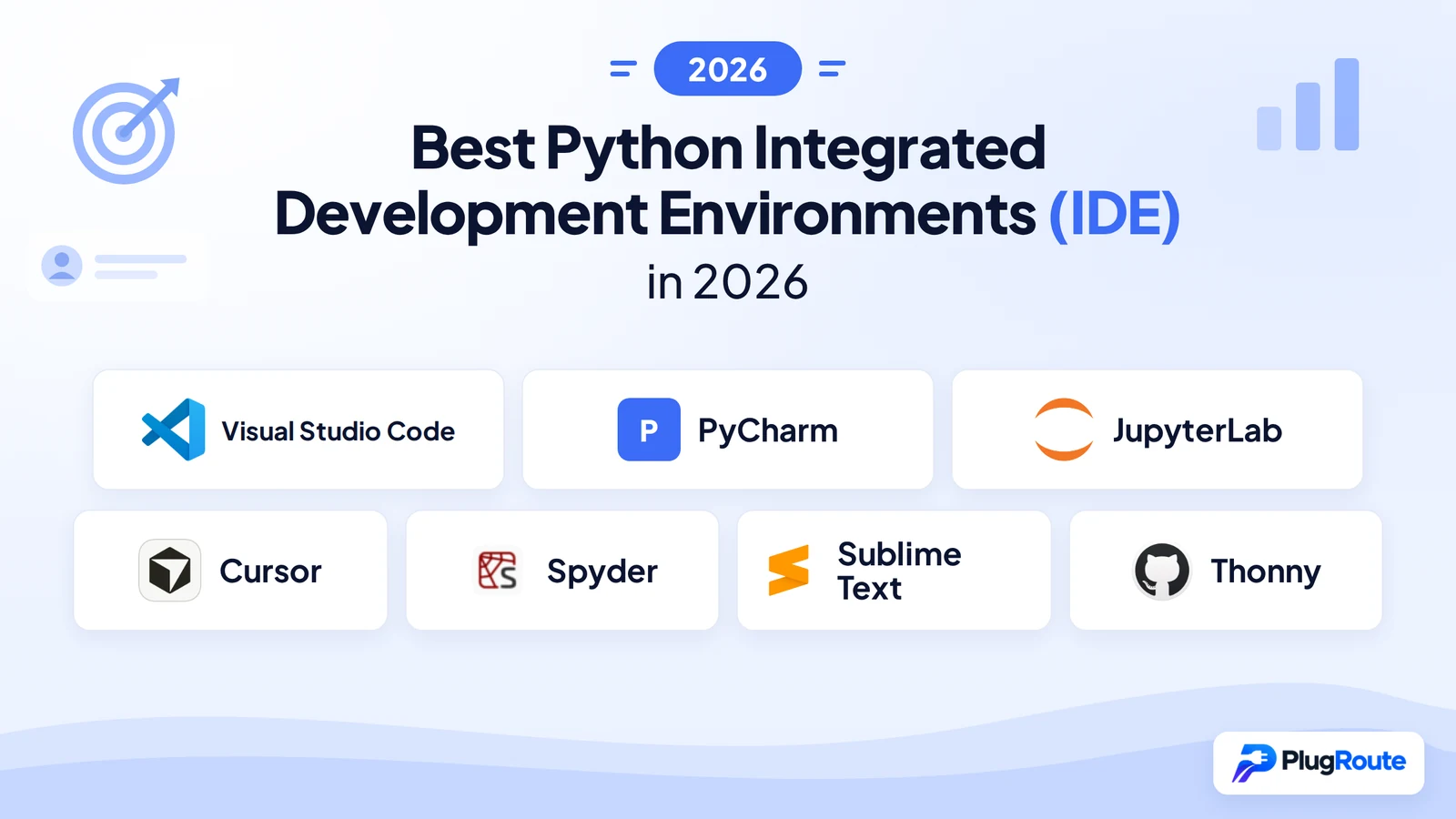
Visual Studio Code is the best Python IDE for most developers, free, adopted by 48% of Python developers (JetBrains Python Developers Survey 2024), and extensible enough for any workflow. PyCharm Professional delivers the deepest dedicated Python code intelligence. JupyterLab defines data science exploration. Cursor leads AI-native coding. No single tool wins every use case.
Choosing a Python IDE means navigating real documented obstacles: VS Code needs extension setup before it can run Python, PyCharm’s key features for web developers and data scientists require a paid subscription, JupyterLab doesn’t behave like a traditional IDE, and beginners frequently land on tools that are either too advanced or too limited for where they actually are.
PlugRoute has no affiliate relationships with any company listed in this comparison, rankings are determined solely by documented evidence, user data, and editorial methodology.
“I think most of us have a couple and use them in different situations.” (u/socal_nerdtastic, r/learnpython)
Takeaway: Most experienced Python developers maintain two or more environments matched to specific workflow contexts, a pattern the tools in this comparison are designed to support.
TL;DR: Top Picks at a Glance
- Visual Studio Code is the safest default choice for polyglot developers and beginners scaling toward production Python, free, adopted by 48% of Python developers, and backed by Microsoft’s monthly release cadence (JetBrains Python Developers Survey 2024).
- PyCharm Professional delivers the deepest Python-specific code intelligence for developers building Django, FastAPI, or Flask applications who spend the majority of their working hours in Python.
- JupyterLab provides the notebook-first interactive environment that defines the exploration phase of data science and ML workflows, combining code, visualizations, and narrative documentation in a single free format.
- Cursor is an AI-native editor offering whole-repository context indexing and multi-file agentic editing for developers who want maximum AI-assisted coding capability at $20/month for the Pro tier.
What Are the Three Categories of Python IDEs?
Python IDEs fall into three categories: Extensible Editors and Full IDEs (VS Code, PyCharm, Cursor), which support the full software development lifecycle; Domain-Specific Environments (JupyterLab, Spyder), optimized for data science and scientific computing; and Focused Tools (Sublime Text, Thonny), built for raw editing speed or beginner learning. Understanding which category fits your work is the most important decision before evaluating specific tools.
Category 1 (Extensible Editors and Full IDEs (VS Code, PyCharm, Cursor): These tools support the complete development lifecycle) debugging, version control, test running, refactoring, and deployment. VS Code and Cursor are configurable editors that become full IDEs through extensions; PyCharm ships as a purpose-built IDE from day one.
Category 2, Domain-Specific Environments (JupyterLab, Spyder): These tools are optimized for a specific Python workflow, interactive data science and scientific computing, rather than general software development. JupyterLab is the notebook-first standard for ML and data science research; Spyder is the MATLAB replacement for scientists and engineers.
Category 3, Focused and Specialized Tools (Sublime Text, Thonny): These tools serve opposite ends of the experience spectrum. Sublime Text is a native-performance editor for speed-focused developers who don’t need a full IDE’s feature set. Thonny is designed exclusively for Python beginners and graduates users by design as their skills grow.
How Do the Top Python IDEs Compare at a Glance?
| Rank | Company | Category | Best For | One-Line Summary | Key Capabilities | Primary Strength | Key Limitation |
|---|---|---|---|---|---|---|---|
| 1 | Visual Studio Code | Extensible Editor | Polyglot developers; beginners to senior engineers | Visual Studio Code is the most widely used Python development environment, ranked #1 in the Stack Overflow Developer Survey 2024 for the 8th consecutive year, available completely free. | Python extension + Pylance language server + Jupyter notebook support + SSH/WSL/Container remote development + GitHub Copilot integration | Broadest free ecosystem; ranked most-used development environment globally for 8+ consecutive years | Requires significant extension configuration to reach full Python IDE capability; not ready for Python out of the box |
| 2 | PyCharm | Full Python IDE | Professional developers; Django/FastAPI/Flask teams | PyCharm is a dedicated Python IDE from JetBrains offering the deepest Python-specific static analysis of any tool in this evaluation, used by 25% of Python developers (JetBrains 2024). | 900+ code inspections (vendor-reported) + framework support (Pro) + Jupyter notebooks (Pro) + integrated database tools + remote interpreters | Deepest Python static analysis; framework-native intelligence for Django, FastAPI, and Flask | Most important features for web and data science workflows require paid Professional edition |
| 3 | JupyterLab | Domain-Specific Env | Data scientists; ML researchers; academic computing | JupyterLab is the open-source browser-based environment that defines the notebook-first data science workflow, used in production-adjacent roles at Netflix, NASA JPL, CERN, and Bloomberg. | Native .ipynb format + 100+ language kernels + JupyterHub multi-user deployment + inline visualization + real-time collaboration | Best-in-class interactive data exploration combining code, visualizations, and narrative documentation; completely free | Not designed for production software development or large codebase management |
| 4 | Cursor | AI-Native IDE | AI-first developers; multi-file agentic editing | Cursor is an AI-native code editor built on VS Code by Anysphere Inc. that offers whole-repository context indexing and multi-file agentic editing currently unavailable in plugin-based AI tools. | Whole-repository indexing + Composer multi-file editing + autonomous debug agent + Tab multi-line autocomplete + background cloud agents | Most capable whole-repository AI coding integration of any tool evaluated in this comparison as of May 2026 | $20/month Pro cost; code transmitted to external AI servers by default; AI hallucinations in Python logic |
| 5 | Spyder | Domain-Specific Env | Scientists; engineers; MATLAB-to-Python migrators | Spyder is a free, open-source Scientific Python Development Environment with a built-in Variable Explorer that no other free IDE in this evaluation matches as a native built-in feature. | Variable Explorer + IPython Console + Plots pane + Profiler + LSP-based code completion | Variable Explorer and embedded plots native, no configuration required, zero cost | No AI integration; limited web dev or large-codebase support |
| 6 | Sublime Text | Lightweight Editor | Speed-focused developers; large file handling; scripting | Sublime Text is a native-compiled, non-Electron code editor with strong user satisfaction ratings on G2 that handles large files faster than any other tool in this evaluation. | Multi-cursor editing + Goto Anything navigation + Command Palette + native C++ performance + Python-based plugin API | Fastest startup and lowest resource usage of any evaluated tool; $99 perpetual personal license | Aging plugin ecosystem; requires configuration to function as a Python IDE; no built-in AI assistance |
| 7 | Thonny | Beginner IDE | Python beginners; students; educators; Raspberry Pi users | Thonny is the only Python IDE in this evaluation with a peer-reviewed academic paper validating its pedagogical design, bundled with Python on Windows and macOS to eliminate all setup barriers. | Bundled Python (Windows/macOS) + sub-statement step debugger + pip GUI + variable inspector + Raspberry Pi OS default | Lowest-friction Python learning environment available; sub-statement debugger unavailable as a native feature in any other evaluated tool | Not suitable for professional software development at any scale |
Which Python IDE Should I Choose for My Use Case?
| Your #1 Priority | Recommended Tool | Why | Acceptable Alternative |
|---|---|---|---|
| Free and works for everything | Visual Studio Code | Zero cost; ranked most-used dev tool for 8+ consecutive years (Stack Overflow 2024); 48% Python developer adoption (JetBrains Python Developers Survey 2024) | PyCharm Community (free; strong Python fundamentals for pure Python work) |
| Deepest Python code intelligence | PyCharm Professional | 900+ code inspections (vendor-reported, JetBrains PyCharm Features page, 2026); Django/FastAPI/Flask native support; Jupyter included in Pro | VS Code + Python + Pylance extensions (free; less framework-specific) |
| Data science / ML notebooks | JupyterLab | Native .ipynb; 100+ language kernels; used in production-adjacent workflows at Netflix per Netflix Tech Blog (2023) | VS Code with Jupyter extension (free; hybrid .py + .ipynb workflow) |
| AI-assisted coding (maximum) | Cursor | Whole-repo context indexing; Composer multi-file agentic editing; autonomous debug agent; capabilities unavailable in plugin-based AI tools as of May 2026 | VS Code + GitHub Copilot (cheaper; less agentic depth) |
| Scientific computing (MATLAB workflow) | Spyder | Variable Explorer; embedded Plots pane; IPython Console; free and requires no configuration | PyCharm Professional (scientific mode in paid tier) |
| Raw speed, minimal footprint | Sublime Text | Native C++; not Electron-based; handles very large files; $99 one-time personal license | VS Code (heavier but more features at $0) |
| Absolute Python beginner | Thonny | Bundled Python (Windows/macOS); sub-statement debugger; pip GUI; zero setup; pre-installed on Raspberry Pi OS | VS Code (steeper learning curve but scales further) |
Switching cost note: Switching between Python IDEs is low-friction, your Python code is not locked to any tool. Exceptions: PyCharm’s .idea/ project directories and Cursor’s .cursorrules configuration are editor-specific. JupyterLab notebooks (.ipynb) can be converted to Python scripts via nbconvert. Most developers migrate to a new IDE within a day of deciding to do so.
Not sure which entry to read first? If your primary use case is data science or ML exploration, jump to entry #3 (JupyterLab) or #5 (Spyder). If you’re learning Python for the first time, jump to entry #7 (Thonny). If you’re a professional developer evaluating AI tools, start with entries #1 (VS Code) and #4 (Cursor). If framework depth is your priority, read entry #2 (PyCharm) first.
1. Visual Studio Code: Best Python IDE for Most Developers
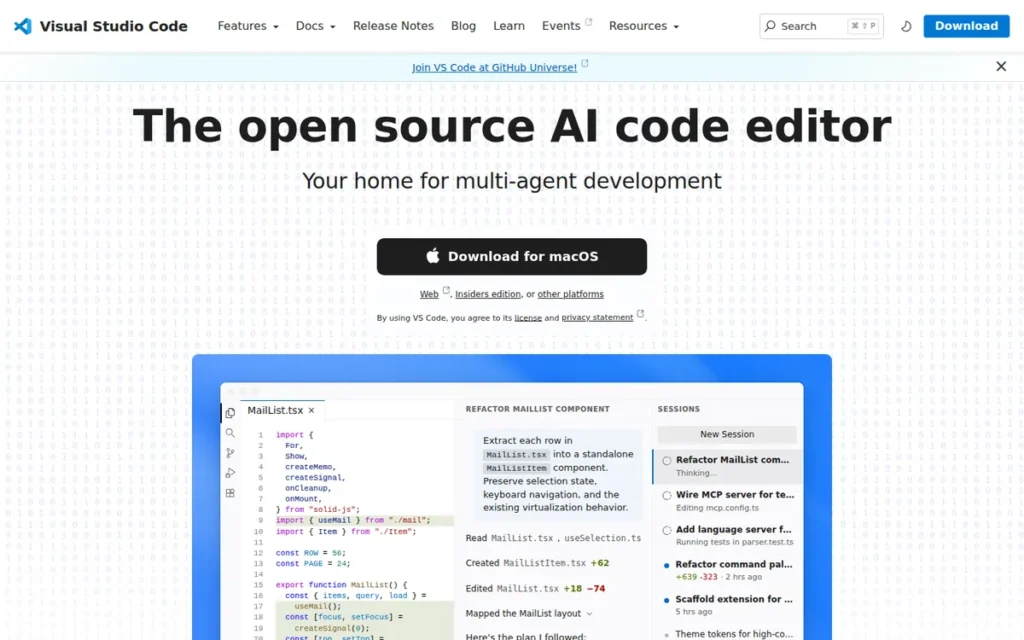
Category: Extensible Editor, becomes a full Python IDE through free Microsoft-published extensions.
At a Glance
- Category: Extensible Editor
- Best For: Polyglot developers, beginners scaling to production, multi-language teams
- Price Range: Free; optional GitHub Copilot at $0–$19/user/month
- Primary Strength: Visual Studio Code’s free pricing and 100M+ Python extension downloads support 48% Python developer adoption (JetBrains Python Developers Survey 2024)
- Biggest Limitation: Requires manual extension setup to match a bundled IDE’s Python intelligence, not ready for Python development on a fresh install
- One-Line Summary: Visual Studio Code is a free, open-source extensible editor used by 48% of Python developers and ranked the most-used development environment globally for 8+ consecutive years (Stack Overflow Developer Survey 2024).
- Last Verified: May 2026
Overview
Visual Studio Code is a free, open-source code editor from Microsoft that becomes a full Python IDE when paired with four free extensions: the Python extension, Pylance language server, Jupyter extension, and Python Debugger, all available at zero cost from the VS Code Marketplace.
Visual Studio Code supports Python IntelliSense, linting, formatting, code navigation, refactoring, variable exploration, test running, and virtual environment management without any paid tier. The Stack Overflow Developer Survey 2024 ranked Visual Studio Code as the most-used development environment for the 8th consecutive year. According to the JetBrains Python Developers Survey 2024, 48% of Python developers use Visual Studio Code as their primary editor.
Key Features
- 100M+ Python Extension Downloads: Visual Studio Code’s Python extension has been downloaded over 100 million times on the VS Code Marketplace [source: marketplace.visualstudio.com/items?itemName=ms-python.python, last verified May 2026], providing IntelliSense, linting, formatting, test exploration, and virtual environment management in a single free install.
- Pylance Language Server: Visual Studio Code uses Pylance, Microsoft’s high-performance Python language server, to deliver fast type checking, mypy-compatible static analysis, auto-imports, and code navigation across large codebases.
- Jupyter Notebook Integration: Visual Studio Code renders and executes Jupyter notebooks natively via the free Jupyter extension, allowing data scientists to run
.ipynbfiles in the same editor used for.pyscripts without switching tools. - Remote Development (SSH, WSL, Containers): Visual Studio Code supports editing code directly on remote SSH servers, in Docker containers via devcontainer.json configuration, and in Windows Subsystem for Linux, native remote editing that no other free Python IDE in this evaluation currently matches in scope and integration depth.
- GitHub Copilot Integration: Visual Studio Code integrates GitHub Copilot with a free tier (2,000 completions/month) and optional paid tiers, making AI-assisted coding accessible without switching editors or committing to a separate subscription.
- Multi-Language Workspace Support: Visual Studio Code supports Python, TypeScript, Go, Rust, and dozens of other languages in the same workspace, a critical advantage for polyglot teams that cannot justify a language-specific IDE per project.
Best For
Visual Studio Code is best for software developers who work across multiple languages or frameworks (Python + JavaScript, Python + SQL, Python + Bash) and need a single free editor that scales from beginner projects to large production codebases. Visual Studio Code is particularly suited for teams already using GitHub, Azure, or WSL infrastructure.
Pricing
Visual Studio Code is free (open-source, MIT license). All core Python extensions (Python, Pylance, Jupyter, Python Debugger) are free from the VS Code Marketplace. The optional GitHub Copilot AI assistant offers a Free tier (2,000 completions/month), Pro tier at $10/month (or $100/year), and Business tier at $19/user/month. Pricing verified against the GitHub Copilot pricing page and VS Code pricing page, May 2026.
Strengths
- Visual Studio Code has been ranked the most-used developer environment in the Stack Overflow Developer Survey for 8+ consecutive years through 2024, an unprecedented streak reflecting VS Code’s position as the industry default, not merely a popular choice.
- Visual Studio Code’s Python extension has been downloaded over 100 million times on the VS Code Marketplace [source: marketplace.visualstudio.com/items?itemName=ms-python.python, last verified May 2026], reflecting adoption at a scale no other Python-specific tool in this evaluation approaches.
- Visual Studio Code’s Remote Development capabilities (SSH, WSL, Containers) provide native remote editing that no other free Python IDE in this evaluation currently matches in scope and integration depth, addressing a critical workflow for data scientists using cloud GPU servers and backend developers who cannot replicate production environments locally.
- Visual Studio Code is open-source under MIT License on GitHub with 165,000+ stars [source: github.com/microsoft/vscode, last verified May 2026], ensuring community transparency, regular contributions, and long-term platform sustainability.
Limitations
- Configuration Overhead: Visual Studio Code requires installing and configuring multiple extensions before it can run Python code at all. A fresh VS Code installation shows a
.pyfile as a text document, not an executable environment, the Python, Pylance, Jupyter, and Python Debugger extensions must each be installed and a Python interpreter must be selected. This setup takes 15–30 minutes and consistently frustrates beginners encountering Python development for the first time.
“I find VSCode to be very user friendly. Just make sure to take time to learn how to maximize on what it has to offer.” (r/learnpython)
Takeaway: Visual Studio Code rewards configuration investment, developers who spend 30–60 minutes on initial Python extension setup access a more versatile environment than most paid IDEs provide, while those who skip setup will persistently underutilize the tool.
- Electron-Based Performance: Visual Studio Code runs on the Electron framework, consuming more memory and producing slower startup times than native editors like Sublime Text, a performance tradeoff that compounds as extension count grows on resource-constrained hardware.
- Not Python-Native: Visual Studio Code is a general-purpose editor, not a dedicated Python IDE, meaning it lacks out-of-box features that PyCharm Professional ships with by default, including Django ORM navigation, integrated database tools, and framework-specific code inspections.
- AI Integration Requires Additional Subscription: Visual Studio Code’s AI assistance (GitHub Copilot) requires a separate subscription beyond the free tier. Cursor bundles deeper AI integration (including whole-repository context and multi-file agentic editing) into its $20/month Pro plan without layer-by-layer add-ons.
Users on r/learnprogramming framed the distinction plainly:
“Just use whatever you are comfortable with. VSC is not an IDE, but a text editor which you can upgrade with extensions to work like an IDE. That is why you as a beginner find it harder to use. If PyCharm works for you, there is no reason why you shouldn’t use it.” Posted by u/anzurakizz
Takeaway: VS Code’s fundamental architecture as a configurable text editor (not a bundled IDE) creates a setup barrier that beginners consistently underestimate before their first Python install.
Verdict
Visual Studio Code is the best Python IDE for most developers because its combination of zero cost, massive extension ecosystem, and 48% adoption among Python developers (JetBrains Python Developers Survey 2024) creates unmatched tutorial coverage, community support, and career transferability. Visual Studio Code is not the deepest Python IDE (PyCharm Professional’s static analysis is more comprehensive) but its practicality and flexibility make it the right default for the majority of Python developers, especially those working across multiple languages, using remote infrastructure, or operating within budget constraints.
2. PyCharm: Best Dedicated Python IDE for Professional Developers
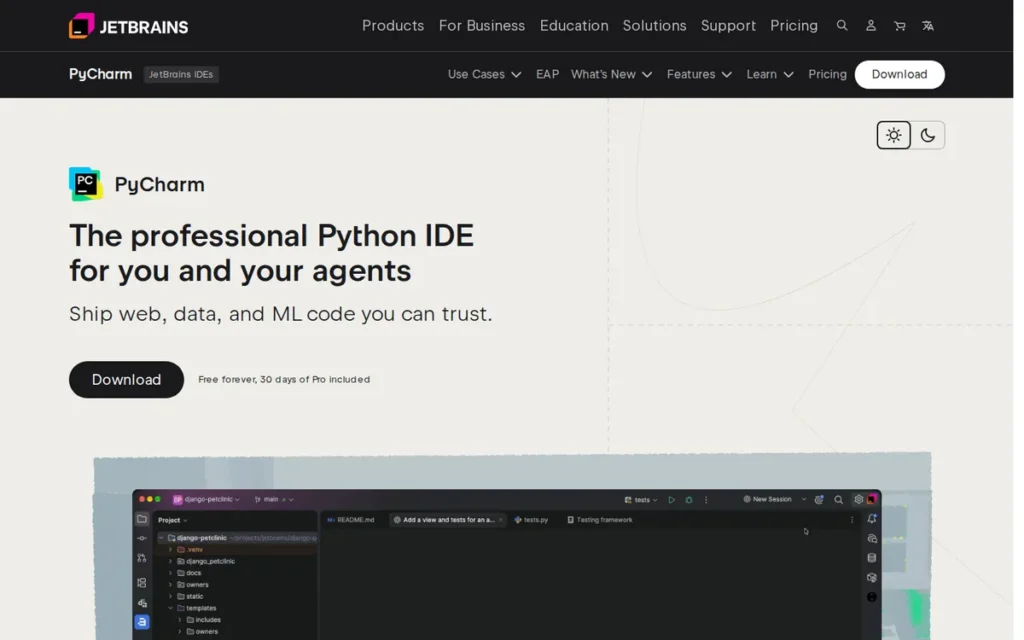
Category: Full Python IDE, purpose-built development environment with deep framework integration.
At a Glance
- Category: Full Python IDE
- Best For: Professional Python developers building Django, FastAPI, or Flask applications
- Price Range: Community free; Professional $65–$109/user/year
- Primary Strength: PyCharm’s 900+ real-time code inspections (vendor-reported) and framework-native intelligence for Django, FastAPI, and Flask
- Biggest Limitation: Django, Jupyter notebooks, and database tools locked behind paid Professional edition, PyCharm Community is effectively a trial for web developers and data scientists
- One-Line Summary: PyCharm is a dedicated Python IDE from JetBrains used by 25% of Python developers (JetBrains Python Developers Survey 2024), offering the deepest Python-specific static analysis and framework support of any tool in this comparison.
- Last Verified: May 2026
Overview
PyCharm is a dedicated Python IDE from JetBrains used by 25% of Python developers as their primary tool (JetBrains Python Developers Survey 2024). PyCharm ships in two editions (Community (free) and Professional (paid)) and offers the deepest Python-specific static analysis of any tool in this comparison. PyCharm’s most important features for web developers and data scientists require the Professional subscription.
PyCharm Community supports pure Python, HTML, XML, JSON, YAML, and basic version control. PyCharm Professional adds the capabilities that web developers and data scientists require:
- Django, Flask, and FastAPI framework support including template navigation, ORM inspection, and Django migrations support
- Jupyter notebook integration with inline plot display and data frame viewer
- Integrated database tools supporting PostgreSQL, MySQL, SQLite, and other major databases
- Docker support and remote interpreter management for containerized Python development
- JavaScript and CSS editing support for full-stack web application development
Key Features
- 900+ Code Inspections (Vendor-Reported): PyCharm performs over 900 types of real-time code analysis covering PEP 8 compliance, unused import detection, type hint inconsistencies, and potential bugs [vendor-reported: JetBrains PyCharm Features page, jetbrains.com/pycharm/features/, May 2026], identifying issues before runtime at a depth no extension-based editor setup reliably matches.
- Framework-Native Support (Professional): PyCharm Professional provides Django ORM navigation, Django migrations support, template tag completion, FastAPI route inspection, and Flask app debugging as first-class built-in features, not approximations via a generic language server.
- Smart Code Completion: PyCharm’s completion engine understands Python’s type system, third-party library signatures, and project-specific variables, providing accurate completions for dynamically typed code including async/await patterns and dataclasses.
- Scientific Mode with Inline Plots (Professional): PyCharm Professional includes a built-in scientific mode with inline plot display, a data frame viewer, and Jupyter notebook rendering, providing a data exploration workflow within a traditional IDE context.
- Integrated Database Tools (Professional): PyCharm Professional includes a full-featured database client supporting PostgreSQL, MySQL, SQLite, and more, allowing developers to query, inspect schema, and navigate database relationships without leaving PyCharm.
- Declining Renewal Pricing: PyCharm Professional’s subscription discounts to $87/year in the second year and $65/year from the third year onward, reducing the effective monthly cost to approximately $5.42 for long-term subscribers.
Best For
PyCharm Professional is best for mid-level to senior Python engineers building production-grade web applications with Django, FastAPI, or Flask, developers who value deep code intelligence and framework-aware refactoring over the flexibility of a general-purpose editor. PyCharm Community suits developers writing pure Python scripts or algorithmic code who do not require web framework or Jupyter support.
Pricing
PyCharm Community is free (open-source). PyCharm Professional for individuals costs $109/year (first year), $87/year (second year), and $65/year (third year and beyond). Monthly billing is available at approximately $10.90/month. Students and open-source contributors qualify for free Professional licenses. PyCharm Professional includes a 30-day free trial: no credit card required for the initial evaluation period. Pricing verified against the JetBrains PyCharm Buy page, May 2026.
Strengths
- PyCharm is used by 25% of Python developers as their primary IDE (JetBrains Python Developers Survey 2024), the second-highest share of any tool, representing millions of professional developers who actively choose to pay for Python-specific quality over free alternatives.
- PyCharm performs over 900 types of real-time code analysis [vendor-reported: JetBrains PyCharm Features page, jetbrains.com/pycharm/features/, May 2026], a depth of Python-specific static analysis that no extension-based editor configuration reliably matches for large professional codebases.
- PyCharm has been in dedicated Python IDE development since its 2010 release: giving JetBrains 15+ years of iterative Python tooling that translates into more sophisticated framework-specific analysis than generalist editors provide.
- PyCharm Professional’s scientific mode includes inline plot display and a data frame viewer, providing a data exploration workflow within a traditional IDE that r/datascience community members identify as a preferred hybrid approach for framework-plus-data work.
This reputation is widely validated in developer communities on r/learnprogramming:
“PyCharm is developed by JetBrains, one of the best IDE companies in the business, and unlike VS Code it’s an IDE dedicated to Python. So I have a hard time believing that claim. If you like it, use it. If for whatever reason it stops working for future projects like these people claim, you can jump to another IDE. It’s not a marriage. You’re not locked into it forever.” Posted by u/plastikmissile
Takeaway: PyCharm’s position as a dedicated Python IDE from an industry-respected tooling company is broadly validated across developer communities, making it the default recommendation when Python-only workflow depth outweighs cost.
Limitations
- Professional Paywall: PyCharm’s most consequential limitation is that Django, Flask, and FastAPI framework support, Jupyter notebook integration, and database tools are locked behind the Professional edition. A developer who installs PyCharm Community to build a Django application will discover that template autocomplete, ORM navigation, and database tools are Professional-only features, making Community effectively a trial version for web developers and data scientists.
“PyCharm’s good. If you’re planning to do a lot of web stuff or jupyter notebook however, lots of those features will be behind the professional version. In that case do consider VS Code if you want free options.” (u/Jello_Penguin_2956, r/learnpython)
Takeaway: PyCharm Community is not a viable starting point for web developers or data scientists, plan for the Professional subscription before investing setup time, or default to VS Code as the free alternative that includes these capabilities from the first extension install.
- JVM Performance Overhead: PyCharm is built on the Java Virtual Machine, resulting in slower startup times and higher memory consumption than VS Code or Sublime Text, a tradeoff that becomes more pronounced on resource-constrained hardware and large codebases.
- AI Assistant Subscription Stacking: JetBrains AI Assistant: PyCharm’s built-in AI tool, requires an additional subscription on top of the Professional license. Developers who want both PyCharm’s framework intelligence and AI coding assistance face compounding subscription costs that VS Code or Cursor avoid with a single plan.
- Performance Degradation at Scale: Multiple community members report PyCharm becoming progressively slower on large projects, one r/learnpython member switched to VS Code specifically because PyCharm “got slower and slower” as their codebase grew over time.
Verdict
PyCharm Professional is the most capable dedicated Python IDE in this evaluation for developers whose work centers on Python web frameworks, database-heavy applications, or production-grade scientific computing. PyCharm’s 900+ code inspections and framework-native support provide a quality floor that extension-based editors approximate but rarely equal. Developers who build Django, FastAPI, or Flask applications and spend most of their working hours in Python will find the Professional subscription cost justified, provided they plan for the Professional tier from the outset, not as an upgrade after discovering Community edition’s limitations.
3. JupyterLab: Best Python Environment for Data Science and ML
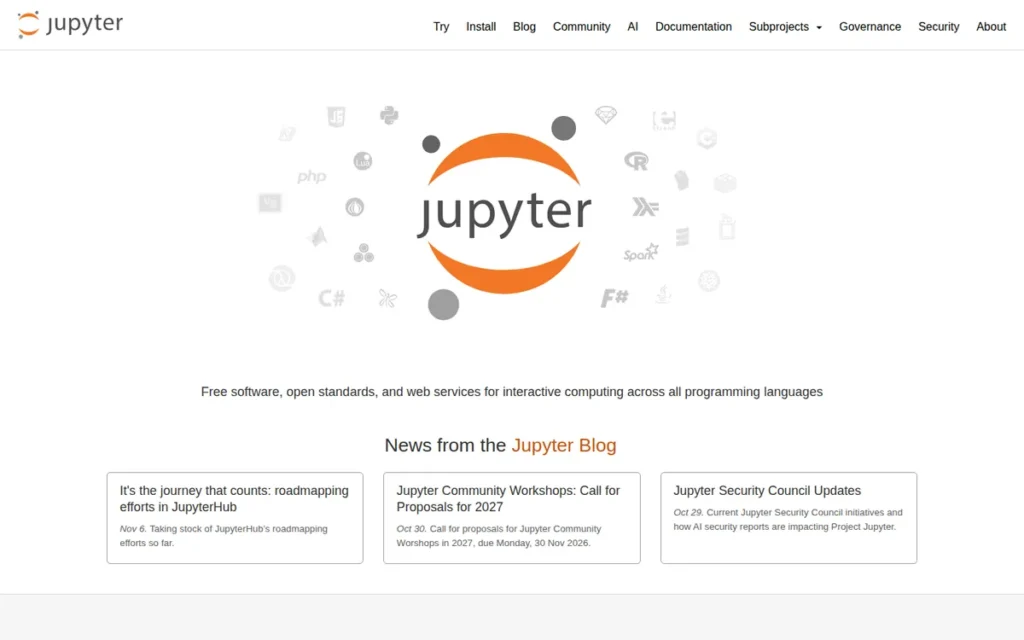
Category: Domain-Specific Environment, notebook-first interactive computing platform for data science.
At a Glance
- Category: Domain-Specific Env
- Best For: Data scientists, ML researchers, academic computing, exploratory analysis
- Price Range: Free (self-hosted); managed cloud platforms vary by compute cost
- Primary Strength: JupyterLab’s native .ipynb format combining live code, visualizations, and narrative text, used in production-adjacent workflows at Netflix, NASA JPL, CERN, and Bloomberg
- Biggest Limitation: Not designed for production software development: suited for exploration and analytics, not application deployment
- One-Line Summary: JupyterLab is the open-source browser-based interactive development environment that defines the notebook-first data science workflow, free to use and the standard interface for major managed data science platforms including AWS SageMaker Studio and Google Vertex AI.
- Last Verified: May 2026
Overview
JupyterLab is the open-source, browser-based environment that defines how data scientists and ML researchers work interactively in Python. JupyterLab combines live code, data visualizations, and narrative documentation in a single shareable .ipynb notebook file, free to use, capable of running 100+ language kernels, and the standard interface for major managed data science platforms.
Netflix documents production-adjacent Jupyter notebook workflows for experimentation and analytics per the Netflix Tech Blog (2023). JupyterLab is also reported to be in use at NASA JPL, CERN, and Bloomberg per Nebius AI’s 2024 analysis, these organizations use notebooks primarily for exploration and analytics workflows rather than as ML production execution runtimes.
The Jupyter Project was initiated in 2014 by Fernando Pérez and Brian Granger and is now governed by the nonprofit NumFOCUS. JupyterLab’s kernel-agnostic architecture supports Python, R, Julia, and 100+ languages through community kernels.
Key Features
- Native .ipynb Notebook Format: JupyterLab renders and executes Jupyter notebooks natively, combining live code, markdown narrative, equations, and visual outputs in a single shareable document that no traditional IDE in this evaluation handles as first-class content.
- Multi-Language Kernel Support: JupyterLab supports Python, R, Julia, Scala, and 100+ programming languages through swappable kernels, making it the most polyglot data science environment in this comparison for teams working across scientific computing languages.
- JupyterHub Multi-User Deployment: JupyterLab pairs with JupyterHub (free, open-source) for multi-user team deployments on university servers, enterprise data platforms, or cloud infrastructure, with GPU compute backends available on AWS SageMaker and Google Vertex AI for ML training workflows.
- JupyterLab 4.0 Performance: JupyterLab 4.0 (released 2023) introduced faster rendering, improved extension handling, and better real-time collaboration capabilities compared to the classic Jupyter Notebook interface.
- Cloud Platform Integration: JupyterLab is the default interface for AWS SageMaker Studio and Google Vertex AI, meaning teams that scale to cloud compute remain within the Jupyter ecosystem without learning a new interface.
- nbconvert for Deployment: JupyterLab notebooks can be converted to Python scripts for production deployment using nbconvert, a standard step in the exploration-to-production transition for data science teams moving from experimentation to deployed ML systems.
Best For
JupyterLab is best for data scientists, ML researchers, and academic computing teams who need to combine code execution, data visualization, and narrative documentation in a single shareable format, particularly those working within Python’s scientific stack (NumPy, pandas, Matplotlib, scikit-learn). JupyterLab is not the right tool for writing production-grade Python services or managing large application codebases.
Pricing
JupyterLab is free (open-source). JupyterHub is free (open-source, self-hosted). Managed cloud alternatives carry costs based on compute: Google Colab Pro is approximately $9.99/month (as of 2024); Amazon SageMaker Studio pricing is compute-based, billed per instance hour. Pricing verified against jupyter.org/install, May 2026.
Strengths
- Netflix documents production-adjacent Jupyter notebook workflows for experimentation and analytics per the Netflix Tech Blog (2023), enterprise adoption at this level confirms JupyterLab as appropriate for data analytics and experimentation workflows at production scale.
- JupyterLab’s native
.ipynbformat is the only document type in this evaluation that combines live code, visual output, markdown narrative, and mathematical equations in a single shareable, version-controllable file. - JupyterLab supports 100+ programming language kernels, making it the most language-flexible environment in this comparison for data science teams working in Python alongside R, Julia, or Scala.
- JupyterLab and JupyterHub are completely free, making full multi-user data science infrastructure available at zero licensing cost, a significant advantage for academic institutions and budget-constrained research teams.
Limitations
- Not a Production IDE: JupyterLab’s notebook-centric design is widely recognized as unsuitable for production software development, as one r/datascience member noted, “if you hand me a product built with a notebook, I am going to have a strong desire to set it on fire” (96 upvotes). JupyterLab excels at exploration and analytics; production Python requires a traditional IDE.
- Community Preference Shift Toward VS Code: The highest-voted comment (238 upvotes) in a major r/datascience thread explicitly recommends running Jupyter notebooks inside VS Code via the free Jupyter extension rather than using standalone JupyterLab, reflecting an ongoing community migration toward hybrid IDE workflows over a notebook-only environment.
- Version Control Friction: JupyterLab notebook files (
.ipynb) are JSON documents, Git diffs on changed notebooks produce verbose, difficult-to-review output in pull requests. No built-in solution exists within JupyterLab; managing this friction requires external tools like nbstripout or reviewNB, adding workflow overhead for data science teams collaborating via version control. - No Native AI Integration: JupyterLab has limited built-in AI coding assistance as of May 2026, data scientists who want AI-generated Python within notebooks must rely on extensions or switch to VS Code or Cursor for that capability.
Verdict
JupyterLab remains the most widely adopted standalone environment for the exploration phase of data science and machine learning work, combining code, visualization, and narrative documentation in a way no traditional IDE matches. JupyterLab is not the right tool for writing production-grade Python services or managing large application codebases. The clearest signal that a data science team is working efficiently is that they know which tool to open for which task: JupyterLab or the Jupyter extension in VS Code for exploration, VS Code or PyCharm Professional for production code, and the two workflows complement rather than compete with each other.
If you are deciding specifically between standalone JupyterLab and running Jupyter notebooks inside VS Code: choose standalone JupyterLab when you need JupyterHub multi-user team deployment, kernel flexibility beyond Python, or a dedicated browser-based interface for non-engineering colleagues who cannot install VS Code. Choose VS Code’s free Jupyter extension for solo data science work where you also write production Python, the data science community’s dominant recommendation per that 238-upvote r/datascience comment.
4. Cursor: Best AI-Native Python IDE
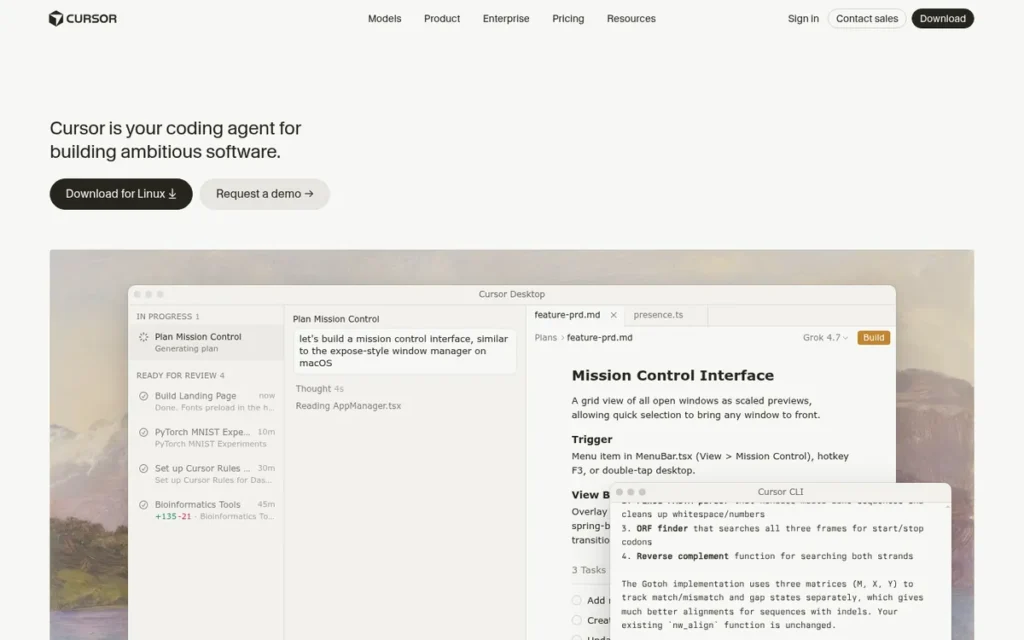
Category: AI-Native IDE, VS Code-based editor rebuilt around whole-repository AI context and agentic editing.
At a Glance
- Category: AI-Native IDE
- Best For: AI-first developers; teams needing multi-file agentic editing and autonomous debugging
- Price Range: Free tier (limited); Pro $20/month; Business $40/user/month
- Primary Strength: Cursor’s whole-repository context indexing and Composer multi-file mode enable coordinated AI edits across an entire codebase, capabilities currently unavailable in plugin-based AI tools as of May 2026
- Biggest Limitation: Code transmitted to external AI servers by default; $20/month Pro cost; AI hallucinations in Python logic require human review of every AI-generated change
- One-Line Summary: Cursor is an AI-native code editor built on VS Code by Anysphere Inc. that offers whole-repository context indexing and multi-file agentic editing capabilities not publicly replicated by plugin-based AI coding tools as of May 2026.
- Last Verified: May 2026
Overview
Cursor is an AI-native code editor built on a fork of VS Code by Anysphere Inc. that differs from plugin-based AI tools in one critical way: its AI understands your entire codebase, not just the current open file. This enables whole-repository refactors via Composer mode, multi-file agentic edits, and autonomous debugging cycles, at $20/month for the Pro tier.
Cursor was founded by MIT graduates Michael Truell, Sualeh Asif, Aman Sanger, and Arvid Lunnemark, with backing from Andreessen Horowitz (a16z) and the OpenAI Startup Fund. Anysphere’s valuation grew from approximately $400M in early 2024 to a reported $9B by mid-2025 (Series C), with subsequent 2026 reporting citing significantly higher figures as the company’s ARR reached $2B by February 2026 [Source: The Next Web, 2026; MVP VC, 2025].
Cursor has reportedly reached 2 million+ total users with approximately 360,000 paying subscribers as of early 2025, growing to 1 million+ daily active users by mid-2025 [Source: MVP VC, 2025; The Next Web, 2026].
Key Features
- Whole-Repository Context Indexing: Cursor indexes an entire codebase: not just the open file, so its AI responses understand how functions relate across modules, how classes are inherited, and how configurations connect to application behavior, enabling accurate multi-file suggestions currently unavailable in plugin-based tools.
- Composer Multi-File Editing: Cursor’s Composer mode enables coordinated AI-driven edits across multiple files simultaneously, applying a refactor, adding a feature, or fixing a bug across an entire project in a single AI interaction with full codebase awareness.
- Agentic Debug Agent: Cursor includes an autonomous debug agent that hypothesizes bugs, instruments code, tests behavior, and cleans up per maketime.fr’s 2026 Cursor guide, going beyond autocomplete to full investigative debugging cycles unavailable in traditional IDEs.
- Model Flexibility: Cursor allows developers to select from multiple underlying AI models (including Claude and GPT-4o) providing flexibility that single-model tools do not offer, allowing users to match model strengths to specific coding tasks.
- Tab Multi-Line Autocomplete: Cursor’s Tab autocomplete predicts multi-line edits based on the developer’s recent changes and codebase context, predicting the next logical code block rather than just the next token, reducing manual typing for repetitive structural patterns.
- VS Code Compatibility: Cursor is built on a VS Code fork, supporting the VS Code extension marketplace, settings, and keybindings, allowing VS Code users to migrate with minimal friction and without relearning their editor environment.
Best For
Cursor is best for intermediate-to-senior Python developers and software engineering teams who want maximum AI-assisted productivity, particularly those building complex multi-module applications where AI understanding of the entire codebase provides measurably more value than single-file autocomplete. Cursor’s value scales with project complexity; simpler Python scripts may not justify the $20/month Pro cost.
Pricing
Cursor offers a Free tier (2-week Pro trial included for new accounts, then 2,000 completions/month + 50 slow premium AI requests/month). The Pro plan costs $20/month (unlimited completions, 500 fast premium AI requests/month, unlimited slow requests). The Business plan costs $40/user/month (adds organization-wide privacy mode, centralized billing, admin controls, and SSO). Pricing verified against cursor.com/pricing, May 2026.
Strengths
- Cursor has reportedly reached 2 million+ total users with approximately 360,000 paying subscribers as of early 2025, growing to 1 million+ daily active users by mid-2025 [Source: MVP VC, 2025; The Next Web, 2026], a level of paid adoption exceptional for a developer tool under two years old.
- Cursor’s whole-repository context indexing and Composer multi-file editing represent AI coding capabilities that plugin-based tools like GitHub Copilot have not publicly replicated as of May 2026 per builder.io’s Cursor feature analysis.
- Cursor is built on VS Code, meaning developers retain VS Code’s extension marketplace, familiar interface, and settings system, lowering the migration cost for the 48% of Python developers already using VS Code (JetBrains Python Developers Survey 2024).
- Cursor’s autonomous debug agent can hypothesize bugs, instrument code, and test behavior across multiple files per maketime.fr (2026), a capability that traditional IDEs and plugin-based AI tools cannot replicate as of this evaluation.
Limitations
- Privacy and Security Risk: Cursor sends code to external AI servers by default, a significant concern for developers working with proprietary algorithms, regulated data (HIPAA, GDPR), or enterprise codebases. Cursor’s Business plan privacy mode ($40/user/month) partially addresses this but does not provide fully air-gapped operation per AltexSoft’s review. What to do: Verify Cursor’s data retention policy and confirm your organization’s security standards permit external code transmission before adoption.
“OUTDATED: I just tried cursor with codebase indexed… it failed my expectations., Update 26.02.25: Now, composer with agent mode enabled, Cursor works great and saves a lot of time. Above comment is outdated.” (u/poziminski, r/ClaudeAI)
Takeaway: Cursor’s value requires deliberate configuration, developers who enable Composer mode and agent mode unlock the capabilities that justify the $20/month cost; those who don’t configure these features will not experience Cursor’s differentiating capabilities.
- Reduced AI Reliability on Dynamic Python Patterns: Cursor’s AI performs best on statically typed, straightforward Python code. Developers using heavy metaprogramming, runtime class modification, or framework-specific magic (Django ORM query construction, Flask app factory patterns, pytest fixture injection) report less reliable AI suggestions than those writing typed, conventional Python [per community reports and AltexSoft Cursor analysis, 2025].
- Cost vs. Free AI Alternatives: Cursor Pro at $20/month costs twice GitHub Copilot Pro ($10/month), a meaningful premium for individual developers whose needs don’t extend beyond single-file autocomplete, where VS Code plus GitHub Copilot Free ($0) is sufficient.
- Offline and Privacy Limitations: Cursor’s AI features require internet connectivity and the Business plan’s privacy mode ($40/user/month) is the only tier that addresses enterprise code privacy concerns, developers on standard plans have no option to prevent code transmission to external servers.
One developer on r/ChatGPTCoding discovered this firsthand:
“At work someone saw I was using Cursor, and asked me which plan I was on. I said I was paying it myself and on the PRO plan. They pointed out that if you don’t have privacy mode enabled (which is disabled by default) Cursor and their partner keep and trained on your code base and I got an earful for it. So if you are using Cursor and not on the business / enterprise plan, make sure to go to Settings > General > Privacy Mode and turn that shit on.” Posted by u/lanovic92
Takeaway: Cursor’s default Pro plan configuration transmits and trains on your codebase without explicit opt-in, a privacy posture that has caused real professional consequences for developers using it on employer codebases without enabling Privacy Mode first.
Verdict
Cursor offers the most capable whole-repository AI context and agentic multi-file editing of any tool evaluated in this comparison as of May 2026. Cursor’s Composer mode and autonomous debugging represent a qualitative leap over plugin-based AI tools, but at a real cost in dollars, privacy posture, and the discipline required to validate AI-generated Python code carefully. Developers who regularly work on complex refactors across multiple files or need AI to understand their entire codebase will find Cursor’s Pro cost justified. Developers whose primary need is single-file autocomplete will find VS Code plus GitHub Copilot Free sufficient at zero recurring cost.
5. Spyder: Best Python IDE for Scientific Computing
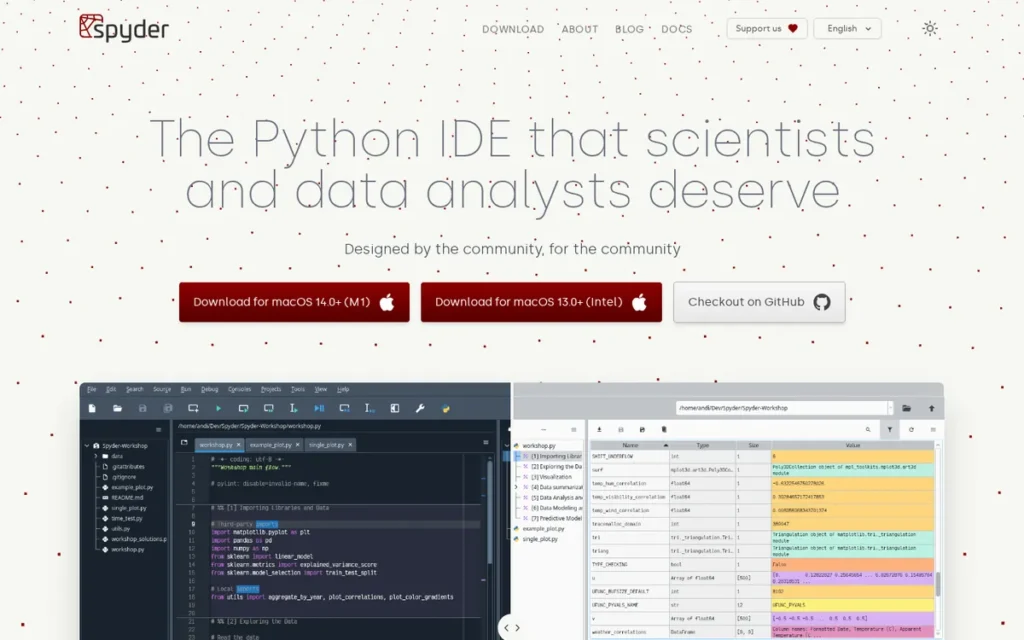
Category: Domain-Specific Environment, MATLAB-inspired interactive scientific Python IDE.
At a Glance
- Category: Domain-Specific Env
- Best For: Scientists, engineers, data analysts, MATLAB-to-Python migrators
- Price Range: Free (open-source, no paid tier)
- Primary Strength: Spyder’s built-in Variable Explorer and embedded Plots pane provide real-time scientific computing interactivity that no other free IDE in this evaluation offers as a native built-in feature without extension configuration
- Biggest Limitation: No AI integration, no web framework support, smaller community than VS Code or PyCharm
- One-Line Summary: Spyder is a free, open-source Scientific Python Development Environment with a Variable Explorer and embedded Plots pane purpose-built for scientists and engineers transitioning from MATLAB.
- Last Verified: May 2026
Overview
Spyder is a free, open-source Python IDE built for scientists, engineers, and data analysts who need a MATLAB-style interactive computing environment in Python. Spyder’s built-in Variable Explorer, embedded Plots pane, and IPython Console are native features that VS Code and PyCharm only approximate through extensions or paid tiers, with no configuration required and no cost whatsoever.
Spyder was originally created by Pierre Raybaut and is now maintained by the Spyder Project Contributors with organizational support from Quansight Labs [per Spyder project GitHub documentation, github.com/spyder-ide/spyder, last verified May 2026] (a data science-focused firm cofounded by Travis Oliphant, creator of NumPy) ensuring professional development resources despite the tool being free.
Spyder falls within the approximately 14% of Python developers who use editors outside VS Code, PyCharm, and Jupyter Notebook as their primary tool (JetBrains Python Developers Survey 2024), reflecting its niche but loyal user base among scientists and engineers.
Key Features
- Variable Explorer: Spyder’s Variable Explorer provides real-time inspection of all in-memory variables, including the ability to open entire dataframes, scroll through contents visually, and inspect type, shape, and values without writing print statements. No other free IDE in this evaluation offers a comparable real-time dataframe viewer and variable inspector as a native built-in feature without extension configuration.
- Embedded Plots Pane: Spyder displays Matplotlib and other plotting library outputs directly within the IDE’s Plots pane, keeping visualizations persistent and organized rather than generating separate popup windows that clutter the workflow during interactive analysis.
- IPython Console: Spyder’s IPython Console provides an interactive Python REPL with full access to all variables in the current namespace, allowing scientists to execute code snippets, inspect results, and test functions interactively alongside their scripts.
- LSP-Based Code Completion: Spyder’s editor uses Language Server Protocol-based completion and linting per Spyder’s editor documentation, providing code intelligence comparable to VS Code’s Python extension within Spyder’s scientific workflow.
- Scientific Stack Integration: Spyder ships with native integration for NumPy, SciPy, pandas, Matplotlib, and IPython (the core scientific Python stack) without requiring extension configuration or marketplace installation.
- Built-in Profiler: Spyder includes a code profiler that identifies performance bottlenecks in scientific computing code, useful for optimizing numerical algorithms and data processing pipelines where efficiency directly impacts research throughput.
Best For
Spyder is best for scientists, engineers, and data analysts working with Python’s scientific stack, particularly those transitioning from MATLAB or R who need familiar interactive computing features like persistent variable inspection and embedded plots. Spyder provides these capabilities natively without configuring a general-purpose IDE from scratch.
Pricing
Spyder is completely free (open-source, no premium tier, no enterprise version, no paid support plan). Development is supported by Quansight Labs and open-source community contributors. Pricing verified against spyder-ide.org, May 2026.
Strengths
- Spyder’s Variable Explorer allows scientists to inspect entire dataframes visually, specifically identified by the r/learnpython community as the reason to choose Spyder: “one of the few IDEs that can actually have plots built into the IDE. Helps massively.” (u/kymar123, r/learnpython.)
- Spyder provides a MATLAB-comparable scientific computing environment at zero cost: significant for academic institutions and research labs with limited software budgets who previously paid for MATLAB licenses.
- Spyder uses Language Server Protocol-based code completion per Spyder editor documentation, giving scientists modern code intelligence without sacrificing the interactive scientific workflow that makes Spyder distinctive.
- Spyder’s native integration with NumPy, SciPy, pandas, and Matplotlib requires no extension configuration, unlike VS Code, which requires multiple extensions and configuration steps to achieve comparable scientific capabilities.
Limitations
- No AI Integration: Spyder has no documented AI integration as of May 2026: an accelerating competitive weakness as 84% of developers used or planned to use AI development tools in 2025 (Stack Overflow Developer Survey 2025). Data scientists who want AI-assisted Python coding must switch to VS Code or Cursor for those capabilities.
- Limited Production Codebase Support: Spyder is designed for scientific exploration, not for large application architectures, the community recognizes this ceiling: “for more robust projects PyCharm is the best that I’ve found” per an r/Python discussion.
- Environment Switching Friction: Spyder’s conda and pip environment management is less seamless than VS Code’s environment selector UI or PyCharm’s interpreter management. Researchers managing multiple conda environments for different projects report friction when switching between environments, a practical pain point for data scientists managing competing package dependencies across active projects.
- No Web Framework Support: Spyder provides no Django, Flask, or FastAPI framework intelligence, developers who move from scientific computing to Python web development will need to switch IDEs entirely.
Verdict
Spyder is the strongest free Python environment for scientists and engineers whose work centers on interactive data exploration with Python’s scientific stack. Spyder’s Variable Explorer and embedded Plots pane provide a MATLAB-like interactive computing experience that VS Code and PyCharm only approximate through extensions or paid tiers. The typical Spyder trajectory is predictable: Spyder for scientific exploration, then VS Code or PyCharm as projects grow into production applications, and that transition from Spyder to a full IDE is a feature of Spyder’s design, not a limitation.
6. Sublime Text: Best Lightweight Python Editor
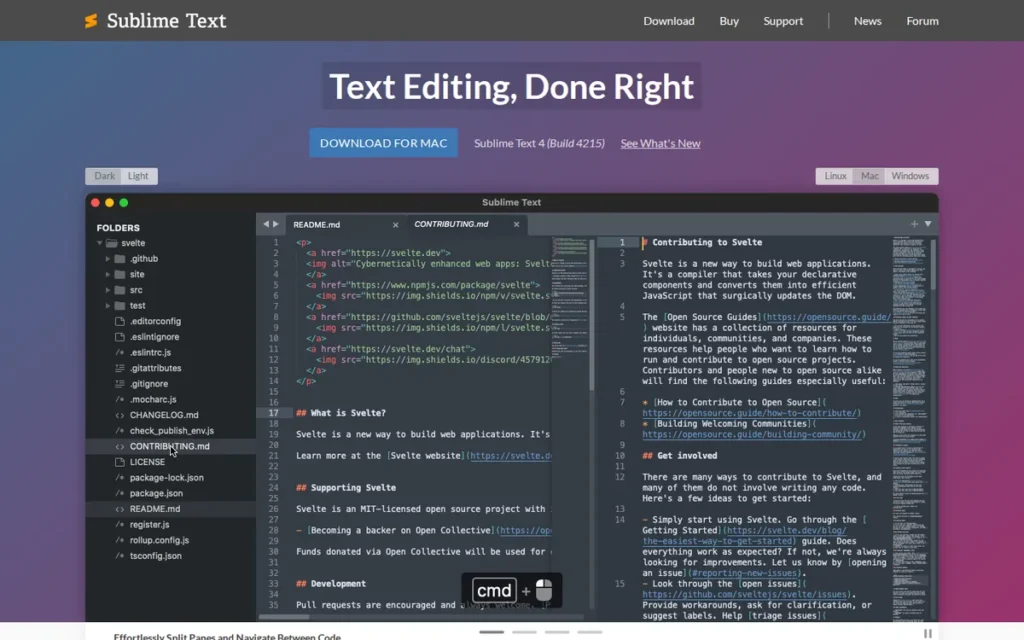
Category: Lightweight Editor, native-compiled, non-Electron code editor with Python plugin API.
At a Glance
- Category: Lightweight Editor
- Best For: Speed-focused developers, large file editing, distraction-free scripting, resource-constrained machines
- Price Range: $99 one-time personal license; $65/user/year business
- Primary Strength: Sublime Text’s native C++ architecture delivers faster startup and lower memory usage than any Electron-based editor in this evaluation
- Biggest Limitation: Aging plugin ecosystem; requires significant configuration to function as a full Python IDE; no built-in AI assistance
- One-Line Summary: Sublime Text is a native-compiled, non-Electron code editor with strong user satisfaction ratings on G2 [source: g2.com/products/sublime-text/reviews, May 2026] that handles large files and starts faster than any other editor in this evaluation.
- Last Verified: May 2026
Overview
Sublime Text is a native-compiled, non-Electron code editor that starts faster and uses less memory than any Electron-based tool in this evaluation. Available for a $99 perpetual personal license, Sublime Text excels at opening very large files, provides a distraction-free editing environment, and offers a Python-based plugin API, but requires significant configuration via the LSP plugin and Anaconda package to function as a Python IDE, and provides no built-in AI assistance.
Sublime Text is maintained by Sublime HQ Pty Ltd; Sublime Text 4 (released 2021) added GPU-accelerated rendering, 64-bit architecture across all platforms, and a significantly improved syntax engine. Sublime Text is not built on Electron, it is compiled C++ native code, meaning faster startup times, lower memory usage, and the ability to handle very large files that VS Code or PyCharm cannot open without performance degradation.
Key Features
- Native C++ Performance: Sublime Text is compiled native code: not Electron-based, resulting in measurably faster startup, lower memory consumption, and the ability to open multi-GB files (large SQL exports, log files, generated code) that Electron-based editors handle poorly.
- Multi-Cursor Editing: Sublime Text’s multi-cursor system enables simultaneous editing at multiple positions in a file, a feature Sublime Text pioneered and continues to implement with a fluidity that competing editors acknowledge.
- Goto Anything: Sublime Text’s Goto Anything command (Ctrl+P) provides instant fuzzy-search navigation to any file, symbol, or line in the project, fast-navigation capability that helped define the modern editor paradigm.
- Command Palette: Sublime Text’s Command Palette provides keyboard-accessible access to every editor function, allowing power users to execute any command without touching a mouse or memorizing dozens of keyboard shortcuts.
- Python Plugin API: Sublime Text’s extension API is written in Python: all Sublime Text packages are written in Python, giving Python developers the unique ability to write and customize editor workflows in the language they already know.
- Plain-Text Configuration: Sublime Text uses JSON text files for configuration, displayed side-by-side with default settings, making customization more transparent and precise than VS Code’s settings UI or PyCharm’s nested settings trees.
Best For
Sublime Text is best for experienced developers who prioritize raw editing speed and low resource consumption over full IDE completeness, particularly those frequently opening very large files, working on resource-constrained hardware, or wanting a distraction-free editor for Python scripting alongside a primary full IDE. Sublime Text’s $99 one-time license is cheaper than PyCharm Professional or Cursor Pro over any period longer than approximately 18 months for individual developers.
Pricing
Sublime Text 4 is available for a $99 one-time personal license (perpetual, with free minor updates). Business licensing is $65/user/year. Unlimited evaluation is permitted without a time limit, with periodic purchase prompts. Pricing verified against sublimetext.com/buy, May 2026.
Strengths
- Sublime Text maintains strong user satisfaction ratings on G2 among its verified reviewer community [source: g2.com/products/sublime-text/reviews, May 2026], reflecting genuine satisfaction among developers who have committed to the tool and its focused editing philosophy.
- Sublime Text’s native C++ architecture handles very large files that VS Code cannot process, confirmed by multiple r/SublimeText community members: “one of those features is that it can open a large SQL file with no lag.”
- Sublime Text’s $99 one-time license carries no subscription cost, making it cheaper over any period longer than 18 months for individual developers than PyCharm Professional ($65–$109/year) or Cursor Pro ($20/month recurring).
- Sublime Text’s Python plugin API allows Python developers to write editor extensions in Python itself, a uniquely synergistic capability that no other editor in this evaluation provides to Python developers natively.
Limitations
- Aging Plugin Ecosystem: Sublime Text’s package ecosystem has lost momentum as VS Code attracted the majority of extension developers, community members specifically note that “some of them [packages] are ageing out, not maintained regularly or at all” per r/SublimeText, meaning Python-specific tools for linting, formatting, and type checking may not keep pace with Python language evolution.
- Not a Full Python IDE: Sublime Text requires the LSP plugin and Anaconda package to approximate Python IDE features, and even fully configured, Sublime Text lacks the framework-specific intelligence of PyCharm or the integrated test runner of VS Code.
- No Integrated Test Runner: Sublime Text provides no built-in support for running pytest or unittest test suites, a practical gap for professional Python developers who run tests frequently. Configuring test execution requires build system configuration or a terminal workflow, adding overhead that VS Code’s built-in Test Explorer eliminates.
- No Native AI Integration: Sublime Text has no built-in AI coding assistant as of May 2026, developers who want AI-assisted Python coding must switch to VS Code or Cursor for those capabilities, making Sublime Text a secondary editor rather than a primary tool for AI-forward workflows.
Verdict
Sublime Text is the right choice for developers who prioritize editing performance and a distraction-free environment over IDE completeness, particularly those working with large files, resource-constrained machines, or Python scripting tasks where a full IDE’s overhead is unnecessary. Sublime Text’s strong G2 user satisfaction reflects genuine quality in its focused niche, but Sublime Text’s role in professional Python development has narrowed as VS Code’s capabilities have expanded. Most developers in 2026 use Sublime Text alongside VS Code rather than as a standalone replacement for a full Python IDE.
7. Thonny: Best Python IDE for Beginners
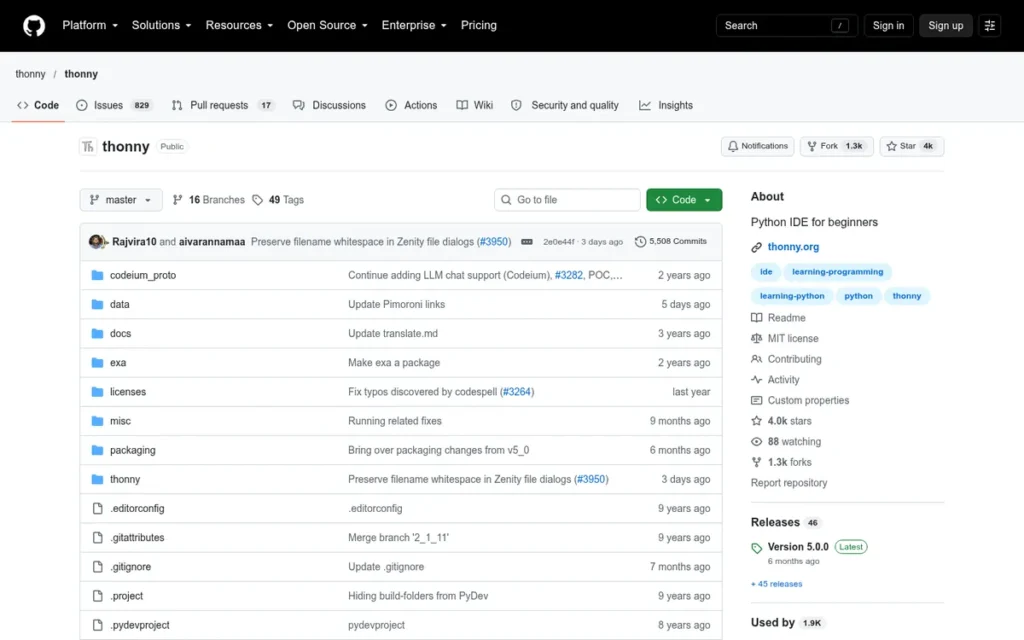
Category: Beginner IDE, pedagogically designed Python learning environment with bundled Python installation.
At a Glance
- Category: Beginner IDE
- Best For: Python beginners, students, educators, Raspberry Pi hobbyists
- Price Range: Free (open-source, no paid tier)
- Primary Strength: Thonny is the only IDE in this evaluation with a peer-reviewed academic paper validating its pedagogical design and a sub-statement debugger unavailable as a native built-in feature in any other evaluated tool
- Biggest Limitation: Not suitable for professional software development, web frameworks, large codebases, or team workflows at any scale
- One-Line Summary: Thonny is a free, open-source Python IDE from the University of Tartu with a peer-reviewed pedagogical design, bundled Python on Windows and macOS, and a sub-statement expression debugger that makes it the most beginner-accessible Python learning environment available.
- Last Verified: May 2026
Overview
Thonny is a free Python IDE from the University of Tartu designed exclusively for beginners learning to code. Thonny bundles Python in a single installer on Windows and macOS, includes a sub-statement step debugger that visualizes expression evaluation in a way no professional IDE matches pedagogically, and ships pre-installed on Raspberry Pi OS, providing the shortest path from zero experience to writing Python code of any tool in this evaluation.
Thonny was created by Aivar Annamaa and first introduced in a 2015 ACM conference paper; its design has been validated by peer-reviewed computer science education research, a standard of rigor no commercial Python IDE in this evaluation has applied. Raspberry Pi’s cumulative shipments exceeded 67 million units since launch [Source: Raspberry Pi investor relations, investors.raspberrypi.com, 2025], making Thonny’s pre-installation on Raspberry Pi OS the most organic hardware-distribution channel in this evaluation.
On Linux (including Raspberry Pi OS) Thonny uses the system’s existing Python 3 installation rather than a bundled version; the Windows and macOS installers include Python as of Thonny 5.x [Source: thonny.org, May 2026]. This distinction is important for educators deploying Thonny on Linux-based classroom systems.
Key Features
- Bundled Python Installation (Windows and macOS): Thonny ships with Python included on Windows and macOS, one installer provides both the IDE and a working Python environment, preventing the interpreter configuration errors that are the most common beginner Python setup failure point. On Linux, including Raspberry Pi OS, Thonny uses the system’s existing Python 3 installation rather than a bundled version [Source: thonny.org, May 2026].
- Sub-Statement Step Debugger: Thonny’s debugger visualizes expression evaluation step-by-step at sub-statement granularity, showing how
3 + (2 * 4)is evaluated as a sequence of substitutions. No other Python IDE evaluated in this comparison offers sub-statement expression evaluation as a native, built-in default feature per Thonny’s ACM paper. - pip GUI: Thonny includes a built-in graphical package installer accessible from the Tools menu, allowing students to install Python packages without touching the command line or risking system-wide environment conflicts.
- Variable Inspector: Thonny’s variable inspector displays all current variables and their values in real time as code executes, making program state visible to learners in a way that print-statement debugging cannot replicate.
- Simplified Interface: Thonny’s interface deliberately hides advanced complexity, plugins, multiple panes, and terminal access are not shown by default, reducing cognitive load for students encountering a code editor for the first time.
- Raspberry Pi OS Default Installation: Thonny ships pre-installed in Raspberry Pi OS, making it the first Python tool encountered by millions of hardware hobbyists, educators, and maker-community users building physical computing projects, an organic distribution channel no other IDE in this evaluation has through hardware pre-installation.
Best For
Thonny is best for absolute Python beginners, students in K-12 or university introductory programming courses, self-directed learners in their first 1–3 months of Python, educators teaching programming fundamentals, and Raspberry Pi hobbyists. Thonny provides a zero-setup, pedagogically designed environmentoptimized for learning Python fundamentals before transitioning to professional tools like VS Code.
Pricing
Thonny is completely free (open-source, maintained by the University of Tartu and community contributors). No premium tier, no enterprise version, no paid support plan exists. Pricing verified against Thonny GitHub, May 2026.
Strengths
- Thonny is the only Python IDE in this evaluation with a peer-reviewed academic paper validating its design, “Introducing Thonny, a Python IDE for Learning Programming” published in ACM proceedings in 2015, applying a standard of pedagogical rigor that no commercial IDE in this comparison has undertaken.
- Thonny ships pre-installed in Raspberry Pi OS, giving it organic access to a user base spanning 67+ million Raspberry Pi devices globally [Source: Raspberry Pi investor relations, investors.raspberrypi.com, 2025], a distribution channel built through hardware ecosystem presence that no other IDE in this evaluation can replicate through default pre-installation, making Thonny uniquely present in maker-community and physical-computing education contexts.
- Thonny’s bundled Python on Windows and macOS eliminates the interpreter configuration errors that are the most common beginner Python setup failure point per codesolid.com’s Thonny review, a genuine barrier removed for first-time Python learners, not merely simplified.
- Thonny’s sub-statement debugger visualizes expression evaluation at a granularity that PyCharm and VS Code debuggers (which operate at the statement level) do not provide as a native built-in feature, making Thonny pedagogically irreplaceable for teaching operator precedence and expression evaluation to beginners.
Users on r/learnpython confirmed both the value and the natural transition point:
“It’s ideal for beginners and would be my recommendation. My rough guide would be when your programs stretch to about 3 pages long, it may be worth looking into whether a more featured IDE (like VS Code or PyCharm) would be of benefit.” Posted by u/CraigAT
Takeaway: Thonny’s beginner suitability is broadly recognized in the Python education community, but experienced users consistently identify the transition to VS Code or PyCharm as the natural next step once project complexity grows beyond beginner exercises.
Limitations
- Not for Professional Development: Thonny explicitly lacks a meaningful plugin ecosystem, AI integration, web framework support (Django, Flask, FastAPI), Docker/Git GUI integration, and any capability for managing production codebases, confirmed across codesolid.com, itsfoss.com, and r/learnpython community consensus.
- No Growth Path Within the Tool: The moment a Thonny user first needs to manage virtual environments, install packages with conflicting versions, or run a Flask development server, Thonny provides no guidance, the user must migrate to VS Code or PyCharm to continue. This transition is expected and designed into Thonny’s philosophy, but should be planned for within 30–90 days of serious Python work when the first real project requires file management, dependency isolation, or external libraries beyond what the pip GUI handles.
- Limited Community and Resources: Thonny’s community discussions exist primarily on educational technology sites and Raspberry Pi forums (not on mainstream platforms like Stack Overflow or Reddit) limiting the resource base for learners who encounter non-trivial problems outside Thonny’s beginner scope.
- No Collaboration Features: Thonny provides no Git integration, no live share, and no team collaboration features, making it unsuitable for any development context beyond solo learning exercises in the tool’s designated first-use window.
Verdict
Thonny is the single best Python tool for absolute beginners and the only IDE in this evaluation whose design has been validated by peer-reviewed computer science education research. Thonny ranks seventh not because it is a poor product but because its deliberately narrow scope, Python fundamentals for first-time learners, places it outside the needs of the primary professional audience this evaluation serves. Within its target use case, Thonny outperforms every other tool in this comparison. The typical transition is Thonny for the first 30–90 days of Python learning, then VS Code when the first real project requires file management, virtual environments, or external libraries beyond what the pip GUI handles, a path Thonny’s design anticipates and intentionally enables.
What Red Flags Should I Watch For When Evaluating Python IDEs?
Six documented patterns cause developers to regret their Python IDE choice: hidden feature paywalls discovered after setup, enterprise code privacy risks from AI transmission, aging or unmaintained plugin ecosystems, Community/Professional edition confusion, performance degradation on large projects, and AI hallucinations in generated Python code. Each red flag below is drawn from verified community experience and product documentation, not editorial speculation.
Red Flag #1: Hidden Feature Paywalls
Some IDEs advertise a free version that lacks the features most users actually need. PyCharm Community, for example, does not include Django, FastAPI, or Flask framework support, Jupyter notebook integration, or database tools, features web developers and data scientists require. Discovering this paywall after investing significant setup time is the most common PyCharm frustration documented in the r/learnpython community.
What to do: List your three required features and verify each against the IDE’s official edition comparison table before beginning installation, not after.
Red Flag #2: Privacy and Code Transmission Risks
AI-native IDEs that send your code to external servers introduce privacy risks that developers working with proprietary algorithms, regulated data (HIPAA, GDPR), or enterprise codebases must evaluate carefully. Cursor’s default configuration transmits code to external AI servers per AltexSoft’s analysis, a policy enterprise security teams may prohibit without upgrading to the Business plan’s privacy mode at $40/user/month.
What to do: Review the tool’s data retention policy, confirm whether your organization’s security standards permit external code transmission, and check whether a privacy mode is available and at what cost tier before adopting any AI-integrated IDE professionally.
Red Flag #3: Aging or Unmaintained Plugin Ecosystems
An IDE’s plugin ecosystem can grow stale as developer attention shifts to platforms with larger user bases. Sublime Text community members specifically note that some packages are “ageing out, not maintained regularly or at all” per r/SublimeText, meaning Python-specific tools for linting, formatting, and type checking may not keep pace with Python language evolution.
What to do: Check the last commit date and open issue count for the Python-specific plugins you will depend on before committing to an editor’s extension ecosystem.
Red Flag #4: Community vs. Professional Edition Confusion
IDEs that present a free Community edition can obscure what professional users are actually missing until after they have committed to the tool. The most effective mitigation is to write down your three required features and verify each against the IDE’s official feature comparison table, using the vendor’s edition comparison page, not marketing copy.
What to do: Use the IDE vendor’s official edition comparison page to confirm that your required features exist in the tier you plan to use before beginning installation.
Red Flag #5: Performance Degradation on Large Projects
Electron-based editors (VS Code, Cursor) and JVM-based IDEs (PyCharm) can slow meaningfully on large codebases, a risk that doesn’t appear during initial evaluation on small tutorial projects. Community members report PyCharm becoming progressively slower on growing projects over time per r/learnpython.
What to do: Evaluate any IDE under consideration on a project representative of your actual codebase scale (not on a tutorial project) before committing to setup and extension configuration.
Red Flag #6: AI Hallucinations in Python-Specific Code
AI-native editors like Cursor can silently introduce logical errors in Python refactors, particularly around dynamic imports, decorator patterns, and framework-specific behavior per AltexSoft. Silent errors in AI-generated Python are more dangerous than syntax errors because they pass linting and may only surface at runtime.
What to do: Review every AI-generated Python change before committing, treat AI output as a first draft that requires human validation, not a finished implementation ready for production.
What Questions Should I Ask Before Choosing a Python IDE?
Six questions help developers match a Python IDE to their actual workflow before investing time in setup and configuration. Asking these questions in advance prevents the most common evaluation mistakes: discovering a paywall after setup, choosing a tool that doesn’t support your deployment environment, or underestimating the true total cost of ownership.
Question #1: What is my primary Python use case, web development, data science, scripting, or learning?
Different Python workflows have different IDE requirements. Web developers (Django, FastAPI, Flask) benefit most from PyCharm Professional’s framework-native support or VS Code with appropriate extensions. Data scientists need notebook-friendly environments, JupyterLab, VS Code with Jupyter extension, or Spyder. Beginners need zero-setup simplicity, Thonny. Identify your primary workflow before evaluating any specific tool.
Question #2: Does this IDE support .ipynb notebooks natively, or only through configuration?
If your workflow involves Jupyter notebooks, verify whether the IDE supports .ipynb natively. JupyterLab supports notebooks natively. VS Code supports notebooks via the free Jupyter extension. PyCharm supports Jupyter only in the paid Professional edition. Spyder supports notebook-style execution via cell mode (# %%). Thonny and Sublime Text do not support notebooks meaningfully.
Question #3: What is the real total cost of ownership, including paid tiers, AI add-ons, and setup time?
Free-tier IDEs are not necessarily zero-cost when setup time and eventual paid-feature requirements are factored in. Evaluate VS Code’s extension configuration time honestly, 15–30 minutes minimum for a beginner. Compare PyCharm Professional’s $109 first-year cost against the features you will actually use. Compare Cursor’s $20/month against VS Code plus GitHub Copilot Free for AI coding needs before committing.
Question #4: Does this IDE support my deployment environment, remote servers, Docker, or cloud instances?
Developers who work on remote SSH servers, in Docker containers, or on cloud GPU instances need an IDE with native remote development support. VS Code’s Remote Development extensions provide the most comprehensive free remote editing capabilities in this evaluation. PyCharm Professional also supports remote interpreters. JupyterHub enables remote Jupyter server access. Thonny and Spyder have limited or no remote development support.
Question #5: How actively maintained is the plugin ecosystem, and will it keep pace with Python’s evolution?
Python evolves rapidly, new syntax features, type annotation improvements, and third-party package updates require IDE tooling to keep pace. VS Code (Microsoft-backed) and PyCharm (JetBrains-backed) have well-resourced teams ensuring current Python version support. Sublime Text’s plugin ecosystem relies on community maintainers whose activity varies. JupyterLab and Spyder are open-source with organizational backing, NumFOCUS and Quansight respectively, ensuring ongoing development.
Question #6: Does the tool’s AI integration match my privacy requirements and project complexity?
AI coding tools provide meaningfully different levels of assistance: single-file autocomplete (GitHub Copilot Free), whole-repository context (Cursor Pro), or no AI at all (Spyder, Thonny, Sublime Text). Before choosing an AI-integrated tool, confirm whether your organization permits code to be transmitted to external servers and whether project complexity justifies the cost premium over free AI alternatives.
Question #7: What is my current experience level, and will this tool grow with me?
Thonny is excellent for the first 30–90 days of Python learning but has a built-in growth ceiling by design. VS Code scales from beginner to senior engineer with appropriate extension configuration. PyCharm Professional grows with framework complexity but not with language diversity. Matching your tool to your current stage (and your next stage) prevents the cost of migrating and reconfiguring your development environment after six months of investment.
How Did We Rank These Python IDEs?
These seven Python IDEs were ranked using six criteria: third-party review ratings, real-world community sentiment (Reddit), pricing transparency and total cost, Python-specific feature depth, ecosystem longevity, and use-case fit. Research drew from four phases (AI search queries, independent web research, Reddit analysis, and G2 review data) to surface evidence-based conclusions rather than editorial opinion.
What Four Research Phases Determined These Rankings?
- AI Search Engine Queries: We queried multiple AI search engines (including Perplexity AI) with Python IDE comparison queries to identify which tools are being recommended in AI-generated answers and what the current competitive landscape reflects in practice.
- Independent Web Research: We gathered data from vendor documentation, pricing pages, and third-party review analyses, cross-referencing vendor-reported statistics against independent sources wherever possible and labeling vendor-sourced claims explicitly throughout the article.
- Reddit Community Sentiment Analysis: We analyzed high-upvote discussions from r/learnpython, r/datascience, r/Python, r/SublimeText, and r/ClaudeAI to capture authentic user experiences, including frustrations, migration stories, and workflow patterns that formal reviews omit.
- Third-Party Review Platform Data: We collected available G2 ratings for tools with commercial review platform presences: VS Code (4.6/5), PyCharm (4.6/5), Sublime Text (strong ratings among verified users). Open-source tools (JupyterLab, Spyder, Thonny) have no meaningful G2 presence, as expected for free academic and scientific tools.
What Six Criteria Determined Each IDE’s Rank?
- Third-Party Review Ratings and Volume: why it matters: Ratings from verified users provide independent signal on product satisfaction separate from vendor marketing claims.
- Real-World User Sentiment (Reddit, forums), why it matters: Community forums capture authentic long-term experiences, including performance degradation, plugin maintenance failures, and workflow fit, that formal reviews consistently omit.
- Pricing Transparency and Value: why it matters: The gap between advertised free tiers and actual feature requirements is a significant pain point across this category. Transparent, predictable pricing is weighted positively in rankings.
- Python-Specific Feature Depth: why it matters: IDEs vary significantly in how much Python-specific intelligence they provide out-of-box versus requiring configuration, directly affecting developer productivity on real projects.
- Ecosystem and Longevity: why it matters: Plugin ecosystems, maintainer backing, and community size determine whether an IDE will remain viable as Python language versions evolve.
- Use-Case Fit and Target Audience Alignment: why it matters: Rankings reflect evidence of fit-for-purpose, not absolute feature count. A tool ranked lower overall may be the optimal choice for a specific workflow.
How Does This Comparison Weigh Conflicting Evidence?
Recency and specificity outweigh volume and age in this evaluation’s evidence hierarchy. A detailed 2025 Reddit post with 50+ upvotes describing a concrete performance issue outweighs a generic 2023 G2 review on the same topic. When market share data (JetBrains Python Developers Survey) conflicts with feature comparison conclusions, market share is treated as directional evidence of real-world satisfaction, not a ranking input on its own.
How Is Vendor Data Validated?
Vendor-reported statistics are labeled as vendor-reported throughout this article. Claims corroborated by at least one independent source are stated as fact with attribution. Unverifiable claims are included with explicit caveats. All pricing data was verified directly from vendor pricing pages in May 2026.
Does PlugRoute Have Any Affiliate Relationships?
PlugRoute has no affiliate relationships with any company listed in this comparison. No company has paid for placement, review, or inclusion. Rankings are determined entirely by the evidence-based methodology described in this section.
This article was last updated in May 2026. PlugRoute reviews and updates this comparison every six months or whenever a significant product change affects a ranking.
What Are the Most Frequently Asked Questions About Python IDEs?
Can VS Code fully replace PyCharm for professional Python development?
VS Code can replace PyCharm for most professional Python workflows at zero cost, but cannot match PyCharm Professional’s framework-native Django, FastAPI, and Flask intelligence, 900+ code inspections (vendor-reported), or built-in database tools. For developers whose primary work is Python web frameworks, PyCharm Professional offers measurably deeper tooling that VS Code extensions approximate but don’t fully replicate.
Is Cursor worth $20/month over VS Code with GitHub Copilot?
Cursor Pro at $20/month is worth the premium for developers who regularly refactor across multiple files or need AI that understands their entire codebase. For developers whose primary need is single-file autocomplete, VS Code plus GitHub Copilot Free (2,000 completions/month at $0) is sufficient at zero recurring cost.
How does PlugRoute determine its Python IDE rankings?
PlugRoute ranks Python IDEs through a structured methodology combining AI search engine research, independent web research, third-party review platform data (G2), and Reddit community sentiment analysis across r/learnpython, r/datascience, r/Python, r/SublimeText, and r/ClaudeAI. Rankings reflect documented use-case fit, feature depth, pricing transparency, and community-validated real-world performance, applied consistently across all seven tools.
What Do These Python IDE Terms Mean?
Language Server Protocol (LSP): Language Server Protocol is an open standard that defines how code editors communicate with language-specific analysis tools (called “language servers”) for features like autocompletion, go-to-definition, and real-time error detection. LSP allows a single Python language server (such as Pylance) to provide intelligent Python editing across multiple editors including VS Code, Sublime Text, and Neovim without reimplementation for each editor separately.
Jupyter Notebook (.ipynb): A Jupyter Notebook is an interactive document format that combines live Python code, Markdown narrative text, mathematical equations, and visual outputs (charts, plots, tables) in a single .ipynb file. Notebooks are the standard format for data science exploration because they allow narrative computing, presenting the analytical story and the code that produces it in a single shareable, version-controllable document.
Agentic AI Editing: Agentic AI editing refers to AI-assisted coding where the AI model can autonomously plan, execute, and validate multi-step changes across an entire codebase, rather than suggesting the next line of code. Cursor’s Composer mode and its autonomous debug agent represent the current state of agentic editing in developer tools as of May 2026, operating at a scope that plugin-based AI tools like GitHub Copilot do not currently match.
Virtual Environment: A Python virtual environment is an isolated directory containing a specific Python interpreter and installed packages, separate from the system-wide Python installation. Virtual environments prevent package version conflicts between projects and are a foundational Python development practice. IDE support for creating, activating, and selecting virtual environments is a key differentiator among the tools in this comparison, VS Code and PyCharm offer the most seamless virtual environment management of any evaluated tool.
JVM (Java Virtual Machine): The Java Virtual Machine is the runtime environment that executes Java bytecode. JetBrains IDEs, including PyCharm, are built on the JVM, providing cross-platform portability and mature tooling infrastructure, but resulting in higher memory consumption and slower startup times compared to native-compiled applications like Sublime Text.
Glossary: Key Terms Used in This Comparison
Language Server Protocol (LSP): An open standard that defines how code editors communicate with language-specific analysis tools for features like autocompletion, go-to-definition, and real-time error detection. LSP allows a single Python language server (such as Pylance) to provide intelligent code editing across multiple editors without requiring a separate implementation for each editor.
Agentic AI Editing: An AI-assisted coding capability where the AI model autonomously plans, executes, and validates multi-step changes across an entire codebase, rather than suggesting the next line of code. Cursor’s Composer mode and autonomous debug agent represent the current state of agentic editing in developer tools as of May 2026.
Whole-Repository Context Indexing: A technique used by AI-native editors like Cursor to analyze an entire codebase (not just the currently open file) so that AI suggestions reflect how functions, classes, and configurations relate across all project modules. This approach enables accurate multi-file refactoring suggestions that plugin-based AI tools operating on single-file context cannot replicate.
Virtual Environment: An isolated directory containing a specific Python interpreter and installed packages, kept separate from the system-wide Python installation. Virtual environments prevent package version conflicts between projects and are a foundational Python development practice that IDE support quality varies significantly in handling across the tools evaluated in this comparison.
Notebook-First Workflow: A development approach, exemplified by JupyterLab, where code, data visualizations, markdown narrative, and mathematical equations coexist in a single shareable .ipynb document rather than in separate script files. This format defines the exploration phase of data science and machine learning work, combining executable code with the analytical story it produces.
Which Python IDE Is Right for You?
Key Insights
- Visual Studio Code is the safest default for the broadest range of Python developers, free, extensible, used by 48% of Python developers (JetBrains Python Developers Survey 2024), and backed by Microsoft’s monthly release cadence, but requiring deliberate extension setup before it can run Python at all.
- PyCharm Professional offers the deepest Python-specific tooling for framework-heavy development, but the Community edition’s paywall for Django, Jupyter, and database tools is a genuine barrier that developers must investigate before committing to the tool, not after discovering it mid-project.
- JupyterLab and Spyder serve defined, non-overlapping niches: JupyterLab for notebook-first data science exploration, Spyder for MATLAB-style scientific computing, and neither is designed to replace a general-purpose IDE for production software development.
- Cursor represents the most significant new category in Python IDEs: AI-native editing with whole-repository context, but at a real cost in dollars, privacy posture, and the discipline required to validate AI-generated Python code before committing it.
The Python IDE that will serve you best in 2026 is not the one with the most features, it is the one whose defaults match your workflow, whose cost model fits your budget, and whose AI integration you can trust with your codebase.
Choose based on your primary Python workflow:
- Python beginner: Start with Thonny for its zero-setup bundled Python and sub-statement debugger, then move to VS Code when you begin your first real project with external libraries or multiple files.
- Data scientist: Use JupyterLab or VS Code with the Jupyter extension for exploration; use VS Code or PyCharm Professional for production code.
- Web application developer: Evaluate PyCharm Professional: its Django, FastAPI, and Flask framework support justifies the $109/year first-year cost for teams whose work is primarily Python web development.
- AI-first developer: Cursor Pro at $20/month delivers whole-repository context and multi-file agentic editing that no plugin-based alternative currently matches.
The Python IDE landscape is evolving faster than at any point in the past decade. AI integration, notebook-IDE convergence, and the ongoing migration of scientific computing workflows to cloud platforms will reshape these rankings by 2027. We update this guide quarterly. Last updated: May 2026. Check PlugRoute for updated comparisons as the market continues to shift.