PhpStorm is the strongest PHP IDE for professional Laravel and Symfony developers, delivering the deepest native PHP type inference and first-party framework support among the seven IDEs reviewed here. Visual Studio Code leads among free alternatives, particularly for WordPress developers. The core trade-off: PhpStorm’s subscription unlocks out-of-box framework depth that extension-based editors cannot fully replicate.
PHP IDE preference divides sharply by framework, 83% of Symfony developers and 62% of Laravel developers use PhpStorm, while VS Code leads among WordPress developers at 37%, per the JetBrains State of PHP 2025 survey (1,720 PHP-primary respondents; note this survey is conducted by JetBrains, which has a direct commercial interest in its findings). The right choice depends on your framework complexity, team size, budget, and tolerance for configuration overhead.
PlugRoute has no affiliate relationship with any company in this comparison, rankings reflect developer usage data, verified review scores, r/PHP community sentiment, and documented feature comparisons, not commercial arrangements.
“Its the best IDE for PHP in general.” (u/michaelbelgium, r/PHP (126 upvotes))
Takeaway: The highest-upvoted response in a direct PhpStorm vs VS Code comparison thread on r/PHP is an unqualified endorsement, reflecting professional PHP developer consensus that PhpStorm’s native framework intelligence advantage is decisive for developers who have used both tools on complex codebases.
TL;DR: Top Picks at a Glance
- PhpStorm is best for professional teams requiring deep Laravel and Symfony framework intelligence, delivering the deepest native PHP type inference of any IDE in this comparison.
- Visual Studio Code is the strongest free PHP development option, offering flexible PHP support through a mature extension ecosystem including PHP Intelephense and optional GitHub Copilot AI assistance.
- Apache NetBeans provides built-in PHP 8.4 support: including Xdebug and PHPUnit, with zero plugin configuration required, making it ideal for beginners who need an immediately working environment.
- Codelobster PHP Edition targets CMS and WordPress agency developers needing a portable PHP IDE with a USB-runnable version and automatic Xdebug configuration that reduces manual setup friction.
- Eclipse IDE with PDT is the leading free option for enterprise Java/PHP polyglot teams already standardized on Eclipse toolchains, where the PHP Development Tools plugin adds PHP support without a second IDE.
What Are the Three Categories of PHP IDEs?
PHP IDEs fall into three categories: dedicated PHP IDEs purpose-built with native language engines (PhpStorm), extensible code editors assembled into PHP IDE environments via community extensions (VS Code), and free IDE alternatives with built-in PHP support at zero cost, including Apache NetBeans, Eclipse PDT, CodeLite, and Codelobster PHP Edition, plus the discontinued Komodo IDE. Each category involves a distinct trade-off between out-of-box depth and configuration overhead.
An IDE ships a complete, integrated toolchain out of the box; an editor provides an extensible foundation that community plugins can extend to IDE-level capability, a distinction that determines how much setup time a PHP developer invests before writing production code.
Category 1: Dedicated PHP IDE. Purpose-built for PHP with a native language engine and first-party framework support. Includes: PhpStorm.
Category 2: Extensible Code Editor. A general-purpose editor transformed into a PHP IDE through community extensions. Includes: Visual Studio Code.
Category 3: Free IDE Alternatives. Full IDEs offering built-in PHP support at $0, ranging from actively maintained (Apache NetBeans, Eclipse IDE with PDT, CodeLite, Codelobster PHP Edition) to discontinued (Komodo IDE).
How Do the Top PHP IDEs Compare at a Glance?
| Rank | Company | Category | Best For | One-Line Summary | Notable Capabilities | Primary Strength | Key Limitation |
|---|---|---|---|---|---|---|---|
| 1 | PhpStorm | Dedicated PHP IDE | Professional Laravel/Symfony teams | PhpStorm is adopted by 68% of PHP developers surveyed (JetBrains 2025, 1,720 respondents) and delivers first-party Laravel, Symfony, and WordPress support with the deepest PHP type inference among the IDEs reviewed here. | PHP 8.3–8.5 support, built-in Xdebug debugging, PHPUnit test runner, Junie AI Assistant with MCP support, Docker remote development | First-party framework intelligence for Laravel, Symfony, and WordPress | Annual subscription (see jetbrains.com/phpstorm/buy/ for current pricing); AI Assistant trails Cursor-class tools |
| 2 | Visual Studio Code | Extensible Editor | WordPress devs and budget-conscious PHP teams | Visual Studio Code is a free, open-source editor that becomes a capable PHP environment via PHP Intelephense, leading PHP IDE preference among WordPress developers at 37% per the JetBrains 2025 survey. | PHP Intelephense (LSP-based), GitHub Copilot integration, first-class Git support, 30,000+ extensions, Remote Development containers and SSH | Free with no subscription; massive extension ecosystem | PHP intelligence requires manual extension assembly; dynamic patterns like Facades resolved inconsistently |
| 3 | Apache NetBeans | Free IDE Alternative | Beginners and small-project PHP devs | Apache NetBeans 30 (May 2026) provides built-in PHP 8.4 support; including Xdebug, PHPUnit, and Composer; without any plugin installation, offering the lowest-friction free PHP IDE setup. | Built-in PHP 8.4 support, Xdebug debugging, PHPUnit test runner, Twig/Latte/Smarty templates, Composer integration | Zero-config PHP setup; no plugin installation; Apache Foundation governance | Performance reputation; no AI coding assistant; declining mindshare vs VS Code |
| 4 | Eclipse IDE with PDT | Free IDE Alternative | Enterprise Java/PHP polyglot teams | Eclipse IDE with PHP Development Tools is G2 “Highest Performer” in the PHP IDE category and the strongest free option for organizations already running Eclipse Java toolchains. | PHP Development Tools (PDT) plugin, dual Xdebug and Zend Debugger support, PHPUnit, Composer, GitHub Copilot via Marketplace | Eclipse Foundation governance; IBM-documented enterprise viability; G2 Highest Performer | PDT plugin requires separate installation; low community enthusiasm among PHP-primary developers |
| 5 | Codelobster PHP Edition | Free IDE Alternative (Freemium) | CMS/WordPress agency developers | Codelobster PHP Edition is a portable, CMS-focused PHP IDE with dedicated WordPress, Drupal, and Joomla plugins and automatic Xdebug configuration targeting agency developers. | Automatic Xdebug configuration, WordPress/Drupal/Joomla plugins (Pro tier), portable USB version, HTML inspector, browser preview | Automatic Xdebug setup; unique portable USB installation | CMS plugins locked to $120 Pro tier; limited company transparency; no AI coding assistant |
| 6 | CodeLite | Free IDE Alternative | Multi-language devs on low-RAM hardware | CodeLite is a native C++ application with PHP plugin support, consistently described as more memory-efficient than Java-based and Electron-based alternatives for resource-constrained machines. | Native C++ binary, PHP plugin with code completion, PHP_CodeSniffer, PHPMD, Xdebug debugging, remote SFTP synchronization | Most memory-efficient architecture in this comparison; GPLv2 licensing | PHP secondary to C/C++; no AI features; sparse PHP documentation; single-developer maintenance risk |
| 7 | Komodo IDE | Legacy/Discontinued | Legacy teams only; not for new projects | Komodo IDE is a discontinued multi-language IDE open-sourced in December 2022 (as OpenKomodoIDE v12.0.1) that lacks PHP 8.x maintenance; existing users should migrate to VS Code or PhpStorm. | Historical: multi-language debugging, SFTP remote access, vi/emacs keybindings, macro toolbox system | Multi-language coverage and keyboard customization (historical only) | Development stopped December 2022; no PHP 8.x updates; no active maintainers |
PHP IDE preference divides sharply by framework: PhpStorm commands 83% of Symfony developers and 62% of Laravel developers, while VS Code leads among WordPress developers at 37%, per the JetBrains State of PHP 2025 survey (1,720 PHP-primary respondents). The same developer changing frameworks may be best served by a different IDE, the best PHP IDE question has different evidence-backed answers depending on PHP specialization. [Source: blog.jetbrains.com/phpstorm/2025/10/state-of-php-2025/]
Users on r/PHP captured this framework-driven selection logic directly:
“In absolute terms, yes, for sure. However: you can pay about $10 for Intelephense for vscode and suddenly vscode can do about 90% of what php storm can (save for the refactoring assistence). vscode still has the best js/Typescript support (no shock there given that is the out of the box target). Speaking of framework support though, if you use Symfony or Laravel, phpstorm does get a bit of an extra edge there which can easily be the bit that makes the price worth it.” Posted by u/austerul
Takeaway: The r/PHP community’s pragmatic consensus is that VS Code + Intelephense covers roughly 90% of PhpStorm’s capability at a fraction of the cost, but for Laravel and Symfony framework developers specifically, PhpStorm’s remaining 10% edge is precisely where the subscription justifies itself.
Which PHP IDE Should I Choose for My Use Case?
| Your #1 Priority | Recommended Tool | Why | Strong Alternative |
|---|---|---|---|
| Deepest PHP framework intelligence | PhpStorm | First-party Laravel, Symfony, WordPress support; 68% professional adoption per JetBrains 2025 (1,720 respondents) | VS Code + Intelephense + framework extensions |
| Zero cost, maximum flexibility | Visual Studio Code | Free, 30,000+ extensions, GitHub Copilot optional | Apache NetBeans (zero-config PHP) |
| Enterprise Java + PHP polyglot workflow | Eclipse IDE with PDT | Eclipse Foundation governance; IBM-documented enterprise PHP debugging; G2 “Highest Performer” | Apache NetBeans |
| WordPress/CMS agency portability | Codelobster PHP Edition Pro | Portable USB version; automatic Xdebug detection; dedicated CMS plugins | VS Code with WordPress extensions |
| Lowest RAM / older or shared hardware | CodeLite | Native C++ binary; most memory-efficient architecture in this comparison | VS Code (higher RAM, better PHP support) |
| No plugin installation / beginner onboarding | Apache NetBeans | Built-in PHP 8.4 support; Xdebug and PHPUnit included with no plugins required | VS Code |
| Currently using Komodo IDE on an existing project | Visual Studio Code | Free drop-in replacement; PHP Intelephense covers core PHP intelligence; no project restructuring required | PhpStorm (if existing project uses Laravel or Symfony) |
PHP project files are IDE-agnostic, switching between any IDE in this comparison requires no project restructuring, only reconfiguring the new IDE. There is no file-format lock-in penalty for trying an IDE before committing.
1. PhpStorm: Best PHP IDE for Professional Developers
Category: Dedicated PHP IDE, purpose-built for PHP with a first-party language engine and native framework support.
At a Glance
- Category: Dedicated PHP IDE
- Best For: Professional Laravel, Symfony, and WordPress PHP teams
- Price Range: Annual subscription with loyalty discounts for Year 2 and Year 3+ subscribers, verify current pricing at jetbrains.com/phpstorm/buy/; educational licenses free for students and faculty; JetBrains announced a price increase effective October 2025
- Primary Strength: PhpStorm’s first-party native PHP type inference and framework-specific tooling for Laravel, Symfony, and WordPress
- Biggest Limitation: Annual subscription cost plus a separate AI Assistant subscription for Junie integration; AI Assistant trails dedicated tools like Cursor
- One-Line Summary: PhpStorm is adopted by 68% of PHP developers surveyed (JetBrains 2025, 1,720 respondents), with first-party support for Laravel, Symfony, and WordPress built into the core product and the deepest PHP type inference of any IDE in this comparison.
- Last Verified: May 2026
Overview
PhpStorm is a commercial, PHP-dedicated IDE from JetBrains providing context-aware code completion, PHP type checking, first-party Xdebug debugging, refactoring, and testing support across PHP 5.3 through PHP 8.3+.
PhpStorm runs natively on Windows, macOS, and Linux and is not a general-purpose editor, PHP is the primary focus, with JavaScript, HTML/CSS, and database tooling layered on top per JetBrains’ official documentation.
According to the JetBrains Developer Ecosystem Survey 2025, PhpStorm or IntelliJ IDEA with the PHP plugin is used by 68% of PHP developers surveyed (1,720 PHP-primary respondents, note: vendor-conducted survey accepted here as the most comprehensive PHP developer survey available in the absence of an independent equivalent). Framework-specific adoption: 83% of Symfony developers and 62% of Laravel developers use PhpStorm as their primary IDE.
PhpStorm’s G2 review volume, 494 reviews at 4.6/5.0 as of May 2026 [Source: G2 PHP IDE category, May 2026], is approximately 19 times higher than the next-most-reviewed PHP IDE in the category, a volume gap that reflects the size of its professional user base.
Key Features
- Native PHP Type Inference Engine: PhpStorm’s first-party PHP engine accurately handles complex dynamic patterns including Laravel Facades, magic methods, and late static binding, patterns that community extensions like Intelephense struggle to resolve consistently, and a primary reason for PhpStorm’s 83% Symfony developer adoption.
- First-Party Framework Support: PhpStorm ships with built-in tooling for Laravel, Symfony, WordPress, PHPUnit, Pest, Behat, PHPSpec, and Codeception, documented by JetBrains as first-class integrations, not afterthought plugins. PhpStorm also includes DataGrip-level database tooling (query editor, schema browser, SQL completion) giving PHP developers database access without a separate subscription.
- Integrated Xdebug Debugging: PhpStorm provides step-through debugging with breakpoints, variable inspection, and stack frame navigation via Xdebug, with a guided setup wizard that reduces the manual port-matching configuration required by free IDEs.
- AI Assistant (Junie) with Expanded MCP Support: PhpStorm 2026.1 (released March 2026) added expanded MCP server integration for third-party AI agents including Claude and Windsurf, per the JetBrains release blog, positioning PhpStorm as an AI-native platform alongside its core PHP tooling.
- PHP 8.3–8.5 Language Support: PhpStorm 2026.1 added a PHP 8.5 pipe operator quick-fix and Laravel 13 support, confirming a pattern of proactive PHP version adoption that keeps the IDE current with each new language release.
Best For
PhpStorm is best for professional PHP developers working with Laravel, Symfony, or WordPress at a team or agency level, where misconfigured tooling or inferior code intelligence translates directly into lost billable time.
Pricing
PhpStorm uses an annual subscription model with loyalty discounts for Year 2 and Year 3+ subscribers. JetBrains announced a price increase effective October 2025, verify current individual pricing directly at jetbrains.com/phpstorm/buy/. Educational licenses are free for students and faculty. Monthly billing is available. A perpetual fallback license allows continued use of the version current at subscription end, per the JetBrains pricing page.
Strengths
- Developer Ecosystem Dominance: PhpStorm is used by 68% of PHP developers surveyed, with 83% adoption among Symfony developers and 62% among Laravel developers, per the JetBrains Developer Ecosystem Survey 2025 (1,720 PHP-primary respondents; vendor-conducted survey confirmed by independent coverage at Laravel News, October 2025).
- G2 Review Leadership: PhpStorm holds a G2 rating of 4.6/5.0 based on 494 reviews [Source: G2 PHP IDE category, May 2026], approximately 19 times the review volume of the next-most-reviewed product in G2’s PHP IDE category, a gap that reflects the breadth of its professional user base.
- Active Quarterly Development: PhpStorm 2026.1, released March 2026 per the JetBrains release blog, added Laravel 13 support, a PHP 8.5 pipe operator quick-fix, and expanded MCP integration, confirming quarterly release cadence and proactive PHP language adoption confirmed independently by Laravel News.
- Community Endorsement: “Feature-wise it’s miles ahead of the competition and is worth every penny” (u/nickbg321, r/PHP.)
Limitations
- Total Cost of Ownership: PhpStorm carries two separate subscription costs: the base IDE license (verify current pricing at jetbrains.com/phpstorm/buy/ following the October 2025 price increase) and an additional JetBrains AI Assistant subscription for Junie integration, a layered pricing structure that some users describe as unexpectedly high compared to the all-in pricing of free alternatives.
- AI Assistant Depth Gap: PhpStorm’s Junie AI Assistant is described by developer Lance Cleveland in a 2025 review as “sufficient for rudimentary AI assisted tasks” but “failing at complex requests,” with PhpStorm “falling behind as an AI enabled IDE” compared to Cursor-class tools, a meaningful gap for developers who rely on AI for multi-file refactoring.
- Large Codebase Indexing: Initial indexing on large PHP monorepos: common in enterprise Symfony or WordPress multisite deployments, can cause multi-minute IDE freezes before the project becomes responsive, per multiple r/PHP reports; the issue is configuration-dependent but real at scale.
Users on r/PHP noted:
“I use phpstorm all the time. it’s really php-oriented and the autocompletion is almost perfect. The only time i switch to vscode is when i have to work on slower computer. phpstorm is horrible on slow computer but vscode really is ok” Posted by u/KaporalK
Takeaway: PhpStorm’s hardware performance limitations are acknowledged even by its daily users, professional PHP developers routinely fall back to VS Code on underpowered machines, identifying resource consumption as a real operational constraint that scales with hardware.
- AI Add-On Perceived as Underdelivering: A Laracasts community reviewer described the AI add-on as feeling like “a waste of time” relative to its cost, a recurring concern among users who expected AI assistance to be included in the base subscription rather than priced separately.
Verdict
PhpStorm carries the strongest evidence base among the seven PHP IDEs evaluated in this comparison, holding the largest community adoption share (68%), highest G2 review volume (494 reviews, 4.6/5.0 as of May 2026), and the only first-party framework coverage spanning Laravel, Symfony, and WordPress simultaneously.
PhpStorm is the correct choice for any professional PHP developer or team where framework intelligence accuracy translates into measurable daily time savings. One frequently-raised objection to the subscription model: if you cancel, PhpStorm’s perpetual fallback license means you retain access to the version current at cancellation date, the subscription risk is losing future PHP language and framework updates, not losing the tool itself.
2. Visual Studio Code: Best Free PHP IDE for WordPress and Flexible Development
Category: Extensible Code Editor, general-purpose editor assembled into a PHP IDE via community extensions.
At a Glance
- Category: Extensible Code Editor
- Best For: WordPress developers, PHP beginners, and budget-constrained teams
- Price Range: Free (core editor, MIT license); optional AI add-ons available: see github.com/features/copilot for current rates
- Primary Strength: VS Code’s zero-cost entry, 30,000+ extension ecosystem, and dominant WordPress developer adoption
- Biggest Limitation: PHP intelligence requires manual extension assembly; extension dependency fragility; dynamic PHP patterns like Facades resolved inconsistently
- One-Line Summary: Visual Studio Code is a free, open-source code editor that becomes a capable PHP development environment through extensions like PHP Intelephense, leading PHP IDE preference among WordPress developers at 37% per the JetBrains 2025 survey.
- Last Verified: May 2026
Overview
Visual Studio Code is a free, open-source code editor from Microsoft, publicly released in April 2015 and open-sourced in November 2015 per VS Code’s release history, that becomes a PHP IDE through community extensions rather than built-in PHP tooling.
Visual Studio Code’s core PHP capabilities include syntax highlighting, bracket matching, and basic IntelliSense. To reach IDE-level functionality, three extensions are required:
- PHP Intelephense: code completion, go-to-definition, hover documentation, and rename refactoring, implementing the Language Server Protocol (LSP) standard (the r/PHP community recommends disabling VS Code’s weaker built-in PHP support immediately after installing Intelephense)
- PHP Debug: Xdebug adapter enabling step-through debugging with breakpoints, variable inspection, and call stack navigation
- Framework extensions: Laravel Blade Snippets, WordPress hook completion, or Symfony snippets, depending on project type
Per the JetBrains Developer Ecosystem Survey 2025 (vendor-conducted survey accepted as the most comprehensive PHP developer data available), VS Code is used by 23% of PHP developers overall, rising to 37% among WordPress-focused developers specifically. The Stack Overflow Developer Survey 2024 confirms VS Code as the most popular development environment across all languages globally.
Key Features
- PHP Intelephense Integration: Visual Studio Code with PHP Intelephense delivers the Language Server Protocol (LSP) standard, meaning Intelephense’s PHP intelligence is portable to any LSP-compatible editor, it is the de facto PHP language server for VS Code, replacing the built-in PHP support for professional development.
- GitHub Copilot AI Assistance: VS Code integrates GitHub Copilot (used by 29% of PHP developers daily per JetBrains 2025) as a first-party Microsoft/GitHub extension, with agent mode and MCP protocol support added in 2025–2026 per the VS Code blog.
- First-Class Git Integration: VS Code provides first-class Git support out of the box, one of its most consistently praised features among PHP developers, recognized by Laracasts as a core developer workflow advantage.
- Remote Development Support: VS Code’s Remote Development extension pack supports Docker dev containers, Remote-SSH development on remote servers, and WSL, directly addressing containerized and remote PHP workflows that are major growth drivers in 2025–2026.
- Extension Ecosystem Breadth: VS Code hosts 30,000+ extensions covering PHP frameworks, linting tools, database clients, API testers, and Docker management, a breadth that no dedicated PHP IDE matches, making it particularly effective for developers who split time between PHP and other languages.
Best For
Visual Studio Code is best for WordPress developers, PHP beginners, and budget-constrained teams who need a capable free PHP environment and can invest time assembling the right extension stack. Visual Studio Code is particularly strong for developers who split time between PHP and other languages, where a universal editor outperforms a PHP-specific IDE.
Pricing
Visual Studio Code is completely free and open-source under the MIT license with no subscription required, per the VS Code download page. Optional AI add-ons include GitHub Copilot Pro and Copilot Pro+, see the GitHub Copilot pricing page for current rates. Developers who add GitHub Copilot Pro should calculate their total annual IDE and AI cost against PhpStorm’s current subscription price (available at jetbrains.com/phpstorm/buy/) before assuming VS Code is the lower-cost option, the gap is narrower than the free-editor label implies.
Strengths
- Global Developer Adoption: VS Code is the most popular development environment globally per the Stack Overflow Developer Survey 2024, ensuring an unmatched community of PHP-specific tutorials, extension updates, and troubleshooting resources.
This aligns with community sentiment on r/PHP:
“Intelephense does all I need. It has delivered for years, but I haven’t checked devtools recently. For stuff not covered by Intelephense like code formatting I use ECS + run on save. Everything else is just CLI tools wrapped on composer commands. P.S This sub feels all the time like ‘use phpstorm or die’ kind of vibes. Try to get used.” Posted by u/chevereto
Takeaway: Long-term professional PHP developers running VS Code with Intelephense describe the combination as fully sufficient for production workloads, validating it as a genuine professional alternative to PhpStorm rather than merely an entry-level substitute.
- WordPress Developer Preference: VS Code leads among WordPress PHP developers at 37% adoption per the JetBrains State of PHP 2025 survey (vendor-conducted), validating its fit for CMS-adjacent PHP development where simpler debugging needs make the extension assembly trade-off worthwhile.
- No Subscription Lock-In: VS Code’s MIT license and $0 core cost mean no annual renewal decision, no vendor-controlled feature gates on the core editor, and no subscription obligation, a structural advantage for freelancers and cost-sensitive organizations.
- AI Ecosystem Integration: VS Code integrates GitHub Copilot (29% of PHP developers use daily per JetBrains 2025), Claude via MCP, and a broad AI extension ecosystem, positioning it as a strong platform for AI-assisted PHP coding alongside PhpStorm’s native Junie integration.
Limitations
- Dynamic PHP Pattern Gaps: VS Code extensions (including Intelephense) inconsistently resolve dynamic PHP patterns, “In vscode, sometimes code assist doesn’t work. Ex) Carbon::now() //maybe late static binding. But PHPStorm is very well,” per u/Odd-Stress8302, r/PHP, a real productivity gap on Laravel-heavy projects with heavy Facade usage.
- Extension Dependency Fragility: VS Code’s PHP intelligence depends on community-maintained extensions (not Microsoft-built), meaning any major Intelephense or PHP Debug update can break a working debug configuration; check extension last-updated dates before committing to a framework extension for production. “The first thing you do as a PHP dev in VSCode is install Intelephense then disable the built-in PHP Support,” per u/tweakdev, r/PHP.
- Remote Development Extension Overhead: VS Code’s Docker container and remote server workflows require the Remote Development extension pack, adding another layer of extension dependency and configuration surface area beyond the base PHP setup, a friction point for teams moving to containerized PHP environments.
Users on r/PHP shared their experience:
“I use VS Code and Intelephense to develop a large-ish Laravel app for work. I have no needs outside of it, but I have never tried to use any of the paid solutions. I guess the one gripe is that I install my own PHP locally on the machine to parse the project, and then the plugin can’t seem to detect the install. I’d rather not need to install PHP on the machine since I use containers for everything else and I think the plugin should be able to find a suitable PHP install if its in the PATH and doesn’t require elevated permissions to run.” Posted by u/M_Me_Meteo
Takeaway: VS Code + Intelephense’s PHP path detection failures in container-first workflows represent a real friction point that PhpStorm’s guided wizard-based setup avoids, particularly for developers who run PHP exclusively inside Docker rather than installing it locally.
- Cost Narrows Faster Than Expected: Developers who add AI assistance to VS Code should verify total annual IDE and AI cost against PhpStorm’s current subscription price before deciding, the “free editor” advantage applies only to developers who forgo AI tooling.
Verdict
Visual Studio Code is the correct free PHP IDE for most developers who do not need PhpStorm’s framework depth, particularly for WordPress development, multi-language projects, and teams with established VS Code workflows. Visual Studio Code ranks second despite having less PHP-native depth than PhpStorm because its zero-cost entry, universal extension ecosystem, and measurable WordPress developer adoption collectively outweigh that depth gap for its target audience, a ranking that reflects use-case fit, not capability parity.
3. Apache NetBeans: Best Built-In Free PHP IDE for Beginners
Category: Free IDE Alternative, built-in PHP support with no plugin installation required.
At a Glance
- Category: Free IDE Alternative
- Best For: PHP beginners and small-project developers wanting immediate PHP support at zero cost
- Price Range: Free (Apache License 2.0)
- Primary Strength: Apache NetBeans 30 (May 2026) delivers built-in PHP 8.4 support, Xdebug, PHPUnit, Twig, and Composer without any plugin installation, the lowest-friction setup of any free PHP IDE in this comparison
- Biggest Limitation: Community perception of sluggish performance; no AI coding assistant; declining mindshare versus VS Code
- One-Line Summary: Apache NetBeans 30 (May 2026) provides built-in PHP 8.4 support (including Xdebug, PHPUnit, Twig, and Composer) without any additional plugin installation, making it the lowest-friction free PHP IDE for developers starting out.
- Last Verified: May 2026
Overview
Apache NetBeans is a free, open-source IDE maintained by the Apache Software Foundation that provides built-in PHP support without any separate plugin installation, a critical differentiator from Eclipse PDT, which requires the PDT plugin to be added manually.
Apache NetBeans’ PHP capabilities include syntax highlighting, code completion, error highlighting, semantic analysis, Xdebug debugging, PHPUnit test integration, and support for Composer, Symfony, and Zend Framework, plus template engines Twig, Latte, and Smarty, per the Apache NetBeans PHP learning trail.
Apache NetBeans 30, released May 2026, includes PHP 8.4 support first shipped in NetBeans 25 (February 2025), with PHP 8.5 support actively tracked in the Apache NetBeans GitHub repository, confirming PHP language version parity with current production environments. [Sources: ubuntuhandbook.org, February 2025; netbeans.apache.org, May 2026]
Key Features
- Zero-Plugin PHP Setup: Apache NetBeans includes PHP support in the standard download (no plugin marketplace navigation required) delivering a working PHP environment within minutes of installation, the lowest onboarding friction of any PHP IDE in this comparison.
- Built-In Xdebug Integration: Apache NetBeans provides step-through PHP debugging via Xdebug with breakpoints, variable watching, and call stack navigation, included without additional configuration overhead beyond installing Xdebug itself.
- PHPUnit Test Runner: Apache NetBeans includes a PHPUnit integration for test-driven PHP development (TDD), making it a viable zero-cost option for developers who want a PHP test runner without a PhpStorm subscription.
- Template Engine Support: Apache NetBeans natively supports Twig, Latte, and Smarty template syntax, covering the major PHP framework template engines in a way that CodeLite and Codelobster do not match out of the box.
- Composer Integration: Apache NetBeans includes Composer dependency management support, allowing PHP developers to manage packages from within the IDE without switching to a terminal for every dependency operation.
Best For
Apache NetBeans is best for PHP beginners who want a capable, zero-configuration free IDE and for small-project PHP developers where “good enough” reliability matters more than cutting-edge framework intelligence. Developers starting with Apache NetBeans are not making a permanent commitment, PHP project file structures are IDE-agnostic, and upgrading to VS Code or PhpStorm later requires only reconfiguring the new IDE, not rebuilding the project.
Pricing
Apache NetBeans is completely free and open-source under the Apache License 2.0. No commercial edition, paid tiers, or subscription options exist, per the Apache NetBeans download page.
Strengths
- Zero-Configuration PHP Environment: Apache NetBeans delivers a complete PHP development environment (syntax, completion, Xdebug, PHPUnit, Composer) without any plugin installation, representing the lowest onboarding friction of any IDE in this comparison.
- Active PHP Version Parity: Apache NetBeans 30, released May 2026, includes PHP 8.4 support (added in NetBeans 25, February 2025), with PHP 8.5 support actively tracked in the Apache NetBeans GitHub repository, confirming the IDE maintains parity with current PHP production environments. [Sources: ubuntuhandbook.org, February 2025; netbeans.apache.org, May 2026]
- Apache Foundation Longevity: Apache NetBeans is governed by the Apache Software Foundation, providing institutional continuity that single-developer projects (CodeLite) and discontinued tools (Komodo IDE) cannot match.
- Community Validation for Beginners: “It’s still very good for anyone starting out and does not have the cash for PHPStorm” (u/penguin_digital, r/PHP.)
“Apache NetBeans is there from ages… it works.” (u/JuanGaKe, r/PHP)
Takeaway: The pragmatic case for NetBeans, it is free, it works, and code quality is determined by the developer, not the IDE. A valid choice in stable team environments where tool-switching overhead exceeds the productivity benefit of migrating to VS Code.
Limitations
- Performance Reputation: Apache NetBeans carries a persistent community perception of being slow, “netbeans is very slow,” per u/Odd-Stress8302, r/PHP, though this partially reflects older hardware experiences and may not apply on modern systems with adequate RAM.
- No AI Coding Assistant: Apache NetBeans has no meaningful AI coding assistant integration as of May 2026, while 95% of PHP developers have tried AI coding tools per the JetBrains Developer Ecosystem Survey 2025 (1,720 respondents), a growing structural gap as AI assistance becomes a baseline expectation.
- Declining Community Momentum: Apache NetBeans is losing PHP developer mindshare to VS Code, the dominant community narrative positions NetBeans as a starting point before graduating to VS Code or PhpStorm, not as a long-term professional end-state.
- Lagging Framework Depth: Apache NetBeans does not include first-party Laravel Facade resolution or Eloquent model type inference as of May 2026, developers working with Laravel on NetBeans must tolerate unresolved facade method completions that PhpStorm and adequately configured VS Code + Intelephense handle correctly.
Verdict
Apache NetBeans is the strongest zero-configuration free PHP IDE for developers who prioritize ease of setup over cutting-edge framework intelligence. Apache NetBeans 30 (May 2026) confirms the platform remains actively maintained, but the complete absence of AI coding assistant integration in an era where 95% of PHP developers have tried AI tools makes it a practical present-day choice, not a future-proof one.
Apache NetBeans ranks third (above Eclipse PDT) not because its verified platform credentials are stronger (Eclipse holds a verified G2 rating and two G2 awards that NetBeans lacks) but because zero-plugin PHP onboarding removes a meaningful setup barrier for the beginner and small-project developers these free tools primarily serve. Enterprise teams already invested in Eclipse should treat the #3/#4 ordering as effectively reversible for their context.
4. Eclipse IDE with PDT: Best Free PHP IDE for Enterprise Java/PHP Teams
Category: Free IDE Alternative, open-source IDE with PHP support via the Eclipse Foundation’s PHP Development Tools (PDT) plugin.
At a Glance
- Category: Free IDE Alternative
- Best For: Enterprise teams running Java + PHP in existing Eclipse environments
- Price Range: Free (Eclipse Public License)
- Primary Strength: Eclipse Foundation vendor-neutral governance, G2 “Highest Performer” and “Easiest to Use” awards, IBM-documented enterprise PHP debugging viability, and PDT confirmed as a participating project in Eclipse IDE 2026-03 (March 2026)
- Biggest Limitation: PDT plugin requires separate installation; low community enthusiasm among PHP-primary developers; AI integration requires a third installation step
- One-Line Summary: Eclipse IDE with PHP Development Tools is recognized as G2 “Highest Performer” in the PHP IDE category and offers vendor-neutral open-source governance, making it the most institutionally credible free option for Java/PHP polyglot enterprise teams.
- Last Verified: May 2026
Overview
Eclipse IDE with PHP Development Tools (PDT) is the strongest free option for enterprise organizations already standardized on Eclipse for Java polyglot development environments, where adding PHP support via PDT requires no additional IDE installation cost and preserves a single IDE standard across the technology stack.
Eclipse with PDT provides PHP syntax highlighting, content assist, code navigation, code formatting, refactoring, Composer support, PHPUnit support, and PHP debugging via both Xdebug and Zend Debugger (the PHP debugger from Zend Technologies, often present in legacy Zend Framework and Laminas deployments), covering PHP 5 through PHP 8.5, per eclipse.dev/pdt.
Eclipse IDE 2026-03, released March 1, 2026, included 63 participating projects with Eclipse PHP Development Tools (PDT) explicitly listed as a participating project in the release train per the official release notes, confirming active PHP-specific development in the current Eclipse release cycle.
Key Features
- Dual Debugger Support: Eclipse PDT supports both Xdebug and Zend Debugger for PHP debugging, a unique differentiator among free IDEs, with configurable port support (default 9000/9003), breakpoints, stepping, and variable inspection per eclipse.dev/pdt.
- Foundation-Maintained PHP Plugin: Eclipse PDT is an Eclipse Foundation project (not a third-party plugin), providing a more stable long-term development lifecycle than community-maintained extensions maintained by single contributors.
- GitHub Copilot via Marketplace: Eclipse IDE 2026-03 added GitHub Copilot availability in the Eclipse Marketplace per the 2026-03 release notes, signaling Eclipse’s commitment to AI tooling competitiveness, though this requires a separate Marketplace installation step beyond the base Eclipse and PDT installations.
- PHP 5–8.5 Coverage: Eclipse PDT actively tracks modern PHP versions through PHP 8.5, ensuring compatibility with current PHP language features per eclipse.dev/pdt.
- Polyglot Enterprise Platform: Eclipse IDE supports Java, PHP, C/C++, Python, and other languages simultaneously, the strongest choice for enterprise polyglot development environments needing a single IDE standard across multiple language stacks.
Best For
Eclipse IDE with PDT is best for enterprise organizations already standardized on the Eclipse platform for Java development, where adding PHP support via PDT requires minimal additional overhead, particularly in IBM-adjacent environments where Eclipse is part of the approved technology stack.
Pricing
Eclipse IDE and PDT are completely free and open-source under the Eclipse Public License. No paid tier, commercial edition, or subscription exists, per eclipse.org/downloads.
Strengths
- G2 Category Recognition: Eclipse holds a G2 rating of 4.2/5.0 based on 26 reviews [Source: G2 PHP IDE category, May 2026], with “Highest Performer” and “Easiest to Use” awards, strong satisfaction scores among its committed user base.
- IBM Enterprise Documentation: Eclipse PDT is referenced in IBM CICS documentation as a legitimate enterprise PHP debugging mechanism, the only free PHP IDE in this comparison with IBM-level enterprise endorsement.
- Eclipse Foundation Governance: Eclipse Foundation’s vendor-neutral governance model provides institutional longevity that single-company (JetBrains), single-developer (CodeLite), or discontinued (Komodo IDE) products cannot match.
- Active Quarterly Releases with PDT Participation: Eclipse IDE 2026-03 (released March 1, 2026) confirmed PDT as a participating project in the release train with 63 total participating projects per the official release notes, confirming active PHP-specific development in the current Eclipse cycle.
Limitations
- Low Community Enthusiasm: The r/PHP community captures Eclipse’s standing in one word, “There is also Eclipse, but meh,” per u/mikkolukas, r/PHP, reflecting Eclipse’s positioning as legacy infrastructure rather than an active developer choice for PHP-primary teams.
- Performance Reputation from Java Heritage: “I used to use Netbeans and Eclipse 10 years ago… speed/memory usage and constant ‘re-indexing’ which meant it would just lock up for 5 minutes” (u/amazingmikeyc, r/PHP, a historical reputation that continues to steer new PHP developers toward VS Code or PhpStorm.)
- Plugin Installation Friction: Unlike Apache NetBeans, Eclipse requires installing PDT as a separate plugin to enable PHP support, adding an installation step that can introduce version compatibility issues for developers new to the Eclipse ecosystem.
- AI Integration Requires a Third Installation Step: Eclipse IDE’s AI assistance requires a separate Marketplace extension install (GitHub Copilot), adding a third configuration layer on top of the base Eclipse install and the PDT plugin, a less seamless AI workflow than VS Code’s built-in Copilot integration or PhpStorm’s native Junie assistant.
Verdict
Eclipse IDE with PDT is the most institutionally credible free PHP IDE in this comparison, backed by Eclipse Foundation governance, G2 recognition, and IBM enterprise documentation, but its community standing among PHP-primary developers is best described as “meh” rather than enthusiastic.
Eclipse IDE with PDT ranks fourth (one position below Apache NetBeans) not because its institutional credentials are weaker (Eclipse holds a verified G2 rating and two G2 awards that NetBeans lacks) but because its PDT plugin installation requirement adds a setup step that the beginner-targeting free IDE tier should ideally avoid. For enterprise Java/PHP teams already on Eclipse, the ranking order between Eclipse and NetBeans is effectively reversible depending on existing toolchain investment.
5. Codelobster PHP Edition: Best Portable CMS-Focused PHP IDE
Category: Free IDE Alternative (Freemium), CMS-focused PHP IDE with optional paid tiers and a unique portable installation option.
At a Glance
- Category: Free IDE Alternative (Freemium)
- Best For: WordPress, Drupal, and Joomla agency developers needing portability and automatic debugging setup
- Price Range: Free (basic); $40 Lite (one-time); $120 Pro (one-time)
- Primary Strength: Codelobster PHP Edition’s portable USB-ready installation and simplified Xdebug configuration, uniquely addressing PHP developers working across multiple machines
- Biggest Limitation: CMS-specific plugins and source control locked to paid tiers; minimal company transparency; no AI coding assistant
- One-Line Summary: Codelobster PHP Edition is a portable, CMS-focused PHP IDE with dedicated WordPress, Drupal, and Joomla plugins and automatic Xdebug configuration, the only PHP IDE in this comparison that runs from a USB drive without installation.
- Last Verified: May 2026
Overview
Codelobster PHP Edition is a portable, CMS-focused PHP IDE from Codelobster Software that runs from a USB drive without installation, the only PHP IDE in this comparison with that capability. Codelobster PHP Edition includes dedicated plugins for WordPress, Drupal, and Joomla, plus Laravel and Symfony support in the Professional tier, and is designed to automatically detect and configure Xdebug without manual file editing, per the Codelobster official site and SoftwareSuggest listing.
Codelobster PHP Edition was recommended by IT Pro Tuesday #298 (Hornetsecurity’s IT professional newsletter) as “a cross-platform IDE that streamlines and simplifies the PHP development process” with automatic debugger configuration.
Key Features
- Simplified Xdebug Configuration: Codelobster PHP Edition’s built-in PHP debugger is designed to automatically detect server settings and configure corresponding files, reducing Xdebug setup steps compared to manual configuration in VS Code, though this claim has not been independently verified on PHP 8.x + Xdebug 3 + Docker stacks in this evaluation.
- Portable USB Installation: Codelobster PHP Edition offers a portable version that runs from a USB drive without installation, the only PHP IDE in this comparison with this capability, targeting freelancers working on client machines or in environments where software installation is restricted.
- Dedicated CMS Plugins (Pro): Codelobster PHP Edition Professional includes dedicated plugins for WordPress, Drupal, Joomla, Laravel, Symfony, CakePHP, CodeIgniter, and Yii, providing project templates and CMS-specific code intelligence per an independent review of version 5.5 on Kartones’ blog (review date unconfirmed; verify current feature tier structure at codelobster.com).
- Browser Preview and HTML Inspector: Codelobster PHP Edition includes an integrated browser preview and HTML inspector for front-end PHP template debugging, particularly useful for WordPress theme and Drupal template developers building custom layouts.
- One-Time Pricing Model: Codelobster PHP Edition Professional at $120 is a one-time purchase rather than a subscription, becoming more cost-efficient than PhpStorm’s annual subscription (verify current PhpStorm pricing at jetbrains.com/phpstorm/buy/) within approximately two years of use.
Best For
Codelobster PHP Edition is best for WordPress, Drupal, and Joomla agency PHP developers who work across multiple machines, need simplified debugging setup, and prefer a one-time-cost CMS tooling bundle over a broader language intelligence platform.
Pricing
Codelobster PHP Edition has three tiers: Free ($0), syntax highlighting, autocomplete, folding, project manager; Lite ($40 one-time), adds code validation, SQL manager, version control; Professional ($120 one-time), adds all CMS/framework plugins plus project templates, per an independent review of version 5.5 on Kartones’ blog (verify current tier structure at codelobster.com). Version control is locked to the paid Lite tier and above, a meaningful limitation on the free tier relative to VS Code and Apache NetBeans.
Strengths
- Unique Portability: Codelobster PHP Edition is the only PHP IDE in this comparison with a portable USB installation option, a genuine differentiator for developers working in restricted or shared hardware environments.
- Simplified Debugger Setup: Multiple independent reviewers describe Codelobster PHP Edition’s debugger configuration as significantly simpler than manual Xdebug setup in VS Code, though this has not been independently verified on PHP 8.x + Xdebug 3 stacks in this evaluation. [Sources: IT Pro Tuesday #298, 2024; Kartones blog review, version 5.5]
- Community Validation as Starter IDE: “There is also Codelobster that I used for a while before jumping to VS Code. It’s a very decent option for free if you don’t need all the bells and whistles” (u/apcampos, r/PHP.)
- One-Time Cost Efficiency: Codelobster PHP Edition Professional’s $120 one-time payment becomes more cost-efficient than PhpStorm’s annual subscription (verify current pricing) after approximately two years, a genuine advantage for freelancers with budget predictability requirements.
Limitations
- Feature Gating on Core Functionality: Codelobster PHP Edition’s Free tier excludes source control, code formatting, and all CMS/framework plugins, features that are standard in every free competitor including VS Code and Apache NetBeans, making the paid tier effectively mandatory for professional workflows per the Kartones blog review.
- Minimal Company Transparency: Codelobster Software has no verifiable founding date, team size, or LinkedIn company presence, raising long-term support continuity questions for a paid product compared to Apache Foundation-governed (NetBeans) or Eclipse Foundation-governed (Eclipse PDT) alternatives.
- Limited PHP Type Inference: Codelobster PHP Edition lacks resolution for dynamic PHP patterns including Laravel Facades and Symfony dependency injection container bindings, developers on complex framework architectures will encounter unresolved method completions requiring manual overrides, a gap that adequately configured VS Code + Intelephense does not share.
- No AI Coding Assistant: Codelobster PHP Edition has no integrated AI coding assistant as of May 2026, a growing gap given that 95% of PHP developers have tried AI coding tools per the JetBrains 2025 survey (1,720 respondents).
Verdict
Codelobster PHP Edition is the most purpose-built tool in this comparison for CMS-focused agency PHP developers who work across multiple machines and need simplified Xdebug setup. Codelobster PHP Edition’s combination of portable installation and CMS plugins fills a specific niche no other IDE addresses, but feature gating and company transparency concerns make it a conditional recommendation. Codelobster ranks above CodeLite because its CMS plugin ecosystem and simplified debugger configuration serve a substantially larger audience segment (WordPress and Drupal agency developers) than CodeLite’s niche C/C++ hybrid use case. VS Code remains the safer default for most PHP developers in Codelobster’s target segment.
6. CodeLite: Best Lightweight Free PHP IDE for Low-Resource Machines
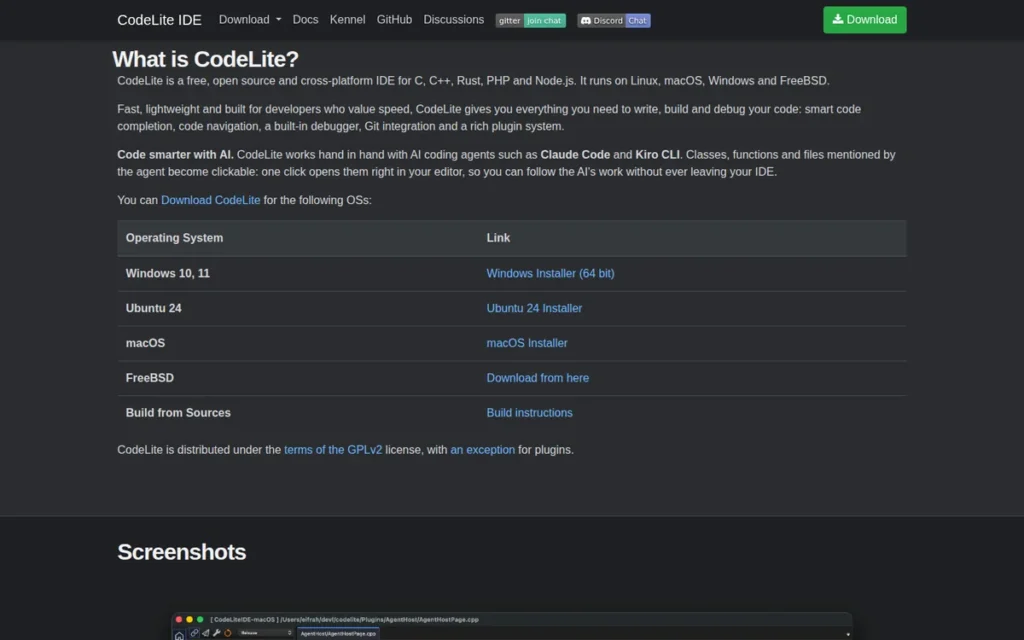
Category: Free IDE Alternative, native C++ IDE with PHP plugin support for multi-language developers on resource-constrained hardware.
At a Glance
- Category: Free IDE Alternative
- Best For: PHP developers on low-RAM machines or those who also code C/C++
- Price Range: Free (GPLv2)
- Primary Strength: CodeLite’s native C++ architecture is consistently described by reviewers as the most memory-efficient among the seven IDEs reviewed here, though no standardized head-to-head benchmarks were available at publication
- Biggest Limitation: PHP is secondary to C/C++; no AI features; sparse PHP documentation; single-developer maintenance risk
- One-Line Summary: CodeLite is a native C++ application with PHP plugin support, consistently described as more memory-efficient than Java-based and Electron-based alternatives, the best free option for PHP developers on resource-constrained hardware or those who also code C/C++.
- Last Verified: May 2026
Overview
CodeLite is a free, native C++ application (not Electron or Java-based) that delivers PHP support through a dedicated plugin, making it the most memory-efficient PHP IDE in this comparison for developers on resource-constrained hardware or those who also write C and C++ code alongside PHP. GPLv2 licensing and a 10+ year active maintenance record give it credibility as a long-term free option.
CodeLite is not primarily a PHP IDE, it originated as a C/C++ tool with PHP support added via a plugin since CodeLite 7.0. CodeLite is maintained by lead developer Eran Ifrah and is distinguished from foundation-governed alternatives like Apache NetBeans and Eclipse PDT by its single-developer governance model.
CodeLite 18.1.0 is the current release as of May 2026, with the GitHub repository showing approximately 2.3K stars and 477 forks as of May 2026, confirming sustained active maintenance over more than a decade.
Key Features
- Native C++ Architecture: CodeLite runs as a native C++ binary: not Electron or Java-based, on Windows, macOS, Linux, and FreeBSD, consistently described by reviewers as more memory-efficient than Java-based (Eclipse, NetBeans) and Electron-based (VS Code) alternatives, per Incredibuild’s CodeLite assessment. No standardized head-to-head RAM benchmarks were available at time of publication.
- PHP_CodeSniffer and PHPMD Integration: CodeLite’s PHP plugin includes PHP_CodeSniffer and PHPMD integration for code quality standard enforcement, relevant for teams with defined PHP coding standards who need a lightweight enforcement tool.
- Xdebug Debugging: CodeLite provides Xdebug-based PHP debugging with breakpoints, variable inspection, and step execution, as documented in CodeLite’s PHP workspace docs.
- SFTP Remote Synchronization: CodeLite includes remote file synchronization over SFTP, useful for PHP developers maintaining legacy server deployments without container-based workflows.
- Multi-Language Native Support: CodeLite natively supports C, C++, PHP, Python, Node.js, and Rust in a single lightweight IDE, a genuine value-add for developers working across system and web languages simultaneously. For example, a developer writing a PHP CLI tool that interfaces with a C extension can configure both in a single CodeLite workspace without switching IDEs.
Best For
CodeLite is best for PHP developers who also code C/C++, developers on older or lower-spec machines where Java-based (Eclipse, NetBeans) and Electron-based (VS Code) IDEs create unacceptable memory pressure, and developers who require GPLv2-licensed tooling for compliance reasons.
Pricing
CodeLite is completely free with no paid tiers, subscription options, or premium features, distributed under GPLv2 with a plugin exception at codelite.org.
Strengths
- Memory-Efficient Architecture: CodeLite’s native C++ build is consistently described by reviewers as more memory-efficient than Java-based IDEs (Eclipse, NetBeans) and Electron-based editors (VS Code) per Incredibuild’s CodeLite assessment, though no standardized head-to-head RAM benchmarks were available at publication. On machines with 8GB or less RAM, this architectural difference is a meaningful daily productivity factor.
- GPLv2 Licensing Freedom: CodeLite’s GPLv2 license provides the strongest open-source freedom guarantee among IDEs in this comparison, relevant for organizations with compliance requirements around developer tool licensing.
- Long-Term Active Development: CodeLite 18.1.0 is the current release as of May 2026, with the GitHub repository showing active commit history from lead developer Eran Ifrah, confirming sustained maintenance over more than a decade.
- PHP_CodeSniffer Built-In: CodeLite’s inclusion of PHP_CodeSniffer and PHPMD for code quality enforcement is a practical feature not included in all free alternatives, relevant for teams enforcing PHP coding standards at the IDE level. Note: CodeLite has no verified ratings on G2, Capterra, or similar platforms as of May 2026, reflecting its small PHP-primary user base; prospective PHP users should evaluate the PHP plugin directly on their target stack before committing to production use.
Limitations
- PHP Is Secondary to C/C++: CodeLite’s primary focus is C/C++ development: PHP features receive secondary development priority, meaning PHP-specific improvements lag behind dedicated PHP IDEs and other free PHP-first alternatives.
- Minimal PHP Developer Community: CodeLite received no significant mention in active r/PHP community discussions about IDE alternatives per r/PHP research, May 2026, confirming a very small PHP user base that limits community support, tutorials, and troubleshooting resources.
- No AI Coding Assistant: CodeLite has no AI coding assistant integration as of May 2026, a significant gap given that 95% of PHP developers have tried AI tools per the JetBrains 2025 survey (1,720 respondents).
- Single-Developer Maintenance Risk: CodeLite is led primarily by a single developer (Eran Ifrah) with no institutional backing, creating a higher long-term continuity risk than Apache Foundation-governed (NetBeans) or Eclipse Foundation-governed (Eclipse PDT) alternatives. Evaluate whether the project would survive the primary maintainer’s reduced involvement before relying on it for team production environments.
Verdict
CodeLite is the right free PHP IDE for a narrow but legitimate use case: PHP developers on resource-constrained machines who also code C/C++ and need a single, lightweight native IDE. Outside that specific profile, CodeLite’s secondary PHP priority, sparse PHP documentation, absent AI tooling, and single-developer maintenance risk make VS Code or Apache NetBeans more practical choices for PHP-primary developers at any skill level.
7. Komodo IDE: Legacy Reference: Not Recommended for New Projects
Category: Legacy/Discontinued, open-sourced in December 2022, effectively unmaintained, documented here for historical context and migration planning.
At a Glance
- Category: Legacy/Discontinued
- Best For: Legacy teams maintaining existing Komodo-based workflows only
- Price Range: Free (open-sourced as OpenKomodoIDE v12.0.1 under Mozilla Public License, December 2022)
- Primary Strength: Historical: multi-language support (PHP, Python, Ruby, Perl) with vi/emacs keybindings and SFTP remote access
- Biggest Limitation: Development stopped December 2022; unmaintained open-source codebase; no PHP 8.x updates; PHP community has migrated away
- One-Line Summary: Komodo IDE is a discontinued multi-language IDE open-sourced in December 2022 (as OpenKomodoIDE v12.0.1) whose PHP support has not been actively maintained, existing Komodo users should plan migration to VS Code or PhpStorm before PHP 8.x feature gaps become critical.
- Last Verified: May 2026
Overview
Komodo IDE was a commercial, multi-language IDE from ActiveState supporting PHP, Python, Ruby, Perl, Tcl, JavaScript, and other languages on Windows, macOS, and Linux. Komodo IDE was introduced in May 2000 and historically differentiated itself through vi/emacs keybindings, a macro/toolbox system, and multi-language first-class support, per Wikipedia’s Komodo IDE entry.
ActiveState officially retired Komodo IDE in December 2022 and released the codebase as OpenKomodoIDE on GitHub (final release: version 12.0.1) under the Mozilla Public License. As of May 2026, OpenKomodoIDE is effectively unmaintained. The PHP developer community has migrated to VS Code and PhpStorm, per Delicious Brains’ PHP IDE comparison guide.
Key Features (Historical)
- Multi-Language First-Class Support: Komodo IDE historically provided PHP, Python, Ruby, Perl, and other languages in a single commercial IDE, predating VS Code’s universal editor model by over a decade.
- Vi/Emacs Keybindings: Komodo IDE supported vi and emacs key bindings, allowing terminal-oriented developers to adopt a GUI IDE without abandoning keyboard muscle memory, a genuine differentiator in the early 2000s PHP IDE market.
- PHP Debugging with SFTP: Komodo IDE included PHP debugging with variable inspection, call stack navigation, and remote file access via SFTP/FTP, documented in the SitePoint Komodo IDE review.
- Macro and Toolbox System: Komodo IDE featured a macro system with reusable toolboxes for workflow automation, an advanced capability for its era that influenced later IDE designs.
Best For
Komodo IDE is not recommended for any PHP project started in 2025 or later. Komodo IDE is documented here for the benefit of legacy teams currently using Komodo-based workflows who need context for migration planning to VS Code or PhpStorm.
Pricing
Komodo IDE is available for free as OpenKomodoIDE (v12.0.1) from the ActiveState GitHub repository, open-sourced in December 2022. Historical commercial pricing was $245–$295 per seat (2007 era), per the ActiveState press release.
Strengths
- Historical Multi-Language Coverage: Komodo IDE historically provided PHP alongside Python, Ruby, Perl, and other languages, a breadth unique among commercial IDEs in the 2000s and 2010s that influenced the multi-language IDE market.
- GetApp Satisfaction Score: Komodo IDE holds a GetApp rating of 4.4/5.0 based on 14 reviews [date unconfirmed (likely reflects pre-December 2022 commercial product experience]) reflecting positive historical experiences among its former user base.
- Free Since December 2022: OpenKomodoIDE v12.0.1 is available at no cost following its open-sourcing, for legacy teams needing to continue existing workflows at zero licensing cost, this removes the financial barrier to remaining on the platform temporarily during migration planning.
Limitations
- Development Officially Discontinued: ActiveState retired Komodo IDE in December 2022 and released the final version (12.0.1) as open-source, meaning no PHP 8.x features (fibers, enums, named arguments), no security patches, and no framework support updates will be delivered.
- Effectively Unmaintained Open Source: OpenKomodoIDE on GitHub has no documented active maintainers as of May 2026, it is an archival codebase rather than a living project.
- PHP Community Has Migrated: PHP developers have moved from Komodo to VS Code and PhpStorm, as confirmed by Delicious Brains‘ PHP IDE comparison, which frames Komodo as a former option rather than a current recommendation.
- Only Past-Tense Community References: The only r/PHP community reference to Komodo IDE found in 2026 research was u/newPhoenixz saying “I’ve used komodo edit for quite a while”, all community references are historical, none are current recommendations.
Verdict
Komodo IDE is not recommended for PHP projects started in 2025 or later, given its unmaintained codebase, absence of PHP 8.x language support updates, and the PHP community’s documented migration to VS Code and PhpStorm. KomodoIDE’s value is purely historical, it pioneered multi-language GUI PHP development and influenced IDE design across the market. Teams currently using Komodo IDE should migrate to Visual Studio Code (free replacement) or PhpStorm (paid replacement with full framework intelligence) before PHP 8.x support gaps create production debugging issues.
What Red Flags Should I Watch For When Evaluating PHP IDEs?
When evaluating PHP IDEs, six warning signs consistently predict tools that will underserve your workflow within 12–24 months: absent PHP 8.x syntax support, no active development since 2022, unclear Xdebug documentation, feature gating on core workflows like version control, unmaintained VS Code framework extensions, and single-developer maintenance with no institutional backing.
Red Flag #1: No PHP 8.x Syntax Support
Any PHP IDE that does not recognize PHP 8.x language features (named arguments, union types, fibers, enums, and readonly classes) will generate false positive errors on modern codebases. With 86% of PHP developers using PHP 8 per the JetBrains State of PHP 2024, PHP 8.x support is a minimum requirement for any active PHP IDE, not a premium feature.
Red Flag #2: No Active Development Since 2022
An IDE whose last documented release predates 2023 is effectively unsupported for modern PHP frameworks and security requirements. Komodo IDE (discontinued by ActiveState in December 2022 and open-sourced as OpenKomodoIDE v12.0.1) has no documented active maintainers, OpenKomodoIDE lacks PHP 8.x language support updates and security patches. Always verify the release date on the vendor’s official site before committing to a tool for production use.
Red Flag #3: Vague or Missing Xdebug Documentation
Xdebug setup is the most consistently reported PHP developer pain point across community and market research. Any IDE that lacks clear, step-by-step Xdebug configuration documentation (covering PHP version, server config, browser extension, and IDE settings) should be treated as unverified for professional debugging. Test the debugger on your actual stack before committing to an IDE for a production project.
Red Flag #4: Feature Gating That Locks Out Core Workflows
When an IDE’s free tier excludes source control, code formatting, or debugger access (features provided for free by VS Code, Apache NetBeans, and Eclipse PDT) it signals that the vendor is using the free tier as a marketing vehicle rather than a genuine product. Codelobster PHP Edition’s free tier excludes version control, which is a workflow-critical feature that free alternatives provide without restriction.
Red Flag #5: Extension-Dependent Framework Support Without Maintenance Dates
VS Code-based PHP workflows depend on community-maintained extensions. Before relying on a framework extension (such as Laravel Blade Snippets or Symfony plugins) check the last published date on the VS Code Marketplace. Extensions last updated more than 18 months ago carry real compatibility risk with current framework versions and should be treated as potentially broken.
Red Flag #6: Single-Developer Maintenance with No Institutional Backing
IDEs maintained by a single developer with no foundation, corporate, or community governance carry higher long-term continuity risk than foundation-governed (Apache NetBeans, Eclipse PDT) or corporate-backed (PhpStorm, VS Code) alternatives. CodeLite (single-developer: Eran Ifrah, no institutional backing) requires an independent assessment of project continuity viability before relying on it for team production environments.
What Questions Should I Ask Before Choosing a PHP IDE?
Before choosing a PHP IDE, ask these eight questions covering: framework support quality (first-party vs extension-based); Xdebug configuration experience; PHP 8.x syntax coverage; true total cost including AI add-ons; performance on your actual hardware; vendor development cadence; dynamic PHP pattern resolution; and whether PHP project files are portable between IDEs. Each question is answered with IDE-specific guidance below.
Question #1: Does this IDE support my specific PHP framework with first-party or verified extension tooling?
Framework support quality varies enormously across IDEs. For Laravel and Symfony, verify whether the IDE provides native type inference for Facades and DI containers, or merely generic PHP completion. PhpStorm provides first-party support for both; VS Code depends on the current maintenance state of framework-specific extensions. For WordPress, confirm whether the IDE recognizes WordPress-specific hooks and template tags.
Question #2: How does this IDE configure Xdebug, and how long does setup realistically take?
Xdebug configuration is the most consistently reported PHP development bottleneck. Follow the official documentation before choosing, do not assume it will “just work.” Codelobster auto-detects settings; PhpStorm provides a guided wizard; VS Code requires manual php.ini editing and launch.json configuration. An IDE whose debugging setup takes more than 30 minutes on a standard LAMP or Docker environment is a daily productivity liability.
Question #3: What is the IDE’s PHP 8.x feature coverage, and how quickly has it historically adopted new PHP versions?
With 86% of PHP developers using PHP 8.x per JetBrains 2024 data, verify that the IDE recognizes PHP 8.0–8.4 syntax without false errors. Check the vendor’s release notes for when they adopted PHP 8.1 enums and PHP 8.2 readonly classes, faster adoption indicates a more responsive development team.
Question #4: What is the true total cost including AI assistance?
VS Code’s “free” label often obscures total cost. Developers who use AI coding assistance daily should calculate total IDE and AI tool costs before selecting, the gap between VS Code with AI add-ons and PhpStorm’s current subscription may be narrower than the free-editor label implies. Verify PhpStorm’s current pricing at jetbrains.com/phpstorm/buy/ following the October 2025 price adjustment.
Question #5: What are the IDE’s RAM and startup time requirements on my actual hardware?
Test the IDE on your real development machine, not benchmark hardware. Java-based IDEs (Eclipse, NetBeans) and Electron-based editors (VS Code) have meaningfully different memory profiles from CodeLite’s native C++ build. On machines with 8GB or less RAM, the difference between a 200MB and an 800MB IDE footprint is a daily productivity factor.
Question #6: What is the vendor’s development cadence and long-term support commitment?
Check the release date of the most recent IDE version and the frequency of major updates. IDEs with quarterly release cadences (PhpStorm, Eclipse IDE, Apache NetBeans) demonstrate institutional commitment. Single-developer projects (CodeLite) and discontinued products (Komodo IDE) require an independent assessment of whether the project remains viable for your intended use horizon.
Question #7: Does the IDE resolve dynamic PHP patterns like Facades and late static binding?
Dynamic PHP patterns (Laravel Facades, magic methods, late static binding) require deep PHP type inference that not all IDEs handle correctly. For Laravel-heavy projects, test code completion on a Facade call (e.g., Route::get()) before committing to an IDE for production use. VS Code with Intelephense may leave these unresolved; PhpStorm resolves them natively through its first-party type inference engine.
Question #8: Can I switch to a different IDE later without file-format lock-in?
PHP project files are IDE-agnostic, switching between any IDE in this comparison requires no project restructuring, only reconfiguring the new IDE. There is no file-format lock-in penalty, meaning you can start with Apache NetBeans and migrate to PhpStorm or VS Code later without any project migration work.
How Did We Rank These PHP IDEs?
PlugRoute ranks PHP IDEs on six criteria: PHP type inference accuracy, framework support coverage for Laravel and Symfony, Xdebug configuration experience, total cost of ownership including AI add-ons, community adoption share, and vendor development continuity. Rankings combine data from JetBrains’ 2025 PHP developer survey (1,720 respondents), G2 review category scores, r/PHP community sentiment, and official product documentation verified in May 2026.
How Were PHP IDEs Evaluated and Selected?
The evaluation followed five sequential steps:
- AI search engine queries: multiple AI answer engines were queried to identify which PHP IDEs currently appear in AI-generated recommendations and at what frequency.
- Independent web research: official product documentation, pricing pages, and release notes were reviewed for each IDE independently.
- Third-party review platform analysis: G2, Capterra, GetApp, TrustRadius, and SoftwareSuggest were searched for PHP IDE category ratings and review volumes.
- Reddit community sentiment analysis: r/PHP and related PHP developer communities were searched for authentic developer opinions, with upvote counts used as a proxy for community consensus.
- Market data synthesis: JetBrains Developer Ecosystem Surveys (2024–2025) and PHP developer reports were used to contextualize adoption trends and developer behavior.
What Criteria Were Used to Rank Each PHP IDE?
Each IDE was evaluated on six criteria:
- PHP Intelligence Depth and Accuracy: how accurately the IDE resolves PHP type inference, including dynamic patterns like Laravel Facades, magic methods, and late static binding. Inaccurate code intelligence produces false errors that break developer flow on complex codebases.
- Framework Support Coverage: whether Laravel, Symfony, and WordPress support is first-party or extension-dependent, and how complete that support is. PHP developers overwhelmingly work within major frameworks, making framework tooling quality a core IDE value driver.
- Xdebug Configuration Experience: how easily the IDE enables step-through PHP debugging. Xdebug setup is the most consistently reported PHP developer pain point across community and market research.
- Pricing Transparency and Total Cost of Ownership: the complete cost picture including IDE subscription, AI add-ons, and hidden tier requirements. Total cost often differs significantly from headline pricing.
- Community Adoption and Sentiment: developer usage share per JetBrains surveys and authentic sentiment from r/PHP community threads. Community adoption predicts the availability of tutorials, extensions, and troubleshooting resources.
- Vendor and Project Continuity: active development cadence, institutional backing, and PHP version coverage. An IDE whose maintenance ends in 12–18 months imposes migration costs that should factor into today’s selection decision.
For free IDEs of comparable capability, onboarding friction was the tie-breaking criterion, Apache NetBeans’ zero-plugin PHP environment outranked Eclipse PDT’s verified G2 recognition on this basis, reflecting the primary audience for free PHP IDEs (beginners and small-project developers) who benefit most from lower setup barriers. Enterprise teams already on Eclipse should treat the #3/#4 ordering as effectively reversible for their context.
How Was Conflicting Evidence Weighted?
When review platform ratings conflicted with Reddit community sentiment, specificity and recency were weighted over general satisfaction scores. A detailed 2025 Reddit thread with 100+ upvotes on a specific PHP framework pain point outweighs a 2023 G2 review expressing general satisfaction.
For discontinued products such as Komodo IDE (open-sourced December 2022 with no active maintainers), historical evidence was documented for migration-planning context but given no positive weighting in current rankings.
How Were Vendor Claims Validated?
Vendor-reported statistics are labeled as such throughout this article. JetBrains Developer Ecosystem Survey data is identified as self-reported by a vendor with a direct commercial interest in its results, but accepted as the most comprehensive PHP developer survey available given the absence of an independent equivalent. Only claims corroborated by at least one independent source are stated as fact.
When Is This Comparison Updated?
This article was last updated in May 2026. PlugRoute reviews are updated quarterly or upon material product changes, whichever comes first.
Does PlugRoute Have Any Commercial Relationships With the Vendors Listed?
PlugRoute has no affiliate relationship with any company listed in this comparison. No company paid for placement, review scheduling, or editorial access. Rankings are determined entirely by the criteria and evidence described above.
Frequently Asked Questions: PHP IDEs
Is PhpStorm worth paying for when VS Code is free?
PhpStorm is worth its subscription for professional PHP developers working with Laravel or Symfony, where native framework intelligence and accurate dynamic PHP type inference translate into measurable daily productivity gains. For WordPress developers and beginners, VS Code with PHP Intelephense covers approximately 80% of the same functionality at zero core cost. Developers adding AI assistance to VS Code should verify total annual cost against PhpStorm’s current subscription before deciding.
How do I set up PHP debugging in VS Code?
Setting up PHP debugging in VS Code requires three steps:
- Install PHP Intelephense from the VS Code Marketplace for PHP code intelligence.
- Install the PHP Debug extension as the Xdebug adapter for step-through debugging.
- Create a
.vscode/launch.jsonfile specifying the Xdebug port (9003 for Xdebug 3) andpathMappingsfor your project root.
Microsoft’s VS Code PHP documentation provides the official configuration template for each step.
How does PlugRoute determine its PHP IDE rankings?
PlugRoute ranks PHP IDEs using a multi-source methodology combining developer adoption data (JetBrains surveys, 1,720 respondents), G2 and third-party review scores, Reddit community sentiment from r/PHP, official feature documentation, and total cost analysis. No company pays for placement or review access, rankings reflect documented evidence and transparent criteria, fully detailed in the methodology section above.
What Do These PHP IDE Terms Mean?
PHP Type Inference: PHP type inference is an IDE’s ability to determine the data type of a PHP variable or method return value without explicit type declarations, including dynamic patterns like Laravel Facades, magic methods, and late static binding that rely on runtime PHP behaviors rather than static annotations. PhpStorm’s native type inference engine handles these patterns more accurately than extension-based alternatives like Intelephense.
Xdebug: Xdebug is an open-source PHP extension that enables step-through debugging, allowing developers to set breakpoints, inspect variable values, and navigate call stacks in a running PHP application. Xdebug is the de facto standard PHP debugger and is supported by every active IDE in this comparison, though configuration complexity varies significantly, from auto-detected (Codelobster) to wizard-guided (PhpStorm) to manually configured (VS Code, Eclipse, NetBeans).
PHP Intelephense: PHP Intelephense is a community-maintained PHP language server for Visual Studio Code that provides code completion, go-to-definition, hover documentation, diagnostics, and rename refactoring, implementing the Language Server Protocol (LSP) standard and effectively replacing VS Code’s weaker built-in PHP support for professional PHP development.
PHP Development Tools (PDT): PHP Development Tools (PDT) is the Eclipse Foundation project that adds PHP support to Eclipse IDE, providing syntax highlighting, content assist, refactoring, Xdebug debugging, and Composer integration. PDT is the mechanism by which Eclipse becomes a PHP IDE rather than a Java-only development environment, and must be installed separately from the base Eclipse IDE as a distinct installation step.
Language Server Protocol (LSP): Language Server Protocol (LSP) is a standardized communication protocol between code editors and language intelligence backends, enabling editors like VS Code to use separately maintained language servers (such as Intelephense for PHP) for code completion, diagnostics, and navigation. LSP decouples editor development from language support development, which is why VS Code can offer PHP intelligence without Microsoft building it directly into the editor.
Glossary: Key Terms Used in This Comparison
PHP Type Inference: PHP type inference is an IDE’s ability to determine the data type of a variable or method return value without explicit type declarations, including dynamic patterns like Laravel Facades, magic methods, and late static binding. IDEs with stronger type inference engines (such as PhpStorm) resolve these patterns more accurately than extension-based alternatives.
Xdebug: Xdebug is an open-source PHP extension that enables step-through debugging, allowing developers to set breakpoints, inspect variable values, and navigate call stacks in a running PHP application. It is the de facto standard PHP debugger and is supported by every active IDE in this comparison, though configuration complexity varies by tool.
Language Server Protocol (LSP): Language Server Protocol (LSP) is a standardized communication protocol between code editors and language intelligence backends, enabling editors like VS Code to use separately maintained language servers for code completion, diagnostics, and navigation. LSP decouples editor development from language support development, allowing PHP intelligence to be delivered via community-maintained servers like PHP Intelephense rather than built directly into the editor.
PHP Development Tools (PDT): PHP Development Tools (PDT) is the Eclipse Foundation project that adds PHP support to Eclipse IDE, providing syntax highlighting, content assist, refactoring, Xdebug debugging, and Composer integration. PDT must be installed separately from the base Eclipse IDE, making it the mechanism by which Eclipse becomes a PHP-capable environment rather than a Java-only platform.
Perpetual Fallback License: A perpetual fallback license is a licensing provision (offered by JetBrains for PhpStorm) that grants continued use of the IDE version current at the time a subscription lapses, even after the subscription is cancelled. This means the primary risk of cancelling a PhpStorm subscription is losing access to future PHP language and framework updates, not losing the tool itself.
Which PHP IDE Is Right for You?
Professional PHP developers on Laravel or Symfony should use PhpStorm for the deepest native framework intelligence at the lowest configuration overhead. WordPress developers and those with a zero budget should use VS Code with PHP Intelephense. PHP beginners wanting zero-setup immediate coding should start with Apache NetBeans. Komodo IDE is not recommended for any project started after 2024, existing Komodo users should migrate to VS Code or PhpStorm now.
Komodo IDE aside, none of the active IDEs in this comparison are wrong choices, they differ in depth, cost, and configuration overhead, not in fundamental reliability for standard PHP tasks.
Key Insights
- PhpStorm carries the strongest evidence base in this comparison, used by 68% of professional PHP developers per the JetBrains 2025 survey (1,720 respondents), with first-party support for Laravel, Symfony, and WordPress, the right choice for professional teams where framework intelligence directly affects productivity.
- Visual Studio Code is the strongest free PHP IDE option, particularly for WordPress developers (37% adoption in that segment per JetBrains 2025), with the caveat that PHP Intelephense and framework extensions must be manually configured and independently maintained.
- Apache NetBeans 30 (May 2026) offers the lowest-friction zero-cost PHP setup: with built-in Xdebug, PHPUnit, and Composer requiring no plugin installation, making it the best starting point for PHP beginners who want an immediately working environment.
- Eclipse IDE with PDT, CodeLite, and Codelobster PHP Edition each serve specific, legitimate use cases (enterprise Java/PHP teams, low-RAM machines, and CMS agency portability respectively) that make them the right tool in those narrow but real scenarios.
If you are a professional PHP developer working with Laravel or Symfony, PhpStorm’s subscription is the most direct path to maximum PHP intelligence with zero configuration overhead. If you are building WordPress projects or need a free IDE, VS Code with Intelephense covers the majority of your needs at zero core cost.
Still deciding between PhpStorm and VS Code? Start with VS Code and free Intelephense. The switch to PhpStorm is low-friction (PHP project files are portable between all IDEs in this comparison) and the productivity difference typically becomes apparent within the first week on a Laravel or Symfony codebase, after which the subscription decision becomes straightforward.
PlugRoute publishes updated PHP tool comparisons quarterly. We update this guide quarterly. Last updated: May 2026. If your framework, budget, or team has changed since you last evaluated your IDE, use the Quick Decision Framework table above to re-check your fit.