The best Visual Studio Code alternatives in 2026 are IntelliJ IDEA for Java and Kotlin, Cursor or Windsurf for multi-file AI coding, Sublime Text or Zed for a lighter native editor, Neovim for terminal workflows, and VSCodium for VS Code without Microsoft telemetry. PlugRoute ranked seven editors on six weighted criteria; choose by your reason for leaving, not overall rank.
Most developers leave VS Code for one specific reason. Yet most lists name a dozen editors without saying which problem each one solves or which extensions you lose when you switch. This guide matches each editor to a reason for leaving and names its trade-offs.
PlugRoute has no affiliate relationships with any company listed. Rankings are determined entirely by research data and objective evaluation criteria.
“VS Code has a vast ecosystem and an incredibly rich set of features that are very hard to compete with.” (r/ZedEditor user, April 2025)
Takeaway: Switching only pays off when an alternative clearly beats VS Code on the one thing you care about most.
What Are the 5 Categories of VS Code Alternatives?
VS Code alternatives fall into five categories: full IDEs, AI-first editors, native lightweight editors, terminal-first editors and open-source VS Code builds. In PlugRoute’s analysis, the category predicts switching cost better than any single feature. Editors built on VS Code’s codebase carry over the most habits, and separate editors carry over the fewest.
- Full IDE: IntelliJ IDEA is a language-specific development environment with built-in refactoring, debugging, testing and profiling.
- AI-First Editor: Cursor and Windsurf are VS Code-style editors built around AI agents that can plan and edit across multiple files.
- Native Lightweight Editor: Sublime Text and Zed are natively compiled editors focused on speed and low overhead, and neither is built on VS Code’s codebase.
- Terminal-First Editor: Neovim is a keyboard-driven editor that runs in the terminal and is configured through code.
- Open-Source VS Code Build: VSCodium is a community build of VS Code’s open-source code without Microsoft branding or default telemetry.
How Do the Top VS Code Alternatives Compare at a Glance?
IntelliJ IDEA leads this ranking on verified reviews and adoption. Cursor leads on AI depth, Sublime Text on speed with a strong review record, and VSCodium on keeping VS Code’s exact interface. Every option gives something up compared with VS Code, whether that is resources, billing predictability, extensions or setup time.
| Rank | Company | Category | Best For | One-Line Summary | Key Capabilities | Primary Strength | Key Limitation |
|---|---|---|---|---|---|---|---|
| 1 | IntelliJ IDEA | Full IDE | Java and Kotlin developers | IntelliJ IDEA is the most widely used non-Microsoft IDE and the strongest VS Code alternative for Java and Kotlin. | Project-wide code model, debugger, profiler, Junie agent | Deep refactoring and debugging | High memory use and slow startup |
| 2 | Cursor | AI-First Editor | Multi-file AI in a VS Code interface | Cursor is the most widely adopted AI-first VS Code fork, offering agentic multi-file editing with low switching cost. | Agent mode, Tab model, codebase indexing, Bugbot | Deepest AI capability | Billing changes and blocked Microsoft extensions |
| 3 | Sublime Text | Native Lightweight Editor | Fast, focused editing | Sublime Text is a fast native editor rated 4.5/5 from 1,783 G2 reviews. | Goto Anything, multiple selections, GPU rendering | Speed praised in verified reviews | No built-in AI or debugger |
| 4 | Zed | Native Lightweight Editor | Collaboration and flexible AI | Zed is a Rust-built native editor with built-in collaboration and AI you can run on your own keys. | GPUI rendering, CRDT collaboration, Agent Panel, ACP | Published pricing with a spending cap | Small extension ecosystem, no G2 rating |
| 5 | Neovim | Terminal-First Editor | Terminal and SSH workflows | Neovim is a free terminal-first Vim fork that you configure entirely through code. | Built-in LSP, Tree-sitter, Lua, vim.pack | Full control at zero cost | Highest setup and learning cost |
| 6 | VSCodium | Open-Source VS Code Build | VS Code without Microsoft telemetry | VSCodium is a free MIT-licensed VS Code build with telemetry off by default. | Code – OSS binaries, Open VSX, telemetry off | Smallest change from VS Code | No Microsoft-licensed extensions or Settings Sync |
| 7 | Windsurf | AI-First Editor | Agentic AI with JetBrains plugins | Windsurf is Cognition’s AI-first editor built around the Cascade multi-file agent. | Cascade, SWE-1.5, Memories, Codemaps | Agent also available in JetBrains IDEs | Ownership and pricing turnover |
Which VS Code Alternative Should I Choose for My Use Case?
Start with your reason for leaving, not with overall rank. IntelliJ IDEA fits Java and Kotlin, Cursor fits multi-file AI, Sublime Text and Zed fit speed, Neovim fits terminal work and older machines, and VSCodium fits privacy. If you rely on Microsoft-licensed extensions, staying on VS Code may be the best move.
| Your #1 Priority | Recommended Tool | Why | Acceptable Alternative |
|---|---|---|---|
| Java/Kotlin depth | IntelliJ IDEA | Project-wide refactoring and built-in debugger | Stay on VS Code with Java extensions (lighter, less depth) |
| Multi-file AI in a familiar interface | Cursor | Agent mode inside a VS Code-based editor | Windsurf |
| A fast, lightweight editor | Sublime Text | Speed is a top verified G2 pro | Zed |
| An older or low-spec machine | Sublime Text or Neovim | Native and terminal editors avoid Electron; no independent RAM benchmark exists (November 2026) | Zed |
| Collaboration and AI on your own keys or local models | Zed | CRDT collaboration, bring-your-own-key, Ollama | Cursor (hosted models) |
| A terminal-first workflow | Neovim | Runs in any terminal, including over SSH | VS Code’s Vim mode as a stepping stone |
| VS Code without Microsoft telemetry or branding | VSCodium | Same interface, telemetry off by default | VS Code with telemetry.telemetryLevel set to off |
| Pylance, C/C++, Remote-SSH or Live Share | Stay on VS Code | These extensions are restricted to official VS Code | VSCodium only after testing replacements |
IntelliJ IDEA is the weakest fit for an older or low-spec machine, because High Memory Usage (44 mentions) is its top G2 con (G2, November 2026).
1. IntelliJ IDEA: Best Overall for Java and Kotlin Developers
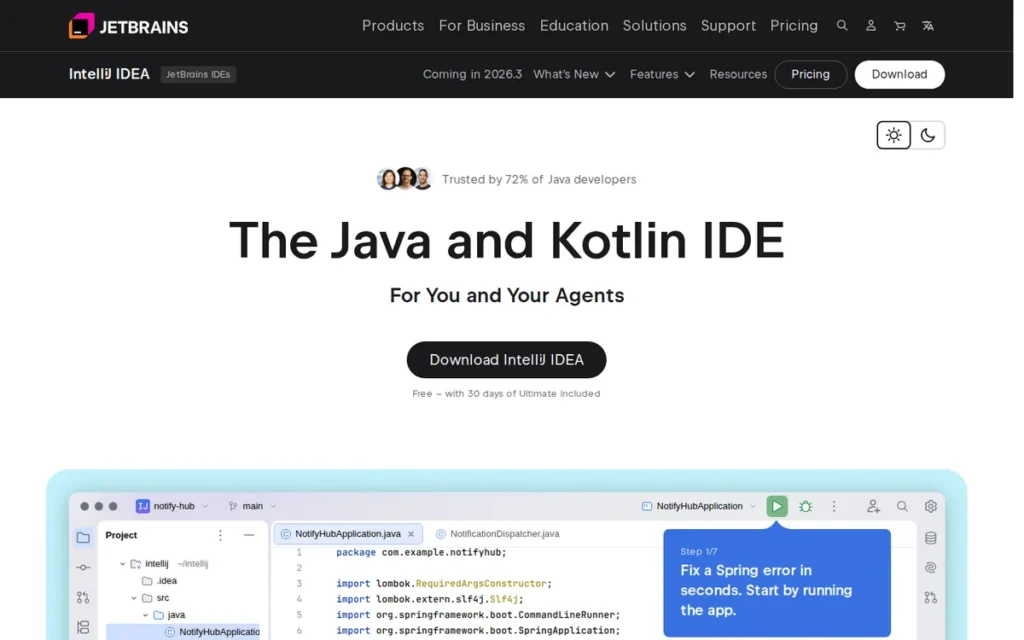
Category: Full IDE: a language-specific development environment with built-in refactoring, debugging, testing and profiling.
At a Glance
- Category: Full IDE
- Best For: Java and Kotlin developers and JVM teams who need project-wide refactoring, debugging and framework support in one install
- Price Range: Free core (commercial use allowed); Ultimate $19.90/user/month (G2 list price) or $199 for year one on the official individual annual plan (verified November 2026)
- Primary Strength: IntelliJ IDEA resolves types, usages and dependencies across an entire project, which makes large Java and Kotlin refactorings safer than in an extension-based editor.
- Biggest Limitation: IntelliJ IDEA is resource-heavy, and High Memory Usage (44 mentions) is the most-cited con in its G2 reviews.
- One-Line Summary: IntelliJ IDEA is the strongest VS Code alternative for Java and Kotlin, giving up a light footprint in exchange for deep project-wide code intelligence.
- Last Verified: November 2026
Overview
IntelliJ IDEA is JetBrains’ integrated development environment for Java and Kotlin, built for developers and JVM teams who have outgrown extension-based Java support in VS Code and want project-wide refactoring, a built-in debugger and framework support in a single install.
Key Features
- IntelliJ IDEA builds a project-wide code model that resolves types, usages and dependencies, and that model powers safe refactorings across a codebase.
- IntelliJ IDEA has used Kotlin K2 mode by default since version 2025.1, and JetBrains is the company that created Kotlin.
- IntelliJ IDEA includes built-in debugging, testing and profiling tools, with framework support for Spring, Jakarta EE and Micronaut.
- IntelliJ IDEA 2025.3 added a shared interface for the Junie agent and Claude Agent, AI credit visibility and bring-your-own-key support.
- IntelliJ IDEA 2025.3 moved the Spring project wizard, basic framework highlighting and database tools into the free tier.
Best For
IntelliJ IDEA is best for developers whose main languages are Java or Kotlin and who need refactoring, debugging and framework tooling that VS Code only reaches through a stack of extensions.
Pricing
- IntelliJ IDEA has shipped as one installer since version 2025.3, with a core that is free for commercial use. After a 30-day Ultimate trial, the installer keeps running as the free core (JetBrains, December 2025; still current in 2026.2 documentation).
- IntelliJ IDEA Ultimate is listed on G2 at $19.90 per user per month for individuals and $71.90 per user per month for organizations. These are G2 list prices (G2, November 2026) and may change.
- IntelliJ IDEA’s official individual annual plan costs $199 in year one, $159 in year two and $119 from year three. The organization plan costs $719 per user per year (JetBrains, November 2026).
- JetBrains AI Pro costs $100 per user per year and AI Ultimate costs $300 per user per year, and IntelliJ IDEA Ultimate includes the AI Free tier (JetBrains, November 2026).
How It Compares With VS Code
IntelliJ IDEA is a full IDE, while VS Code is an editor that depends on extensions for Java. One r/developersIndia user (2026) put it this way: “VSCode relies heavily on extensions to become suitable for Java.” VS Code rates slightly higher on G2 (4.7/5 vs. 4.6/5) and runs lighter.
IntelliJ IDEA does not import VS Code extensions or settings. One r/java commenter (2023, 151 upvotes) advised that “You should be able to load and code in IntelliJ, Eclipse, and VSCode.” In practice, keep Maven or Gradle build files IDE-neutral so teammates can use different editors.
Strengths
- IntelliJ IDEA is used by 27.1% of developers, the highest share of any non-Microsoft IDE, and is admired by 58.2% of its users (Stack Overflow Developer Survey, 2025).
- IntelliJ IDEA holds 4.6/5 from 2,405 G2 reviews, with 97.5% at 4 or 5 stars (G2, November 2026), plus 4.7/5 from 1,260 Capterra reviews (Capterra, November 2026).
- IntelliJ IDEA’s debugger is a top G2 pro (49 mentions), and an r/developersIndia user (2026) wrote that “the debugger just works.”
- IntelliJ IDEA comes from JetBrains, which has built developer tools since 2000 and created the Kotlin language.
Users on r/TechNook shared their experience:
“VS Code feels lighter and quicker to open, and I like how flexible it is. It kind of feels like you build your own setup as you go.
But then every time I go back to IntelliJ, it just… knows things. Autocomplete feels smarter, navigation is easier, and I spend less time figuring stuff out manually.
The weird part is I feel faster in VS Code at the start, but over longer sessions IntelliJ somehow feels more “in control”.” Posted by u/Impossible_Comfort99
Takeaway: IntelliJ IDEA gives up VS Code’s lighter, faster-opening feel in exchange for built-in code intelligence that users credit with saving time over longer sessions.
Limitations
- IntelliJ IDEA gives up lightness for depth. High Memory Usage (44), High System Requirements (26), Slow Startup (21) and Slow Indexing (18) are top G2 cons (G2, November 2026), which makes it a poor fit for low-end PCs.
- IntelliJ IDEA’s advanced features require a paid Ultimate subscription, and Expensive (21) is a top G2 con.
- IntelliJ IDEA’s AI Assistant was called unreliable by one Capterra reviewer, who cited truncated project context (Capterra, November 2026). This is a single-reviewer report.
- IntelliJ IDEA is a specialized JVM tool with a learning curve, and G2 reviewers ask for simpler onboarding.
Verdict
IntelliJ IDEA is the best VS Code alternative for Java and Kotlin developers, combining the highest verified review volume in this ranking with project-wide refactoring that extension-based editors do not match. The free core removes the cost barrier for most JVM work, and the price you pay is memory and startup time. Readers leaving for privacy, AI or a lighter editor should use PlugRoute’s Quick Decision Framework, which matches each reason for leaving to a tool.
2. Cursor: Best for Multi-File AI Coding in a Familiar VS Code Interface
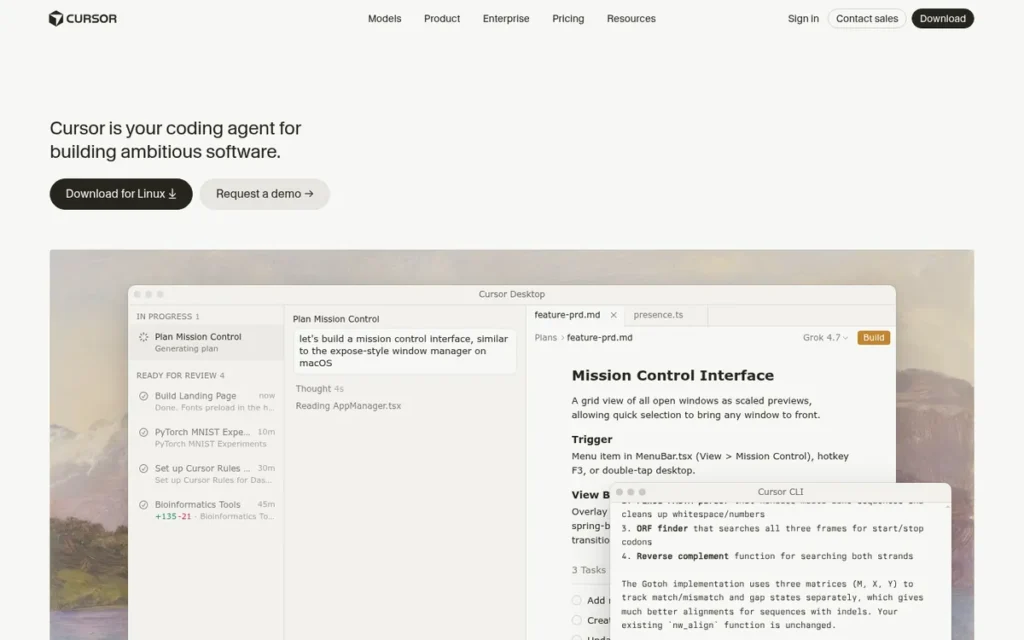
Category: AI-First Editor: a VS Code-based editor built around agentic AI that can plan and edit across multiple files.
At a Glance
- Category: AI-First Editor
- Best For: Developers who want agentic, multi-file AI editing without leaving a VS Code-style interface
- Price Range: Free; Plus $8 to Ultra $200/month; Pro $20 kept as a legacy plan for existing subscribers (verified November 2026)
- Primary Strength: Cursor’s Agent can search a codebase, edit multiple files, run commands and fix errors inside an interface VS Code users already know.
- Biggest Limitation: Cursor’s billing has been volatile: after its June 2025 move to usage-based pricing, it issued a public apology and refunds on July 4, 2025.
- One-Line Summary: Cursor is the most widely adopted AI-first VS Code fork (17.9% usage in Stack Overflow 2025), offering multi-file agentic editing with low switching cost but a history of unpredictable billing.
- Last Verified: November 2026
Overview
Cursor is an AI-first code editor that Anysphere built on the VS Code codebase, made for developers who want an AI agent that understands their whole codebase and edits multiple files without giving up VS Code’s interface and keybindings.
Cursor draws third-party extensions from Open VSX through its own proxy, so its catalog can differ slightly from the public Open VSX listing (Eclipse Foundation, 2026).
Key Features
- Cursor’s Agent mode can search a codebase, edit multiple files, run shell commands and address errors in a single task.
- Cursor ships its own Tab completion model, which predicts multi-line edits and the next action.
- Cursor indexes the codebase so AI requests can use project-wide context rather than only the open file.
- Cursor offers its in-house Composer model alongside models from Anthropic, OpenAI and Google.
- Cursor provides cloud and background agents plus Bugbot for automated code review.
Best For
Cursor is best for developers whose main reason for leaving VS Code is wanting stronger multi-file AI in an interface they already know, and who can actively monitor token and usage spending.
Pricing
- Cursor’s Free plan costs $0 and includes limited agent and Tab usage (Cursor, November 2026).
- Cursor’s current individual plans are Plus at $8/month, Premium at $30/month, Super at $100/month and Ultra at $200/month (Cursor, November 2026).
- Cursor’s former Pro plan at $20/month remains available only to existing subscribers (Cursor, November 2026). Confirm team pricing on cursor.com/pricing.
- Cursor switched from request allowances to usage-based billing in June 2025 (Cursor blog, July 2025), so heavy agent use can raise monthly costs.
How It Compares With VS Code
Cursor shares VS Code’s codebase, so the interface, keybindings and most extensions carry over better than in a separate editor. Microsoft-licensed extensions do not carry over: Microsoft’s C/C++ extension stopped working in forks in April 2025 (The Register, April 2025).
When Cursor and VS Code with Copilot run the same AI model, users report similar accuracy, so the editor matters less than the model and the multi-file workflow around it. User reports on the two editors are split:
- One r/GithubCopilot user (June 2025) found them “basically identical in terms of getting things right or wrong when using the same models.”
- One r/cursor user (January 2025) said Copilot’s multi-file edits “suck compared to cursor composer.”
- One r/GithubCopilot user (February 2026) went back to VS Code for “platform stability” and the official marketplace.
Strengths
- Cursor passed $500M in annual recurring revenue by June 2025 (TechCrunch, June 2025) and reported 1M daily active users by April 2025 (Contrary Research, 2025).
- Cursor is used by 17.9% of developers, the second-highest share among the alternatives ranked here (Stack Overflow Developer Survey, 2025).
- Cursor holds 4.6/5 from roughly 333 G2 reviews, with praise for context awareness, speed and multi-file workflows. This rating comes from PlugRoute’s research, not the verified G2 dataset (November 2026).
- Cursor keeps switching cost low because it imports VS Code settings, keybindings, themes and extensions (Cursor documentation, November 2026).
Limitations
- Cursor gives up cost predictability for AI power. Its June 2025 billing change surprised users, and Cursor refunded unexpected charges incurred between June 16 and July 4, 2025 (Cursor blog, July 2025; TechCrunch, July 2025).
- Cursor cannot run Microsoft-licensed extensions such as C/C++, which are restricted to official VS Code.
- Cursor is admired by 46.7% of its users, below VS Code’s 62.6% (Stack Overflow Developer Survey, 2025). Its 360-review Trustpilot page skewed negative on billing and support in the excerpt PlugRoute reviewed (Trustpilot, November 2026).
- Cursor users have reported reliability issues, including “confabulating imports” during refactoring (r/cursor, January 2025) and an agent-UI regression that “artificially inflates usage” (r/GithubCopilot, February 2026).
Users on r/Frontend noted:
“VSCode was my main driver for many years, but have been using Cursor since it was released. While I think Cursor has been great for a while and I love its tab complete + inline chat, I don’t like the direction they continue to go. I’ve re-migrated back to VSCode, but I’m hearing some great stuff about Zed, especially around performance.” Posted by u/creaturefeature16
Takeaway: Cursor’s tab completion and inline chat win praise even from users who leave, but its product direction is pushing some long-time adopters back to VS Code.
Verdict
Cursor is the strongest VS Code alternative for developers who want agentic, multi-file AI editing without learning a new interface, but its billing history makes usage monitoring essential. Check your must-have Microsoft extensions before switching. Test VS Code with Copilot on the same model first, then start on Cursor’s Free plan before choosing a paid tier.
3. Sublime Text: Best Lightweight Native Editor for Fast, Focused Editing
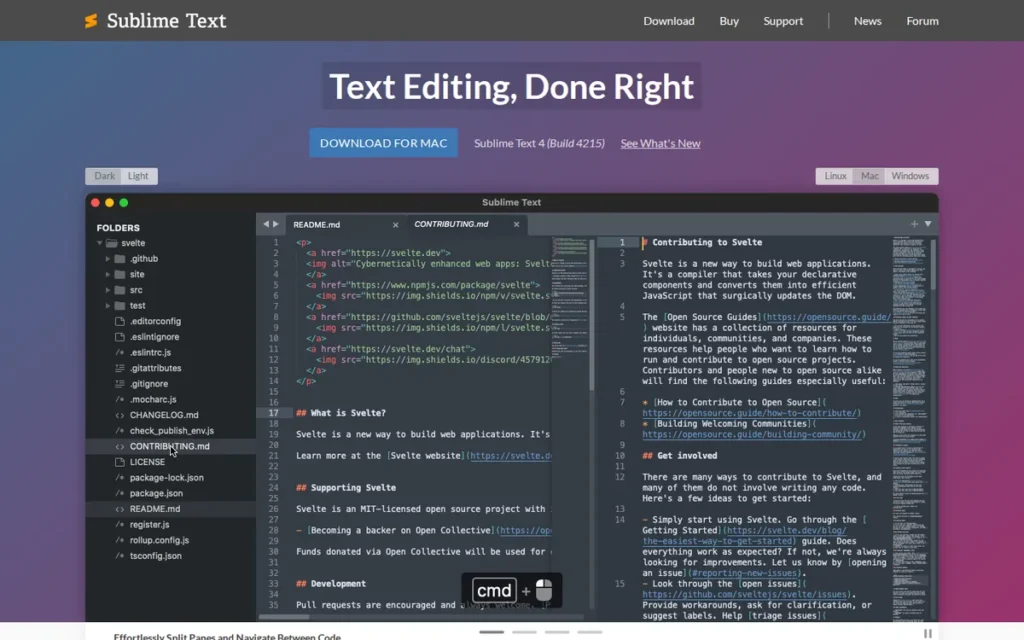
Category: Native Lightweight Editor: a natively compiled code editor focused on speed and low overhead.
At a Glance
- Category: Native Lightweight Editor
- Best For: Developers who want a fast, focused editor for quick edits, large files and static sites, often alongside a heavier IDE
- Price Range: Unlimited free evaluation; $99 one-time personal license with 3 years of updates; business from $65/seat/year (verified November 2026)
- Primary Strength: Sublime Text is consistently praised for speed, with Speed (22) and Performance Speed (16) among its top verified G2 pros.
- Biggest Limitation: Sublime Text has no built-in AI or debugger, and Lack of IDE Features and Debugging Issues are among its top G2 cons.
- One-Line Summary: Sublime Text is a fast native code editor rated 4.5/5 from 1,783 G2 reviews, best suited to developers who value speed and focus over built-in IDE and AI features.
- Last Verified: November 2026
Overview
Sublime Text is a native, cross-platform code editor from Sydney-based Sublime HQ, built for developers who find VS Code heavy and want a fast, focused editor for quick edits, large files and keyboard-driven navigation rather than a full IDE.
Sublime Text 4 added GPU rendering on Windows, macOS and Linux, plus an expanded Python API that supports packages such as LSP (Sublime HQ, Sublime Text 4 announcement, 2021).
Key Features
- Sublime Text’s Goto Anything lets developers jump to files, symbols and lines from a single keyboard prompt.
- Sublime Text supports multiple selections, so developers can edit many locations at once.
- Sublime Text 4 renders its interface on the GPU on all three major desktop operating systems.
- Sublime Text 4 includes context-aware autocomplete, tab multi-select with split views, and TypeScript, JSX and TSX support.
- Sublime Text’s Python API powers community packages such as LSP and LSP-copilot, and LSP-copilot requires a separate GitHub Copilot subscription.
Best For
Sublime Text is best for developers who want a lean, fast editor for quick edits, large files and static sites. Many developers run Sublime Text as a secondary editor next to VS Code or a JetBrains IDE.
Pricing
- Sublime Text offers a free evaluation with no enforced time limit, but a license is required for continued use (Sublime HQ, November 2026).
- A Sublime Text personal license costs $99 one-time and covers updates released within three years of purchase (Sublime HQ, November 2026).
- Sublime Text business licenses are annual per-seat subscriptions: $65 per seat for seats 1–10, then $60, $55 and $50 at higher seat counts (Sublime HQ, November 2026).
How It Compares With VS Code
Sublime Text gives up VS Code’s breadth in return for speed. VS Code’s G2 cons include Slow Performance (41), while Sublime Text’s G2 pros center on speed (G2, November 2026). Sublime Text lacks VS Code’s built-in debugger, terminal and Git depth.
Sublime Text uses its own package ecosystem, so VS Code extensions do not carry over. Spanish-language Reddit sentiment reflects VS Code’s dominance (“in 2025 vscode is no contest”) and a common hybrid setup (“Sublime for static sites, the rest I do in vscode”) (r/programacion, September 2025, translated from Spanish).
Strengths
- Sublime Text holds 4.5/5 from 1,783 G2 reviews, with 96.6% at 4 or 5 stars (G2, November 2026), plus 4.6/5 from 1,376 Capterra reviews (Capterra, November 2026).
- Sublime Text’s top G2 pros are Ease of Use (32), Speed (22) and Performance Speed (16), and a Capterra reviewer said it handled large files without lag.
- Sublime Text is used by 10.5% of developers and admired by 50.1% of its users (Stack Overflow Developer Survey, 2025).
- Sublime Text’s license model is predictable, with a one-time personal price, three years of updates and no usage-based AI billing.
Limitations
- Sublime Text gives up built-in tooling for speed. Lack of Features (8), Lack of IDE Features (7) and Debugging Issues (5) are top G2 cons (G2, November 2026).
- Sublime Text has no built-in AI, so readers leaving VS Code for AI help need a community package and a Copilot subscription.
- Sublime Text costs $99 one-time for personal use, with a paid upgrade required for updates after three years. Cost (5 G2 mentions) and evaluation pop-ups bother some reviewers.
- Sublime Text can slow down with syntax highlighting on very long lines, according to an older, undated Sublime Text forum thread. That evidence is anecdotal.
This aligns with community sentiment on r/FreeCodeCamp:
“I love Sublime but honestly, the sooner you switch to VSCode the better if you want to continue to grow and develop.
Dedicated text editors can do their specific job better, but at some point you’re going to want to do something that requires an actual IDE rather than a text editor, and making the switch when you’re doing simple work is easier than switching when you have something more complex to do.” Posted by u/Koras
Takeaway: Even fans of Sublime Text see it as a capable text editor that developers outgrow once their work needs IDE-level tooling.
Verdict
Sublime Text is the best-reviewed lightweight VS Code alternative, earning 4.5/5 from 1,783 G2 reviews for speed and ease of use, but it is an editor, not an IDE. Sublime Text works well as a fast primary editor for simple stacks or as a secondary editor. Sublime Text is the wrong pick for AI-first or debugging-heavy workflows, so use the free evaluation before paying $99.
4. Zed: Best Modern Native Editor With Collaboration and Flexible AI
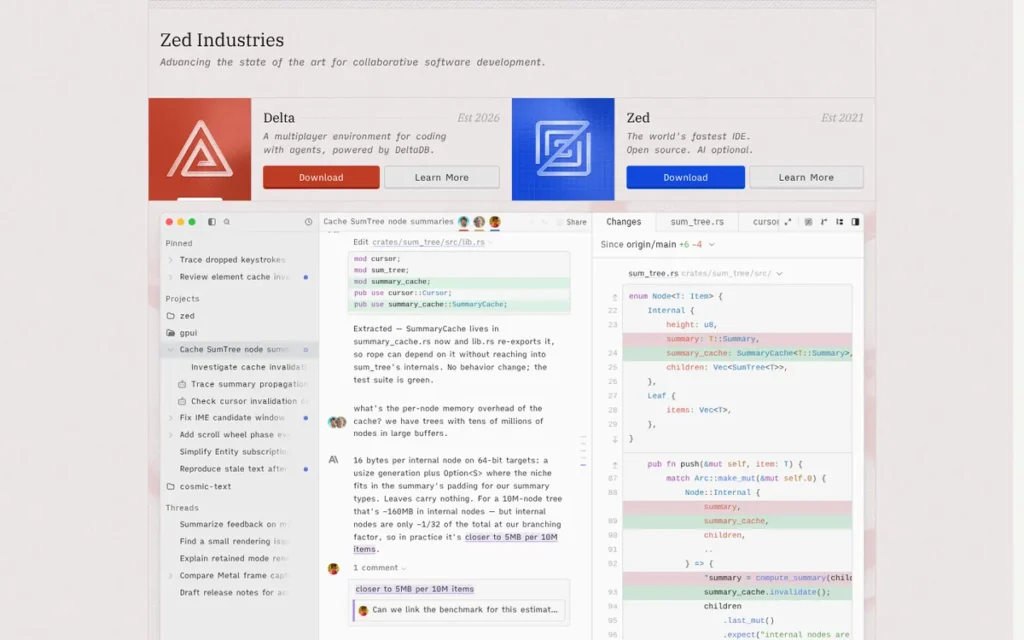
Category: Native Lightweight Editor: a natively compiled code editor focused on speed and low overhead.
At a Glance
- Category: Native Lightweight Editor
- Best For: Developers who want a fast, modern standalone editor with real-time collaboration and AI on their own keys or local models
- Price Range: Free Personal plan; Pro $10/month; Business $30/seat/month (verified November 2026)
- Primary Strength: Zed supports four AI routes in one editor: hosted models, bring-your-own-key, local models via Ollama, and external agents through the Agent Client Protocol.
- Biggest Limitation: Zed has its own extension ecosystem, and users report gaps such as weak Python extensions and no generic spell checking.
- One-Line Summary: Zed is a Rust-built native code editor with built-in collaboration and flexible AI, offering a free plan and a $10/month Pro tier, but its extension ecosystem is far smaller than VS Code’s.
- Last Verified: November 2026
Overview
Zed is an open-source, natively compiled code editor written in Rust by former Atom team members, built for developers who want a fast standalone editor with real-time collaboration and configurable AI rather than another fork of VS Code.
Zed runs on macOS and Linux, and on Windows since its stable release on October 15, 2025 (Zed blog, October 2025).
Key Features
- Zed renders its interface with GPUI, its own GPU-accelerated Rust UI framework, instead of Electron.
- Zed includes built-in real-time collaboration based on CRDTs, so several developers can edit a project together.
- Zed’s Agent Panel works with hosted models, bring-your-own API keys and local models through Ollama, and the Agent Panel supports MCP.
- Zed connects external agents such as Claude Code and Gemini CLI through the Agent Client Protocol.
- Zed provides Zeta edit predictions, which are unlimited on the Pro plan.
Best For
Zed is best for developers who want a genuinely different editor, value collaboration, and want to control AI costs with their own keys or local models. Python developers should test Zed before committing.
Pricing
- Zed’s Personal plan costs $0, works with your own API keys and includes external agents (Zed, November 2026).
- Zed Pro costs $10/month and includes hosted models, unlimited edit predictions and a $5 monthly token credit (Zed, November 2026).
- Zed Business costs $30 per seat per month (Zed, November 2026).
- Zed bills usage beyond the included credit at the provider’s API list price plus 10%, up to a spending cap you set, and offers a 14-day Pro trial.
- Zed cut Pro from $20 to $10 per month and moved to token-based billing on September 24, 2025 (Zed blog, September 2025).
How It Compares With VS Code
Zed is not built on VS Code, so VS Code extensions do not install in Zed. One switcher shared settings, such as left-docked panels and a VS Code Dark Modern theme, that “made me feel at home again” (r/ZedEditor, 2026).
Zed markets itself as the fastest editor (Zed blog, November 2026), but PlugRoute found no independent benchmark against VS Code. An AlternativeTo user called Zed “super fast on my old Laptop.” Zed users say VS Code’s ecosystem breadth is what they miss most.
Strengths
- Zed raised a $32M Series B led by Sequoia on August 20, 2025, bringing total funding above $42M (Zed blog, August 2025).
- Zed is used by 7.3% of developers and admired by 57.0% of its users (Stack Overflow Developer Survey, 2025), and had roughly 94,924 GitHub stars (AlternativeTo snapshot, November 2026).
- Zed publishes complete pricing with a user-set spending cap, which in PlugRoute’s assessment is the most transparent AI billing in this ranking.
- Zed shipped a stable Windows release on October 15, 2025, so Zed now covers all three major desktop platforms.
Limitations
- Zed gives up ecosystem breadth for a clean architecture. AlternativeTo users note that Zed lacks VS Code’s range of features and extensions and has limited encoding support (AlternativeTo, November 2026).
- Zed’s Python support is weak, according to a single r/ZedEditor user (April 2025) who said the few Python extensions do not work well and generic spell checking is missing.
- Zed has no G2 rating and only small-sample scores elsewhere: AlternativeTo 4.6/5 from 13 ratings and Product Hunt 4.9/5 from 34 reviews (both November 2026).
- Zed’s “fastest editor” positioning is a vendor claim with no independent benchmark behind it.
Users on r/Frontend noted:
“I tried it for like week and crawled back to VSCode 😅 I find the bottom dock hard to use (like it has UX issue). I still prefer the accessibility offered by the vertical navigation (Activity Bar) on VSCode.
Zed is good its nice for most single projects but not for all shapes of monorepo or projects needing multi-root workspace setup right now.
It is decent and has less UI clutter/noise and has good agentic setup, you can slap your own preferred provider for AutoComplete/NextEdit/Commit message generation without needing third-party extension as well as integrate popular LLM providers.” Posted by u/coffeekitkat
Takeaway: Zed wins praise for a cleaner UI and built-in bring-your-own-provider AI, but gaps with monorepos and multi-root workspaces still send some VS Code switchers back.
Verdict
Zed is the best VS Code alternative for developers who want a fast, modern native editor with built-in collaboration and AI they can run on their own keys, provided it supports their languages well. The free plan makes Zed low-risk to try. Check your two or three must-have extensions first, and Python users should test before committing.
5. Neovim: Best Terminal-First Editor for Fully Customizable Workflows
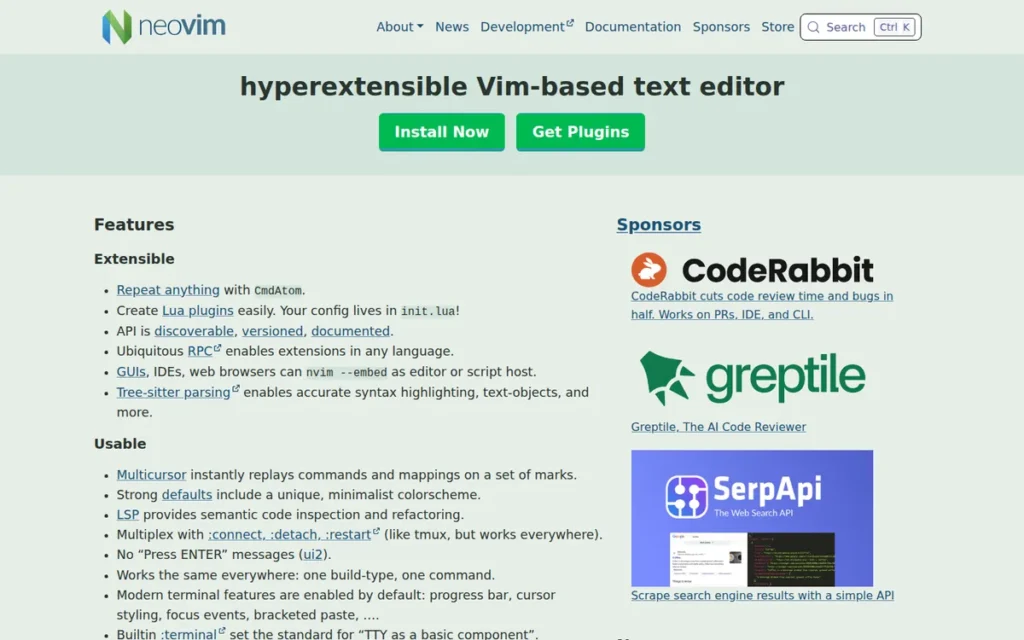
Category: Terminal-First Editor: a keyboard-driven editor that runs in the terminal and is configured through code.
At a Glance
- Category: Terminal-First Editor
- Best For: Keyboard-driven developers who work in the terminal or over SSH and want full control through configuration
- Price Range: Free and open source; no paid tier (verified November 2026)
- Primary Strength: Neovim combines a built-in LSP client, Tree-sitter parsing and Lua configuration in a free editor that runs anywhere a terminal does.
- Biggest Limitation: Neovim requires the most setup and maintenance time of any option in this ranking, and users report that plugins sometimes break.
- One-Line Summary: Neovim is a free, terminal-first Vim fork used by 14.0% of developers in Stack Overflow’s 2025 survey, offering the deepest code-level customization in this ranking at the cost of real setup and maintenance time.
- Last Verified: November 2026
Overview
Neovim is a free, open-source, terminal-based fork of Vim for keyboard-driven developers who want to shape their editor entirely through Lua configuration, with built-in language-server support, Tree-sitter parsing and the same setup on local machines and remote servers.
Neovim 0.12 added a built-in plugin manager. Starter configurations such as LazyVim, NvChad, AstroNvim and kickstart.nvim shorten the initial Neovim setup.
Key Features
- Neovim includes a built-in LSP client, and Neovim 0.11 added
vim.lsp.configand built-in LSP completion. - Neovim uses Tree-sitter for parsing and syntax highlighting, which Neovim 0.11 made asynchronous.
- Neovim is configured in Lua and exposes a msgpack-RPC API for external tools and plugins.
- Neovim 0.12 added a built-in plugin manager (
vim.pack), an:lspcommand and a default statusline. - Neovim supports AI through community plugins such as avante.nvim, codecompanion.nvim and copilot.vim.
Best For
Neovim is best for developers who live in the terminal, work over SSH and enjoy shaping their tools. Neovim suits readers willing to invest setup time, ideally starting from a pre-built configuration.
Pricing
- Neovim is free and open source, with no paid tier (Neovim, November 2026).
- Neovim’s exact license terms were not confirmed by PlugRoute’s research, so check the repository if licensing matters to your organization.
- Neovim AI plugins may require separate paid subscriptions, such as GitHub Copilot.
How It Compares With VS Code
Neovim is the biggest departure from VS Code in this ranking: it has no GUI by default, no VS Code extensions and a modal editing model. VS Code is more usable out of the box, while Neovim offers terminal portability and control.
The community recommends a gradual move to Neovim. The top r/vim answer (2022, 87 upvotes) said: “I’d try the vim plugin for vscode to get used to the experience.” A starter configuration such as LazyVim is a reasonable next step.
Strengths
- Neovim was admired by 74.4% of its users, the highest admired score of any editor in this article, including VS Code at 62.6% (Stack Overflow Developer Survey, 2025).
- Neovim is used by 14.0% of developers, more than Sublime Text, Zed or VSCodium (Stack Overflow Developer Survey, 2025).
- Neovim had roughly 103,000 GitHub stars (GitHub, November 2026), one of the largest open-source followings in this ranking and well ahead of VSCodium’s roughly 34,100.
- Neovim users report low ongoing maintenance once configured. One user said it had been “more than 6 months since I touched my neovim config” (r/programacion, September 2025, translated from Spanish).
Limitations
- Neovim gives up out-of-the-box convenience for control. One user warned that “sometimes plugins break and you have to invest time to fix it” (r/programacion, September 2025, translated from Spanish).
- Neovim’s configurability can eat into coding time. The top r/vim reply (2022) described getting “sucked into messing with my terminal/vimrc” instead of coding.
- Neovim offers AI only through community plugins, which take more setup than Cursor’s built-in agent.
- Neovim’s review-platform evidence is thin: G2 shows 4.3/5 from only 13 reviews, a low-confidence figure that a follow-up check could not confirm.
Users on r/TechNook noted:
“Why do you all hate vscode so much? I dont get it? I had a coworker switch to neovim and i feel like any productivity gains he got were minimized by the weekly lua script tweaking he was doing.
Whats so bad about vscode?” Posted by u/IdempodentFlux
Takeaway: Neovim’s productivity gains can disappear when Lua configuration turns into a weekly maintenance habit rather than a one-time setup.
Verdict
Neovim is the best VS Code alternative for terminal-first developers who want complete control over their editor, are willing to invest setup time, and want to pay nothing. Start with VS Code’s Vim mode, then move to a starter configuration such as LazyVim. Set a time limit on configuration, because Neovim is the wrong pick for anyone who wants an editor that just works.
6. VSCodium: Best for VS Code Without Microsoft Branding or Default Telemetry
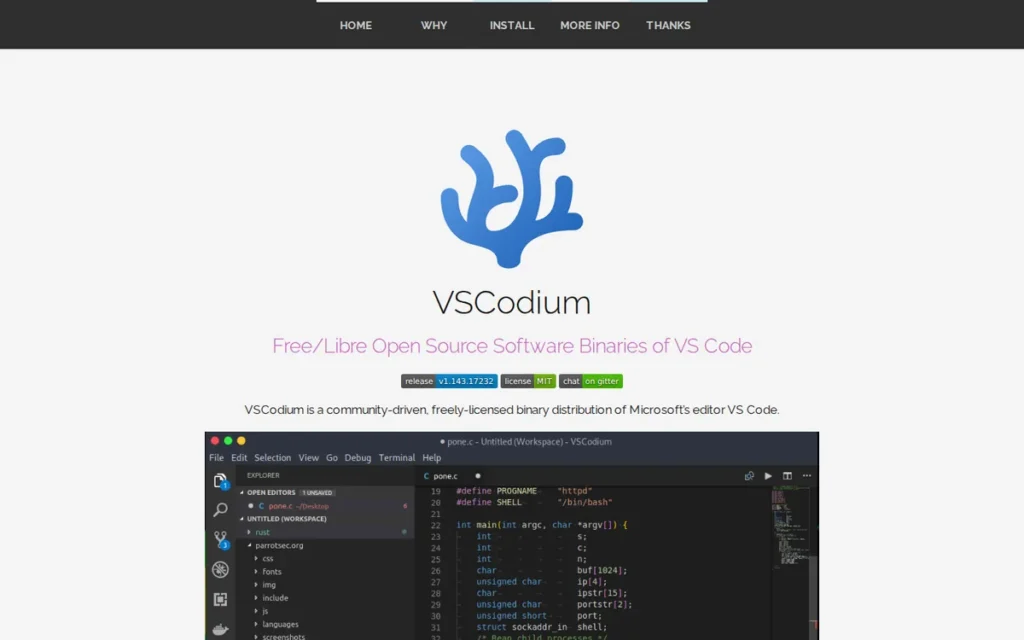
Category: Open-Source VS Code Build: a community build of VS Code’s open-source code without Microsoft branding or default telemetry.
At a Glance
- Category: Open-Source VS Code Build
- Best For: Privacy-minded developers who want VS Code’s exact interface without Microsoft branding and do not rely on Microsoft-licensed extensions
- Price Range: Free (MIT license; verified November 2026)
- Primary Strength: VSCodium keeps the VS Code interface almost unchanged while turning off telemetry, crash reporting and experiments by default.
- Biggest Limitation: VSCodium cannot use Microsoft-licensed extensions such as Pylance, C/C++, Remote-SSH, Live Share and C# Dev Kit, and it has no built-in Settings Sync.
- One-Line Summary: VSCodium is a free, MIT-licensed build of VS Code’s open-source code with telemetry off by default, offering the smallest possible change from VS Code but without Microsoft’s proprietary extensions.
- Last Verified: November 2026
Overview
VSCodium is a free, community-maintained build of Microsoft’s open-source VS Code code, aimed at developers who like VS Code’s interface but want MIT-licensed binaries without Microsoft branding, with telemetry, crash reporting and experiments off by default.
VSCodium is a repackaged build, not a separate editor. VSCodium changes how VS Code is distributed, not how you edit.
Key Features
- VSCodium disables telemetry, crash reporting and experiments by default, and its documentation explains how to turn off the remaining update checks.
- VSCodium builds MIT-licensed binaries from Code – OSS, the open-source repository behind VS Code.
- VSCodium uses the Open VSX registry, which listed more than 12,000 extensions from more than 8,000 publishers (Eclipse Foundation, October 2026).
- VSCodium installs on Windows 10+, macOS 12+ and Linux through packages including deb, rpm, AppImage, Snap, Flatpak, WinGet, Homebrew, Chocolatey and Scoop.
- VSCodium keeps VS Code’s interface, keybindings and settings format, so existing configuration files carry over.
Best For
VSCodium is best for developers whose reason for leaving is Microsoft branding, telemetry or licensing rather than the interface, and who have confirmed that their must-have extensions exist on Open VSX.
Pricing
- VSCodium is free under the MIT license (VSCodium, November 2026).
- VSCodium has no paid tiers, subscriptions or usage-based AI charges of its own.
How It Compares With VS Code
The difference between VS Code with telemetry off and VSCodium is defaults and extension licensing, not the editing experience. VS Code can already set telemetry.telemetryLevel to off, but extensions may collect telemetry separately (VS Code documentation, November 2026).
VSCodium’s defaults still allow update checks and extension network connections, and one AlternativeTo user reported periodic GitHub connections after disabling updates. VS Code keeps Microsoft-licensed extensions and Settings Sync, while VSCodium offers privacy by default and an open license.
Strengths
- VSCodium is used by 6.2% of developers and admired by 41.8% of its users (Stack Overflow Developer Survey, 2025), and had roughly 34,100 GitHub stars (GitHub, November 2026).
- VSCodium’s extension source, Open VSX, served more than 300 million downloads per month (Eclipse Foundation, October 2026).
- VSCodium has the lowest switching cost in this ranking because its interface, keybindings and settings format match VS Code’s.
- VSCodium has been maintained as a community project since its repository was created on August 13, 2018.
Limitations
- VSCodium loses Microsoft’s proprietary extensions. Pylance, C/C++, Remote-SSH, Remote Development, Live Share and C# Dev Kit are restricted to official VS Code, and PlugRoute could not verify community replacements against primary sources.
- VSCodium has no built-in Settings Sync. One Reddit user said “you have to manually copy the directory trees” (r/learnprogramming, November 2025).
- VSCodium’s extension registry, Open VSX, has had malicious and fake extensions. The Eclipse Foundation added scanning, quarantine and usage tiers, and says the tiers do not affect ordinary VSCodium use (Eclipse Foundation, 2026).
- VSCodium has no verified G2, Capterra or AlternativeTo rating.
Users on r/learnprogramming shared their experience:
“you asked vs code vs codium – i switched to codium for 6 months and came back. the telemetry avoidance is nice but the extension marketplace gap was annoying. if you don’t use niche extensions, codium is fine. if you do, the friction isn’t worth it.” Posted by u/itsmunzir
Takeaway: VSCodium’s telemetry-free defaults appeal to privacy-minded developers, but the extension marketplace gap is enough to send users who rely on niche extensions back to VS Code.
Verdict
VSCodium is the best VS Code alternative for developers who want to keep VS Code’s exact interface while dropping Microsoft branding and default telemetry, as long as they do not depend on Microsoft-licensed extensions. Check your extensions against Open VSX first. Plan a dotfiles-based replacement for Settings Sync, and consider whether turning VS Code’s telemetry off already meets your needs.
7. Windsurf: Best Cursor Alternative With JetBrains Plugin Support
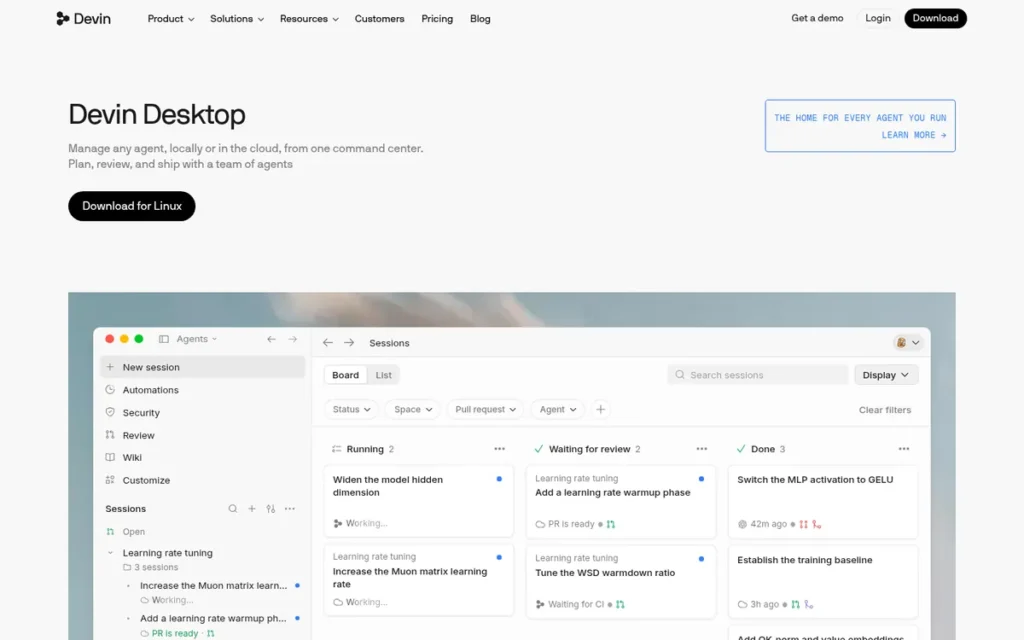
Category: AI-First Editor: a VS Code-based editor built around agentic AI that can plan and edit across multiple files.
At a Glance
- Category: AI-First Editor
- Best For: Developers comparing agentic AI editors with Cursor, and JetBrains users who want the same AI agent as a plugin
- Price Range: Free tier + paid plans; Pro reported at $20/month with quota billing since March 19, 2026 (third-party reports; confirm on windsurf.com/pricing)
- Primary Strength: Windsurf’s Cascade agent plans and edits across multiple files and is also available as a plugin inside JetBrains IDEs.
- Biggest Limitation: Windsurf has gone through major ownership and pricing changes since mid-2025, which makes its long-term costs and direction harder to predict.
- One-Line Summary: Windsurf is Cognition’s AI-first code editor built around the Cascade multi-file agent, a credible Cursor alternative whose 2025 ownership turnover and 2026 pricing changes make it the least predictable option in this ranking.
- Last Verified: November 2026
Overview
Windsurf is an AI-first code editor, originally built by Codeium and now owned by Cognition, for developers who want an agent that plans and carries out multi-step changes across files, with the same AI also available as a plugin inside JetBrains IDEs.
Windsurf is the second major AI-first VS Code-style editor after Cursor, and Reddit users compare the two directly.
Key Features
- Windsurf’s Cascade agent plans multi-step tasks and applies edits across multiple files.
- Windsurf runs its own SWE-1 and SWE-1.5 coding models alongside third-party models.
- Windsurf’s Memories feature keeps project context across sessions.
- Windsurf’s Codemaps feature maps codebase structure for navigation and AI context.
- Windsurf offers plugins for JetBrains IDEs and connects to Cognition’s Devin cloud agent.
Best For
Windsurf is best for developers who want an agentic AI editor and plan to test it head-to-head with Cursor. Windsurf also suits IntelliJ IDEA users who want an AI agent without leaving their IDE.
Pricing
- Windsurf’s 2025 plans were Free at $0 (25 prompt credits per month from April 2025), Pro at $15/month (500 credits), Teams at $30/user/month and Enterprise at about $60/seat (Flexprice, 2025).
- Windsurf replaced prompt credits with daily and weekly quotas on March 19, 2026, raising Pro to $20/month and adding a $200/month Max plan, according to third-party pricing trackers (SoftwarePricing, March 2026; ProvenBrief, 2026).
- Windsurf reportedly let existing Pro and Teams subscribers keep their old prices. No primary vendor source was available, so confirm current quotas on windsurf.com/pricing.
How It Compares With VS Code
Windsurf offers a VS Code-style interface, so habits carry over. PlugRoute could not confirm which extension registry Windsurf uses, so check that your extensions are available. Assume Microsoft-licensed extensions will not work outside official VS Code.
Windsurf offers a more agentic workflow than VS Code with Copilot. One r/windsurf user (January 2026) said “even as a Plugin in IntelliJ it works better than CoPilot,” while an r/cursor user (May 2026) comparing it with Cursor called them “the same fish.”
Strengths
- Windsurf reported $82M in annual recurring revenue and more than 350 enterprise customers when Cognition acquired it (Cognition, July 2025; TechCrunch, July 2025).
- Windsurf is used by 4.9% of developers and admired by 41.8% of its users (Stack Overflow Developer Survey, 2025), making it one of two AI-first editors in this ranking with a measured share in that survey.
- Windsurf’s owner, Cognition, was valued at $10.2B in September 2025 (CNBC, September 2025), so the product has well-funded backing after its turnover.
- Windsurf’s JetBrains plugins let IntelliJ IDEA users run the Cascade agent without switching editors.
Limitations
- Windsurf gives up vendor predictability for strong AI features. In 2025 a roughly $3B OpenAI acquisition fell through, Google hired its CEO and a co-founder in a reported $2.4B deal, and Cognition acquired the product (CNBC, July 2025).
- Windsurf’s March 2026 move to quota billing drew complaints. One user said credits that “could last me a month” disappeared “in a couple of requests” (r/cursor, May 2026).
- Windsurf’s premium models were called expensive before the pricing change. One user said Opus 4.5 is “too too expensive in windsurf in contrast to all other editors” (r/windsurf, January 2026).
- Windsurf has no verified G2, Capterra or Trustpilot rating.
Verdict
Windsurf is a capable Cursor alternative for agentic AI coding, but its 2025 ownership turnover and 2026 quota-based pricing make it the least predictable VS Code alternative in this ranking. Try Windsurf’s free tier before committing, and confirm current quotas on the official pricing page. JetBrains users may get the most value from the Windsurf plugin.
Why Do Developers Look for VS Code Alternatives?
Developers look for VS Code alternatives mainly because of extension problems, slow performance, Microsoft telemetry and marketplace restrictions, and a wish for deeper AI or language tooling. VS Code’s own G2 reviews list Extension Issues (67) and Slow Performance (41) as top cons, even though users rate it 4.7/5 (G2, November 2026).
VS Code’s most-cited G2 cons are:
- Extension Issues appear in 67 VS Code reviews on G2.
- Slow Performance appears in 41 VS Code reviews on G2.
- Performance Issues appear in 34 VS Code reviews on G2.
- Plugin Issues appear in 33 VS Code reviews on G2.
- Complexity appears in 28 VS Code reviews on G2.
VS Code reviewers ask Microsoft for three improvements (G2, November 2026):
- VS Code reviewers ask for lower memory use, especially on large projects.
- VS Code reviewers ask for easier extension discovery and conflict handling.
- VS Code reviewers ask for simpler setup for debugging and language-specific workflows.
Two Microsoft-specific concerns add to these:
- VS Code collects crash reports, error telemetry and usage data. The
telemetry.telemetryLevelsetting acceptsall,error,crashoroff, but extensions may collect telemetry separately (VS Code documentation, November 2026). - Microsoft’s Marketplace terms limit its extensions to Microsoft products. In April 2025, Microsoft’s C/C++ extension stopped working in Cursor and other forks (The Register, April 2025; DevClass, April 2025).
VS Code is still the benchmark every alternative has to beat.
VS Code holds 4.7/5 from 2,757 G2 reviews, with 98.9% at 4 or 5 stars and praise for Ease of Use (122), Extensions (95) and Git Integration (80) (G2, November 2026). VS Code is used by 75.9% of developers (Stack Overflow Developer Survey, 2025).
How Do These Alternatives Compare With VS Code?
Each VS Code alternative beats VS Code on one dimension and gives something up elsewhere: IntelliJ IDEA on Java depth, Cursor and Windsurf on AI agents, Sublime Text and Zed on native speed, Neovim on terminal control, and VSCodium on default privacy. VS Code still holds the highest verified G2 rating (4.7/5, November 2026).
| Tool | Architecture | Extension Source | AI Approach | Price/Billing Model (Nov 2026) | Verified Rating | SO 2025 Usage | SO 2025 Admired |
|---|---|---|---|---|---|---|---|
| VS Code (baseline, unranked) | Extension-based editor | Microsoft Marketplace | Copilot via extension | Free download; no G2 list price | G2 4.7/5 (2,757) | 75.9% | 62.6% |
| IntelliJ IDEA | Full IDE | JetBrains plugins | AI Assistant, Junie, Claude Agent, bring-your-own-key | Free core; Ultimate $19.90/user/mo (G2 list) | G2 4.6/5 (2,405) | 27.1% | 58.2% |
| Cursor | VS Code fork | Open VSX via Cursor proxy; Microsoft extensions blocked | Built-in agent, own models | Free; Plus $8, Premium $30, Super $100, Ultra $200/mo (Pro $20 legacy); usage-based | G2 4.6/5 (~333, not in verified dataset) | 17.9% | 46.7% |
| Sublime Text | Native editor | Own package ecosystem | Plugin only (LSP-copilot) | $99 one-time personal (3 yrs updates); business $50–65/seat/yr | G2 4.5/5 (1,783) | 10.5% | 50.1% |
| Zed | Native Rust editor | Own extension gallery | Agent Panel, bring-your-own-key, Ollama, ACP | Free; Pro $10/mo; token overage with cap | Not available on G2 | 7.3% | 57.0% |
| Neovim | Terminal Vim fork | Own plugin ecosystem | Plugin only | Free, no paid tier | G2 4.3/5 (13, low-confidence) | 14.0% | 74.4% |
| VSCodium | Open-source VS Code build | Open VSX | Via Open VSX extensions | Free (MIT) | Not available | 6.2% | 41.8% |
| Windsurf | VS Code-style AI editor | Not confirmed | Cascade agent, own models | Free + paid; quota billing since March 2026 (third-party reports) | Not available | 4.9% | 41.8% |
PlugRoute did not include RAM or startup figures, because no independent benchmark exists as of November 2026. Platform support appears in each entry where PlugRoute verified it. Admired scores are shown for context and do not feed the ranking.
When Does It Make Sense to Stay With VS Code?
Staying with VS Code makes sense if your main concern is telemetry you can reduce in settings, if you depend on Microsoft-licensed extensions, or if GitHub Copilot already covers your AI needs. For many developers, adjusting VS Code settings or adding Copilot solves the problem without switching editors.
Consider staying with VS Code in these situations:
- Telemetry: VS Code’s
telemetry.telemetryLevelcan be set tooff, but extensions may still collect data separately (VS Code documentation, November 2026). - Microsoft extensions: VS Code is the only editor that officially runs Pylance, C/C++, Remote-SSH, Live Share and C# Dev Kit.
- AI: VS Code with Copilot gave “basically identical” results to Cursor on the same models for one user (r/GithubCopilot, June 2025), although other users prefer Cursor’s multi-file editing.
- Stability: One user returned to VS Code from Cursor for “platform stability” and the official extensions marketplace (r/GithubCopilot, February 2026).
Developers also run hybrid setups instead of switching outright:
- Some Java developers use VS Code with Copilot for code generation and IntelliJ IDEA for debugging, as one r/developersIndia user (2026) described.
- Some developers keep Sublime Text as a fast secondary editor for static sites.
- Some developers use VS Code’s Vim mode for a while before moving to Neovim.
- Teams can keep Maven or Gradle build files IDE-neutral so each member can use a different editor.
What Red Flags Should I Watch For When Evaluating VS Code Alternatives?
The biggest red flags when evaluating VS Code alternatives are irreplaceable Microsoft extensions, AI billing without spending caps, speed claims without benchmarks, incomplete “zero telemetry” claims, unvetted extensions, vendor turnover and configuration rabbit holes. Most of these risks are tied to documented 2025 or 2026 incidents, such as Cursor’s billing refunds and the C/C++ extension block in forks.
Red Flag #1: Must-Have Microsoft Extensions You Cannot Replace Microsoft restricts Pylance, C/C++, Remote-SSH, Live Share and C# Dev Kit to official VS Code, so forks such as VSCodium and Cursor cannot use them. Microsoft’s C/C++ extension stopped working in forks in April 2025 (The Register, April 2025).
Red Flag #2: Usage-Based AI Billing Without a Spending Cap AI editors that bill by usage can produce surprise charges when plans change. Cursor refunded unexpected charges after its June 2025 billing change (TechCrunch, July 2025), and Windsurf users complained after its March 2026 quota switch.
Red Flag #3: Speed Claims Without an Independent Benchmark Editor speed claims are mostly vendor marketing or user anecdotes. PlugRoute found no independent, reproducible RAM or startup benchmark comparing these editors as of November 2026, so treat “fastest” labels with caution.
Red Flag #4: “Zero Telemetry” Claims That Ignore Extensions Privacy-focused editors can still make network connections through extensions and update checks. VSCodium’s documentation explains how to disable update checks, and VS Code warns that extensions may collect telemetry independently (VS Code documentation, November 2026).
Red Flag #5: Unvetted Extensions From Open Registries Open extension registries need careful vetting before you install anything. The Eclipse Foundation has documented malicious and impersonating extensions on Open VSX and added scanning and quarantine (Eclipse Foundation, 2026). This applies to VSCodium and Cursor, which both draw on Open VSX, and to any editor with an unconfirmed registry.
Red Flag #6: Recent Ownership or Pricing Turnover Recent ownership changes or abrupt pricing changes raise the risk of having to migrate again. Windsurf changed hands in July 2025 (CNBC, July 2025), so check a vendor’s history before committing a team to it.
Red Flag #7: A Configuration Rabbit Hole Highly configurable editors can consume time meant for coding. A top r/vim reply (2022) warned about getting “sucked into messing with my terminal/vimrc,” so set a time budget for setup.
What Questions Should I Ask Before Choosing a VS Code Alternative?
Before choosing a VS Code alternative, ask why you are leaving, which extensions you actually need, whether your languages are well supported, how AI is billed, whether your hardware can cope, how settings will sync, and whether you can trial it alongside VS Code. These seven questions prevent most failed switches.
Question #1: What is my main reason for leaving VS Code? Your main reason for leaving should drive the choice more than overall rank:
- Privacy points to VSCodium.
- Multi-file AI points to Cursor or Windsurf.
- Speed points to Sublime Text or Zed.
- Java and Kotlin point to IntelliJ IDEA.
- Terminal workflows point to Neovim.
Question #2: Which extensions do I use every week, and are they available in the new editor? An extension audit takes three steps. List the extensions you actually use, check each one on Open VSX or the target editor’s gallery, and test the replacements before you uninstall VS Code.
Question #3: Does the editor fully support my primary languages today? Language support varies widely between newer editors. One Zed user reported weak Python extensions (r/ZedEditor, April 2025), so open a real project in each candidate and check completion, navigation and debugging.
Question #4: How is AI billed, and can I set a spending cap? AI billing ranges from flat subscriptions to token or quota billing. For example, Zed Pro costs $10/month including $5 of token credit, and usage beyond that is billed at provider list price plus 10%, up to a cap you set (Zed, November 2026).
Question #5: Can my machine comfortably run it on my largest project? Hardware fit matters most for full IDEs. IntelliJ IDEA’s top G2 cons are High Memory Usage (44) and High System Requirements (26) (G2, November 2026), so test it on your largest project.
Question #6: How will I sync settings across computers? Settings Sync is a VS Code feature that some alternatives lack. VSCodium users report copying configuration directories by hand, so plan a dotfiles repository or another sync method before switching.
Question #7: Can I run it alongside VS Code during a trial period? Every editor in this ranking installs alongside VS Code without changing your VS Code profile, so you can switch back at any point. Each option also has a free plan, a free core or an unlimited evaluation, which lets you test it on a real project at no cost.
How Can I Switch Without Breaking My Setup?
The safest way to switch from VS Code is a side-by-side trial: audit your extensions, install the alternative next to VS Code, use it on one real project for a week, and keep your build files and settings editor-neutral. This six-step plan lets you switch back at any point without losing work.
- Export your VS Code extension list with
code --list-extensions. - Check each extension on Open VSX or the target editor’s gallery, and note the ones with no replacement.
- Install the alternative alongside VS Code rather than uninstalling VS Code.
- Use the alternative on one real project for a full week before deciding.
- Commit build files such as Maven, Gradle or package.json as the IDE-neutral source of truth.
- Move editor settings into a dotfiles repository so any editor can be rebuilt quickly.
Which Editors Did We Leave Out, and Why?
PlugRoute left out editors that are not realistic VS Code replacements for most developers. Some are website builders, some are browser-only or tied to one operating system, some had unreliable data, and some were outside our research scope. Several appear on G2 next to VS Code but did not meet our criteria.
- Adobe Dreamweaver was excluded because G2 categorizes it as a website builder, and its top G2 con is Outdated Technology (G2, November 2026).
- CodePen was excluded because it is a browser-based environment for front-end prototyping.
- TextPad and EditPlus were excluded because they are Windows-focused legacy text editors.
- BBEdit was excluded because it is a Mac-only editor.
- Bluefish was excluded because it is rated 4.1/5 from 51 G2 reviews and users report hangs on large files (G2, November 2026).
- Brackets was excluded because PlugRoute could not verify its current support status.
- GNU Emacs was excluded because its G2 record appears to be mismatched with another product, and PlugRoute did not research it independently.
- Eclipse Theia was excluded because it was outside this research scope.
Visual Studio is a separate Microsoft product from VS Code. Visual Studio was used by 29% of developers (Stack Overflow Developer Survey, 2025), and this article does not rank it.
How Did We Rank These VS Code Alternatives?
PlugRoute ranked these VS Code alternatives by scoring each one from 1 to 5 on six weighted criteria: verified reviews, adoption, switching cost, pricing transparency, capability depth and vendor stability. The weighted total measures overall strength of evidence. It does not mean the #1 tool suits every reader. The Quick Decision Framework matches tools to motivations.
Overall rank measures strength of evidence, not fit. Neovim has the highest admired score here (74.4%, Stack Overflow 2025) yet ranks fifth, and IntelliJ IDEA ranks first yet is the weakest fit for a low-end laptop.
The six criteria, their weights and their scoring anchors:
- C1: Verified Review Ratings and Volume (25%). C1 matters because large review bases are stronger evidence. Anchors: 5 = verified G2, 2,000+ reviews; 4.5 = verified G2, 1,000–1,999; 3.5 = research-surfaced G2, 100+; 2 = 25–99 small-sample reviews combined; 1.5 = under 25 or unconfirmed; 1 = no rating.
- C2: Developer Adoption and Ecosystem Health (20%). C2 matters because larger communities mean more plugins and answers. Anchors by Stack Overflow 2025 usage: 5 = 25%+; 4 = 15–24.9%; 3.5 = 12–14.9%; 3 = 9–11.9%; 2.5 = 7–8.9%; 2 = under 7%.
- C3: Switching Cost from VS Code (15%). C3 reflects readers’ biggest fear: losing extensions, settings and muscle memory. Anchors: 4.5 = same codebase and settings; 4 = VS Code-based fork without Microsoft extensions; 3 = separate editor; 2 = different IDE; 1.5 = modal terminal editor.
- C4: Pricing Transparency and Value (15%). C4 rewards published, predictable pricing. Anchors: 5 = free, or published pricing with a spending cap; 4 = free core plus flat subscription; 3.5 = flat price, evaluation only; 2.5 = usage-based with a 2025–2026 controversy; 1.5 = third-party pricing only, with a controversy.
- C5: Capability Depth for the Reason to Switch (15%). C5 measures whether a tool clearly beats VS Code on one reason to switch. Anchors: 5 = built-in, documented advantage; 4–4.5 = strong advantage with gaps or plugin dependence; 3 = advantage limited to speed or privacy alone.
- C6: Vendor and Project Stability (10%). C6 matters because having to migrate again is costly. Anchors: 5 = vendor active 20+ years; 4 = long-running with no ownership change; 3.5 = funded or community project under ten years old; 3 = billing controversy; 2 = ownership turnover.
| Product | C1 (25%) | C2 (20%) | C3 (15%) | C4 (15%) | C5 (15%) | C6 (10%) | Weighted Total |
|---|---|---|---|---|---|---|---|
| IntelliJ IDEA | 5 | 5 | 2 | 4 | 5 | 5 | 4.40 |
| Cursor | 3.5 | 4 | 4 | 2.5 | 5 | 3 | 3.70 |
| Sublime Text | 4.5 | 3 | 3 | 3.5 | 3 | 4 | 3.55 |
| Zed | 2 | 2.5 | 3 | 5 | 4 | 3.5 | 3.15 |
| Neovim | 1.5 | 3.5 | 1.5 | 5 | 4 | 4 | 3.05 |
| VSCodium | 1 | 2 | 4.5 | 5 | 3 | 3.5 | 2.88 |
| Windsurf | 1 | 2 | 4 | 1.5 | 4.5 | 2 | 2.35 |
What the scores mean:
- IntelliJ IDEA ranks #1 because it scored 5 on four of six criteria, led by 2,405 verified G2 reviews and 27.1% adoption. Its weakest score is switching cost (2/5).
- Cursor and Sublime Text are separated by 0.15 points, the equivalent of one point on a single 15% criterion. Readers who weight AI over review volume should treat #2 and #3 as close.
- Zed scores above Neovim on C1 because Zed has 47 small-sample reviews across two platforms, while Neovim’s 13-review G2 figure could not be confirmed.
- Neovim’s position reflects thin review-platform data and the highest setup cost, not low user satisfaction.
- VSCodium ranks sixth because it has no review-platform rating and adds no capability beyond VS Code. For readers whose only reason for leaving is telemetry, VSCodium is the closest fit.
- Windsurf ranks last on evidence strength, not capability. Its C5 score (4.5) trails only Cursor’s and IntelliJ IDEA’s.
Stack Overflow 2025 admired scores are shown for context and are not scored.
PlugRoute has no affiliate relationships with any company listed. Rankings are determined entirely by research data and objective evaluation criteria.
PlugRoute could not verify the following items as of November 2026, so they are labeled where they appear:
- Windsurf’s March 2026 plans are confirmed only by third-party pricing trackers.
- Community replacements for Microsoft-licensed extensions could not be verified.
- Neovim’s and Zed’s exact license terms could not be verified.
PlugRoute found no peer-reviewed studies comparing these editors, and no independent RAM or startup benchmarks.
What Do Developers Ask Most About VS Code Alternatives?
Developers most often ask which VS Code alternative avoids telemetry, which runs best on an older PC, and how PlugRoute decides its rankings. The answers below are short. VSCodium fits privacy, Sublime Text and Neovim fit older machines, and the rankings come from a published six-criterion score table.
What is the best VS Code alternative without telemetry?
VSCodium is the closest VS Code alternative without default telemetry, because VSCodium builds VS Code’s open-source code with telemetry, crash reporting and experiments turned off (VSCodium, November 2026). Neovim is a free terminal editor outside Microsoft’s ecosystem. Setting telemetry.telemetryLevel to off in VS Code is a lighter fix, though extensions can still collect data.
What is the best lightweight VS Code alternative for a low-end PC?
Sublime Text and Neovim are the strongest choices for a low-end PC on architecture alone. Sublime Text is natively compiled and Neovim runs in the terminal, so neither uses Electron. Zed is another native option. No independent RAM benchmark exists (November 2026), and IntelliJ IDEA is the weakest fit because of its memory demands.
How does PlugRoute determine rankings?
PlugRoute scores each product from 1 to 5 on six weighted criteria: verified reviews (25%), adoption (20%), switching cost, pricing transparency and capability depth (15% each), and stability (10%). Missing data is scored as missing, never estimated. The score table and scoring anchors appear in PlugRoute’s methodology section, so readers can check every score.
What Do Key VS Code Alternative Terms Mean?
Choosing a VS Code alternative mostly comes down to a few terms: whether the editor is a fork or a native editor, which extension registry it uses (Microsoft Marketplace or Open VSX), how it handles telemetry, and how its AI is billed. The definitions below explain each one in plain language.
Fork: A fork is a separate project built from a copy of another project’s source code. Forks often keep the original interface and settings format, which lowers switching cost, but they may lose access to the original vendor’s proprietary add-ons.
Open VSX: Open VSX is an open extension registry used by editors built from open-source code. Buyers should check whether their must-have extensions are listed there, because Open VSX does not mirror every proprietary marketplace.
Proprietary Extension Marketplace: A proprietary extension marketplace is a vendor-controlled store whose terms can limit which products may use its extensions. Those terms decide whether your extensions keep working after a switch.
Telemetry: Telemetry is usage, error and crash data that software sends back to its developer. Buyers concerned about privacy should check both the editor’s telemetry settings and whether extensions collect data on their own.
Language Server Protocol (LSP): The Language Server Protocol is a standard that lets editors get completion, navigation and diagnostics from a shared language server. Editors with LSP support can offer IDE-like features for many languages without building each one themselves.
Tree-sitter: Tree-sitter is a parsing library that builds a syntax tree of your code as you type. Tree-sitter enables accurate syntax highlighting and code navigation, especially in lightweight editors.
Native Editor: A native editor is compiled directly for the operating system rather than built on a web-based runtime such as Electron. Native editors are often marketed as faster, but buyers should look for independent benchmarks.
Agent Mode: Agent mode is an AI feature that plans and carries out multi-step tasks, such as editing several files and running commands. Agent mode goes beyond single-line autocomplete, so review its changes carefully.
Bring-Your-Own-Key (BYOK): Bring-your-own-key means connecting your own AI provider API key instead of paying the editor vendor for model access. BYOK can make AI costs more transparent, because you pay the provider directly.
Usage-Based or Quota Billing: Usage-based billing charges by tokens or requests consumed, and quota billing caps usage per day or week. Both models can make monthly costs less predictable than a flat subscription.
Spending Cap: A spending cap is a user-set maximum on usage charges in a billing period. A spending cap protects buyers from surprise bills under usage-based AI pricing.
Indexing: Indexing is the process in which an editor or IDE scans a project to build a searchable model of its code. Indexing powers smart refactoring and AI context, but it can slow startup on large projects.
Which VS Code Alternative Is Right for You?
Key Insights
The right VS Code alternative depends on why you are leaving: IntelliJ IDEA for Java and Kotlin, Cursor for multi-file AI, Sublime Text or Zed for a lighter native editor, Neovim for terminal workflows, and VSCodium for VS Code without default telemetry. Developers who rely on Pylance or Remote-SSH are usually better served by staying on VS Code.
- IntelliJ IDEA ranks #1 overall, with 4.6/5 from 2,405 G2 reviews and 27.1% usage, and IntelliJ IDEA is the strongest-evidenced choice for Java and Kotlin developers who can spare the memory.
- Cursor offers the deepest multi-file AI with the lowest learning curve for VS Code users, but Cursor’s June 2025 billing change makes usage monitoring essential.
- Sublime Text is the best-reviewed lightweight option at 4.5/5 from 1,783 G2 reviews and a $99 one-time personal license, but Sublime Text has no built-in AI or debugger.
- Zed offers published AI pricing with a free plan and a user-set spending cap, though Zed’s extension ecosystem is still small.
- Neovim gives terminal-first developers complete control for free and has the highest admired score here (74.4%), provided they budget time for setup.
- VSCodium is the smallest step away from VS Code for privacy, but VSCodium cannot run Microsoft-licensed extensions such as Pylance or Remote-SSH.
- Windsurf is a capable Cursor alternative whose 2025 ownership turnover and 2026 pricing changes make Windsurf the least predictable choice.
Match your situation to a next step:
- If you need Java depth, choose IntelliJ IDEA.
- If you want AI that edits across files, compare Cursor with VS Code plus Copilot first.
- If speed matters most, try Sublime Text or Zed.
- If you want privacy without relearning anything, choose VSCodium.
- If you live in the terminal, choose Neovim.
Staying on VS Code with telemetry turned off is also a valid outcome. AI billing and marketplace rules keep changing, so check prices and extension availability again before each renewal. Read PlugRoute’s full methodology and our other independent developer-tool reviews to compare further.
We update this guide quarterly. Last updated: November 2026.