GitBook is the best overall AI documentation generator in 2026, rated 4.8/5.0 on G2 across 181+ verified reviews with dual SOC 2 and ISO 27001 certifications. Mintlify leads for developer-facing API documentation with AI maintenance agents and first-to-market llms.txt discoverability. No single platform serves every documentation type, the right tool depends on whether your team ships APIs, SDKs, SOPs, or knowledge bases.
Documentation teams face three compounding problems:
- Code commits make documentation stale within hours: every merge is a potential accuracy event that most teams cannot manually monitor.
- No single evaluated platform handles API references, process SOPs, and knowledge bases with equal depth, most teams rely on 3–4 separate tools to cover all documentation types.
- Pricing built for enterprise budgets creates a sharp gap between limited free tiers and $300+/month plans, leaving solo developers and small teams without an accessible middle option.
PlugRoute has no affiliate relationships with any company listed in this article, rankings are determined entirely by research data, verified community evidence, and objective evaluation criteria, with no company paying for placement, providing preferential access, or influencing the editorial outcome.
TL;DR: Top Picks at a Glance
- GitBook: strongest verified reviews and enterprise compliance credentials for mixed technical and non-technical teams
- Mintlify: most advanced AI-native features for developer-facing API documentation
- Fern: the only evaluated tool co-generating 9-language SDKs and API docs from a single spec update
- ReadMe: deepest API developer behavioral analytics with a 12-year track record
- Swimm: identifier-level documentation drift prevention for internal code documentation
- Document360: strongest AI search quality for customer-facing knowledge bases
- Scribe: automatic browser workflow capture with zero manual screenshot effort
What Are the Main Categories of AI Documentation Generator Tools?
AI documentation generators divide into four functional categories based on the primary documentation problem they solve: Knowledge Platforms for mixed-team product docs and help centers, API Documentation Portals for developer-facing API publishing, SDK + API Generators for teams shipping client libraries, and Specialized Tools covering code-coupled documentation, knowledge bases, and process capture.
Understanding which category matches your primary use case is the most important decision in this evaluation. No evaluated platform covers all four categories with equal technical depth, choosing the wrong category typically results in a second platform purchase within six months.
One constraint is universal across all seven categories: every evaluated platform is SaaS-only as of May 2026. Teams in healthcare, financial services, government, or any organization with strict on-premises data residency requirements should resolve the self-hosting question before evaluating features, because the answer determines whether any evaluated platform is viable at all.
The seven categories in this evaluation:
- Knowledge Platform: GitBook
- API Documentation Portal: Mintlify
- SDK + API Generator: Fern
- Developer Hub: ReadMe
- Code-Coupled Documenter: Swimm
- Knowledge Base: Document360
- Process Documenter (SOP Capturer): Scribe
The most consequential documentation tool selection decision is not which platform has the most AI features, it is whether the platform’s category matches your primary documentation type. An API documentation portal (Mintlify) cannot replace a process SOP capturer (Scribe), a code-coupled documenter (Swimm) cannot replace a knowledge base (Document360), and no single evaluated platform covers all documentation types with equal technical depth.
How Do the Top AI Documentation Generators Compare at a Glance?
| Rank | Company | Category | Best For | One-Line Summary | Key Capabilities | Primary Strength | Key Limitation |
|---|---|---|---|---|---|---|---|
| 1 | GitBook | Knowledge Platform | Mixed technical and non-technical teams needing product docs, API refs, wikis, and help centers | AI-native knowledge platform, G2 4.8/5.0 across 181+ reviews, SOC 2 + ISO 27001, ~30,000 teams | WYSIWYG editor, bidirectional GitHub sync, AI Agent gap detection, AI Assistant, llms.txt | Verified G2 4.8/5.0 across 181+ reviews; dual SOC 2 + ISO 27001 | Free tier restricts private and internal docs behind paywall |
| 2 | Mintlify | API Documentation Portal | Engineering teams publishing developer-facing API documentation | YC-backed, ~$67M raised, serving Anthropic, Cursor, Coinbase; AI maintenance agent + llms.txt first-mover | AI maintenance agent, llms.txt, MCP server generation, MDX docs-as-code, interactive API playgrounds | AI maintenance agent + llms.txt first-mover; named enterprise customers | 67% Pro price increase to $300/mo; SaaS-only; no WYSIWYG for non-technical authors |
| 3 | Fern | SDK + API Generator | API-first teams shipping multi-language developer SDKs | YC- and Bessemer-backed, acquired by Postman Jan 7 2026; co-generates 9-language SDKs + API docs from one spec | SDK co-generation, 9 programming languages, WebSocket support, CLI generator | Only evaluated tool co-generating production-ready SDKs + API docs from one spec | CLI-only interface; narrow documentation scope |
| 4 | ReadMe | Developer Hub | Enterprise API teams needing real-time developer behavioral analytics | Founded 2014; OpenAPI Initiative member; pioneered interactive API explorer with call-level analytics | Interactive API explorer, API call-level analytics, Recipes, SOC 2, SAML SSO | API call-level analytics; 12-year track record; OpenAPI Initiative member | No staging environments; no PR review branches |
| 5 | Swimm | Code-Coupled Documenter | Engineering teams with fast-moving or legacy codebases | GitHub Marketplace-listed; Smart Tokens drift prevention; COBOL/Fortran/Assembly support; VS Code + JetBrains IDE plugins | Smart Tokens, COBOL/Fortran/Assembly, /ask Swimm AI, Markdown-in-repo storage | Smart Tokens identifier-level drift prevention; COBOL/Fortran/Assembly legacy support | Scope limited to internal code docs; opaque paid pricing |
| 6 | Document360 | Knowledge Base | Enterprise customer-facing help centers with mixed-skill authoring teams | Founded 2017; Eddy AI semantic search; deployed across SaaS, IT, finance, healthcare, education, manufacturing | Eddy AI semantic search, version history, multi-language, non-technical WYSIWYG authoring | Eddy AI semantic search consistently praised over keyword-based alternatives | No public pricing; limited developer workflow and CI/CD integration |
| 7 | Scribe | Process Documenter | Ops, HR, IT, and CS teams documenting browser-based software workflows | Browser extension-based; auto-captures workflows into annotated guides; exports PDF, Word, HTML, Markdown | Auto-capture, Scribe Pages SOPs, AI SOP generation, multi-format export, iframe embedding | Auto-captures browser workflows into annotated guides; zero manual screenshot effort | Browser-only capture; no desktop app support; opaque paid pricing |
Which AI Documentation Generator Should I Choose for My Use Case?
| Your #1 Priority | Recommended Tool | Why | Acceptable Alternative |
|---|---|---|---|
| Best overall with verified reviews and enterprise compliance | GitBook | Only evaluated tool simultaneously holding a confirmed G2 4.8/5.0 (181+ reviews), SOC 2, and ISO 27001 | Mintlify (stronger AI features, weaker independent evidence base) |
| Developer API docs with AI maintenance and llms.txt discoverability | Mintlify | Most technically advanced AI-native feature set for developer-facing API documentation among all evaluated platforms | GitBook (stronger compliance evidence, less AI feature depth) |
| SDK generation + API docs from one spec update | Fern | The only evaluated platform co-generating production-ready 9-language SDKs and API documentation from a single spec | No directly evaluated alternative; compare Speakeasy and Stainless independently |
| Enterprise API portal with real-time developer behavioral analytics | ReadMe | Only evaluated platform with API call-level data showing which specific endpoints confuse developers | Mintlify (no call-level analytics depth) |
| Internal code docs that auto-update when code identifiers change | Swimm | Smart Tokens drift prevention at identifier level exceeds any other evaluated tool’s drift-prevention mechanism | No direct equivalent evaluated in this article |
| Customer-facing knowledge base with premium AI search quality | Document360 | Eddy AI search quality independently praised as superior to keyword-based alternatives across multiple user reviews | GitBook (AI Assistant, less semantic search depth than Eddy AI) |
| Browser workflow SOPs auto-captured without manual screenshots | Scribe | The only evaluated tool that records clicks and auto-generates annotated step-by-step guides from browser workflows | Tango AI (direct competitor, not evaluated in this article) |
| Free open-source alternative with full customization and self-hosting | Docusaurus or MkDocs | Open-source, $0 cost, self-hostable, Markdown-native; not evaluated in this article | Scalar (API documentation, open-source) |
1. GitBook: Best Overall: Strongest Verified Evidence, Broadest Coverage, Enterprise-Grade AI Knowledge Platform
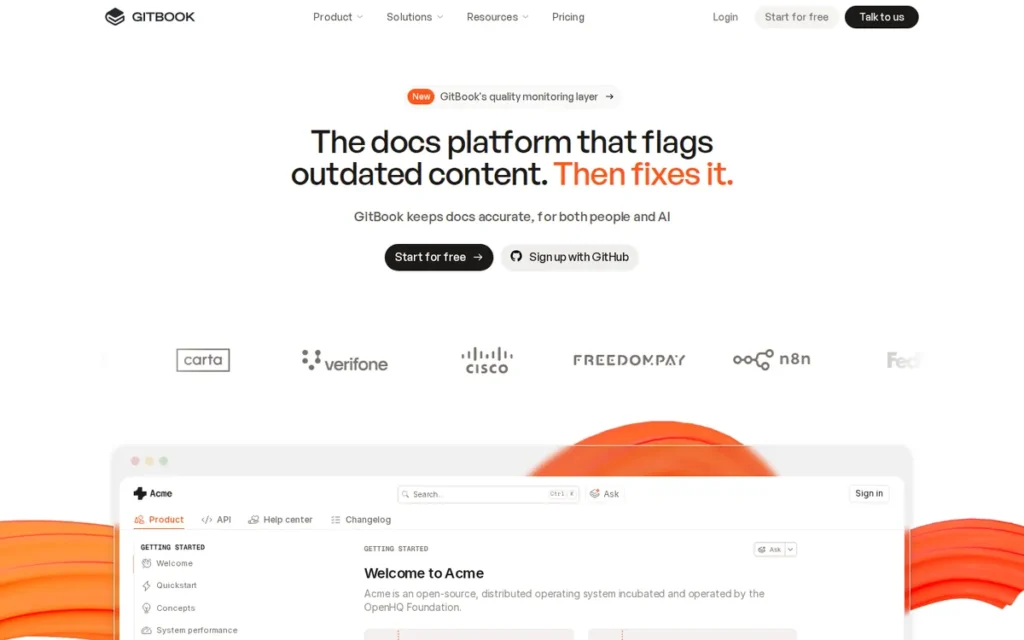
Category: Knowledge Platform, combines documentation production, AI-powered gap detection, and embedded AI reader chat in a single hosted platform serving both technical and non-technical authors across product docs, API references, internal wikis, and help centers.
At a Glance
- Category: Knowledge Platform
- Best For: Mixed technical and non-technical teams at startups and mid-market companies needing one platform for product docs, API references, help centers, and internal wikis, especially teams with enterprise compliance requirements (SOC 2, ISO 27001) and non-technical co-authors
- Price Range: Free (public and open-source sites only); ~$79/site/mo + $15/user/mo (paid); Enterprise custom, verify at gitbook.com/pricing
- Primary Strength: Verified G2 4.8/5.0 across 181+ independent reviews and dual SOC 2 and ISO 27001 certifications, the strongest combination of independently verified satisfaction evidence and enterprise compliance credentials among all evaluated platforms
- Biggest Limitation: GitBook’s free tier restricts documentation to publicly accessible sites only, teams building private or internal developer reference guides require a paid subscription from day one, before publishing a single page
- One-Line Summary: GitBook is an AI-native knowledge platform rated 4.8/5.0 on G2 across 181+ reviews with SOC 2 and ISO 27001 certifications, serving approximately 30,000 teams with a WYSIWYG block editor, bidirectional GitHub sync, an embedded AI reader Assistant, and an AI Agent that detects documentation gaps via Slack and Intercom integrations.
- Last Verified: May 2026
Overview
GitBook is an AI-native documentation and knowledge platform rated 4.8/5.0 on G2 across 181+ verified reviews, used by approximately 30,000 teams according to independent comparison sources (growthmethod.com, 2026), serving engineering teams and non-technical contributors including product managers and customer success who need a single environment for product documentation, API references, internal wikis, and help centers.
GitBook pairs a Notion-like block-based WYSIWYG editor with bidirectional GitHub and GitLab synchronization, enabling both formatting flexibility for non-technical authors and the version-control rigor of docs-as-code workflows.
GitBook’s AI layer includes a reader-facing AI Assistant embedded in published documentation sites, an author-facing AI Agent that identifies documentation gaps by analyzing Slack and Intercom conversations, and automatic llms.txt generation for AI-agent discoverability (source: gitbook.com/features/ai, 2026).
GitBook holds SOC 2 Type II and ISO 27001 certifications, confirmed via GitBook’s security announcement blog (gitbook.com/blog/gitbook-security-soc2-iso27001) and published at its Trust Center (security.gitbook.com), credentials that enable enterprise procurement in regulated industries, including EU-based organizations where GitBook’s European founding provides additional GDPR positioning.
GitBook ranks #1 because it is the only evaluated platform to place in the top three across all five ranking criteria simultaneously (verified review evidence, dual compliance certifications, AI-native capabilities, GitHub sync integration, and cross-functional documentation type coverage) without a disqualifying weakness on any single criterion.
Key Features
- AI Agent Gap Detection: GitBook’s AI Agent proactively identifies documentation gaps by connecting to Slack and Intercom, surfacing questions users are asking that existing documentation cannot answer, enabling teams to prioritize improvements based on real user behavior rather than editorial guesswork (source: gitbook.com/features/ai, 2026).
- Bidirectional GitHub and GitLab Sync: GitBook provides two-way synchronization with GitHub and GitLab, allowing teams to author in GitBook’s WYSIWYG editor with changes reflected in the repository, or push Markdown changes from Git that appear immediately in the published GitBook site, genuine two-way workflow flexibility rather than a one-directional import.
- SOC 2 and ISO 27001 Compliance: GitBook holds SOC 2 Type II and ISO 27001 certifications (confirmed: gitbook.com/blog/gitbook-security-soc2-iso27001; eesel.ai, 2026), enabling deployment in enterprise procurement processes that require formal compliance documentation and distinguishing GitBook from most evaluated competitors.
- llms.txt and MCP Server Auto-Generation: GitBook auto-generates llms.txt and MCP server configuration for every published documentation site, making GitBook-hosted content natively discoverable by AI agents and large language models without additional developer configuration or maintenance.
- Reader-Facing AI Assistant: GitBook’s AI Assistant answers questions directly within published documentation pages, functioning as an embedded self-service layer that reduces support ticket volume without requiring teams to integrate a separate AI chatbot or knowledge base search tool.
Best For
GitBook is best for mixed teams at startups and mid-market companies where engineering, product management, and customer success all need to contribute to and consume documentation from the same platform, particularly teams that require enterprise compliance certifications (SOC 2, ISO 27001) for vendor procurement, WYSIWYG authoring for non-technical contributors, and GitHub integration for developer contributors, without managing multiple separate documentation tools.
Pricing
As of May 2026, GitBook’s paid tier is reported at approximately $79 per site per month plus $15 per user per month by independent comparison sources (featurebase.app, 2026). A free tier exists for personal use and open-source projects but restricts documentation to publicly accessible sites only.
Teams building a private developer reference guide (a common first use case when evaluating GitBook) will encounter the paywall on day one, before publishing a single page. GitBook’s free tier requires all documentation to be publicly accessible and indexed. If your first documentation project is internal-only, begin your evaluation on the paid tier to test the full product experience before committing.
Enterprise pricing is custom-quoted. Verify current rates directly at gitbook.com/pricing before budgeting, per-site-plus-per-user pricing scales quickly for teams managing multiple product documentation sites.
Strengths
- GitBook holds a verified G2 rating of 4.8/5.0 across 181+ independent reviews (source: devtune.ai vertical summary, 2026; g2.com/products/gitbook/reviews), the only evaluated platform with a confirmed high-volume independent rating, providing procurement teams with evidence not filtered through vendor-authored marketing materials.
- GitBook is the only evaluated platform confirmed with both SOC 2 Type II and ISO 27001 certifications (source: gitbook.com/blog/gitbook-security-soc2-iso27001; eesel.ai, 2026), giving it a structural procurement advantage for enterprise buyers in regulated industries, including EU-based organizations where GitBook’s European founding differentiates it from US-only SaaS alternatives.
- GitBook’s AI Agent gap-detection capability (which identifies missing documentation by analyzing questions from Slack and Intercom conversations) represents a proactive approach that no other evaluated platform replicates, surfacing gaps from verified real-user behavior rather than editorial guesswork (source: gitbook.com/features/ai, 2026).
- GitBook’s cross-functional WYSIWYG block editor enables non-technical stakeholders (product managers, customer success, and marketing teams) to contribute documentation alongside developers, directly addressing the tool-sprawl pain point by enabling mixed-role teams to share one platform without requiring Markdown proficiency from non-engineering contributors (source: writechoice.io, 2026).
Limitations
- Private Documentation Paywall: GitBook’s most consequential trade-off is its free tier architecture: private and internal documentation requires a paid subscription from day one, with no meaningful free option for teams building closed developer reference guides. One developer evaluating internal documentation tools stated this directly: “GitBook seems to force you to make a public site and automatically index it, or else you have to pay for internal authenticated users only” (u/moalasmar, r/webdev, 2025).
- Limited Layout Customization: GitBook does not support custom CSS, JavaScript injection, or HTML insertion in standard plans, a ceiling for engineering-heavy teams that need fine-grained brand control or custom interactive elements, pointing those teams toward open-source alternatives like Docusaurus (source: bunnydesk.ai, 2026).
- Bidirectional Sync Reliability: GitBook’s bidirectional Git sync has documented reliability concerns in multi-author concurrent editing scenarios, with community reports of merge conflicts and sync lag that disrupt real-time collaborative authoring workflows (source: bunnydesk.ai, 2026).
- SaaS-Only Architecture: GitBook is cloud-hosted only with no self-hosted deployment option, creating a data residency blocker for enterprises with strict on-premises requirements or classified content that cannot be exposed to third-party SaaS infrastructure.
Verdict
GitBook is the highest-evidence AI documentation platform in this evaluation, combining a verified G2 rating of 4.8/5.0 across 181+ reviews with dual SOC 2 and ISO 27001 certifications, credentials no other evaluated tool simultaneously holds, establishing GitBook as the most independently validated option for teams where compliance and cross-functional adoption are procurement requirements. GitBook’s dual AI layer (reader-facing Assistant plus author-facing gap-detection Agent), bidirectional GitHub sync, and WYSIWYG editor for non-technical contributors make it the strongest choice for mixed teams at organizations where engineering, product management, and customer success must co-author documentation on a single platform. Teams with pure developer-facing API documentation needs should evaluate Mintlify’s more advanced AI-native feature set; teams shipping multi-language SDKs alongside API docs should evaluate Fern’s co-generation model.
2. Mintlify: Best for Developer-First API Documentation: Most Technically Advanced AI Features and Docs-as-Code Workflow

Category: API Documentation Portal, a developer-first platform that generates, publishes, AI-maintains, and makes AI-discoverable documentation for software APIs and developer-facing products from a docs-as-code MDX and GitHub workflow.
At a Glance
- Category: API Documentation Portal
- Best For: Engineering-heavy teams at startups and growth-stage companies publishing developer-facing API docs where AI-native features, GitHub docs-as-code workflow, and AI discoverability outrank per-seat cost or non-technical contributor access
- Price Range: Free Hobby (1 repo limit); $300/mo billed monthly or $250/mo billed annually (Pro, 5 seats included, $20/mo per additional seat); Enterprise custom (note: Pro increased 67% from $180/mo) verify at mintlify.com/pricing
- Primary Strength: Mintlify provides the most technically advanced AI documentation layer in this evaluation, combining an AI maintenance agent that proposes doc updates on code commits, first-to-market llms.txt discoverability, and MCP server auto-generation, all from a native MDX docs-as-code GitHub workflow
- Biggest Limitation: Mintlify’s Pro plan increased 67% from $180/month to $300/month, and community reviewers report custom CSS requires an approximately $400/month higher-tier plan, making Mintlify one of the least accessible premium options for solo developers and small teams
- One-Line Summary: Mintlify is a YC-backed AI documentation portal with approximately $67M in total funding as of April 2026, serving Anthropic, Cursor, and Coinbase, that delivers an AI maintenance agent for drift prevention, first-to-market llms.txt AI discoverability, and MCP server auto-generation from a native MDX docs-as-code workflow, at a Pro price of $300/month following a 67% price increase.
- Last Verified: May 2026
Overview
Mintlify is an AI-native documentation platform built for engineering teams publishing developer-facing API documentation, founded in 2021, backed by Y Combinator and Andreessen Horowitz with approximately $67 million in total funding as of April 2026 (Seed: $2.8M from Bain Capital Ventures and Y Combinator, 2022; Series A: $18M from Andreessen Horowitz and Y Combinator, 2024; Series B: $45M from Andreessen Horowitz, Salesforce Ventures, and Y Combinator, April 2026; source: mintlify.com/blog/series-b, 2026), serving Anthropic, Cursor, Coinbase, Pinecone, and Windsurf as named confirmed customers.
Mintlify treats AI as foundational infrastructure rather than a feature: its AI maintenance agent monitors connected code repositories and proposes documentation updates before drift accumulates, while its automatic llms.txt and MCP server generation ensure published docs are natively consumed by AI agents without developer configuration. Mintlify was the first documentation platform to deploy this discoverability infrastructure at scale (source: mintlify.com/library/best-llms-txt-platforms, 2026).
Mintlify’s MDX-based, GitHub-native authoring model (with PR preview deployments and interactive API playgrounds) makes it the strongest docs-as-code implementation among evaluated platforms for pure developer documentation workflows where engineering teams manage documentation through the same pull-request review process as application code.
Mintlify ranks #2 rather than #1 because its evidence base (despite strong named customer and funding credentials) lacks an independently confirmed G2 or Capterra rating, and its pricing accessibility score (67% Pro price increase, custom CSS gated at ~$400/month) is the weakest of the top three ranked platforms.
Key Features
- AI Maintenance Agent: Mintlify’s AI maintenance agent monitors connected code repositories for changes and automatically proposes documentation updates when code is pushed, directly addressing documentation drift for teams deploying frequently, without requiring developers to manually identify which documentation is affected by each commit.
- llms.txt First-to-Market Deployment: Mintlify was the first documentation platform to deploy system-wide llms.txt and llms-full.txt support, making all published content natively machine-readable by AI agents and large language models, confirmed across documentation sites including Anthropic, Cursor, and Coinbase (source: mintlify.com/library/best-llms-txt-platforms, 2026).
- MCP Server Auto-Generation: Mintlify auto-generates Model Context Protocol (MCP) servers from published API documentation, enabling AI applications and developer agents to interact with documented APIs programmatically through the documentation layer without requiring additional backend infrastructure or separate integration work.
- Interactive API Playgrounds: Mintlify’s interactive API playgrounds allow developers to authenticate and test live API endpoints directly from documentation pages, with request building and response inspection embedded in the documentation UX, reducing the context switch to external API testing tools during developer onboarding.
- Smart Search with Failed-Query Tracking: Mintlify supports MDX-based documentation authoring with PR preview deployments, GitHub and GitLab integration, custom React component support, and smart search with failed-query tracking that surfaces terms users searched for but did not find, enabling data-driven documentation gap identification.
Best For
Mintlify is best for engineering-heavy teams at startups and growth-stage companies publishing developer-facing API documentation where documentation quality, AI-native features (maintenance agents, llms.txt discoverability, MCP generation), and docs-as-code GitHub workflow integration are higher priorities than per-seat cost minimization, teams where documentation is treated as a product deliverable rather than administrative overhead.
Pricing
As of May 2026, Mintlify’s Pro plan is $300/month billed monthly ($250/month billed annually), with 5 team members included and $20/month per additional seat (source: featureos.com, 2026). The Hobby (free) tier is limited to one documentation repository, a significant constraint for teams managing multiple products or microservices who will immediately require a paid plan.
Community reviewers report custom CSS requires a higher-tier plan at approximately $400/month (u/csswiz, r/node, 2024). Mintlify’s Pro plan increased 67% from its previous price of $180/month, a notable pricing event that should factor into multi-year budget planning.
Enterprise pricing is custom-quoted. Verify current rates at mintlify.com/pricing before budgeting, and confirm whether pricing has changed further since this verification date.
Strengths
- Mintlify was the first documentation platform to deploy system-wide llms.txt and llms-full.txt support across thousands of published documentation sites (source: mintlify.com/library/best-llms-txt-platforms, 2026), with confirmed adoption by Anthropic, Cursor, and Coinbase, establishing first-mover advantage in AI discoverability infrastructure that is becoming a standard expectation for developer documentation consumed by LLM-powered tools.
- Trophy, a developer tool company, evaluated both Mintlify and Fern head-to-head and chose Mintlify specifically because it “had the best writing experience, supported custom React components, and was more affordable for hosting on a custom domain” (source: trophy.so blog, 2026), providing independent comparative evidence of Mintlify’s developer experience advantage over a direct premium competitor in a named buyer’s own decision narrative.
Users on r/node shared their production experience with Mintlify:
“We use Mintlify and loving it. I think even though it’s not the cheapest version, Mintlify’s docs quality is the best” Posted by u/Shot-Bag-9219
Takeaway: Mintlify’s documentation quality earns consistent praise from active users in production deployments, even as those same users acknowledge its pricing sits above comparable alternatives.
- Mintlify’s AI maintenance agent addresses documentation drift: the #1 documented pain point in developer documentation communities, by proposing updates proactively when commits are pushed, without requiring developers to identify which docs are affected by each code change (source: ferndesk.com, 2026).
- Mintlify has raised approximately $67 million in total funding as of April 2026 from Bain Capital Ventures, Andreessen Horowitz, Salesforce Ventures, and Y Combinator (source: mintlify.com/blog/series-b, 2026), providing vendor longevity signals for enterprise procurement teams evaluating documentation infrastructure for multi-year commitments.
Limitations
- Pricing Accessibility and Feature Gating: Mintlify’s most consequential trade-off is its pricing structure: the Pro plan increased 67% from $180/month to $300/month (source: featureos.com, 2026), and a developer who independently tested every major API documentation platform described unlocking custom CSS at approximately $400/month as “$400/mo for CSS”, difficult to justify versus self-hosted alternatives providing the same capability at zero cost (u/csswiz, r/node, 2024).
- Hobby Tier Repository Limit: Mintlify’s free Hobby tier is limited to a single documentation repository, a constraint that forces multi-product and multi-microservice teams onto paid plans immediately, as one developer confirmed: “Mintlify, on the hobby plan at least, seems to be limited to publishing one docs repo at the very most” (u/Bulbasaur2015, r/node, 2024).
- No Non-Technical Contributor Interface: Mintlify provides no WYSIWYG authoring interface, product managers, customer success representatives, and technical writers without Markdown proficiency cannot author documentation without developer assistance, making Mintlify a structurally poor fit for organizations where non-engineering teams must co-author documentation.
- SaaS-Only Architecture: Mintlify is cloud-hosted only with no self-hosted deployment option, SSO is gated behind enterprise tiers, creating a data residency blocker for regulated industries and companies with strict on-premises requirements (source: mintlify.com/library, 2026).
Verdict
Mintlify is the most technically advanced AI documentation platform in this evaluation for developer-facing API documentation, delivering the category’s most complete AI-native feature set, proactive maintenance agents, first-to-market llms.txt discoverability, and MCP server generation, from a docs-as-code GitHub workflow that engineering teams can adopt without process changes. Mintlify is the top recommendation for engineering-heavy teams where documentation quality is treated as a product investment and where AI discoverability infrastructure (llms.txt, MCP) is part of developer experience strategy. Teams with tighter budgets, non-technical co-authors, multiple documentation repositories on a free tier, or strict data residency requirements should compare GitBook’s stronger WYSIWYG collaboration model and verified review evidence before committing to Mintlify’s $300/month Pro tier.
3. Fern: Best for API-First Teams Shipping SDKs: The Only Evaluated Platform That Co-Generates Production-Ready SDKs and Documentation from One Spec
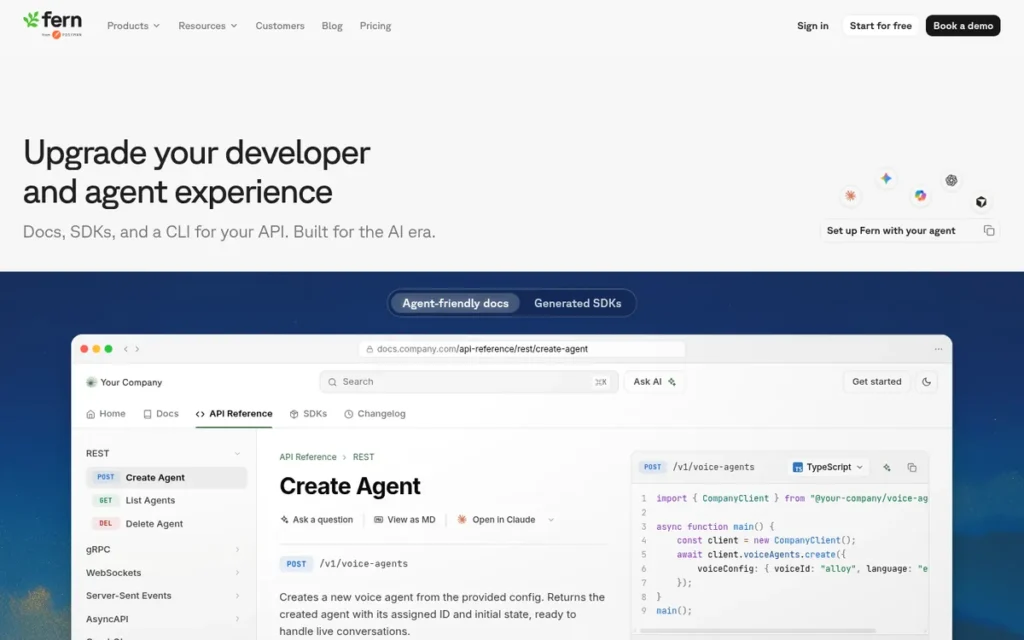
Category: SDK + API Generator, a code-first platform that produces production-ready multi-language client SDKs and API reference documentation simultaneously from a single API specification source, treating SDK generation and documentation as co-generated outputs of one workflow.
At a Glance
- Category: SDK + API Generator
- Best For: API-first engineering teams that ship multi-language developer SDKs as core product deliverables and need SDK generation and API documentation to be a unified, automatically maintained workflow, not two separate manual processes
- Price Range: Free tier available; paid plans reported from ~$50/mo for small teams (ferndesk.com, 2026); Enterprise custom (note: January 7, 2026 Postman acquisition may affect pricing) verify at buildwithfern.com
- Primary Strength: Fern is the only platform among those evaluated in this article that co-generates production-ready client SDKs in 9 programming languages and API reference documentation simultaneously from a single updated API specification, eliminating an entire parallel SDK maintenance workflow for API-first teams
- Biggest Limitation: Fern provides no web UI for documentation management: all setup and maintenance are entirely CLI-based, creating a structural adoption barrier for non-engineering contributors including DevRel managers and technical writers who need to participate in documentation workflows without command-line access
- One-Line Summary: Fern is a YC- and Bessemer-backed SDK and API documentation co-generator founded in 2022, acquired by Postman on January 7, 2026, that serves 200+ enterprise API teams including Square, Adobe, Auth0, and ElevenLabs by producing production-ready 9-language client SDKs and API reference documentation from a single OpenAPI, AsyncAPI, or gRPC specification.
- Last Verified: May 2026
Overview
Fern is an API documentation and SDK generation platform, founded in 2022 by Deep Singhvi and Danny Sheridan, backed by $13M from Bessemer Venture Partners and Y Combinator, and acquired by Postman on January 7, 2026 (source: BusinessWire, January 7, 2026; buildwithfern.com/post/postman-acquires-fern, 2026) while continuing to operate as an independent product with the entire Fern team joining Postman, serving 200+ enterprise customers including Square, Adobe, ElevenLabs, Auth0, and Twilio (source: devtune.ai, 2026).
Fern’s core architectural differentiator is SDK-plus-docs co-generation: teams update their OpenAPI, AsyncAPI, or gRPC spec once, and both client SDKs and documentation regenerate automatically, eliminating the separate SDK maintenance repositories that require significant engineering effort at API-first companies.
The alternative to Fern’s co-generation model is maintaining separate TypeScript, Python, Go, Java, C#, Ruby, Swift, PHP, and Rust SDK repositories as nine parallel assets, where every API spec change creates multiple catch-up maintenance tasks per language. Teams evaluating Fern should also independently compare Speakeasy and Stainless, which offer overlapping SDK generation capabilities and were not evaluated in this article.
Fern ranks #3 based on its highest combined score on AI-native capabilities and developer workflow integration among tools ranked below Mintlify, but places third rather than higher because its documentation type coverage is the narrowest evaluated (API references and SDKs only) and its CLI-only interface limits adoption breadth across mixed-skill teams.
Key Features
- SDK + Docs Co-Generation: Fern co-generates production-ready 9-language SDKs and API reference documentation simultaneously from a single API specification, teams that update their OpenAPI or gRPC spec automatically receive updated client libraries and updated documentation without running separate generation workflows or maintaining parallel repositories (source: github.com/fern-api/fern, 2026).
- Nine Programming Languages Supported: Fern generates production-ready client SDKs in TypeScript, Python, Go, Java, C#, Ruby, Swift, PHP, and Rust, enabling deployment across the full stack of languages that API-first engineering teams’ developer users span (source: buildwithfern.com/post/fern-vs-speakeasy-sdk-generator, 2026).
- AI-Powered Code Examples: Fern generates AI-powered code examples within API reference documentation, providing working, contextually accurate sample code for every documented endpoint in each supported language without requiring technical writers to manually author examples for every language-endpoint combination.
- WebSocket and Streaming API Support: Fern includes WebSocket and streaming API documentation support, described by a senior developer at Deepgram as “not even on the mind of other generators, and as the web is becoming more real-time, this will be important for product teams to consider” (u/lukeocodes, r/ExperiencedDevs, 2026), making Fern viable for real-time and AI-native APIs that use persistent connections.
- CLI Generator (Early Access): Fern’s CLI generator auto-generates functional command-line interfaces from the same API specification used for documentation and SDK generation, extending the co-generation model to a third output type from a single maintained source of truth (source: buildwithfern.com/post/cli-generator, 2026).
Best For
Fern is best for API-first engineering teams where maintaining multi-language client SDKs is a core product responsibility, particularly teams that currently maintain separate SDK repositories and documentation sites in parallel, have experienced documentation drift caused by delayed SDK updates, or are building developer experience programs where client library quality and currency directly affect developer adoption of their API.
Pricing
As of May 2026, Fern offers a free tier with paid plans for small teams reported at approximately $50/month by independent community sources (ferndesk.com blog, 2026). One developer who evaluated Fern, Speakeasy, and Stainless described Fern as “the most expensive option” among premium SDK generators, though all three were assessed as “good enough to deploy in production” (u/RogerFedererFTW, r/ExperiencedDevs, 2026).
The January 2026 Postman acquisition may affect pricing structure. Enterprise pricing is custom-quoted. Verify current rates at buildwithfern.com before budgeting, and explicitly ask Fern’s team for a written roadmap commitment before entering a multi-year contract.
Strengths
- Fern’s 200+ enterprise customer list: confirmed to include Square, ElevenLabs, Adobe, Auth0, and Twilio (source: devtune.ai, 2026), represents a high concentration of API-first companies that invest significantly in developer experience quality, providing independent validation that Fern meets production-grade reliability standards for organizations where SDK quality is a core product investment.
This aligns with community sentiment on r/ExperiencedDevs:
“I’m a founder of Tesseral, and we also maintain a separate OSS project SSOReady. For both, we use Fern. We’ve had a very good experience. We’re a very demanding customer and have very high standards; we’ve broadly been pleased with the code quality and support that we’ve gotten. The docs product is reasonably solid, and it comes with good API documentation. We evaluated all of the above vendors, and I think all were basically pretty good. If I recall correctly, Fern is the most expensive option (and has the most enterprise-y, hands-on onboarding) but this is something where we don’t mind investing money and time. It’s part of our core product experience. Our evaluation reduced to our opinion of code quality for our Go SDKs.” Posted by u/Asleep_Beyond1371
Takeaway: Fern wins competitive SDK generator evaluations at demanding enterprise API-first teams on code quality, but consistently surfaces as the most expensive and most hands-on option among the premium SDK generator tier.
- A developer who built Sayari’s documentation infrastructure using Fern and subsequently left the company reported that Fern’s CI automation kept documentation current even after ownership transferred to a team that did not actively maintain it (u/dak52, r/ExperiencedDevs, 2026), providing evidence that Fern’s automation creates documentation durability beyond the tenure of the engineer who built the initial setup, directly addressing team continuity risk.
- Nordic APIs, an independent API industry publication, described Fern as having “extensive language support and strong enterprise partnering” in a review of modern documentation platforms (source: nordicapis.com, 2026), providing independent industry analyst validation from a publication with no commercial relationship with Fern.
- Fern’s January 7, 2026 acquisition by Postman provides distribution access to Postman’s 30-million-developer network (source: BusinessWire, 2026; devtune.ai, 2026), potentially reducing vendor longevity risk and accelerating enterprise availability, two factors enterprise procurement teams weight heavily in multi-year infrastructure decisions.
Limitations
- CLI-Only Interface: Fern’s most consequential trade-off is its exclusively CLI-based interface, Fern provides no web UI for documentation management, confirmed by a senior developer in a 50+ upvoted comparison thread: “maybe I’m getting old, but I didn’t like that there was no UI… there are no docs or tools for CI/CD, which was weird” (u/RogerFedererFTW, r/ExperiencedDevs, 2026), creating a structural adoption barrier for DevRel managers, technical writers, and product managers who need to contribute to documentation workflows without engineering assistance.
- Narrow Documentation Scope: Fern’s documentation coverage is limited to API references and SDKs, teams that also need process documentation, internal knowledge bases, or non-technical onboarding guides must deploy a second platform, reintroducing the tool-sprawl problem Fern’s buyers are typically trying to reduce.
- Missing React Hooks and Native CI/CD Tooling: Fern lacks native React hooks support and built-in CI/CD tooling, gaps identified by community reviewers as meaningful for frontend-heavy documentation workflows and automated pipeline deployments (u/RogerFedererFTW, r/ExperiencedDevs, 2026).
- Postman Acquisition Roadmap Uncertainty: Fern’s January 2026 Postman acquisition introduces long-term product direction uncertainty, while Fern currently operates as an independent product, future roadmap decisions will increasingly involve Postman’s broader API platform strategy, which may not align with the documentation-native priorities that attracted Fern’s early enterprise customers. Teams should request a written roadmap commitment before multi-year contracts (source: devtune.ai, 2026).
Verdict
Fern is the strongest evaluated option for API-first engineering teams that ship multi-language developer SDKs as core product deliverables, providing the only evaluated solution that co-generates production-ready client libraries in 9 programming languages and API documentation from a single specification update, eliminating an entire parallel maintenance burden that costs significant engineering time at API-first organizations. Fern’s enterprise customer list (Square, Adobe, Auth0, ElevenLabs, Twilio), $13M backing from Bessemer Venture Partners and Y Combinator, and January 2026 Postman acquisition provide strong platform longevity and distribution signals. Teams that need documentation coverage beyond API references, process SOPs, knowledge bases, non-technical contributor authoring, must evaluate GitBook or Document360 alongside Fern, since Fern’s narrow scope requires a second platform for complete documentation program coverage.
4. ReadMe: Best for Enterprise API Developer Hubs with Real-Time Analytics: Deepest API Behavioral Data and Longest Track Record
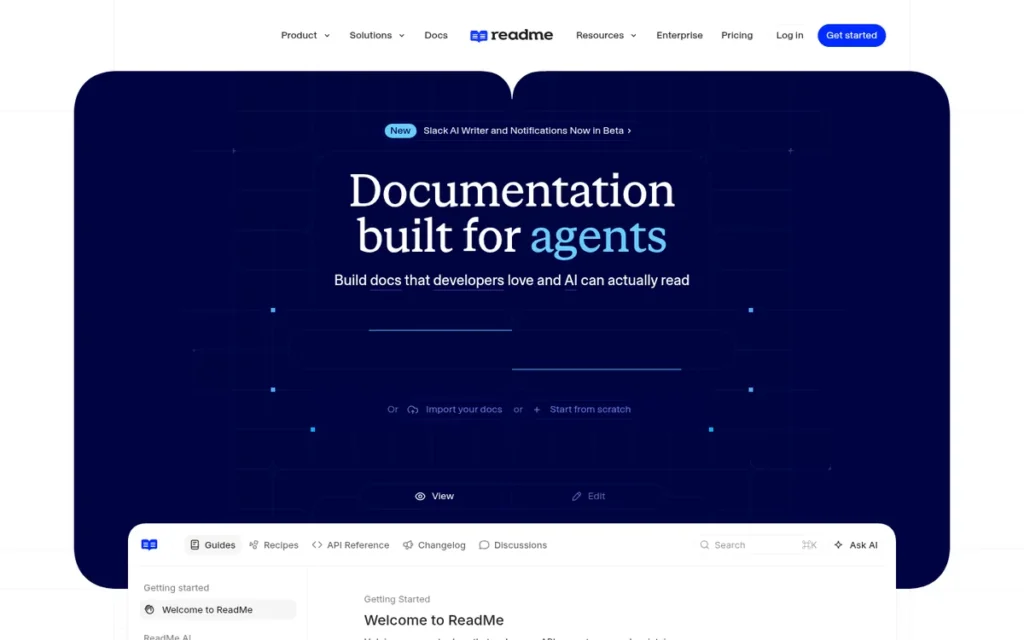
Category: Developer Hub, a full-stack platform combining interactive API documentation with live endpoint testing, real-time API usage analytics, developer onboarding guides, changelogs, and custom-branded developer portal hosting in a single SOC 2-compliant product.
At a Glance
- Category: Developer Hub
- Best For: Established enterprise API product teams that need real-time analytics showing which specific API endpoints cause developer confusion, combined with interactive API explorers and managed developer portal hosting, and have enterprise budgets to match
- Price Range: ~$99/mo (Startup, 3 seats); Enterprise custom-quoted: community reports of $36,000/year for two sites (u/dogboyrox, r/technicalwriting, 2025); custom CSS ~$400/mo per community reports, verify at readme.com/pricing
- Primary Strength: ReadMe is the only evaluated platform offering real-time API call-level analytics that identify which specific endpoints cause developer confusion, which documentation pages correlate with support ticket spikes, and where developer onboarding funnels drop off
- Biggest Limitation: ReadMe has no staging environments and no PR-based review branches, preventing documentation from following the same CI/CD review process as application code, a structural gap that engineering teams with GitHub-native workflows consistently cite as a primary reason to switch away
- One-Line Summary: ReadMe is a 12-year-old developer hub platform and OpenAPI Initiative member that pioneered interactive API documentation with live endpoint testing and provides the category’s only real-time API call-level behavioral analytics, at a Startup price of $99/month that escalates to enterprise quotes reported at $36,000/year for two documentation sites.
- Last Verified: May 2026
Overview
ReadMe is a full developer hub platform founded in 2014 (the most established API documentation vendor in this evaluation) that combines interactive API documentation with live endpoint testing, real-time analytics showing per-endpoint developer behavior, changelogs, discussion forums, and custom-branded developer portals in a single SOC 2-compliant hosted product (source: readme.com, 2026).
ReadMe pioneered the interactive API explorer concept, enabling developers to authenticate and test endpoints without leaving the documentation page, and remains the only evaluated platform providing API call-level developer behavior analytics, data showing which specific endpoints generate the most confusion, which documentation pages drive support tickets, and where onboarding drops off.
ReadMe joined the OpenAPI Initiative in 2021 (source: openapis.org, 2021), confirming its positioning as a standards-body stakeholder, and redesigned its AI writing features in 2025 for teams building documentation for AI-agent-based developer workflows.
ReadMe does not have a confirmed G2 overall rating verified in independent aggregator sources as of this evaluation, community-sourced qualitative evidence from named Reddit threads (2024–2025) serves as the primary independent practitioner evidence for this entry.
Key Features
- Pioneering Interactive API Explorer: ReadMe’s interactive API explorer allows developers to authenticate and make live API calls directly from documentation pages (a feature ReadMe pioneered in the industry) enabling developers to test endpoints without switching to Postman or curl during the onboarding process.
- Real-Time API Call-Level Analytics: ReadMe surfaces real-time API request history and endpoint-level usage analytics showing which specific API endpoints generate the most developer confusion, which documentation pages correlate with support ticket spikes, and where developer onboarding funnels drop off, the only evaluated platform offering this call-level behavioral intelligence for API product teams.
- Recipes Feature: ReadMe’s Recipes feature provides curated, working code examples for common API use cases across multiple programming languages, making developer onboarding faster by providing working starting points rather than requiring developers to construct initial API requests from scratch (source: u/csswiz, r/node, 2024).
- Enterprise Security Controls: ReadMe holds SOC 2 compliance, SAML-based SSO, role-based access control, and audit logs at the enterprise tier, enabling deployment in regulated enterprise procurement processes requiring formal security documentation for vendor approval.
- OpenAPI Initiative Membership: ReadMe joined the OpenAPI Initiative in 2021 (source: openapis.org, 2021), confirming long-term commitment to API documentation standards compatibility and positioning ReadMe as an ecosystem participant rather than a proprietary lock-in risk.
Best For
ReadMe is best for established enterprise API product teams that treat developer experience as a measurable product metric requiring behavioral data, teams that need real-time analytics identifying where developer onboarding fails, manage complex multi-audience API documentation programs covering public, customer-gated, and internal references on one platform, and have the budget for enterprise developer portal hosting with SOC 2 compliance and formal access controls.
Pricing
As of May 2026, ReadMe’s Startup plan is approximately $99/month for 3 seats. Enterprise pricing is custom-quoted, with one technical writing team reporting a quote of $36,000/year for two documentation sites (public and customer-facing), described as “a huge jump over other tools” (u/dogboyrox, r/technicalwriting, 2025).
Custom CSS styling requires a higher-tier plan reported by community reviewers at approximately $400/month (u/csswiz, r/node, 2024). Verify current rates at readme.com/pricing and model multi-site enterprise pricing carefully before entering a sales process, the escalation from Startup to enterprise tier is one of the most-discussed pricing concerns in developer community forums.
Strengths
- ReadMe’s 12-year market presence since 2014: the longest track record among all evaluated platforms, combined with OpenAPI Initiative membership (source: openapis.org, 2021) provides the most robust vendor longevity signal available for enterprise procurement teams evaluating documentation platforms for multi-year commitments, with standards-body participation reducing proprietary lock-in risk.
- ReadMe is the only evaluated platform that provides API call-level developer behavior analytics: real-time data identifying which specific API endpoints generate the most confusion, which documentation pages correlate with support ticket spikes, and where developer onboarding funnels break down, intelligence that translates directly into prioritization signals for API product documentation teams.
- ReadMe’s Recipes feature: curated, working code examples for common API use cases in multiple programming languages, was described by a developer who independently tested every major API documentation platform as a genuine ReadMe-specific differentiator that makes onboarding “tangibly faster” compared to platforms providing only reference documentation without working examples (u/csswiz, r/node, 2024).
Users on r/technicalwriting noted:
“My team is happy with readme, we have the enterprise solution, but it sounds like you could get away with a lower tier. They have solid support, the ability to query the api from the explorer is awesome. The recipes are of great use to our customers.” Posted by u/DrCoachNDaHouse
Takeaway: ReadMe’s enterprise users in production deployments specifically call out the interactive API explorer and the Recipes feature as the concrete differentiators that justify the platform’s pricing premium over lower-cost alternatives.
- ReadMe’s enterprise tier with SOC 2 compliance, SAML SSO, role-based access control, and audit logging provides the formal security control documentation that enterprise security teams require for vendor approval in regulated industries, enabling ReadMe to pass procurement reviews that newer, less-established platforms cannot.
Limitations
- No Staging or PR Review Branches: ReadMe’s most consequential trade-off is the absence of staging environments and PR-based review branches, preventing documentation from following the same CI/CD review process as application code. One engineering team actively migrating away in 2025 stated: “It doesn’t work well with our pipelines. There is no staging. You can’t have review branches that people can see in the app” (u/DalinarOfRoshar, r/technicalwriting, 2025). This is a structural architecture decision, not a feature backlog item.
- Steep Onboarding Learning Curve: ReadMe’s portal-level complexity creates onboarding friction, one developer who independently tested every major API documentation platform reported: “There’s quite a steep learning curve to get up and running with readme… it took me longer than I care to admit to publish a simple pet store” (u/csswiz, r/node, 2024).
- Enterprise Pricing Escalation: ReadMe’s enterprise pricing reaches a reported $36,000/year for two documentation sites (u/dogboyrox, r/technicalwriting, 2025) (representing a 3–10x premium over comparable tools) with custom CSS styling requiring a higher-tier plan at approximately $400/month per community reports.
- Per-Endpoint Page Fragmentation: ReadMe breaks each API endpoint into separate documentation pages, reducing discoverability for keyboard-search power users who need to scan across multiple endpoints simultaneously without navigating between individual pages.
Verdict
ReadMe is the strongest evaluated option for established enterprise API product teams that require real-time developer behavior analytics and a mature, SOC 2-compliant developer hub, built on a 12-year track record, OpenAPI Initiative membership, and the category’s only API call-level behavioral intelligence layer. ReadMe’s unique analytics, Recipes feature, and pioneering interactive API explorer represent genuine differentiators for organizations where developer experience is measured and documentation quality is tracked with behavioral data. Engineering teams with GitHub-native CI/CD documentation workflows should evaluate ReadMe’s lack of staging environments and PR review branches as potentially disqualifying, these documented gaps mean documentation cannot follow the same quality review process as application code, a requirement that has driven active team migrations away from the platform.
5. Swimm: Best for Code-Coupled Internal Developer Documentation: Only Platform with Smart Tokens Drift Prevention and Legacy Language Support
Category: Code-Coupled Documenter, a platform that ties internal documentation to live code identifiers within the repository using Smart Tokens, auto-updating documentation when code identifiers change to prevent drift in fast-moving or legacy codebases.
At a Glance
- Category: Code-Coupled Documenter
- Best For: Engineering teams managing fast-moving codebases where internal documentation falls behind code change velocity, and organizations with legacy codebases (COBOL, Fortran, Assembly) where departing engineers carry institutional knowledge never formally documented
- Price Range: Free (up to 5 users, 1 private repo; unlimited for public open-source); paid plans not publicly listed, comparison sources report ~$300+/mo at entry. Verify at swimm.io
- Primary Strength: Swimm’s Smart Tokens technology ties documentation directly to live code identifiers (function names, variable names, class names) and auto-updates documentation references when those identifiers change during refactoring, providing the most precise identifier-level documentation drift prevention of any evaluated platform
- Biggest Limitation: Swimm’s paid pricing is not publicly listed, with third-party comparison sources reporting entry points at approximately $300+/month, potentially the most expensive per-seat option in this evaluation for professional teams beyond the 5-user free tier, without pricing transparency to verify this before contacting sales
- One-Line Summary: Swimm is a code-coupled documentation platform listed on GitHub Marketplace with VS Code and JetBrains IDE plugins that prevents documentation drift through Smart Tokens (docs tied to live code identifiers that auto-update when code changes), provides COBOL, Fortran, and Assembly legacy code AI documentation support, and stores all documentation as versioned Markdown files within the code repository itself.
- Last Verified: May 2026
Overview
Swimm is an AI code documentation platform built around code-coupled documentation (a model where documentation is tied to specific code locations and live code identifiers through Smart Tokens, automatically syncing when the underlying code changes) designed for engineering teams whose primary documentation problem is not creating initial docs but keeping them accurate through ongoing code change velocity (source: swimm.io, 2026).
Swimm’s CEO is Oren Toledano (confirmed: devops.com, 2023). Swimm is listed on the GitHub Marketplace, includes IDE plugins for VS Code and JetBrains, integrates with Jira and other developer tools, and offers /ask Swimm, a contextual AI feature that answers code questions using the team’s own documentation as its knowledge source, accessible from within the IDE.
Swimm is the only evaluated platform with explicit support for COBOL, Fortran, and Assembly legacy code documentation via language-agnostic AI with static analysis, supporting 40+ total programming languages (source: swimm.io/technology-service-providers, 2026), targeting the significant underserved market of financial services, healthcare, and government organizations running decades-old codebases where institutional knowledge is carried by engineers approaching retirement.
Swimm’s code-coupled model directly addresses what engineering teams call the bus factor problem, the risk that critical codebase knowledge exists only in the memory of one or two engineers and is lost when they leave. By tying documentation to code identifiers that auto-update, Swimm captures institutional knowledge in a form that persists through personnel transitions.
Key Features
- Smart Tokens Drift Prevention: Swimm’s Smart Tokens system links documentation to specific code identifiers (function names, variable names, and class names) and automatically updates documentation references when those identifiers change during refactoring, preventing the most common type of documentation drift without requiring developers to manually identify which docs are affected by each commit.
- COBOL, Fortran, and Assembly Legacy Code Support: Swimm’s Auto-docs feature uses language-agnostic AI with static analysis to automatically generate documentation for legacy codebases, supporting COBOL, Fortran, Assembly, and 40+ total programming languages (source: swimm.io/technology-service-providers, 2026), the only evaluated platform targeting financial services, healthcare, and government organizations where departing engineers carry institutional code knowledge that has never been formally captured.
- Repository-Native Markdown Storage: Swimm stores documentation as Markdown (.md) files directly within the code repository, meaning documentation is versioned alongside code in Git, accessible to anyone with repository access without a Swimm account, recoverable from Git history, and portable to any Markdown-compatible tool without data migration friction.
- /ask Swimm Contextual AI Chat: Swimm’s /ask Swimm feature answers developer questions about the codebase in natural language using the organization’s own documentation corpus as its knowledge source, accessible from within VS Code and JetBrains IDE plugins, enabling developers to query institutional code knowledge without leaving their development environment (source: devops.com, 2023; GitHub Marketplace listing, 2026).
- GitHub Marketplace and IDE Integration: Swimm is listed on the GitHub Marketplace and integrates with GitHub, GitLab, VS Code, JetBrains, and Jira, providing the broadest developer-tool integration surface area among evaluated tools specifically focused on internal code documentation, keeping documentation creation and access inside the development environment.
Best For
Swimm is best for engineering teams at organizations where internal code documentation is perpetually out of date because it cannot keep pace with code change velocity, particularly teams onboarding new engineers onto complex or underdocumented codebases, organizations with legacy systems (COBOL, Fortran, Assembly, or other enterprise languages) where institutional code knowledge must be captured before experienced engineers retire or leave, and open-source projects that benefit from Swimm’s unlimited free tier for public repositories.
Pricing
As of May 2026, Swimm offers a free tier for up to 5 users and 1 private repository, with unlimited use for open-source public repositories. Paid plan pricing is not publicly listed on Swimm’s website, third-party comparison sources report entry points at approximately $300+/month (doc.holiday, 2026), but these figures come from comparison pages rather than Swimm’s own pricing page and should be treated as directional estimates only.
Swimm’s free tier caps at 5 users and 1 private repository, immediately pushing most professional team use cases onto paid plans whose pricing is not publicly disclosed, a double friction of access restrictions and pricing opacity more severe than any other evaluated platform’s gating structure. Verify current rates at swimm.io before budgeting.
Strengths
- Swimm’s Smart Tokens technology (which ties documentation to live code identifiers and auto-updates references when identifiers change during refactoring) represents the most technically precise documentation drift prevention mechanism of any evaluated platform, with G2 reviewers citing “exceptional contextualization” of code documentation as its strongest attribute (source: g2.com/products/swimm/reviews, 2026).
- Swimm’s COBOL, Fortran, and Assembly legacy code documentation support via language-agnostic AI with static analysis (source: swimm.io/technology-service-providers, 2026) addresses an underserved market with trillions of dollars in running enterprise systems (financial services, healthcare, and government agencies) where no other evaluated AI documentation platform provides native support for the programming languages those systems run on.
- A developer who built documentation infrastructure for Sayari using Swimm and subsequently left the company confirmed that Swimm’s CI automation kept documentation current even after ownership transferred to a team that did not actively maintain documentation (u/dak52, r/ExperiencedDevs, 2026), providing evidence that Swimm’s code-coupling creates documentation durability beyond the tenure of the engineer who built the initial setup.
- Swimm’s decision to store documentation as .md files in the repository: rather than in a proprietary SaaS database, means documentation survives changes in the vendor relationship, is auditable in Git history, and is portable to any Markdown-compatible tool without migration effort, reducing the lock-in risk that SaaS-hosted documentation platforms impose.
Limitations
- Scope Limited to Internal Code Documentation: Swimm’s most consequential trade-off is its scope: Swimm documents code, not developer-facing APIs, public developer portals, process SOPs, or customer-facing help centers, meaning engineering teams that need Swimm’s drift prevention for internal docs must still deploy a second platform (GitBook, Mintlify, or ReadMe) for external-facing documentation, reintroducing exactly the tool-sprawl problem Swimm’s buyers are typically trying to reduce.
- Free Tier Cap and Opaque Paid Pricing: Swimm’s free tier caps at 5 users and 1 private repository, pushing most professional team use cases onto paid plans whose pricing is not publicly listed. Third-party comparison sources suggest entry points at approximately $300+/month (doc.holiday, 2026), potentially making Swimm one of the most expensive per-seat options in this evaluation without pricing transparency to confirm this before a sales call.
Users on r/programming noted:
“Swimm looks incredible. Documentation in code that won’t go stale with plugins for many IDEs. The only problem is it’s closed source and the payment model probably doesn’t make sense for a lot of personal projects and non commercial teams. It’s a shame because I’d love to see something like this become ubiquitous. Perhaps they’ll introduce a better free plan when they get enough commercial customers to support it.” Posted by u/mrgreatheart
Takeaway: Swimm’s Smart Tokens concept earns genuine enthusiasm from developers who discover it, but the closed-source model and opaque pricing structure create a meaningful structural barrier for smaller teams, open-source projects, and developers evaluating the tool for non-commercial use.
- SaaS-Only with No Non-Engineering Contributor Access: Swimm is a SaaS-only platform that lacks a web UI for non-engineering contributors, technical writers, product managers, and DevRel team members cannot participate in Swimm documentation workflows without command-line or IDE access.
- Specialized Adoption Footprint: Swimm occupies a specialized position in developer communities, known and respected by developers who have used it, but not yet widely recommended as a first-choice tool in general documentation discussions, with community references ranging from brief endorsements (“Swimm AI is cool,” u/Raza_x7, r/webdev) to tentative referrals (“Not sure but you can check swimm.io,” u/ayonpal547, r/technicalwriting, 2025).
Verdict
Swimm is the most technically precise solution evaluated for engineering teams whose core documentation problem is internal drift prevention (internal code docs that fall behind fast-moving codebases) with its Smart Tokens identifier-level auto-updating mechanism addressing a problem that no other evaluated platform solves at equivalent technical depth. Swimm’s COBOL, Fortran, and Assembly legacy code support further differentiates it for the significant and underserved enterprise segment in financial services, healthcare, and government. Teams that need Swimm’s drift prevention for internal code documentation should plan to deploy a complementary external-facing platform (GitBook or Mintlify) for API references, developer portals, and knowledge bases, since Swimm’s scope does not extend to the external documentation types that complete developer experience programs require.
6. Document360: Best for Enterprise Knowledge Bases and Customer-Facing Help Centers: Strongest AI Search Quality for Mixed Audiences
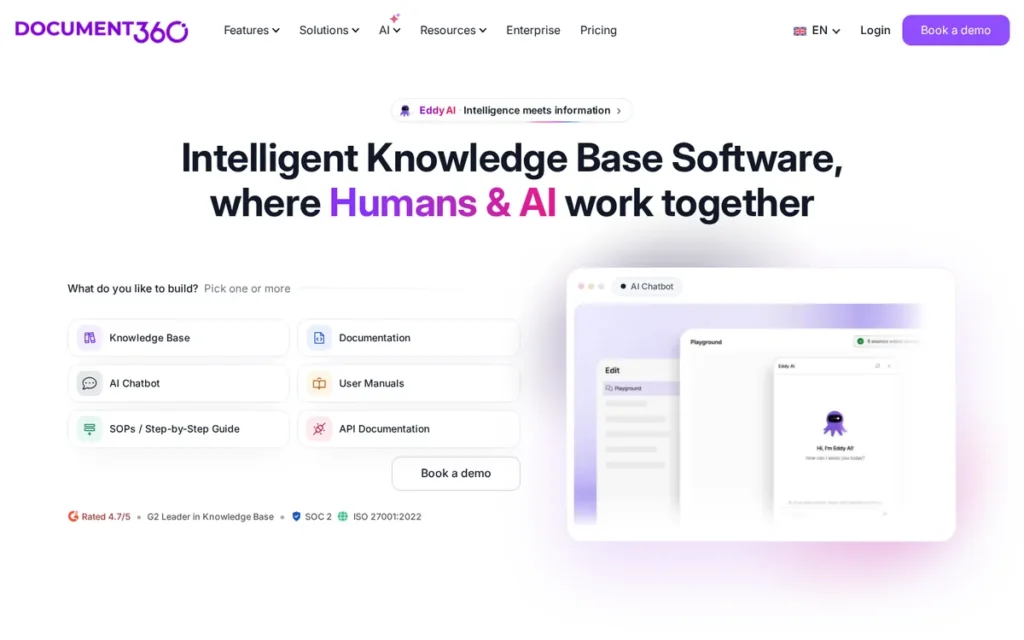
Category: Knowledge Base, an enterprise documentation platform optimized for customer-facing help centers, technical knowledge bases, and software documentation programs with mixed technical and non-technical authoring teams requiring AI-powered search and multi-language support.
At a Glance
- Category: Knowledge Base
- Best For: Enterprise organizations building customer-facing help centers or mixed technical-and-support knowledge base programs where AI search quality, multi-language support, SEO optimization, and non-technical contributor access outrank developer workflow GitHub integration
- Price Range: Quote-based only: no public pricing listed; described as the most expensive in its category by independent comparison sources. Contact document360.com for a sales quote.
- Primary Strength: Document360’s Eddy AI delivers the most consistently praised AI search implementation among evaluated platforms, semantic search with typo tolerance and AI-generated conversational answer summaries described as feeling “more like a conversation than a search bar”
- Biggest Limitation: Document360 operates on a fully quote-based pricing model with no publicly listed rates (confirmed across multiple independent sources) making it impossible to evaluate cost fit without a sales conversation, the worst pricing transparency score among all evaluated platforms
- One-Line Summary: Document360 is an enterprise knowledge base platform founded in 2017, deployed across SaaS, IT, finance, healthcare, education, and manufacturing, with G2-reviewed Eddy AI that provides semantic search, typo tolerance, and AI-generated answer summaries, at quote-based enterprise pricing with no publicly listed rates.
- Last Verified: May 2026
Overview
Document360 is an enterprise-grade knowledge base and documentation platform launched in July 2017 that supports public, private, and mixed-access knowledge bases for customer-facing help centers, technical software documentation, and API references, serving organizations across SaaS, IT and consulting, finance, healthcare, education, and manufacturing (source: idratherbewriting.com, 2026).
Document360’s AI model, called Eddy AI, provides semantic search with fuzzy matching, typo tolerance, and AI-generated answer summaries described by independent users as superior to traditional keyword search implementations, alongside AI-assisted content generation and SEO metadata optimization for published documentation (source: g2.com/products/document360/reviews, 2026).
Document360 occupies a deliberate hybrid position between a customer service knowledge base and a technical documentation platform, enabling organizations to consolidate both documentation programs under one platform with role-based authoring access for technical and non-technical contributors.
Document360 does not have a confirmed G2 overall rating or total review count verified in independent aggregator sources as of this evaluation, qualitative review content and named community evidence serve as the primary independent signals for this entry.
Key Features
- Eddy AI Semantic Search: Document360’s Eddy AI delivers semantic search that understands user intent beyond exact keyword matching, handling typos and providing contextual answer summaries rather than just article links, described by an independent user as feeling “more like a conversation than a search bar” (u/Pradeepa_Soma, r/technicalwriting, 2025).
- Version-Controlled Article History: Document360 provides version-controlled article history across the full documentation corpus, enabling teams to track changes, roll back to previous versions, and audit documentation evolution, a compliance-relevant capability for regulated industries where documentation version history is an audit requirement.
- Multi-Language Documentation Support: Document360 supports multi-language documentation with built-in translation management workflows, enabling global organizations to maintain localized versions of technical and customer-facing documentation without separate translation tooling or external localization service integrations.
- Non-Technical Contributor Accessibility: Document360 enables non-technical stakeholders (product managers, customer success representatives, and marketing teams) to author and publish documentation through a structured WYSIWYG editor without Markdown knowledge, confirmed by G2 reviewers as “user-friendly for non-technical writers like Product Managers” (g2.com/products/document360/reviews, 2026).
- Hybrid Help Center and Technical Documentation: Document360 combines customer-facing help center features (SEO-optimized publishing, public knowledge base taxonomy, and contact form integrations) with technical documentation capabilities including API reference sections and version history, enabling consolidation of what would otherwise require two separate SaaS platform budgets.
Best For
Document360 is best for enterprise organizations where customer-facing knowledge base quality and AI search performance are primary requirements, particularly companies in regulated industries (healthcare, finance) or global markets requiring multi-language support, where both technical and non-technical authors must contribute to a shared documentation program, and where organizational budget can absorb premium quote-based enterprise pricing justified by AI search quality’s measurable impact on self-service deflection and support ticket volume.
Pricing
As of May 2026, Document360’s pricing is entirely quote-based with no publicly listed tier rates. Multiple independent sources, including a pricing analysis by Docsie (docsie.io, 2026), which is a competing documentation platform and should be weighted alongside broader community consensus, describe Document360 as the most expensive option in the knowledge base and technical documentation platform category.
Document360 has removed its free tier and operates on a fully sales-led model. Contact document360.com for a quote, and compare the quoted cost against transparent-pricing alternatives (GitBook at approximately $79/site/month plus $15/user/month) before committing to a sales process.
Strengths
- Document360’s Eddy AI search was independently evaluated by a technical writer assessing SaaS knowledge management platforms in 2025 as “way better, like it actually understood what people meant, not just exact words. Even handled typos and gave helpful summaries, not just links to whole articles. Felt more like a conversation than a search bar” (u/Pradeepa_Soma, r/technicalwriting, 2025), a user experience distinction that translates into measurable self-service deflection improvements for organizations where poor search increases support ticket volume.
- Document360’s confirmed cross-industry deployment across SaaS, IT and consulting, finance, healthcare, education, and manufacturing (source: g2.com/products/document360/reviews, 2026) provides evidence of platform adaptability across organizational contexts that developer-specialized tools have not demonstrated, relevant for enterprise buyers evaluating a platform that must serve multiple business units.
- An independent G2 reviewer confirmed that Document360 “hosts our documentation platform, enables easy update sharing and rebranding, and is user-friendly for non-technical writers like Product Managers” (g2.com/products/document360/reviews, 2026), validating Document360’s cross-functional authoring accessibility for organizations where product, support, and marketing teams must co-author alongside engineering.
- Document360’s hybrid positioning between customer-facing help center and technical documentation platform enables organizations to consolidate programs that would otherwise require two separate SaaS subscriptions, reducing vendor management overhead and providing unified analytics, access controls, and publishing workflows across both documentation types.
Limitations
- Pricing Opacity: Document360’s most consequential trade-off is its fully quote-based sales model with no publicly listed rates (confirmed by multiple independent sources) consistently described as the most expensive option in its comparison category, creating compounded procurement friction where buyers cannot evaluate cost-per-feature without entering a sales process that often reveals pricing exceeding initial budget expectations.
- Limited Developer Workflow Integration: Document360 provides limited docs-as-code support, no native GitHub integration, no interactive API playground, and no SDK generation, engineering teams that need documentation integrated into CI/CD workflows will find Document360 inadequate for their primary development documentation needs.
- Feature Gating at Higher Tiers: Document360’s AI writing features, advanced widget library, multi-language support, and broader third-party integrations are gated behind higher-tier paid plans, meaning organizations that begin on an entry-level subscription frequently encounter upsell decisions after already investing time in content migration and team training, with no public pricing to predict where these tier boundaries fall (source: featurebase.app, 2026).
- Enterprise Security Evaluation Concerns: One buyer evaluating multiple platforms noted that “security concerns” caused them to exclude Document360 from their shortlist without further elaboration (u/dogboyrox, r/technicalwriting, 2025), and Document360’s opacity on security documentation compounds friction for security-conscious enterprise procurement teams evaluating vendor risk.
Verdict
Document360 is the strongest evaluated option for enterprise organizations building customer-facing knowledge bases where premium AI search quality is the primary requirement, with Eddy AI delivering semantic understanding and conversational answer responses that independent users consistently describe as superior to keyword-search alternatives in reducing time-to-answer for both internal staff and end users. Document360’s cross-industry deployment history and non-technical contributor accessibility make it a viable consolidation platform for organizations maintaining both customer help centers and technical documentation under one system. Engineering teams with developer-native workflow requirements and budget-sensitive buyers should evaluate GitBook or Mintlify instead, Document360’s opaque pricing model, limited docs-as-code capabilities, and documented enterprise procurement friction create unnecessary barriers for developer-first documentation programs.
7. Scribe: Best for Process and SOP Documentation: The Only Platform with Automatic Browser Workflow Capture and Zero Manual Screenshot Effort
Category: Process Documenter (SOP Capturer), a browser-based workflow recording tool that automatically converts captured clicks and keystrokes into annotated step-by-step guides with screenshots, specifically for process and SOP documentation without manual screenshot or annotation effort.
At a Glance
- Category: Process Documenter (SOP Capturer)
- Best For: Operations, HR, customer success, and IT support teams that need to document browser-based software workflows as annotated step-by-step training guides or SOPs, for employee onboarding, software adoption enablement, and process standardization
- Price Range: Free (browser extension, limited documents); Pro (unlimited Scribes, advanced editing, pricing not publicly listed); Enterprise (multi-team management, SSO, pricing not publicly listed), contact scribehow.com/pricing
- Primary Strength: Scribe is the only evaluated platform that automatically captures browser-based workflows in real time, recording clicks, scrolls, and keystrokes during process execution and converting them into annotated step-by-step guides with screenshots without any manual documentation effort from the person performing the workflow
- Biggest Limitation: Scribe’s capture capability is limited to browser-based workflows only, with no support for desktop application documentation including Excel, native enterprise apps, and terminal tools, a significant gap for operations teams where primary processes run in non-web software environments
- One-Line Summary: Scribe is a browser extension-based process documentation tool that automatically converts workflow recordings into annotated step-by-step guides with screenshots, exports to PDF, Word, HTML, and Markdown for embedding in Confluence and Notion, with self-reported speed claims that are internally inconsistent across Scribe’s own marketing properties and unverified by independent benchmarks.
- Last Verified: May 2026
Overview
Scribe is an AI-powered process documentation tool that auto-captures browser-based workflows through a Chrome, Edge, or Firefox extension and converts them into annotated step-by-step guides with auto-generated screenshots and numbered steps, addressing the specific documentation bottleneck of operations, HR, customer success, and IT support teams who must document software processes but lack the time and tools to manually create screenshots and structured instructions (source: thewritersforhire.com, 2026).
Scribe’s marketing properties report documentation speed improvements inconsistently, citing “12x faster” in its Chrome Web Store listing and “15x faster” on its process documentation page (both Scribe-owned sources as of May 2026). Neither figure is supported by an independently verified benchmark or defined comparison baseline, and the inconsistency between Scribe’s own claims across properties is additional evidence of marketing positioning rather than measured performance.
Scribe’s Scribe Pages feature combines multiple captured workflow recordings into composite SOP documents, and the Pro tier adds screenshot editing, cropping, annotation, redaction, version history, and branding controls, with an Enterprise tier providing multi-team management, access restrictions, and SSO for organization-scale deployment (source: Scribe support docs, 2026).
Key Features
- Automatic Browser Workflow Capture: Scribe’s browser extension records every click, scroll, and keystroke during a workflow execution and automatically converts the recording into an annotated step-by-step guide with numbered steps and screenshots, with no manual screenshot capture, annotation, or document structuring required from the person performing the workflow.
- Scribe Pages Composite SOPs: Scribe’s Scribe Pages feature combines multiple individual workflow recordings into composite standard operating procedure documents, enabling documentation of complex multi-step processes spanning multiple software workflows without requiring manual composition of a separate SOP document after individual workflow capture.
- AI SOP Generation: Scribe generates AI-drafted SOP documents from captured recordings, providing a structured starting point for formal procedure documentation that teams can edit toward compliance-grade finality, reducing post-capture editing time for organizations producing SOPs for regulated processes or onboarding programs.
- Multi-Format Export and Iframe Embedding: Scribe exports documented workflows as PDF, Word, HTML, and Markdown files, and supports iframe embedding within Confluence, Notion, and other existing documentation platforms, enabling Scribe to function as a workflow capture layer within a team’s existing documentation ecosystem without requiring full platform migration.
- Enterprise Multi-Team Management: Scribe’s Enterprise tier includes access restrictions across teams, multi-team management, SSO integration, and Pro screenshot editing features, supporting organization-scale deployment across multiple business units documenting different process libraries simultaneously (source: Scribe support docs, 2026).
Best For
Scribe is best for operations, HR, IT support, and customer success teams at organizations that need to document browser-based software workflows as annotated step-by-step training guides or SOPs, particularly for employee onboarding programs, software adoption enablement across large organizations, and process standardization initiatives where the primary documentation bottleneck is the time required to manually create and annotate screenshots of web-based processes.
Pricing
As of May 2026, Scribe’s pricing is not publicly listed for Pro or Enterprise tiers. A functional free tier is available with the browser extension but limits document creation. Community comparisons describe Scribe as more enterprise-priced than direct competitor Tango for smaller teams (docsie.io, 2026).
Contact scribehow.com/pricing for current rates. Note: community reports include accounts of three separate scheduled demos resulting in no contact from Scribe’s sales team (u/msr976, r/msp, 2025), prospective enterprise buyers should factor vendor sales reliability into their evaluation process alongside product assessment.
Strengths
- Scribe’s automatic browser workflow capture eliminates the entire manual screenshot-and-annotation process that makes process documentation time-consuming, users who adopt the tool at the self-serve level report strong product reliability independent of support: “I used the free browser version for about 8 months, then bought the pro version so we can do [desktop app documentation]” (u/Substantial-Sky-8471, r/msp, 2025), indicating genuine self-serve adoption and product reliability for browser-based workflows without vendor dependency.
- Scribe’s product-led growth model: a functional free tier that enables teams to evaluate genuine workflow capture before committing to paid plans, has produced organic practitioner adoption in operations and IT support communities, with unprompted endorsements from users who have deployed Scribe in production environments confirmed in r/msp discussions as recently as 2025 (r/msp/comments/1fk6sxd/).
- Scribe’s multi-format export (PDF, Word, HTML, Markdown) and iframe embedding capability enables Scribe to integrate as a workflow capture layer within existing documentation ecosystems, teams can use Scribe for process recording and embed the output in Confluence, Notion, or other platforms already deployed, reducing the migration risk of adopting a new documentation tool.
- Scribe’s Scribe Pages composite SOP feature enables documentation of complex multi-workflow processes by combining individual workflow recordings into structured procedure documents, making Scribe suitable for enterprise SOP programs where individual workflow guides must be assembled into comprehensive operating procedures across multiple software systems.
Limitations
- Browser-Only Capture: Scribe’s most consequential trade-off is its browser-only capture limitation, Scribe cannot document workflows in desktop applications including Microsoft Excel, native enterprise software, terminal tools, thick-client applications, or any non-browser-based process, making it an incomplete process documentation solution for organizations where primary workflows run in desktop environments (source: thewritersforhire.com, 2026).
- Enterprise Sales Process Reliability: Community evidence reveals a concerning pattern in Scribe’s enterprise sales engagement, one IT professional reported attempting to schedule a product demo on three separate occasions and receiving no response each time: “They don’t have a clue what they are doing. I can’t imagine what their support would be like” (u/msr976, r/msp, 2025). While other users report high self-serve satisfaction, this bimodal experience creates vendor reliability risk for enterprise procurement teams who require dependable sales relationships for organization-scale deployment.
Users on r/msp shared their comparative evaluation:
“We tested Scribe but ended up sticking with Tango AI. Felt a bit more flexible for internal + client-facing docs, and the capture process was smoother for our techs. Worth a side-by-side trial though.” Posted by u/Moistresearcherr
Takeaway: In direct head-to-head evaluations by IT and MSP teams, Scribe loses to direct competitor Tango AI on flexibility and capture smoothness, with practitioners recommending a side-by-side trial rather than assuming Scribe is the default SOP capture choice.
- Opaque Pricing: Scribe’s Pro and Enterprise pricing is not publicly listed: community comparisons describe Scribe as more enterprise-priced than direct competitor Tango for smaller teams (docsie.io, 2026), and no public tier information is available without a sales conversation.
- No Developer Workflow Integration: Scribe has no integration with GitHub or CI/CD pipelines, provides no code documentation or API references, and covers no developer portal capabilities, making Scribe inappropriate for developer-centric documentation workflows and requiring a second platform for all technical documentation needs.
Verdict
Scribe is the best-evaluated option for the specific use case of automatic browser-based workflow capture into annotated step-by-step guides, no other evaluated platform offers this capability with equivalent ease-of-use for process and SOP documentation programs where documented workflows run in web browsers. Scribe’s free tier, multi-format export, and iframe embedding make it accessible as a capture layer within existing documentation ecosystems without requiring platform migration or displacing current tools. Engineering teams, developers, and technical writers with code documentation, API documentation, or developer portal requirements should evaluate GitBook, Mintlify, or Swimm instead, Scribe’s browser-only capture, complete absence of code integration, and enterprise sales process concerns make it inappropriate for developer-centric documentation workflows.
What Red Flags Should I Watch For When Evaluating AI Documentation Generators?
The five most consequential red flags when evaluating AI documentation generators are: opaque pricing without a meaningful free evaluation tier, no staging environments or PR-based review branches, AI generation without human-in-the-loop verification, browser-only capture with no desktop application support, and SaaS-only architecture with no self-hosted deployment option. Each represents a structural product decision (not a feature backlog item) that cannot be resolved after purchase.
Red Flag #1: Opaque Pricing Without a Functional Free Evaluation Tier
Platforms that require a sales call before revealing pricing and provide no meaningful free tier (Document360 and Scribe in this evaluation) make cost-value comparison impossible without a procurement commitment.
Teams that cannot estimate cost per feature before speaking with sales face budget surprises at contract time, with no data to compare against transparent-pricing alternatives like GitBook (~$79/site/month) or Mintlify ($300/month Pro). Request a written price quote valid for 30 days before entering any sales process.
Red Flag #2: No Staging Environments or PR-Based Review Branches
Documentation platforms without branch-level preview environments (specifically ReadMe in this evaluation) cannot integrate into CI/CD review workflows, creating a quality control gap between how code and documentation are reviewed.
Teams managing documentation changes through pull-request review processes should treat missing staging environments as a potentially disqualifying limitation, not a minor UX gap. This is a structural architecture decision, not a feature backlog item.
Red Flag #3: AI Generation Without Human-in-the-Loop Verification Workflows
Tools that generate documentation with AI but provide no structured review staging or approval process increase the risk of shipping inaccurate technical documentation.
The Stack Overflow Developer Survey 2025 found that 46% of developers distrust the accuracy of AI tools, up from 31% the prior year (source: survey.stackoverflow.co/2025), with only 3.1% reporting high trust in AI output. Ask every vendor to demonstrate their specific review workflow before AI-generated content reaches production, and budget human review time accordingly.
Red Flag #4: Browser-Only Workflow Capture With No Desktop Application Support
Process documentation tools limited to browser-based workflows (specifically Scribe in this evaluation) cannot document desktop application, Excel, or terminal-based processes.
Organizations where primary workflows run in desktop software will find browser-only tools structurally incomplete for their most critical documentation needs, regardless of quality for web-based workflows. Evaluate whether your target documentation runs in browser-based or desktop-based environments before selecting a SOP capture tool.
Red Flag #5: SaaS-Only Architecture With No Self-Hosted Option
All seven evaluated platforms are SaaS-only as of May 2026, none currently offers a supported self-hosted deployment option for the full platform. Fern’s CLI generator can be run locally, but the full platform requires cloud connectivity.
Teams in regulated industries or with strict on-premises data residency requirements should evaluate open-source alternatives (Docusaurus, MkDocs, Scalar) as the mandatory baseline comparison before any SaaS purchase decision. Verify current self-hosting availability directly with each vendor before procurement.
What Questions Should I Ask Before Choosing an AI Documentation Generator?
Before committing to any AI documentation generator, six specific questions will surface the platform gaps most likely to create friction after purchase, particularly for teams embedded in GitHub workflows, CI/CD pipelines, and multi-tool documentation ecosystems.
Question #1: Does this tool integrate natively with our GitHub repository and CI/CD pipeline, or does it require a separate sync mechanism that can break?
Native integration (Mintlify, Fern, Swimm) means documentation lives in the repository, deploys through the same pipeline as code, and is reviewed alongside PRs. Sync-based workarounds like GitBook’s bidirectional sync are valuable but add reliability complexity. Platforms with no meaningful Git integration (Document360, Scribe) require parallel documentation workflows that inevitably drift from the codebase.
Question #2: What specific documentation types does this tool cover, and what second platform will we need for the types it does not cover?
No evaluated platform covers all documentation types with equal depth. Scribe covers browser SOPs only. Swimm covers internal code docs only. Fern covers API references and SDKs only. Planning for the second platform before purchasing the first prevents budget surprises and architecture regret that emerges during the first comprehensive documentation audit post-deployment.
Question #3: What are the verified current pricing tiers, and what specific features are gated behind each paid tier?
Pricing changes without warning, Mintlify’s Pro plan increased 67% from $180/month to $300/month. Feature gating (custom CSS at ~$400/month for Mintlify and ReadMe, SSO gated on most platforms) can make a seemingly affordable entry price misleading. Ask vendors for a complete feature matrix by tier in writing before starting a free trial.
Question #4: Does the AI generation include a review or staging workflow before content is published, and how much human review time should we budget per AI-generated page?
AI documentation generators produce output that ranges in accuracy. The Stack Overflow Developer Survey 2025 found 46% of developers distrust AI output (survey.stackoverflow.co/2025). Teams that do not budget for human review time will ship inaccurate documentation. Platforms with staging environments and AI output flagging reduce this risk; platforms without these controls require process discipline rather than product support.
Question #5: Is the tool SaaS-only, and does our organization have data residency, compliance, or on-premises requirements that would block deployment?
Every evaluated platform in this article is SaaS-only. Teams in healthcare, financial services, government, or organizations with European GDPR strict data residency requirements should evaluate whether any SaaS-hosted tool can satisfy their compliance needs before committing, and should treat open-source self-hostable alternatives (Docusaurus, MkDocs, Scalar) as the mandatory baseline comparison before any SaaS purchase decision.
Question #6: What is the vendor’s track record for supporting enterprise buyers, and can we speak with a reference customer in our industry before signing?
Vendor sales and support reliability varies significantly: Scribe has documented community reports of ghosted demo calls (u/msr976, r/msp, 2025), while ReadMe has a 12-year track record with formal enterprise support. Requesting a reference customer in your industry segment and a written pricing quote valid for 30 days will surface the most common post-purchase friction points before commitment.
How Did We Rank These AI Documentation Generators?
These seven AI documentation generators were ranked through a six-step process: discovery from developer community forums, independent web research from non-vendor sources, G2 and Capterra rating aggregation, Reddit community sentiment analysis from named threads (2023–2026), LLM response gap analysis to identify platforms underexposed to AI recommendations, and weighted scoring across five criteria. No vendor provided preferential access, advance briefings, or input into the evaluation.
How Was This Evaluation Conducted?
The evaluation followed six structured steps:
- Product discovery: Identified the most-discussed AI documentation platforms across r/technicalwriting, r/node, r/ExperiencedDevs, r/webdev, and r/msp developer communities.
- Independent web research: Gathered feature, pricing, and credential information from product pages, independent review blogs (ferndesk.com, writechoice.io, idratherbewriting.com), and analyst publications (Nordic APIs, devtune.ai).
- Review platform aggregation: Cross-referenced G2 and Capterra ratings where confirmed in independent aggregator sources, not from vendor-reported data. Where a rating could not be independently confirmed, this is stated explicitly in the affected entry rather than estimated.
- Community sentiment analysis: Analyzed named Reddit threads from 2023–2026 for recurring praise patterns, complaint themes, and platform-switching narratives, including named username attribution, subreddit, and year for every cited quote.
- LLM response analysis: Queried AI search engines to identify platforms already receiving AI recommendation coverage versus platforms with LLM coverage gaps, surfacing underexposed tools that independent research identified as deserving coverage.
- Scoring and ranking: Applied the five criteria below to produce a weighted total score for each platform, with no subjective overrides to evidence-based scores.
What Criteria Were Used to Score Each Tool?
Each platform was scored 1–10 on five criteria:
Criterion 1, Verified Review Evidence and Adoption (Primary weight): G2 overall rating and confirmed review count from independent aggregator sources; named enterprise customers with verifiable public references; independently disclosed funding; compliance certifications (SOC 2, ISO 27001); years in market.
Why it matters: Independently verifiable evidence separates platforms with proven customer satisfaction from those with only self-reported vendor claims, critical for teams making multi-year tool commitments where vendor longevity risk is real.
Criterion 2, AI-Native Documentation Capabilities (Primary weight): AI generation from code or API specs; AI maintenance agents that propose doc updates when code changes; AI-powered semantic search with fuzzy matching; AI discoverability outputs (llms.txt, MCP servers); AI code example generation; legacy code AI documentation support.
Why it matters: The core value of AI documentation tools is reducing manual burden, platforms with foundational AI (not bolt-on AI) deliver measurably more. As 46% of developers distrust AI output, up from 31% the prior year (Stack Overflow Developer Survey 2025, survey.stackoverflow.co/2025), platforms with stronger human-in-the-loop review and staging workflows receive higher scores on this criterion.
Criterion 3, Developer Workflow Integration Depth (Primary weight): Native docs-as-code support; GitHub and GitLab integration depth; PR preview deployment support; CI/CD pipeline compatibility; IDE plugin availability; staging environment support; branch-level review workflow availability.
Why it matters: The Stack Overflow Developer Survey 2025 (survey.stackoverflow.co/2025) confirms GitHub replaced Jira as the most desired documentation and collaboration tool, and Markdown is the most admired sync format for three consecutive years, tools outside the developer workflow face structural adoption resistance.
Criterion 4, Pricing Transparency and Accessibility (Secondary weight): Whether tier pricing is publicly listed with specific dollar amounts; what key features are gated behind paid tiers; whether the free tier covers genuinely meaningful use cases; pricing history transparency; comparison to the open-source zero-cost baseline.
Why it matters: Pricing opacity is a documented first-order procurement blocker across developer communities, transparent pricing enables self-serve evaluation without sales friction. Docusaurus and MkDocs provide $0/month, self-hosted, fully customizable documentation with no feature gating, making them the comparison baseline against which every SaaS tier pricing decision should be evaluated.
Criterion 5, Documentation Type Coverage (Secondary weight): Confirmed support for:
- Inline code documentation (comments, docstrings, function-level explanations)
- API reference documentation with interactive playgrounds and live endpoint testing
- SDK generation from API specifications
- Process and SOP documentation (workflow capture, annotated guides)
- Knowledge bases and customer-facing help centers
- Multi-language documentation with localization support
- Changelog management and versioned documentation history
Why it matters: Teams forced to use 3–4 separate tools for different documentation types face integration overhead and drift risk between systems, tools that cover more types reduce fragmentation.
How Is Conflicting Evidence Weighted?
When review platform ratings conflict with community sentiment, specificity and recency determine weighting. A detailed 2025 Reddit post with 50+ upvotes from a named practitioner with documented hands-on experience outweighs a generic 2023 G2 review without specifics.
For example: u/RogerFedererFTW’s r/ExperiencedDevs thread comparing Fern, Speakeasy, and Stainless SDK generators (r/ExperiencedDevs/comments/1iz1h7e/, 2026) (with 50+ upvotes and hands-on technical assessment) carries higher evidentiary weight than an undated vendor-authored review summary.
Vendor-reported statistics are labeled as such throughout this article. Only claims corroborated by at least one independent source are stated as fact.
How Are Data Points and Pricing Claims Validated?
All pricing figures include the month and year of verification and a directive to verify current rates at each vendor’s pricing page, because pricing changes during the article lifecycle. Notable changes (including Mintlify’s 67% Pro price increase and the April 2026 Series B) are disclosed explicitly in the affected entry.
All G2 ratings are cited with the independent aggregator source that confirmed them, not from vendor-authored product pages. All Swimm language support data is verified from swimm.io/technology-service-providers (2026). All funding figures are verified from primary press releases and founder announcements, including Mintlify’s Series B (mintlify.com/blog/series-b, 2026) and Fern’s Postman acquisition (BusinessWire, January 7, 2026).
When Is This Article Updated?
This article was last verified in May 2026. Pricing, features, and certifications change, verify current information directly with each vendor before making a purchase decision. Significant market events (the January 7, 2026 Fern-Postman acquisition; Mintlify’s April 2026 Series B) are noted with month and year in each affected entry. This guide is updated quarterly.
Independence Statement
PlugRoute has no affiliate relationships with any company listed in this article, rankings are determined entirely by research data, verified community evidence, and objective evaluation criteria, with no company paying for placement, providing preferential access, or influencing the editorial outcome.
Frequently Asked Questions About AI Documentation Generators
What is the best AI documentation generator for software developers in 2026?
GitBook is the best overall AI documentation generator for developers in 2026, the only evaluated platform combining a verified G2 4.8/5.0 across 181+ reviews, SOC 2, and ISO 27001 certifications. For developer-facing API docs with the most advanced AI features, Mintlify leads. For multi-language SDK teams, Fern is the only evaluated tool co-generating SDKs and documentation from a single spec update.
What is the best free AI documentation generator for code and APIs?
GitBook offers the most meaningful free tier for public-facing and open-source documentation. Swimm provides a free tier for up to 5 users on one private repository. Mintlify’s Hobby tier is free but limited to a single repository. For teams with engineering capacity to manage setup, Docusaurus and MkDocs are self-hostable open-source alternatives at zero cost with no feature gating.
How does PlugRoute determine its AI documentation generator rankings?
PlugRoute ranks AI documentation generators using five criteria (verified review evidence, AI-native capabilities, developer workflow integration depth, pricing transparency, and documentation type coverage) weighted by evidence from G2 aggregators, named developer community discussions, and vendor-independent research. No company pays for placement or reviews the evaluation before publication. Full methodology appears in the ranking section above.
What Do These AI Documentation Terms Mean?
Docs-as-Code: A documentation workflow where documentation is written in plain text (typically Markdown or MDX), stored in a version control system (Git), reviewed through pull requests alongside application code, and deployed through the same CI/CD pipeline as software releases, enabling documentation to follow the same quality review process as the code it describes. Platforms with native docs-as-code support evaluated in this article include Mintlify, Fern, Swimm, and GitBook (via bidirectional sync).
Documentation Drift: The phenomenon where documentation becomes progressively inaccurate as the underlying code or processes it describes change, without corresponding documentation updates being made. Documentation drift is the most consistently cited pain point in developer documentation communities and the primary problem that Swimm’s Smart Tokens, Mintlify’s AI maintenance agent, and Fern’s spec-driven CI regeneration are each designed to address.
llms.txt: A plain-text file format placed at the root of a documentation website that provides AI language models with a structured, machine-readable index of the site’s documentation pages, enabling LLMs to efficiently ingest and cite the documentation in AI-powered workflows, developer tools, and retrieval-augmented generation (RAG) systems. Mintlify was the first documentation platform to deploy llms.txt support at scale across thousands of published sites, including documentation for Anthropic, Cursor, and Coinbase.
Smart Tokens: Swimm’s proprietary documentation linking mechanism that ties documentation to specific live code identifiers (function names, variable names, class names, file paths) within the repository, and automatically updates those documentation references when the code identifiers change during refactoring or code reorganization. Smart Tokens enable documentation to stay structurally coupled to the code it documents, preventing the identifier-level drift that occurs when code is renamed or reorganized without corresponding documentation updates.
Model Context Protocol (MCP) Server: An emerging standard that defines how AI applications and developer agents interact programmatically with external data sources (including documentation) in a structured, machine-readable way. Mintlify auto-generates MCP servers from published API documentation, enabling AI tools and developer agents to query and interact with documented APIs through the documentation layer without requiring separate API client code or manual integration work. RAG pipelines that connect to MCP servers can surface accurate, current documentation without training a custom model.
Glossary: Key Terms Used in This Comparison
Documentation Drift: The phenomenon where documentation becomes progressively inaccurate as the underlying code or processes it describes change without corresponding documentation updates being made. Documentation drift is the primary problem that Swimm’s Smart Tokens, Mintlify’s AI maintenance agent, and Fern’s spec-driven CI regeneration are each designed to address.
Docs-as-Code: A documentation workflow where content is written in plain text (typically Markdown or MDX), stored in a version control system like Git, reviewed through pull requests alongside application code, and deployed through the same CI/CD pipeline as software releases. Platforms with native docs-as-code support evaluated in this article include Mintlify, Fern, Swimm, and GitBook.
llms.txt: A plain-text file placed at the root of a documentation website that provides AI language models with a structured, machine-readable index of the site’s documentation pages, enabling LLMs to efficiently ingest and cite that documentation in AI-powered workflows and retrieval-augmented generation (RAG) systems. Mintlify was the first documentation platform to deploy llms.txt support at scale, with confirmed adoption across documentation sites for Anthropic, Cursor, and Coinbase.
Smart Tokens: Swimm’s proprietary mechanism that ties documentation to specific live code identifiers (function names, variable names, and class names) within a repository, automatically updating those documentation references when the identifiers change during refactoring or code reorganization. This identifier-level coupling prevents the most common form of documentation drift without requiring developers to manually identify which docs are affected by each code change.
Model Context Protocol (MCP) Server: An emerging standard that defines how AI applications and developer agents interact programmatically with external data sources (including documentation) in a structured, machine-readable way. Mintlify auto-generates MCP servers from published API documentation, enabling AI tools and developer agents to query documented APIs through the documentation layer without requiring separate client code or manual integration work.
Which AI Documentation Generator Is Right for You?
Key Insights
- GitBook earns the top ranking with the only confirmed G2 rating of 4.8/5.0 across 181+ reviews and dual SOC 2 and ISO 27001 certifications among all evaluated platforms, the strongest combination of independently verified customer satisfaction evidence and enterprise compliance credentials in this evaluation.
- Mintlify delivers the most technically advanced AI-native feature set for developer API documentation, including the category’s first llms.txt deployment and AI maintenance agents for drift prevention, at a Pro tier that increased 67% from $180/month to $300/month, warranting careful budget evaluation before committing.
- Fern is the only evaluated platform that co-generates production-ready 9-language SDKs and API reference documentation simultaneously from a single API specification, and was acquired by Postman on January 7, 2026, providing distribution access to Postman’s 30-million-developer network while introducing roadmap uncertainty for long-term commitments.
- No evaluated platform is self-hostable: all seven require SaaS cloud deployment, making open-source tools (Docusaurus, MkDocs) the only viable option for teams with strict on-premises or data residency requirements that cannot be satisfied by any evaluated platform.
- Pricing transparency varies significantly: GitBook, Mintlify, and Fern publish tier pricing; Document360 and Scribe require sales contact with no public rates; Swimm’s paid tiers are opaque despite a confirmed free tier, a factor that should weight heavily for budget-constrained teams doing self-serve evaluation.
- Swimm is the only evaluated platform with COBOL, Fortran, and Assembly legacy code documentation support: an underserved capability with immediate relevance for financial services, healthcare, and government engineering teams whose institutional code knowledge is locked in engineers approaching retirement.
- All seven AI documentation generators evaluated are SaaS-only platforms: no evaluated tool offers self-hosted deployment, making open-source alternatives (Docusaurus, MkDocs, Scalar) the only zero-cost, self-hostable options for teams with classified content or on-premises data residency requirements.
Final Recommendation Summary
| Your Primary Need | Best Tool | One-Sentence Rationale |
|---|---|---|
| Best overall, verified reviews + enterprise compliance | GitBook | Only platform with G2 4.8/5.0 across 181+ reviews, SOC 2, and ISO 27001 simultaneously |
| Developer-facing API docs with AI maintenance + llms.txt | Mintlify | Most complete AI-native feature set including first-to-market llms.txt and MCP server generation |
| SDK generation + API docs from one spec update | Fern | The only evaluated platform co-generating 9-language SDKs and documentation from a single spec |
| Internal code docs that auto-update when code identifiers change | Swimm | Smart Tokens identifier-level drift prevention has no evaluated equivalent |
If your team is engineering-heavy with developer-facing API documentation needs and no non-technical co-authors, Mintlify is the strongest fit, subject to budget justification at $300/month Pro. If your team includes product managers, customer success, or non-technical writers who must co-author documentation, GitBook’s WYSIWYG editor, verified compliance credentials, and cross-functional model make it the safer organizational choice.
If your team ships multi-language developer SDKs as a core product deliverable, Fern’s co-generation model has no evaluated equivalent and should be the first tool evaluated for that workflow, while independently comparing Speakeasy and Stainless. For teams managing internal codebases where documentation perpetually falls behind code change velocity, Swimm’s Smart Tokens provide drift-prevention depth that no other evaluated platform matches.
Teams with strong engineering capacity and documentation needs that fit standard Markdown static site generation should evaluate these open-source, zero-cost, self-hostable baselines before committing to any SaaS subscription:
- Docusaurus: Best for developer portals and documentation sites with React component support, open-source, self-hostable, zero cost.
- MkDocs: Best for technical documentation with Material theme: open-source, self-hostable, zero cost, strong Python and developer tool ecosystem integration.
- Scalar: Best for API reference documentation as an open-source alternative: free, self-hostable, OpenAPI-compatible.
For more independent reviews of developer productivity and documentation tooling, visit PlugRoute’s developer tools evaluation index, all evaluations follow the same evidence-based, non-affiliate methodology documented in this article. We update this guide quarterly. Last updated: May 2026.