Bubble leads for complex web apps and SaaS platforms, Softr is the fastest for client portals and dashboards, and FlutterFlow is the only builder in this evaluation that exports real Flutter code for native mobile apps. The most costly first-time mistake is choosing a platform marketed as a “mobile app builder” that outputs a browser-based web app, not an App Store download.
Many drag-and-drop builders are marketed as “mobile app builders” but produce Progressive Web Apps, browser-based experiences that cannot be listed as standalone downloads in the Apple App Store or Google Play. Only two platforms in this evaluation, Adalo and FlutterFlow, publish natively to app stores without code. Knowing this distinction before choosing a platform saves weeks of wasted build time and prevents costly rebuilds after launch.
PlugRoute has no affiliate relationships with any company listed. Rankings are determined entirely by research data and objective evaluation criteria.
“Glide → Internal tools | FlutterFlow → native (iOS/Android) apps | Bubble → Web Apps”, the most frequently cited platform-selection framework in r/nocode community discussions (r/nocode, 2024)
Takeaway: The no-code community’s most widely cited platform-selection shorthand maps use case to tool with high practitioner consensus, a framework this evaluation’s ranked entries and Quick Decision Framework expand with current pricing, verified ratings, and production-readiness evidence as of June 2026.
TL;DR: Top Picks at a Glance
- Bubble is the most capable no-code full-stack web app builder for SaaS platforms and marketplaces, ranked #1 in this 2026 evaluation for full-stack feature depth and production-readiness.
- Softr is the fastest portal and dashboard builder with a verified 4.7/5 GetApp rating from 63 reviews, best for deploying data-connected web apps in 1–2 days.
- FlutterFlow is the only builder in this evaluation that exports real Flutter code, best for native mobile publishing with genuine anti-lock-in protection.
- Glide turns Google Sheets or Airtable data into a functional internal operations app in hours, best for spreadsheet-native internal tools where App Store distribution is not required.
- Adalo is the most beginner-accessible path to the Apple App Store and Google Play, best for MVP validation; community advises against production use at scale as of mid-2026.
- Zoho Creator is the most stable platform in this evaluation with a 30-year bootstrapped track record, best for enterprise teams already using Zoho at $8–$25/user/month.
- Retool is excellent for technical teams building SQL-connected internal dashboards, explicitly not recommended for non-technical founders, as it requires JavaScript and SQL.
What Are the 5 Categories of Drag-and-Drop App Builders?
Choosing the wrong category (particularly selecting a Portal or Internal Tool Builder when you need a native App Store app) is the most common and costly platform selection error for first-time non-technical founders. These five categories reflect the no-code and low-code (LCNC) market’s division between tools for citizen developers and visual programming environments that require some technical background.
The five categories in this 2026 evaluation are:
- Full-Stack Web Builder: builds complete web apps including frontend UI, backend database, server-side logic, authentication, and hosting (Bubble)
- Portal Builder: builds client portals, membership sites, and dashboards from existing data sources without native App Store output (Softr)
- Native Mobile Builder: publishes real standalone apps to the Apple App Store and Google Play (Adalo, FlutterFlow)
- Internal Tool Builder: transforms data from spreadsheets or databases into browser-based Progressive Web Apps for operations teams (Glide, Retool)
- Enterprise Low-Code Builder: builds cross-platform business apps with enterprise governance and a proprietary scripting layer (Zoho Creator)
Full-Stack Web Builder: Bubble
Bubble is the only Full-Stack Web Builder in this evaluation, handling frontend UI, backend database, server-side logic, user authentication, API connectivity, and hosting from a single no-code editor. Full-Stack Web Builders are appropriate for founders building complex, data-driven web products (SaaS platforms, two-sided marketplaces, community forums) that require a complete application stack.
Portal Builder: Softr
Softr is the only Portal Builder in this evaluation, specializing in client portals, membership sites, internal dashboards, and data-connected web apps built from Airtable, Google Sheets, or Softr’s own database. Portal Builders deploy faster than Full-Stack Web Builders for their target use cases but do not produce native App Store apps, they produce browser-accessed web applications.
Native Mobile Builders: Adalo and FlutterFlow
Adalo and FlutterFlow are the only platforms that publish real, standalone apps directly to the Apple App Store and Google Play without code. Adalo prioritizes beginner accessibility; FlutterFlow prioritizes native performance and optional code export on paid plans. Both require Apple and Google developer accounts for app store submission.
Internal Tool Builders: Glide and Retool
Glide is a no-code tool that transforms spreadsheet data into Progressive Web Apps for team operations. Retool is a low-code tool that explicitly requires JavaScript and SQL for meaningful use. Neither Glide nor Retool produces native App Store apps, and this limitation is unambiguous across all platform documentation.
Enterprise Low-Code Builder: Zoho Creator
Zoho Creator is the only Enterprise Low-Code Builder in this evaluation, a Gartner-recognized platform designed for established businesses with Zoho ecosystem integration and enterprise governance. Zoho Creator requires Deluge scripting for advanced logic, positioning it as low-code rather than true no-code.
The PWA vs. Native App Distinction, Why It Matters
A Progressive Web App (PWA) is a browser-based web application that can be bookmarked or added to an Android home screen. A PWA cannot appear as a standalone listing in the Apple App Store or Google Play Store. Glide and Softr produce PWAs exclusively.
A native app is a real App Store or Google Play listing, downloadable, installable, and visible in store search results. Adalo and FlutterFlow produce native apps. If App Store or Google Play distribution is a requirement, Glide and Softr are immediately eliminated from consideration regardless of their other merits.
How Do the Top 7 Drag-and-Drop App Builders Compare at a Glance?
The seven platforms in this 2026 evaluation divide into five categories: full-stack web builder (Bubble), portal builder (Softr), native mobile builders (FlutterFlow, Adalo), internal tool builders (Glide, Retool), and enterprise low-code builder (Zoho Creator). Category determines whether a platform produces the output type you actually need before any other feature comparison matters.
| Rank | Company | Category | Best For | One-Line Summary | Key Capabilities | Primary Strength | Key Limitation |
|---|---|---|---|---|---|---|---|
| 1 | Bubble | Full-Stack Web Builder | SaaS platforms, marketplaces, complex multi-feature web apps | Bubble is the most capable no-code full-stack web app builder for non-technical founders who need to build complex, data-driven web applications; including SaaS platforms and marketplaces; with the largest community and plugin ecosystem in the no-code category as of 2026. | Visual drag-and-drop editor; built-in relational database; server-side workflow engine; plugin marketplace (1,000s of extensions); AI Agent for mobile app generation (2025) | Unmatched full-stack depth: frontend, backend, database, authentication, and hosting in one no-code editor | Fully proprietary runtime; no code export; vendor lock-in is the most-cited concern in r/nocode |
| 2 | Softr | Portal Builder | Client portals, dashboards, membership sites from Airtable or Google Sheets | Softr is the fastest no-code platform for non-technical founders deploying client portals and business dashboards, holding a verified 4.7/5 rating on GetApp from 63 reviews and reported as the platform of choice for over 50,000 businesses as of 2026. | Block-based drag-and-drop editor; Airtable/Google Sheets live integration; role-based access control; AI Co-Builder (2025); Workflows engine (2025) | Highest verified third-party rating in this evaluation; 4.7/5 on GetApp from 63 independent reviews | Web-only output; no native Apple App Store or Google Play publishing; limited design customization |
| 3 | FlutterFlow | Native Mobile Builder | Native iOS/Android apps with optional Flutter code export | FlutterFlow is the only visual drag-and-drop app builder in this 2026 evaluation that exports real, deployable Flutter code to iOS, Android, and web, making it the strongest choice for non-technical founders who need native mobile app publishing with a genuine path out of vendor lock-in. | Cross-platform visual editor (iOS/Android/web); Flutter code export on paid plans; native Firebase integration; custom code injection; FlutterFlow University training | Only platform in this evaluation with real Flutter code export on paid plans | Flutter developer community consensus (65-upvote r/FlutterDev comment, November 2024): generated code is “unmaintainable” without rework |
| 4 | Glide | Internal Tool Builder | Internal operations apps from existing Google Sheets or Airtable data | Glide is the fastest no-code platform for turning existing Google Sheets or Airtable data into a functional business operations app, producing Progressive Web Apps only; not native App Store apps; with an Explorer plan starting at $19/month billed annually as of June 2026. | Spreadsheet-native data binding (Google Sheets, Airtable, Excel, SQL); Workflows engine (January 2025); AI columns for data processing; PWA deployment; usage-based pricing | Fastest spreadsheet-to-app deployment; functional internal tool from existing data in hours with no database migration | PWA-only output (no App Store/Play listing); Business plan at $199/month billed annually for teams needing expanded capacity |
| 5 | Adalo | Native Mobile Builder | Beginner-first native iOS/Android MVPs and prototypes | Adalo is the most beginner-accessible no-code builder that publishes directly to the Apple App Store and Google Play, but Adalo’s community consistently advises limiting its use to MVP prototyping and early-stage validation rather than production deployment as of mid-2026. | Drag-and-drop multi-screen canvas; built-in database; Magic Start AI app generation; App Store and Google Play native publishing; Stripe/Zapier/Airtable integrations | Lowest technical barrier to native App Store and Google Play publishing of any platform in this evaluation | Persistent community-reported performance limitations at production scale; multi-year users advise against production launches through mid-2026 |
| 6 | Zoho Creator | Enterprise Low-Code Builder | Enterprise apps within the Zoho ecosystem for teams of 10 or more | Zoho Creator is recognized as a Challenger in the 2024 and 2025 Gartner Magic Quadrant for Enterprise Low-Code Application Platforms, with a 4.6/5 Gartner customer rating, building enterprise-grade cross-platform apps at $8–$25 per user per month for teams already in the Zoho ecosystem. | Drag-and-drop form and layout builder; Deluge scripting for custom logic; 1,200+ built-in connectors; cross-platform publishing (web/iOS/Android); RBAC and on-premise deployment | Highest platform stability in this evaluation; Zoho Corporation founded 1996, bootstrapped, 30-year operational track record | Requires Deluge (Zoho’s proprietary scripting language) for advanced logic; low-code, not true no-code |
| 7 | Retool | Low-Code Internal Tool Builder | Technical teams building SQL-connected internal dashboards | Retool is a low-code internal tool builder used in production by enterprise customers including Stripe, Amazon, and Ramp, but Retool requires JavaScript and SQL for meaningful use and is explicitly not recommended for non-technical founders; its per-end-user pricing can exceed $2,125/month for 5 team members and 100 external customers. | Drag-and-drop UI components; SQL/REST/GraphQL query editor; self-hosted deployment (Docker/VPC); AI agent building; Retool Vectors for AI-powered data processing | Broadest data connectivity in this evaluation; SQL, REST, GraphQL, MongoDB, Snowflake, BigQuery, and dozens more natively supported | Requires JavaScript and SQL; low-code, explicitly not for non-technical founders; per-end-user pricing creates high cost-at-scale risk for external-facing apps |
Which Drag-and-Drop App Builder Should I Choose for My Use Case?
The right drag-and-drop app builder depends on your output type, technical skill level, and budget. The seven platforms in this evaluation map to seven distinct use cases, use the framework below to match your situation to the strongest option, then read the full entry for pricing and limitation details.
| Your #1 Priority | Recommended Tool | Why | Acceptable Alternative |
|---|---|---|---|
| Need a native App Store and Google Play app; beginner; no coding | Adalo | Only beginner-friendly builder that publishes natively to App Store/Play from a drag-and-drop canvas | FlutterFlow; steeper learning curve than Adalo but includes real Flutter code export on paid plans |
| Need a complex web app, SaaS platform, or marketplace | Bubble | Most feature-complete no-code full-stack builder in this evaluation | Softr (simpler portal-style web apps only) |
| Need a client portal, dashboard, or membership site | Softr | Fastest deployment; 4.7/5 GetApp rating from 63 reviews; 1–2 days to functional app | Glide (if data is in Google Sheets and App Store is not needed) |
| Have data in Google Sheets or Airtable; need an internal operations tool; no App Store distribution needed | Glide | Spreadsheet-native; deploys in hours from existing data without any database migration; Explorer plan $19/month billed annually | Softr (portal-style UI for same data) |
| Already use Zoho CRM or Zoho Books; team of 10 or more internal users | Zoho Creator | Most cost-efficient per-user pricing ($8–$25/user/month) with deep Zoho ecosystem integration | Bubble (complex web apps outside the Zoho ecosystem) |
| Technical team with SQL and JavaScript skills; need SQL-connected internal dashboards only | Retool | Broadest data connectivity; used by Stripe, Amazon, and Ramp; requires developer skills | Glide (no-code alternative for simpler internal tools) |
| Need native mobile publishing AND want to own your code | FlutterFlow | Only platform with real Flutter code export on paid plans; genuine anti-lock-in option | Adalo (simpler, no code export) |
Free tier availability across all platforms: Bubble (Free, functional but limited), Softr (Free, basic exploration), FlutterFlow (Free, build and test only; no App Store publishing), Adalo (Free, unlimited apps and pages; data record limits), Glide (Explorer, $19/month annual; no free tier), Zoho Creator (trial available), Retool (Free, limited internal users). Verify free tier limits at each platform’s pricing page before building.
Not sure which category applies to your project? Answer these two questions before reading the entries:
- Does your app need to appear as a standalone listing in the Apple App Store or Google Play? Yes → go to Adalo (#5) or FlutterFlow (#3). No → continue.
- Will your app primarily serve your own team or paying external customers? Internal team → Glide (#4) or Retool (#7, technical teams only). External customers → Bubble (#1) for complex apps or Softr (#2) for portals and dashboards.
Each entry below follows the same structure, At a Glance, Overview, Key Features, Best For, Pricing, Strengths, Limitations, and Verdict, enabling direct side-by-side comparison on any dimension. If you have already identified your category, jump directly to the relevant entry. If you are still deciding, read each Verdict first, every Verdict names when to choose a different platform.
1. Bubble: Best Overall: Most Capable No-Code Full-Stack Web App Builder
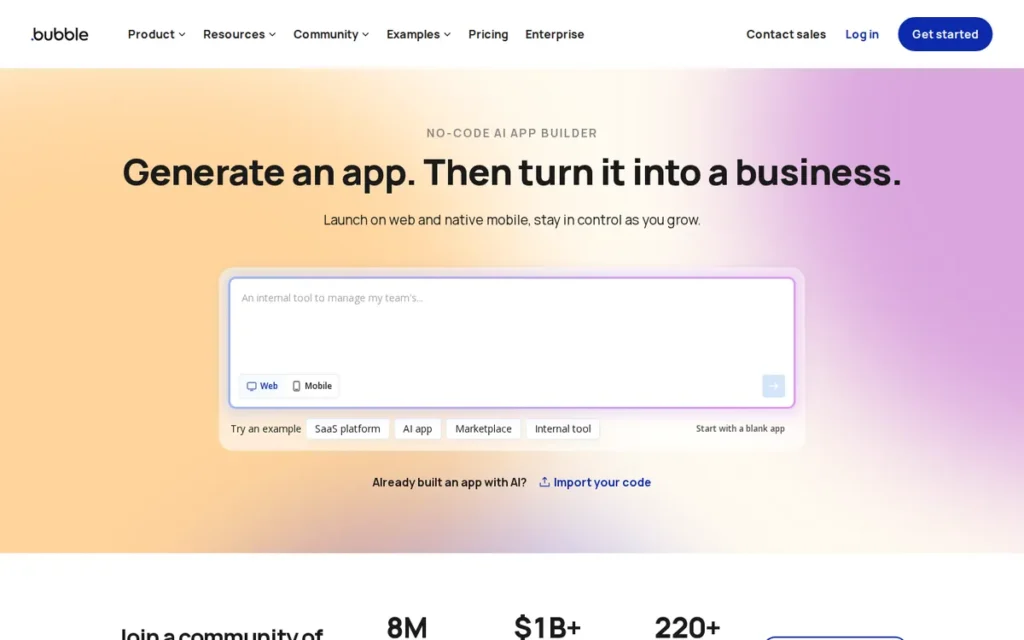
Category: Full-Stack Web Builder, builds complete web applications including frontend UI, backend database, server-side logic, user authentication, and hosting from a single no-code visual editor.
At a Glance
- Category: Full-Stack Web Builder
- Best For: Non-technical founders building complex web apps: SaaS platforms, marketplaces, community apps, or multi-feature business tools, who need a complete frontend-plus-backend solution without hiring a developer
- Price Range: Free; Starter ~$32/month; Growth ~$134/month; Team ~$399/month (web only) or ~$649/month (web + mobile); Enterprise custom. Workload unit overages apply above plan thresholds. (Verified June 2026, confirm at bubble.io/pricing)
- Primary Strength: Bubble offers the most comprehensive no-code feature set for web application development, combining drag-and-drop UI, a built-in relational database, server-side workflows, privacy rules, and a plugin ecosystem with thousands of extensions, all in a single hosted platform.
- Biggest Limitation: Bubble uses a fully proprietary runtime with no code export capability, meaning all logic, data, and workflows exist exclusively inside Bubble’s environment, migration to another platform requires rebuilding the entire application from scratch.
- One-Line Summary: Bubble is the most capable no-code full-stack web app builder for non-technical founders who need to build complex, data-driven web applications (including SaaS platforms and marketplaces) with the largest community and plugin ecosystem in the no-code category as of 2026.
- Last Verified: June 2026
Overview
Bubble is a visual full-stack no-code platform, founded in 2012 and reported to have raised approximately $100 million in venture funding, that enables non-technical founders to build complete web applications (including frontend UI, backend database, server-side logic, user authentication, API connections, and hosting) from a single drag-and-drop editor without writing code.
Bubble is best suited for founders building complex, data-driven web products such as SaaS platforms, two-sided marketplaces, and multi-feature business tools who need production-grade capability and are willing to invest time learning Bubble’s editor. Bubble is the oldest and most community-supported no-code web builder in this evaluation, with documented production deployments ranging from startup MVPs to enterprise-scale systems serving real customer traffic.
Key Features
- Bubble’s drag-and-drop visual editor builds complete multi-screen web applications with responsive layouts, reusable element groups, and a component-level design system, no HTML, CSS, or JavaScript knowledge required for standard application functionality, though advanced custom styling may require some CSS familiarity for pixel-perfect design elements.
- Bubble’s built-in relational database supports custom data types, row-level privacy rules for security, and direct querying from the visual workflow engine without requiring an external backend or separate data layer.
- Bubble’s workflow engine handles server-side logic including conditional branching, scheduled API calls, email triggers, Stripe payment processing, and multi-step user flows, all configured visually without backend code.
- Bubble’s plugin marketplace provides thousands of community and partner extensions covering maps (Google Maps, Mapbox), payments (Stripe, PayPal), video (Vimeo), and custom UI components beyond the core editor library (Bubble Community Forum, 2025).
- Bubble’s AI Agent (launched 2025) generates native mobile app foundations: including UI components, data types, and sample data, from a plain-language text prompt, extending Bubble’s capabilities beyond its historical web-only positioning to founders who need a mobile component alongside a web application (Bubble Community, 2025).
Best For
Bubble is best for non-technical founders building a complex web application (a SaaS platform, a marketplace connecting buyers and sellers, a community forum, or a multi-feature business tool) who need a complete frontend-plus-backend solution. Bubble suits founders who have time to invest in learning the platform (typically 40–100 hours before building with confidence) and who accept vendor lock-in in exchange for unmatched no-code capability.
Pricing
Bubble’s pricing tiers are approximately: Free ($0), Starter (~$32/month billed annually), Growth (~$134/month), Team (~$399/month web only or ~$649/month web + mobile), and Enterprise (custom). If you intend to use Bubble’s 2025 AI Agent for native mobile generation alongside a web app, verify whether your required plan uses the web+mobile pricing track.
All paid plans include workload unit (WU) allocations, a metered billing system that charges for computational operations above plan thresholds. Community users report spending significant time optimizing workflows specifically to avoid WU overages, adding indirect labor costs not reflected in base plan pricing. Bubble has revised its pricing structure multiple times since 2022, verify current pricing at bubble.io/pricing before purchasing. (Verified June 2026)
Strengths
- Bubble’s 2025 State of Visual Development survey (community-sourced, self-reported, vendor-published) found that 77.4% of respondents reported at least 3× productivity gains and nearly 50% saved between $10,000 and $250,000 annually in development costs, confirmed as accurately citing the survey by independent search (Perplexity, June 2026), though as a self-reported community survey these figures represent directional indicators rather than independently audited outcomes (Bubble Blog, 2025).
- Bubble’s community members in r/nocode (2025) have documented production deployments at significant scale (including a country-scale food delivery platform comparable to UberEats and a full ERP with a VoIP call center and WhatsApp AI integration running for four years) validating Bubble’s production-grade capability beyond marketing claims.
- Bubble’s educational ecosystem: Bubble Academy, an official forum with tens of thousands of searchable threads, structured video courses, and an annual State of Visual Development report, represents the most developed learning infrastructure of any platform in this evaluation, meaningfully lowering the effective barrier for determined non-technical learners.
This aligns with community experience shared on r/Entrepreneur:
“I know the basics of coding, but I’ve never built anything customer-facing and I am by no means a technical founder. At the same time I did not want to pay for a developer to do this for me, so I started learing APIs, learned Bubble.io and built an app. It has not been easy, but it has been a super fun journey full of learnings, which I would do again 100 times.” Posted by u/OMGspy
Takeaway: Bubble consistently enables non-technical founders without developer backgrounds to ship real paying products, directly validating the platform’s educational ecosystem and accessible learning curve claims at the individual launch level.
- Bubble’s AI Agent, launched in 2025, generates native mobile app foundations from a plain-language text prompt (Bubble Community, 2025), directly addressing Bubble’s historical web-only limitation and expanding its addressable use case to founders who need a mobile component alongside a web application.
Limitations
- Vendor Lock-In: Bubble’s most consequential trade-off is that all workflows, data models, and UI components exist exclusively inside Bubble’s proprietary runtime with no code export capability, a forced migration due to pricing changes or platform failure would require rebuilding the entire application from scratch. This is the single most-cited reason users avoid or leave Bubble in r/nocode discussions, with one long-term user documenting the recurring pattern: “Every year they would just make a post on the forum, Oops, prices going up again. Sorry.” (r/nocode, 2023)
- Workload Unit Metering: Bubble’s workload unit billing model creates unpredictable costs above plan thresholds, community users report spending significant engineering time optimizing application logic specifically to avoid WU overages, adding indirect labor costs that do not appear in base plan pricing comparisons.
- Steep Learning Curve: Bubble’s editor carries a steeper onboarding investment than simpler alternatives (one reviewer in 2025 described the experience as “you don’t ‘build’ on Bubble) you debug Bubble” (r/nocode, 2025), reflecting real complexity that non-technical founders should factor into their timeline before committing.
Verdict
Bubble is the most capable no-code platform for building complex web applications in 2026, earning its #1 ranking through the strongest combination of full-stack feature depth, proven production deployments, and the largest educational and community ecosystem in the category. Bubble is best suited for founders committed to a web-first product who accept vendor lock-in in exchange for unmatched capability and are prepared for a 40–100 hour learning investment. Founders who prioritize code ownership or native mobile App Store output should evaluate FlutterFlow (native mobile with code export) or Softr (portals and dashboards with faster onboarding) before committing to Bubble.
2. Softr: Best for Portals, Dashboards, and SMB Web Apps
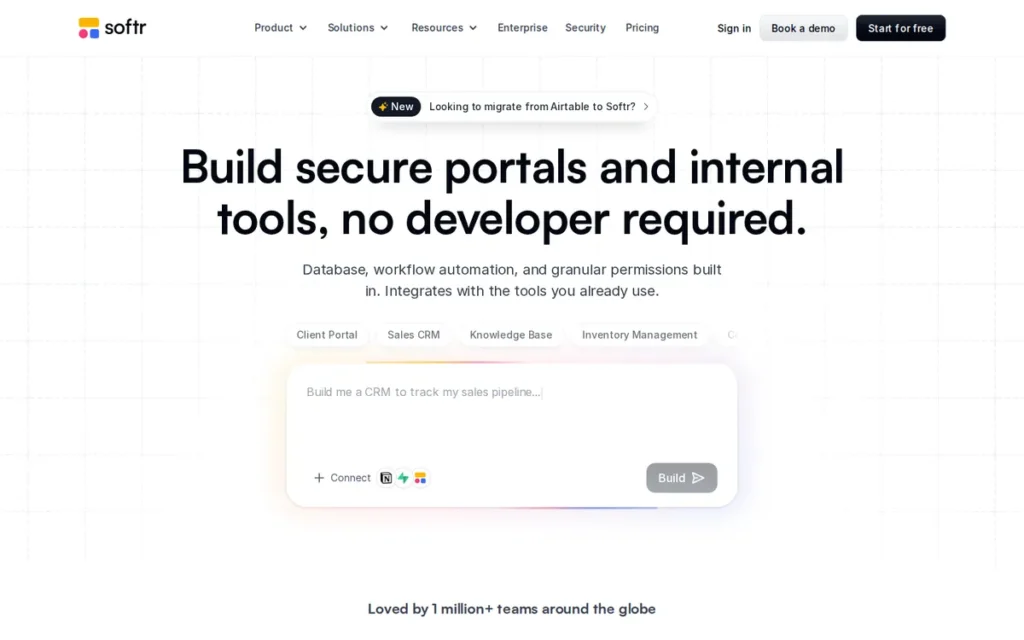
Category: Portal Builder, builds client portals, membership sites, internal dashboards, and data-connected web apps from Airtable, Google Sheets, or Softr’s own database without code.
At a Glance
- Category: Portal Builder
- Best For: Non-technical founders and small business owners who need to deploy a client portal, membership site, CRM dashboard, or internal web app powered by Airtable or Google Sheets data, within days, without a developer
- Price Range: Free; Basic $49/month; Professional $139/month; Business $269/month; Enterprise custom. (GetApp, June 2026, verify at softr.io/pricing)
- Primary Strength: Softr enables non-technical founders to build and deploy a functional data-connected web portal in 1–2 days using a block-based drag-and-drop editor with built-in user authentication, role-based permissions, and live Airtable or Google Sheets integration.
- Biggest Limitation: Softr does not support native iOS or Android app publishing (it produces browser-based web apps only) and design customization is limited compared to open-canvas builders like Bubble, making it a poor fit for pixel-perfect branding requirements or App Store distribution goals.
- One-Line Summary: Softr is the fastest no-code platform for non-technical founders deploying client portals and business dashboards, holding a verified 4.7/5 rating on GetApp from 63 reviews and reported as the platform of choice for over 50,000 businesses as of 2026.
- Last Verified: June 2026
Overview
Softr is a no-code portal and web app builder, founded in 2019 and headquartered in Berlin, that enables non-technical founders and small business owners to build client portals, membership sites, internal dashboards, CRMs, and data-connected business apps from Airtable, Google Sheets, or Softr’s own database using a block-based drag-and-drop editor, without writing code.
Softr holds a verified 4.7/5 rating on GetApp from 63 independent reviews and is best for founders who need a functional, permissioned web app deployed quickly (in 1–2 days for straightforward builds) and who do not require native App Store publishing or highly customized visual design. Softr reported over 50,000 businesses using the platform as of 2025–2026 (vendor-reported figure; softr.io/blog/introducing-softr-ai, 2025).
Key Features
- Softr’s block-based drag-and-drop editor assembles apps from pre-built UI components (lists, forms, charts, tables, maps, and calendars) without requiring knowledge of HTML, CSS, or programming at any stage of building or publishing.
- Softr’s built-in user authentication system supports sign-up and login flows, role-based access control, and conditional content visibility rules that show or hide information based on user group, enabling private permissioned portals without external authentication tools.
- Softr’s Airtable and Google Sheets integrations connect directly to existing business data, allowing changes in the source spreadsheet to update the live app in real time without re-publishing the application.
- Softr’s AI Co-Builder (launched 2025) generates database structure, app layout, and business logic from a plain-language text description, allowing founders to start from a generated scaffold rather than a blank canvas and reducing initial setup time significantly (Softr Blog, 2025).
- Softr’s Workflows engine (launched 2025) adds automation triggers, scheduled actions, webhooks, and email-based logic directly within the platform, reducing dependency on external tools like Make or Zapier for standard business workflows (Softr Blog, 2025).
Best For
Softr is best for small business owners and non-technical founders who need to turn existing Airtable or Google Sheets data into a permissioned web portal, such as a client dashboard, employee directory, vendor portal, inventory tracker, or membership site. Softr is the right choice for founders who want to deploy a functional first version in days rather than weeks without learning a complex visual programming environment like Bubble.
Pricing
Softr’s pricing tiers are approximately: Free ($0), Basic ($49/month), Professional ($139/month), and Business ($269/month), with Enterprise at custom pricing. The tier jump from Basic to Professional (required to unlock custom user groups, role-based conditional visibility, and dashboard analytics) is described by reviewers as a steep pricing step.
REST API access is restricted on lower plans. Verify current pricing at softr.io/pricing before purchasing, Softr revised its pricing structure in 2023–2024. (GetApp, June 2026)
Strengths
- Softr holds a verified 4.7/5 rating on GetApp from 63 independent reviews (the highest confirmed third-party review platform score among all seven platforms in this evaluation) with reviewers specifically citing ease of use, seamless Airtable integration, and rapid deployment as primary strengths (GetApp, June 2026).
This aligns with community sentiment on r/nocode:
“Softr is great at building a basic list/directory kind of webapp. It’s comparable to say Glide, Stacker and Pory and is the most powerful of the 4. It has limits in terms of customisation as you have set UI to work with and set functionality. It’s a great tool to use to learn how dynamic webapps work and you can build a basic webapp in 1-2 days. Jumping to a tool like weweb or bubble is a huge leap. These tools are an open canvas and will take 100+ hours to learn and build in. You have to build everything from scratch and there is a huge learning curve.” Posted by u/PizzaGuy789
Takeaway: r/nocode practitioners consistently confirm Softr’s 1–2 day deployment claim for portal-style apps while reinforcing that its pre-built block constraints create a meaningful design ceiling, making Softr a strong first choice for data-connected portals but a poor fit for founders who need open-canvas design flexibility.
- Softr launched three major platform additions in a single calendar year: Softr Database (removing Airtable dependency), a native Workflows engine (event triggers, scheduled actions, webhooks), and an AI Co-Builder (text-to-app generation from plain-language descriptions), each directly addressing previously documented limitations and confirming sustained product investment velocity (Softr Blog, 2025).
- Softr’s estimated ARR of approximately $15 million (third-party Fueler estimate, 2025) and $13.5 million in confirmed funding position Softr as one of the higher-revenue no-code portal builders in this category, reducing the discontinuation risk that concerns users evaluating smaller no-code startups.
- Softr’s founder is reported to be personally active in community forums, responding directly to user questions, a meaningful support responsiveness signal for non-technical users who require escalation beyond documentation when encountering platform issues (r/nocode, 2024).
Limitations
- Web-Only Publishing: Softr’s most consequential trade-off is its browser-based web app output, Softr does not publish to the Apple App Store or Google Play, meaning founders who specifically need an App Store listing must use a different platform entirely, regardless of Softr’s other strengths.
- Limited Design Customization: GetApp reviewers (June 2026) consistently describe Softr as offering “quite limited design customization options” compared to open-canvas builders, making Softr a poor fit for founders who need pixel-perfect branding or highly custom UI beyond its pre-built block components.
- Vendor Lock-In Risk: At least one documented long-term user reported experiencing “loads of breaking charges with no communication, ineffective support and missing key features” during Softr’s pricing restructures, noting “in hindsight I would not have chosen them but now it’s too costly to migrate out” (r/nocode, 2023), a vendor lock-in signal prospective users should weigh before committing significant build time.
Verdict
Softr earns its #2 ranking as the best-rated and fastest-to-deploy no-code platform for non-technical founders building client portals, business dashboards, and data-connected web apps, supported by a verified 4.7/5 GetApp rating from 63 independent reviews and a reported 50,000+ business user base as of 2026. Softr’s block-based editor reaches a functional first version in 1–2 days for Airtable-powered builds, making it the strongest choice for SMBs working from existing spreadsheet data. Founders who need native iOS/Android app publishing should evaluate Adalo or FlutterFlow; founders who need complex SaaS application logic beyond portals and dashboards should evaluate Bubble.
3. FlutterFlow: Best for Native Mobile Apps: Only Builder That Exports Real Flutter Code
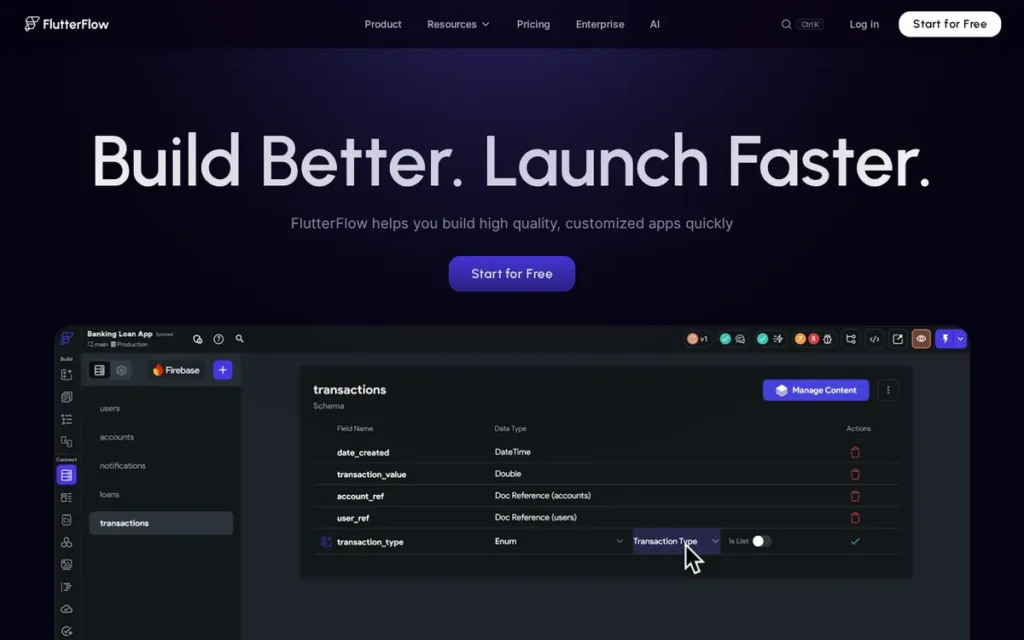
Category: Native Mobile Builder, produces real cross-platform iOS, Android, and web apps using Google’s Flutter framework, with optional Flutter code export on paid plans.
At a Glance
- Category: Native Mobile Builder
- Best For: Founders and early-stage product managers who need a native iOS and Android app (including App Store and Google Play listing) and want a visual builder that provides a genuine code export option to protect against complete vendor lock-in
- Price Range: Free plan available (build and test only; publishing to App Store/Google Play and code export require a paid plan). Community-cited approximate pricing: Basic ~$30–$39/month; Growth ~$70–$80/month; Business priced higher. FlutterFlow restructured plans in 2026, verify at flutterflow.io/pricing. (Community-cited figures, June 2026)
- Primary Strength: FlutterFlow is the only visual app builder in this evaluation that exports actual Flutter code to iOS, Android, and web from a single project, giving non-technical founders a native mobile app deployment path and a genuine exit from complete vendor lock-in.
- Biggest Limitation: FlutterFlow’s generated code is consistently described by the Flutter developer community (in a comment with 65 upvotes on r/FlutterDev (November 2024)) as “a technical debt generator that creates unmaintainable code,” meaning that while code export is available, the exported code may require significant developer rework before it is maintainable in a professional codebase.
- One-Line Summary: FlutterFlow is the only visual drag-and-drop app builder in this 2026 evaluation that exports real, deployable Flutter code to iOS, Android, and web, making it the strongest choice for non-technical founders who need native mobile app publishing with a genuine path out of vendor lock-in.
- Last Verified: June 2026
Overview
FlutterFlow is a visual low-code app builder, founded in 2020 and headquartered in San Francisco with approximately $17 million in funding, that produces real cross-platform applications built on Google’s Flutter framework, deployable natively to iOS, Android, and web from a single visual editor, with optional export of the underlying Flutter code on paid plans.
FlutterFlow is best for non-technical founders and early-stage product managers who specifically need a native App Store and Google Play app and want a platform where the project can eventually be handed off to or taken over by a developer team. Think of FlutterFlow’s code export as an insurance policy: if FlutterFlow triples its prices, gets acquired, or pivots away from your use case, a developer can pick up the exported Flutter code and continue building without starting from scratch, an option not available on Adalo, Glide, Softr, or Bubble.
Key Features
- FlutterFlow’s visual drag-and-drop canvas builds multi-screen native mobile apps for iOS, Android, and web from a single project, with cross-platform deployment managed automatically without requiring separate builds for each target platform.
- FlutterFlow’s code export feature (available on paid plans) produces real Flutter code that can be downloaded, modified, and deployed independently of the FlutterFlow platform, the only code-export-capable native mobile builder in this evaluation.
- FlutterFlow’s native Firebase integration connects user authentication, Firestore database, cloud storage, and push notifications with visual configuration, enabling non-technical founders to add backend functionality without writing backend code.
- FlutterFlow’s custom code injection allows developers to add Dart functions, custom widgets, and direct API calls within the visual editor, enabling a hybrid workflow where visual building and hand-written code coexist in the same project.
- FlutterFlow University provides structured courses and tutorial content, and FlutterFlow publishes weekly “What’s New” changelogs and a community-shaped annual roadmap, offering higher development transparency than any other platform in this evaluation (FlutterFlow Community, 2026).
Best For
FlutterFlow is best for non-technical founders who specifically need a native iOS and Android app (App Store and Google Play listing), anticipate eventually involving a developer in the project, and prioritize avoiding complete vendor lock-in. FlutterFlow’s code export feature means the project retains recoverable value if the founder decides to transition to a traditional development team or needs to hand the project off.
Pricing
FlutterFlow offers a Free plan for building and testing within FlutterFlow’s environment, but publishing to the App Store or Google Play and exporting Flutter code require a paid plan. FlutterFlow restructured its plans in 2026, retiring Standard/Pro/Teams and replacing them with Basic, Growth, and Business tiers.
Community-cited approximate pricing ranges from $30–$39/month (Basic) to $70–$80/month (Growth), with Business priced higher, but plan names and prices have changed recently and should be confirmed at flutterflow.io/pricing before committing. One reviewer described FlutterFlow as “an expensive, intuitive, feature-rich platform” (r/FlutterDev, 2025). (Community-cited figures, June 2026)
Strengths
- A solo developer with no prior FlutterFlow experience built and shipped an MVP in approximately two months using FlutterFlow, while an experienced engineering team with conventional mobile skills had not shipped the same project in native Flutter six months after being handed it, a documented case from r/FlutterDev (2025) demonstrating FlutterFlow’s concrete speed advantage for non-technical founders relative to traditional mobile development.
- FlutterFlow’s code export on paid plans is the only anti-lock-in mechanism among native mobile builders in this evaluation, among all seven platforms evaluated here, only FlutterFlow offers code export for native mobile apps on paid plans as of June 2026, meaning founders who outgrow the platform retain access to actual Flutter code, unlike Adalo (no code export) or Glide (PWA-only with no code export).
- FlutterFlow publishes weekly changelog updates and a community-shaped 2026 roadmap (FlutterFlow Community, 2026) (a development transparency standard not matched by any other platform in this evaluation) giving non-technical founders visibility into platform investment before they commit to building.
- FlutterFlow’s native Firebase integration enables non-technical founders to configure user authentication, a cloud database, file storage, and push notifications entirely through visual menus, eliminating the need for separate backend infrastructure setup that typically requires dedicated developer involvement.
Limitations
- Code Quality Gap: FlutterFlow’s most consequential trade-off is the gap between “code can be exported” and “exported code is maintainable in production”, the highest-voted comment in r/FlutterDev (65 upvotes, November 2024) describes FlutterFlow as “a technical debt generator that creates unmaintainable code,” and a separate experienced development team found hand-coding the same project faster than learning FlutterFlow’s conventions (r/FlutterDev, 2025).
- Platform Reliability Concerns: FlutterFlow users report bugs introduced by major version updates and crashes in large projects, one community member documented “lots and lots of bugs both in its platform and the auto generated code… Testing is a nightmare… Crashes when project gets large” (r/FlutterDev, 2025), a secondary risk factor for non-technical founders who cannot independently debug platform-caused failures.
- Publishing Cost Gate: FlutterFlow’s free plan is limited to building and testing within FlutterFlow’s environment (App Store and Google Play publishing, and Flutter code export, both require a paid subscription) creating an immediate cost commitment before a founder can validate the platform with real users or confirm production readiness.
Verdict
FlutterFlow is the strongest choice for non-technical founders who need a native iOS and Android app and want to avoid complete vendor lock-in, earning its #3 ranking as the only platform in this evaluation with real Flutter code export on paid plans. FlutterFlow is best suited for founders who accept a steeper learning curve than pure no-code alternatives and anticipate eventually involving a developer, the code export feature’s value is highest when someone technical eventually receives the output. Founders who need the lowest-complexity native mobile entry point without developer involvement should evaluate Adalo first; founders building web applications should evaluate Bubble or Softr.
4. Glide: Best for Internal Tools from Existing Spreadsheet Data
Category: Internal Tool Builder, transforms spreadsheet data (Google Sheets, Airtable, Excel, SQL) into browser-based Progressive Web Apps for internal operations, field teams, and business process management.
At a Glance
- Category: Internal Tool Builder
- Best For: Small business owners and operations teams who have existing data in Google Sheets or Airtable and need to turn it into a functional internal tool (inventory tracker, field operations app, CRM, or employee directory) quickly, where native App Store distribution is not required
- Price Range: Explorer plan $19/month billed annually ($25/month monthly billing); Business plan $199/month billed annually. Additional users at $5 each above plan threshold; additional data updates at $0.02 each. (Verified June 2026 from glideapps.com/pricing, older tiers cited in most secondary sources reflect different plan structures; verify current tiers before budgeting)
- Primary Strength: Glide builds functional business apps directly from Google Sheets or Airtable data in hours (no database migration, backend setup, or code required) making it the fastest deployment path for teams whose business data already lives in a spreadsheet.
- Biggest Limitation: Glide produces Progressive Web Apps only: not native iOS or Android apps, meaning Glide-built tools cannot be listed as standalone apps in the Apple App Store or Google Play and must be accessed through a browser.
- One-Line Summary: Glide is the fastest no-code platform for turning existing Google Sheets or Airtable data into a functional business operations app, producing Progressive Web Apps only (not native App Store apps) with an Explorer plan starting at $19/month billed annually as of June 2026.
- Last Verified: June 2026
Overview
Glide is a spreadsheet-native no-code app builder, founded in 2018 and headquartered in San Francisco, that transforms data from Google Sheets, Airtable, Excel, SQL databases, or its own built-in tables into Progressive Web Apps, functional, mobile-accessible web apps that run in a browser rather than as native App Store downloads.
If your business already tracks orders, customers, inventory, or employees in Google Sheets, you are one afternoon from a functional app. Glide reads that spreadsheet directly; there is no “set up a database first” step. Glide’s January 2025 Workflows launch added meaningful automation capabilities, but its PWA-only publishing model limits its fit for founders specifically seeking App Store distribution.
Key Features
- Glide’s spreadsheet-native data binding reads live data directly from Google Sheets, Airtable, Excel, or SQL, meaning existing business data becomes the app’s database instantly, no migration, transformation, or duplicate database setup required before building can begin.
- Glide’s visual app editor provides drag-and-drop layout tools, pre-built component types (lists, detail views, forms, charts, and maps), and a style system for basic branding, all configured without writing code.
- Glide’s Workflows engine (launched January 2025) supports event triggers, scheduled automations, webhook integration, and email-based logic (Glide Community, 2025), enabling standard business automation without requiring external tools like Make or Zapier for basic workflows.
- Glide’s AI columns process data inside the app automatically: text summarization, classification, entity extraction, and image recognition, using built-in AI functions that require no API configuration from the builder.
- Glide’s user roles and visibility rules enable tiered access to app content, supporting simple permission structures for client-facing or team-facing tools without requiring custom authentication code or external identity management tools.
Best For
Glide is best for small business owners and operations managers who already have structured business data in Google Sheets or Airtable and need a functional internal tool (a field operations app, inventory system, project tracker, or employee-facing portal) deployed quickly for internal teams or small external audiences. Glide is appropriate where native App Store distribution is not a requirement.
Pricing
Glide’s pricing as of June 2026: Explorer plan at $19/month billed annually ($25/month monthly billing), confirmed from Glide’s November 2025 pricing update and live pricing page. The Business plan at $199/month billed annually is the relevant scale-up cost for teams needing expanded user and data capacity beyond Explorer limits, a meaningful step for budget-sensitive small businesses evaluating total cost of ownership.
Usage-based add-ons apply: $5 per additional user above plan threshold and $0.02 per additional data update. The per-update billing model means cost can escalate unpredictably in apps with frequent automated data operations. Verify current pricing at glideapps.com/pricing before committing. (Verified June 2026)
Strengths
- A Glide community agency user documented growing from a first Glide project to 350 client projects delivered (Glide Community Forum, 2025), directly attributing commercial scale to Glide’s improving security controls, AI capabilities, and feature depth, validating Glide’s commercial viability at agency-grade, multi-client scale.
- Glide’s Workflows launch in January 2025 added event triggers, scheduled automations, webhooks, and email logic directly within the platform (Glide Community, 2025), meaningfully reducing the dependency on external automation tools like Make or Zapier that previously required additional subscriptions for standard business logic.
- The r/nocode community’s most widely cited use-case decision framework (“Glide → Internal tools | FlutterFlow → native apps | Bubble → Web Apps”) represents validated practitioner consensus from multiple independent threads, confirming Glide as the appropriate choice for its defined niche with strong community endorsement.
- Glide’s spreadsheet-native design means teams with existing Google Sheets or Airtable data can deploy a functional app without any database migration, backend configuration, or data transformation, a meaningful speed advantage over platforms that require setting up a separate database before building can begin.
Limitations
- PWA-Only Output: Glide’s most consequential trade-off is its Progressive Web App-only output, Glide cannot publish apps to the Apple App Store or Google Play as standalone native listings, and founders who discover this after building face a complete platform rebuild to switch to a native mobile builder. This limitation is unambiguous and documented in Glide’s own competitive content and consistently across all community discussions evaluated.
Users on r/nocode noted:
“I’m with ya. Glide is very slick and easy to learn. Great interface. However more and more features are moved to higher pricing steps and bringing an app there to the public is a pain. It’s really just quick prototyping and internal tools for small business that’s worth their time.” Posted by u/jeroenishere12
Takeaway: Community consensus across r/nocode positions Glide as a fast-to-start but narrow-fit platform, appropriate for internal business prototyping and small-team operations, but actively limiting for founders who need public-facing deployment or feature sets that sit behind higher pricing tiers.
- Scale-Up Cost: Glide’s Business plan at $199/month billed annually is the relevant cost threshold for teams needing expanded user capacity and data operation volume beyond the Explorer tier ($19/month annual), a meaningful price step for budget-sensitive small businesses evaluating total cost of ownership beyond the entry level.
- Usage-Based Cost Unpredictability: Glide’s per-update billing model at $0.02 per data update above plan thresholds adds cost unpredictability for apps with frequent automated data operations or high-volume form submissions, creating a variable cost structure that can surprise founders as app usage grows.
Verdict
Glide ranks #4 as the fastest and most accessible platform for small business owners who need to turn existing spreadsheet data into a functional internal operations app, with a validated community use-case framework and a 350-client agency success story confirming commercial viability at scale. Glide’s PWA-only publishing model makes it a poor fit for founders who need App Store distribution, while the Business plan at $199/month billed annually is the relevant scale cost for teams with heavier operational needs. Founders who need native App Store publishing should evaluate Adalo or FlutterFlow; founders who need data-connected web portals at a lower entry price should evaluate Softr.
5. Adalo: Best Beginner Entry Point for Native Mobile MVPs
Category: Native Mobile Builder, builds apps that publish directly to the Apple App Store and Google Play as standalone native apps from a drag-and-drop canvas with a built-in database, designed for non-technical founders.
At a Glance
- Category: Native Mobile Builder
- Best For: Non-technical founders who want the lowest-complexity path to publishing a real app in the App Store and Google Play (specifically for MVP validation, prototyping, or simple apps) and who accept known performance limitations at production scale
- Price Range: Free (unlimited apps and pages, data record limits); Starter ~$45/month; Professional ~$65/month billed annually; Team ~$160/month; Business ~$200/month. (Third-party sources, June 2026, pricing sources conflict; verify at adalo.com)
- Primary Strength: Adalo provides the lowest technical barrier to publishing a native app in the Apple App Store and Google Play of any platform in this evaluation, drag-and-drop canvas, built-in database, AI generation, and native publishing are all accessible to users with no coding background.
- Biggest Limitation: Adalo has persistent community-reported performance limitations at scale, multi-year users through mid-2026 consistently advise against production launches, describing the database and app performance as unreliable for apps with growing user bases and complex functionality.
- One-Line Summary: Adalo is the most beginner-accessible no-code builder that publishes directly to the Apple App Store and Google Play, but Adalo’s community consistently advises limiting its use to MVP prototyping and early-stage validation rather than production deployment as of mid-2026.
- Last Verified: June 2026
Overview
Adalo is a no-code visual app builder, founded approximately in 2018 and US-based, that enables non-technical founders to design and publish iOS, Android, and web apps from a single drag-and-drop canvas using a built-in database, component marketplace, native app store publishing, and AI-assisted generation, without writing any code.
Adalo is best for founders who want the lowest-complexity entry point to App Store and Google Play publishing for an MVP or early-stage app, accepting a known trade-off: the platform is widely recommended for prototyping and initial validation but persistently flagged by its community as unreliable for production launches under significant user load. Adalo underwent a leadership change in 2023–2024, and the March 2026 AppBuilderGuides.com evaluation specifically incorporated Adalo 3.0, meaning its #1 independent ranking may partly reflect infrastructure commitments that have not yet been independently verified at production scale.
Key Features
- Adalo’s drag-and-drop multi-screen canvas builds mobile-first native apps for iOS, Android, and web from a single project, using a visual component library covering forms, lists, charts, maps, modals, and custom components from the marketplace.
- Adalo’s built-in database supports custom data collections, relationships between records, and direct querying from the visual editor, enabling non-technical founders to model structured data without configuring an external backend service.
- Adalo’s Magic Start AI feature generates a complete app foundation: screens, database structure, and sample data, from a plain-language description, reducing initial setup from hours to minutes for first-time builders starting from a blank canvas.
- Adalo’s native app store publishing workflow manages the technical packaging and submission process for the Apple App Store and Google Play directly from within the platform, without requiring developer involvement beyond standard Apple and Google developer account setup.
- Adalo integrates with Stripe for payments, Zapier and Make for automation, Airtable for external database connectivity, and Xano for scalable backend logic, providing a path to extend capabilities without immediately switching platforms as initial needs grow.
Best For
Adalo is best for non-technical founders who specifically want to ship an app to the Apple App Store or Google Play for the first time, are building an MVP or proof-of-concept to validate user interest before committing to a higher-complexity platform. Adalo is most appropriate for founders who accept that a production rebuild on a more scalable platform may be required if the app gains significant traction.
Pricing
Adalo’s pricing includes a Free plan (unlimited apps and unlimited pages, with data record limits), described by community reviewers as “a really generous free plan” (r/nocode, 2025), and paid tiers approximately at Starter ($45/month), Professional ($65/month billed annually), Team ($160/month billed annually), and Business ($200/month billed annually).
Pricing figures differ across sources, Capterra, CheckThat.ai, and Adalo’s own content show conflicting amounts, suggesting pricing has been updated inconsistently across secondary sources. One user reported paying approximately $500/year and being unable to complete App Store publishing due to credential verification errors, with Adalo support attributing the issue to Apple rather than the platform (r/nocode, 2025). Verify current pricing at adalo.com before purchasing. (Third-party sources, June 2026)
Strengths
- Adalo ranked #1 (score: 5.76–5.94/10 across AppBuilderGuides.com evaluation pages) in a March 2026 independent comparative study of 14 visual no-code app builders, scoring highest on the combination of ease of use, AI-assisted building, native mobile output, predictable pricing, and App Store and Google Play deployment support, the most recent quantitative independent ranking available for Adalo.
- Adalo’s free tier: unlimited apps and unlimited pages with data record limits, is described by community reviewers as “a really generous free plan” (r/nocode, 2025) and is the most exploration-friendly free tier among native mobile builders in this evaluation, allowing founders to validate platform fit before any financial commitment.
- Adalo’s AI features: Magic Start for full app generation, Magic Add for feature injection, and X-Ray for performance diagnostics, are designed specifically for non-technical users, reducing decision complexity and initial time investment when starting a new app from a blank canvas.
- Adalo’s enterprise product (Adalo Blue) supports RBAC/OAuth governance and the AnyData Plane with PostgreSQL, SQL Server, and Oracle database connections, signaling product investment beyond the beginner market andoffering a potential growth path for teams that start on Adalo and later need enterprise governance features.
Limitations
- Production-Readiness Gap: Adalo’s most consequential trade-off is the persistent gap between its beginner-friendly entry point and its production-readiness, multi-year community consensus from r/nocode and r/Adalo through mid-2026 is that Adalo’s database and app performance are unreliable for production launches with growing user bases, with one experienced multi-year user stating “I wouldn’t use Adalo to launch anything” and others describing the platform as “perfect in theory, ruined by poor performances.”
Users on r/FlutterFlow noted:
“From that list, for a ‘real’ product that you might want to scale, I’d lean FlutterFlow. Reason: it’s closer to real dev, but still visual. You get actual Flutter code under the hood, so if you ever bring in a dev later, they’re not stuck in a walled garden. Performance is decent and you can ship to both stores properly, not just a glorified webview. Adalo is super friendly at first, but people hit limits fast once they want custom logic or better performance. Bubble is amazing for web, but mobile via wrappers is always slightly cursed. If you’re willing to push through a steeper first week, FlutterFlow is probably the least ‘throwaway prototype’ of the bunch.” Posted by u/NaughtyNectarPin
Takeaway: Cross-platform community consensus frames Adalo as a friendly-but-limited entry point, reliable for CRUD-based MVPs but consistently outgrown once apps require custom logic or performance at scale, with FlutterFlow identified as the natural production upgrade path.
- Unverified Infrastructure Claims: Adalo’s new ownership commitments: including vendor claims of 3–4× faster performance and 1 million+ MAU scalability, are real public commitments but remain unverified by independent community evidence as of mid-2026, meaning founders building for production carry meaningful uncertainty about whether promised improvements will materialize on their specific launch timeline.
- No Code Export: Adalo does not support code export: all logic and data remain in Adalo’s proprietary environment, and at least one documented user reported App Store publishing failures after paying approximately $500 annually, with Adalo support attributing the issue to Apple rather than the platform (r/nocode, 2025).
Verdict
Adalo earns its #5 ranking as the most beginner-accessible path to App Store and Google Play publishing in this evaluation, supported by a #1 independent scoring position in a March 2026 AppBuilderGuides.com comparative study and a community-recognized “genuinely generous free tier” for MVP exploration without financial risk. Adalo’s persistent production-readiness limitations (consistently documented by multi-year users through mid-2026) prevent a higher ranking and make Adalo most appropriate for MVP validation and prototyping rather than production launches serving real customer traffic. Founders who need native mobile publishing and can accept a steeper learning curve should evaluate FlutterFlow for greater production confidence and code export capability; founders building browser-based internal tools should evaluate Glide.
6. Zoho Creator: Best for Enterprise-Grade Apps Within the Zoho Ecosystem

Category: Enterprise Low-Code Builder, builds cross-platform business apps (web, iOS, Android) with drag-and-drop UI and Deluge scripting, designed for established businesses within or adopting the Zoho ecosystem.
At a Glance
- Category: Enterprise Low-Code Builder
- Best For: Established small businesses and enterprise teams already using Zoho products (CRM, Books, People) who need to build custom cross-platform business apps with enterprise governance, regulatory compliance, or deep Zoho ecosystem integration
- Price Range: Standard $8/user/month; Professional $20/user/month; Enterprise $25/user/month; Flex custom. Billed annually. (Verified June 2026 from zoho.com/creator)
- Primary Strength: Zoho Creator delivers Challenger-quadrant Gartner-recognized enterprise-grade cross-platform app building (with 1,200+ connectors, iOS/Android/web publishing, and deep Zoho suite integration) at $8–$25 per user per month, the most cost-efficient pricing model for teams of 10 or more in this evaluation.
- Biggest Limitation: Zoho Creator requires Deluge scripting: Zoho’s proprietary custom programming language, for advanced business logic, conditional workflows, and API customization, meaning non-technical founders cannot achieve meaningful functionality beyond basic forms and data display without learning Deluge or hiring someone who knows it.
- One-Line Summary: Zoho Creator is recognized as a Challenger in the 2024 and 2025 Gartner Magic Quadrant for Enterprise Low-Code Application Platforms, with a 4.6/5 Gartner customer rating, building enterprise-grade cross-platform apps at $8–$25 per user per month, the most stable and cost-efficient option for teams of 10 or more already operating within the Zoho ecosystem.
- Last Verified: June 2026
Overview
Zoho Creator is a low-code application platform developed by Zoho Corporation (a bootstrapped software company founded in 1996 with approximately 15,000 employees) that enables businesses to build custom cross-platform apps for web, iOS, and Android using a drag-and-drop UI builder, 1,200+ built-in connectors, and Deluge scripting for advanced logic and workflow automation.
Zoho Creator is best for established small businesses and enterprise teams already using Zoho products, CRM, Books, People, or Analytics, who need custom business applications that integrate deeply with existing Zoho data. Unlike every other platform in this evaluation, Zoho Corporation has no venture investors and no public shareholders, meaning no one can force a sale, a pivot, or a pricing hike to satisfy a funding round. Zoho Creator’s 30-year bootstrapped operational track record makes it the most stable platform in this evaluation, but its Deluge scripting requirement positions it as low-code rather than true no-code.
Key Features
- Zoho Creator’s drag-and-drop form and layout builder constructs database-backed business apps with web, iOS, and Android output from a single project, with a visual Theme Builder for branding and an App Menu Builder for navigation structure, both launched in 2025.
- Zoho Creator’s Deluge scripting language enables custom workflows, conditional logic, API calls, and data transformations, with Deluge AI code generation (launched 2025, using Zoho’s own LLM) generating script blocks from natural language to lower the scripting barrier for non-technical users (Zoho Creator, November 2025).
- Zoho Creator’s 1,200+ built-in connectors (as of November 2025) include AWS, LinkedIn, Confluence, Airtable, Jira Service Management, Netsuite, Xero, Mailchimp, and the complete Zoho product suite, the broadest integration library of any platform in this evaluation.
- Zoho Creator’s enterprise governance capabilities support on-premise deployment, role-based access control (RBAC), audit logs, and SSO, enabling use in regulated industries and organizations with strict data residency or compliance requirements.
- Zoho Creator’s cross-platform publishing builds apps to web, iOS, and Android from a single project, enabling businesses to serve employees and customers across all major platforms from one build without requiring separate mobile development tracks.
Best For
Zoho Creator is best for established small businesses and enterprise teams already using Zoho CRM, Zoho Books, or other Zoho products who need to build custom business apps (approval workflows, field data collection, inventory management, or customer-facing portals) that integrate directly with existing Zoho data. Zoho Creator’s per-user pricing scales efficiently and predictably for teams of 10 or more internal users.
Pricing
Zoho Creator’s pricing (verified June 2026 from zoho.com/creator): Standard at $8/user/month billed annually, Professional at $20/user/month, Enterprise at $25/user/month, and a Flex plan at custom pricing.
At 10 users on the Standard plan, the cost is $80/month, compared to Bubble’s Team plan at ~$399/month or Softr’s Professional plan at $139/month, making Zoho Creator dramatically more cost-efficient for larger internal teams. Meaningful advanced functionality requires Deluge scripting knowledge, which may require hiring a Zoho developer or investing in Deluge training, an indirect cost not reflected in plan pricing alone.
Strengths
- Zoho Creator is recognized as a Challenger in both the 2024 and 2025 Gartner Magic Quadrant for Enterprise Low-Code Application Platforms, with a 4.6/5 customer rating on Gartner Peer Insights, the strongest independent analyst validation among all seven platforms in this evaluation, placing Zoho Creator in Gartner’s formal enterprise low-code analyst recognition at $8–$25/user/month.
- Zoho Corporation’s bootstrapped ownership model: no venture investors, no public shareholders, operating continuously since 1996, provides the highest platform stability and longevity signal of any company in this evaluation, as Zoho is not subject to investor-driven pricing pressure, acquisition risk, or the forced commercial pivots documented at multiple VC-funded platforms in this category.
- Zoho Creator’s 1,200+ built-in connectors (as of November 2025) (including AWS, Jira, Airtable, Netsuite, Salesforce, Xero, and the complete Zoho suite) represent the broadest integration library in this evaluation, reducing custom API development for organizations with complex existing technology stacks.
- Named enterprise deployments include Tata Projects (India’s largest infrastructure company) and BigBasket (a major e-commerce grocery platform), confirming Zoho Creator’s production readiness at large organizational scale (per third-party industry coverage: blog.gencodex.ai, 2026, independently confirm at zoho.com/creator/customers if primary-source verification is required).
Users on r/Zoho shared their experience:
“Creator scales decently if you’re clear on what it’s supposed to house. For internal process apps or client portals it works well, since you can push a lot of the heavy lifting into Deluge + integrations. Where people usually hit walls is on reporting and bulk data crunching once your records cross into the hundreds of thousands, dashboards can get sluggish unless you start piping data into Analytics or an external warehouse. For automation, the built-in workflows are solid, but complex branching often ends up needing a mix of Creator functions and Flow. That’s fine if you architect it early, but if you just keep stacking rules you’ll end up with spaghetti logic. The sweet spot I’ve seen is using Creator as the front-end for structured data capture and workflows, then letting Zoho CRM/Books/Analytics take over where scale or reporting depth matters.” Posted by u/zohocertifiedexpert
Takeaway: Experienced Zoho Creator practitioners confirm the platform’s strengths in structured data capture and internal process apps while identifying bulk-data reporting and complex branching logic as the architectural ceilings that require companion Zoho products to overcome, validating both the Zoho ecosystem dependency strength and its limitation simultaneously.
Limitations
- Deluge Scripting Requirement: Zoho Creator’s most consequential trade-off for non-technical founders is its Deluge scripting requirement, advanced business logic requires Zoho’s proprietary language, which is not standard programming knowledge and must be learned or hired for separately, effectively positioning Zoho Creator as low-code rather than true no-code. The r/nocode community specifically redirects first-time non-technical users toward Bubble, Glide, or Softr instead of Creator due to this Deluge barrier, reflecting a real capability ceiling that non-technical founders will encounter earlier than on other platforms in this evaluation.
- Ecosystem Dependency: Zoho Creator’s strongest capabilities are unlocked through integration with other Zoho products, founders who are not already in the Zoho ecosystem receive meaningfully less value from Creator, and adopting Creator may create implicit pressure to adopt the broader Zoho suite rather than treating Creator as a standalone app builder.
- Limited Independent Community: Zoho Creator has a smaller independent no-code community than Bubble, FlutterFlow, or Glide, r/nocode community consensus consistently steers first-time non-technical users toward other platforms rather than Creator, suggesting a smaller peer support ecosystem for self-directed learners encountering platform challenges without access to a Zoho partner or consultant.
Verdict
Zoho Creator earns its #6 ranking as the most stable and enterprise-grade platform in this evaluation, with Challenger quadrant Gartner Magic Quadrant recognition, a 4.6/5 Gartner customer rating, and a 30-year bootstrapped operational track record that no other platform in this evaluation can match. Zoho Creator is the strongest choice for established businesses already using the Zoho ecosystem who need cross-platform custom apps with enterprise governance at $8–$25/user/month, but the Deluge scripting requirement makes it an inappropriate starting point for non-technical founders building their first app without existing Zoho context. First-time non-technical founders should evaluate Softr, Adalo, or Glide before Zoho Creator.
7. Retool: Best for Technical Teams Building Internal Tools (Explicitly Not Recommended for Non-Technical Founders)
Category: Low-Code Internal Tool Builder, builds internal dashboards, admin panels, and data workflows using drag-and-drop UI components combined with JavaScript and SQL queries; designed for software engineers and technical operators, not non-technical founders.
At a Glance
- Category: Low-Code Internal Tool Builder
- Best For: Software engineers, SQL-literate data analysts, and technical operations teams who need to build internal dashboards, admin panels, and data-heavy workflows rapidly, NOT appropriate for non-technical founders without JavaScript or SQL knowledge
- Price Range: Free for small internal use (limited users). Paid plans priced per-builder plus per-end-user. External-facing apps with 5 team members and 100 external customers can exceed $2,125/month on standard plans (community-reported scenario from 2025, verify at retool.com/pricing as pricing may have changed). Enterprise pricing requires a sales conversation. (June 2026)
- Primary Strength: Retool connects to more data sources than any other platform in this evaluation (SQL, REST, GraphQL, MongoDB, Snowflake, BigQuery, and dozens more natively) and is used in production by enterprise customers including Stripe, Amazon, and Ramp for high-stakes internal tooling at scale.
- Biggest Limitation: Retool requires JavaScript and SQL knowledge to achieve meaningful functionality and is classified by the no-code community as a low-code tool, not a no-code tool, making it inaccessible to non-technical founders who represent the primary audience for this article.
- One-Line Summary: Retool is a low-code internal tool builder used in production by enterprise customers including Stripe, Amazon, and Ramp, but Retool requires JavaScript and SQL for meaningful use and is explicitly not recommended for non-technical founders, its per-end-user pricing can exceed $2,125/month for 5 team members and 100 external customers.
- Last Verified: June 2026
Overview
Retool is a developer-first low-code platform, founded in 2017 and headquartered in San Francisco with approximately $145 million in venture funding, that enables software engineers and SQL-literate operators to build internal dashboards, admin panels, and AI-powered data workflows by combining drag-and-drop UI components with SQL queries, REST API calls, and JavaScript logic.
Retool is included in this evaluation because it appears prominently in broad “drag-and-drop app builder” search results, but Retool is explicitly designed for technical teams, not non-technical founders, and the no-code community consensus is that it requires developer skills to use effectively. Retool’s per-end-user pricing model creates the highest cost-at-scale risk of any platform in this evaluation for founders building external-facing apps.
Key Features
- Retool’s drag-and-drop component library provides pre-built tables, forms, charts, modals, and data grids that can be placed on a canvas and wired to data sources, though customizing component behavior beyond defaults requires JavaScript logic in most cases.
- Retool’s query editor connects to SQL databases, REST APIs, GraphQL endpoints, MongoDB, Firebase, Snowflake, BigQuery, and dozens of other data sources (Retool, 2026), the broadest data connectivity of any platform in this evaluation.
- Retool’s self-hosted deployment option (Docker-based, with VPC-compatible on-premise agents) enables organizations in regulated industries to run Retool entirely within their own infrastructure without sending data to Retool’s cloud servers.
- Retool’s AI capabilities include Retool Vectors for text summarization and entity extraction, AI agent building, and custom chatbot construction (Retool Community, 2025), extending Retool from traditional internal tools into AI-powered business applications.
- Retool’s 2026 Builder Report (surveying 817 builders) found that 35% had replaced at least one commercial SaaS subscription with a custom Retool-built tool and 78% planned to build more tools in 2026, strong retention signals from Retool’s existing technical user base.
Best For
Retool is best for software engineering teams, SQL-literate data analysts, and technical operations managers who need to build internal dashboards, admin panels, and data-heavy operational tools rapidly. Retool is specifically appropriate when the team has JavaScript and SQL skills, the user count is limited to an internal team, and the use case is internal-only rather than consumer-facing.
Pricing
Retool’s free tier supports small internal tool use for limited users and is described by community users as “genuinely generous” for single-team internal tooling. Paid plans are priced per-builder (the person creating tools) plus per-end-user (the person using them), a model that generates significant cost escalation for external-facing apps.
Community-reported cost scenarios cite approximately $2,125/month for 5 team members plus 100 external customers on standard plans (r/nocode, 2025), this is an illustrative scenario; actual costs depend on current Retool plan pricing. Retool previously offered more accessible self-hosting options that were subsequently moved behind an enterprise paywall, a documented pricing trust event (r/nocode, 2026). Verify current pricing at retool.com/pricing. (June 2026)
Strengths
- Retool won Databricks Emerging Partner of the Year for 2025 (confirmed by Databricks’ own press release) the most prominent independently verifiable third-party industry recognition among all seven platforms in this evaluation, confirming strong enterprise data infrastructure integration and production-scale deployment capability.
- Retool’s confirmed enterprise customers include Stripe (documented in a Stripe customer story), Amazon (via AWS strategic collaboration confirmed in 2026), and Ramp (which reports saving $8 million and 20,000+ hours using Retool, per Retool’s homepage, 2026), the highest-tier named production deployment evidence of any platform in this evaluation.
- Retool’s 2026 Builder Report surveying 817 active builders found that 78% planned to build more internal tools using Retool in 2026 and 35% had already replaced at least one commercial SaaS subscription with a custom Retool-built application, strong platform retention and ROI signals from Retool’s existing technical user base.
- Retool’s $145 million in venture funding: the highest among all seven platforms in this evaluation, provides the strongest financial runway for continued product investment, reducing discontinuation risk relative to smaller-funded competitors across the evaluation set.
Limitations
- JavaScript and SQL Requirement: Retool’s most consequential trade-off for the non-technical founder audience is its fundamental technical skill requirement, r/nocode community consensus is that Retool “is definitely in the low-code category compared to no-code, not ideal for someone who doesn’t know how to code,” and non-technical founders will be blocked by JavaScript requirements for basic component customization before reaching meaningful app functionality.
- Per-End-User Pricing at Scale: Retool’s per-end-user billing model creates scenarios exceeding $2,125/month for 5 team members and 100 external customers (community-reported, 2025), making Retool the most expensive platform in this evaluation for any founder building a consumer-facing product at modest scale. Community members explicitly warn: “Avoid Retool and Superblocks which are very expensive with an outrageous pricing per end user” (r/nocode, 2024).
- Self-Hosting Trust Event: Retool moved previously accessible self-hosting options behind an enterprise paywall after users built infrastructure on the promise of accessible self-hosting, one community member described it as “a case study in how to lose developer trust… by the time most teams clocked it they were already too deep to leave without a painful migration” (r/nocode, 2026), a material vendor risk signal for teams that selected Retool based on earlier self-hosting commitments.
Verdict
Retool ranks #7 in this evaluation (last) not because it is a poor platform, but because it is the wrong platform for the non-technical founders who represent this article’s primary audience; Retool requires JavaScript and SQL for meaningful use, and its per-end-user pricing creates the highest cost-at-scale risk in this evaluation for external-facing apps. Retool is genuinely excellent for software engineers and technical operators building internal dashboards and data workflows, validated by enterprise customers including Stripe, Amazon, and Ramp and recognized with the Databricks Emerging Partner of the Year 2025 award. Non-technical founders who encounter Retool during their research should evaluate Bubble (complex web apps), Softr (portals and dashboards), or Glide (internal tools from spreadsheets) before investing time in Retool’s technical interface.
What Red Flags Should I Watch For When Evaluating a Drag-and-Drop App Builder?
The five most significant red flags when evaluating a drag-and-drop app builder are PWA-vs-native misrepresentation, usage-based pricing with no spending cap, hidden coding skill requirements, absence of data or code export, and a documented history of forced pricing changes. Identifying any one of these before committing can prevent weeks of wasted build time and costly platform switches.
Red Flag #1: PWA Masquerading as a Native Mobile App
A “mobile app” that cannot be listed independently in the Apple App Store or Google Play is a Progressive Web App, not a native app, and several platforms do not disclose this clearly in their marketing materials.
Verify before building by asking: “Can I submit this to the Apple App Store as a standalone listing?” Glide and Softr answer no; Adalo and FlutterFlow answer yes. Discovering this distinction after investing weeks in the wrong platform is the most commonly reported source of wasted time in the no-code community.
Red Flag #2: Usage-Based Pricing With No Spending Cap
Metered billing mechanics, workload units (Bubble), per-update fees (Glide at $0.02/update above thresholds), and per-end-user charges (Retool, with scenarios exceeding $2,125/month for modest user counts), can transform affordable-looking base plans into expensive commitments as apps grow.
Any platform with usage-based pricing deserves a real-world cost estimate at your anticipated 12-month user count, not just at the launch plan’s advertised entry price.
Red Flag #3: Platform Requires Coding Skills Despite “No-Code” Marketing
Platforms marketed as “app builders” that require JavaScript, SQL, or proprietary scripting languages for meaningful functionality are low-code tools, not no-code tools, a distinction frequently absent from platform marketing and from AI-generated recommendations in this category.
Retool requires JavaScript and SQL; Zoho Creator requires Deluge scripting. A platform’s minimum technical requirement to build a functional multi-screen app with user authentication and a data source should be tested personally, not trusted from a marketing headline.
Red Flag #4: No Data Export or Code Export Available
Among the seven platforms evaluated here, only FlutterFlow offers code export for native mobile apps on paid plans as of June 2026, verify current export capabilities at flutterflow.io/pricing before building, as platform capabilities change. Before committing to any platform, ask:
- “Can I export my data as a CSV or SQL dump?” (available on most platforms)
- “Can I export my application code in a standard format?” (FlutterFlow only, among native mobile builders in this evaluation)
Bubble’s fully proprietary runtime is the most consequential code-lock example evaluated here. Platforms that lock data and application logic with no standard export path expose founders to extreme vendor dependency.
Red Flag #5: History of Forced Pricing Migrations Without Notice
A platform’s pricing history is a direct predictor of future pricing risk, and it is verifiable through community forum archives. In this evaluation, documented platform pricing events include:
- Bubble: multiple pricing structure changes over its history, with long-term users documenting forced migration to higher tiers annually (r/nocode, multiple threads, 2022–2026)
- Retool: self-hosting access moved behind an enterprise paywall after users built infrastructure expecting it to remain accessible (r/nocode, 2026)
- Glide: Business plan at $199/month annually is the current scale cost: verify against older tiers still cited in secondary sources
- Adalo: pricing figures conflict across secondary sources: verify at adalo.com before purchasing
- Softr and Zoho Creator: the cleanest documented pricing histories in this evaluation
What Questions Should I Ask Before Choosing a Drag-and-Drop App Builder?
Asking the right questions before choosing a platform prevents the four most common and costly first-time selection errors: misidentifying output type, underestimating true cost at scale, overlooking vendor lock-in exposure, and selecting a low-code tool expecting no-code accessibility. Each question below directly addresses one of these documented failure modes.
Question #1: Does This Platform Publish Natively to the Apple App Store and Google Play, or Does It Produce a Progressive Web App?
If your goal is a standalone app that users can find and download from the Apple App Store or Google Play, confirm native publishing capability directly (not through workarounds) before building a single screen.
In this evaluation, Adalo and FlutterFlow publish natively; Glide, Softr, Retool, and Zoho Creator produce browser-based apps or PWAs. Bubble publishes web apps to the internet, not to app stores, though its 2025 AI Agent can generate native mobile app foundations as a separate output.
Question #2: What Is the Actual Cost at 50–100 Active Users, Not Just the Base Plan Price?
Ask each platform specifically about workload unit limits (Bubble), per-update fees (Glide at $0.02/update), and per-end-user charges (Retool) before assuming the base plan price represents your real monthly cost.
Community forums like r/nocode often contain real-world cost scenarios with actual dollar figures, search for “[platform name] pricing real cost” or “[platform name] workload units” before committing. Vendor calculators frequently understate usage-based costs for apps with meaningful traffic.
Question #3: Can I Export My Data and My Code If I Decide to Leave?
Data portability (CSV or database export) is available on most platforms but should be confirmed before signing up. Code portability (the ability to take your application logic and continue development elsewhere without starting from scratch) is available only on FlutterFlow (Flutter code export on paid plans) in this evaluation.
Before committing significant build time, ask: “If this platform tripled its prices tomorrow, what would my migration cost be?” The answer should directly inform how deeply you invest in any single vendor.
Question #4: Has This Platform Changed Its Pricing Terms, Self-Hosting Access, or Plan Structure in the Past Three Years?
A platform’s pricing history is a direct predictor of future pricing risk, and it is verifiable through community forum archives. In this evaluation, Bubble has multiple documented pricing changes; Retool moved self-hosting behind an enterprise paywall; Glide’s Business plan at $199/month is the relevant current scale cost; and Adalo’s pricing figures conflict across secondary sources.
The platforms with the cleanest documented pricing histories in this evaluation are Softr and Zoho Creator.
Question #5: What Is the Minimum Technical Skill Required to Build a Functional App on This Platform?
Some platforms marketed as “no-code” require developer knowledge for core functionality, which is inaccessible to the non-technical founder audience without hiring help. Test this before committing: attempt to build a simple multi-screen app with user login and a data source.
If you hit a wall requiring JavaScript, SQL, or proprietary scripting before reaching basic functionality, the platform is low-code rather than no-code, regardless of how it is marketed.
Question #6: Does This Platform Have a Path Out of Vendor Lock-In?
Every platform in this evaluation locks data and logic to some degree. The key question is whether you have any exit path at all.
FlutterFlow offers real Flutter code export on paid plans, the strongest anti-lock-in option in this evaluation. Most others offer data export (CSV or database dump) but no application code export. Platforms like Bubble have no code export whatsoever, meaning migration from Bubble requires a complete application rebuild.
How Did We Rank These Drag-and-Drop App Builders?
These seven drag-and-drop app builders were ranked against five scored criteria: Use-Case Fit and Output Type Accuracy, Beginner Accessibility, Production Readiness and Reliability, Pricing Predictability and True Cost at Scale, and Platform Trust and Long-Term Vendor Risk. The first three criteria are weighted as primary; the final two are secondary. All five are applied equally to every platform.
How Did We Evaluate Each Platform?
The evaluation followed a four-step process applied identically to all seven platforms:
- AI Search Engine Coverage Baseline: Multiple AI answer engines: including Perplexity and ChatGPT GPT-4, were queried with the target search terms to identify factual gaps in AI-generated recommendations, including missing pricing data, output-type misclassification, and undisclosed coding requirements.
- Independent Web Research: Each platform’s official documentation, pricing pages, product announcements, and community forums were reviewed with a June 2026 verification date. All pricing reflects either live page verification or third-party sources explicitly dated June 2026.
- Community Sentiment Analysis: Threads from r/nocode, r/FlutterDev, r/Adalo, r/glideapps, and r/smallbusiness were analyzed for platform-specific sentiment. Upvote counts were used as a proxy for community consensus weight, a comment with 65 upvotes is treated as stronger community evidence than a comment with 2 upvotes on the same post.
- Cross-Reference and Conflict Resolution: Vendor claims were cross-referenced against independent review platform ratings, community reports, and third-party analysis. Where conflicts existed, the most specific, most recent, and most independently corroborated source was weighted highest.
What Are the Five Criteria Used to Rank Each Platform?
C1, Use-Case Fit and Output Type Accuracy (Primary)
Whether the platform produces the output type the founder actually needs, native App Store app, PWA, full-stack web app, or internal tool, is the most consequential pre-purchase decision. This criterion directly addresses the most consequential factual gap identified in AI search engine responses evaluated for this article, neither Perplexity nor ChatGPT GPT-4 distinguished Progressive Web App output from native App Store output when recommending platforms for mobile app development.
C2, Beginner Accessibility and Technical Skill Floor (Primary)
The minimum technical knowledge required to build a functional multi-screen app with user authentication and a data source was assessed for each platform. Platforms requiring JavaScript, SQL, or proprietary scripting for core functionality scored lower, these requirements are inaccessible to the non-technical founder target audience and are frequently absent from platform marketing claims.
C3, Production Readiness and Reliability (Primary)
Evidence of production-scale deployments (named case studies, community-verified user counts, or named enterprise customer references) was cross-referenced with community consensus on production suitability. Platforms where multi-year users consistently advise against production launches despite vendor infrastructure claims scored lower than those with independently verified production deployments.
C4, Pricing Predictability and True Cost at Scale (Secondary)
Pricing clarity at both entry level and at 50–100 users was assessed, including all metered billing mechanics. Platforms with flat monthly pricing or clearly published per-user rates scored higher than platforms with usage-based billing requiring active optimization to avoid overages. All pricing data carries a June 2026 verification date.
C5, Platform Trust and Long-Term Vendor Risk (Secondary)
Founding year, funding type (bootstrapped vs. VC-funded), documented instances of forced pricing changes or self-hosting policy reversals, availability of data and code export, and community trust sentiment were all evaluated. Longer track records, transparent pricing histories, and portability options scored higher.
How Is Evidence Weighted When Sources Conflict?
When review platform ratings conflict with Reddit community sentiment, this evaluation weights specificity and recency, a detailed November 2024 Reddit post with 65 upvotes documenting specific technical failures outweighs a generic 2023 review platform rating for the same product. When vendor claims cannot be corroborated by at least one independent source, they are labeled as vendor-reported rather than stated as established fact throughout the article.
How Are Vendor Claims Validated?
Vendor-reported statistics are labeled as such throughout this article. Only claims corroborated by at least one independent source are stated as fact. All pricing claims include a verification date and a recommendation to confirm at the platform’s live pricing page, as no-code platform pricing changes frequently and secondary sources become outdated rapidly.
When Is This Evaluation Updated?
This article was last updated in June 2026. PlugRoute reviews are refreshed at minimum annually, with significant changes (ownership events, major pricing restructures, platform discontinuations) triggering immediate updates.
Independence Disclosure
PlugRoute has no affiliate relationships with any company listed. Rankings are determined entirely by research data and objective evaluation criteria.
What Are the Most Common Questions About Drag-and-Drop App Builders?
The six most important questions to ask before choosing a drag-and-drop app builder in 2026 cover: whether the platform publishes native apps or PWAs, what the true cost at scale is, whether code export is available, and whether the platform has a history of forced pricing changes. The answers below address each.
What Is the Best Drag-and-Drop App Builder for Beginners in 2026?
Adalo is the best option for beginners who need a native iOS and Android app, no coding required, publishes directly to the App Store and Google Play. For beginners building a client portal or internal web app, Softr is fastest, reaching a functional first version in 1–2 days. Both offer free or low-cost tiers for initial exploration before any financial commitment.
Which No-Code App Builder Lets Me Publish to the Apple App Store Without Coding?
Adalo and FlutterFlow are the only platforms in this 2026 evaluation that publish native apps to the Apple App Store and Google Play without requiring code. Adalo offers the lower learning curve and a generous free tier. FlutterFlow provides greater production maturity and Flutter code export on paid plans, but App Store publishing requires a paid subscription before any real-user validation.
What Is the Difference Between a Progressive Web App and a Native Mobile App?
A Progressive Web App (PWA) runs in a mobile browser and can be bookmarked or added to an Android home screen, but cannot be listed in the Apple App Store or Google Play as a standalone download. A native app is a real App Store or Google Play listing. Glide and Softr produce PWAs only; Adalo and FlutterFlow produce native apps.
How Much Does a No-Code App Builder Cost as My App Grows?
Beyond the base plan price, three platforms charge for usage above plan limits: Bubble charges workload units, Glide charges $0.02 per data update above threshold, and Retool charges per-end-user, with scenarios exceeding $2,125/month for 5 team members and 100 external customers. Always calculate cost at your anticipated 12-month user count, not the advertised entry price.
Can I Export My Code from a No-Code App Builder to Avoid Vendor Lock-In?
FlutterFlow is the only platform in this 2026 evaluation that exports real, deployable application code on paid plans, specifically Flutter code for native mobile apps. Bubble, Softr, Glide, Adalo, Zoho Creator, and Retool lock application logic in proprietary environments with no code export. Most platforms allow data export (CSV) as a limited portability option.
How Does PlugRoute Determine Its App Builder Rankings?
PlugRoute ranks platforms using five scored criteria (Use-Case Fit and Output Type Accuracy, Beginner Accessibility, Production Readiness and Reliability, Pricing Predictability, and Platform Trust and Long-Term Vendor Risk) weighted for the non-technical founder audience. Rankings are based on independently verifiable third-party ratings, verified pricing dated June 2026, and upvote-weighted Reddit community sentiment. No company has an affiliate relationship with PlugRoute.
Glossary: What Do Key No-Code Terms Mean?
Six technical terms appear throughout this comparison that non-technical founders are frequently uncertain about, terms like PWA, vendor lock-in, and workload units that determine which platform you choose without always being defined in platform marketing materials. Each definition below is written to be understood without a programming background and is independently citable.
Progressive Web App (PWA): A Progressive Web App is a browser-based web application engineered to behave like a native app, it can be bookmarked, added to an Android home screen, and in some cases accessed offline, but it cannot be listed as a standalone application in the Apple App Store or Google Play Store. Glide and Softr produce PWAs; Adalo and FlutterFlow produce true native apps.
Vendor Lock-In: Vendor lock-in in the context of no-code platforms is the condition where all of a founder’s application logic, data models, workflows, and UI components exist exclusively inside a proprietary platform environment, making migration to another platform impossible without rebuilding the entire application from scratch. Bubble and Glide have the highest lock-in risk in this evaluation; FlutterFlow offers the strongest anti-lock-in mechanism via Flutter code export on paid plans.
Workload Units (WU): Workload Units are Bubble’s metered billing metric that tracks computational operations (database reads, API calls, and workflow runs) against a per-plan monthly allocation. When an app exceeds its WU allocation, Bubble charges overage fees at rates that increase with plan tier. Community users report spending significant engineering time optimizing application logic specifically to stay within WU limits, creating ongoing technical debt not reflected in base plan pricing.
Low-Code vs. No-Code: No-code platforms enable non-technical users to build functional applications without writing any programming code, Adalo, Softr, Glide, and Bubble are no-code tools in this evaluation. Low-code platforms require some coding knowledge, JavaScript and SQL for Retool, or Zoho’s proprietary Deluge scripting language for Zoho Creator, for meaningful functionality beyond basic drag-and-drop configuration. This distinction determines platform suitability for the non-technical founder audience before any feature comparison is relevant.
Flutter: Flutter is Google’s open-source UI software development kit used to build natively compiled, cross-platform applications for iOS, Android, web, and desktop from a single codebase, used by apps like Google Pay and eBay. FlutterFlow produces real Flutter code, meaning FlutterFlow-built apps run as genuine native apps rather than browser-based wrappers, and the underlying code can be exported and maintained independently of the FlutterFlow platform on paid plans.
Citizen Developer: A citizen developer is a non-IT employee who uses low-code or no-code tools to build business applications without formal programming training. Gartner projects that 80% of low-code users will come from outside IT by 2026, accelerating demand for the platforms in this evaluation and validating the market shift toward builder tools accessible to non-technical founders.
Which Drag-and-Drop App Builder Is Right for You?
Key Insights
- Bubble is the most capable no-code web app builder in 2026 for SaaS platforms and marketplaces, but its fully proprietary runtime and workload unit billing make vendor lock-in and cost unpredictability its most consequential trade-offs for long-term platform commitment.
- Softr holds the highest verified third-party rating in this evaluation: 4.7/5 on GetApp from 63 independent reviews, and is the fastest path to a functional client portal or business dashboard for SMBs working from existing Airtable or Google Sheets data.
- FlutterFlow is the only platform in this evaluation that exports real Flutter code, providing a genuine exit from vendor lock-in for native mobile builders, but the developer community (65-upvote r/FlutterDev comment, November 2024) consistently rates the exported code as requiring significant rework before professional maintenance is possible.
- Adalo is the most beginner-accessible path to App Store and Google Play publishing, but multi-year community consensus through mid-2026 consistently advises against using Adalo for production launches under real user load, its value is strongest for MVP validation before committing to a more scalable platform.
- Glide’s Explorer plan starts at $19/month billed annually as of June 2026: affordable for individual use, but the Business plan at $199/month and per-update billing at $0.02/update create meaningful scale costs. Most secondary sources cite outdated pricing; verify at glideapps.com/pricing before planning a budget.
- Retool and Zoho Creator require developer skills (JavaScript/SQL and Deluge scripting respectively), both are inappropriate starting points for non-technical founders despite appearing prominently in broad “app builder” search results and AI-generated recommendations.
Choosing Between Native Mobile Builders: Adalo vs. FlutterFlow
For a non-technical founder choosing between Adalo and FlutterFlow in 2026: choose Adalo if your priority is the lowest possible learning curve to an App Store listing; choose FlutterFlow if you anticipate involving a developer or need the insurance of code export.
Founders could prototype on Adalo first to validate their concept with real users, then rebuild on FlutterFlow before a production launch, without making an irrecoverable platform choice. This sequencing avoids investing weeks in a complex platform for an idea that may still pivot before finding product-market fit.
Choosing Between Web App Builders: Bubble vs. Softr
Simple portal or dashboard serving existing data: choose Softr, dramatically faster deployment for data-connected portals, at the cost of limited design flexibility and an inability to build complex SaaS logic with custom backend workflows. Complex SaaS with custom multi-step business logic: choose Bubble, unmatched full-stack capability, but at the cost of a steep 40–100 hour learning curve and the deepest vendor lock-in in this evaluation.
The no-code market changes frequently, platform pricing, plan names, and feature sets evolve. Verify pricing and features directly with each vendor before committing. We update this guide quarterly. Last updated: June 2026.