MadCap Flare is the evidence-backed choice for enterprise multi-product documentation. ClickHelp is the strongest cloud-native HAT for documentation teams of 2–10 writers on any operating system. Document360 leads for AI-powered, customer-facing knowledge bases. No single tool fits every team, the right HAT depends entirely on team size, deployment model, required output formats, and budget.
One-size-fits-all comparisons mislead buyers by suppressing critical architecture constraints: Windows-only authoring requirements, single-user file locks presented as adequate for teams, and cloud add-on costs misrepresented as built-in features.
Every major HAT migration documented in r/technicalwriting (2024–2026) was described as taking two to eighteen months. The upfront evaluation investment is far less costly than a forced migration 18 months in.
PlugRoute has no affiliate relationships with any company listed. Rankings are determined entirely by research data, community validation, and objective evaluation criteria.
TL;DR: Top Picks at a Glance
- MadCap Flare: enterprise teams needing deep content reuse, multi-format output, and SCORM on Windows
- ClickHelp: cloud-native HAT for 2–10 writers on any operating system, team-based pricing
- Document360: SaaS teams needing AI-powered search, ticket-deflection analytics, and customer self-service
- HelpNDoc: solo writers and FOSS projects needing multi-format output at zero cost
- Adobe RoboHelp: organizations with Zendesk, Salesforce, ServiceNow, or Adobe Experience Manager pipelines
- HelpSmith: solo Windows writers needing integrated screen capture at a one-time perpetual cost
- Docsie: organizations converting training video libraries to documentation with 100+ language auto-translation
What Are the Main Categories of Help Authoring Tools?
Help authoring tools divide into three categories: enterprise desktop HATs for complex XML-based multi-format publishing, cloud HATs and AI documentation platforms for browser-native collaboration, and budget desktop HATs for solo writers needing multi-format output at low or no cost. The right category is determined by team size, operating system, and output format requirements, not features alone.
Enterprise Desktop HATs run primarily on Windows, use structured XML or XHTML authoring, and support the broadest output formats, including CHM, SCORM, and xAPI.
- MadCap Flare: deepest single-sourcing architecture; SCORM/xAPI eLearning output; largest verified review community
- Adobe RoboHelp: native publishing to Zendesk, Salesforce, ServiceNow, and Adobe Experience Manager; lowest per-user enterprise pricing
Cloud HATs and AI Documentation Platforms deliver browser-native or fully hosted documentation systems that prioritize collaboration, AI-powered workflows, and web-based publishing.
- ClickHelp: browser-native; any operating system; team-based pricing; HAT-grade conditional content and multi-format output
- Document360: AI-native knowledge base hybrid; Eddy AI suite; ticket-deflection analytics; customer self-service focus
- Docsie: video-to-documentation AI conversion; 100+ language auto-translation; credit-based AI consumption model
Budget Desktop HATs offer free personal-use tiers or low-cost perpetual licenses on Windows for solo writers with multi-format output needs.
- HelpNDoc: free personal-use license; 8+ output formats; conditional generation; scripting API
- HelpSmith: bundled screen capture and annotation; $199 one-time perpetual license; 6 output formats
How Do the Top 7 Help Authoring Tools Compare?
The seven HATs in this evaluation span from enterprise desktop tools at approximately $167/user/month (MadCap Flare) to free personal-use options (HelpNDoc) and AI-first platforms at $170/month (Docsie). The table below compares all seven by category, best-fit audience, primary strength, and key limitation. Use the Quick Decision Framework immediately following to match your specific constraints.
| Rank | Company | Category | Best For | One-Line Summary | Key Capabilities | Primary Strength | Key Limitation |
|---|---|---|---|---|---|---|---|
| 1 | MadCap Flare | Enterprise Desktop HAT | Enterprise multi-product documentation teams on Windows | The enterprise HAT with the deepest single-sourcing architecture and largest verified review community in the category | Snippets, variables, conditions, snippet conditions; SCORM 1.2/2004 and xAPI; HTML5, PDF, CHM, Word; Git integration via Central | Most granular content reuse toolkit of any tool in this evaluation | Windows-only desktop; MadCap Central (cloud) is a separate subscription not included in the base license |
| 2 | ClickHelp | Cloud HAT | Documentation teams of 2–10 writers needing HAT capabilities without Windows or per-seat pricing | The cloud-native HAT that delivers HAT-grade single-sourcing and multi-format output without Windows or per-seat pricing | Conditional content; HTML5/PDF/CHM/DOCX output; 6-format import (Word, HTML, Markdown, RTF, CHM, ODT); native reader analytics | Fully browser-native, any operating system, team-based pricing ($185–$610/month) | Less granular content reuse than Flare; no DITA; smaller practitioner community than market leaders |
| 3 | Document360 | Cloud KB/HAT Hybrid | SaaS product teams needing AI-powered customer-facing help and internal wikis | The AI-native cloud documentation platform best suited for SaaS teams needing customer self-service, ticket-deflection analytics, and integrated AI search | Eddy AI suite (semantic search, chatbot, writing assist, gap detection); 50+ language localization; 100+ integrations; mixed public/private access | Most integrated native AI documentation suite in this evaluation | Web portal output only; no CHM, no complex PDF, no DITA or structured authoring depth |
| 4 | HelpNDoc | Budget Desktop HAT | Solo writers and FOSS projects needing multi-format output at zero cost | The only tool in this evaluation with a fully unrestricted free tier for personal use, publishing to 8+ formats from a single Windows project | 8+ output formats (CHM, PDF, ePub, Kindle, HTML, Word, iPhone); conditional generation; scripting API; free personal-use license | Free personal-use license with no capability limitations; 8+ output formats | Single-user file-lock architecture disqualifies it for any team with more than one writer |
| 5 | Adobe RoboHelp | Legacy Desktop HAT | Organizations with Zendesk, Salesforce, ServiceNow, or AEM publishing pipelines | The only HAT in this evaluation with native direct publishing integrations to Zendesk, Salesforce, ServiceNow, and Adobe Experience Manager | Zendesk/Salesforce/ServiceNow/AEM integrations; frameless responsive HTML5 with per-page URLs; micro-content for chatbot interfaces; CHM/PDF/ePub output | Native publishing to Zendesk, Salesforce, ServiceNow, and AEM; no other HAT in this evaluation offers this | Near-unanimous r/technicalwriting discouragement; requires HTML/CSS/JS skills; unconfirmed Mac support |
| 6 | HelpSmith | Budget Desktop HAT | Solo Windows writers needing integrated screen capture at a one-time cost | The only desktop HAT in this evaluation that bundles screen capture and annotation natively at a $199 one-time perpetual license | Built-in screen capture and annotation; CHM/HTML/PDF/Word/ePub/Markdown output; conditional sections; variables; dynamic XML styles | Bundled screen capture eliminates third-party screenshot tool dependency; $199 one-time perpetual license | Near-zero practitioner community presence; vendor opacity; Windows-only single-user by default |
| 7 | Docsie | AI Documentation Platform | Organizations converting training video libraries to documentation, needing 100+ language coverage | The only documentation platform in this evaluation that converts video recordings into structured documentation using AI and auto-translates into 100+ languages | Video-to-docs AI conversion; 100+ language auto-translation; AI Copilot; Docsie Pilot chatbot; embeddable in-app widgets; credit-based model | Video-to-documentation AI conversion and 100+ language auto-translation; capabilities unavailable in any other tool in this evaluation | No organic practitioner community; self-cited unverified ratings; credit model creates cost unpredictability |
Which Help Authoring Tool Should I Choose for My Use Case?
The right help authoring tool is determined by four hard constraints, not preferences: operating system availability, number of concurrent authors, output format requirements, and budget model. If your organization runs on macOS with no Windows virtualization, eliminate all desktop-only tools immediately. If more than one writer must edit simultaneously, eliminate single-user desktop tools. Use the table below to match your specific profile.
| Your #1 Priority | Recommended Tool | Why | Acceptable Alternative |
|---|---|---|---|
| Enterprise multi-product docs, Windows or virtualization available | MadCap Flare | Deepest content reuse architecture; largest verified community; cited as HAT market share leader by Enlyft data (docsio.co, 2026) | ClickHelp (if Windows is a constraint) |
| Cloud HAT on any OS, team of 2–10 writers | ClickHelp | Browser-native; team-based pricing; native reader analytics included | Document360 (if structured authoring depth is less critical) |
| SaaS customer-facing KB, AI search and analytics decisive | Document360 | Eddy AI suite; ticket-deflection analytics; hybrid public/private access | ClickHelp (if multi-format output matters more than AI features) |
| Solo writer, tight budget, Windows, no screen capture needed | HelpNDoc | Free personal-use license; 8+ formats; conditional generation | HelpSmith (if integrated screen capture is required) |
| Solo writer, Windows, integrated screen capture needed | HelpSmith | Bundled screen capture and annotation; $199 one-time perpetual license | HelpNDoc (if screen capture is not a requirement) |
| Adobe ecosystem, Zendesk/Salesforce/ServiceNow/AEM integration is decisive | Adobe RoboHelp | Only HAT with native integrations to all four platforms; $29.99/user/month confirmed | MadCap Flare (if community support depth outweighs integration need) |
| Video training libraries to convert, 100+ languages needed | Docsie | Only tool with video-to-docs AI conversion; broadest multilingual coverage | Document360 (if video conversion is not required) |
| Developer team, Git-native, open source preferred | See Docs-as-Code section below | Docusaurus, MkDocs, or Antora may outperform any traditional HAT for this profile | MadCap Flare (if non-technical contributors must also edit) |
1. MadCap Flare: Best Overall: Enterprise Multi-Product Documentation
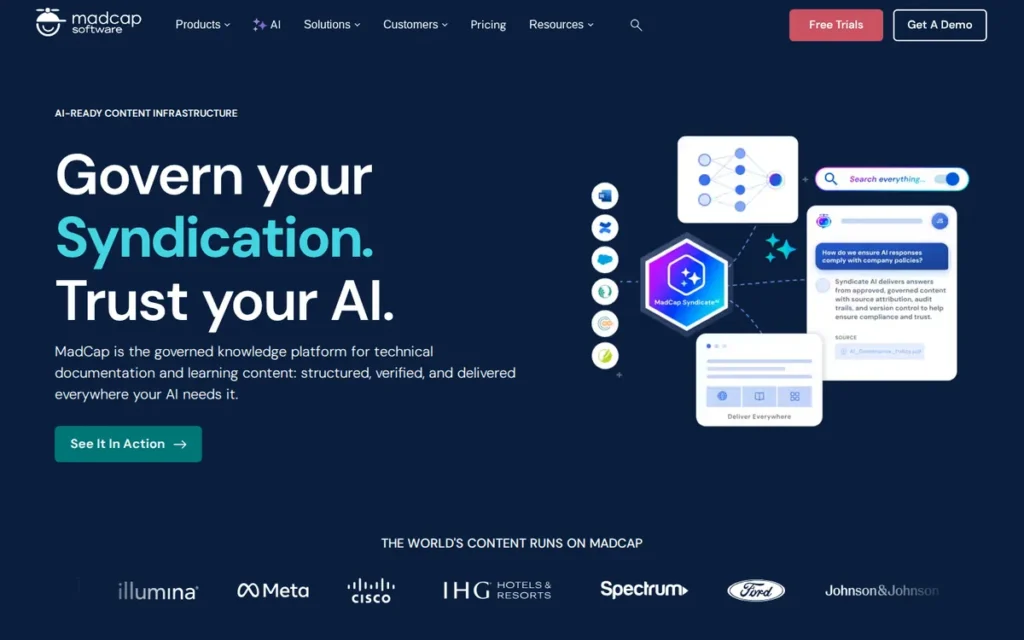
Category: Enterprise Desktop HAT, a Windows-first, XML-based help authoring tool built for complex, multi-product, multi-format documentation publishing from a single source project, with optional cloud collaboration through a separately purchased MadCap Central subscription.
At a Glance
- Category: Enterprise Desktop HAT
- Best For: Enterprise documentation teams managing multi-product, multi-format publishing workflows requiring complex content reuse, SCORM/eLearning output, and team-based source control
- Price Range: Approximately $167/user/month (annual subscription: exact tier pricing not publicly listed; a sales call is required; verify at madcapsoftware.com/products/flare/pricing/ as of May 2026)
- Primary Strength: MadCap Flare provides the deepest single-sourcing content reuse architecture in the category (snippets, variables, conditions, snippet conditions, and snippet variables from a single XML-based project) backed by the largest verified review community in the HAT category (487 G2 reviews, 4.4/5.0, May 2026)
- Biggest Limitation: MadCap Flare is Windows-only for desktop authoring (Mac users require virtualization), and MadCap Central (its cloud component) is a separate subscription add-on, not a built-in feature of the base Flare license, a distinction buyers frequently misunderstand
- One-Line Summary: MadCap Flare is the enterprise help authoring tool with the broadest single-sourcing capabilities and largest verified user community in the HAT category, making it the near-consensus practitioner recommendation for complex, multi-product documentation teams with adequate budget and a Windows or virtualized authoring environment.
- Last Verified: May 2026
Overview
MadCap Flare is a Windows-based enterprise help authoring tool for technical writing teams that need to author content once and publish it simultaneously to HTML5 web help, PDF, Microsoft Word, SCORM eLearning packages, and more from a single XML project. MadCap Flare is cited as holding the largest single market share in the HAT category according to Enlyft data reported by docsio.co (2026) (a directional indicator not independently confirmed from a primary source) and carries the highest verified review volume of any HAT on G2 (487 reviews, 4.4/5.0, May 2026).
MadCap Flare’s architecture centers on XHTML-based topic authoring with a granular content reuse system: snippets, variables, conditions, snippet conditions, and snippet variables. This enables documentation teams to manage variations across multiple products, audiences, and output formats without maintaining separate documents.
Key Features
- Single-Source Multi-Format Publishing: MadCap Flare supports simultaneous publishing to 8+ output formats from a single XML project, including HTML5 responsive web help, PDF, Microsoft Word, PowerPoint, CHM, SCORM 1.2/2004, and xAPI eLearning packages, with no content duplication across formats, per MadCap Flare Key Features documentation.
- Granular Content Reuse Architecture: MadCap Flare’s single-sourcing system includes snippets (reusable content fragments), variables (dynamic text replacements), conditions (audience-specific filtering), snippet conditions, and snippet variables, the most granular content reuse toolkit of any tool in this evaluation.
- MadCap Central: Sold Separately: MadCap Central adds cloud-based project hosting, Git-based version control, team review workflows, build automation, and reader analytics to MadCap Flare, but requires a separate subscription beyond the base Flare license, a distinction buyers frequently misunderstand when comparing Flare to cloud-native competitors.
- SCORM and xAPI eLearning Output: MadCap Flare publishes to SCORM 1.2/2004 and xAPI eLearning formats (a capability not offered by any other tool evaluated in this comparison as of May 2026) making it uniquely suitable for organizations publishing both technical documentation and LMS-compatible eLearning from one source project.
- Git Integration and Localization Ecosystem: MadCap Flare integrates with Git for source control and connects to MadCap Lingo (a separately purchased localization tool) for multilingual documentation programs requiring multiple target languages.
Best For
MadCap Flare is best for enterprise documentation teams at software companies managing large, multi-product documentation sets that require complex content reuse, simultaneous multi-format publishing, team-based source control, and optionally eLearning output in SCORM or xAPI format, particularly where at least one writer has dedicated HAT experience or the team can invest in the learning curve.
Pricing
MadCap Flare pricing is approximately $167/user/month on an annual subscription (community and analyst estimates as of May 2026, per SelectHub). MadCap does not publish exact tier pricing publicly, buyers must contact sales for a quote at madcapsoftware.com/products/flare/pricing/.
MadCap Central (cloud hosting, analytics, build automation) is a separate subscription layer above the base Flare license. A team that purchases Flare Desktop and then discovers it needs Central for analytics and review workflows faces a second budget line that can equal or exceed the base license cost, a discovery that has triggered documented migration evaluations in r/technicalwriting (2024).
MadCap Lingo (localization) is an additional purchase. The pricing model shifted from perpetual licensing to mandatory annual subscriptions, eliminating lower support tiers, a change that created documented cost increases for existing customers. Verify current pricing directly before building a budget case.
Strengths
- MadCap Flare is cited as holding the largest single market share in the HAT category according to Enlyft analytics data reported by docsio.co (2026) (treat as a directional market leadership indicator) and carries 487 verified G2 reviews at 4.4/5.0 (May 2026), the highest review volume of any HAT on G2, providing the strongest community-validated confidence signal in this evaluation.
- MadCap Flare supports SCORM 1.2/2004 and xAPI eLearning output: a capability not offered by any other tool evaluated in this comparison as of May 2026, making it uniquely suitable for organizations publishing both technical documentation and LMS-compatible eLearning content from a single source project.
- MadCap Flare’s G2 rating of 4.4/5.0 is supported by 487 verified reviews (May 2026), a review corpus large enough to reflect real enterprise production use across a wide range of team sizes, industries, and documentation workflows.
- MadCap Flare’s Git integration enables docs-as-code-adjacent workflows and, combined with MadCap Central, provides a full DevOps pipeline for teams that need both desktop authoring and automated cloud deployment from a single vendor.
“Flare is not perfect, but it’s as close to perfect as you’re going to get. Next in line would be Oxygen.” (u/Manage-It, r/technicalwriting (2025))
Takeaway: In a community of 48,000+ technical writers, this level of qualified endorsement from a verified practitioner reflects a genuine consensus that no competing tool has earned for complex documentation workflows.
Limitations
- Windows-Only Authoring Environment: MadCap Flare’s desktop authoring environment is Windows-only, Mac users must run Windows through Boot Camp, Parallels, or VMware, introducing hardware costs, performance overhead, and setup friction that can be prohibitive for software companies standardized on macOS.
- MadCap Central Is a Separate Purchase: MadCap Central provides cloud hosting, team review workflows, build automation, and reader analytics (but is a separate subscription layer above the base Flare license) meaning buyers who expect cloud collaboration without extra cost will encounter an unexpected budget line that fundamentally changes total cost of ownership.
- Pricing Opacity and Subscription Model Shift: MadCap Flare moved from perpetual licensing to mandatory annual subscriptions, eliminated lower support tiers, and does not publish exact tier pricing publicly, a combination that adds friction to self-serve evaluation and created documented cost increases for existing customers (r/technicalwriting, 2024).
- Roadmap Investment Concern: A vocal segment of the practitioner community has documented concerns that MadCap’s product roadmap appears to prioritize Central investment over the core desktop authoring experience.
“MadCap is investing less and less into Flare the desktop tool and investing more and more into Central.” (u/talliss, r/technicalwriting (2024))
Takeaway: This concern (corroborated across multiple threads) should factor into 3–5 year platform risk assessments for teams that rely on the desktop client and do not need the Central add-on.
Verdict
MadCap Flare is the most comprehensively validated help authoring tool in the category, earning its #1 ranking through the largest verified review community on G2 (487 reviews, 4.4/5.0), near-consensus practitioner recommendation in r/technicalwriting, and the deepest single-sourcing architecture available, not through marketing positioning. MadCap Flare is best suited for enterprise documentation teams managing complex, multi-product workflows where capability depth justifies the learning curve and per-user subscription cost. Teams on macOS without virtualization tolerance, solo writers, or organizations that cannot accept opaque pricing should evaluate ClickHelp, Document360, or HelpNDoc depending on their specific context. MadCap Flare is the closest thing to a consensus answer the HAT category has, but consensus is not the same as universal fit, and the Windows-only authoring environment remains the most common reason experienced practitioners ultimately choose a different path.
2. ClickHelp: Best Cloud HAT: Multi-Format Publishing Without Windows or Per-Seat Pricing
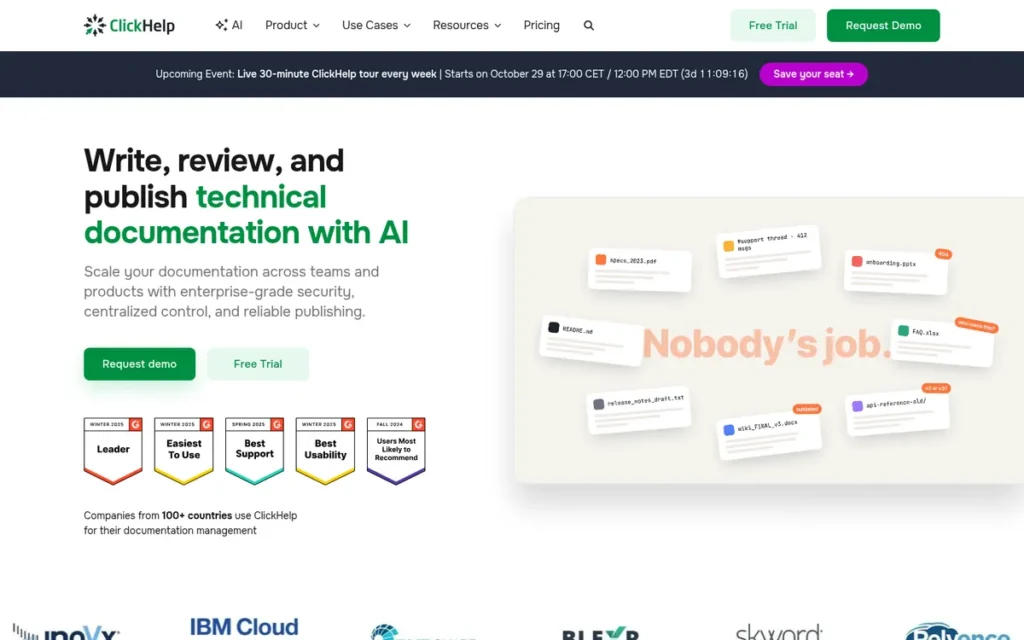
Category: Cloud HAT, a fully browser-native help authoring and publishing platform that delivers enterprise HAT capabilities (conditional content, multi-format output, topic reuse, reader analytics) through a SaaS model without desktop installation or operating system restrictions.
At a Glance
- Category: Cloud HAT
- Best For: Documentation teams of 2–10 writers who need enterprise HAT capabilities (conditional content, multi-format output, and topic reuse) without a Windows dependency, desktop installation, or per-seat pricing that scales steeply with team size
- Price Range: $185/month (Starter, 2 contributors, 5 GB), $310/month (Growth, 5 contributors, 15 GB), $610/month (Professional, 10 contributors, 30 GB), team-based pricing verified from ClickHelp’s official pricing page as of May 2026; annual billing reduces the Professional tier to approximately $525/month
- Primary Strength: ClickHelp delivers MadCap Flare-comparable help authoring capabilities (including conditional content, multi-format output (HTML5, PDF, CHM, DOCX), and topic reuse) through a fully browser-native interface that works on any operating system without installation or virtualization
- Biggest Limitation: ClickHelp’s content reuse architecture is less granular than MadCap Flare’s (no snippet conditions or snippet variables, no DITA support), and its native AI features are limited compared to Document360’s Eddy AI suite
- One-Line Summary: ClickHelp is the cloud-native help authoring tool best suited for documentation teams of 2–10 writers who need HAT-grade single-sourcing and multi-format output without the Windows requirement, desktop installation, or per-seat pricing of enterprise desktop tools.
- Last Verified: May 2026
Overview
ClickHelp is a fully cloud-based, browser-native help authoring and publishing platform for technical documentation teams that need enterprise HAT capabilities (including conditional content, single-sourcing, and multi-format publishing to HTML5, PDF, CHM, and DOCX) without the Windows requirement or desktop installation that constrains tools like MadCap Flare, HelpNDoc, and HelpSmith. ClickHelp uses team-based pricing ($185–$610/month for the whole team as of May 2026, verified from ClickHelp’s official pricing page), which creates meaningful per-writer cost advantages for teams of five or more compared to per-seat tools.
ClickHelp includes native reader analytics at all tiers (documenting user search behavior and topic engagement) a capability that MadCap Flare gates behind a separately purchased MadCap Central subscription.
Key Features
- Browser-Native, OS-Agnostic Authoring: ClickHelp provides fully browser-native authoring and publishing that requires no desktop installation and runs on any operating system, eliminating the Windows-only constraint of competing desktop HATs without requiring virtualization or additional hardware configuration.
- Conditional Content and Six-Format Import: ClickHelp supports conditional content for audience-specific publishing variations and imports from six legacy formats (Word, HTML, Markdown, RTF, CHM, and ODT) reducing migration friction for teams moving from desktop HATs or Word-based documentation systems, per G2’s ClickHelp feature listing (2026).
- Multi-Format Publishing: ClickHelp publishes to HTML5 web help, PDF, CHM, and DOCX from a single project, with password-protected portal options and portal-level branding for customer-facing documentation sites.
- Native Reader Analytics at All Tiers: ClickHelp includes built-in reader analytics (documenting user search behavior, topic engagement, and navigation patterns) at all pricing tiers without requiring a separate add-on subscription, unlike MadCap Flare’s analytics model.
- Real-Time Team Collaboration: ClickHelp supports multi-user concurrent editing, team review workflows, and commenting, capabilities architecturally unavailable in single-user desktop tools like HelpNDoc and HelpSmith.
Best For
ClickHelp is best for technical documentation teams of two to ten writers who need genuine HAT capabilities (including conditional content, topic reuse, and multi-format publishing) delivered through a cloud SaaS model that works across operating systems and does not require managing desktop software installations, Windows virtualization, or per-user licensing that scales steeply with team size.
Pricing
ClickHelp uses team-based (not per-user) pricing: Starter at $185/month (2 contributors, 5 GB storage), Growth at $310/month (5 contributors, 15 GB storage), and Professional at $610/month (10 contributors, 30 GB storage). Annual billing reduces the Professional tier to approximately $525/month, a 14% discount confirmed from ClickHelp’s official pricing page (May 2026).
At the Professional tier with monthly billing, the effective per-writer cost is approximately $61/writer/month for 10 writers, significantly lower than MadCap Flare’s estimated ~$167/user/month. For a 10-writer team, ClickHelp’s Professional plan costs approximately $7,320/year versus MadCap Flare’s estimated $20,040/year. Verify current pricing at clickhelp.com before building a budget case.
Strengths
- ClickHelp’s team-based Professional plan costs approximately $61/writer/month for a 10-writer team (compared to MadCap Flare’s estimated ~$167/user/month) a per-writer cost difference of roughly 63% for comparable core HAT functionality, confirmed from ClickHelp’s published pricing and community-referenced Flare estimates (May 2026).
- ClickHelp is the only tool in this evaluation that delivers HAT-grade capabilities (conditional content, multi-format output, topic reuse) entirely through a browser-native interface with no OS restriction and no desktop software installation required.
- ClickHelp includes reader analytics natively at all tiers, providing user search behavior and topic engagement data that MadCap Flare gates behind a separately purchased MadCap Central subscription, a meaningful total-cost-of-ownership differentiator for analytics-driven documentation teams.
- ClickHelp supports imports from Word, HTML, Markdown, RTF, CHM, and ODT: the broadest legacy format import support in this evaluation, per G2’s ClickHelp feature listing (2026), reducing migration friction for teams moving from desktop HATs or Word-based documentation systems.
Limitations
- Capability Ceiling vs. Enterprise HATs: ClickHelp’s content reuse architecture is less granular than MadCap Flare’s (it lacks snippet conditions and snippet variables and does not support DITA or structured XML authoring) making it unsuitable for regulated industries or enterprise teams requiring DITA-compliant documentation workflows.
- Limited Native AI Features: ClickHelp’s native AI features are limited compared to Document360’s integrated Eddy AI suite, which provides semantic search, conversational chatbot capabilities, and gap detection analytics that ClickHelp does not match as of May 2026.
- Storage Caps by Tier: ClickHelp’s per-project storage limits: 5 GB at Starter, 15 GB at Growth, 30 GB at Professional, can force an earlier pricing tier upgrade for teams with large image or video asset libraries, making storage volume rather than team size the upgrade trigger for some documentation workflows.
- Modest Practitioner Community: ClickHelp’s r/technicalwriting presence is small (“somewhere in the middle, but nothing really stood out enough for us to commit” (u/gelxc, r/technicalwriting, April 2026)) meaning peer troubleshooting resources are harder to find than for MadCap Flare.
Verdict
ClickHelp is the strongest cloud-native alternative to MadCap Flare for documentation teams that need genuine HAT capabilities without the Windows requirement, steep learning curve, or per-seat pricing that scales steeply with team size, earning the #2 ranking through transparent team-based pricing, native analytics, browser-native delivery, and the broadest legacy import format matrix in this evaluation. Teams where deployment model flexibility and pricing predictability are decisive should choose ClickHelp; teams needing maximum content reuse depth, DITA compliance, or the peer support depth of the Flare community should evaluate MadCap Flare first and treat ClickHelp as the cost-effective cloud alternative when Flare’s capability ceiling exceeds what the team actually needs.
3. Document360: Best AI-Native Platform: Customer-Facing Knowledge Bases and SaaS Help Centers
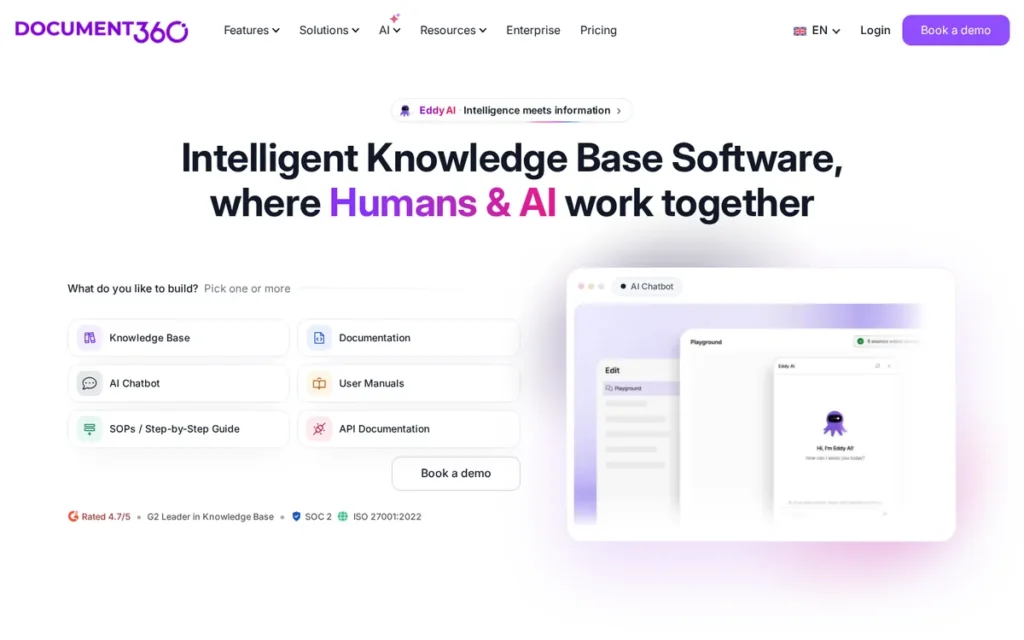
Category: Cloud Knowledge Base/HAT Hybrid, a cloud documentation platform that bridges traditional help authoring and modern knowledge base software, supporting public help centers, internal wikis, and API documentation from a single AI-powered workspace.
At a Glance
- Category: Cloud Knowledge Base/HAT Hybrid
- Best For: SaaS product teams and documentation managers who need to serve customer-facing self-service help, internal SOPs, and API documentation from one AI-powered cloud platform, without the complexity of enterprise desktop HATs
- Price Range: Free tier available; paid tiers scale by team accounts, storage, and knowledge bases, AI features (Eddy AI suite) gated to Business and Enterprise tiers; verify exact pricing at document360.com/pricing as of May 2026
- Primary Strength: Document360 provides the most integrated native AI documentation suite in this evaluation through Eddy AI, combining writing assistance, semantic search, end-user conversational chatbot, no-result gap detection analytics, and federated search in one cloud platform
- Biggest Limitation: Document360 outputs exclusively to its hosted web portal: producing no CHM files, no compiled offline help, no complex paginated PDF output, and no Markdown for docs-as-code workflows, and is consistently described as insufficient for complex structured authoring by experienced technical writers
- One-Line Summary: Document360 is the AI-native cloud documentation platform best suited for SaaS product teams that need customer-facing self-service help, internal knowledge management, and ticket-deflection analytics in one workspace, and do not require enterprise-grade single-sourcing, multi-format desktop publishing, or DITA-compliant structured authoring.
- Last Verified: May 2026
Overview
Document360 is a cloud-based knowledge base and documentation platform developed from a 2017 Kovai.co hackathon and officially launched in 2018, occupying a distinct market position between traditional HATs and simple wiki tools. Document360 supports public help centers, internal SOPs, API documentation portals, and product manuals with AI-powered writing, search, and analytics from a single workspace, without the complexity of enterprise desktop tools like MadCap Flare.
Document360’s Eddy AI suite is the most integrated native AI documentation system in this evaluation, confirmed through Document360’s official product documentation (docs.document360.com, May 2026). Document360 supports mixed-access configurations (reader group controls at the folder level) enabling software companies to serve both external users and internal teams from a single workspace. Independent technical writing authority Tom Johnson (idratherbewriting.com, 2026) cited Document360 as a “hybrid between tech docs and support tools,” validating its genuine market differentiation.
Key Features
- Eddy AI Suite: Document360’s Eddy AI suite provides native AI writing assistance, AI-powered semantic search, an end-user conversational chatbot interface, no-result gap detection analytics, and federated search across external sources, the most integrated AI feature set in this evaluation, confirmed through Document360’s official documentation (docs.document360.com, May 2026).
- Mixed Public/Private Access Control: Document360 supports mixed-access configurations with reader group controls at the folder level, enabling software companies to serve public product help and private internal documentation (including SOPs and training materials) from a single workspace without dual-system overhead.
- Ticket-Deflection Analytics: Document360’s analytics dashboard tracks user search behavior, identifies no-result queries, and maps search patterns to documentation gaps, creating a closed feedback loop from user behavior to content improvement without a separate third-party analytics tool.
- 50+ Language Localization: Document360 supports 50+ languages for localization within the core platform, without requiring a separate tool like MadCap Lingo, reducing both cost and workflow complexity for multilingual documentation programs.
- 100+ Integrations: Document360 supports version control with rollback, API documentation publishing, and 100+ integrations including Intercom, Freshdesk, HubSpot, and Zendesk (Capterra, 2026).
Best For
Document360 is best for SaaS product teams, customer success teams, and documentation managers who need to stand up a customer-facing help center, internal knowledge base, or product documentation portal with AI-powered search and analytics, and whose primary output is web-hosted documentation rather than CHM, complex PDF, or multi-format desktop publishing.
If any of the following are in your output requirements (CHM for Windows software installers, SCORM for LMS-integrated eLearning, complex paginated PDF for regulatory submissions, or Markdown for developer-facing docs-as-code repos) Document360 is architecturally disqualified regardless of its AI feature advantage. This is a fundamental platform design decision, not a configurable limitation.
Pricing
Document360 offers a Free tier and paid plans including Standard, Professional, Business, Enterprise, and Enterprise+, plus a Startup Program for early-stage companies. AI features (Eddy AI suite) are gated to Business and Enterprise tiers.
Exact dollar amounts were not confirmed from public sources during research. Pricing scales by team accounts, storage, and number of knowledge bases, and can become expensive as teams add multiple product lines requiring separate knowledge bases (r/technicalwriting, 2025). Verify current pricing at document360.com/pricing before building a budget case.
Strengths
- Document360’s Eddy AI suite: including semantic search, AI writing assistance, a conversational end-user chatbot, and no-result gap detection analytics, is the most integrated native AI feature set of any tool in this evaluation, confirmed through Document360’s official product documentation (docs.document360.com, May 2026).
- Document360 was independently cited by Tom Johnson (idratherbewriting.com, 2026): a leading technical writing authority, as uniquely positioned as a “hybrid between tech docs and support tools,” validating its genuine differentiation from both pure knowledge bases and pure HATs.
- Document360’s ticket-deflection analytics connect user search behavior, no-result queries, and AI chatbot interactions to documentation gaps in real time, enabling data-driven content prioritization that competing tools require third-party analytics integrations to approximate.
- Document360 supports 50+ languages for localization within the core platform without a separate translation tool, a meaningful cost and workflow simplification compared to MadCap Flare’s separate MadCap Lingo requirement and a broader language base than ClickHelp’s localization support.
This aligns with long-term community experience on r/technicalwriting:
“I’ve been using Doc360 for the past two years. It’s a good tool that gets the job done but isn’t as advanced as other TW software. It’s quite easy to use, which is a double-edged sword in this case. Occasionally, there’s some frustration because it’s somewhat simplified compared to other more robust (and complex) Knowledge Management Systems (KMS). The advantage is that you can get more people to contribute.” Posted by u/Rudral
Takeaway: Long-term Document360 users confirm it delivers on ease of use and team accessibility, but consistently report a capability ceiling that frustrates writers with more complex documentation requirements.
Limitations
- Web-Portal-Only Output: Document360 outputs exclusively to its hosted web portal (it cannot produce CHM files, compiled offline help, complex paginated PDFs, or Markdown documentation for developer-facing docs-as-code workflows) a hard constraint for teams that need multi-format desktop publishing regardless of AI feature advantages.
- Structured Authoring Ceiling: Experienced technical writers consistently describe Document360 as insufficient for complex content reuse in r/technicalwriting (48,000+ subscribers):
“Doc360 is kind of crap, but it’s objectively MUCH more user-friendly than MadCap Flare. If you don’t actually need the amount of customization and granularity you can get from Flare, I’d probably just stick with Doc360.” (u/amiralko, r/technicalwriting (March 2025))
Takeaway: This characterization (simultaneously criticizing depth and acknowledging usability leadership) captures Document360’s genuine market position: it wins on accessibility for non-specialist teams and loses on structured authoring depth for experienced technical writers.
- Platform Stability at Scale: Long-term enterprise users have documented stability concerns, with at least one team reporting weekly bug cycles where fixes introduced new regressions: “When a bug was ‘fixed’ it knocked something that worked well out of whack” (u/B1gw1g, r/technicalwriting, February 2025).
- Scaling Pricing Complexity: Document360’s total cost of ownership increases significantly as teams add AI features, multiple knowledge bases, and additional team accounts, making entry-tier pricing misleading for growing organizations planning multi-product deployments.
Verdict
Document360 is the strongest AI-native cloud documentation platform for SaaS teams needing customer-facing self-service help and ticket-deflection analytics without the complexity of enterprise desktop HATs, earning its #3 ranking through the most integrated native AI suite in this evaluation and a genuinely differentiated hybrid positioning between knowledge base and technical documentation tool. Document360 is not suitable for documentation teams requiring multi-format desktop publishing, CHM output, DITA compliance, or the structured content reuse depth of enterprise HATs, for those requirements, MadCap Flare or ClickHelp are more appropriate choices regardless of Document360’s AI feature advantage.
4. HelpNDoc: Best Free Desktop HAT: Solo Writers and Open Source Projects
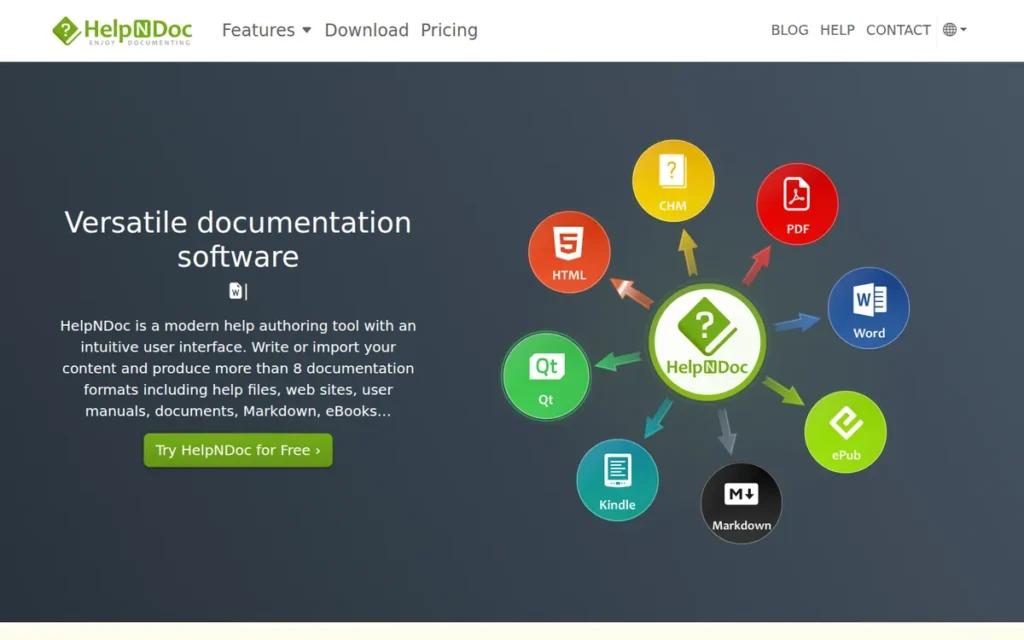
Category: Budget Desktop HAT, a Windows-based, single-user help authoring tool with a free personal-use license that supports multi-format publishing (8+ formats) from a single project, optimized for solo writers and FOSS projects where no concurrent authoring is required.
At a Glance
- Category: Budget Desktop HAT
- Best For: Solo technical writers, freelancers, and FOSS projects that need multi-format HAT capabilities (CHM, PDF, ePub, Kindle, HTML) on a tight budget or at zero cost, where a single author will always be the sole contributor
- Price Range: Free (personal and FOSS use: no capability limitations); commercial license approximately $100–$300 one-time (community-referenced estimates, not confirmed from the official pricing page; verify at helpndoc.com/pricing as of May 2026)
- Primary Strength: HelpNDoc is the only tool in this evaluation with a genuinely unrestricted free tier for personal use, supporting 8+ output formats including CHM, PDF, Word, ePub, and Kindle from a single project, matching enterprise format breadth at zero cost for qualifying users
- Biggest Limitation: HelpNDoc uses a file-locking mechanism that allows only one user to work on a project at a time, confirmed by independent review (indoition.com), an architectural design constraint that disqualifies HelpNDoc for any documentation workflow requiring simultaneous editing by more than one contributor
- One-Line Summary: HelpNDoc is the best free help authoring tool for solo writers and open source projects, offering 8+ output formats and conditional generation from a single Windows-based project, but its single-user file-lock architecture makes it architecturally unsuitable for any team documentation workflow with more than one concurrent author.
- Last Verified: May 2026
Overview
HelpNDoc is a Windows-based desktop help authoring tool developed by IBE Software (Belgium) that publishes to 8+ output formats (including HTML help websites, CHM, PDF, Word, ePub, Kindle, and iPhone-compatible sites) from a single project, and uniquely offers a free personal-use license with no capability limitations for qualifying solo writers and FOSS projects. HelpNDoc is the most frequently recommended budget HAT in r/technicalwriting discussions for writers who need enterprise-caliber output formats at minimal cost.
HelpNDoc’s conditional generation capability supports audience-specific documentation variants, and its built-in scripting API enables workflow automation, capabilities that typically require enterprise licensing in competing tools.
Key Features
- 8+ Output Formats from One Project: HelpNDoc publishes to HTML help websites, compiled CHM files, PDF manuals, Microsoft Word documents, ePub eBooks, Kindle eBooks, iPhone-compatible sites, and web documents simultaneously from a single project, matching enterprise tool format breadth without enterprise pricing, per HelpNDoc’s official product page.
- Conditional Generation for Multi-Audience Publishing: HelpNDoc’s conditional generation feature supports publishing multiple documentation variants for different audiences, products, or environments from a single project, providing core single-sourcing capability at a budget price point.
- Built-In Scripting API: HelpNDoc includes a scripting API for workflow automation, enabling power users to automate repetitive tasks such as batch-generating documentation variants, a capability typically reserved for enterprise-licensed authoring tools at this price level.
- Active Development Cadence: HelpNDoc v9.1 (March 2024) introduced a dynamic content library enabling authors to embed adaptive HTML and JavaScript directly in output templates, allowing customized UI components and interactive widgets without modifying the authoring project itself, confirmed from HelpNDoc’s official release notes.
- Free Personal and FOSS License: HelpNDoc offers a free personal-use license with no capability limitations and qualifies FOSS projects for free use, making it the most accessible full-featured HAT evaluation option in the category, confirmed from HelpNDoc’s official product page.
Best For
HelpNDoc is best for solo technical writers, freelancers, and open source project maintainers who need to produce CHM, PDF, ePub, and HTML documentation from a single source on a tight or zero budget, and who are certain their documentation workflow will permanently remain single-author.
Pricing
HelpNDoc’s free personal-use license provides full HAT capabilities at zero cost for personal and FOSS qualifying use, the only tool in this evaluation that provides full functionality at no cost. Commercial licenses are available for business use at approximately $100–$300 one-time (community-referenced estimates; exact tiers not confirmed from the official pricing page, verify at helpndoc.com/pricing before purchasing as of May 2026).
Even at commercial pricing, HelpNDoc’s one-time cost is significantly below monthly subscription tools like MadCap Flare (~$167/user/month) or ClickHelp ($185+/month per team).
Strengths
- HelpNDoc’s free personal-use license provides full HAT capabilities: including 8+ output formats and conditional generation, at zero cost for personal users and FOSS projects, confirmed by IBE Software’s official product page and validated by r/technicalwriting community testimony: “Have you checked HelpNDoc so far? It might not be as powerful as MadCap Flare but it supports conditional generation… it is free for evaluation purposes so you can take your time to investigate” (u/johnjbar, r/technicalwriting, May 2024).
- An independent review by indoition.com: an authoritative HAT review site, describes HelpNDoc as offering “a surprisingly large and professional range of features” relative to its price point, specifically praising its format breadth and scripting capability for the budget segment.
- HelpNDoc’s active development cadence: v8.8 in July 2023, v9.1 in March 2024, with ongoing releases per HelpNDoc’s official release notes, demonstrates continued product investment by IBE Software, addressing the sustainability concern buyers raise about small independent software vendors in niche categories.
- HelpNDoc’s 8+ confirmed output formats: including Kindle eBook output not available in most enterprise HATs in this evaluation, represent the highest format breadth relative to price of any tool in this comparison at its cost tier.
Users on r/technicalwriting noted:
“HelpnDoc is good because it doesn’t have a steep learning curve and the personal edition is free for use without any limitations unless you plan to use it commercially. You should be able to work comfortably soon with it. The only thing (like Robohelp 2017) is that it doesn’t come with an image capturing tool. For this you’ll have to use one of those free ones like ShareX or SnipSVG from Help + Manual.” Posted by u/slsubash
Takeaway: HelpNDoc’s free personal-use license delivers genuine accessibility and usability for solo writers, but the missing screen capture tool is a workflow gap that independent practitioners consistently confirm, making a third-party screenshot utility a required companion tool, not an optional one.
Limitations
- Single-User Architecture, Non-Negotiable Disqualifier: HelpNDoc uses a file-locking mechanism that allows only one user to work on a project at a time, confirmed by independent review from indoition.com, and this is an architectural design decision, not a configurable feature, that disqualifies HelpNDoc for any documentation team with more than one concurrent writer.
- No Built-In Screen Capture: HelpNDoc does not include a built-in screen capture or image annotation tool (unlike HelpSmith) requiring a separate screenshot utility (such as Snagit, ShareX, or SnipSVG) for image-rich documentation workflows (u/slsubash, r/technicalwriting, June 2025).
- No AI Features: HelpNDoc has no AI writing assistance or AI-powered search features, placing it at a competitive disadvantage for teams whose procurement decisions weight modern AI capabilities alongside format support and content reuse depth.
- False Economy at Growing Organizations: The r/technicalwriting community flags HelpNDoc as a false economy for teams at organizations expecting growth:
“If your business plans to grow… If you experiment with the cheap tools now, you will ultimately cost the company more money in the long run.” (u/Manage-It, r/technicalwriting (July 2025))
Takeaway: The false-economy warning applies most directly to solo writers at companies expecting documentation team growth, the free personal license creates zero barrier to adoption but a real migration barrier once a second writer joins the project.
Verdict
HelpNDoc is the best free help authoring tool for solo technical writers (providing enterprise-caliber output format breadth (8+ formats) and conditional generation at zero cost for personal and FOSS use) and earns its #4 ranking through the strongest pricing transparency and value score in this evaluation for its target segment. HelpNDoc’s single-user file-lock architecture is a non-negotiable disqualifier for any team documentation workflow, and writers at organizations expecting documentation needs to grow should evaluate ClickHelp or MadCap Flare rather than adopt a tool they will need to migrate from as soon as a second writer joins the project.
5. Adobe RoboHelp: Best for Enterprise Platform Integrations: Zendesk, Salesforce, ServiceNow, and AEM
Category: Legacy Desktop HAT, a Windows-based help authoring tool (claimed Mac support not independently confirmed from official product specifications as of May 2026) with 20+ years of market history, differentiated by native publishing integrations with Zendesk, Salesforce, ServiceNow, and Adobe Experience Manager, and the lowest per-user pricing of any enterprise-tier HAT in this evaluation.
At a Glance
- Category: Legacy Desktop HAT
- Best For: Organizations already using Adobe Experience Manager, Zendesk, Salesforce, or ServiceNow as their customer-facing documentation delivery layer, where direct publishing integration from the HAT to the enterprise support or CMS platform is a decisive workflow requirement
- Price Range: $29.99/user/month on an annual commitment (confirmed from Adobe’s official FAQ, May 2026), verify the full current tier structure at adobe.com/products/robohelp before building a budget comparison; Enterprise pricing requires contacting Adobe sales
- Primary Strength: Adobe RoboHelp provides native publishing integrations with Zendesk, Salesforce, ServiceNow, and Adobe Experience Manager (enabling direct content delivery into enterprise support platforms without manual export or import) a direct platform publishing capability not offered by any other help authoring tool evaluated in this comparison as of May 2026
- Biggest Limitation: Adobe RoboHelp’s 2019+ redesign is near-unanimously discouraged by the r/technicalwriting community (48,000+ subscribers) for losing features from RoboHelp Classic, requiring HTML/CSS/JavaScript proficiency that many non-developer writers lack, and carrying credible community-documented concerns about declining Adobe product investment
- One-Line Summary: Adobe RoboHelp is the help authoring tool best suited to organizations using Zendesk, Salesforce, ServiceNow, or Adobe Experience Manager as their documentation delivery layer, offering direct publishing integrations no competitor matches at $29.99/user/month, but carries significant, community-documented concerns about feature regression and declining product investment.
- Last Verified: May 2026
Overview
Adobe RoboHelp is a Windows-based help authoring tool (with claimed Mac support not independently confirmed from official product specifications as of May 2026) with more than 20 years of market history, differentiated in this evaluation by its native publishing integrations with Zendesk, Salesforce, ServiceNow, and Adobe Experience Manager. These integrations are confirmed on Adobe’s official product and documentation pages (May 2026) and represent a capability no other HAT in this evaluation provides.
Adobe RoboHelp has been owned by Adobe since the 2003 Macromedia acquisition. The technical writing community has documented sustained concerns that Adobe’s investment in RoboHelp has declined significantly since the 2019 redesign, concerns confirmed across multiple r/technicalwriting threads from 2024–2026.
Key Features
- Native Enterprise Platform Publishing Integrations: Adobe RoboHelp provides native publishing integrations with Zendesk, Salesforce, ServiceNow, and Adobe Experience Manager (AEM), enabling technical writers to push documentation directly into enterprise support portals and CMS systems without a separate content migration step, confirmed on Adobe’s documentation pages (May 2026).
- Frameless Responsive HTML5 with Unique Per-Page URLs: Adobe RoboHelp’s Frameless Responsive HTML5 output assigns unique per-page URLs to each topic, enabling documentation content to be indexed by search engines as individual discoverable web pages rather than locked behind iframes or compiled files, per Adobe’s HTML5 publishing page.
- Micro-Content for AI Chatbot Interfaces: Adobe RoboHelp includes micro-content features designed for AI chatbot interfaces, enabling teams to repurpose documentation snippets as structured responses in conversational self-service systems, confirmed on Adobe’s features page.
- Multi-Format Single-Source Publishing: Adobe RoboHelp supports single-source publishing to HTML5, PDF, CHM, Mobile, and ePub from one project, with conditional content for audience-specific publishing variations and DITA workflow support.
- Adobe Ecosystem Pipeline: Adobe RoboHelp integrates with Adobe Acrobat and Creative Cloud and publishes directly to Adobe Experience Manager, a unique pipeline for enterprises standardized on the Adobe stack, confirmed on Adobe’s product page.
Best For
Adobe RoboHelp is best for organizations already using Zendesk, Salesforce, ServiceNow, or Adobe Experience Manager as their customer-facing documentation delivery layer (and for long-term RoboHelp Classic users whose existing workflow justifies continuity over switching) particularly where the per-user price gap versus MadCap Flare is a decisive procurement factor.
Note: Mac support for Adobe RoboHelp is claimed in a single user testimonial on Adobe’s reviews page but has not been independently confirmed from official Adobe product specifications as of May 2026. Verify Mac compatibility directly with Adobe before including it as a purchasing criterion.
Pricing
Adobe RoboHelp pricing is confirmed at $29.99/user/month on an annual commitment (Adobe’s official FAQ, May 2026). Verify the full current tier structure (including whether a higher-featured tier exists) directly at adobe.com/products/robohelp, as a multi-tier option was not independently confirmed during research. Enterprise pricing requires contacting Adobe sales.
The confirmed $29.99/user/month rate is significantly lower than MadCap Flare’s estimated ~$167/user/month. This pricing advantage should be explicitly weighed against community-documented concerns about product investment trajectory before treating price alone as a decision factor.
Strengths
- Adobe RoboHelp provides native direct publishing integrations with Zendesk, Salesforce, ServiceNow, and Adobe Experience Manager (confirmed on Adobe’s official product and documentation pages (May 2026)) a direct platform publishing capability not offered by any other help authoring tool evaluated in this comparison as of May 2026, eliminating manual export-import workflows for organizations using these platforms as their documentation delivery layer.
- Adobe RoboHelp’s confirmed per-user pricing of $29.99/user/month (Adobe’s official FAQ, May 2026) is significantly lower than MadCap Flare’s estimated ~$167/user/month, a material cost difference for budget-constrained teams whose use case aligns with what RoboHelp currently delivers.
- Adobe RoboHelp’s Frameless Responsive HTML5 output assigns unique per-page URLs to each help topic (confirmed on Adobe’s HTML5 publishing page) enabling documentation to be indexed as individual web pages by search engines for organic search discoverability.
- Long-term RoboHelp users note feature parity with MadCap Flare in core areas: “It is a literal carbon copy of RH, very similar look/feel, same output presets, same features like snippets, variables” (u/mmmagic1216, r/technicalwriting, March 2026), making it a viable continuity choice for teams where the Flare premium is hard to justify.
Limitations
- Near-Unanimous Community Discouragement: Adobe RoboHelp is near-unanimously discouraged by the r/technicalwriting community with specific, evidence-based criticisms:
“Really no reason to go with RoboHelp when Flare exists.” (u/FaxedForward, r/technicalwriting (2025))
Takeaway: This verdict (corroborated by dozens of confirming responses across multiple threads) reflects the consensus that RoboHelp’s pricing advantage does not offset its community-documented limitations for teams starting a fresh HAT evaluation without legacy RoboHelp investment.
- HTML/CSS/JavaScript Skill Requirement: Adobe RoboHelp’s 2019+ version requires HTML, CSS, and JavaScript proficiency that many non-developer technical writers lack (“RoboHelp is bloated, buggy and requires decent HTML and CSS knowledge” (u/Fine-Koala389, r/technicalwriting, 2024)) positioning it poorly against tools that abstract web styling from authors.
- Unconfirmed Mac Support: Adobe RoboHelp’s claimed Mac support: cited from a single user testimonial on Adobe’s own review page, has not been independently confirmed from official Adobe product specifications as of May 2026 and must be verified directly with Adobe before Mac compatibility is treated as a purchasing factor.
- Product Investment Trajectory: The r/technicalwriting community has explicitly compared RoboHelp’s trajectory to FrameMaker’s slow decline: “I get the feeling RoboHelp is going the way of FrameMaker and getting buggier and not a priority for Adobe” (u/Fine-Koala389, r/technicalwriting, 2024), a concern that affects long-term platform risk assessment for teams making 3–5 year deployment decisions.
Verdict
Adobe RoboHelp earns its #5 ranking through a specific, defensible enterprise integration advantage, native publishing pipelines to Zendesk, Salesforce, ServiceNow, and Adobe Experience Manager, and the confirmed lowest per-user pricing of any enterprise-tier HAT in this evaluation at $29.99/user/month, making it a genuinely defensible choice for organizations where these integrations are workflow-critical and cost is decisive. Adobe RoboHelp is not the right choice for teams selecting a HAT fresh without legacy RoboHelp investment or a specific enterprise platform integration requirement: the r/technicalwriting community’s evidence-based discouragement, grounded in feature regression, web skill requirements, and credible product investment concerns, is too consistent and well-documented to dismiss without a clear use-case justification.
6. HelpSmith: Best Perpetual-License Desktop HAT with Bundled Screen Capture
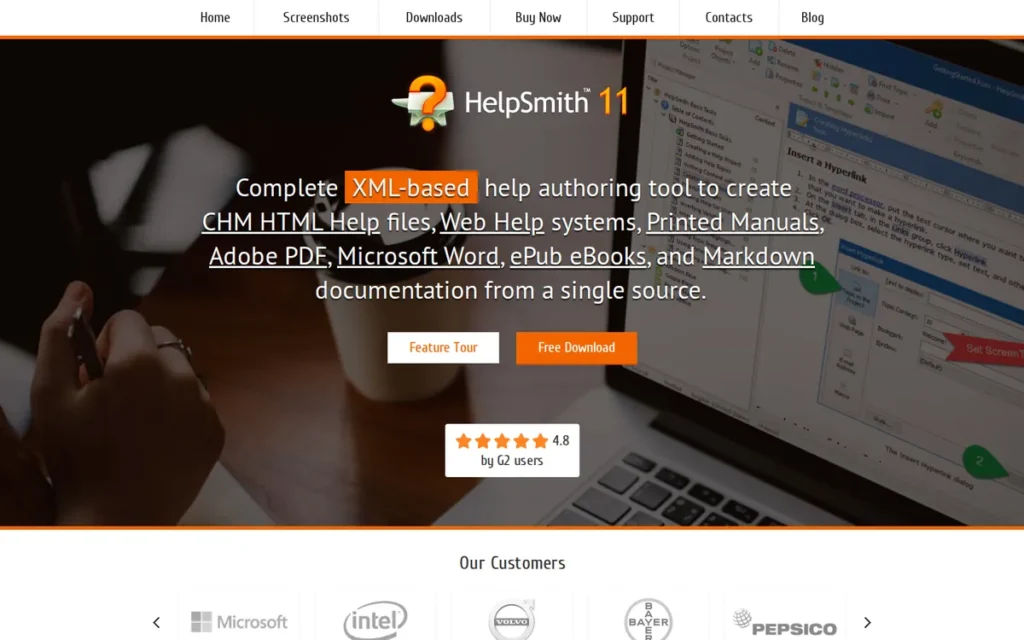
Category: Budget Desktop HAT, a Windows-based, perpetual-license help authoring tool with bundled screen capture and annotation, 6 output formats, and core single-sourcing features, optimized for solo technical writers who need integrated screenshot workflows at a one-time cost.
At a Glance
- Category: Budget Desktop HAT
- Best For: Solo technical writers on Windows who need CHM, Web Help, PDF, ePub, and Markdown output with integrated screen capture and annotation at a one-time cost, and who prioritize avoiding recurring subscription fees over accessing a large peer support community
- Price Range: Starting at $199 one-time per user (perpetual license: confirmed from SelectHub, May 2026; verify current pricing at helpsmith.com/buynow.php before purchasing)
- Primary Strength: HelpSmith bundles screen capture and image annotation natively (the only desktop HAT in this evaluation to do so) eliminating the third-party screenshot tool dependency that HelpNDoc and most other desktop HATs require for image-rich documentation workflows
- Biggest Limitation: HelpSmith has near-zero organic presence in the r/technicalwriting community (48,000+ subscribers), meaning buyers will find almost no peer-sourced troubleshooting resources, third-party tutorials, or independent community validation, a real support risk for any tool where configuration issues and edge cases are inevitable
- One-Line Summary: HelpSmith is the only desktop help authoring tool in this evaluation that bundles screen capture and annotation natively at a $199 one-time perpetual license, but buyers must independently verify peer community support and vendor continuity before committing, given the near-zero practitioner community presence.
- Last Verified: May 2026
Overview
HelpSmith is a Windows-based desktop help authoring tool developed by Divcom Software that publishes to 6 output formats, CHM, Web Help (HTML), PDF, Microsoft Word, ePub, and Markdown, from a single project, and uniquely bundles a screen capture tool with image annotation natively, eliminating the third-party screenshot utility dependency required by HelpNDoc and most competing desktop HATs. HelpSmith’s perpetual license starts at $199 one-time per user (SelectHub, May 2026), the lowest total cost over any 2+ year ownership period of any commercial HAT in this evaluation.
HelpSmith v10.4 was released January 23, 2026, adding dynamic filters for help topics and keywords plus automatic header file generation (confirmed from HelpSmith’s official release blog) demonstrating active ongoing development. HelpSmith’s near-zero organic presence in r/technicalwriting is a material support risk that buyers should factor explicitly into their evaluation.
Key Features
- Built-In Screen Capture and Annotation: HelpSmith includes a native screen capture tool with image annotation (the only desktop HAT in this evaluation to do so) eliminating the dependency on third-party screenshot utilities such as Snagit or ShareX for documentation workflows that rely on annotated UI screenshots.
- 6-Format Single-Source Publishing: HelpSmith publishes to 6 confirmed output formats from a single project (CHM, Web Help (HTML), PDF, Microsoft Word, ePub, and Markdown) supporting multi-channel documentation distribution without maintaining separate source files for each format.
- Dynamic XML-Based Styles System: HelpSmith’s dynamic XML-based styles system provides consistent, maintainable documentation formatting, at least one user credited this feature with significant maintenance time savings (HelpSmith testimonials page, helpsmith.com, vendor-published testimonial; treat as illustrative feedback, not independently verified data).
- Conditional Sections and Variables: HelpSmith supports conditional sections for audience-specific content variants and variables for reusable text snippets, core single-sourcing capabilities delivered at a one-time license cost rather than a recurring subscription.
- Flexible License Options: HelpSmith offers both single-user perpetual licenses (installable on a main computer plus one secondary) and floating licenses for terminal server or client-server concurrent use, an unusual licensing flexibility at this price point, confirmed from HelpSmith’s Wikipedia page.
Best For
HelpSmith is best for solo technical writers on Windows who need CHM, Web Help, PDF, ePub, and Markdown output alongside integrated screen capture and annotation, and who prefer a one-time perpetual license over an ongoing subscription commitment, and are willing to conduct independent due diligence on community support availability before purchasing.
Pricing
HelpSmith commercial licensing starts at $199 one-time per user (perpetual license, confirmed from SelectHub, May 2026). No annual subscription is required. Verify current pricing at helpsmith.com/buynow.php, the $199 figure cited here is from SelectHub and should be confirmed directly on Divcom Software’s site before purchase.
This one-time cost compares favorably with a single month of MadCap Flare (~$167/user/month) or ClickHelp’s team plans ($185+/month) over any multi-year ownership period. Exact Standard vs. Professional tier differentiation and upgrade pricing were not confirmed from public sources during research.
Strengths
- HelpSmith’s $199 one-time perpetual license (SelectHub, May 2026) provides a lower total cost of ownership than a single month of MadCap Flare (~$167/user/month), making it the most affordable commercial HAT option across any multi-year horizon for solo writers who do not require team collaboration features.
Users on r/technicalwriting noted:
“I think Help+Manual is a good choice. However, I can also recommend HelpSmith as it has code blocks with syntax highlighting which work directly in the editor. By the way, the built-in editor in the recent update added styles including combined paragraph+text styles and table styles just like in MS Word. And this help authoring tool is even cheaper than H+M. Frankly, you will not find such a set of features in other low-cost documentation software.” Posted by u/OneStock4469
Takeaway: Independent practitioners who test HelpSmith against peer budget tools consistently single out its editor feature depth and pricing as genuinely exceptional for the low-cost desktop HAT segment.
- HelpSmith v10.4 was released January 23, 2026 (HelpSmith official release blog, 2026), demonstrating active development and addressing the product sustainability concern buyers typically raise about small independent software vendors in niche categories.
- HelpSmith’s bundled screen capture and annotation tool eliminates the dependency on third-party screenshot utilities (a workflow friction point present in HelpNDoc and most other desktop HATs) making it the more integrated out-of-the-box authoring experience for documentation workflows that rely heavily on annotated UI screenshots.
- HelpSmith’s floating license option for concurrent terminal server use is an unusual licensing flexibility at this price point that may benefit small organizations with shared workstations or remote desktop environments, confirmed from HelpSmith’s Wikipedia page.
Limitations
- Near-Zero Practitioner Community Presence: HelpSmith has almost no organic presence in r/technicalwriting (48,000+ subscribers), with the most notable mention being: “I can’t seem to find anyone who actually uses HelpSmith which makes me wary about being able to find resources to troubleshoot issues” (u/BeefEater81, r/technicalwriting, May 2024), a real support risk for any tool where configuration issues and edge cases are inevitable.
- Vendor Opacity: Divcom Software maintains a very low public profile: no founding year, headquarters location, team size, or funding information is publicly available, creating opacity around business continuity that buyers should investigate through direct vendor communication before committing to a long-term deployment.
- Windows-Only and Effectively Single-User: HelpSmith is Windows-only and single-user by default, with the floating license option providing limited multi-author support that does not approximate the real-time collaboration available in cloud tools like ClickHelp or Document360.
- Output Format Ceiling Relative to HelpNDoc: HelpSmith publishes to 6 confirmed output formats (CHM, Web Help, PDF, Word, ePub, and Markdown) which is fewer than HelpNDoc’s 8+ formats, which additionally include Kindle eBook and iPhone-compatible HTML output. Teams whose format requirements include Kindle distribution or iPhone-optimized help portals should evaluate HelpNDoc’s additional format support before defaulting to HelpSmith solely for the screen capture integration.
Verdict
HelpSmith is the best perpetual-license desktop HAT with bundled screen capture for solo Windows writers who need CHM, Web Help, PDF, ePub, and Markdown output at a one-time cost, earning its #6 ranking through the most affordable commercial licensing in this evaluation and a genuinely differentiated screen capture integration that no competing desktop tool provides. HelpSmith’s near-zero community presence is not a minor concern but a material support risk: buyers should conduct a thorough trial period, verify current vendor responsiveness through direct communication, and independently search for third-party reviews on named platforms (G2, Capterra) before committing, and teams expecting documentation needs to grow beyond a single writer should evaluate ClickHelp or MadCap Flare to avoid a premature forced migration.
7. Docsie: Best for AI-Assisted Documentation from Video and Multimedia Assets

Category: AI Documentation Platform, a cloud-based documentation system that converts video recordings, PDFs, and existing documents into structured, publishable documentation using AI, with 100+ language auto-translation and a credit-based consumption model for AI processing tasks, distinct from traditional HATs that author structured content from scratch.
At a Glance
- Category: AI Documentation Platform
- Best For: Organizations with large libraries of training videos, screen recordings, or PDFs that need conversion into searchable, structured web documentation, particularly global teams requiring 100+ language coverage without a separate professional translation workflow
- Price Range: Free (limited, 1 workspace); $170/month Premium (15 team members, 300,000 AI credits/month, 50 GB); $750/month Enterprise (unlimited team members, custom credits), credit add-ons available separately; verify at docsie.io/pricing as of May 2026
- Primary Strength: Docsie converts 30-minute training videos into structured documentation in approximately 15 minutes using AI (vendor claim, not independently tested) (a documentation creation model unavailable in any other tool in this evaluation) and auto-translates content into 100+ languages at the Premium tier
- Biggest Limitation: Docsie has no confirmed organic presence in the r/technicalwriting practitioner community (48,000+ subscribers), its headline rating (4.8/5.0, 100+ reviews) is self-cited from marketing materials without independent platform confirmation, and its credit-based pricing model creates budgeting unpredictability for teams with variable monthly documentation volumes
- One-Line Summary: Docsie is the only documentation platform in this evaluation that converts video and multimedia assets into structured documentation using AI and auto-translates into 100+ languages, but its near-zero practitioner community presence and self-cited unverified ratings require thorough independent due diligence before purchase.
- Last Verified: May 2026
Overview
Docsie is a cloud-based AI documentation platform that takes a fundamentally different approach to documentation creation than traditional help authoring tools: rather than authoring from scratch, Docsie converts existing video recordings, screen captures, PDFs, and websites into structured, publishable documentation using AI. The vendor cites 30-minute training video conversion in approximately 15 minutes, confirmed on Docsie’s product pages (May 2026) as a vendor claim that has not been independently tested by PlugRoute; buyers should validate actual processing times during trial use.
Docsie auto-translates documentation into 100+ languages at the Premium tier ($170/month, May 2026, per Docsie’s official pricing page), the broadest multilingual coverage of any tool in this evaluation. Docsie’s complete absence from organic r/technicalwriting discussions and self-cited headline rating (4.8/5.0 from an unnamed review platform) are material due-diligence signals that buyers should investigate before committing to any paid tier.
Key Features
- Video-to-Documentation AI Conversion: Docsie’s AI engine converts screen recordings and training videos into structured, publishable documentation (with the vendor citing 30-minute videos processed in approximately 15 minutes (Docsie product pages, May 2026; vendor claim, not independently verified)) a documentation creation model unavailable in any other tool in this evaluation.
- 100+ Language Auto-Translation: Docsie auto-translates documentation into 100+ languages at the Premium tier (the broadest multilingual coverage of any tool in this evaluation) without requiring a separate localization tool or translation memory system like MadCap Lingo, per Docsie’s pricing page (May 2026).
- AI Copilot and Docsie Pilot: Docsie’s AI Copilot provides writing assistance for text-based documentation authoring, and Docsie Pilot provides a conversational AI agent interface for end users navigating published documentation.
- Embeddable In-App Documentation Widgets: Docsie supports embeddable in-app documentation widgets, enabling teams to surface contextual help inside their software products without requiring users to navigate to a separate external help portal.
- Credit-Based AI Consumption Model: Docsie’s Premium plan ($170/month) includes 300,000 credits/month (equivalent to approximately 300 minutes of video (at 1,000 credits/minute) or 1,500 PDF pages (at 200 credits/page)) with credit add-on bundles from $140 (+200K credits) to $650 (+1M credits), per Docsie’s pricing page (May 2026).
Best For
Docsie is best for organizations that already have large libraries of training videos, product demos, or onboarding recordings and need to convert them into searchable, structured web documentation, and for global teams that require documentation in 100+ languages without the cost and workflow overhead of a separate professional translation process.
Pricing
Docsie’s pricing combines a subscription tier with a credit consumption model, all figures from Docsie’s official pricing page (May 2026):
- Free: $0/month (limited features, 1 workspace)
- Hobby Pack: $49 one-time (70,000 credits, approximately 70 minutes of video)
- Premium: $170/month (15 team members, 300,000 AI credits/month, 50 GB storage)
- Enterprise: $750/month (unlimited team members, custom credits, unlimited storage)
- Credit add-on bundles: $140 (+200K credits), $350 (+500K credits), $650 (+1M credits)
The credit model creates budgeting unpredictability, teams with variable documentation volumes cannot reliably forecast monthly costs. Verify current pricing and credit consumption rates at docsie.io/pricing before building a budget case.
Strengths
- Docsie is the only tool in this evaluation that converts video recordings into structured documentation using AI (confirmed on Docsie’s product pages (May 2026; vendor claim)) representing a genuinely distinct documentation creation model that directly addresses organizations with large training video libraries needing conversion to searchable text.
- Docsie’s Premium plan ($170/month, May 2026) includes auto-translation into 100+ languages (the broadest multilingual coverage in this evaluation) compared to MadCap Flare’s requirement for a separate MadCap Lingo purchase and Document360’s 50-language cap.
- Docsie was shortlisted as a top software platform by G2 and Capterra in 2021 (per innovationsoftheworld.com, 2021), buyers should verify current ratings directly on those platforms, as the 2021 shortlisting reflects a significantly earlier product version than what is available today.
- Docsie’s embeddable in-app documentation widgets enable contextual help delivery inside software products without requiring end users to navigate to an external portal, a deployment flexibility that most traditional HATs in this evaluation do not provide natively.
Limitations
- No Organic Practitioner Community Presence: Docsie has no confirmed organic presence in r/technicalwriting (48,000+ subscribers), and its headline rating (4.8/5.0, 100+ reviews) is cited exclusively from Docsie’s own marketing materials without independent confirmation of the platform name or review count as of May 2026, buyers should verify independently on G2 or Capterra before purchasing.
- Credit Model Budgeting Unpredictability: Docsie’s credit-based pricing introduces significant cost variability (teams with heavy video processing months can exhaust the 300,000-credit base allotment and require add-on bundles at $140–$650 each (Docsie pricing page, May 2026)) making accurate monthly cost forecasting difficult for variable documentation workflows.
- Not a Structured Authoring Tool: Docsie does not produce CHM files, support DITA-compliant authoring, enable granular conditional content reuse, or provide the structured publishing depth that enterprise documentation workflows require, making it unsuitable for teams that need to author complex multi-product documentation from scratch rather than convert existing video or PDF assets.
- Managed Community Concern: The only Reddit activity found for Docsie was in the company’s managed subreddit (~6,967 subscribers), where comment patterns were not typical of organic independent user discussion, buyers should seek reviews on neutral third-party platforms (G2, Capterra) before committing to any paid tier.
Verdict
Docsie is the only documentation platform in this evaluation that converts video and multimedia assets into structured documentation using AI and auto-translates into 100+ languages, earning a #7 position for the specific audience with large video training libraries and multilingual documentation requirements rather than traditional structured authoring needs. Docsie’s near-zero organic practitioner community presence and self-cited unverified ratings are material due-diligence signals: buyers should conduct a thorough trial, verify ratings independently on named platforms (G2, Capterra), and model the credit consumption against their actual monthly usage patterns before committing to any paid tier.
What About Docs-as-Code? The Alternative HAT Comparisons Don’t Mention
Docs-as-code uses Markdown or AsciiDoc source files, Git version control, and static site generators (such as Docusaurus, MkDocs, or Antora) to publish documentation through automated CI/CD pipelines. It appears as the recommended approach in approximately one-third of r/technicalwriting tool evaluation discussions from 2024–2026 and is entirely absent from most automated HAT comparisons.
What Is Docs-as-Code in Practice?
Docs-as-code workflows combine four core components:
- Source format: Markdown (most common, simple syntax) or AsciiDoc (richer formatting, better for long-form technical content and structured navigation)
- Version control: Git (GitHub, GitLab, or Bitbucket) for branching, merging, history, and developer co-authoring
- Static site generators: Docusaurus (Meta-maintained, React-based), MkDocs (Python, lightweight), Antora (AsciiDoc-native, enterprise multi-version), or Sphinx (Python-native, widely used in open source and scientific communities)
- Publishing: CI/CD pipelines (GitHub Actions, GitLab CI) that automatically build and deploy on commit, producing web-native HTML documentation
Docs-as-code does not natively produce CHM, complex paginated PDF, SCORM, or compiled offline help without significant additional tooling investment.
When Does Docs-as-Code Win Over a Traditional HAT?
Docs-as-code is the superior choice when:
- The documentation team is developer-adjacent and already comfortable with Git branching workflows
- Developer contribution to documentation is a goal: developers can open pull requests in the same repository without learning a proprietary tool
- The organization already has CI/CD infrastructure that documentation can plug into
- The primary output is web-hosted documentation: not CHM, PDF, or eLearning
- Budget for a commercial HAT license is unavailable or unjustifiable for the documentation scope
When Does Docs-as-Code Reach Its Limits?
Docs-as-code is a poor fit when:
- Non-technical contributors: support agents, product managers, subject matter experts, must author or review content: the Git workflow is a significant barrier for non-developers
- CHM, complex paginated PDF, SCORM, or xAPI output is required without extensive custom engineering
- Enterprise-grade content reuse (conditional content, snippet conditions, snippet variables) is needed at scale, Markdown lacks the structured metadata of XHTML/XML authoring
- No engineering support is available for initial setup and ongoing pipeline maintenance
Specific Docs-as-Code Tools Worth Evaluating
- Docusaurus: Meta-maintained, React-based, strong plugin ecosystem, version management built in, excellent for developer documentation portals
- MkDocs: Python-based, lightweight, fast setup, well-suited for teams with Python familiarity who want a clean documentation site without React overhead
- Antora: AsciiDoc-native, purpose-built for multi-version, multi-component enterprise documentation, best for structured content at scale in large engineering organizations
- Sphinx: Python-native, reStructuredText-based, widely used in open source projects and scientific communities that need math and code rendering alongside prose
Docs-as-code has real setup and maintenance overhead, but for the right team, it is not a lesser alternative to a traditional HAT; it is the superior choice. Teams that belong in this category should not choose a traditional HAT to avoid setup investment. Treat the engineering time as a one-time documentation infrastructure investment that pays compounding returns as the team grows.
What Red Flags Should I Watch For When Evaluating a Help Authoring Tool?
The five most critical red flags when evaluating a help authoring tool are: no public pricing page, self-cited ratings from unnamed review platforms, undisclosed Windows-only requirements, undisclosed single-user architecture, and near-zero organic practitioner community presence. Each signals a risk category that vendor marketing reliably suppresses, and each is documented in one or more tools in this evaluation.
Red Flag #1: No Public Pricing Page (Sales Call Required)
MadCap Flare does not publish exact tier pricing publicly, buyers must contact sales for a quote. This creates evaluation friction and prevents self-serve budget comparison without a vendor-controlled conversation. Any HAT that requires a sales call before pricing is disclosed should prompt an explicit total-cost-of-ownership investigation before evaluation continues.
Red Flag #2: Self-Cited Ratings Without a Named Review Platform
Docsie’s headline rating (4.8/5.0, 100+ reviews) is cited exclusively from Docsie’s own marketing materials, the specific review platform and review count were not independently confirmed during research. Document360 cites a similar figure without specifying the platform. Ratings that cannot be traced to a named, independently verified third-party platform, G2, Capterra, TrustRadius, should not be treated as equivalent to confirmed scores.
Red Flag #3: Windows-Only Requirement Not Disclosed Upfront
MadCap Flare, HelpNDoc, and HelpSmith are all Windows-only desktop tools. For software companies standardized on macOS, a Windows-only HAT requires virtualization, adding hardware cost, setup friction, and performance overhead that vendors do not typically disclose in marketing materials. Confirm platform requirements before entering any desktop HAT evaluation.
As one experienced Flare and Central user on r/technicalwriting warned:
“With Flare and Central, make sure you’re aware of exactly what you’re getting. I’m a Flare and Central user, and the way you have this written – Flare Cloud Central – makes me wonder if you think (or are being told) that Flare and Central are a cloud-based product. Flare lives on the desktop only and is Windows only. Yes you can run it on a Mac but you will still need a full Windows OS install on the Mac. There are some editing features available in Central, but the main tool is on-prem and desktop only and individually licensed. Make sure you’re completely clear on what you’ll be getting with that option.” Posted by u/alanbowman
Takeaway: Even experienced MadCap Flare and Central users confirm that the Windows-only constraint and Central-as-separate-subscription architecture catch buyers by surprise, validating this evaluation’s disclosure of both constraints before a single feature demo is scheduled.
Red Flag #4: Single-User Architecture Not Disclosed in Product Marketing
HelpNDoc uses a file-locking mechanism that allows only one user to work on a project at a time (an architectural constraint, not a configurable feature) confirmed by indoition.com’s independent review. HelpSmith has similar limitations. This constraint is not prominently disclosed in vendor marketing materials, and buyers who discover it post-purchase face a forced migration at significant cost.
Always ask specifically: “How many concurrent authors can edit the same project simultaneously, and what is the architectural mechanism for that?”
Red Flag #5: Near-Zero Organic Practitioner Community Presence
HelpSmith and Docsie have no meaningful organic presence in r/technicalwriting (48,000+ subscribers). Absence from this community means buyers cannot access peer-sourced troubleshooting resources, independent testimonials, or community sentiment about real-world problems. Near-zero community presence is a material support risk (not a neutral observation) that should factor into evaluation alongside features and pricing.
What Questions Should I Ask Before Choosing a Help Authoring Tool?
The most important questions to ask before choosing a help authoring tool address the constraints most likely to cause post-purchase regret. Answering all seven questions below will eliminate a significant portion of the evaluation list for most buyer profiles before a single feature demo is scheduled, saving weeks of evaluation time and, potentially, months of post-migration regret.
Question #1: Does This Tool Run Natively on My Team’s Operating System?
Confirm whether the tool supports macOS, Windows, or browser-native access before any feature evaluation begins. For Windows-only desktop tools (MadCap Flare, HelpNDoc, HelpSmith), determine whether your team is on Windows or macOS and whether virtualization is acceptable. For cloud-native tools (ClickHelp, Document360, Docsie), any OS works. This question eliminates multiple candidates for Mac-first organizations before a single feature demo is scheduled.
Question #2: How Many Authors Will Need to Edit Simultaneously?
If more than one writer will work on documentation concurrently, single-user desktop tools (HelpNDoc, HelpSmith) are architecturally disqualified regardless of features or pricing. Ask the vendor specifically: “How many users can edit the same project at the same time?” For cloud tools, ask how concurrent editing conflicts are handled and whether real-time conflict resolution is available.
Question #3: Which Output Formats Do I Need Now and in Two Years?
Document360 and Docsie output exclusively to their hosted web portals, no CHM, no complex PDF, no SCORM. If your documentation plan includes offline help, compiled CHM files, or eLearning packages, these tools are architecturally disqualified regardless of AI feature advantages. Build your required output format list before evaluating tools, not after.
Question #4: Is the Vendor Actively Investing in This Product?
For Adobe RoboHelp, ask about the 2019+ redesign roadmap and planned release schedule. For MadCap Flare, understand what investment is going into the desktop authoring environment versus Central. For HelpSmith, verify the release cadence for the past 24 months. Tools from vendors with unclear investment trajectories carry platform risk that should factor into total cost of ownership, not just current feature evaluation.
Question #5: What Does the Practitioner Community Say About Real-World Problems?
Before purchasing any tool, search r/technicalwriting for the tool name and read the most recent 12–24 months of community discussions. Community sentiment reflects real-world production use, including bugs, limitation frustrations, migration experiences, and the problems vendor marketing does not mention. Tools with no organic community discussion (HelpSmith, Docsie) should be investigated through direct vendor trial and third-party review platform verification.
Question #6: What Is the Total Cost of Ownership Beyond the Base License Price?
For MadCap Flare, confirm whether MadCap Central (cloud hosting, analytics) and MadCap Lingo (localization) are needed, and add their costs. For Docsie, model the credit consumption against your actual monthly video and PDF volumes before forecasting annual costs. For ClickHelp, determine whether your team size and storage needs will trigger a higher tier within 12 months. The base license price is rarely the full cost.
Question #7: Can I Trial This Tool Fully Before Committing to a Paid License?
HelpNDoc offers a completely free personal-use license with no trial period limits. ClickHelp and Document360 offer trial periods, verify their duration and feature completeness. Adobe RoboHelp and MadCap Flare offer trial downloads; confirm what features are gated during the trial. HelpSmith offers a fully functional trial per its official site. Docsie offers a free tier. A tool that limits its most consequential features during trial makes an accurate pre-purchase evaluation impossible.
How Did We Rank These Help Authoring Tools?
The seven tools in this evaluation are ranked using six evidence-based criteria (three primary criteria weighted 2x and three secondary criteria weighted 1x) applied against independently verified research data from G2, Capterra, r/technicalwriting (2024–2026), and official vendor pages (May 2026).
No tool received a higher score because of a commercial relationship, promotional consideration, or affiliate arrangement. The full methodology is documented below.
Evaluation Process
- Product discovery: identified the most-evaluated tools in r/technicalwriting community discussions and confirmed verified review platform presences for each
- Entity research: gathered feature data, pricing, and specifications from official vendor pages; all data verified as of May 2026
- Community sentiment analysis: reviewed r/technicalwriting threads from 2024–2026 for each tool; treated community absence as a negative signal, not a neutral one
- LLM response analysis: queried Perplexity and ChatGPT for “best help authoring tools” to identify what AI systems currently surface versus omit
- Independent source cross-referencing: cross-referenced vendor claims against indoition.com, idratherbewriting.com (Tom Johnson), SelectHub, and docsio.co market research
- Scoring: applied the six criteria below; conflicting evidence resolved by recency and specificity weighting
Ranking Criteria
Primary Criteria (weighted 2x):
C1, Proven Capability Depth and Single-Sourcing Power: The primary job of a HAT is enabling authors to write content once and publish it across multiple formats. This criterion assesses output format count, structured authoring model, content reuse mechanisms, and DITA/XML support. Why it matters: this is the core pain that drives HAT adoption and the criterion most directly tied to long-term documentation team productivity.
C2, Community Validation and Verified Review Platform Ratings: Review volume, rating scores, and practitioner community sentiment are the most reliable leading indicators of real-world satisfaction. Near-zero community presence scores as a material negative. Why it matters: r/technicalwriting consensus (48,000+ subscribers) reflects how working technical writers evaluate tools under production conditions, including the negative signals vendor marketing suppresses.
C3, Pricing Transparency and Value at Real Team Sizes: Per-user subscriptions, team-based plans, perpetual licenses, and credit-consumption models create very different cost profiles at different team sizes. Why it matters: hidden costs, add-on modules for cloud hosting, localization, and analytics, materially change total cost of ownership and make budget comparisons unreliable without full disclosure.
Secondary Criteria (weighted 1x):
C4, Deployment Model Fit: Windows-only constraints, single-user architecture limits, and cloud-native delivery are hard constraints that disqualify tools for entire buyer segments. Why it matters: a tool’s deployment model determines who can use it and how teams can collaborate.
C5 (AI Features and Modern Workflow Integration: 61% of content marketers report using AI for content outlining (Siege Media/Wynter, 2026)) broader AI adoption is consistently reported in practitioner discussions and documentation tool market analyses. Why it matters: tools without native AI assistance are increasingly perceived as dated at enterprise procurement reviews.
C6, Output Format Breadth and Publishing Flexibility: Documentation teams must often publish to HTML5, PDF, CHM, ePub, and Word simultaneously from a single source. Why it matters: publishing integrations with third-party platforms extend content reach without manual export-import workflows.
Evidence Weighting
When review platform ratings conflict with Reddit sentiment, recency and specificity are weighted over volume and age.
A recent Reddit post with significant community engagement and a specific product criticism receives more weight than a generic, older G2 review without supporting detail. Self-cited ratings from vendor marketing materials without independently confirmed platform names and review counts are flagged as unverified and treated as lower-confidence data throughout this article.
Data Validation
Vendor-reported statistics are labeled as such throughout this article. Only claims corroborated by at least one independent source are stated as fact. All pricing figures include the verification month and year and direct readers to official pricing pages for current confirmation, pricing changes frequently and no figure in this article should be treated as current without direct verification.
Tools We Evaluated: And One We Did Not
Note on Paligo: Paligo (paligo.io) (a cloud CCMS for structured component content authoring) was excluded from this evaluation because insufficient independently verified research data was available to meet our equal editorial depth standard. Paligo appears prominently in LLM-generated HAT comparisons and is a credible enterprise tool. PlugRoute will publish a separate Paligo evaluation when sufficient independently confirmed data is available. Sophisticated buyers who encounter Paligo in LLM responses should evaluate it directly at paligo.io.
Update Cadence
We update this guide quarterly. Last updated: May 2026. All pricing figures should be independently verified at official vendor pricing pages before building a procurement case.
Independence Statement
PlugRoute has no affiliate relationships with any company listed. Rankings are determined entirely by research data, community validation, and objective evaluation criteria.
Frequently Asked Questions About Help Authoring Tools
These three questions address the most common decision criteria for help authoring tool buyers in 2026. Each answer leads with a direct response that names specific tools, reflects May 2026 research, and links to the relevant entry above for full evaluation context.
What is the best help authoring tool for small teams on a budget?
For small teams on a budget, ClickHelp is the strongest option, its team-based pricing ($185/month for 2 contributors as of May 2026) provides cloud-native HAT capabilities without per-seat costs that escalate steeply with headcount. For solo writers, HelpNDoc’s free personal-use license delivers 8+ output formats at zero cost. HelpSmith’s $199 one-time license is the most affordable commercial option for solo writers who specifically need integrated screen capture.
What is the difference between MadCap Flare and Document360?
MadCap Flare and Document360 solve different problems: Flare is a Windows-based desktop publishing tool for structured multi-format output including CHM, PDF, and SCORM; Document360 is a cloud-native AI knowledge base that publishes exclusively to a hosted web portal. Teams needing multi-format desktop publishing should evaluate Flare; teams needing AI-powered customer self-service help with ticket-deflection analytics should evaluate Document360. The two tools are not direct competitors.
How does PlugRoute determine its help authoring tool rankings?
PlugRoute ranks help authoring tools using six independently verified criteria, with capability depth, community validation, and pricing transparency each weighted twice as heavily as deployment model fit, AI features, and output format breadth. All data comes from G2, Capterra, r/technicalwriting discussions (2024–2026), independent review sites, and official vendor pages verified May 2026.
Glossary: Key Terms Used in This Comparison
The five terms below are used throughout this comparison and are most likely to be unfamiliar to buyers new to structured documentation workflows. Each definition is independently citable, written as a standalone answer to “What is [term]?” and drawn from the article’s evaluation context.
Single-Sourcing: Single-sourcing is the practice of authoring content once and publishing it simultaneously to multiple output formats (such as HTML5 web help, PDF, and CHM) from a single source project. Single-sourcing is the defining capability of a help authoring tool; without it, documentation teams must maintain separate documents for each output format, multiplying maintenance overhead and creating version drift across deliverables.
Conditional Content: Conditional content is a single-sourcing technique where sections of documentation are tagged with conditions, such as audience (beginner vs. advanced), product (Product A vs. Product B), or platform (Windows vs. Mac), that determine whether the section appears in a given output. Conditional content enables one source project to produce audience-specific documentation variants without maintaining parallel documents.
CHM (Compiled HTML Help): CHM is a Microsoft Windows compiled help file format (.chm) that packages HTML documentation into a single distributable file with a built-in table of contents, index, and search. CHM output is required for software products that include offline help within Windows installers, a common requirement for enterprise desktop software where users may not have reliable internet access.
DITA (Darwin Information Typing Architecture): DITA is an XML-based open standard for structured technical documentation developed by OASIS that organizes content into typed topics, concept, task, reference, that can be assembled, reused, and published to multiple outputs. DITA is most common in regulated industries, aerospace, defense, medical devices, semiconductors, where documentation standards compliance and content reuse at scale are mandatory requirements rather than optional optimizations.
Docs-as-Code: Docs-as-code is an approach to documentation authoring where source files are written in plain text formats (Markdown or AsciiDoc), managed in Git version control repositories, and published through automated CI/CD pipelines using static site generators such as Docusaurus, MkDocs, or Antora. Docs-as-code enables developer contribution to documentation using the same tools developers use to write software, and is the most common alternative to traditional HATs for developer-adjacent technical writing teams at software companies.
Which Help Authoring Tool Is Right for You?
For enterprise multi-product documentation on Windows, MadCap Flare is the evidence-backed default. For cloud-native teams on any OS, ClickHelp is the strongest HAT alternative. For SaaS customer-facing knowledge bases with AI search, Document360 leads. For solo writers at zero budget, HelpNDoc is the only fully unrestricted free option. Every other choice in this evaluation fits a narrower, specific constraint profile, not a general-use case.
Key Insights
- MadCap Flare is the category leader by cited market share (Enlyft data, docsio.co, 2026), verified review volume (487 G2 reviews, 4.4/5.0, May 2026), and near-consensus r/technicalwriting recommendation, but its Windows-only desktop, opaque pricing, and MadCap Central add-on architecture are real constraints buyers must evaluate explicitly before committing.
- ClickHelp is the strongest cloud-native HAT for teams that need multi-format publishing, conditional content, and reader analytics without a Windows requirement or per-seat pricing that escalates steeply, and its team-based Professional tier costs approximately $61/writer/month for 10 writers versus MadCap Flare’s estimated ~$167/user/month (ClickHelp pricing, May 2026).
- Document360 provides the most integrated native AI documentation suite in this evaluation through Eddy AI, but outputs exclusively to its hosted web portal, making it unsuitable for teams that need CHM, complex PDF, or multi-format desktop publishing regardless of its AI feature advantage over competitors.
- HelpNDoc is the only tool in this evaluation with a genuinely unrestricted free personal-use license and 8+ output formats, but its single-user file-lock architecture is a non-negotiable architectural disqualifier for any team with more than one writer, confirmed by independent review (indoition.com).
- Adobe RoboHelp’s specific competitive advantage: native publishing integrations to Zendesk, Salesforce, ServiceNow, and Adobe Experience Manager, confirmed on Adobe’s official pages (May 2026), is the one clear use case where it is the defensible choice, but near-unanimous community discouragement makes it a poor selection for teams without a specific enterprise integration requirement.
- HelpSmith’s $199 one-time perpetual license and bundled screen capture differentiate it for solo writers on Windows, but its near-zero practitioner community presence is a material support risk that buyers must investigate through direct trial and vendor communication before committing.
- Docsie’s video-to-documentation AI conversion and 100+ language auto-translation serve a genuinely distinct use case not addressed by any other tool in this evaluation, but self-cited unverified ratings and no organic practitioner community presence require thorough independent due diligence, including verification of ratings on named platforms (G2, Capterra), before purchase.
- Docs-as-code (Docusaurus, MkDocs, Antora, Sphinx) appears in approximately one-third of r/technicalwriting multi-tool evaluation discussions from 2024–2026 as the superior choice for developer-adjacent teams already using Git, and is entirely absent from most automated HAT comparison resources.
What to Do Next
- Confirm your operating system requirement: eliminates Windows-only tools for Mac organizations immediately.
- Confirm how many concurrent authors you need today and in 12 months: eliminates single-user desktop tools for teams.
- List your required output formats: eliminates web-portal-only tools for CHM and SCORM requirements.
- Verify all pricing directly on each vendor’s current pricing page: the figures in this article reflect May 2026 research.
The most expensive mistake in HAT selection is not choosing the wrong tool, it is choosing the right tool for your current needs but the wrong tool for your team in two years. Evaluate the deployment model you need then, not just today.
For independently researched documentation tool comparisons updated quarterly (last updated May 2026) visit PlugRoute, where rankings are determined entirely by research data and editorial rigor.