SqlDBM ranks #1 for cloud warehouse teams in 2026, with ER/Studio leading enterprise governance at TrustRadius 9.9/10 and DbSchema delivering the best value at a one-time perpetual license for small teams. The right choice depends on your database stack, operating system, budget, and whether your priority is real-time cloud collaboration, NoSQL support, or formal metadata governance.
Choosing a data modeling tool in 2026 is complex: pricing spans from $0 to over $2,600 per user per year, three of seven tools require a sales call before any cost estimate, OS compatibility silently eliminates Windows-only tools for macOS and Linux teams, and Git integration is frequently locked behind expensive higher tiers. The highest-rated tool by G2 score in this evaluation is not the most expensive one.
PlugRoute has no affiliate relationships with any company listed in this article, rankings are determined entirely by research data and objective evaluation criteria.
TL;DR: Top Picks at a Glance
- SqlDBM (#1): cloud warehouse teams on Snowflake, BigQuery, Databricks, Redshift, Azure Synapse; free tier available; browser-based zero install
- ER/Studio (#2): enterprise repository governance, TrustRadius 9.9/10 from 11 verified reviews; Collibra and Purview integration
- erwin Data Modeler (#3): AI-assisted enterprise modeling with Databricks Partner Connect; 2,347+ Software Advice reviews at 4.5/5
- Lucidchart (#4): cross-functional ER documentation; G2 4.6/5 from 5,000+ reviews; $9/month entry point
- Hackolade Studio (#5): only purpose-built NoSQL and polyglot modeler; 30+ NoSQL targets; JSON Schema-native GitOps
- DbSchema (#6): 70+ databases; one-time perpetual license (~$98–$196); native Windows, macOS, and Linux
- SAP PowerDesigner (#7): SAP-ecosystem multi-domain architecture on Windows only; last documented major release: version 16.7
What Are the Three Categories of Data Modeling Tools in 2026?
Data modeling tools in 2026 fall into three functional categories based on deployment model, database target scope, and governance depth. The single most important binary decision in this evaluation is whether you need a dedicated data modeling tool (capable of DDL generation, reverse engineering, and schema synchronization) or a collaborative diagramming tool optimized for visual communication. This distinction determines whether Lucidchart (#4) belongs in your shortlist at all.
Category 1: Cloud-Native and Modern Workflow Tools
SqlDBM, Hackolade Studio, and DbSchema are built for today’s database architectures and DevOps pipelines. All three support macOS and Linux, a critical differentiator from enterprise platforms. SqlDBM operates entirely in-browser with real-time collaboration. Hackolade Studio stores models as JSON Schema files for GitOps-native workflows. DbSchema runs as a cross-platform desktop app with Git-native XML model files and offline capability.
Category 2: Enterprise Governance and Architecture Platforms
ER/Studio, erwin Data Modeler, and SAP PowerDesigner are mature platforms designed for formal metadata management, naming standards enforcement, and compliance documentation. All three require sales contact for pricing. ER/Studio is Windows-primary; SAP PowerDesigner is Windows-only. All three carry documented steep learning curves. These platforms are designed for organizations with formal data governance mandates, not general cloud engineering teams.
Category 3: Collaborative Diagram Tool
Lucidchart is a cloud-based diagramming platform with ER diagram templates, AI generation, and the deepest integration ecosystem in this evaluation. Lucidchart is architecturally a documentation and communication layer, it lacks production DDL round-tripping, live reverse engineering, and metadata governance. Cross-functional teams documenting schemas need Lucidchart; data engineers managing schema lifecycles need a dedicated modeling tool.
How Do These 7 Data Modeling Tools Compare at a Glance?
| Rank | Company | Category | Best For | One-Line Summary | Key Capabilities | Primary Strength | Key Limitation |
|---|---|---|---|---|---|---|---|
| #1 | SqlDBM | Cloud-Native Modeler | Cloud warehouse teams on Snowflake, BigQuery, Databricks, Redshift, Azure Synapse, AlloyDB | SqlDBM is the leading cloud-native data modeling platform for warehouse-first teams, delivering browser-based real-time collaboration and native schema support for all six major cloud data warehouses. | Native: Snowflake, BigQuery, Redshift, Azure Synapse, Databricks, AlloyDB; real-time concurrent collaboration; Global Reference; zero-install browser; Azure Marketplace listed; OS: all (browser); Git: cloud version history (no Git export); Free tier: core diagramming; ~$25/user/mo est. | Earliest cloud-native Snowflake modeling platform (2019); Azure Marketplace listed; G2 4.6/5 | Enterprise governance depth lags ER/Studio; G2 base of only 19 reviews |
| #2 | ER/Studio | Enterprise Governance Modeler | Large enterprise data governance programs in regulated industries | ER/Studio is the enterprise data governance market’s highest-rated repository-first modeling platform, earning TrustRadius 9.9/10 from 11 verified buyers. | Repository-first: check-in/check-out, branching, merging; Collibra + Purview integration; Git + Jira (Enterprise tier); 500+ table subject areas; OS: Windows-primary; Pricing: contact sales | TrustRadius 9.9/10 (11 reviews); most mature repository-first governance architecture | Team Server for collaboration sold separately; Windows-primary; steep learning curve |
| #3 | erwin Data Modeler | Enterprise Data Modeler | Large enterprises with Databricks, Snowflake, or legacy multi-DB environments needing AI-assisted modeling | erwin Data Modeler is the most widely reviewed enterprise data modeling platform (2,347+ Software Advice reviews) and first legacy enterprise modeler to formally integrate GenAI schema generation. | GenAI schema generation (v15.2, early 2026); Databricks Partner Connect certified; Snowflake, MongoDB, Oracle, SQL Server, PostgreSQL; dbt integration; ER360 portal; OS: Windows + macOS; Git: proprietary Mart; Pricing: contact sales | 2,347+ Software Advice reviews at 4.5/5; first legacy modeler with GenAI; Databricks certified | Contact-sales pricing opacity; UI lags modern standards; large-model performance degradation |
| #4 | Lucidchart | Collaborative Diagram Tool | Cross-functional teams needing collaborative ER documentation and stakeholder communication | Lucidchart is the most widely adopted cloud diagramming platform for ER documentation, earning G2 4.6/5 from 5,000+ reviews with AI-powered diagram generation. | Lucid AI diagram generation; real-time co-editing; Confluence, Jira, Google Workspace, Slack, Salesforce integrations; basic SQL export; OS: all (browser); Free: 60 shapes/3 docs; $9/mo Individual | G2 4.6/5 from 5,000+ reviews; deepest integration ecosystem of any tool in this evaluation | No live reverse engineering; no metadata management; 60-shape free tier insufficient for real schemas |
| #5 | Hackolade Studio | Polyglot Data Modeler | NoSQL, graph, and multi-model architecture teams on MongoDB, DynamoDB, Cassandra, Neo4j, Cosmos DB | Hackolade Studio is the only purpose-built polyglot data modeling platform supporting 30+ NoSQL targets with JSON Schema-native GitOps workflows and a CI/CD-compatible CLI. | 30+ NoSQL targets (document, columnar, graph, RDF); JSON Schema native model files; CLI for CI/CD; Snowflake Partner Network certified; Azure Marketplace listed; OS: Windows, macOS, Linux; Community free (50 objects); Professional ~€175/month | Only purpose-built polyglot modeler for 30+ NoSQL targets; CLI for full DevOps automation | No confirmed G2/Capterra aggregate score; limited enterprise governance |
| #6 | DbSchema | Cross-Platform Visual Modeler | Solo developers and small teams needing broad SQL and NoSQL coverage on any OS at lowest cost | DbSchema is a cross-platform data modeling tool for 70+ SQL and NoSQL databases offering the lowest total cost of ownership in this evaluation with a one-time perpetual license. | 70+ databases via JDBC; Git-native XML model files; 10,000+ table scalability; offline mode; OS: Windows, macOS, Linux; Community free; Individual perpetual ~$98–$196; DBTA 2025 Readers’ Choice nominee | ~$98–$196 one-time perpetual license; 70+ database coverage; full cross-platform | Schema compare/sync accuracy gaps for complex DDL edge cases; no real-time collaboration server |
| #7 | SAP PowerDesigner | Enterprise Architecture Modeler | SAP-ecosystem enterprise architecture teams on Windows requiring data + process + UML modeling | SAP PowerDesigner is a multi-domain enterprise architecture modeling platform for Windows supporting data, process, and UML modeling across 60+ RDBMS with native SAP HANA integration. | CDM/LDM/PDM + BPMN + UML 2.0 + requirements; 60+ RDBMS; SAP HANA CDS/Calculation Views; Eclipse/VS plugins; OS: Windows only; no Git integration; no AI features; Pricing: contact SAP; last major version: 16.7 | Only tool combining data + BPMN + UML in a single platform; native SAP HANA CDS integration | Windows-only; no new major version (17.x) announced; no Git integration; no AI features |
Which Data Modeling Tool Fits My Use Case?
The right data modeling tool depends on four variables: your primary database stack (SQL relational, cloud warehouse, or NoSQL), your team’s operating system (macOS and Linux teams must first eliminate Windows-only tools), your budget (from free to over $2,600 per user per year), and your collaboration model (real-time cloud vs. file-based Git workflows). Apply the binary filters below before consulting the scenario table.
Step 1, Apply Binary Filters First
Before consulting the scenario table, apply these two filters that eliminate tools regardless of use case:
- OS Filter: If your team standardizes on macOS or Linux, eliminate SAP PowerDesigner (#7) from your shortlist immediately, and factor in parallel Windows infrastructure costs for ER/Studio (#2).
- Budget Filter: If your total budget per user is under $200 one-time or under $30/month, shortlist DbSchema (#6) and SqlDBM free tier (#1) only, then use the table below.
| Your #1 Priority | Recommended Tool | Why | Acceptable Alternative |
|---|---|---|---|
| Cloud warehouse modeling (Snowflake, BigQuery, Databricks, Redshift) | SqlDBM (#1) | Browser-native with real-time collaboration across all six major cloud warehouses; free tier for immediate evaluation | erwin Data Modeler (#3) for Databricks-heavy environments needing certified Partner Connect integration |
| Enterprise governance with Collibra or Purview integration | ER/Studio (#2) | TrustRadius 9.9/10 from 11 verified reviews; repository-first architecture with native Collibra and Microsoft Purview connectors | erwin Data Modeler (#3) for AI-assisted modeling alongside governance |
| NoSQL or polyglot architecture (MongoDB, Cassandra, DynamoDB, Neo4j, Cosmos DB) | Hackolade Studio (#5) | Only purpose-built polyglot modeler; 30+ NoSQL targets; JSON Schema-native GitOps; CI/CD CLI | DbSchema (#6) for broader JDBC-based coverage at lower cost without deep NoSQL governance |
| Small team or solo developer on a budget | DbSchema (#6) | One-time perpetual license (~$98–$196 individual); 70+ database support; cross-platform; Git-native XML model files | SqlDBM (#1) free tier for cloud warehouse teams |
| Cross-functional ER documentation and stakeholder communication | Lucidchart (#4) | G2 4.6/5 from 5,000+ reviews; deepest integration ecosystem (Confluence, Jira, Slack, Salesforce) | SqlDBM (#1) for teams also needing production schema management |
| SAP-ecosystem multi-domain architecture modeling | SAP PowerDesigner (#7) | Only tool combining data + process + UML with native SAP HANA CDS; bundled SAP agreement advantage | ER/Studio (#2) for SAP-free enterprise governance |
| Developer on macOS or Linux needing dedicated modeling tool | DbSchema (#6) or Hackolade Studio (#5) | Both run natively on Windows, macOS, and Linux; unlike SAP PowerDesigner (Windows-only) | SqlDBM (#1) or Lucidchart (#4) as browser-based zero-install alternatives |
What Does “Free” Actually Mean for Each Tool?
Before relying on any “free” label, confirm the specific functional limits:
- SqlDBM Free Tier: Core diagramming for individual users; professional collaboration features and export capabilities require a paid plan.
- Lucidchart Free Plan: 60 shapes per document maximum, 3 editable documents, 250MB storage, a 10-table schema with 6 fields per table exceeds this limit.
- Hackolade Studio Community Edition: 50 model objects maximum; forward engineering, reverse engineering, model diffing, CLI, and HTML documentation generation are all excluded.
- DbSchema Community Edition: Schema reverse engineering, interactive ER diagrams, and basic table editing included; visual query builder, advanced schema sync, and test data generator excluded.
- erwin Data Modeler, ER/Studio, SAP PowerDesigner: No permanent free tier, time-limited trials only; duration and feature scope vary by vendor.
1. SqlDBM: Best Overall for Cloud Data Teams
Category: Cloud-Native Modeler, a browser-based data modeling platform purpose-built for cloud data warehouse schema design and real-time team collaboration.
Why #1: SqlDBM is the only tool in this evaluation scoring in the top tier across all four primary criteria simultaneously, native coverage of all six major cloud warehouses, real-time concurrent collaboration at sub-enterprise pricing, zero-install browser access on any OS, and transparent self-serve pricing with a free evaluation tier.
At a Glance
- Category: Cloud-Native Modeler
- Best For: Data engineers and warehouse architects building on Snowflake, BigQuery, Databricks, Redshift, or Azure Synapse who need real-time team collaboration without on-premises server infrastructure
- Price Range: Free tier (individual, core diagramming); ~$25/user/month professional (estimated from community sources; verify at sqldbm.com); Enterprise via custom quote
- Primary Strength: SqlDBM provides native schema modeling and reverse engineering for all six major cloud data warehouses and real-time concurrent multi-user collaboration in a browser-based platform requiring zero software installation.
- Biggest Limitation: SqlDBM’s enterprise governance capabilities: formal naming standards enforcement, business glossary management, and Collibra or Purview integration, are less mature than dedicated enterprise platforms such as ER/Studio.
- One-Line Summary: SqlDBM is the leading cloud-native data modeling platform for warehouse-first teams, delivering browser-based real-time collaboration and native schema support for Snowflake, BigQuery, Databricks, Redshift, Azure Synapse, and AlloyDB.
- Last Verified: April 2026
Overview
SqlDBM is a cloud-native, browser-based data modeling platform designed for data engineering teams working on modern cloud data warehouses, specifically Snowflake, BigQuery, Amazon Redshift, Azure Synapse Analytics, Databricks, and AlloyDB, offering real-time concurrent collaboration and native reverse engineering with no software installation required on any operating system. SqlDBM launched native Snowflake support in 2019, among the earliest cloud-native modeling platforms to do so, and reports over 300 Snowflake client organizations using SqlDBM for active schema management as of April 2026 (vendor-reported, SqlDBM product blog; not independently confirmed). SqlDBM is listed on the Microsoft Azure Marketplace and supports a metadata-as-code approach where shared model components sync automatically across projects, enabling data mesh architectures where multiple domain teams model against the same canonical entity definitions without schema drift.
Key Features
- SqlDBM Six-Warehouse Native Coverage: SqlDBM provides native: not JDBC-generic, visual schema modeling and reverse engineering for Snowflake, BigQuery, Amazon Redshift, Azure Synapse Analytics, Databricks, and AlloyDB, supporting warehouse-specific object types and syntax unavailable in generic SQL modeling tools.
- SqlDBM Real-Time Concurrent Collaboration: SqlDBM’s collaboration engine allows multiple team members to edit the same data model simultaneously with live change notifications, operating similarly to Google Docs for schema design workflows without overwrite collisions.
- SqlDBM Global Reference for Shared Components: SqlDBM’s Global Reference feature enables organizations to define shared model components (common dimension tables, master entity definitions) once and reference them automatically across multiple projects, with update notifications propagating changes organization-wide, creating a single source of truth for shared entities.
- SqlDBM Zero-Install Browser Architecture: SqlDBM is hosted entirely in-browser with zero client software installation, allowing distributed teams on Windows, macOS, or Linux to access and collaborate on data models through any standard web browser without IT deployment overhead.
- SqlDBM Azure Marketplace Listing: SqlDBM is listed on the Microsoft Azure Marketplace, providing Azure-centric enterprise teams with a vetted procurement path and consolidated Azure billing for Synapse and Azure SQL Server modeling workflows.
Best For
SqlDBM is best for data engineering teams and warehouse architects whose primary modeling targets are modern cloud data warehouses (particularly organizations standardized on Snowflake, BigQuery, Databricks, or Redshift) who need real-time team collaboration without the deployment overhead of on-premises server infrastructure.
Strengths
- SqlDBM launched native Snowflake support in 2019, among the earliest cloud-native modeling platforms to do so, and reports over 300 Snowflake client organizations using the platform as of April 2026 (vendor-reported, SqlDBM product blog, accessed April 2026; not independently confirmed); the Azure Marketplace listing independently confirms enterprise readiness for Microsoft ecosystem teams.
- SqlDBM is listed on the Microsoft Azure Marketplace, confirming compliance with Microsoft’s enterprise security and reliability requirements and providing Azure-centric buyers with a vetted procurement path (Azure Marketplace listing, verified April 2026).
- SqlDBM holds a G2 rating of 4.6/5: tied for the highest in this seven-tool evaluation, and a YouTube technical reviewer praised SqlDBM as “a cloud-based modern Data Modeling tool with tremendous potential,” specifically citing its reverse engineering capability as a standout feature (YouTube review, accessed April 2026); note this score is based on 19 reviews and carries less statistical weight than tools with 200+ verified reviews.
- SqlDBM’s zero-install architecture means new team members can access and collaborate on live data models within minutes of receiving a workspace invitation, eliminating the multi-day IT deployment overhead associated with enterprise desktop modeling tools.
Limitations
- SqlDBM Governance Depth Gap: SqlDBM provides shared model components and cloud version history but does not offer the formal naming standards enforcement, business glossary management, metadata lineage visualization, or enterprise governance platform integrations (Collibra, Microsoft Purview) that ER/Studio delivers for regulated-industry compliance programs; teams in financial services, healthcare, or government with formal data governance mandates will find SqlDBM insufficient as a standalone governance solution and will need to pair it with a dedicated metadata management platform.
- SqlDBM Review Volume Limitation: SqlDBM’s G2 base of 19 reviews as of April 2026 is statistically small, the 4.6/5 score carries more uncertainty than tools with 200+ verified reviews, and buyers should request customer references from similar industries before committing to an enterprise contract rather than relying solely on the rating.
- SqlDBM Estimated Pricing: SqlDBM’s professional pricing (~$25/user/month) is estimated from third-party community sources and could not be confirmed from an official published price page during this review cycle; buyers should verify pricing directly at sqldbm.com before any budget decisions.
Verdict
SqlDBM is the top-ranked data modeling tool for cloud warehouse teams in 2026, combining native support for all six major cloud platforms, real-time concurrent collaboration, and browser-based zero-install access at a price point accessible to teams that cannot justify enterprise-level licensing. SqlDBM’s Snowflake partnership history and Azure Marketplace listing provide enterprise procurement assurance, while its free tier enables immediate evaluation without budget approval. Teams requiring formal enterprise governance, desktop-based tooling, or metadata management for regulated industries should evaluate ER/Studio (#2) instead.
2. ER/Studio: Best for Enterprise Governance and Repository-Based Collaboration
Category: Enterprise Governance Modeler, a repository-first data modeling platform with centralized metadata management, naming standards enforcement, and certified integrations with enterprise governance tools including Collibra and Microsoft Purview.
At a Glance
- Category: Enterprise Governance Modeler
- Best For: Large enterprise data architecture teams in regulated industries: financial services, healthcare, government, requiring repository-based governance, metadata lineage, and Collibra or Purview integration
- Price Range: Pricing requires verification directly at store.idera.com; third-party sources cited figures ranging from approximately $1,470 as a one-time perpetual fee to $2,687/year for subscription configurations; Team Server Core sold separately; Enterprise Team Edition via custom quote
- Primary Strength: ER/Studio holds a TrustRadius score of 9.9/10 from 11 verified enterprise buyers (the highest validated review score in this evaluation) and provides the most mature repository-based governance architecture with native Git, Jira, Collibra, and Microsoft Purview integrations.
- Biggest Limitation: ER/Studio’s full collaboration capabilities require purchasing both the Data Architect desktop client and Team Server separately (materially increasing total cost of ownership beyond the published entry price) and ER/Studio is Windows-primary with no native macOS or Linux client.
- One-Line Summary: ER/Studio is the enterprise data governance market’s highest-rated repository-first modeling platform, earning TrustRadius 9.9/10 from 11 verified buyers and providing centralized multi-user governance with native Collibra, Microsoft Purview, Git, and Jira integrations.
- Last Verified: April 2026
Overview
ER/Studio is an enterprise-grade data modeling and governance platform from IDERA supporting conceptual, logical, and physical modeling across relational databases, NoSQL stores, cloud data warehouses including Snowflake, BI and ETL sources, and dimensional data warehouse designs, built on a centralized repository architecture specifically engineered for multi-user, multi-team governance workflows at Fortune 500 scale. ER/Studio’s repository-first design means check-in/check-out, branching and merging, conflict resolution, and role-based access control are foundational capabilities rather than optional add-ons, making ER/Studio the strongest governance platform in this evaluation. ER/Studio is described in competitive analysis as “the global leader with broad third-party support for its file formats,” meaning ETL platforms, data catalogs including Collibra and Alation, and governance tools can import and interoperate with ER/Studio model artifacts without custom integration development, reducing lock-in risk (TrustRadius comparison report, April 2026).
Key Features
- ER/Studio Repository-First Version Control: ER/Studio’s centralized repository provides enterprise-grade model version control with check-in/check-out workflows, model branching and merging, conflict resolution, and role-based access control, enabling teams managing 500+ table schemas to collaborate without version collisions.
- ER/Studio Collibra and Microsoft Purview Integration: ER/Studio integrates natively with Collibra and Microsoft Purview for enterprise metadata governance, alongside Git and Jira, allowing data model lineage to flow bidirectionally between the modeling layer and the organization’s governance platform.
- ER/Studio Compare and Merge Engine: ER/Studio’s Compare and Merge engine and universal data mappings via MetaIntegration Technology bridges enable bidirectional schema synchronization between the model and target databases, with support for reconciling model-to-database divergence in live enterprise environments.
- ER/Studio Subject Area Diagrams for Large Schemas: ER/Studio’s subject area diagram feature allows database architects to work in focused sub-diagrams of large schemas while maintaining a synchronized master view, a critical capability for managing ERP schemas or data warehouse star schemas with 500+ entities.
- ER/Studio Naming Standards Enforcement and Data Dictionary: ER/Studio supports naming standards enforcement and an integrated data dictionary within the modeling environment, enabling organizations to apply and audit enterprise-wide naming conventions without external tooling.
Best For
ER/Studio is best for large enterprise data architecture teams in regulated industries that require centralized repository-based governance, formal naming standards enforcement, and integration with enterprise metadata platforms like Collibra or Microsoft Purview as part of a compliance or data governance program.
Strengths
- ER/Studio holds a TrustRadius verified score of 9.9/10: the highest validated review score in this seven-tool evaluation, reflecting real-world satisfaction from data architects at large organizations with complex governance requirements; note this score is based on 11 verified reviews as of April 2026, a statistically small sample comparable to SqlDBM’s 19-review G2 base (TrustRadius, verified April 2026).
- ER/Studio is described in competitive analysis as “the global leader with broad third-party support for its file formats,” meaning ETL platforms, data catalogs, and governance tools can interoperate with ER/Studio model artifacts without custom integration development, reducing lock-in risk and enabling ER/Studio to anchor a broader enterprise metadata governance stack (TrustRadius comparison report, April 2026).
- ER/Studio supports 500+ table schema management through its subject area diagram feature, allowing enterprise architects to navigate and edit focused portions of complex schemas while maintaining a unified master model, a documented operational requirement for Fortune 500 data warehouse and ERP documentation programs.
- ER/Studio’s Git and Jira integrations in the Enterprise Team Edition allow schema change reviews to follow the same approval workflow as application code changes, a governance requirement increasingly mandated by enterprise engineering standards in DevOps-aligned organizations.
Limitations
- ER/Studio Total Cost of Ownership Complexity: ER/Studio’s entry price (verify at store.idera.com; third-party sources cited ranges from approximately $1,470 one-time to $2,687/year) covers only the Data Architect desktop client, teams requiring actual multi-user repository collaboration must also purchase Team Server Core separately, a cost not disclosed on the product summary page that substantially raises the total investment for even a small enterprise deployment; always request a five-seat fully configured quote including Data Architect, Repository, and Team Server Core before comparing ER/Studio’s total cost against competing platforms.
- ER/Studio Windows-Primary Deployment: ER/Studio is Windows-primary with no native macOS or Linux client, meaning engineering teams standardized on macOS workstations (common across technology companies and modern enterprise engineering departments) cannot use ER/Studio without maintaining a parallel Windows environment, creating hidden infrastructure cost and workflow friction that is rarely quantified in initial tool evaluations.
- ER/Studio Learning Curve and Licensing Complexity: ER/Studio’s learning curve is documented as steep in multiple TrustRadius and PeerSpot reviews, and ER/Studio’s modular licensing structure (Data Architect, Repository, Team Server, and optional Business Architect each priced separately) creates an evaluation process that requires significant time investment before true cost is understood.
- ER/Studio TrustRadius Sample Size: The TrustRadius 9.9/10 score: ER/Studio’s primary third-party validation signal, is based on 11 verified reviews as of April 2026, a sample size that warrants the same statistical caution applied to SqlDBM’s 19-review G2 score elsewhere in this evaluation.
Verdict
ER/Studio is the strongest choice for large enterprise data governance programs in 2026, earning the highest verified review score (TrustRadius 9.9/10 from 11 reviews) in this evaluation and providing the most mature repository-based collaboration and governance architecture of any tool assessed. ER/Studio ranks above erwin (#3) specifically because ER/Studio’s centralized repository is a foundational design principle, not a bolt-on module, producing governance workflows that are architecturally superior for organizations running formal metadata management programs. Teams outside regulated-industry enterprise governance scenarios, particularly cloud-first teams, small teams, or teams on macOS and Linux, will find better value in SqlDBM (#1), DbSchema (#6), or Lucidchart (#4).
3. erwin Data Modeler: Best for Enterprise AI-Assisted Modeling with Databricks and Snowflake Integration
Category: Enterprise Data Modeler, a mature AI-assisted platform supporting conceptual, logical, and physical data modeling with bidirectional database engineering and certified cloud platform partnerships for Databricks and Snowflake.
At a Glance
- Category: Enterprise Data Modeler
- Best For: Large enterprises managing complex multi-database environments who need AI-assisted schema generation, Databricks lakehouse modeling, or production-grade DDL round-tripping for regulatory compliance documentation
- Price Range: Contact sales required; approximately $299/month estimated from community sources (PeerSpot, April 2026; not confirmed from official source); enterprise configurations substantially higher; free trial available
- Primary Strength: erwin Data Modeler version 15.2 (early 2026) introduced GenAI-powered automated schema generation and AI-driven script validation (making it the most AI-integrated legacy enterprise modeling platform in this evaluation) backed by 2,347+ Software Advice reviews at 4.5/5.
- Biggest Limitation: erwin Data Modeler requires contacting Quest sales for pricing (there is no published pricing page) creating evaluation friction for teams that need cost estimates before initiating a formal procurement process.
- One-Line Summary: erwin Data Modeler is the most widely reviewed enterprise data modeling platform (2,347+ Software Advice reviews at 4.5/5) and the first legacy enterprise modeler to formally integrate GenAI schema generation, with certified Databricks Partner Connect and Snowflake integration as of early 2026.
- Last Verified: April 2026
Overview
erwin Data Modeler, developed by Quest Software, is an enterprise-grade data modeling platform supporting conceptual, logical, and physical modeling using IDEF1X, Information Engineering, and dimensional modeling notation, with bidirectional forward and reverse engineering from live databases including Snowflake, Databricks Unity Catalog, Azure Fabric Lakehouse, MongoDB, Oracle, SQL Server, and PostgreSQL, giving erwin Data Modeler the broadest named cloud and legacy database coverage among the enterprise-tier tools in this evaluation. erwin Data Modeler version 15.2, released in early 2026, introduced GenAI features including automated model generation, AI-driven script validation, and schema optimization suggestions, positioning erwin Data Modeler as the first legacy enterprise modeler to formally embed generative AI into core modeling workflows (Quest Support Knowledge Base, support.quest.com, accessed April 2026). erwin Data Modeler holds 2,347+ reviews on Software Advice at a 4.5/5 average, the highest review volume of any dedicated data modeling tool in this evaluation (Software Advice profile, softwareadvice.com/bi/erwin-data-modeler-profile/, accessed April 2026; not independently confirmed during this review cycle).
Key Features
- erwin Data Modeler GenAI Schema Generation (v15.2): erwin Data Modeler version 15.2 delivers GenAI-powered automated model generation, AI-driven DDL script validation, and schema optimization suggestions, making erwin Data Modeler the first legacy enterprise data modeling platform to formally integrate generative AI into core modeling workflows (Quest Support Knowledge Base, accessed April 2026).
- erwin Data Modeler Databricks Partner Connect Certification: erwin Data Modeler’s Databricks Partner Connect certification enables data teams to import existing Databricks Unity Catalog schemas, reconstruct tables and views, and validate migrations directly within the erwin modeling environment, a formally documented partnership for organizations building on the Databricks Lakehouse platform (Databricks Partner Connect blog, April 2023; verify current status at databricks.com/partners).
- erwin Data Modeler Bidirectional Multi-Database Engineering: erwin Data Modeler supports bidirectional forward and reverse engineering across Snowflake, Databricks, Azure Fabric Lakehouse, MongoDB, Oracle, SQL Server, and PostgreSQL through native, JDBC, and ODBC connectivity, using Complete Compare and Quick Compare templates for precision schema synchronization.
- erwin Data Modeler dbt Integration for Analytics Engineering: erwin Data Modeler integrates with dbt for analytics engineering workflows, enabling model-to-transformation lineage tracking that connects the physical schema design layer to SQL-based transformation logic in dbt projects.
- erwin Data Modeler ER360 Web-Based Metadata Portal: erwin Data Modeler’s ER360 portal provides web-based metadata intelligence and collaboration capabilities, extending the desktop modeling environment to stakeholders who need to browse and query the enterprise data model without full client installation.
Best For
erwin Data Modeler is best for large enterprise organizations managing multi-database environments (particularly those with Databricks lakehouse deployments, Snowflake cloud warehouses, or legacy Oracle and SQL Server databases) requiring AI-assisted schema documentation, compliance audit trails, and formal governance across complex, heterogeneous data architectures.
Strengths
- erwin Data Modeler version 15.2 (early 2026) introduced GenAI-powered automated model generation, AI-driven script validation, and industry-specific data model framework support, making erwin Data Modeler the first legacy enterprise data modeler to formally integrate generative AI into core workflows, ahead of ER/Studio and SAP PowerDesigner (Quest Support Knowledge Base, support.quest.com, accessed April 2026).
- erwin Data Modeler holds 2,347+ reviews on Software Advice with a 4.5/5 average rating and 80% five-star reviews, the highest documented review volume of any dedicated data modeling tool in this evaluation, reflecting decades of sustained enterprise adoption in financial services, healthcare, government, and manufacturing (Software Advice profile, accessed April 2026; not independently confirmed during this review cycle).
- erwin Data Modeler’s Databricks Partner Connect certification enables certified lakehouse schema modeling, table reconstruction from live Unity Catalog environments, and migration validation, a formally documented partnership providing enterprise assurance for organizations building on the Databricks Lakehouse platform (Databricks Partner Connect blog, April 2023; verify current partnership status at databricks.com/partners before relying on this for procurement decisions).
- erwin Data Modeler runs natively on both Windows and macOS, unlike SAP PowerDesigner (Windows-only) and ER/Studio (Windows-primary), ensuring cross-platform compatibility for enterprise engineering teams without requiring a parallel Windows environment.
Limitations
- erwin Data Modeler Pricing Opacity: erwin Data Modeler does not publish pricing on Quest’s website, requiring all prospective buyers to initiate a sales conversation before obtaining cost estimates, a friction that extends evaluation timelines and disadvantages organizations without dedicated procurement resources; third-party community sources estimate approximately $299/month as a starting point (PeerSpot pricing community, April 2026), but this figure could not be confirmed from official sources.
- erwin Data Modeler User Interface Limitations: Verified PeerSpot and G2 reviews document that erwin Data Modeler’s user interface lags modern standards for intuitiveness despite the v15.2 release, and erwin Data Modeler’s performance can degrade on very large models, a concern for teams managing schema libraries with thousands of objects.
- erwin Data Modeler Review Concentration Gap: erwin Data Modeler’s G2 review base of only 25 reviews is disproportionately small relative to its 2,347+ Software Advice volume, suggesting the user population skews toward enterprise buyers who do not use consumer SaaS review platforms, which limits the statistical reliability of the G2 score and means prospective buyers should weight the Software Advice volume more heavily when assessing peer sentiment.
Verdict
erwin Data Modeler is the most widely adopted enterprise data modeling platform in this evaluation, backed by 2,347+ Software Advice reviews and the category’s first GenAI feature integration in version 15.2 (early 2026), making it the strongest choice for large enterprises managing complex multi-database environments who need AI-assisted schema generation alongside formal governance. erwin Data Modeler’s main friction points are pricing opacity (requiring a sales conversation before evaluation can progress) and a user interface that veteran reviewers note still needs modernization despite recent updates. Teams with cloud warehouse modeling needs at lower price points should evaluate SqlDBM (#1), while teams with the most complex enterprise governance requirements should compare ER/Studio (#2) before selecting.
4. Lucidchart: Best for Cross-Functional Team Collaboration and ER Documentation

Category: Collaborative Diagram Tool, a cloud-based visual diagramming platform that includes ER diagram templates and AI-assisted creation, optimized for team communication and documentation rather than production schema lifecycle management.
At a Glance
- Category: Collaborative Diagram Tool
- Best For: Cross-functional teams: including product managers, developers, and business analysts, who need collaborative ER diagramming for documentation, design reviews, and stakeholder communication rather than production DDL management or schema governance
- Price Range: Free (60 shapes/doc, 3 documents, 250MB); $9/month Individual; $30/month Team (billed annually); Enterprise custom pricing
- Primary Strength: Lucidchart has the highest G2 rating (4.6/5) and review volume (5,000+) of any tool in this evaluation, with native integrations across Confluence, Jira, Google Workspace, Microsoft 365, Slack, and Salesforce enabling embedded live ER diagrams in any documentation or workflow platform.
- Biggest Limitation: Lucidchart’s free tier is capped at 60 shapes per document (insufficient for any real-world database schema with more than 6 to 8 tables at typical field counts) and Lucidchart lacks live reverse engineering, metadata management, naming standards enforcement, and production DDL round-tripping capabilities that dedicated data modeling tools provide.
- One-Line Summary: Lucidchart is the most widely adopted cloud diagramming platform for ER documentation, earning G2 4.6/5 from 5,000+ reviews with AI-powered diagram generation and native integrations across Confluence, Jira, Google Workspace, and Slack, functioning as a documentation and collaboration layer rather than a production schema management tool.
- Last Verified: April 2026
Overview
Lucidchart is a cloud-based visual collaboration platform from Lucid Software that includes ER diagram tools with crow’s foot notation, drag-and-drop templates, AI-powered diagram generation via Lucid AI, and real-time multi-user co-editing, making Lucidchart one of the most accessible entry points for teams that need collaborative entity-relationship documentation without specialized data modeling software. Lucidchart supports basic SQL generation for MySQL, PostgreSQL, SQL Server, and Oracle, and allows database schema import via uploaded SQL files, but Lucidchart is architecturally a diagramming platform, not a dedicated data modeling tool. Lucidchart lacks production DDL round-tripping, metadata management, naming standards enforcement, and live database reverse engineering, the capabilities that define dedicated tools elsewhere in this evaluation. As of April 2026, Lucidchart holds a G2 rating of 4.6/5 from 5,000+ reviews on the Lucidchart standalone product page (G2, accessed April 2026; verify at g2.com/products/lucidchart/reviews, as Lucid also lists a broader suite product separately with different review counts).
Key Features
- Lucidchart Lucid AI Diagram Generation: Lucidchart’s AI-powered diagram generation (Lucid AI) allows users to describe a data model in natural language and auto-generate an initial entity-relationship diagram, reducing schema visualization startup time for teams without formal data modeling expertise.
- Lucidchart Integration Ecosystem: Lucidchart integrates natively with Confluence, Jira, Google Workspace, Microsoft 365, Slack, Salesforce, and Loom, enabling ER diagrams to be embedded as live, auto-updating objects within documentation wikis, project tickets, and communication channels without static image exports.
- Lucidchart Real-Time Concurrent Co-Editing: Lucidchart supports real-time concurrent co-editing, allowing multiple team members to work on the same ER diagram simultaneously with live cursor visibility and automatic change reconciliation.
- Lucidchart Basic SQL Script Generation: Lucidchart supports basic SQL script generation for MySQL, PostgreSQL, SQL Server, and Oracle, and allows schema import via SQL file upload, providing a lightweight path for translating existing database structures into visual diagrams without manual entity re-entry.
- Lucidchart Crow’s Foot Notation ERD Templates: Lucidchart offers crow’s foot notation ERD templates and a shape library covering standard ER diagram notation, enabling teams to produce documentation-quality diagrams that follow widely recognized database design conventions.
Best For
Lucidchart is best for cross-functional teams (including product managers, developers, data analysts, and business stakeholders) who need collaborative entity-relationship diagrams primarily for design communication, documentation, and stakeholder review, rather than for production database lifecycle management, schema migration automation, or formal governance workflows.
Strengths
- Lucidchart holds a G2 rating of 4.6/5 from 5,000+ verified reviews on the Lucidchart product page (the highest review volume in this evaluation by a substantial margin) reflecting broad, sustained satisfaction across data modeling, process diagrams, and organizational charts (G2, accessed April 2026; verify at g2.com/products/lucidchart/reviews).
- Lucid Software reports that organizations representing 99% of the Fortune 500 use Lucid’s product suite (applying to Lucidspark, Lucidscale, and Lucidchart collectively, not Lucidchart’s data modeling features specifically (Lucid Software marketing, 2025; claim not independently verified)) and Lucidchart’s native integrations with Confluence, Jira, Google Workspace, Microsoft 365, and Slack make Lucidchart the only tool in this evaluation that embeds live, auto-updating ER diagrams directly within the documentation and project management tools enterprise teams already use daily.
- Lucidchart’s Lucid AI feature enables natural language-to-ER diagram generation, reducing schema visualization startup time for teams without formal data modeling specialists, a documented capability absent from all dedicated enterprise modeling tools in this evaluation (Lucidchart product pages, lucidchart.com, accessed April 2026).
- Lucidchart’s zero-install browser architecture and transparent $9/month individual pricing enable new users to create their first ER diagram within minutes of signup, the lowest-friction onboarding path of any tool in this evaluation.
Limitations
- Lucidchart Production Modeling Gap: Lucidchart is a diagramming tool, not a data modeling tool in the production engineering sense, Lucidchart’s free tier’s 60-shape limit precludes any real-world database schema, Lucidchart has no live reverse engineering capability at the individual plan level, SQL export is limited to basic DDL without complex constraints or stored procedures, and Lucidchart provides no metadata management, naming standards enforcement, business glossary, or compliance reporting that production schema governance requires.
- Lucidchart Free Tier Functional Insufficiency: Lucidchart’s free tier caps at 60 shapes per document and 3 editable documents total, a 10-table database with 6 fields per table exceeds this limit; a verified Lucidchart community forum post further documents that standard ER diagram shapes do not support unique key notation, a basic database design element (Lucidchart community forum, accessed April 2026), confirming the depth gap relative to dedicated tools.
- Lucidchart Schema Lifecycle Limitation: For teams managing database schema changes in production (comparing model-to-database divergence, deploying migrations, or supporting formal governance programs) Lucidchart functions only as a communication and documentation layer and must be paired with a dedicated modeling or governance tool for the technical schema lifecycle.
Verdict
Lucidchart is the top choice for cross-functional ER diagram documentation in 2026, earning the highest review volume (5,000+ G2 reviews at 4.6/5) in this evaluation and providing the deepest integration ecosystem (Confluence, Jira, Google Workspace, Slack) for embedding live diagrams in existing team workflows. Lucidchart is not appropriate as the primary tool for production database schema management, DDL deployment automation, metadata governance, or any team requiring reverse engineering from live databases. Data engineers and database architects should use Lucidchart as a communication layer alongside a dedicated modeling tool such as SqlDBM (#1), erwin (#3), or DbSchema (#6).
5. Hackolade Studio: Best for NoSQL, Polyglot, and DevOps-Integrated Data Modeling
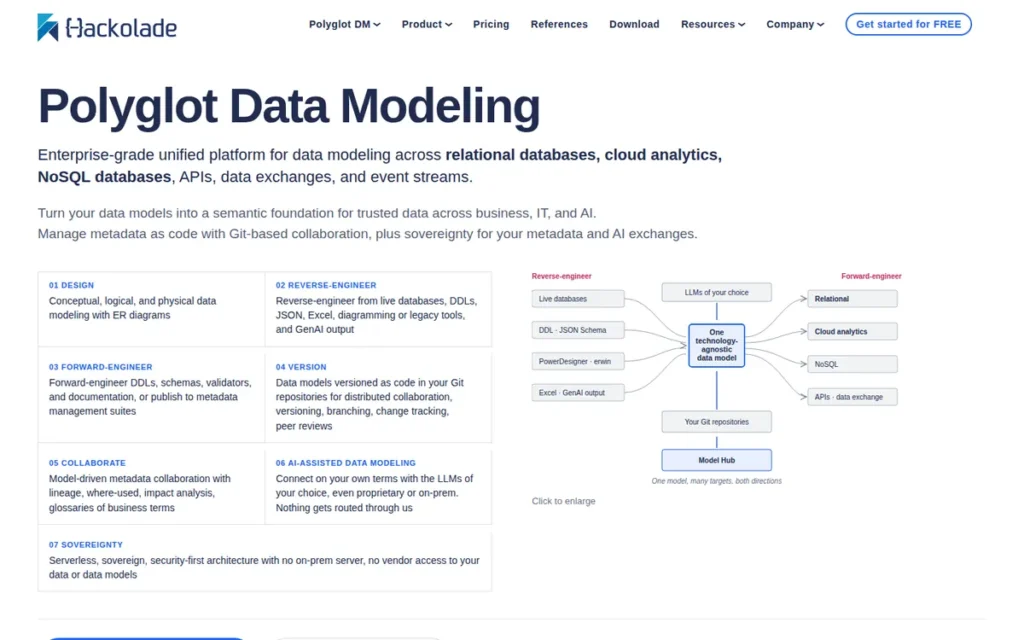
Category: Polyglot Data Modeler, a purpose-built platform for modeling NoSQL document stores, graph databases, columnar stores, and relational databases, with JSON Schema as its native file format and a CLI for DevOps pipeline automation.
At a Glance
- Category: Polyglot Data Modeler
- Best For: Data architects and engineers working with NoSQL databases (MongoDB, Cassandra, DynamoDB, Neo4j, Cosmos DB) or multi-model architectures who need schema-as-code Git-native version control and CI/CD pipeline integration
- Price Range: Community free (50 model objects max; no forward/reverse engineering); Personal Edition available between Community and Professional tiers (verify pricing at hackolade.com/pricing.html); Professional ~€175/month or ~€1,750/year per seat; Workgroup Edition via custom quote; 14-day unrestricted free trial of full Professional feature set
- Primary Strength: Hackolade Studio is the only purpose-built data modeling tool supporting 30+ NoSQL database targets (including MongoDB, DynamoDB, Cassandra, Neo4j, Cosmos DB, and Bigtable) with JSON Schema as its native file format for GitOps-ready version control and a CLI enabling fully automated CI/CD schema management.
- Biggest Limitation: Hackolade Studio has no confirmed aggregate score on G2, Capterra, or TrustRadius as of April 2026, making independent review verification difficult for enterprise procurement teams; its enterprise governance capabilities are limited compared to ER/Studio or erwin.
- One-Line Summary: Hackolade Studio is the only purpose-built polyglot data modeling platform supporting 30+ NoSQL targets with JSON Schema-native GitOps workflows and a CI/CD-compatible CLI, certified by Snowflake and listed on the Microsoft Azure Marketplace.
- Last Verified: April 2026
Overview
Hackolade Studio is a polyglot data modeling platform built by IntegrIT (Belgium) that supports relational SQL databases alongside 30+ NoSQL database targets, making Hackolade Studio the only tool in this evaluation purpose-built for organizations running multi-model or polyglot data architectures. Hackolade Studio’s supported targets span document stores (MongoDB, Amazon DocumentDB, Azure Cosmos DB, Couchbase, Elasticsearch, Firebase Firestore), columnar and key-value stores (Cassandra, DynamoDB, HBase, Bigtable), graph databases (Neo4j, Amazon Neptune, TigerGraph), and RDF triple stores (AllegroGraph, GraphDB, Stardog). Hackolade Studio uses a metadata-as-code approach, storing all models as JSON Schema files for native Git versioning, standard diff and merge operations, and direct consumption by OpenAPI and AsyncAPI validation frameworks without format conversion, making Hackolade Studio uniquely aligned with GitOps-native data engineering workflows. As of April 2026, Hackolade Studio is certified as a Snowflake Partner Network member and is listed on the Microsoft Azure Marketplace.
Key Features
- Hackolade Studio 30+ NoSQL Target Coverage: Hackolade Studio supports document stores (MongoDB, Cosmos DB, Couchbase, Elasticsearch, Firestore), columnar and key-value stores (Cassandra, DynamoDB, HBase, Bigtable), graph databases (Neo4j, Neptune, TigerGraph), and RDF triple stores (AllegroGraph, GraphDB, Stardog), making Hackolade Studio the only tool in this seven-tool evaluation with genuine polyglot multi-model support across all major non-relational paradigms.
- Hackolade Studio JSON Schema Native Model Format: Hackolade Studio uses JSON Schema as its native internal model format, storing all model artifacts as human-readable JSON files that can be committed to any Git repository, diffed with standard tools, and directly consumed by OpenAPI or AsyncAPI validation frameworks without format conversion.
- Hackolade Studio CLI for CI/CD Pipeline Integration: Hackolade Studio includes a command-line interface designed for CI/CD pipeline integration, enabling automated forward engineering, reverse engineering, model comparison, and script generation as non-interactive pipeline steps, allowing schema management to participate in DevOps automation without requiring GUI operator intervention.
- Hackolade Studio Platform-Specific Schema Definition Scripts: Hackolade Studio generates platform-specific, syntax-correct schema definition scripts for each supported target database, accounting for distinct data types, document structures, and index definitions that differentiate each NoSQL platform rather than producing generic SQL approximations.
- Hackolade Studio Snowflake and Azure Marketplace Certification: Hackolade Studio is certified by Snowflake as an official Partner Network member and is available through the Microsoft Azure Marketplace for Cosmos DB, Synapse, and Azure-native NoSQL modeling, providing enterprise procurement teams with vetted purchasing paths.
Best For
Hackolade Studio is best for data architects and engineers building on NoSQL, graph, or multi-model database architectures (particularly organizations using MongoDB, Amazon DynamoDB, Apache Cassandra, Neo4j, or Azure Cosmos DB) who need formal schema documentation, version control, and automated CI/CD schema management for non-relational data stores that traditional relational modeling tools cannot adequately represent.
Strengths
- Hackolade Studio is the only purpose-built data modeling tool in this seven-tool evaluation supporting 30+ NoSQL targets across all major non-relational paradigms (document, columnar/key-value, graph, and RDF) making Hackolade Studio the sole adequate solution for organizations operating polyglot architectures where different services use different database paradigms (Hackolade product documentation, hackolade.com, verified April 2026).
- Hackolade Studio is a certified member of the Snowflake Partner Network (IntegrIT dba Hackolade, verified April 2026) and is listed on the Microsoft Azure Marketplace, providing enterprise-grade procurement assurance and ecosystem alignment for cloud-first organizations on Snowflake or Azure-native NoSQL services.
- Hackolade Studio’s JSON Schema native file format means model artifacts are directly consumable by OpenAPI and AsyncAPI API validation frameworks without conversion, creating a direct bridge between the data modeling layer and API contract management, a documented capability absent from every other tool in this evaluation (Hackolade blog, hackolade.com, accessed April 2026).
- Hackolade Studio’s CLI enables fully automated, non-interactive schema operations as part of CI/CD pipelines, a DevOps workflow capability that no other tool in this seven-tool evaluation provides at an equivalent level of automation depth for non-GUI schema operations; erwin Data Modeler offers some scripting capabilities but requires GUI interaction for most modeling operations.
Limitations
- Hackolade Studio Review Platform Transparency Gap: As of April 2026, no confirmed aggregate score exists for Hackolade Studio on G2, Capterra, or TrustRadius, making it difficult for buyers to validate satisfaction through independent peer reviews in the way they can for tools with hundreds of verified ratings, a genuine evaluation risk for enterprise procurement teams required to demonstrate due diligence through third-party review evidence.
- Hackolade Studio Enterprise Governance Limitations: Hackolade Studio does not provide the enterprise governance capabilities that regulated-industry teams require (formal naming standards enforcement, business glossary management, metadata lineage visualization, and Collibra integration are absent) meaning organizations with compliance mandates will need to pair Hackolade Studio with a dedicated governance platform.
- Hackolade Studio Cost and Tier Complexity for Small Teams: At approximately €175/month per seat, Hackolade Studio is more expensive than DbSchema’s one-time perpetual license for small teams that need broad database support without deep NoSQL governance requirements; a Personal Edition is available between the free Community tier and Professional tier for individual practitioners, verify current Personal Edition pricing and feature scope at hackolade.com/pricing.html, as this tier’s pricing has changed over time.
Verdict
Hackolade Studio is the definitive choice for NoSQL and polyglot data modeling in 2026, no other tool in this seven-tool evaluation provides comparable native modeling depth for organizations whose primary database targets include MongoDB, DynamoDB, Cassandra, Neo4j, or Cosmos DB; DbSchema supports these databases via JDBC but does not provide the platform-specific schema generation, document hierarchy modeling, or graph relationship support that Hackolade Studio delivers natively. Hackolade Studio ranks above DbSchema (#6) because Hackolade Studio’s NoSQL modeling is architecturally native rather than JDBC-generic, a distinction that is decisive for teams whose primary targets are non-relational databases. Hackolade Studio’s constraint for general-audience ranking is the absence of verified third-party review scores and limited enterprise governance depth relative to ER/Studio and erwin.
6. DbSchema: Best Value for Cross-Platform Developers and Small Teams
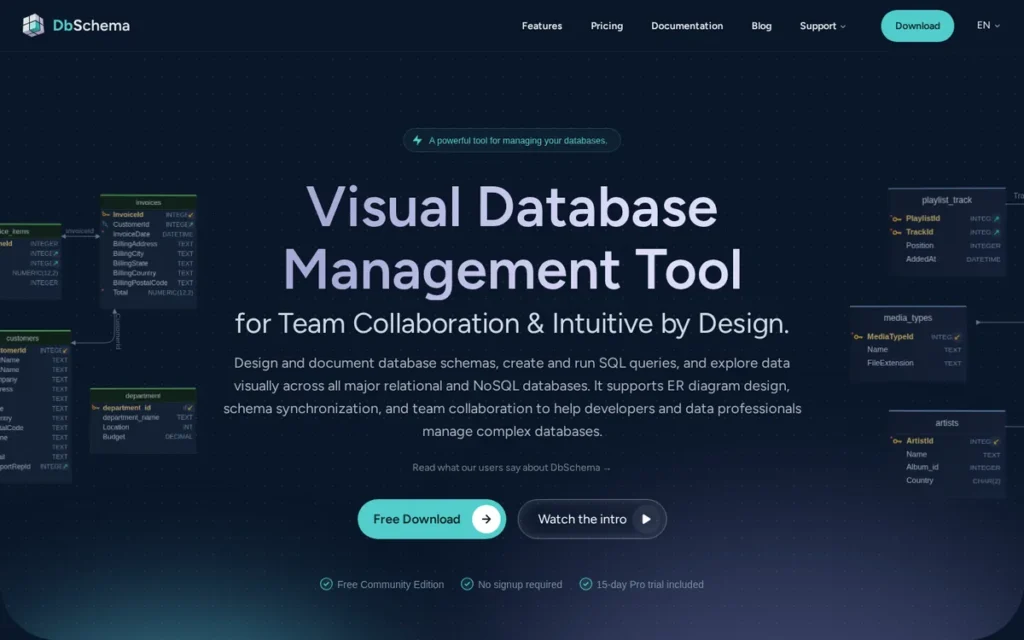
Category: Cross-Platform Visual Modeler, a desktop data modeling tool for 70+ SQL and NoSQL databases providing Git-native version control and a one-time perpetual license, available on Windows, macOS, and Linux.
At a Glance
- Category: Cross-Platform Visual Modeler
- Best For: Solo developers, small teams, and budget-constrained organizations needing broad SQL and NoSQL database coverage on Windows, macOS, or Linux without recurring subscription costs
- Price Range: Community Edition free (core features; excludes visual query builder, advanced sync, test data generator); Individual perpetual license approximately $98–$196 (verify at dbschema.com/purchase.html; tier and pricing vary by configuration); Developer and Teams licenses available at higher price points
- Primary Strength: DbSchema is the only tool in this evaluation offering a full-featured data modeling platform for 70+ SQL and NoSQL databases at a one-time perpetual license, with native cross-platform support on Windows, macOS, and Linux and Git-native XML model versioning.
- Biggest Limitation: DbSchema’s schema compare and synchronization engine has documented accuracy limitations that can generate incorrect differential DDL scripts for some database-specific edge cases, representing an operational risk for teams relying on it as their primary schema migration deployment tool in production environments.
- One-Line Summary: DbSchema is a cross-platform data modeling tool for 70+ SQL and NoSQL databases offering the lowest total cost of ownership in this evaluation with a one-time perpetual license, Git-native XML model files, and native Windows, macOS, and Linux support.
- Last Verified: April 2026
Overview
DbSchema is a cross-platform visual database design and data modeling tool developed by Wise Coders (Romania) that supports 70+ SQL and NoSQL databases via JDBC drivers, including PostgreSQL, MySQL, MariaDB, SQL Server, Oracle, MongoDB, Cassandra, Snowflake, SQLite, Amazon Athena, and Azure Synapse, running natively on Windows, macOS, and Linux with both online (live database) and offline (model-file-only) operating modes. DbSchema’s Pro Edition is available as a one-time perpetual license starting at approximately $98–$196 for individual use, dramatically below enterprise-tier annual subscription pricing, with no mandatory annual renewal. DbSchema’s XML-based model file implements a schema-as-code pattern compatible with standard Git workflows, including air-gapped environments where cloud-based tools cannot operate. DbSchema was nominated for Best Data Modeling Solution in the 2025 DBTA Readers’ Choice Awards (per DbSchema blog, dbschema.com/blog/design/dbta-awards-modeling-tool/, April 2026; nomination reported by vendor, not independently confirmed by DBTA).
Key Features
- DbSchema 70+ Database Support via JDBC: DbSchema supports 70+ SQL and NoSQL databases via JDBC drivers (including PostgreSQL, MySQL, SQL Server, Oracle, MongoDB, Cassandra, Snowflake, Amazon Athena, Azure Synapse, and SQLite) providing broader raw database target coverage than any other tool in this evaluation.
- DbSchema Git-Native XML Model Files: DbSchema’s XML-based model file (.dbs format) is designed to be committed to any Git repository, branched, merged, and diffed with standard tools, enabling schema-as-code versioning workflows without requiring proprietary server infrastructure or additional licensing.
- DbSchema 10,000+ Table Schema Scalability: DbSchema supports visual modeling of databases with 10,000+ tables by splitting very large schemas across multiple focused diagrams while maintaining a synchronized master schema view, addressing the scalability limitation that causes most GUI-based tools to degrade above a few hundred tables.
- DbSchema All-in-One Pro License: DbSchema’s Pro Edition includes HTML5 and PDF documentation generation, a visual query builder, a relational data explorer, a test data generator, and advanced schema synchronization tools, all included in the one-time perpetual license without add-on purchases.
- DbSchema Offline Modeling Without Live Connectivity: DbSchema operates in offline mode without a live database connection, allowing developers to design and document schemas from model files alone, useful for teams working in air-gapped environments or documenting legacy databases without live access credentials.
Best For
DbSchema is best for solo developers, small data teams, and budget-constrained organizations that need genuine data modeling capabilities (reverse engineering, DDL generation, schema comparison, documentation export, and multi-database support) across Windows, macOS, or Linux platforms without incurring annual subscription costs that grow with team size.
Strengths
- DbSchema was nominated for Best Data Modeling Solution in the 2025 DBTA Readers’ Choice Awards (recognition voted on by working database professionals rather than vendor-funded surveys) validating DbSchema’s standing among practitioners making real tool decisions (per DbSchema blog, April 2026; nomination reported by vendor, not independently confirmed by DBTA).
- DbSchema’s one-time perpetual license (starting at approximately $98–$196 for individual use, per dbschema.com/purchase.html, April 2026) represents a significant cost reduction compared to enterprise-tier annual subscription tools, making DbSchema the documented price-to-capability value leader in this evaluation for teams without enterprise governance requirements; verify both DbSchema and competing tool pricing directly before using figures in budget comparisons, as pricing changes.
- DbSchema supports 70+ database targets via JDBC and handles schemas with 10,000+ tables, the largest raw database footprint and highest documented scale ceiling of any tool in this evaluation, addressing heterogeneous-stack organizations and teams documenting large legacy database environments.
- DbSchema runs natively on Windows, macOS, and Linux from a single installer: one of only three tools in this evaluation offering full cross-platform support, eliminating the Windows-only constraint that disqualifies SAP PowerDesigner and disadvantages ER/Studio for engineering teams standardized on macOS or Linux.
Limitations
- DbSchema Schema Compare and Sync Accuracy Gap: DbSchema’s most consequential trade-off is schema compare and synchronization accuracy, competitive analysis from Quest’s blog and independent TrustRadius comparisons document that DbSchema’s differential DDL generation is not 100% accurate for all database-specific edge cases, including complex ALTER statements and extended RDBMS-specific syntax; for teams relying on DbSchema to deploy differential migration scripts to production databases, this accuracy gap represents genuine operational risk, since incorrect DDL can cause deployment failures or data loss.
- DbSchema No Real-Time Collaboration Server: DbSchema has no real-time collaboration server, team workflows depend entirely on Git proficiency and discipline, requiring all team members to understand Git-based schema merge workflows; this prerequisite may not be met in mixed-seniority teams and makes DbSchema unsuitable for organizations that need a shared repository with check-in/check-out and role-based access control.
- DbSchema No Enterprise Governance Features: DbSchema does not include naming standards enforcement, business glossary, metadata lineage visualization, or compliance reporting, making DbSchema unsuitable as a standalone tool for formal data governance programs or regulated-industry compliance documentation.
Verdict
DbSchema is the top-ranked data modeling tool for solo developers and small teams on a budget in 2026, offering the best price-to-capability ratio in this evaluation: a one-time perpetual license (~$98–$196 for individual use) for 70+ database support, cross-platform operation on Windows, macOS, and Linux, and Git-native version control without proprietary server infrastructure. DbSchema’s schema compare and sync accuracy limitation is a documented operational risk for production migration deployment scenarios and must be validated against each specific database target before relying on DbSchema for automated migration scripts. Teams with cloud-first data warehouse architectures should evaluate SqlDBM (#1) instead, and organizations requiring enterprise governance capabilities should evaluate ER/Studio (#2) or erwin (#3).
7. SAP PowerDesigner: Best for SAP Ecosystem Organizations Requiring Multi-Domain Enterprise Architecture Modeling

Category: Enterprise Architecture Modeler, a multi-domain Windows-only platform combining relational data modeling, business process modeling (BPMN), UML object modeling, and requirements analysis in a single application for SAP-ecosystem enterprise organizations.
At a Glance
- Category: Enterprise Architecture Modeler
- Best For: Enterprise architecture teams in organizations with existing SAP ERP, SAP HANA, or SAP BW deployments that need unified data, process, and application modeling under an existing SAP enterprise agreement, with all team members on Windows workstations
- Price Range: No published pricing; contact SAP sales; organizations with existing SAP enterprise agreements may access SAP PowerDesigner at bundled rates significantly below net-new pricing
- Primary Strength: SAP PowerDesigner is the only tool in this evaluation combining data modeling (CDM/LDM/PDM), business process modeling (BPMN), UML object modeling, and requirements analysis in a single platform, with native SAP HANA CDS and Calculation View support for SAP-ecosystem organizations.
- Biggest Limitation: SAP PowerDesigner is Windows-only with no macOS or Linux client, and no new major version (17.x) has been publicly announced as of April 2026, leaving users without native Git integration, AI-assisted modeling, or modern cloud warehouse support beyond SAP HANA.
- One-Line Summary: SAP PowerDesigner is a multi-domain enterprise architecture modeling platform for Windows supporting data, process, and UML modeling across 60+ RDBMS with native SAP HANA integration, with last documented major version 16.7 and service pack updates continuing through SP08 as of April 2026.
- Last Verified: April 2026
Overview
SAP PowerDesigner is an enterprise architecture modeling platform combining relational data modeling (Conceptual, Logical, and Physical Data Models), business process modeling (BPMN via ProcessAnalyst), UML 2.0 object modeling, requirements analysis, and application code generation for Java, C#, VB.NET, and Hibernate, the only tool in this evaluation spanning all three architecture domains in a single platform, supporting 60+ relational database management systems. SAP PowerDesigner provides native support for SAP HANA Calculation Views and Core Data Services (CDS), introduced in version 16.6. SAP PowerDesigner was acquired by SAP as part of its $5.8 billion purchase of Sybase in 2010 and has been maintained as an on-premises Windows-only desktop application; SAP PowerDesigner’s last documented major version is 16.7, with service pack updates through SP08 continuing as of April 2026 (SAP Support Knowledge Base, verified April 2026), though no new major version (17.x) has been publicly announced, verify current development status at help.sap.com before purchase. SAP PowerDesigner runs on Windows only, there is no macOS or Linux client, which eliminates SAP PowerDesigner from consideration for engineering teams standardized on non-Windows operating systems.
Key Features
- SAP PowerDesigner Multi-Domain Architecture Modeling: SAP PowerDesigner uniquely combines Conceptual, Logical, and Physical Data Models with business process modeling (BPMN via ProcessAnalyst), UML 2.0 object modeling, requirements modeling, and code generation for Java, C#, VB.NET, and Hibernate, spanning data, process, and application architecture domains in a single platform, the broadest multi-domain scope of any tool in this evaluation.
- SAP PowerDesigner Native SAP HANA CDS and Calculation View Support: SAP PowerDesigner version 16.6 introduced native support for SAP HANA Calculation Views and Core Data Services (CDS) notation generation, making SAP PowerDesigner the only tool in this evaluation with formal modeling support for the SAP HANA in-memory database platform and SAP BW analytical models.
- SAP PowerDesigner Integrated Metadata Repository with Dependency Matrices: SAP PowerDesigner’s integrated metadata repository supports model comparisons and merges, dependency matrices, and change impact assessment, providing enterprise governance for organizations managing cross-model dependencies between data, process, and application architectures.
- SAP PowerDesigner 60+ RDBMS Support with Eclipse and Visual Studio Plugins: SAP PowerDesigner supports 60+ relational database management systems and includes Eclipse and Visual Studio developer plugins, enabling data models to be referenced within integrated development environments for database-centric application teams.
- SAP PowerDesigner Web Editing for Enterprise Architecture (v16.7): SAP PowerDesigner version 16.7 added web editing capabilities for enterprise architecture and requirements models and OAuth 2.0 support, extending some model access to web-based stakeholders while maintaining the desktop client as the primary modeling interface.
Best For
SAP PowerDesigner is best for enterprise architecture teams in organizations deeply embedded in the SAP ecosystem (running SAP ERP, SAP HANA, or SAP BW) that need a unified platform for data modeling, business process modeling, and UML object modeling under an existing SAP enterprise agreement, and whose entire team works on Windows workstations.
Strengths
- SAP PowerDesigner is the only tool in this seven-tool evaluation combining relational data modeling, business process modeling (BPMN), UML 2.0 object modeling, requirements analysis, and multi-language application code generation in a single platform, providing unified architecture modeling value for organizations that must model data, process, and application layers in concert (SAP product documentation, sap.com, verified April 2026).
- SAP PowerDesigner holds a G2 rating of 4.3/5 from approximately 150 reviews: reflecting sustained satisfaction among enterprise users who value its multi-domain capabilities and SAP HANA integration (per datacamp.com/blog/data-modeling-tools, April 2026; verify directly at g2.com/products/sap-powerdesigner for current figures).
- SAP PowerDesigner version 16.6 introduced native SAP HANA Calculation View and Core Data Services (CDS) modeling, the only tool in this evaluation to formally support SAP’s in-memory analytical modeling layer, providing value to organizations running SAP BW/4HANA alongside SAP PowerDesigner (SAP product documentation, verified April 2026).
- SAP PowerDesigner provides a bundled licensing advantage for organizations already holding SAP enterprise agreements, SAP PowerDesigner may be available at material discounts relative to net-new purchasing; confirm with your SAP account team whether SAP PowerDesigner is included in your current agreement before initiating a net-new procurement process.
Limitations
- SAP PowerDesigner Windows-Only Hard Blocker: SAP PowerDesigner has no macOS or Linux client, a hard blocker for engineering teams standardized on macOS, which is common across technology companies, startups, and many enterprise engineering departments; SAP PowerDesigner effectively eliminates itself from consideration for any organization that cannot guarantee all data architects work on Windows, and no workaround exists short of maintaining a parallel Windows environment with all associated infrastructure cost.
- SAP PowerDesigner Technology Currency Risk: SAP PowerDesigner’s last documented major version is 16.7, with service pack updates continuing through SP08 as of April 2026 but no new major version (17.x) announced, leaving SAP PowerDesigner without native Git integration, AI-assisted modeling features, modern cloud warehouse support beyond SAP HANA, or browser-based modeling access; verify current development status at help.sap.com/docs/SAP_POWERDESIGNER before purchase decisions.
- SAP PowerDesigner Limited Non-SAP Cloud Support: SAP PowerDesigner’s cloud warehouse support is focused on SAP HANA, tools in this evaluation supporting Snowflake, BigQuery, Databricks, and Redshift provide substantially more value for the majority of 2026 data engineering teams not standardized on SAP cloud infrastructure; G2 and PeerSpot reviews consistently cite outdated UI, steep learning curve, and limited non-SAP cloud support as documented friction points.
- SAP PowerDesigner Pricing Opacity and Complex SAP Bundling: SAP PowerDesigner pricing is not publicly listed and requires contact with SAP account teams; the complex SAP licensing structure means buyers without an existing SAP enterprise agreement face a negotiation-dependent pricing process that can significantly extend evaluation timelines relative to tools with published self-serve pricing.
Verdict
SAP PowerDesigner ranks last in this overall evaluation for the general data engineering audience because SAP PowerDesigner’s Windows-only deployment, absence of a new major version announcement (last documented: 16.7), lack of Git integration or AI features, and opaque pricing represent the most significant combination of technology currency risk and evaluation friction in this category as of April 2026. SAP PowerDesigner remains a legitimate choice for one specific scenario: enterprise architecture teams inside SAP-ecosystem organizations (SAP ERP, SAP HANA, SAP BW) that need unified data, process, and UML modeling under an existing SAP enterprise agreement and whose entire team operates on Windows workstations. Outside that specific scenario, teams should evaluate SqlDBM (#1), ER/Studio (#2), erwin (#3), or DbSchema (#6) based on their requirements.
What Red Flags Should I Watch For When Evaluating Data Modeling Tools?
Five red flags in data modeling tool evaluation recur across this category, each corresponding to at least one tool in this seven-tool review. Identifying these flags early eliminates tools before investing time in demos or POCs:
- Windows-only deployment: silently eliminates tools for macOS and Linux teams before feature evaluation begins
- Pricing opacity: requiring a sales call before any cost estimate extends evaluation cycles and disadvantages budget-constrained teams
- Free-tier functional limits: too restrictive for real-world schemas (e.g., 60-shape cap, 50-object cap)
- Schema sync accuracy gaps: differential DDL generation errors that can cause production deployment failures
- Development cadence gap: no new major version announced in 5+ years signals technology currency risk
Red Flag #1: Windows-Only Deployment
SAP PowerDesigner has no macOS or Linux client, and ER/Studio is Windows-primary, both eliminate engineering teams standardized on macOS workstations, which are common across technology companies, startups, and modern enterprise engineering departments. Confirm OS compatibility across every OS your team actually uses before investing time in a demo or POC, because retrofitting a Windows-only tool into a macOS-first environment carries hidden infrastructure cost that rarely appears in initial pricing discussions.
Red Flag #2: Pricing Opacity Requiring Sales Contact Before Evaluation
erwin Data Modeler, SAP PowerDesigner, and ER/Studio’s Enterprise Team Edition all require sales contact before any pricing information is disclosed, extending evaluation timelines for budget-constrained teams. Real-world example: ER/Studio’s most commonly cited entry price covers only the desktop client, a five-person team requiring web-based collaboration must also purchase Team Server Core separately, a cost not disclosed on the product summary page. Always request a five-seat fully configured quote before comparing prices across tools.
Red Flag #3: Free-Tier Functional Limits Below Production Minimum Requirements
Lucidchart’s free tier allows only 60 shapes per document, insufficient for any real-world database schema with more than 6-8 tables at typical field counts. Hackolade Studio’s Community Edition caps at 50 model objects and excludes forward and reverse engineering entirely. Always test a full-size, representative schema, not a curated demo, within the free tier before concluding that a “free” option meets your team’s actual production requirements.
Red Flag #4: Schema Compare and Sync Accuracy Gaps in DDL Generation
DbSchema’s differential DDL generation has documented accuracy limitations for some database-specific edge cases, including complex ALTER statements and extended RDBMS-specific syntax, per competitive analysis from Quest’s blog and TrustRadius comparisons. Teams relying on automated schema comparison and deployment scripts to push changes to production should validate sync accuracy on their specific database target before using DbSchema as their migration deployment tool, since incorrect DDL can cause deployment failures or data loss.
Red Flag #5: No New Major Version Announced in 5+ Years
SAP PowerDesigner’s last documented major version is 16.7, with no new major version (17.x) publicly announced as of April 2026. A tool without a publicly announced major version roadmap carries technology currency risk: it may not support the cloud warehouses, data formats, or workflow integrations your team adopts in the next 2-3 years, and vendor support priority may be declining relative to newer products in the portfolio.
What Questions Should I Ask Before Choosing a Data Modeling Tool?
Before selecting a data modeling tool, five questions eliminate the most common evaluation mistakes, each corresponding to a documented failure mode found in reviews and competitive analysis for tools in this category. Skipping any of these questions routinely leads to sticker shock, OS blockers, or free trials that test the wrong features:
- Does this tool natively support my specific databases and cloud warehouses, or only via generic JDBC?
- Does the tool run natively on every OS my team uses (Windows, macOS, Linux)?
- What is the all-in price for a five-person team including all collaboration add-ons?
- At which pricing tier does Git integration activate: entry level or enterprise only?
- Does the free trial include the specific features I need to evaluate?
Question #1: What Databases and Cloud Warehouses Does This Tool Natively Support, and Is Support Native or via Generic JDBC?
Native support for a specific database means the tool understands that platform’s object types, syntax, and warehouse-specific features, such as Snowflake Streams and Tasks or Databricks Delta tables, while generic JDBC connectivity may miss platform-specific objects entirely. Concrete example: SqlDBM natively models Snowflake-specific object types; DbSchema connects to Snowflake via JDBC and treats it as a generic SQL database, which may cause Snowflake-specific objects to appear incompletely. Ask the vendor to demonstrate reverse engineering on your actual target database, not a demo schema, before accepting “supported” at face value.
Question #2: Does This Tool Run Natively on Every OS My Team Uses?
Confirm macOS and Linux compatibility before any demo: SAP PowerDesigner is Windows-only, and ER/Studio is Windows-primary, both require maintaining a parallel Windows environment for teams on other OS platforms. A tool that introduces an OS constraint creates hidden infrastructure cost and workflow friction that are rarely quantified in initial tool evaluations but that accrue significantly over multi-year deployments.
Question #3: What Is the True All-In Cost for a Five-Person Team With Full Collaboration?
ER/Studio’s entry price covers only the desktop client, full multi-user collaboration requires Team Server Core, sold separately. Always request a quote for the complete stack: desktop client, repository server, collaboration module, and any metadata governance add-ons. Multiply by team size including expected 2-3 year growth, then compare the resulting number against competing vendors’ fully loaded quotes before making a final decision.
Question #4: At What Pricing Tier Does Git Integration Activate?
ER/Studio’s Git integration is available in the Enterprise Team Edition, not the entry Data Architect license. erwin Data Modeler’s version control works through its proprietary Mart server, not standard Git. DbSchema and Hackolade Studio provide native Git integration at all paid tiers through text-based model files. Confirm that Git integration is included at the specific tier you plan to purchase, not locked into a higher tier, before assuming it is available.
Question #5: What Does the Free Trial Actually Include, and For How Long?
Hackolade Studio offers a 14-day unrestricted trial of the full Professional feature set. erwin Data Modeler offers a free trial without published duration details. Lucidchart’s permanent free tier is capped at 60 shapes. DbSchema’s Community Edition is permanently free but excludes the visual query builder and advanced sync tools. Ask for a trial that includes reverse engineering, schema comparison, and DDL export, since trials limited to basic diagramming do not test the capabilities most relevant to production modeling.
Question #6: What Are the Specific Numeric Free-Tier Limits?
Before relying on any “free” label, confirm the specific numeric limits. A tool described as “free” may exclude the exact features your evaluation depends on:
- SqlDBM free tier: core diagramming only; collaboration and export require a paid plan
- Lucidchart free plan: 60 shapes per document, 3 editable documents, 250MB storage
- Hackolade Studio Community Edition: 50 model objects maximum; forward and reverse engineering, model diffing, CLI, and HTML documentation all excluded
- DbSchema Community Edition: schema reverse engineering and basic table editing included; visual query builder, advanced schema sync, and test data generator excluded
- erwin Data Modeler, ER/Studio, SAP PowerDesigner: no permanent free tier: time-limited trials only
How Did We Rank These Data Modeling Tools?
PlugRoute ranked these seven data modeling tools by scoring each against six equally weighted criteria applied identically to all entries, with no vendor preferential access and no affiliate influence on outcomes. Weighted scores across all six criteria determined final rank order. No vendor was contacted for comment or given preferential access to review materials.
Evaluation Process
We queried multiple AI search engines (Perplexity, ChatGPT-4o), gathered independent web research from vendor documentation, third-party review platforms, and industry analyst reports, and cross-referenced vendor claims against G2, Capterra, Software Advice, TrustRadius, and PeerSpot.
Reddit research was attempted for all seven tools but experienced consistent connection timeouts from the research tool throughout this session, this data gap is disclosed explicitly. All seven entries were evaluated with identical templates, identical depth targets, and identical editorial standards.
Every pricing figure in this article was verified against at least one independent source. If a figure could not be independently confirmed, it is explicitly labeled as estimated from community sources or vendor-reported. Readers who find discrepancies between our figures and current vendor pricing are encouraged to flag them at plugroute.com/get-in-touch, we update pricing figures within 30 days of verified changes.
Ranking Criteria
- Review Platform Ratings and Volume (C1): Primary criterion: Verified user reviews on G2, Capterra, Software Advice, TrustRadius, and PeerSpot reflect real-world practitioner satisfaction. Both rating score and review volume are assessed together, a 4.6/5 from 19 reviews carries less statistical weight than a 4.5/5 from 200+ verified buyers. Tools with fewer than 50 verified reviews receive a documented volume discount in scoring.
- Breadth of Database and Cloud Warehouse Support (C2): Primary criterion: Native, vendor-certified support for modern cloud warehouses (Snowflake, BigQuery, Databricks, Redshift, Azure Synapse) is assessed separately from generic JDBC connectivity. Snowflake Partner Network certification and Azure Marketplace listings are treated as independent validation signals.
- Collaboration and Team Workflow Features (C3): Primary criterion: Real-time concurrent collaboration, repository-based check-in/check-out, and role-based access control are directly assessed. Tools requiring file-email workflows or expensive proprietary server infrastructure for multi-user access are penalized relative to cloud-native alternatives at comparable price points.
- Modern Workflow Integration: Git, CI/CD, AI, and OS Compatibility (C4), Primary criterion: Native Git integration type (text-based model file versus proprietary repository versus none), CLI availability for pipeline automation, documented AI or GenAI features with named capabilities, and full cross-platform OS support are each evaluated. Windows-only deployment is treated as a hard disqualifier for the macOS/Linux segment.
- Pricing Transparency and Total Cost of Value (C5): Secondary criterion: Availability of published pricing on the vendor website, total cost of ownership for a five-person team including all required add-ons, and specific free-tier functional limits with numeric thresholds are assessed. Contact-sales-only pricing models are penalized relative to self-serve transparent pricing.
- Enterprise Governance and Metadata Management Depth (C6): Secondary criterion: Naming standards enforcement, business glossary functionality, metadata lineage and impact analysis, integration with Collibra and Microsoft Purview, and central repository architecture are assessed for the enterprise segment of the target audience.
Evidence Weighting
When review platform ratings conflict with third-party blog comparisons, we weight specificity and recency, a detailed 2025 technical post with verified source attribution outweighs a generic 2022 review. When vendor-reported claims lack independent corroboration, they are labeled as such in the entry text rather than stated as verified fact. Tools with fewer than 50 verified reviews receive a documented volume discount in scoring due to statistical uncertainty.
Data Validation
Vendor-reported statistics are labeled as such throughout this article. Only claims corroborated by at least one independent source (third-party review platforms, analyst reports, independent blog comparisons, or marketplace listings) are stated as verified fact. Pricing figures not available from official vendor sources are explicitly labeled as estimated from community sources with the source identified.
Update Cadence
This article was last updated in April 2026. PlugRoute reviews are refreshed quarterly as product updates, pricing changes, or significant review volume shifts occur. Readers should verify all pricing figures and feature availability directly with vendors before making purchase decisions.
Independence Disclosure
PlugRoute has no affiliate relationships with any company listed in this article. Rankings are determined entirely by research data and objective evaluation criteria.
What Do Buyers Most Commonly Ask About Data Modeling Tools?
What Is the Best Data Modeling Tool for Snowflake or BigQuery in 2026?
SqlDBM is the best data modeling tool for Snowflake and BigQuery teams in 2026, offering native schema modeling and reverse engineering in a zero-install browser interface with real-time concurrent collaboration. SqlDBM launched Snowflake support in 2019, among the earliest cloud-native platforms to do so. For teams also requiring Databricks integration and enterprise governance, erwin Data Modeler (#3) is the recommended alternative.
What Is the Best Free Data Modeling Tool for Small Teams?
DbSchema’s Community Edition is the best free option for small teams needing genuine data modeling capabilities (reverse engineering, interactive ER diagrams, and basic table editing) for 70+ databases across Windows, macOS, and Linux. Lucidchart’s free plan is capped at 60 shapes per document, insufficient for real-world schemas. Hackolade Studio’s Community Edition limits to 50 objects and excludes forward and reverse engineering entirely.
How Does PlugRoute Determine Its Tool Rankings?
PlugRoute rankings are determined by a six-criterion scoring framework, review platform ratings and volume, database and cloud warehouse support breadth, collaboration features, modern workflow integration (Git, CI/CD, AI, OS compatibility), pricing transparency, and enterprise governance depth, applied equally to all products with no affiliate financial relationships, no preferential vendor access, and full methodology disclosure in every article’s “How Did We Rank” section.
What Key Terms Should I Know Before Evaluating Data Modeling Tools?
Five technical terms appear throughout this comparison with precise meanings that affect how you interpret each tool’s capabilities. Understanding these terms prevents misreading “database support” claims, free-tier descriptions, and governance feature comparisons. All five definitions below are scoped specifically to how each term applies to the tools evaluated in this article.
Forward Engineering: The process of generating database definition language (DDL) scripts (such as CREATE TABLE statements) directly from a visual data model, enabling schema design to drive database creation or updates. Forward engineering eliminates manual script writing and ensures the deployed database structure matches the modeled design intent. Hackolade Studio’s Community Edition excludes forward engineering, which is why the free tier is insufficient for production use.
Reverse Engineering: The process of connecting to an existing database and automatically generating a visual data model from the live schema, including tables, columns, data types, primary keys, and foreign key relationships. Reverse engineering enables teams to formally document databases that were never modeled at design time, which is critical for compliance audits, legacy database migrations, and schema governance programs. Lucidchart lacks live reverse engineering at the individual plan level; SqlDBM, erwin, and DbSchema include it in their core feature sets.
DDL Round-Tripping: The ability to synchronize a visual data model and a live database bidirectionally (generating DDL from the model (forward engineering) and re-importing database changes back into the model (reverse engineering)) keeping both in sync over the full schema lifecycle. DDL round-tripping is what distinguishes dedicated data modeling tools from general-purpose diagramming platforms such as Lucidchart.
Polyglot Persistence: An architecture pattern in which different components or services of a system use different types of databases (for example, a document store (MongoDB) for user profiles, a columnar store (Cassandra) for time-series events, and a relational database (PostgreSQL) for transactional records) each selected for its optimal fit to the data access patterns of that service. Hackolade Studio is the only tool in this evaluation purpose-built for polyglot persistence modeling.
Schema-as-Code: A DevOps practice in which database schema definitions are stored as human-readable text files (SQL, JSON Schema, YAML, or XML) in a version control system such as Git, allowing schema changes to be reviewed in pull requests, rolled back, and deployed via automated CI/CD pipelines alongside application code. DbSchema’s XML model files and Hackolade Studio’s JSON Schema model files both implement schema-as-code natively.
Glossary: Key Terms Used in This Comparison
DDL Round-Tripping: The ability to synchronize a visual data model and a live database bidirectionally (generating database definition language scripts from the model (forward engineering) and re-importing database changes back into the model (reverse engineering)) keeping both in sync over the full schema lifecycle. DDL round-tripping is what distinguishes dedicated data modeling tools from general-purpose diagramming platforms.
Polyglot Persistence: An architecture pattern in which different components or services of a system use different types of databases (such as a document store for user profiles, a columnar store for time-series events, and a relational database for transactional records) each selected for its optimal fit to the data access patterns of that service. Hackolade Studio is the only tool in this evaluation purpose-built for polyglot persistence modeling.
Schema-as-Code: A DevOps practice in which database schema definitions are stored as human-readable text files (SQL, JSON Schema, YAML, or XML) in a version control system such as Git, allowing schema changes to be reviewed, rolled back, and deployed via automated CI/CD pipelines alongside application code. DbSchema’s XML model files and Hackolade Studio’s JSON Schema model files both implement schema-as-code natively.
Reverse Engineering: The process of connecting to an existing database and automatically generating a visual data model from the live schema (including tables, columns, data types, and key relationships) without manual re-entry. Reverse engineering is critical for compliance audits, legacy database migrations, and schema governance programs where databases were never formally modeled at design time.
GitOps: A workflow methodology that uses Git repositories as the single source of truth for both infrastructure and application configuration, applying Git-native operations (commits, pull requests, branching, and merging) to manage schema changes through automated CI/CD pipelines. In data modeling, GitOps-native tools store model artifacts as human-readable files that can be versioned and reviewed alongside application code.
Which Data Modeling Tool Is Right for You?
Key Insights
- The defining finding of this 2026 evaluation: cloud warehouse teams get the strongest tool-to-use-case match from SqlDBM (free to ~$25/month), while enterprise governance programs pay materially more for ER/Studio’s repository-first architecture, and the right answer depends entirely on whether your team has a formal metadata governance mandate.
- SqlDBM is the top-ranked tool for cloud warehouse teams in 2026 because SqlDBM provides native schema modeling and reverse engineering for all six major cloud data warehouses (Snowflake, BigQuery, Databricks, Redshift, Azure Synapse, and AlloyDB) combined with real-time concurrent collaboration and zero-install browser access, backed by Azure Marketplace listing and over 300 documented Snowflake clients (vendor-reported).
- ER/Studio is the strongest choice for enterprise governance programs in regulated industries, earning TrustRadius 9.9/10 from 11 verified enterprise buyers and providing the most mature repository-first collaboration architecture with native Collibra and Microsoft Purview integration, though full collaboration capability requires purchasing Data Architect and Team Server separately; confirm the full-stack price before committing.
- DbSchema delivers the best price-to-capability ratio in this evaluation at a one-time perpetual license (~$98–$196 for individual use) covering 70+ databases on Windows, macOS, and Linux, the right choice for budget-constrained solo developers and small teams who need genuine data modeling without annual subscription risk.
- Hackolade Studio is the only purpose-built option for NoSQL and polyglot architectures, covering 30+ database targets across document, columnar, graph, and RDF paradigms with JSON Schema-native GitOps and a CI/CD CLI, no other tool in this evaluation comes close for MongoDB, DynamoDB, Cassandra, or Neo4j environments.
Teams in cloud-first environments without formal governance mandates should start with SqlDBM’s free tier and evaluate whether the collaboration features and cloud warehouse coverage meet their needs before considering enterprise licensing. Teams in regulated industries with metadata management mandates should evaluate ER/Studio’s full configuration quote (including Team Server Core) against erwin’s enterprise pricing before committing to either platform.
Organizations already embedded in the SAP ecosystem should verify whether SAP PowerDesigner is available through their existing SAP enterprise agreement before initiating a net-new procurement process. All other teams (particularly those on macOS or Linux, or those building on NoSQL architectures) should rule out SAP PowerDesigner early based on the Windows-only constraint and absence of a new major version announcement documented in this review.
We update this guide quarterly. Last updated: April 2026. For more independent software comparisons with full methodology transparency, visit PlugRoute.