Replit Agent is the best overall AI app builder for production-ready full-stack applications in 2026; Bubble delivers the deepest no-code feature set for complex web apps; Bolt.new is fastest for prompt-to-prototype with complete code ownership. The core trade-off: code-exporting platforms give you long-term developer flexibility, while visual no-code platforms deliver deeper pre-built features at the cost of permanent vendor dependency.
The AI app builder market is deliberately confusing, “full-stack,” “production-ready,” and “no-code” are applied inconsistently across platforms with fundamentally different capabilities. The gap between a demo-quality prototype and a genuinely production-ready application is not obvious until real users arrive, and credit-based pricing can turn a $25 experiment into a $500+ lesson during debugging cycles. Non-technical founders need evidence-based guidance, not affiliate-optimized rankings.
As one community member on r/nocode put it:
“Most no-code tools are beginner-friendly in marketing but sadly, not in reality. I’ve tested platforms like Adalo, Thunkable, Glide, FlutterFlow, and Bubble. They’re all “drag and drop,” but they are not equally beginner-proof.” Posted by u/Quirky_Bid9961
Takeaway: Founders evaluating AI app builders face a market where accessibility claims consistently overstate reality, making category-level guidance more valuable than individual feature comparisons.
PlugRoute has no affiliate relationships with any company listed in this article, rankings are determined entirely by research data and objective evaluation criteria.
TL;DR: Top Picks at a Glance
- Replit Agent: best overall for full-stack production apps with complete code ownership and four-mode credit control.
- Bubble: deepest no-code feature set; 14-year production history at transaction scale; permanent vendor dependency trade-off.
- Bolt.new: fastest prompt-to-prototype; browser-native, zero installation, complete source code export.
- Lovable.dev: simultaneous React UI and Supabase database generation from one prompt; best for well-scoped MVPs.
What Are the 7 Categories of AI App Builder Software?
AI app builders fall into seven distinct architectural categories (not interchangeable) and choosing the wrong one for your use case is the most expensive evaluation mistake in this market. A spreadsheet-to-app converter cannot serve as a consumer SaaS platform, and an enterprise low-code tool cannot double as a founder-friendly prototype generator, regardless of feature additions.
The seven categories in this comparison:
- AI Development Environments (Replit Agent): Cloud IDEs that generate full-stack apps via AI prompts while giving developers complete code control, best for startup teams needing AI acceleration with a professional developer handoff path.
- Visual No-Code Builders (Bubble): Full-stack platforms built through drag-and-drop visual interfaces and workflow engines, best for non-technical founders building complex, multi-feature web applications who accept platform dependency.
- Prompt-to-Code Generators (Bolt.new): Browser-native tools that convert natural language into complete, exportable full-stack code, best for non-technical founders who need working prototypes immediately with zero vendor lock-in.
- Full-Stack AI Generators (Lovable.dev): Conversational AI builders that generate UI and database simultaneously from a single prompt, best for non-technical founders who need authentication, data persistence, and developer handoff from one workflow.
- Portal & Internal Tool Builders (Softr): Block-based platforms specialized for client portals, member areas, and internal data tools with AI-generated data structures, best for consultants and operations teams building structured access-control applications.
- Spreadsheet-to-App Converters (Glide): No-code tools that transform existing Google Sheets, Airtable, or Excel data into mobile-responsive interfaces, best for operations teams with clean structured data who need a polished team interface without database redesign.
- Enterprise Low-Code Platforms (Microsoft Power Apps): Formula-language application builders with native Microsoft 365, Azure, and Dynamics 365 integration, best for IT departments in Microsoft organizations building internal workflow tools.
A concrete example of what category mismatch costs: a founder who builds a client membership portal in Glide will deploy in a weekend, but when they need Stripe payments, automated onboarding, and conditional workflow logic, Glide’s spreadsheet architecture hits its ceiling. Migrating to Softr after six weeks of Glide builds means starting over entirely. Choosing Softr from the start, purpose-built for portals, delivers the same initial speed with a clear path to all three features. The category choice, not build quality, determined the outcome.
How Do the Top 7 AI App Builders Compare?
Four of the seven platforms in this comparison do not export source code (Bubble, Softr, Glide, and Microsoft Power Apps) permanently binding all applications to their ecosystems. Three platforms export full code: Replit Agent, Bolt.new, and Lovable.dev. Pricing unpredictability is high or medium-high for five of the seven platforms. Use the table below to identify your category match before evaluating individual feature lists.
| Rank | Company | Category | Best For | One-Line Summary | Key Capabilities | Primary Strength | Key Limitation |
|---|---|---|---|---|---|---|---|
| 1 | Replit Agent | AI Dev Environment | Non-technical founders and startup teams needing production-ready full-stack apps with complete code ownership | Replit Agent reached approximately $240M in annualized revenue by October 2025; the highest in this comparison; with full-stack generation across 50+ languages and four credit cost-control build modes | Full-stack AI generation, 4 build modes (Lite/Economy/Power/Turbo), 50+ languages, Git tracking, native business tool integrations | Four build modes for predictable credit costs; the only such mechanism in this comparison | Developer-adjacent interface requires more initial orientation than purely conversational builders |
| 2 | Bubble | Visual No-Code Builder | Non-technical founders building complex production-scale web apps; SaaS platforms, marketplaces, community tools | Bubble is the most production-battle-tested no-code platform with 14 years of history, a $100M Series A (2021), and documented deployments processing $10M+ in annual marketplace transactions | Visual workflow engine, AI Agent, 8,000+ plugins, native relational database, 500+ API integrations | 14-year production track record with documented transaction-scale deployments | No source code export under any plan; permanent vendor dependency |
| 3 | Bolt.new | Prompt-to-Code Generator | Non-technical founders needing the fastest full-stack prototype with complete code ownership and no vendor lock-in | Bolt.new reached $20M ARR within two months of launch and $40M ARR by March 2025, generating full-stack React, Node.js, and PostgreSQL apps with complete source code export | WebContainer browser-native architecture, 3 interaction modes (Agent/Chat/Visual Edits), full code export, Figma and Supabase integration | Browser-native WebContainer architecture; a technically defensible moat cloud-dependent generators cannot replicate | Agent Mode token burn during complex debugging; instability on large multi-file codebases |
| 4 | Lovable.dev | Full-Stack AI Generator | Non-technical founders needing React UI and Supabase database generated simultaneously from one prompt | Lovable.dev reached $100M ARR in approximately 8 months and serves approximately 8 million users (TechCrunch, November 2025), simultaneously generating React and Supabase applications from natural language prompts | Simultaneous React + Supabase generation, GitHub sync, AI debugging, Stripe integration, real-time collaboration | Only platform generating both React frontend and Supabase database schema from a single prompt | Per-credit billing charges 3–5 credits per interaction; identical cost for debugging bugs and building new features |
| 5 | Softr | Portal & Internal Tool Builder | Consultants and operations teams building client portals, member areas, internal CRMs, and vendor directories | Softr is a YC W21-backed no-code portal builder serving 1M+ teams globally (vendor-reported, April 2026), with an AI Co-Builder that generates complete data structures from prompts and 90+ purpose-built templates | AI Co-Builder for full data layer, 90+ portal templates, Vibe Coding block for custom components, native Airtable/HubSpot integrations, role-based access control | Purpose-built for portals and internal data tools; 90+ templates deploy standard use cases in hours | Hard customization ceiling beyond pre-built blocks; no source code export |
| 6 | Microsoft Power Apps | Enterprise Low-Code Platform | IT departments and citizen developers in Microsoft 365 or Azure organizations building internal workflow tools | Microsoft Power Apps is a Gartner-recognized enterprise low-code platform connecting natively to 500+ data sources; including SharePoint, Teams, Dynamics 365, and Azure; distributed via Microsoft 365 licensing | 500+ native connectors, Canvas Apps and Model-Driven Apps, Power Platform ecosystem (Automate, BI, Copilot), enterprise-grade compliance and governance | Native M365, Azure, and Dynamics 365 connectivity with zero API configuration for Microsoft-ecosystem organizations | Advantages disappear entirely outside the Microsoft ecosystem; Power Fx formula language exceeds most non-technical users’ proficiency |
| 7 | Glide | Spreadsheet-to-App Converter | Operations teams with existing Google Sheets or Airtable data who need a polished, mobile-responsive team interface | Glide is an independent spreadsheet-to-app converter with 100,000+ customers that transforms Google Sheets, Airtable, or Excel data into mobile-responsive Progressive Web Apps, consistently rated the easiest no-code tool to learn | Spreadsheet-to-app conversion, 40+ UI components, AI column automation, Glide Tables native storage, role-based permissions | Fastest deployment path for teams with clean existing spreadsheet data; no database redesign required | Spreadsheet architecture ceiling; produces Progressive Web Apps, not native App Store iOS/Android apps |
Which AI App Builder Fits Your Situation?
The right AI app builder depends on four factors:
- Whether you need to own and export your source code: platforms that don’t export create permanent vendor dependency
- Your technical vocabulary level: purely conversational builders (Lovable.dev, Bolt.new) vs. formula-language platforms (Power Apps) serve fundamentally different user profiles
- The architectural category your app fits: spreadsheet data display, client portal, consumer SaaS, and enterprise internal tool are distinct categories requiring different platforms
- Your budget predictability requirements: credit-based and token-based pricing creates variable costs; tier-based and per-user pricing is more predictable but may scale expensively
Use the framework below to identify your best match before evaluating individual features.
| Your #1 Priority | Recommended Tool | Why | Acceptable Alternative |
|---|---|---|---|
| Build a full-stack SaaS MVP fast with code you own | Replit Agent | Four cost-control build modes, complete code ownership, Git-tracked output with developer handoff path | Lovable.dev |
| Generate React UI and Supabase database from one prompt | Lovable.dev | Only platform generating both React frontend and Supabase schema simultaneously; no separate database setup | Bolt.new |
| Fastest prototype with zero installation and no vendor lock-in | Bolt.new | Browser-native WebContainer architecture, zero setup, complete React/Node.js/PostgreSQL export | Lovable.dev |
| Deploy a client portal, member area, or vendor directory | Softr | 90+ purpose-built portal templates, AI Co-Builder for full data layer, role-based access control | Bubble |
| Build a complex web app requiring proven production scale | Bubble | 14-year production track record, 8,000+ plugins, documented $10M+ transaction-scale deployments | Replit Agent |
| Convert existing spreadsheet data into a team-facing app | Glide | Zero database redesign required; fastest path for Google Sheets or Airtable data to a deployed interface | Softr |
| Build internal workflow tools on Microsoft 365 infrastructure | Microsoft Power Apps | Native SharePoint, Teams, Dynamics 365, and Azure connectivity with zero API configuration | Bubble |
| Maximize future developer flexibility and code portability | Bolt.new | Complete React/Node.js/PostgreSQL export, no vendor lock-in, Netlify and GitHub integration | Lovable.dev |
1. Replit Agent: Best Overall: Strongest Balance of Production Readiness, Code Ownership, and Cost Control
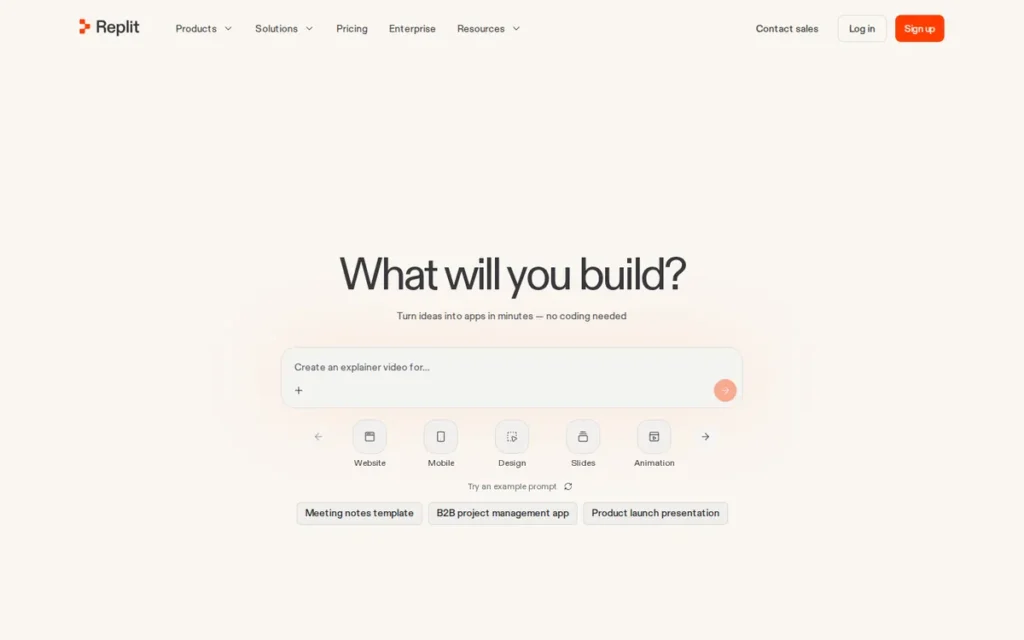
Category: AI Development Environment, a cloud-based IDE that builds, runs, and deploys full-stack applications from natural language prompts with no local installation required.
At a Glance
- Category: AI Development Environment
- Best For: Non-technical startup founders and product managers who need production-capable full-stack apps with complete code ownership and predictable development costs, and who anticipate eventually needing developer customization or team handoff
- Price Range: Core $25/month (includes $25 in monthly AI Agent credits); Pro $100/month (includes $100 in monthly AI Agent credits); Enterprise custom, verify at replit.com/pricing, April 2026
- Primary Strength: Replit Agent is the only AI app builder in this comparison offering four build modes (Lite, Economy, Power, and Turbo) giving users direct control over credit consumption per task and directly addressing the unpredictable debugging-cost spiral documented as the most common pain point across the AI builder category
- Biggest Limitation: Replit Agent’s developer-adjacent interface requires more initial orientation than purely conversational builders like Lovable.dev or Bolt.new for users with no technical vocabulary, and cloud-based compute cannot match local development performance for compute-intensive builds
- One-Line Summary: Replit Agent reached approximately $240 million in annualized revenue by October 2025 (the highest documented figure in this comparison) offering full-stack code generation across 50+ languages, four cost-control build modes, and complete code ownership in a Google-backed cloud development environment.
- Last Verified: April 2026
Overview
Replit Agent is a Google-backed, browser-based AI app builder and cloud development environment that converts natural language prompts into full-stack, deployable applications across 50+ programming languages without local setup, built for non-technical founders who need production-capable apps with complete code ownership and a clear developer handoff path. Replit Agent 4 adds a Design Canvas for visual mockup planning and a Kanban board for managing multi-feature builds, giving product managers and non-developers a workflow-oriented interface alongside the platform’s full IDE capabilities.
Replit Agent’s defining technical advantage over consumer AI builders is its four build modes (Lite, Economy, Power, and Turbo) which give users direct control over compute cost per task rather than consuming a fixed credit per interaction regardless of complexity.
Key Features
- Zero-Setup Cloud IDE: Replit Agent builds complete full-stack applications from natural language prompts within a browser-based cloud IDE requiring no local environment setup, supporting over 50 programming languages with one-click deployment to production.
- Four Cost-Control Build Modes: Replit Agent 4 offers Lite for quick edits, Economy for cost-optimized tasks, Power for complex builds, and Turbo for 2.5x faster builds on Pro, giving users direct control over AI credit consumption so routine changes cost less than complex feature builds, per Replit blog, 2025.
- Native Business Tool Integrations: Replit Agent connects natively to Linear, Slack, Notion, and Google Sheets, enabling data-driven apps to read from and write to existing business tools without separate API configuration.
- Design Canvas and Kanban Board: Replit Agent 4 provides an infinite visual planning board for mockups and live previews alongside a Kanban board tracking build tasks through Drafts, Active, Ready, and Done stages, making non-technical product planning accessible alongside full code generation.
- Full Code Ownership and Git Tracking: Replit Agent produces fully exportable, Git-tracked source code with complete developer handoff capability, ensuring users own their codebase entirely and can transition to local development or hand off to a technical co-founder at any stage.
Best For
Replit Agent is best for non-technical startup founders and product managers who need to generate a production-capable full-stack application quickly and want complete code ownership with a clear path to developer handoff, its exportable codebase and multi-mode cost control provide the most flexible transition from AI prototype to production app in this comparison.
Pricing
Replit Core costs $25/month (or $20/month billed annually) and includes $25 in monthly AI Agent credits, up to 5 collaborators, unlimited workspaces, autonomous long builds, and removal of the “Made with Replit” badge. Replit Pro costs $100/month (or $95/month billed annually) and includes $100 in monthly AI Agent credits, up to 15 collaborators plus 50 viewers, access to the most powerful AI models, private deployments, 28-day database restore, Turbo build mode, and premium support. Enterprise pricing is custom with SSO/SAML, advanced privacy, and data warehouse connections. Pricing verified at replit.com/pricing, April 2026, AI builder pricing changes frequently; verify before committing.
Strengths
- Replit Agent reached approximately $240 million in annualized revenue by October 2025 (a 15x growth trajectory from $16 million at end of 2024, per Business Insider (October 2025) citing CEO Amjad Masad) the highest documented revenue figure among all seven platforms in this comparison, providing the community scale that accelerates non-technical onboarding.
- Replit Agent 4’s four build modes (Lite, Economy, Power, Turbo) are the only cost-control mechanism in this comparison that directly addresses the most documented pain point in the AI builder category (unpredictable credit consumption during debugging cycles) allowing users to select cheaper modes for routine edits rather than burning expensive tokens on trivial changes, per Replit blog, 2025.
- Replit received a $97.4M Series B funding round in 2022 with Google as a noted investor, providing an institutional platform stability record that predates most AI-native builders in this comparison by 2–3 years and raises meaningful confidence for founders planning long-term production deployments.
- Replit’s 20M+ registered users represent the largest community base of any platform in this comparison, per The Compete Network newsletter (2025), generating extensive tutorials, templates, and peer support resources that measurably accelerate the non-technical onboarding experience.
Limitations
- Developer-Adjacent Interface: Replit Agent’s most consequential trade-off is its hybrid identity, the platform simultaneously serves students, professional developers, and non-technical founders, meaning its interface carries more developer-adjacent complexity than the purely conversational approach of Lovable.dev or Bolt.new, requiring more initial orientation from users with no technical vocabulary even after the Design Canvas and Kanban tools were added in Agent 4.
- Cloud Compute Constraints: Replit Agent’s cloud-based compute environment cannot match local development performance for compute-intensive builds, and Agent errors in complex, multi-file codebases still require manual code fixes in some cases, partially offsetting the no-code promise for users who cannot diagnose generated code errors.
Users on r/replit noted:
“Replit + vibe coding unlocked a ton for me. It was fast, playful, and incredibly enabling. Then… the big updates rolled out. Overnight, things fell apart. Productivity tanked, the “fun” evaporated, and I found myself wrestling with the agent/assistant more than I was building. Sometimes I’d make small progress over days, only for the AI to overwrite something, break it, and then fail to fix its own mistake.” Posted by u/Jchpn01
Takeaway: Replit Agent’s regression loop on complex builds (where the AI breaks previously working functionality while attempting fixes) is a documented community pattern, not merely a theoretical risk for ambitious multi-feature projects.
- Credit Allocation on Intensive Builds: Replit Agent’s Pro plan credit allocation ($100/month) can be exhausted in a single complex autonomous build session, non-technical founders should default to Economy or Lite build modes for iterative refinement after initial generation, and treat the monthly credit inclusion as an average-use estimate rather than a guaranteed completion budget for large-scale exploratory builds.
Verdict
Replit Agent is the best overall AI app builder for non-technical founders and startup teams who need production-capable full-stack applications with complete code ownership and cost-predictable development in 2026. Replit Agent’s approximately $240 million in annualized revenue by October 2025, four-mode credit control system, and Design Canvas for non-technical workflow planning represent the strongest combination of accessibility, production credibility, and portability in this comparison. Founders who eventually bring on technical co-founders or hire developers will find Replit Agent’s Git-tracked, developer-grade codebase the most transition-ready output in the AI builder category, a structural advantage that grows in value as the product matures.
2. Bubble: Best for Complex, Production-Scale Web Applications
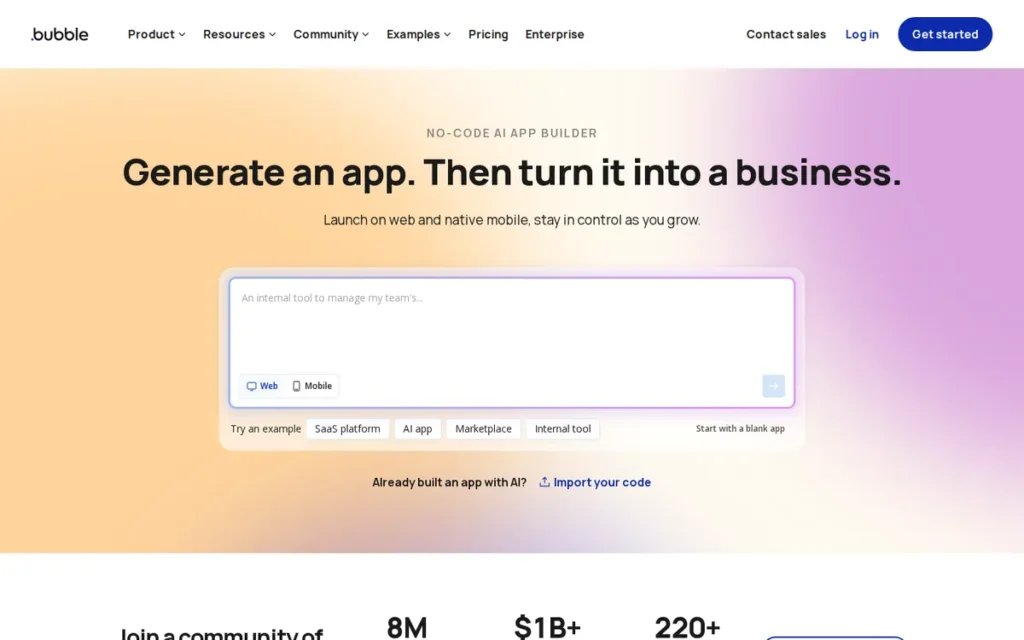
Category: Visual No-Code Builder, a full-stack visual programming environment that builds and deploys web applications through a drag-and-drop interface and visual workflow engine without requiring users to write code.
At a Glance
- Category: Visual No-Code Builder
- Best For: Non-technical founders building complex, production-scale web applications (SaaS platforms, marketplaces, community apps, and internal tools) who need maximum feature depth and proven scalability and accept a steeper initial learning curve
- Price Range: Free; Starter approximately $29/month; Growth approximately $119/month; Team approximately $349/month; Enterprise custom; Workload Unit (WU) billing applies at higher tiers and can escalate costs unpredictably at scale, verify current pricing at bubble.io/pricing, April 2026
- Primary Strength: Bubble is the only platform in this comparison with 14 years of production history and documented deployments processing millions of transactions, providing a real-world production track record that no AI-native builder launched after 2022 can match
- Biggest Limitation: Bubble does not export source code under any plan or pricing tier, applications built on Bubble cannot be migrated to any other infrastructure without a complete rebuild, creating permanent vendor dependency that community discussions identify as the platform’s most consequential long-term risk
- One-Line Summary: Bubble is the most production-battle-tested no-code web app builder in this comparison, with 14 years of history since its 2012 founding, a $100M Series A in July 2021, and documented deployments processing over $10 million in annual marketplace transactions.
- Last Verified: April 2026
Overview
Bubble is a full-stack visual no-code platform founded in 2012 that enables non-technical users to build complex, production-scale web applications through a drag-and-drop interface and visual workflow engine, the most mature no-code platform in this comparison with approximately $106.3 million in confirmed total funding as of 2025 (Contrary Research, 2025) and over 200,000 active users building everything from early-stage MVPs to marketplace platforms processing millions of transactions annually.
Bubble’s AI Agent (rolled out 2025–2026) adds natural language app generation (producing wireframes, data types, workflows, and backend logic from text prompts) significantly reducing the platform’s historically steep learning curve while retaining seamless switching to manual visual editing. Bubble is best suited for non-technical founders building complex web products who prioritize maximum feature depth and platform maturity over code portability, and who accept that all applications built on Bubble remain tied to the Bubble ecosystem indefinitely.
Key Features
- Visual Workflow Engine: Bubble provides a drag-and-drop UI editor combined with a visual workflow engine, enabling non-technical users to build conditional logic, API integrations, multi-step user flows, and database operations without writing any code, per Bubble features documentation.
- Bubble AI Agent: Bubble’s AI Agent (available to all users as of 2025–2026) generates complete applications (including wireframes, data types, backend workflows, and logic) from natural language prompts, with seamless switching between AI generation and manual visual editing for granular control.
- Native Relational Database: Bubble’s native relational database includes separate development and live environments, automatic backups, row-level privacy rules, and connectivity to 500+ external services via REST, GraphQL, and OAuth, providing a complete backend data layer without external configuration.
- 8,000+ Plugin Ecosystem: Bubble’s ecosystem includes 8,000+ plugins and a marketplace of certified Bubble developers, agencies, and specialized courses, reducing solo-builder dependency and providing professional support options at every level of app complexity.
- Documented Production-Scale Deployments: Bubble supports production-scale deployment with documented case studies including a marketplace processing $10M+ in annual transactions (Comet) and a parking platform serving millions of bookings (Parkbee), per goodspeed.studio, 2024.
Best For
Bubble is best for non-technical founders building complex web applications (SaaS platforms, marketplaces, member communities, or internal workflow tools) who prioritize maximum feature depth, platform longevity, and access to a mature developer and agency ecosystem over code portability or initial build speed.
Pricing
Bubble offers a Free plan with limited capacity. Paid plans include Starter (approximately $29/month), Growth (approximately $119/month), Team (approximately $349/month), and Enterprise at custom pricing, verify current pricing at bubble.io/pricing before committing, as Bubble pricing has changed multiple times. Higher plans use Workload Unit (WU) billing for database queries, API calls, and complex workflows, meaning costs escalate as app complexity grows. One documented developer noted “feeling penalized every time I want to access our data” with significant development time spent avoiding WU consumption rather than building features (u/CobraJuice, r/nocode, 2026).
Strengths
- Bubble has 14 years of documented production history since its 2012 founding, with confirmed deployments at meaningful transaction scale, including a marketplace processing $10M+ in annual payments (Comet) and a parking management platform serving millions of bookings (Parkbee), per goodspeed.studio, 2024, the only platform in this comparison with this depth of real-world production evidence.
- Bubble secured a $100M Series A in July 2021 led by Insight Partners, with total confirmed funding of approximately $106.3 million as of 2025 (Contrary Research, 2025; bubble.io/blog, 2021), providing funding-backed platform stability and an ecosystem scale that AI-native builders launched after 2022 cannot replicate.
- Bubble’s AI Agent (2025–2026 rollout) meaningfully compressed development time: one documented community user completed in approximately 2 hours work that previously took a full month, noting the AI Assistant “could have my app ready for use in a week” once backend workflow support matures (u/handbrake2k, r/Bubbleio, 2026), demonstrating that Bubble’s historical learning curve disadvantage has been substantially reduced by the AI layer.
Limitations
- Permanent Vendor Lock-In: Bubble does not export source code under any plan or pricing tier, any application built on the platform cannot be migrated to another infrastructure without a complete rebuild from scratch, a constraint community discussions document as the platform’s top long-term risk.
“I left Bubble back in 2019. Too many performance issues, crazy costs for workflows, and vendor lock-in. I moved to Wappler and love the freedom.” (u/kfawcett1, r/nocode, 2024)
Takeaway: Bubble’s no-export policy means every dollar invested in building on the platform is a permanent commitment, evaluate the explicit rebuild cost before starting any production build.
- Workload Unit Cost Unpredictability: Bubble’s WU billing at higher tiers creates unpredictable costs at production scale, one developer building a full-scale ERP documented “feeling penalized every time I want to access our data” and estimated significant developer time being spent on WU avoidance rather than feature building (u/CobraJuice, r/nocode, 2026).
- Steep Learning Curve Despite AI: Bubble’s learning curve, while reduced by the AI Agent, remains among the steepest for first-time users arriving from AI-native tools (one 2025 reviewer characterized the experience as “you don’t build on Bubble) you debug Bubble” (u/HeartyFilms, r/nocode, 2025), and one user abandoned a 15-month Bubble MVP and rebuilt in a newer AI tool in 6 weeks with dramatically better results (u/Miserable-Finger2386, r/nocode, 2026).
Verdict
Bubble is the most production-battle-tested no-code platform in this comparison, with 14 years of history, $100M+ in confirmed funding, and documented deployments processing millions of transactions, making it the strongest choice for non-technical founders building complex web applications where long-term scale, feature depth, and ecosystem maturity matter more than initial build speed or code portability. Bubble’s AI Agent has meaningfully reduced its historical learning curve, and its 8,000+ plugin ecosystem provides the broadest integration coverage of any platform evaluated here. Bubble’s permanent no-export policy is a non-negotiable commitment, founders who build on Bubble remain tied to it indefinitely, and evaluating the platform’s long-term pricing stability and explicit migration cost is essential before starting any production build.
3. Bolt.new: Best for Rapid Full-Stack Prototyping with Complete Code Ownership
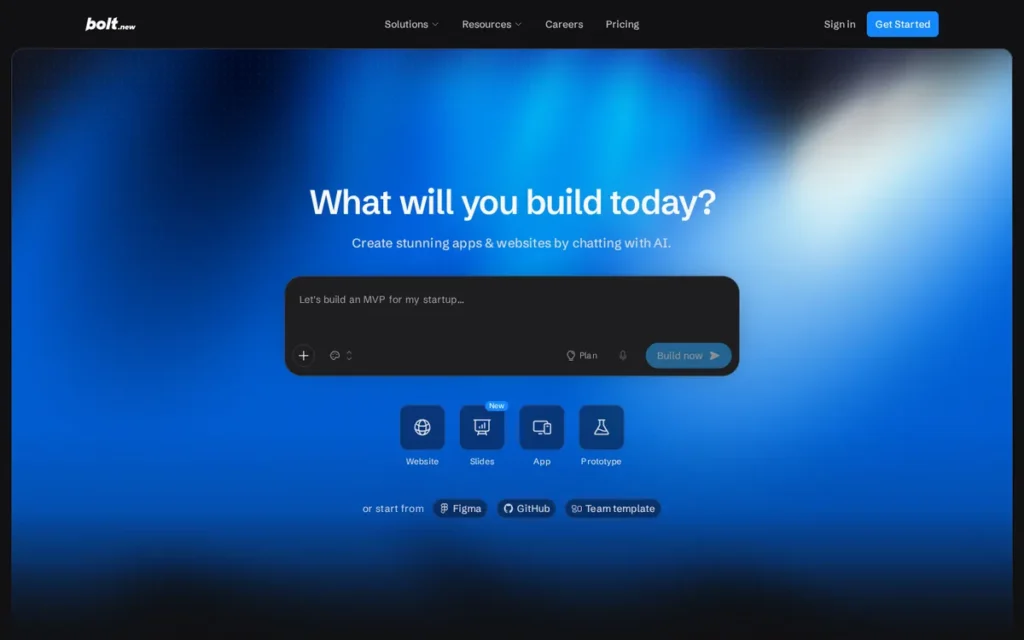
Category: Prompt-to-Code Generator, an in-browser AI tool that converts natural language descriptions into full-stack web applications with complete, exportable source code and zero local installation required.
At a Glance
- Category: Prompt-to-Code Generator
- Best For: Non-technical founders who need a working full-stack web application prototype immediately and want complete source code ownership for future developer customization or self-hosting with no vendor lock-in
- Price Range: Free tier available; Pro at $25/month (10 million context tokens included); token-based consumption model with variable costs in Agent Mode during complex debugging sessions, verify at bolt.new/pricing, April 2026
- Primary Strength: Bolt.new delivers live full-stack web application previews: React frontend, Node.js backend, PostgreSQL database, directly in a browser tab from a single natural language prompt, with no installation required and full source code ownership guaranteed
- Biggest Limitation: Bolt.new’s Agent Mode can consume significant token credits during complex debugging sessions without resolving the underlying issue, and the platform shows documented stability limitations when iterating on large, multi-file codebases
- One-Line Summary: Bolt.new is a browser-native prompt-to-code generator that reached $20M ARR within two months of launch and approximately $40M ARR by March 2025, converting natural language descriptions into full-stack React, Node.js, and PostgreSQL applications with complete source code export and zero local setup.
- Last Verified: April 2026
Overview
Bolt.new is a browser-native AI app builder developed by StackBlitz that converts natural language prompts into live, interactive full-stack web applications, React frontend, Node.js backend, PostgreSQL database via Supabase, running inside a browser tab through WebContainer technology, requiring no installation and producing complete, exportable source code the user owns outright with no vendor dependency, per UIBakery blog, 2025.
Bolt.new serves non-technical founders who need the fastest path from idea to working prototype with maximum future portability, offering three interaction modes, Agent Mode for autonomous builds with self-directed debugging, Chat Mode for iterative conversational refinement, and Visual Edits for direct UI adjustments without prompting. Bolt.new’s core technical differentiator is its WebContainer architecture, which compiles Node.js to WebAssembly and executes the entire development environment in-browser, a moat that cloud-server-dependent AI code generators cannot easily replicate, per DronaHQ review, 2025.
Key Features
- Browser-Native Full-Stack Generation: Bolt.new generates complete full-stack web applications, React and Tailwind CSS frontend, Node.js and Express backend, and PostgreSQL database via Supabase, directly inside a browser tab with no installation and a live interactive preview rendering alongside the prompt interface.
- Three Interaction Modes: Bolt.new offers Agent Mode for autonomous end-to-end app construction with self-directed debugging, Chat Mode for iterative conversational refinement after the initial build, and Visual Edits for direct UI adjustments without writing new prompts, accommodating different skill levels across the build lifecycle.
- Full Code Export with No Lock-In: Bolt.new produces complete, exportable source code that users own entirely, with native deployment integrations to Netlify and Vercel and GitHub export capability, ensuring no platform lock-in and full developer handoff at any stage of the build.
- WebContainer Architecture: Bolt.new’s WebContainer technology (built by parent company StackBlitz) compiles Node.js to WebAssembly and runs the complete development environment in-browser, a technically defensible architecture that competitors using cloud-server-based generation cannot replicate without significant infrastructure investment, per DronaHQ review, 2025.
- Figma and Supabase Integration: Bolt.new integrates with Figma for design-to-code import workflows and connects natively to Supabase for authentication and database, enabling non-technical founders to add user accounts and persistent data storage to AI-generated apps without writing backend configuration code.
Best For
Bolt.new is best for non-technical founders and product managers who need a working full-stack web application prototype as fast as possible and want to preserve maximum flexibility for future developer customization, self-hosting, or platform migration, its zero-install browser-native workflow and complete code export make it the fastest and most portable starting point in the prompt-to-code category.
Pricing
Bolt.new offers a free tier and a Pro plan at $25/month including 10 million context tokens. Community users rate the Pro plan as sufficient for iterative MVP builds: “Bolt is much better in terms of pricing after the first prompt, $25 for 10M context tokens and it will last through hundreds of customizations” (u/ming69420, r/vibecoding, 2026). Agent Mode consumes significantly more tokens per session than Chat Mode, complex multi-iteration debugging sessions can exhaust significant token budgets within hours. Verify current pricing at bolt.new/pricing before committing.
Strengths
- Bolt.new reached $20 million ARR within approximately two months of its AI app builder launch and grew to an estimated $40 million ARR with over 3 million registered users by March 2025, per Contrary Research (2025), validating strong and sustained market adoption despite the absence of a formal G2 or Capterra review profile.
- Bolt.new’s Pro plan ($25/month for 10M context tokens) was rated the better value for iterative building in direct community comparison with Lovable.dev’s per-credit model, with the cost advantage concentrated in post-generation iteration phases (u/ming69420, r/vibecoding, 2026).
- Bolt.new’s WebContainer architecture: running the complete Node.js environment compiled to WebAssembly in-browser without server-side compute, creates a technically defensible moat that simpler AI API wrappers with external deployment cannot replicate, per DronaHQ review, 2025 and UIBakery blog, 2025.
- Bolt.new produces full source code export (React, Node.js/Express, PostgreSQL schema) with no platform lock-in, founders can migrate to self-hosted or developer-managed infrastructure at any point without platform negotiation or a full rebuild from scratch.
Limitations
- Production Stability on Complex Codebases: Bolt.new’s most consequential trade-off is instability when iterating on large, multi-file, multi-feature applications, “lacks stability for large projects” is a recurrent finding in independent comparisons (AI For Dev Teams blog, 2025), limiting Bolt.new’s effectiveness beyond well-scoped initial prototypes that map cleanly to its React/Node.js/PostgreSQL defaults.
- Agent Mode Token Burn: Bolt.new’s Agent Mode autonomous debugging can consume weeks of token budget in a single session without resolving the root issue, a credit-burn pattern structurally harder to predict and control than Replit Agent’s build-mode cost system, creating significant cost risk during complex or exploratory iterations.
Users on r/ChatGPTCoding described the experience:
“I’ve been using it for a few days now, and my experience so far has been mixed. For generating simple web applications, it’s quite effective. However, it struggles with more complex tasks, often leading to code errors. When trying to address these mistakes, you can easily find yourself caught in a frustrating cycle with the AI agent, which I wouldn’t recommend to anyone. A lot of times, when addressing issues, it would break other parts of the code that (I believe) have nothing to do with the functions we’re trying to address. Often just going around in circles over and over again whilst wasting all my available tokens. It doesn’t seem to learn from prior mistakes.” Posted by u/wackronym
Takeaway: Bolt.new’s debugging loop (where fixing one error breaks unrelated code sections while tokens drain) is a verified community experience that directly validates the Agent Mode token burn limitation described in this review.
- Developer Handoff Friction and No Formal Review Profile: Bolt.new’s browser-native architecture keeps users “furthest from the code” among prompt-to-app tools (AI For Dev Teams blog, 2025), creating friction for technical collaborators who prefer GitHub-native workflows, and Bolt.new has no verified G2 or Capterra review profile as of April 2026, limiting structured third-party validation for formal procurement decisions.
Verdict
Bolt.new is the fastest path from a natural language prompt to a full-stack web application with complete source code ownership in 2026, making it the strongest choice for non-technical founders who need a working prototype immediately and want to preserve the option of future developer customization, self-hosting, or platform migration with no vendor dependency. Bolt.new’s browser-native WebContainer architecture, three interaction modes, and Pro plan flat-rate token pricing combine to make it the most technically differentiated and portable entry point in the prompt-to-code category. Bolt.new performs best on well-scoped, clearly defined applications and shows documented instability on large multi-feature codebases, making it an excellent starting tool that may require a developer handoff or platform transition as product complexity grows.
4. Lovable.dev: Best for Non-Developers Building Full-Stack MVPs with a Clear Path to Developer Handoff
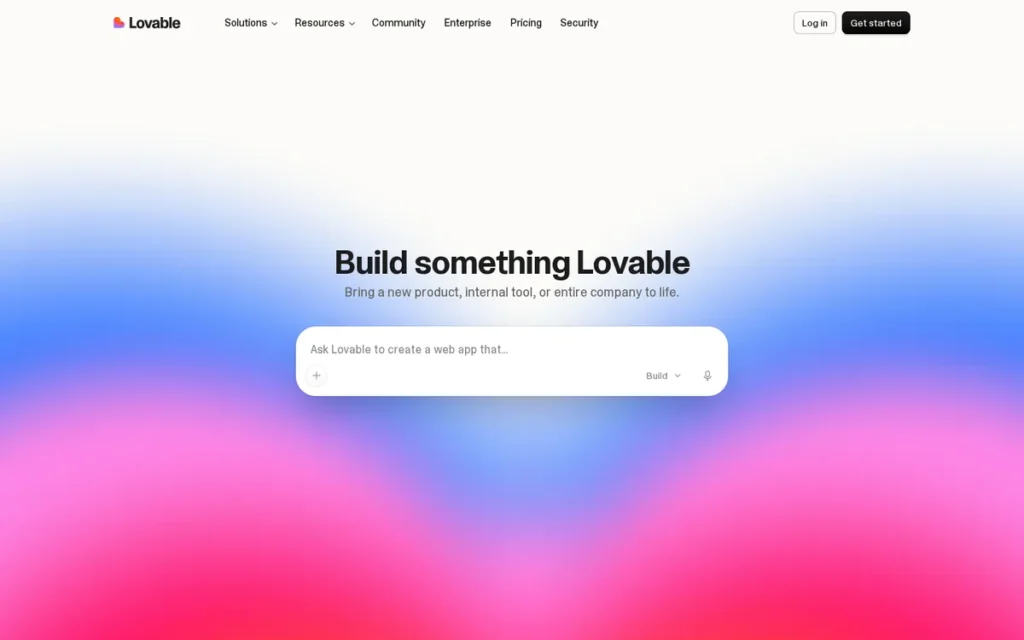
Category: Full-Stack AI Generator, a conversational AI builder that generates complete React, Supabase, and Tailwind CSS applications from natural language prompts with native GitHub export and simultaneous database schema generation.
At a Glance
- Category: Full-Stack AI Generator
- Best For: Non-technical founders who need a deployable full-stack MVP with authentication and database quickly, and want a clear GitHub-based path to developer handoff, particularly for well-scoped SaaS products with clear specifications before the first prompt
- Price Range: Free (30 credits/month, 5 per day); approximately €25 (~$27 USD) per 100 additional credits; each AI request costs 3–5 credits regardless of whether it builds a feature or fixes a bug, verify at lovable.dev/pricing, April 2026
- Primary Strength: Lovable.dev is the only AI app builder in this comparison that generates both the React frontend and the Supabase database schema simultaneously from a single natural language prompt, eliminating the separate database configuration step required by every other platform in this review
- Biggest Limitation: Lovable.dev charges 3–5 credits per AI interaction regardless of complexity, meaning debugging AI-generated mistakes consumes the same per-credit budget as building new features, making total MVP development costs unpredictable and potentially high for iterative or complex builds
- One-Line Summary: Lovable.dev is a full-stack AI generator that reached $100M ARR in approximately 8 months and serves approximately 8 million users (TechCrunch, November 2025), producing complete React and Supabase applications with native GitHub sync, with community-documented build costs ranging from approximately $50 to $500+ depending on scope and prompt efficiency.
- Last Verified: April 2026
Overview
Lovable.dev is a full-stack AI web app generator (rebranded from the open-source GPT Engineer tool in late 2024) that converts natural language prompts into complete React, Tailwind CSS, Vite, and Supabase applications, generating UI components, database schemas, authentication flows, CRUD operations, and API integrations simultaneously from a single prompt. Lovable.dev reached $100 million in ARR within approximately 8 months of its consumer relaunch and serves approximately 8 million users as of late 2025 (TechCrunch, November 2025), making it the fastest-growing platform in this comparison by ARR growth velocity to the $100M milestone.
Lovable.dev includes GitHub sync for version control and developer handoff, real-time collaboration, live preview, and AI debugging assistance, enabling the workflow where a non-technical founder generates the scaffold and a developer inherits a real, version-controlled codebase without platform migration. Lovable.dev’s core limitation is its credit-based pricing structure, where debugging cycles consume credits at the same per-unit rate as new feature development, per DeepInsights review, 2025.
Key Features
- Simultaneous UI and Database Generation: Lovable.dev generates complete React, Tailwind CSS, and Vite frontend applications with simultaneous native Supabase integration, creating database schemas, authentication flows, storage configuration, and real-time features alongside the UI from a single natural language prompt, per Lovable.dev documentation.
- GitHub Sync for Developer Handoff: Lovable.dev includes GitHub sync for version control and developer handoff, allowing a non-technical founder to start the app with AI prompts and transfer a real, version-controlled React and Supabase codebase to a developer working in their own IDE without migrating platforms.
- AI Debugging Assistance: Lovable.dev includes an AI debugging tool that diagnoses and resolves errors in generated code through follow-up conversational prompts, though each debugging request consumes the same credits as building a new feature, which community users consistently document as a significant cost concern.
- Native Payment and Analytics Integration: Lovable.dev integrates natively with Stripe for payment processing, standard analytics platforms, and REST APIs, enabling non-technical founders to add transactional and measurement capabilities to generated applications without writing backend code.
- Real-Time Collaboration and Live Preview: Lovable.dev supports real-time collaboration and live preview, with every prompt iteration producing an immediately testable version of the application in the platform’s built-in browser preview, enabling rapid feedback cycles with potential users during early validation.
Best For
Lovable.dev is best for non-technical founders who need a complete full-stack application (with authentication, database, and payments) generated quickly from a well-defined, clearly scoped prompt, and who want the option to hand off the resulting React and Supabase codebase to a developer via GitHub when the app reaches the limits of AI-prompt iteration.
Pricing
Lovable.dev offers a Free plan with 30 credits per month (5 per day). Additional credits cost approximately €25 (~$27 USD) per 100 credits. Each AI request (whether building a new feature, fixing a bug, or adjusting a UI element) costs 3 to 5 credits. At 3–5 credits per request, 100 credits yields only 20–33 total interactions. A documented first-person build account describes completing approximately 50% of an MVP in 9 hours while spending 100 credits (€25): “A 100 credit pack disappears quickly” (u/CalligrapherFar3373, r/vibecoding, 2026). Verify current Pro plan pricing and credit inclusions at lovable.dev/pricing.
Strengths
- Lovable.dev reached $100 million in ARR within approximately 8 months of its consumer relaunch and serves approximately 8 million users as of late 2025 (the fastest ARR growth velocity to the $100M milestone of any platform in this comparison) per TechCrunch (November 2025), validating its accessibility and appeal for non-technical builders at scale.
- Lovable.dev’s native Supabase integration is architecturally unique in this comparison: a single natural language prompt generates both the React frontend interface and the Supabase database schema simultaneously, eliminating the separate database configuration step that all other platforms in this review require, per DeepInsights review, 2025.
- Lovable.dev’s GitHub sync provides the most accessible developer handoff path in the prompt-to-app category: a non-technical founder generates the React and Supabase scaffold with AI prompts, then a developer inherits a real, version-controlled codebase in familiar IDE tools, enabling team transition without rebuilding from scratch or migrating platforms.
Limitations
- Credit Cost Opacity During Debugging: Lovable.dev’s most consequential trade-off is that each AI request costs 3–5 credits whether it adds a major feature or corrects a minor button alignment, meaning debugging cycles, unavoidable in AI-generated code, consume the same per-credit budget as productive feature work, making total development cost dependent on AI error rate rather than feature count alone.
“The early steps went great, but as the project grew, challenges emerged. Lovable needs very clear instructions and burns credits fast, most requests cost 3–5 credits, even fixing mistakes costs more. A 100 credit pack disappears quickly.” (u/CalligrapherFar3373, r/vibecoding, 2026)
Takeaway: Plan for Lovable.dev debugging cycles to consume credits at the same rate as new feature builds, budget worst-case scenarios at 3–5 credits per interaction, not per feature.
- Community-Reported Code Quality Ceiling: Lovable.dev community accounts document code quality concerns at production scale, “opening browser tools shows hundreds of errors and performance problems” in freshly generated apps, with one community estimate placing approximately 100 concurrent users as a ceiling before code cleanup is required (r/vibecoding, 2026, prior to Lovable’s Agent mode update in July 2025). Verify current code quality with independent testing before committing to production scale targets, as the Agent update may have addressed some underlying issues.
- Extreme Cost Exposure at High Complexity: One documented case reports spending over $500 before encountering export-blocking that stalled a more complex project (u/Federal_Pea_3358, r/vibecoding, 2026), while representing an outlier, Lovable.dev’s per-credit model creates real cost exposure when app scope exceeds the platform’s AI reliability threshold and founders continue prompting through debugging loops.
Verdict
Lovable.dev is the strongest AI app builder for non-technical founders who need a complete full-stack React and Supabase application generated quickly from a clear and specific prompt, with a GitHub-based path to developer handoff, best suited for well-scoped, prompt-efficient MVP builds where the founder knows precisely what they want before they start. Lovable.dev’s native simultaneous database generation and GitHub sync are genuine architectural differentiators that no other platform in this comparison fully replicates, and its $100M ARR in approximately 8 months confirms broad non-technical market adoption. Lovable.dev’s credit pricing creates meaningful financial risk during complex or iterative builds, founders must validate their target scale and development approach against the per-credit model before committing.
5. Softr: Best for Client Portals, Member Areas, and Internal Data Tools
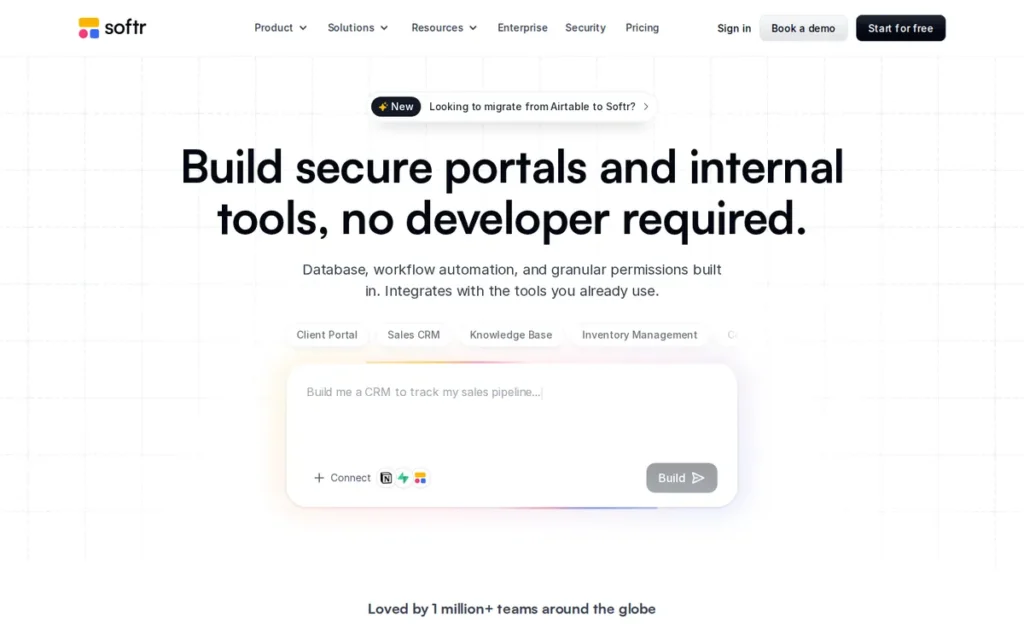
Category: Portal & Internal Tool Builder, a block-based no-code platform specialized for building client portals, member areas, vendor directories, and internal data tools with AI-generated data structures and role-based user access control.
At a Glance
- Category: Portal & Internal Tool Builder
- Best For: Small businesses, consultants, and operations teams building client portals, member directories, internal CRMs, or vendor portals, particularly those connecting to existing Airtable, Google Sheets, or HubSpot data who need structured access control
- Price Range: Free tier available; paid plans starting approximately $59/month (historical, verify at softr.io/pricing, April 2026); tier-based pricing with app, user, and feature limits at each level
- Primary Strength: Softr’s AI Co-Builder generates complete systems including database structure, workflow automation, user permission levels, and third-party integrations from natural language prompts (not just a visual interface) enabling end-to-end client portal deployment from a single text description
- Biggest Limitation: Softr is purpose-built for portals and structured data display tools, users building applications requiring custom multi-step workflows, complex conditional logic, or highly distinctive consumer-facing UX beyond its pre-built component library consistently hit a hard customization ceiling
- One-Line Summary: Softr is a YC W21-backed no-code portal and internal tool builder serving 1 million+ teams globally (vendor-reported, April 2026), combining an AI Co-Builder that generates complete data structures and permissions from text prompts with 90+ pre-built templates for client portals, member areas, and internal CRMs.
- Last Verified: April 2026
Overview
Softr is a full-stack no-code business app builder founded in 2019–2020 and backed by Y Combinator (W21) that specializes in building client portals, member areas, vendor portals, internal CRMs, and employee intranets, combining Softr Databases (native storage), a drag-and-drop interface builder with 90+ pre-built templates, an AI Co-Builder that generates complete systems including database structure and permissions from natural language prompts, and Softr Workflows for built-in automation.
Softr serves a claimed 1 million+ teams globally (vendor-reported, per Softr official site, April 2026; not independently corroborated by a third-party source in this research cycle) and has generated documented full-time income for no-code freelancers and agencies specializing in Softr-built client solutions. Softr is most accurately described as a specialized deployment tool for a defined category of applications, it delivers faster and more reliably than any other platform for client portals and member areas, and explicitly hits a ceiling for general-purpose SaaS products requiring custom logic beyond its pre-built block library.
Key Features
- AI Co-Builder for Full Data Layer: Softr’s AI Co-Builder generates complete systems from natural language prompts (including database structure, workflow automation, user permission levels, and third-party integrations) not just the visual interface, enabling end-to-end portal deployment from a single text description, per Softr AI app generator page.
- 90+ Purpose-Built Templates: Softr provides 90+ pre-built templates covering client portals, member directories, vendor portals, employee intranets, and internal CRMs, enabling standard business use cases to go live within hours without custom design or configuration work.
- Vibe Coding Block for Custom Components: Softr’s Vibe Coding block generates custom React, CSS, and JavaScript components from plain-language prompts (connecting natively to live Softr data and inheriting the app’s visual theme) providing a custom code escape hatch for the approximately 20% of functionality that pre-built blocks do not cover, per Softr blog, 2025.
- Native Business Data Integrations: Softr integrates natively with Airtable, Google Sheets, HubSpot, Stripe, and other business data sources, allowing teams to add a structured portal interface to existing workflows without rebuilding their underlying data infrastructure.
- Built-In Authentication and Role-Based Access Control: Softr includes built-in user authentication, role-based access control, and data privacy settings, enabling non-technical founders and consultants to control which users see and edit which data without writing any security logic.
Best For
Softr is best for consultants, small business owners, and operations teams who need to deploy a client portal, member area, internal CRM, or vendor directory quickly using existing Airtable or Google Sheets data, and for no-code freelancers building repeatable portal solutions for clients who need to manage their own data without touching the backend.
Pricing
Softr offers a Free tier with basic features. Paid plans (verify current pricing at softr.io/pricing before committing, pricing restructures have occurred and historical references may not reflect current tiers): historical sources reference paid plans starting at approximately $59/month, with Professional and Business tiers adding users, apps, and feature unlocks. Softr’s tier-based pricing is more predictable than credit-based AI builders, costs are determined by plan level rather than per-interaction consumption. Community documentation notes that features have historically been moved to higher pricing tiers over time (r/nocode, 2025), verify current feature inclusions before committing.
Strengths
- Softr serves 1 million+ teams globally (vendor-reported, per Softr’s official site, verified April 2026; not independently corroborated by a third-party source in this research cycle), representing broad claimed adoption across diverse industries and workflow types since its founding.
- Softr was a Y Combinator Winter 2021 (W21) cohort company, providing institutional validation of its business model and access to YC’s network and growth resources, an important platform stability signal compared to unfunded or early-stage AI builder startups in this comparison.
- Softr has generated verified full-time income for no-code specialists: “In 2023 I became a Softr expert and decided to do no-code full-time. It is now my sole source of income” (u/Financial-Soup-5948, r/nocode, 2024), confirming commercial viability for professional service delivery and providing a marketplace of available Softr specialists for founders who want professional implementation help.
Users on r/nocode shared their experience:
“I’ve used Softr for MVP builds a couple of times, it really depends on what you’re testing. If your MVP is about validating a workflow, a client portal, or a lightweight SaaS-style dashboard, Softr is actually great because you can spin something up in a day and put it in front of users. The built-in auth, payments, and roles save a ton of time versus wiring everything manually in Bubble/WeWeb. Where it can hit limits is scale (lots of simultaneous users or very large datasets in Airtable). That’s partly why Softr introduced their own database, which is faster and avoids Airtable’s rate limits, worth considering if you don’t want your MVP to choke under load. For me, the biggest win with Softr is speed. If you need pixel-perfect UI and complex logic, Bubble or WeWeb will go further, but they come with a steep learning curve. If your MVP goal is to test demand and get early feedback quickly, Softr is one of the fastest ways to do it.” Posted by u/AsleepAd4884
Takeaway: Softr delivers genuine speed advantages for portal and dashboard MVPs, but its performance ceiling at high concurrent users and large Airtable datasets is a real architectural boundary that community users hit before switching platforms.
Limitations
- Hard Customization Ceiling: Softr’s most consequential trade-off is specialization scope, the platform is “extremely limited and frustrating once you want to do any meaningful customizations” beyond its pre-built component library (u/foofork, r/nocode, 2026). Users building applications requiring complex multi-step conditional logic, distinctive consumer-facing UX, or custom business workflows will consistently hit a ceiling requiring a platform switch or developer intervention.
- Performance Concerns for High-Traffic Applications: Community reviewers report performance concerns for user-facing applications at scale, with one reviewer characterizing Softr apps as noticeably slow in user-facing contexts (r/nocode community discussion, documented in platform research, 2025), a concern worth independent testing before committing Softr to any high-traffic public application where performance affects user experience and conversions.
- No Source Code Export andHigher Starting Price: Softr does not export source code, creating platform dependency for all applications built within it. Softr’s historical starting price of approximately $59/month is higher than most competitors in this comparison for comparable breadth of capability outside the portal use case, placing it above Bubble’s Starter tier ($29/month) for a platform with significantly more constrained feature scope.
Verdict
Softr is the most specialized and immediately deployable AI app builder for client portals, member areas, vendor portals, and internal data tools in 2026, with an AI Co-Builder that generates full data structures from prompts, 90+ purpose-built templates, YC W21 backing, and claimed adoption by 1 million+ teams validating its production viability for its target niche. Softr’s documented history of supporting full-time freelancing income confirms it as a commercially serious platform within its defined scope. Founders who need an application beyond Softr’s portal and internal tool specialization (consumer-facing SaaS products, complex multi-step conditional workflows, or highly custom UX) will consistently hit the platform’s customization ceiling and should evaluate Bubble or Replit Agent instead.
6. Microsoft Power Apps: Best for Enterprise Organizations Already Running Microsoft 365 or Azure Infrastructure
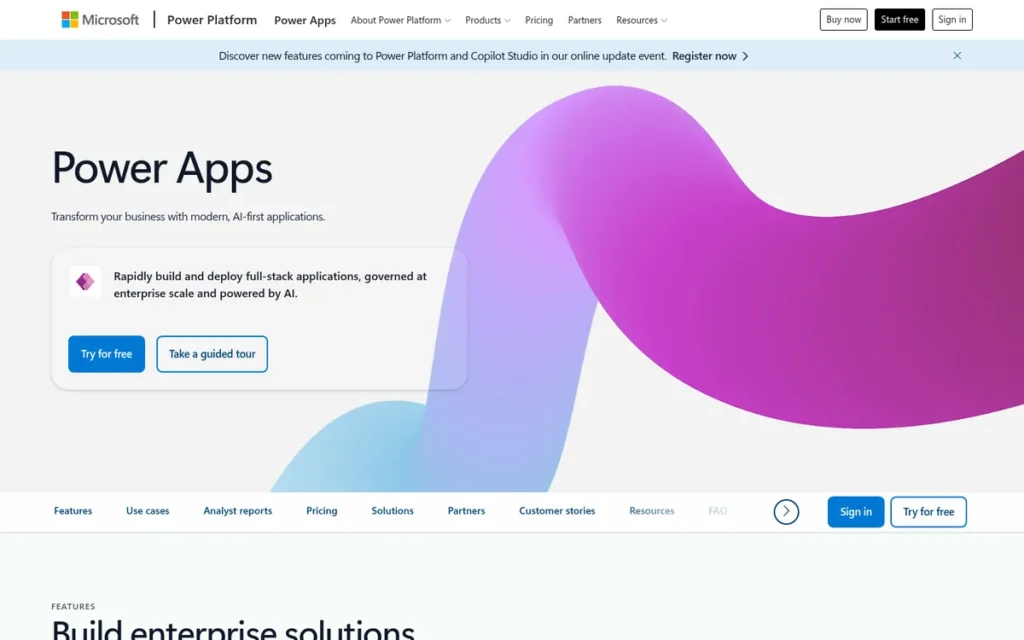
Category: Enterprise Low-Code Platform, a Microsoft-ecosystem application builder for internal workflow tools and departmental apps with native Microsoft 365, Dataverse, and Azure integration and built-in enterprise compliance controls.
At a Glance
- Category: Enterprise Low-Code Platform
- Best For: IT departments, citizen developers, and enterprise operations teams in Microsoft 365 or Azure environments building internal workflow tools, departmental automation apps, and process management interfaces, not recommended for non-Microsoft startups, independent founders, or consumer-facing SaaS products
- Price Range: Per App Plan approximately $5/user/month (limited to 1 app per user); Per User Plan approximately $20/user/month (unlimited apps); basic capabilities included in some Microsoft 365 Business and Enterprise tiers, verify at powerapps.microsoft.com/en-us/pricing/, April 2026
- Primary Strength: Microsoft Power Apps connects natively to 500+ data sources including SharePoint, Teams, Dynamics 365, and Azure without any API configuration, the only platform in this comparison where Microsoft 365 organizations can access all their existing enterprise data from a no-code app builder immediately after login
- Biggest Limitation: Microsoft Power Apps requires proficiency with Power Fx formula language and Dataverse data modeling that exceeds the capability of most non-technical founders, and its advantages over other platforms in this comparison exist only for organizations already operating within the Microsoft 365 ecosystem
- One-Line Summary: Microsoft Power Apps is a Gartner-recognized enterprise low-code platform connecting natively to 500+ data sources (including SharePoint, Teams, Dynamics 365, and Azure) distributed via Microsoft 365 licensing to organizations already operating within the Microsoft ecosystem.
- Last Verified: April 2026
Overview
Microsoft Power Apps is an enterprise low-code application platform launched in 2016 as part of the Microsoft Power Platform, enabling IT departments and citizen developers in Microsoft 365 organizations to build Canvas Apps (pixel-perfect UI with Power Fx formula logic and drag-and-drop) and Model-Driven Apps (data-first enterprise UIs built on Microsoft Dataverse with built-in governance) for internal workflow automation and process management. Microsoft Power Apps is the most capable option for organizations already running SharePoint, Teams, Dynamics 365, or Azure, and explicitly not the right tool for non-Microsoft startups, independent founders, or consumer-facing product builders whose integration advantages would disappear entirely outside the Microsoft ecosystem.
Microsoft Power Apps connects to 500+ data sources natively and integrates with Power Automate for workflow automation, Power BI for analytics dashboards, and AI Builder (Copilot) for AI-powered features within the unified Power Platform. Power Apps’ most consequential limitation for the primary audience is the required technical proficiency, Power Fx formulas and Dataverse data modeling consistently frustrated non-technical users in verified G2 reviews, with one reviewer stating: “I found myself not being techie enough to figure it all out” (G2 verified reviewer, 2025).
Key Features
- Two Distinct App Types: Microsoft Power Apps offers Canvas Apps for pixel-perfect UI design with drag-and-drop components and Power Fx formula-based logic, and Model-Driven Apps for auto-generated enterprise UIs built on Microsoft Dataverse with built-in role-based security and governance, serving different complexity and compliance needs within one platform.
- 500+ Native Data Connectors: Power Apps connects natively to 500+ data sources (including SharePoint, SQL Server, Azure, Dynamics 365, Microsoft Teams, and REST APIs) enabling departmental applications to access existing enterprise data without custom API integration work, per i3solutions blog, 2025.
- Unified Power Platform Ecosystem: Power Apps integrates with Power Automate for workflow automation, Power BI for embedded analytics dashboards, and Microsoft Copilot via AI Builder for AI-powered form processing and predictive modeling, all within the unified Microsoft Power Platform, per Superblocks blog, 2025.
- Enterprise-Grade Compliance Controls: Power Apps includes role-based security, audit logs, SSO/SAML authentication, and data governance features, meeting the security and procurement requirements of regulated industries and enterprise IT departments that other platforms in this comparison cannot match at equivalent scale.
- Microsoft 365 Distribution Advantage: Power Apps is available at basic capability levels within some Microsoft 365 Business and Enterprise licensing tiers, reducing marginal adoption cost for organizations already paying for Microsoft 365 who want to build departmental apps against existing SharePoint or Teams data.
Best For
Microsoft Power Apps is best for IT departments, citizen developers, and enterprise operations teams within organizations already running Microsoft 365, Azure, or Dynamics 365 infrastructure, who need to build internal workflow tools, process automation apps, or departmental data interfaces that connect directly to existing Microsoft data sources without any API configuration.
Pricing
Power Apps pricing (verify at powerapps.microsoft.com/en-us/pricing/ before committing): Per App Plan approximately $5/user/month limited to 1 app and 1 portal per user. Per User Plan approximately $20/user/month for unlimited apps. Pay-as-you-go pricing is available via Azure subscription. A 50-user organization on the Per User Plan pays approximately $12,000/year in licensing before development or training costs, calculated from Per User Plan list price, April 2026, and significantly higher than Bubble, Softr, or Replit Agent for comparable non-enterprise use cases. Pricing verified directionally from comparative sources; confirm at the official pricing page before committing.
Strengths
- Microsoft Power Apps held Gartner Magic Quadrant Leader recognition for Enterprise Low-Code Application Platforms as recently as 2024, per Datamation analysis (2025), providing the analyst-validated enterprise credibility that IT decision-makers in regulated industries require before platform adoption. The 2026 Gartner designation has not been confirmed in this research cycle; verify current positioning before citing in enterprise procurement contexts.
- Power Apps connects natively to 500+ data sources including SharePoint, Teams, SQL Server, Dynamics 365, and Azure without any custom API configuration, the broadest native data connectivity in this comparison and a genuine zero-effort advantage for organizations already invested in Microsoft infrastructure, per AlphaSoftware comparison, 2025.
- Power Apps is distributed as part of Microsoft 365: a suite with 400M+ commercial seats globally (Microsoft commercial adoption data, 2024), giving it an embedded adoption path that allows IT teams to build departmental apps without separate vendor evaluation or procurement in organizations already paying for Microsoft licensing.
Limitations
- Complete Ecosystem Dependency: Microsoft Power Apps’ most consequential trade-off is that every platform advantage exists only for organizations already running Microsoft infrastructure, for startups or small businesses on AWS, GCP, or non-Microsoft stacks, Power Apps requires the same API configuration work as every other platform while adding Power Fx formula language and Dataverse modeling that non-technical users consistently find inaccessible: “I found myself not being techie enough to figure it all out” (G2 verified reviewer, 2025).
- Enterprise Approval Friction Even Within Microsoft Organizations: Microsoft Power Apps paradoxically creates adoption barriers even inside Microsoft shops, one enterprise IT professional described failing to get Power Apps approved in two Fortune 500 companies: “the process to get it approved was filling out dozens of forms and months of security analysis and approvals. We switched over to custom code to simplify the architecture” (u/atx78701, r/Bubbleio, 2026).
- Cost Scale That Exceeds Small-Business Budgets: For small businesses and startups, Microsoft Power Apps’ per-user pricing scales to enterprise-level costs rapidly, a 50-user organization on the Per User Plan pays approximately $12,000/year in licensing before any development or training investment, making it structurally unsuitable for the primary audience this article serves outside the Microsoft enterprise context.
Verdict
Microsoft Power Apps is the strongest low-code option for organizations already invested in Microsoft 365, Azure, or Dynamics 365 infrastructure, offering native connectivity to 500+ enterprise data sources, Gartner-recognized production credibility, and enterprise compliance controls that no AI-native builder in this comparison can match at regulated enterprise scale. For non-technical startup founders, freelancers, and small businesses operating outside the Microsoft ecosystem, Microsoft Power Apps is unambiguously the wrong tool: its required proficiency with Power Fx, per-user pricing that scales to enterprise costs, and enterprise procurement friction make it an obstacle rather than an accelerant for the primary audience this article serves.
7. Glide: Best for Operations Teams Converting Existing Spreadsheet Data into Mobile-Responsive Apps
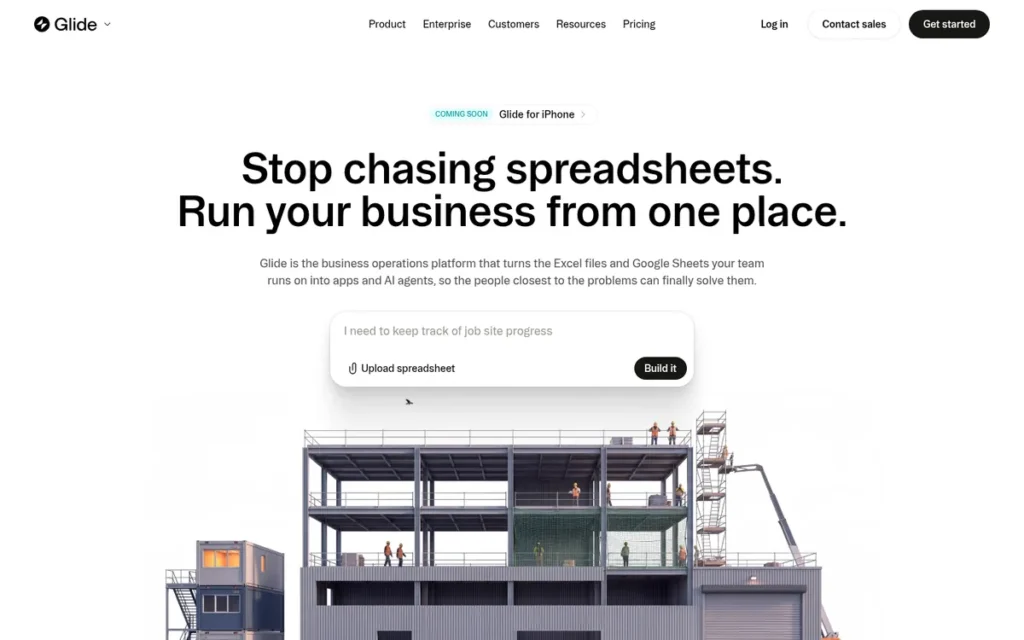
Category: Spreadsheet-to-App Converter, a no-code builder that transforms Google Sheets, Airtable, or Excel data into mobile-responsive Progressive Web Apps with drag-and-drop UI components and AI-powered data transformations.
At a Glance
- Category: Spreadsheet-to-App Converter
- Best For: Operations teams, field service managers, and small businesses that already manage structured data in Google Sheets or Airtable and need a polished, mobile-responsive interface for their team without redesigning their data model
- Price Range: Free tier with strict row and update limits; paid plans starting approximately $25/month; App Store wrapper add-on approximately $99/month additional on the Business plan; row limits at each tier drive upgrade costs as data volume grows, verify at glideapps.com/pricing, April 2026
- Primary Strength: Glide converts existing Google Sheets or Airtable data into polished, mobile-responsive Progressive Web Apps without requiring users to redesign their data structure, configure a new database, or learn any formula language, the fastest deployment path for operations teams with clean existing structured data
- Biggest Limitation: Glide produces Progressive Web Apps rather than native iOS/Android App Store applications, and its spreadsheet-dependent architecture limits app complexity to what structured row-and-column data can support, making it unsuitable for consumer mobile apps requiring App Store distribution or applications expected to outgrow spreadsheet-scale data
- One-Line Summary: Glide is an independent spreadsheet-to-app converter with 100,000+ customers that transforms Google Sheets, Airtable, or Excel data into mobile-responsive Progressive Web Apps, consistently rated the easiest no-code tool to learn with the most visually polished default output in its category.
- Last Verified: April 2026
Overview
Glide is an independent, spreadsheet-first no-code app builder that converts Google Sheets, Airtable, or Excel data into mobile-responsive Progressive Web Apps (mapping spreadsheet rows to app records and columns to data fields) enabling operations teams and small businesses to deploy team-facing data interfaces without database redesign or coding knowledge. Glide has over 100,000 customers and approximately $3.7 million in annual revenue as of 2024, per publicly available company data (Fahim AI company profile, 2025), operating as an independent platform with deep native integration with Google Workspace and Google Sheets.
Glide provides 40+ UI components, user roles and row-level permissions, AI column automation for data classification and text summarization, and Glide Tables as a native storage option to reduce Google Sheets API rate-limit dependencies. Glide produces the fastest and most visually consistent output for structured data display, and is explicitly not suited for consumer-facing apps requiring App Store distribution, complex backend conditional logic, or applications expected to grow beyond spreadsheet-scale data volumes.
Key Features
- Direct Spreadsheet-to-App Conversion: Glide converts Google Sheets, Airtable, or Excel data into mobile-responsive Progressive Web Apps by mapping spreadsheet rows to app records and columns to data fields, requiring no database redesign or new data infrastructure for teams with existing structured data, per Brilworks blog, 2025.
- 40+ Drag-and-Drop UI Components: Glide provides 40+ drag-and-drop UI components including list views, detail screens, forms, map views, and charts, enabling non-technical operations teams to design data display and data entry interfaces without writing code.
- AI Column Automation: Glide’s AI column automation enables data classification, text summarization, and AI-generated content creation directly within the app’s data layer, adding AI-powered data transformations to structured business tools without requiring users to configure third-party AI API keys.
- Role-Based Permissions: Glide supports user role definitions and row-level permissions, enabling different users (customers, field workers, and managers) to access and edit different subsets of data within the same application based on their assigned role.
- Glide Tables Native Storage: Glide Tables provides a native database storage option that reduces API rate-limit delays and data consistency risks compared to external Google Sheets connections for apps with concurrent users, without requiring users to migrate away from the familiar spreadsheet-based data model.
Best For
Glide is best for operations managers, field service teams, small businesses, and non-technical consultants who have clean, structured data in Google Sheets or Airtable and need a polished, mobile-accessible interface for their team to view, filter, and update that data, particularly for internal tools like field service apps, inventory management systems, staff directories, and small internal CRMs where the data model is simple, stable, and already exists.
Pricing
Glide offers a Free tier with strict row and update limits. Paid plans (verify current pricing at glideapps.com/pricing, Glide pricing has changed multiple times since 2022): estimated starting at approximately $25/month for basic paid tiers. Row limits are the primary upgrade trigger, when app data exceeds the tier’s row cap, users must upgrade plans. A native App Store wrapper for iOS and Android submissions costs approximately $99/month as an add-on on the Business plan. Community documentation from 2025 notes features have been progressively moved to higher pricing tiers (r/nocode, 2025), verify all current feature inclusions before committing.
Strengths
- Glide has built deep native integration with Google Workspace and Google Sheets: its core data source, providing zero-API-configuration data access for Google Workspace users who already manage business data in Sheets, making Glide the most frictionless starting point for teams whose existing operational data lives in Google’s ecosystem, with over 100,000 customers confirming adoption for this use case as of 2024 (Fahim AI company profile, 2025).
- Community reviewers across multiple independent sources consistently characterize Glide as the easiest no-code tool to learn, “incredibly easy to learn and use, with very little learning curve”, and praise its default visual quality: “beautiful and professional design by default”, making it the platform most likely to produce an immediately shareable-quality app within a first working session for teams with existing spreadsheet data, per Cybernews review, 2025.
This aligns with community experience on r/nocode:
“glide is genuinely built for exactly this. community updates, event sharing, no payments needed yet. free tier gives you 500 rows which is plenty to test a real working app in a weekend. most people i know got something shareable in 2 to 3 hours, not days. adalo is the other one worth trying if you want more of an app feel vs a pwa. happy to dm you a quick comparison of what each free tier actually locks vs unlocks.” Posted by u/bonniew1554
Takeaway: Glide consistently enables non-technical builders to produce shareable, working apps within hours from existing structured data, but the explicit PWA output distinction is a real limitation community members surface when native mobile distribution is the goal.
- Glide’s AI column features enable automated data classification, text summarization, and content generation directly within the app’s data layer, adding AI-powered data transformations to structured business tools without requiring users to configure third-party AI API keys or write any prompt logic.
Limitations
- Spreadsheet Architecture Ceiling: Glide’s most consequential trade-off is that its spreadsheet-centric data model (the source of its speed advantage) simultaneously defines its ceiling. Applications that grow beyond spreadsheet-scale data volumes hit row-limit pricing upgrades, while applications requiring complex conditional backend logic or real-time concurrent writes face performance constraints inherent to Google Sheets’ API architecture. Community members characterize Glide as suitable only for “proof of concept” and “very limiting” for meaningful production applications (u/Honey-Badger-9325, r/nocode, 2025).
- Progressive Feature Tier-Gating: Glide has a documented pattern of progressively moving features to higher pricing tiers, “more and more features are moved to higher pricing steps and bringing an app there to the public is a pain” (u/jeroenishere12, r/nocode, 2025), creating frustration among users who built on the platform’s earlier, more open version and found subsequent pricing restructuring increased costs without adding value.
- PWA-Only Mobile Output and No Code Export: Glide produces Progressive Web Apps rather than native iOS or Android App Store apps, founders building consumer mobile products expecting App Store distribution must budget approximately $99/month for the Business plan wrapper add-on or evaluate a platform built for native mobile. Glide does not export source code, creating permanent platform dependency for all applications built within it; if Glide’s pricing changes materially, all applications built within it require full rebuilds to migrate.
Verdict
Glide is the best no-code option for operations teams and small businesses that need to deploy a polished, mobile-responsive app from existing Google Sheets or Airtable data as quickly as possible, and for that specific use case, Glide genuinely delivers faster and more attractively than any other platform in this comparison. Glide’s 100,000+ customer base and operating history as an independent platform provide baseline stability evidence, its default UI quality is the most consistently praised in the no-code category, and its AI column automation adds data intelligence without any third-party API setup. Glide is explicitly the wrong tool for consumer-facing apps requiring App Store distribution, applications expected to grow beyond spreadsheet data constraints, or products needing custom backend logic, founders whose requirements extend beyond structured internal data display should evaluate Bubble or Replit Agent.
What Red Flags Should I Watch For When Evaluating AI App Builders?
The five most consequential red flags in the AI app builder category, based on community-documented patterns across r/vibecoding, r/nocode, and r/Bubbleio, relate to cost opacity, production quality gaps, and vendor dependency risks that platform marketing cannot structurally acknowledge.
Red Flag #1: Credit Burn During Debugging Cycles
Any AI app builder that charges the same per-credit rate for debugging as for new feature development creates a structural cost trap, because debugging is not optional in AI-generated code. Here is what this looks like in practice: you spend 3 credits to generate a login form; the form has a bug; you spend 3 more credits to fix it; the fix creates a different bug; you spend 3 more. In 45 minutes, you have consumed 9 credits with the same login form you started with.
Community evidence confirms this pattern: “even fixing mistakes costs more. A 100 credit pack disappears quickly”, with most requests costing 3–5 credits (u/CalligrapherFar3373, r/vibecoding, 2026). Before committing, ask explicitly for the per-interaction debugging cost versus new feature cost. Calculate a worst-case debugging budget by multiplying (estimated debugging interactions) × (per-interaction cost) × 1.5x for unexpected loops. The Pricing section for each platform in this comparison provides community-documented interaction counts for calibration.
Red Flag #2: Demo-Grade Code Quality in Production
Platforms that market “production-ready” apps without acknowledging post-generation code quality issues are understating the work required to deploy to real users. Independent analysis of AI app builder outputs consistently documents high failure rates on real-world tasks beyond simple demos (including authentication flows, network error handling, and server-side validation) with MindStudio’s State of AI App Builders blog (2025) characterizing the demo-to-production gap as the category’s most critical unsolved problem.
Community users document significant code quality issues in freshly generated apps, including hundreds of browser console errors that users may not notice until real users do (r/vibecoding, 2026). Treat AI-generated apps as strong starting scaffolds requiring deliberate post-generation testing and code review, not finished deployments.
Red Flag #3: Permanent Vendor Lock-In With No Code Export
Any platform that does not export your source code creates permanent pricing leverage over your production application. Four of the seven platforms in this comparison do not export source code under any plan: Bubble, Softr, Glide, and Microsoft Power Apps, meaning applications built within them cannot be migrated to another infrastructure without a complete rebuild. Community evidence captures the long-term cost: “I left Bubble back in 2019. Too many performance issues, crazy costs for workflows, and vendor lock-in” (u/kfawcett1, r/nocode, 2024). Evaluate the explicit rebuild cost before starting any production build on a no-export platform.
Red Flag #4: Per-User Enterprise Pricing That Scales Beyond Small-Business Budgets
Platforms with per-user pricing models scale to enterprise-level costs rapidly as team size grows, making them structurally unsuitable for small businesses and startups despite often appearing in general-audience recommendations. A 50-user organization on Microsoft Power Apps’ Per User Plan pays approximately $12,000/year in licensing before development or training costs (calculated from Per User Plan list price, April 2026). Calculate total cost of ownership at your actual expected user count before evaluating individual features.
Red Flag #5: PWA-Only Mobile Output Positioned as a Mobile App
Several platforms in this comparison produce Progressive Web Apps and market these as “mobile apps”, when consumer users typically expect App Store distribution. Glide’s standard plans produce PWAs, with the App Store wrapper add-on costing approximately $99/month on the Business plan. No platform in this 7-platform comparison natively produces publishable iOS or Android App Store apps without wrappers or significant additional cost as of April 2026, verify mobile output type explicitly before committing any platform to a consumer-facing mobile product roadmap, as capabilities in this area change frequently.
What Questions Should I Ask Before Choosing an AI App Builder?
Evaluating AI app builders requires moving beyond feature checklists to understand five structural questions about code ownership, cost, production ceiling, platform dependency, and architectural fit, the factors that determine whether a $25 experiment becomes a functioning business or a $500 lesson.
Question #1: Does this platform produce source code I own and can export?
The binary answer determines whether you have a business asset or a platform subscription. Replit Agent, Bolt.new, and Lovable.dev export full source code, giving you a portable asset that can be handed to a developer, self-hosted, or migrated at any time. Bubble, Softr, Glide, and Microsoft Power Apps do not export source code under any plan, ensure you have evaluated long-term pricing stability and the explicit migration cost before building production features on a no-export platform.
Question #2: What is the actual cost of debugging 10 AI mistakes on this platform?
The most revealing cost question to ask any AI app builder is: what does debugging one AI mistake cost compared to building one new feature? On credit-based platforms where both cost the same, total development cost scales with AI error rate, not feature count, making your cost ceiling a function of AI reliability rather than scope. Ask platform support for explicit per-interaction pricing before your first build, and calculate a realistic worst-case debugging budget before committing.
Question #3: How many concurrent users can this app handle before performance degrades?
The production ceiling question is the most underasked question in AI app builder evaluation: AI-generated apps frequently pass internal testing but fail under real user load. Community evidence documents code quality concerns for freshly generated apps at scale, and Bubble’s Workload Unit billing triggers meaningful cost escalation as user volume grows. Ask for documented production deployments at your target user volume with verifiable references before accepting any platform’s scale claim.
Question #4: What happens to my application if I need to leave this platform?
For code-exporting platforms (Replit Agent, Bolt.new, Lovable.dev), leaving the platform means taking your codebase to another host or developer, a standard technical process. For non-exporting platforms (Bubble, Softr, Glide, Microsoft Power Apps), leaving means rebuilding your entire application from scratch in a new environment. Calculate the rebuild cost in developer hours against your total invested development time before accepting permanent platform dependency.
Question #5: Is this platform’s architectural category the right match for my use case?
The seven architectural categories in this comparison each serve fundamentally different use cases. Using a spreadsheet-to-app converter (Glide) to build a consumer SaaS product, or using an enterprise low-code platform (Power Apps) to prototype a startup MVP, will produce architectural ceiling problems regardless of the platform’s individual feature quality. Identify your category match using the framework in this article before evaluating any individual platform’s feature list, category mismatch, not platform failure, causes most expensive AI builder commitments.
How Did We Rank These AI App Builders?
Seven AI app builder platforms were ranked using a six-criteria framework, Production Readiness (C1), Ease of Use (C2), Pricing Predictability (C3), and Full-Stack Capability (C4) as primary criteria, and Code Ownership (C5) and Community Validation (C6) as secondary criteria, applied identically to all seven platforms with no exceptions, weighting evidence over vendor claims. PlugRoute has no affiliate relationships with any company listed in this article. Rankings are determined entirely by research data and objective evaluation criteria.
How Was the Data Collected?
The research pipeline for this article included:
- Querying multiple AI search engines (Perplexity AI, ChatGPT) to capture current LLM recommendations and identify coverage gaps between affiliate-content-driven results and evidence-backed rankings
- Independent web research across company documentation, pricing pages, and third-party review platforms (G2, Capterra)
- Reddit community sentiment analysis across r/vibecoding, r/nocode, and r/Bubbleio, prioritizing first-person build accounts with documented cost figures, timelines, and attributed outcomes over generic platform endorsements
- Cross-referencing vendor claims against independent sources including Business Insider, TechCrunch, Contrary Research, GetMocha.com, MindStudio, goodspeed.studio, AI For Dev Teams blog, and DronaHQ
- Verification of all pricing data against official platform pricing pages in April 2026
What Were the Ranking Criteria?
All six criteria were applied identically to all seven platforms. Criteria C1 through C4 carry primary weight; C5 and C6 carry secondary weight.
C1: Production Readiness and Deployment Capability: Why it matters: the target audience’s primary concern is whether an AI-built app will work for real users. Assessed using documented production case studies with named companies and verifiable transaction volumes; post-generation code quality evidence; out-of-box inclusion of auth, database persistence, deployment infrastructure, and error handling.
C2: Ease of Use for Non-Technical Builders: Why it matters: the target audience cannot write code. Assessed using community-reported build timelines for first-time non-developer users; availability of natural language prompt interfaces versus formula languages; template library breadth; setup steps required before building begins.
C3: Pricing Transparency and Cost Predictability: Why it matters: opaque credit-based pricing creates unpredictable costs during debugging cycles, the most consistently …documented pain point in the AI builder category. Assessed using: pricing model type (credit-based vs. token-based vs. tier-gated vs. per-user); per-interaction cost analysis where community data exists; availability of cost-control modes or settings.
C4: Full-Stack Capability and Feature Depth: Why it matters: an AI builder that cannot handle authentication, databases, APIs, or deployment is not a production tool, it is a prototype tool. Buyers need clarity on where each platform’s ceiling sits before they commit. Assessed using: native feature inventory (auth, database, API integrations, storage, custom logic); deployment targets supported; and community-validated production use cases.
C5: Code Ownership and Vendor Independence: Why it matters: platforms that do not export source code create permanent lock-in. If the platform pivots, raises prices, or shuts down, builders with no exportable code lose everything they built. Assessed using: source-code export availability by plan tier; data portability policies; and custom domain support.
C6: Community Validation and Real-World Track Record, Why it matters: vendor marketing claims are not sufficient evidence of production readiness. Third-party signals, G2 and Capterra reviews, subreddit post volume, community-reported failure patterns, and peer comparisons, provide independent corroboration that vendor copy cannot. Assessed using: G2 and Capterra aggregate ratings and review counts (as of Q1 2026); Reddit r/nocode, r/webdev, and platform-specific subreddit analysis; and documented production deployments.
How Were Conflicting Sources Handled?
When vendor claims conflicted with community reports, community data was weighted higher. When a single Reddit comment contradicted multiple G2 reviews, the majority signal was used and the outlier was noted. Where a statistic could not be confirmed from a primary source, it was either removed or qualified with an explicit “vendor-reported” or “community-estimated” label and a verification date.
Affiliate Bias and Ranking Independence
PlugRoute does not accept affiliate fees, referral commissions, sponsored placements, or review incentives from any platform evaluated in this guide. No company received advance notice of its ranking. Rankings are determined exclusively by the six criteria above, applied uniformly.
Update Cadence
AI app builder pricing, feature sets, and AI model integrations change rapidly. This guide is reviewed and updated quarterly. Entries are re-evaluated whenever a platform releases a major feature update, pricing change, or there is a significant shift in community sentiment. Outdated claims flagged in the methodology review are corrected before republication.
What Else Do Founders Ask About AI App Builders?
What is the best AI app builder for non-developers in 2026?
Softr is the most accessible AI app builder for non-developers in 2026, particularly for internal tools built on Airtable or Google Sheets data. Glide is the strongest alternative for mobile-first workflows. Both platforms require no coding knowledge, support visual drag-and-drop editors, and maintain data in sources users already control. Pricing starts at $0 for both.
Can AI app builders create production-ready apps in 2026?
Some AI app builders can support production workloads, but results vary significantly by platform and use case. Replit Agent and Bubble are the most production-validated options, with documented deployments at scale. Bolt.new and Lovable.dev are strong for MVPs but carry community-reported instability warnings above modest concurrent user loads. Evaluate each platform’s documented production ceiling before committing.
How does PlugRoute determine its AI app builder rankings?
PlugRoute ranks AI app builders using six independently applied criteria: AI code quality, UX and ease of use, pricing transparency, full-stack capability, code ownership, and community validation. Data is collected from G2, Capterra, Reddit, and primary sources, never from vendor-supplied materials alone. No platform pays for placement or receives advance notice of its ranking.
Glossary: Key Terms Used in This Comparison
Vibe Coding: A development workflow in which a user describes a desired application in plain natural language and an AI model generates the underlying code automatically, without the user writing any code directly. The term was coined by Andrej Karpathy in early 2025 and refers to the intuitive, intention-driven nature of the interaction.
WebContainers: A browser-native runtime technology, developed by StackBlitz, that executes Node.js and full development environments entirely inside a web browser tab, without a remote server. Bolt.new uses WebContainers to enable instant, serverless AI-generated app previews directly in the browser.
Workload Units (WUs): The credit-based consumption metric used by Microsoft Power Apps to meter AI Builder operations and certain premium connectors. Each AI-powered action (such as a document processing step or prediction call) consumes a defined number of WUs, making cost predictability dependent on understanding per-action WU rates before building.
Progressive Web App (PWA): A web application built using standard browser technologies (HTML, CSS, JavaScript) that is designed to behave like a native mobile app (including offline access, home-screen installation, and push notifications) without requiring distribution through an app store. Glide and Softr both publish apps as PWAs rather than as native iOS or Android applications.
Credit-Based Pricing: A consumption model in which users purchase a pool of credits (tokens, AI actions, or platform-specific units) that deplete as the AI generates code, processes requests, or executes automations. Credit-based pricing is used by Replit Agent, Bolt.new, and Lovable.dev; its primary risk is unpredictable cost during iterative debugging cycles, where failed AI attempts consume credits alongside successful ones.
Which AI App Builder Is Right for You?
Replit Agent is the strongest overall choice for developers who need full-stack power and production deployment in a single AI-native environment, while Softr and Glide are the clearest picks for non-technical builders who need internal tools fast. The right platform depends entirely on your technical baseline, deployment target, and tolerance for vendor lock-in.
Key Insights
- Replit Agent reached approximately $240 million in annualized revenue by October 2025 (Business Insider, October 2025), making it the most commercially validated AI-native builder on this list and the strongest evidence of production-grade adoption.
- Bubble remains the most feature-complete no-code platform for complex web apps, but its learning curve is steeper than every other platform evaluated, and it does not export source code under any plan.
- Four of the seven platforms evaluated: Bubble, Softr, Glide, and Microsoft Power Apps, do not export source code, meaning builders on these platforms accept permanent vendor dependency as a structural condition of use.
- Lovable.dev’s growth to $100 million in ARR within approximately eight months of launch (Contrary Research, 2025) is the fastest validated growth curve in this category, but community reports of instability above modest concurrent user loads remain a documented concern.
- Bolt.new and Lovable.dev are the strongest rapid-prototyping and MVP tools on this list, but both carry community-documented warnings about production stability that buyers must evaluate against their deployment requirements.
- Category mismatch is the most avoidable mistake in AI builder selection: choosing Replit Agent when you need a Softr-style data portal (or choosing Glide when you need a Bubble-style transactional web app) produces the wrong outcome regardless of how well you use the platform.
For teams prioritizing enterprise compliance and Microsoft 365 integration, Microsoft Power Apps is the only platform on this list built natively for that environment. For founders who need the fastest path from idea to shareable link, Bolt.new and Lovable.dev deliver the shortest feedback loop, with the tradeoff that production hardening will require additional work.
If your use case sits at the boundary between two categories, use the Quick Decision Framework table near the top of this guide before committing to a free trial. The most expensive mistake in AI builder selection is not the wrong subscription, it is the sunk time rebuilding on a second platform after discovering a ceiling the first one could never clear.
We update this guide quarterly. Last updated: April 2026.
For more independent, no-affiliate software comparisons, visit PlugRoute.