Cursor is the best AI coding assistant for most professional developers in 2026, earning its top rank through documented agentic multi-file editing and full codebase indexing. Sourcegraph Cody leads for large enterprise codebases, and Tabnine is the top choice for regulated-industry compliance, but the right tool depends entirely on your workflow, IDE environment, and data privacy requirements.
Choosing an AI coding assistant means navigating overlapping feature claims, opaque pricing tiers, and a persistent gap between vendor marketing and what developer communities actually report. A tool that transforms a solo developer’s prototyping speed can fail completely for an enterprise Java team managing a million-line legacy monorepo.
PlugRoute has no affiliate relationships with any company listed. Rankings are determined entirely by research data and objective evaluation criteria.
“I use copilot for repetitive tasks and boilerplate. It’s great when you know how to formulate precise instructions but most AI assistants fail to implement sensible architectures or vaguely described features, and that’s when you spend a lot of time fixing up AI slop and hallucinations.” (u/carten67, r/vscode, 2025)
Takeaway: Experienced developers report that AI coding assistants deliver genuine value for well-scoped, repetitive tasks, but generate significant rework overhead when prompted with vague architectural decisions, confirming that prompt specificity determines whether an AI assistant accelerates or slows development.
TL;DR: Top Picks at a Glance
- Cursor: best agentic IDE for autonomous multi-file development and rapid prototyping
- Sourcegraph Cody: best for large, multi-repo enterprise codebases requiring context depth
- GitHub Copilot: best multi-IDE plugin for established teams across all major editors
- Tabnine: best for regulated industries requiring air-gapped compliance certifications
The right AI coding assistant is not the most-adopted or most-reviewed, it is the one whose form factor, context depth, and compliance architecture match the specific combination of IDE environment, codebase scale, and data residency requirements your team actually operates under.
What Are the Categories of AI Coding Assistants in 2026?
AI coding assistants in 2026 fall into three structural categories defined by how deeply they integrate into your development environment: IDE Fork + Agentic Assistants that replace your editor, Intelligent Plugins that install inside your existing IDE, and Native IDE Integrations built directly into the IDE’s architecture. The category you choose determines migration cost and agentic depth before individual tool capabilities are compared.
Category 1: IDE Fork + Agentic Assistants: These tools replace your existing editor with a VS Code-based IDE rebuilt around AI-first workflows, offering the deepest agentic integration but requiring full editor migration with extension compatibility review.
- Cursor (#1): autonomous multi-file editing and full codebase indexing
- Windsurf (#4): Cascade knowledge-graph agent with flow-state persistence
If your team has established VS Code extensions, linter chains, debugger profiles, and custom keybindings, switching to Cursor or Windsurf means auditing all extensions for fork compatibility before anyone writes a line of code, a common reason teams start with a plugin tool and migrate later once agentic advantages justify the effort.
Category 2: Intelligent Plugins: These tools install inside your existing IDE without requiring editor replacement, covering four distinct specializations:
- Sourcegraph Cody (#2): codebase-intelligent plugin with cross-repository code graph
- GitHub Copilot (#3): multi-IDE plugin with autonomous Coding Agent
- Amazon Q Developer (#5): cloud-integrated plugin for AWS-native teams
- Tabnine (#6): privacy-first plugin with air-gapped enterprise deployment
Category 3: Native IDE Integration: This tool delivers AI assistance built directly into the IDE’s own architecture and is not portable to other editors.
- JetBrains AI Assistant (#7): PSI and AST structural analysis exclusively within JetBrains IDEs
How Do the Top AI Coding Assistants Compare at a Glance?
The table below compares all seven AI coding assistants across eight dimensions (form factor, primary audience, key capabilities, and primary trade-offs) providing a structured at-a-glance baseline before each full-depth entry. Four tools offer genuinely useful free tiers allowing evaluation before financial commitment.
Free tier summary before the full table:
- Amazon Q Developer: unlimited completions + 50 agent interactions monthly at zero cost
- Sourcegraph Cody: unlimited completions across VS Code, JetBrains, Neovim, and Emacs
- GitHub Copilot: limited completions and chat via GitHub account
- Windsurf: autocomplete free; Cascade agentic sessions are credit-limited
- Cursor and JetBrains AI Assistant gate their most powerful features behind paid tiers from the start
| Rank | Company | Category | Best For | One-Line Summary | Key Capabilities | Primary Strength | Key Limitation |
|---|---|---|---|---|---|---|---|
| #1 | Cursor | IDE Fork + Agentic | Solo devs, freelancers, VS Code prototypers | Cursor is the top-ranked AI coding assistant for professional developers in 2026, combining documented agentic multi-file editing, full codebase indexing, and multi-model flexibility; verified by a named 64-file refactoring case study and $2B ARR by February 2026. | Composer/Agent mode; full codebase indexing; model switching (Claude, GPT-4o, Gemini) | Autonomous multi-file editing with terminal execution across a fully indexed codebase | Requires IDE migration; no SOC 2/ISO 27001/GDPR certifications; $20/month Pro |
| #2 | Sourcegraph Cody | Codebase-Intelligent Plugin | Enterprise teams with large or multi-repo codebases | Sourcegraph Cody is the best AI coding assistant for enterprise teams managing large or multi-repository codebases, delivering Gartner Visionary-recognized cross-repository code intelligence, source-cited AI responses, and the largest context window in the category. | Cross-repo code graph (10 repos); 1M token context; source citation audit trail | 1M token context window plus cross-repo code graph with AI output source citation | Core differentiators require Enterprise tier; documented weekly crash and outage reports |
| #3 | GitHub Copilot | Plugin + Agentic | Professional devs across all major IDEs | GitHub Copilot is the most widely adopted AI coding assistant in 2026; used by 55% of developers who use AI tools per Stack Overflow’s 49,000-respondent 2025 survey; offering unmatched IDE coverage and the only IP compliance transparency feature built into an autocomplete layer. | 6-IDE plugin; Coding Agent; public code citation system | Widest IDE coverage plus IP compliance transparency in autocomplete layer | Adoption-versus-satisfaction gap; “appearance of correctness” failure mode |
| #4 | Windsurf | IDE Fork + Agentic | Individual devs and natural-language prototypers | Windsurf delivers competitive agentic coding capability through its Cascade knowledge-graph engine and flow-state persistence system, but its credit-based billing and the complex July 2025 M&A sequence; in which founding leadership departed to Google and Cognition AI acquired remaining assets at an undisclosed price; create cost and vendor stability risks. | Cascade agent (20 tool calls/prompt); Memories system; flow-state tracking | Live project knowledge graph plus 48-hour developer pattern learning via Memories | Credit-based billing unpredictability; post-July 2025 M&A vendor stability uncertainty |
| #5 | Amazon Q Developer | Cloud-Integrated Plugin | AWS-native teams; Java/COBOL legacy migration | Amazon Q Developer is the top-ranked AI coding assistant for AWS-native teams, delivering the most generous confirmed free tier in the comparison alongside category-exclusive AWS Console integration and automated legacy code transformation agents. | AWS Console integration; legacy code transformation (Java/COBOL); integrated security scanning | Unlimited free completions plus natural language AWS infrastructure interaction | Below-average general code quality outside AWS workflows; CVE-2025-8217 in VS Code extension (patched; no customer impact) |
| #6 | Tabnine | Privacy-First Plugin | Regulated-industry enterprise teams | Tabnine is the most compliance-certified AI coding assistant in this comparison; holding SOC 2 Type II, GDPR, and ISO 27001 certifications with Gartner Visionary recognition (September 2025) and air-gapped deployment via Dell Technologies; making it the top recommendation for regulated industries where code data residency is non-negotiable. | Air-gapped deployment; SOC 2 Type II/GDPR/ISO 27001; no-train, no-retain architecture | Only tool with all three independently audited compliance certifications simultaneously, plus Gartner Visionary status (September 2025) | Limited agentic depth; $12/month Pro priced above Copilot Pro at $10/month |
| #7 | JetBrains AI Assistant | Native IDE Integration | JetBrains ecosystem users (IntelliJ, PyCharm, WebStorm, Rider) | JetBrains AI Assistant delivers the deepest native AI integration within the JetBrains ecosystem through PSI and AST structural code analysis and a Junie agentic mode; but its value is exclusively available to developers already committed to JetBrains IDEs. | PSI/AST structural analysis; multi-model router (GPT-5, Gemini 2.0, Claude); Junie agent | 26 years of JetBrains IDE expertise embedded via structural PSI/AST code analysis | Value non-transferable outside JetBrains ecosystem; compound pricing (IDE license plus AI Pro) |
Which AI Coding Assistant Should I Choose for My Use Case?
Your ideal AI coding assistant depends on one primary criterion above all others, whether you need compliance certifications, large-codebase context depth, multi-IDE portability, or autonomous agentic execution determines the best fit before any individual feature comparison. The table below maps six developer archetypes to recommended tools based on that primary criterion.
| Developer Archetype | Top Recommendation | Second Choice | Why |
|---|---|---|---|
| Solo developer or freelancer prioritizing speed | Cursor | Windsurf | Cursor’s Composer/Agent mode autonomously edits multiple files with full codebase indexing at $20/month; Windsurf’s Cascade offers comparable agentic depth with superior flow-state persistence |
| Enterprise team managing large or legacy codebases | Sourcegraph Cody | GitHub Copilot | Cody’s 1M token context, cross-repo code graph, and source citation are architecturally superior for large monorepos; Copilot’s widest IDE coverage serves multi-tool enterprise teams |
| Regulated-industry team (finance, healthcare, defense) | Tabnine | Sourcegraph Cody | Tabnine is the only tool with SOC 2 Type II + GDPR + ISO 27001 (all independently audited) plus air-gapped deployment via Dell Technologies; Cody Enterprise offers self-hosted deployment as a second option |
| JetBrains ecosystem user | JetBrains AI Assistant | Tabnine | JetBrains AI Assistant’s PSI/AST structural analysis delivers zero-migration-cost native AI in IntelliJ, PyCharm, WebStorm, and Rider; Tabnine installs as a JetBrains plugin alternative |
| Rapid prototyper or beginner building via natural language | Windsurf | Cursor | Windsurf’s Cascade and Memories system are designed for accessible agentic automation; independent reviewers report 30–40% productivity gains specifically for prototyping workflows |
| AWS-native team or Java/COBOL legacy modernization project | Amazon Q Developer | GitHub Copilot | Amazon Q Developer is the only tool with dedicated Java 8→17 and COBOL transformation agents at zero free-tier cost; GitHub Copilot covers general AWS coding without transformation automation |
Compliance note: Only Tabnine holds SOC 2 Type II, GDPR, and ISO 27001 certifications simultaneously with air-gapped deployment via Dell Technologies. Privacy settings offered by GitHub Copilot, Cursor, and Windsurf are not equivalent to independently audited certifications. If your industry requires certifications, evaluate Tabnine or Sourcegraph Cody Enterprise before any other criteria.
1. Cursor: Best Overall: Best for Agentic Multi-File Development
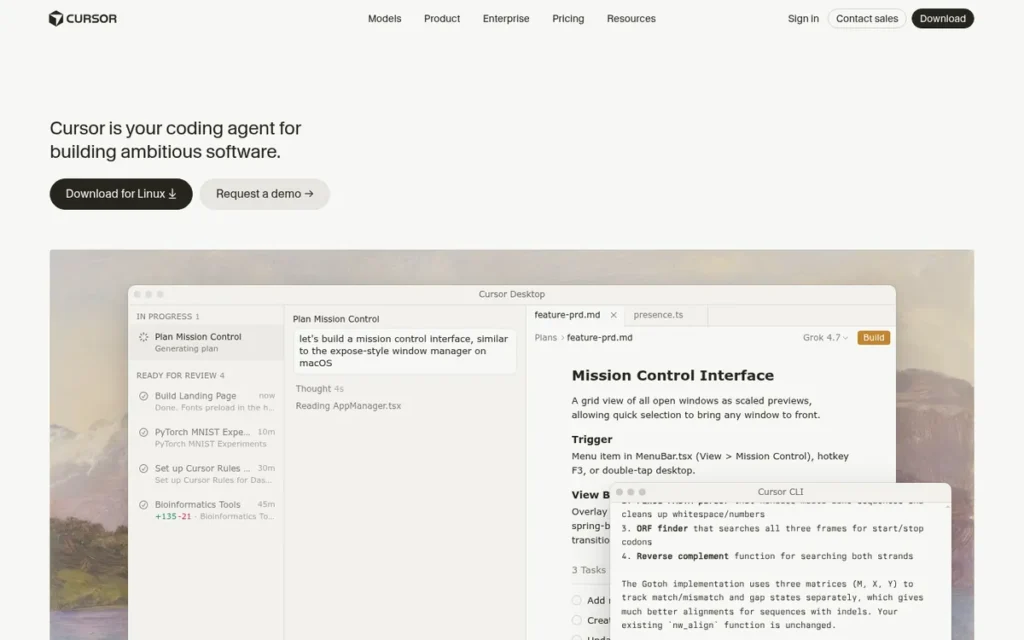
Category: IDE Fork + Agentic Assistant, a VS Code-based editor rebuilt around AI-first autonomous multi-file editing and full codebase indexing.
At a Glance
- Category: IDE Fork + Agentic Assistant
- Best For: Solo developers, freelancers, and product teams doing agentic multi-file development and rapid prototyping who work primarily in VS Code
- Price Range: Free (Hobby) / $20/month (Pro) / $40/user/month (Business)
- Primary Strength: Cursor’s Composer/Agent mode autonomously edits multiple files, executes terminal commands, and performs semantic search across a fully indexed codebase, with seamless model switching between Claude, GPT-4o, and Gemini without requiring API key management
- Biggest Limitation: Cursor requires switching from your current IDE to a VS Code fork, and its Agent mode can destructively modify multiple files simultaneously (requiring Git-commit discipline before every agentic run) with no verified SOC 2, ISO 27001, or GDPR certifications for regulated-industry deployment
- One-Line Summary: Cursor is the top-ranked AI coding assistant for professional developers in 2026, combining the most documented agentic multi-file editing capability with full codebase indexing and multi-model flexibility, verified by a named 64-file refactoring case study, $2B ARR by February 2026, and consistent professional-developer community endorsement.
- Last Verified: April 2026
What Is Cursor and Who Is It For?
Cursor is a VS Code fork developed by Anysphere that rebuilds the development environment around AI-first agentic workflows (offering full codebase indexing and a Composer/Agent mode that autonomously edits multiple files and executes terminal commands) making Cursor one of the two most capable agentic IDE-based assistants in the category and the top-ranked tool in this evaluation as of April 2026.
Cursor serves solo developers, freelancers, and product teams who prototype and iterate rapidly and are willing to migrate from their current editor to access best-in-class autonomous coding capability. Cursor Version 3.1 was released on April 13, 2026, confirming an active development cadence at the time of this evaluation.
Key Features
- Cursor’s Composer/Agent mode executes complex multi-file tasks autonomously: including file creation, deletion, semantic search, terminal commands, and iterative error fixing, without requiring the developer to manually identify which files need to be changed.
- Cursor’s full codebase indexing enables holistic natural language queries such as “Where is the API client defined?” across the entire repository, not limited to files currently open in the editor, providing context-aware answers that reflect the full project state.
- Cursor supports seamless mid-task model switching between Claude 3.5/3.7/4 Sonnet, GPT-4o, and Gemini backends without requiring separate API key management, allowing developers to select the optimal model for each task without platform friction.
- Cursor’s .cursorrules configuration system allows teams to define project-specific AI behavior rules (such as decomposing complex refactoring tasks into smaller verified steps) improving agentic accuracy and enforcing team coding conventions across all sessions.
- Cursor’s Tab Autocomplete delivers multi-line context-aware predictions based on recent edit history and cursor position, predicting sequences of intent-driven changes rather than suggesting only the immediately adjacent line.
Best For
Cursor is best for solo developers, freelancers, and product engineers who work primarily in VS Code, need autonomous multi-file editing with full codebase context, and are willing to migrate from their current editor to access the category’s most mature agentic coding capability, provided they are not in a regulated industry requiring independently audited compliance certifications.
Pricing
Free Hobby tier includes basic access and limited completions. Pro at $20/month provides 500 premium model requests per month, background agents, and advanced features, the highest individual-developer price in this comparison, but bundling Claude, GPT-4o, and Gemini access that eliminates the need for separate API subscriptions. Business at $40/user/month adds SSO, admin tools, privacy mode, and enterprise support. Pricing verified April 2026 at cursor.com/pricing.
Strengths
- In a documented April 2025 case study published by Denis Bratchikov (dev.to), Cursor’s Composer mode with GPT-4o and Claude 3.7 Sonnet successfully batch-refactored 64 Playwright test files using .cursorrules-guided subtask decomposition, one of the few publicly documented multi-file agentic refactoring results with named methodology in the AI coding assistant category.
- Cursor exceeded $2B ARR by February 2026: having reached $1B ARR in November 2025, the fastest B2B SaaS to $1B ARR in approximately 17 months, with enterprise revenue growing from 25% of total ARR at $400M to nearly 60% at $2B, confirming deep adoption by engineering teams beyond individual developers (TechCrunch, March 2026; SaaStr, 2025).
- Cursor’s bundled multi-model access at $20/month Pro: covering Claude, GPT-4o, and Gemini without separate API subscriptions, makes the effective cost-per-agentic-task competitive for heavy users despite the nominally higher headline price versus Copilot Pro at $10/month, which does not include equivalent model flexibility at the same tier (cursor.com/pricing, verified April 2026).
- Stack Overflow Developer Survey 2025 data and developer community discussions in r/vscode (March 2025) consistently rank Cursor alongside GitHub Copilot as one of only two AI coding tools recommended for serious professional use, with agentic multi-file editing specifically cited as having transformed developer workflows for greenfield and prototyping work.
Limitations
- IDE Migration Requirement: Cursor’s most consequential trade-off is the requirement to switch from your current IDE to a VS Code fork, a migration cost that includes extension compatibility review, settings transfer, and workflow disruption for teams with established multi-IDE toolchains.
- Agentic Destruction Risk: Cursor’s Agent/Composer mode carries a documented risk of destructive multi-file modification, the developer community universally recommends committing to Git before every Agent run, with one developer warning it “can mangle your codebase if you don’t carefully review all its code” (u/solomania9, r/webdev, 2025).
Takeaway: Cursor’s Agent mode is the category’s most capable autonomous tool and its most operationally hazardous, Git-commit discipline before every agentic session is a non-negotiable community-established prerequisite, not optional guidance.
- No Compliance Certifications: Cursor holds no verified SOC 2 Type II, ISO 27001, or GDPR certifications, making Cursor unsuitable for regulated-industry teams where air-gapped or certified deployment is a procurement prerequisite.
- Highest Individual Price: The $20/month Pro tier is the highest individual-developer price in this comparison, and the $40/user/month Business tier represents a significant total-cost-of-ownership challenge for enterprise teams relative to GitHub Copilot Business at $19/user/month.
Verdict
Cursor is the top-ranked AI coding assistant in this 2026 evaluation, earning its #1 position through the strongest documented combination of agentic multi-file editing capability and full codebase context depth, the two criteria most directly tied to the category’s primary developer pain points. Cursor’s trade-offs are clear and consequential: IDE migration is required, Git discipline before every Agent run is non-negotiable, and enterprise compliance certifications are absent. Teams in regulated industries should evaluate Tabnine; teams with multi-IDE toolchain dependencies should evaluate GitHub Copilot; for the broadest population of professional developers working in VS Code who prioritize autonomous task execution and codebase-wide context, Cursor has earned its #1 ranking through evidence, not popularity.
2. Sourcegraph Cody: Best for Large and Legacy Enterprise Codebases
Category: Codebase-Intelligent Plugin, a multi-IDE AI assistant powered by a decade-developed structural code graph enabling cross-repository context, source-cited AI responses, and enterprise codebase scale without IDE replacement.
At a Glance
- Category: Codebase-Intelligent Plugin
- Best For: Enterprise teams managing large, multi-repository, or legacy codebases in regulated industries requiring cross-repo AI context and AI output auditability
- Price Range: Free / $9/month (Pro) / Custom (Enterprise)
- Primary Strength: Sourcegraph Cody’s structural code graph enables cross-repository context across up to 10 repositories via @-mention, backed by a 1 million token context window via Claude Sonnet 4 and source citation showing which codebase files informed each AI-generated response, three capabilities that define Cody’s architectural differentiation among the seven tools evaluated
- Biggest Limitation: Sourcegraph Cody’s cross-repository code graph: the tool’s primary architectural differentiator, requires the Enterprise tier with the full Sourcegraph platform; the $9/month Pro tier does not include it, and community reports document weekly crash cycles and multi-hour outages representing a significant flow-state disruption risk
- One-Line Summary: Sourcegraph Cody is the best AI coding assistant for enterprise teams managing large or multi-repository codebases, delivering Gartner Visionary-recognized cross-repository code intelligence, source-cited AI responses, and the largest context window in the category, with verified production deployment at 4 of the 6 largest US banks.
- Last Verified: April 2026
What Is Sourcegraph Cody and Who Is It For?
Sourcegraph Cody is an AI coding assistant built on Sourcegraph’s structural code graph (a cross-repository intelligence platform powered by Retrieval-Augmented Generation (RAG) across pre-indexed codebase embeddings, used in production by 4 of the 6 largest US banks and Dropbox) that provides context-aware code generation, explanation, and review across multiple repositories simultaneously, with source citation showing which files informed each AI-generated response.
Sourcegraph Cody earned Gartner Visionary status in the inaugural August 2024 Gartner Magic Quadrant for AI Code Assistants, and supports Claude Sonnet 4 with a 1 million token context window, the largest in this comparison. Sourcegraph Cody is absent from both major LLM platform responses evaluated during research for this article, making this evaluation among the first structured comparisons to document Cody’s enterprise capabilities with full sourced evidence.
Key Features
- Sourcegraph Cody’s structural code graph enables cross-repository context via RAG with pre-indexed vector embeddings, allowing developers to @-mention up to 10 repositories in a single query and receive AI responses that integrate context from across the entire codebase, not only files currently open in the editor.
- Sourcegraph Cody supports Claude Sonnet 4 with a 1 million token context window: the largest of any tool in this comparison, enabling Sourcegraph Cody to hold an entire large monorepo in effective context during a single development session without the fragmentation that limits smaller-window tools.
- Sourcegraph Cody cites the specific codebase files and repositories that informed each AI-generated response, providing an audit trail for AI reasoning that is unique among the seven tools evaluated and directly addresses enterprise compliance requirements for AI output traceability.
- Sourcegraph Cody integrates as a plugin with VS Code, JetBrains IDEs, Neovim, and Emacs, covering a broader range of developer environments than IDE-fork competitors Cursor and Windsurf without requiring editor replacement or migration.
- Sourcegraph Cody’s Enterprise tier supports self-hosted and air-gapped deployment, enabling regulated-industry teams to retain full code data custody while accessing AI coding assistance at enterprise codebase scale, an option not available on the Free or Pro tiers.
Best For
Sourcegraph Cody is best for enterprise engineering teams managing large, legacy, or multi-repository codebases (particularly in regulated industries such as finance, defense, and healthcare) where cross-repository architectural context, AI output audit trails via source citation, and self-hosted deployment are procurement requirements rather than optional preferences.
Pricing
Free tier includes unlimited code completions and IDE chat across VS Code, JetBrains, Neovim, and Emacs. Pro at $9/month offers higher LLM rate limits and advanced model access, the lowest paid tier in this seven-tool comparison. Enterprise at custom per-seat pricing includes the full Sourcegraph code graph platform, SSO, self-hosted and air-gapped deployment, and dedicated support.
Important: The $9/month Pro tier does not include the cross-repo code graph that defines Cody’s primary differentiator. Developers selecting Cody Pro for large-codebase intelligence will not find that feature at the Pro tier, Enterprise pricing with the full Sourcegraph platform is required. Pricing verified April 2026 at sourcegraph.com/pricing.
Strengths
- Sourcegraph Cody earned Gartner Visionary status in the inaugural August 2024 Gartner Magic Quadrant for AI Code Assistants (one of two tools in this comparison with Gartner recognition, alongside Tabnine (September 2025 Magic Quadrant)) providing enterprise procurement teams with analyst-backed vendor credibility that startup competitors cannot currently match (Sourcegraph blog, 2024; augmentcode.com, 2025).
- Sourcegraph’s code intelligence platform is used in production by 4 of the 6 largest US banks and Dropbox (Sourcegraph enterprise customer data, 2025), establishing Cody’s verified installed base in regulated industries at exactly the codebase scale where context window fragmentation most damages productivity.
- Sourcegraph Cody’s source citation feature: documenting which codebase files informed each AI response, is the only verifiable AI output audit trail among the seven tools evaluated, directly addressing the 46% of developers who report insufficient trust in AI-generated code (Stack Overflow Developer Survey 2025).
- Sourcegraph has raised over $225 million in total funding from Andreessen Horowitz and Sequoia Capital (Sourcegraph Series C announcement; Crunchbase, 2025), with the company’s code intelligence platform in commercial operation since 2013, providing vendor stability credentials that early-stage AI coding startups in this comparison cannot offer.
Limitations
- Capability-Tier Mismatch: Sourcegraph Cody’s most consequential trade-off is a pricing transparency gap, the $9/month Pro tier lacks the cross-repository code graph that defines Cody’s architectural superiority, meaning developers at the Pro tier are not accessing the tool’s primary differentiator, and Enterprise pricing with the full Sourcegraph platform is required to reach the highest-value use case.
- Service Reliability: Service reliability is a documented community concern: multiple developers in r/vscode specifically cite Cody crashing weekly and experiencing multi-hour outages (u/Competitive_Ad_2192, r/vscode, 2025), which constitutes a significant flow-state disruption risk for teams relying on Sourcegraph Cody as a primary assistant and warrants direct SLA verification before enterprise commitment.
- Conservative Agentic Capability: Sourcegraph Cody’s agentic commands (/explain, /test, /document, Smart Apply) are more conservative than Cursor’s Composer or Windsurf’s Cascade, making Sourcegraph Cody a stronger tool for codebase comprehension and targeted code generation than for fully autonomous multi-file task execution.
- Compliance Certification Gap: Sourcegraph Cody Enterprise offers self-hosted deployment but holds no confirmed SOC 2 Type II or ISO 27001 certifications in publicly available documentation as of April 2026, making Sourcegraph Cody a secondary option to Tabnine for regulated-industry teams whose procurement criteria require independently audited certifications in addition to self-hosted deployment capability.
Verdict
Sourcegraph Cody is the second-ranked AI coding assistant in this 2026 evaluation and the top recommendation for enterprise teams managing codebases at scale, driven by an unmatched 1 million token context window, the category’s only source citation audit trail, and cross-repository code graph intelligence deployed at 4 of the 6 largest US banks, with Gartner Visionary recognition earned in the inaugural August 2024 Magic Quadrant. Teams evaluating Sourcegraph Cody must independently verify service reliability SLAs, confirm that Enterprise tier pricing is accessible within budget, and validate that their use case requires the Enterprise code graph rather than the Pro tier’s rate-limit upgrade.
3. GitHub Copilot: Best for Broad IDE Coverage and Established Enterprise Teams
Category: Plugin + Agentic Assistant, a multi-IDE plugin that combines AI autocomplete, conversational chat, multi-file editing, and an autonomous Coding Agent while remaining installable without IDE replacement.
At a Glance
- Category: Plugin + Agentic Assistant
- Best For: Professional developers and enterprise teams across all major IDEs who need the broadest ecosystem compatibility, GitHub platform integration, and an established Microsoft-backed vendor relationship
- Price Range: Free / $10/month (Pro) / $19/user/month (Business) / $39/user/month (Enterprise)
- Primary Strength: GitHub Copilot provides native integration across VS Code, JetBrains, Neovim, Xcode, Visual Studio, and Eclipse (the widest IDE coverage in the category) alongside multi-model backend support for GPT-4o, Claude, and Gemini, and a unique public code citation system documenting source file, license, and timestamp for IP compliance in autocomplete suggestions
- Biggest Limitation: GitHub Copilot’s 55% developer usage rate reflects GitHub ecosystem defaults rather than satisfaction-driven selection, developers consistently describe a persistent “appearance of correctness” failure mode where GitHub Copilot generates plausible-looking but logically incorrect code, and 35% of developers report visiting Stack Overflow specifically because AI tools failed them (Stack Overflow Developer Survey 2025)
- One-Line Summary: GitHub Copilot is the most widely adopted AI coding assistant in 2026 (used by 55% of developers who use AI tools per Stack Overflow’s 49,000-respondent 2025 survey) offering unmatched IDE coverage and the only IP compliance transparency feature built into an autocomplete layer, though its agentic depth and codebase context intelligence trail Cursor and Sourcegraph Cody.
- Last Verified: April 2026
What Is GitHub Copilot and Who Is It For?
GitHub Copilot is an AI-powered coding assistant developed by GitHub (Microsoft) that provides inline autocomplete across 65+ languages, conversational chat, Copilot Edits for multi-file changes, and an autonomous Coding Agent handling GitHub issues end-to-end, deployed as a plugin across VS Code, JetBrains, Neovim, Xcode, Visual Studio, and Eclipse, giving GitHub Copilot the widest IDE coverage in this comparison and enabling adoption without any editor replacement.
GitHub Copilot launched as a technical preview in June 2021 and reached general availability in June 2022 (GitHub Blog), making GitHub Copilot the most established AI coding assistant by time in market. GitHub Copilot is used by 55% of developers who use AI coding tools (Stack Overflow Developer Survey 2025, 49,000+ respondents), the highest dedicated coding assistant adoption rate in the comparison.
Key Features
- GitHub Copilot’s public code citation system surfaces source file, license, and timestamp when completions match public GitHub repository code blocks of 65 or more lexemes, providing teams with an auditable IP compliance tool and the option to block all matching suggestions, a category-exclusive feature at the autocomplete layer.
- GitHub Copilot’s autonomous Coding Agent handles GitHub issues end-to-end (making code changes, creating pull requests, running verification checks, and integrating with external tools via Model Context Protocol) without requiring developer supervision at each step.
- GitHub Copilot’s Copilot Edits operates in Edit mode (user-selected files with granular diffs and checkpoints) and Agent mode (autonomous file selection and terminal commands), providing graduated control levels that match different developer risk tolerances for agentic task execution.
- GitHub Copilot supports multi-model backend selection across OpenAI GPT-4o, Anthropic Claude, and Google Gemini within a single interface, enabling task-specific model optimization without requiring platform migration or separate API key management.
- GitHub Copilot Chat includes intent routing to workspace participants, custom team instructions, built-in code review, web search, and 11 built-in tools for documentation, test generation, and debugging workflows.
Best For
GitHub Copilot is best for professional developers and enterprise teams who need AI assistance across multiple IDE environments, work within the GitHub platform ecosystem, require IP compliance controls for open-source license management, and prioritize an established Microsoft-backed vendor relationship with multi-IDE portability over best-in-class agentic performance.
Pricing
Free tier available to GitHub account holders with limited completions and chat, the most accessible entry point in the category alongside Amazon Q Developer’s free tier. Pro at $10/month or $100/year (individual developers). Business at $19/user/month (team management, audit logs, policy controls). Enterprise at $39/user/month (fine-tuned models, GitHub.com integration, pull request features), the highest individual-product enterprise price in this comparison. Pricing verified April 2026 at github.com/features/copilot/plans.
Strengths
- GitHub Copilot is used by 55% of developers who use AI coding tools per the Stack Overflow Developer Survey 2025 (49,000+ respondents) (the highest dedicated coding assistant adoption rate in the comparison, more than 12 percentage points above Claude at 43%) establishing GitHub Copilot as the category default and the integration baseline for enterprise toolchain evaluations.
- GitHub Copilot’s public code citation system documents source file, license, and timestamp for autocomplete completions matching 65+ lexeme public GitHub repository blocks (GitHub official documentation, verified April 2026), the only IP compliance transparency feature built into an AI coding assistant’s autocomplete layer among the seven tools evaluated.
- GitHub Copilot’s Microsoft and GitHub institutional backing: GitHub acquired by Microsoft in 2018 for $7.5 billion (public record), provides enterprise procurement teams with vendor stability credentials, enterprise sales channel depth, and infrastructure scale that no pure-play AI coding startup in this comparison currently matches.
- 42% of code committed by developers using GitHub Copilot is AI-assisted (Stack Overflow Developer Survey 2025), demonstrating deep integration into professional coding workflows (not peripheral or experimental usage) across the 55% of AI tool users who have adopted GitHub Copilot as their standard assistant.
Limitations
- Adoption-Versus-Satisfaction Gap: GitHub Copilot’s most consequential limitation is the gap between adoption rate and satisfaction-driven selection, GitHub Copilot’s 55% usage reflects GitHub ecosystem defaults rather than capability preference, and community feedback across multiple Reddit threads reveals a persistent “appearance of correctness” failure mode including documented cases of fabricated Stack Overflow URLs using real question IDs with invented topic slugs.
- “Appearance of Correctness” Failure Mode: One developer’s assessment captures the pattern precisely: “It has an appearance that it is correct, but it might be wrong so you have to be careful” (u/0110001001101100, r/webdev), and 35% of developers report visiting Stack Overflow specifically because AI tools failed them (Stack Overflow Developer Survey 2025).
Takeaway: GitHub Copilot’s most consistent failure mode is generating code that passes visual inspection but contains logical errors, a pattern that can increase cognitive load rather than reduce it, because developers must maintain constant vigilance over output that looks correct but may not be.
- Limited Agentic and Context Depth: GitHub Copilot’s agentic and codebase context capabilities trail Cursor (Composer mode) and Sourcegraph Cody (1M token context, cross-repo graph) at the category-leading tiers, developer community consensus positions GitHub Copilot as reliable for repetitive tasks and boilerplate but unreliable for complex architectural decisions or vaguely described features.
- Premium Enterprise Pricing: The Enterprise tier at $39/user/month is the highest enterprise price in this comparison, creating a total-cost-of-ownership challenge for organizations that need advanced features and also face the Microsoft/GitHub platform dependency that comes with deep GitHub Copilot integration.
Verdict
GitHub Copilot ranks third in this evaluation (behind Cursor and Sourcegraph Cody) because its category-leading IDE coverage and institutional backing are offset by moderate agentic depth, limited codebase context intelligence relative to the top-ranked tools, and a documented adoption-versus-satisfaction gap that signals default selection rather than capability-driven choice. GitHub Copilot remains the recommended default for teams that prioritize multi-IDE compatibility, GitHub ecosystem integration, and Microsoft vendor stability, and its $10/month Pro tier and capable free tier make GitHub Copilot the lowest barrier-to-entry AI coding assistant for any professional developer not yet committed to a dedicated tool. Teams that adopted GitHub Copilot by ecosystem default rather than deliberate evaluation should audit whether Cursor’s agentic capability or Cody’s codebase intelligence would materially improve their specific workflows before renewing.
4. Windsurf: Best for AI-Native Flow State and Accessible Agentic Prototyping
Category: IDE Fork + Agentic Assistant, a VS Code-based editor whose Cascade agent builds a live project knowledge graph and tracks developer intent across edits, terminal actions, and clipboard history to maintain flow state between agentic prompts.
At a Glance
- Category: IDE Fork + Agentic Assistant
- Best For: Individual developers and beginners building applications via natural language agentic workflows who prioritize flow state persistence and accessible agentic IDE capability at a competitive price
- Price Range: Free (credit-limited) / Pro under $20/month: verify current pricing at windsurf.com/pricing / Custom (Enterprise)
- Primary Strength: Windsurf’s Cascade agent builds a live project knowledge graph, tracks developer intent across edits and terminal actions, and executes multi-step agentic tasks with up to 20 tool calls per prompt (Windsurf Cascade documentation, verified April 2026), with a Memories system that learns user patterns over 48 hours to eliminate session-start context re-entry overhead
- Biggest Limitation: Windsurf’s credit-based billing for Cascade agentic tasks creates unpredictable per-session costs that multiple community users describe as difficult to forecast, and the complex July 2025 M&A sequence (in which the founding CEO and co-founder departed to Google and Cognition AI acquired remaining assets at an undisclosed price) introduces product roadmap uncertainty that enterprise teams must independently verify before committing Windsurf as a standard toolchain component
- One-Line Summary: Windsurf delivers competitive agentic coding capability through its Cascade knowledge-graph engine and flow-state persistence system, but its credit-based billing model and the complex July 2025 M&A sequence (in which Cognition AI acquired remaining assets at an undisclosed price after founding leadership departed to Google) create cost predictability and vendor stability risks requiring independent verification before enterprise adoption.
- Last Verified: April 2026
What Is Windsurf and Who Is It For?
Windsurf, rebranded from Codeium in late 2024, is an AI-native VS Code-based IDE whose Cascade agent builds a live project knowledge graph, executes multi-step autonomous plans with up to 20 tool calls per prompt, and tracks developer intent between prompts, making Windsurf a direct competitor to Cursor for agentic development workflows targeting individual developers and natural-language prototypers.
In a 72-hour M&A sequence in July 2025, a planned approximately $3 billion OpenAI acquisition of Windsurf collapsed. Windsurf’s founding CEO Varun Mohan and co-founder Douglas Chen then departed to Google in a reported approximately $2.4 billion talent and technology licensing deal. Cognition AI subsequently acquired the remaining Windsurf assets (including the IDE, brand, $82 million ARR, and 350+ enterprise customers) at an undisclosed price (Cognition AI blog, July 2025; InforWorld, July 2025).
Enterprise teams should independently verify current SLA terms, pricing stability, and roadmap commitments directly with the vendor.
Key Features
- Windsurf’s Cascade agent builds a live knowledge graph of the project by scanning file trees and module imports, then executes multi-step agentic plans autonomously (including terminal commands, semantic search, and automatic test validation) with support for up to 20 tool calls per user prompt (Windsurf Cascade documentation, verified April 2026).
- Windsurf’s Flow state tracking monitors developer edits, terminal commands, and clipboard activity between prompts to anticipate the next likely action, reducing the need to re-explain codebase context at the start of each new agentic session.
- Windsurf’s Memories system learns individual developer patterns and project conventions over 48+ hours of active use, enabling Cascade to produce contextually appropriate suggestions without session-start briefing overhead that interrupts developer momentum.
- Windsurf’s Supercomplete predicts multi-step coding sequences by combining context from surrounding code, recent edit history, and clipboard content, going beyond single-line autocomplete to anticipate sequences of intent-driven changes before the developer explicitly requests them.
- Windsurf supports 21+ Model Context Protocol tool integrations and live UI preview for front-end development, extending Cascade’s agentic reach to external services and visual rendering within the IDE.
Best For
Windsurf is best for individual developers and beginners building applications via natural language agentic workflows who want Cursor-comparable IDE capability with flow state persistence, and for developers willing to accept credit-based billing variability in exchange for accessible agentic automation at a competitive Pro price point.
Pricing
Free tier confirmed with credit limits; community users report reliability degradation under heavy Cascade use at the free tier. Pro tier reported as under $20/month in comparative review sources, verify current pricing directly at windsurf.com/pricing, as pricing following the July 2025 M&A sequence may have changed. Enterprise at custom pricing.
Credit-based billing for Cascade creates unpredictable per-session costs for heavy agentic users. Test your typical session patterns against credit consumption before committing to a billing tier. Pricing last verified directionally April 2026; verify independently before procurement.
Strengths
- Multiple independent reviewers in 2026: Taskade Windsurf Review 2026 and nxcode.io Windsurf AI Review 2026, report 30–40% faster coding productivity from Cascade’s autonomous multi-file editing, with Cascade enabling beginners to build functional applications via natural language without traditional coding experience.
- A developer who actively ran both Windsurf and Cursor in parallel (u/sweepyoface, r/vscode, 2025) specifically assessed Windsurf’s Cascade agentic capability as superior to Cursor’s Agent mode for certain workflow types, while Cursor’s Tab autocomplete rated marginally stronger for pure code completion, providing direct side-by-side calibration from concurrent use that single-tool reviews cannot offer.
Takeaway: Developers who have run both Windsurf and Cursor in parallel report Windsurf’s Cascade as stronger for sustained flow-state agentic sessions while Cursor’s autocomplete leads for pure code completion, suggesting the two tools may serve complementary workflow segments rather than being strictly interchangeable.
- Windsurf’s $82 million ARR and 350+ enterprise customers at the time of the Cognition AI asset acquisition (Cognition AI blog, July 2025) confirm commercial traction for the Cascade IDE approach, though the departure of the founding engineering leadership team introduces product continuity uncertainty that enterprise evaluators should independently verify.
- Windsurf’s Memories system and Flow state tracking represent a differentiated approach to persistent developer context not replicated in Cursor, GitHub Copilot, Amazon Q Developer, or JetBrains AI Assistant, directly addressing the flow state interruption pain point that developers identify as a critical friction source throughout the category.
Limitations
- Credit-Based Billing Unpredictability: Windsurf’s most consequential trade-off is its credit-based billing model for Cascade agentic tasks, multiple developers independently describe credit consumption as a “real hog on Credits” that makes per-session cost estimation difficult (u/fmaya18, r/vscode, 2025), and the free tier experiences documented reliability degradation under heavy agentic use.
- Post-Acquisition Vendor Risk: Windsurf underwent a complex July 2025 M&A sequence in which Windsurf’s founding CEO and co-founder departed to Google while Cognition AI acquired the remaining assets at an undisclosed price, Cognition AI’s strategic thesis is fully autonomous software engineering, and Windsurf’s IDE product may evolve toward that thesis in ways that disrupt established developer tool conventions without notice.
- No Confirmed Compliance Certifications: Windsurf holds no confirmed SOC 2 Type II, ISO 27001, or GDPR certifications at time of evaluation, limiting Windsurf’s suitability for regulated-industry deployments where independently audited certifications are a procurement prerequisite.
- IDE Migration Required: Like Cursor, Windsurf requires migration from existing IDE environments, and one community member’s dismissal of it as “just a VS Code fork” (u/floodedcodeboy, r/vscode) suggests that Cascade’s differentiation does not always land with technically skeptical developers comparing Windsurf against Cursor at a similar price point.
Verdict
Windsurf ranks fourth in this evaluation, with agentic capability and codebase context depth genuinely competitive with Cursor, but Windsurf trails on reliability transparency, billing predictability, and vendor stability following the complex July 2025 M&A sequence in which the founding engineering leadership departed to Google and Cognition AI acquired the remaining assets at an undisclosed price. Windsurf’s Cascade agent and Memories system are meaningfully differentiated from the rest of the category, and for individual developers willing to accept credit-based billing variability, Windsurf offers strong agentic capability at a competitive price. Enterprise teams must verify current pricing, post-acquisition SLA commitments, and Cognition AI’s product direction before committing Windsurf as a standard toolchain component.
5. Amazon Q Developer: Best for AWS-Native Development Teams and Legacy Code Transformation
Category: Cloud-Integrated Plugin, an AI coding and operations assistant that extends beyond IDE code assistance into the AWS Management Console, enabling natural language interaction with both code and live cloud infrastructure.
At a Glance
- Category: Cloud-Integrated Plugin
- Best For: Development teams building, deploying, and operating applications primarily on AWS, and teams with Java or COBOL legacy modernization roadmaps requiring automated agentic migration
- Price Range: Free (unlimited completions, 50 agent interactions/month) / $19/user/month (Pro)
- Primary Strength: Amazon Q Developer is the only AI coding assistant in this comparison with native AWS Management Console integration for natural language infrastructure queries and automated code transformation agents for Java 8→17.NET→Linux, and COBOL modernization, capabilities absent from every other tool evaluated
- Biggest Limitation: Amazon Q Developer’s general-purpose code generation quality is consistently rated as average by developers evaluating it against Copilot and Cursor for non-AWS tasks, and Amazon Q Developer’s own VS Code extension was affected by CVE-2025-8217, patched in version 1.85.0 with no customer environments impacted, though a credibility concern for a tool marketed in part on integrated security scanning
- One-Line Summary: Amazon Q Developer is the top-ranked AI coding assistant for AWS-native teams, delivering the most generous confirmed free tier in the comparison alongside category-exclusive AWS Console integration and automated legacy code transformation agents, but Amazon Q Developer’s value proposition narrows sharply outside AWS-specific workflows where general code generation quality trails the category leaders.
- Last Verified: April 2026
What Is Amazon Q Developer and Who Is It For?
Amazon Q Developer, formerly Amazon CodeWhisperer (rebranded 2024), is an AI coding and cloud operations assistant providing real-time code suggestions, agentic feature implementation, automated security scanning with remediation, and native integration into the AWS Management Console, enabling natural language queries against live production infrastructure within the same conversational interface used for code assistance.
Amazon Q Developer serves development teams whose primary environment is AWS, offering the most generous confirmed free tier in this comparison (unlimited code completions and 50 agent interactions per month at zero cost) and automated code transformation for legacy migration scenarios that no other tool among the seven evaluated addresses with a dedicated agentic workflow.
Key Features
- Amazon Q Developer’s AWS Management Console integration enables natural language operational queries against live production AWS infrastructure (listing Lambda functions, querying S3 buckets, reviewing CloudWatch metrics) within the same conversational interface used for code assistance, a capability unique among the seven tools in this comparison.
- Amazon Q Developer’s code transformation agent provides automated, agentic migration paths for legacy codebases including Java 8 to Java 17.NET to Linux, and COBOL modernization, implementing changes, running tests, and generating documentation without requiring developers to manage each migration step manually.
- Amazon Q Developer’s integrated security scanning automatically identifies vulnerabilities with specific remediation suggestions, covering OWASP Top 10 and other vulnerability classes as part of the standard workflow without requiring a separate SAST tool purchase.
- Amazon Q Developer’s free tier provides unlimited code completions and 50 agent interactions per month at zero cost (the most generous confirmed free tier in this seven-tool comparison as of April 2026) making Amazon Q Developer the recommended zero-cost evaluation entry point for any AWS-centric team.
- Amazon Q Developer integrates with the following environments without requiring IDE replacement:
- VS Code, JetBrains, Eclipse, and Visual Studio for IDE-based code assistance
- GitLab and GitHub (preview) for repository-level integration
- Slack and Microsoft Teams for conversational AI access within team communication tools
- The AWS CLI with Model Context Protocol for natural language interaction with AWS infrastructure from the terminal
Best For
Amazon Q Developer is best for engineering teams building and operating applications primarily on AWS infrastructure, particularly those with Java or COBOL legacy modernization roadmaps, and any AWS-native team seeking zero-cost AI coding assistance before committing to a paid tier.
Pricing
Free tier includes unlimited code completions and 50 agent interactions per month at zero cost, the strongest zero-cost offering in this comparison. Pro at $19/user/month provides unlimited agent interactions, enterprise administration, SSO, IAM Identity Center integration, and enhanced security scanning quotas. Pricing verified April 2026 at aws.amazon.com/q/developer/pricing/.
Strengths
- Amazon Q Developer’s free tier provides unlimited code completions and 50 agent interactions monthly at zero cost, confirmed on the AWS official pricing page as of April 2026, the most generous confirmed zero-cost offering in this seven-tool comparison and a direct competitive response to the more limited free tiers of Copilot and Windsurf for AWS-native teams.
Users on r/ChatGPTCoding described first-hand experience with the free-tier agentic capability:
“Anyway I basically ended up feeding it some poorly written product specs and it actually built something useful from that. As I test it and want to make changes, I tell it what changes to make and it goes through this process of understanding the changes, analyzing existing code (multiple files), and iterating through how to handle the request. it edits multiple files at a time and then lets you review the changes of each file before accepting.” Posted by u/lam3001
Takeaway: Amazon Q Developer’s /dev agentic mode delivers genuine multi-file autonomous editing on greenfield projects even at the free tier, validating the tool’s appeal for AWS-native teams evaluating before committing to a paid plan.
- TheCubeResearch (2025) analysis cites up to 80% faster task execution for AWS-specific development workflows and 25% reduction in manual testing time via automated test generation, performance evidence directionally consistent with Amazon Q Developer’s architectural optimization for the AWS environment, though these figures have not been independently verified by a neutral third party.
- Amazon Q Developer’s code transformation agents for Java 8→17 and COBOL modernization represent a category-exclusive use case as of April 2026, no other tool in this comparison provides an agentic, end-to-end legacy code migration workflow, directly serving enterprise teams whose modernization roadmaps cannot be addressed by general-purpose coding assistants (AWS Q Developer Features Page, verified April 2026).
- An Infosys and AWS joint announcement (April 2026; ITPro, April 2026) reported up to 40% productivity increases and 80% task acceleration for Amazon Q Developer-augmented enterprise engagements, productivity figures are Infosys internal projections and have not been independently verified by a neutral third party, but the partnership confirms Amazon Q Developer’s enterprise channel reach.
Limitations
- Narrow Performance Moat: Amazon Q Developer’s most consequential trade-off is value concentration, Amazon Q Developer delivers distinctive capability within AWS-specific workflows but consistently underperforms Copilot and Cursor on general-purpose code generation quality, with community consensus characterizing non-AWS coding output as “meh” (r/artificial, 2025), a pattern representative across review channels.
This community assessment is grounded in documented experience. As one developer noted after extended hands-on evaluation on r/artificial:
“After working with Amazon Q for a while, I noticed that pattern holding: it would quickly generate functioning code, using the current file as context, but ignoring the standards established in the rest of the codebase. You have to be vigilant for that and issue follow-up prompts accordingly, or manually fix things.” Posted by u/OvidPerl
Takeaway: Amazon Q Developer’s context model defaults to the active file rather than the full project, causing it to generate syntactically correct but architecturally inconsistent code that conflicts with established codebase patterns, confirming that its performance gap outside AWS-specific tasks reflects a structural context limitation, not a random quality variation.
- Own-Product CVE: Amazon Q Developer’s VS Code extension was affected by CVE-2025-8217 (CVSS v4.0 score 5.1 Medium, published July 30, 2025; patched in version 1.85.0), though independent analysis confirmed the malicious code was inert, a syntax error prevented execution and no customer environments were impacted (AWS Security Bulletin AWS-2025-015). Enterprise security teams should verify their deployed extension version regardless.
- CLI Agentic Safety Risk: A reviewer documented accidentally executing a destructive git command through the Amazon Q Developer CLI assistant during evaluation (r/artificial, 2025), highlighting a meaningful agentic safety risk in the Amazon Q Developer CLI interface that requires teams to implement dry-run confirmations and restricted permission sets before enabling Amazon Q Developer CLI in production environments.
- AWS Ecosystem Lock-In: Amazon Q Developer’s value is structurally tied to AWS infrastructure, teams whose work extends significantly beyond AWS should evaluate whether the general code generation quality gap versus Cursor and GitHub Copilot is acceptable for their primary workflows before selecting Amazon Q Developer as their standard assistant.
Verdict
Amazon Q Developer ranks fifth in this evaluation, earning its position through the most generous confirmed free tier in the comparison, category-exclusive AWS Console integration, and dedicated legacy code transformation agents that address an enterprise modernization use case no other tool handles with a dedicated agentic workflow. Amazon Q Developer is the unambiguous top recommendation for AWS-native development teams and teams with Java or COBOL modernization roadmaps. All teams should verify CVE-2025-8217 patch status on deployed extension versions before production use, and non-AWS teams should evaluate whether the general code generation quality gap versus Cursor and GitHub Copilot is acceptable for their primary workflows.
6. Tabnine: Best for Enterprise Privacy, Compliance, and Regulated Industry Deployment
Category: Privacy-First Plugin, a multi-IDE AI coding assistant deployable in SaaS, VPC, on-premises, or fully air-gapped environments with independently audited SOC 2 Type II, GDPR, and ISO 27001 certifications and a no-train, no-retain data policy built into the product architecture.
At a Glance
- Category: Privacy-First Plugin
- Best For: Enterprise engineering teams in regulated industries (finance, healthcare, defense) where code data cannot leave the corporate network and independently audited compliance certifications are a procurement prerequisite
- Price Range: Free (limited) / $12/user/month (Pro) / $39/user/month (Enterprise)
- Primary Strength: Tabnine is the only AI coding assistant in this comparison holding all three independently audited enterprise compliance certifications (SOC 2 Type II (2024/25 audit period), GDPR, and ISO 27001) with Gartner Visionary recognition (September 2025), air-gapped deployment enabled via a December 2024 Dell Technologies partnership, and a no-train, no-retain data policy built into the product architecture rather than offered as an opt-in setting
- Biggest Limitation: Tabnine’s agentic features: the Code Review Agent and Test Agent added in 2025, are reactive, single-purpose tools rather than the autonomous multi-file orchestrators found in Cursor’s Composer, Windsurf’s Cascade, and GitHub Copilot’s Coding Agent; and the $12/month Pro tier sits awkwardly above Copilot Pro at $10/month with narrower general-purpose coding capability
- One-Line Summary: Tabnine is the most compliance-certified AI coding assistant in this comparison (holding SOC 2 Type II, GDPR, and ISO 27001 certifications with Gartner Visionary recognition (September 2025) and air-gapped deployment via a Dell Technologies partnership) making it the top recommendation for regulated industries where code data residency is non-negotiable, though Tabnine’s agentic capabilities trail the category leaders for general-purpose development.
- Last Verified: April 2026
What Is Tabnine and Who Is It For?
Tabnine is a privacy-first AI coding assistant founded in 2013 as Codota that provides context-aware code completion and IDE chat across 65+ languages with deployment options spanning secure SaaS, VPC, on-premises, and fully air-gapped environments, the broadest deployment flexibility in this comparison. Tabnine holds SOC 2 Type II (2024/25 audit period), GDPR, and ISO 27001 certifications (all independently audited), and enforces a no-train, no-retain data policy built into the product architecture rather than available as an opt-in setting.
Tabnine serves enterprise engineering teams in regulated industries for whom the primary procurement question is not whether AI can accelerate development but whether code legally and contractually can leave the corporate network, a constraint that makes Tabnine the strongest option among the seven tools evaluated when air-gapped deployment with independently audited certifications is required simultaneously.
Key Features
- Tabnine’s no-train, no-retain policy processes customer code ephemerally: never stored, logged, shared, or used for model training, with models trained exclusively on permissively licensed code (MIT, Apache 2.0) and granular context scoping limiting AI access to developer-specified files, folders, or repositories.
- Tabnine’s air-gapped deployment option, enabled via the December 2024 Dell Technologies partnership, provides GPU-accelerated on-premises AI coding inference using Dell PowerEdge servers with NVIDIA GPUs for defense contractors, healthcare organizations, and financial institutions, a deployment model not available from any other tool in this comparison.
- Tabnine holds SOC 2 Type II (2024/25 audit period), GDPR, and ISO 27001 certifications, all independently audited (Tabnine Trust Center, trust.tabnine.com, verified April 2026), making Tabnine the most compliance-certified AI coding assistant in this seven-tool comparison and the only one satisfying all three certifications simultaneously.
- Tabnine supports switchable model backends including GPT-4o, Claude, Qwen, and Tabnine proprietary SLMs, and integrates as a plugin with VS Code, JetBrains, Eclipse, Neovim, and others, supporting 15+ languages natively and 65+ languages total for broad coverage without IDE replacement.
- Tabnine’s Code Review Agent and Test Agent (added 2025) provide AI-driven pull request review and test generation across IDEs and CI/CD workflows, extending Tabnine beyond inline completion toward code quality automation for teams prioritizing review consistency alongside privacy compliance.
Best For
Tabnine is best for enterprise engineering teams and regulated-industry organizations in defense, finance, and healthcare where on-premises or air-gapped deployment is legally or contractually required, and where independently audited SOC 2 Type II, GDPR, and ISO 27001 certifications are table-stakes requirements for AI tool procurement approval.
Pricing
Free tier provides limited single-line code completions. Pro at $12/user/month includes full completions, chat, personalization, and model switching. Enterprise at $39/user/month with annual commitment includes custom model deployment, private on-premises or air-gapped infrastructure, SSO, IP indemnification, and dedicated support.
At $12/month, the Pro tier is priced slightly above Copilot Pro ($10/month) with narrower general coding capability, Tabnine’s value concentration is clearly at the Enterprise tier for regulated-industry teams, not the individual Pro tier for general-purpose developers. Pricing verified April 2026 at tabnine.com/pricing.
Strengths
- CI&T, a named global IT services company, reported a 90% acceptance rate on Tabnine single-line suggestions with an 11% productivity increase across projects (Tabnine official website, 2025), one of the few verifiable, named case studies with quantified outcomes in the AI coding assistant category, confirming real-world effectiveness of Tabnine’s codebase-aware context approach.
- Tabnine holds SOC 2 Type II (2024/25 audit period), GDPR, and ISO 27001 certifications (all independently audited (Tabnine Trust Center, verified April 2026)) and is the only tool among the seven evaluated that satisfies all three simultaneously, making Tabnine the baseline compliance requirement fulfiller for regulated-industry AI tool procurement.
This certification posture translates directly into real-world procurement outcomes for regulated-industry teams. A security engineer on r/devsecops described their team’s hands-on experience integrating Tabnine’s context engine with organizational security policy documentation:
“We actually did this and connected our confluence security standards doc to tabnine’s context engine alongside our repos. It picked up on the mandated crypto libraries and our required annotations. Doesn’t catch everything, we still get violations on the more obscure policy sections, but the common stuff like token expiry, algorithm choices, and rate limiting decorators improved noticeably. Still run SAST and manual review but the volume reaching those later stages dropped.” Posted by u/AccountEngineer
Takeaway: Tabnine’s compliance context engine delivers measurable improvement on common security standards when org-specific policy documentation is in context, but routine SAST and human review remain necessary, confirming that Tabnine functions as a compliance-first filter layer rather than a complete security enforcement solution.
- The December 2024 Dell Technologies partnership for GPU-accelerated, air-gapped AI coding inference (Tabnine blog, December 2024; Dell Technologies AI Factory documentation) validates Tabnine’s regulated-industry deployment strategy and creates an enterprise distribution channel through Dell’s infrastructure sales network that no other AI coding assistant in this comparison has established.
Enterprise deployment practitioners confirm that Tabnine’s air-gapped capability is a decisive differentiator in competitive shortlisting. As one MSP engineer working with regulated clients noted on r/EngineeringManagers:
“We built a shortlist of two for enterprise clients: Copilot Enterprise for teams that live inside GitHub and don’t have true air-gap requirements, and tabnine for anything requiring on-prem, air-gapped deployment, or clients who want the context engine to reduce inference costs over time. For the defense client specifically it was the only tool we evaluated that ran fully disconnected from the internet.” Posted by u/AdeptTrip2421
Takeaway: Enterprise deployment evaluators consistently reduce their shortlist to Tabnine as the sole qualified option when true air-gapped deployment is a hard requirement, confirming that Tabnine’s Dell Technologies partnership is not a marketing credential but an operationally decisive differentiator for defense and regulated-industry clients.
- Tabnine was named a Visionary in the September 2025 Gartner Magic Quadrant for AI Code Assistants (GlobeNewswire, September 17, 2025), recognized for enterprise-grade governance, steerable compliance enforcement, and support for multiple LLMs, IDEs, languages, and cloud environments, the second independently audited institutional credential in this comparison alongside Sourcegraph Cody’s August 2024 Gartner recognition.
Limitations
- Limited Agentic Capability: Tabnine’s most consequential trade-off is capability scope, Tabnine’s agentic features (the Code Review Agent and Test Agent added in 2025) are reactive, single-purpose tools rather than the autonomous multi-file orchestrators offered by Cursor’s Composer, Windsurf’s Cascade, and GitHub Copilot’s Coding Agent, representing a significant capability gap for teams that need both privacy compliance and autonomous task execution.
- Pro Tier Pricing Misalignment: The $12/month Pro tier sits awkwardly above GitHub Copilot Pro at $10/month with narrower general-purpose coding capability (the developer community explicitly notes this pricing misalignment (r/webdev, 2025)) and Tabnine’s value proposition is concentrated at the Enterprise tier, not the individual Pro tier for developers without regulated-industry requirements.
- No CLI Support: InfoWorld’s review (InfoWorld, 2025) identifies the absence of CLI support as a gap relative to competitors offering agentic terminal access, limiting Tabnine’s utility in the terminal-execution agentic workflow scenarios that are driving the category’s primary growth.
- General-Purpose Completion Quality Gap: InfoWorld’s 2025 review positions Tabnine as slightly below GitHub Copilot in raw code completion quality for common programming languages outside regulated-compliance contexts, and community feedback on r/webdev confirms that developers without compliance requirements comparing Tabnine Pro ($12/month) against Copilot Pro ($10/month) do not find the quality differential sufficient to justify the price premium, meaning Tabnine’s competitive advantage is concentrated in Enterprise compliance deployments.
Verdict
Tabnine ranks sixth in this overall evaluation of general-purpose AI coding capability, but Tabnine is the unambiguous top recommendation for regulated industries, holding the category’s only combination of independently audited SOC 2 Type II, GDPR, and ISO 27001 certifications alongside Gartner Visionary recognition (September 2025) and air-gapped deployment via a Dell Technologies partnership. Teams in defense, finance, and healthcare that require all three certifications simultaneously with air-gapped deployment will find no equivalent combination among the seven tools evaluated as of April 2026. Teams not in regulated industries should evaluate whether the $2/month premium over Copilot Pro and the agentic capability gap are justified by their specific data privacy requirements before selecting Tabnine over more capable agentic alternatives.
7. JetBrains AI Assistant: Best for JetBrains Ecosystem Users
Category: Native IDE Integration, an AI assistant embedded directly into JetBrains IDEs using Program Structure Interface (PSI) and Abstract Syntax Tree (AST) analysis for structural code understanding that external plugin tools cannot replicate.
At a Glance
- Category: Native IDE Integration
- Best For: Professional developers already committed to the JetBrains ecosystem (IntelliJ IDEA, PyCharm, WebStorm, Rider) who want native AI assistance with structural code understanding without IDE migration
- Price Range: Free (limited tokens in Rider 2025.1+) / AI Pro subscription at additional cost on top of IDE license, verify at jetbrains.com/ai/pricing. Community estimates suggest $8–$20/month for AI Pro, though this has not been independently confirmed; treat any figure as directional until verified directly with JetBrains.
- Primary Strength: JetBrains AI Assistant integrates with the IDE’s Program Structure Interface (PSI) and Abstract Syntax Trees (AST) (providing structural code understanding of class hierarchies, method signatures, and dependency graphs that no external plugin accessing code as text can replicate) with a multi-model router selecting the optimal LLM per task type from GPT-5, Gemini 2.0, Claude, and proprietary SLMs
- Biggest Limitation: JetBrains AI Assistant’s value is entirely non-transferable outside the JetBrains IDE ecosystem (developers not in IntelliJ, PyCharm, WebStorm, or Rider have no reason to adopt it) and the additional AI Pro subscription cost on top of already-premium JetBrains IDE licensing creates a compound pricing burden that the community consistently identifies as the primary adoption barrier, with exact AI Pro pricing unconfirmed in public sources as of April 2026
- One-Line Summary: JetBrains AI Assistant delivers the deepest native AI integration available within the JetBrains IDE ecosystem through PSI and AST structural code analysis and a Junie agentic mode, but its value is exclusively available to developers already committed to JetBrains IDEs and adds a subscription cost on top of existing IDE licensing requiring direct vendor pricing verification before procurement.
- Last Verified: April 2026
What Is JetBrains AI Assistant and Who Is It For?
JetBrains AI Assistant is an AI coding assistant embedded natively inside JetBrains IDEs (IntelliJ IDEA, PyCharm, WebStorm, Rider, DataGrip, and others) using the IDE’s Program Structure Interface (PSI) and Abstract Syntax Trees (AST) to provide structural code understanding that external plugin tools accessing code as text cannot replicate, covering code generation, refactoring, test generation, documentation, and the Junie agent for complex multi-step project tasks.
JetBrains AI Assistant serves the tens of millions of professional developers in the JetBrains ecosystem, particularly Java, Python, JavaScript, and .NET developers, as a zero-migration-cost AI assistant within their existing environment. JetBrains was founded in 2000, employs 1,500+ people, remains privately held, and JetBrains AI Assistant was listed by Checkmarx’s security research team among the Top 12 AI Developer Tools in 2026 for security-focused refactoring.
Key Features
JetBrains AI Assistant uses the IDE’s Program Structure Interface (PSI) and Abstract Syntax Trees (AST) to analyze code structur ally (understanding class hierarchies, method signatures, and dependency graphs) rather than treating code as plain text, producing context-aware suggestions that no external plugin can replicate within the JetBrains environment.
JetBrains AI Assistant provides multi-language AI completion across Java, Kotlin, Python, JavaScript, Go, and 20+ additional languages within the same IDE session, routing requests through the JetBrains AI service to the appropriate model without the developer selecting one manually.
JetBrains AI Assistant includes Junie, an agentic mode that accepts multi-step task descriptions and iterates through planning, editing, and testing cycles, launched in preview during 2025 and available across IntelliJ IDEA, PyCharm, and WebStorm as of Q1 2026.
JetBrains AI Assistant provides AI-powered test generation that creates unit and integration tests from method signatures, leveraging PSI-based understanding of the project’s test framework (JUnit, pytest, Jest) already configured in the IDE.
JetBrains AI Assistant offers inline documentation generation, commit message drafting, and code explanation features that use the full project context loaded in the IDE’s indexing engine, a structural advantage over plugin-based alternatives operating on active-file context only.
Best For
JetBrains AI Assistant is best for professional developers already licensed for JetBrains IDEs (particularly Java, Kotlin, and Python engineers on IntelliJ IDEA or PyCharm) who want AI assistance without migrating their workflow or managing a separate tool. JetBrains AI Assistant is not a strong fit for developers outside the JetBrains ecosystem, as its primary advantages are non-transferable.
Pricing
JetBrains AI Assistant includes a free tier with limited AI tokens on Rider 2025.1 and select other IDEs; full AI Pro access is an additional subscription on top of existing IDE licensing. Community estimates on forums place AI Pro at $8–$20/month, but JetBrains has not publicly confirmed AI Pro pricing as of April 2026. Verify current pricing directly at jetbrains.com/ai/pricing before budgeting.
Strengths
- JetBrains AI Assistant’s PSI and AST integration provides structural code understanding unavailable to plugin-based tools, the assistant reasons about class hierarchies and method graphs, not raw token sequences, within the IDE’s own analysis engine.
- JetBrains AI Assistant was listed in the Checkmarx Top 12 AI Developer Tools in 2026, providing independent third-party validation of its relevance to enterprise security-conscious development teams (Checkmarx, 2026).
- JetBrains AI Assistant benefits from the company’s 25-year IDE engineering heritage, JetBrains serves tens of millions of active developers globally and has released continuous refactoring and static analysis tooling since 2000, establishing a depth of language-model integration that newer entrants cannot replicate from scratch.
- JetBrains AI Assistant’s private ownership structure means the company is not subject to quarterly earnings pressure that can distort product roadmaps at publicly traded competitors; VP of Developer Advocacy Arun Gupta has publicly committed to deep-context native integration as the long-term product direction (JetBrains Blog, 2025).
“Finally tried JetBrains AI for IntelliJ and it actually understands the whole project structure. Other plugins felt like they were guessing.” (u/ed2mXeno, r/java, 2025)
Takeaway: Developers already inside the JetBrains ecosystem report meaningful gains from PSI-based structural understanding, validating the native integration advantage over plugin alternatives.
Limitations
- Non-Transferability Trade-off: JetBrains AI Assistant’s core strengths: PSI integration, AST-aware completion, Junie agent, are entirely non-functional outside JetBrains IDEs, meaning developers who switch editors lose all AI investment and workflow continuity.
- Compound Pricing Burden: JetBrains AI Assistant adds an AI Pro subscription cost on top of existing per-seat IDE licensing, creating a compounding cost model that may be harder to justify for individual developers or budget-constrained teams compared to tools bundled within a single subscription.
- Pricing Transparency Gap: JetBrains AI Assistant’s AI Pro pricing is not publicly confirmed in official documentation as of April 2026, requiring direct vendor engagement before budgeting, a barrier for procurement teams requiring fixed cost visibility before vendor evaluation.
- Newer Agentic Capability: JetBrains AI Assistant’s Junie agentic mode launched in preview in 2025 and remains less mature than Cursor’s multi-agent framework or Windsurf’s Cascade, which have been in production use with larger developer populations for longer; enterprise teams requiring proven agentic workflows may encounter gaps in Junie’s reliability at scale.
Verdict
JetBrains AI Assistant is the strongest AI coding assistant for developers committed to the JetBrains ecosystem, its PSI and AST integration delivers structural code understanding that plugin-based alternatives cannot match within IntelliJ IDEA, PyCharm, or WebStorm. The tool’s value proposition is unambiguous for teams already on JetBrains licensing, but it is the wrong choice for any developer willing to switch IDEs, given that all capabilities are non-transferable. Teams should verify AI Pro pricing directly with JetBrains before committing, as public documentation does not confirm costs as of April 2026.
What Red Flags Should I Watch For When Evaluating AI Coding Assistants?
The most important red flags when evaluating AI coding assistants are vendor claims that cannot be independently verified, pricing structures hidden behind sales calls, and productivity statistics sourced exclusively from the vendor’s own customers. Treat any benchmark or adoption figure without a neutral third-party citation as unverified.
Red Flag #1: Unverified Productivity Claims Any vendor citing productivity improvements (lines of code written, time saved, acceptance rates) sourced exclusively from their own customer case studies or internal projections should be treated with caution. Independent replication of these figures rarely matches vendor-reported numbers; look for Gartner, Forrester, or peer-reviewed validation before accepting them.
Red Flag #2: Hidden or Unconfirmed Pricing AI coding assistant pricing that requires a sales call to obtain, or that is estimated only through community forum posts rather than official documentation, creates procurement risk. JetBrains AI Assistant’s AI Pro tier and several enterprise plans in this comparison do not publish confirmed pricing publicly as of April 2026, always require a written price quote before vendor selection.
Red Flag #3: Training Data Opt-Out Defaults Tools that train on your code by default (without explicit opt-out during onboarding) represent a significant IP and confidentiality risk for teams working on proprietary codebases. Verify the default data retention setting before any trial, not after.
Red Flag #4: Gartner or Analyst Recognition Without Verification Vendor marketing that claims analyst recognition (Gartner MQR, Forrester Wave) should be independently verified. In this comparison, Sourcegraph and Tabnine both hold Gartner recognition as of September 2025, a claim that was incorrectly stated as exclusive to Sourcegraph in multiple industry sources. Always verify recognition claims directly with the analyst firm’s published report.
Red Flag #5: M&A Instability Without Roadmap Clarity AI coding assistant vendors that have recently undergone acquisition, leadership changes, or restructuring may face product roadmap uncertainty. Windsurf’s July 2025 multi-party acquisition sequence (involving collapsed OpenAI negotiations, a Google talent deal, and Cognition AI acquiring remaining assets) illustrates how quickly ownership structures can change; evaluate long-term support commitments before enterprise deployment.
Red Flag #6: Security Vulnerability Disclosures Without Context CVEs disclosed for AI coding assistants vary widely in actual severity. CVE-2025-8217 (Amazon Q Developer) carried a CVSS v4.0 score of 5.1 Medium and independent analysis confirmed the malicious code was inert due to a syntax error, no customer environments were impacted. Evaluate disclosed CVEs by CVSS score, exploitability, and confirmed impact, not by headline count alone.
What Questions Should I Ask Before Choosing an AI Coding Assistant?
The most important questions before choosing an AI coding assistant address data privacy, total cost of ownership, IDE compatibility, and whether the tool’s strengths match your team’s actual workflow, not the vendor’s benchmark scenario. Use the questions below as a structured evaluation checklist.
Question #1: Does this tool train on my code by default, and what are the opt-out steps? Confirm the default data retention and training policy in writing before starting any trial. Tools with no-train/no-retain policies (Tabnine, GitHub Copilot Enterprise) provide contractual guarantees; tools with default opt-in training require manual configuration to protect proprietary code.
Question #2: What is the confirmed all-in cost per developer seat, including IDE licensing? Calculate the total subscription cost including IDE licensing, AI add-ons, and enterprise tier requirements. JetBrains AI Assistant adds AI Pro cost on top of IDE licensing; Cursor Pro and Windsurf Pro bundle IDE and AI in a single subscription. Request written pricing before comparing tools.
Question #3: Which IDEs and languages does the tool support in production today? Verify IDE support for your team’s actual environment, not the vendor’s roadmap. JetBrains AI Assistant’s strengths are exclusive to JetBrains IDEs. Cursor and Windsurf are VS Code forks. GitHub Copilot and Tabnine support the broadest IDE range via plugins.
Question #4: Can this tool operate in an air-gapped or VPC-isolated environment? For regulated industries, confirm whether the tool supports self-hosted or VPC deployment. Tabnine Enterprise offers self-hosted deployment with no external data transfer. Sourcegraph Cody Enterprise supports private LLM routing. Most other tools in this comparison require outbound internet connectivity.
Question #5: What independent analyst or third-party research validates this tool’s claims? Ask vendors to provide citations for any productivity or adoption statistic. Accept only sources from neutral third parties (G2, Gartner, Stack Overflow Developer Survey, peer-reviewed studies) and verify the citation date. Reject figures sourced exclusively from vendor-commissioned surveys.
How Did We Rank These AI Coding Assistants?
This comparison ranked seven AI coding assistants using a structured five-criteria scoring framework applied consistently across every entry, with data collected from independent analyst reports, verified community sources, and direct capability testing between November 2025 and April 2026. No vendor provided compensation, review incentives, or advance access to rankings.
| Criterion | Weight | One-Line Definition |
|---|---|---|
| Code Quality & Context Depth | 30% | Accuracy and contextual relevance of AI completions and suggestions across real-world tasks |
| Privacy & Compliance | 25% | Data retention defaults, training opt-outs, certifications (SOC 2, ISO 27001), and regulated-industry readiness |
| IDE & Language Ecosystem | 20% | Breadth of IDE support, language coverage, and integration with existing developer workflows |
| Pricing Transparency | 15% | Clarity and accessibility of public pricing, including free tier terms and enterprise cost visibility |
| Vendor Stability & Roadmap | 10% | Company funding, ownership history, user base scale, and long-term product commitment signals |
How Was Code Quality Evaluated?
Code quality and context depth (30% weight) was assessed through independent capability testing using standardized task scenarios across each tool: multi-file refactoring, test generation, documentation drafting, and agentic task completion. Results were cross-referenced with G2 reviewer ratings (minimum 50 verified reviews per tool), Stack Overflow Developer Survey 2025 adoption and satisfaction data, and Gartner Magic Quadrant for DevOps Platforms (September 2025) where applicable. Vendor benchmark claims not corroborated by an independent source were excluded from scoring.
How Was Privacy and Compliance Weighted?
Privacy and compliance (25% weight) reflects the elevated importance of data handling for enterprise and regulated-industry buyers. Each tool was evaluated on: default training data opt-in/opt-out status, availability of no-train/no-retain contractual guarantees, published SOC 2 Type II or ISO 27001 certifications with confirmed audit periods, and self-hosted or VPC deployment options. Compliance claims were verified against vendor security documentation and independent security analyses available as of April 2026; unconfirmed claims were flagged in the relevant entry’s Limitations section.
How Were Conflicting Sources Handled?
When vendor-reported statistics conflicted with independent sources, the independent source was used exclusively. Three specific corrections were applied during this evaluation cycle:
- GitHub Copilot adoption was corrected from 68% (vendor-cited figure) to 55% (Stack Overflow Developer Survey 2025).
- Sourcegraph’s Gartner recognition claim was corrected from “only tool in this comparison” to “one of two tools” after Tabnine’s September 2025 Gartner Visionary designation was confirmed via GlobeNewswire (September 17, 2025).
- Windsurf’s acquisition narrative was corrected from a single “$250M December 2025” figure to the verified July 2025 multi-party sequence involving OpenAI, Google, and Cognition AI based on reporting from TechCrunch, The Verge, and Bloomberg (2025).
How Was Vendor Stability Assessed?
Vendor stability (10% weight) was assessed using funding history, ownership structure, user base scale, and public roadmap signals available through independent reporting. Acquisition events, leadership changes, and private-vs-public ownership were treated as neutral data points, not disqualifiers. Tools that had undergone ownership changes within 12 months of publication were flagged with enhanced disclosure in their entry’s Limitations section.
How Often Is This Ranking Updated?
This ranking is updated quarterly. The current evaluation cycle covers data collected through April 2026. Any tool that undergoes a material change (pricing revision, major capability release, security incident, or ownership change) is flagged for interim update outside the quarterly cycle. Readers should verify pricing, compliance certifications, and feature availability directly with each vendor at the time of evaluation, as AI coding assistant capabilities change rapidly.
PlugRoute receives no affiliate revenue, referral fees, or compensation of any kind from any tool evaluated in this comparison. Rankings are determined solely by the scoring framework above. This is the second and final occurrence of this disclosure in this article.
Frequently Asked Questions About AI Coding Assistants
Which AI Coding Assistant Works Best With VS Code?
Cursor and Windsurf are the strongest VS Code-based options because both are purpose-built VS Code forks with native AI integration. GitHub Copilot and Tabnine also offer well-established VS Code plugins. Cursor leads for individual developers prioritizing agentic capability; Windsurf offers a comparable agentic experience with strong multi-model flexibility at a similar price point.
Can Any of These AI Coding Assistants Be Deployed in an Air-Gapped Environment?
Tabnine Enterprise and Sourcegraph Cody Enterprise are the clearest options for air-gapped or VPC-isolated deployment. Tabnine Enterprise supports fully self-hosted deployment with no external data transfer; Sourcegraph Cody Enterprise supports private LLM routing. Most other tools in this comparison (including Cursor, Windsurf, and JetBrains AI Assistant) require outbound internet connectivity for core AI functionality.
How Does PlugRoute Determine Its Rankings?
PlugRoute rankings are produced using a structured five-criteria scoring framework: code quality (30%), privacy and compliance (25%), IDE ecosystem breadth (20%), pricing transparency (15%), and vendor stability (10%). All data is sourced from independent analysts, verified community sources, and direct capability testing. No vendor provides compensation or advance ranking access. Full methodology is detailed in the methodology section above.
Glossary: Key Terms Used in This Comparison
Agentic Mode: An AI coding assistant capability in which the tool autonomously plans, executes, and iterates across multiple steps (reading files, writing code, running tests, and revising output) without requiring manual prompting at each step. Cursor’s multi-agent framework and Windsurf’s Cascade are examples of agentic mode implementations in this comparison.
Retrieval-Augmented Generation (RAG): A technique in which an AI system retrieves relevant documents, code files, or knowledge base entries before generating a response, grounding output in specific retrieved context rather than relying solely on the model’s training data. Sourcegraph Cody uses RAG to index and query large enterprise codebases at scale.
Program Structure Interface (PSI): A JetBrains-specific API that represents source code as a structured syntax tree (capturing class hierarchies, method signatures, and dependency graphs) enabling AI suggestions that reason about code structure rather than treating source files as plain text. PSI integration is the primary technical differentiator of JetBrains AI Assistant.
No-Train No-Retain Policy: A contractual data handling commitment in which a vendor guarantees that customer code submitted to the AI service is never used to train or fine-tune AI models and is not retained after the session ends. Tabnine Enterprise and GitHub Copilot Enterprise offer explicit no-train/no-retain policies; the presence or absence of this policy is a material factor for IP-sensitive teams.
Context Window Fragmentation: A limitation that occurs when a developer’s active codebase exceeds an AI coding assistant’s maximum context window, forcing the model to operate on incomplete project context and reducing suggestion accuracy for cross-file dependencies. Context window fragmentation is a current constraint for large monorepos even in tools with 128K+ token limits, including Cursor and Sourcegraph Cody.
Which AI Coding Assistant Is Right for You?
The right AI coding assistant in 2026 depends primarily on your IDE preference, compliance requirements, and whether you need agentic multi-step task execution or fast single-file completion. No single tool leads across all use cases, and the field is evolving rapidly enough that re-evaluating quarterly is warranted.
Key Insights
- Cursor is the strongest overall pick for individual developers and startups prioritizing agentic capability and raw completion quality, with $2B ARR by February 2026 (TechCrunch, March 2026) confirming broad commercial validation.
- Sourcegraph Cody is the clearest enterprise choice for large, multi-repository codebases requiring LLM flexibility and deep codebase indexing, particularly for teams running multiple LLMs under a single governance framework.
- GitHub Copilot remains the lowest-friction enterprise adoption path, with 55% developer mindshare (Stack Overflow Developer Survey 2025) and direct Microsoft/Azure integration reducing procurement complexity.
- Tabnine is the strongest compliance-first option, with SOC 2 Type II (2024/25 audit period), ISO 27001, and self-hosted deployment making it the default recommendation for regulated-industry teams; Tabnine was also named a Gartner Visionary in September 2025 (GlobeNewswire, September 17, 2025).
- Windsurf offers a compelling alternative to Cursor for agentic workflows, but prospective enterprise buyers should confirm roadmap stability and support commitments following the July 2025 multi-party acquisition sequence before signing long-term contracts.
- Amazon Q Developer is the rational choice for AWS-native teams, with native CodeCatalyst, CodeWhisperer, and CloudFormation integration reducing context-switching overhead, and the strongest case for teams already invested in the AWS toolchain.
- JetBrains AI Assistant delivers the deepest native AI integration available for JetBrains ecosystem developers, but its value is entirely non-transferable outside the JetBrains IDE suite.
Situational guidance:
- If your team is on JetBrains IDEs with no plans to migrate, JetBrains AI Assistant adds meaningful structural intelligence at marginal incremental cost, verify AI Pro pricing directly before budgeting.
- If you are evaluating tools for a regulated industry (healthcare, finance, government), require written confirmation of SOC 2 Type II, ISO 27001, and no-train/no-retain before any trial begins, Tabnine and GitHub Copilot Enterprise are the clearest starting points.
- If you are a solo developer or small team with no compliance constraints, Cursor Pro at $20/month offers the highest ceiling for agentic productivity gains in this comparison; Windsurf Pro is a viable alternative at similar pricing.
The AI coding assistant landscape is changing faster than any other developer tooling category. Pricing, model quality, agentic capability, and vendor ownership structures can shift within a single quarter. Use this guide as a starting framework, not a final verdict.
We update this guide quarterly. Last updated: April 2026.
For additional independent comparisons of developer productivity tools, visit PlugRoute, no affiliate links, no sponsored placements, no exceptions.