The best BrowserStack alternatives in 2026 are Sauce Labs for like-for-like enterprise web and real-device coverage, TestMu AI (formerly LambdaTest) for the lowest published entry prices, and Pcloudy for mobile teams needing device-level features or on-premises labs. The right choice depends on full versus partial coverage and cost at your real concurrency.
BrowserStack costs climb quickly as CI suites need more parallel sessions. Plan tiers, minute caps and vendor rebrands also make vendors hard to line up side by side. This guide ranks seven alternatives on dated, sourced evidence and states plainly what each one does not cover.
PlugRoute has no affiliate relationships with any company listed. Rankings are determined entirely by research data and objective evaluation criteria.
“It is paid. Most company wont spend money because they charge a bomb.” , Practitioner on Reddit r/softwaretesting (accessed November 2026)
Takeaway: For many teams, cost rather than capability is what starts the search for a BrowserStack alternative.
Why Do Teams Look for BrowserStack Alternatives?
Teams mostly look for BrowserStack alternatives because of cost and speed. BrowserStack’s G2 reviewers most often cite Slow Performance (324 mentions), Slow Loading (297) and Expensive (268), and parallel sessions push the bill up as CI grows. BrowserStack still rates 4.4/5 from 3,370 G2 reviews (G2, November 2026), so switching is a trade-off, not an escape.
This article measures every alternative against the following BrowserStack baseline:
- BrowserStack holds a 4.4/5 G2 rating from 3,370 reviews, with 96.3% rated 4 or 5 stars (G2, November 2026).
- BrowserStack Live Desktop is listed at $39/month, Live Desktop & Mobile at $49/month and Live Team at $175/month. These are G2 list prices and may change (G2, November 2026).
- BrowserStack Automate Desktop is listed at $169/month for one parallel test, and Capterra reviewers name parallel sessions as a cost driver (Capterra, November 2026).
- BrowserStack’s top G2 cons are Slow Performance (324), Slow Loading (297), Expensive (268), Testing Difficulties (256) and Slow Speed (254) (G2, November 2026).
- BrowserStack’s top G2 pros are Ease of Use (754), Real Devices (725) and Device Variety (678) (G2, November 2026).
- BrowserStack sells Live, App Live, Automate, App Automate and Percy as separate products. Each alternative below replaces some or all of them (BrowserStack website, November 2026).
- Grand View Research estimates the cloud testing market at $3.2 billion in 2026 and forecasts $5.2 billion by 2033. It names cross-browser and cross-platform needs as growth drivers (Grand View Research, 2026).
One practitioner said BrowserStack pricing “stacks up” once mobile app, mobile web and desktop web testing are combined (Reddit r/softwaretesting, accessed November 2026).
Takeaway: Practitioner complaints are mostly about how BrowserStack costs add up across product lines, not about any single plan price.
What Are the 5 Categories of BrowserStack Alternatives?
BrowserStack alternatives fall into five categories, which differ in how much of BrowserStack they replace. Only full-coverage cloud grids cover BrowserStack’s combined desktop-browser and real-device scope without major restrictions. The cloud-ecosystem device farm also covers both, but with regional limits. The remaining three categories are partial replacements.
- Full-Coverage Cloud Grid: Sauce Labs, TestMu AI (formerly LambdaTest) and Pcloudy each supply desktop browsers plus real iOS and Android devices as a managed service.
- Cloud-Ecosystem Device Farm: AWS Device Farm is a usage-billed testing service built into Amazon Web Services, with documented regional and concurrency limits.
- Mobile-First Device Cloud: Kobiton covers real iOS and Android devices only and has no desktop-browser cloud.
- Low-Code Automation Platform: Katalon Platform combines test authoring, management and execution, and it can replace a cloud grid or run on top of one.
- Self-Hosted Open-Source Grid: Selenium Grid is free software that you run on your own infrastructure, using browsers and devices you supply yourself.
How Do the Top BrowserStack Alternatives Compare at a Glance?
Sauce Labs, TestMu AI (formerly LambdaTest) and Pcloudy are the alternatives in this evaluation documented to cover BrowserStack’s desktop-plus-real-device scope without major restrictions. Pcloudy’s browser cloud is less documented than its device cloud. AWS Device Farm suits AWS-native teams. Katalon Platform, Kobiton and Selenium Grid are partial replacements.
| Rank | Company | Category | Best For | One-Line Summary | Key Capabilities | Primary Strength | Key Limitation |
|---|---|---|---|---|---|---|---|
| 1 | Sauce Labs | Full-Coverage Cloud Grid | Enterprise web + real-device teams | Sauce Labs is the closest like-for-like BrowserStack alternative for desktop and real-device testing from one vendor. | 3,000+ browser/OS combinations; Real Device Cloud; Sauce Connect tunnel | 4.4/5 G2 rating at ~200 reviews; monthly billing | Virtual and real-device clouds priced separately |
| 2 | TestMu AI (formerly LambdaTest) | Full-Coverage Cloud Grid | Cost-conscious teams wanting orchestration | TestMu AI is the full-coverage BrowserStack alternative with the lowest published entry prices, if buyers model its non-stacking plans. | 3,000+ browser/OS combinations; 50,000+ real devices (vendor claim); HyperExecute | Lowest published entry price ($15/mo annual, Virtual Live) | Plans don’t stack; G2 rating unconfirmed under new name |
| 3 | Pcloudy | Full-Coverage Cloud Grid (mobile-first) | Mobile teams and regulated orgs | Pcloudy is the most price-transparent BrowserStack alternative for mobile teams needing biometrics, camera injection or on-prem labs. | Biometric simulation; camera injection; 60+ device metrics; on-prem | Published 1–10 parallel price ladder | 88 G2 reviews; browser cloud less documented |
| 4 | AWS Device Farm | Cloud-Ecosystem Device Farm | AWS-native and bursty workloads | AWS Device Farm is the BrowserStack alternative built for AWS-native teams with bursty mobile testing. | Real devices; IAM; CodePipeline; VPC access | $0.17/device-minute usage billing | us-west-2 only; default concurrency of 5 (adjustable) |
| 5 | Katalon Platform | Low-Code Automation Platform | Mixed-skill QA teams | Katalon Platform is the BrowserStack alternative for low-code teams wanting authoring and execution in one tool. | No/low/full-code authoring; TestCloud; external grid support | Largest verified review base (233 G2 reviews) | Partial replacement; add-on prices not published |
| 6 | Kobiton | Mobile-First Device Cloud | Mobile-only teams needing on-prem devices | Kobiton is a focused BrowserStack alternative for mobile-only teams that want real or on-prem devices. | Real devices; Appium script generation; self-healing; on-prem | Minute-based pricing from $83/mo | No desktop-browser cloud |
| 7 | Selenium Grid | Self-Hosted Open-Source Grid | WebDriver teams with DevOps capacity | Selenium Grid is the open-source BrowserStack alternative for teams that can run their own infrastructure. | Docker images; Kubernetes; Appium relay; WebDriver BiDi | $0 licence with unchanged WebDriver suites | No Safari without Apple hardware; no device fleet |
Which BrowserStack Alternative Should I Choose for My Use Case?
Choose by your top requirement:
- Like-for-like coverage: Sauce Labs or TestMu AI (formerly LambdaTest).
- Published concurrency pricing: Pcloudy.
- Mobile-only or on-prem devices: Pcloudy or Kobiton.
- AWS-native billing: AWS Device Farm.
- Low-code authoring: Katalon Platform.
- Hybrid setup: Selenium Grid plus a cloud service.
EU and regulated buyers should start with on-premises options.
| Your #1 Priority | Recommended Tool | Why | Acceptable Alternative |
|---|---|---|---|
| Like-for-like web + real devices from one vendor | Sauce Labs | Full scope, vendor-listed SOC 2 Type II and ISO 27001, monthly billing | TestMu AI (formerly LambdaTest) |
| Best published price at real concurrency | Pcloudy | Only published 1/2/5/10-parallel price ladder | TestMu AI (formerly LambdaTest) |
| Mobile-first web + app team on a budget | Pcloudy | Mobile depth plus browser cloud at published prices | TestMu AI (formerly LambdaTest) |
| Mobile-only or on-prem device lab | Pcloudy | Biometrics, camera injection, on-prem deployment | Kobiton |
| AWS-native or bursty test runs | AWS Device Farm | Per-minute billing, IAM, CodePipeline | Kobiton (minute-based plans) |
| Low-code QA team | Katalon Platform | Authoring, management and execution in one tool | TestMu AI (KaneAI natural-language authoring) |
| Chrome/Firefox CI with DevOps capacity | Selenium Grid + cloud for Safari and iOS (hybrid) | No licence fee; existing WebDriver suites run unchanged | Sauce Labs or TestMu AI for the cloud half |
| EU or regulated buyer | On-prem: Pcloudy, Kobiton or Selenium Grid | Test data stays in your infrastructure | Avoid AWS Device Farm (us-west-2 only) |
1. Sauce Labs: Best Overall Like-for-Like Replacement for Web + Real-Device Testing
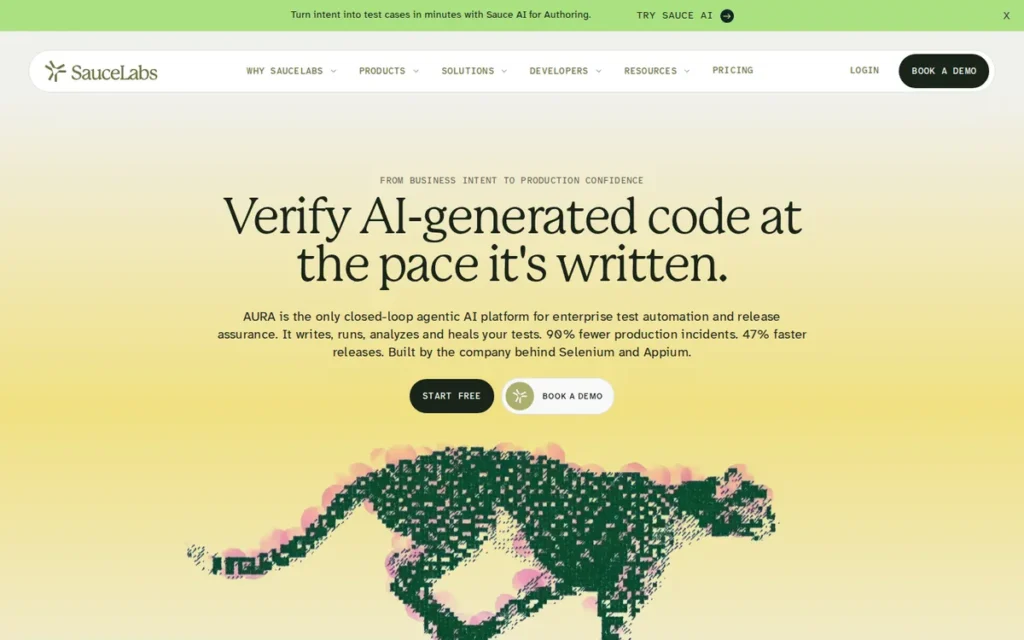
Category: Full-Coverage Cloud Grid. A managed cloud that supplies desktop browsers and real iOS and Android devices from one vendor.
At a Glance
- Category: Full-Coverage Cloud Grid
- Best For: Mid-size and enterprise teams that need desktop web plus real-device mobile coverage, private-network testing and monthly billing
- Price Range: $39–$249/month per parallel session on self-serve plans; enterprise pricing on request (Sauce Labs pricing page, November 2026)
- Primary Strength: Sauce Labs matches BrowserStack’s desktop and real-device scope, with broad framework support and vendor-listed enterprise certifications.
- Biggest Limitation: Sauce Labs prices its virtual and real-device clouds separately, and reviewers report cost pressure and real devices being unavailable at peak times.
- One-Line Summary: Sauce Labs is the closest like-for-like BrowserStack alternative for teams that need desktop browsers, real iOS and Android devices, and enterprise security controls from one vendor.
- Last Verified: November 2026
Overview
Sauce Labs is a managed cloud testing platform. It combines a Virtual Device Cloud of 3,000+ browser/OS combinations with a separate Real Device Cloud, and it is built for QA and engineering teams replacing BrowserStack for both desktop web and real iOS and Android testing.
Sauce Labs scored 38 of 45, the highest total in PlugRoute’s evaluation. Sauce Labs is also the only alternative that scored at least 4 on all three primary criteria: coverage, pricing transparency and verified ratings.
Key Features
- Sauce Labs Virtual Device Cloud provides 3,000+ browser and operating system combinations plus emulators and simulators (Sauce Labs product page, November 2026).
- Sauce Labs Real Device Cloud offers public and private (dedicated) real iOS and Android devices for manual and automated testing.
- Sauce Labs supports Selenium, Playwright, Puppeteer, Cypress, Appium, XCUITest and Espresso. Existing suites in these frameworks typically need a new hub URL, not a rewrite.
- Sauce Connect gives Sauce Labs tests an encrypted tunnel to applications inside a private network or internal staging environment.
- Sauce Labs adds Sauce Visual, Backtrace crash and error reporting and test analytics on top of grid execution.
Best For
Sauce Labs is best for mid-size and enterprise teams that want one vendor for desktop browsers and real devices, need private-network access to staging environments, and prefer month-to-month billing to annual lock-in.
How Much Does Sauce Labs Cost?
Sauce Labs publishes self-serve prices for one parallel test (Sauce Labs pricing page, November 2026):
- Sauce Labs Live Testing costs $39/month billed annually or $49/month billed monthly.
- Sauce Labs Virtual Device Cloud costs $149/month billed annually or $199/month billed monthly.
- Sauce Labs Real Device Cloud costs $199/month billed annually or $249/month billed monthly.
- Sauce Labs self-serve plans scale from 1 to 5 concurrent sessions, and higher concurrency is quoted on request.
Sauce Labs sells the virtual and real-device clouds as separate plans, so full automated coverage means buying both.
Strengths
- Sauce Labs holds a 4.4/5 G2 rating from about 200 reviews (199–201 across listings). That matches BrowserStack’s 4.4/5, but from a far smaller review base (G2, November 2026).
- Sauce Labs states that its entire portfolio holds SOC 2 Type II and ISO 27001 certification, and it also lists ISO 27701 and SOC 3. Buyers should confirm the scope (Sauce Labs certification announcement, accessed November 2026).
- Sauce Labs offers monthly billing on self-serve plans. One practitioner noted that “Sauce Labs have month-to-month payment option,” while BrowserStack required annual billing for App Automate (Reddit r/softwaretesting, 2022 thread; billing terms may have changed).
- Sauce Labs case studies report 40% faster releases at First Orion and 30% less testing time at Qualifacts. They also describe SAP consolidating more than 40 UI testing tools (Sauce Labs case studies, accessed November 2026; vendor-published, method not disclosed).
Limitations
Sauce Labs gives up some cost efficiency in exchange for like-for-like breadth. The Virtual Device Cloud and Real Device Cloud are priced separately, so full automated coverage costs more than either headline price (Sauce Labs pricing page, November 2026).
- Sauce Labs reviewers call the pricing model “not flexible enough for smaller organizations.” They also report slow VM startup and real devices “temporarily unavailable at peak times” (Capterra and PeerSpot, November 2026).
- Sauce Labs reviewers also cite a learning curve in the UI and mixed support quality (Capterra and PeerSpot, November 2026).
- Sauce Labs describes US-East and EU connectivity, but public sources do not confirm the specific EU data-centre location. EU buyers should request data-flow documentation.
- Sauce Labs offers private (dedicated) cloud devices, but this research could not confirm an on-premises deployment option.
- Sauce Labs has little recent Reddit discussion, and the most-cited practitioner thread dates from 2022.
Users on r/softwaretesting shared their experience:
“We switched to lambdatest last year, after a lot of performance issues with saucelabs. So far, they’ve been great to work with. They roll features out pretty frequently, they are properly multiregion, and overall our team has just had far less issues with them vs saucelabs.” Posted by u/numo16
Takeaway: Performance problems on Sauce Labs have pushed at least some teams to switch providers, so buyers should test speed during a trial.
How Does Sauce Labs Compare With BrowserStack?
Sauce Labs compares with BrowserStack Live, Automate, App Live and App Automate on three points (G2 and Capterra, November 2026):
- Sauce Labs matches BrowserStack on scope (desktop browsers plus real iOS and Android) and on G2 rating (4.4/5 each), with about 200 reviews against BrowserStack’s 3,370.
- Sauce Labs Live Testing starts at $39/month annual, the same as BrowserStack Live Desktop’s G2 list price.
- Sauce Labs Virtual Device Cloud costs $149/month annual, against $169/month per parallel for BrowserStack Automate Desktop.
Verdict
Sauce Labs scored highest (38/45) among like-for-like BrowserStack alternatives in PlugRoute’s 2026 evaluation. It offers desktop and real-device coverage, enterprise certifications and monthly billing from one vendor.
Sauce Labs will not be the cheapest option once both clouds are bought. Teams should test peak-time device availability during a trial before signing.
2. TestMu AI (formerly LambdaTest): Best Value Full-Coverage Cloud with Test Orchestration
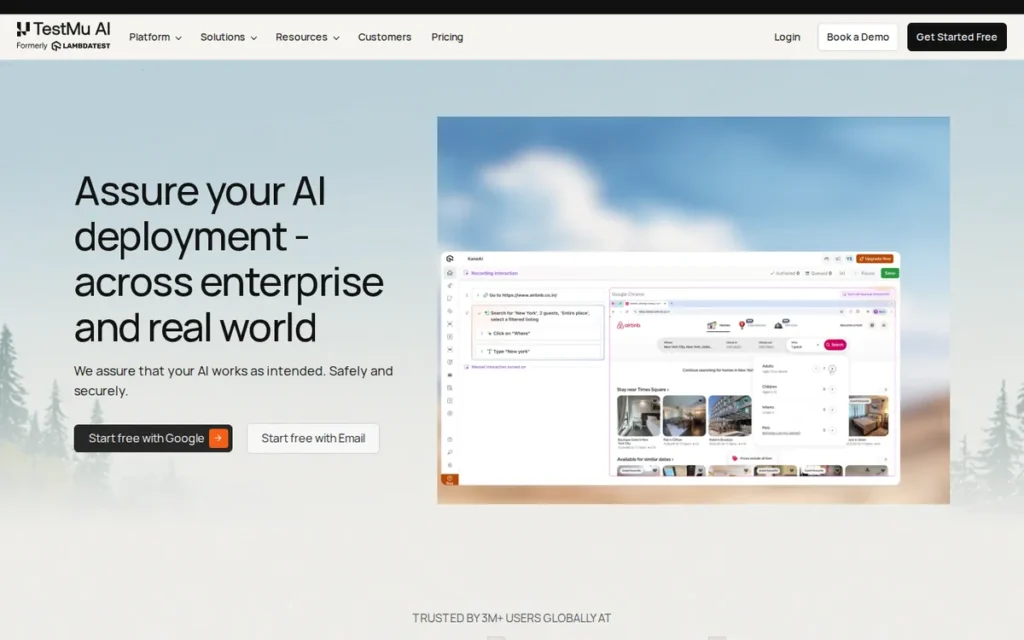
Category: Full-Coverage Cloud Grid. A managed cloud that supplies desktop browsers and real iOS and Android devices from one vendor.
At a Glance
- Category: Full-Coverage Cloud Grid
- Best For: Cost-conscious teams that want BrowserStack-equivalent scope plus test orchestration to cut CI run times
- Price Range: Free tier; $15–$249/month per parallel session depending on plan; Enterprise custom (TestMu AI pricing page, November 2026)
- Primary Strength: TestMu AI (formerly LambdaTest) offers BrowserStack-equivalent desktop and real-device scope at the lowest published entry prices among the full-coverage clouds.
- Biggest Limitation: TestMu AI plans do not stack: Real Device Plus Automation excludes desktop and virtual automation, and only custom-priced Enterprise covers all three.
- One-Line Summary: TestMu AI (formerly LambdaTest) is the full-coverage BrowserStack alternative with the lowest published entry prices, for teams that model its non-stacking plans carefully and verify device availability in a trial.
- Last Verified: November 2026
Overview
TestMu AI (formerly LambdaTest) is a cloud testing platform advertising 3,000+ browser/OS combinations and 50,000+ real devices. It is built for teams that want a like-for-like BrowserStack replacement with lower published entry prices and HyperExecute test orchestration.
TestMu AI took its new name on January 12, 2026. The company says existing LambdaTest scripts, the grid and the automation cloud carry over unchanged (TestMu AI announcement via PR Newswire, January 2026).
TestMu AI scored 35 of 45, tied with Pcloudy, and ranks second on the coverage tie-break (C1: 5 vs 4).
Key Features
- TestMu AI advertises 3,000+ browser/OS combinations and 50,000+ real Android and iOS devices. These are vendor catalogue claims, not counts of unique physical devices (TestMu AI website, November 2026).
- TestMu AI supports Selenium, Playwright, Cypress and Puppeteer for web, and Appium, Espresso and XCUITest for mobile.
- TestMu AI HyperExecute orchestrates runs with sharding, auto-splitting and fail-fast. The vendor claims it is “up to 70% faster” than a conventional cloud grid, and PlugRoute found no independent benchmark.
- TestMu AI offers devices as public, dedicated or on-premises, and the on-premises option sits in the Enterprise tier.
- TestMu AI adds KaneAI for natural-language test authoring and SmartUI for visual regression testing.
Best For
TestMu AI (formerly LambdaTest) is best for cost-conscious teams that need desktop browsers and real devices, want orchestration to cut CI regression time, and can run a trial to confirm their devices and concurrency.
How Much Does TestMu AI Cost?
TestMu AI publishes per-parallel prices (TestMu AI pricing page, November 2026):
- TestMu AI Virtual Live costs $19/month monthly or $15/month annual, and Real Device Plus Live costs $49/month monthly or $39/month annual.
- TestMu AI desktop web automation costs $99/month monthly or $79/month annual.
- TestMu AI Virtual Automation Cloud costs $139/month on annual billing, and Real Device Plus Automation costs $249/month monthly or $199/month annual.
- TestMu AI HyperExecute costs $129/$103 per month on Linux and $199/$159 on MultiOS (monthly/annual), and its free tier includes 300 minutes and 2 concurrent sessions per month.
TestMu AI plans do not stack (see Limitations).
Strengths
- One practitioner reported a TestMu AI (then LambdaTest) quote “45% less than the quote Browserstack folks gave to us” (Reddit r/softwaretesting, accessed November 2026).
- The same practitioner reported regression time falling from 36 to 14 minutes on Playwright after moving to HyperExecute. This is a single anecdote, and the thread contains comments that may be vendor-placed, so treat individual anecdotes cautiously.
- TestMu AI publishes the lowest entry price among the full-coverage clouds: $15/month annual for Virtual Live, against BrowserStack’s $39/month Live Desktop list price. The two product scopes differ (G2 and TestMu AI pricing page, November 2026).
- TestMu AI lists SOC 2, GDPR, ISO/IEC 27001, 27701 and 27017 in its security documentation, with scope unverified (TestMu AI security documentation, accessed November 2026).
- TestMu AI case studies report Vitality Global cutting test cycles “from four days to four hours” and Bajaj Finserv cutting execution time by 70% (TestMu AI customers page, accessed November 2026; vendor-published, method not disclosed).
Limitations
TestMu AI (formerly LambdaTest) offers low entry prices at the cost of plan complexity. Its plans do not stack, so teams that need desktop, virtual and real-device automation end up on a custom-priced Enterprise contract (TestMu AI pricing page, November 2026).
- TestMu AI users report real-device availability problems, automation performance issues and aggressive upselling (Reddit r/softwaretesting, September 2026).
- TestMu AI did not win every evaluation. One company stayed with BrowserStack after a two-week trial because some automation features were missing (Reddit r/softwaretesting, accessed November 2026).
- TestMu AI has no G2 rating that PlugRoute could confirm directly under the new name. Secondary sources report about 4.5/5 from roughly 1,864 reviews on the LambdaTest listing, so C3 is scored neutral pending verification (November 2026).
- TestMu AI’s “4.6/5, 540+ reviews” badge does not name a review platform, and no specific EU data-residency region was confirmed.
Users on r/QualityAssurance noted:
“We use them. The tool is… ok I guess.
They pitch physical devices but I can’t count how many times their ‘physical device’ in the cloud and our physical device in our hand haven’t matched.
Low learning curve, reasonable licensing, we looked at the AI stuff and test repository stuff and took a hard pass.” Posted by u/heathcl1ff0324
Takeaway: TestMu AI (formerly LambdaTest) scores well on licensing and ease of adoption, but its cloud “physical devices” do not always behave like the same hardware in users’ hands.
How Does TestMu AI Compare With BrowserStack?
TestMu AI (formerly LambdaTest) competes with BrowserStack Live, Automate, App Live and App Automate on three points (Capterra and TestMu AI pricing page, November 2026):
- TestMu AI matches BrowserStack’s desktop-plus-real-device scope and framework coverage.
- TestMu AI desktop web automation costs $79/month annual, against $169/month per parallel for BrowserStack Automate Desktop.
- TestMu AI’s rating cannot yet be compared directly with BrowserStack’s 4.4/5 from 3,370 G2 reviews, because historical reviews may still sit under the LambdaTest name.
Verdict
TestMu AI (formerly LambdaTest) is the full-coverage BrowserStack alternative with the lowest published entry prices in 2026, with equivalent desktop and real-device scope.
TestMu AI’s savings hold only if buyers model its non-stacking plans at their actual concurrency. Teams should run a trial during peak CI hours, because practitioners report gaps in device availability.
3. Pcloudy: Best for Mobile App Teams Needing Device-Level Features or On-Prem Labs
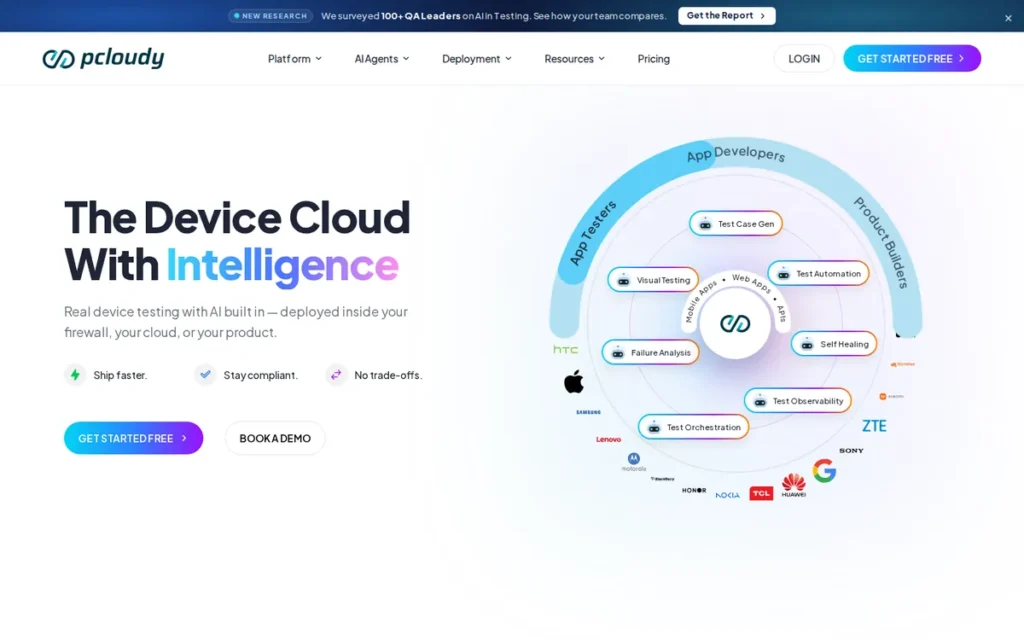
Category: Full-Coverage Cloud Grid (mobile-first). A managed real-device cloud with a companion browser cloud and on-premises deployment options.
At a Glance
- Category: Full-Coverage Cloud Grid (mobile-first)
- Best For: Mobile app teams that need biometrics, camera input and device metrics, and regulated organisations that need an on-premises device lab
- Price Range: $39–$1,106/month depending on manual vs. automated testing and 1–10 parallels; 15+ parallels custom (Pcloudy pricing page, November 2026)
- Primary Strength: Pcloudy publishes the clearest per-parallel price ladder in this evaluation and documents mobile features that general browser grids may not support.
- Biggest Limitation: Pcloudy has a smaller verified review base (88 G2 reviews), and reviewers ask for newer flagship devices and better iOS stability.
- One-Line Summary: Pcloudy is the most price-transparent BrowserStack alternative for mobile app teams that need biometric simulation, camera injection or an on-premises device lab.
- Last Verified: November 2026
Overview
Pcloudy is a real Android and iOS device cloud with a companion browser cloud, deployable as public, private, dedicated or on-premises infrastructure. It is built for mobile teams that need biometrics, camera injection and device metrics alongside transparent pricing.
Pcloudy is listed on G2 under the seller Opkey. Pcloudy scored 35 of 45, tied with TestMu AI (formerly LambdaTest), and ranks third because PlugRoute breaks ties on coverage scope (C1: 4 vs 5). Pcloudy’s C1 of 4 reflects a browser cloud documented only in summary form.
Key Features
- Pcloudy simulates fingerprint and Face ID authentication on real devices, according to its Mobile Device Lab documentation (Pcloudy, November 2026).
- Pcloudy injects images, videos and QR codes into the device camera so that camera-dependent app flows can be tested.
- Pcloudy profiles 60+ device performance metrics, including CPU, memory, battery, network and frame rate.
- Pcloudy can be deployed as public cloud, private cloud, dedicated infrastructure or on-premises inside the customer’s firewall.
- Pcloudy QPilot uses AI to generate tests and self-heal broken locators.
Best For
Pcloudy is best for mobile app teams whose test flows depend on biometrics, camera input or device performance data. Pcloudy also suits banks and other regulated organisations that need an on-premises device lab.
How Much Does Pcloudy Cost?
Pcloudy publishes device-cloud prices by parallel count (Pcloudy pricing page, November 2026):
| Parallel tests | Manual | Automated |
|---|---|---|
| 1 | $39/mo or $374/yr | $139/mo or $1,334/yr |
| 2 | $58/mo or $557/yr | $258/mo or $2,477/yr |
| 5 | $131/mo or $1,258/yr | $582/mo or $5,587/yr |
| 10 | $249/mo or $2,390/yr | $1,106/mo or $10,618/yr |
| 15+ | Custom | Custom |
Pcloudy’s automated price falls from $139 per parallel at one session to about $110.60 per parallel at ten, roughly 20% less per session. Annual billing saves 20%. G2 lists no Pcloudy prices, so the vendor page is the only published source.
Strengths
- Pcloudy is the only vendor in this evaluation that publishes prices at 1, 2, 5 and 10 parallel sessions for both manual and automated testing (Pcloudy pricing page, November 2026).
- Pcloudy holds a 4.4/5 G2 rating from 88 reviews, with 93.2% rated 4 or 5 stars. Its top pros are Ease of Use (28), Device Variety (18) and Customer Support (18) (G2, November 2026).
- Pcloudy documents biometric simulation, camera injection and 60+ performance metrics, which cover mobile needs that general browser grids may not.
- Pcloudy names DBS Bank, ADCB, Vodafone, Pfizer, Sony and Federal Bank as customers. It lists SOC 2 Type II, ISO 27001, PCI-DSS, GDPR, HIPAA and GxP (Pcloudy website, accessed November 2026; vendor-listed, scope unverified).
Limitations
Pcloudy’s mobile depth comes with a smaller evidence base: 88 G2 reviews against BrowserStack’s 3,370. Its browser cloud is documented only in summary form, unlike its detailed device-cloud documentation (G2 and Pcloudy website, November 2026).
- Pcloudy’s own site claims “500+ reviews” on G2, which conflicts with the verified count of 88 (G2, November 2026).
- Pcloudy G2 reviewers ask for newer and flagship devices, better iOS stability and clearer documentation. They cite Slow Speed (9) and Performance Lag (5) (G2, November 2026).
- Pcloudy’s enterprise page claims customers “release 40% faster” and “reduce costs by 60%,” but it names no clients and gives no method (Pcloudy, accessed November 2026).
- Pcloudy’s founding year differs between sources (2015 on G2, 2017 on Pcloudy’s site), and PlugRoute found no Reddit discussion of Pcloudy.
How Does Pcloudy Compare With BrowserStack?
Pcloudy’s device cloud competes mainly with BrowserStack App Live and App Automate (G2 and Capterra, November 2026):
- Pcloudy matches BrowserStack’s 4.4/5 G2 rating from a far smaller review base, and its documented mobile features go further.
- Pcloudy automated testing costs $139/month for one parallel, against $169/month for BrowserStack Automate Desktop. BrowserStack App Automate pricing was not verified, so this comparison crosses product scopes.
Verdict
Pcloudy is the most price-transparent BrowserStack alternative in 2026, and the most thoroughly documented choice for mobile teams that need biometrics, camera injection or an on-premises device lab.
Pcloudy’s browser cloud is less proven than its device cloud, so web-heavy teams should verify desktop coverage before switching. Mobile-first and regulated teams should put Pcloudy on their shortlist.
4. AWS Device Farm: Best for AWS-Native Teams and Bursty, Usage-Based Testing
Category: Cloud-Ecosystem Device Farm. A usage-billed testing service built into a hyperscaler’s cloud platform.
At a Glance
- Category: Cloud-Ecosystem Device Farm
- Best For: Teams already on AWS, and teams whose occasional or bursty mobile test runs do not justify a fixed parallel licence
- Price Range: $0.17 per device minute pay-as-you-go; $250 per unmetered device slot per month; 1,000 free trial minutes (AWS pricing page, November 2026)
- Primary Strength: AWS Device Farm integrates natively with IAM, CodePipeline, AWS billing and private VPCs, and it charges only for device minutes used.
- Biggest Limitation: AWS Device Farm runs only in us-west-2, defaults to 5 concurrent devices (adjustable quota) and can queue jobs for up to 24 hours.
- One-Line Summary: AWS Device Farm is the BrowserStack alternative built for AWS-native teams with bursty mobile testing, but its single US region and concurrency limits rule it out for EU-resident or high-parallel CI workloads.
- Last Verified: November 2026
Overview
AWS Device Farm is Amazon Web Services’ pay-as-you-go testing service for real Android and iOS devices, with desktop-browser testing billed per instance-minute. It is built for AWS teams that want IAM access control and consolidated billing instead of a separate testing contract.
AWS Device Farm scored 30 of 45, held back by documented operational limits and a small review base. AWS Device Farm’s C1 of 4 reflects its us-west-2 regional restriction.
Key Features
- AWS Device Farm runs automated tests and manual remote-access sessions on real Android and iOS devices, with logs, video and performance data (AWS documentation, November 2026).
- AWS Device Farm controls access through IAM and can run tests as a stage in AWS CodePipeline.
- AWS Device Farm private devices can reach private services in a customer’s VPC through a VPC elastic network interface (VPC-ENI).
- AWS Device Farm offers desktop-browser testing billed per instance-minute, and buyers should confirm the supported browser matrix in AWS documentation before purchase.
- AWS Device Farm bills usage to the customer’s existing AWS account, so no separate vendor procurement is needed.
Best For
AWS Device Farm is best for teams already standardised on AWS, and for teams with low-volume or bursty mobile test runs where per-minute billing costs less than a fixed parallel licence.
How Much Does AWS Device Farm Cost?
AWS Device Farm publishes usage-based pricing (AWS pricing page, November 2026):
- AWS Device Farm charges $0.17 per device minute on pay-as-you-go billing.
- AWS Device Farm includes a one-time free trial of 1,000 device minutes.
- AWS Device Farm sells unmetered device slots at $250 per slot per month, bought separately for each platform and usage type.
An AWS Device Farm unmetered slot costs less than metered billing once a device runs more than about 1,470 minutes a month, roughly 24.5 hours. This research did not confirm private-device or desktop-browser per-minute rates.
Strengths
- AWS Device Farm has the highest G2 star rating in this evaluation, 4.5/5, but from only 26 reviews, which limits its statistical weight (G2, November 2026).
- AWS Device Farm charges $0.17 per device minute with no fixed licence. One practitioner noted that “if all you need to test is the latest version of Chrome, AWS DeviceFarm is a much cheaper solution” (Reddit r/softwaretesting, accessed November 2026).
- AWS Device Farm integrates with IAM, CodePipeline and private VPCs through VPC-ENI. This can reduce the separate security review and procurement a new testing vendor usually requires (AWS documentation, November 2026).
Limitations
AWS Device Farm’s ecosystem convenience comes with hard operational limits. It runs only in the us-west-2 region, which rules it out for many EU data-residency requirements (AWS documentation, November 2026).
- AWS Device Farm defaults to 5 concurrent metered devices, a quota AWS documents as adjustable. Queued runs can wait up to 24 hours, and the 150-minute test timeout is a hard limit (AWS Device Farm quotas documentation, November 2026).
- AWS Device Farm limits each Appium command to 4 minutes.
- This research did not confirm AWS Device Farm’s desktop-browser matrix, so its coverage may be narrower than BrowserStack’s multi-OS matrix.
- AWS Device Farm has conflicting TrustRadius scores of 7.3/10 (12 reviews) and 6.0/10 (11 reviews) on two pages (TrustRadius, November 2026).
- AWS Device Farm has no named customer case studies. One practitioner said HyperExecute benchmarked faster than Device Farm (Reddit r/softwaretesting, accessed November 2026; single anecdote).
How Does AWS Device Farm Compare With BrowserStack?
AWS Device Farm competes mainly with BrowserStack App Live and App Automate (G2 and AWS pricing page, November 2026):
- AWS Device Farm replaces fixed per-session subscriptions with per-minute billing, which favours bursty workloads over continuous CI.
- One device running a 30-minute suite 10 times per working day uses about 6,600 minutes a month. That costs about $1,122 on metered billing, against $250 for an unmetered slot.
- AWS Device Farm’s 4.5/5 G2 rating comes from 26 reviews, against BrowserStack’s 4.4/5 from 3,370.
Verdict
AWS Device Farm is the BrowserStack alternative in 2026 best suited to AWS-native teams whose mobile testing is bursty enough to benefit from per-minute billing.
AWS Device Farm’s single US region and default concurrency of 5 make it a poor fit for EU-resident data or heavy parallel CI. Its queue limits add to the problem. Treat AWS Device Farm primarily as a targeted mobile option until its desktop-browser matrix is confirmed.
5. Katalon Platform: Best for Low-Code Teams That Want Authoring and Execution in One Platform
Category: Low-Code Automation Platform. A suite for test authoring, management and execution that can replace a cloud grid or sit on top of one (partial BrowserStack replacement).
At a Glance
- Category: Low-Code Automation Platform
- Best For: QA teams with mixed coding skills that want one tool for creating, running and managing web, mobile and API tests
- Price Range: Free Studio; $135–$170/user/month on G2 list prices; TestCloud add-ons priced separately (G2, November 2026)
- Primary Strength: Katalon Platform combines low-code test authoring with cloud execution and has the largest verified review base among these alternatives.
- Biggest Limitation: Katalon Platform is only a partial BrowserStack replacement, and its Runtime Engine and TestCloud add-ons push the real cost above the headline seat price.
- One-Line Summary: Katalon Platform is the BrowserStack alternative for low-code QA teams that want test authoring and execution in one tool, but it often complements a cloud grid rather than replacing it.
- Last Verified: November 2026
Overview
Katalon Platform is a low-code test automation platform built for QA teams with mixed coding skills. It combines Katalon Studio, for authoring web, mobile, API and desktop tests, with TestCloud for cloud execution.
Katalon Platform scored 28 of 45, held back by partial coverage (C1 = 3) and pricing (C2 = 2). Its C2 score reflects unpublished add-on prices and plan names that differ between G2 and Katalon’s own site.
Key Features
- Katalon Studio lets testers author web, mobile, API and desktop tests in no-code, low-code or full-code modes (Katalon website, November 2026).
- Katalon TestCloud runs tests on major browsers and operating systems and on real iOS and Android devices.
- Katalon Platform is built on Selenium WebDriver and Appium and can import existing Selenium tests.
- Katalon Platform can send execution to BrowserStack, Sauce Labs, LambdaTest or Selenium Grid instead of TestCloud.
- Katalon Platform lists 29 integrations on G2, including CI/CD tools (G2, November 2026).
Best For
Katalon Platform is best for QA teams where not every tester writes code, and for organisations that want authoring, management and execution from one vendor, with or without a separate cloud grid.
How Much Does Katalon Platform Cost?
Katalon Platform G2 list prices may change (G2, November 2026):
- Katalon Studio is listed at $0.
- Katalon Studio Enterprise is listed at $170 per user per month.
- Katalon Runtime Engine is listed at $135 per user per month.
Katalon’s own pricing page uses different plans: Free, Professional at $1,800/seat/year, and custom Enterprise (Katalon pricing page, November 2026). CI/CD runs need the Runtime Engine add-on, and cloud runs need TestCloud add-ons whose prices are not shown.
Katalon Platform charges per user, which is not directly comparable with BrowserStack’s per-parallel pricing.
Strengths
- Katalon Platform holds a 4.4/5 G2 rating from 233 reviews, with 97.0% rated 4 or 5 stars. That is the largest verified review base among the ranked alternatives (G2, November 2026).
- Katalon Platform’s top G2 pros are Ease of Use (60) and Automation (54) (G2, November 2026).
- Katalon announced on October 9, 2025 that Gartner named it a Visionary in the inaugural 2025 Magic Quadrant for AI-Augmented Software Testing Tools (Katalon announcement, October 2025; vendor-announced).
- Katalon Platform attracts teams switching from Selenium, Selenium IDE, Cypress and TestProject who want less framework setup and maintenance (G2, November 2026).
Limitations
Katalon Platform’s all-in-one convenience comes at the cost of being only a partial replacement. Many teams keep BrowserStack or Sauce Labs as the execution grid and use Katalon Platform only for authoring (Katalon documentation, November 2026).
- Katalon Platform needs Runtime Engine and TestCloud add-ons for CI and cloud runs, and the add-on prices are not published (Katalon pricing page, November 2026).
- Katalon Platform G2 reviewers cite Slow Performance (24), Expensive (12) and System Delays (9). They ask for better stability on large suites, clearer failure logs and stronger mobile self-healing (G2, November 2026).
- Katalon Platform plan names and prices differ between G2 and Katalon’s own pricing page, which makes comparison harder.
- Katalon Platform has no named customer outcomes in this research, and code-first practitioners on Reddit lean towards Playwright (Reddit r/softwaretesting, accessed November 2026).
How Does Katalon Platform Compare With BrowserStack?
Katalon Platform overlaps with BrowserStack Automate and App Automate only on execution (G2, November 2026):
- Katalon Platform overlaps with BrowserStack through TestCloud, and adds authoring and test management that BrowserStack’s grid products do not centre on.
- Katalon Platform’s 4.4/5 G2 rating matches BrowserStack’s, from 233 reviews against 3,370.
- Katalon Platform’s per-user pricing cannot be compared directly with BrowserStack’s per-parallel pricing.
Verdict
Katalon Platform is the BrowserStack alternative in 2026 for low-code QA teams that want authoring, management and execution in one platform.
Katalon Platform is a partial replacement, so buyers should price the Runtime Engine and TestCloud add-ons before comparing it with a grid subscription. Code-first teams with stable suites will get less value from it.
6. Kobiton: Best for Mobile-Only Teams That Need Dedicated or On-Prem Real Devices
Category: Mobile-First Device Cloud. A real-device testing service for iOS and Android only, with no desktop-browser grid (partial BrowserStack replacement).
At a Glance
- Category: Mobile-First Device Cloud
- Best For: Mobile-only teams replacing BrowserStack App Live or App Automate that need dedicated or on-premises real devices
- Price Range: From $83/month (500 device minutes) to $9,000/year (Scale); Enterprise custom (Kobiton pricing page, November 2026)
- Primary Strength: Kobiton combines real-device testing with no-code authoring, Appium script generation and a fully on-premises deployment option.
- Biggest Limitation: Kobiton has no desktop-browser cloud, so teams that test websites need a second tool.
- One-Line Summary: Kobiton is a focused BrowserStack alternative for mobile-only teams that want real or on-premises devices and minute-based pricing, but it cannot replace BrowserStack’s desktop browser testing.
- Last Verified: November 2026
Overview
Kobiton is a mobile-only real-device testing platform offering manual, automated and no-code testing on real iOS and Android devices. It is built for mobile-first teams that need dedicated or fully on-premises device labs and do not need desktop browsers.
Kobiton scored 27 of 45, tied with Selenium Grid, and ranks sixth on the coverage tie-break (C1: 2 vs 1). Kobiton’s C2 of 4 includes a partial deduction because its Scale tier is billed annually only, while Startup and Accelerate are monthly.
Key Features
- Kobiton supports manual and automated testing on real iOS and Android devices (Kobiton website, November 2026).
- Kobiton offers no-code test creation and generates Appium scripts from recorded sessions, giving teams a starting point for automation without writing scripts from scratch.
- Kobiton self-heals Appium test runs, which reduces breakage when an app’s UI changes between releases.
- Kobiton offers enterprise customers dedicated devices or a fully on-premises deployment.
- Kobiton prices plans by monthly device minutes, starting at 500 minutes on the Startup plan.
Best For
Kobiton is best for mobile-only teams that are replacing BrowserStack App Live or App Automate, need dedicated or on-premises devices, and do not need desktop-browser coverage from the same vendor.
How Much Does Kobiton Cost?
Kobiton publishes minute-based plans (Kobiton pricing page, November 2026):
- Kobiton Startup starts at $83/month and includes 500 device minutes per month.
- Kobiton Accelerate starts at $399/month and includes 3,000 minutes per month.
- Kobiton Scale costs $9,000/year (about $750/month averaged), billed annually only, and includes 7,500 minutes per month.
- Kobiton Enterprise is custom-priced, and a free trial is offered.
Teams with heavy CI workloads should model their monthly minute use before choosing Kobiton, because minute-based plans can cost more than per-parallel plans for continuous runs.
Strengths
- Kobiton holds a 4.3/5 rating on both G2 (39 reviews) and Capterra (22 reviews), and Capterra reviewers praise convenient access to many devices (G2 and Capterra, November 2026).
- Kobiton’s published plans work out to about $0.166 per device minute on Startup, $0.133 on Accelerate and $0.10 on Scale. AWS Device Farm’s metered rate is $0.17 (vendor pricing pages, November 2026).
- Kobiton publishes entry pricing from $83/month, which lets small mobile teams start without a per-parallel licence (Kobiton pricing page, November 2026).
- Kobiton offers a fully on-premises deployment, which keeps device and test data inside the customer’s infrastructure.
Limitations
Kobiton gives up scope in exchange for mobile focus. It has no desktop-browser cloud, so teams testing websites need a second vendor (Kobiton website, November 2026).
- Kobiton Capterra reviewers report slow sessions, a “disjointed” UI and devices not being available when needed (Capterra, November 2026).
- Kobiton reviewers also cite few older Android and Chinese-brand devices, locked device settings, and iOS friction such as Apple ID and passcode prompts (Capterra, November 2026).
- PlugRoute could not confirm Kobiton’s support for biometrics, camera injection or Appium 2 in primary sources, so mobile teams should verify these in a trial.
- This research found no SOC 2 confirmation, named customer results or Reddit discussion for Kobiton.
How Does Kobiton Compare With BrowserStack?
Kobiton replaces only BrowserStack App Live and App Automate, not BrowserStack Live or Automate (G2 and Capterra, November 2026):
- Kobiton’s 4.3/5 G2 rating from 39 reviews sits just below BrowserStack’s 4.4/5 from 3,370.
- Kobiton’s $83/month entry price is lower than BrowserStack Automate Desktop’s $169/month per parallel. BrowserStack App Automate pricing was not verified, so this comparison is indicative only.
Verdict
Kobiton is a focused BrowserStack alternative in 2026 for mobile-only teams that need real or on-premises devices with minute-based pricing.
Kobiton cannot replace BrowserStack’s desktop-browser testing, and its device-level features need hands-on checking. Mobile teams should trial Kobiton alongside Pcloudy and compare device availability directly.
7. Selenium Grid: Best Open-Source, Self-Hosted Option for Existing WebDriver Suites
Category: Self-Hosted Open-Source Grid. Free software you run on your own infrastructure to route tests to browsers and devices you supply (partial BrowserStack replacement).
At a Glance
- Category: Self-Hosted Open-Source Grid
- Best For: Teams with existing WebDriver suites and DevOps capacity that want to run routine Chrome, Firefox and Edge CI regression in-house
- Price Range: $0 licence; the real cost is compute, macOS hardware for Safari, maintenance and engineering time (Selenium project documentation, November 2026)
- Primary Strength: Selenium Grid runs existing WebDriver suites with no rewriting, no licence fee and full data control.
- Biggest Limitation: Selenium Grid supplies no browsers or devices itself, so Safari needs Apple hardware and real-device testing needs your own Appium nodes.
- One-Line Summary: Selenium Grid is the open-source BrowserStack alternative for teams that can run their own infrastructure, and it works best as the in-house half of a hybrid setup with a cloud service for Safari and real devices.
- Last Verified: November 2026
Overview
Selenium Grid is the open-source, self-hosted part of the Selenium project that routes W3C WebDriver commands to remote browsers. It is built for teams with existing WebDriver suites that want to run Chrome, Firefox and Edge regression without licence fees.
Selenium Grid scored 27 of 45, and its rank reflects how much of BrowserStack it replaces alone, not its quality as software. Selenium Grid’s C2 of 3 is a neutral score, because there is no vendor price list to assess.
Key Features
- Selenium Grid 4 runs in Standalone, Hub-and-Node or Distributed mode to match a team’s scale (Selenium project documentation, November 2026).
- Selenium Grid has official docker-selenium images for Chrome, Firefox and Edge and supports Kubernetes deployment.
- Selenium Grid provides video recording, VNC live view and WebDriver BiDi support for observing and debugging sessions.
- Selenium Grid can relay sessions to Appium nodes, so teams can add their own mobile devices.
- Selenium Grid follows the W3C WebDriver standard, so existing WebDriver suites run without rewriting.
Best For
Selenium Grid is best for teams with existing WebDriver suites and platform-engineering capacity that want routine Chromium and Firefox CI regression in-house, while keeping a cloud service for Safari, iOS and real devices.
How Much Does Selenium Grid Cost?
Selenium Grid is open source and has no licence fee. The real cost of running it comes from these drivers:
- Selenium Grid needs compute and storage for every browser node.
- Selenium Grid needs macOS hardware to test Safari.
- Selenium Grid needs regular upgrades to browser and driver images.
- Selenium Grid needs extra capacity to scale for peak CI load.
- Selenium Grid needs ongoing engineering time to operate.
PlugRoute found no verified dollar benchmark for running Selenium Grid. Related self-hosted options include:
- Selenoid is an open-source alternative grid.
- Moon is commercial beyond its free allowance.
- Zalenium should be treated as legacy software.
As one user on r/selenium described:
“I’ve done some pretty heavy research here actually. I’ve ran about 900 browsers at once before. Ram is the most important. Consider about 500MB of memory per browser, there is somewhat of a diminishing return on memory, after 10 you might end up with 600MB/browser, etc.” Posted by u/demos74dx
Takeaway: Selenium Grid can scale to hundreds of concurrent browsers, but memory becomes the main infrastructure cost at about 500MB or more per browser.
Strengths
- Selenium Grid ships releases roughly monthly, and version 4.52.0 came out on October 29, 2026, which shows active maintenance (SeleniumHQ GitHub releases, October 2026).
- Selenium Grid is the only option in this evaluation that combines a $0 licence with running existing W3C WebDriver suites unchanged.
- One practitioner advised that “for use cases involving automated ui testing for web, an inhouse grid is always suggested,” with a cloud service kept for live cross-browser testing (Reddit r/softwaretesting, accessed November 2026).
- Selenium Grid keeps all test data in the team’s own infrastructure, which supports EU data-residency requirements by design.
Limitations
Selenium Grid saves the licence fee, but the team takes on the infrastructure. The team must supply, patch and scale every browser and device itself (Selenium project documentation, November 2026).
- Selenium Grid offers no Safari without Apple hardware and no real-device fleet without your own Appium nodes.
- Selenium Grid has no vendor support contract, so outages and image upgrades are the team’s responsibility.
- Selenium Grid has no review-platform listing and no verified cost benchmark, so its total cost depends on your compute and labour rates.
- In State of JS 2024, 3,674 respondents reported using Playwright at work, against 3,603 for Cypress and 1,130 for Selenium, out of 11,667 respondents (State of JS, 2024).
- JavaScript-first teams may therefore prefer to self-host Playwright browsers without Selenium Grid.
How Does Selenium Grid Compare With BrowserStack?
Selenium Grid replaces only the routine desktop-browser automation part of BrowserStack Automate (Capterra, November 2026):
- Selenium Grid costs $0 in licence fees, against BrowserStack Automate Desktop’s $169/month per parallel.
- Selenium Grid adds infrastructure work that BrowserStack handles for you.
- Selenium Grid does not replace BrowserStack App Live, App Automate or Safari coverage on its own.
Verdict
Selenium Grid is the open-source BrowserStack alternative in 2026 for teams with existing WebDriver suites and the DevOps capacity to run their own infrastructure.
Selenium Grid replaces only routine desktop-browser testing. Most teams will pair Selenium Grid with a cloud service for Safari, iOS and real devices.
How Do the Alternatives Compare With BrowserStack Side by Side?
Against BrowserStack’s baseline of 4.4/5 from 3,370 G2 reviews, Sauce Labs, TestMu AI (formerly LambdaTest) and Pcloudy are documented to cover its desktop-plus-real-device scope without major restrictions. Pcloudy’s browser cloud is less documented than its device cloud. AWS Device Farm has regional limits, and three alternatives are partial replacements.
| Product | Desktop Browsers | Real iOS/Android | Full or Partial Replacement | Self-Host/On-Prem | Published Entry Price | Price at Higher Concurrency | Billing Terms | Data-Control Notes | G2 Rating (Reviews) |
|---|---|---|---|---|---|---|---|---|---|
| BrowserStack (baseline) | Yes | Yes | Baseline | Not researched | Live Desktop $39/mo (G2) | Automate Desktop $169/mo per parallel (Capterra); higher tiers not verified | App Automate annual (practitioner report, 2022) | Not researched | 4.4 (3,370) |
| Sauce Labs | Yes | Yes | Full | Private (dedicated) cloud devices; on-prem not verified | Live $39/mo annual | Self-serve to 5 parallels; higher quoted | Monthly or annual | SOC 2 Type II/ISO 27001 listed; EU site not confirmed | 4.4 (~199–201) |
| TestMu AI (formerly LambdaTest) | Yes | Yes | Full | On-prem devices (Enterprise) | Virtual Live $15/mo annual | Per parallel; combined plans Enterprise custom | Monthly or annual | GDPR/ISO listed; EU region not confirmed | Not confirmed under new name |
| Pcloudy | Yes (browser cloud, summary documentation) | Yes | Full (mobile-first) | Yes | Manual $39/mo | 10 automated parallels $1,106/mo | Monthly or annual (20% saving) | On-prem keeps data in-house | 4.4 (88) |
| AWS Device Farm | Yes (per instance-minute) | Yes | Full, with restrictions (desktop browser matrix not confirmed; us-west-2 only) | No | $0.17/device-minute | $250/unmetered slot/month | Pay-as-you-go | us-west-2 only | 4.5 (26) |
| Katalon Platform | Via TestCloud or external grids | Via TestCloud | Partial | On-prem (Enterprise) | Studio $0 | $135–$170/user/mo; add-ons not published | Per user | Not verified | 4.4 (233) |
| Kobiton | No | Yes | Partial (mobile-only) | Yes | $83/mo (500 min) | Scale $9,000/yr (7,500 min/mo) | Monthly; Scale annual only | On-prem possible | 4.3 (39) |
| Selenium Grid | Chrome, Firefox, Edge; Safari needs Macs | Only via your own Appium nodes | Partial (self-hosted) | Yes (self-hosted only; no managed option) | $0 licence | Infrastructure cost not benchmarked | Not applicable | Fully in-house | No G2 listing |
What Does Concurrency Really Cost Across BrowserStack Alternatives?
At five automated real-device parallels billed annually, published prices range from about $5,587 a year at Pcloudy to about $11,940 at Sauce Labs or TestMu AI (formerly LambdaTest), assuming linear per-parallel pricing. Vendors price by parallels, device minutes or seats, so request written quotes at your real concurrency.
Concurrency pricing by vendor, as published (vendor pricing pages, November 2026):
- Pcloudy: Pcloudy publishes automated pricing of $139/month for 1 parallel, $258 for 2, $582 for 5 and $1,106 for 10, with custom pricing at 15+.
- Sauce Labs: Sauce Labs publishes one-parallel prices and self-serve plans up to 5 concurrent sessions, and quotes higher concurrency on request.
- TestMu AI (formerly LambdaTest): TestMu AI publishes per-parallel prices for each plan, but combined desktop, virtual and real-device automation requires custom Enterprise pricing.
- AWS Device Farm: AWS Device Farm charges $0.17 per device minute or $250 per unmetered slot per month, with an adjustable default concurrency of 5.
- Kobiton: Kobiton sells minute bundles from 500 to 7,500 minutes per month instead of parallel sessions.
- Katalon Platform: Katalon Platform charges per user, and its TestCloud execution add-on prices are not published.
- BrowserStack: BrowserStack Automate Desktop is listed at $169/month for one parallel (Capterra, November 2026), and this research did not verify higher-concurrency pricing.
The table below shows an illustrative annual cost for 5 automated real-device parallels. Sauce Labs and TestMu AI figures assume linear per-parallel pricing, which vendors may not apply (vendor pricing pages, November 2026).
| Vendor | Basis | Illustrative Annual Cost |
|---|---|---|
| Pcloudy | 5 automated parallels, annual | $5,587 |
| Kobiton | Scale plan, 7,500 minutes/month (not parallel-based) | $9,000 |
| Sauce Labs | Real Device Cloud, $199 × 5 × 12 | about $11,940 |
| TestMu AI (formerly LambdaTest) | Real Device Plus Automation, $199 × 5 × 12 | about $11,940 |
| AWS Device Farm | 5 unmetered slots, per platform | $15,000 |
| BrowserStack | App Automate at 5 parallels | Not verified |
Bursty testing usually favours per-minute billing, while continuous CI usually favours fixed parallels or unmetered slots. AWS Device Farm’s unmetered slot breaks even at about 1,470 device minutes a month.
When Should You Combine a Self-Hosted Grid With a Cloud Service?
Combine a self-hosted grid with a cloud service when most CI runs target Chrome, Firefox or Edge but you still need Safari, iOS and real Android devices. Practitioners recommend running routine automated web regression in-house and keeping a cloud subscription for live cross-browser checks and real devices (Reddit r/softwaretesting, accessed November 2026).
A hybrid setup usually divides work like this:
- In-house: Selenium Grid handles high-volume Chromium and Firefox regression runs, where licence savings grow with concurrency.
- Cloud: A managed cloud service handles Safari, iOS, real Android devices and burst capacity that a self-hosted grid cannot supply without Apple hardware or device labs.
- Fewer parallels to buy: A hybrid model lowers the number of cloud parallel sessions you need, though PlugRoute found no verified benchmark quantifying the saving.
Hybrid setups add operating work. Teams should estimate the engineering time needed to maintain browser images and scale nodes before counting the licence savings.
This aligns with community sentiment on r/QualityAssurance:
“We execute the majority of our manual and automated web and native mobile testing on locally hosted simulators and real devices, with our cross platform browser and native device compatibility test suites running on a cloud hosted service (who’s name starts with a B). B’s service may cost more than LT, but it has been reliable, robust, and never returns device unavailable exceptions.” Posted by u/SnarkaLounger
Takeaway: Hybrid teams run most testing on local simulators and devices and pay for a cloud service only for compatibility suites, where reliability justifies the higher price.
Will Switching Fix Slow Sessions and Device Queues?
Switching vendors may not fix slow sessions or peak-time device queues, because reviewers report both problems across the category, BrowserStack included. PlugRoute found no independent benchmark of peak-time device availability, so the most reliable test is a trial run during your own busiest CI window.
Speed and availability complaints appear for every product reviewed:
- BrowserStack reviewers cite Slow Performance in 324 G2 reviews (G2, November 2026).
- Sauce Labs reviewers report real devices “temporarily unavailable at peak times” (Capterra and PeerSpot, November 2026).
- TestMu AI (formerly LambdaTest) users report real-device availability problems (Reddit r/softwaretesting, September 2026).
- Pcloudy reviewers cite Slow Speed (9) and Performance Lag (5) (G2, November 2026).
- AWS Device Farm documents that queued runs can wait up to 24 hours (AWS quotas documentation, November 2026).
- Katalon Platform reviewers cite Slow Performance (24) (G2, November 2026).
- Kobiton reviewers report slow sessions and devices not being available when needed (Capterra, November 2026).
- Selenium Grid availability depends entirely on the capacity a team provisions for peak load.
When Does Staying With BrowserStack Make Sense?
Staying with BrowserStack makes sense when your team relies on its device breadth and ease of use, uses both its desktop and mobile products, and an alternative fails to match required automation features in a trial. BrowserStack has the largest review base in this category, and competing quotes can strengthen a renewal negotiation.
BrowserStack strengths documented on G2 (G2, November 2026):
- BrowserStack holds the largest review base in this comparison, with 3,370 G2 reviews and a 4.4/5 rating.
- BrowserStack’s top G2 pros are Ease of Use (754), Real Devices (725) and Device Variety (678).
- BrowserStack covers desktop browsers and real devices from one vendor, which avoids the plan-stacking issues documented at some alternatives.
Trials do not always favour switching. One company ran a two-week trial of an alternative and stayed with BrowserStack because some automation features were missing (Reddit r/softwaretesting, accessed November 2026).
Users on r/webdev noted:
“I am a LambdaTest subscriber. Browser stack is a lot better in terms of speed, it’s just another planet.
Hardware testing is also better with BrowserStack, I’ve noticed some issues with LambaTest, sadly.
Irs better in terms of cost, that’s for sure.” Posted by u/MarmotOnTheRocks
Takeaway: Even a paying TestMu AI (formerly LambdaTest) subscriber admits BrowserStack is faster and better for hardware testing, which is the main reason to stay despite the higher price.
Negotiation is a middle path. Practitioners advise getting quotes from several vendors and asking for extended trials, which one user said can last “a week or so sometimes a month” (Reddit r/webdev, accessed November 2026).
Considered But Not Ranked
PlugRoute considered TestingBot, Perfecto, Firebase Test Lab, Playwright and QA Wolf but did not rank them. Some were not researched to this article’s evidence standard, and the others are not self-serve browser and device grids. Each exclusion is explained below so readers can judge it.
- TestingBot: TestingBot appears in AI answers for this query as a cross-browser cloud, but PlugRoute did not research it to this article’s evidence standard.
- Perfecto: Perfecto appears in practitioner comparisons for iOS testing, but PlugRoute did not research it to this article’s evidence standard.
- Firebase Test Lab: Firebase Test Lab appears in AI answers for mobile app testing, but PlugRoute did not research it to this article’s evidence standard.
- Playwright: Playwright is a test framework, not a managed browser or device cloud, though it runs on several ranked grids.
- QA Wolf: QA Wolf sells managed test coverage rather than a self-serve grid, and it holds a 4.8/5 G2 rating from 199 reviews (G2, November 2026).
What Red Flags Should I Watch For When Evaluating BrowserStack Alternatives?
The biggest red flags are headline prices that hide the cost of real concurrency, coverage claims that blur emulators and real devices, and compliance or review claims without a verifiable source. PlugRoute identified six warning signs in its November 2026 research. Each is numbered and named below so buyers can check vendors against them.
Red Flag #1: Single-Parallel Headline Prices A single-parallel headline price does not show what a team running 5–10 sessions will pay. Only Pcloudy publishes a 1–10 parallel ladder in this evaluation, so ask every other vendor for a written quote at your actual concurrency (vendor pricing pages, November 2026).
Red Flag #2: Plans That Don’t Stack or Need Paid Add-Ons Non-stacking plans and paid add-ons push total cost above headline prices. TestMu AI (formerly LambdaTest) Real Device Plus Automation excludes desktop automation, and Sauce Labs prices its two clouds separately. Katalon Platform’s add-ons are unpriced (vendor pricing pages, November 2026).
Ask each vendor which single plan covers desktop, virtual and real-device automation, and get its price in writing.
Red Flag #3: Emulators Presented as Real Devices Emulators presented as real devices can make a device catalogue look larger than it is. Practitioners list this as a warning sign, so confirm which devices are physical hardware and which are emulators or simulators (Reddit r/softwaretesting and r/webdev, accessed November 2026).
Red Flag #4: GDPR Claims Without a Named EU Region A GDPR claim does not prove that test data stays in the EU. No EU region was confirmed for TestMu AI (formerly LambdaTest) or Sauce Labs in public sources, and AWS Device Farm runs only in us-west-2 (vendor documentation, November 2026).
Red Flag #5: Unattributed or Inflated Review Badges Review badges that don’t name a platform cannot be checked. TestMu AI shows “4.6/5, 540+ reviews” without naming the platform, and Pcloudy claims “500+ reviews” on G2, where the verified count is 88 (G2, November 2026).
Red Flag #6: Aggressive Sales Pressure Practitioners across the category describe sales pressure that pushes buyers into contracts before trials finish. PlugRoute’s research found this complaint for TestMu AI (formerly LambdaTest), with one user writing “The aggressive outreach is REAL” (Reddit r/softwaretesting, accessed November 2026).
The absence of similar reports for other vendors reflects thinner Reddit coverage, not confirmed good practice.
What Questions Should I Ask Before Choosing a BrowserStack Alternative?
Before choosing a BrowserStack alternative, ask six questions:
- What does it cost at your real concurrency?
- Does one plan cover every device type?
- Which devices are available at peak times?
- Will existing suites run unchanged?
- Where is test data stored?
- How long can a trial run?
Together, these questions expose most hidden costs and coverage gaps before you sign.
Question #1: What does this cost at our actual parallel-session count, billed monthly and annually? A good answer is a written quote at your real concurrency for both billing terms. Vendors that quote only one parallel make total cost impossible to compare.
Question #2: Does one plan cover desktop, virtual and real-device automation? A good answer names exactly which plan includes all three. If the answer is “Enterprise only,” the self-serve headline price does not reflect what you will pay.
Question #3: Which exact devices and OS versions are available during our peak CI window? A good answer lists specific device models and OS versions and allows a trial during your busiest hours. PlugRoute found no independent peak-availability benchmark, so your own test is the best evidence.
Question #4: Will our existing WebDriver, Playwright or Appium suites run unchanged? A good answer confirms official support for your framework versions and shows a migration path that changes only the hub URL and capabilities. Ask for a demo using one of your real suites.
Question #5: In which region is test data processed and stored? A good answer names a specific region and provides data-flow documentation. A GDPR or ISO claim on its own does not confirm EU data residency.
Question #6: Can we get an extended proof-of-concept trial? A good answer offers a trial long enough to cover several CI cycles. Practitioners report that vendors sometimes grant trials of a week to a month when asked (Reddit r/webdev, accessed November 2026).
A simple three-step trial plan makes vendor answers comparable:
- Run one real test suite unchanged on each shortlisted vendor.
- Run that suite during your peak CI hour on your top five devices.
- Record session start time and queue time for each vendor.
How Did We Rank These BrowserStack Alternatives?
PlugRoute scored each BrowserStack alternative from 1 to 5 on six criteria. Coverage scope, pricing transparency and verified ratings counted double, for a maximum of 45 points. Every score traces to dated evidence from G2, Capterra, PeerSpot, TrustRadius, vendor documentation and Reddit, collected in November 2026.
The six criteria, and why each matters:
- C1, Coverage Scope (primary): C1 measures whether a product covers desktop browsers plus real iOS and Android, because finding a gap after migrating is the most expensive mistake. A 4 means full scope with documented regional or concurrency restrictions, or one half of the scope documented only in summary form.
- C2, Pricing Transparency and Cost at Concurrency (primary): C2 rewards published per-parallel pricing, monthly billing and disclosed add-ons, because cost is the audience’s top complaint. C2 deducts points for non-stacking plans, hidden add-ons and annual-only lock-in.
- C3, Verified Review Ratings and Volume (primary): C3 uses G2 ratings cross-checked with Capterra and TrustRadius. A 5 requires at least 4.5/5 from 1,000+ reviews, and a 4 requires at least 4.3/5 from 150+ reviews. A 3 covers fewer than 150 reviews or no verified listing.
- C4, Framework and CI Compatibility (secondary): C4 measures whether existing suites run unchanged, because rewrites add migration risk.
- C5, Enterprise, Security and Data Control (secondary): C5 counts certifications, documented regions, tunnels and on-premises options, and it deducts points for regional restrictions.
- C6, Documented Reliability and Limits (secondary): C6 deducts points for hard limits and recurring availability complaints, and it is scored conservatively because PlugRoute found no independent benchmark.
Scores and weighted totals (primary criteria × 2):
| Product | C1 | C2 | C3 | C4 | C5 | C6 | Weighted Total (of 45) |
|---|---|---|---|---|---|---|---|
| Sauce Labs | 5 | 4 | 4 | 5 | 4 | 3 | 38 |
| TestMu AI (formerly LambdaTest) | 5 | 4 | 3 (unverified) | 5 | 3 | 3 | 35 |
| Pcloudy | 4 | 5 | 3 (<150 reviews) | 4 | 4 | 3 | 35 |
| AWS Device Farm | 4 | 4 | 3 (<150 reviews) | 4 | 2 | 2 | 30 |
| Katalon Platform | 3 | 2 | 4 | 4 | 3 | 3 | 28 |
| Kobiton | 2 | 4 | 3 (<150 reviews) | 3 | 4 | 2 | 27 |
| Selenium Grid | 1 | 3 (n/a, neutral) | 3 (unverified) | 5 | 5 | 3 | 27 |
| Sensitivity note | N/A | N/A | TestMu AI C3 pending G2 verification | N/A | N/A | N/A | N/A |
Ties are broken by the C1 coverage score. TestMu AI (C1 5) therefore ranks above Pcloudy (C1 4), and Kobiton (C1 2) ranks above Selenium Grid (C1 1).
How stable is this ranking? The top three BrowserStack alternatives are only three points apart out of 45, so buyers should treat Sauce Labs, TestMu AI and Pcloudy as a shortlist, not a strict order.
Secondary sources report a G2 rating of about 4.5/5 from roughly 1,864 reviews on the LambdaTest listing. If G2 confirms it, TestMu AI’s C3 would rise to 5, giving 39 points and passing Sauce Labs. PlugRoute will re-rank openly once that rating is verified.
Further rules governed the ranking:
- Inclusion rule: A product had to supply browsers or devices to run tests on, or be a self-hosted equivalent.
- Exclusions: TestRail, Qase and Tuskr (test management), accessiBe and Level Access (accessibility), and Panaya (SAP/ERP testing) were excluded.
- Missing data: A product without verified evidence on a criterion receives a neutral, disclosed 3.
- Vendor case studies: Vendor-published case studies are labelled and never raise a score.
- Partial replacements: Partial replacements are labelled in every entry, and their lower C1 score reflects scope, not quality.
- Baseline: BrowserStack is the baseline and is not ranked.
PlugRoute has no affiliate relationships with any company listed. Rankings are determined entirely by research data and objective evaluation criteria.
What Do Buyers Ask Most About BrowserStack Alternatives?
Buyers most often ask about three things:
- The LambdaTest rebrand: TestMu AI is the renamed LambdaTest.
- Free or open-source options: Selenium Grid is the main open-source option, and several vendors offer free entry points.
- How PlugRoute ranks products: Rankings come from six weighted, evidence-based criteria.
Is LambdaTest the same as TestMu AI?
Yes. LambdaTest renamed itself TestMu AI on January 12, 2026 (TestMu AI announcement via PR Newswire, January 2026). The company says existing LambdaTest scripts, grid and automation cloud carry over unchanged. Historical reviews may still be listed under the LambdaTest name, so check both names when researching ratings and practitioner feedback.
Is there a free or open-source alternative to BrowserStack?
Selenium Grid is the main open-source BrowserStack alternative. It has no licence fee and runs W3C WebDriver suites unchanged, but you pay for compute, Safari hardware and engineering time. Free commercial entry points include (vendor pages and G2, November 2026):
- TestMu AI (formerly LambdaTest) has a free tier.
- Katalon Studio is listed at $0.
- AWS Device Farm gives 1,000 one-time free minutes, and Kobiton offers a free trial.
How does PlugRoute determine rankings?
PlugRoute scores each product from 1 to 5 on six published criteria and counts coverage scope, pricing transparency and verified ratings double, for a maximum of 45 points. Scores use only dated, sourced evidence. Missing data earns a neutral, disclosed 3, vendor case studies never raise a score, and ties are broken by coverage scope.
What Do Key Cross-Browser and Device Testing Terms Mean?
Buyers comparing BrowserStack alternatives run into specialised terms for pricing units, device types, security and deployment. The twelve definitions below explain each term in plain language and say why it matters when comparing vendors’ quotes, coverage claims and compliance documents.
Parallel Session (Concurrency): A parallel session is one test that runs at the same time as others on a cloud grid. Most vendors price by the number of parallel sessions, so this number drives total cost as CI suites grow.
Real Device: A real device is a physical phone or tablet hosted in a vendor’s lab. Real devices show hardware behaviour, such as camera, biometrics and performance, that software copies may miss.
Emulator and Simulator: An emulator (Android) or simulator (iOS) is software that imitates a mobile device. Emulators and simulators are cheaper and faster to start, but they may not reproduce hardware-specific bugs, so buyers should know which one they are paying for.
Device Minute: A device minute is one minute of test time on one device, used as a billing unit by usage-based services. Per-minute pricing suits occasional testing but can cost more than fixed plans for continuous CI.
Unmetered Device Slot: An unmetered device slot is a flat monthly fee for unlimited use of one device’s worth of capacity. An unmetered slot caps costs for heavy users who would otherwise pay per minute.
Non-Stacking Plan: A non-stacking plan is a product tier that does not include the features of other tiers, such as a real-device plan that excludes desktop automation. Non-stacking plans can push the real total cost well above headline prices.
Secure Tunnel: A secure tunnel is an encrypted connection that lets cloud-hosted tests reach applications on a private network or staging server. Without a secure tunnel, teams cannot test pre-release builds that are not public.
W3C WebDriver: W3C WebDriver is the standard protocol that browser automation tools use to control browsers. Grids that follow W3C WebDriver can usually run existing test suites without rewriting them.
Appium: Appium is an open-source framework for automating tests on iOS and Android apps. Appium support decides whether existing mobile test suites can move between vendors.
Test Orchestration: Test orchestration is software that splits, schedules and reorders test runs across machines to finish suites faster. Test orchestration can reduce CI time without buying more parallel sessions.
Data Residency: Data residency is the geographic region where test data, logs and recordings are processed and stored. EU buyers often need a named EU region, which a general compliance claim does not guarantee.
On-Premises Deployment: On-premises deployment means running the testing platform or device lab inside the customer’s own facilities or firewall. On-premises deployment gives regulated organisations full control over test data.
Which BrowserStack Alternative Is Right for You?
Key Insights
Six findings from PlugRoute’s November 2026 evaluation matter most:
- Full versus partial coverage.
- Cost at real concurrency.
- Non-stacking plans and add-ons.
- Hard regional and concurrency limits.
- The hybrid self-hosted model.
- Testing device availability during your own peak CI window before signing.
The detail behind each finding:
- Sauce Labs, TestMu AI (formerly LambdaTest) and Pcloudy are the alternatives in this evaluation documented to cover BrowserStack’s desktop-plus-real-device scope without major restrictions, though Pcloudy’s browser cloud is less documented than its device cloud.
- A BrowserStack alternative is only cheaper if it is cheaper at your parallel-session count, on your billing term, for every device type you need.
- Non-stacking plans and paid add-ons at TestMu AI, Sauce Labs and Katalon Platform can raise total cost above the advertised entry price.
- AWS Device Farm’s us-west-2-only availability and default concurrency of 5 rule it out for many EU and high-parallel buyers.
- A hybrid setup, with Selenium Grid for routine Chrome and Firefox CI and a cloud service for Safari and real devices, reduces how much cloud capacity a team must buy.
- The top three alternatives are three points apart out of 45, so a trial during your busiest CI window matters more than the exact ranking order.
Situational guidance by team type:
- If you need one vendor for web and real devices with enterprise controls, start with Sauce Labs.
- If you want full coverage at the lowest published entry price, model TestMu AI (formerly LambdaTest) plans at your concurrency.
- If you are mobile-first or need published concurrency pricing, start with Pcloudy.
- If you are AWS-native with bursty runs, consider AWS Device Farm.
- If your testers have mixed coding skills, evaluate Katalon Platform and price its add-ons.
- If you are mobile-only and need on-prem devices, compare Kobiton with Pcloudy.
- If you have DevOps capacity and WebDriver suites, run Selenium Grid in-house and keep a cloud service for Safari and real devices.
Run a proof-of-concept with two or three shortlisted vendors on your own test matrix during peak CI hours. Vendor plans and names change quickly, so review PlugRoute’s methodology above and see our other independent testing-tool reviews before signing a renewal.
We update this guide quarterly. Last updated: November 16, 2026.