The best Asana alternatives in 2026 are monday Work Management for business teams that want visual dashboards, ClickUp for combining tasks, docs and chat in one workspace, Notion for document-centric teams, Teamwork.com for agencies and Backlog by Nulab for budget-conscious software teams. The right choice depends on why you are leaving Asana: price, plan paywalls, complexity or a specialist workflow.
Asana‘s own G2 reviewers name the problem. Key Features Behind Paywall (164 mentions) and High Per-Seat Costs (128) are among Asana’s top cons (G2, Nov 2026). Workload, portfolios and goals all require the Advanced plan at $24.99 per user per month, more than double Starter’s $10.99.
PlugRoute has no affiliate relationships with any company listed. Rankings are determined entirely by research data and objective evaluation criteria.
“Note that Asana’s reporting and automations are part of the more expensive packages.” (u/analyteprojects, r/projectmanagement, Feb 2026)
Takeaway: Teams that leave Asana over price usually want reporting and automation without Advanced-plan pricing, so check which plan unlocks those features on each alternative.
Why Are Teams Looking for Asana Alternatives?
Teams mostly leave Asana because the features they need sit in higher plans and per-seat costs climb as headcount grows. Asana’s G2 reviews (Nov 2026) confirm both complaints, plus a steep learning curve. Asana’s G2 data also shows that most users still find Asana easy to use every day.
Asana’s G2 profile (Nov 2026):
- Asana holds a 4.4/5 G2 rating from 14,129 reviews, with 93.3% at 4–5 stars (G2, Nov 2026).
- Asana’s G2 list prices are Personal $0, Starter $10.99 and Advanced $24.99 per user per month (G2, Nov 2026).
- Asana’s top G2 cons are Steep Learning Curve (254), Key Features Behind Paywall (164), Excessive Notifications (162), Overwhelming Daily Use (157) and High Per-Seat Costs (128) (G2, Nov 2026).
- Asana’s top G2 pro is Easy Day-to-Day Use, with 779 mentions (G2, Nov 2026).
- Asana lists 109 integrations on G2 (G2, Nov 2026).
- Asana does not offer native agency billing, retainers or invoicing, which pushes agencies toward specialist tools.
Asana’s plan gates:
- Asana Starter adds Timeline and Gantt views (asana.com/pricing, Nov 2026).
- Asana puts goals, portfolios and organization-wide workload in the Advanced plan (asana.com/pricing, Nov 2026).
- Asana sells seats in steps: one at a time up to 5, then in groups of 5 up to 30, then in groups of 10 up to 100, so teams often pay for seats nobody uses (asana.com/pricing, Nov 2026).
Asana’s most requested improvements on G2:
- Asana’s G2 reviewers ask for finer notification controls that make alerts easier to mute or group (G2, Nov 2026).
- Asana’s G2 reviewers ask for more flexible reporting, dashboards and project rollups (G2, Nov 2026).
- Asana’s G2 reviewers ask for broader workflow automation across tasks, subtasks and projects (G2, Nov 2026).
Free-plan note: Asana’s Help Center lists the free Personal plan at up to 2 users per team, and some older accounts keep a legacy limit of up to 10 users (Asana Help Center, Nov 2026).
What Are the 5 Categories of Asana Alternatives?
Asana alternatives fall into five categories, and each one fits a different reason for leaving Asana. Choosing the category first narrows a shortlist faster than comparing feature lists. A tool built for agency billing is rarely right for software sprints, and a simple board rarely handles portfolio planning.
- Configurable Work Platform: monday Work Management and ClickUp are broad, customizable systems that can replace Asana feature for feature.
- Docs-First Workspace: Notion lets teams build their project system inside a docs and wiki tool.
- Simple Kanban Board: Trello is a lightweight list-and-card tool for straightforward work.
- Enterprise Governance Platform: Wrike is a structured, permissioned system with approvals, proofing and resource planning.
- Specialist Workflow Tool: Backlog serves software development teams, and Teamwork.com serves agencies and client-service teams.
How Do Asana Alternatives Compare With Asana Itself?
Four of the seven alternatives (monday Work Management, ClickUp, Notion and Backlog) have a higher G2 rating than Asana’s 4.4/5 (G2, Nov 2026). Trello ties Asana, Wrike scores lower at 4.2/5, and Teamwork.com’s rating could not be verified. Pricing models differ more than headline prices do, and only four tools have a native, documented Asana importer.
| Tool | G2 Rating (reviews) | Entry / Mid Paid Price (source, basis) | Free Plan Limit | Pricing Model | Workload/Capacity View Available From | Typical Go-Live | Asana Importer Status |
|---|---|---|---|---|---|---|---|
| Asana (reference, unranked) | 4.4 (14,129) | $10.99 / $24.99 per user/mo (G2 list) | Personal: up to 2 users per team; legacy accounts up to 10 (Asana Help Center) | Per seat, sold in steps | Org-wide workload on Advanced ($24.99) | 1–3 months | n/a |
| monday Work Management | 4.7 (17,963) | $9 / $12 per seat/mo (G2 list); Pro $19 annual (vendor) | 2 seats, 3 boards, 200 items (vendor) | Per seat; 3-seat minimum, then groups of 5 | Pro plan ($19 annual, vendor) | 1–3 months | Native importer with live sync |
| ClickUp | 4.6 (15,674) | $10 / $19 per user/mo (G2 list); Core $9 / Business $17 annual (vendor) | Unlimited members; 60 MB, 5 Spaces, 100 automation actions/mo (vendor) | Per user plus pooled AI credits | Business plan; trial on Free and Core | Under 1 month | Native importer |
| Notion | 4.6 (13,979) | $12 / $24 per user/mo monthly (G2 list); $10 / $20 annual (vendor) | Unlimited for 1 member; 1,000-block lifetime limit with 2+ members; 10 guests (vendor) | Per user | No native view | Not in G2 data | Documented one-time importer |
| Backlog (Nulab) | 4.6 (432) | $35 / $100 per month flat (G2 list) | Free plan; limits not verified | Flat rate per plan; Starter capped at 30 users and 5 projects | Not documented in research | Not in G2 data | No native importer; CSV batch import (250 issues, no statuses) |
| Wrike | 4.2 (4,614) | $10 / $25 per user/mo (G2 list) | Unlimited users; 200 active tasks, 2 GB, no Gantt (vendor) | Per user; Team 2–15 users, Business 5–200 | Yes; tier not verified | 1–3 months | No native importer; Excel import on paid plans |
| Trello | 4.4 (14,073) | $5 / $10 per user/mo (G2 list) | 10 collaborators per Workspace, including guests (vendor) | Per user | No native view | Under 1 day | No native importer; CSV and third-party Power-Ups |
| Teamwork.com | Not verified | $9.99 / $24.99 per user/mo annual (vendor, not G2) | Up to 5 users, 5 active projects, no client users (vendor) | Per user; 3-seat minimum on Basics, 5 on Accelerate (vendor) | Resource scheduling; depends on plan | Not in G2 data | Native importer; sources conflict on custom fields |
G2 prices are G2 list prices as of November 2026 and may change. Vendor figures were checked on vendor pages in November 2026.
How Do the Top Asana Alternatives Compare at a Glance?
monday Work Management ranks #1 (4.08) and ClickUp ranks #2 (4.00), only 0.08 points apart. Both are configurable work platforms rated 4.6/5 or higher from more than 15,000 G2 reviews each (Nov 2026). Ranks #3 to #7 fall within 0.25 points of each other, so for those tools the Best For match matters more than the rank number.
| Rank | Company | Category | Best For | One-Line Summary | Key Capabilities | Primary Strength | Key Limitation |
|---|---|---|---|---|---|---|---|
| 1 | monday Work Management | Configurable Work Platform | Business teams that want dashboards | monday Work Management is the highest-rated Asana alternative on G2 (4.7/5, Nov 2026) and the only one with a native Asana importer that offers live sync. | Boards, dashboards, automations, AI agents | Highest G2 rating plus native live sync from Asana | Workload needs Pro; seat groups and AI credits make cost less predictable |
| 2 | ClickUp | Configurable Work Platform | Combining tasks, docs, chat and time tracking | ClickUp is the broadest Asana alternative, combining tasks, docs, chat, sprints and time tracking in one workspace. | Gantt, Workload, sprints, time tracking, Docs, Chat | Workload on Business at a lower list price than Asana Advanced | Most learning-curve and slowness complaints on G2 |
| 3 | Notion | Docs-First Workspace | Teams that work mostly in documents | Notion is the best Asana alternative for teams whose projects live inside their documentation. | Project databases, wikis, timelines, AI | Best-documented Asana importer | No native time tracking or workload view |
| 4 | Backlog (Nulab) | Specialist Workflow Tool | Software teams on a budget | Backlog is the most cost-predictable Asana alternative for software teams, with flat-rate plans and built-in Git. | Issues, Git/SVN, Gantt, burndown, wikis | Flat rate that doesn’t rise with headcount | Starter capped at 5 projects; small review base; CSV-only migration |
| 5 | Wrike | Enterprise Governance Platform | Larger organizations that need approvals | Wrike is the most governance-focused Asana alternative, with proofing, approvals and resource bookings built in. | Gantt dependencies, workload, proofing, approvals | Deep resource planning and controls | G2 rating of 4.2/5, below Asana’s |
| 6 | Trello | Simple Kanban Board | Small teams with simple work | Trello is the simplest and cheapest Asana alternative and is often live in under a day. | Boards, Butler automation, Power-Ups | Fastest go-live, lowest per-seat price | No native dependencies |
| 7 | Teamwork.com | Specialist Workflow Tool | Agencies and client-service teams | Teamwork.com is the most agency-focused Asana alternative, with billable time, retainers and unlimited client users on paid plans. | Billable time, retainers, invoicing, client users | Built-in agency billing | G2 rating not verified; free plan has no client users |
Quick Decision Framework: Which Tool Fits Your #1 Priority?
| Your #1 Priority | Recommended Tool | Why | Acceptable Alternative |
|---|---|---|---|
| Tight budget, small team | Trello | Trello has the lowest per-seat list prices ($5–$10, G2 Nov 2026) and typically goes live in under a day. | ClickUp Free |
| Asana Advanced-style features for less | ClickUp | ClickUp’s Business plan ($19 G2 list, Nov 2026) includes Workload and costs less than Asana Advanced ($24.99). | monday Work Management Pro |
| Workload planning below Asana Advanced pricing | monday Work Management | monday Work Management Pro ($19/seat/month billed annually, vendor, Nov 2026) includes the Workload view and time tracking. | ClickUp Business |
| Free plan with no user cap | ClickUp | ClickUp’s free plan allows unlimited members but caps storage at 60 MB and automations at 100 actions a month (vendor, Nov 2026). | Wrike (unlimited users; 200 active tasks, no Gantt) |
| Software sprints | Backlog | Backlog includes Git hosting and charges a flat rate per plan (G2 list, Nov 2026). | ClickUp; also consider Jira or Linear (not evaluated) |
| Agency billing and client access | Teamwork.com | Teamwork.com handles retainers, invoicing and unlimited client users on paid plans (vendor, Nov 2026). | Wrike (at enterprise scale) |
| Spreadsheet-style planning | monday Work Management | monday Work Management uses boards made of rows and columns. | ClickUp Table view |
| Capacity and resources | Wrike | Wrike includes workload charts and resource bookings. | monday Work Management Pro or ClickUp Business |
| Work that lives in documents | Notion | Notion keeps projects next to wikis and briefs. | ClickUp Docs |
| Governance, proofing and approvals | Wrike | Wrike supports approvals from internal and external stakeholders. | monday Work Management |
| Leaving mainly for better reporting | Pilot first | Reporting is a top G2 improvement request for Asana, ClickUp, monday Work Management, Wrike and Trello (G2, Nov 2026). | Add a BI layer to Asana |
1. monday Work Management: Best Overall for Business Teams That Want Visual Dashboards
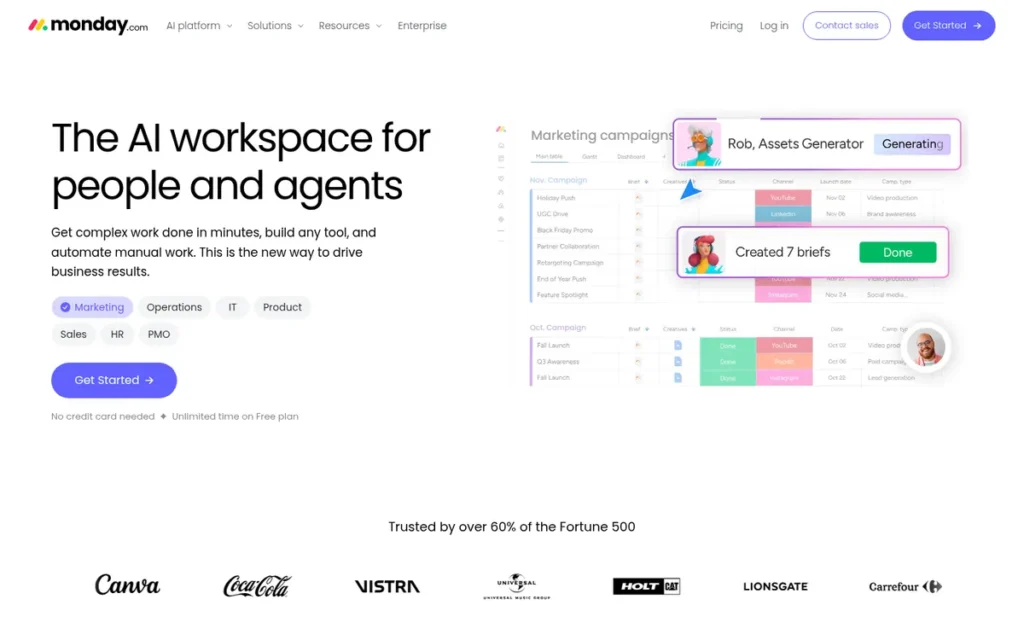
Category: Configurable Work Platform, a customizable, board-based system for planning, tracking and reporting work across teams.
At a Glance
- Category: Configurable Work Platform
- Best For: Business and operations teams that want spreadsheet-style boards, dashboards that combine data across boards, and a gradual move away from Asana
- Price Range: Free plan (2 seats, 3 boards, 200 items); Basic $9 to Standard $12 per seat/month (G2 list, Nov 2026); Pro $19/seat/month billed annually (vendor); 3-seat minimum; Enterprise custom
- Primary Strength: monday Work Management has the highest G2 rating in this comparison (4.7/5, 17,963 reviews) and a native Asana importer that can keep boards in sync during the move.
- Biggest Limitation: monday Work Management’s seat groups, AI-credit billing and Pro-only Workload view can make the real cost grow faster than headcount, which is the same complaint people have about Asana.
- One-Line Summary: monday Work Management is the highest-rated Asana alternative on G2 (4.7/5 from 17,963 reviews, Nov 2026) and the only one with a native Asana importer that offers live sync, but seat groups and AI credits make its true cost less predictable than its list price.
- Last Verified: November 2026
Overview
monday Work Management is a configurable visual work platform built on spreadsheet-style boards, dashboards, automations and AI agents. It is aimed at business teams leaving Asana that want stronger dashboards and workload views at a lower per-seat price than Asana Advanced.
monday Work Management ranked #1 (4.08) with top scores for review evidence (C1 5.0) and migration path (C5 5.0). monday Work Management scored 3.0 on pricing predictability because of seat groups and AI credits. Its 0.08-point lead over ClickUp is small, so let the Best For match decide between the two.
Key Features
- monday Work Management organizes work into boards of rows and columns with several views, which feels familiar to teams that plan in spreadsheets.
- monday Work Management dashboards combine data from several boards, which one Reddit practitioner said Asana does not do out of the box (r/projectmanagers, Aug 2026).
- monday Work Management includes no-code automations. G2 lists 152 integrations, while vendor pages cite both 200+ and 850+ (G2, Nov 2026).
- monday Work Management offers AI through monday sidekick and monday agents, charged in credits at $0.01 each on top of seat fees (monday.com, Nov 2026).
- monday Work Management has a native Asana importer that brings Asana projects in as boards and, with its Asana integration, can keep them synced (monday.com support, Nov 2026).
Best For
monday Work Management is best for operations, marketing and cross-functional business teams that want visual planning and dashboards. monday Work Management is a poor fit for teams of 4, 6 or 7 people leaving Asana mainly to save money, because seat groups round them up to 5 or 10 seats.
How Does monday Work Management Compare With Asana?
- monday Work Management has a higher G2 rating than Asana (4.7/5 vs. 4.4/5) and more listed integrations (152 vs. 109) (G2, Nov 2026).
- monday Work Management takes about as long to roll out as Asana, because both usually go live in 1–3 months (G2, Nov 2026).
- monday Work Management includes Workload and time tracking on Pro ($19/seat/month billed annually, vendor), which costs less per seat than Asana Advanced ($24.99, G2 list, Nov 2026).
- monday Work Management is the only tool in this set whose native, vendor-documented Asana importer offers live sync (monday.com support, Nov 2026).
Pricing
monday Work Management’s G2 list prices are Free (price not listed), Basic $9 and Standard $12 per seat per month (G2, Nov 2026). The vendor page shows Pro at $19 per seat per month billed annually. Enterprise is priced by quote (monday.com, Nov 2026).
monday Work Management’s pricing has four catches:
- monday Work Management requires at least 3 seats and then sells seats in multiples of five, so a 4-person team pays for 5 seats and a 6-person team pays for 10 (monday.com support, Nov 2026).
- monday Work Management’s annual billing is about 18% cheaper than monthly billing (monday.com support, Nov 2026).
- monday Work Management charges $10 per 1,000 AI credits. Customers who joined on or after May 6, 2026 must buy minimum monthly bundles of 1,000, 2,000 or 3,000 credits, depending on plan (monday.com, Nov 2026).
- monday Work Management’s pricing page estimates that a 3-person team uses about 800–1,200 AI credits a month (monday.com, Nov 2026).
monday Work Management’s Free plan allows up to 2 seats, 3 boards and 200 items (monday.com support, Nov 2026). Prices may change.
Strengths
- monday Work Management holds a 4.7/5 G2 rating from 17,963 reviews, with 98.1% at 4–5 stars. That is the highest rating and largest review base in this comparison (G2, Nov 2026).
- monday Work Management’s most-mentioned G2 pro, Intuitive Everyday Use (1,321 mentions), appears about six times as often as its top con, Steep Learning Curve (218) (G2, Nov 2026).
- monday Work Management is the only tool in this comparison whose native, vendor-documented Asana importer can keep boards synced during a gradual move (monday.com support, Nov 2026).
- monday Work Management dashboards handle “stacked graphs and cross-board rollups way better than Asana out of the box,” according to one practitioner (r/projectmanagers, Aug 2026).
Users on r/projectmanagers shared their experience:
“Your memory’s right, Monday’s dashboards handle stacked graphs and cross-board rollups way better than Asana out of the box. Real gap, not something you’re doing wrong. Before switching the whole company though, check if it’s a tool problem or a data structure problem. If those 7 departments don’t track things consistently, no dashboard fixes that automatically, you’d hit the same wall in Monday, just with a nicer chart maker.” Posted by u/Longjumping-Cat-2988
Takeaway: monday Work Management’s cross-board dashboards genuinely beat Asana’s, but they cannot fix inconsistent departmental data on their own.
Limitations
monday Work Management trades a low headline seat price for a less predictable bill. High Subscription Costs is tied for its second-largest G2 con (172 mentions). The Workload view needs Pro, so Basic and Standard do not solve Asana’s workload paywall (G2; monday.com support, Nov 2026).
- monday Work Management does not speed up rollout, because G2’s typical go-live of 1–3 months matches Asana’s (G2, Nov 2026).
- monday Work Management reviewers report Slow Board Loading (172 mentions) and Glitchy and Limited Integrations (169 mentions) (G2, Nov 2026).
- monday Work Management rollouts can backfire on the person who championed them. One Reddit user who brought it into their company said, “I wish I hadn’t” (r/projectmanagers, Sep 2026).
Verdict
monday Work Management is the best fit in this comparison for business teams that want dashboards and a gradual migration, based on the highest G2 rating here (4.7/5 from 17,963 reviews, Nov 2026) and native live sync from Asana.
Teams leaving mainly to cut costs should model seat groups, Pro pricing and AI credits for their real headcount first. Pilot one real project with sync turned on before moving everything.
2. ClickUp: Best for Consolidating Tasks, Docs, Chat and Time Tracking in One Place
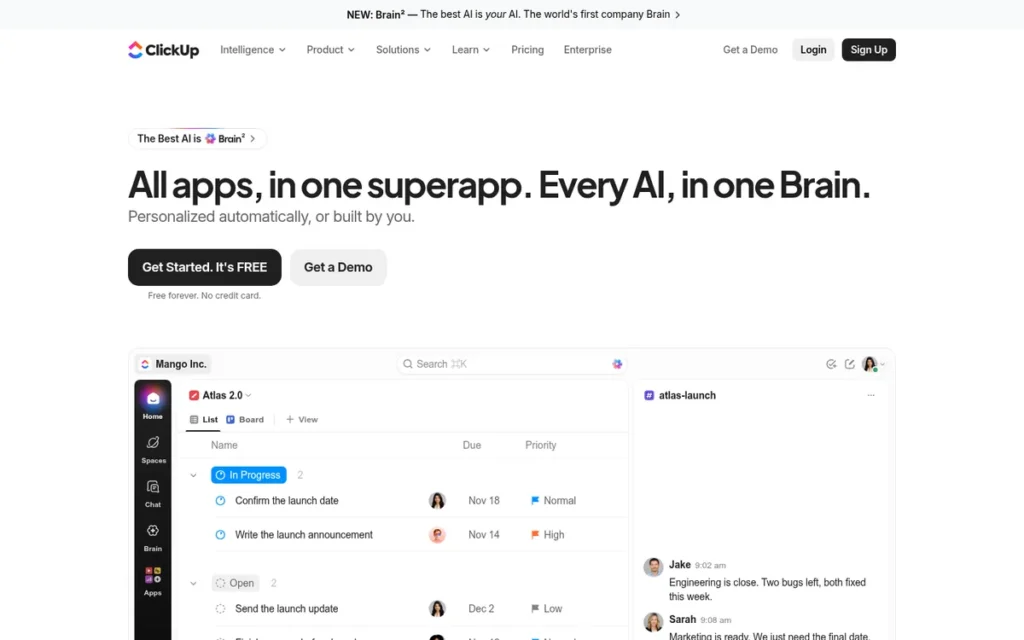
Category: Configurable Work Platform, a customizable system for planning, tracking and reporting work across teams.
At a Glance
- Category: Configurable Work Platform
- Best For: Small and midsize teams that want to replace Asana plus separate chat, docs and time-tracking tools with one workspace
- Price Range: Free plan (unlimited members, 60 MB); Unlimited $10 to Business $19 per user/month (G2 list, Nov 2026); restructured vendor plans list Core $9 and Business $17 per user/month billed annually
- Primary Strength: ClickUp offers Gantt, Workload, sprints and native time tracking in one workspace, with Workload included on Business at a lower list price than Asana Advanced.
- Biggest Limitation: ClickUp has the most learning-curve and slowness complaints among the general work platforms on G2 (778 and 762 mentions, Nov 2026).
- One-Line Summary: ClickUp is the broadest Asana alternative, combining tasks, docs, chat, sprints and time tracking in one workspace rated 4.6/5 on G2 (Nov 2026), but setup is harder and large workspaces are reported to slow down.
- Last Verified: November 2026
Overview
ClickUp is an all-in-one AI workspace that brings together tasks, docs, chat, whiteboards, sprints, native time tracking, and Gantt and Workload views. It is aimed at teams leaving Asana that want to replace several tools with one and can invest time in setup.
ClickUp ranked #2 (4.00), tying Wrike for the top paywall relief score (C2 4.5) and scoring 4.5 on specialist coverage, second only to Teamwork.com. ClickUp trailed monday Work Management on review evidence (4.5 vs. 5.0) and migration path (4.0 vs. 5.0). Teams must design their own Space, Folder and List structure.
Key Features
- ClickUp provides List, Board, Calendar, Table, Gantt, Timeline and Workload views, with custom statuses, custom fields and dependencies.
- ClickUp includes Docs, Whiteboards, Chat and SyncUps video calls in the same workspace as tasks.
- ClickUp offers sprints on all plans, with Sprint Points included from Business up and offered as a trial on lower tiers (ClickUp, Nov 2026).
- ClickUp includes native time tracking, so agencies and client-service teams don’t need a separate tracker.
- ClickUp Brain provides AI features, and each plan in ClickUp’s late-2026 pricing includes pooled AI credits (ClickUp, Nov 2026).
Best For
ClickUp is best for small and midsize teams that pay for Asana plus Slack, a docs tool and a time tracker and want to combine them. ClickUp is a poor fit for teams that left Asana because it felt too complex.
How Does ClickUp Compare With Asana?
- ClickUp has a higher G2 rating than Asana (4.6/5 vs. 4.4/5) and lists 255 integrations, more than double Asana’s 109 (G2, Nov 2026).
- ClickUp has about three times Asana’s Steep Learning Curve mentions (778 vs. 254) from a similar number of reviews (G2, Nov 2026).
- ClickUp includes the Workload view on Business ($19 G2 list; $17 billed annually, vendor) and offers it only as a trial on Free and Core. Asana gates workload at Advanced, $24.99 (ClickUp Help Center, Nov 2026).
- ClickUp has a native Asana importer, but custom fields, views and automations usually need to be rebuilt (ClickUp switching guide, vendor, Nov 2026).
Pricing
ClickUp’s G2 list prices are Free $0, Unlimited $10 and Business $19 per user per month (G2, Nov 2026). ClickUp’s live pricing page disagrees with G2, because ClickUp restructured its plans in late 2026 (ClickUp, Nov 2026).
ClickUp’s restructured plans are:
- ClickUp Core costs $9 billed annually or $12 billed monthly per user per month.
- ClickUp Business costs $17 billed annually or $25 billed monthly per user per month.
- ClickUp Max costs $100 billed annually or $120 billed monthly per user per month, and Enterprise is priced by quote.
- ClickUp’s paid plans include pooled AI credits, and extra credits are reported at $10 per 10,000 (toolsgavel.com, accessed Nov 2026).
ClickUp’s Free plan is limited to 60 MB of storage, 5 Spaces, 3 Whiteboards, 100 automation actions a month and 90 days of chat history (ClickUp, Nov 2026). Prices may change.
Strengths
- ClickUp holds a 4.6/5 G2 rating from 15,674 reviews, with 97.5% at 4–5 stars (G2, Nov 2026), and a matching 4.6/5 on Capterra from 4,968 reviews (Capterra, accessed Nov 2026).
- ClickUp’s top G2 pros are Tailored Workflows (1,603 mentions) and Unified Work Hub (1,407 mentions), which confirms that consolidation is its main draw (G2, Nov 2026).
- ClickUp’s most common G2 go-live time is under one month, sometimes under one day, the fastest of the full-featured platforms here (G2, Nov 2026).
- ClickUp is listed in 37 G2 categories, the widest coverage of any product in this comparison (G2, Nov 2026).
Limitations
ClickUp gives up simplicity in exchange for breadth. ClickUp’s G2 cons include Slow Workspace Performance (762), Too Many Features (597) and Time-Consuming Setup (401) (G2, Nov 2026).
- ClickUp reviewers say lists with more than 100 tasks became slow and that tasks sometimes didn’t appear until the page was reloaded (Capterra reviews, accessed Nov 2026).
- ClickUp users say the real migration work is “determining how the hierarchy should organized” (u/446ak, r/clickup, accessed Nov 2026).
- ClickUp’s pricing is less stable than its competitors’, because G2 list prices and the restructured vendor plans differ (G2; ClickUp, Nov 2026).
- ClickUp restricts some views on lower tiers. One Reddit user reported a 60-use cap on the free Timeline view (r/projectmanagement, Jul 2025), and ClickUp now labels Workload a trial on Free and Core (ClickUp Help Center, Nov 2026).
- ClickUp supports only English (G2, Nov 2026).
This aligns with community sentiment on r/clickup:
“If ClickUp worked properly, it would be a great choice. It doesn’t, to the point that it because unusable for my team due to performance issues. Unfortunately, I can’t recommend it as a result.” Posted by u/Nimue82
Takeaway: ClickUp’s performance problems are severe enough that some teams abandon it despite liking its feature set.
Verdict
ClickUp is the best fit in this comparison for teams that want tasks, docs, chat, sprints and time tracking in one workspace, based on a 4.6/5 G2 rating from 15,674 reviews (Nov 2026).
ClickUp includes Gantt, Workload and time tracking on Business at a lower list price than Asana Advanced. Teams that found Asana overwhelming should expect a steeper learning curve, not a gentler one. Agree on a simple Space, Folder and List hierarchy before importing.
3. Notion: Best for Docs-Centric Teams That Want Projects and Knowledge Together
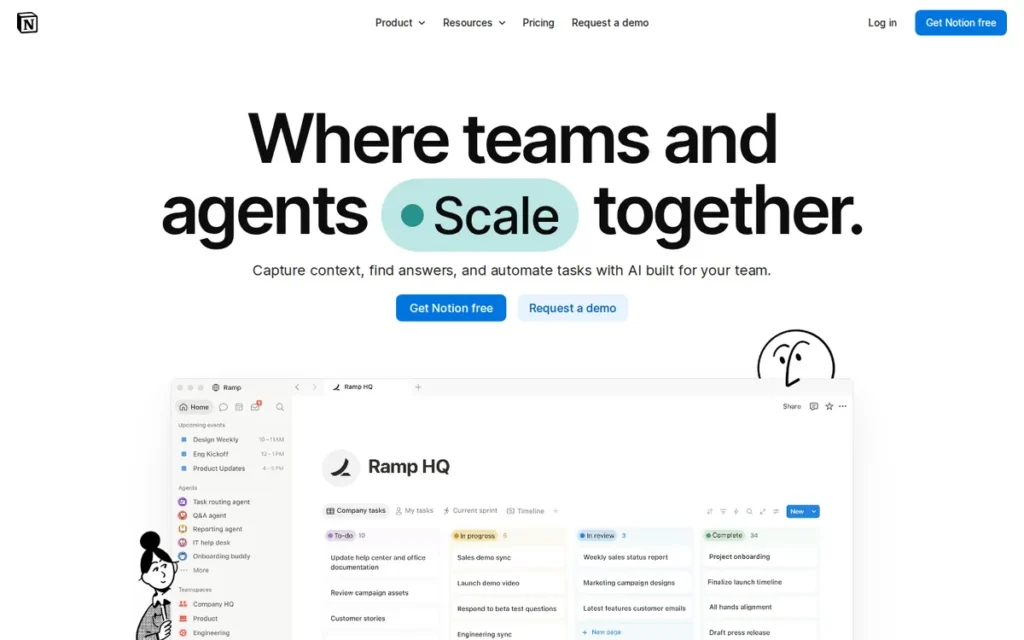
Category: Docs-First Workspace, a flexible docs, wiki and database tool in which teams build their own project system.
At a Glance
- Category: Docs-First Workspace
- Best For: Teams whose project work depends on documentation, briefs and internal knowledge, and that don’t need native time tracking or capacity planning
- Price Range: Free plan (1,000-block lifetime limit once a workspace has 2+ members); Plus $12 to Business $24 per user/month (G2 list, monthly, Nov 2026); $10–$20 billed annually (vendor); Enterprise custom
- Primary Strength: Notion combines project tracking with docs and a team wiki, and has the best-documented Asana importer in this comparison.
- Biggest Limitation: Notion has no native time tracking or workload views, and has the most Steep Learning Curve mentions in this set (872 on G2, Nov 2026).
- One-Line Summary: Notion is the best Asana alternative for teams that work mostly in documents, rated 4.6/5 on G2 from 13,979 reviews (Nov 2026), but it lacks native time tracking and workload views, so agencies and capacity planners will need extra tools.
- Last Verified: November 2026
Overview
Notion is a connected docs, wiki and database workspace with a Projects module for tasks, subtasks, dependencies, timelines and sprints. It is aimed at teams leaving Asana whose project work is closely tied to briefs, meeting notes and internal documentation.
Notion ranked #3 (3.23) on strong review evidence (C1 4.5) and a well-documented importer (C5 4.5). Notion scored 2.0 on specialist coverage, the second-lowest in the set, because it has no native capacity planning or time tracking. Unlike Asana, Notion makes teams build their own project system.
Key Features
- Notion Projects provides task and project databases with subtasks, dependencies, timeline and board views, and sprint workflows.
- Notion stores docs, wikis and meeting notes in the same workspace as project databases and links them together.
- Notion AI supports drafting, filling in database fields, meeting notes and search across connected apps.
- Notion offers custom agents that automate recurring work across Notion, Slack, Mail and Calendar, depending on plan and credit limits (Notion, Nov 2026).
- Notion’s built-in Asana importer lets teams skip completed projects, choose which properties to import and map Asana sections to status (Notion Help Center, Nov 2026).
Best For
Notion is best for product, content and other knowledge-heavy teams that want project tracking inside their documentation. Notion is a poor fit for agencies that bill hours and for teams that need capacity planning.
How Does Notion Compare With Asana?
- Notion has a higher G2 rating than Asana (4.6/5 vs. 4.4/5) (G2, Nov 2026).
- Notion has more than three times Asana’s Steep Learning Curve mentions on G2 (872 vs. 254) (G2, Nov 2026).
- Notion does not avoid Asana’s Advanced-plan paywall for capacity planning, because Notion has no native workload or resource views at any price.
- Notion’s Asana importer is a documented one-time copy, not a live sync (Notion Help Center, Nov 2026).
Pricing
Notion’s G2 list prices are Free (price not listed), Plus $12 and Business $24 per user per month, billed monthly (G2, Nov 2026). Notion’s pricing page shows Plus at $10 and Business at $20 billed annually. Enterprise is priced by quote (Notion, Nov 2026).
Notion’s Free plan allows unlimited blocks for a single member. A workspace with two or more members shares a lifetime limit of 1,000 blocks, and up to 10 guests do not trigger the limit (Notion developer docs, Nov 2026).
Notion moved its full AI features to the Business and Enterprise plans in 2025, according to a secondary source, so teams that want AI should budget for Business (Nuclino, accessed Nov 2026). Prices may change.
Strengths
- Notion holds a 4.6/5 G2 rating from 13,979 reviews, with 97.2% at 4–5 stars (G2, Nov 2026).
- Notion’s top G2 pros, Easy Everyday Use (2,135) and Flexible Workspace Design (2,053), have the highest mention counts in this comparison (G2, Nov 2026).
- Notion’s Asana importer is documented step by step, including property selection and status mapping (Notion Help Center, Nov 2026).
- Notion keeps project databases next to briefs and wikis, and Work In One Place is its third-most-mentioned G2 pro (1,596 mentions) (G2, Nov 2026).
Limitations
Notion’s flexibility comes with less ready-made project structure. Steep Learning Curve (872), Slow Large Workspaces (617) and Time-Consuming Setup (441) are among Notion’s top G2 cons (G2, Nov 2026).
- Notion has no native time tracking, workload or resource views, and G2 does not list it under Resource Management or Time Tracking (G2, Nov 2026).
- Notion users have to build portfolio reporting by hand (TaskRhino, accessed Nov 2026).
- Notion slows down noticeably above roughly 5,000 database items, according to a competitor-authored source that should be treated with caution (ClickUp Learn, accessed Nov 2026).
- Notion’s free plan hits a 1,000-block lifetime limit once a second member joins, which limits its use as a no-cost team tool (Notion developer docs, Nov 2026).
- We found no product-specific Reddit discussion about Notion as an Asana replacement.
Verdict
Notion is the best fit in this comparison for teams whose projects live inside their documentation, based on a 4.6/5 G2 rating from 13,979 reviews (Nov 2026) and the best-documented Asana importer on this list.
Notion does not replace Asana’s workload or time-tracking features. Test Notion with a realistic amount of data before moving your full project history.
4. Backlog (Nulab): Best for Budget-Conscious Software Teams That Want Flat-Rate Pricing
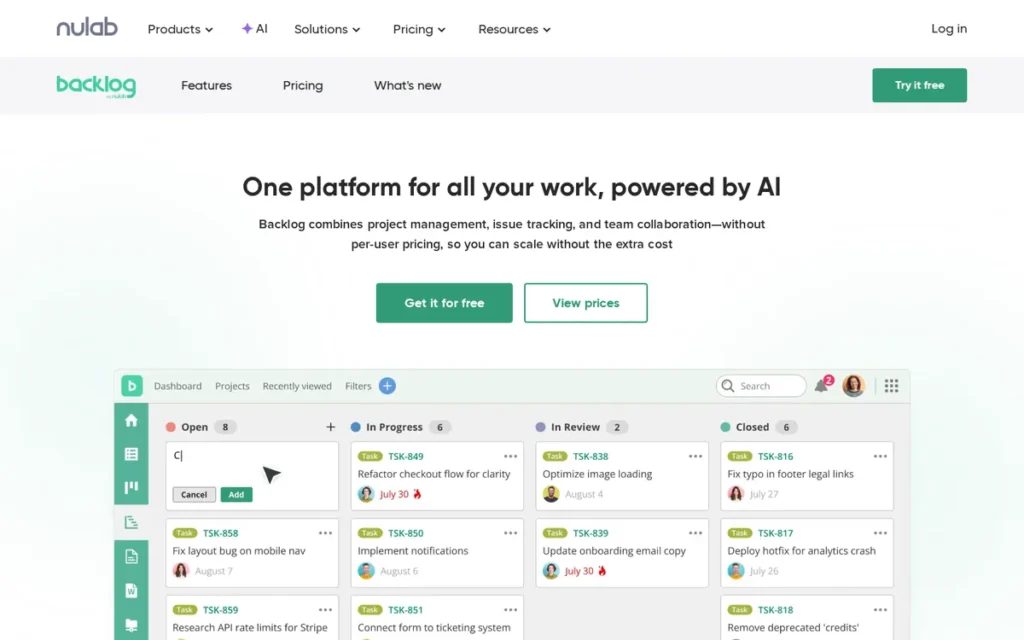
Category: Specialist Workflow Tool, a tool built for one type of work (here, software development) rather than general project management.
At a Glance
- Category: Specialist Workflow Tool (Software Development)
- Best For: Small and growing software or product teams that want issue tracking, Gantt and burndown charts and Git hosting without per-seat pricing
- Price Range: Free plan; Starter $35/month flat (up to 30 users, 5 projects) to Standard $100/month flat (unlimited users, 100 projects) (G2 list; Nulab, Nov 2026)
- Primary Strength: Backlog’s flat-rate pricing means cost doesn’t change with headcount within each plan’s limits, unlike Asana’s per-seat model.
- Biggest Limitation: Backlog has a small G2 review base (432 reviews), repeated slowness complaints, a 5-project cap on Starter and no Asana importer.
- One-Line Summary: Backlog by Nulab is the most cost-predictable Asana alternative for software teams, with flat-rate plans from $35/month for up to 30 users (G2 list, Nov 2026) and built-in Git, though its review base is small and migration from Asana relies on CSV import.
- Last Verified: November 2026
Overview
Backlog by Nulab is an issue tracker for agile software teams, with bug tracking, built-in Git and SVN version control, pull requests, wikis, and Gantt and burndown charts. It is aimed at small software teams leaving Asana that want sprint-style tracking on flat-rate pricing.
Backlog ranked #4 (3.20) with the top pricing predictability score (C3 5.0), awarded for flat-rate pricing. Backlog’s review evidence score (C1 3.0) was discounted because its 432-review sample is small, despite a 4.6/5 rating. Backlog is more developer-focused than Asana but still usable by non-developers.
Key Features
- Backlog tracks issues and tasks with subtasks, a Kanban board, Gantt charts and burndown charts.
- Backlog hosts Git and SVN repositories with pull requests and code review, and links commits to tasks.
- Backlog includes built-in wikis for project documentation alongside issues and code.
- Backlog charges a flat monthly rate for each plan, and the Standard plan covers unlimited users up to a working limit of 10,000 (Nulab, Nov 2026).
- Backlog connects to some outside systems through Zapier or its API rather than native integrations (Capterra reviews, accessed Nov 2026).
Best For
Backlog is best for cost-conscious software and product teams that want code, issues and docs in one place, including mixed teams of developers and project managers. Backlog is a poor fit for non-software teams or for teams running more than 5 projects on the Starter plan.
How Does Backlog Compare With Asana?
- Backlog has a higher G2 rating than Asana (4.6/5 vs. 4.4/5), but from about 3% as many reviews (G2, Nov 2026).
- Backlog includes Git hosting, pull requests and burndown charts, none of which our research found in Asana’s feature set.
- Backlog’s flat pricing avoids Asana’s per-seat steps entirely, although plan features differ and should be compared directly.
- Backlog has no Asana importer. Nulab documents a CSV batch import of up to 250 issues at a time that does not carry over issue statuses (Nulab support, Nov 2026).
Pricing
Backlog’s G2 list prices are Free, Starter at $35 per month flat and Standard at $100 per month flat (G2, Nov 2026). Backlog Starter covers up to 30 users, 5 projects and 1 GB of storage. Standard covers unlimited users, 100 projects and 30 GB (Nulab, Nov 2026).
Backlog’s flat rate changes the cost math. For example, 20 users on Asana Starter cost about $220 per month ($10.99 × 20), compared with $35 per month on Backlog Starter.
Backlog teams with more than 5 active projects need Standard at $100 per month, which is still less than ten Asana Starter seats ($109.90). The feature sets differ, so this is an illustration, not a like-for-like comparison. Prices may change.
Strengths
- Backlog holds a 4.6/5 G2 rating with 98.1% of 432 reviews at 4–5 stars, although the sample is small (G2, Nov 2026).
- Backlog’s flat-rate pricing ($35 per month for up to 30 users) directly addresses Asana’s High Per-Seat Costs con (128 mentions) (G2, Nov 2026).
- Backlog reviewers say having Git, wikis and Gantt charts in one place cuts down on switching between tools (G2 reviews, accessed Nov 2026).
- Backlog’s G2 pros are spread evenly across Task Management (81), Task Tracking (77), Project Management (77) and Ease of Use (77) (G2, Nov 2026).
Limitations
Backlog trades a large ecosystem and proven scale for low, predictable cost. Backlog’s Starter plan is limited to 5 projects and 1 GB of storage, so the $35 price suits only small project portfolios (Nulab, Nov 2026).
- Backlog’s review base (432 G2 reviews) is under 3% the size of the leaders’, so its high rating carries less confidence (G2, Nov 2026).
- Backlog’s top G2 cons are all about speed: Slow Performance (26), Slow Loading (23) and Slow Speed (21) (G2, Nov 2026).
- Backlog reviewers describe the mobile app as fine for checking updates but not for complex work, and say customization, reporting and automation are limited (Capterra reviews, accessed Nov 2026).
- Backlog’s CSV import from Asana drops issue statuses and runs in batches of up to 250 issues (Nulab support, Nov 2026).
- We found no product-specific Reddit discussion about Backlog as an Asana replacement.
Verdict
Backlog is the best fit in this comparison for budget-conscious software teams, based on flat-rate plans from $35/month for up to 30 users (G2 list, Nov 2026) and built-in Git hosting.
Backlog’s small review base and CSV-only migration call for caution. Jira and Linear, which AI answers often recommend, were outside the scope of this evaluation. Pilot one active project through CSV import before committing.
5. Wrike: Best for Larger Organizations That Need Governance, Proofing and Resourcing
Category: Enterprise Governance Platform, a structured, permissioned system for complex cross-team work, approvals and resource planning.
At a Glance
- Category: Enterprise Governance Platform
- Best For: Larger organizations and marketing or creative operations teams that need approvals, proofing, resource bookings and controlled cross-team work
- Price Range: Free plan (unlimited users, 200 active tasks, vendor); Team $10 to Business $25 per user/month (G2 list, Nov 2026); Pinnacle custom quote
- Primary Strength: Wrike combines Gantt dependencies, workload charts, resource bookings, proofing and approvals in one controlled platform.
- Biggest Limitation: Wrike has the lowest G2 rating in this comparison (4.2/5), below Asana’s 4.4/5, and Learning Curve and Not Intuitive are its top cons.
- One-Line Summary: Wrike is the most governance-focused Asana alternative, with proofing, approvals and resource bookings built in, but its 4.2/5 G2 rating (Nov 2026) is below Asana’s and reviewers report a substantial learning curve.
- Last Verified: November 2026
Overview
Wrike is a work-delivery platform with Gantt charts, workload charts, resource bookings, proofing, approvals and time tracking. It is aimed at larger organizations and at marketing or creative operations teams leaving Asana that need structured cross-team planning and capacity management.
Wrike ranked #5 (3.13), tying ClickUp for the top paywall relief score (C2 4.5) but scoring 2.5 on review evidence and 1.5 on migration path. Wrike is more structured than Asana, and G2 reviewers rate Wrike lower than Asana.
Key Features
- Wrike provides Gantt charts with dependencies and milestones, plus reusable project blueprints.
- Wrike includes workload charts and resource bookings for planning team capacity.
- Wrike offers proofing with visual feedback and version comparison, plus approvals from internal and external stakeholders.
- Wrike’s cross-tagging lets one task sit in several folders without being duplicated.
- Wrike supports professional services automation (PSA) work with time tracking, budgeting, bookings and client visibility.
Best For
Wrike is best for larger organizations, especially marketing, creative operations and professional-services teams that need approvals and resource planning. Wrike is a poor fit for small teams leaving Asana because it felt too complex.
How Does Wrike Compare With Asana?
- Wrike has a lower G2 rating than Asana (4.2/5 vs. 4.4/5) and fewer listed integrations (21 vs. 109) (G2, Nov 2026).
- Wrike Business ($25, G2 list) costs about the same as Asana Advanced ($24.99), so it offers little price relief at that level (G2, Nov 2026).
- Wrike’s Team plan ($10, G2 list) costs slightly less than Asana Starter ($10.99) but is capped at 15 users (Wrike, Nov 2026).
- Wrike has no dedicated Asana importer. Teams can export Asana data to CSV and load it through Wrike’s Excel import on paid plans (Wrike Help Center community, Nov 2026).
Pricing
Wrike’s G2 list prices are Team $10 and Business $25 per user per month, with Pinnacle priced by quote (G2, Nov 2026). The Wrike Help Center also lists an Apex tier (Wrike Help Center, Nov 2026).
Wrike’s pricing page (prices effective January 21, 2026, billed annually) adds plan limits:
- Wrike offers a Free plan with unlimited users, capped at 200 active tasks and subtasks and 2 GB of storage, with no Gantt charts (Wrike Help Center, Nov 2026).
- Wrike limits the Team plan to 2–15 users, so growing teams have to move up to Business.
- Wrike limits the Business plan to 5–200 users.
Prices may change.
Strengths
- Wrike’s top G2 pros are Project Management (477), Team Collaboration (456) and Task Management (450) (G2, Nov 2026).
- Wrike is listed in 19 G2 categories, including Resource Management, Professional Services Automation and Online Proofing (G2, Nov 2026).
- Wrike’s free plan allows unlimited users, making it one of only two free plans in this set without a user cap. Wrike’s free plan does cap active tasks at 200 and excludes Gantt charts (Wrike Help Center, Nov 2026).
- Wrike supports 16 languages, compared with Asana’s 13 (G2, Nov 2026).
Limitations
Wrike gives up ease of use in exchange for control. Wrike’s G2 rating of 4.2/5, with 89.4% at 4–5 stars, is the lowest in this comparison and below Asana’s (G2, Nov 2026).
- Wrike’s top G2 cons are Learning Curve (305), Not Intuitive (239) and Complex Usability (171) (G2, Nov 2026).
- Wrike reviewers report crowded menus, slow dashboards and large projects, and reports that need manual exports. That matters because reporting is a common reason teams leave Asana (G2 reviews, accessed Nov 2026).
- Wrike typically takes 1–3 months to go live (G2, Nov 2026).
- We found no product-specific Reddit discussion about Wrike as an Asana replacement.
Verdict
Wrike is the best fit in this comparison for organizations that need approvals, proofing and resource bookings in one controlled platform, based on its G2 listings in Resource Management, Professional Services Automation and Online Proofing (Nov 2026).
Wrike’s 4.2/5 G2 rating is below Asana’s, so budget for training. Teams leaving Asana for better reporting should pilot Wrike’s cross-project reports first.
6. Trello: Best for Small Teams That Want the Simplest, Fastest-to-Launch Kanban
Category: Simple Kanban Board, a lightweight, visual list-and-card tool for straightforward task tracking.
At a Glance
- Category: Simple Kanban Board
- Best For: Small teams with straightforward work that left Asana because it felt too complex or too expensive
- Price Range: Free (up to 10 collaborators per Workspace, including guests); Standard $5 to Premium $10 per user/month (G2 list, Nov 2026); Enterprise $17.50/user/month billed annually (vendor)
- Primary Strength: Trello is the fastest and cheapest Asana alternative to adopt, and it typically goes live in under a day.
- Biggest Limitation: Trello has no native task dependencies and puts Timeline, Table and Dashboard views in Premium, so moving from Asana means giving up planning depth.
- One-Line Summary: Trello is the simplest and cheapest Asana alternative, typically live in under a day at $5–$10 per user per month (G2 list, Nov 2026), but teams give up dependencies and cross-project planning when they switch.
- Last Verified: November 2026
Overview
Trello is Atlassian’s Kanban board tool, built on lists and cards with Butler automation and Power-Ups. It is aimed at small teams leaving Asana that find it too complex and want the fastest, cheapest way to track tasks visually.
Trello ranked #6 (3.10) with the only perfect adoption score in the set (C4 5.0). That score places Trello above Teamwork.com despite low scores for paywall relief (2.0), migration path (1.5) and specialist coverage (1.5). Switching to Trello means giving up Asana features rather than gaining them.
Key Features
- Trello organizes work as boards of lists and cards with assignees, due dates, checklists and attachments.
- Trello includes Butler no-code automation and unlimited Power-Ups, some of which are paid separately.
- Trello adds Calendar, Timeline, Table, Dashboard and Map views on the Premium plan.
- Trello includes Inbox and Planner features plus AI tools such as checklist generation and suggested due dates.
- Trello is owned by Atlassian, which gives growing software teams a route to Jira.
Best For
Trello is best for small teams running simple, board-based work who care more about fast adoption than planning depth. Trello is a poor fit for teams that rely on Asana’s dependencies or cross-project reporting.
How Does Trello Compare With Asana?
- Trello’s G2 rating ties Asana’s (4.4/5, with 93.4% vs. 93.3% at 4–5 stars) (G2, Nov 2026).
- Trello usually goes live in under one day, compared with Asana’s typical 1–3 months (G2, Nov 2026).
- Trello’s planning views require Premium, but Premium costs $10 compared with $24.99 for Asana Advanced (G2 list, Nov 2026).
- Trello has no native Asana importer. Atlassian points to third-party Power-Ups for CSV import and sync, and Asana dependencies have nothing to map to (Atlassian support, Nov 2026).
Pricing
Trello’s G2 list prices are Free, Standard $5 and Premium $10 per user per month (G2, Nov 2026). Trello’s own page lists Standard at $5 annual or $6 monthly and Premium at $10 annual or $12.50 monthly. Enterprise costs $17.50 per user per month billed annually (Trello, Nov 2026).
Trello’s free plan is limited to 10 collaborators per Workspace, counting guests and pending invites. Atlassian introduced the limit in April–May 2024. Workspaces over the limit become view-only and their automations stop (Atlassian support, Nov 2026). Prices may change.
Strengths
- Trello’s most common G2 go-live time is under one day, the fastest in this comparison (G2, Nov 2026).
- Trello holds a 4.4/5 G2 rating from 14,073 reviews, and Ease of Use is its top pro with 776 mentions (G2, Nov 2026).
- Trello has the lowest per-seat list prices in this set: Standard $5 and Premium $10 per user per month (G2 list, Nov 2026).
- Trello supports 21 languages, the most in this comparison (G2, Nov 2026).
Limitations
Trello’s simplicity means less depth. Trello’s top G2 cons are Limited Features (270), Missing Features (259) and Limited Functionality (198) (G2, Nov 2026).
- Trello has no native task dependencies, and its Premium Dashboard is a visual summary rather than full analytics (TaskRhino, accessed Nov 2026).
- Trello users say support is hard to reach and that the AI support bot did not solve their problems (Trustpilot, accessed Nov 2026).
- Trello’s free-plan collaborator cap counts guests, which limits client access on the free plan.
- Trello’s Reddit evidence dates mostly from 2018–2020, and we found no recent Trello-specific discussion.
Verdict
Trello is the best fit in this comparison for small teams with simple work, based on the fastest typical go-live here (under one day) and the lowest per-seat list prices ($5–$10, G2 Nov 2026).
Teams that rely on dependencies, timelines or cross-project reporting will lose capability and should expect to need Premium. Check the 10-collaborator free-plan cap, which counts guests, before inviting clients.
7. Teamwork.com: Best for Agencies That Need Billable Hours, Retainers and Client Access
Category: Specialist Workflow Tool, a tool built for one type of work (here, agency and client-service delivery) rather than general project management.
At a Glance
- Category: Specialist Workflow Tool (Agencies and Client Services)
- Best For: Agencies, consultancies and client-service teams that bill hours, run retainers and need client access without paying for a seat per client
- Price Range: Free Forever $0 (up to 5 users); Basics $9.99 (min. 3 users) to Accelerate $24.99 (min. 5 users) per user/month billed yearly (vendor, Nov 2026, not G2); Optimize and Enterprise custom
- Primary Strength: Teamwork.com is the only tool in this comparison built mainly around agency billing, with retainers, invoices created from time logs and unlimited client users on paid plans.
- Biggest Limitation: Teamwork.com has no verified G2 rating, and Capterra reviewers report a cluttered interface, a weaker mobile app and costs that rise with headcount.
- One-Line Summary: Teamwork.com is the most agency-focused Asana alternative, with billable time, retainer budgets, invoicing and unlimited client users on paid plans, but its independent rating could not be verified for this November 2026 review.
- Last Verified: November 2026
Overview
Teamwork.com is a project management platform for agencies and client-service businesses. It offers billable time tracking, retainer and fixed-fee budgets, invoices created from logged time and unlimited client users on paid plans. It is aimed at teams leaving Asana because Asana lacks native billing.
Teamwork.com ranked #7 (3.00) mainly because its G2 rating could not be verified (C1 1.5), not because its agency features are weak. Teamwork.com had the highest specialist-workflow score in the set (C6 5.0). With an average C1 score of 3.5, it would have scored 3.50 and ranked #3.
Key Features
- Teamwork.com tracks billable and non-billable time on every plan and sets cost and billing rates for each user.
- Teamwork.com supports fixed-fee, time-and-materials and retainer budgets, and creates invoices from logged time on eligible plans.
- Teamwork.com provides profitability and utilization-rate reports and resource scheduling for client work.
- Teamwork.com includes unlimited client users on paid plans, so clients can see project work without each needing a paid seat.
- Teamwork.com’s TeamworkAI offers comment summaries, AI project creation, smart assignment and profit forecasting.
Best For
Teamwork.com is best for agencies and client-service firms whose profitability depends on tracking billable hours and retainers. Teamwork.com is a poor fit for internal teams that don’t bill clients.
How Does Teamwork.com Compare With Asana?
- Teamwork.com’s G2 rating could not be compared with Asana’s 4.4/5 because it was not verified for this review.
- Teamwork.com includes billing, retainer and invoicing features that Asana does not offer natively.
- Teamwork.com Accelerate ($24.99 billed annually, vendor) costs about the same as Asana Advanced ($24.99, G2 list) but adds agency billing (Teamwork.com, Nov 2026).
- Teamwork.com has a native Asana importer, but the vendor and a third-party review disagree on how much data transfers.
Pricing
Teamwork.com’s vendor-stated prices are Free Forever $0, Basics $9.99 and Accelerate $24.99 per user per month billed yearly, or $13.99 and $29.99 billed monthly (Teamwork.com, Nov 2026). Optimize and Enterprise are priced by quote. These are not G2 list prices.
Teamwork.com’s plan rules to confirm before buying:
- Teamwork.com requires at least 3 paid users on Basics and at least 5 on Accelerate (Teamwork.com, Nov 2026).
- Teamwork.com’s Free Forever plan is limited to 5 users and 5 active projects and does not include client users (Teamwork.com plan comparison, Nov 2026).
- Teamwork.com renamed its plans, and the earlier tiers were Deliver, Grow and Scale.
Prices may change.
Strengths
- Teamwork.com is the only tool in this set built mainly around agency billing at SMB prices, with billable time on every plan plus retainer, fixed-fee and time-and-materials budgets. Wrike offers similar professional-services features at enterprise scale (Teamwork.com plan comparison, Nov 2026).
- Teamwork.com includes unlimited client users on paid plans, so client access doesn’t add per-seat costs (Teamwork.com plan comparison, Nov 2026).
- Teamwork.com reviewers praise its budget tracking, workload planning, time tracking and reporting for client work (Capterra reviews, accessed Nov 2026).
- Teamwork.com says its Asana importer transfers projects, tasks, subtasks, comments, attachments and custom fields (Teamwork.com, Nov 2026).
Limitations
Teamwork.com has the thinnest independent evidence on this list. Teamwork.com’s G2 rating could not be verified, and we found no product-specific Reddit discussion about Teamwork.com as an Asana replacement.
- Teamwork.com reviewers say the interface “needs refinement,” large projects feel cluttered and the mobile app is weaker than desktop (Capterra reviews, accessed Nov 2026).
- Teamwork.com costs climb as users are added, and one reviewer reported bugs that meant contacting support regularly (Capterra reviews, accessed Nov 2026).
- Teamwork.com’s Asana importer may not carry over board stages, custom fields, most dependencies, recurring-task settings or history, according to a third-party review (Professionals Toolkit, accessed Nov 2026).
- Teamwork.com’s advanced reporting, invoicing and profitability features depend on the plan.
Users on r/projectmanagement noted:
“For what it’s worth, I wanted to like Teamwork a lot and read a lot of great reviews on it. It was the first project management software I used. The more I worked with it the less impressed I was and the more issues I ran into.” Posted by u/Impressive_Sir_8261
Takeaway: Teamwork.com’s good first impression can fade with daily use as usability issues pile up, so a pilot matters more than its reviews.
Verdict
Teamwork.com is the best fit in this comparison for agencies that bill hours and run retainers, based on native billable time, retainer budgets, invoicing and unlimited client users on paid plans (Teamwork.com, Nov 2026).
Teamwork.com ranks #7 mainly because its independent rating could not be verified. Agencies whose main problem is billing should shortlist it and pilot it with one retainer client before committing.
What Will an Asana Alternative Really Cost?
The real cost of an Asana alternative depends on its pricing model, not just its list price. Seat minimums, seat groups, plan user caps and AI credits can push the bill above the headline figure. Flat-rate pricing is the only model in this set where cost stays the same as the team grows, within each plan’s user and project limits.
Worked example: monthly cost for a 10-person team that needs a workload view (Nov 2026):
- Asana Advanced costs about $250 a month ($24.99 × 10, G2 list).
- monday Work Management Pro costs $190 a month billed annually ($19 × 10, vendor).
- ClickUp Business costs $190 a month at G2 list price, or $170 billed annually (vendor).
- Notion and Trello offer no native workload view at any price.
Cost model by tool:
- monday Work Management requires 3 seats and then sells seats in multiples of five. A 7-person team on Standard ($12, G2 list) buys 10 seats and pays $120 a month rather than $84 (monday.com support, Nov 2026).
- ClickUp restructured its plans in late 2026 and includes pooled AI credits, so G2 and vendor prices now differ (ClickUp, Nov 2026).
- Notion puts its full AI features on the Business plan (Nuclino, accessed Nov 2026).
- Backlog charges a flat $35 a month for up to 30 users and 5 projects, or $100 a month for unlimited users and 100 projects (Nulab, Nov 2026).
- Wrike caps its Team plan at 15 users, so growing teams move to Business at $25 (G2 list; Wrike, Nov 2026).
- Trello has the lowest per-seat prices, but its planning views require Premium (G2, Nov 2026).
- Teamwork.com requires at least 3 paid users on Basics and 5 on Accelerate (Teamwork.com, Nov 2026).
AI pricing by vendor:
- monday Work Management charges $0.01 per AI credit, with minimum monthly bundles for customers joining on or after May 6, 2026 (monday.com, Nov 2026).
- ClickUp includes pooled AI credits on each plan and sells extras at a reported $10 per 10,000 (toolsgavel.com, accessed Nov 2026).
- Asana prices AI Studio and AI Teammates by usage, on top of seat-based plans (Asana FY2026 results; CFO Dive, accessed Nov 2026).
Ask each vendor for a credit estimate based on your own usage.
Which Asana Alternatives Have Free Plans With No User Limits?
ClickUp and Wrike are the only alternatives here whose free plans have no user cap, but both limit usage instead. ClickUp caps storage at 60 MB and automations at 100 actions a month. Wrike caps active tasks at 200 and excludes Gantt charts (vendor pages, Nov 2026). Trello’s free plan allows 10 collaborators, including guests.
Free-plan limits by tool (Nov 2026):
- ClickUp’s free plan allows unlimited members, with caps of 60 MB of storage, 5 Spaces and 100 automation actions a month, and Workload as a trial only (ClickUp, Nov 2026).
- Wrike’s free plan allows unlimited users but caps active tasks and subtasks at 200, includes 2 GB of storage and excludes Gantt charts (Wrike Help Center, Nov 2026).
- Trello’s free plan allows 10 collaborators per Workspace, including guests and pending invites, and boards go view-only if the limit is exceeded (Atlassian support, Nov 2026).
- Notion’s free plan allows unlimited blocks for one member, but a workspace with two or more members shares a 1,000-block lifetime limit (Notion developer docs, Nov 2026).
- monday Work Management’s free plan allows up to 2 seats, 3 boards and 200 items (monday.com support, Nov 2026).
- Teamwork.com’s Free Forever plan allows up to 5 users and 5 active projects, with no client users (Teamwork.com, Nov 2026).
- Backlog offers a free plan, but its limits were not verified for this review.
- Asana’s free Personal plan allows up to 2 users per team, and some older accounts keep a legacy limit of up to 10 (Asana Help Center, Nov 2026).
No free plan in this comparison is unlimited in practice. The plans without user caps (ClickUp and Wrike) cap storage, automations or active tasks instead. Free-plan limits change often, so check the current plan page before inviting your whole team.
How Hard Is It to Migrate From Asana?
How hard migration is depends on importer support. monday Work Management is the only tool here whose native, vendor-documented Asana importer offers live sync. Notion and ClickUp have one-time native importers, and sources disagree about data loss with Teamwork.com’s importer. Wrike, Trello and Backlog have no native importer and rely on CSV or spreadsheet workarounds.
Importer status for each alternative:
- monday Work Management imports Asana projects as boards and can keep them synced with Asana during a gradual move (monday.com support, Nov 2026).
- Notion offers a documented one-time import with property selection and status mapping (Notion Help Center, Nov 2026).
- ClickUp offers a native importer, though custom fields, views and automations usually need to be rebuilt (ClickUp switching guide, vendor, Nov 2026).
- Teamwork.com says its importer transfers custom fields (Teamwork.com, Nov 2026). A third-party review reports that board stages, custom fields, most dependencies, recurring-task settings and history may not carry over (Professionals Toolkit, accessed Nov 2026).
- Wrike has no dedicated Asana importer, but teams can load an Asana CSV export through Wrike’s Excel import on paid plans (Wrike Help Center community, Nov 2026).
- Trello has no native Asana importer. Atlassian points to third-party Power-Ups, and at least one advertises two-way Asana sync (Atlassian support, Nov 2026).
- Backlog has no Asana importer. Nulab’s CSV batch import handles up to 250 issues at a time and does not carry over statuses (Nulab support, Nov 2026).
Migration problems often come from process rather than software. One ClickUp user said the biggest hurdles were “not having documented processes to start with” and deciding how to organize the hierarchy (u/446ak, r/clickup, accessed Nov 2026).
As one user on r/clickup described:
“OP, bear in mind that EVERY platform has particular limitations and idiosyncrasies, many of which are only discovered one you start trying to do something with it. If your current solution works, sticking with it is far less risky and costly than changing to an alternative.” Posted by u/Spatulakoenig
Takeaway: Every project management platform has limitations that only show up after migration, so switching from a working Asana setup is the riskier and costlier choice.
When Does It Make Sense to Stay With Asana?
Staying with Asana makes sense when the real problem is configuration, notification settings or reporting rather than the tool itself. Asana’s top G2 pro is Easy Day-to-Day Use (779 mentions). Switching also has a real cost, because monday Work Management and Wrike typically take 1–3 months to go live (G2, Nov 2026).
Consider staying with Asana if:
- Your team’s main complaint is notification overload, which Asana’s notification settings can reduce.
- Your team’s main complaint is company-wide KPI reporting, which a BI tool may handle better than any work platform.
- Your team’s workflows and integrations already run smoothly on Asana Starter.
- Your team’s reporting gap comes from how your data is structured rather than from Asana itself.
One practitioner warned that teams often force project tools to become reporting systems, “then people end up exporting everything into Excel, Power BI, Tableau, or PowerPoint anyway” (u/RealPrograms1102, r/projectmanagers, Aug 2026).
What Red Flags Should I Watch For When Evaluating Asana Alternatives?
The costliest red flags when replacing Asana are a workload or timeline paywall at a lower price, bills that grow faster than headcount, and free plans with hidden usage caps. Each one can make a cheaper-looking tool cost more or disrupt projects already in progress. The six numbered red flags below explain what to check.
Red Flag #1: The Same Paywall at a New Price
An alternative that locks workload or timelines in an upper plan repeats Asana’s main problem. Asana gates Workload at Advanced ($24.99), monday Work Management at Pro ($19 annual) and ClickUp at Business ($19 G2 list). The paywall gets cheaper but does not go away (Nov 2026).
Red Flag #2: Bills That Grow Faster Than Headcount
Seat groups and seat minimums charge for seats nobody uses, and usage-based AI credits add a cost that changes every month. Price your exact headcount, your headcount in a year and your expected AI use before signing. Compare annual with monthly billing too.
Red Flag #3: Free Plans With Hidden Usage Caps
Free plans without a user cap often limit storage, automations, active tasks or view uses instead, and some count guests as collaborators. Read the usage limits, not just the user limit. Going over them can make boards view-only or stop automations from running.
Red Flag #4: No Native Asana Importer
A tool without a native Asana importer means a CSV, spreadsheet or manual migration that can lose dependencies, statuses and custom fields. Ask the vendor for written import documentation that lists exactly which Asana fields transfer and which must be rebuilt by hand.
Red Flag #5: Slowdowns After Importing Large Histories
Several tools in this comparison draw frequent G2 complaints about slowness in large workspaces, including ClickUp (762 mentions) and Notion (617) (G2, Nov 2026). Import a realistic amount of data during the trial and test the views your team will use every day.
Red Flag #6: Vendor Case Studies Instead of Independent Evidence
Vendor-published outcome claims can’t be checked independently, especially when the customer is unnamed. This review did not use vendor customer outcomes as evidence for any tool. Rely instead on large-sample independent ratings and on what your own pilot shows with one real project.
What Questions Should I Ask Before Choosing an Asana Alternative?
Before choosing an Asana alternative, confirm why you are leaving and which Asana features you use every week. Then price the tool at your real headcount and test its Asana import on one live project. The seven numbered questions below cover each check in order, from your reason for leaving to performance at your data volume.
Question #1: Why exactly are we leaving Asana?
Name the single main reason before comparing tools, because it decides which category fits. Cost points to Trello or flat-rate Backlog, complexity points to Trello, and missing Advanced features point to ClickUp or monday Work Management. Specialist needs point to Backlog, Teamwork.com or Wrike.
This aligns with community sentiment on r/projectmanagers:
“Before replacing Asana, I’d map the 7 departments, the KPIs each owns, where the source data lives, what leadership needs to know each month, and what action should happen when a metric moves outside its expected range.
That will tell you whether you actually have an Asana problem or an information architecture problem.” Posted by u/RealPrograms1102
Takeaway: Teams should confirm that Asana itself, not their data structure, is the real problem before committing to any Asana alternative.
Question #2: Which Asana plan features do we actually use?
List the Asana features your team uses every week, such as timelines, workload, portfolios or automations. The list shows whether a cheaper plan elsewhere really covers your needs or just moves the paywall to a different vendor at a different price.
Question #3: What will this cost at our real headcount, including seat minimums and AI?
Ask each vendor for a written quote for your exact number of users and expected AI use. Include seat minimums, seat groups and plan user caps. Compare annual with monthly billing, which differs by about 18% on monday Work Management (monday.com support, Nov 2026).
Question #4: Does it import from Asana, and what gets lost?
Ask for documentation that lists which Asana fields transfer. Pay particular attention to dependencies, custom fields, statuses and history. In this comparison, those are the items one-time importers, CSV imports and third-party connectors most often drop.
Question #5: Can we run both tools in parallel during migration?
A live sync or a phased rollout keeps projects already in progress safe while the team learns the new tool. Pilot one real project for two weeks before moving everything, and keep Asana running until the pilot passes.
Two-week pilot checklist:
- The pilot team imports one active Asana project into the new tool.
- The pilot team rebuilds that project’s dependencies and custom fields.
- The pilot team runs one weekly status report from the new tool.
- The buyer prices the plan at the team’s real headcount, including AI credits.
- Three daily users rate the new tool against Asana.
Question #6: Does it natively handle our specialist workflow?
Confirm native support for sprints, billable time, client users or capacity planning without paid add-ons. Ask the vendor to show the workflow running on your own sample data rather than just describe it, and check which plan the feature requires.
Question #7: Will it stay fast with our data volume?
Import a large sample project during the trial, ideally your busiest Asana project with its full history. Test the views and dashboards your team will use most, because slowness in large workspaces is a top G2 complaint for several tools in this comparison.
How Did We Rank These Asana Alternatives?
PlugRoute scored each alternative from 1 to 5 on six weighted criteria, using G2 data collected in November 2026, vendor pricing and help-center pages, and documented importer status. Review evidence and Asana paywall relief carry 25% each. Pricing predictability and adoption effort carry 15% each. Migration path and specialist coverage carry 10% each.
The criteria and why each matters:
- Independent Review Evidence (25%): Large-sample G2 ratings are the most neutral signal available, so this criterion discounts small samples and reads con counts relative to total review volume.
- Asana Paywall Relief (25%): This criterion scores the plan at which timelines, dependencies, workload, dashboards and time tracking become available, because the jump from Starter to Advanced is a main reason teams leave Asana.
- Pricing Predictability (15%): This criterion scores per-seat, seat-group and flat-rate models, plan user caps and AI billing, because each one changes what teams actually pay as they grow.
- Adoption Effort (15%): This criterion uses G2 go-live ranges and learning-curve complaints, because a tool that is too complex can disrupt projects as much as one that is too simple.
- Migration Path from Asana (10%): This criterion gives 5.0 for a native importer with live sync and 3.5–4.5 for one-time native importers, depending on documentation and known data gaps. It gives 1.5 for no native importer, applied the same way to Wrike, Trello and Backlog.
- Specialist Workflow Coverage (10%): This criterion scores native support for sprints, billable time, client users and capacity planning without add-ons, because general tools often handle none of these well.
| Rank | Company | C1 Review | C2 Paywall | C3 Pricing | C4 Adoption | C5 Migration | C6 Specialist | Weighted Total |
|---|---|---|---|---|---|---|---|---|
| 1 | monday Work Management | 5.0 | 4.0 | 3.0 | 3.5 | 5.0 | 3.5 | 4.08 |
| 2 | ClickUp | 4.5 | 4.5 | 3.0 | 3.0 | 4.0 | 4.5 | 4.00 |
| 3 | Notion | 4.5 | 2.5 | 3.0 | 2.5 | 4.5 | 2.0 | 3.23 |
| 4 | Backlog (Nulab) | 3.0 | 3.0 | 5.0 | 3.0 | 1.5 | 3.5 | 3.20 |
| 5 | Wrike | 2.5 | 4.5 | 3.0 | 2.5 | 1.5 | 4.0 | 3.13 |
| 6 | Trello | 3.5 | 2.0 | 4.5 | 5.0 | 1.5 | 1.5 | 3.10 |
| 7 | Teamwork.com | 1.5 | 3.5 | 3.5 | 2.5 | 3.5 | 5.0 | 3.00 |
Ranks #3 to #7 fall within 0.25 points, so readers with specialist needs should rely on the Best For match rather than the rank. Asana appears only as an unranked reference.
Teamwork.com’s #7 rank reflects its unverified G2 rating. With an average C1 score of 3.5, Teamwork.com would score 3.50 and rank #3.
How we chose the candidates:
- PlugRoute started from G2’s list of Asana alternatives.
- PlugRoute excluded Karbon (accounting practice management), Rocketlane and GUIDEcx (client onboarding), and Runrun.it (aimed mainly at the Portuguese-language market, with no G2 pros or cons data).
- PlugRoute added Teamwork.com to cover agency needs, even though its G2 rating could not be verified.
- PlugRoute did not evaluate Jira, Linear, Smartsheet, Basecamp or Zoho Projects to the same standard, and leaving them out is not a negative judgment.
Evidence policy:
- PlugRoute did not use vendor-published customer outcomes, named or unnamed, as evidence for any vendor.
- PlugRoute ignored Reddit comments from self-identified vendor partners and self-promoters.
- PlugRoute labels competitor-authored claims, such as ClickUp Learn’s statements about Notion, wherever they appear.
PlugRoute has no affiliate relationships with any company listed. Rankings are determined entirely by research data and objective evaluation criteria.
What Do Readers Ask Most About Asana Alternatives?
Readers most often ask which Asana alternative fits software teams, which fits agencies, and how PlugRoute decides its rankings. In short: Backlog or ClickUp for software teams, Teamwork.com for agencies, and six published, weighted criteria for the rankings. Those criteria draw on G2 data, vendor pricing and documented importer status.
What is the best Asana alternative for software development teams?
Backlog by Nulab is the best fit here for budget-conscious software teams. It includes built-in Git hosting, burndown charts and flat-rate plans from $35 a month for up to 30 users and 5 projects (G2 list; Nulab, Nov 2026). ClickUp suits mixed teams running light sprints. Jira and Linear were not evaluated in this review.
How do I choose an Asana alternative for an agency?
Choose a tool with native billable time, retainer budgets and free client users. Teamwork.com includes all three on paid plans but requires at least 3 paid users on Basics and 5 on Accelerate (Teamwork.com, Nov 2026). Wrike covers similar professional-services needs at enterprise scale. Pilot with one retainer client before migrating every account.
How does PlugRoute determine rankings?
PlugRoute ranks Asana alternatives on six published criteria scored 1 to 5. Review evidence and paywall relief carry 25% each, pricing predictability and adoption effort 15% each, and migration path and specialist coverage 10% each. monday Work Management ranked #1 with 4.08 and ClickUp #2 with 4.00, and ranks #3–#7 fall within 0.25 points.
What Do Key Asana Alternative Terms Mean?
The terms that most affect an Asana alternative’s real cost are per-seat pricing, seat buckets, flat-rate pricing and AI credits. The terms that most affect migration risk are native importer, live sync and dependency. Each definition below explains what the term means and why it changes cost or disruption.
Per-seat pricing: A pricing model that charges a fixed monthly fee for each user. Per-seat pricing matters because costs rise in step with headcount, which is a common complaint as teams grow.
Seat bucket: A set group of seats, such as multiples of five, that a vendor sells instead of single seats. A seat bucket means teams between group sizes pay for seats nobody uses.
Flat-rate pricing: A pricing model that charges one fixed monthly fee per plan, whatever the number of users. Flat-rate pricing makes budgeting predictable for growing teams, within the plan’s user and project limits.
AI credits: Units of usage that pay for AI features on top of seat fees. AI credits add a cost that changes from month to month, so ask vendors for an estimate based on your expected use.
Workload view: A screen that shows how much work is assigned to each person over time. A workload view helps managers spot overloaded team members and plan capacity.
Portfolio: A grouping of several projects that shows their status and progress together. A portfolio lets leaders track many projects without opening each one.
Dependency: A link that marks one task as unable to start or finish until another task does. A dependency keeps schedules realistic, and dependencies are often lost in weak migrations.
Native importer: A built-in tool that moves projects from another app without a manual export. A native importer lowers migration effort, but most only copy data once.
Live sync: A connection that keeps two systems updated with each other during a migration. Live sync lets a team move gradually without freezing projects already in progress.
Billable hours: Logged time that is charged to a client. Billable-hours tracking lets agencies create invoices and measure how profitable each client is.
Retainer budget: A recurring, prepaid amount of client work tracked against hours or deliverables. Native retainer tracking stops agencies from doing more work for a client than the retainer covers without noticing.
Go-live time: The time from purchase to a team actively using a tool for real work. A longer go-live time means more disruption to projects already in progress.
Which Asana Alternative Is Right for You?
Key Insights
- The right Asana alternative depends on why you are leaving: monday Work Management for dashboards, ClickUp for consolidation, Notion for docs, Backlog for budget software teams, Wrike for governance, Trello for simple boards and Teamwork.com for agency billing.
- monday Work Management is the highest-rated Asana alternative on G2 (4.7/5 from 17,963 reviews, Nov 2026) and the only one whose native, vendor-documented Asana importer offers live sync.
- The workload paywall gets cheaper but does not go away: monday Work Management gates workload at Pro ($19 annual, vendor) and ClickUp at Business ($19 G2 list), compared with Asana Advanced at $24.99 (Nov 2026).
- The alternatives with the most features draw the most learning-curve complaints, with ClickUp (778) and Notion (872) each above three times Asana’s 254 Steep Learning Curve mentions (G2, Nov 2026).
- No free plan in this comparison is unlimited in practice, because the plans without user caps (ClickUp and Wrike) cap storage, automations or active tasks instead.
- Wrike is the only alternative here rated below Asana on G2 (4.2/5 vs. 4.4/5, Nov 2026).
If your main problem is price, model the real cost at your headcount, including seat groups, plan tiers and AI credits. If your main problem is complexity, Trello is the lightest choice. If you need a specialist workflow, choose by the Best For match rather than the overall rank.
Before committing, pilot one real project in your top two choices, and remember that fixing your Asana setup sometimes costs less than switching. For more independent analysis, read PlugRoute’s full scoring methodology and our other project management reviews.
We update this guide quarterly. Last updated: November 2026.