The best Smartsheet alternatives in 2026 are ClickUp for the most grid and Gantt capability per dollar, monday Work Management for easy cross-team adoption, and Asana for goal-linked cross-functional coordination. No alternative we evaluated copies Smartsheet’s formula grid exactly, so choose by how you use Smartsheet and price the tier you actually need.
Most “Smartsheet alternative” lists don’t say which tools keep a spreadsheet-style grid and which are built around boards or tasks. They also skip over Gantt charts and dependencies that only come with higher tiers, and over formulas and dashboards that need rebuilding after a move.
PlugRoute has no affiliate relationships with any company listed, and rankings are determined entirely by research data and objective evaluation criteria.
This guide ranks seven Smartsheet alternatives on five published, weighted criteria. It compares the true annual cost of the tier you need and flags what will not survive a migration.
Why Are Teams Leaving Smartsheet?
Teams mostly leave Smartsheet because of its learning curve and its licensing costs. On G2, Learning Curve is Smartsheet’s most-mentioned con (1,183 reviews), and Not Intuitive is cited 842 times (G2, November 2026). The 2024 move to paid Member seats has also pushed some teams to look at other tools.
Smartsheet is still well regarded overall. It holds a 4.4/5 G2 rating from 23,226 reviews, and 94.4% of those reviews give 4 or 5 stars (G2, November 2026). Its most-mentioned G2 cons are:
- Smartsheet’s Learning Curve is mentioned in 1,183 G2 reviews.
- Smartsheet’s Missing Features are mentioned in 899 G2 reviews.
- Smartsheet being Not Intuitive is mentioned in 842 G2 reviews.
- Smartsheet’s Limited Features are mentioned in 739 G2 reviews.
- Smartsheet’s Limited Customization is mentioned in 554 G2 reviews.
Smartsheet users on G2 most often ask for the following improvements (G2, November 2026):
- Smartsheet users want formulas that are more capable and easier to build.
- Smartsheet users want faster performance on large sheets and linked data.
- Smartsheet users want more control over dashboard visuals and report formatting.
- Smartsheet users want more flexible automation.
Smartsheet’s User Subscription Model took effect on June 24, 2024 for new plans. The model introduced paid Member seats, free Guest and Viewer seats and a 90-day Provisional Member period, and existing customers moved over at their 2025 renewal (Smartsheet, 2024).
UsagePricing is a third-party pricing analysis. It reports that the Free tier was removed and that annual Pro pricing rose from $7 to $9 per Member per month, while Business fell from $25 to $19 (UsagePricing, accessed November 2026).
Blackstone and Vista Equity Partners completed a take-private of Smartsheet worth about $8.4 billion on January 22, 2025 (SEC filing, 2025).
“To say the new pricing model is customer unfriendly would be a wild understatement… We’re looking at Monday, Smartsuite, and others who have MUCH better pricing models for similar products.” (u/Hangovur, r/smartsheet (December 2025))
Takeaway: Licensing changes, more than missing features, are the most-cited trigger for Smartsheet users evaluating alternatives in late 2025.
Reddit users in late 2025 also named add-on costs as reasons for leaving:
- One Smartsheet customer said per-row fees for Data Shuttle drove the move, after the team “processed over 387K rows” (u/DamagedMech, r/smartsheet, December 2025).
- Another former Smartsheet customer said “the cost of CC [Control Center] was out of control” (u/Fickle_Course6954, r/smartsheet, December 2025).
What Are the 6 Categories of Smartsheet Alternatives?
Smartsheet alternatives fall into six categories, and each one replaces a different part of Smartsheet. Start with the category that matches how your team actually uses its sheets. The categories are Visual Work Platforms, All-in-One Workspaces, Gantt-First Schedulers, Microsoft-Native Planners, Structured PMO Platforms and Relational No-Code Platforms.
- Visual Work Platform: monday Work Management and Asana offer configurable boards, lists and timelines for work across teams.
- All-in-One Workspace: ClickUp combines tasks, docs, chat, dashboards and AI in one hierarchy.
- Gantt-First Scheduler: TeamGantt makes the Gantt chart the main workspace.
- Microsoft-Native Planner: Microsoft Planner runs inside Microsoft 365 and Teams, with paid scheduling tiers.
- Structured PMO Platform: Wrike offers governed, multi-team delivery with templates and cross-tagging.
- Relational No-Code Platform: Quickbase builds operations apps on linked relational tables.
How Do the Top Smartsheet Alternatives Compare at a Glance?
ClickUp ranks first with a weighted score of 3.85/5. monday Work Management follows at 3.78 and Asana at 3.55. TeamGantt, Microsoft Planner, Wrike and Quickbase come next, and each leads a narrower use case. Every score uses five weighted criteria built from G2 data, vendor pricing pages and dated user testimony.
PlugRoute scored every tool from 1 to 5 on these criteria:
- C1 Smartsheet Workflow Fidelity (grid, Gantt, dependencies, formulas) carries 25% of the score.
- C2 Verified User Satisfaction carries 25% of the score.
- C3 True Cost at the Needed Tier carries 20% of the score.
- C4 Adoption Speed and Learning Curve carries 15% of the score.
- C5 Reporting, Scale and Stack Fit carries 15% of the score.
| Rank | Company | Category | Best For | One-Line Summary | Key Capabilities | Primary Strength | Key Limitation |
|---|---|---|---|---|---|---|---|
| 1 | ClickUp | All-in-One Workspace | Budget-conscious teams consolidating tools | ClickUp is the best-value Smartsheet alternative for grid, Gantt and dependencies in one workspace. | Table view, Gantt, dependencies, docs, chat, 255 G2 integrations | Business at $19 matches Smartsheet Business | 778 G2 learning-curve mentions (about 5% of reviews) |
| 2 | monday Work Management | Visual Work Platform | Mixed teams that need easy adoption | monday Work Management is the easiest-to-adopt Smartsheet alternative for cross-team tracking. | Typed-column boards, Gantt view on Standard, automations, AI credits | 98.1% of 17,963 G2 reviews at 4–5 stars | Dependencies require Pro; no formula grid |
| 3 | Asana | Visual Work Platform | Goal-linked cross-functional programs | Asana is the best-fitting Smartsheet alternative for coordinating owners, deadlines and goals. | Timeline/Gantt, Work Graph, Portfolios, Goals | Learning-curve complaints in about 1.8% of G2 reviews | Formulas require $24.99 Advanced |
| 4 | TeamGantt | Gantt-First Scheduler | Gantt-only needs and small teams | TeamGantt is the simplest Smartsheet alternative for shareable Gantt schedules. | Gantt workspace, dependencies on Free, flat plans | 99.7% 4–5 star share on 895 reviews; go-live under a day | No formula grid or deep reporting |
| 5 | Microsoft Planner | Microsoft-Native Planner | Microsoft 365 organizations | Microsoft Planner is the most cost-effective Smartsheet alternative for Microsoft 365 shops. | Grid view, Teams, Plan 1 Gantt, Plan 3 critical path | Gantt and dependencies at $10 (tied with ClickUp) | Dashboards need Power BI and Power Automate |
| 6 | Wrike | Structured PMO Platform | Governed multi-team delivery | Wrike is the most governance-oriented Smartsheet alternative for multi-team PMO delivery. | Table view, cross-tagging, Blueprints, Jira sync | Gantt on Team ($10); critical path on Business ($25) | Lowest satisfaction share (89.4%) |
| 7 | Quickbase | Relational No-Code Platform | Data-centric operations | Quickbase is the Smartsheet alternative for operations that outgrew flat linked sheets. | Relational tables, Pipelines, construction integrations | Only true relational data model | $35–$55 per user plus platform minimum |
Which Smartsheet Alternative Should I Choose for My Use Case?
Choose by your top priority. ClickUp is the lowest-cost route to grid plus Gantt, monday Work Management is the easiest to adopt, Asana fits goal-linked work and TeamGantt fits free or Gantt-only scheduling. Microsoft Planner suits Microsoft 365 shops, Wrike suits governed PMOs and Quickbase suits relational operations data. The table below also gives a fallback for each.
| Your #1 Priority | Recommended Tool | Why | Acceptable Alternative |
|---|---|---|---|
| Grid plus Gantt at the lowest cost | ClickUp | Table view and dependencies are on every plan; full Gantt starts on the first paid tier | Microsoft Planner Plan 1 |
| Easiest adoption for mixed teams | monday Work Management | Learning-curve complaints in about 1.2% of G2 reviews; budget for Pro if you need dependencies | Asana |
| Cross-functional goals and portfolios | Asana | Goals and Portfolios on Advanced | monday Work Management |
| Gantt-only needs or free scheduling | TeamGantt | Gantt and dependencies on the free plan | ClickUp Free (Gantt trial) |
| Small team (under 10), tight budget | TeamGantt (Gantt-only) or ClickUp | Free or flat plan; no seat minimum | Microsoft Planner Plan 1 |
| Microsoft 365 shop | Microsoft Planner | Basic version included; Plan 1 adds Gantt at $10 | ClickUp (Teams integration on every plan) |
| Governed multi-team PMO | Wrike | Cross-tagging, Blueprints, critical path on Business | Asana Advanced |
| Relational operations data | Quickbase | Linked relational tables | Stay with Smartsheet |
| Software sprints | Microsoft Planner Plan 1 (sprints) or Wrike (Jira/GitHub sync on Apex) | Native sprint or sync support | A dedicated tool such as Jira (not ranked) |
| Simple Kanban | Not a Smartsheet use case | Kanban tools such as Trello lack grid and Gantt depth | Not applicable: use a Kanban tool alongside a scheduler if needed |
1. ClickUp: Best Overall for Grid and Gantt Capability per Dollar
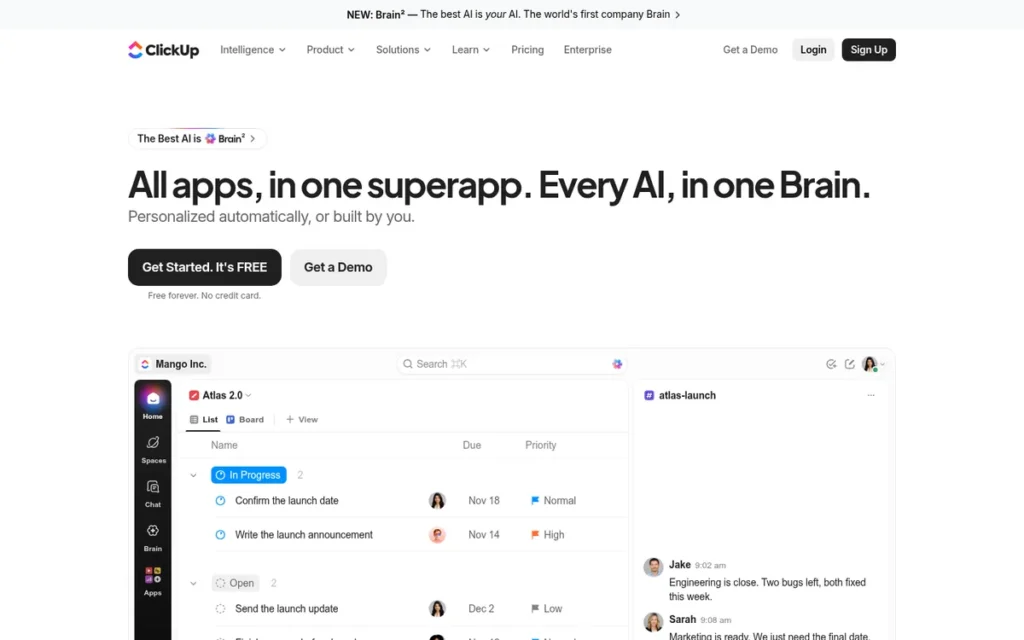
Category: All-in-One Workspace. ClickUp combines tasks, docs, chat, dashboards and AI in one hierarchy of spaces, folders and lists.
At a Glance
- Category: All-in-One Workspace
- Best For: Budget-conscious teams that want to consolidate project tracking, docs and chat into one tool
- Price Range: Free; Unlimited $10 and Business $19 per user per month (G2 list prices, November 2026). The vendor page now shows Core $9 and Business $17, billed annually.
- Primary Strength: ClickUp puts Table view and dependencies on every plan and full Gantt on the first paid tier, so it delivers the most Smartsheet-like capability per dollar in this evaluation.
- Biggest Limitation: ClickUp draws the most complexity and performance complaints among the market leaders: 778 G2 mentions of a steep learning curve (about 5.0% of reviews) and 762 of slow workspace performance.
- One-Line Summary: ClickUp is the best-value Smartsheet alternative for teams that want grid, Gantt and dependencies plus docs and chat in one workspace, provided they can invest in setup.
- Last Verified: November 2026
Overview
ClickUp is an all-in-one work platform that combines table and Gantt views, docs, chat, dashboards and AI. It is built for budget-conscious teams that want one configurable workspace to replace Smartsheet and several other tools. ClickUp ranks first in this evaluation with a weighted score of 3.85.
ClickUp organizes work as Workspace → Spaces → Folders → Lists → Tasks. Smartsheet users must translate their sheets into that hierarchy during migration.
Key Features
- ClickUp includes a spreadsheet-style Table view and task dependencies on every plan, including Free (ClickUp pricing page, November 2026).
- ClickUp offers Gantt as a trial on Free and in full from the first paid tier, now called Core.
- ClickUp reserves column calculations, the full Workload view and full dashboards for its Business tier.
- ClickUp includes 100 automation actions a month on Free, 1,000 on Core and 10,000 on Business (ClickUp pricing page, November 2026).
- ClickUp integrates with Microsoft Teams on every plan and lists 255 integrations on G2 (G2, November 2026).
Best For
ClickUp is best for small and mid-sized teams that want to consolidate project tracking, documentation and team communication, and that have an admin willing to design the workspace structure.
Pricing
ClickUp’s G2 list prices are Free $0, Unlimited $10 and Business $19 per user per month (G2, November 2026). ClickUp’s current pricing page uses a different structure, and prices may change:
- ClickUp has renamed Unlimited to Core, priced at $9 per user per month billed annually against a regular price of $12.
- ClickUp Business costs $17 billed annually on the vendor page, against a regular price of $25.
- ClickUp now adds a Max tier at $100 per user per month, and extra AI credits cost $10 per 10,000.
- ClickUp Business is the tier most Smartsheet users need, because it is the only tier with full workload, dashboards and column calculations.
Strengths
- ClickUp has a 4.6/5 G2 rating from 15,674 reviews, and 97.5% of them give 4 or 5 stars (G2, November 2026).
- ClickUp Business at $19 per user matches Smartsheet Business on G2 list prices, and the vendor page shows $17 with annual billing (ClickUp pricing page, November 2026).
- ClickUp’s most common G2 go-live time is under one month, the fastest of the three high-volume market leaders (G2, November 2026).
- ClickUp’s top G2 pros are Tailored Workflows (1,603) and Unified Work Hub (1,407), which reflect its ability to replace several tools (G2, November 2026).
Limitations
ClickUp trades simplicity for breadth. The same configurability that lets ClickUp replace several tools also makes it slower to learn and heavier to run than its satisfaction score suggests.
- ClickUp’s G2 cons include Steep Learning Curve (778), Slow Workspace Performance (762) and Too Many Features (597) (G2, November 2026).
- ClickUp was described as “flexible and cheaper, but too many knobs to tweak sometimes” by a Reddit user (u/WhiteChili, r/ConstructionManagers, September 2025).
- ClickUp’s own Smartsheet migration guide says formulas arrive as values, attachments are dropped and dependencies must be rebuilt (ClickUp migration guide, accessed November 2026).
- ClickUp offers support in English only (G2, November 2026).
Users on r/clickup shared their experience:
“Same here with performance issues.
Plus, clickup is feature rich, and we really liked it even if it comes with complexity. The only issue we had with the complexity is regarding privacy and share configurations. Team members accidentally shared private information.” Posted by u/dberebi
Takeaway: Teams that value ClickUp’s feature depth still report performance problems, and its complex sharing settings can expose private data if admins don’t configure permissions carefully.
How It Compares With Smartsheet
ClickUp matches Smartsheet Business on price and exceeds it on integrations, but it does not make the learning curve easier.
- ClickUp Business costs the same as Smartsheet Business ($19 on G2) and adds docs, chat and AI (G2, November 2026).
- ClickUp lists 255 G2 integrations against Smartsheet’s 102 (G2, November 2026).
- ClickUp’s Steep Learning Curve con appears in about 5.0% of its G2 reviews (778 of 15,674), close to Smartsheet’s 5.1% (1,183 of 23,226), so switching is unlikely to reduce training effort (G2, November 2026).
Verdict
ClickUp ranks first in this evaluation (weighted score 3.85) as the best-value Smartsheet alternative for teams that want Table view, dependencies and Gantt on low-cost tiers. Its Business tier costs $19 per user on G2, the same as Smartsheet Business. ClickUp suits teams for whom consolidation and price matter most.
Teams already overwhelmed by Smartsheet’s learning curve should be cautious, and every ClickUp buyer should budget setup time to rebuild formulas.
2. monday Work Management: Best for Easy Cross-Team Adoption
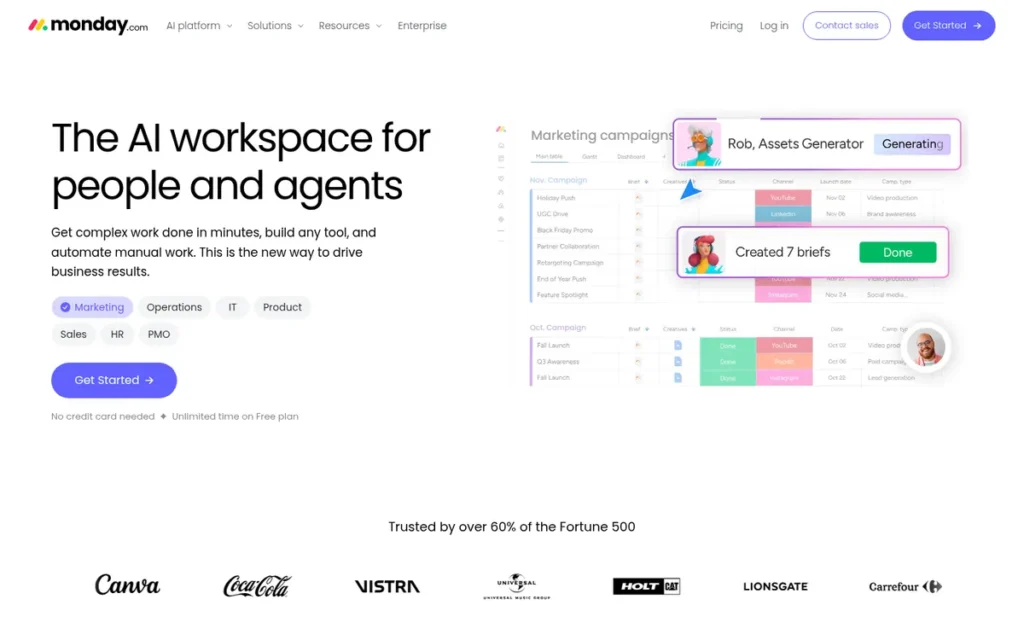
Category: Visual Work Platform. monday Work Management uses configurable boards and tables that switch between table, timeline, Gantt and calendar views.
At a Glance
- Category: Visual Work Platform
- Best For: Small and mid-sized cross-functional teams that want an easier-to-adopt replacement for Smartsheet tracking
- Price Range: Free plan; Basic $9 and Standard $12 per user per month (G2 list prices, November 2026; 3-seat minimum). Dependencies require Pro, which has no G2 list price.
- Primary Strength: monday Work Management has the highest share of 4–5 star G2 reviews (98.1% of 17,963) among alternatives with more than 10,000 reviews (G2, November 2026).
- Biggest Limitation: monday Work Management puts task dependencies on its Pro plan and does not reproduce Smartsheet’s formula grid. Users also report size limits and weaker dashboards on large, data-heavy work.
- One-Line Summary: monday Work Management is the easiest-to-adopt Smartsheet alternative for cross-team project tracking, trading Smartsheet’s formula-heavy grid for configurable boards and higher user satisfaction.
- Last Verified: November 2026
Overview
monday Work Management is a configurable, board-based work platform for project managers and operations leads. It gives them Smartsheet-style row-and-column tracking with easier day-to-day adoption, visual views and no-code automations across departments. monday Work Management ranks second in this evaluation with a weighted score of 3.78.
monday Work Management maps each Smartsheet sheet to a board, rows to items and columns to typed columns. monday Work Management does not reproduce Smartsheet’s formula grid one-to-one, and paid plans start at 3 seats.
Key Features
- monday Work Management organizes work into boards where each row is an item and each column is a typed field, which mirrors Smartsheet’s row-and-column structure.
- monday Work Management includes the Gantt view on its Standard plan, but task dependencies require the Pro plan (monday.com pricing and support pages, November 2026).
- monday Work Management includes no-code automations with a monthly action allowance that rises by tier.
- monday Work Management meters its AI features, including Sidekick, monday vibe and monday agents, through AI credits, with 1,000 credits a month on Basic (monday.com pricing page, November 2026).
- monday Work Management lists 152 integrations on G2 and supports 14 languages (G2, November 2026).
Best For
monday Work Management is best for cross-functional teams whose non-PM colleagues struggled with Smartsheet’s learning curve and who need visual tracking more than complex formulas.
Pricing
monday Work Management’s G2 list prices are Free (price not listed), Basic $9 and Standard $12 per user per month (G2, November 2026). The vendor page adds several cost factors, and prices may change:
- monday Work Management Standard includes the Gantt view but not dependencies, so teams that rely on Smartsheet predecessors should check the Pro price on the vendor page.
- monday Work Management plans start at 3 seats, and annual billing saves 18% (monday.com pricing page, November 2026).
- monday Work Management’s AI credits and add-ons can push total cost above the per-seat price.
Strengths
- monday Work Management has a 4.7/5 G2 rating from 17,963 reviews, and 98.1% of them give 4 or 5 stars, the highest share among the large-volume candidates (G2, November 2026).
- monday Work Management’s Steep Learning Curve con appears in about 1.2% of its G2 reviews (218 of 17,963), the lowest rate among alternatives with more than 10,000 reviews (G2, November 2026).
- monday Work Management’s most-cited G2 pros are Intuitive Everyday Use (1,321), Customizable Boards and Workflows (805) and Quick Team Setup (629) (G2, November 2026).
- monday Work Management says it was named a Leader in the 2025 Gartner Magic Quadrant for Collaborative Work Management (vendor-reported, 2025).
Limitations
monday Work Management is easier to adopt than Smartsheet, but it gives up Smartsheet’s formula-driven grid and some scheduling depth. The tier that matches Smartsheet’s scheduling also costs more than the headline price.
- monday Work Management’s $12 Standard plan includes the Gantt view, but task dependencies require Pro, so Standard does not buy Smartsheet-equivalent scheduling (monday.com pricing and support pages, November 2026).
- monday Work Management may struggle with very large datasets: a user running both tools said “we hit a size limit pretty quick” (u/Carrie_Oakie, r/smartsheet, December 2025).
- monday Work Management’s dashboards were called less “robust and customizable” than Smartsheet’s by a Reddit user (u/LovelyCarrot9144, r/smartsheet, 2024).
- monday Work Management’s total cost grows through the 3-seat minimum, AI credits and add-ons, and High Subscription Costs has 172 G2 mentions (G2, November 2026).
- monday Work Management offers no 1:1 Smartsheet transfer, so formulas and dependencies must be reviewed and rebuilt (monday.com blog, 2026).
This aligns with community sentiment on r/smallbusinessuk, where a user weighing monday for a 6,000-contact dataset noted:
“Monday is a good CRM, but that’s such a relative term that knowing if it’s GOOD for you is an entirely separate story. Just based on the fact you have 6000 contacts, I will tell you right now you might hit a snag with monday as they have board limits of 10,000 – 20,000. Almost NO other CRM has imposed limits like this.” Posted by u/EntropicMonkeys
Takeaway: monday’s per-board item limits are a real constraint for data-heavy teams, even among users who otherwise rate the platform well.
How It Compares With Smartsheet
monday Work Management is easier to adopt than Smartsheet but weaker on formulas, dependencies and dashboards.
- monday Work Management’s top G2 pro is Intuitive Everyday Use, while Smartsheet’s top G2 cons are Learning Curve and Not Intuitive (G2, November 2026).
- monday Work Management’s learning-curve complaint rate (about 1.2%) is roughly a quarter of Smartsheet’s (about 5.1%) (G2, November 2026).
- monday Work Management Standard at $12 costs more than Smartsheet Pro at $9, and Smartsheet Pro already includes Gantt and dependencies (Smartsheet Help Center, November 2026).
Verdict
monday Work Management ranks second in this evaluation (weighted score 3.78) and leads it for teams that put adoption first. Its 98.1% satisfaction share across 17,963 G2 reviews is the highest among large-sample tools. monday Work Management fits mixed teams that need visual tracking.
monday Work Management is a weaker fit for formula-heavy or very large datasets, and teams that rely on dependencies should budget for Pro. Pilot one representative sheet before migrating.
3. Asana: Best for Goal-Linked Cross-Functional Coordination
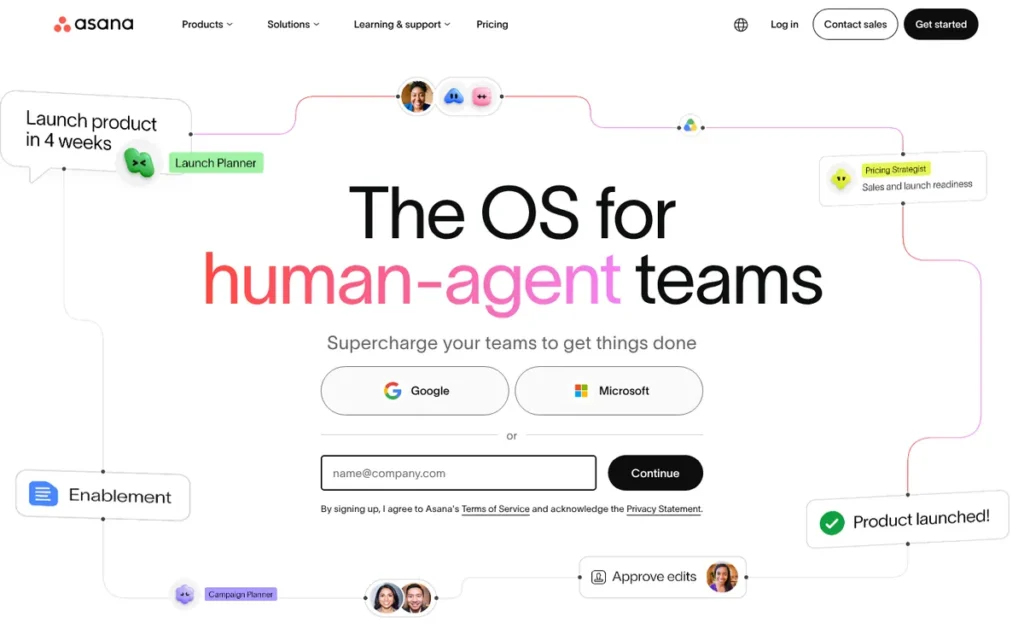
Category: Visual Work Platform. Asana is a task- and project-centric workspace with list, board, timeline and Gantt views, linked to goals and portfolios.
At a Glance
- Category: Visual Work Platform
- Best For: Cross-functional teams that coordinate ownership, deadlines and goals more than spreadsheet data
- Price Range: Personal free (up to 2 seats); Starter $10.99 and Advanced $24.99 per user per month (G2 list prices, November 2026)
- Primary Strength: Asana pairs a 4.4/5 G2 rating from 14,129 reviews with goal and portfolio linking for cross-team programs (G2, November 2026).
- Biggest Limitation: Asana is task-first rather than grid-first, and the formula fields, Portfolios and Goals Smartsheet users need require the $24.99 Advanced tier.
- One-Line Summary: Asana is the best-fitting Smartsheet alternative in this evaluation for cross-functional teams coordinating owners, deadlines and goals, but it is not a spreadsheet replacement for formula-driven tracking.
- Last Verified: November 2026
Overview
Asana is a task- and project-centric work management platform for cross-functional teams. It suits teams that need clear ownership, deadlines, timelines and goal tracking across departments more than a formula-driven spreadsheet grid for data-heavy tracking. Asana ranks third in this evaluation with a weighted score of 3.55.
Asana’s Starter tier includes Timeline and Gantt views, while formula custom fields, Portfolios and Goals require Advanced.
Key Features
- Asana includes Timeline and Gantt views from its Starter tier (Asana pricing page, November 2026).
- Asana reserves formula custom fields, Portfolios, Goals and portfolio-level resource management for its Advanced tier.
- Asana includes unlimited automations on Starter and basic AI Studio access on paid plans.
- Asana lets a single task appear in several projects without duplication through its Work Graph data model.
- Asana lists 109 integrations on G2 and supports 13 languages (G2, November 2026).
Best For
Asana is best for marketing, operations and program teams that coordinate work across departments and link projects to company goals.
Pricing
Asana’s G2 list prices are Personal $0, Starter $10.99 and Advanced $24.99 per user per month (G2, November 2026). The vendor page adds these details, and prices may change:
- Asana’s G2 prices match annual billing on the vendor page, while monthly billing costs $13.49 for Starter and $30.49 for Advanced.
- Asana Personal is capped at 2 seats, and the Enterprise tiers are quote-only.
- Asana Advanced is the tier Smartsheet users need for formulas or portfolio rollups, at about $6 more per user than Smartsheet Business.
Strengths
- Asana has a 4.4/5 G2 rating from 14,129 reviews, and 93.3% of them give 4 or 5 stars (G2, November 2026).
- Asana’s G2 pros include Easy Day-to-Day Use (779) and Easy Setup and Onboarding (457), which point to adoption by non-PM colleagues (G2, November 2026).
- Asana says it was named a Leader in the 2025 Gartner Magic Quadrant for Collaborative Work Management (vendor-reported, 2025).
- Asana was recommended as “slightly cheaper than Smartsheet” for multi-project work by a user who runs both Smartsheet and Planner (u/Gr8AJ, r/projectmanagement, January 2025).
Limitations
Asana gains coordination clarity at the cost of spreadsheet behavior. The features that make Asana most Smartsheet-like sit on its most expensive self-serve tier.
- Asana does not behave like a spreadsheet: a Reddit user wrote that “Asana, while it does have a spreadsheet format, is not excel” (u/Lucid-Pupil, r/projectmanagement, 2021).
- Asana gates formula fields behind the $24.99 Advanced tier, and Key Features Behind Paywall has 164 G2 mentions (G2, November 2026).
- Asana draws cost and noise complaints, with Excessive Notifications (162) and High Per-Seat Costs (128) among its top G2 cons (G2, November 2026).
- Asana users ask for better rollups and more flexible ways to filter and present project-level information, which matters for teams replacing Smartsheet dashboards (G2, November 2026).
An Asana admin on r/Asana noted:
“I’m the Asana-admin in our company with about 100 Asana users and a few hundred active projects at a time.
I would say, it depends on your use case – if you are a small firm with only few users, few simultaneous projects and low complexity, it can be a good tool.
As soon as you want to centrally manage it and add complexity, it will get time consuming to set up and administer. For this there are way better solutions. Also pricing for the enterprise options is insane compared to other tools with a better feature set.” Posted by u/Colorona
Takeaway: Asana works well for small, low-complexity teams, but admins running it at scale find central administration time-consuming and its enterprise pricing hard to justify.
How It Compares With Smartsheet
Asana is task-first where Smartsheet is grid-first. That makes Asana stronger for coordinating owners and goals and weaker for formula-driven data tracking.
- Asana’s tier with formula fields costs $24.99, against $19 for Smartsheet Business (G2, November 2026).
- Asana includes Timeline and Gantt from the $10.99 Starter tier, against $9 for Smartsheet Pro (G2, November 2026).
- Asana’s learning-curve complaint rate (about 1.8%, or 254 of 14,129 reviews) is about a third of Smartsheet’s (about 5.1%) (G2, November 2026).
Verdict
Asana is the best-fitting Smartsheet alternative in this evaluation for cross-functional teams that coordinate owners, deadlines and goals rather than formula-driven data. It is backed by a 4.4/5 G2 rating from 14,129 reviews. Asana buyers should budget for Advanced if they need formulas or portfolios.
Teams with data-heavy Smartsheet sheets should choose a grid- or database-oriented tool instead.
4. TeamGantt: Best for Simple, Schedule-First Gantt Planning
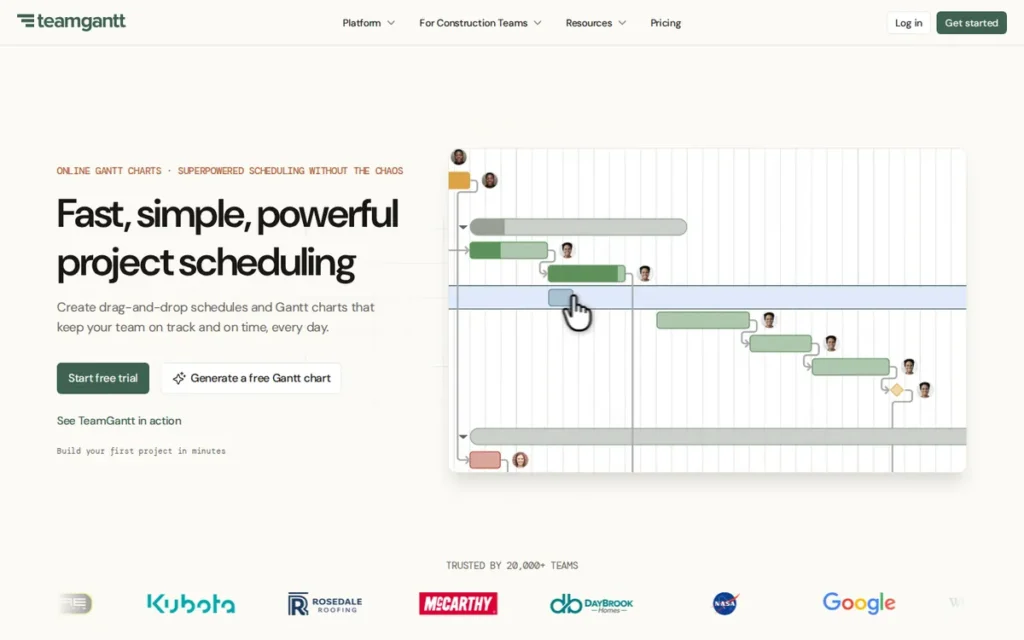
Category: Gantt-First Scheduler. TeamGantt makes the Gantt chart the main workspace, with drag-and-drop scheduling and dependencies.
At a Glance
- Category: Gantt-First Scheduler
- Best For: Small teams and agencies that mainly used Smartsheet for its Gantt view and timeline sharing
- Price Range: Free (1 user, 1 project). G2 lists Standard $24.95 and Advanced $29.95 per user per month; the vendor page now shows flat plans from $59/month (November 2026).
- Primary Strength: TeamGantt has the fastest most-common G2 go-live (under a day) and the highest 4–5 star share (99.7%) in this evaluation, on a smaller base of 895 reviews.
- Biggest Limitation: TeamGantt has no spreadsheet-style formula grid and offers limited reporting, so it does not replace Smartsheet for data tracking or cross-project dashboards.
- One-Line Summary: TeamGantt is the simplest Smartsheet alternative for teams that mainly need a shareable Gantt schedule, with the highest G2 satisfaction share and the fastest go-live in this evaluation.
- Last Verified: November 2026
Overview
TeamGantt is a schedule-first project planning tool where the Gantt chart is the main workspace. TeamGantt is built for small teams and agencies that mainly used Smartsheet for drag-and-drop timelines, dependencies and schedule sharing. TeamGantt ranks fourth in this evaluation with a weighted score of 3.50.
TeamGantt also offers calendar, list and Kanban views, but TeamGantt has no formula grid, so data-tracking sheets do not carry over.
Key Features
- TeamGantt makes the Gantt chart its primary workspace, with drag-and-drop scheduling and dependencies available even on the free Personal plan.
- TeamGantt’s own comparison page lists four dependency types with lead and lag (vendor-reported, 2026).
- TeamGantt lets collaborators update progress, comment, share files and track time, though collaborators generally cannot change task dates.
- TeamGantt Builder Edition adds lookahead schedules, procurement tracking, a client portal and Procore integration for construction teams.
- TeamGantt imports and exports Microsoft Project files and accepts Smartsheet data through CSV export.
Best For
TeamGantt is best for small teams, agencies and construction schedulers who mainly need a clear, shareable timeline and want non-PM collaborators productive on day one.
Pricing
TeamGantt’s G2 list prices are Free $0, Standard $24.95 and Advanced $29.95 per user per month (G2, November 2026). TeamGantt’s current pricing page uses flat plans instead, and prices may change:
- TeamGantt Personal is free for 1 user, 1 project and 40 tasks.
- TeamGantt Base costs $59/month or $589/year for 1 manager, 10 collaborators, 5 projects and 150 tasks per project.
- TeamGantt Business starts at $120/month or $1,140/year with unlimited users, 5 projects (up to 20 at $24/month per extra project) and 500 tasks per project.
- TeamGantt Builder Edition starts at $199/month or $1,908/year.
- TeamGantt’s annual billing saves 20%, and its 14-day trial requires a credit card (TeamGantt pricing page, November 2026).
Strengths
- TeamGantt has a 4.8/5 G2 rating, and 99.7% of its 895 reviews give 4 or 5 stars, the highest share here (G2, November 2026). PlugRoute scored TeamGantt 4 rather than 5 on satisfaction because its review base is about 5% of monday Work Management’s and its G2 pros/cons counts are in single digits.
- TeamGantt’s most common G2 go-live time is under a day, against 1–3 months for Smartsheet (G2, November 2026).
- TeamGantt includes Gantt and dependencies on its free Personal plan (TeamGantt pricing page, November 2026).
- TeamGantt’s Business plan includes unlimited managers and collaborators from $1,140 per year, so its cost does not rise with headcount (TeamGantt pricing page, November 2026).
Limitations
TeamGantt gives up Smartsheet’s grid, formulas and dashboards in exchange for simplicity. TeamGantt’s flat plans also cap projects and tasks rather than seats.
- TeamGantt’s G2 improvement requests center on deeper reporting, more dependency types, resource leveling and more integrations (G2, November 2026).
- TeamGantt “starts to feel thin” across multiple $400k remodels, according to a construction manager (u/WhiteChili, r/ConstructionManagers, September 2025).
- TeamGantt’s own comparison page says Smartsheet automations, dashboards and reports do not transfer (TeamGantt comparison page, 2026).
- TeamGantt’s task caps of 150 per project on Base and 500 on Business can constrain teams with large Smartsheet schedules (TeamGantt pricing page, November 2026).
- TeamGantt has no integration count on G2, and PlugRoute could not verify a SOC 2 or similar certification (G2, November 2026).
How It Compares With Smartsheet
TeamGantt replaces Smartsheet’s Gantt view, not its grid.
- TeamGantt’s typical go-live is under a day, against 1–3 months for Smartsheet (G2, November 2026).
- TeamGantt includes Gantt and dependencies free for one project, while Smartsheet Pro costs $9 per member (G2, November 2026).
- TeamGantt users lose formulas, dashboards and cross-project reporting when they leave Smartsheet.
Verdict
TeamGantt is the simplest Smartsheet alternative for teams whose core need is a shareable Gantt schedule. It has the highest G2 satisfaction share in this evaluation (99.7%, on 895 reviews) and the fastest typical go-live (under a day). TeamGantt is ideal when the grid was incidental.
TeamGantt is a poor fit for data tracking or portfolio reporting, so count your active projects and tasks before choosing a flat plan.
5. Microsoft Planner: Best for Teams Already on Microsoft 365
Category: Microsoft-Native Planner. Microsoft Planner provides work and project planning inside Microsoft 365 and Teams, with paid tiers for scheduling and portfolio features.
At a Glance
- Category: Microsoft-Native Planner
- Best For: Organizations already standardized on Microsoft 365 and Teams, especially Excel-heavy teams
- Price Range: Basic version included with eligible Microsoft 365 plans; Plan 1 $10, Plan 3 $30 and Plan 5 $55 per user per month (G2 list prices, November 2026)
- Primary Strength: Microsoft Planner Plan 1 unlocks Gantt and dependencies at $10 per user per month, tied for the lowest paid price among the market leaders and native to Microsoft 365.
- Biggest Limitation: Microsoft Planner’s basic tier has no Gantt or dependencies, and critical path needs the $30 Plan 3. Matching Smartsheet’s dashboards also requires Power BI and Power Automate work.
- One-Line Summary: Microsoft Planner is the most cost-effective Smartsheet alternative for Microsoft 365 organizations, provided the team buys the right plan tier and can build reporting with Power BI and Power Automate.
- Last Verified: November 2026
Overview
Microsoft Planner is Microsoft’s work and project planning service inside Microsoft 365 and Teams. It is aimed at Microsoft-stack organizations that want grid, board and Gantt planning without adding a vendor or retraining Excel-centric staff. Microsoft Planner ranks fifth with a weighted score of 3.45.
Microsoft Planner absorbed Project for the web, which Microsoft retired in August 2025, and Microsoft retired Project Online on September 30, 2026. Project desktop and Project Server Subscription Edition were not affected (Microsoft Support and Microsoft Learn, 2025).
Key Features
- Microsoft Planner’s basic version provides Grid, Board, Schedule and Charts views inside Teams but has no Gantt or dependencies.
- Microsoft Planner Plan 1 ($10) adds Timeline (Gantt), dependencies, custom fields, goals and sprints.
- Microsoft Planner and Project Plan 3 ($30) adds lead/lag dependencies, baselines, critical path, portfolios and the Project desktop app.
- Microsoft Planner and Project Plan 5 ($55) adds enterprise resource management and advanced portfolio management.
- Microsoft Planner’s AI features (Planner Agent) require a Microsoft 365 Copilot license, which buyers should confirm with Microsoft.
Best For
Microsoft Planner is best for Microsoft 365 organizations, especially Excel-fluent teams, that either have Power Platform skills or need only light reporting.
Pricing
Microsoft Planner’s G2 list prices are Plan 1 $10, Plan 3 $30 and Plan 5 $55 per user per month (G2, November 2026). The tier ladder matters more than the entry price, and prices may change:
- Microsoft Planner’s basic version comes with eligible Microsoft 365 subscriptions but lacks Gantt and dependencies.
- Microsoft Planner Plan 1 is required for Gantt and dependencies, while Plan 3 is required for critical path and baselines.
- Microsoft Planner’s AI features need separate Copilot licensing.
Strengths
- Microsoft Planner Plan 1 at $10 per user per month ties with ClickUp’s first paid tier ($10 on G2) as the lowest-priced paid route to Gantt and dependencies among the market leaders. It is the only one of the two native to Microsoft 365 (G2, November 2026).
- Microsoft Planner is rated 4.4/5 from 736 ratings on Gartner Peer Insights and 4.3/5 from 298 Capterra reviews (Gartner Peer Insights and Capterra, November 2026). PlugRoute used these Planner-specific ratings as cross-checks and scored the combined G2 listing.
- Microsoft Planner is now Microsoft’s main path forward, after Project for the web users moved to it in August 2025 without a licensing change (Microsoft Support, 2025).
- Microsoft Planner’s most common G2 go-live time is under one month, and G2 lists support in 27 languages, the most of any candidate (G2, November 2026).
Limitations
Microsoft Planner saves on license cost but shifts effort into building reporting and automation. Its tier ladder also makes it easy to buy a plan that lacks the features you need.
- Microsoft Planner may require heavy build work: one user warned that a seven-person team faces “an incredible amount of work and customization with things like power automate, power BI” to match Smartsheet (u/DanielInternets, r/smartsheet, December 2025).
- Microsoft Planner’s licensing confused one team enough that it took a 6-reply IT ticket and a 30-minute call to sort out (u/WateWat_, r/projectmanagement, January 2025).
- Microsoft Planner’s G2 listing, shared with Project, has the lowest rating in this evaluation (4.0/5) and lists only 4 integrations (G2, November 2026).
- Microsoft Planner’s G2 improvement requests cite weak collaboration with external stakeholders (G2, November 2026). As a counterpoint, a former Smartsheet admin for 200 staff said the Microsoft route would have been “an easier adoption” (u/UndeadViking, r/smartsheet, December 2025).
A former Smartsheet admin on r/smartsheet described the trade-off:
“Having been a smartsheet admin in the past, you can replicate anything smartsheet offers using Excel online, or SharePoint lists, combined with the Microsoft Power Platform. The main issue is refactoring, upscaling to a new platform, but if you’re willing to do that you can do everything smarter she can do at a much lower cost” Posted by u/BinaryFyre
Takeaway: The Microsoft 365 route that includes Planner can match Smartsheet at much lower license cost, but only for teams willing to do substantial refactoring work on the Power Platform.
How It Compares With Smartsheet
Microsoft Planner is cheaper than Smartsheet Business for scheduling but needs extra tools to match Smartsheet’s dashboards.
- Microsoft Planner Plan 1 costs $10, against $9 for Smartsheet Pro and $19 for Smartsheet Business, and both Plan 1 and Smartsheet Pro include Gantt and dependencies (G2 and Smartsheet Help Center, November 2026).
- Microsoft Planner puts critical path on the $30 Plan 3, while Smartsheet includes critical path on Pro (Smartsheet Help Center, November 2026).
- Microsoft Planner needs Power BI and Power Automate to match the dashboards Smartsheet provides out of the box.
Verdict
Microsoft Planner is the most cost-effective Smartsheet alternative for organizations already on Microsoft 365, unlocking Gantt and dependencies at $10 per user per month through Plan 1. Microsoft Planner buyers should choose Plan 3 only if they need critical path or baselines.
Small teams without Power Platform skills should weigh the reporting build effort before switching.
6. Wrike: Best for Structured, Multi-Team PMO Delivery
Category: Structured PMO Platform. Wrike provides governed work delivery with Table and Gantt views, cross-tagging, templates and enterprise-tier controls.
At a Glance
- Category: Structured PMO Platform
- Best For: PMOs and mid-sized organizations running standardized, multi-team project delivery
- Price Range: Free; Team $10 and Business $25 per user per month; Pinnacle custom quote (G2 list prices, November 2026)
- Primary Strength: Wrike offers a Table view on its Free plan, Gantt from Team ($10), critical path and workload on Business ($25), cross-tagging and reusable Blueprints (wrike.com, November 2026).
- Biggest Limitation: Wrike has the lowest G2 satisfaction share in this evaluation (89.4%), a learning-curve complaint rate of about 6.6%, and the highest mid-tier price among task and board tools ($25).
- One-Line Summary: Wrike is the most governance-oriented Smartsheet alternative for multi-team PMO delivery, but it asks for more onboarding effort and a higher per-seat budget than the higher-ranked tools.
- Last Verified: November 2026
Overview
Wrike is a structured work delivery platform for project management offices and mid-sized organizations. It offers a spreadsheet-style Table view, Gantt charts, critical path, cross-project tagging and reusable templates for governed multi-team projects. Wrike ranks sixth in this evaluation with a weighted score of 3.33.
For new purchases since January 21, 2026, Wrike’s Business tier is annual-only and requires 5–200 users (Wrike pricing page, 2026).
Key Features
- Wrike includes a spreadsheet-style Table view on its Free plan (Wrike pricing page, November 2026).
- Wrike’s comparison table lists the interactive Gantt chart on Team ($10) and critical path and workload charts on Business ($25) (wrike.com, November 2026).
- Wrike’s cross-tagging lets a single task or folder appear in multiple projects without duplication.
- Wrike’s Blueprints save reusable project structures that include assignees, dependencies and automation rules.
- Wrike includes Wrike Integrate and Wrike Sync, which provides two-way sync with Jira and GitHub, on its Apex tier.
Best For
Wrike is best for PMOs and multi-team delivery organizations that want governance and standardized templates and can invest in onboarding.
Pricing
Wrike’s G2 list prices are Team $10 and Business $25 per user per month, with Pinnacle by custom quote (G2, November 2026). The vendor page adds these terms, and prices may change:
- Wrike Team covers 2–15 users, and Wrike Business covers 5–200 users with annual billing only.
- Wrike Pinnacle and Apex are quote-only, and Pinnacle adds budgeting, billable hours, time tracking and advanced reporting.
- Wrike Business is the tier Smartsheet users need for critical path and workload, at $6 more per user than Smartsheet Business.
Strengths
- Wrike’s G2 pros center on Project Management (477), Team Collaboration (456) and Task Management (450) (G2, November 2026).
- Wrike publishes a clear scheduling ladder, with Gantt on its $10 Team tier and critical path on its $25 Business tier (wrike.com, November 2026).
- Wrike says it was named a Leader in the 2025 Gartner Magic Quadrant for Collaborative Work Management, and it reports SOC 2 Type II, ISO 27001 and ISO 27018 (vendor-reported, 2025).
- Wrike supports 16 languages, double Smartsheet’s 8 (G2, November 2026).
Limitations
Wrike trades ease of use for structure. New Wrike teams pay for that structure in onboarding time and tier costs.
- Wrike has the lowest share of 4–5 star reviews in this evaluation at 89.4%, and Learning Curve appears in about 6.6% of its G2 reviews (305 of 4,614) (G2, November 2026).
- Wrike reviewers report slow dashboards on large projects and reports that need manual exports (G2, November 2026).
- Wrike’s Gantt chart drew a warning from one Reddit user: “do not expect it’s Gantt chart to work like a real one” (u/rainbowglowstixx, r/projectmanagement, 2024).
- Wrike’s granular admin controls sit on the quote-only Pinnacle tier (u/IT_Imposter, r/projectmanagement, 2024), and Wrike lists 21 integrations on G2 against Smartsheet’s 102 (G2, November 2026).
How It Compares With Smartsheet
Wrike adds structure that Smartsheet lacks but does not fix Smartsheet’s learning-curve problem.
- Wrike’s cross-tagging and Blueprints are listed on Wrike’s own comparison page as capabilities Smartsheet lacks (vendor claim, 2026).
- Wrike Business costs $25, $6 more than Smartsheet Business (G2, November 2026).
- Wrike’s learning-curve complaint rate (about 6.6%) is higher than Smartsheet’s (about 5.1%) (G2, November 2026).
Verdict
Wrike is the most governance-oriented Smartsheet alternative for multi-team PMO delivery. It combines a Table view with cross-tagging, reusable Blueprints and critical path on Business, but its onboarding and per-seat costs are higher than those of the tools ranked above it. Wrike makes sense when governance outweighs ease of adoption.
Small teams leaving Smartsheet because of its learning curve are likely to find the same problem in Wrike.
7. Quickbase: Best for Data-Centric Operations That Outgrew Linked Sheets
Category: Relational No-Code Platform. Quickbase builds custom operations apps on linked relational tables, with reports, dashboards and Gantt views.
At a Glance
- Category: Relational No-Code Platform
- Best For: Operations, construction and field teams whose Smartsheet sheets have turned into relational databases
- Price Range: Team $35 and Business $55 per user per month plus a platform minimum (G2 list prices, November 2026; reported 20-user minimum on Team); free trial
- Primary Strength: Quickbase is the only Smartsheet alternative evaluated with a true relational data model for complex, interlinked operational data.
- Biggest Limitation: Quickbase is the most expensive option per seat and adds a platform minimum. It also needs builder or admin skills and is not an out-of-the-box Gantt tool.
- One-Line Summary: Quickbase is the Smartsheet alternative for data-centric operations that have outgrown flat linked sheets, at the highest cost and setup effort in this evaluation.
- Last Verified: November 2026
Overview
Quickbase is a no-code application platform built on relational database tables. It is aimed at operations, construction and field teams whose Smartsheet sheets have turned into interlinked databases that need real table relationships, formulas, automations and dashboards. Quickbase ranks seventh with a weighted score of 3.10.
Quickbase lists Gantt charts on its Business plan, but Quickbase is a platform for building apps rather than a ready-made project scheduler.
Key Features
- Quickbase stores data in linked relational tables with table reports, dashboards, and Gantt and timeline views.
- Quickbase Pipelines provides a visual builder for workflow automation across apps and systems.
- Quickbase offers 40+ prebuilt integration channels, including Outlook, Teams, Excel and Power BI (Quickbase integrations page, November 2026), and G2 lists 49 integrations (G2, November 2026).
- Quickbase supports construction and field operations with field logs, inspections, punch lists and Procore, Autodesk and Bluebeam integrations.
- Quickbase’s 30-day free trial includes Business-plan features (Quickbase pricing page, November 2026).
Best For
Quickbase is best for operations, construction and field-service organizations that have dedicated builders or admins and relational data that Smartsheet’s cross-sheet links can no longer handle.
Pricing
Quickbase’s G2 list prices are Team $35 and Business $55 per user per month (G2, November 2026). The real entry cost depends on minimums, and prices may change:
- Quickbase bills both plans annually, adds a platform minimum and lists Gantt charts on Business (Quickbase pricing page, November 2026).
- Quickbase seat minimums of 20 users for Team and 40 for Business are reported by multiple pricing summaries citing Quickbase’s pricing page (November 2026).
- Quickbase does not publish the platform-minimum amount, so buyers should confirm it with sales.
- Quickbase’s lowest entry would be about $8,400 a year for Team and $26,400 a year for Business if those minimums apply (PlugRoute estimate, November 2026).
Strengths
- Quickbase has a 4.5/5 G2 rating from 1,709 reviews, and G2 reviewers describe replacing Smartsheet, Excel and Airtable when “manual updates, limited flexibility, or feature constraints became difficult to manage” (G2, November 2026).
- Quickbase lists SOC 1 Type II, SOC 2 Type II, SOC 3 and a HIPAA Security Rule attestation on its compliance page (vendor-reported, November 2026).
- Quickbase’s most common G2 go-live time is under one month despite its builder-oriented model (G2, November 2026).
- Quickbase is the only alternative in this evaluation that stores data in true relational tables, which suits Smartsheet sheets that have outgrown cross-sheet links.
Limitations
Quickbase delivers relational power at the highest cost and skill requirement in this evaluation.
- Quickbase has the highest cost in this evaluation: pricing starts at $35 per user plus a platform minimum, and Gantt requires the $55 Business tier (G2, November 2026).
- Quickbase’s reported seat minimums make it impractical for small teams, because a 20-user Team minimum would apply even to a five-person team.
- Quickbase users ask for simpler setup of table relationships and formulas, easier Pipelines debugging and more templates (G2, November 2026).
- Quickbase reviewers describe a “dated, clunky” interface and say advanced reports need technical help (GetApp and Capterra, accessed November 2026).
- Quickbase offers support in English only (G2, November 2026).
How It Compares With Smartsheet
Quickbase replaces Smartsheet’s flat linked sheets with real relational tables, at a much higher price.
- Quickbase costs $35–$55 per user, against $19 for Smartsheet Business (G2, November 2026).
- Quickbase needs builders, while Smartsheet users can start from a blank sheet.
- Quickbase addresses a 2026 Reddit critique that Smartsheet is “not great with relational workflows” (u/KeyOver3760, r/smartsheet, February 2026).
Verdict
Quickbase is the Smartsheet alternative for data-centric operations that have outgrown flat linked sheets. It offers the only true relational data model in this evaluation, at the highest per-seat cost. Quickbase is worth the cost for teams with builders and genuinely relational data.
Quickbase does not fit small teams that mainly need Gantt scheduling or quick adoption.
Which Smartsheet Alternatives Have a Spreadsheet-Style Grid?
ClickUp, Wrike and Microsoft Planner offer spreadsheet-style table or grid views, and monday Work Management uses typed-column boards. Only Quickbase pairs a grid with relational formulas. None of the seven reproduces Smartsheet’s cross-sheet formula grid one-to-one. TeamGantt is built around a Gantt chart rather than a spreadsheet grid.
- ClickUp offers a Table view on every plan, with column calculations on Business.
- Wrike offers a Table view from its Free plan.
- Microsoft Planner offers a Grid view in its basic version.
- monday Work Management uses typed-column boards rather than a formula grid.
- Quickbase stores data in linked relational tables with formulas.
- TeamGantt is built around a Gantt chart and has no spreadsheet-style formula grid.
The table below sets Smartsheet against each alternative. “Not verified” means PlugRoute could not confirm the detail on the vendor’s pages as of November 2026.
| Tool | Grid type | Lowest tier with Gantt + dependencies | Formula support | Critical path & baselines | Pricing model | G2 rating (reviews) | Most common go-live | Microsoft 365 fit |
|---|---|---|---|---|---|---|---|---|
| Smartsheet (benchmark) | Native grid with formulas | Pro ($9) | Native | Critical path on Pro ($9); baselines on Business ($19) | Per Member seat; free Guests and Viewers | 4.4 (23,226) | 1–3 months | Not verified |
| ClickUp | Table view (all plans) | Dependencies all plans; full Gantt from first paid tier | Column calculations on Business | Not verified | Per seat, AI credits | 4.6 (15,674) | Under 1 month | Teams integration on every plan |
| monday Work Management | Board/table, typed columns | Gantt view on Standard ($12); dependencies on Pro (price not on G2 list) | Not verified | Not verified | Per seat, 3-seat minimum, AI credits | 4.7 (17,963) | 1–3 months | Not verified |
| Asana | List/table, “not Excel” | Starter ($10.99) for Timeline/Gantt | Formula fields on Advanced ($24.99) | Not verified | Per seat | 4.4 (14,129) | 1–3 months | Integration listed |
| TeamGantt | Gantt-first; no formula grid | Free plan | None | Not verified | Flat plans by project count | 4.8 (895) | Under 1 day | Not verified |
| Microsoft Planner | Grid view (basic) | Plan 1 ($10) | Not verified | Plan 3 ($30) | Per user; basic included with Microsoft 365 | 4.0 (1,627, combined listing) | Under 1 month | Native |
| Wrike | Table view (Free and up) | Gantt on Team ($10) | Not verified | Critical path on Business ($25) | Per seat; Business 5–200 users, annual | 4.2 (4,614) | 1–3 months | Not verified |
| Quickbase | Relational tables | Gantt on Business ($55) | Relational formulas | Not verified | Per seat plus platform minimum | 4.5 (1,709) | Under 1 month | Outlook, Teams, Excel, Power BI channels |
Prices are G2 list prices (November 2026) and may change. Tier details come from vendor pages and the Smartsheet Help Center (November 2026).
What Will a Smartsheet Alternative Really Cost?
For 10 users at the tier that matches Smartsheet’s scheduling features, annual costs range from $1,200 (Microsoft Planner Plan 1) to $4,200 or more (Quickbase Team). Smartsheet Pro costs $1,080 and Smartsheet Business $2,280 for the same team. Seat minimums, tier gating and AI credits often move the real figure more than list price does.
Smartsheet Pro at $9 per member per month already includes Gantt, dependencies and critical path, while baselines need Business (Smartsheet Help Center, November 2026). Gantt-only buyers should compare alternatives against Smartsheet Pro, not Business.
| Tool and tier | G2 list price | Annual cost for 10 seats | Notes |
|---|---|---|---|
| Smartsheet Pro (benchmark for Gantt-only buyers) | $9 | $1,080 | Includes Gantt, dependencies and critical path; baselines require Business |
| Smartsheet Business (benchmark) | $19 | $19 × 10 × 12 = $2,280 | Add-ons such as Control Center and Data Shuttle cost extra |
| ClickUp Business | $19 | $2,280 | Vendor page: $17 annual → $2,040 |
| monday Work Management Standard | $12 | $1,440 | Standard lacks dependencies; Pro required for Smartsheet-equivalent scheduling (price not on G2 list) |
| Asana Advanced | $24.99 | $2,998.80 | Monthly billing: $30.49 |
| TeamGantt | $24.95 (G2 Standard) | $2,994 | Current flat Business plan from $1,140/year, unlimited users, 5 projects |
| Microsoft Planner Plan 1 | $10 | $1,200 | Plan 3 for critical path: $3,600 |
| Wrike Business | $25 | $3,000 | Annual-only; 5-seat minimum |
| Quickbase Team | $35 | $4,200 | About $8,400 if the reported 20-user minimum applies, plus an unpublished platform minimum |
All prices are G2 list prices (November 2026) unless noted otherwise, and may change.
Four extra charges can make a cheap entry price misleading:
- Monthly billing costs more than annual billing, for example Asana Starter at $13.49 per month against $10.99 billed annually.
- Seat minimums apply at monday Work Management (3 seats), Wrike Business (5 seats) and reportedly Quickbase (20 or 40 users).
- AI usage is billed separately through credits at monday Work Management and ClickUp, and through a separate Copilot license for Microsoft Planner.
- Adding projects raises TeamGantt’s flat-plan cost even when headcount stays the same.
Consider a 12-person operations team on Smartsheet Business that uses Gantt, dependencies and two dashboards and runs on Microsoft 365. Its annual costs compare as follows (G2, November 2026):
- Microsoft Planner Plan 1 would cost $1,440 a year, plus the effort of rebuilding dashboards in Power BI.
- ClickUp Business would cost $2,736 a year, with dashboards included but formulas rebuilt by hand.
- Smartsheet Business would also cost $2,736 a year, with no migration work.
For this team, the deciding factor is who will rebuild the dashboards, not the license price.
On paper, the cheapest Smartsheet alternative is often the most expensive one in practice. Tier gating, seat minimums and AI credits can change first-year cost more than the per-user list price does.
Will My Formulas, Reports and Automations Transfer?
Formulas, dashboards and automations generally do not transfer cleanly from Smartsheet. Every vendor whose migration guidance PlugRoute reviewed says some or all of them must be rebuilt, and ClickUp’s guide says formulas arrive as static values. Rebuild one representative sheet during a trial before you commit to a move.
| Tool | What carries over | What must be rebuilt | Source |
|---|---|---|---|
| ClickUp | Data, with formula results imported as values | Formulas, dependencies; attachments dropped | ClickUp migration guide (accessed November 2026) |
| monday Work Management | Rows and columns as items and typed columns | Formulas and dependencies (no 1:1 transfer) | monday.com blog (2026) |
| TeamGantt | Tasks, dates and assignments via CSV; Microsoft Project files supported | Dependencies may need relinking; automations, dashboards and reports | TeamGantt comparison page (2026) |
| Microsoft Planner, Asana, Wrike, Quickbase | Vendor migration guidance not verified | Assume formulas and dashboards need rebuilding | No vendor migration guide reviewed (November 2026) |
Typical G2 go-live times show how much setup time to plan for (G2, November 2026):
- TeamGantt most commonly goes live in under a day.
- ClickUp, Microsoft Planner and Quickbase most commonly go live in under one month.
- monday Work Management, Asana, Wrike and Smartsheet itself most commonly go live in 1–3 months.
PlugRoute recommends this five-step trial checklist before any migration:
- Import your largest real Smartsheet sheet into the trial workspace.
- Rebuild one formula column and confirm that it calculates live values.
- Rebuild one dashboard that stakeholders use every week.
- Test permissions for one external viewer without a paid license.
- Recreate one automation and confirm that it fires correctly.
A user on r/smartsheet recommended a similar audit before switching:
“The big gaps compared to Smartsheet are cross-sheet formulas and real dependencies, so before switching I’d list the five or six sheets your team actually relies on and check which of them use those. A hybrid can work too, keep the handful of complex, formula heavy sheets on a couple of Smartsheet licenses and move the simple trackers to Lists, which cuts seat count without rebuilding everything.” Posted by u/OkStatistician9190
Takeaway: Cross-sheet formulas and dependencies are the hardest Smartsheet features to replace, so auditing which sheets use them, and keeping a hybrid setup if needed, can cut seat costs without a full rebuild.
When Should You Stay With Smartsheet?
Staying with Smartsheet makes sense when your workflows depend on cross-sheet formulas and live dashboards, when you share plans with many unlicensed viewers, or when rebuilding would cost more than you save on licenses. Every alternative whose migration guidance PlugRoute reviewed requires rebuilding formulas or dashboards, and buyers should expect the same from the rest.
- Smartsheet remains the stronger choice when live cross-sheet data drives your work, which one user praised as “incredibly beneficial” (u/lizndale, r/smartsheet, December 2025).
- Smartsheet suits teams that share plans with outsiders; one user said the “best part is sharing plans with people without a licence” (u/enterprise1701h, r/projectmanagement, 2024).
- Smartsheet can beat Microsoft Planner for small Microsoft-stack teams that lack Power BI and Power Automate skills.
- Smartsheet is worth keeping when migration effort is high: one Reddit user reported a 9-month Smartsheet implementation that would be costly to repeat (r/projectmanagement, 2024).
What Red Flags Should I Watch For When Evaluating Smartsheet Alternatives?
The biggest red flags are entry prices that exclude Gantt or dependencies, “spreadsheet-style” claims without formula support, hidden seat or platform minimums, and vendor-written comparison pages. Migration promises that ignore formulas and metered AI credits are two more. Each one can make a cheap-looking alternative expensive or unworkable after you sign.
Red Flag #1: Entry Price Without the Gantt Tier
An advertised entry price often excludes Gantt charts, dependencies or critical path. monday Work Management’s Standard plan shows a Gantt view but puts dependencies on Pro, and Microsoft Planner’s basic version has no Gantt at all. Price the tier that matches your current Smartsheet features.
Red Flag #2: “Spreadsheet-Style” Claims Without Formula Support
A table view is not the same as a formula grid. ClickUp keeps column calculations for its Business tier, and Asana needs Advanced for formula fields. Check that a grid view actually computes values before assuming your Smartsheet logic will survive the move.
Red Flag #3: Seat or Platform Minimums
Seat and platform minimums can double the real cost for a small team. monday Work Management starts at 3 seats and Wrike Business at 5 users. Quickbase reportedly requires 20 to 40 users plus an unpublished platform minimum. Multiply the minimum by the price before comparing.
Red Flag #4: Vendor-Written “vs Smartsheet” Pages Posing as Neutral
Most “vs Smartsheet” pages that PlugRoute reviewed were written by at least four competing vendors. Vendor-commissioned Forrester TEI studies are not independent either. Give independent review data and dated user testimony more weight than vendor comparison pages when you shortlist tools.
Red Flag #5: Migration Promises That Ignore Formulas and Dashboards
A promise of “easy import” usually covers rows, not logic. ClickUp’s own guide says formulas arrive as values and attachments are dropped, and TeamGantt says dashboards and automations do not transfer. Treat any promise of a seamless migration as unproven until you test it.
Red Flag #6: Metered AI Credits or Add-On Licenses
AI features are increasingly metered or licensed separately, which makes future costs hard to predict. monday Work Management and ClickUp sell AI credits, and Microsoft Planner’s AI features need a Microsoft 365 Copilot license. Estimate your expected AI usage before you compare total cost.
What Questions Should I Ask Before Choosing a Smartsheet Alternative?
Before choosing a Smartsheet alternative, ask the vendor which tier unlocks Gantt and critical path, and whether formulas import as formulas. Also ask about seat minimums, unlicensed viewer access, large-sheet performance and Microsoft 365 integration on your tier. Get written answers, then test each claim during a trial.
Question #1: Which tier includes Gantt, dependencies and critical path?
Ask the vendor to name the exact plan that unlocks each scheduling feature you use today. Microsoft Planner and Wrike publish clear ladders, while monday Work Management puts dependencies on Pro, a tier without a G2 list price. A vague answer suggests the feature sits on a costly tier.
Question #2: Do formulas import as formulas or as values?
Ask whether formulas import as live calculations or static numbers. ClickUp’s guide confirms that formulas arrive as values, which means every calculated column must be rebuilt by hand. Request a test import of one complex sheet during the trial.
Question #3: What is the minimum seat count and billing term?
Ask for the minimum seat count, the billing term and any platform fee in writing. Wrike Business is annual-only with a 5-user minimum, and Quickbase adds an unpublished platform minimum. Those terms decide your real first-year cost more than the per-user list price does.
Question #4: Can unlicensed stakeholders view plans?
Ask whether people without a license can view or comment on plans at no cost. Smartsheet’s subscription model includes free Guest and Viewer seats (Smartsheet, 2024), and TeamGantt’s Business plan includes unlimited collaborators. Microsoft Planner’s G2 requests cite weak external collaboration, so check each tool.
Question #5: How does performance hold up on large sheets?
Ask for performance benchmarks on datasets the size of yours. Slow performance at scale is a recurring G2 complaint for ClickUp workspaces, monday Work Management boards and Wrike dashboards. Load your largest real sheet during the trial rather than relying on demo data.
Question #6: Does it integrate with Microsoft 365 and Teams on our tier?
Ask whether Microsoft 365 and Teams integrations are included on the tier you plan to buy. ClickUp includes Teams on every plan, and Microsoft Planner runs natively in Teams. For other tools, the vendor should confirm in writing that the integrations you need come with your plan.
How Did We Rank These Smartsheet Alternatives?
PlugRoute scored seven Smartsheet alternatives from 1 to 5 on five weighted criteria: workflow fidelity (25%), user satisfaction (25%), true cost (20%), adoption speed (15%), and reporting and stack fit (15%). ClickUp scored 3.85, monday Work Management 3.78 and Asana 3.55, using G2 data from November 2026. Smartsheet was the unranked benchmark.
Each criterion addresses a specific buyer risk:
- C1 Smartsheet Workflow Fidelity matters because losing the grid, Gantt or dependencies can break existing workflows.
- C2 Verified User Satisfaction matters because large-sample independent reviews are harder to manipulate than vendor pages.
- C3 True Cost at the Needed Tier matters because entry prices often hide the features Smartsheet users need.
- C4 Adoption Speed and Learning Curve matters because Smartsheet’s own top G2 con is Learning Curve.
- C5 Reporting, Scale and Stack Fit matters because users say Smartsheet’s dashboards are hard to replace.
PlugRoute applied these scoring rules, with half points for mixed cases:
- C1 Smartsheet Workflow Fidelity scores 4 for a confirmed grid or table view plus Gantt and dependencies on a published tier. It scores 3 when the formula grid or the grid itself is missing, and 2.5 when a core scheduling feature sits on a tier without a G2 list price.
- C2 Verified User Satisfaction scores 5 for a rating of 4.7 or higher with more than 10,000 reviews and at least 98% at 4–5 stars. It scores 4 for 4.4 or higher with more than 10,000 reviews, or 4.7 or higher with fewer than 1,000 reviews.
- C2 Verified User Satisfaction gave lower scores to Quickbase (3.5, no published satisfaction share), Wrike (3, 89.4% share) and Microsoft Planner (2.5, combined 4.0 G2 listing, scored without averaging in Planner-specific cross-checks).
- C3 True Cost at the Needed Tier scores 4.5 for a $10 needed tier with a free basic version and 4 for a confirmed needed tier at or below $19. It scores 3.5 when the needed tier’s price is unpublished or scales with projects, 3 for $25 tiers with gating or minimums, and 1.5 for $35+ with a platform minimum.
- C4 Adoption Speed and Learning Curve scores 5 for a most-common go-live under a day and 4 for a learning-curve rate under 2% or a go-live under a month for Excel-familiar users. It scores 3 for a rate near Smartsheet’s or builder-skill needs, and 2.5 for a rate above Smartsheet’s.
- C5 Reporting, Scale and Stack Fit scores 4 for built-in dashboards plus 100+ G2 integrations, documented Microsoft 365 and Power BI channels, or two-way developer-tool sync. It scores 3 when dashboards depend on separate tools and 2 for limited reporting with no G2 integration count. Wrike’s 4 rests on Wrike Sync despite only 21 G2 integrations.
| Tool | C1 Fidelity (25%) | C2 Satisfaction (25%) | C3 True Cost (20%) | C4 Adoption (15%) | C5 Reporting/Stack (15%) | Weighted Total |
|---|---|---|---|---|---|---|
| ClickUp | 4 | 4 | 4 | 3 | 4 | 3.85 |
| monday Work Management | 2.5 | 5 | 3.5 | 4 | 4 | 3.78 |
| Asana | 3 | 4 | 3 | 4 | 4 | 3.55 |
| TeamGantt | 3 | 4 | 3.5 | 5 | 2 | 3.50 |
| Microsoft Planner | 3.5 | 2.5 | 4.5 | 4 | 3 | 3.45 |
| Wrike | 4 | 3 | 3 | 2.5 | 4 | 3.33 |
| Quickbase | 3.5 | 3.5 | 1.5 | 3 | 4 | 3.10 |
ClickUp leads monday Work Management by 0.07 points. monday Work Management’s C1 and C3 scores reflect that task dependencies require its Pro plan, which has no G2 list price. A reader who weights satisfaction or adoption more heavily may find that monday Work Management ranks first.
PlugRoute based C4 on learning-curve complaints as a share of G2 reviews (G2, November 2026):
- monday Work Management’s learning-curve complaint rate is about 1.2% (218 of 17,963 reviews).
- Asana’s learning-curve complaint rate is about 1.8% (254 of 14,129 reviews).
- ClickUp’s learning-curve complaint rate is about 5.0% (778 of 15,674 reviews).
- Smartsheet’s learning-curve complaint rate is about 5.1% (1,183 of 23,226 reviews).
- Wrike’s learning-curve complaint rate is about 6.6% (305 of 4,614 reviews).
Different tools lead individual criteria. TeamGantt leads satisfaction share and go-live speed, Microsoft Planner leads entry cost for Microsoft 365 organizations, and Quickbase is the only relational option. Readers with different priorities should re-weight the criteria.
PlugRoute applied these inclusion and exclusion decisions:
- Trello was excluded because G2 lists it only under Task Management, and its top cons are Limited Features (270) and Missing Features (259) (G2, November 2026).
- Basecamp was excluded because its own G2 improvement requests ask for Gantt-style views and stronger dependencies (G2, November 2026).
- Kantata was excluded because it is professional services automation software with a typical 3–6 month go-live and no G2-listed price (G2, November 2026).
- Airtable was noted as an “also consider” option for spreadsheet-style work (4.6/5, about 3,287 reviews, G2 comparison pages, 2026) but was not ranked because it fell outside the verified candidate set.
PlugRoute’s source-handling policy is as follows:
- PlugRoute showed G2 list prices first and vendor-page prices alongside wherever they conflict, as with ClickUp and TeamGantt.
- PlugRoute treated vendor comparison pages and vendor-commissioned Forrester TEI studies (Wrike, Microsoft) as non-independent and did not use them as evidence.
- PlugRoute did not score analyst placement, because Smartsheet, Asana, monday.com and Wrike all say they were named Leaders in the 2025 Gartner Magic Quadrant for Collaborative Work Management (vendor-reported, 2025).
- PlugRoute gave less weight to comments from self-identified Smartsheet consultants on r/smartsheet.
PlugRoute has no affiliate relationships with any company listed, and rankings are determined entirely by research data and objective evaluation criteria.
What Do Buyers Ask Most About Smartsheet Alternatives?
Buyers most often ask which Smartsheet alternative suits a small team, which one is cheapest with Gantt charts and dependencies, and how PlugRoute sets its rankings. Each answer below stands on its own and uses G2 list prices and vendor pricing pages checked in November 2026.
What is the best Smartsheet alternative for small teams in 2026?
For teams under about 10 people, TeamGantt suits Gantt-only work: it is free for one project, and its flat Base plan costs $59 a month. ClickUp suits teams that want grid plus Gantt from $10 per user on G2, and Microsoft Planner Plan 1 ($10) suits Microsoft 365 shops. Watch for monday Work Management’s 3-seat minimum.
What is the cheapest Smartsheet alternative with Gantt charts and dependencies?
TeamGantt is the cheapest Smartsheet alternative with Gantt and dependencies: its free Personal plan covers one user, one project and 40 tasks. Among paid per-user tiers, Microsoft Planner Plan 1 and ClickUp’s first paid tier tie at $10 per user per month on G2 list prices (November 2026). Smartsheet’s own Pro plan costs $9.
How does PlugRoute determine rankings?
PlugRoute ranks Smartsheet alternatives by a weighted score across five criteria: workflow fidelity (25%), verified user satisfaction (25%), true cost at the needed tier (20%), adoption speed (15%), and reporting and stack fit (15%). ClickUp scored 3.85, monday Work Management 3.78 and Asana 3.55, using G2 data collected in November 2026.
What Do Key Smartsheet Alternative Terms Mean?
These are the terms buyers meet most often when comparing Smartsheet alternatives on pricing pages and in migration guides. Each definition explains what the term means and why it affects the tier you need, the true cost you pay or the work required to switch.
Gantt chart: A Gantt chart is a timeline view that shows tasks as horizontal bars across dates. Buyers should confirm which pricing tier includes it, because many tools gate it behind paid plans.
Task dependency: A task dependency links two tasks so one cannot start or finish until the other does. Dependencies keep schedules accurate when dates shift, so losing them during migration can break a plan.
Critical path: The critical path is the longest chain of dependent tasks, which sets the earliest possible finish date. Teams managing complex schedules need it, and many tools put it on higher tiers.
Baseline: A baseline is a saved snapshot of the original plan that you compare against actual progress. Baselines matter for reporting schedule slippage to stakeholders.
Grid view: A grid view displays work as rows and columns, like a spreadsheet. A grid view is not the same as a formula grid, so buyers should check whether columns can calculate values.
Column calculation: A column calculation is a formula that computes values across rows or fields. Buyers who rely on spreadsheet logic should confirm whether calculations import as live formulas or static values.
Seat minimum: A seat minimum is the smallest number of user licenses a vendor will sell on a plan. Seat minimums can make a low per-user price expensive for small teams.
Platform minimum: A platform minimum is a base charge or required spend that applies regardless of headcount. A platform minimum can raise the first-year cost well above the per-user price multiplied by seats.
Flat-rate pricing: Flat-rate pricing charges a fixed fee per plan instead of per user, often with limits on projects or tasks. Flat-rate pricing favors large collaborator groups but can grow with project count.
AI credits: AI credits are metered units consumed when AI features run. Buyers should estimate usage, because extra credits are billed separately and make monthly costs less predictable.
Relational database: A relational database stores data in linked tables that reference each other. A relational database handles interconnected operational data better than flat sheets but requires more setup skill.
Go-live time: Go-live time is how long a team takes from purchase to productive daily use. Go-live time indicates migration and training effort, which can outweigh licensing savings.
Which Smartsheet Alternative Is Right for You?
Key Insights
- No alternative evaluated by PlugRoute copies Smartsheet’s formula grid exactly, so formulas and dashboards usually need rebuilding.
- Smartsheet buyers should compare the price of the tier they need, not the entry tier, because Gantt, dependencies, formulas and critical path are often gated.
- ClickUp ranks first (3.85) on capability per dollar, with Business priced at $19 like Smartsheet Business (G2, November 2026).
- monday Work Management leads on adoption and satisfaction at volume, with 98.1% of 17,963 G2 reviews at 4 or 5 stars, but its dependencies require Pro (G2 and monday.com, November 2026).
- Microsoft Planner is the cheapest route for Microsoft 365 organizations, but critical path requires the $30 Plan 3.
- TeamGantt is the fastest to adopt for Gantt-only needs, with a most common G2 go-live under a day (G2, November 2026).
- Staying with Smartsheet remains a valid choice for teams that depend on cross-sheet formulas and live dashboards.
If you need low-cost grid and Gantt capability, start with ClickUp. If easy adoption across mixed teams matters most, consider monday Work Management and price its Pro plan. For goal-linked programs, look at Asana.
Gantt-only teams should try TeamGantt, and Microsoft 365 shops should price Microsoft Planner Plan 1 first. Whichever tool you shortlist, rebuild one real Smartsheet sheet during the trial, including its formulas, reports, permissions and automations.
Vendor pricing and tier structures change often, so recheck them before you sign. We update this guide quarterly. Last updated: November 2026. For more comparisons, read PlugRoute’s full scoring methodology and our other project management reviews.