The best ClickUp alternatives in 2026 are monday.com for teams escaping ClickUp’s complexity, Trello for simple Kanban on a small budget, and Asana for cross-team coordination. The right choice depends on why ClickUp is failing you, because four of the seven alternatives, including popular picks Notion and Jira, draw learning-curve complaints near or above ClickUp’s rate.
ClickUp usually doesn’t fail for lack of features. Teams leave because the workspace feels bloated, views load slowly, new teammates struggle to learn it, and pricing keeps shifting between per-seat plans, renamed tiers and metered AI credits.
When people stop updating tasks, work falls through the cracks. Picking the wrong replacement just moves that problem to a new tool. This guide ranks seven alternatives by fit, cost and learning curve, using dated G2, Capterra, vendor and Reddit evidence.
PlugRoute has no affiliate relationships with any company listed, and rankings are determined entirely by research data and objective evaluation criteria.
Why Do Teams Leave ClickUp?
Most teams leave ClickUp because of complexity and speed, not missing features. ClickUp’s top G2 cons are a steep learning curve (778 mentions), slow workspace performance (762) and too many features (597) (G2, November 2026). ClickUp’s complexity hurts adoption first, because teammates who find a tool hard to use stop updating it.
ClickUp’s top five G2 cons (G2, November 2026):
- ClickUp’s most-cited con is Steep Learning Curve, in 778 reviews.
- ClickUp’s second-most-cited con is Slow Workspace Performance, in 762 reviews.
- ClickUp draws 597 mentions of Too Many Features.
- ClickUp draws 401 mentions of Time-Consuming Setup.
- ClickUp draws 323 mentions of Cluttered Screens.
“ClickUp is great in theory but performance issues drove me off the platform.” (u/Nimue82, Reddit r/projectmanagement, February 2024)
Takeaway: Performance problems, not missing features, are a leading reason teams leave ClickUp. ClickUp’s 762 G2 mentions of Slow Workspace Performance back this up (G2, November 2026).
The improvements ClickUp reviewers ask for most often (G2, November 2026):
- ClickUp users want simpler onboarding and navigation, so new users can see how spaces, folders, lists and features fit together.
- ClickUp users want faster performance in large workspaces, busy lists and complex views.
- ClickUp users want more flexible automation, integrations, reporting and dashboards.
- ClickUp users want finer control over notifications and permissions.
A three-year ClickUp user on r/projectmanagement described both problems:
“Basic functionality and speed on the desktop app can be annoying. If you have filter views and are building/modifying lists as a team in real time (e.g. on a conference call), it can be really laggy. A lot of functionality is labyrinthine and there seems to be a real learning curve for everyone.” Posted by u/diremouse
Takeaway: Even long-term ClickUp teams still deal with lag during real-time collaboration and a learning curve that never fully goes away, the same two failures that top ClickUp’s G2 cons.
ClickUp also fails when other departments don’t adopt it. One user canceled ClickUp “because of lack of buy in by other departments” (Reddit r/projectmanagement, February 2024).
Switching does not automatically fix the learning curve. Three of the seven ClickUp alternatives ranked here (Notion, Smartsheet and Wrike) draw learning-curve complaints at a higher rate than ClickUp. A fourth, Jira, comes within 0.3 percentage points (G2, November 2026).
ClickUp’s pricing is also changing. ClickUp’s own pricing page now shows renamed Core and Business plans at prices that differ from G2’s list prices. A pricing tracker describes the change as a possible test (UsagePricing, October 2026).
PlugRoute’s review of ClickUp’s G2 complaints is a diagnosis, not a takedown. ClickUp still holds 4.6/5 on G2 from 15,674 reviews. Its most common go-live time is under one month, which is faster than four of the seven alternatives (G2, November 2026).
What Are the 5 Categories of ClickUp Alternatives?
ClickUp alternatives fall into five categories: Work Management Platforms, Lightweight Kanban Boards, Docs-First Workspaces, Portfolio & Resource Platforms and Agile Development Trackers. Each category fixes a different ClickUp frustration. Choosing a category first narrows your shortlist faster than comparing feature lists, because it rules out tools built for a different job.
- Work Management Platform: A Work Management Platform is a general-purpose, multi-view tool for coordinating projects across teams. monday.com Work Management and Asana are in this category.
- Lightweight Kanban Board: A Lightweight Kanban Board is a simple tool of boards, lists and cards for tracking tasks visually. Trello is in this category.
- Docs-First Workspace: A Docs-First Workspace is a notes, wiki and database tool where project tracking sits on top of documents. Notion is in this category.
- Portfolio & Resource Platform: A Portfolio & Resource Platform handles scheduling, capacity planning and oversight of many projects for mid-size and larger teams. Smartsheet and Wrike are in this category.
- Agile Development Tracker: An Agile Development Tracker is built for software teams running sprints, backlogs and issue tracking. Jira is in this category.
How Do the Top ClickUp Alternatives Compare at a Glance?
monday.com Work Management ranks first with 42 of 50 points, followed by Trello (38), Asana (36) and Notion (35). Wrike and Jira both score 32, and Wrike ranks higher on the primary-criteria subtotal. Smartsheet scores 31. ClickUp appears as an unranked reference row so you can compare each alternative with the tool you’re leaving.
| Rank | Company | Category | Best For | One-Line Summary | Key Capabilities | Primary Strength | Key Limitation |
|---|---|---|---|---|---|---|---|
| 1 (42/50) | monday.com Work Management | Work Management Platform | Cross-department teams of 3+ that want visual workflows | monday.com Work Management is the strongest all-round ClickUp alternative, pairing the highest G2 rating in this evaluation with a learning-curve complaint rate about one-quarter of ClickUp’s. | Boards and columns, timeline and Gantt (Standard), time tracking (Pro), automations, dashboards | 4.7/5 on G2, with 98.1% four or five stars (G2, November 2026) | 3-seat minimum, seat buckets and metered AI credits |
| 2 (38/50) | Trello | Lightweight Kanban Board | Teams of about 10 or fewer with simple stage-based work | Trello is the best ClickUp alternative for small teams that want simplicity, because its top three G2 complaints are all about missing or limited features rather than complexity. | Boards, lists and cards, Butler automation, Power-Ups, AI summaries | Most common go-live time is under one day (G2, November 2026) | No native dependencies or time tracking; extra views need Premium |
| 3 (36/50) | Asana | Work Management Platform | Cross-functional teams that need clear ownership and goals | Asana is the best ClickUp alternative for cross-team coordination, pairing single-owner tasks and goal tracking with a G2 learning-curve complaint rate about one-third of ClickUp’s. | List, board, timeline and Gantt views, goals, portfolios, automations | Learning-curve complaints in about 1.8% of G2 reviews (G2, November 2026) | Free plan capped at 2 users; key features on Advanced |
| 4 (35/50) | Notion | Docs-First Workspace | Knowledge-heavy teams that want docs and tasks together | Notion is the best ClickUp alternative when docs and tasks live in separate tools, but G2 data shows it does not fix ClickUp’s complexity. | Block-based pages, linked databases, templates, Notion AI (Business) | 1,596 “Work In One Place” G2 mentions (G2, November 2026) | Learning-curve complaint rate higher than ClickUp’s (G2, November 2026) |
| 5 (32/50) | Wrike | Portfolio & Resource Platform | Agencies needing client proofing and approvals | Wrike is the best ClickUp alternative for agencies that need client proofing and approvals, but it has the lowest G2 rating of the seven tools evaluated. | Proofing, external approvals, cross-tagging, workload and budget tools, unlimited-user Free plan | Clients without a Wrike account can approve work through a link (Wrike features page, November 2026) | Lowest G2 rating (4.2/5) and highest learning-curve complaint rate (G2, November 2026) |
| 6 (32/50) | Jira | Agile Development Tracker | Software teams running Scrum or Kanban sprints | Jira is the best ClickUp alternative for software development teams, but G2 reviewers report the same learning-curve and speed problems that drive teams away from ClickUp. | Backlogs, sprints, velocity and burndown reports, JQL, timeline view, 3,000+ apps | Most extensive native Agile toolset in this evaluation | Complaint profile closely mirrors ClickUp’s (G2, November 2026) |
| 7 (31/50) | Smartsheet | Portfolio & Resource Platform | Spreadsheet-minded mid-size teams and PMOs | Smartsheet is the best ClickUp alternative for mid-size teams that need portfolio and resource management, though G2 reviewers report a learning curve as steep as ClickUp’s. | Grid, Gantt and board views, Control Center, Resource Management add-on | Largest G2 review base in the set: 23,226 reviews (G2, November 2026) | No free plan; resource management costs extra |
| Reference (not ranked) | ClickUp | All-in-One Workspace | Teams willing to invest in setup for one consolidated hub | ClickUp is a highly configurable all-in-one workspace rated 4.6/5 on G2, but its top G2 cons are a steep learning curve and slow workspace performance. | Tasks, docs, time tracking, Gantt, workload views; 255 G2-listed integrations | Tailored Workflows, 1,603 G2 mentions (G2, November 2026) | Steep Learning Curve (778) and Slow Workspace Performance (762) (G2, November 2026) |
Which ClickUp Alternative Should I Choose for My Use Case?
Choose a ClickUp alternative based on your main reason for leaving. If you’re escaping complexity, start with monday.com or Trello. If your need is more specialized, use the decision table, which maps eleven common priorities, including free plans and billable time tracking, to a recommended tool and an acceptable alternative.
| Your #1 Priority | Recommended Tool | Why | Acceptable Alternative |
|---|---|---|---|
| Escaping ClickUp’s complexity across departments | monday.com Work Management | Lowest learning-curve complaint rate (about 1.2%) among tools that report one (G2, November 2026) | Trello |
| Maximum simplicity for a team under 10 | Trello | Most common go-live time is under one day (G2, November 2026) | monday.com (3-seat minimum) |
| Cross-team goals and clear ownership | Asana | Native goals, portfolios and single-owner tasks | monday.com Work Management |
| Docs and tasks in one place | Notion (expect a learning curve) | 1,596 “Work In One Place” G2 mentions (G2, November 2026) | Asana paired with a separate docs tool |
| Resource and portfolio planning for mid-size teams | Smartsheet | Control Center plus the Resource Management add-on | Wrike |
| Client proofing and approvals | Wrike | Clients approve through a link without a Wrike account | Smartsheet Business (unlimited free guests) |
| Billable time tracking | monday.com Pro | Native time tracking on the Pro tier | Asana Advanced (native time tracking) or Wrike (budget and bill-rate tools) |
| Mid-size team needing native time tracking without add-ons | Asana Advanced | Native time tracking alongside portfolios and goals | monday.com Pro |
| Software sprints and backlogs | Jira | Most extensive native Scrum, Kanban and backlog tooling | Trello (simple boards only) |
| Tight budget, under 10 people | Trello Free or Standard ($5 G2 list price) | Lowest paid entry price in this evaluation (G2, November 2026) | Jira Free (development teams of up to 10) |
| Free plan that won’t cap users | Wrike Free (200 active-task cap) | Unlimited users on the Free plan (Wrike help center, November 2026) | Notion Free (1,000-block cap for 2+ members) |
1. monday.com Work Management: Best Overall for Teams Escaping ClickUp’s Complexity
Category: Work Management Platform. A general-purpose, multi-view tool for coordinating projects across teams.
At a Glance
- Category: Work Management Platform
- Best For: Small-to-mid-sized and cross-department teams that want visual, customizable workflows that are easy to learn
- Price Range: Free plan (2 users, 3 boards); Basic $9 and Standard $12 per user per month (G2 list prices, November 2026; may change); 3-seat minimum on paid plans
- Primary Strength: monday.com has the highest G2 satisfaction in this evaluation (4.7/5, 98.1% four or five stars) and the lowest learning-curve complaint rate among tools that report one (G2, November 2026).
- Biggest Limitation: monday.com’s 3-seat minimum, seat buckets and metered AI credits make the real cost higher and less predictable than the per-seat list price suggests.
- One-Line Summary: monday.com Work Management is the strongest all-round ClickUp alternative in PlugRoute’s November 2026 evaluation, pairing the highest G2 satisfaction score in the set with a learning-curve complaint rate about one-quarter of ClickUp’s.
- Last Verified: November 2026
Overview
monday.com Work Management is a visual, no-code work management platform for small-to-mid-sized teams, operations managers and agencies that want customizable workflows, automations and dashboards without ClickUp’s deeply nested spaces, folders and lists. monday.com suits cross-functional teams that care most about company-wide adoption.
monday.com stores work as items and columns on boards, including a Kanban board view, and the same data can appear as timelines, calendars or dashboards. monday.com reserves advanced capabilities, such as time tracking and portfolio management, for higher tiers.
Key Features
- monday.com organizes work on boards of items with customizable columns for owner, date, status and numbers.
- monday.com’s Standard plan adds timeline, Gantt and calendar views plus guest access (monday.com pricing page, November 2026).
- monday.com’s Pro plan adds private boards and native time tracking, which agencies need for billable hours.
- monday.com’s Enterprise plan adds portfolio and resource management for larger organizations.
- monday.com includes monday vibe, an AI no-code app builder, and AI usage draws on a shared pool of credits.
Best For
monday.com Work Management is best for cross-department teams of 3 or more that left ClickUp because it was too complex or slow and want visual workflows the whole company will actually use.
Pricing
monday.com Work Management’s G2 list prices are $9 per user per month for Basic and $12 for Standard. G2 also lists a free plan without a price (G2 list prices, November 2026; may change).
- monday.com’s free plan allows up to 2 users and 3 boards (monday.com pricing page, November 2026).
- monday.com’s paid plans start at 3 seats and are sold in buckets of 3, 5, 10, 15 and 20. The minimum is therefore about $27 per month on Basic or $36 on Standard with annual billing.
- monday.com’s Pro plan costs $19 per seat per month billed annually, or about $57 a month at the 3-seat minimum (monday.com pricing page, November 2026). Enterprise is a custom quote.
- monday.com meters AI usage through shared credits, so heavy AI use adds costs that teams should monitor.
How It Compares With ClickUp
monday.com Work Management draws far fewer learning-curve complaints than ClickUp. Steep Learning Curve appears in 218 of 17,963 monday.com reviews, against 778 of 15,674 ClickUp reviews, and monday.com rates higher, at 4.7 versus 4.6 (G2, November 2026).
monday.com was also described as faster than ClickUp by Reddit users comparing the two. One user’s “50-60% faster” estimate is a personal impression, not a benchmark (Reddit r/productivity, November 2024).
ClickUp keeps three advantages over monday.com:
- ClickUp most often goes live in under one month, while monday.com most often takes 1–3 months (G2, November 2026).
- ClickUp lists 255 integrations on G2, against 152 for monday.com, though G2’s counts may be incomplete (G2, November 2026).
- ClickUp includes native time tracking, while monday.com requires its Pro tier.
Strengths
- monday.com holds a 4.7/5 G2 rating from 17,963 reviews, with 98.1% at four or five stars (G2, November 2026). That is the highest satisfaction score in this evaluation.
- monday.com’s top G2 pro is Intuitive Everyday Use (1,321 mentions), and Quick Team Setup ranks third (629 mentions) (G2, November 2026). Both directly counter ClickUp’s top cons.
- monday.com reported fiscal 2025 revenue of $1.232 billion, up 27% year over year (monday.com SEC filing, February 2026), which lowers the risk of being stranded after a migration.
- monday.com says it has 250,000+ customers (monday.com investor relations, March 2026) and was named a Leader in Gartner’s 2025 Magic Quadrant for Collaborative Work Management for the third consecutive year (vendor-reported).
Limitations
monday.com trades ClickUp’s complexity for tier-gated pricing. Because of the 3-seat minimum, a two-person team on Basic pays for three seats, about $27 a month instead of $18 (monday.com pricing page, November 2026).
- monday.com draws 172 G2 mentions of High Subscription Costs, and reviewers ask monday.com to make AI credit use and costs easier to understand and plan for (G2, November 2026).
- monday.com lists fewer G2 integrations than ClickUp (152 versus 255), and Glitchy And Limited Integrations draws 169 G2 mentions (G2, November 2026).
- monday.com still draws speed complaints: Slow Board Loading appears in 172 G2 reviews, and the most common go-live time is 1–3 months (G2, November 2026).
A team lead comparing monday.com and ClickUp for a 450-person agency on r/projectmanagement noted:
“I agree with you. Their interface the Monday interface is prettier but some really simple things are hard to do. Too much friction.” Posted by u/kingofcats78
Takeaway: monday.com’s polished interface doesn’t guarantee ease of use, because some evaluators found simple tasks harder to complete than they expected.
Verdict
monday.com Work Management is the best overall ClickUp alternative for teams escaping complexity, combining the highest G2 rating in this evaluation (4.7/5, November 2026) with the lowest learning-curve complaint rate among tools that report one.
monday.com Work Management scores 42/50 in PlugRoute’s evaluation: 5 on satisfaction, 5 on fixing ClickUp’s failure modes, 4 on workflow fit, 3 on cost predictability, 3 on adoption speed and 5 on vendor stability. Teams that bill hours should budget for monday.com Pro, and every team should watch AI credit use.
2. Trello: Best for Simple Kanban and Small Budgets
Category: Lightweight Kanban Board. A simple tool of boards, lists and cards for tracking tasks visually.
At a Glance
- Category: Lightweight Kanban Board
- Best For: Small teams, freelancers and agency squads of up to about 10 people who mainly need to see tasks move through stages
- Price Range: Free (10 collaborators per workspace); Standard $5 and Premium $10 per month (G2 list prices, November 2026; may change; per user on Trello’s pricing page)
- Primary Strength: Trello is the simplest tool in this evaluation: it most often goes live in under a day, and learning curve isn’t among its top five G2 cons (G2, November 2026).
- Biggest Limitation: Trello lacks native task dependencies, native time tracking and cross-board reporting, and its calendar, timeline and dashboard views require Premium.
- One-Line Summary: Trello is the best ClickUp alternative for small teams that want simplicity, because its top three G2 complaints are all about missing or limited features rather than complexity.
- Last Verified: November 2026
Overview
Trello is a lightweight Kanban board tool from Atlassian for small teams, freelancers and agency squads that mainly need to see tasks move through stages, without the setup burden of a full work management platform. Trello fits teams that left ClickUp because ClickUp felt bloated, slow or overwhelming to set up.
Trello organizes work as boards, lists and cards, with Butler no-code automation and Power-Ups for integrations. Trello deliberately gives up depth to make adoption fast, and G2 reviewers mention that trade-off in both its pros and its cons.
Trello has been an Atlassian product since January 2017, when Atlassian acquired it for about $425 million (Atlassian press release, January 2017).
Key Features
- Trello organizes work as boards of lists and drag-and-drop cards, which G2 reviewers credit with Ease of Use (776 mentions) (G2, November 2026).
- Trello includes Butler, a no-code automation tool that allows 250 runs per month on the free plan and 1,000 on Standard (Trello pricing page, November 2026).
- Trello adds capabilities to boards through Power-Ups, with 200+ integrations according to the vendor, and some Power-Ups are paid separately.
- Trello offers Calendar, Timeline, Table, Dashboard and Map views only on its Premium tier.
- Trello includes Inbox, Planner and AI features for summaries, checklists and building boards.
Best For
Trello is best for teams of about 10 or fewer whose work fits a simple board-and-card flow and who want a tool everyone can use on day one. Trello is a poor fit for teams that need dependencies, resource planning or billable time tracking.
Pricing
Trello’s G2 list prices are Free, Standard at $5 per month and Premium at $10 per month (G2 list prices, November 2026; may change). G2 doesn’t say “per user,” but Trello’s pricing page charges per user.
- Trello’s Standard plan costs $6 and Premium costs $12.50 per user per month on monthly billing (Trello pricing page, November 2026).
- Trello’s Enterprise plan costs $17.50 per user per month at 50 users on annual billing, or $25 monthly (Trello pricing page, November 2026).
- Trello’s free plan allows 10 collaborators per workspace, 10 boards, 250 automation runs a month and files up to 10 MB.
- Trello charges separately for some Power-Ups, which can raise the total cost.
How It Compares With ClickUp
Trello’s top three G2 complaints are all about having too little: Limited Features (270), Missing Features (259) and Limited Functionality (198). ClickUp’s top three are about complexity and speed: Steep Learning Curve (778), Slow Workspace Performance (762) and Too Many Features (597) (G2, November 2026).
ClickUp offers far more native capability than Trello, including time tracking, docs, Gantt and workload views. G2 lists 255 integrations for ClickUp and 30 for Trello, though G2’s count may not reflect the 200+ Power-Ups Trello lists (G2, November 2026).
Strengths
- Trello has the largest Capterra review volume of the tools researched (4.5/5 from 23,647 reviews) (Capterra, 2026) and holds 4.4/5 on G2 from 14,073 reviews (G2, November 2026).
- Trello’s most common go-live time is under one day (G2, November 2026), the fastest in this evaluation, which lowers the risk of a disruptive switch.
- Trello has the lowest paid entry price in this evaluation, a $5 G2 list price for Standard (G2, November 2026), and a free plan for 10 collaborators per workspace.
- Trello supports 21 languages (G2, November 2026), more than any other product evaluated.
Limitations
Trello’s simplicity has a ceiling. Teams that need task dependencies, subtasks, cross-board reporting or native time tracking reach it fast, and G2 reviewers ask Trello for exactly these improvements (G2, November 2026).
- Trello puts Calendar, Timeline and Dashboard views behind Premium, and filling gaps with paid Power-Ups raises the total cost.
- Trello’s per-user pricing works poorly for teams with many occasional board members, one Reddit user reported (Reddit r/trello, March 2024).
- Trello’s outcome evidence, including a TechValidate productivity survey and a UNICEF case study, is published by the vendor rather than independently verified.
Verdict
Trello is the best ClickUp alternative for small teams that want maximum simplicity: its most common G2 go-live time is under one day, and learning curve isn’t among its top five G2 cons (G2, November 2026).
Trello scores 38/50 in PlugRoute’s evaluation: 4 on satisfaction, 5 on fixing ClickUp’s failure modes, 2 on workflow fit, 4 on cost predictability, 5 on adoption speed and 3 on vendor stability. Trello carries the lowest adoption risk in this evaluation for teams that left ClickUp because nobody used it. Teams that need dependencies or billable hours should look at monday.com, Asana or Wrike.
3. Asana: Best for Cross-Team Coordination and Goal Tracking
Category: Work Management Platform. A general-purpose, multi-view tool for coordinating projects across teams.
At a Glance
- Category: Work Management Platform
- Best For: Cross-functional teams and growing companies that need clear task ownership, timelines and goals tied to execution
- Price Range: Free Personal plan (2 users); Starter $10.99 and Advanced $24.99 per user per month (G2 list prices, November 2026; may change)
- Primary Strength: Asana combines a low learning-curve complaint rate with native goals, portfolios and timeline views for coordinating work across teams.
- Biggest Limitation: Asana reserves key features such as portfolios, goals, workload and native time tracking for its Advanced tier and caps its free plan at 2 users.
- One-Line Summary: Asana is the best ClickUp alternative for cross-team coordination, pairing clear single-owner tasks and goal tracking with a G2 learning-curve complaint rate about one-third of ClickUp’s.
- Last Verified: November 2026
Overview
Asana is a structured work management platform for cross-functional teams, operations managers and growing companies that need clear task ownership, timelines, portfolio management and OKR-style goals linked to individual tasks across departments. Asana doesn’t try to bundle docs, chat and whiteboards into one workspace the way ClickUp does.
Asana’s Work Graph data model links tasks, projects, portfolios and goals, so teams can trace company objectives down to the work behind them. Asana places its most advanced planning features on the Advanced tier.
Key Features
- Asana provides list, board, calendar, timeline and Gantt views, plus forms (Asana pricing page, November 2026).
- Asana includes unlimited automations from the Starter plan up.
- Asana’s Advanced plan adds portfolios, goals, resource management and native time tracking for tracking work across teams.
- Asana assigns every task to a single owner, which keeps accountability clear.
- Asana offers AI features on paid tiers, including AI Teammates, AI Studio and Asana Dash.
Best For
Asana is best for cross-functional teams and growing companies that want deadlines, owners and goal progress visible at a glance. Asana suits teams that already keep their documentation in a separate tool.
Pricing
Asana’s G2 list prices are $0 for Personal, $10.99 per user per month for Starter and $24.99 for Advanced (G2 list prices, November 2026; may change).
- Asana’s Starter plan costs $13.49 and Advanced costs $30.49 per user per month on monthly billing (Asana pricing page, November 2026).
- Asana’s Personal plan is capped at 2 users, and Enterprise and Enterprise+ are quoted by sales.
- Asana sells paid seats in increments: steps of 5 up to 30 users, then steps of 10 up to 100 (Asana pricing page, November 2026).
- Asana includes native time tracking on its Advanced plan, and Starter teams can add it through the paid Timesheets & Budgets add-on (Asana pricing page and help center, November 2026).
How It Compares With ClickUp
Asana draws far fewer learning-curve complaints than ClickUp: 254 of 14,129 Asana reviews, against 778 of 15,674 for ClickUp (G2, November 2026). G2 switching data names “a more approachable interface” as a reason teams move to Asana from tools including ClickUp (G2, November 2026).
ClickUp still leads Asana in four areas:
- ClickUp has a higher G2 rating, at 4.6 versus 4.4 (G2, November 2026).
- ClickUp has native docs, which Asana lacks.
- ClickUp most often goes live in under one month, against 1–3 months for Asana (G2, November 2026).
- ClickUp lists more G2 integrations, at 255 versus 109 (G2, November 2026).
A team that used Asana for years before moving to ClickUp described the trade-off on r/ProductComparisons:
“Asana feels cleaner and way more intuitive out of the boxlike you can onboard a team in an afternoon. but we kept hitting walls with customization.” Posted by u/ComfortableAny947
Takeaway: Asana onboards teams quickly but offers less customization, which can push teams with complex workflows back toward ClickUp.
Strengths
- Asana holds 4.4/5 on G2 from 14,129 reviews (G2, November 2026) and 4.5/5 on Capterra from 13,779 reviews (Capterra, 2026), with Easy Setup And Onboarding among its top G2 pros (457 mentions).
- Asana’s learning-curve complaint rate is about 1.8% of G2 reviews, the second-lowest in this evaluation (G2, November 2026).
- Asana’s G2 pros include Coordinates Team Efforts (418) and At-a-Glance Progress (390), which match the need for cross-team coordination (G2, November 2026).
- Asana says it has 170,000+ customers and was named a Leader in Gartner’s 2025 Magic Quadrant for Collaborative Work Management for the third consecutive year (vendor-reported). A third-party comparison reports that Asana lists SOC 2 Type 2, ISO 27001 and HIPAA support in its Trust Center (Neural Project Institute, November 2026).
Limitations
Asana trades ClickUp’s breadth for focus and puts much of that focus behind a paywall. Key Features Behind Paywall (164) and High Per-Seat Costs (128) are among its top G2 cons (G2, November 2026).
- Asana’s free plan stops at 2 users, so it won’t grow with a team unless the team upgrades.
- Asana still generates noise: Excessive Notifications (162) and Overwhelming Daily Use (157) are among its top G2 cons (G2, November 2026).
- Asana’s single-owner tasks make shared work awkward, and Asana has no full native wiki, according to ClickUp-published comparisons (a competitor source, November 2026).
- Asana lost at least one documented team back to Smartsheet over how Asana handles date changes (Reddit r/Asana, August 2025).
Verdict
Asana is the best ClickUp alternative for cross-team coordination, combining native goals, portfolios and timelines with a G2 learning-curve complaint rate of about 1.8%, against ClickUp’s 5.0% (G2, November 2026).
Asana scores 36/50 in PlugRoute’s evaluation: 4 on satisfaction, 4 on fixing ClickUp’s failure modes, 4 on workflow fit, 3 on cost predictability, 3 on adoption speed and 3 on vendor stability. Teams that need portfolios, goals or native time tracking should budget for Asana Advanced and plan for a separate docs tool.
4. Notion: Best for Docs and Tasks in One Workspace
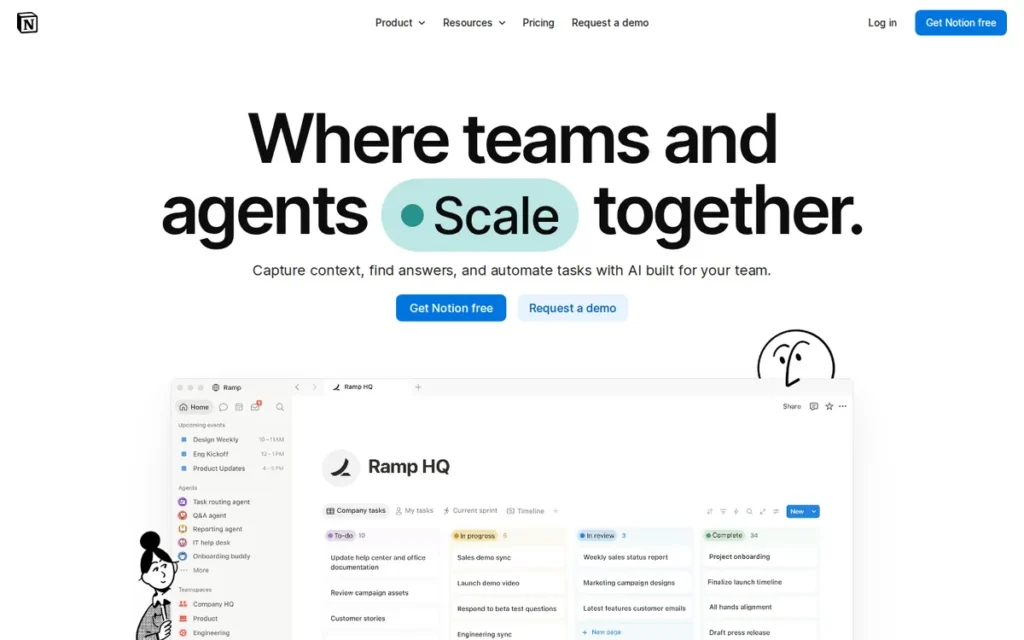
Category: Docs-First Workspace. A flexible notes, wiki and database tool where project tracking sits on top of documents.
At a Glance
- Category: Docs-First Workspace
- Best For: Startups, product teams and knowledge-heavy teams that want wikis, meeting notes and lightweight project tracking in one tool
- Price Range: Free plan (members free; 1,000-block cap for workspaces with 2+ members); Plus $12 and Business $24 per user per month (G2 list prices, November 2026; may change); Notion’s own page shows $10 and $20
- Primary Strength: Notion has the strongest G2 evidence in this evaluation for keeping docs and work in one place.
- Biggest Limitation: Notion’s G2 learning-curve complaint rate is higher than ClickUp’s, and Notion has no native time tracking, workload view or full Gantt scheduling.
- One-Line Summary: Notion is the best ClickUp alternative for teams whose main pain is docs and tasks living in separate tools, but G2 data shows it doesn’t fix complexity for teams that left ClickUp for that reason.
- Last Verified: November 2026
Overview
Notion is a docs-first connected workspace that combines a team wiki and knowledge base with relational databases for task tracking. It is built for startups, product teams and knowledge-heavy teams that want meeting notes and projects in one tool. Notion suits teams willing to spend setup time building their own task-tracking system.
Notion builds pages from blocks and links databases for projects, tasks and notes, the reverse of ClickUp’s task-first design. Notion is strongest on knowledge work and weaker on formal project controls.
Key Features
- Notion builds pages from blocks, including text, tables, databases, boards and calendars, and its linked databases connect projects, tasks and meeting notes.
- Notion databases support subtasks, dependencies and custom properties for lightweight project tracking.
- Notion offers thousands of templates that teams can adapt instead of building a workspace from scratch.
- Notion’s Business plan includes Notion Agent and Enterprise Search, and Custom Agents cost $10 per 1,000 monthly Notion credits (Notion pricing page, November 2026).
- Notion includes Notion Calendar alongside the workspace.
Best For
Notion is best for teams that need documentation, decisions and tasks in one place and have someone willing to design the workspace. Notion is a poor fit for agencies billing hours or mid-size teams that need resource planning.
Pricing
Notion’s G2 list prices are $12 per user per month for Plus and $24 for Business. G2 also lists a free plan without a price (G2 list prices, November 2026; may change).
- Notion’s own pricing page shows Plus at $10 and Business at $20 per member per month (Notion pricing page, November 2026). The gap is probably annual versus monthly billing, but PlugRoute couldn’t confirm that.
- Notion’s Free plan lets teams add members, but workspaces with two or more members are limited to 1,000 blocks, and up to 10 guests are allowed (Notion pricing and help pages, November 2026).
- Notion’s Free and Plus plans include only trial AI access, while Business includes Notion AI.
- Notion’s free plan caps uploads at 5 MB per file, against 5 GB on paid plans, and Enterprise is quoted by sales.
How It Compares With ClickUp
Notion matches ClickUp’s 4.6 G2 rating, but its complaint profile is similar and in places heavier. Steep Learning Curve draws 872 Notion mentions versus 778 for ClickUp, and Slow Large Workspaces draws 617 Notion mentions (G2, November 2026).
ClickUp offers native time tracking, Gantt with dependencies and workload views, which Notion lacks. Notion offers stronger knowledge management. One Reddit user summed it up as “Notion = knowledge & documentation. ClickUp = tasks & execution.” (Reddit r/Notion, September 2026).
Strengths
- Notion holds 4.6/5 on G2 from 13,979 reviews, with 97.2% at four or five stars (G2, November 2026), and 4.7/5 on Capterra from 2,846 reviews (Capterra, 2026).
- Notion’s “Work In One Place” G2 pro has 1,596 mentions (G2, November 2026), the strongest evidence in this evaluation for consolidating tools.
- Notion’s top G2 pro is Easy Everyday Use (2,135 mentions) (G2, November 2026), so reviewers praise daily use even while they criticize initial setup.
- Notion lists SOC 2 Type II and ISO 27001 certifications on its security page, with HIPAA support only for qualifying enterprise setups with a BAA (Notion security page, November 2026).
Limitations
Notion offers flexibility at the cost of setup effort. Its G2 learning-curve complaint rate (about 6.2%) is higher than ClickUp’s (about 5.0%) (G2, November 2026).
- Notion’s other top G2 cons, Slow Large Workspaces (617), Confusing Interface (494) and Time-Consuming Setup (441), echo the reasons readers leave ClickUp (G2, November 2026).
- Notion has no native time tracking, no dedicated workload or resource management and no full Gantt with critical path, according to a ClickUp-published comparison and an independent review (Tuning Digital, November 2026).
- Notion’s Free plan limits multi-member workspaces to 1,000 blocks, which an active team will outgrow quickly (Notion help center, November 2026).
- Notion’s project-management gaps matter “if you bill hours across a 100-person shop,” admitted a Reddit user who sells Notion setups (Reddit r/Notion, June 2026).
When someone on r/Notion asked whether Notion could replace ClickUp or monday.com, one user replied:
“It also depends on the complexity and breadth of your projects. If they’re mostly limited to simple non-complex projects, then Notion might be for you.
However, if your projects are more complex, You may be better off buying versus building.” Posted by u/From06033
Takeaway: Notion handles simple projects well, but teams with complex projects get more from dedicated project management software than from building their own system in Notion.
Verdict
Notion is the best ClickUp alternative for teams that need docs and tasks in one workspace, but its G2 learning-curve complaint rate of about 6.2% is higher than ClickUp’s 5.0% (G2, November 2026), so it won’t fix complexity.
Notion scores 35/50 in PlugRoute’s evaluation: 5 on satisfaction, 2 on fixing ClickUp’s failure modes, 3 on workflow fit, 4 on cost predictability, 3 on adoption speed and 4 on vendor stability. Choose Notion when knowledge management is the priority and someone owns the setup.
5. Wrike: Best for Agencies and Client Approval Workflows
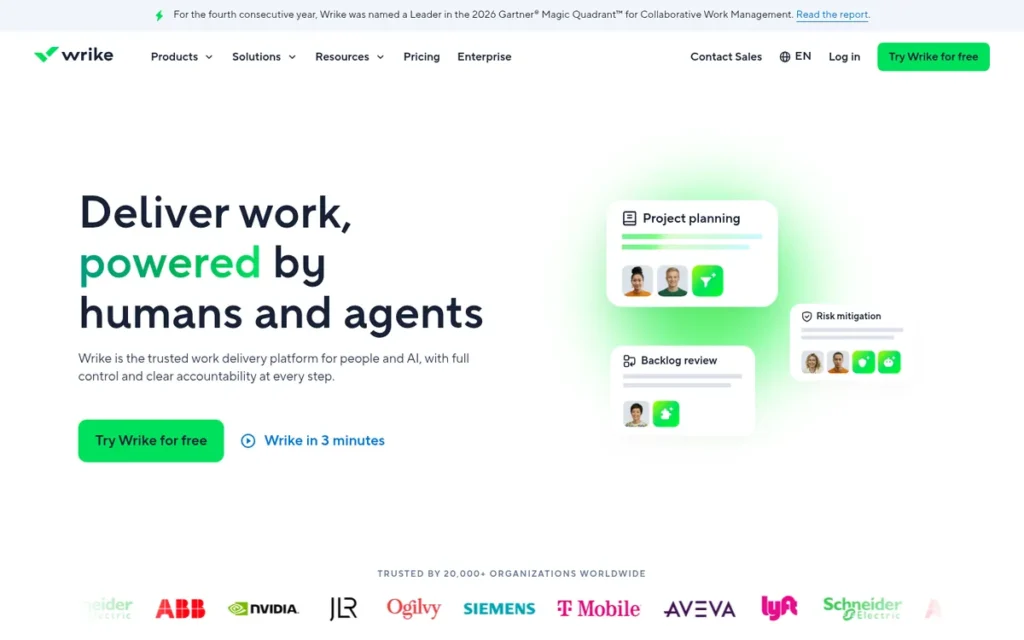
Category: Portfolio & Resource Platform. A tool built for scheduling, capacity and multi-project oversight in mid-size and larger teams.
At a Glance
- Category: Portfolio & Resource Platform
- Best For: Agencies, marketing teams and professional-services firms that need client proofing, approvals and workload or budget planning
- Price Range: Free plan (unlimited users, 200 active tasks, 2 GB); Team $10 (2–15 users) and Business $25 per user per month, Pinnacle custom quote (G2 list prices, November 2026; may change)
- Primary Strength: Wrike has the strongest built-in client review and approval workflow in this evaluation, including approvals from clients without a Wrike account.
- Biggest Limitation: Wrike has the lowest G2 rating and the highest learning-curve complaint rate in this evaluation.
- One-Line Summary: Wrike is the best ClickUp alternative for agencies that need client proofing and approvals, but it has the lowest G2 rating (4.2/5) and the steepest reported learning curve of the seven tools evaluated.
- Last Verified: November 2026
Overview
Wrike is a work delivery platform for agencies, marketing teams and professional-services firms that need creative proofing, external client approvals, workload planning and budget tools. G2 lists it under Professional Services Automation and Marketing Resource Management (G2, November 2026). Wrike suits teams that will accept a steeper learning curve in exchange for that depth.
Wrike adds cross-tagging and view-only client dashboards to standard project views. Wrike’s depth is also the main reason G2 reviewers find it time-consuming to learn and configure.
Key Features
- Wrike lets reviewers comment directly on creative files, compare versions and approve them, and clients without a Wrike account can approve through a link (Wrike features page, November 2026).
- Wrike’s cross-tagging lets one task or folder sit in several projects or team spaces without being copied, so updates stay in sync.
- Wrike offers workload and capacity planning, effort estimates, and budget and bill-rate tools, with availability depending on the plan.
- Wrike lets teams share view-only dashboards with clients.
- Wrike is listed in G2 categories including Online Proofing, Professional Services Automation and Resource Management (G2, November 2026).
Best For
Wrike is best for agencies and client-service teams whose daily work includes creative reviews, client sign-offs and capacity planning across many projects. Wrike suits teams that can invest in training and configuration.
Pricing
Wrike’s G2 list prices are $10 per user per month for Team, $25 for Business and a custom quote for Pinnacle (G2 list prices, November 2026; may change). These prices match Wrike’s official page for new purchases from January 21, 2026.
- Wrike’s Free plan allows unlimited users but caps each account at 200 active tasks and subtasks and 2 GB of storage (Wrike help center, November 2026).
- Wrike’s Team plan covers 2–15 users, and Business covers 5–200 users with annual billing only (Wrike pricing page, November 2026).
- Wrike sells seats in blocks, and its pricing page now shows an Apex tier above Pinnacle.
How It Compares With ClickUp
Wrike’s G2 learning-curve rate (305 of 4,614 reviews, about 6.6%) is higher than ClickUp’s (about 5.0%), and its rating is lower, at 4.2 versus 4.6 (G2, November 2026). G2’s comparison rates ClickUp stronger on ease of use and value, and Wrike stronger on flexibility and scalability (G2 ClickUp vs Wrike comparison, November 2026).
Wrike may handle scale better than ClickUp in some setups. A user managing 160+ projects said Wrike “actually performs reasonably well, compared to ClickUp at least” (Reddit r/projectmanagement, February 2024). G2 reviewers also report slow loading on large Wrike projects.
Strengths
- Wrike’s Free plan allows unlimited users, with a cap on active tasks and storage instead (Wrike help center, November 2026). It is the only free plan verified in this evaluation that explicitly allows unlimited users.
- Wrike’s top G2 pros are Project Management (477), Team Collaboration (456) and Task Management (450) (G2, November 2026), and Capterra’s comparison highlights praise for scheduling and resource allocation.
- Wrike lets external reviewers approve work without a paid account, which serves agencies that need workflows clients can join.
- Wrike says it was named a Leader in Gartner’s 2025 Magic Quadrant for Collaborative Work Management for the third consecutive year and holds SOC 2 Type II and ISO 27001 (vendor-reported).
A practitioner who has rolled out Wrike more than once shared their experience on r/projectmanagement:
“I deployed 2 Wrike setups at 2 different organizations, it’s a great tool. I believe it can meet almost every organizations needs, just need to figure out what your organization values and needs to get creative with the fields and structure to get that info.” Posted by u/DizzayDrod
Takeaway: Wrike can fit almost any organization’s workflow, but only after admins put real work into designing custom fields and project structure up front.
Limitations
Wrike trades ease of use for agency-grade depth. It has the lowest G2 rating in this evaluation (4.2/5, 89.4% four or five stars) and the highest learning-curve complaint rate, about 6.6% (G2, November 2026).
- Wrike also counts Not Intuitive (239) and Complex Usability (171) among its top G2 cons (G2, November 2026).
- Wrike reviewers report slow loading on large projects and reports that require manual exports (G2, November 2026).
- Wrike’s Free plan stops at 200 active tasks, which a busy agency will reach quickly.
- Wrike’s Business tier is annual-only and sold in seat blocks, which limits flexibility for teams whose headcount changes often.
Verdict
Wrike is the best ClickUp alternative for agencies that need client proofing and external approvals, but it has the lowest G2 rating (4.2/5) and the highest learning-curve complaint rate of the seven tools PlugRoute evaluated in November 2026.
Wrike scores 32/50 in PlugRoute’s evaluation: 3 on satisfaction, 2 on fixing ClickUp’s failure modes, 5 on workflow fit, 3 on cost predictability, 3 on adoption speed and 3 on vendor stability. Agencies whose bottleneck is client sign-off should pilot Wrike with a training plan.
6. Jira: Best for Software Development Teams
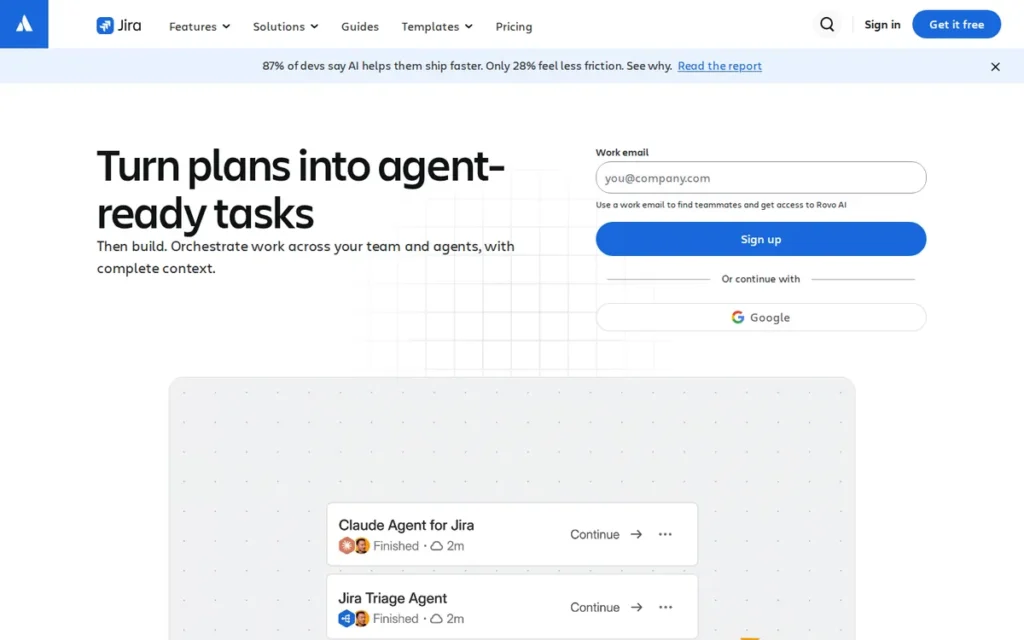
Category: Agile Development Tracker. A tool built for software teams running sprints, backlogs and issue tracking.
At a Glance
- Category: Agile Development Tracker
- Best For: Software and product engineering teams running Scrum or Kanban sprints with developer tool integrations
- Price Range: Free for up to 10 users; Standard $7.53 and Premium $13.53 (G2 list prices, November 2026; may change); Atlassian’s page shows $8.48 and $15.56 per user per month
- Primary Strength: Jira provides the most extensive native Agile toolset in this evaluation, including Scrum and Kanban boards, backlogs, story points, velocity and burndown reports, and JQL search.
- Biggest Limitation: Jira’s G2 complaints about learning curve, speed under load and crowded screens closely mirror ClickUp’s own top cons.
- One-Line Summary: Jira is the best ClickUp alternative for software development teams, but G2 reviewers report the same learning-curve and speed problems that drive teams away from ClickUp.
- Last Verified: November 2026
Overview
Jira is Atlassian’s Agile issue-tracking and bug-tracking tool for software and DevOps teams that run Scrum or Kanban sprints, manage product backlogs, and need developer integrations and traceability from backlog through release. Jira isn’t built for mixed company-wide teams leaving ClickUp because ClickUp felt too complex.
Jira offers configurable workflows, JQL search and automation allowances per user. Jira typically relies on Confluence, a separate Atlassian product, for documentation.
Key Features
- Jira provides Scrum and Kanban boards, backlogs, sprints, story points, and velocity and burndown reports.
- Jira supports configurable workflows and JQL, an advanced query language for searching and filtering issues.
- Jira integrates with developer tools including GitHub, GitLab, Bitbucket and Jenkins through 3,000+ apps and integrations (Atlassian, November 2026).
- Jira’s monthly automation allowances grow with the plan: 150 runs per subscription on Free, then 400, 750 and 1,000 runs per user on Standard, Premium and Enterprise.
- Jira includes Rovo AI credits per user per month: 25 on Standard, 70 on Premium and 150 on Enterprise.
Best For
Jira is best for engineering and product teams that need sprint planning, backlog management, dependencies and traceability from backlog to release. Jira is a weaker choice when the tool must also serve marketing, operations or other non-technical teams.
Pricing
Jira’s G2 list prices are Free for up to 10 users, $7.53 for Standard and $13.53 for Premium (G2 list prices, November 2026; may change). G2’s unit label for Standard is unclear, so confirm per-user pricing with Atlassian.
- Jira’s Standard plan costs $8.48 and Premium costs $15.56 per user per month for 1–100 users (Atlassian pricing page, November 2026). Prices vary by user count and billing cycle.
- Jira’s free plan includes up to 10 users and 2 GB of storage, and Standard scales to 35,000 users and 250 GB.
- Jira’s Enterprise plan is annual-only and quoted by sales.
- Jira teams often pay extra for Confluence for docs and for Marketplace apps such as time tracking and test management, according to a ClickUp-published review (a competitor source, November 2026).
How It Compares With ClickUp
Jira’s G2 cons closely mirror ClickUp’s. Jira’s top cons include Steep Learning Curve (378 of 8,081 reviews, about 4.7%, against about 5.0% for ClickUp), Slow Under Heavy Workloads (284), Crowded Screens (160) and Time-Consuming Setup (141) (G2, November 2026).
G2 switching data says teams value Jira over ClickUp for deeper sprint and backlog management, dependencies and traceability (G2, November 2026). ClickUp rates higher (4.6 versus 4.3). One practitioner advised “Linear or JIRA” for engineering-only use, but ClickUp “if its gonna go wider” (Reddit r/projectmanagement, February 2024).
Strengths
- Jira is named in G2 switching data as valued over ClickUp, Asana and monday.com for deeper sprint and backlog management, dependencies and traceability (G2, November 2026).
- Jira holds 4.4/5 on Capterra from 15,781 reviews (Capterra, 2026) and 4.3/5 on G2 from 8,081 reviews (G2, November 2026), with Tailored Workflows (524) as its top G2 pro.
- Jira’s most common go-live time on G2 is under one month, and Jira supports 20 languages (G2, November 2026).
- Jira’s free plan supports up to 10 users, and Atlassian says each of its products goes through regular independent SOC 2 audits (Atlassian Trust Center, November 2026).
Limitations
Jira trades approachability for engineering depth and doesn’t solve the complexity readers are leaving behind. Its learning-curve rate is about the same as ClickUp’s (G2, November 2026).
- Jira’s complexity means teams “will either need to invest a lot of time in learning or hire someone like me,” an Atlassian consultant noted (Reddit r/projectmanagement, February 2024).
- Jira was called “slow and breaks all the time” by a developer turned VP (Reddit r/projectmanagement, February 2024), which echoes the Slow Under Heavy Workloads G2 con.
- Jira’s documentation lives in Confluence, and add-ons such as time tracking are often paid Marketplace apps (Atlassian; ClickUp-published review, a competitor source, November 2026), so the total cost rises above the seat price.
Verdict
Jira is the best ClickUp alternative for software development teams, with the most extensive native Agile toolset in this evaluation, but its G2 learning-curve complaint rate of about 4.7% is close to ClickUp’s 5.0% (G2, November 2026).
Jira scores 32/50 in PlugRoute’s evaluation: 3 on satisfaction, 2 on fixing ClickUp’s failure modes, 3 on workflow fit, 4 on cost predictability, 4 on adoption speed and 4 on vendor stability. Jira’s rank reflects how well it fits teams leaving ClickUp, not its product quality. Engineering-only teams of up to 10 can start on Jira Free.
7. Smartsheet: Best for Spreadsheet-Style Portfolio and Resource Management
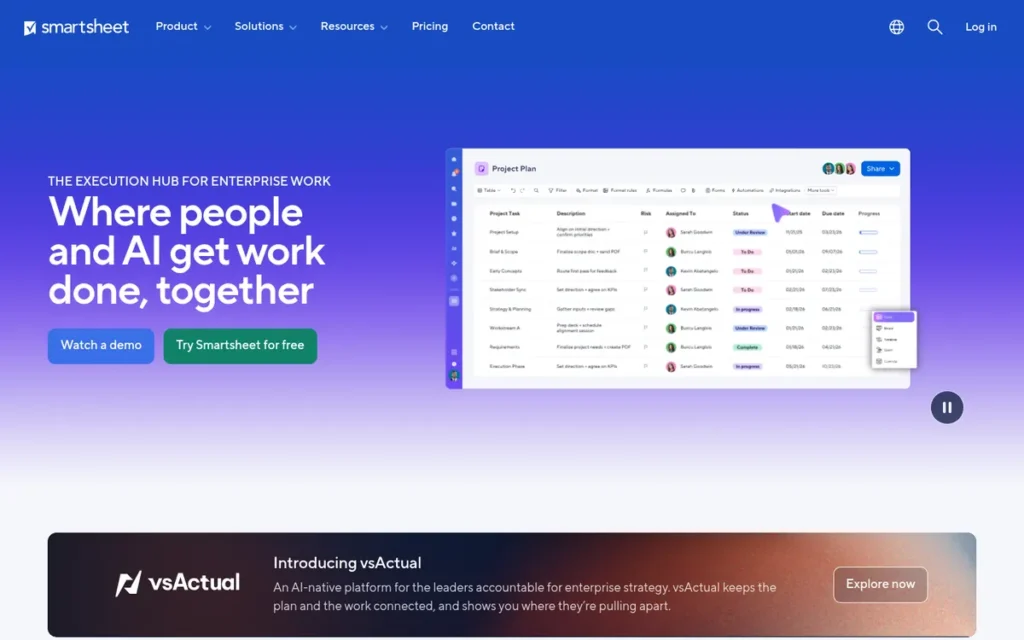
Category: Portfolio & Resource Platform. A tool built for scheduling, capacity and multi-project oversight in mid-size and larger teams.
At a Glance
- Category: Portfolio & Resource Platform
- Best For: Mid-size teams, PMOs and operations leaders moving off Excel who need Gantt scheduling, portfolio roll-ups and resource planning
- Price Range: No free plan shown; Pro $9 and Business $19 per user per month, Enterprise custom quote (G2 list prices, November 2026; may change)
- Primary Strength: Smartsheet offers portfolio roll-ups and resource planning for mid-size teams, backed by the largest G2 review base in this evaluation.
- Biggest Limitation: Smartsheet’s G2 learning-curve complaint rate matches ClickUp’s, and its resource management is a paid add-on rather than a core feature.
- One-Line Summary: Smartsheet is the best ClickUp alternative for spreadsheet-minded mid-size teams that need portfolio and resource management, though G2 reviewers report a learning curve as steep as ClickUp’s.
- Last Verified: November 2026
Overview
Smartsheet is a spreadsheet-style work management and project portfolio management (PPM) platform for mid-size teams, PMOs and operations leaders moving off Excel who need Gantt scheduling, portfolio roll-ups and resource planning. Smartsheet suits teams that need those capabilities more than docs, chat or Agile sprint tools.
Smartsheet combines grid, Gantt, board and calendar views with dashboards, reports and automation. Smartsheet sells several of its most advanced capabilities, including Resource Management, as add-ons.
Key Features
- Smartsheet provides grid, Gantt, board and calendar views, with timeline view from the Business plan up (Smartsheet pricing page, November 2026).
- Smartsheet’s Control Center creates projects from templates, pushes template changes out to them and gives a portfolio-level view.
- Smartsheet offers Resource Management, covering capacity planning, workload and allocation, as a premium add-on on Business and above.
- Smartsheet limits Pro to 250 automation triggers per month, while Business and above have unlimited automation.
- Smartsheet includes AI features such as Smart Assist, Smart Columns, AI dashboard building and formula generation.
Best For
Smartsheet is best for mid-size teams and PMOs that think in spreadsheets and need capacity, schedule and portfolio visibility across many projects. Smartsheet also suits client-facing teams that want to invite external guests without buying extra seats.
Pricing
Smartsheet’s G2 list prices are $9 per user per month for Pro, $19 for Business and a custom quote for Enterprise (G2 list prices, November 2026; may change).
- Smartsheet’s Pro plan costs $12 and Business costs $24 per user per month on monthly billing (Smartsheet pricing page, November 2026).
- Smartsheet’s Pro plan covers 1–10 members, Business requires at least 3 members, and Enterprise requires at least 10.
- Smartsheet shows no free plan on its current pricing page. Viewers are free on paid plans, Pro includes unlimited free Contributors, and Business adds unlimited Guests.
- Smartsheet charges extra for add-ons including Resource Management, Dynamic View and Brandfolder.
How It Compares With ClickUp
Smartsheet’s G2 learning-curve rate (1,183 of 23,226 reviews, about 5.1%) is about the same as ClickUp’s (about 5.0%) (G2, November 2026). Smartsheet also counts Not Intuitive (842) among its top cons, so it doesn’t escape complexity.
Smartsheet is stronger than ClickUp for portfolio control and spreadsheet-style planning. Former Smartsheet users moved to Asana said they missed Smartsheet’s capacity and workload reporting (Reddit r/Asana, August 2025). ClickUp offers a free plan, native docs, a higher G2 rating (4.6 versus 4.4) and a faster typical go-live.
Strengths
- Smartsheet has the largest G2 review base in this evaluation (23,226 reviews, 4.4/5, 94.4% at four or five stars), and its top pro is Ease of Use (2,360 mentions) (G2, November 2026).
- Smartsheet’s G2 pros include Automation (1,235) and Project Tracking (1,229) (G2, November 2026), which support its use for scheduled, multi-project work.
- Smartsheet reports that Bayer saved 500 hours across one team and that Uber cut planning time in half. Both are vendor-published case studies (Smartsheet, November 2026).
- Smartsheet states support for SOC 2, ISO 27001 and HIPAA requirements on its enterprise page, and says it was named a Leader in Gartner’s 2025 Magic Quadrant for Collaborative Work Management for the third consecutive year (vendor-reported).
Limitations
Smartsheet trades ClickUp’s sprawl for spreadsheet-style rigor, and a learning curve comes with it. Learning Curve (1,183) and Not Intuitive (842) are among its top G2 cons (G2, November 2026).
- Smartsheet reviewers elsewhere describe a dated interface, a steep learning curve for formulas and cross-sheet references, and lag on large sheets (Capterra and AWS Marketplace reviews, November 2026).
- Smartsheet has no free plan, and Resource Management, which is central to Smartsheet’s mid-size planning use case, is a paid add-on on Business and above (Smartsheet pricing page, November 2026).
- Smartsheet offers time logging only through the Resource Management add-on (Smartsheet FAQs, November 2026), so billable-hours teams pay extra.
- Smartsheet is weak for docs and Agile sprints, so teams with those needs will need other tools.
Verdict
Smartsheet is the best ClickUp alternative for spreadsheet-minded mid-size teams that need portfolio and resource management, backed by the largest G2 review base in this evaluation (23,226 reviews) (G2, November 2026).
Smartsheet scores 31/50 in PlugRoute’s evaluation: 4 on satisfaction, 2 on fixing ClickUp’s failure modes, 4 on workflow fit, 2 on cost predictability, 3 on adoption speed and 4 on vendor stability. Expect a learning curve comparable to ClickUp’s and budget for the Resource Management add-on.
What Will a ClickUp Alternative Actually Cost?
A ClickUp alternative usually costs more than its entry list price suggests. G2 entry list prices run from $5 (Trello) to $12 (Notion) per user per month (G2, November 2026). Seat minimums, annual-only tiers, features locked to higher plans, paid add-ons and metered AI credits can all raise the real bill.
PlugRoute’s tier-unlock table shows which plan of each ClickUp alternative includes time tracking, Gantt views, portfolio tools and AI (G2 list prices, November 2026; may change).
| Tool | G2 Entry Paid Price | Native Time Tracking | Timeline / Gantt | Portfolio or Resource Management | Seat and Billing Rules | AI Pricing |
|---|---|---|---|---|---|---|
| monday.com | Basic $9/user/month | Pro tier | Standard tier | Enterprise tier | 3-seat minimum; buckets of 3, 5, 10, 15, 20 | Metered shared credits |
| Trello | Standard $5/month (per user on vendor page) | Power-Up only | Premium tier | Not native; basic reporting | Per user | AI features included; metering not verified |
| Asana | Starter $10.99/user/month | Advanced tier; Starter via paid Timesheets & Budgets add-on | Starter tier (confirm on Asana’s pricing page) | Advanced tier | Seats sold in increments | AI Studio credits |
| Notion | Plus $12/user/month | None native | No full Gantt with critical path | None dedicated | Per member | Notion AI on Business; Custom Agents $10 per 1,000 credits |
| Wrike | Team $10/user/month | Not verified by tier | Not verified by tier | Workload and budget tools vary by plan | Seat blocks; Business annual-only | Not verified |
| Jira | Standard $7.53 (G2) | Marketplace apps, often paid | Timeline on all plans, including Free (confirm advanced cross-project timelines with Atlassian) | Not documented in our research | Free up to 10 users; price varies by user count | Rovo credits: 25/70/150 per user |
| Smartsheet | Pro $9/user/month | Via Resource Management add-on only | Gantt on all plans; timeline from Business | Paid add-on (Business+) | Business minimum 3; Enterprise minimum 10 | Not verified |
| ClickUp (reference) | Unlimited $10/user/month | Native | Native | Native workload views | Per user; plans being renamed | ClickUp Brain credits |
For a 10-person team, entry-tier G2 list prices range from $50 a month (Trello Standard) to $120 a month (Notion Plus), against $100 for ClickUp Unlimited (G2, November 2026; may change).
| Tool (Entry Paid Tier) | Monthly Cost for 10 Users (G2 List Price, November 2026) | Vendor-Page Note |
|---|---|---|
| Trello Standard | $50 | Monthly billing is $6 per user |
| Jira Standard | $75.30 | Atlassian page: $84.80 |
| monday.com Basic | $90 | 10-seat bucket applies |
| Smartsheet Pro | $90 | Pro covers up to 10 members |
| Wrike Team | $100 | Team covers 2–15 users |
| ClickUp Unlimited (reference) | $100 | Plans being renamed |
| Asana Starter | $109.90 | Monthly billing is $13.49 per user |
| Notion Plus | $120 | Notion page: $100 |
Billable time tracking usually requires a higher tier or an add-on. None of the five alternatives whose time-tracking tier PlugRoute verified (monday.com, Asana, Trello, Notion and Jira) includes native time tracking at its entry paid tier, and Smartsheet offers it only through an add-on (vendor pricing pages, November 2026).
- monday.com requires its Pro tier for native time tracking.
- Asana includes native time tracking on Advanced, and Starter teams can buy the Timesheets & Budgets add-on.
- Smartsheet offers time logging only through its Resource Management add-on.
- Trello and Jira rely on Power-Ups or Marketplace apps for time tracking.
- Notion has no native time tracking.
Is There a Free ClickUp Alternative With No User Limits?
Yes, with caveats. Wrike’s Free plan allows unlimited users but caps accounts at 200 active tasks and 2 GB of storage. Notion’s Free plan lets you add members but limits multi-member workspaces to 1,000 blocks. monday.com and Asana cap free plans at 2 users, and Jira and Trello at 10 (vendor pages, November 2026).
| Tool | Free Plan Limits (Vendor Pricing and Help Pages, November 2026) |
|---|---|
| Wrike | Unlimited users; 200 active tasks and subtasks; 2 GB storage |
| Notion | Members free; 1,000-block cap for workspaces with 2+ members; up to 10 guests; 5 MB per file upload |
| Jira | 10 users, 2 GB storage |
| Trello | 10 collaborators per workspace, 10 boards, 250 automation runs a month, 10 MB per file |
| monday.com | 2 users, 3 boards |
| Asana | 2 users (Personal plan) |
| Smartsheet | No free plan shown |
| ClickUp (reference) | Free plan exists; 60 MB storage shown on ClickUp’s pricing page |
Free plans run out in different ways, so pick the limit your team will hit last:
- Wrike Free never runs out of seats, but it stops at 200 active tasks, which suits large teams with light project volume.
- Notion Free lets a whole team join, but a multi-member workspace stops at 1,000 blocks, which suits short trials more than daily work.
- Trello Free and Jira Free stop at 10 people, which gives small teams the most room for everyday use.
- monday.com and Asana free plans stop at 2 users, so they work better as trials than as long-term homes for a team.
What Red Flags Should I Watch For When Evaluating ClickUp Alternatives?
The biggest red flag is an alternative whose G2 complaints mirror ClickUp’s: a steep learning curve, slow performance and crowded screens. Other warning signs are free plans that cap users, seat minimums, core features locked behind higher tiers, metered AI credits and tools that need a consultant to set up.
Red Flag #1: Same Complaints, New Logo
An alternative whose top G2 cons include a steep learning curve and slow performance will likely repeat ClickUp’s adoption failure. Notion, for example, matches ClickUp’s 4.6/5 G2 rating, yet 872 Notion reviewers cite a steep learning curve, 94 more than ClickUp’s 778 (G2, November 2026).
Red Flag #2: Free Plans That Cap Users
A free plan that caps users won’t grow with your team and can force a paid upgrade mid-migration. monday.com and Asana cap free plans at 2 users, and Jira and Trello at 10. Wrike Free is the exception on users, but its 200-active-task cap creates a different ceiling (vendor pricing pages, November 2026).
Red Flag #3: Seat Minimums and Blocks
Seat minimums and seat blocks mean you pay for seats you don’t use. A two-person team on monday.com Basic pays for three seats, about $27 a month instead of $18 (monday.com pricing page, November 2026).
- monday.com requires 3 seats, sold in buckets of 3, 5, 10, 15 and 20.
- Asana sells seats in steps of 5 up to 30 users.
- Smartsheet Business requires at least 3 members.
- Wrike sells seats in blocks, and Wrike Business is annual-only.
Red Flag #4: Core Features Behind Higher Tiers or Add-Ons
A low entry price often leaves out the features you’re switching for (vendor pricing pages, November 2026).
- monday.com requires Pro for native time tracking.
- Asana requires Advanced for portfolios, goals and native time tracking.
- Smartsheet charges extra for Resource Management, which includes time logging.
- Jira teams often pay for Confluence and Marketplace apps.
Red Flag #5: Metered AI Credits
Metered AI credits make the total cost harder to predict, because heavy AI use adds charges on top of the seat price. monday.com, Notion and Asana meter some AI use through credits, and Jira bundles a fixed Rovo allowance per user (vendor pricing pages, November 2026).
Red Flag #6: Needing a Consultant to Set It Up
A tool that needs an outside consultant to configure is likely to recreate ClickUp’s setup burden. An Atlassian consultant said Jira users “will either need to invest a lot of time in learning or hire someone like me” (Reddit r/projectmanagement, February 2024).
What Questions Should I Ask Before Choosing a ClickUp Alternative?
Seven questions quickly rule out most wrong-fit ClickUp alternatives. They cover your reason for leaving, the tier that unlocks your must-have features, real cost at your headcount, adoption outside your team, migration rebuild work, free-plan limits and guest access for clients. Answer them before any vendor demo.
Question #1: Why exactly is ClickUp failing my team?
The reason you’re leaving ClickUp should decide your category. Write it down before you start any demo.
- Teams escaping complexity should start with monday.com or Trello.
- Teams that need cross-team coordination should start with Asana.
- Teams that need docs and tasks together should start with Notion.
- Teams that need resource planning should start with Smartsheet or Wrike.
- Teams running software sprints should start with Jira.
Question #2: Which tier unlocks the features we actually use?
The features a team switches for often sit above the entry tier. Check which plan includes time tracking, timeline or Gantt views, guest access and portfolios, because monday.com, Asana, Trello and Smartsheet all lock at least one of these to higher tiers or add-ons.
Question #3: What will it cost at our headcount on annual vs monthly billing?
Annual and monthly prices differ substantially across these tools. Trello Standard costs $5 per user on annual billing versus $6 monthly, and Asana Starter costs $10.99 versus $13.49 (vendor pricing pages, November 2026). Price your real headcount on both billing cycles, including seat minimums and blocks.
Question #4: Will departments outside my team adopt it?
Adoption beyond your own team decides whether a tool survives. One ClickUp user canceled “because of lack of buy in by other departments” (Reddit r/projectmanagement, February 2024). Include at least one person from another department in the pilot.
Question #5: What has to be rebuilt when we migrate?
A migration means mapping statuses, custom fields, dependencies, comments, attachments and permissions, then rebuilding automations and retraining users. Before you commit, ask each vendor what imports cleanly from ClickUp and what has to be rebuilt by hand.
Question #6: Which free-plan limit will we hit first?
Free plans run out in different ways. Wrike Free caps active tasks at 200, Notion Free caps multi-member workspaces at 1,000 blocks, and Trello Free caps collaborators at 10 per workspace (vendor pricing pages, November 2026). Choose the plan whose limit your team will reach last.
Question #7: Can clients and guests join without paid seats?
Client-service teams need outside reviewers who don’t use up paid seats. Wrike lets clients approve through a link without an account, and Smartsheet Business includes unlimited free guests. monday.com adds guest access on Standard, and Notion Free allows up to 10 guests (vendor pricing pages, November 2026).
When Does Staying With ClickUp Make Sense?
Staying with ClickUp makes sense when your team has already paid the setup cost and uses native time tracking, docs, Gantt and workload views in one tool. ClickUp holds 4.6/5 on G2 from 15,674 reviews, lists 255 integrations and most often goes live in under one month (G2, November 2026).
ClickUp remains the better choice in these situations:
- ClickUp fits teams that have already absorbed the setup effort, since its top G2 pros are Tailored Workflows (1,603) and Unified Work Hub (1,407) (G2, November 2026).
- ClickUp fits teams that need native time tracking, docs, Gantt and workload views together. None of the alternatives whose time-tracking tier PlugRoute verified includes native time tracking at its entry paid tier.
- ClickUp fits teams that depend on many integrations, because it lists 255 on G2, the most of any project management tool in this evaluation (G2, November 2026).
- ClickUp fits teams that care about satisfaction scores, since its 4.6/5 rating with 97.5% four or five stars is beaten only by monday.com (G2, November 2026).
If ClickUp’s problems come from how your workspace was set up rather than from the product, simplifying spaces and views may cost less than migrating.
This aligns with community sentiment on r/projectmanagement:
“Doing a migration right is a tremendous slog to get up and then get people to adopt it, let alone keep using it.
Almost every place I’ve worked that that had an existing system and scrapped it ignored that the underlying problem was crappy processes and little/no governance of the system. Ie your problems will persist in the new system.” Posted by u/-MACHO-MAN-
Takeaway: Teams whose ClickUp problems come from weak processes and governance will bring those problems to any project management tool, so a migration can be an expensive fix for the wrong problem.
How Do I Switch From ClickUp Without Disrupting My Team?
Switch from ClickUp in stages. Map your data, pilot the new tool with a small cross-department group, run both tools in parallel for a short period, and only then retire ClickUp. Capterra reports that 36% of teams struggle to fit new software into existing workflows (Capterra, November 2026), so plan migration effort explicitly.
A practical ClickUp switching checklist:
- Map your data: Teams switching from ClickUp should document ClickUp statuses, custom fields, dependencies, comments, attachments and permissions before exporting anything.
- Inventory automations: Teams switching from ClickUp should list every ClickUp automation and integration, because these usually have to be rebuilt by hand in the new tool.
- Pilot first: Teams should run the new tool on one real project for a few weeks, with pass/fail criteria set in advance, such as “every pilot user updates tasks daily for two weeks.”
- Run in parallel: Teams switching should keep ClickUp read-only or on its cheapest viable plan until the pilot ends, so they can return without rebuilding.
- Train deliberately: Teams should train users on the new tool, because practitioners note that tools are “only as good as you implement them” (Reddit r/projectmanagement, February 2024).
Reversals do happen. In one documented case, a team moved from Smartsheet to Asana, then won approval to move back because of how Asana handled date changes (Reddit r/Asana, August 2025). A pilot is the cheapest way to find that kind of deal-breaker.
Which ClickUp Alternatives Did We Not Rank, and Why?
PlugRoute ranked only tools with enough research data to cover them in the same depth as the others. Basecamp, Airtable, Slack, Linear, Zoho Projects and Teamwork.com come up in buyer discussions and AI answers. They were left out for the reasons below, not because of any judgment about their quality.
- Basecamp holds 4.1/5 on G2 from 5,489 reviews (G2, November 2026), but G2 shows no pros and cons data for Basecamp, so it couldn’t be scored on the same criteria.
- Airtable holds 4.6/5 on G2 from 3,305 reviews (G2, November 2026), but Airtable is a no-code app and database builder rather than a direct ClickUp replacement.
- Slack is a messaging tool, not a project management replacement.
- Linear, Zoho Projects and Teamwork.com appear in AI-generated recommendations (PlugRoute sampling of Perplexity and ChatGPT answers, November 2026), but PlugRoute didn’t research them in the same depth as the ranked tools.
How Did We Rank These ClickUp Alternatives?
PlugRoute scored seven ClickUp alternatives from 1 to 5 on six published criteria. Four primary criteria (satisfaction, fixing ClickUp’s failure modes, workflow fit and cost predictability) count double. Two secondary criteria (adoption speed and vendor stability) count once, for a maximum of 50. Ties go to the higher primary subtotal, then the higher G2 rating.
The six ranking criteria:
- C1, Verified User Satisfaction (primary, ×2), scores G2 ratings: 5 = 4.6 or higher, 4 = 4.4–4.5, 3 = 4.2–4.3. It matters because readers are leaving a tool rated 4.6/5 and need evidence that switching isn’t a downgrade.
- C2, Fixes ClickUp’s Failure Modes (primary, ×2), compares learning-curve, speed and overload complaints with ClickUp’s baseline. It matters because a tool that repeats ClickUp’s problems is the “wrong tool” mistake readers fear most.
- C3, Depth of Fit for Named Workflows (primary, ×2), checks native capabilities across six reader workflows and the tier that unlocks them. It matters because a tool must fit how the team actually works.
- C4, Cost Predictability and Free-Plan Headroom (primary, ×2), scores free-plan caps, seat minimums, annual-only rules and add-ons. It matters because these all change the real bill.
- C5, Adoption Speed and Support Reach (secondary, ×1), uses the most common G2 go-live time and the number of support languages. It matters because faster go-live means less disruption.
- C6, Vendor Stability and Verifiable Credentials (secondary, ×1), counts SEC filings and security certifications confirmed on vendor pages, with partial credit for vendor-reported analyst placements. It matters because a migration only pays off if the vendor lasts.
The C4 sub-rubric, which PlugRoute applies to every tool:
- A C4 score of 5 requires a free plan with no user cap and no seat minimums, blocks or annual-only tiers.
- A C4 score of 4 requires a free plan for 10+ users or uncapped users with a task, block or storage cap, and no seat minimums or blocks on entry paid tiers.
- A C4 score of 3 applies to a free plan capped below 10 users, or to seat minimums, blocks or annual-only rules on core paid plans.
- A C4 score of 2 applies when there is no free plan and a core use case is sold as a paid add-on.
| Rank | Tool | C1 | C2 | C3 | C4 | C5 | C6 | Primary Subtotal (×2) | Weighted Total |
|---|---|---|---|---|---|---|---|---|---|
| 1 | monday.com Work Management | 5 | 5 | 4 | 3 | 3 | 5 | 34 | 42 |
| 2 | Trello | 4 | 5 | 2 | 4 | 5 | 3 | 30 | 38 |
| 3 | Asana | 4 | 4 | 4 | 3 | 3 | 3 | 30 | 36 |
| 4 | Notion | 5 | 2 | 3 | 4 | 3 | 4 | 28 | 35 |
| 5 | Wrike | 3 | 2 | 5 | 3 | 3 | 3 | 26 | 32 |
| 6 | Jira | 3 | 2 | 3 | 4 | 4 | 4 | 24 | 32 |
| 7 | Smartsheet | 4 | 2 | 4 | 2 | 3 | 4 | 24 | 31 |
PlugRoute updated these scores in November 2026 after verifying the Wrike and Notion free-plan limits and applying the C4 sub-rubric to all seven tools. Notion’s C4 rose from 3 to 4, and Smartsheet’s fell from 3 to 2. As a result, Smartsheet moved from #5 to #7, and Wrike and Jira each moved up one place.
Wrike’s C4 stays at 3 after the update. Wrike’s unlimited-user Free plan would earn a 4 on free-plan headroom alone, but its seat blocks and annual-only Business tier keep Wrike at 3 under the published rubric.
Two ranking gaps in PlugRoute’s ClickUp-alternatives ranking need explaining:
- Wrike and Jira tie at 32 points, and Wrike ranks higher on primary subtotal (26 versus 24).
- Trello and Asana tie on primary subtotal (30). Trello ranks higher on the secondary criteria because its most common G2 go-live time is under one day, against 1–3 months for Asana.
The evidence behind each score (G2, November 2026, unless noted):
| Tool | C1 | C2 | C3 | C4 | C5 | C6 |
|---|---|---|---|---|---|---|
| monday.com | 5: G2 4.7, 98.1% | 5: learning curve about 1.2% | 4: timeline on Standard, time tracking on Pro, portfolios on Enterprise | 3: 2-user free plan; 3-seat minimum | 3: 1–3 month go-live; 14 languages | 5: SEC-filed revenue; vendor-reported Gartner |
| Trello | 4: G2 4.4 | 5: no learning-curve con in top five | 2: no native dependencies or time tracking; Premium-gated views | 4: 10-collaborator free plan; per user | 5: under-1-day go-live; 21 languages | 3: Atlassian-owned since 2017; Trello SOC 2 coverage not confirmed |
| Asana | 4: G2 4.4 | 4: learning curve about 1.8% | 4: goals, portfolios, timeline; no native docs | 3: 2-user free plan; seat increments | 3: 1–3 month go-live; 13 languages | 3: vendor-reported Gartner; security reported by third party |
| Notion | 5: G2 4.6, 97.2% | 2: about 6.2%; Slow Large Workspaces (617) | 3: strong docs and tasks; no time tracking, workload or full Gantt | 4: members free with 1,000-block cap; no seat minimums | 3: no G2 go-live data; Quick Setup (1,550) vs Time-Consuming Setup (441) | 4: SOC 2 Type II and ISO 27001 on security page |
| Wrike | 3: G2 4.2 | 2: about 6.6% | 5: proofing, external approvals, workload and budget tools | 3: unlimited-user free plan; seat blocks; annual-only Business | 3: 1–3 month go-live; 16 languages | 3: vendor-reported Gartner, SOC 2 and ISO 27001 |
| Jira | 3: G2 4.3 | 2: about 4.7%; Slow Under Heavy Workloads (284) | 3: most extensive Agile tooling; weak outside engineering | 4: 10-user free plan; per user | 4: under-1-month go-live; 20 languages | 4: SOC 2 audits per Atlassian Trust Center |
| Smartsheet | 4: G2 4.4 | 2: about 5.1%; Not Intuitive (842) | 4: Control Center, Gantt, Resource Management add-on | 2: no free plan; Resource Management add-on | 3: 1–3 month go-live; 8 languages | 4: SOC 2, ISO 27001, HIPAA on enterprise page |
Notion’s C5 score uses setup-related G2 counts because G2 reports no go-live data for Notion. Trello scores 3 on C6 because PlugRoute confirmed Atlassian’s per-product SOC 2 statement for Jira but not Trello-specific coverage. Confirming Trello’s coverage would raise Trello to 39 points without changing any rank.
Learning-curve complaint rates are G2 learning-curve mentions divided by total G2 reviews. They show direction only, because G2’s theme labels differ between products (G2, November 2026):
- monday.com (about 1.2%) and Asana (about 1.8%) draw fewer learning-curve complaints than ClickUp (about 5.0%), and Trello has no learning-curve complaint in its top five G2 cons.
- Jira (about 4.7%) and Smartsheet (about 5.1%) draw learning-curve complaints at about ClickUp’s rate.
- Notion (about 6.2%) and Wrike (about 6.6%) draw learning-curve complaints at a higher rate than ClickUp.
PlugRoute has no affiliate relationships with any company listed, and rankings are determined entirely by research data and objective evaluation criteria.
PlugRoute found no peer-reviewed studies of these tools.
What Are Common Questions About ClickUp Alternatives?
The questions below cover the most common ClickUp-alternative searches PlugRoute tracked. The answers name the best pick for small teams, the best fit for agencies doing client work, and explain how PlugRoute scores and ranks every tool. Free plans, cost and software teams are covered in their own sections above.
What is the best ClickUp alternative for small teams in 2026?
monday.com Work Management is the best overall ClickUp alternative for small teams of 3 or more, with a 4.7/5 G2 rating and the lowest learning-curve complaint rate among tools that report one (G2, November 2026). Teams under 10 on tight budgets should consider Trello, with a $5 G2 entry price and go-live most often under a day.
Which ClickUp alternative is best for agencies and client work?
Wrike is the strongest ClickUp alternative for agency client work, because clients without a Wrike account can approve files through a link, but Wrike has the steepest reported learning curve in this evaluation. Small agency squads that mainly want simplicity should consider Trello, and agencies needing billable hours should compare monday.com Pro or Asana Advanced.
How does PlugRoute determine rankings?
PlugRoute scores each tool from 1 to 5 on six published criteria: satisfaction, fixing ClickUp’s failure modes, workflow fit, cost predictability, adoption speed and vendor stability. Primary criteria count double, for a maximum of 50 points. Every figure is dated and sourced from G2, Capterra, vendor pages or Reddit, and vendor-reported claims are labeled as such.
What Do Key Project Management Software Terms Mean?
Comparing ClickUp alternatives means decoding pricing units, planning features and compliance terms that vendors define differently. The definitions below explain each term used in this article in plain language, along with why it matters when you compare quotes, free plans and feature tiers before switching tools.
Per-seat pricing: Per-seat pricing charges a fixed amount for each user each month. Per-seat pricing matters because the cost grows with every person added, including occasional collaborators.
Seat minimum: A seat minimum is the smallest number of paid users a plan will sell. A 3-seat minimum means a two-person team still pays for three seats.
Seat blocks: Seat blocks are fixed bundles of users, such as 5 or 10, that you must buy in full. Seat blocks can force you to pay for unused seats as your team grows.
Annual-only billing: Annual-only billing means a plan can only be bought with a 12-month commitment. Annual-only billing lowers the monthly rate but reduces your flexibility if the tool doesn’t work out.
Free-plan user cap: A free-plan user cap is the maximum number of people who can use a free plan. A free-plan user cap decides whether a free tool can grow with your team or will force an upgrade.
Guest access: Guest access lets people outside your organization, such as clients, view or comment without a full paid seat. Guest access matters for agencies sharing work with clients.
Gantt chart: A Gantt chart shows tasks as bars on a timeline, often with dependencies between them. A Gantt chart matters for teams managing deadlines that depend on each other.
Task dependency: A task dependency links tasks so one can’t start or finish until another does. Without task dependencies, schedule changes must be updated by hand.
Resource management: Resource management shows who is assigned to what and how much capacity each person has. Resource management helps mid-size teams avoid overloading people across projects.
Metered AI credits: Metered AI credits are usage units that AI features draw from, separate from the seat price. Metered AI credits make total cost harder to predict for teams that use AI heavily.
SOC 2: SOC 2 is an independent audit of how a vendor protects customer data. A SOC 2 report matters for buyers who must meet security or procurement requirements.
Go-live time: Go-live time is how long a team takes to move from purchase to everyday use. A shorter go-live time means less disruption during a switch.
Which ClickUp Alternative Is Right for You?
Key Insights
- monday.com Work Management leads this evaluation with 42 of 50 points, combining the highest G2 rating (4.7/5) with the lowest reported learning-curve complaint rate (G2, November 2026).
- Trello is the simplest ClickUp alternative and the only one whose top three G2 complaints are all about missing or limited features, with no learning-curve complaint in its top five (G2, November 2026).
- Notion, Smartsheet and Wrike have higher learning-curve complaint rates than ClickUp, and Jira’s rate is close to ClickUp’s (G2, November 2026), so these four tools don’t fix complexity.
- Wrike’s free plan is the only one verified here that explicitly allows unlimited users, and it caps active tasks at 200. Staying with ClickUp remains a valid choice for teams that have already absorbed its setup cost.
The right ClickUp alternative is the one that fixes your specific reason for leaving without repeating ClickUp’s problems. Start your shortlist from that reason:
- Teams that need visual workflows everyone will adopt should start with monday.com Work Management.
- Teams that need resource and portfolio planning should compare Smartsheet and Wrike.
- Teams that run software sprints should start with Jira and plan for its learning curve.
Whichever tool you pick, pilot it with a real project before migrating everything. Pricing and AI credit models are changing quickly in this category, so check current vendor pricing before you sign.
Read PlugRoute’s full methodology and our other independent project management reviews to compare further. We update this guide quarterly. Last updated: November 16, 2026.