The best monday.com alternatives in 2026 are ClickUp for teams that want one all-in-one hub, Asana for structured cross-team coordination tied to goals, and Smartsheet for spreadsheet-style tracking and portfolio (PMO) management. Choose for fit, not ratings: only one alternative here rates higher than monday.com on G2, and several share its complexity complaints.
Most teams start looking because of per-seat costs, a learning curve that slows adoption, or a workflow monday.com handles poorly. Comparing replacements is hard because plan tiers rarely line up. Features teams rely on, such as automations and guest access, often sit on more expensive plans.
As one user on r/mondaydotcom described:
“I want no more apps. I want core features that don’t cost more than the actual app does.” Posted by u/jp1261987
Takeaway: monday.com users are frustrated that essential capabilities cost extra through add-ons and marketplace apps, which pushes total cost well above the base subscription.
PlugRoute has no affiliate relationships with any company listed. Rankings are determined entirely by research data and objective evaluation criteria.
This guide ranks seven alternatives on six weighted criteria using G2 data from November 2026, vendor pricing pages and SEC filings. Each entry shows what the tool costs at the tier you need, which monday.com complaints it repeats, and where it fits best.
What Are the 5 Categories of monday.com Alternatives?
monday.com alternatives fall into five categories: all-in-one work hubs, structured work coordinators, spreadsheet and portfolio planners, client-services work managers, and Gantt-first schedulers. Pick the category that matches your reason for leaving monday.com before you compare individual tools, because tools in different categories solve different problems.
- All-in-One Work Hub: All-in-one work hubs replace several work apps (tasks, docs, chat and dashboards) with one configurable workspace. This category includes ClickUp and Hive.
- Structured Work Coordinator: Structured work coordinators organize cross-team work around clear ownership, intake, portfolios, goals and governance. This category includes Asana and Wrike.
- Spreadsheet & Portfolio Planner: Spreadsheet and portfolio planners offer grid-based work tracking with Gantt charts, reports and portfolio rollups for PMOs. Smartsheet is the tool in this category.
- Client-Services Work Manager: Client-services work managers run client projects with time tracking, budgets, billing and resource scheduling in one place. Teamwork.com is the tool in this category.
- Gantt-First Scheduler: Gantt-first schedulers plan and share project timelines, with dependencies and baselines as the core workflow. TeamGantt is the tool in this category.
How Do the Top monday.com Alternatives Compare at a Glance?
ClickUp ranks first overall with a weighted score of 4.10 out of 5. Asana is second (3.90) for structured coordination and Smartsheet third (3.60) for spreadsheet-style PMO work. Teamwork.com, TeamGantt, Wrike and Hive each lead for one specific reason for leaving monday.com. The table below summarizes all seven (G2, November 2026).
| Rank | Company | Category | Best For | One-Line Summary | Key Capabilities | Primary Strength | Key Limitation |
|---|---|---|---|---|---|---|---|
| 1 (4.10/5) | ClickUp | All-in-One Work Hub | Teams consolidating tasks, docs, chat and sprints | ClickUp is the most feature-complete monday.com alternative for teams that want one hub, though G2 reviewers report more complexity than with monday.com. | Tasks, Docs, Whiteboards, Chat, Sprints, Brain AI | 255 G2-listed integrations, the most here | Learning-curve complaints in ≈5.0% of G2 reviews |
| 2 (3.90/5) | Asana | Structured Work Coordinator | Cross-functional teams tracking work against goals | Asana is the best monday.com alternative for structured cross-team coordination, backed by 14,129 G2 reviews. | Work Graph, portfolios, goals, AI Studio | Lowest learning-curve rate among large-review-base tools (≈1.8%) | Seat bundles and paywalled features |
| 3 (3.60/5) | Smartsheet | Spreadsheet & Portfolio Planner | Spreadsheet-native teams and PMOs | Smartsheet is the best monday.com alternative for grid-based tracking and portfolio rollups, with 23,226 G2 reviews. | Grid, Gantt, dashboards, Control Center | Largest review base on this list | Portfolio and resource tools are unpriced add-ons |
| 4 (3.35/5) | Teamwork.com | Client-Services Work Manager | Agencies billing clients for time | Teamwork.com is the best monday.com alternative for agencies, linking time, budgets and invoicing to projects. | Time tracking, invoicing, budgets, free client users | Unlimited free client users | Only 6 G2-listed integrations |
| 5 (3.15/5) | TeamGantt | Gantt-First Scheduler | Schedule-driven teams | TeamGantt is the simplest monday.com alternative for teams that mainly need shareable Gantt schedules. | Gantt, dependencies, baselines, share links | Highest G2 rating (4.8/5) | Narrow scope and English only |
| 6 (3.05/5) | Wrike | Structured Work Coordinator | Process-heavy teams needing intake and approvals | Wrike is the best monday.com alternative for governed intake, approvals and Jira sync. | Blueprints, request forms, proofing, Two-Way Sync | Bundles Blueprints, intake forms, cross-tagging and proofing | Lowest G2 rating on this list (4.2/5) |
| 7 (2.80/5) | Hive | All-in-One Work Hub | Small, communication-heavy teams | Hive is the lowest-cost monday.com alternative on this list, starting at $5 per user per month (G2 list price). | Multiple views, native chat and email, proofing | Lowest paid entry price | Missing Features is its top G2 complaint |
Scores are PlugRoute weighted totals out of 5 across six criteria (see methodology). Ratings and prices: G2, November 2026; prices may change.
Which monday.com Alternative Should I Choose for My Reason for Leaving?
The best monday.com alternative depends on why you are leaving: ClickUp for one hub, Asana for structured coordination, Smartsheet for spreadsheet-native PMOs, Teamwork.com for client billing, TeamGantt for simple Gantt scheduling, Wrike for intake and approvals, and Hive for tight budgets. If setup or process is the problem, staying may cost less.
| Your #1 Priority | Recommended Tool | Why | Acceptable Alternative |
|---|---|---|---|
| One hub for tasks, docs, chat and sprints | ClickUp | Broadest scope and 255 G2-listed integrations; expect a steeper learning curve than monday.com | Hive (tight budget, fewer features) |
| Structured cross-team coordination and goals | Asana | Work Graph links tasks to goals; model seat bundles before buying | Wrike (heavy intake and approvals) |
| Spreadsheet-style tracking or PMO portfolio work | Smartsheet | Grid plus Control Center rollups; Control Center and Resource Management are unpriced add-ons | Asana |
| Client billing and guest-seat costs | Teamwork.com | Time-to-invoice flow and free client users; only 6 G2-listed integrations | Wrike (proofing for client work) |
| Clear, shareable Gantt schedules | TeamGantt | Go-live most often under a day; narrow scope and flat project-based pricing | Smartsheet |
| Governed intake, approvals and Jira sync | Wrike | Request forms, Blueprints, proofing and paid Two-Way Sync; steep learning curve | Asana |
| Lower per-seat cost | Hive | $5 entry price (G2 list), but Starter allows only 10 members and 10 projects | TeamGantt flat plans (many users, few projects); Teamwork.com free client users |
| Software backlogs and bugs | ClickUp (sprints) | Built-in sprints, backlogs and epics; no dedicated bug tracker on this list | Wrike plus paid Jira/GitHub sync |
| Fixing setup or process, not missing features | Stay with monday.com | 4.7/5 from 17,963 G2 reviews; weak processes follow teams into any tool | Reconfigure before migrating |
Why Do Teams Leave monday.com?
Teams leave monday.com mainly because of its learning curve, slow board loading, subscription cost and integration problems. These are its most-cited G2 complaints (G2, November 2026). Each complaint appears in under 2% of reviews, though, and monday.com still holds a 4.7/5 rating from 17,963 reviews.
monday.com’s five most-mentioned G2 complaints are:
- Steep Learning Curve: 218 monday.com G2 reviews mention a steep learning curve (G2, November 2026).
- Slow Board Loading: 172 monday.com G2 reviews mention slow board loading (G2, November 2026).
- High Subscription Costs: 172 monday.com G2 reviews mention high subscription costs (G2, November 2026).
- Glitchy And Limited Integrations: 169 monday.com G2 reviews mention glitchy or limited integrations (G2, November 2026).
- Too Many Feature Options: 137 monday.com G2 reviews mention too many feature options (G2, November 2026).
monday.com users also ask for specific improvements on G2 (G2, November 2026):
- monday.com users want more automation triggers, conditional logic and flexibility across connected boards.
- monday.com users want broader native integrations that are easier to configure.
- monday.com users want stronger reporting, dashboards and portfolio views.
- monday.com users want AI credit use and costs to be easier to understand and plan for.
- monday.com users want deeper subitems and more flexible resource planning.
monday.com is a strong baseline. Its top G2 praise theme is Intuitive Everyday Use (1,321 mentions), 98.1% of its reviews give 4–5 stars, and it lists 152 integrations and supports 14 languages (G2, November 2026).
monday.com reported Q3 2025 revenue of $316.9M, up 26% year over year, and about 245,000 customers (monday.com Q3 2025 results, SEC Exhibit 99.1, 2025).
How Do These Alternatives Compare With monday.com?
Only TeamGantt rates higher than monday.com on G2, and it does so from 895 reviews against monday.com’s 17,963. Four of the seven alternatives on this list draw learning-curve complaints at four to six times monday.com’s rate (G2, November 2026). Switch to gain a capability you lack, not to get a higher rating.
| Product | G2 Rating (reviews) | Entry Paid Price (G2 list) | Integrations on G2 | Most Common Go-Live | Languages | Learning-Curve Mention Rate |
|---|---|---|---|---|---|---|
| monday.com (baseline) | 4.7 (17,963) | $9 | 152 | 1–3 months | 14 | ≈1.2% |
| ClickUp | 4.6 (15,674) | $10 | 255 | Under 1 month | 1 | ≈5.0% |
| Asana | 4.4 (14,129) | $10.99 | 109 | 1–3 months | 13 | ≈1.8% |
| Smartsheet | 4.4 (23,226) | $9 | 102 | 1–3 months | 8 | ≈5.1% |
| Teamwork.com | 4.4 (1,223) | $9.99 | 6 | Under 1 month | 47 | ≈1.8% (small counts) |
| TeamGantt | 4.8 (895) | $24.95 (vendor now flat from $59/mo) | None listed on G2 | Under 1 day | 1 | ≈0.2% (very small counts) |
| Wrike | 4.2 (4,614) | $10 | 21 (400+ vendor-claimed) | 1–3 months | 16 | ≈6.6% |
| Hive | 4.6 (675) | $5 | 21 | Under 1 month / 1–3 months | 1 | ≈7.3% |
Source: G2, November 2026. Prices are G2 list prices per user per month and may change. Mention rate = learning-curve theme mentions ÷ total reviews. Theme labels vary slightly by product, so treat the rates as indicative.
Out of every 100 G2 reviews, about 1 mentions monday.com’s learning curve. For ClickUp the figure is about 5, and for Wrike about 7 (G2, November 2026).
If complexity is why you are leaving monday.com, those mention rates matter more than a 0.1-point rating difference.
1. ClickUp: Best Overall All-in-One monday.com Alternative
Category: All-in-One Work Hub, replaces several work apps (tasks, docs, chat, dashboards) with one configurable workspace.
At a Glance
- Category: All-in-One Work Hub
- Best For: Teams that want to consolidate tasks, docs, chat and sprints into one customizable workspace and have time to configure it
- Price Range: Free; Unlimited $10/user/month; Business $19/user/month (G2 list prices, November 2026; the vendor page shows different plans)
- Primary Strength: ClickUp offers the broadest feature scope and the most G2-listed integrations (255) of any monday.com alternative on this list.
- Biggest Limitation: ClickUp draws learning-curve and slow-performance complaints in about 5% of its G2 reviews each, roughly four times monday.com’s rate.
- One-Line Summary: ClickUp is the most feature-complete monday.com alternative for teams that want one hub for tasks, docs, chat and sprints, but G2 reviews describe it as more complex and slower at scale than monday.com.
- Last Verified: November 2026
Why #1 (4.10/5): ClickUp is the only alternative to score 5 on both primary criteria, fit coverage and verified satisfaction at scale. ClickUp lost points for adoption risk (≈5.0% learning-curve rate) and for conflicting G2 and vendor pricing.
Overview
ClickUp is an all-in-one work management platform that combines tasks, Docs, Whiteboards, Chat, Dashboards, Sprints and ClickUp Brain AI in one workspace, built for teams leaving monday.com that want to consolidate several work apps into a single customizable hub.
ClickUp organizes work in a Spaces → Folders → Lists hierarchy, and Tailored Workflows is its top G2 praise theme (1,603 mentions). G2 lists ClickUp in 37 categories, including Bug Tracking, Product Management and Knowledge Base (G2, November 2026).
ClickUp was founded in 2017 and is headquartered in San Diego (G2, November 2026). ClickUp reported more than 20 million users and over $300 million in annual recurring revenue in September 2025 (company-reported ClickUp press release, 2025; not audited).
Key Features
- ClickUp combines tasks, Docs/wikis, Whiteboards, Chat and Dashboards in one workspace, so teams can retire separate documentation and messaging tools.
- ClickUp includes built-in Sprints, backlogs, sprint points and epics, though Sprint Points availability varies by tier.
- ClickUp Brain offers AI “Super Agents” for multi-step workflows and “Autopilot Agents” that act on triggers, with availability varying by plan and user role (ClickUp Help Center, accessed November 2026).
- ClickUp provides List, Board, Calendar, Gantt, Timeline and Table views on the same task data.
- ClickUp lists 255 integrations on G2, the most on this shortlist (G2, November 2026).
Best For
ClickUp is best for small and mid-sized teams that want to replace monday.com and several other work apps with one configurable hub, and that can invest setup time in a clear workspace structure.
Pricing
ClickUp’s G2 list prices are Free $0, Unlimited $10 and Business $19 per user per month (G2, November 2026); these prices may change. ClickUp’s live pricing page shows different plan names and prices (ClickUp pricing page, November 2026):
- Free Forever: ClickUp Free Forever costs $0 and includes 100 automations per month and 60MB of storage.
- Core: ClickUp Core costs $9 per user annually or $12 monthly, with 1,000 automations per month and 5 guests plus 2 per extra paid user.
- Business: ClickUp Business costs $17 per user annually or $25 monthly, with 10,000 automations per month and 10 guests plus 5 per extra paid user.
- Enterprise: ClickUp Enterprise is priced by custom quote.
- MAX: ClickUp MAX costs $100 per user annually or $120 monthly.
ClickUp pools AI credits monthly: 500 per workspace on Free, then 1,000, 1,500, 3,000 and 10,000 per user on Core, Business, Enterprise and MAX (ClickUp pricing page, November 2026). Confirm the plan at checkout.
Strengths
- ClickUp holds a 4.6/5 G2 rating from 15,674 reviews, with 97.5% at 4–5 stars (G2, November 2026).
- ClickUp’s top G2 praise themes are Tailored Workflows (1,603 mentions), Unified Work Hub (1,407) and Easy Daily Use (1,347) (G2, November 2026).
- ClickUp most often goes live in under one month, sometimes in under a day, while monday.com most often takes 1–3 months (G2, November 2026).
- ClickUp lists 255 integrations on G2 versus monday.com’s 152 (G2, November 2026), which matters to teams frustrated by monday.com’s integrations.
Limitations
ClickUp’s breadth comes at the cost of complexity and speed. Steep Learning Curve (778 mentions) appears in about 5.0% of ClickUp’s G2 reviews, compared with about 1.2% for monday.com (G2, November 2026).
- ClickUp’s Slow Workspace Performance complaint (762 mentions) appears in about 4.9% of its reviews, compared with about 1.0% for monday.com’s Slow Board Loading (G2, November 2026).
- ClickUp also draws Too Many Features (597) and Time-Consuming Setup (401) complaints, and a three-year ClickUp user called its functionality “labyrinthine” (r/projectmanagement, 2024).
- A ClickUp user who switched from Jira said ClickUp’s Reschedule Dependencies feature was “broken” for Gantt and Timeline planning (r/projectmanagement, 2022).
- ClickUp supports only English, while monday.com supports 14 languages (G2, November 2026).
- One Reddit user accused ClickUp of posting bot comments in Asana discussions (r/Asana, 2023), so readers should weigh pro-ClickUp community praise with caution.
Users on r/clickup noted:
“Clickup is a slow pig, but the functionality is amazing. Probably the slowest project management tool I have ever used and yes I have tried every optimization and shutting every feature off. Also automation are amazing but they refresh slow as all hell and sometimes never.” Posted by u/Kayakerguide
Takeaway: ClickUp users rate its functionality highly, but they say performance lags that settings tweaks don’t fix undercut that advantage.
How It Compares With monday.com
ClickUp and monday.com compare as follows (G2, November 2026):
- Rating: ClickUp rates 4.6/5 on G2, compared with monday.com’s 4.7/5.
- Entry paid price: ClickUp starts at $10 per user per month, compared with monday.com’s $9 (G2 list prices).
- Integrations: ClickUp lists 255 integrations on G2, compared with monday.com’s 152.
- Go-live: ClickUp most often goes live in under 1 month, compared with 1–3 months for monday.com.
- Languages: ClickUp supports 1 language, compared with monday.com’s 14.
- Learning-curve mention rate: ClickUp’s rate is ≈5.0%, compared with ≈1.2% for monday.com.
ClickUp gives you docs, chat, sprints and more integrations. ClickUp costs you simplicity, performance at scale and multilingual support.
Verdict
ClickUp is the best overall monday.com alternative for teams that want to consolidate tasks, docs, chat and sprints into one workspace, based on its 4.6/5 G2 rating from 15,674 reviews and 255 integrations (G2, November 2026).
Readers leaving monday.com because it feels complex or slow should pilot ClickUp on a real project first, because G2 reviewers report those same problems more often in ClickUp. Teams that want maximum capability and can maintain a disciplined workspace structure will get the most from ClickUp.
2. Asana: Best for Structured Cross-Team Coordination and Goals
Category: Structured Work Coordinator, organizes cross-team work around clear ownership, portfolios and goals.
At a Glance
- Category: Structured Work Coordinator
- Best For: Cross-functional teams that want clear task ownership and work tied to goals rather than freeform boards
- Price Range: Personal $0; Starter $10.99/user/month; Advanced $24.99/user/month (G2 list prices, November 2026)
- Primary Strength: Asana combines a large G2 review base with the lowest learning-curve complaint rate among the large-review-base alternatives on this list.
- Biggest Limitation: Asana’s seat bundles, 2-seat paid minimum and paywalled features can push real costs well above its entry price.
- One-Line Summary: Asana is the best monday.com alternative for cross-functional teams that need structured coordination and goal tracking, backed by 14,129 G2 reviews and audited FY2026 results.
- Last Verified: November 2026
Why #2 (3.90/5): Asana pairs the lowest learning-curve rate among large-review-base alternatives (≈1.8%) with audited FY2026 financials. Asana trails ClickUp on scope (no sprint-first workflow) and on G2 rating (4.4 vs 4.6).
Overview
Asana is a work management platform that links tasks, projects, portfolios and goals through its Work Graph data model, built for cross-functional teams leaving monday.com that want clear ownership, structured coordination and visible progress toward shared goals rather than freeform boards.
Asana was founded in 2008 and is headquartered in San Francisco (G2, November 2026). Asana reported more than 180,000 paying customers as of January 31, 2026 (Asana SEC 8-K, 2026).
Asana AI Studio adds no-code AI workflows on Starter and higher plans (Asana Help Center, 2026).
Key Features
- Asana’s Work Graph links tasks, projects, portfolios and goals, so teams can see how daily work maps to company objectives.
- Asana’s portfolios and goals give leaders a view across projects without building custom dashboards from scratch.
- Asana AI Studio combines large language models with Asana’s rules engine, for example to classify and route incoming requests, on Starter and higher plans.
- Asana AI Studio credits are allocated per account rather than per user (Asana Help Center, 2026).
- Asana lists 109 integrations on G2 and supports 13 languages (G2, November 2026).
Best For
Asana is best for cross-functional teams of roughly 5–100 people that want structured coordination, clear ownership and goal alignment without building a heavily customized system.
Pricing
Asana’s G2 list prices are Personal $0, Starter $10.99 and Advanced $24.99 per user per month (G2, November 2026); these prices may change. Asana’s pricing page and Help Center add these packaging rules (Asana pricing page and Help Center, 2026):
- Monthly billing: Asana Starter costs $13.49 and Advanced $30.49 per user per month on monthly billing.
- Free plan: Asana’s Personal plan is limited to 2 seats.
- Seat minimum: Asana’s paid plans start at 2 seats.
- Seat bundles: Asana sells seats above 5 users in steps of 5 up to 30 and steps of 10 up to 100, so teams can pay for unused seats.
- AI Studio credits: Asana’s monthly per-account allowances are 50,000 on Starter, 75,000 on Advanced and 200,000 on Enterprise.
- Enterprise tiers: Asana Enterprise and Enterprise+ are priced by custom quote.
Strengths
- Asana reported FY2026 revenue of $790.8M, up 9% year over year, and 817 customers spending at least $100K per year as of January 31, 2026 (Asana SEC 8-K, 2026).
- Asana’s learning-curve complaints appear in about 1.8% of its 14,129 G2 reviews (254 mentions), the lowest rate among alternatives with more than 10,000 reviews (G2, November 2026).
- Asana’s top G2 praise themes are Easy Day-to-Day Use (779), Organized Tasks And Projects (476) and Easy Setup And Onboarding (457) (G2, November 2026).
- Asana most often goes live in 1–3 months, and teams also commonly report under one month (G2, November 2026).
This aligns with community sentiment on r/clickup, where a user who had run both tools wrote:
“I think your biggest consideration may be that I think Clickup is probably quite a bit more complex than Asana due to all its extra functionality. Much of it is hidden away, but it’s still tricky for new users to get familiar with any task management system, and the more functionality there is, the more time it will take them to wrap their heads around it.” Posted by u/Good_Package1837
Takeaway: Even users who prefer ClickUp say Asana is the simpler tool for new users to learn, which supports its low learning-curve complaint rate.
Limitations
Asana trades price predictability for structure. Key Features Behind Paywall (164) and High Per-Seat Costs (128) are among Asana’s top G2 complaints (G2, November 2026).
- Asana’s seat bundles can make teams pay for unused seats: a 12-person team buys 15 seats under Asana’s bundle steps (Asana Help Center, 2026).
- Asana draws Excessive Notifications (162) and Overwhelming Daily Use (157) complaints (G2, November 2026).
- Asana’s tiers confuse buyers: one user complained that global templates require Enterprise, while another listed paid-tier features that do exist (r/Asana, 2023).
- Asana rates lower than monday.com on G2 (4.4 vs 4.7), so switching to Asana improves fit, not ratings.
How It Compares With monday.com
Asana and monday.com compare as follows (G2, November 2026):
- Rating: Asana rates 4.4/5 on G2, compared with monday.com’s 4.7/5.
- Entry paid price: Asana starts at $10.99 per user per month, compared with monday.com’s $9 (G2 list prices).
- Integrations: Asana lists 109 integrations on G2, compared with monday.com’s 152.
- Go-live: Asana and monday.com both most often go live in 1–3 months.
- Languages: Asana supports 13 languages, compared with monday.com’s 14.
- Learning-curve mention rate: Asana’s rate is ≈1.8%, compared with ≈1.2% for monday.com.
Asana gives you goal-linked structure and coordination across portfolios. Asana costs you some board-style flexibility, some integrations and predictable per-seat pricing.
Verdict
Asana is the best monday.com alternative for cross-functional teams that want structured coordination tied to goals, combining 14,129 G2 reviews with the lowest learning-curve complaint rate among large-review-base alternatives (G2, November 2026).
Asana suits teams that value clarity over customization. Before committing, model your real seat count against Asana’s bundle steps, because the entry price rarely reflects the final bill.
3. Smartsheet: Best for Spreadsheet-Style Tracking and Portfolio (PMO) Management
Category: Spreadsheet & Portfolio Planner, grid-based work tracking with Gantt, reports and portfolio rollups for PMOs.
At a Glance
- Category: Spreadsheet & Portfolio Planner
- Best For: Spreadsheet-native teams and project management offices that need schedule tracking and portfolio visibility
- Price Range: Pro $9/user/month; Business $19/user/month; Enterprise custom (G2 list prices, November 2026)
- Primary Strength: Smartsheet has the largest review base on this list (23,226 G2 reviews) and a familiar spreadsheet grid with portfolio rollups.
- Biggest Limitation: Smartsheet’s portfolio and resource tools are separately priced add-ons, and learning-curve complaints appear in about 5% of its G2 reviews.
- One-Line Summary: Smartsheet is the best monday.com alternative for spreadsheet-native teams and PMOs that need grid-based tracking and portfolio rollups, supported by 23,226 G2 reviews at 4.4/5 (G2, November 2026).
- Last Verified: November 2026
Why #3 (3.60/5): Smartsheet has the largest review base and top evidence depth. Smartsheet ranks below Asana because of a ≈5.1% learning-curve rate, fewer integrations (102) and languages (8), and unpriced portfolio add-ons.
Overview
Smartsheet is a spreadsheet-style work management platform that adds Gantt, board, calendar, dashboard, reporting and automation features to a familiar grid, built for spreadsheet-native teams and project management offices leaving monday.com that need schedule tracking and portfolio-level visibility.
Smartsheet was founded in 2005 and is headquartered in Bellevue, WA (G2, November 2026). Blackstone and Vista Equity Partners took Smartsheet private on January 22, 2025, for about $8.4B (Smartsheet SEC 8-K, 2025).
Smartsheet introduced a new user-subscription licensing model during 2025 (Smartsheet product update, 2025).
Key Features
- Smartsheet uses a spreadsheet-first grid with formulas and row hierarchy, alongside Gantt, board, calendar and (Business and up) Timeline views.
- Smartsheet Control Center is a paid add-on that standardizes project creation and rolls up portfolio reporting across many projects.
- Smartsheet offers Resource Management and Dynamic View as separately priced add-ons for capacity planning and controlled sharing.
- Smartsheet includes dashboards, reports and automations, with automation triggers capped at 250 per month on Pro and unlimited on Business.
- Smartsheet lists 102 integrations on G2 and supports 8 languages (G2, November 2026).
Best For
Smartsheet is best for teams moving from Excel or spreadsheet trackers, and for PMOs that need to standardize many projects and roll them up into portfolio dashboards.
Pricing
Smartsheet’s G2 list prices are Pro $9 and Business $19 per user per month, with Enterprise on custom quote (G2, November 2026); these prices may change. Smartsheet’s pricing page adds these details (Smartsheet pricing page, 2026):
- Monthly billing: Smartsheet Pro costs $12 and Business $24 per user per month on monthly billing.
- Pro limits: Smartsheet Pro allows 1–10 members, 250 automation triggers per month and 10 dashboard widgets.
- Business rules: Smartsheet Business requires at least 3 members and includes unlimited triggers.
- Add-ons: Smartsheet Dynamic View starts at $125 per month and Data Shuttle at $100 per month, while Resource Management and Control Center prices are not public.
- Licensing change: Smartsheet moved annual plans to the new user-subscription model at renewal from January 1, 2025, and monthly plans from February 1, 2025.
Strengths
- Smartsheet holds a 4.4/5 G2 rating from 23,226 reviews, the largest review base on this shortlist, with 94.4% at 4–5 stars (G2, November 2026), plus 4.5/5 from 3,711 reviews (Capterra, accessed November 2026).
- Smartsheet’s top G2 praise themes are Ease of Use (2,360), Project Management (1,666), Team Collaboration (1,516) and Automation (1,235) (G2, November 2026).
- Smartsheet says it was named a 2023 Gartner Peer Insights Customers’ Choice for Collaborative Work Management (vendor-reported, Smartsheet announcement, 2023), and says more than 85% of the 2024 Fortune 500 use it (company claim, SEC 8-K, 2025).
- Smartsheet’s Control Center and portfolio dashboards were recommended for enterprise PMO escalation tracking (r/smartsheet, 2026), though one of those commenters describes himself as a Smartsheet implementer.
Limitations
Smartsheet asks more of new users than its spreadsheet roots suggest. Learning Curve (1,183), Missing Features (899) and Not Intuitive (842) are Smartsheet’s top G2 complaints (G2, November 2026).
- Smartsheet’s learning-curve mention rate is about 5.1%, compared with monday.com’s 1.2% (G2, November 2026).
- Smartsheet users report slowness with heavily linked sheets and large formula sets (Capterra, accessed November 2026).
- Smartsheet’s Control Center and Resource Management, the tools PMOs usually come for, have no published prices, so total cost is unknown until you get a quote.
- Smartsheet Pro’s 10-member and 250-trigger caps push growing teams onto Business.
Users on r/projectmanagement noted:
“I’ve used Wrike, MS Project, Smartsheet, and a few others. Smartsheet is one of the easiest and probably best I’ve used due to it’s flexibility and licensing. Plus it allows for add-ons and integrations that MS will never allow. Out of the box it’s fine, but I would caution is that it takes a savvy admin to set it up for custom use.” Posted by u/bznbuny123
Takeaway: Smartsheet is easy to use out of the box, but custom setups need a skilled admin, which is where its learning-curve complaints come from.
How It Compares With monday.com
Smartsheet and monday.com compare as follows (G2, November 2026):
- Rating: Smartsheet rates 4.4/5 on G2, compared with monday.com’s 4.7/5.
- Entry paid price: Smartsheet and monday.com both start at $9 per user per month (G2 list prices).
- Integrations: Smartsheet lists 102 integrations on G2, compared with monday.com’s 152.
- Go-live: Smartsheet and monday.com both most often go live in 1–3 months.
- Languages: Smartsheet supports 8 languages, compared with monday.com’s 14.
- Learning-curve mention rate: Smartsheet’s rate is ≈5.1%, compared with ≈1.2% for monday.com.
Smartsheet gives you a spreadsheet-native grid and enterprise portfolio rollups. Smartsheet costs you board-style visual flexibility, some integrations and transparent add-on pricing.
Verdict
Smartsheet is the best monday.com alternative for spreadsheet-native teams and PMOs that need grid-based tracking and portfolio rollups, backed by the largest review base on this list (23,226 G2 reviews; G2, November 2026).
Teams that already work in rows and formulas will find Smartsheet’s grid familiar, though advanced features still draw learning-curve complaints in about 5.1% of G2 reviews. Get quotes for Control Center and Resource Management before switching, because those add-ons often decide the total cost.
4. Teamwork.com: Best for Agencies and Client-Services Teams
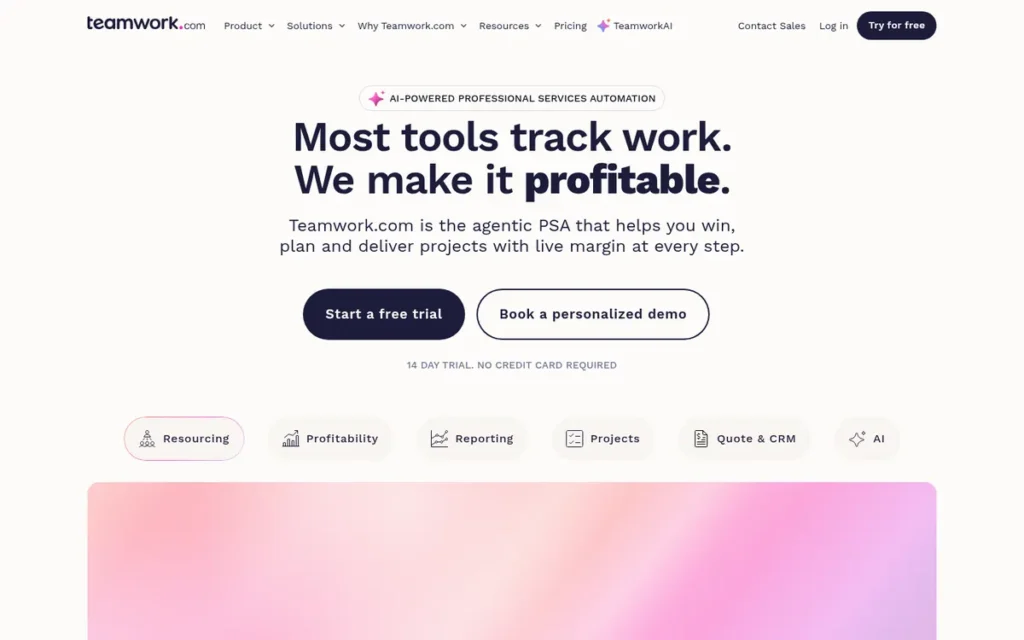
Category: Client-Services Work Manager, runs client projects with time, budgets, billing and resource scheduling in one place.
At a Glance
- Category: Client-Services Work Manager
- Best For: Agencies and professional-services teams that bill clients for time and need to share projects with clients without paying for their seats
- Price Range: Free plan; Basics $9.99/user/month; Accelerate $24.99/user/month; Optimize on request (G2 list prices, November 2026)
- Primary Strength: Teamwork.com connects time tracking, budgets and invoicing to projects and gives clients free, unlimited access.
- Biggest Limitation: Teamwork.com lists only 6 integrations on G2, the fewest on this shortlist and far below monday.com’s 152.
- One-Line Summary: Teamwork.com is the best monday.com alternative for agencies and client-services teams that need profitability tracking and free client access, with go-live most often under one month (G2, November 2026).
- Last Verified: November 2026
Why #4 (3.35/5): Teamwork.com scores well on adoption risk and real cost thanks to fast go-live and free client users. Teamwork.com’s 47 languages offset its 6 integrations for an ecosystem score of 3, but narrow client-services scope and 1,223 reviews keep it out of the top three.
Overview
Teamwork.com is a project management platform built for client work, combining projects, billable time tracking, budgets, invoicing and resource scheduling for agencies and professional-services teams leaving monday.com that need to deliver client projects profitably without paying for client seats.
Teamwork.com was founded in 2007 in Cork, Ireland, and reports more than 20,000 customers (company claim, G2 vendor description, November 2026). Teamwork.com supports 47 languages, the most on this list.
Key Features
- Teamwork.com tracks billable and non-billable time at the task level and, on Accelerate and higher plans, turns logged time into invoices that sync with Xero and QuickBooks.
- Teamwork.com includes budgets, retainers and profitability tracking for client projects.
- Teamwork.com offers resource scheduling with placeholder roles, so teams can plan capacity before staffing is confirmed.
- Teamwork.com provides list, board, Gantt, table and portfolio views, plus Teamwork AI.
- Teamwork.com includes unlimited free client users who do not count toward paid seats, with each client user limited to 5 active projects for their company.
Best For
Teamwork.com is best for agencies, consultancies and other client-services teams that need time, budgets and billing tied to projects and want clients to collaborate without per-seat fees.
Pricing
Teamwork.com’s G2 list prices are Basics $9.99 and Accelerate $24.99 per user per month, with Optimize on request (G2, November 2026); these prices may change. Teamwork.com’s pricing page adds these details (Teamwork.com pricing page, 2026):
- Free plan: Teamwork.com’s Free plan covers up to 5 users and 5 projects.
- Basics: Teamwork.com Basics covers up to 300 projects and includes 1,000 AI credits.
- Accelerate: Teamwork.com Accelerate includes 2,500 AI credits plus invoicing from logged time.
- Billing: Teamwork.com bills its plans yearly.
- Seat minimums: A Teamwork.com blog reports minimums of 3 seats on Basics and 5 on Accelerate (Teamwork.com blog, 2026), so confirm these before purchase.
Strengths
- Teamwork.com most often goes live in under one month, with under one day also commonly reported, while monday.com most often takes 1–3 months (G2, November 2026).
- Teamwork.com holds a 4.4/5 G2 rating from 1,223 reviews, with 93.0% at 4–5 stars and a learning-curve mention rate of about 1.8% (G2, November 2026).
- Teamwork.com supports 47 languages, more than three times monday.com’s 14 (G2, November 2026).
- Teamwork.com’s Invanity case study reports 50% less time building project plans and 20% more projects delivered on time (vendor-reported, Teamwork.com, accessed November 2026).
Limitations
Teamwork.com goes deep on client work at the expense of general-purpose breadth. Teamwork.com lists only 6 integrations on G2 (G2, November 2026), so teams may lose integrations they use today.
- Teamwork.com is described in comparisons as harder to start with than monday.com, with dense navigation and notification friction (Ramp and GetApp comparison pages, accessed November 2026).
- Teamwork.com’s setup “took longer than expected,” according to a G2 reviewer from a white-label development agency (G2, 2026).
- Teamwork.com users ask for a more capable mobile experience (G2, November 2026).
- Teamwork.com’s G2 theme counts are small (22 learning-curve mentions), so its low complaint rate is less certain than Asana’s, and this research found no meaningful Reddit discussion of it.
How It Compares With monday.com
Teamwork.com and monday.com compare as follows (G2, November 2026):
- Rating: Teamwork.com rates 4.4/5 on G2, compared with monday.com’s 4.7/5.
- Entry paid price: Teamwork.com starts at $9.99 per user per month, compared with monday.com’s $9 (G2 list prices).
- Integrations: Teamwork.com lists 6 integrations on G2, compared with monday.com’s 152.
- Go-live: Teamwork.com most often goes live in under 1 month, compared with 1–3 months for monday.com.
- Languages: Teamwork.com supports 47 languages, compared with monday.com’s 14.
- Learning-curve mention rate: Teamwork.com’s rate is ≈1.8%, compared with ≈1.2% for monday.com.
Teamwork.com gives you built-in billing, profitability tracking and free client users. Teamwork.com costs you integration breadth and general-purpose flexibility.
Verdict
Teamwork.com is the best monday.com alternative for agencies and client-services teams, because it ties time tracking, budgets and invoicing to projects and gives clients unlimited free access.
Internal operations teams with no billable work will get more value from a general-purpose tool. Audit your integrations before switching, since Teamwork.com lists far fewer on G2 than monday.com.
5. TeamGantt: Best for Simple Gantt-First Scheduling
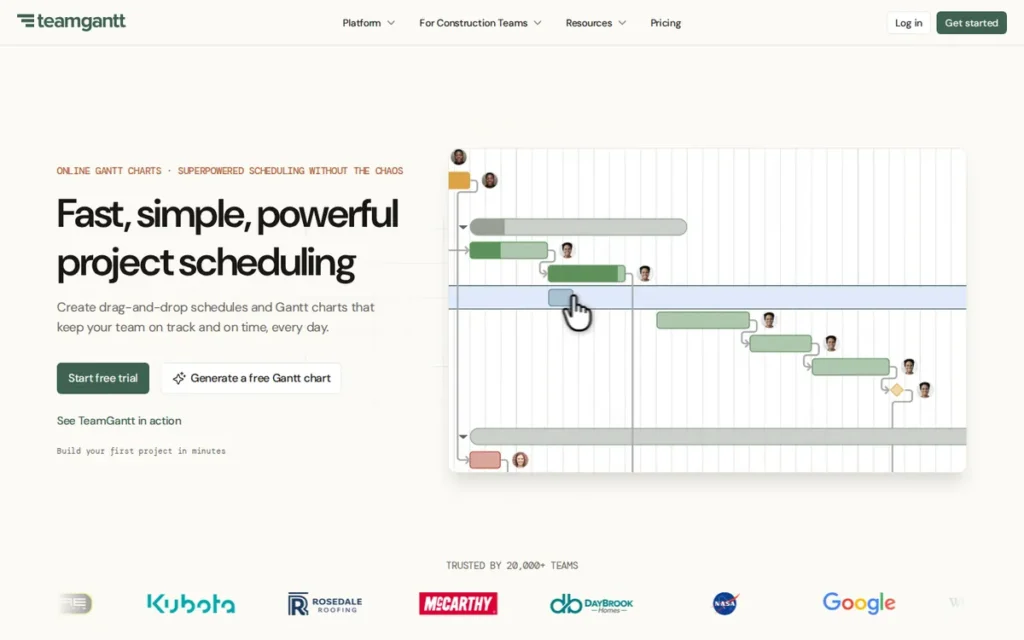
Category: Gantt-First Scheduler, plans and shares project timelines with dependencies and baselines as the core workflow.
At a Glance
- Category: Gantt-First Scheduler
- Best For: Schedule-driven teams, such as construction, production and project-based firms, that want simple timelines they can share with stakeholders
- Price Range: Free; Standard $24.95/user/month; Advanced $29.95/user/month (G2 list prices, November 2026; the vendor site now uses flat project-based plans)
- Primary Strength: TeamGantt has the highest G2 rating on this list (4.8/5) and most commonly goes live in under a day.
- Biggest Limitation: TeamGantt is narrow in scope, has no G2-listed integrations, and supports English only.
- One-Line Summary: TeamGantt is the simplest monday.com alternative for schedule-driven teams that mainly need Gantt planning, rated 4.8/5 on G2 from 895 reviews (G2, November 2026), though its themed feedback is very thin.
- Last Verified: November 2026
Why #5 (3.15/5): TeamGantt earns the top adoption-risk score because go-live is most often under a day. TeamGantt’s narrow scope (fit coverage 2), lack of G2-listed integrations and English-only support (ecosystem 1) hold it back.
Overview
TeamGantt is a Gantt-first project scheduling tool with drag-and-drop timelines, dependencies, baselines and workload views, built for schedule-driven teams such as construction and production firms leaving monday.com that want simple timeline planning they can share with stakeholders.
TeamGantt was founded in 2009 by John Correlli and Nathan Gilmore, originally to schedule jobs for a roofing contractor. TeamGantt reports more than 2 million users in 120+ countries (company claim, TeamGantt, accessed November 2026).
Key Features
- TeamGantt provides drag-and-drop Gantt timelines with dependencies that support lead and lag time.
- TeamGantt baselines let teams compare planned schedules against actual progress.
- TeamGantt includes workload and portfolio views alongside list, board and calendar views for capacity planning.
- TeamGantt includes time tracking and schedule share links that stakeholders can open without logging in.
- TeamGantt runs in the browser on Mac or PC with nothing to install, and offers mobile access for field teams.
Best For
TeamGantt is best for small and mid-sized teams whose work runs on a schedule, such as construction, production and project-based firms, and that want to share timelines with many outside stakeholders.
Pricing
TeamGantt’s G2 list prices are Free $0, Standard $24.95 and Advanced $29.95 per user per month (G2, November 2026); these prices may change. Important: TeamGantt’s live pricing page uses flat, project-based plans instead (TeamGantt pricing page, November 2026):
- Base: TeamGantt Base costs $59 per month for 5 projects, 1 manager, 10 collaborators and 150 tasks per project.
- Business: TeamGantt Business starts at $120 per month (+$24 per extra project) for 5–20 projects, unlimited managers and collaborators, and 500 tasks per project.
- Builder Edition: TeamGantt Builder Edition starts at $199 per month from 10 projects, with no limits on people or tasks.
- Billing terms: TeamGantt says annual billing saves 20% and each paid plan includes a 14-day free trial (vendor-reported).
A 30-person team running 5 schedules would pay TeamGantt’s flat $120 per month on Business, about $4 per person. Thirty monday.com Basic seats at the $9 G2 list price would cost $270 per month (monday.com seat rules not verified in this research).
Strengths
- TeamGantt holds the highest G2 rating on this list, 4.8/5 from 895 reviews with 99.7% at 4–5 stars, and is the only alternative rated above monday.com (G2, November 2026).
- TeamGantt most commonly goes live in under a day, the fastest on this shortlist, while monday.com most often takes 1–3 months (G2, November 2026).
- TeamGantt’s Business and Builder plans include unlimited managers and collaborators (TeamGantt pricing page, November 2026), so stakeholder-heavy schedules avoid per-seat charges, though cost still rises with project count.
- TeamGantt reports that DayBrook Kitchen & Baths grew revenue 30% in six months and Maddox Planning cut administrative work by 10–20% (vendor-reported case studies, TeamGantt, accessed November 2026).
Limitations
TeamGantt keeps things simple by staying narrow. TeamGantt can feel restrictive for work that isn’t driven by a timeline, according to Software Advice (accessed November 2026).
- TeamGantt updates became complicated on large projects with deep work-breakdown structures, according to one reviewer (Software Advice, accessed November 2026).
- TeamGantt has no integrations listed on G2, and users ask for more integrations, more dependency types, resource leveling and better reporting (G2, November 2026).
- TeamGantt’s flat pricing penalizes small teams with many projects: a team running 6+ projects outgrows Base ($59 for 5 projects) and must move to Business (from $120).
- TeamGantt’s 4.8 rating comes with six or fewer tagged mentions per theme, so the near-absence of complaints is low-confidence (G2, November 2026).
- TeamGantt supports only English, and no TeamGantt-specific Reddit quotes could be verified in this research.
How It Compares With monday.com
TeamGantt and monday.com compare as follows (G2, November 2026):
- Rating: TeamGantt rates 4.8/5 from 895 reviews, compared with monday.com’s 4.7/5 from 17,963 reviews.
- Entry paid price: TeamGantt lists $24.95 per user on G2, compared with monday.com’s $9, though TeamGantt’s site now shows flat plans from $59 per month.
- Integrations: TeamGantt has no integrations listed on G2, compared with monday.com’s 152.
- Go-live: TeamGantt most often goes live in under 1 day, compared with 1–3 months for monday.com.
- Languages: TeamGantt supports 1 language, compared with monday.com’s 14.
- Learning-curve mention rate: TeamGantt’s rate is ≈0.2% on very small counts, compared with ≈1.2% for monday.com.
TeamGantt gives you simplicity, speed and no per-seat billing. TeamGantt costs you broad workflow coverage, integrations, automation depth and multilingual support.
Verdict
TeamGantt is the best monday.com alternative for schedule-driven teams that mainly need simple, shareable Gantt planning, with the highest G2 rating on this list, 4.8/5 (G2, November 2026), and go-live most often under a day.
TeamGantt does not replace general work management, so teams with connected workflows across departments should look higher on this list. Check TeamGantt’s flat project-based plans against your project count rather than relying on the G2 per-user prices.
6. Wrike: Best for Governed, Process-Heavy Work and Approvals
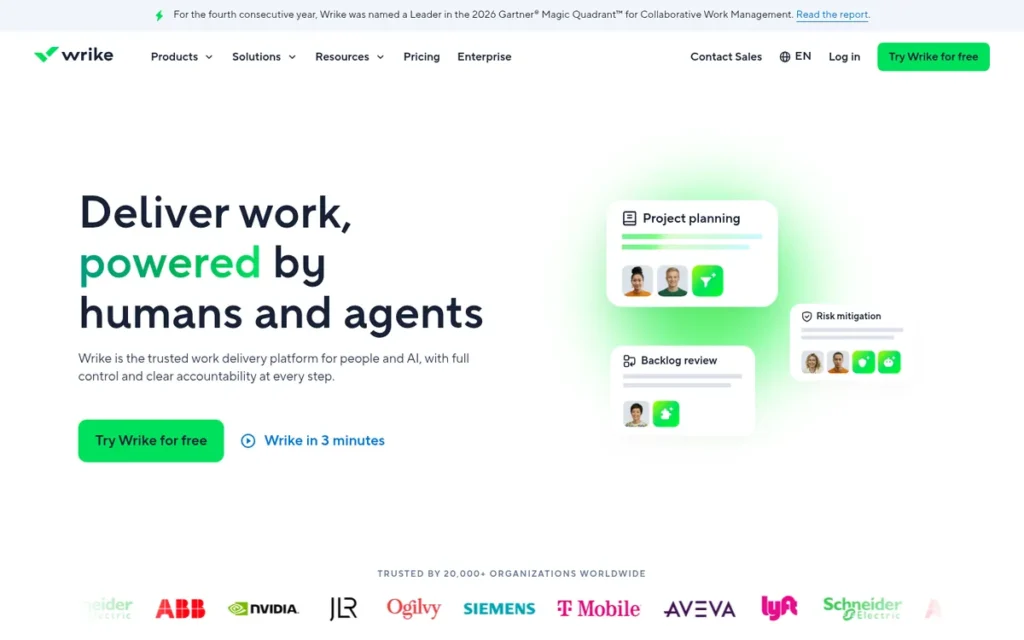
Category: Structured Work Coordinator, organizes cross-team work around clear ownership, intake and governance.
At a Glance
- Category: Structured Work Coordinator
- Best For: Larger or process-heavy teams (marketing, creative, PMO) that need structured intake, approvals and governance
- Price Range: Free plan; Team $10/user/month; Business $25/user/month; Pinnacle custom (G2 list prices, November 2026)
- Primary Strength: Wrike combines Blueprints, dynamic request forms, cross-tagging and built-in proofing, a governance and intake toolset no other tool on this list bundles together.
- Biggest Limitation: Wrike has the lowest G2 rating on this shortlist (4.2/5) and the highest learning-curve complaint rate among alternatives with more than 1,000 reviews.
- One-Line Summary: Wrike is the best monday.com alternative for process-heavy teams that need structured intake, approvals and Jira sync, but it has the lowest G2 rating on this list (4.2/5; G2, November 2026) and a steep learning curve.
- Last Verified: November 2026
Why #6 (3.05/5): Wrike scores 4 on fit coverage, tied with Asana and Smartsheet. Wrike’s lowest-on-list G2 rating (4.2) and ≈6.6% learning-curve rate, with go-live most often 1–3 months, produce an adoption-risk score of 2 that pulls its total below TeamGantt’s.
Overview
Wrike is a work management platform built for structured, governed work, offering custom item types, Blueprints, dynamic request forms, cross-tagging, Gantt charts, workload views and proofing for larger or process-heavy teams leaving monday.com that need control, intake and approvals.
Wrike was founded in 2006 and is headquartered in San Diego, CA (G2, November 2026). Wrike supports 16 languages, more than monday.com’s 14, and includes Wrike AI and Copilot features.
Key Features
- Wrike dynamic request forms fill in fields automatically, so incoming work arrives structured and routed.
- Wrike Blueprints (reusable project templates) and custom item types let teams standardize how projects are created and governed.
- Wrike cross-tagging lets one task live in several folders or projects without being duplicated.
- Wrike includes Gantt charts, workload views for resource management, and built-in proofing and approvals.
- Wrike Two-Way Sync, a paid add-on with no published price, connects 22 systems including Jira and GitHub (Wrike pricing page, 2026).
Best For
Wrike is best for marketing, creative and PMO teams that handle high volumes of requests needing intake, review and approval, especially where business work must sync with engineering in Jira or GitHub.
Pricing
Wrike’s G2 list prices are Team $10 and Business $25 per user per month, with Pinnacle on custom quote (G2, November 2026); these prices may change. Wrike’s pricing page adds these details (Wrike pricing page, 2026):
- Free plan: Wrike offers a Free plan at $0.
- Team: Wrike Team is limited to 2–15 users, so teams larger than 15 must use Business.
- Business: Wrike Business is limited to 5–200 users.
- Enterprise and Pinnacle: Wrike Enterprise and Pinnacle are priced by quote.
- Billing: Wrike bills its plans annually.
- Two-Way Sync: Wrike Two-Way Sync is a paid add-on with no published price.
Strengths
- Wrike’s top G2 praise themes are Project Management (477), Team Collaboration (456) and Task Management (450), from 4,614 reviews (G2, November 2026).
- Wrike says it was named a Leader in Gartner’s Magic Quadrant for Collaborative Work Management in 2023 and 2024 (vendor-reported, Wrike newsroom, 2024).
- Wrike supports 16 languages, more than monday.com’s 14 (G2, November 2026).
- A Wrike user with a 30-person team said its tag-based reporting beats any system they had used, and another called it “great for creative teams tracking high volumes of client facing projects” (r/projectmanagement, 2024); opinion in that thread was split.
Limitations
Wrike gives you control at the cost of approachability. Wrike has the lowest G2 rating on this shortlist, 4.2/5 with 89.4% at 4–5 stars (G2, November 2026).
- Wrike’s Learning Curve (305) and Not Intuitive (239) complaints appear in about 6.6% and 5.2% of its reviews, compared with about 1.2% for monday.com’s learning-curve complaint (G2, November 2026).
- Wrike’s G2 reviewers report slow-loading dashboards and large projects, and reports that need manual exports (G2, November 2026).
- Wrike’s interface is called dated by Reddit users (“seems like it’s from 2001,” r/projectmanagement, 2024) and “dated and dense” by a third-party review (SaaSmaste Wrike review, accessed November 2026).
- Wrike lists 21 integrations on G2 but advertises 400+, a gap that likely reflects how G2 counts integrations (G2 and Wrike pricing page, November 2026).
Users on r/wrike noted:
“For the basic user, Wrike is simple to learn and my team, even the non-tech-savvy users love it. Where I see complaints, is from admins having to learn the complex backend system. Which it’s not all that hard but it does take time to understand how it all ties together. Once you grasp it, the opportunities are endless.” Posted by u/gorcbor19
Takeaway: Wrike’s learning curve falls mainly on admins configuring its backend, while everyday users on a well-configured setup find it easy to work in.
How It Compares With monday.com
Wrike and monday.com compare as follows (G2, November 2026):
- Rating: Wrike rates 4.2/5 on G2, compared with monday.com’s 4.7/5.
- Entry paid price: Wrike starts at $10 per user per month, compared with monday.com’s $9 (G2 list prices).
- Integrations: Wrike lists 21 integrations on G2 (400+ vendor-claimed), compared with monday.com’s 152.
- Go-live: Wrike and monday.com both most often go live in 1–3 months.
- Languages: Wrike supports 16 languages, compared with monday.com’s 14.
- Learning-curve mention rate: Wrike’s rate is ≈6.6%, compared with ≈1.2% for monday.com.
Wrike gives you intake forms, governance, proofing and Jira/GitHub sync. Wrike costs you ease of use and a modern-feeling interface.
Verdict
Wrike is the best monday.com alternative for process-heavy teams that need structured intake, approvals and Jira or GitHub sync, though it carries the lowest G2 rating on this list, 4.2/5 (G2, November 2026).
Once configured well, Wrike earns loyal users, but out of the box it frustrates new ones. Budget for setup time and test the paid Two-Way Sync before committing.
7. Hive: Best Low-Cost, Communication-Centric Option for Small Teams
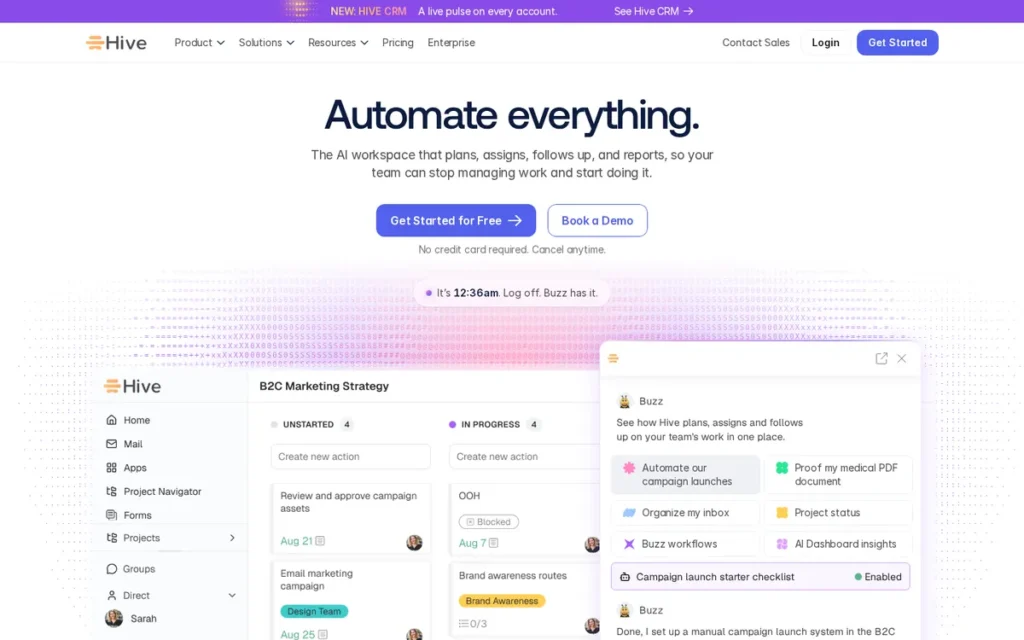
Category: All-in-One Work Hub, replaces several work apps (tasks, docs, chat, dashboards) with one configurable workspace.
At a Glance
- Category: All-in-One Work Hub
- Best For: Small marketing and operations teams of up to 10 people that want low-cost project views with chat and email built in
- Price Range: Free; Starter $5/user/month; Teams $12/user/month (G2 list prices, November 2026)
- Primary Strength: Hive has the lowest paid entry price on this list and keeps chat and email inside the project workspace.
- Biggest Limitation: Hive’s top G2 complaint is Missing Features, and its Starter plan caps teams at 10 members and 10 projects.
- One-Line Summary: Hive is the lowest-cost monday.com alternative on this list for small, communication-heavy teams, starting at $5/user/month (G2 list price, November 2026), but missing features and plan caps limit how far it scales.
- Last Verified: November 2026
Why #7 (2.80/5): Hive earns a strong real-cost score for its $5 entry price and built-in chat. Hive’s ≈7.3% learning-curve rate (adoption risk 2), 21 G2-listed integrations, English-only support and thin independent evidence place it last.
Overview
Hive is a work management platform with the lowest paid entry price on this list ($5 per user per month, G2 list price, November 2026), combining Kanban, Gantt, calendar and list views with native chat and email, proofing and Buzz AI for small marketing and operations teams leaving monday.com.
Hive was founded in 2016 in New York (G2, November 2026). Hive lets users vote on what its product team builds next.
Key Features
- Hive offers Kanban, Gantt, calendar, table and list views on the same project data.
- Hive includes native chat and email inside the workspace alongside Hive Notes.
- Hive provides proofing and approvals, including AI proofing, as a paid add-on on the Teams plan.
- Hive Buzz AI builds projects, dashboards and workflows.
- Hive includes time tracking, resourcing and goals, with time tracking and portfolios available on the Teams plan.
Best For
Hive is best for small marketing, creative and operations teams of up to about 10 people that want affordable project views and built-in communication, and that do not need deep reporting or many integrations.
Pricing
Hive’s G2 list prices are Free $0, Starter $5 and Teams $12 per user per month (G2, November 2026); these prices may change. Hive’s pricing page adds these limits (Hive pricing page and Help Center, November 2026):
- Free: Hive Free covers up to 10 members, 200MB of storage and 1,000 AI credits.
- Starter: Hive Starter covers up to 10 members and only 10 projects, with 3,000 AI credits and Gantt.
- Teams: Hive Teams adds unlimited members, time tracking, portfolios and forms.
- Monthly billing: Hive Starter costs $7 and Teams $18 per user per month on monthly billing.
- Add-ons: Hive’s Proofing, Timesheets and Resourcing add-ons cost $5 per user per month each and require Teams, so Teams with all three costs $27 per user per month on annual billing.
- Enterprise: Hive Enterprise pricing requires contacting sales.
Strengths
- Hive holds a 4.6/5 G2 rating from 675 reviews, with 96.6% at 4–5 stars (G2, November 2026), matching ClickUp’s rating on a much smaller review base.
- Hive’s Starter plan has the lowest paid entry price on this shortlist at $5 per user per month, against monday.com’s $9 Basic (G2 list prices, November 2026).
- Hive’s top G2 praise themes are Project Management (169), Ease of Use (163) and Team Collaboration (146) (G2, November 2026).
- Hive was recommended by a freelance project manager who moved off monday.com, citing client-shareable dashboards and proofing (r/Asana, 2023).
Limitations
Hive keeps its price low by offering less depth. Missing Features (77) is Hive’s top G2 complaint, appearing in about 11.4% of reviews (G2, November 2026).
- Hive’s learning-curve mention rate (≈7.3%) is the highest on this list (G2, November 2026).
- Hive users report mobile lag, unreliable notifications, limited reporting and features locked behind add-ons or higher tiers (Capterra and GetApp, accessed November 2026).
- Hive’s Starter cap of 10 projects and its Teams-only add-ons can erase the price advantage over monday.com.
- Hive lists 21 integrations versus monday.com’s 152 and supports English only, and its named-customer claims could not be verified (G2, November 2026).
How It Compares With monday.com
Hive and monday.com compare as follows (G2, November 2026):
- Rating: Hive rates 4.6/5 from 675 reviews, compared with monday.com’s 4.7/5 from 17,963 reviews.
- Entry paid price: Hive starts at $5 per user per month, compared with monday.com’s $9 (G2 list prices).
- Integrations: Hive lists 21 integrations on G2, compared with monday.com’s 152.
- Go-live: Hive commonly goes live in under 1 month or 1–3 months, compared with 1–3 months for monday.com.
- Languages: Hive supports 1 language, compared with monday.com’s 14.
- Learning-curve mention rate: Hive’s rate is ≈7.3%, compared with ≈1.2% for monday.com.
Hive gives you a lower entry price and built-in chat and email. Hive costs you feature depth, integrations, mobile polish and multilingual support.
Verdict
Hive is the lowest-cost monday.com alternative on this list for small, communication-heavy teams, with a $5/user/month Starter plan (G2 list price, November 2026), but missing features are its most-cited G2 complaint.
Hive works best for teams of 10 or fewer with simple reporting needs. Price the Teams tier and its add-ons before assuming you will save money over monday.com.
What Will a monday.com Alternative Really Cost at the Tier You Need?
A monday.com alternative’s real cost, or total cost of ownership, depends on the tier that includes your automations, guests, reporting and resource tools, not on its entry price. Packaging rules can push the bill well above the G2 list price (vendor pricing pages, November 2026). The most common cost drivers are:
- Seat minimums force very small teams to pay for more licenses than they use.
- Seat bundles sell licenses in steps, so teams pay for empty seats between steps.
- Automation caps push teams that rely on automations onto higher tiers.
- Paid add-ons, some with no published price, sit on top of per-seat costs.
- Monthly billing typically costs 20–35% more than annual billing on these plans.
- AI credit allocation rules decide whether AI allowances grow with headcount or stay fixed per account.
| Tool | Entry Paid Price (G2 list) | Monthly-Billing Price (vendor) | Packaging Rules That Raise Cost | AI Credit Model |
|---|---|---|---|---|
| ClickUp | $10 | Core $12 | Vendor plans differ from G2; automation and guest caps by tier | Per user (per workspace on Free) |
| Asana | $10.99 | Starter $13.49 | 2-seat minimum; seat bundles above 5 users | Per account |
| Smartsheet | $9 | Pro $12 | Pro capped at 10 members and 250 triggers; unpriced Control Center and Resource Management | Not documented in research |
| Teamwork.com | $9.99 | Billed yearly | Reported seat minimums (3 and 5); invoicing requires Accelerate | Per plan (1,000 / 2,500) |
| TeamGantt | $24.95 | Flat plans from $59/month | Vendor uses flat per-project plans | Not documented in research |
| Wrike | $10 | Billed annually | Team capped at 15 users; Two-Way Sync is an unpriced add-on | Not documented in research |
| Hive | $5 | Starter $7 | Starter capped at 10 members and 10 projects; add-ons require Teams | Per plan (1,000 / 3,000) |
Source: G2 list prices (November 2026) and vendor pricing pages (checked November 2026). Prices may change.
A 12-person team on annual billing shows how far real costs can drift from entry prices (vendor pricing pages, November 2026):
- Asana Starter bills 15 seats under its bundle steps, so the team pays 15 × $10.99 = $164.85 per month.
- Hive Starter would cost 12 × $5 = $60, but the team exceeds Starter’s 10-member cap, so Hive Teams costs 12 × $12 = $144 per month.
- Hive Teams with Proofing, Timesheets and Resourcing costs 12 × $27 = $324 per month.
- TeamGantt Business costs a flat $120 per month for up to 5 projects, regardless of team size.
Two vendors’ live pricing pages disagree with G2 data:
- ClickUp: G2 lists Unlimited ($10) and Business ($19), while ClickUp’s site shows Core ($9 annual) and Business ($17 annual).
- TeamGantt: G2 lists per-user prices, while TeamGantt’s site shows flat project-based plans.
AI credits are a new pricing variable, and monday.com users on G2 already ask for clearer AI credit costs (G2, November 2026). Check whether each vendor allocates credits per user, per account or per plan.
Which monday.com Alternative Works for Software Development Teams?
No tool on this verified shortlist is a dedicated backlog-and-bug tracker. ClickUp comes closest, supporting agile sprint planning with backlogs, sprint points and epics. Wrike can connect business work to Jira or GitHub issue tracking through its paid Two-Way Sync. Software teams should treat both as partial fits rather than full developer tools.
- ClickUp: ClickUp offers sprints, backlogs, sprint points, epics and Kanban boards, with Sprint Points availability varying by tier (ClickUp pricing page, November 2026).
- Wrike: Wrike’s Two-Way Sync, a paid add-on with no published price, connects 22 systems including Jira and GitHub (Wrike pricing page, November 2026).
- Teamwork.com: G2 lists Teamwork.com in its Bug Tracking category, but this research did not verify sprint or backlog features for Teamwork.com (G2, November 2026).
Answer engines such as ChatGPT and Perplexity commonly recommend Jira for software teams (AI answer-engine responses, November 2026). Jira was outside PlugRoute’s verified dataset, so this article makes no claims about Jira’s pricing or features.
When Should You Stay With monday.com?
Staying with monday.com makes sense when your frustrations come from configuration or process rather than missing capabilities. monday.com holds a 4.7/5 G2 rating from 17,963 reviews, with 98.1% at 4–5 stars (G2, November 2026). Only one alternative on this list rates higher, and it has far fewer reviews.
monday.com’s G2 profile shows real strengths (G2, November 2026):
- monday.com’s top praise theme is Intuitive Everyday Use, with 1,321 mentions.
- monday.com lists 152 integrations, more than every alternative here except ClickUp.
- monday.com supports 14 languages, more than ClickUp, Smartsheet, TeamGantt and Hive.
- monday.com’s learning-curve mention rate (≈1.2%) is lower than every large-review-base alternative on this list.
Switching has its own costs, as one Reddit user warned:
“You have to really look at how embedded the organisation is already in Monday… whether it’s going to be more headache than it is worth.” (r/Asana, 2023)
Takeaway: Count the migration cost of every board, automation and integration before deciding to switch.
Software alone does not guarantee delivery. PMI’s Project Success 2025 report rated 48% of 2024 projects successful, 40% mixed and 12% failed, with 2025 results similar at 50%, 37% and 13% (PMI, 2025).
Because only about half of projects are rated successful, changing tools without changing process rarely fixes delivery.
How Do I Switch Without Disrupting Active Projects?
To switch without disrupting active projects, rebuild one live project in the new tool first, plan around realistic go-live times, and run both tools in parallel until the new one handles your real workflows. G2 go-live ranges run from under a day (TeamGantt) to 1–3 months (Asana, Smartsheet, Wrike) (G2, November 2026).
A low-risk migration follows these steps:
- Pick one active project: Teams should choose one active monday.com project that uses their forms, automations, reports, permissions and guest access.
- Rebuild it during a trial: Teams should rebuild that project on the exact tier they plan to buy, not a higher trial tier.
- Test dependencies and subtasks: Teams should check that rescheduling, subtask handling and review chains behave as expected.
- Run both tools in parallel: Teams should keep monday.com live for active projects until the new tool has handled at least one full cycle.
- Move new work first: Teams should start new projects in the new tool and let existing projects finish in monday.com where practical.
- Train before cutover: Teams should budget onboarding time, because learning-curve complaints rank among the top three G2 cons for every tool on this list, though TeamGantt’s count is very small (G2, November 2026).
Count the pilot successful if the rebuilt project runs one full cycle with no manual workaround for dependencies, guest access or reporting.
PlugRoute did not test import fidelity hands-on, so verify how each tool imports monday.com exports during your trial.
What Red Flags Should I Watch For When Evaluating monday.com Alternatives?
The biggest red flags are entry prices that exclude the tier you need, high ratings from small review bases, and tools that repeat the complaint you are leaving monday.com over. Unpriced add-ons, pricing that differs between sources, and decisions based on demos rather than real workflows also mislead buyers.
Red Flag #1: Entry Price Without the Tier You Need An entry price is misleading if your automations, guests or reports sit on a higher tier. Smartsheet Pro caps automation triggers at 250 per month, and Hive Starter caps projects at 10 (vendor pricing pages, November 2026). Hive’s add-ons also require the $12 Teams plan.
Red Flag #2: Ratings Without Review Volume A high rating from a small review base is weaker evidence than a slightly lower rating from a large one. TeamGantt’s 4.8 comes from 895 reviews, while monday.com’s 4.7 comes from 17,963 (G2, November 2026). TeamGantt also has six or fewer tagged mentions per theme.
Red Flag #3: The Same Complaint You’re Leaving Several alternatives draw learning-curve complaints at higher rates than monday.com’s ≈1.2%. ClickUp (≈5.0%), Smartsheet (≈5.1%), Wrike (≈6.6%) and Hive (≈7.3%) all exceed it (G2, November 2026). Teams leaving because monday.com feels complex may meet the same problem elsewhere.
Red Flag #4: Unpriced Add-Ons Add-ons without published prices make total cost impossible to compare before talking to sales. Smartsheet Control Center, Smartsheet Resource Management and Wrike Two-Way Sync have no public prices (vendor pricing pages, November 2026). These are often the exact capabilities teams switch for.
Red Flag #5: Prices That Differ Between Sources Plan names and prices sometimes differ between G2 and vendor sites. ClickUp’s site shows Core at $9 annual while G2 lists Unlimited at $10, and TeamGantt’s site shows flat plans from $59 per month while G2 lists $24.95 per user (G2 and vendor pricing pages, November 2026).
Red Flag #6: Demo-Driven Decisions A polished demo does not show how a tool handles your dependencies, subtasks and review chains. One Reddit user warned that if processes and governance are weak, “your problems will persist in the new system” (r/projectmanagement, 2022). Test real workflows before deciding.
What Questions Should I Ask Before Choosing a monday.com Alternative?
Before choosing, ask which plan includes the features you use today, how seats and AI credits are counted, and whether you can rebuild one live project during a trial. Then check your current integrations and ask honestly whether the problem is the tool itself or the way your team has set it up.
Question #1: Which plan includes the automations, reports, permissions and guest access we use today? A good answer names one specific tier and its limits. Compare that tier’s price, not the entry price, with your current monday.com bill, and confirm that your guest access and current automation volume are included.
Question #2: How are seats sold: per user, in bundles, with minimums, or flat? A good answer states seat minimums and bundle steps up front. Asana’s paid plans start at 2 seats and sell seats in bundles above 5 users, while TeamGantt shows flat project-based plans (vendor pricing pages, November 2026).
Question #3: How are AI credits counted: per user or per account? A good answer gives the monthly allowance at your tier. ClickUp allocates credits per user on paid plans, while Asana allocates AI Studio credits per account (vendor pricing pages, November 2026). monday.com users on G2 already ask for clearer AI credit costs.
Question #4: Can we rebuild one active monday.com project in a trial, including dependencies and subtasks? A good answer is a full-featured trial on the tier you would buy. One ClickUp user reported that dependency rescheduling did not work reliably (r/projectmanagement, 2022), a problem only a real-project test would reveal before you migrate active work.
Question #5: Which of our current integrations are supported? A good answer maps every tool you use today to a supported integration. G2-listed integration counts range from 6 (Teamwork.com) to 255 (ClickUp), and Wrike advertises 400+ while G2 lists 21 (G2 and Wrike pricing page, November 2026).
Question #6: Is our frustration with the tool or with how we set it up? A good answer separates missing capabilities from configuration problems. If your boards, automations and permissions could be rebuilt inside monday.com, reconfiguring may cost less than migrating. PMI rated only 48% of 2024 projects successful (PMI, 2025).
How Did We Rank These monday.com Alternatives?
PlugRoute scored seven monday.com alternatives from 1 to 5 on six weighted criteria: fit coverage (25%), verified user satisfaction (25%), adoption risk (20%), real cost at the needed tier (15%), ecosystem (10%) and evidence depth (5%). Scores draw on G2 data (November 2026), vendor pricing pages, SEC filings, Capterra and Reddit.
The six criteria and why they matter:
- C1, Fit Coverage (25%): Fit coverage counts how many reasons for leaving monday.com each tool credibly serves, because no single tool fits every team.
- C2, Verified User Satisfaction at Scale (25%): Satisfaction combines G2 rating, share of 4–5 star reviews and review volume, discounting small bases, because large samples reflect real use better than demos.
- C3, Adoption Risk (20%): Adoption risk uses the learning-curve mention rate and go-live range, because monday.com’s top G2 complaint is its learning curve.
- C4, Real Cost at the Tier You Need (15%): Real cost weighs seat rules, caps, add-ons and pricing conflicts, because entry prices often mislead.
- C5, Ecosystem (10%): Ecosystem combines G2-listed integrations and supported languages, because integrations are a top monday.com complaint.
- C6, Evidence Depth (5%): Evidence depth rewards audited filings, multi-platform reviews and community discussion, because PlugRoute’s claims must be checkable.
PlugRoute’s C3 scoring anchors are:
- A learning-curve mention rate above 6% scores 2 (Wrike, Hive).
- A rate between 2% and 6% scores 3 (ClickUp, Smartsheet).
- A rate below 2% scores 4 (Asana, Teamwork.com).
- A rate below 2% combined with go-live most often under one day scores 5 (TeamGantt).
C5 balances integrations against languages, so Teamwork.com’s 47 languages offset its 6 G2-listed integrations.
| Rank | Company | C1 | C2 | C3 | C4 | C5 | C6 | Weighted Total |
|---|---|---|---|---|---|---|---|---|
| 1 | ClickUp | 5 | 5 | 3 | 3 | 4 | 3 | 4.10 |
| 2 | Asana | 4 | 4 | 4 | 3 | 4 | 5 | 3.90 |
| 3 | Smartsheet | 4 | 4 | 3 | 3 | 3 | 5 | 3.60 |
| 4 | Teamwork.com | 3 | 3 | 4 | 4 | 3 | 3 | 3.35 |
| 5 | TeamGantt | 2 | 4 | 5 | 3 | 1 | 2 | 3.15 |
| 6 | Wrike | 4 | 3 | 2 | 3 | 3 | 3 | 3.05 |
| 7 | Hive | 3 | 3 | 2 | 4 | 2 | 2 | 2.80 |
Scores between 2.80 and 3.35 are close, so ranks 4–7 mean “strongest for a specific reason for leaving” rather than a strict hierarchy. monday.com is the baseline and is not ranked.
PlugRoute built the shortlist from G2’s verified candidate list and excluded these candidates:
- Birdview and Scoro: Birdview and Scoro are professional services automation tools, less likely to directly replace monday.com, and Teamwork.com already covers that use case.
- Bordio: Bordio has only 59 G2 reviews, too few to rank fairly (G2, November 2026).
- Outside the dataset: Jira, Trello, Notion, Airtable and Basecamp were outside the verified dataset and were not ranked.
PlugRoute found and disclosed these data conflicts:
- ClickUp: ClickUp’s G2 plan names and prices differ from its live pricing page.
- TeamGantt: TeamGantt’s G2 per-user prices differ from its flat pricing, and G2 lists White Marsh, MD as headquarters while the company says Baltimore, MD.
- Asana: Asana’s G2 description says over 170,000 customers, while its FY2026 results report more than 180,000 paying customers.
- Teamwork.com: Teamwork.com’s G2 description says 350+ employees, while a company press release says 270.
- Wrike: Wrike lists 21 integrations on G2 but advertises 400+.
Reddit coverage was thin for Smartsheet, Hive, Teamwork.com and TeamGantt, and most threads found date from 2022–2024. No peer-reviewed studies were used.
PlugRoute has no affiliate relationships with any company listed. Rankings are determined entirely by research data and objective evaluation criteria.
What Do Buyers Ask Most About monday.com Alternatives?
Buyers most often ask which monday.com alternative suits small teams, which option is cheapest or free, and how PlugRoute ranks tools. In short: Asana or ClickUp for small teams, Hive for the lowest paid entry price, and a published six-criterion weighted methodology for the rankings.
What is the best monday.com alternative for small teams in 2026?
Asana is the safest monday.com alternative for small teams that want quick adoption, because its learning-curve mention rate (≈1.8%) is the lowest among tools with more than 10,000 G2 reviews (G2, November 2026). ClickUp suits small teams that want more features and can invest setup time. Hive suits teams of 10 or fewer on tight budgets.
What is the cheapest or free monday.com alternative?
Hive is the cheapest paid monday.com alternative on this list at $5 per user per month (G2 list price, November 2026), capped at 10 members and 10 projects. ClickUp, Asana, Wrike, Hive and Teamwork.com offer free plans, though Asana’s covers only 2 seats and Teamwork.com’s covers 5 users and 5 projects. Confirm current limits on each vendor’s site.
How does PlugRoute determine rankings?
PlugRoute scores each alternative from 1 to 5 on six published, weighted criteria, using dated G2 data, vendor pricing pages, SEC filings, Capterra and Reddit. ClickUp scored highest at 4.10 of 5, followed by Asana (3.90) and Smartsheet (3.60). The Quick Decision Framework may still point readers to a lower-ranked tool that better fits their needs.
What Do Key monday.com Alternative Terms Mean?
These are the work management terms buyers meet most often when comparing monday.com alternatives. Each term affects the price you pay, how fast your team adopts a tool, or which workflows the tool can handle, so understanding them makes vendor pricing pages and feature lists easier to compare.
Per-seat pricing: Per-seat pricing charges a fixed amount for each user each month. Per-seat pricing matters because costs grow with headcount, even for occasional users.
Seat bundle: A seat bundle sells licenses in fixed steps, such as groups of 5 or 10, rather than one at a time. Seat bundles can leave buyers paying for seats no one uses.
Seat minimum: A seat minimum is the smallest number of paid licenses a plan requires. A seat minimum raises the real entry price for very small teams.
Flat pricing: Flat pricing charges a set monthly fee based on projects or features rather than users. Flat pricing can be cheaper for large teams with few projects and costlier for small teams with many.
Guest or client user: A guest or client user is an outside collaborator with limited access to a workspace. Whether guests count as paid seats can change total cost significantly.
Automation cap: An automation cap limits how many automated actions or triggers a plan runs each month. Teams that rely on automations may need a higher tier than they expect.
AI credits: AI credits are a monthly allowance that meters how much a plan’s built-in AI features can be used. Allocation per user versus per account affects how far AI credits stretch.
Gantt chart: A Gantt chart shows tasks as bars on a timeline, making schedules and overlaps visible. A Gantt chart matters most for teams whose work runs on a schedule.
Dependency (lead and lag): A dependency links tasks so one cannot start or finish until another does, and lead or lag adds time offsets. Reliable dependency rescheduling is essential for complex projects.
Baseline: A baseline is a saved snapshot of the original plan used to compare against actual progress. A baseline helps teams spot schedule slippage early.
Portfolio management (PMO): Portfolio management rolls status, risk and progress from many projects into one view, typically for a project management office. Portfolio management matters for leaders overseeing many projects at once.
Two-way sync: Two-way sync keeps data updated in both directions between two systems, such as a work management tool and a developer tracker. Two-way sync lets business and engineering teams share status without duplicate entry.
Which monday.com Alternative Is Right for You?
Key Insights
- Teams should switch from monday.com for fit, not ratings, because only TeamGantt rates higher on G2, and it does so from 895 reviews (G2, November 2026).
- ClickUp is the best all-in-one alternative, Asana the best for structured coordination, and Smartsheet the best for spreadsheet-native PMOs.
- Real cost depends on the tier that includes your automations, guests and reporting, not on the entry price.
- ClickUp, Smartsheet, Wrike and Hive draw learning-curve complaints at four to six times monday.com’s rate (G2, November 2026).
- Staying with monday.com makes sense when the problem is configuration or process rather than missing capabilities, and piloting one real project reveals more than any vendor demo.
For specific reasons for leaving, these tools fit best:
- Client billing and guest seats: Teamwork.com fits agencies that bill clients for time and want free client users.
- Shareable timelines: TeamGantt fits teams that mainly need simple Gantt schedules shared with stakeholders.
- Governed intake and Jira sync: Wrike fits process-heavy teams that need request forms, approvals and engineering sync.
- Small team on a tight budget: Hive fits teams of 10 or fewer that want the lowest paid entry price.
Pricing models in this category are changing quickly, with flat plans, free client users and AI credits reshaping costs. Read our full ranking methodology and explore PlugRoute’s other work management reviews before you commit.
We update this guide quarterly. Last updated: November 2026.