The best Canva alternatives in 2026 are Marq for low-cost, brand-consistent team templates, Visme for presentations, infographics and data-rich content, and Microsoft PowerPoint for client-editable decks and Microsoft 365 users. No single tool in this ranking replaces everything Canva does, so choose based on your main design job and your reason for leaving.
Canva’s G2 reviews show why people look elsewhere. The two most-mentioned complaints are Features Behind Paywall (353 mentions) and Lacks Advanced Design Tools (156) (G2, November 2026). Many tools that look like substitutes are really specialist tools, and paid tiers make costs hard to compare.
PlugRoute has no affiliate relationships with any company listed. Rankings are determined entirely by research data and objective evaluation criteria.
“Big decks get laggy, and scrolling through slides feels slower than it used to.” (Reddit r/canva, August 2026)
Takeaway: Some Canva users leave because of performance on one specific job, such as large decks, and not because of Canva as a whole.
What Are the 4 Categories of Canva Alternative Tools?
Canva alternatives fall into four categories, and only one of them copies Canva’s everyday drag-and-drop workflow. The other three categories each replace one Canva job: presentations, mobile social content, or professional print and vector work. Knowing the category of a tool tells you whether it is a true substitute or a specialist.
- Template-First Substitute: Marq and Visme use browser-based, drag-and-drop editors built around templates, and Marq and Visme are the closest match to how Canva works.
- Presentation Specialist: Microsoft PowerPoint and Prezi focus on slide decks and live presentations, not general graphic design.
- Mobile Photo & AI Editor: Picsart focuses on photo, video and AI-generated social content made on a phone.
- Professional Design Software: Adobe Illustrator and Adobe InDesign give professional vector and print-layout control, with a steep learning curve.
The trade-off between similarity and depth is measurable. The tools most like Canva (Marq and Visme) most often go live in under a day. Adobe Illustrator reports 3–6 months as often as under one day (G2, November 2026). One Reddit user put it this way: “Canva: no learning curve, low ceiling. Adobe CC: steep learning curve, limitless possibilities” (Reddit r/indesign, 2025).
How Do the Top Canva Alternatives Compare at a Glance?
Marq and Visme are the closest workflow matches to Canva. Microsoft PowerPoint and Prezi replace only presentation work, Picsart replaces social photo work, and the two Adobe tools replace print and vector work. Canva’s 4.7/5 G2 rating from 7,857 reviews is higher than every alternative here, so each alternative wins at one Canva job rather than all of them (G2, November 2026).
| Rank | Company | Category | Best For | One-Line Summary | Key Capabilities | Primary Strength | Key Limitation |
|---|---|---|---|---|---|---|---|
| Baseline (not ranked) | Canva | Generalist | Mixed, high-volume everyday design | Canva is the all-purpose template editor that every alternative here is measured against. | Templates, stock library, social, decks, video, print | Easy Everyday Design is its top G2 pro (1,069 mentions) | Features Behind Paywall is its top G2 con (353 mentions) |
| 1 | Marq | Template-First Substitute | Brand-consistent team and print content | Marq is a template-based design platform priced like Canva Teams that adds locked brand templates and approval workflows. | Locked templates, smart fields, web-to-print | Admin-locked brand elements | Smaller template and asset library |
| 2 | Visme | Template-First Substitute | Data-rich decks, infographics and reports | Visme is the closest drag-and-drop Canva substitute for presentations, infographics and data-rich business documents. | Live-data charts, interactivity, analytics, SCORM | Widest job coverage among alternatives | Monthly price more than twice the annual rate; billing complaints |
| 3 | Microsoft PowerPoint | Presentation Specialist | Client-editable decks; Microsoft 365 users | Microsoft PowerPoint is a strong Canva alternative for editable, data-linked presentations and is included in most Microsoft 365 plans. | Native .pptx, Excel-linked charts, offline app | Free web version; Business Basic $7/user/mo | Dated templates; no social or video |
| 4 | Picsart | Mobile Photo & AI Editor | Mobile social photo, video and AI content | Picsart is a mobile-first photo, video and AI editor for social creators. | AI background removal, 157+ AI models, Flow | 97.4% of G2 reviews are 4 or 5 stars | Credit-based pricing; weak for documents |
| 5 | Adobe Illustrator | Professional Design Software | Logos, vector art, merch typography | Adobe Illustrator is a widely used professional vector tool for logos, vector art and typography-heavy merch, with 6,208 G2 reviews. | Vector paths, CMYK, spot colors, Firefly vector AI | Precise vector and print-color control | Top G2 con is Difficulty for Beginners |
| 6 | Adobe InDesign | Professional Design Software | Multi-page print; former Microsoft Publisher users | Adobe InDesign is a professional page-layout tool that Reddit and Capterra users describe as the industry standard for multi-page print. | Parent pages, styles, Preflight, PDF/X | Print-ready long documents | Steep learning curve; no live co-editing |
| 7 | Prezi | Presentation Specialist | Live, interactive, non-linear sessions | Prezi is an interactive presentation tool with a zooming canvas and built-in audience polls. | Zoom canvas, live polls, Prezi AI, .pptx import | Built-in audience interaction | Lowest G2 rating here (4.2/5) |
Quick Decision Framework
| Your #1 Priority | Recommended Tool | Why | Acceptable Alternative |
|---|---|---|---|
| Brand-consistent templates for a team | Marq | Admins lock logos, fonts and colors at $10/user/mo (annual) | Visme (Brand Kit on a higher tier) |
| Data-rich decks, infographics and reports | Visme | Live-data charts, interactivity and viewer analytics | Microsoft PowerPoint (Excel-linked charts) |
| Client-editable decks, or you already pay for Microsoft 365 | Microsoft PowerPoint | Native .pptx output; free web version for personal use | Visme (PPTX export on a higher tier) |
| Mobile social photos and AI content | Picsart | Photo editing and AI tools are among its top G2 pros | Canva (broader templates, lighter photo editing) |
| Logos, vector art and merch | Adobe Illustrator | True vector output with CMYK and spot colors | Canva (simple, non-print graphics only) |
| Multi-page print, or replacing the retired Microsoft Publisher | Adobe InDesign | Preflight and PDF/X print export | Marq (web-to-print templates for non-designers) |
| Live, interactive sessions | Prezi | Built-in polls, quizzes and Q&A | Visme (quizzes and hotspots) |
| Lowest annual cost for 5 users | Microsoft PowerPoint | Business Basic lists $420/yr for 5 users (web and mobile apps only) | Marq (up to $600/yr with brand locking) |
| Mixed, high-volume everyday design | Canva (stay) | 149 G2-listed integrations and 74 languages | Visme |
1. Marq: Best Overall for Brand-Consistent Team Templates
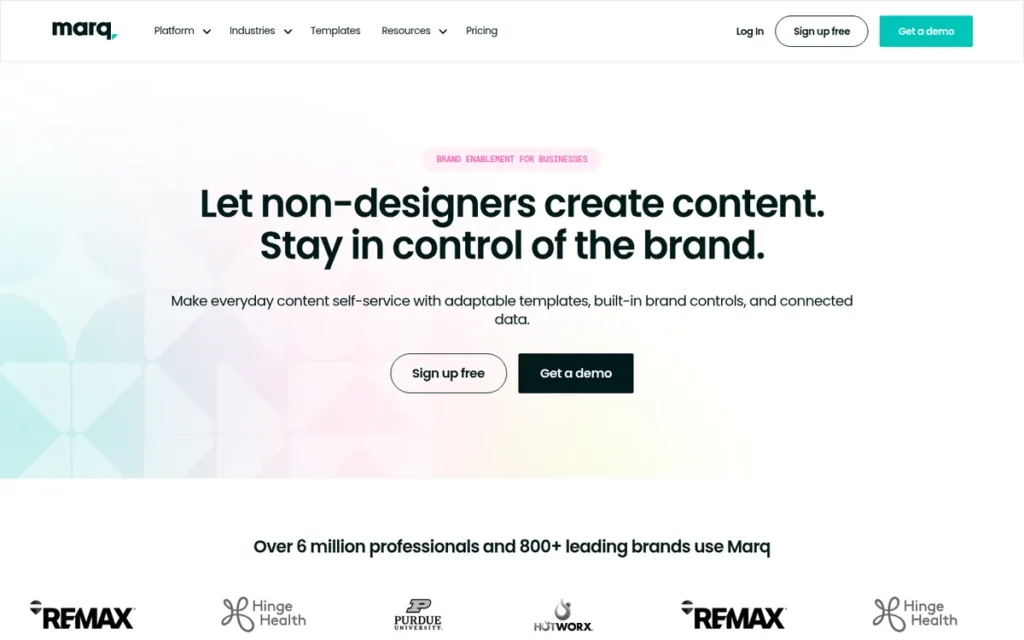
Category: Template-First Substitute, a drag-and-drop, template-based editor that replaces Canva’s core workflow.
At a Glance
- Category: Template-First Substitute
- Best For: Small teams, franchises, real estate offices and schools whose non-designers produce on-brand flyers, brochures, social graphics and print collateral.
- Price Range: Free plan; Pro $10/mo annual ($15 monthly); Team $10/user/mo annual ($12 monthly); Enterprise by quote only (G2 list and vendor prices, November 2026; may change).
- Primary Strength: Marq locks logos, fonts, colors and layout positions so non-designers can edit only the fields they are allowed to change.
- Biggest Limitation: Marq has a much smaller template, stock-image and icon library than Canva, and G2 reviewers report sluggish performance during collaborative sessions.
- One-Line Summary: Marq is a template-based design platform priced the same as Canva Teams that adds locked brand templates, approval workflows and web-to-print for teams that value consistency over variety.
- Last Verified: November 2026
Overview
Marq, formerly Lucidpress, is a browser-based, drag-and-drop brand-templating platform for small teams, franchises and multi-location organizations whose non-designers need on-brand marketing and print materials. Marq ranks #1 (38 of 45) because it pairs a Canva-like editor with admin-locked templates at Canva Teams’ price.
Marq has less evidence behind it than most entries here. Marq has 210 G2 reviews, and PlugRoute found no substantive Reddit discussion of Marq (November 2026).
Key Features
- Marq lets administrators lock logos, fonts, colors and element positions, so team members can change only approved fields.
- Marq builds templates from scratch, from its library, or from imported InDesign files.
- Marq fills smart fields automatically from spreadsheets or connected sources such as directories, proposals and property listings.
- Marq supports web-to-print, direct mail and variable-data printing for physical collateral.
- Marq includes comments, chat and approval workflows before download, plus integrations with Slack, Mailchimp, Constant Contact, DAM systems and single sign-on.
Best For
Marq is best for teams of 2–20 people, franchises, real estate brokerages and campuses where many non-designers produce consistent branded materials, especially print. Marq is a weaker fit for solo creators who rely on a huge template library for varied social content.
Pricing
Marq’s G2 list prices are Pro $10.00 per month, Team $10.00 per user per month, and Enterprise “Contact Us” for 20 seats per year (G2, November 2026). Marq’s pricing page shows the $10 figures are annual-billing rates.
- Marq Free costs $0, although reviews describe Marq’s free tier as more limited than Canva’s.
- Marq Pro costs $15/mo billed monthly or $10/mo billed annually ($120/year).
- Marq Team costs $12/mo billed monthly or $10/mo billed annually per license, includes a second license free, and covers 2–20 licenses.
- Marq Enterprise covers 10 or more licenses and is priced by quote only.
All Marq prices were verified on Marq’s pricing page in November 2026 and may change.
Strengths
- Marq won two Info-Tech SoftwareReviews desktop publishing awards in 2025, Product Impact and Conflict Resolution, the only independent analyst recognition PlugRoute verified for any product in this ranking (Info-Tech SoftwareReviews, 2025).
- Marq holds a 4.5/5 G2 rating from 210 reviews, with 95.7% rated 4 or 5 stars, and G2’s summary praises Marq’s ease of use and collaboration features (G2, November 2026).
- Marq’s G2 switching data shows users moving from Microsoft Publisher, Adobe products and office software for faster editing, reusable templates and more consistent branding (G2, November 2026).
- Marq’s Team plan matches Canva Teams’ G2 list price of $10 per user per month and adds locked templates and pre-download approvals (Marq pricing page, November 2026).
- Marq reports that Western Colorado University cut campus collateral turnaround from 2–3 weeks to same-day; this vendor-published case study was not used in scoring (Marq customers page, November 2026).
Limitations
Marq gives up library breadth in exchange for brand control. Buyers who need variety will feel that trade-off first, and Marq’s thin public evidence makes some judgments less certain.
- Marq’s library is smaller: G2 and Gralio comparisons say Canva has a “much larger template selection and broader stock-image, icon, and design-resource library” (G2 and Gralio comparisons, November 2026).
- Marq’s G2 summary notes performance “can be sluggish during collaborative sessions,” and Marq users ask for more templates, shapes, icons and precise alignment (G2, November 2026).
- Marq “does not replace advanced creative software for complex work,” according to a customer quoted by Software Advice (Software Advice, November 2026).
- Marq’s G2 implementation data shows individual use often starts in under a day, but broader team rollouts commonly take 1–3 months (G2, November 2026).
- Marq’s counted G2 pros and cons have two or fewer mentions each, and Marq supports English only (G2, November 2026).
- Marq’s monthly Pro rate ($15) is 50% above its annual rate. PlugRoute found no recurring billing complaints about Marq, but public discussion is limited, so this reflects limited data rather than a confirmed clean record (November 2026).
How It Compares with Canva
Marq goes further than Canva on governed brand templates: admins lock specific fields and approve designs before download, at the same $10 per user per month G2 list price as Canva Teams (G2, November 2026).
Marq falls short of Canva on library size, language support (English only versus 74 languages) and verified satisfaction (4.5 from 210 reviews versus 4.7 from 7,857) (G2, November 2026).
Verdict
Marq is the lowest-cost paid team alternative to Canva in this ranking that adds locked brand templates and approval workflows, matching Canva Teams’ $10 per user per month G2 list price (November 2026). Marq leads by four points (38 vs 34) and would still rank first if its billing-risk score dropped by one point.
Readers who need variety for social posts should weigh Marq’s smaller asset library. Readers who want a large body of reviews should note that Marq has only 210.
PlugRoute score: 38 of 45 (C1 5, C2 3, C3 5, C4 3, C5 5, C6 4).
2. Visme: Best for Presentations, Infographics and Data-Rich Content
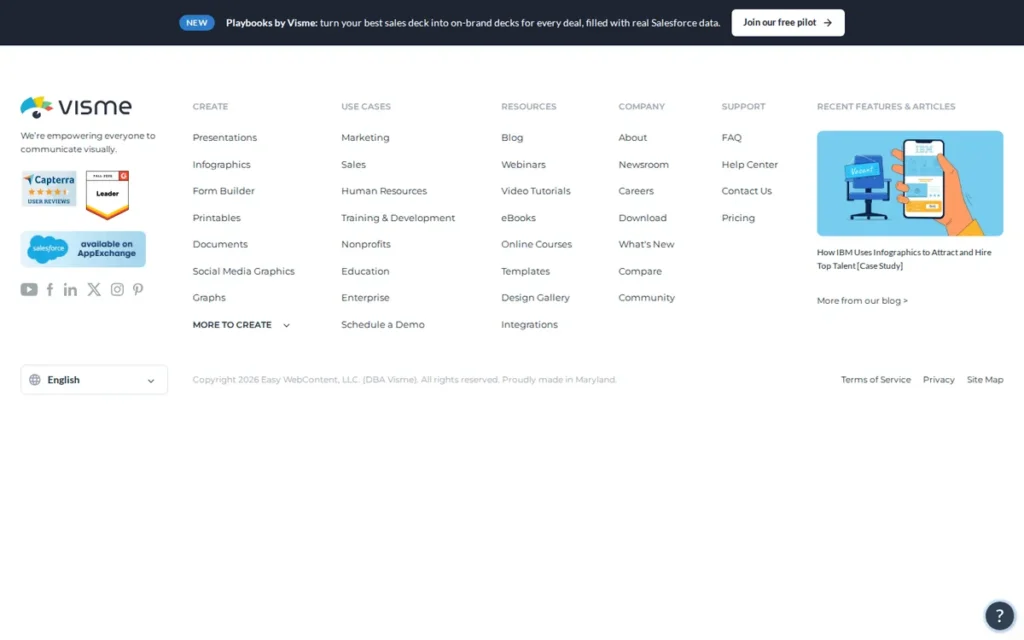
Category: Template-First Substitute, a drag-and-drop, template-based editor that replaces Canva’s core workflow.
At a Glance
- Category: Template-First Substitute
- Best For: Marketers, consultants, sales teams and trainers who produce presentations, infographics, client reports and data-heavy documents.
- Price Range: Free plan; Starter $12.25/user/mo annual or $29/user/mo monthly (G2 list prices); Business/Pro $24.75/mo annual or $59 monthly (vendor page); Enterprise custom (November 2026; may change).
- Primary Strength: Visme combines a Canva-style drag-and-drop editor with live-data charts, interactive elements and viewer analytics for reports and data-heavy decks.
- Biggest Limitation: Visme’s monthly Starter price ($29) is more than twice its annual rate ($12.25), key exports sit on a higher tier, and users report renewal and refund disputes.
- One-Line Summary: Visme is the closest drag-and-drop Canva substitute for presentations, infographics and data-rich business documents, but buyers should compare billing periods and renewal terms before paying.
- Last Verified: November 2026
Overview
Visme is a browser-based, drag-and-drop content platform for marketers, sales teams, consultants and trainers who build presentations, infographics and reports around data. Visme ranks #2 (34 of 45) because it keeps Canva’s template workflow and adds live-data charts and interactivity, but locks key exports to a higher tier.
Visme’s main drawbacks are tier-locked features and documented billing complaints. Visme’s strengths matter most for structured business documents, not lifestyle-style social graphics.
Key Features
- Visme creates charts, maps and data-visualization widgets, including widgets connected to live Google Sheets data.
- Visme adds interactive hotspots, pop-ups, clickable menus and quizzes to presentations and interactive infographics.
- Visme supports simultaneous editing, comments, shared slide libraries and dynamic fields, with permissions and approval workflows on Enterprise.
- Visme includes forms, gated content and viewer analytics for lead generation and engagement tracking.
- Visme exports e-learning content to SCORM and xAPI for learning management systems on the Enterprise plan.
Best For
Visme is best for business users who make client reports, data-heavy presentations and infographics whose formatting must hold across long files. Visme is a weaker fit for buyers who will pay month to month or who need editable PPTX export on the cheapest paid tier.
Pricing
Visme’s G2 list prices are Basic (Free) $0.00, Starter Monthly $29.00 per user per month, and Starter Yearly $12.25 per user per month (G2, November 2026).
- Visme Starter costs $147 per year on Visme’s pricing page, which equals the $12.25 monthly G2 figure.
- Visme’s Business/Pro tier costs $297 per year ($24.75/mo) on annual billing or $59 per person per month on monthly billing.
- Visme Enterprise is priced on request, with a 10-user minimum.
- Visme’s free plan includes 500 MB of storage and up to 50 slides or pages per project, with limited templates and downloads.
- Visme puts PPTX, HTML5, video and GIF downloads, the Brand Kit and analytics on the Business/Pro tier, which Visme’s pages call “Business” in some places and “Pro” in others.
All Visme prices were verified on Visme’s pricing page in November 2026 and may change.
Strengths
- Visme holds a 4.5/5 G2 rating from 514 reviews, with 95.3% rated 4 or 5 stars and Ease of Use the top counted pro at 47 mentions (G2, November 2026).
- Visme also holds a 4.5/5 rating from 719 Capterra reviews, which gives a second independent satisfaction signal (Capterra, November 2026).
- Visme’s G2 categories cover presentations, data visualization, desktop publishing, photo editing and video editing, the widest job coverage among these alternatives based on G2 categories rather than testing (G2, November 2026).
- Visme supports live co-editing and SCORM export, and one instructional designer described a “pretty low learning curve to onboard” (Reddit r/instructionaldesign, 2025).
- Visme reports its customer WOW! cut content production time by 85%; this vendor-published case study compares different projects, not a controlled test, and was not used in scoring (Visme, 2026).
Limitations
Visme gives up pricing simplicity in exchange for feature depth. Its monthly rates are more than double its annual rates on both paid tiers, and its billing complaints are the most documented among template-first options.
- Visme’s monthly Starter rate ($29) is more than twice its annual Starter rate ($12.25), and Business/Pro costs $59 monthly versus $24.75 annually (G2 and Visme pricing page, November 2026).
- Visme users on Reddit and a third-party review of Trustpilot samples describe annual charges without renewal reminders, no refunds after cancelling, and requests to pay to download free-plan work (Reddit r/VismeApp, 2025; ProfessionalsToolkit, 2026).
- Visme draws G2 comments about a learning curve caused by its many features, and Visme users ask for more precise typography and object controls (G2, November 2026).
- One r/VismeApp user who switched back to Canva called Visme’s tools “clunky” and Canva “faster, cleaner,” and some positive Visme sentiment comes from Visme’s own subreddit (Reddit r/VismeApp, 2025).
How It Compares with Canva
Visme beats Canva on structured, data-heavy documents, live-data charts and interactive content. One user said Canva “works fine for social graphics but once it gets into structured documents with charts… it just doesn’t” (Reddit r/DigitalMarketing, April 2026).
Visme falls short of Canva on template variety, language support (7 languages versus 74) and verified satisfaction (4.5 from 514 reviews versus 4.7 from 7,857) (G2, November 2026).
Verdict
Visme is the strongest Canva alternative in this ranking for data-rich presentations, infographics and reports, combining a familiar drag-and-drop editor with live-data charts and interactivity (G2 4.5/5 from 514 reviews, November 2026). Visme beats Marq on evidence depth (C2) and job coverage (C4), but billing risk and tier-locked exports cost it more.
Buyers should test Visme on the free plan, set their own renewal reminder, and check that the exports they need are on their chosen tier.
PlugRoute score: 34 of 45 (C1 5, C2 4, C3 3, C4 4, C5 4, C6 2).
3. Microsoft PowerPoint: Best for Client-Editable Decks and Microsoft 365 Users
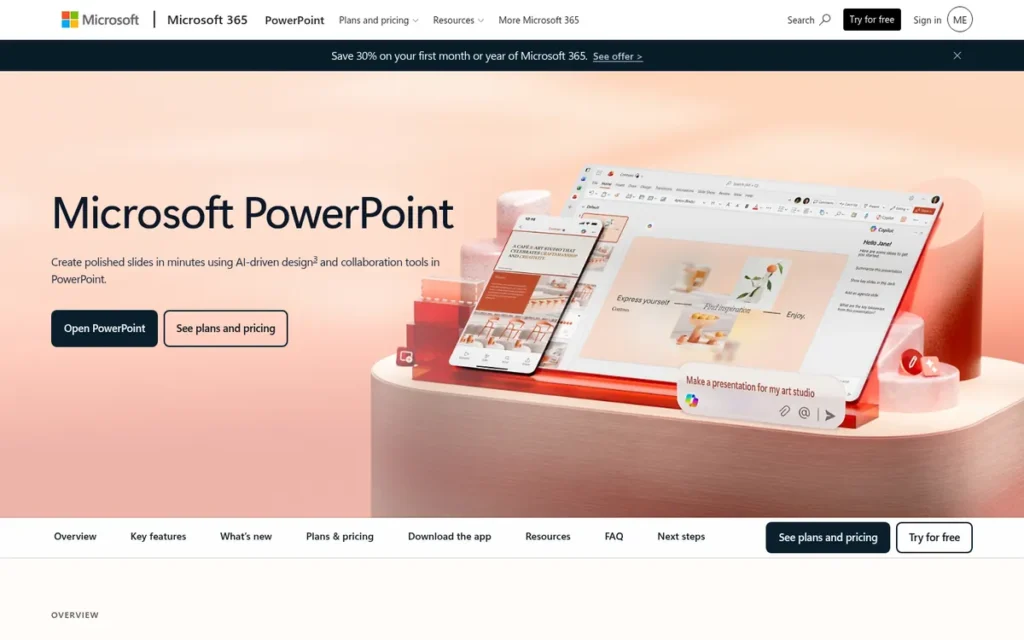
Category: Presentation Specialist, a tool built mainly for slide decks and presentations rather than general graphic design.
At a Glance
- Category: Presentation Specialist
- Best For: Small businesses, consultants and freelancers who send editable decks to clients, build data-heavy reports, or already pay for Microsoft 365.
- Price Range: Free (PowerPoint for the web, personal use); Microsoft 365 Business Basic $7/user/mo annual ($8.40 monthly) to Business Premium $22/user/mo; Personal $9.99/mo (Microsoft pricing pages, November 2026; not listed on G2; may change).
- Primary Strength: Microsoft PowerPoint offers precise layout control, native .pptx output, Excel-linked charts and offline editing that Canva’s presentation editor does not match.
- Biggest Limitation: Microsoft PowerPoint’s template and stock library is smaller and less modern than Canva’s, and Microsoft PowerPoint is not built for social graphics or video.
- One-Line Summary: Microsoft PowerPoint is a strong Canva alternative for client-editable, data-linked presentations and is included in most Microsoft 365 plans, but it replaces only Canva’s deck work.
- Last Verified: November 2026
Overview
Microsoft PowerPoint is Microsoft’s slide deck software for small businesses, consultants and freelancers who need client-editable .pptx decks, Excel-linked charts and offline editing. Microsoft PowerPoint ranks #3 (33 of 45) because it has clear, low published pricing but replaces only Canva’s presentation work.
Microsoft PowerPoint needs a companion for social graphics, such as Microsoft’s Designer app. Pairing the two is less unified than working in Canva’s single editor.
Key Features
- Microsoft PowerPoint produces native .pptx files that clients and colleagues can open and edit directly.
- Microsoft PowerPoint links charts to Excel workbooks, so recurring report figures update from the source data.
- Microsoft PowerPoint includes Designer layout suggestions and, with an eligible license, Microsoft 365 Copilot to generate decks from a prompt or a document.
- Microsoft PowerPoint supports cloud co-authoring through OneDrive and SharePoint.
- Microsoft PowerPoint runs as a full desktop app that works offline and as a free web app with a Microsoft account.
Best For
Microsoft PowerPoint is best for people who left Canva or Google Slides over deck control, client-editable exports or large-deck performance. Microsoft PowerPoint is a poor fit for anyone whose main work is social graphics, short video or playful, template-led design.
Pricing
G2 lists no price for Microsoft PowerPoint, so PlugRoute uses Microsoft’s official US pricing pages (November 2026). Microsoft raised Business Basic from $6 to $7 per user per month on July 1, 2026.
- Microsoft PowerPoint for the web is free with a Microsoft account for personal use; businesses should confirm licensing terms or use a business plan (Microsoft Support, 2026).
- Microsoft 365 Personal costs $9.99/mo or $99.99/yr, and Family costs $12.99/mo or $129.99/yr.
- Microsoft 365 Business Basic costs $7.00 per user per month on annual billing or $8.40 monthly, and includes web and mobile apps only.
- Microsoft 365 Business Standard costs $14.00 per user per month annually or $16.80 monthly, and Business Premium costs $22.00.
- Microsoft’s Copilot Business add-on costs $21.00 per user per month at the standard rate.
All Microsoft prices were verified in November 2026 and may change.
Strengths
- Microsoft PowerPoint holds a 4.6/5 G2 rating from 4,403 reviews, and G2’s switching data names Canva among tools users leave “for more control over layouts and formatting, as well as compatibility” (G2, November 2026).
- Microsoft PowerPoint was the top-voted answer (9 upvotes) in an r/canva thread about leaving Canva for presentations, praised for its “technical features and control” (Reddit r/canva, August 2026).
- Microsoft PowerPoint costs nothing extra for small businesses whose Microsoft 365 plan already includes it, although Business Basic covers only the web and mobile apps (Microsoft, November 2026).
- Microsoft PowerPoint supports 56 languages and lists 59 integrations on G2, far more than the other specialist tools in this ranking (G2, November 2026).
Limitations
Microsoft PowerPoint gives up Canva’s breadth and modern templates in exchange for deck control. Readers who also make social content will need a second tool, such as Microsoft’s Designer app.
- Microsoft PowerPoint’s G2 users ask for a refreshed template library, more dependable real-time co-editing, and better performance on large, media-heavy decks (G2, November 2026).
- Microsoft PowerPoint was called “very slow” and “an absolute memory hog” by a user in an r/canva thread about leaving Canva for presentations (Reddit r/canva, August 2026).
- Microsoft PowerPoint has no counted pros, cons or 4- or 5-star share published on G2, so its sentiment evidence is less detailed than for other entries (G2, November 2026).
- Microsoft 365 pricing rose 16% for Business Basic in July 2026, and a Microsoft Q&A user reported a 30% renewal increase (Microsoft pricing page, November 2026; Microsoft Q&A, November 2026).
How It Compares with Canva
Microsoft PowerPoint beats Canva on client-editable .pptx output, Excel-linked charts and offline work. Canva’s own .pptx exports “may need formatting cleanup” (Deckary, 2026).
Microsoft PowerPoint falls short of Canva on modern templates, stock assets, social graphics and video (G2, November 2026).
Users on r/canva shared their experience:
“I switched to Canva for most of my decks, too, mainly because it’s faster and the templates look cleaner than standard PowerPoint ones. The only downside is when you need very advanced animations or offline access, PowerPoint still wins.” Posted by u/GurAffectionate9119
Takeaway: Microsoft PowerPoint keeps its edge over Canva for advanced animations and offline work, even among users who prefer Canva’s speed and cleaner templates for everyday decks.
Verdict
Microsoft PowerPoint is the strongest Canva alternative in this ranking for editable, data-linked client presentations, backed by a 4.6/5 rating from 4,403 G2 reviews (November 2026). Microsoft PowerPoint scores 5 on pricing because Microsoft publishes clear, non-credit prices, but it covers only one Canva job.
Many readers will do best with a split workflow: Canva for social graphics and Microsoft PowerPoint for decks.
PlugRoute score: 33 of 45 (C1 3, C2 4, C3 5, C4 2, C5 3, C6 4).
4. Picsart: Best for Mobile-First Social Photo, Video and AI Content
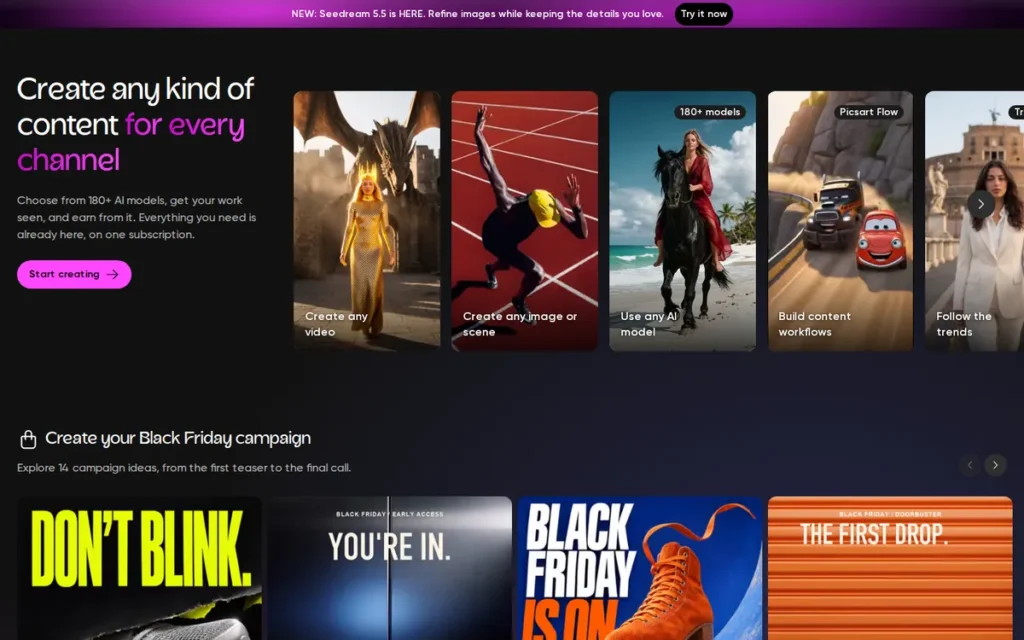
Category: Mobile Photo & AI Editor, a photo-, video- and AI-first app for social content rather than layouts or documents.
At a Glance
- Category: Mobile Photo & AI Editor
- Best For: Content creators, influencers and solo social media marketers who edit photos and short videos on their phones and want AI tools.
- Price Range: Free plan with ads; Pro $10.50/mo annual ($15 monthly); Ultra from $37.50/mo annual (1,500 credits) (Picsart US pricing page, November 2026; not listed on G2; varies by platform and country; may change).
- Primary Strength: Picsart combines an easy mobile photo and video editor with AI background removal and access to 157+ generative AI models under one login.
- Biggest Limitation: Picsart is weak for multi-page documents and presentations, and Picsart’s credit-based pricing, which differs by platform, makes the real cost hard to predict.
- One-Line Summary: Picsart is a mobile-first photo, video and AI editor that suits social creators better than Canva for image-heavy content, but it does not replace Canva for presentations or documents.
- Last Verified: November 2026
Overview
Picsart is a mobile-first photo and video editor with templates and AI tools for content creators, influencers and solo social media marketers who mainly make image-led posts and short videos. Picsart ranks #4 (24 of 45) because it covers only social-image work and uses credit-based pricing.
Picsart has the highest share of 4- or 5-star G2 reviews of any alternative ranked here. Picsart’s pricing is also the hardest in this list to compare.
Key Features
- Picsart offers photo and video editing with templates designed for social media formats.
- Picsart provides an AI background remover, which G2 reviewers highlight as especially effective, and an AI Assistant that makes edits on request.
- Picsart’s AI Playground works as an AI image generator and AI video generator hub, with 157+ models from 31 providers, including Sora, Kling, Veo and Flux, paid per generation.
- Picsart Flow is a no-code canvas for building repeatable creative processes.
- Picsart includes a creator community with challenges and credited remixing.
Best For
Picsart is best for creators who left Canva because they need stronger mobile photo editing and AI image or video generation. Picsart is not a good fit for readers whose main work is multi-page documents, presentations or brand-controlled team content.
Pricing
G2 lists no price for Picsart, so PlugRoute uses Picsart’s US pricing page (November 2026).
- Picsart Pro costs $10.50/mo billed annually ($126/yr) or $15 billed monthly, with 500 credits per month.
- Picsart Ultra is sold in credit tiers, from $37.50/mo billed annually for 1,500 credits to $200/mo for 10,000 credits; the 2,500-credit tier costs $60/mo billed annually.
- Picsart’s App Store “Plus” plan is reported by third parties at $11.99/mo or $64.99/yr (NovoAds and YourAISoft, November 2026).
Picsart’s prices differ between web, app stores and countries, and AI Playground generations are paid per use. Readers should check picsart.com/pricing in their own region; prices may change.
Strengths
- Picsart holds a 4.5/5 G2 rating from 800 reviews, and 97.4% are rated 4 or 5 stars, the highest share among the alternatives ranked here (G2, November 2026).
- Picsart’s top G2 pros are Ease of Use (219 mentions), Photo Editing (123) and AI Tools (95) (G2, November 2026).
- Picsart’s G2 review summary singles out AI background removal as especially effective for streamlining edits (G2, November 2026).
- Picsart’s AI Playground offers 157+ generative models from 31 providers (Picsart G2 vendor description, November 2026), up from 120+ models cited in an earlier Google Cloud customer story (Google Cloud customer story, November 2026).
Limitations
Picsart gives up Canva’s layout and document range in exchange for photo and AI depth. Third-party comparisons call Picsart “less suitable for multi-page documents and presentation-heavy work than Canva” (AIToolsPolice, 2026).
- Picsart’s most-cited weakness is cost: Expensive (79 G2 mentions), Limited Free Features (54) and Subscription Requirement (35) (G2, November 2026).
- Picsart’s Trustpilot reviews mention unexpected charges, billing problems and credit limits (Trustpilot sample, November 2026).
- Picsart’s G2 reviewers report ads in the free version, Slow Performance (39 mentions), lag on low-end devices and glitches after updates (G2, November 2026).
- Picsart has thin community evidence, and the one relevant Reddit user described using Picsart alongside Canva “to design for fun” rather than instead of it (Reddit r/graphic_design, 2024).
Users on r/Pics_Art noted:
“Hi everyone, I signed up for their 7-day free trial for some project I was working on for my friend’s birthday but I totally forgot to cancel it on time and my card was automatically charged. Since I don’t really use Picsart and therefore don’t need this pro subscription anymore, I’m selling my account so it doesn’t go to waste.” Posted by u/Human-Judge-9828
Takeaway: Picsart’s free trial converts automatically to a paid annual plan, which catches occasional users off guard and backs up the billing complaints behind its low billing-risk score.
How It Compares with Canva
Picsart beats Canva on mobile photo editing and on access to many generative AI models (G2, November 2026).
Picsart falls short of Canva on presentations, documents, print and team brand controls. Picsart’s credit-based pricing is also harder to predict than Canva’s published per-user G2 list prices (G2, November 2026).
Verdict
Picsart has the highest share of 4- and 5-star G2 reviews (97.4% of 800) among the alternatives ranked here and suits mobile photo editing and AI social content (November 2026). The 9-point gap to #3 comes mainly from pricing transparency (credit-based, platform-dependent) and unverified team and brand features.
Creators should use Picsart alongside another tool for decks and documents, and should track credit use before upgrading.
PlugRoute score: 24 of 45 (C1 3, C2 4, C3 2, C4 2, C5 2, C6 2).
5. Adobe Illustrator: Best for Logos, Vector Art and Typography-Heavy Merch
Category: Professional Design Software, professional desktop design tools with far more control than Canva and a steep learning curve.
At a Glance
- Category: Professional Design Software
- Best For: Freelancers, merch sellers and small brands that need original logos, custom typography, vector illustrations and artwork ready for screen printing.
- Price Range: $22.99/mo individual (annual plan billed monthly; $263.88/yr prepaid); $37.99/mo per Teams license (G2 list and Adobe prices, November 2026; may change).
- Primary Strength: Adobe Illustrator gives precise vector, typography and print-color control for logos and merch that Canva cannot match.
- Biggest Limitation: Adobe Illustrator is hard for beginners, and its top G2 con is Difficulty for Beginners, with 61 mentions.
- One-Line Summary: Adobe Illustrator is a widely used professional vector tool for logos, vector art and typography-heavy merch, with 6,208 G2 reviews, and it replaces Canva only for readers willing to learn a blank-canvas tool.
- Last Verified: November 2026
Overview
Adobe Illustrator is Adobe’s professional vector design application for freelancers, merch sellers and small brands who need original logos, custom wordmarks and print-ready artwork that Canva’s template editor cannot produce. Adobe Illustrator ranks #5 (22 of 45) because its learning curve and cancellation terms offset its strong reviews.
Adobe Illustrator is a specialist tool, not a drag-and-drop substitute. Adobe Illustrator’s G2 go-live data shows 3–6 months is as common as under one day (G2, November 2026).
Key Features
- Adobe Illustrator creates vector artwork that scales without quality loss, in native AI, PDF and EPS formats.
- Adobe Illustrator supports CMYK documents, spot-color libraries and print color separations.
- Adobe Illustrator gives detailed control over letterforms, kerning and paths for custom typography.
- Adobe Illustrator includes Firefly vector AI features such as Text to Vector Graphic, Generative Shape Fill and Concept to Vector.
- Adobe Illustrator runs on desktop, web and iPad, and the individual plan includes Adobe Express Premium templates.
Best For
Adobe Illustrator is best for readers who left Canva because it “Lacks Advanced Design Tools” (156 G2 mentions on Canva) and who make logos, merch or screen-print designs. Adobe Illustrator is the wrong choice for non-designers who mainly need fast social graphics or presentations.
Pricing
Adobe Illustrator’s G2 list prices are $22.99 per month for Individuals and $37.99 per month for Teams (G2, November 2026). Adobe’s site confirms $22.99/mo on an annual plan billed monthly, or $263.88/yr prepaid.
- Adobe Creative Cloud Pro costs $69.99/mo at the regular rate; a first-year promotional price was listed in November 2026, so check current offers.
- Adobe Illustrator single-app subscribers who joined on or after June 17, 2025 get 25 generative credits per month, down from 500, while Creative Cloud Pro includes 4,000 (Adobe HelpX, November 2026).
- Adobe charges 50% of the remaining months when an annual plan is cancelled after the 14-day window.
All Adobe prices were verified in November 2026 and may change. Choose month-to-month billing while testing.
Strengths
- Adobe Illustrator holds a 4.6/5 G2 rating from 6,208 reviews, with 97.1% rated 4 or 5 stars, the largest review base among the alternatives ranked here (G2, November 2026).
- Adobe Illustrator’s top G2 pros include Vector Design (99 mentions) and Logo Design (69), and G2’s switching data names Canva among tools users leave for “more precise vector control” (G2, November 2026).
- Adobe Illustrator supports CMYK, spot-color libraries and color separations (Adobe HelpX, November 2026), which addresses Canva users’ G2 request for more print-ready output.
- Adobe Illustrator’s individual plan includes Adobe Express Premium templates, which keeps some template-first workflow available (Adobe plans page, November 2026).
Limitations
Adobe Illustrator gives up Canva’s speed and ease in exchange for professional control. Non-designers should expect weeks to months before they are productive.
- Adobe Illustrator’s top G2 cons are Difficulty for Beginners (61 mentions), Expensive (54) and Learning Curve (47) (G2, November 2026).
- Adobe Illustrator’s annual plans have charged 50% of remaining months when cancelled after 14 days, a fee at the center of a June 2024 FTC/DOJ lawsuit that Adobe resolved in 2026 with a $150 million settlement and court order (DOJ, 2026).
- Adobe Illustrator gives new single-app subscribers only 25 generative credits per month (Adobe HelpX, November 2026).
- Adobe Illustrator’s G2 users ask for stronger real-time collaboration, and Adobe Illustrator supports English only (G2, November 2026).
This aligns with community sentiment on r/graphic_design:
“This is why you don’t use Canva. Transition and use Illustrator or InDesign instead, might take a bit longer to learn or to reconstruct the artwork in there, but it’ll be worth it long term” Posted by u/popularseal
Takeaway: Adobe Illustrator costs more learning time than Canva up front, but print-focused designers see that time as a long-term investment in clean production files.
How It Compares with Canva
Adobe Illustrator beats Canva on vector precision, custom typography and print color control, which are the areas behind Canva’s “Lacks Advanced Design Tools” con (G2, November 2026).
Adobe Illustrator falls short of Canva on speed for everyday social graphics, ready-made templates, live collaboration and ease for non-designers.
Verdict
Adobe Illustrator is the professional choice for Canva users who need original logos, vector art and typography-heavy merch, backed by a 4.6/5 rating from 6,208 G2 reviews (November 2026). Adobe Illustrator ties Adobe InDesign at 22 and ranks #5 on its higher 4- or 5-star share (97.1% versus 96.7%).
Buyers should start on month-to-month billing and keep a template tool for everyday social graphics.
PlugRoute score: 22 of 45 (C1 1, C2 5, C3 2, C4 2, C5 2, C6 2).
6. Adobe InDesign: Best for Multi-Page Print Layout and Former Microsoft Publisher Users
Category: Professional Design Software, professional desktop design tools with far more control than Canva and a steep learning curve.
At a Glance
- Category: Professional Design Software
- Best For: Small businesses, publishers and freelancers producing brochures, catalogs, books, menus and newsletters for professional printing, including former Microsoft Publisher users (Publisher retired October 2026).
- Price Range: $20.99/mo (G2 list price); Adobe’s site lists $22.99/mo individual (annual plan billed monthly) and $37.99/mo per Teams license (November 2026; may change).
- Primary Strength: Adobe InDesign handles multi-page layout and print-ready PDF/X export with page numbering, styles and preflight checks that Canva does not provide.
- Biggest Limitation: Adobe InDesign has a steep learning curve for non-designers and no Canva-style real-time co-editing.
- One-Line Summary: Adobe InDesign is a professional page-layout tool that users describe as the industry standard for multi-page print, and it fixes Canva’s print weaknesses at the cost of significant learning time.
- Last Verified: November 2026
Overview
Adobe InDesign is Adobe’s professional page-layout application for small businesses, publishers and freelancers who produce brochures, catalogs, books and newsletters that must meet a commercial printer’s file requirements. Adobe InDesign ranks #6 (22 of 45) mainly because of its steep learning curve and lack of real-time co-editing.
Adobe InDesign fixes Canva’s multi-page and print-export weaknesses. Adobe InDesign also takes far more time to learn than any template tool in this ranking.
Key Features
- Adobe InDesign uses parent pages and paragraph, character, object and table styles to keep long documents consistent.
- Adobe InDesign applies GREP styles that automatically format text matching a pattern, such as prices or phone numbers.
- Adobe InDesign builds tables of contents, indexes, cross-references and linked “Book” files for long publications.
- Adobe InDesign includes Data Merge, Preflight checks and PDF/X print export.
- Adobe InDesign connects with InCopy for editorial workflows and with Share for Review for collecting feedback.
Best For
Adobe InDesign is best for readers whose Canva files have been rejected by printers, who need consistent styles across long documents, or who used Microsoft Publisher. Adobe InDesign is a poor fit for teams that need live co-editing or quick one-page social graphics.
Pricing
Adobe InDesign’s G2 list price is Basic at $20.99 per month (G2, November 2026). Adobe’s site lists $22.99/mo for individuals on an annual plan billed monthly, or $263.88/yr prepaid, so the G2 figure may be out of date.
- Adobe InDesign for Teams costs $37.99 per license per month on Adobe’s site.
- Adobe Creative Cloud Pro costs $69.99/mo at the regular rate, or $99.99 per license for teams.
- Adobe charges 50% of the remaining months when an annual plan is cancelled after 14 days, while month-to-month plans have no cancellation fee.
All Adobe prices were verified in November 2026 and may change.
Strengths
- Adobe InDesign holds a 4.6/5 G2 rating from 3,497 reviews, with 96.7% rated 4 or 5 stars and Layout Design (37 mentions) among its top pros (G2, November 2026).
- Adobe InDesign is one of two destinations, with Marq, that G2 switching data shows former Microsoft Publisher users choosing; Publisher reached end of life in October 2026 (G2, November 2026; Microsoft Support, 2026).
- Adobe InDesign exports PDF/X print files with Preflight checks, addressing a print-shop complaint that Canva files arrive “RGB, low resolution, no colour profile” (Reddit r/indesign, 2025).
- Adobe InDesign drew a 35-upvote comment: “Try making hundreds of pages one by one in Canva. Now try doing it in InDesign and you’ll understand the difference” (Reddit r/indesign, 2025).
- Adobe InDesign prompted one Capterra reviewer to write, “I’m never going back to Canva for polished publications” (Capterra, November 2026).
Limitations
Adobe InDesign gives up Canva’s speed and live collaboration in exchange for print-grade control. Non-designers moved onto Adobe InDesign often report large time costs.
- Adobe InDesign’s G2 cons include Difficulty (17 mentions), Steep Learning Curve (16) and Slow Performance (13) (G2, November 2026).
- Adobe InDesign frustrated one non-designer: “What takes me 10min on canva takes me 2 freaking hours on Indd” (Reddit r/indesign, 2025).
- Adobe InDesign has no Canva-style real-time co-editing, and a Capterra reviewer says it is “not conducive to more than one user making changes to the file” (Capterra, November 2026).
- Adobe InDesign’s G2 reviewers report lag and crashes on large, image-heavy documents, and one user questioned whether an older computer could handle it (G2, November 2026; Reddit r/indesign, April 2026).
- Adobe InDesign’s annual plans carry Adobe’s 50% early-termination charge after 14 days, the fee at the center of the FTC/DOJ case Adobe settled in 2026; Adobe InDesign supports English only (DOJ, 2026).
How It Compares with Canva
Adobe InDesign beats Canva on page numbering, consistent styles across long documents and print-ready CMYK output. One r/canva commenter said Canva’s PDF export “is not sufficient for volume or professional/CMYK printing” (Reddit r/canva, 2024).
Adobe InDesign falls short of Canva on ease, templates and live co-editing.
A print designer on r/graphic_design described:
“If I’m provided with a crude mockup, high resolution images, vector logos, copy, and branding guidelines (complete with fonts and brand color schemes), I can produce a first draft of a print ad using Illustrator and InDesign in just a few minutes. If they provide me something built in Canva and they don’t give me anything else, and I have to make alterations (which is a certainty with Canva), it will take me at least three times as long for me to work backwards, navigate the file and clean it up.” Posted by u/MyBurnerAccount1977
Takeaway: Adobe InDesign makes trained designers much faster at print-ready work than fixing Canva-built files, but that speed comes from professional skill that non-designers would first have to learn.
Verdict
Adobe InDesign is the strongest Canva alternative in this ranking for multi-page, print-ready documents, backed by a 4.6/5 rating from 3,497 G2 reviews (November 2026). Adobe InDesign scores 22 of 45 mainly because of its learning curve (C1 1) and lack of live co-editing (C5 2), and ranks #6 on 4- or 5-star share (96.7% versus 97.1%).
One documented migration route is to export Canva designs as PDF and open them in Adobe InDesign (Reddit r/indesign, April 2026).
PlugRoute score: 22 of 45 (C1 1, C2 5, C3 2, C4 2, C5 2, C6 2).
7. Prezi: Best for Interactive, Non-Linear Presentations with Live Polls
Category: Presentation Specialist, a tool built mainly for slide decks and presentations rather than general graphic design.
At a Glance
- Category: Presentation Specialist
- Best For: Educators, trainers and presenters who want audience participation and non-linear storytelling in live sessions.
- Price Range: Free plan (14-slide limit, watermark, public presentations); Standard $7/mo to Teams $39/user/mo billed annually (Prezi blog, 2026); G2 lists Basic at €3.00/mo (November 2026; may change).
- Primary Strength: Prezi combines a zoomable, non-linear canvas with built-in live polls, quizzes and Q&A, so presenters need no separate audience-response tool.
- Biggest Limitation: Prezi has the lowest G2 rating in this ranking (4.2/5), plus complaints about the learning curve, motion sickness and renewals.
- One-Line Summary: Prezi is an interactive presentation tool whose zooming canvas and built-in polls suit live audience engagement, but it has the lowest verified satisfaction in this ranking.
- Last Verified: November 2026
Overview
Prezi is a cloud-based interactive presentation platform for educators, trainers and live presenters who want zooming, non-linear presentations with built-in polls, quizzes and Q&A. Prezi ranks #7 (19 of 45) because it covers only presentations and has the lowest verified G2 rating in this ranking.
Prezi replaces only Canva’s presentation work. Prezi suits sessions where audience participation matters more than a conventional deck.
Key Features
- Prezi presents content on a zoomable, non-linear canvas that shows how ideas relate.
- Prezi includes live polls, quizzes, Q&A and word clouds that presenters can turn on without a separate tool.
- Prezi AI generates presentations from a prompt or from uploaded PPTX, PDF or Word files, and drafts quizzes.
- Prezi imports existing .pptx decks and lets users add interactive elements to them.
- Prezi offers a desktop app for presenting offline on eligible paid plans.
Best For
Prezi is best for live, participatory sessions such as classes, workshops and training. Prezi is a poor fit for anyone who needs clean PPTX or PDF exports, offline work on a free plan, or conservative corporate decks.
Pricing
Prezi’s only G2 list price is Basic at €3.00 per month, listed in euros (G2, November 2026). Prezi’s own 2026 blog lists Basic as free, which conflicts with G2, so verify at checkout.
- Prezi Standard costs $7/mo ($84/yr) billed annually (Prezi blog, 2026).
- Prezi Plus costs $19/mo and Prezi Premium costs $29/mo, both billed annually (Prezi blog, 2026).
- Prezi Teams costs $39 per user per month billed annually (Prezi blog, 2026).
- Prezi’s free plan includes 500 AI credits, a 14-slide limit and a watermark, and free-plan presentations are public.
- Prezi’s PDF and SCORM exports start on the Plus plan.
All Prezi prices were checked in November 2026 and may change; see prezi.com/pricing.
Strengths
- Prezi has 5,726 G2 reviews, the second-largest review volume in this ranking, with Presentations (84 mentions) and Ease of Use (52) as its top pros (G2, November 2026).
- Prezi’s G2 reviewers praise its dynamic presentation style for keeping audiences engaged (G2, November 2026).
- Prezi’s zooming interface can show how ideas relate, according to a Johns Hopkins instructional technology guide (Johns Hopkins Library, May 2026).
- Prezi builds live polls, quizzes, Q&A and word clouds into the canvas, so presenters do not need a separate audience-response tool (Prezi feature pages, 2026).
- Prezi struck one user as a welcome change: “Having seen a billion PPT presentations, Prezi is a refreshing change” (Reddit r/androidapps, 2020; dated thread).
Limitations
Prezi gives up the familiarity and portability of slides in exchange for motion and interactivity. Prezi’s verified satisfaction is the lowest in this ranking.
- Prezi’s 4.2/5 G2 rating and 89.3% share of 4- or 5-star reviews are the lowest here, while Prezi’s homepage has cited a 4.6 G2 rating (G2 and vendor page as captured, November 2026).
- Prezi’s G2 cons are led by Learning Curve (13 mentions) and Steep Learning Curve (12), and the Johns Hopkins guide warns zooming “can distract or cause motion sickness” (G2, November 2026; Johns Hopkins Library, May 2026).
- Prezi drew this summary from one user: “Too bad I don’t have time to learn this. Ooh, I’m getting motion sick” (Reddit r/office, October 2026).
- Prezi’s PDF and PPTX exports lose the zoom effect and become static slides that need cleanup (GenPPT, 2026).
- Prezi’s Trustpilot samples are sharply negative about unexpected annual renewals after trials, difficult cancellation and refund disputes (Trustpilot sample, November 2026).
How It Compares with Canva
Prezi beats Canva on live audience interaction and non-linear storytelling (G2, November 2026).
Prezi falls short of Canva on several points (G2, November 2026):
- Prezi offers less design breadth than Canva beyond presentations.
- Prezi’s verified rating is 4.2, compared with Canva’s 4.7.
- Prezi supports 9 languages, compared with Canva’s 74.
- Prezi’s exports are less portable, and some users keep their previous tool for conventional decks.
Verdict
Prezi is the most interactive presentation option in this ranking, but it has the lowest verified user satisfaction, at 4.2/5 from 5,726 G2 reviews (November 2026). Prezi’s pricing score stays at 2 because G2’s €3.00 Basic price conflicts with Prezi’s free Basic plan, and PDF export requires the $19/mo Plus tier.
Readers should test Prezi on the free plan, check renewal terms before any trial converts, and keep a conventional slide tool for client decks.
PlugRoute score: 19 of 45 (C1 2, C2 3, C3 2, C4 1, C5 2, C6 2).
Why Are People Looking for Canva Alternatives?
People mainly leave Canva because of paywalled features, missing advanced design tools and lag on large projects, which are Canva’s three most-mentioned G2 complaints (G2, November 2026). Canva is still rated 4.7/5 from 7,857 G2 reviews, higher than every alternative ranked here, so most switchers want to do one specific job better.
Canva’s top G2 cons are listed below with the number of reviews that mention each (G2, November 2026):
- Canva’s most-mentioned con is Features Behind Paywall (353 mentions).
- Canva reviewers cite Lacks Advanced Design Tools in 156 reviews.
- Canva reviewers report Large Project Lag in 125 reviews.
- Canva reviewers mention High Subscription Costs in 119 reviews.
- Canva reviewers flag Confusing Cluttered Navigation in 117 reviews.
As one user on r/posterdesign described:
“Canva is everywhere, but it’s getting bloated and crowded. Too many features, busy UI, slower workflow. Most of the time I just want to design a poster, banner, or simple graphic and move on.” Posted by u/woodybuzz123
Takeaway: Canva’s growing feature set is now a reason some users look for alternatives, because cluttered navigation slows down the simple poster and banner work Canva once made quick.
Canva’s G2 reviewers most often ask for these improvements (G2, November 2026):
- Canva users want more precise control over layers, vector details, typography and alignment.
- Canva users want better search and filters, plus a wider variety of distinct templates.
- Canva users want more flexible exports, including print-ready output and editable file formats.
- Canva users want AI results they can rely on, with less manual cleanup.
In September 2024, Canva told some US customers on legacy Teams plans that the annual price for up to five users would rise from $119.99 to $500, with a first-year discount to $300 (TechCrunch, September 2024).
Canva’s 2024 Teams price change is now two years old, but it still shapes how cautious buyers are about subscription pricing.
Content pressure adds to the search. The graphic design software market is estimated at $11.13 billion in 2026 (Business Research Insights, 2026), and 70% of 433 surveyed business owners report content-creation burnout (Adobe Express survey, November 2026).
Canva users disagree about performance. One r/canva user reported lag on large decks, while another replied that they build decks “much bigger than that no problem” (Reddit r/canva, August 2026).
What Does a Canva Alternative Cost a 5-Person Team per Year?
A 5-person team pays anywhere from about $420 to $2,340 per year in list prices, depending on the tool (November 2026). Microsoft 365 Business Basic is lowest, Marq and Canva Teams list up to $600, and the Adobe tools and Prezi Teams cost roughly four times as much. All figures are list prices on annual billing and may change.
| Tool and Plan | Annual Cost for 5 Users | How It Is Calculated | Source |
|---|---|---|---|
| Microsoft 365 Business Basic | $420 | $7 x 5 users x 12 months (web and mobile apps only) | Microsoft pricing page, November 2026 |
| Canva Teams (baseline) | $600 | $10 x 5 users x 12 months | G2 list price, November 2026 |
| Marq Team | Up to $600 | $10 x 5 users x 12 months, before the included free second license; confirm at checkout | Marq pricing page, November 2026 |
| Visme Starter | $735 | $147 x 5 users | Visme pricing page, November 2026 |
| Adobe Illustrator Teams | $2,279 | $37.99 x 5 users x 12 months | Adobe site and G2 list price, November 2026 |
| Adobe InDesign Teams | $2,279 | $37.99 x 5 users x 12 months | Adobe site, November 2026 |
| Prezi Teams | $2,340 | $39 x 5 users x 12 months | Prezi blog, 2026 |
| Picsart | Not published | Picsart publishes no team price | Picsart pricing page, November 2026 |
Monthly billing changes these numbers sharply. Visme Starter on monthly billing would cost $1,740 per year for 5 users ($29 x 5 x 12), more than double the annual figure (G2, November 2026).
Which Canva Alternatives Have a Free Plan?
Five of the seven ranked Canva alternatives offer a verified free option: Microsoft PowerPoint for the web, Visme, Marq, Prezi and Picsart. Each free option has real limits on storage, slides, watermarks, ads or commercial use. PlugRoute found no free plan for Adobe Illustrator or Adobe InDesign in its November 2026 research.
- Microsoft PowerPoint for the web is free with a Microsoft account for personal use, and businesses should confirm licensing terms or use a Microsoft 365 business plan (Microsoft Support, 2026).
- Visme’s free Basic plan includes 500 MB of storage and up to 50 slides or pages per project, with limited templates and downloads (Visme pricing page, November 2026).
- Marq’s free plan costs $0, though reviews describe Marq’s free plan as more limited than Canva’s free tier (Marq pricing page, November 2026).
- Prezi’s free plan includes 500 AI credits, a 14-slide limit, a watermark and public visibility for presentations (Prezi blog, 2026).
- Picsart’s free plan includes ads, and “Limited Free Features” appears in 54 Picsart G2 reviews (G2, November 2026).
When Does It Make Sense to Stay with Canva?
Staying with Canva makes sense when your design work is mixed, high-volume and done by non-designers. Canva’s top G2 pros, Easy Everyday Design (1,069 mentions) and Ready-Made Design Templates (695), far exceed any comparable pro count among the alternatives in this set (G2, November 2026). Many teams do best keeping Canva and adding one specialist.
- Canva remains the better choice when one tool must cover social posts, short video, simple decks and basic print.
- Canva remains the better choice when your team relies on its 149 G2-listed integrations or 74 languages, compared with Visme’s 7, Prezi’s 9, and English only for Adobe and Marq (G2, November 2026).
- Canva Teams at a G2 list price of $10 per user per month remains good value when your team does not need CMYK print output, editable .pptx files, locked templates or data-linked charts.
- Canva plus a specialist, such as Canva for social and Microsoft PowerPoint or Visme for decks, is the hybrid setup Reddit users describe most often (Reddit r/canva, August 2026).
How Do I Switch from Canva Without Losing My Brand Kit?
No Canva alternative in this ranking was verified to import a Canva brand kit, so every switch includes a manual brand-kit rebuild. Before cancelling Canva, download your existing work, confirm which file formats your new tool imports, and test the new tool on month-to-month billing so a bad fit costs little.
- Your brand kit of fonts, colors and logos must be recreated by hand, and Marq’s locked templates and Visme’s Brand Kit are the strongest options for rebuilding brand control.
- Your existing .pptx decks can be imported into Microsoft PowerPoint and Prezi.
- Your InDesign files can be imported into Marq to build locked templates.
- Your Canva designs can be exported as PDF and opened in Adobe InDesign, a workaround one user described (Reddit r/indesign, April 2026).
- Your former Microsoft Publisher files need a new home, and G2 switching data shows Publisher users moving to both Adobe InDesign and Marq (G2, November 2026).
- Your old Canva work should be downloaded before you cancel, because Reddit users worry about old work being locked behind a paywall (Reddit r/canva, August 2026).
Which Other Canva Alternatives Do AI Assistants Mention?
AI assistants sampled by PlugRoute (Perplexity and ChatGPT, November 2026) also recommend Adobe Express, Microsoft Designer, Affinity and several other tools. PlugRoute did not rank these tools because they were not in the verified G2 dataset used for this article. Leaving them out reflects that evidence rule, not a judgment of their quality.
- Adobe Express is widely described as the closest Canva substitute, and Adobe Express Premium templates are included in Adobe Illustrator’s individual plan (Adobe plans page, November 2026).
- Microsoft Designer is described in an AI-cited Microsoft FAQ as intended for personal, non-commercial use, which readers should verify before business use.
- Affinity is described in some AI answers as free under Canva, but PlugRoute could not verify that claim (November 2026).
- VistaCreate, Figma, Penpot, Photopea, Kittl, Clipchamp and Snappa also appeared in sampled AI answers and were not evaluated by PlugRoute.
What Red Flags Should I Watch For When Evaluating Canva Alternatives?
The biggest red flags when evaluating Canva alternatives involve billing terms and unverified claims, not design features. Five of the seven ranked Canva alternatives have documented billing friction, ranging from monthly prices above twice the annual rate to auto-renewal complaints and early-termination fees (PlugRoute research, November 2026).
Red Flag #1: Monthly Price More Than Double the Annual Rate A monthly price more than double the annual rate pushes buyers into a yearly commitment before proper testing. Visme’s Starter plan lists $29 per user per month on monthly billing versus $12.25 on yearly billing (G2, November 2026).
Red Flag #2: Auto-Renewal Without Reminders or Refunds Auto-renewal without reminders or refunds is the most repeated billing complaint in this category. Trustpilot samples and Reddit threads describe unexpected renewals or refused refunds for Visme, Prezi and Picsart (ProfessionalsToolkit, 2026; Trustpilot samples, November 2026).
Red Flag #3: Early-Termination Fees on Annual Plans Early-termination fees on annual plans can make leaving a tool cost far more than its listed price. Adobe’s 50% fee was the subject of a June 2024 FTC/DOJ lawsuit, which Adobe resolved in 2026 with a $150 million settlement and court order requiring clearer disclosure (DOJ, 2026).
Red Flag #4: Credit-Based Pricing That Varies by Platform or Region Credit-based pricing that differs by platform or region makes the true monthly cost hard to predict. Picsart’s prices differ between web, app stores and countries, and new Adobe single-app subscribers receive only 25 generative credits per month (Adobe HelpX, November 2026).
Red Flag #5: Vendor-Claimed Ratings That Differ from Verified Data Vendor-claimed ratings that differ from verified data suggest marketing pages may be outdated or selective. Prezi’s homepage has cited a 4.6 G2 rating against a verified 4.2, and Visme’s page has cited 4.6 from 470+ reviews against a verified 4.5 from 514 (G2 and vendor pages as captured, November 2026).
Red Flag #6: Key Exports or Brand Kits Locked to a Higher Tier Key exports or brand kits locked to a higher tier can recreate the paywall problem that drives people away from Canva. Visme puts PPTX export and its Brand Kit on the $24.75/mo tier, and Prezi starts PDF export on its $19/mo Plus plan (Visme pricing page, November 2026; Prezi blog, 2026).
What Questions Should I Ask Before Choosing a Canva Alternative?
Before choosing a Canva alternative, ask six questions about your main design job, free-plan limits, per-seat cost, brand-kit continuity, file formats and learning time. The six questions help you check vendor claims against the features you need, and they reveal whether a tool is a true substitute or a specialist.
Question #1: What is my main design job, and does this tool specialize in it? Your main design job should decide your shortlist, because no single tool in this ranking covers everything Canva does. Match each job to a specialist before comparing anything else:
- Social photo and AI work fits Picsart.
- Decks fit Microsoft PowerPoint or Visme.
- Team brand templates fit Marq.
- Multi-page print fits Adobe InDesign.
Question #2: What does the free plan actually let me download and use commercially? A free plan’s download, export and commercial-use limits matter more than its feature list. Downloading free-plan work without paying has drawn complaints about Visme (ProfessionalsToolkit, 2026). Check each of these before relying on a free plan:
- Check the storage cap on the free plan.
- Check slide or page limits per project.
- Check whether exports carry a watermark.
- Check whether free-plan projects are public by default.
- Check whether the free plan permits commercial use.
Question #3: What will it cost per seat on monthly vs annual billing? The real cost per seat depends on billing period, seat count and credit usage. Multiply the monthly and annual rates by your team size, then compare against Canva Teams’ G2 list price of $10 per user per month (G2, November 2026), noting any higher tier you need.
Question #4: Can I rebuild my brand kit and keep co-editing? Brand-kit continuity requires a manual rebuild, because no ranked tool was verified to import Canva brand kits. Confirm which tier includes brand controls and whether the tool supports live co-editing. Adobe InDesign, for example, offers review-based feedback rather than Canva-style real-time editing.
Question #5: Which file formats can I import and export? File format support decides whether your existing work survives a migration. Run through this checklist with each vendor:
- Confirm .pptx import for existing decks.
- Confirm PDF/X or CMYK export for print work.
- Confirm editable exports for client handoff.
- Check whether PPTX export is locked to a higher tier, as it is with Visme and Prezi.
Question #6: How long will a non-designer take to become productive? Learning time for non-designers ranges from under a day to several months, depending on the tool. G2 go-live data shows under one day is most common for Marq and Visme, while 3–6 months is as common as under one day for Adobe Illustrator (G2, November 2026).
How Did We Rank These Canva Alternatives?
PlugRoute ranked seven Canva alternatives by scoring each on six published criteria from 1 to 5, counting the three primary criteria twice for a maximum of 45 points. Every input is dated, verified G2 data takes priority over vendor claims, and PlugRoute did not do hands-on product testing. Learning-curve and performance comments come from labeled user reports.
Primary criteria (weighted x2):
- C1, Workflow Similarity and Learning Curve: C1 matters because readers want a tool without a steep learning curve. 5 = browser-based, template-first editor, go-live most often under a day, no learning-curve con in top G2 cons; 4 = template-first editor with longer typical go-live; 3 = familiar editor built around one format; 2 = new interaction model with learning-curve cons in top G2 cons; 1 = professional blank-canvas software with beginner difficulty as a top-3 G2 con.
- C2, Verified Satisfaction and Evidence Depth: C2 matters because vendor-claimed ratings can be inflated. 5 = G2 rating 4.5+ from 1,000+ reviews; 4 = 4.5+ from 500–999; 3 = 4.5+ under 500, or 4.2–4.4 from 1,000+; 2 = 4.2–4.4 under 1,000; 1 = below 4.2. Subtract 1 if G2 publishes no 4- or 5-star share or counted pros and cons.
- C3, Pricing Transparency and Entry Cost: C3 matters because cost is the most common reason for leaving Canva. 5 = usable free tier and published paid price of $15 per user per month or less annually, no credit gating, no source conflicts; 4 = the same without a free tier; 3 = free tier and low annual price, but monthly more than double annual or core features on a higher tier; 2 = price not published on G2 or the official vendor page, credit-based, varying by region or platform, conflicting between sources, or $20+ per month for a single app; 1 = quote-only pricing.
Secondary criteria (weighted x1):
- C4, Coverage of Canva’s Jobs: C4 counts how many of five jobs a tool supports well (social graphics, presentations, multi-page documents, print, video). 5 = five jobs; 4 = four; 3 = three; 2 = one or two with strong depth; 1 = one job only.
- C5, Collaboration and Brand Continuity: C5 matters because brand kits must be rebuilt after switching. 5 = co-editing plus locked templates and approvals on an affordable tier; 4 = co-editing plus a brand kit; 3 = co-authoring with reliability complaints or manual-only brand controls; 2 = review-only collaboration or unverified team features; 1 = no collaboration features.
- C6, Billing and Cancellation Risk: C6 gives higher scores for lower risk. 5 = month-to-month option with no complaints across a substantial review record; 4 = month-to-month option with no recurring complaint pattern found (isolated complaints allowed); 3 = unclear cancellation terms without recurring complaints; 2 = recurring renewal or refund complaints, or a documented early-termination fee; 1 = recurring complaints plus an unresolved regulatory case. Canva (baseline, unranked) has a documented September 2024 legacy Teams price increase.
| Rank | Product | C1 Workflow (weighted x2) | C2 Satisfaction (weighted x2) | C3 Pricing (weighted x2) | C4 Job Coverage | C5 Collaboration | C6 Billing Risk | Total out of 45 |
|---|---|---|---|---|---|---|---|---|
| 1 | Marq | 5 | 3 | 5 | 3 | 5 | 4 | 38 |
| 2 | Visme | 5 | 4 | 3 | 4 | 4 | 2 | 34 |
| 3 | Microsoft PowerPoint | 3 | 4 | 5 | 2 | 3 | 4 | 33 |
| 4 | Picsart | 3 | 4 | 2 | 2 | 2 | 2 | 24 |
| 5 | Adobe Illustrator | 1 | 5 | 2 | 2 | 2 | 2 | 22 |
| 6 | Adobe InDesign | 1 | 5 | 2 | 2 | 2 | 2 | 22 |
| 7 | Prezi | 2 | 3 | 2 | 1 | 2 | 2 | 19 |
| Product | G2 Rating | G2 Reviews | Share of 4- or 5-Star Reviews | Lowest Paid Price (Source) | Workflow Similarity to Canva | PlugRoute Score (out of 45) |
|---|---|---|---|---|---|---|
| Canva (baseline, not ranked) | 4.7 | 7,857 | 98.6% | Teams $10/user/mo (G2) | Not applicable (baseline) | Not applicable (baseline) |
| Marq | 4.5 | 210 | 95.7% | Pro $10/mo annual (G2) | High | 38 |
| Visme | 4.5 | 514 | 95.3% | Starter $12.25/user/mo annual (G2) | High | 34 |
| Microsoft PowerPoint | 4.6 | 4,403 | Not published | Business Basic $7/user/mo annual (Microsoft) | Medium | 33 |
| Picsart | 4.5 | 800 | 97.4% | Pro $10.50/mo annual (Picsart) | Medium | 24 |
| Adobe Illustrator | 4.6 | 6,208 | 97.1% | $22.99/mo individual (G2) | Low | 22 |
| Adobe InDesign | 4.6 | 3,497 | 96.7% | $20.99/mo (G2; Adobe site $22.99) | Low | 22 |
| Prezi | 4.2 | 5,726 | 89.3% | Standard $7/mo annual (Prezi blog); G2 Basic €3.00/mo | Low to Medium | 19 |
All G2 figures were collected in November 2026; prices are list prices and may change.
The top positions hold up under small score changes. Marq leads Visme by 4 points and would still rank #1 if its billing-risk score, based on limited public data, were lowered to 3. Changing any single secondary-criterion score by one point would not change the top-two order.
PlugRoute applied these rules to ties, conflicts and exclusions:
- PlugRoute breaks ties by C2 score, then by share of 4- or 5-star reviews, so Adobe Illustrator (97.1%) ranks above Adobe InDesign (96.7%).
- PlugRoute shows both figures when vendor claims conflict with verified data and scores using the verified figure.
- PlugRoute labels vendor-published case studies from Visme and Marq and excludes them from scoring.
- PlugRoute excluded Microsoft Publisher because it reached end of life in October 2026 (Microsoft Support, 2026).
- PlugRoute excluded Adobe Photoshop and Lightroom as photo editors rather than template tools, and excluded Adobe Express and other AI-mentioned tools because they were not in the verified dataset.
PlugRoute has no affiliate relationships with any company listed. Rankings are determined entirely by research data and objective evaluation criteria.
What Do Buyers Most Often Ask About Canva Alternatives?
Buyers most often ask which Canva alternative is free, which suits social media graphics, and how PlugRoute decides its rankings. The short answers below cover each question with dated evidence. The comparison tables, the 5-person cost table and the methodology section above give the full detail behind each answer.
What is the best free Canva alternative in 2026?
Microsoft PowerPoint for the web is the strongest verified free Canva alternative for presentations, because it is free with a Microsoft account for personal use (Microsoft Support, 2026). For broader business design, Visme’s free plan offers 500 MB of storage and up to 50 slides or pages per project, with limited templates and downloads (Visme pricing page, November 2026).
What is the best Canva alternative for social media graphics?
Picsart is the strongest ranked alternative for mobile social photos and AI content, with 97.4% of 800 G2 reviews rated 4 or 5 stars (G2, November 2026). Marq suits teams that need on-brand social graphics from locked templates. For mixed social work, Canva itself remains the highest-rated option in this comparison at 4.7/5.
How does PlugRoute determine its rankings?
PlugRoute scores each Canva alternative on six published criteria using a 1–5 scale, counting the three primary criteria twice for a maximum of 45 points. Inputs are verified G2 data, vendor pricing pages, Trustpilot samples and dated Reddit threads (November 2026). Vendor case studies are labeled and excluded from scoring, and no hands-on testing was done.
What Do Key Design Tool Terms Mean?
Twelve terms decide whether a Canva alternative fits your work. Brand kits and locked templates affect team consistency. Vector graphics, CMYK, bleed, PDF/X and preflight affect print. PPTX affects client decks, generative credits and early-termination fees affect real cost, and co-editing and SCORM affect collaboration and training.
Brand Kit: A brand kit is a saved set of a company’s logos, fonts and colors inside a design tool. A brand kit matters because brand kits generally cannot be moved between tools and must be rebuilt by hand after switching.
Locked Template: A locked template is a design in which an administrator fixes elements such as logos or layout positions, so other users can edit only approved fields. A locked template matters for teams where many non-designers produce branded materials.
Vector Graphics: Vector graphics are images built from mathematical paths rather than pixels, so vector graphics scale to any size without losing quality. Buyers need vector output for logos, signage and merch.
CMYK: CMYK is the cyan, magenta, yellow and black color model used by commercial printers. Files designed in RGB screen colors may print with shifted colors or be rejected by print shops.
Bleed: Bleed is extra artwork that extends past the trim edge of a printed page so no white strip appears after cutting. Missing bleed is a common reason printers reject files.
PDF/X: PDF/X is a family of PDF standards designed for reliable print production. Exporting to PDF/X helps fonts, colors and images reproduce as intended at a commercial printer.
Preflight: Preflight is an automated check that scans a document for print problems, such as missing fonts, low-resolution images or incorrect color settings, before export. Preflight helps prevent costly reprints.
PPTX: PPTX is the standard editable presentation file format used by most slide software. PPTX matters when clients or colleagues need to edit a deck rather than just view it.
Generative Credits: Generative credits are usage units that some design tools consume each time an AI feature creates or edits content. Generative credit allowances vary by plan and can make monthly costs hard to predict.
Early-Termination Fee: An early-termination fee is a charge for cancelling an annual subscription before its term ends. Buyers should check the early-termination fee before committing to annual billing.
Real-Time Co-Editing: Real-time co-editing lets several people work on the same file at the same moment and see each other’s changes live. Real-time co-editing differs from review-only collaboration, where others can comment but not edit.
SCORM: SCORM is a technical standard that lets training content run inside learning management systems. SCORM matters for teams that turn presentations into employee or customer training courses.
Which Canva Alternative Is Right for You?
Key Insights
The right Canva alternative depends on your main design job. Marq fits brand-consistent team templates at Canva Teams pricing, Visme fits data-rich decks and infographics, and Microsoft PowerPoint fits client-editable decks. Adobe Illustrator and Adobe InDesign suit specialists, and mixed high-volume work is still best kept in Canva, with one specialist added.
- No single tool in this ranking replaces everything Canva does, so the right Canva alternative depends on your main design job and your reason for leaving.
- Marq is the lowest-cost paid team option in this ranking with locked brand templates, matching Canva Teams’ $10 per user per month G2 list price (November 2026).
- Visme is the strongest choice in this ranking for data-rich presentations, infographics and reports, but Visme’s monthly prices are more than twice its annual rates.
- Microsoft PowerPoint is included in most Microsoft 365 plans and produces client-editable .pptx decks, although Business Basic covers only the web and mobile apps.
- Billing terms such as auto-renewals, refund policies and early-termination fees deserve as much scrutiny as features before you pay annually.
Your choice should follow your main job:
- Teams that need on-brand templates and print collateral should start with Marq.
- Users who need data-heavy decks, reports or infographics should start with Visme.
- Users who send editable decks to clients should start with Microsoft PowerPoint.
- Creators who need mobile photo and AI content should try Picsart.
- Designers who make logos and merch should try Adobe Illustrator, and teams producing multi-page print should try Adobe InDesign.
- Teams with mixed, high-volume work should keep Canva and add one specialist where Canva falls short.
Pricing tiers, AI credit allowances and plan names in this category change often. Read PlugRoute’s full scoring methodology and independent reviews of presentation and print tools to compare your shortlist in more detail.
We update this guide quarterly. Last updated: November 2026.