Adobe InDesign is the best desktop publishing software overall in 2026 for professional print and Adobe-based workflows. Affinity by Canva is the best free option with no subscription, and Scribus is best for open-source and Linux users. Canva suits quick template work but not professional prepress.
Microsoft began removing Publisher from Microsoft 365 in October 2026, so many users must move their .pub files now. Other readers want to know whether the roughly US$23-a-month industry standard is worth it, or whether a free tool can produce files a commercial printer will accept.
PlugRoute has no affiliate relationships with any company listed. Rankings are determined entirely by research data and objective evaluation criteria.
“Do you create the design in the size… Or do you create the design slightly larger…? And do you activate the bleed and crop marks before exporting or not?” (u/Sp8ck, r/canva (2025))
Takeaway: Even basic print settings like bleed and crop marks confuse beginners, so this guide checks how well each tool prepares files for print.
What Are the 4 Categories of Desktop Publishing Tools?
Desktop publishing tools fall into four categories. Professional Page Layout tools are paid. Free Page Layout tools offer professional print features at no cost. Template-Based Design Platforms are browser tools for non-designers. Structured Authoring tools handle long technical documentation. The right category depends on how much print precision and long-document power your work needs.
- Professional Page Layout is paid desktop software for precise print and digital publication design. Adobe InDesign and QuarkXPress are in this category.
- Free Page Layout is no-cost desktop software with professional print-layout features. Affinity by Canva and Scribus are in this category.
- Template-Based Design Platform covers browser tools that build designs from ready-made templates for non-designers. Canva and Marq are in this category.
- Structured Authoring is documentation software for long, rule-based technical publications. Adobe FrameMaker is the only tool in this category in our ranking.
How Do the Top 7 Desktop Publishing Tools Compare at a Glance?
Adobe InDesign leads PlugRoute’s ranking with a weighted score of 4.30. Affinity by Canva follows at 4.25, then QuarkXPress (3.85), Scribus (3.63), Adobe FrameMaker (3.08), Canva (3.05) and Marq (2.98). The scores weight print readiness and long-document capability most heavily, so the template-based tools rank lower even though users rate them highly.
| Rank | Company | Category | Best For | One-Line Summary | Key Capabilities | Primary Strength | Key Limitation |
|---|---|---|---|---|---|---|---|
| 1 | Adobe InDesign | Professional Page Layout | Agencies, publishers, Adobe-based workflows | Adobe InDesign is the industry-standard page-layout application for professional print and digital publishing. | Full prepress, PDF/X-1a/X-3/X-4, EPUB, interactive PDF, Data Merge, IDML | Scored 5/5 on print, long documents and compatibility | Subscription only; 50% early-cancellation fee (Adobe, November 2026) |
| 2 | Affinity by Canva | Free Page Layout | Budget professionals, self-publishers, nonprofits | Affinity by Canva is the best free desktop publishing software in 2026 for professional print layout. | CMYK, spot colors, preflight, PDF/X, master pages, IDML import | Professional prepress at US$0 | Canva account required; no native EPUB or .indd |
| 3 | QuarkXPress | Professional Page Layout | Publishers who want a perpetual license | QuarkXPress is the only professional layout tool in this ranking sold as a perpetual license, with print plus HTML5 output. | Spot colors, preflight, PDF/X, HTML5 export, IDML and PDF import, AI writing | Perpetual license (US$637) with professional output | Lowest G2 rating among professional tools (4.0/5) |
| 4 | Scribus | Free Page Layout | Linux users, zero-budget print work | Scribus is the best free open-source desktop publishing software, with no account required. | CMYK, spot colors, ICC, preflight, PDF/X-1a/X-3/X-4, .pub import, Python | Free, open source, cross-platform | Crash and usability complaints; 1.6 stable has HiDPI problems |
| 5 | Adobe FrameMaker | Structured Authoring | Regulated technical documentation | Adobe FrameMaker is the specialist tool for structured XML/DITA technical manuals. | DITA, XML, S1000D, book files, conditional text, PDF/A, PDF/X, EPUB | Thousand-page structured documents | Windows only; US$39.99/month on an annual commitment |
| 6 | Canva | Template-Based Design Platform | Beginners and quick marketing materials | Canva gets the most consistent ease-of-use praise from G2 reviewers, but it is not built for professional prepress. | Templates, real-time collaboration, Brand Kit, PDF Print export | Largest review base; ease of use | No spot colors, preflight or PDF/X; one reviewer reports lag past ~20–30 pages |
| 7 | Marq | Template-Based Design Platform | Multi-location brand teams | Marq is a brand-templating platform that lets non-designers edit locked, on-brand templates. | Locked templates, Smart Fields, InDesign import, 300 dpi CMYK export (paid plans) | Brand governance at scale | No spot colors, preflight or PDF/X documented; limited long-document tools |
Which Desktop Publishing Software Should I Choose for My Use Case?
Choose Adobe InDesign for professional work in the Adobe ecosystem, Affinity by Canva for professional print at no cost, and Scribus for no-account or Linux use. QuarkXPress suits buyers who want a perpetual license, Canva suits non-designers, Marq suits brand-locked teams, and Adobe FrameMaker suits regulated technical documentation.
| Your #1 Priority | Recommended Tool | Why | Acceptable Alternative |
|---|---|---|---|
| Professional or agency work in the Adobe ecosystem | Adobe InDesign | Native INDD/IDML, full prepress, EPUB | QuarkXPress |
| Professional print on a $0 budget | Affinity by Canva | CMYK, spot colors, preflight and PDF/X at no cost | Scribus |
| $0 with no account, or Linux | Scribus | Open source, runs on Linux, no account needed | Affinity by Canva (Mac/Windows) |
| Buying a license instead of subscribing | QuarkXPress | Only professional tool here sold as a perpetual license (US$637) | Affinity by Canva (free) |
| Quick materials made by non-designers | Canva | Templates, browser collaboration, strongest ease-of-use ratings | Affinity by Canva |
| Books and long design-led documents | Adobe InDesign | Parent pages, TOC, index, book files, EPUB | Affinity by Canva (if EPUB is not needed) |
| Self-published print-on-demand book | Affinity by Canva | Master pages, bleed and PDF/X at no cost | Adobe InDesign (if you also need EPUB) |
| Brand-locked team templates | Marq | Locked fields, Smart Fields, published per-user pricing | Canva (Brand Kit) |
| Regulated technical documentation | Adobe FrameMaker | XML, DITA, S1000D, conditional text | Adobe InDesign |
| Former Microsoft Publisher user | Scribus to open .pub files, then rebuild in Affinity by Canva or Adobe InDesign | Scribus has documented direct .pub opening, with some layout loss | Export to PDF, then convert in Adobe InDesign or QuarkXPress (neither opens .pub natively) |
Users on r/graphic_design compared the two leading layout tools for a cookbook project:
“For most of those aspects, Affinity will be more than fine. However, if you want to delve into GREP styles or doing a bit of scripting, I would go straight into Adobe InDesign. It will also be a bit easier finding resources online for learning InDesign. There’s heaps out there for Affinity, from what I can tell, but InDesign has the advantage of age and reach so it will be easier to find answers for the more niche questions.” Posted by u/softdawnpages
Takeaway: Affinity by Canva covers most structured book-layout needs, while Adobe InDesign is still the better pick for GREP styles, scripting and finding answers to niche problems.
What Are the Best Desktop Publishing Software Tools in 2026?
The seven tools below are ranked by weighted scores on six evidence-based criteria. Adobe InDesign and Affinity by Canva are only 0.05 points apart. Ranks #5 to #7 fall within about 0.1 points of each other, so treat them as specialist picks rather than a strict order. Every entry follows the same structure.
1. Adobe InDesign: Best Overall for Professional Print and Adobe-Ecosystem Workflows
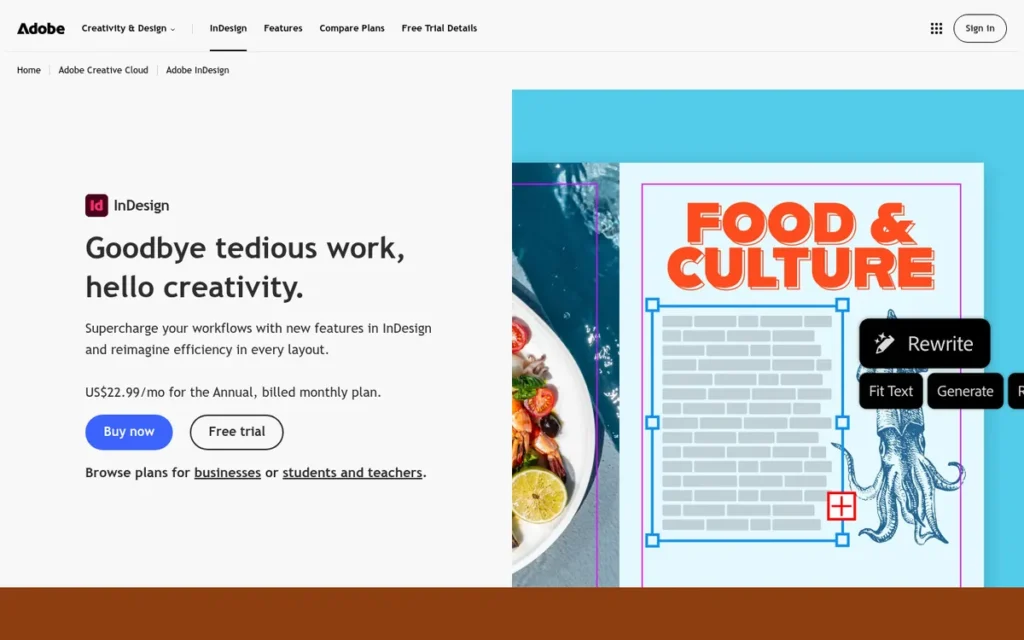
Category: Professional Page Layout, paid desktop software for precise print and digital publication design.
At a Glance
- Category: Professional Page Layout
- Best For: Professional designers, agencies, and book and magazine publishers who exchange files with Adobe-based clients or printers
- Price Range: US$22.99/month on an annual commitment (US$275.88/year) or US$263.88/year prepaid; no perpetual license
- Primary Strength: Adobe InDesign scored 5 out of 5 on print readiness, long-document capability and file compatibility, the highest combined result in PlugRoute’s ranking.
- Biggest Limitation: Adobe InDesign is subscription-only, and cancelling the annual plan after the 14-day refund window costs 50% of the remaining commitment (Adobe, November 2026).
- One-Line Summary: Adobe InDesign is the industry-standard page-layout application for professional print and digital publishing. It is best for users who need full prepress control and Adobe compatibility and can justify US$263.88–US$275.88 per year.
- Last Verified: November 2026
Overview
Adobe InDesign is a subscription-based page-layout application for Mac and Windows. Designers, agencies, publishers and in-house teams use it to produce print-ready books, magazines, brochures, catalogs, EPUB and interactive PDFs within Adobe Creative Cloud.
Adobe InDesign launched in 1999 as Adobe’s successor to PageMaker (Adobe, 2026). Adobe InDesign’s April 2025 release added Firefly text-to-image generation and conversion of PDFs into editable InDesign documents (Adobe Newsroom, April 2025).
Key Features
- Adobe InDesign’s prepress tools include CMYK, spot and Pantone colors, ICC color management, overprint and separations preview, preflight profiles, packaging, and PDF/X-1a, PDF/X-3 and PDF/X-4 export (Adobe, 2026).
- Adobe InDesign handles long documents with parent pages, paragraph, character, object, table and GREP styles, cross-references, tables of contents and indexes (Adobe, 2026).
- Adobe InDesign exports EPUB and interactive PDF, so one layout can serve both print and digital publication (Adobe, 2026).
- Adobe InDesign includes Data Merge and XML tagging for catalogs and variable-data jobs, and it works with InCopy so editing can be separated from design (Adobe, 2026).
- Adobe InDesign can convert PDFs into editable documents, which gives former Publisher users a way to rebuild files they have saved as PDF (Adobe Newsroom, April 2025).
Best For
Adobe InDesign is best for professional designers, agencies, publishers and in-house teams who send files to commercial printers or work with Adobe-based clients. Adobe InDesign is also the safest choice when a client or printer asks for native INDD or IDML files.
Pricing (verified November 2026, adobe.com)
- Adobe InDesign costs US$22.99/month on an annual commitment billed monthly (US$275.88/year), or US$263.88/year prepaid (Adobe, November 2026).
- Adobe InDesign for teams costs US$37.99/month per license, and Creative Cloud Pro, formerly “All Apps,” costs US$69.99/month (Adobe, November 2026).
- Adobe InDesign has no perpetual license, and single-app subscribers who joined from June 17, 2025 get 25 monthly generative AI credits (Adobe Help Center, 2025).
Strengths
- Adobe InDesign has the strongest verified satisfaction among professional layout tools: 4.6/5 from 3,477 reviews (G2, November 2026) and 4.8/5 from 343 reviews (Capterra, 2026).
- Adobe InDesign’s IDML format is the exchange standard that competitors import when they work with InDesign files (TechRadar, 2026).
- Adobe InDesign is still actively developed, with PDF-to-InDesign conversion and Firefly added in April 2025 (Adobe Newsroom, April 2025).
- Adobe InDesign covers interactive PDF needs that Affinity by Canva does not. For example, one teacher moved from Affinity to InDesign to get interactive text boxes (r/AffinityPublisher, 2021).
Limitations
Adobe InDesign’s top scores on prepress and long documents come with a permanent subscription and a steep learning curve. That is why Adobe InDesign scored only 2 out of 5 on PlugRoute’s cost criterion.
- Adobe InDesign’s terms charge 50% of the remaining commitment for cancelling the annual plan after the 14-day refund window (Adobe, November 2026). The FTC’s lawsuit alleged this fee was previously hidden (FTC, June 2024). PlugRoute did not verify the lawsuit’s current status.
- Adobe InDesign has a steep learning curve that G2 reviewers often mention, which makes it poor value for occasional users who produce a few flyers a year (G2, 2026).
- Adobe InDesign costs US$791.64 over three years prepaid or US$827.64 billed monthly. Affinity by Canva and Scribus cost US$0 over the same period.
- Adobe InDesign cannot open Microsoft Publisher .pub files, so former Publisher users have to export to PDF and then convert or rebuild (Adobe, 2026).
Users on r/Affinity shared their experience:
“I decided to drop Adobe last month, after 3 decades. I’d been frustrated with them for awhile, and my subscription had ceased to pay for itself, for the prior 2 years. I’m still learning it. So far the only app I miss is Photoshop, but I can live without it. Publisher seems way better than INDD …” Posted by u/NoaArakawa
Takeaway: Even decades-long Adobe InDesign users drop the subscription once their workload no longer covers its cost, and some find the free Affinity alternative preferable.
Verdict
Adobe InDesign is the best overall desktop publishing software in 2026 for professional print and digital work, with PlugRoute’s highest weighted score of 4.30.
Adobe InDesign’s 0.05-point lead comes from long-document capability (5 vs 3.5), satisfaction (5 vs 4) and compatibility (5 vs 3). Affinity by Canva outscores Adobe InDesign on cost (5 vs 2).
If you don’t need EPUB, interactive PDF or native INDD exchange, weigh Adobe InDesign’s yearly cost and cancellation terms against the free alternatives.
2. Affinity by Canva: Best Free Professional Layout Tool and Best Without a Subscription
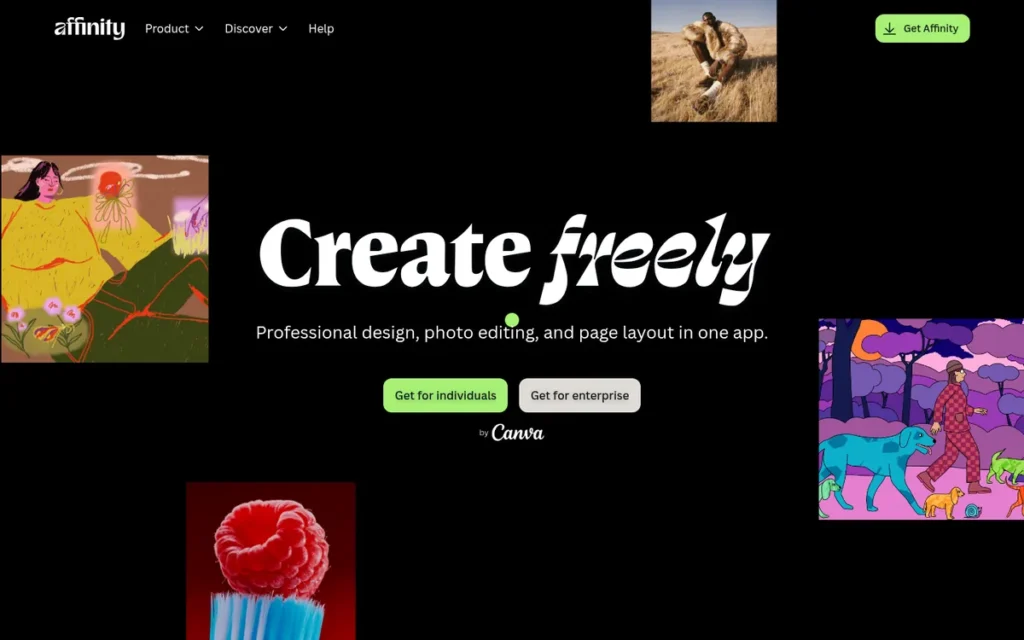
Category: Free Page Layout, no-cost desktop software with professional print-layout features.
At a Glance
- Category: Free Page Layout
- Best For: Freelancers, self-publishers, small businesses and nonprofits who need professional print layout without a subscription
- Price Range: Free with a Canva account; AI features require Canva Pro at US$144/year
- Primary Strength: Affinity by Canva offers CMYK, spot colors, preflight and PDF/X export at no cost, which matches the print-production basics of paid professional tools (Affinity Help, 2026).
- Biggest Limitation: Affinity by Canva has no native EPUB export, no interactive PDF and no native .indd opening, and it needs a Canva account to activate.
- One-Line Summary: Affinity by Canva is the best free desktop publishing software in 2026. It offers professional print-ready layout at no cost for users willing to create a Canva account and do without native EPUB export.
- Last Verified: November 2026
Overview
Affinity by Canva is a free design application for Mac and Windows that combines Layout, Vector and Pixel studios in one app. It is aimed at freelancers, self-publishers and small organizations who need professional print layout without paying for a subscription.
Affinity by Canva replaced the paid Affinity Publisher, Designer and Photo apps on October 31, 2025 (MacRumors, October 2025). Canva Pty Ltd bought Serif, Affinity’s developer, in March 2024. Canva therefore owns both Affinity by Canva and Canva, which is ranked #6.
Key Features
- Affinity by Canva’s Layout studio includes master pages, linked text frames and multi-page spreads for brochures, newsletters, and print-on-demand book interiors and covers (Affinity Help, 2026).
- Affinity by Canva supports CMYK, spot colors, bleed, preflight and PDF/X export for commercial printing (Affinity Help, 2026).
- Affinity by Canva lets users switch between layout, vector and pixel editing without moving files between apps (MacRumors, October 2025).
- Affinity by Canva imports IDML files but cannot open native .indd files (TechRadar, 2026).
- Affinity by Canva keeps files on the user’s device, and Canva says those files are not used to train AI (Digital Camera World, 2025).
Best For
Affinity by Canva is best for freelancers, self-publishers, schools and nonprofits who produce print brochures, newsletters and print-on-demand books and want professional output without ongoing fees. Affinity by Canva is a weaker fit for teams that need EPUB, interactive PDF or heavy data merge.
Pricing (verified November 2026)
- Affinity by Canva’s core app costs US$0 with a free Canva account.
- Affinity by Canva’s Generative Fill, Expand, Edit and background removal require Canva Pro, which costs US$144/year or US$18/month in the US (Canva, November 2026).
- Affinity by Canva’s predecessor, Affinity V2, was a one-time purchase, and existing V2 license holders can keep using those apps (MacRumors, October 2025).
Strengths
- Affinity by Canva has been free since October 31, 2025 and has kept its professional prepress tools (MacRumors and TidBITS, October 2025).
- Affinity by Canva scores 4.7/5 from 73 reviews (G2, 2026) and 4.7/5 from 62 reviews (Capterra, 2026), and reviewers praise its master pages, typography and print-ready PDF output.
- Affinity by Canva handles real book production on the free tier. One user reported updating 25 print books and their covers in Layout (r/AffinityPublisher, March 2026).
- Affinity by Canva’s predecessor, Affinity Publisher, was named Apple’s Mac App of the Year in 2019 (Wikipedia, 2026).
Limitations
Affinity by Canva costs nothing, but it requires a Canva account and lacks some digital-publishing features. That is why Affinity by Canva scored 3.5 on long documents and 3 on compatibility.
- Affinity by Canva has no native EPUB export or interactive PDF, and its data merge and scripting are limited (Wikipedia, 2026).
- Affinity by Canva requires a Canva account and puts AI features behind Canva Pro, and its relaunch drew “free isn’t free” backlash (Deshittify, 2026).
- Affinity by Canva files from the new app reportedly do not open in the older V2 apps (Wikipedia, 2026).
- Affinity by Canva’s .pub support is contradictory. An affinity.studio help page describes importing Microsoft Publisher files, but Canva’s October 2025 launch materials list no .pub format.
- Affinity by Canva has no Linux release. Canva says a Linux version is in development but has not given a release date (The Verge, November 2026).
- Affinity by Canva’s 73 G2 reviews are a much thinner evidence base than Adobe InDesign’s 3,477 (G2, November 2026).
Users on r/graphic_design noted:
“At the least download Affinity. It’s great but there are some niche things that it doesn’t do. But you should be able to do layout, produce a full book, and get it to printers. It’s just worth assessing if it checks all the boxes for this particular project.” Posted by u/Swisst
Takeaway: Affinity by Canva can take a full book from layout to printer, but it has gaps in niche features, so buyers should check it against their project before committing.
Verdict
Affinity by Canva is the best desktop publishing software without a subscription in 2026, matching paid tools on core print production for the cost of a free Canva account.
Affinity by Canva scored 4.25, only 0.05 points behind Adobe InDesign. Affinity by Canva would rank #1 if cost carried 30% of the weight.
Choose Adobe InDesign instead if you need EPUB or native INDD exchange. Choose Scribus if you object to the Canva account requirement.
3. QuarkXPress: Best Perpetual-License Professional Layout Tool for Print Plus HTML5
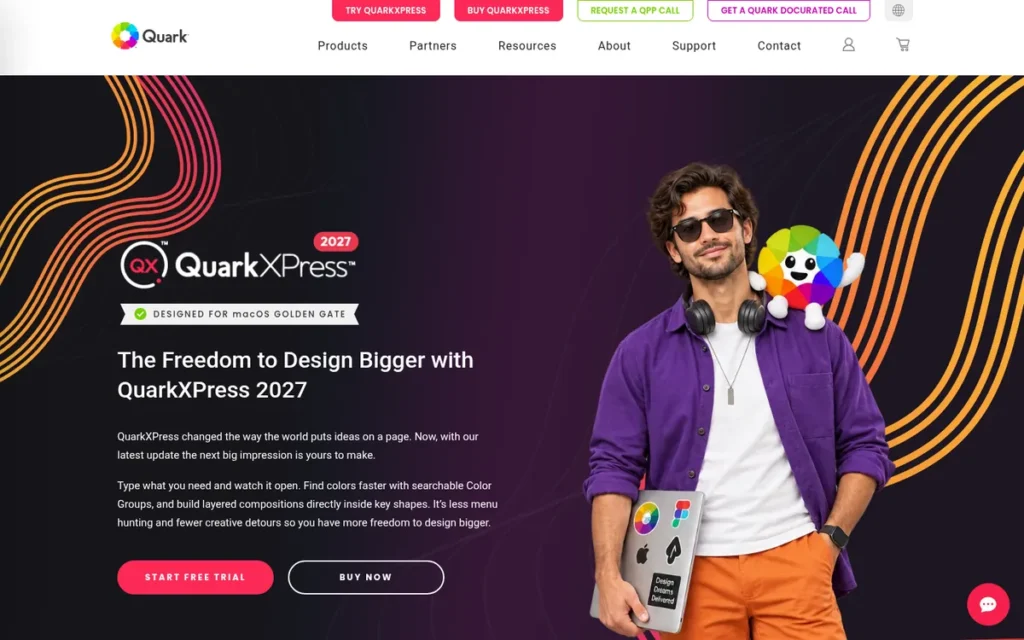
Category: Professional Page Layout.
At a Glance
- Category: Professional Page Layout
- Best For: Publishers, newspapers and design studios that want professional prepress and HTML5 output with a perpetual-license option
- Price Range: US$314/year by subscription, or US$637 for a perpetual license that includes one year of maintenance (Quark, November 2026)
- Primary Strength: QuarkXPress combines professional prepress output, direct HTML5 publishing and a perpetual-license option.
- Biggest Limitation: QuarkXPress has the lowest G2 rating among the professional layout tools (4.0/5 from 303 reviews), and reviewers report long hangs during PDF export.
- One-Line Summary: QuarkXPress is the only professional layout tool in this ranking sold as a perpetual license. It offers print output that matches InDesign’s and HTML5 export, but its user ratings and support reviews are weaker.
- Last Verified: November 2026
Overview
QuarkXPress is a professional desktop publishing application for Mac and Windows that produces print layouts and HTML5 digital output. It is aimed at publishers, newspapers and studios that want professional prepress control with the option of a perpetual license instead of a subscription.
QuarkXPress calls itself “the original desktop publishing software for creative professionals” and has lost professional market share to Adobe InDesign. QuarkXPress 2025 shipped on November 21, 2024, and version 21.1 followed in May 2025 (Quark, May 2025).
Key Features
- QuarkXPress supports Pantone and spot colors, preflight and PDF/X output for prepress work (Quark, 2025).
- QuarkXPress exports HTML5 and interactive digital publications from the same layout without hand-coding (Quark, 2025).
- QuarkXPress converts PDFs into native layouts and imports IDML files, but its 2025 import documentation does not list Microsoft Publisher files (Quark, 2025).
- QuarkXPress includes “Quarky” AI for drafting, summarizing, paraphrasing, translating and grammar fixes, plus AI font pairing that uses Google Fonts (Quark, 2025).
- QuarkXPress 21.1 added Font Libraries, COLRv1 color-font support and Story Editor customization (Quark, May 2025).
Best For
QuarkXPress is best for publishers, newspapers and print studios that need professional prepress plus HTML5 output and would rather own a license than subscribe indefinitely. QuarkXPress also suits teams that already have Quark templates and workflows.
Pricing (verified November 2026, quark.com)
- QuarkXPress costs US$314/year by annual subscription (Quark, November 2026).
- QuarkXPress costs US$637 one time for a perpetual license with one year of Maintenance & Support included. Maintenance costs US$339/year after the first year (Quark, November 2026).
- QuarkXPress’s perpetual license saves money only if you skip maintenance. Over three years it costs US$637 without maintenance or US$1,315 with it, compared with US$942 for a subscription.
- QuarkXPress academic site licenses require at least 100 seats (Quark, 2026).
Strengths
- QuarkXPress reviewers report dependable print output. A newspaper user sends layouts to the printer “without problems” (G2, 2026), and another reviewer calls its PDF output “perfect for prepress” (Capterra, 2026).
- QuarkXPress is the only professional layout tool in this ranking still sold as a perpetual license, and its prices are published on quark.com (Quark, November 2026).
- QuarkXPress includes 7,200 AI pages and 5,000 AI font pairings per year for eligible users at no extra cost (Quark, 2025).
- QuarkXPress rates 4.42/5 from 201 reviews (Capterra, 2026).
Limitations
QuarkXPress offers ownership and HTML5 output, but its reliability and support evidence is weaker. That is why QuarkXPress scored 3 on satisfaction and 2.5 on platform stability.
- QuarkXPress rates 4.0/5 from 303 reviews (G2, November 2026), the lowest among the professional tools, and reviewers report PDF exports showing “not responding” for 10–20 minutes (Capterra, 2026).
- QuarkXPress reviewers describe a “buggy/unfinished” interface and slow support responses (Capterra, 2026).
- QuarkXPress’s perpetual license “practically requires a maintenance plan” at US$339/year, and one reviewer found that more expensive than subscribing (Capterra, 2026).
- QuarkXPress users switching from Adobe InDesign report trouble relearning keyboard shortcuts (G2, 2026).
- QuarkXPress does not list .pub import in its 2025 documentation, and PlugRoute found no usable Reddit data on QuarkXPress.
Verdict
QuarkXPress is the best choice in 2026 for professionals who want a perpetual-license desktop publishing tool with prepress-ready print output and built-in HTML5 publishing.
QuarkXPress scored 3.85. It matches the leaders on print readiness (5) but loses ground on satisfaction (3) and platform stability (2.5).
Because of the reported export hangs, test QuarkXPress on your own files during a trial before you buy.
4. Scribus: Best Free Open-Source Option and Best for Linux Users
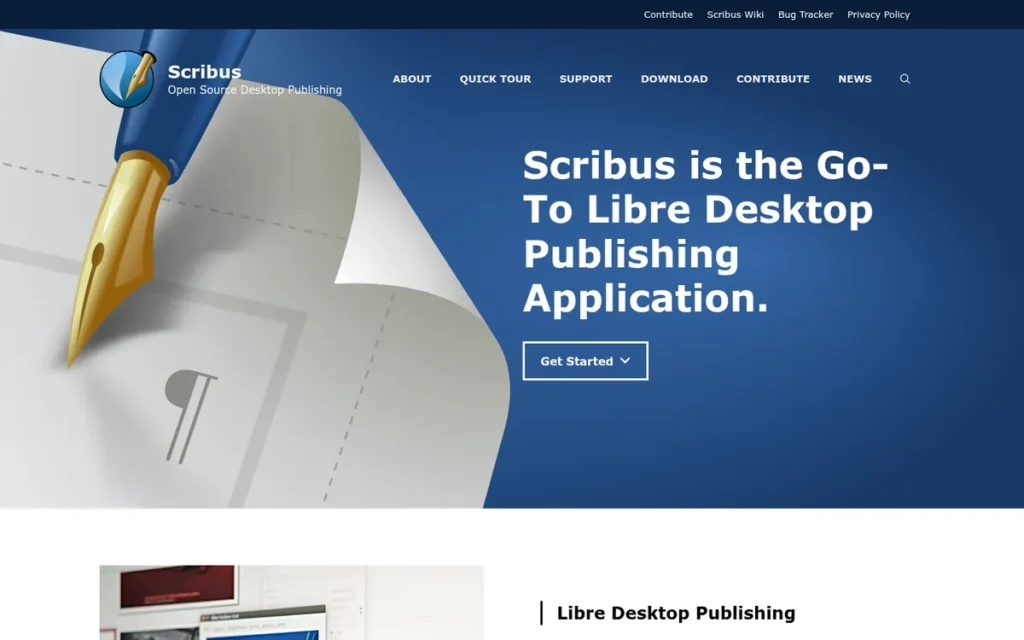
Category: Free Page Layout, no-cost desktop software with professional print-layout features.
At a Glance
- Category: Free Page Layout
- Best For: Linux users, zero-budget print projects, and anyone who wants open-source software with no account
- Price Range: Free (US$0, open source, no account)
- Primary Strength: Scribus provides CMYK, spot colors, ICC color management, preflight, and PDF/X-1a, X-3 and X-4 export at no cost on Windows, macOS and Linux.
- Biggest Limitation: Scribus reviewers describe a dated, crash-prone interface, and Scribus 1.6 stable is reported to be unusable on HiDPI displays.
- One-Line Summary: Scribus is the best free open-source desktop publishing software in 2026. It offers print-oriented features with no cost and no account, but its usability and stability trade-offs slow long-document work.
- Last Verified: November 2026
Overview
Scribus is a free, open-source desktop publishing application for Windows, macOS and Linux that supports CMYK, spot colors, preflight and PDF/X export. It is aimed at budget-constrained users, Linux users and anyone who wants print layout with no cost and no account.
Scribus was started by Franz Schmid in 2001 and is maintained by volunteers (SourceForge, March 2012). Scribus released 1.6.7 stable and 1.7.4 development in October 2026, and both versions fix memory-safety problems in image importers (r/scribus, October 2026).
Key Features
- Scribus supports CMYK, spot colors, ICC color management, separations and a Preflight Verifier (SourceForge, 2026).
- Scribus 1.6 exports PDF/X-1a, PDF/X-3 and PDF/X-4 files for commercial printing (Scribus wiki, 2026).
- Scribus opens Microsoft Publisher .pub files through the libmspub library and imports IDML files (Wikipedia, 2026).
- Scribus includes Python scripting, and version 1.7.4 adds a command that reports preflight results (r/scribus, October 2026).
- Scribus runs on Windows, macOS, Linux and BSD (SourceForge, 2026).
Best For
Scribus is best for Linux users, schools, nonprofits and individuals who need print-oriented layout, including print-on-demand book interiors, at zero cost and without creating an account. Scribus also suits former Publisher users who want to try opening .pub files directly.
Pricing (verified November 2026)
- Scribus costs US$0 under the GPL license, with no paid tier and no account.
- Scribus has no commercial support contract, because volunteers maintain it.
Strengths
- Scribus is actively developed. Versions 1.6.7 and 1.7.4 brought security fixes, reworked tables and better right-to-left text (r/scribus, October 2026).
- Scribus has been used for professional magazine production: the French national magazine Le Tigre was laid out in Scribus from its first issue (SourceForge, March 2012).
- Scribus rates 4.4/5 from 19 reviews (Capterra, 2026), and reviewers praise its cross-platform support, CMYK and print-ready PDF.
- Scribus is the only ranked tool with documented direct .pub opening through libmspub, which gives former Publisher users a free first step (Wikipedia, 2026).
Limitations
Scribus offers zero cost and no account, but its stability and long-document editing are weaker. That is why Scribus scored 2 on long documents and 3 on platform stability.
- Scribus reviewers report crashes, including when pasting with Ctrl-V and while the app sits idle, along with “jerky” scrolling and macOS problems (G2 and SourceForge, 2026).
- Scribus edits text in a separate story editor, which one reviewer called a “nightmare” for long documents (G2, 2026).
- Scribus 1.6 stable “isn’t really usable on modern systems with HiDPI displays,” according to one user (r/scribus, October 2026).
- Scribus applies table text styles one cell at a time, even in the 1.7.4 development build (r/scribus, October 2026).
- Scribus loses layout fidelity on complex .pub files, and its IDML import has a documented crash bug (Scribus bug tracker #16623, 2026).
Users on r/scribus shared their experience:
“I have done several *BIG* books, with hundreds of images and screen captures. Photo editing manuals and so. Scribus worked perfect for me. Now I find 1.6.4 crashing with simple files, maybe 70 empty pages with one TXT file over half of them. I cannot copy a text frame without Scribus crashing and closing.” Posted by u/AGBDesign_es
Takeaway: Scribus can handle large, image-heavy books, but crashes on routine actions in some 1.6.x builds mean users should test their version before deadline work.
Verdict
Scribus is the best desktop publishing software for users who need professional print features at zero cost with no account, especially on Linux.
Scribus scored 3.63. Its top cost score (5) is offset by long-document capability (2) and platform stability (3).
If you have a HiDPI screen, test the Scribus 1.7.x builds. Before a commercial print job, confirm the required PDF/X version with your printer.
5. Adobe FrameMaker: Best for Structured Technical Documentation and Thousand-Page Manuals
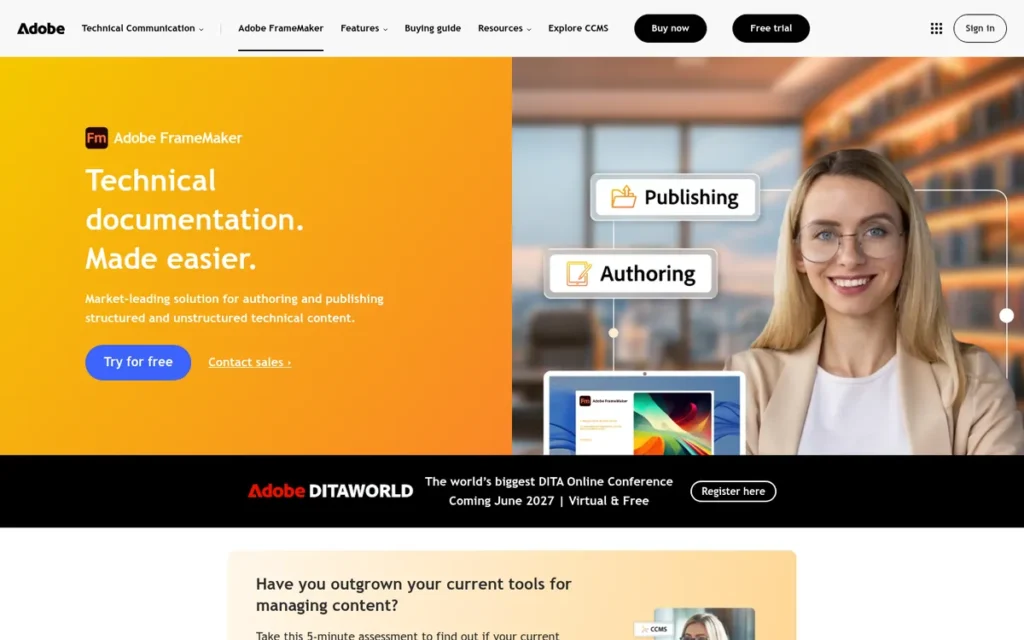
Category: Structured Authoring, documentation software for long, rule-based technical publications.
At a Glance
- Category: Structured Authoring
- Best For: Technical writers and documentation teams in regulated industries who produce long manuals in XML, DITA or S1000D
- Price Range: US$39.99/month per user on an annual commitment; no month-to-month plan or perpetual license (Adobe FrameMaker FAQ, November 2026)
- Primary Strength: Adobe FrameMaker handles structured, thousand-page technical documents with conditional text, DITA/XML and multi-format output.
- Biggest Limitation: Adobe FrameMaker runs only on Windows, is sold only as an annual-commitment subscription and is hard to learn.
- One-Line Summary: Adobe FrameMaker is the best desktop publishing software for structured technical documentation in 2026. It is built for XML/DITA manuals rather than design-led brochures, books or magazines.
- Last Verified: November 2026
Overview
Adobe FrameMaker is a Windows-only, subscription-based tool for long, structured documents. It is aimed at technical writers in regulated industries who produce manuals in XML, DITA or S1000D and publish them to PDF, HTML5 and EPUB.
Adobe FrameMaker began at Frame Technology, which was founded in 1986, and Adobe acquired it in 1995 (Adobe, 2026). Adobe Inc. also owns Adobe InDesign, ranked #1, so two products in this ranking come from Adobe.
Key Features
- Adobe FrameMaker supports structured authoring in XML, DITA and S1000D, with Lightweight DITA in beta (Adobe, 2026).
- Adobe FrameMaker manages long documents with book files, automatic numbering, cross-references, conditional text, indexes, footnotes and equations (Adobe, 2026).
- Adobe FrameMaker exports PDF/A-1, -2 and -3, PDF/X-1 through PDF/X-4, responsive HTML5, EPUB and XLIFF (Adobe, 2026).
- Adobe FrameMaker connects to Adobe Experience Manager, and Adobe says connector operations are up to 10× faster (Adobe, 2026; vendor-reported).
- Adobe FrameMaker’s 64-bit release improves file performance by up to 65% and makes DITA map search 15× faster (Adobe, 2026; vendor-reported).
Best For
Adobe FrameMaker is best for documentation teams in aerospace, defense, manufacturing and medical devices that need structured content reuse and standards compliance. Adobe FrameMaker is not built for flyers, newsletters or design-led magazines.
Pricing (verified November 2026)
- Adobe FrameMaker costs US$39.99 per user per month on an annual commitment, or US$479.88/year, with no month-to-month plan (Adobe FrameMaker FAQ, November 2026).
- Adobe FrameMaker costs US$1,439.64 per user over three years, the highest three-year cost in this ranking.
- Adobe FrameMaker is also sold through Adobe VIP and ETLA enterprise agreements, and Info-Tech reviewers call its cost “overwhelming” for small businesses (Info-Tech, 2026).
Strengths
- Adobe FrameMaker still has practitioner support. One technical writer called it “a classic tool for tech documentation, which I actually can recommend” (r/technicalwriting, April 2026).
- Adobe FrameMaker exports PDF/A, PDF/X, HTML5, EPUB and XLIFF from one source, the widest documented set of output standards among the seven tools PlugRoute compared (Adobe, 2026).
- Adobe FrameMaker was chosen by one regulated-industry team moving away from LaTeX for reviewer access and content reuse, according to a single Reddit post (r/technicalwriting, April 2026).
- Adobe FrameMaker’s basics are approachable, according to one G2 reviewer: “very easy to learn the basics and create great looking documents” (G2, 2026).
Limitations
Adobe FrameMaker gives up design flexibility and accessibility in exchange for structured-document power. That is why Adobe FrameMaker scored 2 on cost and 2 on platform reach.
- Adobe FrameMaker runs only on Windows and costs US$479.88 per user per year, with no month-to-month option (Adobe FrameMaker FAQ, November 2026).
- Adobe FrameMaker reviewers mention a dated interface, a steep learning curve, weak real-time collaboration and clumsy integration with design tools (Info-Tech, 2026).
- Adobe FrameMaker’s structured authoring is “not very much user friendly,” missing graphics must be relinked one folder at a time, and CMS updates are done by hand (G2, 2026).
- Adobe FrameMaker has no verified numeric G2 or Capterra rating, so it scored 2 on satisfaction under PlugRoute’s rule for unrated tools, not because of negative reviews.
- Adobe FrameMaker is costly to adopt or leave. Practitioners estimate two to four years to introduce a new documentation system (r/technicalwriting, April 2026).
Verdict
Adobe FrameMaker is the best desktop publishing software in 2026 for structured technical documentation, with XML, DITA and S1000D authoring and PDF/X, PDF/A, HTML5 and EPUB output.
Adobe FrameMaker scored 3.08, which is effectively tied with Canva (3.05) and Marq (2.98).
Documentation teams should judge Adobe FrameMaker on content reuse and compliance rather than on design features.
6. Canva: Best for Beginners and Quick Template-Based Marketing Materials
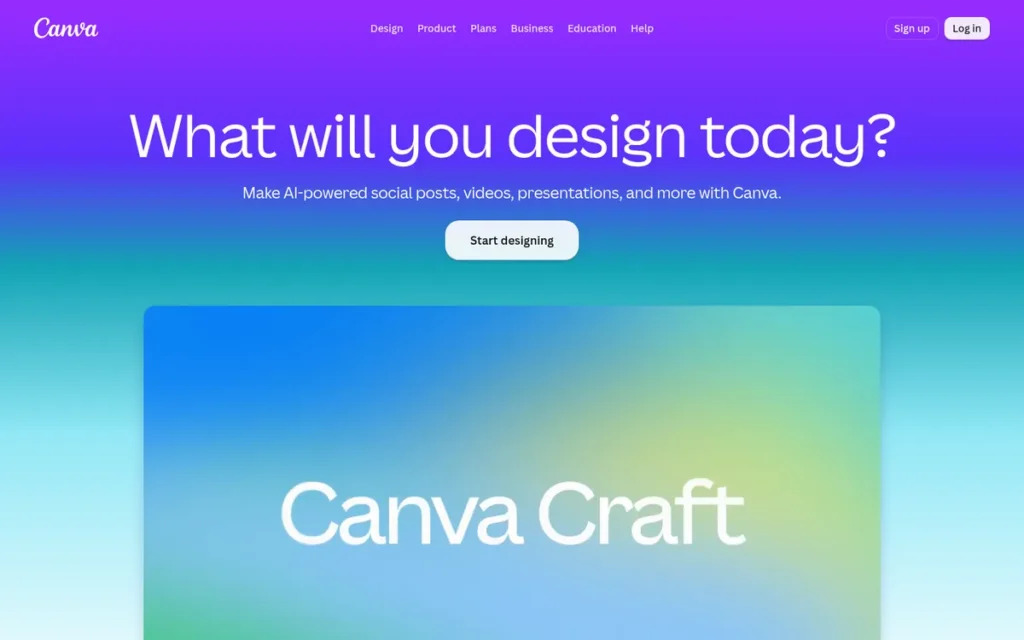
Category: Template-Based Design Platform, browser tools that build designs from ready-made templates for non-designers.
At a Glance
- Category: Template-Based Design Platform
- Best For: Beginners, small business marketers, schools and nonprofits making flyers, posters, social graphics and short brochures
- Price Range: Free; Pro US$144/year or US$18/month; Teams US$100/person/year (3-person minimum); Enterprise custom
- Primary Strength: Canva gets the most consistent ease-of-use praise in the category (4.7/5 from 7,816 reviews, G2, 2026) and scored highest on PlugRoute’s platform and learning-curve criterion.
- Biggest Limitation: Canva has no spot colors, preflight, full PDF/X workflow or true master pages, and one reviewer reports lag on documents longer than about 20–30 pages.
- One-Line Summary: Canva is the best desktop publishing tool for beginners and quick template-based materials in 2026. It is not a reliable choice for professional print production, spot-color jobs, or long books and magazines.
- Last Verified: November 2026
Overview
Canva is a browser-based, template-led design platform with free and paid plans. It is aimed at non-designers, small business marketers, schools and nonprofits who need flyers, social graphics, short brochures and newsletters made quickly, often as a team.
Canva was founded in Sydney in 2012 and reports more than 265 million monthly active users (Canva, 2025; vendor-reported). Canva Pty Ltd also owns Affinity by Canva, which is ranked #2.
Key Features
- Canva provides a large template library for flyers, posters, brochures, newsletters and reports, which users edit with drag-and-drop tools (Canva Help, 2026).
- Canva supports real-time collaboration, comments, approvals and a Brand Kit (Canva Help, 2026).
- Canva exports “PDF Print” files with crop marks and a fixed bleed size (Canva Help, 2026).
- Canva offers CMYK PDF export only on the paid Pro, Teams, Education and Nonprofit plans (Canva Help, 2026).
- Canva includes Magic Studio generative AI tools for text and images (Canva Help, 2026).
Best For
Canva is best for beginners, small business owners, schools and nonprofits who need quick, template-based materials and care more about ease of use than print precision.
Pricing (verified November 2026; confirm at checkout)
- Canva Free costs US$0, and Canva Pro costs US$144/year or US$18/month in the US (Canva, November 2026).
- Canva Teams costs US$100 per person per year with a 3-person minimum, which works out to US$300/year (Canva Help, 2026).
- Canva is free for eligible K–12 schools and nonprofits (Canva Help, 2026).
- Canva’s 2024 Teams change raised the cost for five users from about US$120 to about US$500 a year (Designrr, accessed November 2026).
Strengths
- Canva has the largest verified review base in the category, at 4.7/5 from 7,816 reviews (G2, 2026), and reviewers consistently praise its ease of use, templates and collaboration.
- Canva reports more than 265 million monthly active users, so most collaborators and volunteers already know the tool (Canva, 2025; vendor-reported).
- Canva is free for eligible schools and nonprofits, and those verified users also get free Affinity by Canva access (Canva Help, 2026).
- Canva’s PDF Print export includes crop marks and bleed, and Canva Print orders are converted to CMYK automatically (Canva Help, 2026).
Limitations
Canva gives up print precision and long-document capability in exchange for speed and simplicity. That is why Canva scored 2 on print readiness and 1.5 on long documents.
- Canva has no spot colors, no real preflight, no full PDF/X workflow and only a fixed bleed size (MagazineMakerPro, 2026).
- Canva users cannot design in CMYK, because conversion happens only at export (r/canva, 2022). Reviewers also warn that black text can become rich black, which can cause registration problems on press (MagazineMakerPro, 2026).
- Canva has no true master pages and no threaded text reflow, and one reviewer reports lag and browser crashes past about 20–30 pages (MagazineMakerPro, 2026).
- Canva Docs supports no margins, bleed or crop marks (Canva Help, 2026).
- Canva has no documented native .pub import, and reviewers report concerns about billing, cancellation and AI-training defaults (Professionals Toolkit, 2026).
As one user on r/canva described:
“I am creating a graphic that contains photos, illustrations and text layers that will be printed on thick cardstock. At first I sent them PDF files and they told me they only want EPS files with vectors. So, I saved as PDF for Print and opened them in Acrobat. Saved as EPS and they said the images are not vectors. I don’t know what else to do.” Posted by u/CrabcakeBetty
Takeaway: Canva’s PDF Print export does not always meet a commercial print shop’s file requirements, and non-designers have few in-app options when a printer rejects the file.
Verdict
Canva is the best desktop publishing tool for beginners and fast template-based marketing materials in 2026, but it should not be relied on for spot-color printing, preflighted PDF/X files, or long books and magazines.
Canva scored 3.05. Top marks for satisfaction (5) and platform reach (5) are offset by print readiness (2) and long documents (1.5).
If your projects outgrow Canva, Affinity by Canva and Scribus both offer professional print features at no cost, and Adobe InDesign is the paid option.
7. Marq (formerly Lucidpress): Best for Brand-Locked Templates Across Multi-Location Teams
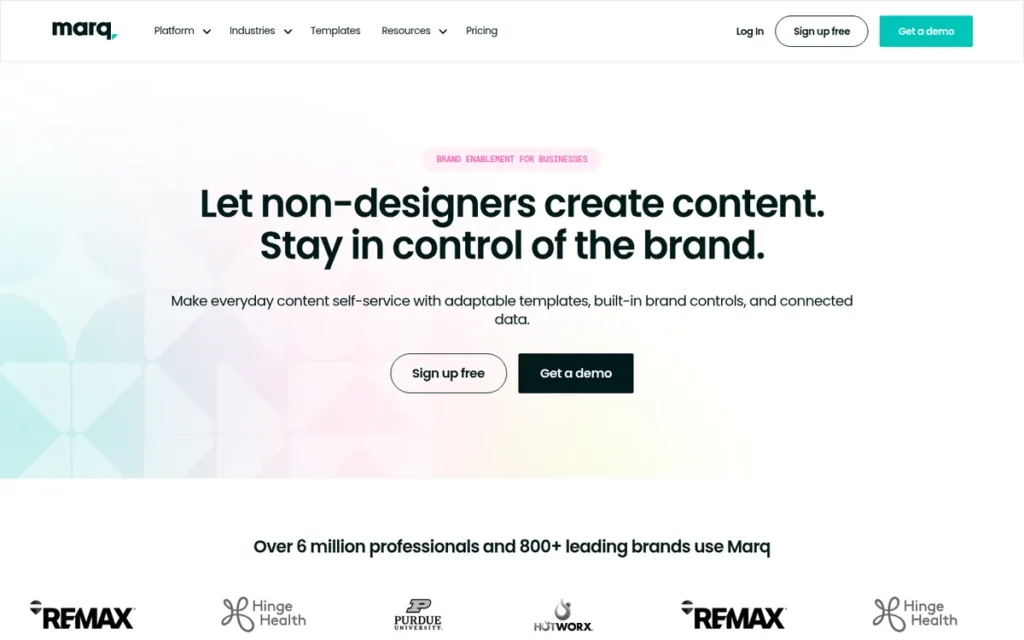
Category: Template-Based Design Platform.
At a Glance
- Category: Template-Based Design Platform
- Best For: Franchises, real estate brokerages, universities and multi-location organizations that need brand-controlled templates for many non-designers
- Price Range: Free (72 dpi export only); Pro US$10/user/month billed annually; Team US$10/user/month billed annually (2–20 licenses); Enterprise custom
- Primary Strength: Marq gives organizations locked, brand-compliant templates that hundreds or thousands of non-designers can edit safely.
- Biggest Limitation: Marq documents no spot-color, preflight or PDF/X support and has no long-document tools such as master pages or book files.
- One-Line Summary: Marq is the best desktop publishing platform for brand-controlled team publishing in 2026. It lets non-designers produce on-brand materials from locked templates, but it is not a professional print-layout tool.
- Last Verified: November 2026
Overview
Marq, formerly Lucidpress, is a browser-based brand-templating platform. Designers lock logos, fonts, colors and layouts, and non-designers edit only the approved fields. Marq is aimed at franchises, brokerages, universities and multi-location organizations that produce large volumes of on-brand materials.
Marq’s named customers include Berkshire Hathaway HomeServices, Purdue University and Fidelity National Financial (Marq, 2026; vendor-reported). Marq’s value lies in governance and scale rather than in advanced layout or prepress.
Key Features
- Marq lets designers lock logos, fonts, colors and layout elements so non-designers can edit only the fields they are allowed to change (Marq, 2026).
- Marq’s Smart Fields fill in logos, disclaimers and contact details automatically based on the user or location (Marq, 2026).
- Marq imports InDesign files and turns them into locked templates (Marq, 2026).
- Marq’s paid plans export 300 dpi print PDFs with CMYK, bleed and crop marks, while the free plan exports only 72 dpi files (Marq, November 2026).
- Marq markets integrations with Salesforce, HubSpot, Google Drive and real estate MLS systems, though PlugRoute could not verify which plans include them.
Best For
Marq is best for multi-location organizations where many non-designers must produce brand-compliant flyers and listings. Marq is a poor fit for individual designers, self-publishers and commercial print jobs that need spot colors or PDF/X.
Pricing (verified November 2026, marq.com)
- Marq Free costs US$0 and exports only 72 dpi screen-quality files (Marq, November 2026).
- Marq Pro costs US$10 per user per month billed annually, or US$15 billed monthly (Marq, November 2026).
- Marq Team costs US$10 per user per month billed annually, or US$12 billed monthly, for 2–20 licenses. Enterprise pricing is custom (Marq, November 2026).
Strengths
- Marq reports large deployments. @properties uses Marq with 3,500+ agents in 44 offices and cut template turnaround from 4–6 weeks to minutes (Marq, 2026; vendor-reported).
- Marq rates 4.5/5 from about 210 reviews (G2, 2026), and reviewers praise its ease of use for non-designers, its templates and its collaboration features.
- Marq publishes per-user pricing starting at US$10/month billed annually, so readers can check its cost themselves (Marq, November 2026).
- Marq reports that Purdue University’s campus partners exported about 40,000 documents from 340+ templates (Marq, 2026; vendor-reported).
Limitations
Marq gives up layout depth and advanced prepress in exchange for brand control. That is why Marq scored 2.5 on print readiness and 1.5 on long documents.
- Marq’s free plan exports only 72 dpi files, and PlugRoute found no documented spot-color, preflight or PDF/X support on any plan (Marq, November 2026).
- Marq’s design flexibility is described as “closer to presentation software” (Capterra, 2026).
- Marq reviewers report slow collaborative sessions, slow downloads of large documents, the canvas disappearing while scrolling, and the editor freezing on a large spreadsheet import (G2, 2026).
- Marq cannot use fonts managed in Adobe Creative Cloud directly, and one reviewer waited 30 business days for a refund (Capterra, 2026).
- Marq’s case-study figures are vendor-reported, and PlugRoute found almost no Reddit discussion of Marq.
Verdict
Marq is the best choice in 2026 for organizations that need brand-locked templates editable by many non-designers, but it is not a substitute for professional print-layout software.
Marq scored 2.98, within 0.1 points of Adobe FrameMaker and Canva. Marq documents CMYK, bleed and 300 dpi export on paid plans, but no spot colors, preflight, PDF/X or long-document tools.
Brand and marketing operations teams should evaluate Marq on governance and integrations.
Can Free Desktop Publishing Tools Produce Print-Ready Files?
Yes. Two free tools document professional prepress features: Affinity by Canva and Scribus both support CMYK, spot colors, preflight and PDF/X export. Canva’s free plan cannot export CMYK PDFs, and even Canva’s paid plans have no spot colors, preflight or PDF/X. For commercial print, a documented PDF/X workflow matters more than price.
Legend: “Not documented” means PlugRoute found no mention of the feature in vendor documentation. “Unverified” means sources conflict or the feature could not be confirmed.
| Tool | CMYK | Spot Colors | Bleed | Preflight | PDF/X | EPUB | IDML | .pub Import | Platforms | Price (Nov 2026) |
|---|---|---|---|---|---|---|---|---|---|---|
| Adobe InDesign | Yes | Yes | Configurable | Yes | X-1a, X-3, X-4 | Yes | Native | No | Mac, Windows | US$22.99/mo (annual) |
| Affinity by Canva | Yes | Yes | Configurable | Yes | Yes | No (native) | Import | Unverified (sources conflict) | Mac, Windows (Linux in development) | Free (account) |
| QuarkXPress | Yes | Yes | Configurable | Yes | Yes | Not documented (HTML5 yes) | Import | No (not in 2025 import docs) | Mac, Windows | US$314/yr or US$637 perpetual |
| Scribus | Yes | Yes | Configurable | Yes | X-1a, X-3, X-4 | Not documented | Import (crash bug) | Yes, lossy | Win, Mac, Linux, BSD | Free |
| Adobe FrameMaker | Not documented | Not documented | Not documented | Not documented | X-1 to X-4 | Yes | Not documented | No | Windows | US$39.99/mo (annual) |
| Canva | Export only, paid plans | No | Fixed size | No | No | Not documented | No | Not documented | Browser | Free / US$144/yr |
| Marq | Yes (paid plans) | Not documented | Yes (paid plans) | Not documented | Not documented | Not documented | Imports InDesign files | No | Browser | Free / from US$10/user/mo (annual) |
In 2026, the trade-off with free professional layout software is not print capability. Affinity by Canva requires an account, and Scribus has usability and stability problems.
How Much Does Desktop Publishing Software Cost Over Three Years?
Over three years, Scribus and Affinity by Canva cost US$0. Marq Pro costs about US$360 and Canva Pro about US$432 on annual billing. Adobe InDesign costs US$791.64 prepaid, QuarkXPress costs US$942 by subscription or US$637–US$1,315 perpetual, and Adobe FrameMaker costs about US$1,440, all at November 2026 US list prices.
| Tool | Pricing Model | 1-Year Cost | 3-Year Cost | Hidden-Cost Notes |
|---|---|---|---|---|
| Scribus | Truly free | US$0 | US$0 | No account; volunteer support only |
| Affinity by Canva | Free with conditions | US$0 | US$0 | Canva account required; AI features need Canva Pro (US$144/yr) |
| Marq Pro (1 user) | Subscription | US$120 | US$360 | Free plan exports 72 dpi only; Team plans need 2–20 licenses |
| Canva Pro | Subscription | US$144 | US$432 | CMYK PDF requires a paid plan |
| Canva Teams (3 seats) | Subscription | US$300 | US$900 | 3-person minimum |
| Adobe InDesign (prepaid) | Subscription | US$263.88 | US$791.64 | No perpetual license |
| Adobe InDesign (annual, paid monthly) | Subscription | US$275.88 | US$827.64 | 50% early-cancellation fee after 14-day window (Adobe, November 2026) |
| QuarkXPress (subscription) | Subscription | US$314 | US$942 | None documented |
| QuarkXPress (perpetual) | One-time purchase | US$637 | US$637–US$1,315 | Maintenance US$339/yr after year one |
| Adobe FrameMaker | Subscription | US$479.88 | US$1,439.64 | No month-to-month plan |
The totals assume current prices stay the same. A perpetual license only beats a subscription on cost if you skip paid maintenance after the first year.
How Do I Replace Microsoft Publisher and Open My .pub Files?
No tool in this ranking converts Microsoft Publisher files without some layout loss. Scribus has documented direct .pub opening through libmspub, but complex layouts need cleanup. Adobe InDesign and QuarkXPress can rebuild from a PDF export. Test a copy of a real file before you commit to any tool.
Microsoft began removing Publisher from Microsoft 365 on October 1, 2026, and support for Publisher 2021 ended on October 13, 2026 (Microsoft Support, 2026). Installed perpetual copies keep working, but they no longer receive security updates.
- Microsoft’s own route is File → Save As → PDF, then opening the PDF in Word. That route loses layout, text flow and mail merge (Microsoft Support, 2026).
- Scribus opens .pub files through libmspub, with layout loss on complex files (Wikipedia, 2026).
- LibreOffice Draw, which is not ranked here, also opens .pub files through libmspub and needs manual cleanup (Microsoft Q&A, 2026).
- Adobe InDesign cannot open .pub files but can convert a PDF export into an editable document (Adobe Newsroom, April 2025).
- QuarkXPress does not list .pub files in its 2025 import documentation but can convert a PDF export into a native layout (Quark, 2025).
- Affinity by Canva’s .pub support is contradictory. An affinity.studio help page describes Publisher import, while Canva’s launch materials list no .pub format.
- Canva and Marq have no documented .pub import.
- Online .pub converters carry privacy and rasterization risks (Cybernews, 2026).
Every route out of Microsoft Publisher loses some layout. If Publisher 2021 is still installed, save every .pub file as a PDF now, keep the original .pub files as an archive, and rebuild in your long-term tool.
What Changed in Desktop Publishing Software in 2025–2026?
The biggest 2025–2026 changes are Microsoft Publisher’s retirement and Affinity becoming free under Canva. Adobe also added PDF-to-InDesign conversion, QuarkXPress added built-in AI, and Scribus shipped new stable and development releases. Older rankings that describe Affinity Publisher as a one-time purchase are now out of date.
- Microsoft Publisher began leaving Microsoft 365 on October 1, 2026, and Publisher 2021 support ended on October 13, 2026 (Microsoft Support, 2026).
- Affinity by Canva relaunched as one free app on October 31, 2025, with a Canva account required (MacRumors, October 2025).
- Affinity by Canva for Linux is in development, but Canva has not given a release date (The Verge, November 2026).
- Scribus released 1.6.7 stable and 1.7.4 development in October 2026 (r/scribus, October 2026).
- Adobe InDesign added PDF-to-InDesign conversion and Firefly in April 2025 (Adobe Newsroom, April 2025).
- QuarkXPress 21.1 added Font Libraries, COLRv1 support and AI editing in May 2025 (Quark, May 2025).
- Adobe renamed “All Apps” to Creative Cloud Pro, and new single-app subscribers have received AI credits since June 17, 2025 (Adobe Help Center, 2025).
Do I Need Dedicated Desktop Publishing Software?
You need dedicated desktop publishing software if you send files to commercial printers, use spot colors, or produce books, magazines or long multi-page documents. In PlugRoute’s editorial view, a template tool such as Canva is usually enough for occasional flyers and social graphics. A word processor can work for simple, text-heavy newsletters.
- Template tools such as Canva suit occasional flyers, posters and short brochures.
- Word processors such as LibreOffice Writer can handle simple, text-heavy newsletters, in PlugRoute’s editorial view.
- Free professional tools such as Affinity by Canva and Scribus suit print jobs that need CMYK, bleed and PDF/X.
- Paid professional tools such as Adobe InDesign and QuarkXPress suit agency, magazine and book work with Adobe-based partners.
Reddit threads show beginners unsure whether to design larger for bleed and whether to turn on crop marks before export (r/canva, 2025). If you are unsure, ask your printer for its file specifications before choosing a tool.
What Do Print Terms Like Bleed, CMYK and PDF/X Mean?
Eight print terms decide whether a file passes a printer’s checks: trim, bleed, safe area, CMYK, spot color, rich black, preflight and PDF/X. Knowing them helps you read the print-readiness matrix above and ask your printer the right questions before you choose a tool or start a design.
- Trim size is the final cut size of the printed page, such as a 6 × 9 inch book interior.
- Bleed is artwork that extends past the trim edge so no white slivers appear after cutting. Your printer specifies the exact bleed size.
- Safe area is the inner margin where text and key elements should stay so that trimming never cuts them off.
- CMYK is the four-ink color model (cyan, magenta, yellow, black) that commercial presses use, as opposed to the RGB model that screens use.
- Spot color is a premixed ink, such as a Pantone color, printed on its own plate to reproduce an exact brand color.
- Rich black is black built from all four CMYK inks. It looks deeper in large areas but can blur small text if the plates misregister.
- Preflight is an automated check for missing fonts, low-resolution images, wrong color spaces and missing bleed before a file goes to print.
- PDF/X is a family of ISO print standards (PDF/X-1a, X-3, X-4) that lock fonts, colors and settings so printers receive predictable files.
What Red Flags Should I Watch For When Evaluating Desktop Publishing Software?
The biggest red flags in desktop publishing software are print gaps and cost traps that show up only after you commit. Each of the six warning signs below can lead to a rejected print file, an unexpected bill or a broken Publisher migration. You can check every one during a free trial or before you buy.
Red Flag #1: CMYK Only at Export (Not in Design)
A tool that converts to CMYK only at export can shift colors between what you see on screen and what the press prints. Canva users report designing in RGB, converting at export, and building CMYK palettes by hand as a workaround (r/canva, 2022).
For example, a bright RGB blue or green often prints noticeably duller after conversion. Tools that let you design in CMYK, such as Adobe InDesign, Affinity by Canva and Scribus, show that shift while you are still designing.
Red Flag #2: No Preflight or PDF/X Export
A tool without preflight or PDF/X export cannot check a file against printer requirements before handoff. Reviewers note that Canva has no real preflight and no full PDF/X workflow, so errors may surface only when the printer rejects the file (MagazineMakerPro, 2026).
Red Flag #3: Fixed or Missing Bleed Controls
Fixed or missing bleed settings make it hard to meet a printer’s exact trim specifications. Canva’s PDF Print bleed size cannot be changed, and Canva Docs supports no margins, bleed or crop marks at all (Canva Help, 2026). Ask your printer for its bleed size before you design.
Red Flag #4: Cancellation Fees or Seat Minimums
Subscription terms can cost more than the monthly price suggests. Adobe charges 50% of the remaining commitment for cancelling the annual plan after the 14-day refund window (Adobe, November 2026), a fee the FTC alleged was previously hidden (FTC, June 2024). Canva Teams requires at least three paid seats (Canva Help, 2026).
Red Flag #5: Claimed .pub Import With No Tested Fidelity
A marketed .pub import does not guarantee that your layout survives intact. Scribus opens .pub files but loses fidelity on complex layouts, QuarkXPress 2025 does not list .pub import, and Affinity by Canva’s own sources conflict. Always test a copy of a real file first.
Red Flag #6: Ratings Shown Without Review Counts
A rating means little without its sample size. Affinity by Canva’s 4.7/5 rests on 73 G2 reviews, Marq’s 4.5/5 on about 210, and Adobe InDesign’s 4.6/5 on 3,477 (G2, November 2026). A small sample is weaker evidence even when the score is higher.
What Questions Should I Ask Before Choosing Desktop Publishing Software?
Before choosing desktop publishing software, confirm six things. Check your printer’s PDF/X requirement, whether you must exchange INDD or IDML files, your document length and EPUB needs, the three-year cost, your operating system, and whether an account is acceptable. These six answers rule out most unsuitable tools before you start a trial.
Question #1: What PDF/X version does my printer require?
Ask your printer which PDF/X standard it accepts before you pick a tool. Adobe InDesign and Scribus 1.6 both export PDF/X-1a, X-3 and X-4 (Adobe, 2026; Scribus wiki, 2026). Affinity by Canva and QuarkXPress also export PDF/X, but Canva offers no full PDF/X workflow.
Before you switch, export one real job from your trial as PDF/X and send it to your printer for a preflight check.
Question #2: Will I need to exchange INDD or IDML files with clients?
If clients or printers send native INDD files, Adobe InDesign is the only layout tool in this ranking documented to open them. Affinity by Canva, QuarkXPress and Scribus import IDML instead, so the InDesign user must export IDML first (TechRadar, 2026). Marq imports InDesign files only to turn them into templates.
Question #3: How long are my documents, and do I need EPUB?
Long documents need master pages, threaded text and book features. Adobe InDesign, QuarkXPress and Adobe FrameMaker score highest on long documents, and Adobe InDesign and Adobe FrameMaker export EPUB. Affinity by Canva has no native EPUB, and one reviewer reports Canva lagging past 20–30 pages (MagazineMakerPro, 2026).
Question #4: What will this cost over three years, including cancellation terms?
Work out the three-year total, not just the monthly price. Over three years, Adobe InDesign costs US$791.64–US$827.64, QuarkXPress US$942 by subscription and Adobe FrameMaker US$1,439.64 (vendor pricing, November 2026). Scribus and Affinity by Canva cost US$0, though Affinity’s AI features need Canva Pro at US$144/year.
Check cancellation terms too. Adobe charges 50% of the remaining commitment if you cancel an annual plan after the 14-day refund window (Adobe, November 2026).
Question #5: Which operating systems must it run on?
Scribus is the only ranked tool that runs natively on Windows, macOS, Linux and BSD, while Adobe FrameMaker runs only on Windows. Adobe InDesign, Affinity by Canva and QuarkXPress run on Mac and Windows, and Canva and Marq run in a browser.
Affinity by Canva for Linux is in development, but Canva has not given a release date (The Verge, November 2026).
Question #6: Do I need an account or internet connection to use it?
Some tools require an account or a connection to work. Affinity by Canva requires a Canva account but works offline after activation. Canva and Marq run in the browser and need an internet connection, Adobe InDesign and Adobe FrameMaker need an Adobe subscription account, and Scribus needs no account at all.
How Did We Rank These Desktop Publishing Tools?
PlugRoute scored seven desktop publishing tools from 1 to 5 on six weighted criteria, with print-production readiness weighted highest at 25%. The weighted total sets the rank. Scores come from vendor documentation, dated pricing pages, G2 and Capterra ratings with review counts, and Reddit sentiment. PlugRoute ran no hands-on tests for this edition.
Ranking criteria, weights and why they matter:
- Print-Production Readiness (25%) matters because rejected print files and color shifts are the most-reported pain points in this category.
- Long-Document Capability (20%) matters because self-publishers and magazine makers need master pages, styles, tables of contents and EPUB.
- Total Cost and Pricing Transparency (20%) matters because readers are weighing subscriptions, cancellation fees and free alternatives.
- Verified User Satisfaction (15%) matters because a rating’s reliability depends on its review count. Samples under about 100 reviews are capped at 4, and tools with no verified numeric rating score 2.
- File Compatibility (10%) matters because files must move between clients, printers and Adobe-based designers, and because .pub migration is now urgent.
- Platform Reach and Stability (10%) matters because crashes cost time on deadlines and Linux users need options.
| Rank | Tool | Print (25%) | Long-Doc (20%) | Cost (20%) | Satisfaction (15%) | Compatibility (10%) | Platform (10%) | Total |
|---|---|---|---|---|---|---|---|---|
| 1 | Adobe InDesign | 5 | 5 | 2 | 5 | 5 | 4 | 4.30 |
| 2 | Affinity by Canva | 5 | 3.5 | 5 | 4 | 3 | 4 | 4.25 |
| 3 | QuarkXPress | 5 | 4.5 | 3 | 3 | 4 | 2.5 | 3.85 |
| 4 | Scribus | 4.5 | 2 | 5 | 3 | 3.5 | 3 | 3.63 |
| 5 | Adobe FrameMaker | 3.5 | 5 | 2 | 2 | 3 | 2 | 3.08 |
| 6 | Canva | 2 | 1.5 | 4 | 5 | 2 | 5 | 3.05 |
| 7 | Marq | 2.5 | 1.5 | 4 | 4 | 3 | 3.5 | 2.98 |
Notes on these scores:
- Adobe InDesign leads Affinity by Canva by 0.05 points. Raising the cost weight to 30% and reducing the other five weights proportionally would give Affinity by Canva 4.34 and Adobe InDesign 4.01.
- Adobe InDesign versus Affinity by Canva comes down to paying for EPUB, interactive PDF and native INDD exchange, or getting comparable print output for free.
- Adobe FrameMaker (3.08), Canva (3.05) and Marq (2.98) fall within about 0.1 points of each other. Treat ranks #5 to #7 as specialist picks.
- Live checks on November 5, 2026 changed two scores. Marq rose from 2.33 to 2.98 (print 1.5→2.5, cost 2→4), and Scribus rose from 3.50 to 3.63 (print 4→4.5). No rank changed.
- QuarkXPress and Adobe FrameMaker cost scores were re-checked against newly confirmed prices and left unchanged, because both tools cost more over three years than Adobe InDesign.
- Adobe FrameMaker’s print score of 3.5 reflects its documented PDF/X-1 to X-4 output. PlugRoute found no vendor documentation of its CMYK, spot-color or preflight tools.
- Two vendors own two products each: Adobe Inc. (Adobe InDesign, Adobe FrameMaker) and Canva Pty Ltd (Canva, Affinity by Canva).
PlugRoute did not run hands-on PDF/X preflight or .pub conversion tests for this edition. Vendor figures are labeled vendor-reported. Citations use (Source, Month Year) when the month is known and (Source, Year) otherwise.
PlugRoute has no affiliate relationships with any company listed. Rankings are determined entirely by research data and objective evaluation criteria.
Frequently Asked Questions
What is the best free desktop publishing software for beginners?
Canva is the most approachable free desktop publishing tool for beginners making flyers and social graphics, based on G2 ease-of-use praise (G2, 2026). Affinity by Canva is the best free option once you need professional print output. It adds CMYK, spot colors, preflight and PDF/X, while Canva Free cannot export CMYK PDFs (Canva Help, 2026).
What is the best desktop publishing software for books and magazines?
Adobe InDesign is the best desktop publishing software for books and magazines in PlugRoute’s 2026 ranking. Adobe InDesign combines parent pages, styles, tables of contents, indexes, book files and EPUB export. Affinity by Canva is a free alternative for print-only books: one user updated 25 print books in it (r/AffinityPublisher, March 2026). It lacks native EPUB.
How does PlugRoute determine its desktop publishing software rankings?
PlugRoute ranks desktop publishing software with a published weighted score across six criteria. The weights are print readiness (25%), long-document capability (20%), cost (20%), user satisfaction (15%), compatibility (10%) and platform reliability (10%). Scores draw on dated vendor documentation, G2 and Capterra ratings with review counts, and Reddit sentiment, and PlugRoute re-verifies them every quarter.
What Do Key Desktop Publishing Software Terms Mean?
CMYK: CMYK is the four-ink color model (cyan, magenta, yellow, black) that commercial presses use. Screens use RGB instead. Some tools let you design in CMYK, while others convert only at export, which can make colors print duller than they looked on screen. Check which approach a tool takes before you send it print work.
Spot Color: A spot color is a premixed ink, such as a Pantone color, printed on its own plate to reproduce an exact brand color. Template-based platforms often lack spot color support, so buyers with strict brand colors should confirm it is documented.
Bleed: Bleed is artwork that extends past the trim edge so no white slivers appear after cutting. Your printer sets the exact size. A tool with a fixed or missing bleed setting can make it hard to meet that requirement.
Preflight: Preflight is an automated check that finds missing fonts, low-resolution images, wrong color spaces and missing bleed before a file goes to print. Without it, errors may only come to light when the printer rejects the file.
PDF/X: PDF/X is a family of ISO print standards (PDF/X-1a, X-3, X-4) that lock fonts, colors and settings so printers receive predictable files. For commercial print, a documented PDF/X workflow matters more than price, so ask your printer which version it needs.
IDML: IDML is Adobe InDesign’s exchange format, and competing layout tools import it to work with InDesign files. Most alternatives can import IDML but cannot open native INDD files. If you work with InDesign-based clients, they will need to export IDML for you.
EPUB: EPUB is a digital publication format for ebooks. It lets one layout serve both print and digital readers. Not every professional layout tool exports it natively, so self-publishers who plan an ebook edition should check this early.
Master Pages (Parent Pages): Master pages are reusable page templates that apply shared elements like headers, page numbers and layout grids across a document. They are essential for books, magazines and other long multi-page work, and some template-based tools have no true master pages.
Perpetual License: A perpetual license is a one-time purchase that lets you keep using the software instead of paying a recurring subscription. Optional yearly maintenance can make it cost more than subscribing over time, so add up the full three-year cost.
Early-Cancellation Fee: An early-cancellation fee is a charge for ending an annual-commitment subscription before the term is up. The fee can be a large share of the remaining commitment once the refund window has closed, so read the cancellation terms before you sign up, not just the monthly price.
Structured Authoring (XML/DITA): Structured authoring means writing documents under strict rules in formats like XML, DITA or S1000D, which allows content reuse and standards compliance. It suits long technical manuals in regulated industries rather than design-led brochures or magazines.
.pub Import: .pub import is a tool’s ability to open Microsoft Publisher files directly. With Publisher being retired, this matters to many buyers. Every route out of Publisher loses some layout, so test a copy of a real file before committing to a tool.
Which Desktop Publishing Tool Is Right for You?
Key Insights
- Adobe InDesign leads PlugRoute’s 2026 ranking by only 0.05 points over Affinity by Canva, mainly on long-document capability, satisfaction and native INDD compatibility.
- Affinity by Canva is the strongest free desktop publishing tool, offering CMYK, spot colors, preflight and PDF/X with a free Canva account.
- No tool in this ranking is confirmed to convert Microsoft Publisher .pub files without layout loss, and Scribus is the only one with documented direct .pub opening.
- Canva earns the strongest ease-of-use ratings, but Canva is not built for professional prepress, spot colors or long documents.
- QuarkXPress is the only professional layout tool here sold as a perpetual license, at US$637 plus optional US$339/year maintenance.
- Adobe FrameMaker and Marq serve specialist needs, structured technical manuals and brand-locked team templates, and both sit within 0.1 points of Canva.
If you work with Adobe-based agencies or printers, choose Adobe InDesign. If you need professional print on no budget, start with Affinity by Canva, or with Scribus if you want no account or need Linux. If you are leaving Microsoft Publisher, try Scribus on a copy of your .pub file first.
Before you commit, export one real job as PDF/X and ask your printer to preflight it. See PlugRoute’s Microsoft Publisher migration guide, read our full ranking methodology, or browse more independent PlugRoute reviews. We update this guide quarterly. Last updated: November 2026.