The best Wix alternatives in 2026 are WordPress.com for blogs and long-term site ownership, Squarespace for polished service and creative sites, and Hostinger Website Builder for the lowest upfront cost. No single builder is best for every site, and every move off Wix requires at least a partial rebuild. That makes renewal prices and portability as important as features.
Many Wix users leave because the store tools feel basic, the templates limit layout control, or a renewal bill came in higher than expected. The harder question is which platform fixes your problem without creating a new one, such as plugin upkeep, a steep learning curve, or another site you can’t take with you.
PlugRoute has no affiliate relationships with any company listed, and rankings are determined entirely by research data and objective evaluation criteria.
“Pick the one that is easiest to export your data and move to another if you’re not happy.” (u/slouch, r/Wordpress, 2023)
Takeaway: Before you choose a Wix alternative, check how easily you could leave it. Only the WordPress-based options in this ranking offer high portability.
What Are the 5 Categories of Wix Alternatives?
Wix alternatives fall into five categories, and each one solves a different Wix frustration, such as upkeep, lock-in, or client management. Your choice of category matters more than small rating gaps between products. Pick the category that matches your site’s main job, then compare the products inside it.
- All-in-One Hosted Builder (Squarespace, Hostinger Website Builder): These platforms bundle templates, hosting, and business tools into one subscription, with no plugins or server upkeep.
- Open WordPress Path (WordPress.com, Elementor): These options run on open-source WordPress, so a site’s content can move between hosts. WordPress.com is the hosted service, and Elementor usually runs on self-hosted WordPress.
- Visual Design Platform (Webflow): This category gives designers professional control over layout and interactions instead of fixed templates.
- Commerce-Connected Builder (Square Online): This category ties the online store to point-of-sale payments, so online and in-person sales share one inventory.
- Agency Platform (Duda): This category is built to create, hand off, and manage many client websites from one account.
How Do the Top Wix Alternatives Compare at a Glance?
WordPress.com and Squarespace lead this ranking, 0.08 weighted points apart. Hostinger Website Builder, Duda, Elementor, and Square Online sit within 0.22 points of each other. Webflow ranks last for non-technical owners but would rank much higher for designers. Choose by the Best For column, not by rank alone.
| Rank | Company | Category | Best For | One-Line Summary | Key Capabilities | Primary Strength | Key Limitation |
|---|---|---|---|---|---|---|---|
| 1 | WordPress.com | Open WordPress Path | Blogs, publications, long-term ownership | WordPress.com is the strongest Wix alternative for readers who prioritize publishing and long-term ownership, combining managed hosting with WordPress’s open, exportable ecosystem. | Wix content importer, managed hosting, plugins on every paid plan, WooCommerce | Only documented Wix content importer; highest portability | Free plan excludes plugins; editor takes adjustment; mixed support |
| 2 | Squarespace | All-in-One Hosted Builder | Service, creative, and portfolio sites | Squarespace is the strongest Wix alternative for non-technical small businesses and creatives who put polished design and built-in booking ahead of open-ended customization. | Templates, Fluid Engine editor, commerce, Acuity Scheduling, member areas | No technical upkeep; 0% store fees from Core upward | No Wix importer; low portability |
| 3 | Hostinger Website Builder | All-in-One Hosted Builder | Lowest upfront cost, fastest launch | Hostinger Website Builder has the lowest upfront cost of any Wix alternative for simple sites, but its prices rise roughly 5.5-fold at renewal. | AI site generation, drag-and-drop, bundled hosting, SSL, first-year domain | Only platform where under one day is the most common G2 go-live time | Steep 48-month renewal; no import from Wix and no export out |
| 4 | Duda | Agency Platform | Agencies managing many client sites | Duda is the highest-rated Wix alternative on G2 and the strongest choice for agencies managing client sites at volume, but it is poor value for a single-site owner. | Client permissions, multi-site dashboard, white-labeling, AI tools | Highest G2 satisfaction (97.0% at 4–5 stars) | Per-site billing ($17–$19 per added site); vendor dependence |
| 5 | Elementor | Open WordPress Path | Wix-style visual editing on WordPress | Elementor is the best Wix alternative for readers who want drag-and-drop design on WordPress, as long as they accept plugin maintenance or pay for Elementor’s managed hosting. | Visual page builder, Theme Builder, WooCommerce widgets, optional hosting | Visual editing with WordPress portability | Plugin stack adds cost, upkeep, and slow-loading risk |
| 6 | Square Online | Commerce-Connected Builder | Stores that also sell in person | Square Online is the best Wix alternative for small businesses that sell both in person and online with Square, but it is a weaker choice for design-led or online-only stores. | POS-synced inventory, pickup, delivery, social selling, QR ordering | Free plan with shared online and in-store inventory | Payments tied to Square; minimal design control |
| 7 | Webflow | Visual Design Platform | Designers needing precise layout control | Webflow is the strongest Wix alternative for designers who need pixel-level control, but its learning curve and split pricing make it a poor fit for most non-technical owners. | CSS box-model design, CMS, interactions, code export | Most precise layout and interaction control | Steepest learning curve; separate Site and Workspace plans |
Which Wix Alternative Should I Choose for My Use Case?
The right Wix alternative depends on your site’s main job:
- WordPress.com for publishing and site ownership
- Squarespace for service and portfolio sites
- Hostinger Website Builder for tight budgets
- Duda for agencies
- Elementor for visual editing on WordPress
- Square Online for in-person sellers
- Webflow for designers
No ranked tool covers photographer client-proofing galleries.
| Your #1 Priority | Recommended Tool | Why | Acceptable Alternative |
|---|---|---|---|
| Publishing, or owning and moving your site later | WordPress.com | Wix content importer and export to self-hosted WordPress | Elementor |
| Services, bookings, or a portfolio | Squarespace | Built-in Acuity Scheduling, templates, and no maintenance | Hostinger Website Builder (lower budget) |
| Lowest upfront cost and fast launch | Hostinger Website Builder | $1.99/month on a 48-month prepay; under one day is its most common G2 go-live time | WordPress.com (Personal plan, G2 list price $4/month) |
| Building and managing client sites | Duda | Client permissions, multi-site management, white-labeling | Elementor (multi-site plugin plans) |
| Wix-style visual editing on WordPress | Elementor | Drag-and-drop editing with WordPress portability | WordPress.com |
| Selling in person and online with Square | Square Online | Online and in-store inventory in one system | Squarespace (supports point-of-sale selling) |
| Design precision and animation | Webflow | CSS box-model control and custom interactions | Elementor |
| A growing, online-first store | Shopify (discussed, not ranked) | Most-recommended commerce platform in 2026 Reddit threads | Squarespace Core or WordPress.com with WooCommerce |
| Photographer client galleries | Not covered by any ranked tool | No ranked alternative documents native client proofing | Squarespace, for portfolio display only |
1. WordPress.com: Best Overall for Blogs, Publications, and Long-Term Site Ownership
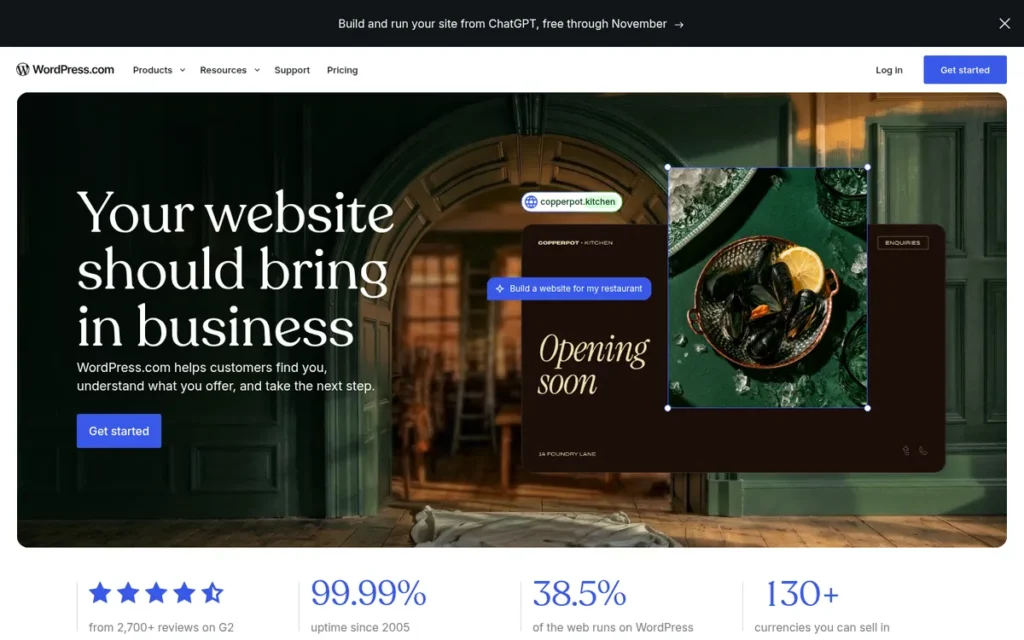
Category: Open WordPress Path. WordPress.com runs on open-source WordPress, so the site’s content can move between hosts.
At a Glance
- Category: Open WordPress Path (Hosted)
- Best For: Bloggers, publishers, and small businesses that expect to grow and want to own their content long-term
- Price Range: G2 list prices are Free $0, Personal $4, and Premium $8/month (may change). WordPress.com’s site lists Business at $25 and Commerce at $45/month billed annually, as first-year rates (verified November 2026).
- Primary Strength: WordPress.com offers the only documented Wix content importer among these alternatives and the highest portability off-platform.
- Biggest Limitation: WordPress.com’s editor takes adjustment for Wix users, its support draws mixed G2 reviews, and it does not disclose renewal rates on its introductory annual prices.
- One-Line Summary: WordPress.com is the strongest Wix alternative for readers who prioritize publishing and long-term ownership, combining managed hosting with WordPress’s open, exportable ecosystem.
- Last Verified: November 2026
Overview WordPress.com is Automattic’s hosted, managed version of WordPress for bloggers, publishers, and small businesses. It suits owners who want the largest website ecosystem and a built-in Wix importer, with hosting, updates, backups, and security handled for them.
WordPress.com is different from WordPress.org, which is free software you host and maintain yourself. Content can move between the two (WordPress.com support, November 2026).
WordPress.com ranks #1 because it scored highest on portability. Since plugins reached every paid plan in April 2026, it also matches Squarespace on pricing transparency. Its editor learning curve and mixed support reviews keep its non-developer fit score below Squarespace’s.
Key Features
- WordPress.com includes a Wix importer under Tools > Import that transfers static pages, images, menus, and the site title.
- WordPress.com imports Wix blog posts through a separate RSS import, which is limited to the 20 most recent posts.
- WordPress.com manages hosting, software updates, backups, and security for every site.
- WordPress.com allows plugin installation on every paid plan, starting with Personal. The Free plan excludes plugins (WordPress.com, November 2026).
- WordPress.com supports online stores through WooCommerce and lets owners export content to a self-hosted WordPress.org site on any host.
Best For WordPress.com is best for bloggers, content-heavy businesses, and publications that expect to add features over time and want the freedom to change hosts or developers later.
Pricing
- WordPress.com’s G2 list prices are Free $0, Personal $4/month, and Premium $8/month (G2, November 2026; may change).
- WordPress.com’s site lists Business at $25 and Commerce at $45/month billed annually. Month-to-month rates are $9, $18, $40, and $70 for Personal through Commerce (WordPress.com, November 2026).
- WordPress.com labels its annual prices as introductory and does not disclose renewal rates, so check the price shown at checkout (WordPress.com, November 2026).
- WordPress.com includes a free domain for the first year on annual paid plans, but the domain renewal cost was not disclosed.
- WordPress.com prices do not apply to self-hosted WordPress. One Reddit user estimated a self-hosted stack at $500–$1,200 a year, against roughly $300 for Wix bundles (r/Wordpress, 2019; likely out of date).
How It Compares With Wix
- WordPress.com holds a 4.4/5 G2 rating from 2,721 reviews, against Wix’s 4.2/5 from 1,932 (G2, November 2026).
- WordPress.com is the only ranked alternative that imports Wix content directly, though the design must still be rebuilt by hand.
- WordPress.com is stronger than Wix for publishing and for leaving later, while Wix’s editor gives more free-form layout control.
Strengths
- WordPress.com is the only ranked alternative with a documented Wix importer (WordPress.com support, November 2026).
- WordPress.com holds a 4.4/5 G2 rating from 2,721 reviews, the largest review base among the ranked alternatives. G2 does not publish a 4–5 star share for WordPress.com (G2, November 2026).
- WordPress.com draws on an ecosystem that powers 57.6% of CMS-based websites, against Wix’s 6.2%. That figure covers WordPress overall, not WordPress.com alone (W3Techs, November 2026).
- WordPress.com content can be exported to self-hosted WordPress, which addresses the lock-in fear Reddit users raise about proprietary builders (WordPress.com support, November 2026).
Limitations WordPress.com trades editing simplicity for ownership and portability. G2’s summary of users switching from Wix notes that learning the interface takes adjustment (G2, November 2026).
- WordPress.com’s advertised annual prices are first-year introductory rates, and its pricing page does not disclose renewal rates (WordPress.com, November 2026).
- WordPress.com’s Free plan does not allow plugins, and a WordPress.com store needs WooCommerce setup, while Squarespace includes store tools natively.
- WordPress.com support is mixed on G2. Some users report knowledgeable help, and others describe slow or confusing replies (G2, November 2026).
- WordPress.com’s parent, Automattic, went through a governance dispute in September 2026. Its board voted to place CEO Matt Mullenweg on leave, he returned about 33 hours later, and a new board was announced on September 25 (TechCrunch, September 2026). PlugRoute found no evidence that WordPress.com sites were affected.
A Wix user on r/WIX described the trade-off:
“I moved from wix to WordPress, I built my page myself… I’m not very ‘techy’, but I’m so much happier. It’s worth the learning curve.” Posted by u/Emergency-Fox-9318
Takeaway: WordPress has a real learning curve for people coming from Wix, but non-technical switchers say they can get past it without hiring help.
Verdict WordPress.com is the best Wix alternative for publishers and growing businesses that want to own their content and keep the option to leave. WordPress.com is the only ranked option with a documented Wix importer, and its open WordPress base gives it the highest portability here. Readers who need staging, real-time backups, or WooCommerce store tools should budget for the Business or Commerce plan.
2. Squarespace: Best for Polished Small-Business, Service, and Creative Sites
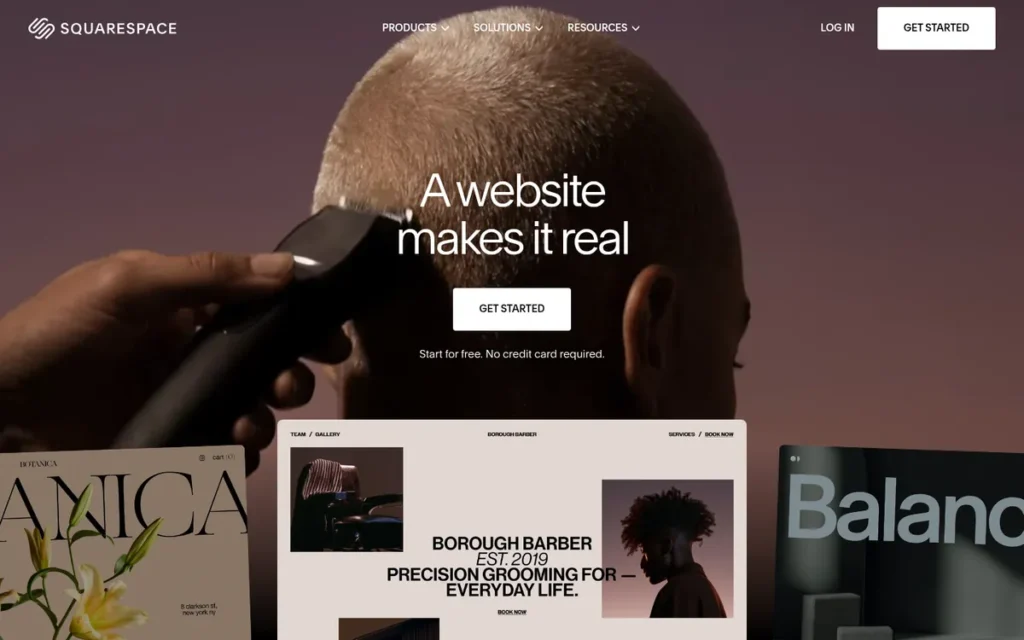
Category: All-in-One Hosted Builder. Squarespace’s single subscription covers templates, hosting, editing, and business tools, with no plugins or server upkeep.
At a Glance
- Category: All-in-One Hosted Builder
- Best For: Service businesses, creatives, and portfolio owners who want a polished site with booking and light commerce
- Price Range: G2 list prices are $8–$26/month billed annually (legacy plan names; may change). Squarespace’s site lists $19–$99/month billed annually (verified November 2026).
- Primary Strength: Squarespace combines design-led templates with built-in scheduling, commerce, and email tools that need no technical maintenance.
- Biggest Limitation: Squarespace has no Wix importer and low portability, so moving in now or leaving later means a manual rebuild.
- One-Line Summary: Squarespace is the strongest Wix alternative for non-technical small businesses and creatives who put polished design and built-in booking ahead of open-ended customization.
- Last Verified: November 2026
Overview Squarespace is a hosted, all-in-one website builder for small business owners, creatives, and service providers. It suits owners who want a polished, design-led site with built-in commerce, scheduling, and email tools, without managing hosting, plugins, or code.
Squarespace’s guided templates give more consistent layouts than Wix’s free-form editor but less freedom. Changing templates can mean rebuilding pages (Capterra and G2 reviewer summaries, 2026).
Squarespace ranks #2, 0.08 points behind WordPress.com. Squarespace scored highest of any platform here on fit for non-developers and on built-in business features, but its low portability held it back.
Key Features
- Squarespace includes the Fluid Engine drag-and-drop editor and designer templates on every plan.
- Squarespace supports physical and digital products, subscriptions, gift cards, and point-of-sale selling.
- Squarespace includes Acuity Scheduling for appointment booking and member areas for gated content.
- Squarespace provides AI credits, from 10 one-time credits on Basic to 120 per month on Advanced (Squarespace, November 2026).
- Squarespace includes a free custom domain for the first year on annual plans.
Best For Squarespace is best for service businesses, consultants, photographers, and portfolio owners whose site mainly needs to look professional and take bookings or inquiries, with commerce as a secondary need.
Pricing
- Squarespace’s G2 list prices are Personal $8, Business $18, and Commerce $26 per month billed annually (G2, November 2026; may change). These are legacy plan names.
- Squarespace’s pricing page lists Basic at $19/month annual ($25 monthly) with a 2% store transaction fee, and Core at $29 ($39 monthly) with 0% (Squarespace, November 2026).
- Squarespace’s higher tiers are Plus at $49/month annual ($65 monthly) and Advanced at $99 ($139 monthly). Both charge 0% store transaction fees (Squarespace, November 2026).
- Squarespace’s card processing runs from 2.9% + $0.30 on Basic and Core down to 2.5% + $0.30 on Advanced. Premium cards cost 3.2% + $0.30 on every plan (Squarespace, November 2026).
- Squarespace Core costs $120/year more than Basic ($348 vs $228 billed annually) but removes Basic’s 2% store fee. A store selling more than $6,000 a year online therefore saves money on Core (Squarespace, November 2026).
- PlugRoute could not verify Squarespace’s renewal terms beyond the free first-year domain, so check the price shown at checkout.
How It Compares With Wix
- Squarespace holds a 4.4/5 G2 rating against Wix’s 4.2/5 (G2, November 2026).
- Squarespace offers less layout freedom than Wix but more design consistency. Its Core plan ($29/month annual) costs the same as Wix’s Core tier.
- Squarespace has no Wix importer, so switching in is a manual rebuild, and leaving Squarespace later is equally hard.
Strengths
- Squarespace holds a 4.4/5 G2 rating from 1,138 reviews, with 92.1% at 4–5 stars, and Ease of Use is its most-cited pro (G2, November 2026).
- Squarespace charges no store transaction fees on physical-product sales from the Core plan upward (Squarespace, November 2026).
- Squarespace powers 3.6% of all CMS-based websites (W3Techs, November 2026).
- Squarespace’s built-in booking tools drew specific praise from one small-business owner, who wrote that “Squarespace has the best features for booking/scheduling” (r/Entrepreneur, 2023).
Users on r/squarespace defended the subscription cost:
“Someone’s always trying to get money out of you. Squarespace is worth the cost in my opinion. I use it to run dozens of client websites. The lack of hassle and juggling plugins + security issues is worth every penny to me.” Posted by u/JoshClarify
Takeaway: Squarespace’s monthly price buys freedom from plugin and security upkeep, and experienced builders who run many sites say that is worth paying for.
Limitations Squarespace trades flexibility for simplicity. Limited Customization is its most-cited G2 con, with 8 mentions (G2, November 2026).
- Squarespace offers no Wix importer and no full-site export, so readers escaping Wix’s lock-in face the same lock-in here.
- Squarespace has no phone support (PCMag, 2026), and G2 describes its 24/7 chat support as mixed (G2, November 2026).
- Squarespace’s Basic plan charges 7% on digital content and memberships, which matters to creators selling courses or memberships (Squarespace, November 2026).
- Squarespace users reported DNS and domain transfer problems after Squarespace took over former Google Domains customers in 2023 (G2 reviews, accessed November 2026).
Verdict Squarespace is the best Wix alternative for non-technical small businesses and creatives who want a polished, low-maintenance site with built-in booking and commerce. Squarespace’s 4.4/5 G2 rating and 0% store fees from Core upward make it a strong fit for service-led sites that want more design consistency than Wix’s free-form editor. Readers who care about owning their site long term should weigh its low portability before committing.
3. Hostinger Website Builder: Best for the Lowest Upfront Cost and Fastest Launch

Category: All-in-One Hosted Builder. Hostinger Website Builder’s single subscription covers templates, hosting, editing, and business tools, with no plugins or server upkeep.
At a Glance
- Category: All-in-One Hosted Builder (Budget, AI-Assisted)
- Best For: Budget-conscious solo entrepreneurs who need a simple site live fast
- Price Range: G2 list prices are $2.99–$7.99/month for hosting (may change). Hostinger’s site lists Website Builder Premium at $1.99/month on a 48-month prepay, renewing at $10.99/month for another 48-month term (verified November 2026).
- Primary Strength: Hostinger Website Builder gets a simple site live quickly and for less upfront than any other paid alternative ranked here.
- Biggest Limitation: Hostinger Website Builder’s renewal price is roughly 5.5 times its introductory rate, and sites can’t be imported from Wix or exported out.
- One-Line Summary: Hostinger Website Builder has the lowest upfront cost of any Wix alternative for simple sites, but its prices rise roughly 5.5-fold at renewal.
- Last Verified: November 2026
Overview Hostinger Website Builder is an AI-assisted drag-and-drop builder bundled with hosting, SSL, and a first-year domain. It is aimed at budget-conscious solo entrepreneurs who want a simple site live quickly and will prepay a long term for the lowest entry price.
Hostinger Website Builder is a separate product from Hostinger’s WordPress hosting and its Horizons app builder.
Hostinger Website Builder ranks #3, above the higher-rated Duda, because this ranking weights single-site, non-developer fit (25%) above G2 sentiment (20%). The renewal jump and missing export path keep Hostinger Website Builder well below the top two.
Key Features
- Hostinger Website Builder generates a starter site from a text prompt, which owners then edit with drag-and-drop or a chat-based AI mode.
- Hostinger Website Builder bundles hosting, an SSL certificate, and a first-year domain into its plans.
- Hostinger Website Builder adds ecommerce features on higher tiers.
- Hostinger offers support in 33 languages, the most of any ranked alternative with a language count listed on G2 (G2, November 2026).
- Hostinger Website Builder purchases fall under a 30-day refund window, which lets buyers test paid features such as checkout (r/Hostinger, February 2025).
Best For Hostinger Website Builder is best for freelancers and very small businesses that need a simple brochure site quickly and can commit to a long prepaid term to lock in the lowest price.
Pricing
- Hostinger’s G2 list prices are Web Hosting $2.99, VPS Hosting $4.99, and Cloud Hosting $7.99 per month (G2, November 2026; may change). These are hosting prices, not builder-specific prices.
- Hostinger Website Builder Premium costs $1.99/month, or $95.52 upfront for 48 months. It renews at $10.99/month for another 48-month term, about $527.52 billed at once (Hostinger, November 2026).
- Hostinger lists Website Builder Premium’s regular price as $12.99/month (Hostinger, November 2026).
- Hostinger Website Builder Business costs $2.79/month, or $133.92 upfront, and renews at $16.99/month (Hostinger, November 2026).
- Hostinger’s promotional figures change often. One ChatGPT answer cited a $2.49 intro price that doesn’t match the November 2026 page, so compare total cost of ownership, not the monthly equivalent.
How It Compares With Wix
- Hostinger holds a 4.4/5 G2 rating against Wix’s 4.2/5, and its upfront price is far below the $17/month G2 list price for Wix Light (G2, November 2026).
- PCMag rates Wix stronger than Hostinger Website Builder on ecommerce depth and design controls (PCMag, 2026).
- Hostinger can’t migrate Wix sites as working builds and advises a rebuild, and a finished Hostinger Website Builder site can’t be exported out (Hostinger, 2026).
Strengths
- Hostinger is the only platform in this evaluation where “less than 1 day” is the most commonly reported go-live time on G2 (G2, November 2026).
- Hostinger holds a 4.4/5 G2 rating from 894 reviews, with 93.2% at 4–5 stars. Ease of Use (275) and Customer Support (225) are its top pros (G2, November 2026).
- Hostinger Website Builder’s 48-month Premium plan has the lowest monthly-equivalent price of any paid plan in this ranking, at $1.99 (Hostinger, November 2026).
- Hostinger displays renewal prices more prominently than any other vendor reviewed here (Hostinger, November 2026).
Limitations Hostinger Website Builder trades a low entry price for a steep renewal. Premium rises from $1.99 to $10.99/month for another 48-month term. G2’s own summary says renewal prices “can be significantly higher than initial promotional rates” (G2, November 2026).
- Hostinger’s G2 cons include Poor Customer Support (108), Expensive (75), and Pricing Issues (65), alongside its support praise (G2, November 2026).
- Hostinger Website Builder doesn’t let owners switch templates after choosing one, and its integrations are more limited than competitors’ (PCMag, 2026).
- Hostinger Website Builder’s store lacked customer login accounts, according to one user (r/Hostinger, February 2025). Reddit evidence on Hostinger is thin overall.
- Hostinger Website Builder sites can’t be imported from Wix or exported out as working sites (Hostinger, 2026).
Users on r/EcommerceWebsite noted:
“Tried it for a quick portfolio site but eventually moved back to Shopify. Hostinger’s builder is okay for simple sites, but once I needed anything dynamic (like filtering a gallery or adding advanced contact forms), it felt limiting.
Also, their builder doesn’t really have an app ecosystem like Wix or Shopify, so you’re stuck with their built-in tools. It’s fine for bare-bones use, but if you plan to scale or customize heavily, I’d pass.” Posted by u/Agitated_Raisin5560
Takeaway: Hostinger Website Builder handles basic sites well, but it has no app ecosystem, so owners who need dynamic features quickly hit its limits.
Verdict Hostinger Website Builder is the cheapest and fastest way to replace a simple Wix site, but only if you plan for its roughly 5.5-fold renewal increase. Hostinger’s 4.4/5 G2 rating and frequent same-day launches make it a practical starter platform. Growing stores and readers worried about lock-in should look higher on this list.
4. Duda: Best for Agencies and Freelancers Managing Many Client Sites
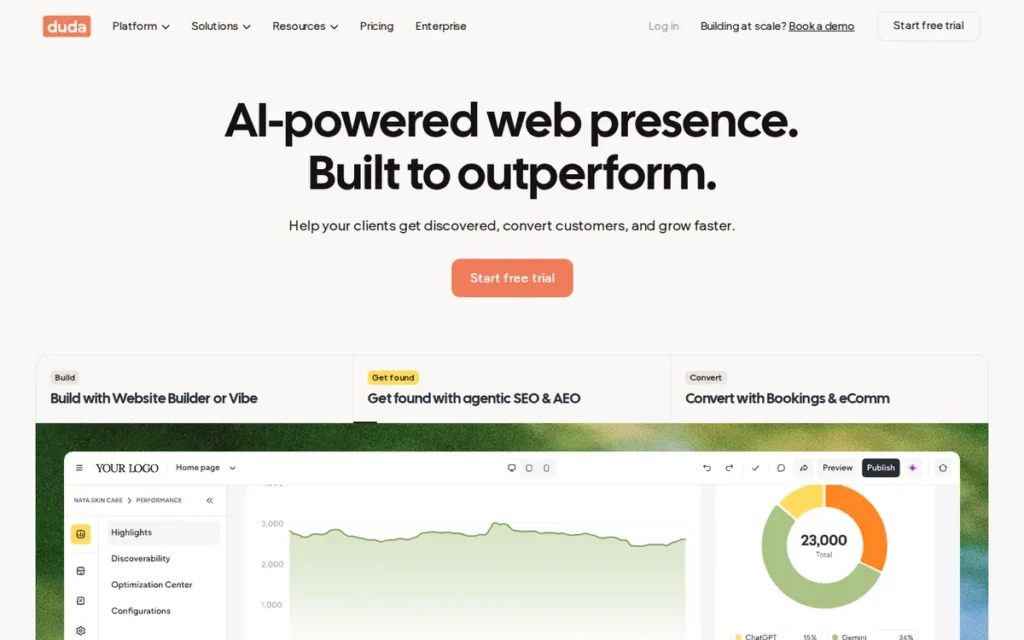
Category: Agency Platform. Duda is a hosted builder designed to build, hand off, and manage many client websites from one account.
At a Glance
- Category: Agency Platform
- Best For: Agencies and freelancers building and managing multiple client sites
- Price Range: G2 list prices are Basic $19, Team $29, and Agency $52/month billed annually (may change). Additional sites cost $17–$19/month each (verified November 2026).
- Primary Strength: Duda earns the highest independent user satisfaction of any Wix alternative ranked here, driven by ease of use and support.
- Biggest Limitation: Duda bills per site and depends on its own team for custom features, which makes it poor value for a single DIY site.
- One-Line Summary: Duda is the highest-rated Wix alternative on G2 and the strongest choice for agencies managing client sites at volume, but it is poor value for a single-site owner.
- Last Verified: November 2026
Overview Duda is a hosted website platform built for digital agencies, freelancers, and SaaS companies that build and manage many client sites. Duda offers client permissions, reusable templates, multi-site management, and white-labeling instead of a single-site DIY experience.
Duda’s main competitor in the agency market is Wix’s own Wix Studio.
Duda ranks #4 despite the best G2 sentiment here. Duda’s fit-for-non-developers score of 2.5 reflects PCMag UK’s finding that it is less compelling for single-site owners. It does not reflect Duda’s ease of use for agencies, which G2 reviewers praise (155 Ease of Use mentions).
Key Features
- Duda provides client accounts with granular permissions, so clients can edit only what the agency allows.
- Duda includes content-collection forms that gather client assets before a build begins.
- Duda supports reusable templates and multi-site management from one dashboard.
- Duda offers full white-labeling on its White Label and Custom plans.
- Duda includes AI site generation, an AI widget builder, bookings, and an ecommerce add-on billed per site.
Best For Duda is best for marketing agencies, web freelancers, and SaaS companies that launch client sites at volume and want less plugin maintenance than WordPress requires.
Pricing
- Duda’s G2 list prices are Basic $19, Team $29, and Agency $52 per month billed annually (G2, November 2026; may change). Monthly billing is $25, $39, and $69 (Duda, November 2026).
- Duda’s White Label plan costs $149/month annual or $199 monthly, and Custom is quoted (Duda, November 2026).
- Duda includes 1 project on Basic and Team and 4 on Agency and White Label. Each additional site costs $19/month on Basic and $17/month on the other plans (Duda, November 2026).
- Duda charges for ecommerce as a per-site add-on, which works against single-site owners and in favor of agencies building at volume.
How It Compares With Wix
- Duda holds a 4.6/5 G2 rating against Wix’s 4.2/5 (G2, November 2026).
- Duda offers a fully white-labeled client workspace, which Wix Studio’s Wix-branded workspace does not, according to a comparison written by Wix, a competitor (Wix blog, 2026).
- Duda requires a rebuild to move from Wix, and Duda sites have low portability out. For a single DIY site, Wix’s all-in-one plans are the simpler value.
This aligns with community sentiment on r/smallbusiness:
“They’re really pretty much the same drag and drop builders. I feel like moving from one to the other is a side step if anything. Especially if it’s a fairly static site.” Posted by u/joshstewart90
Takeaway: For a single static site, moving between Duda and Wix is a sideways step that doesn’t justify a rebuild. Duda’s advantages show up mainly in agency workflows.
Strengths
- Duda holds a 4.6/5 G2 rating from 797 reviews, with 97.0% at 4–5 stars, the highest satisfaction of any alternative ranked here (G2, November 2026).
- Duda’s second most-cited G2 pro is Customer Support, with 98 mentions (G2, November 2026).
- Duda supports high-volume production. One agency user reported launching about 20 sites a month on it (r/webdev, May 2026).
- Duda users switching from WordPress and Wix cite less plugin upkeep and easier client permissions (G2, November 2026).
- Duda powers 1.1% of CMS-based sites, close to Webflow’s 1.2% (W3Techs, November 2026).
Limitations Duda trades customization depth for speed. Limited Customization (47) and Limited Features (45) are its top G2 cons (G2, November 2026).
- Duda requires custom functionality beyond its built-in features to go back to Duda’s team, which one user said “gets really expensive” (r/Wordpress, 2025).
- Duda sites can’t easily move elsewhere. One user warned that “if they double their prices tomorrow, there’s no taking your website somewhere else” (r/Wordpress, 2025).
- Duda is less compelling for single-site owners than for professionals, according to PCMag UK (PCMag UK, 2026). Older complaints about px-only units are dated, because Duda said in December 2025 that it had rebuilt its unit and container controls.
Verdict Duda is the best Wix alternative for agencies and freelancers managing many client sites, and it has the highest G2 satisfaction score in this ranking. Duda’s white-labeling and client permissions suit agencies that hand finished sites to clients. Single-site owners will pay more per site and face low portability, so most of them should look elsewhere.
5. Elementor: Best for Wix-Style Visual Editing With WordPress Portability
Category: Open WordPress Path. Elementor runs on open-source WordPress, so the site’s content can move between hosts.
At a Glance
- Category: Open WordPress Path (Visual Builder)
- Best For: Wix users and freelancers who want drag-and-drop design on WordPress
- Price Range: G2 list prices for Elementor Hosting are $11.99–$24.99/month (may change). Plugin plans start at $60/year on Elementor’s site (verified November 2026).
- Primary Strength: Elementor delivers Wix-style visual editing while keeping a site portable across any WordPress host.
- Biggest Limitation: Elementor sites often need a stack of extra plugins, which adds cost, maintenance, and slow-loading risk.
- One-Line Summary: Elementor is the best Wix alternative for readers who want drag-and-drop design on WordPress, as long as they accept plugin maintenance or pay for Elementor’s managed hosting.
- Last Verified: November 2026
Overview Elementor is a drag-and-drop visual page builder for WordPress, aimed at Wix users and freelancers who want Wix-style visual editing while keeping WordPress’s portability. Elementor is available as a free plugin, as paid Pro plans, or bundled with managed hosting.
Elementor claims more than 22 million websites built. That is a cumulative vendor-reported figure, not active installs (Elementor, 2026).
Elementor ranks #5. Its portability and features are strong, but self-hosted maintenance and the limits on what Elementor’s support covers hold it back.
Key Features
- Elementor provides a free drag-and-drop page builder plugin for any self-hosted WordPress site.
- Elementor Pro adds a Theme Builder, dynamic content, forms, and popups.
- Elementor Pro includes WooCommerce widgets for designing product, cart, and checkout pages.
- Elementor One bundles Editor Pro with agentic AI, image optimization, and accessibility tools.
- Elementor Hosting offers managed WordPress on Google Cloud with a Cloudflare Enterprise CDN, sold separately.
Best For Elementor is best for design-minded small business owners and freelancers who like Wix’s visual editing but want to own a portable WordPress site, ideally on managed hosting that reduces upkeep.
Pricing
- Elementor’s G2 list prices for WordPress Hosting are Lite $11.99, Basic $14.99, and Business $24.99 per month (G2, November 2026; may change).
- Elementor’s plugin plans cost $60/year for Essential (1 site), $84 for Advanced Solo (1 site), $108 for Advanced (3 sites), and $204 for Expert (25 sites) (Elementor, November 2026).
- Elementor’s Editor Pro plans renew at their listed annual price, but One Agency renews at $540/year after a $432 first year (Elementor, November 2026).
- Elementor users who self-host must also pay for hosting and any additional plugins, and one review reports higher renewals on bundles (iTechGuides, 2026).
How It Compares With Wix
- Elementor holds a 4.4/5 G2 rating against Wix’s 4.2/5 (G2, November 2026).
- Elementor offers the closest editing experience to Wix of any WordPress option in this ranking.
- Elementor’s own migration guide describes a full rebuild from Wix: move the content, recreate the design, and set up redirects. Once on WordPress, the site can change hosts, though Elementor-specific layouts stay tied to the plugin (Elementor, 2026).
Strengths
- Elementor holds a 4.4/5 G2 rating from 452 reviews, with 92.5% at 4–5 stars and Ease of Use (105) as its most-cited pro (G2, November 2026).
- Elementor runs on WordPress, which powers 57.6% of CMS-based sites, so an Elementor site’s files and database can move to any WordPress host (W3Techs, November 2026).
- Elementor’s entry plugin plan costs $60/year for one site, and Editor Pro plans renew at their listed price (Elementor, November 2026).
- Elementor’s G2 pros include Intuitive (51) and Drag-and-Drop Functionality (42) among its most-cited themes (G2, November 2026).
Limitations Elementor’s portability comes at the cost of maintenance. Slow Loading (27) and Plugin Issues (27) are its top G2 cons (G2, November 2026). Elementor-specific Reddit evidence is thin and dates from 2022 or earlier, so community sentiment carries lower confidence.
- Elementor sites often depend on a stack of other plugins for SEO, caching, and dynamic content, according to one agency user (r/SEO, 2022). That raises both cost and upkeep.
- Elementor’s support policy excludes third-party plugin conflicts, custom code, performance tuning, and security cleanup, so self-hosted users may need their host or a paid specialist (Elementor, 2026).
- Elementor’s One Agency plan renews at $540/year after a $432 first year (Elementor, November 2026).
Verdict Elementor is the best Wix alternative for readers who want Wix-style visual editing without giving up WordPress’s portability. Elementor’s $60/year entry plugin and optional managed hosting keep entry costs moderate. Non-technical readers should budget for plugin maintenance or managed hosting, because Elementor’s support excludes third-party conflicts.
6. Square Online: Best for Stores That Also Sell In Person

Category: Commerce-Connected Builder. Square Online is a store builder tied to Square’s payment and point-of-sale system, so online and in-person sales share one inventory.
At a Glance
- Category: Commerce-Connected Builder
- Best For: Retailers and restaurants already using, or planning to use, Square POS
- Price Range: G2 list prices are Square Plus $49 and Square Premium $149/month per location (may change). Square Free has no monthly fee, and card fees of 2.9%–3.3% + 30¢ apply per online sale.
- Primary Strength: Square Online syncs online and in-person orders and inventory in one system, with no monthly cost on its free plan.
- Biggest Limitation: Square Online ties checkout to Square payments, which limits options such as PayPal, Klarna, or Affirm, and it offers minimal design control.
- One-Line Summary: Square Online is the best Wix alternative for small businesses that sell both in person and online with Square, but it is a weaker choice for design-led or online-only stores.
- Last Verified: November 2026
Overview Square Online, formerly Weebly, is Block’s free-to-start online store builder for retailers, restaurants, and other small businesses that already sell in person with Square. It syncs online orders, inventory, pickup, and delivery with the point-of-sale system.
Square Online puts checkout and operations ahead of design.
Square Online ranks #6 because it has the lowest G2 satisfaction share among the alternatives, along with low portability and limited payment and design flexibility.
Key Features
- Square Online syncs items, inventory, and orders between the online store and Square POS.
- Square Online supports curbside pickup, in-store pickup, and local delivery.
- Square Online lets sellers list products on Instagram and Facebook.
- Square Online offers restaurant ordering pages with QR codes and routing to kitchen printers.
- Square Online provides support by phone, chat, and email, plus a knowledge base (G2, November 2026).
Best For Square Online is best for brick-and-mortar retailers, cafés, and restaurants that already take in-person payments with Square and want an online ordering channel without a second inventory system.
Pricing
- Square Online’s G2 list prices are Square Plus at $49/month and Square Premium at $149/month, both per location. G2 lists Square Free without a price (G2, November 2026; may change).
- Square Online’s free plan has no monthly fee (Square, November 2026).
- Square Online charges 3.3% + 30¢ per online card payment on Free and 2.9% + 30¢ on Plus and Premium (Square fees page, November 2026).
- Square Online’s per-transaction cost means a $100 online order costs $3.60 in card fees on Free, against $3.20 on Plus (Square, November 2026).
- Square Plus costs $588/year and saves 0.4 percentage points per online card payment, so it pays for itself only above about $147,000 in annual online card sales (Square, November 2026).
How It Compares With Wix
- Square Online ties Wix at 4.2/5 on G2 (G2, November 2026).
- Square Online beats Wix for selling across channels from one shared inventory, while Wix is stronger on design and content (LitExtension, 2026).
- Square Online requires a rebuild to move from Wix, and its payment methods are tied to Square.
Strengths
- Square Online draws G2 reviewer praise for its integration with Square payment processing and its drag-and-drop ease of use (G2, November 2026).
- Square Online’s free plan is the lowest-cost way among the ranked alternatives to start selling online. It has no monthly fee, though card fees apply to every sale (Square, November 2026).
- Square Online keeps in-person and online inventory in one system, which one Reddit user called the reason to choose it when “payments + selling are central” (r/smallbusiness, June 2026).
- Square Online is the only ranked alternative whose G2 listing names phone support among its channels (G2, November 2026).
Limitations Square Online trades design and payment flexibility for operational simplicity. One seller said Square “seems very limited” on Klarna, Affirm, and PayPal (r/smallbusiness, 2026).
- Square Online’s customization is “minimal for a real online store,” according to another user (r/smallbusiness, 2026), and G2 reviewers flag weak SEO and heading controls.
- Square Online has the lowest G2 satisfaction share among the alternatives, at 87.1%. Its G2 theme counts are in single digits, so conclusions about sentiment carry low confidence (G2, November 2026).
- Square Online’s Weebly-based editor is described as “in decline” by Site Builder Report (Site Builder Report, 2026), and Square Community threads complain of years without meaningful editor updates.
Verdict Square Online is the best Wix alternative for businesses that sell both in person and online and already run on Square. Square Online’s free plan and shared inventory save the cost and hassle of a separate ecommerce stack. Readers who want design control, flexible payment methods, or a growing online-first store should look elsewhere, often to Shopify, which PlugRoute discusses but does not rank in this article.
7. Webflow: Best for Designers Who Want Pixel-Level Layout Control
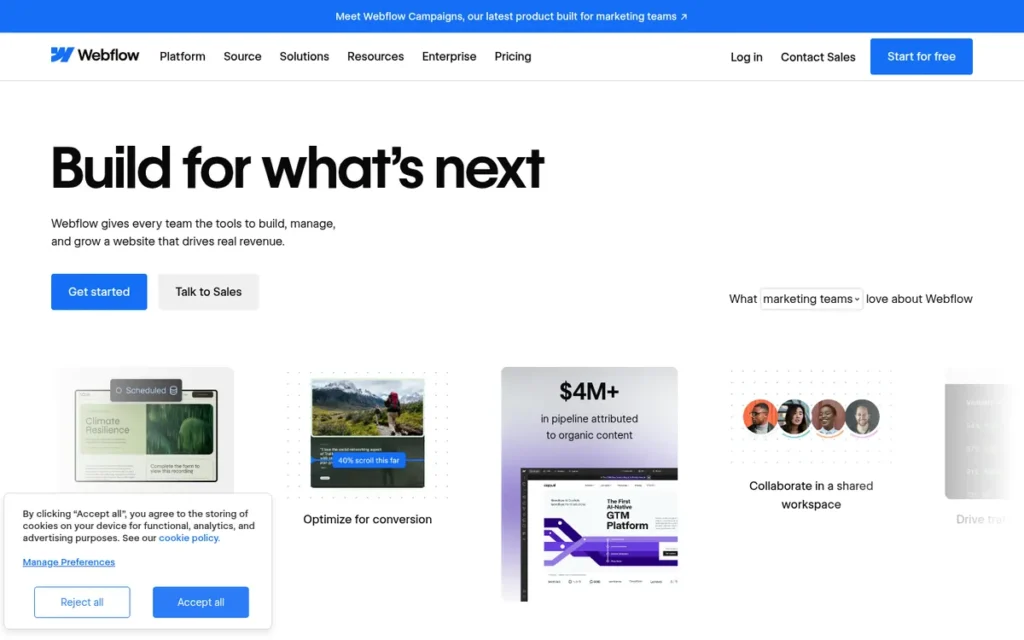
Category: Visual Design Platform. Webflow is a professional-grade visual editor that exposes real web layout controls instead of fixed templates.
At a Glance
- Category: Visual Design Platform
- Best For: Designers, freelancers, and marketing teams building custom, design-heavy marketing sites
- Price Range: G2 list prices are Basic $18 and CMS $29/month (may change). Webflow’s 2026 site lists Basic at $15 and Premium at $25/month billed annually, plus separate Workspace plans.
- Primary Strength: Webflow offers the most precise visual layout and interaction control of any Wix alternative ranked here.
- Biggest Limitation: Webflow has the steepest learning curve and the most complex pricing in this list, with separate Site and Workspace plans.
- One-Line Summary: Webflow is the strongest Wix alternative for designers who need pixel-level control, but its learning curve and split pricing make it a poor fit for most non-technical owners.
- Last Verified: November 2026
Overview Webflow is a visual web design platform built on the CSS box model. It is aimed at designers, freelancers, and marketing teams who want pixel-level layout control, a structured CMS, and custom interactions, and who will invest time in learning a more technical editor.
Webflow ranks #7 for this article’s non-technical audience.
For designers, the same evidence would put Webflow much higher. Its weaknesses here are learning curve, pricing complexity, and English-only support, not design capability.
Key Features
- Webflow lets designers control layout visually using real CSS box-model properties.
- Webflow includes a CMS for structured content, and the 2026 Premium plan supports 20,000 items and 40 collections.
- Webflow supports custom interactions and animations without writing code.
- Webflow exports site code (HTML, CSS, and JavaScript) on Workspace plans from Core upward. CMS items export separately as CSV (Webflow, November 2026).
- Webflow offers Ecommerce, Localization, and paid Analyze and Optimize add-ons.
Best For Webflow is best for designers and marketing teams building custom landing pages and marketing sites where design and animation are the point and someone on the team is willing to learn the tool.
Pricing
- Webflow’s G2 list prices are Starter (price not listed), Basic $18, and CMS $29 per month (G2, November 2026; may change).
- Webflow’s 2026 site lists Starter free (two static pages), Basic at $15/month annual or $25 monthly, and Premium at $25 annual or $39 monthly. Premium replaced the CMS and Business plans (Webflow, November 2026).
- Webflow bills collaboration separately through Workspace plans. Core costs $19/month annual and includes code export, 10 staging sites, and shared libraries, and Growth costs $49/month annual (Webflow, November 2026).
- PlugRoute could not verify current prices for Webflow’s Ecommerce plans.
How It Compares With Wix
- Webflow holds a 4.4/5 G2 rating against Wix’s 4.2/5 (G2, November 2026).
- Webflow gives far more design precision than Wix’s drag-and-drop canvas. That answers Wix users’ G2 request for more design flexibility, at the cost of a learning curve.
- Webflow has no Wix importer, so switching is a rebuild. Its portability out is partial: site code exports, CMS data exports as CSV, and ecommerce data does not export.
Strengths
- Webflow holds a 4.4/5 G2 rating from 997 reviews, with 93.3% at 4–5 stars. Ease of Use (278) and Design Flexibility (180) are its top pros (G2, November 2026).
- Webflow is the only proprietary builder in this ranking with documented site-code export (Webflow Help Center, November 2026).
- Webflow holds 1.2% of CMS-based sites (W3Techs, November 2026).
- Webflow needs little ongoing maintenance from content editors once a site is built, and one user called day-to-day updates “basically data entry” (r/SEO, 2022).
Limitations Webflow trades ease of use for control. Learning Curve (109) and Steep Learning Curve (80) together are its most-cited G2 cons, and Expensive draws 82 mentions (G2, November 2026).
- Webflow lacked several native business features, including ecommerce product reviews, customer accounts, booking, and blog comments, according to one agency user (r/SEO, 2022). PlugRoute did not verify whether Webflow has added these since.
- Webflow’s separate Site and Workspace plans confuse buyers, and its support is English-only (G2, November 2026). Trustpilot reviewers cite billing problems and slow support (Trustpilot, 2026).
- Webflow’s “clean code” performance claims were disputed in one user’s speed tests, though another user attributed the results to animation-heavy sites (r/SEO, 2022).
Verdict Webflow is the best Wix alternative for designers who need pixel-level control. It is the least suitable option in this ranking for non-technical owners who want a site live without learning a professional tool. Webflow’s partial code export gives it better portability than most proprietary builders. Readers whose priority is booking, store accounts, or simplicity are better served higher on this list.
Why Do People Look for Wix Alternatives?
People look for Wix alternatives mainly for more design control, smoother mobile and desktop editing, a faster editor, and stronger SEO controls, according to Wix’s recurring G2 improvement requests. Wix rates 4.2/5 from 1,932 G2 reviews, tied with Square Online for the lowest average among the platforms in this article (G2, November 2026).
Wix is not a failing platform. In its FY2025 results, Wix reported more than 304 million registered users and 6.11 million premium subscriptions, including Base44 (Wix SEC filing, 2026).
These are the recurring improvement requests from Wix users (G2, November 2026):
- Wix users want mobile and desktop editing to stay in sync with less manual adjustment.
- Wix users want more design flexibility and the ability to change site structure without a rebuild.
- Wix users want a faster editor with fewer glitches, loading delays, and layout inconsistencies.
- Wix users want stronger advanced SEO controls and site-performance optimization.
- Wix users want clearer navigation and easier-to-find guidance for common tasks.
Wix’s costs are the baseline for comparison:
- Wix’s G2 list prices are Light $17, Core $29, and Business $39 per month (G2, November 2026; may change).
- Wix’s annual plans are paid upfront at $204, $348, $468, and $1,908 a year for Light, Core, Business, and Business Elite (Wix, November 2026).
- Wix’s month-to-month rates are higher, at $24, $36, $46, and $172 (Wix, November 2026).
How Does Each Alternative Compare With Wix?
Every ranked alternative except Square Online rates higher than Wix on G2, but every switch from Wix requires at least a partial rebuild. Portability out ranges from high (WordPress.com, Elementor) to low (Squarespace, Hostinger, Duda, Square Online). Hostinger shows renewal prices most prominently. For most other vendors, check the price at checkout.
| Platform | G2 Rating (reviews) | G2 List Price (Nov 2026; may change) | Current Site Price and Renewal (Nov 2026) | Migration In From Wix | Portability Out | Support Languages (G2) |
|---|---|---|---|---|---|---|
| Wix (baseline, not ranked) | 4.2 (1,932) | Light $17, Core $29, Business $39 | $17–$159/mo annual, paid upfront | Not applicable (baseline) | No full-site export | 12 |
| WordPress.com | 4.4 (2,721) | Free $0, Personal $4, Premium $8 | Personal $4 to Commerce $45/mo annual (first-year rates); renewal not disclosed | Wix content importer (no design) | Highest | Not listed; email and chat |
| Squarespace | 4.4 (1,138) | Personal $8, Business $18, Commerce $26 | Basic $19 to Advanced $99/mo annual; renewal not verified | Manual rebuild | Low | Not listed; 24/7 chat, no phone |
| Hostinger Website Builder | 4.4 (894) | Web $2.99, VPS $4.99, Cloud $7.99 | Premium $1.99/mo intro; renews at $10.99/mo for another 48 months | Manual rebuild | Low | 33 |
| Duda | 4.6 (797) | Basic $19, Team $29, Agency $52 | Additional sites $17–$19/mo; renewal not verified | Manual rebuild | Low | 9 |
| Elementor | 4.4 (452) | Hosting $11.99–$24.99 | Plugin from $60/yr; Editor Pro renews at list price; One Agency $432, then $540/yr | Manual rebuild | High (WordPress) | Not listed |
| Square Online | 4.2 (482) | Free (no price listed), Plus $49, Premium $149 | Card fees 2.9%–3.3% + 30¢ per online sale; priced per location | Manual rebuild | Low | Not listed; phone, chat, email |
| Webflow | 4.4 (997) | Basic $18, CMS $29 | Basic $15, Premium $25/mo annual, plus Workspace plan | Manual rebuild | Partial (code; CMS as CSV) | 1 (English) |
What Does Each Platform Cost Over Four Years?
At current published prices, four years costs $95.52 on Hostinger Website Builder Premium, $816 on Wix Light, and $912 on Squarespace Basic. Hostinger’s next 48-month term costs $527.52, a 5.5-fold jump that still leaves it the cheapest of the three over eight years. These plans differ in features, so compare like for like.
- Hostinger Website Builder Premium costs $95.52 for months 1–48 and $527.52 for months 49–96 at $10.99/month (Hostinger, November 2026).
- Wix Light costs $816 over four years at $204/year, if the price holds (Wix, November 2026).
- Squarespace Basic costs $912 over four years at $19/month billed annually, if the price holds (Squarespace, November 2026).
- PlugRoute could not verify renewal rates for Wix or Squarespace, so treat their four-year totals as best-case estimates.
When Does Staying on Wix Make Sense?
Staying on Wix makes sense when you rely on its broad built-in business tools, your small store already works, or rebuilding would cost more than it fixes. Every alternative here requires at least a partial rebuild, so staying on Wix is a legitimate outcome, not a failure.
- Wix covers 15 G2 categories, including scheduling, events, and hotel reservations, and lists 30 integrations on G2 (G2, November 2026).
- Wix is a reasonable place to stay if your small store is already set up and selling, because Wix exports physical products only to CSV and doesn’t export digital products at all.
- Wix outranks Hostinger Website Builder on ecommerce depth and design controls, according to PCMag (PCMag, 2026).
- Wix remains the cheaper choice whenever rebuilding pages, design, and redirects would cost more time than the editor or SEO limits you’re trying to escape.
How Do I Switch From Wix to Another Website Builder?
Switching from Wix means at least a partial rebuild, because Wix has no full-site export and no builder can import a Wix design. Some content moves, such as recent blog posts, physical product data, and page text. The layout and stock images must be recreated. Plan 301 redirects so your search rankings survive the move.
No website builder can import a Wix design. The most any destination offers is a Wix content importer, and only WordPress.com documents one.
As one user on r/WIX described:
“It’s mostly manual unfortunatley.
There’s no real smart one-click tool because Wix’s layout system doesn’t translate to WordPress.
Design has to be rebuilt, header/footer recreated, layouts redone, responsive fixed, forms re-set, and SEO settings reconfigured.
Content (blogs or cms) can be partially imported via RSS or CSV, but still needs cleanup.
If the site is small, it’s quick but If it’s large, think of it as a rebuild rather than a migration.” Posted by u/PreferenceSimilar237
Takeaway: Leaving Wix is a rebuild, not a migration, so the size of your site should drive how much time and budget you set aside for the switch.
What leaves Wix and what doesn’t (Hostinger migration tutorial, 2026):
- Wix’s RSS feed carries only the 20 most recent blog posts, as excerpts.
- Wix exports physical products to CSV but excludes digital products.
- Wix designs, pages, and stock images must be rebuilt by hand.
Which destinations help:
- WordPress.com’s Wix importer transfers static pages, images, menus, and the site title, but not the design (WordPress.com support, November 2026).
- Hostinger advises creating a new site and copying the content over manually (Hostinger, 2026).
- Elementor’s migration guide describes the same rebuild path for WordPress (Elementor, 2026).
A practical switching sequence:
- Step 1: Export or copy your Wix content, including posts, page text, images, and product CSVs.
- Step 2: Recreate your design and page structure on the new website builder.
- Step 3: Map each old Wix URL to its new page and set up 301 redirects to preserve your search rankings.
- Step 4: Update your domain’s DNS records to point at the new website builder. The changes can take up to 48 hours to propagate.
Ways to reduce the risk:
- Test checkout inside a refund window before you migrate a store. Hostinger offers 30 days (r/Hostinger, February 2025).
- Keep bookings and payments on external links so a later platform move doesn’t break them, as one agency owner suggests (u/Citrous_Oyster, r/smallbusiness; year not verified).
What About Shopify for Online Stores?
Shopify is the platform 2026 Reddit users and AI answers most often recommend for growing online-first stores. Shopify holds 8.1% of CMS-based sites against Wix’s 6.2% (W3Techs, November 2026). PlugRoute did not rank Shopify because it could not verify a G2 rating for Shopify on the same footing as the seven ranked alternatives.
ChatGPT reported Shopify’s Basic plan at $29/month billed annually or $39 monthly, citing Shopify’s pricing page. PlugRoute has not verified these figures.
Readers whose main goal is a growing store should compare Shopify directly with Squarespace’s Core plan and with WordPress.com plus WooCommerce.
What Red Flags Should I Watch For When Evaluating Wix Alternatives?
Watch for these six red flags:
- Intro prices shown without renewal rates
- Long prepaid terms
- No way to export your site
- Features or fee levels locked to higher tiers
- Payments tied to one processor
- Split pricing structures
Any of these can make an affordable-looking Wix alternative cost more, or trap you, within one or two years.
Red Flag #1: Intro Prices Without Renewal Rates A website builder that advertises only its first-term price hides your real long-term cost. Hostinger Website Builder Premium jumps from $1.99 to $10.99/month at renewal (Hostinger, November 2026). PlugRoute could not verify renewal terms for most other vendors, so ask before you buy.
Red Flag #2: Long Prepaid Terms Hiding the Real Monthly Cost A low monthly-equivalent price can require years of payment upfront. Hostinger’s $1.99 Premium rate means paying $95.52 at once for 48 months. At renewal, Premium costs $10.99/month for another 48-month term, about $527.52 billed at once (Hostinger, November 2026).
Red Flag #3: Trading One Lock-In for Another (No Export) A builder with no full-site export repeats Wix’s core problem. Squarespace, Hostinger Website Builder, Duda, and Square Online all have low portability. WordPress.com and Elementor run on open-source WordPress, which can move between hosts. Webflow sits between them, with partial code and CSV export.
Red Flag #4: Features or Fee Levels Gated Behind Higher Tiers A cheap entry plan can lock out the features or fee levels that made you choose the platform. Squarespace Basic charges a 2% store fee and 7% on digital content and memberships, which higher tiers reduce. Duda limits white-labeling to its $149/month White Label plan (vendor pages, November 2026).
Red Flag #5: Payments Tied to One Processor A store builder tied to one payment processor can limit how customers pay. Square Online sellers report limited support for Klarna, Affirm, and PayPal (r/smallbusiness, 2026). That can cost sales if your customers expect those options, so check accepted payment methods before you migrate.
Red Flag #6: Split Site and Workspace Plans Pricing split across separate plan types makes total cost hard to compare. Webflow charges a Site plan for each published site and a separate Workspace plan for collaboration, with Workspace Core at $19/month annual (Webflow, November 2026). Add both together before you budget.
What Questions Should I Ask Before Choosing a Wix Alternative?
Before choosing a Wix alternative, ask yourself six questions:
- What is my site’s main job?
- What will I pay at renewal?
- Can I export my site later?
- What can I import from Wix?
- Who supports me when something breaks?
- Who maintains the plugins?
The answers will narrow seven options to one or two faster than comparing feature lists.
Question #1: What is the main job of my website? The main job of your site decides the category. Bookings and portfolios point to Squarespace, publishing to WordPress.com, in-person sales to Square Online, client work to Duda, and design-led marketing sites to Webflow. Hostinger Website Builder fits simple sites on a tight upfront budget.
Question #2: What will I pay at renewal, and how long must I prepay? Ask for the renewal rate and the prepaid term in writing, or check them at checkout, and compare the total over two to four years. Also check each vendor’s refund or trial terms before you migrate. Hostinger offers a 30-day refund window (r/Hostinger, February 2025).
Question #3: Can I export my site if I leave later? Find out exactly what exports: full site files, code only, content as CSV, or nothing. WordPress-based options give the most freedom, and Webflow gives partial export from its Core Workspace plan. Most hosted builders, including Squarespace and Duda, require another rebuild if you leave.
Question #4: What can I import from Wix, and what must I rebuild? Expect to rebuild your design on any platform. Only WordPress.com documents a Wix importer, which covers static pages, images, menus, and the site title. Blog posts need a separate RSS import limited to the 20 most recent posts, and Wix digital products don’t export at all.
Question #5: Who helps me when something breaks, and in what language? Support channels and languages vary widely. G2 lists 33 support languages for Hostinger, 9 for Duda, and English only for Webflow (G2, November 2026). Squarespace has no phone support (PCMag, 2026), and Elementor’s support excludes third-party plugin conflicts and security cleanup (Elementor, 2026).
Question #6: Will I maintain plugins and updates myself? With self-hosted WordPress and Elementor, you manage updates, plugin conflicts, and security yourself unless you pay for managed hosting. Hosted builders such as Squarespace and Duda handle updates and security for you. WordPress.com manages hosting and core updates, but owners who install plugins still need to watch for plugin conflicts.
How Did We Rank These Wix Alternatives?
PlugRoute ranked these Wix alternatives on six weighted criteria. Each product got a score from 1 to 5 per criterion, and the weighted scores were added up. Fit for non-developers carries the most weight (25%). Independent sentiment and long-term cost follow (20% each), then portability (15%), then business features and support (10% each).
- Fit for Non-Developers (25%): This criterion matters because readers want to build and run a site without hiring a developer.
- Independent User Sentiment (20%): This criterion matters because G2 ratings, review counts, and 4–5 star shares are a check that vendor claims lack.
- Pricing Transparency and Long-Term Cost (20%): This criterion matters because intro prices, prepaid terms, and renewal jumps make real costs hard to compare.
- Switching In From Wix and Portability Out (15%): This criterion matters because readers fear swapping one locked-in builder for another.
- Built-In Business Features (10%): This criterion matters because readers often leave Wix for stronger native commerce, booking, and publishing tools.
- Support Accessibility (10%): This criterion matters because vendor support is often a non-developer’s only help.
| Rank | Company | Ease (25%) | Sentiment (20%) | Cost (20%) | Portability (15%) | Features (10%) | Support (10%) | Weighted Total |
|---|---|---|---|---|---|---|---|---|
| 1 | WordPress.com | 3.5 | 4.5 | 3.5 | 5.0 | 4.0 | 3.0 | 3.93 |
| 2 | Squarespace | 5.0 | 4.0 | 3.5 | 2.0 | 4.5 | 3.5 | 3.85 |
| 3 | Hostinger Website Builder | 4.5 | 4.0 | 2.5 | 1.5 | 2.5 | 3.5 | 3.25 |
| 4 | Duda | 2.5 | 5.0 | 3.0 | 1.5 | 3.0 | 4.0 | 3.15 |
| 5 | Elementor | 2.5 | 3.5 | 3.0 | 4.0 | 3.5 | 2.0 | 3.08 |
| 6 | Square Online | 4.0 | 2.5 | 3.5 | 1.5 | 3.0 | 3.0 | 3.03 |
| 7 | Webflow | 2.5 | 4.0 | 2.0 | 3.0 | 3.0 | 2.0 | 2.78 |
How sensitive are these results?
- WordPress.com extended plugins to all paid plans in April 2026, so PlugRoute scored its pricing transparency at 3.5. That is the same score Squarespace receives for published prices with undisclosed renewals.
- WordPress.com and Squarespace are 0.08 points apart. If fit for non-developers were weighted at 30% and portability at 10%, Squarespace would rank #1 (4.00 vs 3.85).
- Hostinger Website Builder ranks above the higher-rated Duda because non-developer fit (25%) outweighs G2 sentiment (20%).
- Webflow scores 4.0 on sentiment, with 278 Ease of Use mentions on G2. Its rank comes from learning-curve complaints (109 + 80 mentions), split pricing, and English-only support.
- Ranks 3–6 fall within 0.22 points, so agencies, designers, and in-person sellers should follow Best For rather than overall rank.
Platforms discussed but not ranked:
- Shopify, Framer, and Pixpa were not ranked because PlugRoute could not verify G2 data for them on the same footing as the seven ranked Wix alternatives.
- Google Workspace was excluded because it is an office suite with a minor website tool.
- Adobe Dreamweaver was excluded because it is a desktop code editor with a G2 list price of $1,675.60/month (G2, November 2026).
- WooCommerce was excluded as a standalone entry because it is a plugin, covered under WordPress.com and Elementor.
Data caveats:
- PlugRoute found no verified, quantified customer case studies for any ranked product.
- PlugRoute verified renewal terms only for Hostinger and Elementor.
- None of the ranked alternatives has documented native client-proofing galleries for photographers.
PlugRoute has no affiliate relationships with any company listed, and rankings are determined entirely by research data and objective evaluation criteria.
What Do Readers Most Often Ask About Wix Alternatives?
Readers most often ask three things: which Wix alternatives avoid renewal price hikes, which one suits an online store, and how PlugRoute builds its rankings. In short, few vendors publish flat renewals, the best store platform depends on whether you also sell in person, and the rankings follow six published, weighted criteria.
Which Wix alternatives don’t raise prices at renewal?
Elementor comes closest, because its Editor Pro plugin plans renew at their listed price, though One Agency rises from $432 to $540/year. Hostinger publishes its renewal jump: $1.99 to $10.99/month on Premium. WordPress.com and Squarespace don’t disclose renewal rates, and PlugRoute couldn’t verify most others, so check at checkout (vendor pages, November 2026).
What is the best Wix alternative for an online store?
The best Wix alternative for an online store depends on how you sell. Square Online suits stores that also sell in person, because it syncs online and in-store inventory. Squarespace Core removes store transaction fees for design-led shops. For growing online-first stores, many 2026 Reddit users recommend Shopify, which PlugRoute did not rank.
How does PlugRoute determine rankings?
PlugRoute scores each product from 1 to 5 on six published, weighted criteria:
- Non-developer fit
- Independent G2 sentiment
- Long-term cost
- Portability
- Built-in features
- Support
The weighted totals set the rank. The full score table is in “How Did We Rank These Wix Alternatives?”, so readers with different priorities can re-weight it themselves.
What Do Key Website Builder Terms Mean?
Website builder pricing and migration terms decide what you actually pay and how easily you can leave. The definitions below cover the pricing, technical, and switching terms used in this comparison, so you can read vendor pricing pages and migration guides with confidence.
Introductory price: The discounted rate a website builder charges for its first billing term. An introductory price matters because the advertised monthly figure often applies only to that first term.
Renewal rate: The price you pay once the introductory term ends. A renewal rate can be several times higher than the intro price, so compare renewal rates across vendors.
Prepaid term: The length of time you pay for upfront to get a quoted price, such as 12 or 48 months. A longer prepaid term lowers the monthly figure but raises your upfront cost and commitment.
Transaction fee: A percentage the platform takes from each online sale, separate from card processing. Some plans charge a transaction fee and higher tiers often remove it, which changes which plan is cheapest for a store.
Card processing fee: The per-transaction charge for accepting card payments, usually a percentage plus a fixed amount. A card processing fee applies even when the platform’s own transaction fee is zero.
Hosted website builder: A service that bundles the editor, hosting, security, and updates in one subscription. A hosted website builder reduces technical work but usually limits how easily you can move your site elsewhere.
Self-hosted website: A site running on software you install on hosting you rent and manage. A self-hosted website gives the most control and portability, but you handle updates, backups, and security.
Plugin: An add-on that extends a website platform with features such as SEO, forms, or a store. Plugins add flexibility but can slow a site and need ongoing maintenance.
CMS (content management system): The software that stores and organizes a site’s pages, posts, and other content. A structured CMS matters to buyers who publish often or manage large amounts of content.
Site export: The ability to download your site’s files, code, or content so you can move it to another platform. Strong site export options protect you if prices rise or the platform no longer fits.
301 redirect: A permanent forwarding rule that sends visitors and search engines from an old page address to a new one. A 301 redirect is essential when switching platforms, because it keeps your search rankings and existing links working.
White-labeling: Removing a platform’s branding so an agency can present the editor and dashboard under its own brand. White-labeling matters to agencies that hand finished sites to clients.
Which Wix Alternative Is Right for You?
Key Insights
- No single Wix alternative is best for every site, so your site’s main job should decide your shortlist before ratings do.
- WordPress.com and Squarespace lead PlugRoute’s 2026 ranking, separated by 0.08 weighted points.
- Every switch from Wix requires at least a partial rebuild, because no builder can import a Wix design and only WordPress.com documents a Wix content importer.
- Renewal prices matter more than intro prices. Hostinger’s Premium plan goes from $1.99 to $10.99/month for a second 48-month term (Hostinger, November 2026).
- Portability out ranges from high on WordPress.com and Elementor to low on Squarespace, Hostinger Website Builder, Duda, and Square Online.
- Choose a Wix alternative by the job your site does, then confirm the renewal price and the export path before you pay.
Situational guidance:
- WordPress.com suits publishers and owners who want to keep the option to move their site later.
- Squarespace suits service businesses, portfolios, and sites built around bookings.
- Elementor suits readers who want Wix-style visual editing on WordPress.
- Duda suits agencies managing client sites.
- Square Online suits businesses selling in person and online with Square.
- Webflow suits designers who need precise layout control.
- Hostinger Website Builder suits simple sites that need the lowest upfront cost.
- Staying on Wix suits owners whose site already works and for whom a rebuild would cost more than it fixes.
Website builders change plans and pricing quickly. Squarespace and Webflow renamed tiers in 2026, and WordPress.com changed plugin access in April 2026, so recheck prices at checkout. For the full scoring detail, see “How Did We Rank These Wix Alternatives?” in this article.
We update this guide quarterly. Last updated: November 2026.