For studio and tethered work, the best Lightroom alternative is Capture One Pro. ON1 Photo RAW is the best all-in-one replacement with mobile sync, and darktable is the best free option. The right choice depends on which Lightroom job you are replacing: library, RAW editing, tethering, or sync. No alternative beats Lightroom at all four.
Most photographers who leave Lightroom want to stop paying a subscription. They also worry about losing years of edits, and they are unsure whether free tools are good enough. This guide answers those three questions with dated, labeled evidence on price, migration, and image quality.
PlugRoute has no affiliate relationships with any company listed, and rankings are determined entirely by research data and objective evaluation criteria.
“Lr is much better cataloging software. Better keywording tools, a lot better performance when it comes to large databases… C1 is better at culling and quick editing. It’s colour modification tools are better” (u/fawe4, r/captureone (2023))
Takeaway: Each Lightroom alternative wins some jobs and loses others, so decide which Lightroom job you are replacing before you compare tools.
What Are the 4 Categories of Lightroom Alternatives?
Lightroom alternatives fall into four categories. Full Workflow Suites replace library and RAW editing, and sometimes capture or sync. RAW Specialists replace only the Develop module. Library-First Managers replace organization first. AI Creative Editors replace quick edits. Pick a category based on the Lightroom job you need covered.
- Full Workflow Suite: Capture One Pro, ON1 Photo RAW, and darktable each replace Lightroom’s library and RAW development in one desktop app.
- RAW Specialist: DxO PhotoLab replaces Lightroom’s Develop module with a RAW engine that puts image quality first and works on your existing folders.
- Library-First Manager: ACDSee Photo Studio Ultimate replaces Lightroom’s organizing job first and adds RAW editing on top.
- AI Creative Editor: Luminar Neo and CyberLink PhotoDirector replace quick edits and look creation with AI tools, not Lightroom’s full library workflow.
How Do the Top Lightroom Alternatives Compare at a Glance?
Capture One Pro ranks first for professional and tethered work. ON1 Photo RAW ranks second because it covers the most Lightroom jobs in one app. DxO PhotoLab leads on correction tools, and darktable is the strongest free option. ACDSee Photo Studio Ultimate, Luminar Neo, and CyberLink PhotoDirector each serve narrower jobs. The table below summarizes all seven.
| Rank | Company | Category | Best For | One-Line Summary | Key Capabilities | Primary Strength | Key Limitation |
|---|---|---|---|---|---|---|---|
| 1 | Capture One Pro | Full Workflow Suite | Studio and tethered professionals | Capture One Pro is the most complete Lightroom alternative for professional tethered work in 2026, with the widest documented tethering (550+ cameras) and strong color control. | Catalogs and Sessions, tethering for 550+ cameras, AI masking, Lightroom Classic importer, iPad and iPhone apps | Widest documented tethering, with Live View and ReTether | Perpetual licenses cover one version; weaker than Lightroom on very large catalogs |
| 2 | ON1 Photo RAW | Full Workflow Suite | All-in-one users who want mobile sync | ON1 Photo RAW covers all four Lightroom jobs (library, RAW, limited tethering, two-way sync) under perpetual or subscription pricing in 2026, though its quality and migration claims are less independently tested. | Folder browsing plus optional catalog, layers, NoNoise AI, tethering for select Canon and Nikon cameras, two-way cloud sync | Only ranked alternative with documented two-way cloud sync | Migration and quality claims lack independent testing; G2 rating rests on 2 reviews |
| 3 | DxO PhotoLab | RAW Specialist | Noise reduction and lens corrections | DxO PhotoLab offers the most-cited noise-reduction and lab-calibrated lens-correction tools among Lightroom alternatives in 2026, though users dispute whether DeepPRIME still beats Lightroom’s AI Denoise. | DeepPRIME, Optics Modules, U Point, AI masks, .dop sidecars | Lab-calibrated corrections for each camera-and-lens pair | No tethering, sync, or Lightroom edit import; simple library |
| 4 | darktable | Full Workflow Suite | Free and Linux users | darktable is the most capable free Lightroom alternative in 2026, combining a library and deep RAW editing on Linux, Windows, and macOS. | Lighttable library, scene-referred modules, Lightroom XMP import, gphoto2 tethering | Free, with the most documented Lightroom edit import | Steep learning curve; no AI denoise or cloud sync |
| 5 | ACDSee Photo Studio Ultimate | Library-First Manager | Fast Windows archive browsing | ACDSee Photo Studio Ultimate is a Windows Lightroom alternative focused on fast, import-free folder browsing, with the largest G2 review sample (282) among the alternatives in 2026. | Import-free browsing, AI keywords, face recognition, layers, Lightroom metadata import | Largest G2 review sample among the alternatives (282 reviews) | RAW output trails Lightroom and Capture One in PCMag tests; Windows-only |
| 6 | Luminar Neo | AI Creative Editor | Quick AI creative edits | Luminar Neo is an AI-first Lightroom alternative for quick creative edits in 2026, sold from $99 one-time. | Sky AI, GenErase, layers, plugin for Lightroom Classic, Photoshop, and Apple Photos | $99 one-time entry price, among the lowest on this list | No catalog migration or tethering; generative tools included for one year only |
| 7 | CyberLink PhotoDirector | AI Creative Editor | Casual budget editing | CyberLink PhotoDirector is an easy-to-use Lightroom alternative for casual photographers in 2026 that PCMag called “AI-packed,” but it trails professional tools on RAW quality. | Organizing, RAW conversion, layers, AI object removal, denoise, and upscaling | Ease of Use is its top-cited G2 pro | Trails on RAW quality in PCMag tests; no tethering |
Which Lightroom Alternative Should I Choose for My Use Case?
Choose by the Lightroom job you are replacing, not by rank alone:
- Library work: look at ACDSee Photo Studio Ultimate or Capture One Pro.
- RAW quality: look at DxO PhotoLab or darktable.
- Tethering: start with Capture One Pro.
- Two-way mobile sync: start with ON1 Photo RAW.
The table maps each priority to one tool and a fallback.
| Your #1 Priority | Recommended Tool | Why | Acceptable Alternative |
|---|---|---|---|
| Tethered studio capture | Capture One Pro | Capture One Pro supports tethering for 550+ cameras with Live View and ReTether (Capture One pricing page, November 2026). | ON1 Photo RAW (select Canon and Nikon) or darktable (gphoto2, depends on camera) |
| All-in-one with two-way mobile sync | ON1 Photo RAW | ON1 Photo RAW is the only ranked alternative whose two-way cloud sync PlugRoute found documented (ON1, November 2026). | Capture One Pro (mobile apps; cloud-shared settings on All in One) |
| Best denoise and lens corrections | DxO PhotoLab | DxO PhotoLab pairs DeepPRIME noise reduction with lab-calibrated Optics Modules (DxO, November 2026). | ON1 Photo RAW (NoNoise AI) |
| Free or Linux | darktable | darktable is free GPL software and the only ranked option that runs on Linux (darktable.org, November 2026). | RawTherapee (RAW-only, unranked) |
| Fast Windows archive browsing | ACDSee Photo Studio Ultimate | ACDSee Photo Studio Ultimate browses folders without importing, and DPReview called it “speedy” (DPReview, 2021). | ON1 Photo RAW (folder browsing) |
| Quick AI creative edits | Luminar Neo | Luminar Neo offers AI-first creative tools from $99 one-time (Skylum, November 2026). | CyberLink PhotoDirector |
| Casual budget editing | CyberLink PhotoDirector | CyberLink PhotoDirector lists Ease of Use as its top G2 pro and costs $69.99/year for PhotoDirector 365 (G2 and CyberLink, November 2026). | Luminar Neo |
1. Capture One Pro: Best Overall for Professional, Studio, and Tethered Workflows
Category: Full Workflow Suite. Capture One Pro replaces Lightroom’s library, RAW development, and capture jobs in one desktop application.
At a Glance
- Category: Full Workflow Suite
- Best For: Studio, commercial, fashion, and portrait photographers who shoot tethered and care most about color accuracy
- Price Range: $26.25/month billed annually, $40 month-to-month, or $508 perpetual (Capture One pricing via PricingSaaS snapshot, 2026; confirm at checkout)
- Primary Strength: Capture One Pro has the widest documented tethered capture in this roundup, supporting 550+ cameras with Live View and ReTether.
- Biggest Limitation: Capture One Pro’s perpetual licenses have covered only one version since February 2023, and users report weaker performance than Lightroom on very large catalogs.
- One-Line Summary: Capture One Pro is the most complete Lightroom alternative for professional tethered work in 2026, with the widest documented tethering (550+ cameras) and strong color control, but it costs more and handles very large archives less smoothly than Lightroom.
- Last Verified: November 2026
Overview
Capture One Pro is a paid desktop RAW editor and photo organizer for Mac and Windows. It is built for professional, studio, and commercial photographers who need tethered capture across 550+ cameras, precise color control, and a choice between central Catalogs and per-shoot Sessions.
Compared with Lightroom, Capture One Pro is stronger at tethering and, according to user reports, at skin-tone color. Lightroom remains stronger for keywording and very large catalogs (Reddit user reports, r/captureone and r/SonyAlpha, 2023–2025).
Key Features
- Capture One Pro supports tethered capture for 550+ cameras, with Live View, ReTether file recovery after disconnects, and Next Capture Adjustments (Capture One pricing page, November 2026).
- Capture One Pro lets photographers choose Catalogs for one central, searchable library or Sessions for self-contained per-shoot folders.
- Capture One Pro’s Lightroom Classic importer brings over collections as Albums, collection sets as Groups, ratings, color labels, flat keywords, IPTC fields, and basic adjustments (Capture One Support, November 2026).
- Capture One Pro includes AI masking for Subject, Background, People, and Clothes, plus AI Select and AI Eraser, as of version 16.7.0 (Capture One Support, 2026).
- Capture One Pro includes adjustment layers and color tools that Reddit users describe as stronger than Lightroom’s (Reddit user reports, r/captureone and r/SonyAlpha, 2023–2025).
Best For
Capture One Pro is best for studio, commercial, and portrait photographers who shoot tethered daily and need precise color. Capture One Pro also suits freelancers who deliver client shoots as self-contained Sessions.
Pricing
Capture One Pro is sold as a Pro subscription, an All in One plan, a Studio plan, a Mobile plan, and a one-time Pro perpetual license. A 2026 price snapshot lists Capture One Pro at $26.25/month billed annually, $40 month-to-month, or $508 perpetual (Capture One pricing via PricingSaaS snapshot, 2026). Confirm these prices at checkout.
Capture One Pro subscribers receive a perpetual license after five years of subscribing. Newsshooter reported another Capture One price increase in June 2026 (Newsshooter, 2026).
Strengths
- Capture One Pro supports tethering for 550+ cameras with Live View and ReTether, the widest documented tethering support in this roundup (Capture One pricing page, November 2026).
- In PCMag’s tests, Capture One Pro’s RAW detail and color came out close to Lightroom’s, with results varying by image, and ahead of ACDSee and PhotoDirector (PCMag, November 2026).
- Capture One Pro holds 4.7/5 from 66 reviews on Capterra’s combined Capture One Pro and Enterprise listing. That is the highest score on this list, but the sample is small (Capterra, November 2026).
- Capture One Pro’s Sessions give each client job its own self-contained folder that is easy to move or hand off, which Lightroom’s catalog-only model does not offer (Newsshooter, 2026).
Limitations
Capture One Pro’s licensing can cost more over time than Lightroom’s subscription. Since February 2023, a perpetual license covers one version plus service updates, and major new features are paid upgrades (Capture One Support, 2023).
- Capture One Pro’s 2026 list price of $26.25/month billed annually is roughly double Adobe’s Lightroom 1TB plan at $11.99/month (PricingSaaS snapshot, 2026; Adobe HelpX, 2025).
- Capture One Pro perpetual owners may need a newer license to open files from newly released cameras. One forum user reports that Nikon Z50 II files required buying a new license (Capture One forum, November 2026).
- Capture One Pro handles very large libraries less well than Lightroom, and Reddit users advise splitting archives into several catalogs or Sessions (Reddit user report, r/captureone, 2023).
- Capture One Pro does not import Smart Collections, spot removal, or red-eye fixes from Lightroom, so most edits need to be redone (Capture One Support, November 2026).
- Capture One Pro is not the right choice for budget-focused hobbyists or for anyone whose main job is managing a keyword archive of 100,000+ images.
Users on r/Lightroom noted:
“Lightroom is a better DAM tool than C1. C1 has better raw processing and color editing. C1 sessions are better for shoot and project management than Lightroom, though depending on how a shoot is structured you can do similar things in Lightroom but it gets a bit messy. Lightroom has real integration with Photoshop which C1 doesn’t.” Posted by u/Candid_Objective1319
Takeaway: Capture One Pro wins on RAW processing, color, and session-based shoot management, but Lightroom remains the stronger asset manager and the better partner for Photoshop.
Verdict
Capture One Pro is the best Lightroom alternative in 2026 for professionals who shoot tethered or depend on precise color. Of the seven Lightroom alternatives PlugRoute ranked, Capture One Pro most completely replaces Lightroom’s capture, catalog, and RAW jobs together.
Capture One Pro ranks #1 because it scores strong on job coverage, independent RAW-quality evidence, and documented migration. It loses points on licensing cost and large-catalog performance. Photographers with huge keyword archives can keep Lightroom as the archive and test Capture One Pro on their own RAW files during the free trial.
2. ON1 Photo RAW: Best All-in-One Alternative with Cross-Device Sync
Category: Full Workflow Suite. ON1 Photo RAW replaces Lightroom’s library, RAW development, and sync jobs in one desktop application, with limited tethering.
At a Glance
- Category: Full Workflow Suite
- Best For: Enthusiasts and freelancers who want a Lightroom-style all-in-one app with mobile sync for less money, or with no subscription
- Price Range: $99.99–$169.99 one-time, or $89.99–$179.99/year subscription (ON1, November 2026)
- Primary Strength: ON1 Photo RAW combines a catalog, RAW editing, layers, and two-way cloud sync in one app, the closest overall match to Lightroom’s scope.
- Biggest Limitation: ON1 Photo RAW’s edit-migration and image-quality claims lack independent testing, its tethering covers only select Canon and Nikon cameras, and Reddit users report instability.
- One-Line Summary: ON1 Photo RAW covers all four Lightroom jobs (library, RAW, limited tethering, two-way sync) under perpetual or subscription pricing in 2026, though its quality and migration claims are less independently tested.
- Last Verified: November 2026
Overview
ON1 Photo RAW is a paid all-in-one desktop app for Mac and Windows. It combines folder browsing, an optional catalog, RAW development, layers, and AI masking, and it is aimed at Lightroom users who want one-time or low-cost subscription pricing plus two-way mobile cloud sync.
Compared with Lightroom, ON1 Photo RAW covers more of Lightroom’s jobs than any other ranked alternative and adds layers. Users rate Lightroom Classic’s organization and generative erase higher (Reddit user reports, r/AskPhotography, 2024).
Key Features
- ON1 Photo RAW browses folders with no import step and also offers an optional catalog, so it supports both folder-based and catalog-based workflows.
- ON1 Photo RAW includes NoNoise AI, Resize AI, AI masking, Sky Swap AI, Portrait AI, and Generative Erase, and the MAX edition adds Restore AI (ON1, November 2026).
- ON1 Photo RAW provides full layers, masks, and blend modes, which G2 users list among the improvements they want in Lightroom (G2, November 2026).
- ON1 Photo RAW’s Migration Assistant runs inside Lightroom Classic and, according to ON1, translates edits into editable ON1 settings (vendor claim, ON1, November 2026).
- ON1 Photo RAW’s Cloud Sync connects the desktop app with iOS and Android apps in both directions, and its tethered shooting with live view covers select Canon and Nikon cameras (ON1, November 2026).
Best For
ON1 Photo RAW is best for enthusiasts and freelancers who want one app to replace Lightroom’s library, RAW editing, and cross-device sync without paying Adobe. ON1 Photo RAW also suits photographers who want layer-based editing in the same tool.
Pricing
ON1 Photo RAW’s listed prices are below (ON1, November 2026):
- ON1 Photo RAW 2026 perpetual costs $99.99.
- ON1 Photo RAW MAX perpetual costs $169.99 for up to three installs.
- ON1 Photo RAW MAX subscription costs $7.99/month or $89.99/year, including 200 GB of sync storage.
- ON1 Photo Studio subscription costs $17.99/month or $179.99/year, including 1 TB of sync storage.
ON1 Photo RAW has also been offered at sale prices of $59.99 and $79.99/year. ON1’s webinar pages mention a Photo RAW 2027 edition, so confirm which version is current.
Strengths
- ON1 Photo RAW is the only ranked alternative whose two-way cloud sync of photos, edits, albums, presets, and metadata PlugRoute found documented (ON1, November 2026).
- ON1 Photo RAW’s $89.99/year MAX plan is the lowest-priced subscription on this list that includes cloud-sync storage (200 GB) (ON1, November 2026).
- ON1 Photo RAW 2026 received four free updates after its October 2025 launch, covering AI masking, export speed, camera support, and browsing (ON1 blog, 2026).
- ON1 Photo RAW has long-term converts. One Reddit user who switched from Lightroom five years earlier reports doing everything in ON1 that they did in Lightroom (Reddit user report, r/AskPhotography, 2024).
Limitations
ON1 Photo RAW covers more jobs than most alternatives, but its reliability is less proven. One Reddit user calls it “unstable,” and another says its Generative Erase “couldn’t hold a candle to LRC” (Reddit user reports, r/AskPhotography, 2024).
- ON1 Photo RAW lacks Lightroom Classic’s “organizational and metadata chops,” according to a Reddit user (Reddit user report, r/AskPhotography, 2024).
- ON1 Photo RAW’s claim that it translates Lightroom edits has not been independently tested. Its only verified review-platform rating is G2 5.0/5 from 2 reviews, a sample too small to weigh (G2, November 2026).
- ON1 Photo RAW’s tethering covers select Canon and Nikon cameras only, far fewer than Capture One Pro’s 550+, and one long-term user says it takes “a few months” to learn (ON1, November 2026; Reddit user report, r/AskPhotography, 2024).
- ON1 Photo RAW’s perpetual licenses are sold as yearly editions, so owners may need to buy a newer edition to get major new features (ON1, November 2026).
- ON1 Photo RAW is not the right choice for tethered studio shooters or photographers who rely on heavy keywording.
Users on r/Lightroom shared their experience:
“Go use ON1 Raw, and then after you’ll never complain again about LRC being slow. That being said, I find, me, myself and I, that some features of ON1 are much better than LRC. I.e. micro sharpening ( i.e. for bird feathers) I use both.” Posted by u/Dihydrogen-monoxyde
Takeaway: ON1 Photo RAW has standout tools like fine sharpening, but it runs slowly enough that some users keep it next to Lightroom instead of replacing Lightroom.
Verdict
ON1 Photo RAW is the closest all-in-one Lightroom replacement for photographers who want catalog, RAW editing, layers, and two-way mobile sync without an Adobe subscription. ON1 Photo RAW offers both a $99.99 perpetual license and an $89.99/year sync plan.
ON1 Photo RAW ranks #2 because of its documented coverage of all four jobs, its platform and sync reach, and its published pricing, not because of quality claims. ON1 Photo RAW ranks below Capture One Pro because its tethering is narrower and its claims lack independent testing. Test the Migration Assistant on a copy of your catalog first.
3. DxO PhotoLab: Best for Noise Reduction and Lens Corrections
Category: RAW Specialist. DxO PhotoLab replaces Lightroom’s Develop module with a RAW engine that puts image quality first and works on your existing folders.
At a Glance
- Category: RAW Specialist
- Best For: Low-light, wildlife, landscape, and event photographers who prioritize noise reduction and lens corrections
- Price Range: $249.99 one-time (PhotoLab 10); $129.99 upgrade from PhotoLab 8 or 9 (DxO, 2026)
- Primary Strength: DxO PhotoLab pairs DeepPRIME noise reduction with lab-calibrated Optics Modules for each camera-and-lens combination.
- Biggest Limitation: DxO PhotoLab has no tethering, no cloud sync, no documented Lightroom edit migration, and a much simpler library than Lightroom.
- One-Line Summary: DxO PhotoLab offers the most-cited noise-reduction and lab-calibrated lens-correction tools among Lightroom alternatives in 2026, though users dispute whether DeepPRIME still beats Lightroom’s AI Denoise.
- Last Verified: November 2026
Overview
DxO PhotoLab is a paid, perpetual-license RAW developer for Mac and Windows that edits photos where they already sit, with no import step. It is built for low-light, landscape, and wildlife photographers who care more about DeepPRIME noise reduction and lab-calibrated lens corrections than about deep library management.
Compared with Lightroom, DxO PhotoLab is often preferred for denoise and optics. Lightroom Classic is far stronger at organizing, keywording, and syncing (Reddit user reports, r/SonyAlpha and r/AskPhotography, 2025–2026).
Key Features
- DxO PhotoLab’s DeepPRIME XD2s, XD3, and XD3 X-Trans modes combine noise reduction with demosaicing, including a dedicated mode for Fujifilm X-Trans sensors (DxO, November 2026).
- DxO PhotoLab applies DxO Optics Modules, which are lab-calibrated distortion, vignetting, and chromatic aberration corrections for each camera-and-lens pair.
- DxO PhotoLab includes U Point control points and lines plus AI masks, and SLR Lounge’s PhotoLab 10 review covers new depth masking and people selection tools (SLR Lounge, 2026).
- DxO PhotoLab browses existing folders with no import step and saves adjustments in .dop sidecar files stored next to each RAW file.
- DxO PhotoLab is sold as a perpetual license, so no subscription is needed to keep editing.
Best For
DxO PhotoLab is best for photographers whose main frustration is noisy high-ISO files or lens flaws, such as wildlife, event, and low-light shooters. DxO PhotoLab also works well as the editing half of a hybrid setup paired with a separate library tool.
Pricing
DxO PhotoLab 10, released September 1, 2026, costs $249.99 for a perpetual license. Upgrades from PhotoLab 8 or 9 cost $129.99 (DxO, 2026).
DxO PhotoLab has no subscription option, so owners can keep editing indefinitely on the version they bought.
Strengths
- DxO PhotoLab’s DeepPRIME is the most-cited denoise advantage in this category. One Reddit user reports recovering Nikon RAW detail that Lightroom Denoise could not, and another user in the same thread says Lightroom has caught up (Reddit user reports, r/AskPhotography, 2025–2026).
- DxO PhotoLab’s lab-calibrated Optics Modules are a documented capability that Capterra reviewers praise for fixing distortion, chromatic aberration, and vignetting (Capterra, 4.4/5 from 14 reviews, November 2026).
- DxO PhotoLab’s folder-and-sidecar model removes catalog risk. One user explains that copying the .dop file alongside the RAW is all it takes to move edits (Reddit user report, r/SonyAlpha, 2025).
- DxO PhotoLab publishes both its full price and its upgrade price, $249.99 and $129.99, which makes its perpetual pricing among the most transparent on this list (DxO, 2026).
Limitations
DxO PhotoLab gives up breadth in exchange for image quality. DxO PhotoLab has no tethering, no cloud or mobile sync, and no documented Lightroom edit migration.
- DxO PhotoLab’s library “isn’t nearly on the same level as Lightroom,” according to a Reddit user (Reddit user report, r/SonyAlpha, 2025).
- DxO PhotoLab’s perpetual license is tied to one version: moving from PhotoLab 9 to 10 cost $129.99 in 2026 (DxO, 2026).
- DxO PhotoLab is slow with 61MP files and has a dated-looking interface, according to one Reddit user, and another reports poor customer support experiences (Reddit user reports, r/SonyAlpha, 2025).
- DxO PhotoLab’s Capterra rating rests on only 14 reviews, its Trustpilot 4.5/5 covers the whole DxO company, and its 12 TIPA and 6 EISA awards are self-reported (DxO, November 2026).
- DxO PhotoLab is not the right choice for photographers who need one tool for their whole archive or who shoot tethered.
This aligns with community sentiment on r/photography:
“The primary thing DxO is known for is its RAW rendering, especially at higher ISOs of 8,000 or more. The shadows recovery and noise reduction are pretty good and better than Lightroom, even with AI denoise. Lightroom, of course, has better photo management, masking tools, and soft proofing. PhotoLab recently introduced AI masking to catch up to LR.” Posted by u/416wingman
Takeaway: Users still rate DxO PhotoLab’s high-ISO rendering and shadow recovery above Lightroom’s, but its photo management and masking still trail Adobe’s.
Verdict
DxO PhotoLab is the best Lightroom alternative for photographers whose top priority is noise reduction and lens correction, and it is sold as a one-time license. DxO PhotoLab replaces Lightroom’s editing job, not its library, sync, or capture jobs.
DxO PhotoLab ranks #3 because it scores highest of the alternatives on documented correction technology and earns portability credit for its sidecars, but it covers only one Lightroom job. Users disagree about whether DeepPRIME still beats Lightroom’s AI Denoise, so test your own high-ISO files during the trial.
4. darktable: Best Free and Open-Source Lightroom Alternative
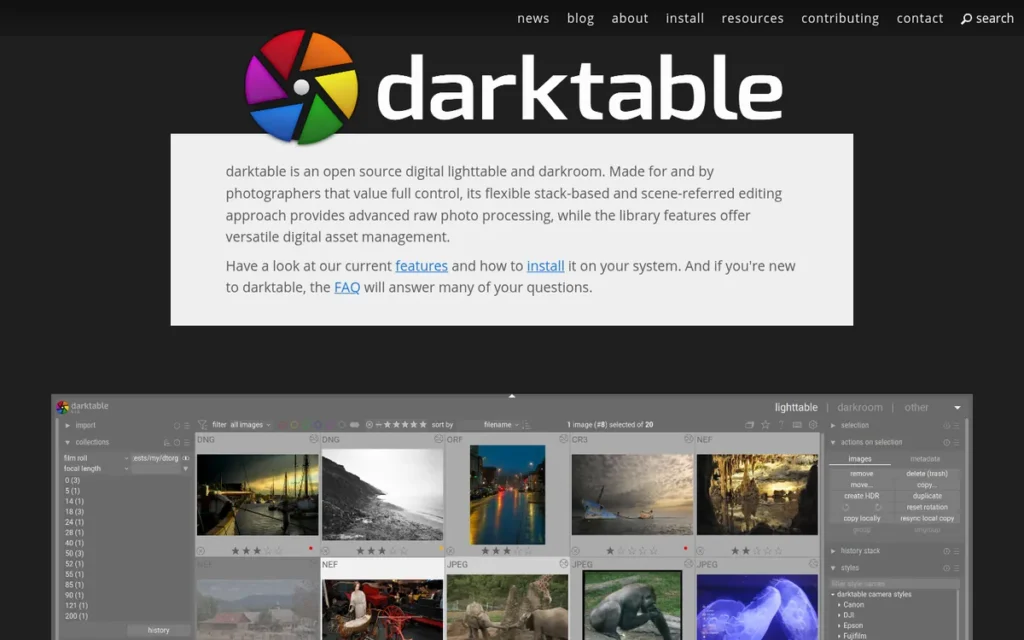
Category: Full Workflow Suite. darktable replaces Lightroom’s library and RAW development jobs in one desktop application and tethers through gphoto2.
At a Glance
- Category: Full Workflow Suite
- Best For: Budget-conscious enthusiasts, Linux users, and technically minded photographers willing to put in learning time
- Price Range: Free (open source, GPL)
- Primary Strength: darktable provides a full library database and non-destructive RAW editing at no cost on Linux, Windows, and macOS.
- Biggest Limitation: darktable has a steep learning curve, no AI denoise or AI masking, and no official mobile app or cloud sync.
- One-Line Summary: darktable is the most capable free Lightroom alternative in 2026, combining a photo library and deep RAW editing on Linux, Windows, and macOS, but it takes significant learning time and trails paid tools on AI noise reduction.
- Last Verified: November 2026
Overview
darktable is a free, open-source RAW workflow application for Linux, Windows, and macOS. It pairs a Lighttable library database with non-destructive, module-based editing, and it suits photographers who want to stop paying entirely and are willing to learn a technical workflow. darktable stores edits in XMP sidecar files.
Compared with Lightroom, darktable offers the same library-plus-develop structure at no cost. darktable lacks Lightroom’s AI tools, cloud sync, and gentle learning path.
Key Features
- darktable’s Lighttable view provides a library database for organizing RAW archives with ratings, color labels, and tags.
- darktable edits non-destructively through a scene-referred, module-based pipeline, and version 5.4 added Blender’s AgX tone mapper (darktable release notes, 2025).
- darktable imports Lightroom XMP sidecars, carrying over hierarchical tags, color labels, ratings, GPS data, and edits including crop, exposure, tone curve, HSL, split toning, grain, and spot removal (darktable manual, November 2026).
- darktable supports tethered capture through gphoto2, and camera support depends on gphoto2 compatibility (darktable 5.6 and 5.8 manuals, 2026).
- darktable is actively maintained: version 5.4.1 shipped in February 2026, 5.6.0 was announced in June 2026, and a 5.8 manual is already published (darktable.org, 2026).
Best For
darktable is best for photographers who want to eliminate software costs, use Linux, or want technical control over every processing step. darktable suits readers willing to spend weeks learning in exchange for paying nothing.
Pricing
darktable is free, open-source software released under the GPL, with no subscription, upgrade fees, or expiring features (darktable.org, November 2026). PlugRoute did not verify donation options.
Strengths
- darktable’s documented Lightroom XMP import covers more develop edits than any paid alternative documents, including tone curve, HSL, split toning, and spot removal (darktable manual, November 2026).
- darktable is the only ranked alternative that runs on Linux as well as Windows and macOS (darktable.org, November 2026).
- darktable has no licensing catches: no perpetual license tied to one version and no AI features that expire (darktable.org, November 2026).
- darktable’s community on the pixls.us forums shares edits through “Play Raw” threads, which gives new users free learning material (darktable.org resources, November 2026).
Limitations
darktable costs nothing but demands a lot of learning time. One Reddit user says “the learning curve is just too high” after using it for years (Reddit user report, r/SonyAlpha, 2025).
- darktable has a dense, module-heavy interface, lags with large catalogs, and is slow to support new camera RAW formats, according to comparison sites (findalternative.to and troiana.net, November 2026).
- darktable has no AI denoise or AI masking. One Reddit user found that darktable and RawTherapee “weren’t great at reducing noise” for low-light work (Reddit user report, r/AskPhotography, 2025).
- darktable has no official mobile app or cloud sync, and its tethering depends on gphoto2 compatibility, so camera support varies by model (darktable 5.6 manual, 2026).
- darktable’s evidence base is thin: it has no review-platform ratings, and PlugRoute’s dedicated Reddit search for darktable returned nothing.
- darktable is not the right choice for photographers short on learning time or for low-light shooters who need one-click AI denoise.
As one user on r/AskPhotography described:
“I’ve used Darktable and RawTherapee before, but they weren’t great at reducing noise. Determined to get it right, I started a 7-day trial of Adobe Lightroom. Their AI denoise feature worked flawlessly.” Posted by u/cookiejar5081_1
Takeaway: darktable’s weak noise reduction pushes low-light shooters toward paid tools with AI denoise, which is a real cost of choosing the free option.
Verdict
darktable is the best free Lightroom alternative in 2026 and the only ranked option that runs on Linux. darktable offers a real library, deep RAW editing, and the most documented Lightroom edit import of any tool here, with no licensing strings.
darktable ranks #4, above ACDSee Photo Studio Ultimate, on cost, migration, and platform reach. It ranks below DxO PhotoLab on low-light denoise evidence and third-party validation. Before switching:
- darktable users should confirm their camera’s RAW format and tethering support first.
- darktable users should plan for several weeks of learning.
- darktable users who shoot at high ISO should budget for a separate denoise tool such as DxO PureRAW, which users commonly pair with it (Reddit user report, r/AskPhotography, 2025).
5. ACDSee Photo Studio Ultimate: Best for Fast Folder-Based Library Management on Windows

Category: Library-First Manager. ACDSee Photo Studio Ultimate replaces Lightroom’s organizing job first, with RAW editing built on top.
At a Glance
- Category: Library-First Manager
- Best For: Windows photographers with large folder-based archives who value fast browsing, keywording, and face recognition
- Price Range: $59.95–$179.99 one-time, or ACDSee 365 at $9.99/month or $99.99/year (ACDSee 2027-edition pages, November 2026)
- Primary Strength: ACDSee Photo Studio Ultimate offers fast, import-free folder browsing with keywords, ratings, AI keywording, and face recognition.
- Biggest Limitation: ACDSee Photo Studio Ultimate trails Lightroom and Capture One on RAW conversion in PCMag’s tests and runs only on Windows.
- One-Line Summary: ACDSee Photo Studio Ultimate is a Windows Lightroom alternative focused on fast, import-free folder browsing, with the largest G2 review sample (282) among the alternatives in 2026, but its RAW output trails Lightroom and Capture One in editorial tests.
- Last Verified: November 2026
Overview
ACDSee Photo Studio Ultimate is a Windows desktop photo manager and RAW editor that browses folders directly. It is built for photographers with large archives who want fast browsing, keywording, face recognition, and layer-based editing, under either a perpetual license or the ACDSee 365 subscription.
Compared with Lightroom, ACDSee Photo Studio Ultimate browses faster and adds layers. Lightroom produced more natural RAW color in PCMag’s tests (PCMag, November 2026). ACDSee Photo Studio for Mac is a separate product with fewer features.
Key Features
- ACDSee Photo Studio Ultimate browses existing folders with no import step and organizes photos with keywords, ratings, color labels, and categories.
- ACDSee Photo Studio Ultimate includes AI Keywords, Image Similarity search, AI Denoise, AI People Mode, and face recognition (ACDSee, November 2026).
- ACDSee Photo Studio Ultimate offers non-destructive RAW development plus adjustment layers, masks, and blend modes.
- ACDSee Photo Studio Ultimate imports Lightroom Classic Collections, Keywords, Ratings, Color Labels, and face data (ACDSee migration page, November 2026).
- ACDSee Photo Studio Ultimate’s Mobile Sync sends photos from a phone to the desktop in one direction.
Best For
ACDSee Photo Studio Ultimate is best for Windows users managing large, folder-organized archives who care most about browsing speed and metadata tools. ACDSee Photo Studio Ultimate also suits photographers who want layers without a separate pixel editor.
Pricing
ACDSee lists these prices on its 2027-edition pages (ACDSee, November 2026):
- ACDSee Photo Studio Ultimate costs $149.95 on sale, $179.99 at full price.
- ACDSee Photo Studio Professional costs $99.95.
- ACDSee Photo Studio Home costs $59.95 on sale, $69.99 at full price.
- ACDSee 365 Complete costs $9.99/month or $99.99/year, with 500 GB of cloud storage and 10,000 AI credits per month.
PlugRoute did not verify the price of ACDSee Photo Studio for Mac.
Strengths
- ACDSee Photo Studio has the largest review sample of any alternative in this roundup, at 4.4/5 from 282 reviews (G2, November 2026).
- DPReview praised ACDSee Photo Studio Ultimate’s browsing speed, calling it a “speedy Lightroom alternative.” That review is from 2021 and predates the current 2027 edition (DPReview, 2021).
- ACDSee Photo Studio Ultimate imports Lightroom Classic collections, keywords, ratings, color labels, and face data, one of the most complete metadata migrations on the list (ACDSee, November 2026).
- ACDSee Photo Studio Ultimate is available as a one-time license from $149.95 on sale, with an optional subscription (ACDSee, November 2026).
Limitations
ACDSee Photo Studio Ultimate gives up some image quality in exchange for library speed. PCMag’s tests found its RAW conversion behind Lightroom and Capture One, with Lightroom producing more natural color (PCMag, November 2026).
- ACDSee Photo Studio Ultimate runs only on Windows, and ACDSee does not document Lightroom develop edits as transferring (ACDSee, November 2026).
- ACDSee Photo Studio Ultimate 2027 does not list tethered capture among its features, and its perpetual licenses are sold as yearly editions while ACDSee promotes its 365 subscription (ACDSee, November 2026).
- ACDSee Photo Studio Ultimate’s newer AI tools were slow in TechRadar’s testing (TechRadar, 2026), and Amateur Photographer called the interface “fussy” and noted lens-profile mismatches (Amateur Photographer, 2025).
- ACDSee Photo Studio Ultimate’s user sentiment is thin: G2 reviewers report mixed support experiences, and PlugRoute’s dedicated Reddit search for ACDSee returned nothing.
- ACDSee Photo Studio Ultimate is not the right choice for Mac users or for photographers whose priority is the best possible RAW output.
Verdict
ACDSee Photo Studio Ultimate is the best Lightroom alternative for Windows photographers whose main job is browsing and organizing a large folder-based archive quickly. ACDSee Photo Studio has the largest review sample among the alternatives and offers perpetual pricing.
ACDSee Photo Studio Ultimate ranks #5 because its strong third-party evidence is offset by weaker RAW-quality tests, Windows-only availability, and no Lightroom edit transfer. Photographers focused on image quality may want to pair ACDSee Photo Studio Ultimate with a dedicated RAW developer.
6. Luminar Neo: Best for Quick AI-Assisted Creative Edits
Category: AI Creative Editor. Luminar Neo replaces Lightroom’s quick-edit and look-creation tasks with AI-driven tools rather than its full library workflow.
At a Glance
- Category: AI Creative Editor
- Best For: Enthusiasts and hobbyists who want fast AI-driven creative edits and sky replacement at a low one-time price
- Price Range: $99–$159 one-time, plus an optional $33/year upgrade renewal (Skylum, November 2026)
- Primary Strength: Luminar Neo delivers fast AI edits such as sky replacement, enhancement, and generative erase with little technical skill required.
- Biggest Limitation: Luminar Neo has no Lightroom catalog migration, no tethering, a weak library for large archives, and generative tools included for only one year.
- One-Line Summary: Luminar Neo is an AI-first Lightroom alternative for quick creative edits in 2026, sold from $99 one-time, but it does not replace Lightroom’s catalog, migration, or professional-grade masking and denoise.
- Last Verified: November 2026
Overview
Luminar Neo is Skylum’s AI-first photo editor for Mac and Windows, with its own RAW engine, layers, and generative tools such as GenErase and Sky AI. It is aimed at enthusiasts who want fast creative results and a low one-time price rather than a full catalog replacement.
Compared with Lightroom, Luminar Neo is simpler for creative AI effects. One r/luminarneo user rates Lightroom’s masking, denoise, and organization well ahead of Luminar Neo (Reddit user report, r/luminarneo, January 2026).
Key Features
- Luminar Neo includes AI tools such as Sky AI, Enhance AI, GenErase, GenSwap, and GenExpand for one-click creative edits.
- Luminar Neo has its own RAW processing engine and supports layers for compositing.
- Luminar Neo works as a standalone app or as a plugin for Lightroom Classic, Photoshop, and Apple Photos (Skylum, November 2026).
- Luminar Neo’s All Platforms and Max plans add cross-device editing, which currently works one way, from mobile to desktop, with web features listed as “forthcoming.”
- Luminar Neo is sold as a perpetual license with an optional yearly upgrade renewal.
Best For
Luminar Neo is best for hobbyists who want dramatic AI-driven results quickly, or for Lightroom and Apple Photos users who want to add AI tools as a plugin. Luminar Neo is not built as a full archive manager.
Pricing
Luminar Neo’s perpetual prices are below (Skylum pricing page, November 2026):
- Luminar Neo Desktop costs $99.
- Luminar Neo All Platforms costs $139.
- Luminar Neo Max costs $159.
- Luminar Neo’s optional auto-upgrade renewal costs $33/year.
Luminar Neo’s generative tools are included for one year only. PlugRoute did not verify subscription prices.
Strengths
- Luminar Neo holds a G2 rating of 4.4/5 from about 112–115 reviews, a moderate sample (G2, November 2026).
- Luminar Neo starts at $99 one-time for Desktop, one of the lowest one-time prices on this list (Skylum, November 2026).
- Luminar Neo runs as a plugin for Lightroom Classic, Photoshop, and Apple Photos, so photographers can adopt it without leaving an existing library.
- Luminar Neo won TIPA “Best Imaging Software Enthusiast” in 2022, 2023, and 2024, as reported by Skylum (self-reported award, 2024).
Limitations
Luminar Neo is simpler than Lightroom but less capable for professional work. One user report says its noise reduction and sharpening “aren’t anywhere near as good as Adobe or DXO Photolab” and calls its masking “miles behind” (Reddit user report, r/luminarneo, January 2026).
- Luminar Neo has no Lightroom catalog migration and no tethering, its library is weak for large archives, and its cross-device editing works only from mobile to desktop.
- Luminar Neo’s generative tools are included for one year only, and Trustpilot reviewers say past purchases became “constrained by paywalls and extra subscriptions” (Trustpilot, November 2026).
- Luminar Neo’s pricing has shifted: an older Skylum page listed $119, $159, and $179, compared with $99, $139, and $159 now (Skylum, November 2026).
- Luminar Neo’s image-quality evidence is thin, because the denoise and masking criticism rests on one user report and PlugRoute found no independent editorial test.
- Luminar Neo is not the right choice for professionals, archive managers, or anyone looking for a full Lightroom replacement.
Verdict
Luminar Neo is the best Lightroom alternative for hobbyists who mainly want quick AI-powered creative edits at a low one-time price. Luminar Neo works as a creative add-on or light editor, not as a replacement for Lightroom’s catalog, migration, or professional masking.
Luminar Neo ranks #6. A verified low price and a mid-sized G2 sample cannot offset its lack of migration and tethering, its one-way sync, and generative tools that lapse after one year. Read Skylum’s licensing terms carefully before buying.
7. CyberLink PhotoDirector: Best for Casual Editors on a Budget
Category: AI Creative Editor. CyberLink PhotoDirector replaces Lightroom’s quick-edit and look-creation tasks with AI-driven tools rather than its full library workflow.
At a Glance
- Category: AI Creative Editor
- Best For: Casual and beginner photographers who want an easy, AI-assisted editor for everyday photos
- Price Range: $69.99/year for PhotoDirector 365, discounted from $79.99 (CyberLink, November 2026); Ultra perpetual price not verified
- Primary Strength: CyberLink PhotoDirector makes AI edits such as object removal, denoise, and upscaling easy, and ease of use is its top G2 pro.
- Biggest Limitation: CyberLink PhotoDirector trails Lightroom and Capture One on RAW detail and color in PCMag’s tests and has no tethered capture.
- One-Line Summary: CyberLink PhotoDirector is an easy-to-use Lightroom alternative for casual photographers in 2026 that PCMag called “AI-packed,” but it trails professional tools on RAW quality and lacks tethering and documented Lightroom migration.
- Last Verified: November 2026
Overview
CyberLink PhotoDirector is a consumer photo editor for Windows and Mac that combines importing, organizing, RAW conversion, layers, and AI wizards for object removal, denoise, and upscaling. It is aimed at casual photographers on a budget who want an easy replacement for basic Lightroom and Photoshop tasks.
Compared with Lightroom, CyberLink PhotoDirector is easier and adds layers, while PCMag lists tethering, printing, and plugins as Lightroom Classic advantages (PCMag, November 2026). G2 reviewers ask CyberLink PhotoDirector for better performance with large images (G2, November 2026).
Key Features
- CyberLink PhotoDirector covers import, organization, tagging, and RAW conversion in one application.
- CyberLink PhotoDirector provides layers, masks, and retouching tools that go beyond Lightroom’s Develop module.
- CyberLink PhotoDirector includes AI wizards for object removal, denoise, deblur, and upscaling (PCMag, 2026).
- CyberLink PhotoDirector’s subscription adds creative effects, templates, and stock content.
- CyberLink PhotoDirector offers 24/7 live-representative support, a knowledge base, and email support, according to G2 (G2, November 2026).
Best For
CyberLink PhotoDirector is best for casual photographers and beginners who want simple AI-assisted edits and layers without a professional learning curve. CyberLink PhotoDirector also suits users who edit mainly for social media rather than print or client delivery.
Pricing
CyberLink PhotoDirector 365 costs $69.99/year on CyberLink’s US site, discounted from a $79.99 regular price (CyberLink, November 2026).
CyberLink PhotoDirector is also sold as a perpetual Ultra license whose price PlugRoute did not verify, and some content requires the subscription (PCMag, 2026).
Strengths
- PCMag rated CyberLink PhotoDirector 4.0 and called it an “affordable, AI-packed replacement” for Lightroom and Photoshop (PCMag, 2026).
- CyberLink PhotoDirector holds a G2 rating of 4.3/5 from 53 reviews, with 92.5% rating it 4 or 5 stars and Ease of Use as the top pro (G2, November 2026).
- At $69.99/year, CyberLink PhotoDirector 365 has the lowest subscription price on this list and bundles AI object removal, denoise, deblur, and upscaling (CyberLink, November 2026).
- CyberLink PhotoDirector 365 received a PCWorld Editors’ Choice award with 4.5/5, as reported by CyberLink (self-reported award, 2026).
Limitations
CyberLink PhotoDirector is easier to use than professional tools but produces weaker RAW results. PCMag’s tests found that Lightroom and Capture One produced more detail and truer color (PCMag, 2026).
- CyberLink PhotoDirector was slow to load and import in PCMag’s testing and sometimes needed a restart, and G2 reviewers report slowness with large files (PCMag, 2026; G2, November 2026).
- CyberLink PhotoDirector has no tethered capture and no documented Lightroom migration, and G2 reviewers ask for better RAW support and cataloging (G2, November 2026).
- CyberLink PhotoDirector’s evidence is thin: only the 365 price is verified, the G2 sample is 53 reviews, and PlugRoute’s dedicated Reddit search returned nothing.
- CyberLink PhotoDirector keeps some content behind its subscription even for perpetual Ultra owners (PCMag, 2026).
- CyberLink PhotoDirector is not the right choice for professionals, studio shooters, or anyone migrating a large Lightroom catalog.
Verdict
CyberLink PhotoDirector is a reasonable Lightroom alternative for casual photographers who want easy AI-assisted edits, but it is the weakest choice in this roundup for RAW quality, archive management, and migration.
CyberLink PhotoDirector ranks #7 because it trails every other entry on independent RAW-quality tests, has no tethering or documented migration, and rests on a moderate 53-review G2 sample. CyberLink PhotoDirector fits everyday enthusiasts better than photographers replacing a professional Lightroom workflow.
Why Do Photographers Look for Lightroom Alternatives?
Photographers leave Adobe Photoshop Lightroom mainly over cost, speed, and the required subscription. Lightroom still holds a G2 rating of 4.6/5 from 3,393 reviews. Its most-cited complaints are price and slow performance, followed by the learning curve, the subscription requirement, and limited features (G2, November 2026).
The five most-mentioned Lightroom cons on G2 are listed below (G2, November 2026):
- “Expensive” appears in 37 Lightroom reviews.
- “Slow Performance” appears in 35 Lightroom reviews.
- “Learning Curve” appears in 28 Lightroom reviews.
- “Subscription Requirement” appears in 21 Lightroom reviews.
- “Limited Features” appears in 21 Lightroom reviews.
As one user on r/Lightroom described:
“First off LrC is terribly slow, Adobe knows it is slow, and still won’t fix it. Bad press and constant user complaints might be the only thing that ever gets it fixed sadly, as they surely don’t give a crap about us idiots that already subscribe to the software.” Posted by u/joergonix
Takeaway: Paying Lightroom subscribers see slow performance as a long-running problem that Adobe has not fixed, and that frustration drives the search for alternatives.
Adobe raised some Lightroom prices in 2025. Adobe’s US pricing pages list these plans (Adobe HelpX, 2025):
- Adobe’s Photography 20GB plan costs $14.99/month, up from $9.99 on January 15, 2025, and is closed to new subscribers.
- Adobe’s Photography 1TB plan costs $19.99/month, unchanged.
- Adobe’s Lightroom 1TB plan costs $11.99/month, up from $9.99.
G2 still shows a “Basic” list price of $9.99 per month for Lightroom (G2, November 2026). That G2 list price may be out of date and differs from Adobe’s own pages.
G2 reviewers ask Adobe to improve four things in Lightroom (G2, November 2026):
- Lightroom users want faster loading, previews, exports, and AI processing on large or high-resolution libraries.
- Lightroom users want more accurate AI masking and object removal around complex edges.
- Lightroom users want a clearer interface and more guided help.
- Lightroom users want layer-based editing and more detailed retouching tools.
Adobe’s Lightroom 1TB plan costs $11.99/month (Adobe HelpX, 2025), about $720 over five years. Use that figure as the benchmark when you compare each alternative’s price.
How Do These Alternatives Compare with Lightroom?
No ranked alternative matches Lightroom on every job. Lightroom combines a catalog, tethering, AI denoise and masking, and Adobe cloud sync under one subscription. Each alternative gives up at least one of those in exchange for a different advantage, listed below. The matrix then compares capabilities, with Lightroom as the unranked benchmark.
- Perpetual pricing is the advantage offered by DxO PhotoLab, ON1 Photo RAW, ACDSee Photo Studio Ultimate, and Luminar Neo.
- Wider tethering is the advantage offered by Capture One Pro.
- Folder and sidecar portability is the advantage offered by DxO PhotoLab and ACDSee Photo Studio Ultimate.
- Zero cost is the advantage offered by darktable.
| Product | Organization Model | Lightroom Import | Tethering | Layers | AI Denoise and Masking | Platforms | Mobile/Cloud Sync | Licensing | Dated Price | Third-Party Rating |
|---|---|---|---|---|---|---|---|---|---|---|
| Adobe Lightroom (benchmark, unranked) | Catalog | Not applicable | Yes, Classic (PCMag, November 2026) | No (G2 users request it) | Yes | Mac, Windows, mobile | Adobe cloud sync | Subscription | $11.99/mo Lightroom 1TB; $19.99/mo Photography 1TB (Adobe HelpX, 2025); G2 list price $9.99 Basic, may be outdated | G2 4.6/5 (3,393 reviews) |
| Capture One Pro | Catalogs and Sessions | Metadata: yes; Collections: yes; Edits: basic only | Yes, 550+ cameras | Adjustment layers | AI masking (Subject, Background, People, Clothes, AI Select); AI denoise not documented in this review | Mac, Windows, iPad, iPhone | Cloud-shared settings (All in One) | Subscription or perpetual | $26.25/mo annual, $40 monthly, $508 perpetual (PricingSaaS snapshot, 2026; verify) | Capterra 4.7/5 (66; combined Pro and Enterprise listing) |
| ON1 Photo RAW | Folders plus optional catalog | Metadata: yes; Collections: yes; Edits: full translation claimed (vendor claim) | Yes, select Canon and Nikon | Yes | NoNoise AI, AI masking | Mac, Windows, iOS, Android | Two-way | Perpetual or subscription | $99.99 one-time; $89.99/yr MAX (ON1, November 2026) | G2 5.0/5 (2 reviews; too small to weigh) |
| DxO PhotoLab | Folders with .dop sidecars | Metadata: not documented; Collections: not documented; Edits: not documented | No | No (masks, U Point) | DeepPRIME, AI masks | Mac, Windows | None | Perpetual | $249.99 PhotoLab 10; $129.99 upgrade (DxO, 2026) | Capterra 4.4/5 (14) |
| darktable | Library database with XMP sidecars | Metadata: yes (XMP); Collections: no full catalog import; Edits: documented limited list | Yes, via gphoto2 (depends on camera) | No (modules and masks) | No AI denoise or AI masking | Linux, Windows, macOS | None | Free (GPL) | $0 | No verified rating |
| ACDSee Photo Studio Ultimate | Folders, no import | Metadata: yes, plus face data; Collections: yes; Edits: not documented | Not listed | Yes | AI Denoise | Windows (Mac is a separate product) | One-way, phone to desktop | Perpetual or subscription | $149.95 sale Ultimate; $99.99/yr 365 (ACDSee, November 2026) | G2 4.4/5 (282) |
| Luminar Neo | Library (weak for large archives) | Metadata: no; Collections: no; Edits: no | No | Yes | Yes; one user report rates them behind Adobe and DxO | Mac, Windows; plugin for Apple Photos | One-way, mobile to desktop | Perpetual; generative tools included for one year | $99–$159 (Skylum, November 2026) | G2 4.4/5 (~112–115) |
| CyberLink PhotoDirector | Import and organize | Metadata: not documented; Collections: not documented; Edits: not documented | No | Yes | AI denoise, object removal | Windows, Mac | Not documented | Perpetual or subscription | $69.99/yr 365 (CyberLink, November 2026); Ultra not verified | G2 4.3/5 (53) |
Which Lightroom Alternatives Work Without a Subscription in 2026?
Six of the seven ranked alternatives sell a one-time license, and darktable is free. Most perpetual licenses still cover one major version. DxO PhotoLab charged $129.99 to upgrade from version 9 to 10 in 2026, Capture One has limited its licenses to one version since 2023, and Luminar Neo’s generative tools lapse after a year.
The no-subscription options and their documented catches are below:
- darktable costs nothing under the GPL and has no documented licensing catches (darktable.org, November 2026).
- ON1 Photo RAW costs $99.99 perpetual, sold as yearly editions, and its two-way cloud sync requires a MAX or Photo Studio subscription (ON1, November 2026).
- Luminar Neo costs $99 perpetual, but its generative tools are included for one year only and upgrades cost $33/year (Skylum, November 2026).
- ACDSee Photo Studio costs $59.95–$179.99 perpetual, sold as yearly editions, while ACDSee also promotes its 365 subscription (ACDSee, November 2026).
- DxO PhotoLab costs $249.99 perpetual, and the upgrade from version 9 to 10 cost $129.99 (DxO, 2026).
- Capture One Pro sells a $508 perpetual option that has covered only one version since February 2023 (PricingSaaS snapshot, 2026; Capture One Support, 2023).
- CyberLink PhotoDirector has a perpetual Ultra version, but some content requires the 365 subscription (PCMag, 2026).
One Capture One user argued that perpetual owners must upgrade about every two years “because Mac OS updates tend to break C1” (Reddit user report, r/captureone, 2023). If you buy a perpetual license, plan for upgrade costs.
What Does Each Lightroom Alternative Cost Over Five Years?
Over five years at November 2026 list prices, darktable costs nothing, most alternatives cost $230–$500, and Adobe’s Lightroom 1TB plan costs about $719. Capture One Pro’s subscription costs the most, at roughly $1,575. The table shows the arithmetic, so you can substitute your own upgrade cycle and sale prices.
| Option | Five-Year Software Cost | How It Is Calculated |
|---|---|---|
| darktable | $0 | Free GPL software |
| Luminar Neo Desktop | $231 | $99 plus four $33 upgrade renewals |
| CyberLink PhotoDirector 365 | $350 | $69.99 × 5 years at the discounted price ($400 at the $79.99 regular price) |
| DxO PhotoLab 10 | $380 | $249.99 plus one $129.99 upgrade |
| ON1 Photo RAW MAX subscription | $450 | $89.99 × 5 years, including 200 GB of sync |
| ACDSee 365 Complete | $500 | $99.99 × 5 years |
| Adobe Lightroom 1TB | $719 | $11.99 × 60 months |
| Adobe Photography 1TB | $1,199 | $19.99 × 60 months |
| Capture One Pro subscription | About $1,575 | $26.25 × 60 months, from a 2026 price snapshot to verify |
The assumptions behind the table are below:
- All figures use list prices checked in November 2026 and exclude sales and tax.
- Perpetual-license figures assume one paid upgrade only where the table says so.
- Capture One Pro’s $508 perpetual option is left out because its upgrade price is not published.
Will I Lose My Edits If I Switch from Lightroom?
You will probably keep your ratings, keywords, and labels, but you will lose most develop edits. Only darktable and Capture One Pro officially document which develop adjustments transfer. ON1 Photo RAW claims full translation without independent testing. DxO PhotoLab, Luminar Neo, ACDSee Photo Studio Ultimate, and CyberLink PhotoDirector document no edit transfer.
The free darktable documents more transferred edits than the paid Capture One Pro. darktable lists tone curve, HSL, split toning, and spot removal. Capture One Pro documents only crop, white balance, exposure, contrast, and saturation (darktable manual and Capture One Support, November 2026).
| Alternative | Metadata (ratings, keywords, labels) | Collections | Develop Edits | Evidence Type |
|---|---|---|---|---|
| Capture One Pro | Yes, including IPTC | Yes, as Albums and Groups | Basic only: crop, white balance, exposure, contrast, saturation | Official support documentation |
| ON1 Photo RAW | Yes | Yes, as Albums | Full translation into editable ON1 settings (claimed) | Vendor claim |
| darktable | Yes, including hierarchical tags and GPS | No full catalog migration | Limited list, including tone curve, HSL, split toning, spot removal | Official manual |
| ACDSee Photo Studio Ultimate | Yes, plus face data | Yes | Not documented | Official migration page |
| DxO PhotoLab | Not documented | Not documented | Not documented | No documentation found |
| Luminar Neo | No catalog migration | No | No | Review summaries |
| CyberLink PhotoDirector | Not documented | Not documented | Not documented | No documentation found |
How do you switch without losing work?
- Back up your Lightroom Classic catalog (.lrcat file) before you change anything.
- Write metadata and edits to XMP sidecars with Lightroom Classic’s Save Metadata to File command, which darktable’s XMP import needs. Check Adobe’s documentation for your Lightroom version.
- Import a copy of 50–100 photos into the alternative and compare them side by side with Lightroom.
- Export finished JPEG or TIFF masters of key edits that will not transfer.
Leaving Lightroom usually means keeping your ratings and keywords but redoing your edits.
Which Lightroom Alternatives Work on Mac, Windows, and Linux?
Most ranked alternatives run on both Mac and Windows. darktable is the only one that also runs on Linux, and ACDSee Photo Studio Ultimate is Windows-only. Mobile support varies widely: ON1 Photo RAW documents two-way sync, Luminar Neo syncs one way, and DxO PhotoLab and darktable have no official mobile sync.
Platform and sync coverage is below (vendor pages, November 2026):
- Capture One Pro runs on Mac and Windows and has iPad and iPhone apps for editing and tethering.
- ON1 Photo RAW runs on Mac and Windows and syncs both ways with its iOS and Android apps.
- DxO PhotoLab runs on Mac and Windows and has no cloud or mobile sync.
- darktable runs on Linux, Windows, and macOS and has no official mobile app or cloud sync.
- ACDSee Photo Studio Ultimate runs only on Windows, and ACDSee Photo Studio for Mac is a separate product with fewer features.
- Luminar Neo runs on Mac and Windows, works as a plugin for Apple Photos, and syncs from mobile to desktop only.
- CyberLink PhotoDirector runs on Windows and Mac.
Apple users who want to keep Apple Photos as their library can add Luminar Neo as a plugin. Mac users who want cross-device sync have one documented two-way option among the ranked alternatives: ON1 Photo RAW.
When Should You Stay with Lightroom?
Stay with Lightroom if you manage a very large keyword-driven archive, depend on Adobe cloud sync, or rely on Lightroom’s AI Denoise and masking. One Reddit user reports a 400,000-image Lightroom catalog “going fine.” None of the seven ranked alternatives documents Lightroom’s combination of catalog scale, keywording depth, and Adobe cloud sync.
Signs that Lightroom is still the right tool:
- Lightroom suits you if your catalog runs to hundreds of thousands of images, since users report Capture One struggles at that scale (Reddit user report, r/captureone, 2023).
- Lightroom suits you if keywording drives your workflow, since a Reddit user calls Lightroom “much better cataloging software” with “better keywording tools” (Reddit user report, r/captureone, 2023).
- Lightroom suits you if you depend on cloud sync across devices through Adobe’s ecosystem.
- Lightroom suits you if you rely on AI Denoise, which some users say has caught up with DxO’s DeepPRIME (Reddit user report, r/AskPhotography, 2025–2026).
A hybrid setup is common. Some photographers keep Lightroom as their archive and use Capture One Pro for capture and editing, or add DxO PhotoLab or Luminar Neo for specific edits.
On G2, Lightroom’s most-cited pros remain Ease of Use (99) and Efficiency (84) (G2, November 2026).
What About RawTherapee and Other Free Tools?
RawTherapee is a free, open-source RAW developer for Windows, macOS, and Linux. RawTherapee is not ranked here because it covers only RAW development. It offers non-destructive sidecar editing, batch processing, and local adjustments, but no catalog, no layers, and no cloud sync (iTechGuides, November 2026).
AI answer engines also mention two other free tools that PlugRoute did not independently verify for this review:
- digiKam is cited by AI answer engines as a free photo manager, and PlugRoute has not verified its features.
- ART is cited by AI answer engines as a free RAW editor, and PlugRoute has not verified its features.
One Reddit user found that darktable and RawTherapee “weren’t great at reducing noise” for low-light work (Reddit user report, r/AskPhotography, 2025). Free-tool users who shoot at high ISO often add a separate denoise tool.
What Red Flags Should I Watch For When Evaluating Lightroom Alternatives?
Watch for six red flags: perpetual licenses that cover one version, camera support tied to license version, AI features that expire, undocumented edit migration, ratings from tiny samples, and self-reported awards. Each one can turn a “no subscription” escape from Lightroom into a new kind of lock-in or a misleading purchase.
Red Flag #1: Perpetual Licenses That Cover Only One Version Most perpetual licenses in this category cover one major version, so new features cost extra. DxO PhotoLab charged $129.99 to upgrade from 9 to 10 in 2026, which is roughly 11 months of Lightroom 1TB. ON1 and ACDSee sell yearly editions, and Luminar Neo charges $33/year for upgrades (vendor pages, 2026).
Red Flag #2: Camera Support Tied to License Version Camera support tied to the license version can force a repurchase when you buy a new camera. One Capture One forum user reports that Nikon Z50 II files required a new license (Capture One forum, November 2026). Check support for your next camera, not only your current one, before buying any perpetual license.
Red Flag #3: AI Features That Expire After Year One AI features included for a limited time can turn a one-time purchase into a subscription. Luminar Neo’s generative tools are included for one year only (Skylum, November 2026). Before you buy any AI-heavy editor, check exactly which features you keep after the first year.
Red Flag #4: Undocumented Lightroom Edit Migration Migration claims without documentation or independent testing put years of edits at risk. Of the seven alternatives, only Capture One Pro and darktable officially document which edits transfer, and ON1’s full-translation claim comes only from ON1. Test any importer on a catalog copy before migrating your archive.
Red Flag #5: Ratings Based on Tiny Review Samples or Company-Level Pages A high rating from a small sample, or from a page that covers the whole company, says little about one product. ON1 Photo RAW’s G2 5.0/5 rests on 2 reviews, DxO PhotoLab’s Capterra 4.4/5 rests on 14, and DxO’s Trustpilot 4.5/5 covers the whole company (November 2026).
Red Flag #6: Self-Reported Awards Presented as Independent Validation Award lists published by the vendor are marketing, not independent tests. DxO’s TIPA and EISA counts, Luminar Neo’s TIPA wins, and PhotoDirector’s PCWorld award are all self-reported (vendor pages, November 2026). Give more weight to editorial tests and large review samples.
What Questions Should I Ask Before Choosing a Lightroom Alternative?
Ask six questions before you switch:
- Which Lightroom job are you replacing?
- Does the tool support your camera?
- What will import from your catalog?
- Which library model do you want?
- What will the tool cost over three to five years?
- How does it sync?
The answers usually narrow seven options down to one or two.
Question #1: Which Lightroom job am I actually replacing? Decide whether you need library organization, RAW development, tethered capture, or cloud sync. Capture One Pro and ON1 Photo RAW cover the most jobs. DxO PhotoLab and Luminar Neo replace only editing tasks, so pair them with a library tool if you need one.
Question #2: Does it support my camera’s RAW files and tethering? Confirm RAW support for your exact camera model, and check tethering if you shoot in a studio. Capture One Pro documents 550+ cameras, and ON1 Photo RAW covers select Canon and Nikon models. darktable users can test compatibility by running “gphoto2 --auto-detect” with the camera connected (darktable 5.6 manual, 2026).
Question #3: What exactly will import from my Lightroom catalog? Ask for documentation listing which metadata, collections, and edits transfer. Most tools move ratings and keywords, but develop edits usually do not survive. Run a test import of 50–100 photos on a catalog copy before committing your archive.
Question #4: Do I want a catalog, a folder-based workflow, or sessions? Catalogs give central search, folders and sidecars give portability, and sessions keep each client job self-contained. One Reddit user calls a catalog “a liability” for backup and portability (Reddit user report, r/SonyAlpha, 2025). Other users value catalog keywording more.
Question #5: What will this cost over 3-5 years, including upgrades? Add up the license, likely upgrades, and any sync or AI subscriptions over three to five years. Compare the total against Adobe’s Lightroom 1TB plan at $11.99/month (Adobe HelpX, 2025), about $719 over five years, not just the price on the box.
Question #6: Does it sync to my devices, and in which direction? Check whether sync is two-way, one-way, or absent. ON1 Photo RAW is the only ranked alternative whose two-way sync PlugRoute found documented, and Luminar Neo syncs only from mobile to desktop (vendor pages, November 2026).
How Did We Rank These Lightroom Alternatives?
PlugRoute scored every alternative on six weighted criteria. Four are primary: Lightroom job coverage, RAW image quality evidence, migration and library portability, and cost and licensing transparency. Two are secondary: third-party rating strength and platform and sync coverage. Lightroom serves as the unranked benchmark, and no single alternative beats it at every job.
The six criteria and why each matters:
- Lightroom Job Coverage (primary) matters because a tool that credibly covers library, RAW, tethering, and sync reduces the need for a hybrid setup.
- RAW Image Quality and Correction Evidence (primary) matters because low-light, portrait, and studio work depends on denoise, lens corrections, and color.
- Migration and Library Portability (primary) matters because losing edits and catalog data is the biggest reason photographers stay with Lightroom.
- Cost of Ownership and Licensing Transparency (primary) matters because “Expensive” (37) and “Subscription Requirement” (21) are among Lightroom’s top G2 complaints (G2, November 2026).
- Third-Party Rating Strength and Evidence Depth (secondary) matters because outside validation is meaningful only when samples are large enough.
- Platform and Sync Coverage (secondary) matters because many readers need Mac, Windows, or Linux support and cross-device syncing.
PlugRoute labeled every piece of evidence by type: independent editorial test, review-platform rating with review count, user report, or vendor or self-reported claim. Vendor documentation counts as proof that a feature exists, but vendor quality and migration claims are discounted.
Samples under 50 reviews and ratings that cover a whole company are flagged. Contested claims, such as DeepPRIME versus Lightroom AI Denoise, are scored as contested.
Criterion Grades by Product
| Product | Job Coverage | RAW Quality Evidence | Migration and Portability | Cost and Licensing | Third-Party Ratings | Platform and Sync |
|---|---|---|---|---|---|---|
| Capture One Pro | Strong | Strong | Strong | Moderate | Moderate | Moderate |
| ON1 Photo RAW | Strong | Thin | Moderate | Strong | Thin | Strong |
| DxO PhotoLab | Limited | Strong (contested) | Moderate | Strong | Thin | Limited |
| darktable | Moderate | Limited | Strong | Strong | Thin | Moderate |
| ACDSee Photo Studio Ultimate | Moderate | Limited | Moderate | Strong | Strong | Limited |
| Luminar Neo | Limited | Limited | None | Moderate | Moderate | Moderate |
| CyberLink PhotoDirector | Limited | Limited | None | Moderate | Moderate | Moderate |
PlugRoute excluded several tools that G2 lists next to Lightroom, because none combines RAW development with a photo catalog:
- Canva, Picsart, Pixlr, PicMonkey, and Fotor were excluded as template and quick-edit tools.
- GIMP was excluded as a Photoshop alternative with no catalog.
- DaVinci Resolve and Final Cut Pro were excluded as video editors.
- CorelDRAW was excluded as a vector design suite.
PlugRoute discloses these evidence gaps openly:
- PlugRoute’s dedicated Reddit searches for ACDSee, darktable, and PhotoDirector returned no results.
- ON1 Photo RAW’s only rating rests on 2 G2 reviews, and darktable has no review-platform rating.
- Capture One Pro’s prices come from a third-party 2026 snapshot, and CyberLink PhotoDirector’s Ultra price is unverified.
PlugRoute has no affiliate relationships with any company listed, and rankings are determined entirely by research data and objective evaluation criteria.
What Do Photographers Ask Most About Lightroom Alternatives?
Photographers most often ask which free tool is good enough, which tool handles a large library, and how rankings like this are decided. The short answers: darktable is the best free option, ACDSee Photo Studio Ultimate and Capture One Pro lead on library work, and PlugRoute ranks on six weighted, evidence-labeled criteria.
What is the best free Lightroom alternative for RAW editing in 2026?
darktable is the best free Lightroom alternative for RAW editing in 2026. darktable combines a library database with non-destructive RAW editing on Linux, Windows, and macOS, imports a documented list of Lightroom edits, and supports gphoto2 tethering. The trade-offs are a steep learning curve and no AI denoise. RawTherapee suits users who only need RAW development.
What is the best Lightroom alternative for managing a large photo library?
For Windows folder archives, ACDSee Photo Studio Ultimate is the best Lightroom alternative for library management, with import-free browsing, AI keywords, and face recognition. Capture One Pro suits catalog users willing to split archives into several catalogs or Sessions. For a 400,000-image archive with heavy keywording, user reports suggest Lightroom itself still leads (r/captureone, 2023).
How does PlugRoute determine rankings?
PlugRoute ranks Lightroom alternatives on six weighted criteria: job coverage, RAW quality evidence, migration, cost and licensing, third-party ratings, and platform coverage. Every claim is labeled by evidence type and dated. Independent editorial tests and large review samples count more than vendor claims, and small samples and self-reported awards are flagged.
What Do Key Lightroom Alternative Terms Mean?
Switching from Lightroom means choosing between catalog, folder, and session libraries. It also means checking whether edits travel in XMP or proprietary sidecars, and comparing perpetual and subscription licenses. The twelve terms below define each concept in plain language so you can compare Lightroom alternatives on the same footing.
Catalog: A catalog is a central database that stores your photos’ metadata, collections, and edits in one place. It enables fast search across large archives, but it needs its own backup and can be harder to move between computers.
Folder-based workflow: A folder-based workflow edits photos where they already sit on disk, with no import step. It keeps your library portable and avoids catalog lock-in, though search and keywording are usually less powerful.
Sidecar file: A sidecar file is a small file saved next to each RAW photo that stores its edits and metadata. Sidecars let you move or back up edits simply by copying files, which lowers migration risk.
XMP: XMP is an open metadata format often used for sidecar files. Software that reads XMP can carry over ratings, keywords, and sometimes edits from another editor, so XMP support matters when you switch tools.
Session-based workflow: A session-based workflow stores each shoot as a self-contained project folder with its own images and settings. Sessions make it easy to hand off, archive, or move individual client jobs.
Tethered capture: Tethered capture connects a camera to a computer so each shot appears on screen immediately. Studio and commercial photographers depend on it, and supported camera lists vary widely between tools.
Perpetual license: A perpetual license is a one-time purchase that lets you keep using a specific version indefinitely. Check whether it includes future upgrades and new camera support, because many perpetual licenses cover only one version.
Non-destructive editing: Non-destructive editing records adjustments as instructions and never changes the original RAW file. You can undo or revise any edit later, which protects your originals.
Demosaicing: Demosaicing converts a camera sensor’s raw color data into a full-color image. Some editors combine demosaicing with noise reduction, which can improve detail in high-ISO photos.
AI denoise: AI denoise uses machine-learning models to remove noise from high-ISO images while keeping detail. Quality differs between tools, so low-light shooters should test it on their own files.
Lens correction profile: A lens correction profile fixes distortion, vignetting, and chromatic aberration for a specific camera-and-lens pair. Profile coverage and accuracy affect how much manual correction you need.
Two-way sync: Two-way sync sends edits and photos from desktop to mobile and from mobile to desktop. One-way sync moves changes in only one direction, which limits editing across devices.
Which Lightroom Alternative Is Right for You?
Key Insights
The right Lightroom alternative depends on the job you are replacing. Capture One Pro leads for tethered studio work, ON1 Photo RAW for all-in-one sync, DxO PhotoLab for noise reduction, and darktable for zero cost. No alternative beats Lightroom at every job, so many photographers run a hybrid setup.
- No single Lightroom alternative beats Lightroom at every job in 2026, so choose by the job you need to replace: library, RAW editing, tethering, or sync.
- Capture One Pro leads for tethered capture across 550+ cameras and for color control, but it costs roughly double Lightroom 1TB on subscription.
- ON1 Photo RAW is the closest all-in-one Lightroom replacement and the only ranked alternative whose two-way cloud sync PlugRoute found documented.
- DxO PhotoLab leads on noise reduction and lab-calibrated lens corrections, though users dispute whether it still beats Lightroom’s AI Denoise.
- darktable is the best free Lightroom alternative, the only ranked option on Linux, and the tool that documents the most Lightroom edit import.
- Most perpetual licenses in this category cover one major version, and Lightroom metadata usually migrates while develop edits mostly do not.
Match your situation to a starting point:
- Photographers who shoot tethered should start with Capture One Pro.
- Photographers who want one app with two-way mobile sync and no Adobe bill should try ON1 Photo RAW.
- Photographers who need the cleanest high-ISO files should pair DxO PhotoLab with a library tool.
- Photographers with zero budget or a Linux machine should put in the time to learn darktable.
If your archive is huge and keyword-driven, a hybrid setup may serve you best: keep Lightroom as the archive and use an alternative for capture or editing.
Licensing terms in this category change often, so confirm prices before you buy. Read PlugRoute’s full ranking methodology and our other independent photo software reviews for more. We update this guide quarterly. Last updated: November 16, 2026.