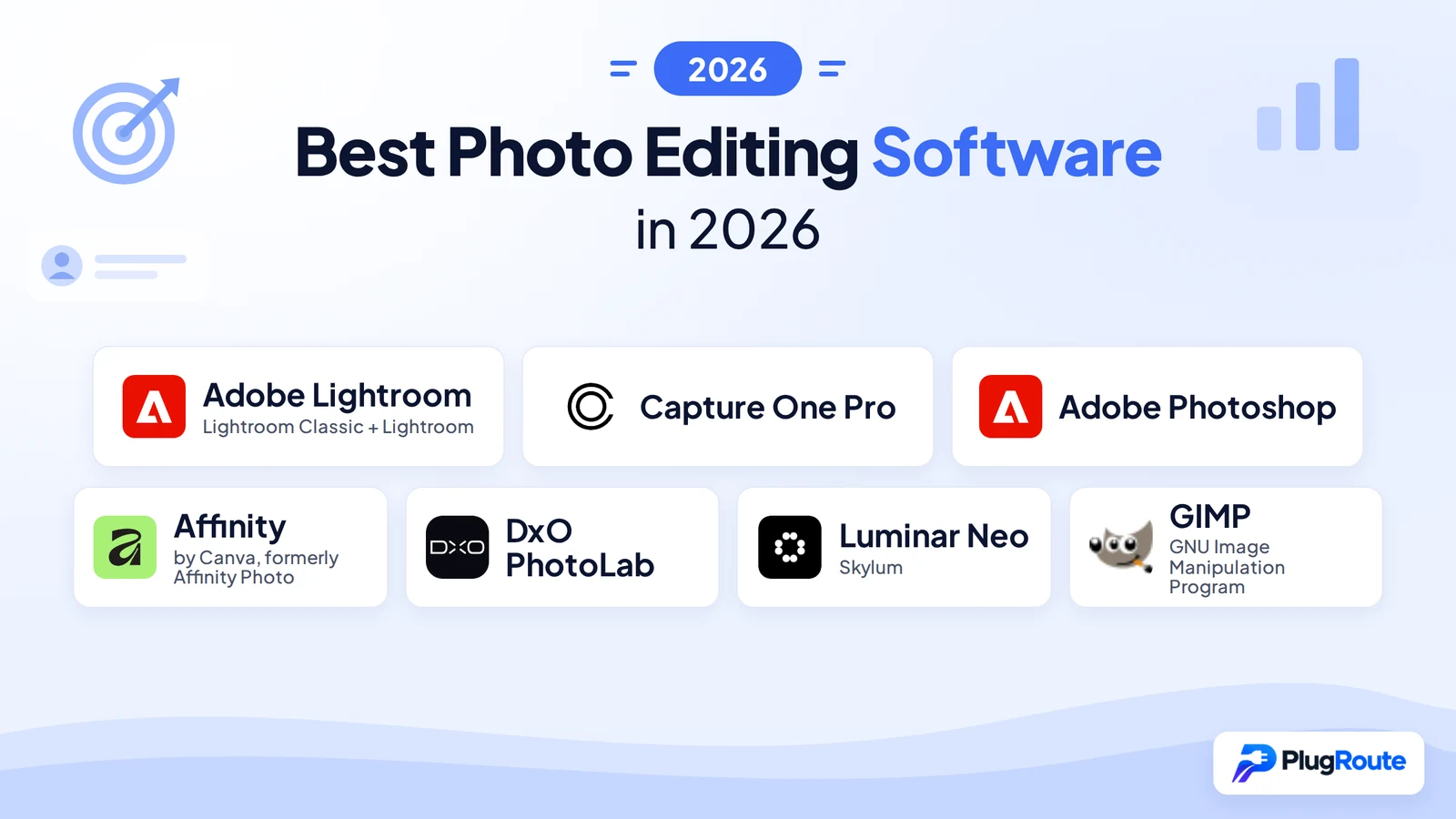
The best photo editing software for most photographers is Adobe Lightroom, which leads for organizing and batch-editing large RAW libraries. Capture One Pro is best for tethered studio and color-critical work, and Adobe Photoshop is best for retouching and compositing. The right pick depends on your workflow and true cost. Affinity and GIMP are the strongest free options.
Most “best of” lists name one winner for everyone. These lists rarely explain how Lightroom Classic, cloud Lightroom and Photoshop differ. Most lists also skip the hidden costs of “perpetual” and “free” licenses, such as paid upgrades, add-ons, AI paywalls and cancellation fees.
PlugRoute has no affiliate relationships with any company listed. Rankings are determined entirely by research data and objective evaluation criteria.
PlugRoute verified every price, rating and release date in this guide in November 2026. Each entry follows the same structure, so you can compare the products directly.
What Are the 4 Categories of Photo Editing Software?
Photo editing software falls into four categories. Catalog-based RAW workflow tools organize and batch-edit libraries. Layer-based pixel editors handle retouching and compositing. RAW quality specialists get the most out of difficult files. AI-first editors apply one-click enhancements. Most photographers need one tool from the first category, and some also need one from the second.
- Catalog-Based RAW Workflow: Catalog-based tools develop RAW files and organize, cull and batch-edit large libraries. Adobe Lightroom and Capture One Pro are in this category.
- Layer-Based Pixel Editor: Pixel editors retouch, composite and edit images at the pixel level using layers and masks. Adobe Photoshop, Affinity and GIMP are in this category.
- RAW Quality Specialist: RAW specialists focus on getting the best image quality from RAW files through noise reduction and optical corrections. DxO PhotoLab is in this category.
- AI-First Editor: AI-first editors apply one-click AI enhancements and generative edits for fast creative results. Luminar Neo is in this category.
How Do the 7 Best Photo Editing Programs Compare at a Glance?
Adobe Lightroom ranks first overall (4.25/5) because it has the strongest catalog and batch workflow. Capture One Pro (3.88) leads for tethered studio work, and Adobe Photoshop (3.58) leads for retouching. The table below compares all seven products on capabilities, strengths and limitations so you can match each tool to your workflow.
| Rank | Company | Category | Best For | One-Line Summary | Key Capabilities | Primary Strength | Key Limitation |
|---|---|---|---|---|---|---|---|
| 1 (4.25/5) | Adobe Lightroom (Classic + cloud) | Catalog-Based RAW Workflow | High-volume RAW shooters | Adobe Lightroom is the strongest all-round choice for organizing, culling and batch-editing large RAW libraries. | Catalog: Y · Tethering: Y (Classic only) · Own RAW engine: Y · Linux: N · Account: Adobe subscription · License: Subscription | Highest Library and Batch Workflow score in this list (5.0/5) | Subscription only; 50% early-cancellation fee on annual plans paid monthly |
| 2 (3.88/5) | Capture One Pro | Catalog-Based RAW Workflow | Tethered studio professionals | Capture One Pro is the strongest choice for tethered studio work and precise color control. | Catalog: Y (Sessions + Catalogs) · Tethering: Y · Own RAW engine: Y · Linux: N · Account: Not verified · License: Subscription or perpetual | Tethering, Sessions and Color Editor | Costs about 2× Adobe’s Photography plan when paired with Photoshop ($216/yr + Photoshop vs $239.88/yr) |
| 3 (3.58/5) | Adobe Photoshop | Layer-Based Pixel Editor | Retouchers and compositors | Adobe Photoshop is the most widely reviewed pixel editor in this list (13,444 G2 reviews) and the deepest option for retouching and generative AI edits. | Catalog: N · Tethering: N · Own RAW engine: Y (Adobe Camera Raw) · Linux: N · Account: Adobe subscription · License: Subscription | Deepest layer and generative AI toolset | No library or batch catalog |
| 4 (3.38/5) | Affinity (by Canva) | Layer-Based Pixel Editor | Creators who want free, polished editing | Affinity is the strongest free photo editor, with professional retouching and RAW development at $0. | Catalog: N · Tethering: N · Own RAW engine: Y (Develop persona) · Linux: N · Account: Canva account required · License: Free (AI via Canva Pro) | Professional toolset at no cost | No catalog; AI tools need Canva Pro ($144/yr) |
| 5 (3.15/5) | DxO PhotoLab | RAW Quality Specialist | High-ISO, wildlife and sports shooters | DxO PhotoLab is the leading one-time-purchase choice for noise reduction and lens corrections. | Catalog: Basic · Tethering: N · Own RAW engine: Y · Linux: N · Account: Not verified · License: One-time | DeepPRIME denoise and lab-measured optics | Paid add-ons; no layers or tethering |
| 6 (2.53/5) | Luminar Neo | AI-First Editor | Beginners making quick AI edits | Luminar Neo is a beginner-focused AI-first editor for fast creative results on single images. | Catalog: Basic · Tethering: N · Own RAW engine: Y (some formats unsupported) · Linux: N · Account: Not verified · License: Perpetual + paid extensions | One-click sky, relight and enhance tools | Weak catalog; generative tools need renewal after about a year |
| 7 (2.40/5) | GIMP | Layer-Based Pixel Editor | Linux users and budget editors | GIMP is the best fully free, open-source image editor, best paired with a separate RAW editor. | Catalog: N · Tethering: N · Own RAW engine: N (hands off to darktable, RawTherapee or ART) · Linux: Y · Account: N · License: Free (GPL-3.0-or-later) | Free, open source, no account | No RAW engine, no library, no AI tools |
Which Photo Editing Software Should I Choose for My Workflow?
The best photo editing software for you depends on your top priority. Adobe Lightroom Classic suits high-volume batch work, Capture One Pro suits tethered studios, and DxO PhotoLab suits high-ISO shooters who avoid subscriptions. Affinity suits people who want free, polished editing on Windows, macOS or iPad. Use the table below to match your main need to a tool.
Quick Decision Framework
| Your #1 Priority | Recommended Tool | Why | Acceptable Alternative |
|---|---|---|---|
| High-volume batch editing (500+ frames per shoot) | Adobe Lightroom Classic | Strongest catalog, culling and batch sync; from $11.99/mo | Capture One Pro |
| Syncing edits between phone and desktop | Adobe Lightroom (cloud) | Stores originals in the cloud across desktop, mobile and web; from $11.99/mo | Luminar Neo (Cross-device license) |
| Detailed retouching and compositing | Adobe Photoshop (via the Photography plan) | Deepest layer and generative AI tools; $19.99/mo plan includes Lightroom | Affinity |
| Tethered studio capture | Capture One Pro | Named the studio pick by Fstoppers (2026); $216/yr or $349 perpetual | Adobe Lightroom Classic |
| High-ISO RAW quality without a subscription | DxO PhotoLab | DeepPRIME denoise and lab-measured lens corrections; $239.99 one-time | Adobe Lightroom (Denoise) |
| Free and polished on Windows, macOS or iPad | Affinity | Full professional toolset at $0 | GIMP |
| Quick one-click AI looks for beginners | Luminar Neo | AI-first tools and a low learning curve; from $99–$119 one-time | Adobe Lightroom |
| Free on Linux | GIMP plus darktable or RawTherapee | Only native Linux option ranked; fully open source; $0 | N/A |
Common two-tool setups:
- Adobe Lightroom plus Adobe Photoshop, through the Photography plan, covers high volume plus detailed retouching.
- DxO PhotoLab (or DxO PureRAW) in front of Adobe Lightroom handles high-ISO files before cataloging.
- Capture One Pro plus Affinity covers tethered studio work without paying for Photoshop.
- darktable or RawTherapee plus GIMP makes a fully free, open-source setup on Linux.
What Are the 7 Best Photo Editing Software Programs in 2026?
The seven best photo editing programs in 2026, ranked by PlugRoute’s weighted scoring, are Adobe Lightroom (4.25/5), Capture One Pro (3.88), Adobe Photoshop (3.58), Affinity (3.38), DxO PhotoLab (3.15), Luminar Neo (2.53) and GIMP (2.40). Each entry uses the same structure and evidence labels for direct comparison.
1. Adobe Lightroom (Lightroom Classic + Lightroom): Best Overall and Best for Large Libraries
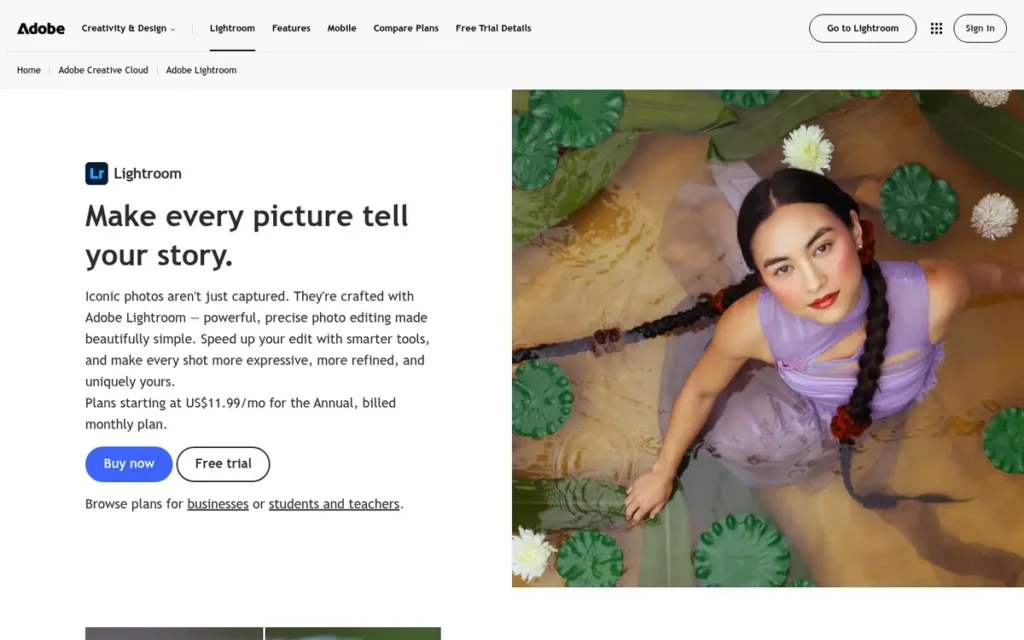
Category: Catalog-Based RAW Workflow, develops RAW files and organizes, culls and batch-edits large photo libraries.
At a Glance
- Category: Catalog-Based RAW Workflow
- Best For: Hobbyists through professionals who shoot in volume and need to organize, cull and batch-edit large RAW libraries
- Price Range: $11.99/month (Lightroom 1TB, annual plan billed monthly) to $19.99/month (Photography 1TB with Photoshop); US prices, November 2026
- Primary Strength: Adobe Lightroom scores highest in this list on Library and Batch Workflow (5.0/5 in PlugRoute’s scoring), combining catalog, culling and batch sync with AI masking and Denoise.
- Biggest Limitation: Adobe Lightroom is subscription-only, and cancelling an annual plan paid monthly after the 14-day window costs 50% of the remaining contract balance.
- One-Line Summary: Adobe Lightroom is the strongest all-round choice for photographers who need to organize, cull and batch-edit large RAW libraries, provided they accept an ongoing subscription.
- Last Verified: November 2026
Why #1 (4.25/5): Adobe Lightroom is the only product to score 5.0 on Library and Batch Workflow (20%) while scoring 4.5 on RAW Processing (25%). Subscription-only licensing and documented stability reports lower Adobe Lightroom’s Cost (3.0) and Reliability (3.5) scores.
Overview
Adobe Lightroom is Adobe’s subscription RAW editor and photo-library software, sold as two apps: Lightroom Classic, which keeps the catalog and files on local drives, and cloud-based Lightroom, which syncs originals across desktop, mobile and web. Adobe Lightroom suits photographers who organize and batch-edit large collections.
Adobe launched Lightroom in 2007 and later split it into the Classic and cloud versions (Adobe, accessed November 2026).
Key Features
- Adobe Lightroom Classic offers a non-destructive local catalog with keywording, collections, culling and batch sync of edits across hundreds of images.
- Adobe Lightroom includes AI masking for subject, sky, background, people, objects and facial features such as skin, eyes and teeth.
- Adobe Lightroom includes GPU-intensive AI Denoise, Generative Remove and Lens Blur.
- Adobe Lightroom Classic supports tethered shooting, which the cloud Lightroom app does not.
- Adobe Lightroom’s cloud app stores originals in Adobe’s cloud, with 1TB of storage on the Lightroom plan.
Best For
Adobe Lightroom is best for event, portrait and enthusiast photographers who need one tool to organize, cull and batch-process RAW files.
Pricing
Adobe Lightroom pricing, verified November 2026 (US):
- Adobe’s Lightroom 1TB plan costs $11.99/month on an annual plan billed monthly (raised from $9.99 in January 2025), or $119.88/year prepaid, and includes 250 generative credits a month.
- Adobe’s Photography 1TB plan costs $19.99/month, or $239.88/year prepaid, and adds Photoshop.
- Adobe’s Photography 20GB plan ($14.99/month) is closed to new subscribers.
Strengths
- Adobe Lightroom holds a 4.8/5 rating from 328 reviews on Capterra and 4.6/5 from about 3,298 reviews on G2 (Capterra; G2, accessed November 2026).
- Adobe Lightroom was the most-used editor in Shotkit’s photo editing software survey: 58% of 657 respondents used it (Shotkit, October 2022; self-selected sample).
- Adobe Lightroom Classic is described by PCMag as a leading professional workflow app because of its catalog, tethering, AI masking and Denoise (PCMag, accessed November 2026; independent editorial).
- Adobe Lightroom is enough on its own for many photographers, and r/AskPhotography users report doing their masking, healing and denoising without Photoshop (r/AskPhotography, accessed November 2026).
Users on r/photography shared their experience:
“I use Lightroom photography plan for my photography. I shot in many different systems and import my photos via phone, Tablet and laptop. I edit on all three systems and publish to different places. It tremendously helps my workflow, that edits and ratings get synced all over my devices.” Posted by u/MoWePhoto
Takeaway: Adobe Lightroom’s cross-device sync of edits and ratings is a real workflow advantage for photographers who import and edit across phone, tablet and laptop.
Limitations
- Adobe Lightroom’s most consequential trade-off is permanent subscription dependence: there is no one-time license, and cancelling an annual plan paid monthly after 14 days costs 50% of the remaining balance (Adobe, accessed November 2026).
- Adobe Lightroom Classic keeps the catalog and Library module usable after a subscription ends, but the Develop and Map modules lock until you resubscribe (Adobe HelpX, accessed November 2026).
- Adobe Lightroom Classic users report slowdowns with large catalogs and 45MP files, masking-panel crashes and stalled Denoise batches, though other users report smooth 45–61MP performance (r/Lightroom; Adobe Community, accessed November 2026).
- Adobe Lightroom Classic’s Denoise has traditionally created a new DNG two to four times the size of the original RAW, and Adobe’s fixed-issues log records Canon tethering breaking after updates (Adobe, accessed November 2026).
- Adobe agreed to a reported $150 million settlement with the US Department of Justice over cancellation practices, subject to court entry, while the FTC’s case page still lists the matter as pending (DOJ; FTC, accessed November 2026).
Verdict
Adobe Lightroom is the best overall photo editing software in 2026 for photographers who manage large RAW libraries, because no free or one-time-purchase tool in this list matches its catalog and batch workflow.
Readers who refuse subscriptions should expect a weaker library with every alternative. Readers who also need compositing should compare the $19.99/month Photography plan before buying Photoshop on its own.
2. Capture One Pro: Best for Tethered Studio Work and Color-Critical RAW Editing
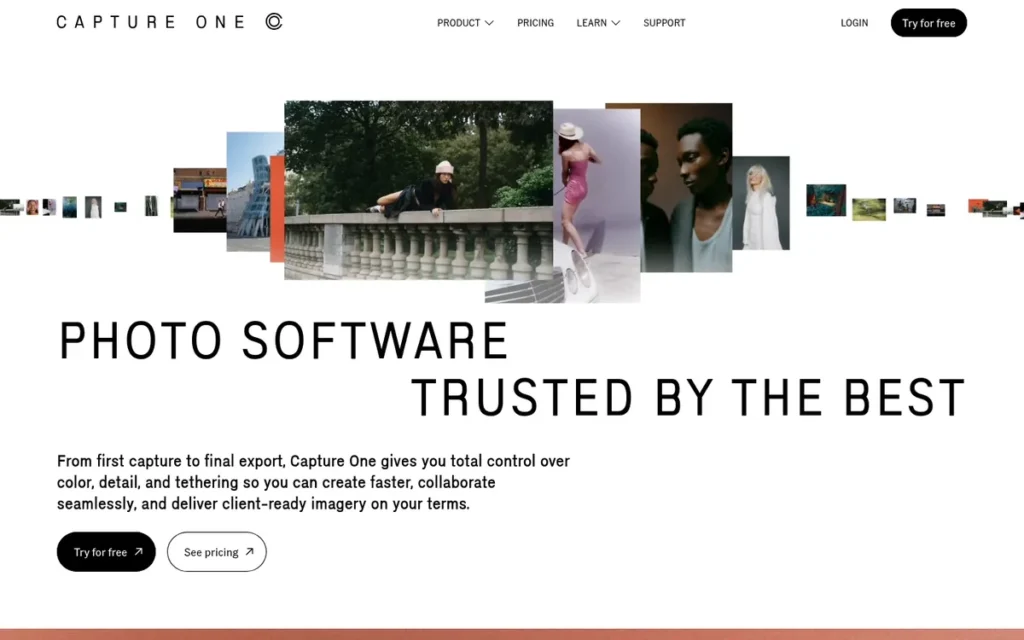
Category: Catalog-Based RAW Workflow.
At a Glance
- Category: Catalog-Based RAW Workflow
- Best For: Studio, fashion, product and portrait professionals who shoot tethered and need precise color control
- Price Range: $18/month billed annually ($216/year) or $349 perpetual; US prices, November 2026
- Primary Strength: Capture One Pro pairs dependable tethered capture with precise color control through its Color Editor.
- Biggest Limitation: Capture One Pro costs about twice as much as Adobe’s Photography plan when paired with Photoshop, and its perpetual licenses cover only the major version you buy.
- One-Line Summary: Capture One Pro is the strongest choice for tethered studio photographers who need precise color control and portable Sessions, at a higher cost than Adobe’s Lightroom plan.
- Last Verified: November 2026
Why #2 (3.88/5): Capture One Pro ties for the top RAW Processing score (5.0) and scores 4.0 on Library and Batch Workflow for Sessions and tethering. Capture One Pro ranks below Lightroom on Editing/AI (3.5) and Cost (2.5). It ranks above Photoshop because it covers the daily RAW and library work that Photoshop lacks.
Overview
Capture One Pro is a professional RAW processor and tethering application, sold by subscription or perpetual license, for studio, fashion, product and portrait photographers who need precise color control through its Color Editor and portable shoot management through Sessions or Catalogs.
Capture One Pro began in 1994 as Phase One’s RAW converter and supports nearly 600 cameras and more than 700 lenses (Capture One, accessed November 2026; vendor-reported).
Key Features
- Capture One Pro provides tethered capture with live view and camera control for studio shooting.
- Capture One Pro offers both Sessions (self-contained project folders) and Catalogs for organizing images.
- Capture One Pro’s Color Editor allows precise adjustment of skin tones and individual color ranges.
- Capture One Pro supports up to 16 adjustment layers per image, plus AI masking.
- Capture One Studio, a separate tier, adds live client review on any number of devices without a Capture One account and lets multiple users share one Session over a local network.
Best For
Capture One Pro is best for working studio professionals and digital techs who shoot tethered and deliver color-critical commercial images.
Pricing
Capture One Pro pricing, captured from captureone.com in November 2026 (US):
- Capture One Pro’s subscription costs $18/month billed annually ($216/year).
- Capture One Pro’s perpetual license costs $349 and covers the purchased major version and its point updates, with major upgrades sold at a discount.
- Capture One Pro’s prices differ on third-party trackers, so buyers should confirm the price at checkout (PricingSaaS, accessed November 2026).
Strengths
- Capture One Pro holds a 4.5/5 rating from 79 reviews on G2 and 4.7/5 from 66 reviews on Capterra (G2; Capterra, accessed November 2026).
- Capture One Pro is named the pick for studio, fashion and product work in Fstoppers’ best photo editing software guide (Fstoppers, 2026; independent editorial).
- Capture One Pro was the main editor for 12.18% of Shotkit respondents who didn’t use Lightroom, the third-highest share recorded (Shotkit, October 2022; n=657).
- Capture One Pro is the default in studios one r/photography professional has worked in, who wrote that “all the studios i’ve ever worked in run it” for tethering and Sessions (r/photography, accessed November 2026).
This aligns with community sentiment on r/captureone:
“I find Sessions generally more portable than catalogs. (So much so that I do not use catalogs at all.) And I often do first round of edits and selections and then hand off the whole session.” Posted by u/blagazenega
Takeaway: Capture One Pro’s Sessions are portable enough that working professionals skip catalogs entirely and hand off whole shoots as self-contained projects.
Limitations
- Capture One Pro’s most consequential trade-off is cost when paired with Photoshop: $216/year plus Photoshop’s $263.88/year comes to about $480/year, roughly double Adobe’s $239.88 Photography plan (Capture One; Adobe, accessed November 2026).
- Capture One Pro’s perpetual licenses cover only the purchased major version, so cameras and operating systems released after the next major version may need a paid upgrade (Capture One support; Trustpilot, accessed November 2026).
- Capture One Pro is “a very non-intuitive program” outside tethering for one r/photography user, and Capterra reviewers report cache growth, weak AI subject separation and styles sold separately (r/photography; Capterra, accessed November 2026).
- Capture One Pro’s catalog search is weaker than Lightroom Classic’s for very large archives, and Fstoppers calls its plug-in ecosystem “thin,” with AI automation that lags Adobe’s (Fstoppers, 2026).
Verdict
Capture One Pro is the best photo editing software in 2026 for tethered studio work and color-critical RAW editing.
No other product in this list matches Capture One Pro’s Sessions and Studio-tier client review. Hobbyists, and photographers who also need Photoshop, will usually get better value from Adobe’s Photography plan.
3. Adobe Photoshop: Best for Detailed Retouching, Compositing and Generative AI
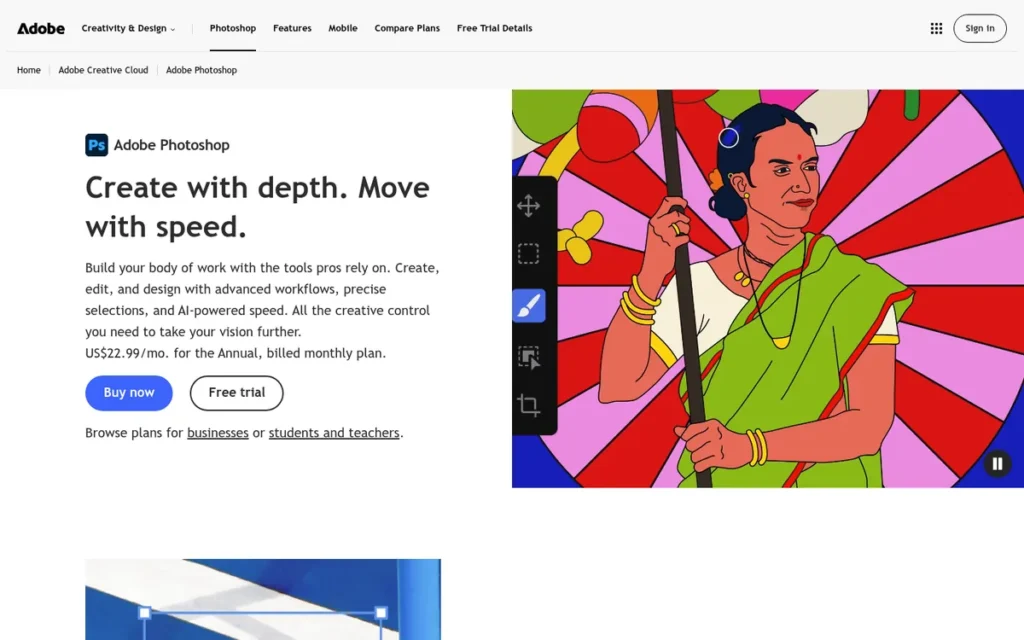
Category: Layer-Based Pixel Editor, retouches, composites and edits images at the pixel level using layers and masks.
At a Glance
- Category: Layer-Based Pixel Editor
- Best For: Retouchers, compositors and content creators who need pixel-level control and generative AI
- Price Range: $19.99/month (Photography plan with Lightroom) to $22.99/month (single app, annual plan billed monthly); US prices, November 2026
- Primary Strength: Adobe Photoshop offers the deepest layer-based retouching, compositing and generative AI toolset in this list.
- Biggest Limitation: Adobe Photoshop has no photo library or batch catalog, so high-volume photographers usually need Lightroom alongside it.
- One-Line Summary: Adobe Photoshop is the most widely reviewed pixel editor in this list and the deepest choice for retouching, compositing and generative AI edits, and it works best alongside Lightroom rather than in place of it.
- Last Verified: November 2026
Why #3 (3.58/5): Adobe Photoshop scores 5.0 on Editing/AI and Reputation, but only 1.5 on Library and Batch Workflow because it has no catalog. That gap keeps Adobe Photoshop below the two catalog-based tools.
Overview
Adobe Photoshop is Adobe’s subscription, layer-based pixel editor for retouchers, compositors and photographers who need detailed manipulation, masking and Firefly-powered generative edits beyond what a RAW developer offers, with RAW files opened through Adobe Camera Raw.
Adobe Photoshop has no photo library, so most photographers pair it with Lightroom. Thomas and John Knoll created Photoshop, and Adobe released it commercially in 1990 (Adobe, accessed November 2026).
Key Features
- Adobe Photoshop provides layers, masks, adjustment layers and smart objects for non-destructive compositing.
- Adobe Photoshop includes Content-Aware Fill, the Remove tool and support for frequency-separation retouching.
- Adobe Photoshop’s Firefly-powered Generative Fill and Generative Expand place their results on editable layers.
- Adobe Photoshop runs on desktop, web, iPad and mobile.
- Adobe Photoshop supports a large ecosystem of plug-ins, actions and scripts, and its PSD format is the common standard for exchanging layered files (Rankite, 2026).
Best For
Adobe Photoshop is best for portrait and beauty retouchers, compositors and content creators who need pixel-level control and generative edits.
Pricing
Adobe Photoshop pricing, verified November 2026 (US):
- Adobe Photoshop’s single app costs $22.99/month on an annual plan billed monthly, or $263.88/year prepaid, with 25 generative credits a month.
- Adobe Photoshop’s month-to-month single app costs about $34.49/month (LitmusTools, 2026; secondary source).
- Adobe’s Photography plan costs $19.99/month, includes Photoshop and Lightroom, and costs less than Photoshop alone.
- Adobe’s Creative Cloud Pro, renamed from All Apps in 2025, costs $69.99/month with 4,000 generative credits a month.
Strengths
- Adobe Photoshop holds a 4.6/5 rating from 13,444 reviews on G2, the largest user-review sample in this list (G2, accessed November 2026).
- Adobe Photoshop was the main editor for 23.86% of Shotkit respondents who didn’t use Lightroom (Shotkit, October 2022; n=657).
- Adobe Photoshop’s Generative Fill and Generative Expand have no direct equivalent among the other products ranked here (PlugRoute comparison of vendor documentation, November 2026).
- Adobe Photoshop has been sold commercially since 1990 and is taught in design schools and widely listed in job requirements (Adobe; LitmusTools, 2026).
Limitations
- Adobe Photoshop’s most consequential trade-off is the lack of a library workflow, and one Reddit photographer noted that opening a 500+ frame shoot in Photoshop could crash their computer (r/AskPhotography, accessed November 2026).
- Adobe Photoshop reviewers report lag and crashes with large layered PSDs on lower-end hardware, along with a steep learning curve (LitmusTools, 2026).
- Adobe Photoshop’s single-app plan includes only 25 generative credits a month, which reviewers describe as limiting (LitmusTools, 2026).
- Adobe Photoshop carries trust concerns over Adobe’s AI terms-of-service controversy and Firefly’s training data (LitmusTools, 2026), and its annual plans paid monthly carry a 50% early-cancellation fee after the 14-day refund window.
Verdict
Adobe Photoshop is the best photo editing software in 2026 for detailed retouching, compositing and generative AI edits.
Most photographers should get Adobe Photoshop through the $19.99/month Photography plan rather than the $22.99 single-app plan. Photoshop is worth the cost only when your work regularly goes beyond global and masked adjustments.
4. Affinity (by Canva, formerly Affinity Photo): Best Free Editor and Photoshop Alternative
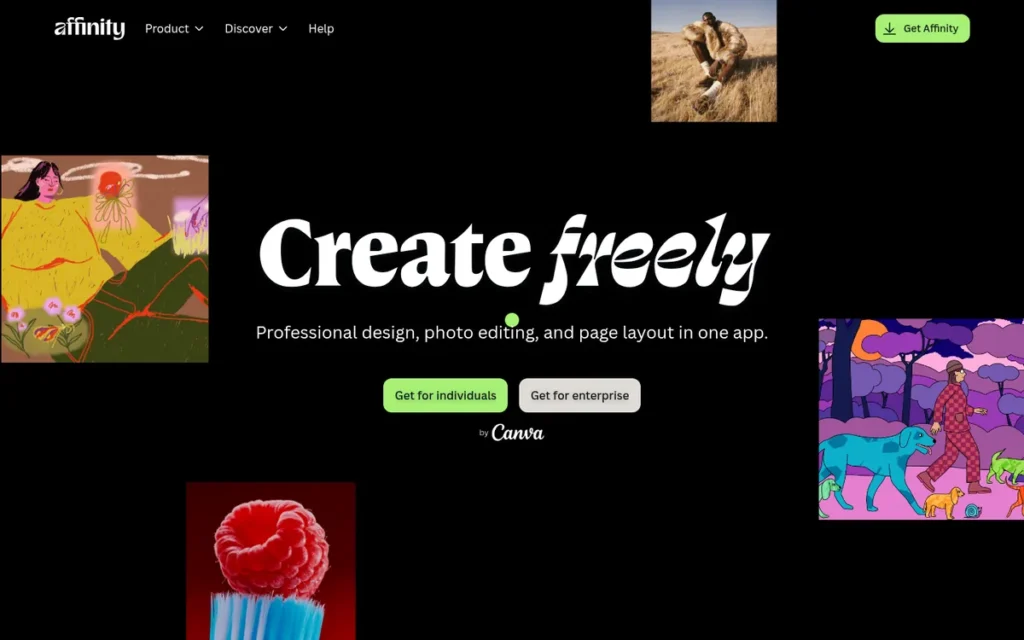
Category: Layer-Based Pixel Editor.
At a Glance
- Category: Layer-Based Pixel Editor
- Best For: Hobbyists and creators who want a polished, professional-grade editor with no subscription or purchase
- Price Range: Free core app; Canva AI features require Canva Pro ($144/year, US); November 2026
- Primary Strength: Affinity delivers a polished, professional layer-based editor with RAW development at no cost.
- Biggest Limitation: Affinity has no photo catalog or library, so photographers with large collections need a separate organizing tool.
- One-Line Summary: Affinity is the strongest free photo editor in 2026, offering professional retouching and RAW development at $0, though it lacks a photo library and requires a Canva account.
- Last Verified: November 2026
Why #4 (3.38/5): Affinity is the only product to score 5.0 on Cost while also scoring 4.0 on Editing/AI. Affinity scores 1.5 on Library and Batch Workflow because it has no catalog, which keeps it below Photoshop.
Overview
Affinity is Canva’s free all-in-one creative app, which merged the former Affinity Photo, Designer and Publisher in October 2025 and gives hobbyists and creators professional retouching and RAW development on Windows, macOS or iPad without a subscription.
Affinity charges only for Canva AI features. Affinity’s maker, Serif, was founded in 1987 and launched Affinity Photo in 2015, and Canva acquired Serif in March 2024 (Printweek, March 2024; Wikipedia, accessed November 2026).
Key Features
- Affinity includes a Develop persona for non-destructive RAW processing.
- Affinity offers layers, live filters, macros, HDR merging, panorama stitching and focus stacking at no cost.
- Affinity keeps automatic object selection free (XDA Developers, 2026).
- Affinity’s Canva AI features, including Generative Fill, background removal and upscaling, require Canva Pro, and the AI allowance is shared with Canva (Canva, accessed November 2026).
- Affinity runs on Windows, macOS and iPad, and its free iPad app launched on November 2, 2026 and requires iPadOS 18 or later (MacRumors, November 2026).
Best For
Affinity is best for hobbyists, content creators and Photoshop-curious photographers on Windows, macOS or iPad who edit selected images individually rather than batch-processing whole shoots.
Pricing
Affinity’s core app has cost $0 since October 30, 2025 (Canva, October 2025). Affinity requires a free Canva account, and its AI features need Canva Pro, which costs $144/year in the US (Canva, accessed November 2026).
Before the relaunch, Affinity V2 cost $69.99 per app or $164.99 for the Universal License, both as one-time purchases.
Strengths
- Affinity holds a 4.8/5 rating from 99 reviews on Capterra UK and 4.5/5 from 234 reviews on G2 (Rankite, October 2026), although Capterra US shows a conflicting 4.4/5 from only 14 reviews.
- Affinity is called the Photoshop replacement “I’d recommend to everyone” by XDA Developers (XDA Developers, 2026; independent editorial).
- Affinity had more than 3 million users when Canva acquired its maker, Serif (Printweek, March 2024; reported).
- Affinity is the only free product in this list with a native iPad app (MacRumors, November 2026).
Limitations
- Affinity’s most consequential trade-off is the missing library: Affinity has no catalog or Lightroom-style sync, and opening RAW files as separate projects is described as slow (Imagic, 2026; XDA Developers, 2026).
- Affinity users report moving to Lightroom and Photoshop once their volume grew and they needed batch editing (r/AskPhotography, accessed November 2026).
- Affinity requires a Canva account and has no Linux version, and some r/Affinity users say development has “stagnated” since the acquisition (r/Affinity, accessed November 2026).
- Affinity’s broad toolset can overwhelm beginners (TechRadar, 2026), and V3 moved commands to new menus, so existing users have to relearn parts of the interface (r/Affinity, accessed November 2026).
Users on r/Affinity noted:
“It has RAW processing. It used to be destructive but they might have added sidecar features in v2. But it doesn’t do any library management at all.
As the other comment said, it’s a photoshop replacement, not a LR one. Photoshop can also do RAW processing.” Posted by u/TeutonJon78
Takeaway: Affinity’s own community treats it as a Photoshop replacement, not a Lightroom replacement, so photographers who batch-edit from a library will need a separate catalog tool.
Verdict
Affinity is the best free photo editing software in 2026 for Windows, macOS and iPad users who want professional layer-based editing without a subscription.
Affinity’s free core app covers retouching, RAW development and compositing tools that used to cost $69.99 or more. Photographers with large libraries will need a separate organizing tool, and Canva Pro ($144/year) is the real cost of Affinity’s AI features.
5. DxO PhotoLab: Best for RAW Quality, Noise Reduction and Lens Corrections
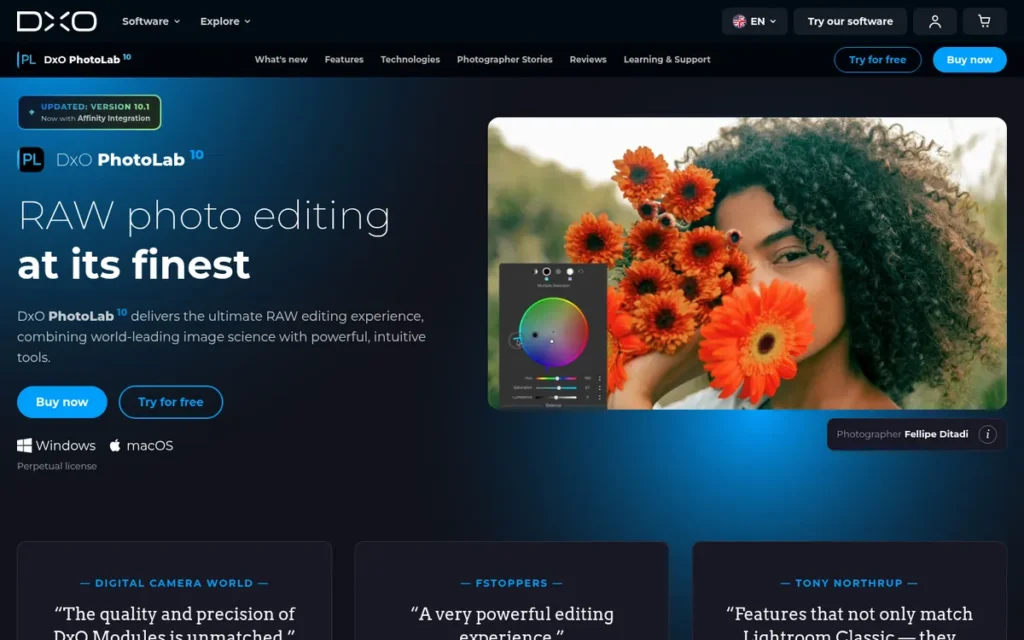
Category: RAW Quality Specialist, gets the best image quality from RAW files through noise reduction and optical corrections.
At a Glance
- Category: RAW Quality Specialist
- Best For: Wildlife, sports, low-light and high-ISO shooters who want maximum RAW quality without a subscription
- Price Range: $239.99–$249.99 one-time (PhotoLab 9 / PhotoLab 10 Elite); add-ons extra; November 2026
- Primary Strength: DxO PhotoLab combines DeepPRIME AI noise reduction with lab-measured lens corrections for high-ISO RAW files.
- Biggest Limitation: DxO PhotoLab lacks tethering, traditional layers and a full library, and features such as full perspective correction require paid add-ons.
- One-Line Summary: DxO PhotoLab is the leading one-time-purchase choice for photographers who prioritize noise reduction and lens corrections on high-ISO RAW files, but its add-ons raise the real cost.
- Last Verified: November 2026
Why #5 (3.15/5): DxO PhotoLab ties for the top RAW Processing score (5.0). It scores 2.0 on Library and 2.5 on Editing/AI because DxO PhotoLab has no layers, no tethering and no full library.
Overview
DxO PhotoLab is a one-time-purchase RAW processor for wildlife, sports and low-light photographers who prioritize clean high-ISO files and precise lens corrections, using DeepPRIME AI noise reduction and lab-measured Optics Modules.
DxO PhotoLab can also run as an external editor from Lightroom Classic. DxO Labs formed in 2003, with roots in Vision-IQ, founded in Paris in 1995 (DxO, accessed November 2026).
Key Features
- DxO PhotoLab’s DeepPRIME 3 and DeepPRIME XD3 perform AI noise reduction and demosaicing in a single step, and XD3 supports Fujifilm X-Trans sensors in PhotoLab 9.
- DxO PhotoLab’s Optics Modules correct distortion, vignetting, chromatic aberration and softness using lab measurements of specific camera-and-lens pairs.
- DxO PhotoLab applies Optics Modules automatically only when DxO has measured that exact camera-and-lens pair.
- DxO PhotoLab includes ClearView haze removal, U Point control points and a color wheel.
- DxO PhotoLab can be launched as an external editor from Lightroom Classic.
Best For
DxO PhotoLab is best for wildlife, sports and event shooters working at high ISO or with heavily cropped files. DxO PhotoLab also suits Lightroom users who want a stronger RAW pre-processing step.
Pricing
DxO PhotoLab pricing, verified November 2026:
- DxO PhotoLab 9 costs $239.99 one-time, or 4 × $59.99 through PayPal.
- DxO PhotoLab 10 Elite costs $249.99 on DxO’s shop.
- DxO PhotoLab upgrades are discounted based on the version you own, and new versions arrive roughly every year.
- DxO’s FilmPack (about $70) and ViewPoint add-ons are sold separately, and PlugRoute did not verify the PureRAW price or the activation count.
Strengths
- DxO PhotoLab 8 won the 2025 TIPA World Award for Best Professional Imaging Software, and DxO reports 11 TIPA and 6 EISA awards in total (DxO, 2025; vendor-reported award count, not test results).
- DxO PhotoLab’s noise reduction and lens corrections “saved many high iso and heavily cropped photos,” according to a Reddit user who left Lightroom (r/photography, accessed November 2026).
- DxO PhotoLab holds a 4.4/5 rating from 14 reviews on Capterra (Capterra, accessed November 2026; small sample).
- DxO PhotoLab is the only product in this list that documents lab-measured lens and camera corrections, and it keeps working without a subscription (DxO, accessed November 2026; PlugRoute comparison of vendor documentation).
Limitations
- DxO PhotoLab’s most consequential trade-off is a narrow toolset, with no tethering, no traditional layers, no mobile app and only a basic library (Life After Photoshop, 2026).
- DxO PhotoLab’s add-on model leaves some users feeling “duped,” because ViewPoint is needed for full geometric correction (r/photography, accessed November 2026).
- DxO PhotoLab’s object-select masking was called “extremely substandard” compared with Lightroom by one PhotoLab 9 user (r/photography, accessed November 2026).
- DxO PhotoLab buyers report license-activation problems, failed AI model downloads and an older version that did not support Windows 11, and DxO’s forum documents a buyer refused a free upgrade one month after buying PhotoLab 9 (Trustpilot; r/photography; DxO forum, accessed November 2026).
As one user on r/AskPhotography described:
“Also I was enthusiastic about lens and optical corrections as that’s been dxo’s main thing for years, but I learned that none of my gear is supported, because they only do camera / lens combinations, not just lenses. I use a Sony A7 with manual lenses.” Posted by u/exsurge
Takeaway: DxO PhotoLab’s signature lens corrections are worthless for photographers whose exact camera-and-lens pairing DxO hasn’t measured, so manual and adapted-lens shooters should check compatibility before buying.
Verdict
DxO PhotoLab is the best photo editing software in 2026 for photographers whose main problem is high-ISO noise and lens defects and who refuse to subscribe.
No independent numerical benchmark confirms DxO PhotoLab’s lead in noise reduction. Buyers should budget for add-ons and roughly annual paid upgrades, and should plan to pair DxO PhotoLab with a separate library tool.
6. Luminar Neo (Skylum): Best for Beginners Who Want One-Click AI Edits
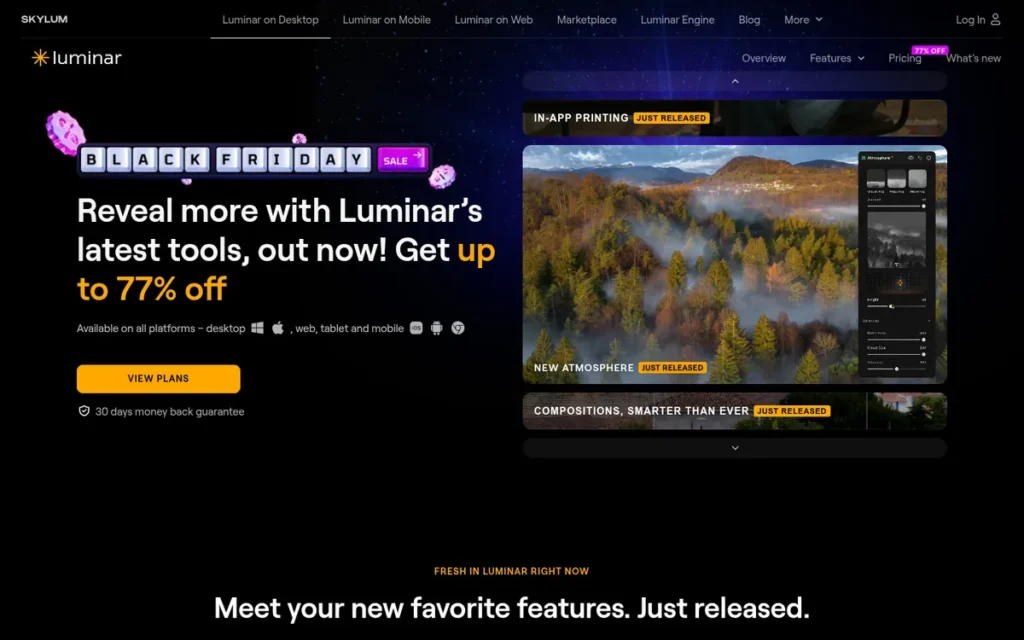
Category: AI-First Editor, applies one-click AI enhancements and generative edits for fast creative results.
At a Glance
- Category: AI-First Editor
- Best For: Beginners and hobbyists who want fast, one-click AI enhancements on individual images
- Price Range: $99–$164.99 one-time (Desktop to Max; promotional prices vary); extensions and generative renewals extra; November 2026
- Primary Strength: Luminar Neo delivers fast one-click AI edits such as sky replacement and relighting, with a low learning curve.
- Biggest Limitation: Luminar Neo has a weak catalog and paid extensions, and its generative tools on perpetual plans need renewal after about a year.
- One-Line Summary: Luminar Neo is a beginner-focused AI-first editor for fast creative results on single images, but its catalog, RAW support and licensing history call for caution.
- Last Verified: November 2026
Why #6 (2.53/5): Luminar Neo scores 3.5 on Editing/AI for its one-click tools. It scores 2.5 on RAW Processing (unsupported recent RAW formats), 1.5 on Library and 2.0 on Reliability (licensing history).
Overview
Luminar Neo is Skylum’s AI-first photo editor, sold mainly as a perpetual license with paid extensions, for beginners and hobbyists who want quick creative results from one-click tools such as Sky AI, Relight AI and Enhance AI, either standalone or as a plug-in for Lightroom or Photoshop.
Skylum was founded as Macphun in 2008 in Ukraine and renamed in 2017, and it launched Luminar Neo in 2022 (Wikipedia, accessed November 2026).
Key Features
- Luminar Neo offers one-click AI tools, including Sky AI, Relight AI, Enhance AI and portrait AI.
- Luminar Neo includes the generative tools GenErase, GenSwap and GenExpand, which need renewal through Luminar Prime after about a year on perpetual plans.
- Luminar Neo supports layers and paid extensions, including Noiseless AI, Upscale AI, Supersharp AI, HDR Merge, Focus Stacking and Background Removal.
- Luminar Neo’s Max license includes a Creative Library of 2,150+ presets, 500+ LUTs and 550+ skies (Skylum, accessed November 2026; vendor content counts).
- Luminar Neo’s Cross-device license covers desktop plus iOS, Android and ChromeOS.
Best For
Luminar Neo is best for beginners and hobbyists who edit individual images and want striking results quickly.
Pricing
Luminar Neo prices displayed in November 2026 (Skylum, accessed November 2026):
- Luminar Neo’s Desktop license displayed at $99–$119 during November 2026 promotions.
- Luminar Neo’s Cross-device license displayed at $139–$149, and the Max license costs $164.99.
- Luminar Neo’s Fall Upgrade 2026 offer costs $79 and includes one year of generative tools.
- Luminar Neo’s Noiseless AI extension costs $139, and Background Removal AI costs $99.
Skylum’s prices change often with promotions, and Skylum’s pricing page did not show a Neo Pro subscription.
Strengths
- Luminar Neo holds a 4.4/5 rating from 113 reviews on G2 (G2, accessed November 2026).
- Luminar Neo’s product line has won a Red Dot Award and TIPA Best Imaging Software recognition, reported for 2022 and 2023 (Product Hunt, accessed November 2026; awards).
- Luminar Neo is described as “great” as an editing plug-in by an r/luminarneo user (r/luminarneo, accessed November 2026).
- Luminar Neo’s $99–$119 Desktop license is the lowest paid entry price among the perpetual-license products in this list (Skylum, accessed November 2026).
Limitations
- Luminar Neo’s most consequential trade-off is a weak workflow foundation, and Digital Photo Mentor reports users accidentally cataloging whole drives, which creates huge preview folders and slowdowns (Digital Photo Mentor, accessed November 2026).
- Luminar Neo users report slowness and high RAM use, and one Reddit user waited 7 minutes for a single AI wire removal on integrated graphics (G2; r/photography, accessed November 2026).
- Luminar Neo users report unsupported RAW formats, such as Canon R5 Mark II CR3 files, which must be converted to DNG first (r/photography, accessed November 2026).
- Luminar Neo’s maker, Skylum, sold “lifetime” licenses for Luminar 4 and Luminar AI before moving to new products, and Trustpilot reviewers also complain about upselling and renewals (r/photography; Trustpilot, accessed November 2026).
Verdict
Luminar Neo is the best photo editing software in this list for beginners who want one-click AI edits such as sky replacement and relighting on individual images.
Luminar Neo works best as a plug-in alongside a stronger library tool rather than as a main RAW workflow. Buyers should check RAW support for their camera, plan for a capable GPU, and count generative renewals as part of the cost.
7. GIMP (GNU Image Manipulation Program): Best Free Open-Source Editor / Best for Linux
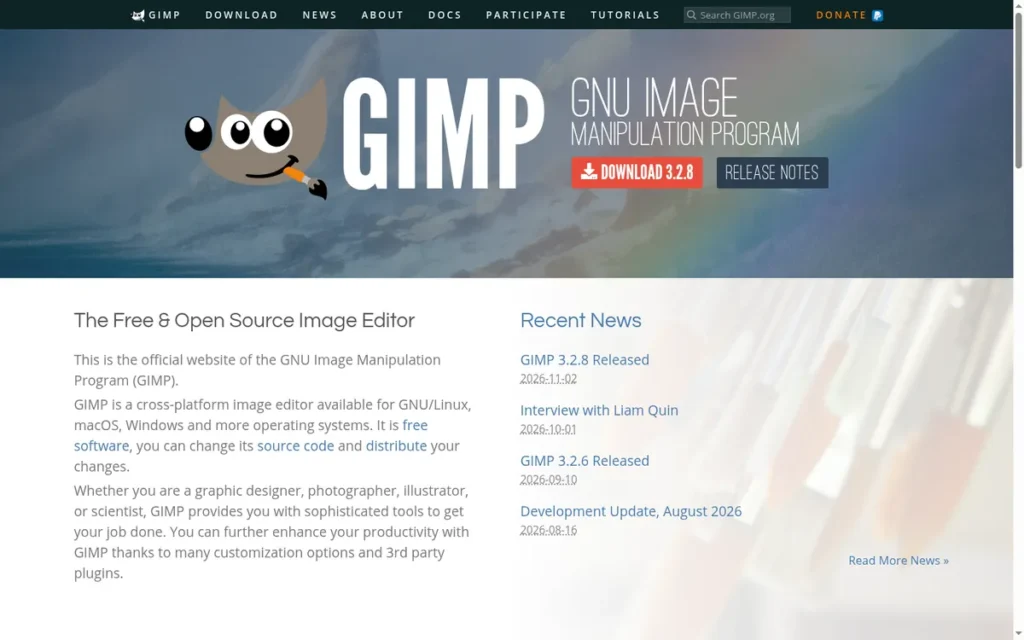
Category: Layer-Based Pixel Editor.
At a Glance
- Category: Layer-Based Pixel Editor
- Best For: Linux users and budget-conscious editors who want free, open-source retouching and are willing to learn
- Price Range: Free (GPL-3.0-or-later, donation-funded); November 2026
- Primary Strength: GIMP is completely free and open source, needs no account, and runs natively on Linux, Windows and macOS.
- Biggest Limitation: GIMP has no RAW engine of its own and no photo library, so photographers must pair it with darktable, RawTherapee or ART.
- One-Line Summary: GIMP is the best fully free, open-source image editor for Linux users and budget-conscious retouchers, but photographers need a separate RAW editor alongside it.
- Last Verified: November 2026
Why #7 (2.40/5): GIMP scores 5.0 on Cost and 3.5 on Reliability. It scores 1.5 on RAW Processing and 1.0 on Library because GIMP has no RAW engine or catalog of its own, and those two criteria carry 45% of the weight.
Overview
GIMP is a free, open-source, layer-based image editor for Linux users, students and budget-conscious hobbyists who want retouching and compositing with no account or paid tier. GIMP has no RAW engine of its own, so photographers use it after darktable, RawTherapee or ART.
Spencer Kimball and Peter Mattis created GIMP in 1995, and volunteers maintain GIMP on GNOME’s GitLab (GIMP, accessed November 2026).
Key Features
- GIMP 3.0, released March 16, 2025, added non-destructive filters with on-canvas preview, multi-layer selection, better text tools and improved PSD export (GIMP, March 2025).
- GIMP 3.2, released March 14, 2026, added non-destructive layers, vector layers and ART as an additional RAW-processing backend (GIMP, March 2026).
- GIMP hands RAW files to darktable, RawTherapee or ART rather than processing them with its own engine.
- GIMP supports Script-Fu and Python scripting, plug-ins and extensive interface customization.
- GIMP runs on Linux, Windows and macOS, including through Linux distributions and the Microsoft Store, with no account required.
Best For
GIMP is best for Linux users, students and budget-conscious editors who will pair it with a free RAW editor such as darktable or RawTherapee.
Pricing
GIMP costs $0 under the GPL-3.0-or-later license, is funded by donations, has no paid tier and needs no account (GIMP, accessed November 2026).
Strengths
- GIMP’s current stable release is 3.2.8, dated November 2, 2026, and it follows the 3.0 and 3.2 releases, GIMP’s biggest modernization in years (GIMP, November 2026).
- GIMP is often named the leading free Photoshop alternative by third-party roundups, including Digital Trends and Fstoppers (Digital Trends, accessed November 2026; Fstoppers, 2026; independent editorial).
- GIMP is the only product in this list with native Linux support and no account requirement (PlugRoute comparison of vendor documentation, November 2026).
- GIMP’s 3.x improvements are recognized by r/GIMP users, one of whom called non-destructive effects “a game changer” (r/GIMP, accessed November 2026).
Limitations
- GIMP’s most consequential trade-off is a weak photography workflow: GIMP has no RAW engine, no catalog and no batch-editing workflow, and r/GIMP members advise photographers to use darktable or ART for RAW work (r/GIMP, accessed November 2026).
- GIMP’s interface is consistently described as dated and confusing, with terminology that doesn’t match Photoshop (Fstoppers, 2026; Pixpa, 2026).
- GIMP is “not really great at discovery,” according to an r/GIMP user, even after the 3.x improvements (r/GIMP, accessed November 2026).
- GIMP lacks generative fill, AI cut-outs and AI upscaling, its CMYK support is limited, and GIMP has no official user counts or verified G2 or Capterra scores.
Verdict
GIMP is the best fully free, open-source photo editor in 2026 for Linux users and budget-conscious retouchers.
GIMP’s 3.x releases have made GIMP noticeably more usable. GIMP is an image manipulation program rather than a photo processor, so photographers should pair GIMP with darktable, RawTherapee or ART.
Do I Need Lightroom Classic, Lightroom or Photoshop?
Most photographers need only Adobe Lightroom. Choose Lightroom Classic for local libraries and tethering, or cloud Lightroom for syncing across devices. Add Adobe Photoshop only for compositing, detailed retouching or generative fill. Adobe’s cheapest route to Photoshop is the $19.99/month Photography plan, which includes Lightroom and costs $3 less than Photoshop alone (Adobe, November 2026).
How the three Adobe apps differ:
- Adobe Lightroom Classic stores files and its catalog on your own drives and is the only Adobe app here that supports tethering.
- Adobe Lightroom (cloud) stores originals in Adobe’s cloud and runs on desktop, mobile and web.
- Adobe Photoshop is a pixel editor with no library, built for detailed work on individual images.
- The Adobe Photography plan includes Lightroom, Lightroom Classic and Photoshop for less than the Photoshop single-app plan.
“Lightroom (or capture one) then photoshop, it’s not either or. Photoshop is for heavy lifting, Lightroom is basic catalog management and processing. You can easily do 98% of stuff through lightroom and then kick it over to PS for final touches”, top-voted answer, r/AskPhotography (r/AskPhotography, accessed November 2026)
Takeaway: Most photographers who need Photoshop use it as a finishing step after a RAW and catalog tool, not as a replacement for one.
Which Photo Editing Software Is Best for RAW Photos?
Capture One Pro and DxO PhotoLab are the best photo editing software for RAW photos in this list. Both score 5.0/5 on PlugRoute’s RAW Processing criterion, with Adobe Lightroom close behind at 4.5. No independent numerical benchmark for RAW quality exists as of November 2026, so these scores rest on editorial and user patterns.
- Capture One Pro leads for color control, with its Color Editor and support for nearly 600 cameras (Capture One, accessed November 2026; vendor-reported).
- DxO PhotoLab leads for high-ISO noise and lens defects, with DeepPRIME XD3 and lab-measured Optics Modules.
- Adobe Lightroom pairs strong RAW development and AI Denoise with the strongest library in this list.
- Affinity develops RAW files for free in its Develop persona but has no catalog.
- GIMP has no RAW engine and relies on darktable, RawTherapee or ART.
What Does Each Option Really Cost?
Photo editing software in 2026 ranges from $0 (Affinity and GIMP) to about $99–$250 one-time (Luminar Neo and DxO PhotoLab) and $11.99–$19.99/month (Adobe). Every model has later costs. Perpetual licenses charge for upgrades and add-ons, free tools put AI behind paywalls, and Adobe’s annual plans carry early-cancellation fees.
What each budget tier gets you, and what it costs later (US prices, November 2026):
- $0, Affinity: Affinity is free, but its AI features require Canva Pro at $144/year, and the app requires a Canva account.
- $0, GIMP: GIMP has no hidden costs, but photographers need a free RAW editor such as darktable alongside it.
- $99–$164.99 one-time, Luminar Neo: Luminar Neo’s extensions cost extra (Noiseless AI is $139), and its generative tools need renewal after about a year.
- $239.99–$249.99 one-time, DxO PhotoLab: DxO PhotoLab’s FilmPack (about $70) and ViewPoint cost extra, and paid upgrades arrive roughly every year.
- $11.99/month, Adobe Lightroom plan: Adobe Lightroom’s annual plans paid monthly charge 50% of the remaining balance if you cancel after 14 days.
- $19.99/month, Adobe Photography plan: Adobe’s Photography plan includes Photoshop and Lightroom and carries the same 50% early-cancellation fee on annual plans paid monthly.
- $216/year or $349 perpetual, Capture One Pro: Capture One Pro alone costs less than Adobe’s $239.88 Photography plan, but adding Photoshop ($263.88/year) brings the total to about $480/year, roughly double.
Three-year costs at November 2026 US prices, before upgrades, add-ons and tax:
- Affinity costs $0, or $432 with Canva Pro for AI features.
- GIMP costs $0.
- Luminar Neo Desktop costs $99–$119, plus generative renewals (renewal price not verified).
- DxO PhotoLab 9 costs $239.99, plus about two paid upgrades (upgrade price not verified).
- Capture One Pro costs $349 for one perpetual version, or $648 on the annual plan.
- Adobe’s Lightroom plan costs $359.64 prepaid.
- Adobe’s Photography plan costs $719.64 prepaid.
- Adobe Photoshop’s single app costs $791.64 prepaid.
With AI turned on, “free” Affinity costs $144 a year for Canva Pro, which is more than Adobe’s $119.88 prepaid Lightroom plan (US prices, November 2026).
PlugRoute configuration note: pairing Capture One Pro ($216/year) with free Affinity avoids the cost of Photoshop. Affinity, however, lacks some Photoshop features, such as generative fill without Canva Pro. This note is a pricing comparison, not a test result.
What Red Flags Should I Watch For When Evaluating Photo Editing Software?
The biggest red flags in photo editing software are hidden or recurring costs and fragile licenses. Watch for “lifetime” licenses with a poor track record, essential features sold as add-ons, cancellation fees, expiring AI tools and perpetual licenses that stop supporting new cameras. Also be wary of rankings that mix vendor claims with independent evidence.
Red Flag #1: “Lifetime” Licenses With a Track Record of Abandonment A “lifetime” license lasts only as long as the product line behind it. Reddit users report that Skylum sold lifetime licenses for Luminar 4 and Luminar AI before moving to new products (r/photography, accessed November 2026). Check the vendor’s history before you trust the word “lifetime.”
Red Flag #2: Core Features Sold as Separate Add-Ons A low headline price can hide essential features that are sold separately. DxO PhotoLab users say full geometric correction requires the ViewPoint add-on, and Luminar Neo sells Noiseless AI for $139 (r/photography; Skylum, accessed November 2026). Add up the add-ons you’ll actually need before comparing prices.
Red Flag #3: Annual Plans With Early-Cancellation Fees An “annual, paid monthly” plan is a 12-month contract, not a monthly subscription. Adobe charges 50% of the remaining balance if you cancel after the 14-day refund window (Adobe, accessed November 2026).
Adobe agreed to a reported $150 million settlement with the US Department of Justice over its cancellation practices, subject to court entry. The FTC’s case page still lists the matter as pending (DOJ; FTC, accessed November 2026).
Red Flag #4: AI Features Behind Credits, Paywalls or Expiry Dates AI features often come with usage limits that aren’t obvious at purchase. Confirm the AI limits before you buy:
- Adobe’s generative credits vary by plan and sign-up date, with 25 a month on Photoshop alone.
- Affinity’s AI tools require Canva Pro ($144/year, US, November 2026).
- Luminar Neo’s generative tools need renewal after about a year on perpetual plans.
Red Flag #5: Perpetual Licenses That Stop Supporting New Cameras or Operating Systems A perpetual license buys a version, not a future: support for new cameras and operating systems usually ends when the next major version ships. Capture One Pro’s $349 license covers the purchased major version only (Capture One support, accessed November 2026). One DxO PhotoLab user reported that an older version did not support Windows 11.
Red Flag #6: Rankings That Don’t Separate Vendor Claims From Independent Evidence A ranking that cites vendor case studies or “1000+ reviews” claims as proof isn’t independent. As of November 2026, no independent numerical benchmark for noise reduction or RAW quality exists for these products. Credible rankings label each piece of evidence as editorial, user-aggregated or vendor-reported.
What Questions Should I Ask Before Choosing Photo Editing Software?
Before choosing photo editing software, decide whether you need a catalog, whether you shoot tethered, and whether the tool supports your camera’s RAW files. Also check whether your computer can run the AI features, what the tool will cost over three years, and what happens to your edits if you stop paying.
Question #1: Do I need a catalog for a large library, or do I edit individual images? A catalog matters most if you shoot hundreds of frames per session. Adobe Lightroom and Capture One Pro offer full library and batch tools. Affinity, GIMP, DxO PhotoLab and Luminar Neo have weak or missing libraries, so high-volume shooters should rule them out as their main tool.
Question #2: Do I shoot tethered? Among the products ranked here, tethered capture is available only in Capture One Pro and Adobe Lightroom Classic. The cloud Lightroom app doesn’t support it. Studio photographers on Reddit describe Capture One Pro’s tethering as the more dependable of the two (r/photography, accessed November 2026).
Question #3: Does the software support my camera’s RAW files today? RAW support varies by product and version. Luminar Neo users report unsupported Canon R5 Mark II CR3 files, and older perpetual versions of Capture One Pro and DxO PhotoLab may not support new cameras. Test your own files with a trial or free version before buying.
Question #4: Does my computer have a GPU capable of running the AI features? Based on user reports, AI features such as denoise and object removal run far more slowly without a dedicated GPU. One Luminar Neo user waited 7 minutes for a single AI wire removal on integrated graphics (r/photography, accessed November 2026). Test with your largest RAW files.
Question #5: What will this cost over three years, including upgrades and add-ons? Compare the total cost over several years, not the headline price. A one-time license that needs paid upgrades and extensions can approach the cost of a subscription. Include these costs:
- Subscription fees, prepaid or monthly.
- Paid major upgrades, since DxO PhotoLab releases roughly annually.
- Add-ons and extensions, such as DxO FilmPack and ViewPoint or Luminar Noiseless AI.
- AI renewals or credit limits, such as Luminar generative tools, Canva Pro and Adobe credits.
- Cancellation terms, such as Adobe’s 50% fee on annual plans paid monthly.
Question #6: What happens to my edits and library if I stop paying or switch? Most editors store edits in their own catalog or sidecar format, so switching usually costs relearning time and re-editing. If an Adobe Lightroom Classic subscription ends, the catalog and photos stay on your drive and the Library module keeps working for organizing and exporting. The Develop module, however, locks until you resubscribe (Adobe HelpX, accessed November 2026).
How Did We Rank These Photo Editing Programs?
PlugRoute scored each program from 1 to 5 on six weighted criteria, using the same evidence fields for every product. RAW processing carries 25% of the weight, library and batch workflow 20%, editing depth and AI 20%, independent reputation 15%, total cost 10%, and platform reach and vendor reliability 10%. The weighted total sets the rank.
Ranking criteria:
- RAW Processing and Image Quality (25%): This criterion matters because readers looking for RAW editors need strong conversion, color control, noise reduction and lens correction.
- Library Management and Batch Workflow (20%): This criterion matters because high-volume shooters cite catalog and batch tools as their main reason for staying with Adobe, and studio professionals need tethering.
- Editing Depth and AI Tools (20%): This criterion matters because retouchers need layers and masks, and most readers expect AI masking, denoise and object removal.
- Independent Reputation and Evidence Strength (15%): This criterion rewards large-sample user ratings and independent editorial assessments, while vendor-reported figures add little weight.
- Total Cost of Ownership and Pricing Transparency (10%): This criterion matters because readers are confused by add-ons, upgrades, AI paywalls and cancellation fees.
- Platform Reach and Vendor Reliability (10%): This criterion covers supported operating systems, account requirements, release cadence and vendor track record.
Scoring matrix (1–5 scale):
| Product | RAW (25%) | Library (20%) | Editing/AI (20%) | Reputation (15%) | Cost (10%) | Reliability (10%) | Weighted Total |
|---|---|---|---|---|---|---|---|
| Adobe Lightroom | 4.5 | 5.0 | 4.0 | 4.5 | 3.0 | 3.5 | 4.25 |
| Capture One Pro | 5.0 | 4.0 | 3.5 | 3.5 | 2.5 | 3.5 | 3.88 |
| Adobe Photoshop | 3.5 | 1.5 | 5.0 | 5.0 | 2.5 | 4.0 | 3.58 |
| Affinity | 3.5 | 1.5 | 4.0 | 4.0 | 5.0 | 3.0 | 3.38 |
| DxO PhotoLab | 5.0 | 2.0 | 2.5 | 3.0 | 3.0 | 2.5 | 3.15 |
| Luminar Neo | 2.5 | 1.5 | 3.5 | 3.0 | 2.5 | 2.0 | 2.53 |
| GIMP | 1.5 | 1.0 | 3.0 | 2.5 | 5.0 | 3.5 | 2.40 |
PlugRoute raised Capture One Pro’s Reputation and Cost scores after verifying live G2, Capterra and price data in November 2026. The rank order did not change.
Evidence labels: Each piece of evidence for a ranked product is labeled as one of the following:
- Independent editorial: Independent editorial evidence comes from publications with no commercial tie to the vendor, such as PCMag, Fstoppers and XDA Developers.
- Aggregated user score: An aggregated user score is a G2 or Capterra rating reported with its review count and capture date.
- Vendor-reported: Vendor-reported evidence consists of figures published by the company itself, such as case studies, user counts and camera-support totals.
- Award: An award is industry recognition such as TIPA, EISA or Red Dot, which reflects jury judgment rather than measured tests.
As of November 2026, no independent numerical benchmark for noise reduction or RAW quality exists for these products. PlugRoute therefore scored image quality from qualitative editorial and user patterns.
Product selection: ON1 Photo RAW appeared in initial discovery, but PlugRoute replaced it with GIMP so the list includes a free, open-source option.
darktable, RawTherapee, ART and Snapseed are mentioned but not ranked because the evidence on them is too thin.
The overall rank isn’t a recommendation for every reader. The Quick Decision Framework table matches each workflow to its best fit.
PlugRoute has no affiliate relationships with any company listed. Rankings are determined entirely by research data and objective evaluation criteria.
What Do Readers Most Often Ask About Photo Editing Software?
Readers most often ask which photo editor suits beginners, which free editor works on a Windows PC without a subscription, and how PlugRoute sets its rankings. Each answer below opens with a direct recommendation and cites the same dated evidence as the ranked entries.
What is the best photo editing software for beginners in 2026?
The best photo editing software for beginners depends on what you shoot. Luminar Neo (from $99–$119 one-time) suits beginners who want one-click AI edits on single images. Affinity is the strongest free starting point on Windows, macOS or iPad. Adobe Lightroom ($11.99/month) suits beginners with growing libraries, though reviewers note a learning curve.
What is the best free photo editing software for PC without a subscription?
Affinity is the best free photo editing software for PC, with a free core app since October 30, 2025 (Canva, October 2025) that requires a Canva account. GIMP is the best fully open-source option and needs no account. For paid one-time RAW quality, DxO PhotoLab costs $239.99. None of these matches Lightroom’s catalog.
How does PlugRoute determine its rankings?
PlugRoute ranks software on six weighted criteria scored from 1 to 5: RAW quality, library workflow, editing depth, independent reputation, total cost and vendor reliability. The full scoring matrix is published, and each piece of evidence is labeled as editorial, user-aggregated, vendor-reported or an award. The weighted totals set the rank order.
What Do Key Photo Editing Software Terms Mean?
RAW File: A RAW file is the unprocessed image data your camera records. It has to be developed in software before you can share or print it. RAW support varies by product and version, so test your own camera’s files with a trial or free version before you buy.
Catalog: A catalog is a database that organizes your photo library with keywords, collections and ratings, and lets you cull and batch-edit hundreds of images. If you shoot hundreds of frames per session, a catalog matters more than any other feature, because many editors have only a weak catalog or none at all.
Batch Editing: Batch editing applies the same adjustments to many images at once, for example by syncing edits across a whole shoot. High-volume shooters depend on it, and tools without it are better for editing single images one at a time.
Tethered Shooting: Tethered shooting connects your camera to a computer so you can capture images straight into the software, with live view and camera control. Studio photographers need it, and only a few products in this category support it, so check before you buy.
Layers and Masks: Layers stack edits and image elements on top of each other, and masks limit an adjustment to part of the picture, such as the sky or a subject’s skin. They are the core tools for detailed retouching and compositing, and many RAW-focused tools offer them only in limited form or not at all.
Non-Destructive Editing: Non-destructive editing records your adjustments separately from the original file, so you can change or undo them at any time without losing image quality. Most editors store these edits in their own catalog or sidecar format, which means switching tools later usually costs you relearning time and re-editing.
Noise Reduction (Denoise): Noise reduction removes the grain that appears in high-ISO and low-light photos, often with AI. It matters most to wildlife, sports and event shooters. AI denoise can be slow without a dedicated GPU, and it may produce new files much larger than the original RAW.
Lens Corrections: Lens corrections fix distortion, vignetting, chromatic aberration and softness caused by the camera and lens. Some tools apply them automatically only for camera-and-lens pairs the vendor has measured, so photographers who use manual or adapted lenses should check compatibility first.
Generative Credits: Generative credits are a monthly allowance that limits how many generative AI edits, such as generative fill or expand, you can run. The number varies by plan and can be small on single-app plans, so confirm the AI limits before you buy.
Perpetual License: A perpetual (one-time) license lets you keep using the version you bought without a subscription. It buys a version, not a future: new cameras, operating systems and major features usually need paid upgrades, and “lifetime” licenses last only as long as the product line behind them.
Annual Plan Billed Monthly: An annual plan billed monthly is a 12-month contract paid in monthly installments, not a monthly subscription you can cancel at any time. Cancelling after the refund window can carry a fee, such as 50% of the remaining balance after 14 days, so read the cancellation terms before you sign up.
Add-Ons and Extensions: Add-ons and extensions are features sold separately from the main app, such as advanced perspective correction, film looks or AI noise removal. They can turn a low headline price into a much higher total cost, so add up the ones you will actually need before you compare prices.
Open Source: Open-source software is free to use under a public license such as GPL-3.0-or-later. It is often funded by donations and needs no account. That removes licensing costs and lock-in, but open-source editors may lack a built-in RAW engine or AI tools, so you may need to pair one with a separate RAW editor.
Which Photo Editing Software Is Right for You?
Key Insights
- Adobe Lightroom ranks first overall (4.25/5) because no free or one-time-purchase product in this list matches its catalog and batch workflow.
- Library management, not editing quality, is the main reason photographers return to Adobe, according to PlugRoute’s analysis of Reddit and reviewer reports (November 2026).
- Adobe’s Photography plan ($19.99/month) costs less than Adobe Photoshop alone ($22.99/month) and adds Lightroom (Adobe, November 2026).
- Among the seven products ranked, tethered capture is available only in Capture One Pro and Adobe Lightroom Classic.
- Affinity has been the strongest free editor since October 30, 2025, but Affinity has no photo library and its AI tools require Canva Pro at $144/year.
- DxO PhotoLab, Capture One Pro and Luminar Neo all sell perpetual licenses that carry upgrade, add-on or renewal costs over time.
- GIMP is fully free and open source, but GIMP needs darktable, RawTherapee or ART alongside it for RAW files.
If you shoot hundreds of frames per session, start with Adobe Lightroom Classic. If you work in a studio, consider Capture One Pro. If you refuse subscriptions, choose Affinity for free editing or DxO PhotoLab for RAW quality, and plan for a separate library tool.
Pricing and licensing in this category change often. Read PlugRoute’s full methodology and changelog for the latest scores and price checks. We update this guide quarterly. Last updated: November 5, 2026.