Figma is the best prototyping software in 2026 for most product teams. ProtoPie is best for mobile, sensor, and multi-device interactions, and Axure RP is best for complex, data-heavy enterprise flows. Start with Figma, and add a specialist only when your prototype needs behavior Figma cannot simulate.
Many prototyping tools make overlapping claims, so it is hard to tell which one fits a given project. Two questions decide most choices. First, can a general design tool handle conditional logic, sensors, or multi-device flows? Second, which of those features require a paid plan?
As one user on r/userexperience described:
“There is no best prototyping software; there are several which all serve different needs. If you’re after quickly linking up hotspots on static screens, I’d recommend Adobe XD, Invision or Marvel.” Posted by u/antjtw
Takeaway: Experienced UX practitioners pick prototyping tools by the job, not by a single winner, which is why this guide matches each tool to the use case it fits best.
PlugRoute has no affiliate relationships with any company listed, and rankings are determined entirely by research data and objective evaluation criteria.
This guide matches each tool to the job it does best. It shows what each tool costs at 5 and 15 editors, using November 2026 list prices. It also marks the point where a general design tool stops being enough.
What Are the 5 Categories of Prototyping Tools?
Prototyping tools fall into five categories: all-in-one design platforms, interaction specialists, website builder-prototypers, code-based prototypers, and low-fidelity wireframers. Most product teams need one design platform for everyday work. At most, they add one specialist for interactions that platform cannot simulate, such as sensors, data-driven forms, or live websites.
- All-in-one design platforms such as Figma, Penpot, and Sketch combine UI design, prototyping, and collaboration in one tool.
- Interaction specialists such as ProtoPie and Axure RP build high-fidelity prototypes driven by device inputs, conditional logic, or data.
- Website builder-prototypers such as Framer design, prototype, and publish production websites in one tool.
- Code-based prototypers such as UXPin Merge build prototypes from real React code components.
- Low-fidelity wireframers such as Balsamiq sketch screen structure and basic flows before visual design begins.
How Do the Top Prototyping Tools Compare at a Glance?
Figma ranks first because it is the only tool on this list rated strong on all three primary criteria: interaction depth for moderate logic, breadth of fit, and collaboration and handoff. ProtoPie and Axure RP rank second and third as interaction specialists. The other five tools each lead in one narrower area, shown in the Best For column.
| Rank | Company | Category | Best For | One-Line Summary | Key Capabilities | Primary Strength | Key Limitation |
|---|---|---|---|---|---|---|---|
| 1 | Figma | All-in-One Design Platform | Product teams designing mobile and web UI together | Figma is the best default prototyping tool for most product teams because it covers design, mid-complexity prototypes, collaboration, and handoff in one place. | Variables, expressions, conditional logic, real-time co-editing, Dev Mode | Design, prototyping, and handoff in one file | No documented sensor, hardware, or multi-device input; variables and logic require Professional |
| 2 | ProtoPie | Interaction Specialist | Mobile, automotive, IoT, and wearable teams | ProtoPie is the strongest choice when a prototype must react to sensors, hardware, or multiple connected devices. | Sensors, multi-screen sync, formulas, Connect Core for hardware and APIs | Realistic device-level interactions | Not a design tool; Connect Core add-on costs $20/user/month |
| 3 | Axure RP | Interaction Specialist | Enterprise, B2B, and data-heavy apps | Axure RP is the strongest choice for logic-heavy enterprise applications where forms, conditions, and data states must actually work. | Working forms, conditional logic, variables, dynamic panels, repeaters | Broadest documented functional simulation | One of the steepest learning curves; co-authoring requires RP Team |
| 4 | Framer | Website Builder-Prototyper | Marketing sites and landing pages meant to go live | Framer is the best choice when a website prototype needs to become the live site itself. | Responsive design, animations, CMS, hosting, publishing | Prototype publishes as a live site | Built for websites, not app flows or complex logic |
| 5 | Penpot | All-in-One Design Platform | Budget-conscious and self-hosting teams | Penpot is the best free, open-source prototyping tool for teams avoiding per-seat pricing. | Flows, overlays, transitions, Code Inspect, self-hosting | Free cloud for up to 8 members; free to self-host | No documented prototype variables or conditional logic; smaller ecosystem |
| 6 | UXPin Merge | Code-Based Prototyper | Teams with a mature React design system | UXPin Merge is the best choice for teams that want prototypes built from real production React components. | React components with inherited props and states, Storybook (Growth), Git integration (Enterprise) | Prototypes behave like production code | Requires a component library; Git integration is on the Enterprise plan |
| 7 | Balsamiq | Low-Fidelity Wireframer | PMs and founders validating structure | Balsamiq is the best choice for checking screen structure with low-fidelity wireframes. | Sketch-style UI controls, linked wireframes | Rough wireframes that keep feedback on structure | No high-fidelity or logic-driven prototypes |
| 8 | Sketch | All-in-One Design Platform | All-Mac teams with existing Sketch libraries | Sketch is the best choice for all-Mac design teams that want a native desktop app with real-time co-editing and click-through prototypes. | Smart Animate, overlays, Mac co-editing, iPhone/iPad playback | Native Mac app with a mature symbol system | Mac-only editor; no documented variables or conditional logic |
Which Prototyping Tool Should I Choose for My Use Case?
Choose by the one capability your prototype cannot work without, not by the longest feature list. The table below maps eight common priorities to the tool built for each. It also gives the reason and the closest alternative, so teams can shortlist one or two tools before starting trials.
| Your #1 Priority | Recommended Tool | Why | Acceptable Alternative |
|---|---|---|---|
| General app/web UI with collaboration | Figma | Design, prototyping, and handoff in one browser file; free Starter plan | Penpot (free cloud for up to 8 members) |
| Mobile gestures, sensors, multi-device | ProtoPie | Documented sensor, hardware, and multi-screen support; free plan available | Figma (simpler mobile flows without sensor input) |
| Forms, branching, data-driven states | Axure RP | Working forms, conditional logic, repeaters; 30-day trial | Figma Professional (variables for moderate logic) |
| Website that should go live | Framer | The prototype is published as the site; Basic site plan $10/month | No direct equivalent; design in Figma or Penpot, then rebuild |
| Avoid per-seat cost / self-host | Penpot | Open source under MPL-2.0 and free to self-host | Sketch ($120 one-time Mac-only license) |
| Prototype with real React components | UXPin Merge | Builds prototypes from production components | No direct equivalent; Figma Dev Mode inspects but does not run code |
| Structure check only | Balsamiq | Built only for low-fidelity wireframes | Penpot free plan |
| All-Mac team with existing Sketch libraries | Sketch | Native macOS app with established symbols | Figma or Penpot (cross-platform) |
What Are the Best Prototyping Software Tools in 2026?
The eight best prototyping tools in 2026 run from Figma at #1 to Sketch at #8, ranked against PlugRoute’s six published criteria. Each entry uses the same structure for direct comparison. Every entry has an At a Glance block, Overview, Key Features, Best For, Pricing, Strengths, Limitations, and a Verdict, with dated sources throughout.
1. Figma: Best Overall Prototyping Software for Most Product Teams
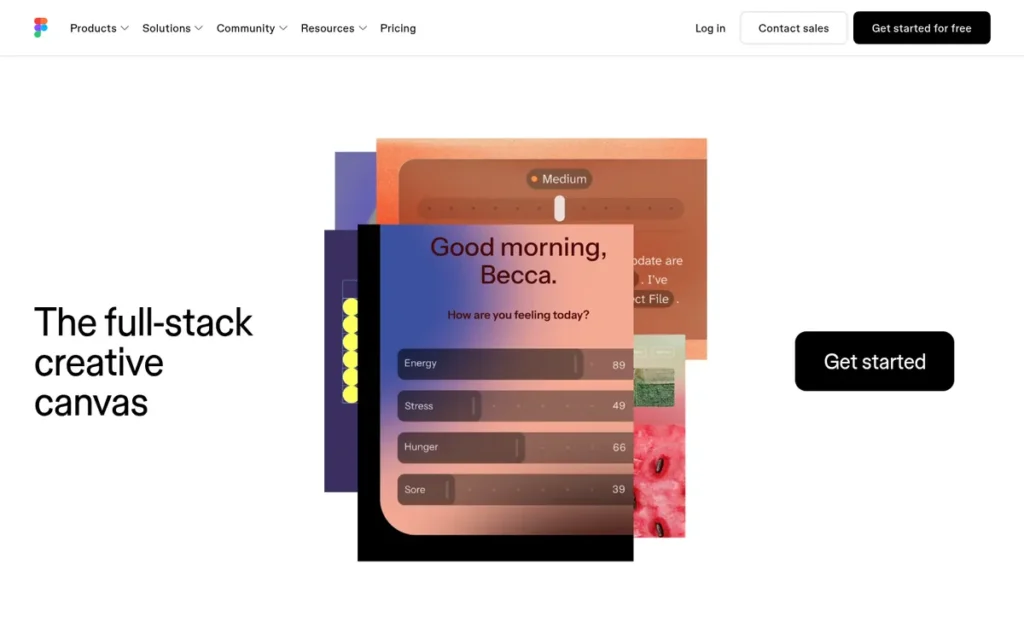
Category: All-in-One Design Platform, design, prototype, collaborate, and hand off in a single tool.
At a Glance
- Category: All-in-One Design Platform
- Best For: Product and UX teams designing mobile apps, web apps, and SaaS interfaces together
- Price Range: Free Starter plan; Professional Full seat $16/month billed annually or $20 monthly [Source: Figma pricing page, November 2026]
- Primary Strength: Figma combines UI design, interactive prototyping with variables and conditional logic, real-time collaboration, and developer handoff in one browser-based file.
- Biggest Limitation: Figma’s documentation does not describe prototype input from device sensors, hardware, or synced physical screens, and Figma’s prototype variables and conditional logic require a paid Professional seat.
- One-Line Summary: Figma is the best default prototyping tool for most product teams because it covers design, mid-complexity interactive prototypes, collaboration, and handoff in one place.
- Last Verified: November 2026
Overview
Figma is a browser-based, all-in-one design platform where product teams design interfaces, build prototypes with variables and conditional logic, collaborate in real time, and hand off to developers. It is built for UX designers, product managers, and founders who need one default tool.
Figma ranks #1 because it is the only tool on this list rated strong on all three primary criteria: moderate-logic prototyping, breadth of fit, and collaboration and handoff. Figma ranks below ProtoPie and Axure RP on device-level and data-heavy depth.
Key Features
- Figma links frames into interactive prototypes with transitions, overlays, Smart Animate motion, and scrolling behavior.
- Figma Professional supports prototype variables, expressions, and conditional logic, so Figma prototypes can remember state and branch on user input [Source: Figma Help Center plan comparison, November 2026].
- Figma lets multiple editors co-edit and comment on the same file in real time [Source: Figma, November 2026].
- Figma Dev Mode lets engineers inspect specs, assets, and code snippets for handoff [Source: Figma Dev Mode documentation, November 2026].
- Figma’s mobile app previews prototypes on real phones [Source: Figma Help Center mobile app guide, November 2026].
Best For
Figma is best for product and UX teams that need one collaborative tool for everyday mobile and web UI design and for clickable prototypes with moderate logic.
Pricing
Figma offers a permanent free Starter plan, which limits shared team collaboration to 3 files of up to 3 pages each [Source: Figma pricing FAQ, November 2026]. Figma Professional costs $16/month per Full seat billed annually, or $20 billed monthly [Source: Figma pricing page, November 2026].
At the annual list rate, five Figma Full seats cost about $960 per year, and fifteen cost about $2,880. Figma prices its Organization and Enterprise plans and its other seat types separately.
Strengths
- Figma’s plan documentation lists prototype variables, expressions, and conditional logic on Professional, so Figma prototypes can branch on user input without a second tool [Source: Figma Help Center plan comparison, November 2026].
- Figma keeps prototypes in the same file as the design and pairs them with Dev Mode. This removes the export step and reduces how much developers have to rebuild [Source: Figma Dev Mode documentation, November 2026].
- Figma was the default prototyping pick in all three AI-generated answers PlugRoute reviewed [Source: PlugRoute review of Perplexity and ChatGPT answers, November 5, 2026].
Limitations
Figma trades interaction depth for breadth. Figma’s documentation does not describe prototype input from device sensors, connected hardware, or multiple synced physical screens [Source: Figma Help Center, November 2026].
- Figma makes data-heavy flows harder to model than Axure RP does, such as sortable tables with real form validation.
- Figma’s free Starter plan excludes prototype variables and conditional logic, and Figma’s per-seat costs grow as teams add editors and developers.
Users on r/userexperience noted:
“You could wizard of Oz this in Figma with some clever timing, but you couldn’t type anything. The typing would be click activated and the letters would look like they’re being typed out, but would just be a timed animation flow. I say this knowing that Figma does not have the prototyping tools designed for this level of prototyping, but a simple slideshow-esque version of this could be built with some work.” Posted by u/Lramirez194
Takeaway: Figma users have had to fake advanced interactions like live text entry with timed animations, so complex interaction testing remains a reason to pair Figma with a specialist.
Verdict
Figma is the best overall prototyping software in 2026 for most product teams because it covers design, mid-complexity interactive prototypes, real-time collaboration, and developer handoff in one browser-based tool.
Start with Figma unless a project needs sensors, hardware, multi-device sync, or data-driven logic. If it does, add ProtoPie or Axure RP alongside Figma. Teams priced out of per-seat licensing should evaluate Penpot.
2. ProtoPie: Best for High-Fidelity Mobile, Sensor, and Multi-Device Interactions
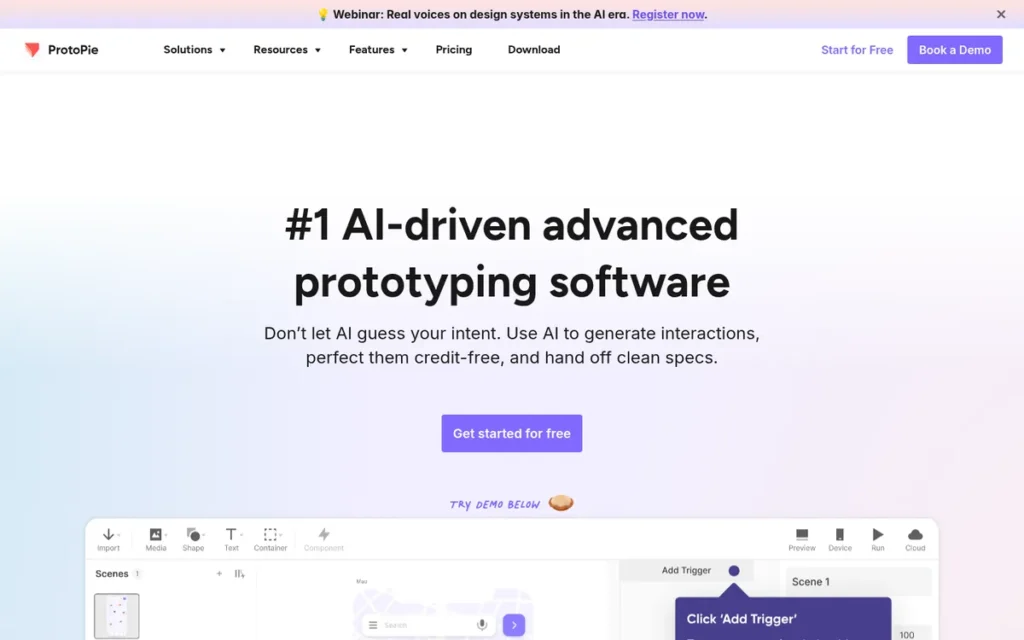
Category: Interaction Specialist, builds high-fidelity, logic- and device-driven prototypes on top of existing designs.
At a Glance
- Category: Interaction Specialist
- Best For: Mobile, automotive, IoT, and wearable teams that need realistic sensor and multi-device prototypes
- Price Range: Free plan (2 cloud prototypes); Basic $25/month for one seat; Connect Core add-on $20/user/month; Basic closes to new buyers in early 2027 [Source: ProtoPie plans page and blog, November 2026]
- Primary Strength: ProtoPie builds prototypes that respond to device sensors, hardware inputs, and interactions across multiple connected screens.
- Biggest Limitation: ProtoPie is not a design tool, so teams pay for ProtoPie on top of a design platform and must learn a separate interaction model.
- One-Line Summary: ProtoPie is the strongest choice when a prototype must react to sensors, hardware, or multiple connected devices in ways general design tools cannot simulate.
- Last Verified: November 2026
Overview
ProtoPie is a dedicated high-fidelity prototyping tool. ProtoPie turns designs into realistic interactions using variables, formulas, device sensors, hardware connections, and multi-screen syncing, and it is built for mobile, automotive, and IoT product teams whose prototypes must behave like real products.
ProtoPie ranks #2, above Axure RP, because mobile and device prototyping applies to more of this guide’s readers than enterprise data simulation does. ProtoPie also offers a permanent free plan. ProtoPie ranks below Figma because ProtoPie does not cover visual design or handoff.
Key Features
- ProtoPie Studio lets prototypes respond to device sensors and touch gestures, so ProtoPie mobile prototypes behave more like native apps [Source: ProtoPie documentation, November 2026].
- ProtoPie syncs one prototype across multiple screens and devices, including phones, tablets, TVs, and wearables [Source: ProtoPie documentation, November 2026].
- ProtoPie connects prototypes to hardware, APIs, and Unity through Connect Core, a paid add-on [Source: ProtoPie blog, November 2026].
- ProtoPie uses variables, conditions, and formulas to build stateful logic without code.
- ProtoPie’s Free plan saves 2 prototypes to ProtoPie Cloud with up to 8 scenes each, so teams can test ProtoPie’s interaction model before paying [Source: ProtoPie plans page, November 2026].
Best For
ProtoPie is best for teams prototyping mobile apps, in-car interfaces, smart-home devices, or wearables, where user testing depends on realistic gestures, sensors, or multi-device behavior.
Pricing
ProtoPie offers a Free plan and a Basic plan at $25/month for one seat. ProtoPie’s Connect Core add-on costs $20/month per user for multi-device, hardware, and API connections [Source: ProtoPie plans page and blog, November 2026]. ProtoPie says Basic closes to new purchases in early 2027.
One Figma Professional seat ($16/month annual) plus one ProtoPie Basic seat costs about $41/month. With Connect Core, the total is about $61/month [Source: Figma and ProtoPie pricing pages, November 2026]. New ProtoPie buyers should confirm Pro pricing before budgeting.
Strengths
- ProtoPie’s documentation lists sensor, hardware, API, Unity, and multi-device connections, which Figma’s documentation does not describe [Source: ProtoPie documentation, November 2026].
- ProtoPie handles mobile gesture and sensor interactions that click-through prototypes cannot show, which makes ProtoPie useful for mobile app usability testing.
- ProtoPie was recommended for hardware, sensor, and multi-device work in two of three AI answers PlugRoute reviewed [Source: PlugRoute review of Perplexity and ChatGPT answers, November 5, 2026].
Limitations
ProtoPie trades workflow simplicity for interaction realism. Teams maintain designs in a second application and learn ProtoPie’s separate trigger-and-response model, which ordinary click-through flows do not justify.
- ProtoPie’s Connect Core add-on costs $20/month per user, so a five-editor team pays about $1,200 more per year if every editor needs it [Source: ProtoPie blog, November 2026].
- ProtoPie’s Basic plan closes to new purchases in early 2027, so new buyers will choose between Free and higher-priced tiers [Source: ProtoPie blog, November 2026].
This aligns with community sentiment on r/UXDesign:
“I tried protopie but seems expensive and just 2 files are allowed in free plan. I am ready to invest, considering if it is unbeatably the best for prototyping and build interactive real life products- more than Figma files.” Posted by u/malorie9
Takeaway: ProtoPie’s cost and two-file free plan make designers want clear proof that it beats Figma before they pay for it.
Verdict
ProtoPie is the best prototyping software in 2026 for mobile, sensor, and multi-device interactions that general design platforms cannot simulate.
Add ProtoPie when user testing depends on realistic device behavior. Budget for Connect Core if the prototype must link devices or hardware. Keep a design platform such as Figma, Penpot, or Sketch for design work.
3. Axure RP: Best for Complex Enterprise and Data-Heavy Flows
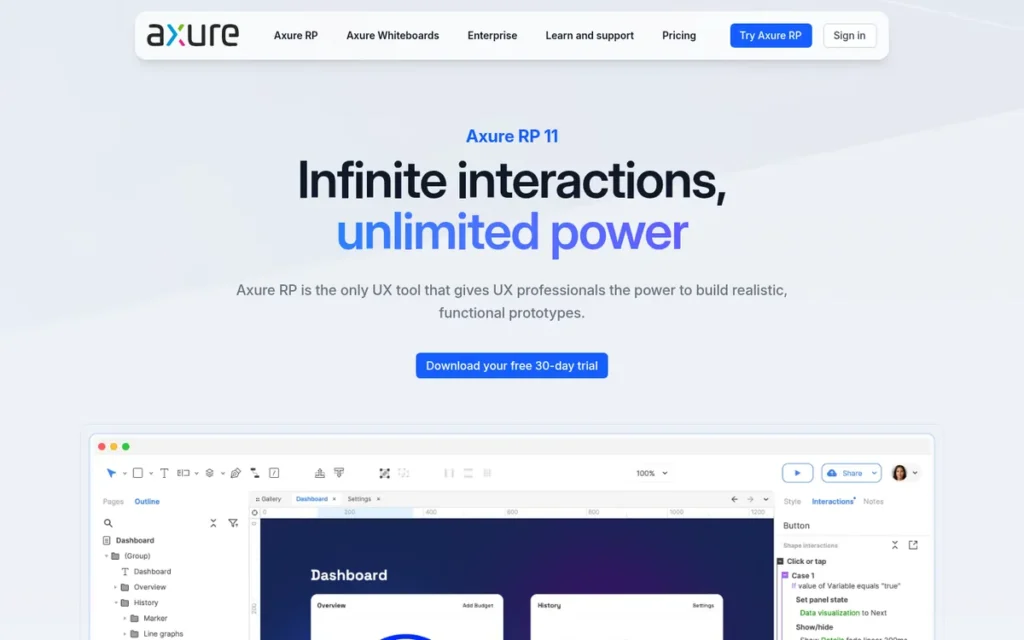
Category: Interaction Specialist, builds high-fidelity, logic- and data-driven functional prototypes.
At a Glance
- Category: Interaction Specialist
- Best For: UX teams and product managers prototyping enterprise, B2B, and data-heavy applications with forms and branching logic
- Price Range: RP Pro $29/user/month billed annually ($34 monthly); RP Team $49/user/month annually; 30-day trial [Source: Axure pricing page, November 2026]
- Primary Strength: Axure RP simulates real application behavior with working forms, conditional logic, variables, dynamic panels, and data-driven tables.
- Biggest Limitation: Axure RP has one of the steepest learning curves on this list, and simultaneous co-authoring requires the higher-priced RP Team plan.
- One-Line Summary: Axure RP is the strongest choice for prototyping logic-heavy enterprise applications where forms, conditions, and data-driven states must actually work.
- Last Verified: November 2026
Overview
Axure RP is a desktop prototyping tool for building functional, logic-driven prototypes with working forms, conditional branching, variables, dynamic panels, and data-driven tables. Axure RP is built for UX teams and product managers designing complex enterprise, B2B, and data-heavy applications.
Axure RP ranks #3, below ProtoPie, because Axure RP fits fewer of this guide’s use cases, costs $29 to $49 per user per month, and demands more learning time. Axure RP ranks above Framer because it addresses advanced-logic needs that Framer does not target.
Key Features
- Axure RP supports conditional logic and variables, so Axure RP prototypes branch on user input and stored state [Source: Axure product page, November 2026].
- Axure RP includes working form controls that capture and validate real input [Source: Axure product page, November 2026].
- Axure RP uses repeaters to build sortable, filterable, data-driven grids and lists [Source: Axure product page, November 2026].
- Axure RP uses dynamic panels and adaptive views to model multi-state components and responsive layouts.
- Axure RP publishes prototypes to Axure Cloud for sharing and stakeholder review [Source: Axure product page, November 2026].
Best For
Axure RP is best for teams designing admin panels, financial tools, healthcare systems, and other enterprise flows where stakeholders and developers must see exactly how forms, rules, and data states behave.
Pricing
Axure RP Pro costs $29/user/month billed annually, or $34 monthly. RP Team costs $49/user/month annually and adds simultaneous co-authoring [Source: Axure pricing page, November 2026]. Axure offers a fully functional 30-day trial.
At the RP Pro annual rate, five Axure RP users cost about $1,740 per year, and fifteen users cost about $5,220 per year.
Strengths
- Axure RP documents the broadest set of functional-simulation features among the tools reviewed, including working forms, conditional logic, repeaters for data grids, and dynamic panels [Source: Axure product page, November 2026].
- Axure RP lets product managers test business rules with stakeholders before engineering starts, which basic click-through prototypes cannot do.
- Axure RP was recommended for complex or enterprise flows in all three AI answers PlugRoute reviewed [Source: PlugRoute review of Perplexity and ChatGPT answers, November 5, 2026].
Limitations
Axure RP trades approachability for functional depth. Based on its feature depth and desktop workflow, Axure RP has one of the steepest learning curves on this list, though PlugRoute’s timed tests are still pending.
- Axure RP’s simultaneous co-authoring requires RP Team at $49/user/month, compared with $29 for RP Pro [Source: Axure pricing page, November 2026].
- Axure RP is not where most teams produce polished visual UI, so teams often design elsewhere and rebuild screens in Axure RP.
Users on r/userexperience shared their experience:
“If you want to test complex logic you should go for Axure. It’s the program I usually use. It has a steep learning curve, but once you manage that you can build almost anything with it. The drawback is that some things take a bit more time, so you might end up working a couple of days on the prototype, depending on the complexity.” Posted by u/tarassaco
Takeaway: Axure RP rewards its steep learning curve with near-unlimited logic, but users pay for that power in longer build times per prototype.
Verdict
Axure RP is the best prototyping software in 2026 for complex, logic-heavy enterprise flows where forms, conditions, and data-driven states must actually work.
Choose Axure RP when behavior matters more than visual polish. Use the 30-day trial to test your hardest flow. Plan for Axure RP to sit alongside your primary design tool.
4. Framer: Best for Website Prototypes That Become Live Sites
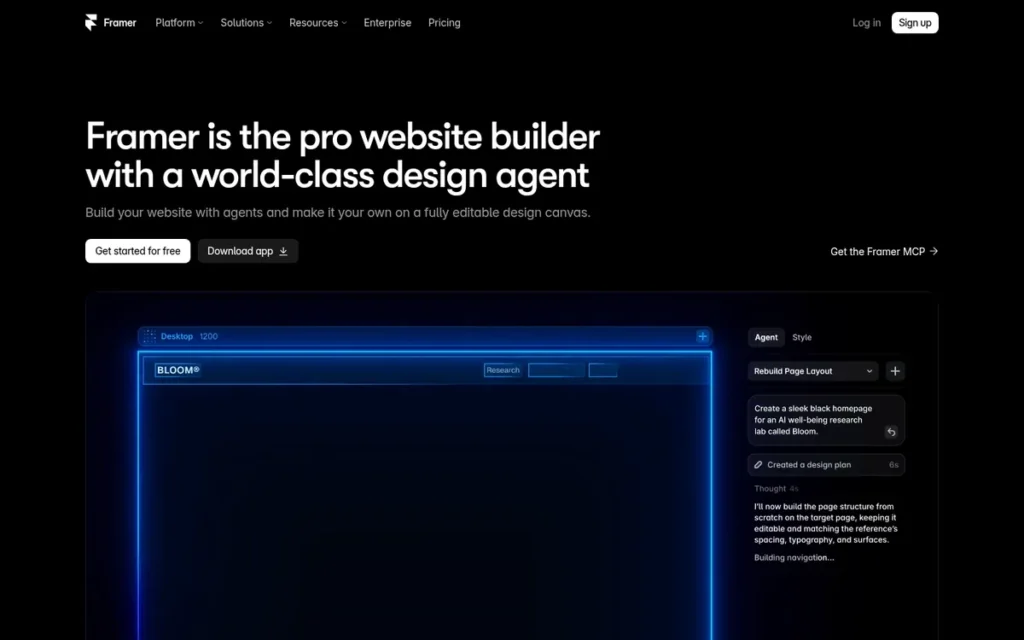
Category: Website Builder-Prototyper, designs, prototypes, and publishes production websites in one tool.
At a Glance
- Category: Website Builder-Prototyper
- Best For: Designers and startup founders building marketing sites and landing pages meant to go live
- Price Range: Free plan (Framer subdomain); Basic site plan $10/month; additional full Editors $20/month [Source: Framer pricing page and Help Center, November 2026]
- Primary Strength: Framer turns a website prototype directly into a published, hosted live site with no developer rebuild.
- Biggest Limitation: Framer is built for websites, not for prototyping native mobile app flows or logic-heavy application behavior.
- One-Line Summary: Framer is the best choice when a website prototype needs to become the live site itself instead of being rebuilt by developers.
- Last Verified: November 2026
Overview
Framer is a website design and publishing tool. Designers build responsive, animated web pages that work as interactive prototypes, then publish them as live hosted sites. Framer is built for designers and founders who want to skip the rebuild between prototype and production.
Framer ranks #4 because Framer prototypes publish as production sites and support richer motion than Penpot’s. Framer ranks below the interaction specialists because Framer does not address app-flow or advanced-logic needs.
Key Features
- Framer publishes designs as live, hosted websites [Source: Framer publishing documentation, November 2026].
- Framer supports responsive design, so one Framer prototype adapts across desktop, tablet, and mobile web.
- Framer includes animation, scroll, and interaction effects for realistic web experiences.
- Framer includes a built-in CMS for content-driven pages such as blogs and listings.
- Framer bundles hosting with publishing, so Framer users do not set up separate infrastructure.
Best For
Framer is best for teams whose prototype will become a marketing website, landing page, or content site, and who want to publish without a developer handoff.
Pricing
Framer’s free plan publishes to a Framer subdomain with 1 GB of bandwidth, and a custom domain requires a paid plan [Source: Framer pricing page, November 2026]. Framer’s Basic site plan costs $10/month.
Framer bills editors separately from site plans. An additional full Editor costs $20/month and a Content Editor costs $10/month, while the workspace owner and viewers are free [Source: Framer Help Center, November 2026].
Strengths
- Framer is the only tool reviewed here whose core workflow publishes the prototype itself as a hosted production website [Source: Framer publishing documentation, November 2026].
- Framer’s free plan and $10/month Basic site plan lower the barrier for founders who want to test a site before committing [Source: Framer pricing page, November 2026].
- Framer was the website-prototype recommendation in all three AI answers PlugRoute reviewed [Source: PlugRoute review of Perplexity and ChatGPT answers, November 5, 2026].
Limitations
Framer trades general prototyping range for web-publishing power. Framer is not built for native mobile app flows, device-level interactions, or data-heavy application logic, so app teams still need a general design tool.
- Framer’s per-site plus per-editor pricing is harder to compare than flat per-seat pricing; a Basic site with one additional full Editor costs $30/month [Source: Framer Help Center, November 2026].
- Framer’s free plan cannot use a custom domain, so a launch-ready Framer site requires a paid plan [Source: Framer pricing page, November 2026].
Verdict
Framer is the best prototyping software in 2026 for website prototypes that need to become live production sites without a developer rebuild.
Pick Framer when the deliverable is a website, not an app. For app prototyping, pair Framer with a design platform such as Figma, Penpot, or Sketch.
5. Penpot: Best Free and Open-Source Prototyping Tool for Teams Avoiding Per-Seat Pricing
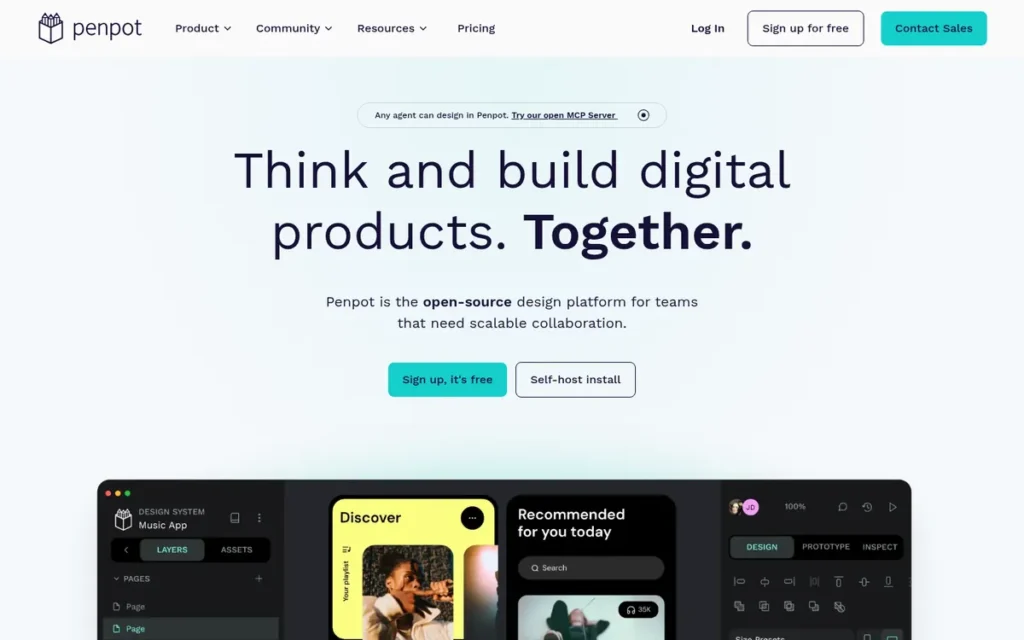
Category: All-in-One Design Platform (Open-Source), design, prototype, and collaborate in a self-hostable tool.
At a Glance
- Category: All-in-One Design Platform (Open-Source)
- Best For: Budget-conscious teams, open-source organizations, and companies that need to self-host design tools
- Price Range: Free cloud for up to 8 members; Unlimited $7/editor/month capped at $175/month; free to self-host [Source: Penpot pricing page, November 2026]
- Primary Strength: Penpot gives teams a collaborative, open-source, self-hostable design and prototyping tool that avoids growing per-seat costs.
- Biggest Limitation: Penpot’s prototyping documentation does not list prototype variables or conditional logic, which Figma Professional supports.
- One-Line Summary: Penpot is the best free, open-source prototyping tool for teams that want to avoid per-seat pricing or need to self-host their design stack.
- Last Verified: November 2026
Overview
Penpot is an open-source, browser-based design and prototyping platform that teams can use in the cloud or self-host. Penpot is built for budget-conscious teams, open-source organizations, and companies with data-control requirements.
Penpot ranks #5 because Penpot leads on cost, with free cloud use for up to 8 members, but ranks below Framer on prototyping motion and publishing. Penpot ranks above UXPin Merge because Penpot fits more use cases and needs no engineering setup.
Key Features
- Penpot can be self-hosted on a team’s own infrastructure for full data control [Source: Penpot documentation, November 2026].
- Penpot supports prototype flows with navigation, overlays, and transitions between boards [Source: Penpot documentation, November 2026].
- Penpot enables real-time collaborative editing and commenting in the browser [Source: Penpot documentation, November 2026].
- Penpot uses CSS Grid and Flex layouts, so Penpot designs map closely to front-end code [Source: Penpot documentation, November 2026].
- Penpot’s Code Inspect mode lets developers view code and measurements for handoff [Source: Penpot documentation, November 2026].
Best For
Penpot is best for teams priced out of growing per-seat licenses, organizations with open-source or data-residency policies, and beginners who want a capable free tool.
Pricing
Penpot is open source under MPL-2.0 and free to self-host. Penpot’s cloud Professional plan is free for up to 8 members [Source: Penpot pricing page, November 2026]. Penpot Unlimited costs $7 per editor/month, with billing capped at $175/month, and Enterprise starts at $950/month.
Penpot self-hosting is not free in practice, because teams pay for servers and spend staff time on maintenance and upgrades. Fifteen editors on Penpot Unlimited cost about $1,260 per year at list price.
Strengths
- Penpot is the only tool on this list that can be self-hosted with no license fee and whose cloud plan is free for teams of up to 8 [Source: Penpot pricing page, November 2026].
- Penpot’s CSS Grid and Flex layouts give developers handoff specs that map closely to production CSS [Source: Penpot documentation, November 2026].
- Penpot was named as the open-source alternative in two of three AI answers PlugRoute reviewed [Source: PlugRoute review of Perplexity and ChatGPT answers, November 5, 2026].
Limitations
Penpot trades advanced prototyping depth for openness and cost control. Penpot’s prototyping documentation does not list prototype variables or conditional logic, which Figma Professional supports [Source: Penpot and Figma documentation, November 2026].
- Penpot’s plugin and template ecosystem is smaller than Figma’s.
- Penpot’s self-hosting option shifts server maintenance and upgrade work onto the team.
Verdict
Penpot is the best free and open-source prototyping software in 2026 for teams that want to avoid per-seat pricing or must self-host their design tools.
Penpot asks teams to accept simpler prototyping in exchange for cost control and ownership. Teams that need device-level or data-driven behavior can add ProtoPie or Axure RP for those projects.
6. UXPin Merge: Best for Prototyping With Real React Code Components
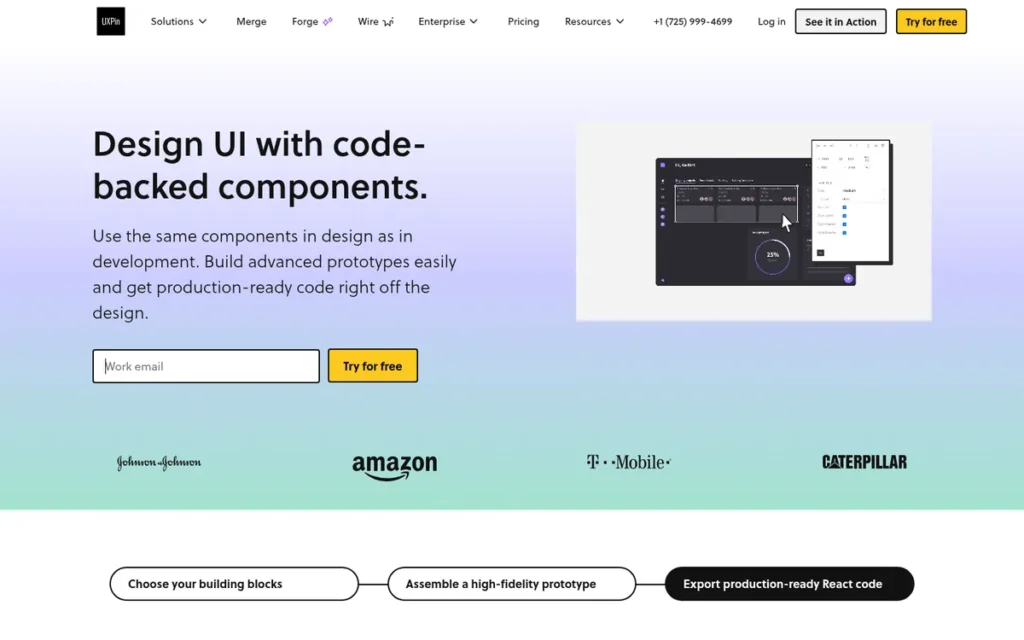
Category: Code-Based Prototyper, builds prototypes from real production code components.
At a Glance
- Category: Code-Based Prototyper
- Best For: Product teams with a mature React design system that want prototypes to match production
- Price Range: Core $29/editor/month billed annually ($49 monthly); Growth $40/editor/month annually; Enterprise custom; 14-day trial [Source: UXPin pricing page, November 2026]
- Primary Strength: UXPin Merge lets designers prototype with the same React components developers ship, so prototypes behave like production.
- Biggest Limitation: UXPin Merge requires an existing code component library and engineering setup, which makes it impractical for early-stage teams.
- One-Line Summary: UXPin Merge is the best choice for teams with an established React design system that want prototypes built from real production components.
- Last Verified: November 2026
Overview
UXPin Merge is a prototyping tool that brings a team’s React code components into the design editor, so designers build prototypes from real production components and behavior. UXPin Merge is built for product teams with established design systems that want to eliminate design-to-code drift.
UXPin Merge ranks #6 because its benefit depends on an existing React library and engineering setup. Git integration is also limited to the custom-priced Enterprise plan. UXPin Merge ranks above Balsamiq on prototyping depth and handoff.
Key Features
- UXPin Merge brings React components into the design editor, and UXPin’s Enterprise plan lists Git repository integration [Source: UXPin pricing page, November 2026].
- UXPin Merge prototypes inherit the props, states, and interactions defined in the code components [Source: UXPin Merge documentation, November 2026].
- UXPin’s Growth plan adds Storybook support and design-system features [Source: UXPin pricing page, November 2026].
- UXPin Merge keeps the design system in sync with code because components update from the source library.
- UXPin Merge lets designers assemble prototypes from the same building blocks engineers ship.
Best For
UXPin Merge is best for mid-size and enterprise product teams that maintain a React component library and have engineering support for the initial integration.
Pricing
UXPin’s paid plans are Merge-enabled. Core costs $29/editor/month billed annually ($49 monthly), Growth costs $40/editor/month annually ($69 monthly), and Enterprise is custom-priced and lists Git integration [Source: UXPin pricing page, November 2026].
UXPin offers a 14-day trial that requires no card. At the Core annual rate, five UXPin editors cost about $1,740 per year, and fifteen cost about $5,220.
Strengths
- UXPin Merge is the tool on this list built most directly around prototyping with a team’s own production React components [Source: UXPin Merge documentation, November 2026].
- UXPin Merge removes the drift between design mockups and shipped components, which reduces rebuild work for app teams.
- UXPin Merge was recommended for teams with React design systems in one of three AI answers PlugRoute reviewed [Source: PlugRoute review of Perplexity and ChatGPT answers, November 5, 2026].
Limitations
UXPin Merge trades accessibility for code fidelity. UXPin Merge only pays off when a team already maintains a compatible React component library and can dedicate engineering time to integration.
- UXPin Merge’s Git integration is listed only on the custom-priced Enterprise plan, so Core and Growth buyers should confirm how their components will sync [Source: UXPin pricing page, November 2026].
- UXPin’s Core plan rises from $29 to $49 per editor per month on monthly billing [Source: UXPin pricing page, November 2026].
Verdict
UXPin Merge is the best prototyping software in 2026 for teams that want prototypes built from their real React production components.
Choose UXPin Merge only if a mature component library already exists. Teams without one should use a general design platform such as Figma, Penpot, or Sketch.
7. Balsamiq: Best for Low-Fidelity Wireframes
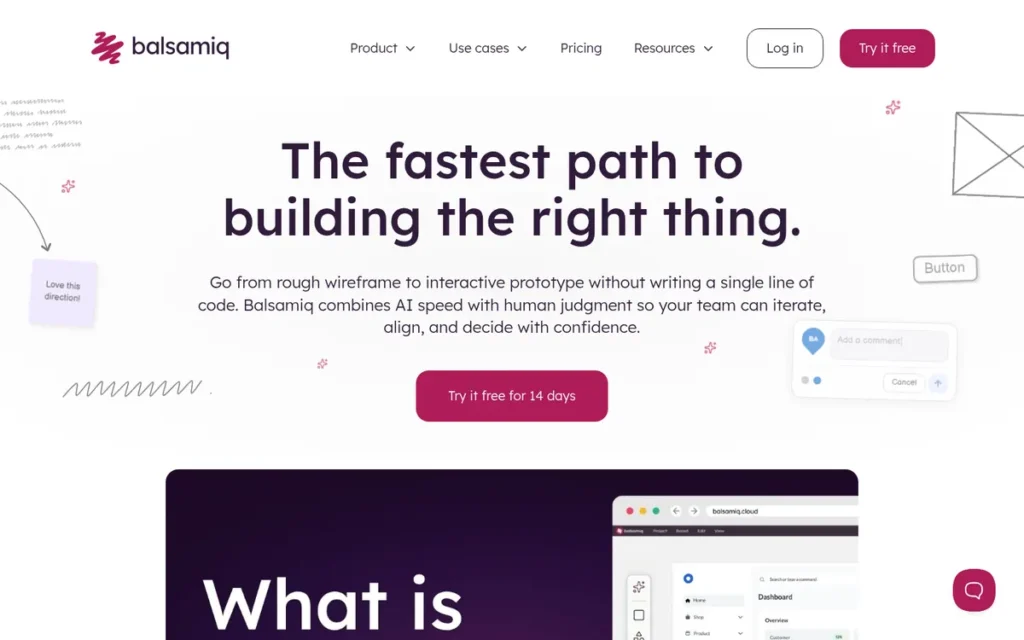
Category: Low-Fidelity Wireframer, sketches screen structure and basic flows before visual design.
At a Glance
- Category: Low-Fidelity Wireframer
- Best For: Product managers, founders, and designers validating structure and flow before visual design
- Price Range: Starter $16/editor/month billed annually (up to 10 projects); Teams $24/editor/month; 14-day trial [Source: Balsamiq pricing page, November 2026]
- Primary Strength: Balsamiq produces rough, sketch-style wireframes that keep stakeholder feedback focused on structure.
- Biggest Limitation: Balsamiq cannot produce high-fidelity or logic-driven prototypes, so teams need a second tool for visual design and realistic testing.
- One-Line Summary: Balsamiq is the best choice for checking screen structure and flow with low-fidelity wireframes before investing in visual design.
- Last Verified: November 2026
Overview
Balsamiq is a low-fidelity wireframing tool that uses a sketch-style library of drag-and-drop interface controls to lay out screens and link basic flows. Balsamiq is built for product managers, founders, and designers who need to validate structure before visual design.
Balsamiq ranks #7, above Sketch, because Balsamiq serves a distinct need that no other tool on this list prioritizes: structure validation. Sketch’s strengths overlap with Figma’s. Balsamiq ranks below UXPin Merge because Balsamiq offers no high-fidelity prototyping.
Key Features
- Balsamiq provides a drag-and-drop library of pre-built UI controls drawn in a hand-sketched style.
- Balsamiq links wireframes so reviewers can click through basic flows.
- Balsamiq’s deliberately rough look steers stakeholder feedback toward layout and content rather than colors and fonts.
- Balsamiq focuses entirely on wireframing, which keeps the Balsamiq interface simple for non-designers [Source: Balsamiq product page, November 2026].
- Balsamiq offers a 14-day trial that requires no card, so teams can test Balsamiq on a real project before paying [Source: Balsamiq pricing page, November 2026].
Best For
Balsamiq is best for early discovery and requirements work, especially for product managers and founders who need to communicate structure quickly.
Pricing
Balsamiq Starter costs $16/editor/month billed annually and supports up to 10 projects. Balsamiq Teams costs $24/editor/month annually [Source: Balsamiq pricing page, November 2026].
At the Starter rate, five Balsamiq editors cost about $960 per year, and fifteen cost about $2,880. The free plans from Figma and Penpot can also handle basic low-fidelity work.
Strengths
- Balsamiq is built only for wireframing, so non-designers face less feature overhead than in high-fidelity tools [Source: Balsamiq product page, November 2026].
- Balsamiq’s sketch-style output keeps early reviews on structure, which helps teams avoid spending time on visual polish before the flow is settled.
- Balsamiq was the low-fidelity recommendation in all three AI answers PlugRoute reviewed [Source: PlugRoute review of Perplexity and ChatGPT answers, November 5, 2026].
Limitations
Balsamiq trades fidelity for focus. Balsamiq cannot build realistic visual designs, animated transitions, or conditional logic, so teams must recreate approved screens in another tool.
- Balsamiq’s Starter plan caps teams at 10 projects [Source: Balsamiq pricing page, November 2026].
- Balsamiq offers a trial rather than a permanent free plan, while Figma, Penpot, and ProtoPie offer permanent free plans.
Verdict
Balsamiq is the best prototyping software in 2026 for low-fidelity wireframes that validate structure before visual design begins.
Use Balsamiq for early discovery, not for usability testing of finished interactions. Once the structure is approved, move it into a design platform such as Figma, Penpot, or Sketch.
8. Sketch: Best for Mac-Native Design Teams
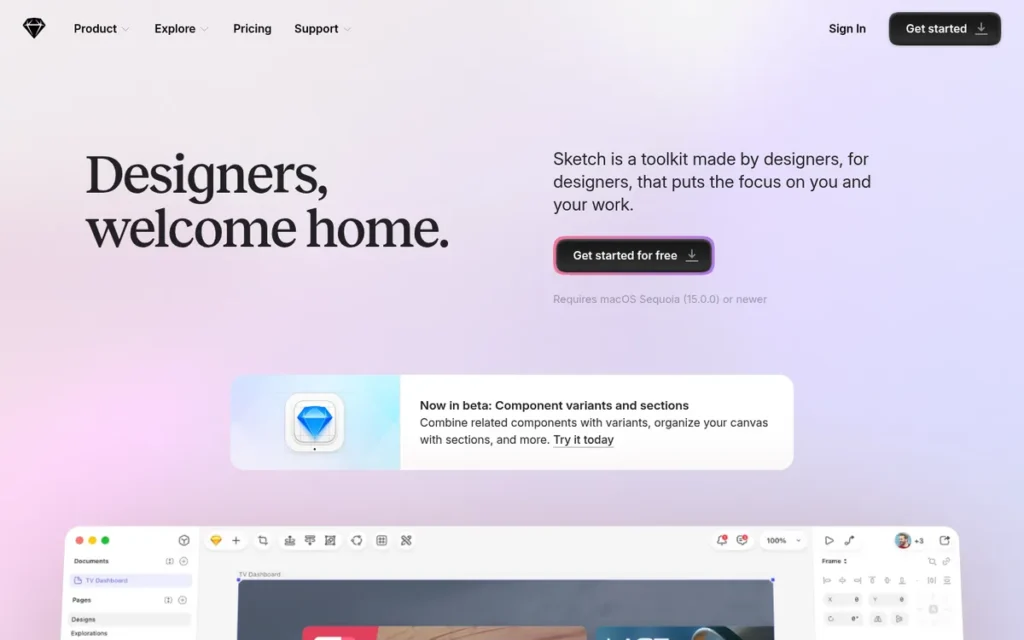
Category: All-in-One Design Platform (Mac-Native), design and prototype in a native macOS app with web-based sharing.
At a Glance
- Category: All-in-One Design Platform (Mac-Native)
- Best For: All-Mac design teams with existing Sketch libraries that need click-through prototypes
- Price Range: Standard $12/editor/month billed annually ($14 monthly), or $120 one-time Mac-only license; 30-day trial [Source: Sketch pricing page, November 2026]
- Primary Strength: Sketch offers a native macOS design environment with a mature symbol system, Smart Animate prototyping, and real-time co-editing in the Mac app.
- Biggest Limitation: Sketch’s editor runs only on macOS, and Sketch’s documentation does not describe prototype variables or conditional logic.
- One-Line Summary: Sketch is the best choice for all-Mac design teams that want a native desktop app with real-time co-editing and straightforward click-through prototypes.
- Last Verified: November 2026
Overview
Sketch is a native macOS design application with built-in prototyping, a mature symbol system, and a web app for sharing and developer inspection. Sketch is built for Mac-based design teams that prefer a desktop tool for UI design and click-through prototypes.
Sketch ranks #8 because Sketch’s editor is Mac-only and documents no prototype variables or conditional logic. These are the weakest primary-criteria results among the general design platforms. Sketch’s rank reflects the primary-criteria weighting, not missing core features.
Key Features
- Sketch runs as a native macOS application with offline editing [Source: Sketch features page, November 2026].
- Sketch prototypes support Smart Animate, overlays, and advanced triggers [Source: Sketch prototyping documentation, November 2026].
- Sketch supports real-time co-editing between editors in the Mac app [Source: Sketch features page, November 2026].
- Sketch prototypes play on iPhone and iPad for on-device review [Source: Sketch prototyping documentation, November 2026].
- Sketch’s web app lets stakeholders view prototypes and developers inspect specs from a browser.
Best For
Sketch is best for all-Mac design teams with existing Sketch libraries who need clean UI design and click-through prototypes rather than advanced logic.
Pricing
Sketch Standard costs $12/editor/month billed annually or $14 monthly. A $120 one-time Mac-only license includes one year of updates [Source: Sketch pricing page, November 2026]. Sketch offers a 30-day trial that requires no card.
At the Standard annual rate, five Sketch editors cost about $720 per year and fifteen cost about $2,160. Those totals are among the lowest paid totals on this list.
Strengths
- Sketch documents Smart Animate, overlays, advanced triggers, and iPhone and iPad playback, which covers most click-through prototyping needs [Source: Sketch prototyping documentation, November 2026].
- Sketch’s symbol and library system is a long-established design-system workflow for teams with existing Sketch assets.
- Sketch was recommended for Mac-focused design teams in one of three AI answers PlugRoute reviewed [Source: PlugRoute review of Perplexity and ChatGPT answers, November 5, 2026].
Limitations
Sketch trades cross-platform reach for a native Mac experience. Sketch’s editor excludes Windows and Linux team members, who can only view and inspect through the web app.
- Sketch’s prototyping documentation does not describe prototype variables, conditional logic, or expressions [Source: Sketch documentation, November 2026].
- Sketch does not position its prototyping around sensor input or data-driven states, so complex projects need a specialist such as ProtoPie or Axure RP.
Users on r/userexperience noted:
“Also XD is cross platform, which is a tremendous problem with Sketch. Sketch only works on Mac. Regardless of what tool we choose for our future it must be cross platform. Being cross platform will help us attract talent because not every Product Designer wants to work on a Mac.” Posted by u/UX_Strategist
Takeaway: Sketch’s Mac-only editor can push growing design teams to other tools, because cross-platform support affects both hiring and hardware costs.
Verdict
Sketch is the best prototyping software in 2026 for all-Mac design teams that want a native desktop app with real-time co-editing and straightforward click-through prototypes.
Sketch makes the most sense for teams already invested in Sketch libraries. Mixed-OS teams should consider a cross-platform design platform such as Figma or Penpot.
When Is Figma Not Enough for Prototyping?
Figma stops being enough when a prototype depends on behavior Figma’s documentation does not describe. The limit is mainly device behavior, not logic. Figma Professional can branch on variables and conditions, but Figma documents no prototype input from device sensors such as the gyroscope or accelerometer [Source: Figma Help Center, November 2026].
Three example prototypes show where the boundary sits:
- A checkout form that rejects an invalid card number and shows a different screen for business accounts can be built with Figma Professional variables and conditionals.
- A car dashboard prototype that changes when a phone is tilted or synced to a second screen needs ProtoPie.
- A loan-admin table where reviewers sort and filter 200 applications needs Axure RP repeaters.
Each of the following triggers points to a specialist that can sit alongside a general design platform:
- Teams that need sensors, hardware, or multi-device sync should add ProtoPie, which documents hardware, API, Unity, and multi-screen connections [Source: ProtoPie documentation, November 2026].
- Teams that need working forms, branching rules, and data-driven grids should add Axure RP, which documents form controls, dynamic panels, and repeaters [Source: Axure product page, November 2026].
- Teams whose website prototype should go live should use Framer, which publishes prototypes as hosted sites [Source: Framer publishing documentation, November 2026].
- Teams that want prototypes built from shipped React components should use UXPin Merge [Source: UXPin Merge documentation, November 2026].
- Teams whose per-seat costs no longer scale should consider Penpot, which is open source and free for cloud teams of up to 8 [Source: Penpot pricing page, November 2026].
Which Prototyping Features Are Free and Which Are Paid?
Four tools on this list offer permanent free plans in November 2026: Figma Starter, Penpot cloud (up to 8 members), ProtoPie Free (2 saved cloud prototypes), and Framer (subdomain sites). Figma reserves prototype variables and conditional logic for paid Professional seats. Axure RP, UXPin, Sketch, and Balsamiq offer 14- to 30-day trials instead [Source: vendor pricing pages, November 2026].
| Tool | Free Option | Entry Paid Price (List, Nov 2026) | Trial | Approx. Annual Cost, 5 Editors | Approx. Annual Cost, 15 Editors | Notes |
|---|---|---|---|---|---|---|
| Figma | Free Starter plan (3 shared files) | $16/month per Full seat, annual ($20 monthly) | Free plan | ~$960 | ~$2,880 | Variables and conditional logic start on Professional |
| ProtoPie | Free plan (2 cloud prototypes) | $25/month per Basic seat | Free plan | ~$1,500 (+~$1,200 with Connect Core) | ~$4,500 (+~$3,600 with Connect Core) | Basic closes to new buyers in early 2027 |
| Axure RP | None | $29/user/month RP Pro, annual ($34 monthly) | 30 days | ~$1,740 | ~$5,220 | RP Team ($49) adds co-authoring |
| Framer | Free plan (Framer subdomain) | $10/month Basic site plan | Free plan | ~$1,080 (site + 4 editors) | ~$3,480 (site + 14 editors) | Additional full Editors $20/month |
| Penpot | Free cloud up to 8 members; free to self-host | $7/editor/month Unlimited (capped at $175/month) | 14 days on paid plans | $0 (cloud) | ~$1,260 | Self-hosting needs infrastructure and maintenance |
| UXPin Merge | None | $29/editor/month Core, annual ($49 monthly) | 14 days | ~$1,740 | ~$5,220 | Git integration on custom-priced Enterprise |
| Balsamiq | None | $16/editor/month Starter, annual | 14 days | ~$960 | ~$2,880 | Starter capped at 10 projects |
| Sketch | None | $12/editor/month Standard, annual, or $120 Mac-only license | 30 days | ~$720 | ~$2,160 | Mac-only editor |
At 15 editors, annual list prices before add-ons range from about $1,260 (Penpot cloud Unlimited) to about $5,220 (Axure RP Pro or UXPin Core). That fourfold spread is invisible in a single-seat price.
Annual figures are list-price arithmetic at annual billing [Source: vendor pricing pages, November 2026]. They exclude taxes, negotiated discounts, and add-ons unless stated. ProtoPie figures assume one Basic seat per editor.
What Red Flags Should I Watch For When Evaluating Prototyping Software?
The biggest red flags in prototyping software are plan, pricing, and evidence gaps that only show up after a team commits. Each of the five numbered red flags below can lock a team into a tool that fails partway through a project. Check every one before starting a paid plan.
Red Flag #1: Advanced Prototyping Locked Behind an Unclear Plan Tier Advanced prototyping hidden behind an unclear plan tier is the most common surprise. Figma, for example, reserves prototype variables and conditional logic for Professional seats, not the free Starter plan [Source: Figma Help Center plan comparison, November 2026]. Confirm the exact tier that unlocks your deciding feature before building a prototype around it.
Red Flag #2: Single-Seat Pricing With No Team-Scale Disclosure Single-seat pricing hides how prototyping costs grow with editors, developers, and reviewers. At 15 editors, annual list prices on this list range from about $1,260 to about $5,220 before add-ons [Source: vendor pricing pages, November 2026]. Calculate the 12-month cost for your real team size before comparing tools.
Red Flag #3: Required Paid Add-Ons for the Feature You Need Required add-ons can change a prototyping tool’s real price. ProtoPie, for example, sells Connect Core as a $20/month per-user add-on for linking multiple devices, hardware, and APIs [Source: ProtoPie blog, November 2026]. Add every required add-on to the total before comparing prices.
Red Flag #4: No Way to Trial Your Deciding Feature A prototyping tool whose free plan or trial excludes your deciding feature forces you to commit blind. Trial lengths vary. Axure RP and Sketch offer 30 days, while UXPin and Balsamiq offer 14 days [Source: vendor pricing pages, November 2026]. Ask for trial access to the specific feature you need.
Red Flag #5: Comparisons Built Only on Vendor Marketing Prototyping comparisons that cite no dates, sources, or criteria repeat vendor claims rather than evaluate them. AI-generated answers often rely on the same vendor pages. Prefer reviews that publish their criteria and access dates, and that state the limits of their own evidence, including what has not yet been tested.
What Questions Should I Ask Before Choosing Prototyping Software?
Before choosing prototyping software, answer the six numbered questions below in order. The first question usually narrows the field to one or two tools. The remaining five confirm whether that shortlist fits your budget, workflow, and team before you commit to a paid plan or a time-limited trial.
Question #1: What is the single interaction my prototype cannot work without? The one interaction a prototype cannot work without decides most prototyping-tool choices. Device sensors or multiple synced screens point to ProtoPie. Data-driven forms and sortable grids point to Axure RP. Moderate branching logic fits Figma Professional. Identify that interaction before comparing prices or feature lists.
Question #2: Which plan tier unlocks that feature, and can I trial it? A good answer names the exact plan that unlocks the feature and gives you hands-on access to it. Figma’s prototype variables require Professional, and ProtoPie’s device connections require Connect Core [Source: vendor pricing pages, November 2026]. If a vendor cannot show the feature in a trial or free plan, treat that as a warning.
Question #3: What will this cost for my team in 12 months? A reliable 12-month cost includes every editor, developer seat, and add-on at your expected team size. Compare annual totals, not monthly single-seat prices. For example, fifteen Figma Full seats cost about $2,880 per year at annual list rates, while fifteen Axure RP Pro users cost about $5,220 [Source: vendor pricing pages, November 2026].
Question #4: Does my prototype need to become production code or a live site? A prototype that must become a live website points to Framer, which publishes the prototype itself as a hosted site. A prototype that must match shipped React components points to UXPin Merge. If neither applies, choose a general design platform with developer handoff so you do not pay for a production path you will not use.
Question #5: Do I need high fidelity yet, or only structure validation? Low fidelity is enough when the open questions are about layout, content order, and navigation rather than visuals or behavior. Balsamiq, or a free Figma or Penpot file, answers those questions faster. High-fidelity prototyping pays off once the flow is settled and usability testing depends on realistic visuals or interactions.
Question #6: Who on my team needs to edit, and on which operating systems? Teams that mix Windows, Mac, and Linux need a browser-based editor such as Figma or Penpot, because Sketch’s editor runs only on macOS. Count view-only reviewers separately. Some tools, such as Framer, do not charge for viewers [Source: Framer Help Center, November 2026].
How Did We Rank These Prototyping Tools?
PlugRoute ranked these tools against six published criteria. Three are primary: interaction depth, breadth of fit, and collaboration and handoff. Three are secondary: pricing, learning curve, and user sentiment. “Best overall” means the best fit for the widest range of prototyping jobs, not the best at every job.
This edition scores tools from vendor documentation and pricing pages accessed in November 2026. Hands-on timed test flows and confirmed G2 and Capterra ratings will be added in the next update. PlugRoute will publish any rank change that results.
The six criteria are:
- C1: Interaction and Prototyping Depth (primary). C1 matters because teams worry about outgrowing a tool when they need conditional logic, sensors, or multi-device flows.
- C2: Breadth of Fit (primary). C2 matters because one tool that covers mobile apps, web apps, and websites reduces how many subscriptions a team manages.
- C3: Collaboration and Developer Handoff (primary). C3 matters because rebuilding prototypes in code wastes engineering time.
- C4: Pricing Transparency and Cost at Team Scale (secondary). C4 matters because paywalled features and per-seat pricing drive surprise costs.
- C5: Learning Curve (secondary). C5 matters because specialist tools carry real training costs.
- C6: Independent User Sentiment (secondary). C6 matters because vendor marketing alone is not a trustworthy basis for a decision.
PlugRoute weights the three primary criteria more heavily than the three secondary criteria. That is why specialist tools rank lower overall even where they beat Figma on their specialty. C6 is unscored in this edition and does not affect the current order.
PlugRoute’s criterion table below shows where each of the eight prototyping tools leads and lags on C1 through C5. Readers can use it to re-weight the criteria for their own needs.
| Tool | Strongest Criteria | Weakest Criteria |
|---|---|---|
| Figma | C2, C3, C1 (moderate logic) | C1 (sensors, hardware, data-heavy), C4 (logic paywalled) |
| ProtoPie | C1 (device-level) | C2, C4 (add-ons), C5 |
| Axure RP | C1 (logic and data) | C2, C5 |
| Framer | C3 (website publishing) | C1 (app logic), C2 |
| Penpot | C4 | C1 |
| UXPin Merge | C3 (code components) | C2, C5 |
| Balsamiq | C5 | C1, C2 |
| Sketch | C3 (Mac co-editing, web inspection), C4 | C2 (Mac-only), C1 |
PlugRoute will publish numeric 1–5 scores for C1 through C6 once the C6 data and the timed tests are complete.
PlugRoute has no affiliate relationships with any company listed. Rankings are determined entirely by research data and objective evaluation criteria.
What Do Readers Ask Most About Prototyping Software?
Readers most often ask which free tool suits beginners, which tool fits mobile app design, and how PlugRoute sets its rankings. The short answers: Figma Starter or Penpot for beginners, Figma or ProtoPie for mobile, and six published criteria with dated vendor sources for the rankings.
What is the best free prototyping software for beginners?
Figma Starter and Penpot are the strongest free prototyping options for beginners in 2026. Figma Starter offers basic prototyping but limits shared collaboration to 3 files and excludes variables and conditional logic. Penpot’s cloud plan is free for teams of up to 8 [Source: Figma and Penpot pricing pages, November 2026]. Framer’s free plan suits website prototypes.
What is the best prototyping software for mobile app design?
Figma is the best starting point for most mobile app design because Figma handles mobile UI, transitions, and moderate logic, and its mobile app previews prototypes on phones. ProtoPie is better when testing depends on sensors, gestures, or connected screens. Sketch also plays prototypes on iPhone and iPad [Source: Figma, ProtoPie, and Sketch documentation, November 2026].
How does PlugRoute determine rankings?
PlugRoute ranks prototyping tools against six published criteria, with interaction depth, breadth of fit, and collaboration weighted as primary. Every price and capability ties to a dated vendor source. This edition is based on documentation. Timed tests and confirmed user ratings come next, and PlugRoute will publish any resulting rank change.
What Do Key Prototyping Software Terms Mean?
Low-Fidelity Wireframe: A rough, sketch-style layout of screens and basic flows, made before visual design begins. Because it looks unfinished, it keeps feedback on layout, content order and navigation rather than colors and fonts. It is often enough for early discovery, and buyers at that stage may not need to pay for a high-fidelity tool yet.
High-Fidelity Prototype: A prototype with realistic visuals and interactions that behaves close to the finished product. It is most useful once the flow is settled and usability testing depends on realistic visuals or behavior.
Click-Through Prototype: A prototype built by linking hotspots on static screens, so reviewers can tap or click from one screen to the next. It covers simple flows, but it cannot show gestures, sensor input or data-driven behavior. Buyers with complex projects should check whether a tool goes beyond this.
Prototype Variables: Stored values inside a prototype that let it remember state, such as what a user entered or selected. Some tools only offer variables on paid plans. Confirm which plan tier includes them before you build a prototype that relies on them.
Conditional Logic: Rules that make a prototype branch based on user input or stored state, such as rejecting an invalid entry or showing a different screen for a different account type. This is often the feature that separates basic tools from advanced ones, and it is often kept for paid plans.
Data-Driven States: Prototype behavior that comes from data, such as working forms that validate input, or tables that users can sort and filter. Teams designing enterprise or data-heavy applications need this to show stakeholders how business rules actually behave.
Sensor and Multi-Device Input: Prototype interactions triggered by device hardware (such as tilting a phone) or synced across several connected screens like phones, tablets, TVs and wearables. General design platforms often don’t support this, so mobile, automotive, IoT and wearable teams may need a specialist tool alongside their design tool.
Developer Handoff: The step where engineers inspect specs, measurements, assets and code snippets from a design so they can build it. Strong handoff features reduce how much developers have to rebuild, which saves engineering time.
Code-Based Prototyping: Building prototypes from a team’s real production code components, which keep the properties, states and interactions defined in the code. This keeps designs from drifting away from the shipped product. It only pays off if the team already maintains a component library and has engineering time for the setup.
Per-Seat Pricing: A pricing model that charges for each editor, usually per month, with a lower rate for annual billing than monthly. Costs grow as a team adds editors, developers and reviewers. Compare 12-month totals at your real team size, not single-seat prices.
Add-On: A separately priced feature sold on top of a base plan, often charged per user per month, such as connections to hardware, APIs or multiple devices. If you need an add-on, include it in the total cost, because it can change a tool’s real price a lot.
Self-Hosting: Running a tool on your own servers instead of the vendor’s cloud. This gives full control over your data. There may be no license fee, but self-hosting is not free in practice: the team pays for servers and staff time for maintenance and upgrades.
Which Prototyping Tool Is Right for You?
Key Insights
- Figma is the right default prototyping tool for most product teams because Figma combines design, moderate-logic prototypes, collaboration, and handoff in one browser-based file.
- ProtoPie and Axure RP usually sit alongside a design platform such as Figma, Penpot, or Sketch. ProtoPie covers sensors and multi-device behavior, and Axure RP covers forms, rules, and data states.
- Prototyping tools often reserve advanced features for paid plans or add-ons, so teams should confirm the exact tier before committing.
- Prototyping costs should be compared at real team size over 12 months, because annual list prices at 15 editors range from about $1,260 to about $5,220 before add-ons.
Other tools on this list fit specific situations:
- Framer fits teams whose prototype must become a live website.
- Penpot fits teams whose per-seat costs no longer scale.
- UXPin Merge fits teams with a mature React component library.
- Balsamiq, or a free Figma or Penpot file, fits teams still validating structure.
- Sketch fits all-Mac teams with existing Sketch libraries.
The right prototyping tool is the cheapest one that can build your hardest interaction. During a trial, test that interaction first, not the easy screens. For more independent comparisons that publish their methodology, see PlugRoute’s other design tool reviews.
We update this guide quarterly. Last updated: November 5, 2026.