The best Figma alternatives in 2026 are Sketch for Mac-based teams that want offline native design, Penpot for a free, open-source and self-hostable option, and Axure RP for logic-heavy prototypes on Windows or macOS. None of the seven tools PlugRoute ranked combines Figma’s real-time collaboration with self-hosting and offline editing, so pick by your reason for leaving.
Designers leave Figma for different reasons. Some face rising per-seat costs. Some need data control that a cloud-only tool cannot give them, or offline desktop editing. Others need a specialist job done, such as publishing live sites, prototyping with React components or building branching logic.
PlugRoute has no affiliate relationships with any company listed. Rankings are determined entirely by research data and objective evaluation criteria.
“The big difference for me is that Sketch works offline, has a native macOS app, and doesn’t require you to store your files on their servers.” (r/FigmaDesign, October 2025)
Takeaway: Offline editing and local file control are real reasons designers compare Figma alternatives, not just price.
Last updated: November 16, 2026. Next scheduled review: January 2027.
What Are the 5 Categories of Figma Alternatives?
Figma alternatives fall into five categories. Only one of them, full design platforms such as Sketch and Penpot, can realistically replace Figma outright. The other four categories each cover one job, such as logic prototyping, wireframing, website publishing or AI drafting. They usually work alongside Figma rather than replacing it.
- Full Design Platform: Sketch and Penpot cover UI design, components, prototyping, collaboration and handoff in one tool.
- Advanced Prototyper: Axure RP and UXPin build prototypes with conditional logic, real data or production code that Figma can only partly simulate.
- Low-Fidelity Wireframer: Balsamiq produces fast, rough layouts so teams can agree on structure and flow before working on visual detail.
- Website Builder: Framer designs and publishes live websites rather than app or product UI.
- AI Mockup Generator: UX Pilot AI generates draft screens from prompts, sketches or screenshots for refinement in another tool.
How Do the Top Figma Alternatives Compare at a Glance?
Sketch and Penpot are the only ranked tools that replace most of Figma’s workflow. The other five each specialise in one job: logic prototyping, code-component prototyping, wireframing, website publishing or AI drafting. The table below summarises each tool’s category, best use, strongest evidence and biggest limitation as of November 2026.
| Rank | Company | Category | Best For | One-Line Summary | Key Capabilities | Primary Strength | Key Limitation |
|---|---|---|---|---|---|---|---|
| 1 | Sketch | Full Design Platform | All-Mac teams and solo Mac freelancers | Sketch is the best-reviewed full Figma replacement for teams that work entirely on Macs. | Native macOS editing, offline local files, Frames and Stacks, real-time collaboration, handoff | 4.5/5 from 1,227 G2 reviews (G2, November 2026) | Editing requires macOS |
| 2 | Penpot | Full Design Platform | $0 budgets, mixed-OS teams, self-hosting | Penpot is the free, open-source Figma alternative with the largest developer following on this list, and teams can self-host it. | MPL-2.0, Docker/Kubernetes self-hosting, real-time multiplayer, CSS Flex and Grid, native design tokens | $0 plan; Unlimited capped at $175/month (Penpot, November 2026) | About 10 G2 reviews; basic prototyping |
| 3 | Axure RP | Advanced Prototyper | Logic-heavy, data-driven prototypes | Axure RP offers the widest set of logic and data prototyping features on this list and runs on Windows and macOS. | Conditions, variables, repeaters, dynamic panels, offline desktop app | 4.2/5 from 277 G2 reviews (G2, November 2026) | Steep learning curve, dated interface |
| 4 | Balsamiq | Low-Fidelity Wireframer | Fast low-fidelity wireframes | Balsamiq is the best-reviewed dedicated wireframing tool on this list, with 879 combined G2 and Capterra reviews. | Sketch-style components, screenshot-to-wireframe AI (Cloud), Jira/Confluence integration | 879 combined G2 and Capterra reviews (November 2026) | Low fidelity only; desktop sold until Dec 31, 2026 |
| 5 | UXPin | Advanced Prototyper | Teams with a React component library | UXPin is the Figma alternative for prototypes built from real React components. | Merge (Git, Storybook, npm), coded libraries, variables, Forge AI | 4.2/5 from 118 G2 reviews; production React components via Merge | Highest published per-seat prices; needs developer setup |
| 6 | Framer | Website Builder | Designing and publishing live websites | Framer is the Figma alternative for teams whose deliverable is a published website. | Hosting, CMS, SEO, localization, paste from Figma | $100M Series D (Aug 2025); design-to-live-site publishing | No code export; not for app UI |
| 7 | UX Pilot AI | AI Mockup Generator | AI drafts finished in Figma | UX Pilot AI speeds up first drafts from prompts and screenshots but works alongside Figma. | Prompt, sketch, screenshot and PDF input; Figma plugin; HTML/React export | 4.3/5 from 133 G2 reviews (G2, November 2026) | Generic output; companion tool only |
Which Figma Alternative Should I Choose for My Use Case?
The right Figma alternative depends on why you are leaving Figma. Choose Penpot for a $0 budget or self-hosting, Sketch for offline work on an all-Mac team, and Axure RP for logic-heavy prototypes or Windows desktop work. Specialists cover the rest: Balsamiq for wireframes, UXPin for React components, Framer for live websites and UX Pilot AI for AI drafts.
| Your #1 Priority | Recommended Tool | Why | Acceptable Alternative |
|---|---|---|---|
| $0 budget for full UI design | Penpot | Penpot offers a $0 Professional plan and a free open-source version. | None at $0 among ranked full platforms; Sketch’s $120 one-time licence is the lowest-cost paid option (Mac only) |
| Self-hosting or data control | Penpot | Penpot can be self-hosted with Docker or Kubernetes under MPL-2.0. | Axure RP Enterprise (on-premise prototype hosting) |
| All-Mac team, offline work | Sketch | Sketch edits local files natively on macOS without a connection. | Axure RP (desktop, prototyping-focused) |
| Logic and real-data prototypes | Axure RP | Axure RP supports conditions, variables, math functions and repeaters. | UXPin (variables and conditional interactions) |
| Desktop design on Windows | Axure RP | Axure RP is the only ranked Windows desktop app sold beyond 2026, and it works offline on local files. | Balsamiq desktop (sold until Dec 31, 2026; supported through 2027) |
| Fast low-fidelity wireframes | Balsamiq | Balsamiq’s sketch style keeps discussion on layout and flow. | UX Pilot AI (AI wireframes from prompts) |
| Production React components | UXPin | UXPin Merge imports React components from Git, Storybook or npm. | No direct equivalent on this list |
| Publish a live website | Framer | Framer includes hosting, a CMS and SEO tools. | No direct equivalent on this list |
| AI drafts from sketches or screenshots | UX Pilot AI (alongside Figma) | UX Pilot AI accepts prompts, sketches, screenshots and PDFs. | Balsamiq Cloud (screenshot-to-wireframe AI) |
1. Sketch: Best Overall Figma Replacement for Mac-Based Teams
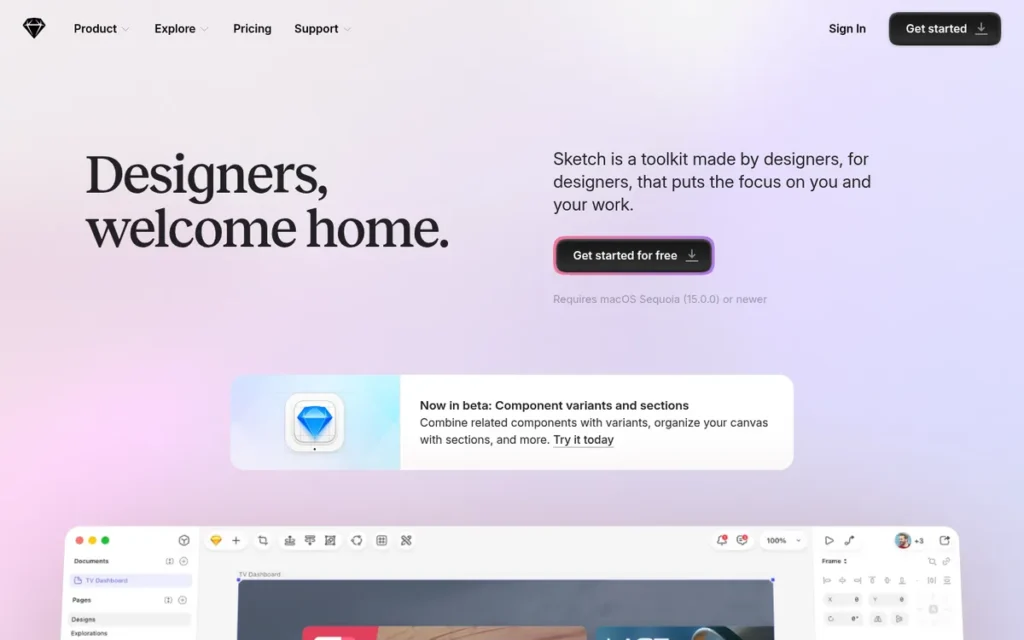
Category: Full Design Platform. Replaces most of Figma’s UI design, collaboration and handoff workflow.
At a Glance
- Category: Full Design Platform
- Best For: Mac-only design teams and solo Mac freelancers who want native, offline-capable design work
- Price Range: $120 one-time (Mac-only licence) or $144/year Standard (G2 list prices, November 2026); vendor lists $12–$44 per editor per month
- Primary Strength: Sketch has the largest independent review base of any alternative ranked here, with 4.5/5 from 1,227 G2 reviews.
- Biggest Limitation: Sketch requires macOS for editing, so other teammates can only view, comment and inspect in a browser.
- One-Line Summary: Sketch is the best-reviewed full Figma replacement for teams that work entirely on Macs, combining offline native editing with a lower per-editor price than Figma Professional.
- Last Verified: November 2026
Overview
Sketch is a native macOS design application from Sketch B.V. that covers UI design, design systems, prototyping, real-time collaboration and developer handoff. Sketch is built for Mac-based design teams and solo freelancers who want offline, local-file design work.
Sketch was founded in 2008 and is based in Eindhoven, Netherlands (G2, November 2026). Sketch’s 2025 Copenhagen release redesigned the interface for macOS Tahoe and modernised layout with nestable Frames and Stacks (Sketch changelog, 2025).
Key Features
- Sketch runs as a native macOS app that edits local files without an internet connection and shares to a Workspace only when you choose.
- Sketch’s 2025 Copenhagen release replaced artboards with nestable Frames and added Stacks, which behave like auto layout and support wrapping, plus a rewritten Inspector and one-click background removal.
- Sketch supports Symbols and shared styles, which G2 reviewers credit for building consistent design systems (G2, November 2026).
- Sketch’s Standard plan includes real-time collaboration, version history, unlimited free viewers, developer handoff and one Workspace.
- Sketch’s browser web app lets anyone, including Windows users, view, comment on, inspect and download assets from shared documents.
Best For
Sketch is best for design teams where every editor uses a Mac. Sketch also suits solo Mac freelancers who would rather pay once for a licence and work offline than pay a subscription.
Pricing
Sketch’s G2 list prices are a free 30-day trial, the Standard plan at $144 per year, and a Mac-only licence for solo designers at $120 one-time (G2, November 2026). G2 list prices may change, so verify live pricing.
Sketch’s pricing page lists these rates, billed yearly (Sketch, November 2026):
- Sketch Standard costs $12 per editor per month.
- Sketch Professional costs $24 per editor per month and adds SSO.
- Sketch Enterprise costs $44 per editor per month and adds SCIM and bring-your-own-key encryption.
- Sketch’s Mac-only licence includes one year of updates but no collaboration or online sharing.
Strengths
- Sketch holds a G2 rating of 4.5/5 from 1,227 reviews, with 94.5% rating it 4 or 5 stars, the largest review base among the alternatives ranked here (G2, November 2026).
- Sketch’s most-mentioned G2 pros are Ease of Use (13), User Experience (7) and Features (7) (G2, November 2026).
- Sketch Standard costs $12 per editor per month (Sketch, November 2026), which is $4 less than a $16 Figma Professional full seat (Figma, 2025).
- Sketch works offline on local files. One Reddit user who says they built a “£10m SaaS product” with Sketch cites its offline use, “exceptional customer support” and large-file handling (r/FigmaDesign, accessed November 2026).
Limitations
Sketch’s biggest limitation is that it gives up cross-platform editing in exchange for native macOS performance. Windows and Linux teammates can only view, comment and inspect in the browser. Platform Exclusivity (6) is one of Sketch’s most-mentioned G2 cons (G2, November 2026).
- Sketch’s other most-mentioned G2 cons are Poor Collaboration (6), Sharing Issues (5) and Compatibility Issues (5) (G2, November 2026).
- Sketch’s large-file performance is disputed: one Reddit user praises it, while another says Sketch “crashes or gets clogged with large projects” (r/FigmaDesign, December 2025).
- Sketch’s prototyping is basic next to Axure RP or UXPin, and G2 reviewers ask for richer interactions, animation and responsive behaviour (G2, November 2026).
- Sketch was used by 1.8% of UI designers in the UX Tools 2024 Design Tools Survey, against 82.3% for Figma (UX Tools, 2024). That is about 46 Figma users for every Sketch user, which can make hiring and sharing files with freelancers harder.
Users on r/Sketch_App shared their experience:
“Figma is free. Is on windows. It’s a winning formula on the numbers side.
That said, Sketch has become our favorite designer app again recently. I think they need to restructure their pricing model and change it so developers can also run the app for free (at least on a mac).” Posted by u/kannon1
Takeaway: Sketch is winning designers back with its recent releases, but its paid, Mac-only model still stops it from matching Figma’s reach.
How Does Sketch Compare with Figma?
- Sketch beats Figma on offline editing of local files and costs $4 less per editor per month on its Standard plan (Sketch, November 2026).
- Figma beats Sketch on cross-platform editing, adoption and real-time collaboration, which is Figma’s second most-mentioned G2 pro with 116 mentions (G2, November 2026).
- Sketch replaces Figma only for teams in which every editor designs on a Mac.
Verdict
Sketch is the strongest evidence-backed Figma replacement in 2026 for teams that design exclusively on Macs. Of the full-workflow replacements on this list, Sketch has the most independent user reviews (1,227 on G2, November 2026), plus offline local files and a lower per-editor price.
Teams with any Windows or Linux editors should treat Sketch’s macOS-only editing as a deal-breaker and evaluate Penpot instead.
2. Penpot: Best Free, Open-Source and Self-Hosted Figma Alternative
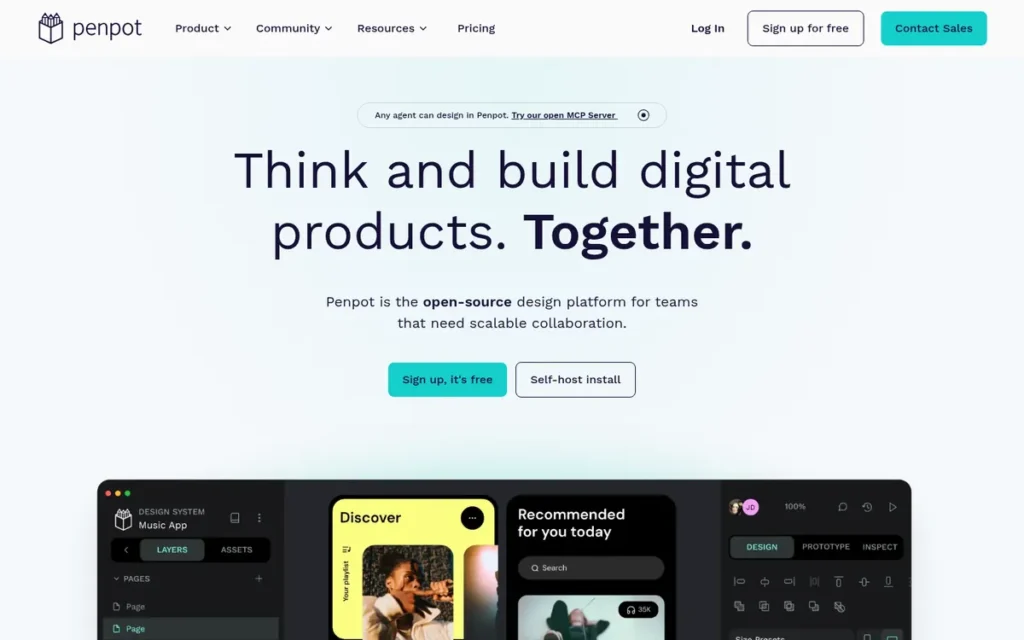
Category: Full Design Platform. Replaces most of Figma’s UI design, prototyping and handoff workflow.
At a Glance
- Category: Full Design Platform
- Best For: Teams with a $0 budget, mixed-OS teams and organisations that need self-hosting or data ownership
- Price Range: Free; Unlimited $7 per editor/month (capped at $175/month); Enterprise $25 per member/month (Penpot, November 2026)
- Primary Strength: Penpot is the only full design platform on this list that is open source and can be self-hosted at no licence cost.
- Biggest Limitation: Penpot’s prototyping, plugin ecosystem and auto layout still trail Figma, and Penpot has no native offline desktop app.
- One-Line Summary: Penpot is the free, open-source Figma alternative with the largest developer following on this list (about 62,400 GitHub stars, November 2026), and the only one teams can fully self-host.
- Last Verified: November 2026
Overview
Penpot is a free, open-source (MPL-2.0) browser-based design and prototyping platform built by Kaleidos on open standards such as SVG, CSS, HTML and JSON. Penpot is aimed at teams that want a Figma-style workflow without per-seat costs, or that must self-host their design data.
Penpot runs in a web browser, so Penpot is not tied to one desktop operating system. Penpot can also be deployed on your own servers with Docker or Kubernetes, and it grew out of an earlier Kaleidos project called UXBox (Kaleidos, accessed November 2026).
Key Features
- Penpot can be self-hosted with Docker or Kubernetes under the MPL-2.0 licence, so design files stay on infrastructure your team controls.
- Penpot supports real-time multiplayer collaboration, so several designers can edit the same file at once (Penpot GitHub, November 2026).
- Penpot provides CSS Flex and Grid layouts (milestone release 2.8), so designers work in the same layout model developers use.
- Penpot includes native design tokens without a plugin, a plugin system, an open API and an MCP server, improved in release 2.18, that connects AI agents to design files.
- Penpot can import Figma files through an exporter workflow, but imported files may need cleanup and prototype interactions may not transfer.
Best For
Penpot is best for freelancers and startups that need a capable free design tool and for teams with Windows or Linux users. Penpot also suits organisations that must keep design data on their own infrastructure for data residency, GDPR or internal policy reasons.
Pricing
Penpot is not in the verified G2 pricing dataset, so these are vendor figures (Penpot, November 2026):
- Penpot Professional costs $0 per user per month.
- Penpot Unlimited costs $7 per editor per month, capped at $175 per month in total.
- Penpot Enterprise costs $25 per member per month.
- Penpot’s paid plans include a 14-day trial.
Self-hosted Penpot has no licence cost, but your team must run, update and secure the infrastructure.
Strengths
- Penpot’s GitHub repository has about 62,400 stars, the largest developer following of any tool on this list (GitHub, November 2026), although stars do not count active design users.
- Penpot costs $0 on its Professional plan, and Penpot Unlimited stops rising at $175 per month (Penpot, November 2026). A 50-editor team would pay $175 a month on Penpot Unlimited against $800 for 50 Figma Professional full seats (PlugRoute calculation, November 2026).
- Penpot is recommended in GDPR-focused discussions, where one practitioner advised: “Try PenPot, free and open source” (r/UXDesign, 2025).
- Penpot shipped CSS Flex and Grid layouts, native design tokens and an MCP server across its 2.x releases, which shows active development (Penpot release notes, accessed November 2026).
Limitations
Penpot’s biggest limitation is maturity, which is the price of its open-source freedom. Penpot’s prototyping is more basic than Figma’s, its plugin ecosystem is much smaller and its auto layout is less polished (hedrick.io, accessed November 2026).
- Penpot has no native offline desktop app, which limits it for readers who need to design without a connection.
- Penpot’s independent review base is very small: about 10 G2 reviews (4.5/5) and one Capterra review (4.0/5, with support rated 3.0/5) (G2 and Capterra, November 2026).
- Penpot drew sceptical comments from practitioners, with one calling Figma better “by a mile” and another saying they “can’t yet rely completely on Penpot for work” (r/UXDesign, November 2025).
- Penpot’s self-hosting adds operating work and does not by itself make an organisation compliant with GDPR or internal security rules.
Users on r/UI_Design noted:
“It’s OK for personal or completely independent professional use.
It’s almost useless in terms of a skill set that companies are interested in, and will likely confuse clients or collaborators unless they happen to be familiar with it.” Posted by u/tannhauser0
Takeaway: Penpot works for independent designers, but its low market recognition makes it a weak career skill and a harder sell to clients and collaborators.
How Does Penpot Compare with Figma?
- Penpot beats Figma on cost, licence freedom and data control, while Figma is cloud-only and processes data in the US (Figma privacy policy, accessed November 2026).
- Figma beats Penpot on prototyping depth, plugin ecosystem and proven professional adoption.
- Penpot can replace Figma for many UI design teams, though some practitioners pay for both tools during a transition (r/UXDesign, November 2025).
Verdict
Penpot is the best free and self-hostable Figma alternative in 2026 and the only full design platform on this list that is open source. Penpot ranks second only because independent user reviews remain scarce and its prototyping is less mature than Figma’s.
Teams should run a real project in Penpot, including a Figma import, before committing.
3. Axure RP: Best for Logic-Heavy, Data-Driven Prototypes
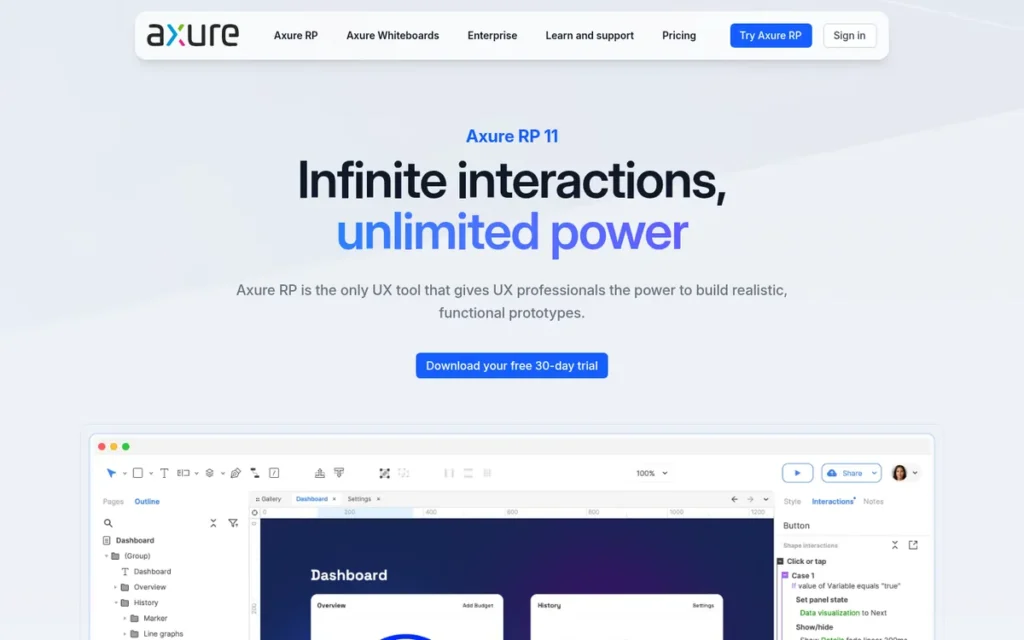
Category: Advanced Prototyper. Builds prototypes with logic, data or real code that Figma can only partly simulate.
At a Glance
- Category: Advanced Prototyper
- Best For: UX designers, business analysts and product managers testing complex flows, forms and data-driven interfaces
- Price Range: Pro $29 and Team $49 per user per month billed annually (Axure, November 2026); Enterprise custom
- Primary Strength: Axure RP builds prototypes with conditions, variables, math functions and real data without writing code.
- Biggest Limitation: Axure RP has a steep learning curve and a dated interface, and G2 reviewers ask for smoother real-time co-editing.
- One-Line Summary: Axure RP is the Figma alternative with the widest set of logic and data prototyping features on this list, and it runs as an offline-capable desktop app on Windows and macOS.
- Last Verified: November 2026
Overview
Axure RP is a Windows and macOS desktop prototyping application, made by San Diego-based Axure since 2002. Axure RP serves UX designers, business analysts and product managers who need high-fidelity prototypes with conditional logic, variables, real data and working form controls.
Axure RP pairs with Axure Cloud for sharing, comments, redlines and CSS export. Axure Cloud also imports designs from Figma, Sketch and XD, so teams can bring existing screens into Axure RP.
Key Features
- Axure RP supports conditions, variables and math functions, so a prototype can branch based on what a test participant enters.
- Axure RP’s repeaters build data-driven tables and grids that test participants can sort and filter inside the prototype.
- Axure RP includes dynamic panels, working form controls and adaptive views for responsive layouts.
- Axure RP works offline on local files on Windows and macOS, while signing in, publishing to Axure Cloud and team projects require a connection (Axure documentation, November 2026).
- Axure RP’s Enterprise plan lets organisations host prototypes on their own servers.
Best For
Axure RP is best for teams that run realistic usability tests or document complex enterprise requirements. Axure RP also suits teams prototyping forms and data-heavy interfaces that Figma’s conditional prototyping can only partly simulate.
Pricing
Axure RP has no list prices on G2 (G2, November 2026). Axure’s own pricing page lists these rates (Axure, November 2026):
- Axure RP Pro costs $29 per user per month billed annually ($348 per year).
- Axure RP Team costs $49 per user per month billed annually ($588 per year) and adds co-authoring.
- Axure RP Enterprise uses custom pricing.
Axure RP’s monthly-billing prices of $34 (Pro) and $57 (Team) come from a secondary source (conversiongems, November 2026). Axure no longer sells new perpetual licences. Nonprofits and education get 60% off, and government buyers get 25% off.
Strengths
- Axure RP holds a G2 rating of 4.2/5 from 277 reviews, with 91.0% rating it 4 or 5 stars, and reviewers praise its complex interactive prototypes without code (G2, November 2026).
- TrustRadius reviewers call Axure RP “still the best” for dynamic prototypes with unusual widgets or real data (TrustRadius, accessed November 2026).
- Axure RP was recommended in a GDPR discussion because “Axure allows you to host your prototypes on premise,” and the same user said you can “feed real data into it” (r/UXDesign, 2025).
- Axure RP has been on the market since 2002 (G2, November 2026), the longest track record of any tool on this list.
Limitations
Axure RP’s biggest limitation is that it is hard to learn, which is the cost of its prototyping power. G2 reviewers consistently name Axure RP’s steep learning curve as its main drawback (G2, November 2026).
- TrustRadius reviewers describe Axure RP’s interface as “somewhat old and not always the most intuitive” (TrustRadius, accessed November 2026).
- Axure RP’s complex logic takes effort to maintain, and one two-year user warns of “a lot of conditionals to set up and variables to track” (r/UXDesign, accessed November 2026).
- G2 reviewers ask Axure RP for smoother real-time co-editing and more visual design resources, and a Reddit practitioner cites “terrible color management” (G2, November 2026; r/UXDesign, 2025).
- Axure RP’s Team plan costs $49 per user per month billed annually, about three times a $16 Figma Professional seat, and co-authoring requires the Team plan (Axure, November 2026).
How Does Axure RP Compare with Figma?
- Axure RP beats Figma on conditional logic, variables and real-data prototypes, an area where G2 reviewers ask Figma for “richer conditional logic” (G2, November 2026).
- Figma beats Axure RP on visual design, real-time co-editing and ease of learning.
- Axure RP usually works alongside a visual design tool rather than replacing it.
This aligns with community sentiment on r/UXDesign:
“Just because it’s become industry standard doesn’t mean it’s better. Axure does a better job of organizing information, Figma becomes a jumbled mess the bigger a project gets.
I think Axure took a step back with v9 and needs to step up its game while it still has time.” Posted by u/dust_storm_2
Takeaway: Axure RP keeps loyal users who prefer how it organises large projects, but even those fans say Axure needs to speed up its development.
Verdict
Axure RP is the strongest Figma alternative in 2026 for prototypes that need conditional logic, variables and real data. Axure RP is also the only ranked Windows desktop option still sold beyond 2026.
Axure RP ranks third because it complements visual design rather than replacing it, and because new users face a steep learning curve. Among the tools ranked here, Axure RP offers the widest set of logic and data features for testing complex flows.
4. Balsamiq: Best for Fast Low-Fidelity Wireframing
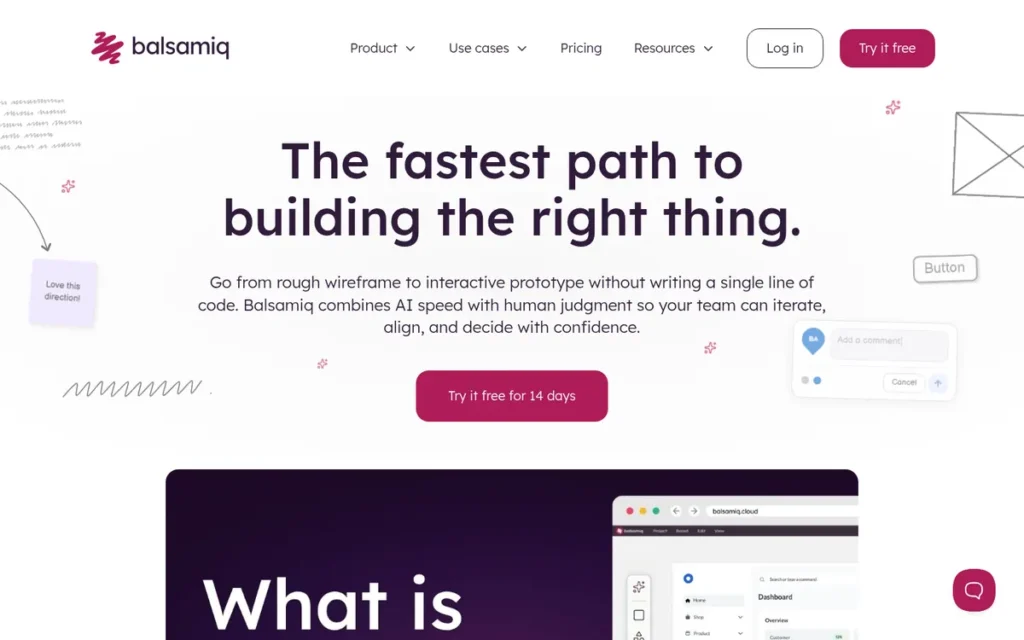
Category: Low-Fidelity Wireframer. Produces fast, rough layouts for early decisions about structure and flow.
At a Glance
- Category: Low-Fidelity Wireframer
- Best For: Product managers, founders, analysts and designers sketching early layouts and flows
- Price Range: Cloud $16–$35 per editor/month billed annually (Balsamiq, November 2026); not listed on G2
- Primary Strength: Balsamiq produces readable low-fidelity wireframes quickly, and Ease of Use is its most-mentioned G2 pro.
- Biggest Limitation: Balsamiq cannot produce high-fidelity designs, and its offline desktop app can be bought only until December 31, 2026.
- One-Line Summary: Balsamiq is the best-reviewed dedicated wireframing tool on this list, with 879 combined G2 and Capterra reviews (November 2026).
- Last Verified: November 2026
Overview
Balsamiq is a low-fidelity wireframing tool, sold as Balsamiq Cloud and as a desktop app for Windows and macOS. Balsamiq is for product managers, founders, analysts and designers who want rough, sketch-style layouts that keep early discussions on structure and flow rather than visual polish.
Balsamiq was founded in 2008 by Giacomo “Peldi” Guilizzoni and has remained bootstrapped (Balsamiq, accessed November 2026). Balsamiq Cloud now includes AI credits, while the Balsamiq desktop app does not.
Key Features
- Balsamiq provides a drag-and-drop library of sketch-style UI components that keeps wireframes deliberately low-fidelity.
- Balsamiq Cloud’s AI credits create and edit wireframes, convert screenshots into wireframes, generate images and build interactive prototypes.
- Balsamiq Wireframes desktop for Windows and macOS saves files locally and works offline, but it has no AI and can be bought only until December 31, 2026.
- Balsamiq integrates with Google Drive, Confluence, Jira and Slack, so wireframes can sit next to requirements and tickets.
- Balsamiq includes unlimited reviewers on every Cloud plan, so stakeholders can comment without paid seats.
Best For
Balsamiq is best for teams that want to agree on structure and flow before anyone opens a high-fidelity design tool. Balsamiq also suits non-designers who need readable wireframes with almost no training.
Pricing
Balsamiq has no list prices on G2 (G2, November 2026). Balsamiq’s Cloud pricing, billed annually, is (Balsamiq, November 2026):
- Balsamiq Starter costs $16 per editor per month ($192/year) for up to 10 projects and 500 AI credits per editor per month.
- Balsamiq Teams costs $24 per editor per month ($288/year) for up to 100 projects and 1,000 AI credits.
- Balsamiq Enterprise costs $35 per editor per month ($420/year) for up to 400 projects and 2,500 AI credits.
- Balsamiq sells AI top-ups at $15 per 500 credits.
Capterra still shows an older Balsamiq plan at $12 per month for 2 projects, and PlugRoute could not verify the desktop licence price. Verify live pricing with Balsamiq.
Strengths
- Balsamiq holds a G2 rating of 4.2/5 from 501 reviews (90.6% at 4 or 5 stars) and a Capterra rating of 4.4/5 from 378 reviews (G2 and Capterra, November 2026).
- Balsamiq’s top G2 pro is Ease of Use (9 mentions), and G2 reports users switching to it from Adobe XD, Figma, Axure and InVision for a shorter learning curve (G2, November 2026).
- Capterra reviewers praise Balsamiq’s “black + white, hand-drawn feel,” which G2 reviewers say keeps attention on layout and workflow (Capterra and G2, accessed November 2026).
- Balsamiq Cloud’s AI turns screenshots into editable wireframes (Balsamiq, November 2026).
Limitations
Balsamiq’s biggest limitation is low fidelity, which is the cost of its speed and simplicity. G2 reviewers note that Balsamiq’s simplistic style may not suit high-fidelity designs, so it cannot replace Figma for visual work (G2, November 2026).
- Balsamiq’s offline desktop app matters to Windows users who want to work offline. Balsamiq stops selling it on December 31, 2026, but supports it through December 31, 2027, and existing perpetual licences keep working without updates after that (Balsamiq, November 2026).
- Capterra reviewers describe Balsamiq’s components as “very crude” or “a bit outdated,” and its prototyping as “a hassle” (Capterra, accessed November 2026).
- Balsamiq’s desktop edition already worries one G2 reviewer, who fears it will get less development attention (G2, accessed November 2026).
- Balsamiq’s pricing differs between Capterra and the vendor, and PlugRoute found no usable Reddit discussion to test its review ratings.
How Does Balsamiq Compare with Figma?
- Balsamiq beats Figma on speed and simplicity for early wireframes, and Balsamiq’s rough style keeps stakeholders from debating visual polish too soon.
- Figma beats Balsamiq on most work past the wireframe stage, including high-fidelity UI, design systems and developer handoff.
- Balsamiq works alongside Figma rather than replacing it.
Verdict
Balsamiq is the best-reviewed dedicated wireframing tool among the Figma alternatives ranked here, with 879 combined G2 and Capterra reviews (November 2026). Balsamiq ranks fourth because it covers only the earliest stage of design.
Buyers who want Balsamiq for offline desktop use should confirm Balsamiq’s desktop licensing terms before buying. The alternative is Balsamiq Cloud, which is where Balsamiq’s AI features are.
5. UXPin: Best for Prototyping with Production React Components
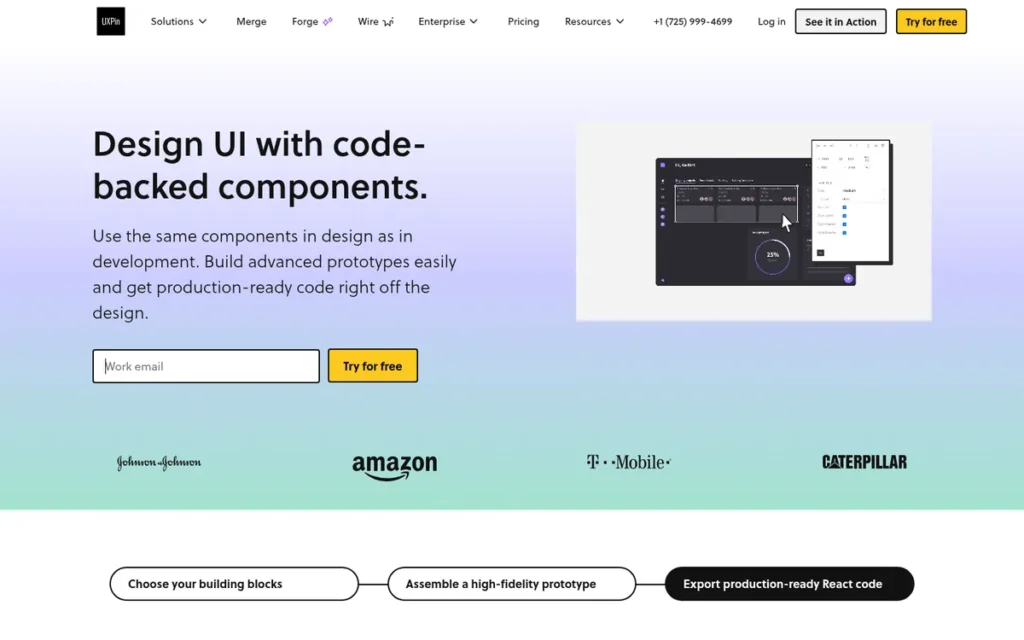
Category: Advanced Prototyper. Builds prototypes with logic, data or real code that Figma can only partly simulate.
At a Glance
- Category: Advanced Prototyper
- Best For: Product teams with an existing React component library who want design and code to stay aligned
- Price Range: G2 list price: Basic $15 flat rate/month; vendor lists Free, Core $49 and Growth $69 per seat/month, Enterprise custom (November 2026)
- Primary Strength: UXPin lets designers prototype with real production React components through its Merge technology.
- Biggest Limitation: UXPin has the highest published per-seat prices on this list, and Merge needs developer help to connect a component library.
- One-Line Summary: UXPin is the Figma alternative for teams that want prototypes built from their real React components, keeping design and production code in sync.
- Last Verified: November 2026
Overview
UXPin is a browser-based prototyping and design-system platform whose Merge technology imports production React components from Git, Storybook or npm. UXPin is built for product teams with an existing coded component library who want prototypes that behave like the shipped product.
UXPin’s editor renders real HTML, CSS and JavaScript rather than static vector images. UXPin was founded in 2010 in Gdansk, Poland, and also operates in the US and Japan (UXPin, accessed November 2026).
Key Features
- UXPin Merge imports production React components from Git, Storybook or npm into the design editor.
- UXPin includes built-in coded libraries for MUI, Bootstrap, Tailwind, Ant Design and shadcn/ui.
- UXPin supports variables, conditional interactions, expressions and interactive states in prototypes.
- UXPin’s Forge AI generates interfaces from the connected component library and can export JSX.
- UXPin offers a free plan limited to 2 prototypes and 50 AI credits, plus a 14-day trial with no card required.
Best For
UXPin is best for product organisations with a mature React design system that want to reduce drift between design and code. In one survey, 46.3% of respondents reported significant inconsistencies between their design system and what gets built (UX Tools 2024 Design Systems Survey, 2024).
Pricing
UXPin’s G2 list price is “Basic: $15 flat rate per month” (G2, November 2026). UXPin’s current pricing page lists different plans (UXPin, November 2026):
- UXPin Free costs $0 and includes 2 prototypes and 50 AI credits.
- UXPin Core costs $49 per seat per month and adds unlimited prototypes, logic, variables and coded libraries.
- UXPin Growth costs $69 per seat per month and adds Storybook integration, design systems and SSO.
- UXPin Enterprise uses custom pricing and adds Git integration.
UXPin’s annual billing saves $240 a year on Core and $348 on Growth. G2 list prices may be out of date, so verify live pricing.
Strengths
- UXPin holds a G2 rating of 4.2/5 from 118 reviews, with 89.0% rating it 4 or 5 stars, and under one day is the most commonly reported time to go live (G2, November 2026).
- UXPin’s PayPal case study reports a one-page prototype in about 8 minutes with Merge, against more than an hour in another tool, and says product teams completed 90% of design work themselves (UXPin vendor-published case study, accessed November 2026).
- G2 reviewers praise UXPin for high-fidelity prototypes that closely resemble final products, which helps communication with stakeholders (G2, November 2026).
- UXPin targets the design-to-code drift that 46.3% of survey respondents reported as significant (UX Tools 2024 Design Systems Survey, 2024).
Limitations
UXPin’s biggest limitation is setup effort, which is what it costs to keep design and code aligned. UXPin Merge needs compatible coded components and developer time, so teams without a React library may add work rather than save it (UXPin, accessed November 2026).
- UXPin’s vendor-listed Core and Growth plans cost $49–$69 per seat per month, roughly three to four times a $16 Figma Professional full seat (UXPin and Figma pricing, November 2026).
- G2 reviewers report occasional UXPin performance issues on larger projects, and one Capterra reviewer says UXPin slows on projects of 40 or more pages (G2 and Capterra, November 2026).
- G2 reviewers ask UXPin for auto layout, grids, more built-in components and easier conditional logic (G2, November 2026).
- UXPin’s only quantified results come from vendor-published case studies, and PlugRoute found no usable Reddit discussion to test them independently.
How Does UXPin Compare with Figma?
- UXPin beats Figma on how closely design matches code, because UXPin prototypes use the same React components developers ship.
- Figma beats UXPin on layout tools such as auto layout, on price per seat and on adoption.
- UXPin can replace Figma for prototyping and design-system work in React teams, but teams without a React library gain little from switching.
Verdict
UXPin is the strongest Figma alternative for teams that want prototypes built from their real React components. UXPin ranks fifth because its value depends on an existing coded design system, its published per-seat prices are the highest on this list, and independent evidence is limited.
Teams with a mature React library should trial UXPin Merge on a real component set before deciding.
6. Framer: Best for Designing and Publishing Live Websites
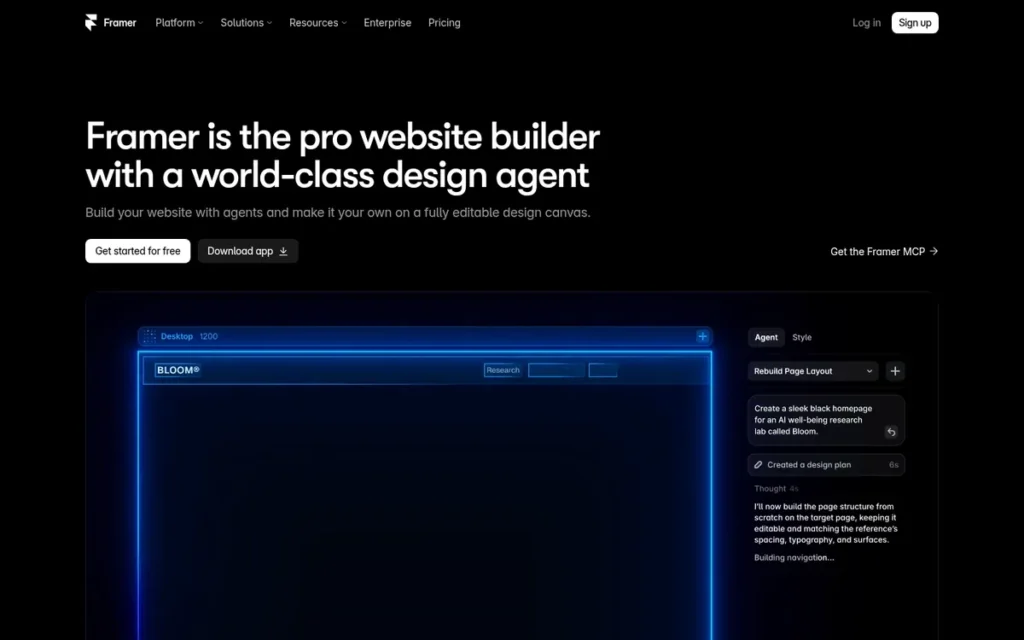
Category: Website Builder. Designs and publishes live websites rather than app or product UI.
At a Glance
- Category: Website Builder
- Best For: Designers, marketers and founders who need to design and publish live marketing sites without developers
- Price Range: Free; Basic $10 and Pro $30 per site/month billed annually; extra editors $20/month (Framer, November 2026)
- Primary Strength: Framer turns a visual design directly into a hosted, CMS-powered live website.
- Biggest Limitation: Framer is not a product-design tool, and Framer sites cannot be exported to code, so leaving means rebuilding.
- One-Line Summary: Framer is the Figma alternative for teams whose deliverable is a published website, not app screens or a product design system.
- Last Verified: November 2026
Overview
Framer is an Amsterdam-based visual website builder with built-in hosting, a CMS, SEO tools, localization and analytics. Framer is aimed at designers, marketers and founders who want to design and publish live marketing websites rather than design app interfaces or maintain a product design system.
Framer was founded in 2014 by Koen Bok and Jorn van Dijk. Framer’s own comparison page treats its website-publishing workflow as separate from Figma’s design-first workflow (Framer compare page, accessed November 2026).
Key Features
- Framer publishes designs as live production websites with built-in hosting, a CMS, SEO controls, localization and analytics.
- Framer lets designers paste designs from Figma, adapt them to responsive breakpoints and publish them.
- Framer’s Wireframer AI turns a prompt into an editable page layout, and Framer’s paid plans include monthly AI credits.
- Framer’s Pro plan adds staging and branching for teams that update sites often.
- Framer gives the workspace owner a free seat and charges $20 per month for each extra editor and $10 per month for each content editor, while viewers are free.
Best For
Framer is best for marketing teams, startups and freelance web designers whose deliverable is a published website and who want to skip handing the build to developers.
Pricing
Framer is not in the verified G2 pricing dataset, so these are vendor figures, shown as monthly equivalents on annual billing (Framer, November 2026):
- Framer Free costs $0 and includes a Framer domain, 1 GB bandwidth and 500 AI credits.
- Framer Basic costs $10 per site per month and adds a custom domain, 2 CMS collections and 50 GB bandwidth.
- Framer Pro costs $30 per site per month and adds 10 CMS collections, 100 GB bandwidth, staging and branching.
- Framer Enterprise uses custom pricing.
Framer prices per site, so costs grow with every site and every extra editor. Verify live pricing with Framer.
Strengths
- Framer raised a $100M Series D at a $2B valuation in August 2025, led by Meritech and Atomico, the strongest documented funding of any vendor on this list (Reuters and TechCrunch, August 2025).
- Framer reports that one customer site passed 5 million visitors, with 30 editors making more than 40 updates a week, although the customer is not named (Framer vendor-published story, accessed November 2026).
- Framer feels familiar to Figma users, and one Reddit user said: “I love framer because of how similar it is to figma” (r/FigmaDesign, accessed November 2026).
- Framer’s free plan publishes a working site on a Framer subdomain at $0 (Framer, November 2026).
Users on r/framer shared their experience:
“I have been using framer for some time now and I must say, if you are a website designer designing on figma already, you will find it easy to use. Good interactions, and designer centric, you can do a lot with framer.
Although I find that there are certain limitations to it as well as you start to delve deep.” Posted by u/soumii21
Takeaway: Framer feels natural to web designers coming from Figma, though users run into its limitations as their projects get more complex.
Limitations
Framer’s biggest limitation is portability, which is the cost of its fast publishing. Trustpilot reviewers say Framer sites cannot be exported to code or Webflow, so leaving means rebuilding (Trustpilot, accessed November 2026).
- Framer is a website builder, so Framer does not replace Figma for app UI design or product design systems.
- One Reddit user says Framer sites look templated, with the same components appearing “in 9/10 Framer websites” (r/framer, accessed November 2026).
- Framer’s long-term direction worries some practitioners, and one says they had to relearn the tool after Framer moved from CoffeeScript to React (r/FigmaDesign, accessed November 2026).
- G2 reviewers cite limited roles and permissions in Framer for handing sites to clients, a steep learning curve and slower loading as sites grow (G2, accessed November 2026).
How Does Framer Compare with Figma?
- Framer beats Figma at turning a design into a hosted, live website without a developer.
- Figma beats Framer on app and product UI design, design systems, developer handoff and file portability.
- Framer usually works alongside Figma, and practitioners often pair the two tools.
Verdict
Framer is the best Figma alternative when the deliverable is a live website, but Framer is not a substitute for product or app UI design. Framer ranks sixth because it replaces only one narrow part of Figma’s role and locks sites into its platform.
Before building on Framer, teams should be sure they can live with its per-site pricing and the lack of code export.
7. UX Pilot AI: Best for AI Mockups from Prompts, Sketches and Screenshots
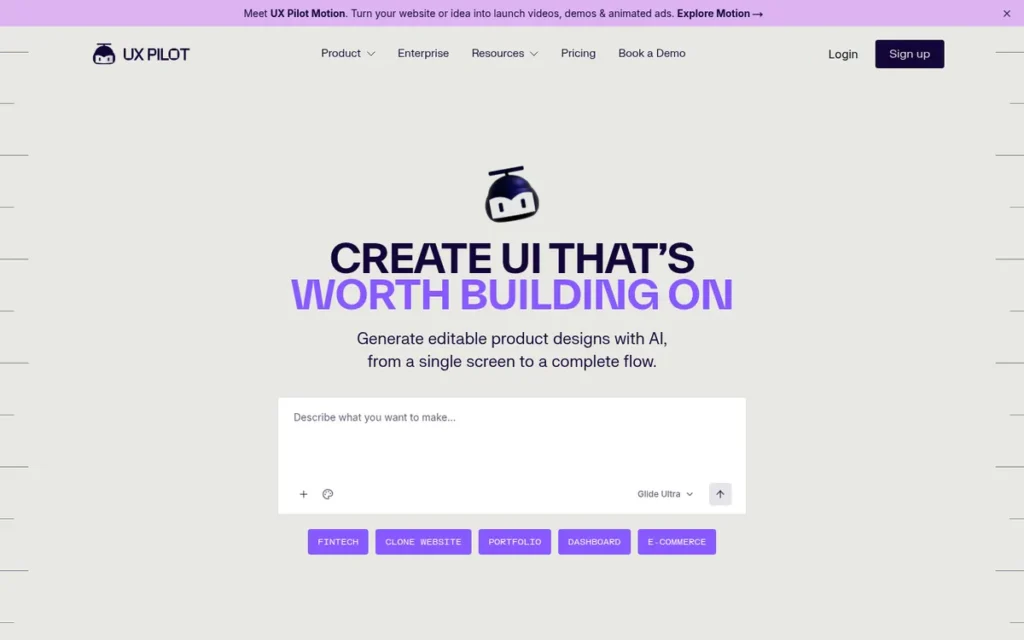
Category: AI Mockup Generator. Creates draft screens from prompts or images for refinement in another tool.
At a Glance
- Category: AI Mockup Generator
- Best For: Designers and founders who want fast AI first drafts and still finish the work in Figma
- Price Range: Free trial (90 credits); Standard from $12/month (420 credits); Pro from $22/month (1,200 credits) (G2 list prices, November 2026); vendor page lists different plans, so verify live pricing
- Primary Strength: UX Pilot AI turns prompts, sketches, screenshots and PDFs into editable wireframes and screens.
- Biggest Limitation: UX Pilot AI complements Figma rather than replacing it, and its output leans towards generic patterns that need manual refinement.
- One-Line Summary: UX Pilot AI is an AI mockup generator that speeds up first drafts from prompts and screenshots, but it works alongside Figma rather than replacing it.
- Last Verified: November 2026
Overview
UX Pilot AI is an AI design assistant that generates wireframes, high-fidelity screens and multi-screen flows from text prompts, sketches, screenshots or PDFs. UX Pilot AI is for designers and founders who want fast first drafts that they finish inside Figma.
UX Pilot AI was founded in 2023 by Adam Fard (UX Pilot AI, accessed November 2026), and G2 lists its headquarters as New York. UX Pilot AI also offers predicted heatmaps and accessibility checks and works best as an add-on to an existing design tool.
Key Features
- UX Pilot AI generates wireframes, high-fidelity screens and multi-screen flows from prompts, sketches, screenshots or PDFs.
- UX Pilot AI’s Figma plugin, Nodey, generates and edits frames directly inside Figma files.
- UX Pilot AI exports designs to Figma as editable layers with auto layout, or as HTML, CSS or React code.
- UX Pilot AI provides predicted heatmaps, predicted gaze paths, and accessibility and hierarchy checks, which are model predictions rather than tests with real users.
- UX Pilot AI uses a monthly credit system in which each generation uses up credits.
Best For
UX Pilot AI is best for designers who want to cut down on repetitive screen production. UX Pilot AI also suits founders who want to turn sketches or competitor screenshots into editable starting points to refine in Figma.
Pricing
UX Pilot AI’s G2 list prices are (G2, November 2026):
- UX Pilot AI Free is a one-time free trial with 90 credits.
- UX Pilot AI Standard starts at $12 per month for 420 credits.
- UX Pilot AI Pro starts at $22 per month for 1,200 credits.
UX Pilot AI’s current plans page lists different plans and no Standard tier (UX Pilot AI, November 2026):
- UX Pilot AI’s free plan provides 80 credits per day.
- UX Pilot AI Pro costs $29 per month, or $19 per month billed annually, for 750 credits.
- UX Pilot AI Teams costs $39 per user per month, or $31 billed annually, for 900 credits per user.
UX Pilot AI’s G2 Standard price may reflect an older plan, so verify live pricing. Because UX Pilot AI is credit-based, monthly cost depends on how many generations you run.
Strengths
- UX Pilot AI holds a G2 rating of 4.3/5 from 133 reviews, and reviewers praise its fast generation, structured wireframes and export to Figma (G2, November 2026).
- UX Pilot AI accepts sketches, screenshots and PDFs as input, which meets the need for AI mockups built from existing visuals (UX Pilot AI, accessed November 2026).
- UX Pilot AI’s Standard plan starts at $12 per month as a G2 list price (G2, November 2026), below a $16 Figma Professional full seat, although the vendor page no longer lists a Standard tier.
- UX Pilot AI exports editable Figma layers with auto layout as well as HTML, CSS and React, so drafts are not trapped in the tool (UX Pilot AI, accessed November 2026).
Limitations
UX Pilot AI’s biggest limitation is control, which is the cost of its speed. G2 reviewers report limited editing that pushes finishing work back into Figma, and details that change between generations (G2, November 2026).
- UX Pilot AI’s first drafts lean towards generic SaaS patterns, its style drifts across longer flows and its exported layers are loosely grouped, according to Anima’s review (Anima, accessed November 2026).
- UX Pilot AI’s credit system frustrates some users: one G2 reviewer says “the way the credits work is a bit off,” and Anima’s review notes billing and refund complaints (G2 and Anima, accessed November 2026).
- UX Pilot AI’s heatmaps are predictions, and practitioners warn that AI critique can create “confidence theater” (r/UX_Design, accessed November 2026).
- UX Pilot AI’s claim of “1M+ designers” has no disclosed method, and PlugRoute could not verify UX Pilot AI’s funding.
How Does UX Pilot AI Compare with Figma?
- UX Pilot AI beats Figma at quickly turning a sketch, screenshot or prompt into a structured first draft.
- Figma beats UX Pilot AI at refining a draft, building it into a design system and handing it off to developers.
- UX Pilot AI works alongside Figma rather than replacing it, and UX Pilot AI’s Nodey plugin runs inside Figma files.
Verdict
UX Pilot AI is a useful AI accelerator for drafting screens from prompts and screenshots, but UX Pilot AI is a companion to Figma, not a replacement. UX Pilot AI ranks seventh because it replaces the least of Figma’s job and has the shortest track record.
Teams should trial UX Pilot AI on its free credits and judge how much editing its output needs.
Why Are Designers Looking for Figma Alternatives?
Designers mainly look for Figma alternatives because of slow performance on large files, seat price increases on Figma’s Organization and Enterprise plans, and cloud-only data storage. Figma still holds 4.7/5 from 1,597 G2 reviews (G2, November 2026), so switching usually comes down to one specific need rather than general dissatisfaction.
Figma’s G2 strengths are substantial. Figma’s most-mentioned pros are Ease of Use (181), Real-time Collaboration (116) and Team Collaboration (115) (G2, November 2026).
Figma’s most-mentioned G2 cons are about performance and connectivity (G2, November 2026):
- Slow Performance is mentioned in 71 Figma reviews.
- Performance Issues are mentioned in 63 Figma reviews.
- Slow Loading is mentioned in 57 Figma reviews.
- Large File Handling is mentioned in 40 Figma reviews.
- Internet Dependency is mentioned in 39 Figma reviews.
G2 reviewers also ask Figma for four improvements (G2, November 2026):
- Figma users want better performance with large files, design systems and complex prototypes.
- Figma users want richer conditional logic, interactions and animation controls in prototypes.
- Figma users want more accurate AI-generated designs that align with existing design systems.
- Figma users want better organisation of files, libraries and versions.
Figma changed its seat pricing on March 11, 2025. The figures below are per seat per month, billed annually (Figma, 2025; saaspricealerts.com, 2025):
| Figma Plan | Full Seat | Dev Seat | Collab Seat |
|---|---|---|---|
| Professional | $16 | $12 | $3 |
| Organization | $55 (was $45) | $25 | $5 |
| Enterprise | $90 (was $75) | $35 | $5 |
Figma’s privacy policy raises two data concerns for some buyers (Figma privacy policy, accessed November 2026):
- Figma customer content can be used for model training if an admin turns on the “Content Training” setting.
- Figma processes and stores data in the US, which matters for EU data-sovereignty reviews.
Each reason for leaving maps to a ranked tool:
- Cost concerns point to Penpot or Sketch.
- Data-control concerns point to Penpot.
- Offline-work needs point to Sketch or Axure RP.
- Conditional-logic needs point to Axure RP.
- Large design systems maintained in code point to UXPin.
How Do Figma Alternatives Compare with Figma?
Each Figma alternative gives up some of Figma’s real-time collaboration, ecosystem or adoption to gain one specific advantage. The table below compares the seven ranked tools against Figma, the unranked reference row. It covers operating system, offline editing, self-hosting, collaboration, prototyping depth, pricing and G2 rating as of November 2026.
- Sketch and Axure RP offer offline editing of local files, which Figma lacks.
- Penpot offers full self-hosting, which Figma’s cloud-only model does not.
- Axure RP and UXPin offer logic or code-component prototyping beyond Figma’s native features.
- Framer offers website publishing with built-in hosting and a CMS.
- UX Pilot AI offers AI drafting from prompts, sketches and screenshots.
| Tool | Editing OS | Offline Editing | Self-Hosting | Real-Time Collaboration | Prototyping Depth | Pricing Model | Starting Paid Price (Source) | G2 Rating (Reviews) | Main Caveat |
|---|---|---|---|---|---|---|---|---|---|
| Figma (reference) | Cloud-based | No; Internet Dependency is a top G2 con | No (cloud-only, US data processing) | Yes | Basic plus variables and conditionals | Per seat | $16 Professional full seat (Figma, 2025) | 4.7/5 (1,597) | Large-file performance |
| Sketch | macOS only | Yes (local files) | No | Yes (Standard plan) | Basic | Per editor or one-time | $120 one-time; $144/yr (G2 list, Nov 2026) | 4.5/5 (1,227) | Mac-only editing |
| Penpot | Browser, any OS | No native offline app | Yes (Docker/Kubernetes) | Yes (multiplayer; Penpot GitHub, Nov 2026) | Basic | Free, per editor (capped) | $7/editor/month (Penpot, Nov 2026) | 4.5/5 (~10) | Thin review base |
| Axure RP | Windows, macOS | Yes (local files; sign-in and Cloud publishing need a connection) | Enterprise on-premise hosting | Team-plan co-authoring; G2 reviewers request smoother real-time editing | Logic, variables, data | Per user subscription | $29/user/month annual (Axure, Nov 2026) | 4.2/5 (277) | Steep learning curve |
| Balsamiq | Cloud; Windows and macOS desktop | Desktop only (sold until Dec 31, 2026) | Not verified | Cloud sharing, unlimited reviewers | Basic low-fidelity | Per editor, capped by projects | $16/editor/month (Balsamiq, Nov 2026) | 4.2/5 (501) | Low fidelity only |
| UXPin | Browser | Not verified | Not verified | Collaboration praised on G2 | Code components, logic | Per seat | G2: $15 flat/month; vendor: $49/seat (conflict) | 4.2/5 (118) | Needs developer setup |
| Framer | Cloud platform | Not verified | No (Framer hosting) | Not verified | Website interactions | Per site plus per editor | $10/site/month (Framer, Nov 2026) | ~4.5/5 (~144–156, unverified) | No code export |
| UX Pilot AI | Browser and Figma plugin | No | No | Not applicable | AI-generated flows | Credit-based | $12/month (G2 list; vendor lists no Standard tier) | 4.3/5 (133) | Companion only |
Which Figma Alternatives Work Offline or Can Be Self-Hosted?
Sketch, Axure RP and Balsamiq desktop are the ranked tools that edit files offline. Sketch runs only on macOS, Axure RP runs on Windows and macOS, and Balsamiq desktop is sold until December 31, 2026. Penpot is the only ranked tool that can be fully self-hosted. No ranked tool offers a native Linux desktop editor.
The offline desktop options on this list are:
- Sketch edits local files offline but runs only on macOS.
- Axure RP works offline on local files on Windows and macOS, while sign-in, Axure Cloud publishing and team projects need a connection (Axure documentation, November 2026).
- Balsamiq Wireframes desktop works offline on Windows and macOS, but Balsamiq desktop has no AI and can be bought only until December 31, 2026.
- Penpot runs in a browser and has no native offline desktop app.
- Linux designers have no native desktop editor among the ranked tools, but they can use Penpot in a browser or self-host it.
The self-hosting and data-control options on this list are:
- Penpot can be fully self-hosted with Docker or Kubernetes under the MPL-2.0 licence, which gives control over data residency, but your team runs and secures the infrastructure.
- Axure RP Enterprise lets organisations host prototypes on their own servers.
- Sketch Enterprise adds bring-your-own-key encryption, although shared Sketch Workspaces still go through Sketch’s cloud.
Lunacy by Icons8 (Lunacy) is a desktop design app that works offline and is often suggested for offline use on Windows. PlugRoute did not independently verify Lunacy, so Lunacy is not ranked here.
What Does Each Figma Alternative Cost Compared With Figma?
Most Figma alternatives start below the $16 Figma Professional full seat, and Penpot is free. UXPin ($49–$69 per seat on vendor pricing) and Axure RP ($29–$49 per user on annual billing) are the main exceptions. Because pricing models differ, compare total cost at your team size rather than headline price.
The ranked tools use six different pricing models:
- Sketch, Axure RP and UXPin charge per editor or per user.
- Penpot Unlimited charges per editor but caps the total at $175 per month.
- Framer charges per site plus per extra editor.
- Balsamiq charges per editor, tiered by project count.
- UX Pilot AI charges by credits consumed.
- Sketch also sells a one-time Mac-only licence for $120.
| Tool | Pricing Model | Lowest Paid Entry | Price Source | Free Option |
|---|---|---|---|---|
| Figma (reference) | Per seat | $16 Professional full seat | Figma, 2025 | Not assessed |
| Sketch | Per editor or one-time | $120 one-time; $144/year Standard | G2 list price, November 2026 | 30-day trial |
| Penpot | Per editor, capped at $175/month; or self-hosted | $7/editor/month | Penpot, November 2026 | Free Professional plan; free self-hosting |
| Axure RP | Per user subscription | $29/user/month (annual) | Axure, November 2026 | Not verified |
| Balsamiq | Per editor, tiered by project count | $16/editor/month (annual) | Balsamiq, November 2026 | Desktop trial; free viewing |
| UXPin | Per seat | G2: $15 flat/month; vendor: $49/seat | G2 and UXPin, November 2026 (conflict) | Free plan (2 prototypes) |
| Framer | Per site plus per editor | $10/site/month (annual) | Framer, November 2026 | Free plan on Framer domain |
| UX Pilot AI | Credit-based | $12/month | G2 list price, November 2026 (vendor lists no Standard tier) | 90-credit trial |
G2 list prices may change. Where G2 and vendor pages disagree, verify live pricing before you budget.
What Would a 5-Editor or 25-Editor Team Pay per Month?
For a 25-editor team, Penpot Unlimited costs $175 a month against $400 for Figma Professional, while UXPin Core costs $1,225 (PlugRoute calculation from listed prices, November 2026). Team size changes the cost order sharply, because Penpot caps its price while per-seat tools scale with every editor.
| Tool and Plan | 5 Editors per Month | 25 Editors per Month | Note |
|---|---|---|---|
| Figma Professional (reference) | $80 | $400 | $16 per full seat |
| Sketch Standard | $60 | $300 | Mac-only editing |
| Penpot Unlimited | $35 | $175 | Capped at $175/month |
| Axure RP Pro | $145 | $725 | $29 per user, annual |
| Balsamiq Starter | $80 | $400 | 10-project limit |
| UXPin Core | $245 | $1,225 | $49 per seat |
| Framer Pro (one site) | $110 | $510 | Owner free, $20 per extra editor |
These totals were calculated by PlugRoute from listed prices on annual billing (November 2026) and exclude taxes, discounts and add-ons. UX Pilot AI is excluded because its credit-based pricing depends on usage rather than editor count.
When Should You Stay with Figma Instead?
Stay with Figma if your team depends on real-time multiplayer editing, a large plugin ecosystem or Dev Mode handoff. The same applies if it matters that new hires already know the tool. In those cases, PlugRoute’s assessment is that adding one specialist tool beside Figma usually beats a full switch.
These signals suggest staying with Figma:
- Figma’s Real-time Collaboration (116 mentions) and Team Collaboration (115) are among its most-mentioned G2 pros (G2, November 2026).
- Figma lists 50 integrations on G2, against 3 for Sketch (G2, November 2026), and Penpot’s plugin ecosystem is much smaller (hedrick.io, accessed November 2026).
- Figma’s Dev Mode matters if your developers already rely on it for handoff.
- Figma is used by 82.3% of UI designers (UX Tools 2024 Design Tools Survey, 2024), which makes hiring and freelancer collaboration simpler.
- One Reddit user describes the switching cost this way: “you’ll usually trade off ecosystem and adoption. That’s what makes switching costly” (r/UXDesign, 2025).
Common hybrid setups pair Figma with one specialist:
- Penpot plus Figma lets teams test Penpot while keeping Figma, and some practitioners already pay for both (r/UXDesign, November 2025).
- Figma plus Framer lets designers design in Figma, paste into Framer and publish a live site.
- Figma plus UX Pilot AI generates drafts inside Figma through UX Pilot AI’s Nodey plugin.
- Figma plus Axure RP adds logic-heavy prototypes for user testing, and Axure Cloud imports Figma designs.
What Other Figma Alternatives Did We Consider?
PlugRoute also considered Lunacy, ProtoPie, Marvel, Pixso, Uizard and Visily, but did not rank them because the evidence was thin or unverified. PlugRoute excluded Adobe XD, InVision, Lucid, Miro and PostgreSQL because they are inactive, complementary or not design tools.
- Lunacy (Icons8): Lunacy is a desktop design app that works offline and is often suggested for Windows, but PlugRoute did not independently verify Lunacy.
- ProtoPie: ProtoPie handles logic-heavy prototyping, but its G2 rating of 4.4/5 comes from only 24 reviews (G2 discovery data, November 2026), too small a sample to rank.
- Marvel: Marvel holds 4.4/5 from 227 G2 reviews, with Basic at $12 per month (G2 list price, November 2026), but Marvel’s G2 pros and cons rest on one mention each.
- Pixso, Uizard and Visily: AI answer engines name Pixso, Uizard and Visily, but PlugRoute’s research did not verify them.
- Adobe XD: Adobe states that XD is in maintenance mode, receiving bug fixes and security updates but no new features (Adobe XD FAQ, accessed November 2026), so PlugRoute advises against adopting Adobe XD for new work.
- InVision: InVision ended its design collaboration services on December 31, 2024 (r/userexperience and secondary sources, accessed November 2026).
- Lucid and Miro: Lucid and Miro are whiteboarding and diagramming tools that complement Figma rather than replace it for UI design.
- PostgreSQL: G2’s alternatives list also included PostgreSQL, which is a relational database, not a design tool.
What Red Flags Should I Watch For When Evaluating Figma Alternatives?
The biggest red flags when choosing a Figma alternative are editing locked to one operating system, no way to export your work, announced end-of-sale dates, and pricing sources that disagree. Also watch for teams treating self-hosting as compliance, AI drafts as finished design, or thin reviews as proof. Any one of these can turn a cheaper tool into a costly migration.
Red Flag #1: Single-OS Editing on a Mixed-OS Team Single-OS editing is a red flag whenever even one editor uses Windows or Linux. Sketch edits only on macOS and gives everyone else browser access to view, comment and inspect. Platform Exclusivity (6) is one of Sketch’s most-mentioned G2 cons (G2, November 2026).
As one user on r/Sketch_App described:
“I am a freelancer who uses 2 remote Designers in the Philippines, who use Windows. Our small team cannot use Sketch. We’re moving to Penpot.” Posted by u/DelicateFandango
Takeaway: Even a couple of Windows editors can rule out Sketch for a small team and push it towards a browser-based tool such as Penpot.
Red Flag #2: No Code or Data Export A tool that cannot export your work is a red flag because leaving it means rebuilding from scratch. Trustpilot reviewers say Framer sites cannot be exported to code or Webflow (Trustpilot, accessed November 2026). Check every vendor’s export formats before building anything important.
Red Flag #3: Desktop End-of-Sale Dates An announced end-of-sale date is a red flag for any tool you plan to rely on for years. Balsamiq stops selling its desktop app on December 31, 2026, supports it through December 31, 2027, and lets existing perpetual licences keep working without updates (Balsamiq, November 2026).
Adobe XD carries a similar risk: Adobe states that XD is in maintenance mode, with bug fixes and security updates but no new features (Adobe XD FAQ, accessed November 2026). Neither tool suits a long-term offline workflow without a backup plan.
Red Flag #4: Pricing Sources That Disagree Conflicting price sources are a red flag because they make budgeting unreliable. G2 lists UXPin at “$15 flat rate per month,” while UXPin’s site lists $49–$69 per seat. UX Pilot AI and Balsamiq also show different figures across G2, Capterra and vendor pages (November 2026).
Red Flag #5: Self-Hosting Treated as Compliance Assuming that self-hosting makes you compliant is a red flag. Running Penpot on your own servers controls where data lives, but it does not by itself satisfy GDPR or internal security rules. Your team still owns updates, access control and security for any self-hosted Penpot instance.
Red Flag #6: AI Output Mistaken for Production-Ready Design Treating AI-generated screens as finished design is a red flag. UX Pilot AI drafts lean towards generic patterns and drift in style across longer flows (Anima, accessed November 2026). UX Pilot AI’s predicted heatmaps are model output, not evidence from real users.
Red Flag #7: Thin Independent Review Evidence A small or unverified review base is a red flag because a high rating from a handful of users says little about how a tool holds up across many teams. Penpot has about 10 G2 reviews, and Framer’s G2 rating is not in PlugRoute’s verified dataset (November 2026).
What Questions Should I Ask Before Choosing a Figma Alternative?
Before choosing a Figma alternative, confirm which operating systems your editors use, whether you maintain a React component library, and whether your Figma files will import cleanly. Then decide whether you need app UI or a website and who will run any self-hosted instance. Finally, check whether prototypes need logic and how you would export your files later.
Most answers rule out at least one tool on this list.
Question #1: Does every editor on my team run macOS? If any editor uses Windows or Linux, Sketch cannot be your shared design tool, because Sketch edits only on macOS. Mixed-OS teams should look at Penpot (browser-based) or Axure RP (Windows and macOS desktop).
Question #2: Do we already maintain a React component library? UXPin Merge pays off only when a coded React library already exists, because connecting it needs compatible components and developer time. Teams without one should weigh UXPin’s $49–$69 per-seat vendor pricing carefully.
Question #3: Will our Figma files and prototype interactions survive import? Test a real Figma file before committing. Penpot’s Figma imports may need cleanup, and prototype interactions may not transfer. Ask every vendor which elements import cleanly, and budget time to rebuild components.
Question #4: Do we need to publish a website or design app UI? If the deliverable is a live marketing site, Framer fits. If you are designing app screens or a product design system, Framer’s own comparison page shows that Framer is built for a different job than Figma’s design-first workflow (Framer compare page, accessed November 2026).
Question #5: Who will run and secure a self-hosted instance? Self-hosted Penpot has no licence fee but needs someone to deploy, update and secure Docker or Kubernetes infrastructure. Name that owner before choosing self-hosting for data control.
Question #6: Do our prototypes need branching logic or real data? If usability tests depend on forms, conditions or sortable data, Axure RP’s conditions, variables and repeaters go further than Figma’s conditional prototyping. Expect a steep learning curve with Axure RP and plan training time.
Question #7: What happens to our files if we leave this tool? Check export formats and data portability before building on any tool. Penpot uses open standards and Sketch keeps local files. Framer sites, according to Trustpilot reviewers, cannot be exported to code.
How Did We Rank These Figma Alternatives?
PlugRoute scored each Figma alternative from 1 to 5 on six weighted criteria, using dated evidence collected in November 2026. Figma replacement coverage counts most (25%). Independent review evidence and cost transparency follow at 20% each, then deployment flexibility (15%) and specialist depth and vendor stability (10% each). The highest weighted score ranks first.
PlugRoute used six ranking criteria:
- C1 Figma Replacement Coverage (25%): C1 measures how much of Figma’s UI design, design-system, prototyping, collaboration and handoff work a tool can take over, so readers avoid paying for a second tool.
- C2 Independent Review Evidence (20%): C2 combines G2 rating and review volume, because many reviews are stronger evidence than a few. Unverified ratings score 2, the same as samples under 50 reviews.
- C3 Cost, Free Access and Pricing Transparency (20%): C3 compares cost per editor with Figma’s $16 Professional seat and deducts points where price sources conflict or cannot be verified.
- C4 Deployment Flexibility and Data Control (15%): C4 rewards native desktop apps, offline editing, multi-OS editing, self-hosting, local files and open-source licensing.
- C5 Specialised Workflow Depth (10%): C5 measures how far a tool goes in its specialty compared with Figma’s native equivalent.
- C6 Vendor Stability and Lock-In Risk (10%): C6 weighs years in market, funding or business model, changes of direction, end-of-sale notices and data portability.
| Tool | C1 (25%) | C2 (20%) | C3 (20%) | C4 (15%) | C5 (10%) | C6 (10%) | Weighted Total |
|---|---|---|---|---|---|---|---|
| Sketch | 4 | 5 | 4 | 3 | 2 | 4 | 3.85 |
| Penpot | 4 | 2 | 5 | 4 | 2 | 5 | 3.70 |
| Axure RP | 3 | 4 | 3 | 4 | 5 | 4 | 3.65 |
| Balsamiq | 2 | 4 | 3 | 3 | 3 | 3 | 2.95 |
| UXPin | 3 | 3 | 2 | 2 | 5 | 3 | 2.85 |
| Framer | 2 | 2 | 3 | 1 | 5 | 2 | 2.35 |
| UX Pilot AI | 1 | 3 | 3 | 1 | 4 | 2 | 2.20 |
PlugRoute made two score changes during its November 2026 verification. Neither changed the ranking order:
- Axure RP’s C3 score was raised from 2 to 3 after PlugRoute confirmed its pricing on Axure’s official page (November 2026).
- Framer’s C2 score was lowered from 3 to 2 under the rule that unverified ratings score the same as samples under 50 reviews.
The top three are close:
- Sketch leads Penpot by 0.15 points, and Sketch’s #1 position rests mainly on review volume. Sketch’s 1.8% designer usage share (UX Tools, 2024) counts as a hiring limitation, not a scoring criterion.
- Penpot leads Axure RP by 0.05 points. Penpot’s C1 score assumes real-time collaboration, which PlugRoute verified on Penpot’s GitHub (November 2026).
- If Penpot gathers more independent reviews, or if your team does not work only on macOS, Penpot is the stronger choice.
Balsamiq’s C6 score reflects its 2026 desktop end of sale and 2027 end of support, offset by perpetual licences that keep working. Specialist tools rank lower overall because they replace less of Figma’s job.
PlugRoute disclosed these limits in the evidence:
- Penpot’s G2 sample is small (about 10 reviews), so Penpot’s C2 score is low.
- Framer’s G2 rating (about 4.5/5 from 144–156 reviews) comes from discovery research and is not in the verified dataset.
- Axure RP’s monthly-billing prices come from a secondary source, although its annual prices are confirmed.
- UXPin and UX Pilot AI show conflicts between G2 list prices and vendor prices.
- PlugRoute found no usable Reddit discussion for UXPin or Balsamiq.
G2 list prices are shown exactly as given and labelled. Vendor figures are dated, and conflicts are flagged with “verify live pricing.”
PlugRoute has no affiliate relationships with any company listed. Rankings are determined entirely by research data and objective evaluation criteria.
What Do People Ask Most About Figma Alternatives?
Readers most often ask which Figma alternative is free, which works offline on Windows, and how PlugRoute decides its rankings. The answers below give a short, self-contained reply to each question, based on evidence PlugRoute collected and verified in November 2026, so each answer can be read without the rest of the article.
What is the best free Figma alternative for UI design in 2026?
Penpot is the best free Figma alternative for UI design in 2026. Penpot offers a $0 Professional plan and an MPL-2.0 open-source version you can self-host with Docker or Kubernetes. Penpot’s trade-offs are basic prototyping, a smaller plugin ecosystem and about 10 G2 reviews (G2, November 2026), so test it on a real project first.
Which Figma alternatives work offline on Windows?
Axure RP is the only ranked Figma alternative with a Windows desktop app sold beyond 2026, and Axure RP works offline on local files (Axure documentation, November 2026). Balsamiq’s Windows desktop app also works offline but is sold only until December 31, 2026. Sketch is Mac-only, Penpot runs in a browser, and PlugRoute has not verified Lunacy.
How does PlugRoute determine rankings?
PlugRoute scores each tool from 1 to 5 on six weighted criteria: Figma replacement coverage (25%), independent review evidence (20%), cost and pricing transparency (20%), deployment flexibility (15%), specialised workflow depth (10%) and vendor stability (10%). PlugRoute uses only dated evidence collected in November 2026 and publishes its full scoring matrix and score changes.
What Do Key Figma Alternative Terms Mean?
These are the terms buyers meet most often when comparing Figma alternatives on pricing, deployment and prototyping. Each definition below explains the term in plain language and why it matters when you choose a tool, so you can read vendor pricing pages and feature lists with more confidence.
Full seat: A full seat is a paid licence that lets one person create and edit designs, unlike cheaper view, comment or developer seats. Count only the people who truly edit, because full seats drive most of the bill.
Per-site pricing: Per-site pricing charges a fee for each published website rather than each user. Costs grow with every site you launch, so agencies managing many sites should model the total carefully.
Credit-based pricing: Credit-based pricing charges for usage, such as each AI generation, rather than a fixed seat fee. Monthly cost depends on how heavily your team uses the tool, which makes budgets harder to predict.
One-time licence: A one-time licence is a single upfront payment for software, often with a limited period of updates. It can cost less over time than a subscription but may exclude collaboration features.
Self-hosting: Self-hosting means running software on servers your organisation controls instead of the vendor’s cloud. It improves data control, but your team takes on deployment, updates and security.
Open-source licence: An open-source licence, such as MPL-2.0, lets anyone inspect, run and modify the software’s code. It reduces dependence on a single vendor and usually allows free self-hosting.
Offline editing: Offline editing is the ability to create and change designs with no internet connection, usually in a native desktop app. It matters for travel, unreliable networks and teams that keep files local.
Auto layout: Auto layout is a feature that automatically resizes and spaces design elements as content changes. Without it, designers spend more time manually adjusting components across screen sizes.
Design tokens: Design tokens are named values, such as colours, spacing and type sizes, shared between design files and code. Native token support helps keep the built product consistent with the design.
Conditional logic: Conditional logic lets a prototype respond differently based on user input, using rules, variables and branches. It makes usability tests more realistic for forms and complex flows.
Code components: Code components are real, production UI elements, often written in React, used directly inside a design tool. They reduce drift between what designers draw and what developers ship.
Vendor lock-in: Vendor lock-in is the cost and effort of leaving a tool when your work cannot be exported in a usable format. Check export options before you commit, because rebuilding is often the hidden cost of switching.
Which Figma Alternative Is Right for You?
Key Insights
The right Figma alternative is the one that fixes your specific reason for leaving. Sketch suits all-Mac teams, Penpot suits $0 budgets and self-hosting, and Axure RP suits logic-heavy prototyping on Windows or macOS. No Figma alternative ranked by PlugRoute in 2026 combines Figma-level real-time collaboration, offline editing and self-hosting.
- Sketch is the best-evidenced full Figma replacement in 2026 for all-Mac teams, with 4.5/5 from 1,227 G2 reviews and offline local files.
- Penpot is the free, open-source and self-hostable Figma alternative with the largest developer following on this list, but Penpot’s prototyping is still maturing and it has only about 10 G2 reviews.
- Axure RP offers the widest logic and data prototyping features on this list and is the only ranked Windows desktop tool sold beyond 2026.
- Balsamiq is the best-reviewed dedicated wireframing tool on this list, with 879 combined G2 and Capterra reviews.
- UXPin and Framer each solve one specialist job well: UXPin handles prototyping with React components, and Framer publishes live websites.
- UX Pilot AI speeds up first drafts from prompts and screenshots but works alongside Figma rather than replacing it.
Start from your reason for leaving Figma, then check that tool’s biggest deal-breaker. Sketch requires macOS, Framer has no code export and UXPin Merge needs developer setup.
Trial any Figma alternative within its trial window (14 days for Penpot paid plans, UXPin and Balsamiq; 30 days for Sketch) using these steps:
- Import one real Figma file and note what breaks.
- Rebuild one core component from your design system.
- Run one prototype test with a real participant.
- Export a file to confirm you can leave later.
- Invite one non-designer reviewer to comment.
- Decide before the trial ends, using your notes from each step.
If your team relies on real-time multiplayer editing or Dev Mode, consider a hybrid setup such as Figma plus Axure RP or Figma plus Framer before a full switch. Read PlugRoute’s full scoring methodology in the section “How Did We Rank These Figma Alternatives?” and explore PlugRoute’s other independent design-tool reviews.
We update this guide quarterly, with a January 2027 check on Balsamiq’s desktop status. Last updated: November 16, 2026.