The best Miro alternatives in 2026 are Lucid Visual Collaboration Suite for turning brainstorms into diagrams and tasks, FigJam for Figma teams on a budget, and Mural for facilitated workshops. No single tool replaces every Miro job. Each switch gives up some of how well your boards migrate or some facilitation depth.
Miro’s per-seat cost grows with the team, and its free plan keeps only 3 boards editable. Most comparison lists also rank tools in general terms rather than by job. For remote and hybrid teams, the choice usually comes down to which online whiteboard fits the meeting and project tools they already use.
PlugRoute has no affiliate relationships with any company listed. Rankings are determined entirely by research data and objective evaluation criteria.
“Miro on the other hand is only focused on Teams and Businesses and its AI is pretty pretty bad (with onyl [sic] 25 credits on a PAID PLAN)” (u/NaimeYT (Reddit r/SaaS, November 2026))
Takeaway: Limits on Miro’s paid plans, not only its free-plan caps, push some teams to look elsewhere. Miro’s Starter plan includes 25 AI credits per license per month (Miro Help Center, November 2026).
What Are the 5 Categories of Miro Alternatives?
Miro alternatives fall into five categories. Facilitation Platforms run live workshops. Whiteboard-to-Diagram Suites turn sessions into formal diagrams. Ecosystem Whiteboards come bundled with software you already pay for. Structured Diagramming Canvases produce clean flowcharts. Lightweight Sketch Canvases handle quick, low-cost drawing. Pick the category that matches your main Miro job first.
Each category solves a different Miro job:
- Facilitation Platform: Mural is built around timers, voting, private mode and facilitator controls for structured live sessions.
- Whiteboard-to-Diagram Suite: Lucid Visual Collaboration Suite pairs the Lucidspark whiteboard with Lucidchart for formal diagrams and task sync.
- Ecosystem Whiteboard: FigJam (inside Figma) and Microsoft Whiteboard (inside Microsoft 365 and Teams) come with suites many teams already pay for.
- Structured Diagramming Canvas: Whimsical focuses on fast flowcharts and wireframes, and Creately focuses on diagrams linked to live data.
- Lightweight Sketch Canvas: Excalidraw is an open-source, hand-drawn-style canvas that teams can self-host.
Why Do Teams Look for a Miro Alternative?
Teams usually leave Miro because of per-seat cost, a free plan that keeps only 3 boards editable, lag on large boards and cluttered workspaces. Miro itself remains highly rated: G2 scores it 4.6/5 from 13,813 reviews (G2, November 2026). For most switchers, the problem is cost and fit, not quality.
Miro’s G2 list prices are $10 per user per month for Starter and $20 for Business, and these may change (G2, November 2026). Miro’s free plan allows unlimited boards, but only the 3 most recently created stay editable (Miro Help Center, November 2026).
The most common complaints in user reviews are:
- Miro’s per-seat pricing becomes expensive as teams grow (ReviewCost, November 2026).
- Miro’s free-plan cap on editable boards makes ongoing work difficult (ReviewCost, November 2026).
- Miro boards can lag when they get large (ReviewCost, November 2026).
- Miro workspaces can feel crowded and hard to navigate (ReviewCost, November 2026).
- Miro’s paid plans cap AI usage at 25 (Starter) or 50 (Business) credits per license per month (Miro Help Center, November 2026).
Miro’s G2 listing has no pros or cons counts. These reasons therefore come from review summaries and community threads, not from a survey.
As one user on r/ProductManagement described:
“We’ve had a large ecosystem of products mapped out in Miro. Then UX started mapping out their stuff on the same board because it’s relevant and it’s all in one place. And take notes because it’s useful. Quickly – and I mean within a few weeks quickly – the Miro board that contained the most important stuff ever became so sluggish and slow to open that most of the teams resorted to storing their bits and pieces somewhere else (including their own Miro boards).” Posted by u/CommanderPirx
Takeaway: Large-board performance is a real reason teams leave Miro, because a shared board that grows too heavy pushes teams to scatter their work across separate boards.
How Do the Top Miro Alternatives Compare at a Glance?
Lucid Visual Collaboration Suite leads overall. FigJam is second on price and satisfaction, and Mural is third overall but first for workshop facilitation. The table below summarizes all seven ranked alternatives using G2 data and vendor pages checked in November 2026.
| Rank | Company | Category | Best For | One-Line Summary | Key Capabilities | Primary Strength | Key Limitation |
|---|---|---|---|---|---|---|---|
| 1 | Lucid Visual Collaboration Suite | Whiteboard-to-Diagram Suite | Brainstorms that must become diagrams and Jira/Asana work | Lucid Visual Collaboration Suite is the highest-scoring Miro alternative in PlugRoute’s evaluation for turning workshop ideas into formal diagrams and synced tasks. | Lucidspark + Lucidchart, two-way Jira sync, Collaborative AI | Largest G2 review base (9,142); editable copy-paste Miro import | Two connected apps; Learning Curve is top G2 con; Breakout Boards Enterprise-only |
| 2 | FigJam | Ecosystem Whiteboard | Figma-based design and product teams | FigJam is the lowest-cost Miro alternative for Figma teams, with $3–$5 collaborator seats. | 300+ templates, FigJam AI, imports from Miro, Mural and Lucid | Highest 4–5 star share on G2 (98.3%) | Voting on paid plans only; Miro imports arrive as vector PDF |
| 3 | Mural | Facilitation Platform | Facilitated workshops and retrospectives | Mural has the most complete facilitation toolkit in this comparison, included on every plan. | Timer, private mode, summon, facilitator lock, Jira/Asana sync | Full facilitation toolkit on every plan, including Free | No Miro importer documented in our sources |
| 4 | Whimsical | Structured Diagramming Canvas | Quick flowcharts, wireframes and user flows | Whimsical is a Miro alternative built for quick flowcharts and wireframes, with keyboard-driven automatic layout. | Auto-layout flowcharts, wireframes, MCP integration | Clean, keyboard-driven output; free viewers | No private mode; copy-paste-only Miro migration |
| 5 | Creately | Structured Diagramming Canvas | Data-linked diagrams and structured planning | Creately is a Miro alternative for diagrams that stay synced with Jira, Sheets and cloud data. | Data-linked objects, Visio/BPMN import, live connectors | Diagrams update from live data | 45-shape free plan with no export |
| 6 | Excalidraw | Lightweight Sketch Canvas | Free, private or self-hosted sketching | Excalidraw is a free, self-hostable open-source Miro alternative for quick sketch-style diagrams. | No-signup canvas, encrypted collaboration, Mermaid conversion | Free and open source; Excalidraw+ $6/user/month annual | No facilitation kit; self-hosted image lacks collaboration (vendor docs) |
| 7 | Microsoft Whiteboard | Ecosystem Whiteboard | Microsoft 365 and Teams organizations | Microsoft Whiteboard is the no-added-cost Miro alternative for Microsoft 365 organizations. | Teams and web access, Copilot summaries, Loop components | Included in Microsoft 365; Tier C compliance listing | Lowest G2 rating (4.0 from 51); standalone apps retired October 2026 |
Which Miro Alternative Should I Choose for My Use Case?
Choose by your main Miro job, not by overall rank. Mural fits facilitators. Lucid Visual Collaboration Suite fits diagram-to-task work, and FigJam fits Figma teams and remote teams on a budget. Whimsical fits flowcharts, Creately fits data-linked diagrams, Excalidraw fits open-source sketching, and Microsoft Whiteboard fits Microsoft 365 organizations.
| Your #1 Priority | Recommended Tool | Why | Acceptable Alternative |
|---|---|---|---|
| Facilitated workshops | Mural | Full facilitator kit on every plan, including private mode and facilitator lock | Lucid Visual Collaboration Suite (Breakout Boards on Enterprise) |
| Brainstorm to formal diagrams or Jira | Lucid Visual Collaboration Suite | Lucidspark boards open in Lucidchart; two-way Jira sync | Creately |
| Figma teams or cheapest collaborator seats | FigJam | $3–$5 Collab seats billed annually (G2 list price, November 2026, may change) | Excalidraw+ |
| Remote teams on a budget | FigJam (Collab seats) | Lowest paid collaborator seat in this comparison | Excalidraw+ |
| Flowcharts and wireframes | Whimsical | Keyboard-driven flowcharts with automatic layout | Lucid Visual Collaboration Suite |
| Data-linked diagrams | Creately | Objects linked to live Jira, Sheets and cloud data | Lucid Visual Collaboration Suite |
| Free, open source or self-hosting | Excalidraw | Open-source canvas with a hosted free tier; self-hosted collaboration needs a separate server | FigJam Starter |
| Microsoft 365 and Teams at no added cost | Microsoft Whiteboard | Included with Microsoft 365 | Mural (Teams integration) |
| Ideas to tasks inside a project management tool | ClickUp Whiteboards (unranked) | Whiteboard inside a project management platform; no whiteboard-specific ratings found | Lucid Visual Collaboration Suite |
| Whiteboard to presentation | Canva Whiteboards (unranked) | Presentation-focused output; no whiteboard-specific ratings found | FigJam (with Figma Slides) |
1. Lucid Visual Collaboration Suite: Best Overall for Turning Brainstorms into Diagrams and Tasks

Category: Whiteboard-to-Diagram Suite, a whiteboard paired with a formal diagramming tool so session output becomes structured diagrams and tasks.
At a Glance
- Category: Whiteboard-to-Diagram Suite
- Best For: Product, operations and technical teams whose brainstorms must become process maps, architecture diagrams or Jira and Asana work
- Price Range: Free (3 editable boards); Individual Bundle from $13.50/month; Team Bundle from $15.00/month; Enterprise on request (G2 list prices, November 2026, may change)
- Primary Strength: Lucid Visual Collaboration Suite has the largest independent review base in this comparison (G2 4.5/5 from 9,142 reviews, November 2026) and a documented Miro import path that keeps copy-pasted content editable.
- Biggest Limitation: Lucid Visual Collaboration Suite splits work across two connected apps, Learning Curve is its most-cited G2 con (480 mentions, November 2026), and only the Enterprise plan can create Breakout Boards.
- One-Line Summary: Lucid Visual Collaboration Suite is the highest-scoring Miro alternative in PlugRoute’s evaluation for turning workshop ideas into formal diagrams and synced Jira or Asana tasks.
- Last Verified: November 2026
Overview
Lucid Visual Collaboration Suite is a paired whiteboard and diagramming platform. It combines Lucidspark for brainstorming with Lucidchart for formal diagrams, and it is built for product, operations and technical teams whose workshop output must become structured process maps, plans and tracked tasks.
Lucid Visual Collaboration Suite ranks first with 4.33 of 5. It scores highest on review confidence (C1: 5) and ecosystem fit (C4: 5) and lowest on pricing (C3: 3). Re-scoring its job coverage to 4.0 to reflect Enterprise-only Breakout Boards lowers the total to 4.20, which is still ahead of FigJam (4.13).
Key Features
- Lucid Visual Collaboration Suite’s Lucidspark whiteboard includes a timer, dot voting, private mode and Gather and Sort for affinity mapping. Breakout Boards require the Enterprise plan (Lucid Help Center, November 2026).
- Lucid Visual Collaboration Suite lets teams open Lucidspark boards in Lucidchart and the reverse, so a brainstorm can become a formal diagram without being redrawn.
- Lucid Visual Collaboration Suite offers two-way Jira sync and imports Asana tasks as Lucid Cards, and G2 lists 112 integrations in total (G2, November 2026).
- Lucid Visual Collaboration Suite includes Collaborative AI, which generates, sorts and summarizes ideas on the board (Lucid, November 2026).
- Lucid Visual Collaboration Suite supports data-linked diagrams and conditional formatting, and its Enterprise Cloud Accelerator builds diagrams from AWS, Azure or GCP data (Lucid, November 2026).
Best For
Lucid Visual Collaboration Suite is best for product, operations and engineering teams whose workshops must end in process maps, architecture diagrams, org charts or synced Jira tickets rather than loose sticky notes.
Pricing
Lucid Visual Collaboration Suite’s G2 list prices are Individual Bundle from $13.50/month, Team Bundle from $15.00/month and Enterprise on request (G2, November 2026). These prices may change.
- Lucid Visual Collaboration Suite’s free plan allows 3 editable Lucidspark boards (Lucid Help Center, November 2026).
- Lucid Visual Collaboration Suite’s Lucidspark is listed on its own from $7.95 (Capterra, November 2026).
- Lucid Visual Collaboration Suite’s exact per-tier prices, and whether its bundle prices are per user, could not be confirmed on lucid.co by PlugRoute (November 2026).
- Lucid Visual Collaboration Suite starts higher than Miro on annual billing, according to The Digital Project Manager (November 2026), so request a quote before budgeting.
Strengths
- Lucid Visual Collaboration Suite holds a G2 rating of 4.5/5 from 9,142 reviews, with 96.2% at 4 or 5 stars, the largest review base among these alternatives (G2, November 2026). Lucidspark also earns 4.7/5 from about 386 reviews (Capterra, November 2026).
- Lucid Visual Collaboration Suite documents three Miro import routes: copy-paste, vector PDF and CSV. Lucid recommends copy-paste when teams want imported content to stay editable (Lucid Help Center, November 2026).
- Lucid Visual Collaboration Suite’s most-cited G2 pros are Ease of Use (2,012), Easy Creation (1,080) and Diagramming (1,041) (G2, November 2026).
- Lucid Visual Collaboration Suite was the subject of a vendor-commissioned study reporting productivity gains and faster new-hire ramp-up, though the excerpt PlugRoute reviewed gave no ROI figure (Forrester TEI, commissioned by Lucid, 2023).
Limitations
- Lucid Visual Collaboration Suite replaces Miro’s single canvas with two connected apps, which adds structure but makes the tool harder to learn. Its top G2 cons are Learning Curve (480), Missing Features (377) and Diagramming Issues (347) (G2, November 2026).
- Lucid Visual Collaboration Suite restricts creating Breakout Boards to its Enterprise plan. Free users can join existing breakout boards but cannot create them (Lucid Help Center, November 2026).
- Lucid Visual Collaboration Suite users report lag on complex diagrams or with many collaborators, according to G2 review summaries (G2, November 2026).
- Lucid Visual Collaboration Suite lacked the tables, dynamic tables, timelines and calculations one consulting team needed, and that team chose Miro instead (Reddit r/consulting, November 2026). PlugRoute has not verified this hands-on.
How It Compares with Miro
Lucid Visual Collaboration Suite is stronger than Miro at formal diagramming and at turning sessions into structured outputs, and it has a documented Miro import route. In exchange, teams get two apps instead of one canvas, a steeper learning curve and possibly higher prices on annual billing.
Users on r/consulting noted:
“In my consulting space, I have issue with both tools where Miro is too far on the collab side and lucidchart is too far on the detail side. I’ll often workshop with clients in Miro up until the point I want to get detailed, then I begin to hate my life a little as I can’t create custom shapes, etc… Vice versa if going the other way.
Saying that, LucidSpark is beginning to give Miro a run for it’s money, and being able to edit lucidspark docs in chart (and vice versa) is probably going to be a winning formula!” Posted by u/TheLostReverend
Takeaway: Lucid Visual Collaboration Suite’s two-way editing between Lucidspark and Lucidchart targets the gap practitioners feel between Miro’s collaborative canvas and detailed diagramming, though moving between workshop mode and detail work still causes friction.
Verdict
Lucid Visual Collaboration Suite is the best overall Miro alternative in PlugRoute’s November 2026 evaluation for teams that need brainstorms to end in formal diagrams and synced tasks. Lucid Visual Collaboration Suite leads on review confidence, integration depth and migration path. Teams that mainly run loose, high-energy workshops may find it heavier than they need.
2. FigJam: Best for Figma-Centered Design and Product Teams
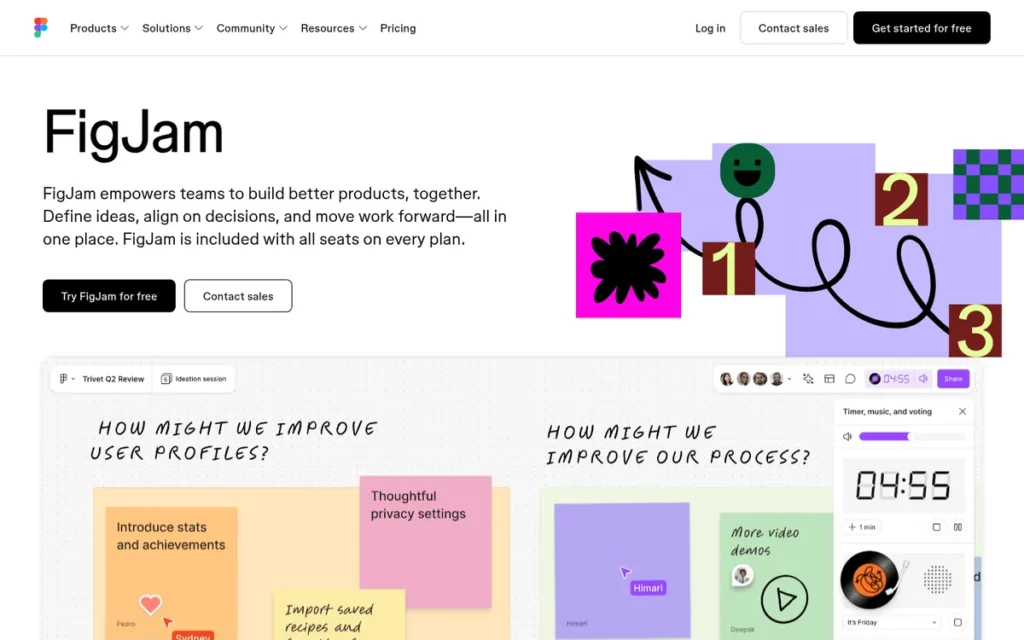
Category: Ecosystem Whiteboard, a whiteboard included in a software suite your team already pays for.
At a Glance
- Category: Ecosystem Whiteboard
- Best For: Product and design teams already working in Figma who want non-designers to join brainstorms cheaply
- Price Range: Starter $0 (3 editable files); Professional $3/editor/month; Organization $5/editor/month (G2 list prices, November 2026, may change)
- Primary Strength: FigJam has the highest share of 4- and 5-star G2 reviews in this comparison (98.3% of 464, November 2026) and the cheapest paid collaborator seat.
- Biggest Limitation: FigJam requires a paid plan for voting and has no documented way to keep participants inside a fixed area.
- One-Line Summary: FigJam is the lowest-cost Miro alternative for teams already in Figma, with $3–$5 collaborator seats and the highest share of 4- and 5-star G2 reviews in this comparison.
- Last Verified: November 2026
Overview
FigJam is Figma’s online whiteboard for brainstorming, diagramming and planning. It is built for product and design teams that already work in Figma and want developers, PMs and stakeholders to collaborate on low-cost Collab seats.
FigJam ranks second with 4.13 of 5. It scores highest on pricing (C3: 5) and lowest on job coverage (C2: 3.5). FigJam’s 0.20-point gap to Lucid comes mainly from job coverage and ecosystem fit and is partly offset by FigJam’s higher pricing score.
Key Features
- FigJam includes stickies, stamps, cursor chat, audio, widgets and more than 300 templates (Figma, November 2026).
- FigJam AI generates boards and diagrams from prompts and sorts and summarizes sticky notes (Figma, November 2026).
- FigJam offers voting on paid plans, and Figma’s pricing information indicates the shared timer is available on the free Starter plan (Figma, November 2026).
- FigJam imports boards from Miro, Mural, Lucid and Jamboard, but Miro boards arrive as vector PDF rather than fully editable objects (Figma Help Center, November 2026).
- FigJam shares the Figma workspace, and one FigJam Collab seat covers both FigJam and Figma Slides.
Best For
FigJam is best for Figma-based product and design teams that need an affordable shared canvas where designers and non-designers brainstorm, map user flows and review work together.
Pricing
FigJam’s G2 list prices are Starter $0, Professional $3/editor/month and Organization $5/editor/month (G2, November 2026). These prices may change.
- FigJam Collab seats cost $3 (Professional, $5 billed monthly), $5 (Organization) and $5 (Enterprise) per month billed annually, according to Figma’s pricing page (Figma, November 2026).
- FigJam’s Starter plan allows 3 editable FigJam files (Figma, November 2026).
- FigJam’s parent company restructured seats into Full, Dev, Collab and View on March 11, 2025 (Figma, March 2025).
- FigJam buyers should map each person to a seat type, because Figma Full seats cost $16, $55 and $90 by plan (Figma, November 2026).
This aligns with community sentiment on r/ProductManagement:
“FigJam has great promise, but be careful as a company looking to implement the tool. We considered expanding with it to replace Miro. However, Figma intends to charge extra for the service, including enterprise seats. So be sure to discuss the budget. (especially if company already has Miro Enterprise).” Posted by u/scratchloco
Takeaway: FigJam’s low headline seat price can climb at the organization level once Figma’s seat and enterprise licensing are counted, so teams replacing Miro need to model the full budget first.
Strengths
- FigJam has the highest share of 4- and 5-star reviews in this comparison, 98.3% of 464 G2 reviews, with an overall 4.6/5 (G2, November 2026).
- FigJam’s top G2 pros are Ease of Use (11), Features (9) and Simple (8) (G2, November 2026), and FigJam is rated 4.8/5 from a small base of 37 Capterra reviews (Toolradar, September 2026).
- FigJam’s Collab seat costs $3–$5 per editor per month, compared with Miro’s $10 Starter and $20 Business per user per month (G2, November 2026).
- FigJam is praised for letting non-designers join in easily. One UX researcher said it “helps stakeholders see how the survey would flow better than just handing them a 100 page word doc” (Reddit r/UXResearch, November 2026).
Limitations
- FigJam gives up facilitation depth in exchange for low cost and Figma integration, and FigJam voting requires a paid plan (Figma, November 2026).
- FigJam has no participant-containment control in our sources. An instructor reported spending sessions moving stickies back on-screen and wished they could “freeze the ‘view'” (Reddit r/userexperience, November 2026).
- FigJam’s G2 cons include Limited Features (5), Slow Performance (4) and Performance Issues (4), and reviewers report lag on larger boards (G2, November 2026).
- FigJam brings Miro boards in as vector PDF, so imported content is not fully editable (Figma Help Center, November 2026).
- FigJam was called “not mature enough” for complex workshops by a product manager quoted on Miro’s comparison page. Miro selected that quote, so treat it with caution (Miro, November 2026).
How It Compares with Miro
FigJam costs much less per collaborator than Miro and is built into Figma. In exchange, FigJam has fewer facilitation and diagramming features, voting only on paid plans, lag on large boards, and Miro imports that arrive as non-editable vector PDF.
Verdict
FigJam is the most cost-effective Miro alternative for Figma-based teams, with collaborator seats from $3 per editor per month (G2, November 2026). FigJam leads on price and satisfaction but is not built for tightly controlled workshops. Teams outside Figma lose much of its advantage, so test a Miro board import first.
3. Mural: Best for Facilitated Workshops and Retrospectives
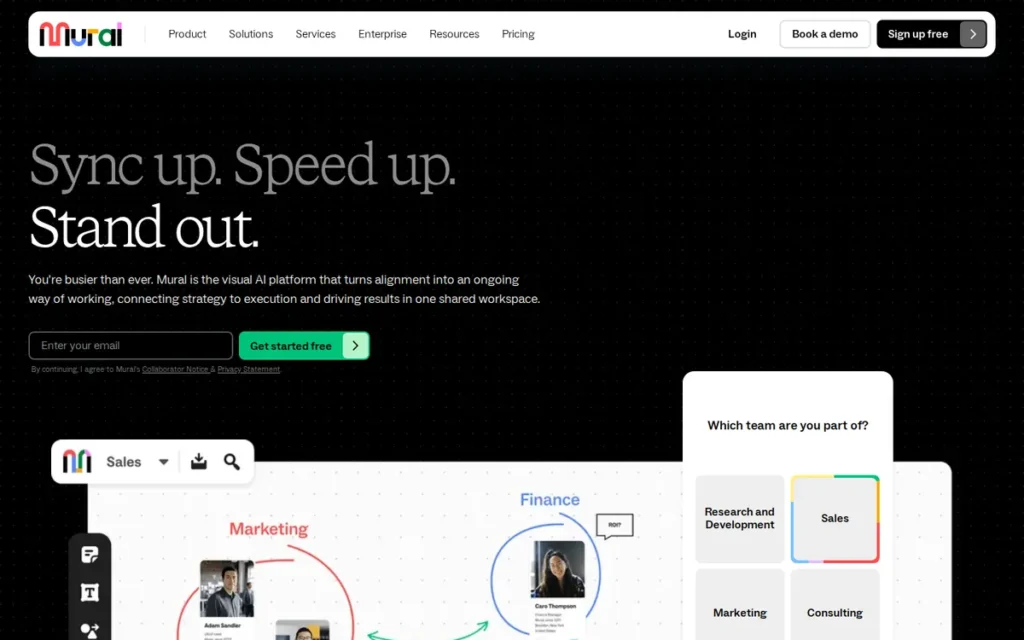
Category: Facilitation Platform, a whiteboard built around running structured live sessions with facilitator controls.
At a Glance
- Category: Facilitation Platform
- Best For: Agile coaches, workshop facilitators and remote teams running retrospectives, design sprints and structured planning sessions
- Price Range: Free (3 editable murals); Team+ $12.00/user/month; Business $17.99/user/month; Enterprise on request (G2 list prices, November 2026, may change)
- Primary Strength: Mural includes its full facilitator toolkit, including timer, private mode, summon and facilitator lock, on every plan.
- Biggest Limitation: Mural has no Miro importer documented in our sources, and reviewers report clutter and slowdowns on large boards.
- One-Line Summary: Mural has the most complete facilitation toolkit in this comparison, with timers, anonymous voting, private mode, summon and facilitator lock included on every plan.
- Last Verified: November 2026
Overview
Mural is a visual collaboration platform built around facilitated sessions. It is designed for agile coaches, workshop leads and remote teams that need timers, anonymous voting, private mode and facilitator controls to run structured retrospectives, design sprints and planning workshops.
Mural ranks third overall with 3.85 of 5 but first for workshop facilitation. Its migration score (C5: 2, no documented importer) costs it 0.30 weighted points against Lucid. Had Mural matched Lucid’s migration score, its total would be 4.15, just above FigJam’s 4.13.
Key Features
- Mural includes “Facilitation Superpowers” on every plan, including Free (Mural pricing and Help Center, November 2026):
- Mural provides a timer and anonymous voting for dot-voting exercises.
- Mural provides private mode and hide-and-reveal.
- Mural provides summon/take control and a laser pointer.
- Mural provides outlines, instructions and facilitator lock.
- Mural integrates with Microsoft Teams, Zoom and Webex so sessions can run inside video calls (Mural integrations directory, November 2026).
- Mural’s Jira and Asana integrations import and sync tasks and issues, so brainstorm output can become tracked work (Mural integrations directory, November 2026).
- Mural’s Free plan allows unlimited members and unlimited murals, but only 3 murals can be edited at a time.
- Mural partners with LUMA Institute on human-centered design methods and a facilitator certification program (Mural, November 2026).
Best For
Mural is best for facilitators, agile coaches and remote teams who use Miro mainly to run structured, time-boxed workshops such as retrospectives, design sprints and PI planning.
Pricing
Mural’s G2 list prices are Free, Team+ at $12.00/user/month and Business at $17.99/user/month (G2, November 2026). These prices may change.
- Mural’s own pricing page lists Team+ at $9.99/member/month billed annually ($12 monthly), Business at $17.99 billed annually and Enterprise by quote (Mural, November 2026).
- Mural’s free plan has the same 3-editable-board ceiling as Miro’s free plan.
- Mural’s Business plan adds SSO and unlimited external collaborators (Mural, November 2026).
- Compared with Mural, Miro’s G2 list prices are $10 for Starter and $20 for Business (G2, November 2026).
Strengths
- Mural holds a G2 rating of 4.6/5 from 1,518 reviews, with 98.0% at 4 or 5 stars. Its top pros are Ease of Use (148) and Team Collaboration (113) (G2, November 2026).
- Mural includes timer, anonymous voting, private mode, summon, hide-and-reveal and facilitator lock on every plan (Mural pricing and Help Center, November 2026).
- Mural is most commonly live in under a month, according to G2 implementation data (G2, November 2026), which matters for teams worried about slowing work down during a switch.
- Mural’s Jira and Asana integrations import and sync tasks (Mural integrations directory, November 2026).
Users on r/userexperience shared their experience:
“I’ve used both to facilitate large (20-50 people) remote ideation sessions. Both have guest-user, templates, stickies, timers and voting capability. Mural has a distinct advantage in that as the host, if the canvas is large and sprawling, you’re able to programmatically focus everyone’s attention to one particular area on the screen, whereas in Miro, you have to vocally guide them to it, or have them search for the frame name.” Posted by u/flooid
Takeaway: Mural’s ability to pull every participant to one spot on a sprawling board gives facilitators a concrete edge over Miro, even though the two tools share most core workshop features.
Limitations
- Mural focuses on facilitation at the expense of breadth. Third-party comparisons report fewer templates and integrations and a smaller diagramming library than Miro (FindAlternative, November 2026).
- Mural’s G2 cons include Missing Features (37), Learning Curve (33), Not Intuitive (27) and Slow Performance (23), and reviewers say large boards can feel cluttered (G2, November 2026).
- Mural has no Miro importer documented in our sources, so teams should plan for manual rebuilding or image exports.
- Mural Team+ at $12/user/month costs more than Miro Starter at $10, so small teams switching for price alone may not save money (G2, November 2026).
- Mural lists English as its only supported language (G2, November 2026). UX practitioners on Reddit are split on whether Mural is ahead of or behind Miro (Reddit r/userexperience, November 2026).
How It Compares with Miro
Mural is the closest like-for-like Miro rival for workshops. Mural Business ($17.99) costs less than Miro Business ($20), but Mural Team+ ($12 monthly) costs more than Miro Starter ($10) (G2, November 2026). Mural trails Miro on templates, integrations, diagramming and large-board performance.
Verdict
Mural is the best Miro alternative for facilitated online workshops because its full facilitator toolkit is included on every plan, including Free. Mural ranks third overall mainly because of migration friction and mid-range pricing. Diagram-heavy teams will find it thinner than Lucid, so pilot one workshop board first.
4. Whimsical: Best for Fast Flowcharts, Wireframes and User Flows

Category: Structured Diagramming Canvas, a canvas built for producing clean flowcharts, wireframes and diagrams rather than open-ended workshops.
At a Glance
- Category: Structured Diagramming Canvas
- Best For: Product managers and designers who need quick, tidy flowcharts, user flows, wireframes and mind maps
- Price Range: Free $0 (50 board objects/month); Pro $10/editor/month; Business $15/editor/month (G2 list prices, November 2026, may change); vendor page lists Business at $20 billed annually
- Primary Strength: Whimsical builds clean flowcharts and wireframes quickly, with keyboard shortcuts and automatic layout.
- Biggest Limitation: Whimsical has no private mode, and Miro content moves over only by copy-paste, losing comments, tags and votes.
- One-Line Summary: Whimsical is a Miro alternative built for quick flowcharts, wireframes and user flows, with keyboard-driven automatic layout, a 4.6/5 G2 rating and free viewer access.
- Last Verified: November 2026
Overview
Whimsical is a visual workspace for flowcharts, wireframes, mind maps, sequence diagrams and docs. It is built for product managers and designers who want fast, tidy product artifacts rather than a sprawling canvas for large facilitated workshops.
Whimsical ranks fourth with 3.25 of 5. It scores highest on review confidence (C1: 4) and lowest on migration (C5: 2.5). Users rate its core diagramming job highly (97.4% at 4 or 5 stars on G2, November 2026), but its workshop controls, free plan and Miro migration are limited.
Key Features
- Whimsical creates keyboard-driven flowcharts with automatic layout, alongside wireframes, mind maps, sequence diagrams, sticky-note boards and docs.
- Whimsical includes a timer and voting on every plan but does not offer private mode (Whimsical, November 2026).
- Whimsical integrates with Slack, Jira, Confluence, Notion, GitHub and Linear (Whimsical, November 2026).
- Whimsical offers an MCP integration that lets ChatGPT and other AI tools create diagrams directly in the workspace (Whimsical, November 2026).
- Whimsical gives viewers free access, so only editors need paid seats.
Best For
Whimsical is best for product teams who use Miro mainly to map user flows, build wireframes and sketch process diagrams rather than to host large live workshops.
Pricing
Whimsical’s G2 list prices are Free at $0, Pro at $10/editor/month and Business at $15/editor/month (G2, November 2026). These prices may change.
- Whimsical’s own pricing page lists Pro at $10/editor/month billed annually ($12 monthly) and Business at $20 billed annually ($24 monthly) (Whimsical, November 2026).
- Whimsical’s Free plan allows 50 board objects and 50 doc blocks per month, with watermarked exports and 7-day version history (Whimsical, November 2026).
- Whimsical viewers are free on all plans, so budget only for editors.
Strengths
- Whimsical holds a G2 rating of 4.6/5 from 189 reviews, with 97.4% at 4 or 5 stars (G2, November 2026). Whimsical also scores 4.9/5 from 25 reviews and won a Golden Kitty award in 2021 (Product Hunt, November 2026).
- Whimsical’s top G2 pros are Ease of Use (29), Features (15) and User Interface (11) (G2, November 2026). One reviewer said “tasks that took hours in Lucidchart only take minutes in Whimsical” (Product Hunt, November 2026).
- Whimsical includes timer and voting on every plan and connects to Notion, Linear, Jira, Confluence, GitHub and Slack (Whimsical, November 2026).
- Whimsical was recommended by a product manager for detailed workflow diagrams, who noted “It’s free also” (Reddit r/ProductManagement, November 2026).
Limitations
- Whimsical favors speed and clean output over workshop depth. It has no private mode and is not designed for large facilitated sessions (Whimsical, November 2026).
- Whimsical accepts Miro content by copy-paste only, and comments, tags and votes do not carry over (Whimsical, November 2026).
- Whimsical’s free-plan limit of 50 board objects per month is restrictive for ongoing work, and G2 reviewers say it is too limited for larger projects (G2, November 2026).
- Whimsical’s G2 cons include Limited Customization (5), Expensive (4) and Color Customization (4) (G2, November 2026).
- Whimsical has no offline mode, according to a third-party review (The Proof Desk, November 2026).
How It Compares with Miro
Whimsical is faster and cleaner than Miro for flowcharts and wireframes, and its viewers are free. Whimsical is not built for large facilitated workshops because it lacks private mode, and Miro content moves over only by copy-paste.
Verdict
Whimsical is the best Miro alternative for product teams that mainly need quick flowcharts, wireframes and user flows rather than facilitated workshops. Whimsical’s high satisfaction and free viewers suit diagram-focused teams. Facilitators and teams with large Miro libraries may find its facilitation and migration gaps costly.
5. Creately: Best for Data-Linked Diagrams and Structured Planning
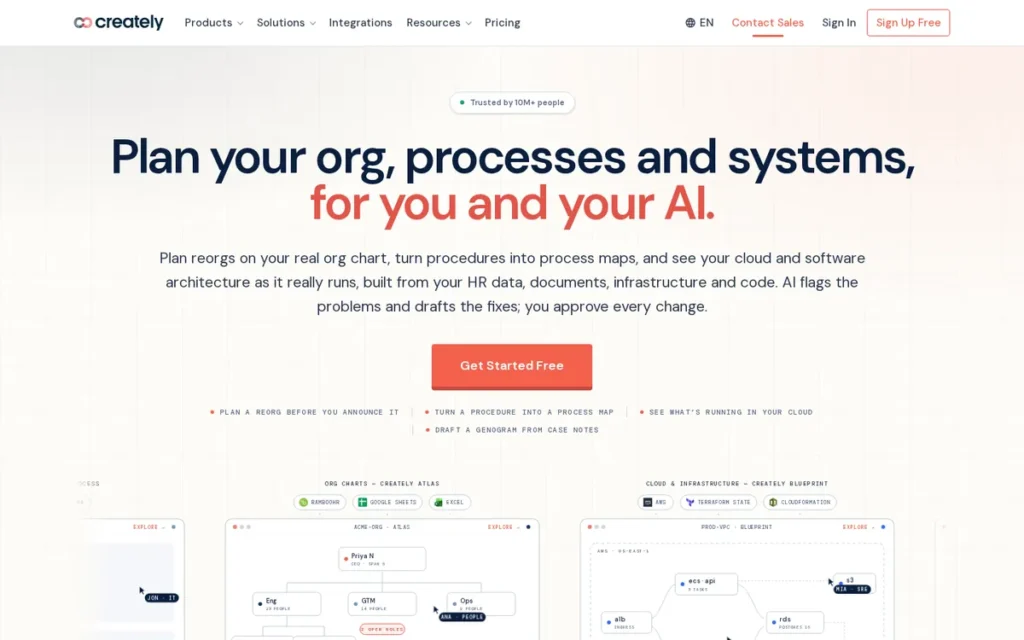
Category: Structured Diagramming Canvas, a canvas built for producing clean flowcharts, models and diagrams rather than open-ended workshops.
At a Glance
- Category: Structured Diagramming Canvas
- Best For: Operations, business-analysis and project teams that want diagrams and plans kept current from live Jira, Sheets or cloud data
- Price Range: Free; Personal $5/user/month; Business $89/month (G2 list prices, November 2026, may change); plans recently restructured
- Primary Strength: Creately links diagram objects to live data from Jira, Google Sheets, GitHub and other sources, so models stay current without manual updates.
- Biggest Limitation: Creately’s free plan caps diagrams at 45 shapes with no export, and our sources document no Miro importer.
- One-Line Summary: Creately is a Miro alternative for teams that need data-linked diagrams and structured plans that stay synced with Jira, Sheets and cloud sources, rated 4.4/5 from 1,394 G2 reviews.
- Last Verified: November 2026
Overview
Creately is a visual canvas that combines whiteboarding, diagramming and planning, with objects linked to live data. It is built for operations, business-analysis and project teams that want process models and plans to stay current with Jira, Google Sheets and cloud sources.
Creately ranks fifth with 3.13 of 5. It scores highest on ecosystem fit (C4: 4) and lowest on migration (C5: 2). Its review-confidence score was capped at 3.5 partly because G2 provides no 4- or 5-star share for Creately.
Key Features
- Creately links canvas objects to data, so an object updated in one view updates everywhere it appears (Creately, November 2026).
- Creately offers data connectors for the following sources (Creately, November 2026):
- Creately connects to Jira, GitHub and Asana.
- Creately connects to AWS.
- Creately connects to Google Workspace, Google Sheets and Excel Online.
- Creately integrates with Microsoft Teams, Slack, Confluence and Google Drive (Creately, November 2026).
- Creately imports Visio files and BPMN 2.0 files from Visio, draw.io and Camunda (Creately, November 2026).
- Creately AI analyzes diagrams and suggests fixes, and Creately supports 17 languages (G2, November 2026).
Best For
Creately is best for operations, business-analysis and project teams moving from Miro or Visio who need process mapping, BPMN models, org charts and other data-linked diagrams rather than free-form workshop boards.
Pricing
Creately’s G2 list prices are Free, Personal at $5/user/month and Business at $89/month (G2, November 2026). These prices may change.
- Creately’s own plans page now shows Free, Pro, Business and Enterprise tiers, and PlugRoute could not confirm current dollar amounts there (Creately, November 2026).
- Creately Pro is reported at $5/editor/month and Business at $89/month billed annually ($149 monthly) by a third-party listing (Startup Stash, November 2026).
- Creately’s Free plan allows 45 shapes per diagram and no export, while Pro adds unlimited shapes, exports and 1 daily-refreshed data source (Creately, November 2026).
- Creately buyers should check renewal terms, because Trustpilot reviewers report unexpected annual charges (Trustpilot, November 2026).
Strengths
- Creately holds a G2 rating of 4.4/5 from 1,394 reviews, the third-largest review base among these alternatives (G2, November 2026).
- Creately is praised for keeping diagrams current with live Jira and Google Sheets data (Capterra and TrustRadius, November 2026).
- Creately imports Visio and BPMN 2.0 files, which helps teams consolidating diagram tools (Creately, November 2026).
- Creately reports SOC 2 Type II and ISO 27001 certification on its workspace page, but this is vendor-reported, so confirm it on Creately’s trust center (Creately, November 2026).
Limitations
- Creately gives up free-form workshop flexibility in exchange for structured, data-linked diagramming, so it is weaker for live facilitated sessions.
- Creately has no Miro importer documented in our sources, and its 45-shape free plan with no export makes real team evaluation hard.
- Creately users report lag on complex diagrams and Undo hangs (Capterra and TrustRadius, November 2026).
- Creately users describe the interface as cluttered for beginners and mobile editing as difficult (Capterra, November 2026).
- Creately reviewers report unexpected annual charges and refund difficulty, though these are individual reports (Trustpilot, November 2026).
How It Compares with Miro
Creately is better than Miro at structured, data-linked diagrams and modeling. Creately is weaker as a free-form workshop canvas. It also has a tight free plan, no Miro importer in our sources and some billing complaints.
Verdict
Creately is the best Miro alternative for teams whose diagrams and plans must stay synced with live data from Jira, Google Sheets or cloud platforms. Creately suits structured modeling better than workshops. Confirm current plan prices and renewal terms with Creately before purchase.
6. Excalidraw: Best Free and Open-Source Sketch Canvas
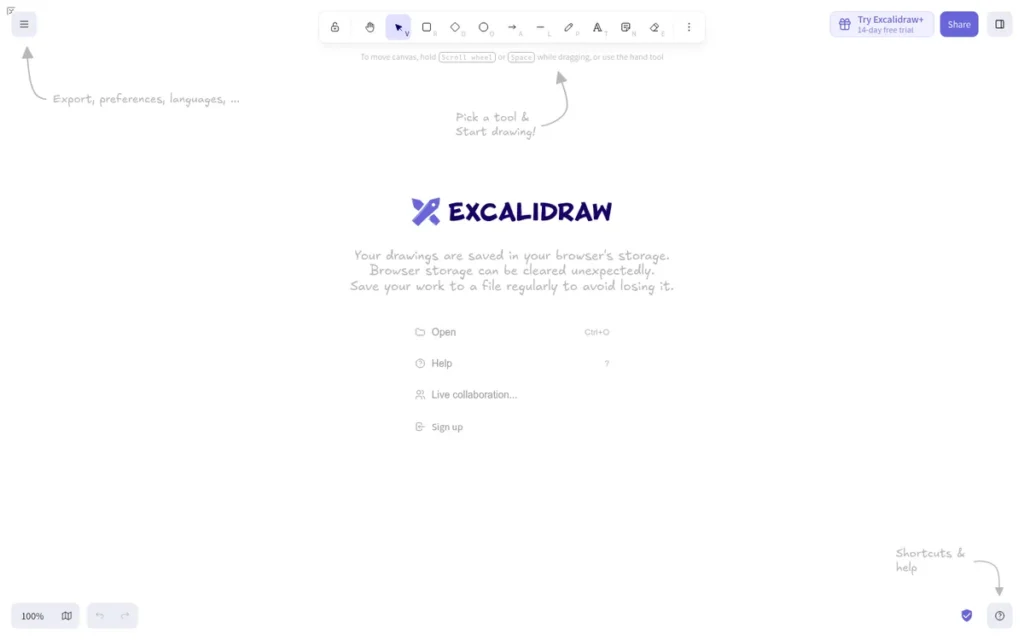
Category: Lightweight Sketch Canvas, a minimal, hand-drawn-style whiteboard for quick diagrams without a full suite.
At a Glance
- Category: Lightweight Sketch Canvas
- Best For: Engineering and small product teams that want a free, private, sketch-style canvas or an open-source option they can self-host
- Price Range: Free (open source; 1 hosted scene); Excalidraw+ $6/user/month billed annually or $7 monthly; Education $4/month or $36/year (Excalidraw, November 2026)
- Primary Strength: Excalidraw is free and open source, needs no signup and offers end-to-end encrypted live collaboration.
- Biggest Limitation: Excalidraw has no facilitation kit, and Excalidraw’s documentation says the self-hosted Docker image alone does not support sharing or live collaboration.
- One-Line Summary: Excalidraw is a free, self-hostable open-source Miro alternative for quick sketch-style diagrams, with about 136,000 GitHub stars, but it is not a workshop or enterprise platform.
- Last Verified: November 2026
Overview
Excalidraw is an open-source, hand-drawn-style infinite canvas with no signup, offline use and end-to-end encrypted collaboration. It is built for engineers and small teams that want a lightweight sketch board or a free Miro alternative they can self-host.
Excalidraw ranks sixth with 2.65 of 5. It ties Microsoft Whiteboard but places ahead on the primary-criteria tie-break (9.5 vs. 8.5). Excalidraw scores highest on pricing (C3: 5) and lowest on migration (C5: 1.5).
Key Features
- Excalidraw offers a hand-drawn-style infinite canvas that saves locally, works offline and needs no account (GitHub, November 2026).
- Excalidraw’s live collaboration is end-to-end encrypted, and the free tier allows unlimited collaborators on one scene (Excalidraw, November 2026).
- Excalidraw supports text-to-diagram generation and Mermaid conversion, with 10 AI requests per day free and 100 on Excalidraw+.
- Excalidraw+ adds the following capabilities (Excalidraw, November 2026):
- Excalidraw+ adds unlimited scenes and folders, cloud saving and access management.
- Excalidraw+ adds PDF/PPTX export, presentations and comments.
- Excalidraw+ adds voice hangouts, screen sharing, and MCP and REST API access in public beta.
- Excalidraw can be self-hosted through an official Docker image, though live collaboration requires a separate collaboration server (Excalidraw, November 2026).
Best For
Excalidraw is best for engineering and small product teams that need quick sketches and architecture diagrams, care about privacy, or want an open-source tool rather than a full whiteboard suite.
Pricing
Excalidraw’s free hosted version allows 1 scene, unlimited collaborators and 10 AI requests per day (Excalidraw, November 2026). Excalidraw is not in G2’s pricing dataset, so these are vendor prices.
- Excalidraw+ costs $6/user/month billed annually or $7 monthly, with a 14-day trial and 100 AI requests per day (Excalidraw, November 2026).
- Excalidraw’s Education plan costs $4/month or $36/year (Excalidraw, November 2026).
- Excalidraw’s open-source build has no license fee when self-hosted, but it still needs infrastructure and maintenance.
Strengths
- Excalidraw’s GitHub repository has about 136,000 stars and dates to January 2, 2020 (GitHub, November 2026). That shows strong developer interest, not verified active usage.
- Excalidraw+ is the cheapest per-user paid tier in this comparison after FigJam’s Collab seats, and the free hosted version allows unlimited collaborators (Excalidraw, November 2026).
- Excalidraw was called “probably the closest vibe to Miro” by a self-hoster who added “we use it at work and honestly prefer it over Miro” (Reddit r/selfhosted, November 2026).
- Excalidraw is rated 4.9/5 from 27 reviews (Product Hunt, November 2026) and 4.5/5 from 31 G2 reviews, a figure outside PlugRoute’s verified G2 dataset that rests on a small review base.
Users on r/salesengineers shared their experience:
“Every single time. Dead simple, can save boards/objects, and you can make a link for others to join and draw live. I’d be screwed without this now.” Posted by u/drawsmcgraw
Takeaway: Excalidraw’s no-friction link sharing and live drawing make it a dependable everyday sketching tool for technical, customer-facing teams, even without a full workshop toolkit.
Limitations
- Excalidraw keeps things simple at the expense of breadth. Comparisons note few templates, no voting or timers, and fewer integrations and admin controls than Miro (VantageOS, November 2026).
- Excalidraw’s documentation states that self-hosting the official Docker image alone does not support sharing or live collaboration. Drawings stay in each person’s browser unless teams add a collaboration server and storage (Excalidraw, November 2026).
- Excalidraw’s self-hosted build was described as “just one canvas, stored client-side” by an r/selfhosted user, which corroborates the documentation (Reddit r/selfhosted, November 2026).
- Excalidraw slows down on large boards, according to third-party comparisons (Troiana, November 2026).
- Excalidraw has no Miro import path documented in our sources, and community add-ons such as ExcaliDash are unofficial workarounds.
How It Compares with Miro
Excalidraw is much simpler and cheaper than Miro, private by default and self-hostable. Excalidraw is not a workshop or enterprise platform. It has no facilitation kit and few templates, and its self-hosted image needs extra components for team collaboration.
Verdict
Excalidraw is the best choice in this comparison for teams that want a free, private, open-source sketch canvas, but its self-hosted image is not a drop-in shared team workspace. Excalidraw suits quick technical sketching, not facilitated workshops. Teams needing hosted collaboration should evaluate Excalidraw+ at $6/user/month billed annually.
7. Microsoft Whiteboard: Best for Microsoft 365 and Teams Organizations
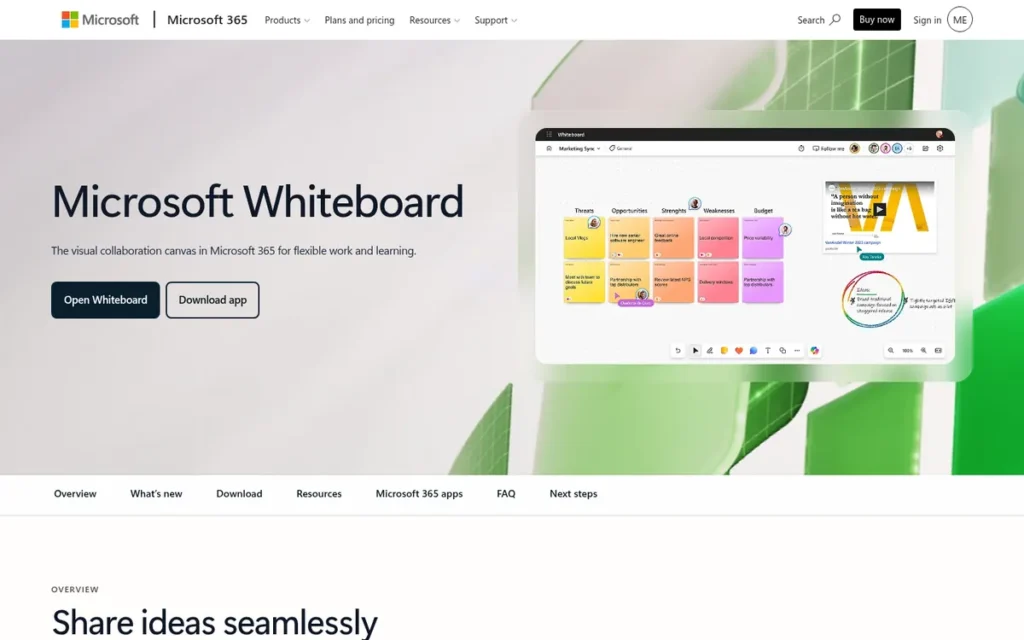
Category: Ecosystem Whiteboard, a whiteboard included in a software suite your team already pays for.
At a Glance
- Category: Ecosystem Whiteboard
- Best For: Organizations standardized on Microsoft 365 and Teams that need simple, compliant whiteboarding inside meetings
- Price Range: Included with Microsoft 365 (US business plans from $7/user/month, annual); Copilot Business add-on from $18/user/month; not listed on G2 (Microsoft, November 2026)
- Primary Strength: Microsoft Whiteboard adds no cost for Microsoft 365 organizations, and Microsoft lists it as meeting its Tier C compliance requirements.
- Biggest Limitation: Microsoft Whiteboard has the lowest G2 rating and smallest review base in this comparison (4.0/5 from 51 reviews) and minimal facilitation tools, and its standalone Windows, iOS and Android apps retired on October 16, 2026.
- One-Line Summary: Microsoft Whiteboard is the no-added-cost Miro alternative for Microsoft 365 organizations that want compliant whiteboarding inside Teams and the browser, with far fewer facilitation, template and diagramming features than Miro.
- Last Verified: November 2026
Overview
Microsoft Whiteboard is a freeform digital canvas built into Microsoft Teams and available on the web. It is designed for Microsoft 365 organizations that want simple brainstorming inside meetings without buying or governing another standalone app.
Microsoft Whiteboard ranks seventh with 2.65 of 5. It ties Excalidraw but places behind on the primary-criteria tie-break (8.5 vs. 9.5). PlugRoute reviewed the October 2026 retirement of the standalone apps and did not change any scores, because the web and Teams versions continue.
Key Features
- Microsoft Whiteboard runs inside Teams meetings and in a web browser. Microsoft retired the standalone Windows, iOS and Android apps on October 16, 2026 (Microsoft Support, November 2026).
- Microsoft Whiteboard works with Copilot to summarize boards and share summaries through Loop components, which sync across chat, meetings and email (Microsoft, November 2026).
- Microsoft Whiteboard includes collaboration cursors, reactions and more than 50 templates (Microsoft, March 2022).
- Microsoft Whiteboard supports sharing with external participants in Teams meetings (Microsoft, March 2022).
- Microsoft Whiteboard offers intelligent inking that converts freeform drawings into standard shapes and tables (G2, November 2026).
Best For
Microsoft Whiteboard is best for Microsoft 365 organizations, especially regulated ones, that need quick shared sketching in Teams meetings and care more about compliance and zero added cost than advanced features.
Pricing
Microsoft Whiteboard is included with Microsoft 365, and G2 lists no separate price for it (G2, November 2026).
- Microsoft 365 US business plans include Business Basic at $7/user/month and Business Standard at $14/user/month, billed annually (Microsoft, November 2026).
- Microsoft Copilot Business is an add-on from $18/user/month, billed annually (Microsoft, November 2026).
- Microsoft Whiteboard has no board limits of its own documented in our sources, so for existing tenants the real cost of switching is the features lost.
Strengths
- Microsoft Whiteboard is listed as meeting Tier C compliance requirements, including SOC 1, SOC 2, ISO 27001, HIPAA and EU Model Clauses, though compliance depends on tenant configuration (Microsoft Support, November 2026).
- Microsoft Whiteboard adds no cost for Microsoft 365 tenants, compared with Miro’s G2 list prices of $10–$20 per user per month (G2, November 2026).
- Microsoft Whiteboard runs inside Teams meetings and syncs Copilot summaries through Loop components, so teams do not need to adopt another app.
- Microsoft Whiteboard’s top G2 pros are Integrations (2) and Sharing (1), counts drawn from a very small review base (G2, November 2026).
Limitations
- Microsoft Whiteboard gives up features in exchange for zero added cost and native Teams integration, and its facilitation, template and diagramming features are far thinner than Miro’s.
- Microsoft Whiteboard has the lowest G2 rating in this comparison, 4.0/5 from 51 reviews with 82.4% at 4 or 5 stars (G2, November 2026).
- Microsoft Whiteboard scores 4.4 overall and 4.2 for functionality, against Miro’s 4.7 and 4.6 (Software Advice, November 2026).
- Microsoft Whiteboard reviewers report the app hanging when sharing (Software Advice, November 2026).
- Microsoft Whiteboard reviewers report glitches with many simultaneous users and describe font formatting as “extremely limited” (Software Advice, November 2026).
- Microsoft Whiteboard users lost the standalone Windows, iOS and Android apps on October 16, 2026, so work now happens in Teams or the browser (Microsoft Support, November 2026).
How It Compares with Miro
Microsoft Whiteboard is effectively free for Microsoft 365 organizations and native to Teams and Microsoft’s compliance framework. Microsoft Whiteboard has far fewer facilitation, template, diagramming and integration features than Miro, and our sources document no Miro importer.
Verdict
Microsoft Whiteboard is a practical Miro alternative for Microsoft 365 organizations that only need simple, compliant whiteboarding inside Teams meetings and the browser. Microsoft Whiteboard is effectively free for existing tenants and strong on governance. Its low ratings and thin features make it a poor fit for workshop- or diagram-heavy teams.
How Do the Alternatives Compare with Miro?
Every Miro alternative improves on Miro in one area, such as price, facilitation, diagramming or ecosystem fit, and gives something up in another. Miro keeps the largest review base (13,813 G2 reviews, November 2026). Only Lucid Visual Collaboration Suite, FigJam and Whimsical document a Miro import route, and none documents a lossless transfer.
Every Miro alternative is a trade. Lucid Visual Collaboration Suite trades simplicity for structure, FigJam trades facilitation depth for price, and Mural trades migration ease for the fullest workshop toolkit.
| Product | G2 Rating (Nov 2026) | Free-Plan Limit | Entry Paid Price | Facilitation Controls | Miro Import Route | Key Integrations | Offline / Self-Hosting |
|---|---|---|---|---|---|---|---|
| Miro (baseline) | 4.6 (13,813) | Unlimited boards, 3 editable | $10/user/mo Starter (G2) | Timer, voting, private mode, bring-everyone, Talktrack | Not applicable (baseline) | Broad ecosystem (not itemized in our sources) | Not documented |
| Lucid Visual Collaboration Suite | 4.5 (9,142) | 3 editable boards | $13.50/mo Individual Bundle (G2) | Timer, voting, private mode; breakouts on Enterprise | Copy-paste (editable), vector PDF, CSV | 112 on G2; two-way Jira; Asana | Offline export requested by users |
| FigJam | 4.6 (464) | 3 editable files | $3/editor/mo annual, $5 monthly (G2, Figma) | Voting on paid plans; timer on Starter (per Figma) | Vector PDF | Figma, Figma Slides | Not documented |
| Mural | 4.6 (1,518) | 3 editable murals | $12/user/mo Team+ (G2) | Full kit on every plan | Not documented | Teams, Zoom, Webex, Jira, Asana | Not documented |
| Whimsical | 4.6 (189) | 50 board objects/month | $10/editor/mo Pro (G2) | Timer and voting; no private mode | Copy-paste (loses comments, tags, votes) | Slack, Jira, Confluence, Notion, GitHub, Linear | No offline mode (third-party) |
| Creately | 4.4 (1,394) | 45 shapes/diagram, no export | $5/user/mo Personal (G2) | Not documented | Not documented | Jira, GitHub, Asana, AWS, Sheets, Excel | Not documented |
| Excalidraw | 4.5 (31, outside verified dataset) | 1 scene | $6/user/mo annual, $7 monthly (vendor) | No voting or timers (third-party) | Not documented | MCP and REST API (beta) | Offline; self-hostable via Docker (collaboration needs separate server) |
| Microsoft Whiteboard | 4.0 (51) | Included with Microsoft 365 | Microsoft 365 from $7/user/mo (vendor) | Not documented | Not documented | Teams, Loop, Copilot | Web and Teams only; standalone apps retired Oct 16, 2026 |
All prices in this table are G2 list prices or vendor-page prices as of November 2026 and may change.
What Would a 20-Person Team Pay?
For a 20-person team, Microsoft Whiteboard adds nothing to an existing Microsoft 365 plan. FigJam Organization Collab seats cost about $100 per month, against about $400 for Miro Business. Seat rules matter more than list price, because free viewers and collaborator seats cut costs sharply (G2 list prices, November 2026).
Estimated monthly costs for 20 people:
- Miro Business costs about $400/month at $20/user, and Miro Starter costs about $200/month at $10/user.
- Mural Business costs about $360/month at $17.99/user.
- FigJam Organization Collab seats cost about $100/month at $5/editor.
- Excalidraw+ costs about $120/month at $6/user billed annually (Excalidraw, November 2026).
- Whimsical Pro costs about $50/month if only 5 people edit and 15 view, because Whimsical viewers are free.
- Microsoft Whiteboard adds $0 for teams already licensed for Microsoft 365.
These estimates use G2 list prices as of November 2026 unless noted, and prices may change. Lucid Visual Collaboration Suite is omitted because its per-user basis is unconfirmed. Creately is omitted because its Business tier is a flat monthly price with unconfirmed seat terms.
Which Miro Alternatives Have the Best Facilitation Controls?
Mural has the most complete documented facilitation toolkit, and it is included on every plan. Lucid Visual Collaboration Suite’s Lucidspark comes second, with Breakout Boards limited to Enterprise. FigJam and Whimsical offer timers and voting but have gaps. Excalidraw and Microsoft Whiteboard document few or no facilitator controls.
| Control | Miro | Mural | Lucidspark | FigJam | Whimsical | Excalidraw | Microsoft Whiteboard |
|---|---|---|---|---|---|---|---|
| Timer | Yes | Yes (all plans) | Yes | Yes, Starter (per Figma pricing) | Yes (all plans) | No | Not documented |
| Voting | Yes | Anonymous (all plans) | Yes | Paid plans | Yes (all plans) | No | Not documented |
| Private mode | Yes | Yes (all plans) | Yes | Not documented | No | Not documented | Not documented |
| Summon / bring everyone | Yes | Yes (all plans) | Gather and Sort | Not documented | Not documented | Not documented | Not documented |
| Hide-and-reveal | Not documented | Yes (all plans) | Not documented | Not documented | Not documented | Not documented | Not documented |
| Facilitator lock | Not documented | Yes (all plans) | Not documented | User-reported gap | Not documented | Not documented | Not documented |
| Breakout boards | Not documented | Not documented | Yes (Enterprise only) | Not documented | Not documented | Not documented | Not documented |
“Not documented” means our sources did not confirm the feature either way. It does not mean the feature is absent.
How Do I Move My Boards Off Miro Without Losing Work?
No alternative in this comparison documents a lossless Miro import. Lucid Visual Collaboration Suite accepts copy-paste (which keeps content editable), vector PDF or CSV. FigJam accepts vector PDF, and Whimsical accepts copy-paste only. Our sources document no importer for Mural, Creately, Excalidraw or Microsoft Whiteboard, so pilot one board first.
For four of the seven alternatives (Mural, Creately, Excalidraw and Microsoft Whiteboard), leaving Miro means rebuilding boards rather than importing them, because none documents a Miro importer (November 2026).
Miro can export boards in the following formats (Miro Help Center, November 2026):
- Miro exports boards as images.
- Miro exports boards as vector PDF or SVG.
- Miro exports sticky notes as CSV in some workflows.
Each alternative handles those exports differently:
- Lucid Visual Collaboration Suite imports Miro content by copy-paste, which Lucid recommends for keeping content editable. It also accepts vector PDF, which requires a paid Miro account, and CSV as sticky notes or Lucid Cards. Some board features may not transfer (Lucid Help Center, November 2026).
- FigJam imports Miro boards as vector PDF, not as fully editable boards (Figma Help Center, November 2026).
- Whimsical accepts Miro content by copy-paste, and comments, tags and votes do not carry over (Whimsical, November 2026).
- Mural, Creately, Excalidraw and Microsoft Whiteboard have no Miro importer documented in our sources.
A safe migration follows four steps:
- Export one representative board, ideally your largest and most interactive one.
- Import that board into your shortlisted tool and list everything that broke or disappeared.
- Rebuild your most-used templates natively in the new tool.
- Keep Miro read-only access until the team has worked in the new tool for at least one full cycle.
Plan a 2–4 week pilot. Mural reviewers on G2 most commonly report going live in under a month (G2, November 2026), which is a useful benchmark for the category.
What Won’t Switching Fix?
Switching from Miro will not get rid of free-plan caps, large-board lag or migration loss, because these problems appear across the whole category. Most alternatives also cap free usage tightly, and several have reported performance problems. No tool in our sources documents importing Miro boards with comments, votes and embeds intact.
The 3-editable-board free cap is a category norm, not a Miro-only problem: Miro, Mural, FigJam and Lucidspark all use it (November 2026).
Free plans across the Miro alternative category impose these caps (November 2026):
- Miro, Mural, FigJam and Lucidspark each limit free users to 3 editable boards or files.
- Whimsical’s free plan limits users to 50 board objects and 50 doc blocks per month.
- Creately’s free plan limits users to 45 shapes per diagram with no export.
- Excalidraw’s free hosted plan limits users to 1 scene.
Reviewers report performance problems in several Miro alternatives:
- Mural reviewers list Slow Performance (23) among top G2 cons (G2, November 2026).
- Lucid Visual Collaboration Suite reviewers report lag on complex diagrams (G2, November 2026).
- FigJam reviewers list Slow Performance (4) and Performance Issues (4) (G2, November 2026).
- Creately reviewers report lag on complex diagrams (Capterra, November 2026).
AI usage caps also continue after switching. Excalidraw, for example, limits AI to 10 requests per day free and 100 on Excalidraw+ (Excalidraw, November 2026).
When Does It Make Sense to Stay with Miro?
Staying with Miro makes sense when your workshops depend on its full facilitation set, when your team relies on its templates and integrations, or when migration would lose interactive content. Miro’s 4.6/5 G2 rating from 13,813 reviews (G2, November 2026) suggests many teams’ problems are about cost, not quality.
Consider staying with Miro in these situations:
- Miro’s documented timer, voting, private mode, “bring everyone to me” and Talktrack features are central to how your team runs sessions (Miro Help Center, November 2026).
- Miro’s template and integration ecosystem is deeply built into your workflows.
- Miro boards hold votes, comments and embeds that no alternative documents importing intact.
- Miro gives your team one canvas for both workshops and mid-level diagrams, and splitting that work across two tools would add friction.
What Red Flags Should I Watch For When Evaluating Miro Alternatives?
The biggest red flags are a missing Miro import path, facilitation controls locked to paid tiers, free plans too tight for real evaluation, prices that differ between sources, self-hosted builds without team features and high ratings based on very few reviews. Each one can turn a cheaper tool into a costlier switch.
Red Flag #1: No Documented Miro Import Path A vendor without a documented Miro importer usually means rebuilding boards by hand. Our sources document no importer for Mural, Creately, Excalidraw or Microsoft Whiteboard (November 2026), so ask each vendor for a written migration method before committing.
Red Flag #2: Facilitation Controls Locked to Paid Tiers Facilitation controls that need a paid or Enterprise plan may be missing from your trial. FigJam puts voting on paid plans only, and Lucidspark limits Breakout Boards to Enterprise, while Mural includes its full facilitator kit on every plan (Figma, Lucid and Mural, November 2026).
Red Flag #3: Free Plan Caps That Block Ongoing Work Free-plan caps that are too tight make it impossible to test a tool on real work. Caps in this category range from 3 editable boards to 45 shapes per diagram (November 2026), so plan a short paid trial for any serious evaluation.
Red Flag #4: Prices That Differ Between Review Sites and Vendor Pages Prices that differ between G2 and vendor pages mean any comparison list may be out of date. Whimsical’s Business tier is $15 on G2 but $20 on Whimsical’s own page (G2 and Whimsical, November 2026), so always confirm pricing with the vendor.
Red Flag #5: Self-Hosted Builds Without Team Collaboration A self-hosted build without team collaboration shows that “open source” does not mean “team-ready.” Excalidraw’s documentation states that its Docker image alone does not support sharing or live collaboration (Excalidraw, November 2026), so test storage and multi-user editing first.
Red Flag #6: High Ratings on Tiny Review Bases A high rating based on few reviews deserves less confidence than a slightly lower rating based on thousands. Excalidraw’s 4.5 on G2 rests on 31 reviews, while Lucid Visual Collaboration Suite’s 4.5 rests on 9,142 (G2, November 2026).
What Questions Should I Ask Before Choosing a Miro Alternative?
Before choosing a Miro alternative, ask six questions: what survives import, which plan unlocks facilitation controls, how deep task integrations go, who needs a paid seat, how the tool handles large boards and what the renewal terms are. These questions surface hidden costs that feature lists leave out.
Question #1: What exactly survives when I import a Miro board? A useful answer names what survives and what is lost, including editable objects, comments, tags and votes. Lucid recommends copy-paste to keep content editable, FigJam imports vector PDF, and Whimsical drops comments and votes (vendor help pages, November 2026). Get specifics in writing.
Question #2: Which plan unlocks timer, voting and private mode? The right answer names the exact plan tier for each facilitation control. Mural includes these controls on every plan, FigJam reserves voting for paid plans, and Lucidspark Breakout Boards require Enterprise (Mural, Figma and Lucid, November 2026). Confirm tiers in writing before buying.
Question #3: Does the integration sync tasks both ways or only embed? An integration that syncs both ways keeps brainstorm output and tickets aligned, while an embed only displays content. Lucid Visual Collaboration Suite documents two-way Jira sync, and Mural documents Jira and Asana task sync (Lucid and Mural, November 2026).
Question #4: Do viewers and guests need paid seats? Seat rules often decide total cost more than list price does. Whimsical gives viewers free access, and FigJam Collab seats cost far less than Figma Full seats (Whimsical and Figma, November 2026), so map every participant to a seat type before budgeting.
Question #5: How does the tool perform on a board as large as our biggest Miro board? The only reliable answer comes from testing your largest real board in the new tool. Reviewers report lag on large or complex boards in Mural, Lucid Visual Collaboration Suite, FigJam and Creately (G2 and Capterra, November 2026), so load-test during the pilot.
Question #6: What are the renewal and refund terms? Clear written renewal and refund terms protect you from unexpected charges. Trustpilot reviewers report unexpected annual charges and refund difficulty with Creately (Trustpilot, November 2026), so confirm the terms for every vendor before paying.
How Did We Rank These Miro Alternatives?
PlugRoute scored seven Miro alternatives from 1 to 5 on five weighted criteria: review confidence, Miro job coverage, pricing, ecosystem fit and migration path. Scores draw on G2 data verified in November 2026, vendor documentation, independent review sites and Reddit. Rank follows the weighted total, and readers choosing for one job should pick by job.
The five criteria and their weights:
- C1: Independent User Ratings and Review Confidence (25%). Independent ratings are the best available proxy for real-world satisfaction. High ratings based on fewer than 100 reviews were scored down.
- C2: Core Miro Job Coverage (25%). Readers need a tool that does their Miro job, so this criterion measures documented facilitation controls, diagramming depth, templates and AI.
- C3: Pricing and Free-Plan Value vs. Miro (20%). Cost is the main reason teams leave, so this criterion compares each tool with Miro’s G2 list prices ($10 Starter, $20 Business).
- C4: Ecosystem Fit and Idea-to-Task Follow-Through (15%). Teams want a whiteboard that fits existing tools, so this criterion measures integration depth, task sync and compliance listings.
- C5: Migration Path from Miro (15%). Switching cost can outweigh feature differences, so this criterion measures documented import routes and what each one loses.
| Rank | Product | C1 | C2 | C3 | C4 | C5 | Weighted Total |
|---|---|---|---|---|---|---|---|
| 1 | Lucid Visual Collaboration Suite | 5 | 4.5 | 3 | 5 | 4 | 4.33 |
| 2 | FigJam | 4.5 | 3.5 | 5 | 4 | 3.5 | 4.13 |
| 3 | Mural | 4.5 | 4.5 | 3.5 | 4 | 2 | 3.85 |
| 4 | Whimsical | 4 | 3 | 3 | 3.5 | 2.5 | 3.25 |
| 5 | Creately | 3.5 | 3 | 3 | 4 | 2 | 3.13 |
| 6 | Excalidraw | 2.5 | 2 | 5 | 2 | 1.5 | 2.65 |
| 7 | Microsoft Whiteboard | 2 | 2 | 4.5 | 3.5 | 1.5 | 2.65 |
The weighted total is C1×0.25 + C2×0.25 + C3×0.20 + C4×0.15 + C5×0.15. Ties are broken by the sum of C1, C2 and C3. On that tie-break, Excalidraw (9.5) placed ahead of Microsoft Whiteboard (8.5).
PlugRoute re-tested the ranking after verification in November 2026. Lowering Lucid’s C2 score from 4.5 to 4.0, because Breakout Boards are Enterprise-only, reduces its total to 4.20, still ahead of FigJam (4.13). No rank changed.
PlugRoute excluded the following tools:
- Sketch and Adobe XD were excluded because they are UI design and prototyping tools, not whiteboards.
- Xmind was excluded because it is a mind-mapping app, and Visio because it is a desktop diagramming tool.
- ClickUp Whiteboards, Canva Whiteboards, tldraw and draw.io were left unranked because our sources contained no whiteboard-specific ratings for them.
PlugRoute resolved the following points during verification in November 2026:
- Lucidspark Breakout Boards require the Enterprise plan, and Lucid’s free plan allows 3 editable boards (Lucid Help Center, November 2026).
- Microsoft retired the standalone Whiteboard apps on October 16, 2026, and Whiteboard continues on the web and in Teams (Microsoft Support, November 2026).
- Excalidraw+ costs $6 billed annually or $7 monthly, and the self-hosted image alone lacks collaboration (Excalidraw, November 2026).
Our sources still disagree on the following points:
- Whimsical’s Business tier is $15/editor/month on G2 but $20 billed annually on Whimsical’s own page.
- Creately’s plans were restructured, and the current vendor dollar amounts could not be confirmed.
- FigJam’s timer was placed on paid plans by earlier sources, but Figma’s current pricing information indicates it is on Starter.
- Lucid’s tables and timelines are praised in some AI answers but criticized by one Reddit practitioner.
Lucid’s Forrester TEI study is labeled vendor-commissioned, and quotes from Miro’s comparison pages are labeled vendor-selected. Reddit coverage of Mural, Microsoft Whiteboard and Creately was thin, and no secondary rating was captured for Mural. These are research limits, not product weaknesses.
Dates in parentheses throughout this article show when PlugRoute retrieved or verified each source. Publication years are given for dated studies and announcements.
PlugRoute has no affiliate relationships with any company listed. Rankings are determined entirely by research data and objective evaluation criteria.
What Do Readers Ask Most About Miro Alternatives?
Readers most often ask which free Miro alternative supports real-time collaboration, whether an open-source option can be self-hosted, and how PlugRoute builds its rankings. The short answers are Excalidraw or Mural’s free plan, yes with a separate collaboration server, and five published weighted criteria.
What is the best free Miro alternative with real-time collaboration?
Excalidraw is the most permissive free Miro alternative in this comparison, allowing unlimited collaborators with end-to-end encrypted live editing on one hosted scene (Excalidraw, November 2026). FigJam Starter allows 3 editable files. Mural’s free plan includes its full facilitator kit on 3 editable murals, so workshop facilitators should start there.
Is there an open-source Miro alternative I can self-host?
Excalidraw is an open-source Miro alternative you can self-host with an official Docker image. However, Excalidraw’s own documentation says the image alone does not support sharing or live collaboration. Teams need a separate collaboration server and storage, or can use hosted Excalidraw+ at $6/user/month billed annually (Excalidraw, November 2026).
How does PlugRoute determine rankings?
PlugRoute ranks tools by a weighted score across five published criteria: user ratings (25%), Miro job coverage (25%), pricing (20%), ecosystem fit (15%) and migration path (15%). Lucid Visual Collaboration Suite scored 4.33, FigJam 4.13 and Mural 3.85 out of 5, using G2 data verified in November 2026 plus vendor documentation.
What Do Key Miro Alternative Terms Mean?
Buyers comparing online whiteboards run into the same pricing, facilitation, integration and compliance terms in every vendor’s materials. The definitions below explain each term in plain language and say why it matters when you shortlist a replacement tool and plan a migration from your current whiteboard.
Per-seat pricing: A billing model where each user is charged separately, usually per month. Per-seat pricing matters because whiteboard costs grow directly with team size, which is the most common reason teams leave their current tool.
Collab seat: A lower-cost seat type that covers whiteboarding and presentations but not full design editing. Collab seats matter because choosing the wrong seat type for each person can multiply the real cost of a design-suite whiteboard.
Free viewer: A user who can open and view boards without a paid license. Free viewers matter because they let stakeholders follow the work without adding to your seat count.
Private mode: A facilitation setting that hides participants’ contributions from one another until the facilitator reveals them. Private mode matters because it reduces groupthink during brainstorming and voting.
Summon (bring everyone to me): A facilitator control that moves every participant’s view to the same spot on the board. Summon matters in large workshops, where participants otherwise drift across the canvas.
Facilitator lock: A control that prevents participants from moving or editing selected content. Facilitator lock matters for keeping templates, instructions and structure intact during live sessions.
Two-way sync: An integration in which changes made in either the whiteboard or a connected tool, such as a ticketing system, update the other. Two-way sync matters because one-way imports and embeds let tasks and boards drift out of alignment.
Vector PDF import: A migration method that brings a board in as a drawing file rather than as native, editable objects. Vector PDF import matters because imported content may look correct but cannot be fully edited, commented on or voted on.
Data-linked diagram: A diagram whose shapes are connected to an external data source and update when that data changes. Data-linked diagrams matter to teams whose process maps or plans go stale when maintained by hand.
Self-hosting: Running software on your own servers instead of the vendor’s cloud. Self-hosting matters for privacy and control, but it adds infrastructure work and may not include every feature of the hosted version.
SOC 2 and ISO 27001: Widely used security and compliance standards that cover how a vendor protects customer data. SOC 2 and ISO 27001 matter to regulated organizations, which should confirm certification on the vendor’s trust center rather than in third-party summaries.
MCP (Model Context Protocol): A standard that lets AI assistants connect to and act within other software. MCP matters because it lets AI tools create or edit diagrams directly in your whiteboard.
Which Miro Alternative Is Right for You?
Key Insights
- Lucid Visual Collaboration Suite ranked #1 overall (4.33 of 5), backed by the largest independent review base among the alternatives and a documented Miro import route.
- Mural is the strongest pick for facilitated workshops because its full facilitator toolkit is included on every plan, including the free plan.
- FigJam offers the cheapest paid collaborator seats in this comparison at $3–$5 per editor per month (G2 list price, November 2026), which makes it the cost leader for Figma teams.
- No Miro alternative in our sources documents a lossless Miro import, so every migration should start with a pilot board.
- Free plans are tight across the category, from 3 editable boards for Miro, Mural, FigJam and Lucidspark to 45 shapes per diagram for Creately.
- Excalidraw is a free, open-source option, but Excalidraw’s documentation says its self-hosted image alone lacks live collaboration.
Match the tool to your main Miro job:
- Teams that run structured workshops should start with Mural.
- Teams whose sessions must become diagrams or Jira tickets should choose Lucid Visual Collaboration Suite.
- Teams that work in Figma should choose FigJam.
- Teams standardized on Microsoft 365 should start with Microsoft Whiteboard.
- Teams whose work depends on Miro’s facilitation set and ecosystem may find that staying with Miro costs less than switching.
Prices and free-plan limits change often, so recheck vendor pricing before you commit. For more evidence-based comparisons, see PlugRoute’s other independent reviews of collaboration tools. We update this guide quarterly. Last updated: November 2026.