The best SurveyMonkey alternatives in 2026 are Jotform for small teams that need surveys plus forms and workflows on flat pricing, QuestionPro for the most generous free plan and research methods, and Zoho Survey for the lowest-cost dedicated survey tool. None of the alternatives we evaluated combines a polished respondent experience, cross-tab reporting and low flat pricing, so choose by situation.
SurveyMonkey team plans start at $30 per user per month. They are billed annually and require at least 3 users, so a small team pays at least $90 a month (SurveyMonkey, 2026; G2, 2026). “Expensive” is SurveyMonkey’s most-cited G2 complaint, with 116 mentions (G2, 2026).
PlugRoute has no affiliate relationships with any company listed; rankings are determined entirely by research data and objective evaluation criteria.
“Customers don’t seem thrilled with engaging with anything SurveyMonkey branded.”, HR practitioner, Reddit r/humanresources (2022)
Takeaway: Some teams look for a SurveyMonkey alternative because of how surveys look to respondents, not only because of price. Check how each tool looks to the people answering.
What Are the 4 Categories of SurveyMonkey Alternatives?
SurveyMonkey alternatives fall into four categories: Form & Workflow Builders, Research Survey Platforms, Core Survey Tools and Conversational Experience Tools. Choose a category by where your survey data goes next. It might feed a business workflow or a research study. It might be part of a low-cost survey program, or a short form where completion rate matters most.
- Form & Workflow Builder: Jotform treats a survey as one step in a larger process such as intake, payments, e-signatures or approvals.
- Research Survey Platform: QuestionPro, Alchemer Survey and Qualtrics Strategy & Research focus on advanced logic, research methods and statistical reporting.
- Core Survey Tool: Zoho Survey is a dedicated survey tool with standard logic and reporting at a low flat price.
- Conversational Experience Tool: SurveySparrow and Typeform focus on chat-style surveys that show one question at a time.
How Do the Top SurveyMonkey Alternatives Compare at a Glance?
Jotform leads this ranking with a PlugRoute score of 3.85/5, mostly on verified user sentiment and small-team cost. QuestionPro (3.60) leads on free-plan volume and research methods. Zoho Survey (3.60) leads on low pricing. The table includes SurveyMonkey as an unranked baseline row. Prices and plan details were verified in November 2026.
| Rank | Company | Category | Best For | One-Line Summary | Key Capabilities | Primary Strength | Key Limitation |
|---|---|---|---|---|---|---|---|
| Baseline | SurveyMonkey | Core Survey Tool | General surveys for teams already trained on it | SurveyMonkey is the most-reviewed survey platform on G2, but its team plans require 3 seats billed annually. | Templates, logic, analytics, 67 G2 integrations, 56 languages | 24,055 G2 reviews; most often live in under a day | $90/month minimum for 3 Team Advantage seats |
| 1 (3.85/5) | Jotform | Form & Workflow Builder | Surveys that feed intake, payments or approvals | Jotform is the highest-rated SurveyMonkey alternative on G2, combining flat pricing, 124 integrations and HIPAA-enabled forms. | Forms, payments, e-signatures, Tables, Report Builder | 4.6/5 G2 rating from 5,914 reviews | No cross-tab-style research reporting; seats per plan unverified |
| 2 (3.60/5) | QuestionPro | Research Survey Platform | Free-plan volume and research methods | QuestionPro scores 5/5 for free-plan generosity and offers conjoint, MaxDiff and TURF analysis. | Branching, piping, conjoint, MaxDiff, TURF, SPSS/R export | 200 free responses per survey, unlimited surveys | Per-seat paid plans at $83–$99/user/month |
| 3 (3.60/5) | Zoho Survey | Core Survey Tool | Budget teams and Zoho users | Zoho Survey has the lowest listed paid entry price evaluated, with Basic at $7.42 per month billed annually. | Logic, piping, cross-tabs, offline app, 90+ survey languages | Unlimited surveys on every plan | Lighter reporting; prices conflict between Zoho and G2 |
| 4 (3.30/5) | Alchemer Survey | Research Survey Platform | Complex logic and Salesforce workflows | Alchemer Survey ties for the top logic and reporting score (5/5), with scripting and Salesforce SOQL support. | 43 question types, custom JavaScript, SOQL, SPSS | Custom CSS, JavaScript and Salesforce write-back | Per-seat pricing; no permanent free plan |
| 5 (3.13/5) | SurveySparrow | Conversational Experience Tool | Recurring CX and EX programs | SurveySparrow is built for conversational, recurring feedback programs and offers quarterly billing. | Chat-style surveys, Echo AI, NPS/CSAT/CES, ticketing | Recurring automation and quarterly billing | Reporting is its most-cited G2 con |
| 6 (2.98/5) | Qualtrics Strategy & Research | Research Survey Platform | Enterprise and academic research | Qualtrics Strategy & Research has the broadest research toolset evaluated but is quote-priced. | Crosstabs, weighting, conjoint, MaxDiff, Text iQ | Crosstabs, weighting and AI text analytics in one platform | Reported median contract around $30,000/year |
| 7 (2.95/5) | Typeform | Conversational Experience Tool | Short, completion-critical surveys | Typeform is built around one-question-at-a-time forms but caps responses tightly. | One-question-at-a-time forms, branching on free plan | One-question format with branching on the free plan | 100 responses/month on Basic |
Which SurveyMonkey Alternative Should I Choose for My Use Case?
Start from your top priority. Zoho Survey or QuestionPro fit tight budgets. Jotform fits surveys tied to payments or HIPAA forms, Alchemer Survey fits complex logic, and Typeform fits short surveys where completion matters most. Teams already paying for Microsoft 365 or Google Workspace should check their bundled form tool before buying anything.
| Your #1 Priority | Recommended Tool | Why | Acceptable Alternative |
|---|---|---|---|
| Budget of $0–$25/month | Zoho Survey | Basic at $7.42/month billed annually; unlimited surveys | QuestionPro Essentials (free) |
| Survey plus payments, signatures or HIPAA | Jotform | Workflow platform; HIPAA on Gold or Enterprise with a BAA | Zoho Survey (vendor cites HIPAA) |
| Most free responses | QuestionPro | 200 responses per survey, unlimited surveys | Zoho Survey free plan |
| Zoho ecosystem | Zoho Survey | Included in Zoho One; native Zoho CRM | Jotform |
| Microsoft 365 or Google Workspace | Microsoft Forms or Google Forms | Already included in many subscriptions | Jotform (124 integrations) |
| Completion-critical short surveys | Typeform | One-question-at-a-time format | SurveySparrow |
| Recurring CX or EX programs | SurveySparrow | Recurring surveys, Echo AI follow-ups | Alchemer Survey |
| Quarterly or month-to-month billing | SurveySparrow (quarterly) | Only ranked tool listing quarterly billing | Jotform, Typeform or Alchemer Survey (monthly rates) |
| Nonprofit or education budget | Jotform | 50% off Bronze, Silver and Gold | QuestionPro for Good (free licenses for eligible groups) |
| Conjoint or MaxDiff on a mid-size budget | QuestionPro Team | $83/user/month with research methods | Alchemer Full Access |
| Complex logic or Salesforce | Alchemer Survey | Scripting and custom SOQL | Qualtrics |
| Enterprise or academic research | Qualtrics Strategy & Research | Crosstabs, weighting, Text iQ | QuestionPro Research Suite |
| Self-hosting or EU hosting | LimeSurvey or Formbricks | Open source with self-hosting or EU cloud options | Typeform (EU data center) |
1. Jotform: Best Overall for Small Teams Needing Surveys Plus Workflows
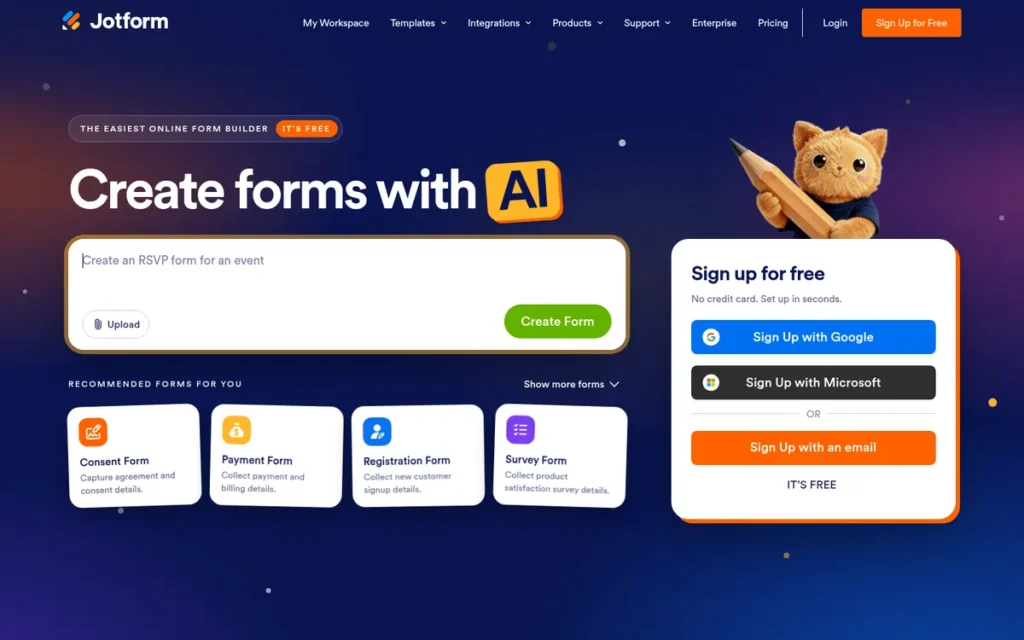
Category: Form & Workflow Builder, a no-code platform where a survey is one step in a larger business process.
At a Glance
- Category: Form & Workflow Builder
- Best For: Small and mid-sized teams whose surveys feed intake, registration, payments, approvals or HIPAA-regulated forms
- Price Range: Free (100 submissions/month); $34–$99/month billed annually or $39–$129 billed monthly (Jotform, 2026; G2, 2026)
- Primary Strength: Jotform has the highest G2 rating (4.6/5) and the largest review base (5,914) of any alternative evaluated, with 124 integrations.
- Biggest Limitation: Jotform lacks cross-tab-style research reporting, so teams that need statistical survey analysis will find its Report Builder too general.
- One-Line Summary: Jotform is the highest-rated SurveyMonkey alternative on G2 for small teams. It combines flat-rate pricing, 124 integrations and HIPAA-enabled forms, but it is a form-and-workflow builder rather than a research-grade survey tool.
- Last Verified: November 2026
Overview
Jotform is a no-code form and workflow platform that handles surveys alongside payments, e-signatures and HIPAA-enabled intake forms, built for small and mid-sized teams that want flat-rate pricing and need each survey to feed a larger business process.
Jotform was founded in 2006 and is headquartered in San Francisco (G2, 2026). Jotform says it has never taken outside funding (vendor-stated, Jotform, 2026). Jotform’s user counts differ by source: 40M+ on its facts page and 35M on G2. Both are vendor claims (Jotform, 2026; G2, 2026).
Key Features
- Jotform’s survey builder includes conditional logic, reports, exports and integrations.
- Jotform combines surveys with payments, e-signatures, Jotform Tables, Report Builder, Jotform Apps and AI Agents in one no-code platform.
- Jotform lists 124 integrations on G2, the most of any alternative in this ranking (G2, 2026).
- Jotform offers HIPAA-enabled features on its Gold and Enterprise plans. Teams must turn on HIPAA settings and sign a Business Associate Agreement (Jotform, 2026).
- Jotform charges a flat monthly rate per plan rather than per seat. Its individual plans are listed for one user, so we could not verify how many seats a team would get.
Best For
Jotform is best for operations, HR and marketing teams whose surveys feed event registration, client intake, applications or HIPAA-regulated patient forms. Nonprofits and schools get 50% off Jotform’s Bronze, Silver and Gold plans.
Users on r/jotform noted:
“Use case matters a lot here. Payment forms and anything HIPAA-adjacent are where Jotform genuinely shines, but for a plain feedback form, it’s overkill.” Posted by u/Left_Media_1020
Takeaway: Jotform’s value is concentrated in payment and HIPAA-adjacent workflows, so it is overkill for teams that only need plain feedback surveys.
Pricing (Jotform and G2 list prices, verified November 2026)
- Jotform Starter is free, with 100 submissions per month and 500 stored in total.
- Jotform Bronze costs $39 monthly or $34 a month billed annually ($408/year), with 25 forms and 1,000 submissions per month.
- Jotform Silver costs $49 monthly or $39 a month billed annually ($468/year), with 50 forms and 2,500 submissions per month.
- Jotform Gold costs $129 monthly or $99 a month billed annually ($1,188/year), with 100 forms, 10,000 submissions per month and HIPAA-enabled features.
Jotform Bronze costs $34 a month billed annually. Three SurveyMonkey Team Advantage seats cost at least $90 a month on annual billing. The comparison only holds if one Jotform plan covers all three users.
Strengths
- Jotform holds a 4.6/5 G2 rating from 5,914 reviews, and 97.4% of them are four or five stars (G2, 2026). That is the highest rating and the largest review count of the seven alternatives.
- Jotform scores 4.7/5 on Capterra from about 2,934 reviews and 4.2/5 on Trustpilot from about 1,900 reviews (Capterra, 2026; Trustpilot, 2026).
- Jotform lists 124 integrations on G2, nearly double SurveyMonkey’s 67 (G2, 2026).
- Jotform is most often live in under one day, the same as SurveyMonkey. Its top G2 pros are Ease of Use (1,139) and Simple (740) (G2, 2026).
Limitations
Jotform gives up research depth for workflow breadth. Jotform has no cross-tab-style research reporting, and its Report Builder is built for general reports rather than statistical survey analysis.
- Jotform’s top G2 cons are Expensive (287, about 4.9% of reviews), Missing Features (250, about 4.2%), Form Issues (241, about 4.1%), Limited Customization (230, about 3.9%) and Form Design (215, about 3.6%) (G2, 2026).
- Jotform’s “Expensive” share is the highest among the tools with G2 con counts. SurveyMonkey’s share is about 0.5% (G2, 2026).
- Jotform’s free Starter plan stores only 500 submissions in total.
- Jotform lists its individual plans for one user, so teams should confirm collaboration terms before buying.
- Jotform had no Reddit discussion in our research.
How It Compares With SurveyMonkey
Jotform costs less for a three-person team if one plan covers all three users: $34 a month billed annually, against SurveyMonkey’s $90 minimum. Jotform also has more G2 integrations (124 vs 67) and a higher G2 rating (4.6 vs 4.4). Jotform is weaker on survey analysis and research-style reporting.
Things to Check Before Buying
- Confirm how many users each Jotform plan allows before comparing it with SurveyMonkey’s three-seat minimum.
- Jotform’s Starter plan stores only 500 submissions, which matters if you test it with real volumes.
- Jotform’s HIPAA features require Gold or Enterprise plus a signed Business Associate Agreement.
- Our research found no documented Jotform connection to Google Workspace or Microsoft 365, so check its 124 G2-listed integrations against the software you use.
Verdict
Jotform ranks #1 of 7 with a PlugRoute weighted score of 3.85/5. It scores 5/5 on verified sentiment, ecosystem fit and time to value and 2/5 on logic and reporting depth. Its cost score of 4/5 assumes one flat plan covers a small team.
Jotform is the highest-rated SurveyMonkey alternative on G2, at 4.6/5 from 5,914 reviews (G2, 2026). Jotform fits best when a survey has to trigger a payment, signature or approval, or create a HIPAA-regulated record. Teams leaving mainly over weak reporting should look first at QuestionPro, Alchemer Survey or Qualtrics Strategy & Research.
2. QuestionPro: Best for Free-Plan Volume and Research Methods
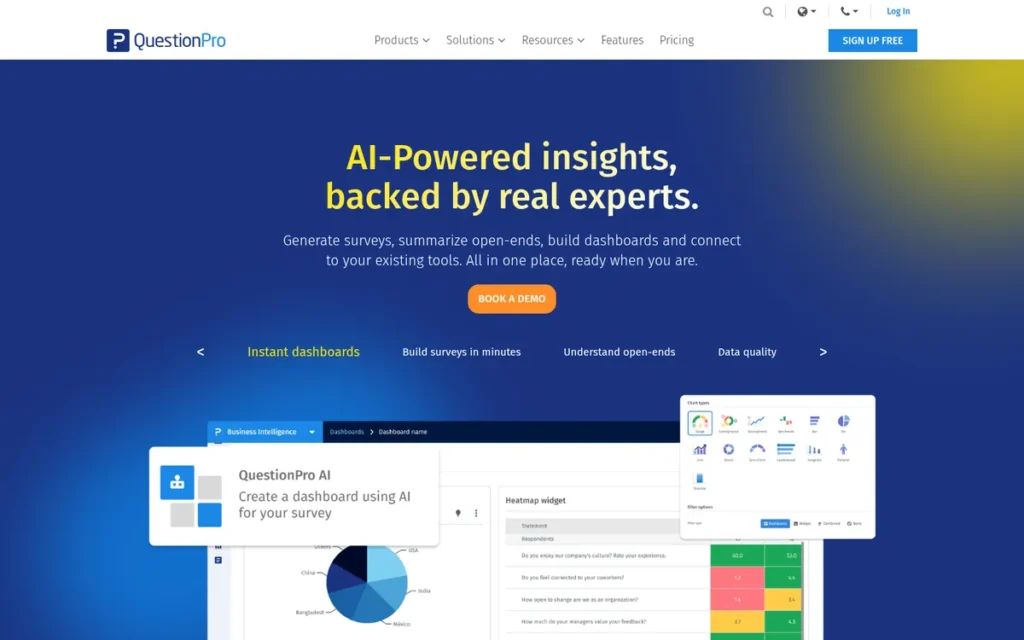
Category: Research Survey Platform, a survey-first tool built for advanced logic, research methods and statistical reporting.
At a Glance
- Category: Research Survey Platform
- Best For: Researchers, insights teams and budget-conscious users who need the most free responses or methods such as conjoint and MaxDiff
- Price Range: Free (200 responses/survey); $99/user/month (Advanced) or $83/user/month with a 5-user minimum (Team), billed annually; Research Suite by quote (QuestionPro, 2026; G2, 2026)
- Primary Strength: QuestionPro has the most generous free plan of any alternative evaluated, with 200 responses per survey and unlimited surveys.
- Biggest Limitation: QuestionPro’s paid plans cost $83–$99 per user per month billed annually, more than SurveyMonkey’s $30-per-user Team Advantage entry plan.
- One-Line Summary: QuestionPro scores highest in this ranking for free-plan generosity (5/5) and ties for the top logic and reporting score. It offers 200 free responses per survey plus conjoint, MaxDiff and TURF analysis, but pricing is per seat and it takes longer to learn.
- Last Verified: November 2026
Overview
QuestionPro is a research-focused survey platform with a free-forever plan and advanced methods such as conjoint, MaxDiff and TURF, built for researchers, insights teams and budget-conscious organizations that need more free responses or deeper analysis than SurveyMonkey provides.
QuestionPro was founded in 2005 by Vivek Bhaskaran and is headquartered in Austin, Texas (G2, 2026). It had about 400+ employees in 2025 (Forbes Tech Council, 2025). QuestionPro publishes 53 customer case studies on its own site, including Energizer, BMW and Roku (QuestionPro, 2026).
Key Features
- QuestionPro offers 30 question types on Essentials, 38 on Advanced, 46 on Team and 52 on Research Suite.
- QuestionPro unlocks skip logic, branching, piping and compound branching from the Advanced plan, and adds randomization on Team Edition.
- QuestionPro supports conjoint, MaxDiff and TURF analysis, with SPSS and R exports.
- QuestionPro’s offline mobile app collects responses without internet access and syncs later.
- QuestionPro includes QxBot, an AI assistant that builds surveys through a chat-style conversation.
Best For
QuestionPro is best for researchers, academic teams and insights functions that need research methods without paying for a Qualtrics contract. QuestionPro also suits very small teams that can stay on the free plan. Eligible nonprofits and students can apply for free licenses through QuestionPro for Good.
Pricing (QuestionPro and G2 list prices, verified November 2026)
- QuestionPro Essentials is free with no expiry: 1 user, 200 responses per survey, and unlimited surveys and questions.
- QuestionPro Advanced costs $99 per user per month billed annually, with 25,000 responses per year and a 10-day trial.
- QuestionPro Team Edition costs $83 per user per month billed annually, with a 5-user minimum and 100,000 responses per year.
- QuestionPro Research Suite is priced by quote for 10+ users.
Five QuestionPro Team seats cost $415 a month billed annually, compared with $460 for five SurveyMonkey Team Premier seats. Three QuestionPro Advanced licenses would cost $297 a month, if the plan can be bought as three separate licenses. Confirm this with QuestionPro.
Strengths
- QuestionPro holds a 4.5/5 G2 rating from 1,166 reviews, with 96.3% four or five stars. G2 also gives it feature scores of 9.3 for customizable questions, 9.2 for survey building and 9.0 for reporting (G2, 2026).
- QuestionPro’s free Essentials plan allows 200 responses per survey with unlimited surveys and questions, the highest verified free allowance in this ranking (QuestionPro, 2026).
- QuestionPro supports conjoint, MaxDiff and TURF analysis, which SurveyMonkey does not offer (QuestionPro, 2026).
- QuestionPro scores 4.8/5 on Capterra from 553 reviews, and reviewers call it cost-effective (Capterra, 2026).
- In a QuestionPro case study, Dubai Parks and Resorts cut research costs by 75% and increased responses by 7% (vendor-reported, QuestionPro, 2026).
Limitations
QuestionPro gives up some simplicity for depth. QuestionPro’s top G2 cons include Learning Curve (51, about 4.4% of reviews) and Not Intuitive (26, about 2.2%). Teams most often go live in under a month rather than under a day (G2, 2026).
- G2 reviewers report lag on complex surveys, confusing renewals, losing access when a license expires, and having to move surveys over by hand (G2, 2026).
- QuestionPro’s G2 cons also include Survey Issues (77, about 6.6%) and Expensive (32, about 2.7%) (G2, 2026).
- QuestionPro’s free plan limits notifications and themes, and demographic filtering needs a higher tier (Capterra, 2026).
- QuestionPro’s Team plan requires 5 seats, compared with SurveyMonkey’s 3-seat minimum.
How It Compares With SurveyMonkey
QuestionPro gives more for free and offers research methods SurveyMonkey lacks. QuestionPro Team at $83 per user costs slightly less than SurveyMonkey Team Premier at $92, both billed annually. QuestionPro’s single-seat Advanced plan ($99) costs far more than Team Advantage ($30 per user), and QuestionPro takes longer to learn.
This aligns with community sentiment on r/UXResearch:
“Depends what you value more. QuestionPro has heavier enterprise functions. SurveyMonkey is friendlier but gets expensive quick if you want advanced logic and team dashboards.” Posted by u/DMZQFI
Takeaway: QuestionPro suits teams that need heavier enterprise functions, while SurveyMonkey stays friendlier to use but gets expensive once advanced logic and team dashboards are needed.
Things to Check Before Buying
- Get QuestionPro’s renewal terms and post-license data access in writing.
- QuestionPro unlocks branching on Advanced and randomization on Team, so match the plan to the logic you need.
- QuestionPro for Good may lower costs for eligible nonprofits and students.
- Our research found no documented QuestionPro connection to Google Workspace or Microsoft 365.
Verdict
QuestionPro ranks #2 of 7 with a PlugRoute weighted score of 3.60/5, tied with Zoho Survey. It wins the tiebreak on logic and reporting (5 vs 3) and sentiment (4 vs 3). Its lowest score is small-team cost (2/5).
QuestionPro is the top pick in this ranking for teams that want the most free responses or research methods like conjoint and MaxDiff. It holds a 4.5/5 G2 rating from 1,166 reviews (G2, 2026). Teams of three or more should compare total annual cost with SurveyMonkey and allow time for retraining.
3. Zoho Survey: Best Budget Survey Tool for Zoho Users
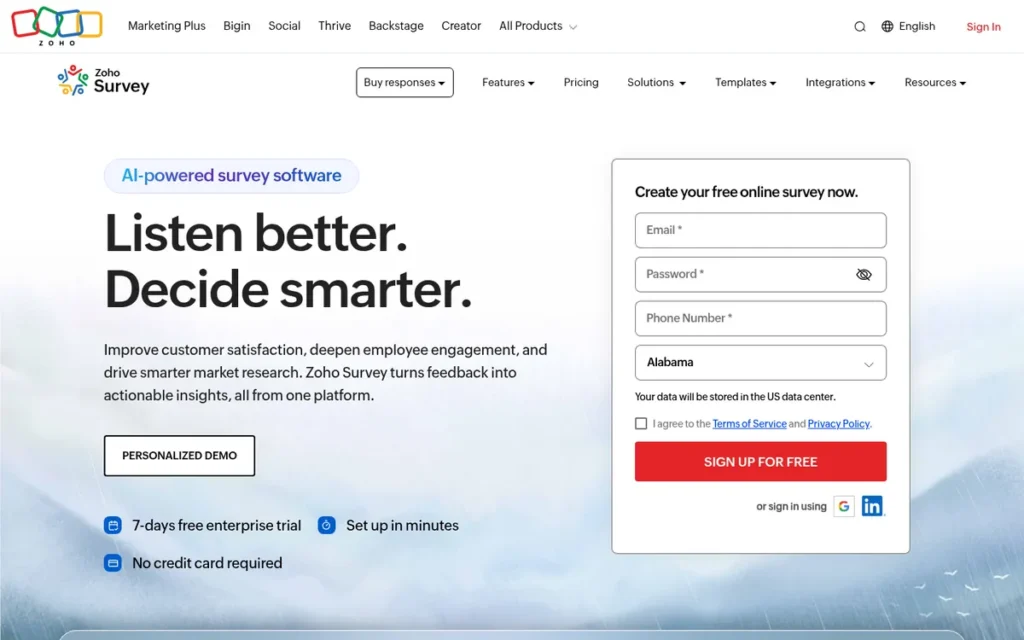
Category: Core Survey Tool, a dedicated survey tool with standard logic and reporting at a low flat price.
At a Glance
- Category: Core Survey Tool
- Best For: Budget-conscious small teams and organizations already using Zoho One or Zoho CRM
- Price Range: Free (100 responses/survey); Basic $7.42, Plus $25, Pro $35 per month billed annually, or Plus $35 and Pro $49 monthly (Zoho, 2026); G2 lists PLUS $20 and PRO $25 (G2, 2026)
- Primary Strength: Zoho Survey has the lowest listed paid entry price among the alternatives evaluated, with Basic at $7.42 per month billed annually, and allows unlimited surveys on every plan.
- Biggest Limitation: Zoho Survey’s reporting and design flexibility trail research-grade tools, and Capterra reviewers report limited filtering on large datasets.
- One-Line Summary: Zoho Survey is the lowest-cost dedicated SurveyMonkey alternative evaluated, from $7.42 per month billed annually, and the natural choice for Zoho users. Its reporting and customization are lighter than research platforms.
- Last Verified: November 2026
Overview
Zoho Survey is a dedicated online survey tool with logic, piping, cross-tab reports and offline collection, built for budget-conscious small teams and Zoho One or Zoho CRM customers that want a like-for-like SurveyMonkey replacement at a low flat price.
Zoho Survey is included in the Zoho One bundle, and Zoho says more than 14,000 businesses use it (vendor claim, Zoho, 2026). Zoho was founded in 1996 and lists Austin, Texas as its headquarters (G2, 2026). Zoho Survey users may need Zoho Analytics for deeper analysis.
Key Features
- Zoho Survey supports display, page and answer logic, plus piping, for branching survey flows.
- Zoho Survey offers dashboards, cross-tab reports and exports, according to its features page (Zoho, 2026).
- Zoho Survey can translate surveys into 90+ languages. G2’s figure of 9 supported languages counts the product interface, not survey content.
- Zoho Survey integrates with Zoho CRM, Zoho Sheet, Google Sheets (with custom scripts), Salesforce including sandbox, and Zapier.
- Zoho Survey includes a mobile app that collects responses offline.
Best For
Zoho Survey is best for small teams that want a dedicated survey tool on a tight budget, and for organizations already paying for Zoho One or Zoho CRM. Zoho Survey also suits teams that run many surveys, because every plan allows unlimited surveys.
Pricing (Zoho and G2 list prices, verified November 2026)
- On annual billing, Zoho lists Zoho Survey Basic at $7.42, Plus at $25 and Pro at $35 per month (Zoho, 2026).
- On monthly billing, Zoho lists Zoho Survey Plus at $35 and Pro at $49 per month (Zoho, 2026).
- G2 lists Zoho Survey PLUS at $20 and PRO at $25 per month, which does not match Zoho’s own page (G2, 2026).
- Zoho Survey’s free plan allows 100 responses per survey, while Capterra lists 15 questions and 150 responses (Zoho, 2026; Capterra, 2026).
- Under older plan names, Zoho Survey listed 12,000 responses per year on Basic. Higher tiers allowed 3,000 to 7,000 per month, or unlimited responses on annual billing (Zoho, 2026).
Zoho says annual billing saves up to 35%. We could not verify how many seats each plan includes, so check Zoho’s live plan selector before buying.
Strengths
- Zoho Survey Basic, at $7.42 per month billed annually, is the lowest listed paid entry price in this ranking. It is well below SurveyMonkey’s $90 three-seat minimum (Zoho, 2026).
- Zoho Survey scores 4.6/5 on Capterra from 457 reviews, including 4.7 for ease of use and 4.4 for support (Capterra, 2026).
- Zoho Survey allows unlimited surveys on every plan and unlimited responses on annual upper tiers (Zoho, 2026).
- Zoho Survey connects natively to Zoho CRM and Salesforce, including sandbox. Zoho says it complies with GDPR and HIPAA, which we did not independently verify (Zoho, 2026).
Limitations
Zoho Survey gives up depth and polish for price. On G2, users ask Zoho Survey for richer reporting, a visual logic flow map, more design control and more integrations (G2, 2026).
- Capterra reviewers report export and sync issues, limited filtering on large datasets and trouble saving logic rules (Capterra, 2026).
- G2 shows no pros/cons counts for Zoho Survey, and our research found no Reddit discussion or case study with numbers. Its independent evidence is thinner than for higher-ranked tools.
- Zoho Survey lists 17 integrations on G2, compared with SurveyMonkey’s 67 (G2, 2026).
- Zoho Survey is most often live in under one month (G2, 2026).
- Zoho Survey’s prices conflict: G2 lists $20 and $25, while Zoho lists $25 and $35 for Plus and Pro billed annually.
How It Compares With SurveyMonkey
Zoho Survey costs less than SurveyMonkey: from $7.42 a month billed annually, against $30 per user with a three-seat minimum. It also allows unlimited surveys. Zoho Survey matches SurveyMonkey’s 4.4 G2 rating, but on far fewer reviews. Its reporting, design flexibility and integration count (17 vs 67) are weaker.
Things to Check Before Buying
- Confirm Zoho Survey’s live prices and seats per plan on Zoho’s plan selector.
- Check Zoho Survey’s free-plan question and response caps, because Zoho and Capterra disagree.
- Confirm with Zoho that HIPAA coverage applies to your plan.
- Zoho Survey documents a Google Sheets connection (with custom scripts), but our research found no documented Microsoft 365 connection.
Verdict
Zoho Survey ranks #3 of 7 with a PlugRoute weighted score of 3.60/5. Its sentiment score of 3/5 reflects thinner independent evidence (no G2 pros/cons counts), not negative reviews.
Zoho Survey is the lowest-cost dedicated SurveyMonkey alternative evaluated, with unlimited surveys on every plan. It is the natural pick for teams already using Zoho. Teams leaving SurveyMonkey over weak reporting should test Zoho Survey’s filtering and exports on real data first.
4. Alchemer Survey: Best for Complex Logic, Scripting and Salesforce Workflows
Category: Research Survey Platform, a survey-first tool built for advanced logic, research methods and statistical reporting.
At a Glance
- Category: Research Survey Platform
- Best For: Teams running complex, multi-wave or Salesforce-connected feedback programs that have outgrown SurveyMonkey’s logic
- Price Range: $55–$275/user/month billed monthly, or $315–$1,895/user/year billed annually (about $26–$158/month); 7-day trial, no free plan (Alchemer, 2026; G2, 2026)
- Primary Strength: Alchemer Survey supports custom CSS, JavaScript and scripting, plus a Salesforce integration with custom SOQL queries. That is more customization than the other mid-priced tools evaluated.
- Biggest Limitation: Alchemer Survey has the highest month-to-month per-seat rates among the alternatives with published prices, and it offers no permanent free plan.
- One-Line Summary: Alchemer Survey (formerly SurveyGizmo) ties for the top logic and reporting score in this ranking (5/5), with scripting and Salesforce workflows. Its per-seat pricing only pays off for teams that need those advanced features.
- Last Verified: November 2026
Overview
Alchemer Survey, formerly SurveyGizmo, is an advanced survey platform with 43 question types, scripting and deep Salesforce integration, built for teams that need more logic and customization than SurveyMonkey offers without the cost of an enterprise Qualtrics contract.
Alchemer Survey began as SurveyGizmo in Boulder in 2006 and was renamed in 2020, according to co-founder Christian Vanek (Alchemer, 2026). G2 lists Alchemer’s headquarters as Louisville, Colorado (G2, 2026). Customers Alchemer names include the Buffalo Sabres, Paychex and Hotspex (Alchemer, 2026).
Key Features
- Alchemer Survey provides 43 question types with piping, merge codes, dynamic content and multilingual surveys.
- Alchemer Survey supports custom CSS, JavaScript and scripting for logic beyond point-and-click tools.
- Alchemer Survey’s Salesforce integration supports lookups, create/update/upsert actions and custom SOQL queries through Integration Manager.
- Alchemer Survey’s Full Access plan adds SPSS export, conjoint and open-text analysis.
- Alchemer Survey connects to HubSpot, Slack, Zendesk, an API and webhooks, and lists 64 integrations on G2 (G2, 2026).
Best For
Alchemer Survey is best for CX, product and research teams running complex or recurring feedback programs, especially those that write survey data back into Salesforce. Alchemer Survey also suits organizations priced out of Qualtrics that still need advanced logic.
Pricing (Alchemer and G2 list prices, verified November 2026)
- Alchemer Survey Collaborator costs $55 per user per month billed monthly, or $315 per user per year (about $26 a month) billed annually, with 75,000 responses per year.
- Alchemer Survey Professional costs $165 per user per month billed monthly, or $1,075 per user per year (about $90 a month) billed annually, with 100,000 responses per year and a 3-user cap.
- Alchemer Survey Full Access costs $275 per user per month billed monthly, or $1,895 per user per year (about $158 a month) billed annually, with 125,000 responses per year and a 3-user cap.
Alchemer Survey offers a 7-day free trial with no credit card required. It has no permanent free plan (Alchemer, 2026).
Strengths
- In an Alchemer Survey case study, the Buffalo Sabres doubled survey participation year over year and analyzed more than 41,000 open-text responses. CSAT and NPS both rose by double digits (vendor-reported, Alchemer, 2026).
- Alchemer Survey holds a 4.4/5 G2 rating from 971 reviews, with 93.5% four or five stars. Customer Support (25 mentions) is its second most-cited pro (G2, 2026).
- Alchemer Survey scores 8.9/10 on TrustRadius and 4.5/5 on Capterra from roughly 395 reviews (TrustRadius, 2026; Capterra, 2026).
- A small nonprofit that was priced out of Qualtrics chose Alchemer Survey and reported, “we ended up going with Alchemer and really liked it!” (Reddit r/instructionaldesign, 2025).
Users on r/UXResearch shared their experience:
“Alchemer (formerly survey gizmo) is a tool I’ve used for many years with no complaints, and has far more question types and I believe more advanced options (for randomizing question blocks etc)” Posted by u/zoobiz
Takeaway: Long-term Alchemer Survey users credit it with more question types and more advanced randomization than the tools it is compared with, which supports its top logic score.
Limitations
Alchemer Survey gives up simplicity and a free starting point in exchange for control. Alchemer Survey offers only a 7-day trial and no permanent free plan. Three Collaborator seats cost about $79 a month billed annually, or $165 billed monthly (Alchemer, 2026).
- Alchemer Survey’s top G2 cons are Learning Curve (9, about 0.9% of reviews), Survey Issues (8, about 0.8%) and Expensive (6, about 0.6%) (G2, 2026).
- Capterra reviewers report that Alchemer Survey is costly for small or infrequent users, that its backend is awkward to navigate, that logic is hard to edit once a survey is built, and that custom reports are weak (Capterra, 2026).
- On G2, users ask Alchemer Survey for better reporting visuals, a simpler interface and built-in translation automation (G2, 2026).
- Our research found only one Reddit data point for Alchemer Survey.
How It Compares With SurveyMonkey
Alchemer Survey offers far more logic, scripting and Salesforce depth than SurveyMonkey, plus more supported languages on G2 (71 vs 56). On annual billing, three Collaborator seats cost about $79 a month, against SurveyMonkey’s $90. Alchemer Survey’s upper tiers cost more, and its advanced features take time to learn.
Things to Check Before Buying
- Confirm Alchemer Survey’s annual per-user prices on the live pricing page before comparing totals.
- Alchemer Survey caps Professional and Full Access at three users, which matters if your team will grow.
- Alchemer Survey includes SPSS export and conjoint only on Full Access.
- Our research found no documented Alchemer Survey connection to Google Workspace or Microsoft 365. Its documented integration depth is in Salesforce.
Verdict
Alchemer Survey ranks #4 of 7 with a PlugRoute weighted score of 3.30/5. It scores 5/5 on logic and reporting but 1/5 on free-plan generosity because it offers only a 7-day trial.
Alchemer Survey ties for the top logic and reporting score in this ranking and suits Salesforce-connected feedback programs, with a 4.4/5 G2 rating (G2, 2026). It is poor value for simple or occasional surveys. It earns its cost when a team needs scripting, writes survey data back to a CRM, or collects high response volumes.
5. SurveySparrow: Best for Conversational, Recurring CX and EX Feedback
Category: Conversational Experience Tool, a survey tool focused on chat-style, one-question-at-a-time respondent experience.
At a Glance
- Category: Conversational Experience Tool
- Best For: CX and HR teams running recurring customer or employee feedback programs across multiple channels
- Price Range: Free plan (limits conflict); Basic $19, Starter $39, Business $79/month billed annually; enterprise from $5,000/year (SurveySparrow, 2026)
- Primary Strength: SurveySparrow combines conversational surveys with recurring, automated CX workflows and offers quarterly billing.
- Biggest Limitation: Reporting is SurveySparrow’s most-cited weakness on G2. Poor, Limited and Difficult Reporting together have 31 mentions (about 1.5% of reviews).
- One-Line Summary: SurveySparrow is a SurveyMonkey alternative built for recurring customer and employee feedback programs that use chat-style surveys. It offers quarterly billing and AI follow-ups across channels, but reporting is its most-cited weakness.
- Last Verified: November 2026
Overview
SurveySparrow is a conversational survey and customer-experience platform that shows one question at a time and automates recurring NPS, CSAT and employee feedback, built for CX and HR teams that want higher engagement and automatic follow-up instead of one-off questionnaires.
SurveySparrow was founded in October 2017 by Shihab Muhammed and Subin Sebastian and raised a $1.4M seed round in 2019 (SurveySparrow, 2019). G2 lists SurveySparrow’s headquarters as Palo Alto (G2, 2026). SurveySparrow says its conversational surveys get “40% higher response rates” (vendor claim, SurveySparrow, 2026).
Key Features
- SurveySparrow presents surveys in a chat-style, one-question-at-a-time format.
- SurveySparrow’s Echo AI agent asks follow-up questions across web chat, email, WhatsApp, SMS and voice.
- SurveySparrow supports recurring surveys, NPS, CSAT and CES programs, and offline and kiosk collection.
- SurveySparrow includes visual workflows, ticketing, CogniVue text analytics and reputation management.
- SurveySparrow offers custom branding from its Business plan and CSS customization only on Enterprise.
Best For
SurveySparrow is best for customer-experience and people teams that run ongoing feedback programs and want follow-up actions triggered automatically. SurveySparrow also suits teams that prefer quarterly rather than annual billing.
Pricing (SurveySparrow list prices, verified November 2026)
- SurveySparrow lists Basic at $19, Starter at $39 and Business at $79 per month billed annually, and enterprise plans start at $5,000 per year (SurveySparrow, 2026).
- SurveySparrow’s annual plans include 2,500 responses on Basic, 15,000 on Starter and 36,000 on Business.
- SurveySparrow bills quarterly or annually, with auto-renewal.
- SurveySparrow’s pricing page lists a free plan with 75 responses per quarter, 3 active surveys and 10 questions per survey, but the FAQ on the same page says 50 responses per month.
G2 does not list SurveySparrow prices. Confirm quarterly-billing rates and the number of seats included directly with SurveySparrow.
Strengths
- SurveySparrow’s case studies report Aqua-Tots response rates rising from 5% to 70% and Decathlon feedback rates rising from 10% to 45% (vendor-reported, SurveySparrow, 2026).
- SurveySparrow holds a 4.4/5 G2 rating from 2,072 reviews, with 94.6% four or five stars (G2, 2026).
- SurveySparrow is the only one of the seven ranked tools that lists quarterly billing. A Reddit user gave that option, plus the one-at-a-time question format, as reasons to prefer it over SurveyMonkey (Reddit r/humanresources, 2022).
- SurveySparrow says 97% of its Echo AI follow-up conversations are completed (vendor claim, SurveySparrow, 2026).
Limitations
SurveySparrow gives up analysis depth for engagement. SurveySparrow’s top G2 cons are Poor Reporting (11), Limited Reporting (10) and Difficult Reporting (10), together about 1.5% of its reviews (G2, 2026).
- SurveySparrow’s G2 cons also include Limited Customization (10, about 0.5%) and Expensive (9, about 0.4%) (G2, 2026).
- SurveySparrow’s own pricing page gives two different free-plan limits.
- SurveySparrow requires the Business plan for custom branding and Enterprise for CSS.
- One Reddit poster described SurveySparrow as “pricier than SurveyMonkey” (Reddit r/humanresources, 2022).
How It Compares With SurveyMonkey
SurveySparrow offers a more engaging respondent experience than SurveyMonkey, stronger automation for recurring feedback, and quarterly billing. SurveySparrow Basic, at $19 a month billed annually, costs less than SurveyMonkey’s $90 three-seat minimum if it covers your team. SurveySparrow’s reporting draws more complaints.
Things to Check Before Buying
- Get SurveySparrow’s quarterly rates and seats per plan in writing.
- Confirm SurveySparrow’s free-plan cap, because its pricing page shows both 50 per month and 75 per quarter.
- SurveySparrow’s custom branding requires Business, so price the plan you will actually use.
- Our research found no documented SurveySparrow connection to Google Workspace or Microsoft 365, so test reports and exports on real data.
Verdict
SurveySparrow ranks #5 of 7 with a PlugRoute weighted score of 3.13/5. It scores 3.5/5 on small-team cost, sentiment and time to value but only 2/5 on free-plan generosity, and reporting complaints hold it back.
SurveySparrow is the top pick in this ranking for recurring, conversational customer and employee feedback programs, with a 4.4/5 G2 rating from 2,072 reviews (G2, 2026). SurveySparrow’s engagement gains come from vendor case studies, not independent tests. Teams that mainly need analysis should look elsewhere.
6. Qualtrics Strategy & Research: Best for Enterprise and Academic Research Budgets

Category: Research Survey Platform, a survey-first tool built for advanced logic, research methods and statistical reporting.
At a Glance
- Category: Research Survey Platform
- Best For: Enterprise insights teams and academic researchers with a research budget or an existing institutional license
- Price Range: Quote-based; Vendr median ~$30,000/year (range $7,080–$135,774); self-serve plan reportedly $420/month billed annually (Vendr, 2026; Dimension Labs, 2026)
- Primary Strength: Qualtrics Strategy & Research has the broadest research-method toolset evaluated, including crosstabs, weighting, conjoint, MaxDiff and AI text analytics.
- Biggest Limitation: Qualtrics Strategy & Research is quote-priced, with a reported median contract of about $30,000 a year that is beyond most small teams’ budgets.
- One-Line Summary: Qualtrics Strategy & Research has the broadest research toolset of the SurveyMonkey alternatives evaluated. Its quote-based pricing and learning curve make it more than most small teams need.
- Last Verified: November 2026
Overview
Qualtrics Strategy & Research is an enterprise research platform offering advanced logic, crosstabs, weighting, conjoint, MaxDiff and AI text analytics, built for insights teams and academic researchers who need research-grade methods and have the budget or an institutional license.
Qualtrics was founded in 2002 in Provo, Utah, and was acquired by SAP in 2019. Silver Lake and CPP Investments took Qualtrics private for $12.5B in 2023 (CNBC, 2023). Qualtrics completed its $6.75B acquisition of Press Ganey Forsta in May 2026 (Qualtrics, 2026).
Key Features
- Qualtrics Strategy & Research provides advanced branching and display logic, embedded data and randomization.
- Qualtrics Strategy & Research includes crosstabs, weighting, conjoint and MaxDiff for research-grade analysis.
- Qualtrics Strategy & Research includes Text iQ for open-text analysis. Stats iQ is an add-on and is not part of every license.
- Qualtrics Strategy & Research includes ExpertReview, an AI tool that checks survey quality and methodology while you build the survey.
- Qualtrics Strategy & Research offers prebuilt solutions for brand tracking, concept testing, message testing and UX research.
Best For
Qualtrics Strategy & Research is best for enterprise insights teams running ongoing research programs, and for academics whose university already licenses it. Qualtrics Strategy & Research is rarely the right fit for a small team that only needs standard surveys.
Pricing (verified November 2026)
- Qualtrics Strategy & Research is quote-priced, and G2 lists no prices.
- Qualtrics contracts have a median of $30,000 per year across 325 purchases, ranging from $7,080 to $135,774 (Vendr, 2026).
- Qualtrics’ self-serve Strategic Research plan reportedly costs $420 per month billed annually for 1,000 responses (third-party, Dimension Labs, 2026).
- Qualtrics’ free account reportedly allows 1 user, 3 active surveys, 30 questions per survey and 500 total responses. That figure comes from a competitor’s blog and has low credibility (SurveySparrow blog, 2026).
Seats and responses depend on the negotiated Qualtrics contract, so ask for a written quote that lists both.
Strengths
- Qualtrics says it was named a Leader in the 2025 Gartner Magic Quadrant for Voice of the Customer Platforms for the fourth consecutive time, and in the 2025 Forrester Wave for Employee Experience Management (Qualtrics, 2025).
- Qualtrics Strategy & Research holds a 4.4/5 G2 rating from 3,027 reviews, with 94.4% four or five stars and Survey Creation (246) as its second most-cited pro (G2, 2026).
- Qualtrics says its Conversational Feedback feature raised average survey completion from 75% to 83% (vendor-reported, Qualtrics, 2026).
- Qualtrics scores 4.5 stars on Gartner Peer Insights for Voice of the Customer (Gartner Peer Insights, 2026).
Limitations
Qualtrics Strategy & Research gives up accessibility for power. Its reported median contract is about $30,000 a year (Vendr, 2026), compared with SurveyMonkey’s $90-per-month team minimum. Qualtrics does not publish its prices.
- Qualtrics Strategy & Research’s top G2 cons include Learning Curve (53, about 1.8% of reviews) and Pricing Issues (47, about 1.6%). Teams most often go live in under a month (G2, 2026).
- An HR practitioner described a Qualtrics implementation as “going really horribly” and “completely oversold” (Reddit r/humanresources, 2022).
- One small nonprofit said Qualtrics was “out of our price range” (Reddit r/instructionaldesign, 2020).
How It Compares With SurveyMonkey
Qualtrics Strategy & Research is far stronger than SurveyMonkey on analysis and research methods. Qualtrics is also much more expensive, harder to learn and less open about price, so it often goes beyond what small and mid-sized teams need.
Users on r/UXResearch noted:
“Yes it’s expensive but has a lot of functionality. Depends on how much logic you’ll need. I’m not an expert in SurveyMonkey but I’m unsure if it has as much capability as Qualtrics.” Posted by u/bunchofchans
Takeaway: Qualtrics Strategy & Research is only worth its high price for teams whose surveys depend on complex logic.
Things to Check Before Buying
- Check whether your university or employer already licenses Qualtrics, which can make it free to use.
- Qualtrics Stats iQ is an add-on, so confirm whether your license includes it.
- Agree Qualtrics contract length, renewal terms and implementation scope in writing.
- Our research found no documented Qualtrics Strategy & Research connection to Google Workspace or Microsoft 365.
Verdict
Qualtrics Strategy & Research ranks #6 of 7 with a PlugRoute weighted score of 2.98/5 for this small-to-mid-sized audience. It ties for the top logic and reporting score (5/5) but scores 1/5 on small-team cost.
Qualtrics Strategy & Research would rank higher for enterprise buyers with research budgets. It makes sense when research methodology is central to the job or a university license makes it free to use. Teams with mid-size budgets should compare QuestionPro and Alchemer Survey first.
7. Typeform: Best for Respondent Experience on Short Surveys
Category: Conversational Experience Tool, a survey tool focused on chat-style, one-question-at-a-time respondent experience.
At a Glance
- Category: Conversational Experience Tool
- Best For: Marketing and CX teams running short surveys or lead-capture forms where completion rate matters most
- Price Range: Free (10 responses/month); $28–$91/month billed annually or $39–$129 billed monthly (Typeform, 2026; G2, 2026)
- Primary Strength: Typeform is built around a one-question-at-a-time format that G2 reviewers and a 2026 Reddit practitioner credit with higher completion, and it includes branching even on its free plan.
- Biggest Limitation: Typeform caps responses tightly, at 10 per month free and 100 per month on Basic, and lacks cross-tab-style analysis.
- One-Line Summary: Typeform is a SurveyMonkey alternative built around respondent experience, with one-question-at-a-time forms and a 4.5/5 G2 rating. Its tight monthly response caps and limited analytics make it a poor fit for large research studies.
- Last Verified: November 2026
Overview
Typeform is a conversational form and survey builder that shows one question at a time with polished, branded design, built for marketing and CX teams running short surveys, quizzes or lead-capture forms where completion rate matters more than deep statistical analysis.
Typeform was founded in 2012 in Barcelona (G2, 2026) and says it serves 150,000+ businesses (Typeform, 2026). Typeform’s response-volume claims differ by source: 48M per month on its AI-info page and 500M per year on G2. Both are vendor claims (Typeform, 2026; G2, 2026).
Key Features
- Typeform presents one question at a time in a conversational, mobile-friendly format.
- Typeform includes branching, scoring, calculations, custom endings, embedding, exports, integrations and API access even on its free plan.
- Typeform uses AI to help build forms, and its Business plan adds AI analysis of responses.
- Typeform integrates with tools such as Slack, Zapier and HubSpot, and lists 28 integrations on G2 (G2, 2026).
- Typeform hosts data in US and EU data centers, and its GDPR protections vary by plan (Typeform, 2026).
Best For
Typeform is best for marketing, growth and CX teams running short, branded surveys or lead-capture forms where every completed response counts. Typeform is less suited to large-sample research or teams that need cross-tabs inside the tool.
Pricing (Typeform and G2 list prices, verified November 2026)
- Typeform Free allows 10 responses per month.
- Typeform Basic costs $39 monthly or $28 a month billed annually, with 100 responses per month.
- Typeform Plus costs $79 monthly or $56 a month billed annually, with 1,000 responses per month.
- Typeform Business costs $129 monthly or $91 a month billed annually, with 10,000 responses per month.
- Typeform’s specialized Talent ($169 or $119) and Growth Flow ($379 or $266) plans sit above Business, and Enterprise is custom-priced.
Typeform’s response allowance is shared across all forms in the account. It resets monthly, does not roll over, and counts test submissions (Typeform, 2026). We could not verify how many seats each plan includes.
A vendor-written comparison on Reddit (r/NoCodeSaaS, 2026) listed Typeform Plus at $50 per month. That conflicts with Typeform’s own pricing page, so use Typeform’s figures.
Strengths
- In a Typeform case study, Clay saw 70% higher completion after cutting a 5–6 field form to a single question (vendor-reported, Typeform, 2026). Our research found no independent controlled study comparing one-question and grid layouts.
- Typeform holds a 4.5/5 G2 rating from 1,027 reviews, with 95.6% four or five stars (G2, 2026).
- Typeform scores 4.7/5 on Capterra from roughly 980 reviews, and it is most often live in under one day (Capterra, 2026; G2, 2026).
- A practitioner wrote that Typeform’s one-question format “genuinely converts better” where completion rate matters (Reddit r/NoCodeSaaS, 2026).
Limitations
Typeform gives up volume and analysis for respondent experience. Typeform’s Basic plan allows only 100 responses per month, shared across all forms, so cost per response rises quickly.
- According to one practitioner, users mainly leave Typeform over “price-per-response” (Reddit r/NoCodeSaaS, 2026).
- Typeform lacks cross-tab-style analysis, and some users export to Google Sheets to analyze results.
- Typeform’s Trustpilot score is 2.9/5 from about 800 reviews, with complaints about unexpected charges and submission limits (Trustpilot, 2026).
- Typeform’s top G2 con is Expensive, with 47 mentions, about 4.6% of reviews (G2, 2026).
As one user on r/nocode described:
“Google Forms was easy, but too limited. Typeform looked great, but the pricing and logic constraints made it hard to use beyond simple surveys.” Posted by u/Hungry_City3189
Takeaway: Typeform makes a strong first impression with its design, but its pricing and logic limits restrict it to simple surveys.
How It Compares With SurveyMonkey
Typeform shows respondents one question at a time and charges a flat rate instead of per seat. It caps responses much more tightly than SurveyMonkey and has weaker built-in analysis. Typeform’s 2.9/5 Trustpilot complaints center on unexpected charges and limits. We did not collect comparable SurveyMonkey billing data.
Things to Check Before Buying
- Estimate Typeform’s monthly response volume including test submissions.
- Check Typeform’s auto-renewal terms before you enter payment details.
- Typeform adds AI analysis only on Business, so confirm which plan you need.
- Our research found no documented native Typeform connection to Google Workspace or Microsoft 365, though some reviewers export results to Google Sheets.
Verdict
Typeform ranks #7 of 7 with a PlugRoute weighted score of 2.95/5. It scores 5/5 on time to value but only 2/5 on free-plan generosity and on logic and reporting. For short surveys where completion matters most, Typeform is still a first-choice pick despite its rank.
Typeform is the top pick in this ranking for respondent experience on short surveys, but its 100-response monthly cap on Basic makes it costly at high volume. Typeform’s completion gains are vendor-reported, so A/B test first. Teams that need cross-tabs should compare QuestionPro, Zoho Survey or Alchemer Survey.
Why Do Teams Look for SurveyMonkey Alternatives?
Teams mainly leave SurveyMonkey over price. G2 reviewers name “Expensive” as SurveyMonkey’s top con, followed by general limitations and survey issues (G2, 2026). The gaps an alternative most often needs to close are per-seat team pricing with a 3-user minimum, and limited report customization and logic flexibility.
SurveyMonkey’s top G2 cons are (G2, 2026):
- SurveyMonkey reviewers cite “Expensive” in 116 reviews, about 0.5% of its 24,055 G2 reviews.
- SurveyMonkey reviewers cite “Limitations” in 91 reviews, about 0.4%.
- SurveyMonkey reviewers cite “Survey Issues” in 79 reviews, about 0.3%.
- SurveyMonkey reviewers cite “Limited Features” in 70 reviews, about 0.3%.
- SurveyMonkey reviewers cite “Limited Customization” in 62 reviews, about 0.3%.
“Expensive” is SurveyMonkey’s most-cited G2 complaint, but it appears in a smaller share of reviews than for Jotform (about 4.9%) or Typeform (about 4.6%). Switching for price alone may not mean fewer cost complaints.
SurveyMonkey users’ most common improvement requests on G2 (2026) are:
- SurveyMonkey users want reports, charts, filters and exports that are easier to customize.
- SurveyMonkey users want more control over survey design, branding and question formats.
- SurveyMonkey users want simpler advanced branching and question routing.
- SurveyMonkey users want easier team collaboration and survey administration.
As one user on r/UXResearch described:
“surveymonkey is annoying as hell if you have multiple team members. idk if this is just a problem we have but we have to share each invididual survey manually using a specific share button bc somehow not all share buttons actually work. even then sometimes we randomly lose access if we switch plan types” Posted by u/tiredandshort
Takeaway: SurveyMonkey’s friction around sharing surveys across a team and keeping access when plans change gives teams a reason to switch that goes beyond price.
SurveyMonkey’s G2 list prices are $30 per user per month for Team Advantage and $92 for Team Premier (G2, 2026). Both are billed annually with a 3-user minimum, and paid plans can charge for responses over the plan limit (SurveyMonkey, 2026).
Small and mid-sized businesses are the fastest-growing group of online survey software buyers. Their spending is forecast to grow 21.12% a year through 2031 (Mordor Intelligence, 2025).
Which SurveyMonkey Alternative Has the Most Generous Free Plan?
QuestionPro has the most generous verified free plan: 200 responses per survey, with unlimited surveys and questions (QuestionPro, 2026). No free plan we researched offers unlimited responses. Vendors count caps in different units, such as per survey, per month, per quarter or in total. The table below applies each cap to the same scenario: one survey collecting 300 responses in a month.
| Tool | Free Cap (Original Unit) | 1 Survey, 300 Responses in One Month | Notable Free Features or Locks | Source Confidence |
|---|---|---|---|---|
| QuestionPro | 200 per survey; unlimited surveys | Stops at 200 | Unlimited questions; themes and notifications limited | Vendor (high) |
| Zoho Survey | 100 per survey (Capterra: 150, 15 questions) | Stops at 100–150 | Unlimited surveys | Conflicting (medium) |
| Jotform | 100 per month; 500 stored total | Stops at 100 | Full form builder | Vendor (high) |
| Qualtrics | 500 total (reported) | Covered, if accurate | 1 user, 3 active surveys, 30 questions | Competitor blog (low) |
| SurveySparrow | 75 per quarter vs 50 per month | Stops at 50–75 | 3 active surveys, 10 questions | Conflicts on own page (low) |
| Typeform | 10 per month, shared across forms | Stops at 10 | Branching, scoring, exports, API included | Vendor (high) |
| Alchemer Survey | No permanent free plan; 7-day trial | Trial only | Full trial, no credit card | Vendor (high) |
| SurveyMonkey | Not published; shown after sign-in; 10 questions per survey | Responses above cap hidden until upgrade | Limited | Vendor (medium) |
Typeform’s free plan has the lowest cap (10 responses per month) but includes branching, exports and API access. QuestionPro’s free plan allows the most responses (200 per survey). SurveyMonkey does not publish a fixed free-plan response limit (SurveyMonkey, 2026).
How Much Do SurveyMonkey Alternatives Cost Compared With SurveyMonkey?
On annual billing, Zoho Survey, Jotform, Typeform and SurveySparrow list flat prices below SurveyMonkey’s $90-per-month minimum for three Team Advantage seats, if one plan covers three users. Three Alchemer Survey Collaborator seats cost about $79 a month. QuestionPro and Qualtrics cost more (G2 and vendor list prices, November 2026).
| Tool | Pricing Model | Entry Price (Annual / Monthly Billing) | Annual-Billed Cost, 3 Users | Seats Included Per Plan | Free Cap | G2 Rating (Reviews) | G2 Integrations | Compliance / Hosting Notes |
|---|---|---|---|---|---|---|---|---|
| SurveyMonkey (baseline) | Per seat, 3-user minimum | $30/user/mo (annual) | $90/month | 3-seat minimum | Not published | 4.4 (24,055) | 67 | No compliance documentation reviewed for this article |
| Jotform | Flat | $34 / $39 (Bronze) | $34 if plan covers 3 users | Unverified (plans list 1 user) | 100/month | 4.6 (5,914) | 124 | HIPAA on Gold or Enterprise with BAA |
| QuestionPro | Per seat | $99/user/mo (Advanced); $83 (Team, 5+) | $297 (assumes 3 Advanced licenses) | 1 per Advanced license; 5+ on Team | 200/survey | 4.5 (1,166) | Not listed | No compliance documentation reviewed for this article |
| Zoho Survey | Flat | $7.42 Basic (annual); Plus $25 / $35 | From $7.42 if plan covers 3 users | Unverified | 100/survey | 4.4 (1,050) | 17 | Vendor cites GDPR and HIPAA |
| Alchemer Survey | Per seat | ~$26 / $55 per user (Collaborator) | ~$79 | 3-user cap on upper tiers | No free plan; 7-day trial | 4.4 (971) | 64 | No compliance documentation reviewed for this article |
| SurveySparrow | Flat; quarterly or annual | $19 Basic (annual) | $19–$79 if plan covers 3 users | Unverified | Conflicting | 4.4 (2,072) | Not listed | No compliance documentation reviewed for this article |
| Qualtrics | Quote | ~$30K/yr median (Vendr) | Quote | By contract | 500 total (reported) | 4.4 (3,027) | Not listed | No compliance documentation reviewed for this article |
| Typeform | Flat, response-capped | $28 / $39 (Basic) | $28 if plan covers 3 users | Unverified | 10/month | 4.5 (1,027) | 28 | US and EU data centers; GDPR varies by plan |
For a three-person team, whether a SurveyMonkey alternative is cheaper depends less on the list price than on two terms: how many seats a plan includes and whether you pay annually.
Which SurveyMonkey Alternatives Should My Team Shortlist?
Most teams should shortlist two or three tools that match the work their surveys do, then trial them on real data. The role-based shortlists below come from this ranking’s scores and best-for fits, not from how vendors describe themselves. Adjust them for your budget and the software you already use.
- HR and people ops: HR teams should shortlist Jotform for intake forms, SurveySparrow for recurring employee feedback, and QuestionPro for research-style engagement surveys.
- CX leads: CX teams should shortlist SurveySparrow for recurring NPS and CSAT, Alchemer Survey for Salesforce-connected programs, and Typeform for short feedback forms.
- Researchers: Research teams should shortlist QuestionPro, Qualtrics Strategy & Research and Alchemer Survey for conjoint, MaxDiff and advanced logic.
- Marketing: Marketing teams should shortlist Typeform for completion-critical lead capture and Jotform for forms tied to payments or registrations.
- Operations: Operations teams should shortlist Jotform for workflow-driven surveys and Zoho Survey for low-cost, high-volume survey programs.
Which Free or Self-Hosted Survey Tools Should I Consider Before Paying?
Teams that already pay for Microsoft 365 or Google Workspace should try the form tool included in their subscription before buying a survey platform. Teams that must self-host or keep data in the EU should look at open-source LimeSurvey or Formbricks. None of the seven ranked tools offered a self-hosted option in our research. We have not ranked these tools because there is too little verified evidence about them.
- Google Forms: Google Forms is free with a Google account and sends responses to Google Sheets, which suits basic data collection. Check current limits and Workspace terms.
- Microsoft Forms: Microsoft Forms comes with many Microsoft 365 business subscriptions and supports branching and Excel export. Confirm that your plan includes it.
- LimeSurvey: LimeSurvey is open source and can be self-hosted, or hosted in EU cloud regions in Germany or Finland (LimeSurvey, 2026).
- Formbricks: Formbricks is open source, and its managed cloud is SOC 2 Type II and hosted in Germany. Formbricks’ hosted service is not HIPAA-compliant (Formbricks, 2026).
- Tally: Tally is often recommended for generous free forms. Verify its limits before relying on it.
What Does Switching From SurveyMonkey Involve?
Switching from SurveyMonkey usually means exporting your data, rebuilding surveys by hand and retraining your team. Vendors rarely document migration help. Jotform and Typeform are most often live in under a day. QuestionPro, Zoho Survey and Qualtrics are most often live in under a month (G2, 2026).
Our research found no documented SurveyMonkey import tool for any of the seven alternatives, so plan to rebuild surveys by hand.
- Export first: Teams switching from SurveyMonkey should export all responses and reports before cancelling or letting the plan lapse.
- Expect manual rebuilds: Teams should expect to rebuild survey questions and logic by hand, and QuestionPro’s G2 reviewers say migration needed manual work (G2, 2026).
- Budget retraining time: Learning Curve is a top G2 con for QuestionPro (51), Qualtrics (53) and Alchemer Survey (9) (G2, 2026).
- Compare go-live times: SurveyMonkey, Jotform and Typeform are most often live in under a day, while QuestionPro, Zoho Survey and Qualtrics are most often live in under a month (G2, 2026).
- Protect data access: Teams should confirm what happens to their data when a new tool’s license expires, which some QuestionPro reviewers flagged.
A one-day trial test:
- Rebuild one real SurveyMonkey survey in each shortlisted tool during its trial.
- Collect 20 test responses, while checking whether test submissions count against the tool’s cap.
- Build one cross-tab or filtered report from those responses.
- Export the results to CSV, and expect a learning curve if these four steps take more than a day.
When Should You Stay With SurveyMonkey?
Stay with SurveyMonkey if ease of use, familiarity and fast rollout matter more to your team than cost or advanced logic. SurveyMonkey has by far the largest G2 review base, is most often live in under a day, and publishes its team prices (G2, 2026). For many teams, the cost of switching may outweigh the savings.
- Largest review base: SurveyMonkey holds a 4.4/5 G2 rating from 24,055 reviews, with 93.7% four or five stars (G2, 2026).
- Fast rollout: SurveyMonkey is most often live in under a day (G2, 2026).
- Broad language support: SurveyMonkey supports 56 languages (G2, 2026).
- Wide integrations: SurveyMonkey lists 67 integrations on G2 (G2, 2026).
- Clear pricing: SurveyMonkey publishes team pricing at $30 and $92 per user per month, billed annually with a 3-user minimum (G2, 2026; SurveyMonkey, 2026).
What Red Flags Should I Watch For When Evaluating SurveyMonkey Alternatives?
The biggest red flags are pricing traps and unverified performance claims. Each of the six below can change your real cost or your risk. Check each one against a vendor’s pricing page and terms before signing, and get any unclear answer in writing.
Red Flag #1: Per-Seat Minimums and Mismatched Billing Bases A per-user price can hide both a seat minimum and a billing basis. SurveyMonkey’s team plans require 3 seats billed annually and QuestionPro Team requires 5. Alchemer Survey Collaborator is $55 billed monthly but about $26 billed annually. Multiply by seats, and compare prices on the same billing basis.
Red Flag #2: Free Caps in Mismatched Units Free plans cap responses per survey, per month, per quarter or in total, so the same number can mean very different volumes. Convert every cap to your expected volume. For a team running several surveys, 100 per month and 100 per survey produce very different results.
Red Flag #3: Test Submissions That Count Against Limits Some tools count test submissions against your response cap, which drains small plans during setup. Typeform counts test submissions, shares its allowance across all forms and resets monthly with no rollover. A 100-response Basic plan can run short before launch (Typeform, 2026).
Red Flag #4: Auto-Renewal and Overage Charges Auto-renewal and overage charges can push your real cost above the list price. SurveyMonkey may charge for responses over the plan limit (SurveyMonkey, 2026). Typeform’s 2.9/5 Trustpilot score from about 800 reviews centers on unexpected charges (Trustpilot, 2026). Set a reminder before every renewal date.
Red Flag #5: Completion-Rate Claims With No Independent Evidence Treat completion-rate claims as unproven until you test them. In this category they are mostly vendor-reported, and no controlled study compares one-question-at-a-time with grid layouts. Peer-reviewed research points to smartphone dropout (SAGE Open, 2024) and perceived burden (International Journal of Social Research Methodology, 2025) as bigger drivers.
Red Flag #6: Losing Data Access When a License Expires Some platforms cut off access to your data when a license lapses. QuestionPro reviewers on G2 report losing access at expiry (G2, 2026). Export your responses and reports before any renewal decision, and get in writing how long you keep access after cancelling.
What Questions Should I Ask Before Choosing a SurveyMonkey Alternative?
Ask each vendor the seven questions below before signing, and get the answers in writing. They cover the issues that most often change your real cost or switching risk. These range from seat minimums and plan-tier limits to data export and how long your team will need to go live.
Question #1: What will this cost for my team size over 12 months? Work out a 12-month total that includes seat minimums, the billing basis, response overages and renewal terms. Compare it with SurveyMonkey’s $1,080-per-year minimum for three annual-billed Team Advantage seats. For a three-person team paying annually, list prices work out as follows (G2 and vendor list prices, 2026):
- SurveyMonkey Team Advantage costs about $1,080 a year for three seats.
- Alchemer Survey Collaborator costs about $945 a year for three seats (3 × $315).
- Jotform Bronze costs $408 a year if one plan covers three users.
- Typeform Basic costs $336 a year under the same seat assumption.
- QuestionPro Advanced costs about $3,564 a year for three separate licenses.
Question #2: Which plan tier unlocks the logic and reporting I need? Logic and analysis features are often limited to higher tiers, so match each must-have feature to a specific plan. QuestionPro adds branching on Advanced and randomization on Team. Alchemer Survey adds SPSS and conjoint only on Full Access. Typeform adds AI analysis only on Business.
Question #3: Can I test reports on my own data during the trial? Reporting is a top G2 improvement request for SurveyMonkey and for every alternative with G2 improvement data, and reporting complaints lead SurveySparrow’s G2 cons (G2, 2026). Load a real dataset and build the cross-tabs, filters and exports you actually use before you commit.
Question #4: Where is my data hosted, and which compliance standards apply on my plan? Ask which plan includes the compliance you need, because it is often limited to higher tiers. Jotform’s HIPAA features require Gold or Enterprise plus a Business Associate Agreement. Typeform’s GDPR protections vary by plan. None of the seven ranked tools offered a self-hosted option in our research.
Question #5: How do I export my data if I leave? Ask which export formats your plan includes and how long you keep access after cancelling. QuestionPro reviewers report losing access when their license expired (G2, 2026). A clear, tested way to get your data out lowers your switching risk if the tool stops fitting later.
Question #6: Does the tool connect to the software my team already uses? Check documented connections, not marketing claims. Zoho Survey connects natively to Zoho CRM and Salesforce, Alchemer Survey supports Salesforce SOQL, and Jotform lists 124 G2 integrations. Our research found little documented Google Workspace or Microsoft 365 integration, so teams using those suites should test Google Forms or Microsoft Forms first.
Question #7: How long will my team take to go live and learn the tool? Compare G2 go-live data with your rollout deadline. Jotform and Typeform are most often live in under a day, like SurveyMonkey. QuestionPro, Zoho Survey and Qualtrics are most often live in under a month. Learning Curve is a top G2 con for QuestionPro and Qualtrics (G2, 2026).
How Did We Rank These SurveyMonkey Alternatives?
PlugRoute scored each alternative from 1 to 5 on six weighted criteria, and the weighted totals set the ranks. G2 data from November 2026 is the main verified evidence. Small-team cost, logic and reporting, and verified sentiment carry 65% of the weight, because they are the most common reasons teams leave SurveyMonkey.
Ranking criteria and weights:
- Small-Team Cost and Pricing Transparency (25%): This criterion matters because price is the top reason teams leave SurveyMonkey, and small teams pay per-seat team prices.
- Free and Entry-Plan Generosity (15%): This criterion matters because buyers look for free alternatives, and free caps are hard to compare.
- Logic, Reporting and Research Depth (20%): This criterion matters because branching, piping and cross-tab reporting are top SurveyMonkey improvement requests.
- Verified User Sentiment (20%): This criterion matters because independent user evidence shows whether vendor claims hold up.
- Ecosystem Fit and Compliance (10%): This criterion matters because teams need tools that fit their existing software and rules.
- Time to Value and Learning Curve (10%): This criterion matters because switching and retraining carry real costs.
| Rank | Tool | Cost | Free Plan | Logic/Reporting | Sentiment | Ecosystem | Time to Value | Weighted Total |
|---|---|---|---|---|---|---|---|---|
| 1 | Jotform | 4 | 3 | 2 | 5 | 5 | 5 | 3.85 |
| 2 | QuestionPro | 2 | 5 | 5 | 4 | 2.5 | 3 | 3.60 |
| 3 | Zoho Survey | 4 | 4 | 3 | 3 | 4 | 4 | 3.60 |
| 4 | Alchemer Survey | 3 | 1 | 5 | 3.5 | 4 | 3 | 3.30 |
| 5 | SurveySparrow | 3.5 | 2 | 3 | 3.5 | 3 | 3.5 | 3.13 |
| 6 | Qualtrics Strategy & Research | 1 | 2.5 | 5 | 4 | 3.5 | 2 | 2.98 |
| 7 | Typeform | 3 | 2 | 2 | 3.5 | 3 | 5 | 2.95 |
QuestionPro and Zoho Survey tied at 3.60. QuestionPro ranks higher because it scored better on logic and reporting (5 vs 3) and sentiment (4 vs 3). Ranks 5–7 are within 0.18 points of each other, so in that group, choose by fit rather than rank.
We changed two cost scores after checking vendor pricing in November 2026, and no rank moved. Alchemer Survey’s cost score rose from 2 to 3 once annual per-user prices were applied, lifting its total from 3.05 to 3.30. SurveySparrow’s cost score rose from 3 to 3.5 once we found its tier prices, lifting its total from 3.00 to 3.13.
Evidence rules:
- G2 ratings, review counts, list prices and pros/cons counts (November 2026) are treated as verified.
- G2 con counts are shown with their approximate share of each tool’s total reviews, so tools with very different review counts can be compared fairly.
- Capterra, Trustpilot, TrustRadius and Gartner Peer Insights figures are treated as November 2026 snapshots. We found Trustpilot data with a meaningful sample only for Jotform and Typeform, and did not raise or lower any tool’s score for missing Trustpilot data.
- Price comparisons use annual billing for every tool. Flat-rate comparisons assume one plan covers the team, which we could not verify for Jotform, Zoho Survey, SurveySparrow or Typeform.
- Vendor figures are labeled as vendor claims, and where sources conflict, the article shows the conflict instead of choosing one figure.
If your team weights logic and reporting above cost, QuestionPro, Alchemer Survey and Qualtrics Strategy & Research move ahead of Jotform. Jotform’s #1 rank depends on the 25% cost weight and on its seat allowance, which we could not verify.
Candidates and exclusions:
- Candidates came from G2’s list of SurveyMonkey alternatives.
- AskNicely was excluded because it is an NPS and frontline-CX specialist starting at $399 per month on G2.
- SurveyLegend (4.4/5 from 569 G2 reviews, $19–$39 flat per month) had too few independent sources for an entry of equal depth, but it is a budget option to watch.
- The separate Qualtrics Customer Experience listing was excluded because it is a CX product, not a survey tool.
PlugRoute has no affiliate relationships with any company listed; rankings are determined entirely by research data and objective evaluation criteria.
What Do Buyers Most Often Ask About SurveyMonkey Alternatives?
What is the best SurveyMonkey alternative for a small business in 2026?
Jotform is the top-ranked SurveyMonkey alternative for most small businesses in 2026, with a 4.6/5 G2 rating from 5,914 reviews and flat pricing from $34 a month billed annually (G2, 2026). Zoho Survey costs less, from $7.42 a month billed annually (Zoho, 2026). QuestionPro suits teams needing research methods or the largest free plan.
Is there a free SurveyMonkey alternative with no response limits?
No free plan we researched offers unlimited responses. QuestionPro’s free Essentials plan is the most generous verified option, with 200 responses per survey and unlimited surveys (QuestionPro, 2026). Zoho Survey allows 100 free responses per survey, and Jotform allows 100 per month. Typeform allows only 10 free responses per month (Typeform, 2026).
How does PlugRoute determine rankings?
PlugRoute scores each tool from 1 to 5 on six published, weighted criteria: small-team cost (25%), free-plan generosity (15%), logic and reporting (20%), verified sentiment (20%), ecosystem fit (10%) and time to value (10%). The weighted totals set the order. G2 data from November 2026 is the main evidence, and vendor claims are labeled.
What Do Key Survey Software Terms Mean?
The survey software terms that most affect cost and fit are per-seat pricing, flat-rate pricing and response caps, which set what you pay. Skip logic, piping, cross-tab reports, weighting, conjoint and MaxDiff set what analysis you can do. Compliance terms such as HIPAA and self-hosting decide whether you are allowed to use a tool at all.
Per-seat pricing: Per-seat pricing charges a set amount for each user, often with a minimum number of seats. Per-seat pricing should be multiplied by your team size, any seat minimum and the billing basis to find the real cost.
Flat-rate pricing: Flat-rate pricing charges one monthly or annual price for a plan, whatever the team size. Flat-rate pricing is often cheaper for small teams, but buyers should check how many users the plan actually allows.
Response cap: A response cap is the maximum number of survey responses a plan collects, counted per survey, per month, per quarter or in total. Response caps in different units are hard to compare until you convert them to your expected volume.
Skip logic (branching): Skip logic sends respondents to different questions based on their earlier answers. Skip logic keeps surveys relevant and shorter, which can reduce dropout.
Piping: Piping inserts a respondent’s earlier answer into later questions. Piping makes surveys feel personal and is often limited to paid tiers.
Cross-tab report: A cross-tab report compares answers across groups, such as satisfaction by region. Cross-tab reports inside the tool save teams that segment results from doing the work by hand in spreadsheets.
Weighting: Weighting adjusts results so a sample better matches the population it represents. Weighting matters in research where the makeup of the sample could skew conclusions.
Conjoint analysis: Conjoint analysis estimates how much people value different product features by asking them to choose between combinations. Conjoint analysis is a research method usually found only on advanced survey platforms.
MaxDiff: MaxDiff asks respondents to pick the most and least important items from a set, producing a clear priority ranking. MaxDiff helps teams prioritize features, messages or benefits.
NPS, CSAT and CES: Net Promoter Score, Customer Satisfaction and Customer Effort Score are standard customer-experience metrics. NPS, CSAT and CES programs work best in tools that automate recurring sends and trend tracking.
HIPAA compliance: HIPAA is the U.S. law that sets rules for protecting health information. HIPAA compliance usually needs a specific, often higher-tier plan and a signed Business Associate Agreement with the vendor.
Self-hosting: Self-hosting means running survey software on your own servers instead of the vendor’s cloud. Self-hosting may be required for organizations with strict rules about where data is stored.
Which SurveyMonkey Alternative Is Right for You?
Key Insights
- SurveyMonkey’s realistic small-team baseline is $90 per month, because team plans require 3 seats at $30 each, billed annually (G2, 2026; SurveyMonkey, 2026).
- None of the free plans we researched offers unlimited responses, and QuestionPro’s 200 responses per survey is the most generous verified cap (QuestionPro, 2026).
- Reporting is the most consistent weakness across survey tools. It is a top G2 improvement request for SurveyMonkey and every alternative with improvement data, so a trial on real data matters more than any feature list.
- Jotform leads this ranking with a PlugRoute score of 3.85/5, driven by a 4.6/5 G2 rating from 5,914 reviews (G2, 2026).
- Survey tool prices only compare fairly on the same billing terms: Alchemer Survey Collaborator is $55 per user billed monthly but about $26 billed annually (Alchemer, 2026).
- Staying with SurveyMonkey can make sense when familiarity and fast rollout outweigh cost savings.
Best pick by situation:
- Teams whose surveys feed payments, approvals or HIPAA forms should start with Jotform.
- Teams that need conjoint, MaxDiff or the most free responses should trial QuestionPro.
- Teams that put budget or the Zoho ecosystem first should trial Zoho Survey.
- Teams with complex logic or Salesforce workflows should trial Alchemer Survey.
- Teams running recurring customer or employee feedback should trial SurveySparrow.
- Enterprise and academic research teams should evaluate Qualtrics Strategy & Research.
- Teams running short surveys where completion matters most should trial Typeform, and teams that must self-host should look at LimeSurvey or Formbricks.
Vendor pricing and plan terms change often, so recheck live prices and seat allowances before you buy. Read PlugRoute’s full methodology and our other independent survey and form tool reviews to build your shortlist.
We update this guide quarterly. Last updated: November 2026.