The best Airtable alternatives in 2026 are Softr for client portals and small teams, Google AppSheet for Google Workspace and field data, and Superhuman Docs (formerly Coda) for docs plus databases with free editors. The right choice depends on whether you need a database, an app or a project tracker.
Airtable bills every user with edit access. That costs $20 per user per month on Team and $45 on Business, billed annually. The Free plan caps each base at 1,000 records, and no plan sits between Free and $20 per user (Airtable pricing page, Nov 2026).
PlugRoute has no affiliate relationships with any company listed, and rankings are determined entirely by research data and objective evaluation criteria.
“I would happily pay them like 8-10$/mo but they killed that tier. Now you jump from Free to 20$/mo. Too rich for my blood.” (u/ThinkingT00Loud, Reddit r/Airtable, 2023)
Takeaway: Airtable has no plan between Free and $20 per user. That pushes small users toward alternatives with flat-fee or builder-only pricing.
What Are the 4 Categories of Airtable Alternatives?
Airtable alternatives fall into four categories, and only some of them can fully replace Airtable as a database. Choose the category first, because a tool from the wrong one will not keep your relational logic intact. A table view alone does not make a tool a database.
- App Builder on Your Data: Softr and Google AppSheet build portals and apps on their own databases or on existing sources such as Airtable, Google Sheets and SQL.
- Database-First Operations Platform: Kintone and Quickbase build relational database apps around approvals, permissions and governed workflows.
- Docs-Database Hybrid: Superhuman Docs (formerly Coda) combines documents and relational tables in one workspace.
- Work Management With a Grid: ClickUp and monday Work Management are task and project tools with table views, not database-first replacements.
To check quickly whether a tool can really replace Airtable, ask whether it lets you use rollups inside formulas. Project tools with a grid view often cannot.
How Do the Top Airtable Alternatives Compare at a Glance?
The table below compares all seven ranked Airtable alternatives, with each tool’s PlugRoute score (out of 45) next to its rank. Softr ranks first because of its flat per-app pricing and because it can run on top of an existing Airtable base. Quickbase ranks seventh mainly because of cost, even though it has the most granular access controls on this list.
| Rank | Company | Category | Best For | One-Line Summary | Key Capabilities | Primary Strength | Key Limitation |
|---|---|---|---|---|---|---|---|
| 1 (39.5/45) | Softr | App Builder on Your Data | Client portals and small teams | Softr turns Airtable, Google Sheets, SQL or Softr Databases into portals and internal tools, priced per app rather than per seat. | Native relational database, Airtable front end, workflows, separate team and client user allowances | Flat per-app pricing; 99.3% of 757 G2 reviews are 4–5 stars | Granular permissions start on the $99 Pro plan |
| 2 (33.5/45) | Google AppSheet | App Builder on Your Data | Google Workspace and field teams | Google AppSheet turns Google Sheets, Excel and Cloud SQL data into mobile apps that work offline and sync later. | Offline sync, barcode/GPS/photo capture, automation bots, app generation with Gemini | Core is included in most paid Google Workspace plans | Every app user, including guests, needs a license; AppSheet databases on Core are capped at 2,500 rows |
| 3 (31.5/45) | Superhuman Docs (formerly Coda) | Docs-Database Hybrid | Many editors, few builders | Superhuman Docs is a workspace that combines docs and databases, and only Doc Makers are billed. | Relational tables inside docs, forms, automations, Packs | Editors and viewers are free | Reported slowdowns in large docs; formula language is harder than spreadsheet formulas |
| 4 (30.5/45) | ClickUp | Work Management With a Grid | Budget task and project tracking | ClickUp is an all-in-one work platform with a Table view that costs less per user than Airtable. | Tasks, Docs, forms, automations, 255 integrations listed on G2 | Business plan at $19/user, less than half the price of Airtable Business | Rollups cannot be used in formulas; Unlimited includes 1,000 automation actions per month |
| 5 (30/45) | Kintone | Database-First Operations Platform | Approval-heavy operations, 5+ users | Kintone is a no-code database platform with approval and process management built in. | Process management, related records, REST API, mobile apps | Branching approvals built into each app | 5-user minimum; search needs exact matches |
| 6 (29.5/45) | monday Work Management | Work Management With a Grid | Visual boards, 3+ users | monday Work Management is a board-based work platform with the largest G2 review base on this list. | Connect Boards, mirror columns, automations, 152 integrations listed on G2 | Largest review base: 17,963 G2 reviews at 4.7/5 | 250 automation actions per month on Standard; no automations on Basic |
| 7 (29/45) | Quickbase | Database-First Operations Platform | Regulated, large-scale operations | Quickbase is a low-code database platform for governed operational apps. | Linked tables, permissions by field, report and role, Pipelines | The most granular access controls on this list | Highest entry cost; a platform minimum is charged on top of the per-user price |
Which Airtable Alternative Should I Choose for My Use Case?
Choose an Airtable alternative by your single most important priority, not by its overall rank. The table below matches eight common priorities, from free tools to client portals and self-hosting, to the best-fitting tool in this ranking and an acceptable fallback. Prices come from G2 list prices and vendor pages (Nov 2026).
| Your #1 Priority | Recommended Tool | Why | Acceptable Alternative |
|---|---|---|---|
| Free or already paid for | Google AppSheet Core (with Workspace) | Core is included in most paid Google Workspace plans | Softr Free or ClickUp Free |
| Small team on a budget | ClickUp Unlimited | $10/user, with no documented seat minimum | Softr Basic at $19 flat |
| Many editors, few builders | Superhuman Docs | Only Doc Makers are billed | Softr (if the editors are external clients) |
| Client portals | Softr | Pro covers 50 client users for $99 flat | None on this list matches flat pricing for external users |
| Approval-heavy operations, 5+ users | Kintone | Branching approvals and status history are built in | Quickbase |
| Regulated, large-scale operations | Quickbase | Permissions at field, report and role level | Kintone |
| Visual project boards, 3+ users | monday Work Management | Largest review base on this list | ClickUp |
| Self-hosting or a UI on SQL | See the unranked open-source section | None of the seven ranked tools can be self-hosted | Softr (SQL on Business) or Google AppSheet (Cloud SQL) |
The size and makeup of your team can change which tool is cheapest, so check the worked examples in “What Will an Airtable Alternative Really Cost?” before you shortlist.
1. Softr: Best Overall for Small Teams, Client Portals and Keeping Your Airtable Base
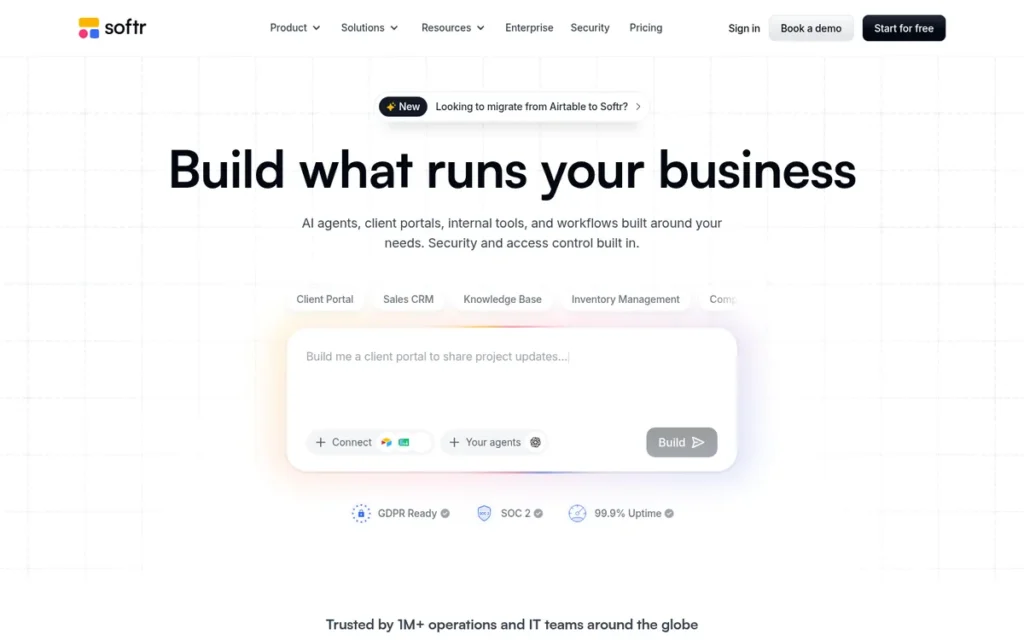
Category: App Builder on Your Data. Softr builds portals and internal tools on its own database or on existing sources such as Airtable, Google Sheets and SQL.
At a Glance
- Category: App Builder on Your Data
- Best For: Softr is best for small teams building client portals or internal tools, and for Airtable users who want to stop paying for portal users as editors.
- Price Range: Free; Basic $19/month flat; Pro $99/month flat (G2 list prices, Nov 2026; may change)
- Primary Strength: Softr charges a flat fee per app, so adding 50 client users on Pro does not multiply the bill the way per-seat pricing does.
- Biggest Limitation: Softr keeps granular permissions and custom user groups for Pro, so portal builders face a jump from $19 to $99 per month.
- One-Line Summary: Softr is a no-code app builder that turns Airtable, Google Sheets, SQL or its own Softr Databases into client portals and internal tools, priced per app rather than per seat.
- Last Verified: November 2026
Overview
Softr is a no-code app builder that turns Airtable, Google Sheets, SQL or its own Softr Databases into client portals, internal tools and CRMs. It is aimed at small teams that want Airtable-style data without paying for every editor.
Softr can replace Airtable completely through Softr Databases. Softr can also run on top of an existing Airtable base as a front end, so teams can change the interface without moving their data.
Key Features
- Softr Databases support linked-record fields, lookups, rollups and formula fields (Softr documentation, Nov 2026).
- Softr Databases hold from 5,000 records on Free up to 1,000,000 on Business (Softr pricing page, Nov 2026).
- Softr connects to Airtable and Google Sheets, adds SQL and HubSpot on Business, and adds Snowflake and BigQuery on Enterprise (Softr plans documentation, Nov 2026).
- Softr includes workflow automation, with 500 workflow actions a month on Free and 25,000 on Business (Softr pricing page, Nov 2026).
- Softr counts team users and client users separately on each plan, and granular permissions start on Pro.
Best For
Softr is best for small teams and agencies building client portals or internal tools. Softr also suits Airtable users who want to keep their base and give external users a front end without paying for them as editors.
Pricing
Softr’s G2 list prices are Free $0, Basic $19 flat per month and Pro $99 flat per month (G2, Nov 2026; may change). Softr’s own plan table adds monthly billing rates and user allowances (Softr pricing page, Nov 2026):
| Plan | Annual | Monthly | Users | Records | Workflow actions/mo |
|---|---|---|---|---|---|
| Free | $0 | $0 | 5 | 5,000 | 500 |
| Basic | $19 | $25 | 5 team + 5 client | 50,000 | 2,500 |
| Pro | $99 | $119 | 10 team + 50 client | 500,000 | 10,000 |
| Business | $329 | $395 | 30 team + 100 client | 1,000,000 | 25,000 |
| Enterprise | Custom | Custom | Custom | Custom | Custom |
Strengths
- Softr has the highest share of 4–5 star reviews in this ranking: 99.3% of 757 G2 reviews, with a 4.7/5 rating (G2, Nov 2026).
- Softr’s top G2 pros are Ease of Use (197 mentions), Customer Support (133) and Easy Setup (104) (G2, Nov 2026).
- Softr’s Free plan includes 5,000 records, five times Airtable Free’s 1,000 records per base (Softr and Airtable pricing pages, Nov 2026).
- Softr Pro covers 10 team users and 50 client users for $99 per month on annual billing, so portal costs stay predictable (Softr pricing page, Nov 2026).
- Softr says more than 80,000 businesses use the platform, and it raised a $13.5M Series A led by FirstMark Capital (Softr, April 2025; vendor-reported).
Limitations
Softr gives up design depth in exchange for build speed. Softr apps are assembled from predefined blocks, and its top G2 cons are Limited Customization (88 mentions), Missing Features (78) and Limited Features (71) (G2, Nov 2026).
- Softr Basic includes only 5 team and 5 client users, so adding a sixth client means moving to Pro at $99 per month (Softr pricing page, Nov 2026).
- Software Advice reviewers say some Softr blocks work poorly on mobile (Software Advice, Nov 2026).
- Review summaries say Softr can slow down with very large external Airtable sources (review summaries, Nov 2026).
- Softr’s claim of 200,000 records per database on self-serve plans has not been independently tested (Softr vs Airtable page, Nov 2026; vendor claim).
- Softr cannot be self-hosted, and it was founded in 2020, later than most vendors on this list (G2, Nov 2026).
- PlugRoute could not verify any named Softr customer case study with figures (PlugRoute research, Nov 2026).
Users on r/Airtable noted:
“As an Airtable power user and consultant, I’d hesitate to move over to Softr. Softr is great for what it does, but the one USP for Airtable is that it has unlimited flexibility and pretty good ecosystem around it. I don’t think any other tool will match that easily. But if your workflow is simple enough and you do not need to tinked endlessly, Softr is a good deal.” Posted by u/opstwo
Takeaway: Softr is good value for simple portal and internal-tool workflows, but experienced Airtable builders still see it as less flexible than Airtable for complex, heavily customized bases.
How Does Softr Compare With Airtable?
- Softr charges a flat fee per app, while Airtable bills every editor $20 per month on Team (G2, Nov 2026).
- Softr Basic’s 50,000 records match Airtable Team’s limit per base for a flat $19, and Softr Databases keep linked records, lookups and rollups (Softr documentation, Nov 2026).
- Community mention: One r/Airtable user called Softr Databases the “Closest alternative with great speeds and pricing.” PlugRoute could not check whether that user has ties to Softr (Reddit r/Airtable, Sept 2025; anecdotal).
Verdict
Softr scored highest in PlugRoute’s ranking (39.5 of 45). It is the best fit in 2026 for small teams that need client portals or want to keep their Airtable base, because its flat per-app pricing avoids Airtable’s per-editor billing.
Teams that need precise design control should test Softr’s block limits first. Builders who need granular permissions should budget for Softr Pro rather than Basic.
2. Google AppSheet: Best for Google Workspace Teams and Mobile or Field Data Collection
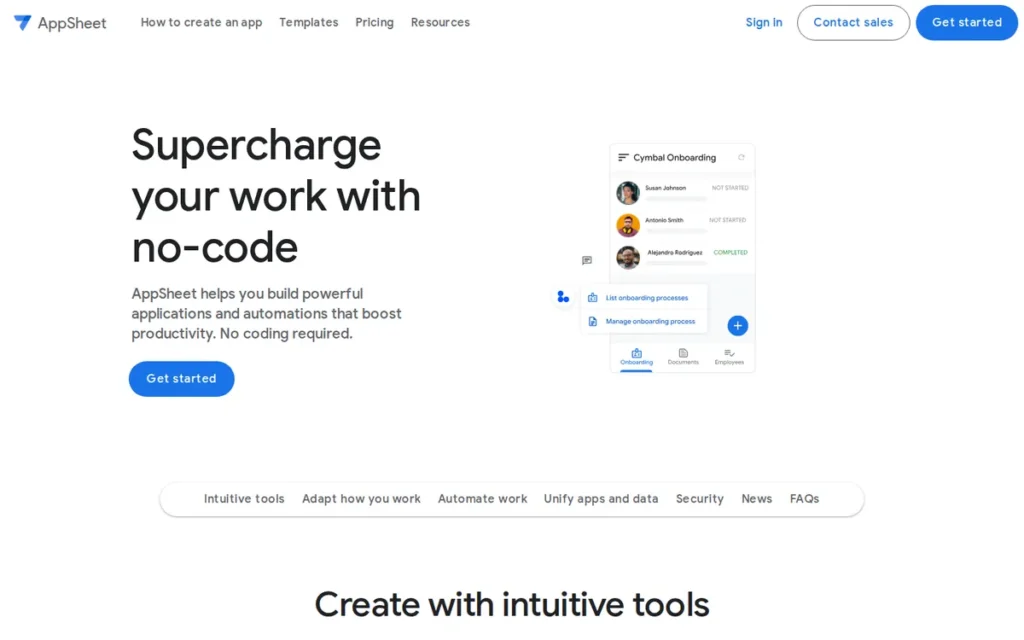
Category: App Builder on Your Data. Google AppSheet builds no-code mobile and web apps on top of existing spreadsheets and databases.
At a Glance
- Category: App Builder on Your Data
- Best For: Google AppSheet is best for Google Workspace teams and for mobile or field data collection, including offline use.
- Price Range: $5–$20/user/month; Core is included in most paid Google Workspace plans (AppSheet pricing page, Nov 2026; may change)
- Primary Strength: Google AppSheet may cost nothing extra for teams on a paid Google Workspace plan, because Core comes with most of those plans.
- Biggest Limitation: Google AppSheet needs a license for every app user, including external guests, so client-facing apps get expensive.
- One-Line Summary: Google AppSheet is a no-code app builder that turns Google Sheets, Excel and Cloud SQL data into mobile and web apps that work offline, and Core is included in most paid Google Workspace plans.
- Last Verified: November 2026
Overview
Google AppSheet is a no-code platform that builds mobile and web apps from Google Sheets, Excel, Cloud SQL and AppSheet Databases. It is aimed at Google Workspace teams and field workers who need forms, offline data capture and automation without writing code.
Google AppSheet replaces Airtable’s app layer, not its editable grid. Google acquired AppSheet in January 2020, and AppSheet is now part of Google Cloud and Google Workspace (Google Workspace blog, Jan 2020).
Key Features
- Google AppSheet builds apps from Google Sheets, Excel, Cloud SQL, AppSheet Databases and other sources.
- Google AppSheet works offline and syncs in the background, which helps teams in places with poor connectivity.
- Google AppSheet forms can capture barcodes, NFC tags, GPS location, signatures and photos.
- Google AppSheet runs automation bots, and scheduled automations are available on Core and above (Google AppSheet support, Nov 2026).
- Google AppSheet can use Gemini to generate a starting app from a text description.
Best For
Google AppSheet is best for teams already paying for Google Workspace. Google AppSheet also suits field or operations teams collecting data on mobile devices, especially offline.
Pricing
Google AppSheet’s G2 list prices are Starter $5 and Core $10 per user per month, with Enterprise Standard priced on request (G2, Nov 2026; may change). AppSheet’s official pricing page is the more current source (AppSheet pricing page, Nov 2026):
- Google AppSheet lists Enterprise Plus at $20 per user per month.
- Google AppSheet lists Publisher Pro at $50 per month per app, for public apps that do not require sign-in.
- Google AppSheet says Core is included in most paid Google Workspace plans.
Strengths
- Google AppSheet has the highest G2 rating in this ranking, 4.8/5, with 98.5% of 405 reviews at 4–5 stars, although the sample is smaller than most on this list (G2, Nov 2026).
- Google AppSheet Core is included in most paid Google Workspace plans (AppSheet pricing page, Nov 2026).
- Google AppSheet allows up to 500,000 app-change-triggered process runs per day per app-owner account (Google AppSheet support, Nov 2026).
- Google AppSheet most often goes live in under one month, and simple apps running within a day are also commonly reported (G2, Nov 2026).
- Google says New Incentives uses AppSheet for immunization programs in low-connectivity areas, in a vendor-published example that gives no figures (AppSheet customers page, Nov 2026).
Users on r/AppSheet shared their experience:
“I use AppSheet to run my whole business, from client entry to report generation, to invoicing and billing. I was able to keep adding functionality. One google workspace sub is saving me hundreds monthly in saas subscriptions” Posted by u/badgerbiscuitbeard
Takeaway: For small businesses already paying for Google Workspace, Google AppSheet can replace several separate SaaS subscriptions with apps built on one plan.
Limitations
Google AppSheet gives up Airtable’s freely editable grid in exchange for a structured app experience. Teams that work in spreadsheet-style views will need to change how they work.
- Google AppSheet databases hold 2,500 rows each on Starter and Core, against 50,000 records per base on Airtable Team. Enterprise Plus raises the cap to 200,000 rows, and connected sources such as Google Sheets follow their own limits (Google AppSheet support, Nov 2026).
- Google AppSheet needs a license for every app user, including external guests, and guests may be counted per device (Google AppSheet support, Nov 2026).
- G2 reviewers say Google AppSheet’s customization is limited for complex designs, and they ask for faster, clearer syncing with large datasets (G2, Nov 2026).
- Google AppSheet’s G2 pros and cons each have only one mention, so its review evidence rests mainly on the rating (G2, Nov 2026).
- Google AppSheet cannot be self-hosted (PlugRoute research, Nov 2026).
How Does Google AppSheet Compare With Airtable?
- Google AppSheet is priced per user like Airtable, but Core lists at $10 per user against $20 on Airtable Team, and Workspace customers may pay nothing extra for Core (G2 and AppSheet pricing page, Nov 2026).
- An AppSheet database on the Core plan holds 20 times less data (2,500 rows) than an Airtable Team base (50,000 records), so data-heavy teams should connect Cloud SQL or budget for Enterprise Plus.
- Community mention: A commenter in a 2023 r/Airtable thread suggested AppSheet as a Google option, but nobody in the thread described using it (Reddit r/Airtable, 2023; anecdotal).
Verdict
Google AppSheet is the best-value Airtable alternative in this ranking for Google Workspace teams and field data collection, because Core comes with most paid Workspace plans and supports offline mobile data capture.
Google AppSheet is a poor choice for client portals, because every external guest needs a license. Teams used to Airtable’s grid should prototype one workflow in Google AppSheet first.
3. Superhuman Docs (formerly Coda): Best for Docs Plus Databases and Few-Builder Teams
Category: Docs-Database Hybrid. Superhuman Docs combines documents and relational tables in one workspace.
At a Glance
- Category: Docs-Database Hybrid
- Best For: Superhuman Docs is best for teams where a few builders create tools that many editors use, and for teams that want databases next to their docs.
- Price Range: Free; Pro $12/Doc Maker/month billed annually ($15 billed monthly); Team price on the vendor page (Superhuman plans page, Nov 2026; G2 lists $10 and $30; may change)
- Primary Strength: Superhuman Docs bills only Doc Makers, so editors and viewers collaborate at no added cost.
- Biggest Limitation: Superhuman Docs uses a formula language that is harder than spreadsheet formulas, and third-party reviews report slowdowns in large, data-heavy docs.
- One-Line Summary: Superhuman Docs (formerly Coda) is a docs-and-database workspace where only Doc Makers are billed, which usually makes it one of the cheapest options for teams with many editors and few builders.
- Last Verified: November 2026
Overview
Superhuman Docs (formerly Coda) is a collaborative workspace that combines documents with linked database tables, formulas, buttons, forms and automations. It suits teams that want structured data inside their docs, with a few builders serving many editors.
Superhuman Docs took its current name in July 2026, and Superhuman said Maker Billing did not change (Superhuman blog, July 2026). Grammarly acquired Coda in December 2024 and renamed itself Superhuman in 2025 (Grammarly blog, 2025).
Key Features
- Superhuman Docs embeds relational tables with multiple views, formulas and buttons inside document pages.
- Superhuman Docs runs automations triggered by row changes, schedules, form submissions or webhooks (Coda guides, Nov 2026).
- Superhuman Docs connects to Slack, Jira, Salesforce, GitHub and Google Calendar through Packs (Coda guides, Nov 2026).
- Superhuman Docs uses Maker Billing, so only Doc Makers pay and editors and viewers are free.
- Superhuman Docs includes Docs AI, formerly called Coda AI.
Best For
Superhuman Docs is best for teams that want databases next to their docs and wikis. Superhuman Docs also suits organizations where a few builders create tools that many editors use.
Pricing
Superhuman Docs Pro costs $12 per Doc Maker per month billed annually, or $15 billed monthly (Superhuman plans page, Nov 2026). Other sources differ:
- G2 still lists Superhuman Docs at Free $0, Pro $10 and Team $30 per month (G2, Nov 2026; may change).
- A pricing tracker recorded a Coda price change on July 8, 2026 (UsagePricing, Nov 2026).
- A third-party comparison reports that shared docs on the Superhuman Docs Free plan are capped at 1,000 rows (Taskade comparison, Nov 2026).
Strengths
- Superhuman Docs charges only Doc Makers, so a team of 3 builders and 15 editors pays for 3 seats where Airtable would bill all 18 editors (Coda billing documentation, Nov 2026).
- Superhuman Docs holds a 4.6/5 G2 rating, with 96.4% of 498 reviews at 4–5 stars (G2, Nov 2026).
- Superhuman Docs reviewers name Ease of Use (19), Flexibility (12) and Automation (11) among the top G2 pros (G2, Nov 2026).
- Superhuman Docs offers four automation triggers (row changes, schedules, form submissions and webhooks) in the same workspace as its docs (Coda guides, Nov 2026).
Limitations
Superhuman Docs gives up the focus of a dedicated database in exchange for document flexibility. Third-party reviews report slowdowns in large docs and heavy browser memory use (SaaSCompared, Nov 2026).
- Superhuman Docs reviewers name Learning Curve (9) and Steep Learning Curve (7) as top G2 cons, and its formula language is harder than spreadsheet formulas (G2, Nov 2026).
- Third-party reviews say Superhuman Docs has weak search and navigation on mobile (third-party reviews, Nov 2026).
- Superhuman Docs Pro’s verified price ($12 annual, $15 monthly) is higher than the $10 G2 list price that many comparisons still quote (Superhuman plans page, Nov 2026).
- The July 2026 rebrand adds some uncertainty about the product’s direction, although Superhuman (formerly Grammarly) has owned it since December 2024.
- PlugRoute could not verify any named Superhuman Docs customer case study with figures, and Superhuman Docs cannot be self-hosted (PlugRoute research, Nov 2026).
Users on r/codaio noted:
“I used both and till now can’t choose between them specially when Notion did a comeback for many new features. But, still Coda is faster than Notion. My issue with coda not having any apps specially phone apps and the only app they have not working at all. I agree with you, but in my opinion Coda is much faster than Notion and that really differs.” Posted by u/MW_J97
Takeaway: Superhuman Docs (formerly Coda) earns praise for desktop speed, but its weak mobile experience is a real drawback for teams that need to work from their phones.
How Does Superhuman Docs Compare With Airtable?
- Superhuman Docs bills builders, while Airtable bills every editor. At the annual Pro price, 3 Doc Makers cost $36 per month, against $360 for 18 editors on Airtable Team (vendor pages, Nov 2026).
- A third-party review says Superhuman Docs holds ISO 27001/27017/27018 certificates and a SOC 2 Type 2 report, with HIPAA available on Enterprise, so buyers should confirm this with the vendor (SaaS CRM Review, Nov 2026).
- Community mention: One r/Airtable user said Coda “could substitute Airtable and Notion” (Reddit r/Airtable, 2023; anecdotal).
Verdict
Superhuman Docs (formerly Coda) is usually the most cost-efficient Airtable alternative in this ranking for teams with many editors and few builders, because only Doc Makers are billed.
Superhuman Docs suits teams that want data and documentation in one place. Teams with data-heavy bases should test performance first, and buyers should budget using the $12 annual Pro price rather than G2’s $10.
4. ClickUp: Best for Budget Project and Task Tracking With a Table View
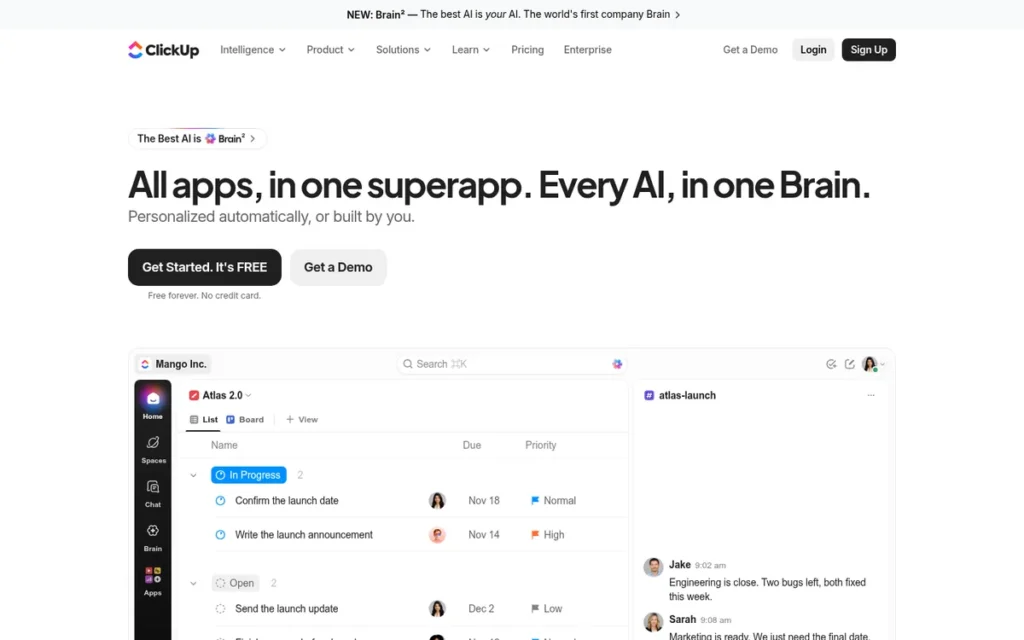
Category: Work Management With a Grid. ClickUp is a task and project tool with a table view, not a database-first replacement.
At a Glance
- Category: Work Management With a Grid
- Best For: ClickUp is best for small teams whose Airtable bases are mainly task and project trackers.
- Price Range: Free; Unlimited $10/user/month; Business $19/user/month (G2 list prices, Nov 2026; may change)
- Primary Strength: ClickUp combines tasks, docs, forms, automations and 255 integrations listed on G2 for less per user than Airtable Team or Business.
- Biggest Limitation: ClickUp cannot use rollups in formulas and allows only one layer of formula nesting, so relational Airtable bases need redesign.
- One-Line Summary: ClickUp is an all-in-one work management platform with a table view that can replace Airtable project trackers at a lower per-user price, but it is not a database-first replacement.
- Last Verified: November 2026
Overview
ClickUp is an all-in-one work management platform that combines tasks, Docs, Chat, forms, automations and dashboards. It is aimed at small teams whose Airtable bases are mainly project or task trackers rather than relational databases.
ClickUp’s Table view shows tasks as rows and custom fields as columns, so ClickUp feels familiar to Airtable users who track work in a grid (ClickUp Help Center, Nov 2026).
Key Features
- ClickUp’s Table view shows tasks as rows and custom fields as columns for spreadsheet-style editing.
- ClickUp offers Relationships and Rollups between tasks, with documented limits on how they work with formulas.
- ClickUp includes forms, automations and dashboards in the same workspace as tasks and Docs.
- ClickUp lists 255 integrations on G2, more than three times Airtable’s 76 (G2, Nov 2026).
- ClickUp includes its ClickUp Brain AI across the workspace.
Best For
ClickUp is best for small and growing teams that used Airtable as a project or task tracker. ClickUp suits teams that want broader project management features for less per user.
Pricing
ClickUp’s G2 list prices are Free $0, Unlimited $10 and Business $19 per user per month (G2, Nov 2026; may change). Plan details vary in how well they are documented:
- ClickUp includes 100 automation actions per month on Free and 1,000 on Unlimited (ClickUp Help Center, Nov 2026).
- PlugRoute could not verify ClickUp’s free-plan storage and custom-field caps or its AI add-on price (PlugRoute research, Nov 2026).
- ClickUp buyers should check clickup.com/pricing before committing.
Strengths
- ClickUp holds a 4.6/5 G2 rating across 15,674 reviews, with 97.5% at 4–5 stars, the second-largest review base in this ranking (G2, Nov 2026).
- ClickUp’s top G2 pros are Tailored Workflows (1,603 mentions) and Unified Work Hub (1,407) (G2, Nov 2026).
- ClickUp’s Business plan lists at $19 per user per month, less than half the $45 price of Airtable Business (G2, Nov 2026).
- ClickUp most often goes live in under one month, sometimes in under a day (G2, Nov 2026).
- Savills reported saving more than 50 delivery hours per month in a vendor-published ClickUp customer story (ClickUp customers page, Nov 2026).
Limitations
ClickUp gives up database depth in exchange for a wider set of project features. ClickUp’s relational limits are documented by ZenPilot, a ClickUp consultancy (ZenPilot, Nov 2026).
- ClickUp rollups cannot be used in formulas, and formulas can only be nested one layer deep.
- ClickUp rollups of any custom field only work between Lists.
- ClickUp Unlimited includes 1,000 automation actions per month and Free includes 100. Once the allowance is used up, automations pause for the rest of the month (ClickUp Help Center, Nov 2026).
- ClickUp’s G2 cons include Steep Learning Curve (778 mentions), Slow Workspace Performance (762) and Too Many Features (597) (G2, Nov 2026).
- ClickUp reviewers report bugs affecting subtasks, due dates and assignees (G2 reviews, Nov 2026).
- ClickUp cannot be self-hosted (PlugRoute research, Nov 2026).
This aligns with community sentiment on r/agency:
“Just moved from clickup to asana. Was a huge fan of clickup for the longest time but they’ve become so bloated and hard to use. My team basically revolted and I have to say switching to asana was a great choice. I’m torn bc I love the idea of an everything tool like clickup but in reality, it just doesn’t work.” Posted by u/tnetennba8587
Takeaway: ClickUp’s all-in-one breadth can turn into bloat that drives whole teams away, which matches the “too many features” and learning-curve complaints in its G2 reviews.
How Does ClickUp Compare With Airtable?
- ClickUp is priced per user like Airtable, but Unlimited lists at $10 against $20 on Airtable Team, and ClickUp lists 255 integrations on G2 against Airtable’s 76 (G2, Nov 2026).
- ClickUp Unlimited’s 1,000 monthly automation actions are far below Airtable Team’s 25,000 runs, and ClickUp’s rollup and formula limits mean bases built on linked records need rebuilding.
- Community mention: PlugRoute found no usable Reddit discussion of ClickUp during research (PlugRoute research, Nov 2026).
Verdict
ClickUp is the best low-cost Airtable alternative in this ranking for teams whose bases are really project and task trackers. It has a free plan, and its $19 Business tier costs less than half as much as Airtable Business.
ClickUp is not a database-first replacement, because its rollup and formula limits will break relational bases. Teams with large workspaces should test ClickUp’s performance and automation allowance before switching.
5. Kintone: Best for Approval-Heavy Back-Office Workflows (5+ Users)
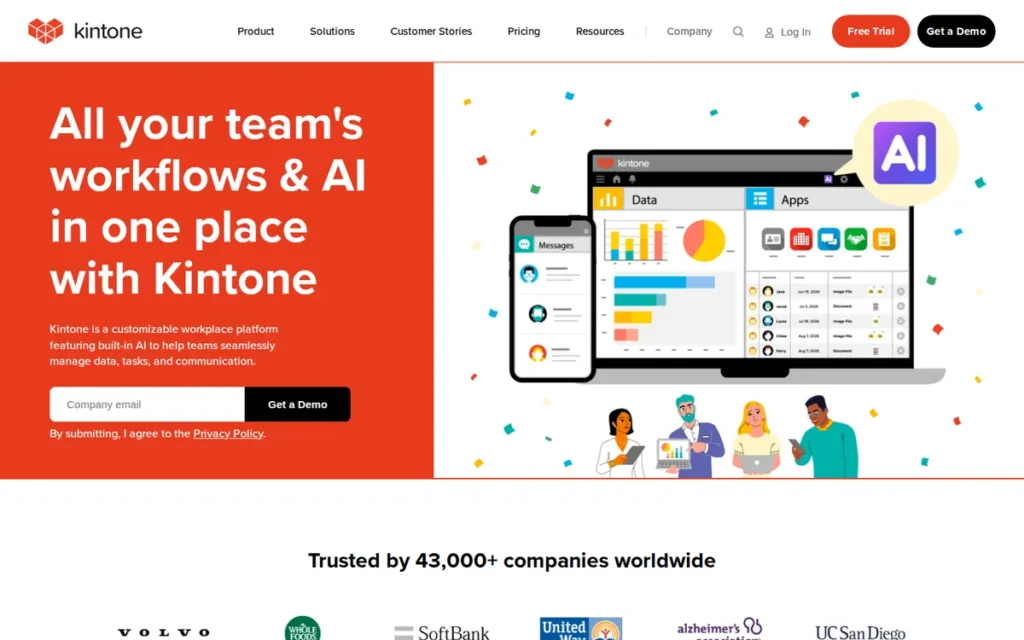
Category: Database-First Operations Platform. Kintone builds no-code relational database apps around governed business processes.
At a Glance
- Category: Database-First Operations Platform
- Best For: Kintone is best for teams of five or more running approval-heavy back-office processes such as expenses, requests and complaints.
- Price Range: Professional $24/user/month; 5-user minimum, so at least $120/month (G2 list price and Kintone US pricing page, Nov 2026; may change)
- Primary Strength: Kintone builds approval workflows with statuses, assignees and branching routes directly into each database app.
- Biggest Limitation: Kintone’s 5-user minimum and exact-match search make it a poor fit for solo users and teams of two to four.
- One-Line Summary: Kintone is a no-code database platform with built-in approval and process management, suited to back-office teams of five or more that need governed workflows rather than a flexible grid.
- Last Verified: November 2026
Overview
Kintone is a no-code database app platform from Cybozu that combines relational records, lookups and built-in approval workflows. It is aimed at operations teams of five or more that run request, expense and complaint processes.
Kintone puts governed processes ahead of Airtable-style free-form editing in a grid, so Kintone suits structured back-office work better than ad hoc tracking.
Key Features
- Kintone process management adds statuses, assignees, branching approvals and status history to any app.
- Kintone supports lookups and related-records fields to connect data across apps.
- Kintone allows up to 50,000 records and 150 fields per app, and 900 apps per account (Kintone pricing page, Nov 2026).
- Kintone provides JavaScript and CSS customization, webhooks and a REST API with 10,000 calls per day (Kintone pricing page, Nov 2026).
- Kintone includes comments on each record, team Spaces, and iOS and Android apps.
Best For
Kintone is best for back-office and operations teams of five or more that run approval-driven processes. Kintone suits teams that want workflow governance built into their database.
Pricing
Kintone’s G2 list price is Professional at $24 per user per month (G2, Nov 2026; may change). Two pricing details matter:
- Kintone’s US pricing page sets a 5-user minimum, so the lowest monthly cost is $120 (Kintone US pricing page, Nov 2026).
- Kintone’s Southeast Asia pricing page lists different plans and prices, which do not apply in the US.
Strengths
- Kintone allows 50,000 records per app, the same as Airtable Team’s 50,000 records per base (Kintone and Airtable pricing pages, Nov 2026).
- Kintone holds a 4.6/5 G2 rating, with 96.6% of 291 reviews at 4–5 stars, and Customer Support (28 mentions) is its second most-cited pro (G2, Nov 2026).
- Kintone most often goes live in under one month (G2, Nov 2026).
- Kintone is made by Cybozu, founded in 1997, which has a longer track record than most vendors on this list (G2, Nov 2026).
- LNS Japan built a sales app “in a few hours,” according to a vendor-published Kintone customer story (Kintone, Nov 2026).
Limitations
Kintone gives up small-team affordability in exchange for process governance. Its $120 monthly minimum costs more than Airtable Team for any team of two to five (Kintone and Airtable pricing pages, Nov 2026).
- Kintone reviewers describe a dated or cluttered interface and say search needs exact matches. G2 cons include Missing Features (12) and Poor Interface Design (7) (G2, Nov 2026).
- Kintone needs JavaScript or plugins for advanced layouts, according to Capterra reviews and review summaries (Capterra, Nov 2026).
- Kintone’s 291-review G2 sample is the smallest in this ranking (G2, Nov 2026).
- PlugRoute could not verify Kintone’s monthly automation allowance (PlugRoute research, Nov 2026).
- Kintone cannot be self-hosted (PlugRoute research, Nov 2026).
How Does Kintone Compare With Airtable?
- Kintone costs $24 per user against $20 on Airtable Team, and adds a 5-user minimum (G2 and Kintone pricing page, Nov 2026).
- Kintone’s 50,000 records per app match Airtable Team’s limit per base. Kintone also builds approvals and status history into each app, where Airtable teams typically set these up with automations.
- Community mention: PlugRoute found no usable Reddit discussion of Kintone during research (PlugRoute research, Nov 2026).
Verdict
Kintone is the best-fit Airtable alternative in this ranking for approval-heavy back-office processes in teams of five or more, because it builds branching approvals and status history into every database app.
Kintone’s 5-user minimum rules it out for solo users and very small teams. Teams that need fuzzy search or polished interfaces should test Kintone on those points first.
6. monday Work Management: Best for Visual Team Workflows With Light Cross-Board Linking
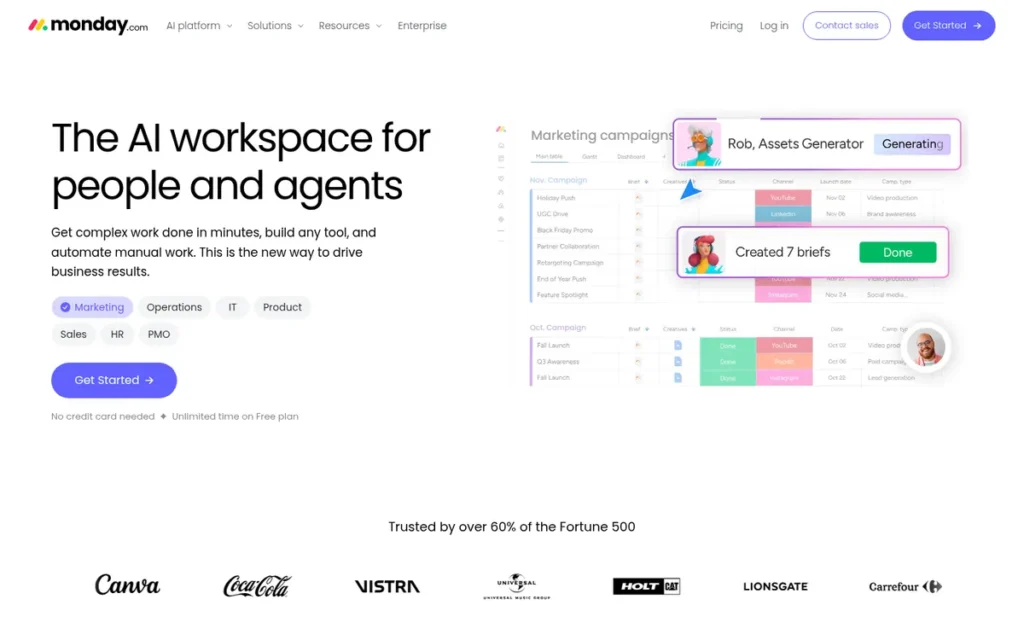
Category: Work Management With a Grid. monday Work Management is a task and project tool with a table view, not a database-first replacement.
At a Glance
- Category: Work Management With a Grid
- Best For: monday Work Management is best for teams of three or more that care more about visual boards and workflows than about relational data.
- Price Range: Free; Basic $9/seat/month; Standard $12/seat/month; 3-seat minimum (G2 list prices and monday Support, Nov 2026; may change)
- Primary Strength: monday Work Management has the largest review base in this ranking: 17,963 G2 reviews at 4.7/5.
- Biggest Limitation: monday Work Management’s Standard plan includes only 250 automation actions and 250 integration actions per month, and Basic includes no automations.
- One-Line Summary: monday Work Management is a visual, board-based work platform with the largest review base in this ranking, but its 3-seat minimum and 250-action automation cap on Standard make it a project tool rather than a database replacement.
- Last Verified: November 2026
Overview
monday Work Management is a board-based work platform that organizes items, columns and automations into visual workflows. It suits teams of three or more that use Airtable mainly to coordinate projects and processes.
monday Work Management links boards through Connect Boards and mirror columns rather than through a full relational database (monday developer docs, Nov 2026).
Key Features
- monday Work Management links items across boards with Connect Boards columns and shows fields from linked items with mirror columns.
- monday Work Management includes automations and integrations from the Standard plan upward.
- monday Work Management lists 152 integrations on G2, against Airtable’s 76 (G2, Nov 2026).
- monday Work Management offers AI tools including monday sidekick, monday vibe for custom work apps, monday agents and monday workflows (monday.com results filing, 2025).
- monday Work Management offers support in 14 languages, against Airtable’s one (G2, Nov 2026).
Best For
monday Work Management is best for teams of three or more that want easy-to-use visual boards for projects and workflows. monday Work Management suits teams that do not rely on complex linked-record logic.
Pricing
monday Work Management’s G2 list prices are Free (price not listed), Basic $9 and Standard $12 per seat per month (G2, Nov 2026; may change). monday Support documents these plan rules (monday Support, Nov 2026):
- monday Work Management sells seats in buckets, starting at 3 seats and then rising in groups of 5.
- monday Work Management’s annual billing is about 18% cheaper than monthly billing.
- monday Work Management includes 250 automation actions and 250 integration actions per month on Standard, 25,000 of each on Pro and 250,000 on Enterprise.
- monday Work Management’s cheapest plan with automations is Standard, at $36 per month for the 3-seat minimum.
Strengths
- monday Work Management holds a 4.7/5 G2 rating across 17,963 reviews, with 98.1% at 4–5 stars, giving it the largest review base in this ranking (G2, Nov 2026).
- monday.com reported 2025 revenue of $1.232B, up 27% year over year, and more than 250,000 paying customers (monday.com Form 20-F, 2025).
- monday Work Management’s top G2 pro is Intuitive Everyday Use, with 1,321 mentions (G2, Nov 2026).
- Ray White Group reported a 22× return on investment in a vendor-published monday.com customer story (monday.com customer stories, Nov 2026).
Limitations
monday Work Management gives up relational depth and small-team pricing in exchange for visual ease of use. Its own developer docs describe cross-board links rather than true relational tables (monday developer docs, Nov 2026).
- monday Work Management’s 3-seat minimum means a 2-person team pays for 3 seats (monday Support, Nov 2026).
- monday Work Management’s Standard plan includes 250 automation actions a month, which monday itself says “can run out quickly” (monday Support, Nov 2026).
- monday Work Management’s G2 cons include Steep Learning Curve (218), Slow Board Loading (172) and High Subscription Costs (172) (G2, Nov 2026).
- monday Work Management most often takes 1–3 months to go live, longer than Airtable’s usual under one month (G2, Nov 2026).
- monday Work Management cannot be self-hosted (PlugRoute research, Nov 2026).
How Does monday Work Management Compare With Airtable?
- monday Work Management’s Basic plan lists at $9 per seat against $20 on Airtable Team, but automations start on Standard at $36 per month for 3 seats (monday pricing, Nov 2026).
- monday Work Management Standard’s 250 monthly automation actions are far below Airtable Team’s 25,000 runs. Its mirror columns also give lighter linking than Airtable’s linked records, lookups and rollups.
- Community mention: PlugRoute found no usable Reddit discussion of monday Work Management during research (PlugRoute research, Nov 2026).
Verdict
monday Work Management has the largest independent review base of any Airtable alternative in this ranking, but it is a visual work management tool, not a database replacement.
Teams of three or more running board-based workflows will find monday Work Management easy to use. Teams that rely on heavy automation should budget for Pro, because Standard includes only 250 actions a month.
7. Quickbase: Best for Regulated, Large-Scale Operations
Category: Database-First Operations Platform. Quickbase builds no-code relational database apps around governed business processes.
At a Glance
- Category: Database-First Operations Platform
- Best For: Quickbase is best for larger operations teams in construction, field service and manufacturing that need governed, relational apps.
- Price Range: Team $35/user/month; Business $55/user/month; free trial (G2 list prices, Nov 2026; may change); a platform minimum applies on top (Quickbase pricing page, Nov 2026)
- Primary Strength: Quickbase sets permissions at the field, report and role level, the most granular access controls on this list.
- Biggest Limitation: Quickbase has the most expensive entry point in this ranking, and its pricing page notes a platform minimum that is not included in the per-user price.
- One-Line Summary: Quickbase is a low-code database platform for governed operational apps. It is the closest database-first Airtable replacement for large regulated teams, and the most expensive option on this list.
- Last Verified: November 2026
Overview
Quickbase is a low-code relational app platform for governed operational apps. It is built for larger construction, field service and manufacturing teams that have outgrown Airtable’s governance and permissions and need tighter control over who sees what.
Quickbase handles linked tables, approvals, routing and handoffs between people or teams, with permissions set at the field, report and role level.
Key Features
- Quickbase links related tables to model complex operational data across an application.
- Quickbase applies permissions at the field, report and role level.
- Quickbase automates workflows and integrations through its Pipelines feature.
- Quickbase supports approvals, routing and handoffs for multi-step operational processes.
- Quickbase lists 49 integrations on G2 and is a Procore App Marketplace partner (G2, Nov 2026).
Best For
Quickbase is best for mid-size and enterprise operations teams in construction, field service and manufacturing. Quickbase suits teams that need governed, relational apps and have a budget above Airtable Business.
Pricing
Quickbase’s G2 list prices are Team $35 and Business $55 per user per month, with a free trial (G2, Nov 2026; may change). Other sources add cost details:
- Quickbase’s pricing page states that the $35 Team price does not include a platform minimum (Quickbase pricing page, Nov 2026).
- Third-party listings report a 20-user minimum for Quickbase, about $8,400 per year (Software Advice, Nov 2026).
- TrustRadius lists Quickbase Team at $700 per month and Business from $2,200 per month, billed annually (TrustRadius, Nov 2026).
- Quickbase buyers with two to five users should get a written quote before comparing costs.
Strengths
- Quickbase holds a 4.5/5 G2 rating from 1,709 reviews and an 8.7/10 TrustRadius score from 815 reviews and ratings (G2 and TrustRadius, Nov 2026).
- G2 lists Airtable among the tools teams leave when they switch to Quickbase, along with Excel, Smartsheet and Salesforce (G2, Nov 2026).
- Quickbase most often goes live in under one month (G2, Nov 2026).
- Quickbase began inside Intuit in 1999 and has been independent since Welsh, Carson, Anderson & Stowe acquired it in 2016, although G2 lists 2012 as its founding year (Quickbase press release, 2016).
- East River Electric reported $440K in efficiency gains and $165K in net savings in a vendor-published Quickbase case study (Quickbase customers page, Nov 2026).
Limitations
Quickbase gives up affordability and pricing transparency in exchange for enterprise governance. Its $55 Business list price is higher than Airtable Business at $45 (G2, Nov 2026).
- Quickbase’s platform minimum, reported by third parties as 20 users, puts it out of reach for most small teams (Software Advice, Nov 2026).
- Quickbase reviewers on TrustRadius criticize its cost, its support, and its performance or table-size limits (TrustRadius, Nov 2026).
- Quickbase users on G2 ask for easier setup of table relationships and formulas, and better debugging for Pipelines (G2, Nov 2026).
- Quickbase has no pros or cons mention counts on G2, so its review evidence is thinner (G2, Nov 2026).
- PlugRoute could not verify Quickbase’s record and automation allowances, and Quickbase cannot be self-hosted (PlugRoute research, Nov 2026).
How Does Quickbase Compare With Airtable?
- At G2 list prices, Quickbase costs more per user than Airtable on both comparable plans: $35 against $20 on Team, and $55 against $45 on Business (G2, Nov 2026).
- Quickbase offers more granular permissions and governed processes in return, so buyers should ask Quickbase to state record limits, automation allowances and the platform minimum in writing.
- Community mention: PlugRoute found no usable Reddit discussion of Quickbase during research (PlugRoute research, Nov 2026).
Verdict
Quickbase is the most capable database-first Airtable alternative in this ranking for large, regulated operations, but its pricing makes it a poor fit for small teams.
Construction, field service and manufacturing organizations that need field-level permissions should shortlist Quickbase. Everyone else should get a written Quickbase quote before assuming it costs less than Airtable.
Why Are Teams Looking for Airtable Alternatives?
Teams leave Airtable mainly because costs and limits rise as they grow. Airtable bills every editor and caps records and automation runs by plan. Its top G2 cons are Learning Curve (261 mentions), Missing Features (253) and Expensive (143), although it still holds a 4.6/5 rating from 3,305 reviews (G2, Nov 2026).
Airtable’s G2 reviewers ask for improvements in four areas (G2, Nov 2026):
- Airtable users want faster performance with large bases and more room for records, automations and syncs.
- Airtable users want more flexible seat pricing and cheaper ways to involve occasional or external collaborators.
- Airtable users want more design and conditional-logic options in interfaces and forms, plus stronger reporting.
- Airtable users want advanced workflows to be easier to learn and AI-generated setups to be more consistent.
Airtable users on Reddit say they split bases, archive old data or move data to an external database when they hit record limits. Others work around automation run limits with scheduled jobs (Reddit r/Airtable, Nov 2026).
“I’m getting pushed out by their pricing plan changes and shift to enterprise sales-driven, no-code app tools.” (u/sevenlabors, Reddit r/Airtable, 2023)
Takeaway: Some small users see Airtable’s pricing as aimed at enterprise buyers, which makes per-app, per-builder or bundled pricing attractive.
What Will an Airtable Alternative Really Cost?
What an Airtable alternative costs depends more on the size and makeup of your team than on the list price, because per-seat, per-builder and flat per-app pricing can reverse the ranking. For 5 staff plus 50 clients, Softr Pro costs $99 per month flat, while Google AppSheet Core costs about $550 because every guest needs a license.
All figures below use G2 list prices or vendor pages (Nov 2026), and they may change.
Scenario 1: Two internal users (monthly cost)
- Airtable Team costs $40 for 2 users at $20 each.
- ClickUp Unlimited costs $20 for 2 users at $10 each.
- monday Work Management Basic costs $27, because the 3-seat minimum bills 3 seats at $9, and automations need Standard at $36.
- Kintone Professional costs $120, because the 5-user minimum bills 5 users at $24.
- Softr Basic costs $19 flat and covers up to 5 team users.
- Google AppSheet Core costs $20 for 2 users, or nothing extra if it is included in your Workspace plan.
- Superhuman Docs Pro costs $24 for 2 Doc Makers at $12, or $12 if only one person builds.
Scenario 2: 5 internal users plus 50 external clients
- Softr Pro costs $99 flat and covers 10 team and 50 client users.
- Google AppSheet Core costs $550 for 55 licensed users at $10 each, because guests need licenses.
- Airtable Team would cost $1,100 if all 55 people needed edit access. PlugRoute did not verify what Airtable charges for read-only or interface-only external users.
Scenario 3: 3 builders plus 15 editors
- Superhuman Docs Pro costs $36, because only the 3 Doc Makers are billed at $12.
- Airtable Team costs $360, because all 18 users with edit access are billed at $20.
How Do Airtable Alternatives Compare With Airtable on Cost and Limits?
Airtable Team gives each base 50,000 records and each workspace 25,000 automation runs a month, for $20 per user on annual billing (Airtable support, Nov 2026). Most alternatives charge less per user than that, but several add seat minimums or much smaller automation allowances.
Vendors count automation runs and actions differently, and Airtable counts both failed and successful triggered attempts as runs (Airtable support, Nov 2026). Compare each allowance with your real monthly usage. Cells marked “Unverified” could not be confirmed from vendor documentation in November 2026.
| Tool | Pricing model | Entry paid price | Seat minimum | Record cap (scope) | Monthly automation allowance | G2 rating (reviews) | Best-fit use case |
|---|---|---|---|---|---|---|---|
| Airtable (reference) | Per editor | Team $20/user annual, $24 monthly | Unverified (Nov 2026) | Free 1,000; Team 50,000; Business 125,000 (per base) | Free 100; Team 25,000; Business 100,000 runs (per workspace) | 4.6 (3,305) | Flexible relational bases |
| Softr | Flat per app | Basic $19 flat annual, $25 monthly | None; user allowances per plan | 50,000 on Basic (per plan) | 2,500 workflow actions on Basic | 4.7 (757) | Client portals |
| Google AppSheet | Per user, guests included | Starter $5/user | Unverified (Nov 2026) | 2,500 rows per AppSheet database (Starter/Core); 200,000 (Enterprise Plus) | Up to 500,000 triggered process runs per day per owner account | 4.8 (405) | Workspace and field apps |
| Superhuman Docs | Per Doc Maker | Pro $12 annual, $15 monthly (G2: $10) | Unverified (Nov 2026) | 1,000 rows on Free shared docs (third-party) | Unverified (Nov 2026) | 4.6 (498) | Docs plus databases |
| ClickUp | Per user | Unlimited $10/user | Unverified (Nov 2026) | Unverified (Nov 2026) | Free 100; Unlimited 1,000 actions | 4.6 (15,674) | Task tracking |
| Kintone | Per user | Professional $24/user | 5 users | 50,000 (per app) | Unverified (Nov 2026) | 4.6 (291) | Approval workflows |
| monday Work Management | Per seat, sold in buckets | Basic $9/seat; automations from Standard ($36 for 3 seats) | 3 seats | Unverified (Nov 2026) | 250 automation + 250 integration actions on Standard | 4.7 (17,963) | Visual boards |
| Quickbase | Per user plus platform minimum | Team $35/user | Platform minimum (vendor); 20 users reported (third-party) | Unverified (Nov 2026) | Unverified (Nov 2026) | 4.5 (1,709) | Regulated operations |
Two worked examples show how much these limits matter:
- A team running 3,000 automations a month fits within Airtable Team, Softr Business or monday Work Management Pro, each of which allows 25,000. The same team would use up monday Work Management Standard’s 250 actions in under 3 days and ClickUp Unlimited’s 1,000 in about 10 days, assuming one action per run.
- Google AppSheet Core caps each AppSheet database at 2,500 rows, while Kintone allows 50,000 records per app and Airtable Team allows 50,000 per base.
Is There a Free, Open-Source or Self-Hosted Airtable Alternative?
None of the seven ranked Airtable alternatives can be self-hosted. Teams that need self-hosting usually look at the open-source tools NocoDB and Baserow. PlugRoute did not rank or score them, because the verified G2 dataset used for this article had no data on either tool.
Self-hosting keeps data on servers you control, which matters for data sovereignty and for compliance rules that require on-premises hosting.
Reddit r/Airtable users have suggested these self-hosted and SQL-based options. They are anecdotal comments, not tested findings (Reddit r/Airtable, 2023):
- NocoDB was described as “a great choice with easy self-hosting capabilities” (u/datalytyks).
- NocoDB was also described as “an Airtable clone,” with a “relatively painless” move for established Airtable users (u/Creative_Effort).
- A MySQL database with a Budibase front end was called “a more flexible, scalable, powerful version of Airtable” (u/jo_ranamo, 12 upvotes).
Two ranked tools can run on an existing SQL database without self-hosting:
- Softr connects to SQL databases on its Business plan.
- Google AppSheet builds apps on Cloud SQL.
What Breaks When You Migrate Off Airtable?
A CSV export moves your data but not your logic. Airtable rows and columns transfer, but linked records, rollups, automations, interfaces and integrations generally have to be rebuilt and tested, because PlugRoute could not verify any vendor importer that keeps them (PlugRoute research, Nov 2026).
These Airtable components usually have to be rebuilt by hand after a CSV migration:
- Airtable linked records and lookups must be recreated as relationships in the new tool.
- Airtable formulas and rollups must be rewritten in the new tool’s formula language.
- Airtable automations must be rebuilt within the new plan’s action limits.
- Airtable interfaces and forms must be redesigned.
- Airtable permissions must be mapped to the new tool’s roles.
- Airtable API and webhook integrations must be reconnected and tested.
Softr offers a way to avoid migrating at all. Softr can run on top of an existing Airtable base as a front end, so teams can test a new interface without moving or deleting any data.
When Should You Stay on Airtable?
Staying on Airtable makes sense if your bases depend heavily on linked records, rollups and formulas, and your main problem is the learning curve rather than price. Learning-curve complaints also appear for monday Work Management (218 G2 mentions), ClickUp (778) and Superhuman Docs (16 combined), so switching will not remove them (G2, Nov 2026).
One r/Airtable user found $75 per month on Business unsustainable and tried other tools, then went back to Airtable because its flexibility was hard to replace (Reddit r/Airtable, Nov 2026).
“you invest a lot of time and effort into their system, and then they change the pricing structure” (u/Ramona00, Reddit r/Airtable, 2023)
Takeaway: Any vendor can change its pricing, so the risk of being locked in to a vendor is a reason to test exports and avoid over-customizing, whichever tool you choose.
What Red Flags Should I Watch For When Evaluating Airtable Alternatives?
The main red flags are seat minimums, automation caps far below Airtable’s, grid views without real relational fields, per-guest licensing, unverified import claims and conflicting pricing. Any of these can make a cheaper-looking Airtable alternative cost more or break your workflows after migration.
Red Flag #1: Seat Minimums Hidden Behind Per-Seat Prices Seat minimums raise the real entry price above the advertised per-seat rate. monday Work Management bills at least 3 seats and Kintone at least 5 users, so a 2-person team pays for empty seats. Before buying, multiply the per-seat price by the plan’s minimum, not by your headcount.
Red Flag #2: Automation Caps Far Below Airtable’s Automation caps can make a cheaper plan less capable than Airtable. On entry-level paid plans, monday Work Management Standard includes 250 automation actions a month and ClickUp Unlimited includes 1,000, against Airtable Team’s 25,000 runs. Vendors count actions and runs differently, so check your current monthly usage first.
Red Flag #3: A Grid View Without Real Relational Fields A table view does not make a tool a relational database. Airtable lets you use lookups and rollups from linked records inside formulas, but ClickUp rollups cannot be used in formulas and monday Work Management relies on mirror columns. Test one formula that uses a rollup before shortlisting any tool.
Red Flag #4: Per-Guest Licensing for External Users Per-guest licensing makes client-facing apps expensive quickly. Google AppSheet requires a license for every app user, including external guests, who may be counted per device, so 50 clients add about $500 per month on Core. Count every external user before comparing prices.
Red Flag #5: Unverified One-Click Import Claims Import claims rarely cover relational logic. A CSV import moves rows and columns only, and PlugRoute could not verify any ranked vendor’s Airtable importer in November 2026. Ask each vendor to import a copy of one real base and show which linked records and formulas survive.
Red Flag #6: Conflicting or Quote-Only Pricing Pricing that differs between sources makes budgets unreliable. G2 lists Quickbase at $35 to $55 per user, but Quickbase’s own pricing page adds a platform minimum on top. Superhuman Docs Pro costs $12 on the vendor page against $10 on G2. Get the full annual total in writing.
What Questions Should I Ask Before Choosing an Airtable Alternative?
Before choosing an Airtable alternative, ask six questions. They cover how much your bases depend on rollups, who builds versus who edits, your monthly automation volume, whether external users need access, whether you need self-hosting, and whether you can trial a real base. Each question maps to a criterion PlugRoute used to score the tools.
Question #1: Does my base depend on rollups inside formulas? If your base uses rollups inside formulas, rule out tools with documented formula limits, such as ClickUp, where rollups cannot be used in formulas. Kintone, Quickbase, Softr Databases or a hybrid like Superhuman Docs will be a closer match. List every formula that depends on a rollup before you trial anything.
Question #2: How many of my users only view or edit, versus build? Count builders and editors separately, because the pricing model decides who pays. Superhuman Docs bills only Doc Makers, so 3 builders and 15 editors cost $36 per month on Pro. Per-seat tools such as Airtable, ClickUp and Kintone bill every editor, which costs far more for the same team.
Question #3: How many automation runs do I use per month today? Check your Airtable automation usage for the last three months, then compare it with each plan’s documented allowance. Airtable Team includes 25,000 runs, Softr Basic 2,500 workflow actions, ClickUp Unlimited 1,000 actions and monday Work Management Standard 250. If a vendor does not document its allowance, ask for it in writing.
Question #4: Do external clients or contractors need access? If external clients or contractors need access, licensing decides the cost. Softr counts client users in a separate flat allowance, with 50 included on Pro at $99 per month. Google AppSheet requires a license for every guest, so 50 clients add about $500 per month on Core.
Question #5: Do I need self-hosting or a front end on an existing SQL database? None of the seven ranked tools can be self-hosted, so teams that need self-hosting should look at open-source tools such as NocoDB or Baserow. For a front end on a hosted SQL database, consider Softr Business, which connects to SQL databases, or Google AppSheet, which builds apps on Cloud SQL.
Question #6: Can I test a copy of one representative base during the trial? Rebuild one real base during the trial rather than a demo template. Check that its linked records, formulas, automations, forms and permissions work as they do in Airtable, and time how long the rebuild takes. That test shows the real cost of migrating more reliably than any vendor’s import claim.
How Did We Rank These Airtable Alternatives?
PlugRoute scored seven Airtable alternatives from 1 to 5 on six published criteria. Three primary criteria count double and three secondary criteria count once, for a maximum weighted score of 45. Evidence is weighted in this order of strength: verified G2 data, vendor documentation, labeled vendor case studies, then labeled community comments.
PlugRoute has no affiliate relationships with any company listed, and rankings are determined entirely by research data and objective evaluation criteria.
Primary criteria (counted twice):
- Airtable Replacement Fidelity (C1) measures support for linked records, lookups, rollups, formulas and record caps, because choosing the wrong category forces a base redesign.
- Verified Review Evidence (C2) measures G2 rating, review volume and the severity of complaints, with small samples discounted, because vendor pages do not show how tools behave after purchase.
- True Cost and Pricing Transparency (C3) measures pricing model, seat minimums, billing terms and conflicts between sources, because hidden costs make plans hard to compare.
Secondary criteria (counted once):
- Automations and Forms Within Plan Limits (C4) measures documented monthly allowances, because an undocumented or small cap does not make a like-for-like replacement.
- Small-Team Fit and Time to Value (C5) measures seat minimums and free plans first, then G2 go-live times, because minimums hit small teams hardest.
- Data Source Flexibility and Control (C6) measures external data sources, API access and extensibility, because some teams need a front end on existing data.
| Rank | Tool | C1 (×2) | C2 (×2) | C3 (×2) | C4 | C5 | C6 | Total (of 45) |
|---|---|---|---|---|---|---|---|---|
| 1 | Softr | 4 | 4.5 | 4.5 | 4 | 4.5 | 5 | 39.5 |
| 2 | Google AppSheet | 3 | 3.5 | 4 | 4 | 4 | 4.5 | 33.5 |
| 3 | Superhuman Docs | 3.5 | 3.5 | 4 | 3 | 3.5 | 3 | 31.5 |
| 4 | ClickUp | 2.5 | 4 | 4 | 3 | 4 | 2.5 | 30.5 |
| 5 | Kintone | 4 | 3.5 | 3 | 3 | 2.5 | 3.5 | 30 |
| 6 | monday Work Management | 2.5 | 5 | 3 | 3 | 3.5 | 2 | 29.5 |
| 7 | Quickbase | 5 | 3.5 | 1.5 | 3 | 2 | 4 | 29 |
Notes on the scores:
- Softr outscores Google AppSheet mainly on fidelity (4 against 3), because Softr Databases keep linked records, lookups and rollups in an editable data layer. Softr also costs less for external users.
- Google AppSheet scores 4 on C4 because Google documents high limits on automation runs. Superhuman Docs, Kintone and Quickbase score 3 because their allowances are undocumented. ClickUp and monday Work Management score 3 because their entry-level caps are documented but small.
- Kintone’s C5 score of 2.5 reflects its 5-user minimum and lack of a free plan. monday Work Management’s 3.5 reflects a smaller 3-seat minimum and a free plan, reduced because it usually takes 1–3 months to go live.
- Quickbase ranks last because its cost and unclear pricing rule it out for most small teams, not because the product is weak.
Which tools were included and excluded:
- Wrike, Formaloo and Appdome were excluded because they fit Airtable buyers poorly: Wrike is project management only, Formaloo is mainly a form builder, and Appdome is mobile app security software.
- SmartSuite, Notion, Smartsheet, Stackby and Tadabase were not ranked because they were missing from the verified G2 dataset. They remain candidates for a future review.
- NocoDB and Baserow are covered in the unranked self-hosting section.
Known limits of this research:
- Reddit coverage of monday Work Management, ClickUp, Quickbase and Kintone was thin or missing.
- Quickbase’s exact platform minimum comes from third-party listings, and G2 and Superhuman’s plans page disagree on Superhuman Docs Pro pricing.
- PlugRoute could not verify ClickUp’s storage and custom-field caps, its AI add-on price, or any vendor’s Airtable importer.
What Do Buyers Ask Most About Airtable Alternatives?
What is the best free Airtable alternative in 2026?
Softr Free is the best free option for most small teams in this ranking. It includes 5,000 records, 5 users and 500 workflow actions, against Airtable Free’s 1,000 records per base. Google AppSheet Core may cost nothing extra for Google Workspace customers, and ClickUp Free, with 100 automation actions, suits basic task tracking (vendor pages, Nov 2026).
What is the cheapest Airtable alternative with automations and forms?
Google AppSheet Core includes forms and automation bots, and it often comes with Google Workspace at no extra cost. ClickUp Unlimited, at $10 per user, includes forms and 1,000 automation actions per month. Softr Basic, at $19 flat, includes 2,500 workflow actions. monday Work Management needs Standard, at $36 for 3 seats (vendor pages, Nov 2026).
How does PlugRoute determine rankings?
PlugRoute scores each Airtable alternative from 1 to 5 on six criteria. Replacement fidelity, verified review evidence and true cost count double, for a maximum of 45 points. Softr scored 39.5, Google AppSheet 33.5 and Superhuman Docs 31.5. Evidence comes from verified G2 data, vendor documentation, labeled vendor case studies and labeled community comments (Nov 2026).
What Do Key Airtable Alternative Terms Mean?
Comparing Airtable alternatives means comparing how each one handles linked records, lookups, rollups, pricing models and record caps. These twelve terms define the concepts PlugRoute used to score each tool. They also explain why two tools with similar prices can behave very differently after migration.
Linked record: A field that connects a row in one table to a row in another. Buyers should confirm that an alternative supports true linked records, because rebuilding these connections is the hardest part of a migration.
Lookup field: A field that shows a value pulled from a linked record. Lookups let users see related data without copying it, so a tool without lookups leads to duplicated, error-prone data.
Rollup: A field that summarizes values across linked records, such as a sum or count. Buyers should check whether rollups can be used inside formulas, because some tools do not allow it.
Per-seat pricing: A pricing model that charges for each user. Costs grow with every person added, which makes per-seat tools expensive for teams with many occasional editors.
Seat minimum: The smallest number of seats a plan bills, whether or not they are used. A minimum pushes the real entry price for small teams above the advertised per-seat price.
Builder-based billing: A pricing model that charges only the people who create tools or documents, while editors and viewers use it free. It suits teams with a few builders and many contributors.
Flat per-app pricing: A pricing model with one fixed fee per app, covering set allowances of users and records. It keeps costs predictable when you add external users.
Automation run or action: One execution of an automated workflow or workflow step, counted against a monthly plan allowance. Vendors count runs and actions differently, so compare documented allowances with your real monthly usage.
Record cap: The maximum number of rows allowed per base, app, database or plan. Buyers should check both the number and what it applies to, because a cap per plan is tighter than a cap per base.
Self-hosting: Running software on servers you control rather than in the vendor’s cloud. It matters for data sovereignty and compliance, and it is usually offered by open-source tools.
Client portal: A login-protected app where external customers can view or submit their own data. What a portal costs depends heavily on how a vendor licenses external users.
CSV import: Moving data between tools as a plain spreadsheet file. A CSV carries rows and columns only, so relationships, formulas and automations must be rebuilt separately.
Which Airtable Alternative Is Right for You?
Key Insights
- Softr ranked first among the seven Airtable alternatives (39.5 of 45) because of its flat per-app pricing, its relational Softr Databases and its ability to run on an existing Airtable base.
- The pricing model can reverse the cost ranking: for 5 staff plus 50 clients, Softr Pro costs $99 per month, while Google AppSheet Core costs about $550 because guests need licenses.
- ClickUp and monday Work Management are project tools with grid views, not database replacements, because of documented limits on rollups, formulas and linking.
- monday Work Management Standard (250 actions) and ClickUp Unlimited (1,000 actions) include far less automation than Airtable Team’s 25,000 runs per workspace, although vendors count actions and runs differently.
- None of the seven ranked Airtable alternatives can be self-hosted, and a CSV export from Airtable does not keep linked records, formulas, rollups or automations.
Match the alternative to what you actually use Airtable for:
- Teams whose Airtable bases are mainly task trackers will find ClickUp Unlimited the lowest-cost switch in this ranking.
- Teams whose external clients need access should start with Softr, whose client allowances are flat.
- Teams that mostly need a cheaper interface can keep Airtable as the database and replace only the front end before committing to a full migration.
Three steps turn this ranking into a decision:
- Identify which of the four Airtable alternative categories fits your use case.
- Run your team through the cost scenarios, counting builders, editors and external users separately.
- Rebuild one representative Airtable base during a free trial before you migrate anything.
Vendor pricing and plan limits change often, so check every figure on vendor pages before buying. For more evidence-based comparisons, read PlugRoute’s other reviews of no-code and database tools.
We update this guide quarterly. Last updated: November 2026.