The best ChatGPT alternatives in 2026 are Google Gemini for all-round use and Google Workspace, Claude for long-form writing and agentic coding, and Perplexity for web research with cited sources. No alternative reliably fixes AI inaccuracy, so the right choice depends on your main task, your office suite, and how each plan’s usage limits work.
ChatGPT’s two most-mentioned G2 complaints are Inaccurate Answers (1,113 reviews) and Misunderstands Prompts (419 reviews) (G2, November 2026). ChatGPT’s share of AI-assistant site visits fell from about 76% to 53.9% between June 2025 and May 2026 (Similarweb, May 2026). Switching AI assistants changes where errors appear, not whether they appear.
PlugRoute has no affiliate relationships with any company listed. Rankings are determined entirely by research data and objective evaluation criteria.
This guide ranks seven alternatives on six weighted criteria. Every score uses dated evidence from G2, vendor pricing pages and independent tests, and every tool’s free and paid plans are shown side by side.
What Are the 6 Categories of ChatGPT Alternative Tools?
ChatGPT alternatives fall into six categories: general-purpose assistants, research answer engines, coding assistants, multi-model workspaces, workplace suite assistants and open-weight models. Each category replaces ChatGPT for a different job. Picking the category that fits your main task narrows the choice before you compare prices or features.
- General-Purpose Assistant: A General-Purpose Assistant is a conversational AI for writing, analysis, research and everyday questions. Google Gemini (#1) and Claude (#2) are in this category.
- Research Answer Engine: A Research Answer Engine searches the live web and answers with clickable citations. Perplexity (#3) is in this category.
- Coding Assistant: A Coding Assistant writes, completes and reviews code inside developer tools. GitHub Copilot (#4) is in this category.
- Multi-Model Workspace: A Multi-Model Workspace gives access to models from many vendors under one subscription. TESS AI (#5) is in this category.
- Workplace Suite Assistant: A Workplace Suite Assistant is built into an office suite and works on your own email, documents and meetings. Microsoft 365 Copilot (#6) is in this category.
- Open-Weight Model: An Open-Weight Model has publicly released weights, so you can host it yourself. DeepSeek (#7) is in this category.
When you choose a ChatGPT alternative, you are choosing a workspace, an integration and a billing model as much as a model. The same model family can reach you through several products, each billed differently:
- Claude Pro gives direct access to Anthropic’s Claude models on a rolling-window plan.
- GitHub Copilot Pro+ includes Anthropic’s Opus model under credit-based billing.
- Microsoft 365 Copilot’s Researcher agent can run Anthropic models if an admin turns them on.
- TESS AI bundles more than 250 models from seven vendors under workspace credits.
How Do the Top ChatGPT Alternatives Compare at a Glance?
Google Gemini leads the ranking on overall value and integration. Claude is less than 0.2 points behind and has stronger user sentiment. Perplexity leads cited research and GitHub Copilot leads in-editor coding. TESS AI, Microsoft 365 Copilot and DeepSeek fit narrower needs: model variety, Office integration and low-cost open weights.
Last verified November 2026. List prices may change.
| Rank | Company | Category | Best For | One-Line Summary | Key Capabilities | Primary Strength | Key Limitation |
|---|---|---|---|---|---|---|---|
| 1 | Google Gemini | General-Purpose Assistant | Google Workspace users and budget buyers | Google Gemini is the strongest all-round ChatGPT alternative for most people as of November 2026. | Gmail and Docs integration, Deep Research, NotebookLM, 1M-token context on Pro/Ultra | Gemini 4 Carbon #1 on LMArena Text (November 16, 2026); paid plans from $4.99/month | 354 G2 mentions of “Confidently Incorrect Answers” (G2, November 2026) |
| 2 | Claude | General-Purpose Assistant | Long-form writing, reasoning, agentic coding | Claude shares the highest G2 rating in this list and is the strongest pick for writing and agentic coding. | Projects, Artifacts, Claude Code, MCP | Tied highest G2 rating (4.7/5) and highest 4–5 star share (98.5% of 1,920) | Rolling 5-hour and weekly usage limits |
| 3 | Perplexity | Research Answer Engine | Current web answers with sources | Perplexity is the best ChatGPT alternative for cited web research in 2026. | Clickable citations, Pro Search, Deep Research, Comet browser | Lowest error rate of eight engines in the CJR/Tow Center test (March 2025) | Still wrong on 37% of news-citation queries in that test |
| 4 | GitHub Copilot | Coding Assistant | Developers working in an IDE and on GitHub | GitHub Copilot is the best ChatGPT alternative for coding inside the editor in 2026. | Inline completions, Copilot Chat, cloud coding agent, code review | Cheapest paid coding-assistant plan in this list ($10/month); only Google AI Plus ($4.99) costs less overall | Credit billing makes agent-heavy costs hard to predict |
| 5 | TESS AI | Multi-Model Workspace | Small teams wanting many models | TESS AI is the best ChatGPT alternative for small teams that want 250+ models in one workspace. | 250+ models, custom agents, Zapier/n8n/MCP | 4.7/5 G2 rating from 496 reviews | Four of the top five G2 complaints concern credits |
| 6 | Microsoft 365 Copilot | Workplace Suite Assistant | Organizations on Microsoft 365 | Microsoft 365 Copilot is the best ChatGPT alternative for work inside Word, Excel, Outlook and Teams. | In-app AI, Researcher and Analyst agents, Copilot Studio | Only product in this list that runs natively inside Word, Excel, PowerPoint, Outlook and Teams | Full features need a paid business license; no verified review rating |
| 7 | DeepSeek | Open-Weight Model | Developers wanting free or self-hosted AI | DeepSeek is the best free and open-weight ChatGPT alternative for technical users in 2026. | Free app, MIT-licensed V4 weights, 1M-token context, per-token API | MIT-licensed weights; published API prices from $0.30 per 1M input tokens | Hosted data stored in China; several governments restrict it |
Quick Decision Framework: Which Tool Fits Your #1 Priority?
Last verified November 2026. List prices may change.
| Your #1 Priority | Recommended Tool | Why | Acceptable Alternative |
|---|---|---|---|
| AI in Gmail and Docs | Google Gemini (Google AI Plus, $4.99/month) | Paid plans build Gemini into Gmail and other Google apps | Claude, if writing quality matters more than integration |
| AI in Word, Excel and Outlook | Microsoft 365 Copilot (Copilot Business, $18/user/month promotion until December 31, 2026; $21 after) | Copilot runs inside Office apps on your own work data | Claude, where its Office integrations meet your needs |
| Research with cited sources | Perplexity (Free, or Pro at $20/month) | Citations are the core of the product | Google Gemini (Deep Research on paid plans) |
| Coding in the IDE | GitHub Copilot (Free, or Pro at $10/month) | Copilot works where your code lives | Claude (Claude Code) |
| Long-form writing and agentic coding | Claude (Pro, $20/month) | Highest share of 4–5 star G2 reviews in this list | Google Gemini |
| Many models for a team | TESS AI ($20.83/month billed yearly, whole workspace) | One workspace price with unlimited users | Google Gemini via Workspace plans |
| Free or self-hosted AI | DeepSeek (free app or open weights) | MIT-licensed weights and low published API prices | Google Gemini free tier, or Perplexity free tier |
| Already paying for Google Workspace or Microsoft 365 | Your existing suite’s included AI | Your current plan may already include AI features | Check plan details before buying a separate subscription |
1. Google Gemini: Best Overall for Most People and Google Workspace Users
Category: General-Purpose Assistant, a conversational AI for writing, analysis, research and everyday questions.
At a Glance
- Category: General-Purpose Assistant
- Best For: Google Workspace users and budget-conscious individuals who want one all-round assistant
- Price Range: Free; paid $4.99–$199.99/month (US list prices); Workspace business plans from about $7/user/month (promotional)
- Primary Strength: Google Gemini pairs the #1 model on the LMArena Text leaderboard (Gemini 4 Carbon, November 16, 2026) with the cheapest paid entry point in this list ($4.99/month).
- Biggest Limitation: Google Gemini’s most frequent G2 complaint is “Confidently Incorrect Answers,” mentioned in 354 reviews as of November 2026.
- One-Line Summary: Google Gemini is the strongest all-round ChatGPT alternative for most people as of November 2026, pairing a #1-ranked LMArena model and 950 million company-reported monthly users with paid plans from $4.99 a month.
- Last Verified: November 2026
Overview
Google Gemini is Google’s general-purpose AI chatbot for people who want ChatGPT-style chat, research, image creation and writing help, plus AI built into Gmail, Docs and other Google apps. Google Gemini has a free tier, and US paid plans start at $4.99 per month.
Google Gemini’s paid plans add Deep Research and NotebookLM, and the AI Pro and Ultra plans add a 1-million-token context window. Google’s plan page (November 2026) lists Gemini 4 Hydrogen, Argon and Carbon, plus Gemini 3.1 Pro and Omni Flash. Your plan decides which of these models you can use.
Key Features
- Google Gemini’s paid consumer plans include Gemini in Gmail and other Google apps, and Workspace business editions advertise Gemini in Gmail, Docs and Meet.
- Google Gemini includes Deep Research and NotebookLM with every paid Google AI plan, for multi-source reports and notebooks grounded in your documents.
- Google Gemini offers a 1-million-token context window on the Google AI Pro and Ultra plans, which helps with long documents.
- Google Gemini creates and edits images with Nano Banana Pro and generates video with Omni Flash, with limits set by plan.
- Google Gemini gives each plan access to different model tiers, so capability rises with the subscription level.
Best For
Google Gemini is best for people who already work in Gmail, Docs and the wider Google ecosystem, and for anyone who wants a capable all-round assistant on the cheapest paid plan available. Google Gemini is not ideal for users who need accurate answers on complex queries without checking the output.
How Does Google Gemini Compare With ChatGPT?
Google Gemini does the same general-purpose jobs as ChatGPT and adds native Google Workspace integration and a $4.99 entry tier. Google Gemini rates 4.4/5 from 2,361 G2 reviews, against ChatGPT’s 4.6/5 from 5,034 (G2, November 2026). Inaccuracy is the top complaint for both, so switching does not fix accuracy.
A user on r/ChatGPTcomplaints ran the same technical conversation through Gemini after a frustrating ChatGPT exchange:
“I made gemini 3 flash respond to the exact chat via the api. so gemini thinks chatgpt’s first response as its own. […] you can compare its response to chatgpt’s. its such a breath of fresh air.” Posted by u/yasirtug
Takeaway: Users who leave ChatGPT over a condescending tone describe Google Gemini as a more respectful conversational partner, though that reflects tone rather than accuracy.
Pricing
Google Gemini US list prices, verified November 2026:
- Google Gemini Free costs $0. Usage is compute-based, refreshes every five hours up to a weekly limit, and includes a 32K-token context window (Google Support, November 2026).
- Google AI Plus costs $4.99/month and includes 400 GB storage and 2× Free usage.
- Google AI Pro costs $19.99/month and includes 5 TB storage, 4× Free usage and a 1M-token context window.
- Google AI Ultra costs $99.99 or $199.99/month, with 20 TB or 30 TB storage and 5× or 20× Pro usage.
- Google Workspace Business Starter, Standard and Plus cost about $7, $14 and $22 per user/month at promotional prices, for up to 300 users.
Strengths
- Google Gemini 4 Carbon ranked #1 on the LMArena Text leaderboard as of November 16, 2026. That ranking comes from human-preference votes and changes over time (LMArena via leaderboard trackers, November 2026).
- Google Gemini reached 950 million monthly active users in Q2 2026, up from 650 million in Q3 2025 (Alphabet earnings, company-reported, July 2026).
- Google Gemini holds a 4.4/5 G2 rating from 2,361 reviews, with 96.7% at 4 or 5 stars, and “Google Workspace Integration” is a top pro with 355 mentions (G2, November 2026).
- Google Gemini’s share of AI-assistant site visits rose from under 9% in June 2025 to 27.9% in May 2026 (Similarweb, May 2026). This measures adoption, not quality.
Limitations
Google Gemini’s biggest trade-off is between breadth at a low price and confidence in its answers. “Confidently Incorrect Answers” is its top G2 con (354 mentions), followed by “Overly Generic Answers” (175) (G2, November 2026).
- Google Gemini reviewers report “Loses Conversation Context” (117 mentions), even though paid plans offer a 1M-token context window (G2, November 2026).
- Google Gemini’s free tier has no published prompt count and only a 32K-token context window, so long-document work may need a paid plan (Google Support, November 2026).
- Google Gemini shows sources on some responses but not all, and Google notes that sourced responses can still be wrong (Google Support, November 2026).
- Google Gemini marks some plan features as US-only, and our research did not find documentation of its chat-privacy handling.
Verdict
Google Gemini is the best all-round ChatGPT alternative for most people in 2026, because it pairs a top-ranked model with the cheapest paid plan in its class and native Google Workspace integration.
Google Gemini scored 8.30/10 in PlugRoute’s weighted ranking. Task capability (9), pricing value (9) and integration (9) lifted it, and answer verifiability (6.5) held it back. Gmail and Docs users get the most from it. Check important answers, and compare it with Claude if writing quality matters most.
2. Claude: Best for Long-Form Writing, Complex Reasoning and Agentic Coding
Category: General-Purpose Assistant, a conversational AI for writing, analysis, research and everyday questions.
At a Glance
- Category: General-Purpose Assistant
- Best For: Writers, analysts and developers who work with long documents, complex reasoning or agentic coding
- Price Range: Free; Pro $20/month ($17/month annual); Max $100/month; Ultra $200/month; Team $20–$25/seat
- Primary Strength: Claude has the highest share of 4–5 star G2 reviews among the major assistants reviewed, at 98.5% of 1,920 reviews (G2, November 2026).
- Biggest Limitation: Claude’s rolling 5-hour and weekly usage limits drive its most-cited G2 complaint, “Usage Limitations” (37 mentions, November 2026).
- One-Line Summary: Claude shares the highest G2 rating in this list (4.7/5, tied with TESS AI) and has the highest 4–5 star share (98.5%), which makes it the strongest choice for long-form writing and agentic coding as of November 2026. The trade-off is tighter usage limits.
- Last Verified: November 2026
Overview
Claude is Anthropic’s AI assistant for people and teams who need clear long-form writing, careful reasoning over long documents, and agentic coding through Claude Code. Claude runs on web, desktop and mobile, with a limited free tier and a $20-per-month Pro plan.
Claude runs on the Opus, Sonnet and Haiku model families, and G2’s vendor description also names Mythos. Some Claude models support a 1-million-token context window (Claude documentation, November 2026).
Key Features
- Claude Projects give individuals and teams a shared knowledge base that Claude draws on across conversations.
- Claude Artifacts produce code, documents, diagrams and site designs with a live preview next to the chat.
- Claude Code is an agentic coding tool that works across a whole codebase and uses the same usage pool as Claude chat.
- Claude supports the Model Context Protocol (MCP), an open standard Anthropic created for connecting AI assistants to external tools and data.
- G2 reviewers say Claude works with Microsoft Office tools. This edition did not verify the exact scope of its Excel and Microsoft 365 integrations.
Best For
Claude is best for writers, researchers, analysts and developers who value structured, high-quality output on complex tasks and can work within rolling usage windows. Claude is not ideal for users who need native image generation or heavy all-day use on a single $20 plan.
How Does Claude Compare With ChatGPT?
Claude rates higher than ChatGPT on G2 (4.7/5 vs. 4.6/5; 98.5% vs. 97.6% at 4–5 stars), though from fewer reviews (1,920 vs. 5,034) (G2, November 2026). Claude’s top con is “Usage Limitations” (37); ChatGPT’s is “Inaccurate Answers” (1,113). Claude matches ChatGPT’s $20 flagship price but has no native image generation.
Pricing
Claude list prices, verified November 2026:
- Claude Free costs $0 for limited use, and Anthropic does not publish exact limits.
- Claude Pro costs $20/month, or $17/month billed annually ($200/year).
- Claude Max costs $100/month for 5× Pro usage.
- Claude Ultra costs $200/month for 10× Pro weekly usage, with no five-hour limit for verified accounts (Claude pricing page, November 2026).
- Claude Team costs $25/month per Standard seat ($20 annual) or $125/month per Premium seat ($100 annual), for 2–150 seats.
- Claude Enterprise costs $20/seat/month billed annually plus usage at API rates, with a 20-seat minimum.
Claude usage resets on rolling 5-hour windows plus weekly caps. Chat and Claude Code draw from the same pool.
Strengths
- Claude holds a 4.7/5 G2 rating from 1,920 reviews, tied with TESS AI, and its 98.5% share of 4–5 star reviews is the highest among the major assistants reviewed (G2, November 2026).
- Deloitte announced a Claude rollout to more than 470,000 employees (Anthropic, October 2025), and PwC uses Claude internally and in client work (Sacra, November 2026).
- Claude Code passed a $2.5 billion annualized run-rate by February 2026, a vendor-reported figure (Anthropic Series G announcement, February 2026).
- Claude held 9.2% of AI-assistant site visits in May 2026, third behind ChatGPT and Google Gemini (Similarweb, May 2026).
- Claude Opus 5 is listed at 96% on SWE-bench Verified (BenchGap, November 2026). Treat this as indicative only, because the source table mixes vendor-reported and secondary figures.
Limitations
Claude’s biggest trade-off is output quality at the cost of predictable capacity. Chat and Claude Code share one rolling pool, and G2 reviewers call the limits “restrictive, especially during intensive work sessions” (G2, November 2026).
- Claude has no native image generation, so users who need images must pair it with another tool.
- Some users describe Claude’s refusals as overcautious. This edition did not measure that (user reports compiled in PlugRoute research, November 2026).
- Claude is only available in supported countries, and our research did not find documentation of its data-handling terms.
In an October 2026 thread on r/Claude_reports, a free-tier user asked whether Pro still hits message caps. A heavy user replied:
“ok. so don’t do it. I don’t know why to tell you. For me $200/month and the productivity boost is beyond worth it. Maybe you should stay on the Free plan and just wait for more tokens.” Posted by u/Educational-Body4205
Takeaway: Heavy Claude users find the top-tier plan worth the money, but the community’s own advice is that comfortable headroom costs $200 a month and not $20.
Verdict
Claude is the best ChatGPT alternative for long-form writing and agentic coding in 2026. It has the highest share of 4–5 star G2 reviews among major assistants (98.5% of 1,920).
Claude scored 8.13 to Google Gemini’s 8.30 in PlugRoute’s weighted ranking. The gap comes from pricing value (7 vs. 9) and integration (7 vs. 9). Claude leads on user sentiment (9.5 vs. 8). Heavy users should budget for Max or Ultra.
3. Perplexity: Best for Web Research With Cited Sources
Category: Research Answer Engine, searches the live web and answers with clickable citations to its sources.
At a Glance
- Category: Research Answer Engine
- Best For: Students, analysts and professionals who need current web answers they can check against original sources
- Price Range: Free; Pro $20/month ($17/month annual); Max $200/month; Enterprise Pro $40/seat/month
- Primary Strength: Perplexity had the lowest citation error rate of eight AI search engines in the Columbia Journalism Review / Tow Center test (March 2025).
- Biggest Limitation: Perplexity still got 37% of news-citation queries wrong in the Columbia Journalism Review / Tow Center test (March 2025), so its citations make answers checkable but not automatically correct.
- One-Line Summary: Perplexity is the best ChatGPT alternative for cited web research in 2026. It attaches clickable sources to its answers by default and had the lowest error rate of eight engines in the CJR/Tow Center citation test, though that rate was still 37%.
- Last Verified: November 2026
Overview
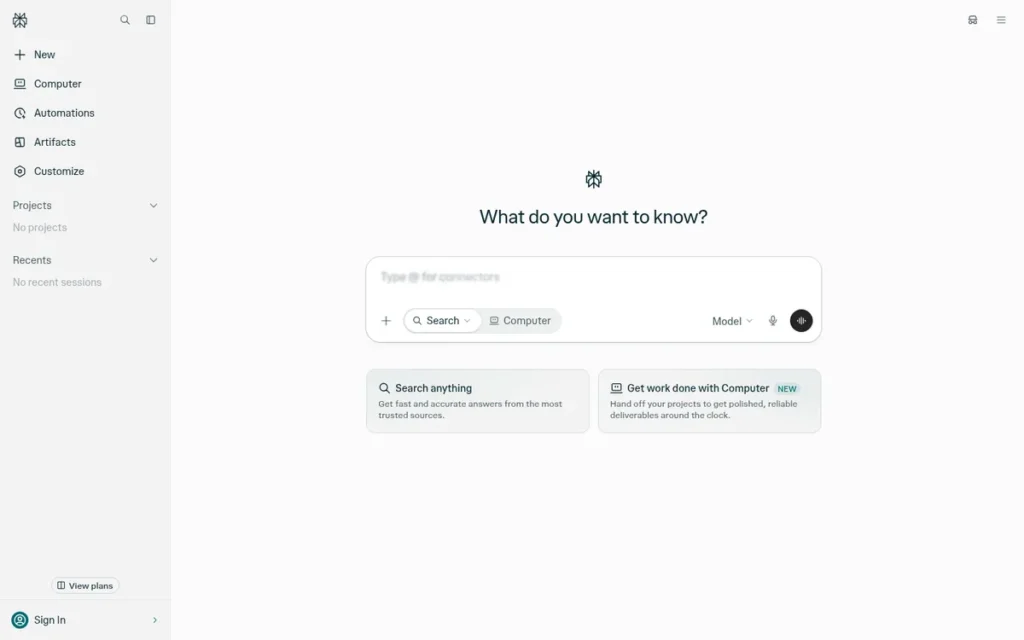
Perplexity is an AI search engine (answer engine) for students, researchers and professionals who need current web information. It searches live sources and answers with clickable citations, so readers can check each claim against the original page. Perplexity’s free tier includes 3 Pro Searches per day.
Perplexity adds Deep Research, a choice of models on paid plans, and the Comet AI browser. Perplexity is built around research and citations, while general assistants treat search as one feature among many.
Key Features
- Perplexity answers questions by searching the live web and attaching clickable citations to the sources it used.
- Perplexity Pro Search and Deep Research run multi-step, cross-source research for more complex questions.
- Perplexity lets paid subscribers choose among several AI models for their answers.
- Perplexity offers the Comet AI browser, which includes browser agents that can act on web pages.
- Perplexity Free includes 3 Pro Searches per day, 1 Research query per month and practically unlimited basic searches (Perplexity Help Center, November 2026).
Best For
Perplexity is best for students, journalists, analysts and researchers whose main task is finding and verifying current information. Perplexity is not ideal for long-form creative writing, coding or deep office-app integration.
How Does Perplexity Compare With ChatGPT?
Perplexity is built around sourced web research; ChatGPT treats search as one feature. Perplexity rates 4.4/5 from 373 G2 reviews, against ChatGPT’s 4.6/5 from 5,034 (G2, November 2026). Perplexity’s top con, “Factual Errors” (56), mirrors ChatGPT’s “Inaccurate Answers,” so citations make checking easier but do not remove the need to check.
Pricing
Perplexity list prices, verified November 2026:
- Perplexity Free costs $0, with 3 Pro Searches/day, 1 Research query/month and limited uploads.
- Perplexity Pro costs $20/month, or $17/month billed annually.
- Perplexity Max costs $200/month, or $167/month billed annually.
- Perplexity Enterprise Pro costs $40/seat/month, or $400/seat/year.
- Perplexity Enterprise Max costs $325/seat/month, or $3,250/seat/year.
Strengths
- Perplexity had the lowest error rate of eight AI search engines tested but still answered 37% of news-citation queries incorrectly. Across all engines, answers were wrong more than 60% of the time (Columbia Journalism Review / Tow Center, March 2025).
- Perplexity’s top G2 pros are “Deep Cross-Source Research” (127 mentions) and “Traceable Source Citations” (113). It has a 4.4/5 rating, with 95.7% of reviews at 4–5 stars (G2, November 2026).
- Perplexity reports more than 100 million monthly users (company-reported, via the Financial Times). It held 1.3% of AI-assistant site visits in May 2026 (Similarweb, May 2026).
- Perplexity passed $750 million in annualized revenue (The Information via Reuters, August 2026).
- Perplexity and GitHub Copilot are the two vendors in this list that publish exact free-tier quotas, which makes it easy to compare free and paid tiers.
Limitations
Perplexity’s trade-off is fast, sourced answers at the cost of integration depth and answer length. Its top G2 cons are “Factual Errors” (56), “Expensive Paid Plans” (28) and “Limited Tool Integrations” (26) (G2, November 2026).
- Perplexity reviewers also cite “Restrictive Usage Limits” (25) and “Answers Too Brief” (19), which makes it a weaker fit for long-form writing (G2, November 2026).
- 30% of Perplexity’s news responses had at least one significant issue, against 45% across all four assistants tested (EBU/BBC News Integrity in AI Assistants report, October 2025).
- Perplexity faces lawsuits from Dow Jones/New York Post, The New York Times, Encyclopaedia Britannica and Reddit, and Cloudflare has accused it of “stealth crawling.” These are allegations, not findings (court filings and company statements compiled in PlugRoute research, November 2026).
- Our research did not find documentation of Perplexity’s user data-handling terms.
A user on r/androidapps compared Perplexity’s free tier with a regular browser for research and concluded:
“Okay as per my exp., Perplexity without Premium is not good for research; rather choosing browser is better.” Posted by u/The_Viewer2083
Takeaway: Perplexity’s free tier can disappoint serious researchers, and its real research value sits behind the paid plan.
Verdict
Perplexity is the best ChatGPT alternative for research with cited sources in 2026. Its answers link to checkable sources by default, and it had the lowest citation error rate of eight engines in independent testing.
Perplexity scored 7.35. It has the highest verifiability score in the list (9) but the lowest integration score among the top four (5), which reflects its “Limited Tool Integrations” G2 con. Click through citations before relying on a claim.
4. GitHub Copilot: Best for Coding Inside the Editor and on GitHub
Category: Coding Assistant, an AI tool that writes, completes and reviews code inside developer tools rather than in a general chat window.
At a Glance
- Category: Coding Assistant
- Best For: Developers who want AI completions, chat and agents inside their IDE and GitHub workflow
- Price Range: Free; Pro $10/month; Pro+ $39/month; Business $19/user/month; Enterprise $39/user/month
- Primary Strength: GitHub Copilot has a vendor-authored 2023 controlled study showing 55.8% faster completion of one task, and it is the cheapest paid coding-assistant plan in this list ($10/month).
- Biggest Limitation: GitHub Copilot has billed in token-based GitHub AI Credits since June 1, 2026, and user complaints reported in August 2026 say this makes agent-heavy costs hard to predict.
- One-Line Summary: GitHub Copilot is the best ChatGPT alternative for coding inside the editor in 2026, with a free tier, a $10 Pro plan and models from several vendors, but its credit billing makes heavy agent use hard to budget.
- Last Verified: November 2026
Overview
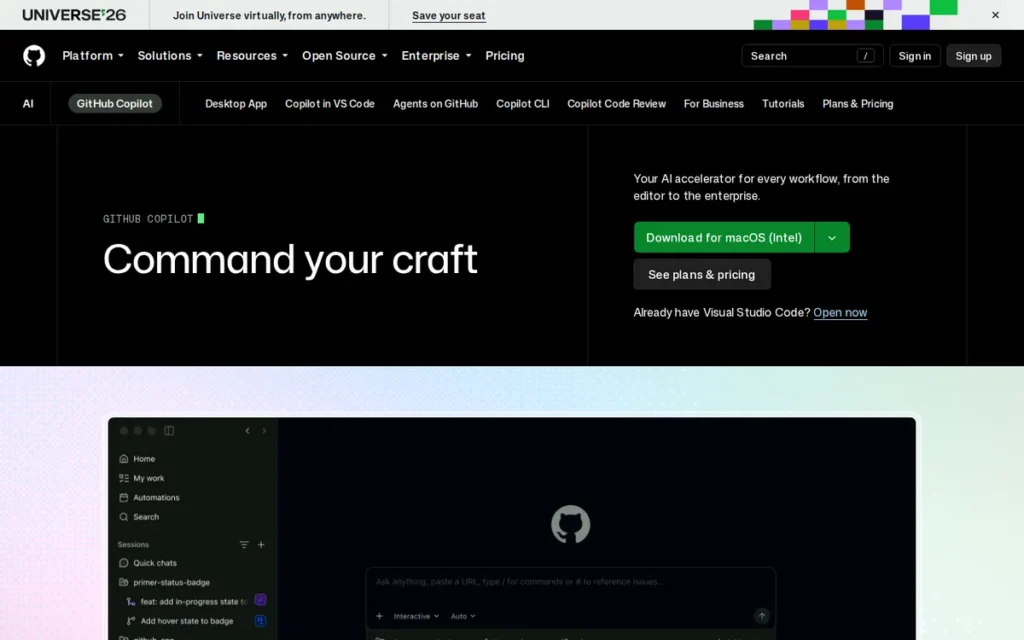
GitHub Copilot is GitHub’s AI coding assistant for developers who want code completions, chat and autonomous coding agents inside their editor and GitHub repositories instead of a separate chat window. GitHub Copilot has a free tier of 2,000 completions per month and a $10-per-month Pro plan.
GitHub Copilot is not a general writing or research assistant. GitHub Copilot does let users choose among models from several vendors, including Anthropic and OpenAI.
Key Features
- GitHub Copilot provides inline code completions and Copilot Chat inside supported IDEs.
- GitHub Copilot includes a cloud coding agent that can take a GitHub issue and work toward a pull request.
- GitHub Copilot offers AI code review on pull requests.
- GitHub Copilot lets users choose models: the Free plan includes Haiku 4.5 and GPT-5 mini, and Pro+ includes Opus.
- GitHub Copilot Pro includes access to the third-party agents Claude Code and Codex.
Best For
GitHub Copilot is best for developers and engineering teams who already work in GitHub and a supported IDE and want AI help without leaving their editor. GitHub Copilot is not ideal for general writing, research or everyday chat, where a general assistant fits better.
How Does GitHub Copilot Compare With ChatGPT?
GitHub Copilot replaces ChatGPT for coding only, and it works where the code lives. GitHub Copilot rates 4.4/5 from 403 G2 reviews, against ChatGPT’s 4.6/5 from 5,034 (G2, November 2026). In GitHub Community discussions (2026), some users report pairing GitHub Copilot autocomplete with Claude or Codex for agent work.
Pricing
GitHub Copilot list prices, verified November 2026:
- GitHub Copilot Free costs $0, with 2,000 completions and up to 50 chat interactions per month.
- GitHub Copilot Pro costs $10/month and includes $15 of AI credits.
- GitHub Copilot Pro+ costs $39/month and includes $70 of credits.
- GitHub Copilot Business costs $19/user/month with 1,900 pooled credits per user.
- GitHub Copilot Enterprise costs $39/user/month with 3,900 pooled credits per user.
Since June 1, 2026, GitHub Copilot usage has been billed in token-based GitHub AI Credits (1 credit = $0.01). Legacy annual plans use premium requests instead: 300 for Pro and 1,500 for Pro+, with extra requests at $0.04 each and a 13× multiplier for code review.
Strengths
- GitHub Copilot users completed one JavaScript HTTP-server task 55.8% faster than a control group in a 2023 controlled experiment. GitHub researchers co-authored the study, which covers a single task (Peng et al., 2023).
- GitHub Copilot has the cheapest paid coding-assistant plan in this list at $10/month. Only Google AI Plus ($4.99) costs less overall (GitHub, November 2026).
- GitHub Copilot holds 4.4/5 from 403 G2 reviews (G2, November 2026). It also holds 4.5/5 from 55 Capterra reviews, where reviewers praise its ease of use (Capterra, November 2026).
- GitHub Copilot publishes exact free-tier quotas of 2,000 completions and 50 chat interactions per month (GitHub, November 2026).
- GitHub Copilot includes models from several vendors in one subscription, and Pro adds the Claude Code and Codex agents.
Limitations
GitHub Copilot’s trade-off is flexibility in models and agents at the cost of predictable billing. GitHub Community threads and Visual Studio Magazine report that agent use burns through the token-based credits quickly (Visual Studio Magazine, August 2026).
- Some GitHub Copilot users say they moved agent work to Codex or Claude and kept GitHub Copilot mainly for autocomplete (GitHub Community discussions and Visual Studio Magazine, August 2026).
- GitHub Copilot Capterra reviewers cite mistakes on complex logic and complain about pricing changes (Capterra, November 2026).
- GitHub Copilot rate-limits premium models even on paid plans, and its generated code still needs human review (GitHub documentation, 2026).
- Our research did not find documentation of GitHub Copilot’s data-handling and regional terms.
When an admin on r/GithubCopilot asked why their Copilot Business dashboard showed $68 of usage but zero billable licenses, another user explained:
“That usage page isn’t what you want to be looking for though! It’s more confusing than not because that metered dollar amount doesn’t translate to the bill much at all. You want to find this licensing page instead either from the org or it’s parent enterprise. This should be the number that aligns with the amount you’re billed.” Posted by u/anchildress1
Takeaway: GitHub Copilot’s metered billing confused business admins even before the 2026 move to credits, so teams should check the licensing page and not rely on the usage dashboard alone.
Verdict
GitHub Copilot is the best ChatGPT alternative for developers who want AI inside their editor in 2026. It has a $10 Pro plan, a usable free tier and vendor-authored controlled-study evidence of faster coding.
GitHub Copilot scored 7.13. Its answer-verifiability score of 5 reflects that code suggestions carry no citations and still need human review; it is not based on a measured error rate. Teams with heavy agent workloads should estimate credit costs before rollout.
5. TESS AI: Best for Teams That Want Many AI Models in One Workspace
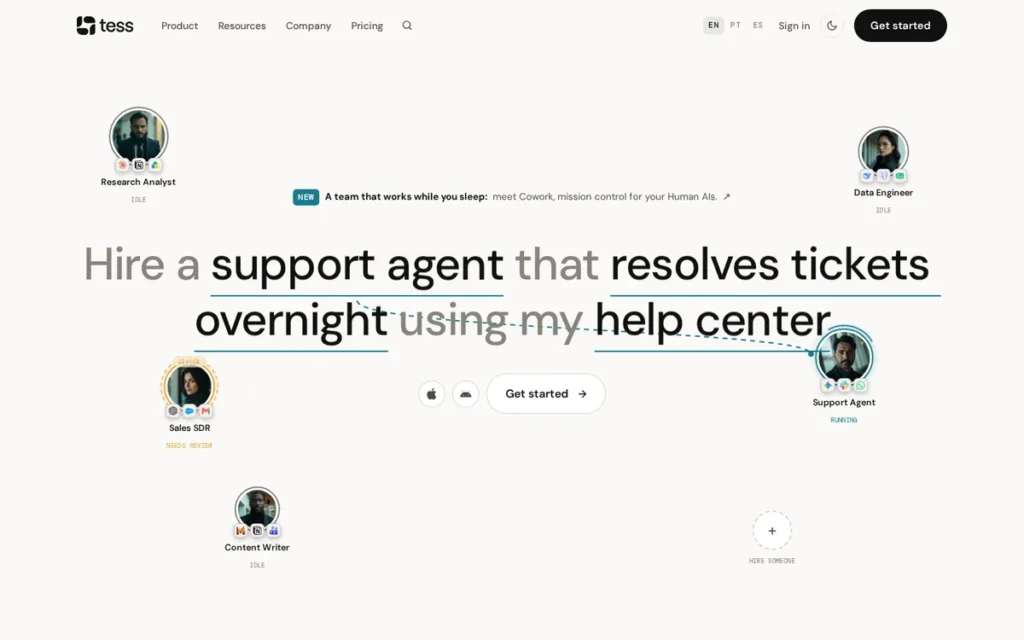
Category: Multi-Model Workspace, a single platform that gives access to AI models from many vendors, plus agents and team tools, under one subscription.
At a Glance
- Category: Multi-Model Workspace
- Best For: Small teams that want to compare and switch between many AI models without paying per seat
- Price Range: Professional $20.83/month and Business $41.67/month (both billed yearly, whole workspace); Enterprise custom
- Primary Strength: TESS AI holds a 4.7/5 G2 rating from 496 reviews (November 2026) and offers 250+ models for one workspace price with unlimited users.
- Biggest Limitation: Four of TESS AI’s top five G2 complaints concern its credit system, and monthly credits do not roll over (G2, November 2026).
- One-Line Summary: TESS AI is the best ChatGPT alternative for small teams that want 250+ AI models from multiple vendors in one workspace without per-seat fees, as long as they can manage a credit-based usage system.
- Last Verified: November 2026
Overview
TESS AI is a multi-model AI workspace for teams that want AI models from many vendors in one interface. It includes custom agents, and one workspace price covers unlimited users. TESS AI was built by Pareto, a company founded in Rio de Janeiro.
TESS AI meters usage with monthly credits. TESS AI teams typically go live in under a day, according to G2 implementation data (G2, November 2026). According to Pareto, TESS AI spun out under co-founder Rica Barros and moved its headquarters to San Francisco.
Key Features
- TESS AI advertises access to more than 250 AI models from OpenAI, Anthropic, Google, Meta, Mistral, DeepSeek and xAI; older listings say 150+ or 200+.
- TESS AI lets teams build custom and autonomous agents, sold as “Human AIs,” and chain them into multi-agent workflows.
- TESS AI connects to external tools through its API, Zapier, n8n and MCP. A third-party review also lists Gmail, Drive, Slack, HubSpot, Salesforce and Notion.
- TESS AI includes image and video generation, knowledge bases, and team workspaces with role-based permissions.
- TESS AI charges one workspace price with unlimited users, and teams can buy extra credit packs when monthly credits run out.
Best For
TESS AI is best for small and mid-sized teams that want to compare outputs across many models and keep their AI work in one place without per-seat costs. TESS AI is not ideal for heavy coding and debugging, or for teams that need support in languages other than English and Portuguese.
How Does TESS AI Compare With ChatGPT?
TESS AI bundles models from many vendors, including OpenAI, into one workspace. TESS AI rates 4.7/5 from 496 G2 reviews, against ChatGPT’s 4.6/5 from 5,034 (G2, November 2026). G2 reviewers who switched cite broader model choice, centralized workflows and lower combined costs.
Pricing
TESS AI list prices, verified November 2026:
- TESS AI Professional costs $20.83/month billed yearly, with 4,000 monthly credits plus 20 daily credits.
- TESS AI Business costs $41.67/month billed yearly, with 4,000 monthly credits plus team and governance features.
- TESS AI Enterprise pricing is custom.
TESS AI plans cover the whole workspace with unlimited users. Monthly credits do not roll over, and our research did not capture monthly-billed prices.
Strengths
- TESS AI holds a 4.7/5 G2 rating from 496 reviews with 97.4% at 4 or 5 stars, tied with Claude for the highest rating in this list (G2, November 2026).
- TESS AI typically goes live in under a day, according to G2 implementation data (G2, November 2026).
- TESS AI’s parent, Pareto, reports serving more than 15,000 companies in 84 countries. This is a self-reported, company-wide figure, not specific to TESS AI (ContactOut, accessed November 2026).
- TESS AI charges a single workspace price with unlimited users, unlike the per-seat team pricing of Claude, Perplexity, Microsoft and Google.
Limitations
TESS AI’s trade-off is model breadth at the cost of predictable usage. “Credit System” (10), “Credit Issues” (10), “Limited Credits” (9) and “Credit System Issues” (9) are four of its top five G2 cons (G2, November 2026).
- TESS AI reviewers note that “the consumption of credits is very fast in certain tasks,” and monthly credits expire (G2, November 2026).
- TESS AI scores 8.9/10 for ease of use, against a G2 category average of 9.2, and 8.7 for support, against 8.9 (G2, November 2026).
- TESS AI offers support only in English and Portuguese, and our research found no published coding benchmarks for it (November 2026).
- TESS AI’s main performance claims are self-reported, including a #6 ranking in G2’s 2024 Best Software Awards. Our research did not find documentation of its data-handling terms.
Verdict
TESS AI is the best ChatGPT alternative for small teams that want many AI models in one workspace. It has a 4.7/5 G2 rating from 496 reviews as of November 2026.
TESS AI scored 6.45. Strong user sentiment (8.5) was offset by the lowest capability-evidence score in the list (5.5), because its performance claims are self-reported. Estimate credit use for image and video work before committing, and look at GitHub Copilot or Claude for coding.
6. Microsoft 365 Copilot: Best for AI Inside Word, Excel, Outlook and Teams
Category: Workplace Suite Assistant, an AI assistant built into an office suite that works on your own email, documents and meetings.
At a Glance
- Category: Workplace Suite Assistant
- Best For: Organizations standardized on Microsoft 365 that want AI inside Word, Excel, Outlook and Teams
- Price Range: Free consumer Copilot; Microsoft 365 Copilot $30/user/month (annual); Copilot Business $18–$21/user/month ($18 promotion ends December 31, 2026); consumer paid prices not verified
- Primary Strength: Microsoft 365 Copilot is the only product in this list that runs natively inside Word, Excel, PowerPoint, Outlook and Teams, using a licensed user’s own work email, files and meetings as context.
- Biggest Limitation: Microsoft 365 Copilot’s in-app features require a paid business license, and this article could not verify any independent review-platform rating for it.
- One-Line Summary: Microsoft 365 Copilot is the best ChatGPT alternative for organizations that work in Word, Excel, Outlook and Teams, because it works inside those apps on your own work data. Full features require a business license of $18 to $31.50 per user per month.
- Last Verified: November 2026
Overview
Microsoft 365 Copilot is Microsoft’s AI assistant for organizations that work in Microsoft 365. With a paid license, it adds AI inside Word, Excel, PowerPoint, Outlook and Teams that draws on work email, files and meetings. Microsoft Copilot also offers free web-grounded chat to everyone.
The free consumer version of Microsoft Copilot does not include the in-app Office features. Microsoft 365 Copilot’s in-app Office features require a business license on top of a qualifying Microsoft 365 plan.
Key Features
- Microsoft 365 Copilot works inside Word, Excel, PowerPoint, Outlook and Teams and can draw on a licensed user’s email, files and meetings.
- Microsoft 365 Copilot includes a Researcher agent that writes multi-step reports with cited sources, and admins can turn on Anthropic models for it.
- Microsoft 365 Copilot includes an Analyst agent and supports custom agents built in Copilot Studio.
- Microsoft Copilot Chat offers web-grounded chat to everyone and grounds answers in work data for licensed users.
- Microsoft 365 Copilot can search connected business apps as well as Microsoft 365 data.
Best For
Microsoft 365 Copilot is best for organizations that already run on Microsoft 365 and want AI in the apps employees use all day, without copying work between windows. Microsoft 365 Copilot is not ideal for individuals outside the Microsoft ecosystem or for organizations with loosely managed file permissions.
How Does Microsoft 365 Copilot Compare With ChatGPT?
Microsoft 365 Copilot’s advantage over ChatGPT is where it runs: inside Office documents, on company data, under Microsoft 365 admin controls. Microsoft 365 Copilot has no verified review-platform rating to set against ChatGPT’s 4.6/5 from 5,034 G2 reviews. The free consumer Microsoft Copilot is closer to ChatGPT’s free tier.
Pricing
Microsoft Copilot list prices, verified November 2026:
- Microsoft Copilot’s free consumer version has capacity limits, which our research could not confirm.
- Microsoft 365 Copilot costs $30/user/month billed annually, or $31.50 billed monthly, and requires a qualifying Microsoft 365 plan.
- Microsoft Copilot Business costs $18/user/month billed annually under a promotion that runs from July 1 to December 31, 2026, for up to 300 users. The normal price is $21.
- Microsoft 365 Business Standard with Copilot costs $23.50/user/month, and Business Premium with Copilot costs $32/user/month.
This edition did not verify prices for Copilot Pro or for Microsoft 365 Personal/Family with Copilot.
Strengths
- Microsoft 365 Copilot showed 116% ROI, a $19.7 million net present value and a 10-month payback over three years in a Forrester study commissioned by Microsoft (Forrester TEI, accessed November 2026).
- Microsoft 365 Copilot’s Forrester figures model a 25,000-employee composite organization with $6.25 billion in revenue, not measured customers, so the returns may not carry over to small teams (Forrester TEI, accessed November 2026).
- Microsoft 365 Copilot’s Researcher agent produces multi-step reports with cited sources, with optional Anthropic models (Microsoft Support, November 2026).
- Microsoft 365 Copilot is the only product in this list that runs natively inside Word, Excel, PowerPoint, Outlook and Teams (Microsoft, November 2026).
- Microsoft Copilot held 1.3% of AI-assistant site visits in May 2026 (Similarweb, May 2026). That figure understates its reach, because most use happens inside Office apps.
Limitations
Microsoft 365 Copilot’s trade-off is deep integration at the cost of open availability. Its in-app features need a paid license on top of a qualifying Microsoft 365 plan (Microsoft, November 2026).
- Microsoft 365 Copilot’s value depends on employees actually using it, a risk that applies to every per-seat business license.
- Microsoft 365 Copilot can surface any file a user already has access to, so organizations with loose permissions risk oversharing sensitive data (Microsoft 365 Copilot documentation, November 2026).
- Microsoft Copilot Business’s $18 promotional price ends December 31, 2026, and the list price then returns to $21 per user per month.
- Microsoft 365 Copilot has no verified G2 or Capterra rating, and we found no Reddit discussion of it, so independent user evidence is thin.
Verdict
Microsoft 365 Copilot is the best ChatGPT alternative for organizations that work in Word, Excel, Outlook and Teams, because it runs inside those apps on your own work data.
Microsoft 365 Copilot scored 6.35. It has the highest integration score in the list (9.5). Its user-sentiment score of 4 reflects missing review-platform data, not poor reviews. Audit file permissions before rollout, and check whether you qualify for the $18 promotion before December 31, 2026.
7. DeepSeek: Best Free and Open-Weight Option for Technical Users
Category: Open-Weight Model, an AI model whose weights are publicly released so it can be self-hosted, offered alongside a hosted chat app and API.
At a Glance
- Category: Open-Weight Model
- Best For: Developers and technical teams who want free or very low-cost AI and the option to self-host
- Price Range: Free consumer app; API from $0.30 per 1M input tokens (V4.1-Flash, cache miss, peak), 50% lower off-peak
- Primary Strength: DeepSeek releases its V4 model weights under the MIT license and publishes API prices from $0.30 per million input tokens.
- Biggest Limitation: DeepSeek’s hosted service stores prompts and files on servers in China, and governments or regulators in at least five countries have restricted it (Reuters, June 2025).
- One-Line Summary: DeepSeek is the best free and open-weight ChatGPT alternative for technical users in 2026, with MIT-licensed models and API prices from $0.30 per million input tokens. Its hosted service stores data in China and faces government restrictions.
- Last Verified: November 2026
Overview
DeepSeek is a free AI chatbot and open-weight model family from a Hangzhou-based AI lab, aimed at developers and cost-conscious technical users. It combines a free app, MIT-licensed V4 weights for self-hosting and low published API prices.
DeepSeek’s V4.1-Flash and V4-Pro models both support a 1-million-token context window. DeepSeek was founded in 2023 and is backed by the hedge fund High-Flyer (TechTarget, 2025).
Key Features
- DeepSeek offers a free consumer chat app with web search, file input and a thinking (Deep-Think) mode.
- DeepSeek releases V4.1-Flash (284B parameters, 13B active) and V4-Pro (1.6T, 49B active) under the MIT license for self-hosting.
- DeepSeek V4.1-Flash and V4-Pro support a 1M-token context window, up to 384K output tokens, tool calls and JSON output.
- DeepSeek V4.1-Flash can process images as well as text.
- DeepSeek provides an Anthropic-compatible API with peak pricing and off-peak pricing that is 50% cheaper.
Best For
DeepSeek is best for developers, researchers and technical teams who want free or very low-cost AI, or who want to self-host open-weight models. DeepSeek’s hosted app is not ideal for sensitive personal or work data, or for organizations and regions that restrict it.
How Does DeepSeek Compare With ChatGPT?
DeepSeek competes with ChatGPT on cost and openness. The DeepSeek app is free, its API starts at $0.30 per million input tokens (DeepSeek API docs, November 2026), and you can self-host its weights, which ChatGPT’s flagship models do not allow. DeepSeek has no verified G2 rating, and we found no reliable benchmark comparing it with GPT.
“Generally both models identified the problematic behaviour, but DeepSeek was consistent in being much stricter about pointing it out.” (u/AqueousJam, r/ChatGPT (April 2025))
Takeaway: In one small April 2025 test, DeepSeek gave blunter ethical criticism than ChatGPT. That reflects tone, not overall capability.
Pricing
DeepSeek prices, verified November 2026:
- DeepSeek’s consumer app is free.
- DeepSeek V4.1-Flash API costs $0.006 input (cache hit), $0.30 input (cache miss) and $1.20 output per 1M tokens at peak.
- DeepSeek V4-Pro API costs $0.044 input (cache hit), $1.32 input (cache miss) and $3.96 output per 1M tokens at peak.
- DeepSeek’s off-peak API prices are 50% lower.
Self-hosting DeepSeek is free under the MIT license but needs a lot of compute, since V4-Pro has 1.6 trillion parameters.
Strengths
- DeepSeek’s V4.1-Flash API costs $0.30 per million input tokens (cache miss) and $1.20 per million output tokens at peak, with 50% off-peak discounts (DeepSeek API docs, November 2026).
- DeepSeek’s app shows more than 100 million downloads and 359,000 reviews on Google Play (Google Play, November 2026).
- DeepSeek held 4.1% of AI-assistant site visits in May 2026, ranking #4 (Similarweb, May 2026).
- DeepSeek’s MIT-licensed V4 weights allow self-hosting, which keeps data off DeepSeek’s servers (Hugging Face, 2026).
Limitations
DeepSeek’s trade-off is low cost at the price of data control. Its privacy policy says the hosted service stores prompts and files on servers in China (DeepSeek privacy policy, as reported by Reuters, June 2025).
Governments and regulators have restricted DeepSeek, as reported by Reuters (June 2025) and the BBC (2025):
- Italy’s privacy regulator restricted DeepSeek’s service.
- South Korea paused new downloads of the DeepSeek app.
- Taiwan and Australia barred DeepSeek on government devices.
- Germany’s data protection authority asked Apple and Google to consider removing DeepSeek from their app stores.
- The US Navy, NASA and Congress restricted use of DeepSeek.
- DeepSeek users report censorship of politically sensitive topics and “server busy” outages. These are user reports and were not independently tested.
- DeepSeek has no reliable benchmark comparison with GPT or Claude and no verified review-platform rating.
Verdict
DeepSeek is the best free and open-weight ChatGPT alternative for technical users in 2026, offering MIT-licensed models and published API prices from $0.30 per million input tokens.
DeepSeek scored 5.73. It has the highest pricing-value score in the list (9.5) and the lowest privacy and availability score (3). Avoid the hosted app for sensitive material. Self-hosting the weights keeps the cost savings without sending data to China.
Why Do People Look for ChatGPT Alternatives?
People look for ChatGPT alternatives mainly because of accuracy and fit. ChatGPT’s top G2 complaints are inaccurate answers (often called AI hallucinations), misunderstood prompts and generic output (G2, November 2026). Others want AI inside Gmail, Word or a code editor, answers with cited sources, or cheaper plans.
ChatGPT’s top five G2 cons as of November 2026:
- ChatGPT reviewers cite “Inaccurate Answers” in 1,113 reviews.
- ChatGPT reviewers cite “Misunderstands Prompts” in 419 reviews.
- ChatGPT reviewers cite “Generic Answers” in 348 reviews.
- ChatGPT reviewers cite “Slow Response Times” in 343 reviews.
- ChatGPT reviewers cite “Forgets Conversation Context” in 338 reviews.
The table below compares each alternative with ChatGPT, which appears as an unranked baseline.
Last verified November 2026. List prices may change.
| Product | G2 Rating (Reviews) | Lowest Paid Tier | Free-Tier Catch | Main Documented Con | Cites Sources | Office/Workspace Integration | Open Weights |
|---|---|---|---|---|---|---|---|
| ChatGPT (baseline, unranked) | 4.6 (5,034) | Not listed on G2 | Not researched | Inaccurate Answers (1,113; G2, Nov 2026) | Yes, via ChatGPT Search (not tested) | Not assessed | No (flagship models) |
| Google Gemini | 4.4 (2,361) | $4.99/month (AI Plus) | Compute-based limits; 32K context | Confidently Incorrect Answers (354; G2, Nov 2026) | Some responses (Sources button) | Yes (Google) | No |
| Claude | 4.7 (1,920) | $20/month (Pro) | Limited use; limits not published | Usage Limitations (37; G2, Nov 2026) | Not documented | Partial (scope unverified) | No |
| Perplexity | 4.4 (373) | $20/month (Pro) | 3 Pro Searches/day | Factual Errors (56; G2, Nov 2026) | Yes, by default | Limited | No |
| GitHub Copilot | 4.4 (403) | $10/month (Pro) | 2,000 completions/month | Credit-billing complaints (Visual Studio Magazine, Aug 2026) | Not applicable | IDE and GitHub | No |
| TESS AI | 4.7 (496) | $20.83/month (annual) | No free tier documented | Credit System (10; G2, Nov 2026) | Not documented | Via integrations | No |
| Microsoft 365 Copilot | No verified data | $18/user/month (promotion to Dec 31, 2026) | In-app features need license | Oversharing risk (Microsoft documentation, Nov 2026) | Yes (Researcher agent) | Yes (Microsoft 365) | No |
| DeepSeek | No verified data | Free app; API from $0.30/M input | Hosted data stored in China | Government restrictions (Reuters, 2025) | Not documented | No | Yes (MIT) |
How Much Do ChatGPT Alternatives Cost on Free and Paid Plans?
Most ChatGPT alternatives offer a free tier, and flagship paid plans cluster around $20 per month. The cheapest paid options are Google AI Plus at $4.99 and GitHub Copilot Pro at $10. Premium tiers run $100–$200 per month, and business plans are priced per seat, except TESS AI’s workspace pricing (vendor pricing pages, November 2026).
Paid entry points, from cheapest to most expensive:
- DeepSeek’s app is free, and its API starts at $0.30 per million input tokens.
- Google Gemini’s cheapest paid plan, Google AI Plus, costs $4.99/month.
- GitHub Copilot’s cheapest paid plan, Pro, costs $10/month.
- Google AI Pro ($19.99), Claude Pro ($20) and Perplexity Pro ($20) sit at the common flagship price.
- TESS AI Professional costs $20.83/month billed yearly for a whole workspace.
- Microsoft 365 Copilot business licenses cost $18–$31.50 per user per month.
Among ChatGPT alternatives in November 2026, the way billing works matters as much as the list price:
- Claude limits usage with rolling five-hour windows plus weekly caps, and Claude Ultra removes the five-hour limit for verified accounts.
- GitHub Copilot has billed usage in token-based GitHub AI Credits (1 credit = $0.01) since June 1, 2026.
- TESS AI meters usage with monthly credits that do not roll over.
- Google Gemini describes paid usage as multiples (“2×,” “4×”) of a compute-based free tier that refreshes every five hours.
- Perplexity and GitHub Copilot publish numeric free-tier quotas.
In 2026, most AI plans cost about $20 a month; what separates them is how fast you hit the limit.
Which ChatGPT Alternatives Cite Their Sources?
Perplexity attaches clickable citations to its answers by default, which makes it the strongest pick for checkable research. Google Gemini shows sources on some responses, and Microsoft 365 Copilot’s Researcher agent writes reports with citations. Independent tests show cited answers are often wrong, so citations make claims checkable, not correct.
The evidence on citation accuracy:
- Perplexity had the lowest error rate of eight AI search engines tested but still got 37% of news-citation queries wrong. That means more than one in three sourced answers got story details wrong (Columbia Journalism Review / Tow Center, March 2025).
- AI search engines in the same CJR/Tow Center study answered more than 60% of 1,600 citation queries incorrectly (Columbia Journalism Review / Tow Center, March 2025).
- 30% of Perplexity’s news responses had at least one significant issue, against 45% across all four assistants tested (EBU/BBC News Integrity in AI Assistants report, October 2025).
- Perplexity’s top G2 con is still “Factual Errors” (56 mentions), even though “Traceable Source Citations” is a top pro (G2, November 2026).
Whichever tool you use, clicking through to the original source is the most reliable check available.
When Should You Stay With ChatGPT?
Stay with ChatGPT if you need one balanced all-rounder and no single task dominates your work. ChatGPT has the largest G2 review base in this comparison and the most ease-of-use mentions. Switching or adding a second tool makes most sense when one specific need clearly outweighs the rest.
Reasons to stay with ChatGPT:
- ChatGPT has the largest review base in this comparison, with 5,034 G2 reviews, a 4.6/5 rating and 97.6% at 4–5 stars (G2, November 2026).
- ChatGPT leads on ease-of-use mentions, with “Easy to Navigate” cited 1,148 times (G2, November 2026).
- ChatGPT works as a general assistant without tying you to Google or Microsoft.
Reasons to switch or add a second tool:
- Perplexity makes sense when cited research is your main task.
- Google Gemini or Microsoft 365 Copilot makes sense when you need deep Google Workspace or Microsoft 365 integration.
- GitHub Copilot makes sense when you code in an editor all day.
- DeepSeek makes sense when you want open weights or very low API costs.
Common two-tool pairings, using documented list prices (November 2026):
- Claude Pro plus GitHub Copilot Pro costs $30/month and covers writing, agentic coding and in-editor completions.
- Google AI Plus plus Perplexity Free costs $4.99/month and covers Workspace AI and cited research.
- Perplexity Pro plus GitHub Copilot Pro costs $30/month and covers research and coding.
In a r/ChatGPTcomplaints thread about post-ChatGPT setups, one user described the multi-tool approach:
“Your setup makes sense: split emotional support from heavy lifting and don’t bet everything on one model. Main point for me has been exactly that: diversify and give each tool a job.” Posted by u/gardenia856
Takeaway: Users who leave ChatGPT tend to build multi-tool setups and give each AI assistant a specific job, which supports adding a specialist tool over relying on one replacement.
This edition did not research migration details such as chat history, memory and custom GPTs.
What Red Flags Should I Watch For When Evaluating ChatGPT Alternatives?
The six red flags when evaluating ChatGPT alternatives are:
- treating citations as proof
- vague usage limits
- unpredictable credit billing
- buying a consumer plan for office work
- undocumented data location
- vendor-funded research presented as proof
Each of these red flags can cost money or expose data after switching.
Red Flag #1: Treating Citations as Proof A citation shows where a claim came from, not whether the claim is right. Perplexity did best in the CJR/Tow Center test and still got 37% of news citations wrong, and engines overall were wrong on more than 60% of queries (Columbia Journalism Review / Tow Center, March 2025). Click through before relying on any sourced answer.
Red Flag #2: Vague Usage Limits Plan descriptions like “4× usage” or “limits may vary” leave buyers unable to judge whether a tier covers their daily work. Prefer vendors that publish limits in numbers, such as Perplexity’s 3 Pro Searches per day or GitHub Copilot’s 2,000 free completions per month (vendor documentation, November 2026).
Red Flag #3: Unpredictable Credit Billing Credit-based billing can make heavy use far more expensive than the list price suggests. GitHub Copilot users reported agent work burning credits fast (Visual Studio Magazine, August 2026), and TESS AI’s monthly credits expire without rolling over (TESS AI pricing page, November 2026). Estimate your usage before committing.
Red Flag #4: Consumer Plan Bought for Office Work Consumer AI plans often lack the in-app office features buyers expect. Microsoft 365 Copilot’s Word, Excel and Outlook features need a business license on top of a qualifying Microsoft 365 plan (Microsoft, November 2026). Confirm the exact license before paying for an individual plan.
Red Flag #5: Undocumented Data Location or Regional Restrictions Missing information on data storage or country availability is a risk for work data, because a tool you cannot safely or legally use offers little value. PlugRoute applied the same checklist to every vendor (PlugRoute research, November 2026):
- DeepSeek stores hosted prompts and files on servers in China.
- Claude is available only in supported countries.
- Google Gemini marks some plan features as US-only.
- Microsoft 365 Copilot can surface any file a user can access, so loose permissions risk oversharing.
- Our research did not find documentation of Perplexity, GitHub Copilot or TESS AI’s data-handling terms.
Red Flag #6: Vendor-Funded Research Presented as Proof Vendor-funded studies can be accurate, but they are not independent evidence. Microsoft’s Forrester study models a 25,000-employee composite organization rather than measuring real customers. GitHub’s 55.8% productivity result comes from a single-task experiment co-authored by GitHub researchers (Peng et al., 2023). Treat both as estimates.
What Questions Should I Ask Before Choosing a ChatGPT Alternative?
Before choosing a ChatGPT alternative, ask six questions:
- What single task matters most?
- Are the plan’s limits published in numbers?
- Does the tool work inside the apps you use daily?
- Where is your data stored?
- Can you check its sources?
- What do you lose by switching rather than adding a tool?
Question #1: What is the one task I most need this tool for? Your main task should decide which category of ChatGPT alternative you need before you compare prices or features. Use these mappings as a starting point:
- Writers should start with Claude.
- Researchers should start with Perplexity.
- Developers coding in an IDE should start with GitHub Copilot.
- Google or Microsoft office workers should start with Google Gemini or Microsoft 365 Copilot.
- Teams wanting many models should start with TESS AI.
- Technical users wanting self-hosting should start with DeepSeek.
Question #2: Are this plan’s usage limits published in numbers? Published numeric limits let you check whether a plan covers your daily work before you pay. If a vendor only describes limits as multiples or “may vary,” test the free tier for one normal work week on your real tasks, and note when you hit limits before upgrading.
Question #3: Does it work inside the apps I use all day? AI built into your daily apps removes the copy-and-paste step between windows. Check vendor pages for documented integrations with Gmail, Docs, Word, Excel, Outlook or your IDE, and confirm which plan includes them, since consumer and business tiers often differ.
Question #4: Where is my data stored, and is the tool available in my country? Data location and regional availability decide whether a tool is usable for work at all. Look for documented storage locations, supported-country lists and admin controls. If the documentation is missing, ask the vendor directly before you move sensitive work to the new tool.
Question #5: Can I check its sources? Clickable citations let you check a claim against its original source, which matters because inaccuracy is ChatGPT’s top G2 complaint. Perplexity cites by default and Microsoft 365 Copilot’s Researcher agent writes cited reports, but independent tests show cited answers can still be wrong (Columbia Journalism Review / Tow Center, March 2025).
Question #6: What will I lose from ChatGPT if I switch, versus adding a second tool? Adding a specialist tool alongside ChatGPT is often lower-risk than replacing it. Compare the cost of a second subscription, such as a $10 GitHub Copilot Pro plan, with the cost of losing features you rely on. PlugRoute did not research chat-history or custom GPT migration for this edition.
How Did We Rank These ChatGPT Alternatives?
PlugRoute scored each product from 0 to 10 on six weighted criteria, using dated evidence. The weighted total sets the rank:
- task capability (25%)
- verified user sentiment (25%)
- free-tier value and pricing transparency (20%)
- ecosystem integration (10%)
- answer verifiability (10%)
- privacy and regional availability (10%)
Why each criterion matters:
- Task Capability and Independent Performance Evidence (25%): Task capability carries the most weight because readers leave ChatGPT when a specific job goes poorly, and third-party evidence is more reliable than vendor claims.
- Verified User Sentiment (25%): User sentiment matters because G2 ratings, review volume and counted cons show where tools break in daily use.
- Free-Tier Usefulness, Pricing Transparency and Value (20%): Pricing value matters because many readers want to know whether a free or cheaper plan covers their work.
- Ecosystem and Workflow Integration (10%): Integration matters because readers want AI inside Gmail, Docs, Word, Excel, Outlook and their IDE.
- Answer Verifiability and Accuracy Signals (10%): Verifiability matters because inaccuracy is ChatGPT’s top G2 complaint.
- Privacy, Data Handling and Regional Availability (10%): Privacy and availability matter because a tool offers little value if it is unavailable in your region or unsuitable for your data.
| Rank | Product | Task Capability (25%) | User Sentiment (25%) | Pricing Value (20%) | Integration (10%) | Verifiability (10%) | Privacy & Availability (10%) | Weighted Total |
|---|---|---|---|---|---|---|---|---|
| 1 | Google Gemini | 9 | 8 | 9 | 9 | 6.5 | 7 | 8.30 |
| 2 | Claude | 9 | 9.5 | 7 | 7 | 7 | 7 | 8.13 |
| 3 | Perplexity | 7.5 | 7.5 | 8 | 5 | 9 | 6 | 7.35 |
| 4 | GitHub Copilot | 7.5 | 7 | 7.5 | 8 | 5 | 7 | 7.13 |
| 5 | TESS AI | 5.5 | 8.5 | 6 | 6 | 5 | 6.5 | 6.45 |
| 6 | Microsoft 365 Copilot | 7 | 4 | 6 | 9.5 | 7.5 | 7 | 6.35 |
| 7 | DeepSeek | 6.5 | 4 | 9.5 | 4 | 5 | 3 | 5.73 |
Readers can re-weight these criteria to match their own priorities. Our methodology disclosures:
- PlugRoute did not do hands-on task testing for this edition.
- A product with no verified review-platform data scored 4/10 on sentiment. That score reflects missing evidence, not poor reviews.
- Google Gemini’s pricing-value score of 9 reflects the lowest paid entry price ($4.99), which outweighed its unpublished free-tier numbers. Perplexity scored 8 despite publishing exact quotas.
- Google Gemini (8.30) and Claude (8.13) are less than 0.2 points apart, so readers who weight writing quality and sentiment more heavily could reasonably put Claude first.
- TESS AI (6.45) and Microsoft 365 Copilot (6.35) are 0.1 points apart. For Microsoft 365 organizations, PlugRoute recommends Microsoft 365 Copilot ahead of TESS AI despite the rank order.
- ChatGPT appears only as a baseline and is not ranked.
- Evidence labels appear throughout the article: vendor-commissioned, vendor-authored, vendor-reported, company-reported, self-reported, point-in-time leaderboard, indicative benchmark and allegation.
PlugRoute has no affiliate relationships with any company listed. Rankings are determined entirely by research data and objective evaluation criteria.
What Do Readers Ask Most About ChatGPT Alternatives?
Readers most often ask three things: which free ChatGPT alternative is best, which is best for coding or writing, and how PlugRoute ranks products. The short answers: Google Gemini and Perplexity have strong free tiers, Claude and GitHub Copilot lead for writing and coding, and the rankings come from six published, weighted criteria.
What is the best free ChatGPT alternative in 2026?
Google Gemini is the best free ChatGPT alternative for all-round use, with compute-based free limits that refresh every five hours (Google Support, November 2026). Perplexity’s free tier is best for cited research and publishes exact quotas, including 3 Pro Searches per day. DeepSeek’s app is also free, but its hosted service stores data in China.
Which ChatGPT alternative is best for coding and writing?
Claude is the best ChatGPT alternative for long-form writing and for agentic coding across whole codebases, with 98.5% of 1,920 G2 reviews at 4 or 5 stars (G2, November 2026). GitHub Copilot is best for coding inside the editor, with 2,000 free completions per month and a $10 Pro plan. Using both costs $30 per month.
How does PlugRoute determine rankings?
PlugRoute ranks products by weighted scores on six published criteria: task capability, user sentiment, pricing value, integration, answer verifiability, and privacy and regional availability. Every score uses dated evidence, such as G2 data, vendor pricing pages and independent tests. PlugRoute publishes the full score table so readers can re-weight criteria for their own priorities.
What Do Key ChatGPT Alternative Terms Mean?
When you compare ChatGPT alternatives, you will meet terms for pricing units, model capability and data handling. Knowing them helps you compare plans that describe limits in different ways. It also helps you spot when a low headline price hides usage caps, or when a feature is only on certain plans.
Hallucination: A hallucination is a confident but false answer produced by an AI model. Hallucinations are why inaccuracy tops user complaints, and why important answers need checking against sources.
Context window: A context window is the amount of text an AI model can consider at once, measured in tokens. A larger window lets you work with long contracts, reports and codebases in one session.
Token: A token is a small chunk of text, often part of a word, that AI models process and that APIs use as a billing unit. Token prices determine what high-volume or developer use really costs.
Rolling usage window: A rolling usage window is a usage limit that resets a set time after you start using a tool, rather than at a fixed daily time. Rolling windows affect how much intensive work you can do in one sitting.
Usage credits: Usage credits are prepaid units that AI tasks use up, with heavier tasks using more. Credits can make costs unpredictable, especially if unused credits expire each month.
Per-seat pricing: Per-seat pricing charges a fee for each user on a team plan. Team costs therefore grow directly with headcount.
Workspace pricing: Workspace pricing charges one fee for a whole team account, however many users it has. Workspace pricing can be cheaper for small teams, but shared usage caps still apply.
Open-weight model: An open-weight model is an AI model whose trained weights are published so anyone can download and run it. Open weights allow self-hosting, which can keep data on your own infrastructure.
MIT license: The MIT license is a permissive software license that allows free use, modification and commercial deployment. A model released under the MIT license faces few legal barriers to self-hosting.
Citation grounding: Citation grounding means an AI answer links to the sources it drew on. Citation grounding makes claims checkable, but independent tests show cited answers can still be wrong.
Agentic coding: Agentic coding is AI that carries out multi-step programming tasks, such as editing several files or preparing a pull request, with limited human input. Agentic coding saves time but uses far more of your usage allowance than simple chat.
Model Context Protocol (MCP): The Model Context Protocol is an open standard for connecting AI assistants to external tools and data sources. MCP support shows how easily an assistant can plug into your existing systems.
Which ChatGPT Alternative Is Right for You?
Key Insights
- Google Gemini ranks #1 overall (8.30) because it combines a top-ranked model, a $4.99 entry plan and native Google Workspace integration.
- Claude ranks #2 (8.13), less than 0.2 points behind, and has the highest share of 4–5 star G2 reviews in this list (98.5%).
- Perplexity’s citations make answers checkable, but even its best-in-test result was wrong on 37% of news citations (Columbia Journalism Review / Tow Center, March 2025).
- ChatGPT alternatives mostly cost about $20 per month, so how limits work (rolling windows, credits, multipliers) separates plans more than price does.
- Microsoft 365 Copilot’s Word, Excel and Outlook features require a paid business license, not just a consumer subscription.
- DeepSeek offers the lowest-cost entry in this comparison, but its hosted service carries documented privacy and regulatory risk.
Use your main task to pick a starting point:
- Gmail and Docs users should start with Google Gemini.
- Long-form writers should try Claude, and developers working in an IDE should try GitHub Copilot.
- Researchers who need sources should add Perplexity.
- Microsoft 365 organizations should evaluate Microsoft 365 Copilot first.
- Small teams that want many models should trial TESS AI.
- Technical users who want self-hosting or very low API costs should consider DeepSeek’s open weights.
Before you commit to a paid plan, read PlugRoute’s full ranking methodology and our independent guides to AI usage limits and AI coding assistants. We update this guide quarterly. Last updated: November 16, 2026.