The best Grammarly alternatives in 2026 are ProWritingAid for fiction and long-form writing, LanguageTool for multilingual writers, and Microsoft Editor for people who work in Word and Outlook. Only some of these tools fully replace Grammarly, and several free plans shrank in 2025 and 2026.
Many readers pay Grammarly Pro’s $12.00 per user per month (G2 list price, November 2026) mostly for basic grammar and spelling checks. Others found that a “free” tool now charges for the feature they needed. This guide sorts the alternatives by writing job and dates every free-plan claim.
PlugRoute has no affiliate relationships with any company listed, and rankings are determined entirely by research data and objective evaluation criteria.
“Don’t let it edit your work. Just run your text through one of these, study the results, then apply whatever is relevant.” (u/bootigobb3r, r/writers, 2026)
Takeaway: Every tool in this ranking works best as an advisor whose suggestions you review, not as an automatic editor.
Update log, November 2026: This update reflects the retirement of Microsoft Editor’s browser extensions and the LanguageTool extension paywall (Thurrott, 2026). It also updates QuillBot’s free paraphraser limit to 100 words and notes Linguix’s two-seat minimum.
What Are the 3 Categories of Grammarly Alternatives?
Grammarly alternatives fall into three categories. Full proofreaders (ProWritingAid, LanguageTool, Microsoft Editor and Linguix) can replace Grammarly by themselves. Rewriters and paraphrasers (QuillBot and Wordtune) mainly rephrase text, and readability coaches (Hemingway Editor) flag hard-to-read prose. Only full proofreaders replace Grammarly like for like, so the other tools work best alongside one.
- Full proofreaders are proofreading software that check grammar, spelling, punctuation and style as you type, so ProWritingAid, LanguageTool, Microsoft Editor and Linguix can each replace Grammarly by themselves.
- Rewriters/paraphrasers such as QuillBot and Wordtune mainly rephrase text, and grammar checking is a secondary feature in both tools.
- Readability coaches such as Hemingway Editor flag dense prose and passive voice, but Hemingway Editor does not check grammar on its free plan.
Of the seven Grammarly alternatives in this ranking, four replace Grammarly outright. The other three are single-job tools that need a proofreader alongside them, so PlugRoute recommends using them as a second tool rather than as your only grammar checker.
How Do the Top Grammarly Alternatives Compare at a Glance?
ProWritingAid, LanguageTool, Microsoft Editor and Linguix are full proofreaders. QuillBot and Wordtune are rewriters/paraphrasers, and Hemingway Editor is a readability coach. The table below shows each tool’s category, main audience, main strength and biggest limitation. All data was verified in November 2026.
| Rank | Company | Category | Best For | One-Line Summary | Key Capabilities | Primary Strength | Key Limitation |
|---|---|---|---|---|---|---|---|
| 1 | ProWritingAid | Full Proofreader | Novelists and long-form writers | ProWritingAid is a full grammar checker and manuscript editor that replaces Grammarly for long-form and fiction writers. | 25+ reports, Manuscript Analysis, Scrivener support | Only full-manuscript analysis in this list (up to 300,000 words) | Free plan checks 500 words at a time; English only |
| 2 | LanguageTool | Full Proofreader | Multilingual writers | LanguageTool is a full proofreader that checks grammar and style in more than 30 languages. | 30+ languages, five browsers, self-hosting | Covers the most languages for full grammar and style checking | Extension Premium-only since March 2026; Trustpilot 1.8/5 |
| 3 | Microsoft Editor | Full Proofreader (built-in) | Word and Outlook users | Microsoft Editor is the grammar checker built into Word and Outlook, at no extra cost for Microsoft 365 subscribers. | 20+ languages for guidance, 80+ for spelling | No install needed in Microsoft apps | Browser extensions retired October 31, 2025 |
| 4 | Linguix | Full Proofreader | Small teams on a budget | Linguix is a low-cost real-time grammar checker with team style guides and text shortcuts. | Shortcuts, team style guides, analytics | Lowest per-seat price for teams of 2+ ($60.00/seat/yr, G2 list) | Reviewers say it misses errors Grammarly catches; solo Pro $140/yr |
| 5 | QuillBot | Rewriter/Paraphraser | Students who paraphrase | QuillBot is a writing suite built around paraphrasing, with a free grammar checker. | Nine paraphrase modes, summarizer, citation generator | Most student-focused toolset in this list | Caught 18 of 23 planted errors vs Grammarly’s 23 (AI Alleyway, 2026, single test) |
| 6 | Wordtune | Rewriter/Paraphraser | Non-native English writers | Wordtune is a sentence-rewriting assistant for polishing English tone and clarity. | Tone and length rewrites, translation into English | Several tone and length rewrites per sentence | Not a full proofreader; reported maintenance mode since April 2025 |
| 7 | Hemingway Editor | Readability Coach | Web and marketing writers | Hemingway Editor is a free readability checker best used as a second pass after grammar checking. | Color highlights, readability grade | Free readability web editor | Grammar checking needs paid Plus plan |
Which Grammarly Alternative Should I Choose for My Use Case?
Choose by your main writing job:
- ProWritingAid for novels and long drafts.
- LanguageTool for writing in several languages.
- Microsoft Editor for Word and Outlook.
- Linguix for small teams on a budget.
- QuillBot for student paraphrasing.
- Wordtune for polishing English tone.
- Hemingway Editor for a readability pass.
The table below adds cost, reasoning and fallbacks for each need.
| Your #1 Priority | Recommended Tool | Why | Acceptable Alternative |
|---|---|---|---|
| Fiction or full-manuscript feedback | ProWritingAid | ProWritingAid has 25+ reports, Manuscript Analysis up to 300,000 words and Scrivener support for $120/yr (official, November 2026). | Hemingway Editor (readability pass) |
| Writing in languages other than English | LanguageTool | LanguageTool checks grammar and style in 30+ languages; Premium pricing varies by country. | Microsoft Editor (20+ languages for guidance) |
| Working only in Word and Outlook | Microsoft Editor | Microsoft Editor is built in and included with Microsoft 365 Personal at $99.99/yr (official, November 2026). | ProWritingAid or LanguageTool Word add-ins |
| Small team on a budget | Linguix | Linguix costs $60.00/seat/yr at G2 list price, with a two-seat minimum on its official Business plan. | Microsoft Editor, if the team already uses Microsoft 365 |
| Solo freelancer on a budget | QuillBot (free grammar checker) | QuillBot’s free checker covers grammar, spelling and punctuation; Premium costs $99.95/yr (official) if you outgrow it. | LanguageTool web editor (free, 2,000 characters per field) or ProWritingAid Premium at $120/yr |
| Student paraphrasing and summarizing | QuillBot | QuillBot has nine paraphrase modes, a summarizer and a citation generator for $99.95/yr. | Wordtune |
| Non-native English polishing | Wordtune | Wordtune offers tone rewrites and translates drafts into English from ten languages. | LanguageTool |
| Plain-language web copy | Hemingway Editor | Hemingway Editor’s free readability grading highlights dense sentences. | ProWritingAid reports |
How Did Each Tool Score on PlugRoute’s Six Criteria?
PlugRoute scored each tool High, Medium, Low or No data on six criteria. Replacement completeness (C1) carries the most weight. Free-plan value (C2) and ratings (C3) set the order within each group. The three secondary criteria (C4 to C6) break close calls, and Microsoft Editor’s C3 reads No data because it has no product-specific rating.
| Tool | C1 Completeness | C2 Free Plan & Value | C3 Ratings | C4 Use-Case Depth | C5 Coverage | C6 Trust |
|---|---|---|---|---|---|---|
| ProWritingAid | High: full proofreader, any length on paid plans | Medium: 500-word free cap; $120/yr | High: Capterra 4.7/5 (497) | High: 25+ reports, 300K-word manuscripts | Medium: Scrivener support; English only | Medium: Trustpilot 4.2; reports stall |
| LanguageTool | High: full proofreader in 30+ languages | Medium: free web editor; paid extension | Medium: G2 4.4 (45), Capterra 4.1 (50) | High: multilingual grammar and style | High: five browsers, office add-ins | Low: Trustpilot 1.8/5 (64) |
| Microsoft Editor | High: full checks in Word and Outlook | Medium: free basics; premium needs M365 | No data: no product listing | Medium: thinner style suggestions | Medium: 80+ spelling languages; no Chrome | High: first-party; documented changes |
| Linguix | Medium: full checker; reported missed errors | Medium: $60/seat teams; $140 solo | High: G2 4.5 (129), Capterra 4.6 (92) | Medium: shortcuts, team style guides | Low: 6–7 languages; Chrome only | Medium: extension hangs reported |
| QuillBot | Low: paraphraser first; 18/23 in one test | High: free grammar checker; $99.95/yr | Medium: Capterra 4.5 (157); G2 unverified | High: nine modes, student suite | Medium: Chrome, Word, Google Docs | Medium: renewal disputes (secondary) |
| Wordtune | Low: rewriter, not full proofreader | Medium: 10 rewrites/day; prices conflict | High: G2 4.6 (201) | Medium: tone rewrites, translation into English | Medium: Chrome, Word, Google Docs | Low: maintenance mode reported |
| Hemingway Editor | Low: grammar requires Plus | Medium: free readability; $19.99 desktop | Medium: G2 4.4 (50), Capterra 4.5 (13) | Medium: readability grading | Low: no extension or Word add-in | Medium: Trustpilot 2.7 (7 reviews) |
1. ProWritingAid: Best Overall and Best for Fiction and Long-Form Writing
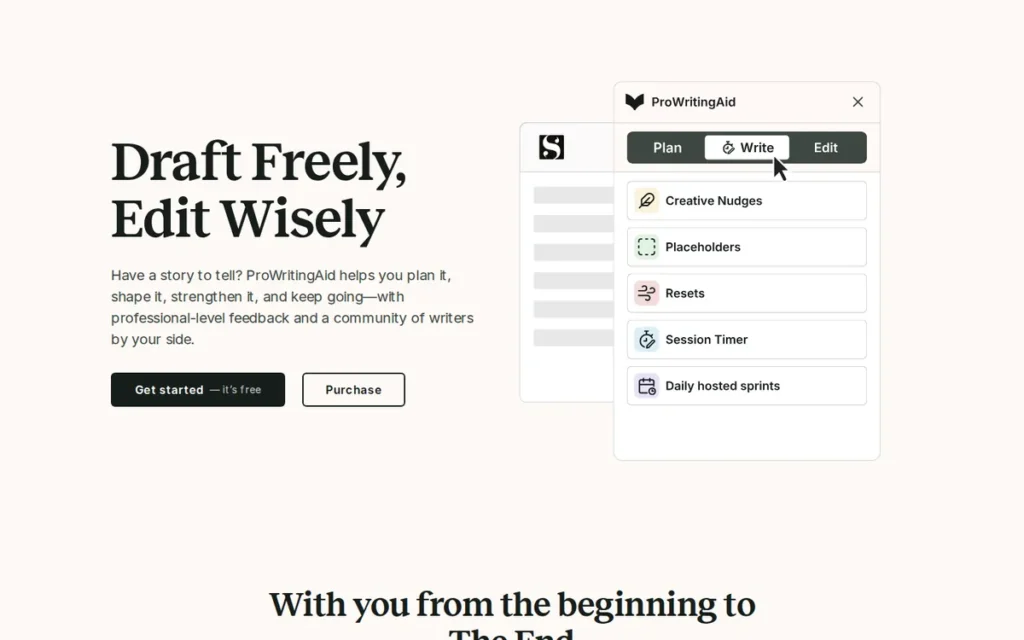
Category: Full Proofreader. ProWritingAid can replace Grammarly’s core grammar, spelling and style checking by itself.
At a Glance
- Category: Full Proofreader
- Best For: Novelists, long-form writers and editors revising full drafts in Word, Google Docs or Scrivener
- Price Range: Free (500 words at a time); Premium $120/yr or $399 lifetime; Premium Pro $144/yr or $699 lifetime (official pricing page, November 2026)
- Primary Strength: ProWritingAid is the only tool in this list with full-manuscript analysis (up to 300,000 words), backed by 25+ reports on pacing, repetition and dialogue.
- Biggest Limitation: ProWritingAid’s free plan checks only 500 words at a time, and ProWritingAid checks English only.
- One-Line Summary: ProWritingAid is a full grammar checker and manuscript editor that replaces Grammarly for long-form and fiction writers. It adds 25+ style reports and Scrivener support for slightly less per year than Grammarly Pro when billed annually.
- Last Verified: November 2026
Overview
ProWritingAid is a grammar checker and style editor for novelists, long-form writers and editors who need more than corrections as they type. ProWritingAid combines real-time proofreading with 25+ reports on pacing, repetition, dialogue and consistency.
ProWritingAid launched in 2013 after founder Chris Banks built it while struggling with his own novel (ProWritingAid, 2026). ProWritingAid supports self-editing at the line-editing and manuscript level in Word, Google Docs, Scrivener and the major browsers.
Key Features
- ProWritingAid runs 25+ writing reports, including Pacing, Dialogue Tags, Sticky Sentences, Echoes/Repeats, Overused Words and Consistency.
- ProWritingAid Manuscript Analysis gives feedback on plot, characters, setting and narrative for manuscripts up to 300,000 words, using one credit per analysis.
- ProWritingAid integrates with Word, Google Docs and Scrivener and also offers Chrome, Edge and Firefox extensions plus Windows and Mac desktop apps.
- ProWritingAid Premium Pro adds AI rewriting through Chapter Critique and Sparks, with 30 Critiques and 50 Sparks per day.
- ProWritingAid sells one-time lifetime licenses alongside monthly and annual subscriptions.
Best For
ProWritingAid is best for novelists and long-form writers who draft in Scrivener, Word or Google Docs. It suits writers who want feedback on the whole manuscript, not just corrections as they type.
Pricing
ProWritingAid’s official pricing (ProWritingAid pricing page, November 2026):
- Free: ProWritingAid’s free plan checks 500 words at a time, with each report available up to twice a day.
- Premium: ProWritingAid Premium costs $30/mo, $120/yr (about $10/mo) or $399 lifetime.
- Premium Pro: ProWritingAid Premium Pro costs $36/mo, $144/yr (about $12/mo) or $699 lifetime.
ProWritingAid Premium and Premium Pro check documents of any length (ProWritingAid pricing page, November 2026). ProWritingAid Premium billed annually costs less than Grammarly Pro’s $144/yr at G2 list price. Billed monthly, Premium costs $360/yr.
Strengths
- ProWritingAid holds a 4.7/5 rating from 497 Capterra reviews and a 4.2/5 rating from 771 Trustpilot reviews (Capterra and Trustpilot, November 2026). That is the largest Capterra review base among the alternatives in this list.
- ProWritingAid Manuscript Analysis handles manuscripts up to 300,000 words, according to the official feature page (ProWritingAid, 2026).
- ProWritingAid works in Scrivener, which Grammarly does not support. A 2026 r/writers commenter recommended pairing ProWritingAid, which they called “great for structure,” with a separate tool for sentence-level checks (r/writers, 2026).
- ProWritingAid’s lifetime licenses ($399 Premium, $699 Premium Pro) can lower long-term cost for writers on multi-year projects (ProWritingAid pricing page, November 2026).
Limitations
ProWritingAid trades quick, low-friction correction for depth. The free plan checks only 500 words at a time, so checking a full chapter effectively requires Premium.
- ProWritingAid checks English only, so multilingual writers need another tool.
- ProWritingAid suggestions can miss creative intent, according to G2 reviewers (G2, 2026), so fiction writers should expect to dismiss flags on deliberate style choices.
- ProWritingAid users report reports stopping partway through a chapter or failing to process uploaded text (Trustpilot, 2026).
- ProWritingAid’s Reddit evidence in PlugRoute’s research is incomplete, because the results of two dedicated searches could not be reviewed.
How It Compares With Grammarly
- ProWritingAid gives deeper manuscript-level feedback than Grammarly and works inside Scrivener.
- Grammarly is smoother for quick corrections as you type and has a far larger review base: 4.7/5 from 14,117 G2 reviews, against ProWritingAid’s 4.5/5 from 49 (G2, November 2026).
Users on r/writing shared their experience:
“A bit late to reply but I love it! It’s not as good with grammar as grammarly, but it is great at calling me out on all my bad writing habits – repeating words, sentence structure, dialogue tags, etc.” Posted by u/Legpee
Takeaway: ProWritingAid’s value is in catching habits like repetition and dialogue tags, but users find its pure grammar checking weaker than Grammarly’s.
Verdict
ProWritingAid is the strongest overall Grammarly alternative in 2026 for writers who need feedback on whole manuscripts, combining full proofreading with 25+ style reports and Scrivener support.
ProWritingAid ranks #1 because it scores High on replacement completeness, user ratings and use-case depth. It lost points for English-only checking and the 500-word free cap. Quick-email writers and multilingual users should look at Microsoft Editor or LanguageTool instead.
2. LanguageTool: Best for Multilingual Writers
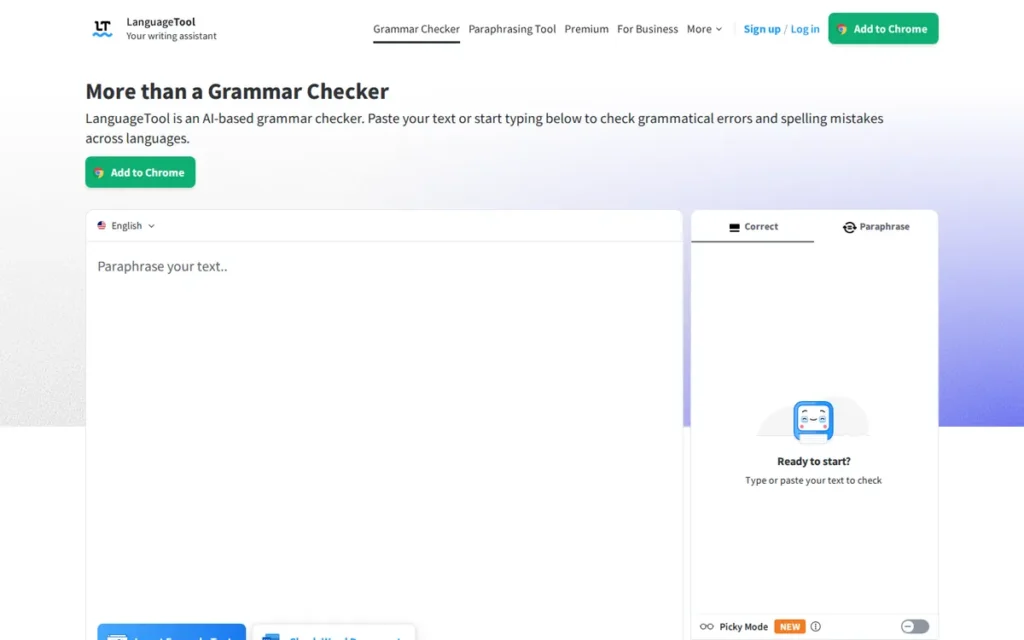
Category: Full Proofreader. LanguageTool can replace Grammarly’s core grammar, spelling and style checking by itself.
At a Glance
- Category: Full Proofreader
- Best For: Multilingual and non-native professionals who write in languages other than English
- Price Range: Free web editor (2,000 characters per field); Premium pricing varies by country, so check the official page (November 2026)
- Primary Strength: LanguageTool checks grammar, spelling, punctuation and style in more than 30 languages, more than any other full proofreader in this list.
- Biggest Limitation: LanguageTool’s browser extension has been Premium-only since March 2026 (Thurrott, 2026), and its Trustpilot rating is 1.8/5.
- One-Line Summary: LanguageTool is a full proofreader that checks grammar and style in more than 30 languages, making it the leading Grammarly alternative for multilingual writers, though its browser extension now requires Premium.
- Last Verified: November 2026
Overview
LanguageTool is a multilingual grammar checker for ESL writers and non-native professionals. LanguageTool proofreads grammar, spelling and style in more than 30 languages, including German, French, Spanish, Portuguese, Polish and Ukrainian, while Grammarly checks English only.
LanguageTool began as an open-source grammar checker in 2003. Learneo, which also owns QuillBot, acquired LanguageTool in April 2023 (Kinescope EdTech Map, 2026).
Key Features
- LanguageTool checks grammar, spelling, punctuation and style in more than 30 languages and dialects.
- LanguageTool offers extensions for Chrome, Edge, Firefox, Safari and Opera, plus add-ins for Word, Google Docs, LibreOffice and Thunderbird.
- LanguageTool provides desktop apps for Windows and macOS.
- LanguageTool’s open-source core can run on a self-hosted HTTP server, so privacy-sensitive teams can keep text on their own servers.
- LanguageTool Premium raises the per-field limit from 2,000 to 150,000 characters and adds more AI rephrasing.
Best For
LanguageTool is best for professionals, students and non-native English speakers who write in more than one language and want one proofreader across browsers and office apps.
Pricing
LanguageTool’s free plan allows 2,000 characters per text field and 3 AI rephrasings per day. Premium raises the limit to 150,000 characters per field (LanguageTool Premium page, November 2026).
LanguageTool’s USD Premium prices conflict between sources and vary by country:
- Capterra lists LanguageTool Premium at $5.01/mo (Capterra, November 2026).
- BestStacked lists LanguageTool Premium at $24.90/mo or $69.90/yr (BestStacked, 2026).
Check LanguageTool’s official pricing page for your region before you buy.
Strengths
- LanguageTool checks grammar and style in more than 30 languages (LanguageTool Premium page, 2026), more than any other full proofreader here. Grammarly supports English only (G2, November 2026).
- LanguageTool’s open-source core allows self-hosting, the only documented self-hosting option among the tools reviewed.
- LanguageTool holds a 4.4/5 G2 rating from 45 reviews (G2, November 2026), with users praising its ease of use, accuracy and integrations.
- LanguageTool reportedly has more than 60,000 paying subscribers (Kinescope EdTech Map, 2026). This secondary-source figure has no official confirmation.
Limitations
LanguageTool trades trust and free access for breadth. Its Trustpilot rating is 1.8/5 from 64 reviews, with complaints about billing, renewal terms and support (Trustpilot, November 2026).
- LanguageTool made its browser extension Premium-only in March 2026 (Thurrott, 2026; Kinescope EdTech Map, 2026). Existing free users got a 14-day Premium trial before the extension stopped checking.
- LanguageTool’s free users now rely on the web editor’s 2,000-character limit, unless they connect the extension to a self-hosted LanguageTool server (Shortlisted.tools, 2026).
- LanguageTool’s quality varies by language. One user reported a missed Italian apostrophe error (Trustpilot, 2025–2026), and a German Reddit user called it weak on punctuation (r/de, 2021).
- LanguageTool’s Capterra sub-scores are 3.5 for customer service and 3.6 for value (Capterra, November 2026).
A team lead on r/LearningDevelopment noted:
“Previous to this year, LanguageTool has been fantastic. The Team Style Guide and the grammar really helped shift away from more formal language. However, the Chrome extension has stopped calling out basic grammar (subject-verb agreement, bad capitalization, etc), while the Editor on the webpage and desktop tool will call it out.” Posted by u/Ravenpuffie2
Takeaway: LanguageTool earns praise for its team style guides, but its Chrome extension has proven less reliable than its web and desktop editors for teams that work in the browser.
How It Compares With Grammarly
- LanguageTool covers 30+ languages to Grammarly’s one, can be self-hosted and costs less in many regions.
- Grammarly has a much larger review base and still offers free checking in the browser, which LanguageTool stopped offering in March 2026.
Verdict
LanguageTool is the best Grammarly alternative for multilingual writers in 2026. LanguageTool offers full grammar and style checking in more than 30 languages, with extensions for five browsers (Premium-only since March 2026) and add-ins for Word, Google Docs and LibreOffice.
LanguageTool ranks #2 despite the weakest trust scores in this list because it is the only full proofreader that checks grammar and style in 30+ languages. Its trust signals and lower ratings keep it below #1. Check billing terms before subscribing.
3. Microsoft Editor: Best for Word and Outlook Users
Category: Full Proofreader (built-in). Microsoft Editor replaces Grammarly’s core checking inside Microsoft apps without a separate tool.
At a Glance
- Category: Full Proofreader (built-in)
- Best For: People who write mainly in Word and Outlook and already pay for Microsoft 365, or are considering it
- Price Range: Basic features free with a Microsoft account; premium features included in Microsoft 365 Personal ($99.99/yr) or Family ($129.99/yr) (official pricing, November 2026)
- Primary Strength: Microsoft Editor checks writing in 20+ languages inside Word and Outlook without any extra install.
- Biggest Limitation: Microsoft Editor no longer checks writing across websites in Chrome, because its browser extensions were retired on October 31, 2025.
- One-Line Summary: Microsoft Editor is the built-in grammar checker in Word and Outlook and costs Microsoft 365 subscribers nothing extra. It no longer offers a Chrome extension.
- Last Verified: November 2026
Overview
Microsoft Editor is the spelling, grammar and style checker built into Word and Outlook. Microsoft Editor suits people who already write in Microsoft apps and want proofreading in more than 20 languages without another extension or subscription.
Microsoft Editor’s Edge and Chrome extensions were retired on October 31, 2025 (Microsoft Support, 2025). Many roundups and AI answers still recommend those Microsoft Editor extensions.
Key Features
- Microsoft Editor checks spelling, grammar and punctuation inside Word (desktop and web) and Outlook.
- Microsoft Editor suggests refinements for clarity, conciseness, formality and inclusive language with a Microsoft 365 subscription.
- Microsoft Editor gives writing guidance in 20+ languages, checks spelling in 80+ and can check up to three languages at once.
- Microsoft Editor includes a similarity checker and an Editor Score that summarizes document quality.
- Microsoft Editor’s former browser features are now built into Edge’s own proofing tools, and Chrome has no Microsoft replacement.
Best For
Microsoft Editor is best for professionals and students who write almost entirely in Word and Outlook. It lets them test whether a tool they already own is good enough before they buy another.
Pricing
Microsoft Editor’s basic features are free with a Microsoft account. Its premium refinements require Microsoft 365 (Microsoft 365 pricing page, November 2026):
- Personal: Microsoft 365 Personal costs $9.99/mo or $99.99/yr.
- Family: Microsoft 365 Family costs $12.99/mo or $129.99/yr.
Microsoft 365 Personal rose from $69.99 to $99.99 per year in January 2025, when Microsoft added Copilot (CNBC, 2025). Microsoft advertises a discounted first year for Personal that renews at $99.99, and Microsoft Editor is not sold on its own.
Strengths
- Microsoft Editor checks spelling in 80+ languages and gives writing guidance in 20+ (Microsoft Editor page, 2026), the widest spelling coverage in this list.
- Microsoft Editor costs nothing extra for Microsoft 365 subscribers, who numbered 84 million consumers as of January 2025 (Microsoft, 2025).
- Microsoft Editor needs no extension inside Word and Outlook, which suits readers who don’t want another app.
- Microsoft Editor flagged 88 issues to Grammarly’s 92 on a 10,000-word text in a single-publisher test (GrammarGuide, publication date not stated), so treat the result as indicative.
Limitations
Microsoft Editor trades reach for convenience. Since its extensions were retired on October 31, 2025, Chrome users no longer have a Microsoft tool for checking writing across websites (PCMag, 2025).
- Microsoft Editor’s style suggestions are thinner than those of dedicated tools such as ProWritingAid.
- Microsoft Editor missed a comma splice in GrammarGuide’s single-publisher test on a 10,000-word text (GrammarGuide, publication date not stated).
- Microsoft Editor has no product-specific rating on G2 or Capterra, and PlugRoute does not substitute Word’s rating or the retired extension’s rating.
- Microsoft Editor’s premium refinements require a Microsoft 365 plan that bundles Office and Copilot, so buyers who only want a grammar checker pay for apps they may not use.
How It Compares With Grammarly
- Microsoft Editor is effectively free for Microsoft 365 subscribers and covers far more languages than Grammarly.
- Grammarly still works across websites in Chrome and lists 116 integrations (G2, November 2026), while Microsoft Editor is now limited to Microsoft apps and Edge.
Verdict
Microsoft Editor is the best Grammarly alternative for people who write in Word and Outlook in 2026, because Microsoft 365 subscribers already pay for it and it checks writing in more than 20 languages.
Microsoft Editor has no product-specific rating, so PlugRoute ranked it #3 on the five remaining criteria. It scores High on completeness and trust but trails LanguageTool on coverage. Try it first, but add another tool for Chrome checking or deep style feedback.
4. Linguix: Best Budget Full Proofreader for Small Teams
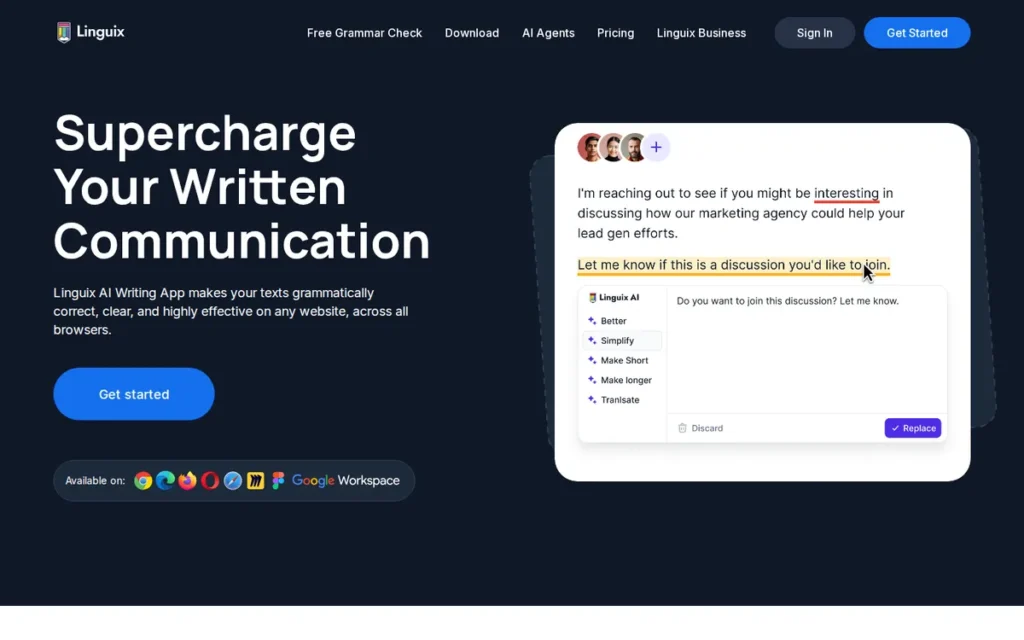
Category: Full Proofreader. Linguix can replace Grammarly’s core grammar, spelling and style checking by itself.
At a Glance
- Category: Full Proofreader
- Best For: Small support, sales, HR and marketing teams writing in web apps on a budget
- Price Range: Free plan (limits not documented); $60.00/seat/yr G2 list price (two-seat minimum on official Business plan); Pro $140/yr for individuals (official, November 2026)
- Primary Strength: Linguix offers real-time grammar checking and team style guides at the lowest per-seat price in this list for teams of two or more.
- Biggest Limitation: Linguix catches fewer errors than Grammarly, according to Capterra reviewers, and individuals pay $140/yr, more than ProWritingAid Premium.
- One-Line Summary: Linguix is a low-cost real-time grammar checker with text shortcuts and team style guides, best for small teams on a budget, though reviewers say it catches fewer errors than Grammarly.
- Last Verified: November 2026
Overview
Linguix is a real-time grammar, spelling and style checker for budget-conscious teams in support, sales, HR and marketing. Linguix adds paraphrasing, text shortcuts and shared style guides at a lower per-seat list price than Grammarly Pro.
Linguix started as a Chrome extension in 2018, and G2 lists the Linguix headquarters as Miami Beach, Florida (G2, November 2026).
Key Features
- Linguix checks grammar, spelling and style in real time across web apps, including inside iframes, according to its G2 vendor description (G2, November 2026).
- Linguix includes paraphrasing and tone adjustment tools.
- Linguix text shortcuts insert saved snippets, such as “//intro”, as you type.
- Linguix Business adds team style guides and team analytics.
- Linguix supports English, French, German, Spanish, Portuguese and Polish, and one official Linguix page also lists Italian.
Best For
Linguix is best for teams of two or more that want real-time proofreading, shared style rules and reusable snippets at the lowest per-seat price in this list.
Pricing
Linguix’s G2 list prices are $10.00 per seat per month billed monthly or $60.00 per seat per year billed annually (G2, November 2026). Linguix’s official pages show these plans (Linguix pricing and Business pages, November 2026):
- Business: Linguix Business costs $5 per member per month billed annually ($10 monthly), with a two-seat minimum that totals $120/yr.
- Pro: Linguix Pro for individuals costs $140/yr or $30/mo.
- Lifetime: Linguix lists a separate $149 lifetime offer, reduced from a listed $360.
Linguix’s pricing page does not document its free-plan limits (November 2026), so confirm the price and limits at checkout.
Strengths
- Linguix holds a 4.5/5 G2 rating from 129 reviews, and 96.9% of those reviews give 4 or 5 stars (G2, November 2026).
- Linguix holds a 4.6/5 rating from 92 Capterra reviews (Capterra, November 2026).
- Linguix’s $60.00 per-seat G2 list price is the lowest per-seat price among the full proofreaders here for teams of two or more (G2, November 2026).
- Linguix reviewers on G2 praise its ease of use and real-time corrections (G2, November 2026).
Limitations
Linguix trades thoroughness for price. Capterra reviewers say Grammarly catches errors that Linguix misses, and one ranked Linguix behind both Grammarly and ProWritingAid (Capterra, 2026).
- Linguix’s lowest price requires a two-seat Business plan, so solo users pay $140/yr on Pro, more than ProWritingAid Premium’s $120/yr (Linguix pricing page, November 2026).
- Linguix has no plagiarism checker, according to G2 reviewers (G2, November 2026).
- Linguix’s G2 cons include obstruction and clicking issues (G2, November 2026). AppSumo reviewers report Chrome extension hangs and trouble reactivating lifetime plans (AppSumo, undated reviews).
- Linguix’s claim of 450,000+ users comes from the company itself, and PlugRoute’s research found no Reddit discussion of Linguix.
How It Compares With Grammarly
- Linguix costs less per seat than Grammarly Pro at G2 list prices for teams and adds snippets and team style guides.
- Grammarly catches more errors, according to Linguix’s own Capterra reviewers, and has a far larger review base (14,117 G2 reviews against 129).
Verdict
Linguix is the lowest-cost full Grammarly alternative for small teams in 2026. Linguix offers real-time proofreading, shared style guides and text shortcuts for $60.00 per seat per year at G2 list price, with a two-seat minimum.
Linguix ranks #4 because reviewers report missed errors and its lowest price applies only to teams. It ranks above QuillBot because it replaces Grammarly by itself. Linguix suits routine business writing better than high-stakes documents.
5. QuillBot: Best for Students Who Paraphrase and Summarize
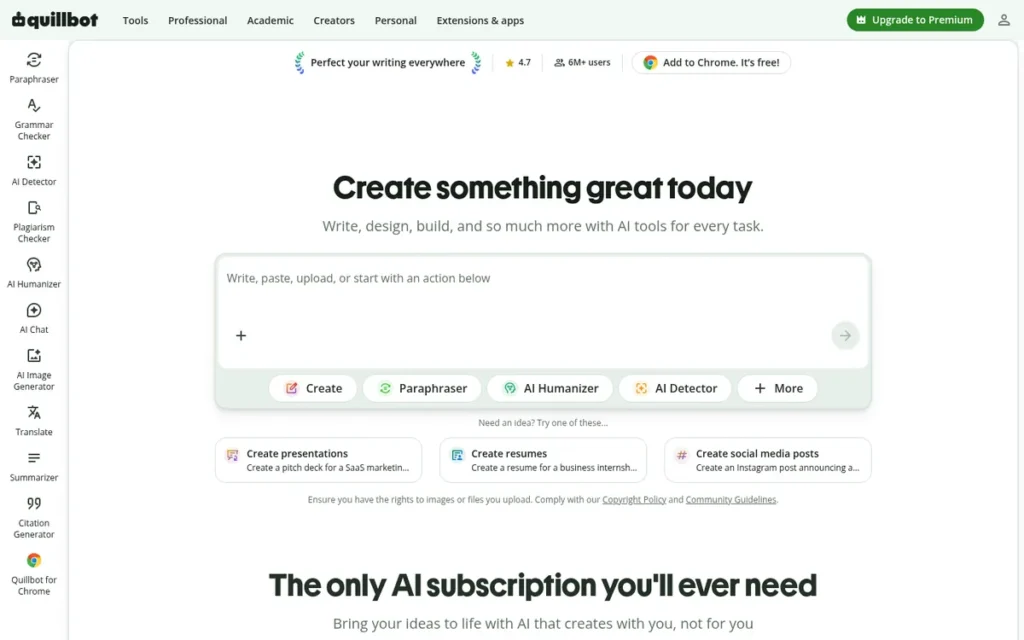
Category: Rewriter/Paraphraser. QuillBot rewrites and summarizes text, and grammar checking is a secondary feature.
At a Glance
- Category: Rewriter/Paraphraser
- Best For: Students and writers who paraphrase, summarize and cite sources and also want basic grammar checks
- Price Range: Free (paraphraser 100 words at a time); Premium $19.95/mo or $99.95/yr (official, November 2026)
- Primary Strength: QuillBot pairs a free grammar checker with nine paraphrase modes plus a summarizer, citation generator and translator, the most student-focused toolset in this list.
- Biggest Limitation: QuillBot caught 18 of 23 planted errors to Grammarly’s 23 in one 2026 single-publisher test, so it is weaker as a full proofreader.
- One-Line Summary: QuillBot is a writing suite built around paraphrasing, with a free grammar checker. It is best for students who rewrite and summarize but is a weaker like-for-like proofreading replacement for Grammarly.
- Last Verified: November 2026
Overview
QuillBot is a paraphrasing and writing suite for students and everyday writers who want to rewrite, summarize and cite text. QuillBot includes a free grammar checker for spelling and punctuation, though its proofreading is lighter than Grammarly’s.
QuillBot was founded in 2017. Learneo, which also owns LanguageTool, acquired QuillBot in 2021, when Learneo was still called Course Hero (QuillBot About page, 2026).
Key Features
- QuillBot’s paraphraser offers nine modes (Standard, Fluency, Formal, Simple, Creative, Expand, Shorten, Academic and Custom), plus a Synonym slider and a freeze-words option.
- QuillBot’s free Grammar Checker covers grammar, spelling and punctuation, while advanced recommendations require Premium.
- QuillBot includes a Summarizer, Citation Generator, Translator, AI Detector and a Premium plagiarism checker.
- QuillBot works in Chrome, Word and Google Docs.
- QuillBot’s own pages say its paraphraser supports 20+ languages in some places and 25+ in others.
Best For
QuillBot is best for students and researchers who mainly need paraphrasing, summarizing and citations and are happy with basic grammar checks.
Pricing
QuillBot Premium costs $19.95 per month or $99.95 per year, about $8.33/mo (QuillBot Premium page, November 2026). Third-party trackers also list other billing periods (ToolRankers, 2026):
- QuillBot Premium costs $39.95 when billed quarterly.
- QuillBot Premium costs $79.95 when billed every six months.
QuillBot’s free paraphraser handles up to 100 words at a time in two modes (QuillBot Premium page, November 2026); older listings show 125. PlugRoute could not verify QuillBot team pricing in USD.
Strengths
- QuillBot reports more than 35 million monthly active writers (QuillBot About page, 2026), the largest documented user base among the standalone tools in this list.
- QuillBot holds a 4.5/5 rating from 157 Capterra reviews (Capterra, November 2026).
- QuillBot Premium costs $99.95/yr, less than Grammarly Pro’s $144/yr at its $12.00/mo G2 list price (G2, November 2026).
- QuillBot’s free tier includes grammar, spelling and punctuation checks (QuillBot, 2026).
Limitations
QuillBot trades proofreading depth for rewriting breadth. QuillBot caught 18 of 23 planted errors to Grammarly’s 23 in a single-publisher test (AI Alleyway, 2026).
- QuillBot rewrites can change meaning, and paraphrasing does not make borrowed text original, which raises academic integrity concerns for students.
- QuillBot draws Capterra complaints about “heavy and fancy synonyms” and the free word cap (Capterra, November 2026).
- QuillBot faces auto-renewal and refund disputes, according to a secondary summary of Trustpilot reviews (MarketingUpgrade, undated).
- QuillBot had no Reddit discussion in PlugRoute’s research, and QuillBot’s G2 and Trustpilot ratings come only from unverified secondary sources.
How It Compares With Grammarly
- QuillBot is better than Grammarly for rewriting and summarizing and costs less per year.
- Grammarly is the more thorough proofreader, catching all 23 planted errors to QuillBot’s 18 in AI Alleyway’s 2026 single-publisher test.
Verdict
QuillBot is the best Grammarly alternative for students who paraphrase and summarize in 2026, pairing a free grammar checker with nine paraphrase modes and a summarizer for $99.95 per year.
QuillBot ranks #5 because PlugRoute ranks every full proofreader above single-job tools, and QuillBot leads the single-job group on value and use-case depth. Paraphrasing never replaces citation. Check QuillBot’s renewal settings when you buy.
6. Wordtune: Best for Sentence-Level Rewriting and Tone

Category: Rewriter/Paraphraser. Wordtune rewrites sentences for tone and clarity, and grammar checking is a secondary feature.
At a Glance
- Category: Rewriter/Paraphraser
- Best For: Non-native English professionals polishing emails and reports one sentence at a time
- Price Range: Free (10 rewrites/day); Plus $9.99/mo, Unlimited $14.99/mo (G2 list prices, November 2026; official page shows lower prices)
- Primary Strength: Wordtune gives several tone and length rewrite options for each sentence and translates drafts into English from ten languages.
- Biggest Limitation: Wordtune is not a full proofreader, and it is reported to have been in maintenance mode since April 2025.
- One-Line Summary: Wordtune is a sentence-rewriting assistant from AI21 Labs for non-native writers polishing English tone and clarity. It is not a full Grammarly replacement, and its long-term development is uncertain.
- Last Verified: November 2026
Overview
Wordtune is an AI sentence-rewriting tool from AI21 Labs for non-native English speakers and email-heavy professionals. Wordtune offers several alternative phrasings, tone shifts and length adjustments for each sentence, plus basic grammar and spelling checks.
AI21 Labs was founded in 2017 in Tel Aviv (G2, November 2026). Wordtune remains online with current plans, but Turing Post and TryOrBye report that AI21 Labs stopped active Wordtune development in April 2025.
Key Features
- Wordtune offers several rewrite options per sentence, with Casual/Formal tone and Shorten/Expand controls.
- Wordtune’s paid plans add whole-paragraph rewrites and “Spices,” which insert examples, analogies, counterarguments or statistics.
- Wordtune translates drafts into English from ten languages, including Spanish, Mandarin, Arabic, Hindi and German.
- Wordtune includes summarization plus grammar and spelling checks on every plan.
- Wordtune works through a Chrome extension, a Word add-in and Google Docs.
Best For
Wordtune is best for ESL writers and non-native English professionals who draft in their own language or need help adjusting English tone in emails and reports.
Pricing
Wordtune’s G2 list prices are Free, Plus at $9.99/mo and Unlimited at $14.99/mo (G2, November 2026). Wordtune’s official plans page currently shows a different, lower lineup (Wordtune plans page, November 2026):
- Basic (free): Wordtune’s free plan allows 10 rewrites and 3 summaries per day.
- Advanced: Wordtune Advanced costs $6.99/mo, or $4.89/mo billed annually, with 30 rewrites a day.
- Unlimited: Wordtune Unlimited costs $9.99/mo, or $6.99/mo billed annually.
Strengths
- Wordtune holds a 4.6/5 G2 rating from 201 reviews, and 95.0% of those reviews give 4 or 5 stars (G2, November 2026). That is the highest G2 rating among the rewriting and readability tools here.
- Wordtune’s most-cited G2 pro is Writing Improvement (10 mentions), followed by Ease of Use (8) and Professionalism (7) (G2, November 2026).
- Wordtune’s draft-and-translate-into-English feature directly serves non-native writers (Wordtune FAQ, 2026).
- Wordtune holds a 4.6 rating from about 2,400 Chrome Web Store ratings (VouchAITools, 2026). This figure comes from a secondary source.
Limitations
Wordtune trades proofreading coverage for rewriting variety, so Wordtune is not a full Grammarly replacement and works best alongside a proofreader.
- Wordtune appears to be in maintenance mode. Turing Post and TryOrBye report that AI21 Labs stopped active development in April 2025, while the service remains online with current plans (November 2026).
- Wordtune translates only into English, not between other languages.
- Wordtune’s most-cited G2 con is Poor Suggestions, with 6 mentions (G2, November 2026).
- Wordtune users report pages going blank (Capterra, undated review) and call the service “impossible to cancel” (Trustpilot, undated review). PlugRoute’s research found no Reddit discussion of Wordtune.
How It Compares With Grammarly
- Wordtune offers more rewrite choices per sentence than Grammarly and costs less at its official prices.
- Grammarly is the more complete proofreader and lists 116 integrations (G2, November 2026). Wordtune’s development, by contrast, is reported as maintenance-only since April 2025.
Verdict
Wordtune is the best Grammarly alternative for non-native professionals who want sentence-level rewriting in 2026, but Wordtune works best as a polishing layer rather than a full proofreader.
Wordtune has the highest G2 rating among single-job tools, but it ranks #6 because it does not replace a proofreader and its development status is uncertain. Pair Wordtune with LanguageTool or Microsoft Editor, and check how to cancel before buying an annual plan.
7. Hemingway Editor: Best Free Readability Checker for a Second Pass
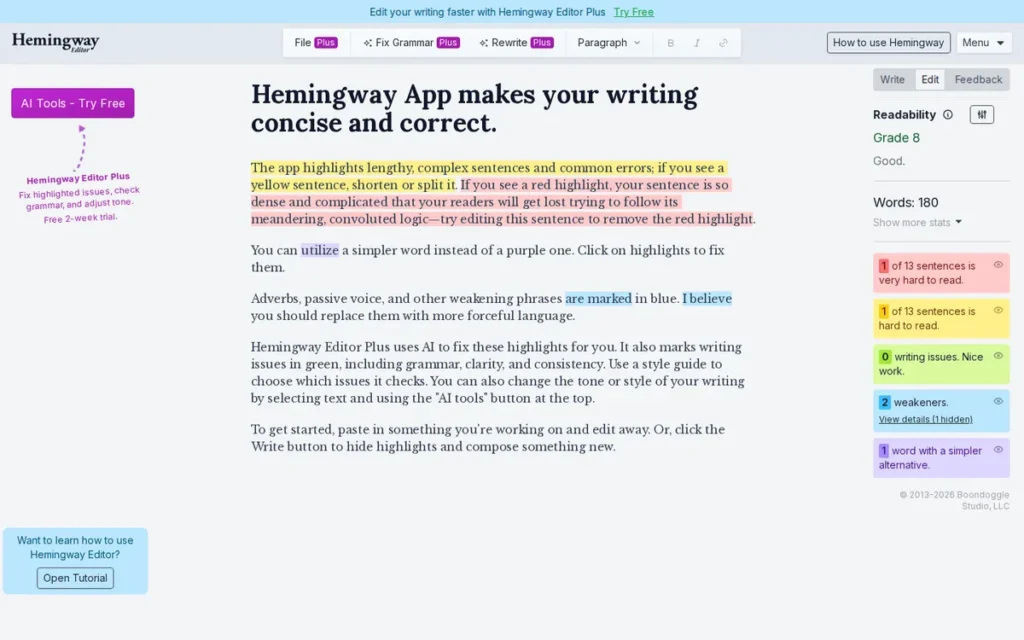
Category: Readability Coach. Hemingway Editor flags hard-to-read prose, and its free plan does not replace a grammar checker.
At a Glance
- Category: Readability Coach
- Best For: Content marketers and web writers who want plainer, tighter prose as a second pass after grammar checking
- Price Range: Free web editor; Plus $100/yr or $10/mo; desktop app $19.99 one time (official pricing, November 2026)
- Primary Strength: Hemingway Editor’s free web editor highlights dense sentences, adverbs and passive voice and gives a readability grade.
- Biggest Limitation: Hemingway Editor’s grammar checking requires the paid Plus plan, and Hemingway Editor has no verified browser extension or Word add-in.
- One-Line Summary: Hemingway Editor is a free readability checker that flags dense sentences and passive voice. It is best used as a second pass alongside a grammar checker, not as a Grammarly replacement.
- Last Verified: November 2026
Overview
Hemingway Editor is a readability tool for content marketers, bloggers and plain-language writers who want to cut dense sentences, adverbs and passive voice. Hemingway Editor gives each draft a readability grade and offers grammar correction only on its paid Plus plan.
Hemingway Editor was created by Adam and Ben Long of Boondoggle Studio, and the Hemingway Editor site carries a 2013 copyright date (Hemingway, 2026).
Key Features
- Hemingway Editor highlights hard sentences in yellow, very hard sentences in red, adverbs in blue, passive voice in green and simpler alternatives in purple.
- Hemingway Editor gives each document a readability score expressed as a grade level.
- Hemingway Editor Plus adds AI rewrites, grammar fixes and controls for tone, length and style, with monthly AI sentence credits.
- Hemingway Editor 3 is a $19.99 one-time offline desktop app with no AI features.
- Hemingway Editor Plus offers a two-week trial that requires no card.
Best For
Hemingway Editor is best for web and marketing writers who already have a grammar checker and want a free clarity pass before publishing.
Pricing
Hemingway Editor’s official pricing (Hemingway pricing and billing pages, November 2026):
- Free web editor: Hemingway Editor’s web editor costs $0 and checks readability only.
- Plus Individual 5K: Hemingway Editor Plus costs $8.33/mo billed annually ($100/yr) or $10 monthly, with 5,000 AI sentence credits per month.
- Plus Individual 10K: Hemingway Editor Plus 10K costs $12.50/mo billed annually ($150/yr).
- Plus Team 10K: Hemingway Editor Plus Team costs $12.50 per user per month billed annually, for up to 50 users.
- Desktop: Hemingway Editor 3 costs $19.99 one time.
Hemingway Editor’s grammar checking is available only on Plus (Hemingway billing FAQ, November 2026).
Strengths
- Hemingway Editor holds a 4.5/5 Capterra rating from 13 reviews and a 4.4/5 G2 rating from 50 reviews (Capterra and G2, November 2026). One Capterra reviewer called it a “great, free online tool for writers.”
- Hemingway Editor’s free web editor highlights readability issues with no account or payment (Hemingway, 2026).
- Hemingway Editor’s $19.99 desktop app is the cheapest one-time purchase in this list (Hemingway desktop page, November 2026).
- Hemingway Editor flags issues “without interrupting the editing process,” according to a Trustpilot reviewer (Trustpilot, 2026).
Limitations
Hemingway Editor trades completeness for focus. Grammar checking requires Plus (Hemingway billing FAQ, November 2026), and PlugRoute found no verified browser extension or Word add-in (VRID, 2026).
- Hemingway Editor “can strip away nuance and style,” according to a Reddit user. Another user in the same thread said Hemingway Editor can “miss the mark with creative writing” (r/InBoundBlogging, 2024).
- Hemingway Editor’s reading-grade target drew criticism from graduate applicants writing academic statements (r/StatementOfPurpose, 2021).
- Hemingway Editor’s Trustpilot rating is 2.7/5 from only 7 reviews (Trustpilot, November 2026). One reviewer’s claim that the desktop app has had no major update since 2019 is unverified (VRID, 2026).
How It Compares With Grammarly
- Hemingway Editor is better than Grammarly at making prose tighter and plainer.
- Grammarly is a complete proofreader that works across websites, while Hemingway Editor charges for grammar checking and works only in its own web editor and desktop app.
Verdict
Hemingway Editor is the best free readability checker in 2026. It is a second-pass clarity tool rather than a Grammarly replacement, because grammar checking requires its paid Plus plan.
Hemingway Editor ranks #7 because it scores lowest on replacement completeness and platform coverage. Pair Hemingway Editor with Microsoft Editor, LanguageTool’s web editor or QuillBot’s free checker. Fiction and academic writers can ignore its grade-level target.
Why Do People Look for Grammarly Alternatives?
People look for Grammarly alternatives because Grammarly Pro costs $12.00 per user per month (G2 list price, November 2026) and checks English only. G2 users also ask for more context-aware suggestions and less intrusive pop-ups. Writers who need other languages, manuscript feedback or a cheaper plan often find a better fit elsewhere.
Grammarly holds a 4.7/5 rating from 14,117 G2 reviews (G2, November 2026), so most users are satisfied. G2 still lists four recurring improvement requests:
- Grammarly users want suggestions that keep the writer’s intended meaning, voice and specialized terms.
- Grammarly users want to control how many suggestions appear and which tones and types of edits they get.
- Grammarly users want a floating icon and pop-ups that are easier to move or dismiss.
- Grammarly users want custom style guides, terminology and dictionaries.
As one user on r/writing described:
“I tried grammarly before it was AI-based and I did not find it helpful. It’s not geared towards creative writing. I’d trust it even less now.” Posted by u/AlfieDarkLordOfAll
Takeaway: Fiction writers see Grammarly as a poor fit for creative work, and its shift toward AI has made some of them trust it even less.
Grammarly is now sold by Superhuman, according to its G2 listing (G2, November 2026). Each alternative in this guide addresses one or more of these gaps.
How Do These Alternatives Compare With Grammarly Feature by Feature?
Four alternatives fully replace Grammarly: ProWritingAid, LanguageTool, Microsoft Editor and Linguix. QuillBot, Wordtune and Hemingway Editor replace it only in part. LanguageTool and Microsoft Editor beat Grammarly on language coverage, while Grammarly still leads on G2 review volume and integration count. All figures are as of November 2026.
| Tool | Replaces Grammarly? | Free-Plan Limit | Approx. Annual Cost (source) | Languages | Browser Extension | Word/Outlook | Google Docs | Scrivener | G2 Rating | Capterra Rating |
|---|---|---|---|---|---|---|---|---|---|---|
| Grammarly (baseline) | N/A | Free version offered since 2009 (G2 vendor description) | $144 at $12.00/user/mo (G2 list) | English only | Yes | 116 integrations listed on G2 | Not verified | No | 4.7/5 (14,117) | Not collected |
| ProWritingAid | Full | 500 words at a time | $120 Premium or $399 lifetime (official) | English | Chrome, Edge, Firefox | Word | Yes | Yes | 4.5/5 (49) | 4.7/5 (497) |
| LanguageTool | Full | 2,000 characters per field | Varies by country (official) | 30+ | Five browsers; Premium-only since March 2026 (free with self-hosted server) | Word | Yes | No | 4.4/5 (45) | 4.1/5 (50) |
| Microsoft Editor | Full (in Microsoft apps) | Basic features free | $99.99 M365 Personal, includes Office (official) | 20+ guidance; 80+ spelling | Retired Oct 31, 2025 | Built in | No | No | No rating available | No rating available |
| Linguix | Full | Free plan; limits not documented | $60/seat for 2+ seats (G2 list); $140 individual Pro (official) | 6–7 | Chrome | Not documented | Not documented | No | 4.5/5 (129) | 4.6/5 (92) |
| QuillBot | Partial | Paraphraser 100 words at a time | $99.95 (official) | 20–25+ (paraphraser) | Chrome | Word | Yes | No | ~4.4/5 (unverified) | 4.5/5 (157) |
| Wordtune | Partial | 10 rewrites/day | $119.88 Plus (G2 list); about $58.68 Advanced (official annual) | Translates into English from 10 | Chrome | Word | Yes | No | 4.6/5 (201) | 4.4/5 (82) |
| Hemingway Editor | Partial | Readability only; no grammar | $100 Plus or $19.99 desktop one time (official) | English | None verified | None verified | None verified | No | 4.4/5 (50) | 4.5/5 (13) |
The real price of a Grammarly alternative depends on billing frequency and seat count. Compare each tool’s annual cost against Grammarly Pro’s $144 G2 list equivalent:
- ProWritingAid Premium costs $120 a year billed annually but $360 a year billed monthly ($30 × 12).
- Linguix’s $60 per-seat G2 list price applies only once a team buys at least two seats.
- Microsoft 365 Personal’s $99.99 a year pays for Office apps and Copilot as well as Microsoft Editor.
What Do Free Grammarly Alternatives Still Allow in 2026?
Free Grammarly alternatives allow less in November 2026 than a year earlier. Between October 2025 and March 2026, Microsoft Editor and LanguageTool both stopped offering free browser checking in Chrome. Those were the two best-known free extensions from Grammarly’s rivals. QuillBot’s free paraphraser now handles 100 words at a time, and Hemingway Editor reserves grammar for Plus.
- Microsoft Editor’s free tier covers basic checking with a Microsoft account, but Microsoft retired the Microsoft Editor browser extensions on October 31, 2025 (Microsoft Support, 2025).
- LanguageTool’s free web editor allows 2,000 characters per field and 3 AI rephrasings a day (LanguageTool Premium page, November 2026). The LanguageTool extension became Premium-only in March 2026 (Thurrott, 2026).
- Hemingway Editor’s free web editor checks readability only, and Hemingway Editor’s grammar fixes require Plus (Hemingway billing FAQ, November 2026).
- QuillBot’s free paraphraser handles up to 100 words at a time in two modes, and QuillBot’s free grammar checker covers grammar, spelling and punctuation (QuillBot Premium page, November 2026).
- Wordtune’s free plan allows 10 rewrites and 3 summaries a day (Wordtune plans page, November 2026).
- ProWritingAid’s free plan checks 500 words at a time, with each report available up to twice a day (ProWritingAid pricing page, November 2026).
- Linguix offers a free plan, but Linguix does not document its free-plan limits on its pricing page (Linguix, November 2026).
Check each limit and its date on the vendor’s site before you rely on it.
Which Grammarly Alternatives Still Work as Browser Extensions?
As of November 2026, ProWritingAid, QuillBot, Wordtune and Linguix all list Chrome extensions. LanguageTool supports five browsers but has made its extension Premium-only. Microsoft Editor’s extensions were retired on October 31, 2025, and Hemingway Editor has no verified extension. Free checking inside the browser is now the hardest thing to find.
A free extension can disappear partway through a project. A student who installed LanguageTool’s free Chrome extension in February 2026 would have received a 14-day Premium trial in March. After that, the extension stopped checking without a subscription.
- ProWritingAid offers Chrome, Edge and Firefox extensions.
- LanguageTool offers Chrome, Edge, Firefox, Safari and Opera extensions, and the LanguageTool extension stays free when connected to a self-hosted LanguageTool server (Shortlisted.tools, 2026).
- QuillBot offers a Chrome extension.
- Wordtune offers a Chrome extension.
- Linguix offers a Chrome extension, though AppSumo reviewers report occasional Linguix extension hangs (AppSumo, undated reviews).
- Microsoft Editor no longer offers extensions, because Microsoft moved the features into Edge’s own proofing tools and left Chrome without a replacement (Microsoft Support, 2025).
- Hemingway Editor has no verified browser extension (VRID, 2026).
When Should You Stay With Grammarly?
Stay with Grammarly if you write only in English and want one free tool that checks across most websites and web apps. Free in-browser checking from the alternatives thinned out in 2026, so Grammarly’s free plan may still be the simplest choice for English-only writers.
Grammarly’s G2 record supports staying for some buyers:
- Grammarly holds a 4.7/5 rating from 14,117 G2 reviews (G2, November 2026), the largest review base in this comparison.
- Grammarly lists 116 integrations on G2 (G2, November 2026).
- Grammarly team rollouts most often go live in under a day (G2, November 2026).
Free checking across websites is harder to find elsewhere in 2026:
- Microsoft Editor’s Chrome extension was retired on October 31, 2025.
- LanguageTool’s extension has required Premium since March 2026.
Switch from Grammarly if any of these apply to you:
- You need grammar checking in languages other than English.
- You want manuscript-level feedback on pacing, repetition and dialogue.
- You draft in Scrivener.
- You want a lower annual price than Grammarly Pro’s $144 G2 list equivalent.
What Red Flags Should I Watch For When Evaluating Grammarly Alternatives?
The biggest red flags when evaluating Grammarly alternatives are undated free-plan claims, grammar checking hidden behind a paywall, recommended extensions that no longer exist, hard-to-cancel auto-renewal, rewrites that change your meaning, and prices that differ between sources. Each one caused documented problems for buyers in 2025 and 2026, according to vendor pages and user reviews.
Red Flag #1: A Free Plan With No Date Free plans changed at three or more vendors in this guide during 2025 and 2026 (Microsoft, LanguageTool and QuillBot), and Hemingway Editor reserves grammar checking for its paid plan. Any “free” claim without a month and year may already be outdated.
Red Flag #2: Grammar Checking Behind a Paywall Some tools marketed as free writing aids charge for grammar fixes. Hemingway Editor, for example, puts grammar correction in its paid Plus plan (Hemingway billing FAQ, November 2026).
Red Flag #3: A Recommended Extension That No Longer Exists Roundups and AI answers still recommend Microsoft Editor’s Chrome extension, which was retired on October 31, 2025. Confirm that an extension is live before you build your workflow around it.
Red Flag #4: Hard-to-Cancel Auto-Renewal Trustpilot reviewers report billing and renewal problems with LanguageTool. A secondary summary describes QuillBot auto-renewal disputes, and one Wordtune reviewer called the service “impossible to cancel.” Note the renewal date when you subscribe.
Red Flag #5: Rewrites That Change Meaning or Flatten Your Voice Paraphrasers and readability tools can change your meaning or strip out your style, according to Reddit users and G2 reviewers (2024–2026). Review every suggested rewrite before you accept it.
A user who switched from Grammarly on r/SaaS shared their experience:
“QuillBot isn’t much better tbh. I tried switching and the free version only lets you paraphrase 125 words at a time. Bro. That’s literally 2 paragraphs. And when I did use it, it turned my sentence “The study shows promising results” into some nonsense like “The investigation demonstrates results full of promise” like okay Shakespeare calm down.” Posted by u/Zestyclose-Ad-9003
Takeaway: QuillBot’s tight free word cap and inflated synonym choices let down users who switched from Grammarly expecting a lighter-touch tool.
Red Flag #6: Prices That Differ Between Sources Wordtune and Linguix show different prices on G2 and on their official pages, and LanguageTool’s Premium price varies by country (G2 and vendor pages, November 2026). Confirm the final price at checkout before committing to an annual plan.
What Questions Should I Ask Before Choosing a Grammarly Alternative?
Start with the type of tool you need, then narrow by language, workflow and cost:
- Do you need a full proofreader or a single-job tool?
- Which languages do you write in?
- Where do you draft?
- What does the free plan block this month?
- Do you already pay for a checker?
- How does the tool perform on your own writing?
- Where does it send your text?
These seven answers usually narrow the seven options to one or two.
A novelist on r/writing described the dilemma:
“I’d love to know if tools such as grammarly or pro writing aid or any other tools, would be useful for doing a final pass before submitting it to agents? Or if they aren’t worth the money / time? I was quite curious about Prowritingaid but I’m not sure if the features would be too invasive or if it’s actually useful at all?” Posted by u/iamaprism
Takeaway: Writers choosing a grammar checker struggle to judge whether any tool is worth the cost, which is why a structured set of questions and a hands-on test beat marketing claims.
Question #1: Do I need a full proofreader or a single-job tool? A full proofreader such as ProWritingAid, LanguageTool, Microsoft Editor or Linguix can replace Grammarly by itself. Single-job tools such as QuillBot, Wordtune and Hemingway Editor work better alongside one.
Question #2: Which languages do I need checked? English-only writers have the most options. For other languages, compare LanguageTool’s 30+ languages for grammar and style with Microsoft Editor’s 20+ languages for writing guidance.
Question #3: Where do I actually write: browser, Word, Google Docs or Scrivener? Choose a tool that works where you draft. Scrivener users should look at ProWritingAid, and people who work only in Word and Outlook should try Microsoft Editor first.
Question #4: What does the free plan block, as of this month? A free plan can block more than its marketing suggests, so check these three limits on the vendor’s pricing page on the day you decide:
- A character or word cap can limit how much text each free check covers.
- A daily usage limit can cap rewrites or reports, as Wordtune’s 10 free rewrites a day do.
- A paid-only browser extension can leave free users with a copy-and-paste web editor.
Question #5: Do I already pay for a tool that includes a checker, such as Microsoft 365? Microsoft 365 Personal and Family subscribers already have Microsoft Editor’s premium features. Test Microsoft Editor before paying for a separate subscription.
Question #6: How accurate is this tool on my own writing? PlugRoute found only two single-publisher accuracy tests, so run your own sample before paying. The self-test below takes about 15 minutes.
Question #7: Where does my text go, and does that matter for my work? PlugRoute did not evaluate privacy policies, so read each vendor’s data policy if you handle client text or unpublished manuscripts. LanguageTool’s open-source core is the only documented self-hosting option among the tools reviewed.
How Can You Test a Grammarly Alternative Before Paying?
You can test a Grammarly alternative in about 15 minutes. Paste the same 400-word sample of your own writing, seeded with five deliberate errors, into the free plans of your top two candidates. Then count the errors each tool catches and the correct sentences it wrongly flags.
Seed your sample with these five errors:
- A comma splice joins two complete sentences with only a comma.
- A subject-verb disagreement pairs a plural subject with a singular verb.
- A misused homophone swaps words such as “their” and “there.”
- A missing apostrophe drops the apostrophe from a possessive.
- A dangling modifier attaches a descriptive phrase to the wrong noun.
Your own sample is the most relevant benchmark available, because published tests are scarce. A 400-word sample fits ProWritingAid’s 500-word free cap. For LanguageTool’s 2,000-character field limit, split the sample in two.
How Did We Rank These Grammarly Alternatives?
PlugRoute ranked these Grammarly alternatives against six criteria. The three primary criteria are replacement completeness, free-plan usefulness and value, and user ratings. The three secondary criteria are use-case depth, platform and language coverage, and trust signals. Data came from vendor pages, G2, Capterra, Trustpilot and Reddit in November 2026, and PlugRoute ran no accuracy benchmark of its own.
Each criterion addresses a specific buyer risk:
- Grammarly Replacement Completeness (C1, primary) matters because a tool that needs a second checker costs more time and often more money.
- Verified Free-Plan Usefulness and Paid Value (C2, primary) matters because price is the main reason people leave Grammarly, and free tiers shrank in 2025 and 2026.
- User Ratings and Review Volume (C3, primary) matters because independent accuracy benchmarks are scarce, so satisfaction across many reviews is the strongest available signal.
- Use-Case Depth (C4, secondary) matters because novelists, students and multilingual writers need different features.
- Platform and Language Coverage (C5, secondary) matters because readers want checking where they already write, in the languages they use.
- Trust and Reliability Signals (C6, secondary) matters because billing disputes and uncertain maintenance can make a cheap tool more costly in practice.
Replacement completeness carries the most weight, so every full proofreader ranks above every single-job tool. Within each group, free-plan value and ratings set the order, and the three secondary criteria break close calls.
Where a tool has no product-specific rating (Microsoft Editor), PlugRoute marks C3 as “no data.” PlugRoute then ranks the tool on the remaining five criteria rather than substituting a parent-product rating.
PlugRoute found only two published accuracy tests, and each comes from a single publisher (AI Alleyway, 2026; GrammarGuide, publication date not stated). PlugRoute treats both as indicative, not as benchmarks.
Every claim in this guide is based on one of four source types:
- Vendor-confirmed claims appear on the vendor’s own pricing, feature or help pages.
- G2 list price figures come from G2’s verified listing and may change.
- Third-party figures come from an outside reviewer or price tracker.
- Secondary-reported claims come from outside sources and have not been confirmed by the vendor.
PlugRoute did not evaluate privacy or data-retention policies. Readers handling client text or unpublished manuscripts should review each vendor’s policy directly.
PlugRoute has no affiliate relationships with any company listed, and rankings are determined entirely by research data and objective evaluation criteria.
What Do Readers Ask Most About Grammarly Alternatives?
Readers most often ask which Grammarly alternative is best for free and which ones still have browser extensions. They also ask how PlugRoute decides its rankings. The answers below are short and reflect data verified in November 2026, so check each vendor’s page before acting on any limit or price.
What is the best free Grammarly alternative in 2026?
Microsoft Editor is the best free Grammarly alternative for Word and Outlook users, and LanguageTool’s free web editor (2,000 characters per field) is the best free option for multilingual writers. QuillBot’s free grammar checker covers grammar, spelling and punctuation in the browser, and Hemingway Editor’s free editor handles readability only (November 2026).
Which Grammarly alternatives still have a browser extension?
ProWritingAid, QuillBot, Wordtune and Linguix all list Chrome extensions as of November 2026. LanguageTool supports five browsers, but its extension has been Premium-only since March 2026 (Thurrott, 2026). Microsoft retired the Microsoft Editor extensions on October 31, 2025, and Hemingway Editor has no verified extension.
How does PlugRoute determine rankings?
PlugRoute ranks tools against six weighted criteria. It compares the three primary criteria first and uses the three secondary criteria to break close calls. Every price and rating is dated and its source is named. PlugRoute ran no accuracy benchmark of its own, so the rankings reflect documented evidence rather than error-catch rates.
- Replacement completeness is a primary criterion.
- Free-plan usefulness and paid value is a primary criterion.
- User ratings and review volume is a primary criterion.
- Use-case depth is a secondary criterion.
- Platform and language coverage is a secondary criterion.
- Trust and reliability signals is a secondary criterion.
What Do Key Grammarly Alternative Terms Mean?
Buyers comparing grammar checkers run into terms about pricing, features and integrations, and these terms change what a tool can do and what it costs. The twelve definitions below cover the terms used most in this guide. They range from full proofreaders and paraphrasers to per-seat pricing, self-hosting and false positives.
Full proofreader: A tool that checks grammar, spelling, punctuation and style as you type. A full proofreader can replace a single-purpose grammar checker by itself, so you don’t need to pay for a second tool.
Paraphraser: A tool that rewrites existing text in different words or tones. A paraphraser helps with variety and clarity, but rewrites can change meaning and do not make borrowed text original.
Readability grade level: A score estimating the school grade needed to understand a text. A grade level helps web writers simplify prose, but it can be a poor target for academic or creative writing.
Browser extension: A small add-on that checks text inside websites such as email, social media and web apps. Vendors can retire extensions or move them behind a paywall, so confirm an extension is current before relying on it.
Add-in: A plug-in that runs inside a desktop or office application, such as a word processor. An add-in lets you check writing without copying text into a separate app.
Character or word limit: The maximum amount of text a free plan checks at once. Low limits make long documents impractical without upgrading.
List price: The published price shown on a review marketplace or vendor page before discounts or regional adjustments. List prices often differ between sources, so confirm the final price at checkout.
Per-seat pricing: A price charged for each user on a team plan. Per-seat prices can look low but may require a minimum number of seats, which raises the real cost for solo buyers.
Lifetime license: A one-time payment for ongoing access instead of a subscription. A lifetime license can cost less over several years, but check which updates and features it includes.
Auto-renewal: A billing setting that charges your card automatically at the end of each term. Note the renewal date when you subscribe, because refunds after renewal are often disputed.
Self-hosting: Running a tool’s software on your own server instead of the vendor’s. Self-hosting lets privacy-sensitive teams keep text off third-party servers.
False positive: A suggestion that flags correct or deliberate writing as an error. Fiction writers and copywriters see more false positives because they break rules on purpose.
Which Grammarly Alternative Is Right for You?
Key Insights
- ProWritingAid leads overall and for fiction, combining full proofreading with 25+ reports, Scrivener support and a 4.7/5 rating from 497 Capterra reviews (Capterra, November 2026).
- LanguageTool leads for multilingual writing with 30+ languages, but its extension has been Premium-only since March 2026 and its Trustpilot rating is 1.8/5 (Trustpilot, November 2026).
- Microsoft Editor costs nothing extra for Microsoft 365 subscribers, but Microsoft Editor has had no Chrome extension since October 31, 2025.
- Linguix has the lowest per-seat price among full proofreaders for teams of two or more, at $60.00 per seat per year (G2 list price, November 2026), while individuals pay $140 per year.
- QuillBot, Wordtune and Hemingway Editor are single-job tools that work best alongside a full proofreader.
- Grammarly may remain the simplest choice for English-only writers who want free checking across most websites.
If you write novels, start with ProWritingAid’s free plan and upgrade only if its reports change your revisions. If you work in several languages or entirely in Word, test LanguageTool’s web editor or Microsoft Editor before you pay for anything.
Whichever tool you choose, treat its suggestions as advice rather than automatic edits. Read PlugRoute’s full ranking methodology and our other writing-tool reviews to compare more options. We update this guide quarterly. Last updated: November 2026.