ContentStudio is the best overall content curation tool for small marketing teams that want discovery and scheduling in one place. Feedly is best for AI-assisted industry monitoring, and Hootsuite is best for enterprise listening and advocacy. Curation covers several jobs, so most teams get the best value from one platform or a two-tool stack chosen by job.
Content marketers, social media managers and newsletter editors share the same problem: too many sources, too much noise, and a team’s finds scattered across browsers, inboxes and chats. Pricing pages rarely make free-plan limits clear, and comparisons written by vendors are hard to trust.
PlugRoute has no affiliate relationships with any company listed; rankings are determined entirely by research data and objective evaluation criteria.
Use this guide in three steps:
- Start with the five curation categories to identify which job you need covered.
- Use the comparison and Quick Decision tables to shortlist one tool or a two-tool stack.
- Read each ranked entry for prices, ratings and limitations verified in November 2026.
What Are the 5 Categories of Content Curation Tools?
Content curation tools fall into five categories. Each category is defined by the main job its tools perform, from finding content to publishing it. Most teams need either one platform that covers several jobs or a discovery reader paired with a separate saving or publishing tool. The five categories are defined below, with the ranked tools in each.
- Curation-to-Publishing Platform: Curation-to-publishing platforms find content and schedule it to social channels in one workspace. ContentStudio and Hootsuite are in this category.
- Discovery Reader: Discovery readers monitor feeds, newsletters and other sources, then filter out the noise. Feedly and Inoreader are in this category.
- Embedded Curation Engine: Embedded curation engines send relevance-ranked, approved content into other marketing tools. UpContent is in this category.
- Bookmark Library: Bookmark libraries save, organize, annotate and archive links you have already found. Raindrop.io is in this category.
- Curated Publishing Hub: Curated publishing hubs turn curated finds into public topic pages and newsletters. Scoop.it is in this category.
Content curation involves four jobs: discovery, saving, approval and publishing. In PlugRoute’s 2026 evaluation, no single tool was strong at all four.
Users on r/SocialMediaManagers shared their experience:
“If data is the main priority, some social managers treat analytics as a separate layer from scheduling using one tool to publish and another to analyze, because specialized analytics engines often provide deeper insights. That way you can combine a lightweight scheduler with a more powerful trend/measure tool without settling for what feels like analytics afterthoughts.” Posted by u/Ghettowest
Takeaway: Experienced social media managers already build deliberate two-tool stacks, which supports choosing curation tools by job instead of expecting one platform to do everything.
The lines between categories are blurring. Readers such as Inoreader and Feedly are adding newsletter intake and output feeds, and schedulers such as ContentStudio and Hootsuite are adding discovery. PlugRoute places each tool in the category that matches its main job.
How Do the Top Content Curation Tools Compare at a Glance?
The seven tools differ mainly in which part of the curation workflow they cover and in price. As of November 2026, prices run from $0 to custom enterprise contracts. ContentStudio and Hootsuite take content from discovery to scheduled posts. The other five specialize in filtering sources, feeding other tools, saving links or publishing public pages. The Rank column shows each PlugRoute score out of 45.
| Rank | Company | Category | Best For | One-Line Summary | Key Capabilities | Primary Strength | Key Limitation |
|---|---|---|---|---|---|---|---|
| 1 (38/45) | ContentStudio | Curation-to-Publishing Platform | Small marketing teams and agencies | ContentStudio is the highest-scoring all-in-one content curation tool in PlugRoute’s evaluation for small marketing teams and agencies, combining discovery feeds, approvals and multi-platform scheduling from $19 per month billed annually. | Discovery feeds, RSS auto-posting, AI Studio, approvals, scheduling | Moves content from discovery to scheduled posts without switching tools | Discovery is shallower than in dedicated readers; reviewers report failed Instagram posts |
| 2 (32/45) | Feedly | Discovery Reader | AI-assisted industry monitoring | Feedly is an AI-assisted discovery reader for monitoring industry news, with a free plan for 100 sources and AI noise filtering on its Pro+ tier at $12.23 per month billed annually at renewal. | Leo AI ranking, muting, summaries, deduplication, AI Feeds, Boards | Most extensive documented AI noise filtering on this list | Cannot publish to social channels |
| 3 (32/45) | Hootsuite | Curation-to-Publishing Platform | Enterprise listening, approvals and advocacy | Hootsuite is the most-reviewed social management platform in the content curation category, best suited to enterprise teams that need listening, approvals and employee advocacy, at a per-seat price starting around $99 per month. | Streams, Talkwalker-powered listening, OwlyWriter AI, Amplify | Largest review base in the category | Highest per-seat cost on this list |
| 4 (31/45) | Inoreader | Discovery Reader | Free monitoring and newsletter sourcing | Inoreader offers the most generous free content curation plan for monitoring on this list in 2026, with 150 free feeds plus rule-based filtering, a newsletter inbox and exportable output feeds on Pro at $7.50 per month billed annually. | Rules engine, newsletter inbox, web feeds, output feeds | Most generous free monitoring plan on this list | Thin review evidence (3.9/5 from 19 G2 reviews); rules take time to set up |
| 5 (29/45) | UpContent | Embedded Curation Engine | Governed content for existing stacks | UpContent is a governance-focused content curation engine that feeds approved, relevance-ranked articles into Hootsuite, Sprout Social, HubSpot and email platforms, with unlimited users on plans starting at $49 per month. | Machine-learning relevance ranking, approval collections, compliance screening | Unlimited users plus compliance screening | Relies on other tools to publish; 3–12 month minimums on monthly plans |
| 6 (23/45) | Raindrop.io | Bookmark Library | Saving, annotating and archiving research | Raindrop.io is the best low-cost bookmark library for saving, organizing and archiving curated research, with unlimited free bookmarks and a $28-per-year Pro plan that adds full-text search and permanent page copies. | Nested collections, full-text search, permanent copies, public collections | Cheapest paid tier on this list | No discovery and no team governance |
| 7 (22/45) | Scoop.it | Curated Publishing Hub | Public SEO topic pages | Scoop.it is a content curation platform for publishing curated articles as search-indexed public topic pages and newsletters, best for thought-leadership hubs, though its newsletter features start at $119 per month billed annually. | Public topic pages, discovery engine, newsletters on Advanced | Only tool here built mainly to publish indexable topic pages | Roughly 8× price jump from Pro to Advanced; 2.8/5 on Trustpilot |
Which Content Curation Tool Should I Choose for My Use Case?
Choose by your top priority, not by rank number. ContentStudio suits discovery plus scheduling, and Feedly suits AI-filtered monitoring. Inoreader suits rule-based or free monitoring, and Hootsuite suits enterprise governance. UpContent, Raindrop.io and Scoop.it each lead a narrower job. Every cost in this table was verified on vendor pricing pages in November 2026.
| Your #1 Priority | Recommended Tool | Why | Acceptable Alternative |
|---|---|---|---|
| Discovery + social scheduling in one tool | ContentStudio | Discovery feeds and scheduling from $19/mo billed annually (Nov 2026) | Hootsuite (enterprise budgets) |
| AI noise filtering for industry monitoring | Feedly | Leo AI ranks, mutes, summarizes and removes duplicates | Inoreader (rules instead of AI) |
| Rule-based control instead of AI triage | Inoreader | Programmable keyword, author and URL rules | Feedly Pro+ |
| Enterprise listening, approvals and advocacy | Hootsuite | Talkwalker-powered listening, Amplify, SOC 2 | ContentStudio Agency Unlimited (approvals and scheduling only; no Talkwalker-level listening or employee advocacy) |
| Free monitoring or newsletter sourcing | Inoreader | 150 free feeds, newsletter inbox, output feeds (Nov 2026) | Feedly Free (100 sources) |
| Governed content into Hootsuite, Sprout Social, HubSpot or an email platform | UpContent | Native integrations plus compliance screening | Hootsuite Amplify (if already on Hootsuite) |
| Saving, annotating, replacing Pocket | Raindrop.io | Unlimited free bookmarks; $28/yr Pro with permanent copies (Nov 2026) | Feedly Boards |
| Public SEO topic pages | Scoop.it | Indexable, embeddable topic pages | Raindrop.io public collections |
| $0 stack | Inoreader Free + Raindrop.io Free | Monitoring plus saving at $0 (Nov 2026) | Feedly Free + Raindrop.io Free |
| Solo researcher (~$112–$118/yr) | Raindrop.io Pro + Feedly Pro or Inoreader Pro | Full-text archive plus serious monitoring (Nov 2026 prices) | Inoreader Pro alone |
What Are the 7 Best Content Curation Tools in 2026, Ranked?
PlugRoute’s weighted evidence scores put ContentStudio first with 38 of 45 points, six ahead of the next tool. Feedly, Hootsuite and Inoreader finished within one point of each other, so each entry’s “best for” label is a better guide than its rank number. Each entry covers category, pricing as of November 2026, strengths, limitations and a verdict.
1. ContentStudio: Best Overall for Small Teams and Agencies, Discovery to Scheduling
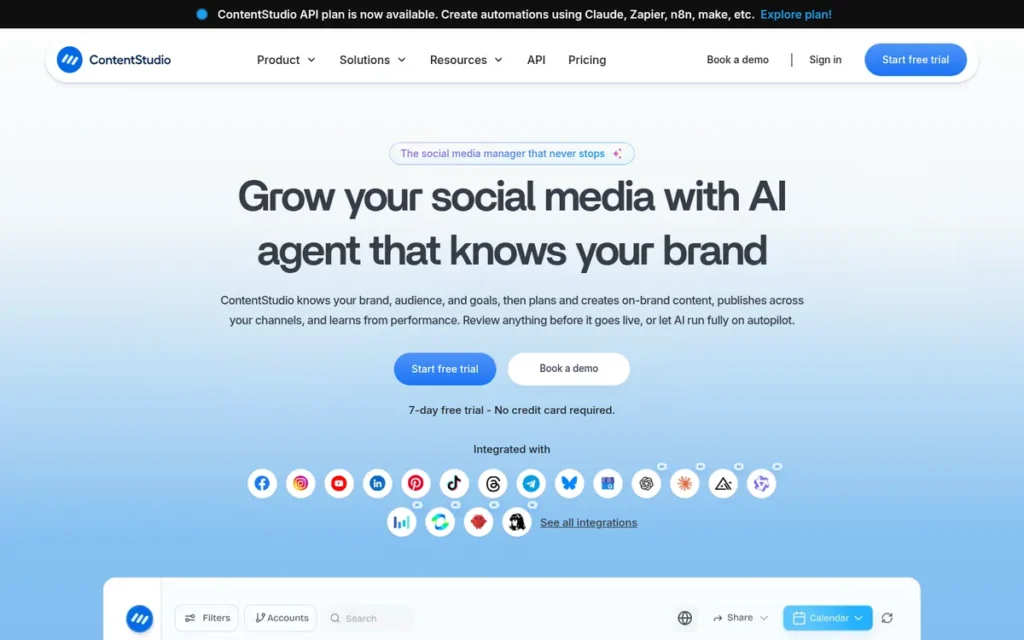
Category: Curation-to-Publishing Platform, discovers content and schedules it to social channels in one workspace.
At a Glance
- Category: Curation-to-Publishing Platform
- Best For: Small marketing teams and agencies that want to discover, approve and schedule curated social posts in one tool
- Price Range: $19–$99/month billed annually ($29–$139 monthly); no free plan; 7-day free trial; add-ons extra (as of November 2026)
- Primary Strength: ContentStudio moves curated content from discovery feeds to scheduled posts on 30+ platforms without switching tools.
- Biggest Limitation: ContentStudio’s discovery filtering is shallower than in dedicated readers, and Capterra reviewers report bugs and failed Instagram posts.
- One-Line Summary: ContentStudio is the highest-scoring all-in-one content curation tool in PlugRoute’s evaluation for small marketing teams and agencies, combining discovery feeds, approvals and multi-platform scheduling from $19 per month billed annually.
- Last Verified: November 2026
Overview
ContentStudio is an all-in-one social media scheduler that pairs topic-based content discovery and RSS feeds with approval workflows and multi-platform scheduling. ContentStudio is built for small marketing teams and agencies that want curated finds to become scheduled posts in one workspace.
ContentStudio was founded in 2017 and says it has more than 16,500 agency, brand and marketing-team customers (G2, 2026; ContentStudio, 2026; self-reported).
Key Features
- ContentStudio’s discovery feeds surface articles by topic with trending and “most shared” signals, which helps marketers judge what is worth sharing before they post it.
- ContentStudio supports RSS auto-posting and evergreen content recycling, so queues stay full without manual reposting.
- ContentStudio’s Advanced plan adds approval workflows and bulk CSV uploads, which gives teams a review step before curated posts go live.
- ContentStudio’s AI Studio generates text, images and video that can frame curated links with original commentary.
- ContentStudio includes a social inbox plus competitor and Meta/Google Ads analytics alongside publishing.
Best For
ContentStudio is best for small marketing teams, social media managers and agencies that want one moderately priced tool for discovery, client or team approval, and multi-platform scheduling.
Pricing
- ContentStudio Standard costs $19/month billed annually ($228/year) or $29 monthly, with 5 social accounts and 1 user (ContentStudio, 2026).
- ContentStudio Advanced costs $49/month billed annually or $69 monthly, adding 10 accounts, 2 users, approvals, RSS and bulk CSV uploads (ContentStudio, 2026).
- ContentStudio Agency Unlimited costs $99/month billed annually or $139 monthly for 25 accounts with unlimited users and workspaces (ContentStudio, 2026).
- ContentStudio charges $5 per extra social account and $10 per extra user or workspace (ContentStudio, 2026).
- ContentStudio has no free plan but offers a one-time 7-day free trial with no credit card required (ContentStudio, 2026).
Strengths
- ContentStudio holds 4.7/5 from 674 Capterra reviews and 4.6/5 from 355 G2 reviews (Capterra, 2026; G2, 2026), the strongest combination of rating and review volume among the dedicated curation tools here.
- ContentStudio offers combined discovery and scheduling from $19/month billed annually (ContentStudio, 2026), the lowest entry price for that pairing among the seven tools evaluated.
- ContentStudio reviewers on Capterra call the multi-platform content calendar a standout, and G2 reviewers praise its discovery feeds and competitor tracking (Capterra, 2026; G2, 2026).
- ContentStudio’s Agency Unlimited plan includes unlimited users and workspaces, so agency costs do not grow with every seat added (ContentStudio, 2026).
Limitations
ContentStudio trades depth for breadth. Its discovery feeds are less configurable than Feedly’s AI triage or Inoreader’s rules engine, so teams that need precise filtering may still need a second tool.
- ContentStudio’s Capterra review summary lists 55 negative themes against 187 positive ones, including bugs, crashes and failed Instagram posts (Capterra, 2026).
- ContentStudio reviewers on G2 mention a learning curve and a weaker mobile app (G2, 2026).
- ContentStudio puts approvals on the $49 Advanced tier, and add-ons can push the real monthly cost well above the advertised entry price.
- ContentStudio has no verified Trustpilot presence and no significant Reddit discussion, so its sentiment evidence comes from G2 and Capterra only.
- PlugRoute could not document a dedicated saving or organizing feature in ContentStudio, or verify its white-label scope, as of November 2026.
Verdict
ContentStudio is the best overall content curation tool for small marketing teams and agencies in 2026. Among the seven tools evaluated, it is the only one that pairs native discovery feeds with multi-platform scheduling for under $20 per month (ContentStudio, 2026).
ContentStudio scored 38 of 45 (C1 5, C2 5, C3 4, C4 4, C5 3, C6 3), six points ahead of the next tool. ContentStudio buyers should budget for add-ons, test Instagram publishing during the trial and add a discovery reader if precise filtering matters.
2. Feedly: Best for AI-Assisted Discovery and Industry Monitoring
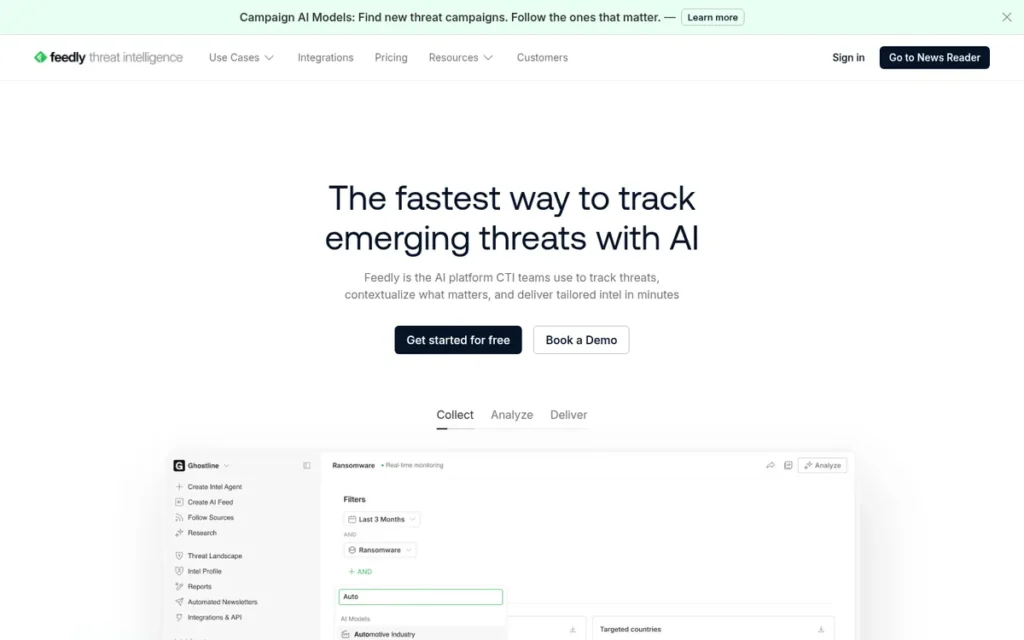
Category: Discovery Reader, monitors feeds, newsletters and sources, then filters out the noise.
At a Glance
- Category: Discovery Reader
- Best For: Marketers, analysts and researchers who monitor many industry sources and want AI to filter the noise
- Price Range: Free; Pro $6.99/mo billed annually; Pro+ $12.23/mo billed annually at renewal ($8.93/mo first-year promo reported); Market Intelligence from $1,600/mo (as of November 2026)
- Primary Strength: Feedly’s Leo AI ranks, mutes, summarizes and removes duplicate articles across RSS, newsletters, Google News, Reddit and podcasts.
- Biggest Limitation: Feedly does not publish to social channels, so marketers need a second tool to share what they find.
- One-Line Summary: Feedly is an AI-assisted discovery reader for monitoring industry news, with a free plan for 100 sources and AI noise filtering on its Pro+ tier at $12.23 per month billed annually at renewal.
- Last Verified: November 2026
Overview
Feedly is an RSS reader and news aggregator whose Leo AI layer monitors feeds, newsletters, Google News, Reddit and podcasts and filters out noise. Feedly is built for marketers, analysts and researchers who track many industry sources.
Feedly picked up many former Google Reader users in 2013 (Business Insider, 2014) and now reports 15 million individual users and 2,000 organizations (Pitch, 2026; vendor-sourced).
Key Features
- Feedly brings RSS feeds, newsletters, Google News, Reddit and podcasts together in one reading interface.
- Feedly’s Leo AI ranks articles by topic, mutes unwanted subjects, summarizes stories and merges duplicates that overlap by more than 85% (HushRead, 2026).
- Feedly AI Feeds use concepts and keywords to keep filtering selected sources for a topic (Feedly, 2026).
- Feedly Boards save articles for later, and the Pro tier adds notes and highlights.
- Feedly Market Intelligence adds trend dashboards, Ask AI, 5–20 curated newsletter templates, an API and SSO for enterprise research teams (Feedly, 2026).
Best For
Feedly is best for marketers, analysts and researchers who follow a large set of trusted sources and want AI triage, rather than hand-built rules, to surface what matters.
Pricing
- Feedly Free costs $0 and covers 100 sources and 3 folders (Market Intelligence Tools, 2026).
- Feedly Pro costs $6.99/month billed annually ($83.88/year) for 1,000 feeds (Market Intelligence Tools, 2026).
- Feedly Pro+ costs $146.76/year (about $12.23/month) at renewal, with a reported first-year promotional price of $8.93/month billed annually, for 2,500 feeds with AI and deduplication (Feedly, 2026).
- Feedly Enterprise is custom-priced and supports up to 7,500 feeds.
- Feedly Market Intelligence costs $1,600/month billed annually for 10 seats (Standard) or $2,400/month for 25 seats (Advanced) (Feedly, 2026).
- PlugRoute could not confirm Feedly’s monthly-billing prices for individual plans as of November 2026.
Strengths
- Feedly holds 4.8/5 from 39 Capterra reviews and 4.3/5 from 83 G2 reviews for Feedly News Reader (Capterra, 2026; G2, 2026). The Capterra average is the highest on this list, though it comes from few reviews.
- Feedly reports 15 million individuals and 2,000 organizations as users and is described as self-funded and profitable (Pitch, 2026; vendor-sourced).
- Feedly’s free plan covers 100 sources and Pro costs $6.99/month billed annually (Market Intelligence Tools, 2026), which makes Feedly one of the cheapest serious monitoring options.
- Feedly’s deduplication merges overlapping stories, which tackles information overload directly (HushRead, 2026).
Limitations
Feedly filters content but cannot distribute it, so marketers who publish need a separate scheduler and a second subscription.
- Feedly reserves its AI features for Pro+, and Trustpilot reviewers complain about upselling plus mobile sync and login bugs (Trustpilot, 2026).
- Feedly Pro+ renews above its first-year promotional price, so the second-year cost is higher than the advertised entry price (Feedly, 2026).
- Feedly’s free plan was called “basically useless” by one reviewer quoted from G2 (SocialRails, 2026).
- Feedly’s jump from Pro+ to Market Intelligence at $1,600/month is steep (Feedly, 2026).
- Feedly sentiment on Reddit’s r/rss is split, and some users there prefer Inoreader’s cheaper rules (Reddit, 2024).
Users on r/rss noted:
“I left Feedly as paid subscriber because I kept on bumping into “Enterprise Features”. I did not have an enterprise plan, but they let you use the enterprise features, just to tell you that you need to upgrade your plan.” Posted by u/Ben_06
Takeaway: Feedly’s habit of surfacing higher-tier features inside paid plans is pushing some paying subscribers away, which supports the upselling complaints raised on Trustpilot.
Verdict
Feedly is the best content curation tool for AI-assisted industry monitoring in 2026. Feedly offers the most extensive documented AI noise filtering on this list, along with a free plan and Pro pricing from $6.99 per month (Market Intelligence Tools, 2026).
Feedly scored 32 of 45 (C1 3, C2 3, C3 4, C4 3, C5 5, C6 4). It tied with Hootsuite and placed #2 on the published pricing tiebreak (4 vs. 1). Feedly users who publish will need a scheduler, and readers who prefer rules should compare Inoreader.
3. Hootsuite: Best for Enterprise Social Listening, Approvals and Employee Advocacy
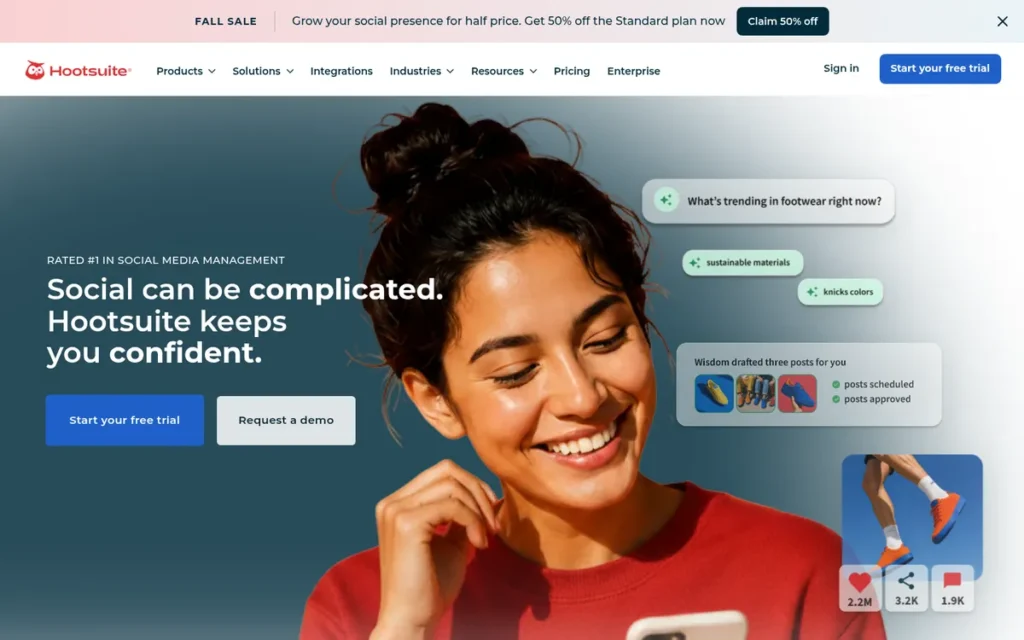
Category: Curation-to-Publishing Platform.
At a Glance
- Category: Curation-to-Publishing Platform
- Best For: Enterprise and mid-market social teams that need listening, approvals and employee advocacy at scale
- Price Range: $99–$399 per user/month billed annually; Enterprise custom; no free plan (confirmed on plans page, November 2026)
- Primary Strength: Hootsuite combines social listening, multi-network scheduling, approvals and the Amplify employee-advocacy tool in one mature platform.
- Biggest Limitation: Hootsuite is the most expensive tool per seat on this list, and its current prices are higher than those in older third-party guides.
- One-Line Summary: Hootsuite is the most-reviewed social management platform in the content curation category, best suited to enterprise teams that need listening, approvals and employee advocacy, at a per-seat price starting around $99 per month.
- Last Verified: November 2026
Overview
Hootsuite is a social media management platform that pairs monitoring streams and Talkwalker-powered social listening with multi-network scheduling, approvals and employee advocacy. Hootsuite is built for mid-market and enterprise social teams that curate around social conversations.
Hootsuite was founded in 2008 in Vancouver and holds SOC 2 compliance (Hootsuite, 2025).
Key Features
- Hootsuite Streams are custom monitoring columns for keywords, hashtags, mentions, competitors and account activity, arranged into boards (Hootsuite Help Center, 2026).
- Hootsuite’s Talkwalker-powered listening covers more than 150 million social, news, blog, forum and review sources, with sentiment and emotion analysis (Hootsuite App Directory, 2026).
- Hootsuite’s OwlyWriter AI writes captions and post ideas from prompts or existing content.
- Hootsuite Amplify runs an employee advocacy program that sends approved content to employees to share.
- Hootsuite accepts curation sources such as UpContent directly in its publishing workflow (UpContent, 2026).
Best For
Hootsuite is best for mid-market and enterprise social teams that need listening, governed approvals, employee advocacy and procurement credentials such as SOC 2 in a single established platform.
Pricing
- Hootsuite’s plans page lists Standard at $99, Professional at $199 and Advanced at $399 per user per month billed annually, with monthly billing costing more (Hootsuite, 2026).
- Hootsuite Enterprise is priced by quote.
- Hootsuite offers a free trial of unstated length and has had no free plan since 2023.
- Hootsuite’s current figures are higher than pricing in older third-party guides, so buyers should confirm the live page before purchasing.
- Hootsuite’s advanced listening may require higher tiers or separate licensing (Hootsuite App Directory, 2026).
Strengths
- Hootsuite has the largest independent review base in the category, with 4.3/5 from 7,599 G2 reviews and 4.4/5 from 3,803 Capterra reviews (G2, 2026; Capterra, 2026).
- Hootsuite’s listening covers more than 150 million sources (Hootsuite App Directory, 2026), the broadest documented source coverage on this list.
- Hootsuite has one of the most established vendor profiles here, with a 2008 founding and SOC 2 compliance (Hootsuite, 2025).
- Hootsuite says it won 8 categories in G2’s 2025 Best Software Awards (Hootsuite, 2025; vendor-reported).
Users on r/Etsy shared their experience:
“I use it to post on Twitter IG and FB. I feel like my sales go up when I use it but I don’t track anything. It’s pretty easy to use. Could be a little better but it gets the job done.” Posted by u/bugzapperz
Takeaway: Hootsuite’s multi-network scheduling is easy enough for small sellers to adopt, but even satisfied users describe it as adequate rather than exceptional and cannot tie it to measured results.
Limitations
Hootsuite’s biggest trade-off is cost. At $99 or more per user per month billed annually, Hootsuite is the most expensive tool per seat here, and G2 reviewers repeatedly call it too expensive for small teams (G2, 2026).
- Hootsuite has had no free plan since 2023, and its current prices are higher than those in older third-party guides (Hootsuite, 2026).
- Hootsuite’s Trustpilot reviewers describe slow support, unexpected charges, cancellation and refund disputes, and gaps in Stories and carousel tagging (Trustpilot, 2026).
- Hootsuite’s discovery is built around social conversations rather than finding articles.
- Hootsuite’s claim of 250% year-over-year growth in social-sourced revenue for Amplify customers is self-reported and unaudited (Hootsuite, 2026).
Verdict
Hootsuite is the best content curation option for enterprise social teams that need listening, approvals and employee advocacy in 2026. It is backed by more than 11,000 combined G2 and Capterra reviews, but its $99-per-user starting price is well above what small teams pay for the other tools here.
Hootsuite scored 32 of 45 (C1 4, C2 5, C3 1, C4 5, C5 3, C6 4). It tied with Feedly and placed #3 on the pricing tiebreak. Hootsuite buyers should get live pricing and cancellation terms in writing.
4. Inoreader: Best Free Option and Best for Rule-Based Monitoring and Newsletter Workflows
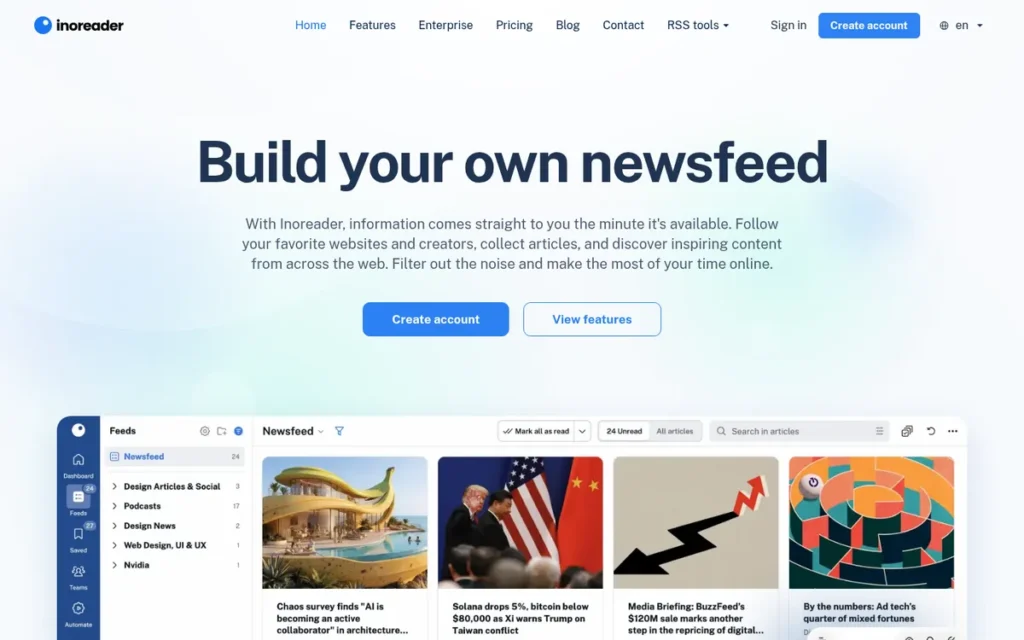
Category: Discovery Reader.
At a Glance
- Category: Discovery Reader
- Best For: Budget-conscious solo creators, newsletter editors and power users who want precise, rule-based monitoring
- Price Range: Free (150 feeds); Pro $7.50/mo billed annually ($90/yr) or $9.99 monthly; team plans $44.99–$629.99/mo (as of November 2026)
- Primary Strength: Inoreader’s rules engine and output feeds turn a reader into a programmable monitoring and newsletter-sourcing system.
- Biggest Limitation: Inoreader has thin independent review evidence (3.9/5 from 19 G2 reviews), and users report setup effort and anger over recent price increases.
- One-Line Summary: Inoreader offers the most generous free content curation plan for monitoring on this list in 2026, with 150 free feeds plus rule-based filtering, a newsletter inbox and exportable output feeds on Pro at $7.50 per month billed annually.
- Last Verified: November 2026
Overview
Inoreader is an RSS reader and monitoring tool that uses programmable rules, keyword alerts, a newsletter inbox and exportable output feeds to filter and route content. Inoreader is built for solo creators, newsletter editors and power users who prefer precise control to paid AI ranking.
Inoreader was founded in 2013 by Innologica in Sofia, Bulgaria (Inoreader, 2026).
Key Features
- Inoreader rules filter articles by keyword, author or URL, then automatically tag, notify, email, translate, summarize or send them to Evernote or Google Drive (Inoreader, 2026).
- Inoreader gives each newsletter its own inbox address and creates web feeds for sites without RSS, plus Bluesky, Facebook and Telegram feeds.
- Inoreader exports folders and tags as RSS, JSON or HTML clippings, so curated collections can feed newsletters or public resource hubs.
- Inoreader Intelligence provides AI summaries, Q&A and scheduled reports using OpenAI, Mistral or Anthropic models, with a bring-your-own API key option.
- Inoreader team plans add shared channels, annotations, and Slack and Microsoft Teams integration.
Best For
Inoreader is best for solo creators, small teams and newsletter editors who want the most capable free monitoring plan and will spend time building rules for precise filtering.
Pricing
- Inoreader Free includes 150 feeds (Inoreader, 2026).
- Inoreader Pro costs $7.50/month billed annually ($90/year) or $9.99 monthly for 2,500 feeds (Inoreader, 2026).
- Inoreader Business and Enterprise plans range from $44.99 to $629.99/month, with up to 10,000 feeds and 200 monitoring feeds (Inoreader, 2026).
- Inoreader’s team pricing is complex, and its free plan was reduced in 2023–24, so buyers should check the live page.
Strengths
- Inoreader’s free plan includes 150 feeds (Inoreader, 2026), the most generous free monitoring allowance on this list.
- Inoreader’s iOS app holds 4.7/5 from more than 4,400 US ratings (Inoreader, 2026; company-reported), and its Google Play listing shows about 9,660 reviews (Google Play, 2026).
- Inoreader combines newsletter intake with exportable RSS, JSON and HTML output feeds, which suits newsletter sourcing and resource hubs (Inoreader, 2026).
- Inoreader Pro users on Reddit’s r/rss describe it as “very powerful” and report support replies within 24 hours (Reddit, 2020).
This aligns with community sentiment on r/rss:
“Inoreader has a big free plan. I prefer this more than Feedly.” Posted by u/Nergico
Takeaway: Inoreader’s generous free tier is a deciding factor for RSS users choosing it over Feedly.
Limitations
Inoreader trades convenience for control. One long-time Pro user estimated spending about an hour building rules and filters by hand (Reddit, 2020).
- Inoreader cannot schedule social posts, so marketers need a separate publishing tool.
- Inoreader holds 3.9/5 from 19 G2 reviews and has no verified Capterra listing (G2, 2026).
- Inoreader users on Reddit criticize the price increases and the smaller free plan (Reddit, 2024).
- Inoreader’s app experience draws complaints, including one Reddit user who reported pages failing to load (Reddit, 2024). Reviewers raise similar mobile complaints about Feedly, ContentStudio and Raindrop.io.
Verdict
Inoreader is the best free content curation tool for monitoring and newsletter sourcing in 2026, combining a 150-feed free plan with rule-based filtering and exportable output feeds (Inoreader, 2026).
Inoreader scored 31 of 45 (C1 3, C2 2, C3 5, C4 3, C5 5, C6 3), one point behind Feedly and Hootsuite. Its C2 score of 2 reflects a 3.9/5 rating from only 19 G2 reviews. Inoreader pairs with Raindrop.io for a $0 stack.
5. UpContent: Best for Teams Feeding Approved Content into an Existing Marketing or Advocacy Stack
Category: Embedded Curation Engine, supplies relevance-ranked, approved content to other marketing tools.
At a Glance
- Category: Embedded Curation Engine
- Best For: Marketing and advocacy teams already using Hootsuite, Sprout Social, HubSpot or an email platform that need governed curated content
- Price Range: $49–$265/month; Enterprise custom; no permanent free plan; monthly plans require 3–12 month minimums (as of November 2026)
- Primary Strength: UpContent delivers relevance-ranked, compliance-screened content into the publishing and advocacy tools a team already uses.
- Biggest Limitation: UpContent depends on other tools for publishing and has minimum commitments that make it costly for solo users.
- One-Line Summary: UpContent is a governance-focused content curation engine that feeds approved, relevance-ranked articles into Hootsuite, Sprout Social, HubSpot and email platforms, with unlimited users on plans starting at $49 per month.
- Last Verified: November 2026
Overview
UpContent is a topic-based content discovery platform that ranks articles by machine-learning relevance and routes approved collections into tools such as Hootsuite, Sprout Social, HubSpot and Mailchimp. UpContent is built for marketing and advocacy teams that already have a publishing stack.
UpContent was founded in 2017 and is based in Pittsburgh, Pennsylvania (G2, 2026).
Key Features
- UpContent’s own crawler covers hundreds of thousands of publishers and ranks articles by machine-learning relevance to each topic (UpContent, 2026).
- UpContent Collections act as staging areas with approvals, auto-rules, custom calls to action and AI-generated post text.
- UpContent integrates natively with Hootsuite, Hootsuite Amplify, Sprout Social, Sprinklr, HubSpot, Salesforce Marketing Cloud, Mailchimp, Constant Contact and Zapier (UpContent, 2026).
- UpContent automatically runs brand-safety and compliance review on articles before they reach a queue.
- UpContent includes unlimited users on every plan, with employee advocacy capped at 25 employees.
Best For
UpContent is best for communications and advocacy teams in regulated or brand-sensitive organizations that already publish through Hootsuite, Sprout Social, HubSpot or an email platform.
Pricing
- UpContent Curator costs $49/month or $529/year for 10 topics and 1 collection (UpContent, 2026).
- UpContent Engager costs $95/month or $1,026/year for 50 topics and 3 collections (UpContent, 2026).
- UpContent Orchestrator costs $265/month or $2,862/year for 100 topics and 9 collections (UpContent, 2026).
- UpContent’s monthly plans require minimum commitments of 3 months (Curator), 6 months (Engager) and 12 months (Orchestrator), and Enterprise is custom-priced with a 1-year minimum (UpContent, 2026).
- UpContent has no permanent free plan and a limited trial (G2, 2026), and Capterra’s “$15 starting price” conflicts with the vendor’s pricing page.
Strengths
- UpContent holds 4.4/5 from 293–334 G2 reviews (counts differ by page) and 4.5/5 from 61 Capterra reviews, and G2 lists it as a Content Curation Leader (G2, 2026; Capterra, 2026).
- UpContent includes unlimited users on every plan (UpContent, 2026), which avoids the per-seat cost growth of suites like Hootsuite.
- UpContent reviewers on G2 consistently praise its responsive support and onboarding (G2, 2026).
- UpContent claims a 65% average reduction in time spent searching for content (G2, 2026; self-reported, unaudited).
Limitations
UpContent supplies content rather than publishing it. Its value therefore depends on a publishing or advocacy stack the team already has.
- UpContent’s 3–12 month minimums on monthly plans and lack of a permanent free plan raise the cost of committing, and one Capterra reviewer, a DIY musician, found it too expensive (Capterra, 2026).
- UpContent reviewers describe an “overwhelming” interface at first, uneven content quality, slow coverage of fast-moving news and repeated logins inside Hootsuite (G2, 2026; Capterra, 2026).
- UpContent is a small company with about 14 employees listed on LinkedIn (G2, 2026), and some older sources list Columbus, Ohio, rather than Pittsburgh as its headquarters.
Verdict
UpContent is the best content curation tool for teams that need governed, compliance-screened content flowing into an existing Hootsuite, Sprout Social, HubSpot or email stack in 2026.
UpContent scored 29 of 45 (C1 3, C2 4, C3 2, C4 5, C5 4, C6 2), earning a 5 on team governance but a 2 on both pricing and vendor reliability. UpContent buyers should test topic quality during the limited trial before committing.
6. Raindrop.io: Best for Saving, Organizing and Archiving Research (and Best Pocket Replacement)
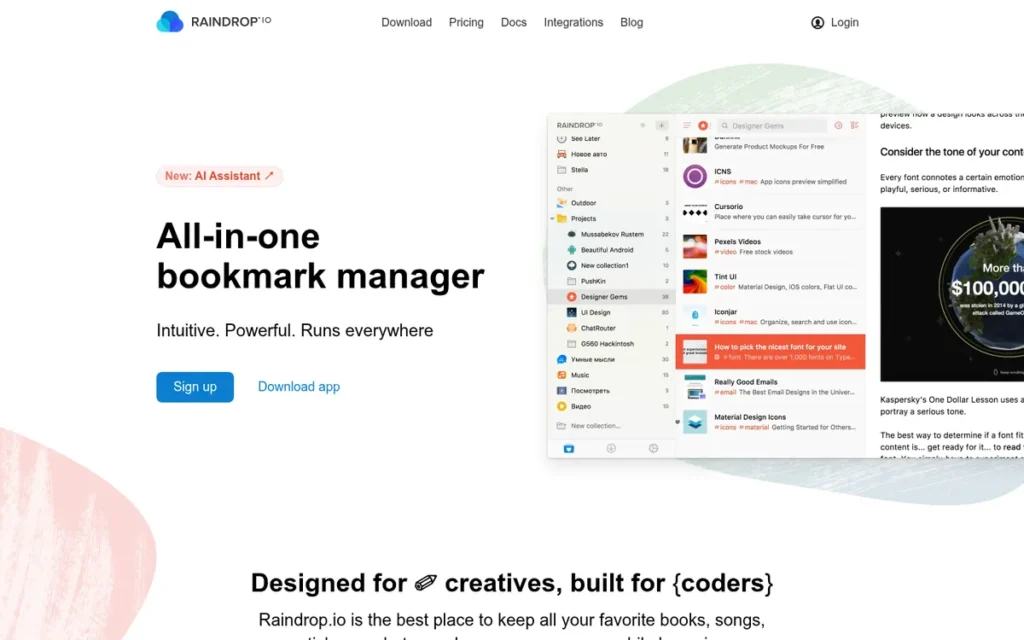
Category: Bookmark Library, saves, organizes, annotates and archives links you have already found.
At a Glance
- Category: Bookmark Library
- Best For: Researchers, educators, knowledge workers and solo creators who need to save, annotate and find material again, including former Pocket users
- Price Range: Free (unlimited bookmarks); Pro $28/yr or $3.25/mo (as of November 2026)
- Primary Strength: Raindrop.io offers unlimited free bookmarks, plus full-text search and permanent archive copies on a Pro plan costing $28 per year.
- Biggest Limitation: Raindrop.io has no discovery engine and no team governance, and it depends on a very small bootstrapped team.
- One-Line Summary: Raindrop.io is the best low-cost bookmark library for saving, organizing and archiving curated research, with unlimited free bookmarks and a $28-per-year Pro plan that adds full-text search and permanent page copies.
- Last Verified: November 2026
Overview
Raindrop.io is a visual bookmark manager and read-later app that saves links into nested collections with tags, highlights and optional public sharing. Raindrop.io is built for researchers, educators, knowledge workers and solo creators who need to organize and revisit curated material.
Raindrop.io became a practical option for former Pocket users after Mozilla shut down Pocket on July 8, 2025 (Mozilla, 2025).
Key Features
- Raindrop.io organizes saved links into nested collections with tags and grid, masonry or list views (Raindrop.io, 2026).
- Raindrop.io Pro provides full-text search across saved pages and PDFs, plus a permanent archive copy that protects against dead links.
- Raindrop.io Pro includes annotations, a duplicate and broken-link finder, and an AI Assistant and Suggestions.
- Raindrop.io lets users make collections private, shared or public, which offers a lightweight way to publish a resource hub.
- Raindrop.io connects to more than 2,600 integrations and offers an API and MCP access, with apps for major desktop and mobile operating systems and browsers.
Best For
Raindrop.io is best for researchers, educators and solo creators who mainly collect and revisit material, and for teams that want a cheap saving layer alongside a discovery reader.
Pricing
- Raindrop.io Free includes unlimited bookmarks, collections, highlights and devices, plus 100MB/month of uploads (Raindrop.io, 2026).
- Raindrop.io Pro costs $3.25/month or $28/year (about $2.33/month) when bought directly and includes 10GB/month of uploads (Raindrop.io, 2026).
- Raindrop.io reserves full-text search and permanent copies for Pro as of November 2026.
Strengths
- Raindrop.io’s Pro plan costs $28/year (Raindrop.io, 2026), the cheapest paid tier on this list by a wide margin, and its free plan includes unlimited bookmarks.
- Raindrop.io holds 4.2/5 from 787 Chrome Web Store ratings and 4.2/5 from 13 G2 reviews, and AndroidRank lists 5,013 Android ratings (Chrome Web Store, 2026; G2, 2026; AndroidRank, 2026).
- Raindrop.io Pro’s permanent page copies guard against link rot, a common failure in read-later apps, and against shutdowns like Pocket’s (Raindrop.io, 2026).
- Raindrop.io’s API, MCP access and integrations make it easy to connect to readers and publishing tools (Raindrop.io, 2026).
Limitations
Raindrop.io stores and organizes content but cannot discover, approve or schedule it. Marketers need other tools for those jobs.
- Raindrop.io has no team admin or governance features.
- Raindrop.io reviewers on G2 report items piling up as “unsorted,” immature AI tagging and a weaker mobile experience (G2, 2026).
- Raindrop.io’s review base is small, with 13 G2 reviews and 18 Product Hunt reviews (G2, 2026; Product Hunt, 2026).
- Raindrop.io depends on a very small bootstrapped team led by founder Rustem Mussabekov, which is a risk to the vendor’s continuity (Fieldwork, 2026).
Verdict
Raindrop.io is the best content curation tool for saving, organizing and archiving research in 2026, delivering unlimited free bookmarks and permanent page copies for $28 per year (Raindrop.io, 2026).
Raindrop.io scored 23 of 45 (C1 2, C2 2, C3 5, C4 1, C5 1, C6 3), with a 5 on pricing offset by 1s on governance and discovery. Raindrop.io works naturally as the saving layer in a $0 stack, and users should export regularly.
7. Scoop.it: Best for Public Curated Topic Pages and SEO Resource Hubs
Category: Curated Publishing Hub, turns curated finds into public topic pages and newsletters.
At a Glance
- Category: Curated Publishing Hub
- Best For: Thought-leadership marketers, consultants and organizations that want curated content published as SEO-indexed topic pages or small newsletters
- Price Range: Free (1 page); Pro $14.99/mo; Advanced $119/mo billed annually; Enterprise custom (as of November 2026)
- Primary Strength: Scoop.it turns curated articles and the curator’s commentary into public, search-indexable and embeddable topic pages.
- Biggest Limitation: Scoop.it puts newsletters and scheduling on an Advanced tier that costs roughly eight times as much as Pro, and it scores 2.8/5 on Trustpilot.
- One-Line Summary: Scoop.it is a content curation platform for publishing curated articles as search-indexed public topic pages and newsletters, best for thought-leadership hubs, though its newsletter features start at $119 per month billed annually.
- Last Verified: November 2026
Overview
Scoop.it is a content curation platform that turns discovered articles and the curator’s commentary into public topic pages that search engines can index and websites can embed. Scoop.it is built for thought-leadership marketers and organizations that publish curated resource hubs.
Scoop.it launched in 2011 and joined Linkfluence in October 2018. It became part of Meltwater when Meltwater acquired Linkfluence in 2021 (Scoop.it, 2018; Meltwater, 2021).
Key Features
- Scoop.it lets users “scoop” articles into public topic pages with their own commentary, which search engines can index and websites can embed (Scoop.it, 2026).
- Scoop.it’s discovery engine crawls what the vendor describes as “tens of millions” of sources.
- Scoop.it Advanced adds newsletters for up to 100 recipients, 5 topic pages, 10 social networks and scheduling.
- Scoop.it Enterprise adds private and collaborative curation, white label, SAML SSO, an API, and sharing to Microsoft Teams and Slack.
- Scoop.it offers trend and keyword intelligence that Capterra reviewers single out as useful (Capterra, 2026).
Best For
Scoop.it is best for marketers, consultants and organizations whose curated collection is itself the deliverable, such as an SEO resource hub, an embedded topic page or a small curated newsletter.
Pricing
- Scoop.it Free costs $0 for 1 page that is visible only on Scoop.it (Scoop.it, 2026).
- Scoop.it Pro costs $14.99/month billed annually or $17.99 monthly (Scoop.it, 2026).
- Scoop.it Advanced costs $119/month billed annually or $139 monthly (Scoop.it, 2026).
- Scoop.it Enterprise (“Plus”) is custom-priced.
- Scoop.it’s feature mapping between tiers was partly inconsistent in source material, so buyers should confirm it on the live page.
Strengths
- Scoop.it holds 4.7/5 from 30 Capterra reviews, with a 4.6 support subscore, and 4.6/5 from 28 G2 reviews (Capterra, 2026; G2, 2026).
- Scoop.it reports close to 8 million users, and its co-founder’s profile claims more than 4,000 business customers, including Nike and IBM (Scoop.it, 2026; LinkedIn, 2026; self-reported).
- Scoop.it is the only tool on this list built mainly to publish curated content as indexable, embeddable public topic pages (Scoop.it, 2026).
- Scoop.it has had corporate backing from Meltwater since 2021 (Meltwater, 2021).
Limitations
Scoop.it’s most consequential trade-off is pricing. Newsletters and scheduling require Advanced at $119/month billed annually, roughly eight times the Pro price (Scoop.it, 2026).
- Scoop.it Advanced newsletters are capped at 100 recipients, which rules them out for most growing lists (Scoop.it, 2026).
- Scoop.it scores 2.8/5 on Trustpilot, with complaints about pushy upgrade prompts and difficulty deleting topics (Trustpilot, 2026).
- Scoop.it’s lowest Capterra subscore is features (4.1), and reviewers cite expensive branding removal and a learning curve (Capterra, 2026).
- Scoop.it’s review base is small, with fewer than 60 combined G2 and Capterra reviews, and some users see its interface as dated.
Verdict
Scoop.it is the best content curation tool for publishing curated content as SEO-indexed public topic pages in 2026, but its $119-per-month Advanced tier makes newsletters expensive for small teams (Scoop.it, 2026).
Scoop.it scored 22 of 45 (C1 3, C2 2, C3 2, C4 3, C5 3, C6 2), one point behind Raindrop.io, so its last place reflects thin evidence and pricing rather than a weak product. Raindrop.io and Inoreader are cheaper starting points for simple public collections.
How Much Do Content Curation Tools Cost, and What Is the Cheapest Stack?
As of November 2026, content curation tools cost from $0 to more than $1,600 per month. The cheapest workable stack is Inoreader Free plus Raindrop.io Free, which costs $0 and covers monitoring and saving. Small teams that need scheduling get the best value from ContentStudio at $19–$49 per month billed annually.
- Bookmark libraries cost $0 to $28/year, with Raindrop.io as the ranked example (Raindrop.io, 2026).
- Discovery readers cost $0 to about $12.23/month for individuals on Feedly and Inoreader (Feedly, 2026; Inoreader, 2026).
- Curation-to-publishing platforms cost $19–$99/month billed annually on ContentStudio and $99+ per user per month on Hootsuite (ContentStudio, 2026; Hootsuite, 2026).
- UpContent, the embedded curation engine, costs $49–$265/month, and Scoop.it costs $14.99–$119/month billed annually (UpContent, 2026; Scoop.it, 2026).
A solo creator can run a complete discovery-and-saving workflow for $0 with Inoreader Free and Raindrop.io Free. The same pair on Pro plans costs about $118 a year (Inoreader, 2026; Raindrop.io, 2026).
| Budget / Need | Suggested Stack | Approximate Cost (as of November 2026) |
|---|---|---|
| Solo or free | Inoreader Free (150 feeds) + Raindrop.io Free | $0 |
| Solo researcher | Raindrop.io Pro + Feedly Pro or Inoreader Pro | ~$112–$118/yr |
| Small marketing team, one tool | ContentStudio Standard or Advanced | $19–$49/mo billed annually |
| Agency | ContentStudio Agency Unlimited | $99/mo billed annually |
| Team on Hootsuite, Sprout Social or HubSpot needing governed content | UpContent | $49–$265/mo |
| Public curated hub or SEO pages | Scoop.it Pro | $14.99/mo (Advanced is $119+) |
| Enterprise listening and advocacy | Hootsuite Enterprise | Custom |
| Enterprise market intelligence | Feedly Market Intelligence | From $1,600/mo |
How Do I Choose Content Curation Tools for Newsletters?
Newsletter editors should choose based on where curated links need to end up. Inoreader handles newsletter intake and exports output feeds. UpContent sends approved content into email platforms, and Scoop.it Advanced sends small newsletters directly. Feedly Market Intelligence offers newsletter templates for enterprise research teams. Recipient caps and integrations matter most.
- Inoreader gives each subscribed newsletter its own inbox address and exports curated folders as RSS, JSON or HTML clippings (Inoreader, 2026).
- UpContent integrates natively with Mailchimp, Constant Contact, HubSpot and Salesforce Marketing Cloud, so approved collections reach email tools without manual copying (UpContent, 2026).
- Scoop.it Advanced includes built-in newsletters for up to 100 recipients at $119/month billed annually (Scoop.it, 2026).
- Feedly Market Intelligence includes 5–20 curated newsletter templates, starting at $1,600/month billed annually (Feedly, 2026).
- Raindrop.io public collections can act as a lightweight resource page that a newsletter links to (Raindrop.io, 2026).
Newsletter editors with large lists should check recipient caps and email-platform integrations before committing. Scoop.it Advanced’s 100-recipient cap rules it out for most growing lists (Scoop.it, 2026).
Is Feedly or Inoreader Better for Filtering Noise?
Feedly is better for readers who want AI to filter noise automatically. Inoreader is better for readers who want precise, rule-based control. Feedly’s Leo AI ranks, mutes and removes duplicates on Pro+. Inoreader’s rules filter by keyword, author or URL, and its free plan covers 150 feeds (Feedly, 2026; Inoreader, 2026).
- Feedly suits AI triage: Leo can learn a topic such as startup funding news and push those stories to the top without a hand-built rule.
- Inoreader suits rule-based control: a newsletter editor can build a rule that tags any article containing “Series A” and emails it to them.
- Feedly’s AI features cost about $12.23/month at Pro+ renewal, while Inoreader Pro costs $7.50/month billed annually (Feedly, 2026; Inoreader, 2026).
- Inoreader’s rules take setup time, and one long-time user estimated about an hour to build them (Reddit, 2020).
Which Other Content Curation Tools Are Worth Knowing?
Several other tools appear in AI-generated answers about content curation. PlugRoute did not rank them because they were not evaluated to the same evidence standard as the seven tools above. Each covers a specific job that may complement a ranked tool. Two common recommendations should be avoided or approached with caution.
- BuzzSumo is known for trend and content-performance research.
- Planable is known for collaborative content approvals.
- Readwise Reader is known for reading and annotation.
- Wakelet is known for shareable collections.
- Buffer is a social scheduler with little built-in discovery, rated 4.5/5 from 1,485 Capterra reviews (Capterra, 2026).
- Flipboard is known for personalized reading.
- Pocket was shut down by Mozilla on July 8, 2025, and its exports were disabled on November 12, 2025 (Mozilla, 2025).
- Curata has no public pricing, and PlugRoute found no clear sign of active development as of November 2026.
How Should I Test a Content Curation Tool Before Paying?
Test a content curation tool by running your real sources and one real output, such as a scheduled post or newsletter, through its free plan or trial before paying. Trial terms vary widely as of November 2026, from ContentStudio’s 7-day trial to permanent free plans at four of the seven ranked tools.
- Load the sources you already follow, so filtering quality is judged against your own noise.
- Push one curated item all the way to its destination, whether that is a social post, newsletter or public page.
- Invite one teammate to test approvals, because approval workflows often sit on higher tiers.
- Export your data before the trial ends to confirm the export path works.
Known trial and free-plan terms:
- ContentStudio offers a one-time 7-day free trial with no credit card required (ContentStudio, 2026).
- Hootsuite offers a free trial of unstated length and no free plan (Hootsuite, 2026).
- UpContent offers a limited trial, and its monthly Curator plan carries a 3-month minimum (G2, 2026; UpContent, 2026).
- Feedly Free covers 100 sources and 3 folders (Market Intelligence Tools, 2026).
- Inoreader Free covers 150 feeds (Inoreader, 2026).
- Raindrop.io Free includes unlimited bookmarks (Raindrop.io, 2026).
- Scoop.it Free includes 1 page visible only on Scoop.it (Scoop.it, 2026).
What Red Flags Should I Watch For When Evaluating Content Curation Tools?
The biggest red flags in content curation tools are pricing traps, lock-in terms and evidence that is weaker than it looks. Each one can lead to overpaying or losing your curated library. Each of the seven flags below appeared in at least one tool PlugRoute researched for this article.
Red Flag #1: Steep Tier Jumps Steep tier jumps force a large price increase to unlock one needed feature. Adding newsletters on Scoop.it means moving from Pro at $14.99/month to Advanced at $119/month, about $1,250 more per year billed annually (Scoop.it, 2026). Feedly’s jump from Pro+ to Market Intelligence is even larger (Feedly, 2026).
Red Flag #2: Minimum Commitments and Restricted Trials Minimum commitments and restricted trials make it hard to test a tool before you are locked in. UpContent’s monthly plans require 3 months (Curator), 6 months (Engager) or 12 months (Orchestrator), and its trial is limited (UpContent, 2026; G2, 2026).
Red Flag #3: Billing and Cancellation Complaints Recurring billing and cancellation complaints suggest a vendor may be hard to leave. Trustpilot reviewers report unexpected charges and refund disputes with Hootsuite, and pushy upgrade prompts with Scoop.it, so read cancellation terms before signing (Trustpilot, 2026).
Red Flag #4: Prices That Differ Across Sources Third-party listings often lag behind vendor pricing pages, which makes budgeting from review sites unreliable. Capterra lists a $15 starting price for UpContent against $49 on the vendor page. Older guides list lower Hootsuite prices than the current $99-per-user plan (UpContent, 2026; Hootsuite, 2026).
Red Flag #5: Vendor Shutdown Risk with No Export Pocket’s 2025 shutdown made data export a core buying criterion rather than a nice-to-have. When Mozilla disabled Pocket exports on November 12, 2025, libraries that had not been exported were queued for deletion (Mozilla, 2025). Check export formats before committing to any tool.
Red Flag #6: Unlabeled Vendor Outcome Claims Vendor outcome claims presented as independent results can mislead buyers. Hootsuite’s 250% Amplify revenue figure and UpContent’s 65% time-saving figure are both self-reported (Hootsuite, 2026; G2, 2026). PlugRoute found no independent, quantified proof of results for any vendor here.
Red Flag #7: Vendor Self-Promotion in Reddit Recommendation Threads Vendor self-promotion distorts community recommendations. In a 2026 r/SocialMediaMarketing thread about scheduling tools, most replies came from founders or employees promoting their own products, so treat unlabeled Reddit endorsements with caution (Reddit, 2026).
As one user on r/SocialMediaManagers described:
“if you are looking for actionable data rather than just a bunch of random charts id suggest focusing on competitor benchmarking too.. im on the team at contentstudio and we built our analytics module specifically to help managers show real roi without spending hours on manual reporting..” Posted by u/james-porter1
Takeaway: Even ContentStudio, this guide’s top-ranked tool, has staff recommending their own product in Reddit tool threads, so buyers should treat these endorsements as vendor marketing rather than independent user evidence.
What Questions Should I Ask Before Choosing a Content Curation Tool?
Before choosing a content curation tool, buyers should ask six questions. They cover which job the tool does, where its free plan stops, which tier includes approvals, the total cost, how content reaches its destination and how to export data. Together they expose most hidden costs and lock-in risks across the seven tools reviewed here.
Question #1: Which job do I need covered: discovery, saving, approval or publishing? Your main job should decide your category before you compare features. No tool reviewed here is strong at all four jobs of discovery, saving, approval and publishing. Most buyers end up pairing a discovery reader with a scheduler or a bookmark library.
“Great for reading, but I still need Buffer to actually post anything. Two subscriptions add up.”, Feedly reviewer on G2, as quoted by SocialRails (2026)
Takeaway: Discovery and publishing are separate jobs, so budget for either a two-tool stack or one combined platform.
Question #2: Where does the free plan force an upgrade? A free plan’s real limits usually sit in feed counts, AI features or public visibility. Check the cap that matters for your workflow before relying on a free tier, because each tool limits a different part of the job (as of November 2026).
- Inoreader Free stops at 150 feeds (Inoreader, 2026).
- Feedly Free stops at 100 sources and 3 folders (Market Intelligence Tools, 2026).
- Scoop.it Free includes 1 page visible only on Scoop.it (Scoop.it, 2026).
- Raindrop.io Free includes unlimited bookmarks but reserves full-text search and permanent copies for Pro (Raindrop.io, 2026).
Question #3: Which tier includes approvals, and do approvers need paid seats? Approval workflows often start above the entry tier, and per-seat pricing can multiply the cost of adding approvers. Teams that need a review step should check both the tier and the seat model before comparing headline prices (as of November 2026).
- ContentStudio approvals start on Advanced at $49/month billed annually (ContentStudio, 2026).
- Hootsuite includes approvals but charges $99 or more per user per month (Hootsuite, 2026).
- UpContent includes approvals and unlimited users on every plan from $49/month (UpContent, 2026).
- Raindrop.io has no approval workflow.
Question #4: What is the total cost including seats and add-ons? The total cost of ownership often exceeds the advertised entry price once seats, accounts and add-ons are counted. For example, a three-person team managing 12 social accounts would pay the following as of November 2026 (ContentStudio, 2026; Hootsuite, 2026):
- ContentStudio Advanced would cost about $69/month billed annually: $49 base, plus $10 for a third user and $10 for two extra accounts.
- Hootsuite Standard would cost about $297/month billed annually for three seats ($99 × 3).
Question #5: Can curated content reach my social, newsletter or hub destination without copying by hand? Native output paths remove the most time-consuming step in curation, which is copying links by hand from a discovery tool into a publishing tool. Look for the output path that matches where your curated content needs to end up:
- ContentStudio and Hootsuite offer built-in social scheduling.
- UpContent offers email platform integrations with Mailchimp, Constant Contact and HubSpot.
- Inoreader offers exportable RSS, JSON and HTML output feeds.
- Scoop.it topic pages and Raindrop.io public collections offer public pages.
Question #6: Can I export my data if the vendor shuts down or raises prices? Data portability protects your curated library from shutdowns and price increases. Ask each vendor which export formats it supports and whether it keeps archive copies. Favor tools such as Raindrop.io Pro that store permanent page copies (Raindrop.io, 2026).
How Did We Rank These Content Curation Tools?
PlugRoute scored each tool from 1 to 5 on six criteria using only documented evidence: vendor pricing pages, G2 and Capterra ratings with review counts, Trustpilot complaint themes, Reddit threads and vendor documentation. The three primary criteria count double, for a maximum of 45 points. Ties go to the tool with better pricing transparency and value.
PlugRoute has no affiliate relationships with any company listed; rankings are determined entirely by research data and objective evaluation criteria.
Primary criteria (weighted ×2):
- C1, Curation Workflow Coverage: C1 measures native support for discovery, saving, team review and output, because every handoff between tools adds cost and manual copying.
- C2, Independent Review Evidence: C2 weighs G2 and Capterra ratings by review volume, because a 4.2 from 13 reviews is weaker evidence than a 4.3 from more than 7,000.
- C3, Pricing Transparency and Value: C3 checks public pricing, free-plan usefulness, tier jumps and minimum commitments, because small teams fear overpaying or outgrowing a cheap tool.
Secondary criteria (weighted ×1):
- C4, Team Collaboration and Governance: C4 scores approvals, shared workspaces, seat pricing and compliance features, because scattered finds without review slow teams down.
- C5, Discovery and Noise Filtering: C5 scores AI ranking, deduplication, rules and source breadth, because information overload is the core problem curation solves.
- C6, Vendor Reliability and Data Portability: C6 scores vendor maturity, export options and reliability complaints, because Pocket’s 2025 shutdown showed that vendor survival matters.
| Rank | Tool | C1 | C2 | C3 | C4 | C5 | C6 | Total (of 45) |
|---|---|---|---|---|---|---|---|---|
| 1 | ContentStudio | 5 | 5 | 4 | 4 | 3 | 3 | 38 |
| 2 | Feedly | 3 | 3 | 4 | 3 | 5 | 4 | 32 (wins C3 tiebreak) |
| 3 | Hootsuite | 4 | 5 | 1 | 5 | 3 | 4 | 32 |
| 4 | Inoreader | 3 | 2 | 5 | 3 | 5 | 3 | 31 |
| 5 | UpContent | 3 | 4 | 2 | 5 | 4 | 2 | 29 |
| 6 | Raindrop.io | 2 | 2 | 5 | 1 | 1 | 3 | 23 |
| 7 | Scoop.it | 3 | 2 | 2 | 3 | 3 | 2 | 22 |
Score sensitivity notes:
- ContentStudio’s lead does not depend on any single score. Changing any one score by one point could reorder ranks 2–4 but would not move ContentStudio out of first place.
- ContentStudio’s C1 score of 5 is the most contestable score in the table, because PlugRoute could not document a dedicated saving feature. At 4, ContentStudio would still rank first with 36 points.
- Feedly’s C2 score stays at 3 despite its 4.3/5 from 83 G2 reviews, because combined review volume remains low. A C2 of 4 would not change Feedly’s rank.
- Ranks 2–4 and ranks 6–7 each fall within one point, so readers should re-weight the table for their own job.
Evidence limits PlugRoute discloses:
- PlugRoute did not run hands-on comparative tests, so reliability, AI quality and setup time are reported from user reviews.
- Five of seven tools (ContentStudio, Hootsuite, UpContent, Scoop.it and Raindrop.io) had no significant Reddit discussion of the product itself.
- Several Reddit quotes come from a 2020 thread and may not reflect current products.
- Every vendor outcome claim cited in this article is self-reported.
- PlugRoute rechecked prices and ratings on November 5, 2026, and confirmed Hootsuite’s pricing, Inoreader’s annual Pro price and UpContent’s headquarters.
- Three source conflicts remain open: Capterra’s UpContent starting price, Scoop.it’s mapping of features to tiers, and Feedly’s two separate G2 listings.
What Do Buyers Most Often Ask About Content Curation Tools?
Buyers most often ask which tool suits marketers, which free tools work for small teams and how PlugRoute decides its rankings. ContentStudio suits most marketing teams. Inoreader Free plus Raindrop.io Free makes a $0 stack. The rankings come from six weighted, evidence-only criteria.
What is the best content curation tool for marketers in 2026?
ContentStudio is the best content curation tool for most marketers in 2026, scoring 38 of 45 in PlugRoute’s evaluation. ContentStudio combines discovery feeds, approvals and social media scheduling from $19/month billed annually (ContentStudio, 2026). Enterprise teams that need listening and employee advocacy should compare Hootsuite, which starts at $99 per user per month (Hootsuite, 2026).
What are the best free content curation tools for small teams?
Inoreader Free and Raindrop.io Free are the best free content curation tools for small teams, covering monitoring and saving at $0 as of November 2026. Inoreader Free includes 150 feeds, and Raindrop.io Free includes unlimited bookmarks (Inoreader, 2026; Raindrop.io, 2026). Feedly Free, with 100 sources, is the main alternative. None of these free plans schedules social posts.
How does PlugRoute determine rankings?
PlugRoute scores each tool from 1 to 5 on six criteria. It uses only documented evidence, such as pricing pages, review-site ratings with review counts and vendor documentation. Workflow coverage, review evidence and pricing count double, for a maximum of 45 points. Ties go to better pricing transparency, and the full score table is published.
What Do Key Content Curation Tool Terms Mean?
Discovery Reader: A tool that watches feeds, newsletters and other sources, then filters out the noise so you only see what matters. Readers are strong at monitoring but usually can’t publish to social channels, so marketers who share content often need a second tool.
Curation-to-Publishing Platform: A single workspace that finds content and schedules it to social channels. It saves you from switching tools, but its discovery filtering may be less precise than a dedicated reader’s.
Embedded Curation Engine: A tool that sends approved, relevance-ranked content into marketing tools you already use, such as schedulers, CRMs or email platforms. It depends on those other tools to publish, so it only makes sense if you already have a publishing stack.
AI Noise Filtering: Automatic ranking, muting, summarizing and deduplication of articles, so the most relevant stories rise to the top without you writing rules. These features are often kept for higher-priced tiers, so check which plan actually includes them.
Rules Engine: A set of conditions you write yourself, filtering articles by keyword, author or URL and then tagging, emailing or routing them automatically. Rules give you precise control instead of AI triage, but expect to spend time setting them up.
Deduplication: Merging articles that cover the same story so you don’t read the same news several times. It matters most when you follow a large number of overlapping sources.
Output Feed: An exportable stream (RSS, JSON or HTML) built from a curated folder or tag. Output feeds let your curated collections feed a newsletter or a public resource hub without copying links by hand.
Approval Workflow: A review step where a teammate or client signs off on curated content before it goes live. Approvals often sit above the entry tier, and per-seat pricing can raise the cost of adding approvers.
Per-Seat Pricing: A pricing model that charges for each user, so costs grow as your team grows. Compare it with plans that include unlimited users when you work out total cost.
Minimum Commitment: A required number of months you must pay for, even on a monthly plan. Minimums make a tool harder to test and harder to leave, so check them before you sign up.
Tier Jump: A large price increase between plans to unlock a single feature you need, such as newsletters or advanced intelligence. Steep jumps can make the real cost much higher than the advertised entry price.
Data Portability: Being able to export your curated library, or keep permanent archive copies, if a vendor shuts down or raises prices. A past shutdown that deleted libraries users hadn’t exported shows why export options should be a core buying criterion.
Which Content Curation Tool Is Right for You?
Key Insights
- The right content curation tool depends on the job you need done. ContentStudio is the highest-scoring single tool for small marketing teams. Feedly and Inoreader lead discovery, Hootsuite leads enterprise governance and Raindrop.io leads low-cost saving.
- No content curation tool reviewed by PlugRoute in 2026 is strong at all four jobs of discovery, saving, approval and publishing, so most buyers need two tools.
- The choice between Feedly and Inoreader comes down to AI triage versus rule-based control, and Inoreader’s 150-feed free plan is the most generous free option (Inoreader, 2026).
- A $0 stack of Inoreader Free and Raindrop.io Free is a workable starting point for solo creators and small teams.
- Enterprise buyers should confirm Hootsuite’s live pricing and cancellation terms in writing. Every buyer should check export options, given Pocket’s 2025 shutdown (Mozilla, 2025).
Where should you start?
- Teams that need curated finds to become social posts quickly should start with ContentStudio, or with Hootsuite on an enterprise budget.
- Teams that monitor an industry should start with Feedly for AI triage or Inoreader for rule-based control.
- Teams that need governed content in an existing stack should choose UpContent.
- Researchers building a library should choose Raindrop.io.
- Marketers publishing public topic pages should choose Scoop.it.
Curation tools are converging as readers add output feeds and schedulers add discovery, so recheck prices before each renewal. Read PlugRoute’s full methodology and explore our other independent SaaS reviews to build a curation workflow you can trust.
We update this guide quarterly. Last updated: November 5, 2026.