Google Workspace is the best Dropbox alternative for teams that collaborate in Google Docs, Microsoft OneDrive for Business is the best value for organizations already paying for Microsoft 365, and Box is best for compliance-driven businesses with three or more users. No ranked alternative combines Dropbox’s sync, zero-knowledge encryption, and real-time collaboration, so choose what matters most.
People shopping for a Dropbox replacement tend to hit the same problems. The free tier is small and paid plans keep rising. First-year promotional prices renew higher, and encryption claims are hard to check. This ranking scores seven alternatives on ecosystem fit, true cost, encryption, sync reliability, and team administration.
PlugRoute has no affiliate relationships with any company listed, and rankings are determined entirely by research data and objective evaluation criteria.
“If I could get Dropbox’s sync agent with Box’s interface with OneDrive’s tight integration with Office 365, I’d be in heaven.” (u/DimitriElephant, r/msp, 2022)
Takeaway: No single Dropbox alternative combines Dropbox-grade sync, a strong interface, and deep Office integration, so buyers must choose which matters most.
What Are the 4 Categories of Dropbox Alternatives?
Dropbox alternatives fall into four categories: Ecosystem Suites, Governance Platforms, Privacy-First Storage, and Value Storage. Which one fits depends on the software you already pay for, how sensitive your files are, and how many users need access. Each category gives up at least one Dropbox strength.
- Ecosystem Suite: Google Workspace (#1) and Microsoft OneDrive for Business (#2) bundle cloud storage with email, office apps, and AI under one subscription.
- Governance Platform: Box (#3) and Egnyte (#5) build business file storage around admin controls, compliance certifications, and content workflows.
- Privacy-First Storage: Sync.com (#4) and Tresorit (#6) encrypt files on your device by default, so the provider cannot read them.
- Value Storage: pCloud (#7) focuses on personal storage capacity per dollar, including one-time lifetime plans, rather than team collaboration.
How Do the Top Dropbox Alternatives Compare at a Glance?
Google Workspace and Microsoft OneDrive for Business lead because they pair high verified satisfaction with storage bundled into suites many teams already pay for. Box and Egnyte lead on governance, Sync.com and Tresorit on default encryption, and pCloud on one-time personal storage. Every option gives up at least one Dropbox strength.
| Rank | Company | Category | Best For | One-Line Summary | Key Capabilities | Primary Strength | Key Limitation |
|---|---|---|---|---|---|---|---|
| 1 | Google Workspace | Ecosystem Suite | Google-centric teams | Google Workspace is the best overall Dropbox alternative for teams that co-edit in Google Docs and Sheets. | Pooled Drive storage, real-time co-editing, Gemini AI, Vault | 4.6/5 from 48,306 G2 reviews | No default end-to-end encryption |
| 2 | Microsoft OneDrive for Business | Ecosystem Suite | Microsoft 365 organizations | Microsoft OneDrive for Business is the best-value Dropbox alternative for Microsoft 365 customers because 1 TB per user is included. | Files On-Demand, Known Folder Move, Office co-authoring, 93-day deleted-file retention | 1 TB/user bundled with Microsoft 365 | “Syncing Issues” is the top G2 con (177) |
| 3 | Box | Governance Platform | Compliance-driven teams of 3+ | Box is the strongest Dropbox alternative for compliance-driven teams that need unlimited storage and granular permissions. | Unlimited storage, Box Shield, KeySafe, Box AI, Box Sign | Unlimited Business-tier storage; FedRAMP High (Enterprise Plus/Advanced) | 3-user minimum; weaker sync client |
| 4 | Sync.com | Privacy-First Storage | Budget privacy for freelancers and small teams | Sync.com is the most affordable Dropbox alternative with zero-knowledge encryption on by default. | Default E2EE, 90–365 day recovery, Sync Vault | Encryption on every plan, including free | No block-level sync; slower |
| 5 | Egnyte | Governance Platform | Regulated, multi-site, and AEC firms | Egnyte is the best Dropbox alternative for firms replacing an on-premises file server. | Hybrid caching, classification, ransomware detection, industry modules | Hybrid architecture plus deep compliance | Add-on costs and reported exit difficulty |
| 6 | Tresorit | Privacy-First Storage | Businesses with confidential client data | Tresorit offers more business admin controls than the other ranked zero-knowledge service, at a premium price. | Default E2EE, identity-provider provisioning, SIEM, data residency | Encryption plus business admin controls | Business from $23.20/user/month (annual), 3-user minimum |
| 7 | pCloud | Value Storage | Subscription-averse individuals | pCloud is the best Dropbox alternative for individuals who want a one-time lifetime plan instead of a subscription. | Lifetime plans, virtual drive, Linux client, US/EU region | 2 TB lifetime: $709 regular ($379 sale to Nov 28, 2026) | Encryption is a paid add-on |
Which Dropbox Alternative Should I Choose for My Use Case?
Start with the software you already pay for and how sensitive your files are. Microsoft 365 users should start with OneDrive and Google users with Google Workspace. Teams that need zero-knowledge encryption should start with Sync.com or Tresorit. Teams that rely on Dropbox’s LAN or delta sync may be better off staying.
| Your #1 Priority | Recommended Tool | Why | Acceptable Alternative |
|---|---|---|---|
| I use Microsoft 365 | Microsoft OneDrive for Business | 1 TB per user is included in Business plans | Box |
| I use Google Docs and Gmail | Google Workspace | Native real-time co-editing and pooled storage | Microsoft OneDrive for Business, if you are moving to Office apps |
| I need compliance and unlimited storage for 3+ users | Box | Unlimited Business-tier storage; FedRAMP High on Enterprise Plus/Advanced | Egnyte |
| I need affordable zero-knowledge encryption | Sync.com | E2EE by default from $6/user/month (annual Teams) | Tresorit |
| I’m replacing a file server or work in AEC or a regulated industry | Egnyte | Hybrid caching and industry compliance modules | Box |
| I need zero-knowledge encryption with enterprise admin | Tresorit | Identity-provider provisioning, SIEM, data residency | Sync.com |
| I want to stop paying subscriptions | pCloud | One-time lifetime plans (check whether a sale price applies) | Sync.com |
| I rely on LAN or delta sync, or partners require Dropbox | Stay with Dropbox | No ranked alternative documents both delta and LAN sync | No direct equivalent; test Egnyte’s hybrid caching before switching |
1. Google Workspace: Best Overall for Google-Centric Teams
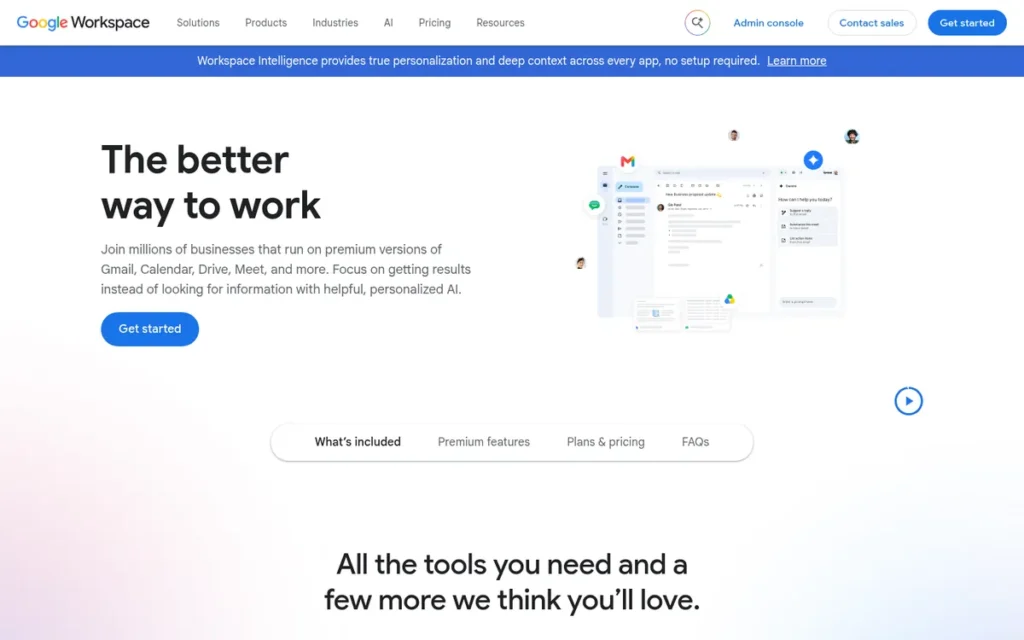
Category: Ecosystem Suite, cloud storage bundled with email, office apps, and AI under one subscription.
At a Glance
- Category: Ecosystem Suite
- Best For: Google Workspace is best for freelancers and small-to-midsize teams already working in Gmail, Docs, and Sheets.
- Price Range: Google Workspace costs $6–$18 per user per month at G2 list prices, or $7–$22 on Google’s site with annual billing. Enterprise is priced on quote.
- Primary Strength: Google Workspace has the strongest verified user satisfaction in this ranking, at 4.6/5 from 48,306 G2 reviews (G2, November 2026).
- Biggest Limitation: Google Workspace does not encrypt files end-to-end by default, and it pools storage across the organization instead of giving each user a fixed quota.
- One-Line Summary: Google Workspace is the best overall Dropbox alternative for teams that collaborate in Google Docs and Sheets. It pairs pooled Drive storage with native real-time co-editing from a G2 list price of $6 per user per month.
- Last Verified: November 2026
Overview
Google Workspace is Google’s subscription productivity suite that bundles Google Drive storage with Gmail, Docs, Sheets, Meet, and Gemini AI. It is built for freelancers and small-to-midsize teams who want real-time document co-editing rather than Dropbox’s file-sync model.
Compared with Dropbox, Google Workspace gives up delta and LAN sync in exchange for native collaboration and a lower bundled per-user price. Google Workspace’s G2 rating covers the whole suite, including Gmail and Meet, not Google Drive alone.
Why #1: Google Workspace scored 38/45 (Ecosystem 5, Satisfaction 5, True Cost 4, Security 3, Sync & Recovery 3, Admin 4). Google Workspace leads on verified satisfaction and ties for top ecosystem fit. It lost points for having no default end-to-end encryption and a 30-day Trash window.
Key Features
- Google Workspace lets several users co-edit Docs, Sheets, and Slides at the same time, which is the main functional difference from Dropbox’s file-centric model.
- Google Workspace pools storage across the organization: 30 GB per user on Business Starter, 2 TB on Business Standard, and 5 TB on Business Plus (Google, November 2026).
- Google Workspace includes Gemini in Drive on higher tiers, which can find, summarize, and analyze files.
- Google Workspace offers Google Vault on Business Plus for retention and eDiscovery, though Vault is a compliance archive rather than a backup of user files.
- Google Workspace lists 262 integrations on G2 and supports 71 languages (G2, November 2026).
Best For
Google Workspace is best for teams and freelancers whose daily work already happens in Gmail, Docs, and Sheets, and who value live collaboration more than zero-knowledge encryption or Dropbox-style desktop sync.
Pricing
- Google Workspace’s G2 list prices are Business Starter $6.00, Business Standard $12.00, and Business Plus $18.00 per user per month (G2, November 2026).
- Google Workspace’s own pricing page shows $7, $14, and $22 per user per month on annual plans. Business Starter costs $8.40 on the flexible plan, and Enterprise is on quote (Google, November 2026).
- Google Workspace reviewers list “Rising Subscription Costs” as a top con, with 206 mentions (G2, November 2026).
- Google Workspace consumer accounts include 15 GB shared across Drive, Gmail, and Photos. PlugRoute did not verify Google One prices or a Workspace seat minimum for this article.
Strengths
- Google Workspace holds a 4.6/5 G2 rating from 48,306 reviews, with 96.2% at 4 or 5 stars. That is the largest and most positive verified sample in this ranking (G2, November 2026).
- Google Workspace’s Google Drive is used by 94% of personal-cloud users in one estimate, compared with 66% for Dropbox. People often use several services, so these figures overlap (Threadgold Consulting, survey year not published; November 2026).
- Google Workspace’s real-time co-editing is its most cited collaboration advantage, with 674 G2 mentions of “Real-Time Document Co-Editing” (G2, November 2026).
- Google Workspace lists ISO/IEC 27001, SOC 2/SOC 3, HIPAA support under a BAA, and FedRAMP High for its infrastructure (Google, November 2026).
A full-time editor on r/editors shared their experience:
“Google drive works really well. Also very easy to use. A lot of my clients are already familiar with the google eco system too.” Posted by u/SagInTheBag
Takeaway: Google Workspace’s biggest practical advantage is familiarity, because clients already in the Google ecosystem need little help collaborating in Drive.
Limitations
Google Workspace’s biggest trade-off is default privacy for collaboration. Google cannot be blocked from file contents by default, and usable storage is harder to predict than on fixed per-user plans.
- Google Workspace offers client-side encryption only on eligible editions and configurations (Google, November 2026).
- Google Workspace’s pooled storage, and consumer storage shared with Gmail and Photos, make usable capacity harder to estimate than a fixed per-user quota.
- Google Workspace reviewers cite Limited Offline Editing (227 mentions) and Complex Sharing Permissions (125 mentions). The permissions complaint mirrors Dropbox’s own, so switching will not fix it (G2, November 2026).
- Google Workspace keeps deleted Drive files in Trash for 30 days. Older versions of non-Google files may be removed after 30 days or once 100 newer versions exist, unless marked “Keep forever” (Google Workspace Admin Help, November 2026).
Verdict
Google Workspace is the strongest Dropbox alternative for Google-centric teams, because native real-time co-editing and pooled Drive storage come bundled with the Gmail and Docs tools those teams already use.
Google Workspace is not the right choice for readers who need zero-knowledge encryption by default. Teams that depend on Dropbox’s delta or LAN sync for large creative files should test Google Workspace’s sync performance before switching.
2. Microsoft OneDrive for Business: Best for Microsoft 365 and Windows Organizations
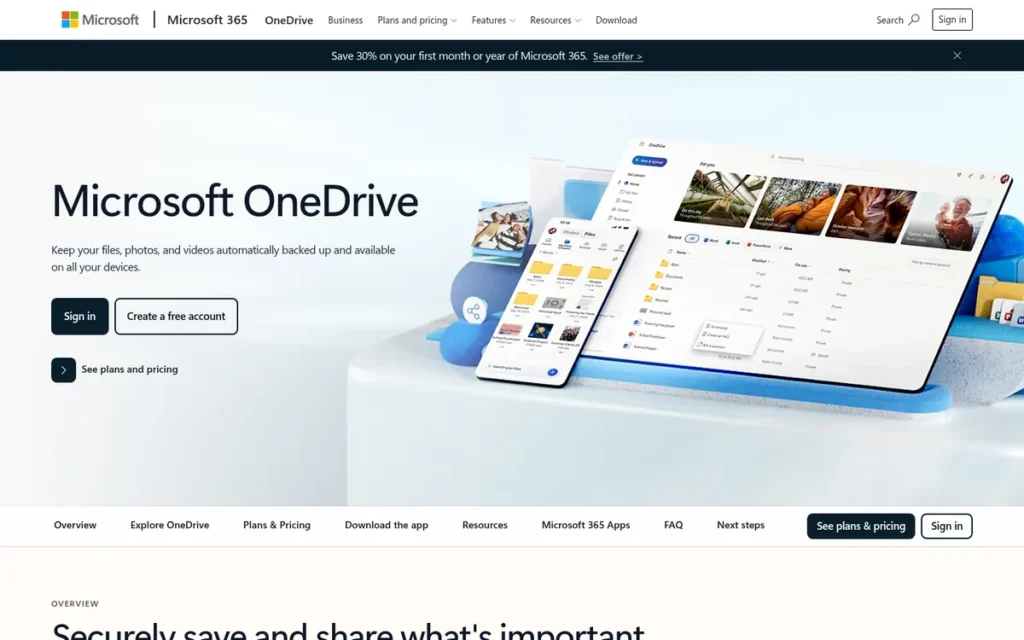
Category: Ecosystem Suite, cloud storage bundled with email, office apps, and AI under one subscription.
At a Glance
- Category: Ecosystem Suite
- Best For: Microsoft OneDrive for Business is best for organizations and professionals running on Windows and Microsoft 365.
- Price Range: Microsoft OneDrive for Business costs $5 per user per month at G2 list price for 1 TB. Microsoft’s site lists Business Basic at $7 per user per month paid yearly, and the free tier includes 5 GB.
- Primary Strength: Microsoft OneDrive for Business includes 1 TB per user in Microsoft 365 business plans, so existing Microsoft 365 customers pay nothing extra for storage.
- Biggest Limitation: Microsoft OneDrive for Business has “Syncing Issues” as its top G2 con by a wide margin (177 mentions), and it is not end-to-end encrypted by default.
- One-Line Summary: Microsoft OneDrive for Business is the best-value Dropbox alternative for organizations already paying for Microsoft 365, because 1 TB per user comes included. Sync reliability depends heavily on a planned rollout.
- Last Verified: November 2026
Overview
Microsoft OneDrive for Business is Microsoft’s cloud file storage service. It is built into Windows, included in Microsoft 365 business plans with 1 TB per user, and designed for organizations already working in Word, Excel, Outlook, and Teams.
Compared with Dropbox, Microsoft OneDrive for Business usually costs less for Microsoft 365 customers. Users moving from Dropbox report a learning curve with the split between OneDrive for personal files and SharePoint for team files.
Why #2: Microsoft OneDrive for Business scored 37/45 (Ecosystem 5, Satisfaction 4, True Cost 5, Security 3, Sync & Recovery 2, Admin 4). Microsoft OneDrive for Business ranks one point behind Google Workspace because its G2 satisfaction is lower (4.3 vs 4.6) and Syncing Issues is its top G2 con.
Key Features
- Microsoft OneDrive for Business uses Files On-Demand to show cloud files in File Explorer without downloading them.
- Microsoft OneDrive for Business offers Known Folder Move, which redirects Desktop, Documents, and Pictures to OneDrive and can be deployed with Group Policy or Intune.
- Microsoft OneDrive for Business uses differential sync for Office co-authoring, uploading only the changed parts of a file (Microsoft Learn, November 2026).
- Microsoft OneDrive for Business includes 1 TB per user on Microsoft 365 Business Basic, Standard, and Premium.
- Microsoft OneDrive for Business stores team and shared files in SharePoint and personal files in OneDrive, unlike Dropbox’s single-folder model.
Best For
Microsoft OneDrive for Business is best for teams that already pay for Microsoft 365 and work mainly in Office apps on Windows, especially when an IT admin can plan the SharePoint structure and stage the rollout.
Pricing
- Microsoft OneDrive for Business’s G2 list prices are $5/user/month for 1 TB, $5/user/month for Microsoft 365 Business Basic with 1 TB, and $10/user/month for “Unlimited OneDrive storage*”. G2 asterisks the unlimited tier, and PlugRoute could not confirm it is still offered (G2, November 2026).
- Microsoft OneDrive for Business comes with Business Basic, which Microsoft’s US site lists at $7/user/month paid yearly, or $5.40 without Teams. Business Basic does not include desktop Office apps (Microsoft, November 2026).
- Microsoft 365 Business Standard costs $14/user/month on annual billing or $16.80 month-to-month (Microsoft, November 2026).
- Microsoft’s consumer OneDrive tiers include 5 GB free and Microsoft 365 Basic (100 GB) at $19.99/year, and Microsoft’s pages show promotions next to standard prices.
Strengths
- Microsoft OneDrive for Business holds a 4.3/5 G2 rating from 10,451 reviews, with 90.4% at 4 or 5 stars and Ease of Use as the top pro (212 mentions) (G2, November 2026).
- Microsoft OneDrive for Business includes 1 TB per user in Business Basic, Standard, and Premium (Microsoft Learn, November 2026). One MSP said it “can’t beat the price in something we are already paying for” (r/msp, 2022).
- Microsoft OneDrive for Business keeps deleted work or school files for up to 93 days across its recycle bins unless an administrator changes the setting (Microsoft Support, November 2026).
- Microsoft OneDrive for Business is praised by IT admins who plan deployments, and one MSP credits Known Folder Move with GPO and Intune for keeping all clients on it (r/msp, 2022–2024).
Users on r/editors noted:
“Otherwise (and I’m sure I’ll get judged) but OneDrive is my go to for cloud storage. It’s fast syncing and can have synced folders between users akin to what Dropbox does, or can just send and receive files with minimal headache from the recepient, even if they don’t have OneDrive.” Posted by u/Wolfwoods37
Takeaway: OneDrive’s Dropbox-style shared folders and easy sharing with recipients who don’t use OneDrive win over some creative professionals, even with its mixed reputation for sync.
Limitations
Microsoft OneDrive for Business’s biggest trade-off is weaker sync reliability in exchange for the convenience of the Microsoft ecosystem. Outcomes depend heavily on how carefully IT plans the rollout.
- Microsoft OneDrive for Business’s top G2 con is “Syncing Issues” with 177 mentions, against 42 for the next con. Reviewers report conflicting versions after simultaneous or offline edits (G2, November 2026).
- Microsoft OneDrive for Business is not a backup: Microsoft documents that deleting a file in the synced folder also deletes it in the cloud (Microsoft Support, November 2026).
- Microsoft OneDrive for Business is not end-to-end encrypted by default. Check its compliance attestations in the Microsoft Service Trust Portal rather than assuming them.
- Microsoft OneDrive for Business’s IT-admin reviews range from “files lost” to “great” (r/msp, 2022). The number of versions it keeps depends on how each library is configured.
Verdict
Microsoft OneDrive for Business is the best-value Dropbox alternative for organizations already paying for Microsoft 365, because 1 TB per user comes bundled with the Office apps teams already use.
Microsoft OneDrive for Business’s main risk is sync reliability, its most cited G2 complaint. Teams should plan the SharePoint structure and stage the rollout rather than move everything at once.
3. Box: Best for Governance, Compliance, and Unlimited Business Storage

Category: Governance Platform, business file storage built around admin controls, compliance, and content workflows.
At a Glance
- Category: Governance Platform
- Best For: Box is best for regulated or security-conscious businesses of three or more users.
- Price Range: Box costs $20–$47 per user per month at G2 list prices, which match its monthly billing, or $15–$35 billed annually. Business Starter costs $5–$7, and the free plan includes 10 GB.
- Primary Strength: Box combines unlimited storage on Business tiers and above with granular governance tools, and it offers FedRAMP High authorization on its Enterprise Plus and Enterprise Advanced plans.
- Biggest Limitation: Box requires at least three users on every business plan, and IT admins report that its sync client is weaker than Dropbox’s.
- One-Line Summary: Box is the strongest Dropbox alternative for compliance-driven teams of three or more, pairing unlimited Business-tier storage with granular permission controls and FedRAMP High on top enterprise plans.
- Last Verified: November 2026
Overview
Box is a cloud content management platform combining file storage, granular permissions, compliance certifications, e-signatures, and AI workflows. Box is built for businesses with three or more users that need tighter governance than consumer-oriented cloud storage provides.
Compared with Dropbox, Box offers stronger admin and compliance controls but a weaker desktop sync client, according to IT-admin reports. One r/msp commenter wrote that “Box is designed for corporate needs, security, and logging” (r/msp, 2022).
Why #3: Box scored 34/45 (Ecosystem 4, Satisfaction 4, True Cost 3, Security 4, Sync & Recovery 3, Admin 5). Box earned top marks on team administration but ranks below the ecosystem suites on true cost because of its $20 G2 list price and three-user minimum.
Key Features
- Box provides unlimited storage on Business plans and above, with upload limits rising from 2 GB (Business Starter) to 150 GB (Enterprise Plus).
- Box includes Box Shield for content classification and data-loss protection, and Box KeySafe for customer-managed encryption keys.
- Box bundles Box Sign for e-signatures, Box Relay for workflow automation, and Box AI for summarizing and extracting insight from documents.
- Box keeps from 25 versions (Business Starter) to unlimited versions (Enterprise Plus), depending on plan.
- Box supports HIPAA and ITAR requirements, and it offers FedRAMP High on Enterprise Plus and Enterprise Advanced.
Best For
Box is best for regulated or security-conscious businesses with at least three users that need audit trails, controlled external sharing, and unlimited storage more than the fastest sync client.
Pricing
- Box’s G2 list prices are Business $20, Business Plus $33, and Enterprise $47 per user per month, matching Box’s monthly prices (G2, November 2026).
- Box’s annual billing lowers those tiers to $15, $25, and $35, and Enterprise Plus costs $50 monthly (Box, November 2026).
- Box Business Starter costs $7 monthly or $5 annually, with 100 GB and a 2 GB upload cap.
- Box requires at least three users on every business plan, so the cheapest Business tier costs a solo user at least $60/month.
- Box’s free Individual plan includes 10 GB with a 250 MB file limit.
Strengths
- Box achieved FedRAMP High authorization covering 421+ controls in March 2025, available on its Enterprise Plus and Enterprise Advanced plans (Box investor relations, March 2025).
- Box holds a 4.2/5 G2 rating from 5,378 reviews. Teams switching from Dropbox value “more controlled sharing, stronger permission management.” G2 publishes no pro/con counts for Box, so PlugRoute scored its satisfaction on rating and volume alone (G2, November 2026).
- Box offers unlimited storage on Business tier and above, which removes the tier-to-tier storage ceilings Dropbox users complain about (Box, November 2026).
- Box reports that 69% of the Fortune 500 use it and cites a 332% ROI from a Forrester Total Economic Impact study. Both are vendor claims, and Box commissioned the study (Box blog, November 2026).
A user on r/smallbusiness who rolled out Box at work while paying for Dropbox personally described the trade-off:
“Box doesn’t feel as snazzy as Dropbox, but was built for Enterprise. The web platform isn’t quite as intuitive or pretty as Dropbox version but is certainly more versatile. Permissions are flexible and a breeze, with many different levels of permission.” Posted by u/wild13flowers
Takeaway: Box gives up some of Dropbox’s polish and intuitiveness to offer more flexible, multi-level permissions, which governance-focused teams value most.
Limitations
Box’s biggest trade-off is sync quality and small-team affordability in exchange for governance depth. Solo users and creative teams feel these costs most.
- Box requires at least three users on every business plan, which makes it a poor fit for solo freelancers.
- Box’s sync agent is “not nearly as good as Dropbox,” according to one MSP (r/msp, 2022). Another commenter called Box’s photo upload speeds “atrociously slow” (r/msp, 2025).
- Box caps uploads at 2 GB on Business Starter and 5 GB on Business, which hurts creative and video teams leaving Dropbox.
- Box is not end-to-end encrypted by default. Box KeySafe gives customers control of their keys, which is not zero-knowledge encryption, and FedRAMP High does not cover Business-tier plans.
Verdict
Box is the best Dropbox alternative for compliance-driven teams of three or more users, because it combines unlimited Business-tier storage and granular governance on one platform.
Box’s sync client and lower-tier upload caps are real trade-offs for creative teams. Solo users should look elsewhere because of Box’s three-user minimum.
4. Sync.com: Best for Affordable Zero-Knowledge Encryption by Default
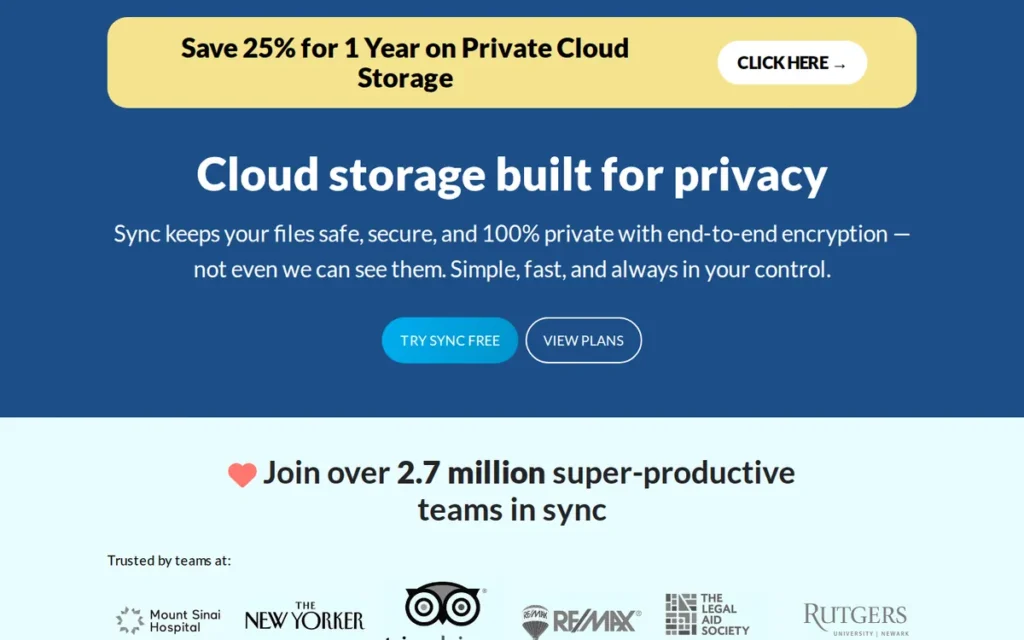
Category: Privacy-First Storage, cloud storage that encrypts files on your device so the provider cannot read them.
At a Glance
- Category: Privacy-First Storage
- Best For: Sync.com is best for freelancers, professionals, and small teams that need default zero-knowledge encryption on a budget.
- Price Range: Sync.com’s 5 GB tier is free. Personal 1TB costs $12 per month on annual billing ($9 in the first year), and Teams plans start at $6 per user per month on annual billing.
- Primary Strength: Sync.com applies zero-knowledge, end-to-end encryption by default on every plan, including the free tier.
- Biggest Limitation: Sync.com has no block-level sync, so large folders and many small files sync noticeably slower than on Dropbox.
- One-Line Summary: Sync.com is the most affordable Dropbox alternative with zero-knowledge encryption on by default, offering Teams plans from $6 per user per month on annual billing, though it syncs more slowly than Dropbox.
- Last Verified: November 2026
Overview
Sync.com is a Canadian cloud storage and file-sharing service that applies zero-knowledge, end-to-end encryption by default on every plan. Sync.com is built for freelancers, professionals, and small teams who need private storage for sensitive files at a lower price than enterprise encrypted services.
Compared with Dropbox, Sync.com gives up block-level sync speed and broad integrations. In exchange, Sync.com offers encryption the provider cannot read and longer file-recovery windows.
Why #4: Sync.com scored 30/45 (Ecosystem 2, Satisfaction 3, True Cost 4, Security 5, Sync & Recovery 4, Admin 3). Sync.com ties Egnyte at 30 and ranks above it on True Cost, the tie-break criterion, because Sync.com publishes promotional and renewal prices side by side.
Key Features
- Sync.com encrypts every file on the user’s device with AES-256-GCM and RSA-2048 on all plans, including the free tier (Sync.com; ProPrivacy, November 2026).
- Sync.com keeps file history and deleted files for 90, 180, or 365 days, depending on plan.
- Sync.com offers Sync Vault, a cloud-only area for files that should not sync to every device.
- Sync.com supports Office 365 document editing for users with a separate Microsoft license.
- Sync.com states compliance with PIPEDA, GDPR, and HIPAA under Canadian jurisdiction.
Best For
Sync.com is best for privacy-conscious freelancers and small teams handling sensitive client files, such as legal, health, or financial documents, who accept slower sync in exchange for encryption by default.
Pricing
- Sync.com Personal 1TB costs $16 monthly or $12/month on annual billing. The first-year promotion is $9 (annual) or $12 (monthly) (Sync.com, November 2026).
- Sync.com Solo 5TB costs $32 monthly or $28 on annual billing, with first-year promotions of $21 or $24.
- Sync.com Personal Unlimited costs $54 monthly or $45 on annual billing, with a $33.75 annual first-year promotion.
- Sync.com Teams plans cost $8/$6 (1TB), $12/$9 (2TB), and $18/$15 (10TB) per user, monthly/annual, with a three-user minimum.
- Sync.com’s 25% first-year promotion renews at the regular rate, and its free tier is 5 GB (Crozdesk, November 2026).
Strengths
- Sync.com keeps deleted files and version history for up to 365 days on Personal Unlimited and Teams 2TB/10TB, the longest recovery window documented in this ranking (Sync.com, November 2026).
- Sync.com is one of only two ranked services that apply zero-knowledge encryption by default on every plan, including free (Sync.com; ProPrivacy, November 2026).
- Sync.com publishes its regular renewal price next to each first-year promotion, so buyers can see year-two cost before purchase (Sync.com, November 2026).
- Sync.com holds a 4.3/5 G2 rating from 56 reviews, a small sample, and one reviewer praises its “simplicity and reliability” (G2, November 2026).
Limitations
Sync.com’s biggest trade-off is sync speed and integrations in exchange for privacy. Heavy collaborators and Linux users feel these limits most.
- Sync.com has no block-level sync (Cloudwards, November 2026). One user says Sync.com “can feel slow, especially with big folders or lots of small files” (r/cloudstorage, May 2026).
- Sync.com share links keep end-to-end protection only when “Enhanced privacy” is switched on, which can catch out users who assume every link is encrypted.
- Sync.com has no native Linux desktop client, so Linux users must use the browser.
- Sync.com has limited integrations and a three-user minimum on Teams plans. Trustpilot reviewers report Mac app bugs and duplicate files (Trustpilot, November 2026).
Users on r/Sync noted:
“Privacy is the one aspect where sync seems to be really good in comparison to most competitors. I am European and the privacy laws here a quite strict, so I prefer sync instead of googledrive or onedrive. However I only sync between 2 computers so I can live with some bugs (duplicate files) from time to time.” Posted by u/Rambaldi089
Takeaway: Sync.com users choose it for privacy over Google Drive and OneDrive, but accept bugs such as duplicate files that are more tolerable on simple two-device setups.
Verdict
Sync.com is the most affordable way to replace Dropbox with zero-knowledge encryption that is on by default, and it shows renewal prices before purchase.
Sync.com’s slower sync and limited integrations make it a poor fit for heavy collaboration or large creative libraries. Sync.com users should switch on “Enhanced privacy” for share links that must stay end-to-end encrypted.
5. Egnyte: Best for Hybrid File-Server Replacement in Regulated and AEC Firms
Category: Governance Platform, business file storage built around admin controls, compliance, and content workflows.
At a Glance
- Category: Governance Platform
- Best For: Egnyte is best for multi-site, regulated, or architecture-engineering-construction (AEC) firms replacing an on-premises file server.
- Price Range: Egnyte costs $10–$39 per user per month at G2 list prices. Egnyte’s site shows $22–$48 on annual billing, and add-ons cost extra.
- Primary Strength: Egnyte combines on-premises caching with cloud storage and industry-specific governance for regulated and AEC firms.
- Biggest Limitation: Egnyte’s total cost can climb past list price through add-ons, and individual IT admins report that leaving the platform is difficult.
- One-Line Summary: Egnyte is the best Dropbox alternative for regulated and multi-site firms replacing a file server, combining hybrid on-premises caching with deep governance, though its real cost can run above list price.
- Last Verified: November 2026
Overview
Egnyte is a hybrid cloud content platform that links on-premises file servers to cloud storage, with edge caching, governance, and industry-specific compliance modules. Egnyte is built for regulated, multi-site, and AEC firms replacing a Windows file server, rather than for individual Dropbox users.
Compared with Dropbox, Egnyte offers much deeper governance and local caching for large files. The trade-off is a higher and less predictable total cost for Egnyte buyers.
Why #5: Egnyte scored 30/45 (Ecosystem 3, Satisfaction 4, True Cost 2, Security 4, Sync & Recovery 3, Admin 5). Egnyte ties Sync.com and ranks below it on True Cost, because of paid add-ons and a reported negotiated quote above list price.
Key Features
- Egnyte connects on-premises file servers to its cloud through Storage Sync and speeds up local access at each site through Edge Caching.
- Egnyte includes content lifecycle management, sensitive-data classification, and ransomware detection, which is behavior-based on higher tiers.
- Egnyte offers snapshot recovery as a $10/user add-on for restoring files after ransomware or accidental changes.
- Egnyte sells industry modules, including AEC Project Hub and Specialized File Handler at $6/user each, plus life-sciences eTMF and GxP tools.
- Egnyte connects to Azure and Amazon S3 storage.
Best For
Egnyte is best for regulated, multi-site, or AEC firms replacing a VPN-dependent file server that need audit, compliance, and fast local access to large files, and that can budget for add-ons and negotiate exit terms.
Pricing
- Egnyte’s G2 list prices are Team $10, Business $22, and Enterprise Lite $39 per user per month (G2, November 2026).
- Egnyte’s site shows Business at $22 (annual, 100 GB), Enterprise Lite at $39 (annual, 150 GB), and Elite at $48 (annual). PlugRoute could not confirm the $10 Team price on Egnyte’s site (Egnyte, November 2026).
- Egnyte’s Team plan serves 1–10 users and Business is capped at 100 users. Egnyte publishes no minimum seat count for higher tiers (Egnyte, November 2026).
- Egnyte’s add-ons include snapshot recovery at $10/user and AEC modules at $6/user each.
- Egnyte quoted one evaluator $36/user/month, about $110K/year for 240 users (r/sysadmin, January 2026). That is one reported quote, not a list price.
Strengths
- Egnyte holds a 4.4/5 G2 rating from 1,182 reviews. Teams report switching to it to fix sync and version conflicts, VPN-dependent access, and weak governance (G2, November 2026).
- Egnyte lists SOC 1 Type 2, SOC 2 Type 2, and ISO/IEC 27001:2022 certifications, plus support for HIPAA, FINRA/SEC, CMMC, and GxP (Egnyte, November 2026).
- Egnyte is praised by an admin running petabyte-range environments who says “it isn’t cheap, but I swear by it” for its audit tools (r/sysadmin, January 2026).
- Egnyte’s hybrid caching keeps large files available locally. A vendor-selected testimonial says “local + cloud gave us the anytime access to our large files” (FeaturedCustomers, November 2026).
Limitations
Egnyte’s biggest trade-off is cost predictability and ease of exit in exchange for governance depth. Buyers need firm contract terms to manage both.
- Egnyte drew reports of post-contract add-on charges and a difficult exit from two IT admins in one January 2026 r/sysadmin thread. These are individual reports, and PlugRoute did not review Egnyte’s contract terms.
- Egnyte’s classification scanning took hours even on a small set of files in testing (PCMag, November 2026).
- Egnyte reviewers on G2 mention a learning curve and occasional desktop-sync failures (G2, November 2026).
- Egnyte is not end-to-end or zero-knowledge encrypted by default, and its 11 G2-listed integrations are far fewer than Dropbox’s 222 (G2, November 2026).
A construction manager on r/ConstructionManagers shared their evaluation:
“Yeah so I finally did a product demo and it’s all file sharing. Which can be cool in certain use cases but to be honest I’m looking for something more robust for the price. I can build a system in Google sheets that might be more manual but it’ll function how I need it to.” Posted by u/EarthtoLaura626
Takeaway: Buyers who evaluate Egnyte as a project-management tool rather than a file-server replacement often find its price hard to justify for what is mainly file sharing.
Verdict
Egnyte is the strongest Dropbox alternative for regulated and multi-site firms replacing an on-premises file server, because it combines hybrid caching with governance and industry compliance that consumer-oriented services lack.
Egnyte buyers should get add-on costs, renewal terms, and data-exit terms in writing before signing. Egnyte offers more governance than most freelancers and simple small teams need, at a higher per-user cost than the ecosystem suites.
6. Tresorit: Best for Zero-Knowledge Encryption With Business Admin Controls
Category: Privacy-First Storage, cloud storage that encrypts files on your device so the provider cannot read them.
At a Glance
- Category: Privacy-First Storage
- Best For: Tresorit is best for businesses handling confidential client data in legal, finance, healthcare, or consulting.
- Price Range: Tresorit Business costs $23.20 per user per month on annual billing ($29 monthly), with a three-user minimum. Professional costs $32 per month on annual billing for one user, and the free Basic plan includes 3 GB.
- Primary Strength: Tresorit pairs zero-knowledge, end-to-end encryption by default with business admin controls such as identity-provider provisioning and SIEM integration.
- Biggest Limitation: Tresorit charges the highest per-seat price among the ranked privacy-first services, and it lacks block-level sync.
- One-Line Summary: Tresorit offers more business admin controls than the other ranked zero-knowledge service, combining default encryption with identity-provider provisioning, SIEM integration, and data residency at a premium price.
- Last Verified: November 2026
Overview
Tresorit is a Swiss-Hungarian cloud storage and file-sharing service that applies zero-knowledge, end-to-end encryption by default on all plans. Tresorit is built for businesses handling confidential client data that need encryption plus admin, compliance, and data-residency controls.
Compared with Dropbox, Tresorit offers encryption the provider cannot read and enterprise policy controls. The costs are a higher price and slower sync when large files are edited.
Why #6: Tresorit scored 28/45 (Ecosystem 2, Satisfaction 3, True Cost 3, Security 5, Sync & Recovery 3, Admin 4). Tresorit’s True Cost score rose once its prices were verified in November 2026. Its premium per-seat price and a G2 rating outside the verified dataset keep it below Egnyte.
Key Features
- Tresorit encrypts all files end-to-end with zero-knowledge encryption by default on every plan, including the free Basic plan.
- Tresorit provides encrypted share links and file requests, and includes 16 eSignatures on business plans.
- Tresorit offers identity-provider and Active Directory provisioning, SIEM integration, and custom policies on higher tiers.
- Tresorit lets enterprise customers choose where their data is stored.
- Tresorit scales from 1 TB (Personal Essential) to 15 TB or more (Business Pro), with maximum file sizes from 10 GB to 20 GB.
Best For
Tresorit is best for professional-services firms and regulated small-to-midsize businesses that must prove client files are unreadable by the provider, need central admin policies, and can pay a premium for both.
Pricing
- Tresorit Basic is free, with 3 GB, a 500 MB file limit, and 2 devices (Tresorit Support, November 2026).
- Tresorit Personal Lite, Personal Essential, and Personal Pro cost $5.99, $13.99, and $33.99 per month on monthly billing (Tresorit, November 2026).
- Tresorit Professional costs $40 monthly or $32 per month on annual billing, for one user with 4 TB.
- Tresorit Business costs $29 monthly or $23.20 per user per month on annual billing, with a three-user minimum and 6 TB or more.
- Tresorit Business Pro costs $36 monthly or $28.80 annual per user, with a five-user minimum, and Tresorit Enterprise is custom.
Strengths
- Tresorit reported 10,000+ business customers, including Deloitte, Viessmann, Deutsche Telekom, and the German Red Cross, when Swiss Post acquired a majority stake (Tresorit, 2021). A later company post claims 25,000+.
- Tresorit is one of only two ranked services that apply zero-knowledge encryption by default on all plans, including free (Tresorit, November 2026).
- Tresorit offers identity-provider provisioning, SIEM integration, custom policies, and data residency, none of which this research documented for Sync.com (Tresorit, November 2026).
- Tresorit is reported to hold ISO 27001 and ISO 27018 certifications and to support HIPAA and GDPR compliance, according to third-party reviews (Cloudwards; Experte, November 2026).
Limitations
Tresorit’s biggest trade-off is price and sync speed in exchange for maximum privacy with business controls. Small teams pay the most per seat here.
- Tresorit Business costs $23.20 per user per month on annual billing, compared with $6–$15 for Sync.com Teams (vendor pricing, November 2026).
- Tresorit syncs large files more slowly, according to G2 reviewers. One review attributes this to the lack of block-level sync, so small edits re-upload the whole file (G2, November 2026).
- Tresorit caps version history at 10 or 25 versions on personal plans, which limits recovery.
- Tresorit’s free plan is small (3 GB, 2 devices), and its approximate 4.5/5 G2 rating from about 260 reviews sits outside the verified dataset.
Verdict
Tresorit offers the most business admin depth among zero-knowledge Dropbox alternatives in this ranking, combining default encryption with identity-provider provisioning, SIEM integration, and data-residency controls.
Tresorit ranks sixth because its Business tier carries the highest per-seat price among the privacy-first entries and its G2 data is unverified. Regulated firms that must prove client files are unreadable should still shortlist Tresorit.
7. pCloud: Best for Lifetime Plans and Personal Storage Value
Category: Value Storage, personal cloud storage focused on capacity per dollar rather than team collaboration.
At a Glance
- Category: Value Storage
- Best For: pCloud is best for individuals, freelancers, and Linux users who want large personal storage without recurring subscriptions.
- Price Range: pCloud offers up to 10 GB free and lists paid plans at $3.99–$7.99 per month on G2. Its 2 TB lifetime plan costs $709 at regular price or $379 in a sale listed through November 28, 2026.
- Primary Strength: pCloud offers one-time lifetime plans that replace recurring subscription costs.
- Biggest Limitation: pCloud charges extra for client-side encryption ($150 lifetime or $49.99 per year), and encrypted files lose share links, previews, and streaming.
- One-Line Summary: pCloud is the best Dropbox alternative for individuals who want to stop paying subscriptions, offering one-time lifetime plans, though the advertised lifetime prices are sale prices and zero-knowledge encryption costs extra.
- Last Verified: November 2026
Overview
pCloud is a Switzerland-headquartered cloud storage service offering a virtual drive, device backup, a native Linux client, and one-time lifetime plans. pCloud is built for individuals and freelancers who want large personal storage without paying a recurring subscription.
Compared with Dropbox, pCloud can cost less over several years for personal storage but offers much weaker team collaboration. pCloud sells encryption as a paid extra rather than including it.
Why #7: pCloud scored 24/45 (Ecosystem 2, Satisfaction 3, True Cost 3, Security 3, Sync & Recovery 3, Admin 2). pCloud’s True Cost score fell after November 2026 checks showed its advertised lifetime prices are sale prices and its encryption add-on costs extra.
Key Features
- pCloud offers pCloud Drive, a virtual drive that shows cloud files on the computer without storing them locally.
- pCloud lets users choose a US (Dallas) or EU (Luxembourg) data region at sign-up.
- pCloud provides a native Linux desktop client in addition to Windows, macOS, and mobile apps.
- pCloud offers pCloud Encryption (Crypto) as a paid add-on that encrypts files on the device before upload.
- pCloud lets users recover data from up to 30 days ago and includes desktop and phone backup.
Best For
pCloud is best for individuals, creators, and freelancers, including Linux users, who want a large personal archive at a predictable one-time cost and do not need real-time team collaboration.
Pricing
- pCloud’s G2 list prices are Basic (free), Premium $3.99/month, and Best Seller $7.99/month (G2, November 2026).
- pCloud’s annual plans are labeled promotional: 500 GB at $49.99 (reference $59.88), 2 TB at $99.99 (reference $119.88), and 10 TB at $299.99 (reference $359.88) (pCloud, November 2026).
- pCloud’s 2 TB lifetime plan costs $709 at regular price, or $379 during a sale listed through November 28, 2026. The 500 GB lifetime plan is $159 in the same sale (pCloud; TechRadar, November 2026).
- pCloud Encryption costs $150 lifetime, $49.99 per year, or $4.99 per month (Gizmodo, November 2026).
- pCloud’s “lifetime” means the account holder’s life or 99 years (CyberAltitude, November 2026).
Strengths
- pCloud holds a 4.3/5 G2 rating, with 92.8% of reviews at 4 or 5 stars, though the sample of 166 reviews is small (G2, November 2026).
- pCloud’s 2 TB lifetime plan breaks even after about 5.9 years at the regular $709 price, or about 3.2 years at the $379 sale price, measured against the $119.88 reference annual price (pCloud, November 2026).
- pCloud is the only ranked service this research confirmed with both a native Linux client and a choice of US or EU data region at sign-up (pCloud; G2, November 2026).
- pCloud is praised by long-term lifetime buyers, and one user calls pCloud Lifetime a “great service” after a couple of years (r/cloudstorage, May 2026).
Limitations
pCloud’s biggest trade-off is built-in privacy and collaboration in exchange for low long-term cost. Buyers who need encryption pay more than the headline price.
- pCloud sells zero-knowledge encryption as a paid Crypto add-on, and Crypto files lose shareable links, previews, streaming, and batch downloads (Cloud Storage Explorer, November 2026).
- pCloud’s paid encryption “makes the real cost higher than it first looks,” according to one user (r/cloudstorage, May 2026).
- pCloud’s 30-day recovery window ties Google Drive Trash for the shortest documented in this ranking, and G2 reviewers say pCloud’s collaboration features could be improved.
- pCloud’s Trustpilot reviews include complaints about auto-renewal charges and refused refunds. PCWorld notes that no provider’s long-term survival can be guaranteed, which matters for any lifetime purchase (PCWorld, November 2026).
Verdict
pCloud is the best Dropbox alternative for individuals who want to end recurring storage bills, because its lifetime plans turn cloud storage into a one-time purchase.
pCloud buyers should check whether a sale price applies, since the regular 2 TB lifetime price is $709. Buyers who need zero-knowledge encryption must add the Crypto cost, and teams that need real-time collaboration should choose a different service.
How Does Each Alternative Compare With Dropbox?
Each ranked alternative beats Dropbox on at least one dimension. However, none of the seven documents both delta and LAN sync, the combination one MSP credited for Dropbox’s low support-ticket volume (r/msp, 2022). The table below compares each service against Dropbox on seven verified dimensions.
Each alternative’s main advantage over Dropbox:
- Bundled price: Google Workspace and Microsoft OneDrive for Business include storage in suites many teams already pay for.
- Governance: Box and Egnyte offer deeper admin, compliance, and audit controls.
- Default encryption: Sync.com and Tresorit encrypt files with zero-knowledge encryption on every plan.
- Lifetime value: pCloud replaces subscriptions with one-time plans.
Verified November 2026. Sources: G2 (November 2026), vendor pricing and documentation pages, Cloudwards, and Reddit.
An asterisk (*) marks a figure that is approximate, secondary, or outside the verified G2 dataset. “Not verified” means this research did not confirm it.
| Service | G2 Rating (Reviews) | Price: G2 List vs Vendor Site | Seat Minimum | Free Tier | Default E2EE | Sync Model | Retention / Versions |
|---|---|---|---|---|---|---|---|
| Dropbox (baseline) | 4.4 (31,479) | Plus ~$9.99/mo* | Not verified | Not verified | Not verified | Delta + LAN sync | Not verified |
| Google Workspace | 4.6 (48,306) | $6–$18 G2 / $7–$22 site (annual) | Not documented | 15 GB, shared with Gmail and Photos | Edition-limited | Not documented | 30-day Trash; non-Google files: 100 versions or 30 days |
| OneDrive for Business | 4.3 (10,451) | $5 G2 / $7 site (yearly) | Not documented | 5 GB | No | Differential sync (Office files) | 93 days (deleted files) |
| Box | 4.2 (5,378) | $20–$47 G2 (monthly) / $15–$35 annual | 3 users | 10 GB, 250 MB file cap | Customer-managed keys | Weaker than Dropbox (admin reports) | 25 to unlimited versions |
| Sync.com | 4.3 (56) | Teams $8–$18 monthly / $6–$15 annual per user (site) | 3 (Teams) | 5 GB | Yes | No block-level sync | 90–365 days |
| Egnyte | 4.4 (1,182) | $10–$39 G2 / $22–$48 site (annual) | Team plan 1–10 users; Business max 100 | Not documented | No | Hybrid edge caching | Snapshot recovery add-on |
| Tresorit | ~4.5 (~260)* | Business $29 monthly / $23.20 annual per user (site) | 3 (Business), 5 (Business Pro) | 3 GB, 2 devices | Yes | No block-level sync | 10–25 versions (personal) |
| pCloud | 4.3 (166) | $3.99–$7.99/mo G2; 2 TB lifetime $709 regular ($379 sale to Nov 28, 2026) | Not documented | Up to 10 GB | Paid add-on | Virtual drive | 30 days |
Why Are People Looking for Dropbox Alternatives?
People leave Dropbox mainly over cost and plan structure, according to Dropbox’s own G2 reviewers (4.4/5 from 31,479 reviews, G2, November 2026). Those reviewers also request the usability improvements listed below. Dropbox remains well regarded; the complaints concern fit and cost rather than overall quality.
Dropbox users’ most common G2 improvement requests (G2, November 2026):
- Dropbox users want more affordable storage and plan steps for needs that fall between existing tiers.
- Dropbox users want more effective search and filtering for large, complex libraries.
- Dropbox users want clearer progress for large-file syncs and more reliable handling of interrupted uploads.
- Dropbox users want shared-folder permissions that collaborators can understand and manage more easily.
Dropbox‘s paying user base fell from 18.22 million to 18.08 million in 2025 (Emergen Research, 2025). That is a secondary estimate; Dropbox’s own filings are the authoritative source.
A third-party overview lists Dropbox Plus at $9.99/month (TechDows, 2026). Confirm the price on dropbox.com/plans before relying on it.
Search and permission complaints also appear in the G2 data for Google Workspace, OneDrive, Box, and Egnyte (G2, November 2026). Switching services will not reliably fix those two problems.
Which Dropbox Alternatives Encrypt Files End-to-End by Default?
Only Sync.com and Tresorit encrypt files end-to-end with zero-knowledge encryption by default on every plan, including free plans (vendor documentation, November 2026). Every other ranked alternative either charges extra, limits encryption to certain editions, uses customer-managed keys, or keeps provider-held keys. “Secure” in marketing copy does not mean zero-knowledge.
Each ranked alternative’s default encryption status (vendor documentation, November 2026):
- On by default: Sync.com (AES-256-GCM and RSA-2048) and Tresorit encrypt files on the device before upload, so neither provider can read file contents.
- Paid add-on: pCloud sells pCloud Encryption (Crypto) separately, and Crypto files lose share links, previews, and streaming.
- Edition-limited: Google Workspace offers client-side encryption only on eligible editions and configurations.
- Customer-managed keys: Box KeySafe lets customers control encryption keys, which is not zero-knowledge encryption.
- Provider-held keys: Microsoft OneDrive for Business and Egnyte do not provide end-to-end or zero-knowledge encryption by default.
Sync.com share links need “Enhanced privacy” switched on to keep end-to-end protection. Check how every provider handles share links, not just stored files.
Which Free Dropbox Alternative Gives You the Most Storage?
Google offers the largest free allowance among the ranked alternatives at 15 GB, but that space is shared with Gmail and Google Photos. Box and pCloud each offer up to 10 GB for files, and Sync.com offers 5 GB with encryption on by default. Check free tiers before building a workflow on one.
Free storage allowances as of November 2026 (vendor pages and PlugRoute research):
- Google’s free account includes 15 GB, shared across Drive, Gmail, and Photos.
- Box’s free Individual plan includes 10 GB, with a 250 MB file-size cap.
- pCloud’s free Basic plan offers “up to 10 GB,” though PlugRoute did not verify the unlock conditions.
- Microsoft OneDrive’s free tier includes 5 GB.
- Sync.com’s free tier includes 5 GB with zero-knowledge encryption.
- Tresorit’s free Basic plan includes 3 GB, limited to 2 devices (Tresorit Support, November 2026).
Reddit users warn against building a setup around free tiers because “limits and policies can change fast” (r/cloudstorage, 2026).
How Much Will a Dropbox Alternative Cost After the First Year?
Year-two cost is often higher than the advertised price, because promotional rates renew at regular prices and per-user prices can hide seat minimums. Sync.com’s first-year discount renews 33% higher, and pCloud’s sale lifetime price is 47% below its regular price (vendor pricing, November 2026). Always calculate the regular-price cost.
Worked examples using verified prices (vendor pricing pages, November 2026):
- Sync.com Personal 1TB: The first year at the $9/month promotion billed annually costs $108. Year two at the regular $12/month costs $144, which is $36 more.
- pCloud Premium Plus 2 TB: The $709 regular lifetime price equals about 5.9 years at the $119.88 reference annual price. The $379 sale price, listed through November 28, 2026, equals about 3.2 years.
- Box Business: Three seats at $20/month on monthly billing cost a solo user at least $60/month.
- Tresorit Business: Three seats at $23.20 cost at least $69.60/month on annual billing, compared with $32 for the single-user Professional plan.
- Egnyte: One reported quote reached $36/user/month, compared with a $22 list price for Business (r/sysadmin, January 2026).
When Should You Stay With Dropbox?
Staying with Dropbox makes sense when your team depends on its sync engine, handles large creative files, or works with partners who require it. None of the seven ranked alternatives documents both delta and LAN sync, the combination IT admins on r/msp have credited for Dropbox’s reliability (r/msp, 2022).
Stay with Dropbox if any of these apply:
- Your team relies on Dropbox’s delta sync or LAN sync for fast updates on shared networks.
- Your team works with large creative files that sync slowly on services without block-level sync.
- Your clients or partners require Dropbox, as one MSP noted that “the bank may only support Dropbox” (r/msp, 2022).
- Your workflows depend on Dropbox’s 222 G2-listed integrations (G2, November 2026).
One MSP wrote that “Dropbox has the best sync agent out of all the players in my opinion,” noting it generates some of their fewest support tickets (r/msp, 2022).
This aligns with community sentiment on r/editors:
“I hear a lot of people hating on Dropbox but I have had nothing but a good experience with it. So the sentiment is confusing to me. Maybe some people just don’t understand how to use it? I hate Google Drive for dealing with big files. It’s fine for docs and spreadsheets and stuff but video sucks so much there. Dropbox just works.” Posted by u/Munchabunchofjunk
Takeaway: For large creative files, many Dropbox users find no alternative as reliable, which makes staying the rational choice for video-heavy teams.
Search and permission complaints appear on G2 for Dropbox and for every major alternative. If those are your main frustrations, switching alone will not solve them.
How Do You Switch From Dropbox Without Losing Files?
Switch from Dropbox safely by cleaning up your library first and using the destination’s native migration tool. Upload in batches, and run both services in parallel until file counts match. Cancel Dropbox last. A staged migration prevents the most common failures: rejected file names, broken share links, and missing files.
A step-by-step migration checklist:
- Inventory and clean up: List what you store in Dropbox and delete duplicates and obsolete files before moving anything.
- Use native tools: Dropbox publishes a guide for migrating to Google Drive (Dropbox Help, November 2026), and IT admins rate Microsoft’s migration tool well (r/msp, 2022–2024).
- Check limits: Review the destination’s file-name rules, path-length limits, and upload caps. Box Business Starter caps uploads at 2 GB, and admins warn about file-name and path-length problems on OneDrive (r/msp, 2022–2024).
- Upload in batches: IT admins recommend uploading from a separate machine in batches rather than all at once.
- Run both services in parallel: Keep Dropbox active until the new service is fully tested.
- Verify file counts: Compare folder sizes and file counts between the old and new services.
- Rebuild share links: Recreate external share links and send them to clients and partners.
- Cancel Dropbox last: End the Dropbox subscription only after verification is complete.
What Red Flags Should I Watch For When Evaluating Dropbox Alternatives?
Six red flags can inflate the real cost of a Dropbox alternative or put your files at risk after you commit. Each red flag below is numbered and backed by dated evidence from the ranked services. Check every shortlisted provider against all six before signing a contract or buying a lifetime plan.
Red Flag #1: Promotional Prices Without Renewal Prices A promotional price shown without its renewal rate understates what you will pay in year two. Sync.com’s 25% first-year discount renews at the regular rate, and pCloud’s $379 2 TB lifetime price is a sale against a $709 regular price (vendor pricing, November 2026).
Red Flag #2: Encryption Sold as a Paid Add-On Encryption sold as a paid add-on raises the real price and can remove features. pCloud Encryption costs $150 lifetime or $49.99 per year, and Crypto files lose share links, previews, and streaming (Gizmodo; Cloud Storage Explorer, November 2026). Compare total cost with encryption included.
Red Flag #3: Share Links That Drop End-to-End Protection by Default Share links can fall outside end-to-end encryption even on encrypted services. Sync.com keeps links end-to-end protected only when “Enhanced privacy” is enabled (Experte; Gizmodo, November 2026). Confirm how a provider handles shared links before sending sensitive files to clients.
Red Flag #4: Seat Minimums Hidden Behind Per-User Prices Per-user prices can hide seat minimums that multiply cost for small teams. A solo consultant on Tresorit Business pays at least 3 × $23.20 = $69.60 per month, and Box and Sync.com Teams also require three users (vendor pricing, November 2026).
Red Flag #5: Post-Contract Add-On Charges and Hard Exits Add-on charges after signing and difficult exits can raise a platform’s real cost well above list price. Two IT admins reported both problems with Egnyte in one thread (r/sysadmin, January 2026). Get add-on pricing, renewal caps, and data-export terms in writing from any vendor.
Red Flag #6: Treating Sync as Backup Cloud sync is not backup, because deletions and overwrites spread across synced devices. Documented deleted-file windows range from 30 days (pCloud, Google Drive Trash) to 365 days (top Sync.com plans). Keep a separate backup following the 3-2-1 rule: three copies, two media types, one off-site.
What Questions Should I Ask Before Choosing a Dropbox Alternative?
Six questions expose most hidden costs and risks of a Dropbox alternative before you commit. Ask each vendor all six in writing, and compare the answers with the dated evidence in this ranking. Vague answers on renewal pricing, encryption, or data export are themselves a warning sign.
Question #1: What will this cost after the first year? The answer should give the regular renewal price, the billing cadence, and any seat minimums or required add-ons. Providers that publish renewal prices next to promotions, as Sync.com does, make year-two cost easy to calculate before purchase.
Question #2: Is end-to-end encryption on by default, including for share links? The answer should say whether zero-knowledge encryption is on by default, a paid add-on, edition-limited, or limited to customer-managed keys. Ask separately about share links, because link protection can depend on a setting such as Sync.com’s “Enhanced privacy.”
Question #3: How long can I recover deleted or overwritten files? The answer should state a specific recovery window or version count. Documented windows vary widely: 30 days for pCloud and Google Drive Trash, 93 days for OneDrive for Business, and 90–365 days for Sync.com (vendor documentation, November 2026).
Question #4: Does it use block-level or delta sync? Block-level or delta sync uploads only the changed parts of a file, so edits to large files sync faster. Among the ranked alternatives, Sync.com and Tresorit lack block-level sync and re-upload whole files after small edits (Cloudwards; G2, November 2026). Creative teams should test with real project files.
Question #5: Is there a seat minimum? The answer should confirm the minimum number of paid users on business plans. Box, Sync.com Teams, and Tresorit Business require three users, and Tresorit Business Pro requires five (vendor pricing, November 2026). Solo professionals should look for individual plans instead.
Question #6: How do I get my data out if I leave? The answer should describe export tools, formats, timelines, and any exit fees. IT admins have reported difficult exits from some governance platforms (r/sysadmin, January 2026). Ask for exit terms in the contract, not just in sales conversations.
How Did We Rank These Dropbox Alternatives?
PlugRoute scored seven Dropbox alternatives on six published criteria. Ecosystem fit, verified user satisfaction, and true cost count double, for a maximum of 45 points. Evidence comes from G2 data collected in November 2026, vendor pricing and documentation, independent reviews, and Reddit threads. Weak or unverified evidence was capped.
The six ranking criteria and why each matters:
- C1, Ecosystem Fit and Collaboration Depth (primary): C1 matters because most buyers already pay for Google or Microsoft tools, and bundled storage accounted for 80.5% of personal-cloud revenue in 2025 (Emergen Research, 2025).
- C2, Verified User Satisfaction (primary): C2 combines G2 rating, review volume, and 4–5 star share. Samples under 300 reviews or outside the verified dataset were capped one point lower.
- C3, True Cost and Pricing Transparency (primary): C3 covers list versus vendor prices, renewal disclosure, seat minimums, paid add-ons, and reported negotiated quotes.
- C4, Security, Encryption Default, and Compliance (secondary): C4 matters because buyers with sensitive files cannot easily verify which services encrypt by default.
- C5, Sync Reliability and File Recovery (secondary): C5 matters because sync regressions cause the most switching regret, and recovery windows decide whether deleted files can be restored.
- C6, Team Administration and Business Readiness (secondary): C6 covers admin depth, permissions, identity-provider provisioning, seat minimums, and lock-in risk.
The scoring formula is Total = 2×(C1 + C2 + C3) + (C4 + C5 + C6).
| Rank | Company | C1 | C2 | C3 | C4 | C5 | C6 | Total /45 |
|---|---|---|---|---|---|---|---|---|
| 1 | Google Workspace | 5 | 5 | 4 | 3 | 3 | 4 | 38 |
| 2 | Microsoft OneDrive for Business | 5 | 4 | 5 | 3 | 2 | 4 | 37 |
| 3 | Box | 4 | 4 | 3 | 4 | 3 | 5 | 34 |
| 4 | Sync.com | 2 | 3 | 4 | 5 | 4 | 3 | 30 |
| 5 | Egnyte | 3 | 4 | 2 | 4 | 3 | 5 | 30 |
| 6 | Tresorit | 2 | 3 | 3 | 5 | 3 | 4 | 28 |
| 7 | pCloud | 2 | 3 | 3 | 3 | 3 | 2 | 24 |
Sync.com and Egnyte tie at 30. Sync.com ranks higher on True Cost (C3), the tie-break criterion, because it publishes promotional and renewal prices while Egnyte’s reported quotes exceed list price.
November 2026 re-score, after new evidence was verified:
- Tresorit C3 rose from 2 to 3: Tresorit’s monthly and annual prices are now published and verified, though its Business tier remains the priciest privacy-first option.
- pCloud C3 fell from 4 to 3: pCloud’s advertised lifetime prices are sale prices ($709 regular for 2 TB), and encryption costs extra.
- OneDrive C5 stays at 2: OneDrive’s 93-day retention beats Google’s 30-day Trash, but its 177 “Syncing Issues” mentions are over four times its next con.
PlugRoute labels vendor-funded and self-reported claims, including Box’s Forrester study and Fortune 500 figure and Egnyte’s 22,000+ customers. No peer-reviewed study was used in this ranking.
Products excluded, and why:
- OpenText Hightail, IBM Aspera on Cloud, and Digital Pigeon were excluded because they are file-transfer and proofing tools, not sync-and-storage replacements.
- GDocs (General Data) was excluded because it is an organizational document management system.
- Digiboxx was excluded because it is regionally focused on India and lists no prices on G2.
- Proton Drive and MEGA were not ranked because their facts were not verified through primary sources this cycle.
- Dropbox was used as the baseline, not ranked.
PlugRoute has no affiliate relationships with any company listed, and rankings are determined entirely by research data and objective evaluation criteria.
What Do Buyers Ask Most About Dropbox Alternatives?
Buyers most often ask whether Google Drive or OneDrive is the better switch, whether sync counts as backup, and how rankings are set. PlugRoute’s short answers: match your existing suite, keep a separate backup because synced deletions spread across devices, and compare products on six weighted criteria with a 45-point maximum.
Is Google Drive or OneDrive a better Dropbox alternative?
Google Workspace is the better Dropbox alternative for teams that work in Gmail and Docs, and Microsoft OneDrive for Business is better for teams already paying for Microsoft 365. Google Workspace scores higher on verified G2 satisfaction (4.6 vs 4.3), while OneDrive includes 1 TB per user and keeps deleted work files longer (93 vs 30 days).
Is cloud sync the same as backup?
No, cloud sync is not backup, because synced folders spread deletions and overwrites to connected devices. Microsoft documents that deleting a file in a synced OneDrive folder also deletes it in the cloud (Microsoft Support, November 2026). Recovery windows range from 30 days (pCloud) to 365 days (top Sync.com plans), so keep a separate backup.
How does PlugRoute determine its rankings?
PlugRoute ranks Dropbox alternatives on six published criteria, counting ecosystem fit, verified user satisfaction, and true cost twice, for a maximum of 45 points. Evidence comes from G2 data collected in November 2026, vendor pricing and documentation, independent reviews, and Reddit threads. Small or unverified review samples are capped, and vendor-funded claims are labeled.
What Do Key Dropbox Alternative Terms Mean?
Cloud storage vendors use terms that sound alike but mean different things for privacy, cost, and recovery. The twelve definitions below cover the terms buyers meet most often when comparing Dropbox alternatives. Each one explains why the term affects your purchase decision, so you can check vendor claims directly.
Zero-knowledge encryption: Zero-knowledge encryption means the provider never holds the keys needed to read your files. Zero-knowledge encryption matters because only these services can credibly say staff, attackers, or legal requests to the provider cannot expose file contents.
End-to-end encryption (E2EE): End-to-end encryption protects files from the moment they leave your device until an authorized recipient opens them. End-to-end encryption matters because some services encrypt stored files but not share links, which leaves shared content exposed.
Client-side encryption: Client-side encryption encrypts files on your own device before upload. Client-side encryption matters because some vendors offer it only on certain editions or as a paid add-on, so it may not be included by default.
Customer-managed keys: Customer-managed keys let an organization control the encryption keys a provider uses. Customer-managed keys give stronger governance than provider-held keys, but they are not zero-knowledge encryption, because the provider’s systems still process readable data.
Block-level (delta) sync: Block-level sync uploads only the changed parts of a file rather than the whole file. Block-level sync matters for anyone editing large files, because services without it re-upload the entire file after every small change.
LAN sync: LAN sync copies files directly between computers on the same local network instead of downloading each copy from the cloud. LAN sync matters for offices that share large files, because it saves bandwidth and time.
Version history: Version history keeps earlier copies of a file so you can restore it after an unwanted edit. Buyers should compare how many versions or days each plan keeps, because limits vary widely between tiers.
Retention window: A retention window is how long deleted files remain recoverable. The retention window matters because sync spreads deletions across devices, so it often decides whether a mistake can be undone.
Promotional vs renewal price: A promotional price is a discounted first-term or sale rate, and the renewal or regular price is what you pay after it ends. Comparing regular prices shows true long-term cost.
Seat minimum: A seat minimum is the smallest number of paid users a business plan allows. A seat minimum matters for freelancers and very small teams, because a three-seat minimum triples the effective price for one person.
Data residency: Data residency means choosing the country or region where your files are physically stored. Data residency matters for organizations subject to regional privacy rules or client contracts that specify where data may be kept.
FedRAMP High: FedRAMP High is a US government authorization for cloud services handling highly sensitive unclassified data. FedRAMP High matters to government contractors and regulated firms, but buyers should confirm which plans the authorization covers.
Which Dropbox Alternative Is Right for You?
Key Insights
- Google Workspace is the best choice for Google-centric teams because it combines the highest verified satisfaction in this ranking (4.6/5 from 48,306 G2 reviews) with native co-editing.
- Microsoft OneDrive for Business is the best value for Microsoft 365 organizations because 1 TB per user is already included, provided the rollout is planned carefully.
- Box is the best choice for compliance-driven teams of three or more because it pairs unlimited Business-tier storage with granular governance and FedRAMP High on its top enterprise plans.
- Sync.com is the most affordable route to default zero-knowledge encryption, while Tresorit adds the enterprise admin controls regulated firms need at a higher per-seat price.
- Egnyte is the best choice for regulated or multi-site firms replacing a file server, as long as add-on and exit terms are negotiated in writing.
- pCloud is the best choice for individuals who want to stop paying subscriptions, though its lifetime prices are often sale prices and its encryption costs extra.
- Synced folders on these services typically spread deletions across devices, as Microsoft documents for OneDrive, so keep a separate backup whichever alternative you choose.
If you rely on Dropbox’s LAN or delta sync, or your clients require Dropbox, staying may be the better decision. If you do switch, run both services in parallel and verify file counts before canceling Dropbox.
For more independent analysis, read PlugRoute’s full ranking methodology and our upcoming reviews of encrypted cloud storage and backup tools. We update this guide quarterly. Last updated: November 2026.