The best Loom alternatives in 2026 are Zight for quick team updates and screenshots, ScreenPal for low-cost recording with built-in editing, and Wistia for marketing video hosting. Choose by job: sales teams should look at Vidyard, teachers at Screencastify, and documentation writers at Snagit.
Loom‘s free Starter plan limits recordings to 5 minutes and 25 videos per person. Loom Business costs $15 per user per month billed annually or $18 billed monthly (Atlassian, November 2026). Recording Issues is Loom’s most-cited G2 complaint, with 147 mentions (G2, November 2026).
PlugRoute has no affiliate relationships with any company listed, and rankings are determined entirely by research data and objective evaluation criteria.
“For basic screen + cam and trimming, the built in tools on most operating systems cover half of it, but the sharing link part is where they all fall apart.” (u/Small_Sand_5846, r/AskReddit, November 2026)
Takeaway: A true Loom replacement is defined by its instant share link, not by its recording quality.
What Are the 5 Categories of Loom Alternative Tools?
Loom alternatives fall into five categories of async video messaging tools: Quick-Share Capture, Record-Edit-Host Suites, Video Marketing Hosts, Sales Video Platforms, and Capture-First Documentation Tools. Quick-Share Capture tools are the closest copy of Loom’s record-and-share-a-link workflow. That makes a tool’s category more useful than its rank number.
- Quick-Share Capture: Quick-share capture tools such as Zight capture screenshots, GIFs, and screen recordings and return a hosted link right away.
- Record-Edit-Host Suite: Record-edit-host suites such as ScreenPal and Screencastify record, edit, caption, and host videos in one low-cost product. Screencastify is a Chrome extension screen recorder.
- Video Marketing Host: Video marketing hosts such as Wistia host, brand, and measure customer-facing video, and they include recording.
- Sales Video Platform: Sales video platforms such as Vidyard and Hippo Video create personalized outreach videos and add viewer analytics and CRM connections.
- Capture-First Documentation Tool: Capture-first documentation tools such as Snagit take screenshots and recordings, but you have to share each video to a hosting service yourself.
Here is how each type of tool finishes a recording:
- Loom, Zight, and ScreenPal end a recording with a hosted link you can paste straight into Slack.
- Snagit ends a recording with a saved file. You then share it to TechSmith Screencast, which hosts up to 25 videos on standard plans.
- OBS Studio ends a recording with a file on your hard drive and gives you no hosted link.
Cap (self-hostable) and OBS Studio (local-only) are covered later in this article but are not ranked.
How Do the Top Loom Alternatives Compare at a Glance?
Zight ranks #1 overall with a PlugRoute Score of 3.90 out of 5. ScreenPal is second at 3.70 and Wistia third at 3.55. Ranks 2 through 6 are within 0.30 points of each other, so the “Best For” column should matter more to you than a one-place gap in rank. Loom appears below as an unranked baseline.
| Rank | Company | Category | Best For | One-Line Summary | Key Capabilities | Primary Strength | Key Limitation |
|---|---|---|---|---|---|---|---|
| 1 (Score 3.90) | Zight | Quick-Share Capture | Quick team updates, screenshots, bug reports | Zight is the closest Loom-style replacement for quick team updates because it adds screenshots, GIFs, and enterprise storage controls to instant-link screen recording. | Screenshots, GIFs, recording, AI transcription, custom S3 storage | Instant link for every capture type | Prices conflict across sources; free plan capped at 5 minutes and 720p |
| 2 (Score 3.70) | ScreenPal | Record-Edit-Host Suite | Low-budget tutorials and training | ScreenPal is the best low-cost Loom alternative for people who need to edit and caption tutorials, with 15-minute free recordings and paid plans from about $3–$4 per month. | Recorder, editor, hosting, captions in 140+ languages, LMS integration | Built-in editing at one of the lowest paid prices | Lowest share of positive G2 reviews (92.8%) |
| 3 (Score 3.55) | Wistia | Video Marketing Host | Customer-facing marketing video | Wistia is the best Loom alternative for marketing teams that need to record, host, brand, and measure customer-facing video rather than send quick internal updates. | Recording studio, transcript editing, heatmaps, lead capture, 41 integrations | Highest share of 4–5 star G2 reviews (97.7%) among tools with 500+ reviews | Hosting-first platform; cost is a frequent complaint |
| 4 (Score 3.45) | Vidyard | Sales Video Platform | CRM-connected sales video | Vidyard is the strongest Loom alternative for sales teams that need video connected to their CRM, though its CRM features sit behind contact-sales pricing. | AI avatars, Video Agent, CTAs, HubSpot/Salesforce/Marketo | Personalized videos triggered by CRM events | Starter is $59/user/month; CRM sync requires a contact-sales tier |
| 5 (Score 3.45) | Screencastify | Record-Edit-Host Suite | Teachers using Google Workspace | Screencastify is the best Loom alternative for teachers in Google Workspace, offering 30-minute free recordings, hosted watch pages, and student video collection. | Browser recording, Classroom integration, student submissions, quizzes | 30-minute free recordings | Records Chrome-tab audio only; only 83 G2 reviews |
| 6 (Score 3.40) | Snagit | Capture-First Documentation | Documentation and annotated screenshots | Snagit is the best Loom alternative for documentation and annotated screenshots, but it only partly replaces Loom because sharing runs through a separate Screencast step. | Scrolling capture, annotation, templates, recording with system audio | 6,035 G2 reviews at 4.7/5 | No automatic link; no free plan |
| 7 (Score 3.05) | Hippo Video | Sales Video Platform | Budget personalized sales outreach | Hippo Video is a budget-friendly Loom alternative for AI-personalized sales outreach, but its thin review evidence and $60 CRM tier mean you should try the free plan first. | Personalization at scale, AI avatars, text-to-video, Gmail/LinkedIn | $20 Pro tier is about a third of Vidyard Starter’s price | Very thin G2 pros/cons evidence; CRM sync starts at $60 |
| N/A | Loom (baseline, unranked) | Quick-Share Capture | Internal async updates, Jira/Confluence teams | Loom remains the reference tool for internal async video, with the highest Ease of Use mention count in this comparison. | Screen + camera recording, instant link, AI features | 330 G2 Ease of Use mentions | Recording Issues is its top G2 complaint (147) |
Which Loom Alternative Should I Choose for My Use Case?
Choose by your top priority, not by rank number. The table below matches ten common priorities to a recommended tool and an acceptable alternative. It includes two unranked open-source options and a row for teams that should stay with Loom. Each pick is based on the evidence in the ranked entries.
| Your #1 Priority | Recommended Tool | Why | Acceptable Alternative |
|---|---|---|---|
| Quick team updates + screenshots | Zight | Instant links for screenshots, GIFs, and recordings | Stay with Loom |
| Cheapest editing + captions | ScreenPal | Built-in editor from $4/creator/month (G2) | Screencastify |
| Marketing hosting + lead capture | Wistia | Branded hosting, heatmaps, 41 integrations | Vidyard |
| CRM-connected sales video | Vidyard | HubSpot, Salesforce, Marketo on the Teams tier | Hippo Video |
| Teachers using Google Workspace | Screencastify | Classroom integration, 30-minute free recordings | ScreenPal |
| Documentation + annotated screenshots | Snagit | 6,035 G2 reviews, $39/user/year | Zight |
| Budget AI-personalized sales outreach | Hippo Video | $20 Pro tier, 50 free personalized videos | Vidyard |
| Self-hosted / open source | Cap (unranked) | AGPLv3 code, self-hostable with custom S3 storage | Zight Scale (managed S3) |
| Free local recording only | OBS Studio (unranked) | Free and open-source, but no hosted link | ScreenPal free plan |
| Internal updates in Jira and Confluence | Stay with Loom | Recording built into Atlassian tools | Zight |
1. Zight: Best Overall for Quick Team Updates and Screenshots
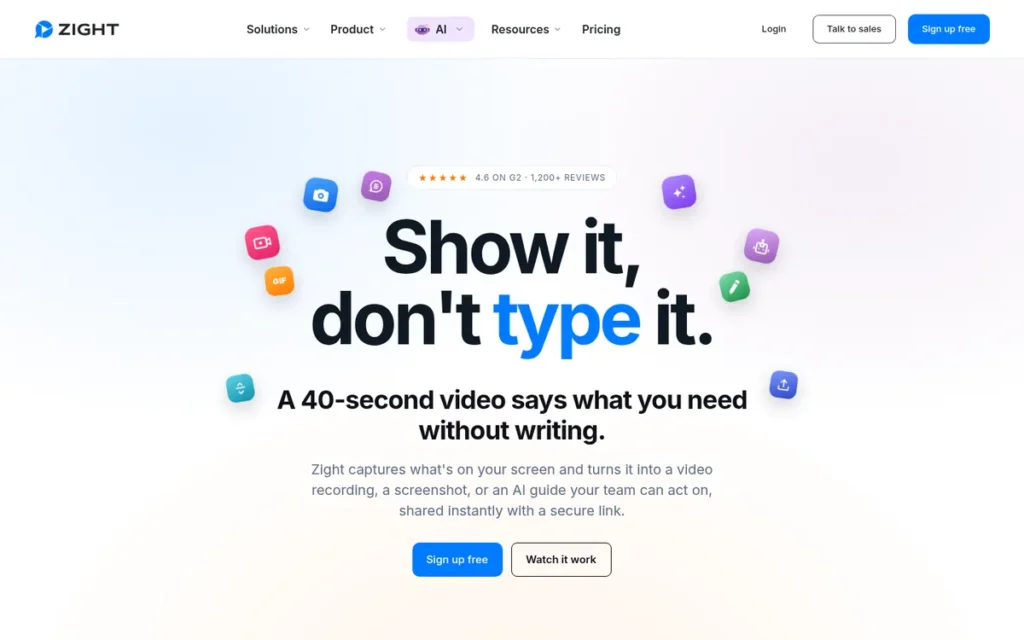
Category: Quick-Share Capture, captures screenshots, GIFs, and screen recordings and returns an instant hosted link.
At a Glance
- Category: Quick-Share Capture
- Best For: Remote teams, support staff, and product managers who send quick visual explanations
- Price Range: Free Share plan; paid plans from $9.95–$12.00 per user per month (G2 list, November 2026); Zight-owned pages show conflicting figures from $7.95 to $15
- Primary Strength: Zight combines screenshots, GIFs, screen recordings, and annotations in one tool that gives an instant shareable link for every capture.
- Biggest Limitation: Zight’s free plan caps recordings at 5 minutes and 720p, and its paid prices differ across Zight’s own pages.
- One-Line Summary: Zight is the closest Loom-style replacement for quick team updates because it adds screenshots, GIFs, and enterprise storage controls to instant-link screen recording.
- Last Verified: November 2026
PlugRoute Score: 3.90/5 (C1 Fit 5, C2 Price 3, C3 Evidence 4, C4 Editing 3, C5 Reliability 3, C6 Controls 5). Why #1: Zight is the only ranked tool that scores 5 on both Loom-replacement fit and team and data controls.
Overview
Zight (formerly CloudApp) is a screenshot, GIF, and screen-recording tool that gives you an instant shareable link after every capture. Zight is built for remote teams, support staff, and product managers who use quick visual explanations instead of meetings.
Zight holds a 4.6/5 rating from 1,234 G2 reviews, and 96.9% of them give 4 or 5 stars (G2, November 2026). Zight’s Scale tier adds custom S3 storage and a signed HIPAA BAA for teams that need control over where their videos are stored.
Key Features
- Zight captures region, window, full-screen, and scrolling screenshots and lets you mark them up with arrows, numbered steps, highlights, and blur.
- Zight records your screen and returns an instant hosted link, the same record-and-share workflow Loom users rely on.
- Zight’s paid plans add AI transcription in 50+ languages, auto-generated titles, summaries, smart chapters, and video requests.
- Zight connects natively with Slack, Microsoft Teams, Gmail, and MCP (Model Context Protocol, which connects Zight to AI assistants).
- Zight offers Zendesk, Intercom, Salesforce Service Cloud, Jira, Confluence, and Notion connections as paid add-ons.
Best For
Zight is best for remote teams, support agents, and product managers who mix screenshots and short recordings every day. Zight lets them use one instant-link tool instead of Loom plus a separate screenshot app.
Pricing
Zight’s free Share plan has these limits (Zight pricing page, November 2026):
- Zight’s free Share plan covers 1 user and 1 GB of storage.
- Zight’s free Share plan caps recordings at 5 minutes and 720p resolution.
- Zight’s free Share plan lets you access only your last 50 captures and includes 5 video requests per month.
- Zight’s free Share plan limits GIFs to 15 seconds.
Zight’s paid prices depend on where you look:
- G2 lists Zight Create from $9.95 and Collaborate from $12.00 per user per month (G2, November 2026; may change).
- Zight’s pricing page lists both Create and Collaborate at $12 per user per month billed annually (Zight, October 2026).
- Zight’s Loom comparison page lists $12.95 and $15 per month, and a Zight support article lists $9.95 monthly or $7.95 annually (Zight Support, February 2025).
Check Zight’s current price at checkout before you buy.
Strengths
- Among the seven ranked tools, only Zight lists both custom S3 storage and a signed HIPAA BAA, both on its Scale tier (Zight enterprise page, November 2026; vendor-stated). That makes Zight the closest managed option for teams with data-residency needs.
- Zight’s free plan has the same 5-minute recording cap as Loom but adds screenshots, scrolling capture, and annotation (vendor pricing pages, November 2026).
- Zight users on G2 report switching from Snagit and Loom for faster capture, GIFs, branded links, better reliability, and security (G2, November 2026).
- Zight’s vendor-reported results (not independently verified) include Cloud Elements saving 50 minutes a day and Gainsight saving more than $10,000 a year (Zight, 2026).
Limitations
Zight gives up some of Loom’s simplicity and price stability in exchange for a broader capture toolkit. The biggest trade-off is uncertain pricing: Zight’s published prices conflict between G2 and three Zight-owned pages.
- Zight’s 5-user Team plan rose from $302 to $620 per year with no option to downgrade, according to a single G2 review (G2 review, accessed November 2026).
- Zight’s annual plans are not prorated if you cancel, according to one review site (Creator Stack Club, 2026).
- Zight reviewers on Capterra report crashes, failed uploads, missing microphone audio, and no Android app (Capterra, accessed November 2026).
- Zight users on G2 ask for more flexible trimming and clip combining, so people making tutorials will probably still need a separate editor (G2, November 2026).
- Zight’s G2 pros/cons themes draw on 10 or fewer mentions each, and PlugRoute found no meaningful Reddit discussion of Zight.
How Does Zight Compare With Loom?
Zight has the same 5-minute free recording cap and instant-link sharing as Loom, and it adds screenshots, GIFs, and custom S3 storage on its Scale tier. Loom has a much larger G2 evidence base (330 Ease of Use mentions versus Zight’s 10) and recording buttons built into Jira and Confluence (G2, November 2026).
Verdict
Zight is the best overall Loom alternative for teams whose async communication mixes quick screen recordings with annotated screenshots and GIFs.
Zight’s instant-link workflow is the closest match to Loom’s, and Zight’s Scale tier offers more storage control than any other ranked tool. Teams should confirm current pricing before committing. Creators who need serious editing should look at ScreenPal instead.
2. ScreenPal: Best Low-Cost Option with Built-In Editing
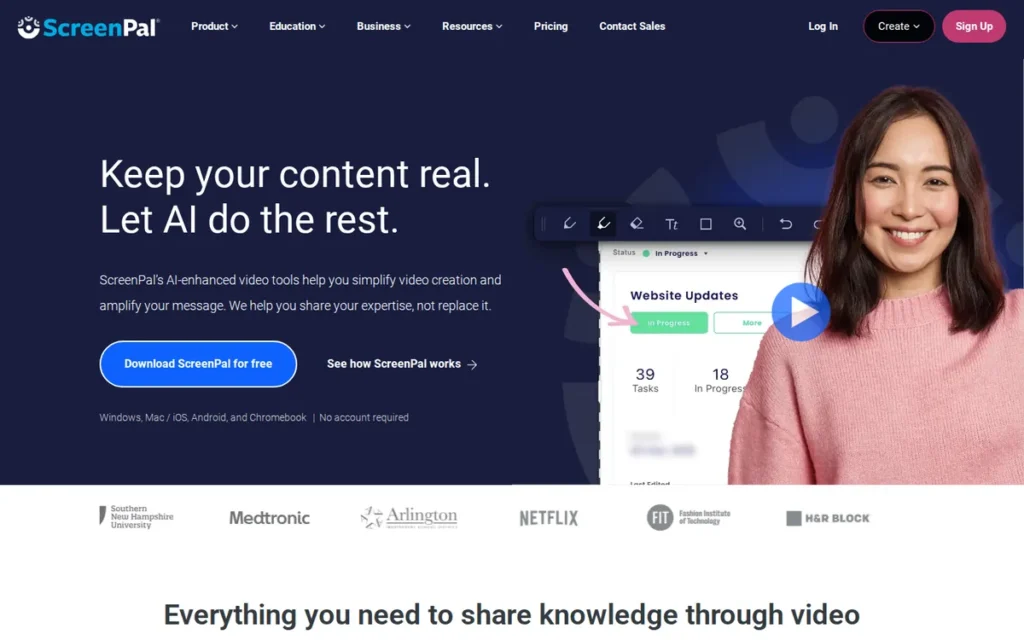
Category: Record-Edit-Host Suite, records, edits, captions, and hosts videos in one low-cost tool.
At a Glance
- Category: Record-Edit-Host Suite
- Best For: Freelancers, educators, and trainers making tutorials on a tight budget
- Price Range: Free; paid plans $4–$10 per creator per month (G2 list, November 2026); ScreenPal’s pages show Deluxe at $3 or $4 billed annually depending on the page, and Team Business at $8 per user
- Primary Strength: ScreenPal combines a recorder, an editor, and hosting at one of the lowest paid prices in this comparison.
- Biggest Limitation: ScreenPal has the lowest share of 4–5 star G2 reviews in this comparison (92.8%), and Trustpilot reviewers allege unexpected renewal charges and corrupted files.
- One-Line Summary: ScreenPal is the best low-cost Loom alternative for people who need to edit and caption tutorials, with 15-minute free recordings and paid plans from about $3–$4 per month.
- Last Verified: November 2026
PlugRoute Score: 3.70/5 (C1 Fit 4, C2 Price 5, C3 Evidence 3, C4 Editing 4, C5 Reliability 2, C6 Controls 3). Why #2: ScreenPal has the highest pricing-value score but ties for the lowest reliability score, mainly because of Trustpilot billing and file-corruption allegations.
Overview
ScreenPal (formerly Screencast-O-Matic) is a low-cost screen recorder, video editor, and hosting platform for desktop, mobile, and Chromebook. ScreenPal is built for educators, trainers, and freelancers who need to edit, caption, and share tutorials without paying Loom’s per-seat prices.
ScreenPal holds a 4.5/5 rating from 139 G2 reviews (G2, November 2026). ScreenPal was one of the first suggestions in a Reddit thread asking for a free Loom alternative with editing (Reddit r/software, 2025).
Key Features
- ScreenPal records your screen and webcam on desktop, mobile, and Chromebook and hosts the finished video behind a shareable link.
- ScreenPal includes a built-in video editor, with transcript-based and AI-assisted editing on higher tiers.
- ScreenPal generates captions and translates them into 140+ languages.
- ScreenPal lets you add quizzes and polls to videos for learning and training.
- ScreenPal connects to Canvas, Blackboard, Moodle, Brightspace, and Google Classroom through LTI 1.3.
Best For
ScreenPal is best for freelancers, educators, and small-business trainers who record and edit tutorials, training videos, and knowledge-base clips. ScreenPal lets them share by link for much less than Loom Business costs per seat.
Pricing
ScreenPal’s paid prices depend on where you look:
- G2 lists ScreenPal Free at $0, Deluxe at $4.00, and Max at $10.00 per creator per month (G2, November 2026; may change).
- ScreenPal’s main plans page lists Deluxe at $4 per month billed annually, while other ScreenPal plan pages show $3 (ScreenPal, November 2026).
- ScreenPal’s plan pages list Premier at $6, Max at $10, Team Business at $8 per user, and Team Education at $3 per user, all billed annually (ScreenPal, November 2026).
ScreenPal’s free plan has these limits:
- ScreenPal’s free plan allows 15-minute recordings and adds a watermark (ScreenPal plans page, November 2026).
- ScreenPal’s free plan hosts up to 10 videos, though you can make unlimited local recordings (ScreenPal support center, November 2026).
- ScreenPal’s free plan may require an upgrade to record computer audio, according to one comparison site (iTechGuides, 2026).
Strengths
- ScreenPal’s paid plans start at $4 per creator per month on G2 and at $3–$4 on ScreenPal’s own pages (November 2026). That puts ScreenPal among the lowest-priced recorders with built-in editing in this comparison.
- ScreenPal’s free plan allows 15-minute recordings (ScreenPal plans page, November 2026), three times Loom’s 5-minute free cap.
- Among the seven ranked tools, only ScreenPal lists both LTI 1.3 connections to learning management systems and caption translation into 140+ languages (ScreenPal feature pages, 2026).
- ScreenPal’s vendor-reported scale (not independently verified) is more than 200 million videos captured with its tools (ScreenPal, 2026).
Users on r/content_marketing shared their experience:
“ScreenPal is cool, you could use the free version if your videos are 15 minutes or less. It used to be Screencast ‘O’ Matic.” Posted by u/Digital-Tech-VA
Takeaway: ScreenPal’s 15-minute free recording limit is the main reason budget-conscious users recommend it over Loom’s free plan.
Limitations
ScreenPal gives up some reputation for reliability in exchange for a lower price. ScreenPal has the lowest positive-review share in this comparison: 92.8% of its 139 G2 reviews give 4 or 5 stars (G2, November 2026).
- ScreenPal’s most common G2 complaint is Recording Issues, with 8 mentions (G2, November 2026).
- ScreenPal reviewers on Trustpilot allege unexpected renewal charges, trouble getting refunds, corrupted files, and repeated reinstalls. These are individual allegations and sit alongside positive reviews (Trustpilot, accessed November 2026).
- ScreenPal’s free plan adds a watermark, hosts no more than 10 videos, and may not record computer audio.
- ScreenPal’s advanced editing features are limited on the standard plan, according to G2 reviewers (G2 review summary, November 2026).
How Does ScreenPal Compare With Loom?
ScreenPal triples Loom’s free recording cap (15 minutes versus 5) and adds editing, captions, quizzes, and LMS connections for less money ($4 versus $15 per user per month at G2 list prices). Loom has a larger and more positive G2 review base: 2,550 reviews, 96.1% of them at 4 or 5 stars (G2, November 2026).
Verdict
ScreenPal is the best low-cost Loom alternative for creators who need to edit, caption, and share tutorials, with 15-minute free recordings and paid plans from about $3–$4 per month.
ScreenPal buyers should keep track of renewal dates and test audio capture on the free plan before paying. ScreenPal’s 10-video limit on free hosting is better suited to a trial than to a growing video library. Teams that only send quick, unedited updates will find Zight closer to Loom.
3. Wistia: Best for Marketing Video Hosting and Lead Capture
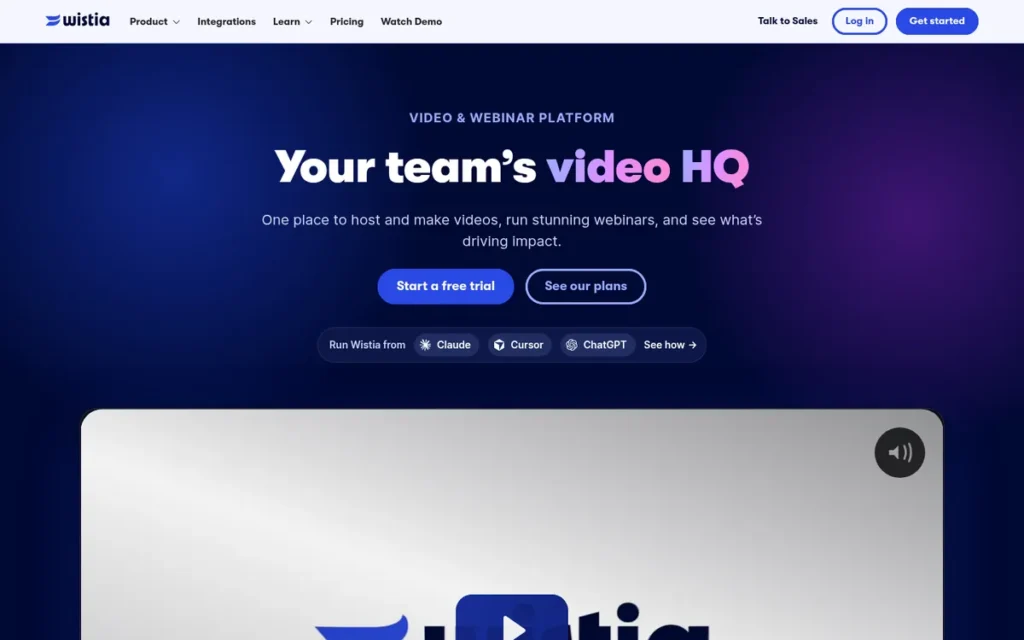
Category: Video Marketing Host, hosts, brands, and measures customer-facing video, with recording built in.
At a Glance
- Category: Video Marketing Host
- Best For: Marketing teams that record, host, and measure customer-facing videos and webinars
- Price Range: Free; paid plans $19–$79 per month flat (G2 list, November 2026); Wistia’s page shows Business at $79 and Business + Signals at $329 per month billed annually
- Primary Strength: Wistia combines branded ad-free hosting, viewer heatmaps, lead capture, and 41 G2-listed integrations in one marketing video platform.
- Biggest Limitation: Wistia is a marketing hosting platform first rather than a quick async messenger, and G2 reviewers mention cost 119 times across two “Expensive” themes.
- One-Line Summary: Wistia is the best Loom alternative for marketing teams that need to record, host, brand, and measure customer-facing video rather than send quick internal updates.
- Last Verified: November 2026
PlugRoute Score: 3.55/5 (C1 Fit 3, C2 Price 2, C3 Evidence 5, C4 Editing 4, C5 Reliability 3, C6 Controls 5). Why #3: Wistia scores 5 for evidence and integrations but loses points for being built for marketing hosting rather than quick async messages, and for costing more.
Overview
Wistia is a video marketing platform that combines a virtual recording studio, transcript-based editing, ad-free branded hosting, viewer heatmaps, and lead capture. Wistia is built for marketing teams that record and measure customer-facing video rather than send quick internal updates.
Wistia holds a 4.6/5 rating from 1,196 G2 reviews, and 97.7% of them give 4 or 5 stars (G2, November 2026). Wistia has the highest positive share of any ranked tool with 500 or more reviews.
Key Features
- Wistia includes a virtual recording studio for capturing screen and camera video inside the platform.
- Wistia offers transcript-based editing plus AI-generated highlights and social clips for reusing content.
- Wistia hosts videos without ads and adds custom branding, viewer heatmaps, and Turnstile email lead capture.
- Wistia lists 41 integrations on G2, and its Signals tier connects to marketing-automation tools for lead scoring and revenue attribution.
- Wistia sells a separate webinar product so teams can run webinars alongside on-demand video.
Best For
Wistia is best for marketing and demand-generation teams that publish product demos, explainers, and webinars. Wistia gives those teams branded hosting, engagement analytics, and connections to marketing-automation tools.
Pricing
Wistia’s plan names on G2 no longer match its pricing page:
- G2 lists Wistia Free (price not listed), Plus at $19.00 flat per month, and Pro at $79.00 flat per month (G2, November 2026; may change).
- Wistia’s free plan includes 1 user, 25 GB of storage, 200 GB of bandwidth, and Wistia branding (Wistia, November 2026).
- Wistia Business costs $79 per month billed annually or $99 billed monthly. It includes 3 users and 250 GB, and each extra user costs $25 (Wistia and PricingSaaS, November 2026).
- Wistia Business + Signals costs $329 per month billed annually or $412 billed monthly, and Enterprise is custom-priced (Wistia and PricingSaaS, November 2026).
- Wistia sells webinars separately at $429 or $829 per month (Wistia, November 2026).
Because Wistia charges a flat rate that includes several users, it can cost less than per-seat tools for small teams. Buyers should still check Wistia’s bandwidth limits before signing.
Strengths
- Wistia reviewers on G2 mention Ease of Use 320 times and Features 202 times (G2, November 2026).
- Wistia lists 41 integrations on G2 (G2, November 2026), the most of any tool in this comparison.
- Wistia users on G2 report switching from Vimeo, Vidyard, Zoom, and GoTo Webinar for unified hosting and engagement insights (G2, November 2026).
- Wistia’s vendor-reported figures (not independently verified) include 440,000+ customers and 2.5 billion plays in 2025, according to its 2026 State of Video report (Wistia, 2026).
Users on r/bigseo noted:
“We use Wistia on our main sites because we don’t want the YouTube recommendations to show at the end of the video and distract our users. However we do also upload each video onto YouTube and are trying to build a subscriber base out there. So I guess you can use both for their own purposes.” Posted by u/mondovo
Takeaway: Marketing teams value Wistia for distraction-free branded playback on their own sites, but still rely on YouTube for audience reach.
Limitations
Wistia gives up quick async messaging in exchange for marketing depth, so Wistia only partly replaces Loom. Teams that mainly send internal updates will pay for hosting, analytics, and lead-capture features they won’t use.
- Wistia reviewers mention “Expensive” 62 times and “Expensive Cost” 57 times on G2, and they report bandwidth overages and video caps (G2, November 2026).
- Wistia’s webinars cost $429–$829 per month on top of a video plan (Wistia, November 2026).
- Wistia’s Mac recorder changed aspect ratio partway through a recording for one G2 reviewer, and support’s suggested fix was to record again (G2 review, accessed November 2026).
- Wistia’s renamed plans make it harder to compare costs against older reviews and G2 listings, and PlugRoute found no meaningful Reddit discussion of Wistia as a Loom replacement.
How Does Wistia Compare With Loom?
Wistia offers much deeper hosting, branding, analytics, and marketing integrations than Loom, and it charges a flat rate instead of per seat. Loom is faster and simpler for quick internal messages and has recording built into Jira and Confluence.
Verdict
Wistia is the best Loom alternative for marketing teams that need to record, host, brand, and measure customer-facing video in one platform.
Wistia’s 97.7% positive G2 share and 41 integrations back that fit with independent evidence. Wistia is a poor fit for internal-only updates, where Zight or Loom costs less. Teams on a budget should work out bandwidth and webinar costs before signing.
4. Vidyard: Best for CRM-Connected Sales Video
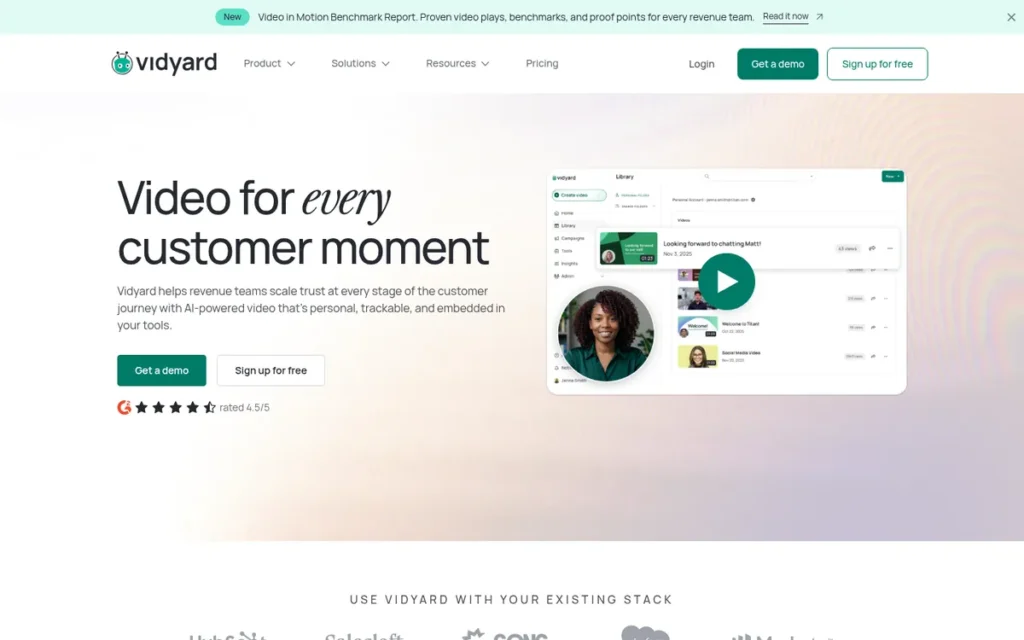
Category: Sales Video Platform, creates personalized outreach videos with viewer analytics and CRM connections.
At a Glance
- Category: Sales Video Platform
- Best For: B2B sales and customer-success teams that need video tied to CRM records
- Price Range: Free; Starter $59 per user per month (G2 list, November 2026; $89 billed monthly on Vidyard’s page); Teams contact sales
- Primary Strength: Vidyard connects screen and webcam videos to HubSpot, Salesforce, and Marketo and adds AI avatars and personalized videos triggered by CRM events.
- Biggest Limitation: Vidyard’s CRM integrations require the contact-sales Teams tier, and Vidyard Starter costs about 3–4 times Loom Business per seat.
- One-Line Summary: Vidyard is the strongest Loom alternative for sales teams that need video connected to their CRM, though its CRM features sit behind contact-sales pricing.
- Last Verified: November 2026
PlugRoute Score: 3.45/5 (C1 Fit 4, C2 Price 2, C3 Evidence 4, C4 Editing 3, C5 Reliability 3, C6 Controls 5). Why #4: Vidyard tied Screencastify at 3.45 and ranks higher on the evidence tiebreaker (841 versus 83 G2 reviews).
Overview
Vidyard is a sales and marketing video platform that records screen and webcam videos, adds AI avatars and personalized outreach, and connects viewer activity to CRMs such as HubSpot and Salesforce. Vidyard is built for revenue teams working with prospects and customers.
Vidyard holds a 4.5/5 rating from 841 G2 reviews, and 95.1% of them give 4 or 5 stars (G2, November 2026). G2 switching data shows teams moving to Vidyard from Loom for CRM connections and viewer analytics.
Key Features
- Vidyard records screen and webcam videos and shares them on branded pages with customizable calls to action.
- Vidyard offers AI avatars made from a single recording, and the free plan includes 3 custom avatars.
- Vidyard’s Video Agent add-on creates and sends personalized videos when CRM events happen, such as a booked meeting or a deal reaching a new stage.
- Vidyard’s Teams tier connects to HubSpot, Salesforce, and Marketo and adds captions and advanced branded sharing pages.
- Vidyard’s Enterprise tier adds SSO and secure playback controls.
Best For
Vidyard is best for B2B sales and customer-success teams that send video email for demos, pilot support, and follow-ups. Vidyard logs who watched those videos in the team’s CRM.
Pricing
Vidyard’s pricing (November 2026):
- G2 lists Vidyard Free at $0, Starter at $59.00 per user per month, and Teams at contact sales (G2, November 2026; may change).
- Vidyard’s own page lists Starter at $89 per month billed monthly or $59 per seat per month billed annually (Vidyard, November 2026).
- Vidyard’s Video Agent add-on costs $29 per seat per month, or $24 billed annually (Vidyard, November 2026).
- Vidyard’s free plan allows 5 videos per month, each up to 30 minutes long (Vidyard Help Center, November 2026).
Vidyard’s CRM integrations start at the Teams tier, which has no public price. Sales teams therefore can’t see the price of the tier they most likely need.
Strengths
- Vidyard reviewers on G2 mention Easy Sharing 41 times and Personalization 30 times (G2, November 2026).
- Vidyard lists 24 integrations on G2 and connects directly to HubSpot, Salesforce, and Marketo on its Teams tier (G2 and Vidyard, November 2026).
- Vidyard’s free plan allows recordings up to 30 minutes, six times Loom’s 5-minute free cap per video (Vidyard Help Center, November 2026).
- Vidyard’s vendor-reported results (not independently verified) include MediaValet cutting its sales cycle from 128 to 68 days and Taulia attributing $125M+ in pipeline to video (Vidyard case studies, accessed November 2026).
Limitations
Vidyard gives up low cost and editing depth in exchange for sales-workflow integration. Vidyard Starter costs about 3–4 times Loom Business per seat, and Vidyard’s CRM integrations require contact-sales Teams pricing.
- Vidyard reviewers list Limited Editing (16) and Difficult Editing (12) among their top G2 complaints. They also ask for more precise cuts and better data on who watched and where they stopped (G2, November 2026).
- Vidyard’s cold outreach got low view rates for some Reddit sales reps. One 2021 post reported 2 views from about 100 videos, and another commenter blamed email deliverability (Reddit r/sales, 2021).
- Vidyard rollouts most often go live in under a day, but some took 3–12 months (G2 implementation data, November 2026).
- Vidyard’s free plan is limited to 5 videos per month.
How Does Vidyard Compare With Loom?
Vidyard adds native CRM integrations, AI avatars, and 30-minute free recordings that Loom’s plans do not match. However, Vidyard’s free plan allows only 5 videos a month, and Starter costs $59 versus $15 per user per month for Loom Business at G2 list prices.
Verdict
Vidyard is the strongest Loom alternative for sales teams that need video connected to their CRM through HubSpot, Salesforce, and Marketo integrations.
Vidyard buyers should get a Teams quote before comparing Vidyard with Loom. Reddit reps report better results using Vidyard for mid-funnel demos and pilots than for cold prospecting. Reps on a budget who don’t need CRM sync may prefer Hippo Video’s $20 Pro tier.
5. Screencastify: Best for Teachers and Classroom Video
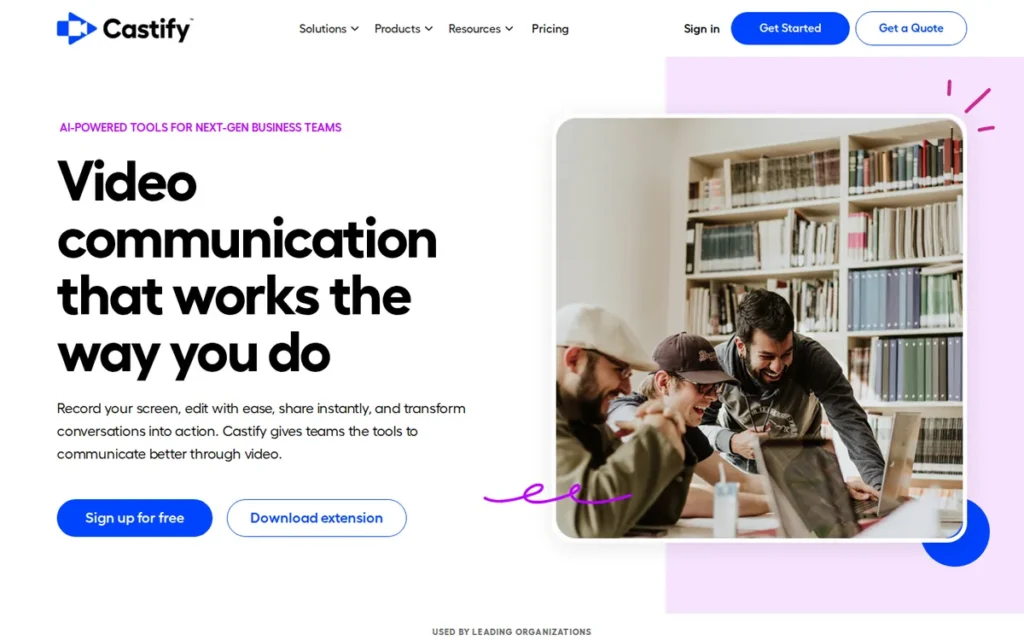
Category: Record-Edit-Host Suite, records, edits, captions, and hosts videos in one low-cost tool.
At a Glance
- Category: Record-Edit-Host Suite
- Best For: K-12 and higher-ed teachers, instructional designers, and trainers using Google Workspace
- Price Range: Free; $7–$10 per user per month billed annually (G2 list, November 2026); $18–$24 per month billed monthly
- Primary Strength: Screencastify combines browser-based recording, hosted watch pages, interactive questions, and Google Classroom integration for teaching.
- Biggest Limitation: Screencastify’s browser extension records Chrome-tab audio but not system-wide audio, and its 98.8% positive rating comes from only 83 G2 reviews.
- One-Line Summary: Screencastify is the best Loom alternative for teachers in Google Workspace, offering 30-minute free recordings, hosted watch pages, and student video collection.
- Last Verified: November 2026
PlugRoute Score: 3.45/5 (C1 Fit 4, C2 Price 4, C3 Evidence 3, C4 Editing 3, C5 Reliability 3, C6 Controls 3). Why #5: Screencastify tied Vidyard but ranks lower on the tiebreaker because its 98.8% positive G2 share comes from only 83 reviews.
Overview
Screencastify is a Chrome extension screen recorder from Castify that also works in Edge. Screencastify includes an editor, hosted watch pages, interactive questions, and Google Classroom and Drive integration, and it is built mainly for teachers who record lessons and collect student videos.
Screencastify holds a 4.6/5 rating from 83 G2 reviews, and 98.8% of them give 4 or 5 stars (G2, November 2026). Screencastify’s positive share is the highest in this comparison, but it comes from the smallest sample.
Key Features
- Screencastify records screen and webcam from a Chrome or Edge extension or its web platform and shares videos through hosted watch pages.
- Screencastify adds questions and polls to videos and uses its “Submit” feature to collect video responses from students.
- Screencastify connects with Google Drive and Google Classroom for storing and assigning recordings.
- Screencastify includes an editor and a teleprompter, and its Pro plan adds AI enhancements, captions, transcripts, translation, and voiceover.
- Screencastify supports 75 languages and reports compliance with COPPA, FERPA, and SOPPA and SOC 2 Type II (company-reported).
Best For
Screencastify is best for teachers, instructional designers, and school districts that use Google Workspace. Screencastify gives them longer free recordings, interactive lessons, and student video submissions.
Pricing
Screencastify’s pricing (November 2026):
- G2 lists Screencastify Free at $0, Starter at $7.00, and Pro at $10.00 per user per month, which match its annual prices (G2, November 2026; may change).
- Screencastify’s monthly billing costs $18 for Starter and $24 for Pro (Screencastify pricing page, November 2026).
- Screencastify’s free plan includes 10 videos, 30-minute recordings, and a watermark (Screencastify pricing page, November 2026).
- Screencastify Starter adds unlimited videos and 60-minute recordings, and Pro allows 180-minute recordings (Screencastify pricing page, November 2026).
Many reviews still mention an older 10-minute free limit from a past Screencastify FAQ. That limit is out of date.
Strengths
- Screencastify’s free plan allows 30-minute recordings and 10 videos (Screencastify pricing page, November 2026), six times Loom’s 5-minute cap per video.
- Screencastify’s annual Starter price of $7 per user per month is below Loom Business’s $15 G2 list price (G2, November 2026).
- Screencastify was named a Common Sense Selection for Learning (Screencastify announcement, 2023) and reports compliance with COPPA, FERPA, and SOPPA (company-reported, 2026).
- Screencastify’s vendor-reported results: PlugRoute found no quantified vendor case studies for Screencastify.
This aligns with community sentiment on r/edtech:
“I’ll second screencastify. I am experienced with many other and more advanced screen recorders, but this is a magic bullet in ease of use and google integration.” Posted by u/GoneFar
Takeaway: Screencastify wins with educators on simplicity and Google integration, even among users who know more advanced recorders.
Limitations
Screencastify gives up desktop-grade capture in exchange for browser convenience. Screencastify’s extension records Chrome-tab audio but not system-wide audio and has no multitrack timeline (AI Productivity, 2026).
- Screencastify’s monthly billing ($18–$24) costs more than twice the annual rate.
- Screencastify’s free plan adds a watermark and stops at 10 videos.
- Screencastify reviewers on Capterra report errors, failed recordings, and slow uploads, and G2 users ask for more editing options and longer recordings (Capterra, accessed November 2026).
- Screencastify’s G2 sample is only 83 reviews, and PlugRoute found no relevant Reddit discussion of Screencastify.
How Does Screencastify Compare With Loom?
Screencastify gives free users 30-minute recordings compared with Loom’s 5 minutes, but fewer videos (10 versus 25), and adds classroom features Loom lacks. Loom offers desktop apps that record system audio and has a much larger G2 evidence base.
Verdict
Screencastify is the best Loom alternative for teachers using Google Workspace, with 30-minute free recordings, hosted watch pages, and built-in student video collection.
Screencastify’s company-reported privacy commitments (COPPA, FERPA, SOPPA) and its Google Classroom integration are built specifically for schools. Users who need system audio or multitrack editing should choose ScreenPal or a desktop recorder. Teams sending general internal updates will find Zight or Loom a closer fit.
6. Snagit: Best for Documentation and Annotated Captures
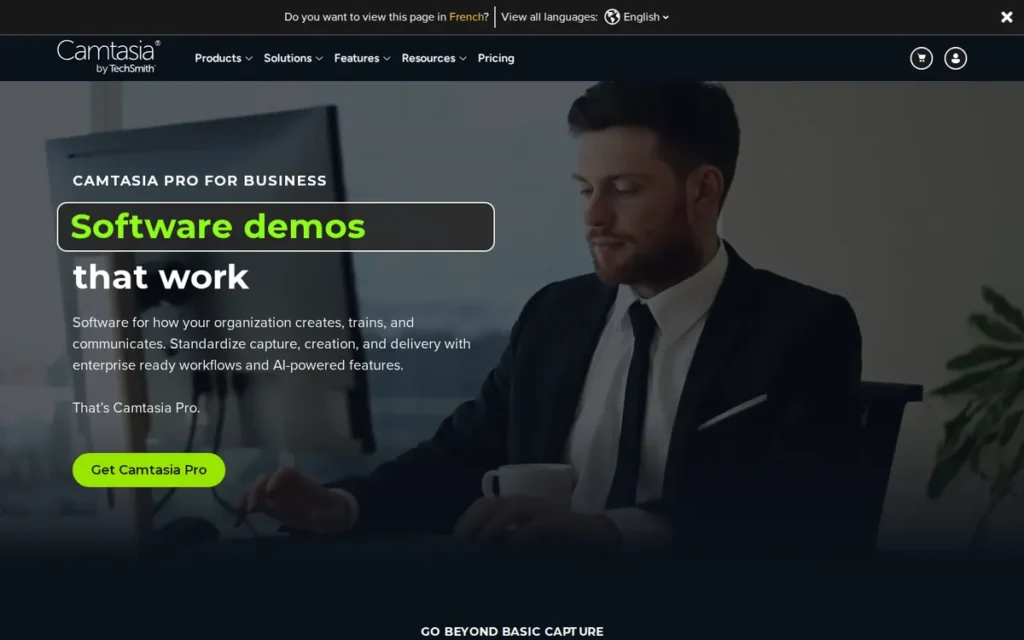
Category: Capture-First Documentation Tool, desktop screenshot and recording tool where sharing requires a separate step.
At a Glance
- Category: Capture-First Documentation Tool
- Best For: Technical writers, trainers, and support teams creating annotated how-to images and short videos
- Price Range: $39–$48 per user per year (G2 list, November 2026); no free-forever plan
- Primary Strength: Snagit offers the most-reviewed screenshot, annotation, and template toolkit in this comparison, with 6,035 G2 reviews at 4.7/5.
- Biggest Limitation: Snagit does not create a link automatically when a recording ends; videos are shared through TechSmith Screencast, which includes 25 hosted videos.
- One-Line Summary: Snagit is the best Loom alternative for documentation and annotated screenshots, but it only partly replaces Loom because sharing runs through a separate Screencast step.
- Last Verified: November 2026
PlugRoute Score: 3.40/5 (C1 Fit 2, C2 Price 3, C3 Evidence 5, C4 Editing 4, C5 Reliability 4, C6 Controls 3). Why #6: Snagit has the strongest review evidence in the set but scores 2 on fit because sharing runs through a separate Screencast step.
Overview
Snagit is TechSmith’s desktop tool for screenshots, scrolling captures, annotations, GIFs, and short videos. Snagit is built for documentation writers, trainers, and support teams who need polished visual instructions more than instant video links.
Snagit holds a 4.7/5 rating from 6,035 G2 reviews, and 97.1% of them give 4 or 5 stars (G2, November 2026). Snagit’s review base is the largest in this comparison.
Key Features
- Snagit captures full-screen, window, region, and scrolling screenshots and lets you annotate them using a library of templates.
- Snagit records your screen with webcam, picture-in-picture, microphone, and system audio, and Snagit can combine clips.
- Snagit turns captures into images, GIFs, and videos for help centers and training material.
- Snagit shares videos through TechSmith Screencast, where AI captions and chapter summaries are Pro features.
- Snagit offers support in 6 languages, and G2 data shows most Snagit teams go live in under a day.
Best For
Snagit is best for technical writers, trainers, QA testers, and support teams who produce SOP documentation, knowledge-base articles, and help-center visuals. Snagit suits teams that don’t need an instant link for every recording.
Pricing
Snagit’s pricing (November 2026):
- G2 lists Snagit Individual at $39.00 per user per year and Business at $48.00 per user per year, and Capterra shows the same figures (G2, November 2026; may change).
- Snagit works out to roughly $3.25–$4 per user per month.
- Snagit Individual and Business both include TechSmith Screencast hosting for up to 25 videos with share links, and unlimited sharing requires Screencast Pro (TechSmith store, November 2026).
- Snagit has no free-forever plan.
Strengths
- Snagit reviewers on G2 most often praise Screenshot Functionality (246 mentions) and Easy Editing (215), and Capterra rates Snagit 4.7/5 from 503 reviews (G2, November 2026; Capterra, 2026).
- Snagit’s $39 per user per year is the lowest G2 list price among the ranked tools (G2, November 2026).
- Snagit is praised on Reddit for dependability, with one r/sysadmin user writing “Price is meh but works well” (Reddit r/sysadmin, 2024).
- Snagit’s vendor-reported results (not independently verified) include TechSmith’s claim that teams save an average of 5× on capture, sharing, and storage costs with Snagit plus Screencast (TechSmith info sheet, 2026).
Limitations
Snagit gives up Loom’s instant sharing in exchange for capture and annotation depth, so Snagit only partly replaces Loom. Snagit users share videos through TechSmith Screencast, which hosts only 25 videos on standard plans.
- Snagit’s Screencast AI captions and summaries require Pro, and Snagit has no free-forever plan.
- Snagit reviewers dislike the move to subscription pricing and mention “Expensive” 50 times on G2 (G2, November 2026).
- Snagit users ask for richer video editing and better syncing across devices (G2, November 2026).
- Snagit’s large review base mostly reflects screenshot use rather than async video messaging.
Users on r/productivity noted:
“I’ve been using snagit for years.
Does exactly what you’re talking about and a lot more.
I don’t use the screen recording option much, I prefer loom for that.
The screen capture and scrolling window capture are second to none though, super handy!” Posted by u/GuiltyPotential7270
Takeaway: Long-time Snagit users rate its screenshot and scrolling capture as best in class but still use Loom for screen recording.
How Does Snagit Compare With Loom?
Snagit costs much less per year than Loom Business ($39 versus $180 at $15 per month, both G2 list prices) and has stronger screenshot and annotation tools. Unlike Loom, Snagit does not give you a link automatically when a recording ends, and Snagit has no free plan.
Verdict
Snagit is the best Loom alternative for documentation built on annotated screenshots, GIFs, and short instructional clips, backed by 6,035 G2 reviews at 4.7/5.
Snagit only partly replaces Loom because sharing runs through a separate Screencast step. Teams that send frequent async video updates should choose Zight or stay with Loom. Teams writing help docs get Snagit’s screenshot, annotation, and template toolkit for $39–$48 per user per year at G2 list prices.
7. Hippo Video: Best Budget Option for AI-Personalized Sales Video

Category: Sales Video Platform, creates personalized outreach videos with viewer analytics and CRM connections.
At a Glance
- Category: Sales Video Platform
- Best For: Sales and customer-success reps doing personalized video outreach on a budget
- Price Range: Free; Pro $20 and Teams $60 per user per month (G2 list, November 2026; billed annually); Enterprise $80 per user per month with a 10-seat minimum
- Primary Strength: Hippo Video combines screen recording with personalized video at scale, AI avatars, and Gmail, Outlook, and LinkedIn integrations at a lower paid price than Vidyard.
- Biggest Limitation: Hippo Video has the thinnest G2 pros/cons evidence in this comparison, and its HubSpot, Outreach, and Salesloft integrations require the $60 Teams tier.
- One-Line Summary: Hippo Video is a budget-friendly Loom alternative for AI-personalized sales outreach, but its thin review evidence and $60 CRM tier mean you should try the free plan first.
- Last Verified: November 2026
PlugRoute Score: 3.05/5 (C1 Fit 4, C2 Price 3, C3 Evidence 2, C4 Editing 3, C5 Reliability 2, C6 Controls 4). Why #7: Hippo Video has the thinnest G2 pros/cons evidence (1–2 mentions per theme) and the weakest reliability and usability signals.
Overview
Hippo Video is an AI-assisted sales video platform that combines screen and webcam recording, a teleprompter, personalized video at scale, AI avatars, and Gmail, Outlook, and LinkedIn integrations. Hippo Video is built for sales and customer-success teams doing video email outreach.
Hippo Video holds a 4.5/5 rating from 736 G2 reviews, and 95.4% of them give 4 or 5 stars (G2, November 2026). Hippo Video also scores 9.0/10 for screen recording in G2’s Video Email category data.
Key Features
- Hippo Video records screen and webcam with a built-in teleprompter and shares videos through sales pages with interactive CTAs.
- Hippo Video personalizes videos at scale by showing the viewer’s name or the prospect’s website as the background.
- Hippo Video creates AI avatar videos, text-to-video, and document-to-video content without a new recording session.
- Hippo Video connects with Gmail, Outlook, and LinkedIn, and with HubSpot, Outreach, and Salesloft starting at the Teams tier.
- Hippo Video’s free plan includes 50 automated personalized videos, 10 caption minutes, 5 AI Editor videos, and basic analytics.
Best For
Hippo Video is best for individual reps and small sales teams that want personalized and AI-generated outreach videos in Gmail, Outlook, and LinkedIn. Hippo Video suits reps who don’t want to pay Vidyard Starter prices.
Pricing
Hippo Video’s pricing (November 2026):
- G2 lists Hippo Video Free, Pro at $20.00, and Teams at $60.00 (G2, November 2026; may change).
- Hippo Video’s page lists Pro at $20 per user per month billed annually ($30 monthly) and Teams at $60 billed annually ($75 monthly) (Hippo Video, November 2026).
- Hippo Video’s Enterprise tier costs $80 per user per month billed annually with a 10-seat minimum (Hippo Video, November 2026).
- Hippo Video’s HubSpot, Outreach, and Salesloft connections require Teams, and its Salesforce connection requires Enterprise.
Teams that need Hippo Video’s CRM sync should budget at least $60 per user per month.
Strengths
- Hippo Video’s Pro tier costs $20 per user per month on G2, about a third of Vidyard Starter’s $59 list price (G2, November 2026).
- Hippo Video’s free plan includes 50 automated personalized videos, so reps can test personalization before paying (Hippo Video pricing page, November 2026).
- Hippo Video “integrates well with Salesforce” and is “easy enough to use,” according to one G2 reviewer, though Salesforce sync requires Enterprise (G2 review, accessed November 2026).
- Hippo Video’s vendor-reported results: PlugRoute found no quantified vendor case studies for Hippo Video.
Limitations
Hippo Video’s low entry price comes with thin evidence and a steeper learning curve. Hippo Video’s G2 pros/cons themes rest on only 1–2 mentions each, and its G2 support score (8.9/10) is below the 9.3 category average (G2, November 2026).
- Hippo Video reviewers describe a clunky, slow interface, and G2’s summary notes a steep learning curve for advanced personalization (G2, November 2026).
- Hippo Video’s Salesforce integration requires Enterprise at $80 per user per month with a 10-seat minimum (Hippo Video, November 2026).
- Hippo Video’s one enthusiastic Reddit user edits videos separately in Filmora (Reddit r/sales, 2025).
- Hippo Video’s category faces doubt from other Reddit sales reps about whether buyers watch cold video at all (Reddit r/SalesOperations, 2025).
How Does Hippo Video Compare With Loom?
Hippo Video adds personalized video at scale, AI avatars, and text-to-video, which go beyond Loom’s core recording features. Loom is simpler for internal updates and has much deeper G2 evidence (330 Ease of Use mentions versus Hippo Video’s 2).
Verdict
Hippo Video is a budget-friendly Loom alternative for sales reps who want AI-personalized and avatar-based outreach videos, starting at $20 per user per month on G2.
Hippo Video’s thin review evidence and below-average support score mean buyers should test the free plan first. Teams needing CRM sync should compare Hippo Video’s $60 Teams tier with a Vidyard quote. Teams sending mainly internal updates will find Zight or Loom simpler.
Why Are Teams Looking for Loom Alternatives?
Teams leave Loom because of tight free-plan limits (5 minutes, 25 videos), per-seat costs of $15–$18 per user per month, reported recording problems, and missing features such as deep editing, CRM sync, or storage control. Loom still holds a 4.7/5 G2 rating, so most people who switch leave because of fit, not quality.
As one user on r/content_marketing described:
“I am thinking of adding how-to videos in my blog, before the article, since video content now has a big impact! Do you have any suggestions other than Loom? It’s too expensive and the free plan has sooo basic features.” Posted by u/dlamaj
Takeaway: Loom’s paid pricing and its thin free plan push cost-sensitive creators to look for alternatives before they start a video habit.
Loom’s position on G2 (November 2026):
- Loom holds a 4.7/5 rating from 2,550 reviews, and 96.1% of them give 4 or 5 stars.
- Loom’s most-mentioned G2 strengths are Ease of Use (330), Easy Recording (260), Screen Recording (207), and Easy Sharing (192).
- Loom’s most-mentioned G2 complaints are Recording Issues (147), Limited Features (82), Slow Loading (64), Limited Free Version (61), and Slow Performance (56).
Loom’s plans and ownership:
- Loom’s free Starter plan limits recordings to 5 minutes and 25 videos per person, and Starter workspaces connected to Atlassian may be limited to 10 users (Atlassian Support, 2026).
- Loom Business costs $15 per user per month billed annually or $18 billed monthly, and Business + AI costs $20 annually or $24 monthly (Atlassian, November 2026). G2 lists the annual prices.
- Loom became part of Atlassian when Atlassian agreed to buy it for about $975 million (Atlassian press release, October 2023). That is why Loom is built into Jira and Confluence.
Which alternative addresses each common Loom complaint:
- Loom’s 5-minute free cap is longer on Screencastify and Vidyard (30 minutes) and on ScreenPal (15 minutes).
- Loom’s limited editing is addressed by transcript-based editing in ScreenPal and Wistia.
- Loom’s lack of CRM workflows is addressed by Vidyard and Hippo Video, which connect videos to sales tools.
- Loom’s storage limits are addressed by Zight’s Scale tier, which offers custom S3 storage, and by the unranked Cap, which can be self-hosted.
The screen recording software market was valued at $2.07B–$2.49B in 2025, depending on the research firm (Mordor Intelligence, The Insight Partners, Fortune Business Insights, 2025). Mordor Intelligence projects $4.62B by 2030 at 17.08% annual growth (Mordor Intelligence, 2025).
Which Free Loom Alternatives Have Real Share Links?
Six of the seven ranked tools have free-forever plans that create hosted share links: Zight, ScreenPal, Screencastify, Vidyard, Wistia, and Hippo Video. Snagit has no free plan. Free plans differ in recording length, video count, storage, and watermarks, so check every limit, not just the recording cap.
| Tool | Instant Link? | Free-Forever? | Recording Cap | Video / Storage Limit | Watermark or Catch |
|---|---|---|---|---|---|
| Loom (baseline) | Yes | Yes | 5 minutes | 25 videos per person | Atlassian-linked workspaces may be limited to 10 users |
| Zight | Yes | Yes | 5 minutes, 720p | 1 GB; only the last 50 captures | 15-second GIFs; 1 user |
| ScreenPal | Yes (hosted) | Yes | 15 minutes | 10 hosted videos | Watermark; computer audio may require a paid plan |
| Screencastify | Yes (watch page) | Yes | 30 minutes | 10 videos | Watermark |
| Vidyard | Yes | Yes | 30 minutes | 5 videos per month | Low monthly volume |
| Wistia | Yes | Yes | Not specified | 25 GB storage, 200 GB bandwidth | Wistia branding; 1 user |
| Hippo Video | Yes | Yes | Not specified | 50 automated personalized videos | 10 caption minutes |
| Snagit | Share to Screencast step (25 hosted videos included) | No | Not applicable (no free plan) | Not applicable (no free plan) | Paid only ($39/user/year) |
| Cap (unranked) | Yes | Personal use only | 5-minute share links | 25 links per month | Commercial use requires a paid license |
Sources: vendor pricing pages and Capterra, checked November 2026.
A longer recording cap only helps if the video count also fits how much you record. Here is how a 12-minute onboarding walkthrough works on each free plan:
- Loom’s and Zight’s free plans force a 12-minute walkthrough into 3 separate videos.
- ScreenPal’s free plan fits it in one watermarked video, using 1 of 10 hosted slots.
- Screencastify’s free plan fits it in one video, using 1 of 10 videos.
- Vidyard’s free plan fits it in one video, but that uses 1 of only 5 videos for the month.
What Will a Loom Alternative Actually Cost My Team?
Paid Loom alternatives range from $39 per user per year for Snagit to $59 per user per month for Vidyard Starter at G2 list prices. For a 10-person team billed annually, estimated yearly costs run from about $480 (Snagit) to $7,080 (Vidyard). Wistia is the only ranked tool with a flat monthly rate.
| Tool | G2 List Price (Nov 2026) | Vendor Page Price (Nov 2026) | Billing Unit | Price Conflict? |
|---|---|---|---|---|
| Loom (baseline) | $15 Business; $20 Business + AI | $15–$18; $20–$24 | Per user/month | Billing difference ($15 annual vs $18 monthly) |
| Zight | From $9.95 Create; from $12.00 Collaborate | $12 annually; $12.95–$15 monthly; $7.95–$9.95 (2025 support article) | Per user/month | Yes |
| ScreenPal | $4 Deluxe; $10 Max | $3 or $4 Deluxe depending on page; $6 Premier; $10 Max; $8/user Team Business | Per creator/month | Yes |
| Wistia | $19 Plus; $79 Pro | $79 annual or $99 monthly Business; $329 annual or $412 monthly Business + Signals | Flat/month | Yes (plans renamed) |
| Vidyard | $59 Starter; Teams contact sales | $59 annually; $89 monthly | Per user/month | Billing difference |
| Screencastify | $7 Starter; $10 Pro | $7–$10 annually; $18–$24 monthly | Per user/month | Billing difference |
| Snagit | $39 Individual; $48 Business | Same on Capterra | Per user/year | No |
| Hippo Video | $20 Pro; $60 Teams | $20–$30 Pro; $60–$75 Teams; $80 Enterprise | Per user/month | Billing difference |
Estimated annual cost for a 10-person team (annual billing, November 2026 prices)
| Tool and Plan | Estimated Annual Cost | Note |
|---|---|---|
| Snagit Business | $480 | No automatic link; 25 hosted videos |
| Screencastify Starter | $840 | Unlimited videos, 60-minute recordings |
| ScreenPal Team Business | $960 | $8 per user per month |
| Zight Collaborate | $1,440 | Vendor page annual price |
| Loom Business (baseline) | $1,800 | $15 per user per month |
| Hippo Video Pro | $2,400 | Teams tier for CRM sync: $7,200 |
| Wistia Business | About $3,048 | 3 included users + 7 × $25 per month |
| Vidyard Starter | $7,080 | CRM sync requires a Teams quote |
These figures are estimates. Prices change often, so confirm the billing period and total at checkout.
Is There an Open-Source or Self-Hosted Loom Alternative?
Yes. Cap is the main open-source Loom alternative. Most of its code is licensed under AGPLv3, it can be self-hosted or connected to your own S3-compatible storage, and its free tier is for personal use only. OBS Studio is free and open-source but records only to your own computer. Neither tool is ranked here.
Free and Open-Source Options (Not Ranked)
Cap facts (Cap pricing and FAQ pages, November 2026):
- Cap can be self-hosted and supports custom S3-compatible storage.
- Cap’s code is mainly licensed under AGPLv3, and self-hosting does not by itself give you commercial rights to Cap’s prebuilt desktop app.
- Cap’s free tier is for personal use only and includes 25 five-minute share links per month.
- Cap’s commercial desktop license costs $29 per year or $58 one-time, and Cap Pro costs $12 per user per month or $8.16 billed annually.
- Cap’s app “crashes all the time, never got to use it,” according to one Reddit tester (Reddit r/software, 2025).
OBS Studio facts:
- OBS Studio is free and open-source but records only to your own computer, with no hosted link.
- OBS Studio users on Reddit suggest streaming to an unlisted YouTube video if you need a share link (Reddit r/screenrecorders, 2025).
- OBS Studio is “too complex” for quick async messages, according to some Reddit users (Reddit r/screenrecorders, 2025).
Cap is not ranked because it is not in the verified G2 data set used for scoring. OBS Studio is not ranked because it creates no hosted link.
Self-hosted software is free, but you still pay for your own server and storage. PlugRoute has not tested how much work self-hosting takes. Teams that want storage control without running servers can use Zight’s Scale tier, which offers managed custom S3 storage.
Does Video Prospecting Actually Work for Sales Teams?
User evidence suggests video email works better mid-funnel, during demos and pilots, than in cold outreach. Reddit sales reps report low view rates on cold video emails, and the success stories mostly come from vendor-published case studies. Test video on warm deals before paying for the CRM tiers you would need to scale it.
What sales reps on Reddit report:
- One Vidyard user records “quick recordings for my prospects… while they are piloting my software” but doubts cold prospects would watch (Reddit r/sales, 2025).
- One rep sent about 100 customized Vidyard videos and got 2 views and no replies. Another commenter blamed email deliverability and advised leaving links out of the first email in a sequence (Reddit r/sales, 2021).
- One sales-operations user noted that “most buyers have started to block external images, don’t play the videos now” (Reddit r/SalesOperations, 2025).
- One Hippo Video user reported “great success” but stressed that it took heavy personalization and separate editing (Reddit r/sales, 2025).
What vendors report (vendor-published, not independently verified):
- Vidyard says MediaValet cut its sales cycle from 128 to 68 days (Vidyard case study, accessed November 2026).
- Vidyard says Pavilion saw 2× the response rate of text email and 8× ROI (Vidyard case study, accessed November 2026).
- Vidyard says Taulia reported $125M+ in pipeline influenced by video (Vidyard case study, accessed November 2026).
| Tool | Tier Required for CRM Sync | Price | CRMs Covered |
|---|---|---|---|
| Vidyard | Teams | Contact sales | HubSpot, Salesforce, Marketo |
| Hippo Video | Teams | $60/user/month annually ($75 monthly) | HubSpot, Outreach, Salesloft |
| Hippo Video | Enterprise | $80/user/month annually, 10-seat minimum | Salesforce |
Sources: Vidyard and Hippo Video pricing pages, November 2026.
When Does Staying With Loom Make Sense?
Staying with Loom makes sense for teams that already use Jira and Confluence, mainly send internal async updates, and don’t need deep editing, CRM sync, or self-hosting. Loom has the most G2 Ease of Use mentions in this comparison, and its per-seat price is competitive for internal work.
- Loom has recording buttons built into Jira and Confluence (Atlassian Support, 2026).
- Loom has the most Ease of Use mentions in this comparison, with 330 on G2 (G2, November 2026).
- Loom Business at $15 per user per month billed annually costs about the same as other per-seat tools for internal updates (Atlassian, November 2026).
- Loom is a reasonable choice when your video stays internal and you don’t need tutorial editing, sales analytics, or storage control.
Users on r/edtech noted:
“I am a teacher and I am a +1 for loom. Used to use Screencastify and Screencast o matic before that but Loom is by far the easiest.” Posted by u/lewislatimercoolj
Takeaway: Loom’s ease of use is strong enough that some teachers have moved to it from Screencastify and ScreenPal, the two tools built for classrooms.
If you do switch, follow these steps before you cancel Loom:
- Export or download the Loom videos you need to keep.
- Update embedded Loom links in your docs, Jira tickets, and Confluence pages.
- Run a two-week trial of the new tool with 2–3 teammates.
- Confirm the billing period and renewal terms at checkout.
What Red Flags Should I Watch For When Evaluating Loom Alternatives?
The biggest red flags when replacing Loom are free plans that behave like trials, personal-use-only licenses, local-only recorders with no share link, prices that differ across sources, CRM features locked behind contact-sales tiers, and recommendations from founders or with referral links. Any of these can make a tool cost more or do less than advertised.
Red Flag #1: Free Plans That Are Really Trials A free plan that expires, or has very small caps, cannot replace Loom for regular use. Check that the free tier lasts forever and that its recording cap, video count, and watermark fit your weekly volume. Vidyard Free, for example, allows only 5 videos per month.
Red Flag #2: Personal-Use-Only Free Licenses Some free tiers, including Cap’s, are licensed for personal use only, so client or company work needs a paid license. Cap’s commercial desktop license costs $29 per year or $58 one-time (Cap, November 2026). Read the license terms before you record anything for work.
Red Flag #3: Local-Only Recording Sold as a Loom Replacement Local-only recorders such as OBS Studio save files to your computer and leave hosting and sharing to you. If your team relies on Loom’s instant link, a local recorder adds an upload step to every message. Some Reddit users work around this by streaming to unlisted YouTube videos.
Red Flag #4: Prices That Don’t Match Across Sources G2 and vendor pages disagree on prices for Zight, ScreenPal, and Wistia, and they show different billing periods for Loom (November 2026). Zight alone shows five different price points across its own pages and G2. Confirm the final price, billing period, and renewal terms at checkout.
Red Flag #5: CRM Features Locked Behind Contact-Sales Tiers Sales video tools often advertise a low starting price but put CRM sync on higher tiers. Vidyard’s Teams tier is quote-only. Hippo Video’s HubSpot, Outreach, and Salesloft sync starts at $60 per user per month, and its Salesforce sync requires Enterprise (Hippo Video, November 2026).
Red Flag #6: Recommendations From Founders or With Referral Links Many “free Loom alternative” replies on Reddit come from founders promoting their own tools, and at least one recommendation PlugRoute reviewed used a referral link. Look for independent user evidence, such as G2 review volume and Capterra complaints, rather than enthusiastic but undisclosed promotion.
What Questions Should I Ask Before Choosing a Loom Alternative?
Ask seven questions before you switch. They cover instant links, free-plan limits, commercial-use rights, system audio, which tier you need for integrations, where videos are stored, and recent reliability reports. Together they show whether a tool fully replaces Loom for your job or only covers part of it.
Question #1: Does every recording produce an instant hosted link? Look for a tool that gives you a shareable link as soon as recording ends. Among the ranked tools, Zight, ScreenPal, Screencastify, Wistia, Vidyard, and Hippo Video do this automatically. Snagit shares through a separate TechSmith Screencast step.
Question #2: What are the free plan’s recording, video, storage, and watermark limits? Ask for all four limits, not just the recording cap. Vidyard’s 30-minute cap comes with only 5 videos per month, Screencastify allows 10 watermarked videos, and Zight keeps only your last 50 captures in 1 GB of storage.
Question #3: Can the free plan be used for commercial work? Confirm that the free license allows business use. Cap’s free tier is for personal use only, so you must upgrade once you record anything for clients or colleagues. The ranked tools’ free plans carry no personal-use restriction in their published terms.
Question #4: Does it record system audio or only browser-tab audio? Browser extensions may capture audio only from the current tab. Screencastify’s extension records Chrome-tab audio only, Snagit records system audio, and ScreenPal’s free plan may not record computer audio. Test audio capture on the free plan before you pay.
Question #5: Which tier unlocks the integrations I need? Find out which plan includes your CRM, LMS, or workspace tools. Vidyard’s CRM sync starts at its quote-only Teams tier, Hippo Video’s starts at $60, and Zight sells Jira and Confluence connections as add-ons. ScreenPal includes LTI 1.3 LMS connections.
Question #6: Where are my videos stored, and can I bring my own storage? Ask whether the vendor supports custom S3 storage, retention controls, or self-hosting. Among the ranked tools, Zight’s Scale tier offers custom S3 storage and a signed HIPAA BAA. Teams with compliance needs should ask every vendor for audit documentation, not just stated certifications.
Question #7: What do recent user reviews say about recording and upload reliability? Check G2, Capterra, and Trustpilot for recent reports of failed uploads, crashes, or missing audio. Recording Issues is Loom’s top G2 complaint, so switching to a tool with the same reported problem is unlikely to fix it. Capterra reviewers report upload failures for Zight and Screencastify.
How Did We Rank These Loom Alternatives?
PlugRoute scored each of the seven alternatives from 1 to 5 on six weighted criteria. Three primary criteria (Loom-replacement fit, pricing value, and verified user satisfaction) make up 65% of the score. Editing depth, reliability, and team controls make up the remaining 35%, and the weighted total sets each rank.
PlugRoute has no affiliate relationships with any company listed, and rankings are determined entirely by research data and objective evaluation criteria. This article contains no referral or affiliate links.
The six criteria and why each matters:
- C1: Loom-Replacement Fit (25%): C1 measures whether a tool gives you a hosted link without a separate upload step, because the instant link is the core of Loom.
- C2: Free-Plan Generosity and Pricing Value (20%): C2 weighs free-plan caps, watermarks, and paid prices against Loom Business, because cost is the main reason people switch.
- C3: Verified User Satisfaction and Evidence Depth (20%): C3 uses G2 ratings, review counts, and positive-review share. C3 caps scores at 3 when a tool has fewer than 100 G2 reviews or when its most-mentioned G2 pros/cons theme has fewer than 10 mentions.
- C4: Editing, Captions, and AI Depth (15%): C4 scores editing level, captions, and AI features, because people making videos need more than basic capture.
- C5: Reliability Signals (10%): C5 uses complaints reported by users on G2, Capterra, and Trustpilot.
- C6: Team Controls, Integrations, and Data Control (10%): C6 credits documented capabilities (integrations, SSO/SCIM, custom storage, availability of a signed BAA). PlugRoute notes vendor-stated certifications for every tool but does not score them.
| Rank | Tool | C1 | C2 | C3 | C4 | C5 | C6 | Weighted Total |
|---|---|---|---|---|---|---|---|---|
| 1 | Zight | 5 | 3 | 4 | 3 | 3 | 5 | 3.90 |
| 2 | ScreenPal | 4 | 5 | 3 | 4 | 2 | 3 | 3.70 |
| 3 | Wistia | 3 | 2 | 5 | 4 | 3 | 5 | 3.55 |
| 4 | Vidyard | 4 | 2 | 4 | 3 | 3 | 5 | 3.45 |
| 5 | Screencastify | 4 | 4 | 3 | 3 | 3 | 3 | 3.45 |
| 6 | Snagit | 2 | 3 | 5 | 4 | 4 | 3 | 3.40 |
| 7 | Hippo Video | 4 | 3 | 2 | 3 | 2 | 4 | 3.05 |
Scoring notes:
- Zight’s most-mentioned G2 theme (Ease of Use) has exactly 10 mentions, so Zight clears the C3 threshold. Under a stricter reading of the rule, Zight would score 3.70 and tie ScreenPal.
- Vidyard and Screencastify tied at 3.45, and Vidyard ranks higher on the C3 tiebreaker (841 G2 reviews versus 83).
- Ranks 2 through 6 are only 0.30 points apart on a 5-point scale, so job fit should outweigh small rank differences.
- Snagit has the largest review base but scores 2 on C1 because it has no automatic link, so review volume alone does not decide rank.
Tools PlugRoute left out:
- PlugRoute excluded BombBomb, Dubb, and Quickpage as sales-only video email tools for a narrower set of buyers. BombBomb also has no G2 list price.
- PlugRoute did not rank Cap because it is not in the verified G2 data set, or OBS Studio because it creates no hosted link.
How PlugRoute handled the data:
- PlugRoute did not run hands-on recording tests for this ranking. Every score is based on published G2, Capterra, Trustpilot, and Reddit evidence and on vendor pages checked in November 2026.
- PlugRoute shows price conflicts openly instead of quietly picking one figure.
- PlugRoute labels every vendor case study as vendor-published and not independently verified.
- PlugRoute attributes Loom’s G2 company details (founded 2002, Sydney HQ) to its parent company Atlassian, not to Loom.
What Are the Most Common Questions About Loom Alternatives?
Buyers most often ask which free Loom alternative is best, which tool has the strongest built-in editing, and how PlugRoute decides its rankings. The short answers: Screencastify has the most generous free recording length, ScreenPal offers the cheapest built-in editing, and rankings come from six published weighted criteria.
What is the best free Loom alternative in 2026?
The best free Loom alternative depends on how long your videos are and how many you make. Screencastify offers 30-minute recordings for up to 10 videos, and ScreenPal offers 15-minute recordings with 10 hosted videos. Zight has Loom’s 5-minute cap but adds free screenshots and GIFs. All three free plans create share links (vendor pricing pages, November 2026).
Which Loom alternative has the best built-in video editing?
ScreenPal is the strongest low-cost choice for built-in editing in this comparison, starting at $4 per creator per month (G2, November 2026). ScreenPal includes a video editor, transcript-based and AI editing on higher tiers, and caption translation into 140+ languages. Wistia also offers transcript-based editing and AI highlights, but on marketing plans costing $19–$79 per month.
How does PlugRoute determine rankings?
PlugRoute scores each tool from 1 to 5 on six weighted criteria: Loom-replacement fit (25%), pricing value (20%), verified user satisfaction (20%), editing depth (15%), reliability (10%), and team controls (10%). The full score table is in the “How Did We Rank These Loom Alternatives?” section, where Zight scores 3.90 and Hippo Video 3.05.
What Do Key Loom Alternative Terms Mean?
When comparing Loom alternatives, the key terms to know are instant share link, per-seat versus flat-rate pricing, free-forever plan, recording cap, transcript-based editing, self-hosting, custom S3 storage, SSO/SCIM, and HIPAA BAA. Each one affects what a tool really costs, how fast you can share videos, or whether it meets your security needs.
Instant share link: A hosted web link created automatically when a recording ends. An instant share link is what makes async video quick, because nobody has to download or upload a file.
Async video: A recorded message people watch whenever it suits them instead of in a live meeting. Async video helps teams cut down on meetings and long email threads.
Per-seat pricing: A price charged for each user every month or year. Per-seat pricing grows with team size, so a cheap starting price can become expensive for large teams.
Flat-rate pricing: One monthly price that includes a set number of users or a set amount of usage. Flat-rate pricing can cost less than per-seat pricing for small teams, but buyers should watch for overage charges.
Free-forever plan: A free tier that does not expire, unlike a time-limited trial. A free-forever plan can still come with recording caps, video limits, and watermarks.
Recording cap: The longest single recording a plan allows. A short recording cap forces you to split longer walkthroughs into several videos.
Watermark: A vendor logo added to videos made on a free plan. A watermark can look unprofessional in videos sent to customers or clients.
Transcript-based editing: Editing a video by deleting words from its written transcript instead of cutting on a timeline. Transcript-based editing makes trimming tutorials much faster for people who aren’t video editors.
Self-hosting: Running a tool’s software on servers your company controls. Self-hosting gives you maximum control over your data, but your team takes on setup, maintenance, and server costs.
Custom S3 storage: Storing recordings in your own Amazon S3-compatible storage bucket instead of the vendor’s. Custom S3 storage helps teams with data-residency or retention rules keep control of their files.
SSO/SCIM: SSO (single sign-on) lets employees log in with company credentials, and SCIM automatically adds and removes user accounts. SSO/SCIM support matters for security and administration in larger teams.
HIPAA BAA: A Business Associate Agreement in which a vendor agrees to protect health information under U.S. HIPAA rules. A HIPAA BAA is generally required before healthcare teams record anything that contains patient data.
Which Loom Alternative Is Right for You?
Key Insights
- Zight ranked #1 overall (3.90/5) because its instant-link workflow is the closest to Loom’s and its Scale tier offers custom S3 storage and a signed HIPAA BAA.
- ScreenPal is the cheapest ranked recorder with built-in editing, from $4 per creator per month on G2 (November 2026), and its free plan allows 15-minute recordings.
- Wistia is the best fit for customer-facing marketing video, with 97.7% positive G2 reviews and 41 integrations, but Wistia only partly replaces Loom for internal updates.
- Vidyard is the strongest sales option for CRM-connected video, although Vidyard’s CRM integrations require contact-sales Teams pricing.
- Screencastify serves teachers best with 30-minute free recordings and Google Classroom integration, though Screencastify’s extension records only Chrome-tab audio.
- Snagit has the largest G2 review base (6,035 reviews), but Snagit only partly replaces Loom because sharing runs through a separate Screencast step.
- Hippo Video has the lowest paid sales-video tier in this comparison at $20 per user per month (G2, November 2026), about a third of Vidyard Starter’s $59.
Picks for situations outside the ranked list:
- Teams that need open-source or self-hosted recording can consider Cap (unranked), keeping in mind that its free license is for personal use only.
- Users who only need free local recording can use OBS Studio (unranked) if they handle hosting themselves.
- Teams that work mainly in Jira and Confluence may still find Loom the best choice.
PlugRoute checked the prices in this article in November 2026, and vendors change plans often, so confirm current pricing at checkout. Every score is explained in the “How Did We Rank These Loom Alternatives?” section, and you can browse PlugRoute’s other independent SaaS reviews for related tools.
We update this guide quarterly. Last updated: November 16, 2026.