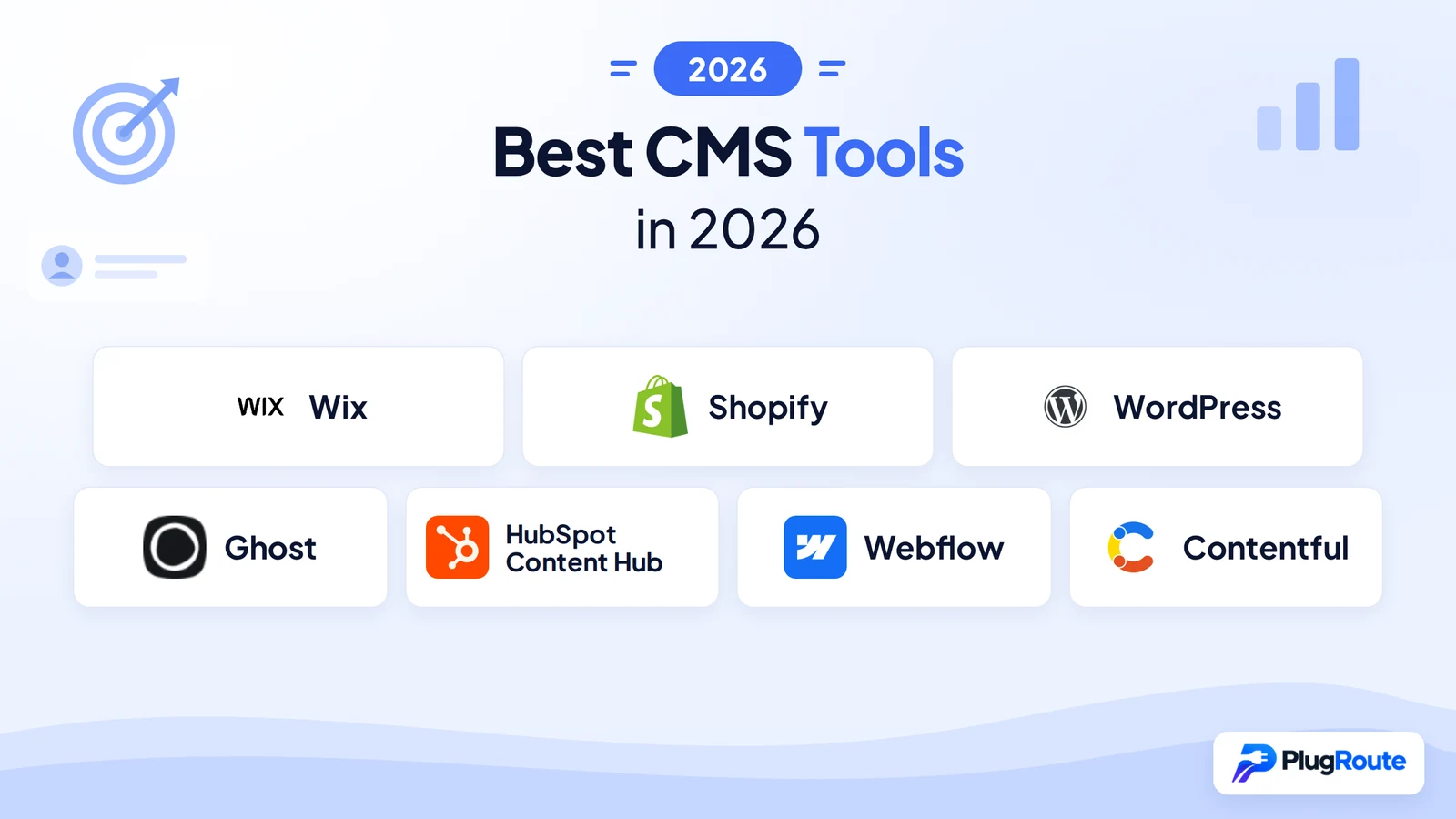
Wix is the best CMS for non-technical small businesses, Shopify is best for online stores, WordPress is best for blogs and flexible content sites, and Ghost is best for paid newsletters. The right choice depends on whether you value low upkeep, full ownership or multi-channel flexibility, because real yearly cost often differs sharply from entry price.
Many CMS platforms look alike on their homepages, but the hidden work behind them differs sharply. That work covers who patches security, which plan unlocks the feature you need, and how painful it is to leave if you outgrow the platform.
This guide ranks seven CMS tools for teams with few or no developers. It scores each one on six published criteria and matches every tool to one specific goal, from a simple business site to a multi-channel app.
PlugRoute has no affiliate relationships with any company listed, and rankings are determined entirely by research data and objective evaluation criteria.
What Are the 3 Categories of CMS Tools?
CMS tools fall into three categories. Hosted All-in-One Builders (Wix, Shopify, HubSpot Content Hub, Webflow) keep upkeep low. Open-Source CMS platforms (WordPress, Ghost) give you the most ownership. Headless API-First CMS platforms (Contentful) give developer-led teams the most multi-channel flexibility. Decide which trade-off you can live with before you compare brands.
- Hosted All-in-One Builder: A hosted all-in-one builder bundles hosting, security, updates and the editor into one vendor subscription, and you give up portability in exchange for low upkeep. This category includes Wix, Shopify, HubSpot Content Hub and Webflow.
- Open-Source CMS: An open-source CMS is free software you can self-host or run on managed hosting, which gives you ownership and portability but more maintenance. This category includes WordPress and Ghost.
- Headless API-First CMS: A headless CMS stores structured content and delivers it through APIs to any website, app or channel, and developers build and maintain the front end. This category includes Contentful.
WordPress comes in two forms that people often confuse. WordPress.org is free open-source software you host yourself. WordPress.com is Automattic’s paid hosted service with tiered feature limits.
Several products overlap more than one category:
- WordPress can run as a headless CMS through its REST API or a GraphQL plugin.
- Shopify offers Hydrogen and Oxygen for brands that want a headless storefront.
- Contentful offers Studio and Experiences so non-developers can assemble pages visually.
The headless segment is the fastest-growing part of the CMS market. Mordor Intelligence projects the headless CMS market to grow 19.4% a year to 2031, against 7.68% a year for the overall CMS market (Mordor Intelligence, 2026).
Hosted builders are also gaining ground on WordPress. WordPress’s share of the CMS market fell from 65.2% in January 2022 to 58.2% in November 2026 (W3Techs, 2026).
How Do the Top CMS Tools Compare at a Glance?
Wix ranks first overall for non-technical small businesses, followed by Shopify, WordPress, Ghost, HubSpot Content Hub, Webflow and Contentful. The table below gives each tool’s category, best use case, main strength and main limitation, so you can build a shortlist by goal before reading the full entries.
| Rank | Company | Category | Best For | One-Line Summary | Key Capabilities | Primary Strength | Key Limitation |
|---|---|---|---|---|---|---|---|
| 1 | Wix | Hosted All-in-One Builder | Non-technical small businesses | Wix is a hosted all-in-one builder that suits non-technical small businesses best, trading portability for low maintenance. | Drag-and-drop editor, AI site generator, Bookings, ecommerce, CMS Collections, Members Area | About 74% of mobile sites pass Core Web Vitals (2025) | Template lock; moving to Wix Studio means a full rebuild |
| 2 | Shopify | Hosted All-in-One Builder | Online stores | Shopify is a hosted commerce platform that suits businesses whose site exists mainly to sell products. | Payments, Shop Pay, POS, App Store, Hydrogen | G2 4.4 (5,153 reviews) and 75.22% Core Web Vitals pass rate (June 2025) | Fixed URL paths; extra fees for third-party payments |
| 3 | WordPress | Open-Source CMS | Blogs and flexible content sites | WordPress is the most flexible and portable CMS for blogs and content sites, if the owner can handle upkeep. | 78,000+ free plugins, block editor, WooCommerce, REST API | Capterra 4.6/5 from 15,002 reviews | Owner handles security; 43.44% Core Web Vitals pass rate |
| 4 | Ghost | Open-Source CMS | Paid newsletters and memberships | Ghost is an open-source publishing platform suited to newsletters and paid memberships, with no platform cut of subscriptions. | Newsletters, Stripe memberships, SEO, ActivityPub | 0% platform fee vs Substack’s 10% | Not built for brochure sites or ecommerce |
| 5 | HubSpot Content Hub | Hosted All-in-One Builder | CRM-driven marketing teams | HubSpot Content Hub is a CRM-integrated CMS that makes most sense for teams already using HubSpot. | Smart content, memberships, A/B testing, Breeze AI | Personalizes pages from CRM data | About 25× price jump from Starter to Professional |
| 6 | Webflow | Hosted All-in-One Builder | Design-led marketing sites | Webflow is a visual, design-led CMS for teams with design skills who want custom layouts without plugins. | CSS-based visual designer, CMS Collections, DevLink | Pixel-level control with clean code output | Steep learning curve; frequently changed pricing |
| 7 | Contentful | Headless API-First CMS | Developer-led multi-channel teams | Contentful is an API-first headless CMS for developer teams publishing across many channels. | Delivery, Management and GraphQL APIs, localization, personalization | SOC 2 Type 2 and ISO 27001 (vendor-reported) | Developers must build the front end; steep pricing jumps |
Which CMS Tool Should I Choose for My Goal?
Choose a CMS by your main goal first, then check the minimum plan that actually supports that goal. Wix fits simple business sites, Shopify fits online stores, WordPress fits blogs, Ghost fits paid newsletters, HubSpot Content Hub fits CRM-driven marketing, Webflow fits design-led sites, and Contentful fits multi-channel builds with developers.
| Your #1 Priority | Recommended Tool | Why | Acceptable Alternative | Minimum Plan for That Goal | Skill Needed | Avoid If |
|---|---|---|---|---|---|---|
| Simple business site | Wix | Lowest skill requirement; hosting fully managed | WordPress with managed hosting | Core ($29/month annual) to take payments | None for standard sites | You expect frequent redesigns or a later migration |
| Online store | Shopify | Managed commerce, payments and POS | WordPress with WooCommerce (if you have developers) | Basic ($29/month annual) | Liquid for theme changes | You need custom URL structures |
| Blog or content site | WordPress | Largest ecosystem; open-source portability | Ghost | Managed WordPress hosting ($20–100+/month, market estimate) | Hosting, plugin and security management | Nobody can handle updates and security |
| Paid newsletter | Ghost | 0% platform fee on subscriptions | Substack (10% revenue share) | Publisher ($29/month annual) | Handlebars for custom themes | You need an online store or brochure site |
| CRM-driven marketing | HubSpot Content Hub | Website, CRM and automation on one database | No direct equivalent on this list | Professional ($500/month; $450 on annual commitment) | HubL for custom designs | You only need a website or have a tight budget |
| Design-led marketing site | Webflow | Pixel-level design control without plugins | Wix Studio | Premium ($25/month annual) | CSS concepts | Nobody on the team has design or CSS skills |
| Multi-channel app with developers | Contentful | API-first structured content | WordPress headless (REST API/GraphQL) | Free plan to test; Lite $300/month | Front-end development | You have no in-house or agency developers |
Before you shortlist, answer three questions. Together, the answers rule out most of this list for most teams:
- Do I sell products? If the answer is yes, Shopify is the starting point.
- Do I have a developer? If the answer is no, Contentful drops out, and Webflow and self-hosted WordPress need extra caution.
- Will I charge readers? If the answer is yes, compare Ghost’s Publisher plan with Substack’s 10% cut.
What Are the Best CMS Tools in 2026, Ranked?
The best CMS tools in 2026 for small and mid-sized teams without developers are Wix (31.5/40), Shopify (30.0), WordPress (29.5), Ghost (28.0), HubSpot Content Hub (24.5), Webflow (21.5) and Contentful (19.0). PlugRoute scored them on six weighted criteria covering ratings, cost, skill, upkeep, lock-in and goal coverage.
PlugRoute’s scores measure fit for teams without developers, not product quality in the abstract. Each tool’s Best For placement matters as much as its rank.
1. Wix: Best Overall for Non-Technical Small Businesses
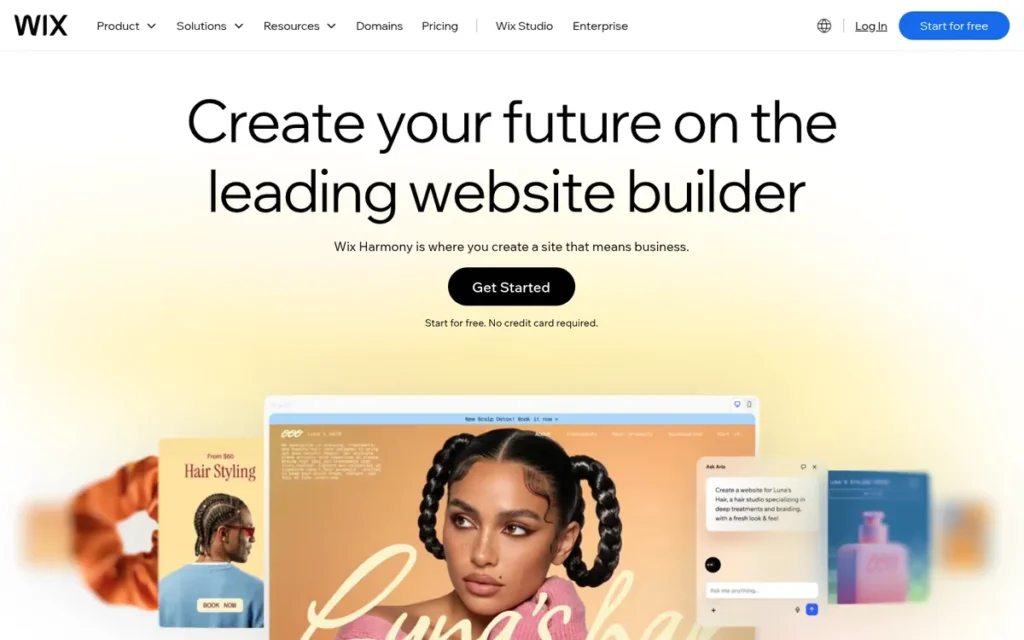
Category: Hosted All-in-One Builder, the vendor provides hosting, security, updates and the editor in one subscription.
At a Glance
- Category: Hosted All-in-One Builder
- Best For: Non-technical small-business owners and nonprofits who need a business site, bookings or a small store live quickly with minimal upkeep
- Price Range: Free plan; paid $17–$159/month billed annually (US, November 2026); Enterprise by quote
- Primary Strength: Wix combines the easiest setup on this list with independently measured speed, with about 74% of Wix mobile sites achieving a good Core Web Vitals assessment in 2025.
- Biggest Limitation: Wix locks a published site to its template and needs a full rebuild to move from the classic Editor to Wix Studio.
- One-Line Summary: Wix is a hosted all-in-one website builder that suits non-technical small businesses best, trading portability and predictable renewal pricing for low maintenance and fast setup.
- Last Verified: November 2026
Overview
Wix is a hosted, drag-and-drop website builder for small-business owners, nonprofits and solo operators who want a business site, online bookings or a small store without hiring a developer or managing hosting, security and software updates themselves.
Wix serves everyone from beginners to agencies on one platform, and Wix Studio adds responsive design systems for agency work. The main trade-off with Wix is low upkeep in exchange for limited portability.
Key Features
- Wix provides a drag-and-drop editor and an AI site generator that builds a starting site from prompts.
- Wix includes CMS Collections for dynamic, database-driven pages such as listings, team pages and portfolios.
- Wix bundles ecommerce, Wix Bookings, an App Market and members-only pages through Pricing Plans and the Members Area (Wix, 2026).
- Wix offers Velo, a JavaScript development layer for custom logic beyond the visual editor.
- Wix Studio adds responsive breakpoints and reusable design systems for agencies, with up to 10 million CMS items on the top Studio tier.
Best For
Wix is best for small businesses, nonprofits and service providers without developers who value fast setup and hands-off maintenance over long-term portability. Wix is a poor fit for teams that expect frequent redesigns or plan to migrate to another platform later.
Pricing
Wix publishes US list prices on its plans page (Wix, 2026). Core is the minimum Wix plan for accepting payments.
| Plan | Annual billing (per month) | Monthly billing |
|---|---|---|
| Free | $0 (Wix branding) | $0 |
| Light | $17 | $24 |
| Core | $29 | $36 |
| Business | $39 | $46 |
| Business Elite | $159 | $172 |
| Enterprise | Custom quote | Custom quote |
Wix Studio plans run from Basic at $19/month to Elite at $159/month billed annually (Forbes Advisor, 2026), a third-party source. Wix prices vary by country, and users report renewal increases after first-year discounts.
Strengths
- Wix had about 74% of its mobile sites achieving a good Core Web Vitals assessment in 2025, up from about 55% in 2024, and the highest median desktop Lighthouse score (87) among major CMSs (HTTP Archive Web Almanac, 2025) (independent measurement).
- Wix holds a Capterra rating of 4.4/5 from 10,819 reviews, and Wix Studio holds a G2 rating of 4.6/5, the highest in G2’s web content management comparison. PlugRoute did not verify the G2 review count (Capterra, 2026; G2, 2026) (aggregated user reviews).
- Wix handles hosting, security and software updates, and a nonprofit user on r/WIX wrote in January 2026 that Wix is “easy to maintain” (Reddit, 2026) (practitioner discussion).
- Wix holds 6.1% of the CMS market (W3Techs, 2026) (independent measurement), and Wix reported Q3 2025 revenue of $505.2M, up 14% year over year (Wix SEC filing, 2025) (vendor-reported).
Limitations
- Wix trades portability for convenience. A published Wix site can’t switch to a different template, so a redesign means a rebuild.
- Wix requires a full rebuild to move from the classic Editor to Wix Studio. An r/WIX user confirmed this in January 2026: “You have to fully rebuild the website in studio” (Reddit, 2026).
- Wix’s renewal pricing is the most common trust complaint about Wix. In January 2026, r/WIX users described surprise renewal increases, refused refunds, unexpected auto-renewal charges and AI-bot support (Reddit, 2026).
- PlugRoute found no verified data on Wix’s security certifications (SOC 2, PCI DSS, ISO) or Wix’s Trustpilot rating.
Verdict
Wix is the best overall CMS for non-technical small businesses in 2026 because it pairs the lowest skill requirement on this list with independently measured site speed and fully managed upkeep.
Wix leads Shopify by 1.5 points. The gap comes from Wix’s higher cost, skill and goal-coverage scores, partly offset by Shopify’s stronger upkeep and lock-in scores.
Wix lost points on lock-in, so buyers should treat their first template choice as long-term and budget for renewal increases. Teams that expect to outgrow a simple site should compare WordPress before committing.
A long-time Wix seller on r/WIX described that outgrowing pressure:
“I have posted before about how happy I am with Wix. However as time goes by, I am increasingly aware of how clunky and backwards Wix is compared to other ecommerce platforms. For me the check out process, faulty auto fill for addresses, slow speed and lack of other bells and whistles is tempting me to finally migrate.” Posted by u/Wild_Organization546
Takeaway: Even satisfied long-term Wix users find its ecommerce checkout falls behind dedicated commerce platforms as their store matures, which makes Wix’s lock-in a real cost once a business grows.
2. Shopify: Best for Ecommerce and Online Stores
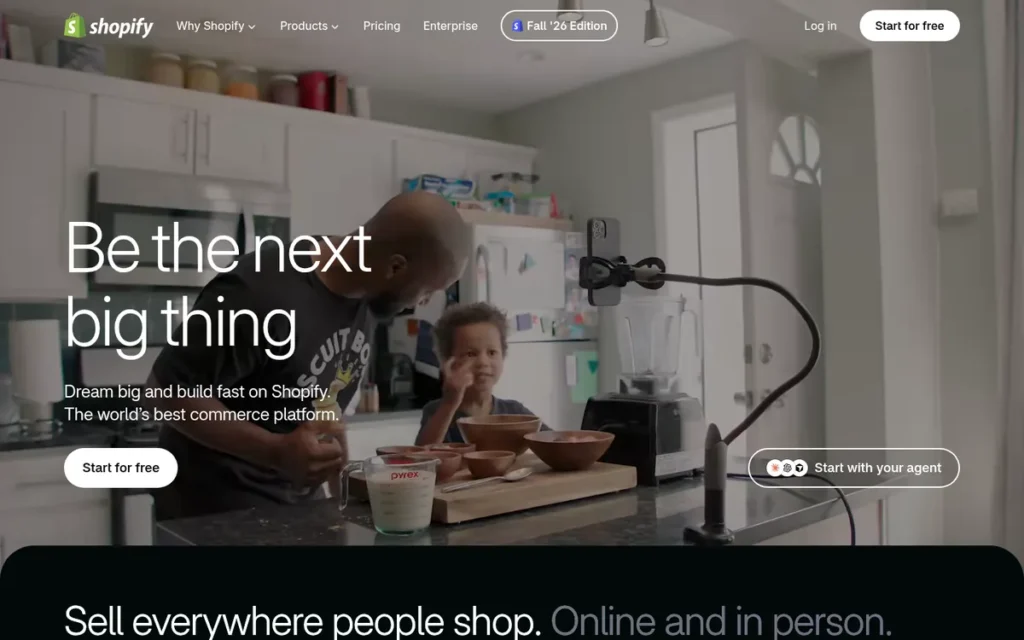
Category: Hosted All-in-One Builder.
At a Glance
- Category: Hosted All-in-One Builder
- Best For: Businesses whose website’s main job is selling products online or in person, especially without a developer
- Price Range: Starter $5/month; Basic–Advanced $29–$299/month billed annually; Plus from $2,300/month; plus card fees of 2.25–2.9% + 30¢ (US, November 2026)
- Primary Strength: Shopify combines verified user ratings of 4.4/5 on G2 (5,153 reviews) with a 75.22% Core Web Vitals pass rate in June 2025.
- Biggest Limitation: Shopify fixes store URL paths and charges an extra 0.2–2% transaction fee when merchants use a payment provider other than Shopify Payments.
- One-Line Summary: Shopify is a hosted commerce platform that suits businesses whose website exists mainly to sell products, with managed hosting, integrated payments and built-in POS.
- Last Verified: November 2026
Overview
Shopify is a hosted ecommerce platform for merchants, from first-time sellers to large brands, whose website exists mainly to sell products online or in person and who want hosting, security, checkout and payments managed for them rather than maintained in-house.
Shopify is a widely used hosted alternative to WooCommerce, and Shopify’s Hydrogen framework supports headless commerce builds. Shopify includes blogging and content pages, but Shopify’s content tools are basic compared with WordPress.
Key Features
- Shopify uses Online Store 2.0 themes with sections on every page, app blocks, and metafields and metaobjects for structured content.
- Shopify includes Shopify Payments, Shop Pay checkout and POS for selling in person.
- Shopify connects to a large App Store for features beyond the core platform.
- Shopify offers Hydrogen and Oxygen for brands that want a headless storefront.
- Shopify includes the Shopify Magic and Sidekick AI tools for content and store management.
Best For
Shopify is best for product-led businesses, especially those without developers, that want commerce infrastructure handled for them. Shopify is a poor fit for content-first sites, simple brochure sites, or stores that need custom URL structures.
Pricing
Shopify publishes its US plan prices and card rates (Shopify, 2026). Basic is the practical minimum Shopify plan for a full online store.
| Plan | Monthly billing | Annual billing (per month) | Online card rate | Extra fee without Shopify Payments |
|---|---|---|---|---|
| Starter | $5 | n/a | Region-dependent | n/a |
| Basic | $39 | $29 | 2.9% + 30¢ | 2% |
| Grow | $105 | $79 | 2.7% + 30¢ | 1% |
| Advanced | $399 | $299 | 2.5% + 30¢ | 0.6% |
| Plus | From $2,300 | n/a | 2.25% + 30¢ | 0.2% |
Shopify’s real cost rises with apps and themes. A rough market estimate puts a small business’s yearly Shopify cost at $1,000–10,000+.
Strengths
- Shopify holds a G2 rating of 4.4/5 from 5,153 reviews and a Capterra rating of 4.5/5 from 6,755 reviews (G2, 2026; Capterra, 2026) (aggregated user reviews).
- Shopify had 75.22% of its sites passing all Core Web Vitals in June 2025. That is one of the two highest rates on this list, roughly level with Wix (about 74% on mobile) (Search Engine Journal, 2025) (independent measurement).
- Shopify holds 7.9% of the CMS market (W3Techs, 2026) (independent measurement), and Shopify reports $378B in 2025 gross merchandise volume and more than 14% of US ecommerce (Shopify, 2026) (vendor-reported).
- Shopify manages hosting, security and infrastructure and reports PCI DSS Level 1 certification (Shopify, 2026) (vendor-reported). A 2021 r/ecommerce comment with 49 upvotes said self-hosted alternatives bring “all things that distract you from selling” (Reddit, 2021) (practitioner discussion).
Limitations
- Shopify trades flexibility for managed simplicity. Shopify’s URL paths (/products/, /collections/, /pages/, /blogs/) can’t be restructured, which affects SEO migrations, and theme changes beyond the basics need Liquid code.
- Shopify’s real costs climb with apps, themes, card fees and the 0.2–2% extra fee for third-party payment providers.
- Shopify’s median mobile Lighthouse score was 52 in 2025, below Wix (64) and Webflow (58), so Shopify’s Core Web Vitals lead does not carry over to Lighthouse (HTTP Archive Web Almanac, 2025) (independent measurement).
- Shopify’s Trustpilot reviews include complaints about account suspensions, payment holds, and billing and support problems (Trustpilot, 2026).
- Shopify’s Gartner Magic Quadrant leadership and conversion-uplift figures are vendor-reported or vendor-commissioned, and Shopify’s practitioner quotes date from 2021–2022.
Verdict
Shopify is the best CMS for businesses whose website exists mainly to sell products in 2026, combining verified user ratings of 4.4/5 or higher on G2 and Capterra with fully managed commerce infrastructure.
Shopify ranks #2 overall at 30.0/40, 1.5 points behind Wix. Shopify scored lower on cost (C2 = 3) because of card and third-party payment fees, and lower on skill (C3 = 4) and goal coverage (C6 = 3).
Merchants should budget for apps and payment fees on top of the Shopify plan price and settle their URL and SEO structure before launch. Content-first sites should consider WordPress or Wix instead.
Users on r/ecommerce weighed the same trade-off in 2026:
“if the store needs weird product logic, custom checkout, content-heavy seo, or you enjoy owning the tech, WooCommerce is still fine. if the business will need you on sourcing, support, ads, emails and fulfillment, Shopify usually buys back more time than it costs
the annoying part with Shopify is apps piling up and less control. the good part is you won’t spend a random saturday fixing plugin conflicts when you should be figuring out why nobody is buying” Posted by u/bolerbox
Takeaway: Shopify saves merchants time on maintenance but costs them control and adds a growing pile of apps, so it suits operators who would rather run the business than run the store’s tech.
3. WordPress: Best for Blogs, Content Sites and Maximum Flexibility
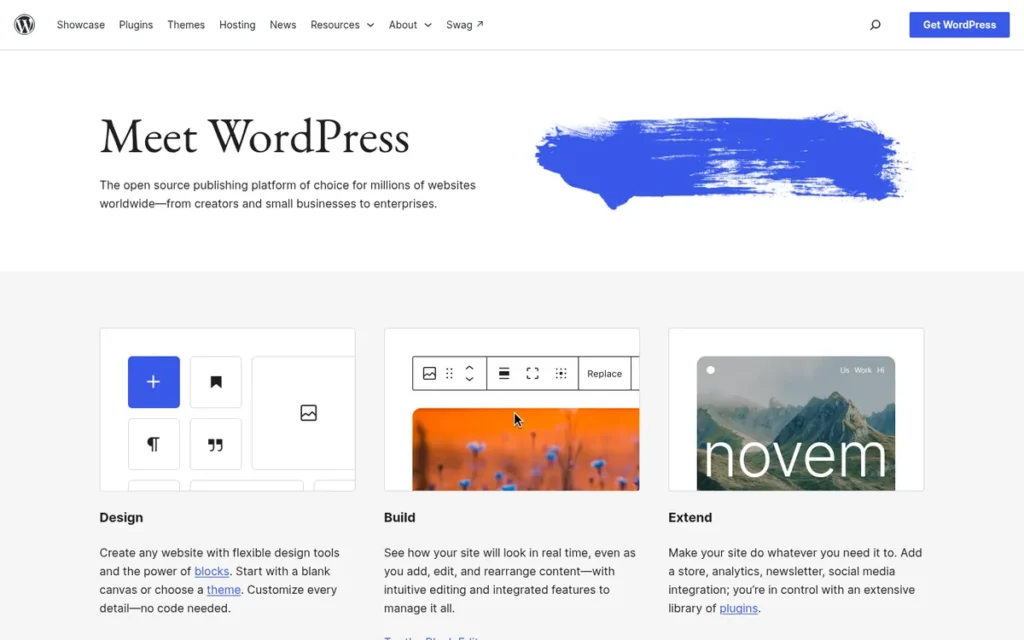
Category: Open-Source CMS, free software you can self-host or run on managed hosting, trading upkeep for ownership and portability.
At a Glance
- Category: Open-Source CMS
- Best For: Bloggers, content-heavy sites and businesses that need custom features and full ownership, with someone available for upkeep
- Price Range: $0 software; hosting about $3–$100+/month; typical small site about $100–$500/year before paid help (market estimate, November 2026)
- Primary Strength: WordPress has the largest review base and add-on ecosystem of any CMS, with a Capterra rating of 4.6/5 from 15,002 reviews and more than 78,000 free plugins.
- Biggest Limitation: WordPress puts security and maintenance on the site owner, and only 43.44% of WordPress sites passed all Core Web Vitals in June 2025.
- One-Line Summary: WordPress is the most flexible and portable CMS for blogs, content sites and custom-feature websites, provided the owner can budget time or money for hosting, updates and plugin security.
- Last Verified: November 2026
Overview
WordPress is free, open-source content management software for bloggers, content-heavy publishers and businesses that need custom features, full ownership of their site and the largest plugin and theme ecosystem, provided someone can handle hosting, updates and security.
WordPress.org is the self-hosted software. WordPress.com is Automattic’s paid hosted service with tiered feature limits, and review data for the two is often mixed together.
Key Features
- WordPress offers more than 78,000 free plugins in its official directory, and new plugin submissions doubled in 2025 (WordPress.org, 2025).
- WordPress includes the Gutenberg block editor and Full Site Editing, which let block-theme users edit headers, footers and templates visually.
- WordPress adds ecommerce through WooCommerce, which has more than 7 million active installs (WordPress.org, 2026).
- WordPress can run as a headless CMS through its built-in REST API or a GraphQL plugin.
- WordPress comes in two forms: self-hosted WordPress.org software and Automattic’s hosted WordPress.com service with tiered plans.
Best For
WordPress is best for blogs, content-heavy websites and businesses with unusual feature needs that have a developer, agency or managed host to handle maintenance. WordPress is a poor fit for owners who want zero upkeep and have no technical help.
Pricing
The WordPress.org software costs $0. Every other WordPress figure below is a rough market estimate (November 2026), not a vendor price:
- WordPress domains cost about $10–25/year.
- WordPress shared hosting costs about $3–30/month.
- Managed WordPress hosting costs about $20–100+/month.
- WordPress premium themes cost about $30–150/year, and premium plugins cost about $30–300/year each.
- A small WordPress site runs about $100–500/year before paid help, and about $1,000–8,000/year once maintenance is included.
WordPress.com offers Free, Personal, Premium, Business, Commerce and Enterprise tiers, but PlugRoute could not verify current WordPress.com prices.
Strengths
- WordPress powers 58.2% of the CMS market and 39.4% of all websites, though its CMS share has fallen from 65.2% in January 2022 (W3Techs, 2026) (independent measurement).
- WordPress holds a Capterra rating of 4.6/5 from 15,002 reviews and a G2 rating of 4.4/5 with the largest review volume in G2’s web content management category. PlugRoute did not verify the exact G2 review count (Capterra, 2026; G2, 2026) (aggregated user reviews).
- WordPress has more than 78,000 free plugins and more than 7 million WooCommerce installs, so most feature needs can be met without custom code (WordPress.org, 2026) (vendor-reported).
- WordPress.org is open-source software, so WordPress site owners can move their content and code between hosts without vendor lock-in.
Limitations
- WordPress gives owners control at the cost of upkeep. Patchstack logged 7,966 new WordPress-ecosystem vulnerabilities in 2024: 96% in plugins, 4% in themes and only 7 in core (Patchstack, 2025). Wordfence reports about 35% were still unpatched (Wordfence, 2025), and both companies sell WordPress security products.
- WordPress had only 43.44% of its sites passing all Core Web Vitals in June 2025 and a median desktop Lighthouse score of 63 (Search Engine Journal, 2025; HTTP Archive Web Almanac, 2025). These figures are platform averages, and well-built WordPress sites can be faster.
- The Automattic–WP Engine lawsuit remains active as of November 2026, with a jury trial scheduled for October 2027 and a preliminary injunction restoring WP Engine’s WordPress.org access still in effect (Law360, 2026). That leaves WordPress governance risk unresolved.
- PlugRoute found no verified data on WordPress-specific Reddit sentiment, because two searches returned no relevant threads.
Verdict
WordPress is the most flexible and portable CMS for blogs and content-heavy websites in 2026, but it is the highest-maintenance option on this list for owners without technical help.
WordPress trails Shopify by 0.5 points, a margin driven mainly by upkeep: WordPress scored 2 on C4 and Shopify scored 5. WordPress led the field on review volume, ecosystem and portability.
Buyers who choose WordPress should budget for managed hosting or maintenance help from day one. Buyers who want zero upkeep should compare Wix first.
This aligns with community sentiment on r/Wordpress:
“If you aren’t technical, then I wouldn’t recommend WordPress. There’s a ton of stuff you need to know how to do when you use WordPress, like security, backup, image optimisation, performance optimisation, SEO, etc, etc. I’d recommend something like Shopify or Squarespace.” Posted by u/bluesix
Takeaway: WordPress pushes a long list of technical jobs onto site owners, so non-technical owners without paid help are better served by a hosted builder.
4. Ghost: Best for Newsletters, Blogs and Paid Memberships
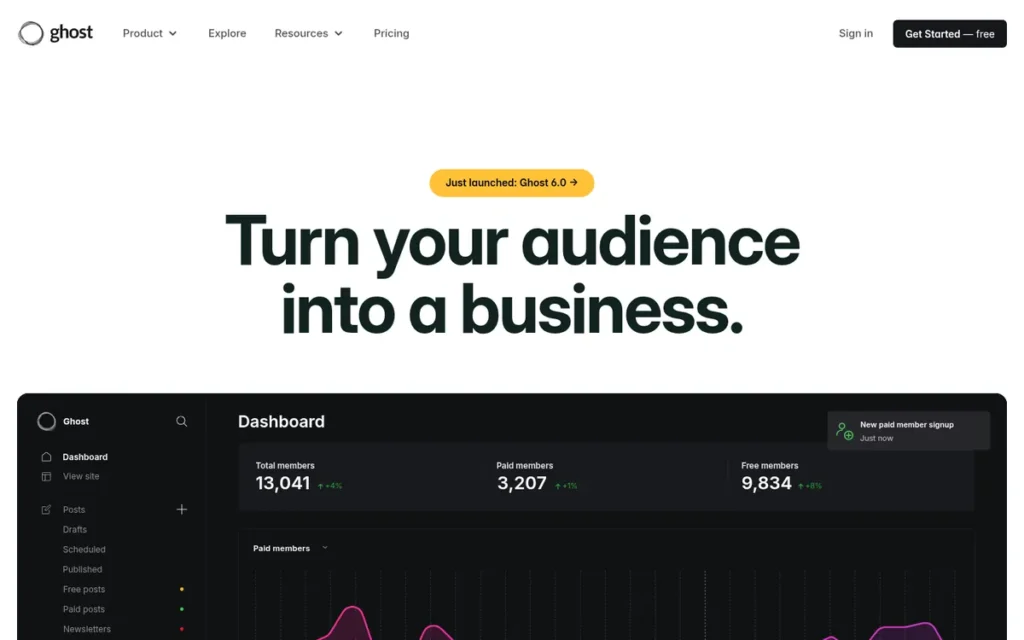
Category: Open-Source CMS.
At a Glance
- Category: Open-Source CMS
- Best For: Writers, independent publications and content-led businesses running a newsletter, blog or paid membership
- Price Range: Ghost(Pro) $15–$199/month billed annually (1,000–10,000 members), Custom by quote; self-hosted software $0 (November 2026)
- Primary Strength: Ghost charges a 0% platform fee on paid subscriptions, compared with Substack’s 10% revenue share.
- Biggest Limitation: Ghost is built for publishing, not for brochure sites or ecommerce, and its price rises as member count grows.
- One-Line Summary: Ghost is an open-source publishing platform suited to newsletters and paid memberships, and it takes no platform cut of subscription revenue.
- Last Verified: November 2026
Overview
Ghost is an open-source publishing platform for writers, independent publications and content-led businesses that want to run a blog, an email newsletter, and free or paid memberships from one owned website, without paying a revenue share on subscriptions.
Ghost can be self-hosted or run on Ghost(Pro) managed hosting. Ghost is maintained by the non-profit Ghost Foundation.
Key Features
- Ghost combines a block editor with built-in email newsletters that support multiple lists.
- Ghost runs free and paid memberships through Stripe with a 0% platform fee.
- Ghost includes built-in SEO tools, themes and cookie-free analytics.
- Ghost 6.0 supports ActivityPub, so Ghost publications can be followed from Mastodon, Threads and Flipboard.
- Ghost provides Admin and Content APIs and connects to more than 8,000 integrations (Ghost, 2026).
Best For
Ghost is best for newsletters, independent publications and creators who want to own their audience and keep their subscription revenue. Ghost is a poor fit for businesses that mainly need a brochure site, an online store or complex marketing pages.
Pricing
Ghost(Pro) publishes its prices (Ghost, 2026). Publisher is the minimum Ghost plan for selling paid subscriptions.
| Plan | Annual billing (per month) | Monthly billing | Members included | Key features |
|---|---|---|---|---|
| Starter | $15 | $18 | 1,000 | No paid subscriptions or custom themes |
| Publisher | $29 | $35 | 1,000 | Paid subscriptions, custom themes, 3 staff users |
| Business | $199 | $239 | 10,000 | 15 staff users, priority support |
| Custom | Quote | Quote | Unlimited | 99.9% uptime SLA |
Ghost(Pro) prices rise as member count grows. At $3,500/year in subscriptions, Substack’s 10% cut ($350) roughly equals a year of Ghost Publisher on annual billing ($348).
Self-hosted Ghost software costs $0, but Ghost’s docs estimate these monthly infrastructure costs (Ghost, 2026):
- Ghost hosting starts at about $10/month.
- A CDN and firewall for Ghost cost about $20/month.
- Ghost newsletter delivery costs about $15/month.
- Analytics, backups and image processing for Ghost add about $10, $5 and $12/month respectively.
Strengths
- Ghost charges 0% on paid subscriptions versus Substack’s 10% (Ghost, 2026; Substack, 2026) (vendor-reported), which saves $10,000 a year at $100,000 in subscription revenue.
- Ghost publishers had earned about $130M in total as of March 2026, up from about $100M in May 2025, according to founder John O’Nolan (O’Nolan, 2026) (vendor-reported, unaudited).
- Ghost holds a Capterra rating of 4.7/5 from 53 reviews, the highest score on this list, and users praise its memberships, SEO and newsletters (Capterra, 2026) (aggregated user reviews, small sample).
- Ghost is open source and run by the non-profit Ghost Foundation without venture capital or advertising. Ghost is reportedly used by 404 Media, Platformer and The Kyiv Independent (IndieFounder, 2025).
Limitations
- Ghost trades breadth for focus. Ghost is not designed for brochure sites or ecommerce, and Ghost(Pro) prices rise as member count grows.
- Ghost’s review evidence is thin and inconsistent: Capterra 4.7/5 from 53 reviews (Capterra, 2026) against G2 4.0/5 from 40 reviews (G2, 2026).
- Ghost requires Handlebars code for custom theme changes, and Ghost’s ecosystem is far smaller than WordPress’s.
- In one user report, a 2025 r/Substack user said a Ghost blog brought search visits but few email subscribers, which points to Ghost’s lack of a discovery network (Reddit, 2025).
- PlugRoute found no verified data on Ghost’s independent site speed or on any formal Ghost security certification such as SOC 2.
Users on r/juststart noted:
“I have always used WordPress, but I recently purchased a site that was built with Ghost Pro. It takes time to get used to it, but I am starting to enjoy using Ghost Pro because of the simplicity of the platform. However, the down side is I do miss the flexibility with WordPress and different available plugins.” Posted by u/bluedrat
Takeaway: Ghost wins over publishers with its simplicity, but people moving from WordPress feel the loss of WordPress’s plugin flexibility.
Verdict
Ghost is the best CMS for paid newsletters and membership publications in 2026 because it charges a 0% platform fee on subscriptions and keeps the audience on an owned, open-source site.
Ghost scored well on cost transparency, ease of use and portability, and lost points for narrow scope and small review samples.
Publishers who plan to charge should start on the $29/month Ghost Publisher plan. Ghost has no built-in discovery network, so publishers need their own plan for growing an audience.
5. HubSpot Content Hub: Best for CRM-Driven Marketing Teams
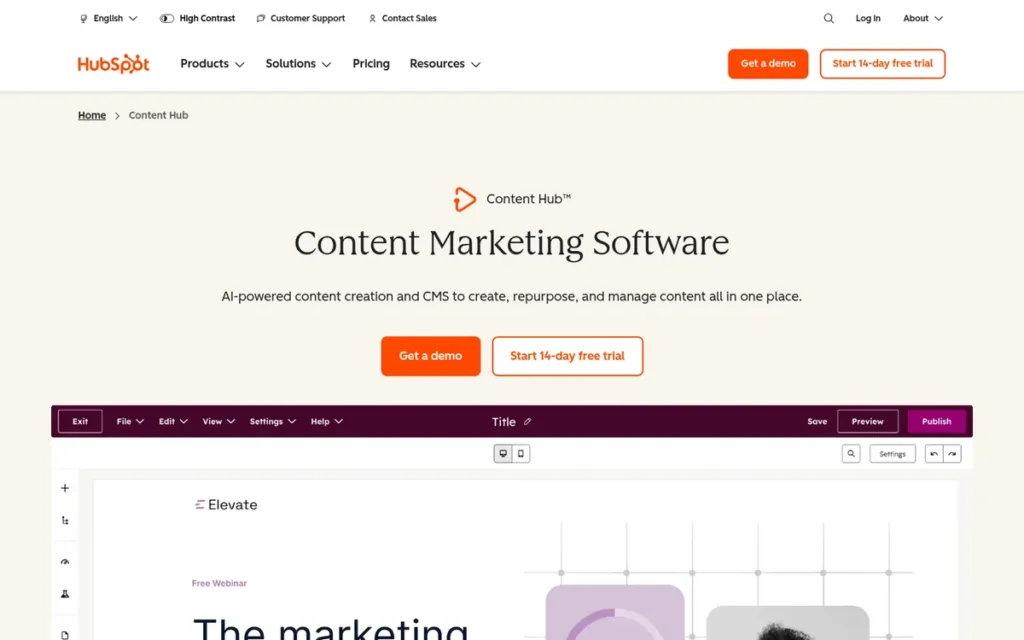
Category: Hosted All-in-One Builder.
At a Glance
- Category: Hosted All-in-One Builder
- Best For: Marketing managers and B2B teams already using, or committing to, HubSpot’s CRM and marketing tools
- Price Range: Free tier; Starter $20/month per seat; Professional $500/month with three core seats ($450/month on annual commitment); Enterprise $1,500/month with five core seats (November 2026)
- Primary Strength: HubSpot Content Hub personalizes website content using CRM data such as lifecycle stage, list membership and location.
- Biggest Limitation: HubSpot Content Hub’s price jumps about 25× from Starter ($20/month) to Professional ($500/month), before extra seats and onboarding.
- One-Line Summary: HubSpot Content Hub is a CRM-integrated CMS that makes most sense for marketing teams already using HubSpot, where website content, lead capture and automation run on one database.
- Last Verified: November 2026
Overview
HubSpot Content Hub is a website CMS built on HubSpot’s CRM for marketing managers and B2B teams who want their website, blog, landing pages, gated content and lead capture connected directly to contact records, email and marketing automation in one platform.
HubSpot Content Hub (formerly CMS Hub) delivers most of its value when the wider HubSpot suite is also in use.
Key Features
- HubSpot Content Hub provides a drag-and-drop editor and themes for building pages without code.
- HubSpot Content Hub uses smart content to personalize pages by CRM lifecycle stage, list membership and location.
- HubSpot Content Hub includes Breeze AI and Content Remix for creating and repurposing content.
- HubSpot Content Hub supports memberships, gated content, A/B testing and multi-language sites.
- HubSpot Content Hub includes managed SSL, a CDN and a web application firewall.
Best For
HubSpot Content Hub is best for marketing teams whose website feeds lead generation and sales, especially teams already on HubSpot’s CRM. HubSpot Content Hub is a poor fit for teams that only need a CMS, run online stores, or have tight budgets.
Pricing
HubSpot publishes Content Hub prices on its pricing page (HubSpot, 2026):
- HubSpot Content Hub offers a free tier.
- HubSpot Content Hub Starter costs $20/month per seat.
- HubSpot Content Hub Professional costs $500/month with three core seats, or $450/month on an annual commitment, and may require onboarding fees.
- HubSpot Content Hub Enterprise costs $1,500/month with five core seats.
- HubSpot Content Hub charges $20, $50 and $75/month for each additional seat on Starter, Professional and Enterprise respectively.
The Starter-to-Professional jump is the most common HubSpot pricing complaint. A rough market estimate puts a small business’s yearly HubSpot cost at $3,000–30,000+.
Strengths
- HubSpot Content Hub holds a Capterra rating of 4.6/5 from 92 reviews with 95% positive sentiment, and a G2 rating of 4.5/5. PlugRoute did not verify a Content Hub-only G2 review count (Capterra, 2026; G2, 2026) (aggregated user reviews).
- HubSpot reported 288,706 customers in more than 135 countries and about $3.13B in 2025 revenue, up 19%. These are company-wide figures, not Content Hub alone (HubSpot 10-K, 2026) (vendor-reported).
- HubSpot Content Hub includes native memberships and gated content, a capability shared on this list by Ghost and Wix (HubSpot, 2026) (vendor-reported).
- HubSpot Content Hub’s support was praised by a 2023 r/hubspot user as “the best I have experienced” (Reddit, 2023) (practitioner discussion).
Limitations
- HubSpot Content Hub trades cost for an integrated marketing stack. Its price jumps about 25× from Starter to Professional, and each additional Professional seat adds $50/month (HubSpot, 2026).
- A self-identified HubSpot partner on r/hubspot estimated HubSpot onboarding at about three months and $5,000–10,000 (Reddit, 2023). Treat that figure as coming from a biased source.
- HubSpot Content Hub templates use HubL, HubSpot’s own template language. A G2 reviewer criticized HubL’s “rigidity” for forcing CSS and JavaScript workarounds (G2, 2026), and HubL raises migration costs.
- PlugRoute found no verified data on HubSpot Content Hub’s independent site speed, named case studies or W3Techs share, and HubSpot’s Gartner Leader status is self-reported.
Verdict
HubSpot Content Hub is the best CMS for marketing teams that already run on HubSpot’s CRM in 2026, but it is one of the costliest options on this list for teams that only need a website.
HubSpot Content Hub scored well on user ratings and on ease of use for marketers. It lost points on the steep Professional-tier jump and on HubL lock-in.
Teams should price HubSpot Content Hub’s full Professional tier, seats and onboarding before committing, not the Starter entry price.
6. Webflow: Best for Design-Led Marketing Sites
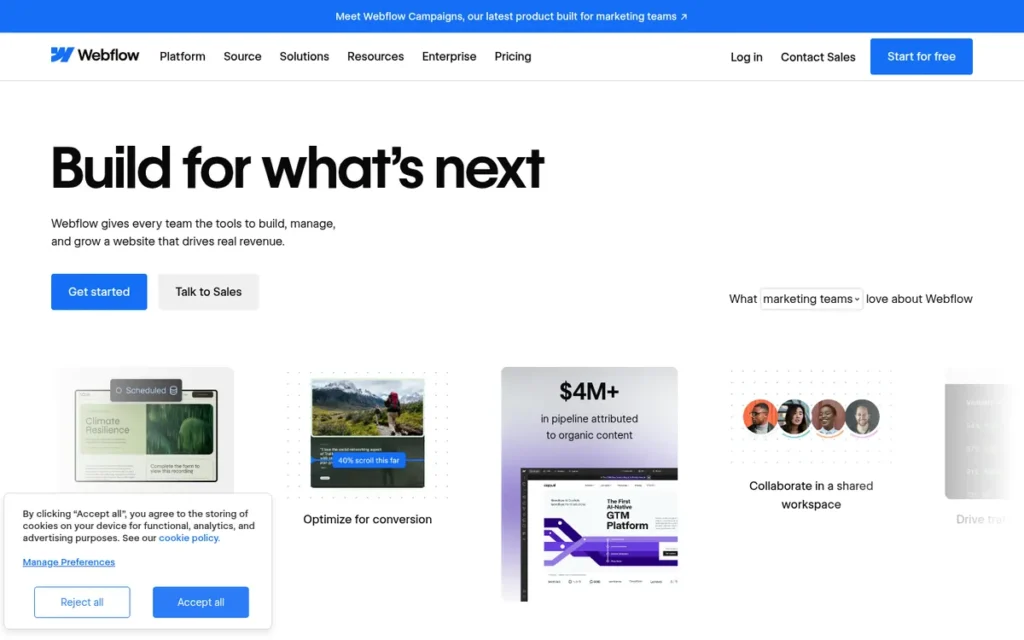
Category: Hosted All-in-One Builder.
At a Glance
- Category: Hosted All-in-One Builder
- Best For: Design-led marketing teams, designers and agencies who want custom layouts without plugin maintenance
- Price Range: Free Starter; Basic $15 and Premium $25/month billed annually; Ecommerce from $29/month; Workspace seats billed separately; Enterprise by quote (November 2026)
- Primary Strength: Webflow gives designers pixel-level visual control that maps to CSS concepts and outputs clean HTML, CSS and JavaScript without plugins.
- Biggest Limitation: Webflow has a steep learning curve for non-designers, and its pricing is split across site, workspace, ecommerce and add-on plans that have changed repeatedly since 2025.
- One-Line Summary: Webflow is a visual, design-led CMS best suited to marketing teams with design skills who want custom layouts without plugin maintenance, at the cost of a steeper learning curve and layered pricing.
- Last Verified: November 2026
Overview
Webflow is a hosted visual website builder and CMS for designers, design-led marketing teams and agencies who want pixel-level control over custom layouts and structured content without writing code daily or maintaining plugins, hosting and security patches.
Webflow requires an understanding of CSS concepts such as the box model, flexbox and grid.
Key Features
- Webflow’s visual designer maps directly to CSS concepts (box model, flexbox, grid, classes) and outputs standard HTML, CSS and JavaScript.
- Webflow includes CMS Collections on the Premium plan for structured, reusable content such as blog posts and case studies.
- Webflow offers Ecommerce, Localization, Analyze and Optimize as paid plans and add-ons.
- Webflow provides DevLink to export components to React, and Webflow Cloud for building apps.
- Webflow has included AI credits on all Workspace plans since May 2026.
Best For
Webflow is best for marketing teams and agencies with design skills that need distinctive, custom-designed sites with managed hosting. Webflow is a poor fit for beginners, content teams without a designer, or sites that need logins and paid memberships.
Pricing
Since 13 May 2026, Webflow sells two paid Site plans, and Premium is the minimum Webflow plan for structured content (Webflow, 2026).
| Site plan | Annual billing (per month) | Monthly billing | Key limits |
|---|---|---|---|
| Starter | Free | Free | Starter site |
| Basic | $15 | $25 | Static sites, 300 static pages, no CMS |
| Premium | $25 | $39 | CMS, up to 20,000 items, 40 Collections |
| Enterprise | Custom | Custom | Custom |
Webflow Ecommerce starts at $29/month billed annually, and Webflow Workspace seats are billed separately, with price points of $19 and $49/month shown. Webflow’s annual CMS plan rose from $16 to $23 before Webflow merged it into Premium at $25.
Strengths
- Webflow sites recorded a median desktop Lighthouse score of 73, above WordPress (63) and below Wix (87) (HTTP Archive Web Almanac, 2025) (independent measurement).
- Webflow holds a G2 rating of 4.4/5 from 997 reviews, and users praise its design control, clean output and fewer handoffs to developers (G2, 2026) (aggregated user reviews).
- Webflow has no plugin architecture, so Webflow sites avoid the plugin-based exposure behind 96% of WordPress-ecosystem vulnerabilities in 2024 (Patchstack, 2025) (PlugRoute analysis).
- Webflow lists Dropbox, Dell, NCR and Upwork as customers (Webflow, 2026) (vendor-reported), and a 2022 r/webflow user said Webflow costs less than WordPress once paid plugins are added (Reddit, 2022).
Limitations
- Webflow trades ease of use for design control. Webflow’s learning curve is steep for non-designers, and a 2022 r/webflow user said it suits people who have used Photoshop or Illustrator (Reddit, 2022).
- Webflow’s pricing is split across Site, Workspace, Ecommerce and add-on charges. Webflow changed it in early 2025 and again in May 2026, when it merged its CMS and Business plans into Premium.
- Webflow’s code export covers only the front end, so CMS content, forms and ecommerce stop working on an exported site. Webflow also shut down its Memberships feature, and the Premium plan caps CMS items at 20,000.
- PlugRoute found a Capterra listing for Webflow but no verified current rating. PlugRoute also found no verified Webflow Trustpilot rating and only one thin 2022 Reddit thread, which predates current pricing.
Verdict
Webflow is the best CMS for design-led marketing sites built by teams with design skills in 2026, but its CSS-based learning curve and layered pricing make it a poor fit for beginners.
Webflow scored well on managed upkeep and plugin-free security. It lost points on skill required, pricing complexity and lock-in.
Teams should confirm current Webflow plan prices and CMS item limits before buying, and should remember that an exported Webflow site loses its CMS functionality.
7. Contentful: Best Headless CMS for Developer-Led, Multi-Channel Teams
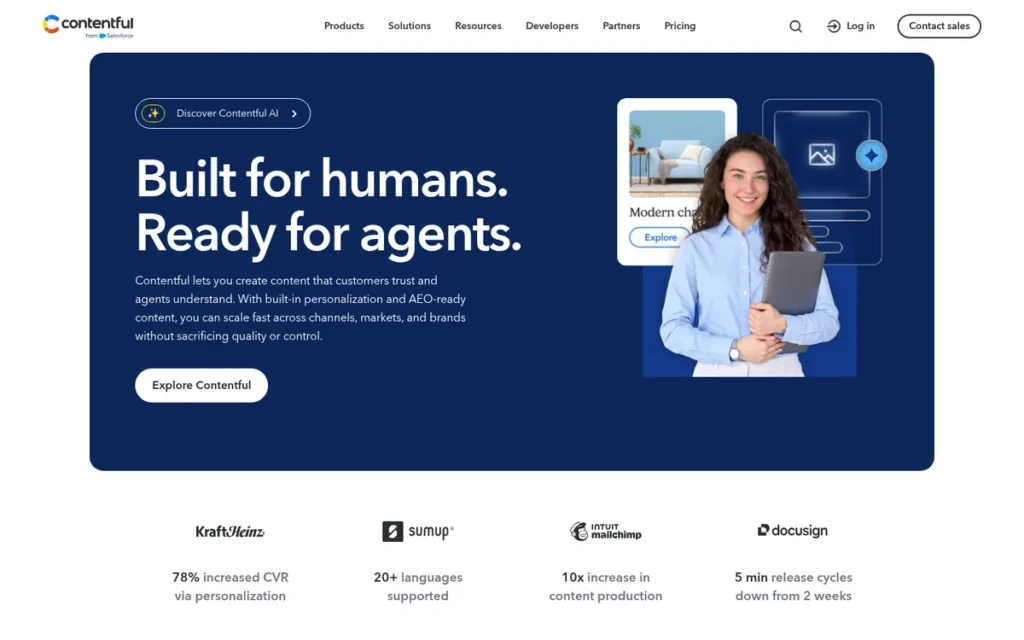
Category: Headless API-First CMS, stores structured content and delivers it through APIs to any website, app or channel; developers build the front end.
At a Glance
- Category: Headless API-First CMS
- Best For: Organizations with in-house or agency developers that publish structured content to multiple websites, apps and channels
- Price Range: Free plan; Lite $300/month; Premium and Studio by quote (November 2026)
- Primary Strength: Contentful delivers structured, reusable content to multiple websites, apps and channels through Delivery, Management and GraphQL APIs, and Contentful reports SOC 2 Type 2 and ISO/IEC 27001:2022 certification.
- Biggest Limitation: Contentful requires developers to build and maintain the front end, previews, routing, search and forms, and its pricing jumps from free to $300/month to enterprise quotes.
- One-Line Summary: Contentful is an API-first headless CMS with SOC 2 Type 2 and ISO 27001 certification, suited to organizations whose developers publish structured content across multiple channels.
- Last Verified: November 2026
Overview
Contentful is an API-first headless content platform for organizations with in-house or agency developers that need to model structured content once and deliver it to multiple websites, mobile apps and other digital channels, rather than run a single traditional website.
Contentful does not include a website front end, so the front end must be built separately.
Key Features
- Contentful delivers structured content through Delivery, Management and GraphQL APIs.
- Contentful supports separate environments, field-level localization and a global CDN.
- Contentful offers Studio and Experiences for visual page assembly by non-developers.
- Contentful includes personalization from its Ninetailed acquisition, plus AI Actions for content tasks.
- Contentful provides an App Framework and Marketplace with more than 100 integrations (Contentful, 2026).
Best For
Contentful is best for mid-sized and enterprise teams with developers that publish the same content to several websites, apps or channels. Contentful is a poor fit for small businesses without developers or teams that need a single website quickly.
Pricing
Contentful publishes its entry tiers on its pricing page (Contentful, 2026):
- Contentful offers a free plan.
- Contentful Lite costs $300/month.
- Contentful Premium and Studio are quote-only.
G2 users say Contentful has no comfortable mid-tier and that adding languages, SSO, users and environments multiplied their projected costs (G2, 2026). A rough market estimate puts yearly headless costs at $5,000–50,000+ once front-end development is included.
Strengths
- Contentful reports more than 4,500 customers and use by about 30% of the Fortune 500, with named customers including Spotify, Peloton and Audible (Contentful, 2026) (vendor-reported).
- Contentful holds a G2 rating of 4.3/5 from 387 reviews and G2 Leader status, and users praise its APIs, flexibility and reusable structured content (G2, 2026) (aggregated user reviews).
- Contentful lists SOC 2 Type 2 and ISO/IEC 27001:2022 certification with data-residency options on its security page (Contentful, 2026) (vendor-reported).
- Contentful was described in a 2020 r/webdev thread as fast to set up, with an interface “pretty easy to understand for non technical people” once developers configure it (Reddit, 2020) (practitioner discussion).
Limitations
- Contentful trades simplicity for multi-channel flexibility. Contentful requires developers to build and maintain the front end, routing, search and forms, and even page previews need developer setup (G2, 2026).
- Contentful’s pricing jumps from a free plan to $300/month to enterprise quotes, and Contentful costs grow with languages, SSO, users and environments.
- Contentful content can be exported, but rebuilding the content model and front end elsewhere is expensive. G2 reviewers also cite a steep Contentful learning curve and content models that grow complex (G2, 2026).
- PlugRoute found a Capterra listing for Contentful but no verified current rating, and no verified Gartner Peer Insights or TrustRadius rating. The Contentful Reddit evidence dates from 2020, before current pricing and Studio.
Verdict
Contentful is the strongest headless CMS on this list for developer-led organizations publishing content across multiple channels in 2026, but it is the least suitable option for small teams without developers.
Contentful scored well on scalability and enterprise security, and lowest on skill required and cost predictability. Contentful’s Lite price is now confirmed, but its cost score stays at 1 because the free-to-$300-to-quote structure and per-user and per-language multipliers remain.
Teams should include front-end development and per-language costs in any Contentful budget. Small teams with a single website should start with a hosted builder or WordPress instead.
What Is the Best CMS for Small Business, Blogs, Ecommerce or Headless Development?
The best CMS depends on the job. Wix suits non-technical small businesses, WordPress suits blogs and content sites, Shopify suits ecommerce, and Contentful suits developer-led headless builds. The short answers below cover the most common CMS searches, each based on PlugRoute’s scores and dated evidence.
What is the best CMS for a small business in 2026? Wix is the best CMS for a non-technical small business in 2026, scoring 31.5/40 on PlugRoute’s criteria with fully managed hosting and the lowest skill requirement on this list. Small businesses whose website exists mainly to sell products should start with Shopify, which scored 30.0/40.
What is the best CMS for a blog or content website? WordPress is the best CMS for a blog or content-heavy website when someone can handle upkeep, because WordPress offers more than 78,000 free plugins and full portability (WordPress.org, 2026). Writers who plan to charge subscribers should choose Ghost, which takes a 0% platform fee on paid subscriptions (Ghost, 2026).
What is the best headless CMS for developers? Contentful is the strongest headless CMS on this list for developer-led teams, with Delivery, Management and GraphQL APIs and a G2 rating of 4.3/5 from 387 reviews (G2, 2026). Strapi (Capterra 4.6/5, 66 reviews) and Sanity (Capterra 4.7/5, 3 reviews) are headless alternatives PlugRoute also considered (Capterra, 2026).
How do I choose the best CMS for ecommerce? Choose an ecommerce CMS by who will run it. Shopify suits merchants without developers, starting on the Basic plan at $29/month billed annually plus card fees (Shopify, 2026). WordPress with WooCommerce suits teams with developers who want ownership. Before choosing, check payment fees, app costs and whether you need custom URL structures.
Which CMS Is Easiest to Run Without a Developer?
Wix is the easiest CMS to run without a developer, followed by Shopify, Ghost(Pro), HubSpot Content Hub, WordPress, Webflow and Contentful. The ladder below names the specific technical skill each platform needs beyond basic use, which is the clearest signal of whether you will eventually need to hire help.
| Rank (easiest first) | CMS | Skill needed beyond basic use |
|---|---|---|
| 1 | Wix | None for standard sites; Velo (JavaScript) is optional |
| 2 | Shopify | Liquid code for theme changes beyond the basics |
| 3 | Ghost(Pro) | Handlebars code for custom themes |
| 4 | HubSpot Content Hub | HubL templating for custom designs |
| 5 | WordPress | Hosting, plugin and security management |
| 6 | Webflow | CSS concepts (box model, flexbox, grid, classes) |
| 7 | Contentful | Front-end development for the entire website |
What Does Each CMS Really Cost Per Year?
A small business’s yearly CMS cost ranges from about $180 for Ghost(Pro) Starter to $50,000+ for a headless build, and entry prices rarely reflect the real total. The yearly figures below are rough market estimates, not quotes, and apps, seats, members, languages and transaction fees usually drive the real number.
| Platform | Estimated yearly cost (small business) |
|---|---|
| Ghost(Pro) | $180–2,388 (list prices before member growth) |
| Wix | $300–3,000 |
| Webflow | $600–6,000 |
| WordPress | $1,000–8,000 (including maintenance) |
| Shopify | $1,000–10,000+ |
| HubSpot Content Hub | $3,000–30,000+ |
| Headless CMS (e.g., Contentful) | $5,000–50,000+ (including front-end development) |
On every platform PlugRoute evaluated, the plan price was the smallest part of the real yearly cost once apps, seats, members, payment fees or maintenance were added.
The most common reasons CMS costs rise beyond the plan price are:
- Shopify adds card fees and up to 2% extra per sale without Shopify Payments.
- Ghost(Pro) raises prices as member count grows.
- Webflow bills Workspace seats, Ecommerce and add-ons separately from site plans.
- HubSpot Content Hub adds seat fees, onboarding fees and higher tiers for key features.
- Contentful costs multiply with users, languages, SSO and environments.
- WordPress adds premium plugins, themes and managed hosting on top of $0 software.
Which CMS Produces the Fastest Websites?
Hosted platforms produce the fastest websites on average. Among ranked products, Shopify (75.22%) and Wix (about 74% on mobile) roughly tie for the highest Core Web Vitals pass rates, while WordPress trails at 43.44% (HTTP Archive Web Almanac, 2025; Search Engine Journal, 2025).
Core Web Vitals pass rates are platform averages, and individual sites can perform much better or worse. Shopify’s figure comes from Search Engine Journal’s June 2025 analysis and Wix’s comes from the Web Almanac’s mobile data, so treat the two as roughly level.
| CMS | Share passing all Core Web Vitals (2025) | Median desktop Lighthouse (2025) | Median mobile Lighthouse (2025) |
|---|---|---|---|
| Duda (not ranked) | About 85% (83.63% in June) | 81 | 57 |
| Shopify | 75.22% | No verified data found | 52 |
| Wix | About 74% on mobile (up from about 55%) | 87 | 64 |
| Drupal (not ranked) | 59.07% | No verified data found | No verified data found |
| Webflow | No verified data found | 73 | 58 |
| WordPress | 43.44% | 63 | 41 |
| Ghost, HubSpot Content Hub, Contentful | No verified data found | No verified data found | No verified data found |
Hosted platforms vary less in speed because users don’t control hosting, themes or plugins. WordPress speed depends heavily on hosting, theme and plugin choices.
Contentful site speed depends on the front end that a team’s developers build.
Will I Outgrow My CMS, and How Hard Is It to Leave?
Open-source platforms (WordPress and Ghost) are the easiest CMS tools to leave. Each hosted builder on this list has at least one documented lock-in mechanism, such as forced rebuilds, export limits, fixed URLs or a proprietary template language. Check the mechanism that applies to your platform before you build, not when you need to migrate.
| CMS | Main lock-in or growth limit |
|---|---|
| WordPress | Low lock-in: open-source software moves between hosts |
| Ghost | Low lock-in (open source); price rises with member count |
| Contentful | Content exports, but rebuilding the content model and front end is costly |
| Shopify | Fixed URL paths and Liquid themes; proven scale up to Shopify Plus |
| Wix | No template switching after publishing; Editor-to-Studio move requires a full rebuild |
| HubSpot Content Hub | HubL templates raise migration costs |
| Webflow | Front-end-only export; Memberships discontinued; Premium caps CMS items at 20,000 |
A CMS is easy to leave only if your content, URLs and design all survive the move. WordPress and Ghost are the only products on this list where all three can.
As one user on r/juststart put it:
“Never choose a platform that can hold your content hostage. With WordPress you are in control of your site and can migrate it just about anywhere should you want to.” Posted by u/50dollarpretzel
Takeaway: Experienced site owners treat portability as a deciding factor when choosing a CMS, and WordPress’s open-source model is the clearest protection against vendor lock-in.
If you are rebuilding, check which of your current URLs and templates survive the move before you choose a new platform.
Which Other CMS Tools Did We Consider?
PlugRoute also evaluated eight CMS tools that did not get a main slot. Each one overlaps heavily with a ranked product, has too few reviews to rate reliably, or belongs to a different category. Duda deserves special mention because it had the highest Core Web Vitals pass rate PlugRoute found in 2025.
- Squarespace holds a Capterra rating of 4.6/5 from 3,435 reviews and 3.6% of the CMS market (Capterra, 2026; W3Techs, 2026), but Squarespace overlaps heavily with Wix.
- Duda had about 85% of its sites passing all Core Web Vitals and a median desktop Lighthouse score of 81 (HTTP Archive Web Almanac, 2025), but Duda received less evidence coverage in our research than the ranked products.
- WooCommerce has more than 7 million active installs (WordPress.org, 2026), but WooCommerce is WordPress’s commerce layer and is covered in the WordPress entry.
- Strapi holds a Capterra rating of 4.6/5 from 66 reviews (Capterra, 2026), a smaller review base than Contentful in the headless category.
- Sanity holds a Capterra rating of 4.7/5 from only 3 reviews (Capterra, 2026), which is too small a sample to score Sanity reliably.
- Drupal holds about 0.9% of the CMS market and had a 59.07% Core Web Vitals pass rate (W3Techs, 2026; HTTP Archive Web Almanac, 2025), and Drupal is generally used for complex, permission-heavy sites.
- BigCommerce is a dedicated ecommerce alternative to Shopify, but PlugRoute found no verified data on independent BigCommerce ratings.
- Substack and beehiiv are newsletter-only platforms. Substack takes 10% of paid-subscription revenue (Substack, 2026), and a 2024 r/Substack user said beehiiv is “made for creators who already have an audience” (Reddit, 2024).
What Red Flags Should I Watch For When Evaluating CMS Tools?
The six biggest CMS red flags are hidden renewal prices, key features locked to much higher tiers, “free” software that needs paid plugins, no working export, costs that multiply with seats or members, and ratings without review counts. Each red flag below maps to a documented complaint pattern in PlugRoute’s research, not a hypothetical risk.
Red Flag #1: Entry Price Without Renewal Price A CMS that shows only its first-year or discounted price may cost far more at renewal. In January 2026, r/WIX users described surprise renewal increases and refused refunds (Reddit, 2026), so ask every CMS vendor for the year-two price in writing before you commit.
Red Flag #2: The Feature You Need Sits on a Much Higher Tier A low entry price means little if the feature you need lives on a higher plan. A newsletter writer on Ghost’s $15 Starter plan can’t charge subscribers until moving to the $29 Publisher plan. A HubSpot buyer who sees the $20 Starter price usually needs the $500 Professional tier (HubSpot, 2026).
Red Flag #3: “Free” Software With a Paid Plugin Stack Open-source CMS software costs $0, but premium plugins can cost $30–300/year each (market estimate, 2026). Patchstack found 96% of 2024 WordPress-ecosystem vulnerabilities in plugins (Patchstack, 2025), so every added plugin also adds cost, maintenance and security work for the site owner.
Red Flag #4: No Way to Change Templates or Export a Working Site A CMS that blocks template changes or exports only static files can force an expensive rebuild when you outgrow it. Wix blocks template switching on published sites, and Webflow’s code export drops CMS content, forms and ecommerce, so confirm what a working export includes before you build.
Red Flag #5: Costs That Multiply With Seats, Members, Languages or Apps Per-unit pricing can multiply your CMS cost as you grow, even if the headline plan price stays the same. Contentful users on G2 report that adding languages and SSO multiplied their projected costs (G2, 2026), and Ghost(Pro) prices rise with member count (Ghost, 2026).
Red Flag #6: Ratings With No Review Count or Vendor-Commissioned Proof A rating without a sample size, or a statistic from a study the vendor paid for, is weak evidence. Shopify’s conversion-uplift figures come from a study Shopify commissioned (Shopify, 2026), and Ghost’s ratings differ between Capterra (4.7/5, 53 reviews) and G2 (4.0/5, 40 reviews), so always check sample sizes.
What Questions Should I Ask Before Choosing a CMS?
Six questions show a CMS’s true cost, workload and exit risk before you sign. CMS vendors rarely answer these six questions on their pricing pages, so ask every vendor on your shortlist the same set and compare the answers like with like.
Question #1: Which plan do I need to reach my actual goal (payments, paid subscriptions, structured content)? The minimum plan for your goal is the real entry price, not the cheapest plan on the pricing page. For each goal on this list, the minimum plan that actually works is shown below (vendor pricing pages, 2026):
- Wix requires the Core plan ($29/month annual) to accept payments.
- Shopify requires the Basic plan ($29/month annual) for a full online store.
- Ghost requires the Publisher plan ($29/month annual) to sell paid subscriptions.
- Webflow requires the Premium plan ($25/month annual) for structured CMS content.
Question #2: Who patches security and updates, and how many hours a month will that take? Hosted builders handle security patching for you, while self-hosted WordPress and Ghost leave security and updates to the owner or the host. If the answer to this question is “you,” budget for managed hosting or a maintenance retainer from day one, because unpatched plugins are the main WordPress security risk (Patchstack, 2025).
Question #3: What happens to my content, URLs and design if I leave? Exit terms decide whether outgrowing a CMS means a migration or a full rebuild, so ask about them before you build, not when you need to leave. Ask each CMS vendor the four exit questions below and get the answers in writing:
- Ask whether templates can be changed after launch.
- Ask whether an exported site keeps working.
- Ask whether URL paths are fixed, as they are on Shopify.
- Ask whether templates use a proprietary language such as HubL.
Question #4: What will this cost in year two, after introductory pricing? Year-two cost is the most honest pricing figure a CMS vendor can give you, because first-year discounts can hide renewal increases. Ask for renewal pricing, auto-renewal terms and refund policies in writing. Then add apps, seats, members and transaction fees to estimate your true yearly total.
Question #5: What skills (CSS, Liquid, Handlebars, HubL, front-end) does customization require? The skill needed for customization shows whether you will need a developer later, and it is the clearest predictor of ongoing outside costs. Each platform on this list needs a different named skill beyond basic use:
- Webflow customization requires CSS concepts such as the box model, flexbox and grid.
- Shopify theme changes beyond the basics require Liquid code.
- Ghost custom themes require Handlebars code.
- HubSpot Content Hub custom designs require HubL templating.
- Contentful requires developers to build the entire front end.
Question #6: Is the vendor or ecosystem stable for a multi-year commitment? A CMS vendor’s stability matters because a CMS is usually a multi-year commitment, and a vendor or ecosystem in turmoil can change pricing, features or access. Three kinds of public evidence are worth checking before you sign:
- Public filings, such as Wix’s and HubSpot’s SEC filings, show revenue trends.
- Funding models, such as Ghost’s non-profit foundation, show who the vendor answers to.
- Governance events, such as the Automattic–WP Engine lawsuit (trial scheduled for October 2027), show ecosystem risk.
How Did We Rank These CMS Tools?
PlugRoute scored each CMS from 1 to 5 on six criteria. Four primary criteria (independent ratings, total cost, skill required and maintenance burden) are weighted ×1.5. Two secondary criteria (lock-in and goal coverage) are weighted ×1.0, for a maximum of 40 points. The weights reflect teams without developers.
- C1, Independent User Ratings and Review Volume (primary, ×1.5): This criterion uses Capterra and G2 ratings weighted by sample size, because aggregated reviews are the most independent satisfaction signal available.
- C2, Total Cost of Ownership and Pricing Transparency (primary, ×1.5): This criterion covers published prices, the minimum plan for the goal and cost multipliers, because entry prices rarely match real cost.
- C3, Skill Required to Run Without a Developer (primary, ×1.5): This criterion covers learning-curve complaints and named technical skills, because a tool readers can’t run themselves creates ongoing costs.
- C4, Maintenance, Security and Performance Burden (primary, ×1.5): This criterion covers who carries patching, independent speed data and verified certifications, because hidden upkeep affects SEO and budgets.
- C5, Scalability, Portability and Lock-In Risk (secondary, ×1.0): This criterion covers forced rebuilds, export limits and proprietary template languages, because migrations are expensive.
- C6, Breadth of Goal Coverage and Ecosystem (secondary, ×1.0): This criterion covers how many reader goals each product serves natively, plus ecosystem depth and market share.
| Rank | CMS | C1 | C2 | C3 | C4 | C5 | C6 | Weighted Total (/40) |
|---|---|---|---|---|---|---|---|---|
| 1 | Wix | 4 | 4 | 5 | 4 | 2 | 4 | 31.5 |
| 2 | Shopify | 4 | 3 | 4 | 5 | 3 | 3 | 30.0 |
| 3 | WordPress | 5 | 3 | 3 | 2 | 5 | 5 | 29.5 |
| 4 | Ghost | 3 | 4 | 4 | 3 | 5 | 2 | 28.0 |
| 5 | HubSpot Content Hub | 4 | 2 | 4 | 3 | 2 | 3 | 24.5 |
| 6 | Webflow | 3 | 2 | 2 | 4 | 2 | 3 | 21.5 |
| 7 | Contentful | 3 | 1 | 1 | 3 | 4 | 3 | 19.0 |
PlugRoute never assumes missing data is favorable. A product with no verified rating on any major review platform scores 2 on C1, and a product without independent speed data can’t score above 3 on C4 unless it has certified evidence.
Re-score log (November 2026): PlugRoute found verified ratings for Shopify (G2 4.4/5 from 5,153 reviews; Capterra 4.5/5 from 6,755 reviews). Under PlugRoute’s pre-declared rule, Shopify’s C1 score rose from 2 to 4 and its total from 27.0 to 30.0, moving Shopify from #4 to #2.
The same check confirmed published prices for HubSpot Content Hub, Webflow and Contentful. Their C2 scores did not change, because the tier jumps and cost multipliers behind those scores remain.
Every statistic, rating and third-party quote in this article carries one of five source-type labels:
- Independent measurement covers data such as W3Techs share and HTTP Archive speed data.
- Aggregated user reviews are always shown with a sample size where PlugRoute could verify one.
- Practitioner discussion covers Reddit comments, each dated.
- Vendor-reported facts come from company websites and filings.
- Vendor-commissioned claims come from studies a vendor paid for and are never presented as independent findings.
The overall order measures fit for non-technical small and mid-sized teams, not product quality in the abstract. Where a publication date was unavailable, the year shown is the year PlugRoute checked the source.
PlugRoute has no affiliate relationships with any company listed, and rankings are determined entirely by research data and objective evaluation criteria.
What Do Buyers Most Often Ask About CMS Tools?
Buyers most often ask whether WordPress is really free, whether Ghost beats Substack for paid newsletters, and how PlugRoute builds its rankings. In short, WordPress software is free but running it is not, Ghost wins on fees but lacks discovery, and PlugRoute scores every CMS on six weighted criteria.
Is WordPress really free?
WordPress.org software is free, but running a WordPress site is not. A small self-hosted WordPress site costs about $100–500 a year before paid help, and about $1,000–8,000 a year with maintenance (market estimate, 2026). WordPress.com is Automattic’s separate paid hosted service, and PlugRoute could not verify its current plan prices.
Should I use Ghost or Substack for a paid newsletter?
Ghost suits publishers who want to keep subscription revenue and own their site, because Ghost charges a 0% platform fee while Substack takes 10% (Ghost, 2026; Substack, 2026). At $3,500 a year in subscriptions, Substack’s $350 cut roughly equals a year of Ghost Publisher ($348). Substack offers network discovery, which Ghost lacks.
How does PlugRoute determine CMS rankings?
PlugRoute scores every CMS from 1 to 5 on six published criteria. Independent ratings, cost, skill and upkeep are weighted ×1.5, and lock-in and goal coverage are weighted ×1.0, for a maximum of 40 points. Missing data is never scored favorably, and ratings carry sample sizes. Wix scored highest at 31.5 out of 40.
What Do Key CMS Tools Terms Mean?
Hosted All-in-One Builder: A CMS where one vendor subscription covers hosting, security, software updates and the editor. You do very little upkeep, but your site is harder to move to another platform.
Open-Source CMS: Free software that you can host yourself or run on managed hosting. You own the site and can move your content and code between hosts, but you or your host must handle maintenance and security.
Headless CMS: A CMS that stores structured content and sends it through APIs to any website, app or channel. It suits teams publishing across many channels, but developers have to build and maintain the front end, including previews, routing, search and forms.
API (REST or GraphQL): The interface a CMS uses to deliver content to other software. If you plan to publish to several sites or apps, API support decides whether the CMS can work as a headless content source.
Structured Content (Collections): Content organized into reusable, database-driven items, such as listings, team pages, blog posts or case studies. Many platforms only include it on higher plans and cap the number of items, so check which plan you need and what the limits are.
Plugin: An add-on that gives a CMS features beyond its core. Plugins can save you custom coding, but premium ones can cost $30 to $300 a year each. In 2024, 96% of known vulnerabilities in the leading open-source ecosystem were in plugins, so every plugin you add also adds cost and security work.
Core Web Vitals: A set of independently measured speed and user-experience checks. Pass rates are averages across a platform’s sites, so your own site can do better or worse, but they help you compare how fast a platform’s sites tend to be.
Lighthouse Score: A performance score out of 100 from a standard testing tool, reported as a median for desktop and for mobile. Like Core Web Vitals, it is a platform average and depends on hosting, themes and plugins.
Platform Fee (Revenue Share): The percentage of your paid-subscription or sales revenue a platform keeps, on top of its plan price. On newsletter platforms, a 10% revenue share can cost more than a flat monthly plan once your subscription income grows.
Transaction Fee: An extra charge per sale on top of card processing fees, sometimes added when you use a payment provider other than the platform’s own. These fees grow with your sales, so include them when you estimate yearly cost.
Seat: A paid user license. Some plans include a set number of seats and charge for each extra user every month, so your cost goes up as your team grows even if the headline plan price stays the same.
Total Cost of Ownership: The real yearly cost of running a CMS: the minimum plan for your goal plus apps, seats, members, languages, transaction fees, renewal increases and maintenance. Entry prices rarely match this figure, so ask each vendor what you will pay in year two.
Lock-In: Anything that makes leaving a platform expensive, such as no template switching after launch, exports that only cover the front end, fixed URL paths or a proprietary template language. A CMS is only easy to leave if your content, URLs and design all survive the move.
Proprietary Template Language: A templating code made by one vendor and used to customize designs beyond the basics on that platform only. It tells you what skill you may need to hire for, and it makes moving to another platform cost more.
SOC 2 Type 2 and ISO 27001: Independent security certifications that a vendor may report for how it protects data. They matter if your organization requires formal security proof, and you should treat them as vendor-reported unless they are verified elsewhere.
Which CMS Tool Is Right for You?
Key Insights
The right CMS is the one that matches your main goal at a total cost and skill level your team can sustain. Wix suits most non-technical small businesses, Shopify suits online stores and WordPress suits flexible content sites. Ghost, HubSpot Content Hub, Webflow and Contentful each lead for one specific goal.
- Choosing a CMS by goal before brand prevents the most expensive mismatches, because a newsletter platform and a headless CMS don’t compete directly.
- A CMS’s yearly cost often differs sharply from its entry price, so compare the minimum plan for your goal plus seats, apps, members and transaction fees.
- Hosted builders such as Wix and Shopify keep upkeep low and site speed high but lock you in, so treat your first template and URL structure as long-term decisions.
- Open-source platforms such as WordPress and Ghost give you ownership and portability, but they move security and maintenance work onto the owner.
- Headless platforms such as Contentful need developers for the entire front end, so small teams with one website are usually better served by a hosted builder or WordPress.
If you are still deciding, start with the tool that matches your main goal:
- A simple business site without developers points to Wix.
- An online store points to Shopify.
- A blog or content-heavy site with someone available for upkeep points to WordPress.
- A paid newsletter points to Ghost’s Publisher plan.
- Marketing built on HubSpot’s CRM points to HubSpot Content Hub.
- A custom-designed site built by a team with design skills points to Webflow.
- Multi-channel content built by developers points to Contentful.
AI tools are now built into most CMS platforms, and hosted builders keep gaining market share from WordPress, so expect CMS prices and plans to keep changing.
We update this guide quarterly. Last updated: November 2026. Read PlugRoute’s ranking methodology in the section titled “How Did We Rank These CMS Tools?”, or explore PlugRoute’s other independent SaaS reviews before you shortlist.