The best Doodle alternatives in 2026 are Rallly for a free, ad-free poll that works like Doodle, Calendly Meeting Polls for booking the winning time automatically, and YouCanBookMe for booking pages with an occasional group poll. The tools that work most like Doodle have the least review-platform evidence. The best-rated tools are mostly booking pages.
Most organizers want the same thing: send one link and settle on a time. They don’t want ads, a tight free-plan cap, invitees who must log in, or calendar invites they have to send by hand. For Microsoft 365 organizations, Microsoft Outlook Scheduling Poll is a strong fourth option because it books the meeting automatically.
PlugRoute has no affiliate relationships with any company listed, and rankings are determined entirely by research data and objective evaluation criteria.
This guide ranks seven tools in four categories and publishes every score. It also compares each free plan with Doodle Free’s own documented limits. All facts were verified in November 2026.
What Are the 4 Categories of Doodle Alternatives?
Doodle alternatives fall into four categories: voting polls, suite-integrated polls, availability grids, and booking pages. Voting polls and availability grids come closest to replacing a Doodle poll directly. Booking pages solve a different problem. Calendly and YouCanBookMe are hybrids: booking-page platforms that also run voting polls.
A tool only truly replaces Doodle if invitees can vote on options you propose. A booking page lets one person grab a slot, but it can’t settle a group decision.
- Voting Poll: A voting poll lets the organizer propose specific dates and times, and participants vote on each option from one link. Rallly is the ranked voting poll.
- Suite-Integrated Poll: A suite-integrated poll is a voting poll built into office software that already holds the organization’s calendar data. Microsoft Outlook Scheduling Poll is the ranked suite-integrated poll.
- Availability Grid: An availability grid asks participants to paint every time they are free, and a heat map shows where those times overlap. When2meet is the ranked availability grid.
- Booking Page: A booking page publishes the owner’s open slots so others can book one, with no group vote. Cal.com and Zoho Bookings are the ranked booking pages.
- Hybrid: A hybrid is a booking-page platform with a built-in voting poll. Calendly and YouCanBookMe are the ranked hybrids.
How Do the Top Doodle Alternatives Compare at a Glance?
Rallly leads PlugRoute’s 2026 ranking with 40 of 45 points because it is the closest free match to a Doodle poll. Calendly (38) follows with stronger after-poll automation, then YouCanBookMe (33) and Microsoft Outlook Scheduling Poll (30). Cal.com (27), When2meet (24), and Zoho Bookings (22) serve narrower needs.
| Rank | Company | Category | Best For | One-Line Summary | Key Capabilities | Primary Strength | Key Limitation |
|---|---|---|---|---|---|---|---|
| 1 | Rallly | Voting Poll | Free, ad-free Doodle-style polling | Rallly is an open-source, ad-free meeting-poll tool and the closest functional match to Doodle. | Guest voting, 3 open polls free, free finalize with .ics invite | No ads, no invitee accounts | No verified review-platform rating |
| 2 | Calendly | Booking Page with Voting Poll (hybrid) | Booking the winning time automatically | Calendly is a booking-link platform whose free Meeting Polls end in a booked meeting with automatic invites. | 40-slot / 40-person polls, booking links, 129 integrations | G2 4.7/5 (2,680 reviews); SOC 2 Type II, ISO 27001 | No added slots after publishing; votes final |
| 3 | YouCanBookMe | Booking Page with Voting Poll (hybrid) | Multilingual booking plus occasional polls | YouCanBookMe is a booking-page tool rated 4.7/5 on G2 with 44 languages and a free 50-person poll. | Booking pages, 1 free poll (50 slots, 50 people), 44 languages | G2 4.7/5 (1,933 reviews) | 1 active poll on Free |
| 4 | Microsoft Outlook Scheduling Poll | Suite-Integrated Poll | Microsoft 365 organizations | Microsoft Outlook Scheduling Poll is a voting poll inside Outlook that books the meeting when everyone required agrees. | Free/busy suggestions, tentative holds, auto-scheduling | No extra cost, auto-books | Needs Exchange Online; 15-option cap |
| 5 | Cal.com | Booking Page | Privacy- and compliance-focused booking | Cal.com is an open-source, self-hostable booking platform with SOC 2 Type II and ISO/IEC 27001. | Self-hosting, Cal.eu, unlimited free links | SOC 2 Type II, ISO 27001, plus HIPAA BAA and EU hosting option | No verified voting poll |
| 6 | When2meet | Availability Grid | Wide-window availability at no cost | When2meet is a free, account-free availability grid that shows overlap as a heat map. | Paint-your-availability grid, heat map | No accounts, no documented caps | Responses editable by anyone who knows a name |
| 7 | Zoho Bookings | Booking Page | Organizations already using Zoho | Zoho Bookings is a low-cost booking-page tool for Zoho users, not a group poll. | Booking pages, Zoho CRM integration | $6/user Basic tier (G2) | Lowest G2 rating here (4.1) |
Which Doodle Alternative Should I Choose for My Use Case?
Start with the Doodle frustration you want to fix, because each alternative solves a different one. Voting polls fix ads and the one-poll cap. Poll-plus-booking tools remove manual invites. Open-source or certified tools address privacy. Booking pages only fit when people need to book you rather than vote. The table below maps each priority to a tool.
| Your #1 Priority | Recommended Tool | Why | Acceptable Alternative |
|---|---|---|---|
| Closest free Doodle-style poll | Rallly | Guests vote on proposed times with no account and no ads | Calendly Meeting Polls |
| Microsoft 365 team, mostly internal meetings | Microsoft Outlook Scheduling Poll | Uses free/busy data and auto-schedules at no added cost | Calendly |
| Recurring internal team meetings | Microsoft Outlook Scheduling Poll (Microsoft 365) | Connects to the calendar after the vote | Calendly (Google Workspace) |
| Meeting booked and invites sent from the poll | Calendly | Books the winning slot and sends invites automatically | Microsoft Outlook Scheduling Poll (Microsoft 365 only) |
| No budget: teacher, club, or volunteer group | Rallly | Free, ad-free, guests vote, 3 open polls | When2meet |
| Finding overlap across a wide time window | When2meet | Heat map across many slots, no documented caps | Rallly |
| Freelancer with outside contacts | Calendly | Polls plus a personal booking link | YouCanBookMe |
| Executive assistant scheduling for someone else | Calendly | Outlook Scheduling Poll can’t poll from another person’s calendar | YouCanBookMe (plans include multiple admins) |
| Privacy, open source, or self-hosting | Rallly | Public code, no ads or ad trackers, free single-user self-hosting | Cal.com |
| Compliance certifications | Cal.com | SOC 2 Type II, ISO 27001, HIPAA BAA, EU hosting | Calendly or YouCanBookMe (SOC 2 Type II, ISO 27001) |
| Booking pages in many languages | YouCanBookMe | 44 languages supported | Calendly (7 languages) |
| Already using Zoho | Zoho Bookings | Native Zoho CRM and app integrations | Calendly (if group polls are also needed) |
1. Rallly: Best Overall Doodle Alternative
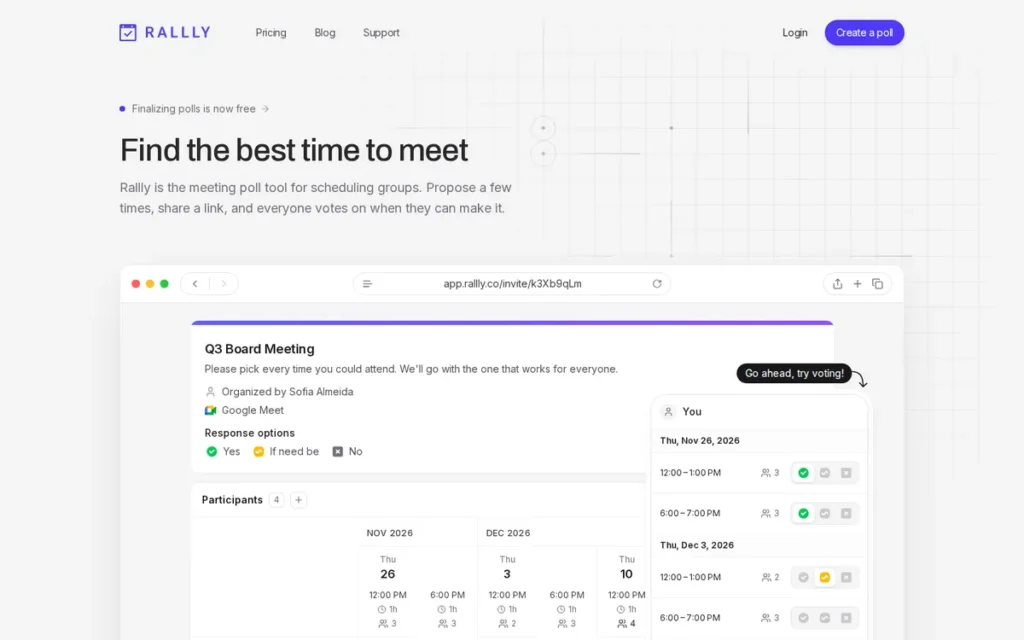
PlugRoute score: 40/45 (Poll Fit 5 · Free Plan 4 · Friction 5 · Follow-Through 4 · Privacy 5 · Reputation 3; the first three criteria count double)
Category: Voting Poll. The organizer proposes dates and times, and participants vote on each option through one shared link.
At a Glance
- Category: Voting Poll
- Best For: Organizers who want the closest Doodle-style poll for free, with no ads and no sign-up required for invitees
- Price Range: Free (Hobby); Pro at $6 per seat per month billed yearly (Rallly pricing page, November 2026)
- Primary Strength: Rallly copies Doodle’s propose-and-vote workflow, lets guests vote without an account, and shows no ads.
- Biggest Limitation: Rallly has no verified G2, Capterra, or Product Hunt rating, and its free plan caps open polls at three.
- One-Line Summary: Rallly is an open-source, ad-free meeting-poll tool that is the closest functional match to Doodle, letting guests vote on proposed times without creating an account.
- Last Verified: November 2026
Overview
Rallly is an open-source group meeting-poll tool for team leads, teachers, and club or volunteer coordinators who want Doodle’s propose-and-vote workflow without ads. Only the poll creator needs an account, and every invitee votes as a guest from one shared link.
Rallly’s developer first shared Rallly on r/selfhosted as “my self-hostable Doodle alternative” (r/selfhosted, 2023). Rallly’s source code is public on GitHub (lukevella/rallly).
Key Features
- Rallly lets participants vote as guests with a name and an optional email address, and only the poll creator needs an account (Rallly security page, November 2026).
- Rallly supports Yes, If need be, and No responses on proposed times, the same voting model Doodle users know (Rallly free scheduling poll page, November 2026).
- Rallly’s free Hobby plan allows up to 3 open polls at a time with unlimited participants per poll (Rallly pricing page, November 2026).
- Rallly lets organizers on the free plan finalize a poll and email selected participants a calendar invitation (.ics), optionally with a video-call link (Rallly pricing page and blog, November 2026).
- Rallly Pro adds unlimited open polls, indefinite retention, poll duplication, hidden votes, tracked email invites, team collaboration, branding, API access, and webhooks (Rallly pricing page, November 2026).
Best For
Rallly is best for teachers, club and volunteer organizers, and small-team leads who want a free, ad-free poll that works like Doodle and asks invitees for nothing more than a name.
Pricing
- Rallly Hobby is free. Rallly deletes Hobby polls 30 days after all their dates have passed with no activity (Rallly FAQ, November 2026).
- Rallly Pro costs $6 per seat per month billed yearly. This is a vendor price and may change (Rallly pricing page, November 2026).
- Rallly self-hosting is free for one registered user. Multi-user v4.x instances need a one-time license: $49 for up to 5 users, $499 for up to 50 users, or Enterprise from $999 (Rallly licensing docs, November 2026).
Strengths
- Rallly publishes its free-plan limits up front: 3 open polls, unlimited participants, and deletion after 30 inactive days. That is three open polls against Doodle Free’s one Group Poll (Rallly pricing page and FAQ, November 2026).
- Rallly’s security page states that Rallly shows no ads, uses no advertising trackers, and does not sell user data (Rallly security page, November 2026).
- Rallly Pro is the cheapest paid voting-poll upgrade in this research at $6 per seat per month billed yearly. Doodle Pro starts at $11 per user per month on G2, which doesn’t state a billing period (G2, November 2026).
- Rallly has been suggested by r/selfhosted users as a Doodle alternative, and Rallly’s 3.0 self-hosting announcement drew 92 upvotes and 23 comments (r/selfhosted, 2023).
Users on r/GradSchool shared their experience:
“I had to schedule a meeting with my committee members and found out Doodle Poll got SO BAD. It’s ui got so bad and you need to repititively choose your availability. I had to move to Rallly to schedule, which has similar functions to previous DP.” Posted by u/curaga12
Takeaway: Rallly attracts Doodle users who are frustrated with Doodle’s interface, because it keeps the classic Doodle poll workflow they already know.
Limitations
Rallly gives up independent proof in exchange for simplicity. Rallly has no verified rating on G2, Capterra, or Product Hunt, so its reputation rests on community recommendations rather than review-platform data.
- Rallly emails a calendar invite when a poll is finalized, but it doesn’t sync with Google or Outlook calendars to read invitees’ availability (Rallly pricing page, November 2026).
- Rallly’s free Hobby plan deletes inactive polls 30 days after their dates pass, so Rallly Hobby doesn’t work as an archive of past decisions.
- Rallly appears to be run by a very small team. Its developer dropped ARM Docker builds, writing “I can’t justify the cost of paying for arm runners” (r/selfhosted, November 2026).
Verdict
Rallly is the best Doodle alternative for organizers who want the same propose-and-vote group poll for free, without ads and without asking invitees to create accounts. Rallly ranks #1 on Doodle-style fit, invitee friction, and privacy, and it leads Calendly by only 2 points.
How it compares with Doodle: Rallly matches Doodle’s voting workflow, allows 3 open polls on its free plan against Doodle Free’s one, and shows no ads. Doodle has a longer track record and a 4.4/5 G2 rating from 2,071 reviews (G2, November 2026).
2. Calendly: Best for Turning a Group Poll into a Booked Meeting
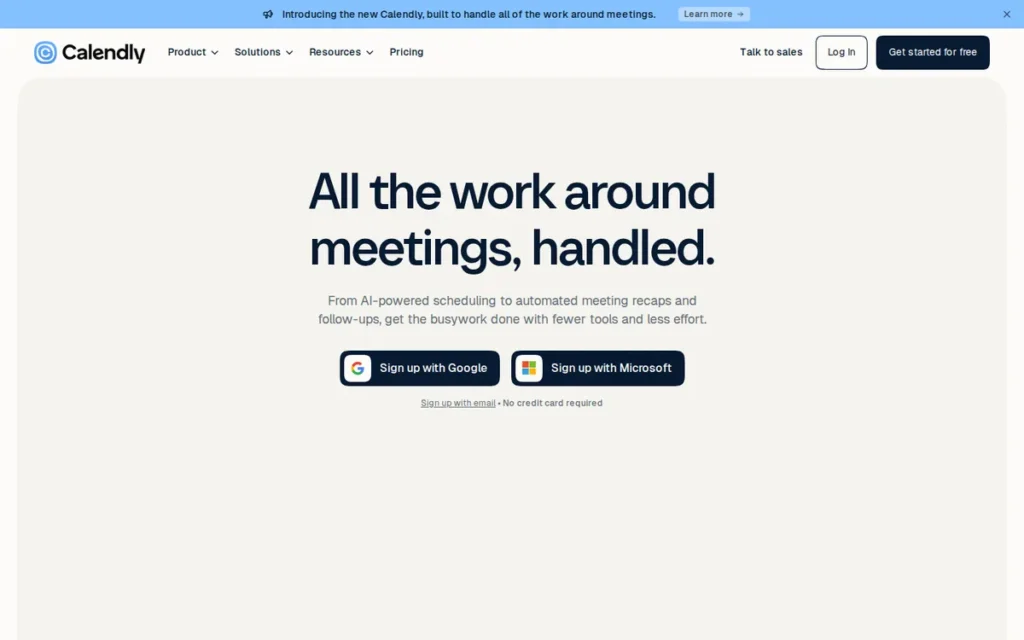
PlugRoute score: 38/45 (Poll Fit 4 · Free Plan 4 · Friction 4 · Follow-Through 5 · Privacy 4 · Reputation 5; the first three criteria count double)
Category: Booking Page with Voting Poll (hybrid). A booking-link platform that also runs Doodle-style meeting polls.
At a Glance
- Category: Booking Page with Voting Poll (hybrid)
- Best For: Organizers who want the group’s chosen time booked and invites sent from the same tool
- Price Range: Free; Standard $10/user/month; Teams $16/user/month (G2 list prices, November 2026)
- Primary Strength: Calendly Meeting Polls let invitees vote without an account, and the organizer can then book the winning time with automatic calendar invitations.
- Biggest Limitation: Calendly Meeting Polls lock time slots once a poll is published and votes once they are submitted, and Calendly charges per seat for its fuller features.
- One-Line Summary: Calendly is a booking-link platform whose free Meeting Polls let up to 40 people vote on up to 40 time slots and then book the winning time with automatic calendar invites.
- Last Verified: November 2026
Overview
Calendly is a scheduling platform built around personal booking links that also includes free Meeting Polls. Calendly suits organizers who want one tool to poll a group, book the winning time with automatic invites, and share their own booking page.
Calendly Meeting Polls are a secondary feature next to Calendly’s booking event types, which range from one-on-one meetings to multi-host Collective and Round Robin events (Calendly Help Center, November 2026). Calendly was founded in 2013 and is headquartered in Atlanta, Georgia (G2, November 2026).
Key Features
- Calendly Meeting Polls let invitees vote on proposed times from a link without creating a Calendly account (Calendly Help Center, November 2026).
- Calendly Meeting Polls support up to 40 time slots and 40 participants per poll on every plan, including Free (Calendly Help Center, November 2026).
- Calendly lets the organizer book the winning poll slot and then sends calendar invitations automatically (Calendly Help Center, November 2026).
- Calendly connects to Google Calendar, Outlook/Microsoft 365, and Exchange and checks connected calendars for conflicts (Calendly, November 2026).
- Calendly offers Group and Collective event types on Standard or higher and Round Robin on Teams or higher (Calendly Help Center, November 2026).
Best For
Calendly is best for freelancers, project coordinators, and team leads who want a group poll that ends in a booked meeting, plus a personal booking link for one-on-one scheduling.
Pricing
- Calendly’s G2 list prices are Free at $0, Standard at $10.00 per user per month, and Teams at $16.00 per user per month. These prices may change (G2, November 2026).
- Calendly Free includes Meeting Polls but allows only one event type (Calendly Help Center, November 2026).
Strengths
- Calendly has the strongest verified review record in this ranking: 4.7/5 from 2,680 reviews, with 97.2% at 4–5 stars and “Easy Scheduling” cited in 192 reviews (G2, November 2026).
- Calendly publishes its Meeting Polls rules in full: 40 slots, 40 participants, no slots added after publishing, and final votes. Organizers know the limits before they start (Calendly Help Center, November 2026).
- Calendly books the chosen poll slot and sends calendar invitations automatically, so the organizer doesn’t have to send invites by hand (Calendly Help Center, November 2026).
- Calendly lists SOC 2 Type II and ISO/IEC 27001 on its security page, and the full SOC 2 report is available under NDA (Calendly security page, November 2026).
Limitations
Calendly gives up poll flexibility and low prices in exchange for booking power. Calendly Meeting Polls don’t allow time slots to be added after publishing, and votes are final once submitted. Calendly Workflows, including reminders, aren’t supported for Meeting Polls (Calendly Help Center, November 2026).
- Calendly’s most-cited G2 cons are “Paid-Tier Feature Limits” (46 reviews) and “Expensive Plans” (26 reviews) (G2, November 2026).
- Calendly booking links can tire the people who receive them. One user wrote that “most people hate getting Calendly links” (r/ProductivityApps, 2025).
- Calendly’s Trustpilot reviewers report complicated features, delays reaching a live agent, and concerns about calendar permissions (Trustpilot, November 2026).
Users on r/sales noted:
“Really depends. I have a link in my email signature and it gets used quite a bit but I find if I call it out like “hey here’s my link” I do get less replies than manually sending times” Posted by u/Beneficial_Quit7532
Takeaway: Calendly booking links get used when offered passively, but pushing one directly on recipients can lower response rates compared with proposing specific times.
Verdict
Calendly is the best Doodle alternative for organizers who want the group’s winning time booked and calendar invites sent automatically from the same tool. Calendly’s Meeting Polls are free on every plan with published caps, and Calendly has the strongest verified G2 record in this ranking.
How it compares with Doodle: Calendly adds automatic booking after the vote and rates higher on G2 (4.7 vs. 4.4). Polls are a secondary feature for Calendly, though, and on G2 list prices Calendly Standard ($10) costs nearly the same as Doodle Pro ($11) (G2, November 2026).
3. YouCanBookMe: Best for Multilingual Booking Pages Plus Occasional Group Polls
PlugRoute score: 33/45 (Poll Fit 4 · Free Plan 3 · Friction 3 · Follow-Through 4 · Privacy 4 · Reputation 5; the first three criteria count double)
Category: Booking Page with Voting Poll (hybrid). A booking-page tool that publishes your availability and also runs secondary meeting polls.
At a Glance
- Category: Booking Page with Voting Poll (hybrid)
- Best For: Freelancers and teams booking outside contacts across languages, with mixed Google and Microsoft calendars and an occasional group poll
- Price Range: Free; Individual $7.20/month; Teams $14.40/month (G2 list prices, November 2026; secondary sources list $9 and $18)
- Primary Strength: YouCanBookMe pairs a G2 rating of 4.7/5 from 1,933 reviews with booking pages in 44 languages and a documented free meeting poll.
- Biggest Limitation: YouCanBookMe is built around booking pages, and its free plan allows only one active meeting poll at a time.
- One-Line Summary: YouCanBookMe is a booking-page tool rated 4.7/5 on G2 (1,933 reviews, November 2026), with 44 languages and a free 50-person meeting poll. It is better at letting people book you than at frequent group voting.
- Last Verified: November 2026
Overview
YouCanBookMe is a booking-page tool that publishes your calendar availability so others can book a slot. YouCanBookMe is built for freelancers and teams coordinating with outside contacts in many languages, and meeting polls are a secondary feature.
YouCanBookMe was founded in 2011 and is based in Bedford, UK (G2, November 2026). PlugRoute did not test the YouCanBookMe voter experience hands-on, including whether voters need an account.
Key Features
- YouCanBookMe publishes booking pages tied to connected calendar availability, and YouCanBookMe plans include team booking, multiple admins, and room scheduling (YouCanBookMe blog, November 2026).
- YouCanBookMe’s free plan allows 1 active meeting poll at a time with up to 50 time slots and 50 participants per poll (YouCanBookMe help center, November 2026).
- YouCanBookMe booking pages can run in 44 languages (G2, November 2026).
- YouCanBookMe connects Google and Microsoft calendars and can combine a personal Google calendar with a Microsoft work calendar (Meetergo, November 2026).
- YouCanBookMe is reported to be SOC 2 Type II compliant and ISO 27001 certified, according to a competitor’s comparison blog (Cal.com blog, November 2026).
Best For
YouCanBookMe is best for freelancers, consultants, and small teams who mainly need outside contacts to book an open slot and only occasionally run a group poll.
Pricing
- YouCanBookMe’s G2 list prices are Free at $0.00, Individual at $7.20 per month, and Teams at $14.40 per month. These prices may change (G2, November 2026).
- Secondary sources list YouCanBookMe Individual at $9 per month ($8.10 billed annually) and Teams at $18 per member per month ($16.20 billed annually) (Appointlet; Meetergo, November 2026).
Strengths
- YouCanBookMe has a G2 rating of 4.7/5 from 1,933 reviews, with 97.7% at 4–5 stars, plus a Capterra rating of 4.6/5 from 353 reviews (G2; Capterra, November 2026).
- YouCanBookMe’s free meeting poll allows 50 slots and 50 participants per poll, more than Calendly’s 40 and 40 (YouCanBookMe help center; Calendly Help Center, November 2026).
- YouCanBookMe supports 44 booking-page languages, the widest coverage in this ranking and more than Doodle’s 6 (G2, November 2026).
- YouCanBookMe Individual costs $7.20 per month on G2, less than Doodle Pro at $11 per user per month (G2, November 2026).
Limitations
YouCanBookMe gives up group-poll focus in exchange for booking-page depth. YouCanBookMe’s free plan allows only 1 active meeting poll at a time, the same single-poll cap Doodle Free has (YouCanBookMe help center; Doodle Help Center, November 2026).
- YouCanBookMe’s free plan reportedly caps bookings at 30 per month and adds a “Powered for free” badge (Meetergo, November 2026).
- YouCanBookMe’s G2 cons include “Missing Features” (3), “Learning Curve” (3), and “Calendar Issues” (2), and some reviewers mention sync delays and a dated interface (G2, November 2026).
- YouCanBookMe reportedly lacks Okta enterprise single sign-on, and this research found no significant independent Reddit discussion of YouCanBookMe.
Verdict
YouCanBookMe is the best-rated booking-page alternative to Doodle for freelancers and teams who need multilingual booking pages and an occasional group poll, but it isn’t built for frequent group voting. YouCanBookMe moved from #4 to #3 in this edition after its documented 50-slot poll raised its Poll Fit score from 2 to 4.
How it compares with Doodle: YouCanBookMe rates higher on G2 (4.7 vs. 4.4), costs less on G2 list prices ($7.20 vs. $11), and supports 44 languages against Doodle’s 6. Doodle Free and YouCanBookMe Free each allow one active poll, and Doodle remains the more direct tool for polling a group.
4. Microsoft Outlook Scheduling Poll: Best for Microsoft 365 Organizations
PlugRoute score: 30/45 (Poll Fit 4 · Free Plan 3 · Friction 3 · Follow-Through 5 · Privacy 3 · Reputation 2; the first three criteria count double)
Category: Suite-Integrated Poll. A voting poll built into office software that already holds the organization’s calendar data.
At a Glance
- Category: Suite-Integrated Poll
- Best For: Team leads and office administrators in organizations on Microsoft 365 business or enterprise plans with Exchange Online
- Price Range: No separate price; included with eligible Microsoft 365 plans (PlugRoute did not verify plan prices)
- Primary Strength: Microsoft Outlook Scheduling Poll schedules the meeting automatically once all required attendees agree.
- Biggest Limitation: Microsoft Outlook Scheduling Poll requires a Microsoft 365 work or school account with Exchange Online and caps polls at 15 options. Outside voters report finding it awkward.
- One-Line Summary: Microsoft Outlook Scheduling Poll is a voting poll included with Microsoft 365 that suggests times from attendees’ free/busy data and books the meeting automatically when everyone required agrees.
- Last Verified: November 2026
Overview
Microsoft Outlook Scheduling Poll is a voting poll built into Outlook that suggests meeting times from attendees’ Microsoft 365 free/busy data. It is meant for organizers whose company runs a Microsoft 365 business or enterprise plan with an Exchange Online mailbox.
Microsoft Outlook Scheduling Poll replaced the FindTime add-in, a change announced in July 2022 (Microsoft Tech Community, July 2022).
Key Features
- Microsoft Outlook Scheduling Poll suggests times from attendees’ free/busy information, and attendees vote Yes or No on each option (Microsoft Support, November 2026).
- Microsoft Outlook Scheduling Poll creates the meeting automatically when all required attendees agree, picking the earliest option if several qualify (Microsoft Support, November 2026).
- Microsoft Outlook Scheduling Poll places tentative holds on calendars while voting is open (Microsoft Support, November 2026).
- Microsoft Outlook Scheduling Poll lets anyone with a valid email address vote through a secure web page without a Microsoft account, and organizers can require identity verification (Microsoft Support, November 2026).
- Microsoft Outlook Scheduling Poll works in Outlook on the web, new Outlook, classic Outlook for Windows, and Outlook for Mac (Microsoft Support, November 2026).
Best For
Microsoft Outlook Scheduling Poll is best for team leads, project coordinators, and office administrators who schedule mostly internal or recurring team meetings in an organization that already licenses Microsoft 365 with Exchange Online.
Pricing
- Microsoft Outlook Scheduling Poll has no separate price. It is included with Microsoft 365 business or enterprise plans that come with an Exchange Online mailbox (Microsoft Support, November 2026).
- Organizers can’t create a Microsoft Outlook Scheduling Poll from a personal Outlook.com account, an on-premises Exchange mailbox, or a shared mailbox (Microsoft Support, November 2026).
Strengths
- Microsoft Outlook Scheduling Poll is the only tool in this ranking documented to schedule the meeting automatically once all required attendees agree (Microsoft Support, November 2026).
- Microsoft Outlook Scheduling Poll places tentative holds while people vote, and a university executive assistant said, “I do like it over a doodle poll” (r/ExecutiveAssistants, 2025).
- Microsoft Outlook Scheduling Poll adds no cost and no ads for eligible Microsoft 365 organizations (Microsoft Support, November 2026).
- Microsoft Outlook Scheduling Poll stores encrypted poll data in the organizer’s mailbox, according to Microsoft’s privacy documentation (Microsoft, November 2026).
Limitations
Microsoft Outlook Scheduling Poll gives up openness in exchange for integration. Microsoft Outlook Scheduling Poll works only for organizers with Exchange Online, caps polls at 15 options (Microsoft recommends 3–5), and can’t run a poll from another person’s calendar (Microsoft Support, November 2026).
- Microsoft Outlook Scheduling Poll can feel awkward to outside voters. Reddit users say “people outside of our org just don’t like it” and call it “too fiddly” (r/ExecutiveAssistants, 2025).
- Microsoft Outlook Scheduling Poll had a roughly two-day incident in 2023 (EX671494) in which polls couldn’t be displayed (r/exchangeserver, 2023).
- Microsoft Outlook Scheduling Poll’s voting page can show names, emails, and votes to anyone with the link unless the organizer requires identity verification (Microsoft, November 2026).
- Microsoft Outlook Scheduling Poll has no verified review-platform rating.
A user of FindTime, the add-in Scheduling Poll replaced, noted on r/Office365:
“I think microsoft FindTime is an usefull add-on to office 365, just when office 365 is your main collaboration solution. But how can we close a poll if not all invitees have responded.” Posted by u/DigiKungFu
Takeaway: Microsoft’s Outlook polling has long been valued mainly by organizations that already run on Microsoft 365, and closing a poll before every invitee responds has confused its users.
Verdict
Microsoft Outlook Scheduling Poll is the best Doodle alternative for Microsoft 365 organizations because it uses real free/busy data and books the meeting automatically at no added cost. Microsoft Outlook Scheduling Poll ties for the strongest follow-through here, but it isn’t available without Exchange Online. Before sending a poll to outside voters, test the voter view from a personal email in a private browser window.
How it compares with Doodle: Unlike Doodle Free, Microsoft Outlook Scheduling Poll shows no ads and books the meeting automatically. However, Microsoft Outlook Scheduling Poll limits polls to 15 options and suits internal groups better than public or volunteer groups.
5. Cal.com: Best Open-Source Booking Platform for Privacy and Compliance
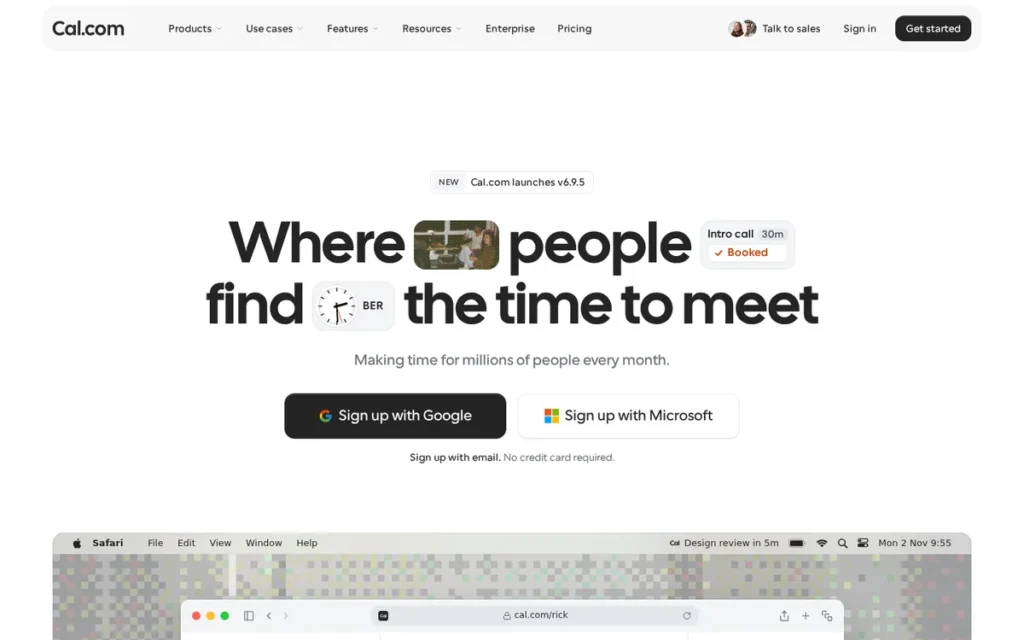
PlugRoute score: 27/45 (Poll Fit 1 · Free Plan 4 · Friction 3 · Follow-Through 4 · Privacy 5 · Reputation 2; the first three criteria count double)
Category: Booking Page. Publishes your calendar availability so others can book an open slot themselves.
At a Glance
- Category: Booking Page
- Best For: Privacy- or compliance-focused freelancers and teams who want open-source, self-hostable booking links
- Price Range: Free; Teams $12/user/month and Organizations $28/user/month, both billed yearly; Enterprise custom (Cal.com pricing page, November 2026)
- Primary Strength: Cal.com combines open-source, self-hostable code with SOC 2 Type II and ISO/IEC 27001, plus a HIPAA BAA and an EU-hosted option.
- Biggest Limitation: Cal.com is built around booking links rather than group voting, and users describe self-hosting it as difficult.
- One-Line Summary: Cal.com is an open-source, self-hostable scheduling platform that lists SOC 2 Type II and ISO/IEC 27001 in its Trust Center. It is best for privacy-focused booking links rather than group polls.
- Last Verified: November 2026
Overview
Cal.com is an open-source scheduling platform that offers hosted or self-hosted booking links. Cal.com is aimed at freelancers, teams, and compliance-focused organizations that want certified data handling rather than a Doodle-style group poll.
Cal.com’s own blog positions the product around booking links, not voting (Cal.com blog, November 2026).
Key Features
- Cal.com can be used as a hosted service or self-hosted from its public open-source code (GitHub, November 2026).
- Cal.com’s free plan includes one user with unlimited booking links and unlimited calendar connections (Cal.com pricing page, November 2026).
- Cal.com Teams adds round-robin, collective, and managed booking links, along with branding removal (Cal.com pricing page, November 2026).
- Cal.com processes hosted data in the US under the EU-U.S. Data Privacy Framework and offers Cal.eu for EU data residency (Cal.com DPF page, November 2026).
- Cal.com lists SOC 2 Type II and ISO/IEC 27001 in its Trust Center and offers a HIPAA business associate agreement on Enterprise (Cal.com Trust Center, November 2026).
Best For
Cal.com is best for privacy-focused freelancers, teams, and organizations with compliance or data-residency requirements who want booking links they can audit or self-host.
Pricing
- Cal.com Free covers one user with unlimited links and calendars. Cal.com Teams costs $12 per user per month billed yearly and includes a 14-day trial (Cal.com pricing page, November 2026).
- Cal.com Organizations costs $28 per user per month billed yearly and adds SSO/SCIM. Cal.com Enterprise is custom-priced, and month-to-month prices weren’t shown (Cal.com pricing page, November 2026).
Strengths
- Cal.com is the only ranked tool that offers both a HIPAA business associate agreement (Enterprise) and an EU-hosted option, Cal.eu (Cal.com Trust Center, November 2026).
- Cal.com lists SOC 2 Type II and ISO/IEC 27001 in its Trust Center, with reports available under NDA (Cal.com Trust Center, November 2026).
- Cal.com’s free plan has no event-type cap, while Calendly Free allows one event type (Cal.com pricing page; Calendly Help Center, November 2026).
- Cal.com draws strong preference from some users. One user said they “always switch back to cal.com” because it “feels smoother than calendly and is easier to customize” (r/ProductivityApps, 2025).
Limitations
Cal.com gives up group-poll capability and polish in exchange for openness. This research verified no Doodle-style voting poll in Cal.com, so Cal.com can’t directly replace a Doodle poll.
- Cal.com self-hosting draws criticism. One user said the company has “made it quite difficult to run yourself,” and another found features that “seemed broken and unpolished” (r/ProductivityApps, 2025).
- Cal.com’s public GitHub issue tracker includes bug reports on rescheduling and self-hosted setup (GitHub, November 2026).
- Cal.com’s G2 rating (about 4.6) appears only in a secondary roundup and isn’t verified, and Cal.eu is described as an Enterprise feature (Rankite; Cal.com DPF page, November 2026).
This aligns with community sentiment on r/selfhosted:
“I’ve looked into Cal.com before and even hosted it briefly. Unfortunately, SSO requires the Enterprise Licensing when self-hosting. That license is $15 per month per user, which is unfortunately too steep for us.” Posted by u/Tomato-Nebula
Takeaway: Self-hosting Cal.com doesn’t remove licensing costs, because features like SSO sit behind a per-user Enterprise license that can price out small organizations such as schools.
Verdict
Cal.com is the best open-source, compliance-focused booking alternative to Doodle for organizations that care more about data control than group voting. Cal.com’s HIPAA option and EU hosting set it apart from the other booking tools, but self-hosting takes real engineering effort.
How it compares with Doodle: Cal.com offers self-hosting, an EU-hosted option, and published SOC 2 and ISO 27001 certifications, none of which this research verified for Doodle. Doodle remains the better tool for polling a group on proposed dates.
6. When2meet: Best Free Availability Grid with No Accounts
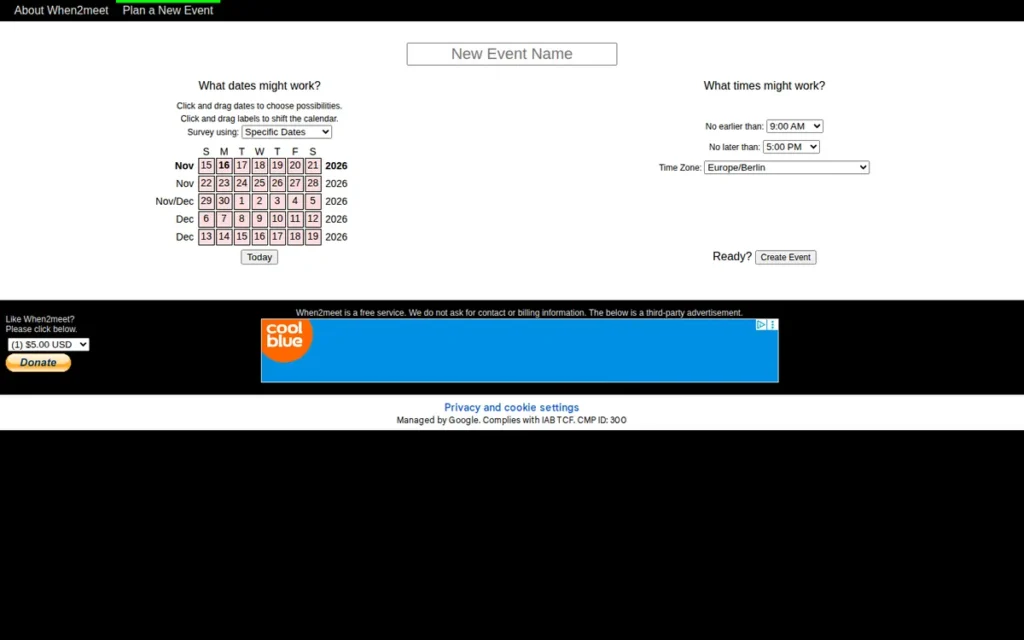
PlugRoute score: 24/45 (Poll Fit 2 · Free Plan 4 · Friction 4 · Follow-Through 1 · Privacy 1 · Reputation 2; the first three criteria count double)
Category: Availability Grid. Participants mark every time they are free on a shared grid, and overlaps appear as a heat map.
At a Glance
- Category: Availability Grid
- Best For: Students, classes, clubs, and volunteer groups finding overlap across a wide window at no cost
- Price Range: Free (no paid tier; ad-supported with voluntary donations)
- Primary Strength: When2meet is completely free, with no accounts for organizers or participants and no documented caps.
- Biggest Limitation: When2meet has no calendar sync, reminders, or invite step, and anyone who knows a participant’s name can edit that participant’s responses.
- One-Line Summary: When2meet is a free, account-free availability grid that shows a group’s overlapping free time as a heat map. It offers no calendar sync, reminders, or protection for responses.
- Last Verified: November 2026
Overview
When2meet is a free, long-running availability-grid tool. Participants paint the times they are free, and a heat map shows where those times overlap. When2meet suits students, clubs, and volunteer groups who need to find availability across a wide window without anyone creating an account.
When2meet dates to the mid-2000s and is reportedly run by 8degreesllc.com (Meetergo, November 2026).
Key Features
- When2meet lets participants click and drag to mark their available times on a calendar grid (Zcal, November 2026).
- When2meet displays a heat map that shows where the group’s availability overlaps (Zcal, November 2026).
- When2meet requires no account from organizers or participants (ZoomInfo, November 2026).
- When2meet has no paid tier, and When2meet’s About page states that advertising and optional donations help cover operating costs (When2meet, November 2026).
- When2meet supports specific-date polls and recurring “days of the week” polls, though users report that day-of-week polls assume a single time zone (Booknetic, November 2026).
Best For
When2meet is best for teachers, student groups, clubs, and volunteer organizers who need to find overlapping free time across a broad window at no cost.
Pricing
- When2meet is free with no paid tier and suggests voluntary donations of $5, $10, or $20 (Meetergo, November 2026).
- When2meet shows ads, which its About page says help cover operating costs (When2meet, November 2026).
Strengths
- When2meet requires no account from organizers or participants, the lowest-friction setup in this ranking (ZoomInfo; Zcal, November 2026).
- When2meet has no documented caps on slots or participants. One nonprofit user called it “free – unlike doodle” when comparing date limits (r/nonprofit, 2024).
- When2meet’s heat map shows overlap across a wide window, and one user prefers it because “you can see how they overlap” (r/nonprofit, 2024).
- When2meet has run since the mid-2000s, a long track record for a free tool (Meetergo, November 2026).
Limitations
When2meet gives up follow-through and security in exchange for zero cost. When2meet has no native calendar sync, no reminders, and no step to finalize a time or send invites (ZoomInfo; Booknetic, November 2026).
- When2meet lets anyone who knows a participant’s name edit that participant’s responses (Booknetic, November 2026).
- When2meet users report a dated interface, awkward dragging on mobile, and time-zone confusion (Meetergo; Zcal, November 2026).
- When2meet asks more of respondents. One nonprofit user said grids put “a lot more work on the people who fill it out” (r/nonprofit, 2024).
- When2meet has no verified G2 or Capterra rating.
Verdict
When2meet is the best free availability-grid alternative to Doodle for groups that need to see overlapping free time across a wide window without anyone creating an account. When2meet removes accounts and caps, but it offers nothing after the grid and no protection against edited responses.
How it compares with Doodle: When2meet has no documented slot caps, while Doodle Free allows up to 20 slots in one Group Poll (Doodle Help Center, November 2026). When2meet uses a grid instead of a vote, so it asks respondents to do more work.
Users on r/GradSchool shared their experience:
“I hate it!!!! It only gives 20 free slots which is nothing. I use when2meet now” Posted by u/Spencergrey2015
Takeaway: Doodle Free’s 20-slot cap pushes academic schedulers toward When2meet, whose uncapped grid handles wide scheduling windows at no cost.
7. Zoho Bookings: Best for Organizations Already Using Zoho
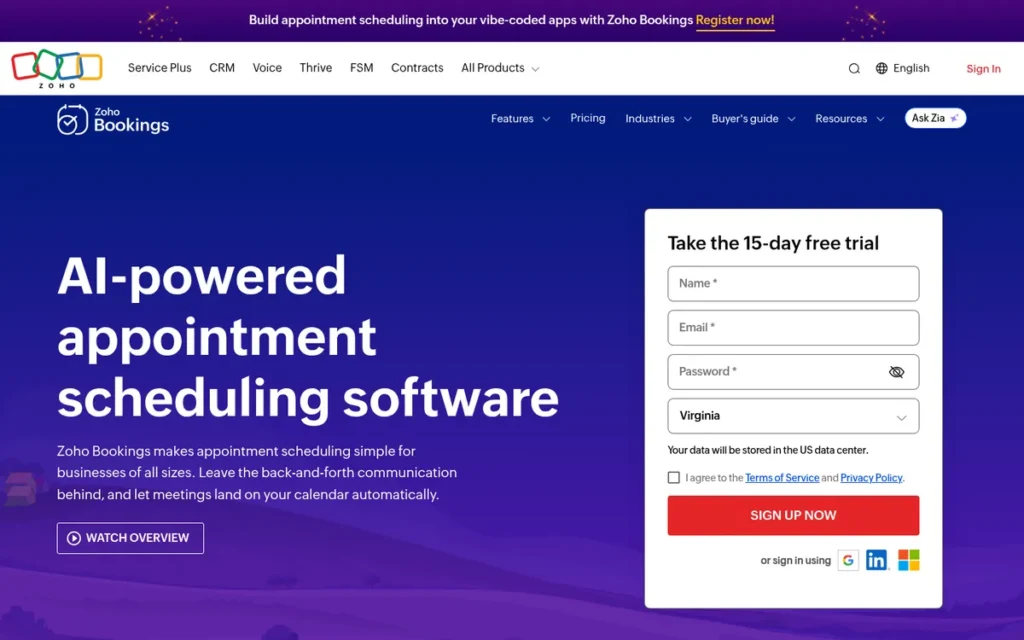
PlugRoute score: 22/45 (Poll Fit 1 · Free Plan 3 · Friction 3 · Follow-Through 3 · Privacy 2 · Reputation 3; the first three criteria count double)
Category: Booking Page. Publishes your calendar availability so others can book an open slot themselves.
At a Glance
- Category: Booking Page
- Best For: Organizations already on Zoho One, Zoho CRM, or other Zoho apps that need booking pages
- Price Range: Free (1 user); Basic $6/user; Premium $9/user (G2 list prices, November 2026)
- Primary Strength: Zoho Bookings integrates deeply with Zoho apps and has the cheapest paid booking tier on G2 list prices in this ranking.
- Biggest Limitation: Zoho Bookings has no verified meeting-poll feature and the lowest G2 rating in this group.
- One-Line Summary: Zoho Bookings is a low-cost booking-page tool that fits organizations already using Zoho apps. It isn’t a group poll and rates lower on G2 than Doodle.
- Last Verified: November 2026
Overview
Zoho Bookings is an appointment booking-page tool that publishes staff, service, and workspace availability for others to book. Zoho Bookings is best suited to organizations already using Zoho One, Zoho CRM, or other Zoho apps, not to organizers running a Doodle-style vote.
Zoho Bookings comes from Zoho, which was founded in 1996 and lists Austin, TX as its headquarters on G2 (G2, November 2026).
Key Features
- Zoho Bookings provides booking pages for staff, services, and workspaces, plus QR codes and one-time booking links (Zoho plan comparison, November 2026).
- Zoho Bookings supports collective (multi-host) bookings on Basic and Premium and recurring group bookings on Premium (Zoho plan comparison, November 2026).
- Zoho Bookings syncs with Zoho Calendar, Google Calendar, and Microsoft 365/Outlook, and it connects to Zoho Meeting, Google Meet, Microsoft Teams, and Zoom (Zoho plan comparison, November 2026).
- Zoho Bookings integrates natively with Zoho CRM, Zoho Desk, Zoho Cliq, Zoho Mail, Zoho Flow, Zoho Books, and Bigin (Zoho plan comparison, November 2026).
- Zoho Bookings’ free plan includes 1 user, 1 event type, 1 workspace, and 1 synced calendar (Zoho pricing page, November 2026).
Best For
Zoho Bookings is best for small businesses and office administrators already paying for Zoho apps who need client-facing booking pages connected to their CRM.
Pricing
- Zoho Bookings’ G2 list prices are Free at $0.00 (1 user), Basic at $6.00 per user, and Premium at $9.00 per user. These prices may change (G2, November 2026).
- Zoho’s own pricing page shows Zoho Bookings Basic at $6 billed annually or $8 billed monthly, and Premium at $9 annually or $12 monthly (Zoho pricing page, November 2026).
Strengths
- Zoho Bookings has the lowest paid booking tier on G2 list prices in this ranking: Basic at $6.00 per user, below Doodle Pro’s $11.00 (G2, November 2026).
- Zoho Bookings has a 4.4/5 rating on GetApp, with subscores of 4.7 for appointment management and 4.6 for calendar management (GetApp, November 2026).
- Zoho Bookings integrates natively with seven Zoho apps, including Zoho CRM (Zoho plan comparison, November 2026).
- Zoho Bookings comes with some Zoho One subscriptions, and one Capterra reviewer said that made it cheaper than buying a separate booking tool (Capterra, November 2026).
Limitations
Zoho Bookings gives up group-scheduling fit in exchange for convenience inside the Zoho ecosystem. This research verified no meeting-poll feature in Zoho Bookings, so Zoho Bookings can’t replace a Doodle poll.
- Zoho Bookings has a G2 rating of 4.1/5 from 54 reviews (87.0% at 4–5 stars), the lowest in this group and below Doodle’s 4.4. Its top G2 con is “Integration Issues” (4) (G2, November 2026).
- Zoho Bookings users in Zoho Community threads report calendars that stop syncing, booked Google times showing as available, and a “clunky” Bookings 2.0 interface (Zoho Community, November 2026).
- Zoho Bookings has no verified Bookings-specific SOC 2, ISO, or HIPAA certification, and a separate Exchange integration was not confirmed.
Verdict
Zoho Bookings is the best fit among Doodle alternatives for organizations already invested in Zoho that need low-cost booking pages rather than group polls. Zoho Bookings’ price and integrations are real advantages, but sync complaints count against it for anyone outside the Zoho ecosystem.
How it compares with Doodle: Zoho Bookings is cheaper on G2 list prices ($6 vs. $11) but rates lower on G2 (4.1 vs. 4.4) and has no verified group poll.
Why Do People Look for Doodle Alternatives?
People mainly look for Doodle alternatives because Doodle Free allows only one Group Poll at a time and shows ads to organizers and participants. Organizers also want automatic calendar invites, stronger privacy controls, or tighter Microsoft 365 integration. Doodle itself is still well rated, at 4.4/5 from 2,071 G2 reviews (G2, November 2026).
Doodle’s baseline as of November 2026:
- Doodle Free allows one Group Poll with up to 20 time slots and up to 1,000 responses, though one Doodle intro page lists 10 slots (Doodle Help Center, November 2026).
- Doodle Pro and Team include unlimited polls and are ad-free, which means Doodle Free shows ads (Doodle pricing page and privacy policy, November 2026).
- Doodle lets participants respond without a Doodle account (Doodle Help Center, November 2026).
- Doodle holds a 4.4/5 G2 rating from 2,071 reviews, with 93.7% at 4 or 5 stars (G2, November 2026).
- Doodle Pro starts at $11.00 and Team at $20.00 per user per month on G2, though Doodle’s own page showed Team at $8.95 billed annually (G2; Doodle pricing page, November 2026).
An organizer explained that their polls had “too many instances to use the free version of doodle.” (u/reedrichardsphd, r/exchangeserver, 2023)
Takeaway: Doodle Free’s one-poll cap is the limit organizers hit first, especially for recurring or multi-session scheduling.
G2 reviewers name reminder limitations, notification issues, limited customization, and limited automation as Doodle cons, and each is mentioned in one review (G2, November 2026).
G2 reviewers also ask Doodle for these improvements (G2, November 2026):
- Doodle reviewers want poll results and time-slot layouts that are easier to scan, especially on mobile.
- Doodle reviewers want more control over reminders, including better ways to follow up with people who haven’t responded.
- Doodle reviewers want more dependable calendar syncing with less manual entry.
- Doodle reviewers want saved groups, better branding, and more customization.
What Do Free Plans Actually Allow Compared with Doodle?
Free plans differ sharply, and the limit organizers hit is usually the number of open polls, not the number of participants. Doodle Free and YouCanBookMe Free each allow one active poll, while Rallly Hobby allows three with unlimited participants (vendor pages, November 2026). Calendly caps each poll at 40 slots and 40 participants.
Here is an example. A teacher running parent conferences, a club social, and a committee meeting at the same time needs three open polls. Doodle Free and YouCanBookMe Free would each cover only one of them.
- Doodle Free allows 1 Group Poll with up to 20 slots and up to 1,000 responses (Doodle Help Center, November 2026).
- Rallly Hobby allows 3 open polls with unlimited participants and deletes polls after 30 inactive days (Rallly pricing page, November 2026).
- YouCanBookMe Free allows 1 active poll with up to 50 slots and 50 participants (YouCanBookMe help center, November 2026).
- Calendly Free allows 40 slots and 40 participants per Meeting Poll (Calendly Help Center, November 2026).
- Microsoft Outlook Scheduling Poll allows 15 options per poll (Microsoft Support, November 2026).
- When2meet publishes no caps on slots or participants (When2meet, November 2026).
| Tool | Invitee Account Needed? | Free-Plan Caps | Ads on Free? | After the Poll | Microsoft 365 Fit | Open Source? | Upgrade Price (source) | G2 Rating |
|---|---|---|---|---|---|---|---|---|
| Doodle (not ranked) | No | 1 Group Poll; up to 20 slots; up to 1,000 responses | Yes (paid plans are ad-free) | Not verified in this research | Not documented in this research | Not listed as open source | Pro from $11/user/mo (G2) | 4.4 (2,071) |
| Rallly | No (name, optional email) | 3 open polls; unlimited participants; 30-day post-activity deletion | No ads or ad trackers | Finalize and email calendar invite (.ics), free; no calendar sync | No verified integration | Yes (free single-user self-hosting; multi-user license from $49) | Pro $6/seat/mo billed yearly (vendor) | Not on G2 |
| Calendly | No | 40 slots, 40 participants; no added slots; votes final; 1 event type | Not documented | Book winning slot, automatic invites | Outlook / Microsoft 365 / Exchange | Not listed as open source | Standard $10/user/mo (G2) | 4.7 (2,680) |
| YouCanBookMe | Not verified hands-on | 1 active poll; 50 slots, 50 participants; 1 booking page, 30 bookings/mo (secondary) | “Powered for free” badge (secondary) | Booking confirmed via page | Microsoft calendars; can mix with Google | Not listed as open source | Individual $7.20/mo (G2) | 4.7 (1,933) |
| Microsoft Outlook Scheduling Poll | No (any valid email can vote) | 15 options (3–5 recommended) | No | Auto-schedules; tentative holds | Native; Exchange Online required | Not listed as open source | Included with eligible Microsoft 365 | Not on G2 |
| Cal.com | Not documented | 1 user; unlimited links and calendars | No ads documented; Cal.com branding on Free | Booking links; no verified poll | Unlimited calendar connections | Yes (self-hostable) | Teams $12/user/mo billed yearly (vendor) | Not on G2 |
| When2meet | No (nobody needs one) | No documented caps | Yes (When2meet About page) | None; organizer schedules manually | No native sync | Not listed as open source | No paid tier | Not on G2 |
| Zoho Bookings | Not documented | 1 user, 1 event type, 1 workspace, 1 calendar | Not verified | Booking pages; no verified poll | Microsoft 365/Outlook sync; Exchange not confirmed | Not listed as open source | Basic $6/user (G2) | 4.1 (54) |
G2 list prices and ratings come from G2 (November 2026) and may change. G2 list prices don’t specify a billing period. Rallly and Cal.com prices are billed yearly, per each vendor’s pricing page (November 2026).
Should You Use a Voting Poll or an Availability Grid?
Use a voting poll when you already have a short list of candidate times, because voters only answer yes, maybe, or no to each option. Use an availability grid when you need to find open time across a wide window and participants are willing to mark their own free hours in detail.
The difference in effort is concrete. A five-option poll asks each respondent for about five clicks, while a two-week When2meet grid asks them to paint dozens of half-hour cells.
- A nonprofit user who prefers grids said “everyone enters their availability for a given time frame and you can see how they overlap” (r/nonprofit, 2024).
- Another nonprofit user pushed back, saying grids put “a lot more work on the people who fill it out” (r/nonprofit, 2024).
- PlugRoute’s research found that some executive assistants avoid poll tools altogether because every extra click slows responses (r/ExecutiveAssistants, 2025).
In practice:
- A voting poll such as Rallly, Calendly Meeting Polls, or Microsoft Outlook Scheduling Poll fits meetings with fixed options where you want a fast reply rate.
- An availability grid such as When2meet fits groups where nobody yet knows when people are free, such as a new club or a semester-long class project.
When Does It Make Sense to Stay with Doodle?
Staying with Doodle makes sense if you already pay for Doodle Pro or Team, since both include unlimited polls with no ads. It also makes sense if your invitees already know Doodle, or if you value its long G2 track record more than the features newer tools add. Doodle’s core workflow is still well rated by its users.
- Doodle reports more than 30 million monthly users, so many invitees already know how Doodle polls work (Doodle, vendor-reported, November 2026).
- Doodle Pro and Team include unlimited polls and no ads (Doodle pricing page and privacy policy, November 2026).
- Doodle holds a 4.4/5 G2 rating from 2,071 reviews, and G2 reviewers praise Doodle’s ease of use for large groups (G2, November 2026).
- Doodle can be ready to use in less than a day, according to G2 reviewers (G2, November 2026).
What Red Flags Should I Watch For When Evaluating Doodle Alternatives?
The biggest red flags fall into two groups: hidden limits that stop a poll after you publish it, and weak protection for respondents’ data and answers. Each of the six flags below appears in vendor documentation or user reports reviewed for this ranking in November 2026, with a named example where one exists.
Red Flag #1: Free-Plan Caps You Only Discover After Publishing A free plan whose open-poll, slot, or participant limits are hard to find can stop a poll midway. Compare published numbers before you commit: Doodle Free allows 20 slots, Calendly 40, and YouCanBookMe 50. Doodle’s own pages disagree, though, with one listing 10 slots (vendor help centers, November 2026).
Red Flag #2: A Booking Page Marketed as a Poll A booking page lets one person grab an open slot, but it doesn’t collect a group vote on shared options. Cal.com and Zoho Bookings had no verified poll feature in this research, so confirm a real poll exists before you switch any group-scheduling workflow to a booking-first tool.
Red Flag #3: Responses Anyone Can Edit An availability grid that identifies respondents only by name lets anyone who knows that name change their answers. Secondary sources report this weakness in When2meet (Booknetic, November 2026). It matters most for groups where responses decide something contested, such as volunteer shifts.
Red Flag #4: Respondent Names and Emails Visible to Anyone with the Link A voting page that shows names, emails, and votes to anyone holding the link can expose participant data if the link is forwarded. Microsoft’s privacy documentation describes this behavior for Microsoft Outlook Scheduling Poll unless the organizer requires identity verification (Microsoft, November 2026).
Red Flag #5: Short Poll Retention on Free Plans A free plan that deletes inactive polls can erase records you meant to keep. Rallly’s Hobby plan, for example, states that it deletes polls 30 days after all dates pass with no activity (Rallly FAQ, November 2026). Export or screenshot results you need to keep.
Red Flag #6: Open Source with Paid Multi-User Self-Hosting “Open source” doesn’t always mean free for a whole team to self-host. Rallly self-hosting is free for one registered user, but multi-user v4.x instances need a one-time license from $49 (Rallly licensing docs, November 2026). Reddit users also describe Cal.com self-hosting as difficult (r/ProductivityApps, 2025).
What Questions Should I Ask Before Choosing a Doodle Alternative?
Ask questions that reveal a tool’s limits before you publish a poll, not after. Each of the seven questions below targets a problem organizers report after switching tools. The answers separate true Doodle poll replacements from booking tools that only look similar, and each answer includes documented examples from vendor pages verified in November 2026.
Question #1: Do my invitees need an account to respond? Look for guest voting that asks for nothing more than a name. Rallly, Calendly Meeting Polls, When2meet, and Microsoft Outlook Scheduling Poll don’t require invitee accounts (vendor pages, November 2026). Reddit users report that outside voters find the Microsoft flow awkward, so test it first.
Question #2: How many open polls, slots, and participants does the free plan allow? Ask for published numbers, not marketing labels. Doodle Free allows 1 Group Poll with 20 slots. Rallly allows 3 open polls with unlimited participants. YouCanBookMe allows 1 poll with 50 slots and 50 participants, Calendly allows 40 and 40, and Microsoft Outlook Scheduling Poll allows 15 options (vendor pages, November 2026).
Question #3: Can I edit slots after publishing? Find out whether you can add time options once votes are coming in, because plans often change mid-poll. Calendly Meeting Polls don’t allow added slots after publishing, and Calendly votes are final once submitted (Calendly Help Center, November 2026). Test this hands-on for any other tool.
Question #4: What happens after the group picks a time? Check whether the tool books the meeting for you. Microsoft Outlook Scheduling Poll auto-schedules, and Calendly books the winning slot and sends invites. Rallly emails a calendar invite when you finalize, while When2meet has no follow-up step (vendor pages, November 2026).
Question #5: Does it support my mailbox (Exchange Online, on-premises Exchange, shared mailbox)? Confirm support for your exact mailbox type, not just “Outlook.” Organizers using Microsoft Outlook Scheduling Poll need a Microsoft 365 work or school account with Exchange Online. On-premises Exchange, shared mailboxes, and personal Outlook.com accounts can’t create polls (Microsoft Support, November 2026).
Question #6: Where is participant data stored, and who can see it? Ask about hosting location, certifications, ads, and trackers before sharing participants’ details. Cal.com offers Cal.eu for EU residency, and Rallly states it uses no advertising trackers. Microsoft Outlook Scheduling Poll stores poll data in the organizer’s mailbox (vendor pages, November 2026).
Question #7: What does the upgrade cost, and how is it billed? Compare paid tiers on the same billing basis, because yearly and list prices differ. Rallly Pro costs $6 per seat billed yearly, YouCanBookMe Individual $7.20, Calendly Standard $10, and Doodle Pro $11 on G2 list prices (vendor pages; G2, November 2026).
How Did We Rank These Doodle Alternatives?
PlugRoute sorted each tool into one of four categories, then scored it from 1 to 5 on six published criteria. The three criteria tied to the core job of sending one link and settling on a time count double, for a maximum of 45. G2 ratings are one input and never decide a ranking on their own.
- C1: Doodle-Style Group Poll Fit (double weight). C1 matters because readers can’t easily tell polls from booking services. A 5 means a propose-and-vote poll is the core product, and a 1 means booking pages only.
- C2: Free-Plan Value and Cap Transparency (double weight). C2 matters because hidden caps are a top complaint. A 5 means generous, published, ad-free limits, and a 1 means very tight or undocumented caps.
- C3: Invitee and Organizer Friction (double weight). C3 matters because awkward tools slow replies. A 5 means no accounts and positive respondent reports, and a 1 means required accounts or heavy reported friction.
- C4: After-the-Poll Follow-Through and Calendar Fit. C4 matters because organizers don’t want to send invites by hand. A 5 means auto-scheduling or invites sent from the poll, and a 1 means no follow-up step.
- C5: Privacy and Data Control. C5 matters because readers worry about participant data. A 5 means open source or audited certifications, and a 1 means exposed or editable responses with no certifications.
- C6: Independent Reputation Evidence. C6 matters because readers need proof beyond marketing. A 5 means a verified G2 rating of 4.5 or higher from 1,000+ reviews, and a 1 means no independent evidence. Vendor-reported metrics are excluded.
| Tool | C1 | C2 | C3 | C4 | C5 | C6 | Score |
|---|---|---|---|---|---|---|---|
| Rallly | 5 | 4 | 5 | 4 | 5 | 3 | 40/45 |
| Calendly | 4 | 4 | 4 | 5 | 4 | 5 | 38/45 |
| YouCanBookMe | 4 | 3 | 3 | 4 | 4 | 5 | 33/45 |
| Microsoft Outlook Scheduling Poll | 4 | 3 | 3 | 5 | 3 | 2 | 30/45 |
| Cal.com | 1 | 4 | 3 | 4 | 5 | 2 | 27/45 |
| When2meet | 2 | 4 | 4 | 1 | 1 | 2 | 24/45 |
| Zoho Bookings | 1 | 3 | 3 | 3 | 2 | 3 | 22/45 |
This edition re-scored four tools after verification in November 2026:
- Rallly’s Follow-Through score rose from 3 to 4 because Rallly’s free plan emails a calendar invite when a poll is finalized.
- Calendly’s Privacy score rose from 2 to 4 because Calendly’s security page lists SOC 2 Type II and ISO/IEC 27001.
- YouCanBookMe’s Poll Fit score rose from 2 to 4 because YouCanBookMe documents a free 50-slot poll, which moved YouCanBookMe from #4 to #3.
- When2meet’s Reputation score fell from 3 to 2 because When2meet’s community evidence is mixed, matching the rule applied to Microsoft Outlook Scheduling Poll.
Rallly leads Calendly by 2 points. An organizer who values after-poll automation and review evidence more than guest voting and privacy could reasonably choose Calendly instead.
In this category, the tools that work most like Doodle have the least review-platform evidence, so PlugRoute gives more weight to how a tool works than to how many people have rated it. Verified G2 ratings exist only for Calendly, YouCanBookMe, Zoho Bookings, and Doodle. PlugRoute found no peer-reviewed studies comparing these tools.
Doodle itself isn’t ranked. PlugRoute excluded these G2-adjacent products because they don’t substitute for a Doodle poll:
- Waitwhile is a queue-management tool.
- GoodTime is enterprise interview-scheduling software.
- Leadmonk is a sales lead-routing platform.
- Cronofy is scheduling infrastructure priced from $15 per user to $2,999 per month (G2, November 2026).
- Engageware is a customer-service suite.
- Acuity Scheduling is client appointment booking for service businesses.
- Cal ID (OneHash) covers the same ground as Cal.com, which is better known and open source.
These tools appear in AI answers but weren’t independently verified for this edition:
- Crab Fit is an open-source availability grid with an optional password.
- Framadate is a poll tool that appears in AI answers.
- LettuceMeet is an availability grid that appears in related research.
- WhenIsGood is an availability grid that nonprofit and academic users mention.
Two items remain open:
- Doodle’s own help pages list both 10 and 20 as the free-plan slot limit, so PlugRoute reports the 20-slot figure from Doodle’s limits FAQ.
- PlugRoute did not test hands-on whether YouCanBookMe poll voters need an account, and YouCanBookMe’s Friction score of 3 reflects that uncertainty.
PlugRoute has no affiliate relationships with any company listed, and rankings are determined entirely by research data and objective evaluation criteria.
What Do Readers Ask Most About Doodle Alternatives?
Readers most often ask which free alternatives skip ads and invitee accounts, which tool suits recurring team meetings, and how PlugRoute decides its rankings. Each answer below stands on its own, names its sources, and reflects facts verified in November 2026. Short answers come first, with supporting detail in the following sentences.
Which free Doodle alternatives work without ads or invitee accounts?
Rallly is the closest free Doodle alternative with no ads and no invitee accounts, allowing 3 open polls with unlimited participants (Rallly pricing page, November 2026). Rallly’s code is also open source. Calendly Meeting Polls let invitees vote without an account. When2meet needs no accounts at all, but When2meet shows ads (When2meet, November 2026).
What is the best Doodle alternative for scheduling team meetings in 2026?
Microsoft Outlook Scheduling Poll is the best Doodle alternative for team meetings in Microsoft 365 organizations, because it reads free/busy data and books the meeting automatically (Microsoft Support, November 2026). Teams on Google Workspace should consider Calendly, which books the winning poll slot and sends calendar invites automatically (Calendly Help Center, November 2026).
How does PlugRoute determine rankings?
PlugRoute scores each tool from 1 to 5 on six published criteria, and the three core scheduling criteria count double, for a maximum of 45. Evidence comes from vendor documentation, the November 2026 G2 dataset, review platforms, and dated Reddit reports. G2 ratings are one input and never decide a ranking on their own.
What Do Key Group Scheduling Terms Mean?
Group scheduling tools share a vocabulary covering poll formats, calendar features, pricing units, and data protection. The definitions below explain the terms used in this article and why each matters when you compare vendors. Knowing these terms makes it easier to read pricing pages and to spot which tools actually run a group vote.
Voting Poll: A voting poll lists specific candidate times proposed by the organizer, and each participant marks yes, maybe, or no on each option. A voting poll is the fastest format when you already have a short list of times.
Availability Grid: An availability grid asks participants to paint every hour they are free across a date range, and the results show as a heat map. An availability grid finds hidden overlaps but asks more effort from respondents.
Booking Page: A booking page publishes one person’s or team’s open calendar slots so others can claim a time themselves. A booking page is useful for client appointments but doesn’t collect a group decision.
Free/Busy Data: Free/busy data is calendar information showing when someone is occupied, without revealing meeting details. Tools that read free/busy data can suggest times that already work for invitees.
Tentative Hold: A tentative hold is a placeholder event added to calendars while voting is still open. A tentative hold reduces the chance that someone books over a candidate time before the poll closes.
Poll Retention: Poll retention is how long a tool keeps a poll and its responses before deleting them. Short poll retention on free plans matters if you need records of past decisions.
Per-Seat Pricing: Per-seat pricing charges a monthly fee for each organizer account rather than a flat rate. Per-seat costs grow quickly as more team members need to create polls or booking pages.
Open Source: Open source means the software’s code is publicly available to inspect and, depending on the license, modify. Open-source code improves transparency, but self-hosting rights and costs vary by license.
Self-Hosting: Self-hosting means running the software on your own servers instead of the vendor’s. Self-hosting gives the most control over data, but it requires technical skill and sometimes a paid license.
SOC 2 Type II: SOC 2 Type II is an independent audit report on how a vendor protects customer data over a period of time. Buyers going through security reviews often require a SOC 2 Type II report before approving a tool.
ISO/IEC 27001: ISO/IEC 27001 is an international certification for an organization’s information security management system. ISO/IEC 27001 shows that a vendor follows audited security processes.
Data Residency: Data residency is the geographic location where a vendor stores and processes your data. Data residency matters for organizations bound by regional rules, such as European privacy requirements.
Which Doodle Alternative Is Right for You?
Key Insights
- Rallly is the closest free match to a Doodle poll in 2026, with guest voting, no ads, three free open polls, and free finalize-and-invite, but Rallly has no verified review-platform rating.
- Microsoft Outlook Scheduling Poll auto-schedules, Calendly books the winning slot and sends invites, and Rallly emails a calendar invite when you finalize, while When2meet has no follow-up step.
- YouCanBookMe now offers a documented free poll for up to 50 participants, but YouCanBookMe, Cal.com, and Zoho Bookings remain booking-first tools rather than direct Doodle poll replacements.
- Doodle Free allows one Group Poll with up to 20 slots, so the open-poll cap, not participant count, is usually the free-plan limit organizers hit first.
Pick the tool that fixes your specific Doodle complaint:
- Microsoft Outlook Scheduling Poll fits organizers who schedule mostly internal meetings on Microsoft 365, as long as they test the external-voter view first.
- Rallly or When2meet fits volunteer, student, or outside-contact groups with no budget.
- Cal.com, Calendly, or YouCanBookMe fits buyers whose software choices depend on compliance reviews.
Before switching, send a test poll to a personal email and open it on a phone in a private browser window. Vote without signing in, then finalize the poll and confirm the calendar invite arrives.
Free-plan limits, self-hosting licenses, and poll features in this category change often, so check vendor pages before you commit. Read PlugRoute’s methodology above and see our other independent scheduling-tool reviews for future updates. We update this guide quarterly. Last updated: November 2026.