Google Meet is the best overall Zoom alternative for most small businesses. Microsoft Teams is best for organizations already on Microsoft 365, and Zoho Meeting is the cheapest paid option for uncapped meetings. Every mainstream hosted free plan PlugRoute reviewed still caps group calls, so the right choice depends on which Zoom limit you need to remove.
Zoom’s free plan caps group calls at 40 minutes. Many teams already pay for a meeting tool inside Google Workspace or Microsoft 365. Clients still get stuck downloading apps or creating accounts. Teams that want privacy or self-hosting rarely get a clear answer on which tools are truly open source.
PlugRoute has no affiliate relationships with any company listed. Rankings are determined entirely by research data and objective evaluation criteria.
Last verified: November 2026. Change log: In November 2026 we re-checked all G2 data, free-plan limits, compliance pages and vendor pricing pages. We also confirmed the 95-minute meet.jit.si cap and the GoTo Meeting free plan.
Why Are Teams Looking for Zoom Alternatives?
Most teams leave Zoom for one of four reasons: the 40-minute free group-call cap, paying twice when Google Workspace or Microsoft 365 already includes meetings, guests struggling with downloads, or needing open-source control. Zoom’s 4.5/5 G2 rating from 56,476 reviews (G2, November 2026) suggests most switchers leave over specific limits or costs rather than overall quality.
As one user on r/TutorsHelpingTutors described:
“However, now I have a paid subscription because it doesn’t leave a great impression on students when they have to stop and start a meeting in the middle of a session they’re paying for. I need five-star ratings to stay in business.” Posted by u/ICantLearnForYou
Takeaway: For client-facing professionals, Zoom’s 40-minute free cap costs them credibility as well as time, which is why it drives so many decisions to pay or switch.
Zoom Workplace is the reference product in this article and is not ranked. Zoom’s G2 list prices are Free $0.00, Pro $14.99 and Business $19.99 per user per month. G2 lists 98 integrations for Zoom (G2, November 2026).
Zoom’s own G2 reviewers ask for these improvements (G2, November 2026):
- Zoom users ask for simpler navigation, with less crowded screens and easier-to-find settings.
- Zoom users ask for lower system-resource and bandwidth use during long meetings, screen sharing and large calls.
- Zoom users ask for calls that hold up better on weak or unstable connections.
- Zoom users ask for more accurate AI transcription and summaries when a meeting has several speakers, accents or languages.
- Zoom users ask for more flexible meeting-length and participant limits.
Grand View Research estimates the video conferencing market at $14.4 billion in 2026 (Grand View Research, 2026). Broader market definitions give much larger numbers, so only compare figures that use the same definition.
Statista-attributed market-share figures put Zoom at 55.9% and Microsoft Teams at 32.3%. Those shares overlap and add up to more than 100%, so treat them as rough indicators only (Statista via tools8020 roundup, 2026).
What Are the 4 Categories of Zoom Alternatives?
Zoom alternatives fall into four categories: Suite-Bundled Meetings, Standalone Meeting Platforms, Browser-First Guest Rooms and Open-Source / Self-Hosted tools. The category matters more than the brand, because each one fixes a different Zoom limitation: cost, guest friction, compliance or control over your data.
- Suite-Bundled Meetings: Google Meet and Microsoft Teams come with productivity suites that many businesses already pay for.
- Standalone Meeting Platforms: Zoho Meeting, Webex Suite and GoTo Meeting are meeting services sold separately from an office suite.
- Browser-First Guest Rooms: Whereby Meetings gives hosts permanent browser rooms that guests join without a download or an account.
- Open-Source / Self-Hosted: Jitsi Meet is Apache 2.0-licensed software that organizations can run on their own servers.
Which Older Recommendations Are No Longer Available?
Amazon Chime and Skype are no longer available as meeting apps, so comparisons that still recommend them are out of date. AWS stopped accepting new Amazon Chime customers in February 2025 and ended support for the Chime app on February 20, 2026 (AWS, 2026).
The Amazon Chime SDK is a separate developer product and is not covered here. Skype has also been retired.
How Do the Top Zoom Alternatives Compare at a Glance?
Google Meet (4.15/5) and Microsoft Teams (4.00/5) lead PlugRoute’s November 2026 ranking, with Zoho Meeting (3.95/5) close behind. Jitsi Meet, Webex Suite and Whereby Meetings each serve narrower needs. GoTo Meeting ranks seventh at 2.40, mainly because of its free-plan limits and price. Zoom appears as an unranked reference row.
| Rank | Company | Category | Best For | One-Line Summary | Key Capabilities | Primary Strength | Key Limitation |
|---|---|---|---|---|---|---|---|
| 1 | Google Meet | Suite-Bundled Meetings | Google Workspace teams, educators, guest-heavy calls | Google Meet is the best overall Zoom alternative in 2026 because it combines a 60-minute free group cap, download-free guest joining and the largest review base evaluated. | Browser meetings, Gemini notes (Standard and up), up to 1,000 participants (Enterprise) | Guests join by link without a Google Account | No recording on the free plan or Business Starter |
| 2 | Microsoft Teams | Suite-Bundled Meetings | Microsoft 365 organizations | Microsoft Teams is the best Zoom alternative for Microsoft 365 organizations because it combines low-cost 30-hour meetings with built-in chat and file collaboration. | Meetings, chat, channels, webinars, town halls, 264 G2 integrations | Teams Essentials: 30-hour, 300-person meetings at $4.80 (G2 list) | Slow Loading is the top G2 con (418 mentions) |
| 3 | Zoho Meeting | Standalone Meeting Platforms | Budget-focused small teams, Zoho users | Zoho Meeting is the best budget Zoom alternative in 2026 because paid plans start at a $1.00/month G2 list price. | Browser joining, 24-hour paid sessions, Zoho CRM integration | Lowest paid entry price researched | Recurring audio and video quality complaints |
| 4 | Jitsi Meet | Open-Source / Self-Hosted | Self-hosting teams with IT staff | Jitsi Meet is the best open-source Zoom alternative in 2026 because it is Apache 2.0-licensed and officially supports Docker self-hosting. | WebRTC browser meetings, lobby, breakout rooms, Jibri recording | No licence fees and full control over your data | Hosted meet.jit.si caps meetings at 95 minutes; reviewers report quality drops at ~35–50 participants per server |
| 5 | Webex Suite | Standalone Meeting Platforms | Enterprise, government and regulated buyers | Webex Suite is the best Zoom alternative for enterprise and regulated meetings because it combines FedRAMP options, encryption and real-time translation. | Meetings, calling, webinars, events, Cisco room hardware | Webex for Government is FedRAMP Moderate | Free plan has the same 40-minute cap as Zoom |
| 6 | Whereby Meetings | Browser-First Guest Rooms | Coaches, therapists, consultants | Whereby Meetings is the best Zoom alternative for download-free client sessions because guests join permanent browser rooms with no app or account. | Permanent branded rooms, ISO 27001, embedded API | Guests join with no download or account | Free plan limited to 4 people for 30 minutes |
| 7 | GoTo Meeting | Standalone Meeting Platforms | Businesses bundling meetings with a phone system | GoTo Meeting is an established Zoom alternative whose main draw is bundling with the GoTo Connect phone system, though its paid prices nearly match Zoom’s. | Recording, transcripts, breakout rooms, Commuter mode | Paid plans with no meeting time limit | Paid prices within $1 of Zoom’s |
| ; (reference) | Zoom Workplace | Reference (unranked) | Webinars and detailed host controls | Zoom Workplace is the unranked reference product, rated 4.5/5 from 56,476 G2 reviews (November 2026). | Meetings, chat, webinars, 98 G2 integrations | Broad integration library | Free group calls capped at 40 minutes |
Which Zoom Alternative Should I Choose for My Use Case?
Choose the Zoom alternative that removes your biggest constraint. If you already pay for Google Workspace or Microsoft 365, pick the meeting tool in that suite. Otherwise pick Zoho Meeting for the lowest paid price, Jitsi Meet for self-hosting, Webex Suite for compliance or Whereby Meetings for download-free client sessions. Teams running large webinars may be better off staying with Zoom.
| Your #1 Priority | Recommended Tool | Why | Acceptable Alternative |
|---|---|---|---|
| Already on Google Workspace | Google Meet | Included in every Workspace edition; guests join by browser | Zoho Meeting |
| Already on Microsoft 365 | Microsoft Teams | Included in most M365 business plans, with chat and files | Google Meet for guest-heavy calls |
| Tightest paid budget | Zoho Meeting | G2 list price from $1.00/month | Teams Essentials ($4.80 G2 list) |
| Longest free group calls without self-hosting | Jitsi Meet (meet.jit.si) | 95-minute group calls; the meeting creator must sign in | Google Meet (60 minutes; 1:1 up to 24 hours) |
| Open source or self-hosting | Jitsi Meet | Apache 2.0 licence with official Docker images | 8×8 Jitsi as a Service (managed Jitsi) |
| Enterprise compliance | Webex Suite | FedRAMP Moderate offering, Zero Trust E2EE, room hardware | Microsoft Teams |
| Solo client sessions, no downloads | Whereby Meetings (Pro) | Permanent rooms, no guest account | Google Meet |
| Meetings plus a cloud phone system | GoTo Meeting | Bundles with GoTo Connect | Webex Suite (includes calling) |
| Large webinars | Stay with Zoom | Deeper host controls and webinar tools | Webex Suite (webinars and events) |
What Are the Final Scores for Each Zoom Alternative?
Google Meet scored highest at 4.15 out of 5 in PlugRoute’s November 2026 ranking, followed by Microsoft Teams at 4.00 and Zoho Meeting at 3.95. PlugRoute scored each alternative from 1 to 5 on six weighted criteria. Free-plan limits, cost to remove limits and guest access each carry 20% of the score.
The six criteria carry these weights:
- Free-plan generosity carries 20% of the weighted score.
- Cost to remove limits carries 20% of the weighted score.
- Guest join friction carries 20% of the weighted score.
- Verified user satisfaction carries 15% of the weighted score.
- Meeting capability depth compared with Zoom carries 15% of the weighted score.
- Privacy, control and deployment options carry 10% of the weighted score.
Weighted totals out of 5 (PlugRoute, November 2026):
- Google Meet scored 4.15.
- Microsoft Teams scored 4.00.
- Zoho Meeting scored 3.95.
- Jitsi Meet scored 3.30.
- Webex Suite scored 3.10.
- Whereby Meetings scored 3.00.
- GoTo Meeting scored 2.40.
The full scores for each criterion are in the “How Did We Rank These Zoom Alternatives?” section.
1. Google Meet: Best Overall Zoom Alternative
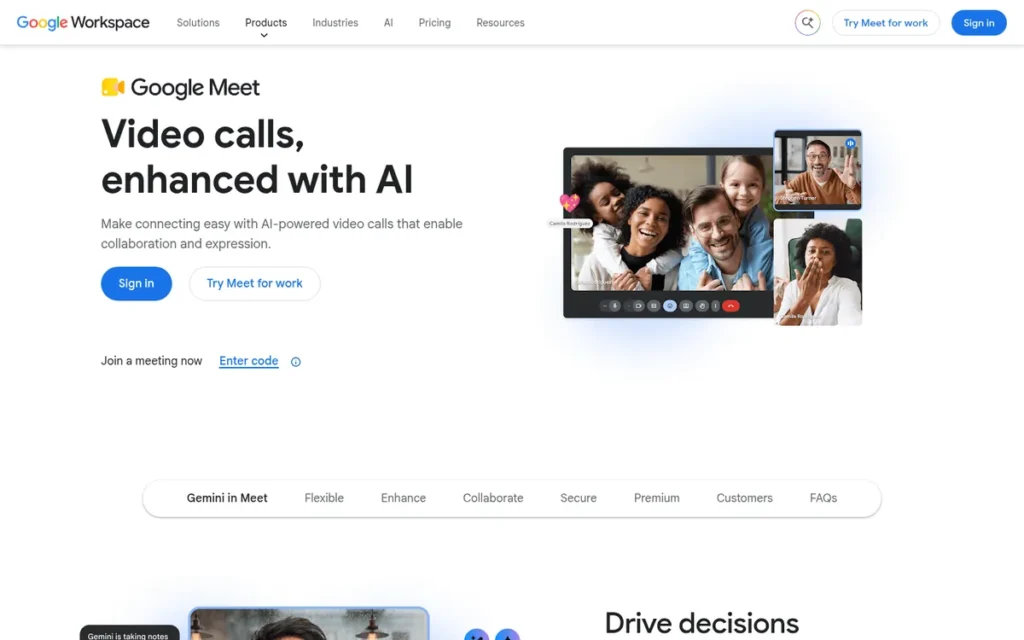
Category: Suite-Bundled Meetings: video meetings included in a productivity suite you may already pay for.
At a Glance
- Category: Suite-Bundled Meetings
- Best For: Small businesses, educators and Google Workspace teams that need browser meetings guests can join without installing anything
- Price Range: Free personal plan; G2 list prices $6.00–$18.00/month for Workspace Business Starter–Plus (Google’s page showed $7–$22/user/month on annual billing, November 2026)
- Primary Strength: Google Meet lets guests join from a browser by link without a Google Account, and its free plan allows 100 participants in 60-minute group calls.
- Biggest Limitation: Google Meet doesn’t include recording, noise cancellation or Gemini notes on the free plan or Business Starter, and it has fewer host controls than Zoom.
- One-Line Summary: Google Meet is the best overall Zoom alternative in PlugRoute’s November 2026 ranking because it combines a 60-minute free group cap, download-free guest joining and the largest review base evaluated.
- Last Verified: November 2026
Overview
Google Meet is Google’s browser-based video meeting tool. It is free with personal Google accounts and bundled into every Google Workspace edition. It suits small businesses, educators and teams whose guests should join by link without downloading software, and who don’t want to pay separately for meetings.
Google Meet’s capacity depends on the Workspace edition, from 100 participants on Business Starter to 1,000 on Enterprise. Google Meet’s G2 rating covers the whole Google Workspace suite, not Meet alone.
Key Features
- Google Meet lets guests join a Workspace-hosted meeting from a browser with a link or meeting ID and no Google Account, although the host may need to admit them.
- Google Meet’s free personal plan supports up to 100 participants and caps group meetings at 60 minutes. It allows 1:1 meetings of up to 24 hours and sets no stated limit on direct calls in the Meet mobile app (Google, November 2026).
- Google Meet’s Gemini “Take notes for me” feature writes a Google Doc, saves it to Drive and attaches it to the Calendar event on Business Standard, Plus and Enterprise.
- Google Meet offers translated captions, and Google’s own pages give the language count as both 60+ and 70+ (Google Workspace, November 2026).
- Google Meet supports in-domain live streaming to up to 1,000 viewers on Workspace Enterprise only.
Best For
Google Meet is best for teams already paying for Google Workspace, and for anyone whose clients or students already have Google accounts or just need a browser link.
Pricing
- Google Meet is free on personal Google accounts, with 60-minute group calls for up to 100 participants, so teams can test it before buying.
- Google Workspace G2 list prices are Business Starter $6.00, Business Standard $12.00 and Business Plus $18.00 per month (G2, November 2026).
- Google’s US pricing page showed $7.00/$14.00/$22.00 per user per month on annual commitment and $8.40/$16.80/$26.40 on flexible billing (Google Workspace, November 2026).
- Google’s billing documentation describes price updates tied to Gemini features, so the G2 list prices may be older figures.
- Google Meet recording and Gemini notes start at Business Standard, and all Google Workspace prices are subject to change.
Strengths
- Capterra rates Google Meet on its own at 4.5/5 from 12,104 reviews (Capterra, 2026). That is the largest Meet-specific sample in PlugRoute’s research and the main basis for its verified-satisfaction score.
- Google Workspace holds a 4.6/5 G2 rating from 48,306 reviews, with 96.2% at 4–5 stars (G2, November 2026). This suite-level rating is supporting evidence for Google Meet.
- Google Meet’s free plan allows 60-minute group calls for up to 100 participants. That is 20 minutes longer than the 40-minute free caps of Zoom and Webex (vendor pages, November 2026).
- Google Meet runs fully in the browser. In a 2024 r/AskTechnology thread, an educator chose it for international students who couldn’t download Zoom because “these kids all use Google.”
- Google Workspace lists 262 integrations on G2 as a suite-level listing, more than double Zoom’s 98 (G2, November 2026).
Limitations
- Google Meet trades depth for simplicity. Compared with Zoom, it has fewer detailed host controls, narrower breakout options and no dedicated webinar product (SpotSaaS, 2026).
- Google Meet doesn’t include recording to Drive, noise cancellation or Gemini notes on the free plan or Business Starter.
- Google Meet’s participant caps on cheaper editions (100 on Starter, 150 on Standard) are lower than Zoom’s higher tiers.
- Google Workspace’s second most-cited G2 con is Rising Subscription Costs, with 206 mentions (G2, November 2026).
- Google Meet’s free 1:1 meetings hosted from a computer are capped at 24 hours, and hosts may need to admit guests who join without a Google Account (Google, November 2026).
Users on r/google noted:
“I use Google Meet often – Just create an event in https://calendar.google.com and invite people. It’s free, simple, and the Google Meet meeting is created automatically. Not a lot of features, but it works and people can present their screen.” Posted by u/retsotrembla
Takeaway: Google Meet wins on zero-setup simplicity through Google Calendar, but regular users accept a thinner feature set than Zoom in exchange.
How It Compares With Zoom
- Google Meet beats Zoom’s free plan on group-call length (60 vs 40 minutes) and matches it at 100 participants.
- Google Meet falls behind Zoom on host controls, webinar tools and free-plan recording.
- Google Meet costs nothing extra for Google Workspace customers, while Zoom Pro has a $14.99 G2 list price.
Verdict
Google Meet is the best overall Zoom alternative for most small businesses in 2026 because it pairs a 60-minute free group cap with browser joining that needs no download or account. Google Meet scored 4.15/5. It led on guest join friction (5) and verified user satisfaction (5) and trailed on privacy and deployment options (2).
Google Workspace customers pay nothing extra for Google Meet. Teams that need recording or AI notes should budget for Business Standard, and teams that run webinars may still need Zoom.
2. Microsoft Teams: Best for Microsoft 365 Organizations
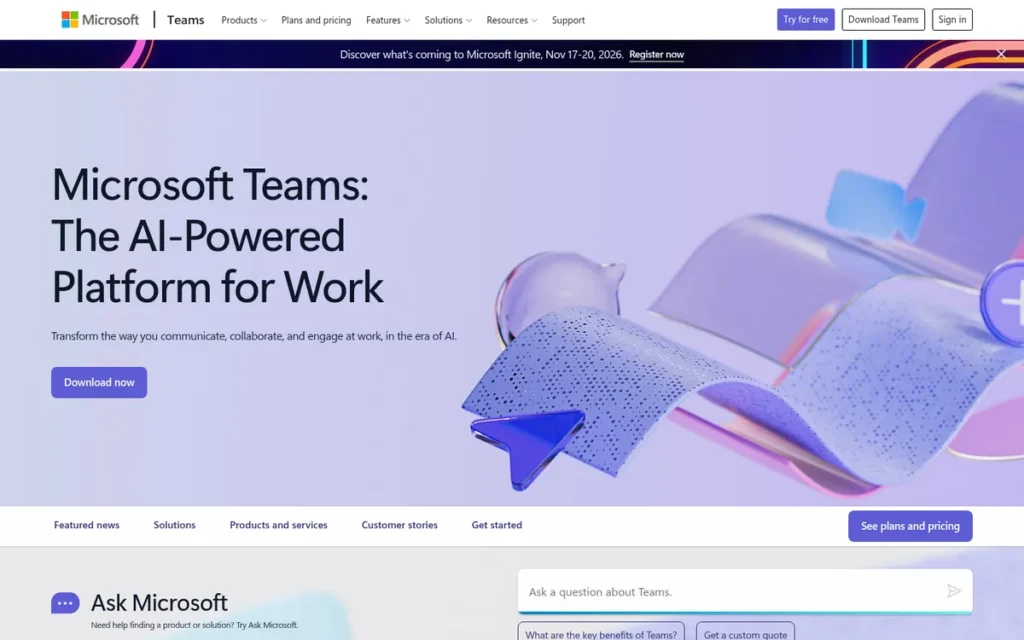
Category: Suite-Bundled Meetings: video meetings included in a productivity suite you may already pay for.
At a Glance
- Category: Suite-Bundled Meetings
- Best For: Microsoft 365 organizations that want meetings, chat and files in one place, and small Microsoft-based teams that need low-cost long meetings
- Price Range: Free plan; G2 list prices $4.80/user/month (Teams Essentials) to $22.00/user/month (Microsoft 365 Business Premium)
- Primary Strength: Microsoft Teams Essentials allows 30-hour meetings with 300 participants at a $4.80/user/month G2 list price.
- Biggest Limitation: Microsoft Teams’ most-cited G2 complaint is slow loading (418 mentions), and guests from other organizations can run into account and tenant friction.
- One-Line Summary: Microsoft Teams is the best Zoom alternative for Microsoft 365 organizations because it combines low-cost 30-hour meetings, deep meeting features and built-in chat and file collaboration, at the cost of heavier performance.
- Last Verified: November 2026
Overview
Microsoft Teams is Microsoft’s hub for meetings, chat and file collaboration. It is available as a free plan, as the meetings-only Teams Essentials and inside most Microsoft 365 business suites. It suits organizations that already work in Microsoft 365 and want meetings tied to their channels and documents.
Microsoft Teams also offers breakout rooms, webinars and town halls for larger formats. Microsoft 365, the suite that includes Microsoft Teams, holds a 4.6/5 G2 rating from 5,895 reviews (G2, November 2026).
Key Features
- Microsoft Teams’ free plan supports group meetings of up to 60 minutes with 100 participants and 1:1 meetings of up to 30 hours (Microsoft, November 2026).
- Microsoft Teams Essentials raises the limits to 30-hour group meetings with up to 300 participants (Microsoft, November 2026).
- Microsoft Teams lets guests join a meeting from a web browser without a Teams account.
- Microsoft Teams includes breakout rooms, webinars, town halls and Teams Rooms hardware support. Copilot meeting recaps need a separate Copilot licence.
- Microsoft Teams links meetings to ongoing chat, channels and SharePoint/OneDrive files, and G2 lists 264 integrations for it.
Best For
Microsoft Teams is best for organizations already paying for Microsoft 365. It also suits small Microsoft-based teams that need long, large meetings cheaply through Teams Essentials.
Pricing
- Microsoft Teams Essentials has a G2 list price of $4.80/user/month. Microsoft 365 G2 list prices are Business Basic $6.00, Business Standard $12.50 and Business Premium $22.00 (G2, November 2026).
- Microsoft’s US page showed Essentials at $4.00, Basic at $7.00, Standard at $14.00 and Premium at $22.00 on annual billing, plus a $10.00/user/month Teams Premium add-on (Microsoft, November 2026).
- Microsoft’s US no-Teams page lists Business Basic at $5.40 and Business Standard at $10.79 per user/month on annual billing (Microsoft, November 2026). This followed EEA unbundling commitments (European Commission, 2025).
- Microsoft Teams offers a free plan for testing before buying. Copilot is licensed separately, and all prices are subject to change.
Strengths
- Microsoft Teams Essentials supports 30-hour meetings with 300 participants at a $4.80/user/month G2 list price (G2, November 2026). That is the cheapest documented route to long, large meetings among the suite tools.
- Microsoft Teams holds a 4.4/5 G2 rating from 19,457 reviews with 92.3% at 4–5 stars (G2, November 2026). Capterra rates Microsoft Teams 4.5/5 from 11,179 reviews (Capterra, 2026).
- Microsoft Teams’ top G2 pros are Ease of Use (969) and Team Collaboration (896), which reflects how it combines meetings with chat and files (G2, November 2026).
- Microsoft Teams lists 264 integrations on G2, the most in this ranking and well above Zoom’s 98 (G2, November 2026).
Limitations
- Microsoft Teams trades a lightweight experience for an all-in-one hub. Its top G2 cons are Slow Loading (418), Performance Issues (299), User Interface (261) and Connectivity Issues (224) (G2, November 2026).
- Microsoft Teams can create account friction across organizations. One 2025 r/AppleVisionPro user wrote, “Zoom works in my company vs. Team will ONLY work with a personal account.”
- Microsoft Teams users on G2 ask for simpler notification controls and clearer organization of chats versus channels (G2, November 2026).
- Microsoft Teams charges extra for Copilot recaps and Teams Premium, so AI meeting features aren’t included in the base price.
How It Compares With Zoom
- Microsoft Teams matches Zoom’s free participant cap (100) and beats its free group duration (60 vs 40 minutes).
- Microsoft Teams Essentials costs far less than Zoom Pro’s $14.99 G2 list price.
- Microsoft Teams falls behind Zoom on reviewer-reported speed and on how easily guests from other organizations can join.
Verdict
Microsoft Teams is the best Zoom alternative for organizations already on Microsoft 365, because its meetings come bundled with the chat and files those teams already use. Microsoft Teams scored 4.00/5. It led on cost to remove limits (5) and meeting depth (5) and was held back on verified satisfaction (3) by its slow-loading complaints.
Microsoft Teams Essentials is the cheapest documented way to run 30-hour, 300-person meetings. Buyers should expect heavier resource use than Zoom, and client-facing teams should test guest joining before switching.
3. Zoho Meeting: Best Budget Paid Option
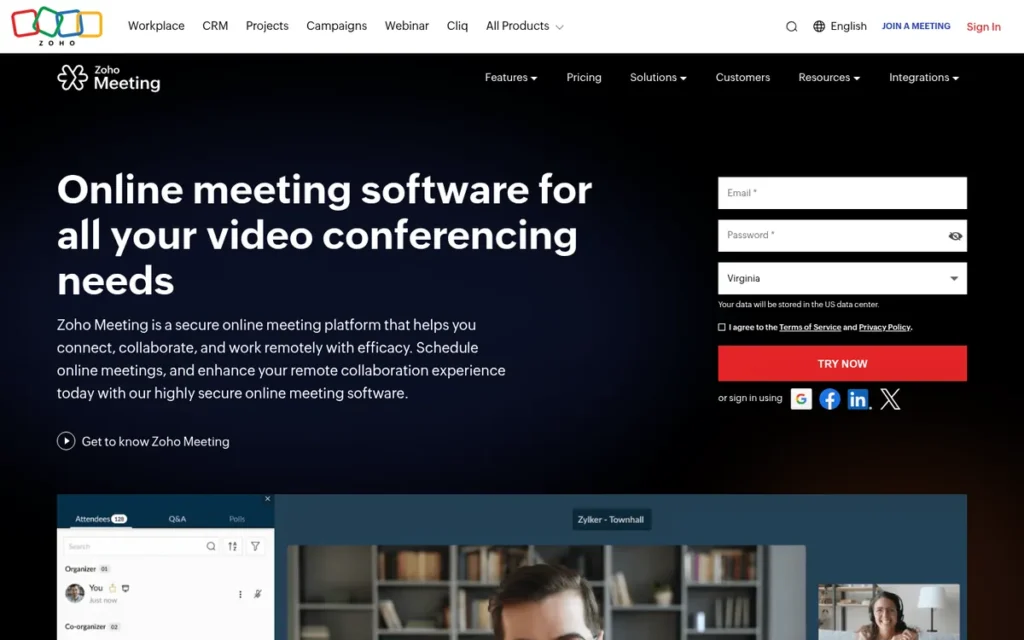
Category: Standalone Meeting Platforms: dedicated video meeting services sold separately from an office suite.
At a Glance
- Category: Standalone Meeting Platforms
- Best For: Budget-conscious small businesses and Zoho users that need uncapped paid meetings for small to mid-sized groups
- Price Range: Free; G2 list prices from $1.00/month (Meeting Standard) and from $3.00/month (Meeting Professional), rising with participant count
- Primary Strength: Zoho Meeting has the lowest paid entry price in this ranking, with G2 list prices from $1.00 per month and paid sessions of up to 24 hours.
- Biggest Limitation: Zoho Meeting gets recurring G2 complaints about video and audio quality, and breakout rooms and transcripts need the Professional plan.
- One-Line Summary: Zoho Meeting is the best budget Zoom alternative in 2026 because its paid plans start at a $1.00/month G2 list price and its free plan matches Google Meet’s 60-minute, 100-participant group limits.
- Last Verified: November 2026
Overview
Zoho Meeting is Zoho’s browser-based meeting and webinar service, with a free plan and paid tiers priced by participant count. It suits small businesses and Zoho customers who want the cheapest uncapped meetings that clients can join without downloading software.
Zoho Meeting sells meetings and webinars as separate plans. Zoho Meeting connects natively to other Zoho apps, so it is most useful inside the Zoho ecosystem.
Key Features
- Zoho Meeting’s free plan supports 100 participants in meetings of up to 60 minutes (Zoho, November 2026).
- Zoho Meeting’s paid plans allow sessions of up to 24 hours with up to 250 participants.
- Zoho Meeting lets guests join from a browser with no download, and it also offers desktop and mobile apps.
- Zoho Meeting Standard includes polls, recording and up to 2 co-hosts. Zoho Meeting Professional adds breakout rooms, transcripts, Zia AI, end-to-end encryption and up to 5 co-hosts.
- Zoho Meeting integrates natively with Zoho CRM, Bookings, Calendar, Projects and Mail.
Best For
Zoho Meeting is best for cost-sensitive small businesses and Zoho ecosystem users who need paid, uncapped meetings for small to mid-sized groups.
Pricing
- Zoho Meeting’s G2 list prices are Free Edition $0.00, Meeting Standard from $1.00/month and Meeting Professional from $3.00/month (G2, November 2026).
- Zoho states that Meeting Standard starts at $1 per host per month, billed annually (Zoho, November 2026).
- Zoho Meeting prices rise with participant count. Capterra lists Standard at $1 (10 participants) to $10 (250) and Professional at $3 (10) to $18 (250) per host per month (Capterra, 2026).
- Zoho Meeting webinar plans start at about $8 per host per month for 10 attendees (Capterra, 2026). The free plan allows testing first, and all prices are subject to change.
Strengths
- Zoho Meeting holds a 4.5/5 G2 rating from 1,274 reviews with 96.4% at 4–5 stars (G2, November 2026). Capterra rates Zoho Meeting 4.6/5 from about 950 reviews (Capterra, 2026).
- Zoho Meeting’s paid plans start at a $1.00/month G2 list price (G2, November 2026), the lowest paid entry point among the seven alternatives evaluated.
- Zoho Meeting’s free plan matches Google Meet and Microsoft Teams at 100 participants and 60-minute group meetings. That is 20 minutes more than Zoom’s free plan (vendor pages, November 2026).
- Zoho Meeting’s compliance page states ISO/IEC 27001 certification and SOC 2 Type II compliance. Zoho also offers a Business Associate Agreement for HIPAA use on request (Zoho, November 2026).
Limitations
- Zoho Meeting trades consistent call quality for price. Video Quality (10), Audio Issues (9) and Poor Quality (7) are among its top G2 cons (G2, November 2026).
- Zoho Meeting has a community forum thread titled “Meeting vs Zoom and why we are moving.” In it, a customer describes returning to Zoom over audio/video quality, whiteboard and Facebook Live integration (Zoho Community forum, thread undated).
- Zoho Meeting’s mobile app is described as clunky in G2 reviewer summaries, and Capterra reviewers report lag on unstable connections (G2, November 2026; Capterra, 2026).
- Zoho Meeting lists only 21 integrations on G2, and its webinar engagement tools are thinner than Zoom’s.
- Zoho Meeting sells webinars as a separate plan. Teams that need both meetings and webinars pay for two products, and breakout rooms and transcripts need Professional.
How It Compares With Zoom
- Zoho Meeting beats Zoom’s free group cap (60 vs 40 minutes) at the same 100 participants.
- Zoho Meeting’s paid entry price is a small fraction of Zoom Pro’s $14.99 G2 list price.
- Zoho Meeting falls behind Zoom on reviewer-reported call quality, webinar depth and integrations (21 vs 98).
Verdict
Zoho Meeting is the lowest-priced paid way to remove Zoom-style meeting caps among the seven alternatives PlugRoute evaluated, with plans from a $1.00/month G2 list price. Zoho Meeting scored 3.95/5 and led on cost to remove limits (5). The under-1,500-review rule caps its verified-satisfaction score at 4, and the same rule applies to Whereby Meetings.
Zoho Meeting suits Zoho users and budget-focused small teams best. Buyers should run a trial call on their own network first, because audio and video quality is its most-cited weakness.
4. Jitsi Meet: Best Open-Source and Self-Hosted Option
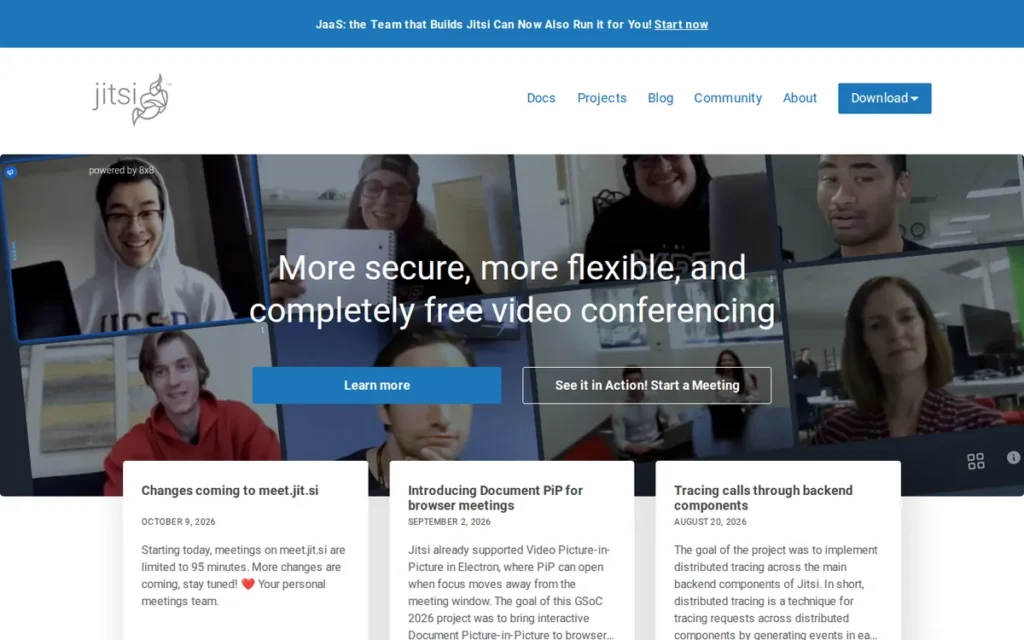
Category: Open-Source / Self-Hosted: free, source-available meeting software you can run on your own servers.
At a Glance
- Category: Open-Source / Self-Hosted
- Best For: Privacy-focused teams, schools and organizations with IT staff who want $0 licensing and control over their meeting data
- Price Range: Free software (self-hosting costs servers, bandwidth and staff time); hosted meet.jit.si is free; 8×8 JaaS managed hosting is free up to 25 monthly active users, with paid tiers above that
- Primary Strength: Jitsi Meet is open source under the Apache 2.0 licence with official Docker self-hosting, so organizations can run browser meetings on their own servers without licence fees.
- Biggest Limitation: Jitsi Meet’s hosted meet.jit.si service caps meetings at 95 minutes. Reviewers report quality drops at about 35–50 participants on a single server, and recording through Jibri needs complex extra setup.
- One-Line Summary: Jitsi Meet is the best open-source Zoom alternative in 2026 because it is Apache 2.0-licensed, officially supports Docker self-hosting and lets guests join from a browser without an account on self-hosted instances.
- Last Verified: November 2026
Overview
Jitsi Meet is a free, open-source video meeting platform licensed under Apache 2.0. It runs in the browser on the hosted meet.jit.si service or on your own servers. It suits privacy-focused organizations with IT capacity that want control over their data and no licence fees.
Jitsi Meet is maintained by 8×8, which also sells a managed version called Jitsi as a Service (JaaS). Self-hosted Jitsi Meet runs on components such as Jitsi Videobridge, which administrators add to scale larger deployments. Jitsi Meet works differently on meet.jit.si, on public third-party instances and on self-hosted servers.
Key Features
- Jitsi Meet is open source under the Apache 2.0 licence, built on WebRTC, and officially supports self-hosting through Docker images (GitHub, November 2026).
- Jitsi Meet lets guests join from a browser without an account on self-hosted instances set up for open access.
- Jitsi Meet supports lobby and breakout rooms, which administrators can turn on.
- Jitsi Meet records through Jibri, which needs separate setup and one instance for each simultaneous recording.
- Jitsi Meet is also available as managed hosting through 8×8 JaaS, priced per monthly active user, with a free Developer tier for up to 25 MAU.
Best For
Jitsi Meet is best for organizations that need self-hosting, data sovereignty or $0 licensing and have staff to run servers.
Pricing
- Jitsi Meet software is free. Self-hosting costs come from servers, bandwidth and staff time.
- Jitsi Meet’s hosted meet.jit.si service is free, with a 95-minute meeting cap and creator sign-in (jitsi.org, October 2026).
- 8×8 JaaS offers a free Developer tier for up to 25 MAU and charges $0.99 per extra MAU, both confirmed by 8×8 (8×8, 2026).
- A secondary summary lists 8×8 JaaS Basic at $99/month (300 MAU), Standard at $499 (1,500 MAU) and Business at $999 (3,000 MAU) (Forasoft secondary summary, 2026). JaaS prices are subject to change.
Strengths
- Jitsi Meet is licensed under Apache 2.0 with officially maintained Docker images (jitsi/docker-jitsi-meet on GitHub, November 2026). It is the only genuinely open-source, self-hostable option in this ranking.
- Jitsi Meet holds a 4.3/5 G2 rating from 232 reviews and 4.2/5 on Capterra from 80 reviews (secondary research, 2026). Reviewers praise its ease of use, privacy and account-free joining.
- Jitsi Meet’s self-hosted servers have no vendor-imposed meeting time limit, and its hosted 95-minute cap is the longest free hosted group cap in this ranking (jitsi.org, October 2026).
- Jitsi Meet has a long documented history. It began in 2003 as SIP Communicator, was acquired by Atlassian in 2015 and by 8×8 in 2018, and now powers 8×8 Video Meetings (jitsi.org, 2026).
Limitations
- Jitsi Meet trades convenience for control, because running a server is ongoing work and recording through Jibri is complex.
- Reviewers report that Jitsi Meet quality drops at around 35–50 participants in a single meeting on a typical one-server setup. Jitsi’s documentation says capacity depends on hardware and bandwidth (G2 reviewers and EuropeanStack, 2026; Jitsi handbook, 2026).
- Jitsi Meet’s hosted meet.jit.si service limits meetings to 95 minutes and requires the meeting creator to sign in. A January 2025 r/AskFOSS user wrote, “now you need an account.”
- Jitsi Meet has a basic interface. Embedded use on meet.jit.si is reportedly limited to 5 minutes (Noizz.io review, 2026), and vendor support requires paying for JaaS.
This aligns with community sentiment on r/opensource:
“As with anything in this space, where your “bridge” is located and whether the clients are forced to do P2P connection/hybrid/server only can impact performance. Basically, the software is half the battle, the infrastructure planning is the other half.” Posted by u/nukacola2022
Takeaway: Jitsi Meet’s call quality depends as much on how you deploy and locate its server bridge as on the software itself, so self-hosters must budget for infrastructure planning.
How It Compares With Zoom
- Jitsi Meet beats Zoom on licensing cost, openness and data control.
- Jitsi Meet’s hosted service allows 95-minute free meetings, compared with Zoom’s 40, and a self-hosted Jitsi Meet instance has no vendor time cap.
- Jitsi Meet falls behind Zoom on large-meeting scale, ease of recording, polish and vendor support.
Verdict
Jitsi Meet is the only Apache 2.0-licensed, officially self-hostable Zoom alternative in PlugRoute’s 2026 ranking. Jitsi Meet scored 3.30/5 and earned the top privacy and deployment score (5). It scored 4 on free-plan generosity because meet.jit.si caps meetings at 95 minutes and needs creator sign-in, while self-hosting has costs.
Jitsi Meet suits organizations with IT staff far better than non-technical small businesses. Teams using meet.jit.si should check its sign-in rules before relying on it for client calls.
5. Webex Suite: Best for Enterprise and Regulated Meetings
Category: Standalone Meeting Platforms: dedicated video meeting services sold separately from an office suite.
At a Glance
- Category: Standalone Meeting Platforms
- Best For: Mid-size and large organizations, including government and education customers, that need compliance options, room hardware, calling and multilingual meetings
- Price Range: Free plan; G2 list price $25.00/user/month for Webex Suite Business (Cisco’s page showed $12 Meet / $22.50 Suite per user/month on annual billing, November 2026); Enterprise by quote
- Primary Strength: Webex Suite combines meetings, calling, webinars and events with a FedRAMP-authorized government offering and real-time translation for enterprise and regulated buyers.
- Biggest Limitation: Webex Suite’s free plan has the same 40-minute cap as Zoom, and slow loading is its most-cited G2 complaint (107 mentions).
- One-Line Summary: Webex Suite is the best Zoom alternative for enterprise and regulated meetings in 2026 because it combines FedRAMP options, end-to-end encryption, real-time translation and Cisco room hardware, though its free plan saves nothing over Zoom’s.
- Last Verified: November 2026
Overview
Webex Suite is Cisco’s all-in-one collaboration platform, combining meetings, messaging, calling, webinars and events. It suits mid-size and large organizations, including government and education customers, that need enterprise admin controls, compliance options, room hardware and multilingual meetings.
Webex Suite also offers a free plan with browser joining for guests. Webex Suite’s free plan records meetings locally, which Google Meet’s free plan and Business Starter do not.
Key Features
- Webex Suite’s free plan allows 40-minute meetings with up to 100 participants and includes local recording (Webex pricing page, November 2026).
- Webex Suite’s paid Meet and Suite plans allow 24-hour meetings with 200 participants, and Enterprise supports up to 1,000.
- Webex Suite lets guests join from a supported browser through a link, with no account or download.
- Webex Suite offers real-time caption translation on paid licences. Cisco help documentation lists 120+ languages and other Cisco materials list 100+. Webex Suite also has an AI Assistant for notes and summaries.
- Webex Suite works with Cisco Room and Desk hardware and bundles calling, which suits organizations that are combining meetings and phones.
Best For
Webex Suite is best for enterprises and regulated organizations that need compliance options, Cisco room hardware, integrated calling and multilingual meetings.
Pricing
- Webex Suite’s G2 list prices are Webex Suite Business at $25.00/user/month and Enterprise by custom quote. G2 does not list a price for Webex Free (G2, November 2026).
- Cisco’s US pricing page showed Webex Meet at $12/user/month ($144/year) and Webex Suite at $22.50/user/month ($270/year) on annual billing (Cisco, November 2026).
- Webex Suite’s free plan allows testing before buying. Real-time translation needs a paid licence, and all prices are subject to change.
Strengths
- Webex Suite holds a 4.2/5 G2 rating from 18,935 reviews, with Reliability (192) and Video Quality (166) among its top pros (G2, November 2026). Capterra rates Webex Suite 4.4/5 from 8,405 reviews (Capterra, 2026).
- Webex Suite’s Enterprise tier supports up to 1,000 participants, and its paid plans allow 24-hour meetings (Cisco pricing page, November 2026).
- Webex for Government is FedRAMP-authorized at the Moderate impact level. Webex Suite also offers Zero Trust end-to-end encryption in certain setups (FedRAMP Marketplace; Cisco, November 2026).
- Webex Suite’s free plan includes local meeting recording, which is a real advantage over Google Meet’s free plan (Webex pricing page, November 2026).
Limitations
- Webex Suite trades simplicity for enterprise depth. Its free plan caps meetings at 40 minutes, the same as Zoom, so it doesn’t fix the time-limit problem for free users.
- Webex Suite’s top G2 cons are Slow Loading (107), Performance Issues (97), Not User-Friendly (97) and Lack of Intuitiveness (86) (G2, November 2026).
- Webex Suite users on G2 ask for smoother guest access, with fewer extra steps for outside participants (G2, November 2026).
- Webex Suite’s AI features, recording and transcription need decrypted media, so they can’t be combined with end-to-end encryption.
- Webex Suite most often takes 1–3 months to go live, according to G2 reviewers (G2, November 2026). That is longer than any other tool in this ranking.
How It Compares With Zoom
- Webex Suite matches Zoom’s free plan on time (40 minutes) and participants (100).
- Webex Suite goes further than Zoom on compliance options and real-time translation.
- Webex Suite falls behind Zoom on integrations (33 vs 98), reviewer-reported ease of use and speed of rollout.
Verdict
Webex Suite is the best fit among the seven ranked alternatives for enterprises and regulated organizations. It tied Microsoft Teams for the highest meeting-depth score (5/5) and is the only ranked product whose FedRAMP authorization PlugRoute verified. Webex Suite scored 3.10/5 overall and was held back by free-plan generosity (2).
Webex Suite won’t help small teams save money or avoid time limits. Buyers should plan for a longer rollout and test guest joining with outside participants.
6. Whereby Meetings: Best for Download-Free Client Sessions

Category: Browser-First Guest Rooms: permanent browser meeting rooms built so guests can join with no download or account.
At a Glance
- Category: Browser-First Guest Rooms
- Best For: Freelancers, coaches, therapists and consultants who run small client sessions where guests click a link and join without a download or account
- Price Range: Free (4 attendees, 30 minutes); G2 list prices $10.99/month (Pro) and from $13.99 per host/month with a 3-licence minimum (Business), excluding VAT
- Primary Strength: Whereby Meetings lets guests join permanent, branded room links from a browser with no download and no account.
- Biggest Limitation: Whereby Meetings has the most restrictive free plan evaluated (4 attendees, 30 minutes) and no webinar or large-event tools.
- One-Line Summary: Whereby Meetings is the best Zoom alternative for download-free client sessions in 2026 because guests join permanent browser rooms with no app or account, though its free plan is limited to 4 people for 30 minutes.
- Last Verified: November 2026
Overview
Whereby Meetings is a browser-first video meeting service from Norway. It gives hosts permanent, brandable room links that guests join with no download or account. It suits freelancers, coaches, therapists and small client-facing teams who value easy guest access more than large meetings.
Whereby Meetings Pro removes the meeting time limit for rooms of up to 100 attendees. Whereby Meetings began in 2013 as appear.in and took the Whereby name in 2019 (Whereby, 2026).
Key Features
- Whereby Meetings lets guests join from a browser with no download and no account.
- Whereby Meetings gives hosts permanent room URLs (1 on Free, 3 on Pro, unlimited on Business), with custom branding and recording on paid plans.
- Whereby Meetings’ free plan allows 4 attendees for 30 minutes. Pro allows 100 attendees with no time limit, and Business allows 200 (Whereby pricing page, November 2026).
- Whereby Meetings can be configured for HIPAA telehealth with a signed BAA and specific setup steps, such as routing cloud recordings to a customer-controlled S3 bucket (Whereby documentation, November 2026).
- Whereby Meetings is also available as Whereby Embedded, an API for adding video calls to other products such as telehealth platforms.
Best For
Whereby Meetings is best for solo professionals and small client-facing teams that host recurring sessions with outside guests who shouldn’t have to install anything.
Pricing
- Whereby Meetings’ G2 list prices match the vendor page: Free, Pro at $10.99/month and Business from $13.99 per host/month (G2, November 2026).
- Whereby Meetings Business needs at least 3 licences, which works out to a minimum of about $41.97/month. All prices exclude VAT.
- Whereby Meetings’ terms describe the Free plan as for individual use, so some commercial uses need a paid plan. Prices are subject to change.
Strengths
- Whereby Meetings has the highest share of 4–5 star G2 reviews in this ranking: 98.4% of 1,163 reviews, with a 4.6/5 rating (G2, November 2026). That sample is far smaller than the samples for Google Meet or Microsoft Teams.
- Whereby Meetings’ top G2 pro is Ease of Use (61 mentions), and reviewers consistently praise joining without downloads or accounts (G2, November 2026).
- Whereby Meetings Pro removes the meeting time limit for up to 100 attendees at a $10.99/month G2 list price, below Zoom Pro’s $14.99 (G2, November 2026).
- Whereby Meetings has been ISO 27001 certified since a 2025 renewal (Whereby, 2025). A 2021 interview reported that accuRx rolled Whereby Meetings out to 3,500 UK GP practices (Erevena, 2021).
Limitations
- Whereby Meetings trades scale and features for simplicity. Its free plan is the most restrictive evaluated, at 4 attendees and 30 minutes.
- Whereby Meetings has no webinar or large-event tools, and Business needs at least 3 licences.
- Whereby Meetings’ top G2 cons are Limited Features (19), Connectivity Issues (12) and Participant Limitations (9) (G2, November 2026).
- Whereby Meetings changed how rooms behave. A 2023 r/videoconferencing user reported that hosts “cant leave the room open anymore and need a host in room at all times.”
- Whereby Meetings applies end-to-end encryption only to small rooms. Larger meetings decrypt media in server memory.
How It Compares With Zoom
- Whereby Meetings beats Zoom on guest friction, with no app, no account and permanent room links.
- Whereby Meetings Pro costs less than Zoom Pro’s $14.99 G2 list price.
- Whereby Meetings’ free plan is more restrictive than Zoom’s (4 people for 30 minutes vs 100 people for 40 minutes), and it has nothing equivalent to Zoom’s webinars.
Verdict
Whereby Meetings tied Google Meet for the top guest-join score (5/5). It is the only ranked product built around permanent browser rooms that guests join with no download or account. Whereby Meetings scored 3.00/5 and ranks sixth mainly because its free plan scored 1, so readers who only need Pro should weigh the rank with that in mind.
Whereby Meetings suits coaches, therapists and consultants on the Pro plan. It is not a webinar tool, and businesses should check Whereby’s free-plan terms.
7. GoTo Meeting: Best for Meetings Bundled With a Cloud Phone System
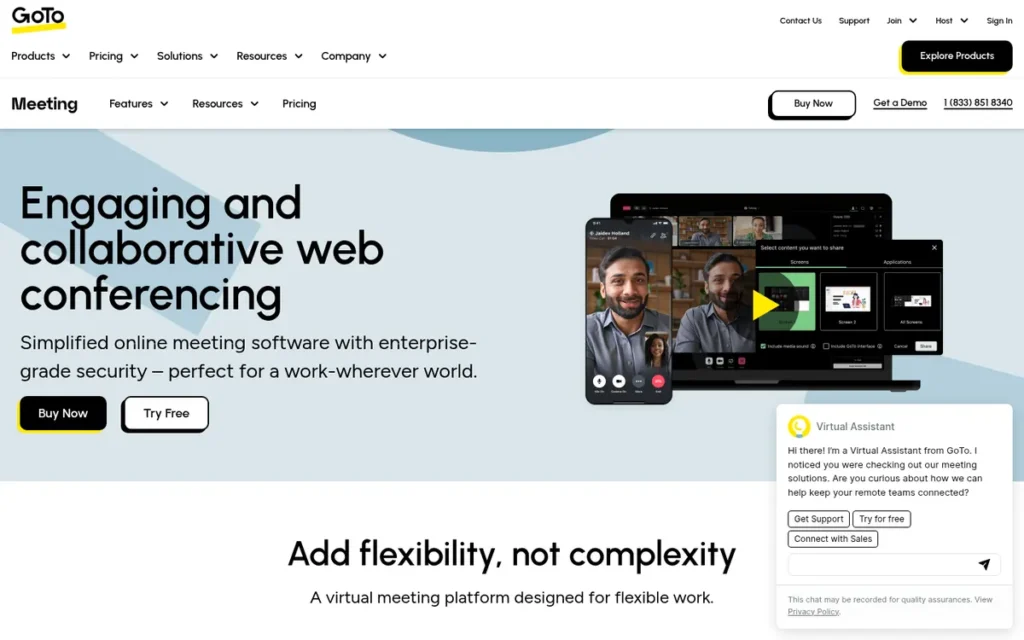
Category: Standalone Meeting Platforms: dedicated video meeting services sold separately from an office suite.
At a Glance
- Category: Standalone Meeting Platforms
- Best For: Businesses that want straightforward, established meeting software bundled with the GoTo Connect cloud phone system
- Price Range: Limited free plan (40 minutes, 3 attendees) plus a 14-day paid-plan trial; G2 list prices $14.00/user/month (Professional) and $19.00/user/month (Business); Enterprise by quote
- Primary Strength: GoTo Meeting offers paid Professional and Business plans with no meeting time limits and can be bundled with the GoTo Connect cloud phone system.
- Biggest Limitation: GoTo Meeting’s G2 list prices ($14.00/$19.00) are almost the same as Zoom Pro and Business ($14.99/$19.99), so switching saves little money.
- One-Line Summary: GoTo Meeting is an established Zoom alternative whose main draw is bundling with the GoTo Connect phone system. G2 reviewers describe its interface as outdated, and its paid prices nearly match Zoom’s.
- Last Verified: November 2026
Overview
GoTo Meeting is GoTo’s established video meeting service. It is sold in Professional, Business and Enterprise plans and can be bundled with the GoTo Connect cloud phone system. It suits businesses that want simple, dependable meetings and one vendor for meetings and phones, rather than the lowest price.
GoTo Meeting lets hosts and guests use Chrome or Edge without installing anything, though some features need the desktop app. GoTo Meeting offers a limited free plan (40 minutes, 3 attendees) and a 14-day trial of paid plans (GoTo support, November 2026).
Key Features
- GoTo Meeting includes HD video, screen sharing, local and cloud recording, and recording transcripts in English, Spanish, Italian and German (GoTo features page, November 2026).
- GoTo Meeting has no meeting time limits on its Professional and Business plans (PCMag, November 2026). Capterra lists those plans at 150 and 250 participants (Capterra, 2026).
- GoTo Meeting lets hosts and guests join in Chrome or Edge without installing anything, while drawing tools and local recording need the desktop app.
- GoTo Meeting offers meeting lock, passcodes and breakout rooms, plus polls and whiteboards on paid plans. GoTo also claims its mobile Commuter mode uses up to 90% less bandwidth, a vendor claim that was not scored.
- GoTo Meeting can be bundled with the GoTo Connect cloud phone system, whose materials cite SOC 2 Type II and GDPR compliance.
Best For
GoTo Meeting is best for businesses that already use or plan to buy GoTo Connect and want meetings and phones from one vendor.
Pricing
- GoTo Meeting’s G2 list prices are Professional $14.00/user/month, Business $19.00/user/month and Enterprise by quote (G2, November 2026).
- GoTo Meeting’s prices compare with Zoom’s G2 list prices of Pro $14.99 and Business $19.99, a difference of under $1 per user.
- GoTo Meeting offers a limited free plan of 40-minute meetings with 3 attendees, plus a 14-day trial of paid plans (GoTo support; PCMag, November 2026). Prices are subject to change.
Strengths
- GoTo Meeting holds a 4.2/5 G2 rating from 17,143 reviews, with Ease of Use (82), Easy Setup (43) and Reliability (32) as its top pros (G2, November 2026). Capterra rates GoTo Meeting 4.4/5 from 11,531 reviews (Capterra, 2026).
- GoTo Meeting’s Professional and Business plans have no meeting time limits (PCMag, November 2026), with participant caps of 150 and 250 (Capterra, 2026).
- GoTo Meeting offers a GoTo Meeting for Healthcare plan that GoTo describes as HIPAA-compatible with a Business Associate Agreement. GoTo Connect also cites SOC 2 Type II compliance (GoTo support, November 2026).
- GoTo Meeting’s confirmed free plan and 14-day paid trial let teams test it before buying (GoTo support, November 2026).
Limitations
- GoTo Meeting trades value for familiarity. Its G2 list prices are within $1 of Zoom’s Pro and Business plans, and its free plan allows only 3 attendees for 40 minutes.
- GoTo Meeting’s browser joining works only in Chrome or Edge, and it lists just 13 G2 integrations, the fewest among the paid tools here.
- GoTo Meeting’s 89.2% share of 4–5 star G2 reviews is the lowest in this ranking, and reviewers describe the interface as outdated (G2, November 2026).
- GoTo Meeting for Healthcare is available only in North America and excludes recording and chat (GoTo support, November 2026).
- GoTo Meeting has individual Trustpilot complaints about auto-renewals and difficult cancellations (Trustpilot, 2026).
How It Compares With Zoom
- GoTo Meeting nearly matches Zoom on paid price ($14.00/$19.00 vs $14.99/$19.99 G2 list).
- GoTo Meeting’s free plan (3 attendees, 40 minutes) is far smaller than Zoom’s 100-participant free plan.
- GoTo Meeting falls behind Zoom on integrations (13 vs 98) and interface design, and its main advantage is bundling with GoTo Connect.
Verdict
GoTo Meeting offers little cost saving over Zoom in 2026, because its G2 list prices are within $1 of Zoom Pro and Business. GoTo Meeting scored 2.40/5 and was held back by free-plan generosity (1) and cost to remove limits (2).
GoTo Meeting makes sense mainly for businesses that want meetings bundled with the GoTo Connect phone system. Teams switching to save money or avoid free-plan caps will find lower-cost options higher in this ranking.
Which Free Zoom Alternative Has No Time Limit?
No mainstream hosted free plan PlugRoute reviewed removes the group-call cap as of November 2026. Jitsi’s hosted meet.jit.si allows the longest free group calls, at 95 minutes. Google Meet, Microsoft Teams Free and Zoho Meeting allow 60 minutes, and Webex matches Zoom at 40. Only self-hosted Jitsi Meet has no vendor cap.
On the free plans of Google Meet and Microsoft Teams, 1:1 calls can last 24 to 30 hours, while group calls stop at 60 minutes. The group-call cap is the limit that matters.
Users on r/Zoom shared their experience:
“Google meet is super laggy and CPU intensive… Jitsi has always been fun to use but not enough public adoption for it to be a go-to meeting solution.” Posted by u/MixonEPA
Takeaway: Free Zoom alternatives come with trade-offs beyond time caps: Google Meet draws complaints about lag and CPU load, and Jitsi Meet is held back because few people know it.
How Do Limits and Prices Compare With Zoom?
| Tool | Free Group Time Cap | Free Participants | Cheapest Uncapped Paid Plan (G2 List, Nov 2026) | Max Participants (Documented) | Guest Join | G2 Rating (Reviews) | Share of 4–5 Star Reviews | G2 Integrations |
|---|---|---|---|---|---|---|---|---|
| Zoom (reference) | 40 min | 100 (Zoom support, 2026) | Pro $14.99 | Not verified | Not evaluated (reference) | 4.5 (56,476) | Not listed | 98 |
| Google Meet | 60 min (1:1 up to 24 hours; direct mobile calls no stated limit) | 100 | Starter $6.00 (vendor $7.00) | 1,000 (Enterprise) | Browser, no Google Account; host may admit | 4.6 (48,306, suite) | 96.2% (suite) | 262 (suite) |
| Microsoft Teams | 60 min (1:1 up to 30 hours) | 100 | Essentials $4.80 (vendor $4.00), 30-hour meetings | 300 (Essentials; higher Microsoft 365 tiers not verified here) | Browser, no Teams account; cross-tenant friction reported | 4.4 (19,457) | 92.3% | 264 |
| Zoho Meeting | 60 min | 100 | Standard from $1.00, 24-hour sessions | 250 | Browser, no download | 4.5 (1,274) | 96.4% | 21 |
| Jitsi Meet | meet.jit.si 95 min; self-hosted none | Server-dependent | Software free; JaaS free to 25 MAU | Reviewers report ~35–50 per meeting on one server | Browser; creator sign-in on meet.jit.si | 4.3 (232, secondary) | Not listed | Not listed |
| Webex Suite | 40 min | 100 | Suite Business $25.00 (vendor Meet $12) | 1,000 (Enterprise) | Browser link; G2 users request smoother access | 4.2 (18,935) | 89.9% | 33 |
| Whereby Meetings | 30 min | 4 | Pro $10.99, no time limit | 200 (Business) | Browser, no download or account | 4.6 (1,163) | 98.4% | Not listed |
| GoTo Meeting | 40 min | 3 | Professional $14.00, no time limit | 250 (Business) | Chrome or Edge only | 4.2 (17,143) | 89.2% | 13 |
Sources: G2 (November 2026), vendor pricing and support pages including Zoom, GoTo and jitsi.org (November 2026), Capterra (2026), PCMag (November 2026). Prices are subject to change.
The cheapest documented paid plans that remove the group cap are:
- Zoho Meeting Standard starts at a $1.00/month G2 list price, with sessions of up to 24 hours.
- Microsoft Teams Essentials costs $4.80/user/month (G2 list) for 30-hour meetings.
- Whereby Meetings Pro costs $10.99/month (G2 list) with no time limit for up to 100 attendees.
- Webex Meet costs $12/user/month on Cisco’s page, while G2 lists Webex Suite Business at $25.00.
- GoTo Meeting Professional costs $14.00/user/month (G2 list) with no time limit (PCMag, November 2026).
What Would a 10-Person Team Pay for Each Zoom Alternative?
A 10-person team in which everyone hosts meetings would pay about $48 to $150 a month for most paid options, at November 2026 G2 list prices. Per-host pricing changes the maths when only a few people run meetings, as the figures below show.
- Zoom Pro costs $149.90/month for 10 users (10 × $14.99).
- GoTo Meeting Professional costs $140.00/month for 10 users (10 × $14.00).
- Webex Suite Business costs $250.00/month at its G2 list price. Webex Meet costs $120.00/month at Cisco’s $12 vendor price.
- Google Workspace Business Starter costs $60.00/month for 10 users, without recording.
- Microsoft Teams Essentials costs $48.00/month for 10 users.
- Whereby Meetings Pro costs $21.98/month when only 2 people host (2 × $10.99).
- Zoho Meeting Standard starts at $2.00/month when only 2 people host at the 10-participant tier, billed annually.
- Self-hosted Jitsi Meet has no licence cost, but its server, bandwidth and staff costs depend on your setup.
All figures use November 2026 G2 list prices unless labelled as vendor prices, and are subject to change.
Which Zoom Alternatives Let Clients Join Without Downloading Anything?
Whereby Meetings and Google Meet tied for the top guest-join score in PlugRoute’s ranking. Whereby Meetings gives guests permanent browser rooms with no app or account, and Google Meet lets guests join by link without a Google Account. Most other alternatives also support browser joining, with the friction points listed below.
- Google Meet supports browser joining without a Google Account, though the host may need to admit guests.
- Microsoft Teams supports browser joining without a Teams account, though guests from other organizations can run into tenant friction.
- Zoho Meeting supports browser joining with no download.
- Webex Suite supports browser joining by link, though G2 users ask for smoother guest access (G2, November 2026).
- GoTo Meeting supports browser joining only in Chrome or Edge.
- Jitsi Meet allows account-free guest joining on self-hosted instances set up for open access, while meet.jit.si requires the meeting creator to sign in.
Do I Need Anything Beyond Google Workspace or Microsoft 365?
Many Google Workspace and Microsoft 365 customers may not need a separate meeting tool, because Google Meet and Microsoft Teams are already included in most business editions. A separate tool makes sense mainly when your edition lacks recording or AI notes, when its participant caps are too low, or when outside guests regularly struggle to join.
Google Workspace edition limits to check:
- Google Meet allows 100 participants on Starter, 150 on Standard, 500 on Plus and 1,000 on Enterprise.
- Google Meet recording, noise cancellation and Gemini notes start at Business Standard.
- Google Meet in-domain live streaming is available on Enterprise only.
Microsoft 365 edition limits to check:
- Microsoft Teams Copilot recaps need a separate Copilot licence.
- Microsoft Teams Premium is a $10.00/user/month add-on on Microsoft’s US page (Microsoft, November 2026).
- Microsoft Teams Essentials gives meetings-only buyers 30-hour, 300-person meetings without a full suite.
If you pay for Zoom Pro on top of Google Workspace Business Standard or Microsoft 365 Business Standard, you are paying twice for video meetings. That costs roughly $15 per user per month at G2 list prices.
Microsoft’s US no-Teams page lists Business Basic at $5.40 and Business Standard at $10.79 per user/month on annual billing (Microsoft, November 2026). Microsoft also sells suites without Teams in the EEA (European Commission, 2025).
What Is the Difference Between Google Meet and Microsoft Teams for Meetings?
Google Meet is simpler for outside guests, who join from a browser without a Google Account, and it has the largest review base. Microsoft Teams adds persistent chat, channels and SharePoint files, plus 30-hour, 300-person meetings on Teams Essentials ($4.80 G2 list). Pick the one bundled with the suite you already pay for.
When Does It Make Sense to Stay With Zoom?
Staying with Zoom makes sense when you run large webinars, depend on detailed host controls or rely on Zoom’s 98 G2-listed integrations. In PlugRoute’s research, no single alternative matched Zoom’s full mix of free plan, host controls and webinar tools, although each alternative beats Zoom on at least one specific limit.
Stay with Zoom if:
- Your team runs large webinars or meetings that need detailed host controls and breakout rooms.
- Your team relies on free-plan local recording and needs more than Webex’s free plan offers, since Webex also records locally but has the same 40-minute cap as Zoom.
- Your call problems come from your network. A 2021 r/Zoom reply warned, “If you’re having issues with Zoom, you will likely have issues with anything else.”
- Your workflows depend on Zoom’s 98 G2-listed integrations, compared with 33 for Webex Suite, 21 for Zoho Meeting and 13 for GoTo Meeting.
This aligns with community sentiment on r/opensource:
“With video enabled for all participants there is no OSS solution at that scale. Zoom is the best if not only solution I have found for that use case.
Nextcloud Talk should be able to handle that many participants without video enable though.” Posted by u/peatsoff
Takeaway: For very large calls where everyone has video on, Zoom is still the default, even for users who would rather run an open-source alternative.
Teams that mainly need webinars rather than meetings can also look at dedicated webinar tools, which are not ranked here.
GoTo Webinar’s G2 list prices run from $59 to $249 per user per month. Adobe Connect is listed at $50 per month with a 4.0/5 G2 rating (G2, November 2026).
How Do I Switch From Zoom Without Disrupting Workflows?
Switch from Zoom in stages: export recordings, rebuild recurring calendar links, pilot the new tool with real outside guests, and check cancellation terms before ending your subscription. PlugRoute’s research found no platform-specific migration data, so treat these steps as general guidance rather than vendor-verified procedures.
- Your team should export existing Zoom recordings before cancelling, because cloud recordings may not be kept afterwards.
- Your team should update recurring meetings and calendar invites, because old Zoom links may stop working once the Zoom account is downgraded or closed.
- Your team should run a pilot with outside clients or guests on your own network before committing.
- Your team should check auto-renewal and cancellation terms, because Trustpilot carries individual reports of difficult cancellations with some vendors (Trustpilot, 2026).
- Your team should confirm that chat and file collaboration will move with you, especially when moving to Microsoft Teams.
What Red Flags Should I Watch For When Evaluating Zoom Alternatives?
The biggest red flag is a free plan that looks unlimited but caps group calls at 30 to 95 minutes. Buyers should also watch for recording or AI notes locked behind higher tiers, guest joining that needs an app or a specific browser, and paid prices that barely undercut Zoom’s. The seven red flags below cover each one.
Red Flag #1: The Free Plan Caps Group Calls
Every mainstream hosted free plan PlugRoute reviewed caps group calls, at 30, 40, 60 or 95 minutes. On Google Meet’s free plan, a two-person call hosted from a computer can last up to 24 hours. Add a third person and the call ends at 60 minutes.
Red Flag #2: Recording or AI Notes Hidden Behind Higher Tiers
Recording, transcripts and AI notes often start at mid-tier plans rather than entry plans. Google Meet gates recording and Gemini notes to Business Standard, Zoho Meeting gates transcripts to Professional, and Microsoft Teams charges separately for Copilot recaps. Price the plan you will actually need.
Red Flag #3: Guests Need an App, Account or Specific Browser
Guest friction varies more than a simple “browser join: yes” suggests. GoTo Meeting’s browser joining works only in Chrome or Edge, meet.jit.si requires the meeting creator to sign in, and Microsoft Teams guests from other organizations can run into tenant friction. Test with a real outside guest.
Red Flag #4: Free-Plan Terms Restrict Commercial Use
Some free plans aren’t meant for business use, even when they work technically. Whereby Meetings’ terms describe its Free plan as for individual use, and Microsoft Teams Free is separate from a managed business licence. Check the terms before running paid client sessions on any free tier.
Red Flag #5: Paid Price Barely Below Zoom’s
Switching costs time, so a paid alternative should save real money or fix a specific problem. Webex Suite Business ($25.00 G2 list) and GoTo Meeting ($14.00/$19.00) cost about the same as or more than Zoom Pro and Business ($14.99/$19.99) (G2, November 2026). Choose them for features, not price.
Red Flag #6: Comparison Recommends Discontinued Products
A comparison that recommends Amazon Chime or Skype is out of date. AWS ended Amazon Chime app support on February 20, 2026 (AWS, 2026), and Skype has been retired. Check the publication and verification date of any Zoom-alternative comparison before relying on its recommendations.
Red Flag #7: Expecting a New Platform to Fix Network Problems
A new meeting platform is unlikely to fix a weak local connection. A 2021 r/Zoom reply warned that network-caused call problems will follow users to any tool. Test your network and hardware before blaming the software or paying for a switch.
What Questions Should I Ask Before Choosing a Zoom Alternative?
Before choosing a Zoom alternative, confirm your typical meeting length and size, what your current suite already includes, and how guests will join. The six questions below cover the decisions that most often force an upgrade or a second switch, so answer each one before committing to a paid plan.
Question #1: How long are my typical group meetings, and how many people attend?
Meeting length and attendance decide which free or paid plan works. Group calls over 95 minutes rule out every mainstream hosted free plan PlugRoute reviewed. Meetings over 100 people need paid tiers such as Teams Essentials (300) or Google Meet Plus (500).
Question #2: Does my existing Google Workspace or Microsoft 365 edition already cover my needs?
Your existing suite may already include a capable meeting tool. Before buying anything new, check your edition’s participant cap, recording access and AI-notes availability. Paying for Zoom on top of a suite often means paying twice for meetings.
Question #3: Will my clients and guests join from a browser without an account?
Test guest access instead of assuming it works. Look for documented browser joining without an account, and check for browser restrictions or host-admit steps. Then run a test call with a real outside guest on their own device before switching.
Question #4: Do I need recording, transcripts or AI notes, and which tier includes them?
Recording and AI features are common reasons to upgrade, so find the plan that includes each one. Turning on Webex’s Zero Trust encryption removes the AI Assistant, cloud recording and transcription, because those features need decrypted media. Whereby behaves the same way above small-room size.
Question #5: Do I need open source or self-hosting, and do I have staff to run it?
Self-hosting gives you data control but needs ongoing technical work. Confirm that the software has a recognized open-source licence and official deployment support. Budget for servers, bandwidth, recording setup and the staff time to maintain all of it.
Question #6: How will calendars, recurring links and existing recordings move over?
Planning the migration prevents missed meetings and lost files. List your recurring meetings and export recordings before cancelling. Check that the new tool works with the calendar and chat systems your team already uses.
How Did We Rank These Zoom Alternatives?
PlugRoute ranked seven Zoom alternatives by scoring each one from 1 to 5 on six weighted criteria: free-plan generosity, cost to remove limits, guest join friction, verified user satisfaction, meeting depth versus Zoom, and privacy and deployment options. The weighted total sets each rank. Zoom is the unranked reference.
The six criteria and why each matters:
- C1 Free-Plan Generosity (20%): Free-plan generosity matters because free plans cap group calls at 30 to 95 minutes, and “no time limit” is a top search.
- C2 Cost to Remove Limits (20%): Cost matters because buyers want the cheapest uncapped meetings without paying twice for a suite-bundled tool.
- C3 Guest Join Friction (20%): Guest friction matters because clients get stuck when they must install an app or create an account.
- C4 Verified User Satisfaction (15%): Satisfaction matters because real-user evidence beats vendor claims. Ratings from fewer than about 1,500 reviews are capped at 4.
- C5 Meeting Capability Depth vs Zoom (15%): Capability depth matters because switchers need to know whether they’ll lose capacity, recording, AI notes or integrations.
- C6 Privacy, Control and Deployment (10%): Privacy matters because some organizations need open source, self-hosting or verified compliance options.
| Product | C1 | C2 | C3 | C4 | C5 | C6 | Weighted Total |
|---|---|---|---|---|---|---|---|
| Google Meet | 4 | 4 | 5 | 5 | 4 | 2 | 4.15 |
| Microsoft Teams | 4 | 5 | 4 | 3 | 5 | 2 | 4.00 |
| Zoho Meeting | 4 | 5 | 4 | 4 | 3 | 3 | 3.95 |
| Jitsi Meet | 4 | 3 | 4 | 2 | 2 | 5 | 3.30 |
| Webex Suite | 2 | 3 | 3 | 3 | 5 | 3 | 3.10 |
| Whereby Meetings | 1 | 3 | 5 | 4 | 2 | 3 | 3.00 |
| GoTo Meeting | 1 | 2 | 3 | 3 | 3 | 3 | 2.40 |
Score sensitivity and consistency notes:
- Google Meet’s 0.15-point lead over Microsoft Teams comes from verified satisfaction (5 vs 3). If both had scored 3, Microsoft Teams would lead 4.00 to 3.85. Readers who weight meeting depth or cost above guest access may find Microsoft Teams the better fit.
- Google Meet’s C4 score rests mainly on Capterra’s Meet-only rating (4.5/5, 12,104 reviews). The suite-level G2 rating is supporting evidence.
- Microsoft Teams’ C4 score of 3 reflects its 418 Slow Loading and 299 Performance Issues mentions, the highest complaint counts in the set.
- GoTo Meeting earns 3 on C6 for its HIPAA-compatible Healthcare plan with a BAA and for SOC 2 Type II via GoTo Connect. Whereby Meetings earns 3 on the same basis.
Scoring notes:
- PlugRoute used G2 prices as November 2026 list prices that may change, and showed vendor-page figures wherever they differed.
- PlugRoute took Jitsi Meet’s ratings from secondary research, because Jitsi Meet isn’t in the verified G2 dataset.
- PlugRoute labelled vendor claims and did not score them. These include GoTo’s 99.999% uptime, Cisco’s self-reported 2025 Gartner Magic Quadrant Leader placement and accolades, and user-count estimates such as ~300 million for Meet or 320 million for Teams.
What PlugRoute could not verify (November 2026):
- Google Meet’s caption language count could not be confirmed, because Google states both 60+ and 70+.
- Webex Suite’s translation language count could not be confirmed, because Cisco states both 100+ and 120+.
- 8×8 JaaS paid-tier prices come from a secondary source only.
- Jitsi Meet’s participant ceiling per server could not be fixed, because it depends on hardware and bandwidth.
PlugRoute has no affiliate relationships with any company listed. Rankings are determined entirely by research data and objective evaluation criteria.
What Are the Most Common Questions About Zoom Alternatives?
What is the best free Zoom alternative for small business in 2026?
Google Meet is the best free Zoom alternative for most small businesses in 2026. Google Meet’s free plan allows 100 participants in 60-minute group calls, 20 minutes longer than Zoom’s free calls, and guests join from a browser without a Google Account. Microsoft Teams Free and Zoho Meeting match that cap, and Jitsi’s hosted meet.jit.si allows 95 minutes.
What is the best open-source Zoom alternative I can self-host?
Jitsi Meet is the best open-source Zoom alternative to self-host in 2026. Jitsi Meet is licensed under Apache 2.0, ships official Docker images and has no vendor time cap on your own server (jitsi.org, October 2026). Teams should budget for servers, bandwidth and staff time, and should set up Jibri separately for recording.
How does PlugRoute determine rankings?
PlugRoute ranks products with a published, weighted scoring rubric, not paid placement. Each product gets a score from 1 to 5 on six criteria: free-plan limits, cost, guest access, verified satisfaction, meeting depth and privacy options. The weighted total sets the rank, and every score uses dated, sourced evidence verified in November 2026.
What Do Key Video Conferencing Terms Mean?
Free-Plan Time Cap: A free-plan time cap is the maximum length of a meeting on a free tier before it ends automatically. It matters because group-call caps are often much stricter than 1:1 caps.
Participant Cap: A participant cap is the most people who can join a single meeting on a given plan. Caps often change by edition, so buyers should check the exact tier they plan to buy.
Per-User vs Per-Host Pricing: Per-user pricing charges for every licensed person, while per-host pricing charges only for the people who schedule meetings. For teams with many attendees but few organizers, the difference can change total cost a lot.
Annual vs Flexible Billing: Annual billing commits you to a year at a lower monthly rate, while flexible billing charges month to month at a higher rate. Price comparisons only mean something when they use the same billing basis.
Browser Join: Browser join means a guest can enter a meeting from a web browser without installing an app. It matters for client calls, but some tools limit which browsers work or which features are available in the browser.
Tenant: A tenant is an organization’s own managed instance of a cloud service. Guests from a different tenant can face extra sign-in or permission steps when joining.
End-to-End Encryption (E2EE): End-to-end encryption means only meeting participants can decrypt the audio and video. Recording, transcription and AI features often need decrypted media, so they may not work with E2EE turned on.
Self-Hosting: Self-hosting means running meeting software on servers your organization controls. It gives you control over where data is stored, but you take on the cost of servers, bandwidth and staff time.
Open-Source Licence: An open-source licence, such as Apache 2.0, lets anyone use, change and redistribute the software’s source code. A genuine licence is what separates truly open-source tools from free proprietary tools.
Monthly Active User (MAU) Pricing: MAU pricing charges for each unique person who uses a service in a month rather than for named seats. It suits services with occasional users but can be hard to forecast.
FedRAMP: FedRAMP is a US government security authorization programme for cloud services. It matters to government and some education buyers, who may only be allowed to use authorized services.
Suite Bundling: Suite bundling means meetings are included in a broader productivity subscription with email, documents and storage. Buyers who already pay for a suite may not need a separate meeting tool.
Which Zoom Alternative Is Right for You?
Key Insights
- Google Meet is the best overall Zoom alternative in PlugRoute’s November 2026 ranking. Microsoft Teams leads for Microsoft 365 organizations and Zoho Meeting is the lowest-priced paid option. Jitsi Meet leads for self-hosting, Webex Suite for enterprise compliance, Whereby Meetings for download-free client sessions, and GoTo Meeting fits mainly phone-system bundles.
- Every mainstream hosted free plan PlugRoute reviewed still caps group calls, at between 30 and 95 minutes.
- The best Zoom alternative is often the one you already pay for, because Google Meet and Microsoft Teams are included in suites many small businesses already use.
- Zoom remains the stronger choice for large webinars, detailed host controls and its 98 G2-listed integrations.
Situational guidance:
- If you already pay for Google Workspace or Microsoft 365, start with Google Meet or Microsoft Teams.
- If you need the lowest paid price, consider Zoho Meeting.
- If clients must join with no download or account, consider Whereby Meetings Pro.
- If you need data control and have IT staff, consider self-hosted Jitsi Meet.
Before switching, run a pilot call with real outside guests on your own network. Check the live plan page too, because limits and prices change often. For the full scoring rubric, read our methodology above, and explore PlugRoute’s other independent SaaS reviews before you commit.
We update this guide quarterly. Last updated: November 2026.