Zulip is the best overall Slack alternative for unlimited message history and asynchronous teams. Microsoft Teams is best for Microsoft 365 organizations, and Mattermost is best for security-sensitive self-hosting. The right choice depends on why you are leaving Slack, and for some teams staying is better.
Slack’s Free plan shows only the last 90 days of messages and files. Since August 26, 2024, it has also deleted content older than one year (Slack Help Center, 2024). Slack raised Business+ from $12.50 to $15 per user per month in June 2025 (Slack, 2025).
PlugRoute has no affiliate relationships with any company listed, and rankings are determined entirely by research data and objective evaluation criteria.
“If they’re already on Workspace don’t complicate things by using a different messaging service. Chat is built-in and improving all the time.” (Reddit r/googleworkspace, 2025 thread)
Takeaway: If your team already pays for an office suite, test the chat app that comes with it before you buy a separate Slack replacement.
What Are the 5 Categories of Slack Alternatives?
Slack alternatives fall into five categories, and the category matters more than the overall rank. Each category fixes a different reason for leaving Slack, such as paying twice for chat, lost history, data control, scattered tasks or a $0 budget. Identify your reason first, then compare tools within that category.
- Suite-Bundled Chat is team chat included in an office suite you already pay for. This category covers Microsoft Teams and Google Chat.
- Topic-Threaded Async Chat is team chat that files every message under a named topic, which makes it easy to catch up later. This category covers Zulip.
- Self-Hosted Security-First Chat is team chat you can run on your own infrastructure, including air-gapped networks. This category covers Mattermost and Rocket.Chat.
- Work-Management Chat is messaging built into a project and task platform. This category covers ClickUp Chat.
- Community Chat is a consumer platform built for online communities that some teams use as free informal chat. This category covers Discord.
Open-source options also matter for digital sovereignty. European public bodies list Mattermost, Rocket.Chat and Zulip as messaging options in their digital-sovereignty programs (Univention, 2026).
How Do the Top Slack Alternatives Compare at a Glance?
Zulip leads PlugRoute’s ranking with 41 of 50 points, followed by Microsoft Teams with 38 and Mattermost with 32. The table shows each tool’s category, best-fit buyer, main strength and main trade-off. PlugRoute verified all ratings and prices in November 2026, and G2 list prices may change.
| Rank | Company | Category | Best For | One-Line Summary | Key Capabilities | Primary Strength | Key Limitation |
|---|---|---|---|---|---|---|---|
| 1 | Zulip | Topic-Threaded Async Chat | Remote and asynchronous teams | Zulip is an open-source team chat that files every message under a named topic, with unlimited history on Cloud Standard at $6.67 per user per month (Zulip, 2026). | Named topics; cloud or self-hosted; Slack import; 130+ vendor-listed integrations | Unlimited cloud history at Slack’s G2-listed Standard price | Topic model takes relearning; no built-in video |
| 2 | Microsoft Teams | Suite-Bundled Chat | Microsoft 365 organizations | Microsoft Teams is the chat, meetings and calling app bundled with Microsoft 365, rated 4.4/5 from 19,457 G2 reviews (G2, 2026). | Chat, meetings, Office co-editing, Teams Phone | $0 extra inside Microsoft 365 Business plans | Slow-loading complaints; rollouts need governance |
| 3 | Mattermost | Self-Hosted Security-First Chat | Regulated and government teams | Mattermost is an open-source, self-hostable team chat and workflow platform with air-gapped deployment, rated 4.3/5 from 370 G2 reviews (G2, 2026). | Self-hosted, air-gapped, Playbooks, Boards, Calls | Air-gapped deployments of up to 200,000 concurrent users | Free Entry edition hides history beyond 10,000 messages |
| 4 | Google Chat | Suite-Bundled Chat | Google Workspace teams | Google Chat is the team messaging app included with every Google Workspace license, rated 4.5/5 from 2,394 Capterra reviews (Capterra, 2026). | Spaces, threads, Gemini, native Gmail, Drive and Meet | $0 extra inside Workspace | Users report weak integrations and external collaboration |
| 5 | Rocket.Chat | Self-Hosted Security-First Chat | Public-sector and privacy-focused teams | Rocket.Chat is an open-source, self-hostable team chat with Matrix federation and an omnichannel inbox, rated 4.2/5 from 374 G2 reviews (G2, 2026). | Self-hosted, air-gapped, Matrix federation, omnichannel inbox | Internal and customer messaging in one platform | Paid plans quote-only since April 2026 |
| 6 | Discord | Community Chat | Informal, low-risk teams | Discord is a free community chat platform with drop-in voice and forum channels but no business admin controls. | Forums, voice channels, bots, roles | Free history with no stated cap | No SSO, SCIM, eDiscovery or admin export verified |
| 7 | ClickUp Chat | Work-Management Chat | Teams combining chat and tasks | ClickUp Chat is the messaging feature inside ClickUp’s work-management platform, rated 4.6/5 from 15,674 G2 reviews platform-wide (G2, 2026). | Channels, message-to-task, SyncUps, Slack import | Conversations linked to tasks and Docs | Free plan offers Chat only as a 90-day-history trial |
Which Slack Alternative Should I Choose for My Use Case?
Choose by your main reason for leaving Slack. When your situation matches a row below, that row overrides the overall ranking. Teams already paying for Microsoft 365 or Google Workspace should start with the chat app they already own. Teams that need unlimited history, self-hosting or task-linked chat should use the matching row.
| Your #1 Priority | Recommended Tool | Why | Acceptable Alternative |
|---|---|---|---|
| Already on Microsoft 365 | Microsoft Teams | $0 extra in Microsoft 365 Business plans (Microsoft, 2026) | Zulip Cloud Standard |
| Already on Google Workspace | Google Chat | $0 extra with every Workspace license (Google, 2026) | Zulip Cloud Standard |
| Unlimited history cheaply in the cloud | Zulip Cloud Standard | Unlimited history at $6.67/user/month annually (Zulip, 2026) | Google Chat (if already on Workspace) |
| Self-hosting with IT staff | Zulip self-hosted Basic | Public pricing at $3.50/user/month (Zulip, 2026) | Mattermost Professional ($10, G2 list price) |
| Air-gapped or compliance-scale deployment | Mattermost Enterprise | Up to 200,000 concurrent users with air-gapped operation (Mattermost, 2026) | Rocket.Chat (quote) |
| Federation or a customer inbox | Rocket.Chat | Matrix federation plus website chat, email and WhatsApp (Rocket.Chat, 2026) | Mattermost |
| Chat plus project management | ClickUp Chat | Messages convert to linked tasks ($10–$19, G2 list prices) | Microsoft Teams |
| Informal, low-risk team with $0 budget | Discord | Free core product with no stated history cap (Discord, 2026) | Zulip Cloud Free (10,000-message cap) |
| Heavy reliance on Slack Connect or integrations | Stay with Slack | 409 G2-listed integrations and Slack Connect channels (G2, 2026) | Microsoft Teams |
Here is what a 20-person team billed annually would pay at November 2026 list prices:
- Slack Pro costs $1,740 a year at $7.25 per user per month (Slack, 2026).
- Zulip Cloud Standard costs about $1,601 a year at $6.67 per user per month (Zulip, 2026).
- Zulip self-hosted Basic costs $840 a year at $3.50 per user per month, plus your own server costs (Zulip, 2026).
- Microsoft Teams and Google Chat cost $0 extra for teams already paying for Microsoft 365 or Google Workspace.
1. Zulip: Best Overall for Unlimited History and Asynchronous Teams
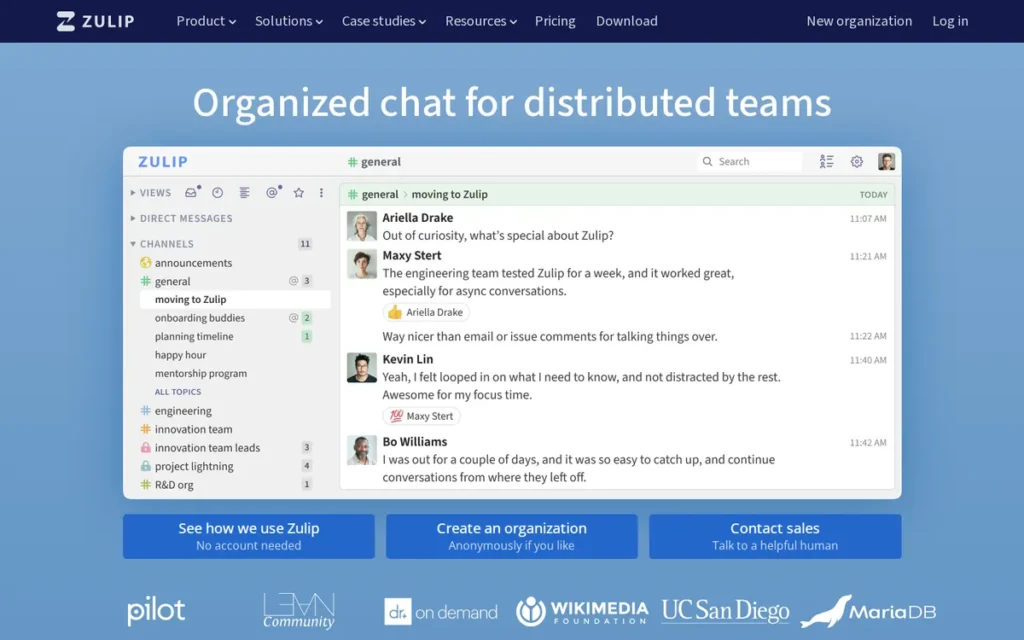
Category: Topic-Threaded Async Chat, team chat where every message belongs to a named topic, so parallel conversations stay separate and are easy to catch up on.
At a Glance
- Category: Topic-Threaded Async Chat
- Best For: Remote and asynchronous teams that want unlimited history at a Slack-like price, in the cloud or self-hosted
- Price Range: Free; Cloud Standard $6.67/user/month annually ($8 monthly); Cloud Plus $10; self-hosted Basic $3.50 (Zulip, 2026)
- Primary Strength: Zulip files every message under a channel and a named topic, so several discussions can run in one channel without interleaving.
- Biggest Limitation: Zulip requires teams to relearn their messaging habits around topics and has no built-in video, and users say getting people to adopt it is the main barrier.
- One-Line Summary: Zulip is an open-source team chat that files every message under a named topic, offering unlimited history on Cloud Standard for $6.67 per user per month and a self-hosted edition of the same product.
- Last Verified: November 2026
Overview
Zulip is an open-source team chat tool, available as Zulip Cloud or as self-hosted software. Zulip is built for remote and asynchronous teams that need busy channels split into named topics and want unlimited message history at roughly Slack’s G2-listed Standard price.
Compared with Slack, Zulip makes named topics mandatory and can be self-hosted. Its unlimited-history plan matches Slack’s G2-listed Standard price and is $0.58 below Slack’s own Pro price (G2, 2026; Slack, 2026). In exchange, Zulip has no built-in video and no Slack Connect-style channels.
Key Features
- Zulip requires every message to belong to a channel and a named topic, so several conversations can run in one channel without interleaving.
- Zulip groups unread messages by topic. For example, someone back from a week off can read only the “launch date” topic in #design and skip “logo v2” and “checkout bug.”
- Zulip offers the same Apache 2.0-licensed product as Zulip Cloud or self-hosted software, is owned by the nonprofit Zulip Foundation, and supports Slack import (Zulip, 2026).
- Zulip lists more than 130 integrations on its own site, a vendor-listed count rather than a G2 count, and hands video calls to Zoom, Jitsi or similar services (Zulip, 2026).
- Zulip includes AI summary and catch-up features that can be turned off with a single setting.
Best For
Zulip is best for remote, asynchronous or open-source-minded teams that want unlimited message history without Slack’s rising per-seat prices. Zulip also suits IT teams that want the option to self-host the same product later.
Pricing
Zulip is not in PlugRoute’s verified G2 dataset, so these are vendor prices (Zulip, 2026):
- Zulip Cloud Free costs $0 but limits searchable history to 10,000 messages and total storage to 5 GB, so it does not provide unlimited free history.
- Zulip Cloud Standard costs $6.67 per user per month annually ($8 monthly) and includes unlimited history.
- Zulip Cloud Plus costs $10 annually ($12 monthly), requires at least 10 users, and adds SAML SSO and SCIM.
- Zulip self-hosted Free has no history cap but limits mobile push to 10 users for most organizations. Zulip self-hosted Basic adds unlimited push for $3.50 per user per month.
- Zulip self-hosted Business costs $6.67 annually and requires at least 25 users. It adds SSO, directory sync, data exports and retention policies.
- Zulip offers Enterprise plans by quote, plus free or discounted plans for open-source projects, research groups and small nonprofits.
Strengths
- Zulip Cloud Standard includes unlimited message history at $6.67 per user per month annually (Zulip, 2026), which avoids Slack Free’s 90-day visibility limit.
- Zulip holds a 4.6/5 G2 rating from 117 reviews and a 4.9/5 Capterra rating from 196 reviews (G2, 2026; Capterra, 2026). Both samples are small, and no G2 pros/cons mention counts are available.
- Zulip’s topic model makes old discussions easier to find: a Capterra reviewer reports that topic-by-topic conversations make history easier to review and retrieve (Capterra, 2026).
- Zulip lists open-source communities including Rust, Wikimedia, LLVM and the Lean community among its users (Zulip, 2026, vendor-listed).
Users on r/selfhosted shared their experience:
“Zulip is one of those apps I really, really wish I had a need for. I love their threaded conversation model and the interface is cleanly organized, particularly with keyboard shortcuts.” Posted by u/Fresh_Feesh
Takeaway: Zulip’s topic-threaded model and keyboard-driven interface earn strong praise from technical users, even from people who don’t yet have a team to bring onto it.
Limitations
Zulip replaces Slack’s familiar free-flowing channels with mandatory topics, and adoption is the biggest risk. One Reddit user who likes Zulip wrote, “I just wish I could get people to move over to it” (Reddit r/opensource, 2025 thread).
- Zulip has no built-in video or screen sharing and no Slack Connect equivalent for chatting with outside partners.
- Zulip reviewers on G2 and Capterra mention a learning curve, difficult integrations, a dated interface and a limited mobile app (G2, 2026; Capterra, 2026).
- Zulip self-hosters with more than 10 users pay $3.50 per user for unlimited mobile push. One Reddit user called that price “out of line” for a tiny server (Reddit r/selfhosted, 2022 thread), and pricing may have changed since.
- Zulip is a small vendor, so buyers should confirm support terms directly.
Verdict
Zulip is the highest-scoring Slack alternative in PlugRoute’s evaluation, at 41 of 50 points, for teams that want unlimited message history and organized asynchronous discussion.
Zulip’s public cloud and self-hosted pricing gives IT teams a clear upgrade path, but its 117-review G2 sample is small. Before committing, run a two-to-four-week Zulip pilot with real channels to see whether people will adopt the topic model.
2. Microsoft Teams: Best for Organizations Already on Microsoft 365
Category: Suite-Bundled Chat, team chat included in an office suite your organization already pays for.
At a Glance
- Category: Suite-Bundled Chat
- Best For: Organizations already standardized on Microsoft 365 that want chat, meetings and files in one place
- Price Range: $0 extra with Microsoft 365 Business plans ($7–$22/user/month); Teams Essentials $4.80 (G2 list price) or $4.00 annually (Microsoft, 2026)
- Primary Strength: Microsoft Teams keeps chat, meetings and Office file collaboration in one workspace for Microsoft 365 organizations at no extra license cost.
- Biggest Limitation: Microsoft Teams draws frequent reviewer complaints about slow loading and memory use, and rollouts need governance to avoid sprawling teams and SharePoint sites.
- One-Line Summary: Microsoft Teams is the chat, meetings and calling app bundled with Microsoft 365, rated 4.4/5 from 19,457 G2 reviews, and it is the lowest-cost Slack replacement for organizations already licensed for Microsoft 365.
- Last Verified: November 2026
Overview
Microsoft Teams is Microsoft’s chat, meetings and calling app, included in Microsoft 365 business plans or sold alone as Teams Essentials. Microsoft Teams is best for organizations already standardized on Microsoft 365 that do not want to pay separately for team chat.
Compared with Slack, Microsoft Teams adds built-in meetings, Office co-editing and optional phone calling, and it costs nothing extra inside Microsoft 365. Microsoft Teams lists fewer G2 integrations (264 vs. Slack’s 409) and has a slightly lower G2 rating (4.4 vs. 4.5) (G2, 2026).
Key Features
- Microsoft Teams combines chat, channel conversations with threaded replies and video meetings in one application.
- Microsoft Teams lets users co-edit Word, Excel and PowerPoint files inside chats, stores files in SharePoint, and runs identity through Entra ID.
- Microsoft Teams can add a business phone system through Teams Phone for organizations replacing a separate calling provider.
- Microsoft Teams works with Copilot to summarize meetings, calls and chats on plans that include Copilot.
- Microsoft Teams lists 264 integrations on G2 and supports 75 languages (G2, 2026).
Best For
Microsoft Teams is best for small and mid-sized organizations that already pay for Microsoft 365 and want to stop paying separately for Slack. Microsoft Teams is especially useful for teams that rely on meetings and Office file collaboration.
Pricing
Microsoft Teams Essentials has a G2 list price of $4.80 per user per month, which may change (G2, 2026). Microsoft’s own site lists these prices per user per month, paid yearly (Microsoft, 2026):
- Microsoft Teams Essentials costs $4.00 on Microsoft’s own site.
- Microsoft 365 Business Basic with Teams costs $7.00, up from $6.00 on July 1, 2026.
- Microsoft 365 Business Standard with Teams costs $14.00, up from $12.50 on July 1, 2026.
- Microsoft 365 Business Premium with Teams costs $22.00, and the Microsoft Teams Premium add-on costs $10.00.
- Microsoft also sells “no Teams” plans, and after a 2025 European Commission decision, EU buyers can license Microsoft Teams separately.
Strengths
- Microsoft Teams holds a 4.4/5 G2 rating from 19,457 reviews, with 92.3% at 4 or 5 stars (G2, 2026). That is the largest review sample in this list.
- Microsoft Teams adds no license cost for organizations on Microsoft 365 Business plans that include Teams, so they avoid paying twice for chat (Microsoft, 2026).
- Microsoft Teams holds an 8.3/10 TrustRadius score from 7,834 reviews (TrustRadius, 2026), which supports the G2 evidence.
- Microsoft Teams reported more than 320 million monthly active users (Microsoft, 2024, vendor-reported).
Users on r/sysadmin noted:
“On one hand, I understand the sentiment from a user perspective of Teams being built to “snitch” as a privacy concern. On the other, as an admin, I have to acknowledge that it’s a company resource and therefore it’s company data not private data. And as an admin I want to have these abilities. In some cases, legally, I need to have these abilities for discovery and compliance reasons.” Posted by u/bubbaganoush79
Takeaway: Microsoft Teams’ built-in monitoring and retention controls make some end users uneasy about privacy, but admins value them for legal discovery and compliance.
Limitations
Microsoft Teams is a heavier all-in-one client than Slack. Its top G2 cons are Slow Loading (418 mentions) and Performance Issues (299) (G2, 2026).
- Microsoft Teams reviewers ask for lower memory use, more reliable search of older chats and simpler notification controls (G2, 2026).
- Microsoft Teams rollouts without rules about who creates teams can get messy. One practitioner warns that “when you create a team, it automatically creates a SharePoint site” (Reddit r/internalcomms, 2025 thread).
- Microsoft Teams handles external collaboration through Entra ID guest access rather than a Slack Connect equivalent.
- Microsoft Teams customers on Microsoft 365 keep their current price until renewal, then pay the July 1, 2026 increase (Microsoft, 2026).
- Microsoft Teams compliance certifications were not verified in this research, so buyers should check the Microsoft Trust Center.
Verdict
Microsoft Teams is the best Slack alternative for organizations already paying for Microsoft 365, because Microsoft Teams adds no extra license cost and holds a 4.4/5 G2 rating from 19,457 reviews.
Organizations outside Microsoft 365 get much less value from Microsoft Teams. Set governance rules before migrating, and test Microsoft Teams performance on your typical hardware during the pilot.
3. Mattermost: Best for Security-Sensitive and Air-Gapped Self-Hosting
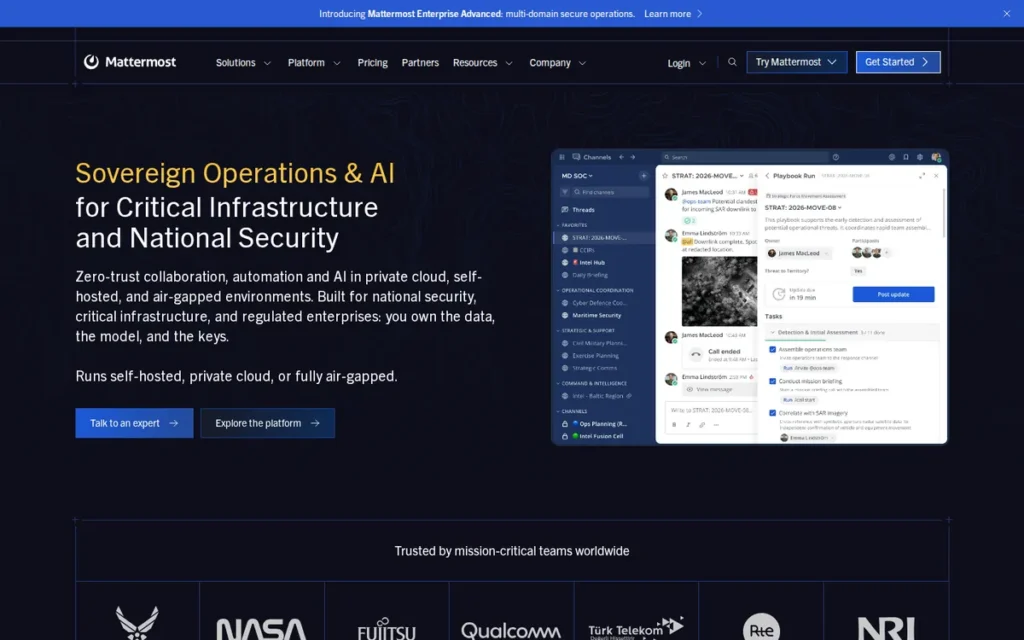
Category: Self-Hosted Security-First Chat, team chat you can run on your own infrastructure, including private-cloud and air-gapped environments.
At a Glance
- Category: Self-Hosted Security-First Chat
- Best For: Regulated, technical and government teams with IT staff who need private-cloud or air-gapped chat
- Price Range: Free (Entry edition, capped); Professional $10/user/month (G2 list price, up to 250 users); Enterprise contact sales (G2, 2026)
- Primary Strength: Mattermost can run self-hosted, in a private cloud or fully air-gapped, with Enterprise Advanced supporting up to 200,000 concurrent users per deployment.
- Biggest Limitation: Mattermost’s free Entry edition hides history beyond 10,000 messages, group calls require a paid plan, and users call its licensing confusing.
- One-Line Summary: Mattermost is an open-source, self-hostable team chat and workflow platform that supports air-gapped deployment, rated 4.3/5 from 370 G2 reviews, and its free Entry edition limits visible history to 10,000 messages.
- Last Verified: November 2026
Overview
Mattermost is an open-source, self-hostable team chat and workflow platform with channels, threads, Playbooks, Boards and Calls. Mattermost is built for security-sensitive, technical and government teams that need private-cloud or fully air-gapped deployment and full control over their own data.
Compared with Slack, Mattermost gives organizations full control over where their data lives, including air-gapped deployments, and adds incident-response Playbooks. Slack lists 409 integrations on G2 to Mattermost’s 2, though G2 counts may understate Mattermost’s open-source plugin ecosystem (G2, 2026).
Key Features
- Mattermost provides channels, direct messages and threads, and it imports existing data from Slack.
- Mattermost includes Playbooks for repeatable workflows and incident response, plus Boards for kanban-style task tracking.
- Mattermost Calls supports 1:1 audio and screen sharing. Self-hosted group calls require a paid plan, and call transcription and AI summaries require Enterprise.
- Mattermost can be deployed self-hosted, in a private cloud or fully air-gapped (Mattermost, 2026).
- Mattermost supports 13 interface languages (G2, 2026).
Best For
Mattermost is best for security-sensitive, regulated, defense and engineering organizations with in-house IT staff that must keep chat data on infrastructure they control. Mattermost is especially relevant where air-gapped operation or incident-response workflows are required.
Pricing
Mattermost’s G2 list prices are Starter $0, Professional $10 per user per month and Enterprise by quote, and they may change (G2, 2026). Mattermost’s own plan details add these terms:
- Mattermost Professional is capped at 250 users (Mattermost, 2026).
- Mattermost Enterprise supports up to 50,000 concurrent users, and Enterprise Advanced supports up to 200,000 plus air-gapped operation (Mattermost, 2026).
- Mattermost introduced a capped free edition called Entry in October 2025. Entry hides history beyond the latest 10,000 messages across the whole server but keeps older messages stored (Mattermost, 2025).
- Mattermost says upgrading from Entry to a paid edition restores access to all stored history. The separate Team Edition has no history cap but fewer features (Mattermost, 2026).
- Mattermost Entry also caps usage at 10,000 push notifications per month, 40-minute 1:1 calls and 250 AI queries per month, with some caps arriving in later releases (Mattermost, 2025).
Strengths
- Mattermost Enterprise Advanced supports up to 200,000 concurrent users per deployment and fully air-gapped operation (Mattermost, 2026).
- Mattermost holds a 4.3/5 G2 rating from 370 reviews, with 91.6% at 4 or 5 stars and Security among its top pros (G2, 2026). The sample is small.
- Mattermost reports more than 800,000 workspaces and more than 800 customers (G2, 2026, vendor-reported). A company announcement names the US Department of Defense and Samsung as users (Mattermost, 2019).
- Mattermost also works at small scale. A user running it for about 50 people said updates are easy with the Omnibus package and nothing major is missing compared with Slack (Reddit r/de_EDV, 2023 thread, before Entry launched).
Limitations
Mattermost gives up some of Slack’s convenience and integration depth in exchange for control. Because Entry caps visible history at 10,000 messages, self-hosters who want free unlimited history must run Team Edition or pay for a plan.
- Mattermost puts self-hosted group calls behind a paywall, and self-hosters call its licensing “a confusing mess” (Reddit r/selfhosted, 2022 thread).
- Mattermost’s top G2 cons are Performance Issues (8 mentions), Not Intuitive (8), Learning Curve (7) and Integration Issues (7) (G2, 2026).
- Mattermost reviewers ask for better built-in audio and video, more reliable mobile apps, better search and a modernized interface (G2, 2026).
- Mattermost’s FedRAMP, IL5 and SOC 2 status were not verified in this research.
Verdict
Mattermost is the best Slack alternative for security-sensitive organizations that need air-gapped or private-cloud deployment, though Mattermost’s free Entry edition hides history beyond 10,000 messages until you upgrade.
Budget for Mattermost Professional ($10 per user per month, G2 list price) or Enterprise if you need group calls or scale. Confirm the edition before migrating, and assign IT staff to maintain the server.
4. Google Chat (Google Workspace): Best for Teams Already Paying for Google Workspace
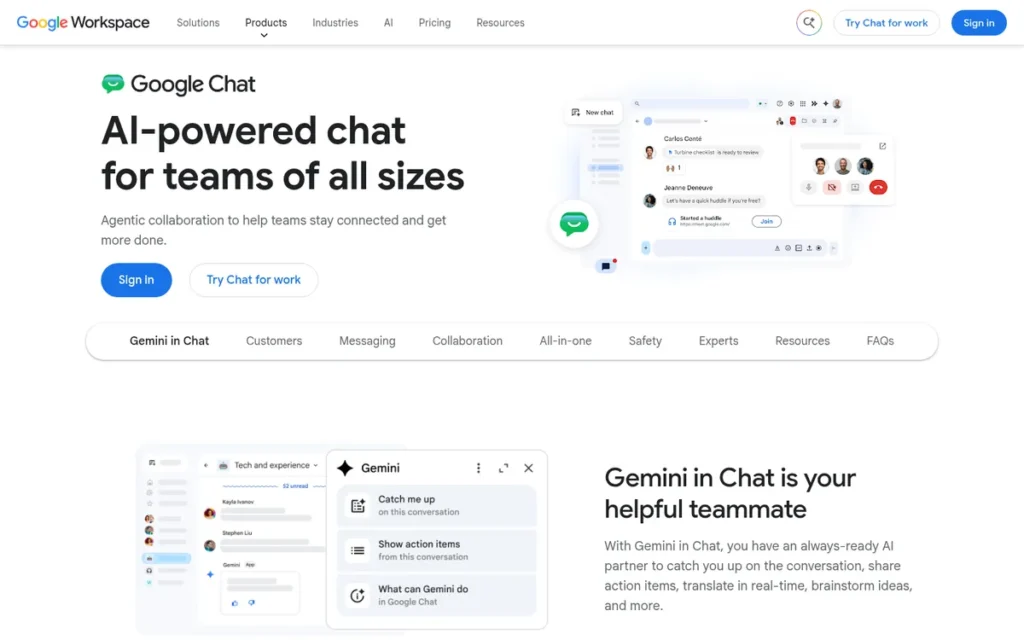
Category: Suite-Bundled Chat, team chat included in an office suite your organization already pays for.
At a Glance
- Category: Suite-Bundled Chat
- Best For: Teams already paying for Google Workspace with light integration needs and few external collaborators
- Price Range: $0 extra with Google Workspace; Workspace Business Starter $7 to Business Plus $22/user/month annually (Google, 2026)
- Primary Strength: Google Chat is included with every Google Workspace license and connects natively to Gmail, Drive, Docs, Calendar and Meet.
- Biggest Limitation: Google Chat is reported by users to go unused when teams rely on third-party integrations or collaborate heavily with outside organizations.
- One-Line Summary: Google Chat is the team messaging app included with every Google Workspace license, rated 4.5/5 from 2,394 Capterra reviews, and it is the lowest-cost Slack replacement for Workspace customers with light integration needs.
- Last Verified: November 2026
Overview
Google Chat is the team messaging app included with every Google Workspace license, with spaces, inline threads, Files and Tasks tabs and Gemini summaries. Google Chat is best for teams already paying for Workspace that want chat at no extra cost.
Compared with Slack, Google Chat costs nothing extra for Workspace customers and connects natively to Gmail, Drive and Meet. Reddit users consistently rate Slack ahead of Google Chat on third-party integrations, search and external collaboration through Slack Connect (Reddit r/googleworkspace, 2025 thread).
Key Features
- Google Chat organizes conversations into spaces with inline threads, plus a Files tab and a Tasks tab in each space.
- Google Chat connects natively to Gmail, Drive, Docs, Calendar and Meet, so files and meetings can be shared without extra integrations.
- Google Chat includes Gemini features that summarize conversations, pull out action items and draft messages, depending on the Workspace plan.
- Google Chat supports migration from Slack and Teams (Google, 2026).
- Google Chat offers cross-platform messaging through the third-party providers Mio and NextPlane, which is not the same as Slack Connect.
Best For
Google Chat is best for small and mid-sized teams already on Google Workspace that want to stop paying for a separate chat tool. Google Chat works best when most work happens inside Google apps and the team has few external partners.
Pricing
Google Chat is included at no extra cost with every Google Workspace plan and has no standalone price. Google Chat is not in the verified G2 dataset, so these are Google’s prices per user per month (Google, 2026):
- Google Workspace Business Starter costs $7 with an annual commitment or $8.40 on the flexible plan.
- Google Workspace Business Standard costs $14 annually or $16.80 flexible.
- Google Workspace Business Plus costs $22 annually or $26.40 flexible, and Enterprise pricing is available through sales.
- Google folded Gemini into Workspace Business plans and raised their prices on January 16, 2025, for new subscriptions. Most existing subscriptions moved to the new prices from March 17, 2025, or at renewal (Google, 2025).
Strengths
- Google Chat holds a 4.5/5 Capterra rating from 2,394 reviews, with reviewers praising ease of use and Workspace integration (Capterra, 2026). No verified G2 rating exists for Google Chat on its own.
- Google Chat is included with every Google Workspace license, and one user says “99% of what Slack can do is doable in Chat at NO EXTRA COST” (Reddit r/googleworkspace, 2025 thread).
- Google Chat sits inside a suite that Google says has more than 3 billion users and 10 million paying customers (Google, 2024). That figure covers the whole suite and is vendor-reported.
- Google Chat includes Gemini conversation and file summaries on qualifying Workspace plans, with no separate AI add-on since January 2025 (Google, 2025).
Limitations
Google Chat costs nothing extra but lacks Slack’s integration depth and external collaboration. One practitioner reports that “nobody used Google chat” because its third-party integrations were weak (Reddit r/googleworkspace, 2025 thread).
- Google Chat often loses out in mixed environments: one company running both tools says “99.9% of everything goes down in slack” (Reddit r/Slack, 2024 thread).
- Google Chat reviewers say it feels basic for larger teams and report limited customization, missed alerts and duplicate email-plus-Chat notifications (Capterra, 2026).
- Google Chat cannot be bought without Google Workspace, which ties your chat decision to your office suite.
- Google Chat compliance certifications and Vault retention details were not verified in this research.
Users on r/googleworkspace shared their experience:
“I use both for work (don’t ask). When properly set up you can get a lot of the sale functionalities with Chat. It has a tasks area and files area. Docs is essentially canvas as well. But, if you are just looking at channels and DMs you can definitely get by with Chat. WeWork just moved from Slack to Chat. Please note: I do like Slack but I am happy using both. I would say come up with a list of use cases and what you need, then make sure everyone is trained correctly. My experience is that it’s often not the system, just how people are using it.” Posted by u/RedButtonSmasher
Takeaway: Google Chat can handle core channel and DM needs for Workspace teams, but whether it succeeds depends more on setup and training than on the tool itself.
Verdict
Google Chat is the best Slack alternative for teams already paying for Google Workspace, because Google Chat costs nothing extra and connects natively to Gmail, Drive and Meet.
Teams that depend on Jira, PagerDuty or Asana integrations, or on Slack Connect with partners, should pilot Google Chat carefully, because users report that bundled chat often goes unused in those setups.
5. Rocket.Chat: Best for Self-Hosted Chat Plus Federation and Customer Messaging
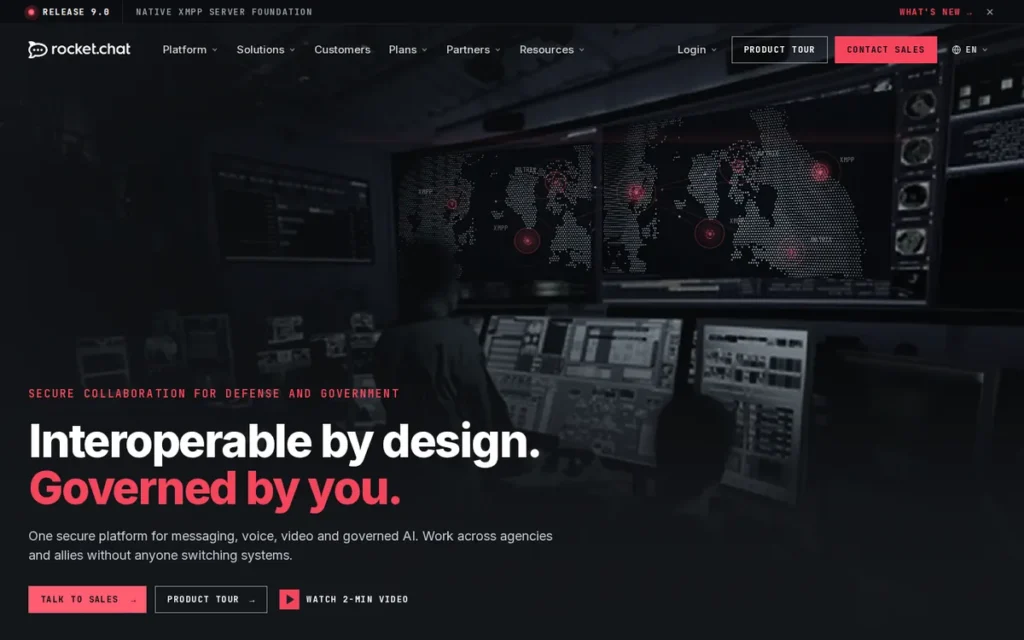
Category: Self-Hosted Security-First Chat, team chat you can run on your own infrastructure, including private-cloud and air-gapped environments.
At a Glance
- Category: Self-Hosted Security-First Chat
- Best For: Government, public-sector and privacy-focused organizations that need self-hosted chat, federation and customer messaging in one tool
- Price Range: Starter free for up to 50 users with unlimited push; Enterprise and Government quote-only (G2, 2026; Rocket.Chat, 2026)
- Primary Strength: Rocket.Chat combines self-hosted or air-gapped team chat with Matrix federation and an omnichannel inbox for website chat, email and WhatsApp.
- Biggest Limitation: Rocket.Chat has had no public paid-plan prices since closing Pro to new buyers in April 2026, and users report frequent upgrade prompts and interface problems.
- One-Line Summary: Rocket.Chat is an open-source, self-hostable team chat with Matrix federation and an omnichannel customer inbox, rated 4.2/5 from 374 G2 reviews, and its free Starter plan covers up to 50 users.
- Last Verified: November 2026
Overview
Rocket.Chat is an open-source team chat platform that runs on your own servers, in a private cloud or air-gapped, and adds Matrix federation and an omnichannel inbox. Rocket.Chat is best for organizations that need data control plus customer or citizen messaging in one tool.
Compared with Slack, Rocket.Chat can run air-gapped, federate with Matrix and handle customer conversations in the same tool. Slack lists 409 integrations on G2 to Rocket.Chat’s 3, though Rocket.Chat runs its own app Marketplace, and only Slack publishes paid-plan prices (G2, 2026).
Key Features
- Rocket.Chat can be deployed on your own servers, in a private cloud or fully air-gapped.
- Rocket.Chat supports Matrix federation, so users can message people on Element and other Matrix servers.
- Rocket.Chat includes an omnichannel inbox that brings website live chat, email and WhatsApp conversations into the same platform as team messaging.
- Rocket.Chat offers a Marketplace of apps and APIs, though Capterra reviewers say some Marketplace features are locked to paid plans (Capterra, 2026).
- Rocket.Chat sells Government and Defense plans with air-gapped and FIPS-related options.
Best For
Rocket.Chat is best for government, defense, public-sector and privacy-focused organizations with IT staff that need self-hosted chat able to federate with other Matrix servers. Rocket.Chat also suits organizations that want internal and customer-facing messaging on one platform.
Pricing
Rocket.Chat’s G2 list prices are Starter free, with Enterprise and Government by quote, and they may change (G2, 2026). Rocket.Chat’s plans page adds these details (Rocket.Chat, 2026):
- Rocket.Chat Starter costs $0 for up to 50 registered users and includes unlimited push notifications.
- Rocket.Chat Community Edition allows 100 concurrent users and 10,000 push notifications per month, and it is meant for non-production use.
- Rocket.Chat closed its Pro plan to new buyers on April 29, 2026.
- Rocket.Chat now sells all paid plans by quote, with no public prices.
Strengths
- Rocket.Chat says it has more than 12 million users in over 150 countries. Its named public-sector customers include the US Navy and NATO CCDCOE (Rocket.Chat, 2026, vendor-reported).
- Rocket.Chat holds a 4.2/5 G2 rating from 374 reviews, with 88.8% at 4 or 5 stars, and a 4.3/5 Capterra rating from 156 reviews (G2, 2026; Capterra, 2026). Both samples are small.
- Rocket.Chat is the only ranked product that documents internal chat, Matrix federation and an omnichannel customer inbox in one platform (Rocket.Chat, 2026).
- Rocket.Chat is described by a long-time self-hoster as “rock stable and basically maintenance free,” with reliable iOS push notifications (Reddit r/selfhosted, 2022 thread).
Users on r/selfhosted noted:
“+1 for Rocket.Chat, my business uses it/hosts it as a service to clients, and we like it a lot, along with Jitsi for calls. On iOS, I’ve found that downloading the Jitsi app works way better than the in-app Rocket.Chat browser version of Jitsi. The only warning for Jitsi that I have is something about allowed IPs in the config that I thought was kind of a pain to debug so I could have a call with more than 2 people.” Posted by u/No_Kangaroo_3618
Takeaway: Rocket.Chat holds up well enough to host for paying clients, but teams that pair it with Jitsi for calls should plan for extra configuration work.
Limitations
Rocket.Chat gives up public, predictable pricing in exchange for deployment control. Every paid plan has been quote-only since Pro closed to new buyers on April 29, 2026 (Rocket.Chat, 2026).
- Newer Rocket.Chat users call it “nagware,” and one says “every click is like ‘upgrade to enterprise'” (Reddit r/selfhosted, 2022 thread).
- Rocket.Chat’s top G2 cons are User Interface (7 mentions), Not User-Friendly (7) and Poor Interface Design (5) (G2, 2026).
- Rocket.Chat reviewers on Capterra report missed push notifications and chats that fail to refresh (Capterra, 2026).
- Rocket.Chat lists only 3 integrations on G2, though its own Marketplace means that count may understate what is available (G2, 2026).
Verdict
Rocket.Chat is the best Slack alternative for organizations that need self-hosted chat with Matrix federation and customer messaging in one platform, but Rocket.Chat’s paid plans have been quote-only since April 2026.
Rocket.Chat fits government and privacy-focused teams with IT staff. Get a written quote and test mobile notifications before committing. Rocket.Chat positions Starter for small teams and evaluations, so budget for a paid quote before moving business-critical work (Rocket.Chat, 2026).
6. Discord: Best for Small, Informal, Low-Risk Teams on a $0 Budget
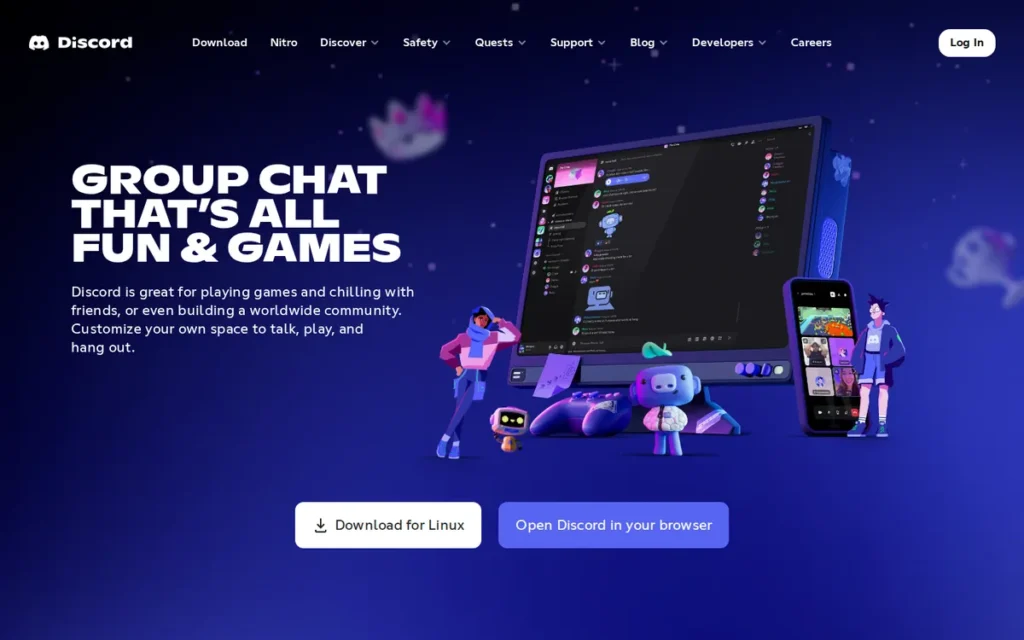
Category: Community Chat, consumer chat platform built for online communities and sometimes used as free informal team chat.
At a Glance
- Category: Community Chat
- Best For: Small, informal, low-risk teams that handle no sensitive data and have a $0 budget
- Price Range: Free; optional Nitro Basic $2.99 and Nitro $9.99 per person/month, Server Boost $4.99 each (Discord, 2026; varies by country)
- Primary Strength: Discord offers free message history with no stated cap, drop-in voice channels and forum channels, with no per-seat charges.
- Biggest Limitation: Discord has no business tier and no verified SSO, SCIM, eDiscovery or admin export, so it is unsuitable for sensitive or regulated business data.
- One-Line Summary: Discord is a free community chat platform with drop-in voice and forum channels, and it works as a Slack alternative only for informal, low-risk teams because it has no business admin or compliance controls.
- Last Verified: November 2026
Overview
Discord is a free community chat platform with servers, text and forum channels, drop-in voice channels and screen sharing. Discord suits only small, informal, low-risk teams that want free history with no stated cap and can accept having no business admin or compliance controls.
Compared with Slack, Discord keeps message history free with no stated cap and offers always-on voice channels at no cost. Discord lacks the admin, identity and compliance controls of Slack’s paid plans, and it has no business tier.
Key Features
- Discord organizes communication into servers with text channels, threads and role-based permissions.
- Discord provides forum channels where each topic becomes its own post, so a remote team can run a “how-to questions” forum that people answer asynchronously.
- Discord offers drop-in voice channels, screen sharing and Stage channels for speaker-and-audience events.
- Discord supports bots for automating tasks within servers.
- Discord keeps message history free with no stated cap.
Best For
Discord is best for very small, informal teams, side projects, volunteer groups and community-facing teams that handle no sensitive data and want free chat with always-on voice.
Pricing
Discord’s core product is free, and Discord sells no per-seat business plans. Discord is not in the verified G2 dataset, so these are vendor prices (Discord, 2026):
- Discord Nitro Basic costs $2.99 per month per individual.
- Discord Nitro costs $9.99 per month per individual and includes 2 server boosts.
- Discord Server Boosts cost $4.99 per month each.
- Discord prices vary by country.
Strengths
- Discord reported more than 200 million monthly active users in April 2025 (Discord, 2025, vendor-reported), though no verified count of companies using Discord for work exists.
- Discord holds a 4.6/5 Capterra rating from 542 reviews, and some reviewers say they “rely on Discord for team communications” (Capterra, 2026). The sample is not specific to workplace use.
- Discord costs nothing for core chat, voice and history, with no per-seat fees, which makes it the lowest-cost option in this list (Discord, 2026).
- Discord’s forum channels and drop-in voice channels give informal remote teams both asynchronous and spontaneous real-time communication.
Limitations
Discord gives up most business governance in exchange for zero cost. Discord has role-based permissions but no business tier, and PlugRoute could not verify SSO, SCIM, eDiscovery or admin export (Discord, 2026).
- Discord disclosed in October 2025 that attackers breached 5CA, a third-party customer-support provider. About 70,000 users’ government-ID photos, submitted for age-related appeals, may have been exposed, and Discord said its own platform was not breached (Discord, 2025).
- Discord keeps data while an account is active, keeps backups for 30–45 days and keeps some safety data for 180 days or more after deletion (Discord, 2026).
- Discord was described as having “zero security” for business data by one user, though that comment predates the current product (Reddit r/Slack, 2021 thread).
- Discord has almost no work-focused discussion on Reddit, and PlugRoute’s research found no significant threads about using it in place of Slack for work.
Verdict
Discord works as a Slack alternative only for small, informal teams that handle no sensitive data, because Discord has no business tier and no verified SSO, SCIM, eDiscovery or admin export.
Discord’s free history and voice channels are real advantages for hobby, volunteer or community teams. Any company with clients, regulated data or offboarding requirements should choose a managed workplace tool instead of Discord.
7. ClickUp (ClickUp Chat): Best for Teams That Want Chat Attached to Tasks and Projects
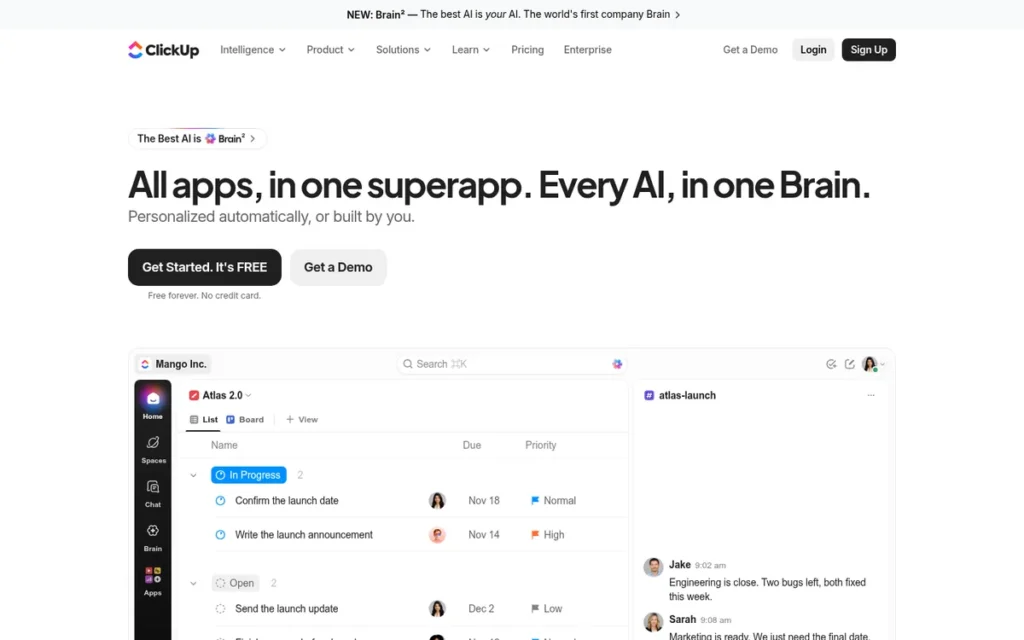
Category: Work-Management Chat, team chat built into a project and task management platform rather than sold as a standalone messenger.
At a Glance
- Category: Work-Management Chat
- Best For: Teams that want chat, tasks and Docs in one paid workspace and can invest in setup and training
- Price Range: Free (Chat trial only); Unlimited $10, Business $19/user/month (G2 list prices); Core $9, Business $17 billed yearly (ClickUp, 2026)
- Primary Strength: ClickUp Chat links conversations directly to tasks, Docs and projects and can turn any message into a task.
- Biggest Limitation: ClickUp Chat is only a trial with 90-day history on the free plan, and ClickUp’s top G2 cons are a steep learning curve and slow workspace performance.
- One-Line Summary: ClickUp Chat is the messaging feature inside ClickUp’s work-management platform, rated 4.6/5 from 15,674 G2 reviews platform-wide, and it suits teams replacing Slack plus a project tool rather than teams seeking free chat.
- Last Verified: November 2026
Overview
ClickUp Chat is the messaging layer inside ClickUp’s work-management platform, with channels, DMs, threads, SyncUp calls and message-to-task conversion. ClickUp Chat is best for teams that want conversations attached directly to tasks, Docs and projects instead of a standalone chat app.
Compared with Slack, ClickUp Chat puts messaging inside a full work-management platform with built-in task conversion, which answers Slack reviewers’ G2 request for stronger task tracking (G2, 2026). ClickUp Chat’s free plan is only a trial, and its learning curve is steeper.
Key Features
- ClickUp Chat offers public and private channels, direct and group messages, threads and posts.
- ClickUp Chat lets users turn messages into tasks that stay linked to the original conversation.
- ClickUp Chat includes SyncUps for audio and video calls with screen sharing, recordings, AI notes and transcripts.
- ClickUp Chat uses ClickUp Brain AI to summarize threads.
- ClickUp Chat imports channels and message history from Slack.
Best For
ClickUp Chat is best for teams that already use, or plan to adopt, ClickUp for project management and want to replace both Slack and a separate task tool with one paid workspace.
Pricing
ClickUp’s G2 list prices are Free $0, Unlimited $10 per user per month and Business $19 per user per month, and they may change (G2, 2026). ClickUp’s own pricing page, billed yearly, shows different plans (ClickUp, 2026):
- ClickUp Free Forever costs $0 but offers Chat only as a trial with 90-day history. An older ClickUp Help Center page lists 30 days, so confirm the limit before relying on the free plan.
- ClickUp Core costs $9 per user per month and includes Chat with full history.
- ClickUp Business costs $17 per user per month and includes Chat with full history.
- ClickUp Enterprise is custom-priced, and ClickUp Max costs $100 per user per month.
Strengths
- ClickUp holds a 4.6/5 G2 rating from 15,674 reviews, with 97.5% at 4 or 5 stars, plus a 4.6/5 Capterra rating from 4,974 reviews (G2, 2026; Capterra, 2026). These ratings cover the whole platform, not just Chat.
- ClickUp’s top G2 pros are Tailored Workflows (1,603 mentions) and Unified Work Hub (1,407) (G2, 2026), which match Slack reviewers’ request for stronger task tracking.
- ClickUp Chat imports Slack channels and history, and G2 users most often report that ClickUp goes live in under a month (G2, 2026).
- ClickUp reportedly passed $300M in annual recurring revenue in September 2025 and claims more than 20 million users (GetLeadWave, 2026). Both figures are unaudited: the revenue comes from a secondary source and the user count from ClickUp.
Limitations
ClickUp Chat is part of an all-in-one platform that takes real effort to learn, unlike a simple standalone messenger. ClickUp’s top G2 cons are Steep Learning Curve (778 mentions) and Slow Workspace Performance (762) (G2, 2026).
- ClickUp’s other leading G2 cons are Too Many Features (597 mentions) and Time-Consuming Setup (401) (G2, 2026).
- ClickUp users report confusion between three overlapping chat features (Reddit r/clickup, 2024 thread), and some ClickUp customers keep Slack for daily communication (Reddit r/clickup, 2025 thread).
- ClickUp staff said in 2024 that guest access to ClickUp Chat was still in progress, and PlugRoute did not verify its current status.
- ClickUp lists English as its only supported language on G2 (G2, 2026). Trustpilot complaints include unwanted seat or AI add-on charges and slow support (Trustpilot, 2026).
Verdict
ClickUp Chat is a Slack alternative only for teams that want to combine chat and project management in one paid ClickUp plan, because ClickUp’s free plan offers Chat only as a 90-day-history trial.
ClickUp Chat fits teams that are also replacing a task tool. Confirm guest access if you chat with clients, and budget onboarding time for ClickUp’s learning curve.
Why Do Teams Leave Slack?
Teams mainly leave Slack because of free-plan history limits, rising per-seat prices and notification overload. Slack is still highly rated, at 4.5/5 from 40,506 G2 reviews with 95.6% at 4 or 5 stars (G2, 2026). Its most-cited complaints match the reasons buyers look for alternatives.
Slack’s free-plan history rules set the baseline for this comparison:
- Slack Free shows only the last 90 days of messages and files (Slack Help Center, 2024).
- Slack Free hides content between 90 days and one year old, and that content becomes visible again after an upgrade (Slack Help Center, 2024).
- Slack Free has deleted content older than one year on a rolling basis since August 26, 2024, and an upgrade does not restore it (Slack Help Center, 2024).
Slack’s prices depend on the source:
- G2 lists Slack Standard at $6.67 and Plus at $12.50 per active user per month, billed annually, and these list prices may change (G2, 2026).
- Slack’s own pricing page lists Pro at $7.25 per user per month annually ($8.75 monthly) and Business+ at $15 annually ($18 monthly) (Slack, 2026).
- Slack’s G2 Plus price of $12.50 predates Slack’s June 2025 increase, which bundled AI features into Business+ (Slack, 2025).
As one user on r/SaaS described:
“Yes, we absolutely need affordable and better Slack alternatives. I’m a founder bootstrapping my startup and there’s no way I can justify Slack’s pricing. I’ve tested a bunch of other tools (trust me, I’m a Product Manager) and most of them either have terrible UX or are just fundamentally flawed.” Posted by u/toobusygazingatstars
Takeaway: Slack’s per-seat pricing pushes cost-sensitive teams to look elsewhere, but many Slack alternatives fail on usability, so buyers need an evidence-based comparison rather than a price-only switch.
Slack’s top G2 cons, by number of review mentions (G2, 2026):
- Slack draws 1,137 mentions for Notification Issues.
- Slack draws 941 mentions for Missing Features.
- Slack draws 757 mentions for Limited Features.
- Slack draws 752 mentions for Overwhelming Experience.
- Slack draws 688 mentions for Channel Management.
Slack reviewers most often request four improvements (G2, 2026):
- Slack reviewers ask for smarter notifications that filter and prioritize alerts.
- Slack reviewers ask for more precise search of older messages and files.
- Slack reviewers ask for clearer thread management.
- Slack reviewers ask for stronger task tracking without separate tools.
Prices are rising across the category. Google raised Workspace prices for new subscriptions on January 16, 2025, and for most existing ones from March 17, 2025 (Google, 2025). Microsoft 365 Business plans rose on July 1, 2026 (Microsoft, 2026).
Buyers have plenty of choice. Analysts estimate the team collaboration software market at $28–40 billion in 2025, depending on the firm (Fortune Business Insights, 2025; Grand View Research, 2025).
How Do the Alternatives Compare With Slack?
Compared with Slack, Zulip and Discord offer the most generous free history. Microsoft Teams Essentials is the cheapest standalone paid seat, and Mattermost and Rocket.Chat are the strongest self-hosting options. Slack keeps the largest G2-listed integration catalog. Cells marked “Not verified” could not be confirmed in PlugRoute’s November 2026 research.
| Product | Free-Plan History | Cheapest Paid Tier | Hosting | Built-In Video | Slack Import | Rating (Source, Reviews) |
|---|---|---|---|---|---|---|
| Slack (baseline) | 90 days visible; content older than 1 year deleted | Standard $6.67 (G2); Pro $7.25 (Slack) | Vendor cloud | Huddles | Not applicable | G2 4.5/5 (40,506 reviews) |
| Zulip | Cloud Free: 10,000 searchable messages; self-hosted Free: no history cap, push for 10 users | Self-hosted Basic $3.50; Cloud Standard $6.67 (Zulip) | Cloud or self-hosted | No (Zoom, Jitsi) | Yes | G2 4.6/5 (117 reviews); Capterra 4.9/5 (196 reviews) |
| Microsoft Teams | Teams Free (personal use): unlimited chat, 5 GB; no free business plan verified | Essentials $4.80 (G2); $4.00 (Microsoft) | Microsoft cloud | Yes | Not verified | G2 4.4/5 (19,457 reviews) |
| Mattermost | Entry: 10,000 messages visible (restored on upgrade); Team Edition: no cap | Professional $10 (G2) | Self-hosted, private cloud, air-gapped | 1:1 calls; group calls paid | Yes | G2 4.3/5 (370 reviews) |
| Google Chat | No standalone free plan verified | Workspace Starter $7 (Google) | Google cloud | Via native Meet integration | Yes | Capterra 4.5/5 (2,394 reviews) |
| Rocket.Chat | Starter free for 50 users with unlimited push; history terms not verified | Quote only | Self-hosted, private cloud, air-gapped | Not verified | Not verified | G2 4.2/5 (374 reviews); Capterra 4.3/5 (156 reviews) |
| Discord | No stated cap | Free; Nitro optional | Consumer cloud | Voice channels, screen share | Not verified | Capterra 4.6/5 (542 reviews) |
| ClickUp Chat | Trial only; 90 days | Unlimited $10 (G2); Core $9 (ClickUp) | Vendor cloud | Yes (SyncUps) | Yes | G2 4.6/5 (15,674 reviews), platform-wide |
When Should You Stay With Slack?
Staying with Slack makes sense if your team depends on Slack Connect with outside partners, relies on many of Slack’s 409 G2-listed integrations, or values search quality above per-seat price. It also makes sense if you use neither Microsoft 365 nor Google Workspace and cannot run your own servers.
Stay with Slack if any of these apply:
- Your team relies heavily on Slack Connect or guest channels with outside partners, where one user says Slack “really shines” (Reddit r/googleworkspace, 2025 thread).
- Your workflows depend on many of Slack’s 409 G2-listed integrations (G2, 2026).
- Your team values Slack’s search, which one user calls “way better than the others” (Reddit r/Slack, 2024 thread).
- Your team is not on Microsoft 365 or Google Workspace and cannot run its own servers.
If lost history is your only problem, upgrading Slack is only a partial fix. Content between 90 days and one year old is hidden on Slack Free and comes back after an upgrade, but content older than one year is gone permanently (Slack Help Center, 2024).
What Red Flags Should I Watch For When Evaluating Slack Alternatives?
The biggest red flags among Slack alternatives are free plans that cap history, quote-only or discontinued plans, mobile push caps, upgrade prompts, missing admin controls, and expecting a new tool to fix notification overload. Each red flag below rests on documented November 2026 plan terms or dated user reports.
Red Flag #1: A “Free” Plan That Caps or Hides History
Three of the seven ranked Slack alternatives offer free plans that cap history at 10,000 messages or 90 days, so “free” rarely means unlimited history. Mattermost Entry and Zulip Cloud Free cap at 10,000 messages, and ClickUp offers Chat only as a 90-day trial (Mattermost, 2025; Zulip, 2026; ClickUp, 2026).
These caps are not equally severe. Slack Free permanently deletes content older than one year, while Mattermost Entry keeps older messages stored and restores them on upgrade (Slack Help Center, 2024; Mattermost, 2026).
Red Flag #2: Quote-Only or Discontinued Plans
Quote-only pricing makes it hard to budget and compare tools before a pilot. Rocket.Chat closed its Pro plan to new buyers on April 29, 2026, and now sells every paid plan by quote (Rocket.Chat, 2026). Request written quotes before shortlisting any tool without public prices.
Red Flag #3: Mobile Push Notification Caps on Self-Hosted Tiers
Self-hosted free tiers often limit mobile push notifications, which decides whether people see messages on their phones. Zulip self-hosted Free covers push for 10 users. Mattermost Entry and Rocket.Chat Community Edition cap push at 10,000 per month, but Rocket.Chat Starter includes unlimited push for up to 50 users (Zulip, 2026; Mattermost, 2025; Rocket.Chat, 2026).
Red Flag #4: Upgrade Prompts and Confusing Licenses
Open-source chat tools can push users toward paid tiers through constant prompts and complicated edition terms. Self-hosters describe Rocket.Chat as “nagware” and call Mattermost’s license “a confusing mess” (Reddit r/selfhosted, 2022 thread). Read each edition’s terms before deploying a self-hosted server.
Red Flag #5: No Admin, SSO or Export Controls
A chat tool without identity and export controls cannot reliably offboard employees or meet legal retention duties. Discord has role-based permissions but no business tier, and PlugRoute could not verify SSO, SCIM, eDiscovery or admin export for Discord in November 2026.
Red Flag #6: Expecting a New Tool to Fix Notification Overload
Notification overload usually comes from message volume, not the chat tool, so switching rarely fixes it without channel and notification rules. Notification complaints appear in reviews of Slack, Microsoft Teams, Mattermost, Rocket.Chat and Google Chat (G2, 2026; Capterra, 2026).
Microsoft’s 2025 Work Trend Index found that employees are interrupted by a meeting, email or chat about every 2 minutes during an 8-hour workday. The top 20% of users by ping volume receive about 275 interruptions over a 24-hour day (Microsoft, 2025).
What Questions Should I Ask Before Choosing a Slack Alternative?
Before choosing a Slack alternative, ask six questions covering:
- suite overlap
- history needs
- security tiers
- self-hosting ownership
- broken integrations
- adoption
Honest answers narrow seven candidates to one or two pilot options faster than any feature list, because they rule out tools that fail your hard requirements before you compare features.
Question #1: Is team chat already included in a suite we pay for?
Microsoft 365 business plans include Microsoft Teams, and every Google Workspace plan includes Google Chat at no extra cost, so suite customers can replace Slack without a new license. If you already pay for either suite, pilot its chat app first. Buy a separate tool only if integrations or external partners fail.
Question #2: How much Slack history do we need to keep, and have we exported it?
Slack Free deletes content older than one year on a rolling basis, so export the history you need before switching (Slack Help Center, 2024). Then confirm the alternative’s history terms in writing, because the Zulip Cloud Free, Mattermost Entry and ClickUp free plans all cap history.
Question #3: Which tier unlocks SSO, retention and data export, and at what seat minimum?
Security features such as SSO, SCIM, retention policies and data export often sit in higher tiers with seat minimums. For example, Zulip Cloud Plus requires 10 users for SAML SSO and SCIM, and Zulip self-hosted Business requires 25 users (Zulip, 2026). Price the tier you actually need, not the entry tier.
Question #4: Who will run and update a self-hosted server?
Self-hosting a Slack alternative moves maintenance, security patching, upgrades, backups and mobile push setup onto your own IT team. Before choosing Mattermost, Rocket.Chat or self-hosted Zulip, name the person responsible and estimate server costs. Also check whether mobile push needs a paid tier, such as Zulip Basic at $3.50 per user.
Question #5: Which of our integrations and Slack Connect partners would break?
Missing integrations often stall migrations, so map every critical integration and Slack Connect partner before switching. Integration counts vary widely and come from different sources, and G2 counts may understate open-source plugin marketplaces (G2, 2026):
- Slack lists 409 integrations on G2.
- Microsoft Teams lists 264 integrations and ClickUp lists 255 integrations on G2.
- Mattermost lists 2 integrations and Rocket.Chat lists 3 integrations on G2.
- Zulip lists more than 130 integrations on its own site, while Zulip, Google Chat and Discord have no G2 integration count.
Question #6: Will our team adopt a different conversation model?
Adoption decides whether a switch succeeds or leaves you paying for two tools. Each alternative changes how conversations work, whether that is Zulip’s mandatory topics, the Microsoft Teams team-and-channel structure or ClickUp’s task-linked chat. During the pilot, watch whether people actually move their work over.
How Do You Switch From Slack Without Losing History?
To switch from Slack without losing history, export your Slack data before Free-plan deletion reaches it and choose an alternative that supports Slack import. Then pilot with real users, set governance rules before launch, and set a firm retirement date so your team does not end up paying for two chat tools.
Follow these steps in order:
- Export your Slack data first, because Slack Free deletes content older than one year on a rolling basis (Slack Help Center, 2024).
- Confirm that your chosen alternative supports Slack import: Zulip, Mattermost and ClickUp Chat document Slack import, and Google promotes migration from Slack.
- Pilot your top two Slack alternatives with real users and real channels for two to four weeks.
- Treat the pilot as a success only if at least 80% of pilot users post in the new tool weekly and no critical integration is missing by week four. If Slack is still the default after four weeks, stop the pilot.
- Set governance rules before launch, including who can create teams, channels or spaces in the new tool.
- Set a firm retirement date for Slack so your team does not keep paying for two chat tools.
How Did We Rank These Slack Alternatives?
PlugRoute ranked seven Slack alternatives on six criteria worth up to 50 points. The four primary criteria (history value, total cost, review evidence and data control) count double. The two secondary criteria (asynchronous structure and switching cost) count once. The ranking measures how well each tool works as a general Slack replacement.
PlugRoute scored each tool from 1 to 5 on these criteria:
- C1, Free-Plan and Message-History Value (primary): This criterion matters because Slack Free shows only 90 days of history and deletes content older than one year.
- C2, Total Cost and Pricing Transparency (primary): This criterion matters because Slack’s prices keep rising and quote-only plans make budgeting hard.
- C3, Independent Review Evidence (primary): This criterion matters because vendor pages cannot prove a tool works in practice. Samples under 400 reviews are capped at 3, and platform-wide ratings lose one point.
- C4, Data Control, Hosting and Admin Controls (primary): This criterion matters because security-sensitive teams need self-hosting, SSO, retention and export.
- C5, Conversation Structure for Async Work (secondary): This criterion matters because Notification Issues and Channel Management are among Slack’s top G2 cons.
- C6, Switching Cost and Adoption Risk (secondary): This criterion matters because a tool nobody adopts becomes a second bill.
| Product | C1 | C2 | C3 | C4 | C5 | C6 | Total |
|---|---|---|---|---|---|---|---|
| Zulip | 4 | 5 | 3 | 5 | 5 | 2 | 41/50 |
| Microsoft Teams | 3 | 4 | 5 | 4 | 3 | 3 | 38/50 |
| Mattermost | 2 | 3 | 3 | 5 | 3 | 3 | 32/50 |
| Google Chat | 3 | 4 | 3 | 3 | 3 | 2 | 31/50 |
| Rocket.Chat | 3 | 2 | 3 | 5 | 3 | 2 | 31/50 |
| Discord | 4 | 5 | 2 | 1 | 3 | 2 | 29/50 |
| ClickUp Chat | 1 | 3 | 4 | 3 | 3 | 2 | 27/50 |
PlugRoute explains the scores that decide the order as follows:
- Zulip ranks first because it is the only product scoring 5 on both total cost and asynchronous structure. Zulip loses points on review evidence (117 G2 reviews) and adoption risk.
- Zulip scores 5 on C4 because the same Apache 2.0 product runs in the cloud or self-hosted, with public tiers for SSO, SCIM, data export and retention.
- Microsoft Teams ranks second because its value depends on already paying for Microsoft 365, it is cloud-only, and its threaded channels score 3 on asynchronous structure.
- Microsoft Teams scores 3 on C1 because its unlimited-history free plan is for personal use, and business history depends on paid Microsoft 365 retention settings.
- Mattermost scores 2 on C1 because Entry hides history beyond 10,000 messages and the uncapped Team Edition lacks Entry’s features. Zulip scores 4 because its self-hosted Free tier has no history cap.
- Rocket.Chat ranks below Mattermost because its paid plans are quote-only and its G2 satisfaction is slightly lower (88.8% vs. 91.6% at 4 or 5 stars).
- Discord scores 4 rather than 5 on C1 because its retention follows consumer account policy, with no admin-controlled retention or export.
- ClickUp Chat ranks last as a Slack replacement despite the second-largest review sample, because those ratings cover the whole platform and its free Chat is a trial.
Google Chat ranks fourth and Rocket.Chat fifth. Both score 31 of 50 and 3 on review evidence, and the tie-break goes to review volume: Google Chat has 2,394 Capterra reviews, while Rocket.Chat has 530 across G2 and Capterra.
The Quick Decision Framework takes precedence over the overall ranking when a reader’s situation matches a specific row.
PlugRoute applied these selection and data rules:
- PlugRoute excluded monday Work Management, Confluence, Viva Engage, Workvivo, Text Request and RingCentral Video because they are work-management, intranet, SMS or video tools, not team chat.
- PlugRoute excluded Twist because the AI answers reviewed cite an announced shutdown, and did not rank Pumble or Zoom Team Chat because their claims could not be independently verified this cycle.
- PlugRoute cites G2 prices exactly, shows vendor prices where they differ, and labels vendor-reported figures and unverified compliance claims.
PlugRoute has no affiliate relationships with any company listed, and rankings are determined entirely by research data and objective evaluation criteria.
What Do Buyers Most Often Ask About Slack Alternatives?
Buyers most often ask which Slack alternative offers free unlimited history, whether Discord can work as a business tool, and how PlugRoute ranks tools. Each answer below starts with a direct response, stands on its own and is based on PlugRoute’s November 2026 research.
What is the best free Slack alternative with unlimited message history?
Among the seven ranked tools, Zulip’s self-hosted Free tier is the best free Slack alternative with unlimited message history, though mobile push covers only 10 users for most organizations. Discord keeps history free with no stated cap but lacks admin controls. Zulip Cloud Standard adds unlimited cloud history for $6.67 per user per month (Zulip, 2026).
Can Discord be used as a workplace chat tool?
Discord can work as a workplace chat tool only for small, informal teams that handle no sensitive data. Discord has no business tier and no verified SSO, SCIM, eDiscovery or admin export. In October 2025, a breach at 5CA, a third-party support provider, may have exposed about 70,000 users’ ID photos (Discord, 2025).
How does PlugRoute determine its rankings?
PlugRoute ranks tools on six published criteria worth up to 50 points. History value, cost, review evidence and data control count double, while asynchronous structure and switching cost count once. Scores come from verified G2 data, Capterra, vendor pages and dated Reddit evidence collected in November 2026, and every score appears in the methodology table.
What Do Key Team Chat Terms Mean?
Buyers comparing Slack alternatives run into the same hosting, identity, retention and pricing terms on every vendor page. The definitions below explain each term in plain language and why it matters when you shortlist and pilot a team chat tool.
Self-Hosting: Self-hosting means running the chat software on servers your organization controls instead of the vendor’s cloud. Self-hosting gives you control over where data lives, but your team takes on updates, backups and uptime.
Air-Gapped Deployment: An air-gapped deployment runs on a network with no connection to the public internet. Air-gapped deployment matters to defense, government and regulated buyers who cannot let chat data leave a closed environment.
Single Sign-On (SSO): Single sign-on lets employees log in with one company identity, often through the SAML standard. SSO matters because it centralizes access control and makes removing departing staff faster and safer.
SCIM: SCIM is a standard for automatically creating, updating and removing user accounts from a central directory. SCIM matters to buyers because it cuts manual admin work and lowers the risk of accounts staying active after someone leaves.
Message History Limit: A message history limit caps how many past messages, or how many days of messages, users can see or search. A low message history limit on a free plan can recreate the exact problem that makes teams leave their current tool.
Data Retention Policy: A data retention policy sets how long messages and files are kept before deletion. A data retention policy matters for legal, compliance and privacy obligations, and it is often available only on higher-priced tiers.
eDiscovery: eDiscovery is the ability to search, hold and export communications for legal or regulatory requests. Buyers in regulated industries need eDiscovery to respond to audits and litigation.
Federation: Federation lets users on separate chat servers message each other, much as email works across providers. Federation matters for organizations that need to talk to partners without moving everyone onto one vendor’s system.
Matrix Protocol: Matrix is an open standard for federated, decentralized messaging. The Matrix protocol matters to buyers who want chat that works with other Matrix-compatible servers and want to avoid vendor lock-in.
Omnichannel Inbox: An omnichannel inbox gathers customer conversations from website chat, email and messaging apps into one place. An omnichannel inbox matters to teams that want internal and customer-facing messaging in the same tool.
Per-Active-User Pricing: Per-active-user pricing charges only for people who actually use the product during a billing period. Per-active-user pricing matters because the real bill can differ a lot from a simple per-seat estimate.
Annual vs. Monthly Billing: Annual billing usually lowers the per-user price in exchange for a year-long commitment, while monthly billing costs more but is easier to cancel. Comparing annual and monthly billing matters when budgeting a pilot or migration.
Which Slack Alternative Is Right for You?
Key Insights
- Your reason for leaving Slack should decide your pick: Zulip for history and asynchronous work, Microsoft Teams or Google Chat for suite customers, and Mattermost or Rocket.Chat for self-hosted data control.
- Three of the seven ranked Slack alternatives offer free plans that cap history at 10,000 messages or 90 days, so “free” rarely means unlimited history (Mattermost, 2025; Zulip, 2026; ClickUp, 2026).
- Switching chat tools changes where messages go, not how many arrive. Notification complaints appear in reviews of Slack, Microsoft Teams, Mattermost, Rocket.Chat and Google Chat (G2, 2026; Capterra, 2026).
- Export your Slack data before switching and recheck every price, because PlugRoute verified these plans in November 2026 and vendors change them often.
Use your situation to pick a pilot pair:
- If you need unlimited history without running servers, pilot Zulip Cloud Standard alongside the chat app included in your office suite.
- If you need air-gapped control, compare Mattermost Enterprise and Rocket.Chat quotes side by side.
- If your team lives in Slack Connect, staying with Slack may be the cheapest outcome.
Whatever you choose, pilot your top two candidates with real users before committing. For full scoring details, read PlugRoute’s ranking methodology, or see PlugRoute’s independent reviews of self-hosted chat tools.
We update this guide quarterly. Last updated: November 2026.