The best Evernote alternatives in 2026 are Joplin for moving a large archive into free, open-source software, Microsoft OneNote for a free no-cap notebook on Windows and Microsoft 365, and Obsidian for owning notes as local Markdown files. No app replaces Evernote one-for-one, so choose by what must survive the move.
Evernote Free now caps users at 50 notes, 1 notebook and 1 device (Evernote, November 2026). For long-time users, the bigger fear is losing years of tags, attachments and formatting. Every entry below lists what survives an Evernote import, and a safe-migration checklist follows the rankings.
PlugRoute has no affiliate relationships with any company listed. Rankings are determined entirely by research data and objective evaluation criteria.
“The uncertainty regarding prices would be a lot easier to stomach if Evernote had better export options.” (u/WishTonWish, r/Evernote, 2025 thread)
Takeaway: Whether leaving Evernote feels safe depends on export quality as much as price, so this ranking gives migration fidelity the most weight.
What Are the 5 Categories of Evernote Alternatives?
Evernote alternatives fall into five categories: Open-Source Notebooks, Ecosystem Notebooks, Local-First Vaults, Evernote-Style Notebooks and All-in-One Workspaces. The category tells you how your archive will import and sync, how easily you can leave later, and how much of your notebooks-and-tags habit carries over.
- Open-Source Notebook: Joplin is free and publishes its code. It keeps Evernote’s notebooks-and-tags model and lets you choose where notes sync.
- Ecosystem Notebook: Microsoft OneNote and Apple Notes are free apps that come with a platform account and its cloud storage.
- Local-First Vault: Obsidian stores notes as plain files on your own device, and sync is an optional add-on.
- Evernote-Style Notebook: UpNote and Zoho Notebook are closed-source apps that copy Evernote’s notebooks-and-tags model with lighter, cheaper plans.
- All-in-One Workspace: Notion combines notes, docs, wikis and projects in a workspace built from blocks and databases.
How Do the Top Evernote Alternatives Compare at a Glance?
The seven Evernote alternatives differ most in three ways: how they import ENEX files, how they sync, and whether you can export everything again later. Joplin leads on migration and ownership. Microsoft OneNote leads for free no-cap use, Notion leads for teams, and Apple Notes is the simplest option on Apple devices.
| Rank | Company | Category | Best For | One-Line Summary | Key Capabilities | Primary Strength | Key Limitation |
|---|---|---|---|---|---|---|---|
| 1 | Joplin | Open-Source Notebook | Large archives, open-source fans | Joplin earns the highest PlugRoute score (24/27) among seven Evernote alternatives for archive owners in 2026: it is free, open source, imports ENEX files and syncs through storage you control. | ENEX import, notebooks and tags, web clipper, OCR, optional E2EE | Broadest documented ENEX import scope | Mobile sync pauses in the background |
| 2 | Microsoft OneNote | Ecosystem Notebook | Windows, Microsoft 365, stylus users | Microsoft OneNote (21/27) is the top free, no-note-cap Evernote alternative for Windows and Microsoft 365 users, but moving an Evernote archive into it requires third-party tools. | Free-form pages, handwriting, web clipper, OCR, real-time co-editing | Free with no note cap | No official importer since September 2022 |
| 3 | Obsidian | Local-First Vault | People who want to own their files | Obsidian (20/27) is the top Evernote alternative for owning your notes outright, because it stores everything as plain Markdown files that any text editor can open. | Markdown vault, backlinks, plugins, official importer, web clipper | Notes stay as plain local files | Sync is paid or manual; no collaboration |
| 4 | UpNote | Evernote-Style Notebook | Personal users avoiding subscriptions | UpNote (18/27) is the closest classic-Evernote experience among the seven and the only one with a one-time lifetime price, but it lacks OCR, co-editing and encryption. | Nested notebooks, hashtags, batch ENEX import, web clippers | $39.99 lifetime option | Two-person team; no OCR |
| 5 | Apple Notes | Ecosystem Notebook | Apple-only users | Apple Notes (17/27) is the simplest free Evernote alternative for Apple-only users. It imports ENEX natively on Mac but has no Windows or Android app and no browser clipper. | Native Mac import, document scanning, shared folders, E2EE option | Free and built into Apple devices | Apple-only; no bulk export |
| 6 | Notion | All-in-One Workspace | Teams and project-driven notes | Notion (17/27) is the top Evernote alternative for teams that want notes, wikis and project databases in one shared workspace, but users report reliability problems with its Evernote importer. | Blocks, linked databases, real-time co-editing, web clipper | Strong collaboration and databases | User-reported import losses and duplicates |
| 7 | Zoho Notebook | Evernote-Style Notebook | Budget users with modest archives | Zoho Notebook (15/27) is a low-cost Evernote lookalike with a direct migration tool and an ad-free free plan, but Evernote tags do not transfer and users report sync problems. | Card-based notes, migration tool, four-browser clipper, AI and MCP | $1.99/month Pro tier (G2 list price) | Tags don’t transfer; weak export |
Which Evernote Alternative Should I Choose for My Use Case?
Pick the alternative that matches your top priority:
- Archive migration: Joplin
- Free use on Windows: Microsoft OneNote
- Owning your files: Obsidian
- Paying once: UpNote
- Apple-only setups: Apple Notes
- Teams: Notion
- Lowest paid tier: Zoho Notebook
The table below also lists an acceptable fallback for each choice.
| Your #1 Priority | Recommended Tool | Why | Acceptable Alternative |
|---|---|---|---|
| Moving a large archive with minimal loss | Joplin | Imports notebooks, notes, tags, attachments and metadata (Joplin, November 2026) | Obsidian (official Importer plugin) |
| Free, no note cap, Windows or Microsoft 365 | Microsoft OneNote | Free; notebooks count only against 5 GB of OneDrive storage | Joplin (free, cross-platform) |
| Owning your files permanently | Obsidian | Notes are plain Markdown files on your device | Joplin (open source, Markdown) |
| Paying once instead of subscribing | UpNote | $39.99 one-time lifetime price (UpNote, November 2026) | Obsidian (free core app) |
| Free and Apple-only | Apple Notes | Built in, with native ENEX import on Mac | UpNote (cross-platform; free plan capped at 50 notes, lifetime $39.99) |
| Team co-editing and shared wikis | Notion | Real-time co-editing and linked databases | Microsoft OneNote (Microsoft 365 co-editing) |
| Lowest-cost paid plan with guided migration | Zoho Notebook | Pro $1.99/user/month (G2 list price, November 2026) plus a migration tool | UpNote (Premium $1.99/month) |
1. Joplin: Best Overall for Moving an Evernote Archive
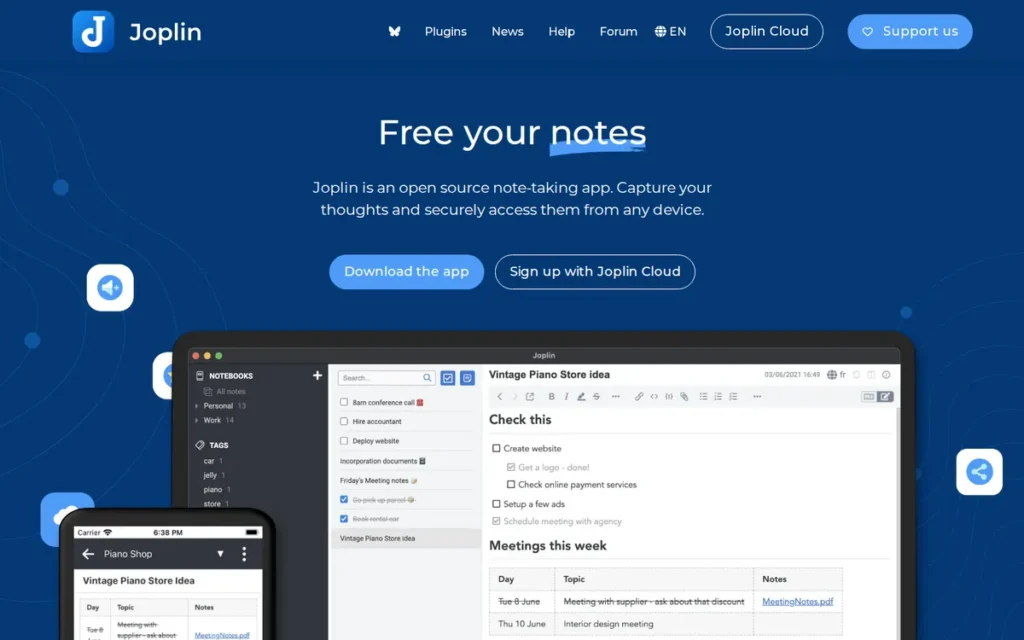
Category: Open-Source Notebook (free note apps with public code that keep Evernote’s notebooks-and-tags model and let you choose where notes sync).
At a Glance
- Category: Open-Source Notebook
- Best For: Evernote users with large archives who want a free, open-source app with notebooks, tags and sync they control
- Price Range: Free (app plus self-managed sync); Joplin Cloud €2.99–€9.99/month; Teams €7.99/user/month (Joplin, November 2026)
- Primary Strength: Joplin imports Evernote ENEX files with notebooks, notes, tags, attachments and metadata, as either Markdown or HTML.
- Biggest Limitation: Joplin’s mobile sync pauses when the app is in the background, and its interface is less polished than Evernote’s.
- One-Line Summary: Joplin earns the highest PlugRoute score (24/27) among seven Evernote alternatives for archive owners in 2026: it is free, open source, imports ENEX files and syncs through storage you control.
- Last Verified: November 2026
PlugRoute Score: 24/27 (Migration Strong · Cost Strong · Sync Moderate · Portability Strong · Capture Strong · Collaboration Moderate)
Overview Joplin is a free, open-source note-taking app for Windows, Mac, Linux, iOS and Android. It keeps Evernote’s notebooks-and-tags model, imports ENEX files and syncs through storage you choose, which suits Evernote users who want to own a large archive.
Joplin works offline and has both a Markdown editor and a rich-text editor. It can sync to a self-hosted server or Nextcloud. Of the seven apps here, Joplin is the clearest answer for readers who want an open-source Evernote alternative with sync.
Key Features
- Joplin imports Evernote ENEX files with notebooks, notes, tags, attachments and metadata such as author and location, and lets you choose Markdown or HTML output.
- Joplin offers seven sync options (Joplin Cloud, Dropbox, OneDrive, Nextcloud, WebDAV, S3 or the local file system), so you can run your own sync entirely.
- Joplin offers optional end-to-end encryption, which is off by default and must be turned on by the user.
- Joplin includes a web clipper, a plugin system and OCR for images and PDFs. OCR arrived in version 2.14 (Joplin, March 2024).
- Joplin’s notebooks-and-tags structure is close to Evernote’s, so people moving over have less reorganizing to do.
Best For Joplin is best for Evernote users with thousands of notes who want a free, open-source replacement that keeps notebooks and tags and lets them control where their data syncs.
Pricing The Joplin app is free, and syncing through your own storage is also free. Joplin Cloud prices in euros (Joplin, November 2026):
- Basic: Joplin Cloud Basic costs €2.99/month or €28.69/year for 2 GB, with a 10 MB limit per note or attachment.
- Pro: Joplin Cloud Pro costs €5.99/month or €57.48/year for 30 GB, with a 200 MB limit.
- Pro 100 GB: Joplin Cloud Pro 100 GB costs €9.99/month or €95.88/year.
- Teams: Joplin Cloud Teams costs €7.99/user/month or €80.28/user/year for 50 GB and needs at least 2 users. The price drops to €30/user/year at 51 or more users.
Joplin’s USD prices were not published in the sources PlugRoute retrieved.
Strengths
- Joplin’s import documentation says ENEX import carries over notebooks, notes, tags, attachments and metadata (Joplin, November 2026). In PlugRoute’s assessment, that is the broadest documented import scope of the seven products.
- Joplin handled at least one large migration without losses. A user said moving “thousands of notes out of Evernote without losing anything” was “relatively easy” (u/vexsixea, r/Evernote, 2023 thread).
- Joplin costs nothing with self-managed sync. One user reports saving €300 over three years by self-hosting on a €100 server (u/Ok_Nectarine2587, r/Evernote, 2025 thread).
- Joplin also gets praise for speed. One switcher wrote, “Was pleased to find Joplin much faster than Evernote” (u/richecc, r/Evernote, 2025 thread).
- Joplin has been called an open-source Evernote alternative since at least 2017 (Opensource.com, 2017), and lead developer Laurent Cozic maintains it publicly on GitHub.
Limitations Joplin gives up convenience in exchange for control. Joplin’s own FAQ says mobile sync stops when the app goes to the background or the device sleeps, and the first sync after a large Evernote import can be slow (Joplin, November 2026).
- Joplin’s sync drove at least one user to switch to Microsoft OneNote after “great syncing Problems” (u/thriftercyx, r/Evernote, 2023 thread).
- Joplin’s interface draws complaints. One user called creating a table “a total nightmare” (u/Romano1404, r/Evernote, 2023 thread), and another called the mobile apps “terrible” (u/mackid1993, r/Evernote, 2023 thread).
- Joplin’s OCR scanning runs in the desktop app and reads printed text, not handwriting (Joplin, November 2026). That OCR support also means a 2023 “no OCR” complaint about Joplin is now outdated.
- Joplin’s end-to-end encryption is off by default. Joplin’s import documentation also says ENEX files are sometimes malformed, and the developers keep fixing importer bugs.
- Joplin Teams offers shared notebooks but no live co-editing, and Joplin’s G2 rating of 4.8/5 rests on only 5 reviews (G2, November 2026).
Users on r/selfhosted noted:
“Interesting. Been using Joplin for years now with the official server backend. Never had a single issue, sync conflict or glitch, let alone data loss. It’s clunky for sure, however.” Posted by u/flare17
Takeaway: Long-term Joplin users with the official sync server report rock-solid reliability, but even its fans admit the interface feels clunky.
Verdict Joplin is the best overall Evernote alternative for moving a large archive in 2026, because it pairs the most complete documented ENEX import with free, open-source software and sync you control. If you work mostly on a phone, test Joplin’s mobile sync first. Teams that need live co-editing should look at Notion or Microsoft OneNote.
How It Compares With Evernote Compared with Evernote, Joplin adds open-source code, no note cap, free self-managed sync and optional encryption. It loses Evernote’s polish, Evernote’s widely praised web clipper and smooth background sync on mobile.
2. Microsoft OneNote: Best Free Notebook for Windows and Microsoft 365 Users
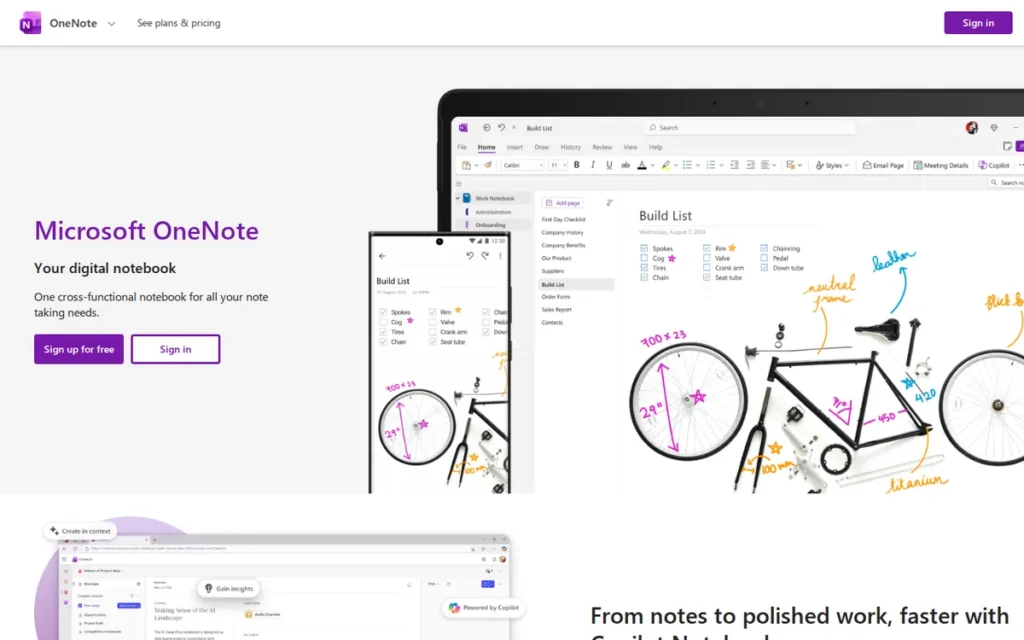
Category: Ecosystem Notebook (free note apps that come with a platform account and its cloud storage).
At a Glance
- Category: Ecosystem Notebook
- Best For: Windows and Microsoft 365 users, students and stylus users who want a free notebook with no note cap
- Price Range: Free (5 GB OneDrive, shared); Microsoft 365 Basic $1.99/month to Family $12.99/month (Microsoft, November 2026); no price listed on G2
- Primary Strength: Microsoft OneNote is free with no note cap on all major platforms and supports real-time collaboration through Microsoft 365.
- Biggest Limitation: Microsoft OneNote has had no official Evernote importer since September 2022 and offers no first-party Markdown export.
- One-Line Summary: Microsoft OneNote (21/27) is the top free, no-note-cap Evernote alternative for Windows and Microsoft 365 users, but moving an Evernote archive into it requires third-party tools.
- Last Verified: November 2026
PlugRoute Score: 21/27 (Migration Weak · Cost Strong · Sync Strong · Portability Weak · Capture Strong · Collaboration Strong)
Overview Microsoft OneNote is a free note-taking app from Microsoft that organizes notes into notebooks, sections and free-form pages. It supports typing, handwriting, web clipping and OCR on images, and suits students, stylus users and anyone already on Windows or Microsoft 365.
Microsoft OneNote syncs through OneDrive, so notebooks count against the 5 GB of free storage you share with other Microsoft files. OneNote ranks above Obsidian because, under the published weights, its built-in sync, OCR and co-editing outweigh Obsidian’s stronger migration and portability.
Key Features
- Microsoft OneNote organizes content into notebooks, sections and pages, and each page is a free-form canvas where text, ink, images and files can go anywhere.
- Microsoft OneNote includes handwriting tools and Class Notebooks, which suit students and stylus users.
- Microsoft OneNote recognizes text in pictures and file printouts so it becomes searchable, and the desktop app can copy text from pictures (Microsoft Support, November 2026).
- Microsoft OneNote includes a web clipper that one user called good but “not quite on par with Evernote’s” (u/Aurelius_TPK, r/Evernote, 2020 thread).
- Microsoft OneNote supports real-time co-editing through Microsoft 365 (G2, November 2026). Its Copilot features require an eligible Microsoft 365 or Copilot license.
Best For Microsoft OneNote is best for Windows and Microsoft 365 users, students and stylus users who want a free notebook with no note cap and are willing to move from tags to sections and pages.
Pricing Microsoft OneNote is free with no note cap, and G2 lists no price. Microsoft’s US prices (Microsoft, November 2026):
- Free: Microsoft OneNote is free with 5 GB of OneDrive storage shared across Microsoft services.
- Microsoft 365 Basic: Microsoft 365 Basic costs $1.99/month or $19.99/year for 100 GB, without AI.
- Microsoft 365 Personal: Microsoft 365 Personal costs $9.99/month or $99.99/year for 1 TB plus desktop apps.
- Microsoft 365 Family: Microsoft 365 Family costs $12.99/month or $129.99/year for up to 6 people and 2 TB total.
Strengths
- Microsoft OneNote holds a 4.5/5 G2 rating from 1,873 reviews, with 93.9% at 4 or 5 stars (G2, November 2026). That is the second-largest review base among the seven.
- Microsoft OneNote is free with no note cap, and notebooks count only against 5 GB of free OneDrive storage (Microsoft, November 2026). Evernote Free stops at 50 notes.
- Microsoft OneNote has long-term switchers who are happy with it. One wrote, “I switched from Evernote to OneNote years ago. And I don’t regret it” (u/General_Wamsler, r/Evernote, 2025 thread).
- Microsoft OneNote’s G2 reviewers praise easy organization and seamless syncing, and only 4 of 1,873 G2 reviews cite Connectivity Issues (G2, November 2026). G2 reviewers also ask for more reliable sync.
Limitations Microsoft OneNote is free and familiar, but it is harder to migrate into and harder to leave. Microsoft retired its official Evernote importer effective September 2022 (Microsoft Support, November 2026), so archives now need third-party tools such as evernote-to-onenote on GitHub.
- Microsoft OneNote’s old importer did not transfer large media attachments in PCWorld’s test (PCWorld, 2016).
- Microsoft OneNote’s old importer did not transfer reminders in the same test (PCWorld, 2016).
- Microsoft OneNote cannot map multi-tag Evernote notes cleanly, because each page lives in only one section. A receipt tagged “taxes-2025”, “home” and “warranty” needs a single home or duplicate copies.
- Microsoft OneNote has no first-party Markdown export, and third-party teardowns report limited export on Mac and the web.
- Microsoft OneNote’s Copy Text from Picture feature is not available in OneNote for the web (Microsoft Support, November 2026).
- Microsoft OneNote “struggles quite badly” as a searchable database of clips, according to one user (u/Aurelius_TPK, r/Evernote, 2020 thread). That view may be dated.
Verdict Microsoft OneNote is the best free Evernote alternative for Windows and Microsoft 365 users who want a notebook with no note cap and can accept a third-party migration. Few alternatives match its free tier, built-in sync, OCR and co-editing at $0. If you organize mostly by tags, or want an easy exit later, weigh its section-based structure and weak export first.
How It Compares With Evernote Compared with Evernote, Microsoft OneNote adds a free tier with no note cap, stronger handwriting and Microsoft 365 co-editing. It loses robust tagging, an official import path, easy export and Evernote’s strength at searching large clip archives.
3. Obsidian: Best for Owning Your Notes as Local Markdown Files

Category: Local-First Vault (apps that store notes as plain files on your own device, with sync as an optional add-on).
At a Glance
- Category: Local-First Vault
- Best For: Individuals who want permanent ownership of their notes as plain files and are willing to set up or pay for sync
- Price Range: Free for personal and work use; Sync $4–$8/month billed annually or $5–$10 billed monthly; optional commercial license $50/user/year (Obsidian, November 2026)
- Primary Strength: Obsidian stores notes as plain Markdown files on your own device, so of the seven it is the hardest for any vendor to lock in.
- Biggest Limitation: Obsidian has no native collaboration, and cross-device sync means either a paid add-on or a manual setup.
- One-Line Summary: Obsidian (20/27) is the top Evernote alternative for owning your notes outright, because it stores everything as plain Markdown files that any text editor can open.
- Last Verified: November 2026
PlugRoute Score: 20/27 (Migration Strong · Cost Moderate · Sync Moderate · Portability Strong · Capture Moderate · Collaboration Weak)
Overview Obsidian is a free note-taking app that stores notes as plain Markdown files in a folder on your own device and adds backlinks, a graph view and plugins. It suits Evernote users who want to own their files for good and are willing to set up sync.
Obsidian’s optional Sync service is end-to-end encrypted. Obsidian is not open source, but its files open in any text editor, so a plain-text backup is easy to make.
Key Features
- Obsidian stores every note as a plain Markdown file in a local folder called a vault, so the files open in any text editor.
- Obsidian’s official Importer plugin converts Evernote ENEX files to Markdown with attachments and tags. It can rebuild notebook stacks as folders if the export files follow its naming pattern.
- Obsidian has offered an official Web Clipper for Chrome, Firefox, Safari and Edge since November 2024 (Obsidian, November 2024).
- Obsidian links notes through backlinks and a graph view, adds Canvas and Bases for visual and database-style views, and supports core and community plugins.
- Obsidian offers paid, end-to-end-encrypted Sync. You can also sync for free through iCloud, Syncthing or Git with a manual setup.
Best For Obsidian is best for individual knowledge workers, researchers and writers who want their notes stored as portable Markdown files and are comfortable setting up or paying for sync.
Pricing Obsidian pricing (Obsidian, November 2026):
- Personal use: Obsidian is free for personal use.
- Commercial license: Obsidian’s commercial license costs $50/user/year and is optional, not required for work use.
- Sync Standard: Obsidian Sync Standard costs $4/month billed annually or $5 billed monthly for 1 vault, 1 GB and 1 month of version history.
- Sync Plus: Obsidian Sync Plus costs $8/month billed annually or $10 billed monthly for 10 vaults, 10 GB and 12 months of history.
- Catalyst: Obsidian Catalyst is a $25 one-time purchase.
PlugRoute could not verify Obsidian Publish pricing.
Strengths
- Obsidian’s Help documentation confirms an official Evernote Importer that brings attachments and tags into plain Markdown files and can rebuild notebook stacks as folders (Obsidian, November 2026).
- Obsidian was a runner-up for Productivity Tool of the Year in Product Hunt’s 2020 Golden Kitty Awards (Product Hunt, 2020). Product Hunt reviewers consistently praise its flexibility and local files.
- Obsidian appeals to switchers on cost and ownership. One wrote that “a markdown file in a folder on my computer’s hard drive costs me next to nothing, and future proofed” (u/ajdimac, r/Evernote, 2025 thread).
- Obsidian describes itself as a small team “supported by users rather than investors” (Obsidian, November 2026). That matters to readers wary of another ownership change like Evernote’s.
Limitations Obsidian gives up convenience and collaboration in exchange for ownership. Cross-device sync costs $4–$10/month or needs a manual setup, and Obsidian has no native real-time collaboration.
- Obsidian’s official Web Clipper covers web capture, but the sources PlugRoute reviewed describe no built-in OCR search inside PDFs and images comparable to Evernote’s.
- Obsidian has a learning curve. Product Hunt reviewers call its mobile app “fine for reading but not enjoyable for structured writing” (Product Hunt, November 2026).
- Obsidian’s G2 reviewers mention setup time, plugin upkeep and slower performance in plugin-heavy vaults, but the 4.5/5 rating rests on only 12 reviews (G2, November 2026).
- Obsidian cannot bring over Evernote’s tag hierarchy, because ENEX exports don’t include it.
- Obsidian users should be “prepared to deal with minor bugs,” one switcher advises (u/luckysilva, r/Evernote, 2023 thread).
Users on r/ObsidianMD noted:
“I agree but I also feel like the “competent viewer” aspect has been neglected a bit. It takes about 6-12 seconds to load every time I want to open the app. That’s horrible when you have an idea or want to take something down quickly.” Posted by u/SaneUse
Takeaway: Obsidian’s slow mobile launch makes it a weak quick-capture tool for Evernote users who jot down ideas on their phones.
Verdict Obsidian is the best Evernote alternative for readers whose top priority is never being locked in again, because every note stays a plain Markdown file on their own device. Obsidian’s official ENEX importer and Web Clipper make the move practical. Budget for paid Sync or a manual setup, and plan on another tool for team editing or OCR search.
How It Compares With Evernote Compared with Evernote, Obsidian adds full file ownership, links between notes and a free core app. It loses turnkey sync, OCR search inside PDFs and images, and team collaboration.
4. UpNote: Best Pay-Once Evernote Lookalike for Personal Notes
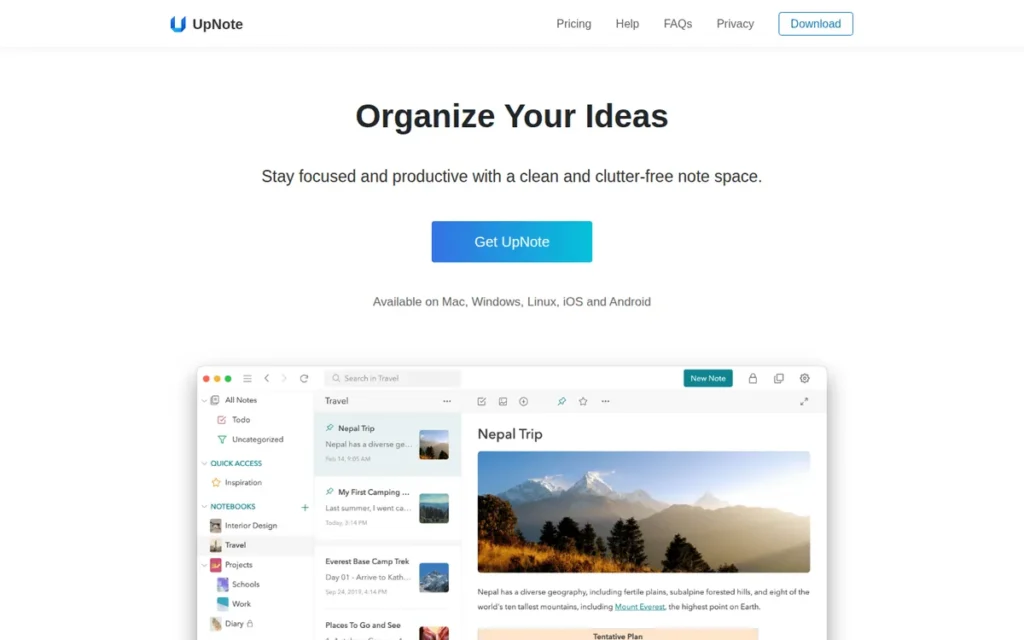
Category: Evernote-Style Notebook (closed-source apps that copy Evernote’s notebooks-and-tags model with lighter, cheaper plans).
At a Glance
- Category: Evernote-Style Notebook
- Best For: Personal users who want a fast, classic-Evernote feel and would rather pay once than subscribe
- Price Range: Free (up to 50 notes); Premium $1.99/month or $39.99 one-time lifetime (UpNote, November 2026)
- Primary Strength: UpNote copies Evernote’s notebooks-and-tags workflow and is the only alternative here with a one-time lifetime price.
- Biggest Limitation: UpNote has no OCR search, no co-editing and no end-to-end encryption, and a two-person team builds it.
- One-Line Summary: UpNote (18/27) is the closest classic-Evernote experience among the seven and the only one with a one-time lifetime price, but it lacks OCR, co-editing and encryption.
- Last Verified: November 2026
PlugRoute Score: 18/27 (Migration Strong · Cost Moderate · Sync Moderate · Portability Weak · Capture Moderate · Collaboration Weak)
Overview UpNote is a lightweight note-taking app for Mac, Windows, Linux, iOS and Android. It copies Evernote’s notebooks-and-tags workflow, imports ENEX files in batches and offers a one-time lifetime price, which suits personal users tired of subscriptions.
UpNote has no standalone web app, and it stores user data on Firebase servers in the US (UpNote, November 2026). UpNote ranks below Obsidian mainly on durability and portability.
Key Features
- UpNote organizes notes with nested notebooks, hashtags and separate spaces, which closely mirrors Evernote’s structure.
- UpNote imports ENEX files in batches on Mac, Windows and Linux, turns each file into a notebook, and maps Evernote tags to hashtags or notebooks.
- UpNote supports rich text and Markdown, with offline editing in all of its native apps.
- UpNote offers web clipper extensions for Chrome, Safari and Firefox.
- UpNote shares notes only through a secret web link to a single note, with no co-editing.
Best For UpNote is best for individual Evernote users who want a familiar, fast notebook for personal notes and would rather pay once than keep subscribing.
Pricing UpNote pricing (UpNote, November 2026):
- Free: UpNote’s free plan allows up to 50 notes.
- Premium monthly: UpNote Premium costs $1.99/month.
- Premium lifetime: UpNote Premium costs $39.99 as a one-time lifetime purchase.
PlugRoute could not verify a yearly UpNote price. Older Reddit posts mention lifetime prices of $25 or €25, so the price has gone up over time.
Strengths
- UpNote holds a 4.7/5 App Store rating from more than 51,000 ratings (Apple App Store, November 2026). That is the largest consumer rating volume among the smaller apps in this evaluation.
- UpNote is where several Apple Notes users ended up after Apple Notes struggled with their libraries. One called UpNote “fast, reliable and has an excellent Evernote import feature” (u/Ok_Money_161, r/AppleNotesGang, 2026 thread).
- UpNote also took in a user whose import of 2,000 Evernote notes into Apple Notes failed (u/jezarnold, r/AppleNotesGang, 2026 thread).
- UpNote’s $39.99 lifetime option is the only pay-once price among the seven (UpNote, November 2026), which directly answers subscription fatigue.
- UpNote received a 9.7 rating from MacSources, which praised its interface and lifetime option (MacSources, 2022).
Limitations UpNote gives up depth and long-term certainty in exchange for simplicity. It has no OCR search inside images and PDFs, no shared editing and no end-to-end encryption.
- UpNote’s web clipper is weaker than Evernote’s, according to former Evernote users (r/UpNote_App, 2023 thread).
- UpNote removes text and highlight colors on import unless you choose to keep them (UpNote, November 2026).
- UpNote may fail to import notes with attachments over 20 MB.
- UpNote does not convert Evernote’s internal links between notes.
- UpNote’s free plan has the same 50-note cap as Evernote Free, and UpNote has no G2 or Capterra listing and no web app.
- UpNote is built by a two-person team in Vietnam (UpNote, November 2026), and users openly ask, “Is lifetime really lifetime?” (r/UpNote_App, 2025 thread).
Users on r/UpNote_App noted:
“For me, the only real deal breaker is collaboration. UpNote is fantastic as a personal note-taking app, but the lack of sharing/collab means I still have to keep another app around whenever I need to work on something with other people, especially for things I need to share or manage with my family. Everything else works perfectly for my workflow, it’s literally the one missing piece.” Posted by u/Zyunick
Takeaway: UpNote satisfies solo note-takers, but its lack of collaboration forces anyone who shares notes with family or colleagues to keep a second app.
Verdict UpNote is the best Evernote alternative for personal users who want a classic-Evernote feel without a subscription, thanks to its $39.99 lifetime option and a notebooks-and-hashtags structure that takes little relearning. People who switched in 2026 speak well of its batch ENEX import. If you rely on PDF and image search, or share notes with a team, look elsewhere.
How It Compares With Evernote Compared with Evernote, UpNote adds speed, a familiar structure and a pay-once price. It loses OCR search, collaboration, encryption and the backing of a large vendor.
5. Apple Notes: Best Free Option for Apple-Only Users
Category: Ecosystem Notebook (free note apps that come with a platform account and its cloud storage).
At a Glance
- Category: Ecosystem Notebook
- Best For: Evernote users who use only iPhone, iPad and Mac and want free, quick capture
- Price Range: Free with an Apple Account (5 GB iCloud, shared); iCloud+ $0.99–$59.99/month (Apple, November 2026)
- Primary Strength: Apple Notes is free, built into every Apple device, and imports Evernote ENEX files natively on Mac.
- Biggest Limitation: Apple Notes has no Windows or Android app, no browser web clipper and no bulk export.
- One-Line Summary: Apple Notes (17/27) is the simplest free Evernote alternative for Apple-only users. It imports ENEX natively on Mac but has no Windows or Android app and no browser clipper.
- Last Verified: November 2026
PlugRoute Score: 17/27, primary-criteria subtotal 12 (Migration Moderate · Cost Strong · Sync Weak · Portability Weak · Capture Moderate · Collaboration Moderate). Apple Notes ranks ahead of Notion on the published tiebreaker.
Overview Apple Notes is the free note-taking app built into iPhone, iPad and Mac. It offers folders, tags, document scanning with searchable text, shared notes and native Evernote import on Mac, and suits Evernote users who live entirely in Apple’s ecosystem.
Outside Apple devices, Apple Notes is reachable only through iCloud.com in a browser. Apple doesn’t publish usage figures for Notes.
Key Features
- Apple Notes imports Evernote ENEX files natively on Mac through File > Import to Notes, and brings over Evernote tags on macOS 13 or later.
- Apple Notes puts imported notes in an Imported Notes folder and can keep your folder structure when you import a folder of export files (Apple Support, November 2026).
- Apple Notes scans documents into searchable text, records audio with transcription, and offers Quick Note capture.
- Apple Notes organizes notes with folders, tags, Smart Folders and links between notes.
- Apple Notes supports shared notes and folders, locked notes, and end-to-end encryption when Advanced Data Protection is turned on.
Best For Apple Notes is best for Evernote users who own only Apple devices, want free and fast capture, and can give a large imported library time to settle.
Pricing Apple Notes is free with an Apple Account, which includes 5 GB of iCloud storage shared across services. iCloud+ US monthly prices (Apple, November 2026):
- 50 GB: iCloud+ 50 GB costs $0.99/month.
- 200 GB: iCloud+ 200 GB costs $2.99/month.
- 2 TB: iCloud+ 2 TB costs $9.99/month.
- 6 TB: iCloud+ 6 TB costs $29.99/month.
- 12 TB: iCloud+ 12 TB costs $59.99/month.
Strengths
- Apple Notes has a native ENEX importer, documented by Apple Support, that brings in Evernote tags on macOS 13 and later (Apple Support, November 2026). It is the only importer in this evaluation built into an operating system.
- Apple Notes can handle very large libraries with some tuning. A user with 33,000 notes said removing Smart Folders made a “night and day” difference and that OS 26 “seemed to handle things much much better” (u/Darrensucks, r/AppleNotesGang, 2026 thread).
- Apple Notes worked for a third user, who reports 12,000 imported notes running fine after a few months to settle (r/AppleNotesGang, 2026 thread).
- Apple Notes is free, and iCloud+ storage starts at $0.99/month (Apple, November 2026), the cheapest storage upgrade in this evaluation.
Limitations Apple Notes gives up cross-platform reach and portability in exchange for free, built-in convenience. There is no Windows or Android app, only iCloud.com in a browser.
- Apple Notes has no browser web-clipper extension, which matters to heavy Evernote clippers.
- Apple Notes exports notes only one at a time as PDF or Markdown, with no bulk Markdown or ENEX export, and it skips unsupported attachments on import.
- Apple Notes can struggle with large imports. One user moved 15,747 notes after 17 years on Evernote and saw lag, crashes, incomplete sync and unreliable search for weeks (r/AppleNotesGang, 2026 thread).
- Apple Notes’ iCloud sync took 1–2 weeks to settle for one large library (u/Darrensucks, r/AppleNotesGang, 2026 thread).
- Apple Notes tags “randomly disappear,” according to one user (u/MMikekiMM, r/AppleNotesGang, 2026 thread). These are individual reports, not controlled tests.
Verdict Apple Notes is the best free Evernote alternative for people who use only Apple devices, combining zero cost with a native ENEX importer on Mac. Large libraries can work, but expect a settling period, and remove Smart Folders if performance suffers. If you also use Windows or Android, clip heavily or want an easy exit, choose a cross-platform option.
How It Compares With Evernote Compared with Evernote, Apple Notes adds free, fast capture built into Apple devices, plus optional end-to-end encryption. It loses cross-platform access, a web clipper, bulk export and proven smoothness with libraries above about 10,000 notes.
6. Notion: Best for Teams and Notes Connected to Projects
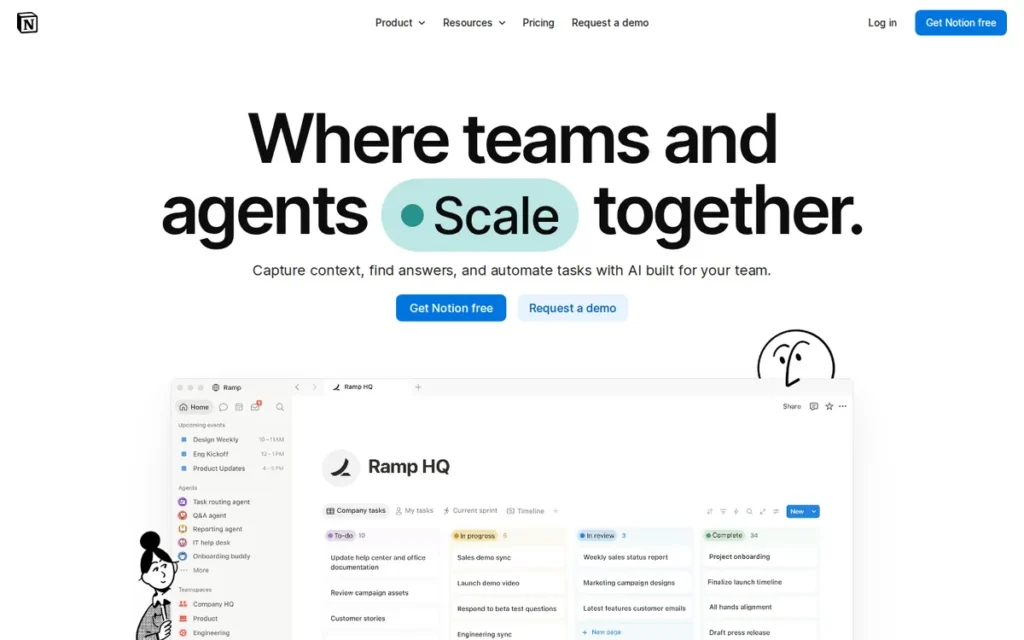
Category: All-in-One Workspace (workspaces built from blocks and databases that combine notes, docs, wikis and projects in one place).
At a Glance
- Category: All-in-One Workspace
- Best For: Small teams and individuals who want notes connected to projects, databases and shared wikis
- Price Range: Free; Plus $12 and Business $24 per user/month billed monthly (G2 list prices, November 2026); $10 and $20 billed annually on Notion’s site
- Primary Strength: Notion offers real-time co-editing and linked databases that turn notes into shared project and wiki systems.
- Biggest Limitation: Users report that Notion’s native Evernote importer drops and duplicates notes and strips formatting.
- One-Line Summary: Notion (17/27) is the top Evernote alternative for teams that want notes, wikis and project databases in one shared workspace, but users report reliability problems with its Evernote importer.
- Last Verified: November 2026
PlugRoute Score: 17/27, primary-criteria subtotal 10 (Migration Weak · Cost Moderate · Sync Moderate · Portability Moderate · Capture Moderate · Collaboration Strong). Notion ties Apple Notes, places sixth on the tiebreaker, and remains the top pick for teams.
Overview Notion is an all-in-one workspace that builds pages from movable blocks and linked databases for notes, wikis and projects. It suits small teams and individuals who want their notes tied to shared work rather than kept in a traditional notebook.
Notion is more flexible than Evernote but less like a filing cabinet. Notion’s G2 reviewers mention its learning curve more often than any other complaint (G2, November 2026).
Key Features
- Notion builds every page from movable blocks such as text, checklists, images and embeds.
- Notion databases can be shown as tables, boards, calendars, timelines or galleries, and can link to one another.
- Notion supports real-time co-editing for teams, along with shared wikis and project spaces.
- Notion’s web clipper saves whole pages or photos on Chrome and Safari desktop and through the iOS and Android share sheet, but it can’t clip a selected excerpt.
- Notion has a built-in Evernote importer and exports to Markdown, HTML and CSV.
Best For Notion is best for small teams and project-driven individuals who want notes, documents and databases in one shared workspace and are willing to spend time on setup.
Pricing Notion pricing (G2 list prices and Notion pricing page, November 2026; G2 list prices may change):
- Free: Notion’s Free plan limits uploads to 5 MB per file and includes only trial AI.
- Plus: Notion Plus costs $12.00 per user/month billed monthly, or $10 per seat/month billed annually.
- Business: Notion Business costs $24.00 per user/month billed monthly, or $20 per seat/month billed annually. It includes Notion AI, which runs on a credit system.
G2’s figures match Notion’s monthly billing, and Notion’s lower figures apply to annual billing (Notion, November 2026).
Strengths
- Notion holds a 4.6/5 G2 rating from 13,979 reviews, with 97.2% at 4 or 5 stars (G2, November 2026). That is the largest review base of the seven.
- Notion’s top G2 pros are Easy Everyday Use (2,135 mentions), Flexible Workspace Design (2,053), Work In One Place (1,596) and Organized Notes And Content (1,585) (G2, November 2026).
- Notion shares the top collaboration rating in this evaluation with Microsoft OneNote, and adds linked databases for team wikis and projects.
- Notion’s free personal plan has no 50-note cap. One user argued that “Notion’s free plan covers EverNote’s paid plan and a lot more” (u/PsychonautAlpha, r/Notion, 2024 thread).
Limitations Notion gives up import reliability and notebook simplicity in exchange for flexibility. Users have repeatedly reported that its native Evernote importer drops and duplicates notes. One user lost 3 of 3,500 notes, and in another import 500 notes became 998 (u/devtastic, r/Evernote, 2023 thread).
- Notion’s importer stripped paragraph spacing and indents for one user (u/anaccountofrain, r/Notion, 2023 thread). Another said “the native import from Notion has broken for years now” and recommended enex2notion (u/purekimwater, r/Notion, 2023 thread).
- Notion’s Free plan limits uploads to 5 MB per file (Notion, November 2026), which can block large PDFs and scans from an Evernote archive.
- Notion’s top G2 cons are Steep Learning Curve (872 mentions), Slow Large Workspaces (617) and Confusing Interface (494) (G2, November 2026).
- Notion’s offline access is limited, and pages may need to be marked for offline use in advance (PCMag UK, November 2026).
- Notion exports databases as flat CSV files, which can lose the links between databases and any saved views.
This aligns with community sentiment on r/Notion:
“Yes, I can confirm this is still an issue. I have 10k notes and there are countless tables. After an overnight import, it failed without telling me why. Now, I’m resorted to importing one Notebook at a time, being careful to remove any tables. But that still has limited success. Not thrilled.” Posted by u/kage2o
Takeaway: Notion’s native Evernote importer can fail silently on large, table-heavy archives, pushing users into slow notebook-by-notebook workarounds that still don’t guarantee a complete move.
Verdict Notion is the best Evernote alternative for teams that want notes connected to projects, databases and shared wikis, and it has the largest review base in this evaluation. Notion ranks lower as a home for a large personal Evernote archive, because users report that its native importer drops, duplicates and reformats notes. Teams moving an archive should test enex2notion on a sample first.
How It Compares With Evernote Compared with Evernote, Notion adds real-time collaboration, databases and a free plan with no note cap. It loses quick capture, excerpt clipping, reliable offline use and dependable import of existing notes.
7. Zoho Notebook: Best Low-Cost Paid Plan With a One-Click Migration Tool
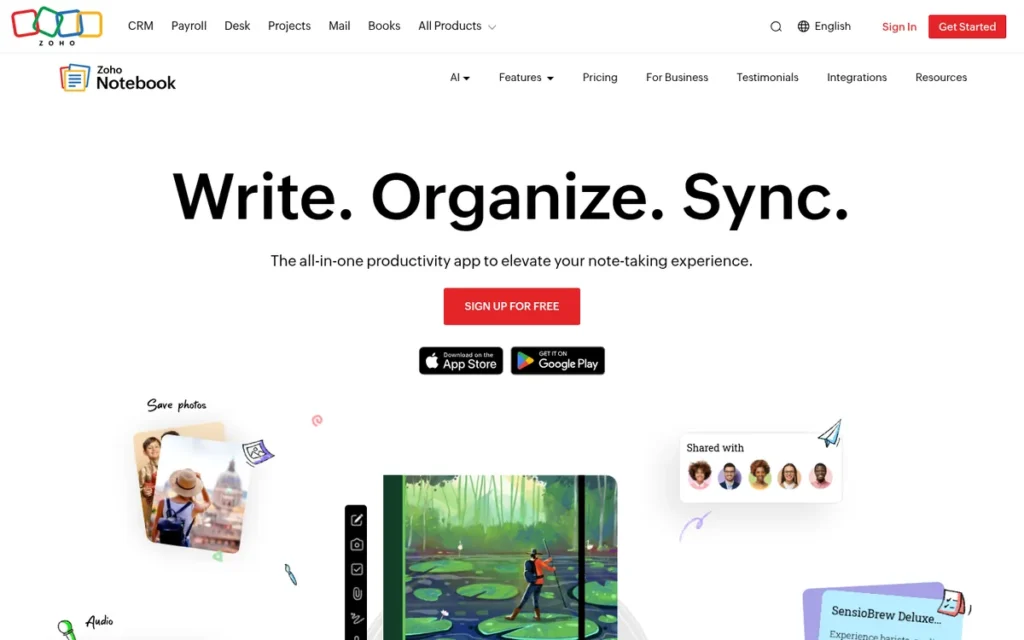
Category: Evernote-Style Notebook (closed-source apps that copy Evernote’s notebooks-and-tags model with lighter, cheaper plans).
At a Glance
- Category: Evernote-Style Notebook
- Best For: Budget-conscious personal users with modest archives who want an Evernote-like look at a low paid price
- Price Range: Free (500 MB); Pro $1.99/user/month; Business $4.99/user/month (G2 list prices, November 2026)
- Primary Strength: Zoho Notebook combines an ad-free free plan, a $1.99/month Pro tier and a direct Evernote migration tool.
- Biggest Limitation: Zoho Notebook does not transfer Evernote tags, and users report sync failures and poor export.
- One-Line Summary: Zoho Notebook (15/27) is a low-cost Evernote lookalike with a direct migration tool and an ad-free free plan, but Evernote tags do not transfer and users report sync problems.
- Last Verified: November 2026
PlugRoute Score: 15/27 (Migration Moderate · Cost Moderate · Sync Weak · Portability Weak · Capture Moderate · Collaboration Moderate). Two Weak ratings put Zoho Notebook last, though it remains one of the lowest-cost paid options.
Overview Zoho Notebook is a free, ad-free, card-based note app from Zoho with notebooks, tags, web clippers for four browsers and a direct Evernote migration tool. It suits budget-conscious personal users who want an Evernote-like look at a low paid price.
Zoho Notebook runs on iOS, Android, Mac, Windows and the web. PlugRoute could not confirm Linux support for Zoho Notebook.
Key Features
- Zoho Notebook stores content as cards (text, checklist, audio, photo, file, sketch, bookmark) organized into notebooks with tags, reminders and Smart Cards.
- Zoho Notebook offers a direct Evernote migration tool as well as ENEX import.
- Zoho Notebook provides web clippers for Chrome, Firefox, Safari and Edge.
- Zoho Notebook’s Notebook AI handles transcription, summaries, mind maps and translation.
- Zoho Notebook supports MCP, which lets authorized AI assistants find, create, update and organize notes.
Best For Zoho Notebook is best for budget-conscious individuals with modest archives who rely on notebooks more than tags and want a low-cost paid upgrade.
Pricing Zoho Notebook pricing (G2 list prices and Zoho pricing page, November 2026; G2 list prices may change):
- Free: Zoho Notebook Free covers 1 user with 500 MB of storage, a 3 MB card limit, a 10 MB upload limit, 30-minute audio recordings and 20 note versions.
- Pro: Zoho Notebook Pro costs $1.99/user/month, and G2 notes 50% off the yearly plan.
- Business: Zoho Notebook for Business costs $4.99/user/month and includes 1 TB for up to 10 users, plus 100 GB for each additional user.
PlugRoute did not capture Zoho’s own price figures. Reddit users report paying about $20 or €19.99 per year for Pro.
Strengths
- Zoho Notebook holds a 4.4/5 G2 rating from 70 reviews, with 88.6% at 4 or 5 stars (G2, November 2026). It also carries a Google Play Editors’ Choice label (Google Play, November 2026).
- Zoho Notebook’s migration tool moved 55 notebooks and 500+ notes in about 30 minutes for one user (u/mike_in_nyc, r/Evernote, 2024 thread).
- Zoho Notebook’s free edition has “the same feature set that EN charges +90 euros for,” according to one switcher (u/BeaverHunter-, r/Evernote, 2024 thread).
- Zoho Notebook Pro at $1.99/user/month (G2 list price, November 2026) matches UpNote Premium as one of the lowest paid plans here, and the free plan carries no ads.
- Zoho Notebook won a Gold Stevie Award at the 2020 Asia-Pacific Stevie Awards (Zoho, 2020). Zoho also reports an App Store “Best App” listing from 2016, which is vendor-reported.
Limitations Zoho Notebook gives up reliability and portability in exchange for a low price and an easy start. Zoho’s Help FAQ says Evernote tags don’t transfer directly (Zoho, November 2026), and one switcher’s encrypted notes didn’t come across (u/BeaverHunter-, r/Evernote, 2024 thread).
- Zoho Notebook failed one user after three migration attempts, with notes unsynced or wrongly synced for weeks (u/Extra-Neighborhood55, r/Evernote, 2024 thread). Play Store reviewers also report delayed sync and duplicate or missing notes.
- Zoho Notebook can’t embed PDFs inside notes (u/alan_patrick, r/Evernote, 2024 thread).
- Zoho Notebook’s HTML export “dumps everything in a single file with gibberish filenames and no notebook structure” (u/WiseRage, r/Evernote, 2024 thread).
- Zoho Notebook users can’t bulk-tag, bulk-delete from search results or rename tags.
- Zoho Notebook carries a durability risk because note-taking isn’t Zoho’s core business, one user warns (u/nwox9, r/Evernote, 2024 thread). Its collaboration rating rests on a Business tier with limited public documentation.
Verdict Zoho Notebook is a low-cost Evernote lookalike that pairs a $1.99/month Pro tier with a one-click migration tool. Zoho Notebook suits modest archives organized by notebook rather than by tag. If your library is large or tag-heavy, test sync and check note counts carefully before relying on it.
How It Compares With Evernote Compared with Evernote, Zoho Notebook adds a far cheaper paid tier, an ad-free free plan and AI and MCP features. It loses tag migration, sync reliability, embedded PDFs and usable export.
Which Evernote Alternatives Import ENEX Files, and What Do They Lose?
Six of the seven alternatives import Evernote ENEX files. Joplin, UpNote and Apple Notes (Mac only) do it natively, Obsidian uses an official plugin, Zoho Notebook uses a migration tool, and Notion has an importer users call unreliable. No import path keeps notebook stacks and tag hierarchy intact, because ENEX export doesn’t include them.
- Native importer: Joplin, UpNote and Apple Notes (Mac only) import ENEX files directly.
- Official plugin: Obsidian converts ENEX files to Markdown through its Importer plugin.
- Migration tool: Zoho Notebook moves notes but not tags.
- Native but user-reported unreliable: Notion’s importer has drawn reports of lost and duplicated notes, and enex2notion is the common workaround.
- No official path: Microsoft OneNote has had no official importer since September 2022.
How Does Each Alternative Compare With Evernote Side by Side?
Compared with Evernote, every alternative trades something. Joplin and Obsidian trade turnkey sync for ownership. Microsoft OneNote and Apple Notes trade migration and export for a free tier. UpNote and Zoho Notebook trade depth for price, and Notion trades import reliability for collaboration. The table shows each trade-off.
| Product | ENEX Import Path | What Doesn’t Transfer | Free-Plan Limit | Sync Model | Web Clipper / OCR | Collaboration | Platforms | Price (Source, Date) | Rating (Volume) |
|---|---|---|---|---|---|---|---|---|---|
| Evernote (reference, unranked) | Source format | ENEX exports drop stacks and tag hierarchy | 50 notes, 1 notebook, 1 device | Built-in; Free plan limited to 1 device | Clipper and PDF search praised by users | Not verified in this research cycle | Not verified in this research cycle | Premium $7.99/mo (G2 list, Nov 2026); Starter $14.99/mo (Evernote site, Nov 2026) | G2 4.3/5 (2,046) |
| Joplin | Native importer (Markdown or HTML) | Malformed ENEX files can trigger importer bugs | No note cap | Joplin Cloud or your own storage | Clipper yes; OCR yes (desktop scan, printed text) | Shared notebooks (Teams), no live co-editing | Windows, Mac, Linux, iOS, Android | Free; Cloud €2.99–€9.99/mo (Joplin, Nov 2026); USD not verified | G2 4.8/5 (5) |
| Microsoft OneNote | None since Sept 2022; third-party tools | Old importer missed large attachments and reminders; multi-tag notes | No note cap; 5 GB OneDrive | OneDrive, built-in | Clipper yes; OCR yes (desktop; not on web) | Real-time co-editing | All major platforms | Free; M365 $1.99–$12.99/mo (Microsoft, Nov 2026) | G2 4.5/5 (1,873) |
| Obsidian | Official Importer plugin | Tag hierarchy; stacks unless files follow naming pattern | No note cap (local) | Paid Sync or manual (iCloud, Syncthing, Git) | Official clipper yes (since Nov 2024); OCR not built in | None native | All major platforms | Free; Sync $4–$8/mo annual, $5–$10 monthly (Obsidian, Nov 2026); Publish not verified | G2 4.5/5 (12) |
| UpNote | Native batch import (Mac, Windows, Linux) | Text colors unless kept; notes with >20 MB attachments; internal links | 50 notes | Built-in | Clipper yes; no OCR | Single-note link only | Mac, Windows, Linux, iOS, Android; no web app | Free; $1.99/mo or $39.99 lifetime (UpNote, Nov 2026); yearly not verified | No G2; App Store 4.7/5 (51,000+) |
| Apple Notes | Native import, Mac only | Unsupported attachments skipped | 5 GB iCloud, shared | iCloud, built-in | No browser clipper; scans to searchable text | Shared notes and folders | Apple devices plus iCloud.com | Free; iCloud+ $0.99–$59.99/mo (Apple, Nov 2026) | No G2 listing |
| Notion | Native (user-reported unreliable); enex2notion | User-reported dropped and duplicated notes, stripped spacing | No note cap; 5 MB per-file uploads | Cloud; limited offline | Whole-page clipper; OCR not verified | Real-time co-editing | All major platforms | Free; Plus $12, Business $24/user/mo monthly (G2 list, Nov 2026); $10/$20 annual (Notion, Nov 2026) | G2 4.6/5 (13,979) |
| Zoho Notebook | Migration tool plus ENEX import | Tags; encrypted notes (user report) | 500 MB; 10 MB uploads | Built-in; user-reported sync failures | Clippers for 4 browsers; OCR not verified | Business tier (limited documentation) | iOS, Android, Mac, Windows, web; Linux not verified | Free; Pro $1.99, Business $4.99/user/mo (G2 list, Nov 2026) | G2 4.4/5 (70) |
Which Alternative Fits the Most Common Search Needs?
For the most common Evernote-alternative searches, the best fits are:
- Free with no note cap: Microsoft OneNote, Apple Notes or Joplin
- Native ENEX import: Joplin, UpNote and Apple Notes
- Open source with sync: Joplin
- Team co-editing: Notion or Microsoft OneNote
- One-time price: UpNote
The details for each need follow.
Free with no note cap:
- Microsoft OneNote is free with no note cap for Windows and Microsoft 365 users.
- Apple Notes is free with no note cap for Apple-only users.
- Joplin is free with no note cap across platforms and is open source.
Open source with sync:
- Joplin is open source and syncs through Joplin Cloud or your own storage.
- Obsidian is free and stores local files, but its core app is not open source.
Teams versus personal notes:
- Notion and Microsoft OneNote offer real-time co-editing.
- Joplin Teams and Apple Notes offer shared notebooks or folders, which also suits household sharing.
- UpNote offers link-only sharing of single notes.
- Obsidian has no native collaboration.
Pay once or pay least:
- UpNote is the only pay-once option at $39.99 lifetime, though it carries the durability risk of a two-person team.
- Zoho Notebook Pro at $1.99/user/month (G2 list price, November 2026) is among the lowest-priced paid plans.
How Do I Get My Notes Out of Evernote Safely?
To get notes out of Evernote safely, export ENEX files from the Evernote desktop app one notebook at a time (up to 100 notes per batch on Windows). Test-import a small notebook first and compare note counts afterward. Notebook stacks and tag hierarchy do not survive ENEX export, so plan to rebuild them.
Use this checklist, based on Evernote’s export limits (Evernote Help, November 2026):
- Export ENEX files from the Evernote desktop app, because the web and mobile apps don’t support full export.
- Expect to export up to 100 notes or one notebook at a time on Windows.
- Expect notebook stacks and tag hierarchy to be lost, because ENEX doesn’t include them.
- Test a small notebook in your new app before moving everything.
- Compare note counts after every import. In one reported Notion import, 500 notes became 998, and without a count check the duplicates would have gone unnoticed.
- Keep your original ENEX files after migrating, because they are your backup if the new app disappoints.
- Allow time for large libraries to settle: Apple Notes users report 1–2 weeks of iCloud sync, and Joplin’s first sync can be slow.
- Remove Smart Folders in Apple Notes if performance lags after a large import.
Why Are People Leaving Evernote in 2026?
People are leaving Evernote because of a 2023 ownership change, a free plan cut to 50 notes and 1 notebook, and paid prices that keep moving. Evernote’s G2 reviewers also ask for cheaper plans, more reliable sync, better organization for growing libraries and simpler export (G2, November 2026).
Evernote has changed a lot since 2022, according to Business Case Weekly (2023):
- Bending Spoons announced it would buy Evernote in November 2022 and closed the deal on January 3, 2023.
- Evernote laid off 129 employees in February 2023.
- Evernote cut its free plan to 50 notes and 1 notebook in December 2023.
- Evernote announced its Personal plan at $14.99/month or $129.99/year in 2023.
Evernote Free allows 50 notes, 1 notebook, 1 device, 1 GB of storage, 20 tags and 200 attachments (Evernote, November 2026). Free users over these limits can still view, edit and export every note but can’t create new ones, so leaving does not require a paid plan (Evernote Help, November 2026).
Evernote’s G2 list price is Premium at $7.99/month, or 21% off with an annual plan (G2, November 2026). G2 list prices may change.
Evernote’s own compare-plans page now lists Starter at $14.99/month and Advanced at $24.99/month, which doesn’t match G2. Starter allows up to 1,000 notes and 20 notebooks (Evernote Help, November 2026). Check Evernote’s page for current figures.
Evernote holds a 4.3/5 G2 rating from 2,046 reviews (G2, November 2026). G2 summarizes what Evernote users want improved:
- Evernote users want cheaper plans and fewer limits that get in the way of everyday use.
- Evernote users want faster apps and more reliable sync.
- Evernote users want it to be easier to organize, navigate and find information in growing note libraries.
- Evernote users want simpler ways to export notes and move them to other tools.
When Does Staying With Evernote Make Sense?
Staying with Evernote makes sense if you depend on OCR search inside PDFs and images, clip the web heavily, or use Evernote as a “digital filing cabinet” for documents. No alternative in this evaluation fully matches that combination, and Reddit users bring up the gap again and again.
Long-time Evernote users explain why they stay:
- One user wrote, “Actually nobody has a webclipper as good as EN” (u/AKARJLUK, r/Evernote, 2025 thread).
- Another wrote, “The only useful thing that others don’t is… your ability to search inside pdf” (u/l0nEr_00, r/Evernote, 2025 thread).
- A third wrote, “Evernote means less friction… it’s the best digital cabinet” (u/Cultural_Bill_5859, r/Evernote, 2025 thread).
Takeaway: Long-time users name OCR inside PDFs and Evernote’s web clipper as the two capabilities no alternative fully replaces.
“Evernote is an absolutely amazing app and for the power users, well worth the money… but after twelve years of being a paid subscriber, I have to draw the line at $130.” (u/srdnss, r/Evernote, 2025 thread)
Takeaway: Even satisfied power users have a price ceiling. The real question is whether Evernote’s OCR and clipper are worth more to you than what the alternatives save.
Reddit users repeatedly say “there is no 1:1 alternative” (u/mackid1993, r/Evernote, 2023 thread). Before you switch, list your 3–5 main uses for notes:
- Check whether you search inside PDFs and scanned documents every week.
- Check whether you clip web pages daily, and whether you need excerpts or whole pages.
- Check whether you work across Windows, Android and Apple devices.
- Check whether you share notes with a spouse, team or clients.
- Check whether you organize mainly by tags or by notebooks.
If OCR and clipping are central to how you work, staying with Evernote is a reasonable choice, not a failure to switch.
What Red Flags Should I Watch For When Evaluating Evernote Alternatives?
Watch for five red flags:
- No official import path
- Importers that change your note count
- No bulk export
- Sync that quietly costs extra
- Lifetime pricing from a very small team
Each one affects several products in this evaluation, so check for all five whichever app you pick.
Red Flag #1: No Official Evernote Import Path An app without an official Evernote importer sends your archive through third-party tools that no vendor maintains for you. Even where importers exist, check whether the vendor documents that tags, attachments and notebooks transfer.
Microsoft OneNote retired its importer effective September 2022 (Microsoft Support, November 2026). Joplin, by contrast, documents what its importer carries over.
Red Flag #2: Importers That Change Your Note Count An importer that creates duplicates or silently drops notes can corrupt an archive without you noticing. Always compare note counts before and after a migration.
One Notion user saw 500 Evernote notes become 998 (u/devtastic, r/Evernote, 2023 thread). A Zoho Notebook user reported notes that never synced after import (u/Extra-Neighborhood55, r/Evernote, 2024 thread).
Red Flag #3: No Bulk Export An Evernote alternative without bulk export to Markdown or HTML recreates the lock-in most Evernote users are trying to escape. Check your exit before you check in.
Apple Notes exports one note at a time, Microsoft OneNote has no first-party Markdown export, and Zoho Notebook’s HTML export loses notebook structure.
Red Flag #4: Sync That Quietly Costs Extra or Needs Manual Setup Sync that needs a paid add-on or a manual setup can surprise people used to Evernote’s built-in sync. Price sync into your total cost before you migrate.
Obsidian Sync costs $4–$10/month (Obsidian, November 2026), and Joplin’s mobile sync pauses in the background. Apple Notes users report 1–2 weeks of settling for large libraries (u/Darrensucks, r/AppleNotesGang, 2026 thread).
Red Flag #5: A Lifetime Price From a Very Small Team A lifetime license lasts only as long as the company that sells it. Weigh the vendor’s size and funding before paying once for software you plan to keep for a decade.
UpNote’s $39.99 lifetime option comes from a two-person team, and users openly ask whether lifetime means lifetime. Side products at large companies, such as Zoho Notebook, carry a similar long-term support risk.
What Questions Should I Ask Before Choosing an Evernote Alternative?
Before choosing an Evernote alternative, ask these five questions:
- Will my tags, attachments and stacks survive?
- Does it run on every device I use?
- Can I search inside PDFs and images?
- Can I export everything again?
- Do I need to share or co-edit?
Together, the answers narrow seven options to one or two.
Question #1: Will My Tags, Attachments and Stacks Survive the Import? Look for vendor documentation that names what transfers, not marketing claims. Joplin documents notebooks, tags, attachments and metadata, while Zoho Notebook’s FAQ says tags don’t transfer.
ENEX exports don’t carry notebook stacks or tag hierarchy, so most imports lose them. Obsidian’s importer can rebuild stacks as folders if the export files follow its naming pattern.
Question #2: Does It Run on Every Device I Use? Confirm there is a native app for every device you use, including Windows, Android and Linux. Households with a mix of devices should rule out single-platform apps early.
Apple Notes works only on Apple devices plus iCloud.com, UpNote has no web app, and Zoho Notebook’s Linux support is unconfirmed.
Question #3: Can I Search Text Inside PDFs and Scanned Images? Ask whether the app runs OCR on images and PDFs, because Evernote users name this as their top reason for staying.
Joplin and Microsoft OneNote document OCR, and Apple Notes scans documents into searchable text. UpNote has no OCR, and Obsidian offers an official web clipper but no built-in OCR.
Question #4: Can I Export Everything Again in a Standard Format? Ask whether you can bulk-export every note, with attachments, to Markdown or HTML while keeping its structure.
Obsidian’s plain Markdown files are the strongest answer, followed by Joplin. Apple Notes, Microsoft OneNote and Zoho Notebook have the weakest documented export options in this evaluation.
Question #5: Do I Need to Share or Co-Edit Notes With Anyone? Decide whether you need live co-editing or just shared access, because only two of the seven offer real-time co-editing.
Notion and Microsoft OneNote offer real-time co-editing. Joplin Teams and Apple Notes offer shared notebooks or folders, UpNote shares single notes by link, and Obsidian has no native collaboration.
How Did We Rank These Evernote Alternatives?
PlugRoute ranked seven Evernote alternatives on six criteria drawn from the pain points of people leaving Evernote. Each product was rated Strong (3), Moderate (2) or Weak (1) on every criterion. Migration fidelity, free-plan value and sync count double, so the maximum weighted score is 27.
Primary criteria (weighted ×2):
- C1, Evernote Migration Fidelity: Migration fidelity matters most because readers fear losing years of notes. Strong means a documented importer for notebooks, tags and attachments, plus dated reports of large migrations that worked.
- C2, Free-Plan Value and Total Cost: Cost matters because price rises are driving people away. Strong means free with no note cap and room for a real archive.
- C3, Sync Reliability and Platform Coverage: Sync matters because readers use a mix of devices. Weak requires single-ecosystem lock-in or repeated reports of failed sync after migration. Isolated complaints, such as Microsoft OneNote’s 4 of 1,873 G2 reviews, do not lower a Strong rating.
Secondary criteria (weighted ×1):
- C4, Portability and Vendor Durability: Portability matters because readers want to avoid another lock-in. Strong means open formats or open source plus stable funding.
- C5, Capture and Retrieval: Capture matters because Evernote users rely on clipping and OCR. Strong means both a browser web clipper and OCR.
- C6, Collaboration and Sharing: Collaboration matters for teams and households. Strong means real-time co-editing.
Ties go to the product with the higher primary-criteria total. PlugRoute assigned these scores:
| Product | C1 | C2 | C3 | C4 | C5 | C6 | Weighted Total |
|---|---|---|---|---|---|---|---|
| Joplin | 3 | 3 | 2 | 3 | 3 | 2 | 24/27 |
| Microsoft OneNote | 1 | 3 | 3 | 1 | 3 | 3 | 21/27 |
| Obsidian | 3 | 2 | 2 | 3 | 2 | 1 | 20/27 |
| UpNote | 3 | 2 | 2 | 1 | 2 | 1 | 18/27 |
| Apple Notes | 2 | 3 | 1 | 1 | 2 | 2 | 17/27 (primary 12) |
| Notion | 1 | 2 | 2 | 2 | 2 | 3 | 17/27 (primary 10) |
| Zoho Notebook | 2 | 2 | 1 | 1 | 2 | 2 | 15/27 |
Two C5 ratings rest on dated evidence. Microsoft OneNote’s OCR is documented by Microsoft Support (November 2026), and Obsidian’s official Web Clipper launched in November 2024 (Obsidian, November 2024).
These ratings are editorial judgments applied consistently to documented evidence, not measured benchmarks. The best pick still depends on your needs.
Review-platform ratings appear alongside their review volume as a confidence signal but are not scored. Volume ranges from 13,979 G2 reviews (Notion) to 5 (Joplin).
PlugRoute’s disclosures for this evaluation:
- PlugRoute selected three products from G2’s list next to Evernote (Notion, Microsoft OneNote, Zoho Notebook) and four direct alternatives confirmed by research.
- PlugRoute excluded Otter.ai, Jamie and Fathom as meeting recorders, OneDrive for Business as file storage, and Google Keep as a quick-capture tool.
- PlugRoute excluded ClickUp and monday Work Management as project-management suites. ClickUp’s G2 cons include Steep Learning Curve (778 mentions) (G2, November 2026).
- PlugRoute’s Obsidian-specific Reddit search failed this cycle, so Obsidian quotes come from broader migration threads.
- PlugRoute treats large-library performance claims as individual user reports and ran no hands-on import test.
PlugRoute has no affiliate relationships with any company listed. Rankings are determined entirely by research data and objective evaluation criteria.
What Do Readers Ask Most About Evernote Alternatives?
Readers most often ask four things about Evernote alternatives:
- Which free app is best? Joplin, Microsoft OneNote or Apple Notes, depending on your devices.
- Which apps import ENEX files? Six of the seven.
- Will tags survive? Often not fully.
- Which apps suit teams? Notion and Microsoft OneNote.
Readers also ask how PlugRoute sets its rankings.
What is the best free Evernote alternative in 2026?
Joplin is the best free Evernote alternative for cross-platform archive owners who want open source, with no note cap and sync through storage you already have. Microsoft OneNote is the best free pick for Windows and Microsoft 365 users. Apple Notes is the simplest free option if you use only Apple devices.
Which Evernote alternatives can import ENEX files?
Six of the seven alternatives import ENEX files. Joplin, UpNote and Apple Notes (on Mac) import natively, Obsidian uses an official plugin, and Zoho Notebook’s migration tool drops tags. Users report lost and duplicated notes with Notion’s native importer. Microsoft OneNote has had no official importer since September 2022.
How does PlugRoute determine rankings?
PlugRoute rates each Evernote alternative Strong (3), Moderate (2) or Weak (1) on six published criteria. Migration fidelity, free-plan value and sync count double, and products rank by weighted score out of 27. Joplin scored highest at 24/27. Review ratings appear with their volume as context but are not scored.
What Do Key Note-Taking App Terms Mean?
People comparing note-taking apps keep running into the same technical terms for file formats, sync, security and data access. The definitions below explain each term in plain language and why it matters when you are choosing where to move years of notes and attachments.
ENEX: ENEX is an XML-based note export format that bundles notes, tags and attachments into one file. ENEX files are the standard way to move an archive between apps, but they don’t keep notebook stacks or tag hierarchy.
Markdown: Markdown is a plain-text formatting syntax that uses simple symbols for headings, lists and links. Markdown notes open in any text editor, which makes them portable, though rich formatting can change during conversion.
Local-first storage: Local-first storage keeps your notes as files on your own device, with cloud sync as an optional extra. It protects your notes if a vendor changes owners or shuts down.
Vault: A vault is a folder of note files on your own device that a local-first app reads and organizes. You can back up, move or open a vault with ordinary file tools.
End-to-end encryption (E2EE): End-to-end encryption scrambles notes so that only your devices can read them, not the sync provider. Check whether E2EE is on by default or has to be switched on.
OCR (optical character recognition): OCR turns text inside images and scanned PDFs into searchable text. It matters most if you use your note app as a document archive for receipts, contracts or scans.
Web clipper: A web clipper is a browser extension that saves web pages, articles or selected excerpts into your notes. Some clippers can capture a selected excerpt, while others save only the whole page.
Notebook stack: A notebook stack is a group of notebooks nested under one heading. Stacks usually don’t survive export, so you may need to rebuild your top-level organization after a move.
Self-hosted sync: Self-hosted sync sends your notes through storage you control, such as your own server or cloud drive. It can cost nothing, but it takes some setup.
WebDAV: WebDAV is an open protocol for reading and writing files on a remote server. Many open-source note apps can sync to a WebDAV server.
Vendor lock-in: Vendor lock-in happens when your data is hard to export in a usable, standard format. Lock-in makes leaving more costly, so check bulk export before you commit.
MCP (Model Context Protocol): MCP is a protocol that lets authorized AI assistants read, create and organize data in another app. MCP support means AI tools you already use can work directly with your notes.
Which Evernote Alternative Is Right for You?
Key Insights
The right Evernote alternative depends on which part of your archive and workflow matters most. Joplin is the strongest overall choice for moving a large archive. Microsoft OneNote leads the free no-cap options on Windows, Obsidian leads for file ownership and Notion leads for teams. No app replaces Evernote one-for-one.
- Joplin is the best overall pick for moving an Evernote archive in 2026, scoring 24/27 thanks to the broadest documented ENEX import plus free, open-source software and sync you control.
- Microsoft OneNote is the best free choice for Windows and Microsoft 365 users, though it has had no official Evernote importer since September 2022.
- Obsidian is the best choice for permanent file ownership, and UpNote is the only alternative here with a one-time lifetime price ($39.99, UpNote, November 2026).
- Apple Notes suits Apple-only users, Notion suits teams that need co-editing, and Zoho Notebook offers one of the lowest paid tiers at $1.99/month (G2 list price, November 2026).
- The safest Evernote migration in 2026 is a tested one: import one notebook, compare note counts, and only then move the whole archive.
If you need a free, cross-platform home for thousands of notes, start with Joplin. If you live in Microsoft 365, use Microsoft OneNote, and if you share work with a team, choose Notion. If OCR search and heavy clipping define how you work, staying with Evernote may still be the right call.
For deeper guidance, read PlugRoute’s full methodology and our step-by-step Evernote migration playbook, along with our other independent reviews. We update this guide quarterly. Last updated: November 16, 2026.