Grammarly is the strongest choice for business communicators needing cross-platform real-time correction, LanguageTool leads for multilingual accuracy at approximately half Grammarly’s annual cost, and ProWritingAid is the top pick for fiction writers needing manuscript-level structural analysis. The right tool depends on your writing context, these products serve five categorically different functions.
Most proofreading tools advertise free tiers too restricted for genuine evaluation before purchase, ProWritingAid’s 500-word limit and LanguageTool’s 10,000-character cap prevent real testing on full documents. Grammar checkers, style analyzers, readability tools, and AI paraphrasing suites are all marketed under the same “proofreading software” label, making comparisons misleading without a category framework. Many experienced writers pair two tools, using ProWritingAid for manuscript analysis alongside Grammarly for ambient daily correction, rather than expecting one product to cover every use case.
As one writer on r/freelanceWriters summarized after using both leading tools:
“I use Grammarly Premium and like it. Well, I have a caveat… It isn’t always right and in some cases, the advice can negatively affect your content. I think it works best if you know English well enough to know when to ignore Grammarly’s suggestions. It works well for catching stupid typos and autocorrect errors, I think it works better than a typical spellchecker. But it doesn’t catch all my errors and it flags things that are not errors sometimes. Some writers like ProWriter. I had a subscription for a year and it was okay. I decided I prefer Grammarly and wasn’t getting enough value to use two paid grammar checking apps. Neither app is a replacement for actually proofreading for yourself though.” Posted by u/WordsSam (9 upvotes)
Takeaway: Experienced freelance writers document that proofreading tools demand selective, informed use, no tool catches all errors, and the decision between Grammarly and ProWritingAid ultimately turns on which workflow fits the writer’s daily context, not which has the longer feature list.
PlugRoute has no affiliate relationships with any company listed in this article. Rankings are determined entirely by research data and objective evaluation criteria.
TL;DR: Top Picks at a Glance
- Grammarly delivers 500,000+ app integrations and G2’s highest satisfaction score, the strongest evidence-based choice for cross-platform business writers.
- LanguageTool detected 19/20 errors in independent multilingual testing versus Grammarly’s 11/20, strongest for multilingual and privacy-conscious writers at ~$60–$70/year.
- ProWritingAid is the only tool in this evaluation with native Scrivener integration and dedicated fiction-specific analysis, the default choice for novel writers.
- QuillBot is the only tool with a native citation generator (APA/MLA/Chicago) plus a plagiarism checker and AI content detector, strongest for academic writers at $99.95/year.
- Wordtune is built on AI21 Labs’ proprietary Jurassic language models with Smart Paste and a Personal Knowledge Base, strongest for non-native English professionals and knowledge workers.
- Hemingway Editor is genuinely free with no account required and real-time ARI readability scoring, strongest for clarity-focused writing used alongside a grammar tool.
- Ginger Software is the only tool in this evaluation with a Personal Trainer coaching feature for personalized writing practice, strongest for ESL learners seeking skill development.
What Are the 5 Categories of Proofreading and Writing Tools?
The seven tools in this evaluation fall into five distinct categories. Confusing them is the most common reason buyers end up disappointed, matching tool category to use case matters more than comparing features within the wrong category.
- Category 1: All-in-One AI Communication Platforms: Tools combining real-time grammar correction, style analysis, tone detection, and generative AI writing. Grammarly is the sole representative in this evaluation.
- Category 2: Style and Structure Analyzers: Tools processing entire documents through deep analysis reports covering pacing, readability, sentence variety, and genre-specific patterns. ProWritingAid represents this category.
- Category 3: Grammar Checkers (Rule-Based + AI): Tools focused primarily on catching grammar, spelling, and punctuation errors across multiple languages. LanguageTool and Ginger Software fall here.
- Category 4: AI Paraphrasing and Rewriting Tools: Tools that reconstruct and rephrase sentences using large language models. QuillBot and Wordtune occupy this space.
- Category 5: Readability Analyzers: Tools scoring prose against grade-level formulas and highlighting sentence complexity in real time, without grammar or spelling correction in the free version. Hemingway Editor is the sole representative.
The practical matching:
- A student needing citation formatting needs Category 4 (QuillBot).
- A fiction novelist needs Category 2 (ProWritingAid).
- A multilingual professional needs Category 3 (LanguageTool).
- A business communicator writing across Gmail, Docs, and Slack needs Category 1 (Grammarly).
- A journalist or marketer focused on sentence clarity needs Category 5 (Hemingway Editor).
Buying a Category 1 tool when Category 2 is required wastes both money and time.
How Do the 7 Best Proofreading Tools Compare?
| Rank | Company | Category | Best For | One-Line Summary | Key Capabilities | Primary Strength | Key Limitation |
|---|---|---|---|---|---|---|---|
| 1 | Grammarly | All-in-One AI Platform | Business & cross-platform writers | Grammarly is the most widely adopted AI writing assistant, serving 30M+ daily users across 500,000+ apps with real-time correction and GrammarlyGO generative AI. | 500,000+ app integrations; GrammarlyGO v4.0; tone detection; plagiarism checking (Pro) | G2 highest overall satisfaction + 4 G2 badges in Proofreading category (G2, April 2026) | AI style suggestions homogenize voice when accepted uncritically; 11/20 multilingual accuracy vs. LanguageTool’s 19/20 (BelikeNative.com, 2026) |
| 2 | LanguageTool | Multilingual Grammar Checker | Multilingual writers & GDPR-compliant orgs | LanguageTool is an open-source-backed multilingual grammar checker supporting 30+ languages with GDPR-compliant data practices and independently verified multilingual superiority. | 30+ language support; 6 English dialect variants; self-hosting; 100,000-char single-pass | 19/20 multilingual error detection vs. Grammarly’s 11/20 (BelikeNative.com, 2026); ~$60–$70/year | Free browser extension requires premium after 14-day trial (2026); no generative AI; no plagiarism checker |
| 3 | ProWritingAid | Style & Structure Analyzer | Fiction writers & long-form manuscript authors | ProWritingAid is a manuscript-level style and structure analyzer offering 25+ analysis reports and the only Scrivener integration among these seven tools. | 25+ analysis reports; native Scrivener integration; Virtual Beta Reader; Manuscript Analysis; Chapter Critique | Only Scrivener integration among these seven tools; 3 fiction-specific tools with no competing equivalent (ProWritingAid Help, 2025–2026) | Free tier limited to 500 words/check; most restrictive in evaluation; interface documented as overwhelming |
| 4 | QuillBot | Paraphrasing & Academic Suite | Students & academic writers | QuillBot is an AI-powered paraphrasing and academic compliance suite with the only native citation generator in this evaluation, plus plagiarism checking and AI content detection at $99.95/year. | 9 paraphrasing modes; native APA/MLA/Chicago citation generator; plagiarism checker; AI content detector (GPT-4/5, Gemini) | Only native APA/MLA/Chicago citation generator among these seven tools; broadest academic compliance bundle per dollar (Guideflow 2026: 8.1/10) | Paraphraser introduces errors into polished long-form prose (r/KeepWriting, Jan 2025); documented billing dispute reports (Reddit, 2025–2026) |
| 5 | Wordtune | Contextual AI Rewriter | Knowledge workers & non-native English professionals | Wordtune is an AI-powered contextual rewriting tool built on AI21 Labs’ proprietary Jurassic language models with Smart Paste, tone adjustment, and an enterprise Personal Knowledge Base. | AI21 Labs Jurassic LLM rewrites; Smart Paste context reformatting; Personal Knowledge Base (enterprise); Spices 2.0 content enrichment | AI21 Labs Jurassic LLM with $636M total funding; Smart Paste and Personal Knowledge Base (GetApp NLP quality: 4.6/5, 33 reviews, April 2026) | Grammar accuracy trails dedicated checkers; core rewriting restricted to 10/day on free tier; AI suggestions documented as “repetitive or generic” at times |
| 6 | Hemingway Editor | Readability Analyzer | Journalists, marketers & clarity-focused writers | Hemingway Editor is the only tool in this evaluation genuinely free with no account required, offering real-time ARI grade-level readability scoring for clarity-focused prose. | Real-time ARI grade-level scoring; five-category color highlighting; no-account free web version; $19.99 one-time desktop app | Genuinely free with no account required; only tool in this evaluation with immediate zero-friction analysis; $19.99 one-time desktop purchase; lowest one-time price | No grammar checking in free version; copy-paste workflow required; counterproductive for literary fiction |
| 7 | Ginger Software | Grammar Checker + ESL Coaching | ESL learners seeking writing skill development | Ginger Software is a grammar checker with the only Personal Trainer coaching feature in this evaluation, actively developing ESL learners’ skills through personalized practice sessions. | Personal Trainer writing coach; text-to-speech with AI voices; 40+ language translation; Sentence Rephraser (5,000 chars) | Only Personal Trainer skill-development coaching feature in this evaluation; text-to-speech auditory proofreading (GetApp, 86 reviews, April 2026) | Style check 3.0/5 (GetApp, April 2026, 86 reviews); lowest style score in evaluation; pricing inconsistently reported across sources ($6.99–$13.99/month) |
Which Proofreading Tool Should I Choose for My Use Case?
| Your #1 Priority | Recommended Tool | Why | Acceptable Alternative |
|---|---|---|---|
| Real-time grammar across Gmail, Docs, Slack | Grammarly | 500,000+ app integrations; G2 highest satisfaction (April 2026) | LanguageTool (lower cost, fewer integrations) |
| Multilingual writing or GDPR compliance | LanguageTool | 19/20 multilingual accuracy; self-hostable; ~$60–$70/year | Ginger Software (40+ language translation) |
| Fiction writing / Scrivener drafting | ProWritingAid | Only Scrivener integration in this evaluation; Virtual Beta Reader; Manuscript Analysis | Grammarly (add as ambient grammar pass after ProWritingAid analysis) |
| Academic papers / citation generation | QuillBot | Only native APA/MLA/Chicago citation generator; $99.95/year | Grammarly (grammar only; no citations) |
| Non-native English / tone adjustment | Wordtune | AI21 Labs Jurassic LLM; Smart Paste; Personal Knowledge Base (enterprise) | LanguageTool (grammar-focused alternative) |
| Readability and sentence clarity only | Hemingway Editor | Genuinely free; real-time ARI grade-level scoring; no account required | ProWritingAid (includes readability reports) |
| ESL skill development (not just correction) | Ginger Software | Only Personal Trainer coaching feature in this evaluation | LanguageTool (multilingual grammar, lower cost) |
| Multiple equal priorities | Start with the tool for your most-used writing surface; add a secondary tool for coverage gaps | Fiction writers: ProWritingAid primary + Grammarly secondary. Budget writers: LanguageTool free primary + Hemingway Editor free secondary | Pairing two tools is documented practice among experienced writers across every Reddit community consulted for this evaluation |
All tools were evaluated with equal rigor.
Most experienced writers covered in this research use two tools in combination rather than one, a primary tool for their dominant use case and a secondary tool for coverage gaps. A fiction writer using ProWritingAid for manuscript analysis and Grammarly for ambient email correction is not making a compromise; it is the documented practice across r/selfpublish, r/writing, and r/freelanceWriters. The entries below provide the full evidence base for each ranking position. If you have already identified your primary use case from the framework above, the tool mapped to that persona is your most evidence-supported starting point, but reading adjacent entries will clarify whether your secondary needs require a complementary tool.
1. Grammarly: Best Overall: Strongest for Business Communicators and Cross-Platform Writers
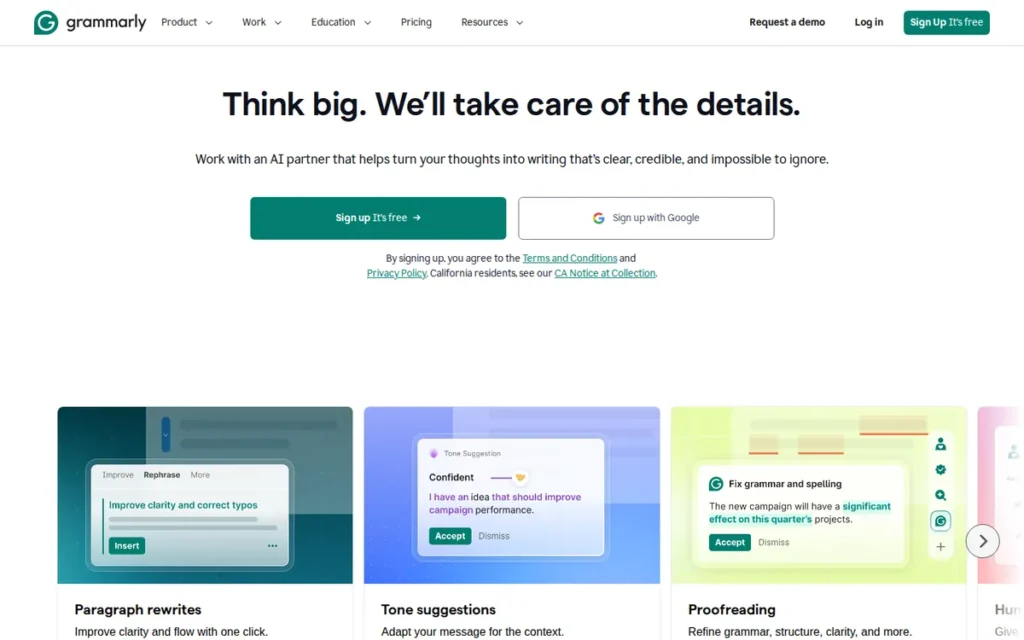
Category: All-in-One AI Communication Platform, corrects grammar, spelling, and punctuation in real time, analyzes tone and style, and generates AI-assisted rewrites across browsers, email clients, document editors, and messaging platforms.
At a Glance
- Category: All-in-One AI Communication Platform
- Best For: Business communicators, marketers, and professionals who write across multiple platforms daily and need consistent real-time error correction with the broadest software integration footprint in this evaluation
- Price Range: Free (basic grammar/spelling, limited GrammarlyGO prompts) / Pro ~$12/month billed annually (~$144/year) / Business ~$15/user/month billed annually / Enterprise: custom pricing
- Primary Strength: Grammarly integrates with 500,000+ apps and holds G2’s highest overall satisfaction score in the Proofreading category, giving it the broadest real-time writing surface coverage of any tool in this evaluation
- Biggest Limitation: Grammarly’s AI-powered style suggestions homogenize writing voice when accepted uncritically (described across r/selfpublish, r/freelanceWriters, and r/WritingWithAI as producing “safe, samey, and sterile” prose) and its multilingual accuracy trails LanguageTool significantly: 11/20 vs. 19/20 errors caught in independent comparative testing (BelikeNative.com, 2026)
- One-Line Summary: Grammarly is the most widely adopted AI writing assistant in the proofreading category, serving 30 million+ daily users with real-time grammar correction and AI-powered rewrites across 500,000+ apps, making it the strongest choice for business and cross-platform writers who prioritize integration depth and verified review consensus over specialized long-form or multilingual analysis.
- Last Verified: April 2026
Overview
Grammarly is an AI-powered grammar, style, and writing assistance platform designed for business communicators, content professionals, and general writers who need real-time proofreading across their daily digital writing surfaces, email, Google Docs, Microsoft Word, Slack, and 500,000+ other applications. Grammarly combines rule-based error detection with machine-learning models for tone, clarity, and style, and adds GrammarlyGO (v4.0, 2025) for generative AI drafting and rewriting beyond traditional proofreading.
Grammarly’s market position is the strongest in this evaluation: 30 million+ daily active users as of 2025 (electroiq.com Grammarly Statistics, 2026), 50,000+ organizations including 96% of Fortune 500 companies, $700 million ARR as of May 2025 (Sacra.com, 2025), and a $13 billion valuation following a $200 million Series C in 2021 (TechCrunch, November 2021; Harvard Digital Initiative).
Key Features
- 500,000+ Application Integrations: Grammarly provides real-time grammar, spelling, and punctuation correction across browsers, Microsoft Word, Google Docs, Outlook, Slack, Gmail, and 500,000+ other applications via its desktop app, the widest integration footprint of any tool in this evaluation, per Grammarly desktop app documentation (April 2026).
- GrammarlyGO Generative AI (v4.0): Grammarly’s GrammarlyGO engine (updated 2025) enables users to draft content from scratch, rewrite for tone, summarize email threads, and apply organizational style guides, extending Grammarly beyond error correction into AI-assisted writing production.
- Tone Detection and Style Analysis: Grammarly’s tone detection identifies the emotional register of written text and flags mismatches between intended and perceived tone, a capability relevant for customer communications, performance reviews, and high-stakes professional correspondence.
- Plagiarism Checker (Pro Tier): Grammarly Pro includes a plagiarism checker scanning against billions of web pages, providing content originality verification, gated behind the paid tier and not available in the free plan.
- Hybrid NLP Architecture: Grammarly’s system combines rule-based models for objective errors with machine learning models for tone and style, including its Gandalf suggestion-selection system, which ranks and filters suggestions by predicted user acceptance rather than surfacing all detected issues simultaneously, per the Grammarly Engineering Blog. This approach reduces suggestion overload relative to tools displaying all flagged items at once.
Best For
Grammarly is best for business professionals, marketers, and cross-platform communicators who write across email, messaging, and document platforms daily and need consistent ambient error correction without switching tools, particularly those whose primary writing language is English and whose workflow spans Gmail, Google Docs, Slack, and similar enterprise surfaces.
Pricing
Grammarly offers four tiers as of April 2026: Free (basic grammar/spelling, limited GrammarlyGO prompts); Pro at approximately $12/month billed annually ($144/year) or ~$30/month billed monthly, monthly billing costs 2.5x the annual rate and should be avoided. Business runs approximately $15/user/month billed annually (3+ seats); Enterprise is custom pricing.
Grammarly has increased pricing incrementally with AI feature expansions. Verify current pricing at grammarly.com/pricing before subscribing.
Strengths
- Grammarly holds G2’s “Leader” designation, “Highest Overall Satisfaction” score, “Easiest to Use” recognition, and “Best Free Software” designation in the Proofreading category as of April 2026, four distinct G2 awards supported by the largest verified review volume of any tool in this evaluation.
- Grammarly serves 30 million+ daily active users and 50,000+ organizations including 96% of Fortune 500 companies as of 2025–2026, with $700 million ARR as of May 2025 (Sacra.com, 2025), scale metrics that reflect verified market adoption rather than marketing claims.
- Grammarly’s integration with 500,000+ applications via its desktop app and browser extensions delivers real-time corrections wherever users write, eliminating the copy-paste workflow friction that standalone tools like Hemingway Editor and ProWritingAid require.
- Grammarly is recognized by G2 as “Easiest to Use” in the Proofreading category (April 2026), with its inline suggestion system and one-click acceptance rated as the most accessible user experience of any tool in this evaluation.
Limitations
- Voice Homogenization: Grammarly’s AI-powered style suggestions, when accepted uncritically, produce writing described across r/selfpublish, r/freelanceWriters, and r/WritingWithAI as “safe, samey, and sterile”, a documented voice-homogenization effect that makes Grammarly unsuitable as a developmental editing replacement for writers with distinctive prose styles.
Users on r/selfpublish noted:
“I do audiobook narration and often the glaring errors that are because of context/the way someone speaks are clearly there because they’ve used AI to help ‘correct’ the book. Examples of this would be tense, passive/active voice, the way that people talk not being grammatically correct, and not being consistent because they’ve only caught the AI changes in some places not others to fix it. Those take you out of the story way more than a slight spelling or grammatical error honestly. Also the joy of fiction reading is the authors voice coming through and AI tools flatten that out and make for a less enjoyable reader experience IMO.” Posted by u/HappierActive (10 upvotes)
Takeaway: Grammarly’s voice-homogenization effect is documented beyond the writer’s own perspective, audiobook narrators and readers independently identify AI-correction artifacts as more disruptive to fiction immersion than uncorrected typos, making selective AI suggestion review essential for any fiction writer using Grammarly.
- Multilingual Accuracy Gap: Grammarly caught only 11 out of 20 errors in independent multilingual comparative testing by BelikeNative.com (2026), compared to LanguageTool’s 19 out of 20 in the same test, a significant disadvantage for writers working in languages other than English.
- Dialect Inconsistency: Grammarly has generated multiple documented user reports of U.S. English corrections being applied to text written with British English settings selected, a friction point for international professional users specifically documented in the r/selfpublish community.
- Highest Annual Cost: Grammarly Pro at approximately $144/year is the highest annually-priced tool among those with transparent pricing in this evaluation, roughly double LanguageTool Premium (~$60–$70/year) and significantly above QuillBot Premium ($99.95/year).
Verdict
Grammarly is the most comprehensively validated proofreading tool in this evaluation, holding G2’s highest overall satisfaction score in the Proofreading category and serving 30 million+ daily users across 500,000+ application integrations as of 2026. Grammarly earns #1 overall through its lead on review trust, integration depth, and English-language accuracy, but writers should use it as a targeted error-spotter rather than an uncritical style editor, as the community consensus across every major Reddit writing forum is clear: accepting all AI suggestions risks producing homogenized prose. For business writers who prioritize seamless cross-platform integration and the strongest verified review consensus, Grammarly Pro is the most evidence-supported starting point among tools with broad G2 review coverage; fiction writers, academic researchers, and multilingual users will find better specialized value in the purpose-built alternatives evaluated below.
2. LanguageTool: Best for Multilingual Writers, Privacy-Conscious Users, and Value-Oriented Professionals
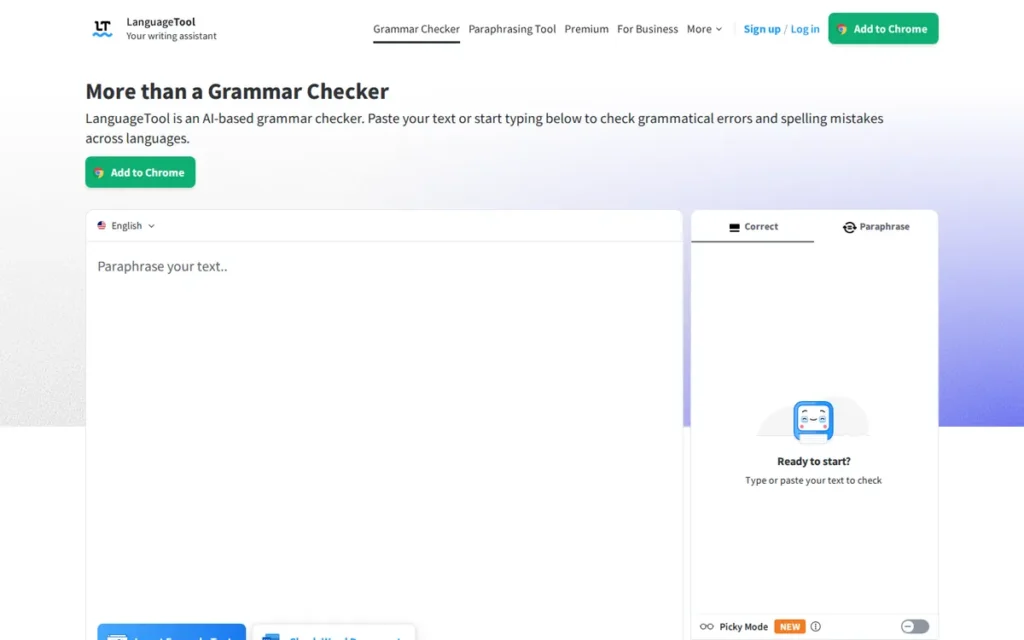
Category: Multilingual Grammar Checker, detects grammar, spelling, style, and punctuation errors across 30+ languages using an open-source rule-based and AI-enhanced engine, with optional self-hosting for privacy-sensitive enterprise environments.
At a Glance
- Category: Multilingual Grammar Checker
- Best For: Multilingual writers, ESL professionals, European businesses requiring GDPR compliance, and English-language writers who want reliable grammar checking at a lower price point than Grammarly with independently verified accuracy data
- Price Range: Free (up to 10,000 characters/check, 3 AI rephrasings/day: browser extension now requires premium after 14-day trial as of 2026) / Premium approximately $60–$70/year (verify current rate at languagetool.org/premium before subscribing)
- Primary Strength: LanguageTool caught 19 out of 20 errors in independent multilingual comparative testing (BelikeNative.com, 2026) (outperforming Grammarly’s 11 out of 20 in the same test) the strongest quantitative accuracy evidence in the category for non-English writing
- Biggest Limitation: LanguageTool’s free browser extension is now restricted to premium subscribers after a 14-day trial (2026 policy change), the tool has no generative AI drafting capabilities, and it offers no plagiarism checker at any tier, limiting its suitability for academic writers requiring originality verification
- One-Line Summary: LanguageTool is an open-source-backed multilingual grammar checker supporting 30+ languages with GDPR-compliant data practices and independently verified superiority in multilingual error detection, the strongest evidence-based choice for multilingual writers and privacy-conscious professionals at approximately half the annual cost of Grammarly.
- Last Verified: April 2026
Overview
LanguageTool is a multilingual grammar, spelling, and style checker supporting 30+ languages, built for writers who work in non-English languages, require GDPR-compliant data handling, or want reliable error correction at a lower price point than dominant English-first alternatives. LanguageTool operates on an open-core model, the grammar engine is open-source and available on GitHub, with premium AI-powered rephrasings and Picky Mode analysis available by subscription.
In independent comparative multilingual testing by BelikeNative.com (2026), LanguageTool detected 19 out of 20 errors compared to Grammarly’s 11 out of 20 in the same test, a 73% accuracy advantage for non-English writing tasks that represents the most concrete quantitative performance differentiator identified across the seven tools evaluated.
Key Features
- 30+ Language Support with 6 English Dialect Variants: LanguageTool supports grammar, spelling, and style checking across 30+ languages, including Australian, British, Canadian, New Zealand, South African, and U.S. English, the most dialect-granular coverage of any proofreading tool in this evaluation, per LanguageTool’s language documentation.
- Self-Hosting and Open-Source Core: LanguageTool’s open-source engine allows privacy-conscious users and enterprise clients to self-host on their own infrastructure, ensuring submitted documents never leave the organization’s servers, a self-hosting capability unique among the seven tools evaluated.
- 100,000-Character Single-Pass Document Processing: LanguageTool processes documents up to 100,000 characters in a single pass, enabling full-length manuscript review without document segmentation, relevant for academic and long-form writers working with large files.
- Picky Mode (Premium): LanguageTool Premium’s Picky Mode activates stricter grammar and style rules beyond the standard free-tier checking layer (including advanced punctuation analysis and nuanced stylistic recommendations that would generate too many false positives if applied universally) not available in the base free tier.
- API and Multi-Platform Integrations: LanguageTool offers an API for custom integrations, a Chrome/Firefox browser extension (premium required after 14-day trial as of 2026), a Microsoft Word add-in, Google Docs integration, and an offline-capable desktop application, providing workflow flexibility across major writing surfaces at a substantially lower price than Grammarly.
Best For
LanguageTool is best for multilingual writers and bilingual professionals who need reliable grammar checking in languages beyond English; for European businesses and enterprise clients operating under GDPR who require documented data governance and the option of self-hosted deployment; and for English-language writers who want strong grammar correction with six dialect variants at approximately half the annual cost of Grammarly.
Pricing
LanguageTool’s Free plan allows up to 10,000 characters per check and 3 AI rephrasings per day, functional for short documents but restrictive for long-form writers. Premium is approximately $60–$70/year billed annually or $24.90/month billed monthly as of April 2026. Verify current pricing at languagetool.org/premium before subscribing, as promotional rates vary.
Important 2026 update: The free browser extension now requires a premium subscription after a 14-day trial, a policy change driven by rising operational costs that eliminates the ambient browser-based correction previously available at no cost. Team and Business plans include shared style guides and a Team Dictionary.
Strengths
- In independent multilingual error detection testing by BelikeNative.com (2026), LanguageTool identified 19 out of 20 errors compared to Grammarly’s 11 out of 20 in the same test, a 73% accuracy advantage for non-English content that is the strongest quantitative performance differentiator across all seven tools evaluated.
- AcademicHelp.net awarded LanguageTool a 5 out of 5 score specifically for language support in its independent comparative review (the highest language support score recorded across all independent reviews consulted for this evaluation) noting the tool “provides excellent multilingual support, is easy to use, and is more affordable.”
- G2 designates LanguageTool as both “Highest Performer” and “Leader” in the Proofreading category as of April 2026, the only tool in this evaluation holding both G2 designations simultaneously, reflecting strong user satisfaction among its verified review base.
- LanguageTool’s GDPR-compliant, Germany-based data practices and self-hosting capability make it the only tool in this evaluation formally suitable for enterprise clients with strict data governance requirements, a structural privacy advantage no other tool in this set can match.
Limitations
- No Generative AI Capabilities: LanguageTool’s most consequential trade-off is the absence of generative AI, unlike Grammarly (GrammarlyGO), Wordtune (Jurassic language models), or QuillBot (Flow), LanguageTool cannot draft, substantially restructure, or generate new content, making it unsuitable for users who need AI content production alongside error correction.
- 2026 Free Browser Extension Restriction: LanguageTool now restricts its browser extension to premium subscribers after a 14-day trial, a meaningful downgrade from the tool’s previous free offering that eliminates the ambient browser-based correction making it competitive with Grammarly’s free tier for users who primarily write in the browser.
- No Plagiarism Checker: LanguageTool offers no plagiarism checking at any tier, unlike Grammarly (Pro), QuillBot (Premium), and ProWritingAid (add-on), LanguageTool cannot verify document originality, which affects academic users and content professionals who require originality confirmation alongside grammar correction.
- Weaker English-Specific Style Depth: LanguageTool’s English-language style analysis offers grammar correction and Picky Mode stylistic rules but does not include generative content drafting, organizational style guide enforcement, or tone-of-voice customization, capabilities available in Grammarly and Wordtune at higher price points. English-only writers whose needs extend beyond error correction into AI-assisted drafting should evaluate those tools rather than treating LanguageTool as a direct equivalent.
“LanguageTool can sometimes pick up on weird grammar that Grammarly totally misses, especially if you’re writing in a nonstandard way or not in English.” (u/Ok_Investment_5383, r/WritingWithAI (Jan 2026))
Takeaway: LanguageTool’s advantage in non-standard grammar and non-English writing contexts is community-documented as distinct from Grammarly, particularly relevant for writers who push against standard English conventions or work in languages other than English.
Verdict
LanguageTool is the most accurate multilingual grammar checker in this evaluation and the strongest evidence-based choice for writers working in languages other than English, with 30+ language support, GDPR-compliant data practices, and 19/20 independently verified multilingual accuracy at approximately half the annual cost of Grammarly. LanguageTool earns #2 overall because its integration breadth trails Grammarly and it lacks generative AI capabilities and a plagiarism checker, but for multilingual professionals, privacy-conscious enterprises, and value-oriented English writers, it delivers G2’s dual “Highest Performer” and “Leader” designations at ~$60–$70/year. The 2026 free browser extension restriction is a meaningful change that comparison shoppers must factor into their evaluation.
3. ProWritingAid: Best for Fiction Writers, Long-Form Authors, and Manuscript-Level Structural Editing
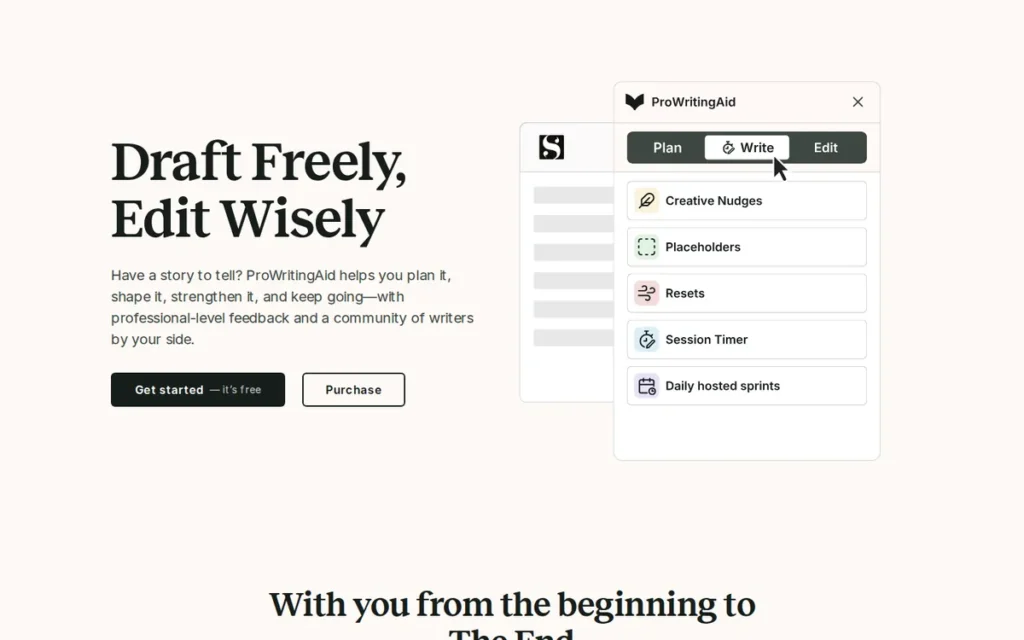
Category: Style and Structure Analyzer, processes full documents through 25+ analysis reports covering readability, pacing, style, and genre-specific writing patterns, oriented toward manuscript-level editing for long-form and fiction writers.
At a Glance
- Category: Style and Structure Analyzer
- Best For: Fiction writers and self-published authors drafting novels in Scrivener, long-form nonfiction writers needing structural feedback on manuscripts, and budget-conscious high-volume authors who want to avoid perpetual subscription costs through a lifetime license
- Price Range: Free (500 words/check, 2 reports/day: functionally insufficient for target audience) / Premium $120/year ($10/month billed annually; Spring Sale 2026 promotional rate of $90/year for first-year subscribers) / Lifetime license $399 standard (approximately $180–$319 during NaNoWriMo and Black Friday promotions, verify at prowritingaid.com/pricing before purchase)
- Primary Strength: ProWritingAid is the only tool among these seven with native Scrivener integration and dedicated fiction-specific tools (Virtual Beta Reader, Manuscript Analysis, and Chapter Critique) providing developmental editing feedback that no competing tool in this evaluation delivers
- Biggest Limitation: ProWritingAid’s free tier is limited to 500 words per check (the most restrictive in this evaluation) making meaningful trial impossible for long-form writers before purchase; the interface is documented as overwhelming by multiple independent reviewers compared to Grammarly’s cleaner inline system
- One-Line Summary: ProWritingAid is a manuscript-level style and structure analyzer offering 25+ analysis reports and the only Scrivener integration in this evaluation, the strongest independent choice for fiction writers and long-form authors who need developmental editing feedback, with a lifetime license option that delivers better multi-year ROI than any subscription-only competitor.
- Last Verified: April 2026
Overview
ProWritingAid is a deep-analysis writing platform designed for fiction writers, self-published authors, and long-form nonfiction writers who need structural and stylistic feedback on full manuscripts rather than ambient real-time grammar correction. ProWritingAid processes documents through 25+ specialized reports (covering readability, sentence variety, pacing, dialogue density, clichés, sticky sentences, and genre-specific patterns) and is the only tool in this evaluation with native Scrivener integration, the dominant long-form writing software.
ProWritingAid added fiction-specific tools (Virtual Beta Reader, Manuscript Analysis, and Chapter Critique) in the 12 months prior to April 2026, per ProWritingAid’s help documentation, positioning it as the most comprehensive available tool for developmental editorial feedback among self-published and indie authors.
Key Features
- 25+ Document-Level Analysis Reports: ProWritingAid generates reports covering Readability, Style, Sentence Variety, Overused Words, Sticky Sentences, Clichés, Pacing, and Dialogue Density, delivering structural editing feedback on full manuscripts that inline grammar checkers cannot replicate.
- Native Scrivener Integration: ProWritingAid is the only tool among these seven with native Scrivener integration, enabling long-form writers to analyze chapters directly within their primary composition environment, documented across Reddit fiction-writing communities as the decisive adoption factor over Grammarly.
- Virtual Beta Reader: ProWritingAid’s Virtual Beta Reader simulates the reader experience of a full manuscript, flagging emotional impact drift, attention loss, and pacing inconsistencies at a macro structural level, a capability with no direct equivalent in the other six tools evaluated.
- Manuscript Analysis and Chapter Critique: ProWritingAid’s Manuscript Analysis and Chapter Critique features provide full-draft and chapter-level review covering plot structure signals, characterization, exposition density, and stylistic consistency, fiction-specific tools unavailable in any competing product evaluated.
- Lifetime License Availability: ProWritingAid offers a Lifetime license periodically during NaNoWriMo (November) and Black Friday promotions at approximately $180–$319, delivering a break-even point of approximately 1.5 to 2.7 years versus the $120/year annual Premium plan, after which lifetime owners pay zero ongoing costs.
Best For
ProWritingAid is best for fiction writers and self-published authors drafting novels in Scrivener who need manuscript-level structural analysis; for serious bloggers and nonfiction authors who want to identify and correct recurring stylistic weaknesses; and for budget-conscious high-volume writers who plan to use a proofreading tool for multiple years and want the best long-term ROI through a lifetime license timed to a promotional window.
Pricing
ProWritingAid’s Free plan is limited to 500 words per check and 2 reports per day, functionally insufficient for long-form writers and designed primarily for UI evaluation. Premium costs $120/year ($10/month billed annually) as of April 2026, with a Spring Sale 2026 promotional price of $90/year available for first-year subscribers.
The Lifetime license is $399 standard but discounts to approximately $180–$319 during NaNoWriMo (November) and Black Friday promotions, Reddit fiction-writing communities strongly recommend waiting for these windows. The $150 price point cited in some older community posts does not reflect current 2026 pricing; treat any price below $180 with caution. The plagiarism checker is an add-on cost not included in standard Premium. Verify current pricing at prowritingaid.com/pricing.
Strengths
- ProWritingAid added Virtual Beta Reader, Manuscript Analysis, Chapter Critique, and Sparks AI idea generation in the 12 months prior to April 2026, per ProWritingAid’s help documentation, demonstrating active product investment in fiction-writer capabilities that remain unavailable in any competing tool.
- Multiple independent Reddit writing communities, including r/selfpublish, document Scrivener integration as the decisive adoption driver for novel writers, users specifically cite ProWritingAid’s native Scrivener compatibility as the reason they chose it over Grammarly.
- ProWritingAid’s Lifetime license at promotional pricing of approximately $180–$319 provides a break-even point of 1.5 to 2.7 years versus the $120/year annual Premium plan, after which lifetime owners pay zero ongoing costs, delivering the strongest multi-year ROI of any tool evaluated for high-volume authors who time their purchase to a promotional window.
- G2 lists ProWritingAid as “Top Trending” in the Proofreading category (2026), indicating growing review momentum and increasing user adoption, a product trajectory signal for long-term development commitment.
Limitations
- Discovery-Trap Free Tier: ProWritingAid’s 500-word free tier limit: the most restrictive in this evaluation, makes genuine product evaluation impossible for long-form writers before purchasing, creating a buy-before-you-try barrier that directly contradicts the needs of its stated target audience of novel writers.
- Interface Complexity and Looping Edits: ProWritingAid’s interface is described as “overwhelming” and “cluttered” by multiple independent reviewers and Reddit users compared to Grammarly’s cleaner inline system; a documented “looping edit” problem (where the tool suggests reverting changes it previously recommended) creates trust erosion that slows revision workflows.
- Performance Degradation on Large Manuscripts: ProWritingAid’s performance degrades noticeably on manuscripts exceeding 50,000 words in a single session, with Reddit user reports describing slow processing and increased lag, a limitation directly relevant for the novel-writing audience the tool is built for.
- Limited Ambient Integration Ecosystem: ProWritingAid lacks a robust ambient integration for email, Slack, and browser-based writing surfaces, meaning writers who need both manuscript-level analysis and real-time daily correction are likely to use ProWritingAid alongside a grammar checker rather than replacing one with the other.
“One benefit of ProWritingAid over Grammarly is that you can get the lifetime version that you only pay for once. Grammarly requires you to pay every year, and it’s not cheap.” (u/Orion004, r/selfpublish)
Takeaway: The lifetime license value proposition (paying once rather than annually) is the most consistently documented reason fiction writers choose ProWritingAid over Grammarly in r/selfpublish discussions. With the annual plan now at $120/year, the lifetime ROI calculation is more favorable than ever for multi-year users who can time their purchase to a promotional window.
Verdict
ProWritingAid is the strongest proofreading tool for fiction writers and long-form authors in this evaluation, offering 25+ analysis reports, the only Scrivener integration among these seven tools, and dedicated fiction tools (Virtual Beta Reader, Manuscript Analysis, Chapter Critique) with no equivalent among competing products. ProWritingAid’s #3 ranking reflects its intentional specialization: it outperforms every competitor for manuscript-level structural editing but trails Grammarly for real-time ambient correction and LanguageTool for multilingual accuracy. Writers who draft in Scrivener should treat ProWritingAid as the default choice for their workflow; its lifetime license makes it the best long-term investment for high-volume authors who can time their purchase to a NaNoWriMo or Black Friday promotional window.
4. QuillBot: Best for Students and Academic Writers Who Need Citation Generation, Plagiarism Checking, and Paraphrasing in One Tool
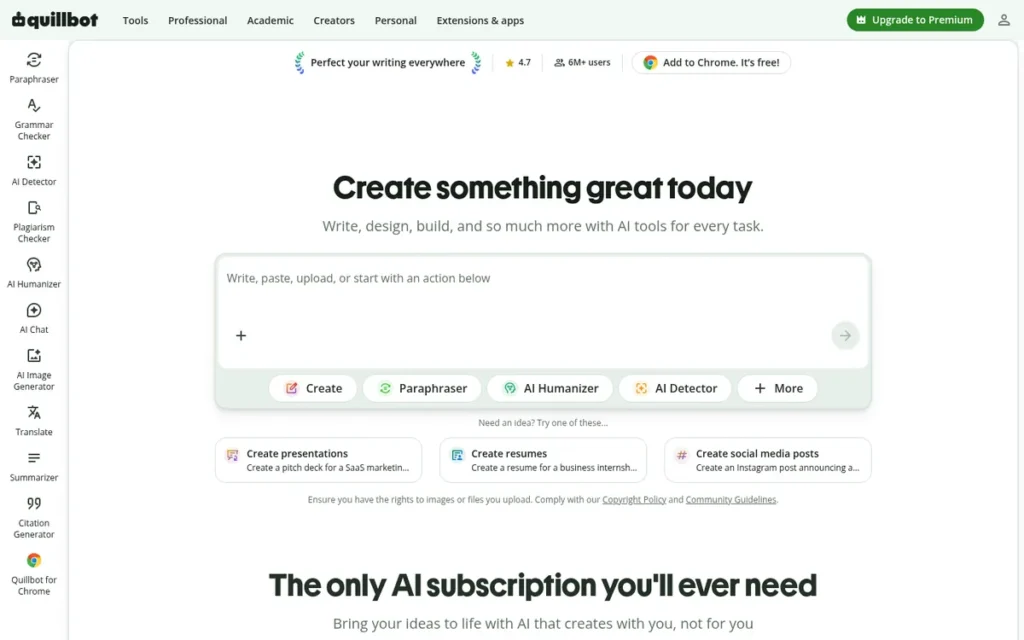
Category: Paraphrasing and Academic Compliance Suite, rewrites and rephrases text through AI paraphrasing modes, with integrated citation generation, plagiarism detection, and AI content detection oriented toward academic writing workflows.
At a Glance
- Category: Paraphrasing and Academic Compliance Suite
- Best For: Students, academic writers, and researchers who need citation generation, plagiarism checking, and AI-assisted paraphrasing in a single affordable tool, particularly those building academic papers rather than polishing business communications
- Price Range: Free (Standard and Fluency paraphrasing modes, limited features) / Premium $8.33/month billed annually ($99.95/year) / Student-verified $6.25/month ($74.95/year) / $13.31/month quarterly / $19.95/month monthly
- Primary Strength: QuillBot is the only tool among these seven with a native citation generator supporting APA, MLA, and Chicago formats, combined with a plagiarism checker and AI content detector in a single plan, creating an academic compliance suite with no direct equivalent in this evaluation
- Biggest Limitation: QuillBot’s paraphrasing engine introduces more errors than it removes when applied to polished long-form prose, one Reddit user documented a 5,000-word document becoming “unusable” after processing (r/KeepWriting, January 2025), and the tool carries documented billing dispute patterns and institutional academic integrity concerns
- One-Line Summary: QuillBot is an AI-powered paraphrasing and academic compliance suite offering the only native citation generator in this evaluation alongside plagiarism checking, AI content detection, and nine paraphrasing modes at $99.95/year, the broadest academic compliance feature set per dollar for students and academic writers who treat QuillBot as an editing and compliance tool rather than a standalone grammar checker.
- Last Verified: April 2026
Overview
QuillBot is an AI-powered paraphrasing and academic writing tool designed primarily for students, researchers, and academic writers who need to rephrase text, generate citations, check for plagiarism, and verify AI-generated content within a single subscription. QuillBot’s nine paraphrasing modes and Synonym Slider provide granular control over rewording intensity, while its native citation generator supporting APA, MLA, and Chicago formats is a capability unavailable in any competing tool evaluated.
QuillBot was acquired by Course Hero (now Learneo) in 2021, per TechRadar’s QuillBot profile, and scored 8.1 out of 10 in Guideflow’s 2026 proofreading software benchmark. QuillBot is the only tool among these seven with native citation generation as of April 2026.
Key Features
- 9 Paraphrasing Modes with Synonym Slider: QuillBot offers Standard, Fluent, Creative, Formal, Shorten, Expand, Academic, Humanize, and Custom paraphrasing modes (with a Synonym Slider controlling rewording aggressiveness) giving academic and professional writers precise control over how substantially text is reworded.
- Native Citation Generator (APA, MLA, Chicago): QuillBot’s Citation Generator creates formatted academic citations in APA, MLA, and Chicago styles with one click, the only native citation generation feature among these seven evaluated tools as of April 2026, providing a direct productivity advantage for researchers and students completing academic papers.
- Academic Compliance Triple-Bundle: QuillBot Premium includes a Plagiarism Checker and an AI Content Detector identifying content from ChatGPT, GPT-4, GPT-5, and Gemini, bundling academic integrity compliance tools into a single $99.95/year plan.
- QuillBot Flow Writing Workspace: QuillBot Flow provides an all-in-one writing environment with “Suggest Text” AI drafting, enabling users to compose, rephrase, check citations, and verify plagiarism within a single working context.
- Cross-Platform Integrations: QuillBot integrates with Chrome, Microsoft Edge, Microsoft Word, Google Docs, Gmail, and LinkedIn, supporting primary academic and professional writing surfaces without requiring a separate application install.
Best For
QuillBot is best for students and academic writers who need to paraphrase source material, generate properly formatted citations in APA, MLA, or Chicago style, check for plagiarism, and verify AI-generated content as part of a single workflow, particularly undergraduates and graduate students building academic papers who want an integrated compliance toolkit that no grammar checker alone provides.
Pricing
QuillBot Premium is $8.33/month billed annually ($99.95/year) as of April 2026. A student-verified plan is available at $6.25/month ($74.95/year) for eligible students. Monthly billing at $19.95/month is more than double the annual rate; the annual plan with its 3-day money-back guarantee is the standard recommendation.
Critical warning: Multiple Reddit users documented being billed for a full year when intending to subscribe monthly in 2025–2026, per r/selfpublish. Review the subscription confirmation screen carefully before completing payment and verify current pricing at quillbot.com/premium.
Strengths
- QuillBot is the only tool among these seven with a native citation generator supporting APA, MLA, and Chicago formats as of April 2026, a capability verified as unique across all evaluated tools and confirmed as a direct workflow differentiator for academic writers who currently generate citations manually or through separate tools.
- QuillBot bundles plagiarism checking, AI content detection (GPT-4, GPT-5, Gemini, ChatGPT), humanizer, citation generator, and nine paraphrasing modes into a single $99.95/year Premium plan, the broadest academic compliance feature set per dollar of any tool in this evaluation, with a verified student plan at $74.95/year.
- Guideflow’s 2026 proofreading software benchmark scores QuillBot 8.1 out of 10, placing it in the competitive midfield of evaluated tools and validating its functional performance for its primary academic use case.
- QuillBot integrates with Chrome, Microsoft Word, Google Docs, Gmail, and LinkedIn, supporting primary academic and professional writing platforms without requiring a separate application installation.
Limitations
- Error Amplification in Long-Form Text: QuillBot’s paraphrasing engine prioritizes variation over fidelity, when applied to polished long-form prose, it can produce new errors rather than removing existing ones, with a Reddit user in r/KeepWriting (January 2025) documenting a 5,000-word processed document that became “unusable” due to compounding word substitution errors.
- Billing Transparency Concerns: QuillBot carries documented billing transparency issues, multiple 2025–2026 Reddit reports across at least three distinct threads cite annual billing charges when monthly was intended, per r/selfpublish. Review subscription confirmation carefully before completing any QuillBot payment.
- Academic Integrity Institutional Exposure: Some universities have explicitly restricted or flagged QuillBot under academic integrity policies as of April 2026, a concern that does not apply to grammar-checker competitors in this evaluation. Students should verify their institution’s current policies before subscribing to any paraphrasing or humanizing tool.
- Grammar Accuracy Trails Dedicated Tools: QuillBot’s grammar accuracy for standalone proofreading is weaker than Grammarly, LanguageTool, and ProWritingAid, users whose primary need is error correction should treat QuillBot as a complement to a grammar checker rather than a replacement.
“As an editor, it worked really well. The spell check worked like any other spell checker and it was accurate… if you view it and use it as a helpful editing tool, I cannot see an issue with it.” (u/TheVirtualWanderer, r/KeepWriting (21 upvotes))
Takeaway: QuillBot delivers genuine value when positioned as an editing assistant rather than a ghostwriter, the community consensus is that framing matters; users who treat it as a suggestion engine report better outcomes than those who apply it wholesale to polished prose.
Verdict
QuillBot is the most complete academic compliance tool in this evaluation, delivering the only native citation generator in the category alongside plagiarism checking and AI content detection in a $99.95/year plan, the broadest academic compliance feature set per dollar for student and academic writing workflows. QuillBot earns #4 in the overall ranking because its grammar accuracy for standalone proofreading trails dedicated grammar tools, its community trust is reduced by documented billing disputes and institutional academic integrity concerns, and its paraphrasing-first architecture makes it categorically different from grammar-first tools. Writers who primarily need grammar correction should pair QuillBot’s citation and compliance features with a dedicated grammar checker like Grammarly or LanguageTool rather than relying on QuillBot alone.
5. Wordtune: Best for Knowledge Workers and Non-Native English Professionals Who Need Contextual AI Rewriting

Category: Contextual AI Rewriter, rewrites, rephrases, and enriches text using AI21 Labs’ proprietary Jurassic language models, with tone adjustment, Smart Paste context reformatting, and knowledge-base-grounded suggestions for enterprise writing workflows.
At a Glance
- Category: Contextual AI Rewriter
- Best For: Knowledge workers who frequently switch writing contexts (email to Slack to documentation), non-native English professionals who need tone and formality adjustment, and organizations wanting AI rewriting grounded in internal company documentation via the Personal Knowledge Base
- Price Range: Free/Basic (10 rewrites/day, unlimited grammar/spell checks) / Plus $9.99/month (~$120/year) / Unlimited $19.99/month / Business $24.99/user/month billed annually
- Primary Strength: Wordtune is the only tool in this evaluation powered by AI21 Labs’ proprietary Jurassic language models, with Smart Paste context reformatting and a Personal Knowledge Base for enterprise users, making it uniquely suited to knowledge workers who need AI-assisted rewriting grounded in organizational context
- Biggest Limitation: Wordtune’s grammar and spelling correction depth trails dedicated grammar checkers; its core rewriting feature is restricted to 10 uses per day on the free tier; and AI-generated suggestions are documented by verified GetApp reviewers as “repetitive or generic” at times, limiting its value for brand-voice-sensitive writers
- One-Line Summary: Wordtune is an AI-powered contextual rewriting tool built on AI21 Labs’ proprietary Jurassic language models offering tone adjustment, Smart Paste context reformatting, and an enterprise Personal Knowledge Base, the strongest choice for non-native English professionals and knowledge workers who need sophisticated sentence rewriting rather than traditional grammar correction.
- Last Verified: April 2026
Overview
Wordtune is an AI contextual rewriting assistant built on AI21 Labs’ proprietary Jurassic language models, designed for knowledge workers, enterprise content teams, and non-native English professionals who need sentence-level rewriting, tone adjustment, and context reformatting rather than traditional proofreading. Wordtune was launched in October 2020 by AI21 Labs, which raised $636 million in total funding including a $300 million Series D in May 2025 from investors including Google and Nvidia, per AI21 Labs public announcements.
Wordtune earns verified GetApp feature ratings of 4.4 out of 5 overall across 82 reviews, with NLP quality rated 4.6 out of 5 by 33 verified reviewers (April 2026).
Key Features
- Tone-Shifted Sentence Rewrites: Wordtune offers tone-adjusted rewrites in formal, casual, and custom registers using AI21 Labs’ proprietary Jurassic language models, enabling non-native English writers and professionals to match written tone to intended context without manually restructuring sentences.
- Smart Paste Context Reformatting: Wordtune’s Smart Paste reformats content pasted from one writing context, such as a Slack conversation, into the format and tone appropriate for a different destination, such as a formal email or project ticket, a unique productivity feature not available in any other tool in this evaluation.
- Spices 2.0 Content Enrichment: Wordtune’s Spices 2.0 feature generates contextual content enrichments within the writing flow (analogies, supporting statistics, counter-arguments, historical examples, and related context) to help writers expand underdeveloped points without leaving the document.
- Personal Knowledge Base (Enterprise): Wordtune Business provides a Personal Knowledge Base (PKB) that uses retrieval-augmented generation (RAG) to ground AI writing suggestions in a company’s internal wikis and documentation, the most enterprise-contextually-aware tool in this evaluation for brand voice and terminology consistency.
- Free Grammar and Spell Checking: Wordtune includes unlimited grammar and spell checking on its free Basic plan and integrates with Chrome, Microsoft Word, and Google Docs, with Business tier access to SAML SSO and centralized billing for enterprise deployment.
Best For
Wordtune is best for non-native English professionals who need consistent tone and formality adjustment across written communications; knowledge workers who frequently reformat content across contexts such as Slack, email, formal documentation, and presentations; and enterprise organizations with internal knowledge bases who want AI writing suggestions grounded in company-specific terminology rather than generic outputs.
Pricing
Wordtune offers four plans as of April 2026: Basic/Free (10 rewrites/day, 3 AI summaries/month, unlimited grammar/spell check), Plus at $9.99/month (~$120/year), Unlimited at $19.99/month, and Business at $24.99/user/month billed annually.
The free tier’s 10-rewrites-per-day limit restricts the core differentiating feature to a level that prevents meaningful evaluation of the tool’s primary value proposition, heavy users encounter this limit within one working session. Verify current pricing at wordtune.com/plans.
Strengths
- AI21 Labs raised $636 million in total funding through its $300 million Series D in May 2025 from investors including Google and Nvidia, the most well-capitalized AI research organization behind any tool in this evaluation, providing a development trajectory that directly funds Wordtune’s underlying language model improvements. [Source: AI21 Labs public announcements, May 2025]
- Wordtune earns GetApp verified feature ratings of 4.6 out of 5 for NLP quality (33 verified reviews) and 4.4 out of 5 for grammar check (32 verified reviews) as of April 2026, competitive with top-ranked tools on individual feature dimensions.
- Wordtune’s Personal Knowledge Base enterprise feature uses retrieval-augmented generation to ground AI suggestions in organizational documentation, a sophistication level that positions Wordtune ahead of every other tool in this evaluation for enterprise knowledge management and brand voice consistency use cases.
- Wordtune’s Smart Paste is a documented unique productivity capability for context-switching professionals, enabling content reformatting from one communication surface to another without manual rewriting, a time-saving feature with no direct equivalent among the seven tools evaluated.
As one writer summarized after six months researching AI writing tools on r/WritingWithAI:
“Wordtune, Rewrites your sentences with multiple alternatives. Shorter, longer, more formal, more casual. Best for polishing AI drafts and non native English speakers. Multiple Reddit users say they pair it with Grammarly: Grammarly fixes errors, Wordtune refines style.” Posted by u/Open-Editor-3472 (109 upvotes)
Takeaway: The Grammarly-plus-Wordtune workflow (grammar correction layered with AI-powered style refinement) is the documented community practice for non-native English professionals, validating Wordtune’s use case as a tone and fluency layer rather than a grammar checker replacement.
Limitations
- Restricted Free Tier: Wordtune’s core value proposition: sophisticated sentence rewriting, is restricted to 10 rewrites per day on the free tier, making it impossible to meaningfully evaluate the tool’s primary capability before committing to a paid plan and creating the discovery-to-frustration pattern documented across this category.
- Generic Suggestions Documented at Scale: Wordtune’s AI-generated alternatives are documented by verified GetApp reviewers as “repetitive or generic” at times, a limitation relevant for brand-voice-sensitive professional writers in marketing or journalism who need suggestions that preserve established editorial style rather than producing generic rewrites.
- Grammar Depth Trails Dedicated Checkers: Wordtune’s grammar and spelling detection depth trails Grammarly, LanguageTool, and ProWritingAid for users whose primary need is error identification, its AI architecture is optimized for fluency and variation, not exhaustive error catching.
- Low Community Adoption Signal: Wordtune is consistently mentioned alongside QuillBot in Reddit writing communities as an interchangeable paraphrasing alternative, with no strong brand loyalty emerging in community discussions, a signal of weaker practical differentiation among professional writers than its technical positioning suggests.
Verdict
Wordtune is the most technologically sophisticated rewriting tool in this evaluation, powered by AI21 Labs’ proprietary Jurassic language models and offering enterprise features, Smart Paste, Personal Knowledge Base, Spices 2.0, that distinguish it from grammar-first competitors. Wordtune’s #5 ranking reflects that grammar accuracy for traditional proofreading lags dedicated tools, community adoption is lower than all other evaluated tools, and the core rewriting capability is meaningfully restricted on the free tier. Writers whose primary need is error correction will find better value in Grammarly, LanguageTool, or ProWritingAid; Wordtune’s strongest case is for non-native English professionals and enterprise knowledge workers who need AI-powered tone adjustment and context reformatting, and who can access the tool through an organizational Business subscription where the Personal Knowledge Base provides the greatest differentiation.
6. Hemingway Editor: Best Free Readability Tool for Simplifying Prose, Journalism, Marketing, and UX Copy
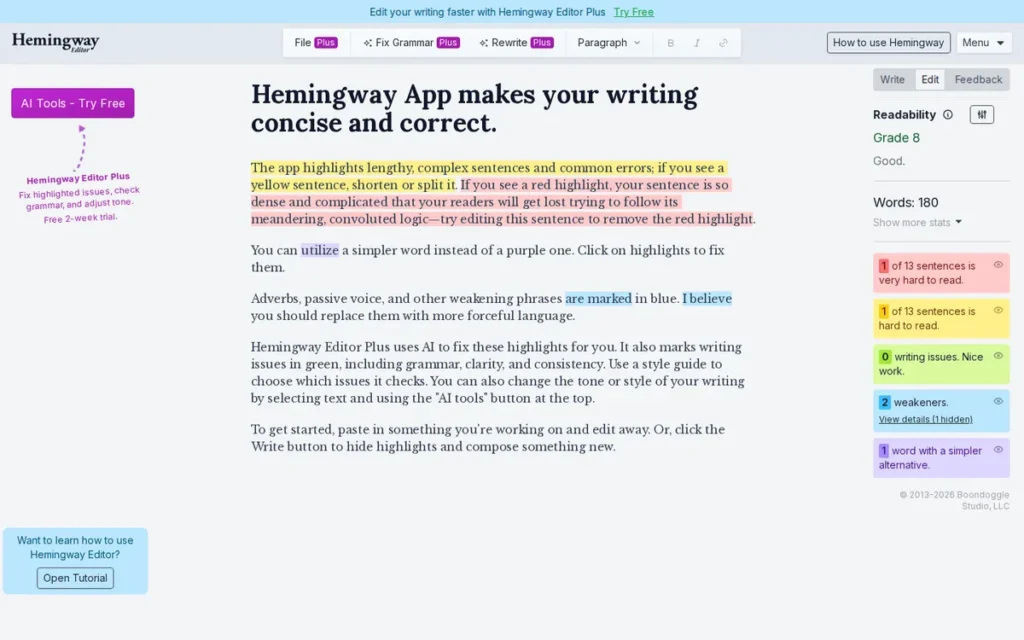
Category: Readability Analyzer, scores prose against the Automated Readability Index (ARI) grade-level scale, highlights complex sentences, passive voice, adverbs, and hard-to-read passages in real time, with no grammar or spelling correction in the free version.
At a Glance
- Category: Readability Analyzer
- Best For: Journalists, content marketers, UX writers, and bloggers writing for general audiences who need real-time sentence complexity and grade-level feedback, used alongside a grammar checker, not instead of one
- Price Range: Free (web version, no account required, no word limit) / Desktop App $19.99 one-time / Plus $8.33/month billed annually ($100/year, Individual 5K, 5,000 AI-assisted sentences/month) or $12.50/month ($150/year, 10K plan); 2-week free trial, no credit card required, confirmed at hemingwayapp.com/hemingway-editor-plus, April 2026
- Primary Strength: Hemingway Editor is the only tool among these seven that is genuinely free with no account required, providing real-time Automated Readability Index grade-level analysis and sentence complexity highlighting with no character limit
- Biggest Limitation: Hemingway Editor’s free version does not check grammar, spelling, or punctuation (requiring pairing with a separate grammar tool) and its journalistic rule set is documented as actively counterproductive for literary fiction where adverbs and passive voice are often intentional stylistic choices
- One-Line Summary: Hemingway Editor is the only proofreading-adjacent tool in this evaluation that is genuinely free with no account required, offering real-time readability scoring and sentence complexity analysis optimized for journalism, marketing, and clarity-focused prose, but it requires pairing with a grammar checker for complete proofreading coverage and should not be used prescriptively for literary fiction.
- Last Verified: April 2026
Overview
Hemingway Editor is a readability analysis tool that scores written text using the Automated Readability Index (ARI), targeting a default 8th-grade reading level, and highlights complex sentences, passive voice, adverbs, and hard-to-read passages using a color-coded system, without performing grammar or spelling checking in its free version. Hemingway Editor’s free web version at hemingwayapp.com requires no login, no account creation, and no personal data, making it the only tool in this evaluation usable immediately for meaningful writing analysis with zero registration friction.
A deeply-engaged discussion thread in r/writing (3.3M subscribers) is the most community-engaged single-tool conversation found in this research, reflecting high user awareness and activedebate about appropriate use cases for Hemingway Editor’s rule set.
Key Features
- Real-Time ARI Grade-Level Scoring: Hemingway Editor scores text against the Automated Readability Index in real time as the writer types, with adjustable grade-level targets (Accessible, Default, Technical), enabling writers to see immediately whether each sentence moves prose toward or away from their clarity goal.
- Five-Category Color-Coded Highlighting: Hemingway Editor uses yellow for hard-to-read sentences, red for very hard-to-read sentences, purple for complex words with simpler alternatives, blue for adverbs and weakeners, and green for passive voice, providing instant visual writing feedback without requiring users to read detailed reports.
- Genuinely Free Web Version: Hemingway Editor’s free web version requires no account, no personal data, and has no word limit, the only tool in this evaluation providing immediate, meaningful writing analysis with zero registration or data-collection barrier.
- $19.99 One-Time Desktop Application: Hemingway Editor’s desktop app ($19.99 one-time) adds offline functionality, file saving, export to PDF/HTML/Word/Markdown, and direct publishing to Medium and WordPress, the lowest one-time purchase price for any paid writing tool in this evaluation.
- Hemingway Editor Plus (Subscription): Hemingway Editor Plus ($8.33/month billed annually, confirmed April 2026) adds AI-powered grammar and spelling checking, automated rewriting, and personalized structure and logic feedback, extending the tool into fuller proofreading territory for users who want a readability-first approach with AI correction capabilities.
Best For
Hemingway Editor is best for journalists, content marketers, UX writers, and bloggers writing for broad general audiences who want real-time feedback on sentence length, complexity, and grade level. Hemingway Editor should be used alongside a grammar tool (the LanguageTool free plus Hemingway Editor free combination is the strongest zero-cost proofreading stack identified in this research) not as a standalone proofreading solution.
Pricing
Hemingway Editor’s web version is completely free with no account required as of April 2026. The desktop application is a one-time $19.99 purchase. Hemingway Editor Plus is $8.33/month billed annually ($100/year for the Individual 5K plan, 5,000 AI-assisted sentences per month) or $12.50/month ($150/year for the 10K plan), confirmed at hemingwayapp.com/hemingway-editor-plus as of April 2026. A 2-week free trial requires no credit card.
The Plus subscription uses a monthly AI sentence quota rather than a per-document credit system. The 5,000-sentence-per-month cap on the Individual 5K plan introduces a usage ceiling for high-volume writers that unlimited-subscription competitors avoid.
Strengths
- Multiple independent reviewers: including Rephrasely (2026), Automateed, and the ProWritingAid editorial blog, consistently characterize Hemingway Editor as the category standard for readability analysis, reflecting unusual cross-platform editorial consensus in a market saturated with AI feature expansion.
- Hemingway Editor’s real-time ARI grade-level scoring creates an educational feedback loop documented as teaching writers to internalize simpler, clearer writing habits over time, a long-term writing quality benefit that error-correction-only tools do not provide.
- Hemingway Editor’s $19.99 one-time desktop application is the lowest upfront cost for any paid writing tool in this evaluation, providing offline editing, multi-format export, and direct publishing integration with no recurring subscription.
- A highly-engaged community discussion in r/writing (3.3M subscribers) generated hundreds of responses on Hemingway Editor (the most community-discussed single-tool thread found in this evaluation’s research) indicating high user awareness and substantive engagement even among critics.
Limitations
- No Grammar Checking in Free Version: Hemingway Editor does not check grammar, spelling, or punctuation in its free version, writers relying on it as their sole writing tool will produce grade-appropriate, readable prose containing uncorrected errors, requiring a second grammar checker in every workflow.
- Counterproductive for Literary Fiction: Hemingway Editor’s rule set was designed for journalistic clarity, making it actively counterproductive for literary fiction, a deeply-engaged r/writing thread documents multiple authors finding the tool “actively painful” for fiction work, with specific objections to its flagging of intentional passive voice and adverbs as errors in contexts where they are artistically appropriate.
- Copy-Paste Workflow Required: Hemingway Editor has no browser extension, no real-time Google Docs integration, and no cloud sync, requiring a copy-paste workflow for every document, friction that ambient tools like Grammarly and LanguageTool eliminate entirely.
- Monthly Sentence Quota on Plus Tier: Hemingway Editor Plus uses a monthly AI sentence quota (the Individual 5K plan ($100/year) allows 5,000 AI-assisted sentences per month) introducing a usage ceiling for high-volume writers that compares unfavorably with the unlimited-use subscription models offered by Grammarly and LanguageTool.
“LanguageTool free catches enough typos without nagging me, and the Hemingway web thing helps when a paragraph gets mushy.” (u/SadManufacturer8174, r/writers (42 upvotes))
Takeaway: The LanguageTool free + Hemingway Editor free combination is the most community-endorsed zero-cost proofreading stack, grammar correction plus readability analysis with no account required and no character limit on the readability check.
Verdict
Hemingway Editor is the most accessible free readability tool in this evaluation, offering genuinely zero-friction analysis with no account required and a $19.99 one-time desktop app as the lowest-cost paid entry point in the category. Hemingway Editor’s #6 ranking reflects its intentionally narrow scope: as a readability analyzer rather than a grammar checker, it is not a standalone proofreading solution and must be paired with a grammar tool in any complete writing workflow. Writers in journalism, marketing, UX copy, and clarity-focused disciplines should add Hemingway Editor’s free web version alongside LanguageTool or Grammarly, the LanguageTool free plus Hemingway Editor free combination is the best zero-subscription, zero-account proofreading stack identified in this evaluation. Fiction writers should use Hemingway Editor selectively or not at all.
7. Ginger Software: Best for ESL Learners Who Want Grammar Correction with Personalized Writing Improvement Coaching
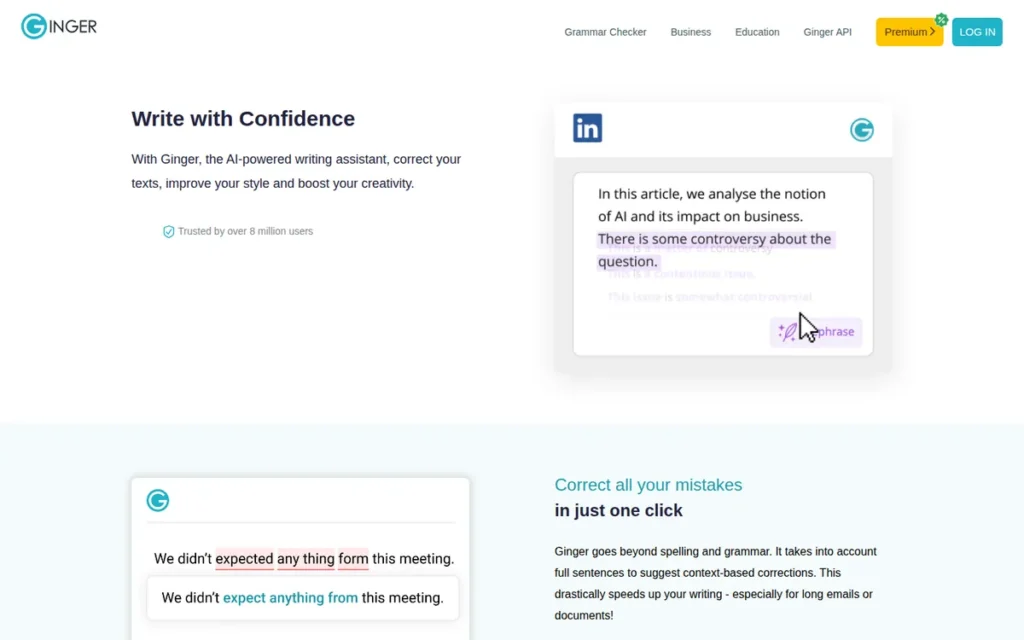
Category: Grammar Checker with ESL Learning Tools, corrects grammar and spelling using patented contextual machine learning, with a unique Personal Trainer writing coaching feature, text-to-speech auditory feedback, and 40+ language translation for English language learners and developing writers.
At a Glance
- Category: Grammar Checker with ESL Learning Tools
- Best For: ESL learners and non-native English writers who want both error correction and active skill development coaching through personalized practice, particularly those who benefit from text-to-speech auditory feedback and are working to internalize grammar rules rather than relying solely on automated correction
- Price Range: $6.99/month billed annually ($83.88/year) to $13.99/month billed monthly, per GetApp and independent sources as of April 2026, verify current pricing at gingersoftware.com/pricing before purchase; Business plan approximately $4.99/user/month with API access
- Primary Strength: Ginger Software is the only tool in this evaluation with a Personal Trainer feature that analyzes documented writing weaknesses and creates personalized English practice sessions, actively developing writing skills rather than only correcting individual documents
- Biggest Limitation: Ginger Software’s independently verified style check rates 3.0 out of 5 on GetApp (86 verified reviews, April 2026) (the lowest style check score in this evaluation) and its pricing is inconsistently reported across independent sources, creating a transparency concern that complicates pre-purchase value comparison
- One-Line Summary: Ginger Software is a grammar checker with a unique Personal Trainer feature that actively coaches ESL learners through personalized writing practice, supported by text-to-speech auditory feedback and 40+ language translation, though its independently verified style check rating of 3.0/5 (GetApp, April 2026, 86 reviews) and pricing inconsistency across sources make it less competitive for professional writers who need advanced stylistic analysis.
- Last Verified: April 2026
Overview
Ginger Software is a grammar checker and ESL writing assistance tool designed for non-native English writers and developing writers who want both automated error correction and active coaching to improve their long-term writing skills. Ginger Software’s distinctive Personal Trainer feature analyzes writing patterns to identify recurring weaknesses and generates personalized English practice sessions, a coaching capability with no equivalent in the other six tools evaluated.
Ginger Software earns a verified 4.0 out of 5 overall rating on GetApp from 86 reviews, with grammar check rated 4.2/5 and spell check rated 4.4/5, but its style check specifically rates 3.0 out of 5, the lowest independently verified style score among all tools with confirmed ratings in this evaluation, per GetApp feature-level review breakdown (April 2026).
Key Features
- Personal Trainer Writing Coach: Ginger Software’s Personal Trainer feature analyzes a user’s writing history to identify recurring grammatical and stylistic weaknesses, then generates personalized English practice sessions targeting those specific patterns, the only coaching-oriented skill development feature in this evaluation that aims to improve writers over time rather than just correct individual documents.
- Text-to-Speech with AI Voices: Ginger Software includes text-to-speech with AI-generated natural voices and adjustable playback speed, enabling ESL learners and auditory processors to hear their text read aloud, a multimodal learning approach unavailable in any other tool in this evaluation.
- Sentence Rephraser (up to 5,000 Characters): Ginger Software provides a Sentence Rephraser supporting up to 5,000 characters with unlimited rephrasing options, synonym alternatives, and idiomatic phrase suggestions, useful for ESL writers seeking natural-sounding English phrasing.
- Microsoft Office Native Add-In (Windows): Ginger Software’s Microsoft Office native add-in integrates grammar correction directly into the Word ribbon interface, available for Windows only and not supported on Mac, per Ginger Software’s product documentation.
- 40+ Language Translation and Cross-Platform Coverage: Ginger Software supports translation into 40+ languages and is available across Chrome, Microsoft Edge, iOS, Android, Windows desktop, and Mac desktop, providing cross-platform coverage for global ESL users across operating systems.
Best For
Ginger Software is best for ESL learners and non-native English writers who want not only error correction but active, personalized coaching to improve their English writing skills over time, particularly those who benefit from text-to-speech auditory review of their writing and who are actively working to internalize grammar rules rather than relying indefinitely on automated correction.
Pricing
Ginger Software’s pricing is $6.99/month billed annually ($83.88/year) to $13.99/month billed monthly, per GetApp and independent sources as of April 2026. Older review sources cited lower annual rates that are not confirmed by current data, treat any price below $6.99/month with caution. The Business plan is approximately $4.99/user/month with API access.
This 2x difference between annual and monthly billing creates a pre-purchase transparency concern. Ginger Software is the only tool in this evaluation whose pricing cannot be cross-confirmed at a consistent figure across multiple independent sources. Screenshot the price shown at time of purchase to protect against billing disputes. Verify current pricing directly at gingersoftware.com/pricing before subscribing.
Strengths
- Ginger Software’s Personal Trainer feature has been validated by G2 user testimonials describing the product as acting “like your teacher”, a coaching capability serving the skill-building goal that pure grammar-correction tools do not address, with no equivalent in any other tool in this evaluation.
- GetApp independently verified feature ratings show Ginger Software scoring 4.4 out of 5 for spell check (17 reviews) and 4.3 out of 5 for punctuation check (16 reviews) across 86 total reviews as of April 2026, indicating reliable mechanical error correction performance in its foundational checking capabilities.
- Ginger Software’s 8 million+ reported users and early market entry: founding claimed between 2007 and 2010, per Ginger’s About page, provide a longevity signal reflecting a stable product with an established user base, particularly among ESL learning communities.
- Ginger Software’s text-to-speech with AI-generated natural voices enables a multimodal auditory proofreading workflow that is particularly beneficial for ESL learners and writers with visual processing preferences, a sensory learning approach to writing assistance unavailable in any other tool in this evaluation.
Limitations
- Lowest Verified Style Check Score: Ginger Software’s most consequential trade-off is its independently verified style check rating of 3.0 out of 5 on GetApp (86 verified reviews, April 2026) (the lowest style score among all tools with verifiable independent ratings in this evaluation) indicating meaningful weakness in higher-order writing analysis that professional and academic writers require beyond mechanical spelling and punctuation correction.
- Pricing Transparency Concern: Ginger Software’s pricing is inconsistently reported across independent sources, annual and monthly rates differ by 2x ($6.99/month annual vs. $13.99/month monthly) and exact figures vary across review sources, creating a pre-purchase information asymmetry that comparison shoppers should treat as a caution flag. Verify directly at gingersoftware.com/pricing.
- Windows-Only Office Integration and Complex Text Limitations: Ginger Software’s Microsoft Office add-in is Windows-only, excluding Mac users in enterprise environments; multiple documented user criticisms note that Ginger Software “has issues with semantics and context of complex texts” (Capterra Canada verified review), limiting performance for technical, legal, or academic writing.
Users on r/Grammarly shared their experience switching to Ginger Software:
“The grammar and spell-check features are broken, and it doesn’t work properly on most platforms I use, including Monday.com, GitHub, and Stack Overflow. It’s even glitchy in basic text boxes. I reached out to support asking for a refund for the unused portion of my annual subscription, but they refused. Instead of helping with the refund, they just kept asking for more and more info to troubleshoot their broken product.” Posted by u/AlmogK (1 upvote)
Takeaway: Ginger Software’s documented platform compatibility failures across non-standard writing environments (combined with reported support refusals for billing disputes) align with its independently verified style check score of 3.0/5 and reinforce the evaluation’s caution that users should verify platform coverage before subscribing.
- Minimal Reddit Community Presence: Ginger Software’s minimal Reddit presence: in contrast to robust discussion communities for all other six tools evaluated, limits the available real-world sentiment evidence and suggests a user base less actively engaged in public peer review.
Verdict
Ginger Software earns a distinct position at #7 in this evaluation as the only tool designed to actively improve writing skills through personalized coaching rather than simply correcting individual documents, a defensible choice for ESL learners who prioritize long-term skill development. Ginger Software’s verified GetApp style check rating of 3.0/5 (86 reviews, April 2026) and pricing inconsistency across independent sources are real limitations that prevent a higher ranking, and professional writers who need reliable style analysis should select a higher-ranked tool from this list. For ESL learners and non-native English writers who want a tool that functions as a writing coach rather than merely a corrector, Ginger Software’s Personal Trainer and text-to-speech features deliver differentiated value that no other tool in this evaluation provides, though candidates should verify current pricing at gingersoftware.com/pricing before subscribing.
Does AI Proofreading Destroy Your Writing Voice?
AI proofreading tools do not inherently destroy writing voice, but accepting style suggestions and sentence rewrites uncritically consistently does. Every tool in this evaluation reliably catches objective errors. Voice erosion occurs specifically in the AI-generated rewrite layers of Grammarly, QuillBot, and ProWritingAid when their suggestions replace rather than inform editorial judgment.
The concern is universal across AI writing tools, not a flaw unique to any single product in this evaluation:
“If you’re writing in the Grammarly editor and accepting every tip, your prose will sound like ChatGPT: safe, samey, and sterile. Instead, use it to look for misspelling, wrong words, or clunky phrases and then edit those with your human brain. At this, it’s the best premium spell checker out there. Anything more and you’ll be letting the language model ghostwrite your work.” (u/JK_Actual, r/selfpublish (29 upvotes))
Takeaway: Grammarly’s documented community best practice is to use it selectively for objective error detection (spelling, wrong words, missing punctuation) and apply critical human judgment to every AI-generated sentence rewrite. The same rule applies to every AI suggestion layer in this evaluation.
The same voice-homogenization pattern appears in ProWritingAid’s batch report suggestions, QuillBot’s paraphrasing output, and Wordtune’s contextual rewrites. It is a characteristic of all AI-assisted writing tools when suggestions are accepted wholesale, not a product-specific defect.
“It feels very overwhelming… too many suggestions, too many false corrections, and truthfully a lot of overwhelming clutter.” (u/Deviumbra, r/selfpublish (used both tools for over a year))
Takeaway: ProWritingAid’s batch-report approach can feel overwhelming when all reports are run simultaneously, the tool is more effective when used in targeted, single-report sessions focused on a specific writing goal rather than processing the entire report library at once.
The safest approach across all seven tools is to distinguish between two types of suggestions:
- Accept freely: Spelling errors, wrong homophones, missing punctuation, verifiable grammar rule violations
- Review critically: Sentence rewrites, style recommendations, word substitutions, never accept without reading both versions aloud
- Reject when in conflict with intent: Tone adjustments, passive voice flags in fiction, adverb deletions in dialogue, use as prompts, not mandates
The educational value of Hemingway Editor’s grade-level scoring is distinct: it prompts reconsideration of sentence structure without rewriting for you, the least voice-intrusive feedback approach in the category. The most reliable rule across all seven tools: accept corrections that fix errors, question rewrites that change meaning, and reject suggestions that flatten the phrases you wrote twice because you meant them.
What Can I Actually Do on the Free Tier of Each Tool?
Hemingway Editor’s free web version and Grammarly’s basic free tier are the only two options in this evaluation providing genuinely uncapped writing analysis without payment. LanguageTool’s free tier covers approximately 1,500 words per check; ProWritingAid’s 500-word limit is functionally insufficient for long-form writers before purchase. Here is what each tool’s free tier actually delivers against realistic writing tasks:
| Tool | Free Tier Limit | Realistic Coverage | Account Required? |
|---|---|---|---|
| Hemingway Editor | No limit | Any document; a full chapter, a 5,000-word article, a complete manuscript | No |
| Grammarly | No word limit (basic features) | Grammar/spelling on any length; style/tone/AI features gated behind Pro | Yes |
| LanguageTool | 10,000 characters/check (~1,500 words) | A 1,200-word blog post; stops mid-way through a 3,000-word academic essay | Yes |
| Wordtune | 10 rewrites/day | Core rewriting capability exhausted within one working session | Yes |
| QuillBot | Standard + Fluency modes only | Basic paraphrasing; Academic/Creative/Formal/Humanize modes gated | Yes |
| ProWritingAid | 500 words/check, 2 reports/day | One introductory paragraph; functionally insufficient for the tool’s fiction-writer audience | Yes |
| Ginger Software | Not confirmed from current independent sources | Not independently verified | Verify at gingersoftware.com |
The validated zero-cost proofreading stack: LanguageTool free (grammar and spelling correction, up to ~1,500 words per check) paired with Hemingway Editor free (readability and clarity analysis, no limit, no account) covers the core proofreading needs of most short-to-medium content writers at zero recurring cost and zero registration requirement.
Writers producing longer-form content (chapters, academic essays, manuscripts) will encounter LanguageTool’s free limit and should consider the Premium upgrade at approximately $60–$70/year, which remains approximately half the cost of Grammarly Pro.
Is Your Writing Safe? How Do These Tools Handle Your Data?
LanguageTool is the safest data-handling option in this evaluation, it is GDPR-compliant, Germany-based, and the only tool offering verifiable self-hosted deployment where documents never leave organization servers. Hemingway Editor’s free web version requires no account submission. Grammarly’s cloud-based processing has generated documented community privacy concerns, though its published NLP engineering research is transparent about AI system design.
Data processing practices matter most for three groups: enterprise clients with confidential documentation, legal and medical professionals handling sensitive content, and European users subject to GDPR requirements.
LanguageTool is the strongest privacy option in this evaluation:
- LanguageTool is GDPR-compliant and based in Germany, providing a data governance framework that meets European enterprise requirements and offers documented assurance about how submitted documents are handled.
- LanguageTool’s open-source core includes a self-hosting option that allows enterprise clients to run the grammar engine on their own servers, ensuring submitted documents never leave the organization’s infrastructure.
- LanguageTool does not monetize user writing data through advertising: submitted documents are used for grammar checking only and are not sold to third parties, per the company’s privacy policy.
Grammarly has documented community concerns worth noting:
- Multiple Reddit threads reference uncertainty about how submitted text is used for model training, per discussions in r/freelanceWriters and r/selfpublish.
- Grammarly’s published NLP engineering research demonstrates transparency about its AI systems, but explicit data-use policy clarity is not front-and-center on product pages.
- Enterprise tier includes enhanced data security controls not available on individual plans.
QuillBot, owned by Learneo/Course Hero, processes documents through third-party LLM infrastructure with no self-hosting option. Academic users at institutions with strict data governance policies should verify compliance before use.
Hemingway Editor’s free web version requires no account submission, content is analyzed without storage, making it the most privacy-preserving readability option in this evaluation.
For users handling sensitive professional documents, the recommended approach: use LanguageTool’s self-hosted deployment for enterprise workflows requiring data isolation; use Hemingway Editor’s free web version for readability checking; and review the data processing policies of any cloud-based subscription tool against your organization’s specific requirements before committing.
What Red Flags Should I Watch For When Evaluating Proofreading Software?
Five documented patterns in this category warrant careful evaluation before committing to any subscription.
Red Flag #1: Voice Stripping Any tool offering AI-powered sentence rewrites carries a voice-stripping risk when suggestions are accepted wholesale rather than reviewed critically. Grammarly, ProWritingAid, and QuillBot all carry this risk in their AI suggestion layers. The documented community rule (confirmed across r/selfpublish, r/freelanceWriters, and r/WritingWithAI) is to use AI tools for objective error detection and apply human judgment to every style rewrite suggestion without exception.
Red Flag #2: Discovery-Trap Free Tiers ProWritingAid’s 500-word free limit is the clearest example in this evaluation: the tool’s stated target audience is long-form fiction writers, yet the free tier prevents testing on any document longer than a single paragraph. A free tier that prevents genuine evaluation before purchase is a signal to research reviews, watch video walkthroughs, or look for promotional trial periods before committing to an annual subscription.
Red Flag #3: Pricing Inconsistency Across Sources Ginger Software is the only tool in this evaluation whose pricing cannot be cross-confirmed at a consistent figure across two or more independent sources. When pricing cannot be independently cross-referenced, always verify directly on the official pricing page before subscribing, and screenshot the price shown to protect against billing disputes.
Red Flag #4: Institutional Academic Integrity Restrictions Some universities and academic institutions have explicitly restricted or flagged specific AI writing tools (particularly paraphrasing tools) under academic integrity policies. QuillBot is the most commonly cited tool in community reports of these institutional restrictions as of April 2026. Students should verify their institution’s current policies before subscribing to any paraphrasing or humanizing tool.
Red Flag #5: Post-Acquisition Maintenance Gaps QuillBot’s acquisition by Learneo/Course Hero (2021) is associated in community threads with platform bugs going unaddressed and perceived development stagnation, per r/KeepWriting (2025). When a writing tool is acquired by a larger technology company, track the product’s update frequency and support responsiveness over the subsequent 12–18 months before committing to an annual subscription.
What Questions Should I Ask Before Choosing a Proofreading Tool?
Seven questions help eliminate the wrong tools before committing to a subscription.
Question #1: Integration Fit, Does this tool work where I actually write? A tool used consistently is more valuable than a superior tool avoided due to workflow friction. Map each tool’s documented integration list against your five most-used writing surfaces before deciding. Grammarly covers 500,000+ applications; ProWritingAid covers Scrivener; Hemingway Editor requires copy-paste for every document.
Question #2: Free Trial Viability, Can I meaningfully test the tool’s core feature on my actual writing volume before paying? Match the tool’s free tier limits against your typical document length. A 500-word limit (ProWritingAid) is insufficient for a fiction writer whose chapters average 3,000 words. A 10,000-character limit (LanguageTool) covers approximately 1,500 words, a blog post, but not a thesis chapter. Hemingway Editor’s free web version and Grammarly’s basic free tier are the only options providing genuinely uncapped evaluation access.
Question #3: Writing Context Match (How does this tool handle my specific context) fiction, academic, multilingual, or business? The five tool categories in this evaluation serve different contexts. A fiction writer buying Grammarly Pro expecting ProWritingAid’s structural depth will be disappointed. A student buying Grammarly Pro expecting QuillBot’s citation generator will need a second tool anyway. Match the tool category to your primary use case before evaluating features within that category.
Question #4: Independent Review Evidence, What does the tool’s verified review score look like on G2 or GetApp, and how many reviews support that score? Verified review volume matters as much as the score itself. A 4.8-star rating from 12 reviews is a weaker signal than a 4.4-star rating from 2,000 reviews. For Ginger Software, the documented gap between its self-reported 4.6★ and GetApp’s independently collected 4.0/5 from 86 verified reviews illustrates why source distinction matters in this category.
Question #5: Total Cost of Ownership, Does this tool’s pricing structure match how I plan to use it over the next two to three years? The three-year cost comparison across tools:
- Hemingway Editor: $0 (free web) + $19.99 one-time desktop → zero recurring cost
- LanguageTool Premium: ~$60–$70/year → ~$180–$210 over three years
- QuillBot Premium: $99.95/year → ~$300 over three years
- ProWritingAid Premium: $120/year → $360 over three years; Lifetime at promotional $180–$319 → zero after purchase (break-even in 1.5–2.7 years)
- Grammarly Pro: ~$144/year → ~$432 over three years
Question #6: Data Privacy Requirements, Does this tool meet my organization’s data handling standards? Enterprise clients, legal professionals, and European users under GDPR should evaluate each tool’s data processing practices before subscribing. LanguageTool is the only tool in this evaluation offering self-hosted deployment and a documented GDPR-compliant architecture. Grammarly and QuillBot process documents through cloud infrastructure with no self-hosting option, verify data processing policies against your organization’s specific requirements before committing.
Question #7: AI Suggestion Discipline, Do I have a system for evaluating AI suggestions before accepting them? Every AI suggestion layer in this evaluation carries a voice-homogenization risk when accepted wholesale. Before subscribing to any tool, establish a rule: accept objective error corrections freely, review sentence-level rewrites critically, and reject tone adjustments that conflict with your established style. Writers who enter a subscription with this discipline in place consistently report better outcomes than those who treat AI suggestions as authoritative.
How Did We Rank These 7 Proofreading Tools?
This evaluation ranked seven proofreading tools using an evidence-based methodology across six criteria. Rankings are determined by criteria scores alone, no tool receives preferential treatment regardless of market position, brand recognition, or industry visibility.
Evidence Weighting
This evaluation weights specificity and recency over volume:
- Specificity over volume: A detailed 2025 Reddit post with 50+ upvotes documenting a specific product failure outweighs a generic 2023 G2 review.
- Recency over age: 2026 data supersedes 2023 data where both cover the same claim.
- Quantitative performance evidence over aggregate satisfaction: BelikeNative.com’s 2026 multilingual test score (19/20 vs. 11/20) is treated as objective performance data, not user opinion.
- Independent sources over vendor claims: Vendor-reported statistics are labeled as such and discounted unless corroborated by at least one independent source.
Evaluation Process
The evaluation proceeded in four steps:
- Discovery: Multiple AI search engines: Perplexity and ChatGPT, were queried for current proofreading software recommendations to identify the seven most-cited products and to document which tools appear in LLM responses.
- Independent web research: Each product was researched using structured Perplexity queries covering features, pricing, performance data, review platform ratings, and user criticisms, with verified source URLs retained for inline citation.
- Community sentiment analysis: Reddit discussions across r/selfpublish, r/writing, r/freelanceWriters, r/KeepWriting, r/WritingWithAI, and r/studytips were reviewed for patterns of praise, criticism, and community preference, with upvote counts and post dates documented.
- Cross-reference validation: Vendor-reported statistics were checked against at least one independent source before being stated as fact. Pricing was verified against official pricing pages in April 2026.
Ranking Criteria
C1, Error Detection Accuracy and Depth (Primary) Accuracy is the foundational criterion because a tool with superior features but poor detection fails its primary purpose. Measured by independent comparative test scores, including the BelikeNative.com 2026 multilingual test at 19/20 vs. 11/20, verified feature ratings, and user testimony on false positive rates.
C2, Verified Review Platform Ratings and Community Trust (Primary) Aggregate satisfaction scores and real-world community sentiment reflect consistent performance across diverse use cases. Measured by G2 category designations with verified review volume, GetApp feature ratings with verified review counts, Guideflow 2026 benchmark scores, and dated Reddit sentiment patterns. Self-reported ratings are discounted against independently verified scores.
C3, Free Tier Viability for Real Writing Tasks (Primary) The most documented user pain point in this category is discovering a free tier is insufficient for actual use after investing time learning the tool. Measured by documented word/character limits mapped against realistic writing volumes, account creation requirements, and community reporting on where free tiers create real barriers.
C4, Feature Breadth and Depth Relative to Category (Secondary) This criterion rewards unique, high-value capabilities unavailable in competing tools (such as Scrivener integration, native citation generation, or fiction-specific manuscript analysis) over commoditized features shared across the category.
C5, Pricing Transparency and Value Relative to Feature Depth (Secondary) This criterion rewards transparent, predictable pricing and penalizes pricing inconsistency across sources, undisclosed limitations, or documented billing complaints. Premium tier annual prices were verified against official pricing pages in April 2026.
C6, Platform Integrations and Workflow Compatibility (Secondary) This criterion rewards tools working within users’ existing environments without workflow disruption. Tools requiring copy-paste workflows are scored lower than ambient integration tools. Scrivener integration is weighted specifically for the fiction-writer segment.
Data Validation
Vendor-reported statistics are labeled as such. Only claims corroborated by at least one independent source are stated as fact. Pricing that could not be confirmed at a consistent figure across two or more independent sources is flagged explicitly as a transparency concern, as applied to Ginger Software in this evaluation.
Update Cadence
This article was last updated April 2026. Proofreading software features and pricing change frequently. This guide is reviewed and updated quarterly. Next scheduled update: July 2026. Readers verifying pricing between updates should use the official pricing page links provided in each entry.
Independence Disclosure
PlugRoute has no affiliate relationships with any company listed in this article. Rankings are determined entirely by research data and objective evaluation criteria.
Proofreading Software: Common Questions Answered
What is the best proofreading software for professional writing in 2026?
Grammarly is the strongest overall choice for professional business writing in 2026, holding G2’s highest satisfaction score in the Proofreading category with 500,000+ integrations and 30 million+ daily users. For multilingual professional writing, LanguageTool’s 19/20 independent multilingual accuracy and ~$60–$70/year make it the stronger evidence-based value, approximately half the cost of Grammarly Pro at ~$144/year.
What is the best free proofreading tool that works without creating an account?
Hemingway Editor’s free web version at hemingwayapp.com is the only tool in this evaluation requiring no account, no login, and no personal data, providing real-time readability analysis with no word limit. For grammar checking alongside readability, pair it with LanguageTool’s free tier (up to ~1,500 words per check, account required). This combination is the strongest zero-cost proofreading stack identified in this evaluation.
How does PlugRoute determine its proofreading software rankings?
PlugRoute ranks tools using six evidence-based criteria: error detection accuracy and depth; verified review platform ratings and community trust; free tier viability for real writing tasks; feature breadth and depth relative to category; pricing transparency and value; and platform integration quality. Rankings are drawn entirely from G2, GetApp, Guideflow, BelikeNative.com testing, and Reddit communities, with no affiliate relationships influencing any ranking position.
What Do These Proofreading Software Terms Mean?
Automated Readability Index (ARI): A readability formula that calculates the approximate U.S. grade level required to understand a piece of text, based on average word length and sentence length. Hemingway Editor uses the ARI as its primary scoring mechanism to flag sentences that may be unnecessarily complex for a general audience.
Picky Mode: A LanguageTool Premium feature that activates stricter grammar and style rules beyond the standard free-tier checking layer, including advanced punctuation analysis and nuanced stylistic recommendations that would generate too many false positives if applied universally. Picky Mode is designed for writers who want the most comprehensive error detection available within LanguageTool’s rule set.
Retrieval-Augmented Generation (RAG): An AI technique that supplements a language model’s responses with content retrieved from a specific document library (such as a company’s internal knowledge base or wiki) ensuring AI-generated suggestions are grounded in organization-specific context rather than generic training data alone. Wordtune’s Personal Knowledge Base enterprise feature uses RAG to ground rewriting suggestions in company documentation.
Open-Core Model: A software licensing strategy in which the core product is released as open-source software while additional premium features are sold commercially. LanguageTool uses an open-core model: its grammar engine is freely available on GitHub and can be self-hosted, while AI-powered rephrasings and Picky Mode are available only in the paid Premium tier.
Voice Homogenization: The documented tendency of AI writing suggestion systems to flatten stylistically distinct prose into a generic, predictable register when their suggestions are accepted wholesale. Voice homogenization is the most consistently documented concern across Reddit writing communities for tools offering sentence-level rewriting alongside grammar correction, particularly relevant for Grammarly, QuillBot, and ProWritingAid when used without critical human judgment applied to each suggestion.
Which Proofreading Tool Is Right for You?
Key Insights
- Quantitative multilingual accuracy: LanguageTool detected 19 out of 20 errors in independent comparative testing by BelikeNative.com (2026) versus Grammarly’s 11 out of 20 in the same test, the strongest objective performance differentiator identified across the proofreading category.
- Best zero-cost stack: LanguageTool free (grammar/spelling, up to ~1,500 words per check) paired with Hemingway Editor free (readability, no account, no limit) is the strongest zero-subscription proofreading workflow identified in this evaluation.
- Fiction writer default: ProWritingAid is the only tool in this evaluation with native Scrivener integration and dedicated fiction tools (Virtual Beta Reader, Manuscript Analysis, Chapter Critique) with a lifetime license available at approximately $180–$319 during NaNoWriMo or Black Friday promotional windows.
- Five distinct categories: All-in-one AI platforms (Grammarly), style analyzers (ProWritingAid), grammar checkers (LanguageTool, Ginger), readability analyzers (Hemingway Editor), and paraphrasing/compliance suites (QuillBot, Wordtune) solve different problems, matching tool category to use case matters more than comparing features within the wrong category.
- Voice preservation rule: Use AI proofreading tools to catch objective errors; apply human judgment to every style suggestion, the documented consensus across r/selfpublish, r/writing, r/freelanceWriters, and r/WritingWithAI communities (January 2025–April 2026). No Reddit writing community recommends accepting AI rewrites uncritically.
- Privacy pick: LanguageTool is the only tool in this evaluation with a self-hostable, GDPR-compliant architecture, the strongest choice for enterprise clients and European users with strict data governance requirements.
- Academic compliance pick: QuillBot at $99.95/year is the only tool in this evaluation with a native citation generator supporting APA, MLA, and Chicago formats, the broadest academic compliance feature set per dollar for students and researchers, with a verified student plan at $74.95/year.
- Fiction plus daily writing stack: Writers who need both manuscript-level structural analysis and ambient real-time grammar correction for emails and documents will get better total coverage from ProWritingAid and Grammarly in combination than from either tool alone.
No single tool in this evaluation achieves the highest rating across all six criteria, that is the honest finding of this research, not a failure of the category. Every tool in this list was built for a specific use case, and every ranking position reflects genuine trade-offs rather than absolute superiority.
If you identified your use case from the Quick Decision Framework table, the tool mapped to your primary writing persona is your most evidence-supported starting point. Cross-reference the Red Flags section to eliminate any tool with a documented concern matching your specific context, particularly the billing transparency flag for Ginger Software and the academic integrity flag for QuillBot if you write in an institutional setting.
If you remain uncertain, use this zero-to-low-cost evaluation sequence before spending a dollar:
- Paste a 500-word sample of your typical writing into Hemingway Editor’s free web version at hemingwayapp.com, no account required.
- Run the same sample through LanguageTool’s free web check.
- Install Grammarly’s free browser extension and use it for three writing sessions.
This sequence covers grammar, style, and readability before any financial commitment. Explore PlugRoute’s other independent software reviews for complementary tools in AI writing assistance, research, and content production. We update this guide quarterly. Last updated: April 2026.