CoGrader is the best AI grading tool for rubric-based essays and short answers. Gradescope is best for handwritten exams and STEM problem sets in higher education, and MagicSchool AI is best as a privacy-certified, all-in-one teacher toolkit. The right choice depends on your grading job, and the teacher should review every AI score as a draft.
Grading a stack of essays or exams can take hours and leave little time for real feedback. Choosing a tool is hard as well, because vendor accuracy claims are unverified and key features often require institutional licenses. You also need privacy approval before you upload any student work.
As one user on r/ELATeachers described:
“Essay feedback is far and away the most time-intensive part of my job, and it often feels aggressively tedious. Sometimes I worry that kids I grade later in the process are getting lower quality feedback simply due to my eyes crossing from reading similar paragraphs over and over.” Posted by u/nstau16
Takeaway: Grading fatigue does more than cost teachers time, because it can lower the quality of feedback for students whose essays come late in the stack.
PlugRoute has no affiliate relationships with any company listed, and rankings are determined entirely by research data and objective evaluation criteria.
Among U.S. K–12 teachers who use AI for grading or feedback, 79% say it saves time, 17% see no effect and 4% say it takes longer (Gallup–Walton Family Foundation, 2025).
What Are the 4 Categories of AI Grading Tools?
AI grading tools fall into four categories, and each one does a different job. Rubric Scoring Engines assign rubric scores. Exam & Problem-Set Platforms grade exams question by question. Feedback & Teacher Toolkits draft comments. Writing-Curriculum Platforms build scoring into a revision cycle. Pick the category before you compare overall ranks.
- Rubric Scoring Engine: CoGrader and EssayGrader draft criterion-level rubric scores and feedback for whole class sets, and the teacher reviews every score.
- Exam & Problem-Set Platform: Gradescope and Crowdmark turn scanned or online exams into question-by-question grading. Both use AI only to suggest groups of answers, and Crowdmark added this optional feature in 2026.
- Feedback & Teacher Toolkit: MagicSchool AI and Brisk Teaching draft rubrics and written comments, and Brisk Teaching assigns no rubric scores.
- Writing-Curriculum Platform: Writable drafts rubric-aligned scores inside a draft, feedback and revise cycle for grades 3–12.
The first question to ask about any AI grading tool is “Does it assign scores, group answers or only draft feedback?” Accuracy comes second.
As of November 2026, all seven tools keep the teacher as the final grader. None of them releases an AI score to students without teacher action.
Here is how the three approaches play out on real workloads:
- Grouping: For a 250-student multiple-choice section, Gradescope groups identical answers so an instructor scores about 10 groups instead of 2,500 answers. A vendor testimonial puts this at roughly 15 minutes (Gradescope, accessed 2026, vendor-reported).
- Scoring: For 150 essays, CoGrader drafts 150 criterion-level scores for the teacher to approve.
- Feedback only: For the same 150 essays, Brisk Teaching drafts comments, and the teacher still enters every score.
How Do the Top AI Grading Tools Compare at a Glance?
The seven tools differ most on whether they assign scores, which formats they accept and which features need an institutional plan. CoGrader, EssayGrader and Writable draft rubric scores. Gradescope and Crowdmark use AI only to group answers, and Brisk Teaching drafts feedback only. MagicSchool AI leads on privacy credentials and pricing transparency.
| Rank (Weighted Score) | Company | Category | Best For | One-Line Summary | Key Capabilities | Primary Strength | Key Limitation |
|---|---|---|---|---|---|---|---|
| 1 (3.95) | CoGrader | Rubric Scoring Engine | K–12 rubric-based essays and short answers | CoGrader is a rubric-based AI essay grader that drafts criterion-level scores for whole class sets, including handwritten scans. A teacher must approve every grade. | Criterion scoring, state-standards rubrics, batch grading, handwritten PDF splitting | Whole-class rubric scoring with mandatory teacher approval | Accuracy figure is vendor-run on Texas rubrics; SOC 2 Type 1 only |
| 2 (3.80) | Gradescope (Turnitin) | Exam & Problem-Set Platform | Higher-ed STEM and handwritten exams | Gradescope is a Turnitin-owned, question-by-question grading platform. Its AI groups similar answers for instructors to score. | Dynamic rubrics, AI answer grouping, bubble sheets, code autograders | The only tool in this list with an independent institutional evaluation we found (UBC LT Hub, 2021) | AI grouping needs an Institutional license and fixed-template PDFs |
| 3 (3.63) | MagicSchool AI | Feedback & Teacher Toolkit | Teachers and districts that want a privacy-certified AI toolkit | MagicSchool AI is an all-in-one AI teacher platform whose rubric and writing-feedback tools support grading. It is not a dedicated scoring engine. | Rubric Generator, Writing Feedback, Class Writing Feedback, SSO | SOC 2 Type II plus several third-party privacy certifications | Breadth over grading depth; Common Sense Media rated AI teacher assistants “moderate risk” (2025) |
| 4 (3.30) | Writable (HMH) | Writing-Curriculum Platform | District writing programs, grades 3–12 | Writable is an HMH-owned writing platform that drafts rubric-aligned scores inside a revision cycle. It is sold only to schools and districts. | AI draft scores in English or Spanish, peer review, growth tracking | Revision-first design with a zero-data-retention arrangement with OpenAI | Quote-only, no individual plan, no handwriting support |
| 5 (3.13) | Brisk Teaching | Feedback & Teacher Toolkit | Feedback inside Google Docs | Brisk Teaching is a Chrome and Edge extension that drafts teacher-approved feedback inside Google Docs. It does not assign rubric scores. | In-document comments, Chrome/Edge extension, consortium pricing | Works inside documents teachers already use | No rubric scores; batch feedback needs a school plan |
| 6 (2.83) | EssayGrader | Rubric Scoring Engine | Individual teachers grading typed essays in volume | EssayGrader is a self-pay AI essay grader that scores bulk-uploaded digital essays against custom or standards-aligned rubrics. | 800+ rubrics, bulk upload, regrades, plagiarism checks | Most explicit published self-pay caps | Conflicting accuracy figures; SOC 2 Type 1 still in progress |
| 7 (2.58) | Crowdmark | Exam & Problem-Set Platform | Team-graded paper exams | Crowdmark is a collaborative platform that routes QR-coded handwritten exam pages to human grading teams. It offers optional 2026 AI answer grouping but no AI-assigned marks. | QR page routing, team grading, optional AI answer grouping | QR-code routing of out-of-order scanned pages to the right student and question | AI limited to optional answer grouping; security certifications unverified |
Which AI Grading Tool Should I Choose for My Use Case?
Match the tool to your grading job and the plan you can actually get. A K–12 teacher paying personally for essay grading should start with CoGrader. A university STEM instructor with an institutional license should use Gradescope. A teacher who only wants comments in Google Docs should try Brisk Teaching. A district buying a writing curriculum should evaluate Writable.
| Your #1 Priority | Recommended Tool | Why | Acceptable Alternative |
|---|---|---|---|
| K–12 rubric grading of typed or handwritten essays, paid personally | CoGrader | Criterion-level scoring, batch grading and handwritten scans on a self-pay plan | EssayGrader (typed essays only) |
| University STEM course with an Institutional license | Gradescope | AI answer grouping with dynamic rubrics and LMS sync | Crowdmark |
| Paper exams graded by a team, with humans assigning every mark | Crowdmark | QR routing and question-split team grading | Gradescope Basic |
| STEM instructor without an institutional license | Gradescope Basic | Free question-by-question rubric grading of PDFs, without AI | Crowdmark free version (per Capterra) |
| Comments inside Google Docs, no scores | Brisk Teaching | Drafts feedback in the document you already use | MagicSchool AI |
| Strongest documented privacy plus a broad toolkit | MagicSchool AI | SOC 2 Type II, TrustEd Apps, 95% Common Sense privacy rating | Brisk Teaching |
| Revision-based writing curriculum, grades 3–12 | Writable | AI draft scores inside a draft, feedback and revise cycle | No direct equivalent in this list; CoGrader Schools & Districts covers rubric scoring without a revision curriculum |
Here is how submission caps map to a real self-pay workload, using plans verified in November 2026:
- A high-school English teacher with five sections of 30 students who grades one essay per student per month needs 150 submissions. That fits CoGrader Free (150) but not EssayGrader Free (100).
- The same teacher grading two essays per student per month needs 300 submissions. That fits CoGrader Standard or EssayGrader Pro, which each allow 350.
- At that volume, the realistic self-pay comparison is CoGrader at $15/month and EssayGrader at $14.99/month, both billed annually.
What Are the Best AI Grading Tools in 2026?
By PlugRoute’s weighted score, the best AI grading tools in 2026 are:
- CoGrader (3.95)
- Gradescope (3.80)
- MagicSchool AI (3.63)
- Writable (3.30)
- Brisk Teaching (3.13)
- EssayGrader (2.83)
- Crowdmark (2.58)
Every entry below uses the same structure, the same evidence labels and the same Last Verified date, so you can compare them directly.
1. CoGrader: Best Overall for Rubric-Based Essay and Short-Answer Grading
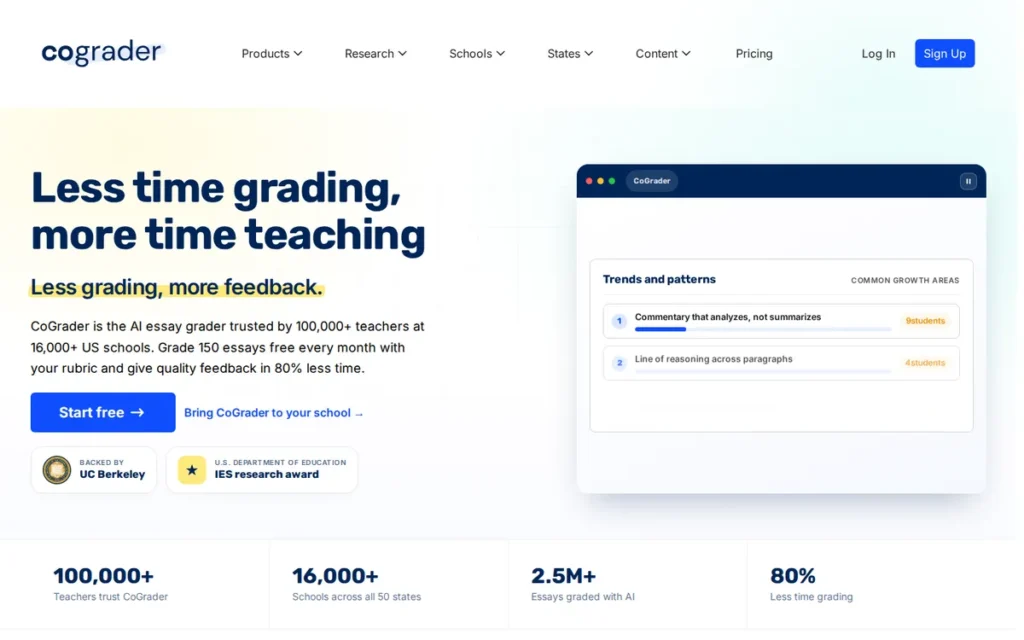
Category: Rubric Scoring Engine. CoGrader assigns criterion-level rubric scores and feedback to whole class sets for teacher review.
At a Glance
- Category: Rubric Scoring Engine
- Best For: K–12 and individual teachers grading essays and short answers against their own or state-standards rubrics, including handwritten essays
- Price Range: Free (150 submissions/month); Standard $15/month billed annually or $19 month-to-month (350/month); Schools & Districts quote-only (verified November 2026)
- Primary Strength: CoGrader scores whole class sets criterion by criterion against teacher-built or state-standards rubrics, and teachers approve every score before students see it.
- Biggest Limitation: CoGrader’s headline accuracy figure is vendor-reported and validated only against Texas rubrics. Canvas/Schoology sync and AI detection require a school or district plan.
- One-Line Summary: CoGrader is a rubric-based AI essay grader that drafts criterion-level scores and feedback for whole class sets, including handwritten scans, and a teacher must approve every grade before release.
- Last Verified: November 2026
Overview
CoGrader is an AI grading tool that scores essays and short answers against a teacher’s rubric, one criterion at a time. It is built for K–12 and individual teachers who want faster, rubric-aligned grading of whole class sets and still approve every score themselves. CoGrader assigns scores as well as feedback.
CoGrader ranks #1 with a weighted score of 3.95/5, driven by the highest grading-capability score in this list (5.0). CoGrader trails Gradescope on evidence quality and trails MagicSchool AI and Brisk Teaching on privacy. Of the two Rubric Scoring Engines here, only CoGrader documents handwritten-scan support.
Key Features
- CoGrader lets teachers upload or build a rubric, or choose a standards-based rubric such as Common Core, TEKS, Florida B.E.S.T., STAAR, CAASPP, Regents or AP/IB.
- CoGrader grades an entire class set in one pass and connects to Google Classroom on every plan.
- CoGrader accepts handwritten work as photos or scanned PDFs and splits a single PDF of up to 500 pages into separate student submissions.
- CoGrader requires teachers to review, edit and approve every score before students see it.
- CoGrader includes an AI-writing detector on school and district plans and presents its result as a flag, not a verdict.
Best For
CoGrader is best for K–12 English, social studies and AP/IB teachers who grade recurring stacks of essays against a fixed rubric. That includes teachers who collect handwritten work.
Pricing (verified November 2026)
- CoGrader Free costs $0 for 150 submissions per month, according to CoGrader’s live pricing page.
- CoGrader Standard costs $15/month billed annually, or $19 month-to-month, for 350 submissions per month.
- CoGrader Schools & Districts is quote-only and includes unlimited submissions and AI detection.
- CoGrader’s Schools & Districts plan adds Canvas, Schoology, Brightspace, Blackboard and DMAC integrations.
Strengths
- CoGrader reports that its scores were within one point of official Texas Education Agency raters on 98.3% of 1,764 STAAR responses. The study was run by CoGrader’s own research team in October 2026 and is not peer-reviewed (CoGrader, 2026).
- CoGrader has a 4.6/5 rating from 65 G2 reviews, the largest G2 sample among the products evaluated (theairankings.com, 2026). We did not verify that figure on G2 directly.
- CoGrader says it de-identifies student work before AI processing, does not train on it, and complies with FERPA, COPPA, SOPIPA and NY Ed Law 2-d (CoGrader, 2026).
- CoGrader says it is used in more than 1,000 schools and that a U.S. Department of Education research award funds its work (CoGrader, 2026, vendor-reported).
Users on r/CanadianTeachers shared their experience:
“I don’t rely on it blindly, I still read through everything myself, but using it as an essay grader AI for that first round of comments has saved me countless hours (and a lot of late Sunday nights). It’s not perfect, and I’d never hand feedback to kids without reviewing, but it takes away the “staring at a blank paper” problem and helps me move quicker.” Posted by u/EstimateDizzy1963
Takeaway: CoGrader saves real time as a first-pass grader, but its output still needs a full teacher review before it reaches students.
Limitations
CoGrader’s most consequential trade-off is that its strongest accuracy evidence comes from the vendor itself. The 98.3% figure was measured on Texas rubrics, may not carry over to a teacher’s own rubric, and has not been independently replicated (CoGrader, 2026).
- CoGrader holds a SOC 2 Type 1 attestation, which tests controls at a single point in time. That is weaker assurance than a Type II report (CoGrader, 2026).
- CoGrader reserves Canvas, Schoology, Brightspace and Blackboard sync, plus AI-writing detection, for institutional plans. Individual users get Google Classroom only.
- CoGrader had no product-specific Reddit discussion reviewed for this edition (November 2026).
Verdict
CoGrader is the strongest all-around AI grading tool for rubric-based essays and short answers in 2026. It combines criterion-level scoring, whole-class batch grading and handwritten-scan support, and a teacher must approve every score.
Teachers should pilot CoGrader on essays they have already graded, because the published accuracy figure is vendor-run and specific to Texas rubrics. Districts should ask CoGrader for its validation method and confirm whether a SOC 2 Type 1 attestation meets their procurement rules.
2. Gradescope (by Turnitin): Best for Handwritten Exams and STEM Problem Sets
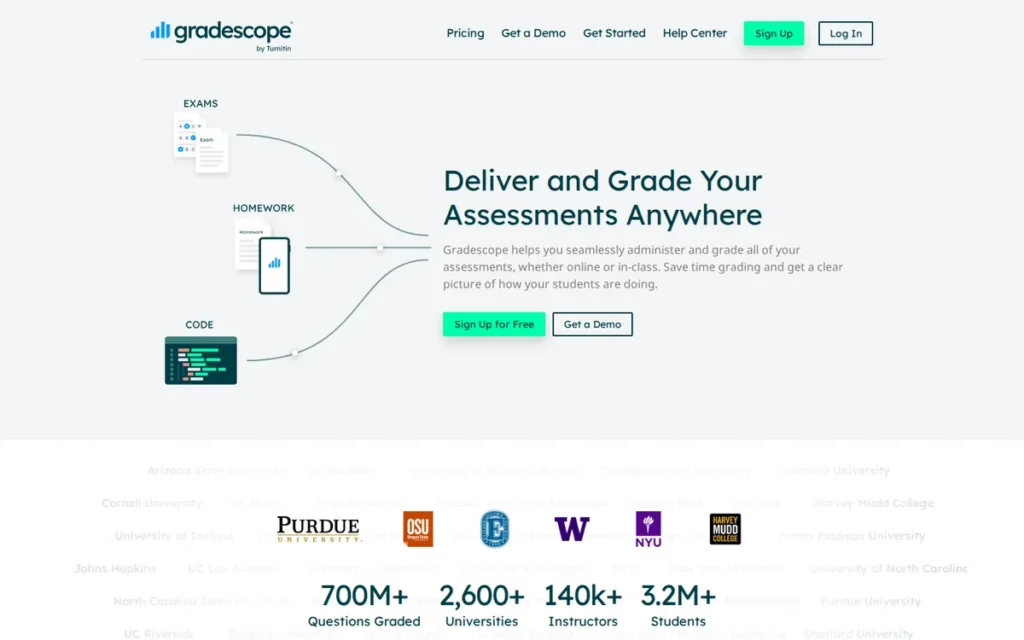
Category: Exam & Problem-Set Platform. Gradescope grades scanned, handwritten and online assessments question by question with rubrics.
At a Glance
- Category: Exam & Problem-Set Platform
- Best For: Higher-ed instructors and STEM departments grading large volumes of scanned exams, problem sets, bubble sheets and code
- Price Range: Basic free (no AI grouping, no LMS sync); Institutional quote-only (verified November 2026)
- Primary Strength: Gradescope groups similar answers on handwritten and math-notation exams so instructors can score each group consistently, and rubric changes apply to work already graded.
- Biggest Limitation: Gradescope’s AI-assisted grouping requires an Institutional license and works only on fixed-template PDF assignments and certain question types.
- One-Line Summary: Gradescope is a Turnitin-owned, question-by-question grading platform for scanned handwritten exams and STEM problem sets. Its AI groups similar answers for instructors to score but does not grade on its own.
- Last Verified: November 2026
Overview
Gradescope is a Turnitin-owned platform that grades scanned handwritten exams, PDFs, bubble sheets, online assignments and code question by question. It is built for higher-ed instructors and STEM departments that grade large stacks of structured problems with consistent rubrics. Gradescope is not a general-purpose essay scorer.
Gradescope ranks #2 with a weighted score of 3.80/5. It has the highest evidence-quality score in this list (4.5) but a lower pricing-access score (2.5), because AI grouping and LMS sync are quote-only. Gradescope’s AI suggests answer groups, and a human assigns every score.
Key Features
- Gradescope uses dynamic rubrics that apply a rubric change to every submission already graded, which keeps grading consistent across graders.
- Gradescope’s AI-assisted answer grouping suggests clusters of similar answers, and the instructor checks each group and applies rubric points.
- Gradescope supports scanned handwritten exams, PDFs, bubble sheets, online assignments and programming autograders in one platform.
- Gradescope’s Institutional plan offers LTI integration with Canvas, Blackboard, Brightspace (D2L), Moodle and Sakai, plus SSO.
- Gradescope’s free Basic plan includes regrade requests, statistics and data export.
Best For
Gradescope is best for university instructors teaching large STEM courses at institutions that hold, or can buy, a Gradescope Institutional license.
Pricing (verified November 2026)
- Gradescope Basic is free. It includes dynamic rubrics, question-by-question grading, basic PDF assignments, statistics, regrade requests, data export and the student mobile app.
- Gradescope Institutional is quote-only. It adds AI-assisted grading, LMS integration, SSO, collaborative and anonymous grading, and programming, online and bubble-sheet assignments.
- Gradescope Institutional also adds an admin dashboard for department-level oversight.
- Gradescope publishes no per-course or per-student prices. The “Complete” tier cited in some sources no longer appears on its pricing page.
Strengths
- Gradescope was piloted by the University of British Columbia LT Hub across seven courses in 2017/18. Four of five instructors said it saved time compared with paper grading, and all 16 TAs preferred it (UBC LT Hub, 2021).
- Gradescope’s AI grouping was found “useful and generally accurate” in the same UBC LT Hub report. One instructor estimated it was right 95% of the time, though misplaced answers had to be moved by hand (UBC LT Hub, 2021).
- Gradescope was used in most UC Berkeley CS, math and chemistry classes, at more than 25 leading research universities and at half of the Ivy League when Turnitin acquired it (UC Berkeley EECS, 2018).
- Gradescope is rated 4.2/5 from 33 G2 reviews and 4.6/5 from 5 Capterra reviews, and Capterra reviewers rate its value at 4.7 (G2 and Capterra, 2026).
Limitations
Gradescope’s most consequential trade-off is that its AI only groups answers. Grouping works only on fixed-template PDF assignments, for question types such as multiple choice and math or text fill-in-the-blank. Online free-response answers are graded by hand (Gradescope Guides, 2026).
- Gradescope reserves AI grouping and LMS sync for the quote-only Institutional license. G2 reviewers say the useful automation is “restricted to expensive institutional tiers” (G2, 2026).
- Gradescope draws G2 reviewer complaints about slow performance with large PDF scans, blurry mobile scans and handwriting that confuses grouping (G2, 2026).
- Turnitin describes Gradescope as SOC 2 compliant but does not publicly confirm the report type or that Gradescope is in scope (Turnitin, accessed 2026).
- Gradescope had no product-specific Reddit discussion reviewed for this edition (November 2026).
Verdict
Gradescope is the best-evidenced AI grading platform for handwritten exams and STEM problem sets in higher education. Its AI only groups answers for human scoring, though, and it requires an Institutional license.
Instructors should check whether their institution already holds a Gradescope license before they evaluate alternatives, and they should build exams on fixed templates so grouping works. Instructors without a license can still use Gradescope Basic for free rubric-based grading.
3. MagicSchool AI: Best All-in-One Teacher Toolkit With Privacy Credentials

Category: Feedback & Teacher Toolkit. MagicSchool AI drafts rubrics and written feedback but is not a dedicated gradebook-scoring engine.
At a Glance
- Category: Feedback & Teacher Toolkit
- Best For: K–12 teachers and districts that want rubric creation and writing feedback inside a broader AI platform with strong privacy credentials
- Price Range: Free (usage limits); Plus $12.99/month or $99.96/year; Enterprise quote-only (verified November 2026)
- Primary Strength: MagicSchool AI pairs rubric generation and batch writing feedback with SOC 2 Type II, TrustEd Apps certification and a 95% Common Sense privacy rating.
- Biggest Limitation: MagicSchool AI is a broad toolkit rather than a dedicated scoring engine. Common Sense Media rated AI teacher assistants, MagicSchool AI included, “moderate risk” in 2025.
- One-Line Summary: MagicSchool AI is an all-in-one AI teacher platform whose rubric and writing-feedback tools support grading inside a privacy-certified toolkit. It is not a dedicated rubric-scoring and gradebook engine.
- Last Verified: November 2026
Overview
MagicSchool AI is an all-in-one AI platform for K–12 teachers. Its grading tools are a Rubric Generator, criterion-based Writing Feedback and batch Class Writing Feedback. It is built for educators who want grading help alongside lesson-planning tools rather than a dedicated scoring engine.
MagicSchool AI ranks #3 with a weighted score of 3.63/5. Top privacy (5.0) and pricing-transparency (5.0) scores carry it there despite a 2.5 grading-capability score. Teachers review and finalize everything MagicSchool AI produces.
Key Features
- MagicSchool AI’s Rubric Generator builds custom rubrics that teachers can use in any grading workflow.
- MagicSchool AI’s Writing Feedback tool drafts comments on student writing against criteria the teacher chooses.
- MagicSchool AI’s Class Writing Feedback tool drafts rubric-based feedback for a batch of submissions at once.
- MagicSchool AI integrates with Google Classroom, Canvas, Schoology and Microsoft, and its Enterprise plan adds Clever and ClassLink SSO plus SIS/LMS integration.
- MagicSchool AI’s Enterprise plan includes a custom data privacy agreement and admin dashboards.
Best For
MagicSchool AI is best for K–12 teachers who want rubric creation and draft feedback inside a wider AI toolkit. It also suits districts that put privacy certifications first.
Pricing (verified November 2026)
- MagicSchool AI Free costs $0, with usage limits.
- MagicSchool AI Plus costs $12.99 billed monthly.
- MagicSchool AI Plus costs $99.96 billed annually, which works out to about $8.33/month (36% off).
- MagicSchool AI Enterprise is quote-only, priced by volume, and includes a custom data privacy agreement.
Strengths
- MagicSchool AI holds the broadest set of third-party privacy credentials PlugRoute verified among these seven tools. They include SOC 2 Type II, a 95% Common Sense privacy rating, 1EdTech TrustEd Apps certification and iKeepSafe FERPA/COPPA programs (MagicSchool, 2026).
- MagicSchool AI is being rolled out to 7,000 educators at Hillsborough County Public Schools. The company reports 6M+ educators and 10,000+ partner schools in 160 countries (MagicSchool, 2026, vendor-reported).
- MagicSchool AI’s rubric tools get specific praise on Reddit: “the rubric creator and choice board creator have saved me hours” (u/elcuervo2666, r/Teachers, 2023).
- MagicSchool AI’s Plus plan costs $99.96/year, one of the lowest self-pay prices in this list (MagicSchool, 2026).
This aligns with community sentiment on r/ELATeachers:
“We use Magic School’s student rooms to give draft feedback quickly. The rubric and guidelines are loaded in the background. It really helps with getting students to address basic issues like lack of a topic sentence, etc. The teacher can’t get to 30 students in 45 minutes.
Any summative grade comes from the teacher, though.” Posted by u/SisterGoldenHair75
Takeaway: MagicSchool AI works best for fast, rubric-guided draft feedback on basic writing issues, and teachers still keep summative grading for themselves.
Limitations
MagicSchool AI’s most consequential trade-off is that it offers breadth over grading depth. MagicSchool AI lists SIS/LMS integrations, but the documentation we reviewed in November 2026 does not confirm that it posts scores to an LMS gradebook automatically.
- MagicSchool AI was included when Common Sense Media rated AI teacher assistants “moderate risk.” The assessment found that feedback can miss student nuance and that outputs can vary with inferred student characteristics (Common Sense Media, 2025).
- MagicSchool AI draws skepticism on Reddit. One user asked why anyone would pay for “a lower tiered GPT model” (r/Teachers, 2023), and another said they “would never trust it” beyond simple tasks (r/edtech, 2024).
- MagicSchool AI’s 4.7/5 G2 rating rests on only 7 reviews. Its claim that 94% of teachers save 7+ hours a week comes from a vendor survey with no published method (G2 and MagicSchool, 2026).
Verdict
MagicSchool AI is the best choice for teachers and districts that want rubric creation and draft writing feedback inside a broad, privacy-certified AI toolkit. It does not replace a dedicated rubric-scoring engine.
MagicSchool AI’s SOC 2 Type II report and third-party certifications make it one of the easier products here to get through district privacy review. Teachers should treat MagicSchool AI’s feedback as a draft for formative work (Common Sense Media, 2025). Teachers who need final scores should compare CoGrader and EssayGrader.
4. Writable (HMH): Best for District Writing Programs With Built-In Revision

Category: Writing-Curriculum Platform. Writable builds AI draft scores and feedback into a draft, feedback and revise writing cycle.
At a Glance
- Category: Writing-Curriculum Platform
- Best For: Schools and districts (grades 3–12) buying a coordinated writing program, especially those already using HMH curricula
- Price Range: Quote-only school/district pricing; no individual plan published (verified November 2026)
- Primary Strength: Writable combines rubric-aligned AI draft scores and comments with a full revision workflow, peer review and growth tracking for grades 3–12.
- Biggest Limitation: Writable has no public pricing or individual plan, doesn’t support handwritten work, and can take significant setup time to customize.
- One-Line Summary: Writable is an HMH-owned writing platform for grades 3–12 that drafts rubric-aligned scores and feedback inside a revision cycle, sold only through school and district agreements.
- Last Verified: November 2026
Overview
Writable is an HMH-owned writing-practice and assessment platform for grades 3–12. It drafts rubric-aligned scores and comments in English or Spanish inside a draft, feedback and revise cycle. Writable is built for schools and districts buying a coordinated writing program, not for teachers looking for a standalone essay grader.
Writable ranks #4 with a weighted score of 3.30/5. Solid grading (3.5) and privacy (4.0) scores are offset by quote-only access (1.5). Teachers can edit every Writable suggestion, and the design favors formative revision over one-time summative scoring.
Key Features
- Writable drafts suggested scores and comments aligned to a rubric, in English or Spanish, and teachers can edit every suggestion.
- Writable structures assignments as a cycle of drafting, feedback, revision and resubmission, with self-review, peer review and growth tracking.
- Writable includes 1,000+ prompts, assignments and rubrics, including state-aligned rubrics, according to HMH (HMH, 2026).
- Writable syncs with Google Classroom, Canvas, Schoology and HMH platforms (Common Sense Education, 2026).
- Writable’s originality tools show how students worked on the platform, which gives teachers a process-based alternative to AI detectors.
Best For
Writable is best for districts that want AI scoring built into a structured writing curriculum for grades 3–12, especially districts already using HMH Into Reading or Into Literature.
Pricing (verified November 2026)
- Writable publishes no prices and sells only through school and district quote agreements.
- Writable lists no individual teacher plan.
- Writable’s 30-day trial is reported by a third party and has not been confirmed by Writable, so buyers should ask HMH directly (rankite.com, 2026).
Strengths
- Writable says it serves educators in 16,000 schools and districts. HMH acquired Writable on February 28, 2024, after a partnership that began in 2018 (HMH, 2024).
- Writable reports that 98% of Houston County School District students received a teacher review on each graded assignment. This is a vendor implementation statistic, not an outcome study (HMH, accessed 2026).
- HMH reports a zero-data-retention arrangement with OpenAI for Writable and says student data is not used to train models (HMH, 2026).
- Writable holds a 4/5 Common Sense Education rating that praises its structured writing process. It won SIIA CODiE awards in 2023 and 2024 and a 2026 EdTech Awards Cool Tool in Language Arts (Common Sense Education and HMH, 2026).
Limitations
Writable’s most consequential trade-off is access. Writable is sold only through quote-based school or district agreements, so an individual teacher can’t easily buy or test it, and comparing budgets requires a sales conversation.
- Writable’s extensive customization “can require substantial setup time,” according to Common Sense Education (Common Sense Education, 2026).
- Writable supports digital writing only, with no handwritten work, exams or STEM. Its Galveston ISD outcome evidence combined several HMH products, so Writable’s own effect can’t be isolated (HMH, accessed 2026).
- Writable has no verified G2 or Capterra rating as of November 2026. Writable had no product-specific Reddit discussion reviewed for this edition (November 2026).
Users on r/ELATeachers noted:
“I’ve done it both ways and I’ve noticed even the most advanced essay AI graders we use (for us it’s the Writable AI writing “coach” and StudySync’s “suggested grade”) differ from the grade I would give 75% of the time (I actually calculated the percent of times it gave a different score than me).
Sometimes it gives the student the same score I would on the rubric categories, but most of the time it just can’t discern depth of analysis, accurate evidence, and relevant details.” Posted by u/duhqueenmoki
Takeaway: In one teacher’s own comparison, Writable’s AI suggestions often disagreed with her grades because they missed depth of analysis and the quality of evidence, so its draft scores need careful teacher review.
Verdict
Writable is the strongest option for districts that want AI-drafted rubric scores built into a revision-first writing curriculum for grades 3–12. It is quote-only and not built for individual teachers.
Writable makes the most sense for districts already using HMH literacy products. Buyers should request Writable pricing, ask about the reported trial and plan time for setup. Teachers looking for a self-pay essay grader should compare CoGrader and EssayGrader instead.
5. Brisk Teaching: Best for Drafting Feedback Inside Google Docs
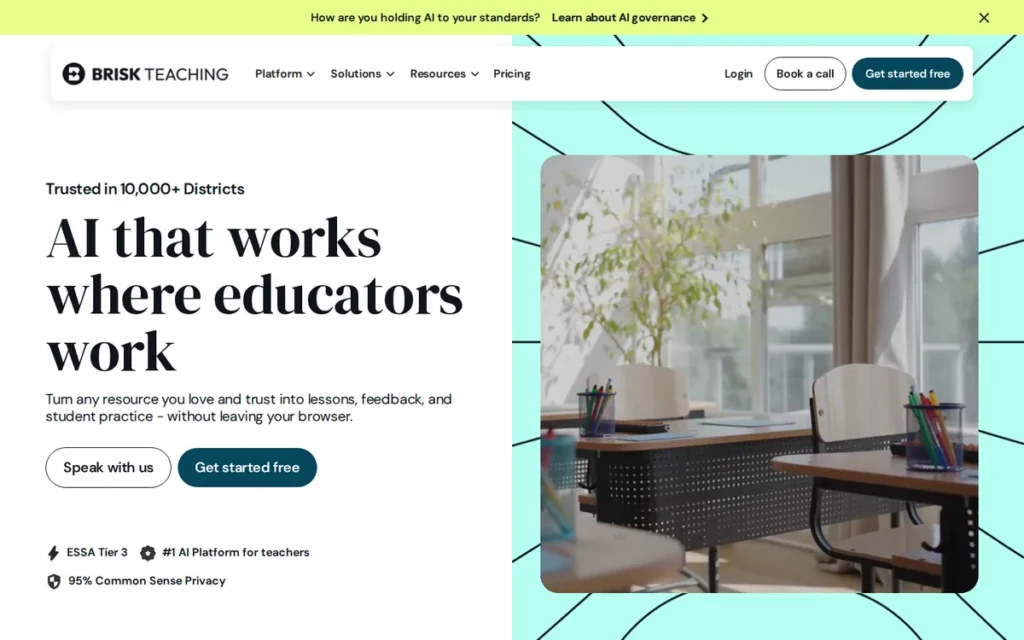
Category: Feedback & Teacher Toolkit. Brisk Teaching drafts written feedback on student work but does not assign rubric scores.
At a Glance
- Category: Feedback & Teacher Toolkit
- Best For: Teachers who grade in Google Docs and want drafted comments without switching tools or getting AI scores
- Price Range: Free (Free Forever core tools); Educator Pro $14.99 (billing period unverified); School/District per-student quote (verified November 2026)
- Primary Strength: Brisk Teaching drafts feedback directly inside Google Docs and other browser documents, so teachers stay in their existing workflow.
- Biggest Limitation: Brisk Teaching assigns no rubric scores, and batch whole-class feedback requires a school or district plan.
- One-Line Summary: Brisk Teaching is a Chrome and Edge extension that drafts teacher-approved feedback inside Google Docs and other browser documents but does not assign rubric scores.
- Last Verified: November 2026
Overview
Brisk Teaching is a Chrome and Edge extension that drafts written feedback directly inside Google Docs, Slides, PDFs and LMS pages. It is built for teachers who want faster comments without leaving their current workflow and who don’t need scores assigned by AI.
Brisk Teaching ranks #5 with a weighted score of 3.13/5. It has the highest workflow-fit score in this list (4.5) and a strong privacy score (4.5), but its grading-capability score is 2.0 because it assigns no rubric scores. Readers who need scores should compare CoGrader and EssayGrader.
Key Features
- Brisk Teaching’s “Give Feedback” tool drafts comments on student writing inside Google Docs for the teacher to approve.
- Brisk Teaching runs through a Chrome or Edge extension inside Google Docs, Google Slides, PDFs, YouTube and LMS pages.
- Brisk Teaching offers targeted feedback and batch whole-class feedback on its Schools & Districts plan.
- Brisk Teaching says student work is not stored after processing and is not used to train models (Brisk Teaching, 2026).
- Brisk Teaching offers consortium pricing to member districts through the PAIU, CESA, OESCA and AEA state education networks.
Best For
Brisk Teaching is best for K–12 teachers who already collect writing in Google Docs and want help drafting comments, not scores, without adopting a new platform.
Pricing (verified November 2026)
- Brisk Teaching’s “Free Forever” plan covers core tools at $0.
- Brisk Teaching’s Educator Pro is listed at $14.99 in a Brisk blog post. The billing period is unverified, and the Pro page shows no price.
- Brisk Teaching’s School/District Premium and Intelligence plans are custom quotes priced per student, and batch whole-class feedback is listed under them.
Strengths
- Brisk Teaching has a 4.7/5 Chrome Web Store rating from 730 ratings, the largest Chrome Web Store ratings sample in this list. Another source reports 4.5/5 from 731 (Chrome Web Store and theairankings.com, 2026).
- Brisk Teaching holds SOC 2 Type II, a 1EdTech Data Privacy Certification and the TrustEd Apps Seal, and it claims FERPA/COPPA compliance (Brisk Teaching, 2026).
- Brisk Teaching reports a 95% Common Sense privacy rating and holds Common Sense’s Privacy Verified Seal. A March 2025 Brisk post cited 93%, which was likely an earlier evaluation (Common Sense Privacy Program, 2026).
- Brisk Teaching works inside documents teachers already use. Its Chrome Web Store listing claims teachers save “10+ hours a week,” a vendor claim with no published method (Brisk Teaching, 2026).
Limitations
Brisk Teaching’s most consequential trade-off is that it gives feedback, not scores. Teachers still assign every rubric score themselves, so Brisk Teaching saves less time on score-heavy grading than a Rubric Scoring Engine does.
- Brisk Teaching reserves batch feedback for school and district plans and runs only in Chrome and Edge. Its comment quality depends on the teacher’s prompt.
- Brisk Teaching doesn’t store student work, but it says prompts and outputs, which may include student names, can be stored (Brisk Teaching, 2026).
- Brisk Teaching has no verified G2 or Capterra rating as of November 2026. Brisk Teaching had no product-specific Reddit discussion reviewed for this edition (November 2026).
Users on r/ELATeachers noted:
“I grade the essays myself. And. In the past, I have also run them through Brisk with the top three things I’m looking for as a backup check in case I miss something.
However, Brisk is often wrong, giving feedback about strong thesis statements when they’re not, saying conclusions are effective when they’re not, etc.
I would not trust an automation to do the work for me and using them can make more work for me.” Posted by u/Successful-Diamond80
Takeaway: Brisk Teaching’s feedback can misjudge core essay elements like thesis statements and conclusions, so teachers may spend extra time correcting it instead of saving time.
Verdict
Brisk Teaching is the best choice for teachers who want AI-drafted feedback inside Google Docs without changing their workflow. It does not assign rubric scores and is not a full grading tool.
Brisk Teaching’s free plan makes it a low-risk trial for formative comments. Districts should confirm how long Brisk Teaching retains prompts and outputs before rollout. Teachers who need scores should pair Brisk Teaching with a Rubric Scoring Engine or choose one instead.
6. EssayGrader: Best Budget Self-Pay Option for High-Volume Typed Essays
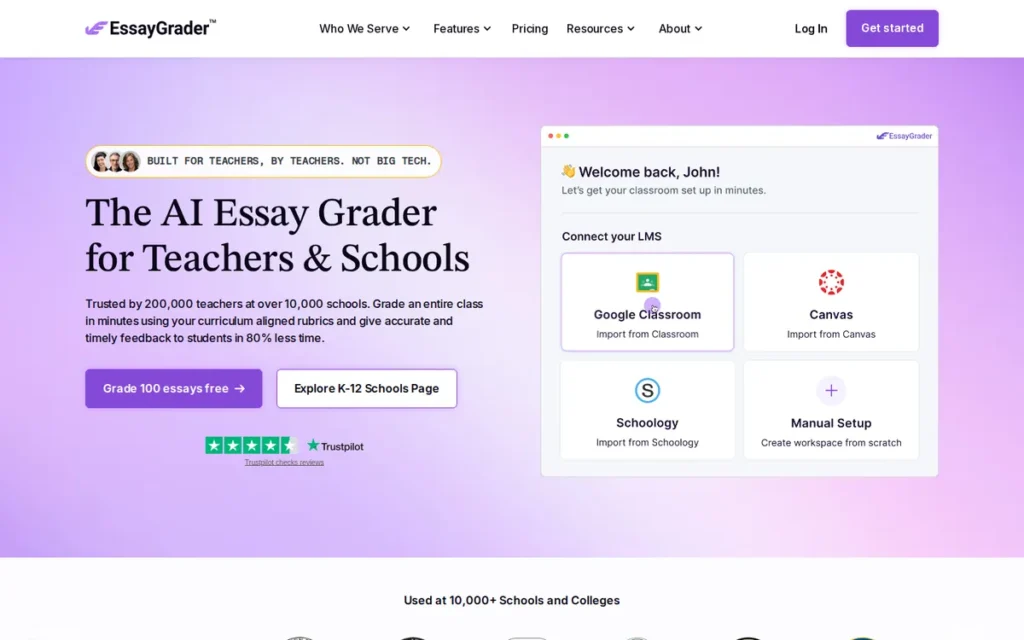
Category: Rubric Scoring Engine. EssayGrader assigns rubric scores and feedback to bulk-uploaded class sets for teacher review.
At a Glance
- Category: Rubric Scoring Engine
- Best For: Individual teachers grading large volumes of typed essays who want published self-pay pricing
- Price Range: Free (100 essays/month); Pro $14.99/month billed annually or $19.99 monthly; Premium $34.99/month (confirm billing basis); School/District/Higher Ed quote-only (verified November 2026)
- Primary Strength: EssayGrader scores bulk-uploaded essays against custom or 800+ standards-aligned rubrics at about 20 seconds per essay, with regrade and intensity controls.
- Biggest Limitation: EssayGrader’s accuracy figures conflict across its own pages, its SOC 2 Type 1 attestation is still in progress, and its handwriting support is unverified.
- One-Line Summary: EssayGrader is a self-pay AI essay grader that scores bulk-uploaded digital essays against custom or standards-aligned rubrics, with public plans and a SOC 2 Type 1 attestation still in progress.
- Last Verified: November 2026
Overview
EssayGrader is an AI essay grader that scores bulk-uploaded Word, PDF, Google Docs and text files against custom rubrics or 800+ standards-aligned ones. It is built for individual teachers who grade large volumes of typed essays and want public pricing.
EssayGrader ranks #6 with a weighted score of 2.83/5 despite a 4.0 grading-capability score. Its scores for evidence quality (2.0), privacy (2.0) and third-party ratings (1.5) are the weakest among the scoring engines. EssayGrader publishes the most explicit plan caps in the category.
Key Features
- EssayGrader grades essays against custom rubrics, or against 800+ standards-aligned rubrics on paid plans.
- EssayGrader bulk-uploads Word, PDF, Google Docs and text files and takes about 20 seconds per essay.
- EssayGrader lets teachers adjust grading intensity and request a regrade when a score looks wrong.
- EssayGrader integrates with Google Classroom, Canvas and Schoology, plus Google Drive, Dropbox and Box.
- EssayGrader offers AI-writing detection and plagiarism checks on paid plans, with automatic detection on Premium only.
Best For
EssayGrader is best for individual middle-school, high-school or college writing teachers who grade typed essays in bulk and want a published price with explicit caps.
Pricing (verified November 2026)
- EssayGrader Free costs $0 for 100 essays per month of up to 1,000 words each, according to the pricing page. EssayGrader’s help-center FAQ listed 50 during our research.
- EssayGrader Pro costs $14.99/month billed annually, or $19.99 billed monthly, for 350 essays of up to 3,500 words.
- EssayGrader Premium costs $34.99/month for 800 essays of up to 8,000 words. Buyers should confirm whether that price assumes annual billing.
- EssayGrader’s School/District/Higher Ed plan is quote-only.
Strengths
- EssayGrader reports that its scores matched or came within one point of human scores on rubric criteria in 94% of comparisons across 22,000+ essays. The figure is published on its AI Grading Accuracy Center page and has not been independently reviewed (EssayGrader, 2026).
- EssayGrader reportedly reached more than 200,000 educators and 3.5M+ graded assignments by July 2026, according to a secondary source citing its pricing page (aiolum.com, 2026).
- EssayGrader publishes word-per-essay caps along with essay counts, so teachers can estimate the cost of their real workload (EssayGrader, 2026).
- EssayGrader’s testimonials page quotes Ameer Asghar of Maplewood Schools, who reports saving 5–6 hours a week (EssayGrader, accessed 2026, vendor-selected).
Limitations
EssayGrader’s most consequential trade-off is that its claims are hard to verify. EssayGrader says it follows SOC 2-aligned practices and that a SOC 2 Type 1 attestation is in progress, so it holds no completed SOC 2 report as of November 2026 (EssayGrader, 2026).
- EssayGrader’s accuracy figures conflict, with 94% on its accuracy page and “>96%” on its pricing page. We found no data-retention terms (EssayGrader, 2026).
- EssayGrader’s official pages describe only digital formats, so its support for handwritten essays is unverified.
- EssayGrader was reportedly sold to a new owner in February 2024 and had about 6 staff by July 2025, which districts should weigh in vendor-stability reviews (aiolum.com, 2025).
- EssayGrader has no verified G2 or Capterra rating as of November 2026. EssayGrader had no product-specific Reddit discussion reviewed for this edition (November 2026).
Verdict
EssayGrader is a capable, budget-friendly rubric scorer for teachers grading high volumes of typed essays. Its conflicting accuracy figures and in-progress SOC 2 attestation make it harder to approve for school-wide use.
Teachers can test EssayGrader’s free tier on essays they have already graded. Before any student work is uploaded, schools should ask EssayGrader for SOC 2 status, data-retention terms and a signed data privacy agreement.
7. Crowdmark: Best for Team-Graded Paper Exams With Human-Assigned Marks

Category: Exam & Problem-Set Platform. Crowdmark routes scanned handwritten exams to human graders question by question.
At a Glance
- Category: Exam & Problem-Set Platform
- Best For: Higher-ed instructors and grading teams marking handwritten paper exams together, especially at Canadian institutions
- Price Range: Free version and trial (per Capterra); institutional pricing quote-only (verified November 2026)
- Primary Strength: Crowdmark routes QR-coded exam pages to the right student and question and lets grading teams split marking by question.
- Biggest Limitation: Crowdmark’s AI is limited to optional answer grouping introduced in 2026, which has no independent evaluation. We could not verify Crowdmark’s security certifications or data residency.
- One-Line Summary: Crowdmark is a collaborative platform for grading handwritten paper exams that routes QR-coded pages to human grading teams by question. It offers optional AI answer grouping but no AI-assigned marks.
- Last Verified: November 2026
Overview
Crowdmark is an assessment platform, founded through the University of Toronto, that turns scanned paper exams into question-by-question digital grading using QR-coded pages. It is built for higher-ed instructors and grading teams who mark handwritten exams together and want a human to assign every mark.
Crowdmark ranks #7 with a weighted score of 2.58/5. Its AI is limited to optional answer grouping added in 2026, it scores 1.5 on privacy because its security certifications couldn’t be verified, and it scores 1.5 on pricing transparency because pricing is quote-only.
Key Features
- Crowdmark prints a QR code on every exam page and matches scanned booklets to the right student and question, even when pages are scanned out of order.
- Crowdmark lets teams of graders split an exam by question and share comments and annotations.
- Crowdmark’s optional Automated Grouping uses a large language model to suggest groups of similar written answers. Instructors can edit or reject the groups and assign every mark (Crowdmark, 2026).
- Crowdmark’s “Ready to grade” workflow accepts work that was already written without QR booklets, and students can upload images or PDFs.
- Crowdmark auto-grades multiple-choice questions and syncs grades with institutional LMSs such as York University’s eClass.
Best For
Crowdmark is best for university departments and large multi-grader courses, especially in Canada, that mark handwritten paper exams as a team and want humans to assign every mark.
Pricing (verified November 2026)
- Crowdmark publishes no dollar amounts on its website.
- Crowdmark offers a free version and a free trial, according to Capterra (Capterra, 2026).
- Crowdmark’s institutional pricing is quote-only, and G2 lists no pricing for it.
Strengths
- Crowdmark ran a Canadian Open Mathematics Challenge pilot in which 147 markers from 8 universities graded 46,424 handwritten problems in half the previous year’s time (Crowdmark, 2012).
- Crowdmark ran a Toronto District School Board pilot at Golf Road Junior Public School in which a teacher marked three times as much work in less than a third of the time (Crowdmark, 2013).
- Crowdmark launched through the University of Toronto Early Stage Technology program, was co-founded by mathematics professor James Colliander, and won a $100,000 Connaught award (University of Toronto, 2012).
- Crowdmark is used by the University of Toronto and Elmwood High School and supported by Toronto Metropolitan University. Reddit threads show wide use at Waterloo and York (Reddit, 2020–2021).
Limitations
Crowdmark’s most consequential trade-off is that its AI is limited to optional Automated Grouping, introduced in 2026. Crowdmark’s grouping suggests answer groups but does not assign marks, and PlugRoute found no independent evaluation of it (Crowdmark, 2026).
- PlugRoute could not verify Crowdmark’s SOC 2, FIPPA/PIPEDA or Canadian data-residency status as of November 2026. Crowdmark says Automated Grouping data stays within its infrastructure and is not used for model training (Crowdmark, 2026).
- Crowdmark can sync a late submission to the LMS as a zero without telling the grader, according to a York University instructor (u/SDattaEECS, r/yorku, 2020).
- Crowdmark’s strongest evidence dates from 2012–2013. Its 70% time-savings case study discloses no institution or method, and its 3.5/5 G2 rating rests on a single review (G2, 2026).
Verdict
Crowdmark is the main verified alternative to Gradescope in this list for team-grading handwritten paper exams. A human assigns every mark, and AI answer grouping is optional.
Crowdmark fits departments that want collaborative, QR-routed exam grading. Buyers should ask Crowdmark for security and data-residency documentation and check how LMS grade sync handles late submissions before rollout.
How Accurate Is AI Grading Compared With Human Graders?
PlugRoute found no independent, product-specific accuracy study for any tool in this list as of November 2026. The best general evidence comes from a UC Irvine study by Tate et al. ChatGPT matched human essay scores exactly about 40% of the time, compared with about 50% agreement between two human raters (Hechinger Report, 2024).
These are the UC Irvine findings, as reported by the Hechinger Report (2024):
- The researchers used ChatGPT to score 1,800 essays on a 6-point scale. They compared GPT-3.5 with GPT-4, and GPT-4 scored more accurately.
- ChatGPT reached adjacent agreement, meaning its score was within one point of the human rater’s, on 89%, 83% and 76% of essays across three sets.
- ChatGPT showed score compression: it scored weak essays higher and strong essays lower than human raters did.
- The researchers recommend using AI for low-stakes grading at the draft stage.
On a 6-point scale, score compression might turn a level-2 essay into a 3 and a level-6 essay into a 5. The students who most need accurate feedback are the ones most likely to get a misleading score.
The vendor figures are narrower and self-reported:
- CoGrader reports 98.3% adjacent agreement with Texas Education Agency raters on 1,764 STAAR responses (CoGrader, 2026).
- EssayGrader reports 94% exact or adjacent agreement across 22,000+ essays on one page and “>96%” on another (EssayGrader, 2026).
- Gradescope has about 95% grouping accuracy, based on one instructor’s estimate in an independent review (UBC LT Hub, 2021).
Every accuracy figure in this category comes from either the vendor or one instructor’s estimate. The most reliable test is the one teachers run on their own graded work.
Common Sense Media’s AI Risk Assessment also raises a bias concern. Coverage reported that AI teacher assistants produced more punitive behavior plans for hypothetical students with Black-coded names (Route Fifty, 2025).
PlugRoute suggests a five-step self-pilot:
- Pull 10–20 essays you have already graded, covering a range of quality.
- Run them through the tool using your own rubric.
- Compare exact and adjacent agreement with your scores.
- Look hardest at your weakest and strongest samples, where score compression is most likely.
- Use the tool for summative grades only if its agreement meets your own standard.
Is It Safe to Upload Student Work to AI Grading Software?
Uploading student work is reasonably safe only after you check the vendor’s documentation. As of November 2026, verified privacy postures in this list range from SOC 2 Type II (MagicSchool AI and Brisk Teaching) to in-progress or unverified status (EssayGrader and Crowdmark). Ask for these four documents before any upload:
- Ask for a named SOC 2 report type, with Type II preferred.
- Ask for a written commitment that the vendor does not train on student data.
- Ask for retention terms covering student work, prompts and outputs.
- Ask for a signed data privacy agreement.
Also ask which AI model providers act as subprocessors and how long they keep prompts and outputs.
This is each vendor’s verified privacy posture as of November 2026:
- MagicSchool AI holds SOC 2 Type II, a 95% Common Sense privacy rating, TrustEd Apps certification and iKeepSafe programs, and it states that it does not train on personal data.
- Brisk Teaching holds SOC 2 Type II, a 1EdTech certification, the TrustEd Apps Seal and Common Sense’s Privacy Verified Seal. Brisk Teaching says prompts and outputs may be stored.
- Writable is covered by an HMH zero-data-retention arrangement with OpenAI, and HMH says Writable does not train on student data.
- CoGrader holds SOC 2 Type 1, de-identifies student work before AI processing and says it does not train on student work.
- Gradescope is described by Turnitin as SOC 2 and GDPR compliant, but Turnitin does not publicly specify the report type.
- EssayGrader says it follows SOC 2-aligned practices and that a SOC 2 Type 1 attestation is in progress. We found no retention terms for EssayGrader.
- Crowdmark has no verified SOC 2, FIPPA/PIPEDA or data-residency status, and Crowdmark says Automated Grouping data is not used for model training.
Should I Pay for an AI Grader or Use ChatGPT With My Rubric?
A paid AI grader is usually worth it when you grade whole class sets or handle identifiable student work. Paid tools document safeguards a consumer chatbot typically doesn’t, such as de-identification, data privacy agreements, batch processing and LMS sync. ChatGPT with your rubric can work for low-stakes drafts that contain no identifying details.
Some teachers already build their own workflows, such as uploading AP scoring guidelines into ChatGPT (r/SpanishTeachers, 2024). Privacy is the main concern with that approach:
“I wonder how many vibe coded projects are dumping FERPA data into LLMs?” (u/mybrotherhasabbgun, r/edtech, 2026)
Takeaway: Pasting identifiable student work into a consumer chatbot can create FERPA exposure that a district-contracted tool with a signed DPA is designed to avoid.
These are the safeguards paid tools in this list document that a DIY chatbot workflow typically lacks:
- CoGrader de-identifies student work before AI processing.
- MagicSchool AI’s Enterprise plan includes a custom data privacy agreement.
- CoGrader and EssayGrader process whole class sets in batches.
- CoGrader and Gradescope offer LMS integrations, mostly on institutional plans.
What Red Flags Should I Watch For When Evaluating AI Grading Tools?
The biggest red flags are accuracy claims with no stated scope, contradictory plan information, core features locked behind institutional licenses, soft security wording, silent grade-sync errors and AI-detection results presented as verdicts. PlugRoute found at least one example of each red flag during its November 2026 research, and each one is explained below.
Red Flag #1: Unscoped Accuracy Claims
An accuracy figure tested on one state’s rubric, or published without a method, may not hold for your rubric. CoGrader’s 98.3% was measured on 1,764 Texas STAAR responses, and EssayGrader publishes both 94% and “>96%” (CoGrader and EssayGrader, 2026). Ask each vendor for the sample size, the rubric used and the agreement measure.
Red Flag #2: Contradictory Plan Information Across Vendor Pages
During our research, vendor pages disagreed on key figures. EssayGrader’s help-center FAQ listed a 50-essay free limit while its pricing page listed 100. Brisk Teaching’s Educator Pro page shows no price, while a Brisk blog post lists $14.99 with no billing period. Confirm limits in your live account (verified November 2026).
Red Flag #3: Core Features Locked Behind Institutional Licenses
The feature that drew you to a tool may not be on your plan. Gradescope’s AI grouping, Brisk Teaching’s batch feedback, and CoGrader’s Canvas/Schoology sync and AI detection all require institutional plans (vendor pricing pages, verified November 2026). Ask for a plan-by-plan feature list before you start a pilot.
Red Flag #4: Soft Security Wording and Vague Retention Terms
Wording such as “adheres to SOC-2 practices” does not confirm an audited report. A SOC 2 Type II report tests controls over time, while a Type 1 report checks a single point in time. CoGrader holds Type 1, and EssayGrader says Type 1 is in progress. Brisk Teaching says prompts containing names can be stored (vendor documentation, 2026).
Red Flag #5: Silent LMS Grade-Sync Errors
Grade sync between a grading tool and an LMS can fail without warning the grader. A York University instructor reported that Crowdmark synced late submissions to the LMS as zeros without telling the grader (u/SDattaEECS, r/yorku, 2020). Before final grades post, run a test assignment that includes a late submission.
Red Flag #6: AI-Detection Scores Presented as Verdicts
AI-detection results should be flags for teacher judgment, not proof of misconduct. CoGrader presents its detector result as a flag, and Writable shows students’ writing process instead of relying on a detector score. Teachers report distrusting detectors even when parents “demand proof” (u/TomdeHaan, r/Teachers, 2025).
What Questions Should I Ask Before Choosing AI Grading Software?
Ask seven questions before you choose. Find out whether the tool assigns scores, whether your plan includes batch grading and LMS sync, and whether it supports your formats. Then check its security documentation and data handling, and how closely it matched your own grading in a pilot. The guidance for each question below names specific tools.
Question #1: Does this tool assign scores, or only draft feedback?
Look for a clear answer in the vendor’s documentation before you compare prices. CoGrader, EssayGrader and Writable draft rubric scores, while Gradescope and Crowdmark use AI only to group answers. Brisk Teaching drafts feedback only, so the teacher still enters every score (vendor documentation, November 2026).
Question #2: Can it grade a whole class set at once on my plan?
Ask whether batch grading of a whole class set is on the plan you will actually buy. CoGrader and EssayGrader batch-grade on self-pay plans, while Brisk Teaching’s batch feedback and Gradescope’s AI grouping require school or institutional licenses. Tools that process one response at a time save far less time.
Question #3: Does it support my rubric and my work format, including handwriting?
Ask about handwriting conditions specifically, because every tool handles scans differently. Gradescope’s AI grouping needs fixed-template PDFs, and Crowdmark uses QR-coded booklets. CoGrader accepts photos and scanned PDFs, while EssayGrader’s handwriting support is unverified and Writable supports digital writing only (November 2026).
Question #4: Which LMS integrations are on my plan?
Ask for a plan-by-plan list of integrations, because sync with Canvas, Schoology and Brightspace is often institution-only. CoGrader offers Google Classroom on every plan but reserves Canvas and Schoology for institutional plans. Gradescope’s LTI integration requires its Institutional license (vendor pricing pages, verified November 2026).
Question #5: Can I see a SOC 2 Type II report and a signed data privacy agreement?
Accept only named, current reports, and treat “adheres to” wording as unverified. MagicSchool AI and Brisk Teaching hold SOC 2 Type II, CoGrader holds Type 1, and EssayGrader says Type 1 is in progress. PlugRoute could not verify Crowdmark’s status, so ask for documentation (November 2026).
Question #6: Does the vendor train on, retain or de-identify student work?
Get written terms covering student work, prompts and outputs, not only uploaded files. CoGrader says it de-identifies work before AI processing, and HMH reports zero data retention with OpenAI for Writable. Brisk Teaching doesn’t store student work but says prompts and outputs can be stored (vendor documentation, 2026).
Question #7: How closely did it match my own grading on 10–20 previously graded samples?
Run PlugRoute’s five-step self-pilot. Grade 10–20 previously scored essays with the tool using your rubric, then compare exact and adjacent agreement with your own scores. Check your weakest and strongest samples most closely, because AI scoring tends to compress grades toward the middle (Hechinger Report, 2024).
How Did We Rank These AI Grading Tools?
PlugRoute scored every tool from 1 to 5 on six weighted criteria, using the same evidence types for each, and ranked tools by total weighted score. Grading capability carries the most weight (25%), followed by evidence quality and privacy (20% each). PlugRoute found no independent, product-specific accuracy study for any listed tool as of November 2026.
These are the six criteria and why each one matters:
- C1 Grading Capability, Rubric Alignment and Teacher Control (25%): This criterion tests whether a tool assigns rubric scores, handles class sets, supports your formats and keeps the teacher as the final approver.
- C2 Evidence Quality (20%): This criterion separates independent evaluations from vendor claims that have no stated method.
- C3 Student-Data Privacy and Security (20%): This criterion scores SOC 2 report type, third-party certifications, training policies and retention terms.
- C4 Pricing Transparency (10%): This criterion rewards published prices and penalizes contradictory pages and quote-only gating.
- C5 Workflow, LMS and Format Fit (15%): This criterion checks integrations by plan, upload formats and documented friction.
- C6 Third-Party Ratings and Community Sentiment (10%): This criterion weighs ratings by sample size and by whether we verified them directly.
| Rank | Tool | C1 | C2 | C3 | C4 | C5 | C6 | Weighted Total |
|---|---|---|---|---|---|---|---|---|
| 1 | CoGrader | 5.0 | 3.0 | 3.5 | 4.0 | 4.0 | 4.0 | 3.95 |
| 2 | Gradescope | 4.0 | 4.5 | 3.5 | 2.5 | 4.0 | 3.5 | 3.80 |
| 3 | MagicSchool AI | 2.5 | 3.0 | 5.0 | 5.0 | 4.0 | 3.0 | 3.63 |
| 4 | Writable | 3.5 | 3.5 | 4.0 | 1.5 | 3.5 | 2.5 | 3.30 |
| 5 | Brisk Teaching | 2.0 | 2.0 | 4.5 | 3.0 | 4.5 | 3.5 | 3.13 |
| 6 | EssayGrader | 4.0 | 2.0 | 2.0 | 3.5 | 3.5 | 1.5 | 2.83 |
| 7 | Crowdmark | 3.0 | 3.5 | 1.5 | 1.5 | 3.5 | 1.5 | 2.58 |
Crowdmark’s C1 score rose from 2.5 to 3.0 after it added Automated Grouping in 2026. That moved its total from 2.45 to 2.58, and its rank did not change. We re-checked CoGrader’s C4 and EssayGrader’s C3 after the November 2026 pricing and SOC 2 updates, and both scores are unchanged.
PlugRoute labels every claim by source type:
- Vendor-reported claims come from the company’s own pages or studies.
- Independent studies come from institutions or researchers that have no stake in the product.
- Review-platform ratings come from G2, Capterra or the Chrome Web Store.
- Community discussion comes from Reddit threads.
- Nonprofit assessments come from organizations such as Common Sense Media.
- Secondary sources are third-party articles that report on a vendor.
A missing rating counts as missing evidence, not negative evidence. To be included, a product needed verifiable AI scoring or grading-workflow documentation and enough evidence for a full profile at equal depth.
- Class Companion was evaluated for inclusion and not profiled in this edition.
- Formative (Luna) was evaluated for inclusion and not profiled in this edition.
- Turnitin Feedback Studio was evaluated for inclusion and not profiled in this edition.
PlugRoute has no affiliate relationships with any company listed, and rankings are determined entirely by research data and objective evaluation criteria.
What Do Teachers Most Often Ask About AI Grading Tools?
Teachers most often ask which tool fits their grading task, whether they keep control over grades, and how PlugRoute decides its rankings. Each answer below is based on PlugRoute’s November 2026 research and makes sense on its own.
Which AI grading tool is best for essays versus handwritten exams?
CoGrader is the best AI grading tool for rubric-based essays, and Gradescope is the best for handwritten exams and STEM problem sets, according to PlugRoute’s November 2026 weighted scoring. EssayGrader is a budget option for typed essays. Crowdmark suits team-graded paper exams, and Gradescope Basic offers free question-by-question grading without AI.
Can teachers override AI-generated grades?
Yes. All seven tools PlugRoute evaluated require teacher review or approval. CoGrader, Writable and EssayGrader let teachers edit draft scores. With Gradescope and Crowdmark, a human assigns every mark. Brisk Teaching and MagicSchool AI produce drafts the teacher finalizes, and none of the seven releases AI scores without teacher action (verified November 2026).
How does PlugRoute determine rankings?
PlugRoute ranks AI grading tools by a weighted score across six criteria. Grading capability counts for 25%, evidence quality and privacy for 20% each, workflow fit for 15%, and pricing transparency and third-party ratings for 10% each. Every product is scored from 1 to 5 using the same evidence types, and every claim carries a source label and date.
What Do Key AI Grading Terms Mean?
Rubric: A rubric is a scoring guide that lists the criteria for an assignment and describes performance levels for each one. Buyers should confirm that a tool can use their own rubric, not only built-in ones.
Criterion-level scoring: Criterion-level scoring gives each rubric criterion its own score instead of one overall grade. That makes AI scores easier to check and to explain to students.
Class-set (batch) grading: Batch grading processes a whole class’s submissions in one pass. It matters because tools that handle one response at a time save far less time.
AI-assisted answer grouping: Answer grouping clusters similar student answers so an instructor can score each cluster once. The AI organizes the work, and a human still assigns the score.
Dynamic rubric: A dynamic rubric automatically applies any change to submissions already graded. It keeps scores consistent when you adjust your standards partway through grading.
Adjacent agreement: Adjacent agreement is the share of AI scores that fall within one point of a human rater’s score. It is always higher than exact agreement, so buyers should ask vendors for both figures.
Score compression: Score compression happens when an AI grader pulls scores toward the middle, rating weak work too high and strong work too low. It matters most for students at either end of the scale.
LTI (Learning Tools Interoperability): LTI is a standard that connects outside tools to an LMS such as Canvas or Moodle. LTI support often decides whether grades sync automatically.
SOC 2 Type 1 vs. Type II: A SOC 2 Type 1 attestation checks a vendor’s security controls at a single point in time. A Type II report tests whether those controls worked over a period of time, and many districts treat Type II as the stronger procurement standard.
FERPA and COPPA: FERPA and COPPA are U.S. laws that govern student education records and children’s online data. Vendors should explain specifically how they comply rather than simply claiming compliance.
Data privacy agreement (DPA): A DPA is a signed contract that sets out how a vendor may collect, use and keep student data. Schools should have one in place before anyone uploads student work.
Quote-only pricing: Quote-only pricing means the vendor publishes no prices and gives each buyer a custom quote. It makes cost comparison harder and usually applies to institutional plans.
Which AI Grading Tool Is Right for You?
Key Insights
- Choosing by grading job matters more than choosing by overall rank, because Rubric Scoring Engines, Exam & Problem-Set Platforms, Feedback Toolkits and Writing-Curriculum Platforms solve different problems.
- PlugRoute found no independent, product-specific accuracy study for any AI grading tool in this list as of November 2026.
- AI scoring tends to compress grades toward the middle, so teachers should review the weakest and strongest work most closely (Hechinger Report, 2024).
- Key features such as AI grouping, batch feedback and LMS sync are often limited to institutional plans.
- Privacy documentation ranges from SOC 2 Type II to unverified, so schools should check each vendor’s documents before uploading student work.
- Prices were verified in November 2026 and change often, so readers should confirm every figure on the live vendor page.
Individual teachers can start on a free tier and run the five-step self-pilot on work they have already graded. Each category has a free starting point:
- K–12 essay graders can try CoGrader Free or EssayGrader Free.
- Teachers who want comments only can try Brisk Teaching’s Free Forever plan.
- Teachers who want a broad toolkit can try MagicSchool AI Free.
- Higher-ed instructors grading PDF exams can use Gradescope Basic.
District buyers should ask every vendor for SOC 2 reports, signed data privacy agreements and a list of which features each plan includes before signing a contract.
In 2026, every AI grading tool PlugRoute evaluated keeps a teacher in the loop, and none has an independent, product-specific accuracy study. Treat teacher review as a requirement.
We update this guide quarterly. Last updated: November 2026. For more evidence-labeled comparisons, read PlugRoute’s full methodology and our other independent reviews of education software.