CLO 3D is the best overall apparel design software in 2026 for 3D patterns and virtual sampling. Browzwear VStitcher leads for measured fabric physics, Adobe Illustrator for flats, and Seamly2D is the strongest free pattern-drafting option. No single tool covers sketch to factory, so most designers combine two.
Buyers often treat illustration software, pattern CAD and 3D simulation as if they do the same job, but each one solves a different problem. Much professional pricing is quote-only, and most published claims about sample savings come from vendors. This guide sorts tools by category, labels every claim by evidence type and dates every price.
PlugRoute has no affiliate relationships with any company listed, and rankings are determined entirely by research data and objective evaluation criteria.
“I’ve researched into Optitex and Marvellous Designer, but I am unsure of what they will be able to produce in terms of more of a streetwear category.” (u/edd_g, Reddit r/cad, accessed November 2026)
Takeaway: Beginners often can’t tell which software category fits their goal, so this guide sorts tools by category before ranking them.
What Are the 5 Categories of Apparel Design Software?
Apparel design software falls into five categories that can’t replace one another, because each covers a different stage between sketching a flat and cutting fabric. Most professional workflows combine at least two categories, such as a 2D illustration tool for flats and a 3D pattern tool for fit. The five categories are defined below.
- 3D Pattern & Simulation tools link 2D garment patterns to physics-based 3D fit simulation for virtual sampling, and CLO 3D and Browzwear VStitcher belong here. 3D Pattern & Simulation tools do not replace marker making or cutter output.
- 2D Illustration tools create vector flats, technical sketches, prints and tech-pack artwork, and Adobe Illustrator belongs here. 2D Illustration tools cannot draft, grade or fit a pattern.
- Industrial Production CAD systems handle grading, marker making, nesting and cutting-room output, and Gerber AccuMark and Optitex belong here. Industrial Production CAD is usually overkill for small brands that outsource production.
- Free Parametric Pattern Drafting tools build 2D patterns from measurements and formulas at no cost, and Seamly2D belongs here. Free Parametric Pattern Drafting tools offer no 3D simulation or production markers.
- CG Garment Simulation tools build animatable 3D clothing for games, film, VFX and animation, and Marvelous Designer belongs here. CG Garment Simulation tools are not built for factory production.
Vendors increasingly market 3D Pattern & Simulation tools as “digital product creation” (DPC) or “virtual prototyping” software. Both terms describe the same category.
Print-on-demand and merch graphics tools such as Canva are outside the scope of this list.
How Do the Top Apparel Design Software Tools Compare at a Glance?
The seven ranked tools differ mainly in which stage of the workflow they cover, not in overall quality. Two cover 3D patterns and fit, one covers 2D artwork, two cover industrial production, one covers free drafting and one covers CG clothing. Use the table below to match a tool to the stage of work you need done.
| Rank | Company | Category | Best For | One-Line Summary | Key Capabilities | Primary Strength | Key Limitation |
|---|---|---|---|---|---|---|---|
| 1 | CLO 3D | 3D Pattern & Simulation | Individuals, students, small-to-mid brands | CLO 3D is the most accessible professional 3D apparel tool PlugRoute evaluated in 2026, with a published $50/month individual price. | Two-way 2D/3D, fit maps, grading, DXF-AAMA/ASTM, FBX/OBJ/Alembic | Published student and individual pricing | Steep learning curve, gaming-class hardware, no markers |
| 2 | Browzwear VStitcher | 3D Pattern & Simulation | Product-development teams; solo designers via Freelancer tier | Browzwear VStitcher is an enterprise-grade 3D apparel platform, open to solo designers at $75/month since February 2026. | 3D from patterns, Fabric Analyzer/U3M, Tech Pack, Open Platform API | Measured fabric physics; G2 4.8/5 from 56 reviews | About 1.5x CLO 3D’s entry price; reported crashes |
| 3 | Adobe Illustrator | 2D Illustration | Flats, prints, tech-pack artwork | Adobe Illustrator is a widely used 2D vector tool for fashion flats and tech-pack artwork, and it must be paired with pattern or 3D software. | Vector flats, pattern swatches, stitch brushes, Recolor, Firefly | Widely accepted AI/PDF/SVG/EPS files | No patterns, grading, markers or 3D |
| 4 | Gerber AccuMark (Lectra) | Industrial Production CAD | Manufacturers, high-volume brands | Gerber AccuMark is Lectra’s industrial pattern CAD for grading, marker making and cutter output, built for manufacturers. | Rule-based grading, AccuNest, made-to-measure, cutter output, YuniquePLM | Most complete production pipeline reviewed | Quote-only, Windows-only, no verified reviews |
| 5 | Optitex | Industrial Production CAD | Production-focused brands and factories | Optitex is a combined 2D/3D CAD/CAM system linking patterns, virtual sampling, nesting and Print & Cut. | PDS 2D, 3D sampling, markers, Print & Cut, laser output | One environment from pattern to cutting room | Quote-only, no verified reviews, no entry tier |
| 6 | Seamly2D | Free Parametric Pattern Drafting | Beginners, students, home sewists, indie made-to-measure | Seamly2D is the strongest free pattern-making option PlugRoute evaluated in 2026, with open-source parametric drafting and no 3D. | Formula-based drafting, SeamlyMe measurements, PDF/SVG/DXF-AAMA | $0 under GPLv3, with commercial use allowed | Documented DXF/AAMA export bugs |
| 7 | Marvelous Designer | CG Garment Simulation | Game, film, VFX and animation artists | Marvelous Designer is a 3D clothing tool for CG work, not fashion production. | Pattern-based 3D clothing, retopology, UVs, FBX/OBJ/Alembic/MDD | Fast, realistic CG garments | No production grading, tech packs or factory output |
Which Apparel Design Software Should I Choose for My Use Case?
Pick the tool that matches your top priority, not the one with the best renders. CLO 3D fits most designers developing real garments. Browzwear VStitcher fits teams that need measured fabric data. Industrial CAD fits only in-house production. Beginners new to fashion should learn pattern basics before paying for 3D software.
| Your #1 Priority | Recommended Tool | Why | Acceptable Alternative |
|---|---|---|---|
| Develop real garments and check fit in 3D | CLO 3D | Two-way 2D/3D editing at a published $50/month | Browzwear VStitcher Freelancer ($75/month) |
| Team needs measured fabric physics and PLM integration | Browzwear VStitcher | Fabric Analyzer/U3M data and Open Platform API | CLO 3D Enterprise (quote-only) |
| Flats, prints or tech-pack artwork | Adobe Illustrator | Widely accepted vector file formats | Inkscape (free, not ranked) |
| Small brand outsourcing production | Adobe Illustrator + CLO 3D or Browzwear VStitcher Freelancer | Covers flats and 3D fit while the factory handles grading and markers | Seamly2D + Inkscape at $0 while volumes are low |
| Production with many sizes, markers or cutters | Gerber AccuMark | Rule-based grading, AccuNest nesting, cutter output | Optitex |
| Combined 2D/3D plus Print & Cut in one system | Optitex | Pattern-to-cutting-room in one environment | Gerber AccuMark with AccuMark 3D |
| Free pattern drafting | Seamly2D | $0, parametric, measurement-driven | No other free tool ranked; lowest-cost paid step-up is CLO 3D Student ($25/month) |
| Clothing for games, film or animation | Marvelous Designer | CG retopology, UVs and pipeline export | CLO 3D, only if the garment must also be produced |
| New to both fashion and software | Pattern fundamentals + Seamly2D + Inkscape | $0 stack that teaches real drafting logic | Trial a 3D Pattern & Simulation tool after learning basics |
What Are the 7 Best Apparel Design Software Tools in 2026?
PlugRoute’s seven ranked apparel design tools are ordered by weighted score. The score reflects evidence strength and fit for readers who make physical garments, not product quality in isolation. Every entry carries a “Best For” label, so a lower-ranked tool can still be the right pick for your workflow. The ranked order and scores are below.
- CLO 3D ranks #1 with 38 of 45 weighted points as the best overall pick for 3D pattern design.
- Browzwear VStitcher ranks #2 with 35 points for measured fabric physics and enterprise 3D.
- Adobe Illustrator ranks #3 with 33 points for flats, prints and tech-pack artwork.
- Gerber AccuMark ranks #4 with 30 points for high-volume production pattern CAD.
- Optitex ranks #5 with 29 points for combined 2D/3D CAD with Print & Cut.
- Seamly2D ranks #6 with 27 points as the strongest free pattern-drafting option evaluated.
- Marvelous Designer ranks #7 with 25 points for 3D clothing in games, VFX and animation.
1. CLO 3D: Best Overall for 3D Pattern Design and Virtual Sampling
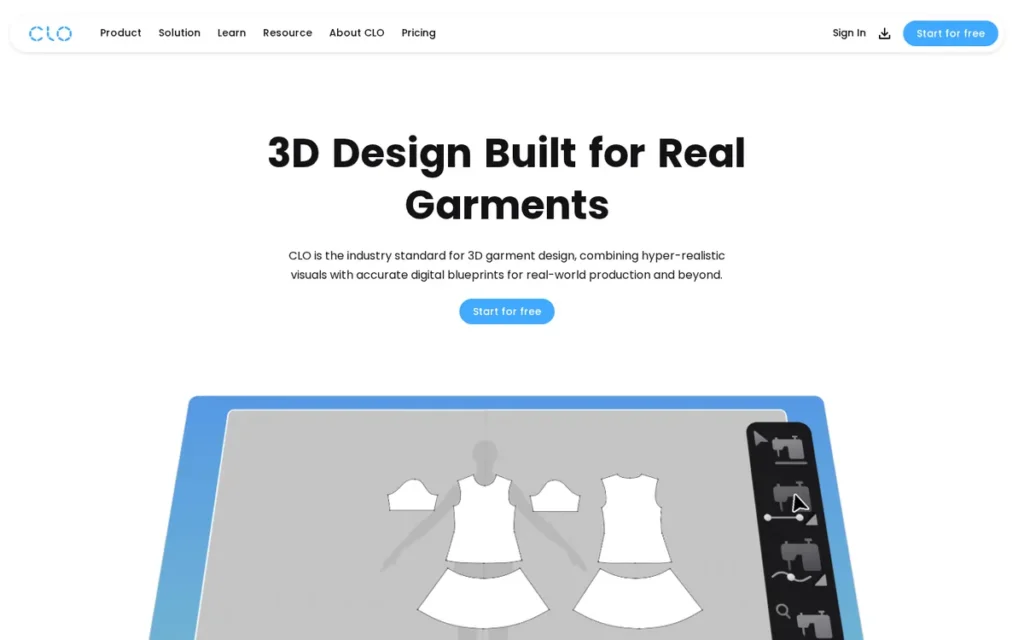
Category: 3D Pattern & Simulation, meaning tools that link 2D garment patterns to physics-based 3D fit simulation for virtual sampling.
At a Glance
- Category: 3D Pattern & Simulation
- Best For: Individual designers, fashion students and small-to-mid brands developing real garments with virtual fitting
- Price Range: $25/month or $225/year (Student), $50/month or $450/year (Individual); Enterprise and Education by quote
- Primary Strength: CLO 3D links 2D pattern drafting and 3D simulation in both directions, and its pricing is the most transparent of the 3D Pattern & Simulation tools in this review.
- Biggest Limitation: CLO 3D has a steep learning curve, needs gaming-class hardware, and does not replace pattern-making knowledge or factory DXF testing.
- One-Line Summary: CLO 3D is the most accessible professional 3D apparel design tool PlugRoute evaluated in 2026, combining 2D pattern work, 3D fit simulation and grading at a published $50/month individual price.
- Last Verified: November 2026
Overview
CLO 3D is a 3D fashion design platform from CLO Virtual Fashion that links 2D pattern drafting with physics-based 3D garment simulation. It’s built for designers, students and small-to-mid brands that want to fit, grade and approve garments virtually before cutting physical samples.
CLO 3D connects to CLO-SET for cloud-based team review. CLO Virtual Fashion was founded in 2009 and released the first version of CLO in 2010 (CLO, accessed November 2026).
Key Features
- CLO 3D updates the 3D garment when a 2D pattern is edited, and it updates the pattern when the 3D garment is adjusted.
- CLO 3D shows strain, pressure and tension fit maps on adjustable avatars, so designers can check fit before sampling.
- CLO 3D includes grading and exports patterns in DXF-AAMA and DXF-ASTM formats for factory handoff.
- CLO 3D exports 3D garments in FBX, OBJ and Alembic formats for rendering, animation and other 3D pipelines.
- CLO 3D connects to CLO-SET for cloud collaboration and to the Connect marketplace for garments, avatars and materials.
Best For
CLO 3D is best for individual designers, students and small-to-mid brands that want to develop sewable garments in 3D and cut down physical sampling without an enterprise contract. CLO 3D suits readers who already know pattern-making basics or are learning them.
Pricing
CLO 3D’s pricing page listed these prices as of November 2026 (CLO pricing page, November 2026; Verified, excluding tax/VAT):
- CLO 3D Student costs $25/month or $225/year after student verification.
- CLO 3D Individual/freelancer costs $50/month or $450/year.
- CLO 3D Enterprise (two or more employees) and Education are quote-only.
CLO 3D offers a 14-day trial that requires a payment card (CLO trial page, accessed November 2026). Some indie designers subscribe to CLO 3D one month at a time and batch their projects to control cost (Reddit r/myog, accessed November 2026).
Strengths
- CLO 3D’s use in factories widened in 2025. CLO opened its Dhaka office, its 15th worldwide, and named manufacturers using its tools, including Bestseller, Padma Textiles and Ananta Apparels (CLO newsroom, 2025).
- CLO 3D publishes monthly and annual Student and Individual prices, which makes it the most transparently priced 3D Pattern & Simulation tool in this review (CLO pricing page, November 2026).
- CLO 3D holds a 4.6/5 rating on G2 from 7 reviews, a small sample, and reviewers praise its end-to-end workflow and rendering (G2, November 2026).
- CLO 3D’s digital fabric tools got stronger when CLO Virtual Fashion acquired swatchbook, its digital-materials partner since 2017, in July 2025 (CLO newsroom, July 2025).
Limitations
CLO 3D’s biggest trade-off is that it assumes you already have capable hardware and pattern-making skill. That makes it accessible on price but demanding in practice.
- CLO 3D needs a MacBook Pro or a gaming-class Windows PC, according to practitioners (Reddit r/fashiondesigner, accessed November 2026).
- CLO 3D does not teach pattern making, and r/CLO3D users advise learning it from books or classes first (Reddit r/CLO3D, accessed November 2026).
- G2 reviewers report that CLO 3D slows down on complex multi-layer garments at low particle distance, and some report unanswered support questions (G2, November 2026).
- CLO 3D’s DXF exports must be tested with the receiving factory, according to CLO’s guidance (CLO, accessed November 2026), and CLO 3D has no native marker making or cutter output.
Users on r/CLO3D shared their experience:
“before i built a my desktop, i was successfully running clo on a 16” 2019 macbook pro (intel chip). it worked, but simulations got slow pretty quickly.” Posted by u/EnochSpevivo
Takeaway: CLO 3D runs on a capable laptop, but serious simulation work pushes users toward desktop-class hardware, which adds to its real cost.
Verdict
CLO 3D is the best overall apparel design software for most designers and small brands in 2026, because it combines 2D patterns, 3D fit simulation and grading at a published $50/month price.
CLO 3D scores 38 weighted points to Browzwear VStitcher’s 35. It leads on pricing accessibility and audience breadth, while Browzwear VStitcher leads on G2 review volume (56 reviews vs 7). Budget for capable hardware, pair CLO 3D with a 2D tool for flats, and test DXF exports with your factory before committing.
2. Browzwear VStitcher: Best for Measured Fabric Physics and Enterprise 3D
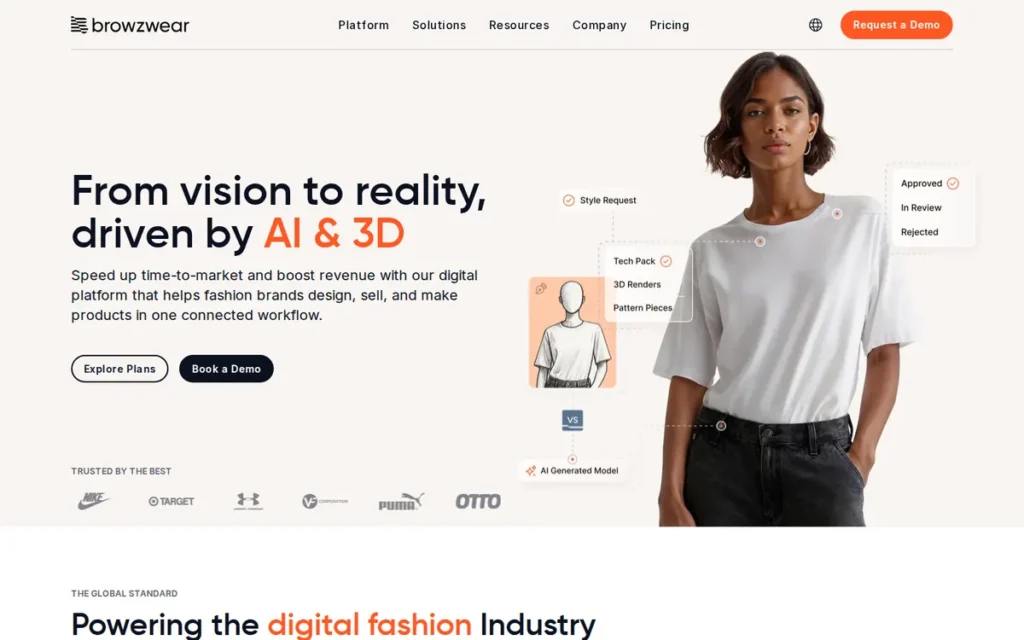
Category: 3D Pattern & Simulation, meaning tools that link 2D garment patterns to physics-based 3D fit simulation for virtual sampling.
At a Glance
- Category: 3D Pattern & Simulation
- Best For: Apparel teams needing measured fabric physics and PLM integration, plus solo designers on the Freelancer tier
- Price Range: $75/month or $750/year (Freelancer) to $3,950/user/year (Teams); Enterprise by quote
- Primary Strength: Browzwear VStitcher pairs 3D garment development with a physical Fabric Analyzer and U3M data, so digital fabrics behave more like real ones.
- Biggest Limitation: Browzwear VStitcher’s entry price is about 1.5x CLO 3D’s individual price, and users report crashes and complaints about support after the sale.
- One-Line Summary: Browzwear VStitcher is an enterprise-grade 3D apparel development platform, and since its February 2026 Freelancer tier it is also available to solo designers at $75/month.
- Last Verified: November 2026
Overview
Browzwear VStitcher is a 3D garment development platform from Singapore-based Browzwear that turns 2D patterns into 3D samples for fit review. It’s built for apparel product-development teams and, since February 2026, for solo designers on a self-service Freelancer plan.
Browzwear VStitcher is part of a wider product family:
- Browzwear Lotta handles 3D styling for designers and merchandisers.
- Browzwear Stylezone handles cloud collaboration and showcasing.
- Browzwear Tech Pack tools and the Open Platform API connect Browzwear VStitcher to PLM and ERP systems.
Key Features
- Browzwear VStitcher builds 3D garments directly from 2D patterns, with pattern editing, grading and fit simulation.
- Browzwear VStitcher uses data from Browzwear’s physical Fabric Analyzer, which measures bend, drape, thickness and stretch and stores them in U3M format.
- Browzwear VStitcher connects to Stylezone for cloud collaboration and, on Teams plans, to Tech Pack tools.
- Browzwear VStitcher offers an Open Platform API for PLM and ERP integration, and Gerber AccuMark connects to Browzwear’s 3D tools.
- Browzwear VStitcher 2025.3 added workflow automation and protection for licensed avatars, and version 2026.1 followed (Browzwear, accessed November 2026).
Best For
Browzwear VStitcher is best for product-development teams that need accurate measured fabric data, tech-pack output and PLM integration across a team. Browzwear VStitcher also suits experienced solo designers who want enterprise-grade fabric physics and can pay $75/month.
Pricing
Browzwear VStitcher’s self-service plans launched in February 2026 (Browzwear pricing page, November 2026; Verified):
- Browzwear VStitcher Freelancer costs $75/month or $750/year and includes one user, local desktop rendering and community support only.
- Browzwear VStitcher Freelancer Plus includes the two latest versions and costs $150/month or $1,500/year.
- Browzwear VStitcher Teams costs $3,950 per user per year for up to 3 users, includes Tech Pack and cloud rendering, and can rise up to 7% at renewal.
- Browzwear VStitcher Enterprise and Education are quote-only.
Browzwear VStitcher’s Freelancer tiers mean the platform is no longer enterprise-only, which contradicts some AI-generated summaries PlugRoute reviewed in November 2026.
Strengths
- Browzwear holds a 4.8/5 rating on G2 from 56 reviews for its product family, which includes VStitcher. That is the largest review base among the 3D tools here, and reviewers praise its realistic drape (G2, November 2026).
- Browzwear VStitcher draws on a physical Fabric Analyzer that measures real fabric properties into U3M files. According to Browzwear, this narrows the gap between renders and real garments (Browzwear, accessed November 2026).
- Browzwear VStitcher’s developer received a $35M growth investment from Radian Capital in August 2021, its first institutional funding (Browzwear, August 2021).
- Browzwear VStitcher customers reported fewer samples in vendor-published case studies: Crystal Denim reported 75% fewer physical samples and Halti 50% fewer salesman samples (Browzwear, accessed November 2026; Vendor-reported).
Limitations
Browzwear VStitcher’s biggest trade-off is cost and support in exchange for enterprise depth. The entry price is higher than CLO 3D’s, and support for solo users is limited.
- Browzwear VStitcher’s $75/month entry price is about 1.5x CLO 3D’s $50/month individual plan, and Teams renewals can rise up to 7% (Browzwear pricing page, November 2026).
- G2’s 3D-modeling category feedback includes complaints about crashes, data-loss risk and clumsy copy-paste within Browzwear VStitcher files (G2, November 2026).
- Browzwear VStitcher has a single Capterra review (1.0/5, not a meaningful sample) reporting slow support after an enterprise contract was signed (Capterra, November 2026).
- Browzwear VStitcher’s Freelancer plan offers community support only, and Browzwear VStitcher rarely comes up in indie Reddit communities, so self-taught users will find fewer peer tutorials than for CLO 3D.
Users on r/3Dmodeling noted:
“I emailed browzwear support and they indeed replied and helped (not substantially, but still). Most of the thing I learned is by trying and trying and trying and making mistakes.” Posted by u/taisiya_n
Takeaway: Browzwear VStitcher users who learn on their own rely mostly on trial and error, because both vendor support and peer resources are thin.
Verdict
Browzwear VStitcher is the strongest 3D apparel tool in 2026 for teams that put measured fabric accuracy and PLM integration first. Its February 2026 Freelancer tier also makes it a real option for solo designers.
Browzwear VStitcher scores 35 weighted points. It trails CLO 3D on pricing (4 vs 5) because its entry price is about 1.5x CLO 3D’s, it has no published student tier and its education pricing is quote-only. Confirm support terms for after the sale and renewal increases before signing.
3. Adobe Illustrator: Best for Technical Flats, Prints and Tech-Pack Artwork
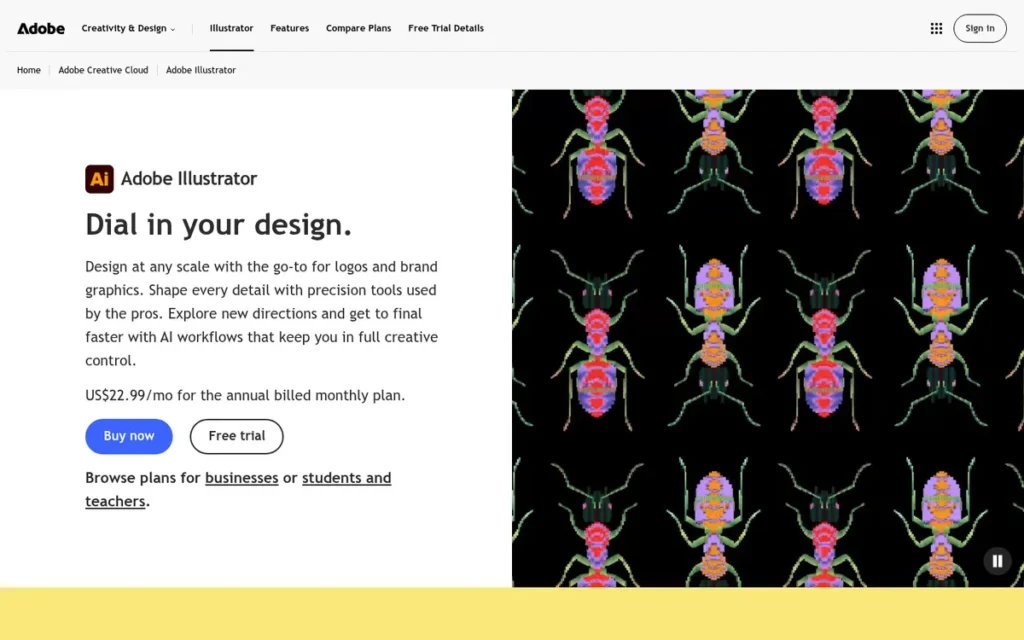
Category: 2D Illustration, meaning vector tools for fashion flats, technical sketches, prints and tech-pack artwork rather than patterns or 3D fit.
At a Glance
- Category: 2D Illustration
- Best For: Designers, students and brands creating technical flats, prints, colorways, line sheets and tech-pack artwork
- Price Range: $22.99/month (annual plan, billed monthly); $19.99/month for students in year one; Illustrator for Teams from about $37.99/month per license
- Primary Strength: Adobe Illustrator produces scalable vector flats in file formats that factories, printers and PLM systems widely accept, according to industry guides.
- Biggest Limitation: Adobe Illustrator has no native pattern drafting, grading, marker making or 3D fit simulation.
- One-Line Summary: Adobe Illustrator is a widely used 2D vector tool for fashion flats, prints and tech-pack artwork, and it must be paired with pattern or 3D software for garment development.
- Last Verified: November 2026
Overview
Adobe Illustrator is Adobe’s subscription vector graphics application. Apparel teams use it for technical flats, fashion sketches, repeat prints and tech-pack artwork, because it produces scalable artwork that factories and printers accept.
Adobe Illustrator is not pattern or 3D software, so apparel teams usually pair Adobe Illustrator with a 3D tool or production CAD (AIMS360, accessed November 2026). Adobe Illustrator has been available since 1987 (Adobe, accessed November 2026).
Key Features
- Adobe Illustrator creates scalable vector flats and technical sketches that stay crisp at any size in factory documents.
- Adobe Illustrator includes pattern swatches and stitch-style pattern brushes for repeat prints and topstitching details.
- Adobe Illustrator uses symbols and Recolor Artwork to produce colorways and line sheets quickly.
- Adobe Illustrator includes Firefly AI features such as Text to Vector, Generative Recolor and Generative Shape Fill.
- Adobe Illustrator exports AI, PDF, SVG and EPS files for use by brands, factories and printers.
Best For
Adobe Illustrator is best for any designer, student or brand that produces technical flats, prints and tech-pack artwork for manufacturers. Adobe Illustrator works best as the 2D layer of a stack alongside a 3D Pattern & Simulation tool or pattern CAD.
Pricing
Adobe Illustrator’s US prices were as follows (Adobe plans pages, November 2026; Verified unless noted):
- Adobe Illustrator single app costs $22.99/month on an annual plan billed monthly, or $263.88/year prepaid.
- Adobe Illustrator for Teams is listed from about $37.99/month per license (Capterra pricing listing, November 2026; Third-party estimate).
- Adobe Creative Cloud Pro costs $69.99/month, and Creative Cloud Pro for Teams costs $99.99/month per license.
- Adobe’s student and teacher plan costs $19.99/month in year one, then $39.99/month.
Adobe Illustrator has no perpetual license. Lower-cost options for flats include:
- Inkscape is a free, open-source vector alternative to Adobe Illustrator for flats.
- Affinity Designer, now owned by Canva, is a lower-cost vector alternative.
- Procreate is raster-based, so it is less suited to factory flats that must scale cleanly.
Strengths
- Adobe Illustrator holds a 4.8/5 rating on Capterra from 8,659 reviews, the largest review base in this review (Capterra, November 2026).
- Adobe Illustrator’s AI, PDF, SVG and EPS formats are widely accepted by brands, factories and printers, according to industry guides (AIMS360, accessed November 2026; GarmentSpec, accessed November 2026).
- Adobe Illustrator’s core pricing is published as of November 2026, including a $19.99/month first-year student rate.
- Adobe Illustrator is used by some certified pattern makers to digitize final paper patterns (Reddit r/sewing, accessed November 2026).
This aligns with community sentiment on r/fashiondesigner:
“Depends on what you’re designing, If you are drawing up your technical drawings then it’s a need for sure! But if you’re doing a graphic tee or hoodie, then you don’t need it, could easily just use canva.” Posted by u/Secondsociety
Takeaway: Adobe Illustrator is essential for technical flats, but brands making only simple graphic garments can skip the subscription.
Limitations
Adobe Illustrator’s biggest trade-off is breadth for 2D precision. Because it has no native pattern drafting, grading, marker making or 3D simulation, Adobe Illustrator cannot take a garment to production on its own.
- Adobe Illustrator has a steep pen-tool learning curve and heavy resource use, according to Capterra reviewers (Capterra, November 2026).
- Adobe as a company scores 1.1/5 on Trustpilot over unexpected charges and early-cancellation fees, which reflects billing practices rather than Adobe Illustrator’s product quality (Trustpilot, November 2026).
- Adobe Illustrator is subscription-only, and the student rate rises from $19.99 to $39.99/month after year one.
- No published survey measures Adobe Illustrator’s share among fashion designers as of November 2026.
Verdict
Adobe Illustrator is the most widely reviewed 2D tool in this review for apparel flats, prints and tech-pack artwork, but it is not pattern or 3D software and should be paired with a garment development tool.
Adobe Illustrator ranks #3 with 33 points despite the largest review base, because it covers only one workflow stage, 2D artwork (C1=2). A widely recommended indie stack is Adobe Illustrator plus CLO 3D, at about $73/month combined as of November 2026.
4. Gerber AccuMark (Lectra): Best for High-Volume Production Pattern CAD
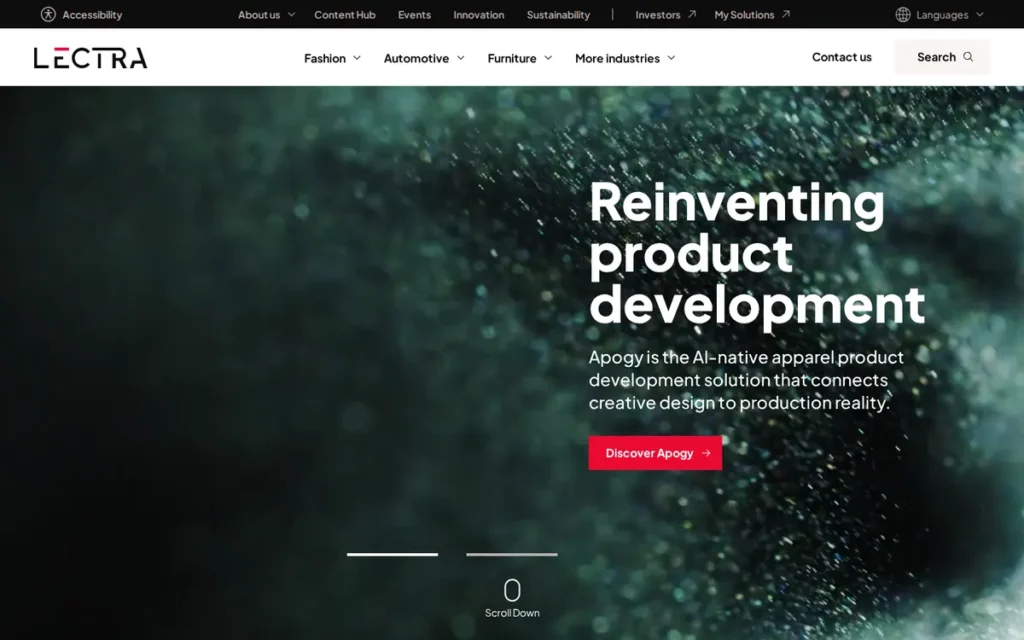
Category: Industrial Production CAD, meaning pattern, grading, marker and cutting-room systems that turn approved designs into factory production data.
At a Glance
- Category: Industrial Production CAD
- Best For: Manufacturers and high-volume brands with many sizes, frequent seasons, in-house markers or cutter integration
- Price Range: Pricing on request (quote-only subscription, 1–3 year terms)
- Primary Strength: Gerber AccuMark offers the most complete production pipeline in this review, from rule-based grading to automatic nesting and cutter output.
- Biggest Limitation: Gerber AccuMark has no public pricing, a dated Windows-only interface and a learning curve that likely makes it overkill for small brands that outsource production.
- One-Line Summary: Gerber AccuMark is Lectra’s industrial pattern CAD system for grading, marker making and cutting-room output, built for manufacturers rather than independent designers.
- Last Verified: November 2026
Overview
Gerber AccuMark is an industrial pattern CAD system, owned by Lectra since June 2021, that handles 2D pattern design, rule-based grading, marker making and cutter output. It’s built for manufacturers and high-volume brands that run their own production pattern rooms.
Gerber AccuMark is a production pipeline rather than a design or visualization tool, although AccuMark 3D adds fit visualization. Gerber Technology was founded in 1968 (Lectra, June 2021).
Key Features
- Gerber AccuMark grades patterns across many sizes with grade-rule tables and multi-dimensional grading.
- Gerber AccuMark builds markers and uses AccuNest automatic nesting to make the most of each length of fabric.
- Gerber AccuMark automates made-to-measure patterns from body-scan or tape measurements.
- Gerber AccuMark supports pattern digitizing and sends production data directly to Gerber cutters.
- Gerber AccuMark links two ways with YuniquePLM, so a bill of materials can start from pattern data, and Gerber AccuMark also connects to Browzwear 3D tools.
Best For
Gerber AccuMark is best for manufacturers, uniform makers and high-volume brands that grade many sizes, run frequent seasons, make markers in-house or drive automated cutters. Gerber AccuMark is likely overkill for small brands that outsource pattern making and production.
Pricing
Gerber AccuMark has no public pricing as of November 2026. Licenses are quote-only subscriptions on 1–3 year terms, with two major releases per year (Lectra, accessed November 2026). Several factors drive the total cost:
- Gerber AccuMark’s total cost depends on the number of seats licensed.
- Gerber AccuMark’s total cost depends on the modules selected.
- Gerber AccuMark’s total cost changes depending on whether you license 2D only or 2D plus AccuMark 3D.
- Gerber AccuMark’s total cost also depends on hardware such as digitizers, plotters and cutters.
Older Gerber AccuMark installations used perpetual licenses. PlugRoute does not publish third-party price estimates for Gerber AccuMark as fact.
Strengths
- Gerber AccuMark is backed by Lectra, which completed its acquisition of Gerber Technology on June 1, 2021, for €175M in cash plus 5 million new Lectra shares (Lectra, June 2021).
- Gerber AccuMark’s owner, Lectra, employs more than 2,500 people, with more than 200 at the Gerber site in Tolland, Connecticut (Hartford Business Journal, 2025).
- Gerber AccuMark customer Adrian Jules cut physical samples from 20 to 5 with AccuMark 3D and reported about 75% development-time savings (Lectra, accessed November 2026; Vendor-reported).
- Gerber AccuMark covers grading, AccuNest nesting, made-to-measure and cutter output. The design-focused tools in this review (CLO 3D, Browzwear VStitcher, Adobe Illustrator) do not offer that production depth natively.
- Gerber AccuMark’s subscriptions let uniform maker Cintas bring in temporary contract pattern makers without a permanent license (Lectra, accessed November 2026; Vendor-reported).
Limitations
Gerber AccuMark’s biggest trade-off is accessibility in exchange for industrial scale. Buyers can’t see prices without a sales process, and the software assumes trained production staff.
- Gerber AccuMark runs on Windows only, relies on license servers or dongles, and has a steep learning curve for its rule tables and databases.
- Gerber AccuMark has no verified G2 or Capterra presence as of November 2026, so independent user evidence is insufficient.
- Gerber AccuMark’s school version was called “old and a nightmare” by one former student (Reddit r/sewing, accessed November 2026).
- Gerber AccuMark’s long-term roadmap is harder to predict now that Lectra owns both Gerber AccuMark and Lectra Modaris (analyst inference).
Users on r/sewingpatterns weighing hand drafting against Gerber AccuMark noted:
“I’ve trained 100+ industrial pattern makers for years and it’s best that you learn to draft by hand 1st because the software won’t “teach you” pattern making… CAD is just a tool that will either accelerate the pace of a good patternmaker or amplify problematic patterns drafted by people without enough experience.” Posted by u/revenett
Takeaway: Gerber AccuMark and similar industrial CAD speed up skilled pattern makers but magnify the mistakes of inexperienced ones, so they pay off only with trained staff.
Verdict
Gerber AccuMark is the most complete production pattern CAD system in this review for manufacturers and high-volume brands, but it is overkill for most small brands that outsource production.
Gerber AccuMark scores 30 weighted points, one above Optitex. The two score the same on four criteria, and Gerber AccuMark leads on documented credentials, reflecting its track record since 1968. Request a full quote that includes hardware, and ask Lectra how the AccuMark roadmap relates to Modaris.
5. Optitex: Best for Combined 2D/3D CAD with Markers and Print & Cut
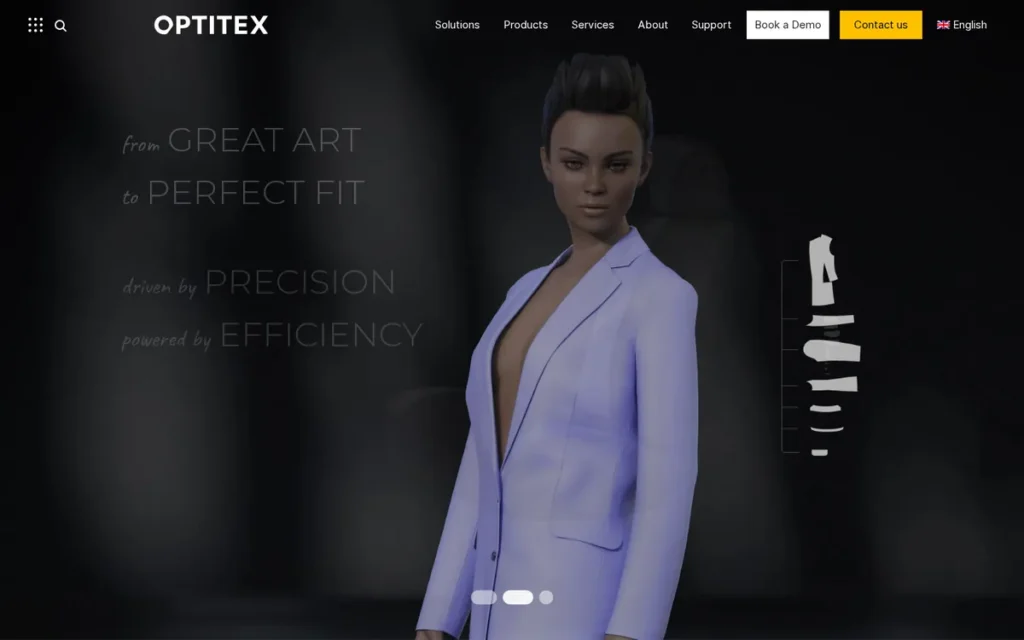
Category: Industrial Production CAD, meaning pattern, grading, marker and cutting-room systems that turn approved designs into factory production data.
At a Glance
- Category: Industrial Production CAD
- Best For: Manufacturers and production-focused brands wanting 2D/3D CAD, markers, nesting and Print & Cut in one environment
- Price Range: Pricing on request; third-party estimates of about $300–$500/month are unverified
- Primary Strength: Optitex connects 2D pattern design, 3D virtual sampling, marker nesting and cutting-room output in one environment.
- Biggest Limitation: Optitex has no public pricing, no verified user reviews and no accessible entry tier for indie designers.
- One-Line Summary: Optitex is a combined 2D/3D apparel CAD/CAM system that links pattern design, virtual sampling, marker nesting and Print & Cut output for production-focused teams.
- Last Verified: November 2026
Overview
Optitex is a combined 2D and 3D apparel CAD/CAM system that connects pattern design, grading, virtual sampling, marker nesting and cutter output. It’s built for manufacturers and production-focused brands that want one environment from pattern to cutting room.
Optitex competes on production connectivity rather than on the most realistic 3D rendering, according to comparison sources PlugRoute reviewed in November 2026. Optitex publishes named case studies:
- Optitex’s apparel case-study customers include AMS Atelier, VIRtuTek-X, GAT Fashion Lab, Carmel Clothing and Elcatex (Optitex, accessed November 2026).
- Optitex’s case-study customers outside apparel include automotive supplier Faurecia (Optitex, accessed November 2026).
Key Features
- Optitex PDS handles 2D pattern design and grading, with AAMA, ASTM and DXF exchange.
- Optitex includes marker and nesting tools that reach about 96% material efficiency, according to the vendor (Optitex, accessed November 2026; Vendor-reported).
- Optitex 3D virtual sampling sends changes made in 3D back to the 2D patterns.
- Optitex Print & Cut prints and cuts complete garments from a single fabric roll.
- Optitex sends production data directly to cutters and laser cutters.
Best For
Optitex is best for manufacturers and production-focused brands that want 2D patterns, 3D sampling, markers and cutting-room output in one connected system. Optitex also suits digital-print production through its Print & Cut module.
Pricing
Optitex publishes no pricing as of November 2026 and sends buyers to a sales quote. Here is what is known, by evidence type:
- Optitex 2D CAD is estimated at about $300/month (Softwr, accessed November 2026; Third-party estimate).
- Optitex 2D plus 3D is estimated at about $500/month (Softwr, accessed November 2026; Third-party estimate).
- Optitex Marker, CutPlan and Print & Cut are sold as add-on modules.
Optitex buyers should request quotes module by module and ask about dongle and licensing terms.
Strengths
- Optitex customer AMS Atelier reported 75% lower sampling costs and about 47% lower material costs, compared with $500–$1,000 per physical sample before (Optitex, accessed November 2026; Vendor-reported).
- Optitex customer VIRtuTek-X cut samples from 3 to 1 per style and development time from 3 months to 3 weeks (Optitex, accessed November 2026; Vendor-reported).
- Optitex customer GAT Fashion Lab cut sample approval from 12 weeks to under 1 week (Optitex, accessed November 2026; Vendor-reported).
- Optitex covers 2D, 3D, nesting and Print & Cut in one environment, so production teams need fewer separate systems.
Limitations
Optitex’s biggest trade-off is transparency in exchange for an integrated production suite. Buyers can’t check its price or read independent user reviews before talking to sales.
- Optitex has no accessible entry tier for indie designers. A Reddit thread of users looking for pirated “pre-activated” copies points to unmet demand from cost-sensitive users but says nothing about quality (Reddit r/WindowsOnDeck, accessed November 2026).
- Optitex has no verified G2 or Capterra reviews as of November 2026, so independent user evidence is insufficient.
- Optitex’s 3D is described as less realistic than CLO 3D’s in competitor-written and aggregator comparisons PlugRoute reviewed in November 2026, not in measured reviews.
- Optitex has changed owners several times. EFI acquired it in 2016, FOG Software Group (part of Constellation Software) acquired it in April 2020, and FOG merged it with NedGraphics in July 2024 (FOG Software Group, April 2020; NedGraphics, July 2024). Buyers should ask how the merger affects the roadmap.
Verdict
Optitex is a strong choice in 2026 for production teams that want 2D patterns, 3D sampling, markers and Print & Cut in one connected system, but its pricing and user reviews can’t be publicly verified.
Optitex scores 29 weighted points, one behind Gerber AccuMark. Readers who need Print & Cut or integrated 3D should treat Optitex as equal to or better than Gerber AccuMark. Treat Optitex’s sample-reduction figures as vendor-reported, and ask for a trial that allows export.
6. Seamly2D: Best Free Software for Parametric Pattern Making
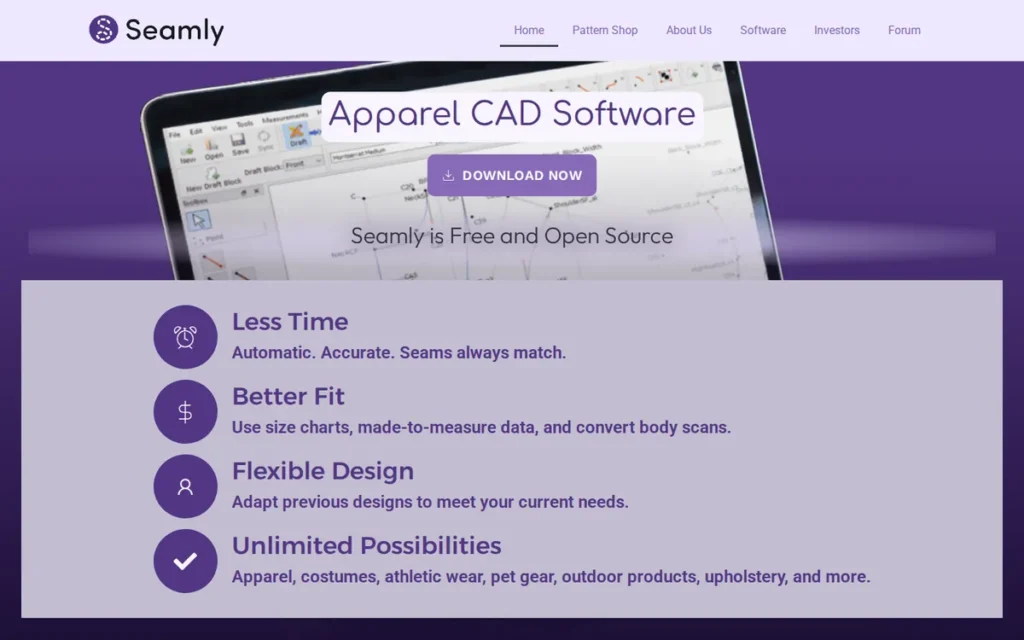
Category: Free Parametric Pattern Drafting, meaning open-source 2D tools that build patterns from measurements and formulas without 3D simulation or production markers.
At a Glance
- Category: Free Parametric Pattern Drafting
- Best For: Beginners, fashion students, home sewists and indie made-to-measure designers who need free 2D pattern drafting
- Price Range: Free (open source, GPLv3)
- Primary Strength: Seamly2D redrafts patterns automatically from measurement files at no cost, which supports custom fit and basic grading.
- Biggest Limitation: Seamly2D has no 3D simulation or marker making, and documented DXF and AAMA export bugs mean exports need testing before production use.
- One-Line Summary: Seamly2D is the strongest free apparel pattern-making option PlugRoute evaluated in 2026, offering open-source parametric drafting driven by body measurements, with no 3D or production marker tools.
- Last Verified: November 2026
Overview
Seamly2D is a free, open-source parametric pattern drafting application that builds garment patterns from points, formulas and body measurements. It’s built for beginners, students, home sewists and indie designers who need custom-fit 2D patterns without paying for professional CAD.
Seamly2D runs on Windows, macOS and Linux and is 2D-only. Seamly2D began in 2017 as a fork of the Valentina project, led by Susan Spencer (Libre Arts, December 2017).
Key Features
- Seamly2D builds patterns from points, formulas and variables tied to measurement files created in its companion app, SeamlyMe.
- Seamly2D redrafts every connected pattern piece when a measurement changes, so changing a client’s hip from 96 cm to 100 cm updates the whole draft without redrawing.
- Seamly2D exports tiled PDF for home printing, plus SVG and DXF including AAMA.
- Seamly2D runs on Windows, macOS and Linux at no cost under the GPLv3 license.
- Seamly2D lets users sell the patterns they create, and Seamly2D’s community support runs through forum.seamly.io.
Best For
Seamly2D is best for beginners, students, home sewists and indie made-to-measure designers who want to learn and practice real pattern drafting for free. Seamly2D pairs well with Inkscape for free flats.
Pricing
Seamly2D is free under GPLv3 as of November 2026, and users may sell the patterns they create (SourceForge, November 2026; Verified). Seamly2D has no paid support tier, so support comes from the community forum.
Valentina, the project Seamly2D forked from, reportedly moved its binaries behind a paid subscription after its July 2025 1.0 release (Wikipedia, accessed November 2026; Not verified).
Strengths
- Seamly2D is under active development, with a source release (v2026.11.9.131) on SourceForge and ongoing GitHub commits in 2026 (SourceForge, November 2026).
- Seamly2D costs $0 under the GPLv3 license, and users may sell the patterns they create, as of November 2026.
- Seamly2D’s parametric engine is described by one r/myog user as “everything you need to build and print patterns” (Reddit r/myog, accessed November 2026).
- Seamly2D exports DXF including AAMA, plus tiled PDF and SVG, on all three major desktop operating systems, with the documented bugs noted below.
Limitations
Seamly2D’s biggest trade-off is production reliability in exchange for zero cost. Its documented export bugs mean every Seamly2D file needs testing before it goes to a factory.
- Seamly2D’s GitHub tracker documents flat-DXF export crashes, unreadable DXF output, invalid AAMA pieces and distorted macOS pieces at zero seam allowance (GitHub issues #1642 and #1770, accessed November 2026).
- Seamly2D has no 3D simulation, marker making or production database.
- Seamly2D’s chain of parametric dependencies makes early drafting steps hard to change, which one user summed up as “everything is chained” (Reddit r/myog, accessed November 2026).
- Seamly2D has an engineering-style interface and gaps in its documentation, so users learn from community tutorials such as a sleeve-drafting walkthrough that uses Armstrong’s method (Reddit r/PatternDrafting, accessed November 2026).
- Seamly2D has no verified review-platform presence, and no download, GitHub-star or forum-membership figures were verified as of November 2026.
Users on r/PatternDrafting shared their experience:
“While there are tutorials, they are often quite basic and you will run into issues. I’ve had moments when I realized that I should have used a different type of point/line 8 steps back, which is hard to fix. I think you need to know really well what the full plan is for the pattern before you start to make it digital.” Posted by u/Sunraia
Takeaway: Seamly2D’s parametric chain punishes early drafting mistakes, so users get the most from it when they plan the whole pattern before they start drafting.
Verdict
Seamly2D is the strongest free pattern-making option PlugRoute evaluated in 2026 for beginners and indie designers, but its DXF exports must be tested before any production handoff.
Seamly2D scores 27 weighted points. It ranks above Marvelous Designer because it directly serves the pattern-making needs of readers who make clothes (C3=4), and below the paid tools because of documented export bugs and thin user evidence. For 3D fit, move up to a 3D Pattern & Simulation tool such as CLO 3D or Browzwear VStitcher.
7. Marvelous Designer: Best for 3D Clothing in Games, VFX and Animation
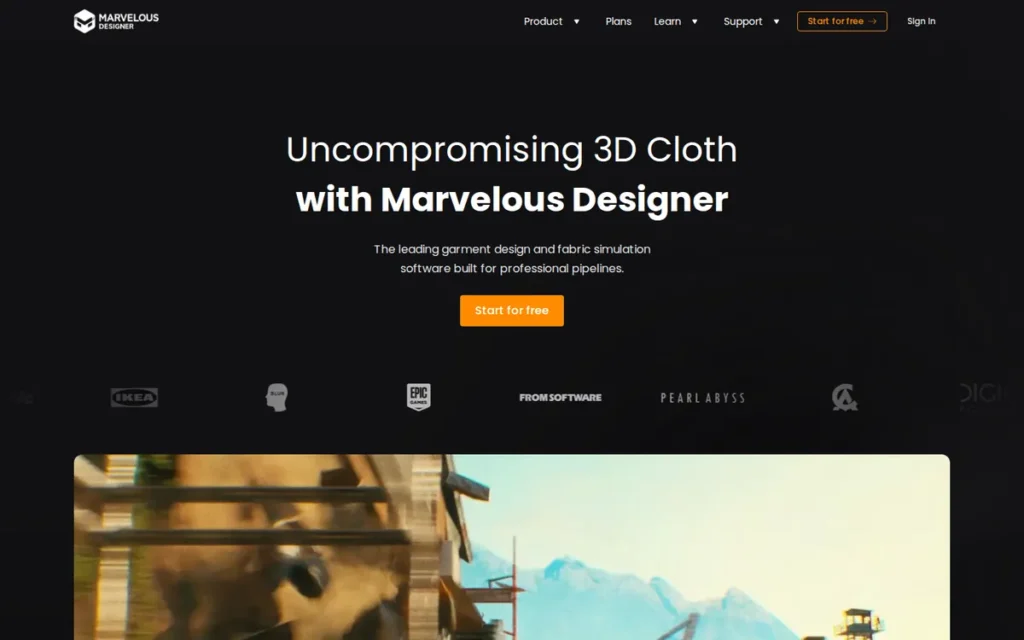
Category: CG Garment Simulation, meaning pattern-based 3D clothing tools built for game, film, VFX and animation assets rather than factory production.
At a Glance
- Category: CG Garment Simulation
- Best For: 3D artists, character artists and studios creating clothing for games, film, VFX and animation
- Price Range: $8.25/month (Student), $39/month or $280/year (Personal), up to $2,300/seat/year (Enterprise Linux)
- Primary Strength: Marvelous Designer builds realistic, animatable 3D clothing quickly and exports it to Blender, Maya and Unreal pipelines.
- Biggest Limitation: Marvelous Designer is not built for apparel production, and its own developer recommends CLO 3D for grading, tech packs and production patterns.
- One-Line Summary: Marvelous Designer is a 3D clothing tool for games, VFX and animation whose creator received a 2024 Academy Scientific and Engineering Award, and it is not a substitute for fashion-production software.
- Last Verified: November 2026
Overview
Marvelous Designer is a pattern-based 3D clothing simulation application from CLO Virtual Fashion. It’s built for character artists and studios that create realistic, animatable garments for games, film, VFX and animation, not for factory-produced apparel.
Marvelous Designer shares a developer with CLO 3D, and the vendor’s own guidance points production users to CLO 3D (Marvelous Designer, accessed November 2026). Marvelous Designer launched publicly in 2012 (AWN, 2012).
Key Features
- Marvelous Designer builds 3D clothing from 2D panels that are drafted, sewn, arranged on an avatar and simulated for drape and animation.
- Marvelous Designer includes retopology with quad and quad-grid output, plus UV tools for game-ready meshes.
- Marvelous Designer exports FBX, OBJ, Alembic and MDD files to Blender, Maya and Unreal.
- Marvelous Designer 2026.0 added 3D Pencil sketching, template-based EveryWear rigging (beta) and a Toon Shader (Marvelous Designer, accessed November 2026).
- Marvelous Designer offers a 14-day free trial and Personal, Student, Academic and Enterprise licenses.
Best For
Marvelous Designer is best for 3D artists, character artists and studios producing clothing for games, film, VFX and animation. Designers who need factory patterns, grading or tech packs should use a 3D Pattern & Simulation tool such as CLO 3D or Browzwear VStitcher instead.
Pricing
Marvelous Designer’s licensing FAQ listed these prices as of November 2026 (Marvelous Designer licensing FAQ, November 2026; Verified):
- Marvelous Designer Personal costs $39/month or $280/year prepaid.
- Marvelous Designer Student costs $8.25/month, and an older $99 one-time student listing is likely out of date.
- Marvelous Designer Enterprise Network Online costs $199/seat/month or $2,000/seat/year.
- Marvelous Designer Enterprise Linux costs $2,300/seat/year.
- Marvelous Designer Academic costs $300/copy/year, or $150/copy/year for more than 10 copies.
Marvelous Designer’s Enterprise Standalone license was discontinued on December 2, 2025, and existing Standalone licenses stay supported until they expire. Indie Studio pricing is by contact, and Steam pricing was not verified.
Strengths
- Marvelous Designer founder Jaden Oh received a 2024 Academy Scientific and Engineering Award, presented February 23, 2024, for the Marvelous Designer clothing creation system (Academy of Motion Picture Arts and Sciences, February 2024).
- Marvelous Designer is used by named studios including Weta Digital, Lucasfilm, DreamWorks, Ubisoft and EA DICE, and DIGIC Pictures used it for the Assassin’s Creed Shadows trailer (Marvelous Designer, accessed November 2026).
- Marvelous Designer publishes its Personal, Student, Academic and Enterprise prices as of November 2026, and only Indie Studio pricing requires contacting sales.
- Marvelous Designer is called “a cakewalk compared to blender” for garment creation by r/MarvelousDesigner users, especially those with prior 3D experience (Reddit r/MarvelousDesigner, accessed November 2026).
Limitations
Marvelous Designer’s biggest trade-off is production capability in exchange for CG speed. It lacks production grading, tech packs and factory pattern output.
- Marvelous Designer’s round trips with Blender are fragile, and one user said exports are “picky” and took time to get right (Reddit r/MarvelousDesigner, accessed November 2026).
- Marvelous Designer’s learning curve is disputed: experienced 3D artists find it easy, while one long-time user recalls “how hard it was to learn” (Reddit r/MarvelousDesigner, accessed November 2026).
- Marvelous Designer’s heavy simulations hit hardware limits, according to r/MarvelousDesigner users (Reddit r/MarvelousDesigner, accessed November 2026).
- Marvelous Designer has no verified G2 or Capterra ratings as of November 2026, and the end of Enterprise Standalone licensing makes licensing more complicated for studios.
Verdict
Marvelous Designer is a strong, award-recognized choice in 2026 for 3D clothing in games, VFX and animation, but it is the wrong tool for designers who need factory-ready apparel patterns.
Marvelous Designer scores 25 weighted points. Its audience-fit score of 1, which counts double, costs it 8 points against CLO 3D, while it scores the maximum 5 on credentials and pricing transparency. CG artists should start with the 14-day trial and test their export pipeline before subscribing.
Which Apparel Design Software Combinations Work Best, and What Do They Cost?
A widely recommended indie stack is Adobe Illustrator plus CLO 3D, at about $73/month combined as of November 2026. The lowest-cost starter stack is Seamly2D plus Inkscape at $0. Manufacturers typically pair a 3D tool with production CAD, while CG artists usually need only Marvelous Designer.
How Much Does Each Apparel Design Tool Cost in November 2026?
| Product | Plan | Price (checked November 2026) | Evidence Label |
|---|---|---|---|
| CLO 3D | Student / Individual | $25/month or $225/year / $50/month or $450/year | Verified |
| CLO 3D | Enterprise / Education | Custom quote | Quote-only |
| Browzwear VStitcher | Freelancer / Freelancer Plus | $75/month or $750/year / $150/month or $1,500/year | Verified |
| Browzwear VStitcher | Teams (up to 3 users) | $3,950/user/year (renewals up to +7%) | Verified |
| Browzwear VStitcher | Enterprise / Education | Custom quote | Quote-only |
| Adobe Illustrator | Single app (annual, billed monthly) | $22.99/month or $263.88/year prepaid | Verified |
| Adobe Illustrator | Students and teachers | $19.99/month year one, then $39.99/month | Verified |
| Adobe Illustrator | Illustrator for Teams | From about $37.99/month per license | Third-party estimate (Capterra listing) |
| Adobe Creative Cloud Pro | Teams | $99.99/month per license | Verified |
| Gerber AccuMark | Subscription, 1–3 year terms | On request | Quote-only |
| Optitex | 2D / 2D + 3D | ~$300/month / ~$500/month | Third-party estimate (unverified) |
| Seamly2D | GPLv3 | $0 | Verified |
| Marvelous Designer | Student / Personal | $8.25/month / $39/month or $280/year | Verified |
| Marvelous Designer | Enterprise Network Online / Linux | $2,000/seat/year / $2,300/seat/year | Verified |
Which Software Stack Fits My Role and Budget?
| Reader Type | Recommended Stack | Approximate Cost |
|---|---|---|
| Fashion student | CLO 3D Student + Adobe student plan | $25/month + $19.99/month (year one) |
| Beginner or hobbyist at $0 | Seamly2D + Inkscape | Free |
| Indie brand or freelancer | Adobe Illustrator + CLO 3D | About $73/month |
| Indie brand wanting measured fabric physics | Browzwear VStitcher Freelancer + Adobe Illustrator | $750/year + $22.99/month |
| Small team (2–3 users) | CLO 3D Enterprise or Browzwear VStitcher Teams | Quote, or $3,950/user/year |
| Manufacturer or high-volume brand | 3D tool + Gerber AccuMark or Optitex | Quote-only |
| Game, VFX or animation artist | Marvelous Designer Personal | $39/month or $280/year |
Enterprise stacks can link Browzwear VStitcher, Gerber AccuMark and YuniquePLM, because Gerber AccuMark integrates with both.
CLO 3D, Optitex and Seamly2D all export DXF-AAMA, so a pattern library can usually move between them. Re-check grade rules and notches after any switch.
Will My 3D Design Become a Factory-Ready Pattern?
A 3D design usually doesn’t become a factory-ready pattern without more work. A factory-ready pattern needs grading, an export in a format the factory accepts (typically DXF-AAMA or DXF-ASTM) and a test by that factory. CLO’s guidance says to test DXF files with the receiving factory before production (CLO, accessed November 2026).
A photorealistic 3D render shows what a garment looks like; only a tested, graded pattern file shows whether a factory can make it.
Here’s a hypothetical example: a 3D jacket can look perfect on an avatar while its exported DXF loses the notches a sewer uses to line up the sleeve. The first physical sample then comes back with a twisted sleeve.
Fabric data matters too. If digital fabric settings are adjusted by eye instead of measured (a process called fabric digitization), a 3D garment can drape differently from the physical proto sample.
Each ranked tool’s production output looks like this:
- CLO 3D exports DXF-AAMA and DXF-ASTM patterns but has no native markers or cutter output.
- Browzwear VStitcher supports pattern grading, Tech Pack tools and PLM integration through its Open Platform API.
- Adobe Illustrator exports flats and artwork as AI, PDF, SVG and EPS files, but no production patterns.
- Gerber AccuMark produces graded patterns, AccuNest markers and direct cutter output.
- Optitex exchanges AAMA, ASTM and DXF files and sends output to cutters and laser cutters.
- Seamly2D exports DXF including AAMA, but Seamly2D’s GitHub tracker documents export bugs.
- Marvelous Designer exports CG formats such as FBX, OBJ, Alembic and MDD, not factory patterns.
What Red Flags Should I Watch For When Evaluating Apparel Design Software?
The biggest red flag in apparel design software is treating a convincing 3D render as proof that the pattern is ready for production. Related warning signs involve exports that haven’t been tested, vendor claims without labels and hidden costs. The seven numbered red flags below each name one warning sign and explain how to check for it before you buy.
Red Flag #1: Treating a 3D Render as a Production Pattern A photorealistic 3D garment shows how a design looks, not whether its pattern is graded, notched and accepted by a factory. Before buying any 3D Pattern & Simulation tool, ask the vendor to show the 2D pattern output and the exported file, not just the render.
Red Flag #2: Assuming DXF Export Is Factory-Ready Without Testing Exchanging DXF-AAMA and DXF-ASTM files can lose grade rules, notches and labels. CLO advises testing files with the receiving factory (CLO, accessed November 2026), and Seamly2D’s GitHub tracker documents invalid AAMA output, so send a test export before committing to any tool.
Red Flag #3: Unlabeled Vendor Sample-Reduction Claims Every sample-reduction figure PlugRoute found in November 2026 came from vendor case studies, and PlugRoute found no published independent side-by-side accuracy test. Treat percentages such as “75% fewer samples” as vendor-reported results, and ask vendors for customer references you can contact directly.
Red Flag #4: Hidden Hardware Costs 3D apparel tools such as CLO 3D, Browzwear VStitcher and Marvelous Designer need computers comparable to a gaming PC or MacBook Pro (Reddit r/fashiondesigner, accessed November 2026). Add the cost of a GPU-capable computer to the total cost of any 3D apparel tool before comparing subscriptions.
Red Flag #5: Trials That Block Export A trial that blocks export can’t prove a tool works with your factory. Some practitioners report that trial versions restrict export. Before subscribing to any 3D or production CAD tool, confirm the trial lets you export a DXF-AAMA pattern file and send it to your factory for a test open.
Red Flag #6: Buying Industrial CAD When You Outsource Production Gerber AccuMark and Optitex are justified mainly by many sizes, frequent seasons, in-house markers or cutter integration. Small brands that outsource pattern making and production are likely to find industrial CAD overkill, so they should let the factory grade and build markers instead.
Red Flag #7: Choosing a CG Tool for Fashion Production Marvelous Designer’s own developer recommends CLO 3D for grading, tech packs and production patterns. A tool built for game and film assets is not designed to produce graded, factory-ready pattern files, so confirm a tool’s intended category before you buy it for garment production.
What Questions Should I Ask Before Choosing Apparel Design Software?
Before choosing apparel design software, confirm seven things that decide whether a tool fits your workflow: what it covers, what your factory and computer can handle, what it really costs and what it expects you to know already. The seven questions summarized and explained below prevent most costly mismatches.
- Ask which type of apparel design software you need, from 2D illustration to production CAD.
- Ask which pattern file formats your factory accepts and whether your factory will test a sample file.
- Ask whether your computer’s GPU can run 3D garment simulation.
- Ask what the software will truly cost each year, including renewals and add-ons.
- Ask whether you already know pattern-making fundamentals.
- Ask whether the software’s trial allows export.
- Ask what support the vendor provides after the sale.
Question #1: Do I need illustration, pattern CAD, 3D simulation or CG software? Match the category to the job first: flats need 2D Illustration, fit needs 3D Pattern & Simulation, and markers need Industrial Production CAD. Clothing for games and film needs CG Garment Simulation. Choosing the category before the brand prevents the most common buying mistake.
Question #2: Which file formats does my factory accept, and will it test a sample file? Ask your factory whether it wants DXF-AAMA, DXF-ASTM or another format, and send a test export before committing. A good factory answer names a specific format and offers to open a real file from your software, which confirms your files will survive the handoff.
Question #3: Can my computer run 3D simulation? 3D Pattern & Simulation tools run best on a recent dedicated GPU, and practitioners compare the requirement to a gaming PC (Reddit r/fashiondesigner, accessed November 2026). Check each vendor’s published system requirements against your machine before you subscribe, and budget for new hardware if needed.
Question #4: What is the total annual cost, including renewals, cancellation terms and add-ons? Total cost is rarely the sticker price. A Browzwear VStitcher Teams seat at $3,950/user/year would cost about $4,227 in year two with the maximum 7% renewal increase, or about $12,680 for three users. For quote-only tools, ask for pricing module by module, with hardware included.
Question #5: Do I already know pattern-making fundamentals? 3D apparel tools assume you understand patterns, and practitioners advise learning from books or classes first (Reddit r/CLO3D, accessed November 2026). If you don’t know pattern making yet, start with Seamly2D or a course, then trial a 3D Pattern & Simulation tool once the basics make sense.
Question #6: Does the trial allow export? CLO 3D and Marvelous Designer both publish 14-day trials as of November 2026, and CLO 3D’s trial requires a payment card (CLO trial page, accessed November 2026). Confirm trial access for Browzwear VStitcher, Gerber AccuMark and Optitex with sales, and check that it allows export.
Question #7: What support is included after the sale? Put support response times and channels in the contract, not just promises made during the sales process. A Capterra review of Browzwear VStitcher and some G2 reviews of CLO 3D report weak support after purchase (Capterra, November 2026; G2, November 2026).
How Did We Rank These Apparel Design Software Tools?
PlugRoute ranked these seven tools by scoring each one from 1 to 5 on six identical criteria, using dated, source-labeled evidence checked in November 2026. Three primary criteria count double and three secondary criteria count once, for a maximum of 45 weighted points. Overall rank reflects evidence strength and fit for readers who make physical garments.
CLO 3D leads Browzwear VStitcher by 3 weighted points, and Gerber AccuMark leads Optitex by 1 point, so treat both pairs as close calls.
Ranking criteria:
- C1 Workflow Coverage and Production Readiness (primary) matters because readers worry that renders won’t become factory-ready patterns, grading and markers.
- C2 Verified User Evidence (primary) matters because most claims in this category come from vendors.
- C3 Audience Fit for Fashion and Apparel Production (primary) matters because most readers make physical garments, not CG assets.
- C4 Pricing Transparency and Accessibility (secondary) matters because unclear licensing costs are a major pain point for indie designers.
- C5 Documented Results and Credentials (secondary) matters because readers want evidence that virtual sampling works and that the vendor is stable.
- C6 Learning Curve, Hardware and Interoperability (secondary) matters because skill barriers, GPU costs and file compatibility decide whether tools work together.
| Tool | C1 | C2 | C3 | C4 | C5 | C6 | Weighted Total |
|---|---|---|---|---|---|---|---|
| CLO 3D | 4 | 4 | 5 | 5 | 4 | 3 | 38 |
| Browzwear VStitcher | 4 | 4 | 4 | 4 | 4 | 3 | 35 |
| Adobe Illustrator | 2 | 4 | 5 | 4 | 3 | 4 | 33 |
| Gerber AccuMark | 5 | 2 | 3 | 2 | 5 | 3 | 30 |
| Optitex | 5 | 2 | 3 | 2 | 4 | 3 | 29 |
| Seamly2D | 3 | 2 | 4 | 5 | 2 | 2 | 27 |
| Marvelous Designer | 2 | 3 | 1 | 5 | 5 | 3 | 25 |
CLO 3D and Browzwear VStitcher both score 4 on C2. CLO 3D has a small G2 sample (7 reviews), but extensive Reddit practitioner evidence offsets it. Browzwear has a larger G2 base (56 reviews), but almost no community discussion and a 1.0/5 Capterra review offset it.
CLO 3D outscores Browzwear VStitcher on C4 because CLO 3D publishes a student tier. Both vendors keep enterprise pricing quote-only.
Evidence labels used throughout this article:
- Verified claims come from a primary pricing page, a review platform with a stated review count, or a primary-source corporate filing.
- Vendor-reported claims come from a vendor case study or vendor guide.
- Third-party estimate claims come from an aggregator whose figures could not be confirmed.
- Not verified claims could not be confirmed in any reliable source.
PlugRoute’s pricing-transparency and review-volume criteria structurally favor vendors that publish prices and have review-platform listings.
Tools with no verified listing score 2 (“insufficient evidence”) rather than being marked down as low quality. Adobe’s company-level Trustpilot score is kept separate from Adobe Illustrator’s product evidence.
Evidence limits and disclosures:
- CLO 3D and Marvelous Designer share a developer, CLO Virtual Fashion.
- PlugRoute did not run a hands-on test of 3D accuracy against physical samples.
- PlugRoute found no independent or peer-reviewed test of 3D garment accuracy as of November 2026.
- PlugRoute excluded a “57% of brands use 3D” statistic attributed to McKinsey because it appears only in a vendor summary.
In apparel design software, most of the visible evidence is vendor-reported: PlugRoute found no independent test comparing 3D simulation with physical samples as of November 2026.
Which Apparel Design Tools Did PlugRoute Consider but Not Rank?
- Style3D was not researched to equal depth and is flagged for a future update.
- Lectra Modaris overlaps with Gerber AccuMark under the same owner, Lectra.
- TUKAcad/TUKAtech is a lower-cost industrial CAD option outside this research scope.
- Valentina was excluded because its current licensing status is unverified.
- Grafis was mentioned by practitioners as a school CAD system but was not evaluated.
PlugRoute has no affiliate relationships with any company listed, and rankings are determined entirely by research data and objective evaluation criteria.
What Else Do Buyers Ask About Apparel Design Software?
Here’s the short version. Seamly2D is the strongest $0 pattern tool PlugRoute evaluated, and CLO 3D is the most accessible 3D tool for small brands. Industrial CAD such as Gerber AccuMark or Optitex makes sense mainly for in-house production. The answers below cover beginner picks, 3D for small brands and how PlugRoute ranks tools.
What’s the best free or beginner apparel design software in 2026?
Seamly2D plus Inkscape is the strongest $0 starting point PlugRoute evaluated for beginners and free pattern making. Once you know pattern basics, CLO 3D Student, at $25/month as of November 2026, is the most accessible first 3D tool. Practitioners advise learning pattern making from books or classes before moving to 3D (Reddit r/CLO3D, accessed November 2026).
What’s the best 3D apparel design software for small brands?
CLO 3D is the best 3D apparel design software for most small brands in 2026, with published $50/month individual pricing and DXF-AAMA export. Browzwear VStitcher Freelancer, at $75/month, suits brands that put measured fabric physics first. Marvelous Designer comes from the same developer as CLO 3D but targets games and film rather than production.
How does PlugRoute determine its rankings?
PlugRoute scores every product on the same six criteria. Workflow coverage, verified user evidence and audience fit count double, while pricing transparency, documented results and learning curve count once. Every claim is labeled Verified, Vendor-reported, Third-party estimate or Not verified, and tools without review listings are scored as insufficient evidence rather than marked down.
What Do Key Apparel Design Software Terms Mean?
Apparel design software uses production terms that vendors rarely define, and misunderstanding them is a common reason people buy the wrong tool. The twelve definitions below cover the file-format, pattern and production terms used throughout this guide. Each one explains what the term means and why it matters to a buyer.
Technical flat: A technical flat is a precise, proportional line drawing of a garment laid flat, showing seams, stitching and construction details. Factories rely on flats to understand what to make, so the quality of a flat affects how accurate the sample is.
Tech pack: A tech pack is the set of documents a brand sends to a factory, covering the garment’s drawings, measurements and construction notes. Software that produces tech-pack output cuts down back-and-forth with manufacturers.
Grading: Grading is the process of scaling a base pattern into a full size range using defined rules. Brands with many sizes need reliable grading to keep fit consistent across the range.
Marker: A marker is the layout of all pattern pieces on a length of fabric before cutting. Efficient markers reduce fabric waste, which directly affects production cost.
Nesting: Nesting is the automatic arrangement of pattern pieces within a marker to use as little fabric as possible. Automatic nesting matters most in high-volume production, where small efficiency gains add up.
DXF-AAMA / DXF-ASTM: DXF-AAMA and DXF-ASTM are standard file formats for exchanging apparel patterns between software and factories. Files exchanged in these formats can lose grade rules, notches or labels, so buyers should test files with their factory.
Notches: Notches are small marks on pattern edges that show sewers where pieces line up, such as where a sleeve meets an armhole. Notches lost during export can produce twisted or misaligned samples.
Seam allowance: Seam allowance is the extra fabric added beyond the stitching line so pieces can be sewn together. Incorrect seam allowance in an exported pattern changes the finished garment’s size.
Parametric drafting: Parametric drafting builds patterns from formulas tied to body measurements, so changing a measurement redrafts the pattern automatically. Parametric drafting makes custom-fit and made-to-measure work affordable.
Virtual sampling: Virtual sampling uses 3D simulation to review a garment’s fit and look before a physical sample is made, and it is also called digital product creation. Virtual sampling can reduce physical samples, but published savings figures typically come from vendors.
U3M: U3M is a file format for storing digital fabric properties, such as drape and stretch, so fabrics behave consistently across 3D tools. Measured fabric data narrows the gap between a render and the real garment.
PLM (Product Lifecycle Management): PLM is software that tracks a product’s data, including materials, costs and approvals, from concept to production. PLM integration matters for teams that need design and pattern data in one central system.
Which Apparel Design Software Is Right for You?
Key Insights
- Choose apparel design software by workflow stage, not by render quality, because flats, patterns, 3D fit, production markers and CG clothing are five different jobs.
- Adobe Illustrator plus CLO 3D, at about $73/month combined as of November 2026, is a widely recommended indie stack for small brands.
- Browzwear VStitcher has offered a $75/month solo Freelancer tier since February 2026, so it is no longer enterprise-only.
- Seamly2D plus Inkscape is a $0 starter stack for pattern drafting and flats, but Seamly2D’s DXF exports must be tested before production.
- Every sample-reduction figure PlugRoute found in November 2026 was vendor-reported, and industrial CAD such as Gerber AccuMark or Optitex is justified mainly by in-house production volume.
The right choice depends on what you make and how you make it. Use this situational guidance:
- Fashion students should consider CLO 3D Student plus Adobe’s student plan and budget for the price increase in year two.
- Indie founders who outsource production should consider CLO 3D or Browzwear VStitcher Freelancer plus Adobe Illustrator, and should test DXF files with their factory.
- Product developers on small-to-mid teams should compare CLO 3D Enterprise quotes with Browzwear VStitcher Teams pricing.
- Manufacturers should compare Gerber AccuMark and Optitex on grading depth, nesting and the full quoted cost.
- CG artists should start with the Marvelous Designer 14-day trial.
PlugRoute will update these rankings as independent accuracy testing and review data improve, including a planned evaluation of Style3D. Read PlugRoute’s full methodology and our upcoming independent guide to the handoff from 3D design to factory production.
We update this guide quarterly. Last updated: November 12, 2026.