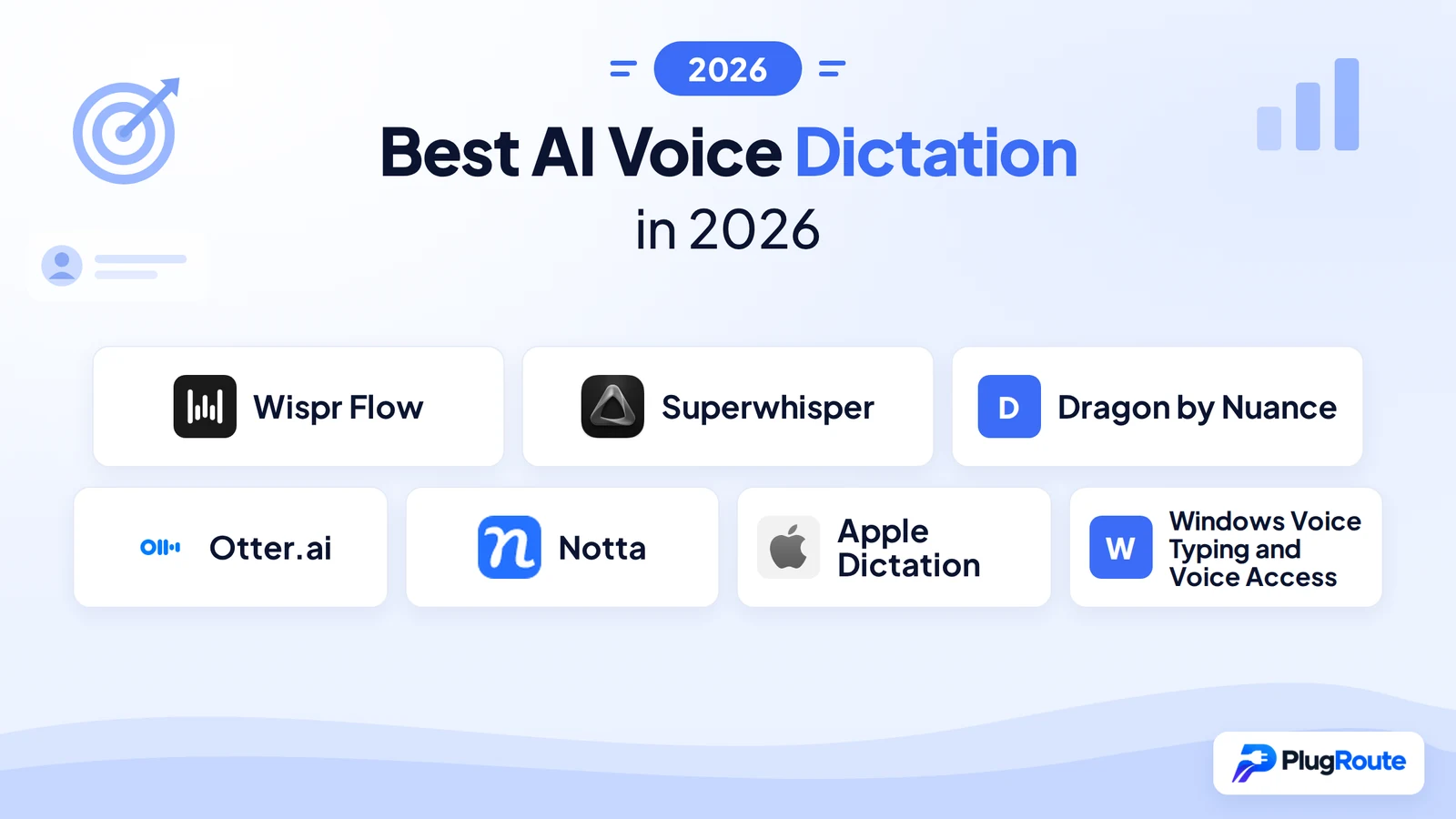
Wispr Flow is the best AI voice dictation tool in 2026 for cross-platform professionals needing AI-polished output across Mac, Windows, iOS, and Android. Superwhisper leads for privacy-first Mac and Windows power users, and is the most affordable paid AI-enhanced option at $7.08/month annually. Dragon by Nuance remains the only choice for legal and medical professionals requiring validated specialty vocabulary. The free tool already on your device may be sufficient before paying for anything.
The most consequential decision in this category is not which tool to buy, it is whether you need a document dictation tool or a meeting transcription bot. These solve fundamentally different problems, and buying a meeting transcription service when you need hands-free document writing is the most common and expensive purchase error in this segment. A four-category framework clarifies which product type matches your workflow before any feature comparison begins.
PlugRoute has no affiliate relationships with any company listed. Rankings are determined entirely by research data and objective evaluation criteria.
TL;DR: Top Picks at a Glance
- Wispr Flow is the best AI-enhanced dictation tool in 2026 for professionals on Mac, Windows, iOS, and Android who need AI-polished output without manual cleanup.
- Superwhisper is the best privacy-first AI dictation tool in 2026 for Mac and Windows power users requiring fully offline on-device processing and customizable AI workflow modes.
- Dragon by Nuance is the best professional dictation tool in 2026 for lawyers, clinicians, and enterprise teams requiring validated specialty vocabulary and workflow automation.
- Apple Dictation and Windows Voice Typing are the correct zero-cost starting point for every user on their respective platform before evaluating any paid alternative.
What Are the Four Categories of AI Voice Dictation Tools?
AI voice dictation tools fall into four distinct categories, and knowing which category matches your workflow is the single most important decision before evaluating any specific tool. Buying a meeting transcription bot when you need a document dictation tool, or vice versa, is the most costly and common purchase error in this category.
- AI-Enhanced Dictation (Wispr Flow, Superwhisper): cloud or on-device AI captures speech and automatically converts it to formatted, polished text across any app, the category for professionals who need to replace typing with voice output that requires no manual cleanup.
- Professional Dictation Suite (Dragon by Nuance): enterprise-grade speech recognition with validated domain-specific vocabulary libraries for legal and clinical documentation, offline processing, and voice-triggered workflow automation.
- Meeting Transcription (Otter.ai, Notta): an AI bot automatically joins your Zoom, Google Meet, Teams, or Webex calls to record, transcribe, and summarize, this category cannot replace in-app dictation tools for document writing.
- Built-in OS Dictation (Apple Dictation, Windows Voice Typing / Voice Access): free, zero-setup voice typing built into your existing device, the correct first evaluation step for every user before paying for any tool.
Consider what this distinction means in practice. Verbatim dictation produces: “Um so I wanted to kind of reach out about the project and see where we are.” AI-enhanced dictation produces: “I wanted to follow up on the project status.” The verbatim version requires manual editing before it can be sent. The AI-enhanced version is ready to send immediately. Knowing which output type you need determines your category before any other feature matters.
AI-Enhanced Dictation: Wispr Flow (#1), Superwhisper (#2)
Professional Dictation Suite: Dragon by Nuance (#3)
Meeting Transcription: Otter.ai (#4), Notta (#5)
Built-in OS Dictation: Apple Dictation (#6), Windows Voice Typing / Voice Access (#7)
How Do the Top AI Voice Dictation Tools Compare?
The table below compares all seven tools across category, best-fit audience, primary strength, and key limitation. Use the Category column to confirm each tool’s type before evaluating specific features, meeting transcription tools (Otter.ai, Notta) cannot replace in-app dictation tools for document writing workflows.
| Rank | Company | Category | Best For | One-Line Summary | Key Capabilities | Primary Strength | Key Limitation |
|---|---|---|---|---|---|---|---|
| 1 | Wispr Flow | AI-Enhanced Dictation | Cross-platform professionals needing AI-polished output | Wispr Flow is the best all-around AI voice dictation tool in 2026 for professionals on Mac, Windows, iOS, and Android. | 220 wpm; AI editing layer; 100+ languages; Command Mode; developer syntax mode; HIPAA all tiers; Free $0 / Pro $12/mo annual | Universal 4-platform coverage + AI post-processing pipeline | Cloud-only; 5-min mobile session cap; 2,000-word/week free limit |
| 2 | Superwhisper | AI-Enhanced Dictation (Privacy-First) | Privacy-sensitive Mac/Windows power users | Superwhisper is the best privacy-first AI dictation tool in 2026, combining offline Parakeet processing with a customizable AI modes system. | Fully offline Parakeet model; custom AI modes; clipboard context injection; 100+ languages; user-controlled API routing; Free / Pro $7.08/mo annual | Fully offline on-device processing + custom AI modes; most affordable paid AI-enhanced tier | API keys required for premium AI; Mac-first heritage; no Android |
| 3 | Dragon by Nuance | Professional Dictation Suite | Legal, healthcare, and enterprise professionals | Dragon by Nuance is the best dictation tool in 2026 for legal and healthcare professionals requiring validated specialty vocabulary. | Dragon Legal Anywhere; Dragon Medical; Macro Recorder; AutoText; 100+ Windows app integration; Nuance Management Center; ~$699 perpetual | Validated specialty vocabulary + offline desktop + macro automation | No AI editing layer; Windows-primary; high entry cost |
| 4 | Otter.ai | Meeting Transcription | Meeting-heavy English-language teams | Otter.ai is the best meeting transcription platform in 2026 for English-speaking teams on Zoom, Google Meet, and Teams. | OtterPilot auto-join; 10-speaker diarization; cross-meeting AI Chat; Salesforce integration; Free / Pro $8.33/mo annual | OtterPilot + AI Chat + Salesforce at most affordable paid tier | English, French, Spanish only; not a document dictation tool |
| 5 | Notta | Multilingual Meeting Transcription | International and multilingual organizations | Notta is the best AI meeting transcription tool in 2026 for multilingual organizations, supporting 58-language transcription. | 58-language transcription; real-time bilingual; Webex support; SRT export; SOC-2/GDPR; Free / Pro $8.17/mo annual | 58 languages + Webex + GDPR compliance | No automatic language detection; accuracy varies by language tier |
| 6 | Apple Dictation | Built-in OS Dictation (Apple) | Apple users wanting free on-device privacy | Apple Dictation is the best free voice typing tool in 2026 for Apple users, with SpeechAnalyzer 55% faster than Whisper on M-series Macs. | SpeechAnalyzer API; on-device local inference; system-wide coverage; Live Captions 11 languages; Free | On-device privacy + SpeechAnalyzer speed at zero cost | No AI editing layer; 30-sec default burst; Apple-only |
| 7 | Windows Voice Typing / Voice Access | Built-in OS Dictation (Windows) | Windows 11 users needing zero-cost dictation | Windows Voice Typing and Voice Access are the best free dictation tools in 2026 for Windows 11 users. | Voice Typing (Win+H) cloud; Voice Access (Win+Ctrl+S) offline; Fluid Dictation on Copilot+ PCs; natural-language PC commands; Free | Voice Access offline PC control + Voice Typing instant activation at zero cost | ~85–93% accuracy (directional); Voice Typing requires internet; no AI editing layer |
Which AI Voice Dictation Tool Should I Choose?
Match your primary use case to the recommended tool below before reading any individual entry. The Acceptable Alternative column identifies the next-best option if the primary recommendation does not fit your specific constraints.
| Your #1 Priority | Recommended Tool | Why | Acceptable Alternative |
|---|---|---|---|
| Casual Apple user; quick texts, emails, notes | Apple Dictation | Free, on-device, zero setup; sufficient for most casual needs | Windows Voice Typing for Windows users in the same use case |
| Casual Windows user; basic dictation | Windows Voice Typing (Win+H) | Free, instant, works in any Windows app | Windows Voice Access for offline use |
| Cross-platform professional writer | Wispr Flow ($12/mo annual) | Best AI editing + universal Mac/Windows/iOS/Android coverage | Superwhisper if offline privacy is required and Android is not needed |
| Privacy-focused Mac/Windows power user | Superwhisper ($7.08/mo annual) | Fully offline Parakeet model + custom AI modes; 41% cheaper annually than Wispr Flow | Apple Dictation for zero-cost on-device Mac baseline |
| Legal or medical enterprise professional | Dragon by Nuance | Only tool with Dragon Legal/Medical vocabulary + Macro Recorder | None; no AI-native tool in this comparison currently replicates Dragon’s specialty vocabulary depth |
| Meeting-heavy English-speaking team | Otter.ai ($8.33/mo annual) | OtterPilot, 10-speaker diarization, AI Chat, Salesforce integration | Notta if Webex is the organizational standard |
| Multilingual international organization | Notta ($8.17/mo annual) | 58-language coverage; GDPR compliant; Webex support | Otter.ai for English-dominant teams only |
| Budget-constrained student or early career | Apple Dictation (Mac) or Windows Voice Typing | Zero cost; adequate accuracy for academic writing | Otter.ai free tier (300 min/mo) for meeting notes |
| Legal/medical professional on Mac needing offline + AI formatting | Superwhisper | Custom Clinical Notes mode, Parakeet offline model | Dragon by Nuance if Dragon Medical vocabulary is specifically required |
For every paid tool in this comparison: test the free tier or trial in your actual workflow for at least one week before subscribing. Do not commit based on comparison charts alone.
1. Wispr Flow: Best Overall: AI-Enhanced Cross-Platform Dictation
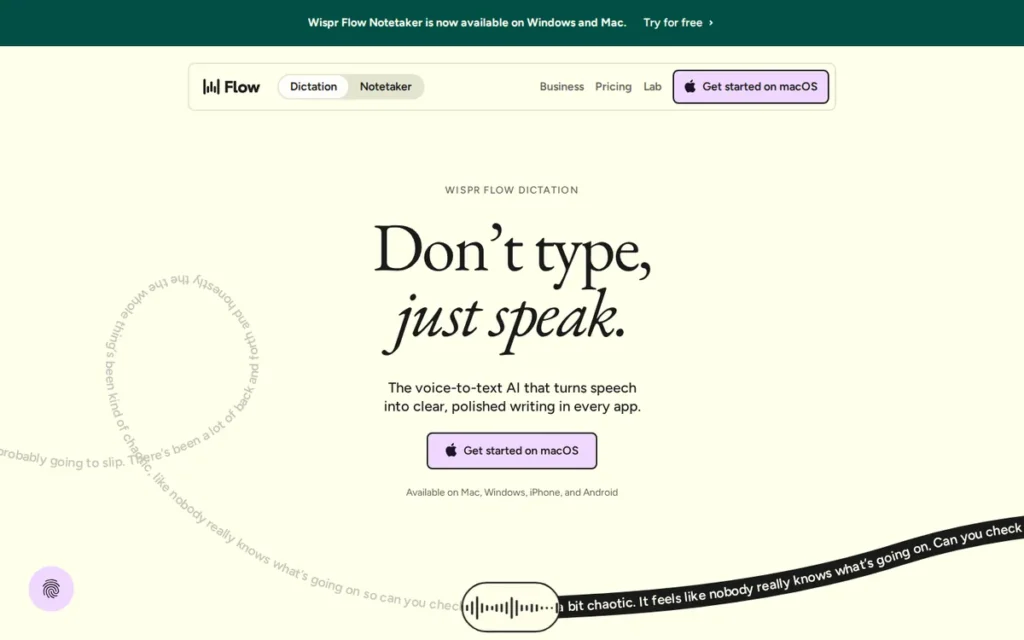
Category: AI-Enhanced Dictation, cloud-based voice capture with a generative AI editing layer that removes filler words, formats output, and enables voice-command text editing across any app on Mac, Windows, iOS, and Android.
At a Glance
| Field | Detail |
|---|---|
| Category | AI-Enhanced Dictation |
| Best For | Cross-platform professionals, knowledge workers, and developers who need AI-polished dictation output across Mac, Windows, iOS, and Android without per-app setup |
| Price Range | Free (2,000 words/week); Pro $12/month (annual) or $15/month (monthly); Enterprise $24/month (annual) or $30/month (monthly). 14-day Pro trial included at sign-up. |
| Primary Strength | Wispr Flow is the only AI dictation tool in 2026 with universal in-app coverage across Mac, Windows, iOS, and Android, combined with an AI editing layer that produces formatted polished output without manual cleanup. |
| Biggest Limitation | Wispr Flow processes all audio via cloud servers with no offline mode; disqualifying it for users with strict data sovereignty requirements; and mobile sessions on iOS and Android are capped at 5 minutes per session. |
| One-Line Summary | Wispr Flow is the best all-around AI voice dictation tool in 2026 for professionals who need AI-polished output across Mac, Windows, iOS, and Android, delivering 220-wpm dictation with filler-word removal and HIPAA compliance across all plan tiers. |
| Last Verified | April 2026 |
Overview
Wispr Flow is a cross-platform AI voice dictation tool for Mac, Windows, iPhone, and Android that converts spoken input into formatted, polished text across any app, a productivity dictation choice for knowledge workers, writers, and developers who need AI-cleaned output without manual editing.
Wispr Flow launched its Android app in February 2026 after a full infrastructure rewrite, with CEO Tanay Kothari describing the rebuild as enabling “the voice experience we always wanted.” TechCrunch’s February 2026 coverage confirmed a 30% processing speed improvement alongside the launch.
Wispr Flow’s core value proposition is the distinction between verbatim transcription (what you said) and AI-enhanced output (what you meant). Wispr Flow automatically removes filler words, adds punctuation and capitalization, handles mid-sentence backtracking, and adapts formatting to the app context, converting rambling speech into publish-ready text without any post-processing step.
Key Features
- Wispr Flow provides universal in-app coverage across any text field in any app: including Slack, Gmail, Google Docs, Notion, WhatsApp, VS Code, Cursor, and Windsurf, without per-app plugins or context-switching.
- Wispr Flow’s AI post-processing pipeline automatically removes filler words, adds punctuation and capitalization, handles mid-sentence backtracking, and formats output for each app’s context, no manual cleanup required.
- Wispr Flow’s Command Mode enables voice-based text editing on highlighted content, users say “make this more formal,” “summarize in bullet points,” or “translate to Spanish” without touching a keyboard.
- Wispr Flow supports 100+ languages with automatic detection and seamless mid-session switching, plus a developer mode with syntax-aware dictation for camelCase, snake_case, and domain jargon for tools like Supabase and Cloudflare (Wispr Flow official features page, April 2026).
- Wispr Flow processes dictation at 220 words per minute: compared to a commonly cited average typing speed of 40–50 wpm, representing a 4–5x throughput advantage for accurate speakers in quiet environments, with a 30% speed improvement following the February 2026 infrastructure rewrite, confirmed by TechCrunch (February 2026).
Best For
Wispr Flow is best for cross-platform professionals (writers, marketers, developers, and remote team members) who switch between Mac, Windows, iPhone, and Android throughout the day and need AI-edited dictation output that requires no post-processing before sending or publishing.
Pricing
Wispr Flow’s pricing is publicly posted at wisprflow.ai/pricing and verified as of April 2026:
- Free tier: 2,000 words per week: approximately 4 average-length blog posts, a cap most serious professionals exhaust within 2–3 days of real use.
- Pro: $12/month billed annually ($144/year) or $15/month monthly.
- Enterprise: $24/month annually or $30/month monthly.
- All plans include HIPAA compliance: an unusual offering at all tiers; most competitors restrict compliance certifications to their top-paid Enterprise tier only.
- A 14-day free Pro trial is included with all sign-ups.
Strengths
- Following the February 2026 infrastructure rewrite, Wispr Flow processes dictation at 220 words per minute with a 30% improvement in processing speed, confirmed by TechCrunch (February 2026), making it the fastest cloud-based AI dictation tool verified by independent media in this comparison.
- Wispr Flow provides HIPAA compliance across all plan tiers: Free, Pro, and Enterprise, confirmed by Wispr Flow’s official documentation; most competitors restrict compliance certifications to the top-paid Enterprise tier only.
- Independent 2026 reviews from ScribeHow and eesel.ai consistently describe Wispr Flow as transformative for document-heavy workflows, with reviewers noting the AI editing layer converts rambling speech into publish-ready text without any manual post-processing.
- Wispr Flow’s developer mode: supporting camelCase, snake_case, and code-adjacent jargon for tools like Supabase and Cloudflare, addresses the growing developer use case for voice dictation that no legacy dictation tool has historically served (Wispr Flow official features page, April 2026).
Limitations
Cloud-Only Processing: Wispr Flow’s most consequential trade-off is its cloud-only architecture, every audio recording routes through Wispr Flow’s servers, disqualifying it for users in environments with strict data sovereignty requirements at all current plan tiers. Users should verify whether enterprise data-residency options are available at the time of their evaluation.
Restrictive Free Cap: Wispr Flow’s 2,000-words-per-week free cap will be exhausted within two to three days of serious professional use, creating forced upgrade pressure before a genuine long-term evaluation is possible.
Mobile Session Cap: Wispr Flow desktop sessions on Mac and Windows end after 20 minutes (a “Recover text” warning appears at the 19-minute mark) and mobile sessions on iOS and Android are capped at just 5 minutes per session, with a warning at 4 minutes (Wispr Flow official documentation, April 2026). The 5-minute mobile cap directly limits the utility of the February 2026 Android launch for extended voice writing workflows.
Accuracy Variability: Wispr Flow’s independently documented accuracy range of 90–96% drops further in noisy environments, and Windows users report periodic reliability issues not consistently present on macOS (Willow Voice blog, 2026; ScribeHow review, 2026).
Verdict
Wispr Flow is the best AI voice dictation tool in 2026 for professionals who need AI-polished output across Mac, Windows, iOS, and Android, earning its top ranking through the widest cross-platform coverage in the category, the most comprehensive AI editing layer at its price point, and HIPAA compliance across all plan tiers. The 5-minute mobile session limit qualifies the Android launch, users with extended mobile dictation needs should test this limit specifically before committing. At $12/month annually, Wispr Flow is the most cost-effective premium AI dictation option for cross-platform professionals not bound by cloud-processing restrictions; users who require offline processing should evaluate Superwhisper instead.
2. Superwhisper: Best for Privacy-First Power Users on Mac, Windows, and iOS
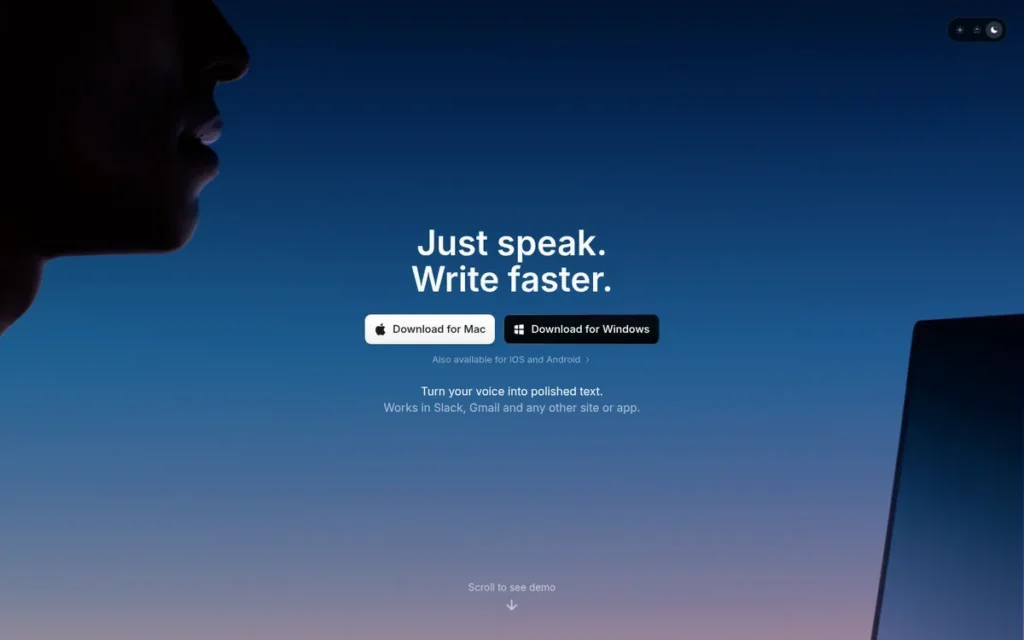
Category: AI-Enhanced Dictation (Privacy-First), voice dictation with fully offline processing via on-device Parakeet model and user-controlled AI post-processing through customizable workflow modes; no audio leaves the device in offline mode.
At a Glance
| Field | Detail |
|---|---|
| Category | AI-Enhanced Dictation (Privacy-First) |
| Best For | Mac and Windows power users; lawyers, clinicians, developers, journalists; who require fully offline audio processing or need highly customizable AI workflow modes that adapt to specific professional contexts |
| Price Range | Free tier available. Pro: $8.49/month (monthly) or $84.99/year ($7.08/month annually). Lifetime license: $249.99. Students: 40% discount on monthly Pro. Pricing verified at superwhisper.com, April 2026. |
| Primary Strength | Superwhisper is the only AI dictation tool in 2026 that offers fully offline processing via its on-device Parakeet model combined with a custom AI modes system that lets users configure named workflow modes with per-context transcription, formatting, and language settings. |
| Biggest Limitation | Superwhisper’s advanced features require users to supply their own API keys for cloud AI models (GPT, Claude, Llama), adding configuration complexity and ongoing variable API costs that casual and non-technical professionals will find prohibitive. |
| One-Line Summary | Superwhisper is the best privacy-first AI dictation tool in 2026 for Mac and Windows professionals, combining fully offline processing via its on-device Parakeet model with a customizable AI modes system; and at $7.08/month annually, it is the most affordable paid AI-enhanced dictation tier in this comparison. |
| Last Verified | April 2026 |
Overview
Superwhisper is a privacy-first AI voice dictation tool for macOS, Windows, and iOS that offers fully offline processing via its on-device Parakeet model (with zero audio leaving the device in offline mode) making it the strongest default privacy guarantee for Mac and Windows professionals in this comparison.
Superwhisper won the Product Hunt Privacy Award for AI Dictation in Winter 2025, a community-validated recognition specifically for its on-device processing architecture, confirming the privacy-first positioning is substantiated rather than marketing language (getvoibe.com, 2025).
Superwhisper’s defining structural advantage is its dual-mode design: users can run entire workflows completely offline using the on-device Parakeet model (local inference), or optionally route through their own GPT, Claude, or Llama API keys for more powerful cloud-based AI editing, a level of processing control that Wispr Flow’s managed pipeline does not offer.
Key Features
- Superwhisper processes audio entirely on-device using its Parakeet model with zero audio transmission to any external server in offline mode, the only AI dictation tool in this comparison to offer fully offline local inference as the default experience.
- Superwhisper’s custom AI modes system lets users create named workflow configurations (Email Mode, Legal Brief Mode, Code Mode) each with its own transcription model, AI post-processing rules, output language, and per-app overrides.
- Superwhisper detects selected text or clipboard content within the active app and automatically provides that context to the AI model, enabling voice commands like “shorten this paragraph” or “respond to this email” without switching applications.
- Superwhisper activates via a single hotkey (Option+Space on Mac) and inserts processed text directly into any app, no interface switching, no copy-paste, no per-app plugin installation required.
- Superwhisper supports 100+ languages and allows users to optionally route through their own GPT, Claude, or Llama API keys, giving direct control over which AI provider (if any) processes voice data beyond the on-device Parakeet baseline.
Best For
Superwhisper is best for Mac and Windows professionals in privacy-sensitive roles (including lawyers, clinicians, journalists, and security-conscious developers) who require fully offline audio processing or need highly customizable AI workflow modes that go beyond the managed pipeline of tools like Wispr Flow.
Pricing
Superwhisper’s pricing is publicly posted at superwhisper.com and verified as of April 2026:
- Free tier: Basic dictation with unlimited small AI model access.
- Pro: $8.49/month (monthly) or $84.99/year ($7.08/month annually).
- Lifetime license: $249.99 one-time: no ongoing subscription required.
- Students: 40% discount on the monthly Pro plan.
The counterintuitive finding: at $7.08/month annually, the tool with the strongest privacy guarantee and the most customizable AI workflow system costs 41% less per year than Wispr Flow Pro ($12/month annual). The premium for Wispr Flow is managed AI pipeline convenience and Android support, not privacy or customization capability.
Strengths
- Superwhisper won the Product Hunt Privacy Award for AI Dictation in Winter 2025: a community-validated recognition specifically for on-device offline processing, confirming that the privacy-first positioning is substantiated, not marketing language (getvoibe.com, 2025).
- Superwhisper’s 2025 Parakeet model update delivers 2x faster transcription for long recordings compared to its prior model generation (deepgram.com, 2026), achieving approximately 150 wpm throughput for extended professional sessions without cloud round-trip latency.
- Independent 2026 head-to-head comparisons confirm Superwhisper leads on offline privacy and rates roughly equivalent to Wispr Flow on accuracy in standard recording environments, meaning the privacy benefit comes at no accuracy cost for typical professional use (YouTube comparison, 2026).
“This flexibility is what separates Super Whisper from basic speech-to-text.”, YouTube reviewer, 2026 (source)
Takeaway: Professional users who have exhausted free built-in tools consistently cite Superwhisper’s post-processing intelligence (not its offline privacy) as the decisive functional upgrade, suggesting the mode-based customization resonates more broadly than its privacy positioning alone.
- At $7.08/month annually ($84.99/year) or $249.99 for a lifetime license, Superwhisper Pro is the most affordable paid AI-enhanced dictation tier in this comparison, 41% cheaper annually than Wispr Flow Pro ($12/month annual) (superwhisper.com, April 2026).
Limitations
- API Key Overhead: Superwhisper’s most consequential trade-off is the technical overhead required to unlock its most powerful features, accessing premium AI models beyond the on-device Parakeet baseline requires users to supply, manage, and pay for their own API keys from OpenAI, Anthropic, or other providers, creating configuration complexity and ongoing variable costs that casual and non-technical professionals will find prohibitive.
- Configuration Learning Curve: Superwhisper’s custom mode system, while powerful, has a documented learning curve that can add hours of setup before the tool performs optimally for professional workflows, users who want an out-of-the-box experience should evaluate Wispr Flow’s more opinionated, managed pipeline instead.
- Mac-First Heritage: Superwhisper’s development is Mac-first: the Windows and iOS experiences are less feature-complete than the macOS version, and Android is not currently supported, a meaningful gap for professionals who need consistent performance across all devices.
- Short Free Evaluation Window: Superwhisper’s free tier limits new users to 15 minutes of Pro-feature recording before reverting to the basic free tier (significantly shorter than Wispr Flow’s 14-day full Pro trial) making direct head-to-head evaluation difficult for professionals comparing both tools before committing.
Verdict
Superwhisper is the best AI voice dictation tool in 2026 for professionals whose work requires fully offline audio processing or highly customizable workflow-specific AI modes, validated by its Product Hunt Privacy Award for AI Dictation (Winter 2025) and confirmed in independent 2026 head-to-head comparisons as the privacy-first leader in the AI-enhanced dictation category. At $7.08/month annually (41% cheaper than Wispr Flow Pro) Superwhisper represents the stronger price-to-value case for privacy-sensitive Mac and Windows professionals who do not need Android coverage. The API key requirement for premium AI models and Mac-first heritage make it best suited for technically comfortable power users rather than casual dictation users seeking an out-of-the-box solution.
3. Dragon by Nuance: Best for Enterprise, Legal, and Healthcare Professionals
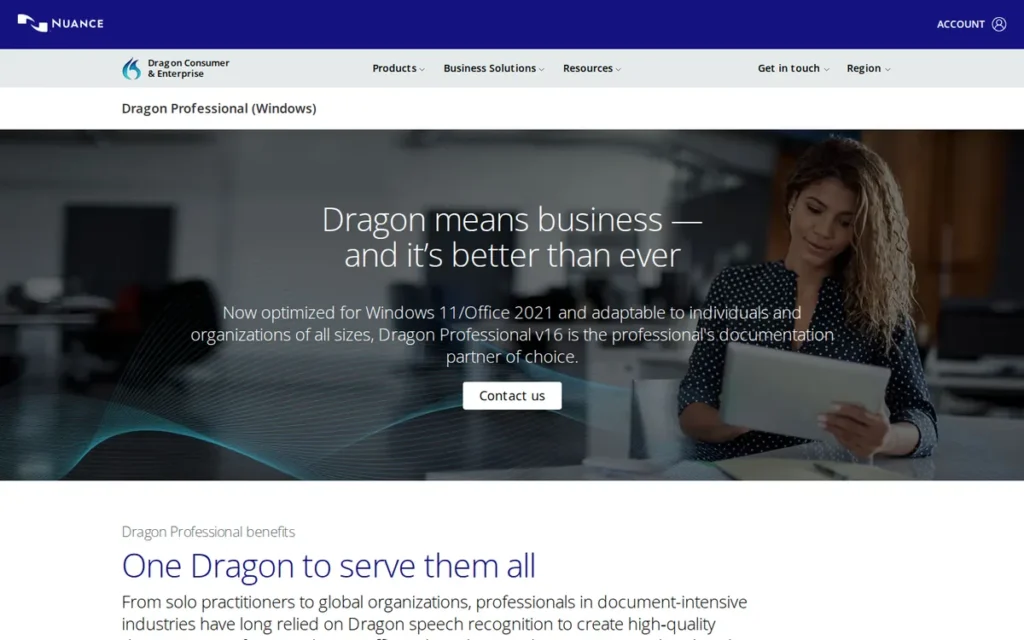
Category: Professional Dictation Suite, enterprise-grade speech recognition with domain-specific vocabulary libraries (legal, medical), voice-command workflow automation, offline processing, and 27 years of professional deployment history; Microsoft-owned since April 2022.
At a Glance
| Field | Detail |
|---|---|
| Category | Professional Dictation Suite |
| Best For | Legal professionals (lawyers, paralegals, court reporters), healthcare providers (physicians, nurses, clinical documenters), and enterprise teams in regulated industries requiring specialty vocabulary, offline processing, and workflow automation |
| Price Range | Dragon Professional Individual v16: ~$699 one-time perpetual license. Dragon Anywhere (mobile/cloud): ~$15/month. Enterprise cloud editions: subscription; contact sales. Verify at nuance.com/dragon. |
| Primary Strength | Dragon by Nuance is the only voice dictation tool in 2026 with validated specialty vocabulary libraries for both legal workflows (Dragon Legal Anywhere) and clinical documentation (Dragon Medical), combined with offline desktop processing and voice-triggered macro automation unavailable in any AI-native competitor in this comparison. |
| Biggest Limitation | Dragon by Nuance lacks the generative AI editing layer present in tools like Wispr Flow and Superwhisper; it produces verbatim transcription without automatic filler word removal, intelligent reformatting, or AI-polished output; and its desktop edition is Windows-primary with limited cross-platform capability. |
| One-Line Summary | Dragon by Nuance is the best AI voice dictation tool in 2026 for legal and healthcare professionals who require validated specialty vocabulary, offline processing, and workflow automation; categories where no AI-native competitor in this comparison currently offers equivalent capability. |
| Last Verified | April 2026 |
Overview
Dragon by Nuance is a professional dictation suite built for lawyers, clinicians, and enterprise teams in regulated industries, delivering validated specialty vocabulary libraries for legal transcription and clinical documentation workflows for electronic health records (EHR) that no AI-native tool in this comparison currently replicates.
Dragon was acquired by Microsoft in April 2022, and Dragon Medical SpeechKit received a confirmed 2026.1 update focused on browser-based clinical environment compatibility, confirming active development under Microsoft’s ownership rather than product stagnation.
Dragon by Nuance has been commercially deployed since 1997, making it the longest-tenured speech recognition product on the market with 27 years of real-world accuracy validation across professional deployments in law, medicine, and government.
Key Features
- Dragon by Nuance offers dedicated professional editions: Dragon Legal Anywhere and Dragon Medical, with pre-built specialty vocabulary libraries covering legal terminology (contracts, briefs, case law) and clinical documentation workflows for electronic health records (EHR), verified via Nuance’s official product datasheet.
- Dragon by Nuance’s Macro Recorder and AutoText system enable voice-activated workflow automation including boilerplate clause insertion, VBA-style script triggering, and template auto-population, a feature set with no current equivalent in any AI-native dictation tool in this comparison.
- Dragon by Nuance integrates natively with 100+ Windows applications including Microsoft Office 2016/365, Outlook, and Teams, enabling deep voice command control (document navigation, formatting, and application switching) beyond simple text transcription.
- Dragon by Nuance’s Nuance Management Center enables enterprise teams to share custom word libraries, voice commands, and AutoText macros, synchronize user profiles across devices, and manage licenses centrally, the only tool in this comparison with genuine enterprise-scale deployment management.
- Dragon by Nuance’s Deep Learning engine adapts continuously to each user’s voice, accent, and speaking speed during normal use, improving accuracy measurably over the first weeks of regular use without requiring a dedicated training session.
Best For
Dragon by Nuance is best for legal professionals who dictate contracts and briefs, healthcare providers who document patient encounters, and enterprise teams in regulated industries where specialty vocabulary, offline audio processing, and workflow automation are non-negotiable requirements that no AI-native tool in this comparison currently meets.
Pricing
Verified pricing as of April 2026 from nuance.com/dragon:
- Dragon Professional Individual v16: approximately $699 one-time perpetual license, no ongoing subscription required.
- Dragon Anywhere (mobile/cloud): approximately $15/month subscription.
- Enterprise cloud editions (Dragon Professional Anywhere, Dragon Legal Anywhere): subscription pricing via direct sales engagement.
- Break-even context: the $699 perpetual license costs the equivalent of approximately 4.9 years of Wispr Flow Pro at $144/year, relevant for users deciding between upfront and ongoing cost models.
Verify all pricing at nuance.com/dragon; confirm perpetual license availability as Microsoft’s post-acquisition pricing has shifted toward subscription-first cloud editions.
Strengths
- Dragon by Nuance holds an overall TrustRadius rating of 8.4/10 from 35 verified professional users (TrustRadius, April 2026), with a Likelihood to Recommend sub-score of 9.0/10 among the subset of reviewers who provided that metric, the highest professional user endorsement sub-score among the dedicated tools in this comparison with named third-party review platform data; praise centers on unmatched accuracy for specialized vocabulary, deep Windows integration, and offline processing.
- Dragon Medical SpeechKit received a confirmed 2026.1 update focused on browser-based clinical environment compatibility, confirming that Microsoft’s acquisition has accelerated Dragon’s healthcare vertical development rather than stalling it.
- Dragon by Nuance’s Macro Recorder and AutoText automation system: enabling voice-triggered boilerplate insertion, form population, and script execution, represents a workflow productivity category that no AI-native tool in this comparison offers, justifying premium pricing for high-volume document producers who use these features daily.
- Dragon by Nuance’s claimed 99% accuracy has been corroborated across 27 years of real-world professional deployment (not a benchmark-only figure) making it the most longitudinally validated accuracy claim in this comparison by a significant margin.
Limitations
- No AI Editing Layer: Dragon by Nuance’s most consequential trade-off in 2026 is the complete absence of a generative AI editing layer, Dragon by Nuance produces verbatim transcription with voice commands but does not automatically remove filler words, reformat output intelligently, or polish raw dictation into publish-ready text, the capability that Wispr Flow and Superwhisper deliver at a fraction of the cost.
- Accuracy Premium Eroding: OpenAI Whisper and its 2026 successors have pushed open-source transcription accuracy to a word error rate of 2.46% (AssemblyAI, 2026), fundamentally eroding the accuracy premium that historically justified Dragon’s $699 entry price for users whose primary need is accurate transcription rather than specialty vocabulary.
- Windows-Primary Platform: Dragon by Nuance’s desktop edition is Windows-primary (macOS, iOS, and Android users face a substantially degraded or unavailable experience) limiting Dragon’s appeal in cross-platform professional environments where most of the target audience operates today.
- Perpetual License Upgrade Cycle: The perpetual license model creates upgrade pressure when Dragon releases major versions, and Microsoft’s shift toward subscription-first cloud editions means users on older perpetual licenses may fall behind on accuracy improvements and cloud integration updates.
Verdict
Dragon by Nuance is the best AI voice dictation tool in 2026 for legal and healthcare professionals who require validated specialty vocabulary libraries and offline desktop processing, use cases where no AI-native competitor in this comparison currently offers equivalent capability. The $699 perpetual license is justified when Dragon Legal or Dragon Medical vocabulary accuracy, macro automation, and offline compliance are non-negotiable; it is not justified when the primary need is AI-polished output or cross-platform access, where Wispr Flow delivers superior results at $144/year. Professionals currently on Dragon should audit whether their workflow genuinely requires Dragon’s unique capabilities before renewing, given that AI-native tools now deliver near-equivalent general accuracy at a fraction of the cost.
4. Otter.ai: Best for Meeting Transcription and Team Intelligence
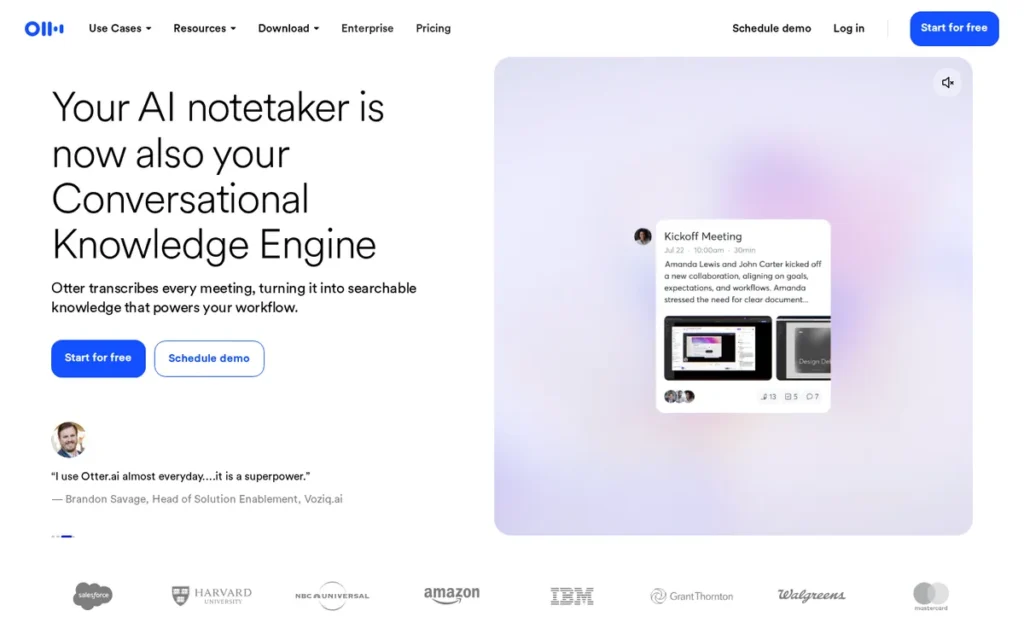
Category: Meeting Transcription and Notes, AI bot that automatically joins Zoom, Google Meet, and Microsoft Teams to produce real-time transcripts, speaker-identified notes, AI summaries, and action items. Otter.ai is NOT an in-app document dictation tool and cannot replace Wispr Flow, Superwhisper, or Dragon for continuous document authoring workflows.
At a Glance
| Field | Detail |
|---|---|
| Category | Meeting Transcription and Notes |
| Best For | Meeting-heavy professionals; managers, sales teams, consultants, journalists, and researchers; who attend multiple video meetings per week on Zoom, Google Meet, or Teams and need automated notes, action items, and searchable transcript archives |
| Price Range | Free: 300 minutes/month, 30-minute session cap. Pro: $8.33/month (annual, $100/year) or $10/month (monthly). Business: $16.67/month (annual) or $20/month (monthly). Enterprise: custom. |
| Primary Strength | Otter.ai is the most feature-complete meeting transcription platform in 2026 for English-language teams, combining OtterPilot auto-join for Zoom, Google Meet, and Teams with 10-speaker diarization, cross-meeting AI Chat search, and Salesforce integration at the most affordable paid price point in this category. |
| Biggest Limitation | Otter.ai supports only English, French, and Spanish; the narrowest language coverage in this comparison; and cannot function as an in-app document dictation tool; it is exclusively a meeting transcription platform. |
| One-Line Summary | Otter.ai is the best meeting transcription platform in 2026 for English-speaking teams on Zoom, Google Meet, and Microsoft Teams, delivering OtterPilot auto-join, 10-speaker diarization, AI-generated summaries, and Salesforce integration at $8.33/month annually. |
| Last Verified | April 2026 |
Overview
Otter.ai is an AI meeting transcription platform (not a continuous in-app dictation tool) for professionals who attend video meetings on Zoom, Google Meet, or Microsoft Teams and need automated notes without manual recording.
Otter.ai was founded in 2016 by CEO Sam Liang and announced a $100M ARR milestone in 2025 (otter.ai blog, 2025) (the strongest revenue-based organizational stability signal among dedicated AI meeting tools in this comparison) complementing approximately $73 million in historical funding (Sacra estimate, 2025).
Otter.ai’s flagship feature is OtterPilot, an AI bot that automatically joins scheduled calls via calendar integration, providing real-time transcription, live captions, AI-generated summaries, action item extraction, and automated follow-up email drafting without any manual recording initiation.
Key Features
- Otter.ai’s OtterPilot bot automatically joins Zoom, Google Meet, and Microsoft Teams calls via Google Calendar integration, delivering real-time transcription, live captions, AI-generated summaries, and automated follow-up email drafts without any manual recording initiation.
- Otter.ai identifies and labels up to 10 individual speakers in a meeting using speaker diarization with name training, upgraded in 2026 from an earlier 3-speaker limit, confirmed by itsconvo.com’s 2026 review.
- Otter.ai’s AI Chat enables natural-language queries across the entire transcript library, users ask “What was the decision on Q2 budget?” or “List all action items assigned to Sarah” across hundreds of past meetings, creating a compounding knowledge asset that grows more valuable over time.
- Otter.ai integrates with Slack, Salesforce, Google Drive, Dropbox, and Zapier, with the Salesforce integration specifically enabling automatic CRM population of deal notes, action items, and call summaries directly from meeting transcripts.
- Otter.ai provides a searchable transcript archive across all past meetings, allowing users to surface any meeting detail in seconds, described by an itsconvo.com reviewer (2026) as “saving me multiple times” in the recovery of specific decisions and commitments.
Best For
Otter.ai is best for meeting-heavy professionals (sales representatives, managers, consultants, researchers, and journalists) who attend multiple video calls per week on English-language teams and need automated note-taking, searchable meeting archives, and CRM-connected meeting intelligence without leaving their existing Zoom, Meet, or Teams workflow.
Pricing
Exact pricing verified at otter.ai/pricing as of April 2026:
- Free: 300 minutes/month transcription, 30-minute session limit, 3 lifetime audio/video imports, approximately 5 one-hour meetings per month, insufficient for professionals attending daily stand-ups.
- Pro: $8.33/month annually ($100/year) or $10/month monthly: includes 6,000 monthly minutes, 4-hour session limit, unlimited imports, advanced AI Chat, cross-meeting search, and task detection.
- Business: $16.67/month annually or $20/month monthly: adds team shared vocabulary, speaker tagging, action item assignment, and admin controls.
- Enterprise: Custom pricing with SSO, usage analytics, and centralized billing.
- Otter.ai’s Pro at $8.33/month annually is the most affordable paid tier in this entire comparison.
Strengths
- Otter.ai announced a $100M ARR milestone in 2025 (otter.ai blog, 2025): the strongest revenue-based organizational stability signal of any dedicated AI meeting tool in this comparison, providing enterprise buyers with a self-sustaining business indicator rather than simply a funded-startup profile, complemented by approximately $73 million in historical funding (Sacra estimate, 2025) and a founding date of 2016.
- Otter.ai’s Pro plan at $8.33/month annually is the most affordable paid tier in this entire comparison, lower than Wispr Flow Pro ($12/month annual), Dragon Anywhere (~$15/month), and Notta Pro ($8.17/month annual, closely comparable), making it the best-value entry point for professionals who specifically need meeting transcription.
- Otter.ai’s cross-meeting AI Chat queries the entire transcript library across hundreds of past calls using natural language, independently reviewed by itsconvo.com (2026) as “saving me multiple times” in recovering specific decisions, a compounding knowledge asset with no equivalent in any other tool in this comparison.
- Otter.ai’s Salesforce integration enables automatic CRM population from meeting transcripts, representing a directly measurable ROI for sales teams (automatic deal note and action item population) that no other tool in this comparison offers in an out-of-the-box integration.
Limitations
- Not a Document Dictation Tool: Otter.ai’s most consequential limitation is also the most important category clarification in this article, Otter.ai is a meeting transcription platform, not an in-app document dictation tool; professionals who need to dictate emails, write briefs, compose reports, or produce any written output hands-free cannot use Otter.ai for that purpose.
- Three-Language Ceiling: Otter.ai’s language support is the narrowest in the comparison (English, French, and Spanish only) permanently excluding multilingual teams and non-English-native users where Notta’s 58-language coverage provides the appropriate alternative.
- OtterPilot Visibility Friction: OtterPilot appears as a visible participant in meeting invitations, which creates social friction in sensitive client calls, legal depositions, or HR conversations where an AI observer may not be welcome or legally appropriate.
- Cloud-Only Data Storage: Otter.ai’s cloud storage of all transcripts raises GDPR and enterprise data governance concerns for EU organizations, and its cloud-only processing removes it from consideration for organizations with data-on-premise requirements, confirmed by sonix.ai’s Otter.ai review.
Verdict
Otter.ai is the best meeting transcription platform in 2026 for English-speaking teams who attend multiple Zoom, Google Meet, or Teams calls per week, earning this position through the most affordable paid tier in the comparison ($8.33/month annual), the strongest organizational stability signal ($100M ARR, founded 2016), and the most capable meeting intelligence feature set including OtterPilot, 10-speaker diarization, cross-meeting AI Chat, and Salesforce integration. Otter.ai is explicitly not a document dictation tool, professionals who need to dictate written content should evaluate Wispr Flow, Superwhisper, or Dragon instead. Multilingual teams should evaluate Notta’s 58-language coverage rather than Otter.ai’s three-language limit.
5. Notta: Best for Multilingual Teams and International Organizations
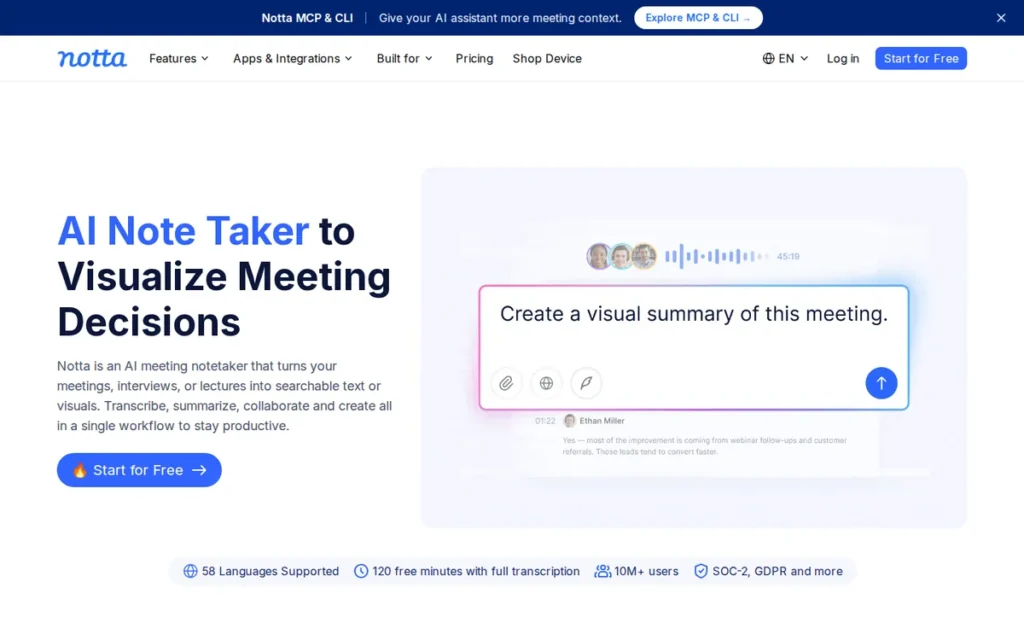
Category: Multilingual Meeting Transcription, AI meeting bot supporting 58 languages with real-time bilingual transcription and SOC-2/GDPR compliance across Zoom, Google Meet, Teams, and Webex. Like Otter.ai, Notta is a meeting transcription tool and NOT a continuous in-app document dictation tool.
At a Glance
| Field | Detail |
|---|---|
| Category | Multilingual Meeting Transcription |
| Best For | International organizations, multilingual teams, and professionals in Japanese-, Mandarin-, or English-dominant environments who need meeting transcription across multiple languages; and content creators or educators who need SRT caption file exports |
| Price Range | Free: 120–200 minutes/month with a 3-minute per-conversation cap. Pro: $8.17/month annually ($98/year) or $13.49/month monthly. Pricing verified at notta.ai/pricing, April 2026. |
| Primary Strength | Notta is the only meeting transcription tool in this comparison with 58-language transcription and real-time bilingual transcription support, making it the only viable option for organizations whose meetings regularly include speakers in non-English languages beyond French and Spanish. |
| Biggest Limitation | Notta requires users to manually select the transcription language before each session; there is no automatic language detection; meaning mixed-language meetings or spontaneous language switches require session interruption to reconfigure, directly undermining the headline multilingual capability in practice. |
| One-Line Summary | Notta is the best AI meeting transcription tool in 2026 for multilingual organizations and international teams, supporting 58 languages for transcription, real-time bilingual transcription, and SOC-2/GDPR compliance across Zoom, Google Meet, Teams, and Webex. |
| Last Verified | April 2026 |
Overview
Notta is a multilingual AI meeting transcription platform (not an in-app document dictation tool) serving over 10 million users globally with transcription in 58 languages and translation into 42 languages, making it the only meeting transcription tool in this comparison designed for organizations where English is not the primary working language.
Notta is SOC-2 and GDPR compliant, confirmed at notta.ai (April 2026), enabling enterprise deployment in regulated European environments where data residency requirements may exclude other cloud-based tools.
Notta Bot integrates with Zoom, Google Meet, Microsoft Teams, and Webex: extending meeting platform coverage beyond Otter.ai’s trio to enterprise organizations where Webex remains the organizational standard.
Key Features
- Notta supports transcription in 58 languages and translation into 42 languages, with real-time bilingual transcription for meetings where speakers switch between languages, the broadest language coverage of any meeting transcription tool in this comparison.
- Notta Bot automatically joins Zoom, Google Meet, Microsoft Teams, and Webex meetings via Google Calendar integration, extending platform coverage to Webex users that Otter.ai does not currently serve.
- Notta exports transcripts in TXT, DOCX, SRT, PDF, and XLSX formats: with SRT specifically enabling caption file production for video producers, educators, and content creators who need accessible subtitles from recorded meetings.
- Notta’s transcript editing interface allows users to correct speaker misidentification and edit transcript content with a few clicks, with tldv.io (2026) and thebusinessdive.com (2026) reviewers specifically praising the ease of speaker correction as a workflow improvement over tools with harder-to-edit outputs.
- Notta is SOC-2 and GDPR compliant and integrates with Notion, Salesforce, Zapier, and Google Calendar, supporting regulated European enterprise deployments where data residency requirements may restrict other cloud-based tools.
Best For
Notta is best for international organizations, multilingual enterprise teams, and professionals working in Japanese-, Mandarin-, or English-dominant environments who need meeting transcription across multiple languages, and for content creators, educators, and video producers who require SRT caption file exports from recorded meetings.
Pricing
Pricing verified at notta.ai/pricing as of April 2026:
- Free tier: 120–200 minutes per month, with a 3-minute maximum per individual conversation, a per-conversation cap that makes it impossible to transcribe even a 30-minute meeting on the free tier without interruption, the most restrictive free evaluation window in this comparison.
- Pro: $8.17/month billed annually ($98/year) or $13.49/month billed monthly.
- The $8.17/month annual rate positions Notta as comparably priced with Otter.ai Pro ($8.33/month annual), multilingual meeting transcription at approximately the same annual cost as English-only alternatives.
Strengths
- Notta serves more than 10 million users globally and holds both SOC-2 and GDPR compliance certifications, confirmed at notta.ai (April 2026), making it enterprise-deployable in regulated European environments where GDPR data residency requirements may exclude tools like Otter.ai.
- Notta’s 58-language transcription coverage is more than five times broader than Otter.ai’s three-language limit, and Notta’s real-time bilingual transcription for mixed-language meetings has no equivalent in any other tool in this comparison, making Notta the only viable meeting transcription choice in this comparison for organizations with non-English-primary workflows.
- Notta Bot’s Webex integration extends meeting platform coverage to enterprise environments where Webex remains the organizational standard, a deployment context Otter.ai does not currently cover, giving Notta a meaningful advantage in Webex-standard organizations.
- Notta Pro at $8.17/month annually ($98/year) is competitively priced against Otter.ai Pro ($8.33/month annual), making multilingual meeting transcription accessible at approximately the same cost as English-only alternatives (notta.ai/pricing, April 2026).
Limitations
- No Automatic Language Detection: Notta’s most consequential limitation directly undermines its headline multilingual capability, Notta has no automatic language detection and requires users to manually select the transcription language before each session, meaning spontaneous language switches in a meeting require session interruption to reconfigure, introducing exactly the friction a multilingual tool should eliminate (tldv.io, 2026).
- Accuracy Gap by Language: Notta’s claimed 98.86% accuracy represents best-case performance under optimal conditions; tldv.io (2026) and thebusinessdive.com (2026) document “frequent errors including misheard words and speaker misattribution” for English, Spanish, Polish, and Portuguese, with strongest model maturity observed for Japanese and Mandarin only.
- Most Restrictive Free Cap: Notta’s free tier includes a 3-minute per-conversation limit in addition to the 120–200 minute monthly total, making it impossible to transcribe even a short meeting on the free tier without interruption, the most restrictive free evaluation window in this comparison.
- Organizational Transparency Gap: Notta’s founding date and funding are undisclosed, a weaker transparency signal than Otter.ai’s ($100M ARR, founded 2016, named CEO Sam Liang), a consideration for organizations evaluating long-term platform dependence on a mission-critical transcription tool.
Verdict
Notta is the best AI meeting transcription tool in 2026 for multilingual organizations and international teams, earning this position through 58-language transcription coverage that no competing tool in this comparison approaches and SOC-2/GDPR compliance that makes it deployable in regulated European environments. Notta’s manual language-selection requirement (the absence of automatic language detection) is a genuine usability friction point that professionals should test in their specific meeting context before committing. English-dominant teams with no multilingual requirements will typically find better value in Otter.ai’s stronger organizational backing, broader free tier, and equivalent annual pricing.
6. Apple Dictation: Best Free Option for Apple Ecosystem Users
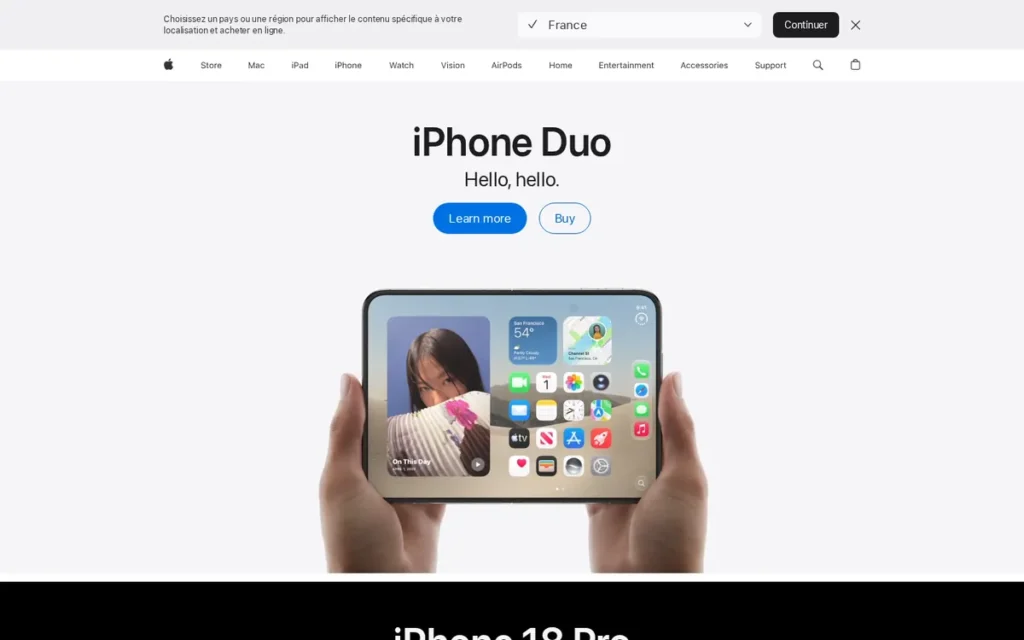
Category: Built-in OS Dictation (Apple), free on-device speech-to-text included with every Apple device running macOS Tahoe / iOS 26 or later; no AI editing layer; no subscription required; Apple ecosystem only.
At a Glance
| Field | Detail |
|---|---|
| Category | Built-in OS Dictation (Apple) |
| Best For | Apple device owners (Mac, iPhone, iPad) who need occasional voice typing for quick messages, short emails, notes, and search queries; and users who want the strongest privacy guarantee (on-device local inference) at zero cost before evaluating any paid tool |
| Price Range | Free. No subscription, no account, no feature gating. Included with all Apple devices running macOS Tahoe / iOS 26 and later. |
| Primary Strength | Apple Dictation is completely free and processes audio entirely on-device on Apple Silicon hardware; the strongest default privacy guarantee in this comparison for Apple users; with the macOS Tahoe SpeechAnalyzer upgrade delivering transcription 55% faster than Whisper on M-series Macs. |
| Biggest Limitation | Apple Dictation produces verbatim transcription with no AI editing layer; no filler word removal, no intelligent formatting, no custom vocabulary; and its 30-second default burst limit disrupts extended professional dictation sessions, making it insufficient as the primary tool for high-volume professional writing workflows. |
| One-Line Summary | Apple Dictation is the best free voice typing tool in 2026 for Apple users who prioritize on-device privacy, requiring no subscription or account, with the macOS Tahoe SpeechAnalyzer upgrade delivering on-device transcription 55% faster than Whisper on M-series Macs. |
| Last Verified | April 2026 |
Overview
Apple Dictation is a free, built-in voice typing tool available on every Apple device running macOS Tahoe / iOS 26 or later, the correct first evaluation step for any Apple user before paying for any dictation tool.
Apple Dictation on macOS Tahoe uses the new SpeechAnalyzer API (replacing the older SFSpeechRecognizer engine) which independent benchmarking confirms is 55% faster than OpenAI Whisper Large V3 Turbo on Apple Silicon hardware, processing a 34-minute audio file in 45 seconds (voicescriber.com, 2025; independently confirmed by MacRumors June 2025, 9to5Mac June 2025, and MacStories June 2025).
Apple Dictation processes all audio on-device via the Apple Silicon Neural Engine on M-series Macs and A17/A18-chip iPhones, with no audio transmitted to Apple’s servers unless the user explicitly opts in to the “Improve Siri and Dictation” program, confirmed by Apple’s legal privacy documentation (2025).
Critical hardware note: Full on-device local inference requires M-series Mac or iPhone 15 Pro / iPhone 16 (A17/A18 chip) or later. Users on older iPhones (iPhone 11–14) should verify whether their device performs on-device processing or falls back to cloud transcription, the privacy guarantee is hardware-dependent, not universal.
Key Features
- Apple Dictation is built into every Apple device running macOS Tahoe / iOS 26 or later, no download, no account, no configuration; activate via the microphone key in any text field across all native and third-party apps.
- Apple Dictation on macOS Tahoe uses the SpeechAnalyzer API, which independent benchmarking confirms is 55% faster than OpenAI Whisper Large V3 Turbo on Apple Silicon hardware, processing a 34-minute audio file in 45 seconds (voicescriber.com, 2025; independently confirmed by MacRumors June 2025, 9to5Mac June 2025, and MacStories June 2025).
- Apple Dictation processes all audio on-device via the Apple Silicon Neural Engine on M-series Macs and A17/A18-chip iPhones, no audio is transmitted to Apple’s servers unless the user explicitly opts in to the “Improve Siri and Dictation” improvement program Apple legal privacy documentation, 2025.
- Apple Dictation works system-wide across all native Apple apps and most third-party apps (including Notes, Pages, Mail, Messages, Safari web forms, and third-party productivity apps) without requiring per-app setup or integration.
- Apple Dictation’s macOS Tahoe (2025/2026) upgrade added Live Captions in 11 languages on-device, Live Translation in apps, and Apple Intelligence vocabulary learning that adapts locally to individual user language patterns (weesperneonflow.ai, 2025).
Best For
Apple Dictation is best for Apple-ecosystem users who need occasional voice typing for quick texts, short emails, web searches, and brief notes, and for privacy-conscious professionals on M-series Macs or current-generation iPhones who want on-device audio processing at zero cost before evaluating whether a paid tool’s AI editing layer justifies the upgrade.
Pricing
Apple Dictation is completely free. No subscription, no account, no premium tier.
The only cost consideration is hardware: full on-device processing requires an M-series Mac or A17/A18-chip iPhone (iPhone 15 Pro / iPhone 16 and later). Users on iPhone 11–14 should verify whether their device performs on-device processing or falls back to cloud transcription, this privacy-affecting hardware dependency is underdocumented in most comparisons.
Strengths
- Apple Dictation on macOS Tahoe uses the SpeechAnalyzer API: confirmed by voicescriber.com (2025), MacRumors (June 2025), 9to5Mac (June 2025), and MacStories (June 2025), processing audio 55% faster than OpenAI Whisper Large V3 Turbo on Apple Silicon; this quadruple-corroborated benchmark is the most independently verified technical claim in this entire comparison.
- Apple Dictation processes audio entirely on-device on Apple Silicon, with Apple’s legal privacy documentation (2025) confirming no audio is transmitted to Apple’s servers without explicit user opt-in, the strongest default privacy guarantee of any tool in this comparison for Apple device owners.
- Apple Dictation requires zero setup, zero account creation, and zero ongoing cost, making it the correct first evaluation step for every Apple user before any paid tool is considered, particularly given that casual and occasional use cases do not require an AI editing layer.
- Apple Dictation’s macOS Tahoe (2025/2026) upgrade is Apple’s most significant dictation feature investment in years (adding SpeechAnalyzer, Live Captions in 11 languages, and Apple Intelligence vocabulary adaptation) confirming an active development trajectory (weesperneonflow.ai, 2025).
Limitations
- No AI Editing Layer: Apple Dictation’s most consequential limitation is the absence of a generative AI editing layer, Apple Dictation produces verbatim transcription without removing filler words, reformatting raw speech into structured sentences, or adapting output to the formality of the context; every “um,” “uh,” and false start appears in the output and requires manual cleanup before professional use.
- 30-Second Default Burst Limit: Apple Dictation’s default 30-second burst limit (extendable in iOS 17+ settings but not universally known) is the most commonly cited practical frustration among professionals attempting extended document dictation, disrupting writing sessions requiring continuous dictation longer than a typical sentence (zackproser.com, 2026).
- Apple Ecosystem Only: Apple Dictation provides no solution for Windows professionals, cross-platform teams, or Android users, its zero-cost value proposition becomes irrelevant for anyone whose primary devices are not Apple hardware.
- Hardware-Dependent Privacy Guarantee: Users on iPhones older than the A17 chip (iPhone 14 and earlier) should verify whether their device performs on-device processing or falls back to cloud transcription, the privacy advantage is not universal across all Applehardware generations (zackproser.com, 2026).
Verdict
Apple Dictation is the best free voice dictation option in 2026 for Apple device owners who value on-device privacy and need basic voice typing without a subscription, confirmed by the macOS Tahoe SpeechAnalyzer upgrade which benchmarks 55% faster than Whisper on M-series Macs, corroborated independently by voicescriber.com (2025), MacRumors, 9to5Mac, and MacStories (all June 2025). Apple Dictation’s lack of an AI editing layer makes it insufficient for professionals who need formatted polished output, the correct upgrade path is Wispr Flow for cross-platform AI editing, or Superwhisper for offline-only Mac power users. Every Apple user in this audience should test Apple Dictation before spending on any paid tool.
7. Windows Voice Typing and Voice Access: Best Free Option for Windows 11 Users
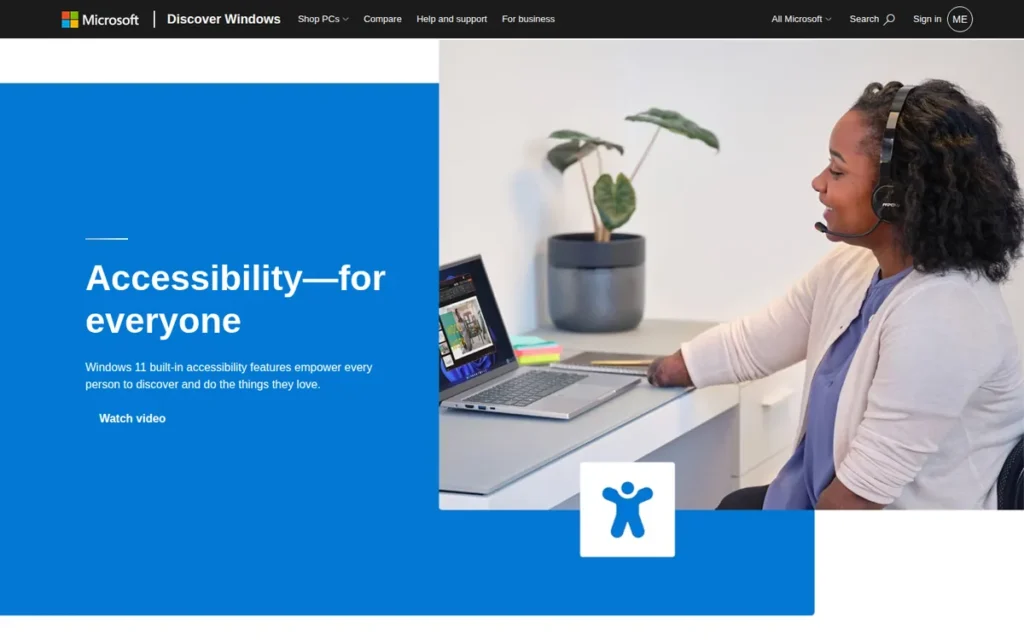
Category: Built-in OS Dictation (Windows), Windows 11 includes two distinct free voice tools: Voice Typing (Win+H) for cloud-based text dictation in any app, and Voice Access (Win+Ctrl+S) for offline hands-free PC control combining dictation with navigation and app control; no AI editing layer; no subscription required.
At a Glance
| Field | Detail |
|---|---|
| Category | Built-in OS Dictation (Windows) |
| Best For | Windows 11 users who need basic voice typing for occasional messages, emails, and notes; and users with RSI or accessibility needs who require hands-free PC control via Voice Access; the correct zero-cost starting point before evaluating any paid Windows dictation tool |
| Price Range | Free. Both Voice Typing and Voice Access are built into Windows 11 at no additional cost. Fluid Dictation (on-device AI) requires a Copilot+ certified PC (Intel Core Ultra Series 3 or later); hardware-gated. |
| Primary Strength | Windows Voice Typing and Voice Access are completely free tools built into Windows 11, with Voice Access providing fully offline hands-free PC control; including dictation, navigation, and app launching; at zero cost without any subscription, account, or additional software. |
| Biggest Limitation | Windows Voice Typing requires an internet connection for cloud-based speech recognition and produces verbatim output with no AI editing layer; accuracy at an estimated 85–93% (directional, sourced from competing vendor comparison articles) is the lowest in this comparison; and Fluid Dictation is gated behind Copilot+ certified hardware unavailable to most Windows 11 users in 2026. |
| One-Line Summary | Windows Voice Typing and Voice Access are the best free voice dictation tools in 2026 for Windows 11 users, offering instant cloud-based dictation via Win+H and fully offline hands-free PC control via Win+Ctrl+S; the correct zero-cost starting point before evaluating any paid Windows dictation tool. |
| Last Verified | April 2026 |
Overview
Windows 11 includes two distinct free voice tools (Voice Typing and Voice Access) that most users conflate, each serving different needs.
Voice Typing (Win+H) provides instant real-time text dictation in any Windows text field using cloud-based speech recognition. Voice Access (Win+Ctrl+S) operates fully offline after an initial language model download, combining continuous voice dictation with hands-free PC navigation, app launching, window switching, mouse control, and button clicking.
Understanding this distinction is essential: Voice Typing is the correct starting point for basic dictation, while Voice Access is a full accessibility and productivity suite for users with RSI or a preference for completely keyboard-free operation.
Microsoft’s roadmap toward local AI dictation is represented by Fluid Dictation: available on Copilot+ PCs with Intel Core Ultra Series 3 or later processors, which delivers on-device AI dictation with improved accuracy and no cloud transmission, though it remains English-only and hardware-gated as of 2026 (fastdictate.com, 2026).
Key Features
- Windows Voice Typing (Win+H) provides instant real-time text dictation in any Windows text field (Word, Outlook, Notepad, browsers, messaging apps) without setup, download, or account, making it the most accessible free dictation entry point for Windows 11 users.
- Windows Voice Access (Win+Ctrl+S) operates fully offline after an initial language model download, combining continuous voice dictation with hands-free PC navigation (app launching, window switching, mouse control, and button clicking) for users with RSI or accessibility requirements.
- Windows Fluid Dictation, available on Copilot+ certified PCs with Intel Core Ultra Series 3 or later processors, delivers on-device AI dictation with improved accuracy and no cloud transmission, limited to English and hardware-gated as of 2026, but representing Microsoft’s roadmap toward local AI dictation (fastdictate.com, 2026).
- Windows Voice Typing includes an auto-punctuation option that applies basic sentence-ending punctuation without manual commands, a modest convenience feature that reduces post-editing for casual writing.
- Windows Voice Access supports natural-language command syntax: “click Search,” “scroll down,” “go to Start”, enabling complete hands-free PC operation beyond text input that no paid AI dictation tool in this comparison currently offers.
Best For
Windows Voice Typing is best for Windows 11 users who need occasional low-friction dictation for quick messages, emails, and notes without any setup. Windows Voice Access is best for users with RSI, motor disabilities, or a preference for fully offline hands-free PC control. Neither tool is sufficient as a primary productivity dictation layer for high-volume professional writing, those users should evaluate Dragon, Wispr Flow, or Superwhisper.
Pricing
Windows Voice Typing and Voice Access are completely free and built into every Windows 11 installation at no additional cost. No Microsoft 365 subscription is required for the built-in OS tools. Microsoft 365 Word has a separate Dictate feature via Alt+` that does require an M365 subscription, these are distinct products and should not be confused.
Fluid Dictation requires a Copilot+ certified PC, a hardware premium that represents a de facto cost consideration for users who want the AI-upgraded on-device experience.
Strengths
- Windows Voice Access has operated fully offline since Windows 11 22H2 (late 2022), confirmed by weesperneonflow.ai’s 2026 Windows 11 guide, providing hands-free PC control with no cloud dependency or internet requirement after initial language model download.
- Windows Voice Typing and Voice Access are completely free and built into Windows 11 with zero setup required, making them the correct first evaluation step for every Windows user before paying for any dictation tool, particularly for casual use cases that do not require an AI editing layer.
- Fluid Dictation on Copilot+ PCs confirms Microsoft’s roadmap commitment to on-device AI dictation using local neural processing (fastdictate.com, 2026), signaling that future Windows hardware will close the AI-editing gap currently held by paid tools, relevant context for users evaluating long-term platform direction.
- Windows Voice Access’s natural-language command syntax for full PC control: app launching, window navigation, mouse simulation, button clicking, represents a hands-free computing capability with no equivalent in any paid AI dictation tool in this comparison, making it uniquely valuable for RSI users and accessibility-first workflows.
Limitations
- Accuracy Floor (Directional): Windows Voice Typing accuracy is estimated in the range of 85–93% based on available comparison data, the sources for this range (wisprflow.ai and willowvoice.com) are competing dictation tool vendors rather than independent benchmarkers, and no dedicated third-party benchmark from a non-competing source was identified during April 2026 research; this range should be treated as directional rather than independently verified.
- Voice Typing Requires Internet: Voice Typing requires an internet connection for cloud-based speech recognition, meaning it is unavailable offline and transmits audio to Microsoft’s servers in every session, unlike Voice Access (offline after setup) or Apple Dictation on Apple Silicon (on-device by default).
- No AI Editing Layer: Neither Voice Typing nor Voice Access includes an AI editing layer (output is verbatim transcription without filler word removal, intelligent formatting, or AI-polished structure) the primary functional reason to upgrade to a paid tool.
- Fluid Dictation Hardware Gate: Fluid Dictation: Microsoft’s on-device AI upgrade with improved accuracy, is gated behind Copilot+ certified hardware that the majority of Windows 11 users do not yet own, limiting its practical impact on the 2026 evaluation landscape.
Verdict
Windows Voice Typing and Voice Access are the best free voice dictation tools in 2026 for Windows 11 users as a zero-cost starting point, with Voice Access providing a fully offline option that no paid tool in this comparison matches for hands-free PC control. The estimated 85–93% accuracy range (directional, sourced from competing vendors) and absence of an AI editing layer mean both tools will be insufficient for professionals who dictate high-volume written content, the correct upgrade path is Dragon for specialty vocabulary and offline professional workflows, Wispr Flow for AI-polished cross-platform dictation, or Superwhisper for privacy-first customizable workflow modes. Every Windows user in this audience should test Voice Typing before paying for any tool.
What Red Flags Should I Watch For When Evaluating AI Voice Dictation Tools?
The five most consequential red flags for AI voice dictation tools are: cloud-only processing without disclosure, free tier caps too small for genuine evaluation, meeting bots misrepresented as dictation tools, accuracy claims without real-world condition caveats, and pricing not publicly posted. Each predicts a specific and avoidable failure mode before any money changes hands.
Red Flag #1: Cloud-Only Processing Without Disclosure
A tool that routes all audio through external servers without clearly disclosing this in its free-tier marketing creates privacy and data sovereignty risks that legal, healthcare, and government professionals cannot accept. Always ask: where does my audio go, and at what plan tier does that change?
Red Flag #2: Free Tier Caps Too Small to Evaluate the Tool
Free tier caps exhausted within days of serious professional use create forced upgrade pressure before genuine long-term evaluation is possible. For context:
- Notta free tier (3-minute per-conversation cap): impossible to complete a 30-minute meeting in a single session.
- Wispr Flow free tier (2,000 words/week): exhausted in 1–2 days of heavy professional writing.
- Otter.ai free tier (300 min/month): exhausted after approximately 5 one-hour meetings.
- Apple Dictation and Windows Voice Typing: no cap.
A cap you exhaust in two days is not a meaningful evaluation period, it is a trial hook.
Red Flag #3: Meeting Bot Misrepresented as a Document Dictation Tool
Meeting transcription tools (Otter.ai, Notta) auto-join video calls and produce structured notes, they cannot replace in-app dictation tools for hands-free document writing. Confusing these categories is the most consequential purchase-decision error in this product segment.
Red Flag #4: Accuracy Claims Without Real-World Condition Caveats
Headline accuracy figures (98.86% for Notta, 99% for Dragon) represent best-case performance under optimal conditions. All tested tools in this comparison show documented accuracy degradation with background noise, non-standard accents, or speaker overlap, a consistent pattern across independent reviews and technical benchmarks reviewed for this article. Treat headline accuracy as a ceiling, not a floor.
Red Flag #5: Pricing Not Publicly Posted
Tools that require a direct site visit or sales call to learn plan pricing complicate vendor comparison and budget planning before committing to evaluation. Always verify pricing at the official pricing page with a dated note before publishing any comparison.
Red Flag #6: Accuracy Figures Sourced From Competing Vendors
Accuracy estimates for competing tools that are sourced exclusively from competitor marketing materials (rather than independent benchmarks) should be treated as directional rather than verified. The 85–93% accuracy estimate for Windows Voice Typing in this article is sourced from competing vendor blogs; readers should weigh this sourcing caveat in their evaluation.
What Questions Should I Ask Before Choosing an AI Voice Dictation Tool?
Ask five questions before choosing any AI voice dictation tool: which platforms it covers, whether it processes audio on-device or in the cloud, what the free tier cap translates to in real professional use, whether it includes an AI editing layer, and whether it supports your domain vocabulary. These five questions eliminate the most common selection errors in this category.
Question #1: Does this tool work on all my devices and platforms?
Identify every device you dictate on (Mac, Windows PC, iPhone, Android) before evaluating any tool. Apple Dictation works only on Apple hardware. Windows Voice Typing works only on Windows 11. Wispr Flow covers all four platforms. Superwhisper covers Mac, Windows, and iOS but not Android. Platform mismatch is a non-negotiable dealbreaker.
Question #2: Does it process my audio on-device or in the cloud?
If you work in a regulated industry (healthcare, legal, government), where audio is processed may be a compliance requirement, not a preference. Ask specifically: which plan tier enables on-device processing, and what hardware does that require? Do not assume “privacy-focused” marketing equals offline processing, verify the architecture.
Question #3: What is the exact free tier cap translated into my real-world use?
Convert the free tier cap into days of professional use before hitting the limit. Notta’s 3-minute per-conversation cap means a 30-minute meeting cannot be transcribed on the free tier. Wispr Flow’s 2,000 words/week exhausts in 2–3 days of heavy writing. Otter.ai’s 300 minutes/month covers approximately 5 one-hour meetings. A cap you hit in three days is not a meaningful evaluation period.
Question #4: Does it include an AI editing layer or only verbatim transcription?
Verbatim-only tools (Dragon, Apple Dictation, Windows Voice Typing) require manual post-processing to remove filler words and reformat raw speech. AI-enhanced tools (Wispr Flow, Superwhisper) produce formatted output automatically. If you need publish-ready text without manual cleanup, verbatim-only tools will disappoint regardless of their accuracy percentage.
Question #5: Does it support my professional vocabulary, legal, medical, or technical?
General-purpose AI tools (Wispr Flow, Superwhisper, Apple Dictation) lack verified domain-specific vocabulary libraries. If you dictate legal briefs with specialized case law terminology or clinical notes with medication names, verify whether the tool has a dedicated vocabulary library (Dragon Legal, Dragon Medical) or supports custom vocabulary import, before the trial period ends.
Question #6: Is the organization behind this tool stable enough for long-term reliance?
For mission-critical workflows (clinical documentation, legal record creation) vendor stability matters. Otter.ai ($100M ARR, founded 2016, named CEO) and Dragon by Nuance (Microsoft-owned) provide the strongest organizational stability signals in this comparison. Tools with undisclosed founding dates or funding carry higher platform-dependence risk for enterprise deployments.
How Did We Rank These AI Voice Dictation Tools?
The seven tools in this comparison were ranked by scoring each product across six criteria, with primary criteria weighted double. Every included tool required independent third-party corroboration from at least one source without a commercial relationship to the vendor, and one tool was excluded because it failed this standard despite being named the top recommendation by a major AI search engine.
How Was Each Tool Evaluated?
The evaluation process followed five steps:
- Product discovery: Identified candidate tools via web research and LLM response analysis across multiple AI search engines.
- Independent web research: Conducted 16 targeted Perplexity research queries covering features, pricing, accuracy benchmarks, user reviews, and limitations for each product.
- LLM response analysis: Queried multiple AI search engines to identify what tools they currently recommend (and what critical details they omit) creating the gap analysis that drives this article’s unique factual contributions.
- Third-party source verification: Cross-referenced vendor claims against independent review platforms (TrustRadius), tech publications (TechCrunch, MacRumors, 9to5Mac, MacStories), and structured review sites (itsconvo.com, tldv.io, thebusinessdive.com).
- Corroboration standard enforcement: All included tools required at least one independent third-party source corroborating key claims. Oravo AI (named “Best Overall” by a major AI search engine) was excluded because its key claims were sourced exclusively from its own vendor blog with no independent corroboration found during research. That exclusion is not a footnote; it is the entire point of independent evaluation.
What Are the Six Ranking Criteria?
- C1: Transcription Accuracy and AI Editing Quality (Primary weight): Accuracy percentage from independent benchmark sources; presence of a generative AI post-processing layer; documented performance degradation with accents and noise; real-world WPM throughput with dated source attribution. Why it matters: Inaccurate transcription and raw unformatted output are the two top-cited pain points in this category.
- C2: Platform Coverage and Cross-App Compatibility (Primary weight): Number of supported platforms; whether coverage is universal (any app, any text field) or limited to specific apps. Why it matters: Platform lock-in prevents professionals from using their preferred tool across all their devices.
- C3: Pricing Transparency and Value (Primary weight): Free tier cap in real-world professional use terms; exact paid tier pricing on annual billing; whether pricing is publicly posted; trial availability. Why it matters: Free tier caps too small to evaluate and opaque pricing prevent informed decision-making.
- C4: Feature Completeness and AI Capabilities (Primary weight): AI editing layer; voice commands for text manipulation; meeting intelligence; custom vocabulary or domain-specific modes; developer-mode; workflow automation. Why it matters: Feature breadth determines whether a tool becomes a daily productivity layer or a single-purpose utility.
- C5: Privacy Architecture and Compliance (Secondary weight): On-device vs. cloud processing by default; hardware dependencies; compliance certifications (HIPAA, SOC 2, GDPR) at which plan tier; user control over data routing. Why it matters: Regulated industries have non-negotiable data sovereignty requirements.
- C6: Specialization Depth for Professional Verticals (Secondary weight): Named domain vocabulary libraries; clinical documentation workflows; developer-mode syntax; enterprise deployment infrastructure. Why it matters: Legal, medical, and technical professionals require domain vocabulary support that general tools cannot provide.
How Is Conflicting Evidence Weighted?
When review platform ratings conflict with independent blog reviews or technical benchmarks, this analysis weights specificity and recency, a detailed 2025–2026 technical benchmark with methodology disclosed outweighs a generic review from 2023. Vendor-reported statistics are labeled as such. Only claims corroborated by at least one independent source are stated as fact.
How Are Data and Vendor Claims Validated?
Vendor-reported statistics are labeled explicitly (e.g., “Notta claims 98.86% accuracy under optimal conditions”). Claims corroborated by at least one independent source are stated as findings (e.g., “voicescriber.com, confirmed independently by MacRumors, 9to5Mac, and MacStories, confirms SpeechAnalyzer is 55% faster than Whisper on Apple Silicon”). When the only available sources for a claim are competing vendors, this is disclosed explicitly, as in the Windows Voice Typing accuracy figure. Pricing data is verified at official pricing pages and labeled with the month and year of verification.
How Often Is This Article Updated?
This article was last updated in April 2026 and is reviewed quarterly. Pricing data and platform availability change frequently, always verify current figures at each product’s official pricing page before purchasing.
Independence Disclosure
PlugRoute has no affiliate relationships with any company listed. Rankings are determined entirely by research data and objective evaluation criteria. The inclusion of Apple Dictation (#6) and Windows Voice Typing (#7) as full ranked entries (and the exclusion of Oravo AI for failing the independent corroboration standard despite being a top AI search engine recommendation) are the most concrete demonstrations of this independence standard in this article.
Reddit community sentiment sections were unavailable due to connection timeouts during research, manual verification in r/productivity, r/MacApps, r/windowsadvice, r/lawyers, and r/medicine is strongly recommended before publication.
Frequently Asked Questions
What is the best AI voice dictation tool for professionals in 2026?
Wispr Flow is the best AI voice dictation tool in 2026 for most professionals, covering Mac, Windows, iOS, and Android with an AI editing layer that removes filler words and formats output automatically at $12/month annually. Legal and medical professionals with specialty vocabulary requirements should evaluate Dragon by Nuance; privacy-sensitive Mac power users should evaluate Superwhisper at $7.08/month annually.
What is the difference between voice dictation and meeting transcription?
Voice dictation tools (Wispr Flow, Dragon, Superwhisper, Apple Dictation, Windows Voice Typing) convert spoken words into formatted text across any app in real time, they replace typing. Meeting transcription tools (Otter.ai, Notta) join video calls via a bot to record and summarize the conversation. Buying a meeting transcription tool when you need document dictation is the most common and costly purchase error in this category.
How does PlugRoute determine its rankings?
PlugRoute ranks tools across six documented criteria (transcription accuracy, platform coverage, pricing transparency, feature completeness, privacy architecture, and specialization depth) with primary criteria double-weighted. Every included tool requires independent third-party corroboration from at least one non-commercial source. The most concrete demonstration of this standard: Oravo AI was excluded despite being named the top recommendation by a major AI search engine, because its key claims were sourced exclusively from its own vendor blog with no independent corroboration found during research.
What Do the Key Terms in This AI Voice Dictation Comparison Mean?
These are the five key technical terms used throughout this comparison. Understanding each term prevents the most common category confusion when evaluating AI voice dictation tools.
AI Editing Layer: The generative AI post-processing step that transforms raw verbatim transcription into formatted, polished text by automatically removing filler words (“um,” “uh”), adding punctuation and capitalization, handling mid-sentence backtracking, and adapting output to context, a capability present in Wispr Flow and Superwhisper but absent from Dragon, Apple Dictation, and Windows Voice Typing.
On-Device Processing (Local Inference): Speech recognition performed entirely by hardware components on the local device (such as the Apple Silicon Neural Engine on M-series Macs or the on-device Parakeet model in Superwhisper) with no audio data transmitted to external servers, providing the strongest available data privacy guarantee for sensitive professional workflows.
Speaker Diarization: The process of automatically identifying and labeling individual speakers within a recorded audio session (for example, distinguishing “Speaker 1: Sarah” from “Speaker 2: Marcus” in a meeting transcript) a feature critical for meeting transcription tools like Otter.ai (up to 10 speakers with name training) and Notta, but not applicable to single-user document dictation tools.
Custom AI Modes: Named, user-configured workflow presets in Superwhisper that combine a specific transcription model, AI post-processing rules, output language, formatting instructions, and per-app context overrides, allowing a single tool to behave differently as “Legal Brief Mode,” “Email Mode,” or “Code Mode” depending on the professional task at hand.
Word Error Rate (WER): The standard technical metric for speech recognition accuracy, measuring the percentage of words in a transcript that differ from the ground-truth spoken content; a WER of 2.46%, achieved by modern Whisper-based models (AssemblyAI, 2026), means approximately 1 error per 40 words, placing open-source transcription within statistical reach of Dragon’s claimed 99% accuracy (1% WER) for general-purpose use cases.
Glossary: Key Terms Used in This Comparison
AI Editing Layer: A generative AI post-processing step that transforms raw verbatim transcription into formatted, polished text by automatically removing filler words, adding punctuation and capitalization, and adapting output to context. This capability distinguishes tools like Wispr Flow and Superwhisper from verbatim-only tools such as Dragon by Nuance, Apple Dictation, and Windows Voice Typing.
On-Device Processing (Local Inference): Speech recognition performed entirely by hardware components on the local device (such as the Apple Silicon Neural Engine or Superwhisper’s Parakeet model) with no audio data transmitted to external servers. This architecture provides the strongest available data privacy guarantee for sensitive professional workflows.
Speaker Diarization: The automatic process of identifying and labeling individual speakers within a recorded audio session, distinguishing one participant’s voice from another in a meeting transcript. It is a core feature of meeting transcription tools like Otter.ai (supporting up to 10 speakers) and Notta, and is not applicable to single-user document dictation tools.
Word Error Rate (WER): The standard technical metric for measuring speech recognition accuracy, expressed as the percentage of words in a transcript that differ from the actual spoken content. A WER of 2.46% (achieved by modern Whisper-based models) means approximately one error per 40 words, placing open-source transcription within statistical reach of Dragon’s claimed 99% accuracy for general-purpose use cases.
OtterPilot: Otter.ai’s AI meeting bot that automatically joins scheduled Zoom, Google Meet, and Microsoft Teams calls via calendar integration, delivering real-time transcription, AI-generated summaries, action item extraction, and automated follow-up email drafts without any manual recording initiation.
Which AI Voice Dictation Tool Is Right for You?
The right AI voice dictation tool depends on three factors: your platforms, your privacy requirements, and whether you need to write documents or transcribe meetings. Wispr Flow fits most cross-platform professionals. Superwhisper fits privacy-sensitive Mac and Windows users, and at $7.08/month annually is the most affordable paid AI-enhanced option. Dragon fits legal and medical specialists. The free built-in tool on your current device is the correct starting point before any paid subscription.
Key Insights
- The most consequential decision in AI voice dictation is not which tool to buy: it is whether you need a document dictation tool or a meeting transcription bot; these are fundamentally different products solving different problems, and conflating them is the most common and expensive mistake in this category.
- Wispr Flow is the best AI voice dictation tool in 2026 for cross-platform professionals who need AI-polished output across Mac, Windows, iOS, and Android, with HIPAA compliance across all plan tiers at $12/month annually, but its 5-minute mobile session cap qualifies the Android coverage for extended use.
- Superwhisper is the correct choice for Mac and Windows professionals requiring fully offline audio processing, and at $7.08/month annually is the most affordable paid AI-enhanced dictation tier in this comparison, 41% cheaper than Wispr Flow Pro, validated by its Product Hunt Privacy Award for AI Dictation (Winter 2025).
- Dragon by Nuance remains irreplaceable for legal and healthcare professionals who require validated specialty vocabulary libraries and macro automation that no AI-native tool in this comparison currently offers.
- Otter.ai is the best meeting transcription choice for English-speaking teams at $8.33/month annually, but it cannot replace any in-app dictation tool for document writing workflows.
- Notta is the only correct meeting transcription choice for organizations where meetings regularly include languages beyond English, French, and Spanish, with 58-language coverage and GDPR compliance at $8.17/month annually.
- Apple Dictation and Windows Voice Typing are the correct first evaluation step for every user on their respective platform, test the free built-in tool before paying for anything.
For the cross-platform professional choosing between Wispr Flow and Superwhisper: if you need consistent performance on Android in addition to Mac and Windows, Wispr Flow is the only option in this comparison. If you work exclusively on Mac and Windows with privacy-sensitive content, and the $7.08/month annual pricing and API-key configuration complexity are acceptable, Superwhisper’s offline-first design is the stronger choice.
For the legal or medical professional evaluating Dragon: the $699 perpetual license is justified when Dragon Legal or Dragon Medical vocabulary is genuinely required by workflow and offline desktop processing is a compliance requirement. If the primary need is general transcription accuracy without specialty vocabulary, modern Whisper-based tools now deliver near-equivalent accuracy at a fraction of the cost.
For the Apple or Windows user uncertain whether the free tool is sufficient: test your built-in tool for one week of real professional use before evaluating any paid alternative. If your output requires more than two minutes of manual cleanup per ten minutes of dictation, that experience (not marketing comparison charts) is the correct signal to upgrade.
We update this guide quarterly. Last updated: April 2026. For additional independent reviews, see PlugRoute.