Trimble Viewpoint Spectrum ranks #1 for midsize contractors that need native union payroll in a browser-based ERP. CMiC ranks #2 for large GCs that want one database across accounting and project controls. FOUNDATION ranks #3 for payroll-heavy small-to-midsize firms. Scores are close (3.18–3.65), so size and payroll profile should drive your shortlist.
Construction ERP buyers face three problems at once:
- Project-management tools that only sync to accounting software are easy to mistake for a real ERP.
- Quote-based pricing hides implementation, data-migration and add-on module costs.
- No single construction ERP fits every company size, trade and payroll profile.
This guide scores seven systems on the same six criteria and shows the evidence behind every score.
PlugRoute has no affiliate relationships with any company listed. Rankings are determined entirely by research data and objective evaluation criteria.
What Counts as a Construction ERP, and Is Procore One?
A construction ERP is the financial system of record for a contractor. A construction ERP natively runs job cost, general ledger, AP/AR, payroll, AIA billing, retainage, commitments and WIP. Procore is not one, because Procore’s own documentation describes its ERP integrations as syncing data “between Procore and an ERP or accounting system” [Source: Procore, 2026].
If a construction tool syncs to your accounting system, it isn’t your accounting system. The ERP is wherever job cost, payroll and the general ledger actually post.
PlugRoute applied these inclusion rules to every product it considered:
- Procore was excluded as a system of record, but many contractors will run Procore alongside an ERP. Procore holds a G2 rating of 4.6/5 across 4,679 reviews (G2, checked November 2026).
- Sage 300 CRE (G2 3.6/5, 42 reviews; G2, checked November 2026) was replaced in this evaluation by Sage Intacct Construction, which Sage presents as its cloud successor.
- IFS Cloud and ERPNext appear in some AI-generated answers, but PlugRoute did not score them because web evidence for their fit with U.S. contractors was limited.
What Are the 4 Categories of Construction ERP Software?
Construction ERP software falls into four categories, defined below. Construction-native systems offer deeper payroll and job-cost workflows. General cloud ERPs with a construction edition offer more deployment flexibility and reach beyond construction. Matching your firm to a category first narrows a seven-product field to two or three candidates.
- Enterprise Construction Suite: An Enterprise Construction Suite is one system for finance, payroll, equipment and project controls at large, complex, multi-entity contractors. CMiC and Trimble Viewpoint Vista fall in this category.
- Mid-Market Construction-Native ERP: A Mid-Market Construction-Native ERP provides construction-built accounting, job cost and payroll for small to midsize contractors. Trimble Viewpoint Spectrum and FOUNDATION fall in this category.
- Cloud All-in-One (Accounting + Project Management): A Cloud All-in-One is one cloud platform that replaces a separate accounting system and project-management tool. Premier Construction Software falls in this category.
- General Cloud ERP with Construction Edition: A General Cloud ERP with Construction Edition is a broad business ERP with a construction layer for job cost and billing. Acumatica Construction Edition and Sage Intacct Construction fall in this category.
Which Construction ERP Fits My Company Size?
Company size, payroll complexity and equipment intensity predict construction ERP fit better than overall rank. Contractors under about $25M usually fit Premier Construction Software or FOUNDATION. Specialty firms between $25M and $150M fit Trimble Viewpoint Spectrum or FOUNDATION. Contractors above $150M with union, equipment or heavy civil work fit Trimble Viewpoint Vista or CMiC.
The revenue bands in this table are directional planning ranges from PlugRoute’s research synthesis [Source: PlugRoute research synthesis, 2026], not vendor-defined limits.
| Contractor Profile | Directional Size | Payroll / Equipment Profile | In-House IT Need | Shortlist |
|---|---|---|---|---|
| Leaving QuickBooks plus a PM tool | Under ~$25M | Simple payroll | Low | Premier Construction Software; FOUNDATION if union or prevailing-wage |
| Specialty contractor with service work | ~$25M–$150M | Union payroll, service division | Low to moderate | Trimble Viewpoint Spectrum; FOUNDATION |
| Growing multi-entity, finance-led, already on Procore | Varies | Payroll via partner acceptable | Low | Sage Intacct Construction; Acumatica Construction Edition |
| Diversified contractor (distribution, service, manufacturing) | Varies | Union/certified depth must be tested | Moderate (reseller-led) | Acumatica Construction Edition |
| Heavy civil, DOT, union, equipment-heavy | $150M+ | Complex union, multi-state, equipment | High (Crystal/SQL skills) | Trimble Viewpoint Vista |
| Enterprise GC wanting one database | $150M+ | Native payroll/HR | High | CMiC |
How Do the Top Construction ERP Systems Compare at a Glance?
The seven construction ERPs split on three dimensions: native payroll depth, deployment model and pricing transparency. The table below summarizes each product. The Evidence Snapshot table that follows shows what kind of evidence backs each score, so buyers can see where PlugRoute’s confidence is high and where it is low.
| Rank | Company | Category | Best For | One-Line Summary | Key Capabilities | Primary Strength | Key Limitation |
|---|---|---|---|---|---|---|---|
| 1 | Trimble Viewpoint Spectrum | Mid-Market Construction-Native ERP | $25M–$150M contractors with union payroll and service work | Trimble Viewpoint Spectrum is a browser-based construction ERP pairing native multi-union payroll with job cost and service management. | Job cost, multi-union payroll, AIA billing, service work orders | Native multi-union payroll in a browser | Clunky daily use and weak reporting per reviewers |
| 2 | CMiC | Enterprise Construction Suite | $150M+ GCs wanting one database | CMiC is a single-database construction ERP that unifies accounting and project controls for large GCs. | Financials, payroll/HR, PM, field, BI in one database | No accounting-to-PM sync layer | Steep learning curve, no public pricing |
| 3 | FOUNDATION | Mid-Market Construction-Native ERP | Small-to-midsize firms with certified, union or prevailing-wage payroll | FOUNDATION is payroll-first construction accounting that ties certified and union payroll to job cost. | In-house payroll, AIA billing, WIP, equipment, service | Most named, quantified customer outcomes | Not browser-native; weak PM module |
| 4 | Premier Construction Software | Cloud All-in-One (Accounting + Project Management) | Small-to-midsize GCs leaving QuickBooks plus a PM tool | Premier Construction Software is a cloud all-in-one platform with the highest construction-only ratings and the only published per-user tier pricing in this evaluation. | Accounting, WIP, AIA and cost-plus billing, RFIs, drawings | Published per-user pricing and top construction-only ratings | Payroll described as clumsy |
| 5 | Trimble Viewpoint Vista | Enterprise Construction Suite | Heavy civil, DOT, equipment-intensive contractors | Trimble Viewpoint Vista is a deeply configurable construction ERP with the deepest documented union payroll and equipment capabilities evaluated. | Multi-company accounting, union payroll, equipment, SSRS/Crystal reporting | Deepest payroll and equipment | Hosted legacy architecture, declining support per reviewers |
| 6 | Acumatica Construction Edition | General Cloud ERP with Construction Edition | Diversified contractors with many users | Acumatica Construction Edition is an unlimited-user cloud ERP with a construction layer for diversified contractors. | Job cost, AIA billing, CRM, inventory, AI invoice capture | Unlimited users on a cloud ERP | Outcomes depend on reseller quality |
| 7 | Sage Intacct Construction | General Cloud ERP with Construction Edition | Finance-led, multi-entity contractors on Procore | Sage Intacct Construction is a multi-tenant cloud construction accounting system built around consolidation and Procore pairing. | Dimensional GL, consolidation, WIP, Procore connector | Multi-tenant GL and consolidation | Payroll runs through a partner |
Evidence Snapshot
| Company | Deployment Reality | Payroll Type | Pricing Evidence Tier | Implementation Model | Ratings Scope | Outcome Evidence Tier | Weighted Score |
|---|---|---|---|---|---|---|---|
| Trimble Viewpoint Spectrum | Browser-native | Native, multi-union (certified unverified) | Third-party estimate | Vendor-direct | Construction-only | None quantified | 3.65 |
| CMiC | Unverified | Native | None | Vendor-direct (in-house) | Construction-only | None quantified | 3.55 |
| FOUNDATION | On-premises or hosted | Native and deep | Third-party estimate | Vendor-direct | Construction-only, one platform | Named and quantified | 3.53 |
| Premier Construction Software | Cloud (Azure) | Maturing | Published, conflicting | Vendor-direct | Construction-only | Unnamed vendor claims | 3.48 |
| Trimble Viewpoint Vista | Hosted on-premises | Native and deep | None | Vendor-direct | Construction-only | Named, integration-based | 3.40 |
| Acumatica Construction Edition | Cloud ERP (tenancy unconfirmed) | Native, union/certified unverified | Published model and package | Reseller-led | All editions | Mostly unnamed claims | 3.38 |
| Sage Intacct Construction | Multi-tenant SaaS | Partner-based | Third-party estimate | Sage and partners | All editions | Named, qualitative | 3.18 |
Which Construction ERP Should I Choose for My Use Case?
The right construction ERP depends on your top priority: payroll complexity, company size, deployment model or existing Procore use. Match your priority to the row below. Each row names one recommended tool and one alternative, based on PlugRoute’s 2026 weighted scores and documented evidence.
| Your #1 Priority | Recommended Tool | Why | Acceptable Alternative |
|---|---|---|---|
| Midsize ($25M–$150M) with union payroll and service work | Trimble Viewpoint Spectrum | Native multi-union payroll plus service work orders in a browser | FOUNDATION |
| Enterprise GC wanting one database | CMiC | Accounting and project controls share one database | Trimble Viewpoint Vista |
| Small-to-midsize with certified, union or prevailing-wage payroll | FOUNDATION | Payroll-first design with named, quantified payroll outcomes | Trimble Viewpoint Spectrum |
| Small-to-midsize GC leaving QuickBooks plus a PM tool, simple payroll | Premier Construction Software | Accounting and PM in one cloud platform with published per-user pricing | Sage Intacct Construction (with Procore) |
| Heavy civil, DOT, equipment-intensive, in-house reporting staff | Trimble Viewpoint Vista | Deepest documented payroll and equipment depth | CMiC |
| Diversified contractor with distribution, service or manufacturing lines and many users | Acumatica Construction Edition | Unlimited users across construction and non-construction modules | Sage Intacct Construction |
| Finance-led multi-entity firm already on Procore | Sage Intacct Construction | Multi-tenant cloud GL, consolidation and a documented Procore connector | Acumatica Construction Edition |
1. Trimble Viewpoint Spectrum: Top-Scored Overall: Best for Midsize Contractors With Union Payroll
Category: Mid-Market Construction-Native ERP, construction-built accounting, job cost and payroll for small to midsize contractors.
At a Glance
- Category: Mid-Market Construction-Native ERP
- Best For: General and specialty contractors in roughly the $25M–$150M range with union payroll and service work
- Price Range: Third-party listings of ~$50–$200/user/month (Capterra lists $125/user/month); no official Trimble pricing; implementation estimated at 30–60% of first-year subscription
- Primary Strength: Trimble Viewpoint Spectrum combines native multi-union payroll, AIA-format billing with line-level retainage, and service work orders in a browser-native construction ERP.
- Biggest Limitation: Trimble Viewpoint Spectrum draws recurring reviewer complaints about clunky daily use, weak reporting and inconsistent support, and no quantified customer outcome has been published.
- One-Line Summary: Trimble Viewpoint Spectrum is a browser-based construction ERP that pairs native multi-union payroll and job costing with service management, earning the top overall score in PlugRoute’s 2026 evaluation.
- Last Verified: November 2026
Overview
Trimble Viewpoint Spectrum is a browser-native construction ERP for small to midsize general and specialty contractors that want construction accounting, union payroll and service management in a web browser without heavy configuration. Trimble Viewpoint Spectrum handles job costing, multi-union payroll, AIA-format billing with line-level retainage, equipment and service work orders.
Trimble positions Trimble Viewpoint Spectrum as its faster-to-onboard option, while Trimble Viewpoint Vista serves more complex, heavy civil operations [Source: Trimble, 2026].
Key Features
- Trimble Viewpoint Spectrum runs native multi-union payroll with HR self-service features such as online paystubs and PTO tracking.
- Trimble Viewpoint Spectrum produces AIA-format progress billing with line-level retainage and supports subcontractor pay applications.
- Trimble Viewpoint Spectrum manages service work orders, equipment and materials alongside job cost in the same system.
- Trimble Viewpoint Spectrum lets users drill down from job-cost reports to the original invoice images.
- Trimble Viewpoint Spectrum integrates with Procore, HeavyJob, Traqspera, BambooHR, ProjectSight, Stripe and Trimble Pay.
Best For
Trimble Viewpoint Spectrum is best for specialty and general contractors in roughly the $25M–$150M range that run union payroll and a service division and want a browser-based system instead of hosted legacy software.
Strengths
- Trimble Viewpoint Spectrum holds a G2 rating of 4.2/5 across 134 reviews and a Capterra rating of 3.92/5 across 414 reviews, both construction-only listings, and reviewers praise its job costing most (G2 and Capterra, checked November 2026).
- Trimble Viewpoint Spectrum ties with Trimble Viewpoint Vista and FOUNDATION for the top payroll score, based on documented native multi-union payroll [Source: Trimble, 2026].
- Trimble Viewpoint Spectrum combines job cost with service work orders and equipment, which suits specialty contractors with service revenue [Source: Trimble, 2026].
- Trimble Viewpoint Spectrum is browser-native, so users don’t need a remote-desktop or hosted session to reach it [Source: Trimble, 2026].
Limitations
Trimble Viewpoint Spectrum trades configuration depth for a simpler setup, and reviewers describe daily use as “clunky” and reporting as “poor” (Capterra, checked November 2026).
- Trimble Viewpoint Spectrum support staff are described as lacking product knowledge, and one reviewer reports paying for implementation without ever going live (Capterra, checked November 2026).
- Trimble Viewpoint Spectrum reviewers report that add-on modules cost extra and that the ServiceTrade integration is weak, which is a gap in the service work the product is positioned on (Capterra, checked November 2026).
- Trimble Viewpoint Spectrum has thin drawing and document tools, so firms usually still need Bluebeam or a PM platform (Capterra, checked November 2026).
- Trimble Viewpoint Spectrum’s certified and prevailing-wage payroll support was not documented in PlugRoute’s research as of November 2026, and no named, quantified customer outcome surfaced.
A user who has worked in both Trimble products compared them on r/ConstructionManagers:
“I’ve used both, Spectrum is okay but not near as robust as Vista. I think most people that complain about Vista just don’t know how to use it. Spectrum is user friendly, Vista is less so… But Spectrum doesn’t have near the capabilities as Vista.” Posted by u/Brief-Singer8372
Takeaway: Trimble Viewpoint Spectrum gives up capability depth to Trimble Viewpoint Vista in exchange for easier daily use, so contractors with complex operations should test whether Spectrum covers their requirements.
Verdict
Trimble Viewpoint Spectrum is the most balanced construction ERP in PlugRoute’s 2026 evaluation for midsize contractors that need native union payroll in a browser. Trimble Viewpoint Spectrum alone scored 4+ on workflow, payroll and deployment fit (65% of the weight), so its 0.10-point lead over CMiC reflects balance, not a decisive gap.
Trimble Viewpoint Spectrum buyers should run a scripted demo covering certified payroll, a G702/G703 pay app and a WIP report, and should require a fixed-scope implementation plan.
Fit and Evidence Snapshot
- Deployment Reality: Trimble Viewpoint Spectrum is a browser-native web application.
- Payroll Type: Trimble Viewpoint Spectrum’s payroll is native with documented multi-union depth, and its certified payroll support is unverified.
- Pricing Evidence Tier: Trimble Viewpoint Spectrum pricing comes from third-party estimates only, with Capterra listing $125/user/month [Source: Capterra, 2026].
- Implementation Model: Trimble implements Trimble Viewpoint Spectrum directly, at an estimated 30–60% of first-year subscription [Source: ERP Research, 2026].
- Procore Pairing: Trimble Viewpoint Spectrum has a documented Procore integration, and buyers should test its sync scope and timing in a demo.
- Ratings Scope: Trimble Viewpoint Spectrum ratings come from construction-only listings on G2 and Capterra.
- Outcome Evidence Tier: Trimble Viewpoint Spectrum has no quantified outcome evidence, and its Hunter Contracting story is qualitative only.
- Fit Floor / Outgrow Signals: Trimble Viewpoint Spectrum may not pay off below about $10M revenue without union or service work, and heavy civil or complex multi-company reporting may push firms toward Trimble Viewpoint Vista or CMiC.
- What We Couldn’t Verify: PlugRoute could not verify Trimble Viewpoint Spectrum’s official pricing, certified and prevailing-wage payroll, Dexter + Chaney history dates, SOC/ISO certifications, team size or awards.
2. CMiC: Best for Enterprise GCs Wanting One Database
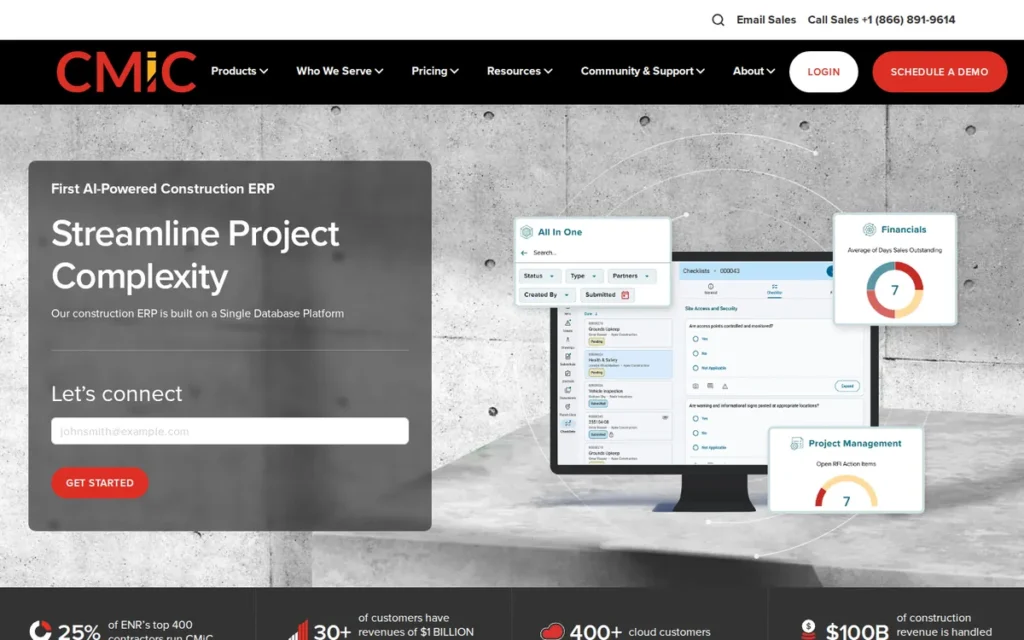
Category: Enterprise Construction Suite, one system for finance, payroll, equipment and project controls at large, complex, multi-entity contractors.
At a Glance
- Category: Enterprise Construction Suite
- Best For: Large general contractors and multi-company builders, typically $150M+ revenue
- Price Range: Pricing on request (no public figures as of November 2026)
- Primary Strength: CMiC runs financials, job cost, payroll, subcontracts, equipment and project management on a single database, so fewer integrations are needed between accounting and the field.
- Biggest Limitation: CMiC carries a steep learning curve, enterprise-level cost and a long rollout, with no public pricing or named, quantified customer outcomes.
- One-Line Summary: CMiC is a single-database construction ERP that unifies accounting and project controls for large general contractors, with higher construction-only ratings than Trimble Viewpoint Vista, the other enterprise suite in PlugRoute’s 2026 evaluation.
- Last Verified: November 2026
Overview
CMiC is a single-database construction ERP for large general contractors and complex multi-company builders that want accounting and project controls in one system rather than an ERP-plus-PM stack. CMiC unifies financials, job cost, payroll and HR, subcontracts, equipment, project management and document control on that one database.
CMiC delivers implementation and support in-house rather than through resellers, and its newer interface is called Nexus [Source: G2, 2026; TrustRadius, 2026].
Key Features
- CMiC keeps financials, job cost and project management in a single database instead of syncing separate systems.
- CMiC includes native payroll and HR, procurement, subcontract management and AIA billing.
- CMiC covers equipment, field operations, document management and business intelligence on the same platform.
- CMiC offers a newer user interface called Nexus on top of its long-established platform.
- CMiC lists 50+ integration partners (vendor claim) and provides implementation and support directly.
Best For
CMiC is best for large and enterprise general contractors with multiple entities and in-house IT capacity that want one database for accounting and project controls instead of an ERP-plus-Procore stack.
Strengths
- CMiC holds a G2 rating of 4.4/5 across 211 construction-only reviews, with a 9.2 project-management sub-score and an 8.7 ease-of-use sub-score (G2, checked November 2026), higher than Trimble Viewpoint Vista, the other enterprise suite evaluated.
- CMiC’s single-database architecture reduces the need for the accounting-to-PM sync layer that integration-based stacks depend on [Source: TrustRadius, 2026].
- CMiC delivers implementation and support in-house, and reviewers cite monthly user calls and quarterly workshops (G2, checked November 2026).
- CMiC has operated since 1974, is privately held and lists 201–500 employees (LinkedIn, checked November 2026).
Limitations
CMiC trades its single-database depth for a steep learning curve and a long enterprise rollout, according to reviewers (Capterra, checked November 2026) and third-party comparisons [Source: Rankite, 2026].
- CMiC users report slow change-order saves and laggy drawing tagging (Capterra, checked November 2026).
- CMiC onboarding is described as weak and its project-management screens as clunky [Source: SelectHub, 2026].
- CMiC publishes no pricing, and no named, quantified customer outcome surfaced in PlugRoute’s research, so buyers must rely on reference calls.
- CMiC’s widely quoted claim that about one in five ENR Top 400 GCs use it is vendor-reported and measures market share, not customer outcomes [Source: G2, 2026].
Verdict
CMiC is the best-fit construction ERP for large general contractors that want accounting and project controls on one database instead of an integrated stack. CMiC ranks second, 0.10 points behind Trimble Viewpoint Spectrum, because its unverified deployment model, quote-only pricing and lack of named outcomes cost it points.
CMiC buyers at smaller or single-entity firms should expect more system, cost and rollout time than they need, and every CMiC buyer should confirm the deployment model and full price in writing.
Fit and Evidence Snapshot
- Deployment Reality: PlugRoute could not verify CMiC’s deployment model, so buyers should confirm whether it is multi-tenant SaaS, single-tenant hosted or on-premises.
- Payroll Type: CMiC’s payroll and HR are native, but its union and certified depth is less documented than for Trimble Viewpoint Vista, Trimble Viewpoint Spectrum or FOUNDATION.
- Pricing Evidence Tier: CMiC pricing is quote-only with no public figures, and PlugRoute’s directional guidance is to budget services at 30–100% of first-year license fees.
- Implementation Model: CMiC implements in-house, and third-party sources describe a long rollout [Source: Rankite, 2026].
- Procore Pairing: Procore documents an ERP integration with CMiC, though CMiC’s single database reduces the need for a separate PM tool.
- Ratings Scope: CMiC ratings come from construction-only listings on G2, Capterra and TrustRadius.
- Outcome Evidence Tier: CMiC has no named or quantified outcome evidence.
- Fit Floor / Outgrow Signals: CMiC is likely more system than needed below about $150M revenue or with a single entity, and PlugRoute found no reviewer reports of firms outgrowing CMiC; the more common risk is using only part of it.
- What We Couldn’t Verify: PlugRoute could not verify CMiC’s pricing, deployment model, founder names, ENR Top 400 share claim or Deloitte award status.
3. FOUNDATION: Best for Certified, Union, and Prevailing-Wage Payroll
Category: Mid-Market Construction-Native ERP, construction-built accounting, job cost and payroll for small to midsize contractors.
At a Glance
- Category: Mid-Market Construction-Native ERP
- Best For: Small to midsize contractors whose certified, union or prevailing-wage payroll drives job profitability and compliance
- Price Range: Quote-based; third-party estimates start around $500/month, with modules extra
- Primary Strength: FOUNDATION runs in-house certified, union and prevailing-wage payroll that posts directly to job cost, backed by named, quantified customer results.
- Biggest Limitation: FOUNDATION is deployed on-premises or hosted rather than browser-native, and reviewers report dropped hosted connections and a weak project-management module.
- One-Line Summary: FOUNDATION is payroll-first construction accounting software that ties certified, union and prevailing-wage payroll to job cost, with the strongest named customer-outcome evidence in PlugRoute’s 2026 evaluation.
- Last Verified: November 2026
Overview
FOUNDATION is construction-only accounting and payroll software from Foundation Software for small to midsize commercial and specialty contractors whose certified, union or prevailing-wage payroll drives job profitability and compliance reporting. FOUNDATION covers job cost, in-house payroll, AIA billing, retainage, equipment, service and WIP reporting.
FOUNDATION also offers payroll services, mobile apps and a Procore integration [Source: Foundation Software, 2026].
Key Features
- FOUNDATION processes certified, union and prevailing-wage payroll in-house and posts labor costs directly to job cost.
- FOUNDATION supports AIA billing, retainage, subcontracts and change orders within its construction accounting core.
- FOUNDATION includes equipment, service, estimating and WIP reporting modules.
- FOUNDATION integrates with Procore for contractors that run project management on a separate platform.
- FOUNDATION deploys on-premises or in a vendor-hosted environment and offers optional payroll services.
Best For
FOUNDATION is best for small to midsize commercial and specialty contractors, especially firms signed with multiple unions or doing public prevailing-wage work, that need payroll and job cost to be accurate above all else.
Strengths
- FOUNDATION customer Electric Supply Co. cut payroll processing by 40 hours a week across 340 active jobs [Source: Foundation Software case study, accessed November 2026], one of the few named, quantified payroll outcomes in this category.
- FOUNDATION customer Gideon Construction reported 75% faster invoice imports per batch and grew from 10 to 18 users at no added cost using FOUNDATION’s Procore integration [Source: Foundation Software case study, 2026].
- FOUNDATION holds a Capterra rating of 4.3/5 across 416+ construction-only reviews, and reviewers praise its accurate job costing and complex payroll most (Capterra, checked November 2026).
- FOUNDATION reports 6,000+ clients and 350+ employees, has no outside investors, and has operated since 1985 under founder and CEO Fred Ode [Source: Foundation Software, 2026].
Limitations
FOUNDATION trades deep native payroll (a top payroll score shared with Trimble Viewpoint Spectrum and Trimble Viewpoint Vista) for an older deployment model, and reviewers say it is not truly web-native and on-premises updates are manual (Software Advice, checked November 2026).
- FOUNDATION hosted sessions crash when connections drop, according to reviewers (Capterra, checked November 2026).
- FOUNDATION’s project-management module is described as weak, posted transactions are hard to change, and cash-basis accounting is not supported [Source: SoftwareFinder, 2026].
- FOUNDATION’s mobile app cannot show contracts or full customer history (Capterra, checked November 2026).
- FOUNDATION drew complaints about support hours and time-card time-zone errors in a 2021 thread, which PlugRoute treats as older context [Source: Reddit r/Construction, 2021].
A current FOUNDATION user on r/ConstructionManagers described the adjustment period:
“Big learning curve with this software. Just like anything else that you don’t understand or know, it’s difficult until you really know how to use it. I hated it at first but I’m starting to like it more and more but still can’t say I love it. I can definitely see how powerful it is. Reports are supposed to be great.” Posted by u/asphalt4you
Takeaway: FOUNDATION’s power comes with a steep learning curve, so new users should expect a frustrating ramp-up before the system’s depth pays off.
Verdict
FOUNDATION is the best-evidenced construction ERP for small to midsize contractors whose certified, union or prevailing-wage payroll is the hardest part of the back office. FOUNDATION ranks third, 0.02 points behind CMiC, because its deployment scored 2 of 5 despite the best outcome evidence evaluated.
FOUNDATION buyers who need browser-native access or strong built-in project management should test connection stability and plan to pair FOUNDATION with a PM platform.
Fit and Evidence Snapshot
- Deployment Reality: FOUNDATION is deployed on-premises or vendor-hosted and is not browser-native.
- Payroll Type: FOUNDATION’s payroll is native and deep, covering certified, union and prevailing-wage work.
- Pricing Evidence Tier: FOUNDATION pricing comes from third-party estimates starting around $500/month, with modules, mobile, custom reports and integrations extra [Source: SelectHub, 2026].
- Implementation Model: Foundation Software implements FOUNDATION directly.
- Procore Pairing: FOUNDATION has a documented Procore integration, which features in the Gideon Construction case study.
- Ratings Scope: FOUNDATION ratings come from one construction-only platform (Capterra).
- Outcome Evidence Tier: FOUNDATION has multiple named, quantified outcomes, and its Lawler Construction growth story (about $2–3M to about $15M) is qualitative and not attributed to the software.
- Fit Floor / Outgrow Signals: FOUNDATION’s payroll depth may be unnecessary for very small firms without union or prevailing-wage work, and firms may outgrow it if they need strong PM, browser-native access or complex consolidation.
- What We Couldn’t Verify: PlugRoute could not verify FOUNDATION’s G2 and TrustRadius ratings, official pricing, the Electric Supply Co. publication date, or whether the 2021 Reddit complaints are still current.
4. Premier Construction Software: Best Cloud All-in-One for GCs Leaving QuickBooks
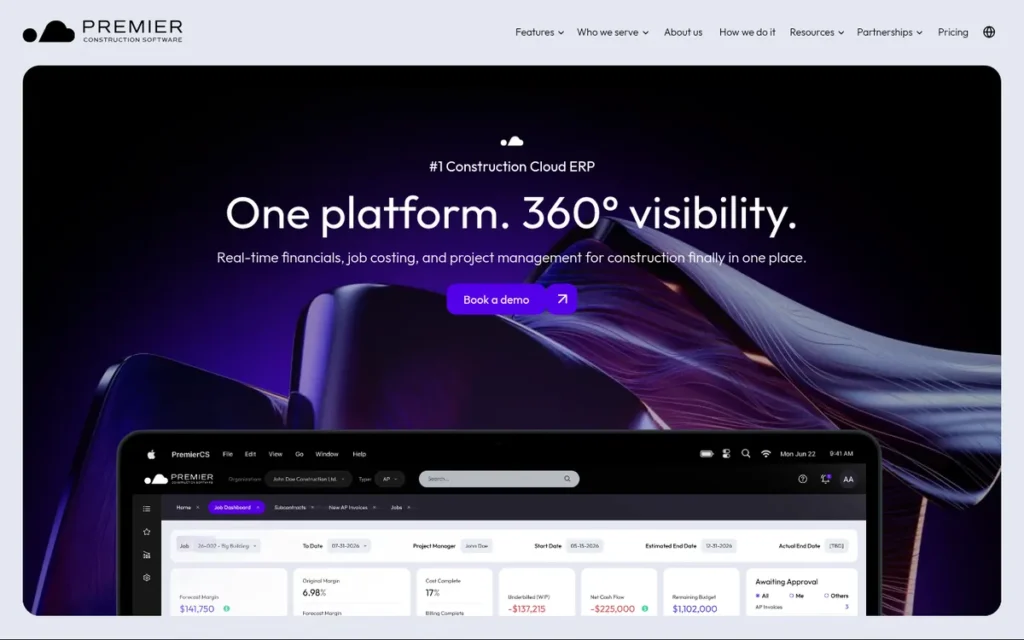
Category: Cloud All-in-One (Accounting + Project Management), one cloud platform that replaces a separate accounting system and PM tool.
At a Glance
- Category: Cloud All-in-One (Accounting + Project Management)
- Best For: Small and midsize GCs, homebuilders and land developers replacing QuickBooks plus a PM tool
- Price Range: Published tiers of $125–$349/user/month (sources conflict), plus $15,000–$50,000 implementation
- Primary Strength: Premier Construction Software combines construction accounting, WIP, AIA and cost-plus billing, and project management in one cloud platform with published per-user pricing.
- Biggest Limitation: Premier Construction Software’s payroll is described by reviewers as clumsy and not fully integrated, and its certified payroll and equipment modules could not be verified.
- One-Line Summary: Premier Construction Software is a cloud all-in-one construction accounting and project-management platform with the highest construction-only ratings and the only published per-user tier pricing in PlugRoute’s 2026 evaluation.
- Last Verified: November 2026
Overview
Premier Construction Software is a cloud all-in-one construction platform on Microsoft Azure for small and midsize general contractors, homebuilders and land developers replacing QuickBooks plus a separate project-management tool. Premier Construction Software combines accounting, job cost, WIP, AIA and cost-plus billing, a subcontractor portal, RFIs and drawings.
Premier Construction Software is owned by Constellation Software and reports 900+ clients [Source: Premier, 2026].
Key Features
- Premier Construction Software provides construction accounting, job cost and WIP reporting on a cloud platform hosted on Microsoft Azure.
- Premier Construction Software supports AIA and cost-plus billing, pay-when-paid terms and a subcontractor portal.
- Premier Construction Software includes change orders, RFIs, and document and drawing management alongside accounting.
- Premier Construction Software offers an AI assistant called “Eddie” for forecasting and risk flags.
- Premier Construction Software advertises unlimited entities, concurrent licenses and a 30-day money-back guarantee.
Best For
Premier Construction Software is best for small and midsize general contractors, homebuilders and land developers that want accounting and project management in one cloud system and have relatively simple payroll needs.
Strengths
- Premier Construction Software holds a Capterra rating of 4.68/5 across 288 reviews and a G2 rating of 4.7/5 across a smaller sample of 56–58 reviews (Capterra and G2, checked November 2026), and reviewers praise the job dashboard and fast support.
- Premier Construction Software is the only product of the seven that publishes per-user tier pricing and implementation fees, so buyers can pre-qualify it by budget before a demo [Source: Premier, 2026].
- Premier Construction Software includes RFIs, drawings and document management natively, so many smaller GCs won’t need a separate PM subscription.
- Premier Construction Software reports 900+ clients and 15,000+ users and is backed by Constellation Software [Source: Premier, 2026; vendor-reported].
Limitations
Premier Construction Software trades all-in-one simplicity for payroll depth, and reviewers call its payroll “clumsy” and not fully integrated (G2 and Capterra, checked November 2026).
- Premier Construction Software’s certified payroll and equipment modules couldn’t be verified, and reviewers say its payroll is underdeveloped for Canadian clients (Capterra, checked November 2026).
- Premier Construction Software reviewers cite missing custom reports, a mobile app that needs work, few third-party integrations, implementation problems, and limits on multi-entity and corporate-level forecasting (Capterra and G2, checked November 2026).
- Premier Construction Software’s outcome claims, including 30% year-over-year growth and $500,000 saved on one project, aren’t tied to named customers [Source: Premier, 2026].
- Premier Construction Software’s own pages name different CEOs (Matt Saunders on the About page, co-founder and CEO Kyle Friedman on a partner page), which is a vendor-transparency gap [Source: Premier, 2026].
A user who moved a company onto the platform described the tradeoffs on r/ConstructionManagers:
“It’s a bit like CMIC and Procore had a baby. The pro is all the financial works. The cons are that it’s a little harder to use than Procore, and the field time entry has some flaws and can be burdensome to use. There are multiple ways to do just about everything, so you need to dial in your SOP’s.” Posted by u/nlsclint
Takeaway: Premier Construction Software’s financial side holds up, but its field time entry and loosely defined workflows mean buyers need firm internal SOPs to get consistent results.
Verdict
Premier Construction Software holds the highest construction-only ratings in PlugRoute’s 2026 evaluation (on a smaller G2 sample) and the only published per-user pricing. Premier Construction Software ranks fourth (3.48), 0.05 points behind FOUNDATION, because union, certified and equipment-driven payroll is where its evidence is weakest.
Premier Construction Software suits contractors with simple payroll that want one cloud system for accounting and PM, and buyers should verify current pricing in writing.
Fit and Evidence Snapshot
- Deployment Reality: Premier Construction Software is a cloud platform on Microsoft Azure, and an older review notes a Chrome requirement.
- Payroll Type: Premier Construction Software’s payroll is still maturing, and its certified payroll is unverified.
- Pricing Evidence Tier: Premier Construction Software pricing is published but conflicts across two Premier-hosted sources: $349/$249/$125 versus $349/$299/$249 per user per month [Source: Premier, 2026; Premier AU blog, 2026].
- Implementation Model: Premier implements Premier Construction Software directly, with published fees of $15,000–$50,000.
- Procore Pairing: Premier Construction Software positions itself as a replacement for QuickBooks plus Procore, not a companion to Procore.
- Ratings Scope: Premier Construction Software ratings come from construction-only listings on Capterra and G2, though the G2 sample is small.
- Outcome Evidence Tier: Premier Construction Software has only unnamed vendor claims.
- Fit Floor / Outgrow Signals: Very small firms may find Premier Construction Software’s per-user pricing plus a $15,000+ implementation steep, and complex union payroll, heavy equipment use or corporate-level forecasting signal a firm may outgrow it.
- What We Couldn’t Verify: PlugRoute could not verify Premier Construction Software’s current pricing tiers, certified payroll and equipment modules, current CEO, or the Capterra and Software Advice awards Premier claims.
5. Trimble Viewpoint Vista: Best for Heavy Civil and Equipment-Intensive Contractors
Category: Enterprise Construction Suite, one system for finance, payroll, equipment and project controls at large, complex, multi-entity contractors.
At a Glance
- Category: Enterprise Construction Suite
- Best For: Mid-to-large heavy civil, DOT, union and equipment-intensive contractors with in-house reporting skills
- Price Range: Pricing on request (no public figures as of November 2026)
- Primary Strength: Trimble Viewpoint Vista offers the deepest documented union, certified and multi-state payroll and equipment management in this evaluation, tied into multi-company job cost.
- Biggest Limitation: Trimble Viewpoint Vista runs on a hosted on-premises architecture with specialist-dependent reporting, and reviewers describe the interface as “clunky and outdated.”
- One-Line Summary: Trimble Viewpoint Vista is a deeply configurable construction ERP with the deepest documented union payroll and equipment capabilities in PlugRoute’s 2026 evaluation, suited to heavy civil contractors with in-house reporting expertise.
- Last Verified: November 2026
Overview
Trimble Viewpoint Vista is a deeply configurable construction ERP for mid-to-large heavy civil, union and equipment-intensive contractors that need deep payroll and equipment costing and have in-house staff to build custom reports. Trimble Viewpoint Vista covers job cost, multi-company accounting, union and multi-state payroll, equipment, service, HR and subcontracts.
Trimble Viewpoint Vista is part of Trimble Construction One and runs on Microsoft SQL Server [Source: Trimble, 2026; Capterra, 2026].
Key Features
- Trimble Viewpoint Vista runs native union, certified and multi-state payroll that updates job cost alongside AP, equipment and material costs.
- Trimble Viewpoint Vista provides multi-company accounting with AIA-style billing, retainage and subcontract management.
- Trimble Viewpoint Vista includes an equipment module that reviewers single out as a strength, plus service management, HR and inventory.
- Trimble Viewpoint Vista reports through Crystal Reports, SSRS and Power BI on a Microsoft SQL Server database.
- Trimble Viewpoint Vista offers role-based permissions and extensive configurability, which reviewers praise.
Best For
Trimble Viewpoint Vista is best for mid-to-large heavy civil, DOT, union and equipment-heavy contractors that have staff who can build Crystal or SQL reports and that need payroll and equipment depth more than a modern interface.
Strengths
- Trimble Viewpoint Vista holds a TrustRadius rating of 8.2/10 across 141 construction-only reviews, and reviewers praise its configurability and role-based permissions (TrustRadius, checked November 2026).
- Trimble Viewpoint Vista ties for the maximum payroll and workflow-depth scores in this evaluation, with native union, certified and multi-state payroll plus multi-company accounting and equipment.
- Trimble Viewpoint Vista helped KBD Group save about 350 hours (≈$15,000) a year by syncing contracts, change orders and commitments with Procore, which is an integration result rather than Vista alone [Source: Zentek Consultants, 2021].
- Trimble Viewpoint Vista reviewers praise its job costing, invoice-level drill-down and AP automation (Capterra, checked November 2026).
Limitations
Trimble Viewpoint Vista trades its payroll and equipment depth for an older architecture, and third-party comparisons describe it as on-premises software hosted in Trimble’s cloud [Source: ERP Scorecard, 2026].
- Trimble Viewpoint Vista custom reporting needs Crystal or SQL skills, and its API connector may read from a cache refreshed about hourly, not the live database [Source: Itexus, 2026].
- Trimble Viewpoint Vista reviewers call the interface “clunky and outdated” and say support has “deteriorated significantly over the last year” (G2, checked November 2026).
- Trimble Viewpoint Vista reviewers describe payroll as slow or clunky and job-cost rules as strict (TrustRadius, checked November 2026).
- Trimble Viewpoint Vista reviewers report costs that “DOUBLED” after moving to the cloud and a forced move to named-user licensing (TrustRadius and Capterra, checked November 2026).
A controller who led a Vista implementation shared this on r/Accounting:
“I would say the biggest area we struggled was I was the only one who knew how to set everything up. It was a lot of work to get things right on the front end and if you don’t have someone on staff/available I could see it being a struggle. Sage 300 you could whip something together relatively quickly but Vista was a little more cumbersome.” Posted by u/jkitt20
Takeaway: Trimble Viewpoint Vista’s configurability requires heavy upfront setup, so contractors without dedicated in-house expertise risk a difficult implementation.
Verdict
Trimble Viewpoint Vista is the deepest construction ERP for union payroll, equipment and heavy civil operations in PlugRoute’s 2026 evaluation. Trimble Viewpoint Vista ties for the highest capability scores but ranks fifth (3.40) on ownership-risk criteria: hosted legacy architecture, opaque pricing and support complaints.
Trimble Viewpoint Vista fits contractors whose complexity justifies that burden, while midsize firms without heavy civil work should compare it directly against Trimble Viewpoint Spectrum.
Fit and Evidence Snapshot
- Deployment Reality: Trimble Viewpoint Vista is a vendor-hosted on-premises architecture, and cloud customers run custom Crystal reports through Vista Remote Link.
- Payroll Type: Trimble Viewpoint Vista’s payroll is native and deep, covering union, certified and multi-state work.
- Pricing Evidence Tier: Trimble Viewpoint Vista pricing is quote-only, and reviewers report cost increases after cloud migration.
- Implementation Model: Trimble implements Trimble Viewpoint Vista directly, and a consultant ecosystem supports integrations.
- Procore Pairing: Trimble Viewpoint Vista has a documented Procore integration, but its API may read from a roughly hourly cache [Source: Itexus, 2026].
- Ratings Scope: Trimble Viewpoint Vista ratings come from construction-only listings on Capterra (3.8/5, 265 reviews), G2 and TrustRadius (checked November 2026).
- Outcome Evidence Tier: Trimble Viewpoint Vista’s only quantified outcome (KBD Group) is an integration result, and the Trotter & Morton story is qualitative.
- Fit Floor / Outgrow Signals: Trimble Viewpoint Vista’s cost likely outweighs its benefit below roughly $150M revenue without union, equipment or heavy civil work, and r/Construction users in 2019 (older context) described it as common among state DOT contractors.
- What We Couldn’t Verify: PlugRoute could not verify Trimble Viewpoint Vista’s pricing, Viewpoint founding and acquisition details from a primary source, headcount or awards.
6. Acumatica Construction Edition: Best for Diversified Contractors Needing Unlimited Users
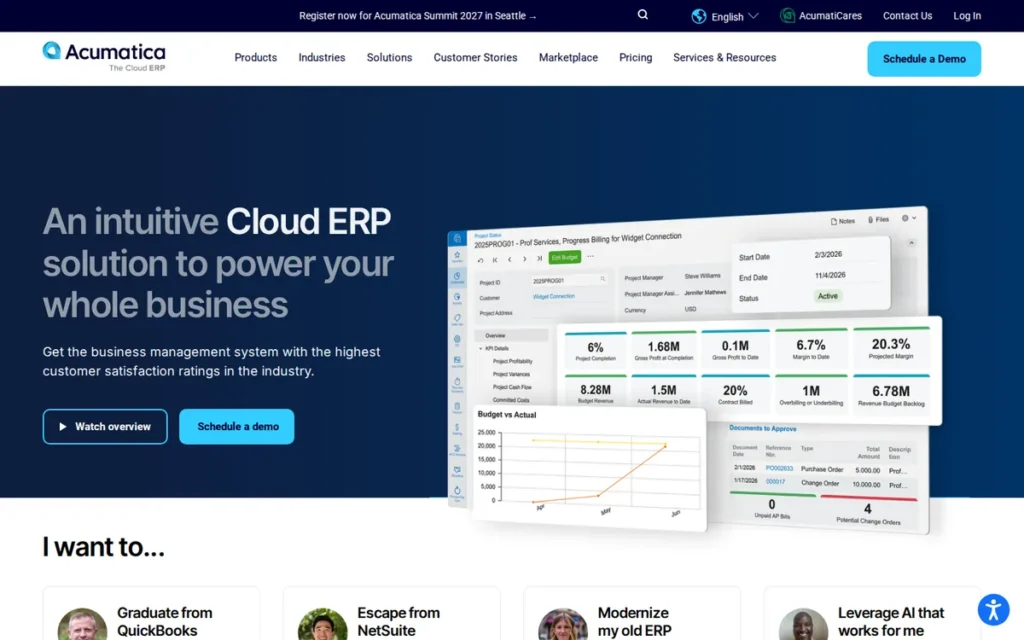
Category: General Cloud ERP with Construction Edition, a broad business ERP with a construction-specific layer for job cost and billing.
At a Glance
- Category: General Cloud ERP with Construction Edition
- Best For: Growing contractors that also run distribution, service or manufacturing operations and need many users
- Price Range: Consumption-based with unlimited users; construction package advertised from under $1,500/month (eligibility applies)
- Primary Strength: Acumatica Construction Edition is a cloud ERP with unlimited users and broad non-construction functionality alongside job cost, AIA billing and retainage.
- Biggest Limitation: Acumatica Construction Edition depends heavily on reseller quality, and users rate its service and support 3.5/5 against 4.5/5 for product capabilities.
- One-Line Summary: Acumatica Construction Edition is an unlimited-user cloud ERP with a construction layer for growing, diversified contractors, and its outcomes depend more on the implementation partner than any other product in PlugRoute’s 2026 evaluation.
- Last Verified: November 2026
Overview
Acumatica Construction Edition is an unlimited-user cloud ERP with a construction layer for growing contractors that also run distribution, service or manufacturing operations and want many users working in one company-wide system. Acumatica Construction Edition adds job cost, AIA billing, retainage, commitments, change orders, payroll and equipment to Acumatica’s general ERP.
Acumatica Construction Edition is sold and implemented through value-added resellers (VARs) [Source: ERP Research, 2026].
Key Features
- Acumatica Construction Edition adds job cost, project accounting, AIA billing, retainage, commitments and change orders to Acumatica’s general cloud ERP.
- Acumatica Construction Edition includes payroll, compliance tracking, inventory and equipment management.
- Acumatica Construction Edition extends into CRM, field service and other non-construction modules on the same platform.
- Acumatica Construction Edition uses AI invoice recognition to capture and code AP invoices.
- Acumatica Construction Edition licenses unlimited users on consumption-based pricing and exposes REST and SOAP APIs on its xRP platform.
Best For
Acumatica Construction Edition is best for growing contractors with many occasional users, or with distribution, service or manufacturing lines, that need one cloud ERP across the whole company.
Strengths
- Acumatica, company-wide rather than the Construction Edition specifically, was named a Leader in Nucleus Research’s 2024 SMB ERP Value Matrix and a Gartner Peer Insights 2024 Strong Performer with 96% willing to recommend [Source: Acumatica press release, 2024].
- Acumatica Construction Edition holds a G2 rating of 4.4/5 across ~2,050 reviews and a Capterra rating of 4.4/5 across 243 reviews, though both cover all editions (G2 and Capterra, checked November 2026).
- Acumatica Construction Edition’s unlimited-user licensing removes per-seat costs for field and occasional users, which Acumatica says has saved customers $50,000+ in license fees [Source: Acumatica, 2026; vendor claim].
- Acumatica Construction Edition earns the maximum deployment score in this evaluation as a cloud ERP that scales across construction and non-construction operations (see the scoring note in the methodology).
Limitations
Acumatica Construction Edition trades construction-native depth for general ERP breadth, and users rate service and support 3.5/5 against 4.5/5 for capabilities (Gartner Peer Insights, checked November 2026).
- Acumatica Construction Edition’s implementation quality depends on the reseller, and one user reports a partner who “didn’t do a very good job importing our data” and lacked construction-module knowledge [Source: Reddit r/acumaticaerp, 2024].
- Acumatica Construction Edition reviewers cite slowdowns with large datasets, inefficient custom queries and complex configuration [Source: ERP Scorecard, 2026].
- Acumatica Construction Edition’s union and certified payroll depth couldn’t be verified as of November 2026.
- Acumatica Construction Edition’s published outcome figures are mostly not tied to named customers [Source: Acumatica, 2026].
Verdict
Acumatica Construction Edition is the best fit in PlugRoute’s 2026 evaluation for diversified, growing contractors that want unlimited-user cloud ERP across construction and non-construction lines. Acumatica Construction Edition ranks sixth (3.38) because its construction payroll depth is unverified, its ratings aren’t construction-specific, and outcomes depend on the reseller.
Acumatica Construction Edition buyers should vet the partner’s construction references as rigorously as the software.
Fit and Evidence Snapshot
- Deployment Reality: Acumatica Construction Edition is a cloud ERP hosted in the vendor cloud or by a partner, and its tenancy model is unconfirmed.
- Payroll Type: Acumatica Construction Edition’s payroll is native, but its union and certified depth is unverified.
- Pricing Evidence Tier: Acumatica Construction Edition publishes its pricing model and a package offer, but resellers quote the full scope separately.
- Implementation Model: Acumatica Construction Edition is implemented by resellers, and quality varies by partner.
- Procore Pairing: Procore documents an ERP integration with Acumatica Construction Edition.
- Ratings Scope: Acumatica Construction Edition ratings cover all editions and industries, not construction alone.
- Outcome Evidence Tier: Acumatica Construction Edition outcomes are mostly unnamed vendor claims, and the Spohn Associates example is qualitative only.
- Fit Floor / Outgrow Signals: Very small firms may find Acumatica Construction Edition’s configuration and reseller reliance heavy, and heavy union or equipment-intensive operations may need construction-native depth.
- What We Couldn’t Verify: PlugRoute could not verify Acumatica Construction Edition’s construction-only ratings, tenancy model, union and certified payroll depth, the reported 2025 ownership change, the CEO or headcount.
7. Sage Intacct Construction: Best for Finance-Led, Multi-Entity Contractors on Procore

Category: General Cloud ERP with Construction Edition, a broad business ERP with a construction-specific layer for job cost and billing.
At a Glance
- Category: General Cloud ERP with Construction Edition
- Best For: Finance-led, multi-entity contractors that run project management in Procore
- Price Range: Third-party estimates of $8,000–$20,000+/year base plus modules; $10,000–$50,000+ implementation (not confirmed by Sage)
- Primary Strength: Sage Intacct Construction pairs a multi-tenant cloud dimensional general ledger and multi-entity consolidation with construction job cost, AIA billing, retainage and WIP.
- Biggest Limitation: Sage Intacct Construction runs payroll through a partner rather than natively and offers light field and project-management features, so most contractors need Procore alongside it.
- One-Line Summary: Sage Intacct Construction is a multi-tenant cloud construction accounting system for finance-led, multi-entity contractors, with the most documented Procore pairing but partner-based payroll in PlugRoute’s 2026 evaluation.
- Last Verified: November 2026
Overview
Sage Intacct Construction is a multi-tenant cloud construction accounting system for finance-led, multi-entity contractors that run project management in Procore and want consolidation, cash visibility and reporting at the core of the stack. Sage Intacct Construction adds job cost, AIA billing, retainage, commitments, change orders and WIP to Sage Intacct’s dimensional general ledger.
Sage Intacct Construction launched publicly in 2021 and is Sage’s cloud successor path to Sage 300 CRE [Source: Sage, 2026].
Key Features
- Sage Intacct Construction uses a dimensional general ledger with multi-entity and multi-currency consolidation.
- Sage Intacct Construction supports job cost, AIA billing, AP and AR retainage, commitments, change orders and WIP reporting.
- Sage Intacct Construction connects to Procore through a cloud-to-cloud connector that syncs jobs, cost codes, commitments, commitment change orders, prime contracts and vendors.
- Sage Intacct Construction delivers payroll through Sage Intacct Construction Payroll (powered by STRUXI) or a third-party provider.
- Sage Intacct Construction runs as multi-tenant SaaS, so Sage delivers updates without on-premises maintenance.
Best For
Sage Intacct Construction is best for finance-led contractors with multiple entities or bank accounts that already run project management in Procore and want cloud consolidation and reporting at the core.
Strengths
- Sage Intacct Construction’s Procore connector, launched in October 2021, syncs jobs, cost codes, commitments, commitment change orders, prime contracts and vendors [Source: Procore, 2021], the most clearly documented ERP-to-Procore scope in this evaluation.
- Sage Intacct holds a G2 rating of 4.3/5 across 4,434 reviews and a Capterra rating of 4.28/5 across 718 reviews, though both cover all Sage Intacct editions (G2 and Capterra, checked November 2026).
- Sage Intacct Construction customers Orion Companies (CFO Thomas Cochran, daily cash visibility across about 40 bank accounts) and Airo Mechanical (CFO Angelia Ryan, process time saved) report named qualitative results [Source: Sage, 2026].
- Sage Intacct Construction earns the maximum deployment score in this evaluation as multi-tenant SaaS with dimensional GL and consolidation.
Limitations
Sage Intacct Construction trades construction operations depth for finance-first strength, and its payroll runs through a STRUXI-powered module or a third party, not natively [Source: ERP Scorecard, 2026].
- Sage Intacct Construction’s field and project-management features are light, and ERP Research rates it a weak fit for equipment-heavy or heavy civil firms [Source: ERP Research, 2026].
- Sage Intacct Construction reviewers cite overcomplicated routine tasks, slow support, and per-user and add-on costs that add up (Software Advice, checked November 2026).
- Sage Intacct Construction’s quantified claims, “up to 25% increased profit” and consolidation from “100+ hours to minutes,” aren’t tied to named customers [Source: Sage, 2026].
- Sage Intacct Construction pricing is not published by Sage, so buyers must price the full stack through quotes.
A contractor that moved off Sage 300 CRE reported this on r/Sage:
“We used 300 CRE for 25 years and scheduled an upgrade with Intacct last year. Our “go live” was 10/1/24 and as of today, 2/20/25 we still have barely any data. We’re miserable lol” Posted by u/tt3z
Takeaway: Sage 300 CRE customers moving to Sage Intacct Construction can face months of incomplete data after go-live, so they should require a written, reconciled migration plan before signing.
Verdict
Sage Intacct Construction is the most finance-centered cloud option in PlugRoute’s 2026 evaluation, built around dimensional GL and multi-entity consolidation for contractors already on Procore. Sage Intacct Construction ranks seventh (3.18) despite tying for the maximum deployment score, because of partner-based payroll and light field capability.
Sage Intacct Construction buyers should price the full stack (Intacct, payroll partner and Procore) and test payroll-to-job-cost posting in a scripted demo.
Fit and Evidence Snapshot
- Deployment Reality: Sage Intacct Construction is multi-tenant SaaS.
- Payroll Type: Sage Intacct Construction’s payroll is partner-based, through STRUXI or a third party.
- Pricing Evidence Tier: Sage Intacct Construction pricing comes from third-party estimates that Sage has not confirmed [Source: PlugRoute synthesis of third-party estimates, 2026].
- Implementation Model: Sage and its partner network implement Sage Intacct Construction.
- Procore Pairing: Sage Intacct Construction has a documented cloud-to-cloud Procore connector (October 2021), and buyers should test whether budget revisions sync.
- Ratings Scope: Sage Intacct Construction ratings cover all Sage Intacct editions and industries.
- Outcome Evidence Tier: Sage Intacct Construction has named qualitative customers (Orion Companies, Airo Mechanical, C1S), and its quantified claims are unnamed.
- Fit Floor / Outgrow Signals: Single-entity firms may pay for Sage Intacct Construction consolidation features they won’t use, and equipment-heavy work or a need for native union payroll signals a poor fit.
- What We Couldn’t Verify: PlugRoute could not verify Sage Intacct Construction’s pricing, construction-only ratings or AICPA preferred-provider status.
Which Other Construction ERPs Are Worth Evaluating?
Five other construction ERPs are worth a look during shortlisting: Jonas Construction, COINS, PENTA, Deltek ComputerEase, and NetSuite with construction partner add-ons. PlugRoute did not score these products because its 2026 research could not apply the six weighted criteria evenly to them. Each note below follows the same two-sentence pattern.
- Jonas Construction: Jonas Construction is a construction accounting system that a $20M, three-office contractor chose after evaluating FOUNDATION [Source: Reddit r/Construction, 2021; older context]. PlugRoute did not score Jonas Construction because its research did not reach the depth needed for all six criteria.
- COINS: COINS is a construction ERP that PlugRoute identified as a candidate during discovery but found no current rating data for (November 2026). PlugRoute did not score COINS because its research did not reach the depth needed for all six criteria.
- PENTA: PENTA is a construction ERP that holds a G2 rating of 3.5/5 across 10 reviews (G2, checked November 2026). PlugRoute did not score PENTA because that review base is too small to support scoring.
- Deltek ComputerEase: Deltek ComputerEase is construction accounting software that holds a Capterra rating of 4.18/5 across 133 reviews (Capterra, checked November 2026). PlugRoute did not score Deltek ComputerEase because its research did not reach the depth needed for all six criteria.
- NetSuite with construction partner add-ons: NetSuite is a general cloud ERP that reaches construction workflows through partner add-ons [Source: PlugRoute research, 2026]. PlugRoute did not score NetSuite because its construction functionality depends on which partner add-on a buyer chooses.
Which Construction ERPs Are Actually Cloud-Based?
Among the seven construction ERPs PlugRoute evaluated in 2026, only Sage Intacct Construction is documented as multi-tenant SaaS. Acumatica Construction Edition and Premier Construction Software are cloud platforms with unconfirmed tenancy. Trimble Viewpoint Spectrum is browser-native. Trimble Viewpoint Vista and FOUNDATION run as on-premises or hosted software, and CMiC’s model is unverified.
PlugRoute classified each product’s deployment as follows:
- Sage Intacct Construction is multi-tenant SaaS, so Sage maintains one codebase and delivers updates automatically.
- Acumatica Construction Edition is a cloud ERP hosted by Acumatica or a partner, and its tenancy model is unconfirmed.
- Premier Construction Software is a cloud platform hosted on Microsoft Azure.
- Trimble Viewpoint Spectrum is a browser-native web application.
- Trimble Viewpoint Vista is on-premises software hosted in Trimble’s cloud [Source: ERP Scorecard, 2026].
- FOUNDATION is deployed on-premises or vendor-hosted, and reviewers say it is not truly web-native (Software Advice, checked November 2026).
- CMiC’s deployment model could not be verified, so buyers should confirm it in writing.
What Does Construction ERP Really Cost?
Construction ERP first-year total cost of ownership runs roughly $75K–$250K for $10–50M contractors, $250K–$1M for $50–250M contractors, and $1M–$5M+ above $250M [Source: PlugRoute research synthesis, 2026]. Services typically add 30–100% of first-year license fees. These are directional planning ranges, not figures from one published study or vendor.
| Contractor Size | First-Year TCO (Directional) | Ongoing Per Year | Typical Timeline |
|---|---|---|---|
| $10–50M revenue | $75K–$250K | $30K–$120K | 3–9 months |
| $50–250M revenue | $250K–$1M | $100K–$400K | 6–18 months |
| $250M+ revenue | $1M–$5M+ | Not established | 12–30 months |
Budget for the implementation, not the license. Services commonly add 30–100% of first-year license fees on top of the subscription, and that services estimate covers:
- Data migration of open jobs, job history, retainage and commitments.
- Training for accounting, payroll and field users.
- Change management and process redesign.
- Go-live support and post-launch fixes.
PlugRoute’s research found typical overruns of 20–50% on budget and 25–100% on schedule [Source: PlugRoute research synthesis, 2026]. PlugRoute’s research found no reliable statistic for construction ERP project failure rates.
What does each vendor publish about pricing?
| Product | Pricing Evidence Tier | Published or Estimated Subscription | Implementation Evidence |
|---|---|---|---|
| Trimble Viewpoint Spectrum | Third-party estimate | Capterra lists $125/user/month (a $99 figure also appears); estimates of $50–$200/user/month [Source: Capterra, 2026; TradesIndex, 2026] | 30–60% of first-year subscription; can exceed $100,000 [Source: ERP Research, 2026] |
| CMiC | None | No public figures | “High cost, long rollout” [Source: Rankite, 2026] |
| FOUNDATION | Third-party estimate | From ~$500/month; modules extra [Source: SelectHub, 2026] | Not published |
| Premier Construction Software | Published, conflicting | $349/$249/$125/user/month [Source: Premier, 2026] vs. $349/$299/$249 plus a mobile fee [Source: Premier AU blog, 2026] | $15,000–$50,000 in both sources |
| Trimble Viewpoint Vista | None | No public figures | Described as expensive (TrustRadius, checked November 2026) |
| Acumatica Construction Edition | Published model and package | Consumption-based, unlimited users; package from “under $1,500/month” [Source: Acumatica, 2026] | Quoted by resellers |
| Sage Intacct Construction | Third-party estimate | $8,000–$20,000+/year base [Source: PlugRoute synthesis of third-party estimates, 2026] | $10,000–$50,000+ |
Per-user and consumption pricing scale differently. At Capterra’s listed $125/user/month for Trimble Viewpoint Spectrum, 40 users would cost about $60,000 a year before implementation (illustrative calculation). Acumatica Construction Edition doesn’t charge per seat, but it prices by transaction tier.
Construction ERP quotes often leave out these costs:
- Construction ERP vendors often price add-on modules separately from the core license.
- Some construction ERP vendors charge per-user mobile-app fees, and one Premier-hosted summary lists one for Premier Construction Software [Source: Premier AU blog, 2026].
- Third-party ISV apps, including payroll partners, can add a second subscription to a construction ERP stack.
- Built-in payment features can add payment-processing fees on top of the construction ERP subscription.
- Renewal increases and cost jumps after cloud migration can raise construction ERP costs after year one.
- Forced licensing changes, such as a move to named-user licensing, can raise construction ERP costs mid-contract.
Construction ERP subscription costs regularly surprise buyers. A $10–15M commercial GC wrote: “I really am having a hard time getting used to the fact accounting software is a ~$25k a year subscription service now” [Source: Reddit r/Construction, 2021].
Takeaway: Budget construction ERP as a recurring operating expense, not a one-time software purchase.
How Do I Vet a Construction ERP Implementation Partner?
You vet a construction ERP implementation partner with five checks: same-size construction references, a named team with construction-module experience, a written migration plan, a fixed-scope statement of work, and defined post-go-live support. Apply these checks equally to vendor-direct implementers (Trimble, CMiC, Foundation Software, Premier) and to partner-led ones (Acumatica resellers, Sage partners).
Check #1: Construction References of Your Size and Trade An implementation partner should provide three contractor references of similar revenue, trade and payroll complexity. Call them and ask whether job history, retainage balances and payroll migrated cleanly, and how long it took to reach a reliable month-end close.
Check #2: A Named Team With Construction-Module Experience An implementation partner should name the consultants assigned to your project and show their experience with the specific construction module you are buying. Generic ERP experience is not enough, as a 2024 reseller data-import failure shows [Source: Reddit r/acumaticaerp, 2024].
Check #3: A Written Data-Migration Plan An implementation partner should explain in writing how open jobs, job history, retainage balances and committed costs will be migrated and reconciled. A plan that covers only master data and opening balances leaves the most error-prone construction records unaddressed.
Check #4: A Fixed-Scope Statement of Work An implementation partner should deliver a statement of work with named deliverables, training hours, acceptance criteria and a change-request process. Open-ended hourly estimates are how 20–50% budget overruns happen [Source: PlugRoute research synthesis, 2026].
Check #5: Defined Post-Go-Live Support An implementation partner should define support hours, response times and escalation paths after go-live in the contract. Reviewers of several products in this evaluation report support gaps, so these terms protect you during the first payroll and month-end cycles.
What Red Flags Should I Watch For When Evaluating Construction ERP?
The seven construction ERP red flags below are the most likely causes of an expensive selection mistake. Each red flag appeared in PlugRoute’s 2026 research for at least one product. Use them early to disqualify vendors before you invest time in demos, reference calls and fully scoped quotes.
Red Flag #1: The Tool Syncs to an ERP Instead of Being One A construction tool that “integrates with accounting” is not the system of record for job cost, payroll and the general ledger. Procore describes its own ERP integrations as syncing data “between Procore and an ERP or accounting system” [Source: Procore, 2026], so confirm where every financial transaction actually posts.
Red Flag #2: Unscoped Implementation Quotes An implementation quote without named deliverables, data-migration scope and training hours leaves your budget open-ended. PlugRoute’s research found typical overruns of 20–50% [Source: PlugRoute research synthesis, 2026], and one Trimble Viewpoint Spectrum reviewer reports paying for implementation without ever going live (Capterra, checked November 2026).
Red Flag #3: Ratings That Cover Every Edition and Industry Star ratings that combine every edition and industry don’t show contractor performance, and complex products draw harsher reviews. Acumatica Construction Edition and Sage Intacct Construction ratings cover all editions. Trimble Viewpoint Vista scores 3.8/5 versus 4.68/5 for Premier Construction Software (Capterra, checked November 2026), which is why sentiment carries only 15% weight.
Red Flag #4: Integrations Called Real-Time That Are Cached or Partial “Connected” doesn’t automatically mean real-time or complete. The Trimble Viewpoint Vista API connector may read from a cache refreshed about hourly [Source: Itexus, 2026], and PlugRoute’s research found integrations that sync invoices but not budget revisions. Test sync timing and scope with your own data.
Red Flag #5: Payroll That Runs Through an Unnamed Partner Payroll delivered through a partner adds a vendor, a contract and a possible posting gap between labor and job cost. Sage Intacct Construction runs payroll through a STRUXI-powered module or a third party [Source: ERP Scorecard, 2026], so ask exactly who processes payroll and how it posts to job cost.
Red Flag #6: A Reseller Without Construction References A reseller without construction references can derail data migration even when the software is sound. One Acumatica Construction Edition user reports a partner who “didn’t do a very good job importing our data” and lacked construction-module knowledge [Source: Reddit r/acumaticaerp, 2024].
Takeaway: Vet the implementer’s construction references as rigorously as the software.
Red Flag #7: Renewal and Licensing-Model Terms Left Out of the Contract A contract without renewal caps or protection against licensing changes leaves long-term cost open-ended. Trimble Viewpoint Vista reviewers report costs that “DOUBLED” after a cloud move and a forced switch to named-user licensing (TrustRadius, checked November 2026), so put renewal terms in writing before signing.
What Questions Should I Ask Before Choosing Construction ERP?
These eight construction ERP evaluation questions check vendor marketing against your own workflows: billing, payroll, deployment, integrations, modules, implementation, migration and renewals. Ask every shortlisted vendor the same questions in a scripted demo built on your own sample data, so the answers can be compared side by side.
Question #1: Can you run our own G702/G703 pay app with line-level retainage in the demo? Yes, any serious construction ERP vendor should produce your actual G702/G703 pay application, with line-level retainage on each schedule-of-values line, from your own sample data during the demo. A vendor that refuses or substitutes canned data may not support your billing workflow natively.
Question #2: Is certified, union, and multi-state payroll native, and does it post directly to job cost? Native payroll should show certified (Davis-Bacon), union and multi-state runs posting labor cost to jobs without exports. PlugRoute documented deep native payroll for Trimble Viewpoint Vista and FOUNDATION, and native multi-union payroll for Trimble Viewpoint Spectrum, whose certified support buyers should confirm [Source: PlugRoute research, 2026].
Question #3: What is the exact deployment model: multi-tenant SaaS, browser-native, or hosted on-premises? The “cloud” label can mean multi-tenant SaaS, a browser-native app or legacy software hosted by the vendor. Each model carries a different IT burden, update schedule and connection risk, so get the vendor’s answer in writing and test remote access from a jobsite connection.
Question #4: Exactly which objects does the Procore connector sync, and how often? Every vendor should list each object its Procore connector syncs and state the sync frequency. Sage Intacct Construction’s connector, for example, syncs jobs, cost codes, commitments, commitment change orders, prime contracts and vendors [Source: Procore, 2021]. Test budget revisions specifically, because that is a common gap.
Question #5: Which modules are included in this quote, and which are paid add-ons? Insist on a quote that itemizes every included module and prices every add-on. Reviewers of Trimble Viewpoint Spectrum and FOUNDATION report that add-on modules, mobile access and custom reports cost extra (Capterra, checked November 2026), so compare quotes module by module, not on the headline subscription.
Question #6: Who implements, and can we speak to three contractors of our size they migrated? Whoever implements, whether the vendor or a reseller, should provide three references from contractors of similar size and trade. Reference calls matter most where named, quantified outcomes are missing, as they were for CMiC and Trimble Viewpoint Spectrum in PlugRoute’s 2026 research.
Question #7: How will open jobs, history, retainage balances, and committed costs be migrated? A credible migration plan explains how open jobs, job history, retainage balances and committed costs move to the new system and get reconciled. PlugRoute’s 2026 research names data migration that breaks job history as a common pain point, so ask for the reconciliation steps in writing.
Question #8: What are the renewal caps and licensing-change protections? Your contract should cap renewal increases and protect against licensing-model changes for the full term. These terms matter most for quote-only products, where reviewers report unexplained increases at renewal or after cloud migration (TrustRadius, checked November 2026).
How Did We Rank These Construction ERP Systems?
PlugRoute ranked seven construction ERPs by scoring each on six weighted criteria from 1 to 5, using only documented research evidence checked November 2026. Workflow depth carries 25%, payroll depth and deployment fit 20% each, user sentiment 15%, and pricing transparency and outcome evidence 10% each. Totals ranged from 3.18 to 3.65.
PlugRoute measured each construction ERP criterion as follows:
- C1 Construction Workflow Depth (25%): C1 measures whether job cost lives in one system, scoring native coverage of nine workflows: job cost, GL/AP/AR, AIA billing, retainage, commitments, change orders, WIP, equipment and service/PM.
- C2 Native Payroll Depth (20%): C2 matters because labor is usually a contractor’s largest controllable cost, and a 5 requires documented native union, certified and multi-state or prevailing-wage payroll.
- C3 Scope-Adjusted User Sentiment (15%): C3 checks whether features work in practice by averaging G2, Capterra, TrustRadius and Gartner ratings, with all-edition listings capped at 3.5 and single-platform listings at 4.
- C4 Deployment and Size Fit (20%): C4 covers IT burden and outgrowth risk, with multi-tenant SaaS scoring highest and hosted legacy software with reported connection friction scoring lowest.
- C5 Pricing and TCO Transparency (10%): C5 rewards published, consistent pricing, and it is weighted low so vendors with more marketing material don’t automatically rank higher.
- C6 Implementation and Outcome Evidence (10%): C6 tiers outcomes from named and quantified down to none, then nets them against documented implementation and support complaints.
| Rank | Product | C1 | C2 | C3 | C4 | C5 | C6 | Weighted Total |
|---|---|---|---|---|---|---|---|---|
| 1 | Trimble Viewpoint Spectrum | 4 | 5 | 3 | 4 | 2 | 2 | 3.65 |
| 2 | CMiC | 5 | 4 | 4 | 3 | 1 | 2 | 3.55 |
| 3 | FOUNDATION | 4 | 5 | 3.5 | 2 | 2 | 4 | 3.53 |
| 4 | Premier Construction Software | 4 | 2 | 4.5 | 4 | 4 | 2 | 3.48 |
| 5 | Trimble Viewpoint Vista | 5 | 5 | 3 | 2 | 1 | 2 | 3.40 |
| 6 | Acumatica Construction Edition | 3 | 3 | 3.5 | 5 | 3 | 2 | 3.38 |
| 7 | Sage Intacct Construction | 3 | 2 | 3.5 | 5 | 2 | 3 | 3.18 |
C3 working (platform ratings checked November 2026):
| Product | Platforms Averaged | Raw Average (5-point) | Scope Cap | Assigned C3 |
|---|---|---|---|---|
| Trimble Viewpoint Spectrum | G2 4.2, Capterra 3.92 | 4.06 | 5 | 3 |
| CMiC | G2 4.4, Capterra 4.2, TrustRadius 7.5/10 | 4.12 | 5 | 4 |
| FOUNDATION | Capterra 4.3 | 4.30 | 4 | 3.5 |
| Premier Construction Software | Capterra 4.68, G2 4.7 | 4.69 | 5 | 4.5 |
| Trimble Viewpoint Vista | Capterra 3.8, G2 4.0, TrustRadius 8.2/10 | 3.97 | 5 | 3 |
| Acumatica Construction Edition | G2 4.4, Capterra 4.4, Gartner 4.2 | 4.33 | 3.5 | 3.5 |
| Sage Intacct Construction | G2 4.3, Capterra 4.28 | 4.29 | 3.5 | 3.5 |
PlugRoute publishes these scoring notes so readers can check scores that are close calls:
- Trimble Viewpoint Spectrum C2 = 5: Trimble Viewpoint Spectrum’s score rests on documented native multi-union payroll, but its certified and prevailing-wage support was not documented as of November 2026. At C2 = 4, Trimble Viewpoint Spectrum would total 3.45 and CMiC would rank first.
- Acumatica Construction Edition C4 = 5: Acumatica Construction Edition’s score reflects a cloud ERP that scales across construction and non-construction work, but its multi-tenancy is unconfirmed. At C4 = 4, it would total 3.18, tied with Sage Intacct Construction.
- C3 for Trimble Viewpoint Spectrum and Trimble Viewpoint Vista: Both products were assigned 3, about one point below their raw averages, for recurring usability, reporting and support complaints. That exceeds the 0.5 theme adjustment, and at 3.5 they would total 3.73 and 3.48 respectively.
- Tie-break rule: PlugRoute ranks tied totals by higher native payroll depth (C2), then by workflow depth (C1).
PlugRoute applied these scope rules equally to every construction ERP:
- Construction-only ratings on two or more platforms were eligible for full credit, single-platform listings were capped at 4, and all-edition ratings were capped at 3.5.
- Reddit evidence older than 24 months counted as context only for every product.
- Vendor-written competitor comparisons counted as evidence of scope only, never as proof of superiority.
- One Reddit opinion written by an Acumatica reseller was excluded as biased.
Several AI answer engines rank Acumatica Construction Edition or Trimble Viewpoint Vista first. PlugRoute’s scores differ because of the scope-cap and deployment rules above, applied to every product.
PlugRoute’s ranks 2 through 6 fall within 0.17 points of each other, so those gaps reflect evidence differences, not decisive quality differences. In construction ERP, fit beats rank: a 0.10-point scoring gap matters less than whether a system runs your payroll and your pay apps.
PlugRoute has no affiliate relationships with any company listed. Rankings are determined entirely by research data and objective evaluation criteria.
Frequently Asked Questions
What is the best construction ERP software for midsize contractors?
Trimble Viewpoint Spectrum scored highest for midsize contractors in PlugRoute’s 2026 evaluation, especially specialty firms in the $25M–$150M range that run union payroll and service work. FOUNDATION is the alternative for payroll-heavy firms. Acumatica Construction Edition fits midsize contractors with distribution or manufacturing lines. Scores are close, so test each in a scripted demo.
What is the best construction ERP for job costing and payroll?
FOUNDATION and Trimble Viewpoint Spectrum lead PlugRoute’s 2026 evaluation for job costing and payroll at small to midsize firms, and both scored 5 for native payroll depth. FOUNDATION’s certified and prevailing-wage payroll is documented. Trimble Viewpoint Spectrum’s multi-union payroll is documented. Trimble Viewpoint Vista matches that depth for larger heavy civil firms.
How does PlugRoute determine its construction ERP rankings?
PlugRoute ranks construction ERPs with a published six-criterion scorecard built only from documented research evidence. Workflow depth carries 25%, payroll and deployment fit 20% each, sentiment 15%, and pricing and outcomes 10% each. All-edition ratings are capped at 3.5, and older Reddit evidence counts only as context for every product.
What Do Key Construction ERP Terms Mean?
Job Costing: Job costing assigns labor, materials, equipment and subcontract costs to specific jobs and cost codes. Job costing matters because disconnected job cost data hides which projects actually make money.
AIA G702/G703: AIA G702/G703 are the standard application-for-payment and continuation-sheet forms used in progress billing. Native G702/G703 support means a system can produce pay apps without spreadsheets.
Retainage: Retainage is a percentage of each progress payment withheld until a project is complete. Buyers need line-level retainage tracking on both receivables and payables to avoid cash-flow errors.
WIP Report: A work-in-progress (WIP) report compares billings to earned revenue on open jobs, showing over-billing and under-billing. Sureties and lenders often rely on accurate WIP reports.
Certified Payroll: Certified payroll is the weekly wage reporting required on many public projects, including federal Davis-Bacon work. A system that generates certified payroll natively reduces compliance risk on government work.
Prevailing Wage: Prevailing wage is the locally mandated minimum pay rate on public projects. Payroll systems must apply the correct rates by job and classification to avoid penalties.
Commitments: Commitments are subcontracts and purchase orders that obligate future costs on a job. Tracking commitments lets controllers forecast final job cost before invoices arrive.
Change Order: A change order is an approved modification to contract scope, price or schedule. Change orders must flow to both the budget and the billing to keep job cost accurate.
System of Record: A system of record is the authoritative source where financial transactions post. Buyers should confirm whether a tool is the system of record or only syncs to one.
Multi-Tenant SaaS: Multi-tenant SaaS is cloud software where one vendor-maintained codebase serves all customers. Multi-tenant SaaS usually means automatic updates and lower in-house IT burden.
Hosted On-Premises: Hosted on-premises means software designed to run on a customer’s own servers is instead run in a vendor’s data center. Hosted on-premises setups may still involve remote connections, manual updates and specialist reporting tools.
Value-Added Reseller (VAR): A value-added reseller is a third-party partner that sells, implements and supports software for the vendor. The reseller’s construction experience often determines how well implementation goes.
Which Construction ERP Tool Is Right for You?
Key Insights
Company size, payroll complexity and deployment needs matter more than rank when choosing a construction ERP, because PlugRoute’s seven scores span only 3.18 to 3.65. Midsize union contractors should start with Trimble Viewpoint Spectrum or FOUNDATION, enterprise GCs with CMiC or Trimble Viewpoint Vista, and finance-led firms with Sage Intacct Construction or Acumatica Construction Edition.
- Procore is a project-management platform that syncs with an ERP, not the financial system of record.
- Native certified and union payroll is documented for Trimble Viewpoint Vista and FOUNDATION, native multi-union payroll is documented for Trimble Viewpoint Spectrum, and Sage Intacct Construction runs payroll through a partner.
- Acumatica Construction Edition and Sage Intacct Construction review scores aggregate every edition and industry, so they aren’t comparable to construction-only ratings.
- Premier Construction Software is the only product of the seven that publishes per-user tier pricing and implementation fees, and those figures conflict across sources as of November 2026.
- FOUNDATION has the most named, quantified customer outcomes of the seven construction ERPs PlugRoute evaluated in 2026.
- Services commonly add 30–100% of first-year license fees, so implementation scope matters as much as subscription price.
Each type of contractor should start its shortlist here:
- Midsize specialty contractors with union payroll and service work should start with Trimble Viewpoint Spectrum and FOUNDATION.
- Enterprise GCs should compare CMiC against Trimble Viewpoint Vista.
- Contractors leaving QuickBooks with simple payroll should consider Premier Construction Software.
- Finance-led or diversified firms should compare Sage Intacct Construction and Acumatica Construction Edition.
Turn your shortlist into a decision with this five-step construction ERP selection process:
- Pick the Fit Map row that matches your company size, payroll profile and IT capacity.
- Shortlist two or three construction ERPs from that row and the Quick Decision Framework.
- Send every vendor the same scripted-demo package: your G702/G703, a certified payroll run and a WIP report.
- Request fully scoped quotes with every module, service and renewal term itemized.
- Call three references of your size and trade for each finalist before signing.
Construction ERP selection is shifting in three directions:
- Cloud deployment is replacing hosted on-premises software.
- Procore-ready integrations are now expected.
- AI is mainly used today for invoice capture and coding.
Mordor Intelligence sizes the construction ERP market at $4.72B in 2026, rising to $7.13B by 2031 [Source: Mordor Intelligence, 2026]. Vendor claims in a growing market still need testing in scripted demos.
Read PlugRoute’s full scoring methodology, download our construction ERP scripted-demo checklist, and see our other independent construction software reviews before your first vendor call. We update this guide quarterly. Last updated: November 2026.