The best heatmap tools in 2026 are Microsoft Clarity for free heatmaps and session recordings, Mouseflow for form and conversion-friction diagnostics, and Contentsquare (formerly Hotjar) for heatmaps plus on-page surveys. Start free. Pay only when you need surveys, A/B testing, ecommerce tracking, mobile app analytics or compliance documentation.
Standard analytics shows where visitors drop off, but not why. Heatmap tools promise that answer. Their features overlap, though, and caps often surface only after signup. Vendor changes have also made many older comparisons unreliable, including Hotjar’s merger into Contentsquare and Smartlook’s end of sale.
PlugRoute has no affiliate relationships with any company listed. Rankings are determined entirely by research data and objective evaluation criteria.
“I do like that Hotjar has survey options that are easy to implement… really it’s not apples to apples if using surveys and whatnot.” (u/TinkerLytics, r/AskMarketing (Reddit, 2020))
Takeaway: Free tools cover the basics. A specific need, such as on-page surveys, is what justifies paying.
What Are the 5 Categories of Heatmap Tools?
Heatmap tools fall into five categories in 2026: free baseline tools, behavior-plus-feedback suites, CRO diagnostics and testing tools, ecommerce behavior analytics, and enterprise and mobile experience platforms. Each category matches a different reason to pay, so identify your upgrade trigger before comparing brands.
- Free Baseline tools cover heatmaps, recordings and frustration signals at no cost. Microsoft Clarity is the only tool in this category.
- Behavior + Feedback Suite tools pair what visitors do with why they do it, through native surveys and feedback widgets. Contentsquare (formerly Hotjar) fits this category.
- CRO Diagnostics & Testing tools find and fix conversion friction on forms, funnels and landing pages. Mouseflow and Crazy Egg fit this category.
- Ecommerce Behavior Analytics tools tie heatmaps and recordings to cart and checkout events. Lucky Orange fits this category.
- Enterprise & Mobile Experience Analytics platforms serve product teams, native mobile apps and enterprise governance. Fullstory fits this category, and Smartlook appears here as a legacy listing.
What Are the 7 Best Heatmap Tools in 2026, and How Do They Compare?
Ranked by weighted score, the seven best heatmap tools in 2026 are Microsoft Clarity, Mouseflow, Contentsquare, Fullstory, Lucky Orange, Crazy Egg and Smartlook. Mouseflow, Contentsquare and Fullstory sit within 0.15 points of each other, so choose among them by need. Smartlook appears only as a legacy listing because it is no longer sold.
- Microsoft Clarity ranks #1 with a weighted score of 4.25/5.
- Mouseflow ranks #2 with a weighted score of 4.08/5.
- Contentsquare ranks #3 with a weighted score of 3.95/5.
- Fullstory ranks #4 with a weighted score of 3.93/5.
- Lucky Orange ranks #5 with a weighted score of 3.73/5.
- Crazy Egg ranks #6 with a weighted score of 3.43/5.
- Smartlook ranks #7 with a weighted score of 2.68/5 as a legacy listing.
| Rank | Company | Category | Best For | One-Line Summary | Key Capabilities | Primary Strength | Key Limitation |
|---|---|---|---|---|---|---|---|
| 1 | Microsoft Clarity | Free Baseline | $0 budgets and high-traffic sites | Microsoft Clarity is the most generous free heatmap and session recording tool in 2026 by volume, with no paid tier. | Heatmaps, recordings, frustration signals, Copilot AI, mobile SDKs | No paid tier; up to 100,000 recorded sessions/project/day | No surveys, A/B testing or human support |
| 2 | Mouseflow | CRO Diagnostics & Testing | Lead-gen and form-heavy sites | Mouseflow is the best heatmap tool for diagnosing form drop-off and conversion friction in 2026. | Six heatmap types, form analytics, Friction Score, retroactive funnels | Built-in Friction Score that prioritizes sessions | 500-session free plan; monthly billing costs up to 56% more |
| 3 | Contentsquare (formerly Hotjar) | Behavior + Feedback Suite | Teams that need surveys alongside heatmaps | Contentsquare is the best heatmap tool for teams that need to see what visitors do and ask them why. | Heatmaps, replay, surveys, funnels, error monitoring | Free plan of up to 200,000 sessions/month including surveys | Post-merger complexity; 1 month of free data access |
| 4 | Fullstory | Enterprise & Mobile Experience Analytics | Enterprise and regulated teams | Fullstory has the broadest documented enterprise feature set in this 2026 evaluation. | Autocapture, replay, heatmaps, funnels, warehouse export | Retroactive analysis without event tagging | Quote-only paid pricing; free plan is web-only |
| 5 | Lucky Orange | Ecommerce Behavior Analytics | Shopify and small online stores | Lucky Orange is the best heatmap tool for Shopify and small ecommerce stores in 2026. | Dynamic heatmaps, live view, live chat, Shopify events | Behavior data tied to cart and checkout | 100-session free plan; 180% jump from Grow to Expand |
| 6 | Crazy Egg | CRO Diagnostics & Testing | Landing-page testing | Crazy Egg is the best heatmap tool for testing landing-page fixes in the same tool. | Five report types, Confetti, native A/B testing | Native A/B testing (unlimited on Plus) | Free plan has no recordings; annual billing only |
| 7 | Smartlook | Enterprise & Mobile Experience Analytics (legacy) | Existing customers planning migration | Smartlook stopped selling new subscriptions on May 31, 2026 and is not recommended for new purchases. | Web and app replay, tap heatmaps, crash reports | SDKs for 6 mobile frameworks | Data deleted September 30, 2027; no migration to Splunk DXA |
Which Heatmap Tool Should I Choose for My Use Case?
Choose a heatmap tool by upgrade trigger, not by brand. Microsoft Clarity covers $0 budgets, and Mouseflow covers form drop-off. Contentsquare covers surveys, Fullstory covers compliance and long free retention, and Lucky Orange covers Shopify stores. Crazy Egg covers built-in A/B testing, and Microsoft Clarity’s free SDKs cover native mobile apps.
| Your #1 Priority | Recommended Tool | Why | Acceptable Alternative |
|---|---|---|---|
| $0 budget | Microsoft Clarity | No paid tier; up to 100,000 recorded sessions/project/day | Contentsquare Free |
| Form and funnel drop-off | Mouseflow | Form analytics plus Friction Score | Lucky Orange (form analytics) |
| Surveys and visitor feedback | Contentsquare | Native surveys next to heatmaps and replay | Mouseflow (feedback surveys) |
| Enterprise compliance | Fullstory | Markets SOC 2/HIPAA/ISO 27001; warehouse export | Contentsquare Enterprise |
| Long free data retention | Fullstory Free | 12 months of web analytics retention at no cost | Contentsquare Growth (13 months, paid) |
| Shopify and ecommerce | Lucky Orange | “Built for Shopify” with cart and checkout events | Microsoft Clarity (free baseline) |
| A/B testing in the same tool | Crazy Egg | Native A/B testing, unlimited on Plus | Mouseflow plus a separate testing tool |
| Native mobile apps | Microsoft Clarity (free SDKs) | Free Android, iOS, Flutter and React Native SDKs | Fullstory (paid plans) |
1. Microsoft Clarity: Best Overall & Best Free Heatmap Tool
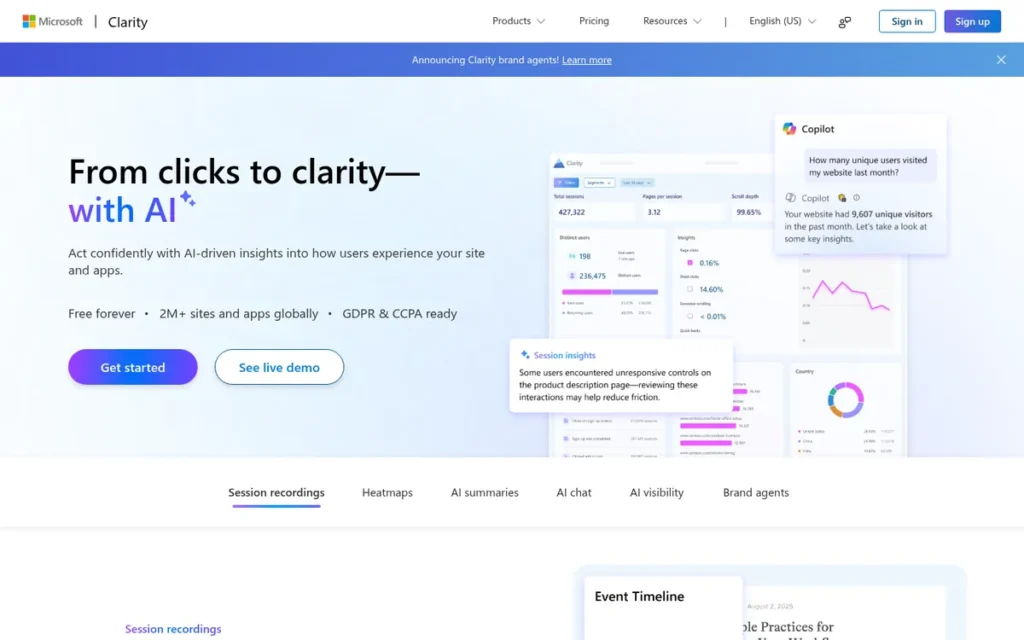
Category: Free Baseline, free behavior analytics that covers core heatmaps and session recordings at no cost.
At a Glance
- Category: Free Baseline
- Best For: Small businesses, marketers and high-traffic sites that want heatmaps and recordings at $0
- Price Range: Free (no paid tier; recordings capped at 100,000 sessions/project/day)
- Primary Strength: Microsoft Clarity provides click, scroll and area heatmaps, session recordings and frustration signals free, with no paid tier.
- Biggest Limitation: Microsoft Clarity has no native surveys, no A/B testing, only basic funnels and self-serve-only support.
- One-Line Summary: Microsoft Clarity is the most generous free heatmap and session recording tool in 2026 by volume, with no paid tier and recording capped only at 100,000 sessions per project per day, but teams that need surveys, A/B testing or form analytics will need a second tool.
- Last Verified: November 2026
Overview
Microsoft Clarity is a free behavior analytics tool from Microsoft. It provides heatmaps, session replay (session recording) and frustration signals with no paid tier. Microsoft Clarity is built for small businesses, marketers and site owners who want a zero-cost baseline before buying a paid tool.
Microsoft Clarity has been generally available since October 2020 and integrates with GA4 and Microsoft Ads.
Key Features
- Microsoft Clarity generates click, scroll, area and conversion heatmaps from real visitor behavior.
- Microsoft Clarity flags rage clicks, dead clicks, excessive scrolling and quick-backs, so analysts can find frustrated visitors without watching every recording.
- Microsoft Clarity includes Copilot AI summaries, although Microsoft warns that Copilot answers may be inaccurate (Microsoft, 2026).
- Microsoft Clarity offers 40+ filters and integrates with GA4 and Microsoft Ads for segmenting behavior by traffic source.
- Microsoft Clarity provides free mobile SDKs for Android, iOS, Flutter and React Native.
Best For
Microsoft Clarity is best for small businesses, content sites and high-traffic websites that need broad heatmap and recording coverage at zero cost. Microsoft Clarity also works as an always-on baseline alongside a paid specialist tool.
Pricing
Microsoft Clarity is free with no paid tier as of November 2026 (Microsoft Clarity, 2026). Microsoft documents these usage limits (Microsoft Learn, 2026):
- Microsoft Clarity limits each heatmap to 100,000 pageviews.
- Microsoft Clarity records up to 100,000 sessions per project per day.
- Microsoft Clarity keeps standard recordings for 30 days.
- Microsoft Clarity keeps labeled or favorited sessions for up to 13 months. One Microsoft Learn page gives up to 9 months for heatmap data, so verify this figure.
Strengths
- Microsoft Clarity has been free since its October 28, 2020 launch. At launch, Microsoft said the free offer applied even to sites with 1M visitors per day (Bing Webmaster Blog, 2020).
- Microsoft Clarity documents a consent mode for EEA, UK and Swiss visitors, effective October 31, 2025, with a cookieless fallback when consent is declined (Microsoft Learn, 2025).
- Microsoft Clarity holds a 4.5/5 rating on G2 from 55 reviews, with reviewers praising its zero cost and GA integration (G2, 2026).
- Microsoft Clarity’s customer RicketyRoo reported a 30% increase in inbound leads in a vendor-published case study (Microsoft Clarity, accessed 2026). A dated 2020 Reddit comment also described Microsoft Clarity as having a “much lighter load than hotjar” (Reddit, 2020).
Limitations
Microsoft Clarity trades depth for its $0 price. It has no native surveys, feedback widgets or A/B testing, so teams that need to ask visitors why or test a fix must add another tool.
- Microsoft Clarity’s funnels are basic, and support is self-serve only.
- Microsoft Clarity caps recordings at 100,000 sessions per project per day and keeps standard recordings for only 30 days (Microsoft Learn, 2026).
- Microsoft Clarity reviewers cite limited filtering, cumbersome segmentation and no ecommerce tracking (G2 and Capterra, 2026).
- Microsoft Clarity shares data with Microsoft Advertising when
ad_storageconsent is granted, a concern privacy-conscious users raised as early as 2020 (Reddit, 2020).
Users on r/indiehackers noted:
“Clarity is good, but it’s a reason why it’s free. You give away a lot of your own data and your visitors data, if you are fine with that, then it’s a great tool, otherwise it’s better to look into self-hosted solutions or more privacy-friendly ones.” Posted by u/XCSme
Takeaway: Microsoft Clarity’s $0 price comes with a data trade-off, which pushes privacy-conscious teams toward self-hosted or privacy-focused alternatives.
Verdict
Microsoft Clarity is the best starting point for most websites in 2026 because it is the only evaluated heatmap tool with no paid tier, recording up to 100,000 sessions per project per day for free.
Microsoft Clarity covers heatmaps, recordings and frustration signals well enough that many small teams never need to pay. Microsoft Clarity stops being enough when a team needs surveys, A/B testing, form analytics, ecommerce tracking or human support.
2. Mouseflow: Best for Form Analytics and Conversion Friction Diagnostics
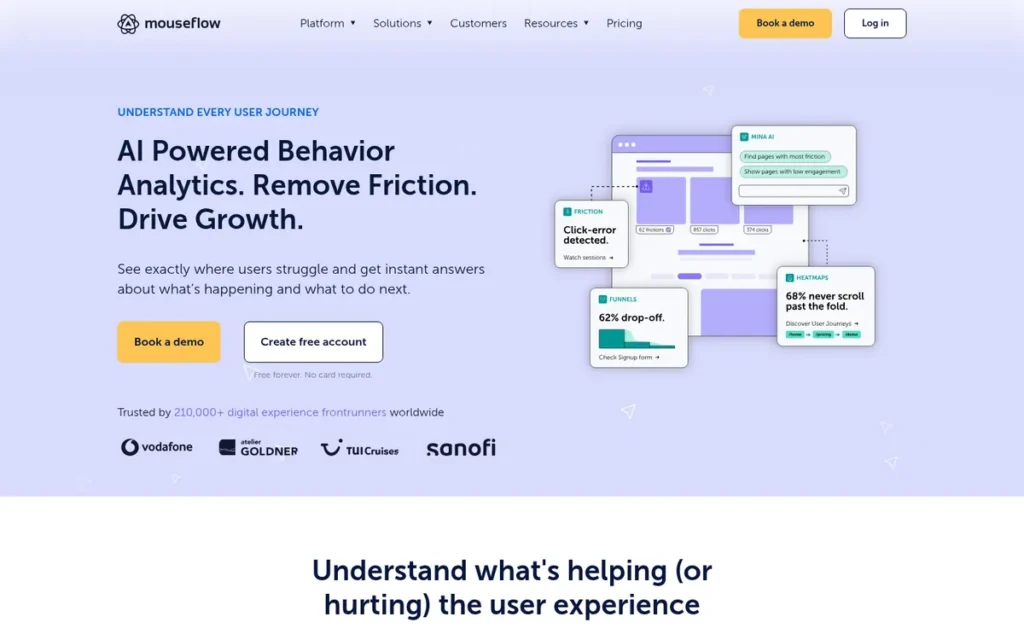
Category: CRO Diagnostics & Testing, tools built to find and fix conversion friction on forms, funnels and landing pages.
At a Glance
- Category: CRO Diagnostics & Testing
- Best For: CRO specialists and lead-generation or form-heavy sites
- Price Range: Free (500 sessions/month) + paid from $25/month annual ($39 monthly)
- Primary Strength: Mouseflow combines form analytics, six heatmap types and a Friction Score that prioritizes problem sessions automatically.
- Biggest Limitation: Mouseflow’s free plan is capped at 500 sessions per month, and monthly billing costs 25–56% more than annual billing.
- One-Line Summary: Mouseflow is the best heatmap tool for diagnosing form drop-off and conversion friction in 2026, pairing six heatmap types and form analytics with a Friction Score, but its free plan caps at 500 sessions per month.
- Last Verified: November 2026
Overview
Mouseflow is a Copenhagen-based behavior analytics tool. It offers six heatmap types, session replay (session recording), funnels, form analytics and a Friction Score. Mouseflow is built for conversion rate optimization (CRO) specialists and lead-generation teams who need to find where forms and conversion paths break down.
Mouseflow generates heatmaps automatically for every page and lets teams build funnels retroactively.
Key Features
- Mouseflow offers six heatmap types: click, scroll, movement, attention, geo and live.
- Mouseflow’s form analytics show where visitors hesitate on, refill or abandon individual form fields.
- Mouseflow’s Friction Score ranks sessions that contain rage, dead and error clicks, so analysts can prioritize the most revealing recordings.
- Mouseflow lets teams build conversion funnels from journeys that have already been recorded.
- Mouseflow includes feedback surveys, so teams can collect visitor input without a separate tool.
Best For
Mouseflow is best for lead-generation, SaaS signup and form-heavy websites where the main upgrade trigger is field-level form drop-off. Mouseflow also suits large sites that benefit from automatic heatmaps on every page.
Pricing
Mouseflow publishes four plans in USD as of November 2026 (Mouseflow, 2026):
- Mouseflow’s Free Forever plan includes 500 sessions per month.
- Mouseflow Essential costs $25/month billed annually or $39 month-to-month for 5,000 sessions.
- Mouseflow Advanced costs $109/month billed annually or $149 month-to-month for 25,000 sessions.
- Mouseflow Premium costs $319/month billed annually or $399 month-to-month for 100,000 sessions.
Mouseflow also offers a 14-day trial with 2,000 sessions.
Strengths
- Mouseflow holds 4.6/5 on G2 from about 691 reviews and 4.7/5 on Capterra from 122 reviews, one of the strongest rating-and-volume profiles in this evaluation (G2 and Capterra, 2026).
- Mouseflow’s Friction Score ranks problem sessions automatically, which addresses a complaint common across the category: too much data and too little prioritization. A G2 reviewer called Mouseflow’s combination of recordings, heatmaps and funnels “incredible insight” (G2, 2026).
- Mouseflow publishes all four tiers with annual prices, monthly prices and session allowances, so buyers can model costs before signup (Mouseflow, 2026).
- Mouseflow markets GDPR orientation and EU data handling, which may suit European businesses, although ISO certificate details were not verified (Mouseflow, 2026).
Users on r/PPC shared their experience:
“Mouseflow. Trial account – very good. I trued Clarity at one point, but got back to MouseFlow. For me is better…” Posted by u/SimonaRed
Takeaway: Mouseflow wins back some marketers who test it head-to-head against Microsoft Clarity, despite Clarity’s $0 price.
Limitations
Mouseflow trades deep diagnostic features for tight volume economics. The free plan covers only 500 sessions per month, and users report steep jumps between paid tiers (Capterra and Software Advice reviews, 2026).
- Mouseflow Essential costs $39 month-to-month versus $25 on annual billing, a 56% premium for flexibility (Mouseflow, 2026).
- Mouseflow reviewers cite blank or incomplete replays, tracking gaps and difficulty with cross-domain tracking (G2 and Capterra, 2026).
- Mouseflow’s exports and segmentation are described as clunky, and the dashboard slows with large data volumes (SelectHub, 2026).
- Mouseflow billing drew two complaints. One reviewer cancelled after a ~30% price increase and was refused a refund after spending more than $1,400. Another said iframe activity was counted as extra recordings (single user reports, Capterra, 2026).
Verdict
Mouseflow offers the most complete documented form- and friction-diagnostic feature set in this 2026 evaluation, backed by a 4.6/5 G2 rating from about 691 reviews.
Mouseflow’s Friction Score and form analytics give CRO teams prioritization depth that free baseline tools do not match. Buyers should estimate monthly session volume carefully, compare annual and monthly prices, and confirm refund terms before committing.
3. Contentsquare (formerly Hotjar): Best for Heatmaps Plus Surveys and User Feedback
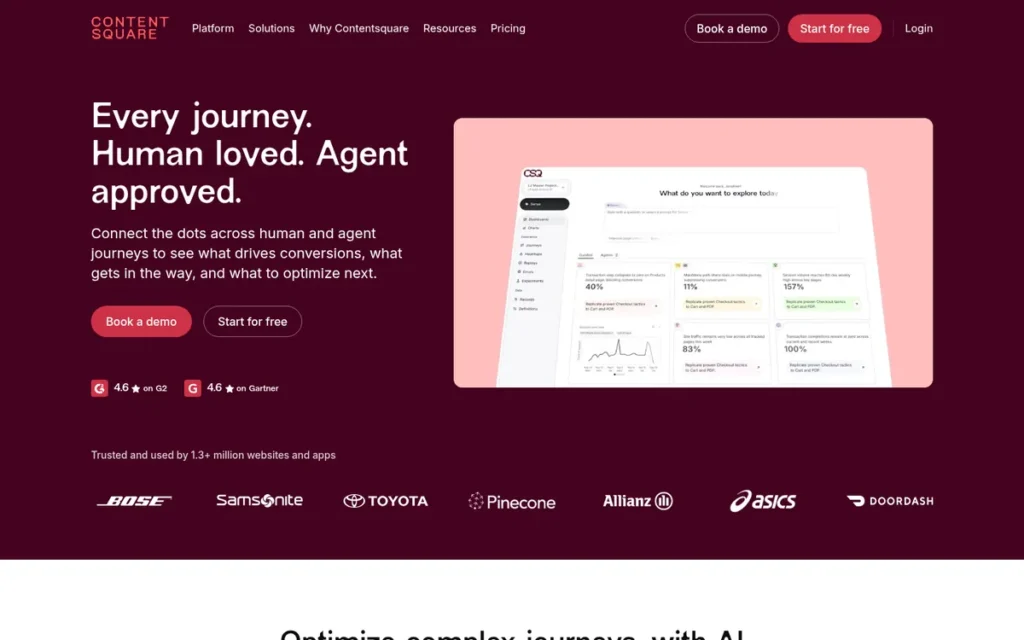
Category: Behavior + Feedback Suite, combines what visitors do (heatmaps, replay) with why they do it (surveys, feedback).
At a Glance
- Category: Behavior + Feedback Suite
- Best For: Marketers, UX designers and product teams that need surveys alongside heatmaps
- Price Range: Free (200,000 sessions/month) + Growth from $39/month annual ($49 monthly)
- Primary Strength: Contentsquare combines heatmaps, session replay and native on-page surveys in one platform, including on its free plan.
- Biggest Limitation: Contentsquare’s post-merger plans, branding and billing are confusing, and its free plan offers only 1 month of data access.
- One-Line Summary: Contentsquare, which absorbed Hotjar on July 1, 2025, is the best heatmap tool for teams that need to see what visitors do and ask them why, with a free plan of up to 200,000 sessions per month.
- Last Verified: November 2026
Overview
Contentsquare (formerly Hotjar) is a digital experience analytics platform that combines heatmaps, session replay, on-page surveys, funnels and error monitoring. Contentsquare is built for marketers, UX designers and product teams who need to see what visitors do and ask them why.
Contentsquare completed its legal merger with Hotjar on July 1, 2025, so new buyers sign up at contentsquare.com rather than hotjar.com.
Key Features
- Contentsquare provides the heatmaps and session replay inherited from Hotjar, alongside its own Attention Maps.
- Contentsquare includes on-page surveys and feedback widgets, so teams can ask visitors why they hesitated on the page where it happened.
- Contentsquare adds funnels plus error and performance monitoring to connect behavior with technical failures.
- Contentsquare offers Sense AI to summarize behavioral patterns, and buyers should confirm which plans include it on the live pricing page.
- Contentsquare installs through Google Tag Manager, a setup step G2 reviewers often praise (G2, 2026).
Best For
Contentsquare is best for teams whose main upgrade trigger is qualitative feedback: asking visitors why they leave or hesitate. Contentsquare also suits former Hotjar users who want to keep working in the platform that absorbed Hotjar.
Pricing
Contentsquare offers these plans as of November 2026 (Contentsquare, 2026):
- Contentsquare Free covers up to 200,000 sessions per month, one project and 1 month of analytics data.
- Contentsquare Growth costs $39/month billed annually or $49 monthly and adds 13 months of analytics and 2 months of session replay.
- Contentsquare Pro and Enterprise sit above Growth, and buyers should confirm their prices on the live pricing page.
Old Hotjar prices no longer apply.
Strengths
- Contentsquare’s free plan allows up to 200,000 sessions per month and includes heatmaps, replay, surveys, funnels and error monitoring. The old Hotjar free plan allowed roughly 35 sessions per day (Contentsquare, 2026).
- Contentsquare holds 4.6/5 from about 543–545 reviews on Capterra’s Hotjar listing and 4.3/5 from 345 reviews on G2 (Capterra and G2, 2026).
- Contentsquare’s survey integration is a reason G2 reviewers and a 2020 Reddit thread give for paying over a free tool. G2 reviewers praise how “session recordings and instant feedback widgets work together” (G2, 2026).
- Contentsquare now includes Heap product analytics, giving teams a path from website heatmaps to product analytics with the same vendor (Contentsquare, accessed 2026).
Limitations
Contentsquare trades a generous free allowance for post-merger complexity. Product names, plans and billing changed in 2024–2025, so older Hotjar comparisons no longer apply (Contentsquare Support, 2025).
- Contentsquare does not import historical Hotjar heatmaps, recordings or funnels (Contentsquare Support, 2025).
- Contentsquare’s free plan keeps only 1 month of analytics data, which limits long-term comparisons (Contentsquare, 2026).
- Contentsquare reviewers on G2 cite limited filtering, gaps in mobile analysis, session caps on paid plans and slow recordings on large datasets (G2, 2026).
- Contentsquare’s GDPR, SOC 2 and ISO claims could not be verified at the Contentsquare level in this evaluation.
- Contentsquare’s switch from per-organization to per-site billing raised one reviewer’s costs by at least 400% (single user report, Capterra, 2026).
Users on r/PPC noted:
“been running hotjar paid for about a year on b2b landing pages, the session recordings are worth it but the heatmaps get noisy with low traffic, microsoft clarity covers most of the same ground for free if budget is the question” Posted by u/NeedleworkerSmart486
Takeaway: Paid Contentsquare (formerly Hotjar) recordings earn their cost on B2B landing pages, but its heatmaps lose value on low-traffic sites, where Microsoft Clarity covers similar ground for free.
Verdict
Contentsquare is the best heatmap tool in 2026 for teams that need on-page surveys alongside heatmaps and session replay.
Contentsquare’s free plan has the second-largest free session allowance in this evaluation (200,000/month). Contentsquare also has one of the shortest documented free retention windows (1 month). Former Hotjar users should export historical data before their 12-month read-only period ends.
4. Fullstory: Best for Enterprise and Regulated-Industry Teams
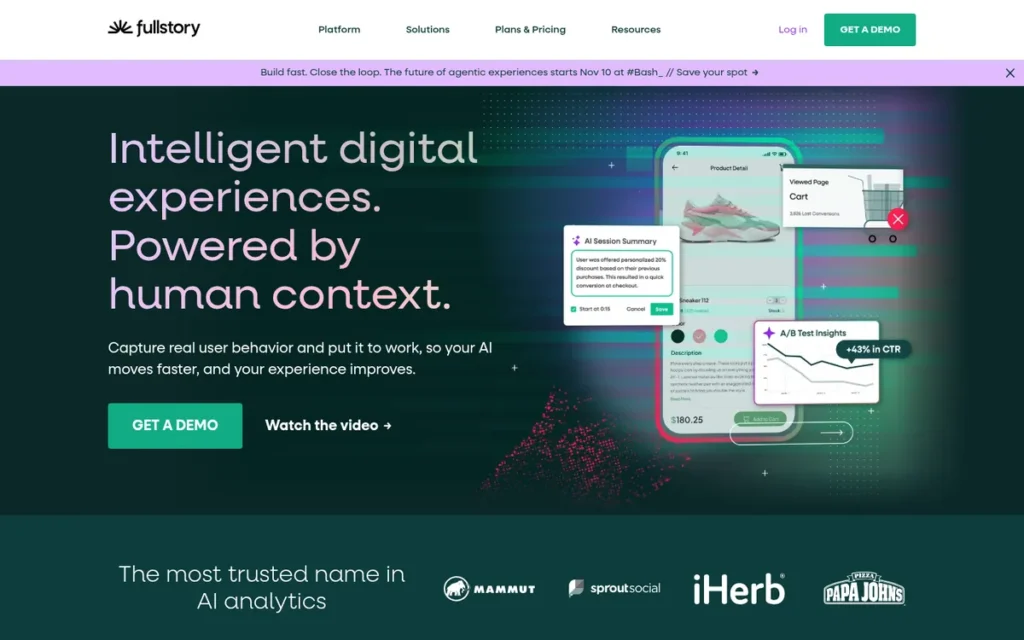
Category: Enterprise & Mobile Experience Analytics, behavioral data platforms for product teams, mobile apps and enterprise governance.
At a Glance
- Category: Enterprise & Mobile Experience Analytics
- Best For: Mid-market and enterprise product, engineering and digital experience teams, including regulated industries
- Price Range: Free (30,000 sessions/month, web only) + paid quote-only (third-party estimates ~$2,000 to $150,000+/year)
- Primary Strength: Fullstory autocaptures every user interaction, so teams can investigate behavior retroactively without manual event tagging.
- Biggest Limitation: Fullstory publishes no paid prices, its free plan excludes mobile-app support, and users report large renewal increases.
- One-Line Summary: Fullstory has the broadest documented enterprise feature set in this 2026 evaluation, with about 1,052 G2 reviews and a 30,000-session free tier, but its quote-only paid pricing makes it more platform than most small businesses need.
- Last Verified: November 2026
Overview
Fullstory is an enterprise behavioral data platform that autocaptures every user interaction for session replay, heatmaps, funnels and frustration signals, with no manual event tagging. Fullstory is built for product, engineering and digital experience teams, including teams in regulated industries.
Fullstory was founded in 2014 in Atlanta and positions itself as more than a basic heatmap tool.
Key Features
- Fullstory’s autocapture records every interaction, so teams can build segments after the fact without tagging events in advance.
- Fullstory surfaces “silent” issues such as error clicks, dead clicks and network errors, which a G2 reviewer said other tools may miss (G2, 2026).
- Fullstory includes session replay, heatmaps, click maps, funnels and journey analysis in one platform.
- Fullstory offers StoryAI summaries and mobile SDKs on paid plans.
- Fullstory supports data export to warehouses for teams that combine behavioral data with other business data.
Best For
Fullstory is best for enterprise and regulated-industry teams whose upgrade triggers are compliance documentation, long retention and warehouse integration. Fullstory’s free tier also suits small web product teams that want 12 months of retention without paying.
Pricing
Fullstory offers a Free plan with 30,000 sessions/month, 12 months of analytics retention and up to 10 users. Paid plans (Business, Advanced and Enterprise) are quote-only as of November 2026 (Fullstory, 2026).
Third-party estimates for paid plans run from about $2,000/year to $12,000–$150,000+/year for enterprise deployments (ToolRadar, 2026).
The Fullstory Help Center lists these exclusions from FullstoryFree (Fullstory Help Center, 2026):
- FullstoryFree excludes mobile-app support.
- FullstoryFree excludes configurable privacy controls.
- FullstoryFree excludes Dashboards, StoryAI and Streams.
Strengths
- Fullstory has the largest review base in this evaluation: 4.5/5 on G2 from about 1,052 reviews. One reviewer called it “the only tool where I can truly see the full story” (G2, 2026).
- Fullstory’s free tier keeps analytics for 12 months, the longest free-plan retention documented in this evaluation (Fullstory, 2026).
- Fullstory markets SOC 2, HIPAA and ISO 27001 compliance and is covered on Gartner Peer Insights, though buyers should confirm certification scope during procurement (Gartner Peer Insights, 2026).
- Fullstory’s autocapture and retroactive search let teams ask new questions about past behavior without redeploying tracking code (Fullstory, 2026).
Limitations
Fullstory trades enterprise depth for cost certainty. Every paid tier is quote-only, and Fullstory’s terms allow overage fees or forced upgrades when session or Agent Credit allowances are exceeded (Fullstory, 2026).
- Fullstory’s minimum package rose from $199 to $899 for one reviewer (single user report, Capterra, 2026). Other users report renewal increases of 150–300% (anecdotal, third-party blog, 2026).
- Fullstory’s free tier excludes mobile-app support and configurable privacy controls, so teams that need either feature must pay (Fullstory Help Center, 2026).
- Fullstory has a steep learning curve and can overwhelm teams with data on large sites (G2, 2026).
- Fullstory needs careful privacy configuration and offers more platform than most small businesses need (Software Advice reviews, 2026).
Verdict
Fullstory has the broadest documented enterprise feature set in this 2026 evaluation, backed by about 1,052 G2 reviews averaging 4.5/5.
Fullstory’s autocapture, compliance documentation and warehouse export justify its place with data-mature organizations. Smaller teams should start on Fullstory’s web-only free tier and get overage and renewal terms in writing before signing.
5. Lucky Orange: Best for Shopify and Small Ecommerce Stores
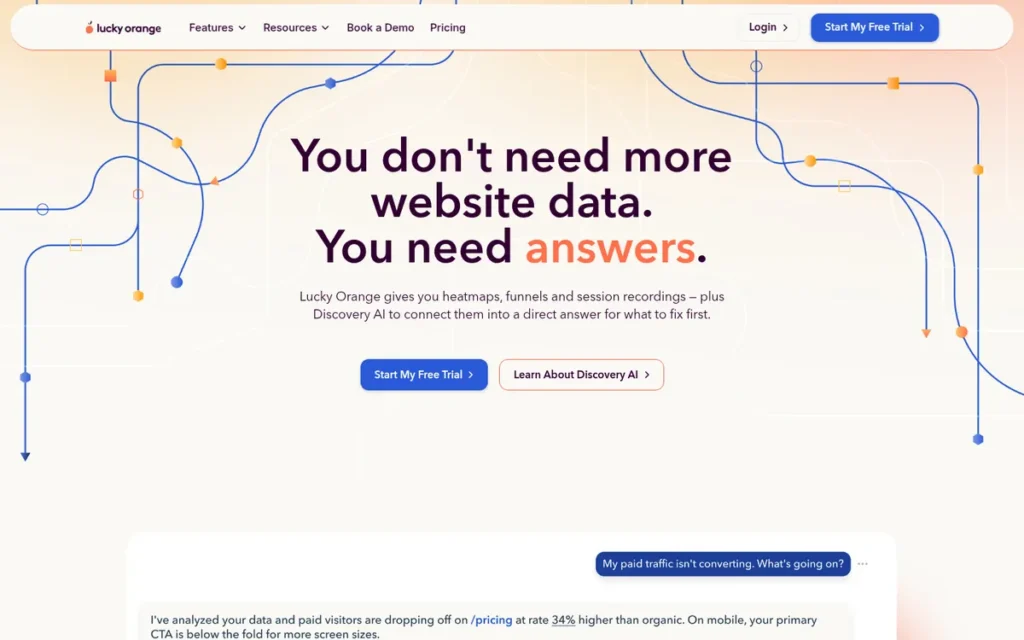
Category: Ecommerce Behavior Analytics, heatmaps and recordings tied to store events, with tools to act on shopper behavior in real time.
At a Glance
- Category: Ecommerce Behavior Analytics
- Best For: Small ecommerce and Shopify store owners who want behavior data tied to cart and checkout
- Price Range: Free (100 sessions/month) + $39–$1,049/month (Build to Scale); Enterprise on request
- Primary Strength: Lucky Orange combines dynamic heatmaps, recordings, live chat and Shopify-native cart and checkout tracking in one tool.
- Biggest Limitation: Lucky Orange’s free plan covers only 100 sessions per month, and the jump from Grow ($89) to Expand ($249) is a 180% increase.
- One-Line Summary: Lucky Orange is the best heatmap tool for Shopify and small ecommerce stores in 2026, pairing dynamic heatmaps and recordings with live chat and native cart and checkout tracking, rated 4.6/5 from about 898 Shopify App Store reviews.
- Last Verified: November 2026
Overview
Lucky Orange is a behavior analytics and engagement tool that combines dynamic heatmaps, session recordings, a live visitor view, form analytics, surveys and built-in live chat. Lucky Orange is built for small ecommerce and Shopify store owners who want to see and act on shopper behavior in real time.
Lucky Orange is listed as “Built for Shopify” in the Shopify App Store (Shopify, 2026).
Key Features
- Lucky Orange’s dynamic heatmaps capture clicks inside dropdowns, pop-ups, sliders and carousels that static heatmaps often miss.
- Lucky Orange’s Shopify integration ties visitor behavior to add-to-cart and checkout events.
- Lucky Orange includes a live visitor view and built-in live chat for real-time engagement.
- Lucky Orange’s Discovery AI summarizes recordings and can trigger proactive chat when a visitor stalls or rage-clicks.
- Lucky Orange also provides form analytics, funnels, surveys and on-site announcements.
Best For
Lucky Orange is best for Shopify merchants and small ecommerce stores whose upgrade trigger is linking behavior to cart and checkout events. Lucky Orange suits teams that want analytics and lightweight engagement in one subscription.
Pricing
Lucky Orange publishes five self-serve plans as of November 2026. Annual billing lowers prices by about 18–20% (Lucky Orange, 2026):
- Lucky Orange Free costs $0 and includes 100 sessions per month with 30-day storage.
- Lucky Orange Build costs $39/month for 3,500 sessions.
- Lucky Orange Grow costs $89/month for 10,000 sessions.
- Lucky Orange Expand costs $249/month for 50,000+ sessions.
- Lucky Orange Scale costs $1,049/month for 300,000+ sessions.
Lucky Orange paid plans include 60-day storage, and Enterprise pricing is available on request.
Strengths
- Lucky Orange holds consistent ratings across four review platforms, the most consistent multi-platform profile in this evaluation (Shopify App Store, Capterra, Trustpilot and G2, 2026):
- Lucky Orange holds 4.6/5 on the Shopify App Store from about 898 reviews.
- Lucky Orange holds 4.7/5 on Capterra from 269 reviews.
- Lucky Orange holds 4.8/5 on Trustpilot from 87 reviews.
- Lucky Orange holds 4.6/5 on G2 from about 389 reviews.
- Lucky Orange connects behavior to checkout events. That matters because Baymard Institute puts average cart abandonment at 70.22% across 50 studies, though the figure is context, not a promised result (Baymard Institute, 2025).
- Lucky Orange’s Discovery AI summaries “save me from scrubbing through hours of recordings,” according to a G2 reviewer (G2, 2026).
- Lucky Orange publishes prices for all five self-serve tiers, which makes costs more predictable than quote-only pricing (Lucky Orange, 2026).
Limitations
Lucky Orange trades an all-in-one ecommerce bundle for tight volume headroom. The free plan covers only 100 sessions per month, and growing stores face a 180% price jump from Grow ($89) to Expand ($249) (Lucky Orange, 2026).
- Lucky Orange stores data for 30 days on the free plan and 60 days on paid plans, which limits seasonal comparisons (Lucky Orange, 2026).
- Lucky Orange moved one reviewer up a tier automatically “without any advance notice” (single user report, G2, 2026).
- Lucky Orange’s live view had “a significant delay” for one G2 reviewer, and other reviewers cite slow loading and basic live chat (G2, 2026).
- Lucky Orange had no verified compliance certifications in this evaluation and offers no native A/B testing.
Users on r/ecommerce noted:
“Hotjar doesn’t have great attribution as Lucky Orange and also is much more expensive for the amount of recordings
Lucky Orange has good attribution and price for recordings but can’t record checkout section unlike hotjar??” Posted by u/ecommerceapprentice
Takeaway: Lucky Orange earns praise from merchants for attribution and recording value against Hotjar, but at least one store owner found it could not record the checkout section.
Verdict
Lucky Orange is the best heatmap tool for Shopify and small ecommerce stores in 2026, with consistent ratings of 4.6–4.8/5 across four review platforms.
Lucky Orange’s dynamic heatmaps, checkout tracking and live chat cover store-specific needs that general free baseline tools do not. Merchants should check session caps against monthly traffic and confirm the upgrade policy in writing.
6. Crazy Egg: Best for Heatmaps Plus Built-In A/B Testing on Landing Pages
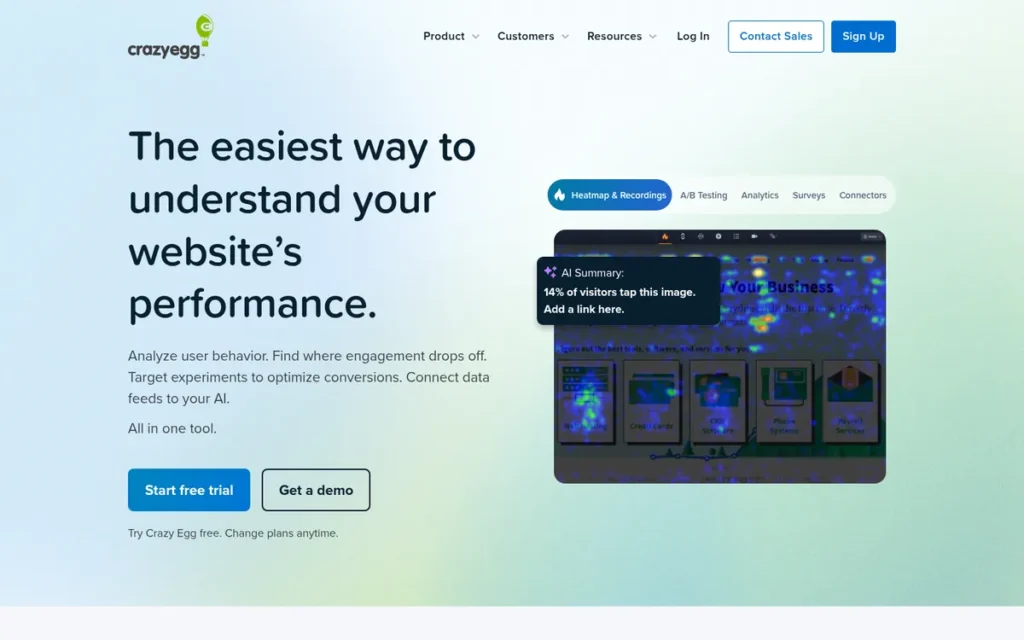
Category: CRO Diagnostics & Testing.
At a Glance
- Category: CRO Diagnostics & Testing
- Best For: Marketers and CRO practitioners optimizing landing pages with heatmaps and A/B testing
- Price Range: Free (Instant Heatmaps only) + $29–$599/month billed annually
- Primary Strength: Crazy Egg pairs heatmaps and its Confetti segmentation report with native A/B testing in one tool.
- Biggest Limitation: Crazy Egg’s free plan has no recordings, and paid plans require annual billing.
- One-Line Summary: Crazy Egg is the best heatmap tool in 2026 for teams that want to test landing-page fixes in the same tool, offering unlimited A/B tests from $99 per month, but its free plan excludes recordings and paid plans are billed annually.
- Last Verified: November 2026
Overview
Crazy Egg is a conversion rate optimization (CRO) tool, founded in 2005, that pairs click heatmaps, scrollmaps and its Confetti segmentation report with session recordings and native A/B testing. Crazy Egg is built for marketers who want to observe landing-page behavior and test fixes in one tool.
Crazy Egg was founded by Neil Patel and Hiten Shah. Crazy Egg reports use on more than 300,000 websites, and newer company pages cite 400,000+ (vendor-stated, Crazy Egg, accessed 2026).
Key Features
- Crazy Egg provides five report types: click heatmap, scrollmap, Confetti, overlay and list.
- Crazy Egg’s Confetti report segments individual clicks by referral source, search term and device.
- Crazy Egg includes native A/B testing, with unlimited tests on the Plus plan and above.
- Crazy Egg adds session recordings, surveys, error tracking, funnel analysis and popup CTAs.
- Crazy Egg’s heatmaps are described by Capterra reviewers as usable without technical skills (Capterra, 2026).
Best For
Crazy Egg is best for marketing teams whose upgrade trigger is testing a fix in the same tool that revealed the problem. Crazy Egg suits teams that prefer published, flat pricing.
Pricing
Crazy Egg lists a Free plan and four paid plans as of November 2026. Each paid plan is billed annually and comes with a 30-day free trial (Crazy Egg, 2026):
- Crazy Egg Free includes Instant Heatmaps for up to 1,000 sessions per day, with no recordings and 30-day retention.
- Crazy Egg Starter costs $29/month ($348/year) for 5,000 pageviews, 5 heatmap reports and 50 recordings.
- Crazy Egg Plus costs $99/month ($1,188/year) for 150,000 pageviews, 75 reports, 1,000 recordings and unlimited A/B tests.
- Crazy Egg Pro costs $249/month ($2,988/year) for 500,000 pageviews and 5,000 recordings.
- Crazy Egg Enterprise costs $599/month ($7,188/year) for 1,000,000 pageviews and 10,000 recordings.
Strengths
- Crazy Egg is the only tool in this evaluation that combines heatmaps with native A/B testing, with unlimited tests on its $99/month Plus plan (Crazy Egg, 2026).
- Crazy Egg’s Free plan gives teams a no-cost way to start with Instant Heatmaps before committing to a paid tier (Crazy Egg, 2026).
- Crazy Egg publishes a full price list with stated limits and says it charges no overage fees, which reduces surprises after signup (Crazy Egg, 2026).
- Crazy Egg holds 4.4/5 on Capterra from 87 reviews and 4.2/5 on G2 from 128 reviews, with praise for easy setup (Capterra and G2, 2026).
Limitations
Crazy Egg trades testing convenience for flexibility. The free plan includes only Instant Heatmaps with no recordings, and paid plans are billed annually only, so Starter requires a $348 upfront commitment (Crazy Egg, 2026).
- Crazy Egg’s A/B testing is lightweight compared with dedicated experimentation platforms.
- Crazy Egg offers little journey or real-time analysis and no documented AI prioritization.
- Crazy Egg reviewers cite Content Security Policy compatibility problems and slow support (G2, 2026). Crazy Egg has the lowest ratings in this evaluation, and its compliance documentation was not verified.
- Crazy Egg has no user billing complaint on record, but a third-party pricing site warns of upgrade pressure at pageview caps (SaaSTracker, 2026).
Verdict
Crazy Egg is the best choice in 2026 for marketing teams that want heatmaps and native A/B testing in a single tool, with unlimited tests from $99 per month.
Crazy Egg’s published pricing and Confetti segmentation make it a practical landing-page CRO tool. Crazy Egg’s recording-free free plan, annual-only billing and comparatively lower ratings place it behind tools with broader diagnostics.
7. Smartlook: Legacy Listing, No Longer Sold to New Customers
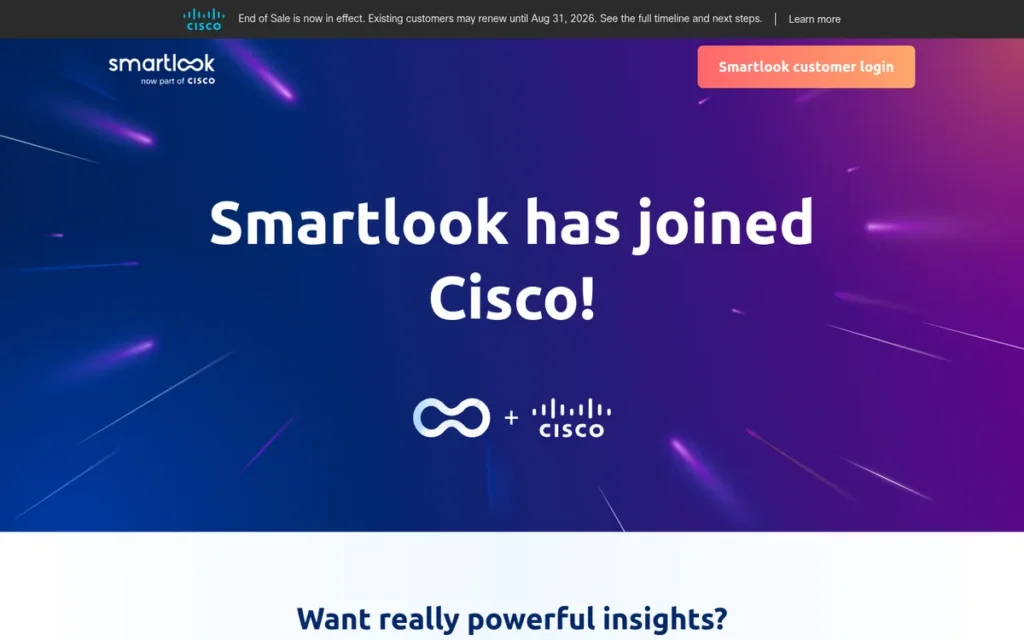
Category: Enterprise & Mobile Experience Analytics.
At a Glance
- Category: Enterprise & Mobile Experience Analytics (legacy listing)
- Best For: Existing Smartlook customers planning migration (no longer sold to new customers)
- Price Range: No longer sold; previously free (~3,000 sessions/month, commonly reported) + paid from $55/month (Capterra-listed)
- Primary Strength: Smartlook offers native mobile app replay and tap heatmaps across iOS, Android, React Native, Flutter, Unity and Cordova.
- Biggest Limitation: Smartlook reached end of sale on May 31, 2026, and remaining data will be deleted on September 30, 2027.
- One-Line Summary: Smartlook had the broadest native mobile app replay coverage in this 2026 evaluation, with a 4.6/5 G2 rating from 874 reviews, but it stopped selling new subscriptions on May 31, 2026 and is not recommended for new purchases.
- Last Verified: November 2026
Overview
Smartlook is a Cisco-owned product analytics tool that combines session replay, heatmaps, events, funnels and crash reports across websites and native mobile apps. Smartlook was built for product teams that needed mobile app replay alongside web analytics. Smartlook reached end of sale on May 31, 2026 (Smartlook, 2026).
Smartlook was founded in 2016 in Brno, Czech Republic, and Cisco closed its acquisition on June 29, 2023 (Cisco, 2023). PlugRoute keeps Smartlook as a legacy listing so existing users can plan migration.
Key Features
- Smartlook records native app sessions and generates tap heatmaps through SDKs for iOS, Android, React Native, Flutter, Unity and Cordova.
- Smartlook lets teams define events retroactively without redeploying tracking code.
- Smartlook combines funnels, retention and cohort analysis with replay and heatmaps.
- Smartlook includes crash reports that connect app failures to the sessions in which they occurred.
- Smartlook supports fast-forward playback and automatic event capture, both praised by Capterra reviewers (Capterra, 2026).
Best For
Smartlook is now relevant only to existing customers who need to plan an export before support ends. Smartlook is not recommended for new purchases. Mobile-first teams should evaluate Microsoft Clarity’s free mobile SDKs or Fullstory’s paid mobile SDKs instead.
Pricing
Smartlook no longer sells new subscriptions as of November 2026 (Smartlook, 2026). Before end of sale, Capterra listed paid plans from $55/month, and the free tier was commonly reported at about 3,000 sessions/month (Capterra, 2026). Smartlook’s sunset timeline is (Smartlook, 2026):
- Smartlook ended sales to new customers on May 31, 2026.
- Smartlook accepted its last renewals and expansions on August 31, 2026.
- Smartlook support and paid subscriptions end on August 31, 2027.
- Smartlook will decommission the platform and delete remaining data on September 30, 2027.
Strengths
- Smartlook holds 4.6/5 on G2 from 874 reviews and 4.7/5 on Capterra from 136 reviews, with 96% positive Capterra sentiment (G2 and Capterra, 2026).
- Smartlook supports six native mobile frameworks, the widest coverage among the seven tools evaluated (Smartlook, 2026).
- Smartlook’s retroactive event definition lets teams analyze past behavior without redeploying code, according to third-party and competitor-published comparisons (BetterStack, 2026; Contentsquare, 2026).
- Smartlook scores 4.7/5 for ease of use and 4.5/5 for customer service on Capterra (Capterra, 2026).
Limitations
Smartlook trades strong mobile coverage for a fixed end date. Subscriptions and historical data do not migrate to Splunk Digital Experience Analytics (DXA), so remaining recordings are lost unless they are exported before September 30, 2027 (Smartlook, 2026).
- Smartlook has no native surveys and relies on integrations such as Survicate.
- Smartlook’s web heatmaps are less advanced than those of specialist tools, and its mobile SDKs require developer work.
- Smartlook reviewers cite no custom tags for identifying anonymous users and occasional bugs (Capterra, 2026).
Verdict
Smartlook is no longer a viable choice for new heatmap buyers in 2026 because it stopped selling new subscriptions on May 31, 2026.
Smartlook’s ratings and mobile SDK coverage were strong, which is why it remains as a legacy listing. Existing customers should export recordings and analytics through the Smartlook API before September 30, 2027. They should also compare Microsoft Clarity’s free mobile SDKs with Fullstory’s mobile SDKs, which require a paid plan.
Is Hotjar Still Available in 2026?
New buyers can no longer get Hotjar as a standalone product. Hotjar Ltd. merged into Contentsquare on July 1, 2025, and new users sign up at contentsquare.com. Migrated Hotjar accounts stay read-only for 12 months from each account’s own migration date and are then deleted (Contentsquare Support, 2025).
Two of the best-known heatmap tools changed hands or stopped selling between 2023 and 2026: Hotjar became Contentsquare, and Smartlook reached end of sale on May 31, 2026. As of November 2026, these status changes affect buyers:
- Hotjar: Contentsquare acquired Hotjar in September 2021, integrated it during 2024 and completed the legal merger on July 1, 2025 (Contentsquare, 2025).
- Hotjar data: Contentsquare does not import historical Hotjar heatmaps or recordings, and each migrated account’s 12-month read-only window starts on its own migration date (Contentsquare Support, 2025).
- Heap: Contentsquare has also brought Heap product analytics into the same platform (Contentsquare, accessed 2026).
- Smartlook: Cisco closed its Smartlook acquisition on June 29, 2023 (Cisco, 2023). Smartlook ended sales on May 31, 2026 and will delete data on September 30, 2027, with no migration to Splunk DXA (Smartlook, 2026).
Former Hotjar users and current Smartlook users should export recordings, heatmaps and analytics before their deletion dates. Neither successor platform imports historical data.
What Are the Best Free Heatmap Tools in 2026?
The best free heatmap tools in 2026 are Microsoft Clarity for volume, Contentsquare Free for surveys and Fullstory Free for retention. Microsoft Clarity records up to 100,000 sessions per project per day. Contentsquare Free covers 200,000 sessions monthly, and Fullstory Free keeps web analytics for 12 months.
| Tool | Free Volume | Retention / Access | Notable Exclusions |
|---|---|---|---|
| Microsoft Clarity | Up to 100,000 recorded sessions/project/day | 30-day recordings; up to 13 months for labeled sessions | Surveys, A/B testing, human support |
| Contentsquare Free | Up to 200,000 sessions/month | 1 month analytics data | Multiple projects |
| Fullstory Free | 30,000 sessions/month | 12 months; up to 10 users | Mobile apps, privacy controls, Dashboards, StoryAI, Streams |
| Mouseflow Free | 500 sessions/month | Not verified | Higher volume |
| Lucky Orange Free | 100 sessions/month | 30-day storage | Higher volume |
| Crazy Egg Free | Instant Heatmaps, up to 1,000 sessions/day | 30-day heatmap retention | Recordings |
| Smartlook | Not available | Not applicable | No longer sold (end of sale May 31, 2026) |
Mouseflow, Lucky Orange and Crazy Egg offer smaller or narrower free plans, and Smartlook is no longer sold.
Free volume and free retention pull in opposite directions. Contentsquare Free gives 6.7 times Fullstory Free’s monthly session volume but only one-twelfth of its retention. Comparing Black Friday behavior with January behavior requires Fullstory-style retention.
How Much Do Heatmap Tools Really Cost?
Heatmap tools range from $0 (Microsoft Clarity) to quote-only enterprise contracts that third parties estimate at $150,000+ per year (ToolRadar, 2026). Vendors charge by sessions, pageviews or sites, so headline prices are rarely directly comparable.
As one user on r/Wordpress described:
“I’ve looked at a few like Hotjar and Crazy Egg but I’m totally new to this and don’t know whether these prices are okay or overpriced, or if we’ll get the worth we’ll be paying. We don’t have a huge budget, so something with a decent free tier or a reasonable paid plan would be ideal if there’s something like that with these tools?” Posted by u/GammageTremara-44
Takeaway: Small-business buyers struggle to judge whether heatmap tool pricing is fair, so pricing units and free-tier limits deserve more scrutiny than headline prices.
Pricing units and billing terms predict real cost better than the entry price does. The cheapest heatmap tool on paper can become one of the most expensive in practice. At Mouseflow, monthly billing adds 25–56% to the annual price. At Lucky Orange, the tier after Grow costs 180% more.
| Tool | Free Tier | Entry Paid Price | Pricing Unit | Ownership / Status |
|---|---|---|---|---|
| Microsoft Clarity | Free; up to 100,000 recorded sessions/project/day | No paid tier | None | Microsoft; generally available since 2020 |
| Contentsquare | 200,000 sessions/month; 1 month data | $39/mo annual ($49 monthly) | Sessions (per-site billing reported) | Absorbed Hotjar on July 1, 2025 |
| Mouseflow | 500 sessions/month | $25/mo annual ($39 monthly) | Sessions | Privately held; standalone product available |
| Fullstory | 30,000 sessions/month; 12-month retention; web only | Quote only | Sessions and Agent Credits | Privately held; standalone product available |
| Lucky Orange | 100 sessions/month; 30-day storage | $39/mo monthly (~18–20% less annually) | Sessions | Privately held; standalone product available |
| Crazy Egg | Instant Heatmaps, up to 1,000 sessions/day | $29/mo billed annually ($348/yr) | Pageviews and recordings | Privately held; founded 2005 |
| Smartlook | Not available | No longer sold | Sessions (legacy) | Cisco-owned; end of sale May 31, 2026 |
Prices, plans and vendor status were checked against vendor pricing pages on November 5, 2026.
The pricing units vary by vendor as of November 2026:
- Sessions: Contentsquare, Mouseflow, Fullstory and Lucky Orange price mainly by sessions.
- Pageviews and recordings: Crazy Egg prices each plan by pageviews and recordings.
- Sites: Contentsquare moved at least one customer from per-organization to per-site billing (single user report, Capterra, 2026).
- Credits: Fullstory’s terms include Agent Credit allowances alongside sessions (Fullstory, 2026).
Here is a worked example. A store with 12,000 sessions per month outgrows Lucky Orange Grow (10,000 sessions) and needs Expand at $249/month. The same traffic fits Mouseflow Advanced at $109/month billed annually, a 2.3× price difference.
Four of the six vendors with paid plans have at least one user-reported billing complaint on record. Each of these is a single user report, not a pattern confirmed by PlugRoute:
- Contentsquare’s per-site billing raised one reviewer’s costs by 400% or more (Capterra, 2026).
- Mouseflow refused one reviewer a refund after a ~30% price increase (Capterra, 2026).
- Lucky Orange upgraded one reviewer’s tier automatically without advance notice (G2, 2026).
- Fullstory’s minimum package rose from $199 to $899 for one reviewer (Capterra, 2026).
Crazy Egg has no user billing complaint on record, although a third-party pricing site warns of upgrade pressure at pageview caps (SaaSTracker, 2026). No billing complaint was found for Smartlook.
Typical budget bands by segment, as of November 2026:
- Small businesses with a $0 budget should start with Microsoft Clarity.
- Small businesses that want surveys can use Contentsquare Growth from $39/month billed annually.
- Landing-page CRO teams that want built-in testing can use Crazy Egg Plus at $99/month billed annually.
- Shopify stores can use Lucky Orange Build or Grow at $39–$89/month.
- Lead-gen and form-heavy sites can use Mouseflow at $25–$109/month billed annually ($39–$149 monthly).
- Enterprises should budget roughly $12,000–$150,000+/year for Fullstory, based on a third-party estimate (ToolRadar, 2026).
Do I Need Consent to Use Heatmaps and Session Recording?
In many jurisdictions you likely need consent, or at least careful configuration, before recording visitor behavior. Since October 31, 2025, Microsoft Clarity has required a consent signal for full functionality with EEA, UK and Swiss visitors (Microsoft Learn, 2025). US session-replay wiretapping lawsuits remain active.
Rules such as GDPR and the ePrivacy Directive in Europe and CCPA in California shape these obligations. The key dated developments are:
- Microsoft Clarity consent mode: Microsoft Clarity turns Consent Mode on by default for EEA, UK and Swiss visitors. Without consent, Clarity runs in a cookieless, per-pageview mode (Microsoft Learn, 2025).
- Microsoft Clarity consent signals: Microsoft Clarity accepts consent through a consent management platform (CMP), Google Consent Mode or the Clarity Consent V2 API (Microsoft Learn, 2025).
- Microsoft Ads data sharing: Microsoft Clarity sends data to Microsoft Advertising only when
ad_storageconsent is granted (Microsoft Learn, 2025). - US CIPA litigation: California wiretapping lawsuits over session replay are ongoing, with conflicting rulings across courts (CookieScript, 2026).
- Mikulsky v. Bloomingdale’s: Privacy-compliance trackers report that a 2025 Ninth Circuit decision revived a session-replay claim. Verify this against the court opinion (ConsentPixel, 2025).
PII masking creates a trade-off. Over-masking hides content analysts need, and gaps in masking create compliance risk. Consult qualified counsel before recording pages that collect personal data.
This section is general information, not legal advice.
What Red Flags Should I Watch For When Evaluating Heatmap Tools?
The six biggest red flags when evaluating heatmap tools are hidden caps, quote-only pricing with overage clauses, comparisons written before the Hotjar merger, vendors past end of sale, treating heatmaps as proof of cause, and recording without consent controls. Any one of them can turn a cheap-looking tool into a costly or risky one.
Red Flag #1: Caps That Appear Only After Signup
Session, pageview and recording caps are often documented in help-center pages rather than on pricing pages, so buyers discover them only when data stops collecting. Before installing any heatmap tool, confirm in writing the free-tier caps, retention windows and what happens at the limit.
Red Flag #2: Quote-Only Pricing With Overage Clauses
Quote-only pricing combined with overage or forced-upgrade clauses makes long-term heatmap tool cost hard to predict. Fullstory’s terms, for example, permit overage fees when session or Agent Credit allowances are exceeded (Fullstory, 2026). Request the renewal-increase policy before signing any annual contract.
Red Flag #3: Comparisons Written Before the July 2025 Hotjar Merger
Any heatmap comparison that lists standalone Hotjar pricing or plans is outdated. Hotjar Ltd. merged into Contentsquare on July 1, 2025, and the old Basic, Plus, Business and Scale tiers no longer apply (Hotjar Help Center, 2025). Check the publication date of every review you rely on.
Red Flag #4: Vendors Mid-Acquisition or Past End of Sale
A product absorbed by a parent company can change pricing, force a migration or stop selling entirely. Smartlook reached end of sale on May 31, 2026 and will delete remaining data on September 30, 2027 (Smartlook, 2026). Ask every vendor about its standalone roadmap and data-export options.
Red Flag #5: Treating Heatmaps as Proof of Cause
Heatmaps show where visitors click and scroll, not why they behave that way. As one r/ShopifyApps commenter put it, “Attention ≠ intent, and heatmaps don’t explain why people act” (Reddit, accessed 2026). Three common distortions can mislead analysts:
- Small samples make random heatmap patterns look meaningful.
- Blended mobile and desktop data hides device-specific friction.
- Single-page apps and dynamic content can attribute clicks to the wrong elements.
PlugRoute’s recommended sequence, drawn from CRO guidance, is analytics → heatmaps → recordings → surveys → A/B tests.
This aligns with community sentiment on r/shopify:
“I’ve tried some of those. Heatmaps help a bit, but I still feel like I’m guessing. I keep coming back to the idea that there’s usually a question or hesitation right before they leave, and that’s the bit I can’t see.” Posted by u/pooch_tastic
Takeaway: Heatmaps alone leave store owners guessing about the hesitation behind an exit, so heatmap findings need surveys or tests to confirm intent.
Red Flag #6: Recording Without Consent or Masking Controls
A heatmap tool without documented consent modes and masking controls exposes the business to privacy risk. Microsoft Clarity’s October 31, 2025 consent requirement for EEA, UK and Swiss visitors shows how vendor documentation is changing (Microsoft Learn, 2025). Treat unverified compliance claims as gaps.
What Questions Should I Ask Before Choosing a Heatmap Tool?
Before choosing a heatmap tool, ask six questions. They cover the pricing unit, behavior at plan limits, data retention, native features, consent and masking, and whether the product will still be sold standalone next year. Together they expose hidden costs and risks behind similar-looking feature lists.
Question #1: Is pricing based on pageviews, sessions, seats or sites?
The pricing unit determines how heatmap tool cost scales with traffic. Crazy Egg prices by pageviews and recordings, while Mouseflow and Lucky Orange price by sessions (Crazy Egg, Mouseflow and Lucky Orange, 2026). Model your monthly traffic against each unit before comparing headline prices.
Question #2: What happens when I exceed my plan limit?
Heatmap vendors handle overages differently: some stop recording, some charge overage fees and some upgrade accounts automatically. One Lucky Orange reviewer reported an automatic upgrade without notice (single user report, G2, 2026). Get each vendor’s overage policy in writing before you commit.
Question #3: How long is recording and heatmap data retained?
Retention decides whether you can compare behavior across seasons or redesigns. Fullstory Free keeps web analytics for 12 months, Lucky Orange paid plans store data for 60 days, and Contentsquare Free keeps 1 month (Fullstory, Lucky Orange and Contentsquare, 2026). Match retention to your reporting cycle.
Question #4: Does it include surveys, form analytics or A/B testing natively?
Native features save you extra subscriptions and integration work. Contentsquare includes surveys, Mouseflow includes form analytics and Crazy Egg includes A/B testing, while Microsoft Clarity offers none of the three (vendor documentation, 2026). List your must-have capabilities before evaluating any heatmap tool.
Question #5: How does it handle consent, masking and data sharing?
Consent and masking documentation shows whether a heatmap vendor takes privacy seriously and how much configuration work your team will inherit. Before signing, put these three questions to every vendor. Treat vague or undocumented answers as gaps in compliance coverage:
- Ask how the heatmap tool behaves when a visitor declines consent.
- Ask which form fields and page elements the heatmap tool masks by default.
- Ask whether recorded data is shared with advertising products, as Microsoft Clarity documents for Microsoft Ads (Microsoft Learn, 2025).
Question #6: Will the vendor still sell this product as a standalone tool next year?
Recent consolidation means a heatmap product’s availability can change mid-contract. Hotjar became part of Contentsquare in 2025, and Smartlook reached end of sale in 2026 (Hotjar Help Center, 2025; Smartlook, 2026). Ask about migration timelines, data export and deletion policies before signing.
How Did We Rank These Heatmap Tools?
PlugRoute scored seven heatmap tools from 1 to 5 on six weighted criteria. Capabilities and pricing transparency each carry 25%, user ratings and vendor stability 15% each, and privacy documentation and prioritization aids 10% each. Scores draw on vendor documentation and review platforms verified in November 2026. No hands-on testing was done.
- Capability Coverage (C1, 25%) matters because buyers need specific features such as surveys, form analytics, A/B testing and mobile SDKs. PlugRoute scored the breadth and depth of documented capabilities.
- Pricing Transparency & Free-Tier Value (C2, 25%) matters because hidden caps create cost risk. One rubric covered free-plan size and retention, published prices, pricing units and documented billing complaints.
- Verified User Ratings & Sample Size (C3, 15%) carries less weight because star ratings cluster between 4.2 and 4.7. Sample size and cross-platform consistency matter more than the average.
- Vendor Stability & Availability (C4, 15%) matters because mergers and shutdowns put buyers’ data at risk. PlugRoute scored ownership, standalone availability and sunset timelines.
- Privacy & Compliance Documentation (C5, 10%) matters because recording behavior creates consent obligations. Documented consent modes and certifications scored higher than unverified claims.
- Prioritization Aids & Documented Outcomes (C6, 10%) matters because too much data wastes analysis time. PlugRoute scored frustration signals, friction scoring, AI summaries and published outcomes.
| Tool | C1 | C2 | C3 | C4 | C5 | C6 | Weighted Total |
|---|---|---|---|---|---|---|---|
| Microsoft Clarity | 3.5 | 5.0 | 3.5 | 5.0 | 4.5 | 4.0 | 4.25 |
| Mouseflow | 4.5 | 3.5 | 4.5 | 4.0 | 3.5 | 4.5 | 4.08 |
| Contentsquare | 4.5 | 4.0 | 4.0 | 3.5 | 3.0 | 4.0 | 3.95 |
| Fullstory | 4.5 | 2.5 | 4.0 | 4.5 | 4.5 | 4.5 | 3.93 |
| Lucky Orange | 4.0 | 3.5 | 4.5 | 3.5 | 2.5 | 4.0 | 3.73 |
| Crazy Egg | 3.5 | 4.0 | 3.0 | 4.0 | 2.0 | 3.0 | 3.43 |
| Smartlook | 3.5 | 1.5 | 4.5 | 1.0 | 2.5 | 3.5 | 2.68 |
Re-audit note: PlugRoute re-audited all seven tools on November 5, 2026, after checking vendor pricing. Mouseflow’s C2 rose from 3.0 to 3.5, and Crazy Egg’s rose from 3.5 to 4.0, once published prices replaced unverified figures.
Smartlook’s C2 fell to 1.5 and its C4 to 1.0 after its vendor-confirmed end of sale. Mouseflow moved from #3 to #2. Crazy Egg’s rank did not change.
Score sensitivity: Mouseflow, Contentsquare and Fullstory are separated by 0.15 points or less, and Contentsquare and Fullstory by just 0.02. Choose among these three by upgrade trigger, not by rank.
Microsoft Clarity leads because it scores 5.0 on both C2 and C4. Its C1 score of 3.5 ties Crazy Egg and Smartlook for lowest. Fullstory scores 4.0 on C3 despite the largest G2 sample, because its Capterra rating was not verified and its only other score is 3.9 from five TrustRadius reviews.
Tiebreak rule: When weighted totals tie, the tool with the higher primary subtotal ranks higher. The primary subtotal is C1×0.25 + C2×0.25 + C4×0.15. These three criteria measure what buyers get, what it costs and whether the product will last. No tie exists in the current scores.
This evaluation has clear evidence limits:
- PlugRoute did no hands-on testing, so findings come from documentation and user reports.
- PlugRoute found thin community evidence: one usable Reddit product thread from 2020 plus two tangential threads.
- PlugRoute found only one conversion-uplift case study across all seven tools, and it is vendor-published, so this ranking guarantees no outcomes.
- PlugRoute labels every source as official, third-party, competitor-published, vendor-published or user-reported, and marks undated sources “accessed 2026.”
- PlugRoute left PostHog, Plerdy and Attention Insight out of scope to keep editorial depth equal across entries. Attention Insight is a predictive tool and belongs in a separate category.
PlugRoute has no affiliate relationships with any company listed. Rankings are determined entirely by research data and objective evaluation criteria.
What Do Buyers Most Often Ask About Heatmap Tools?
Buyers most often ask which heatmap tool is best for free use, ecommerce, session recording and small business versus enterprise. In 2026, Microsoft Clarity leads for free use, Lucky Orange for Shopify and Fullstory for enterprise. Nearly every tool in this evaluation includes session recording.
Which heatmap tools include session recording?
Every tool in this evaluation includes session recording, but free access varies. Microsoft Clarity records up to 100,000 sessions per project per day for free. Contentsquare Free covers 200,000 sessions monthly, and Fullstory Free keeps 12 months of web data. Crazy Egg’s free plan excludes recordings, and Smartlook is no longer sold (vendor pricing pages, 2026).
Which heatmap tool is best for small business vs enterprise?
Small businesses should start with Microsoft Clarity at $0. They can then add Lucky Orange (from $39/month) for a Shopify store or Contentsquare Growth ($39/month billed annually) for surveys. Enterprises and regulated teams should evaluate Fullstory for autocapture, compliance documentation and warehouse export. Third parties estimate its quote-only plans at $12,000–$150,000+ per year (ToolRadar, 2026).
How does PlugRoute determine its heatmap tool rankings?
PlugRoute scores each heatmap tool from 1 to 5 on six weighted criteria: capabilities, pricing transparency, user ratings, vendor stability, privacy documentation and prioritization aids. Capabilities and pricing each carry 25%. PlugRoute publishes every score, the tiebreak rule and the evidence limits. All seven tools were re-audited after vendor pricing was checked on November 5, 2026.
What Do Key Heatmap Tool Terms Mean?
Heatmap: A visual overlay showing where visitors click, scroll or move on a page, built from real visitor behavior. Heatmaps show where to look, not why visitors act, so findings should be confirmed with recordings, surveys or A/B tests.
Session Recording (Session Replay): A playback of an individual visitor’s journey through a site. Nearly every tool includes it, but free access varies widely, so check whether a free plan includes recordings at all and how long they are kept.
Session: The most common pricing unit for heatmap tools, counting one visitor’s visit. Session caps decide which tier you need, and a store that slightly outgrows a tier’s allowance can face a large price jump.
Pageview: A pricing unit some vendors use instead of sessions, counting each page a visitor loads. Since vendors charge by sessions, pageviews or sites, model your monthly traffic against each unit before comparing headline prices.
Data Retention: How long a tool keeps your recordings, heatmaps and analytics before deleting them. Short retention windows make it hard to compare behavior across seasons or redesigns, so match retention to your reporting cycle.
Frustration Signals: Automatic flags for behaviors such as rage clicks, dead clicks, error clicks, excessive scrolling and quick-backs. They help analysts find problem sessions without watching every recording.
Friction Score: A prioritization feature that ranks sessions containing rage, dead and error clicks. It addresses a common complaint about heatmap tools (too much data and too little prioritization) by pointing teams to the most revealing recordings first.
Form Analytics: Reports showing where visitors hesitate on, refill or abandon individual form fields. This matters most to lead-generation and form-heavy sites, where field-level drop-off is often the main reason to upgrade from a free tool.
Dynamic Heatmap: A heatmap that captures clicks inside dropdowns, pop-ups, sliders and carousels, which static heatmaps often miss. It is useful for sites with interactive page elements such as ecommerce stores.
Autocapture: A method that records every user interaction without manual event tagging, so teams can build segments and analyze past behavior after the fact. It removes the need to redeploy tracking code when new questions come up.
Consent Mode: A setting that changes how a tool records visitors depending on whether they have given privacy consent, for example by falling back to cookieless, per-pageview tracking when consent is declined. Documented consent modes reduce privacy risk under rules such as GDPR, so ask every vendor how its tool behaves when a visitor declines.
PII Masking: Hiding personal data, such as form field entries, from recordings. Over-masking hides content analysts need, while gaps in masking create compliance risk, so confirm which elements a tool masks by default.
Overage Fees: Extra charges, or forced upgrades, applied when you go over a plan’s session or credit allowance. Combined with quote-only pricing they make long-term cost hard to predict, so get each vendor’s overage and renewal policy in writing.
End of Sale: The point at which a vendor stops selling a product to new customers, usually followed by dates when support ends and data is deleted. A product that reaches end of sale can force a migration, so ask about data export options and deletion dates before signing.
Which Heatmap Tool Is Right for You?
Key Insights
- Microsoft Clarity is the right first heatmap tool for most websites in 2026 because it has no paid tier and records up to 100,000 sessions per project per day for free.
- Paying for a heatmap tool makes sense only when a specific need appears, such as surveys, form analytics, A/B testing, ecommerce events, native mobile replay or compliance documentation.
- Comparing pricing units and billing terms predicts real heatmap tool cost better than comparing entry prices: 12,000 monthly sessions cost $249/month at Lucky Orange Expand versus $109/month at Mouseflow Advanced billed annually.
- Hotjar has been part of Contentsquare since July 1, 2025, so any comparison quoting standalone Hotjar plans is outdated.
- Smartlook stopped selling new subscriptions on May 31, 2026 and will delete remaining data on September 30, 2027, so vendor status is now a cost factor, not a footnote.
- Heatmap vendor consolidation is happening in a growing market. Two differently scoped Research and Markets reports estimated it at $3.8B–$4.81B in 2025, with roughly 10–12% forecast annual growth (Research and Markets, 2025).
- Heatmaps show where to look, not why visitors act, so findings should be confirmed with recordings, surveys or A/B tests.
The right heatmap tool depends on your situation:
- Small businesses should start with Microsoft Clarity.
- Shopify stores should consider Lucky Orange for cart- and checkout-linked heatmaps.
- CRO teams should choose Mouseflow for form diagnostics or Crazy Egg for built-in A/B testing.
- Teams that need visitor feedback should compare Contentsquare Free and Contentsquare Growth.
- Enterprise and regulated teams should evaluate Fullstory.
- Mobile-first teams should compare Microsoft Clarity’s free mobile SDKs with Fullstory’s paid mobile SDKs.
To get started without overpaying, follow four steps:
- Install a free baseline tool such as Microsoft Clarity on your highest-traffic pages.
- Collect two to four weeks of heatmap and recording data before drawing conclusions.
- Identify one upgrade trigger, such as form drop-off or the need for on-page surveys.
- Trial the matching paid heatmap tool against that single trigger before committing to annual billing.
Many teams can run Microsoft Clarity alongside one paid specialist tool, which covers more ground than either tool alone.
To see how each score was calculated, read PlugRoute’s full methodology and our guide to the Hotjar-to-Contentsquare transition.
We update this guide quarterly. Last updated: November 5, 2026.